- Nothing Phone 2a release date has been announced.
- The device is set to launch on March 5.
- The India launch is also confirmed to take place on the same day.
As we mentioned earlier, Nothing has also shared a short video on its X account. However, it has not revealed much about Phone 2a it shows two white dots resembling eyes blinking with a black background. Also Read: Poco X6 5G 12GB RAM with 256GB storage variant goes on sale in India Just before the official announcement, Nothing Phone 2a was spotted listed on the TUV certification website with model number A142. The listing suggests, that the Nothing Phone 2a will come with a 45W charging speed. It will also get USB Power Delivery (PD) standard support, which means that the Nothing Phone 2a should be able to be charged using any USB PD-compliant charger. Earlier the upcoming handset also appeared listed on the Bureau of Indian Standards(BIS) site. As per a leak, the Phone 2a is likely to come in Black and White colour options and in two different configurations: 8GB of RAM with 128GB storage and 12GB RAM with 256GB of storage. The phone’s price is speculated below EUR 400 (approx Rs 36,800). In addition to this, it is speculated to feature a 6.7-inch AMOLED display manufactured by BOE and Visionox under the product number rm692h5. The screen is expected to have 1,084 x 2,412 pixels of resolution. The display may also support a refresh rate of 120Hz. The phone is slated to be powered by a MediaTek Dimensity 7200 chipset. Also Read: Samsung Galaxy S23 FE gets a price cut: Here is how much it costs now Moreover, the mobile is rumoured to come with a dual rear camera setup that may include a 50-megapixel Samsung S5KNG9 1/1.5-inch main sensor and the 50-megapixel Samsung S5KJN1 1/2.76-inch ultrawide lens. The phone is anticipated to feature a 32-megapixel Sony IMX615 sensor on the front.Fresh. Eyes.
— Nothing (@nothing) February 13, 2024
The official Phone (2a) launch event is happening on 5 March 2024, 11:30 GMT. pic.twitter.com/eE6hPjXOeB

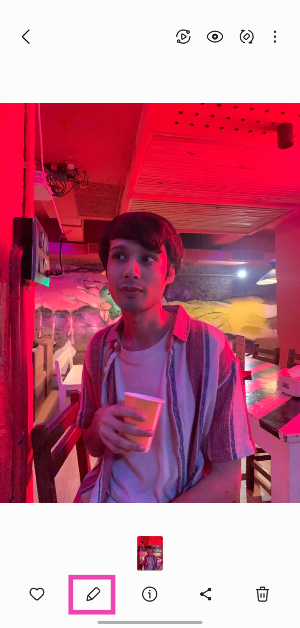 Step 3:
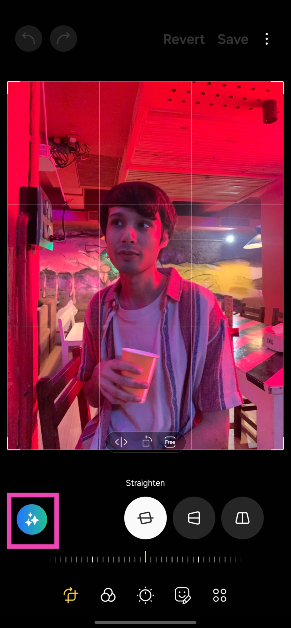 Step 4: Long press
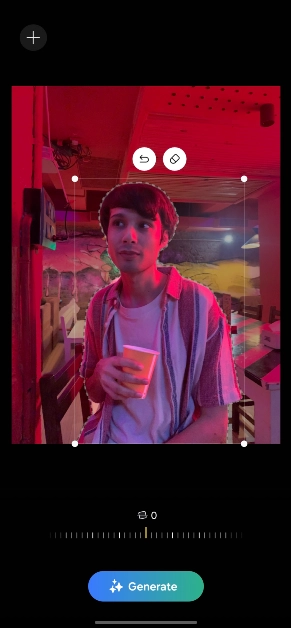 Step 6:
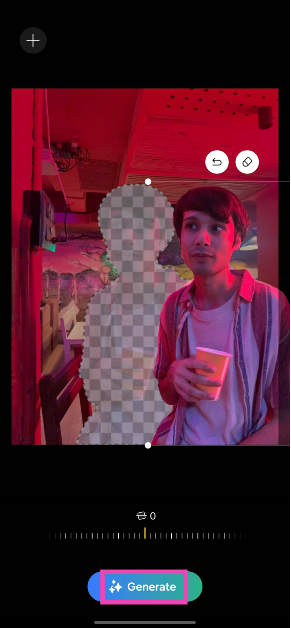 Step 7:
 Step 8: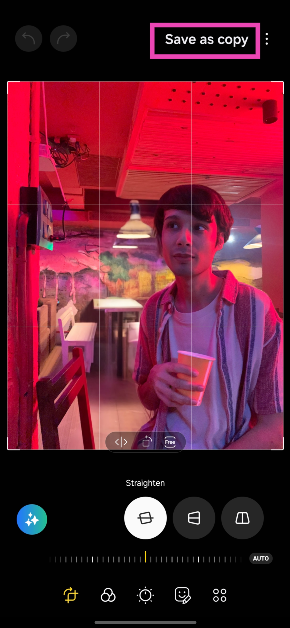
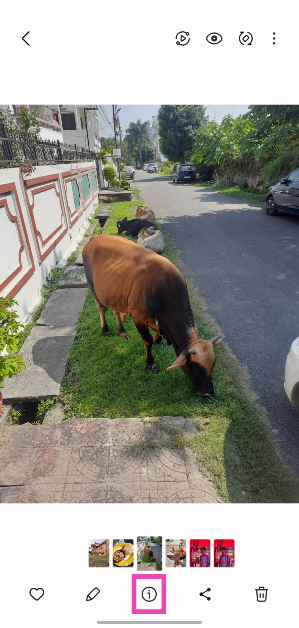 Step 3:
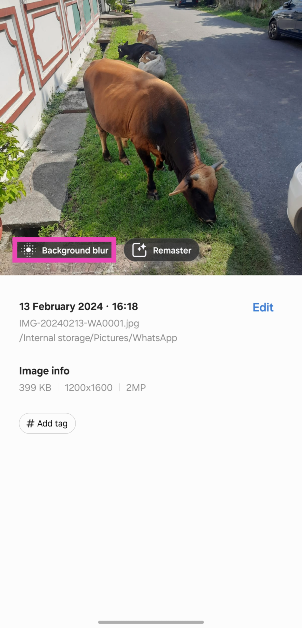 Step 4:
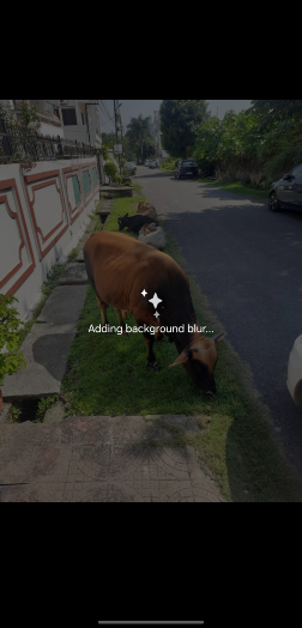 Step 5: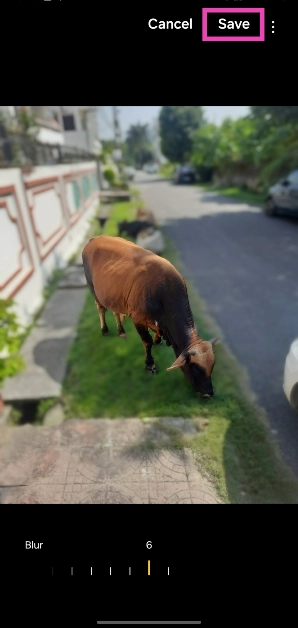
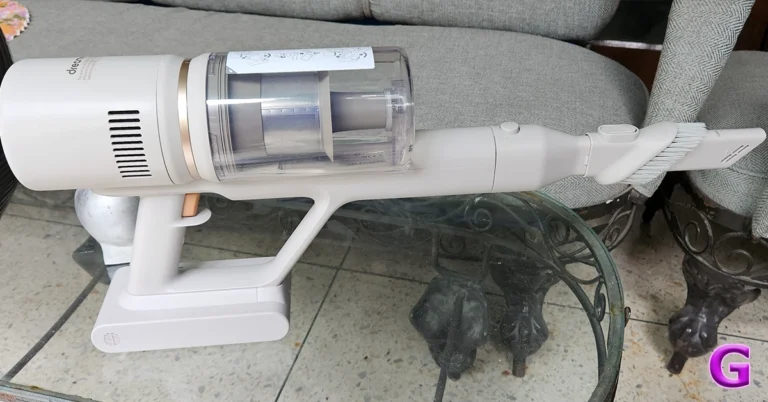
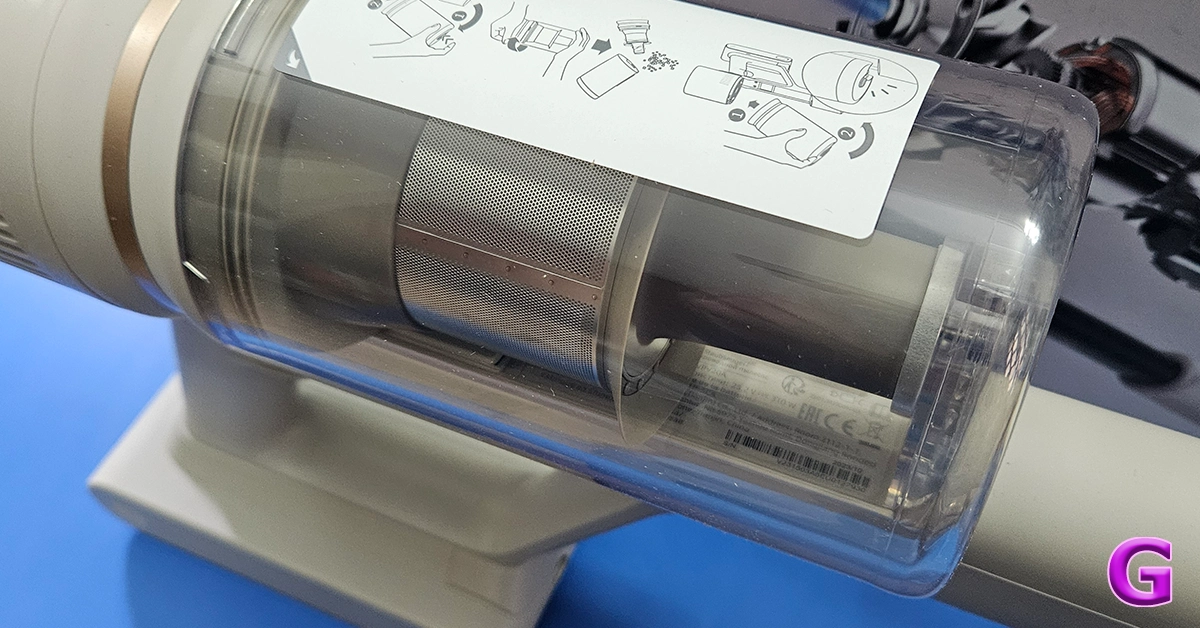
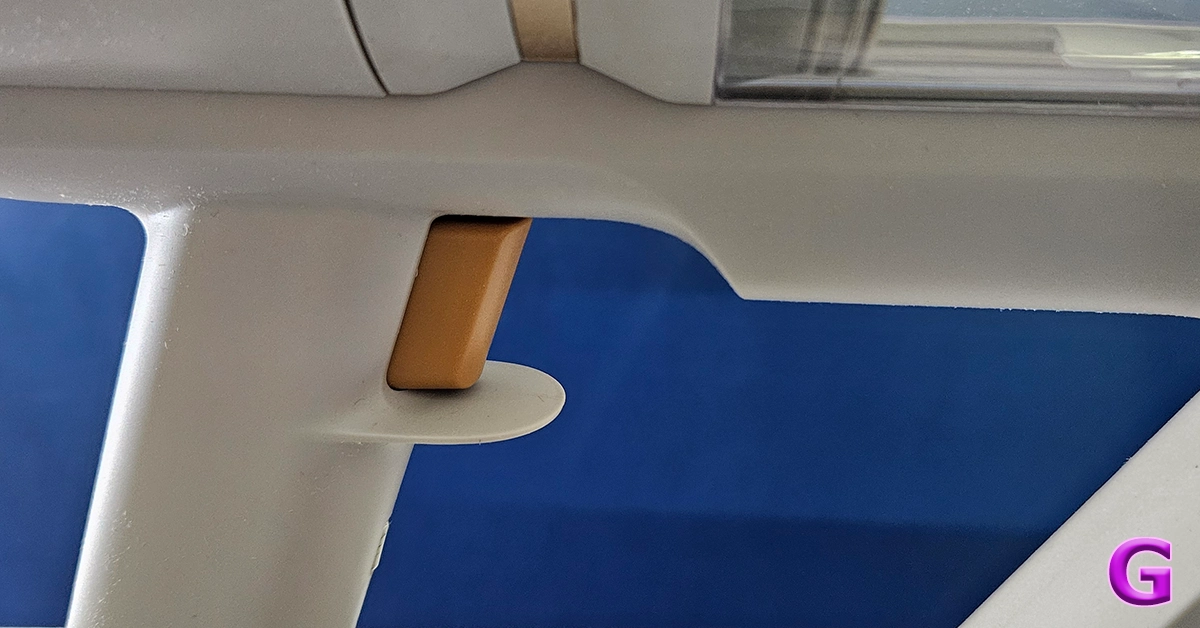 Out of the box, the Dreame U10 Vacuum Cleaner also looks like the rest of the pack. In fact, it seems a bit inspired by the Dyson series. However, it does have its distinct features. It is a trigger-style Vacuum Cleaner that when pressed sucks the dust at quite a rapid pace. The main enclosure consists of the rechargeable battery, the suction motor and also the transparent enclosure to trap all the dust and gunk.
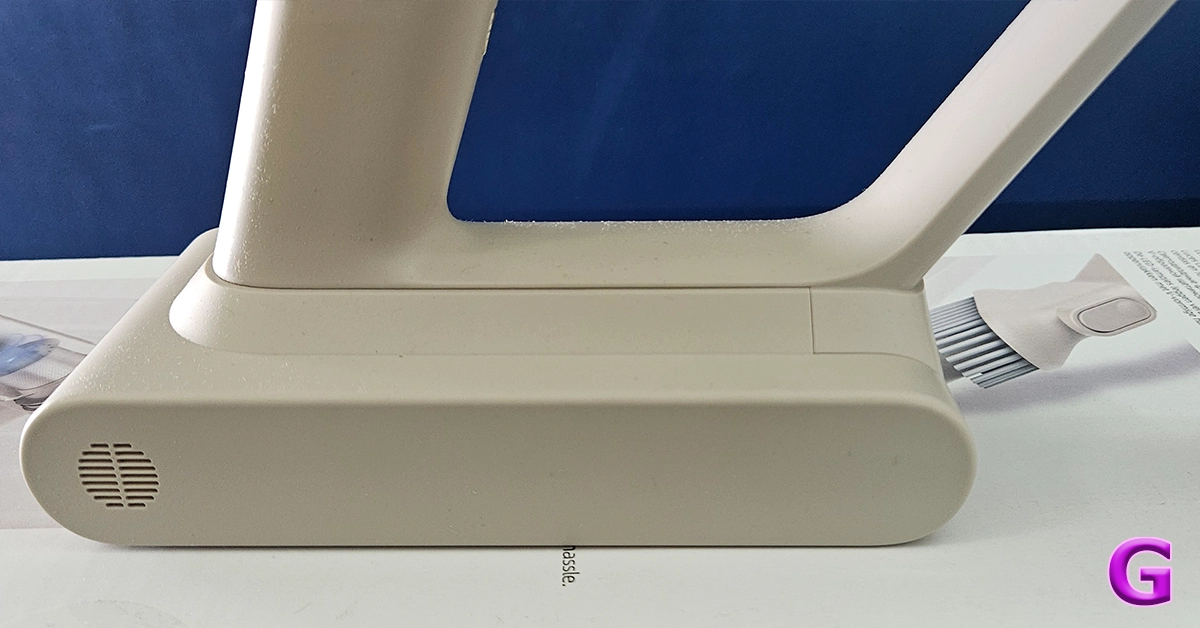
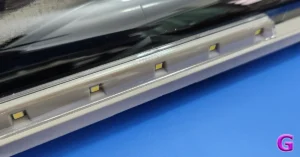
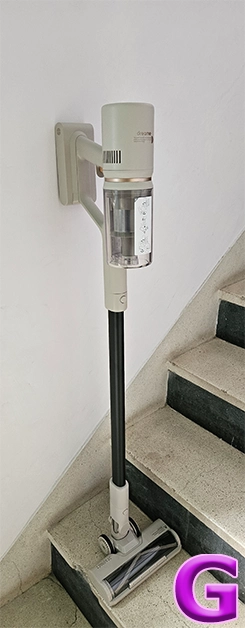
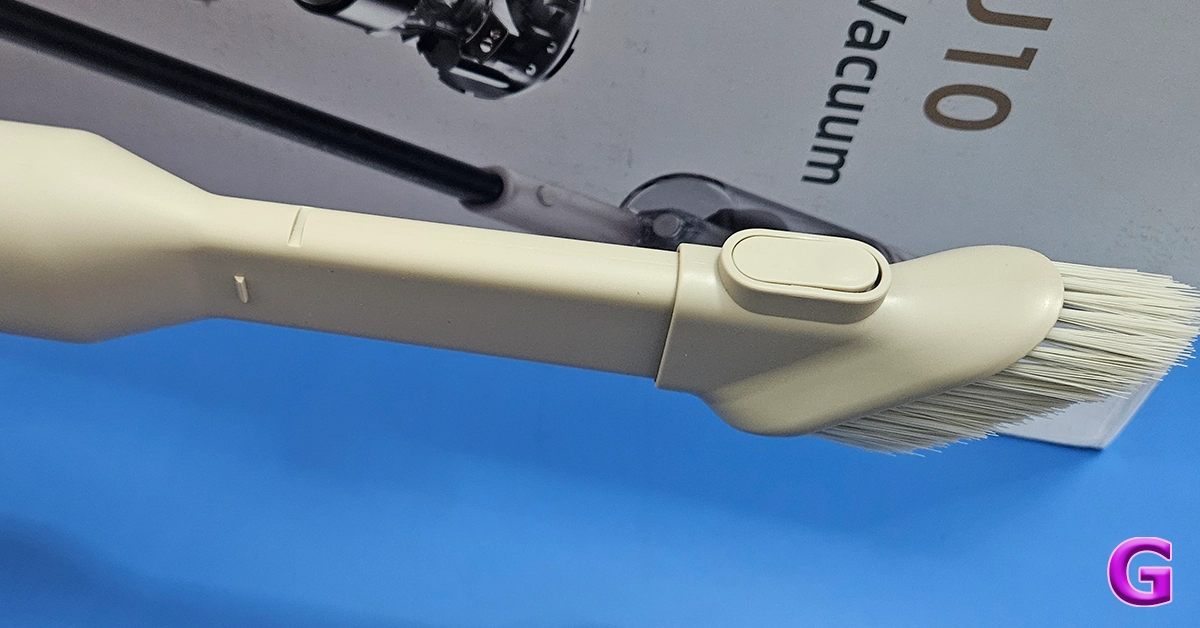 In the box, you also get two attachments and one long neck to connect the primary brush roller addon to clean hard as well carpeted floors. This also has an LED light in front of it for the user to easily see the debris and dust in front. The other one is a smaller stick-tip head which can be used for cleaning the keyboard, nooks and corners of the sofa, and also windows and blinds. With it, there is also a wall attachment on which you can hang the cleaner for easy storage.
 Read Also:


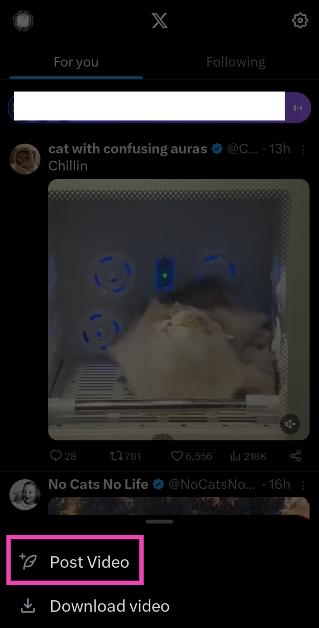 Step 3: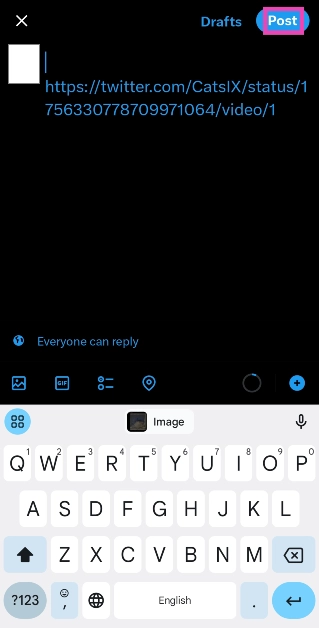
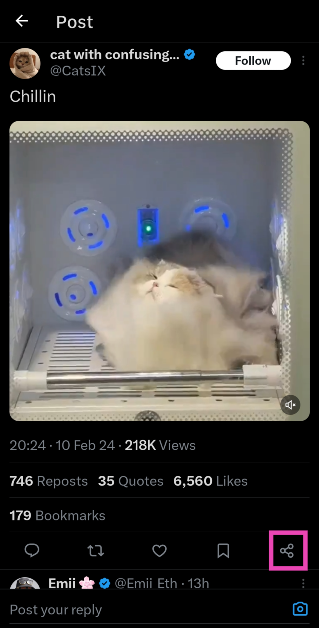 Step 3:
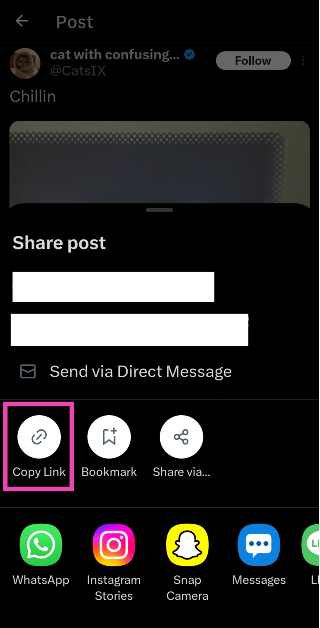 Step 4:
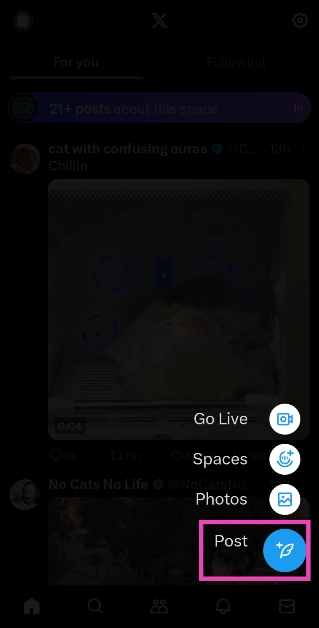 Step 5:
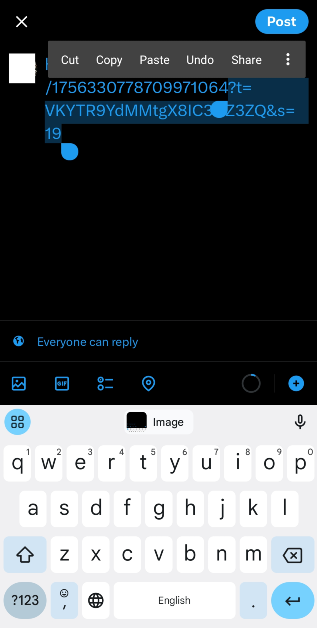 Step 7: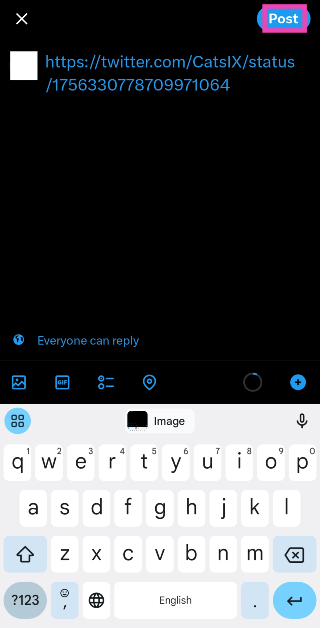
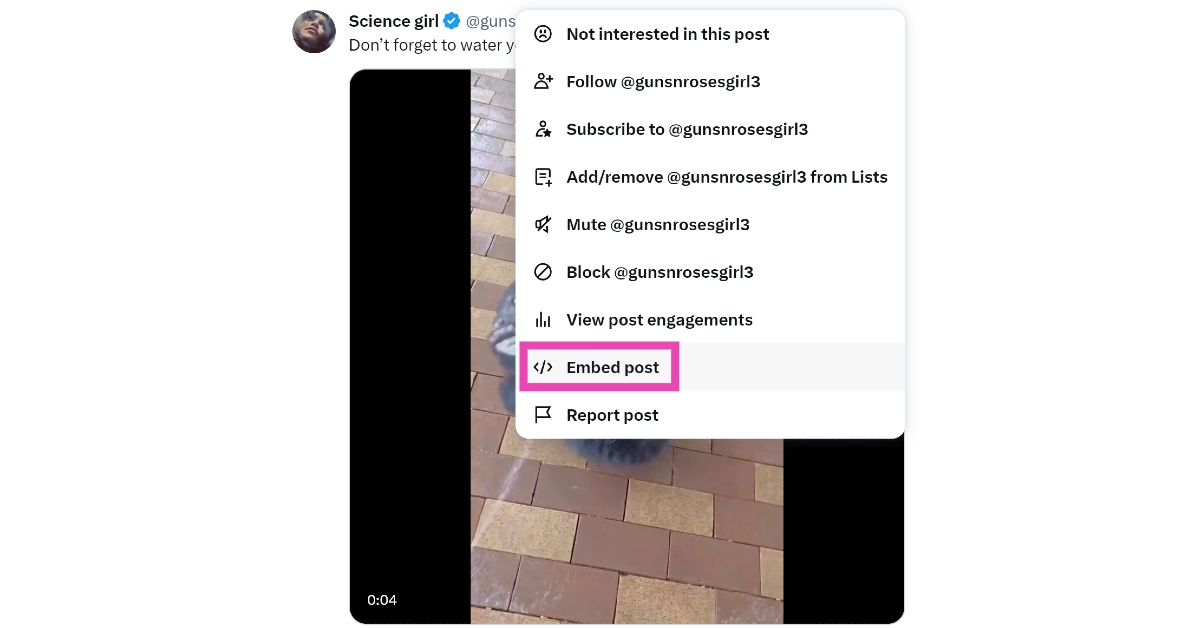 Step 3:
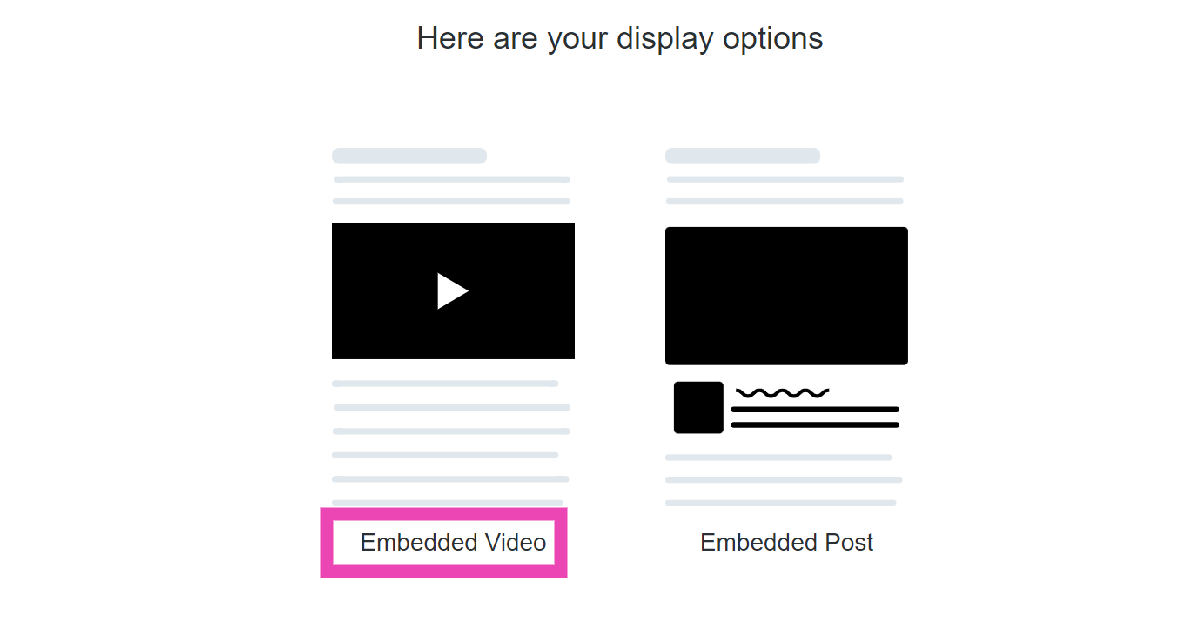 Step 4:
 Step 5:
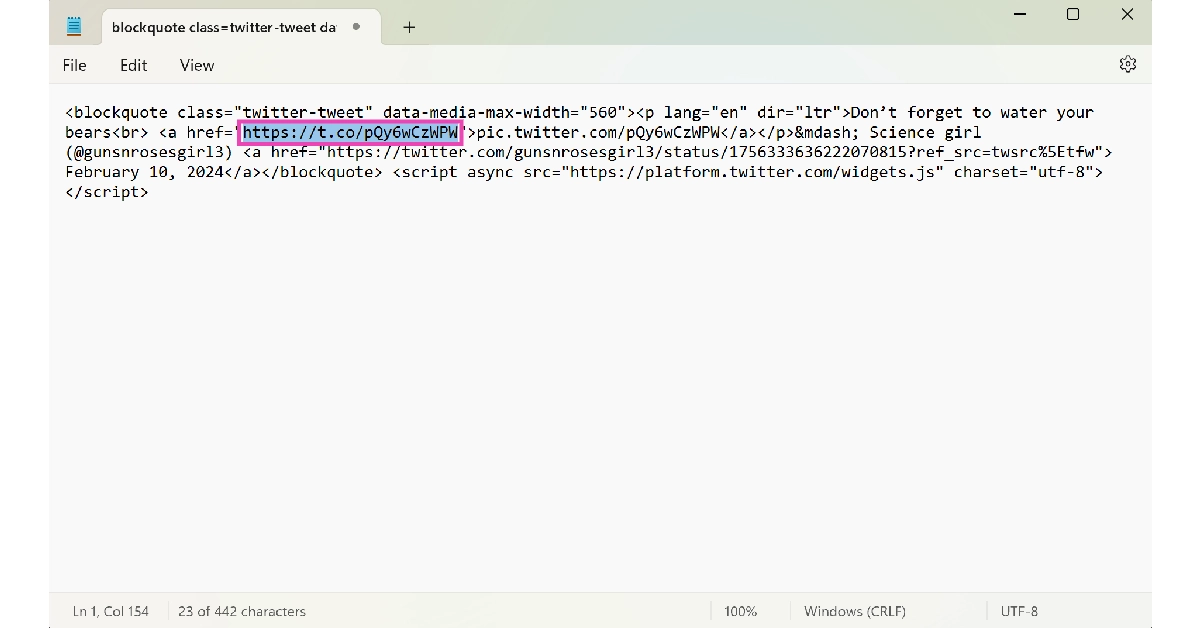 Step 6:
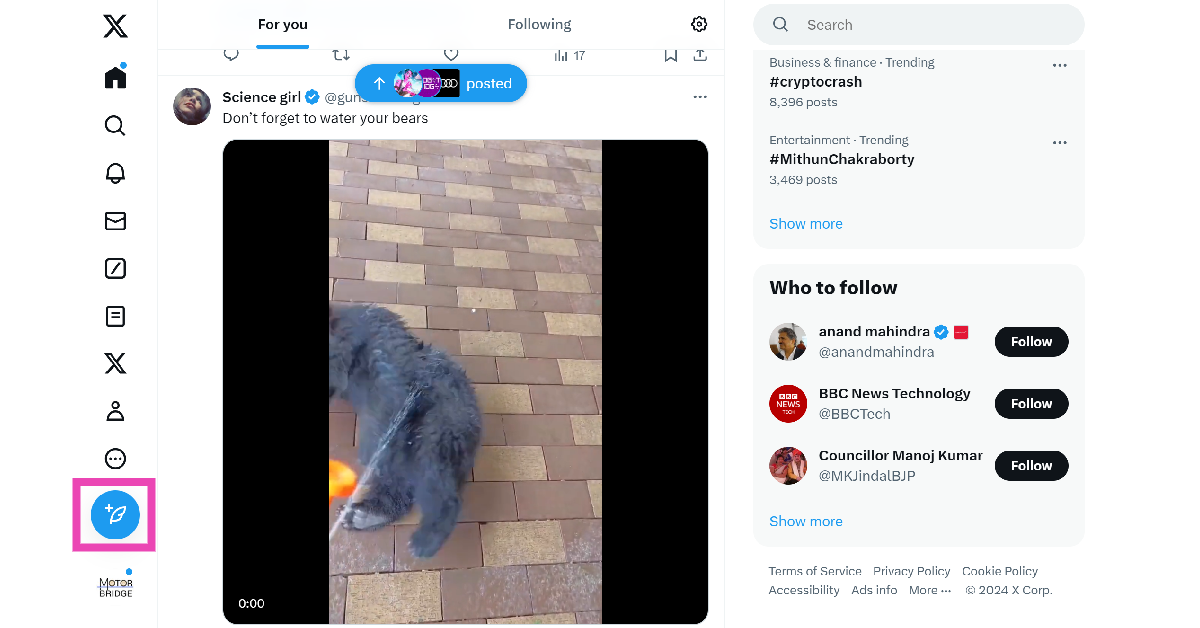 Step 8:
 Step 4:
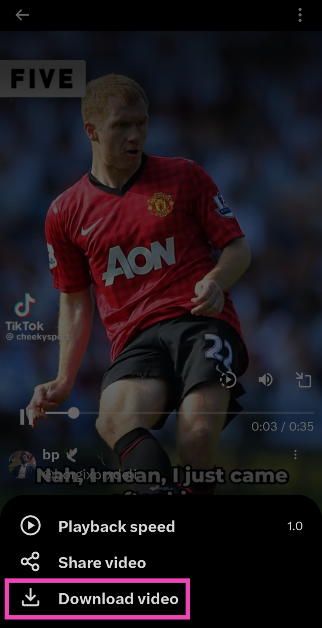 Step 5:
 Step 4:
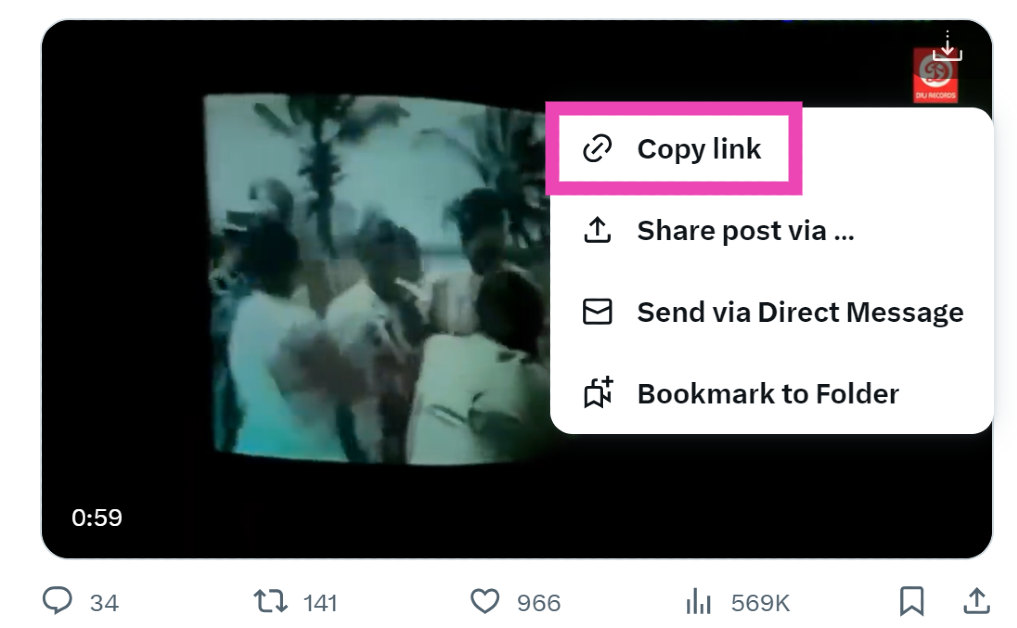 Step 5:
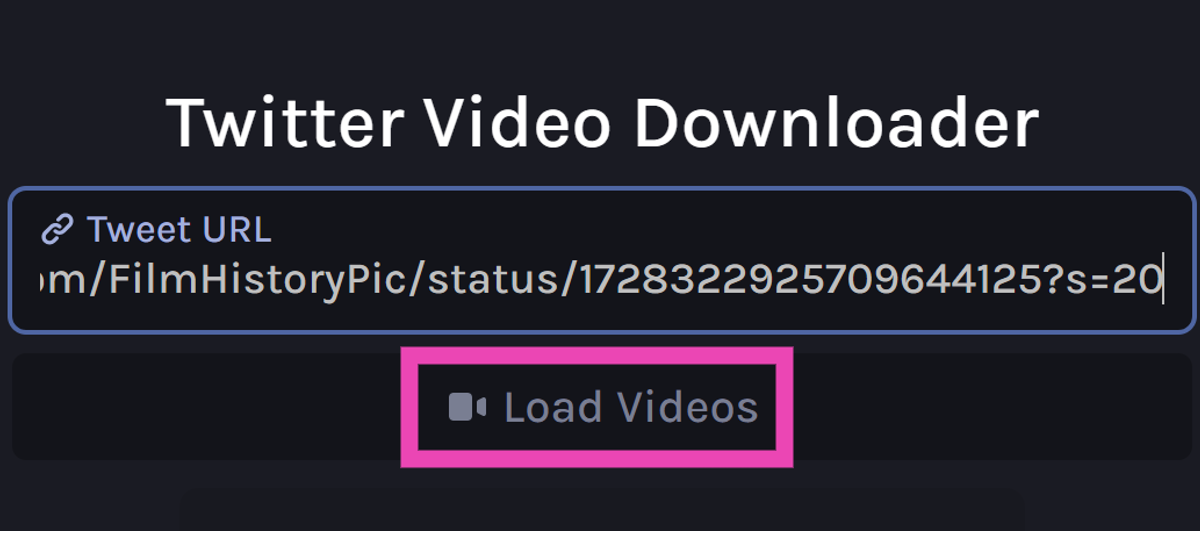 Step 7:
 Step 8:
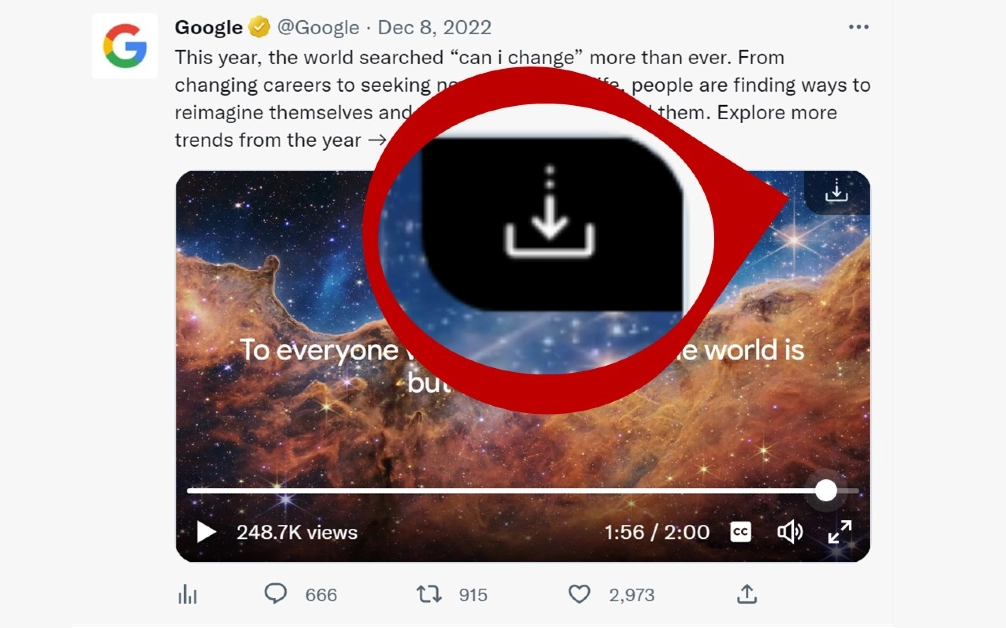 Step 5:

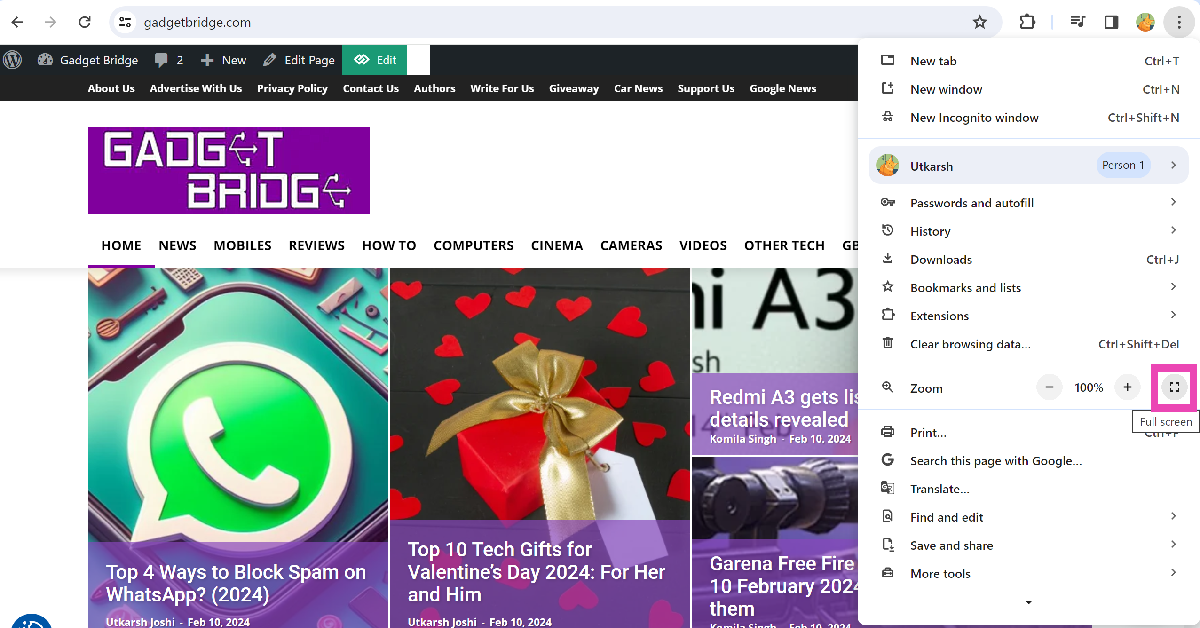
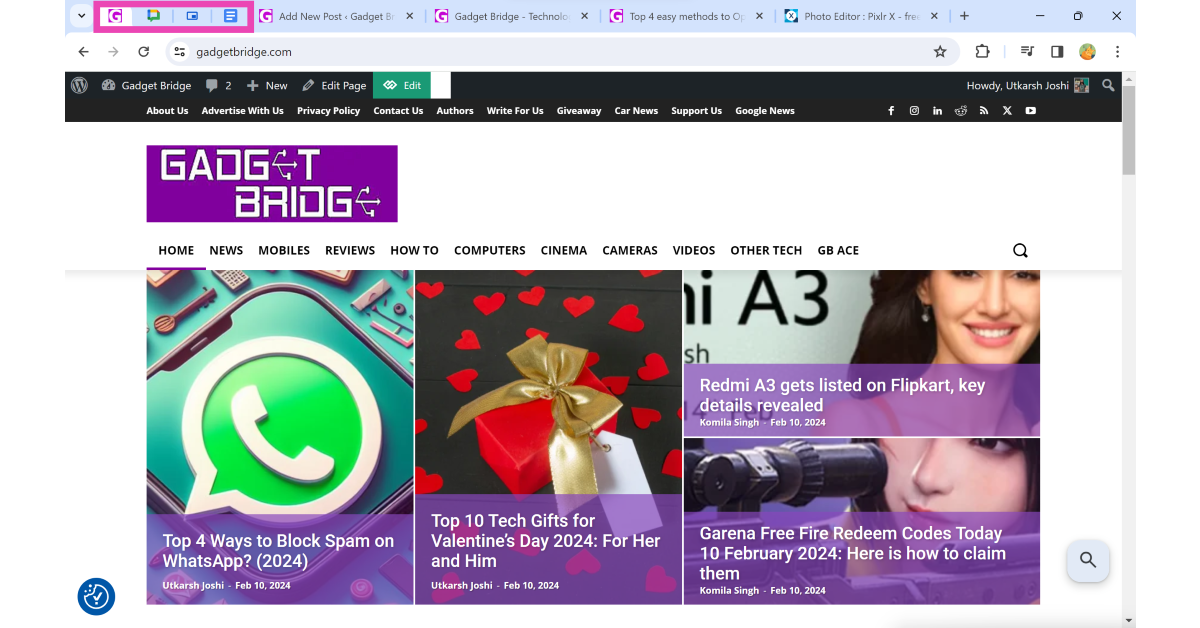
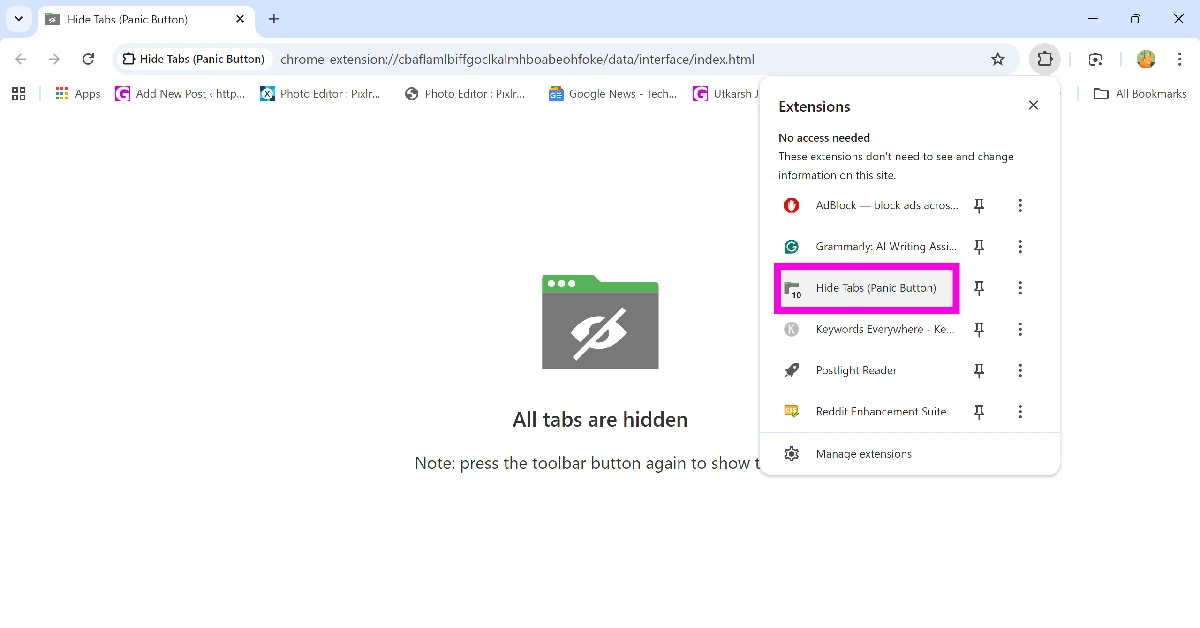
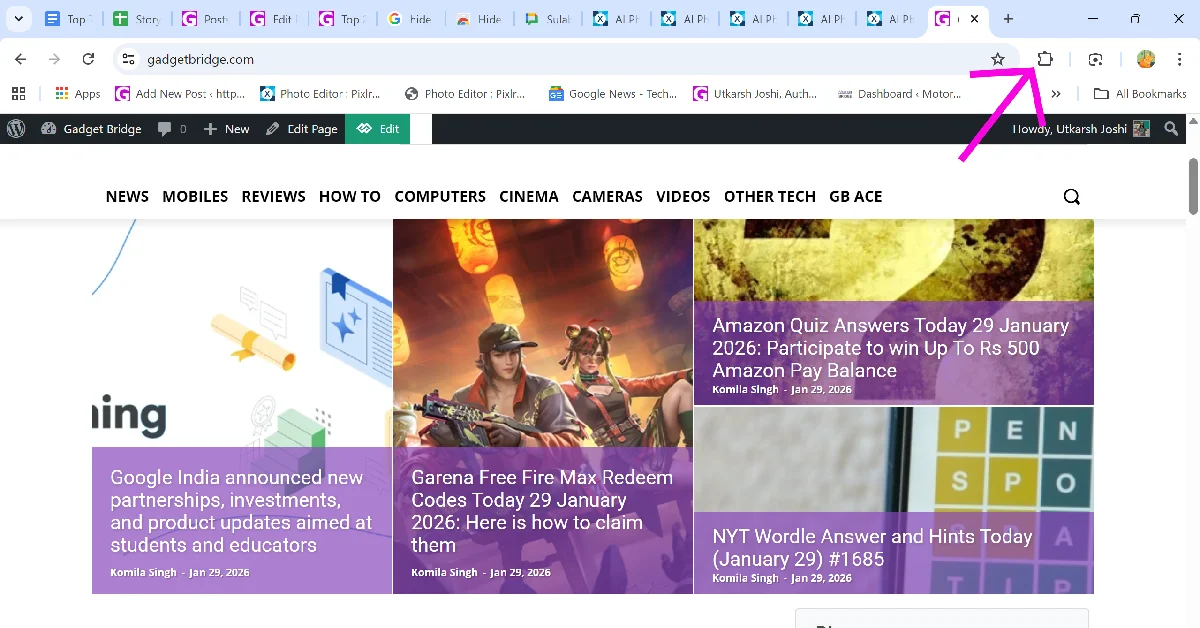 Step 3: Select the Hide Tabs extension. This will hide all your current tabs instantly.
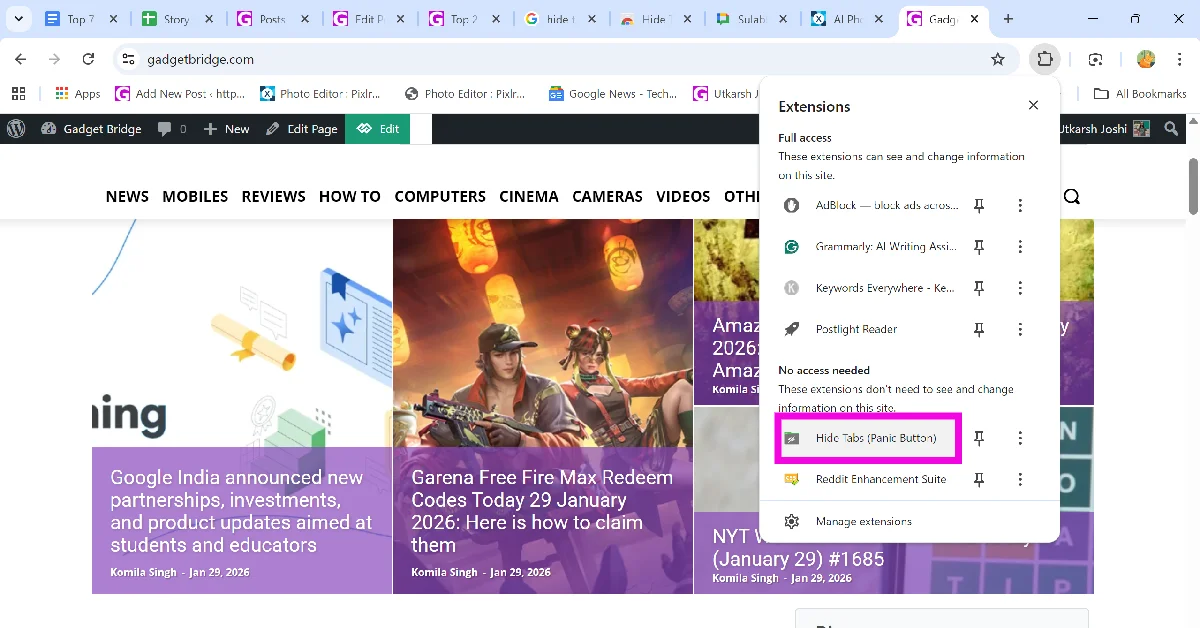 Step 4: Click the Hide Tabs extension again to restore all hidden tabs.
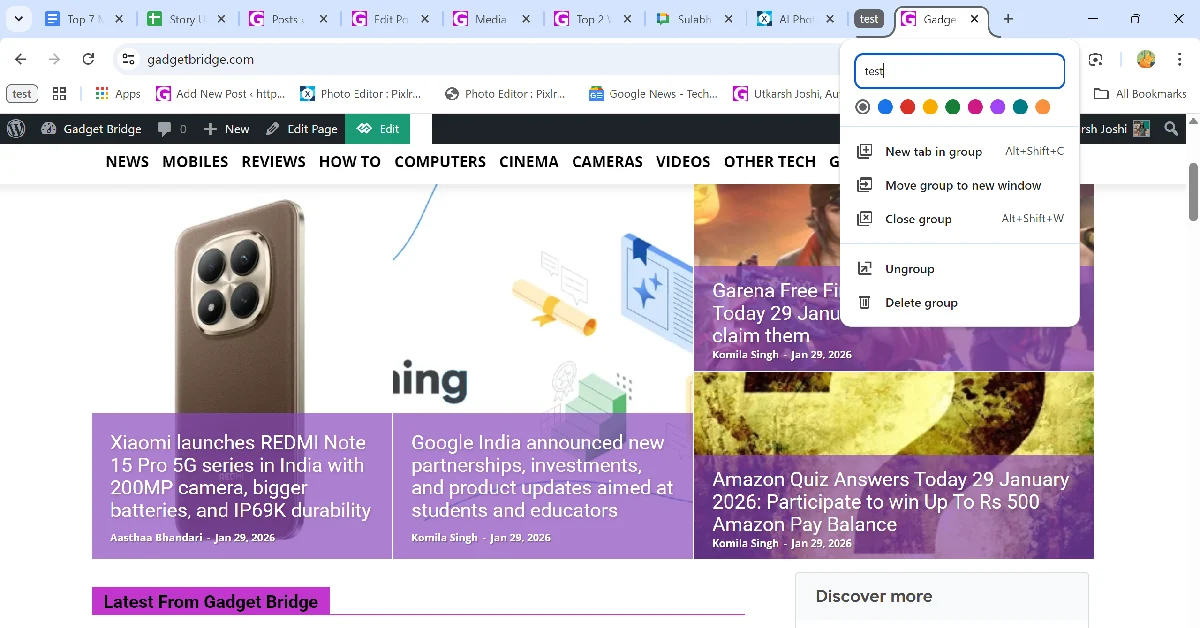
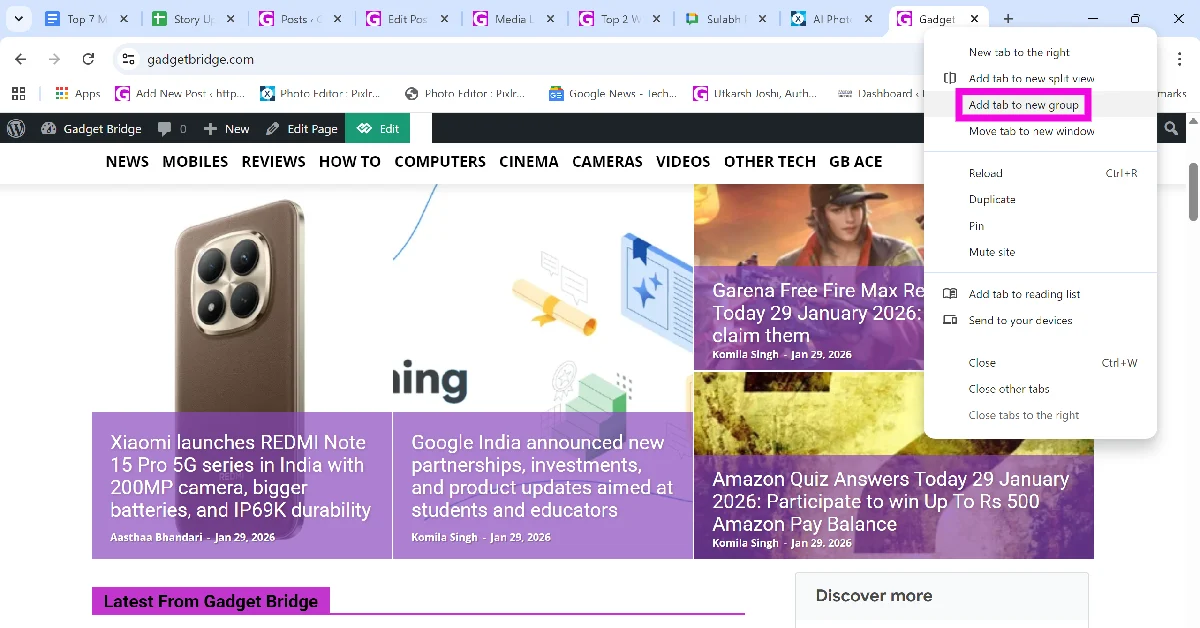 Step 2: Give the group a name. This step is optional.
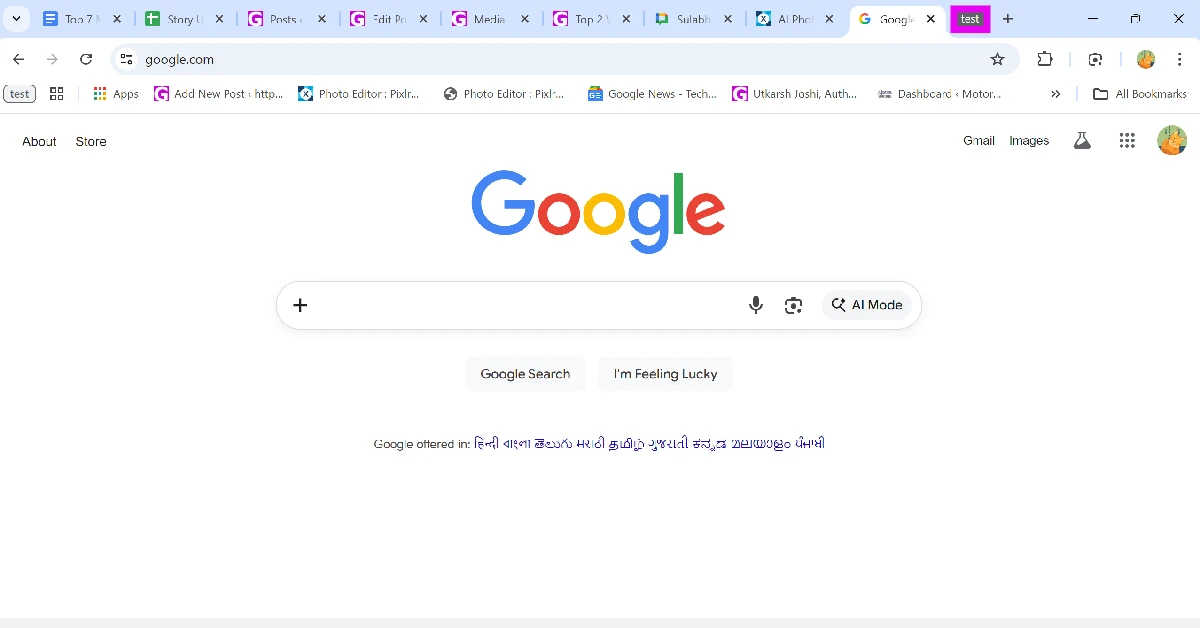
 Step 3: Once the group is created, click its icon to hide the tab(s) in it.
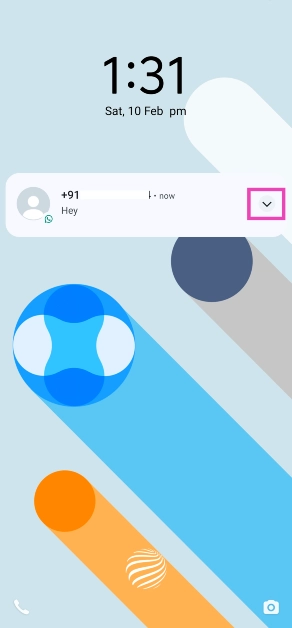 Step 2: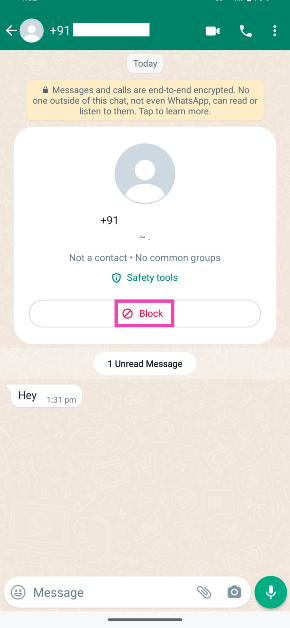
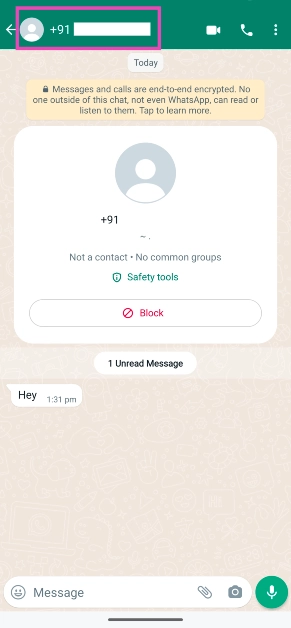 Step 3: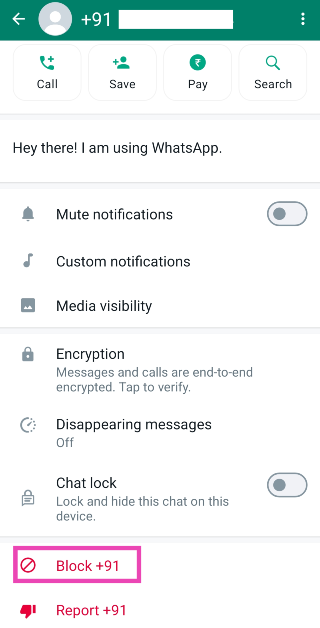
 Step 2:
 Step 3:
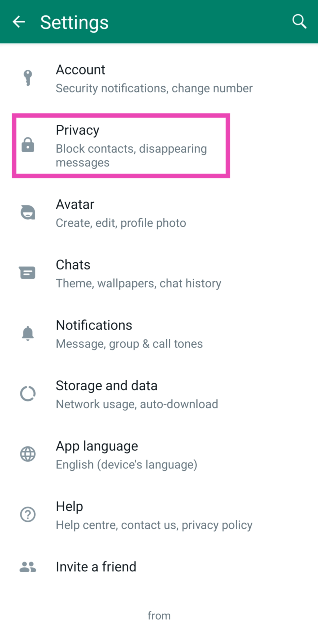 Step 4:
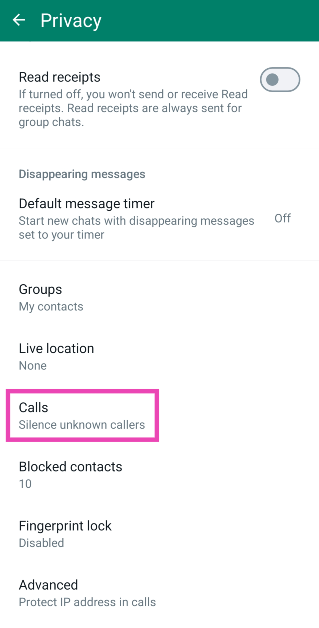 Step 5: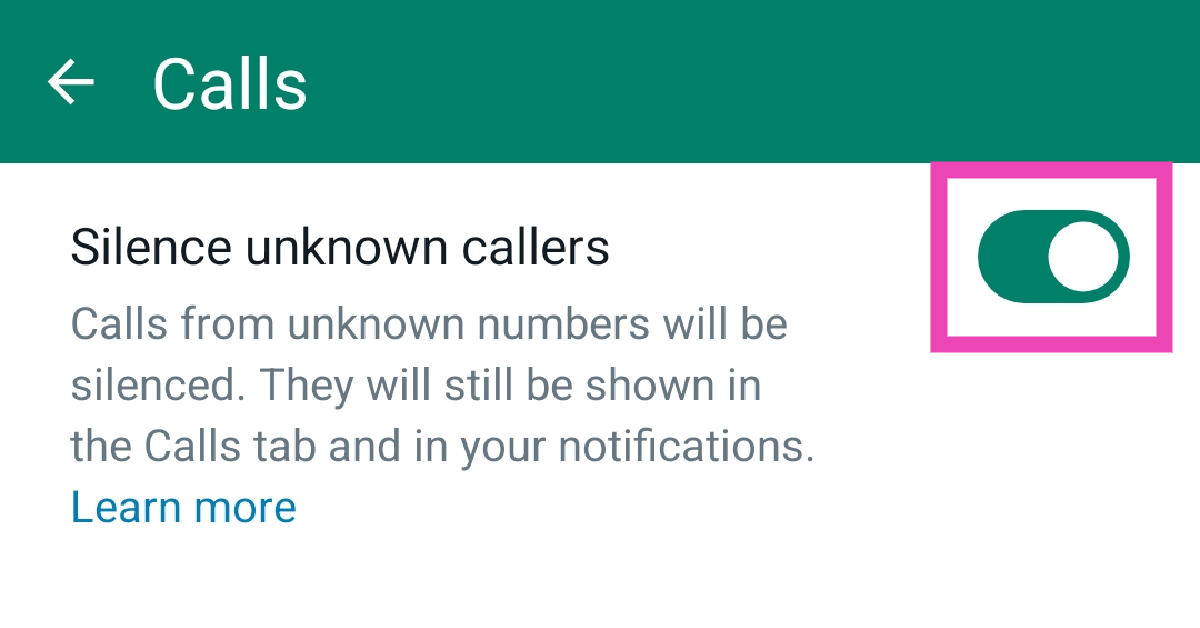
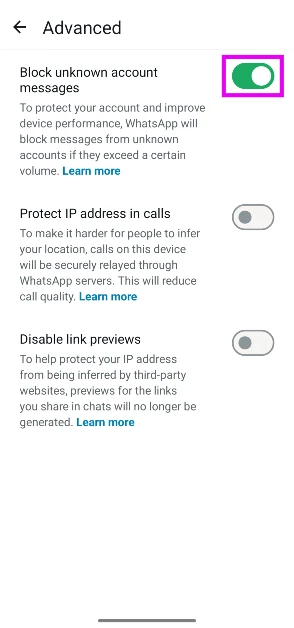
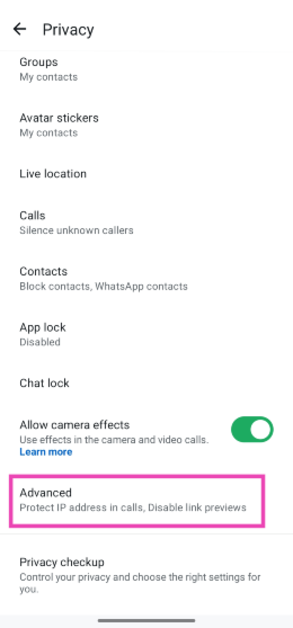 Step 5: Hit the toggle switch next to Block unknown account messages. This feature will block large volumes of messages sent from unknown numbers.








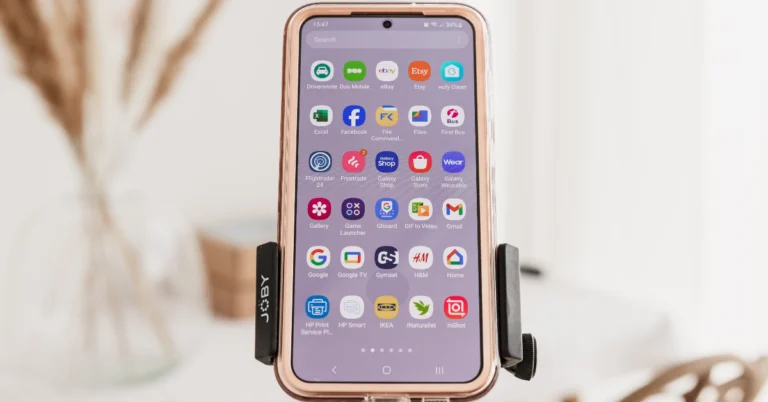
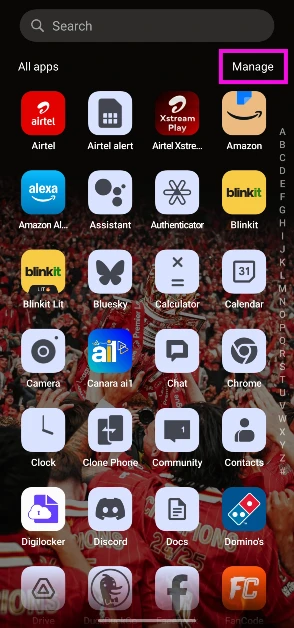 Step 3: Tap on Select.
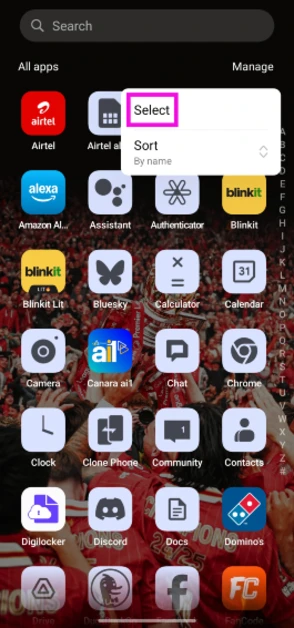 Step 4: Tap the apps you wish to delete.
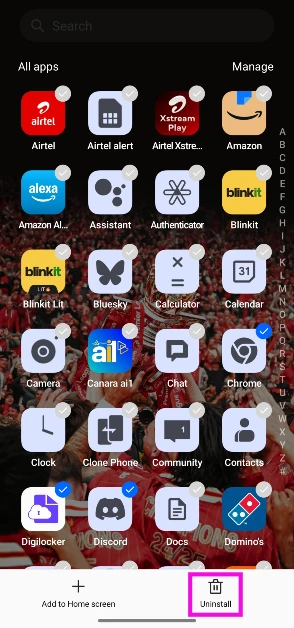 Step 5: Hit the Uninstall button at the bottom of the screen.
 Step 3:
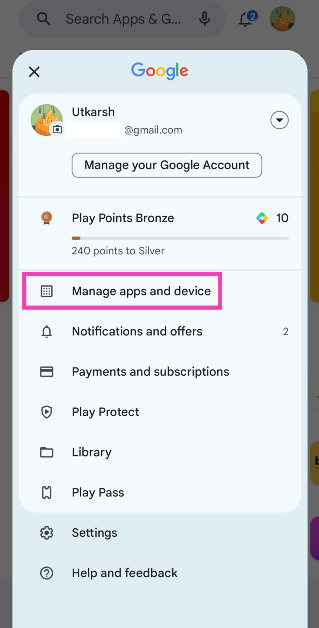 Step 4:
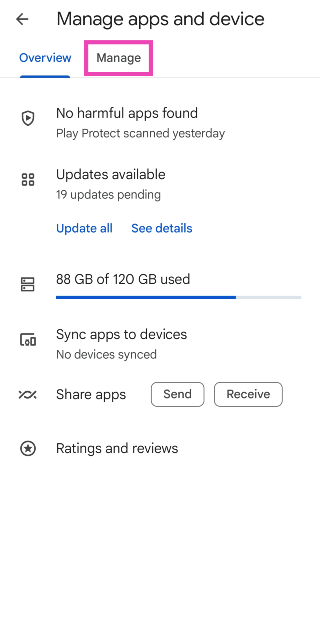 Step 5:
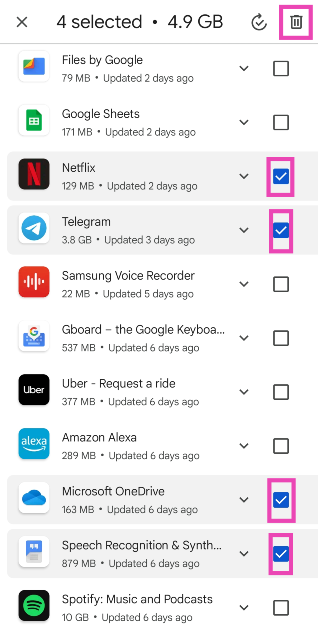 Step 6:
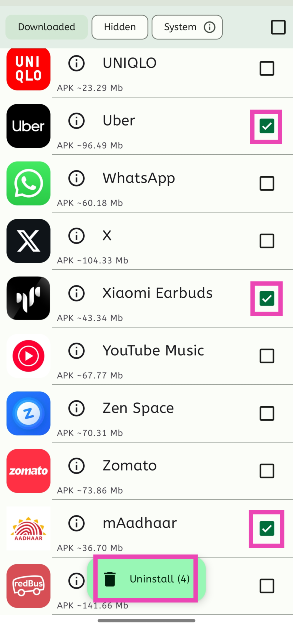 Step 3: Tap on Uninstall.
Step 4: Confirm your selection.
Step 3: Tap on Uninstall.
Step 4: Confirm your selection.
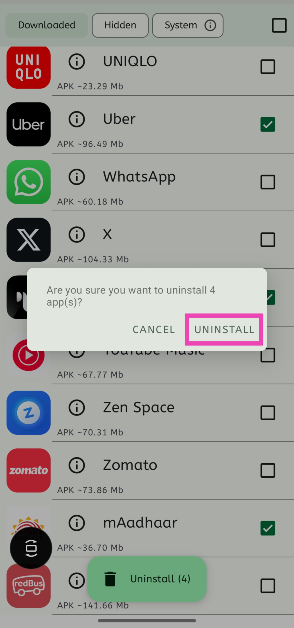
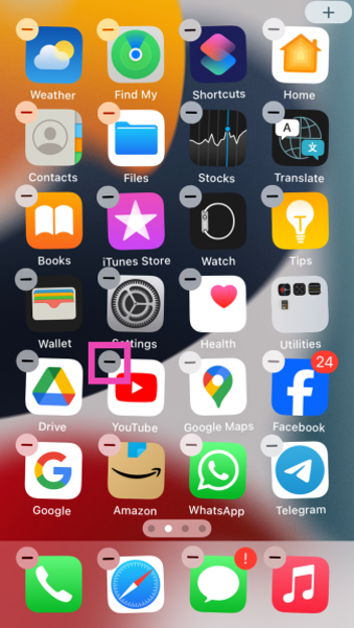 Step 3: Confirm
  Step 4: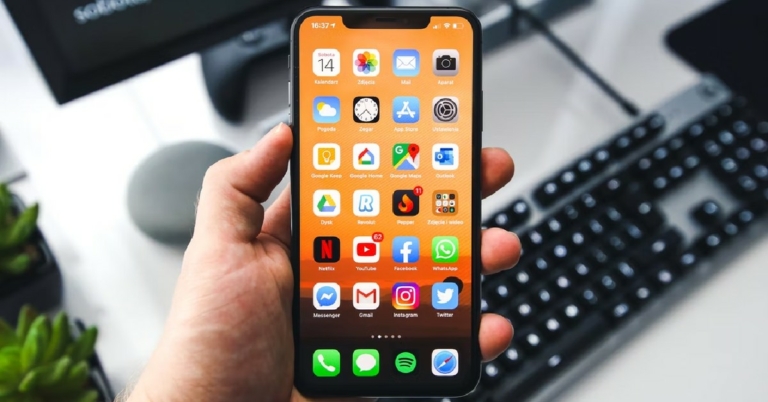
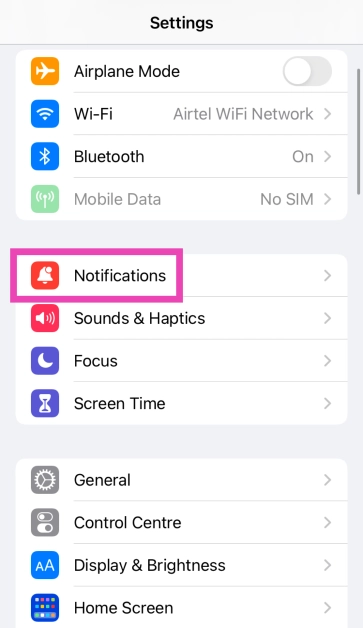 Step 2:
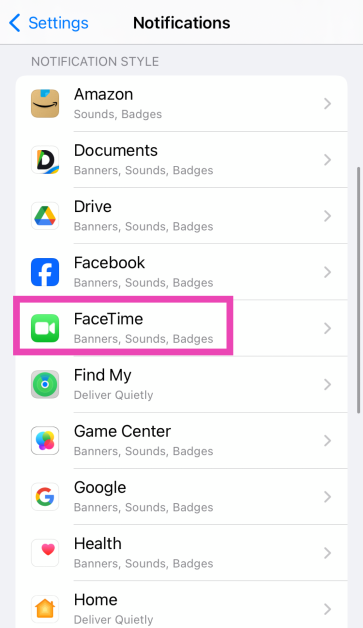 Step 3:
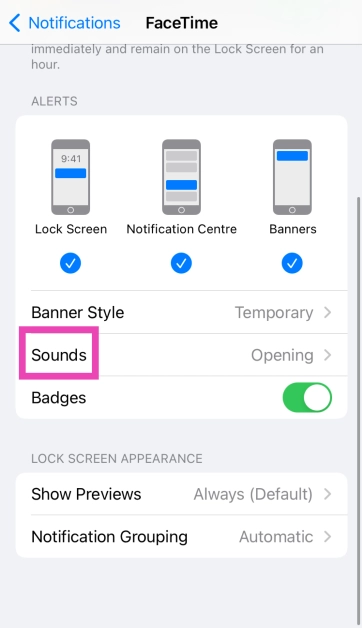 Step 4: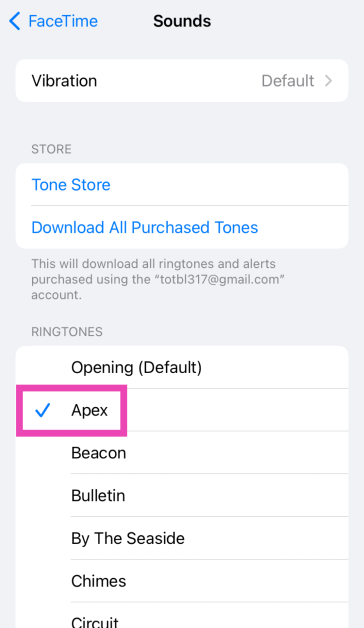
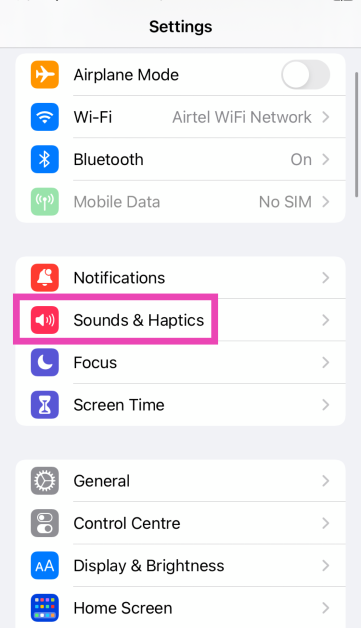 Step 2:
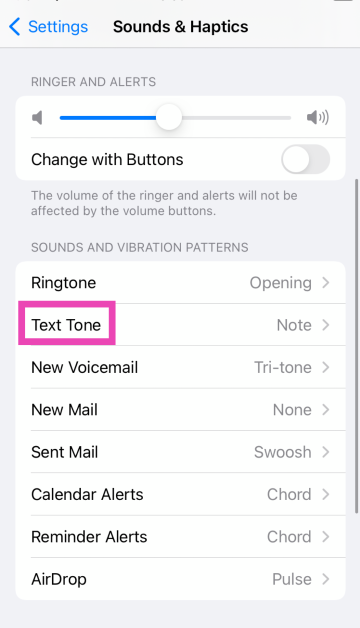 Step 3: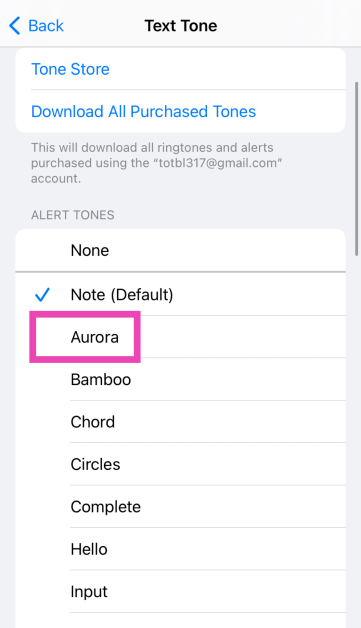
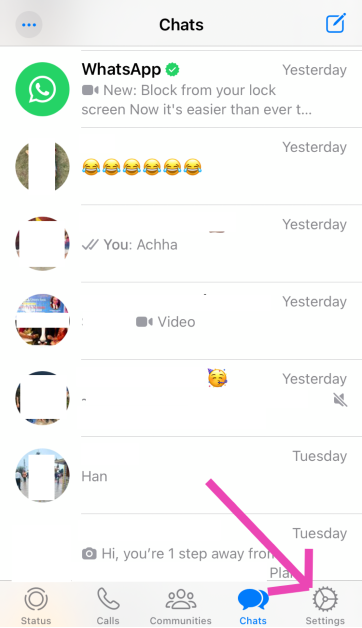 Step 2:
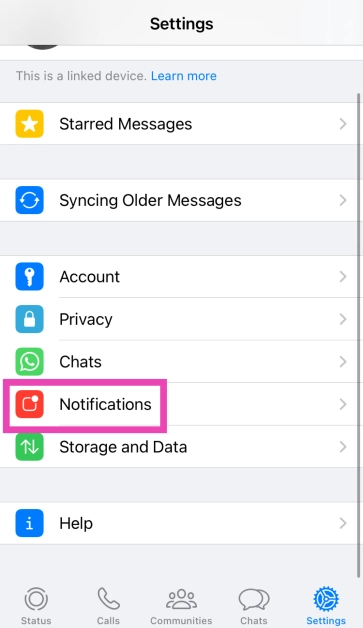 Step 3:
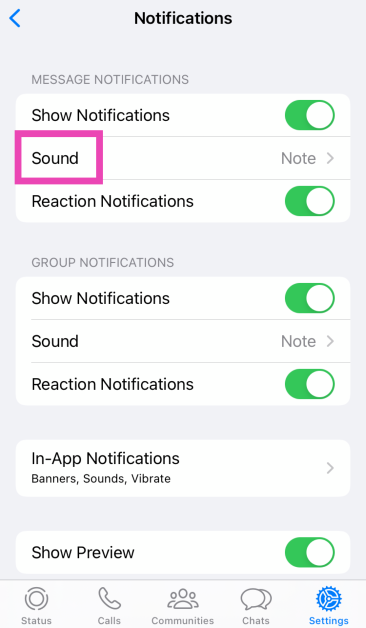 Step 4: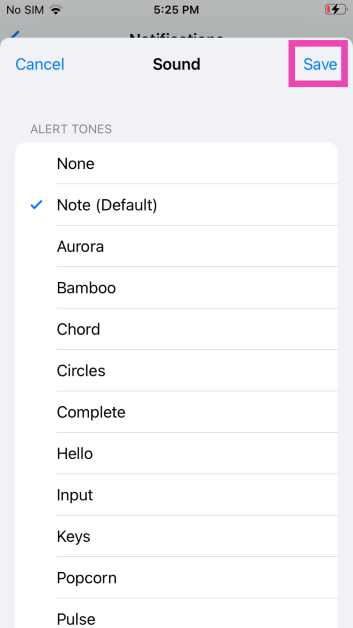
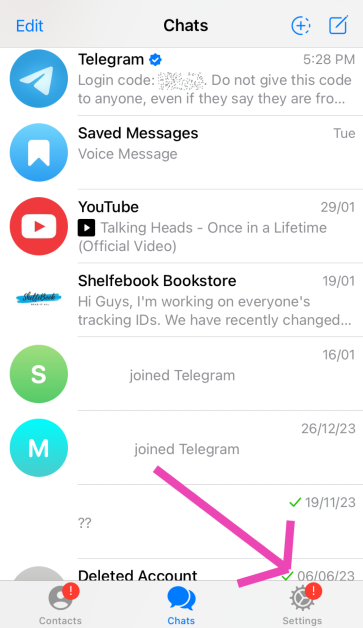 Step 3:
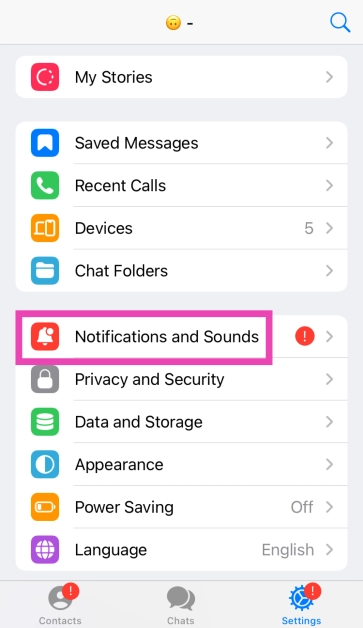 Step 4:
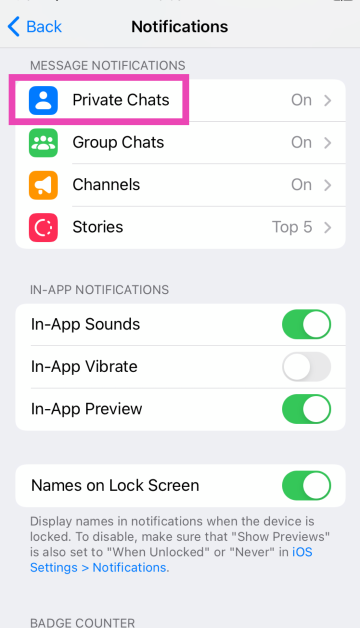 Step 5:
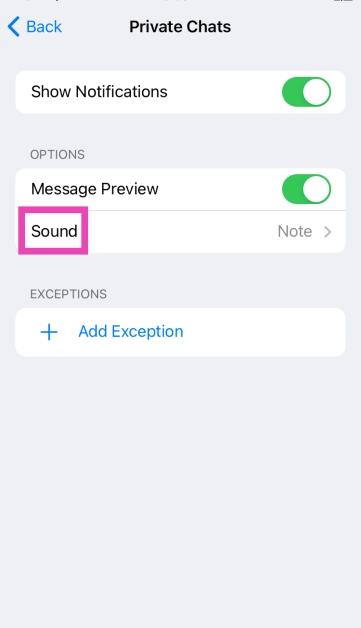 Step 6: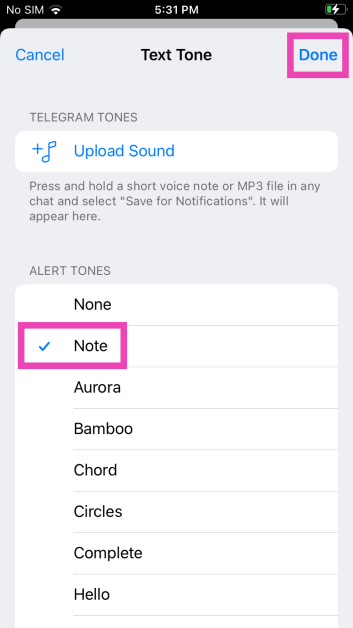




 Step 2:
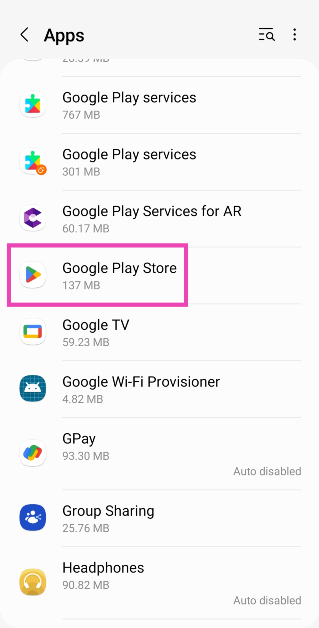 Step 3: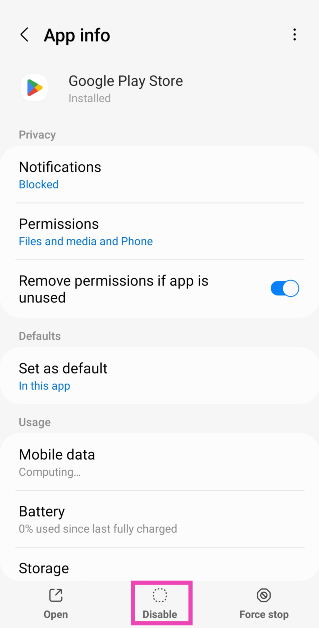
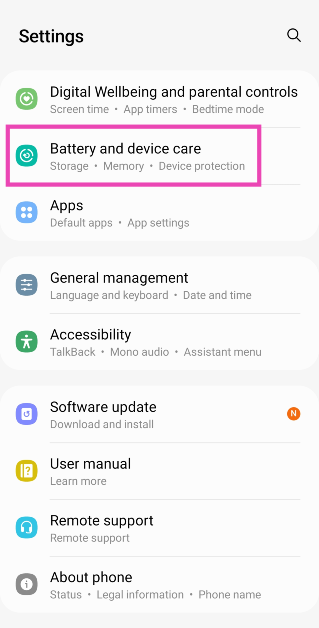 Step 2:
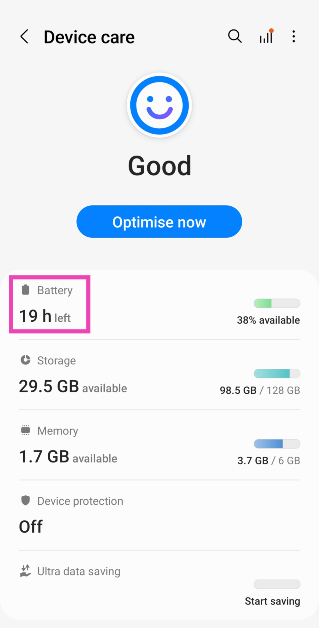 Step 3:
 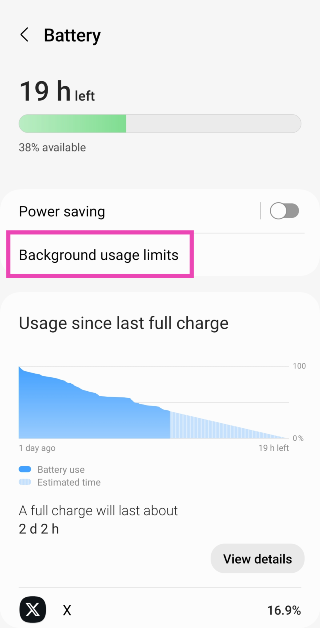 Step 4: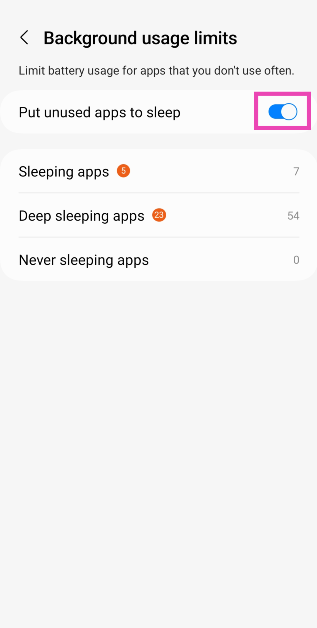
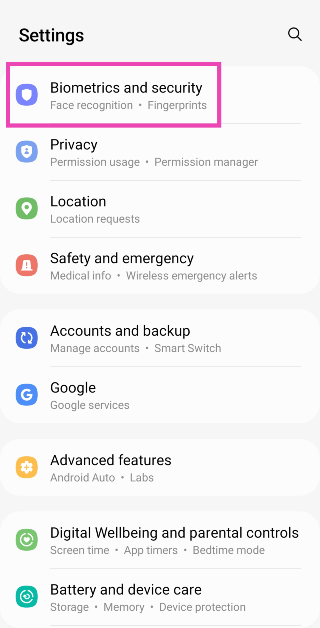 Step 2:
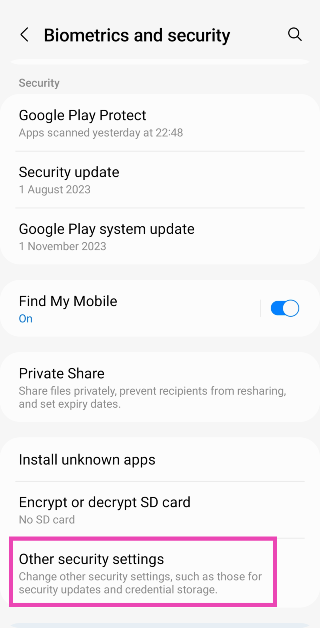 Step 3:
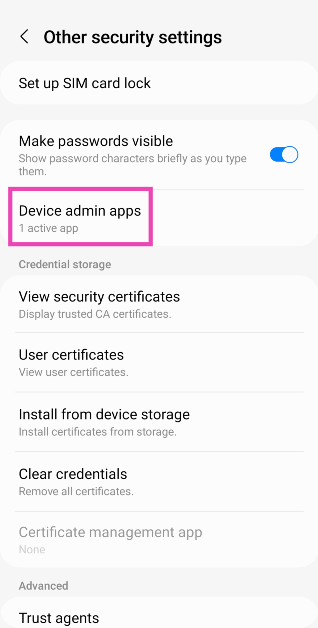 Step 4:
 Step 5:
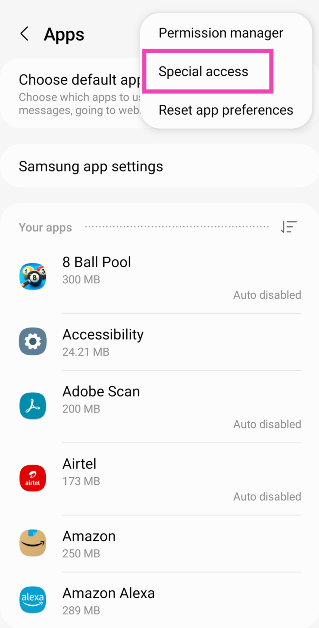 Step 4:
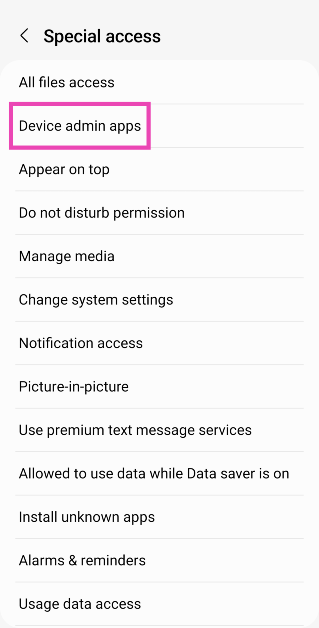 Step 5:
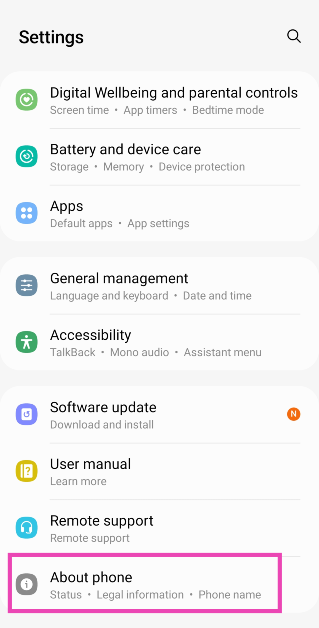 Step 2:
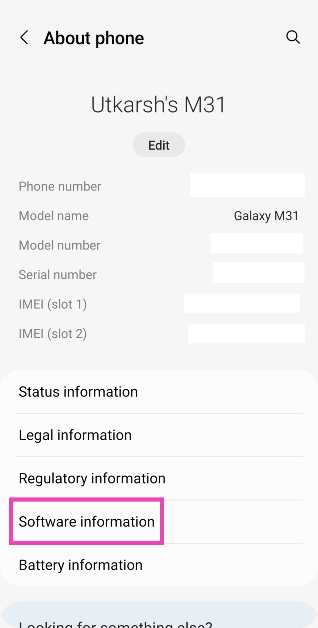 Step 3:
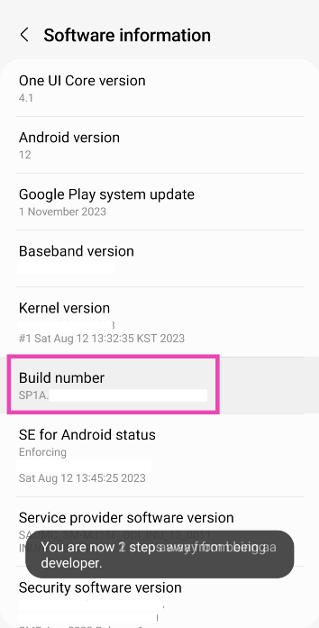 Step 4:
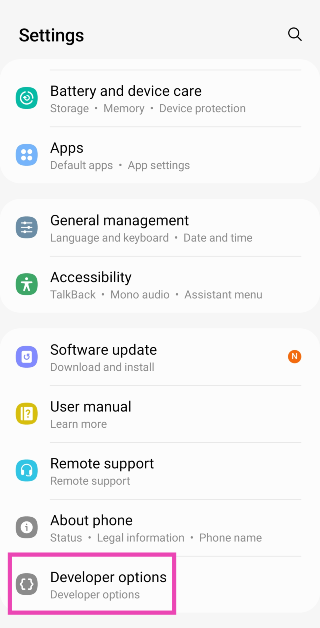 Step 5: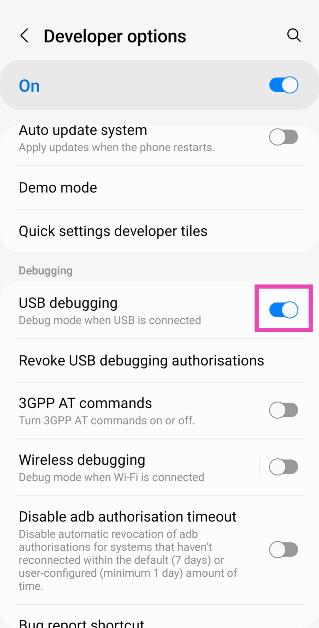
 Step 9:
 Step 11:
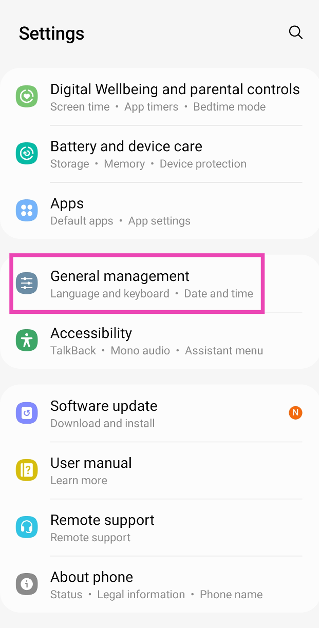 Step 2: Tap on Reset.
 Step 3: Scroll down and select Factory data reset.
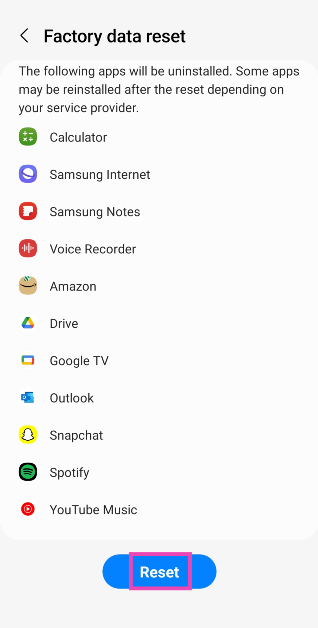
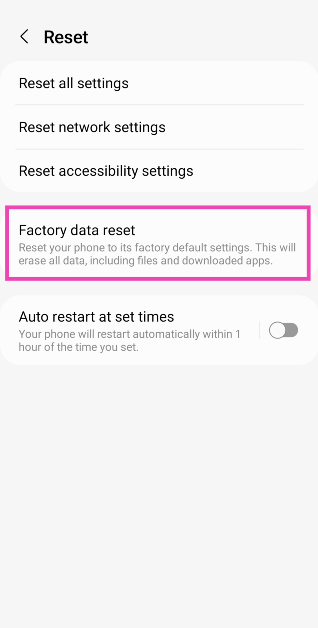 Step 4: Scroll down and hit Reset.