Every year, older versions of Android and iOS lose support for some major apps. With new versions of the two mobile operating systems being rolled out every year, it is challenging for app developers to ensure uniform support for the older versions as well. Messaging apps like WhatsApp also need to stay on top of security at all times. Older operating systems are generally more vulnerable to malicious attacks, making it hard for developers to plug all the holes. As a result, WhatsApp pulls out support for some older Android and iOS versions entirely every year. This year, this action is being meted out to Android 4.0 and iOS 11 (and lower) on October 24.Read Also:Modern gadgets for film lovers that enhance the movie experience
In This Article
Eligibility criteria for using WhatsApp on Android and iOS
Android smartphones must run Android 5.0 OS or higher.
iPhones must run iOS 12 or higher.
JioPhones must run KaiOS 2.5.0 or higher.
These phones will stop running WhatsApp from October 24
These are some of the popular Android phones that will not be able to run WhatsApp from October 24.
Sony Xperia Z
Sony Xperia S2
LG Optimus G Pro
LG Optimus 2X
Samsung Galaxy S
Samsung Galaxy S2
Samsung Galaxy Nexus
HTC One
HTC Desire HD
HTC Sensation, and more.
To check the software version your smartphone is running, go to Settings>About device. Apart from the Android phones mentioned above, these iPhones will also lose support for WhatsApp.
Rapture Innovations Labs Pvt Ltd., an audio tech start-up from Hubballi, Karnataka has announced the launch of their first offering – headphones designed, engineered and manufactured in India – Sonic Lamb Headphones. As per the company the newly launched headset is designed to cater to all your home entertainment and audio needs working seamlessly across genres.Sonic Lamb Headphones have debuted in India. The audio device comes with patented ‘Hybrid Driver Technology’ that is claimed to provide fully immersive sound akin to live music or on a HiFi system. Sonic Lamb with its patented Hybrid Driver Technology, combines traditional sound wave transmission for mid and high frequencies (vocals and instruments) with their proprietary Impulse driver for low frequency that translates audio signals into mechanical impulse.As per the company the headset is tested and tuned in Denmark at Sound Hub. The Hi-fi systems on the Sonic Lamb Headphones make use of a Subwoofer to reproduce this sound adding to a life-like and immersive sound experience. The headphones are claimed to lack the technology to reproduce this physical aspect of sound which compromises the audio experience. In addition to this, it also limits their fidelity or immersion thereby impacting their effectiveness for wide music genres and use-cases.Sonic Lamb Headphones include a total of four modes Hear for a balanced sound signature ideal for soft music like instrumental and classical along with use cases like audio books, podcasts as well as calls and meetings.While the Feel mode allows users to feel every beat in the music. Immersive mode offers enhanced bass great for bass-heavy genres like EDM, Trance, Hip hop, Rap and the like. Lastly, Beast mode is for the cinematic and gaming experience.The controls are provided on the right earcup for easy access. Not just music you can use the device for hearing podcasts or audio books, attending calls or meetings and being immersed in movies or playing games. It comes with a Digital Audio Interface that at the same time allows charging and a high-resolution wired audio connection for studio-grade audio streaming at 24-bit, 96kHz. There is a detachable boom microphone for gaming enthusiasts and professionals. It comes with multipoint connectivity so you can connect two Bluetooth devices simultaneously. Sonic Lamb App allows optimisations and a two-minute hearing test enables custom-tuned sound profiles based on an individual’s hearing sensitivity.Sonic Lamb headphones have been launched in India with a price tag of Rs 19,999. However the company is offering the headset at a launch price of Rs 15,999. The device comes in three colour options of Obsidian Black, Ember Gray, and Moonstone White. You can purchase the headphones through the company’s official site in the country. For the latest gadget and tech news, and gadget reviews, follow us on Twitter, Facebook and Instagram. For newest tech & gadget videos subscribe to our YouTube Channel. You can also stay up to date using the Gadget Bridge Android App. You can find the latest car and bike news here.
Have you ever been seated at a bar or a restaurant and heard a familiar song come on but just can’t recall what it’s called? We can relate to your situation. Luckily, you can easily scratch that itch in your brain if you have your smartphone on you. What’s even more impressive is that you can use your phone to figure out a song that’s stuck in your head simply by humming the tune on the mic. In this article, we bring you the top 5 ways to identify a song playing in the background or simply by humming it.Read Also:Vivo Y56 5G now available in new 4GB RAM with 128GB storage variant
In This Article
Use Google Assistant to identify a song just by humming it
Step 1: Tap the microphone icon on the Google widget or simply say ‘Hey Google’ to trigger Google Voice Assistant.Step 2: Ask ‘Which song is this?’Step 3:Play the song on another device or simply hum or sing it yourself.Step 4: Google will search for the song using the melody and bring up matching results.
Use Shazam
Step 1:Install the Shazam app on your smartphone.Step 2:Launch the app and tap the Shazam icon on the screen.Step 3: Bring your phone closer to the song that’s playing nearby.Step 4: Shazam will identify the song. You can share the song with your friends or play it using Apple Music.
Use Soundhound
Step 1:Install the Soundhound app on your smartphone.Step 2:Launch the app on your phone and give it the necessary permissions.Step 3: Tap the Soundhound icon.Step 4: Bring your phone closer to the song playing near you. You can also sing or hum a song to identify it.Step 5: Soundhound will identify the song for you. You can play it using Spotify and YouTube, or listen to a 30-second snippet on the Soundhound app itself. Soundhound also lets you view the lyrics to the song.
Use Circle to Search
Step 1: Go to the page where the song is playing. If the song is playing on an external speaker, bring your phone closer to the source.
Step 2: Long-press the home button or the navigation bar on your phone.
Step 3: Tap the musical note icon.
Step 4: Your phone will listen to the song for a few seconds and then open the Google search results for the song title.
Search for the lyrics on Google to identify the song
If you don’t want to install any app on your device solely for the purpose of identifying a song, you can simply search for its lyrics on Google. You don’t need to know the exact lyrics either. If you can decipher a couple of lines from the song and search for them, Google will likely present matching results.
Frequently Asked Questions (FAQs)
How do I identify a song that is playing near me?
You can use apps like Shazam, Soundhound, or even Google Assistant to identify any song that is playing near you.
How does Shazam work?
Shazam, like other music identification apps, uses the ‘audio fingerprint’ of the song sample gained by using your phone’s microphone to match it against a known catalogue of songs.
These are the best ways to identify a song playing near you. If you own a Google Pixel smartphone, it can automatically identify the song playing near you and display it on the home screen. Go to Settings>Sound and vibration>Now Playing and turn on the toggle switch for Identify songs playing nearby.
As we enter into the fall season, tourist destinations across the world are gearing up for the busiest period of the year. If you’ve been thinking of escaping the rut and giving yourself a break, now would be the time to do it. Since September 27 happens to be World Tourism Day, we thought we’d bring you our picks for the best websites to get inexpensive airline and hotel deals.Read Also:Top 5 ways to fix a broken Amazon Firestick remote (2023)
In This Article
Skyscanner
With more than 100 million monthly active users, Skyscanner is one of the best travel websites in the world. Skyscanner cuts out the complicated stuff and offers a very accessible way of planning your vacation. You can book flight tickets, select your desired hotels, and rent a car on the same website. Skyscanner connects you with trusted partners that ensure everything from the journey to the stay is seamless and hassle-free.
Google Flights
Simple, reliable, and accessible, Google Flights is a great platform to get inexpensive airline deals. To access Google Flights quickly on your web browser, you can simply perform a Google search for flight tickets between the two locations and get quick access to all the departing flights and their prices in the search results. The website for Google Flights is minimal and very easy to navigate. Once you set the departure and arrival locations, you can browse the calendar, and view the cheapest flight tickets under each date. Google Flights does not bombard you with ads and inflated travel packages. Instead, it keeps things simple and lets you take control of your plans. Need to book a hotel at your destination? Simply switch over to the Hotels tab and follow the same process.
Booking.com
Established in 1996, Booking.com is one of the oldest players in the hotel booking services arena. It is also one of the most popular travel websites among global tourists. Apart from hotel bookings, the website also lets you book airline deals at nominal prices and rent cars and airport taxis with ease. What we really like about the website is that it lets you sort accommodations by property type. If you don’t want to stay in a hotel, you can look for homestays, apartments, and more.
Agoda
Headquartered in Singapore, Agoda majorly caters to tourists in the Asia-Pacific region. What we really like about the website is its bundle packages for flights and hotels. If you like to be thorough with your plans and make all your accommodation bookings beforehand, these bundle packages will help you save a significant amount of money. Apart from bookings, you can also use Agoda to check out the popular attractions of the place you’re visiting. If you find an interesting experience or activity, you can book it from the website itself.
MakeMyTrip
MakeMyTrip is the biggest name in the travel booking industry in India. The website takes care of all your travel needs, be it flight tickets, train reservations, accommodation bookings, and more. You can grab tons of offers on MakeMyTrip, right from the home page. What we really like about MMT is its comprehensive approach to the travel experience. Apart from booking flight tickets and making hotel reservations, you can also use the website for Forex and travel insurance.
Momondo
If you’re not used to searching for or booking airline deals online on a regular basis, you’ve probably never heard of Momondo. It is one of the best flight search engines to look up cheap tickets and big savings deals. Momondo has a very simple interface that lets you browse and select flights with ease. You can also use the side menu to switch to hotel booking and car rentals. You can also use the website to track flights and get alerted when your preferred tickets are available for cheap.Read Also:Xiaomi UniBlade Trimmer Review: Perfect match of precision and portability
Google Pixel 8, and Pixel 8 Pro are all set to launch globally on October 4. The device’s key specs, design and other features have already been leaked. But ahead of the official announcement all the specs and pricing of the upcoming series have now surfaced on the internet. Recently the renders of the phone leaked which revealed the colour options for the phones and the complete camera specs of both the Pixel 8 phones were also revealed through a leaked promo video and via leakster.Also Read:Vivo Y56 5G now available in new 4GB RAM with 128GB storage variantThe well-known tipster who also leaked the promo video and the complete camera specifications of the Google Pixel 8 series has now revealed the full specification and expected pricing of the Google Pixel 8, and Pixel 8 Pro.She took to X (formerly Twitter) to reveal a full list of specifications and expected pricing of the Pixel 8 Series. According to her the price of the Pro variant is likely to come with a starting price of $899 which translates to Rs 74,800. On the other hand, the vanilla model is expected to come with a price tag of $699 which converts to Rs 51,800. It is said that the standard version would be made available in Obsidian, Hazel and Rose colour whereas the Pro variant could come in Obsidian, Porcelain and Bay shades.The tipped pricing of the vanilla option is in contrast to the previously tipped price of $599 on the other hand, the Pixel 8 Pro will cost $999. Therefore there will be a $100 price increase for all models in the US.As per the tipster Pixel 8 might feature a 6.17-inch full-HD+ OLED display. Whereas Pixel 8 Pro could be highlighted with a 6.71-inch LTPO QHD OLED display. Both the screens will have a layering of Corning Gorilla Glass Victus 2.We are already aware that the Tensor G3 SoC will power both the model but as per the tipster the devices will be available with 8GB RAM with 12GB storage and 128GB RAM with 256GB storage. The new Pixel phone will obviously run on the latest edition of Android software, Android 14 with Pixel-exclusive features onboard.In terms of photography, the tipster has previously revealed that the Pixel 8 phones will use the same camera sensor on the front as well as on the rear (primary). On the rear, it is likely to provide a primary 50MP Octa PD sensor. The rear camera will have a 1.2 μm pixel width, f/1.68 aperture, 82-degree field of view, 1/1.31″ image sensor size and Super Res Zoom up to 8x (exclusive to vanilla variant).The secondary camera on the standard variant will feature a 12 MP ultrawide camera with auto-focus, 1.25 μm pixel width, f/2.2 aperture, 125.8-degree field of view as well as a Lens correction feature. On the other hand, the pro variant will have a 48 MP Quad PD ultrawide camera with autofocus, 0.8 μm pixel width, f/1.95 aperture, 125.5-degree field of view and a Lens correction feature.The Pro camera is said to have a third 48 MP Quad PD telephoto camera, 0.7 μm pixel width, f/2.8 aperture, 21.8-degree field of view, 5x optical zoom and Super Res Zoom up to 30x.Upfront Google Pixel 8, Pixel 8 Pro will have a similar 10.5 MP Dual PD selfie camera, 1.22 μm pixel width, f/2.2 aperture and 95-degree field of view. The selfie camera on the vanilla variant will have a fixed focus while the Pro version will have an auto focus.Finally, the Pixel 8 will probably include a 4,485mAh battery with 24W wired and 12W wireless fast charging support. Whereas, the Pixel 8 Pro is likely to boast a 4,950mAh battery along with 27W wired fast and 12W wireless charging support. For the latest gadget and tech news, and gadget reviews, follow us on Twitter, Facebook and Instagram. For newest tech & gadget videos subscribe to our YouTube Channel. You can also stay up to date using the Gadget Bridge Android App. You can find the latest car and bike news here.
Movies have the incredible power to transport us to different worlds, evoke emotions and provide us with unforgettable experiences. For avid film lovers, the journey doesn’t stop at the screen. Thanks to modern technology, there’s a treasure trove of gadgets that can elevate your movie-watching escapades before, during and after the show. From immersive VR headsets to high-quality sound systems, let’s dive into these innovations that are revolutionizing the way we enjoy movies.
In This Article
Virtual reality headsets: Diving into the cinematic universe
Imagine stepping right into the heart of your favourite movie, surrounded by its characters and landscapes. VR headsets have made this fantasy a reality. These futuristic gadgets let you explore the film’s world like never before, turning your living room into the ultimate private cinema. Strap on a VR headset, and suddenly you’re strolling through Middle-earth or navigating the bustling streets of a sci-fi metropolis. The level of immersion is astounding, and it’s an experience every film enthusiast should indulge in.
Immersive sound systems: Crystal clear sound
No cinematic experience is complete without impeccable audio. Modern sound systems are designed to recreate the theatre-like sound quality right in your home. The rumble of explosions, the gentle rustle of leaves — every sound is crisp and dynamic. These systems provide an added layer of depth, making you feel as though you’re in the heart of the action. So, grab your popcorn and get ready to be transported by both visuals and sound.
Portable projectors: Watch a movie anywhere
Why be confined to your TV when you can take the big screen wherever you go? Portable projectors have made outdoor movie nights a breeze. Whether you’re at a picnic, camping or simply enjoying your backyard, these nifty gadgets can turn any flat surface into a cinema screen. Invite friends and family, grab some comfy blankets, and let the movie magic unfold under the stars. They can even be used with other devices, which means you can even browse your favourite shopping website, game site or casino blog on a bigger screen if you want to!
Inflatable movie screen: Simple yet effective
Speaking of outdoor movie nights, an inflatable movie screen takes the experience up a notch. Picture this: a warm summer evening, a gentle breeze and a colossal inflatable screen in your backyard. It’s the perfect setting for a cozy movie marathon. The screen size is just right, ensuring everyone gets a clear view, and the experience is akin to attending a film festival in the comfort of your own home.
Noise-canceling headphones: Whisk yourself away to a new world
Sometimes, the outside world’s distractions can interfere with the cinematic journey. Noise-cancelling headphones are the solution. Slip them on, and suddenly the bustling city or the neighbor’s lawnmower becomes a distant memory. With crystal-clear audio and minimal background interference, you can lose yourself completely in the film’s narrative, regardless of the environment.
Final thoughts
In a world where technology is advancing faster than ever, film lovers are being treated to a smorgasbord of gadgets that enhance their movie experience. From the immersive wonders of VR headsets to the nostalgic charm of outdoor inflatable screens, it’s incredible how far we’ve come from the classic cinema experience!
For the latest gadget and tech news, and gadget reviews, follow us on Twitter, Facebook and Instagram. For the newest tech & gadget videos subscribe to our YouTube Channel. You can also stay up to date using the Gadget Bridge Android App. You can find the latest car and bike news here.
After being banned for nearly ten months, Battleground Mobile India, aka BGMI, is officially available again in India. BGMI fans are looking for ways to improve their game experience and one such method is the usage of redemption codes, which offers a variety of rewards and advantages using BGMI redeem codes players can gain access to new skins, outfits, loot crates, weapons and free UC and diamonds.As mentioned earlier, these codes give users the chance to earn unique rewards and gain extra benefits while playing the game. This includes GUN SKINS (M4, AKM, M416, AWM, M24, UZI, KAR98K), free character voucher, Andy, Carlo, Sara, Victor character for free, free Anna Character on completing the mission and UC or Royal Pass Discount. So here we have gathered a list of the most recent BGMI redeem codes as of 26 September 2023. Also, redeem these codes asap as these are only valid for a limited duration.
In This Article
BGMI Redeem Codes for 26 September2023
updating soon…
How to get free Redeem Codes for BGMI on 26 September2023?
Launch BGMI on your device.
Then select the Redeem Code option from the main menu.
Next, click on the Redeem code tab.
A new window will open, requesting the redemption code.
Now enter your BGMI code.
Confirm and click on the “Redeem” tab.
If your redeem code is valid then you will get a message confirming that your rewards were successfully redeemed.
Twitter, often called the heartbeat of the internet, thrives on brevity. But what if your thoughts overflow, craving more space than a single tweet allows? The threads are your ticket to breaking free from that character limit.
Imagine this scenario: You’re excited and eager to post your epic story, a groundbreaking idea, or a detailed step-by-step guide with Twitter. You eagerly tap on your keyboard, pouring your thoughts into that tweet box. But suddenly, it happens – Twitter’s character limit slams down on your creativity like a heavy gate, leaving you feeling utterly frustrated. It’s like trying to fit a whale into a goldfish bowl.
Now, here’s where the enchantment of Twitter threads sweeps in to save the day. They enable you to chop your composition into bite-sized tweets, creating a seamless narrative flow.
In this guide, we’ll dive deep into crafting captivating Twitter threads that capture your viewers and unlock your storytelling potential.
In This Article
Setting the Stage
Before we dive into Twitter threads, the first order of business is having a Twitter account. Once you’re set-up, understanding Twitter’s character limit is crucial. When you create a thread, each tweet builds on the previous one, providing a smooth reading experience. Writing engaging content isn’t a walk in the park. Sometimes, you need honed skills to craft the perfect piece. Do not faint when you are at this point. You get professional support from online writers. A simple text to WriteMyEssays service can connect you with expert writers for help.
Identify Your Thread’s Drive and Topic
Before you touch the keyboard, pinpoint why you must create a Twitter thread. Is it to offer your experience, expert insights, or entertain? Define your goal unmistakably.
Structuring Your Piece
For your thread to shine, it needs a coherent flow. Outline the key ideas or subtopics you intend to cover. This ensures your thread remains coherent and easy to follow.
Develop a Catchy Title
Your thread’s first tweet serves as the title. Make it irresistible, informative, and enticing enough for readers to crave more.
Writing Your Twitter Thread
This step is paramount, ensuring you communicate effectively. Remember, it’s not about creating anything; it’s about appealing to your audience and sharing your thoughts coherently.
Crafting a Captivating Opening Tweet
Your first tweet should charm your audience immediately. Pose a thought-provoking query, share an intriguing fact, or start with a bold proclamation. Grab them from the get-go.
Breaking Down Your Content
Divide your piece into bite-sized segments. Each tweet should convey a single idea or piece of information. Keep it concise and laser-focused.
Adding Value
Every tweet should contribute value to the thread. Whether it’s a fresh perspective, a supporting example, or a counterargument, ensure it enriches the overall narrative.
Using Visuals
Twitter threads featuring visuals tend to perform better. Incorporate images, GIFs, or polls to involve your audience visually.
Posting Your Twitter Thread
After composing your masterpiece, think of your audience and their availability. These factors can make or break this section of your thread.
Timing and Audience Considerations
Think about when your specific audience is most lively on Twitter. Timing matters, as it can significantly impact your thread’s visibility.
Hashtags and Mentions
Upsurge your thread’s discoverability by using pertinent hashtags. Mention users or handles when appropriate, but remember not to overdo it.
Thread Features
Leverage Twitter’s thread features to your advantage. Easily add new tweets to the thread by replying to your previous tweet.
Charming with Your Audience
This is a critical aspect often overlooked by many. To excel in this area, consider these valuable tips.
Monitor Replies and Interactions
Pay attention to rejoinders, likes, and retweets. These interactions offer treasured feedback and allow you to connect with your audience effectively.
Responding to Comments
Be responsive to comments and questions. Encourage meaningful discussions within the thread.
Encourage Engagement
Motivate your readers to engage with your thread. Ask questions, seek opinions, or invite them to share their experiences.
Promoting Your Twitter Thread
Your Twitter thread is a labour of love. Make it count by following these tips.
Share on Other Platforms
Extend your reach by cross-promoting your thread on other social media platforms.
Collaborate with Influencers
If possible, collaborate with influencers or accounts with a significant following to retweet your thread and broaden its reach.
Analytics
Measure your thread’s success using Twitter’s analytics. Learn from what works and apply those insights to future threads.
Tips and Best Practices
You can do everything right and fail to see immediate results. Relax and learn from these tips.
Consistency
Maintain a consistent style throughout your Twitter thread, whether it’s humor, storytelling, or data-driven insights.
Engagement
Stay engaged with your audience in the thread. Recognize and appreciate their contributions.
Shun Common Blunders
Watch out for common pitfalls like excessive self-promotion or an overabundance of hashtags. To navigate this digital landscape effectively, read more blogs on excellent tweeting and examine successful threads like the one below.
Thread Title: “Decoding the Science Behind Climate Change”
This thread masterfully simplifies complex scientific concepts related to climate change into easily digestible tweets. It involves the audience with clear explanations and captivating visuals.
Conclusion
When creating a Twitter thread, your purpose acts as the guiding star. But having a great purpose isn’t enough; you need structure. Organize your thoughts logically to maintain a smooth narrative flow. Each tweet should build on another, contributing to the foundation of your story. And don’t forget to develop a captivating title that lures readers in, just like an intriguing book cover.
Visual elements are your secret weapon. With lots of texts, images, GIFs, and polls can be the lifebuoys that keep your audience involved. Employ them strategically to match your content and make your thread visually appealing.
When it’s time to post your thread, timing is everything. Consider your audience’s time zone and habits. Use appropriate hashtags to cast a wider net and reach potential readers beyond your followers. And don’t forget to tag relevant users or handles when it adds value to your content.
For the latest gadget and tech news, and gadget reviews, follow us on Twitter, Facebook and Instagram. For newest tech & gadget videos subscribe to our YouTube Channel. You can also stay up to date using the Gadget Bridge Android App. You can find the latest car and bike news here.
Garena Free Fire is a battle royale game with regular awards and tournaments to keep players interested. If you play Garena Free Fire, you should be aware of the redeem codes that are released on a daily basis. However, because the battle royale game is banned in India, players from other countries can use the Free Fire Redeem codes daily. If you’re unfamiliar with the Garena Free Fire redeem codes or don’t know how to get them, we’ve put together a step-by-step guide to help you redeem them. Check out Garena Free Fire Redeem Codes for 26 September 2023.The Free Fire redeem codes are a great way to get free stuff. These are 12-digit codes that contain alphabets and numbers, as well as an expiration date and time. Because the Garena FF redeem codes cannot be used more than once, you should hurry to the redemption page to claim your free reward before someone else does. To get a free reward, all you have to do is go to reward.ff.garena.com/en, which is the official redemption page. Also, keep an eye on this space for daily updates on Garena Free Fire redemption codes and rewards.
In This Article
Garena Free Fire Redeem Codes Today 26 September2023
updating soon…
How to Get Free Fire Redeem Codes for Garena on 26 September2023?
Vivo Y56 5G which was launched in India in February of this year. At the time of launch, the company only introduced it in a single variant. Today Vivo has announced another new variant for the smartphone. The device features a 5,000mAh battery. It is powered by MediaTek Dimensity 700 SoC. In addition to this, there is a dual rear camera setup on the phone.
In This Article
Vivo Y56 5G new variant price and sale details
Vivo Y56 5G has been launched in India with a new 4GB RAM with a 128GB storage variant. The price of the new variant is set at Rs 16,999.In February the company launched the 8GB RAM with 128GB storage variant which is currently available at Rs 18,999. The phone will be available in Black Engine and Orange Shimmer colour options. Buyers can get the phone through the company’s official website in the country.Also Read:The price of the Google Pixel 8 Series will increase in the US
Vivo Y56 5G specifications
The Vivo Y56 5G comes with a 6.58-inch full-HD+ LCD screen with a resolution of 1,080 x 2,408. The smartphone is operated by Funtouch OS 13 which runs on Android 13. Under the hood, there is MediaTek Dimensity 700 SoC paired with up to 8GB RAM. It also comes with 128GB of built-in storage. The internal RAM can be further expanded up to 16GB with the use of unused storage.Also Read:Google Pixel 8, Pixel 8 Pro camera specs leaked ahead of the October 4 launchThe smartphone packs a 5,000mAh battery that supports 18W rapid charging. Wi-Fi, Bluetooth v5.1, GPS, Glonass, OTG, FM radio, and a USB Type-C port are among the connectivity options available on the Vivo smartphone. The sensors on board include an accelerometer, ambient light sensor, e-compass, gyroscope, and proximity sensor. In addition to this, there is a side-mounted fingerprint sensor for login.The Vivo Y56 5G is highlighted with a dual rear camera setup that includes a 50-megapixel primary sensor with an f/1.8 aperture and a 2-megapixel secondary sensor with an f/2.4 aperture. In addition to this, there is a 16-megapixel front-facing camera with an f/2.0 aperture for selfies and video calls. For the latest gadget and tech news, and gadget reviews, follow us on Twitter, Facebook and Instagram. For newest tech & gadget videos subscribe to our YouTube Channel. You can also stay up to date using the Gadget Bridge Android App. You can find the latest car and bike news here.
The Amazon Firestick offers a standard streaming and Smart TV experience, much like its competitors in Xiaomi and Hulu. But one of the more underrated features of the Firestick that puts it ahead of the competition is its versatile remote. With customisable action keys and a dedicated Alexa voice search button, this remote is one of the most comprehensive TV remotes out there. But, it is known to spring issues from time to time. In this article, we bring you the top 10 ways to fix a broken Amazon Firestick remote.Read Also:Top 10+ Tech-Savvy Gadgets for Students on a Budget Under $50
In This Article
Reasons why your Firestick remote isn’t working
Figuring out why your Firestick remote isn’t working is quite easy. Here are the usual suspects:
Drained batteries: The most common reason behind non-functional remotes is a drained set of batteries. Typically, you can see this coming due to a fall in accuracy and inconsistent performance.
Functional range: It goes without saying that the remote needs to be in the functional range to work with your Firestick device. If you’re in a large hall, you need to move closer to the device to use the remote.
Obstructions in the path: Moved new furniture into the room recently? Maybe a couch or a lamp is blocking the path of the signal.
Electrical interference: Other electronic gadgets and electrical devices can mess with the signal emitted from the remote.
Compatibility issues: New remote refuses to work with the Firestick? Perhaps it isn’t compatible with your model of the streaming hardware.
Hardware issues: Physical damage to the remote can keep it from working properly.
Troubleshoot the remote
Step 1: Press the Rewind and Right buttons simultaneously for three seconds.
Step 2: Press the Menu button. If the notification light turns green, it means you are in troubleshooting mode.
Step 3: Press any button on the remote. Observe the colour of the notification light.
Red (slow blink): The batteries inside the remote are running out of charge.
Red (fast blink): Reset the remote.
Orange: Remote isn’t paired with Fire TV.
White: Fire TV is either turned off or unresponsive. Restart it.
Blue: The remote is working fine, the issue lies with Fire TV.
Replace the batteries
The most likely reason that your Amazon Firestick remote isn’t working is the lack of charge in its batteries. The Firestick ships with a pair of Amazon AAA batteries that are meant to be inserted into the remote. These are non-rechargeable batteries, meaning, you will need to replace them with another pair once they run out of charge. Get a pair of AAA batteries and make sure they are inserted correctly. If the remote still doesn’t function, move on to the other fixes.
Unpair and re-pair the remote to the Firestick
One of the best ways of fixing any accidental glitches on your Amazon Firestick remote is by unpairing and re-pairing it to the Fire TV. To unpair the remote, simply press the Home and Back buttons simultaneously for 10 seconds. To re-pair the remote, press the Home button for 10 seconds. Try using the remote on the Fire TV after the re-pairing process has finished. It will most likely start working again.
Restart the Firestick
Maybe the problem does not lie with the remote but the Firestick itself. To fix this problem, simply restart the Firestick. Switch off the power to the TV and unplug the Firestick from the display. After a few seconds, plug it back in and turn on the power to the TV. Any background issues with the Firestick will be resolved.
Make sure you’re in the functional distance
Unlike a traditional remote, the Fire TV remote uses a Bluetooth connection to relay the controls over to the TV. The Firestick acts as a buffer that receives the signal and forwards it to the TV. A Bluetooth connection means a larger functional range for the remote. It also means you don’t need to point it directly to the TV to use the controls. Even with a few obstructions in its path, the remote works just fine.However, one thing you need to consider here is the functional range offered by the Bluetooth remote. Even though the range is supposed to be 30 feet on paper, it is actually much lower than that in practice. Move closer to the Firestick and check whether the range is an issue.
Remove electronic devices near the Firestick
Sometimes, electronic devices and gadgets placed near the Firestick can cause interference, which leads to the remote not working. If there are multiple devices near the Firestick, turn them off one by one to figure out which one is causing the interference. The devices you need to look out for are Bluetooth/smart speakers, microwaves, phones, laptops, and more.
Check if the remote is compatible with the Firestick
If you recently bought a new remote for your Amazon Firestick, you need to make sure it is compatible with the streaming device. Yes, even official remotes can be incompatible with some models. Go to the listing page of the remote and read the fine print to figure out if it is compatible with your Amazon Firestick.
Reset the Firestick remote
Step 1:Unplug your Amazon Firestick from your TV. Wait for 60 seconds.
Step 2: Press and hold the left navigation button + menu button + back button for 12 seconds.
Step 3:Release the buttons after 12 seconds and wait for 5 seconds.
Step 4:Remove the batteries from the remote.
Step 5: Plug the Firestick into your TV and turn it on. The screen will say ‘Remote not detected‘.
Step 6: Place the batteries in the remote.
Step 7: Press the Home button on the remote. If you see the blue light, it means that the remote is paired with the Firestick.
Step 8: If the remote can’t pair with the streaming hardware, press and hold the Home button for 10 seconds.
Reset the Firestick
If everything fails, reset the Firestick to factory settings. This will log you out of all your accounts and clear all your personal data and settings on the device.
Step 1: Remove the expandable storage from the Firestick.
Step 2: Press and hold the back button and right navigation button together for 10 seconds.
Step 3: Select Factory Reset on the TV screen. If you keep pressing the two buttons, the device will reset automatically.
Use the Firestick remote app
If your Fire TV remote refuses to work, you can control the TV using your smartphone until you get a replacement control. Check out this article for the top 6 Firestick remote apps for Android. Our pick of the lot is the official Amazon Fire TV Remote app. This app offers all the essential controls for your Fire TV along with voice search and a QWERTY keyboard for input. For the Fire TV remote app to work, your smartphone and Firestick should be connected to the same WiFi network.
If your Amazon Firestick remote isn’t working, it is likely because the batteries have discharged. Make sure you install new AAA batteries on the device and give it a quick restart if the issue persists.
How to fix my Amazon Firestick remote?
If your Amazon Firestick remote isn’t working, you can fix it by swapping the batteries for new ones, removing interference near the TV, re-pairing the remote, or factory resetting the remote.
How to reset my Amazon Firestick?
To reset your Amazon Firestick, press and hold the back button and right navigation button together for 10 seconds. Select ‘Reset’ on the TV screen.
These are the top 10 ways to fix a broken Amazon Firestick or Fire TV remote. Let us know in the comments if these fixes worked out for you. If you’re thinking of buying a new streaming device, check out our review of the Xiaomi TV Stick 4K here and the Amazon Fire TV Cube (3rd Gen) here!
Xiaomi’s presence in India is not just limited to smartphones and tablets. Over the years, the Chinese brand has expanded to different segments, including smart wearables, kitchen appliances, health & grooming, and even apparel! Be it an air fryer or a robot vacuum cleaner, Xiaomi does not shy away from a solid value-for-money product. When it comes to personal grooming, Xiaomi has its own series of beard trimmers, with each product catering to a particular niche. The new Xiaomi UniBlade Trimmer is designed for users who seek a no-nonsense grooming tool that also makes for a good travel accessory. We got our hands on the trimmer and have been using it for the last ten days. Here is our in-depth Xiaomi UniBlade Trimmer review.Read Also:How to customise the Action button on iPhone 15 Pro and Pro Max?
The UniBlade Trimmer does not come with a travel pouch or a cleaning brush.On the design front, Xiaomi has kept things simple, clean, and minimal. The body of the trimmer gets a matte finish which feels very premium. While it is made out of plastic, the quality of materials used is pretty high-end. The tapering panel that accommodates the blade attachment gets a contrasting glossy finish.The bottom panel of the trimmer’s body is flat, which means it can sit upright on any surface. You don’t need a specific holder next to the bathroom sink to place the UniBlade trimmer. This flat panel can also be pulled out to reveal the Type-C port for charging the device. There’s only one button on the plastic chassis. This button can be used to start or stop the trimmer and activate the travel lock (more on that later). There is a single notification light above the power button. This light turns orange when the battery is low. There is no way to tell the trimmer’s battery level as it lacks a display or even multiple notification lights.Moving on to the most important attachment, the UniBlade on this device is made out of stainless steel. It features two-way blades along the edges and advanced mesh blades at the centre. The latter is super helpful in cleaning the leftover stubble. This uniblade can move up to 40 degrees along the horizontal axis, which allows it to adjust to your face and body’s contour. The adjustable trimming comb clips onto this blade. The rotating control knob on this attachment offers 14 length adjustments. Like the rest of the body, this attachment is also made out of plastic, but it does not feel flimsy at all.The Xiaomi UniBlade Trimmer is rated IPX7 for water resistance. This means you can rinse it with water without worrying about any damage to the internal circuit. Every time we used the device, we washed it clean under running tap water and let it air dry. During our 10-day testing period, we did not notice any water-related damage.
Xiaomi UniBlade Trimmer review: Performance
There are two ways you can use the Xiaomi UniBlade Trimmer. The first method is using the shaving head directly, without attaching the trimming comb to it. You can get a pretty close shave this way, even though it isn’t on the same level as using a manual shaving blade. The mesh pattern on the shaving head does a phenomenal job of shaving off the stubble and delivering a clean look. The two-way blades along the edges take care of the longer hair and have no trouble making their way through a thick beard.These two-way blades can also be used to style your bear a certain way. The level of precision is very close to ideal here. Since the shaving head is movable, it easily adapts to the shape of your jawline. It can even reach the area under the lower lip and easily shave off the stubble there. You can also use it to trim your body hair.The adjustable trimming comb easily latches onto the shaving head and offers 14 length settings – 0.4mm to 8mm. For the first few length settings, this adjustable trimming comb works like a charm. From 0.4mm to 3mm, the results are ideal. However, people with longer beards who are looking to maintain it rather than trim it down would be better off using a regular comb along with the trimmer. This isn’t particularly Xiaomi’s fault and all the clip-on attachments we’ve used have struggled with styling long beards.One of our favourite features on this trimmer is its travel lock mode. If you’ve ever been pulled by airport security for a vibrating device in your luggage, you know what we’re talking about. By simply pressing the power button for three seconds, the travel mode comes into effect. In this mode, the trimmer cannot be turned on with a single press of the button. This greatly reduces the chances of accidental clicks when the device is packed in with your luggage. Pressing the power button for three seconds again turns off the travel mode.The Xiaomi UniBlade Trimmer is equipped with a 600mAh battery pack. On a full charge, the trimmer can last for up to 60 minutes. This means if you plan on using it every day, you will have to charge the device once a week. It takes the trimmer 90 minutes to fully charge and it cannot be used while charging. A battery level indicator would have been very handy to let you know when you need to plug in to charge.Read Also:How to delete all of your Instagram posts at once?
Verdict
The Xiaomi UniBlade Trimmer sticks to a basic formula and gets the essentials right. Xiaomi gets extra points for the matte finish and minimal design on this product. We would have preferred a cleaning comb and a travel pouch to come along with the trimmer, but at the price of Rs 1,499, it is still a bargain. The quality of the shave is ideal and the precision of the blade does wonders for styling the beard. The super helpful travel mode is also a nice touch by Xiaomi.
Google is all set to launch its new Pixel 8 Series globally on October 4. The new Pixel series will include two models Pixel 8 and Pixel 8 Pro. Both smartphones have similar designs but better some different specs. Recently a leaked promo video revealed the camera specs of the devices. Also, the devices are likely to come in three colour options. Now according to a new leak, the price of Pixel 8 and Pixel 8 Pro is expected to rise.9to5Google has reported that this year the pricing of Pixel 8 and Pixel 8 Pro is likely to go up. According to a retail source, the Pixel 8 will be priced at $699, on the other hand, the Pixel 8 Pro will cost $999. Hence there will be a $100 price increase for all models.To recall Pixel 7 and Pixel 8 were launched with a starting price of $599 and $899. Whereas in India the pixel series price started at Rs 59,999 and Rs 84,999 respectively.Previously leaked renders suggested that Pixel 8 will be available in grey, obsidian black, and peony rose colour options. Whereas the Pro variant is expected to be available in black obsidian, porcelain, and sky Blue colours.Also Read:Google Pixel 8, Pixel 8 Pro camera specs leaked ahead of the October 4 launchAccording to a recent leaked promo video Pixel 8 phones will come with a similar camera sensor on the front as well as on the rear (primary). On the rear, it is likely to provide a primary 50MP Octa PD sensor. The rear camera will have a 1.2 μm pixel width, f/1.68 aperture, 82-degree field of view, 1/1.31″ image sensor size and Super Res Zoom up to 8x (exclusive to vanilla variant).The second camera on the standard variant will feature a 12 MP ultrawide camera with auto-focus, 1.25 μm pixel width, f/2.2 aperture, 125.8-degree field of view as well as a Lens correction feature. On the other hand, the pro variant will have a 48 MP Quad PD ultrawide camera with autofocus, 0.8 μm pixel width, f/1.95 aperture, 125.5-degree field of view and a Lens correction feature.The Pixel 8 Pro camera is expected to include a third 48 MP Quad PD telephoto camera, 0.7 μm pixel width, f/2.8 aperture, 21.8-degree field of view, 5x optical zoom and Super Res Zoom up to 30x.On the front of the Google Pixel 8, Pixel 8 Pro will have a similar 10.5 MP Dual PD selfie camera, 1.22 μm pixel width, f/2.2 aperture and 95-degree field of view. The selfie camera on the vanilla variant will have a fixed focus while the Pro version will have an auto focus.
For the latest gadget and tech news, and gadget reviews, follow us on Twitter, Facebook and Instagram. For newest tech & gadget videos subscribe to our YouTube Channel. You can also stay up to date using the Gadget Bridge Android App. You can find the latest car and bike news here.
One of the greatest FPS games of all time, Counter-Strike, is finally getting a sequel this year. Counter-Strike 2 will succeed CS:GO, a game that has established a tremendous reputation for itself in the gaming community, as the next major title in the series. The game was announced by Valve on March 22, 2023. Initially tipped to be released in the summer of 2023, Valve only opened limited testing for Counter-Strike 2 earlier this month. However, we may be closer to the launch of the game, according to a post by the official Counter-Strike handle on X.Read Also:How to customise the Action button on iPhone 15 Pro and Pro Max?
In This Article
Counter-Strike 2 release date
According to Counter-Strike’s post on X, the sequel to the gaming title may finally be launched on September 27, 2023. While this is not the official release date, the post from CS could only mean one thing. Valve has been testing the game in a limited capacity for a while now, and an official launch is most likely what’s next on the cards.
Counter-Strike 2 is the ‘largest technical leap forward in Counter-Strike’s history’, in Valve’s own words. The sequel will feature a new CS Rating that will decide your rank in the global and regional leaderboards. Valve has also changed how in-game elements like smoke interact with the gameplay. Bullets and HE grenades can now pierce the smoke cover to create flashes of visibility. The smoke can also find its way out of windows and pathways and even fuse with other kinds of smoke.The developer has also increased the number of maximum rounds to 24. This means you need to win 13 rounds to be crowned the winner. Gamers will also be able to utilise a new loadout method for guns and ammunition. Your Counter-Strike: Global Offensive inventory can be carried forward to CS2. Changes have also been made to the design of the loadout and gun menu. Regarding the actual gameplay, the maps are now cleaner, brighter, and better. There updated maps pack a lot of detail that was previously missing in CS:GO.Read Also:Top 4 Methods to Turn Off Google Discover on Android and iOS
This year’s Apple Watch 9 Series grabbed the headlines for its new intuitive ‘Double Tap’ feature that brings a whole new level of accessibility to users. By simply tapping their thumb and index finger together, users can answer or hang up a call, pause or play media, snooze and alarm, and more. While Apple wants you to think that this is a completely new way of interacting with your smartwatch, the Samsung Galaxy Watch 6 has already had this feature for quite some time now. In this article, we show you how to get the Apple Watch 9’s Double Tap feature on your Samsung Galaxy Watch 6.Read Also:How to delete all of your Instagram posts at once?
In This Article
Get Double Tap on your Samsung Galaxy Watch 6
Step 1:Swipe up from your Samsung Galaxy Watch 6’s home page to access the app drawer.Step 2: Tap the Settings icon.Step 3: Select Accessibility.Step 4: Scroll down and tap on Interaction and dexterity.Step 5: Tap on Universal Gestures and switch the toggle bar from off to on.Step 6: Hit the tick icon.Step 7: Tap on Start to go through the tutorial.Step 8:Shake your wrist to activate the gesture controls. Step 9: You can use these gestures to navigate through your watch. The Pinch and Double Pinch gestures can be used to move back and forth while the Make a Fist gesture can be used to select an item. You can also use these gestures to open Bixby, app drawer, and more.
Frequently Asked Questions (FAQs)
Does the Samsung Galaxy Watch have Apple Watch’s Double Tap feature?
Yes, the Samsung Galaxy Watch already has the Double Tap feature from the new Apple Watch. You can use the pinch and fist gestures to navigate your Galaxy smartwatch but its implementation isn’t as intuitive as the Apple Watch.
How do I activate the Double Tap feature on my Samsung Galaxy Watch 6?
Go to Settings>Accessibility>Interaction and dexterity>Universal Gestures and turn on its toggle switch.
What does the Double Tap feature on the Samsung Galaxy Watch do?
After Apple’s iPhone 15 series the next biggest launch of this year is Google Pixel 8 Series. Some of the key specifications and design details have been leaked before. But now the Google Pixel 8, Pixel 8 Pro camera specifications and features have surfaced online. The camera features of both the devices revealed through a leaked promo video indicate that the company is obviously betting heavily on cameras with the Pixel 8 series.Also Read:How to customise the Action button on iPhone 15 Pro and Pro Max?91Mobiles has published a report in association with renowned tipper Kamila Wojciechowska. In the report, a leaked promo video provides information on the features and camera specs for Google Pixel 8 and Pixel 8 Pro which Google is likely intending to unveil very soon.Reportedly the video draws attention to the camera features of the upcoming Google Pixel 8 Series. The devices will likely include Pro controls (exclusive to the Pro model), Real Tone, Night Sight, Astrophotography, Super Res Zoom, and the capability of switching faces in an image likely by Magic Editor. The company may make the Pixel 8 series camera more powerful by including tools like Video Boost, Night Sight for low-light videos, and Audio Eraser to reduce ambient background sounds and improve skin tones.It has also been revealed that both the Pixel 8 phones will use the same camera sensor on the front as well as on the rear (primary). On the rear, it is likely to provide a primary 50MP Octa PD sensor. The rear camera will have a 1.2 μm pixel width, f/1.68 aperture, 82-degree field of view, 1/1.31″ image sensor size and Super Res Zoom up to 8x (exclusive to vanilla variant).The secondary camera on the standard variant will feature a 12 MP ultrawide camera with auto-focus, 1.25 μm pixel width, f/2.2 aperture, 125.8-degree field of view as well as a Lens correction feature. On the other hand, the pro variant will have a 48 MP Quad PD ultrawide camera with autofocus, 0.8 μm pixel width, f/1.95 aperture, 125.5-degree field of view and a Lens correction feature.The Pro camera is said to have a third 48 MP Quad PD telephoto camera, 0.7 μm pixel width, f/2.8 aperture, 21.8-degree field of view, 5x optical zoom and Super Res Zoom up to 30x.On the front of the Google Pixel 8, Pixel 8 Pro will have a similar 10.5 MP Dual PD selfie camera, 1.22 μm pixel width, f/2.2 aperture and 95-degree field of view. The selfie camera on the vanilla variant will have a fixed focus while the Pro version will have an auto focus. For the latest gadget and tech news, and gadget reviews, follow us on Twitter, Facebook and Instagram. For newest tech & gadget videos subscribe to our YouTube Channel. You can also stay up to date using the Gadget Bridge Android App. You can find the latest car and bike news here.
After being banned for nearly ten months, Battleground Mobile India, aka BGMI, is officially available again in India. BGMI fans are looking for ways to improve their game experience and one such method is the usage of redemption codes, which offers a variety of rewards and advantages using BGMI redeem codes players can gain access to new skins, outfits, loot crates, weapons and free UC and diamonds.As mentioned earlier, these codes give users the chance to earn unique rewards and gain extra benefits while playing the game. This includes GUN SKINS (M4, AKM, M416, AWM, M24, UZI, KAR98K), free character voucher, Andy, Carlo, Sara, Victor character for free, free Anna Character on completing the mission and UC or Royal Pass Discount. So here we have gathered a list of the most recent BGMI redeem codes as of 25 September 2023. Also, redeem these codes asap as these are only valid for a limited duration.
In This Article
BGMI Redeem Codes for 25 September2023
JJCZCDZJ9U – Golden Pan
UKUZBZGWF – Free Fireworks
TIFZBHZK4A – Free Outfit
RNUZBZ9QQ – AKM Glacier Skin
PGHZDBTFZ95U – M416 Skin
BTOQZHZ8CQ – New!
TQIZBZ76F – Vehicle Skin
TQIZBz76F – 3 Free Motorcycle
BMTFZBZQNC – Free Drifter Set
SD14G84FCC – Free Skin for KAR98 Sniper Gun
RNUZBZ9QQ – AKM Glacier Skin
5FG10D33 – Falcon and Free Emotes
GPHZDBTFZM24U – UMP9 Skin
KARZBZYTR – Free Outfit
R89FPLM9S – Companion
BMTCZBZMFS – Pretty in Pink set and Pretty in Pink Headpiece
5FG10D33 – Outfit for Free
How to get free Redeem Codes for BGMI on 25 September2023?
Launch BGMI on your device.
Then select the Redeem Code option from the main menu.
Next, click on the Redeem code tab.
A new window will open, requesting the redemption code.
Now enter your BGMI code.
Confirm and click on the “Redeem” tab.
If your redeem code is valid then you will get a message confirming that your rewards were successfully redeemed.
Garena Free Fire is a battle royale game with regular awards and tournaments to keep players interested. If you play Garena Free Fire, you should be aware of the redeem codes that are released on a daily basis. However, because the battle royale game is banned in India, players from other countries can use the Free Fire Redeem codes daily. If you’re unfamiliar with the Garena Free Fire redeem codes or don’t know how to get them, we’ve put together a step-by-step guide to help you redeem them. Check out Garena Free Fire Redeem Codes for 25 September 2023.The Free Fire redeem codes are a great way to get free stuff. These are 12-digit codes that contain alphabets and numbers, as well as an expiration date and time. Because the Garena FF redeem codes cannot be used more than once, you should hurry to the redemption page to claim your free reward before someone else does. To get a free reward, all you have to do is go to reward.ff.garena.com/en, which is the official redemption page. Also, keep an eye on this space for daily updates on Garena Free Fire redemption codes and rewards.
In This Article
Garena Free Fire Redeem Codes Today 25 September2023
Most students often break the bank to keep up with the latest technology. As a tech enthusiast, there are hundreds of gadgets in the market under $50 that specifically tend to student needs.
Small items such as an alarm clock, earplugs, or a Netflix subscription can mean the world to a student. Not every dollar must go to purchasing books for your education. Creating a conducive environment for learning is pivotal for academic success.
Our guides provide a basic breakdown of over 10+ tech-savvy gadgets under $50 that students can use. Moreover, we urge students to take advantage of Black Fridays and regular seasons, where these items fetch way less.
In This Article
What We Look for in Student’s Gadgets
Finding a reliable and durable gadget for peak performance for students can be challenging. Many devices online promise durable output but don’t deliver. Also, we consider student’s limitations with their budget. Hence, our list contains affordable gadgets within the $1-$50 bracket. Here are the factors we considered in our selection:
Affordability
Given the high cost of education, we don’t want to put pressure on a student’s budget when purchasing these devices. Our list of gadgets is affordable, and all fetch under $50. Despite the affordable nature of these devices, we ensured it was value for money.
Purpose
The second factor we consider is the gadget’s purpose in student life. We analyzed the functionality requirements of the device depending on the student’s needs. Whether for note-taking, research, presentations, graphic design, or online research, we choose gadgets that align with a student’s needs.
Durability
Durability is another essential factor to consider, given the hectic and mobile nature of student’s lifestyles. A gadget must withstand the test of time, given its regular use. We choose gadgets that can withstand environmental factors and prevent tear and wear. The last thing a student wants is a device that breaks down after a few months of use.
Quality
Quality is a vital determinant when selecting gadgets for students. We looked into quality brands that guarantee quality and offer optimal performance. We ensured that these gadgets are from quality brands that ensure reliability, efficiency, and consistency.
Deals and Discounts
Many tech dealers and retailers offer special deals and promotions for these devices. Hence, we took some top devices with several discounts on select retailers to get better value for the investment. It takes off a few dollars off the stated price.
Multiple Functionality
Another notable consideration for our list includes gadgets that offer multiple functionality. A gadget must offer multiple functions to benefit a student while performing multiple tasks.
Top Gadgets Under $50
Here is a look at some affordable options for gadgets for scholars to explore:
Roku Streaming Stick 4K – $47
Starting our list is the portable streaming stick 4k that is sturdy and reliable, like essay writers for hire. The Roku streaming stick easily converts your old dorm room TV into a smart TV with many apps to install. It has a fast setup process and accommodates various apps like Netflix, Amazon Prime Video, and Apple TV+.
Also, students can easily browse their favorite shows on a 4K display. Browse the massive collection of free, premium, and live TV channels. Enjoy the voice assistant controls with Siri, Hey Google, and Alexa.
Moreover, it is flexible and only needs to stick at the back of your T.V. Add more apps to your device to get more immersive experiences with your viewership.
Apple AirTags – $29
College hustle and bustle makes it hard to keep track of all your belongings. Apple AirTags are useful for keeping track of all your possessions. Attach one to your key and the other to your backpack. You can easily track your stuff on Find My App through your iPhone.
It is essential, especially if you keep losing your keys and other small items while on campus. Due to the power of the Find My App, you can track any of your items with the AirTag anywhere in the world. You will receive a notification on your device if your item is out of range.
Anozer Tablet Stand – $15
Sometimes, bad posture often leads to back pain and neck strain. This is especially true after watching a movie or reading on your tablet. Position your tablet at a viewing angle to avoid bad posture.
The Anozer Tablet Stand is a useful tool with a sturdy material that accommodates heavy tablets or devices. You can easily fold it into a small pack that fits perfectly into your travel bag.
Lention 4-in-1 USB -C Hub – $16
Sometimes, you need an extra hub for your laptop to accommodate multiple devices simultaneously. Finding an extra charging hub or USB port for an extra device can be stressful. Avoid all this by investing in the USB-C hub.
The compact nature makes it a useful tool for students to take advantage of. You can connect a wireless keyboard, mouse, and cable simultaneously.
In addition, the device can charge your laptop while simultaneously transferring files. It can support MacBook 12, Windows laptops, and devices with USB-PD functions. It features a plug-and-play function that suits wired keyboards, a 2.5mm external hard drive, and USB flash drives.
Logitech K480 Wireless Keyboard – $34
Writing long notes in a notebook is physically exhausting. Also, typing on a screen for long hours is uncomfortable and hectic. It would help if you had a wireless keyboard to give you freedom when typing for long hours for your academic assignments.
The K480 is an ergonomic wireless keyboard that multi-functions with your smartphone and tablet. Also, it can connect with any Bluetooth-enabled device for external keyboard support. It features a cradle that holds in place your phone or tablet at the right angle to read and type without a fuss.
The keyboard’s water-resistant design can survive small incidents like water spills while working. It is a reliable and sturdy option for students looking for a durable typing partner at school.
Joby GorillaPod – $41
Picture lovers and digital artists love spending on their gadgets, whether for a simple selfie or a professional photo shoot during graduation or school trips. Hence, it would help to have a sturdy and reliable tripod to keep your camera or phone in place.
The Joby GorillaPod is one of the most reliable devices within a student’s budget. It comes with a flexible and tight grip that allows users to secure their professional camera equipment to any surface.
For precise angles, the device features a 360-degree rotation bed with a 90-degree title and bubble to level your device. It is versatile and allows students to mount lights, mics, or monitors.
Anker 313 Power Bank – $29
Running out of charge while on campus is a terrible experience. It would help to have a reliable and durable power bank to keep your phone or tablet on. Moreover, this device is highly useful during long school trips or holidays.
The Anker 313 10,000MAH power bank is a reliable portable charger on the market. It features two input ports that can handle both USB-A and USB-C functions.
It hosts a Voltage Boost technology that detects and delivers a tailored charge up to 12W. Moreover, you can use the trickle-down charging feature to charge all your low-power devices.
Blue Light Blocking Glasses – $15
Blue light is known to have damaging effects on the eye. Overexposure to blue light causes eye problems. Digital eye strain continues to cause dry eyes and blurred vision. This is a common problem for students after facing screens for hours.
Blue light-blocking glasses are a good gadget in your toolbox to protect your eyes from the effects of harsh light. These glasses remove any visual discomfort or fatigue from long hours of exposure.
It reduces eye strain to give you a comfortable time when browsing your screen. Moreover, the devices are lightweight with a nylon frame for comfortability and durability. Plus, it gives a sleek, stylish, and professional look while studying or playing video games.
BXCLCK Digital Alarm Clock – $15
The olden days saw a standard alarm clock on the nightstand. The BXCLCK is more than your normal alarm clock.
It is a digital alarm clock that hosts a range of features for student’s use. It has a charging station for wireless phone charging with its 15W fast wireless charger. Now, you can power your devices easily while sleeping.
In addition, the digital alarm clock also features a nighttime mode that reduces the display light for a soothing sleep experience. It has a snooze function to get that extra minutes of sleep before waking up.
Final Takeaway
You don’t need to spend much to find the best gadget that suits your student’s needs. There are numerous affordable tech gadget items for students at affordable rates. There is something for you, whether for entertainment, learning, or convenience. Please review our list and find your perfect choice, all under $50. Note prices are subject to change with market conditions. Take advantage of deals and discounts.
For the latest gadget and tech news, and gadget reviews, follow us on Twitter, Facebook and Instagram. For newest tech & gadget videos subscribe to our YouTube Channel. You can also stay up to date using the Gadget Bridge Android App. You can find the latest car and bike news here.
One of the new features that is creating a lot of buzz on this year’s iPhone 15 series is the Action button. This button is only available on the Pro models this year and will likely be extended to the non-Pro models in the iPhone 16 series. By default, this button toggles between the silent and ringing profiles just like the mute switch that it replaces. But the best part about this button is that you can assign a lot of other tasks to it. In this article, we show you how to customise the Action button on iPhone 15 Pro and Pro Max.Read Also:NoiseFit Metallix smartwatch with metallic finish launched in India
In This Article
Customise the Action button on iPhone 15 Pro and Pro Max
Step 1: Launch the Settings app on your iPhone 15 Pro or Pro Max.Step 2: Scroll down and select Action Button.Step 3:Swipe left and right to scroll through the list of options the buttons can carry out.Step 4: Scroll to your desired option. You don’t need to save your choice. Simply go back to the home page.Your selected action will be assigned to the Action button.
Toggle between mute and loud sound profiles (default option).
Launch the camera app. You can further decide whether you the Action button to open the Camera app on Photo, Selfie, Video, Portrait, or Portrait Selfie mode.
Turn on and disable the Focus Mode.
Toggle the Flashlight on and off.
Launch the Voice memo and start or stop recording a memo.
Launch the Magnifier app.
Access an Accessibility setting – vision, motor, hearing, and general.
Launch a custom shortcut. You can program a shortcut to launch a specific app every time the Action button is pressed.
No action.
Frequently Asked Questions (FAQs)
Is the Action button available on iPhone 15 and iPhone 15 Plus?
The Action button only features on the Pro models of the iPhone 15 series. This means that only iPhone 15 Pro and Pro Max get the Action button. It is not present on the iPhone 15 and iPhone 15 Plus.
One of our favourite aspects of using Instagram is that you have complete control over the aesthetic of your profile. You can apply a particular colour-coded theme to your profile by changing the profile picture, highlights, and the most recent posts on your profile. While the first two changes are easy to make, switching your posts to a colour-coded theme requires deleting your recent (or in some cases, entire) post history first. Luckily, there is an easy way of doing that. In this article, we show you how to delete all of your Instagram posts at once and then restore them.Read Also:NoiseFit Metallix smartwatch with metallic finish launched in India
In This Article
Delete all your Instagram posts
Step 1: Launch the Instagram app and tap your profile picture at the bottom right corner of the screen.Step 2: Hit the hamburger menu icon at the top right corner of the screen.Step 3: Tap on Your Activity.Step 4: Select Posts.Step 5: Tap the Select option at the top right corner of the screen.Step 6: Manually tap on all your Instagram posts to select them. You can also sort them chronologically or filter them by date.Step 7: Tap on Delete. You can also choose to Archive the posts instead.Step 8: Confirm your selection in the popup box.
Restore your deleted Instagram posts
Step 1: Launch the Instagram app and tap your profile picture at the bottom right corner of the screen.Step 2: Hit the hamburger menu icon at the top right corner of the screen.Step 3: Tap on Your Activity.Step 4: Tap on Recently Deleted.Step 5:Select the post you want to restore.Step 6: Tap the ellipses at the top right corner of the post.Step 7: Hit Restore.Step 8:Confirm your selection in the pop-up box.
Frequently Asked Questions (FAQs)
How do I mass delete my Instagram posts?
To mass delete your Instagram posts, go to Menu>Your Activity>Posts>Select and manually select all of them. Hit the Delete option at the bottom of the screen to remove them from your profile.
How long does Instagram take to permanently delete a post?
Once you delete a post on Instagram, it stays in the Recently Deleted folder for 30 days. Once the 30-day period is over it is permanently deleted from your account.
This is how you can delete all your Instagram posts at once. If you want to hide a post on your profile, deleting it may seem like a harsh measure. You can always archive the post instead. Once you archive a post, it is hidden from your profile. You can always choose to bring it back. If you found this article helpful, let us know in the comments!For the latest gadget and tech news, and gadget reviews, follow us on Twitter, Facebook and Instagram. For newest tech & gadget videos subscribe to our YouTube Channel. You can also stay up to date using the Gadget Bridge Android App. You can find the latest car and bike news here.
If you swipe to the leftmost panel of your Android phone’s home screen, you will see the Google Discover feed. This feed consists of articles, news, and videos, based solely on your likes and interests. However, some users prefer a clean home screen devoid of any ‘bloatware’ even if it is Google’s very own creation. In this article, we bring you the top 4 methods to turn off Google Discover on Android and iOS.Read Also:OnePlus Bullet Wireless Z2 ANC Review: Still better than the average TWS?
In This Article
Turn off Google Discover on Android
Step 1:Swipe right from the home screen until you reach the Discover page or launch the Google app.Step 2: Tap your profile picture at the top right corner of the screen.Step 3: Select Settings.Step 4: Tap on General.Step 5: Turn off the toggle switch for Discover.
Disable Google Discover from home page settings on Android
Step 1: Unlock your Android smartphone and long-press any empty spot on the home screen.Step 2: Tap on Home settings.Step 3: Turn off the toggle switch for Google Discover.
Turn off Google Discover on iOS
Step 1:Launch the Google app on your iPhone.Step 2: Tap on your profile picture at the top right corner of the screen.Step 3: Tap on Settings.Step 4: Select General.Step 5: Turn off the toggle switch for Discover.
Turn off Google Discover on Google Chrome (Android and iOS)
Step 1:Launch the Google Chrome app on your smartphone.Step 2: Tap the gear icon next to Discover.Step 3: Select Turn off.
Frequently Asked Questions (FAQs)
What is Google Discover?
Google Discover is the leftmost page on your phone’s home screen. This page consists of news, articles, and videos that are specially curated for you by Google. You can also find the Discover feed on the Chrome app.
How do I disable the Discover page on my phone?
Go to the Google Discover page and tap on your profile picture at the top right corner of the screen. Hit Settings>General and turn off the toggle switch for Discover. iPhone users can carry out the same process on the Google app.
These are the top 4 ways to turn off Google Discover on Android and iOS. Instead of disabling it for good, you can always help Google to recommend you better stuff. Every time you come across a Discover entry that you don’t like, simply tap the ellipses next to it and select Hide this. Google will use your feedback to curate a better feed.For the latest gadget and tech news, and gadget reviews, follow us on Twitter, Facebook and Instagram. For newest tech & gadget videos subscribe to our YouTube Channel. You can also stay up to date using the Gadget Bridge Android App. You can find the latest car and bike news here.
Samsung’s Galaxy smartwatch is one of the better Android health and fitness trackers around. LTE variants of the Galaxy Watch allow you to set up a mobile network plan for the device, you don’t want to rely on your smartphone all the time. Integrated GPS, Bluetooth calling, and incredible app support make the Galaxy Watch one of the most premium wearables you can get right now. The only downside to having such high-end features is a less-than-average battery life. For most users, their Galaxy Watch barely lasts a day. But there may be something you can do about it. In this article, we bring you the top 11 ways to extend the battery life of your Samsung Galaxy Watch.Read Also:OnePlus Bullet Wireless Z2 ANC Review: Still better than the average TWS?
In This Article
What causes battery drainage on your smartwatch?
Modern Android smartwatches are engineered to offer at least a day’s worth of battery life. Some smartwatches use dual processors to handle different kinds of tasks in order to conserve the battery. The new OnePlus Watch 2 is one good example. However, batteries don’t last forever. After years of use, they wear out and get worse at retaining charge. You can extend the battery life by cutting down on some functions and running the watch on its bare bones. But before you begin, you need to know which components of your watch consume the most battery.
The biggest culprit when it comes to battery drainage is your smartwatch’s display. AMOLED displays on the Galaxy Watches consume a lot of battery, especially when Always On Display is turned on. Turning off AOD can immediately create a difference. Reducing the intensity of brightness and disabling features like tilt-to-wake can also yield desirable results. Apart from the display, background apps and location services can also consume a huge chunk of the charge. Limiting the background tasks helps in extending your watch’s battery life.
Update the Samsung Galaxy Watch OS to extend battery life
Step 1:Launch the Galaxy Wearable app on your smartphone.Step 2: Tap on Watch Settings.Step 3: Scroll down and select Watch Software Update.Step 4: Tap on Download and Install.Step 5: If there is any pending OS update, download and install it on your watch.
Update the apps on your Galaxy Watch
Step 1:Launch the Galaxy Wearable app on your smartphone.Step 2: Scroll down and select Store.Step 3: Tap on Apps from your library.Step 4: Check if any of the apps have any pending updates.Step 5:Update the apps.
Turn off unused trackers to extend Samsung Galaxy Watch’s battery life
If you aren’t using any of the health trackers to actively measure your blood SpO2 level, sleep, stress, and heart rate, it is a good idea to turn them off while they’re not in use. While background monitoring produces comprehensive data, it can severely reduce the battery life of your Samsung Galaxy Watch. Here’s how you can turn it off.Step 1: Swipe up from your Samsung Galaxy Watch’s home page and select Settings.Step 2: Scroll down and select Health.Step 3: Tap on Heart rate and set it to Every 10 minutes while still or Manual only.Step 4: Go back and select Stress.Step 5: Set it to Manual only.
Turn off Always On Display to improve Samsung Galaxy Watch’s battery life
One of the biggest battery drainers on your Galaxy Watch is its Super AMOLED display. With Always On Display in effect, the battery life of the watch takes a hit. If you want to make your Galaxy Watch last longer, turn off the Always On Display from the Quick Settings Menu.
Turn off network connections
Step 1: Swipe up from your Galaxy Watch’s home screen and select Settings.Step 2: Tap on Connections.Step 3: Turn off Bluetooth, WiFi, mobile network, and LTE.Turning off Bluetooth will disconnect your watch from your phone.
Turn off Tilt-to-Wake
Step 1:Unlock your Galaxy Watch and swipe down to access the Quick Settings Menu.
Step 2: Hit the Settingstile.
Step 3: Tap on Display.
Step 4: Turn off the toggle switch next to Raise wrist to wake.
Reduce the screen timeout duration
Step 1:Unlock your Galaxy Watch and swipe down to access the Quick Settings Menu.
Step 2: Hit the Settingstile.
Step 3: Tap on Display.
Step 4: Select Screen timeout.
Step 5: Set the duration to 15 seconds.
Decrease the brightness
Step 1:Unlock your Galaxy Watch and swipe down to access the Quick Settings Menu.
Step 2: Hit the Brightnesstile.
Step 3: Use the slider to reduce the brightness.
Lower the intensity of the haptic motor
Step 1:Unlock your Galaxy Watch and swipe down to access the Quick Settings Menu.
Step 2: Hit the Settingstile.
Step 3: Tap on Sounds and vibration.
Step 4: Tap on Vibration.
Step 5: Select Short under Vibration duration.
Step 6: Select Light under Vibration intensity.
Close background apps
Step 1:Launch the Galaxy Wearable app on your smartphone.Step 2: Tap on Watch Settings.Step 3: Select Battery and device care.Step 4: Tap on Memory.Step 5: Select Clean now.
Turn on Power Saving Mode
The Power Saving Mode on your Samsung Galaxy Watch is an excellent way to extend its battery life. This mode keeps the most essential functions on the device running while turning off the rest. To turn on Power Saving Mode tap the battery tile on the Quick Settings Menu.
Frequently Asked Questions (FAQs)
What is the average battery life of the Samsung Galaxy Watch 6?
Why is my Samsung Galaxy Watch draining so quickly?
If your Samsung Galaxy Watch’s battery is draining faster than usual, it can be because the background health functions are turned on to collect health metrics continuously.
How do I make my Samsung Galaxy Watch last longer?
These are the top 11 ways to extend the battery life of your Samsung Galaxy Watch. Apart from these general measures, the temperatures that you expose your watch to also play a part in determining its battery health. Extreme cold and hot conditions can also permanently damage your smartwatch.
After being banned for nearly ten months, Battleground Mobile India, aka BGMI, is officially available again in India. BGMI fans are looking for ways to improve their game experience and one such method is the usage of redemption codes, which offer a variety of rewards and advantages using BGMI redeem codes players can gain access to new skins, outfits, loot crates, weapons and free UC and diamonds.As mentioned earlier, these codes give users the chance to earn unique rewards and gain extra benefits while playing the game. This includes GUN SKINS (M4, AKM, M416, AWM, M24, UZI, KAR98K), free character voucher, Andy, Carlo, Sara, Victor character for free, free Anna Character on completing the mission and UC or Royal Pass Discount. So here we have gathered a list of the most recent BGMI redeem codes as of 23 September 2023. Also, redeem these codes ASAP as these are only valid for a limited duration.
In This Article
BGMI Redeem Codes for 23 September2023
JJCZCDZJ9U – Golden Pan
UKUZBZGWF – Free Fireworks
TIFZBHZK4A – Free Outfit
RNUZBZ9QQ – AKM Glacier Skin
BTOQZHZ8CQ – New!
TQIZBZ76F – Vehicle Skin
5FG10D33 – Outfit for Free
TQIZBz76F – 3 Free Motorcycle
BMTFZBZQNC – Free Drifter Set
SD14G84FCC – Free Skin for KAR98 Sniper Gun
RNUZBZ9QQ – AKM Glacier Skin
5FG10D33 – Falcon and Free Emotes
GPHZDBTFZM24U – UMP9 Skin
KARZBZYTR – Free Outfit
PGHZDBTFZ95U – M416 Skin
R89FPLM9S – Companion
BMTCZBZMFS – Pretty in Pink set and Pretty in Pink Headpiece
How to get free Redeem Codes for BGMI on 23 September2023?
Launch BGMI on your device.
Then select the Redeem Code option from the main menu.
Next, click on the Redeem code tab.
A new window will open, requesting the redemption code.
Now enter your BGMI code.
Confirm and click on the “Redeem” tab.
If your redeem code is valid then you will get a message confirming that your rewards were successfully redeemed.
Garena Free Fire is a battle royale game with regular awards and tournaments to keep players interested. If you play Garena Free Fire, you should be aware of the redeem codes that are released on a daily basis. However, because the battle royale game is banned in India, players from other countries can use the Free Fire Redeem codes daily. If you’re unfamiliar with the Garena Free Fire redeem codes or don’t know how to get them, we’ve put together a step-by-step guide to help you redeem them. Check out Garena Free Fire Redeem Codes for 23 September 2023.The Free Fire redeem codes are a great way to get free stuff. These are 12-digit codes that contain alphabets and numbers, as well as an expiration date and time. Because the Garena FF redeem codes cannot be used more than once, you should hurry to the redemption page to claim your free reward before someone else does. To get a free reward, all you have to do is go to reward.ff.garena.com/en, which is the official redemption page. Also, keep an eye on this space for daily updates on Garena Free Fire redemption codes and rewards.
In This Article
Garena Free Fire Redeem Codes Today 23 September2023



 These are some of the popular Android phones that will not be able to run WhatsApp from October 24.
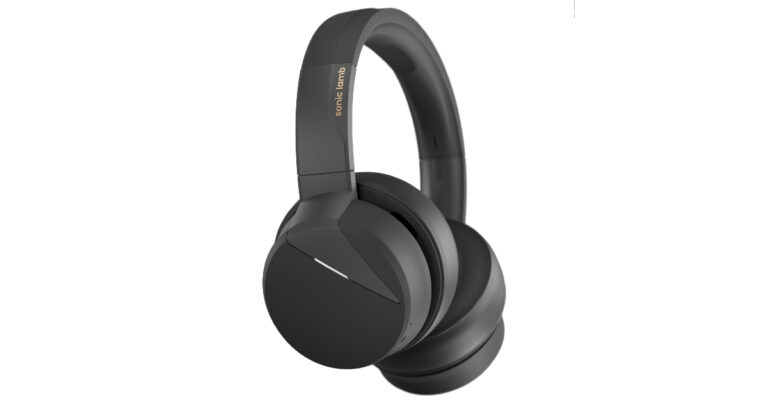


 Step 3: Play the song
 Step 4: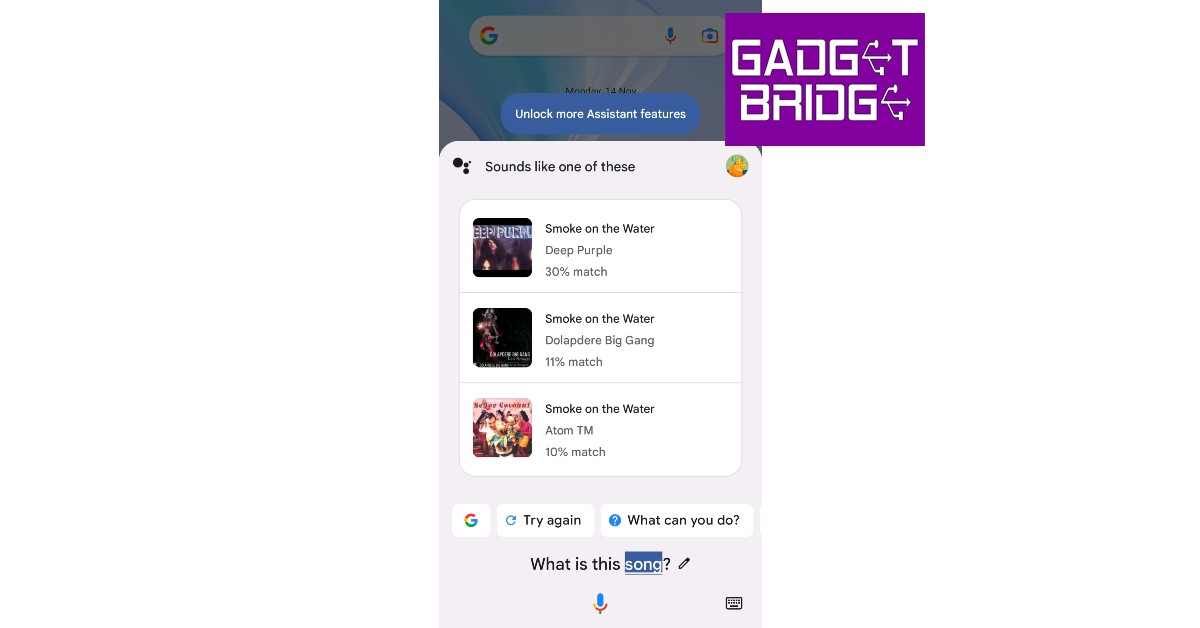
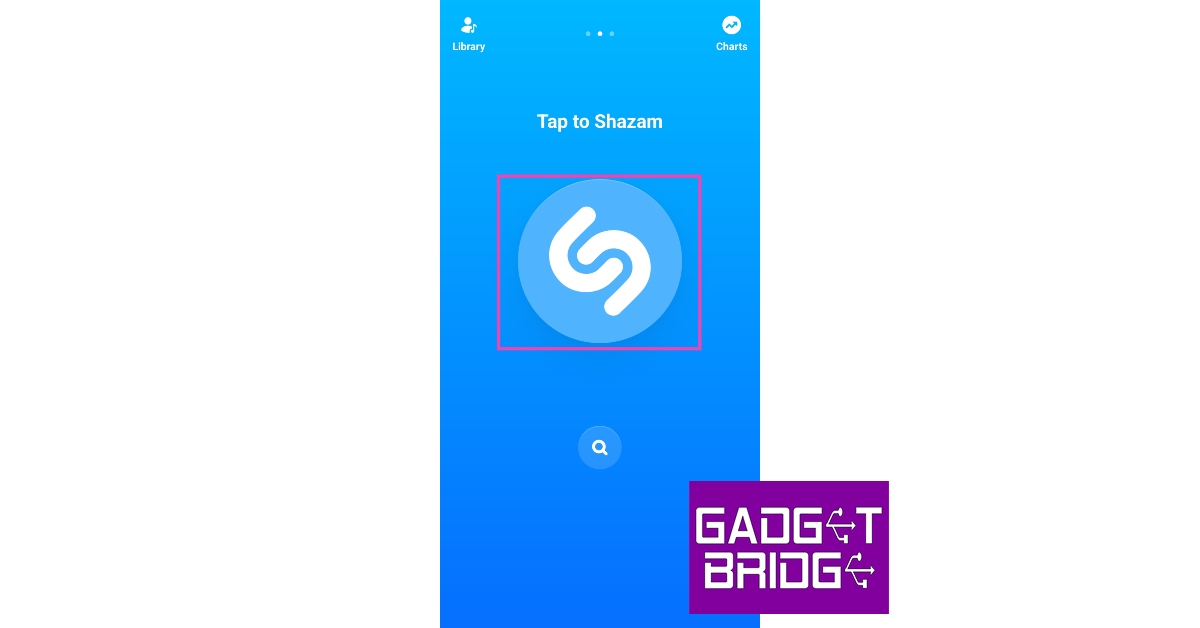 Step 3:
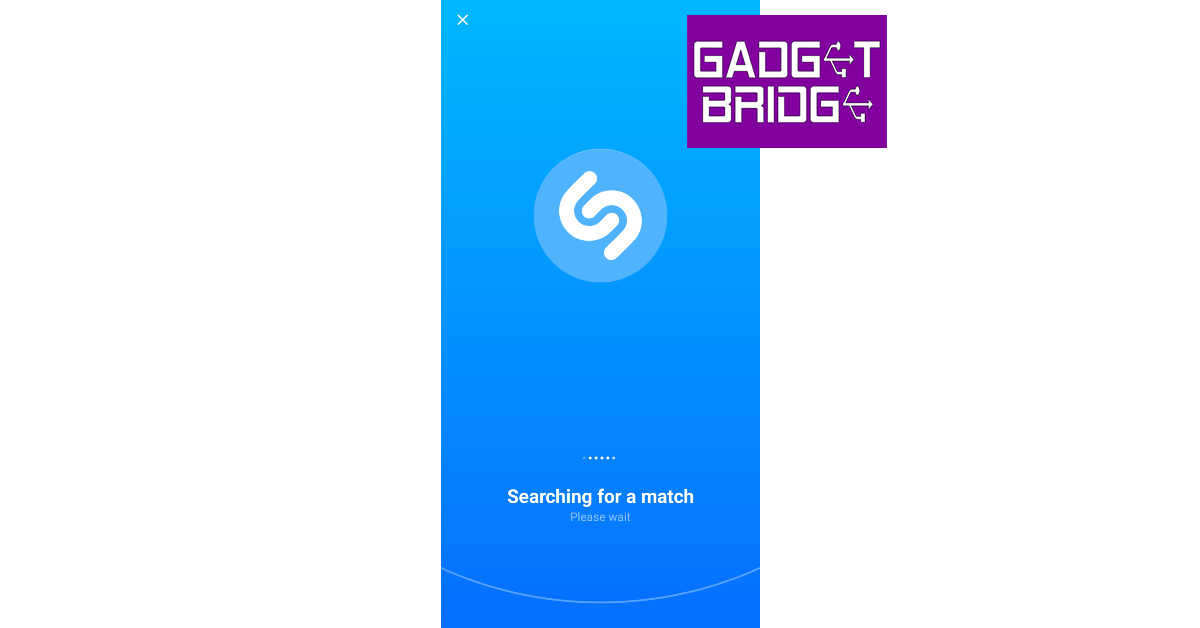 Step 4:
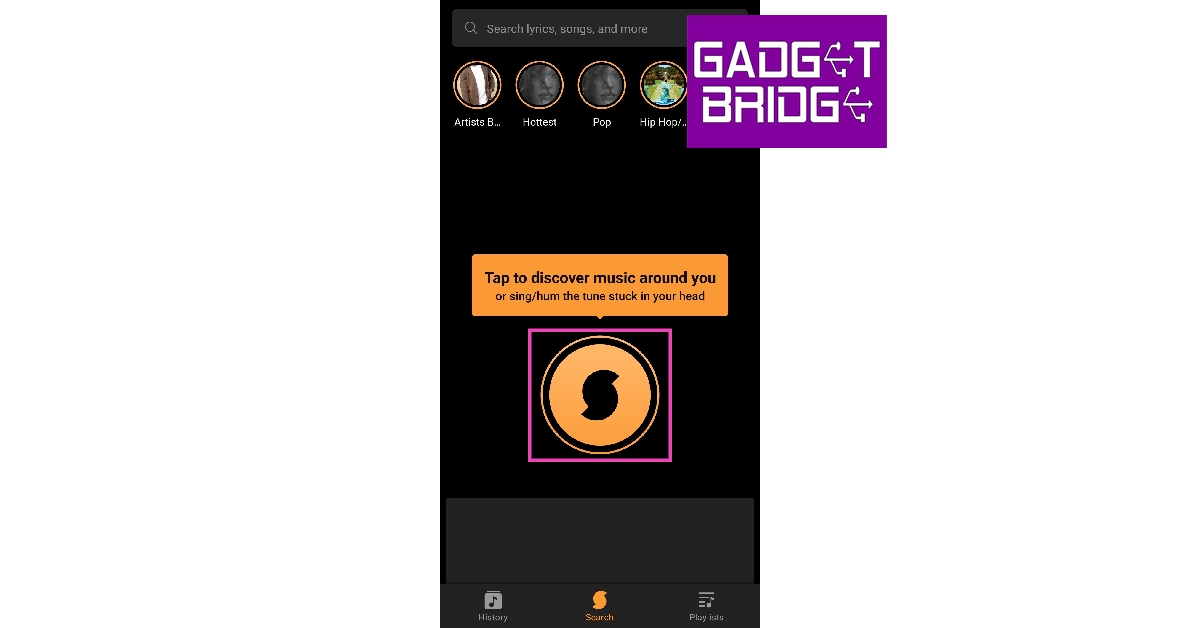 Step 4:
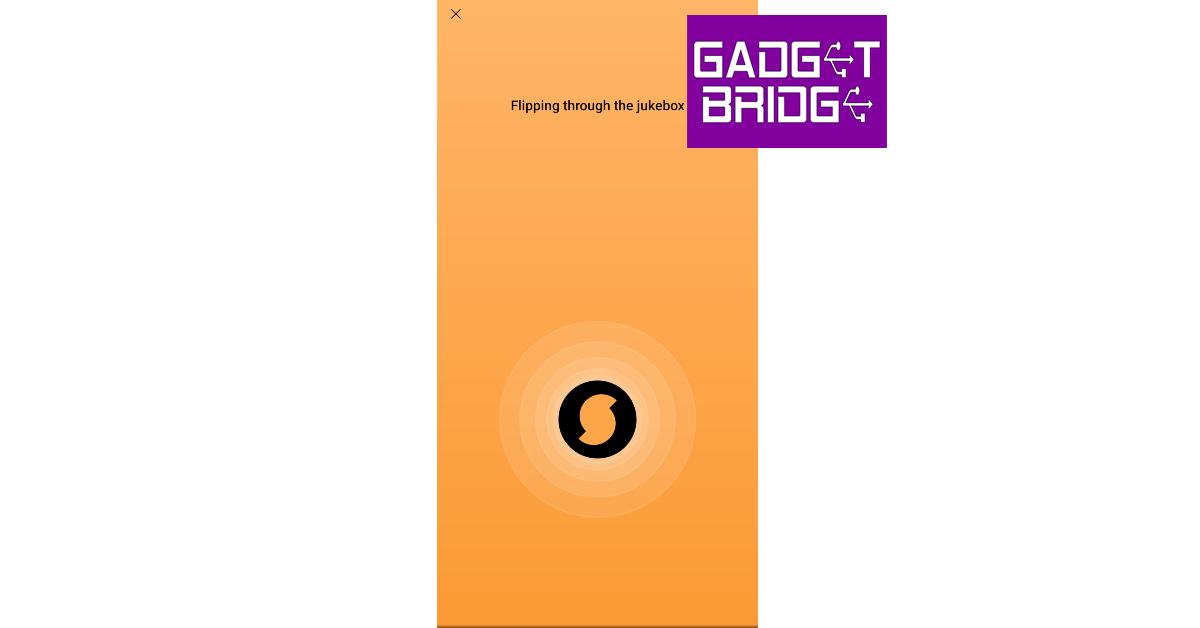 Step 5:
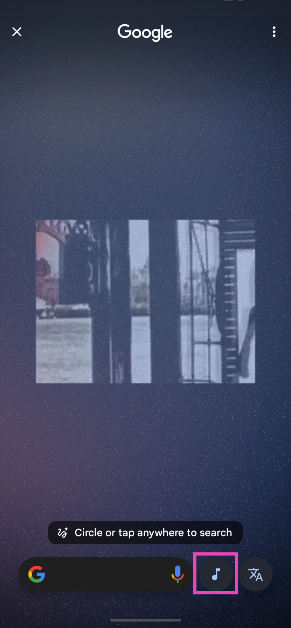 Step 4: Your phone will listen to the song for a few seconds and then open the Google search results for the song title.
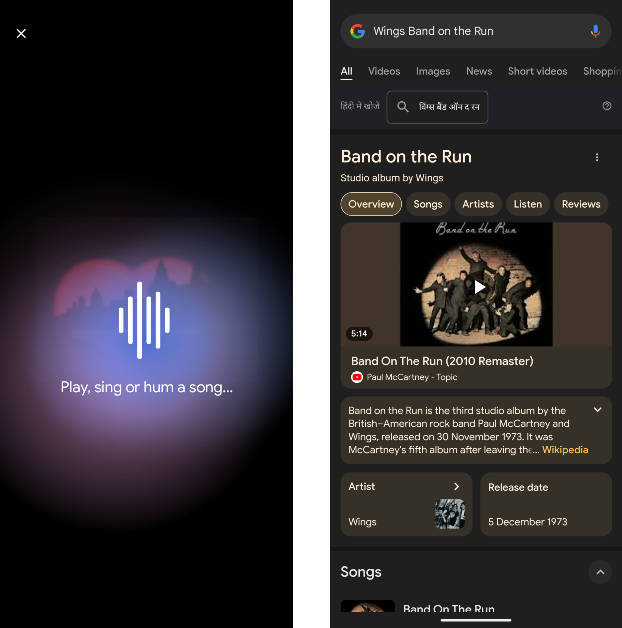





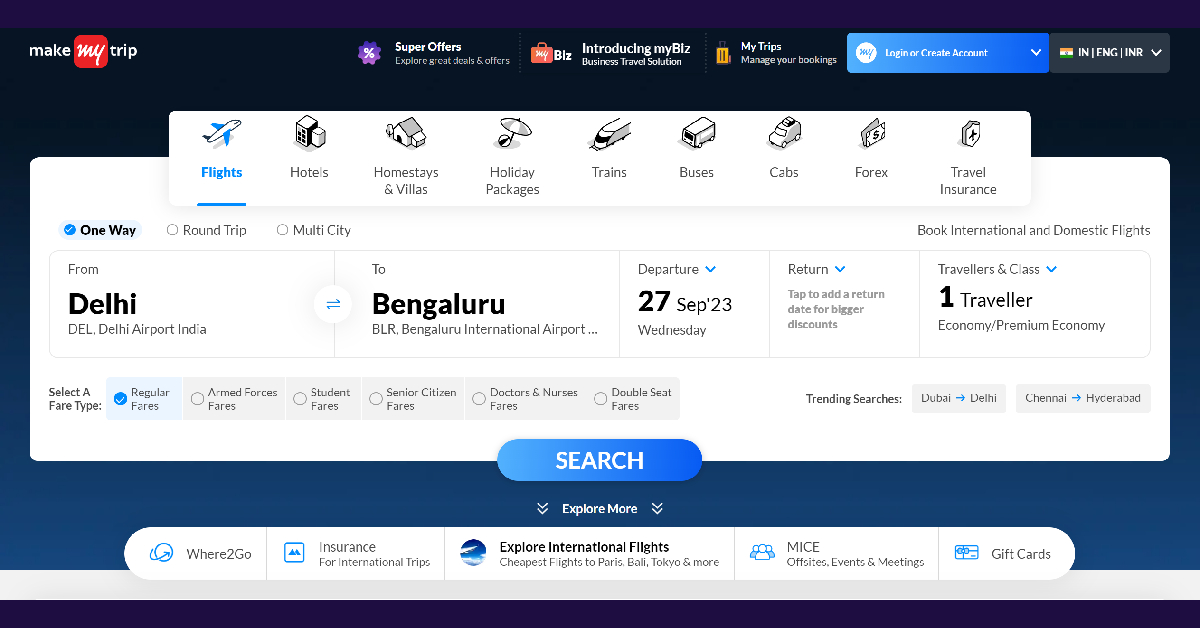
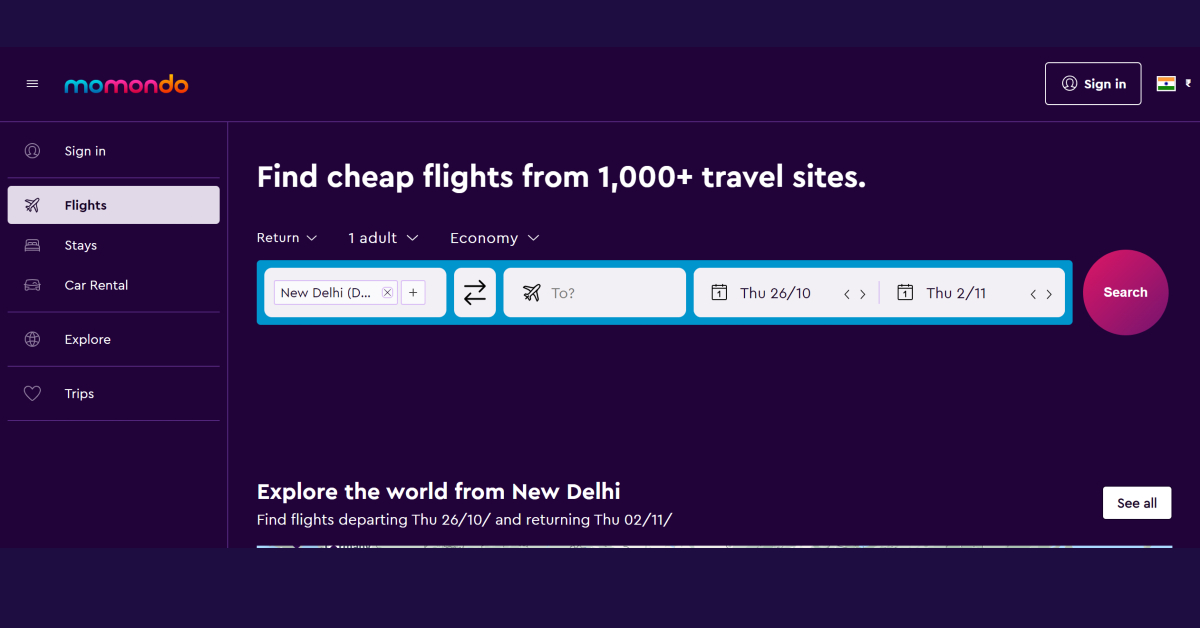
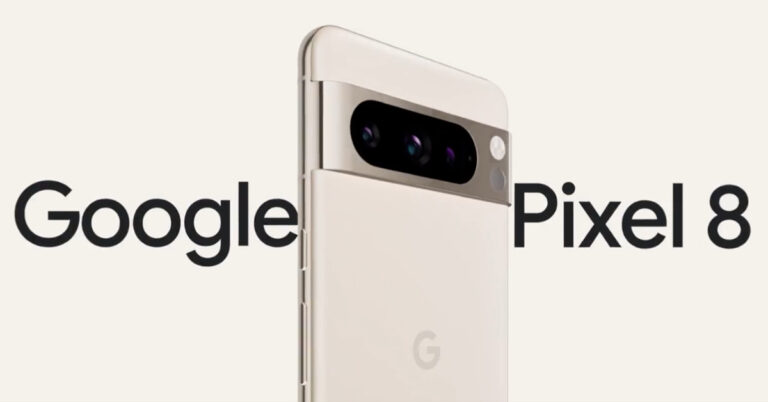





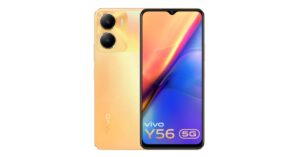
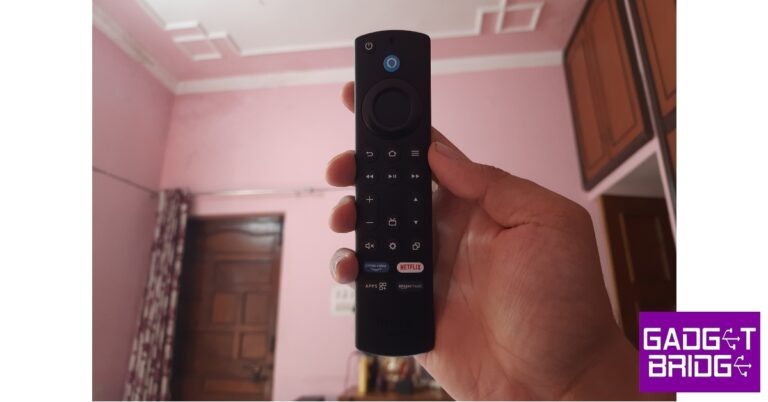


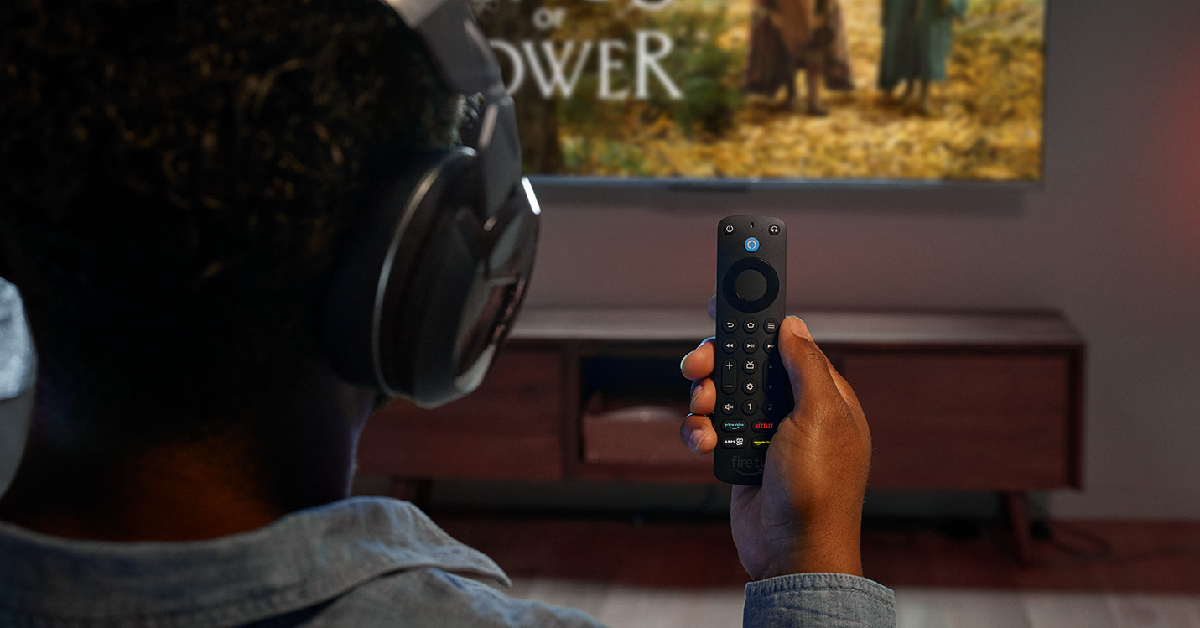
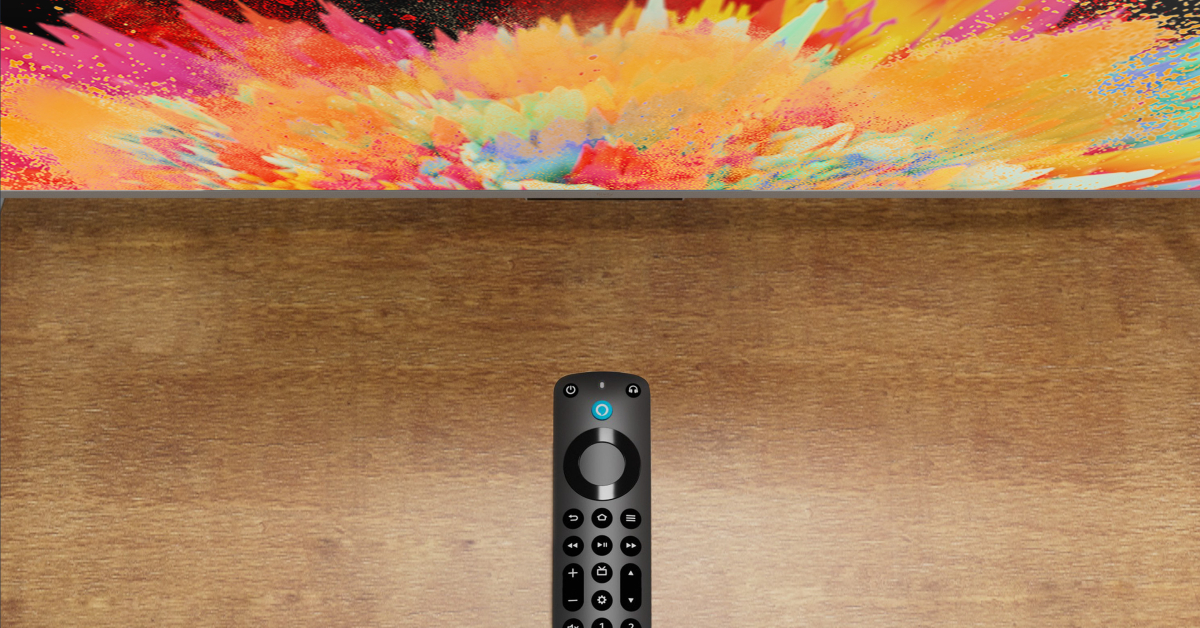
 Sometimes, electronic devices and gadgets placed near the Firestick can cause interference, which leads to the remote not working. If there are multiple devices near the Firestick, turn them off one by one to figure out which one is causing the interference. The devices you need to look out for are Bluetooth/smart speakers, microwaves, phones, laptops, and more.
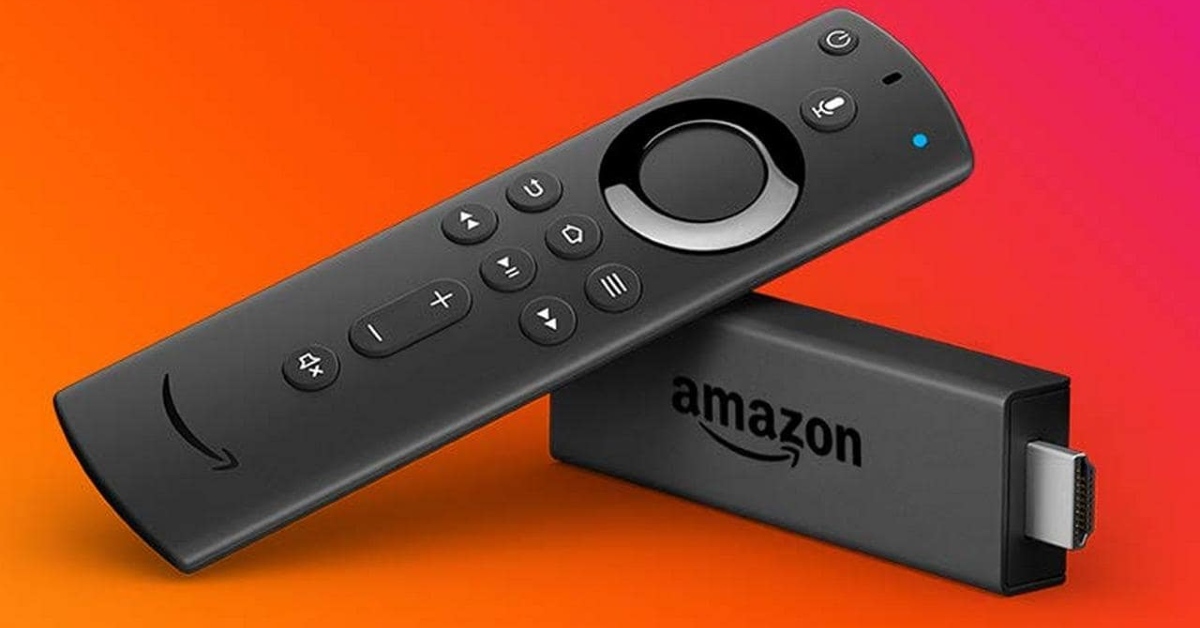 If you recently bought a new remote for your Amazon Firestick, you need to make sure it is compatible with the streaming device. Yes, even official remotes can be incompatible with some models. Go to the listing page of the remote and read the fine print to figure out if it is compatible with your Amazon Firestick.
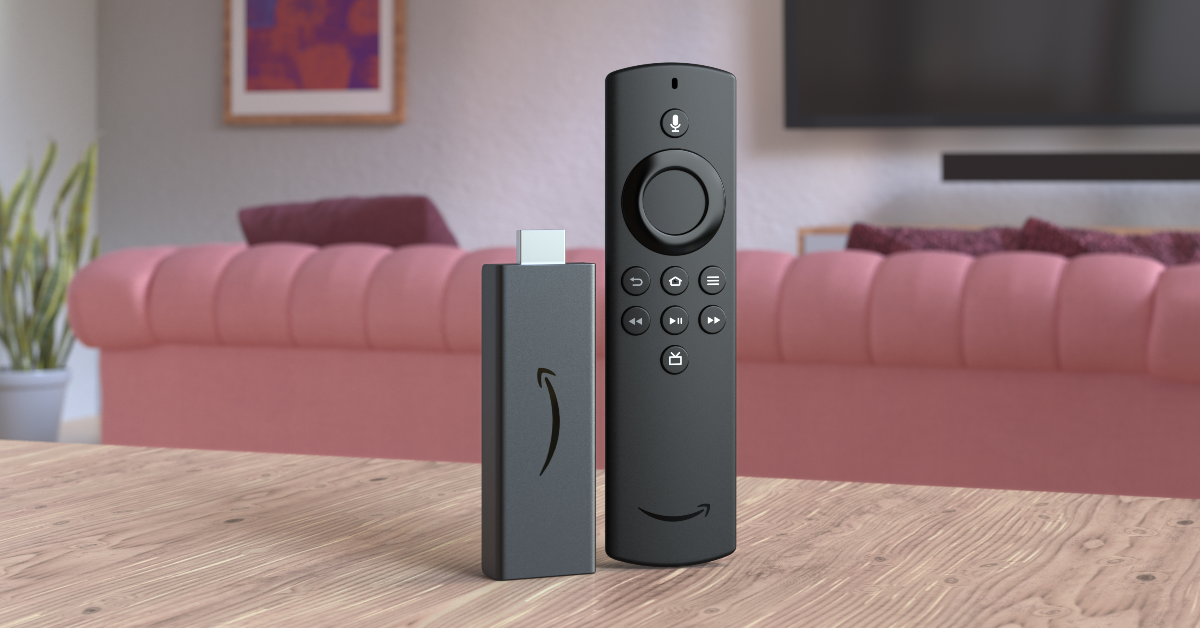 Step 1: Unplug your Amazon Firestick from your TV. Wait for 60 seconds.
Step 2: Press and hold the left navigation button + menu button + back button for 12 seconds.
Step 3: Release the buttons after 12 seconds and wait for 5 seconds.
Step 4: Remove the batteries from the remote.
Step 5: Plug the Firestick into your TV and turn it on. The screen will say ‘Remote not detected‘.
Step 6: Place the batteries in the remote.
Step 7: Press the Home button on the remote. If you see the blue light, it means that the remote is paired with the Firestick.
Step 8: If the remote can’t pair with the streaming hardware, press and hold the Home button for 10 seconds.
Step 1: Unplug your Amazon Firestick from your TV. Wait for 60 seconds.
Step 2: Press and hold the left navigation button + menu button + back button for 12 seconds.
Step 3: Release the buttons after 12 seconds and wait for 5 seconds.
Step 4: Remove the batteries from the remote.
Step 5: Plug the Firestick into your TV and turn it on. The screen will say ‘Remote not detected‘.
Step 6: Place the batteries in the remote.
Step 7: Press the Home button on the remote. If you see the blue light, it means that the remote is paired with the Firestick.
Step 8: If the remote can’t pair with the streaming hardware, press and hold the Home button for 10 seconds.
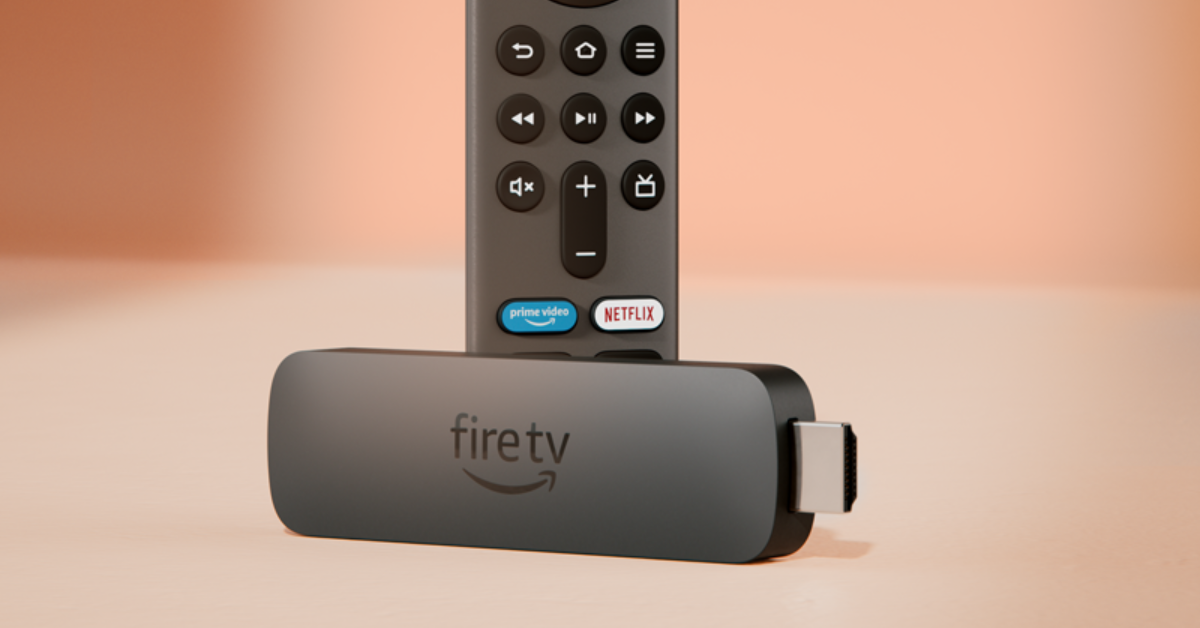 If everything fails, reset the Firestick to factory settings. This will log you out of all your accounts and clear all your personal data and settings on the device.
Step 1: Remove the expandable storage from the Firestick.
Step 2: Press and hold the back button and right navigation button together for 10 seconds.
Step 3: Select Factory Reset on the TV screen. If you keep pressing the two buttons, the device will reset automatically.
If everything fails, reset the Firestick to factory settings. This will log you out of all your accounts and clear all your personal data and settings on the device.
Step 1: Remove the expandable storage from the Firestick.
Step 2: Press and hold the back button and right navigation button together for 10 seconds.
Step 3: Select Factory Reset on the TV screen. If you keep pressing the two buttons, the device will reset automatically.

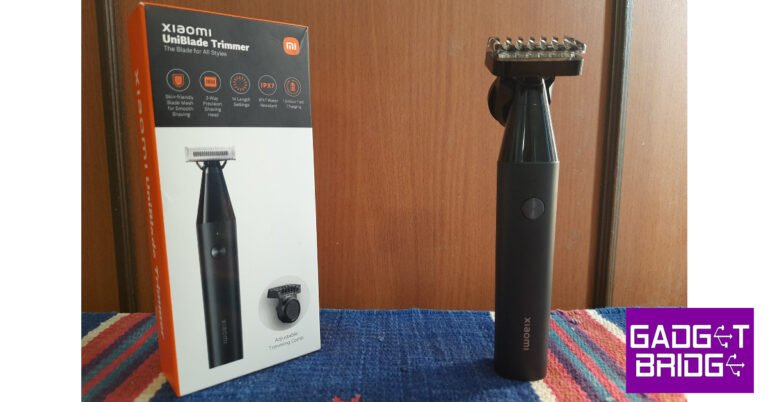
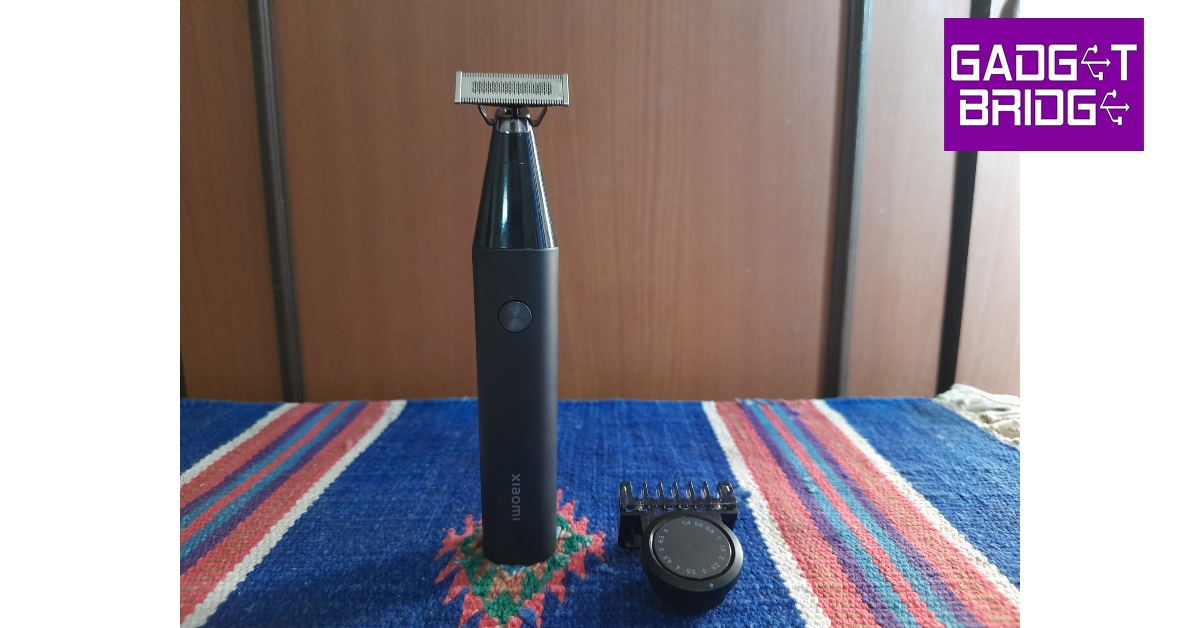
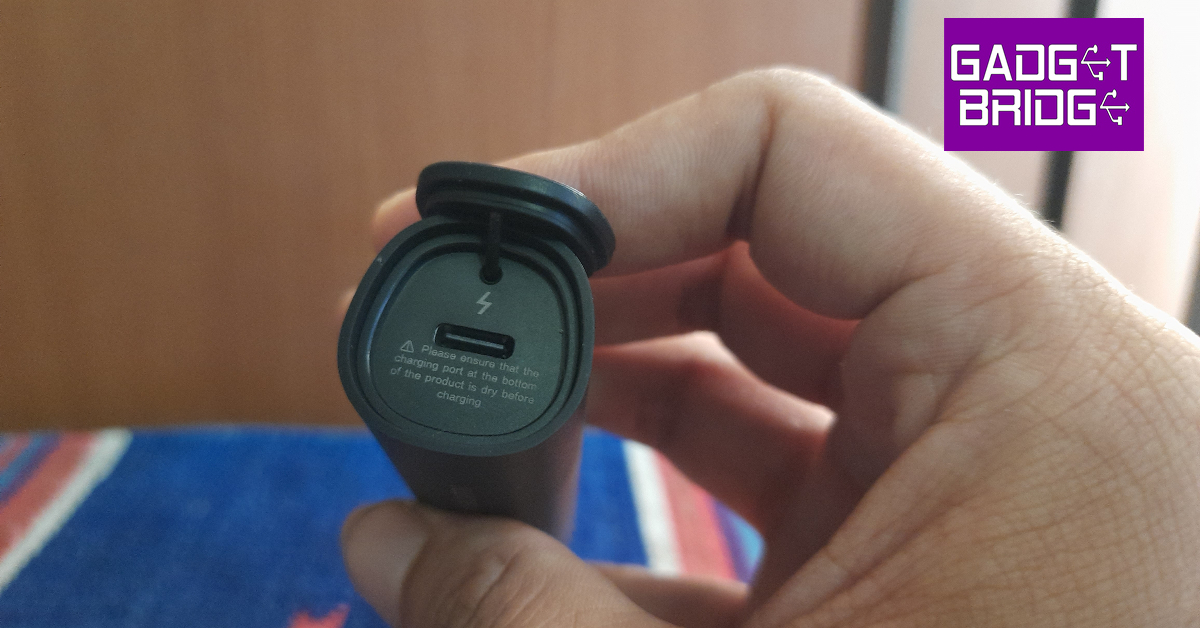
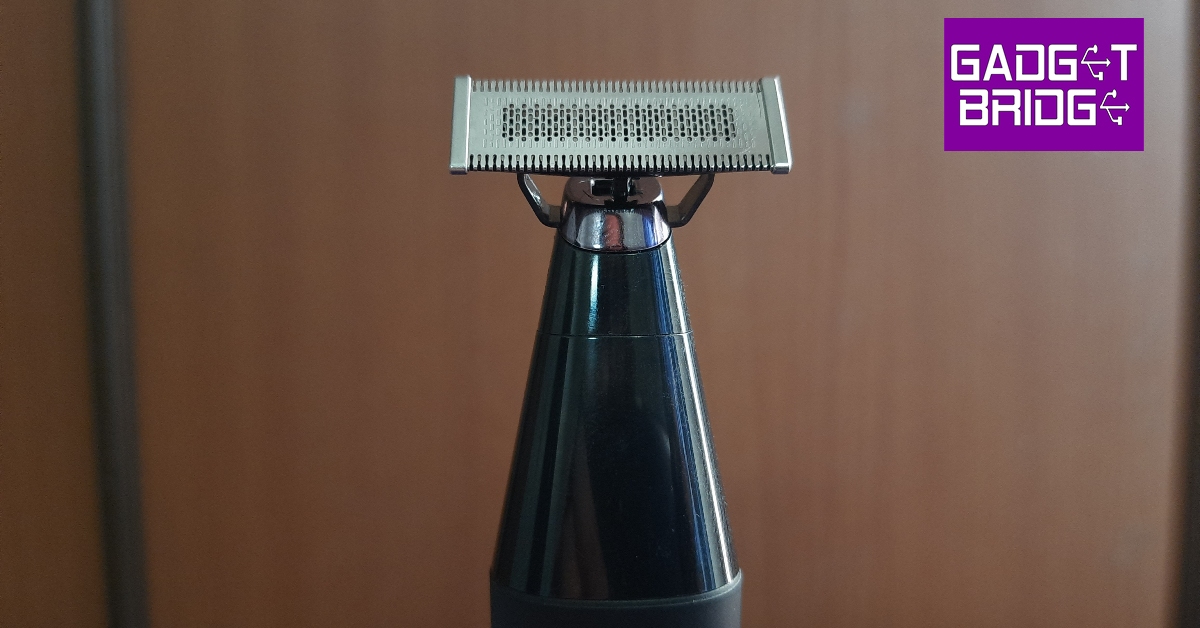
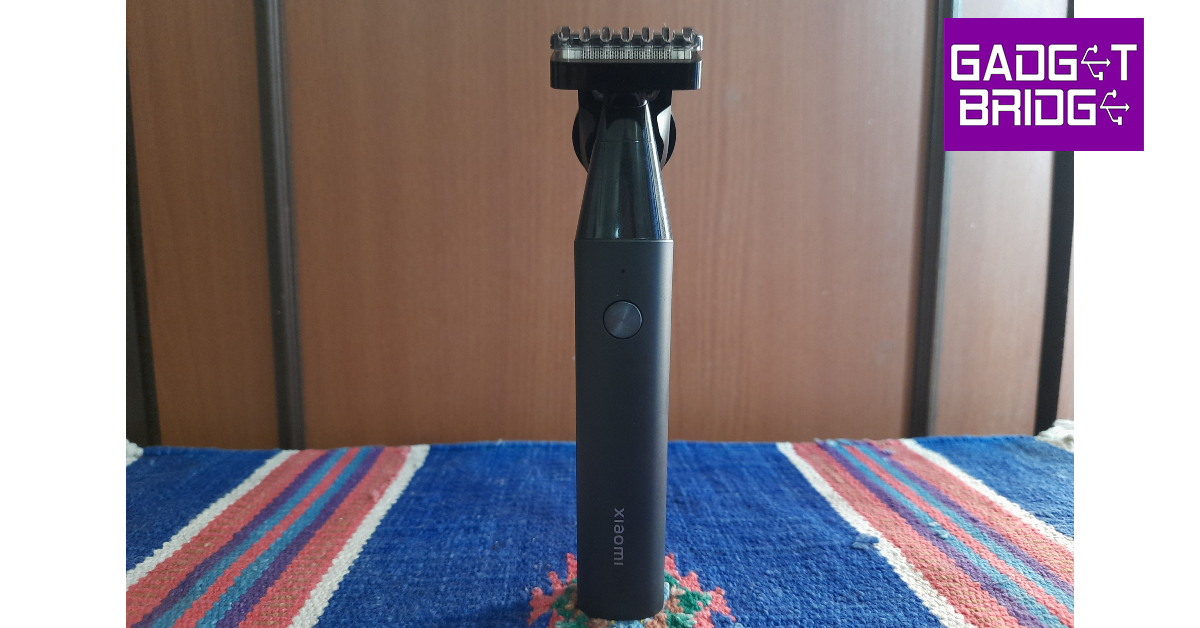
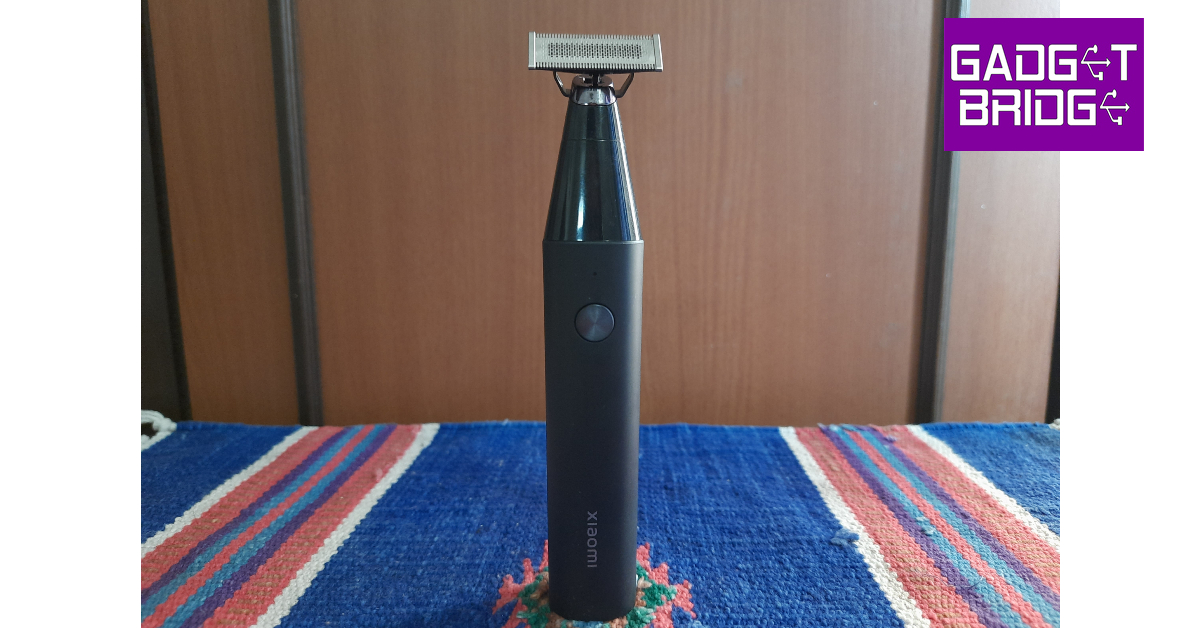
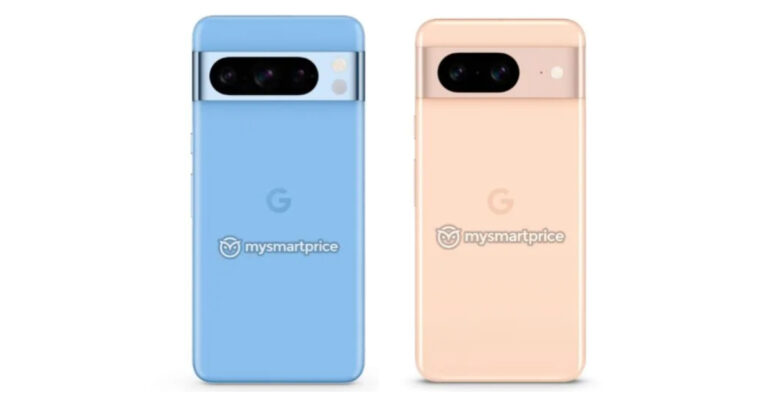


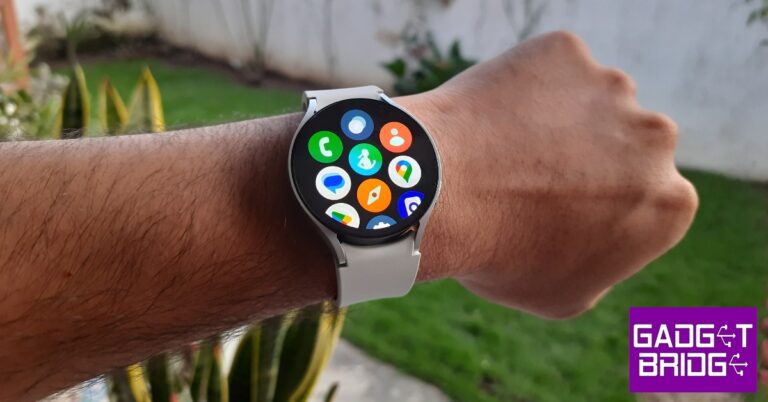
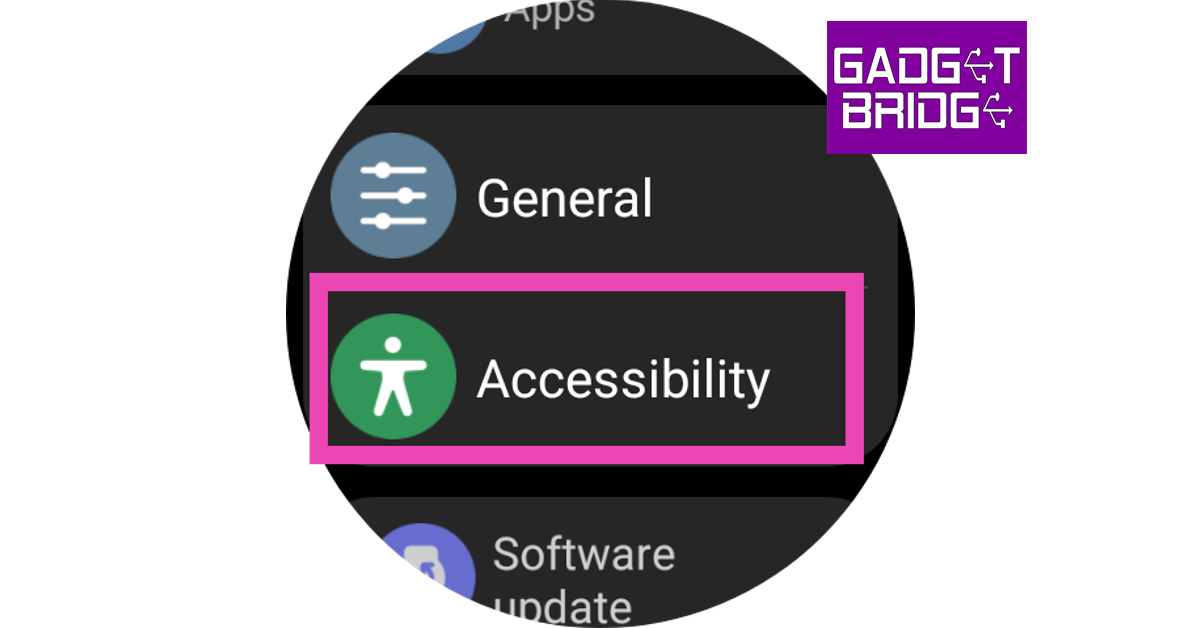 Step 4:
 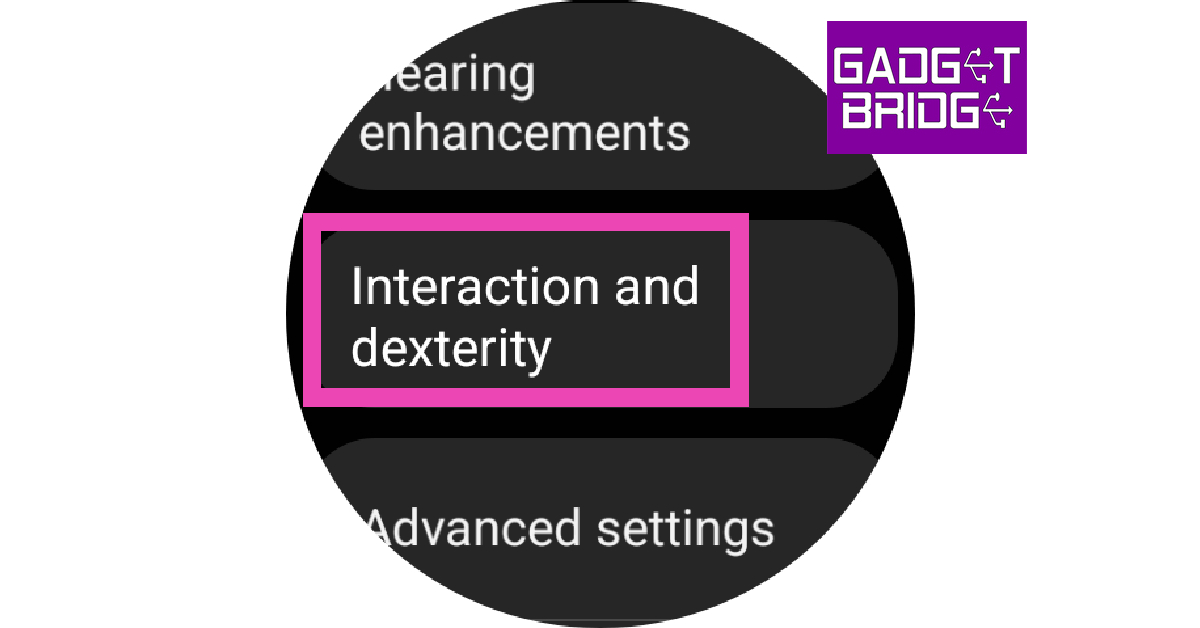 Step 5:
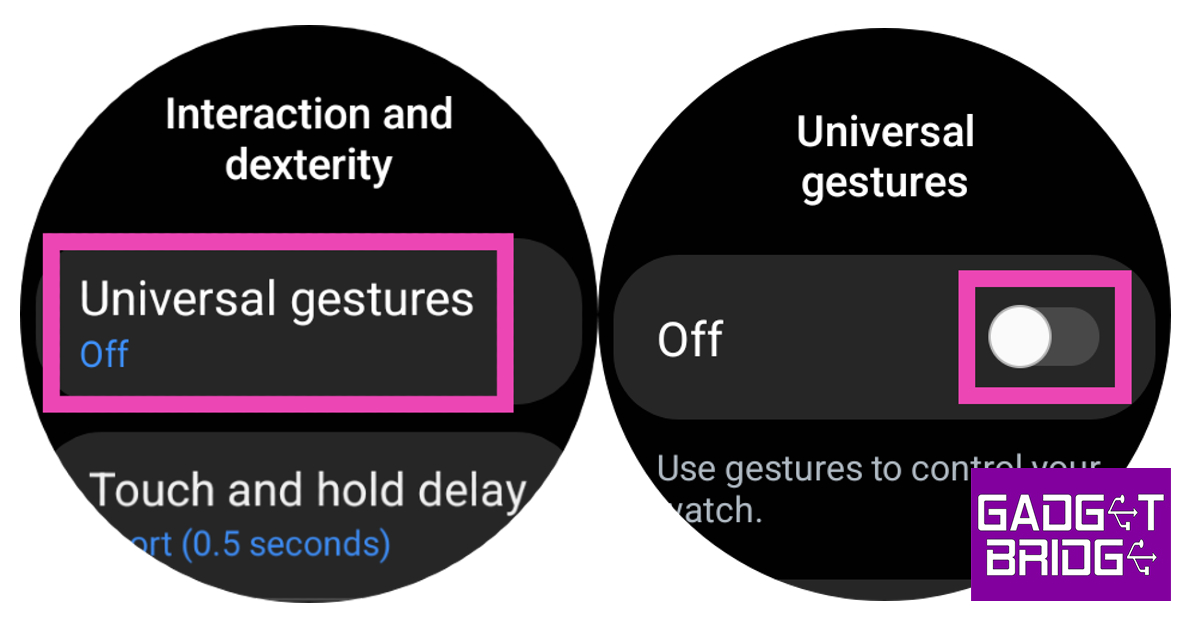 Step 6:
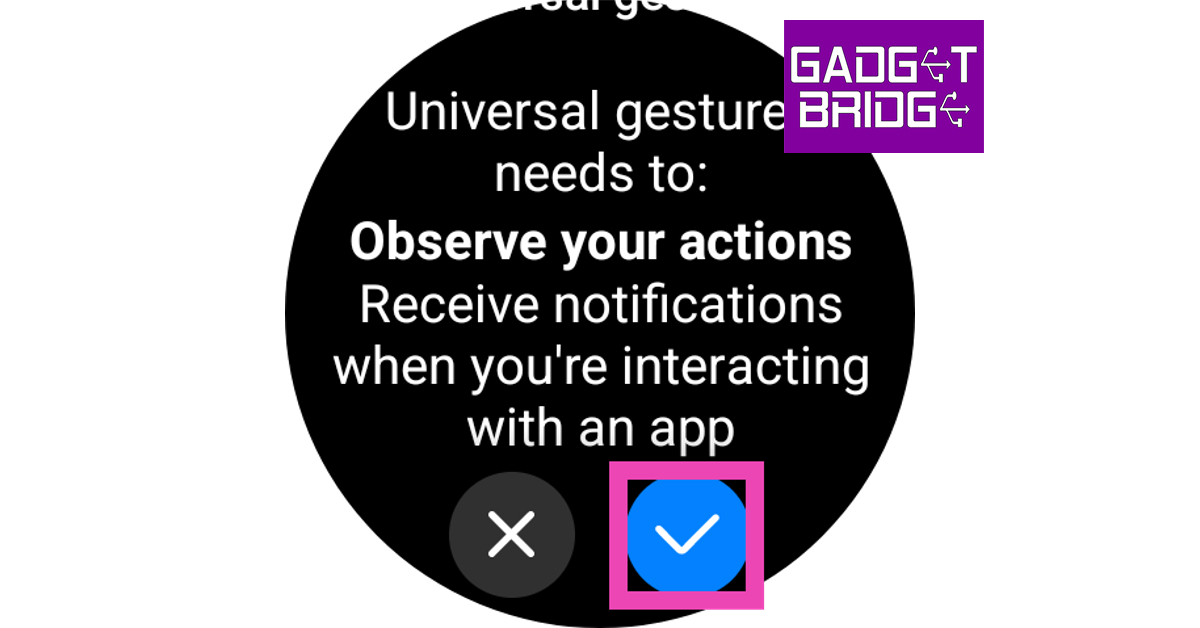 Step 7: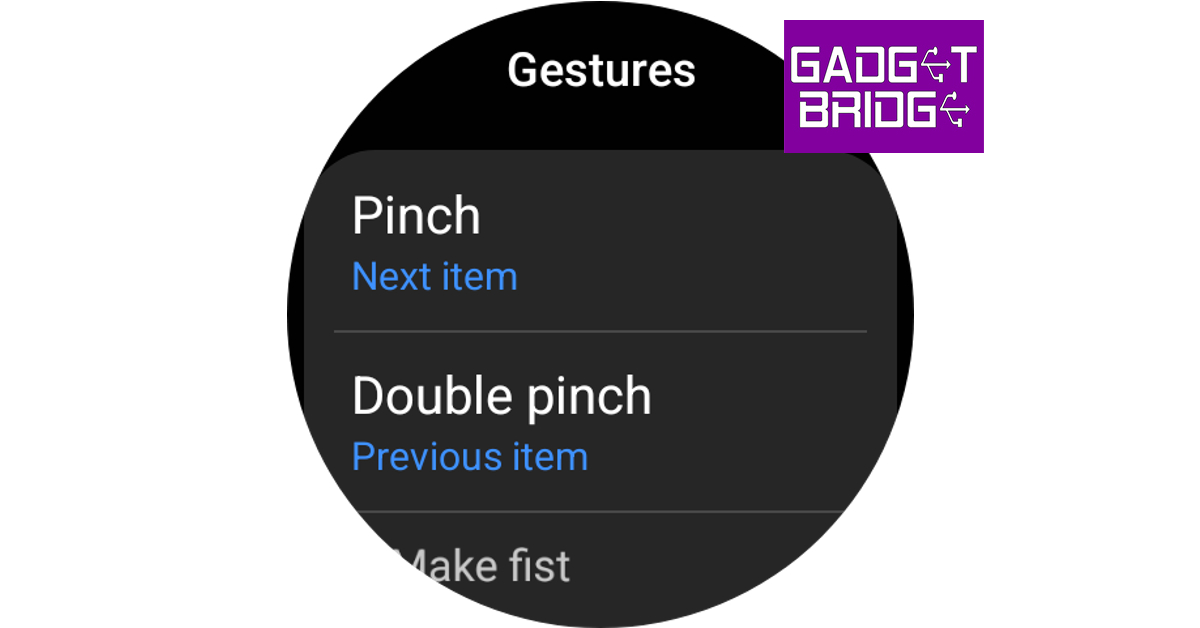




 Writing long notes in a notebook is physically exhausting. Also, typing on a screen for long hours is uncomfortable and hectic. It would help if you had a wireless keyboard to give you freedom when typing for long hours for your academic assignments.
The K480 is an ergonomic wireless keyboard that multi-functions with your smartphone and tablet. Also, it can connect with any Bluetooth-enabled device for external keyboard support. It features a cradle that holds in place your phone or tablet at the right angle to read and type without a fuss.
The keyboard’s water-resistant design can survive small incidents like water spills while working. It is a reliable and sturdy option for students looking for a durable typing partner at school.
Joby GorillaPod – $41
Picture lovers and digital artists love spending on their gadgets, whether for a simple selfie or a professional photo shoot during graduation or school trips. Hence, it would help to have a sturdy and reliable tripod to keep your camera or phone in place.
The Joby GorillaPod is one of the most reliable devices within a student’s budget. It comes with a flexible and tight grip that allows users to secure their professional camera equipment to any surface.
For precise angles, the device features a 360-degree rotation bed with a 90-degree title and bubble to level your device. It is versatile and allows students to mount lights, mics, or monitors.
Anker 313 Power Bank – $29
Running out of charge while on campus is a terrible experience. It would help to have a reliable and durable power bank to keep your phone or tablet on. Moreover, this device is highly useful during long school trips or holidays.
The Anker 313 10,000MAH power bank is a reliable portable charger on the market. It features two input ports that can handle both USB-A and USB-C functions.
It hosts a Voltage Boost technology that detects and delivers a tailored charge up to 12W. Moreover, you can use the trickle-down charging feature to charge all your low-power devices.
Blue Light Blocking Glasses – $15
Blue light is known to have damaging effects on the eye. Overexposure to blue light causes eye problems. Digital eye strain continues to cause dry eyes and blurred vision. This is a common problem for students after facing screens for hours.
Blue light-blocking glasses are a good gadget in your toolbox to protect your eyes from the effects of harsh light. These glasses remove any visual discomfort or fatigue from long hours of exposure.
It reduces eye strain to give you a comfortable time when browsing your screen. Moreover, the devices are lightweight with a nylon frame for comfortability and durability. Plus, it gives a sleek, stylish, and professional look while studying or playing video games.
BXCLCK Digital Alarm Clock – $15
The olden days saw a standard alarm clock on the nightstand. The BXCLCK is more than your normal alarm clock.
It is a digital alarm clock that hosts a range of features for student’s use. It has a charging station for wireless phone charging with its 15W fast wireless charger. Now, you can power your devices easily while sleeping.
In addition, the digital alarm clock also features a nighttime mode that reduces the display light for a soothing sleep experience. It has a snooze function to get that extra minutes of sleep before waking up.
Writing long notes in a notebook is physically exhausting. Also, typing on a screen for long hours is uncomfortable and hectic. It would help if you had a wireless keyboard to give you freedom when typing for long hours for your academic assignments.
The K480 is an ergonomic wireless keyboard that multi-functions with your smartphone and tablet. Also, it can connect with any Bluetooth-enabled device for external keyboard support. It features a cradle that holds in place your phone or tablet at the right angle to read and type without a fuss.
The keyboard’s water-resistant design can survive small incidents like water spills while working. It is a reliable and sturdy option for students looking for a durable typing partner at school.
Joby GorillaPod – $41
Picture lovers and digital artists love spending on their gadgets, whether for a simple selfie or a professional photo shoot during graduation or school trips. Hence, it would help to have a sturdy and reliable tripod to keep your camera or phone in place.
The Joby GorillaPod is one of the most reliable devices within a student’s budget. It comes with a flexible and tight grip that allows users to secure their professional camera equipment to any surface.
For precise angles, the device features a 360-degree rotation bed with a 90-degree title and bubble to level your device. It is versatile and allows students to mount lights, mics, or monitors.
Anker 313 Power Bank – $29
Running out of charge while on campus is a terrible experience. It would help to have a reliable and durable power bank to keep your phone or tablet on. Moreover, this device is highly useful during long school trips or holidays.
The Anker 313 10,000MAH power bank is a reliable portable charger on the market. It features two input ports that can handle both USB-A and USB-C functions.
It hosts a Voltage Boost technology that detects and delivers a tailored charge up to 12W. Moreover, you can use the trickle-down charging feature to charge all your low-power devices.
Blue Light Blocking Glasses – $15
Blue light is known to have damaging effects on the eye. Overexposure to blue light causes eye problems. Digital eye strain continues to cause dry eyes and blurred vision. This is a common problem for students after facing screens for hours.
Blue light-blocking glasses are a good gadget in your toolbox to protect your eyes from the effects of harsh light. These glasses remove any visual discomfort or fatigue from long hours of exposure.
It reduces eye strain to give you a comfortable time when browsing your screen. Moreover, the devices are lightweight with a nylon frame for comfortability and durability. Plus, it gives a sleek, stylish, and professional look while studying or playing video games.
BXCLCK Digital Alarm Clock – $15
The olden days saw a standard alarm clock on the nightstand. The BXCLCK is more than your normal alarm clock.
It is a digital alarm clock that hosts a range of features for student’s use. It has a charging station for wireless phone charging with its 15W fast wireless charger. Now, you can power your devices easily while sleeping.
In addition, the digital alarm clock also features a nighttime mode that reduces the display light for a soothing sleep experience. It has a snooze function to get that extra minutes of sleep before waking up.
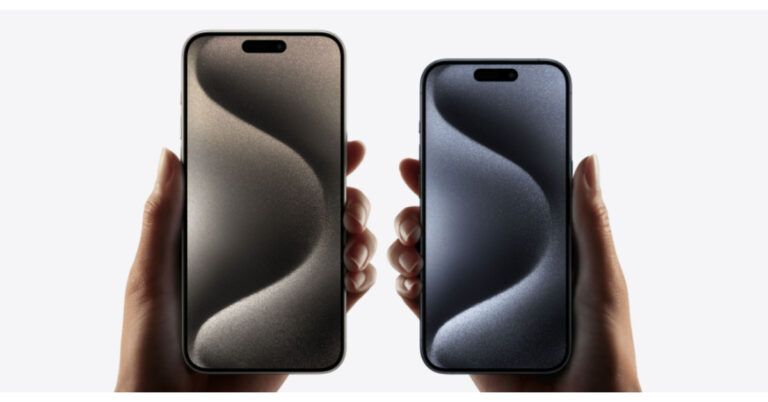
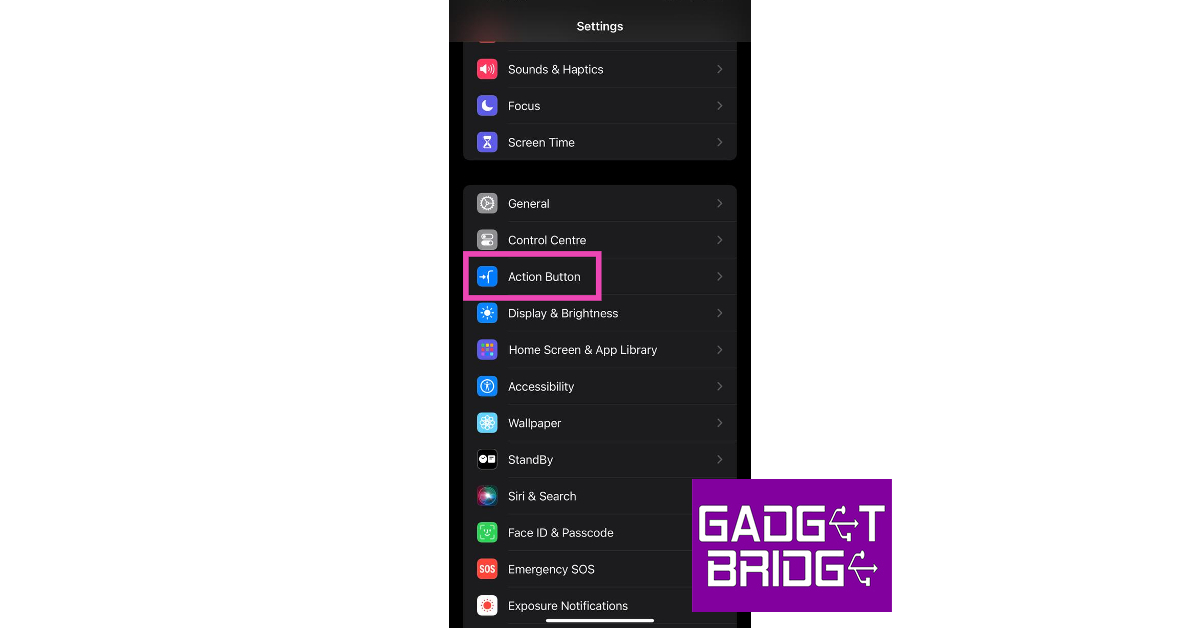 Step 3: Swipe left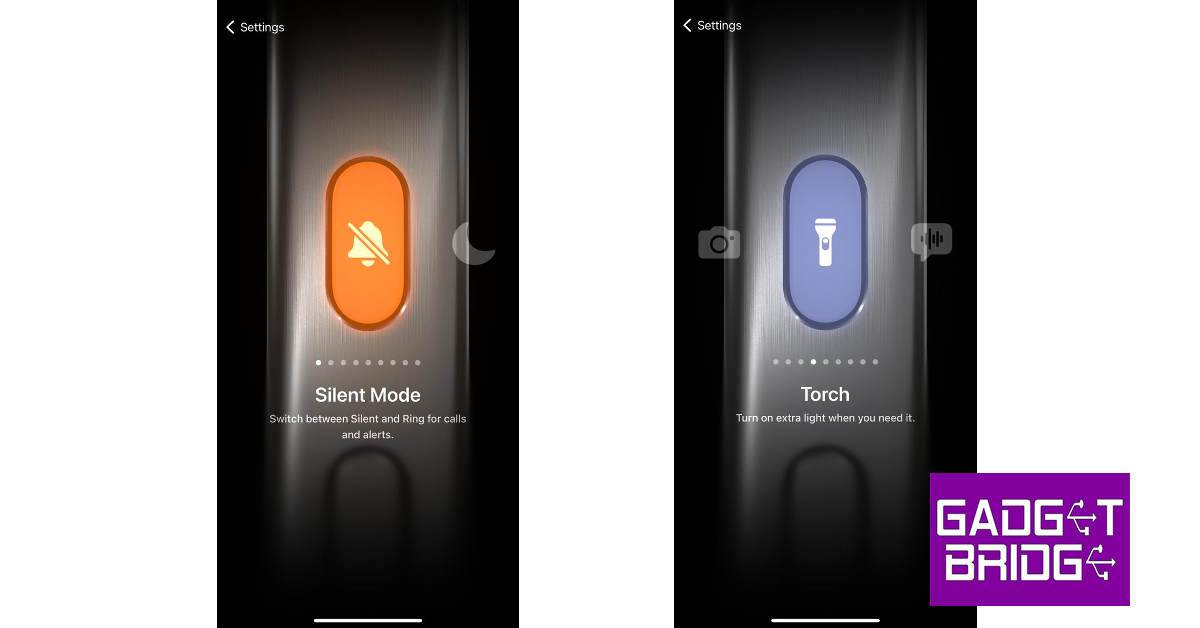

 Step 2:
 Step 3:
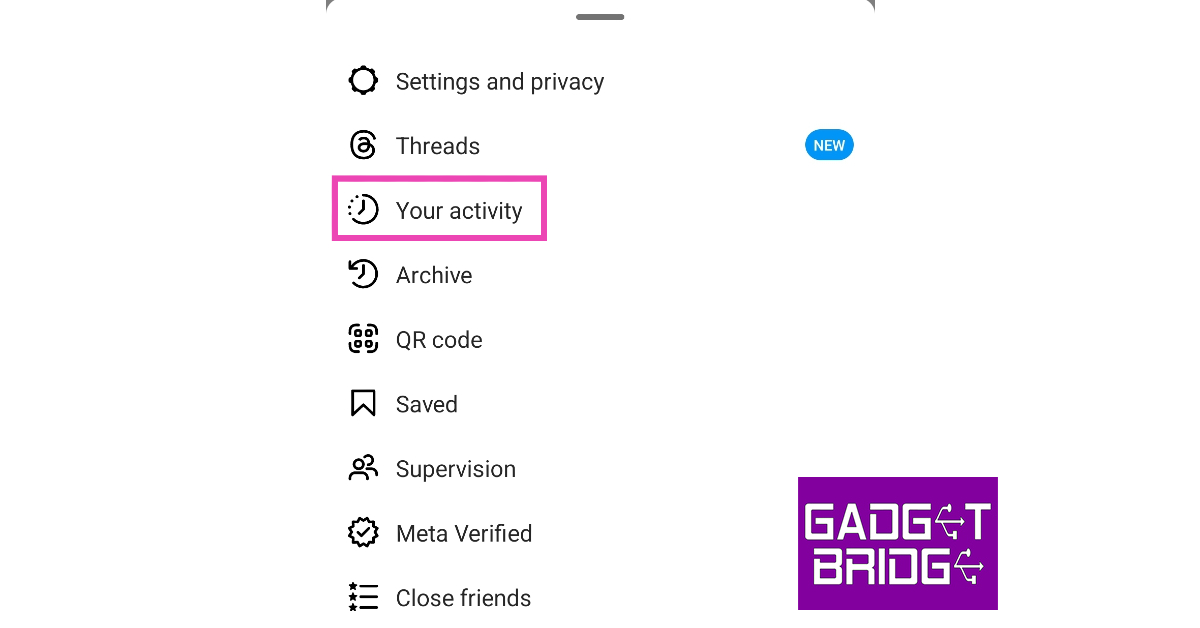 Step 4:
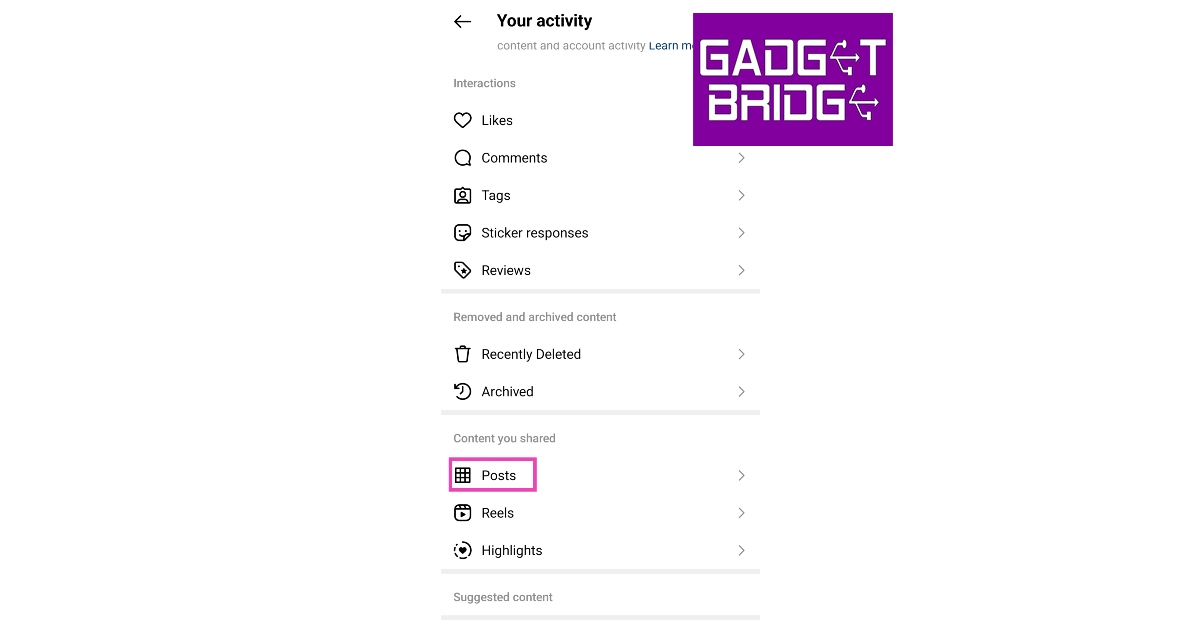 Step 5:
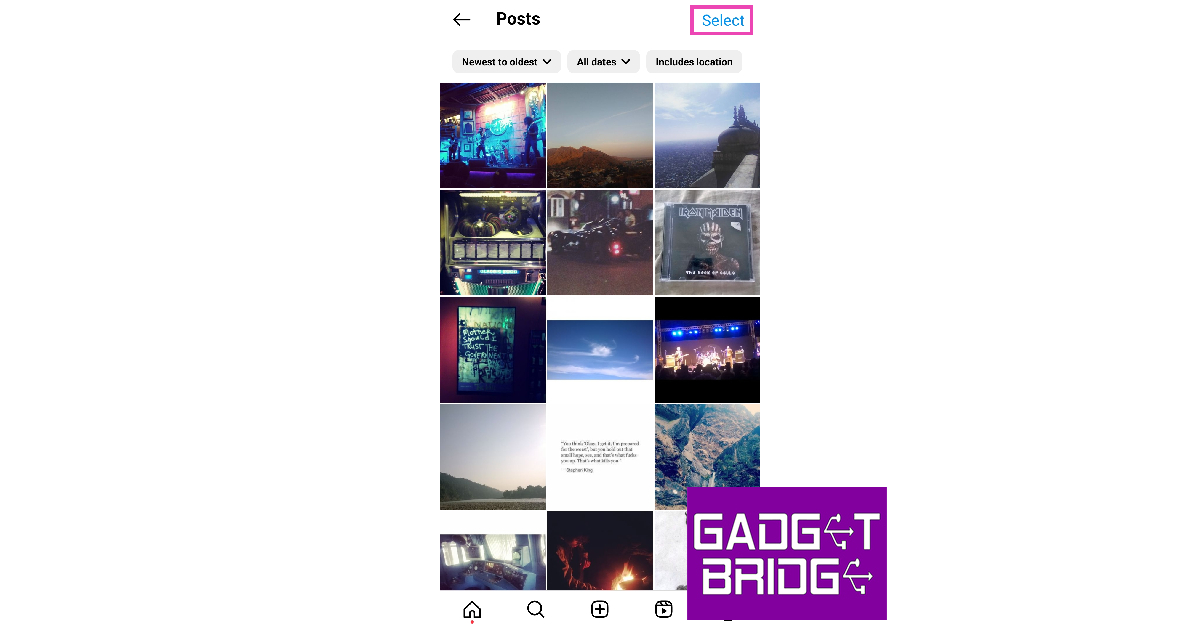 Step 6:
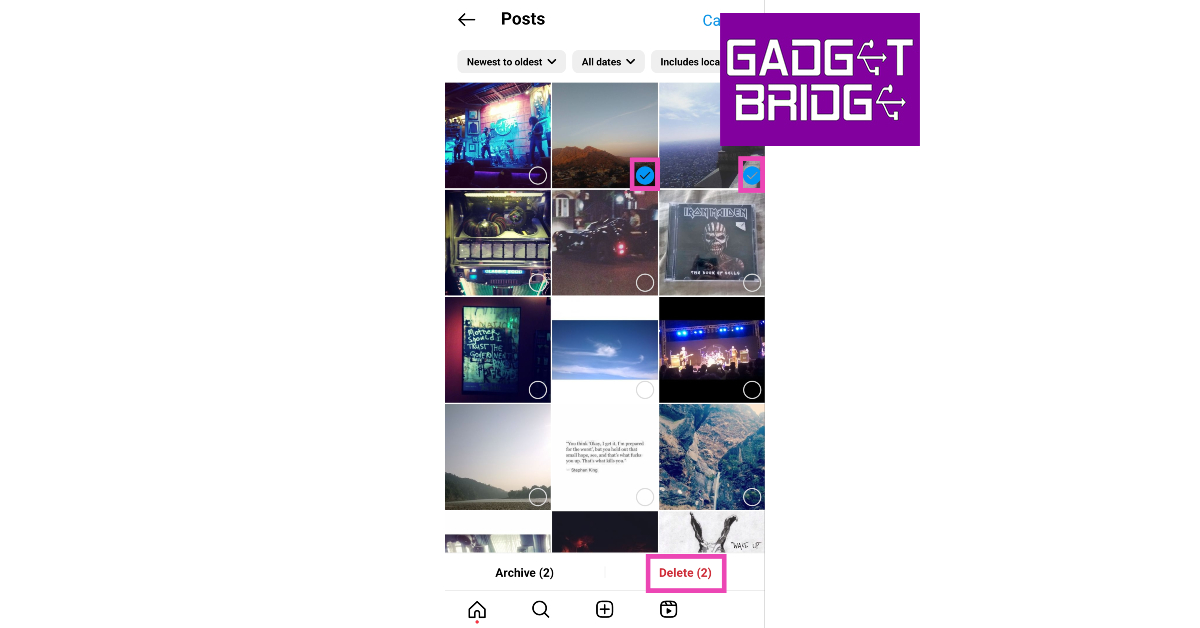 Step 7:
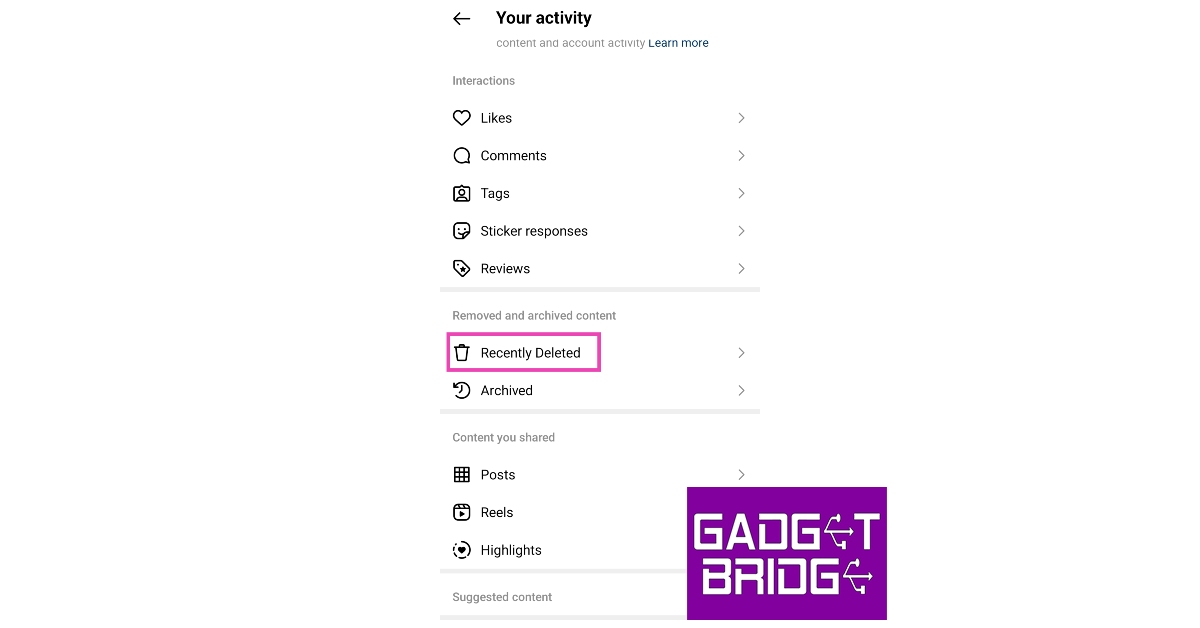 Step 5: Select
 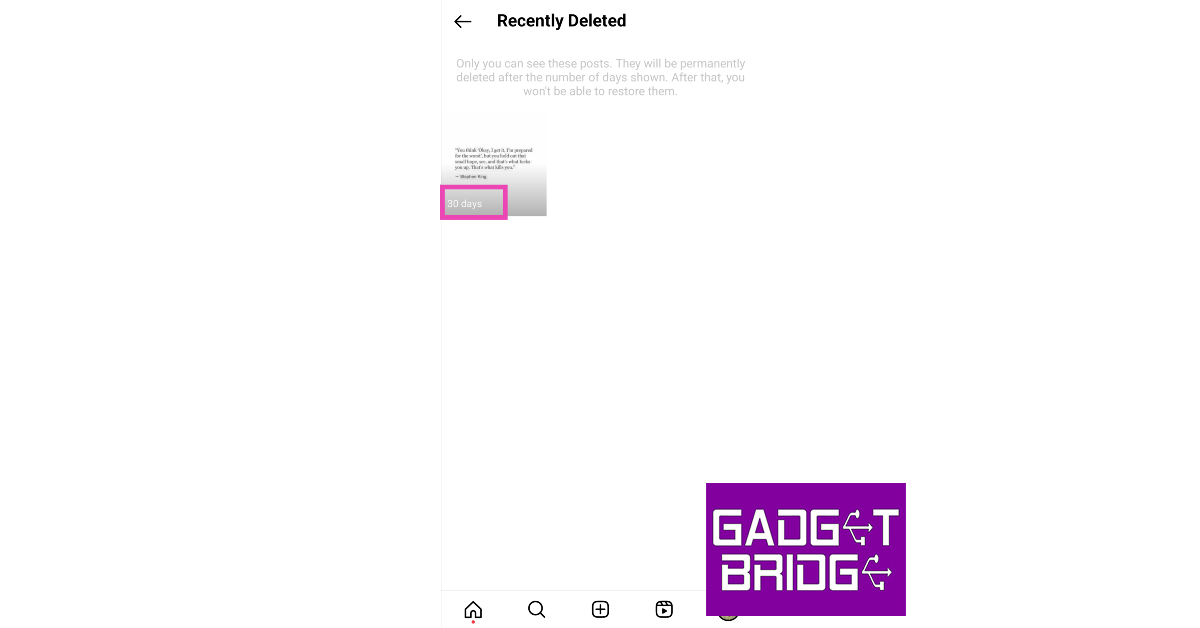 Step 6:
 Step 7:
 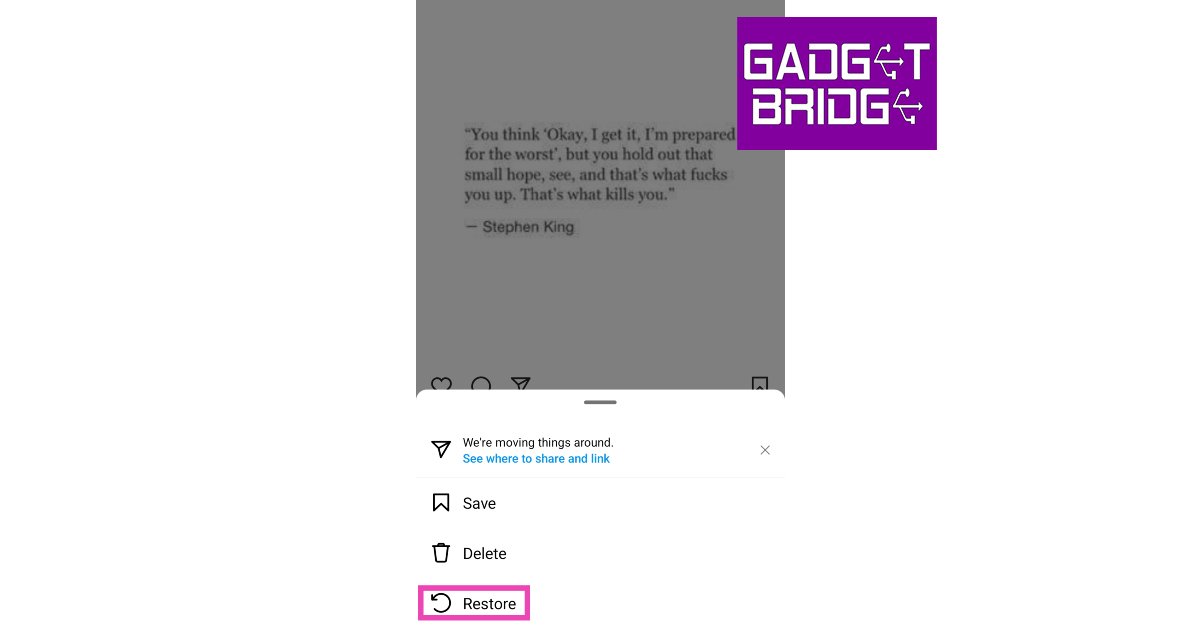 Step 8: Confirm
 Step 3:
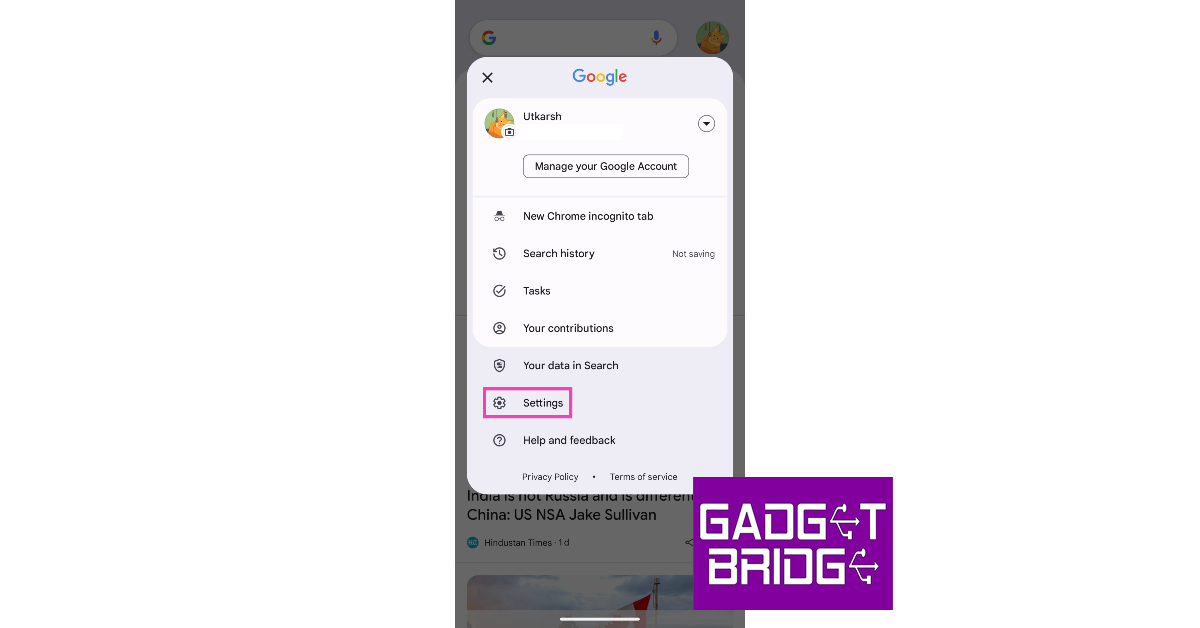 Step 4:
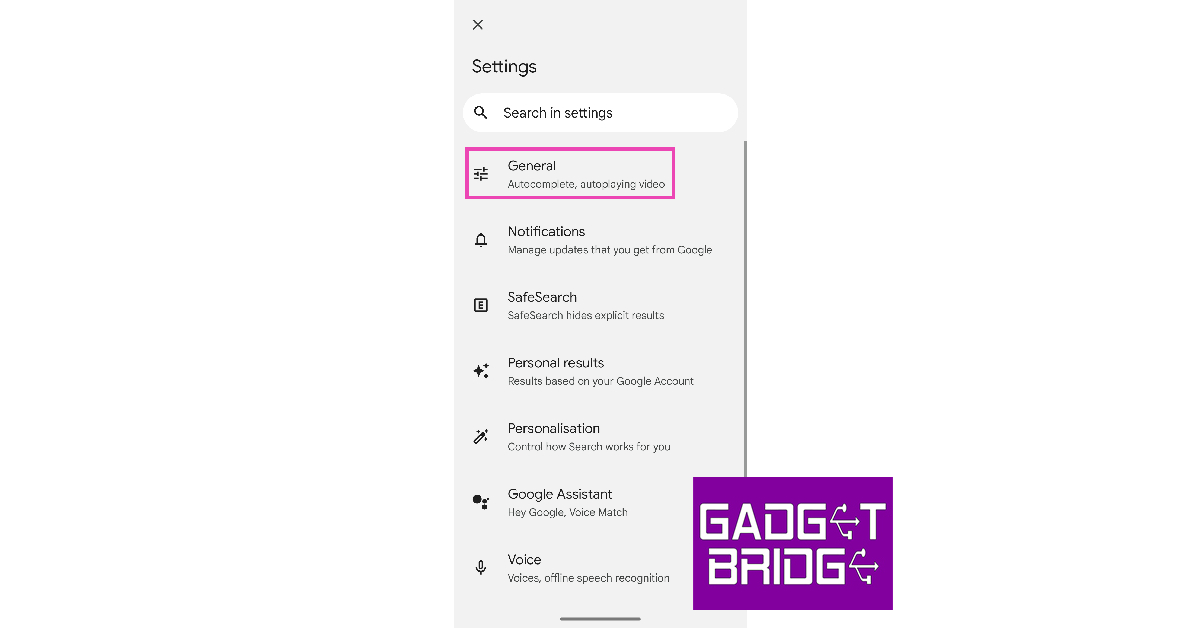 Step 5: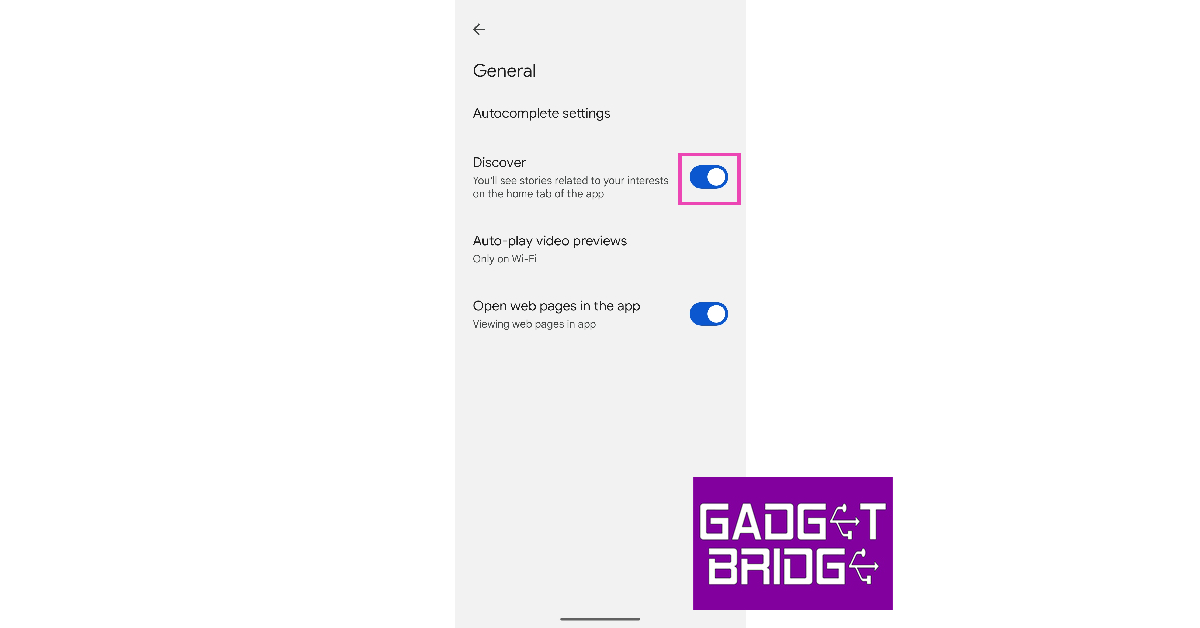
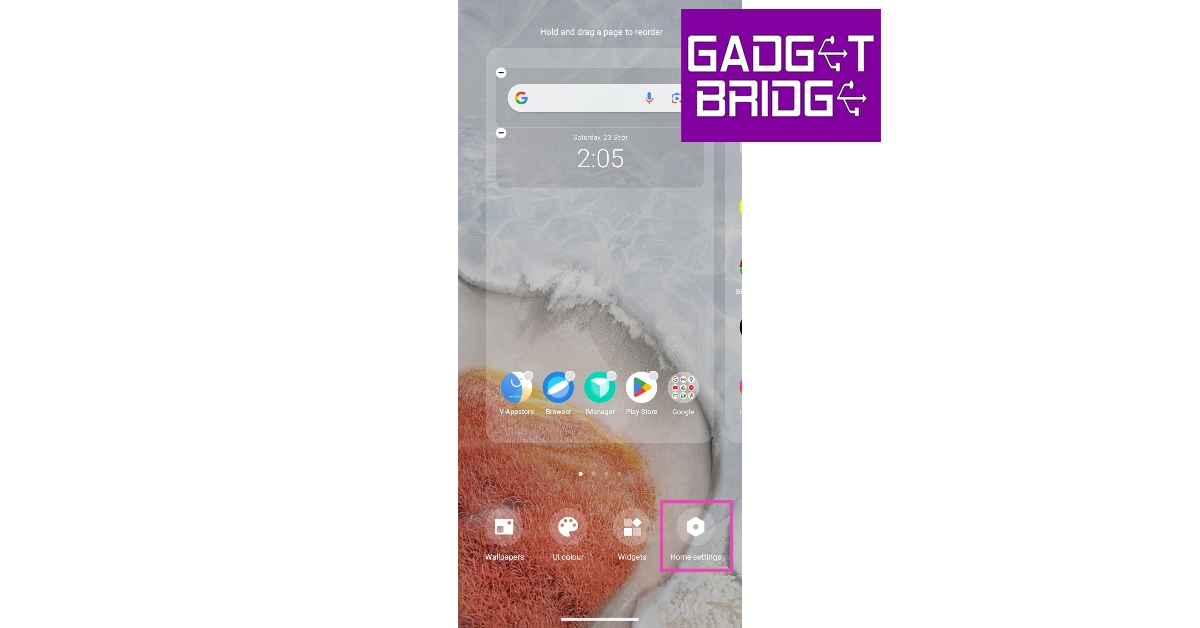 Step 3: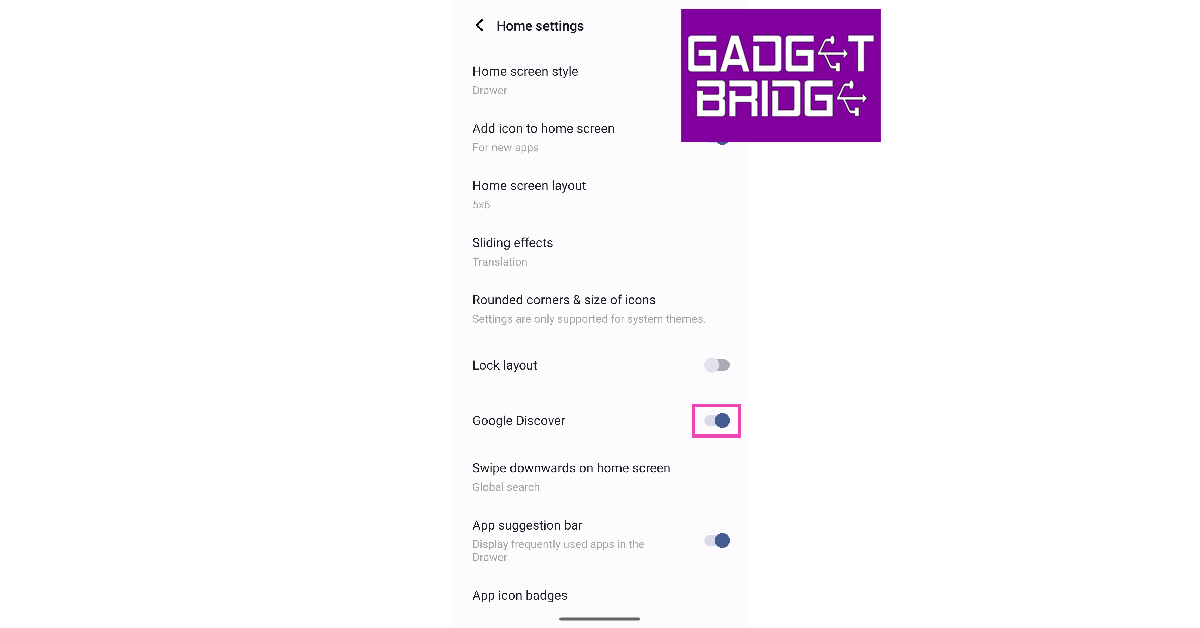
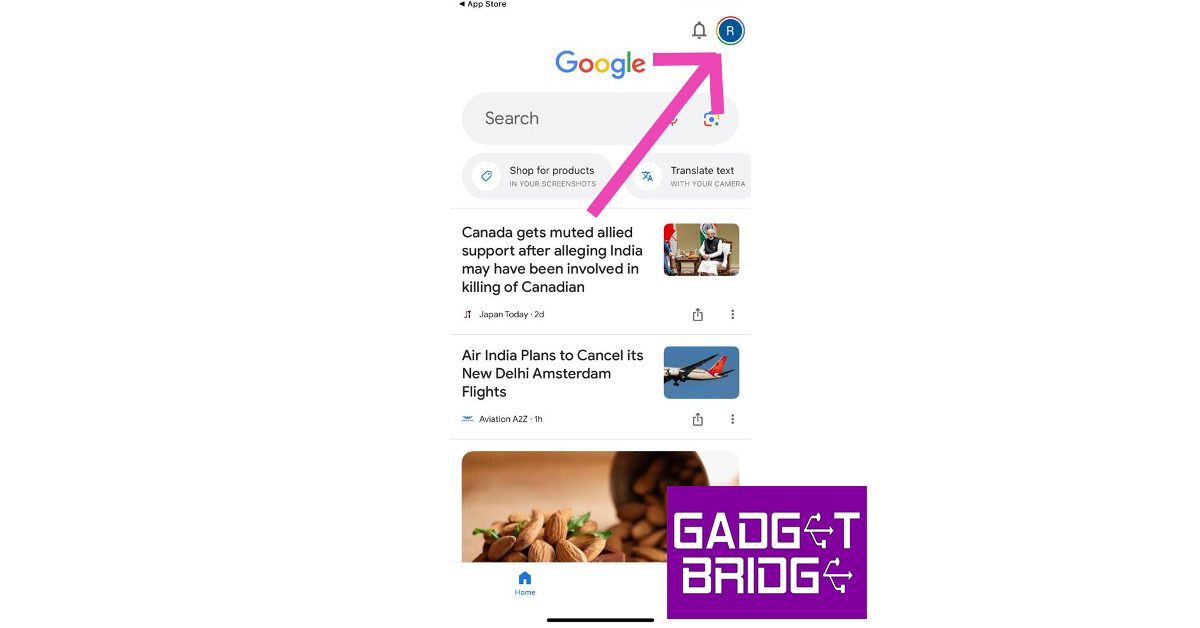 Step 3:
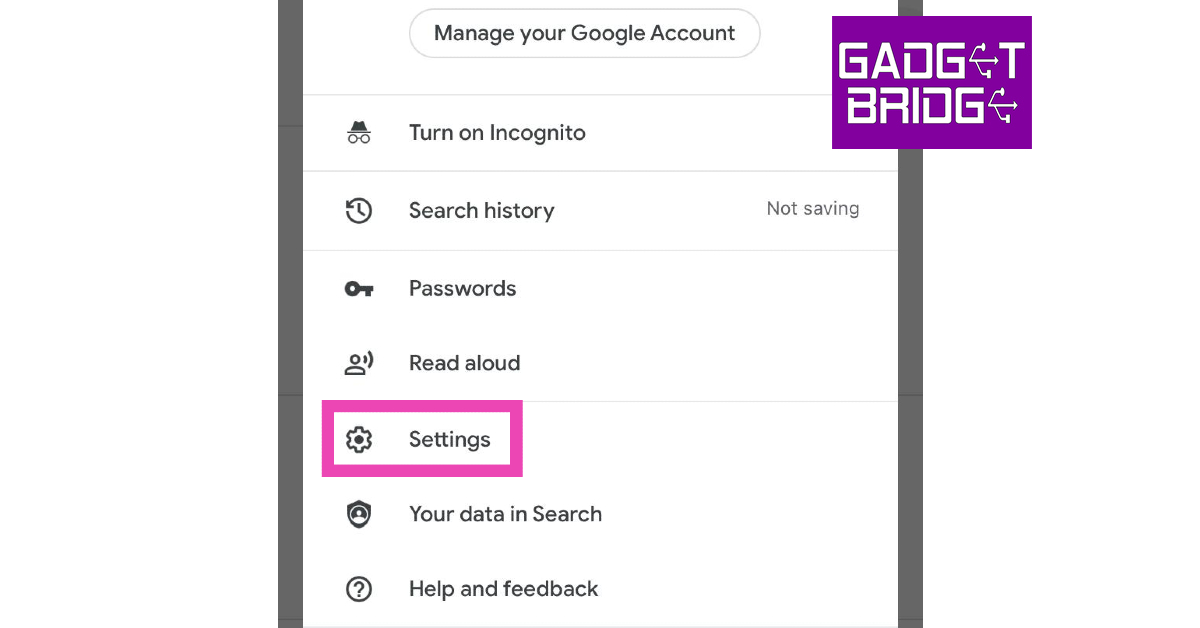 Step 4:
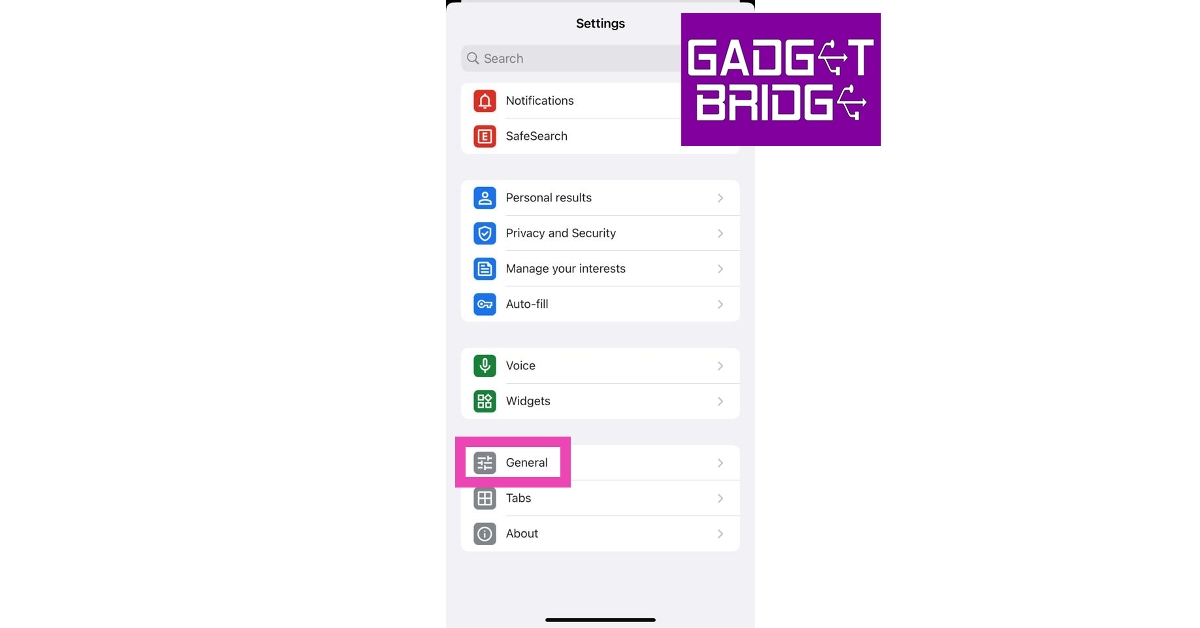 Step 5: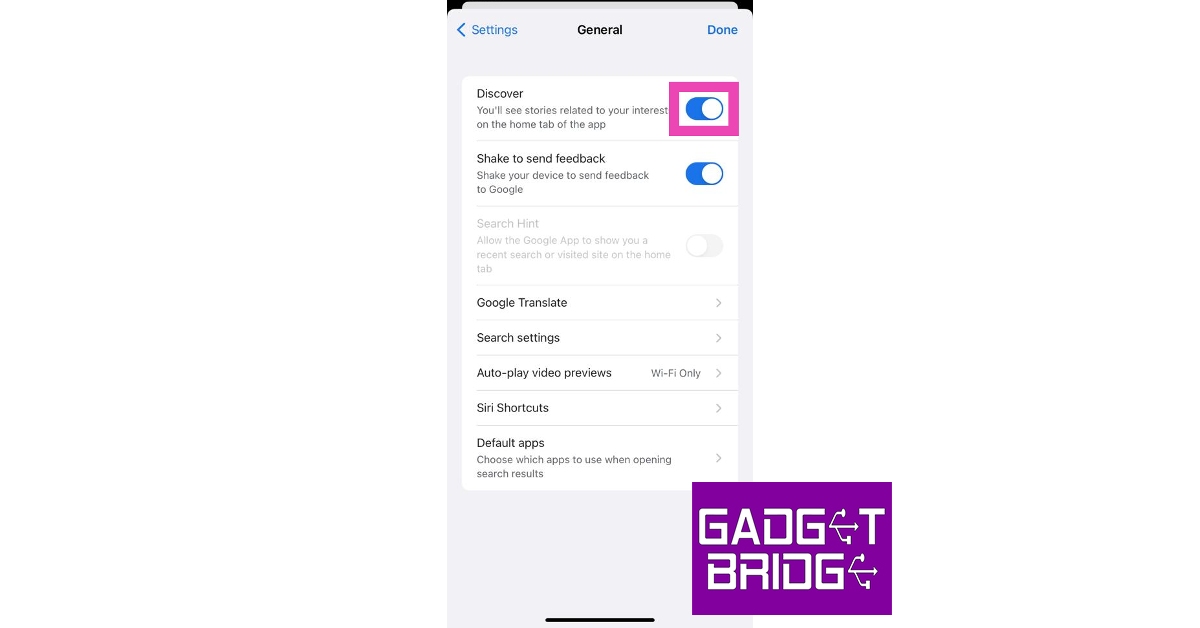
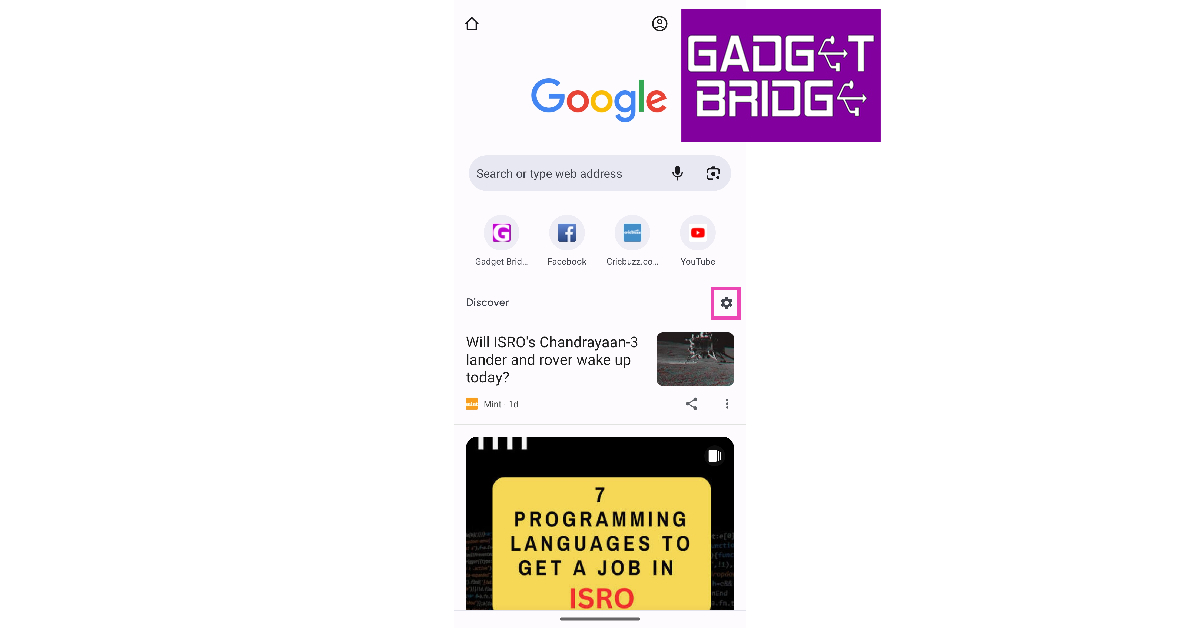 Step 3: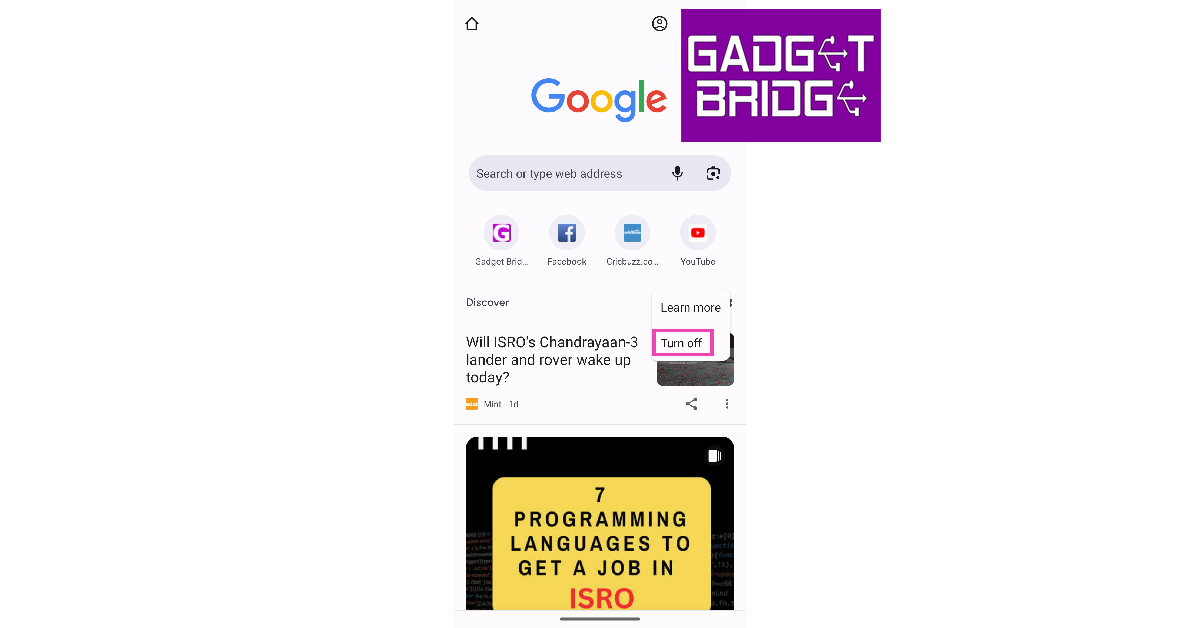
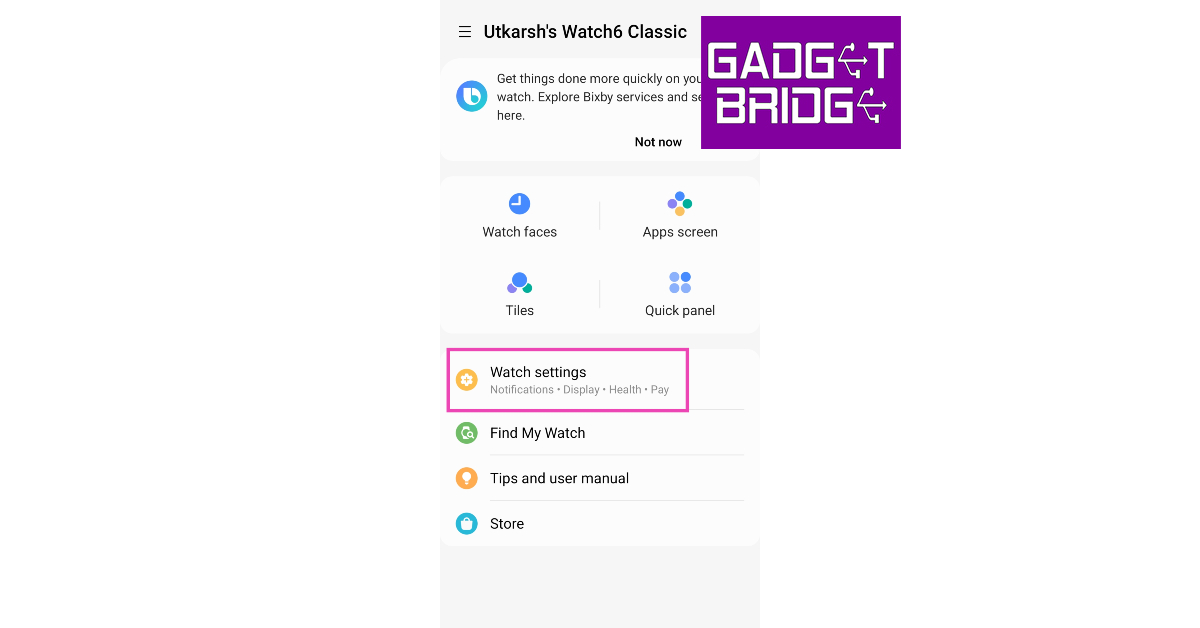 Step 3:
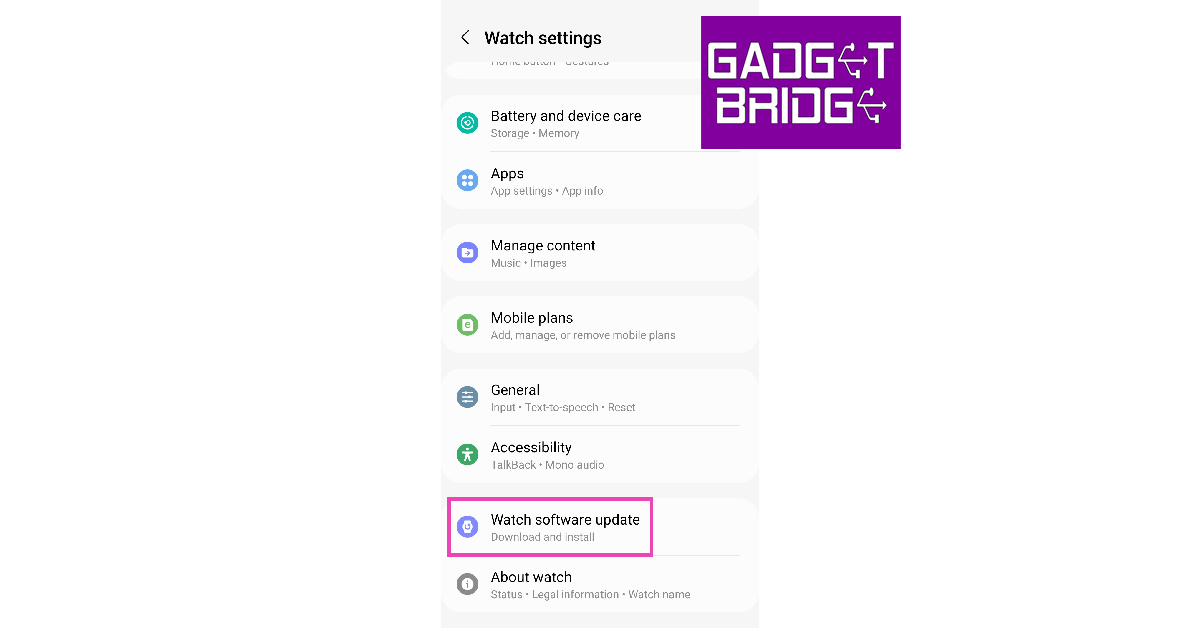 Step 4:
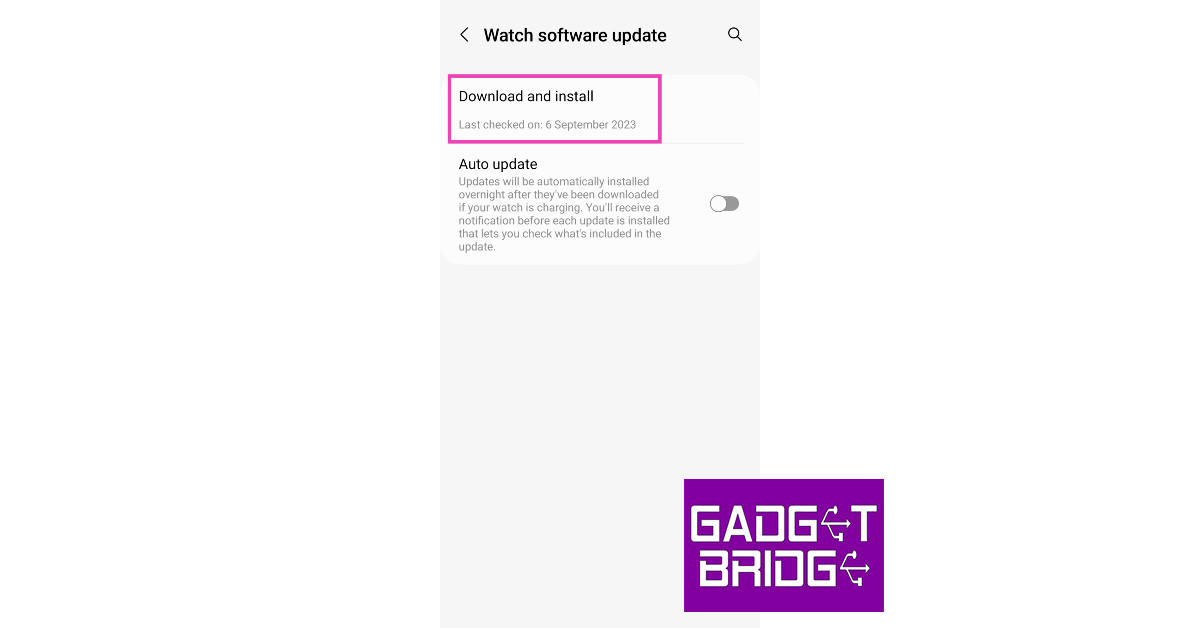 Step 5:
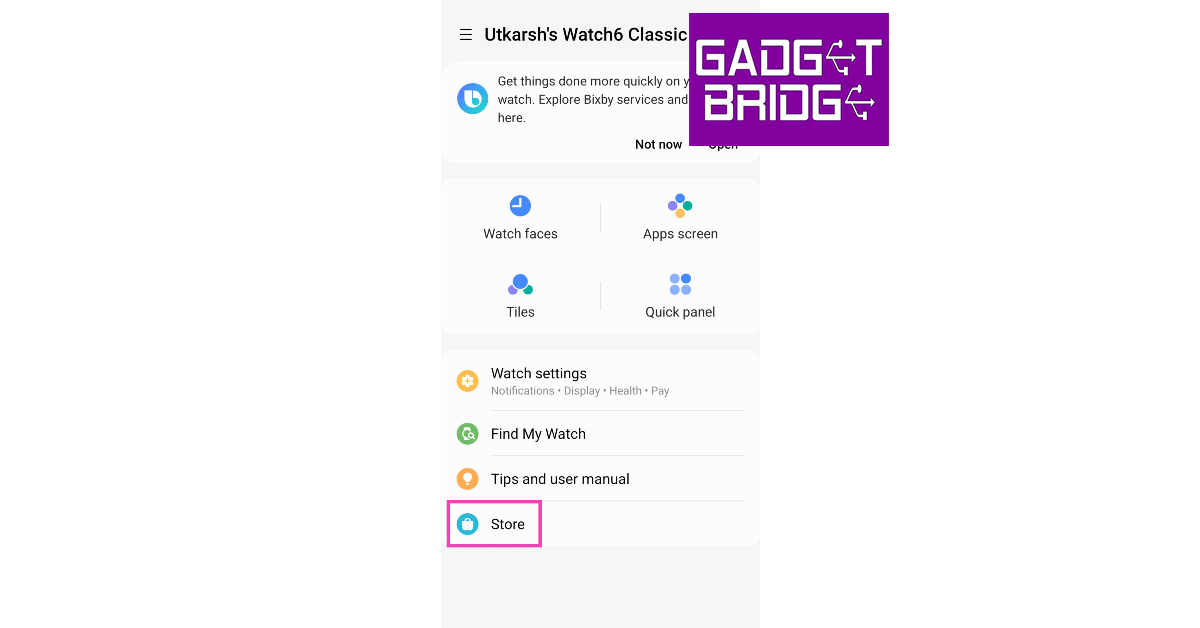 Step 3:
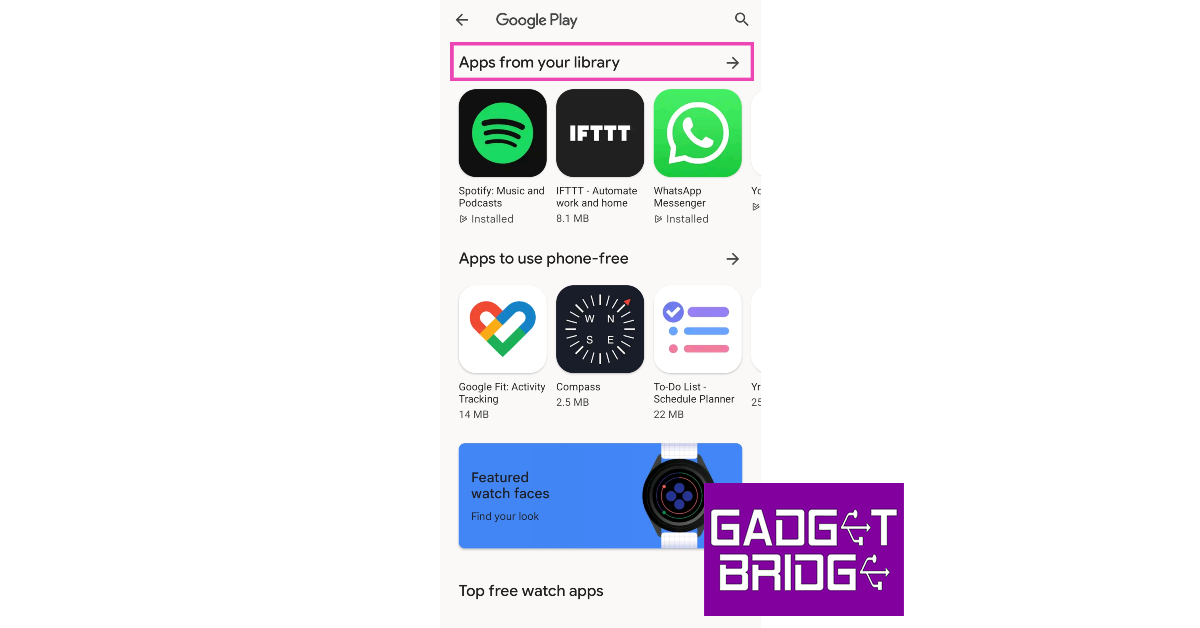 Step 4:
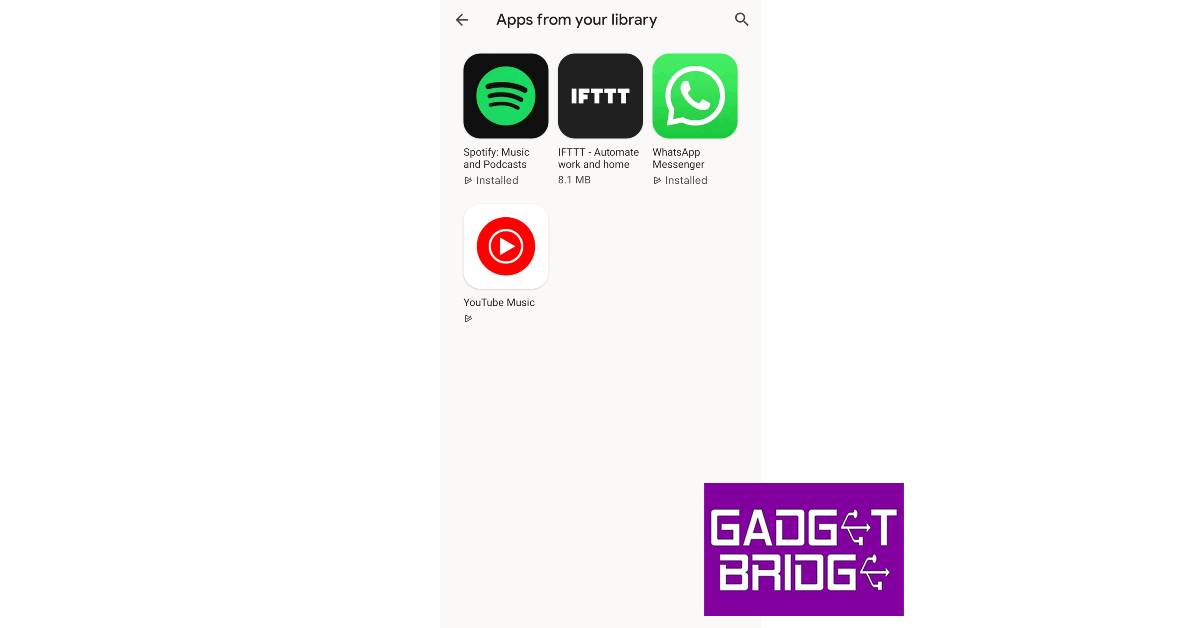 Step 5: Update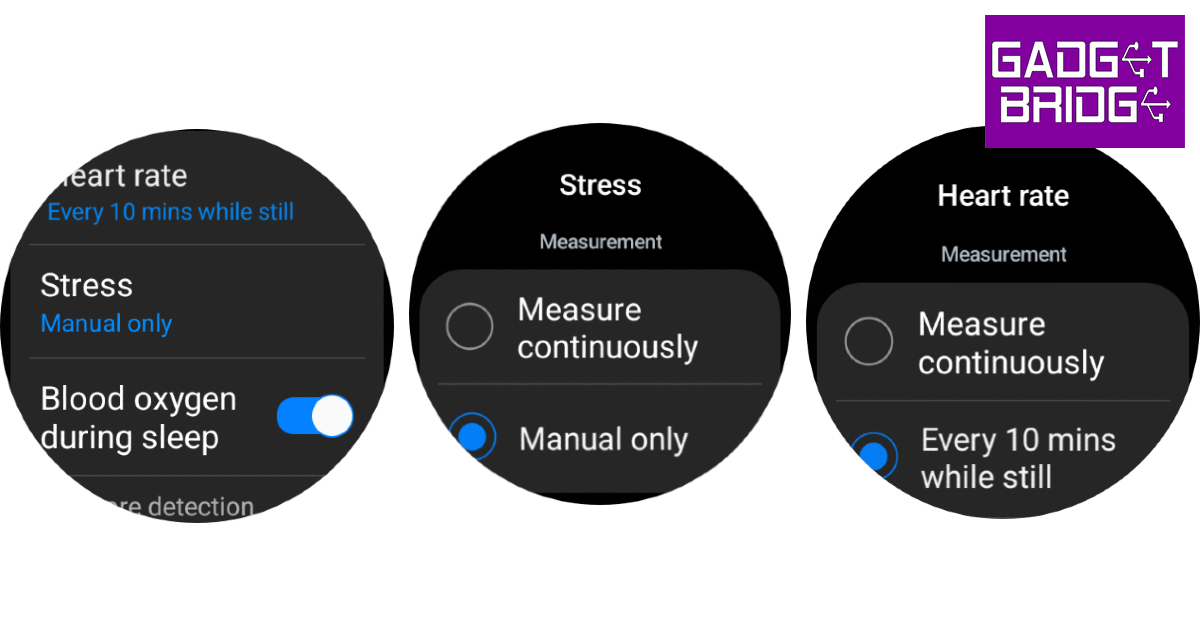
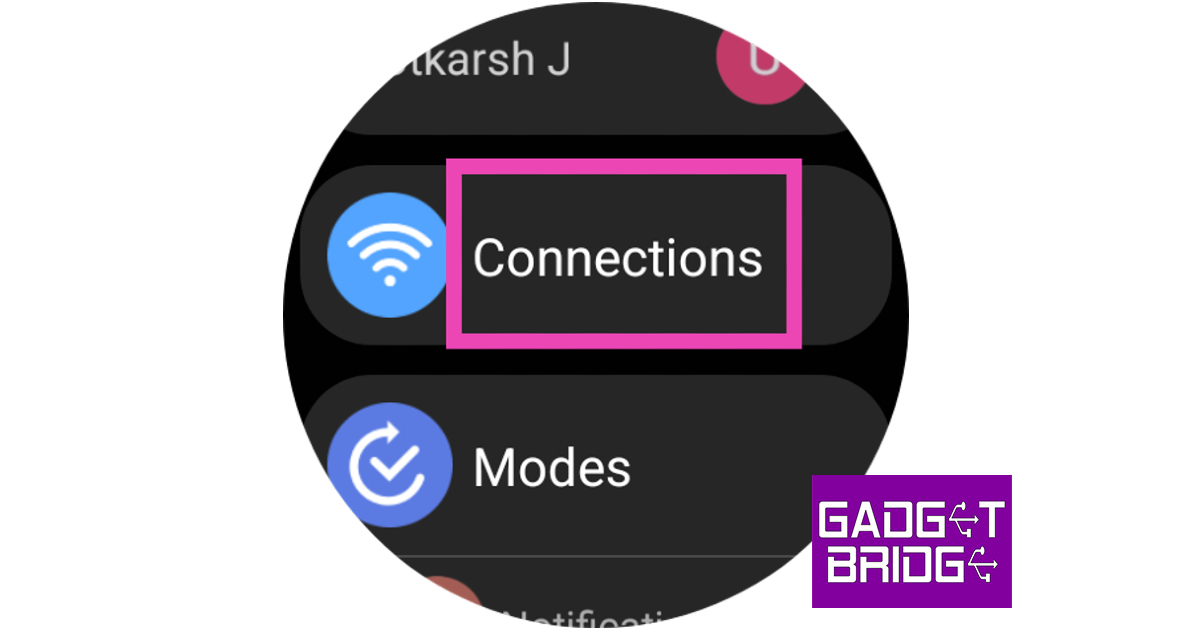 Step 3: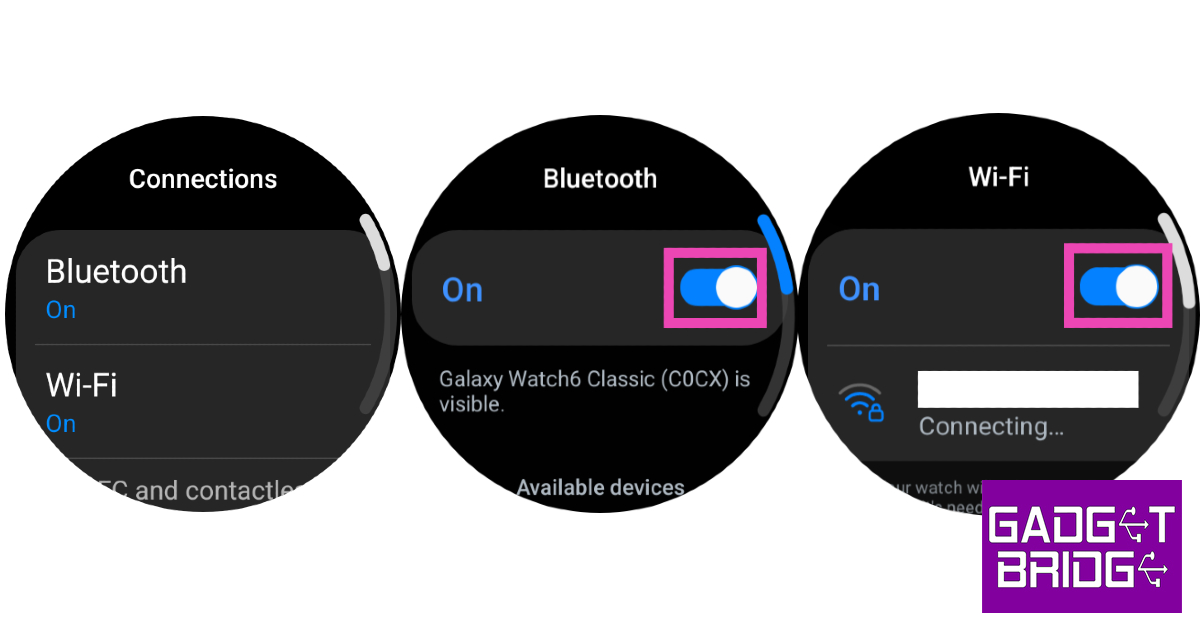
 Step 1: Unlock your Galaxy Watch and swipe down to access the Quick Settings Menu.
Step 2: Hit the Settings tile.
Step 3: Tap on Display.
Step 4: Turn off the toggle switch next to Raise wrist to wake.
Step 1: Unlock your Galaxy Watch and swipe down to access the Quick Settings Menu.
Step 2: Hit the Settings tile.
Step 3: Tap on Display.
Step 4: Turn off the toggle switch next to Raise wrist to wake.
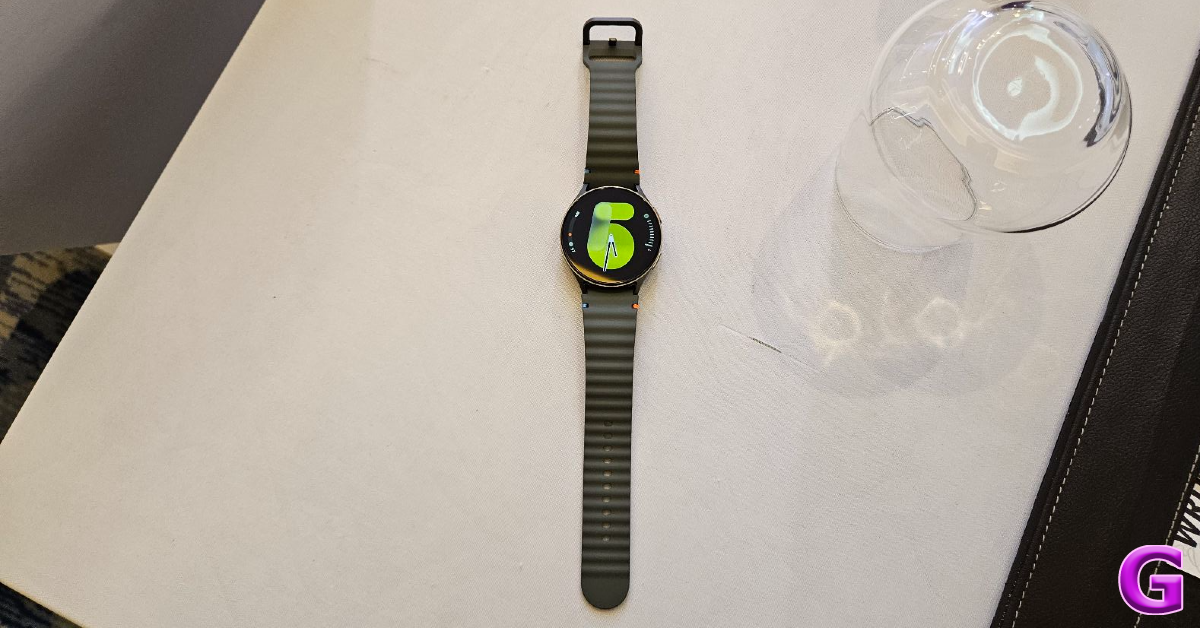 Step 1: Unlock your Galaxy Watch and swipe down to access the Quick Settings Menu.
Step 2: Hit the Settings tile.
Step 3: Tap on Display.
Step 4: Select Screen timeout.
Step 5: Set the duration to 15 seconds.
Step 1: Unlock your Galaxy Watch and swipe down to access the Quick Settings Menu.
Step 2: Hit the Settings tile.
Step 3: Tap on Display.
Step 4: Select Screen timeout.
Step 5: Set the duration to 15 seconds.
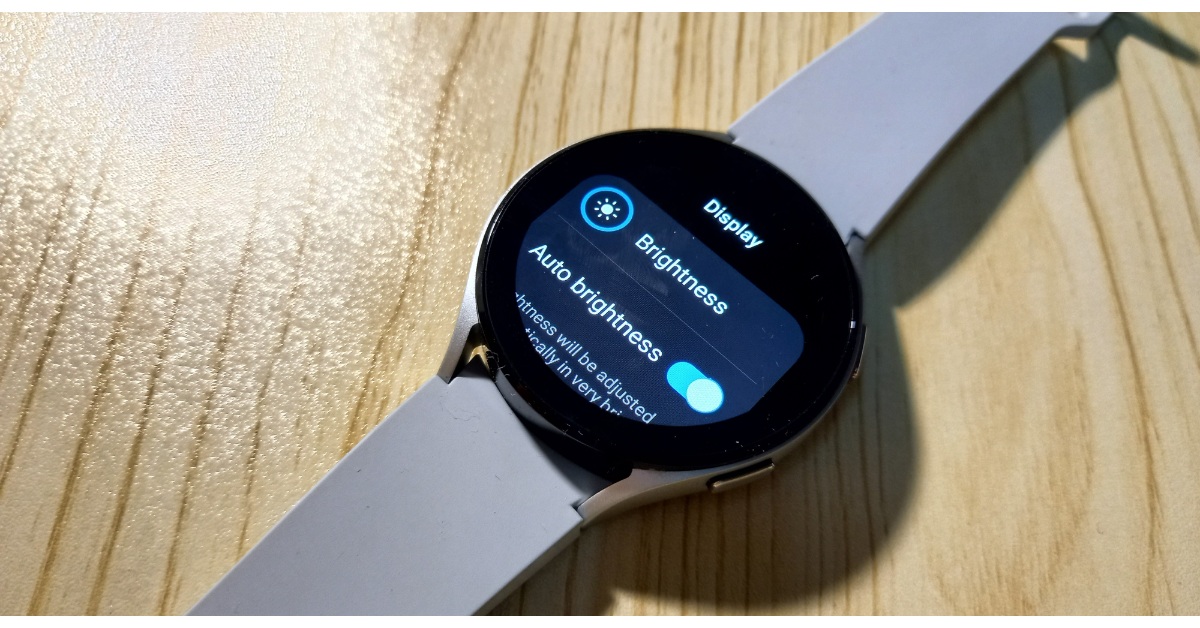 Step 1: Unlock your Galaxy Watch and swipe down to access the Quick Settings Menu.
Step 2: Hit the Brightness tile.
Step 3: Use the slider to reduce the brightness.
Step 1: Unlock your Galaxy Watch and swipe down to access the Quick Settings Menu.
Step 2: Hit the Brightness tile.
Step 3: Use the slider to reduce the brightness.
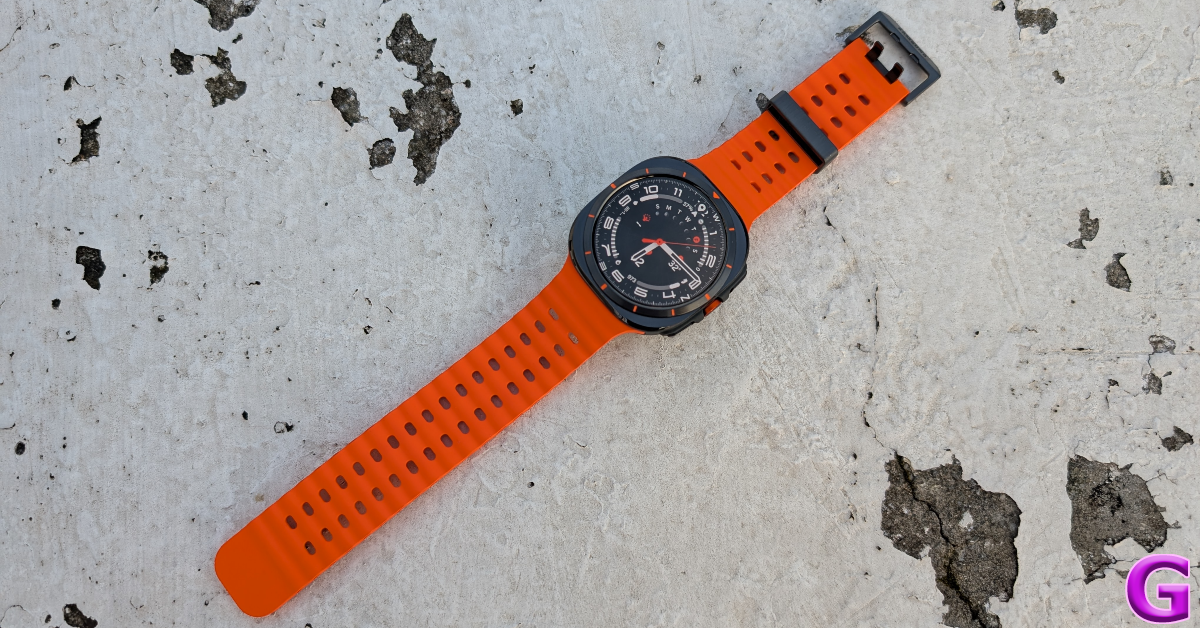 Step 1: Unlock your Galaxy Watch and swipe down to access the Quick Settings Menu.
Step 2: Hit the Settings tile.
Step 3: Tap on Sounds and vibration.
Step 4: Tap on Vibration.
Step 5: Select Short under Vibration duration.
Step 6: Select Light under Vibration intensity.
Step 1: Unlock your Galaxy Watch and swipe down to access the Quick Settings Menu.
Step 2: Hit the Settings tile.
Step 3: Tap on Sounds and vibration.
Step 4: Tap on Vibration.
Step 5: Select Short under Vibration duration.
Step 6: Select Light under Vibration intensity.
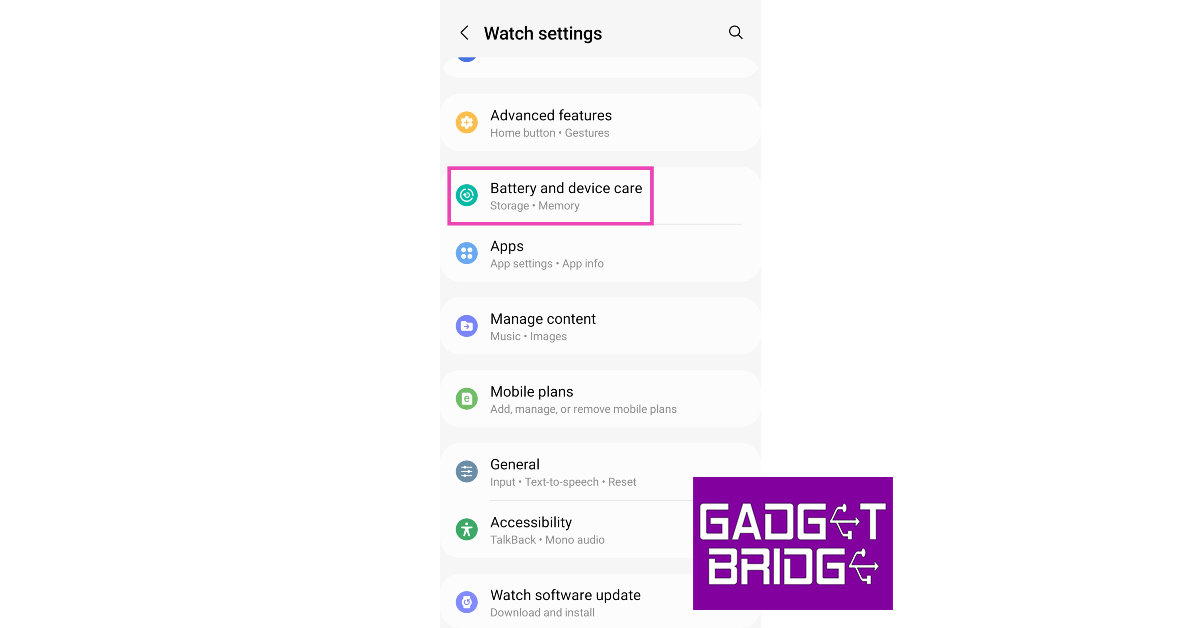 Step 4:
 Step 5: