Apple’s latest iOS 17 for iPhone has been officially released for all eligible iPhone users. If you own an iPhone XS or above, you can install the new update on your device. The new update comes with fun features like Namedrop, Stand By, Journal, and more. While installing an OS update is a pretty straightforward process, some users often come across unexpected issues that can be pretty confusing to resolve. In this article, we bring you the top 4 methods to fix the ‘iOS 17 won’t install’ issue on your iPhone.Read Also:How to hide and unhide apps on a Vivo smartphone?
In This Article
Make sure your iPhone has ample storage
Your phone’s operating system takes up a significant portion of the internal memory. If your phone is lacking enough storage space, you may experience an error while installing the new OS. This is valid for iOS 17 as well. To fix this issue, go to Settings>General>iPhone Storage and check if your phone’s internal memory has enough storage space left. Typically, you need at least 5GB of storage space to install a new OS. Delete some bulky files to free up space on your iPhone.
Are you connected to a stable network?
Downloading a new OS requires a stable WiFi connection. If your internet connection is not up to the mark, the OS can take a lot of time to download. Switch to a better network or perform a network settings refresh on your iPhone to improve the existing connection. Here’s how you can go about it.Step 1: Go to Settings and select General.Step 2: Scroll down and select Transfer or reset iPhone.Step 3: Select Reset followed by Reset Network Settings.
Can’t install iOS 17 on your iPhone? Delete the update and try again
If you’re facing issues during the iOS 17 installation phase on your iPhone, try deleting the OS file and downloading it again. Here’s how.Step 1: Go to Settings and select General.Step 2: Tap on iPhone Storage.Step 3: Select iOS 17.Step 4: Tap on Delete Update.Step 5: Now, go to General>Software Update to download iOS 17 again.
Install iOS 17 on your iPhone using iTunes
If you’re unable to install iOS 17 on your iPhone from the Software Update page in device settings, try using iTunes instead. You will need to connect your iPhone to your Mac to carry out this process.Step 1:Connect your iPhone to your Mac using a lightning cable.Step 2: Click on your iPhone’s device name from the menu.Step 3: Go to the Summary tab and click on Check for updates.Step 4: Hit Update to download and install iOS 17 on your iPhone.
Frequently Asked Questions (FAQs)
Why can’t I install iOS 17 on my iPhone?
If you cannot see the option to install iOS 17 on your iPhone, it means your device has run out of the promised software updates coverage period. Only iPhone XS, XR and above can run the new iOS 17.
Why am I unable to download iOS 17 on my iPhone?
If you’re facing issues with downloading the iOS 17 update on your iPhone, make sure your device is connected to a stable WiFi network and has at least 5GB of free storage space.
Why won’t iOS 17 install on my iPhone after I have downloaded it?
If the iOS 17 update won’t install on your iPhone after being downloaded, you will have to delete the OS file and download it again. Go to Settings>General>iPhone Storage>iOS 17 and select Delete Update. Then, go to General>Software Update to download it again.Read Also:Top 9 Ways to Fix ‘YouTube Keeps Lagging’ on Google Chrome and Other Browsers
Let’s acknowledge that the majority of us Indians still prefer to purchase our mobile phones from physical stores since it allows us to hold the device in our hands and have some experience with it. Most of the top online retailers are presently taking pre-orders for the recently released iPhone 15. However, as everyone is aware, Apple Stores BKC (Mumbai) and Saket (Delhi) made their debuts in India a few months ago, so you can now reserve your iPhone 15 both online and at Apple offline stores at a discount. The best ways to purchase from Apple online and at the BKC (Mumbai) and Saket (Delhi) Apple stores are listed below.Pre-orders for the iPhone 15 series are now open, and the devices will be available at Apple Stores on September 22. With HDFC Bank Credit Cards, customers may take advantage of exclusive instant savings on a number of products. EMI offers reduced monthly payments, or No Cost EMI for 3 or 6 months offers upfront savings to pay your interest. Additionally, you may trade in your old smartphone for instant credit if you’re buying a new iPhone.Also Read: iPhone 15 Price in India vs Rest of the World: Where can you get the best deal on iPhone 15?
In This Article
Apple special offers on the iPhone 15 series
When using eligible HDFC Bank cards, buyers can receive instant discounts of Rs 6,000 on the iPhone 15 Pro and Pro Max, Rs 5000 on the iPhone 15 and 15 Plus, Rs 4,000 on the iPhone 14 and 14 Plus, Rs 3,000 on the iPhone 13, and Rs 2000 on the iPhone SE.Additionally, purchasers who trade in an eligible smartphone will receive an instant trade-in credit. The majority of top banks will even offer you No-cost EMI over 3 or 6 months to pay off your interest on eligible products. Simply select your new iPhone, then choose to trade in your old smartphone to get the new one. Enter your bank information during checkout, and your immediate savings will be applied immediately. Notably, business clients can choose to invoice for GST at the point of checkout.Additionally, while using qualifying HDFC Bank cards, you may instantly save Rs 3000 on the Apple Watch Ultra 2, Rs 2500 on the Apple Watch Series 9, and Rs 1500 on the Apple Watch SE. up to 3 or 6 no-cost EMI months.Apple claims that it will offer a trade-in value to reduce the cost of a new iPhone. Additionally, it will complete your trade-in at your door and deliver your new iPhone.
How Apple Trade In works:
Visit here to learn more and see what your device is worth.
Select your new device and then answer a few questions to get your estimated trade-in value.
You can use that value as instant credit to save on your new iPhone.
Doorstep pickup and delivery. No need to go anywhere. Just exchange your smartphone when we deliver your new iPhone.
Note that trade-in values vary based on the condition, year and configuration of your trade-in device.
There are a few delivery and pickup options from which to choose, making it simple and quick for you to get your new Apple devices. On things that are in stock, the business also offers express delivery. As soon as they become available, items will instantly ship. Delivery may call for a signature. The courier will send a one-time password for pre-paid orders to the phone number supplied at the time of checkout. Additionally, for each item in your order, you can select a scheduled delivery method, however, this option is only accessible for some PIN codes.
For the latest gadget and tech news, and gadget reviews, follow us on Twitter, Facebook and Instagram. For newest tech & gadget videos subscribe to our YouTube Channel. You can also stay up to date using the Gadget Bridge Android App. You can find the latest car and bike news here.
Android’s privacy and security features allow users to protect the important stuff on their phones in different ways. While some smartphones may have a secret ‘App Safe’, others allow you to hide the apps on your phone and lock them with a password. You can use this trick to secure any personal or important apps on your phone. In this article, we show you how to hide and unhide apps on a Xiaomi or Redmi smartphone.Read Also:Top 9 Ways to Fix ‘YouTube Keeps Lagging’ on Google Chrome and Other Browsers
In This Article
Hide and unhide apps on a Xiaomi smartphone
Step 1: Go to Settings and select Apps.Step 2: Select App lock.Step 3: Set up a password or enter the pre-existing password.Step 4: Switch to the Hidden Apps tab.Step 5:Turn on the toggle switch for the apps you want to hide.Step 6:Turn off the toggle switch for the apps you want to unhide.Step 7: To view the hidden apps on your Xiaomi phone, swipe two fingers in opposite directions on the home screen. You will be asked for your fingerprint or the password that you’ve set up for the app lock.
Frequently Asked Questions (FAQs)
How do I hide apps on my Xiaomi smartphone?
Go to Settings>Apps>App lock>Hidden Apps and turn on the toggle switch for the apps you want to hide.
How do I unhide apps on my Xiaomi smartphone?
Go to Settings>Apps>App lock>Hidden Apps and turn off the toggle switch for the apps you want to unhide.
How do I view hidden apps on my Xiaomi smartphone?
The OnePlus Pad was unveiled by the OnePlus firm earlier this year. OnePlus teased its new tablet last week; saying it will soon be available in India. The firm has been keeping the name and release date of its upcoming Android tablet a secret, but today it made the announcement. OnePlus Pad Go is confirmed to launch in India on October 6, the tablet was anticipated to debut in early 2024. The design of the OnePlus tablet has also been revealed.OnePlus’s next Android tablet will be called OnePlus Pad Go. OnePlus has officially announced that the Pad Go will arrive exclusively in India next month. The tablet will probably be sold on Flipkart and the Amazon India website, similar to the OnePlus Pad unveiled earlier this year.Also Read:OnePlus’s new tablet coming soon to India, launch teasedThe company has now hinted at the future tablet’s appearance and stated that Twin Mint will be one of its available colour options. The OnePlus Pad Go’s rear design skillfully combines two different green hues, and it is finished with a collage of textures that includes both a glossy and a bright matte metal finish. On the top rear of the tablet, the back camera is positioned in the centre. According to the company, the OnePlus Pad Go intends to expand the user base of the OnePlus ecosystem without sacrificing the overall usability or design. It features an identical design to the OnePlus Pad (Review). This includes the rounded edges, recognisable green colour, and centred camera architecture, which was chosen for its ability to accurately capture the user’s viewpoint. The OnePlus Pad Go was previously expected to go on sale in the early months of 2024 alongside new OnePlus headphones and the speculated OnePlus 12 and OnePlus 12R smartphones. The OnePlus Pad Go is likely to replace the OnePlus Pad at a lower cost. The OnePlus Pad was unveiled in January but just went on sale in May.The OPD2304 and OPD2305 model numbers for the OnePlus Android Tablet were also featured on the BIS website. There are suggestions that both cellular and Wi-Fi versions will be offered.
OnePlus Pad price and specifications
The 11.61-inch screen on the OnePlus Pad has a 144Hz refresh rate. The MediaTek Dimensity 9000 chipset, which is its power source, can accommodate up to 12GB of LPDDR5 RAM. Android 13 is the tablet’s default operating system. A quad-speaker system with compatibility with Dolby Atmos and Dolby Vision is included with the OnePlus Pad. A single 13-megapixel back camera with an LED flash and an 8-megapixel selfie camera are also included. The tablet’s 9,510mAh battery also boasts a 67W SUPERVOOC capacity.The 8GB RAM with 128GB storage option of the OnePlus Pad costs Rs 37,999, and the 12GB RAM with 256GB storage option costs Rs 39,999.
For the latest gadget and tech news, and gadget reviews, follow us on Twitter, Facebook and Instagram. For newest tech & gadget videos subscribe to our YouTube Channel. You can also stay up to date using the Gadget Bridge Android App. You can find the latest car and bike news here.
After being banned for nearly ten months, Battleground Mobile India, aka BGMI, is officially available again in India. BGMI fans are looking for ways to improve their game experience and one such method is the usage of redemption codes, which offers a variety of rewards and advantages using BGMI redeem codes players can gain access to new skins, outfits, loot crates, weapons and free UC and diamonds.As mentioned earlier, these codes give users the chance to earn unique rewards and gain extra benefits while playing the game. This includes GUN SKINS (M4, AKM, M416, AWM, M24, UZI, KAR98K), free character voucher, Andy, Carlo, Sara, Victor character for free, free Anna Character on completing the mission and UC or Royal Pass Discount. So here we have gathered a list of the most recent BGMI redeem codes as of 19 September 2023. Also, redeem these codes asap as these are only valid for a limited duration.
In This Article
BGMI Redeem Codes for 19 September2023
updating soon…
How to get free Redeem Codes for BGMI on 19 September2023?
Launch BGMI on your device.
Then select the Redeem Code option from the main menu.
Next, click on the Redeem code tab.
A new window will open, requesting the redemption code.
Now enter your BGMI code.
Confirm and click on the “Redeem” tab.
If your redeem code is valid then you will get a message confirming that your rewards were successfully redeemed.
Garena Free Fire is a battle royale game with regular awards and tournaments to keep players interested. If you play Garena Free Fire, you should be aware of the redeem codes that are released on a daily basis. However, because the battle royale game is banned in India, players from other countries can use the Free Fire Redeem codes daily. If you’re unfamiliar with the Garena Free Fire redeem codes or don’t know how to get them, we’ve put together a step-by-step guide to help you redeem them. Check out Garena Free Fire Redeem Codes for 19 September 2023.The Free Fire redeem codes are a great way to get free stuff. These are 12-digit codes that contain alphabets and numbers, as well as an expiration date and time. Because the Garena FF redeem codes cannot be used more than once, you should hurry to the redemption page to claim your free reward before someone else does. To get a free reward, all you have to do is go to reward.ff.garena.com/en, which is the official redemption page. Also, keep an eye on this space for daily updates on Garena Free Fire redemption codes and rewards.
In This Article
Garena Free Fire Redeem Codes Today 19 September2023
Gone are the days when gambling was reserved for the smoky rooms of Vegas-style physical casinos. The arrival of the digital era has paved the way for new possibilities in the world of gaming. Now, thanks to the rise in cryptocurrency popularity, players can gamble remotely with Bitcoin – the tech industry’s true disruptor.
In This Article
Bitcoin: The Game Changer
Bitcoin is a decentralized digital currency, created and held electronically, absent of any government or bank control. Wanting to reduce the need for a middleman while also making online transactions faster, a pseudonymous person or group of people named Satoshi Nakamoto implemented the first-ever Bitcoin transaction in the year 2009. Since then, Bitcoin has significantly affected numerous industries, with the gaming sector feeling this impact hugely. Bitcoin has ushered in a new breed of casinos, aptly termed “Bitcoin casinos”. In the US, bitcoin casino us stands out as a choice destination for game lovers looking to bet with their digital assets.
Bitcoin Casinos: A Trend Guided by Technology
Bitcoin as a currency could not have thrived without technology. Likewise, Bitcoin casinos owe much of their popularity to the digital revolution. As it stands, Bitcoin casinos are popular for several reasons.
1. Enhanced transaction speed:
One of the biggest advantages of Bitcoin casinos is swiftness. Traditional online casinos often take several business days to process withdrawals due to various banking and regulatory processes. Contrarily, Bitcoin casinos simplify this process since those transactions are peer-to-peer.
2. Lesser transaction fee:
Thanks to Bitcoin’s decentralized nature, players are not charged exorbitant fees for their transactions. Traditional banks or credit cards typically charge a percentage of the withdrawal or deposit as a transaction fee. Now, Bitcoin casinos provide a more affordable option.
3. Anonymity:
Bitcoin casinos offer a level of privacy that traditional casinos can’t. With no banks involved and encrypted transactions, players can remain anonymous, ensuring a private gaming experience.
Stakes are High: Technology’s Influence on Bitcoin Casinos
Technology’s influence on Bitcoin casinos extends past the use of Bitcoin as a payment option. It has elevated the gaming experience by introducing superior programming, high-grade graphics, and progressive jackpots.
Technology Use-Case in Bitcoin Casinos
Good graphics, seamless play, and exceptional game variety: the fundamentals of an extraordinary gaming journey. Fortunately, these are precisely what technology delivers to Bitcoin casinos. Developers use HTML5 technology to create games that are aesthetically pleasing and easy to play. The results are engaging games with high-resolution graphics and superb sound effects. Moreover, technology enables Bitcoin casinos to offer a wider game variety. Through machine learning algorithms, these casinos analyze player behaviour and tailor their offerings to player preferences, thereby improving the player’s overall experience.
Emphasis on Fair Play: Enter Blockchain
Blockchain technology, the bedrock of Bitcoin, is another significant technological adoption in Bitcoin casinos. It has enhanced security and fair play, two aspects that have been recurring issues in the online gaming industry.
Provably Fair Games
In Bitcoin casinos, blockchain backs a system known as “Provably Fair,” which lets players verify the randomness and fairness of the game results. This transparency is unprecedented in the gambling sphere and has contributed significantly to reassuring players of the fairness of Bitcoin casino games.
Looking Forward: The Future of Bitcoin Casinos
All signs point to a bright future for Bitcoin casinos. Given the accelerated digital shift caused by the pandemic, more people are finding comfort in online activities, including gambling. As Bitcoin and other cryptocurrencies gain mainstream acceptance, more players will likely choose Bitcoin casinos. In conclusion, the impact of technology on Bitcoin casinos is immense. From recreating Las Vegas on a computer screen with superior graphics, guaranteeing swift transactions, and ensuring fair play, technology’s impact on Bitcoin casinos is far from over. As it stands, Bitcoin casinos might just be the future of the gambling industry in the digital age.
For the latest gadget and tech news, and gadget reviews, follow us on Twitter, Facebook and Instagram. For newest tech & gadget videos subscribe to our YouTube Channel. You can also stay up to date using the Gadget Bridge Android App. You can find the latest car and bike news here.
Like most Android skins, Vivo’s Funtouch OS allows users to hide certain apps that they don’t want to be displayed on their phone’s home screen. If you are concerned about someone getting unauthorised access to your phone, you can keep all your banking and financial apps stashed away in a hidden folder. In this article, we show you how to hide and unhide apps on a Vivo smartphone.Read Also:Here are the best offers on the iPhone 15 series: Details
In This Article
Hide and Unhide apps on a Vivo smartphone
Step 1: Go to Settings and select Security.Step 2: Tap on Privacy & app encryption.Step 3: Enter your password or verify your fingerprint.Step 4: Select App hiding.Step 5:Turn on the toggle toggle switch for the apps you want to hide.Step 6:Turn off the toggle switch for the apps you want to unhide.Step 7: If you quickly want to access the hidden apps from your home screen, turn on the toggle switch for View hidden apps.Step 8: To password-protect the hidden folder, turn on the toggle switch for Verify privacy password.
Frequently Asked Questions (FAQs)
How do I hide apps on a Vivo smartphone?
Go to Settings>Privacy & app encryption>App hiding and turn on the toggle switch for the apps you want to hide.
How do I find hidden apps on my Vivo smartphone?
To access the hidden app folder on your Vivo smartphone, simply swipe up with two fingers on the home screen and enter your password.
Over the years, YouTube has become the home of digital video content. The platform boasts the largest number of independent content creators and offers seamless video playback with no hiccups. However, sometimes users report unusual lags that severely depreciate their viewing experience. In this article, we bring you the top 12 ways to fix the ‘YouTube videos keep lagging’ issue on Google Chrome.Read Also:Tecno Pova 5 Pro 5G Review: A good value-for-money smartphone
In This Article
Check your internet connection
The most likely culprit behind YouTube videos lagging on Google Chrome (and other browsers) is a faulty internet connection. YouTube demands a stable connection while streaming HD-quality videos. Inconsistencies in the strength of the connection can lead to unwanted lags in playback. To confirm that it is your internet connection that is at fault, run a quick speed test. Most speed tests not only record the speed but also give you an idea of how strong your connection is.
Switch to a lower video quality to keep YouTube from lagging on Chrome
If your internet connection is weak, you might want to try decreasing the quality of the video. YouTube allows users to watch videos in multiple resolutions. You can even watch some videos in 8K resolution. Naturally, higher-resolution videos demand more from your internet connection and can take some time to buffer. For a lag-free playback, switch to a lower resolution. You can do this by hitting the gear icon in the video player and selecting ‘Quality’.
Disable ad-blocking extensions
Google has started cracking down on tools that bypass the ads on YouTube videos. These tools include third-party video downloaders and ad-blocking extensions for Chrome. If you notice a sudden drop in speed, your ad-blocking extension is the likely culprit behind it. If you use Adblock Plus on Chrome, we recommend substituting it with uBlock Origin for now. Given Google’s tenacity towards fighting adblockers, you may have to replace uBlock Origin with another tool in future.
Clear your web browser’s cache and cookies
Step 1: Launch Google Chrome on your PC and click on the ellipses (three dots) at the top right corner of the screen.Step 2: Click on Settings.Step 3: Switch to the Privacy and Security tab.Step 4: Click on Clear Browsing Data.Step 5: Select Clear Data.
Disable corrupt extensions
Sometimes a corrupt extension on your web browsing can interfere with other tasks. If you first noticed the lag issue after installing a third-party extension on your browser, it is likely the extension that is at fault. Uninstall this extension and try again. Once Google Chrome, you can simply do this by clicking the puzzle piece icon next to the address bar, then hitting the ellipses next to the corrupt extension and selecting ‘Remove from Chrome’.
End resource-draining processes on Chrome
Step 1: Hit the ellipses at the top right corner of the screen.Step 2: Go to More Tools>Task Manager.Step 3: Select the tab or extension with the most Memory Footprint.Step 4: Hit End Process.
Fix lagging YouTube videos on Google Chrome by disabling hardware acceleration
To handle more graphic-intensive tasks, Google Chrome employs a technique called hardware acceleration. In some situations, this can be counterproductive and lead to lag in YouTube videos. Here’s how you can disable it.Step 1: Hit the ellipses at the top right corner of the screen.Step 2: Select Settings.Step 3: Switch to the System tab.Step 4: Turn off the toggle switch for Use hardware acceleration when available.
Close other tabs to stop YouTube videos from lagging on Chrome
Active tabs can hoard a lot of RAM and resources for themselves, without leaving enough memory for the task you’re trying to complete. If you have multiple YouTube videos running on different tabs, close them and stick to the video you want to watch. This also applies to other tabs that aren’t necessarily running videos. Any active tasks can use up memory on your device.
Reset flags on Chrome
Chrome flags allow users to tinker with experimental features that haven’t made their way to the final product yet. Sometimes a flag can interfere with video playback on YouTube. Here’s how you can reset them.Step 1: Launch a new tab in Chrome and enter chrome://flags/ in the address bar.Step 2: Hit Reset All.
Disable your VPN
VPN services can often connect to non-functional servers, leading to lags in YouTube videos. Switch to a different server or disable the VPN entirely. Simply hit the puzzle piece icon and click on the VPN extension to disable it.
Update Google Chrome
If you’re using an older version of Google Chrome, it may keep YouTube videos from loading at an acceptable speed. Older versions are typically laggy and full of bugs. Click the red arrow icon in the top-right corner of the screen to update Google Chrome to its latest version. If you don’t see this red arrow, click the ellipses and go to Help>About Google Chrome to check for new updates.
Restart your PC
It is possible that the issue does not lie with Google Chrome but with your PC. You can check the task manager to find out which programs are occupying the RAM or simply restart the PC to give it a quick refresh. Rebooting the PC also takes care of background glitches and quirks that may be causing issues with Google Chrome.
Frequently Asked Questions (FAQs)
Why is YouTube so laggy on Chrome?
YouTube may be lagging on Chrome due to a slow internet internet connection, faulty extension, power hungry tabs, or due to the lack of free space on the RAM.
Why is YouTube so slow on Chrome in 2024?
Google’s recent crackdown on adblockers has reduced the speed of YouTube on Chrome. If you use Adblock Plus on your web browser, replace it with uBlock Origin.
Why does YouTube keep lagging even when my internet is fast?
If your internet connection is fine but the YouTube videos are still stuck on buffering, try closing the power-consuming tabs on your browser, clear its cache, and disable any VPN service that you may be using.
These are the top 12 ways to fix the ‘YouTube keeps lagging’ issue on Google Chrome. If these methods do not work out for you, it is possible that YouTube’s servers are down. Go to the DownDetector website to figure out whether YouTube is experiencing a server outage.
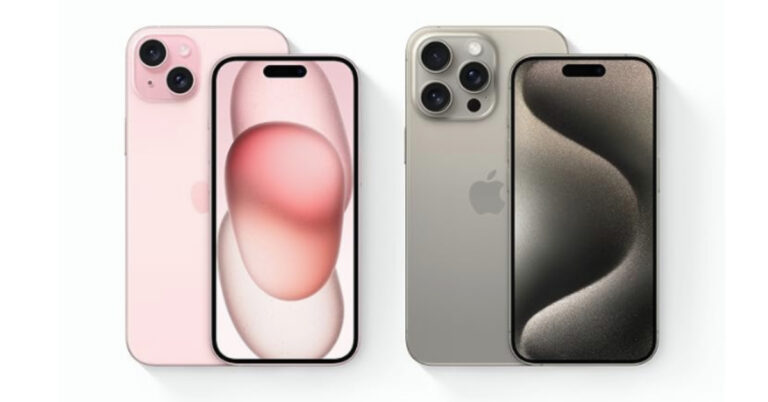
Launched at Apple’s ‘Wonderlust’ event last week, the new iPhone 15 finally gets the USB Type-C charging port. The Dynamic Island, which was introduced on the iPhone 14 Pro and Pro Max last year, has now been extended to the non-Pro models. The flagship A17 Bionic chipset is available on the Pro models only, with the base variants getting last year’s A16 Bionic chip. Apart from specs, what matters for a lot of buyers is the price of the iPhone. Unfortunately, the iPhone demands a significant premium in India compared to other markets. In this article, we compare the price of the iPhone 15 Series in India with other major markets across the world.Read Also:Enhancing Home Tech with Digital Signage
In This Article
iPhone 15 base variants’ prices compared
Country
iPhone 15 Price
iPhone 15 Plus Price
USA
Rs 66,208 (USD 799)
Rs 74,495 (USD 899)
China
Rs 69,124 (RMB 5,999)
Rs 80,646 (RMB 6,999)
Thailand
Rs 76,472 (฿ 32,900)
Rs 88,094 (฿ 37,900)
Dubai
Rs 76,687 (AED 3,399)
Rs 85,712 (AED 3,799)
Australia
Rs 80,314 (AUD 1,499)
Rs 88,350 (AUD 1,649)
Vietnam
Rs 79,047 (VND 22,999,000)
Rs 89,358 (VND 25,999,000)
United Kingdom
Rs 82,770 (GBP 799)
Rs 93,129 (GBP 899)
Spain
Rs 85,131 (€ 959)
Rs 98,446 (€ 1,109)
The base iPhone 15 variant is priced at Rs 79,900 in India while the iPhone 15 Plus costs Rs 89,900. As you can see in the chart above, the iPhone is priced the lowest in the USA. However, the biggest drawback of buying the new iPhone from the USA is that you won’t be able to use your physical SIM card with it. Since the iPhone 14 series, the US models of the smartphone have switched to eSIM connectivity only.
iPhone 15 Pro variants’ prices compared
Country
iPhone 15 Pro Price
iPhone 15 Pro Max Price
USA
Rs 82,781 (USD 999)
Rs 99,534 (USD 1,199)
China
Rs 92,169 (RMB 7,999)
Rs 1,15,214 (RMB 9,999)
Thailand
Rs 97,392 (฿ 41,900)
Rs 1,13,662 (฿ 48,900)
Dubai
Rs 96,993 (AED 4,299)
Rs 1,15,043 (AED 5,099)
Australia
Rs 99,066 (AUD 1,849)
Rs 1,17,819 (AUD 2,199)
Vietnam
Rs 99,669 (VND 28,999,000)
Rs 1,20,290 (VND 34,999,000)
United Kingdom
Rs 1,03,488 (GBP 999)
Rs 1,24,206 (GBP 1,199)
Spain
Rs 1,08,211 (€ 1,219)
Rs 1,30,404 (€ 1,469)
The price difference between the iPhone 15 Pro and Pro Max in India and other countries is far greater than the base variants. In India, the iPhone 15 Pro and Pro Max are priced at Rs 1,34,900 and Rs 1,59,900 respectively. While the Pro models are also priced the lowest in the USA, countries like China and Thailand offer a far better deal than India.
Frequently Asked Questions (FAQs)
What is the price of the iPhone 15 in India?
In India, prices for the iPhone 15 series start at Rs 79,900. The iPhone 15 Plus is priced at Rs 89,900 while the Pro and Pro Max variants cost Rs 1,34,900 and Rs 1,59,900 respectively.
Which country offers the iPhone 15 for the cheapest amount?
The iPhone 15 is the cheapest in the USA, with prices starting at just Rs 66,208 (USD 799).
Which country in Asia is best for buying an iPhone?
Apart from getting a better deal on the price, you also get full Apple Care coverage on your iPhone when you buy it from outside of India. Apple’s warranty extends globally and you will not need to register the product again in order to retain the coverage. What do you think of the iPhone 15’s pricing in India compared to the rest of the world? Let us know in the comments!For the latest gadget and tech news, and gadget reviews, follow us on Twitter, Facebook and Instagram. For newest tech & gadget videos subscribe to our YouTube Channel. You can also stay up to date using the Gadget Bridge Android App. You can find the latest car and bike news here.
At its Wonderlust Event Apple made official the release dates for iOS 17, watchOS 10, iPadOS 17 and macOS Sonoma. As per the company, the iOS 17 and iPadOS will be released across the world today. At the event, the tech giant also introduced the all-new iPhone 15 series, Apple Watch Series 9, and Apple Watch Ultra 2.At the Apple Event, the firm also disclosed that iOS 17 and iPadOS 17 will be made available as a free software upgrade for the iPhone and iPad today.According to the company, iOS17 will be made available for the following devices: iPhone 14, iPhone 14 Plus, iPhone 14 Pro, iPhone 14 Pro Max, iPhone 13, iPhone 13 mini, iPhone 13 Pro, iPhone 13 Pro Max, iPhone 12, iPhone 12 mini, iPhone 12 Pro, iPhone 12 Pro Max, iPhone 11, iPhone 11 Pro, iPhone 11 Pro Max, iPhone XS, iPhone XS Max, iPhone XR, iPhone SE (2nd gen or later). While iPadOS 17 will work with iPad (6th generation and later), iPad mini (5th generation and later), iPad Air (3rd generation and later), 12.9-inch iPad Pro (2nd generation and later), 10.5-inch iPad Pro, and 11-inch iPad Pro (1st generation and after), it will not work with earlier models.
Features of iOS 17 and iPadOS 17
Personalised Contact Posters will be a feature of Apple’s upcoming iOS 17 release. This will allow users to specify how a contact should appear during an incoming call. Apple will also release a brand-new software called Journal that will make it simpler for customers to create a list of gratitudes. Additionally, users can view a private, real-time transcription of live voicemail. Spam calls won’t show up as live voicemail, though. Updates to FaceTime and Messages have also been made in iOS 17. FaceTime will enable the capability of recording and sending messages in the event that the recipient does not answer the audio or visual call. Additionally, users can place a FaceTime call on Apple TV or move it to a television. Major improvements will also be made to Safari browsing, AirPlay, Apple Music, autocorrect, dictation, privacy changes, and NameDrop.Additionally, similar to iOS 17, additional interactive capabilities will be available on Messages, FaceTime, and Safari. A revamped customizable Lock Screen and interactive widgets are two new features included in iPadOS 17. A health app will also be added to the iPad, enabling users to monitor their health information.
For the latest gadget and tech news, and gadget reviews, follow us on Twitter, Facebook and Instagram. For newest tech & gadget videos subscribe to our YouTube Channel. You can also stay up to date using the Gadget Bridge Android App. You can find the latest car and bike news here.
Telegram is one of the most popular instant messengers in the world, right behind WhatsApp and Facebook Messenger. The IM is known for its cutting-edge features that can’t be found on WhatsApp. Like every other instant messaging app, Telegram lets you block other users on the platform. However, it does not notify you when you get blocked. In this article, we bring you the top 7 ways to find out whether someone blocked you on Telegram.Read Also:Crossbeats Monarch BT calling smartwatch launched in India
In This Article
What to do if you’ve been blocked by someone on Instagram?
Ideally, you shouldn’t try to contact the user who has blocked you on Telegram. Constant persistence counts as harassment. However, if you think that you may have been accidentally blocked by the user, here’s what you can do to get yourself off the block list.
Send the contact a cellular text message, notifying them of the error.
If you have added the contact on other social media platforms (like Facebook, Instagram), try contacting them there.
Ask a mutual friend to clear the air.
Wait to be unblocked.
Your messages won’t deliver
When someone blocks you on Telegram, they cannot receive your messages anymore. A single tick next to your message shows that it has been successfully sent from your device. Double ticks confirm that the receiver has read your message. If your texts are stuck on single ticks for a long time, it is possible that you may have been blocked by the recipient. This is not a sure-shot way to confirm that you have been blocked by someone, but it is the first thing that you should look out for. Messages can also get stuck on single ticks when the recipient deletes the Telegram app from their device.
You can’t view the person’s profile picture
Another strong sign that you have been blocked by someone on Telegram is that you can’t view their profile picture anymore. In this situation, their profile picture reverts back to their initials. It is also possible that the user may have simply taken down their profile picture, but if your messages fail to deliver as well, it is more likely that you have been blocked by them.
Your chats with the person are deleted
Telegram gives you the option to delete your entire chat history with a contact once you block them. This option is turned on by default. Once you choose this option, it deletes the chat history for both parties. If you can’t view your conversation with someone, chances are that they have blocked you.
You are unable to view their activity status
Telegram lets you know when your contacts are online. A green dot next to their profile picture signifies that they are online. Once you open the conversation thread, you can view their activity status under their name. If the user has blocked you, this activity status turns to ‘Seen a long time ago’. If you are sure that the user was active on Telegram recently, this activity status could only mean that they have blocked your account.
Can’t add the contact to a group chat
One of the best ways of finding out if someone has blocked you on Telegram is by adding them to a group chat. The instant messaging service does not allow users to add contacts that have blocked them to a public or private group. Create a group chat on Telegram by tapping the pencil icon and selecting ‘New Group’. Search for the contact, select their name, and hit the arrow icon. Give the group a name and hit the tick icon. If you receive the ‘USER_IS_BLOCKED‘ error message, it means that you have likely been blocked by the contact.
Can’t call the contact
Being one of the most comprehensive communication apps around, Telegram also lets you connect with your friends via voice and video calls. However, your calls won’t go through when the contact has blocked you on the app. In this situation, you will see the ‘Call failed’ message when you try to connect over a call.
Verify the status of the contact with the help of a mutual friend
If you have a mutual friend with the contact, you can use their help to know for sure if you have been blocked. Request them to send a message to the contact. If the message is delivered and read, or better yet, answered, it confirms that you have been blocked by the contact in question.
Frequently Asked Questions (FAQs)
How can I know if someone blocked me on Telegram?
If your messages fail to deliver, calls fail to connect, and the contact’s activity status and profile picture are unavailable, chances are that they have blocked you on Telegram.
Can I see the last seen of someone I blocked on Telegram?
Once you block someone you won’t be able to see their activity status or find out when they were last active on Telegram.
How can I see my blocked list on Telegram?
Go to Menu>Settings>Privacy and Security>Blocked Users to view your blocked list on Telegram.
When you block someone on Telegram, what do they see?
When you block someone on Telegram, their messages won’t be delivered to you. They won’t be able to see your profile picture either. However, your messages in common groups with the contact will be visible to them.
These are the top 7 ways to find out whether someone has blocked you on Telegram. If you want to block someone on Instagram, open their profile, hit the ellipses at the top right corner of the screen, and select ‘Block user’. Once you have blocked someone, you can easily unblock them either from your block list or by visiting their profile and hitting ‘Unblock’ on the conversation page. If you found this article helpful, let us know in the comments!
The iPhone 15 series is now up for pre-orders in India. The Apple Store has to offer some good trade-in deals on the iPhone 15 series but Amazon, Flipkart, Croma and Vijay Sale are providing some Discounts and trade-in incentives on their platforms to further entice customers.
In This Article
iPhone 15, iPhone 15 Plus, iPhone 15 Pro, iPhone 15 Pro Max price in India
The base model iPhone 15 with 128GB of storage costs Rs 79,900 in India. The pricing of the iPhone 15 Plus with comparable storage is Rs 89,000. Storage options for both phones are 128GB, 256GB, and 512GB. They come in variations of Black, Blue, Green, Pink, and Yellow.On the other hand, the base model of the iPhone 15 Pro starts at Rs. 1,39,900 and comes with 128GB of storage. A 256GB storage model of the iPhone 15 Pro Max begins at Rs. 1,59,000. There will be 256GB, 512GB, and 1TB storage options for both pro models. They will also feature finishes made of Blue Titanium, White Titanium, Natural Titanium, and Black Titanium.Also Read:Apple begins taking pre-orders for iPhone 15, iPhone 15 Plus, iPhone 15 Pro, iPhone 15 Pro Max in India
iPhone 15 series offers on Amazon
iPhone 15 series offers on Amazon are simple when customers pre-order their devices. All the model’s pricing is currently the same as the Apple store however credit card customers from HDFC Bank are qualified for a flat Rs 5000 in immediate savings. Amazon tells customers that shipping will begin as early as September 23.
Customers can make reservations for the iPhone 15 series either online or in person at a Storefront near them. By making EMI payments or using your HDFC credit card on Croma, you may save Rs 5,000 on the iPhone 15 and iPhone 15 Plus and Rs 4,000 on the Pro variants. Up to 24 months of free EMI choices are available. When you trade in an old smartphone, you can receive rewards worth up to Rs 6,000.Croma stores provide a more cost-effective option, requiring only a nominal sum of Rs 2,000. Take note that online pre-orders require full payment.
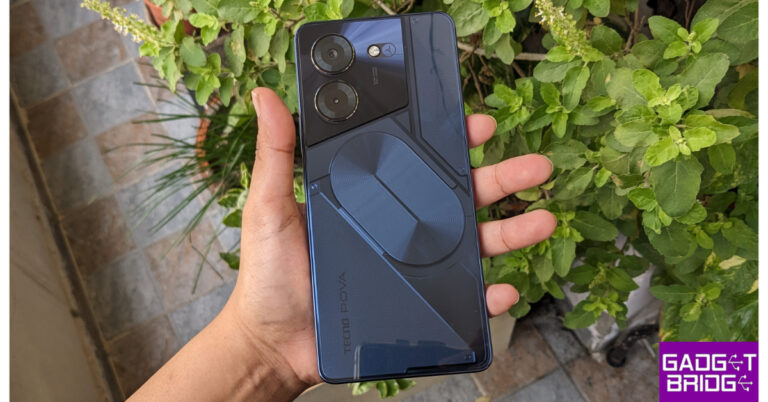
Tecno has joined the trend of LED backlights on phones. We have the Tecno Pova 5 Pro 5G this time for the review, which we have been tinkering with for more than two weeks and have essentially used it enough in every situation to know how it performs in actual day-to-day use. Tecno has nearly mastered this one well, especially when you consider the price of less than Rs 20,000. Although it is undoubtedly one of the most cost-effective devices available, nothing is flawless. Here is our review of the Tecno Pova 5 Pro 5G, in which we go over every last detail, user experience, and yes, the much-discussed design so you can decide whether or not to purchase it.
In This Article
Tecno Pova 5 Pro 5G Review: Design and Display
Everyone now claims that this resembles the Nothing Phone; to that, we would both agree and disagree. It is obvious that Nothing Phone (Nothing Phone 1 Review and Nothing Phone 2 Review)has influenced some of it. Despite RGB LED lights being placed all around the camera module, which Pova calls the Arc interface, the transparent back panel is the key design feature. When it is charging or when a call comes through these lights.In addition to having a stunning design and a 3D textured pattern (a rear panel with a cyber-inspired 3D texture), the back also features completely customizable RGB lights.The phone’s overall construction quality is excellent, and the front has Panda Glass protection.Also Read: iQOO Z7 Pro 5G Review: The best smartphone under Rs 25,000?There are two colour options for the Tecno Pova 5 Pro 5G – Silver Fantasy and Dark Illusion. For the review, we have the Dark Illusion colour choice, which is absolutely lovely and creates a deep navy blue effect in bright lighting conditions.Moving to the side, you’ll notice a flat-looking design. On the right side of the frame, above the power button with an embedded fingerprint sensor, is a volume rocker. There is an additional speaker grille at the top. It should be noted that the gadget has stereo speakers with DTS audio and that a SIM card tray on the left supports both a dual nano SIM and a microSD card, indicating that storage can be expanded.A 3.5mm audio jack, a primary microphone, a Type C port for charging, and a speaker grille are all located on the bottom.About ten 5G bands are supported by this 5G phone. The power button incorporates the side-mounted fingerprint sensor. The onboard sensor did an excellent job; it is very easily accessible in a very convenient location and unlocks fairly accurately most of the times.The 6.78-inch full-HD+ display of the Tecno Pova 5 Pro 5G supports 240Hz touch sampling rate and 120Hz refresh rate.For the pricing point, the display appears to be excellent. Particularly on the sides and top, the phone’s bezels are exceptionally tiny. You do have a little chin at the bottom, but considering the price, we consider it to be mostly acceptable.Although the display becomes bright enough for indoor usage, it is difficult to read when used outside throughout the day under direct sunlight. However, it is pretty sharp and does provide nice colour schemes.A smoother user experience is also made possible by the 120Hz refresh rate, and many of display adjustments are available in the display settings menu. The refresh rate can be changed from 60 to 90 to 120Hz. Even better, you may choose Auto Mode, which will adjust the refresh rate of the panel based on the sort of content you are viewing. Additionally, the display quality is fairly decent given the budget and is not inferior to other cheap panels.Thanks to the screen’s 1080p resolution, there is a respectable amount of detail produced. Whatever kind of content you are viewing, everything appears clear and concise, especially texts. Additionally, we have watched a few web shows and have been really pleased with the picture quality. The overall brightness may reach 580 nits, and the colour reproduction is also excellent.Also Read:Samsung Galaxy Z Flip 5 Review: Flip it good!This phone has a stereo system with the primary speaker at the bottom and the secondary on top of the frame. The voices are clean and have good audio quality. Because it includes DTS and high-res audio capabilities, the sound quality is exceptionally well-balanced overall. These speakers are also fairly loud, and there isn’t any distortion at all.You may actually use the EQ and DTS audio optimisations in the sound setting to its best.
Tecno Pova 5 Pro 5G Review: Performance and Cameras
The MediaTek Dimensity 6080 5G SoC and Mali-G57 MC2 GPU power the Tecno Pova 5 Pro 5G. There are two storage options for the Pova 5 Pro 5G: 128GB or 256GB, both come with the same 8GB of RAM. With the help of internal storage, the phone’s MemFusion feature enables RAM extension by up to 5GB. Additionally, a MicroSD card can be used to increase the internal storage.We did not experience any lags or stutters while using it on a daily basis; most of the time, it ran well. This phone was capable of doing daily tasks like accessing the home screen and opening and closing apps seemed fluid. While the 120Hz refresh rate undoubtedly improved that performance as a whole.The chipset easily handles the majority of work, and games typically run smoothly at their recommended settings. Most of your favourite titles, including BGMI, COD, and Asphalt 9, are playable. With HD graphics, we played BGMI, and the entire gameplay was enjoyable. The phone already has the Panther engine 3.0, and you can access it and change many settings by swiping from the edge of the device. During intense gaming, the phone becomes a little warm, but that is not at all problematic.The smartphone comes pre-installed with HiOS 13.1, an Android 13-based operating system. We scarcely used any of the bloatware that was pre-installed on the gadget.In addition to this, this phone has some helpful features that tweak games for faster performance, like Game Space and a section in the settings menu called Micro Intelligence that lets you manage features like Lift to Wake and Flip Mute.The phone’s best feature is its customisable LED backlight, which is accessible through the settings themselves. The settings let you choose the kind of lighting effect you want to see when a call or notification comes in. Even the party music effects are adjustable.The performance of the camera is next. We did take a few test shots for the pictures. The smartphone has a 50-megapixel main rear camera that looks to take decent pictures in both ideal and less-than-ideal lighting conditions. But in really dim light, a lot of noise is visible. An additional AI camera is present as well, but it lacks an ultra-wide lens.The 16-megapixel front camera takes decent pictures in both natural and artificial lighting conditions. The colours are vibrant, and the pictures appear to be pretty sharp.There are many different photo modes in the camera app, including portrait mode and a Smart AI mode. The phone can also record videos at high to 2K (30 frames per second) and 1080p (60 frames per second).The Tecno Pova 5 Pro 5G has a 5,000mAh battery, which lasted us under intensive use for almost a day. However, the battery life can be readily extended to a day or more with typical use.The 68W charger charges the phone completely in 49 minutes, which is a respectable amount of time for a handset priced below the 15k range. Notably, the LED backlighting also changes from red to green when the phone is running low on battery and shines red when the phone is completely charged.
Verdict
Under Rs 15,000, the Tecno Pova 5 Pro 5G is a pretty nice phone that performed admirably across the board. The best thing is that for this price you get a display with a 120Hz refresh rate that is highly responsive. LED backlights and 68W fast-charging capabilities are an excellent addition to the phone. The lack of an ultra-wide back camera sensor makes the camera section weak. If you’re searching for a low-cost phone, you should absolutely consider buying this one because it offers fantastic value overall.ProsThe phone looks beautiful120Hz displayFast chargingLED backlightConsLarge form factorNo ultra-wide cameraLow light camera performance is not great
For the latest gadget and tech news, and gadget reviews, follow us on Twitter, Facebook and Instagram. For newest tech & gadget videos subscribe to our YouTube Channel. You can also stay up to date using the Gadget Bridge Android App. You can find the latest car and bike news here.
After being banned for nearly ten months, Battleground Mobile India, aka BGMI, is officially available again in India. BGMI fans are looking for ways to improve their game experience and one such method is the usage of redemption codes, which offers a variety of rewards and advantages using BGMI redeem codes players can gain access to new skins, outfits, loot crates, weapons and free UC and diamonds.As mentioned earlier, these codes give users the chance to earn unique rewards and gain extra benefits while playing the game. This includes GUN SKINS (M4, AKM, M416, AWM, M24, UZI, KAR98K), free character voucher, Andy, Carlo, Sara, Victor character for free, free Anna Character on completing the mission and UC or Royal Pass Discount. So here we have gathered a list of the most recent BGMI redeem codes as of 18 September 2023. Also, redeem these codes asap as these are only valid for a limited duration.
In This Article
BGMI Redeem Codes for 18 September2023
updating soon…
How to get free Redeem Codes for BGMI on 18 September2023?
Launch BGMI on your device.
Then select the Redeem Code option from the main menu.
Next, click on the Redeem code tab.
A new window will open, requesting the redemption code.
Now enter your BGMI code.
Confirm and click on the “Redeem” tab.
If your redeem code is valid then you will get a message confirming that your rewards were successfully redeemed.
Garena Free Fire is a battle royale game with regular awards and tournaments to keep players interested. If you play Garena Free Fire, you should be aware of the redeem codes that are released on a daily basis. However, because the battle royale game is banned in India, players from other countries can use the Free Fire Redeem codes daily. If you’re unfamiliar with the Garena Free Fire redeem codes or don’t know how to get them, we’ve put together a step-by-step guide to help you redeem them. Check out Garena Free Fire Redeem Codes for 18 September 2023.The Free Fire redeem codes are a great way to get free stuff. These are 12-digit codes that contain alphabets and numbers, as well as an expiration date and time. Because the Garena FF redeem codes cannot be used more than once, you should hurry to the redemption page to claim your free reward before someone else does. To get a free reward, all you have to do is go to reward.ff.garena.com/en, which is the official redemption page. Also, keep an eye on this space for daily updates on Garena Free Fire redemption codes and rewards.
In This Article
Garena Free Fire Redeem Codes Today 18 September2023
updating soon…
How to Get Free Fire Redeem Codes for Garena on 18 September2023?
We live in an era where technology is embedded in almost every aspect of our lives. From the smart speakers that serenade us with music to the intelligent thermostats that keep us cosy, our homes are becoming increasingly connected. But amid this surge in smart home adoption, there’s a component that has often been relegated to the corporate world: digital signage. It’s time to reassess that notion and bring digital signage into the fold of the modern smart home.
In This Article
Why Digital Signage?
Digital signage has been primarily used in commercial settings such as retail spaces, airports, and corporate environments. Still, its application within the home is an untapped potential just waiting to be unlocked. The common perception that digital signage is an enterprise-level luxury is, at best, outdated. At its core, digital signage serves as an interactive, dynamic bulletin board that can provide an array of information. In a home setting, think of it as a much more sophisticated version of the fridge magnet to-do list.
Mounted on your wall, a digital signage display can show everything from real-time weather updates and local traffic conditions to a rotating gallery of family photos. Integrating a calendar, it can also remind you of upcoming appointments, school activities, and social commitments. It can even display energy consumption metrics, helping you understand and manage your household utilities more efficiently.
Integration with Smart Home Ecosystems
The real charm of home-based digital signage is its capability to merge seamlessly into existing smart home ecosystems. For Apple aficionados, an older iPad can be mounted on the wall to serve as a dedicated display. With Apple’s Shortcuts, HomeKit, and Apple TV you can program complex automation, such as having the screen automatically show your work calendar and to-do list when you step into your home office. Just learn an Apple TV guide from Kitcast and try to make your home smarter.
On the other hand, if you’re committed to Google’s ecosystem, Android tablets can be turned into Google Assistant-powered digital signage using various third-party apps. They can interface with your Google Calendar, Google Photos, and even Nest smart home products to create a unified and interactive digital experience.
Options for Every Budget
Once a high-cost affair, digital signage is now accessible for every budget. On the lower end of the spectrum, even a used or refurbished iPad or Android tablet can suffice as a basic digital display. For a more durable and visually appealing setup, commercial-grade digital displays connected to a mini-PC or a Mac Mini offer more robust solutions. Software options range from open-source platforms like Xibo to premium services like Screenly, giving you flexibility in how you manage your displays.
The Future is Voice-Controlled
Voice-controlled digital signage is emerging as a game-changer. The convenience of asking Siri, Alexa, or Google Assistant to show your daily schedule, grocery list, or even recent security camera footage on a large display is compelling. This feature transforms digital signage from a passive display to an interactive part of your daily routine. We’ve already seen precursors to this with devices like Amazon’s Echo Show and Google’s Nest Hub, but these are merely the tip of the iceberg.
Security and Privacy
As with any connected device, security and privacy are crucial factors to consider. While the risk with digital signage is generally low, ensure that your devices and connected services follow best practices in terms of data encryption and secure login methods. A secure smart home is an efficient smart home.
Final Thoughts
In today’s smart home landscape, where convenience and automation reign supreme, digital signage offers an exciting avenue for expansion. It moves us beyond simple command-based interfaces to a world where vital, personalized information is always at our fingertips—or even presented to us before we realize we need it.
Whether you’re new to smart home technology or you’ve got your home running like a well-oiled machine, digital signage provides an opportunity to add a layer of sophistication and utility that few have yet explored. With various options to suit all budgets, coupled with increasingly seamless smart home integration capabilities, digital signage promises to be the next big thing in home tech. Isn’t it time you got on board?
For the latest gadget and tech news, and gadget reviews, follow us on Twitter, Facebook and Instagram. For the newest tech & gadget videos subscribe to our YouTube Channel. You can also stay up to date using the Gadget Bridge Android App. You can find the latest car and bike news here.
Losing important text messages on your iPhone can be a deeply frustrating experience. Accidentally deleting a conversation filled with memories or critical information is one of the most unpleasant experiences you can find yourself in. This guide is designed to assist you in the event of such a loss.
Our goal is to equip you with the knowledge and tools necessary to retrieve deleted text messages iPhone without backup. We’ll walk you through the process step by step, ensuring that you have a clear understanding of each method. Whether you’re dealing with the loss of sentimental conversations or essential information, this guide has you covered.
In This Article
Can You Recover Deleted Texts on iPhone Without a Backup?
The idea of recovering deleted text messages on your iPhone without a backup might seem impossible, but it’s entirely feasible. It’s essential to understand that when a message is deleted, it doesn’t vanish instantaneously. Instead, iOS employs a clever mechanism; it marks the message as “deleted” and conceals it from immediate view. This approach creates a valuable window of opportunity to retrieve deleted text messages from iPhone without backup.
When a text is deleted on your iPhone, it’s marked as “deleted” but hidden. If new data doesn’t overwrite it, the message can be recovered.
So, to answer the question, yes, you can recover deleted text messages on your iPhone without a backup. Now let’s dive into some strategies and steps that will help you answer the query “ How to retrieve deleted text messages on iPhone 13 without iCloud?”
5 Simple Methods to Retrieve Deleted Text Messages on iPhone
Facing the loss of crucial text messages on your iPhone can be a daunting situation. However, you don’t have to despair because there are five reliable and user-friendly methods at your disposal to recover those deleted messages, even when you don’t have a backup. Let’s explore these solutions and bring back your valuable messages in no time.
1. Check Your Other Apple Devices
Using other devices such as Mac or iPad will also let you locate deleted messages; Here is how:
Mac
For Mac, you can recover deleted text messages from your iPhone on a Mac, through the built-in synchronization feature. Here’s how:
Open the Messages app on your Mac.
Confirm that you’re signed in with the same Apple ID.
Locate the specific conversation containing the deleted messages.
Identify deleted messages
Select messages for recovery and click on the desired messages.
Initiate recovery through the “Recover” or similar option.
Confirm recovery to restore the deleted messages.
iPad
For your iPad, you can use the same synchronization feature. Simply:
For your iPad, you can use the same synchronization feature. Simply:
Launch the Messages app on your iPad.
Ensure you’re using the same Apple ID.
Find the chat with the deleted messages.
Spot deleted messages in the chat.
Tap on the messages you want.
Start the retrieval through the “Recover” button.
Confirm to restore the deleted messages.
2. Utilize the Recently Deleted Folder in the Messages App
Apple has released a valuable feature within the Messages app: the Recently Deleted folder. This addition offers a lifeline for those wondering how to retrieve deleted text messages on iPhone 13 or other models with iOS 16, iPadOS 16.1, or later. Here’s a comprehensive guide on how to make the most of this feature:
Launch the Messages App: Begin by opening the Messages app on your iOS device. This can be accomplished from your device’s home screen.
Access Additional Options: Navigate to the upper-right corner of the Messages app interface. Here, you’ll find a menu denoted by “More.” Tap on it to access a range of additional features.
Initiate Message Recovery: Within the expanded menu, you’ll discover an option labeled “Edit.” Select this option to initiate the message recovery process.
Explore the Recently Deleted Section: After selecting “Edit,” you’ll notice an area known as the “Recently Deleted” section. Click on it to access the digital repository.
3. Retrieve Messages from Your iCloud Backup
Your iCloud backup is a digital safety net that can prove invaluable when you accidentally delete important text messages from your iPhone. This method provides a secure and straightforward way to recover those cherished messages. Here are the steps to retrieve text messages from your iCloud backup:
Check iCloud Backups: Start by accessing your iPhone’s settings and tapping on your Apple ID, then go to iCloud > Manage Storage. Here, you’ll find a list of iCloud backups. Look for a backup with a date and time that precedes the loss of your messages.
Confirm iCloud Backup: Ensure that your deleted messages are included in the selected iCloud backup.
Reset Your iPhone: Return to the Settings menu, then tap on General > Transfer or Reset iPhone > Erase All Content and Settings.
Erase Content: Confirm the action by tapping “Continue” and enter your lock screen passcode. Your iPhone will begin the erasing process, which may take some time to complete.
Set Up Your iPhone: Once your iPhone restarts, go through the initial setup process.
Restore from iCloud Backup: When you reach the “Apps & Data” screen during setup, tap on “Restore from iCloud Backup.”
Sign In to iCloud: Sign in with your Apple ID and password to access your iCloud backups.
Select Backup: Choose the appropriate iCloud backup from the list, the one you confirmed contains your deleted messages.
Start Restoration: Allow your iPhone to restore messages from the selected iCloud backup. This process may take some time depending on the backup size and your internet connection.
4. Recover Deleted Text Messages on iPhone Without a Backup Using UltData
What if you haven’t backed up your iPhone or don’t have any backups? Don’t worry; there’s still hope to retrieve your deleted texts without a backup.
UltData’s Key Features:
Recovers lost data without a backup.
Supports various data types, including text messages.
User-friendly interface.
Steps for Recovering Deleted Text Messages Using UltData:
Thanks to Tenorshare UltData, you can effortlessly recover your lost messages on your iPhone. Here’s how:
Begin by downloading and installing Tenorshare UltData on your computer.
Utilize the original data cable to connect your iPhone to your computer. UltData will promptly detect your iOS device and help with your iPhone Data Recovery.
Click Recover Data from iTunes Backup.
UltData will display messages and data for you to look through, so choose accordingly.
After selecting the messages you need, click the “Scan” button.
Wait for UltData to do the work.
UltData will display all scanned messages categorized accordingly. You can choose to “Show All” or “Show Only Deleted” messages. To save time, select the deleted or lost data you wish to recover.
With Tenorshare UltData, you can regain your lost messages swiftly and efficiently, even if you don’t have a backup.
5. Retrieve Deleted Text Messages from Your Computer Backup
Using either Finder (macOS Catalina and later) or iTunes (Windows or macOS Mojave and earlier), there’s a straightforward method to retrieve deleted text messages from these backups:
Connect Your iPhone: Begin by connecting your iPhone to your computer.
Open Finder or iTunes: Depending on your computer’s operating system, launch either Finder (for macOS Catalina and later) or iTunes (for Windows or macOS Mojave and earlier).
Select Your Device: In the Finder sidebar, you should see your iPhone listed under “Locations.” Click on your iPhone’s name. In iTunes, your iPhone should appear as an icon in the upper left corner. Click on it to select your device.
Choose “Restore Backup”: Look for the option labeled “Restore Backup” and select it.
Pick the Appropriate Backup: A list of available backups will be presented to you. Choose the one that corresponds to the time when your text messages were still intact.
Click “Restore”: Finally, click on the “Restore” button to initiate the restoration process.
By following these steps, you can effortlessly recover your deleted text messages from your computer backup, whether you use Finder or iTunes, depending on your system.
Conclusion
The ability to retrieve deleted text messages from your iPhone, even without a backup, is within your reach. From using third-party recovery software to exploring cloud-based options, we’ve covered the full spectrum of approaches to retrieve deleted text messages iPhone without backup.
Whether you opt for the convenience of checking other devices, utilizing the Recently Deleted folder, or harnessing the power of UltData, you have viable options. It’s essential to remember that acting promptly increases your chances of successful message recovery!
FAQs
Why Don’t My iPhone Show Recently Deleted Messages?
Recently deleted messages may not appear if they’ve been permanently deleted or if the recovery window has elapsed.
Indian consumer technology brand Crossbeats today announced the launch of a brand new smartwatch Monarch in India. The Crossbeats Monarch Smartwatch, which is a perfect mix between business and trendy design has a round AMOLED display. It is available in various colour options. It comes with Bluetooth Calling, powered by ClearComm technology. In addition to this, it is said to offer 10 days of battery life.
In This Article
Crossbeats Monarch Smartwatch price in India and availability
The Crossbeats Monarch Smartwatch has been launched in India with a price tag of Rs 2,999. The device is available in four different colours: Black, Gold, and Silver with Green Bezel and Silver. It can be purchased via the company’s website.
Crossbeats Monarch Smartwatch features
Crossbeats Monarch features a dual-tone ceramic bezel and stainless-steel strap. It sports a 1.43-inch round AMOLED display with 360×360 pixels of resolution. The screen offers 700 nits of peak brightness. Always on display is also accessible. It has an aeronautical metal case and water resistance function. Additionally, Monarch offers more than 150 stylish watch faces to suit your style and mood.The AI data tracking, offers real-time training information for over 123+ activities. Monarch’s 4th generation biosensor chip, which accurately measures heart rate, blood pressure, SpO2, and sleep patterns, adds to the features of this high-end smartwatch.The Monarch features Advanced Bluetooth Calling, powered by ClearComm technology. It has support for voice assistant that makes multitasking simple for users. With a 240 mAh battery and a battery life of up to 10 days of active use and 20 days of standby, the recently released Monarch Smartwatch keeps you far from charging issues.Crossbeats Monarch Smartwatch keeps you active and tracks your progress in real time thanks to 125 sports options and AI health tracking. Additionally, the smartphone offers a voice assistant with integration for Siri and OK Google.Mr. Abhinav Agarwal, Co-founder of Crossbeats, expressed his enthusiasm, saying, “We are excited to introduce the Monarch smartwatch, which offers a unique combination of style and functionality to the working professionals. Our team has put immense effort into designing a product that not only looks premium but also delivers top-notch performance, making it the ultimate smartwatch experience for our customers.”
For the latest gadget and tech news, and gadget reviews, follow us on Twitter, Facebook and Instagram. For newest tech & gadget videos subscribe to our YouTube Channel. You can also stay up to date using the Gadget Bridge Android App. You can find the latest car and bike news here.
The brand-new iPhone 15 series officially debuted in India on Tuesday and is now up for pre-orders. At its Wonderlust event, Apple introduced a total of four devices iPhone 15, iPhone 15 Plus, iPhone 15 Pro, and iPhone 15 Pro Max. The former two are powered by A16 bionic chipset while the latter two come with the latest A15 Pro processor. In addition to this there is a new customisable Action Button on both the pro variants and all the models in the lineup now have USB Type-C charging ports.In India, the base edition of the iPhone 15 with 128GB of storage costs Rs 79,900. The iPhone 15 Plus with similar storage is priced at Rs 89,000. Both phones come with storage capacities of 128GB, 256GB, and 512 GB. They are available in Black, Blue, Green, Pink, and Yellow colour variants.The price of the iPhone 15 Pro, on the other hand, starts at Rs. 1,39,900 for the base model with 128GB of storage. Whereas the iPhone 15 Pro Max starts at Rs. 1,59,900 for 256GB of storage. Both the pro versions will be available with storage capacities of 256GB, 512GB and 1TB. In addition to this, they will have Black Titanium, Blue Titanium, Natural Titanium, and White Titanium finishes.All the devices are scheduled to go on sale from September 22 in India.Also Read:Those who own Chromebooks will receive 10 years’ of automatic upgrades starting from 2024
In This Article
iPhone 15, iPhone 15 Plus specifications
The iPhone 15 features a 6.1-inch Super Retina XDR OLED display whereas there is a 6.7-inch Super Retina XDR OLED display on the iPhone 15 Plus. The display is layered with a Ceramic Shield for protection. The Dynamic Island, which was first featured on the iPhone 14 Pro models last year, has also been added by Apple to the iPhone 15 and Plus. The handset features an IP68 classification for dust and water protection. The A16 Bionic chip which powered Apple’s iPhone 14 Pro models last year, is found in the new iPhone 15 and iPhone 15 Plus.The main camera of the iPhone 15 and iPhone 15 Plus models is a 48-megapixel wide-angle camera with a 2um quad-pixel sensor and an f/1.6 aperture. Additionally, the device has a 12-megapixel ultra-wide camera with sensor-shift stabilisation and an f/1.6 aperture.On the front, there is a 12-megapixel TrueDepth camera for selfies and video calls. The device features a USB Type-C port instead of the company’s exclusive Lightning connector.
iPhone 15 Pro, iPhone 15 Pro Max specifications
The Super Retina XDR OLED screens on the iPhone 15 Pro and iPhone 15 Pro Max measure 6.1 inches and 6.7 inches, respectively. The screen has 2,000 nits of peak brightness. The display on the devices uses Apple’s Ceramic Shield material for protection. In addition, they provide a new Action button that takes the place of the Mute switch and can be used for a variety of various activities.In addition to this, there is an IP68 grade for protection from water and dust. Under the hood, there is Apple’s brand-new 3nm A17 Pro processor.A 48-megapixel wide-angle camera with an f/1.78 aperture, and a 12-megapixel, ultra-wide-angle camera with f/2.2-aperture is available on both iPhones. However, there is a 12-megapixel 3x telephoto camera on the iPhone 15 Pro and the Pro Max features a 12-megapixel periscope camera with an f/2.8 aperture and 5x optical zoom capability. The 12-megapixel TrueDepth camera in the Pro versions of the iPhone 15 series has an aperture of f/1.9 for selfies.The iPhone 15 Pro and iPhone 15 Pro Max have a USB Type-C port with USB 3.0 speeds, just as the standard models. It allows data transfer rates of up to 10 Gbps. For the latest gadget and tech news, and gadget reviews, follow us on Twitter, Facebook and Instagram. For newest tech & gadget videos subscribe to our YouTube Channel. You can also stay up to date using the Gadget Bridge Android App. You can find the latest car and bike news here.
Google has good news for Chromebook users. The tech giant has officially confirmed that it will be extending the duration of upcoming updates to improve security and would henceforth receive routine, automatic upgrades every four weeks. Previously it was providing software updates for up to 8 years but it has now the number of years has been extended to 10. Not just that new ChromeOS updates for Chromebooks will hasten the repair procedure.Google via its blog post has announced that it will offer improved security features and 10 Years of automatic updates for Chromebooks, but there’s a catch Google has announced that all Chromebooks released in 2021 or after will now receive 10 Years of automatic updates beginning in 2024.“Today, we’re announcing new ways to keep your Chromebooks up and running even longer. All Chromebook platforms will get regular automatic updates for 10 years — more than any other operating system commits to today.”Every four weeks, Chromebooks automatically receive updates that increase security and lengthen the lifespan of your laptop. And starting in 2024, Google will prolong these automatic upgrades for another ten years, ensuring that your Chromebook has improved security, reliability, and functionality.Additionally, Google disclosed that it is collaborating with partners to create Chromebooks with more post-consumer recycled materials (PCR), as well as introducing new, power-saving features and quicker repair procedures. It will also help schools, businesses, and regular people locate the best recycling alternative after their useful lives are through.Users and IT administrators will have the choice to prolong automatic updates to 10 years from the platform’s release for Chromebooks released before 2021 that are already in use (after they receive their last automated update).A Chromebook still comes with strong, built-in security measures even if automatic updates are no longer provided. Your Chromebook performs a self-check each time it starts up with Verified Boot, for instance. It will typically repair itself, returning to its initial state, if it notices that the system has been altered or corrupted in any manner.Google will shortly roll out new repair processes that will enable licenced repair facilities, particularly in the US, to fix Chromebooks without an actual USB key. Therefore, this will save the time needed for software repairs by almost 50%.In the upcoming months, Google will introduce new, energy-efficient capabilities to the vast majority of compatible platforms in an effort to make Chromebooks more environmentally friendly. Battery saver will minimise or stop energy-intensive processes, while adaptive charging will assist in maintaining the health of the battery.
For the latest gadget and tech news, and gadget reviews, follow us on Twitter, Facebook and Instagram. For newest tech & gadget videos subscribe to our YouTube Channel. You can also stay up to date using the Gadget Bridge Android App. You can find the latest car and bike news here.
After being banned for nearly ten months, Battleground Mobile India, aka BGMI, is officially available again in India. BGMI fans are looking for ways to improve their game experience and one such method is the usage of redemption codes, which offers a variety of rewards and advantages using BGMI redeem codes players can gain access to new skins, outfits, loot crates, weapons and free UC and diamonds.As mentioned earlier, these codes give users the chance to earn unique rewards and gain extra benefits while playing the game. This includes GUN SKINS (M4, AKM, M416, AWM, M24, UZI, KAR98K), free character voucher, Andy, Carlo, Sara, Victor character for free, free Anna Character on completing the mission and UC or Royal Pass Discount. So here we have gathered a list of the most recent BGMI redeem codes as of 16 September 2023. Also, redeem these codes asap as these are only valid for a limited duration.
In This Article
BGMI Redeem Codes for 16 September2023
updating soon…
How to get free Redeem Codes for BGMI on 16 September2023?
Launch BGMI on your device.
Then select the Redeem Code option from the main menu.
Next, click on the Redeem code tab.
A new window will open, requesting the redemption code.
Now enter your BGMI code.
Confirm and click on the “Redeem” tab.
If your redeem code is valid then you will get a message confirming that your rewards were successfully redeemed.
Garena Free Fire is a battle royale game with regular awards and tournaments to keep players interested. If you play Garena Free Fire, you should be aware of the redeem codes that are released on a daily basis. However, because the battle royale game is banned in India, players from other countries can use the Free Fire Redeem codes daily. If you’re unfamiliar with the Garena Free Fire redeem codes or don’t know how to get them, we’ve put together a step-by-step guide to help you redeem them. Check out Garena Free Fire Redeem Codes for 16 September 2023.The Free Fire redeem codes are a great way to get free stuff. These are 12-digit codes that contain alphabets and numbers, as well as an expiration date and time. Because the Garena FF redeem codes cannot be used more than once, you should hurry to the redemption page to claim your free reward before someone else does. To get a free reward, all you have to do is go to reward.ff.garena.com/en, which is the official redemption page. Also, keep an eye on this space for daily updates on Garena Free Fire redemption codes and rewards.
In This Article
Garena Free Fire Redeem Codes Today 16 September2023
updating soon…
How to Get Free Fire Redeem Codes for Garena on 16 September2023?
Redmi has officially announced the launch of a brand-new smart TV in India. The Chinese electronics company has introduced a new smart TV, known as Redmi Smart Fire TV 4K, which will run on Amazon Fire OS. It is said to provide a true-to-life viewing experience with 4K Ultra HD resolution along with HDR support. The device will be available in a single 43-inch screen size and supports Dolby Audio DTS: Virtual X and DTS-HD technology.
In This Article
Redmi Smart Fire TV 4K 43-inch price in India and availability
Xiaomi India unveiled a 43-inch Redmi Smart Fire TV4K model. It will have a screen size of 43 inches. With HDR 10 and HLG compatibility, the Redmi Smart Fire TV 4K offers 4K Ultra-High Definition for the most accurate colour and contrast.It has the in-house Reality Flow MEMC engine from Xiaomi India, which scans image frames and interpolates frames to produce smooth, blur-free visuals when consuming frantic material. The brand-new television has a potent 24-Watt speaker system that supports DTS: Virtual X, Dolby Audio, and DTS-HD technologies, allowing users to experience unprecedented levels of clarity, depth, and detail across a larger sound stage.A Quad Core A55 Processor powers the Redmi Smart Fire TV 4K 108cm, enabling jitter-free and seamless video watching.By integrating live TV from customers’ DTH set-top boxes on the home screen, Redmi Smart Fire TV 4K enables users to instantly navigate between DTH TV channels and OTT apps by just asking Alexa. This eliminates the need to change TV inputs, use the set-top box remote control, or connect additional IR connections. The new TV also supports Miracast and Apple Airplay, enabling casting from Android and Apple iPhones, respectively.Customers may monitor feed from their Alexa-compatible security cameras on the TV in full screen or Picture-in-Picture on top of their video thanks to Picture-in-Picture technology found in the Redmi Smart Fire TV 4K 43-inch.With Amazon’s Fire TV built-in, consumers of the recently released Redmi Smart Fire TV 4K 43-inch model may stream more than a million movies and TV episodes from 12,000+ applications, including Prime Video, Netflix, Disney+ Hotstar, Jio Cinema, Zee5, and others (subscriptions may be necessary). Customers may also view prominent live channels like Aaj Tak, Zed News, India Today, and more for free via Zee5, DD National via nexGTV, Kids First, Red Bull TV, and other platforms. Amazon miniTV is also available for streaming. Customers may simply view TV serials, live news, or browse the channel guide all in one spot with the help of the Live tab and On Now row.Additionally, it has unrestricted connectivity choices such as Dual-Band Wi-Fi, Bluetooth 5.0 connectivity, an optical port, 3 HDMI ports, 2 USB ports, an AV port, and an earphone port. The television also comes with a brand-new remote control that makes it simple to use for a variety of controls and functionalities. TV Guide, Playback controls, Channel up/down, Mute, and shortcuts to well-known apps are among the buttons.
For the latest gadget and tech news, and gadget reviews, follow us on Twitter, Facebook and Instagram. For newest tech & gadget videos subscribe to our YouTube Channel. You can also stay up to date using the Gadget Bridge Android App. You can find the latest car and bike news here.
The second Galaxy Unpacked event of the year saw the release of Samsung’s new line of foldables along with the new Galaxy Watch series. The Samsung Galaxy Watch6 Classic (read our review here) brought back the crowd-favourite physical bezel and featured some minor upgrades under the hood. The base variant of the Galaxy Watch6 sticks with the digital bezel of the previous generation but gets the vital processor upgrade and a minor boost to the RAM. We’ve been using this smartwatch for the last week, here is our in-depth Samsung Galaxy Watch6 review.Read Also:Vivo T2 Pro 5G confirmed to launch in India on September 22
In This Article
Samsung Galaxy Watch6 review: Design and Display
The unboxing experience of the Watch6 is similar to the Classic variant. Inside the sleek rectangular box, you’ll find the smartwatch with the bands attached to it. You also get the wireless charger and some reading material along with the device. The Galaxy Watch6 is available in two size variants – 40mm and 47mm. You can also choose between LTE and Bluetooth connectivity options.There are no major design changes on the Galaxy Watch6. The smartwatch carries forward the simple, minimalistic features of the previous generation. After having used the Watch6 Classic for a week, we really enjoyed how lightweight the regular variant is. The 44mm size variant weighs 33g. In comparison, the 47mm Watch6 Classic weighs 59g. We preferred the base variant for sleep tracking because it was very comfortable to wear to bed. While you eventually get used to the weight of the Watch6 Classic, wearing it to sleep can be challenging.The silicone watch band of the Samsung Galaxy Watch6 uses the traditional pin and buckle design. Instead of resting in an adjustable loop, the watch band goes under the strap after being buckled. Unlike the Watch6 Classic, the watch band on the regular variant does not get a faux leather finish. This should not bother the users who plan on putting the watch through rugged use.As always, the Super AMOLED display is the star of the show. The sapphire glass protection ensures that this display can absorb a few good knocks. The smartwatch did not register any scratches on the display during the time we used it. The 1.5-inch display is slightly larger than the 1.4-inch unit on the Watch5 (read our review here). Since there is no physical bezel around the display, the edge controls are much smoother. The touch-sensitive digital bezel on the Watch6 covers the same range of functionalities as the physical one on the Classic variant. While it can’t replicate the feel of a physical rotation, it is still a nice addition.At the bottom panel of the dial lie the all-familiar heart rate, temperature, and SpO2 sensors. The microphone and the speaker grille flank the sides of this panel. There are two buttons on the right edge of the frame. The top button can be used to trigger Bixby or go to the home screen. The bottom button acts as a back shortcut key. These buttons also contain the BioActive sensors.Samsung Galaxy Watch6 is rated IP68 for dust and water resistance. It can also withstand any water damage up to 50m. Swimming in deep waters should not present any problems to the smartwatch. We had it strapped while hiking, swimming, and working out. Not only was the Watch6 unfazed by any amount of water or sweat, but it also provided a very comfortable fit across the board.
Samsung Galaxy Watch6 review: Performance
The Samsung Galaxy Watch6 gets its biggest upgrade under the hood since the Watch4 series. The smartwatch is now powered by the Exynos W930 chipset. The RAM has been bumped up to 2GB as well. The internal storage of 16GB is optimum for running all the necessary apps on the watch. OS duties are handled by Android Wear OS 4 with One UI Watch 5. The updates to the OS are very minor.The upgraded chipset is a welcome addition to the Watch6. The smartwatch is snappier than ever before and navigating through the widgets and health functions is a very seamless process. The flat display surface does not feel awkward to use or type on at all. Taking calls and responding to WhatsApp messages on the watch was a breeze. While the onscreen keyboard is still limited in its functionality due to the screen’s real estate, its voice typing feature is a lifesaver.There are no major changes to the OS, which is a bit disappointing. Samsung is a victim of its own success here because at this point there is not a lot it can do to improve the UI of the smartwatch or add any out-of-the-world features to it. Instead, it has made the OS more refined and easier to use. You can now connect your Galaxy Watch to two smartphones, which is good news for people who use multiple mobile devices at once.For those who are reading this review after watching the Apple Watch Series 9 presentation, you’d be pleased to know that the Galaxy Watch has features similar to the Double Tap gesture on the Apple Watch. After turning on the gesture controls, you can shake your arm twice to pick up a call and rotate your wrist to hang up. You can also nod your fist twice to open any health-tracking function or app of your choice.The health and fitness tracking features of the Samsung Galaxy Watch6 remain ahead of the competition. The smartwatch is ultra-efficient at tracking your steps and distance covered while walking. You can track most gym workouts, dance routines, and sports using the Watch6. It even gives you the option to create your own workout routine.The Samsung Galaxy Watch6 series also has the best set of sensors we’ve seen on any Android smartwatch. Readings from the heart rate monitor and SpO2 sensor were on par with medical-grade equipment. The blood pressure tracking feature is still not available in India, which is disappointing. The BioActive sensors on the two buttons on the dial can calculate your body fat percentage. While we can’t really speak to the accuracy of these figures, you can use them as a metric to track your progress rather than an actual representation of your body composition.The app support for the Samsung Galaxy Watch6 is phenomenal as well. You will need the Samsung Wearable app to manage the smartwatch and customise its settings. The Samsung Health app is dedicated to diving deep into the health and fitness metrics that the watch tracks for you. We really liked the detailed sleep reports that the watch generated for us. You can even track your snoring activity (the watch uses your smartphone’s mic to record them) for a more comprehensive report. The sleep reports display your heart rate and blood SpO2 levels while sleeping and break down the cycle into deep sleep and REM sleep periods.The new Samsung Galaxy Watch6 packs a 425mAh battery, which is slightly larger than the one on the Watch5. The smartwatch easily lasts an entire day, but there is still room for improvement. With Always On Display turned on, the battery life takes a hit. On days we used the watch to track workouts for a couple of hours, we had to charge it for a while just to ensure it didn’t die out while tracking the sleeping cycle.Read Also:CMF by Nothing officially confirmed to launch in India on September 26
Verdict
The Samsung Galaxy Watch6 is the ideal Android smartwatch for people who place efficiency and performance above everything else. Sure, it misses out on the physical bezel and the flashy watch band of the Watch6 Classic, but we feel that it works in its favour. Being lighter than the Watch6 Classic, you wouldn’t mind wearing this watch to bed to track your sleep activity. Its minimal design and comfortable no-nonsense strap are perfect for rugged use. The price tag of Rs 29,999 is a bit steep, but you’re getting the best smartwatch that Android has to offer.


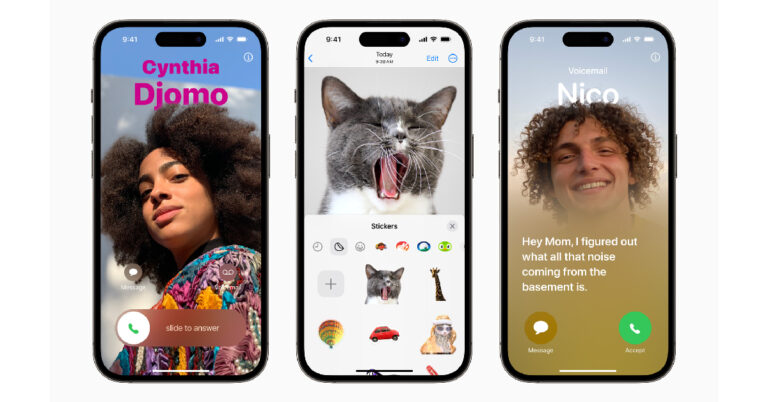
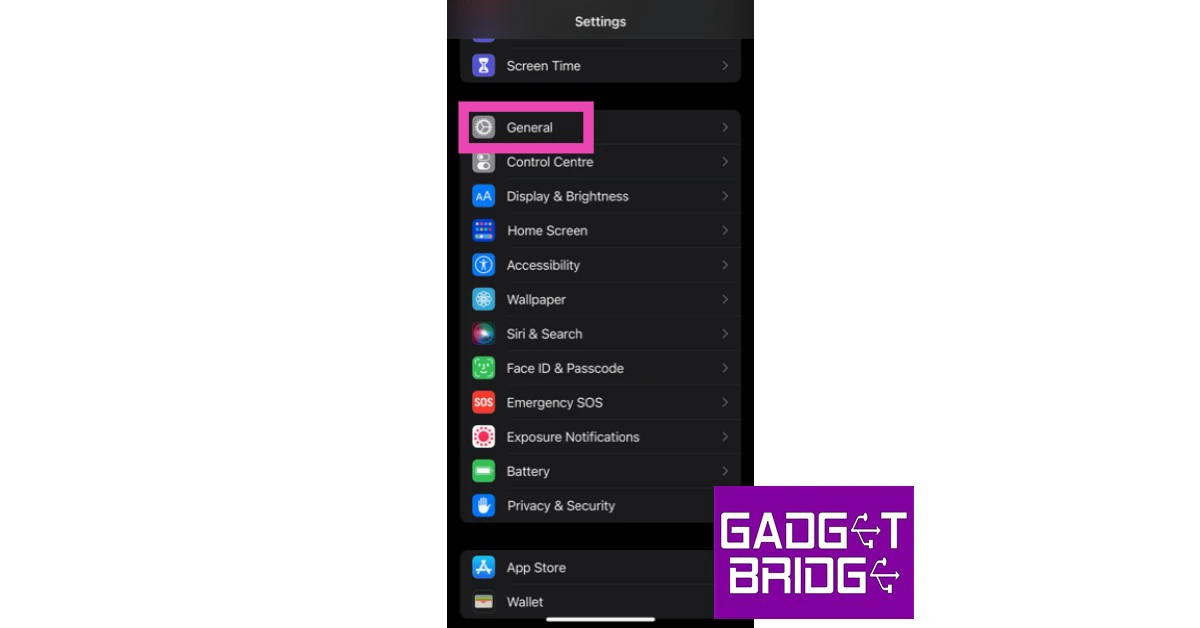 Step 2: Scroll down and select Transfer or reset iPhone.
 Step 3: Select Reset followed by Reset Network Settings.

 Step 3: Select iOS 17.
 Step 4: Tap on Delete Update.
Step 5: Now, go to General>Software Update to download iOS 17 again.
Step 4: Tap on Delete Update.
Step 5: Now, go to General>Software Update to download iOS 17 again.

 If you’re unable to install iOS 17 on your iPhone from the Software Update page in device settings, try using iTunes instead. You will need to connect your iPhone to your Mac to carry out this process.
Step 1: Connect your iPhone to your Mac using a lightning cable.
Step 2: Click on your iPhone’s device name from the menu.
Step 3: Go to the Summary tab and click on Check for updates.
Step 4: Hit Update to download and install iOS 17 on your iPhone.
If you’re unable to install iOS 17 on your iPhone from the Software Update page in device settings, try using iTunes instead. You will need to connect your iPhone to your Mac to carry out this process.
Step 1: Connect your iPhone to your Mac using a lightning cable.
Step 2: Click on your iPhone’s device name from the menu.
Step 3: Go to the Summary tab and click on Check for updates.
Step 4: Hit Update to download and install iOS 17 on your iPhone.

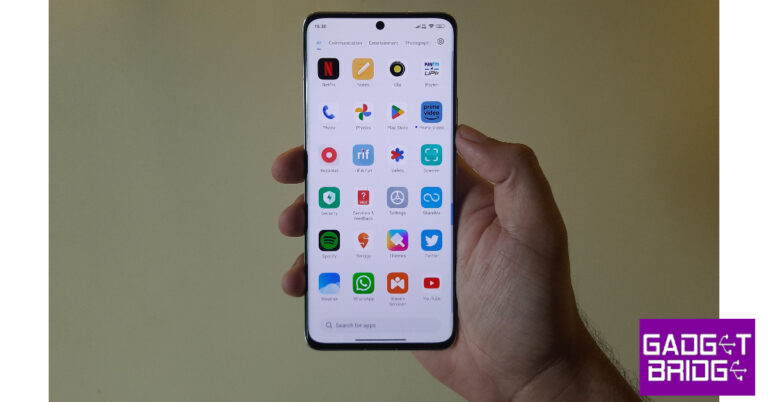
 Step 1: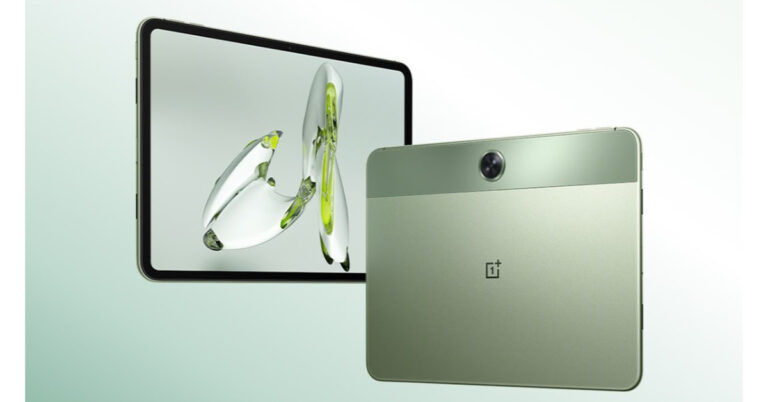



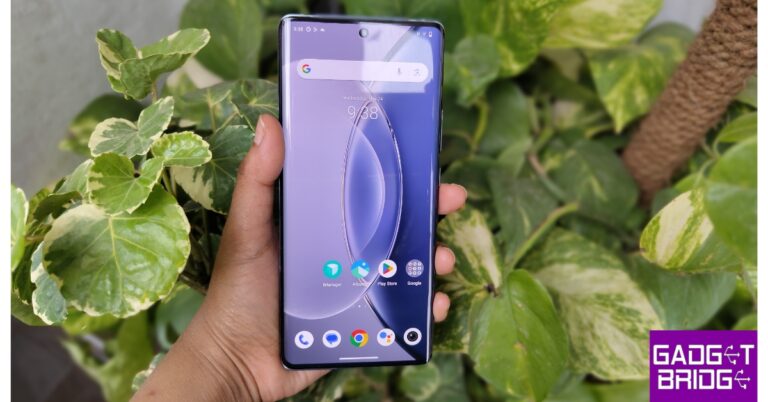
 Step 2:
 Step 3:
 Step 5: Turn on
 Step 6: Turn off

 Step 3:
 Step 4:
 Step 5:
 Step 3:
 Step 4:
 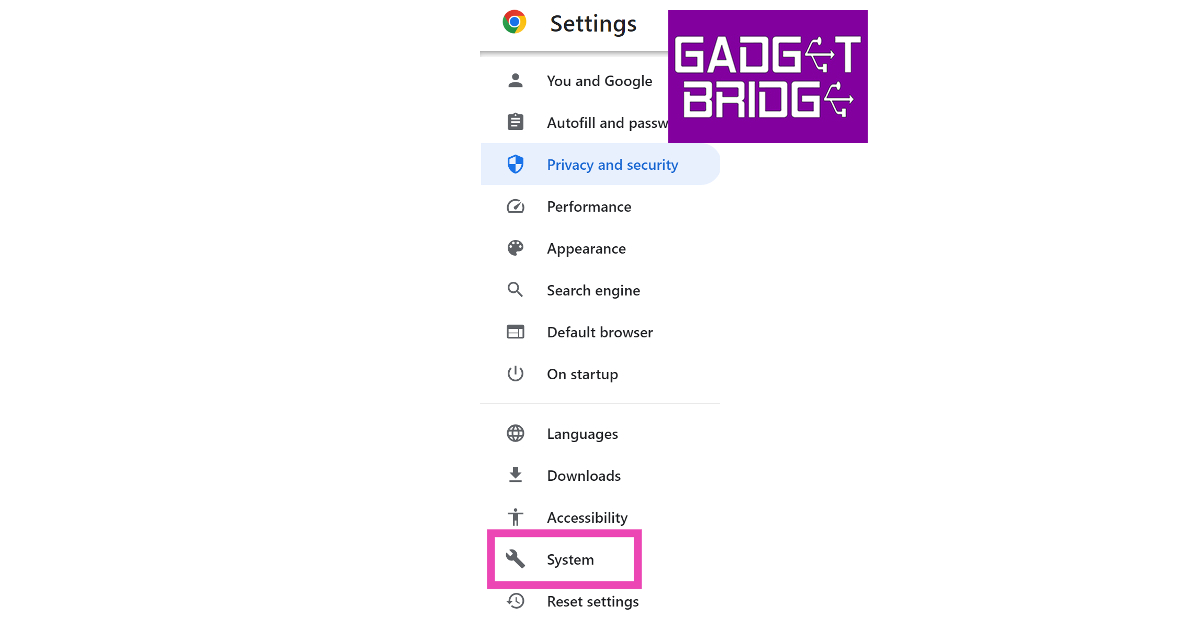 Step 4: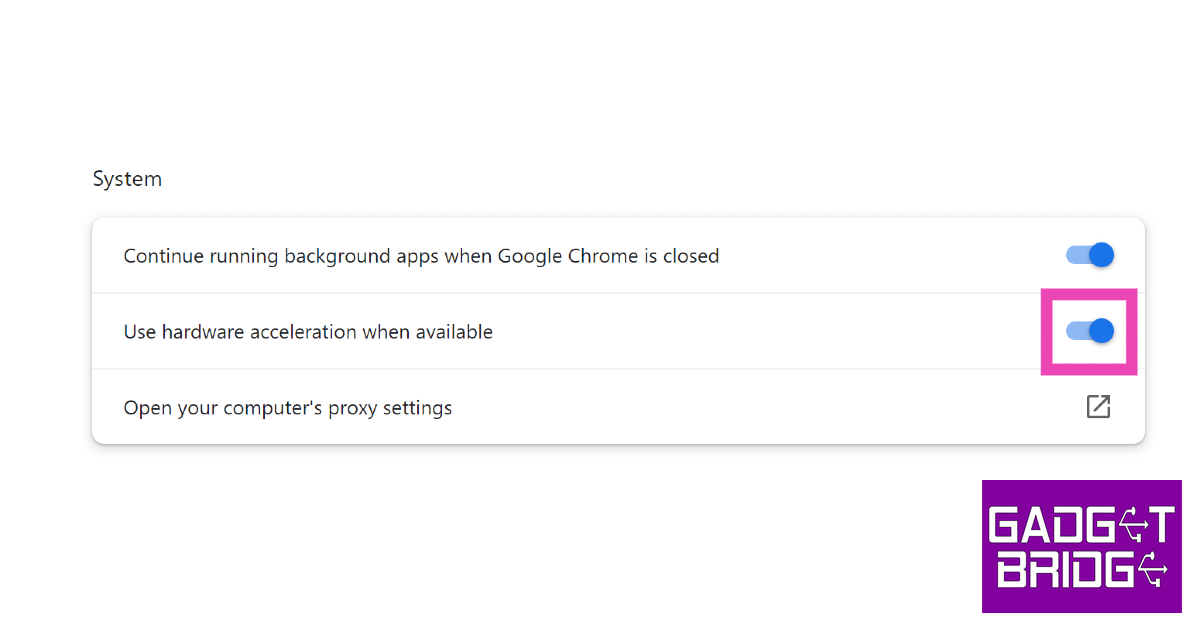


 If you’re using an older version of Google Chrome, it may keep YouTube videos from loading at an acceptable speed. Older versions are typically laggy and full of bugs. Click the red arrow icon in the top-right corner of the screen to update Google Chrome to its latest version. If you don’t see this red arrow, click the ellipses and go to Help>About Google Chrome to check for new updates.
 It is possible that the issue does not lie with Google Chrome but with your PC. You can check the task manager to find out which programs are occupying the RAM or simply restart the PC to give it a quick refresh. Rebooting the PC also takes care of background glitches and quirks that may be causing issues with Google Chrome.
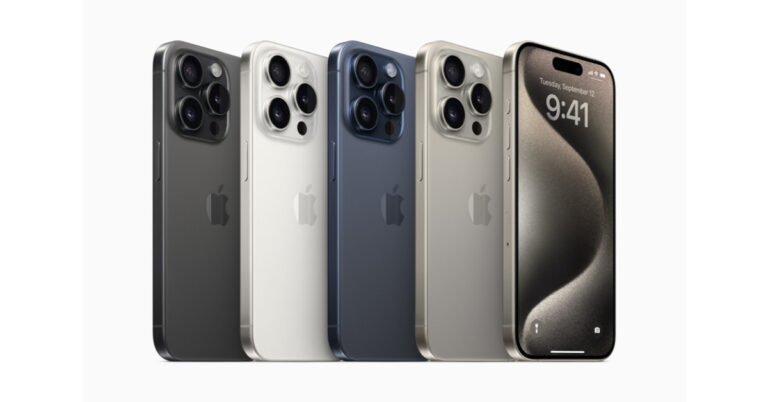


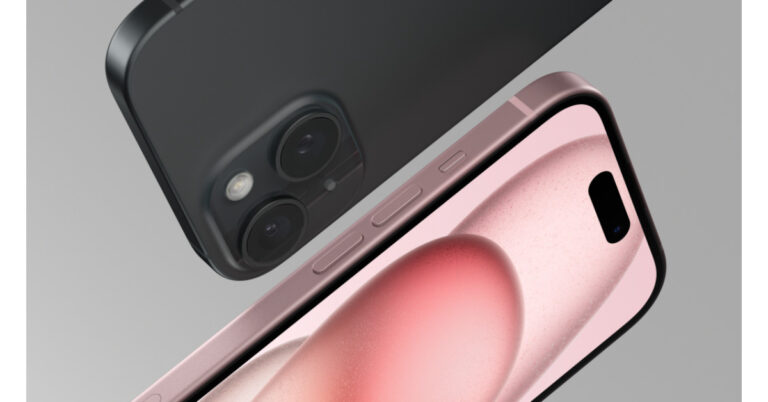
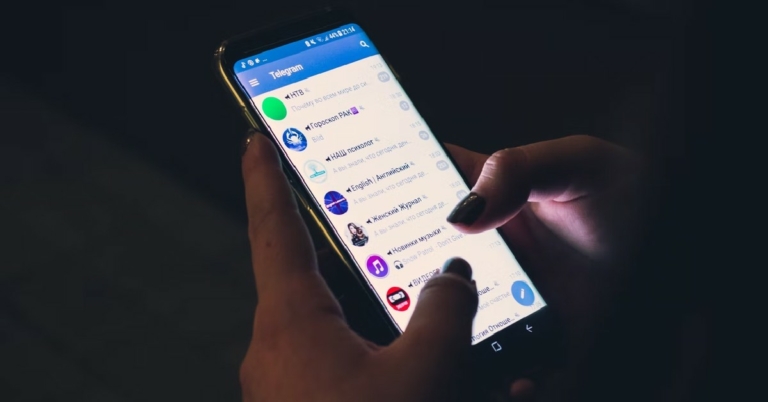


 One of the best ways of finding out if someone has blocked you on Telegram is by adding them to a group chat. The instant messaging service does not allow users to add contacts that have blocked them to a public or private group. Create a group chat on Telegram by tapping the pencil icon and selecting ‘New Group’. Search for the contact, select their name, and hit the arrow icon. Give the group a name and hit the tick icon. If you receive the ‘USER_IS_BLOCKED‘ error message, it means that you have likely been blocked by the contact.

 If you have a mutual friend with the contact, you can use their help to know for sure if you have been blocked. Request them to send a message to the contact. If the message is delivered and read, or better yet, answered, it confirms that you have been blocked by the contact in question.