April 8 Flipkart Daily Trivia Quiz Answers: Answer to win exciting prizes

The e-commerce website Flipkart is hosting Daily Trivia Quiz. Every day it brings a bunch of new questions for its users. By answering them correctly you can win exciting prizes. The questionnaire is based on questions related to general knowledge. Also, the users can win free vouchers and super coins, among other offers via the daily quiz. April 8 Flipkart Daily Trivia Quiz Answers has already gone live on its platform. The participant should be at least 18 years old and should have a valid login ID. The Quiz is available on the mobile platform and not the web version. E-commerce conducts the quiz on daily basis and goes live at 12:00 AM IST and runs till 11:59 PM IST.  The winners are announced within 15 days from the date of participation that can be viewed under the Gems/Rewards section in the app.

How to participate in the Flipkart Daily Trivia Quiz

To participate download the Flipkart app on your phone. Then open the Flipkart app then head to Game Zone. Now click on the Daily Trivia Banner or search for Daily Trivia. Enter the game and answer all 5 questions with correct answers.

April 8 Flipkart Daily Trivia Quiz Answers 

Question 1: Which sport is the setting of the Akshay Kumar film Gold? Answer: Hockey Question 2: What is the name of the autobiography of cricketer Chris Gayle? Answer: Six Machine Question 3: In which sport did an Indian win the first individual bronze medal in the Olympics? Answer: Wrestling Question 4: In which sport did an Indian won the first individual bronze medal in the Olympics? Answer: Lausanne Question 5: In which city did Karnam Malleswari win an Olympic bronze medal in weightlifting? Answer: Sydney
For the latest gadget and tech news, and gadget reviews, follow us on TwitterFacebook and Instagram. For newest tech & gadget videos subscribe to our YouTube Channel. You can also stay up to date using the Gadget Bridge Android App.
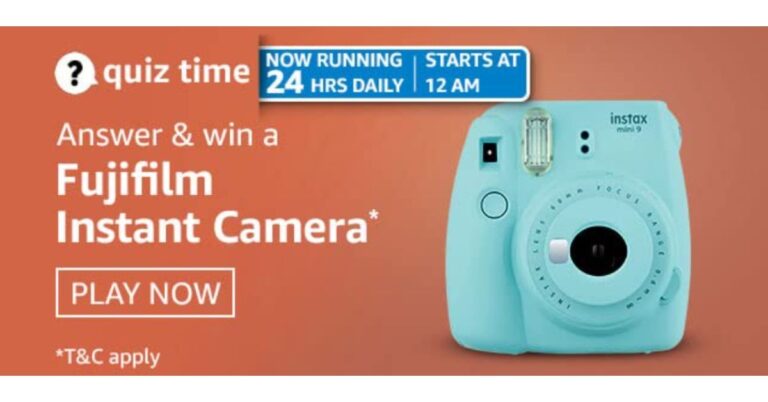
April 8 Amazon Quiz: Answer these five questions and you could win Fujifilm Instant Camera 

April 8 Amazon Quiz has now gone live. Every day the e-commerce website brings a daily quiz for its customers. The quiz begins from 12 AM to 11:59 PM. Those participating in the quiz can win exciting prizes by answering all the questions correctly. Today all customers across the country can win a Fujifilm Instant Camera. Amazon is back with another new daily quiz. Amazon quiz brings an opportunity for its customers to win daily prizes such as mobile phones, other gadgets including Pay Balance also. If you managed to answer all the questions correctly, you can stand a chance to win HP Omen Gaming Laptop. Check out today’s answers for the Amazon quiz.

April 8 Amazon Quiz Answers

Question 1: In March 2021, which Indian wrestler grabbed the 53kg gold medal in Ukraine and reached the world number one rank? The answer is- Vinesh Phogat Question 2: As a sustainability commitment, which company made the world’s first-ever consumer PC using plastic waste in the ocean in 2021? The answer is- HP Question 3: Who won the 2021 Golden Globe Award for best TV series? The answer is- The Crown Question 4: What is the name of the famous speech given by this icon? The answer is- I have a dream Question 5: The birth of whom is being portrayed in this picture? The answer is- Jesus Christ
For the latest gadget and tech news, and gadget reviews, follow us on TwitterFacebook and Instagram. For newest tech & gadget videos subscribe to our YouTube Channel. You can also stay up to date using the Gadget Bridge Android App.
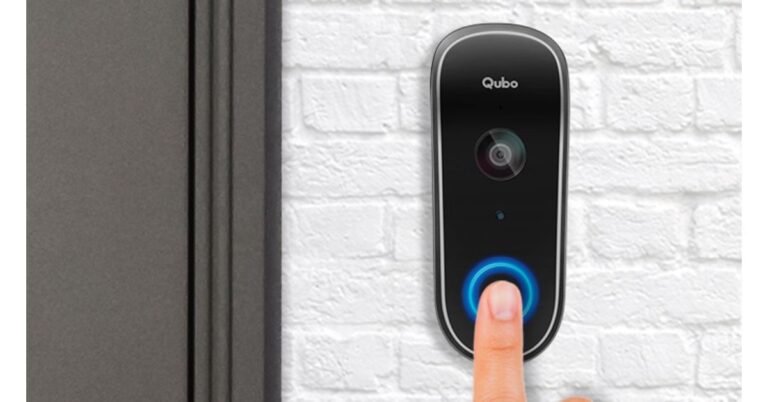
Qubo Video Doorbell with Alexa and Google Assistant support launched in India

Hero Electronix, a popular name in offering security solutions, today announced the launch of a new smart doorbell in India. The company already has a host of home video surveillance and security cameras, but today it has added Qubo Video Doorbell to its portfolio. It features an FHD camera and claims to provide crisp visibility. The smart doorbell is Wifi enabled which comes with instant video call features when a visitor arrives or rings the doorbell. Qubo Video Doorbell price and availability Qubo Video Doorbell has been launched in India with a price tag of Rs 9,990. However, at the moment, the company is offering it at a reduced price of Rs 6,990. This home security device can be purchased across Indian cities (Metro and Non-metro) from today onwards.  Qubo Video Doorbell features Home security is always a priority whether you are at home, at work or on a holiday. The Qubo Video Doorbell will be helpful at keeping salesmen and unwanted visitors at bay by staying connected and secured. This smart Wi-Fi Video Doorbell features a 1080P full HD AI security camera. The device is designed to be installed at your entrance and can be customised as per small and large apartments to standalone villas.  Qubo Video Doorbell The Qubo Video Doorbell lets you see and interact with those who have visited your home using the Qubo app. The Full HD AI-powered security camera is like a surveillance camera that is capable of continuously recording the person when the motion is detected or even when the doorbell is not pressed. Its built-in alarm can safeguard against intrusion and tampering.  The smart doorbell comes with an IP65 rating for water and dust resistance, therefore, is suited for all kinds of entrances. Like we said earlier, the dedicated app allows you to customise the device so you can even choose from a range of chime tunes. Users can customize different modes like DND Mode to make the experience more personalized. It equips a wide view vertical lens and with multiple mounting options, this product ensures that users always get the best view of their visitors. It comes with night vision and head to toe visibility. Also, it scares away the intruders with the automatic alarm system. In addition to this, the Qubo Video Doorbell comes with a daily Time Lapse Video, notification LED light, face detection, person detection, tamper detection and an inbuilt speaker. The doorbell comes with Alexa and Google Assistant support. For the latest gadget and tech news, and gadget reviews, follow us on TwitterFacebook and Instagram. For newest tech & gadget videos subscribe to our YouTube Channel. You can also stay up to date using the Gadget Bridge Android App.

How to type special characters and emojis in Windows 10?

Special characters consist of characters that are neither alphabetic nor numeric. Examples of special characters are ‘@’, ‘{‘, ‘$’, ‘%’, etc. Special characters have several advantages over alphanumeric characters. They can be used in a specific manner to create patterns and images. Moreover, they can be used to create emoticons.

Why would you need to learn to use special characters on Windows 10?

Mobile devices like smartphones and tablets have digital keyboards with a feature to switch characters and even languages. However, the keyboard of a PC offers a limited number of characters including special characters. You may compensate for this limitation by utilising the digital keyboards that come pre-installed in Windows 10.

Method 1: Using the Touch Keyboard

This is the simplest method to type special characters on Windows 10. To use the Touch Keyboard, follow these steps.
  • Right-click the taskbar.
  • Click the “Show touch keyboard button” option. The touch keyboard icon will appear at the right portion of the taskbar.
  • Click the icon to launch the Touch Keyboard.
  • To access the special characters, click the ‘&123’ button and then click the Omega (Ω) button.
  • You can also use several emojis by clicking the smiley button.
how to type special characters on PC
Method 1: Using the Touch Keyboard

Method 2: Using the Emoji Keyboard

This is a quick method to use special characters while using other apps on Windows 10. To use the Emoji Keyboard, follow these steps.
  • Press and hold the Windows key and press the period key.
  • The Emoji Keyboard will appear on the screen. The Keyboard will offer a plethora of emojis and special characters.
  • You can navigate through different classes of special characters by pressing the button on the Emoji Keyboard.
Method 2: Using the Emoji Keyboard

Method 3: Using the Character Map

Character Map is a keyboard in Windows containing several special characters in a simplified interface. To use the Character Map on Windows 10, follow these steps.
  • Go to the Start Menu and search ‘Character Map’.
  • Launch the application.
  • A pop-up window will appear with numerous special characters.
  • The Character Map allows you to change the font of the special characters within the keyboard.
  • Click the character that you wish to use.
  • Click the ‘ Select’ button and then click the ‘Copy’ button.
You can simply press the Ctrl+V key combination to use the selected special character.
Method 3: Using the Character Map
For the latest gadget and tech news, and gadget reviews, follow us on TwitterFacebook and Instagram. For newest tech & gadget videos subscribe to our YouTube Channel. You can also stay up to date with the Gadget Bridge Android App.

Acer Nitro 5 (2021) gaming laptop powered by AMD Ryzen 5600H processor launched in India

The Taiwanese computers manufacturing giant, Acer, today expanded its gaming laptops line in India with the launch of a brand new model of Acer Nitro 5. This Acer gaming laptop equips an AMD Ryzen 5600H processor paired with an Nvidia GeForce RTX graphics card. The cooling management is better-taken care of by integrating dual fans with Acer Nitro 5 (2021) gaming laptopCoolBoost technology. The laptop also features a 144Hz FHD IPS display along with an RGB-backlit keyboard. Speaking on the launch, Sudhir Goel, Chief Business Officer, Acer India said, “Our new Nitro 5 comes fully loaded with the latest technology and features to give gamers an edge and offer a whole new level of immersive gaming experience. We have pioneered advanced cooling solutions to boost gamers’ in-game experience and this helps the Nitro 5 to deliver all the power consistently. Our close collaboration with AMD has brought powerful computing experiences to consumers which is unmatched at this price point and we are thrilled to bring them to the Indian market.” Acer Nitro 5 (2021) gaming laptop price and availability Acer Nitro 5 (2021) gaming laptop will be offered in 2 variants and equipped with NVIDIA GeForce RTX 3060 graphics card and NVIDIA GTX 1650 graphics card. The former one’s price starts at Rs 94,990 while the latter one at Rs 71,990 in India. These can be purchased via Acer exclusive stores, Acer online store, and Flipkart from April 9 onwards. Acer Nitro 5 (2021) gaming laptop powered by AMD Ryzen 5600H processor launched in India Acer Nitro 5 (2021) gaming laptop specifications The Acer Nitro 5 (2021) gaming laptop is endowed with a 15.6-inch FHD IPS display with a fast 144Hz refresh rate for vivid ultra-smooth gaming. On the chassis, there is an AMD Ryzen 5600H Hexa-core processor paired with NVIDIA GeForce RTX 3060 graphics card and NVIDIA GTX 1650 graphics card. It will have two slots for M.2 PCIe SSDs and up to 2TB HDD support, while memory (RAM) is upgradeable up to 32GB of DDR4 3,200 MHz.  As said, the all-new Nitro 5 comes with CoolBoost technology and dual fans for better heat dissipation. As per the company, gamers can monitor the device with one touch of the NitroSense hotkey, covering temperatures, fan speeds, and more. While the Killer Ethernet E2600 ensures low latency gaming, smooth HD streaming video, and interrupt-free voice and video chats.   The company has integrated the Acer gaming laptop with TrueHarmony technology, and with DTS: X Ultra which features optimized bass, clarity, precision and 6 custom content modes with the smart amplifier, which supports Windows Spatial Sound for PC Gaming with DTS license integrated.  For the latest gadget and tech news, and gadget reviews, follow us on TwitterFacebook and Instagram. For newest tech & gadget videos subscribe to our YouTube Channel. You can also stay up to date using the Gadget Bridge Android App.

How to download Instagram videos on Android and iOS devices?

Instagram is one of the most widely used social media platforms to post pictures and videos. It offers handy options to enhance the looks of your pictures and videos like cropping and cool filters. Instagram allows you to share or like a video but does not provide an option to download it.

Is downloading Instagram videos legal?

In the case of Puttuswamy v. Union of India, the Supreme Court declared that the right to privacy is a fundamental right under Part III of the Indian Constitution. This landmark judgement shall have effects on State as well as non-State actors. Moreover, it gives way to the enactment of a law on privacy. Article 21 of the Indian Constitution reads as: “No person shall be deprived of his life or personal liberty except according to a procedure established by law.” Thus, you may download Instagram videos only for personal use. However, manipulating the video for the sake of harassment is strictly prohibited under Article 21 of the Indian Constitution. Besides, using the video for one’s own monetary benefit without the consent of the person in the video may result in the termination of the Instagram account as well as legal actions.

How to download Instagram videos?

There are several methods to download Instagram videos. Several websites and mobile application are available on the internet that can save the videos on your device provided you have the video link. Here are the best ways to download Instagram videos on Android and iOS devices.

How to download Instagram videos on Android?

To download an Instagram video on an Android device, follow these steps.
  • Go to the Play Store and install the ‘Video Downloader for Instagram’ application (https://play.google.com/store/apps/details?id=com.xvideostudio.videodownload&hl=en_IN&gl=US).
  • Launch the Instagram application on your Android device.
  • Go to the video that you want to download.
  • Tap the three dots located on the top right portion of the post.
  • In the pop-up window, tap the ‘Copy Link’ option.
  • Launch the ‘Video Downloader for Instagram’ application.
  • Paste the copied link in the black space to download the video.
Video Downloader for Instagram, Video Locker
Download from the Play Store

How to download Instagram videos on iOS?

To download an Instagram video on an iOS device, follow these steps.
  • Go to the App Store and install the ‘Reposter for Instagram..‪.‬’ application (https://apps.apple.com/us/app/regrammer/id1455355839).
  • Launch the Instagram application on your iOS device.
  • Go to the video that you want to download.
  • Tap the three dots located on the top right portion of the post.
  • In the pop-up window, tap the ‘Copy Link’ option.
  • Launch the ‘Reposter for Instagram..‪.’ application.
  • Paste the copied link and tap ‘Preview’. The video will be saved on your iOS device.
Reposter for Instagram..‪.‬
Download from the App Store For the latest gadget and tech news, and gadget reviews, follow us on TwitterFacebook and Instagram. For newest tech & gadget videos subscribe to our YouTube Channel. You can also stay up to date with the Gadget Bridge Android App.

WhatsApp released the new ‘Vaccines for all’ sticker pack. How to download it?

WhatsApp stickers provide a funny yet effective way to express emotions related to day-to-day experiences. Instead of typing a long sentence, WhatsApp users can delegate the same feeling with a sticker. WhatsApp frequently provides a new set of stickers on different occasions that can be downloaded in a few clicks.

Why did WhatsApp release the new “Vaccines for All” Sticker pack?

The COVID-19 vaccination program has been one of the greatest events of all time. Besides prevention, it’s the only shield against the COVID-19 virus infection. As a result, there has been ongoing debates and discussions regarding vaccines. People have been using multiple platforms to debate the efficacy of the COVID-19 vaccines throughout the world. Amid the COVID-19 pandemic, WhatsApp has served as a crucial medium to encourage people to get vaccinated. People who have got vaccinated love to share their experiences with others on WhatsApp. To make this task easier and more effective, WhatsApp has released the new “Vaccines for All” Sticker pack.

How to download and use the new “Vaccines for All” WhatsApp Sticker pack?

To download and use the new “Vaccines for All” WhatsApp Sticker pack in your chats, follow these steps.
  • Launch the WhatsApp application on your Android or iOS device.
  • Select a chat or a group of your choice.
  • If you are an iOS user, follow these steps.
    • Tap the sticker icon.
    • Tap the plus (+) icon located on the top right of the type box.
    • Look for the Vaccines for All’ sticker pack.
    • Tap the download icon located next to the sticker pack name.
  • If you are an iOS user, follow these steps.
    • Tap the emoji icon and choose the stickers option.
    • Tap the plus (+) icon, download the new sticker pack.
    • Look for the Vaccines for All’ sticker pack.
    • Tap the download icon located next to the sticker pack name.
To use the new “Vaccines for All” WhatsApp Sticker pack, go to the desired chat and press the sticker icon. You will see all your installed stickers.
How to download and use the new "Vaccines for All" WhatsApp Sticker pack?
How to download and use the new “Vaccines for All” WhatsApp Sticker pack?

What are other initiatives of WhatsApp to fight the COVID-19 pandemic?  

WhatsApp’s new “Vaccines for All” Sticker pack provides an amusing way to express feelings regarding the ongoing COVID-19 vaccination across the globe. However, the contribution of the company in the fight against the COVID-19 pandemic is praiseworthy. WhatsApp decided not to charge any fee on its WhatsApp Business platform to help people spread awareness regarding the COVID-19 vaccines. WhatsApp has played the role of a medium between people and the government for information exchange regarding the COVID-19 pandemic. It introduced the helpline numbers through which people can connect to the government in countries like Argentina, .Indonesia, Brazil, and South Africa. Moreover, in India, people can get the necessary information by sending a WhatsApp message to the MyGov helpline number +91-9013151515. For the latest gadget and tech news, and gadget reviews, follow us on TwitterFacebook and Instagram. For newest tech & gadget videos subscribe to our YouTube Channel. You can also stay up to date with the Gadget Bridge Android App.

Yelp will add a new feature to its app to support Asian-owned businesses

Yelp will release a new feature that will enable businesses to be identified as Asian-owned. Yelp is an American public company that owns and runs operates Yelp mobile app and the Yelp.com website. The app and the website publish crowd-sourced reviews related to businesses. The company also runs an online reservation service named Yelp Reservations.

Why does Yelp want to include a specific attribute in the app for Asian-owned businesses?

Yelp revealed that the searches related to Asian-owned businesses have increased manifolds recently. Thus, the company wants to help customers find Asian-owned business by directly using the new filter in the search results. It’s not the first time that Yelp has added a specific attribute to the searches. Earlier, the company released a similar feature for women-owned businesses.

How will the new feature of Yelp work?

With the addition of the new feature to the Yelp app, business owners will have the option to add an attribute to their business identity. This attribute will indicate that the business is owned by an Asian. The new feature will be available on Yelp for Business accounts. As soon as the identity of a business is set as Asian on the app, it will be public. When the users enable the filter ‘Asian owned’ while searching a business e.g., a restaurant, the app will suggest only restaurants that are owned by people belonging to Asia.
How will the new feature of Yelp work?

What will be the benefits of the new feature?

The new feature of Yelp will enable the business owners to use the attribute ‘Asian’ to identify their business. As a result, customers can easily search and support a business owned by Asians. This feature will bring several benefits to the users as well as business owners that are as follows.
  • Identity boost: The new feature will promote the specialities of Asian business in the international market. With a unique attribute, they will be able to market and promote Asian products and services in an effective manner.
  • Accurate search recommendation: The new feature will enhance the accuracy of the search results in the Yelp app. The customers will be able to reach out to their desired business quickly.
  • Robust feedback mechanism: The new feature will improve the analytics of the Yelp app. By having specific data of customer reach by Asian business, the app will be able to tweak itself. This will eventually help the entrepreneurs build a targetted audience and promote their businesses.
For the latest gadget and tech news, and gadget reviews, follow us on TwitterFacebook and Instagram. For newest tech & gadget videos subscribe to our YouTube Channel. You can also stay up to date with the Gadget Bridge Android App.

Samsung launched new AI-powered Washing Machines in India, price starting at Rs 35,400

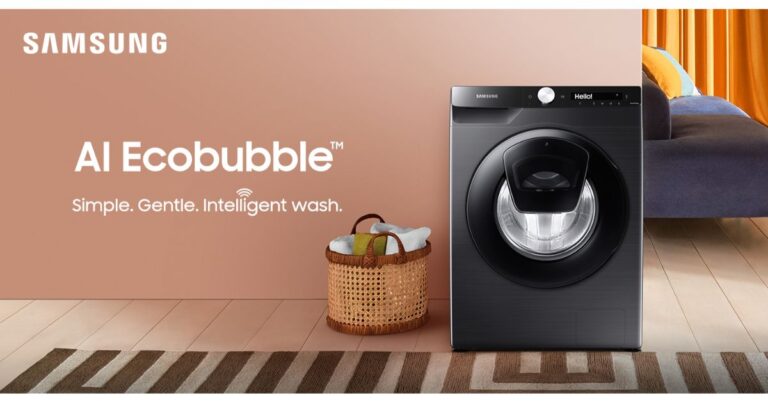
The South Korean electronics brand, Samsung, has announced the launch of its first artificial intelligence (AI) enabled bi-lingual washing machine with Hindi and English user interface. The latest Samsung washing machine is fully automatic with front door functionality. These automatic front load washing machines come integrated with the EcoBubble and QuickDrive technology that is claimed to save time and power while providing 45% extra fabric care. Samsung’s latest washing machine line up includes 21 new models which also ensures hygienic cleaning as it comes integrated with Hygiene Steam technology that is capable of removing ingrained dirt and 99.9% of bacteria and allergens. Like we said before, Samsung’s washing machine equips artificial intelligence (AI) features to offer customisation therefore by suggesting laundry processes to the users. It is said to learn and remember the customer’s laundry habits and suggests the most frequently used wash cycle. In addition to this, the loT enabled Samsung Washing machine offers connectivity with Galaxy smartphones Smart TVs and Family Hub refrigerators. Furthermore, the devices are voice-enabled and are compatible with Alexa and Google Home for a hands-free experience. The new Samsung washing machine line-up comes with a brand new design that is minimal and has an extremely user-friendly sleek digital interface with a simple jog dial control. For more effective cleaning the Samsung AI-enabled washing machines offer three controls. The Laundry Planner enables users to schedule the end time of their laundry while Laundry Recipe gives automatic recommendations for optimal wash cycles based on information such as colour, fabric type and degree of soiling provided by the user, eliminating the need to guess which cycle is best. In addition, HomeCare Wizard proactively alerts users about potential problems and provides quick troubleshooting. Apart from this, these devices come with a 5-star energy rating, certified by BEE also helps in saving power. Whereas the Our Digital Inverter Technology ensures that the washing machines consume less energy and make less noise. The EcoBubble technology allows the washers to quickly penetrate fabrics and removes dirt easily, providing 45% extra fabric care. While the QuickDrive technology allows the users to reduce washing time by up to 50% without compromising on the washing cycle. The Auto Dispense technology automatically dispenses the appropriate amount of detergent and softener for each load. It also holds enough detergent for up to 1 month of washing. Moreover, the Q-Bubble results in elevated detergent action for a faster wash cycle saving up to 50% time. Speaking of the pricing, the Samsung AI-enabled laundry line up price starts at Rs 35,400 and is now available for purchase available across all retail partners in India. While the select models will be available online on Amazon, Flipkart, Samsung’s official online store Samsung Shop. Samsung is also offering up to 20% cashback and easy financing options such as no-cost EMI and EMIs starting as low as Rs 990. For the latest gadget and tech news, and gadget reviews, follow us on TwitterFacebook and Instagram. For newest tech & gadget videos subscribe to our YouTube Channel. You can also stay up to date using the Gadget Bridge Android App.

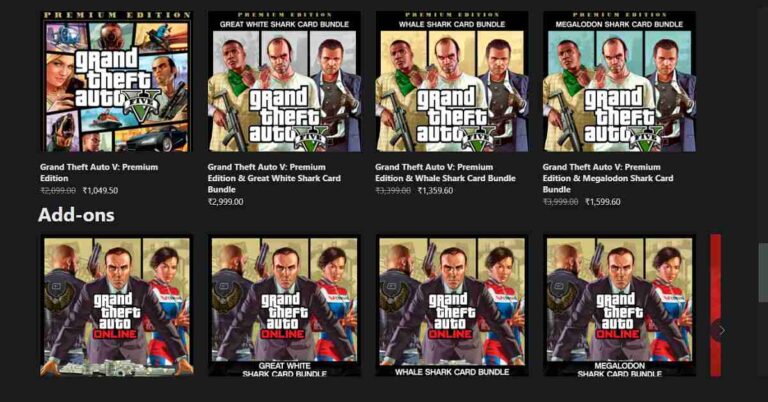
GTA 5 makes a comeback to Xbox Game Pass with xCloud support

Grand Theft Auto V, a 2013 action-adventure published by Rockstar Games, is making a comeback on April 8, 2021, to Xbox Game Pass and Microsoft’s cloud gaming service, xCloud. GTA V was added to Xbox Game Pass in January 2020 but was removed and rep[laced by Red Dead Redemption 2, a 2018 action-adventure game.

What features will users get with GTA V’s comeback?

Grand Theft Auto V has been one of the most popular and bestselling video games of all time. The game was ported to the PlayStation 4 and the Xbox One and now it’ll be ported to the latest PlayStation 5 and the Xbox Series X/S soon. The comeback of GTA V to xCloud will bring several features to the players. They will be able to play the GTA Online mode without a controller or tethering to their Xbox console. Currently, this facility is available only for Android devices. However, all users who own the Xbox Game Pass can avail themselves of the xCloud services.

What other video games are supported by xCloud?

Microsoft revealed that the xCloud library supports more than fifty video games with touch controls. As a result, you can play these games on your Android device without needing a controller. Earlier the feature supported only the Minecraft Dungeons game. However now it fully supports other video games as well including Sea of Thieves and Gears 4, and Dragon Quest XI: Echoes of an Elusive Age.
What other video games are supported by xCloud?

How does EA Play add new features to the Xbox Game Pass?

With the Xbox Game Pass subscription, users will be able to access several video games without paying an extra cost. The game library includes Battlefield 5, Need for Speed Heat, and Star Wars Jedi: Fallen Order. According to Xbox Game Pass Team, “When enabled on your HDR-capable gaming PC, you will automatically get awesome HDR visuals on an additional 1000+ DirectX 11 and DirectX 12 games!”.
How does EA Play add new features to the Xbox Game Pass?
The EA Play subscription also comes with additional monthly rewards. The players can get rewards including EA Play Celebration Pack for Madden 21, Gold Team Fantasy MUT packs, and N7 Weapon Charm for Apex Legends. People using the EA Desktop app can get discounts on digital purchases. They will also access the exclusive in-game challenged and reward and member-only content. For the latest gadget and tech news, and gadget reviews, follow us on TwitterFacebook and Instagram. For newest tech & gadget videos subscribe to our YouTube Channel. You can also stay up to date with the Gadget Bridge Android App.