The South Korean electronics brand, Samsung, has announced the launch of its first artificial intelligence (AI) enabled bi-lingual washing machine with Hindi and English user interface. The latest Samsung washing machine is fully automatic with front door functionality. These automatic front load washing machines come integrated with the EcoBubble and QuickDrive technology that is claimed to save time and power while providing 45% extra fabric care.Samsung’s latest washing machine line up includes 21 new models which also ensures hygienic cleaning as it comes integrated with Hygiene Steam technology that is capable of removing ingrained dirt and 99.9% of bacteria and allergens. Like we said before, Samsung’s washing machine equips artificial intelligence (AI) features to offer customisation therefore by suggesting laundry processes to the users. It is said to learn and remember the customer’s laundry habits and suggests the most frequently used wash cycle.In addition to this, the loT enabled Samsung Washing machine offers connectivity with Galaxy smartphones Smart TVs and Family Hub refrigerators. Furthermore, the devices are voice-enabled and are compatible with Alexa and Google Home for a hands-free experience.The new Samsung washing machine line-up comes with a brand new design that is minimal and has an extremely user-friendly sleek digital interface with a simple jog dial control. For more effective cleaning the Samsung AI-enabled washing machines offer three controls. The Laundry Planner enables users to schedule the end time of their laundry while Laundry Recipe gives automatic recommendations for optimal wash cycles based on information such as colour, fabric type and degree of soiling provided by the user, eliminating the need to guess which cycle is best. In addition, HomeCare Wizard proactively alerts users about potential problems and provides quick troubleshooting.Apart from this, these devices come with a 5-star energy rating, certified by BEE also helps in saving power. Whereas the Our Digital Inverter Technology ensures that the washing machines consume less energy and make less noise. The EcoBubble technology allows the washers to quickly penetrate fabrics and removes dirt easily, providing 45% extra fabric care. While the QuickDrive technology allows the users to reduce washing time by up to 50% without compromising on the washing cycle. The Auto Dispense technology automatically dispenses the appropriate amount of detergent and softener for each load. It also holds enough detergent for up to 1 month of washing. Moreover, the Q-Bubble results in elevated detergent action for a faster wash cycle saving up to 50% time.Speaking of the pricing, the Samsung AI-enabled laundry line up price starts at Rs 35,400 and is now available for purchase available across all retail partners in India. While the select models will be available online on Amazon, Flipkart, Samsung’s official online store Samsung Shop. Samsung is also offering up to 20% cashback and easy financing options such as no-cost EMI and EMIs starting as low as Rs 990.
For the latest gadget and tech news, and gadget reviews, follow us on Twitter, Facebook and Instagram. For newest tech & gadget videos subscribe to our YouTube Channel. You can also stay up to date using the Gadget Bridge Android App.
Grand Theft Auto V, a 2013 action-adventure published by Rockstar Games, is making a comeback on April 8, 2021, to Xbox Game Pass and Microsoft’s cloud gaming service, xCloud. GTA V was added to Xbox Game Pass in January 2020 but was removed and rep[laced by Red Dead Redemption 2, a 2018 action-adventure game.
What features will users get with GTA V’s comeback?
Grand Theft Auto V has been one of the most popular and bestselling video games of all time. The game was ported to the PlayStation 4 and the Xbox One and now it’ll be ported to the latest PlayStation 5 and the Xbox Series X/S soon.
The comeback of GTA V to xCloud will bring several features to the players. They will be able to play the GTA Online mode without a controller or tethering to their Xbox console. Currently, this facility is available only for Android devices. However, all users who own the Xbox Game Pass can avail themselves of the xCloud services.
What other video games are supported by xCloud?
Microsoft revealed that the xCloud library supports more than fifty video games with touch controls. As a result, you can play these games on your Android device without needing a controller. Earlier the feature supported only the Minecraft Dungeons game. However now it fully supports other video games as well including Sea of Thieves and Gears 4, and Dragon Quest XI: Echoes of an Elusive Age.
What other video games are supported by xCloud?
How does EA Play add new features to the Xbox Game Pass?
With the Xbox Game Pass subscription, users will be able to access several video games without paying an extra cost. The game library includes Battlefield 5, Need for Speed Heat, and Star Wars Jedi: Fallen Order.
According to Xbox Game Pass Team, “When enabled on your HDR-capable gaming PC, you will automatically get awesome HDR visuals on an additional 1000+ DirectX 11 and DirectX 12 games!”.
How does EA Play add new features to the Xbox Game Pass?
The EA Play subscription also comes with additional monthly rewards. The players can get rewards including EA Play Celebration Pack for Madden 21, Gold Team Fantasy MUT packs, and N7 Weapon Charm for Apex Legends. People using the EA Desktop app can get discounts on digital purchases. They will also access the exclusive in-game challenged and reward and member-only content.
For the latest gadget and tech news, and gadget reviews, follow us on Twitter, Facebook and Instagram. For newest tech & gadget videos subscribe to our YouTube Channel. You can also stay up to date with the Gadget Bridge Android App.
iQoo 5 Neo debuted in China last month, which comes with the latest Qualcomm Snapdragon 870 SoC. The device is now tipped to arrive in India as it has received BIS certification in the country. The news is rife! The device has also been listed on the certification website suggesting an imminent launch. In addition to this, the device is expected to be launched alongside the flagship iQoo 7 in India. The company last month released a teaser for India’s debut.A recent screenshot shared by Mukul Sharma on Twitter shows that an iQoo smartphone has received a certification from the Bureau of Indian Standards (BIS). The device has been listed with model number I2012 that is expected to be none other than iQoo Neo 5 as in the past the device bearing the same model number was spotted on Geekbench.In a similar way, the flagship iQoo 7 was teased by the company on Twitter. The company did not reveal the launch date but it suggested making its debut in the country under the price tag of Rs 40,000.It should also be noticed that the company did not specifically mention the name of the smartphone but it did hint that its upcoming smartphone will include Snapdragon 888 SoC. At the moment iQoo 7 is the only device that is powered by Qualcomm’s flagship chipset. So it is also believed that both the above mentioned mobile phones launch should take place on the same day. However, we should wait until the company reveals all the launch details, officially.iQoo Neo 5 specificationsiQoo Neo 5 features a 6.62-inch full-HD+ AMOLED dispwlay ith 1,080×2,400 pixels of resolution. It offers a 20:9 aspect ratio and a 120Hz refresh rate along with an in-display fingerprint sensor. The phone runs Android 11 with OriginOS and is powered by the Qualcomm Snapdragon 870 SoC, along with up to 12GB of RAM and up to 256GB of internal storage.
For photos and videos, the device comes with a triple rear camera setup that includes a 48-megapixel primary sensor, a 13-megapixel ultra-wide lens and a 2-megapixel mono lens. The phone features a 16-megapixel front-facing camera for taking selfies and video calling.For connectivity, there is 5G, 4G LTE, Wi-Fi, Bluetooth 5.1, NFC, and a USB Type-C port. The mobile phone packs a 4,400mAh battery that supports 66W fast charging.
For the latest gadget and tech news, and gadget reviews, follow us on Twitter, Facebook and Instagram. For newest tech & gadget videos subscribe to our YouTube Channel. You can also stay up to date using the Gadget Bridge Android App.
Signal, a cross-platform centralized encrypted messaging service, is working on a new feature that will allow users to make peer-to-peer payments. The feature is currently in the testing phase with the beta version available for the users in the UK.
According to Jun Harada, Signal’s head of growth and communication, “The latest Signal betas are rolling out today. Inside, you’ll find performance enhancements, a slew of bug fixes, improvements to the mute settings, and if you’re in the United Kingdom, you’ll see support for Signal Payments a new feature that enables you to send and receive privacy-focused payments as easily as sending or receiving a message. This is a beta feature in a beta build, but for those in the United Kingdom living life on the edge, please help us test and give feedback”.
What is the new payments feature of the Signal app? How will it work?
The new feature of the Signal app is called Signal Payments that will enable users to make payments in cryptocurrency. The company wants to build make the feature compatible with all mobile devices. The users will be able to link their MobileCoin Wallet to the Signal app for fast, secure, and reliable payments in cryptocurrency.
Once you create a MobileCoin wallet with your Signal account, you will not need to link your bank accounts to make payments via the Signal app. According to the company, you will be able to send or receive money from your family and friends within ten seconds. Since the popularity of the Signal app is due to its encrypted messaging, only the sender and recipient of the payment will have knowledge about the transactions. Moreover, Signal will not save any data related to the user’s wallet.
What is the new payments feature of the Signal app? How will it work?
According to Jun Harada, Signal’s head of growth and communication, “Signal Payments makes it easy to link a MobileCoin wallet to Signal, so you can start sending funds to friends and family, receive funds from them, keep track of your balance, and review your transaction history with a simple interface. As always, our goal is to keep your data in your hands rather than ours; MobileCoin’s design means Signal does not have access to your balance, full transaction history, or funds. You can also transfer your funds at any time if you want to switch to another app or service”.
Is Signal the only company working on the cryptocurrency payment feature?
PayPal, an American online payments firm, recently announced that it shall permit the use of cryptocurrency in the US for making payments at several online merchants worldwide. The new feature of PayPal is called ‘Checkout with Crypto’ that was rolled out today and is an extension to the current facility provided to US users. Till now, the platform enabled users to buy and sell cryptocurrency straightaway via their accounts. With the ‘Checkout with Crypto’, the users will not only be able to make transactions but also immediately change their Bitcoin, Bitcoin Cash, Ethereum, or Litecoin to US dollars.
Is Signal the only company working on the cryptocurrency payment feature?
For the latest gadget and tech news, and gadget reviews, follow us on Twitter, Facebook and Instagram. For newest tech & gadget videos subscribe to our YouTube Channel. You can also stay up to date with the Gadget Bridge Android App.
World Health Day symbolises the first World Health Assembly conducted by World Health Organisation on April 7, 1947. Since then the day is celebrated every year on April 7 to spread awareness regarding health and well-being across the globe.
There can’t be a better day to take a resolution to contribute towards your mental and physical health. To simplify your task, we have come up with the top 10 application that will help you achieve fitness, a healthy diet, and proper sleep.
1) cure.fit Fitness, Meditation, Healthy food, Doctor
cure.fit is an application that not only helps you enhance your physical health but also your mental health. It follows a holistic approach to maintain a balance among meditation, workout, yoga, and diet. The app offers a feature in which you can take fitness classes from home under the instruction of professional fitness coaches. cult.fit has over two hundred fitness centres making it one of the largest chains of fitness centres across the country. eat.fit is a unique feature of the application that helps you develop a healthy diet. You can also place orders to get fresh food and fruits delivered to your doorstep.
cure.fit Fitness, Meditation, Healthy food, DoctorDownload from the Play Store
2) Home Workout – No Equipment
Home Workout – No Equipment is a perfect application for your daily workout routines without requiring any expensive setup of equipment. With a few minutes of workout guide in the application, you can effectively build muscles and maintain optimum body weight without going to the gym. All the workouts that you find in the app are crafted by experts to cater to the requirement to suit all age groups. The stretching exercises are designed scientifically to take you through a smooth progress curve. You get animations and video tutorials to do your workout in the right manner.
Home Workout – No EquipmentDownload from the Play Store
3) Daily Yoga | Yoga Fitness Plans
Daily Yoga is an app that brings to you diverse yoga classes with the ability to customise the duration and difficulty level as per your preference. For beginners, Daily Yoga offers guidance to help them practice the basics before performing difficult postures. You can find several yoga experts across the globe to follow. The app offers more than five hundred asanas, over seventy yoga programs, and meditation sessions. Besides offering yoga classes, it makes you aware of the physical and mental benefits of yoga. The Daily Yoga community consists of yogis all around the world who share their experiences and motivate you.
Daily Yoga | Yoga Fitness PlansDownload from the Play Store
4) MyFitnessPal
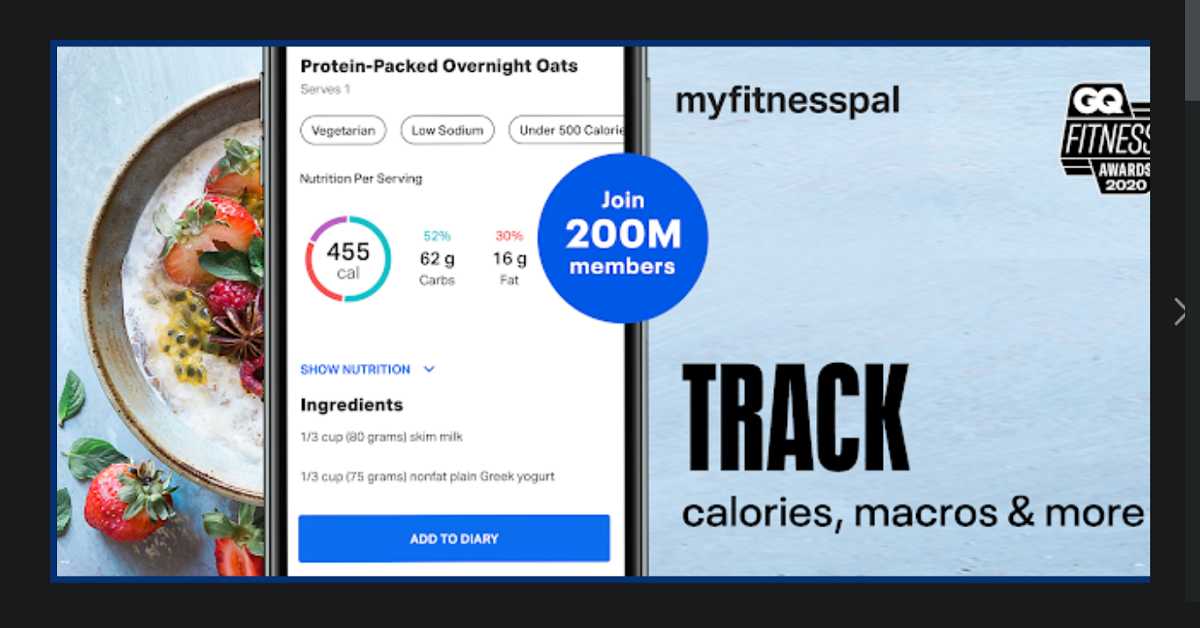
MyFitnessPal application is a perfect companion for you that helps you lose weight by optimising the number of calories you take and change your habits. The app’s database consists of more than eleven million foods from different parts of the world. You get food insights to make the right decisions regarding what you eat. With the calorie counter, you can easily calculate the calories in your recipes. The Macro Tracker helps you keep a check on individual components of your diet like carbs, proteins, and fat. You can connect with your friends and join the community to get motivation and support to develop healthy eating habits.
MyFitnessPalDownload from the Play Store
5) Practo: Online Doctor Consultations & Appointments
Practo is known as one of the finest doctor consultation apps in India. You get comprehensive telemedicine advice regarding your as well as your family’s health. With this app, you can search and book appointments with your doctor. You can order medicines and book diagnostic tests. The app offers several useful tips and articles related to healthcare. Practo serves across the country including cities like Delhi, Mumbai, Chennai, Lucknow, and Surat. You can search for medical specialists near you and know about doctor’s profile and patient stories.
Practo: Online Doctor Consultations & AppointmentsDownload from the Play Store
6) 1mg – Online Medical Store & Healthcare App
1mg is a complete app that caters to all your medical requirements. You can take a look at your medical information and buy medicines online. With this app, you can save up to ninety per cent on your medicines. The app also makes you aware of the treatment uses, safety warnings, and side effects. 1mg brings an online pharmacy where you can get all kinds of medicines delivered to your doorstep. 1mg helps you get tips from doctors and health experts and book appointments within the app. You can books health check-ups from reputed labs across the country.
1mg – Online Medical Store & Healthcare AppDownload from the Play Store
7) Headspace
Headspace is a meditation app that helps you focus, stay calm, and get proper sleep. The app brings exercises to manage stress and live mindfully. You get several courses that cover the basics and teach you about meditation. With a few minutes of daily use, you can learn relaxation techniques along with feedback. The stress meditation course consists of the skills like managing anxiety and navigating change. Headspace also brings personal growth meditation courses on relationships, kindness, and appreciation. With a physical health meditation course, you can develop mindful eating and pain management.
HeadspaceDownload from the Play Store
Sleep Cycle is an application that helps you relax and sleep better. You can track your sleep and receive a detailed analysis of your sleep patterns. The smart alarm feature wakes you up when you’re in your light sleep phase. The app offers several alarm tones to choose from bases on your preference. With a customisable wake-up window, you can extend the wake-up time to up to ninety minutes. You can snooze your alarm by simply shaking or double-tapping the smartphone. The detailed sleep statistics with intuitive graphs help you optimise the sleep duration and time to go to bed.
Sleep Cycle: Sleep analysis & Smart alarm clockDownload from the Play Store
9) Elevate
Elevate is an application that helps you improve your memory, attention, and math processing speeds. The training program is scientifically designed so that you learn at your own pace to get maximised outcomes. By merely using the app thrice a week, you may experience a boost in your confidence, attentiveness, and productivity. The app offers a free version and a seven-day trial of the premium version. With detailed performance tracking and a workout calendar, you can track your progress and streaks. Elevate brings games that are crafted in collaboration with educational experts.
ElevateDownload from the Play Store
Fastic is an app that brings fasting techniques so that it becomes easy for you to control your fatty diets. The app is trusted by more than ten million users. You get holistic guides to reduce your weight and boost your energy level. Intermittent fasting is scientifically proven to activate the fat-burning process. The Fastic application is suitable for both genders. With the Body Status feature, you get details about our fasting journey. The Water Tracker feature keeps a track of your water intake and gives reminders. The best part is the app is free from distracting advertisements.
Fastic: Fasting App & Intermittent Fasting TrackerDownload from the Play Store
For the latest gadget and tech news, and gadget reviews, follow us on Twitter, Facebook and Instagram. For newest tech & gadget videos subscribe to our YouTube Channel. You can also stay up to date with the Gadget Bridge Android App.
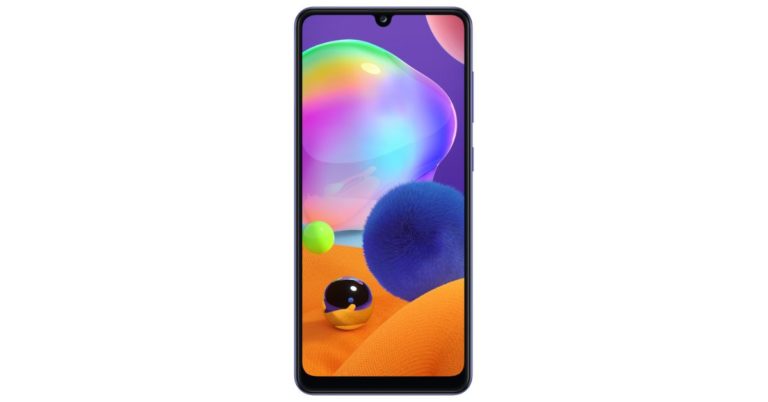
Samsung Galaxy A31 was introduced in India in June last year. Since its launch, the device has seen a total of three major price revision. In a new development, the company has freshly updated the price of the smartphone and is now retailing at a lower price tag. In addition to this, the company is also offering a no-cost EMI option on the purchase of the device. Samsung Galaxy A31 comes with a 6.4-inch Super AMOLED Infinity U display. It offers a host of intelligent and intuitive features that help you do a lot more in a lot less time.Samsung Galaxy A31 has received a price cut of Rs 1,000. After the price revision, the 6GB RAM with 128GB storage option will now be available at Rs 16,999. To recall the last it got the price updated in December and the company reduced it by Rs 2,000 taking the effective price to Rs 17,999 down from Rs 19,999. In addition to this, the company will also be offering no-cost EMI options (including zero down payment and zero processing schemes) with leading NBFCs.The phone is available in three colour variants Prism Crush Black, Prism Crush Blue, and Prism Crush White.Samsung Galaxy A31 specificationsSamsung Galaxy A31 smartphone features an Infinity-U design 6.4-inch Full HD+ Super AMOLED display offering 1,080 x 2,400 pixels of resolution. Moreover, there is an in-display fingerprint sensor and Samsung Pay,Samsung Health, and Samsung Knox. It runs on One UI 2.0 skinned on top of Android 10 and is powered by an octa-core MediaTek Helio P65 processor coupled with 6GB of RAM with 128GB of internal storage. The storage can be expanded up to 512GB using an external SD card. For the photos and videos, the Samsung Galaxy A31 features a quad rear camera setup that includes a48-megapixel primary sensor with f/2.0 aperture. Further assisted by an 8-megapixel ultra-wide lens with f/2.2 aperture, a 5-megapixel depth sensor with /2.4 aperture and lastly a 5-megapixel macro lens with f/2.4 aperture. While on the front there will be a 20-megapixel selfie camera with f/2.2 aperture.There is a5,000mAh battery with 15W fast charging support. It measures 73.1 x 159.3 x 8.6 mm and weighs in at 185 grams. For connectivity, there is 4G VoLTE, Wi-Fi, Bluetooth, GPS/ A-GPS, and USB Type-C port for charging.
For the latest gadget and tech news, and gadget reviews, follow us on Twitter, Facebook and Instagram. For newest tech & gadget videos subscribe to our YouTube Channel. You can also stay up to date using the Gadget Bridge Android App.
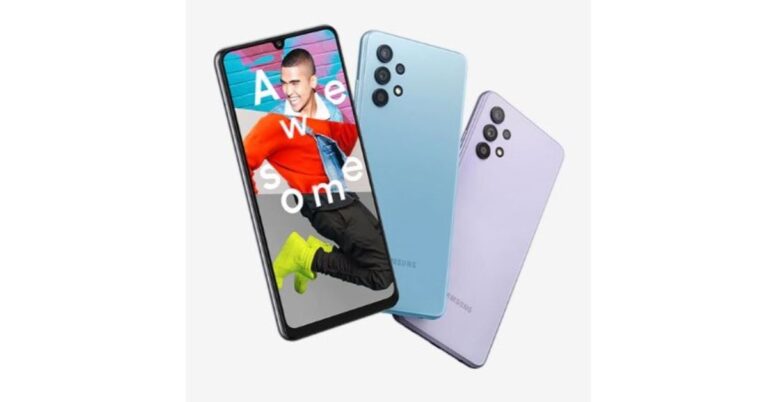
Earlier last month Samsung introduced Galaxy A32 in India to its popular A-Series. Today the company has rolled out some exciting offers on the purchase of the smartphone, so as to attract more buyers for the device. The key highlights of the phone include an sAMOLED 90Hz display, a quad-camera setup, with a 64MP main camera. In addition to this, there is a 5,000mAh battery onboard. Samsung Galaxy A32 new offers and availability detailsBefore we reveal the new offers let’s have a look at the pricing and the colour options it comes in. Samsung has launched this device in 6GB RAM with 128GB storage. The price of the smartphone is set at Rs 21,999 and it is available in four colour options of Awesome Black, Awesome White, Awesome Blue, and Awesome Violet. On the purchase of the Samsung Galaxy A32, the company is now offering cashback of up to Rs 2000 on HDFC Bank Credit Card, Debit Card and EMI transactions, taking the effective price to Rs 19,999. In addition to this, the buyers can avail of a cashback of INR 1500 on the purchase of Galaxy A32 using ZestMoney. Additionally, consumers can also avail themselves of no-cost EMI options (including zero down payment and zero processing schemes) with leading NBFCs.Whereas those looking for an exchange of their old smartphone for a new Galaxy A32 can avail an upgrade voucher to get benefits worth Rs 3,000. For instance, a customer using Galaxy A30s with an exchange value of around Rs 9450 can get an additional discount of Rs 3,000 and avail total benefits worth Rs 12,450 on upgrading to the new Galaxy A32. Samsung users can also check the value of their device by heading to My Galaxy App then clicking on Samsung Upgrade and then tap on the Check Device Exchange Value option. The smartphone will be available for purchase across retails stores, Samsung.com and leading online portals.Samsung Galaxy A32 SpecificationsThe Samsung Galaxy A32 comes with a 6.4-inch full-HD Super AMOLED display. It offers a 90Hz refresh rate panel, a peak brightness of up to 800 nits and a 20:9 aspect ratio. This smartphone runs One UI 3.1 on top of Android 11. Under the hood, there isMediaTek Helio G80 SoC paired with 6GB of RAM with 128GB of storage which can be expanded up to 1TB using a microSD card.In terms of imaging, the Galaxy A32 features a quad-camera setup that includes a 64-megapixel primary camera with f/1.8 aperture, an 8-megapixel ultra-wide-angle lens with 123-degrees of FoV, a 5-megapixel macro sensor and a 2-megapixel depth sensor. For taking selfies, there is a 20-megapixel front-facing camera.The device packs a5,000mAh battery with 15W fast charging that provides up to 20 hours of video playback, 93 hours of music playback and 19 hours of internet usage time. The device comes with an in-display fingerprint sensor along with an accelerometer, ambient light, gyroscope, magnetometer, and proximity sensor. In terms of connectivity, there is 4G LTE, Wi-Fi 802.11ac, Bluetooth v5, GPS/ A-GPS, NFC, USB Type-C, and a 3.5mm audio jack.
For the latest gadget and tech news, and gadget reviews, follow us on Twitter, Facebook and Instagram. For newest tech & gadget videos subscribe to our YouTube Channel. You can also stay up to date using the Gadget Bridge Android App.
The participant should be at least 18 years old and should have a valid login ID. The Quiz is available on the mobile platform and not the web version. E-commerce conducts the quiz on daily basis and goes live at 12:00 AM IST and runs till 11:59 PM IST. The winners are announced within 15 days from the date of participation that can be viewed under the Gems/Rewards section in the app.
How to participate in the Flipkart Daily Trivia Quiz
To participate download the Flipkart app on your phone. Then open the Flipkart app then head to Game Zone. Now click on the Daily Trivia Banner or search for Daily Trivia. Enter the game and answer all 5 questions with correct answers.
April 7 Flipkart Daily Trivia Quiz Answers
Question 1: Who among these has not won the TV show ‘The Great Indian Laughter Challenge’?
Answer: Krishna Abhishek
Question 2: Christopher Reeve portrayed which superhero on the silver screen?
Answer: Superman
Question 3: Which of these is NOT a part of the Elements trilogy of films by Deepa Mehta?
Answer: Ice
Question 4: Made in 1983, the first Sanskrit film in India depicts which philosopher?
Answer: Adi Shankara
Question 5: Which actress was born in pre-partition Punjab as Harkirtan Kaur?
Answer:Geeta Bali
The e-commerce website Amazon is back with another daily quiz on its platform. The e-retailer conducts Amazon quiz sessions every day for its customers. The customers from different parts of the country can win exciting prizes and today’s quiz will let you win Rs 25,000 Pay Balance by answering all the questions correctly.
April 7 Amazon Quiz is live now and the participants can stand a chance to win Rs 25,000 Pay Balance. By participating in the daily quiz the customers can win products such as OnePlus 7T, Apple iPhone x, iPhone Xs, Go Pro Hero 8, Galaxy Watch Active, and many more gadgets as well as Pay Balance. You can play the quiz from 12 AM to 11:59 PM every day and the winner’s names will be announced at the end of every month. Check out April 7 Amazon Quiz answers.
April 7 Amazon Quiz Answers
Question 1: Which Indian state is the host of Indian Women’s League 2021 football tournament?
The answer is- Odisha
Question 2: Which film won the 2021 Golden Globe Award for Best Drama film?
The answer is- Nomadland
Question 3: Who has developed and launched a secure messaging application named Secure Application for the Internet (SAI)?
The answer is- Indian Army
Question 4: In which place will you find this important American building?
The answer is- Washington D.C
Question 5: With which festival is this candy associated with?
The answer is- Christmas
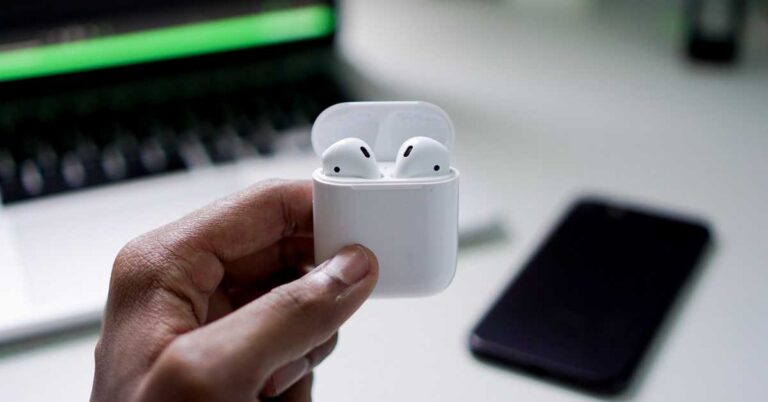
Apple AirPods are wireless Bluetooth earbuds created by Apple. Although they work best with Apple devices, they can be paired with Android devices and PC as well. This is because the principle for pairing the Airpods with other devices is Bluetooth connection which is a standard method for pairing all wireless devices.
How to connect Apple AirPods to an Android smartphone?
To connect Apple AirPods to an Android smartphone, follow these steps.
Press and hold the white button given on the backside of the AirPods case until the LED starts glowing white.
Go to the Bluetooth Settings on your Android smartphone.
Search for the available Bluetooth connections
Find Bluetooth connections via Settings. If the Airpods are still flashing white, they will appear in the Bluetooth Settings.
Tap Pair to allow the connection to be established between your smartphone and Airpods.
Once your smartphone identifies the Airpods, it will connect with it automatically provided the Bluetooth of your smartphone is enabled.
How to troubleshoot if Airpods don’t get paired with your Android smartphone?
If the smartphone fails to establish a Bluetooth connection with the Airpods, follow these steps.
Verify that the Airpods are not connected to any other device
Ensure that the Airpods are charged otherwise they will not get paired with any device.
In your smartphone, toggle the Bluetooth feature off and on once. You might also feel the need to reboot your smartphone.
Keep the Airpods within a range of 10 meters from the Android device.
How to troubleshoot if Airpods don’t get paired with your Android smartphone?
What to do if troubleshoot does not work?
If the troubleshooting methods don’t work out, you may need to reset your Airpods. When you reset your Airpods, they will get disconnected from other devices and iCloud account. Follow these steps.
Open the case of the AirPods while taking them outside.
Open the Bluetooth Settings on your smartphone.
Tap the Settings icon of the AirPods, and tap Forget this device.
Press and hold the button given at the backside of the AirPods case until it flashes red.
Don’t release the button until the LED flashes white.







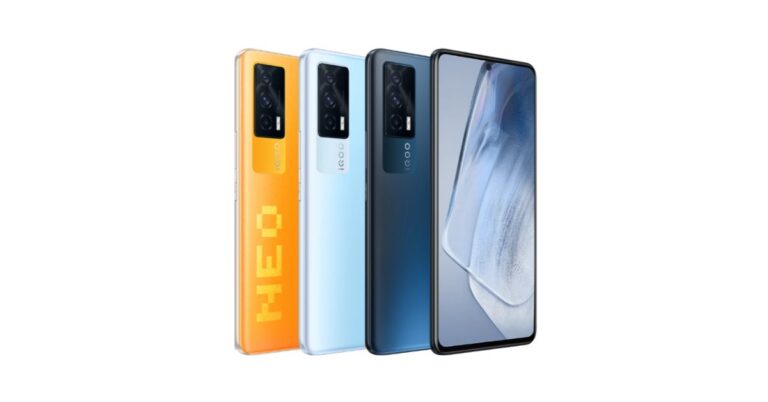
 iQoo Neo 5 specifications
iQoo Neo 5 features a 6.62-inch full-HD+ AMOLED dispwlay ith 1,080×2,400 pixels of resolution. It offers a 20:9 aspect ratio and a 120Hz refresh rate along with an in-display fingerprint sensor. The phone runs Android 11 with OriginOS and is powered by the Qualcomm Snapdragon 870 SoC, along with up to 12GB of RAM and up to 256GB of internal storage.
For photos and videos, the device comes with a triple rear camera setup that includes a 48-megapixel primary sensor, a 13-megapixel ultra-wide lens and a 2-megapixel mono lens. The phone features a 16-megapixel front-facing camera for taking selfies and video calling.
For connectivity, there is 5G, 4G LTE, Wi-Fi, Bluetooth 5.1, NFC, and a USB Type-C port. The mobile phone packs a 4,400mAh battery that supports 66W fast charging.
For the latest gadget and tech news, and gadget reviews, follow us on Twitter, Facebook and Instagram. For newest tech & gadget videos subscribe to our YouTube Channel. You can also stay up to date using the Gadget Bridge Android App.
iQoo Neo 5 specifications
iQoo Neo 5 features a 6.62-inch full-HD+ AMOLED dispwlay ith 1,080×2,400 pixels of resolution. It offers a 20:9 aspect ratio and a 120Hz refresh rate along with an in-display fingerprint sensor. The phone runs Android 11 with OriginOS and is powered by the Qualcomm Snapdragon 870 SoC, along with up to 12GB of RAM and up to 256GB of internal storage.
For photos and videos, the device comes with a triple rear camera setup that includes a 48-megapixel primary sensor, a 13-megapixel ultra-wide lens and a 2-megapixel mono lens. The phone features a 16-megapixel front-facing camera for taking selfies and video calling.
For connectivity, there is 5G, 4G LTE, Wi-Fi, Bluetooth 5.1, NFC, and a USB Type-C port. The mobile phone packs a 4,400mAh battery that supports 66W fast charging.
For the latest gadget and tech news, and gadget reviews, follow us on Twitter, Facebook and Instagram. For newest tech & gadget videos subscribe to our YouTube Channel. You can also stay up to date using the Gadget Bridge Android App.  iQoo Neo 5 specifications
iQoo Neo 5 features a 6.62-inch full-HD+ AMOLED dispwlay ith 1,080×2,400 pixels of resolution. It offers a 20:9 aspect ratio and a 120Hz refresh rate along with an in-display fingerprint sensor. The phone runs Android 11 with OriginOS and is powered by the Qualcomm Snapdragon 870 SoC, along with up to 12GB of RAM and up to 256GB of internal storage.
For photos and videos, the device comes with a triple rear camera setup that includes a 48-megapixel primary sensor, a 13-megapixel ultra-wide lens and a 2-megapixel mono lens. The phone features a 16-megapixel front-facing camera for taking selfies and video calling.
For connectivity, there is 5G, 4G LTE, Wi-Fi, Bluetooth 5.1, NFC, and a USB Type-C port. The mobile phone packs a 4,400mAh battery that supports 66W fast charging.
For the latest gadget and tech news, and gadget reviews, follow us on Twitter, Facebook and Instagram. For newest tech & gadget videos subscribe to our YouTube Channel. You can also stay up to date using the Gadget Bridge Android App.
iQoo Neo 5 specifications
iQoo Neo 5 features a 6.62-inch full-HD+ AMOLED dispwlay ith 1,080×2,400 pixels of resolution. It offers a 20:9 aspect ratio and a 120Hz refresh rate along with an in-display fingerprint sensor. The phone runs Android 11 with OriginOS and is powered by the Qualcomm Snapdragon 870 SoC, along with up to 12GB of RAM and up to 256GB of internal storage.
For photos and videos, the device comes with a triple rear camera setup that includes a 48-megapixel primary sensor, a 13-megapixel ultra-wide lens and a 2-megapixel mono lens. The phone features a 16-megapixel front-facing camera for taking selfies and video calling.
For connectivity, there is 5G, 4G LTE, Wi-Fi, Bluetooth 5.1, NFC, and a USB Type-C port. The mobile phone packs a 4,400mAh battery that supports 66W fast charging.
For the latest gadget and tech news, and gadget reviews, follow us on Twitter, Facebook and Instagram. For newest tech & gadget videos subscribe to our YouTube Channel. You can also stay up to date using the Gadget Bridge Android App.