

 The company has launched a total of five Thomson air coolers at the price starting at Rs 4,999 which goes up to Rs 8,199. It includes a new lineup of air coolers in the Personal, Window, and Desert categories, ranging in size from 28 to 85 litres.
Whereas the new Thomson Alpha smart TV comes in three sizes 24 inch, 32 inch and 40 inch. Smart TVs, according to the manufacturer, are the lowest-priced ones available in the market. The new models in the Alpha series are priced at 24 inches for Rs 6499, 32 inches for Rs 7999, and 40 inches for Rs 13,499. The Televisions come with a bezel-less design. They further include Miracast, surround sound, picture quality, and 30W sound output. Powered by an amlogic processor, many other features are included with these TVs.
For the latest gadget and tech news, and gadget reviews, follow us on Twitter, Facebook and Instagram. For newest tech & gadget videos subscribe to our YouTube Channel. You can also stay up to date using the Gadget Bridge Android App. You can find the latest car and bike news here.
The company has launched a total of five Thomson air coolers at the price starting at Rs 4,999 which goes up to Rs 8,199. It includes a new lineup of air coolers in the Personal, Window, and Desert categories, ranging in size from 28 to 85 litres.
Whereas the new Thomson Alpha smart TV comes in three sizes 24 inch, 32 inch and 40 inch. Smart TVs, according to the manufacturer, are the lowest-priced ones available in the market. The new models in the Alpha series are priced at 24 inches for Rs 6499, 32 inches for Rs 7999, and 40 inches for Rs 13,499. The Televisions come with a bezel-less design. They further include Miracast, surround sound, picture quality, and 30W sound output. Powered by an amlogic processor, many other features are included with these TVs.
For the latest gadget and tech news, and gadget reviews, follow us on Twitter, Facebook and Instagram. For newest tech & gadget videos subscribe to our YouTube Channel. You can also stay up to date using the Gadget Bridge Android App. You can find the latest car and bike news here. Thomson introduced a new range of Air Coolers and Alpha Series Smart TVs in India
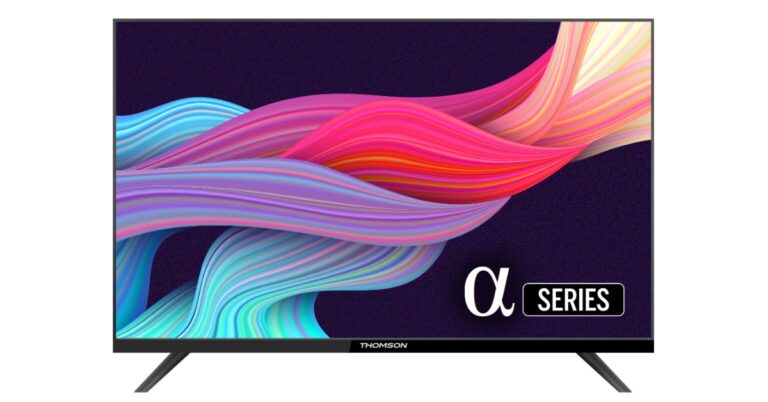
In advance of the summer, the European electronics company Thomson has announced the launch of a new line of air coolers in India. In addition to this, the company has also introduced new Alpha Series Tvs in the country. There are three models in the series 24 inch, 32 inch and 40 inch.
Elated with the new launch Avneet Singh Marwah, CEO SPPL, Exclusive Brand Licensee of THOMSON in India, says “We are very delighted to offer this new bouquet of products to the Indian consumer and pledge to make 2023 really big with more offerings in the coming months. Our constant effort is to equip our loyal consumers with the best of technology that is made in India and thank them for their great support to make the brand grow exponentially. ”
Also Read: Infinix Hot 30i smartphone and Y1 Plus Neo laptop to launch in India soon
According to the company, Thomson’s new Alpha Series TVs and Cool Pro Series Air Coolers will be available for purchase via Flipkart starting on March 6, 2023, during the Flipkart Big Saving Days Sale (Flipkart Cooling Days Sale).
 The company has launched a total of five Thomson air coolers at the price starting at Rs 4,999 which goes up to Rs 8,199. It includes a new lineup of air coolers in the Personal, Window, and Desert categories, ranging in size from 28 to 85 litres.
Whereas the new Thomson Alpha smart TV comes in three sizes 24 inch, 32 inch and 40 inch. Smart TVs, according to the manufacturer, are the lowest-priced ones available in the market. The new models in the Alpha series are priced at 24 inches for Rs 6499, 32 inches for Rs 7999, and 40 inches for Rs 13,499. The Televisions come with a bezel-less design. They further include Miracast, surround sound, picture quality, and 30W sound output. Powered by an amlogic processor, many other features are included with these TVs.
For the latest gadget and tech news, and gadget reviews, follow us on Twitter, Facebook and Instagram. For newest tech & gadget videos subscribe to our YouTube Channel. You can also stay up to date using the Gadget Bridge Android App. You can find the latest car and bike news here.
The company has launched a total of five Thomson air coolers at the price starting at Rs 4,999 which goes up to Rs 8,199. It includes a new lineup of air coolers in the Personal, Window, and Desert categories, ranging in size from 28 to 85 litres.
Whereas the new Thomson Alpha smart TV comes in three sizes 24 inch, 32 inch and 40 inch. Smart TVs, according to the manufacturer, are the lowest-priced ones available in the market. The new models in the Alpha series are priced at 24 inches for Rs 6499, 32 inches for Rs 7999, and 40 inches for Rs 13,499. The Televisions come with a bezel-less design. They further include Miracast, surround sound, picture quality, and 30W sound output. Powered by an amlogic processor, many other features are included with these TVs.
For the latest gadget and tech news, and gadget reviews, follow us on Twitter, Facebook and Instagram. For newest tech & gadget videos subscribe to our YouTube Channel. You can also stay up to date using the Gadget Bridge Android App. You can find the latest car and bike news here.
The company has launched a total of five Thomson air coolers at the price starting at Rs 4,999 which goes up to Rs 8,199. It includes a new lineup of air coolers in the Personal, Window, and Desert categories, ranging in size from 28 to 85 litres.
Whereas the new Thomson Alpha smart TV comes in three sizes 24 inch, 32 inch and 40 inch. Smart TVs, according to the manufacturer, are the lowest-priced ones available in the market. The new models in the Alpha series are priced at 24 inches for Rs 6499, 32 inches for Rs 7999, and 40 inches for Rs 13,499. The Televisions come with a bezel-less design. They further include Miracast, surround sound, picture quality, and 30W sound output. Powered by an amlogic processor, many other features are included with these TVs.
For the latest gadget and tech news, and gadget reviews, follow us on Twitter, Facebook and Instagram. For newest tech & gadget videos subscribe to our YouTube Channel. You can also stay up to date using the Gadget Bridge Android App. You can find the latest car and bike news here. Garena Free Fire Redeem Codes Today 4 March 2023: Here is how to claim them

Garena Free Fire is a battle royale game with regular awards and tournaments to keep players interested. If you play Garena Free Fire, you should be aware of the redeem codes that are released on a daily basis. However, because the battle royale game is banned in India, players from other countries can use the Free Fire Redeem codes daily. If you’re unfamiliar with the Garena Free Fire redeem codes or don’t know how to get them, we’ve put together a step-by-step guide to help you redeem them. Check out Garena Free Fire Redeem Codes for 4 March 2023.
The Free Fire redeem codes are a great way to get free stuff. These are 12-digit codes that contain alphabets and numbers, as well as an expiration date and time. Because the Garena FF redeem codes cannot be used more than once, you should hurry to the redemption page to claim your free reward before someone else does. To get a free reward, all you have to do is go to reward.ff.garena.com/en, which is the official redemption page. Also, keep an eye on this space for daily updates on Garena Free Fire redemption codes and rewards.
Garena Free Fire Redeem Codes Today 4 March 2023
- FU9OKJFR7YHRTT
- F454TZGJGYUJYG
- FHFTYH88IJR5GT
- FHYGH78IKJUIK6F
- FKU8ORBCFGRTS
- FO9D5TRHGMKG8
- F45DGTHGJGYUJT
- FJ7Y8KLUKHR5D6
- F54GH8VFYUJYJ5
- FYI9DRGGDT5ER
- F45RDS25FHJGYG
- FLU90OKJHTBHTU
- F54YTGTYGJYGBF
- F34RFDGFYHTYH7
- FLU9OLJFTYTGD6
- F34FDFGTFYTGYK
- F34RGDTGFYJHT
- F90JFTHYTSHT6Y
- F2RGGYUKJYJ7B
- F8980PDEFFRTHT
- F24RTGFTYGYJYJJ
- F435GRBGYUJJ4
- FLI9TFYHHFHGYT
- F4RGRTGFYJTYJ7
How to Get Free Fire Redeem Codes for Garena on 4 March 2023?
- Visit the Garena Free Fire game’s official website at reward.ff.garena.com.
- Use your Facebook, Google, VK, Apple ID, Huawei ID, or Twitter account to log in.
- You’ll be taken to a valid redemption code (s)
- Copy and paste the 12-digit redemption code into the text box.
- On the screen, a dialogue box will appear.
- ‘Ok’ should be selected.
Amazon Quiz Answers Today 4 March 2023: Participate to win Rs 5,000

Have you participated in the Amazon Quiz today? If not then participate in the 4 March 2023 Amazon Quiz as it has already gone live on the app. The daily quiz can be played from 12 AM to 11:59 every day on the mobile app platform. Today e-commerce is giving the chance to win Rs 5,000 Amazon Pay Balance.
Every day Amazon brings a fresh quiz for its customers. By participating in the quiz the participants can win an Amazon Pay Balance of up to Rs 50,000. The quiz can only be played on the mobile app as it is not available for the desktop platform. The quiz contains five easy questions and you have to answer all the questions correctly. The participants will then be shortlisted for a lucky draw to select a winner. Whereas the results are declared at the end of the month. Check out today’s Amazon quiz answers to win Rs 5,000.
Amazon Quiz Today Prize – Rs 5,000 Amazon Pay Balance
Quiz Date – 4 March 2023
Daily Timing – 12 AM to 11:59 PM
Winner Announcement – Today 12 PM
Amazon Quiz Answers Today 4 March 2023
Question 1: Which of these teams did NOT make it to the semi finals of the 2023 Women’s T20 World Cup? Answer: New Zealand Question 2: Which recently released movie starring Kartik Aaryan is a remake of the Telugu film ‘Ala Vaikunthapurramuloo’? Answer: Shehzada Question 3: General Anil Chauhan is the current occupant of which important post in India? Answer: Chief of Defence Staff Question 4: This is the Nilgiri Tahr, the state animal of which state? Answer: Tamil Nadu Question 5: This statue is a famous landmark in which city? Answer: New YorkHow To Play Amazon Quiz
Only app users are eligible to play the Amazon quiz every morning from 12 AM to 11:59 PM. The quiz is not available on the desktop. For those who are unaware of how to play the Amazon quiz below are the steps, you can follow to take the quiz.- Firstly download the Amazon app from Google Play Store or App Store
- Now fill in the required information through the Sign Up option.
- You need to log in to the Amazon app and scroll down on the home screen to find the Amazon Quiz banner.
- Tap on the Amazon Quiz banner and tap on the Start button to start the Quiz.
- Now you will get 5 questions and you need to answer them correctly. One wrong answer will eliminate you from the Quiz.
- After answering all the questions correctly you are now eligible for a Lucky Draw.
- The winner’s name will be announced today at 12 PM.
Infinix Hot 30i smartphone and Y1 Plus Neo laptop to launch in India soon
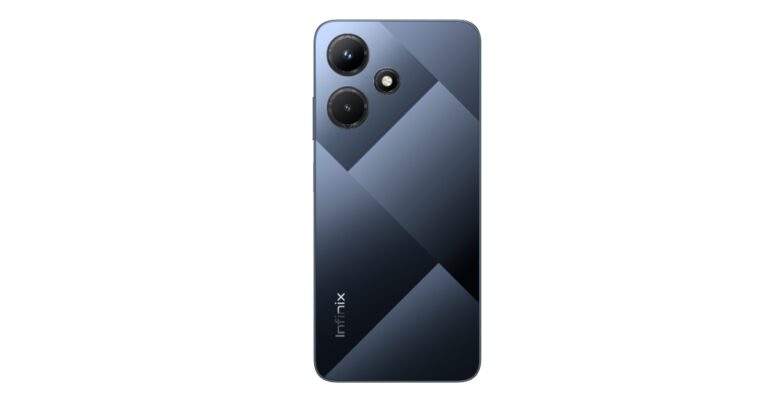
Infinix has announced plans to bring two new products to the Indian market. The company will soon be launching the Hot 30i smartphone and the Y1 Plus Neo laptop in the country soon. The company has not revealed a specific launch date but it is slated to release this month. The smartphone will be a successor to Infinix Hot 20i which was launched last year.
According to the company, these new releases, Infinix is anticipated to solidify its position as a leading provider of high-quality, budget-friendly mobile devices and laptops.
Both the Hot 30i smartphone and the Y1 Plus Neo laptop are said to be “appealing and will be aggressively priced, having a typical FIST approach.” The upcoming smartphone is said to have a larger memory. It is going to feature a big display and a dynamic design with a leather and glass finish.
 On the other hand, the Infinix Y1 Plus laptop will be offering a compact form factor. It will be lightweight and feature-packed.
Also Read: Comparison: OnePlus 11 vs Samsung Galaxy S23
The company has not shared many details about the smartphone but a few days back spotted on the IMEI database with model number X669 which is believed to be Infinix Hot 30i.
Rumours suggest that the Infinix Hot 30i will be featuring a 6.6-inch IPS HD+ LCD display with 720×1,612 pixels of resolution. The screen is likely to offer 500 nits of brightness. The device may further include a MediaTek Helio G37 chipset with up to 4GB of RAM with a RAM expansion feature. There will be no provision for a microSD card slot. In addition to this, the handset could run on Android 12.
In terms of optics, the phone may include a triple rear camera setup that includes a 50-megapixel primary sensor and dual 2-megapixel sensors. In addition to this, the handset is expected to house a 5,000mAh battery that will have support for 18W wired charging.
For the latest gadget and tech news, and gadget reviews, follow us on Twitter, Facebook and Instagram. For newest tech & gadget videos subscribe to our YouTube Channel. You can also stay up to date using the Gadget Bridge Android App. You can find the latest car and bike news here.
On the other hand, the Infinix Y1 Plus laptop will be offering a compact form factor. It will be lightweight and feature-packed.
Also Read: Comparison: OnePlus 11 vs Samsung Galaxy S23
The company has not shared many details about the smartphone but a few days back spotted on the IMEI database with model number X669 which is believed to be Infinix Hot 30i.
Rumours suggest that the Infinix Hot 30i will be featuring a 6.6-inch IPS HD+ LCD display with 720×1,612 pixels of resolution. The screen is likely to offer 500 nits of brightness. The device may further include a MediaTek Helio G37 chipset with up to 4GB of RAM with a RAM expansion feature. There will be no provision for a microSD card slot. In addition to this, the handset could run on Android 12.
In terms of optics, the phone may include a triple rear camera setup that includes a 50-megapixel primary sensor and dual 2-megapixel sensors. In addition to this, the handset is expected to house a 5,000mAh battery that will have support for 18W wired charging.
For the latest gadget and tech news, and gadget reviews, follow us on Twitter, Facebook and Instagram. For newest tech & gadget videos subscribe to our YouTube Channel. You can also stay up to date using the Gadget Bridge Android App. You can find the latest car and bike news here.
 On the other hand, the Infinix Y1 Plus laptop will be offering a compact form factor. It will be lightweight and feature-packed.
Also Read: Comparison: OnePlus 11 vs Samsung Galaxy S23
The company has not shared many details about the smartphone but a few days back spotted on the IMEI database with model number X669 which is believed to be Infinix Hot 30i.
Rumours suggest that the Infinix Hot 30i will be featuring a 6.6-inch IPS HD+ LCD display with 720×1,612 pixels of resolution. The screen is likely to offer 500 nits of brightness. The device may further include a MediaTek Helio G37 chipset with up to 4GB of RAM with a RAM expansion feature. There will be no provision for a microSD card slot. In addition to this, the handset could run on Android 12.
In terms of optics, the phone may include a triple rear camera setup that includes a 50-megapixel primary sensor and dual 2-megapixel sensors. In addition to this, the handset is expected to house a 5,000mAh battery that will have support for 18W wired charging.
For the latest gadget and tech news, and gadget reviews, follow us on Twitter, Facebook and Instagram. For newest tech & gadget videos subscribe to our YouTube Channel. You can also stay up to date using the Gadget Bridge Android App. You can find the latest car and bike news here.
On the other hand, the Infinix Y1 Plus laptop will be offering a compact form factor. It will be lightweight and feature-packed.
Also Read: Comparison: OnePlus 11 vs Samsung Galaxy S23
The company has not shared many details about the smartphone but a few days back spotted on the IMEI database with model number X669 which is believed to be Infinix Hot 30i.
Rumours suggest that the Infinix Hot 30i will be featuring a 6.6-inch IPS HD+ LCD display with 720×1,612 pixels of resolution. The screen is likely to offer 500 nits of brightness. The device may further include a MediaTek Helio G37 chipset with up to 4GB of RAM with a RAM expansion feature. There will be no provision for a microSD card slot. In addition to this, the handset could run on Android 12.
In terms of optics, the phone may include a triple rear camera setup that includes a 50-megapixel primary sensor and dual 2-megapixel sensors. In addition to this, the handset is expected to house a 5,000mAh battery that will have support for 18W wired charging.
For the latest gadget and tech news, and gadget reviews, follow us on Twitter, Facebook and Instagram. For newest tech & gadget videos subscribe to our YouTube Channel. You can also stay up to date using the Gadget Bridge Android App. You can find the latest car and bike news here. How to scan QR Codes with Android phones without an app?
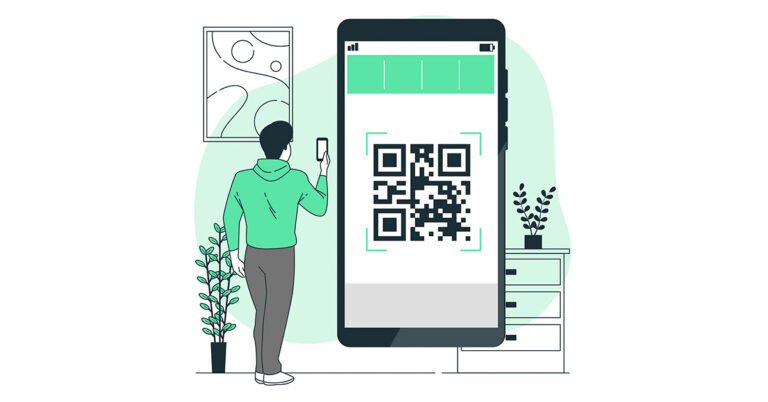
QR codes have become increasingly popular in recent years, as they offer a quick and convenient way to access information or websites without having to type in long URLs or search for content manually.
 The first step is to open your phone’s camera app. Most Android phones now come with a built-in QR code scanner in their camera app, so you don’t need to install any additional software. If you’re not sure whether your phone’s camera app has this feature, check the settings or user manual to see if there’s a QR code scanning option.
Once you’ve opened your camera app, hold your phone up to the QR code so that it appears on your screen. Make sure that the entire code is visible and that your phone is close enough to read it clearly. You’ll need to keep your phone steady and in focus for the scanner to work properly.
The first step is to open your phone’s camera app. Most Android phones now come with a built-in QR code scanner in their camera app, so you don’t need to install any additional software. If you’re not sure whether your phone’s camera app has this feature, check the settings or user manual to see if there’s a QR code scanning option.
Once you’ve opened your camera app, hold your phone up to the QR code so that it appears on your screen. Make sure that the entire code is visible and that your phone is close enough to read it clearly. You’ll need to keep your phone steady and in focus for the scanner to work properly.
Step 3: Wait for the Scanner to Recognize the Code
Most modern Android phones use AI-powered algorithms to detect QR codes automatically, so you won’t need to do anything else to scan the code once it’s in view. However, it may take a few seconds for the scanner to recognize the code, so be patient and wait for a notification or popup to appear on your screen.
Step 4: Tap on the Notification or Popup
When the scanner has recognized the QR code, you should see a notification or popup appear on your screen. This will usually display the URL or content associated with the code, along with a button or link to open it. Tap on the notification or popup to access the content.
And that’s it! By following these simple steps, you can scan QR codes with your Android phone without having to download any additional apps or software. While QR code scanner apps can offer additional features and functionality, such as the ability to save codes for later use or share them with others, the built-in scanner in your Android phone’s camera app is a quick and easy solution for scanning codes on the go. Now you know how to scan QR Codes with Android phones without an app.
Read Also: WhatsApp will soon change the way you add contacts: Here’s how
What is a QR Code?
A QR Code, short for Quick Response Code, is a two-dimensional barcode that contains encoded information that can be read by a smartphone or other QR code reader. QR codes were first developed in 1994 by a Japanese company called Denso Wave, and they have become increasingly popular in recent years due to the widespread use of smartphones and mobile devices. QR codes can be used to encode various types of information, such as website URLs, contact information, product details, and more. To read a QR code, you need to have a QR code scanner app installed on your smartphone. You can simply point your camera at the QR code, and the scanner app will automatically decode the information and display it on your screen. Read Also: How to use WhatsApp Web on PC? QR codes are commonly used in marketing, advertising, and retail industries to provide easy access to information or to offer special promotions or discounts. They can also be used for personal purposes, such as sharing contact information or event details. While many people rely on QR code scanner apps to read these codes, it’s possible to scan QR codes with an Android phone without an app. In this blog post, we’ll walk you through the steps to scan QR codes with your Android phone’s built-in features. This is how to scan QR Codes with Android phones without an app:Step 1: Open Your Camera App
 The first step is to open your phone’s camera app. Most Android phones now come with a built-in QR code scanner in their camera app, so you don’t need to install any additional software. If you’re not sure whether your phone’s camera app has this feature, check the settings or user manual to see if there’s a QR code scanning option.
Step 2: Align Your Camera with the QR Code
 Once you’ve opened your camera app, hold your phone up to the QR code so that it appears on your screen. Make sure that the entire code is visible and that your phone is close enough to read it clearly. You’ll need to keep your phone steady and in focus for the scanner to work properly.
Step 3: Wait for the Scanner to Recognize the Code
Most modern Android phones use AI-powered algorithms to detect QR codes automatically, so you won’t need to do anything else to scan the code once it’s in view. However, it may take a few seconds for the scanner to recognize the code, so be patient and wait for a notification or popup to appear on your screen.

Step 4: Tap on the Notification or Popup
When the scanner has recognized the QR code, you should see a notification or popup appear on your screen. This will usually display the URL or content associated with the code, along with a button or link to open it. Tap on the notification or popup to access the content.
And that’s it! By following these simple steps, you can scan QR codes with your Android phone without having to download any additional apps or software. While QR code scanner apps can offer additional features and functionality, such as the ability to save codes for later use or share them with others, the built-in scanner in your Android phone’s camera app is a quick and easy solution for scanning codes on the go. Now you know how to scan QR Codes with Android phones without an app.
Read Also: WhatsApp will soon change the way you add contacts: Here’s how

QR Code Safety Features
QR codes have some built-in safety features that help to protect users from malicious or fraudulent codes. Some of these safety features include: Error correction: QR codes are designed to have error correction built in, which means that even if part of the code is damaged or obscured, the scanner can still decode the information. Secure coding: QR codes can be encrypted or digitally signed to prevent unauthorized access or modification of the data. Scanning restrictions: Some QR codes can be programmed to only work in certain locations or under certain conditions, such as requiring the user to be physically present or to enter a password. Malware protection: QR code readers can include malware protection features that can detect and prevent malicious codes from executing harmful actions on the user’s device. Transparency: Many QR code readers display the full URL of the website or the type of data encoded in the code before the user decides to visit or download it. This allows users to make informed decisions and avoid potential scams or phishing attempts. It’s important to note that while QR codes can have safety features built in, they can still be used for malicious purposes if users are not careful. It’s always a good idea to verify the source of the QR code and to be cautious when scanning codes from unknown or untrusted sources. For the latest gadget and tech news, and gadget reviews, follow us on Twitter, Facebook and Instagram. For the newest tech & gadget videos subscribe to our YouTube Channel. You can also stay up to date using the Gadget Bridge Android App. You can find the latest car and bike news here.How to Play PS3 Games on a PS4? Top best ways
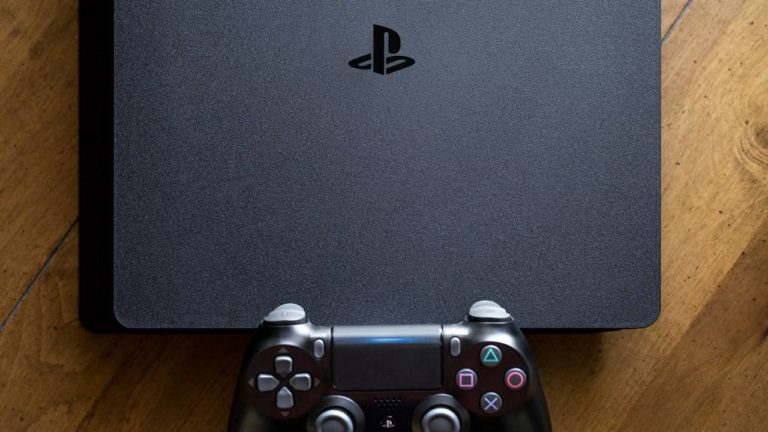
Apart from the general specs, one of the more important things you should look for while buying a console is its backwards compatibility. While buying a new-generation console you’d still want it to run your older gaming titles. This saves a lot of the hassle that comes with switching between consoles. If your older console finally bites the dust, then the gaming titles that ran on it would become worthless too. While most companies take backwards compatibility into account when designing a new console, sometimes the change in architecture is too radical to facilitate this process. PS4 users will be aware of this issue all too well, as the console isn’t compatible with the previous generation PS3. But is there a way you can play your PS3 games on a PS4? Let’s find out.
Read Also: OnePlus 11 review: This is what a OnePlus flagship should look like
Sony’s cloud gaming service was previously called PS Now, but has now been rebranded to PlayStation Plus and offers three subscription plans. PlayStation Plus offers tons of gaming titles that you can stream online. This includes games that were previously available on PS3 and PS2 as well. Right now there are up to 400 PS3 titles you can play via PlayStation Plus. You don’t even need to download the game, you can simply stream it online. The only downside to this is that Sony may remove your favourite game at any time.
 Most of the major gaming titles are often remastered for new consoles. Games like The Last of Us and Borderlands have found new life with these remasters. If you’re looking for a niche or indie game, chances are you may not find it. Companies usually only remaster games that are sure will perform well in the market. This means outside of the major gaming titles, there is little chance that games get remastered for newer consoles.
Use Playstation Plus Premium
 Sony’s cloud gaming service was previously called PS Now, but has now been rebranded to PlayStation Plus and offers three subscription plans. PlayStation Plus offers tons of gaming titles that you can stream online. This includes games that were previously available on PS3 and PS2 as well. Right now there are up to 400 PS3 titles you can play via PlayStation Plus. You don’t even need to download the game, you can simply stream it online. The only downside to this is that Sony may remove your favourite game at any time.
Use a remastered disc
 Most of the major gaming titles are often remastered for new consoles. Games like The Last of Us and Borderlands have found new life with these remasters. If you’re looking for a niche or indie game, chances are you may not find it. Companies usually only remaster games that are sure will perform well in the market. This means outside of the major gaming titles, there is little chance that games get remastered for newer consoles.
Use promotional offers
Certain games have promotional offers that give you cross-platform access at a minimal cost. If you purchased a disc or digital title for PS3, look for any promotional offer that gives you a PS4 upgrade at a small cost. If you’re lucky, you may even get a free upgrade. Go through your digital titles on PS3 and check if they came with any promotional offers. Read Also: How to Take Full Screenshots on Google Chromebooks?Conclusion
These are the top 3 ways you can play PS3 games on a PS4. If you’re a PS4 user, you won’t have any issues upgrading to PS5 since the console is backwards compatible with the previous generation. It goes without saying, but since PS4 isn’t compatible with PS3, this means that PS5 isn’t either. For the latest gadget and tech news, and gadget reviews, follow us on Twitter, Facebook and Instagram. For newest tech & gadget videos subscribe to our YouTube Channel. You can also stay up to date using the Gadget Bridge Android App. You can find the latest car and bike news here.Moto G73 5G India launch confirmed for March 10
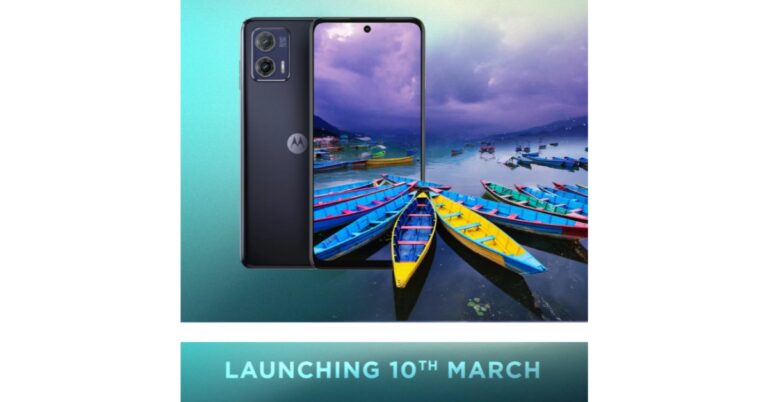
Two new Motorola smartphones Moto G53 5G, and Moto G73 5G debuted globally in February this year. The company has now confirmed that Moto G73 5G is now set to make its entry into the Indian market on March 10. Ahead of the official launch, the device has also been listed on Flipkart to tease the upcoming India launch. According to the landing page, the device will be powered by MediaTek Dimensity 930 SoC.
As we previously said, Motorola has created a dedicated microsite on Flipkart with details on the upcoming launch and the device. The device was launched in February globally and is a 5G variant of Moto G72 4G.
As per the microsite, the upcoming smartphone will feature a sleek, stylish and premium design and comes with a water-resistant design. As per the teaser the Moto G73 5G will feature a 6.5-inch full-HD+ LCD display. The panel has a refresh rate of 120Hz.
The landing page suggests that the Moto G73 5G will be the nation’s phone to use MediaTek’s Dimensity 930 SoC with 8GB of RAM and 128GB of internal storage. It is produced using 6nm technology and has a maximum clock speed of 2.2GHz. The device will run on Android 13 over Motorola’s MyUX in terms of software.
Also Read: Comparison: Vivo V27 Pro Vs OnePlus 11R
Moreover, the phone will come with a dual camera setup. It is teased to include a 50-megapixel main camera and an 8-megapixel ultra-wide-angle sensor. Whereas a 16-megapixel front-facing camera will take selfies. The is claimed to have a larger 2μm pixel size, therefore, offering better photography performance. “This 50MP camera has a flagship-grade camera sensor which offers 1.5x larger pixels that get you 4x better light sensitivity and brilliant photos in any light.” The Moto G73 5G is advertised to offer better low light, colour accuracy and motion capture.
In addition to this, there will be a stereo speaker setup that is said to support Dolby Atmos that will offer multi-dimensional sounds
In terms of connectivity, the phone is claimed to support 13 5G bands. It has 4×4 MIMO and 3 carrier aggregation. Wi-Fi, Bluetooth 5.3, NFC, and a 3.5mm headphone jack are other connectivity options onboard. The phone will house a 5,000mAH battery and support 30W wired charging.
For the latest gadget and tech news, and gadget reviews, follow us on Twitter, Facebook and Instagram. For newest tech & gadget videos subscribe to our YouTube Channel. You can also stay up to date using the Gadget Bridge Android App. You can find the latest car and bike news here.
Can I track my mobile phone when it is switched off?
Modern smartphones come packed with heavy security features that make it easy to track them in case they get lost or stolen. However, there is one small catch. In order to know the live location of your smartphone, it must be switched on and emitting a data signal. If your smartphone is switched off, locating it can get tricky. But is it still possible to track your mobile phone when it is switched off? Here are a few things you can try.
Read Also: OnePlus 11 review: This is what a OnePlus flagship should look like
Before location services made their way to mobile phones, the only way you could track your device was through its IMEI number. The IMEI number is unique to your phone and is used to establish contact with the nearest cell tower. In case you lose your phone, the first thing you should do is file an FIR at your nearest police station and let the police track your phone down. However, tracking a phone through its IMEI number only works if the phone is able to make contact with a cell tower. As soon as a call is made from the device, its exact location can be triangulated using the cell tower it established contact with.
Tracking a phone using the IMEI number comes in useful when the device isn’t connected to the Internet. Since you won’t be able to access the location history of the device, the only way to track it is by intercepting its cellular signal. If your phone is switched off, you won’t be able to track it using IMEI. What you can do is block the phone and render it useless, in case it falls into malicious hands. Here’s how you can block your phone from the CEIR portal using its IMEI number.
If you lost your phone and aren’t able to ring it because it is switched off, you can still find its last location. Google’s Find My Device logs the location of your device as long as it is connected to the Internet. This service comes in handy when your lost phone dies out due to battery drainage. Tracking its last known location will still lead you to it. All you need to do is visit Google’s Find My Device webpage and log in using your Google account. If your phone is active you will be able to view its live location. If it is switched off, you can still view its last recorded location. Find My Device also gives you the option to remotely erase all data on your device.
Read Also: Xiaomi TV Stick 4K Review: Xiaomi is back in the streaming game!
Track your mobile phone using IMEI
 Before location services made their way to mobile phones, the only way you could track your device was through its IMEI number. The IMEI number is unique to your phone and is used to establish contact with the nearest cell tower. In case you lose your phone, the first thing you should do is file an FIR at your nearest police station and let the police track your phone down. However, tracking a phone through its IMEI number only works if the phone is able to make contact with a cell tower. As soon as a call is made from the device, its exact location can be triangulated using the cell tower it established contact with.
Tracking a phone using the IMEI number comes in useful when the device isn’t connected to the Internet. Since you won’t be able to access the location history of the device, the only way to track it is by intercepting its cellular signal. If your phone is switched off, you won’t be able to track it using IMEI. What you can do is block the phone and render it useless, in case it falls into malicious hands. Here’s how you can block your phone from the CEIR portal using its IMEI number.
Before location services made their way to mobile phones, the only way you could track your device was through its IMEI number. The IMEI number is unique to your phone and is used to establish contact with the nearest cell tower. In case you lose your phone, the first thing you should do is file an FIR at your nearest police station and let the police track your phone down. However, tracking a phone through its IMEI number only works if the phone is able to make contact with a cell tower. As soon as a call is made from the device, its exact location can be triangulated using the cell tower it established contact with.
Tracking a phone using the IMEI number comes in useful when the device isn’t connected to the Internet. Since you won’t be able to access the location history of the device, the only way to track it is by intercepting its cellular signal. If your phone is switched off, you won’t be able to track it using IMEI. What you can do is block the phone and render it useless, in case it falls into malicious hands. Here’s how you can block your phone from the CEIR portal using its IMEI number.
Track your phone using Find My Device
 If you lost your phone and aren’t able to ring it because it is switched off, you can still find its last location. Google’s Find My Device logs the location of your device as long as it is connected to the Internet. This service comes in handy when your lost phone dies out due to battery drainage. Tracking its last known location will still lead you to it. All you need to do is visit Google’s Find My Device webpage and log in using your Google account. If your phone is active you will be able to view its live location. If it is switched off, you can still view its last recorded location. Find My Device also gives you the option to remotely erase all data on your device.
Read Also: Xiaomi TV Stick 4K Review: Xiaomi is back in the streaming game!
If you lost your phone and aren’t able to ring it because it is switched off, you can still find its last location. Google’s Find My Device logs the location of your device as long as it is connected to the Internet. This service comes in handy when your lost phone dies out due to battery drainage. Tracking its last known location will still lead you to it. All you need to do is visit Google’s Find My Device webpage and log in using your Google account. If your phone is active you will be able to view its live location. If it is switched off, you can still view its last recorded location. Find My Device also gives you the option to remotely erase all data on your device.
Read Also: Xiaomi TV Stick 4K Review: Xiaomi is back in the streaming game!
Conclusion
This is how you can track your mobile phone if it’s switched off. If you lost a regular feature phone, it can only be tracked using the IMEI number. Lost your TWS headset? Airpods can easily be tracked using Apple’s Find My service, while lost Galaxy Buds can be recovered by tracking their location through Samsung’s ‘Galaxy Wearable’ app. For the latest gadget and tech news, and gadget reviews, follow us on Twitter, Facebook and Instagram. For newest tech & gadget videos subscribe to our YouTube Channel. You can also stay up to date using the Gadget Bridge Android App. You can find the latest car and bike news here.Comparison: Vivo V27 Pro Vs OnePlus 11R
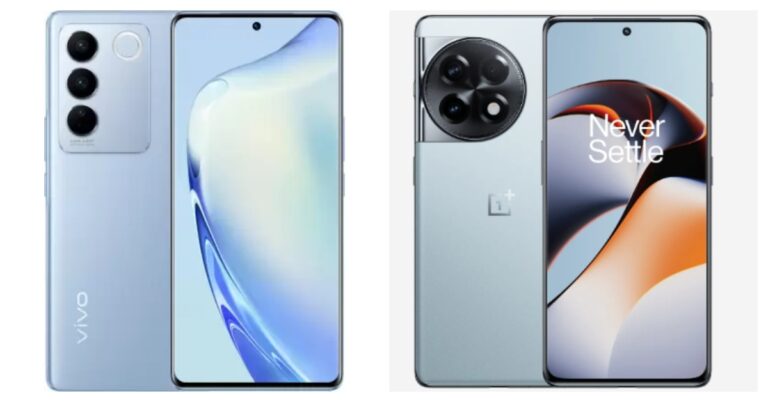
Vivo V27 Pro recently debuted in India. The smartphone has a good-looking design and a camera, and it costs less than Rs 40,000. The smartphone competes with the OnePlus 11R with these features. Below is a detailed comparison of the Vivo V27 Pro vs OnePlus 11R to assist you in making your decision.
Display
Vivo V27 Pro: 6.78-inch full-HD+ 3D curved AMOLED display OnePlus 11R: 6.74-inch Full-HD+ curved AMOLED displayProcessor
Vivo V27 Pro: MediaTek Dimensity 8200 SoC OnePlus 11R: Snapdragon 8+ Gen 1 5GRear camera(s)
Vivo V27 Pro: Triple rear camera setup includes a 50MP Sony IMX766V custom primary rear sensor with OIS stabilisation along with an 8MP wide-angle, and a 2MP macro sensor OnePlus 11R: Triple rear camera setup includes a 50MP Sony IMX890 main sensor, 2MP macro camera with a 120-degree ultra-wide lens, an 8 MP ultra wide-angle sensorSelfie camera
Vivo V27 Pro: 50-megapixel selfie camera OnePlus 11R: 16MP front cameraRAM and storage
Vivo V27 Pro: 8GB RAM with 128GB storage/8GB RAM with 256GB storage/12GB RAM with 256GB storage OnePlus 11R: 8GB RAM with 128GB storage/16GB RAM with 256GB storageBattery
Vivo V27 Pro: 4600mAh battery OnePlus 11R: 5,000mAh batteryOperating system
Vivo V27 Pro: FunTouch OS 13 on top of Android 1 OnePlus 11R:Starting Price
Vivo V27 Pro: Rs 37,999 OnePlus 11R: Rs 39,999Our verdict
Both devices have AMOLED displays, however, the one on the Vivo V27 Pro is superior to the one on the OnePlus phone. The display of the OnePlus 11R, though, is more powerful and efficient. Also, the OnePlus phone has better software. In contrast, the selfie camera on the Vivo V27 Pro has a 50MP resolution, which is far higher than what the OnePlus has to offer. But, when it comes to endurance, OnePlus once more edges over Vivo. It offers both a 5,000mAH battery and a 100W fast charging support. If you’re looking for a stylish phone with decent features, you might want to think about purchasing the Vivo V27 Pro. In contrast, the OnePlus 11R has a powerful and capable chipset, better software than Vivo, and a longer battery life with fast charging. Purchasing this is definitely a wise move. For the latest gadget and tech news, and gadget reviews, follow us on Twitter, Facebook and Instagram. For newest tech & gadget videos subscribe to our YouTube Channel. You can also stay up to date using the Gadget Bridge Android App. You can find the latest car and bike news here.Is it possible to log in to WhatsApp Web without a phone?
Being the most popular Instant Messenger in the world, WhatsApp’s lack of multi-device connectivity was something that perplexed a lot of users. While some may have valid concerns about multiple devices increasing security concerns, for a lot of users the convenience of using one WhatsApp account on two phones surpasses the risk that comes with it. While there is still no legitimate way to use one WhatsApp account on two phones (although there are a few workarounds you can read about here), WhatsApp offers multi-device connectivity through its web portal. One of the most asked questions is whether it is possible to log in to WhatsApp Web when you don’t have your phone on you. Let’s take a look if it really can be done.
Read Also: How to Take Full Screenshots on Google Chromebooks?
 To put it simply, there is no legitimate way to log in to WhatsApp Web without your phone. Since WhatsApp does not ask for any login credentials, it is not possible to gain entry to your WhatsApp account without your phone number. The only way to log in to WhatsApp Web is by scanning the QR code on the web portal with your phone. You need the authorisation of the active WhatsApp account on your phone to access it on your laptop or PC. Scanning the QR code mirrors your WhatsApp account on your web browser.
However, there may be a way to use WhatsApp on your laptop or PC without needing your smartphone. It may not be perfect, but it works. Firstly, you will need to ditch WhatsApp Web and install an Android emulator (like Bluestacks) on your laptop or PC. Once the emulator is running on the system, download WhatsApp from Google Play Store. In order to use WhatsApp on Bluestacks you will need to register using another phone number, since technically you cannot use one WhatsApp account on two devices.
Once you have created a WhatsApp account using a new number, you will not need a phone to log into it. Every time you launch WhatsApp on Bluestacks, you will be logged into your WhatsApp account without being asked for authorisation from your phone. This is a great way to use a secondary WhatsApp account on your PC.
Read Also: How To Update Google Chrome to its Latest Version?
To put it simply, there is no legitimate way to log in to WhatsApp Web without your phone. Since WhatsApp does not ask for any login credentials, it is not possible to gain entry to your WhatsApp account without your phone number. The only way to log in to WhatsApp Web is by scanning the QR code on the web portal with your phone. You need the authorisation of the active WhatsApp account on your phone to access it on your laptop or PC. Scanning the QR code mirrors your WhatsApp account on your web browser.
However, there may be a way to use WhatsApp on your laptop or PC without needing your smartphone. It may not be perfect, but it works. Firstly, you will need to ditch WhatsApp Web and install an Android emulator (like Bluestacks) on your laptop or PC. Once the emulator is running on the system, download WhatsApp from Google Play Store. In order to use WhatsApp on Bluestacks you will need to register using another phone number, since technically you cannot use one WhatsApp account on two devices.
Once you have created a WhatsApp account using a new number, you will not need a phone to log into it. Every time you launch WhatsApp on Bluestacks, you will be logged into your WhatsApp account without being asked for authorisation from your phone. This is a great way to use a secondary WhatsApp account on your PC.
Read Also: How To Update Google Chrome to its Latest Version?
How to log in to WhatsApp Web without a phone
 To put it simply, there is no legitimate way to log in to WhatsApp Web without your phone. Since WhatsApp does not ask for any login credentials, it is not possible to gain entry to your WhatsApp account without your phone number. The only way to log in to WhatsApp Web is by scanning the QR code on the web portal with your phone. You need the authorisation of the active WhatsApp account on your phone to access it on your laptop or PC. Scanning the QR code mirrors your WhatsApp account on your web browser.
However, there may be a way to use WhatsApp on your laptop or PC without needing your smartphone. It may not be perfect, but it works. Firstly, you will need to ditch WhatsApp Web and install an Android emulator (like Bluestacks) on your laptop or PC. Once the emulator is running on the system, download WhatsApp from Google Play Store. In order to use WhatsApp on Bluestacks you will need to register using another phone number, since technically you cannot use one WhatsApp account on two devices.
Once you have created a WhatsApp account using a new number, you will not need a phone to log into it. Every time you launch WhatsApp on Bluestacks, you will be logged into your WhatsApp account without being asked for authorisation from your phone. This is a great way to use a secondary WhatsApp account on your PC.
Read Also: How To Update Google Chrome to its Latest Version?
To put it simply, there is no legitimate way to log in to WhatsApp Web without your phone. Since WhatsApp does not ask for any login credentials, it is not possible to gain entry to your WhatsApp account without your phone number. The only way to log in to WhatsApp Web is by scanning the QR code on the web portal with your phone. You need the authorisation of the active WhatsApp account on your phone to access it on your laptop or PC. Scanning the QR code mirrors your WhatsApp account on your web browser.
However, there may be a way to use WhatsApp on your laptop or PC without needing your smartphone. It may not be perfect, but it works. Firstly, you will need to ditch WhatsApp Web and install an Android emulator (like Bluestacks) on your laptop or PC. Once the emulator is running on the system, download WhatsApp from Google Play Store. In order to use WhatsApp on Bluestacks you will need to register using another phone number, since technically you cannot use one WhatsApp account on two devices.
Once you have created a WhatsApp account using a new number, you will not need a phone to log into it. Every time you launch WhatsApp on Bluestacks, you will be logged into your WhatsApp account without being asked for authorisation from your phone. This is a great way to use a secondary WhatsApp account on your PC.
Read Also: How To Update Google Chrome to its Latest Version?