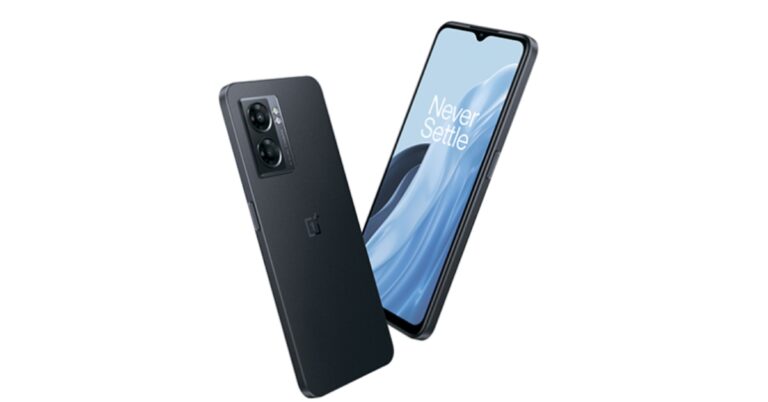
The brand-new OnePlus Nord N300 5G has made its debut in the USA. The budget smartphone supports 5G connectivity. It is powered by MediaTek Dimensity 810 SoC. The device has a 6.56-inch FHD+ display with a 90Hz refresh rate and packs a 5,000mAh battery that supports 33W SuperVOOC fast charging. The phone has a dual rear camera setup consisting of a 48-megapixel primary sensor.
OnePlus Nord N300 5G specifications
The 6.56-inch HD+ display of the OnePlus Nord N300 5G features a dew-drop-shaped notch at the top. The screen supports a 90Hz refresh rate. The MediaTek Dimensity 810 SoC, along with 4GB of RAM and 64GB of storage, powers the OnePlus Nord N300 5G. The internal storage can be expanded up to 1TB using a micro-SD card. The phone operates on OxygenOS 13 which is based on top of Android 13.A 48-megapixel primary camera and a 2-megapixel depth camera are included in the dual rear camera setup on the Nord N300 5G. It incorporates electronic image stabilisation (EIS) and Nightscape for better low-light shooting performance. For taking selfies can video calling the smartphone features a 16-megapixel front-facing camera.A 5,000 mAh battery that supports 33W SuperVOOC fast charging serves as its power source. The n2, n25, n41, n66, n71, and n77 5G bands are supported by the gadget.
OnePlus Nord N300 5G price details
The OnePlus Nord N300 5G has been released in a single 4GB RAM with 64GB storage option. The device is priced at $228 which translates to Rs 19,000. The phone will be available in the sole Midnight Jade colour option and is scheduled to go on sale from November 3 in the USA via US T-Mobile and Metro at 9 am EST (6:30 pm IST). OnePlus has not made any announcements on its plans to sell the phone in other regions.
For the latest gadget and tech news, and gadget reviews, follow us on Twitter, Facebook and Instagram. For newest tech & gadget videos subscribe to our YouTube Channel. You can also stay up to date using the Gadget Bridge Android App. You can find the latest car and bike news here.
Apple products are known for their incredible build quality and toughness. The Apple Watch is designed to withstand pressure and function under harsh conditions. Despite its resilience, the Apple Watch can get physically damaged, depending on external conditions. The screen is usually first to absorb damage and may crack under pressure or with severe impact. In this article, we show you how to get a cracked Apple Watch screen fixed.Read Also: Pros and cons of mobile casino gaming
Here’s how you can get a cracked Apple Watch screen fixed
The best way to get your cracked Apple Watch screen repaired is by sending it to an authorised Apple repair centre. While iPhones and other Apple products can get repaired in the Apple Store, Apple Watches get relayed to the Apple repair centre. This is because Apple doesn’t ‘repair’ a cracked screen, it simply sends you a new or refurbished unit back. If you take your Apple Watch to an Apple Store, they will simply forward it to the repair centre.Screen cracks aren’t covered by an Apple warranty. If you end up damaging your Apple Watch’s screen, you will have to pay extra for repairs. However, if you use the Apple Watch Series 2 or Series 3, there is an Apple Watch Screen Watch Replacement program that may help you get your screen fixed for free. Under this program, if a crack develops around the dial of your Apple Watch Series 2 or Series 3, you can get it replaced for free as long as the watch is still under warranty.Getting the screen of your Apple Watch repaired can cost you anywhere between $219 to $800, depending on the model of your watch. Usually, repairing the Apple Watch SE is considerably cheaper than, say, the Titanium Apple Watch. Apple also has a ‘Get an estimate’ tool on its Support website, which you can use to figure out the ballpark amount when it comes to the cost of repairing your watch’s screen. If you have an Apple Care+ plan, the repair costs will be considerably lower.Read Also: YouTube announced new design elements and product features, gets pinch-to-zoom and more
Conclusion
This is how you can get a cracked Apple Watch screen fixed. While it is advised to get your Apple products repaired from the official repair centre, there are plenty of other services that can repair them for you. If you’re in India, Rapid Repair is one such service. You can visit their website for more information.
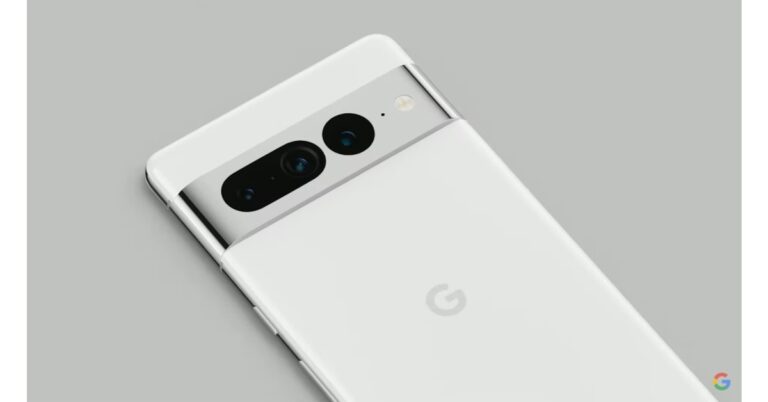
Google is now reportedly getting prepared to unveil a new Pixel 7 series smartphone under the codename “G10.” The speculated Pixel G10 smartphone is reported to have a 6.7-inch display and would use panels from the Chinese display maker BOE. The Qualcomm Ultrasonic fingerprint scanner is anticipated to be included.According to an exclusive report by 91mobiles and tipper Kuba Wojciechowski, the Pixel G10 phone will offer features that are similar to those of the current-generation Pixel 7 Pro. Wojciechowski claims that the future Google Pixel phone, code-named G10, will ostensibly feature a high-quality 6.7-inch display with a resolution of 3120 x 1440 pixels. The rounder edges and corners of this are comparable to those of the current generation of phones, as is the location of the cutout for the front camera.Apparently, BOE is the manufacturer of the display. The Pixel G10 reportedly has a Qualcomm Ultrasonic fingerprint scanner. It’s probable that Google is developing a revised Pixel 7 Pro that has an ultrasonic fingerprint reader instead of the in-display fingerprint sensor.Earlier 9to5Google news reports Two forthcoming Pixel phones with the codenames Felix and Lynx had also been discovered.In India, the Google Pixel 7 has a starting price of Rs 59,999. You can buy the colours Snow, Obsidian, and Lemongrass for your smartphone.The Google Pixel 7 Pro is priced at Rs 84,999 in India. It will be offered in the hues Hazel, Obsidian, and Snow, claims Google.The Pixel 7 series processor will be a 4nm G2 Tensor with two Cortex-X1 cores, two Cortex-A76 cores, and four Cortex-A55 cores. The Pixel 7 series also comes with the Titan M2 chipset for cybersecurity. It also gets five years’ worth of security upgrades. The 6.3-inch OLED screen on the Pixel 7 has a refresh rate of 90Hz. A 6.7-inch Quad-HD LTPO OLED display with a variable refresh rate of 120Hz is included on the Pixel Pro, in contrast.The Pixel 7 Pro has two sensors: a 50-megapixel primary sensor and a 12-megapixel secondary sensor with an ultra-wide-angle lens. Pro also features a 48-megapixel telephoto lens with 5x optical and 30x Super Resolution Zoom capabilities. The selfie cameras on both phones feature a 10.8-megapixel resolution. Google claims that the new “Macro Focus” feature on the Pixel 7 Pro would allow users to take close-up shots of objects.
For the latest gadget and tech news, and gadget reviews, follow us on Twitter, Facebook and Instagram. For newest tech & gadget videos subscribe to our YouTube Channel. You can also stay up to date using the Gadget Bridge Android App. You can find the latest car and bike news here.
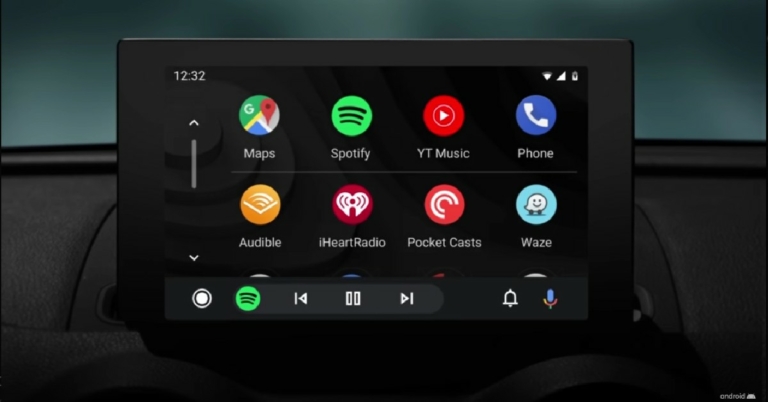
Launched in 2015, Android Auto provides greater car connectivity by mirroring your smartphone in your car’s infotainment system. The apps you use in Android Auto are designed to offer fewer distractions while driving. At the same time, they carry out the essential functions and offer multiple informational and entertainment options while you’re on the road. In this article, we bring you the 10 best apps that are compatible with Android Auto in 2022.Read Also:Pros and cons of mobile casino gaming
Google Maps
Google Maps is the most popular Navigation app for mobile devices. Since it is a Google app, it works perfectly with Android Auto. A lot of people use Android Auto exclusively for navigation and there aren’t any better apps than Google Maps that can provide that service. The Google Maps app also offers voice navigation so you don’t even have to look at the screen while driving to your destination. You can access Google Maps by simply selecting Navigation on Android Auto.
Spotify
Spotify is one of the biggest music platforms in the world. With access to millions of artists, you will rarely ever come across an artist that is not available on Spotify. Spotify is also the perfect app to listen to music on the go. With simple controls and ease of access, Spotify’s design for Android Auto is intuitive and seamless. You can even Spotify with Google’s voice commands.You can listen to music for free on Spotify for Android Auto but you will need to subscribe to the premium service in order to use more functions.
Facebook Messenger
Android Auto supports almost all of the major messaging apps, with Facebook Messenger being one of them. You can listen to the messages you get on Facebook Messenger using Android Auto and reply to them using the voice assistant. However, Android Auto doesn’t support VoIP yet, so you won’t be able to make or receive calls using Facebook Messenger.
Stitcher
If you like listening to podcasts on the go, Stitcher is the perfect app for you. You can choose from over 100,000 podcasts on Stitcher including NPR, This American Life, Radiolab, and more. You can simply resume playing the podcast you were listening to by connecting to Android Auto. The Stitcher app is free to use but requires a premium subscription if you want to use the advanced features.
Autovaras: The car assistant
Autovaras is one of the more helpful apps for Android Auto that actually covers the details about your car. Autovaras reminds you of the periodic vehicle inspection, road tax, insurance, and other services like fast tag and much more. The details of all the services and the expiration can easily be accessed on your car’s infotainment screen. Autovaras is free to use and comes with no in-app purchases.
Scanner Radio
Scanner Radio lets you listen to police scanners in your car, so you can look out for any accidents or other incidents while making your commute. You can stay up to date with any emergencies happening in your locality while also avoiding any accident-struck spots. While there are a lot of apps that report traffic congestion on your commute, Scanner Radio is more instantaneous and takes data directly from the police authorities.
TuneIn
Want to listen to old-school radio while driving around? TuneIn has got you covered. One of the most popular internet radio apps on Android, TuneIn is now available for Android Auto as well. Using the TuneIn app you can listen to over 100,000 AM and FM radio stations across different genres like music, news, sport, and talk radio. TuneIn also allows podcast support which you can easily switch using Android Auto.
Audible
You cant read a book while driving, or can you? Audible is the largest and most popular library of audiobooks. With the Audible app, you can enjoy listening to an audiobook while on the go. While this app is extremely beneficial to the driver, passengers who suffer from motion sickness while reading will enjoy it just as much. Now you don’t need to stay away from your book while you’re on the road. Apart from audiobooks, Audible also offers an impressive collection of podcasts.
Waze
While most people stick to Google Maps for navigation, Waze offers some exclusive features that may make you reconsider your choice. Apart from offering a great navigation service that is on par with Google Maps, Waze also lets you know about any accidents that may have taken place on the road. Waze is a crowdsourced app, so its users report any accidents or other happening on the road. Apart from that, Waze also gives you additional information about your route like the gas stations on the way, police checks, and traffic status.
WhatsApp
Closing out this list is the most popular instant messaging platform in the world. WhatsApp is one of the most commonly used messaging apps by people worldwide so it is no surprise it comes with Android Auto support. You can use the voice assistant to listen to any new messages and even respond to them using voice-to-text. Making and receiving calls is still not possible as Android Auto does not have support for VoIP yet.Read Also:Top easy ways to earn Reddit Karma: Full Guide
Conclusion
This is our list of the 10 best apps compatible with Android Auto in 2022. We’ve specially curated this list to include picks from navigation apps, music apps, radio apps, and more. If you think there’s any app worthy of being on this list, let us know in the comments below!
Users of WhatsApp Desktop Beta will soon be able to blur photos. Before sending images, users can modify them and apply stickers using these tools and it will enable users to blur out any unnecessary or delicate information in images prior to actually sharing them. However, the Blur photo feature is currently available to Desktop Beta version users. For those who are unaware, this feature was exclusively available for the mobile app.A blur tool for photographs is reportedly being made available to some WhatsApp Desktop beta testers, according to a report by WAbetaInfo. You may easily and effectively remove private information from your photographs with the help of the blur tool.Image Courtesy: WABetaInfoYou can use a blur tool on your photographs, as shown in this screenshot. WhatsApp created two blur tools as part of the feature’s development so you may modify your photographs using a different blur effect. Additionally, you may pick the blur size so that the effect can be applied precisely.Try sending an image to see if the blur button appears to see if the functionality is already enabled for your account. If it does, you can start utilising the new drawing tool. If you still don’t have the blur tool despite it having been made available to certain beta testers, you’ll need to wait for a subsequent update because it will be made available to additional users over the next few weeks.WhatsApp plans to include a label stating if the message has been edited within the chat bubble in a future update of the app. Recent developments, according to WABetaInfo, suggest that the content will be accompanied by a label that reads “edited.” Users have 15 minutes to edit a message after it has been sent. Expect the feature to take some time to make an appearance in WhatsApp’s stable version as it is currently under testing. The “edit message” option simply provides a little time window for the sender to change the wording.“The feature is still under development, but due to the most recent WhatsApp beta for Android 2.22.22.14 update, we discovered that there is finally news about how messages are marked as edited within a chat,” WABetaInfo stated.It looks like the newly added edited feature has taken the place of the “remove message” feature.
For the latest gadget and tech news, and gadget reviews, follow us on Twitter, Facebook and Instagram. For newest tech & gadget videos subscribe to our YouTube Channel. You can also stay up to date using the Gadget Bridge Android App. You can find the latest car and bike news here.
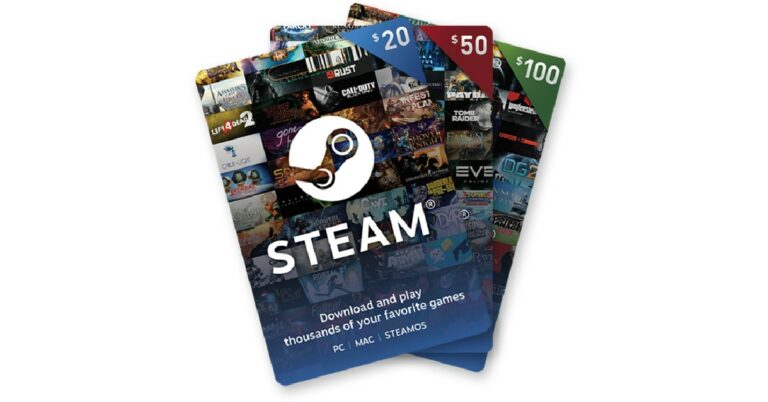
Hugely popular among PC gamers, Steam is one of the biggest video game digital stores in the world. Owned by Valve, Steam is considered to be the one-stop destination for PC video games. Steam also offers features like updating games, cloud backup, messaging, and more. Like many other distribution platforms, Steam offers gift cards of its own that can be used to make purchases on the website. In this article, we show you how to buy and redeem a Steam Gift Card or Wallet Code.Read Also: Top easy ways to earn Reddit Karma: Full Guide
Here’s how you can redeem a Steam Gift Card or Wallet Code
Step 1: Log in to your Steam account and click on the Profile icon.Step 2: Select ‘Account details’.Step 3: Click on ‘Add funds to your Steam Wallet’ under Store and Purchase History.Step 4: Select ‘Redeem a Steam Gift Card or Wallet Code’ on the left side of the screen.Step 5: Enter the Steam Wallet Code in the relevant field and click on continue. Step 6: Enter your address.Your Steam Gift Card will be redeemed and the balance will be added to your Account.You can use the gift card balance on checkout. Simply select Steam Wallet as your Payment Method. After you’ve made the purchase, the order amount will be deducted from your Steam Wallet.
How to buy a Steam Gift Card
You can purchase a digital Steam Gift Card directly from the Steam website. Simply click on ‘Now available on Steam’ under the Gift Card section on the left menu. You can send a digital gift card of any amount to a Steam friend. Your friend will receive the code which can be redeemed following the steps mentioned above. You can also buy a physical Gift Card from various outlets in your location. The most reliable way of ordering a physical Steam Gift Card is by ordering it from Amazon. You can order a Steam Gift Card on Amazon here. If you do not wish to order from Amazon, you can also purchase a Gift Card from Digistore and Gamers Gift. Make sure that you order the gift card from an authorised store in your country. Adding a gift card from another country may cause some issues in availing the card balance, as Steam is trying to limit scams on its platform.
Frequently Asked Questions
How do I view my Steam Wallet balance?
To view your Steam Wallet balance all you need to do is log in to your Steam account and look at the top right corner of the screen. Your Steam Wallet balance will be listed next to your Profile name.
Can I send my Steam balance to another Steam account?
No, your Steam balance cannot be transferred to another Steam account. Once a Steam wallet code or gift card has been redeemed, the amount cannot be transferred anywhere else. To send funds to another account, you will have to send them a Steam gift card.
Can I add a Steam Wallet Code from another country to my account?
No. Steam restricts adding Wallet Codes from other countries to reduce the scams on the platform.
What should I do if the funds did not appear on my Steam balance after redeeming the gift card?
Log out and log in to your Steam account again. Oftentimes, the gift card balance can take some time to get added to your account. If it still does not appear after a considerable amount of time, contact Steam Support.Read Also: 10 Best Free Music Download Sites to Legally Download Any Type of Music
Conclusion
This is how you can buy and redeem a Steam Gift Card or Wallet Code. You can use your account balance to purchase new games on Steam. You can also gift a digital or physical Steam Gift Card to a loved one. If you purchased some games on Steam recently, let us know in the comments!
The Great Indian Festival Sale has come to an end, and Amazon has announced Smartphone Upgrade Days. It includes a variety of discounts and offers on the newest smartphones and their accessories. Customers may receive discounts of up to 40% on their preferred smartphones from manufacturers such as OnePlus, Xiaomi, Samsung, iQOO, realme, and Tecno, among others.The most recent Redmi 10 series, iQOO Neo 6 5G, OnePlus Nord CE 2, realme Narzo 50i, and other smartphones will be offered with enticing bank and exchange incentives. The Smartphone Upgrade Days sale will run through October 28, 2022.Customers can get a 10% instant discount by using their AU Bank, Federal Bank, RBL Bank, or Axis Bank credit cards till October 28, 2022. For a minimum transaction of Rs 5,000, customers will get a 10% discount on credit cards for smartphones, up to Rs 750. Additionally, they can get their preferred smartphones through easy No-Cost EMI for up to 9 months and tempting exchange deals.With Advantage just for Prime, you may save up to Rs 20,000 and receive perks like 6 months of Free Screen Replacement and an additional 3 months of No Cost EMI when you use an HDFC bank card.iQOO smartphonesWith great offers from banks and EMI options, there will be some incredible deals on iQOO smartphones. The prices of the iQOO Z6 5G and iQOO Z6 Lite 5G will be Rs 14,999 and Rs 13,249, respectively, with discounts of up to Rs 1,000 and Rs 750 on specific bank credit and debit cards. The price of the iQOO Neo 6 5G will start at Rs 25,999.OnePlus smartphonesOn OnePlus models, amazing discounts and EMI options will be available during the Upgrade days. With up to Rs 1,500 and Rs 3,000 in bank cashback, the beginning prices for the OnePlus Nord CE 2 and OnePlus 10R Prime, respectively, are Rs 23,499 and Rs 29,499.Xiaomi SmartphonesFor the Upgrade Days, Xiaomi devices will also be offered additional bank offers, which will sweeten the deals even more. The Redmi Note 11T 5G costs Rs 14,999, the Redmi 10A Rs 6,996, and the Redmi Note 11 Pro + 5G Rs 18,499, respectively. The prices for the Redmi 9 Activ, Redmi A1, and Redmi K50i are Rs 7,299, Rs 5,489, and Rs 19,999, respectively.Samsung SmartphonesThe Samsung Galaxy M13 5G will cost Rs 12,999, including Rs 1,000 in cashback on specific bank credit and debit cards. A free EMI option for 3, 6, or 12 months is also included.Tecno SmartphonesDuring the Smartphone Upgrade Days, receive great discounts on Tecno smartphones. The price of the Tecno Pop 6 Pro will be Rs 5,399 with a cashback of Rs 599 on specific bank credit and debit cards. Additionally, there is a 6-month EMI-free period.
For the latest gadget and tech news, and gadget reviews, follow us on Twitter, Facebook and Instagram. For newest tech & gadget videos subscribe to our YouTube Channel. You can also stay up to date using the Gadget Bridge Android App. You can find the latest car and bike news here.
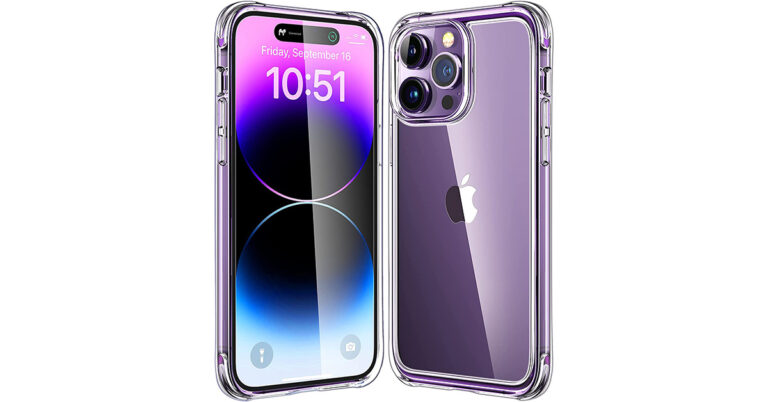
We have been using the Apple iPhone 14 pro for quite some time and even though Apple claims that the new iPhones are more robust than before, we must get a strong case for the iPhone 14 Pro. The case not only will protect the iPhone 14 pro from bumps and unintentional scratches, but it will also help you fetch more money when you plan to sell off the device in the second-hand market.
We have seen iPhones with a good clear case snapped onto them and get their owners more money than iPhones that are not kept within a strong case. Recently, we saw quite a few clear cases and zeroed in on one that checks all the boxes. Our choice is the Mkeke Clear case for iPhone 14 pro. Mkeke specialises in designing iPhone cases and has become a top iPhone cases brand since 2015 and has already got 1000,000+ good ratings, too. And have best Seller, Climate Pledge Friendly and Amazon Choice on Amazon.
Why do we think it will suit you well is below:
Strong and durable
The Mkeke Clear case for iPhone 14 pro not just looks good but is extremely strong and durable. It has raised 3.9mm edges around the rear camera module that protects them from touching the surface when kept on its back. Over that, the inside of the case is soft and keeps the iPhone 14 pro safe from any scratches. Also, the case fetches protective airbags on six corners which keep the iPhone 14 safe from any accidental bumps or drops.
You get to enjoy the colours
Since the Mkeke Clear case for iPhone 14 Pro is transparent, the users get to enjoy the actual colours of the smartphone. Apple made these new trendy colours to flaunt and with the Mkeke clear case, you can just do that. Users can easily show off the beautiful iPhone 14 Pro’s side and back even when it is safely within the confines of the Mkeke clear case.
The perfect fit
We have seen in the past because of a slight misfit of the smartphone case, the smartphone gets damaged when someone drops it or gets scratched as dust seeps in. Mkeke has made sure that its clear cases for iPhone 14 Pro and Pro Max have the perfect tight fit, even on the side buttons. This not only protects the iPhone from any bumps but also does not let dust get in.
Conclusion
After seeing so many other clear cases, we beamed in on the Mkeke Clear case for iPhone 14 Pro as it is great value for money and most of all will protect your iPhone 14 Pro for a very long time. The Mkeke Clear case for iPhone 14 pro product is available on Amazon and the best part is unlike most cases, which give only 6 months to 1 year of warranty, this smartphone clear case provides its users with 2 years of warranty. If you want to protect your new iPhone 14 Pro and keep it looking like brand new for a long time then your search for the right case ends with the Mkeke Clear case for iPhone 14 Pro and Pro Max.
For the latest gadget and tech news, and gadget reviews, follow us on Twitter, Facebook and Instagram. For newest tech & gadget videos subscribe to our YouTube Channel. You can also stay up to date using the Gadget Bridge Android App. You can find the latest car and bike news here.
Garena Free Fire is a battle royale game with regular awards and tournaments to keep players interested. If you play Garena Free Fire, you should be aware of the redeem codes that are released on a daily basis. However, because the battle royale game is banned in India, players from other countries can use the Free Fire Redeem codes daily. If you’re unfamiliar with the Garena Free Fire redeem codes or don’t know how to get them, we’ve put together a step-by-step guide to help you redeem them. Check out Garena Free Fire Redeem Codes for October 26.The Free Fire redeem codes are a great way to get free stuff. These are 12-digit codes that contain alphabets and numbers, as well as an expiration date and time. Because the Garena FF redeem codes cannot be used more than once, you should hurry to the redemption page to claim your free reward before someone else does. To get a free reward, all you have to do is go to reward.ff.garena.com/en, which is the official redemption page. Also, keep an eye on this space for daily updates on Garena Free Fire redemption codes and rewards.
Garena Free Fire Redeem Codes Today 26 October 2022
Updating soon…
How to Get Free Fire Redeem Codes for Garena on October 26?
26 October 2022 Amazon Quiz has gone live. Customers from different parts of the country are participating in the daily quiz. The quiz begins from 12 AM to 11:59 PM. Those participating in the quiz can win exciting prizes by answering all the questions correctly. Today participants have a chance to win a Rs 2,500 Amazon Pay Balance.Amazon quiz brings an opportunity for its customers to win Amazon Pay Balance ranging from Rs 1,000 to Rs 50,000. The Quiz can be played from 12 AM to 11:59 PM. The e-commerce platform brings a fresh quiz on a daily basis which consists of five questions related to general knowledge and current affairs. The participants need to answer all the questions correctly and their names will be selected for a lucky draw. The winner will be announced at the end of the month.One wrong answer could eliminate you from the quiz. If you manage to answer all the questions correctly you can stand a chance to win a Rs 2,500 Amazon Pay Balance today. Only app users are eligible to participate in the Quiz. Check Out 26 October 2022 Amazon Quiz Answers.Amazon Quiz Today Prize – Rs 2,500 Amazon Pay BalanceQuiz Date – 26 October 2022Daily Timing – 12 AM to 11:59 PMWinner Announcement – Today 12 PM
Amazon Quiz Answers Today 26 October 2022
Question 1: Leg spinner Karthik Meiyappan took the first hat-trick of the 2022 T20 World Cup. He represents which side?Answer: UAEQuestion 2: The movie ‘Goodbye’ starring Amitabh Bachchan has which family as the centrepiece of the story?
Answer: BhallaQuestion 3: Which country recently elected Ulf Kristersson as the Prime Minister?
Answer: SwedenQuestion 4: This is a picture of the famous twin towers in which city?Answer: Kuala LumpurQuestion 5: What is this type of sushi called?
Answer: Nigiri
How To Play Amazon Quiz
Only app users are eligible to play the Amazon quiz every morning from 12 AM to 11:59 PM. The quiz is not available on the desktop. For those who are unaware of how to play the Amazon quiz below are the steps, you can follow to take the quiz.
Firstly download the Amazon app from Google Play Store or App Store
Now fill in the required information through the Sign Up option.
You need to log in to the Amazon app and scroll down on the home screen to find the Amazon Quiz banner.
Tap on the Amazon Quiz banner and tap on the Start button to start the Quiz.
Now you will get 5 questions and you need to answer them correctly. One wrong answer will eliminate you from the Quiz.
After answering all the questions correctly you are now eligible for a Lucky Draw.
The winner’s name will be announced today at 12 PM.


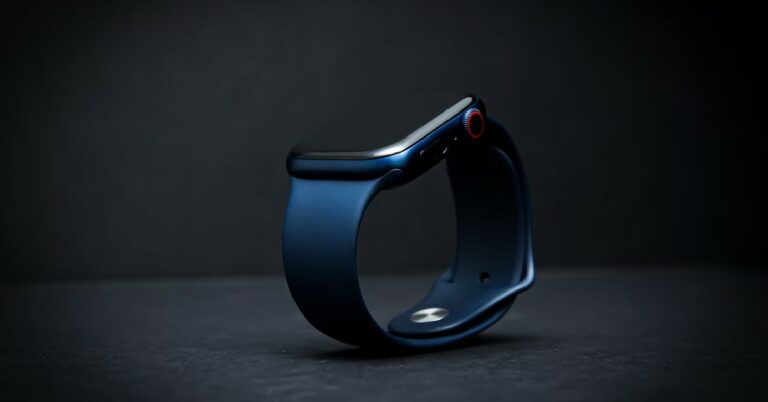
 The best way to get your cracked Apple Watch screen repaired is by sending it to an authorised Apple repair centre. While iPhones and other Apple products can get repaired in the Apple Store, Apple Watches get relayed to the Apple repair centre. This is because Apple doesn’t ‘repair’ a cracked screen, it simply sends you a new or refurbished unit back. If you take your Apple Watch to an Apple Store, they will simply forward it to the repair centre.
Screen cracks aren’t covered by an Apple warranty. If you end up damaging your Apple Watch’s screen, you will have to pay extra for repairs. However, if you use the Apple Watch Series 2 or Series 3, there is an Apple Watch Screen Watch Replacement program that may help you get your screen fixed for free. Under this program, if a crack develops around the dial of your Apple Watch Series 2 or Series 3, you can get it replaced for free as long as the watch is still under warranty.
Getting the screen of your Apple Watch repaired can cost you anywhere between $219 to $800, depending on the model of your watch. Usually, repairing the Apple Watch SE is considerably cheaper than, say, the Titanium Apple Watch. Apple also has a ‘Get an estimate’ tool on its Support website, which you can use to figure out the ballpark amount when it comes to the cost of repairing your watch’s screen. If you have an Apple Care+ plan, the repair costs will be considerably lower.
Read Also: YouTube announced new design elements and product features, gets pinch-to-zoom and more
The best way to get your cracked Apple Watch screen repaired is by sending it to an authorised Apple repair centre. While iPhones and other Apple products can get repaired in the Apple Store, Apple Watches get relayed to the Apple repair centre. This is because Apple doesn’t ‘repair’ a cracked screen, it simply sends you a new or refurbished unit back. If you take your Apple Watch to an Apple Store, they will simply forward it to the repair centre.
Screen cracks aren’t covered by an Apple warranty. If you end up damaging your Apple Watch’s screen, you will have to pay extra for repairs. However, if you use the Apple Watch Series 2 or Series 3, there is an Apple Watch Screen Watch Replacement program that may help you get your screen fixed for free. Under this program, if a crack develops around the dial of your Apple Watch Series 2 or Series 3, you can get it replaced for free as long as the watch is still under warranty.
Getting the screen of your Apple Watch repaired can cost you anywhere between $219 to $800, depending on the model of your watch. Usually, repairing the Apple Watch SE is considerably cheaper than, say, the Titanium Apple Watch. Apple also has a ‘Get an estimate’ tool on its Support website, which you can use to figure out the ballpark amount when it comes to the cost of repairing your watch’s screen. If you have an Apple Care+ plan, the repair costs will be considerably lower.
Read Also: YouTube announced new design elements and product features, gets pinch-to-zoom and more
 The best way to get your cracked Apple Watch screen repaired is by sending it to an authorised Apple repair centre. While iPhones and other Apple products can get repaired in the Apple Store, Apple Watches get relayed to the Apple repair centre. This is because Apple doesn’t ‘repair’ a cracked screen, it simply sends you a new or refurbished unit back. If you take your Apple Watch to an Apple Store, they will simply forward it to the repair centre.
Screen cracks aren’t covered by an Apple warranty. If you end up damaging your Apple Watch’s screen, you will have to pay extra for repairs. However, if you use the Apple Watch Series 2 or Series 3, there is an Apple Watch Screen Watch Replacement program that may help you get your screen fixed for free. Under this program, if a crack develops around the dial of your Apple Watch Series 2 or Series 3, you can get it replaced for free as long as the watch is still under warranty.
Getting the screen of your Apple Watch repaired can cost you anywhere between $219 to $800, depending on the model of your watch. Usually, repairing the Apple Watch SE is considerably cheaper than, say, the Titanium Apple Watch. Apple also has a ‘Get an estimate’ tool on its Support website, which you can use to figure out the ballpark amount when it comes to the cost of repairing your watch’s screen. If you have an Apple Care+ plan, the repair costs will be considerably lower.
Read Also: YouTube announced new design elements and product features, gets pinch-to-zoom and more
The best way to get your cracked Apple Watch screen repaired is by sending it to an authorised Apple repair centre. While iPhones and other Apple products can get repaired in the Apple Store, Apple Watches get relayed to the Apple repair centre. This is because Apple doesn’t ‘repair’ a cracked screen, it simply sends you a new or refurbished unit back. If you take your Apple Watch to an Apple Store, they will simply forward it to the repair centre.
Screen cracks aren’t covered by an Apple warranty. If you end up damaging your Apple Watch’s screen, you will have to pay extra for repairs. However, if you use the Apple Watch Series 2 or Series 3, there is an Apple Watch Screen Watch Replacement program that may help you get your screen fixed for free. Under this program, if a crack develops around the dial of your Apple Watch Series 2 or Series 3, you can get it replaced for free as long as the watch is still under warranty.
Getting the screen of your Apple Watch repaired can cost you anywhere between $219 to $800, depending on the model of your watch. Usually, repairing the Apple Watch SE is considerably cheaper than, say, the Titanium Apple Watch. Apple also has a ‘Get an estimate’ tool on its Support website, which you can use to figure out the ballpark amount when it comes to the cost of repairing your watch’s screen. If you have an Apple Care+ plan, the repair costs will be considerably lower.
Read Also: YouTube announced new design elements and product features, gets pinch-to-zoom and more
 Want to listen to old-school radio while driving around? TuneIn has got you covered. One of the most popular internet radio apps on Android, TuneIn is now available for Android Auto as well. Using the TuneIn app you can listen to over 100,000 AM and FM radio stations across different genres like music, news, sport, and talk radio. TuneIn also allows podcast support which you can easily switch using Android Auto.
 Google Maps is the most popular Navigation app for mobile devices. Since it is a Google app, it works perfectly with Android Auto. A lot of people use Android Auto exclusively for navigation and there aren’t any better apps than Google Maps that can provide that service. The Google Maps app also offers voice navigation so you don’t even have to look at the screen while driving to your destination. You can access Google Maps by simply selecting Navigation on Android Auto.
 Spotify is one of the biggest music platforms in the world. With access to millions of artists, you will rarely ever come across an artist that is not available on Spotify. Spotify is also the perfect app to listen to music on the go. With simple controls and ease of access, Spotify’s design for Android Auto is intuitive and seamless. You can even Spotify with Google’s voice commands.
You can listen to music for free on Spotify for Android Auto but you will need to subscribe to the premium service in order to use more functions.
Spotify is one of the biggest music platforms in the world. With access to millions of artists, you will rarely ever come across an artist that is not available on Spotify. Spotify is also the perfect app to listen to music on the go. With simple controls and ease of access, Spotify’s design for Android Auto is intuitive and seamless. You can even Spotify with Google’s voice commands.
You can listen to music for free on Spotify for Android Auto but you will need to subscribe to the premium service in order to use more functions.
 Android Auto supports almost all of the major messaging apps, with Facebook Messenger being one of them. You can listen to the messages you get on Facebook Messenger using Android Auto and reply to them using the voice assistant. However, Android Auto doesn’t support VoIP yet, so you won’t be able to make or receive calls using Facebook Messenger.
 If you like listening to podcasts on the go, Stitcher is the perfect app for you. You can choose from over 100,000 podcasts on Stitcher including NPR, This American Life, Radiolab, and more. You can simply resume playing the podcast you were listening to by connecting to Android Auto. The Stitcher app is free to use but requires a premium subscription if you want to use the advanced features.
 Autovaras is one of the more helpful apps for Android Auto that actually covers the details about your car. Autovaras reminds you of the periodic vehicle inspection, road tax, insurance, and other services like fast tag and much more. The details of all the services and the expiration can easily be accessed on your car’s infotainment screen. Autovaras is free to use and comes with no in-app purchases.
 Scanner Radio lets you listen to police scanners in your car, so you can look out for any accidents or other incidents while making your commute. You can stay up to date with any emergencies happening in your locality while also avoiding any accident-struck spots. While there are a lot of apps that report traffic congestion on your commute, Scanner Radio is more instantaneous and takes data directly from the police authorities.
 Want to listen to old-school radio while driving around? TuneIn has got you covered. One of the most popular internet radio apps on Android, TuneIn is now available for Android Auto as well. Using the TuneIn app you can listen to over 100,000 AM and FM radio stations across different genres like music, news, sport, and talk radio. TuneIn also allows podcast support which you can easily switch using Android Auto.
 You cant read a book while driving, or can you? Audible is the largest and most popular library of audiobooks. With the Audible app, you can enjoy listening to an audiobook while on the go. While this app is extremely beneficial to the driver, passengers who suffer from motion sickness while reading will enjoy it just as much. Now you don’t need to stay away from your book while you’re on the road. Apart from audiobooks, Audible also offers an impressive collection of podcasts.
 While most people stick to Google Maps for navigation, Waze offers some exclusive features that may make you reconsider your choice. Apart from offering a great navigation service that is on par with Google Maps, Waze also lets you know about any accidents that may have taken place on the road. Waze is a crowdsourced app, so its users report any accidents or other happening on the road. Apart from that, Waze also gives you additional information about your route like the gas stations on the way, police checks, and traffic status.
 Closing out this list is the most popular instant messaging platform in the world. WhatsApp is one of the most commonly used messaging apps by people worldwide so it is no surprise it comes with Android Auto support. You can use the voice assistant to listen to any new messages and even respond to them using voice-to-text. Making and receiving calls is still not possible as Android Auto does not have support for VoIP yet.
Read Also: Top easy ways to earn Reddit Karma: Full Guide
Closing out this list is the most popular instant messaging platform in the world. WhatsApp is one of the most commonly used messaging apps by people worldwide so it is no surprise it comes with Android Auto support. You can use the voice assistant to listen to any new messages and even respond to them using voice-to-text. Making and receiving calls is still not possible as Android Auto does not have support for VoIP yet.
Read Also: Top easy ways to earn Reddit Karma: Full Guide


 Step 2: Select ‘Account details’.
 Step 3: Click on ‘Add funds to your Steam Wallet’ under Store and Purchase History.
 Step 4: Select ‘Redeem a Steam Gift Card or Wallet Code’ on the left side of the screen.
 Step 5: Enter the Steam Wallet Code in the relevant field and click on continue.
 Step 6: Enter your address.
Your Steam Gift Card will be redeemed and the balance will be added to your Account.
You can use the gift card balance on checkout. Simply select Steam Wallet as your Payment Method. After you’ve made the purchase, the order amount will be deducted from your Steam Wallet.
Step 6: Enter your address.
Your Steam Gift Card will be redeemed and the balance will be added to your Account.
You can use the gift card balance on checkout. Simply select Steam Wallet as your Payment Method. After you’ve made the purchase, the order amount will be deducted from your Steam Wallet.