23 July 2022 Amazon Quiz has gone live on its platform. The quiz timings are 12 AM to 11:59 PM. The Amazon App users can participate in the quiz daily and all they have to do is submit correct answers to the questions asked on the e-commerce platform. Today’s participants can get a chance to win Rs 5,000 Amazon Pay Balance.By participating in the Amazon Quiz the participants can win Amazon Pay Balance ranging from Rs 1,000 to Rs 50,000 every day while sitting at home. To win the participants must answer five questions correctly that are based on current events and general knowledge. One wrong answer can eliminate you from the quiz. The results will be announced at the end of the month. Today’s question will let you win Rs 5,000 Amazon Pay Balance. Check below for today’s Amazon quiz answers.Amazon Quiz Today Prize – Rs 5,000 Amazon Pay BalanceQuiz Date – 23 July 2022Daily Timing – 12 AM to 11:59 PMWinner Announcement – Today 12 PM
In This Article
Amazon Quiz Answers Today 23 July 2022
Question 1: Who among these recently became the fastest to reach 8000 runs in Test cricket (in terms of number of innings)?
Answer: Steve Smith
Question 2: Palak Tiwari, seen in the music video for Harrdy Sandhu’s song ‘Bijlee Bijlee’ is the daughter of which famous television actress?
Answer: Shweta Tiwari
Question 3: EKI Energy Services and which famous company floated a joint venture company for nature based solutions in India?
Answer: Shell
Question 4: This is the flag of which country?
Answer: Mauritius
Question 5: On what site is the source code of this cryptocurrency hosted?
Answer: GitHub
How To Play Amazon Quiz
Only app users are eligible to play the Amazon quiz every morning from 12 AM to 11:59 PM. The quiz is not available on the desktop. For those who are unaware of how to play the Amazon quiz below are the steps, you can follow to take the quiz.
Firstly download the Amazon app from Google Play Store or App Store
Now fill in the required information through the Sign Up option.
You need to log in to the Amazon app and scroll down on the home screen to find the Amazon Quiz banner.
Tap on the Amazon Quiz banner and tap on the Start button to start the Quiz.
Now you will get 5 questions and you need to answer them correctly. One wrong answer will eliminate you from the Quiz.
After answering all the questions correctly you are now eligible for a Lucky Draw.
The winner’s name will be announced today at 12 PM.
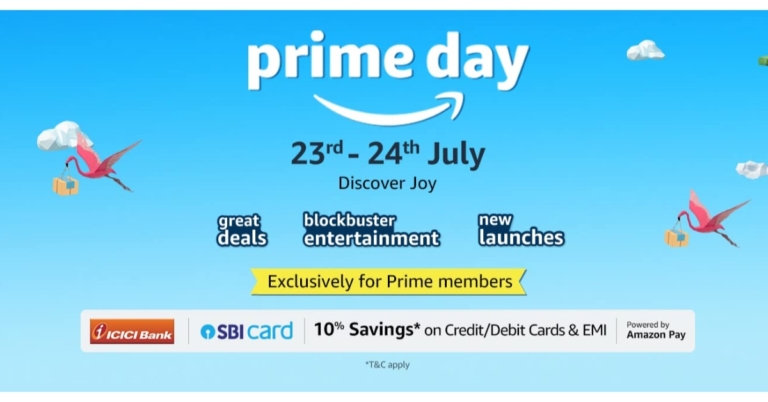
At midnight tonight, the Amazon Prime Day 2022 sale starts in India. Exclusive to Prime members, the two-day event promises thrilling discounts and deals on hundreds of items, including new product debuts. Tech enthusiasts, now is the time to purchase your preferred gadgets. Customers may take advantage of discounts of up to 75% on the newest products from leading manufacturers like Intel Evo, boAt, HP, LG Gram, Canon, Noise, and more, including audio, laptop, camera, wearables, tablets, and PC accessories.Amazon India’s annual two-day shopping event for Prime members will begin tonight on July 23 and 24, 2022, to meet all of your buying needs. Only Prime members may shop during the Prime Day sale. This year, Amazon will offer hundreds of discounts on goods like smartphones, laptops, TVs, smart wearables, and other gadgets. Additionally, clients can save a lot by receiving a 10 percent discount on payments made using ICICI Bank credit/debit cards, SBI credit cards, and EMI transactions made with these cards.We’ve put together this easy guide to help you get ready for Amazon’s big sale event. Here are a few items that may be found on Amazon. During Prime Day 2022, sellers will be offering discounts and deals.
In This Article
boAt Airdopes 141 TWS
boAt Airdopes 141 TWS can be purchased for Rs 999 during the Amazon Prime Day sale. It comes with a playback period of up to 42 hours, including the 6 hours of nonstop gameplay for earbuds. There is a BEAST mode, which offers reduced latency and real-time audio. It has an integrated microphone on each earbud and uses our ENx Environmental Noise Cancellation technology to ensure a clear speech delivery during voice calls.
HP 15s 12th Gen Intel Core i5 Laptop
HP 15s laptop will be available for Rs 52,990. It comes armed with a 12th Generation Intel Core i5-1235U processor that offers lightning-fast computing speed. With its 512GB SSD storage, enjoy plenty of built-in space and lightning-fast speed.
Lenovo Ideapad Gaming i5 11th Gen GTX 1650
Lenovo Ideapad Gaming i5 will be offered at Rs 52,990 during the Amazon Sale. The 11th Gen Intel Core i5-11300H CPU in the Lenovo Ideapad Gaming i5 has a speed range of 3.1 GHz (Base) to 4.4 GHz (Max). It features a 15.6-inch FHD (1920×1080) display. It has a Military Grade MIL-STD-810G Qualified Design (4-32Hz over 2 hrs).
Noise ColorFit Pulse 2 and Sony WH-1000XM4
During Amazon Prime Day 2022, the Noise ColorFit Pulse 2 can be bought for 1,799. Whereas Sony WH-1000XM4 headphones will be available for 17,990. Additional microphones built into these headphones help isolate sound when chatting on the phone, improving call quality and reducing even more high and mid-frequency noises. Two microphones are located on each ear cup as part of its Dual Noise Sensor technology, which records background noise and transmits the information to the HD Noise Cancelling Processor QN1.
Norton 360 Deluxe
The users can save up to 70 percent on Norton 360 Deluxe on Prime Day. You will receive a 12-month prepaid subscription for up to 3 devices when you purchase the Norton 360 Deluxe. Strong levels of security are offered by Norton 360 for your devices and online privacy. Additionally, Norton 360 comes with PC Cloud Backup, Password Manager to help you manage your logins and passwords, and Parental Control to ensure that your kids are using the internet safely.
Redmi 43-inch X43 4K Ultra HD Smart TV
Redmi 43-inch X43 TV is currently available for Rs. 25,999. The discounts on Prime total Rs 2,000.00. It has a 4K ultra-HD (3,840×2,160 pixels) display, 30W Dolby Audio speakers, Wi-Fi, and Bluetooth v5.0.
Instagram is launching new Instagram capabilities that make working together, creating and sharing reels more enjoyable and simple. According to these new features, reels will be provided for new video posts that are less than 15 minutes long. Moreover, the photo-sharing app is also expanding Remix, Templates for Reels tools to help users build stories on Instagram when working with their favourite creators and friends. This will include a picture-in-picture reaction view to add video commentary to current reels, and Dual, which enables users to simultaneously shoot video with both the front and back cameras.While announcing the new features Instagram said, “We are announcing new features to Instagram that make it more fun and easy to collaborate, create and share reels. We’re expanding our tools for Remix to help enhance the way you tell stories on Instagram when collaborating with your favourite creators and friends as well as we want everyone to be able to easily express their creative ideas, so we’re adding more features that allow you to capture, edit and share them — right from your phone.”
In This Article
Videos shorter than 15 minutes will be shared as reels
Instagram is adding creative tools and the full-screen experience to your video posts as well because reels on Instagram provide a more immersive and engaging way to watch and create videos. New videos that are less than 15 minutes long will be presented as reels in the upcoming weeks. Videos published before this modification won’t transform to reels; they’ll stay as videos.Your new videos, which are now reels, may be eligible to be suggested and seen by more people on Instagram if you have a public account. Right now, this only applies to reels that are less than 90 seconds. Your reels will still only be visible to your followers if your account is private. There will be a single location for all of your videos thanks to Instagram’s consolidation of the video and Reels tabs on your profile.
Enhanced Remix Features
Users can now make reels from remixed public images by selecting from a variety of layouts, such as a green screen, a horizontal split-screen, or a vertical split-screen. Even better, you may use a picture-in-picture reaction view to supplement pre existing reels with your own video commentary. You can now add your clip after the original reel so it plays sequentially, as opposed to having your remix show at the same time as the original reel.
Create Reels With Templates and Dual
Additionally, Instagram will provide new templates that streamline the creation of reels by preloading audio, placing placeholder clips, and including images or video clips. After they are released, these templates can be located by tapping the camera symbol on the Reels page to obtain template inspiration.Another choice is to use the Dual function in the Instagram camera, you may simultaneously record with your phone’s front and back cameras to provide a different viewpoint.
For the latest gadget and tech news, and gadget reviews, follow us on Twitter, Facebook and Instagram. For newest tech & gadget videos subscribe to our YouTube Channel. You can also stay up to date using the Gadget Bridge Android App. You can find the latest car and bike news here.
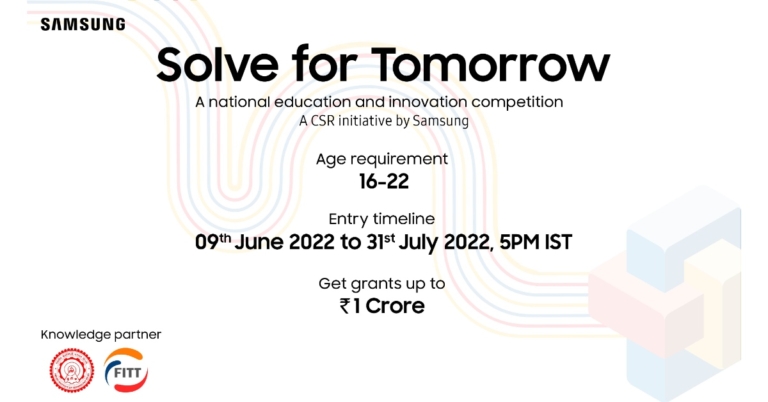
At the renowned Samsung Opera store in Bengaluru, Samsung India staged a roadshow with the slogan “Solve for Tomorrow.” More than 200 students from different Bengaluru institutions attended this roadshow on education and CSR. These students took part in the discussion and presented their ideas on how they wished to address pressing issues that the nation and its citizens are currently experiencing.According to the company, over 10,000 people have registered for the Samsung Solve for Tomorrow innovation and education programme from towns, cities, and rural India, demonstrating the growing desire among Indian youth to find cutting-edge technological solutions to solve real-world problems that will have a positive social impact on the lives of people nearby. Among those who registered, 32% of young people want to address healthcare-related concerns, 28% want to address educational issues, including improving student learning possibilities, 24% want to address environmental issues, and 16% want to address agricultural difficulties.Young students said they want to solve issues with a safe waste collection for recycling, job security for daily wage earners, language barriers that young students from remote areas face during e-learning, safe disposal of sanitary napkins, the mental health of school students, reusing agricultural waste, as well as reusing plastics at roadshows that Samsung conducted in cities like Bengaluru, Hyderabad, Delhi, Guwahati, and Bhubaneswar.Until July 31, 2022, young people between the ages of 16 and 22 may apply for Solve for Tomorrow. They may do so hereA boot camp at IIT Delhi, a certificate of participation, and vouchers worth INR 100,000 for online courses in design thinking, STEM, innovation, and leadership, among other topics, will be given to the top 50 teams, who will thereafter be mentored by industry experts and other experts.The top 10 teams will have the chance to visit Samsung India’s offices and R&D facilities, where they may meet and mingle with the company’s young employees and researchers. At Bengaluru’s renowned Samsung Opera House, they will also get a taste of the Samsung product ecosystem.Three winning teams have the opportunity to receive massive funding from IIT Delhi of up to INR 1 crore and mentoring help for six months to put their ideas into practise.On July 31, 2022, at 5 p.m., registration for Solve for Tomorrow closes.
For the latest gadget and tech news, and gadget reviews, follow us on Twitter, Facebook and Instagram. For newest tech & gadget videos subscribe to our YouTube Channel. You can also stay up to date using the Gadget Bridge Android App. You can find the latest car and bike news here.
Optoma has quickly grown to become a brand that has made a name for itself here in India and overseas. The latest to come from the brand is a True 4K projector that might look like a simpleton in the world of projectors but provides serious imagery. This is the Optoma UHD55 projector review you should not miss in case you are in the market to buy a very good high-end projector.
In This Article
Optoma UHD55 projector review: Design
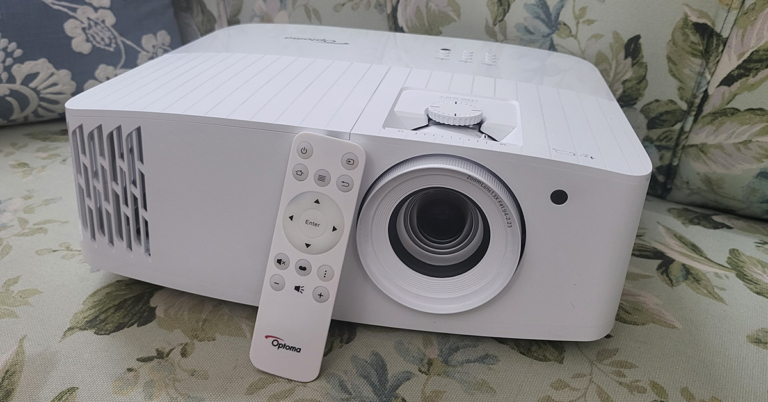
Let’s quickly get the design aspects of the Optoma UHD55 projector out of the way. Out of the box, the projector might look simple, but it actually is not. Adorning the usual pearly white colours you see most projectors dressed in, this one has subtle differences. For starters, the mesh grille is cut out in a different angular manner. This does add to a bit of a show.
You get the lens zoom, lens shift knobs on the top along with the power, keystone correction and other useful buttons. To raise the Optoma UHD55 projector a bit (when kept on flat surfaces) the company has put a raise stand below it. Up front, you will find the large lens along with an IR receiver.
Turn it around and you will get to see a plethora of ports. These include a couple of HDMI, a few USB 2.0, Ethernet, VGA, audio in and audio out ports. The power-in port is also available here. A unique feature of the Optoma UHD55 projector is that the first USB port is a power OUT (5V) port, which can also be used to charge your gaming console’s gamepads. With that, a 10W speaker is also hidden behind the grille of this projector. More about this in the next section.
A minimalistic-looking IR remote also comes with this projector with all the essential buttons and it works from as far as 50 feet, when we tested it out. All in all, the Optoma UHD55 projector is a very decent-looking device that can easily be placed on a flat surface or roof mounted.
Optoma UHD55 projector review: Performance
Moving to the fun part, it’s performance. We had a lot of fun reviewing the Optoma UHD55 projector. As the name suggests it truly is UHD and can hex out some great graphics and moving pictures no matter what type of wall or screen you are watching on. The projector supports 4K videos with HDR10 support and HLG. This enhances the colours of the videos and everything including sports and video games look vibrant.
Talking about which, we connected our gaming consoles to the Optoma UHD55 projector via HDMI and we loved every bit of it. However, the 4MS input lag and 240Hz refresh rate is available only in 1080p mode. If you bump the imagery to 4K the refresh rate drops to 60Hz, which is a bit unsatisfactory, but the graphics become much better. For casual gaming it is fine, in case you want to play pro, then we suggest playing in 1080P mode.
Setting it up was child’s play and we were up and running in 5 minutes. Up to 302-inch screen size is supported. We kept ours at 120-inch and oh boy! everything looks very good. The Optoma UHD55 projector comes with a 10W speaker also inside, which is decent for small rooms, but you will need extra speakers if you want to feast on the full power of this projector. The throw distance is also not very high, and the keystone correction works flawlessly. You can easily control it through the onboard button panel or with the supplied remote.
Read Also:Optoma UHD33 4K UHD projector with 240Hz refresh rate unveiled
Over that, the Optoma UHD55 projector also has its own OS running, which has an app store, file manager and more. We did not use it much as the connected gaming console and our HDMI Chrome cast provided us with flawless options. In case you do not have it, you can easily use the Android-based UI Optoma provides.
We played Netflix as well as YouTube shows and videos on the Optoma UHD55 projector and it never gave us a chance to bicker. We were surprised by how deep the blacks are on the projection and the colours stayed vibrant even on an off-white wall. Digital zoom of 125% is also available on this projection, however, we do not recommend it, just place the projector a little farther away from the wall and you will be fine.
In addition to that, Optoma claims that the projector has high durability of 15,000 hours, which is great. It can be your partner in the living room for years to come. The power consumption of the Optoma UHD55 projector is 210W, which basically most good 4K projectors consume these days. 3D imagery is also supported via this projector, however, the 3D glasses are not part of the package. With extra ports on its back, you can connect multiple devices to it easily, too.
Verdict
Overall, we were very happy with the Optoma UHD55 projector. We found the contrast ratio of 1,200,000:1 also works well in its favour. Yes, a few things could have been better like a higher frame rate in 4K gaming mode, but we had no complaints with the 1080p mode. So, is worth picking at Rs 2,95,000? If you have a large wall in the living room or are building a home theatre, you can easily get this one, it will not disappoint you for years to come. Just add good speakers to the mix and you will be very happy.
Optoma UHD55 projector pros
Excellent contrast and colours
Deep blacks
Small and minimalistic design for a 4K projector
Optoma UHD55 projector cons
Higher frame rate missing in 4K mode
Price is not for everyone
Keyboard shortcuts are an easy and efficient way to save time while you’re working on your PC. They come in very handy especially when you’re editing a document or a multimedia file. It can be really arduous to go back to using the mouse if the keyboard shortcuts stop functioning. In this article, we show you how to fix keyboard shortcuts in Windows 10.Read Also: Top 5 easy ways: How to Fix Windows 10 Stuck on Shutting down Screen?
In This Article
Run the Troubleshooter
Step 1: Open Settings from the Start menu.Step 2: Select ‘Update and Security’.Step 3: Select ‘Troubleshoot’ from the left menu and then click on ‘Additional Troubleshooters’.Step 4: Select ‘Keyboard’ from the ‘Find and fix other problems’ section and run the troubleshooter.The troubleshooter will scan any problems related to your keyboard and come up with a solution.
Check if Sticky Keys are enabled
If the key combinations for shortcuts are not working, check if Sticky Keys are enabled on your desktop.Step 1: Open Settings from the Start menu and go to ‘Ease of Access’.Step 2: Scroll down on the left menu and select Keyboard from the Interaction section.Step 3: Turn the toggle bar on for Sticky Keys.
Connect your keyboard to a different USB Port
If you’re facing difficulty using keyboard shortcuts on your desktop, it may be because due to a faulty USB port. All you need to do is detach the keyboard and plug it into another USB port. You can also try cleaning the USB port you’re currently using and reconnecting the keyboard.
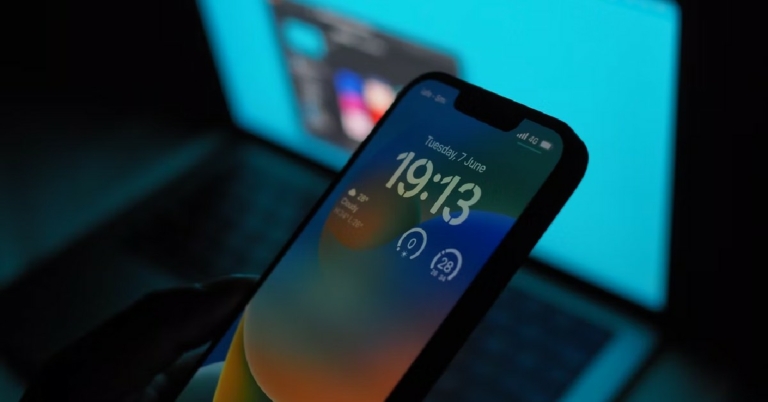
Apple announced iOS 16 at its WWDC event in June 2022. Since then, Apple users have been excited about the launch of the new operating system, as Apple has promised to bring exciting new updates. While the beta version for iOS 16 has been out for a while now, the full version will be released soon after the launch of the new iPhones. In this article, we explore what you can expect from iOS 16 and when it might be launched.Read Also:Mid-year: Best smartphones seen so far in 2022
In This Article
When will Apple iOS 16 be launched?
Apple hasn’t scheduled a specific date for the launch of iOS 16 yet. So far, the only formal announcement has been that it will come out in the fall. We expect a release soon after the iPhone event. Last year, the iOS 15 was launched in September, so we wouldn’t be surprised if Apple schedules the launch along that timeline again.So, in simple terms, the full version of iOS 16 is slated to come in September 2022.If you cannot wait to use the iOS 16, you can always try out the Beta version. We explain how you can download iOS 16 Beta on your iPhone in this article. Initially launched for Apple Developers on June 22, the beta version of iOS 16 is now available to the general public. Apple has released 3 beta versions o far. The iOS 16 is available for Apple devices from iPhone 8 and up.
What can you expect from iOS 16?
As with every software upgrade, Apple is looking to introduce new features that will significantly improve your iPhone experience. The biggest change in the iOS 16 is the lock screen customisation. This is possibly the biggest upgrade the lock screen has gotten in a successive software update. In the new software update, the lock screen of your iPhone is heavily customisable, with the user having the option to change fonts and layout, and even add live widgets. You can even create multiple lock screens to suit different themes and switch between them with a single swipe, quite similar to the Apple Watch.The notifications bar also undergoes a slight change, as it will now be located at the bottom of the lock screen. It will also include ‘Live Activities’ where you can monitor things like live scores, Uber drive status, Food delivery status, and other activities that require live tracking.When it comes to Messages, you will now be able to edit texts you’ve already sent, and even unsend them. On top of that, you will be able to mark a thread as unread after you’ve opened them.Outside of these major updates, iOS 16 will have hundreds of other minor tweaks and improvements that will make your experience all the more smooth. You can expect improvements to Maps, Apple Pay, iCloud, and Live Texts.
Which devices can support iOS 16?
Here is the list of devices compatible with iOS 16:
Garena Free Fire is a battle royale game with regular awards and tournaments to keep players interested. If you play Garena Free Fire, you should be aware of the redeem codes that are released on a daily basis. However, because the battle royale game is banned in India, players from other countries can use the Free Fire Redeem codes daily. If you’re unfamiliar with the Garena Free Fire redeem codes or don’t know how to get them, we’ve put together a step-by-step guide to help you redeem them. Check out Garena Free Fire Redeem Codes for July 22.The Free Fire redeem codes are a great way to get free stuff. These are 12-digit codes that contain alphabets and numbers, as well as an expiration date and time. Because the Garena FF redeem codes cannot be used more than once, you should hurry to the redemption page to claim your free reward before someone else does. To get a free reward, all you have to do is go to reward.ff.garena.com/en, which is the official redemption page. Also, keep an eye on this space for daily updates on Garena Free Fire redemption codes and rewards.
In This Article
Garena Free Fire Redeem Codes Today 22 July 2022
F87HZMZGHJ97
T6YGR7634HIU
VKNBO98JEG9F
56DQIFVYVU98
Y56U98MIO6YH
JB6F5XEFE2SH
UJJ9TR3FTV39
8HB5UB8NHIUY
76F542J4H98N
42TIOD6FR7BN
JHFCR5F6DT4V
YGD5OPIK304U
7XGCT56E4IHC
NT4I2NCSOSJH
AYXFSG6HHI0O
UP90JGH6NB6A
How to Get Free Fire Redeem Codes for Garena on July 22?
Known for its ephemeral messaging, Snapchat is one of the most popular messaging apps today. Users flock to Snapchat, not only because of self-destructing messages and images but also because of a range of filters and photo editing tools on offer. You can use Snapchat on your iOS and Android devices, but a macOS app is not available yet. A Snapchat app for macOS has been in the pipeline for quite a while now, and we may see one in future. Luckily there is one workaround to this issue. Today, we show you how you can download and use Snapchat on your Mac device.Read Also:How to use Android apps on Windows 10
Download Snapchat on your Mac device using the Bluestacks emulator
Step 1: Download the Bluestacks Android emulator on your Mac device. You can find the emulator on Bluestacks’ official website here. Bluestacks emulates an Android device on your Mac, so you’ll be able to use any Android app through Bluestacks.Step 2: Install Bluestacks on your Mac device and sign in using your Google account. If you do not have a Google account, you will have to create one.Step 3: Open the Play Store on Bluestacks and search for Snapchat. Download and install the app on the emulator.Using this technique you will be able to use Snapchat on your Mac device.Read Also:How to run PUBG Mobile on your PC or laptop?Since you would be downloading Bluestacks from a third-party source, you will need to change security permissions on your Mac device before you install it. Simply open the System Preferences app and click on the ‘Security and Privacy’ option. Under the General tab, select the option to ‘Allow apps downloaded from App Store and identified developers’.Once you’ve installed Bluestacks, you can use it to install any Android app from the Google Play Store. If you do not wish to install Bluestacks you can install other emulators like Nox and Android Studio emulator.
For the latest gadget and tech news, and gadget reviews, follow us on Twitter, Facebook and Instagram. For newest tech & gadget videos subscribe to our YouTube Channel. You can also stay up to date using the Gadget Bridge Android App.
The ability for all users to move their chat history from Android to iOS has been officially pushed by WhatsApp. The instant messaging app is also allowing to transfer entire chat history from iOS to Android. Unfortunately, WhatsApp call history transfer is not supported by the new feature.The rollout of chat history transfer from Android to iOS and vice versa has been formally confirmed by WhatsApp. The Meta-owned instant messaging took to Twitter to formally make the announcement of the rollout.At the Galaxy Unpacked presentation earlier in August last year, the Meta-owned platform made the feature announcement. The feature, which was previously accessible for beta testers to test, has been included in the messaging app in a beta version.Through its website’s FAQ page, WhatsApp has also emphasised how to transfer the chat history. The section on the company’s website also includes information on how to move your chat history from an Android phone to an iPhone or from an iOS device to an Android device.Apart from transferring chat history users cannot transfer their WhatsApp call history or peer-to-peer payment history with this functionality; they can only transfer their chat history.
How to transfer WhatsApp chats from Android to iPhone
You can move your account information, profile photo, one-on-one and group chats, chat histories, media, and settings from an Android phone to an iPhone. Your call history and display name cannot be transferred.
On your Android phone, launch the Move to iOS app and follow the on-screen instructions.
Your iPhone will show you a code. On your Android phone, input the code when prompted.
Then, adhere to the instructions by tapping Continue.
On the Transfer Data page, choose WhatsApp.
On your Android device, tap START, and wait while WhatsApp prepares the data for export. Once the data is ready, you’ll be signed out of your Android phone.
To return to the Move to iOS app, tap NEXT.
To transfer data from your Android device to your iPhone, tap CONTINUE. When Move to iOS appears, the transfer is complete.
Download WhatsApp’s most recent version from the App Store.
Use the same phone number you used to sign up for WhatsApp on your previous device.
When prompted, select Start, and then wait for the procedure to finish.
Your chats will be waiting for you once you’ve finished activating your new device.






 You get the lens zoom, lens shift knobs on the top along with the power, keystone correction and other useful buttons. To raise the Optoma UHD55 projector a bit (when kept on flat surfaces) the company has put a raise stand below it. Up front, you will find the large lens along with an IR receiver.
 Turn it around and you will get to see a plethora of ports. These include a couple of HDMI, a few USB 2.0, Ethernet, VGA, audio in and audio out ports. The power-in port is also available here. A unique feature of the Optoma UHD55 projector is that the first USB port is a power OUT (5V) port, which can also be used to charge your gaming console’s gamepads. With that, a 10W speaker is also hidden behind the grille of this projector. More about this in the next section.
 A minimalistic-looking IR remote also comes with this projector with all the essential buttons and it works from as far as 50 feet, when we tested it out. All in all, the Optoma UHD55 projector is a very decent-looking device that can easily be placed on a flat surface or roof mounted.
 Setting it up was child’s play and we were up and running in 5 minutes. Up to 302-inch screen size is supported. We kept ours at 120-inch and oh boy! everything looks very good. The Optoma UHD55 projector comes with a 10W speaker also inside, which is decent for small rooms, but you will need extra speakers if you want to feast on the full power of this projector. The throw distance is also not very high, and the keystone correction works flawlessly. You can easily control it through the onboard button panel or with the supplied remote.
Read Also:
Setting it up was child’s play and we were up and running in 5 minutes. Up to 302-inch screen size is supported. We kept ours at 120-inch and oh boy! everything looks very good. The Optoma UHD55 projector comes with a 10W speaker also inside, which is decent for small rooms, but you will need extra speakers if you want to feast on the full power of this projector. The throw distance is also not very high, and the keystone correction works flawlessly. You can easily control it through the onboard button panel or with the supplied remote.
Read Also: 
 Step 3:
 Step 4:
 Step 2:



 Step 2: