

In This Article
Can my phone be tracked even when it is switched off?
It is very unlikely for your phone to be actively tracked when it’s switched off, but it is possible. Certain authorities are known to use trojans and other malicious malware to track the phones of certain suspects. These trojans can enable a device to emit a signal even when it’s switched off. The signal can be used to track the location of the phone. This process is extremely unethical and is only used in very rare conditions. So while it is technically possible for your phone to be tracked when it’s switched off, it is still very unlikely. The silver lining here is that you can still view your phone’s last recorded location right before it died due to battery drainage. Google’s Find My Device service shows your phone’s last known location on the off chance that it isn’t turned on. This comes in very handy when your phone is lost instead of stolen. If you dropped your phone somewhere without realising it, chances are that it is still lying there. Simply view its location on the Find My Device app or webpage and visit the location to retrieve it.Find My Device
 If you’re logged in to your phone using a Google Account, you can track your phone’s last known location even when it’s switched off. Your phone needs to be connected to the internet in order to use this service. Simply log on to the Find My Device webpage and log in using your Google account. Your device will be tracked and if it is connected to the internet, its exact location will be revealed. If your phone is switched off, Find My Device will show you the last known location of your device before it lost connection to the internet.
Find My iPhone
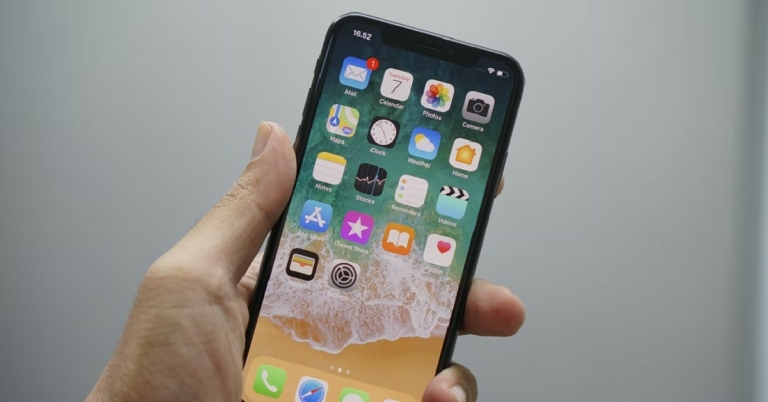
 If you’re an iPhone user, you can log in to iCloud using a web browser and track the location of your iPhone using Find My iPhone. If your phone is switched off, select ‘Lost Mode’ and Find My iPhone will let you know the last known location of your device. You can also remotely lock your iPhone using this feature.
Use Samsung’s SmartThings Find
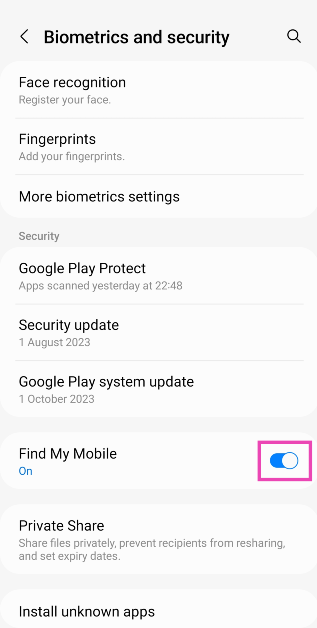
Samsung smartphone owners can also use the SmartThings Find feature on their devices to track it if it gets lost. Here’s how. On your Samsung smartphone Step 1: Go to Settings and select Biometrics and Security.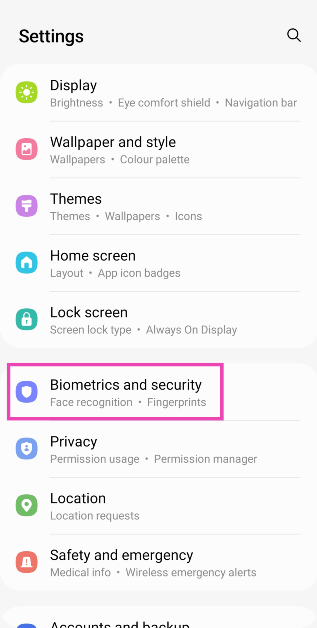 Step 2: Scroll down and turn on the toggle switch for Find My Mobile.
 On your PC
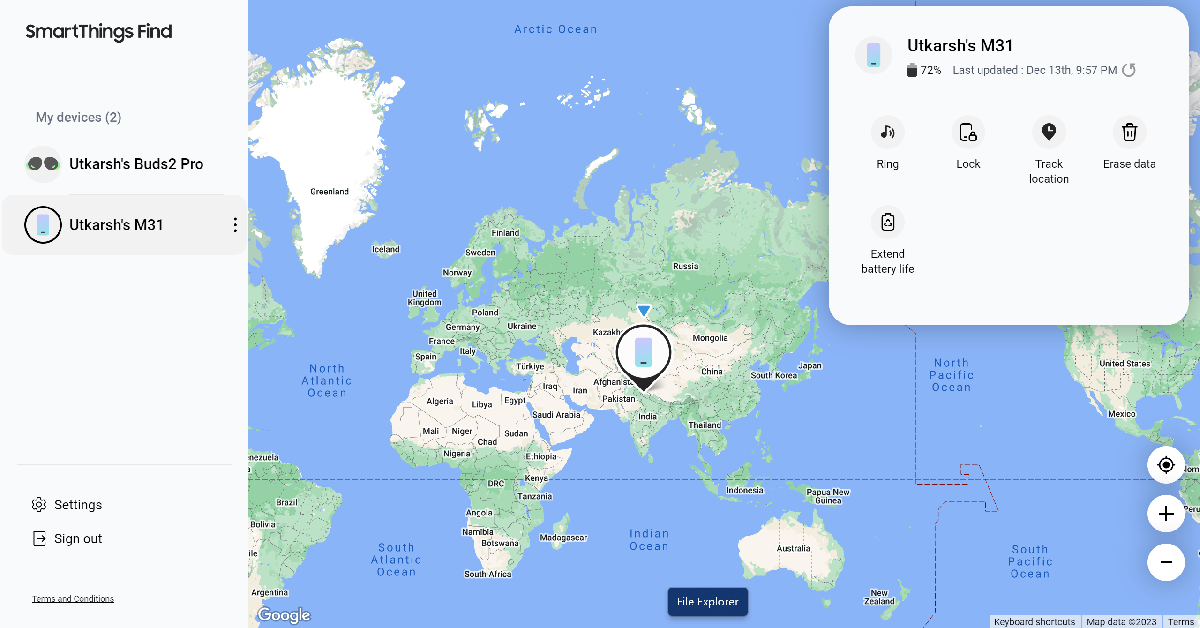
Step 1: Go to the SmartThings Find page and log in using your phone number or the registered email.
On your PC
Step 1: Go to the SmartThings Find page and log in using your phone number or the registered email.
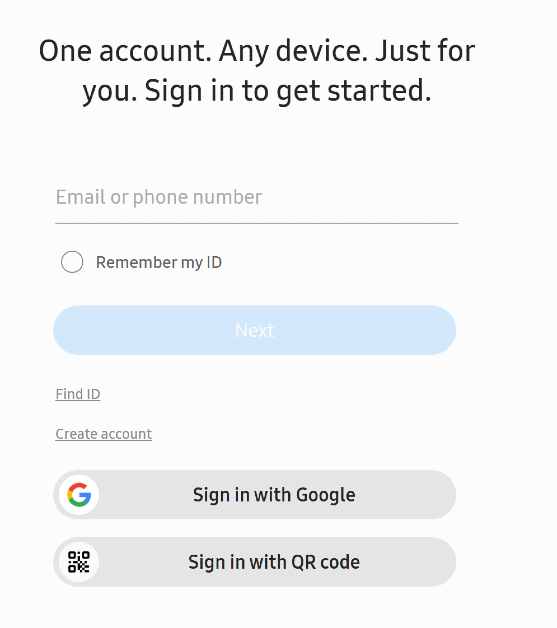 Step 2: Your device’s location will be marked on the map.


 Step 3:
 Step 4:
 Step 5:
 Specifications
Display:
Specifications
Display: Specifications
Display:
Specifications
Display: Specifications
Display:
Specifications
Display: Specifications
Display:
Specifications
Display: Specifications
Display:
Specifications
Display:


 Step 2:
 Step 3:
 Step 2:
 Step 3:
 Step 4: