COVID-19 cases have been rising at an unprecedented rate for the past few weeks in India. Due to a rapid increase in the number of COVID-19 patients, there has been an intermittent shortage of medical resources. The Indian government is constantly working with states and health department to fill the gap between medical demands and their availability.
Why does Twitter want to add new features to the platform?
Social media has played a crucial role since the outbreak of the COVID-19 pandemic to address issues and spread awareness. People have been extensively using Twitter to delegate information regarding the availability of beds, oxygen cylinders, and other medical facilities in various hospitals. This helps the patients and their families to quickly know which hospital they need to reach without wasting time on searching.
According to Twitter, “All across the country, people are using Twitter to find the latest information and access to resources right now. As this people’s movement unfolds, we wanted to remind you of some of the features that could help you find what you’re looking for faster”.
What are the advanced features has Twitter added to the platform?
Twitter has added the following features to help COVID-19 patients get quick assistance and medical help.
Advanced Search to find tweets from a particular during a period
The Advanced features added by Twitter will enable the users to use filters to find tweets and hashtags related to the resource they are seeking. For instance, if a user is looking for a vacant bed in a hospital. He can use the advanced search option to find the tweets related to the vacant beds during a specific period and related hashtags.
According to Twitter, “Advanced Search https://twitter.com/search-advanced can help you filter for fields like a specific hashtag, time period, or Tweets from a particular account”.
Advanced Search to find tweets from a particular during a period
Advanced Search to find tweets close to their location
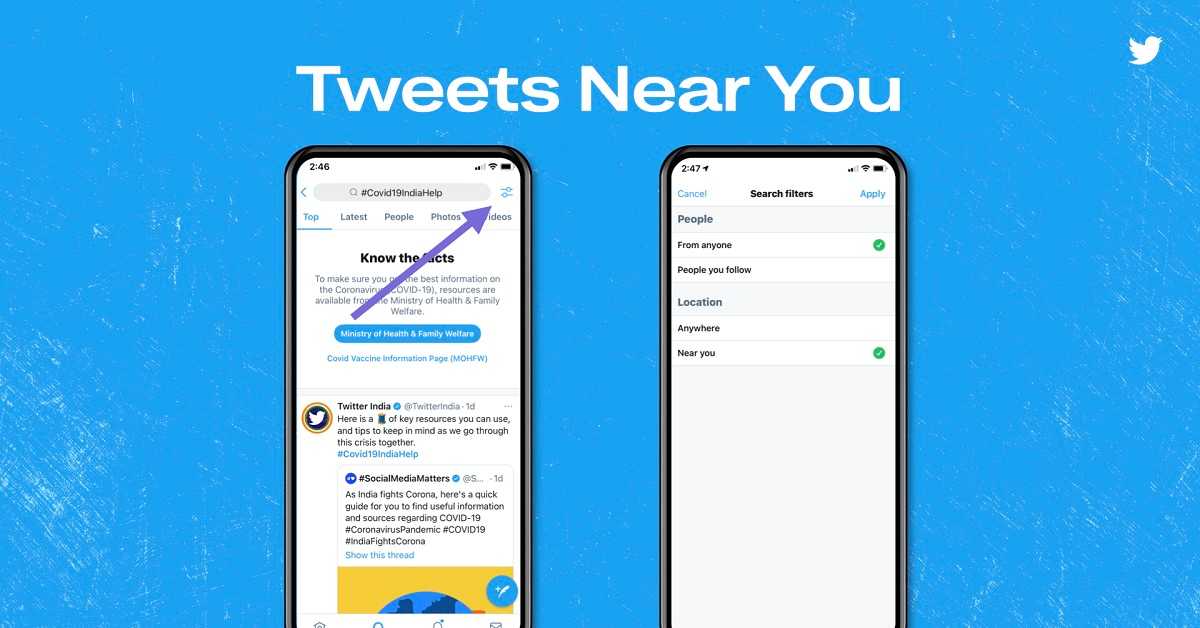
Twitter has also added a feature that will allow users to find tweets posted near to their location. You can get the tweets based on proximity in the search bar. Simply, turn the “Near you” toggle on placed under the Location option. However, this feature works only when the location of your device is enabled.
According to Twitter, “If you’d like to see Tweets that are close to your current location, type in a relevant hashtag in the search bar, tap the toggle button on the top right, and turn on ‘Near you’ under ‘Location’. You’ll have to turn on location settings for this to work”.
Advanced Search to find tweets close to their location
Advanced Search to find the most recent tweets
Since the availability of beds and oxygen cylinders changes frequently, the older tweets become obsolete. The advanced feature enables the user to filter the tweets based on the time they were posted. Users can get the most recent tweets by clicking the Sparkle button located on the top right corner of their timeline.
Advanced Search to find the most recent tweets
The advancement of Twitter will surely help the COVID-19 patients and their family get appropriate information so that they can get medical assistance as quickly as possible.
For the latest gadget and tech news, and gadget reviews, follow us on Twitter, Facebook and Instagram. For newest tech & gadget videos subscribe to our YouTube Channel. You can also stay up to date with the Gadget Bridge Android App.
To fight the ongoing COVID-19 pandemic, wearing a face mask and enhancing our immunity are the best ways to stay protected from the infection. The rising number of COVID-19 patients have again made everything conscious about their health and fitness. To avoid the chain reaction of a health issue, you need to proactively monitor your heart rate and Blood Oxygen Saturation (SpO2). Here are the best smartwatches that tell you about your SPO2, so that you can avoid potential health problems.
OnePlus Smart Band
The OnePlus band comes with a dedicated optical oxygen sensor to accurately measure Blood Oxygen Saturation (SpO2). The device provides constant sleep monitoring of SpO2 so that you may analyse your health at all times. With an on-demand daytime check, you can be aware of the potential health issues and take proactive measures. The band also measures your sleep pattern in real-time along with heart rate monitoring. With 13 dedicated exercise modes, you can stay active and enhance your immunity.
OnePlus Smart Band
Price: ₹ 2,499
Buy on Amazon
OPPO Smart Band Style
The OPPO Smart Band Style is a stylish smart band that dynamically measures your SPO2 levels during the day as well as at night. With a real-time heart rate monitoring system you can get an instant reading of your health. The 2.79cm full-colour AMOLED screen clearly displays the metrics with high contrast. The screen is covered with scratch-resistant glass so that you can freely work out. You can get details regarding your physical activities like calories burned, activity duration, and the number of steps.
OPPO Smart Band Style
Price ₹ 2,799
Buy on Amazon
Amazfit Bip U
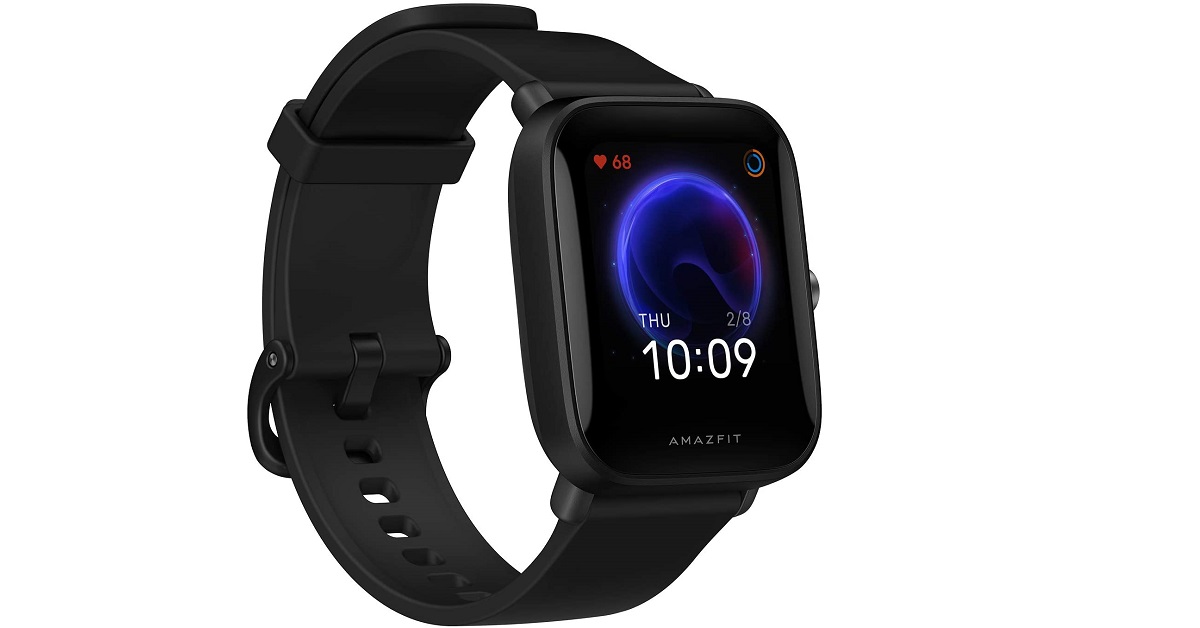
The Amazfit Bip U helps you measure your blood-oxygen saturation on the go. This allows you to keep a track of your physical state after intensive workouts. The BioTrackerTM PPG biological optical sensor ensures 24/7 heart rate monitoring. The smartwatch accurately monitors your sleep pattern, afternoon naps to help you maintain a healthy sleeping habit. Moreover, the PAITM Health Assessment System uses algorithms to tell you heart rate data and activity duration. The device offers a battery backup of 9 days on a single charge.
Amazfit Bip U
Price: ₹ 3,999
Buy on Amazon
Noise ColorFit Pro 3
The Noise ColorFit Pro offers several features to track your health. It comes with a smart SPO2 sensor to accurately measure your blood oxygen saturation. The sleep monitoring system tells the pattern of your REM sleep cycles. With auto-sports recognition, you can track the calories burned by physical activities like running and cycling. The waterproof design ensures that you can wear the smartwatch even while swimming. The device is integrated with the Noisefit application to offer a detailed progress report. With it, you also get workout videos to help you achieve your health targets.
Noise ColorFit Pro 3
Price: ₹ 4,499
Buy on Amazon
HONOR Band 5
The HONOR Band 5 comes with an advanced SPO2 sensor helping you adapt to your workouts. The smartwatch provides real-time monitoring of your sleep patterns with 200 personalised sleep quality assessments. The TruSeen 3.0 heart rate monitor uses Machine Learning algorithms to measure your heart rate round the clock. The device comes with an AMOLED display with up to 45 characters and colour coded text. It is water-resistant up to 50 meters so that you never shy away from swimming.
HONOR Band 5
Price: ₹2,699
Buy on Amazon
For the latest gadget and tech news, and gadget reviews, follow us on Twitter, Facebook and Instagram. For newest tech & gadget videos subscribe to our YouTube Channel. You can also stay up to date with the Gadget Bridge Android App.
The e-commerce website Flipkart is hosting Daily Trivia Quiz. Every day it brings a bunch of new questions for its users. By answering them correctly you can win exciting prizes. The questionnaire is based on questions related to general knowledge. Also, the users can win free vouchers and super coins, among other offers via the daily quiz. April 24 Flipkart Daily Trivia Quiz Answers has already gone live on its platform.
The participant should be at least 18 years old and should have a valid login ID. The Quiz is available on the mobile platform and not the web version. E-commerce conducts the quiz on daily basis and goes live at 12:00 AM IST and runs till 11:59 PM IST. The winners are announced within 15 days from the date of participation that can be viewed under the Gems/Rewards section in the app.
How to participate in the Flipkart Daily Trivia Quiz
To participate download the Flipkart app on your phone. Then open the Flipkart app then head to Game Zone. Now click on the Daily Trivia Banner or search for Daily Trivia. Enter the game and answer all 5 questions with correct answers.
April 24 Flipkart Daily Trivia Quiz Answers
Question 1: Which of these players has not won an IPL trophy as the captain of their team?
Answer: Virat Kohli
Question 2: Identify this RCB player who recently scored his maiden IPL century against Rajasthan Royals?
Answer : Devdutt Padikka
Question 3:Who was the first cricketer to be sold at the IPL 2021 auction?
Answer: Steve Smith
Question 4: Which bowler delivered the most maiden overs in the IPL 2020 season?
Answer: Trent Boult
Question 5: Rahul Tewatia played for which team before joining Rajasthan Royals in the 2020 season?
Answer: Delhi Capitals
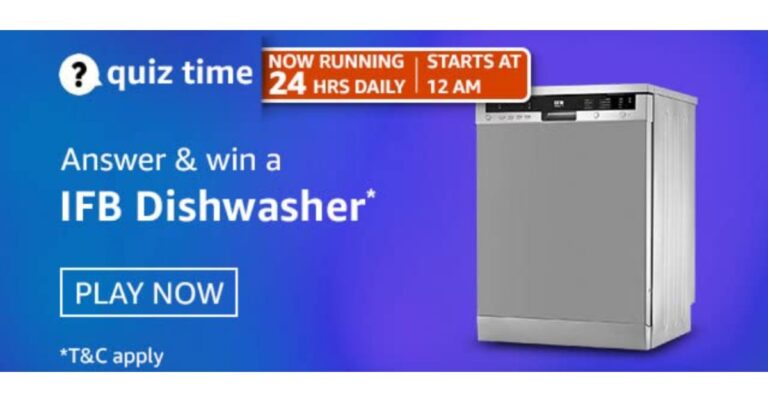
Amazon quiz has gone live now on its mobile app platform. The quiz can be played from 12 AM to 11:59 PM noon. All you need to do is just answer five easy questions that the e-commerce website puts before you. Today you can stand a chance to win IFB Dishwasher.
Every day Amazon brings a new set of questions that consists of five easy questions based on general knowledge and current affairs. The participants have to answer them correctly to enter into a lucky draw. One wrong answer will get you eliminated from the quiz. Only one person will be declared as a winner and the results are announced at the end of every month. By submitting correct answers Amazon customers can win free gadgets as well as Amazon Pay Balance. To make sure you answer all the questions correctly Gadget Bridge everyday updates all the correct answers to all 5 questions. Check out today’s answers:
April 24 Amazon Quiz Answers
Question 1: The film Nomadland, stars which of these actresses in the lead role, who has won two Academy Awards?
The answer is- Frances Mcdormand
Question 2: In a recent international friendly match, the Indian football team suffered a 0-6 defeat against which nation?
The answer is- UAE
Question 3: Who are Leica and Trinity, who shows how to wear a face mask properly in a trending video shared by Cincinnati Children’s Hospital?
The answer is- Two dogs
Question 4: What star is depicted on this country’s flag?
The answer is- Star of David
Question 5: What is the name given to this fruit?
The answer is- Passion Fruit
WhatsApp is a Facebook-owned cross-platform centralized messaging and voice-over-IP (VoIP) service that allows you to connect with your family, friends, and contacts. WhatsApp status is a handy tool that enables you to post your pictures or videos so that your friends and contacts can view them. WhatsApp allows you to choose people with whom you wish to share your status. These are as follows.
My Contacts: This option lets you share your status with all your contacts
My Contacts Except: This option allows you to share our status with your contacts except for people you select.
Only Share With: This option enables you to share your status only with selected contacts.
Who would need to download a WhatsApp status?
WhatsApp status is quite similar to Instagram Stories. Both of them offer you features to enhance your pictures or videos to post them as a highlight. WhatsApp, just like Instagram, does not offer any feature to download a picture or video from someone’s status. Although you can take the screenshot, you can’t download the image or video posted as a WhatsApp status.
There are several methods to save the WhatsApp status of a person. Some third-party apps also allow you to download a person’s WhatsApp status. However, you should not blindly trust third-party applications as they often demand you to sign in to your account. Here we will discuss the most secure method to save a person’s WhatsApp status on your Android device.
How can you download WhatsApp status on your Android smartphone?
To download an image or a video posted as a WhatsApp status on your Android smartphone follows these steps.
Tap the three dots located at the top left corner of the screen.
Select Settings and activate the toggle for the “show hidden files” option.
Launch the File Manager of your Android device.
Go to Internal storage > WhatsApp > Media > Status
Here you can find all the WhatsApp status that you have viewed.
Choose the desired image that you wish to download.
Tap and hold the selected image or video and save it to the desired location.
It must be noted that the above steps may differ across different Android version. However, the basic concept remains the same. Do let us know in the comments how did you like this tutorial on how to download WhatsApp Status image or video?
For the latest gadget and tech news, and gadget reviews, follow us on Twitter, Facebook and Instagram. For newest tech & gadget videos subscribe to our YouTube Channel. You can also stay up to date with the Gadget Bridge Android App.
Gone are those days when electric cars used to be slow and fragile. Today, electric cars come with outstanding power to trace even the most rugged terrains. Moreover, you get a plethora of features that make your driving experience luxurious as well as safe. Here are the top five electric cars that you can expect to launch soon.
Tesla Model 3
The Tesla Model 3 is expected to come in three powertrain variants, namely, Standard Plus, Long Range, and Performance. The Standard Plus option may come with a rear-wheel drivetrain system to offer a range of about 423km on a single charge. The Long Range and Performance variants may have a dual-motor all-wheel-drive system to cover a range of about 568km and 507km respectively on a single charge. Tesla may initially launch the Standard Plus and the Long Range variants followed by the Performance later on.
Tesla Model 3
Features
A 15-inch touchscreen infotainment system,
A 12-way power-adjustable front seats with heated function
Two wireless charging pads, and
A 14-speaker sound system along
Autonomous driving features
Expected Launch: June 15, 2021
Estimated Price: ₹60 Lakh
Mahindra eKUV100
The Mahindra eKUV100 will house a 15.9kWh battery pack supported by fast charging. The battery is capable of getting charged up to 80 per cent within 60 minutes. The electric car is expected to deliver a range of about 147km after a single charge. The eKUV100 will be the first all-electric micro SUV in India to go on sale. The car will carry many features that were seen in the Auto Expo 2018. It will be packed with dozens of features to make the driving safe.
Features
Cabin precooling
Location tracking
Remote diagnostics
Rear parking sensors
ABS with EBD
Expected Launch: December 10, 2021
Estimated Price: ₹8.25 Lakh
Hyundai Kona Electric 2021
The Hyundai Kona Electric 2021 may come packed with a dual battery setup of 64kWh and 39.2kWh. The two batteries will be capable of delivering the output of about 204PS and 136PS respectively. According to WLTP (Worldwide Harmonised Light Vehicles Test Procedure), the batteries are expected to offer a range of up to 484km on the first battery and about 305km on the second battery. Both batteries can be charged using a 100kW fast charger up to 80 per cent within 47 minutes.
Hyundai Kona Electric 2021
Features
A 10.25-inch touchscreen infotainment system
Android Auto and Apple CarPlay
Ambient lighting
A 10.25-inch digital instrument cluster
Electronic Stability Control (ESC)
Expected Launch: August 10, 2021
Estimated Price: ₹23.75 Lakh
Tata Altroz EV
The Tata Altroz EV was seen at the Auto Expo 2020. The car is expected to come with a modified front design. Moreover, it may get upgraded wheels made of alloy. The car will be equipped with an IP67 rated battery back. Thus, you can take the car on rugged terrains during all seasons. The battery is expected to offer a range of about 300km on a single charge. The design looks elegant and gives it a premium touch.
Features
Semi-digital instrument cluster
DC fast charging
Floating touchscreen
iRA Connected Car Tech
ABS with EBD
Expected Launch: July 13, 2021
Estimated Price: ₹14 Lakh
Volvo XC40 Recharge
The Volvo XC40 Recharge is expected to arrive in a single P8 variant that will offer a 5-seater configuration. The car will be equipped with a twin-battery set up to offer a range of about 418kn on a single charge. The twin electric motors will come with an all-wheel drivetrain to achieve 0-100 Kmph in 4.9 seconds. Volvo XC40 Recharge will have several safety features including autonomous braking, lane-keep assist, radar-based safety suite with features such as autonomous braking and lane-keep assist, adaptive cruise control, and six airbags.
Volvo XC40 Recharge
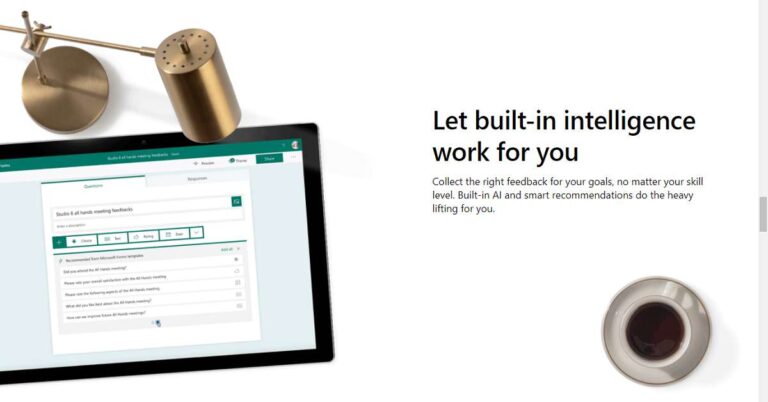
Microsoft Forms is an online survey creator under the Office 365 Suite. It is a useful tool to create surveys and quizzes with an automatic marking feature.
How are Microsoft Forms useful?
Microsoft Forms serves a variety of purposes like conducting a quiz in school, taking a survey in an event, or getting bio-data of employees.
How can you create a survey or a poll on Microsoft Forms?
To create a survey or a poll on Microsoft Forms, follow these steps.
Select the type of query that you wish to add to your survey. You will get the following four types to choose from.
Choice: The user will get the question in MCQ format.
Text: The user will be required to give a subjective answer.
Rating: The user can assign a rating to the element you mention.
Date: The user will be required to enter a date.
Select the type of query that you wish to add to your survey.
Once you choose the desired type, enter your question. It must be noted that for the Choice-based questions, you will have to mention the options apart from the question. You may add as many options as you wish. If you think that a choice-based question may have multiple answers, toggle the Multiple answers on. You may even shuffle the options by clicking the three dots and choosing Shuffle options.
You may assign a particular question as compulsory to be answered by the user by toggling the Required on.
To add a new question, just click Add New.
You may duplicate a question by clicking the question that you wish to copy and click the Copy question button located on the top. To delete a delete, click the Trash icon.
Once you have typed all your questions, you can arrange them in the desired order by clicking a question and moving it using the direction buttons.
How can you share your completed survey?
To preview and share your completed survey, follow these steps.
Before you share your survey, you must preview it to know how it will appear to the recipients. You may preview your form by clicking the Preview button located on the top-right.
To share your form, click the Send button located in the top-right corner.
To share your form, click the Send button located in the top-right corner.
Choose the method by which you wish to share your survey. You will get four options to choose from.
Link: You may copy the link and share it on different platforms.
QR code: You may download the QR code to share it on different platforms. The recipients may access the survey by scanning it through their smartphone or tablet’s camera
Embed code: The entire survey converts into an HTML element that can be inserted into your code block.
Email: This option launches your Mail app with the form copied to the body of your email. You may send it to the desired recipient as an email.
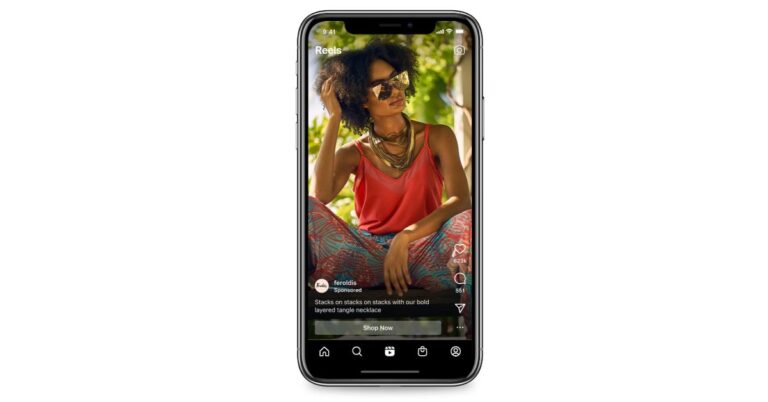
To fill the gap created by the TikTok ban in India, Instagram launched Reels for creating short video clips on its platform last year. This feature allows Instagram users to create and edit 15-second multi-clip videos with audio, effects and new creative tools. Also in order to step up its competition against TikTok and Snapchat the Facebook-owned social networking app keeps on updating with the latest features. Recently it released a feature called Remix and in a new development, it has begun testing Reels ads in India.With the announcement of the commencement of testing Reels ads in India the company is intended to make capital through the feature. This functionality is now being tested in Brazil, Germany, and Australia as well as in India. Soon these features will be expanded to more markets as the company says and 90% of people follow a business on Instagram, and people are already embracing Reels to discover new creators and businesses. The Reels ads will allow businesses to express themselves creatively and find deeper connections with the audiences that matter to them.According to the company, these ads will be full-screen and immersive, similar to ads in Stories. As with organic Reels content, ads can be up to 30 seconds and people can comment, like, view, save, share and skip Reels ads.Besides this Facebook has also announced a new topic targeting options within Facebook In-Stream video, testing of Instagram Reels Ads and other ad experiences in Facebook Stories to help increase opportunities for brands to better engage with relevant audiences.”According to the company the Facebook In-Stream eligible videos are being watched by over 2 billion people every month, therefore, completing 70% of In-Stream standalone video ads views. Then Facebook wanted to provide more choice for how advertisers can utilize our In-Stream offering. So with the integration of these features, the advertisers will be able to put ads in certain video topics through Ads Manager — allowing advertisers to align their brand messaging within content that is contextually relevant to their target consumer. It will include over 20 Video Topics, like Sports, and over 700 hundred sub-topics such as Baseball, Basketball, Golf or Swimming. For example, a baseball bat company can now place ads on topics that would be of interest to their customers, such as “Baseball.”In addition to this in the coming weeks, the social media giant will begin testing customSticker Ads for Facebook Stories. With this, the creators will be able to monetize their Facebook Stories with ads that look like stickers and receive a portion of the resulting revenue.
For the latest gadget and tech news, and gadget reviews, follow us on Twitter, Facebook and Instagram. For newest tech & gadget videos subscribe to our YouTube Channel. You can also stay up to date using the Gadget Bridge Android App.
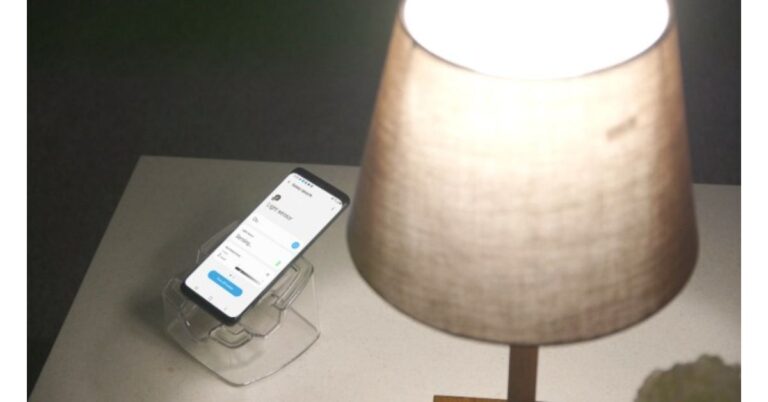
Yes, you heard it right, as a part of the Samsung Galaxy at Home Upcycling Program the South Korean giant is allowing users to repurpose their old Galaxy smartphones. Through this initiative, they can turn their phones into Smart home devices. This program intends to make the best use of waste mobile phones or unwanted products into new materials or products.In the Samsung Galaxy Upcycling at Home Program, the Galaxy devices are transformed into SmartThings devices. According to the company, the users will have access to the complete SmartThings ecosystem, enabling them to explore broader updates and features without having to purchase a new device. It will also provide improved enhanced sound and light-control features, by repurposing built-in sensors. Users can transform their old devices through SmartThings Labs, a feature within theSmartThings app.As of now, this program is under beta service for Galaxy Upcycling at Home in the US, the UK and Korea. The program mainly focuses on Goal 12 – Responsible Consumption and Production – by reducing waste and promoting more sustainable production practices and consumer behaviours.The Galaxy Upcycling at Home will be offering various options and new solutions in order to make life easier by encouraging more sustainable habits that are environmentally friendly also. This will also help the company extend the lifecycle of its products while diverting its users from contributing to global e-waste.The users will be able to easily turn their old Galaxy devices into smart home devices like a childcare monitor, a pet care solution and other tools that meet individual lifestyle needs. Currently, this feature is available on all Galaxy S, Note, and Z series released from 2018 (S9, Note9 or later) running Android 9 and above. According to the company, more devices will be supported in the future.By utilising an improved artificial intelligence (AI) solution, the Galaxy device can be used to record or save certain sounds such as a baby crying, dog barking, cat meowing, or a knock. While it distinguishes sounds in everyday surroundings it will send an alert directly to the user’s smartphone and the user can listen to the recorded sound.Apart from this, the Samsung Galaxy phones may also be employed as a light sensor to measure the brightness level of the room. So that the user can access the device to automatically turn on the lights or the TV through SmartThings if the room becomes darker than the preset standard of light.For this the phone needs to detect the sound and light continuously therefore it must be actively operating for long periods of time. Accordingly, Samsung equipped the Galaxy Upcycling at Home upgrade with battery optimization solutions to minimize battery usage so that it stays connected to SmartThings.
For the latest gadget and tech news, and gadget reviews, follow us on Twitter, Facebook and Instagram. For newest tech & gadget videos subscribe to our YouTube Channel. You can also stay up to date using the Gadget Bridge Android App.
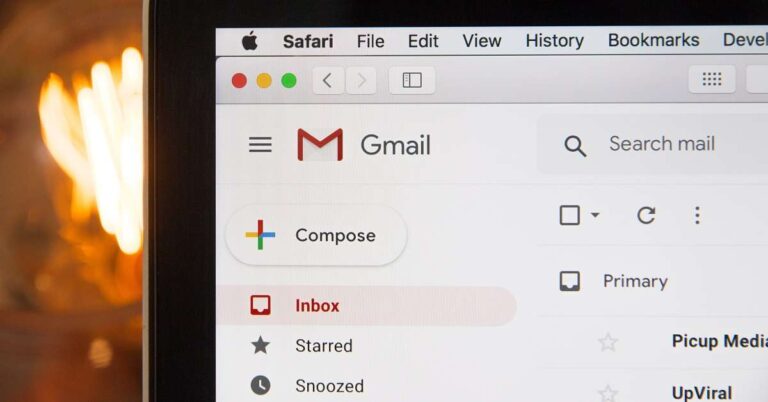
Gmail offers dozens of features to compose your emails. Moreover, it allows you to schedule it to be sent at the desired time. However, there are several features that are lesser-known. One such feature is self-destructing email.
Why would you send a self-destructing email?
There may be several reasons for sending an email that automatically expires after some time. The most common reason is sending a piece of confidential information. People use Gmail not only to share general thoughts or file but also to deal with official and financial documents. You might want such sensitive data to get deleted as soon as the purpose is met.
How can you send self-destructing emails on the Gmail Desktop?
To send self-destructing emails using Gmail on Desktop, follow these steps.
Launch a web browser on your desktop and log into your Gmail account.
Click the Compose button located at the left corner of the screen.
In the compose window, hover over the icons located at the bottom.
Click the icon that says, “Turn confidential mode on / off”.
Click the icon that says, “Turn confidential mode on / off”. The icon looks like a lock with a timer.
You can choose the time of expiry, i.e. 1 day, 1 week, 1 month, 3 months, or 5 years.
You can choose the SMS passcode feature to make your email even more secure. The passcode shall be generated by Google.
You can choose the SMS passcode feature to make your email even more secure.
Type the recipient’s name, Subject, and Body like you do in a normal email.
Click the Send button to send your email.
How can you send self-destructing emails on the Gmail app?
Launch the Gmail application on your smartphone and log into your Gmail account.
Tap the plus button (+) located at the bottom-right corner to start composing your email.
Tap the three vertical dots and choose the Confidential mode option.
Tap the three vertical dots and choose the Confidential mode option.
Select the duration for which you want the email to last before it gets self-destructed.
You can choose the SMS passcode feature to make your email even more secure. The passcode shall be generated by Google.
You can choose the SMS passcode feature to make your email even more secure.
Type the recipient’s name, Subject, and Body like you do in a normal email.