WhatsApp is a Facebook-owned cross-platform centralized messaging and voice-over-IP (VoIP) service that allows you to connect with your family, friends, and contacts. WhatsApp has been one of the most widely used messaging platforms worldwide. It constantly upgrades to the requirements of users for convenient and reliable communication including the chat backup feature to keep your chats saved on cloud storage so that you don’t lose them.
WhatsApp recently revealed the keyboard shortcuts for desktop web and desktop app versions. These WhatsApp shortcuts will be equally useful for the users who use run the app on a tab or a laptop. These keyboard shortcuts or cheat codes can be used to quickly perform functions like muting chat, beginning a new chat, and deleting chat
Why did WhatsApp reveal the keyboard shortcuts?
Using WhatsApp on a mobile device like a smartphone is much simpler as compared to a desktop. On a smartphone, you simply use finger gestures like swiping and tapping to navigate through WhatsApp chats and Settings. On a desktop, you have to interact with the application through a keyboard and a mouse. As a result, the user experience becomes sluggish and restricted. However, with the cheat codes or keyboard shortcuts, you can expedite your WhatsApp desktop experience.
What are the cheat codes for the WhatsApp Desktop app on Mac?
Return Space: SHIFT + ENTER
Open Profile: CMD + P
New Chat: CMD + N
Search in Chat List: CMD + F
Delete Chat: CMD + SHIFT + D
Mute Chat: CMD + SHIFT + M
Settings: CMD + ,
New Group: CMD + CTRL + N
Search in Chat: CMD + SHIFT + F
Pin/ Unpin: CMD + SHIFT + P
Archive Chat: CMD + E
Mark as Unread: CMD + CTRL + U
What are the cheat codes for the WhatsApp Web on Mac?
Return Space: SHIFT + ENTER
Open Profile: CMD + CTRL + P
New Group: CMD + CTRL + SHIFT + N
Search in Chat List: CMD + CTRL + /
Delete Chat: CMD + SHIFT + BACKSPACE
Mute Chat: CMD + CTRL + SHIFT + M
Settings: CMD + CTRL + ,
New Chat: CMD + CTRL + N
Search in Chat: CMD + CTRL + SHIFT + F
Pin/ Unpin: CMD + CTRL + SHIFT + P
Archive Chat: CMD + CTRL + E
Mark as Unread: CMD + CTRL + SHIFT + U
What are the cheat codes for the WhatsApp Web on Mac?
What are the cheat codes for the WhatsApp Desktop app on Windows 10?
Return Space: SHIFT + ENTER
Open Profile: CTRL + P
New Chat: CTRL + N
Search in Chat List: CTRL + F
Delete Chat: CTRL + SHIFT + D
Mute Chat: CTRL + SHIFT + M
Settings: CTRL + ,
New Group: CTRL + SHIFT + N
Search in Chat: CTRL + SHIFT + F
Pin/ Unpin: CTRL + SHIFT + P
Archive Chat: CTRL + E
Mark as Unread: CTRL + SHIFT + U
What are the cheat codes for the WhatsApp Web on Windows 10?
The e-commerce website Flipkart is hosting Daily Trivia Quiz. Every day it brings a bunch of new questions for its users. By answering them correctly you can win exciting prizes. The questionnaire is based on questions related to general knowledge. Also, the users can win free vouchers and super coins, among other offers via the daily quiz. April 10 Flipkart Daily Trivia Quiz Answers has already gone live on its platform.
The participant should be at least 18 years old and should have a valid login ID. The Quiz is available on the mobile platform and not the web version. E-commerce conducts the quiz on daily basis and goes live at 12:00 AM IST and runs till 11:59 PM IST. The winners are announced within 15 days from the date of participation that can be viewed under the Gems/Rewards section in the app.
How to participate in the Flipkart Daily Trivia Quiz
To participate download the Flipkart app on your phone. Then open the Flipkart app then head to Game Zone. Now click on the Daily Trivia Banner or search for Daily Trivia. Enter the game and answer all 5 questions with correct answers.
April 10 Flipkart Daily Trivia Quiz Answers
Question 1: KL Rahul is the captain of which IPL team?
Answer: Punjab Kings
Question 2: Which bowler has delivered the most dot balls in IPL history?
Answer: Harbhajan Singh
Question 3: Which of these teams was a part of the IPL 2020 Finals?
Answer: Delhi Capitals
Question 4: Identify this Mumbai Indians player.
Answer: Ishan Kishan
Question 5: The current fielding coach of Punjab Kings, Jonty Rhodes is the head coach of which national team?
Answer: Sweden
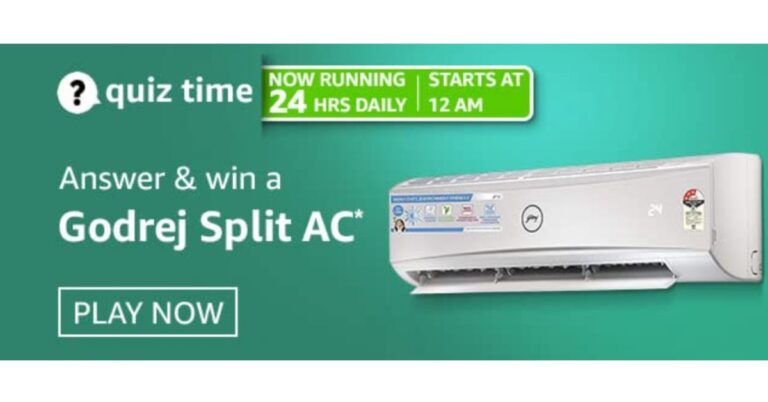
Get ready to answer a new set of questions as the April 10 Amazon Quiz is live on its platform. The e-commerce platform brings a daily quiz on its mobile platform, which every day gives chance to millions of people across the country to win exciting prizes. The quiz goes live at 12 AM to 11:59 PM. Today’s Amazon Quiz prize is Godrej Split AC.
By participating in Amazon Quiz every day you can stand a chance to win prizes such as iPhone X, iPhone Xs, Seagate HDD, GoPro Hero 8 Camera, LG Smartphones, Samsung Galaxy S20, Air Purifier, Oppo smartphones, Amazon Pay Balance among others. Every day Amazon brings a fresh new quiz on its app, here we would like to mention that the quiz is not available for desktop users, only app users can participate in the daily quiz.
The company puts 5 questions based on general knowledge and current affairs to which the contestants have to answer all the questions correctly. A wrong answer will eliminate you from the quiz. After giving correct answers to all the questions, your name will get further selected for a lucky draw. The results of the lucky draw will be announced at the end of the month. So today’s quiz winner’s name will be declared at the end of the month. We have updated today’s five questions with their correct answers below so that you can win Amazon Quiz and get Godrej Split AC.
April 10 Amazon Quiz Answers
Question 1: Michael Somare, who passed away recently, was the ‘Grand Chief’ and the ‘Father of the Nation’ of which country?
The answer is- Papua New Guinea
Question 2: “Forests and Livelihoods: Sustaining People and Planet” was the theme of which day celebrated by the UN on 3rd March 2021?
The answer is- World Wildlife Day
Question 3: In collaboration with which prestigious institution will the Govt of India set up the country’s first Centre for Excellence in Gaming?
The answer is- IIT Bombay
Question 4: The monument in this picture was built as an entrance to what?
The answer is- World’s Fair
Question 5: Which country is the first in per-capita consumption of the meat that comes from this particular bird?
The answer is- Israel
Nokia 5.4 smartphone, that was launched a few weeks back by HMD Global at a starting price of Rs 13,999, comes with a much talked about H-Log video feature. Other than that, the device also comes with a 4,000mAh battery, four rear cameras and a 6.39-inch display. Is the smartphone as good as it sounds? Find out in our Nokia 5.4 review:
Nokia 5.4 design and display
The design of Nokia 5.4 smartphone is definitely among its pros. Even though the body of the handset is made of plastic, it didn’t seem like a downside to us because the built was sturdy. The back panel of the smartphone has the camera module in the centre with an LED flash on its left, and there is also a fingerprint scanner right below it. The back also has Nokia branding right in the centre. The device has a curved body that makes one-handed usage very simple. The Power and the Volume Rocker keys are placed on the right edge while the SIM tray and the Google Assistant button are on the left. The top has the 3.5mm headphone jack and the secondary microphone and the bottom edge has the Type-C port, the speaker grill, and the microphone.
Flip over and you will see the 6.39-inch display of the smartphone. Although the display resolution is HD+ and there are other smartphones in the same range that offer a better resolution at the same price, the screen of the device offered a decent experience. Watching videos on the smartphone was a good experience as the images showcased were sharp and clear and the colours were accurate. The viewing angles were decent too but the sunlight readability could be better. The display also houses the selfie camera of the device and there is Nokia branding on the chin that outlines it.
In a nutshell, we can say that the look and feel of Nokia 5.4 is definitely among its strong points. The back panel catches fingerprints and smudges rather easily, so we recommend you to carry a microfibre cloth with yourself. Besides this, the display could have had a better resolution and sunlight readability could have been better. But other than this, the design and display of the handset were good.
Nokia 5.4 performance and cameras
Before speaking about the performance, we’ll take a minute to discuss the rest of the specifications of Nokia 5.4. The smartphone runs Android 10 out of the box and is powered by an octa-core Qualcomm Snapdragon 662 processor. The handset comes with up to 6GB of RAM and 64GB of onboard storage and can hold microSD cards of up to 512GB. For imaging duties, there is a 48MP primary sensor, a 5MP ultra wide angle lens, a 2MP macro camera and a 2MP depth sensor. There is also a 16MP selfie camera and the smartphone packs a 4,000mAh battery.
Nokia 5.4 has stock Android, which basically means that there are no customizations. The device only comes with the usual suite of apps from Google and a support app from HMD Global. The company has said that Nokia 5.4 will receive Android updates and security patches for up to two and three years respectively.
Coming to the performance of the smartphone, it was only average. The device is powered by Qualcomm’s Snapdragon 662 processor, and offered an inconsistent performance. To be more specific, the handset was decent at some tasks and could be better at others. When we opened and switched between multiple apps on Nokia 5.4, the result wasn’t the swiftest that we have seen. Even using biometric locks wasn’t a very smooth experience.
We tried playing a few games on the device too. While light games like Alto’s Odyssey ran smoothly, graphic-hungry ones like Asphalt 9: Legends caused the handset to heat up.
The 4,000mAh battery of the smartphone lasted a day and a half with moderate usage involving browsing social media apps, listening to music and watching videos. When our usage was heavier and involved long phone calls and gaming other than the tasks we mentioned earlier, the battery still lasted us an entire day and night, which we think is really good. Nokia 5.4 takes about two hours to be charged completely with the charger that comes in the box.
Now, let’s talk about the cameras of the smartphone. As we mentioned earlier, Nokia 5.4 comes with four sensors. However, that’s not the only notable feature of the handset’s cameras. HMD Global has touted the presence of the H-Log video feature on the phone. With the feature, you can shoot videos in a very uniform tone and hue, but you get an array of editing options in the Cinema Editor. Before you use the mode, make sure you enable the H-Log format in Settings. We quite like the videos that we took with this mode enabled as we got a number of colour profiles to choose from while editing.
The primary camera of the smartphone did a decent job in well-lit conditions, particularly outdoors. But then, there were times when it struggled to get the colours right and it also took some time to focus. In lowly lit conditions, the quality of images fall and even using the Night Mode doesn’t help much with the noise. The quality of images deteriorates considerably while using the ultra-wide camera, even in well-lit conditions. The macro lens worked in a similar fashion. We managed to click some decent selfies with the 16MP front camera during the day, while the results at night were average.
Verdict
The pros of the smartphone include its sturdy built and design, the battery life and the clean UI. The H-Log video feature worked well too, and the fact that the smartphone will get regular and timely Android updates and security patches is certainly a plus. However, we cannot ignore the laggy performance and the average cameras of the handset. If you want to buy Nokia 5.4 for the H-Log video feature or its battery life, then you can go for it.
Pros
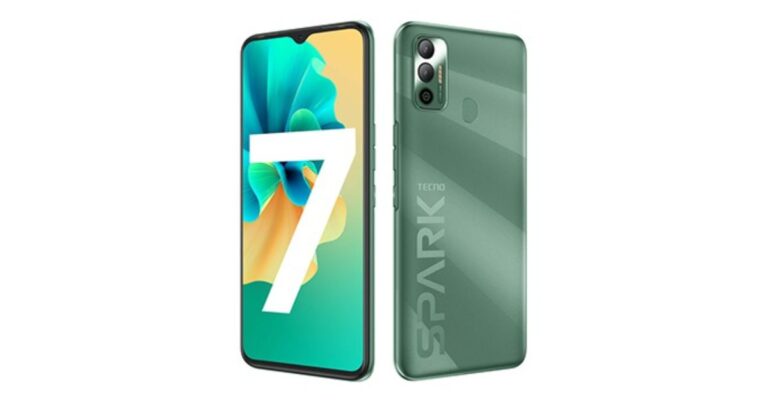
Tecno Spark 7 has officially made its debut in the Indian market today. The device is a follow up of Tecno Spark 6, which was introduced in the market last year. The key highlights of the smartphone include a 6,000mAh battery with AI power chagrin support, a dot notch display and a dual rear camera set up. The smartphone has been launched in two different configurations and will soon be available for purchase in the Indian market. Check out its specs price and availability details.Tecno Spark 7 tech specsTecno Spark 7 is an entry-level phone and comes with a 6.52-inch HD+ Dot Notch Display with 720×1,600 pixels of resolution. The display has a 20:9 aspect ratio, 90.34 per cent of screen-to-body ratio, and offers 480 nits of peak brightness. The device runs Android 11 Go edition with HiOS 7.5 on top for the 2GB RAM while other options run Android 11. The device is powered by two different processors. The 2GB RAM model with quad-core MediaTek Helio A20 SoC while the 3GB RAM with octa-core MediaTek Helio A25 SoC. For storing content it has 32GB and 64GB of storage options which is expandable up to 256GB via microSD card.For photos and videos, this smartphone features a dual rear camera set up that includes a 16-megapixel main sensor with an f/1.8 aperture and an AI lens. While on the front there is an 8-megapixel selfie camera with f/2.0 aperture. The camera on the Spark 7 includes features such as time-lapse videos, slow-motion videos, bokeh mode, AI Beauty Mode and AI Portrait Mode.Tecno Spark 7 is backed by a massive 6,000mAh battery, which is claimed to come with a standby time of 41 days, 42 hours calling time, 17 hours of web browsing, 45 hours of music playback, 17 hours of game playing and 27 hours of video playback. In terms of connectivity, there is 4G VoLTE, Wi-Fi, Bluetooth v5.0, GPS/ A-GPS, Micro-USB, and a 3.5mm audio jack. While sensors onboard include an accelerometer, ambient light, proximity sensor, and fingerprint sensor on the back of the phone.Tecno Spark 7 price and availabilityTecno Spark 7 will be available in two models, the 2GB RAM with 32GB storage priced at Rs 7,499. While the 3GB RAM with 64GB of storage will be available with a price tag of Rs 8,499. The phone will be offered in three colour options of Magnet Black, Morpheus Blue, and Spruce Green. The device is scheduled to go on sale on April 16 from 12 noon onwards via Amazon. But as a part of the launch offer the company will be offering the phone at an introductory price of Rs 6,999 and Rs 7,999 respectively.
Apple introduced the FaceID feature with the iPhone X. Now, the feature is available on newer models as well including iPhone XS, iPhone XS Max, iPhone XR, iPhone 11 series, and iPhone 12 series. The Apple FaceID allows you to access various features like device unlock, sign-in to apps, and validate online purchases.
How can you enable Face ID on your iPhone?
To enable Face ID on your iPhone, follow these steps.
Launch the Settings app on your iPhone.
Scroll down and tap the Face ID and Passcode option.
Type your iPhone passcode to enter the Setting.
Tap the ‘Set up Face ID’ option.
Now, you’ll be asked to position your face in the camera frame.
Adjust your face within the frame until the frame turns green.
In the first round, do the adjustment process slowly while in the second, do it at a faster pace.
How can you set up an alternative FaceID?
iPhone allows you to keep a secondary FaceID so that you can unlock your iPhone if your appearance doesn’t match with the primary FaceID. To enable a secondary FaceID, follow these steps.
Launch the Settings app on your iPhone.
Scroll down and tap the Face ID and Passcode option.
Type your iPhone passcode to enter the Setting.
How can you unlock your Apple device using Face ID?
Once the Face ID is set up on your Apple device, you can use it in the following steps.
The Indian Premier League is set to begin today i.e. April 9, 2021, at 7:30 PM. Due to the ongoing COVID-19 pandemic, the IPL 2021 matches will take place without spectators in the stadium. However, thrill shall be as high as always as people can enjoy that IPL 2021 matches across different platforms.
Apart from the conventional broadcasting on Star Sports, you can watch IPL matches online. The Board of Control for Cricket in India (BCCI) has partnered with Disney+ Hotstar so that people can enjoy the IPL 2021 matches online.
How to watch the IPL 2021 matches on Disney+ Hotstar?
The IPL 2021 matches will be streamed live on Disney+ Hotstar. You can view all the matches by subscribing to one of the following plans.
Disney+ Hotstar VIP at ₹ 399 per year, or
Disney+ Hotstar Premium at ₹ 299 per month, or
Disney+ Hotstar Premium at ₹ 1,499 per year
If you own a Credit card, you may avail of a discount of ₹ 365 on the above listed Disney+ Hotstar VIP subscription packs. Moreover, Reliance Jio, Airtel, and Vi (Vodaphone Idea) have released their exciting plans for you to access the live streaming of the IPL 2021 matches at your home.
How to watch the IPL 2021 matches on Disney+ Hotstar?
What special IPL 2021 recharge plans can Jio users subscribe to?
Reliance Jio recently released attractive recharge offers so that you can enjoy the IPL 2021 at your home. The prepaid recharge packs range from ₹ 401 to ₹ 2,599. With these plans, you will get a free Disney+ Hotstar VIP annual subscription. Moreover, Jio has brought interesting offers for postpaid users. The Postpaid Plus plans will come bundled with access to Disney+ Hotstar so that you don’t miss any highlight of the IPL 2021 matches.
Facebook is a popular social media platform where users share their pictures, stories, and videos. Just like other social media platforms like Instagram and Twitter, it does not provide you with a built-in feature to download a video.
There are several ways to save a Facebook video on your device’s storage. Here we’ll discuss a simple web-browser based method to download Facebook videos across different platforms.
How to download Facebook videos on a PC?
To download a Facebook video on a PC, follow these steps.
On a web browser, log in to your Facebook account.
Go to the video that you wish to download.
Right-click on the video and select Copy video URL.
Open a new tab in your web browser and go to the website fbdown.net
Paste the copied link and click the Download button.
Select the video quality i.e. Normal or HD.
Paste the link where it asks you to and click Download
Right-click the desired video quality and select Save the video.
How to download Facebook videos on a PC?
How to download Facebook videos on an Android device?
To download a Facebook video on an Android device, follow these steps.
Launch the Facebook app and go to the video that you wish to download.
Tap the share button and select Copy Link.
Open a new tab in your web browser and go to the website fbdown.net
Paste the copied link and tap the Download button.
Paste the link where it asks you to and select Download.
Long tap the desired video quality option and select Download.
The desired video will be saved in your Gallery and Downloads folder.
How to download Facebook videos on an iOS device?
To download a Facebook video on an iOS device, follow these steps.
Launch the Facebook app and go to the video that you wish to download.
Tap the share button and select Copy Link.
Open a new tab in your web browser and go to the website fbdown.net
Paste the copied link and tap the Download button.
Paste the link where it asks you to and tap Download.
Long tap the desired video quality option and select Download.
Go to Files > Downloads.
Open the video and tap the upload icon at the bottom left.
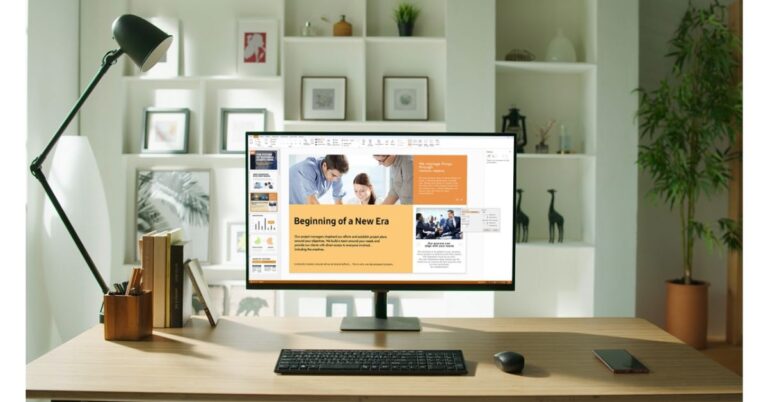
Samsung today revealed its world first ‘Do It All Smart Monitors’ in India. Amid fresh lockdowns in some parts of the country, the company states that the Do-It-All screen will allow the users to enjoy Netflix, YouTube, Apple TV and other OTT apps, remotely connect with their office PC and also edit documents using Microsoft 365. So basically the fresh new Samsung Smart Monitor is primarily positioned for those looking for monitors for work, learn and play at home until the pandemic ends. Commenting on the launch, Puneet Sethi, Vice President, Consumer Electronics Enterprise Business, Samsung India, said, “The pandemic has changed our lifestyle and work, education and entertainment have transformed into home-centred activities. Today, consumers value products that offer convenience and enable them to multitask seamlessly. At Samsung, we believe in bringing impactful innovations and our new Smart Monitor is an example of that. Consumers no longer have to choose between different screens for varied uses as Smart Monitor brings it all together and offers the flexibility to smoothly transition from working and learning to entertain oneself,”Samsung Smart Monitors Price and AvailabilityThe all-new Samsung Smart Monitor comes in two variants — M7 and M5. The M7 model comes in single 32-inch screen size while the M5 will be available in two sizes of 27 and 32-inch. The price of the Samsung 32-inch (81.28 cm) M7 Smart Monitor is set at Rs 57,000 but it will be available at an introductory price of Rs 36,999. Whereas the price of the 27-inches M5 Monitor and 32-inches M5 Monitor is set at Rs 28,000 and Rs 33,000 respectively. But these will also be available at an introductory price of Rs 21,999 and Rs 24,999 respectively. In addition to this, those buying these Smart Monitors will get a complimentary wireless mouse and keyboard, scheme is for a limited period. All these models are now open for sale via Samsung’s official online store Samsung Shop, Amazon and all leading retail stores. Samsung Smart Monitors featureAs said, Samsung Smart Monitor comes in two different models – the M7 that supports Ultra-High Definition (UHD) resolution in 32-inch screen size and the M5 that supports Full HD (FHD) resolution in 32-inch and 27-inch screen sizes. All the variants have been designed keeping in mind today’s demand for working, learning and consuming entertainment at the same time. The Samsung Smart Monitors offers an array of connectivity options for both PCs and smartphones. It can be connected to a smartphone using Tap View, App Casting, Screen Mirroring or Apple AirPlay2. Users can even get a desktop-like experience without a PC by connecting Galaxy phones to the Smart Monitor (through Samsung DeX). While the Eye Saver Mode reduces blue light emissions, Flicker-Free technology removes screen flicker, allowing the use of the monitor for longer with less eye strain.In addition to this, the monitors run Microsoft 365 applications without a PC as it comes integrated with Wi-Fi connectivity, therefore, letting users view, edit and save documents on the cloud directly from the monitor, with help from their Bluetooth connected keyboard and mouse. Users can also remotely access their files from a PC or view content from a laptop. Whereas the USB Type-C port allows for data, display and power up to 65W with just a single connection.In terms of entertainment, the monitor can also be used for streaming content with Samsung’s Smart Hub. With an in-built app store, the user can stream their favourite content from Netflix, HBO and YouTube even without a connection to a PC or a mobile device. It can be accessed through the Smart Monitor’s remote control, which includes hotkeys for streaming services. Over that, you can also control it by your voice using Samsung’s Bixby or other voice assistants such as Amazon Alexa and Google Assistant.Moreover, the Samsung Smart Monitor has multiple USB ports and Bluetooth 4.2 for connectivity. There is a built-in two-channel speaker so need to connect an additional set of speakers.
Rockstar Games’ Grand Theft Auto (GTA) has been one of the most renowned video games series. The GTA 5 was one of the most awaited video games ever launched. Within three days after its official launch, the sales of GTA 5 had exceeded one billion dollars. As a result, it became the fastest-selling entertainment product in history.
The rumours regarding the GTA 6 have started to surface. This has again filled GTA fans with enthusiasm who have been awaiting the series for the past few years.
What is the probable date of release for GTA 6?
Gaming is a fast-evolving domain. With the advancement of Electronics and Computer Science, video games and the platforms they run on are constantly undergoing improvements. The GTA 5 was released a few months before the launch of the PlayStation 4. Since then the gaming hardware has significantly upgraded.
Rockstar Games usually release a GTA sequel every five years. The GTA 4 was released in 2008, GTA 5 in 2013. Hence, the 6th edition of this renowned video game series was expected to arrive in 2018. However, this was not the case. Gamers are still awaiting the sequel to come. Although Rockstar Games didn’t release a GTA sequel, it ported the GTA 5 to the PlayStation 4, Xbox One, and Google Stadia. Meanwhile, it released another big game i.e. the Red Dead Redemption 2. Now, Rockstar Games seems to come back to the development of the GTA 6 and may release it in 2022.
The Current GTA V (Image Credit: PlayStation)
Why do we expect GTA 6 to be the most detailed so far?
It is believed that the GTA game series is ahead of its time. The detailing and optimisation in GTA games truly set the standard for other video games and gaming hardware. Today, companies working in the field of graphics are developing high-performance GPUs. For example, the NVIDIA RTX 3080 can perform advanced gaming tasks like DLSS AI Acceleration and Ray-Tracing. On the other hand, game developers like Electronic Arts and Ubisoft are designing high-end games like Battlefield 5 and Assassin’s Creed Valhalla respectively that seriously put these GPUs on a test.
GTA is one of the most comprehensive open-world video game series. Unlike First-Person Shooter (FPS) games or a racing game that are dedicated to a single mode of action, GTA offers much more to do. A GTA character interacts freely with the world map that consists of weapons, cars, buildings, and people. This results in an enormous size of the world map as well as the size of the game. The size of the GTA 5 game was 72GB. Considering the map expansion and enhanced detailing due to the Ray-Tracing feature and DLSS AI Acceleration, the size of the GTA 6 is expected to surpass 100GB.
For the latest gadget and tech news, and gadget reviews, follow us on Twitter, Facebook and Instagram. For newest tech & gadget videos subscribe to our YouTube Channel. You can also stay up to date with the Gadget Bridge Android App.




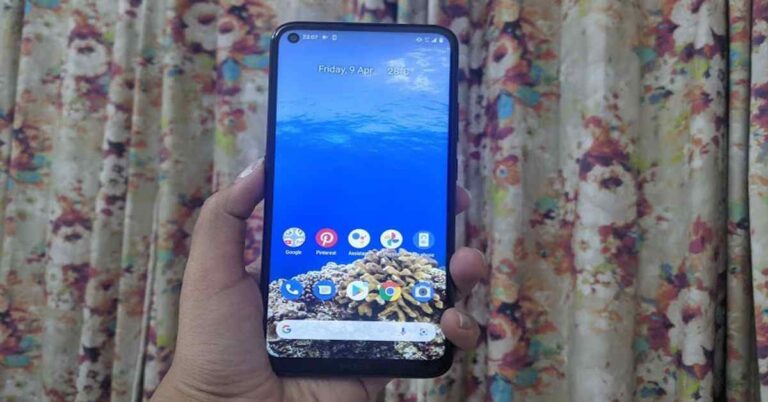
 Flip over and you will see the 6.39-inch display of the smartphone. Although the display resolution is HD+ and there are other smartphones in the same range that offer a better resolution at the same price, the screen of the device offered a decent experience. Watching videos on the smartphone was a good experience as the images showcased were sharp and clear and the colours were accurate. The viewing angles were decent too but the sunlight readability could be better. The display also houses the selfie camera of the device and there is
  In a nutshell, we can say that the look and feel of Nokia 5.4 is definitely among its strong points. The back panel catches fingerprints and smudges rather easily, so we recommend you to carry a microfibre cloth with yourself. Besides this, the display could have had a better resolution and sunlight readability could have been better. But other than this, the design and display of the handset were good.
 We tried playing a few games on the device too. While light games like Alto’s Odyssey ran smoothly, graphic-hungry ones like Asphalt 9: Legends caused the handset to heat up.
The 4,000mAh battery of the smartphone lasted a day and a half with moderate usage involving browsing social media apps, listening to music and watching videos. When our usage was heavier and involved long phone calls and
We tried playing a few games on the device too. While light games like Alto’s Odyssey ran smoothly, graphic-hungry ones like Asphalt 9: Legends caused the handset to heat up.
The 4,000mAh battery of the smartphone lasted a day and a half with moderate usage involving browsing social media apps, listening to music and watching videos. When our usage was heavier and involved long phone calls and  The primary camera of the smartphone did a decent job in well-lit conditions, particularly outdoors. But then, there were times when it struggled to get the colours right and it also took some time to focus. In lowly lit conditions, the quality of images fall and even using the Night Mode doesn’t help much with the noise. The quality of images deteriorates considerably while using the ultra-wide camera, even in well-lit conditions. The macro lens worked in a similar fashion. We managed to click some decent selfies with the 16MP front camera during the day, while the results at night were average.