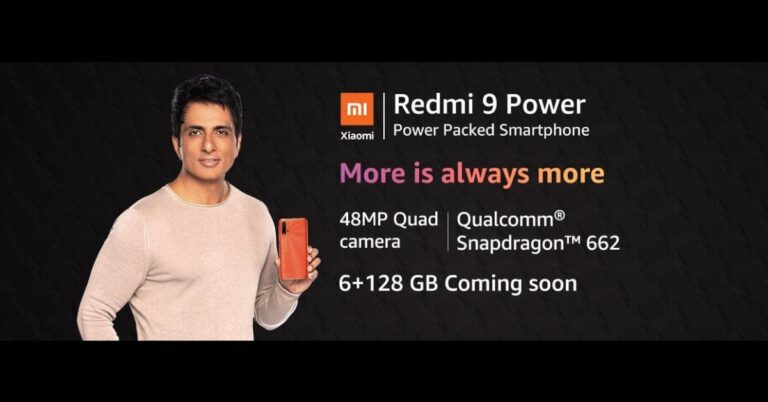
Redmi 9 Power was launched in India later last year. Then the device was introduced in two different configurations. Today the Chinese company has announced that the phone will be available in a new RAM and storage variant. However, the price of the new configuration of the phone is confirmed but the device availability of the new variant is now being teased via Amazon. While the rest of the specs remain the same as the original one.Redmi 9 Power 6GB RAM with 128GB variant has been listed on Amazon and said to be available in India soon. The price and the launch date of the 6GB variant is yet to be revealed but according to tipster Ishan Agarwal, the device is likely to be priced at Rs 12,999. At the moment the phone is available in two variants of 4GB RAM with 64GB storage and 4GB RAM with 128GB storage model. The 64GB version is priced at Rs 10,999 while the 128GB model comes at Rs 11,999. Redmi 9 Power will be available in Mighty Black, Blazing Blue, Fiery Red and Electric Green colour options.Redmi 9 Power: SpecificationsAs we said earlier the specs and the features of the Redmi 9 Power will remain the same and it will be featuring a 6.53-inch full-HD+ Dot Drop display with 1,080×2,340 pixels of resolution with TÜV Rheinland Low Blue Light certification. The display offers 400 nits of peak brightness and a 19.5:9 aspect ratio. It runs MIUI 12 on top of Android 10 and is powered by octa-core Qualcomm Snapdragon 662 SoC coupled with Adreno 610 GPU.In terms of optics, Redmi 9 Power includes a quad-rear camera set up comprising a 48-megapixel primary sensor. Moreover, there is an 8-megapixel ultra-wide-angle lens, a 2-megapixel macro lens and a 2-megapixel depth sensor. While on the front there is an 8-megapixel selfie camera that also supports AI Face Unlock. The device is backed by a 6,000mAh battery with 18W fast charging support. It is claimed to deliver 2 days of battery life, up to 695 hours of standby on 4G on a single charge. For connectivity, there is 4G VoLTE, dual-band Wi-Fi, Bluetooth v5.0, GPS/ A-GPS, Infrared (IR) blaster, USB Type-C, and a 3.5mm audio jack.
For the latest gadget and tech news, and gadget reviews, follow us on Twitter, Facebook and Instagram. For newest tech & gadget videos subscribe to our YouTube Channel. You can also stay up to date using the Gadget Bridge Android App.
The e-commerce website Flipkart is hosting Daily Trivia Quiz. Every day it brings a bunch of new questions for its users. By answering them correctly you can win exciting prizes. The questionnaire is based on questions related to general knowledge. Also, the users can win free vouchers and super coins, among other offers via the daily quiz. February 22 Flipkart Daily Trivia Quiz Answers has already gone live on its platform.
The participant should be at least 18 years old and should have a valid login ID. The Quiz is available on the mobile platform and not the web version. E-commerce conducts the quiz on daily basis and goes live at 12:00 AM IST and runs till 11:59 PM IST. The winners are announced within 15 days from the date of participation that can be viewed under the Gems/Rewards section in the app.
How to participate in the Flipkart Daily Trivia Quiz
To participate download the Flipkart app on your phone. Then open the Flipkart app then head to Game Zone. Now click on the Daily Trivia Banner or search for Daily Trivia. Enter the game and answer all 5 questions with correct answers.
February 22 Flipkart Daily Trivia Quiz Answers
Question 1: The IAAF recently officially changed its name to what among these?
Answer: World Athletics
Question 2: In which country did the sport of sumo wrestling originate?
Answer: Japan
Question 3: A cricket stadium in which of these cities is named after a former Indian hockey player?
Answer: Gwalior
Question 4: Who recently set the record for the highest score in T10 League history?
Answer: Chris Lynn
Question 5: For which team is Yuvraj Singh playing in the 2019 T10 League?
Answer: Maratha Arabians
Amazon India is back with another lucrative quiz on its platform. Amazon Quiz has already gone live and today you can stand a chance to win Rs 20,000 Amazon Pay Balance. Every day the e-commerce platform brings an opportunity for its customers to win amazing prizes by answering five questions. The questionnaire is based on general knowledge and current affairs. If you managed to answer all the questions correctly you will be eligible to win gifts such as iPhone X, iPhone Xs, Seagate HDD, GoPro Hero 8 Camera, LG Smartphones, Air Purifier, Oppo smartphones, Amazon Pay Balance among others.
The Amazon Quiz is hosted for the app users only which means desktops users cannot participate in the quiz. So before participating just make sure you have downloaded the App. The lucky users might win something by answering all the questions correctly. The Amazon Quiz can be played daily from 8 AM to 12 noon. Daily the e-commerce platform gives a chance to millions of people across the country to win exciting prizes. To participate and win Rs 20,000 Amazon Pay Balance check out today’s answers.
January 22 Amazon Quiz Answers
Question 1: Which company has become the country’s first telecom company to successfully demonstrate and orchestrate live 5G service?
The answer is- Airtel
Question 2: In which country is the Mount Merapi volcano located?
The answer is- Indonesia
Question 3: Black Ops Cold War’ is the latest release from which iconic game franchise?
The answer is- Call of Duty
Question 4: What children’s nursery rhyme with this object in its title is thought to be, by one interpretation, about the Black Death in Europe?
The answer is- Ring a Ring o’ Roses
Question 5: Which country consumes this food the most per capita?
The answer is- Switzerland
For the latest gadget and tech news, and gadget reviews, follow us on Twitter, Facebook and Instagram. For newest tech & gadget videos subscribe to our YouTube Channel. You can also stay up to date using the Gadget Bridge Android App.
Windows Latest reports that PartitionAlloc-everywhere will be merged with Chrome allowing the browser to start faster, load internal pages faster, and offer improved resources management (reduced RAM usage) therefore making it become less sluggish.The tech giant has been working on this feature since last year and will soon roll out in Chrome’s next update but before this, it will be available via the beta channel of Chrome for Android and Windows. According to the report PartitionAlloc will be released for Linux too but has encountered some issues and it’s still unclear when it will be enabled in the stable channel.However, Google’s engineer in a Chromium bug post wrote, “Switch to PartitionAlloc on Linux. This is already the default on Windows and Android and has been shipping to the beta on both platforms. Nevertheless, issues may remain on Linux,”Also, Google is also experimenting so as to reduce memory usage and contribute to better performance by merging the regular and aligned partitions.The company says, “Having two separate partitions is required when the regular one doesn’t provide the desired alignment. Without that, it’s beneficial performance and memory-wise to have a single partition. Performance is better since aligned allocations (which are actually plentiful in Chromium) can leverage the thread cache. Memory footprint improves from lower fragmentation, and not paying the fixed cost of partition metadata,” Moreover, Google is also working on PartitionAlloc-Everywhere for Android in addition to Windows 10 and Linux this is either neutral or a win for memory, performance andstability, with the exception of median GPU process footprint, which regresses by a small amount, but is being addressed.Similar to Google, Microsoft is also working on new ideas to reduce memory usage of Edge.
For the latest gadget and tech news, and gadget reviews, follow us on Twitter, Facebook and Instagram. For newest tech & gadget videos subscribe to our YouTube Channel. You can also stay up to date using the Gadget Bridge Android App.
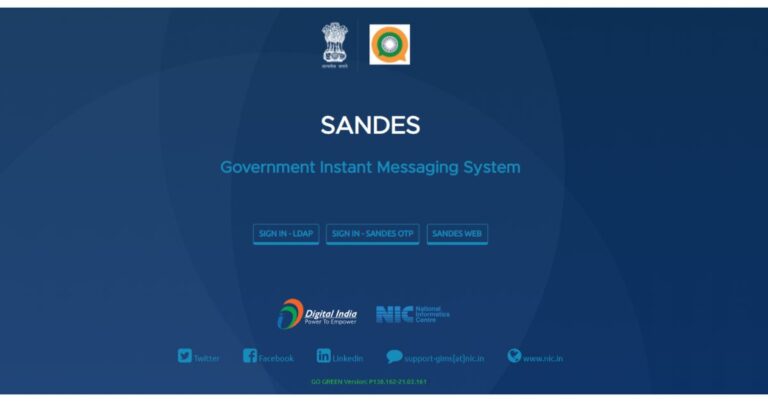
After launching Koo, an alternative to Twitter the Indian government has now launched Sandes which is an instant messaging platform. The app is also an Indian government alternative to WhatsApp developed by NIC (National Informatics Center).While users are happy with the latest WhatsApp policy change and have been trying out various alternatives to the messaging app the government of India has developed and launched Sandes messaging app. The all is now ready for download and is accessible to everyone however earlier it was only available for government officials. With the launch of Sandes the PM Narendra Modi’s Digital India and Aatmanirbhar Bharat initiative is expected to get a boost while many WhatsApp users in India are still trying out different messaging apps. The Sandes messaging app is free to download and use with add-free experience. It should be noted that when the messaging app is downloaded on your device the app’s name is displayed as GIMS (Government Instant Messaging System) because the new platform is an upgrade to the existing GIMS that was developed NIC (National Informatics Center), which is part of the Ministry of Electronics and Information Technology (MeitY) aimed as an alternative to WhatsApp.The app is available for download in an APK file and is compatible with Android 5.0 and later. The app is not live on the Google Play Store but through the government’s GIMS portal. However, iOS users can simply download it through the Apps Store for devices running on iOS 12.0 and above.Once you have downloaded the app akin to other similar apps you need to sign up on the Sandes app using your mobile number or email ID. You will be receiving a six-digit OTP for authentication. It is worth noting that now Email IDs including Gmail, Hotmail, or other email accounts are allowed to register with the app. The only official @gov.in emails are allowed to register for the app while regular users are restricted to phone numbers only.After signing up you can edit your profile and can also update your status too similar to WhatsApp. Although most of its features work similar to how you operate WhatsApp but there are some differences in both the instant messaging apps. The first major difference we have already explained is that one can also choose to register using a mobile number and now E-Mail IDs for the Sandes app however Signing up with emails is restricted to government officials using @gov.in email IDs to sign in. The Indian messaging app also supports verified accounts for government employees that WhatsApp doesn’t offer. In addition to this Sandes also gives you an option to send chat backups to your emails which is not possible in the case of WhatsApp where the chats are backed up to Google Drive or iCloud only.But sadly using Sandes you are not allowed to switch to another mobile number or email ID once signed up whereas WhatsApp comes with a dedicated Change Number feature to change from an old phone number to a new one.Apart from this, the former one s allows users to share videos or photos with up to 500MB on the other hand the latter one gives an option to send videos with 16MB and regular files up to 100MB. Sandes also lacks key security features such as fingerprint lock feature and screen lock feature which we hope to be offered at a later stage. But it lets you check the weather details of your city in the app itself. Meanwhile, it includes all the other features akin to WhatsApp such as status, disappearing messages, forward messages, delete messages, archive chats and more.
For the latest gadget and tech news, and gadget reviews, follow us on Twitter, Facebook and Instagram. For newest tech & gadget videos subscribe to our YouTube Channel. You can also stay up to date using the Gadget Bridge Android App.
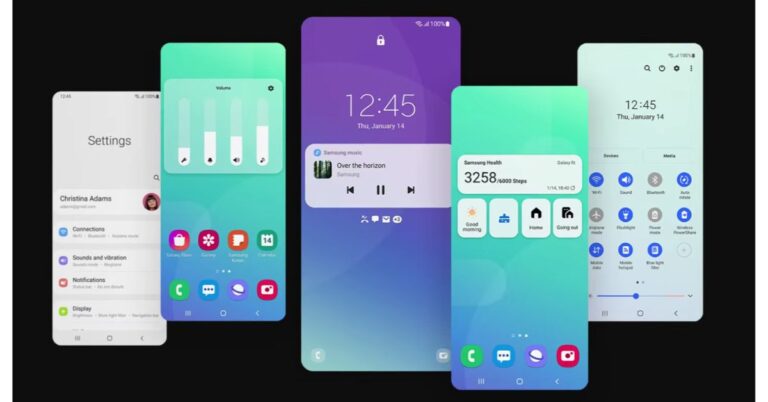
Samsung has officially announced the rollout of its One UI 3.1 update for its flagship devices. The latest OS update is coming to the Samsung Galaxy S20 series and Galaxy Note20 series, in addition to the Galaxy Z Fold2 and Galaxy Z Flip series. While the latest Galaxy S21 series has already made its debut earlier this year with the One UI 3.1 based on Android 11. The features that the update includes are new camera capabilities for capturing, editing photos and videos and smart new features.Samsung released the One UI 3.1 to Galaxy S20 series (Galaxy S20, Galaxy S20+, and Galaxy S20 Ultra, Galaxy S20 FE) and Galaxy Note20 series (Galaxy Note20, Galaxy Note20 Ultra, Z Flip, the S10, Note10, Fold, A71, A51, A90, A80, A70, and A50 devices. According to the company, the availability may vary by region and carrier.
New camera capabilities
With the rollout of One UI 3.1 based on Android 11, now all the Samsung Galaxy flagship devices including the mid-rangers get improved camera features to shoot stunning and professional-looking photos and videos. The update will bring an improved Single Take feature, which captures a variety of still and video formats simultaneously, with just a tap and captures images and video up to 15 seconds.Single TakeOther features to include are the new object eraser tool, improved touch autofocus and auto-exposure, and multi-mic recording.new object eraser toolThe object eraser tool is basically an intelligent photo editing tool to cut out unwanted parts of your photos effortlessly, without time-consuming manual editing. If you want to edit out distracting objects, simply tap the area you wish to remove and it will be automatically selected and deleted.Whereas the improved touch autofocus and auto exposure controller will make adjusting the focus and brightness of your photos easier. All you need to do is swipe left or right anywhere on the screen, you can now edit the brightness of your image before you’ve taken the shot.The new Multi Mic Recording feature is available only in Galaxy S20 series, S20 FE, Note20 series, Z Fold2, Z Flip 5G. The feature is available on Galaxy smartphones or tablets with One UI 3.1 or above, which can be turned on and off in the Bluetooth setting. When in Pro Video mode this functionality allows you to simultaneously record audio through both your phone and a connected Bluetooth device such as Galaxy Buds Pro, Buds Live and Buds+. So it will make vlogging or narrating a shot or want to record the sound of your voice and instrument separately. This feature will let you be creative and make videos that look and sound incredible.With an updated Gallery your videos and photos are now grouped and arranged properly.
Smart New Features
Furthermore, the One UI 3.1 also brings a new Eye Comfort Shield mode which auto night and you can set your device to automatically adjust your screen’s colors throughout the day or personalize the schedule yourself. Eye Comfort Shield is ‘off’ by default, and must be turned on in Settings.Eye Comfort Shield modeAll the above-mentioned devices will get improved privacy with the Private Share feature. This functionality will make it easier to control what you share by controlling who is allowed access to the content you send, and how long it is available and automatically adjusts the blue light based on the time of day. This will help you to fall asleep easier ate. The Private Share works between Galaxy smartphones with Android P or later. App download required to send/receive Private Share link.Private ShareThe latest OS update for the Samsung devices will make switching between your phone and tablet hassle-free. Galaxy Buds Pro, Buds Live and Buds+ to also get an Auto Switch feature which will make sure that your audio follows you when you switch between Galaxy devices while you are watching videos on your phone or listening to your favorite song or podcast.
For the latest gadget and tech news, and gadget reviews, follow us on Twitter, Facebook and Instagram. For newest tech & gadget videos subscribe to our YouTube Channel. You can also stay up to date using the Gadget Bridge Android App.
The e-commerce website Flipkart is hosting Daily Trivia Quiz. Every day it brings a bunch of new questions for its users. By answering them correctly you can win exciting prizes. The questionnaire is based on questions related to general knowledge. Also, the users can win free vouchers and super coins, among other offers via the daily quiz. February 20 Flipkart Daily Trivia Quiz Answers has already gone live on its platform.
The participant should be at least 18 years old and should have a valid login ID. The Quiz is available on the mobile platform and not the web version. E-commerce conducts the quiz on daily basis and goes live at 12:00 AM IST and runs till 11:59 PM IST. The winners are announced within 15 days from the date of participation that can be viewed under the Gems/Rewards section in the app.
How to participate in the Flipkart Daily Trivia Quiz
To participate download the Flipkart app on your phone. Then open the Flipkart app then head to Game Zone. Now click on the Daily Trivia Banner or search for Daily Trivia. Enter the game and answer all 5 questions with correct answers.
February 20 Flipkart Daily Trivia Quiz Answers
Question 1:Who is the current chief justice of India?
Answer: Sharad Bobde
Question 2:What is the hemispherical pan used in southeast Asian cooking called?
Answer: Wok
Question 3: Vimana, Jaganmohan, Nata Mandira and Bhoga- mandapa are the four components of
Answer: Lingaraj Temple
Question 4:Also known as the Yumthang valley, where is the valley of flowers sanctuary?
Answer: Sikkim
Question 5:Which chief minister of West Bengal helped Satyajit ray in making pather Panchali?
Answer: B. C. Roy
Amazon India is back with another lucrative quiz on its platform. Amazon Quiz has already gone live and today you can stand a chance to win Huami SmartWatch. Every day the e-commerce platform brings an opportunity for its customers to win amazing prizes by answering five questions. The questionnaire is based on general knowledge and current affairs. If you managed to answer all the questions correctly you will be eligible to win gifts such as iPhone X, iPhone Xs, Seagate HDD, GoPro Hero 8 Camera, LG Smartphones, Air Purifier, Oppo smartphones, Amazon Pay Balance among others.
The Amazon Quiz is hosted for the app users only which means desktops users cannot participate in the quiz. So before participating just make sure you have downloaded the App. The lucky users might win something by answering all the questions correctly. The Amazon Quiz can be played daily from 12 AM to 11:59 PM. Daily the e-commerce platform gives a chance to millions of people across the country to win exciting prizes. To participate and win Huami Smartwatch check out today’s answers.
February 20 Amazon Quiz Answers
Question 1: Which premier first-class domestic tournament got cancelled for the first time in 87 years?
The answer is- Ranji Trophy
Question 2: Gold Demand Trends’ is a report released by which organisation?
The answer is- World Gold Council
Question 3: Which country has recently developed a futuristic ‘floating’ train that can hit the speeds of 620 km per hour?
The answer is- China
Question 4: This candy bar was named “The Most Influential Candy Bar” by which magazine?
The answer is- TIME
Question 5: This fruit does not occur naturally, but is rather a hybrid of the mandarin and which other fruit, also known as the ‘Chinese Grapefruit’?
The answer is- Pomelo
Replacing your PC can be more expensive than upgrading the existing one. However, it’s may become necessary and a better idea to upgrade your system. If you have a device that you are thinking of upgrading, the following points will help you decide if now is the right time to do it. So when is the right time to upgrade your PC?
1) Recurrent issues
Your PC may now and then have some ongoing problems like graphics issues, screen-freezing, CPU over-usage, or too much heating. Fixing these issues over the long term may prove more costly than upgrading to a new one. In this situation, buying a new PC will solve all the above-listed problems.
2) Operating system
If your system is compatible with older versions of Windows, say Windows 7 or earlier, you should consider buying a new PC. Merely upgrading the Windows version to the latest, say Windows 10, would create new problems. The hardware of your device won’t be able to run Windows 10 smoothly. You need the latest version of Windows for the sake of the security of your data against the latest threats. The act of buying a new PC would take care that you get the latest operating system. Blue Screen of Death (BSOD) error (Image courtesy: Wikipedia)
3) Futureproofing
Older parts of PC are more prone to failure. The hardware of your system is nothing but a composition of electronic circuits. The degradation in performance of a device is indicative of the fact that it needs an upgrade. If you neglect it keep dragging it, one day it may suffer hardware failure putting your data at risk. Thus, it’s wise to change your PC as soon as one or two symptoms of deterioration surface.A new PC for a better performance
4) Cost
You ought to take care of the economic factor in your mind. At times, the cost of replacing the hardware is not the best solution to go for. Sometimes, the entire system becomes so dysfunctional that replacing one or two hardware won’t help. Connecting new hardware to a five-year-old PC can raise compatibility issues. You must always consider what a new PC of the desired specs would cost you in contrast to replacement.Compare the cost of replacement vs. buying a new PCDeciding whether to buy a new PC or not is not too tough a question to answer. You just need to figure out the investment in an old PC versus buying a new one and the probable output.
For the latest gadget and tech news, and gadget reviews, follow us on Twitter, Facebook and Instagram. For newest tech & gadget videos subscribe to our YouTube Channel. You can also stay up to date with the Gadget Bridge Android App.
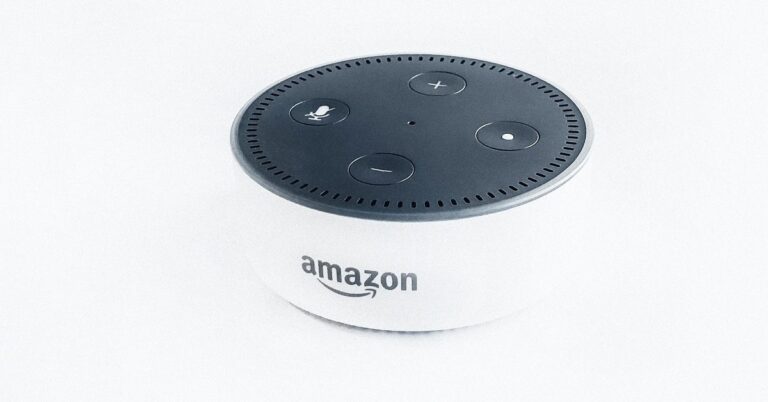
Alexa is Amazon’s AI-enabled voice assistant that assists you in handling small et subtle tasks in your home and car. Apart from giving answers to your queries, Alexa can do much more. It can solve calculations for you, set timers, do the shopping, and much more. Here are the ways by which you can make Alexa learn tricks.
1) Make profiles for every family member
You can add multiple people to your Alexa household profile. To know which profile is currently being used, say, “Alexa, which profile is this?” To switch profiles, just say, “Alexa, switch profiles.”
2) Change the wake word
If someone in your room has the name Alexa, you can set another name for the device by choosing among Alexa, Amazon, Computer, or Echo.
Open the Settings in the Alexa Alexa app,
Choose your Echo device,
Click Wake Word,
Choose one of the 4 names and click Save.
3) Solve quick conversions and math problems
Alexa can do calculations for you and convert currencies or measurements. You just need to say, “Alexa, 25 times 48” or “Alexa, 20 Dollars to Euros.”
Solve quick conversions and math problems
4) Create a sports update
When you speak, “Alexa sports update,” you’ll get news regarding teams you have chosen. Go to the Alexa app > Settings > Sports update. Here you’ll get the option to search and add the desired teams.
5) Add Alexa skills with your voice
You can add Skills to Alexa by your voice. However, you need to know the name of the Skill you want to inculcate in Alexa. When you say, “Alexa, enable Lifx”, the skill will be activated.
6) Make calls and send messages
You can send messages to your contacts by saying, “Alexa, send [Person’s name] a message,” or call them by saying, “Alexa, call [Person’s name].” The message or call will ring the person’s Echo devices as well as the Alexa app.
Make calls and send messages
7) Use Alexa as an intercom
The intercom feature offers you direct communication to the Echo devices located around your house. Say, “Alexa, drop in on the living area” and whatever you say will be audible in the living room via the Echo speaker.
8) Order anything from Amazon Prime
You can even order anything that comes with Amazon’s Prime membership. If you want a pizza, just say, “Alexa, order a Dominos pizza”.
9) Settle an argument
If your friends are quarreling among themselves, Alexa can serve as the perfect decision-maker. Say, “Alexa, flip a coin” to choose between the possibilities of the argument.
Create reminders
10) Create reminders
Alexa can create reminders for your daily small tasks like going to the grocery store at a certain time. You just need to say “Alexa, remind me to stop by the grocery store tomorrow at 3 p.m.” You can recall your reminders by saying, “Alexa, what are my reminders this Thursday?”
For the latest gadget and tech news, and gadget reviews, follow us on Twitter, Facebook and Instagram. For newest tech & gadget videos subscribe to our YouTube Channel. You can also stay up to date with the Gadget Bridge Android App.