Top 3 Ways to Get Android Apps on an iPhone

Android and iOS are the two biggest mobile operating systems in the world. While there may be a few other OS out there, they occupy far too little market share to be considered in the same discussion as Android and iOS. These two operating systems have their own app markets, Google Play Store and App Store. While most mainstream apps are available on both platforms, there are some exclusive niche apps that can only be found on one of the platforms. If you’re an iOS user looking for Android-exclusive apps, here are some ways you can get Android apps on your iPhone. Read Also: My Dream11 Withdrawal Failed, What Should I Do Next?

Use Apowermirror

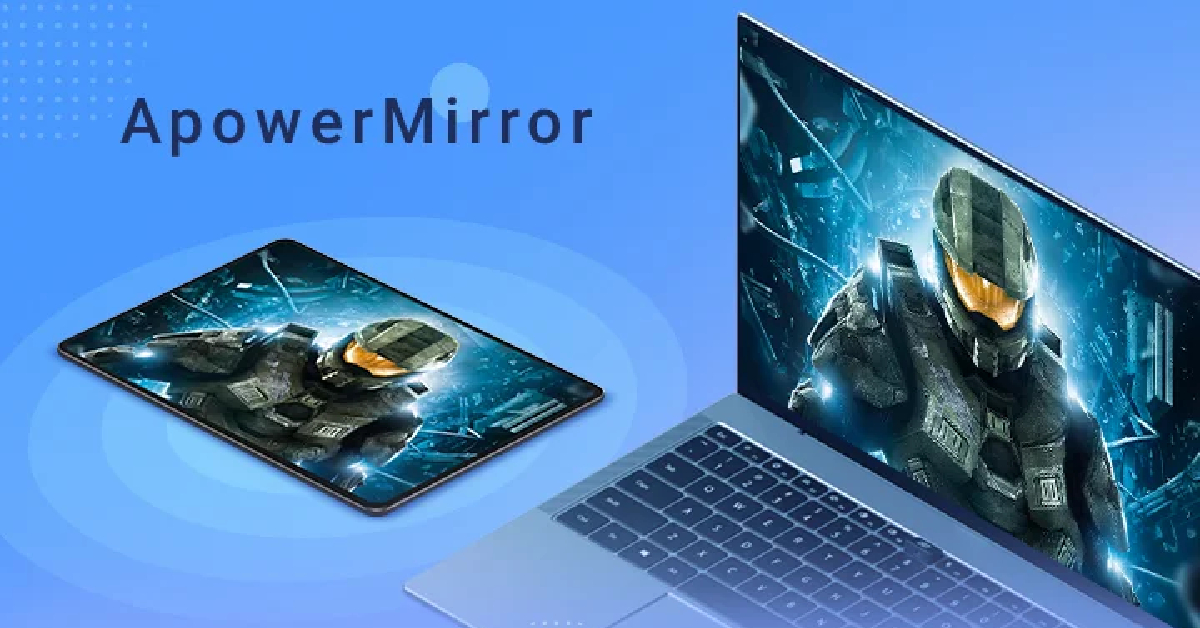
Use Apowermirror While there is no direct way to install Android apps on an iPhone, you can still utilise some workarounds to carry out this task. One of the best ways you can use Android apps on your iPhone is by mirroring your Android phone’s display on your iPhone. Apowermirror allows you to cast your phone’s display across different platforms. The only prerequisite for using this app is that both devices must be connected to the same WiFi network. Once that is taken care of, follow these steps. Step 1: Download and install Apowermirror on your Android and iOS devices. Step 2: Tap on the blue icon that says ‘Mirror’ on your Android device. Step 3: Apowermirror will begin searching for other devices on the network. Select your iPhone from the list to begin mirroring your Android phone’s display.

Use an Android emulator

Here is the full Android Versions List and Names: Over the years This may be a far-fetched way to run Android apps on your iPhone, but it works. Emulators like iAndroid allow you to simulate the Android environment on your iPhone, which means you can use all the Android apps on your iOS device. The only catch is that you will need to jailbreak your iPhone to install an Android emulator on it. Jailbreaking your iPhone compromises the security of your device and prevents you from installing any software updates on it. It also instantly nulls the warranty of your device.

Find an iOS version of the Android app

2021 Apple Store Awards winners announced This may seem too obvious a solution, but most Android apps have an iOS version for iPhone as well. The app market for both operating systems is pretty evenly matched. If you cannot find the iOS version of an Android app, try looking for similar apps on the App Store. This will rarely ever be an issue because almost every mainstream app is available on iOS. However, some niche apps may be absent on Apple’s platform. We ran into this problem while looking for some specific video editing apps on the App Store. If you cannot find an app by its exact name, try searching for the publisher. It is possible that the app may be listed under a different name on iOS.

Frequently Asked Questions

Can I run Android apps on an iPhone?

Yes, you can run Android apps on your iPhone by using a screen mirroring app on an Android emulator. To use an Android emulator on your iPhone, you will first need to jailbreak your device.

Can APK files run on iOS?

APK files are strictly based on Android OS and cannot run on any iOS device.

Can I install Google Play Store on my iPhone?

There is no way to install Google Play Store on an iPhone. However, you can install Google Play Movies and Google TV on your iPhone. Read Also: What is Bluesky? How to get an invite to Twitter’s new alternative?

Conclusion

This is how you can use Android apps on your iPhone. If you plan on using an Android emulator on your iPhone, you will need to jailbreak your device first. If you are a gaming enthusiast, here are some Game Boy emulators for iPhone that do not require a jailbreak on your device. For the latest gadget and tech news, and gadget reviews, follow us on Twitter, Facebook and Instagram. For newest tech & gadget videos subscribe to our YouTube Channel. You can also stay up to date using the Gadget Bridge Android App. You can find the latest car and bike news here.

Infinix Smart 7 HD with 5,000mAh battery launched in India

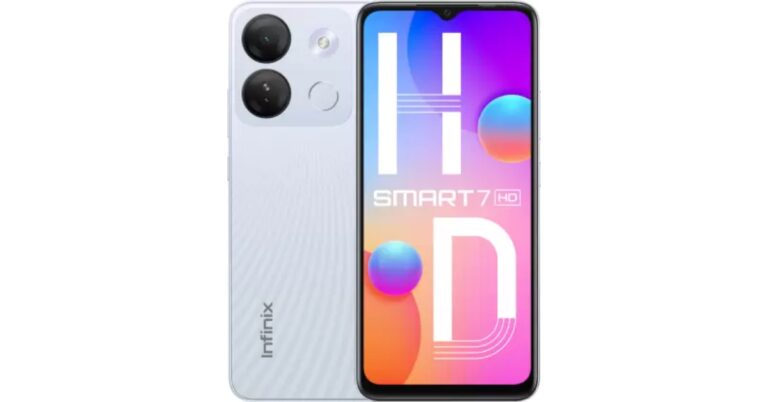
Hong Kong-based smartphone maker Infinix has officially announced a new smartphone in the Indian market. The company has introduced the Infinix Smart 7 HD smartphone powered by Unisoc SC9863A1 SoC. It houses a 5,000mAh battery and features an AI-powered dual rear camera setup. The affordable smartphone also includes an FHD+ IPS display that supports a standard 60Hz refresh rate.

Infinix Smart 7 HD price in India, sale details

Infinix Smart 7 HD price in India is set at Rs 5,999 for the lone 2GB RAM with 64GB storage option. The entry-level device will be offered in three colour options –  Black, Jade White, and Silk Black. The smartphone is scheduled to go on sale from May 4 via Flipkart at 12 noon. The launch offer includes 5 per cent cashback on transactions made via Flipkart Axis Bank cards. The company will also provide easy EMI options starting at Rs 211. Infinix Smart 7 HD price in India, sale details

Infinix Smart 7 HD specifications

The Infinix Smart 7 HD features a 6.6-inch full-HD+ IPS display with a waterdrop-style notch and has 720 x 1,612 pixels of resolution. The screen comes with a refresh rate of 60Hz and a touch sampling rate of 120Hz. It also has a peak brightness of up to 500 nits. The budget smartphone operates on Android 12 (Go Edition) based XOS 12. Under the hood, there is octa-core Unisoc SC9863A1 SoC, paired with 2GB of RAM with an expansion up to 4GB using unused internal storage. It comes with up to 64GB of internal storage that can be expanded up to 1TB using a microSD card. Also Read: Samsung to bring more health monitoring features based on Skin Temperature Sensor The Infinix Smart 7 HD features an AI-powered dual rear camera setup that includes an 8-megapixel primary sensor along with a dual LED flash. In addition to this, the phone sports a 5-megapixel front-facing camera for taking selfies and video calling. The Infinix smartphone boasts a 5,000mAh battery that is claimed to offer a call time of up to 39 hours, playtime of up to 50 hours and 30 hours of standby time when completely charged. There is an ultra power saving mode which is claimed to offer 2 hours of call time at 5 percent remaining battery life. In terms of connectivity, there is 4G LTE, Wifi, USB Type-C port, Bluetooth 4.2, and OTG. The Smart 7 HD includes a fingerprint sensor for biometrics, an ambient light sensor, an e-compass, a gyroscope, and a proximity sensor.  For the latest gadget and tech news, and gadget reviews, follow us on TwitterFacebook and Instagram. For newest tech & gadget videos subscribe to our YouTube Channel. You can also stay up to date using the Gadget Bridge Android App. You can find the latest car and bike news here.

How to use WhatsApp without a phone number?

Being the most popular instant messaging platform in the world, WhatsApp goes out of its way to give its users the most secure texting experience available anywhere. Features like end-to-end encryption and disappearing messages are the reason why a lot of people prefer WhatsApp over its competitors. While these features are pretty neat, you still need to share your phone number with someone to begin chatting with them on WhatsApp. This may be a dealbreaker for some as they may not be comfortable with sharing their number with everyone. Luckily, there is a way around that. While you need to register a number to sign up for WhatsApp, it doesn’t have to be your number. In this article, we bring you the top 2 ways to use WhatsApp without a phone number. Read Also: Apple’s Beat Studio Buds+ to copy Nothing Earbuds design, Amazon listing reveals

Use a landline

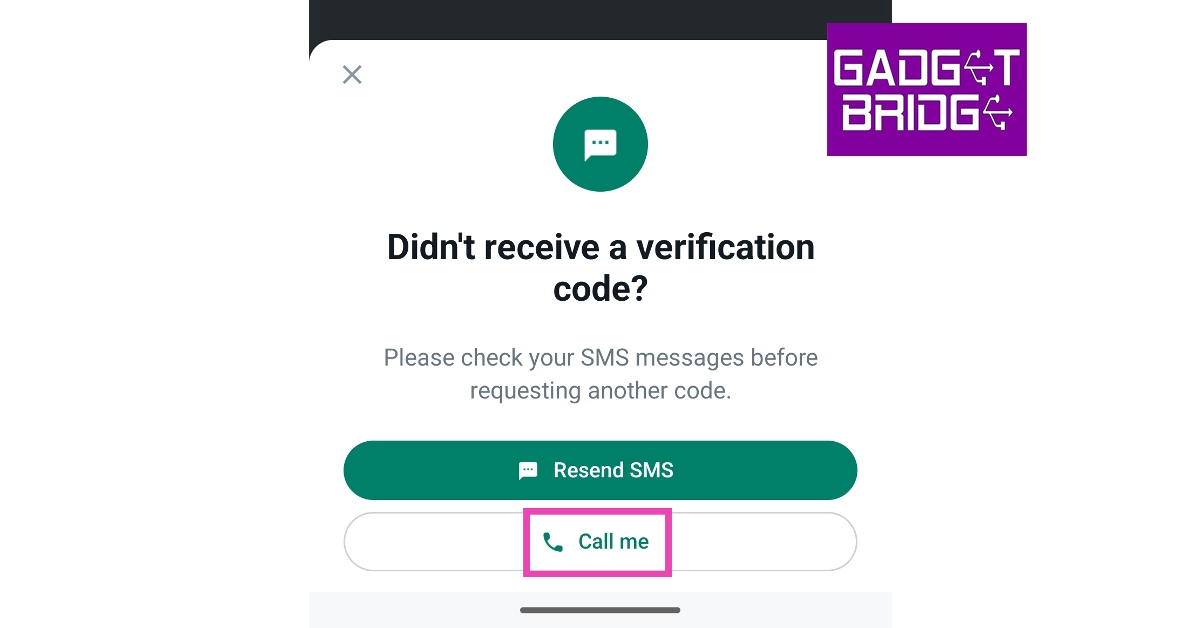
If you still own a landline phone, you can use it to sign up on WhatsApp. This is a great way to avoid using your personal number while still maintaining ownership of the account. Follow these steps to create a WhatsApp account using your landline phone number. Step 1: Download and install WhatsApp on your smartphone. Step 2: Launch WhatsApp and tap on ‘Agree and Continue’. Step 2: Launch WhatsApp and tap on ‘Agree and Continue’. Step 3: Select your country and enter your landline number. Tap on ‘Next’. Step 3: Select your country and enter your landline number. Tap on ‘Next’. WhatsApp without phone number. verify whatsapp without code. whatsapp without sim verification Step 4: Confirm that your number is correct and hit ‘OK’. Step 5: WhatsApp will send you a verification code as a text to finish the registration process. Since your landline cannot receive text messages, choose the ‘Call me’ option instead. You may have to wait for a few seconds before you are allowed to choose this option. choose the ‘Call me’ option. whatsapp without phone number. verify whatsapp without code. whatsapp without sim verification Step 6: Answer your landline when it rings and enter the code on WhatsApp. Once you have entered the code, your landline number will be registered on WhatsApp. You can proceed to set up your account and start using WhatsApp.

Use a virtual number

Doosra If you don’t own a fixed line (landline) phone, you can still create a WhatsApp account without using your number. There are several online services that allow you to use a virtual number without needing to buy a physical SIM card. One of the leading virtual phone number apps in India is ‘Doosra’. You will need to subscribe to a monthly plan to start using the virtual number issued to you by Doosra. You can use this number to make calls, send texts, and even register to WhatsApp. Once you get a virtual number, you can follow the steps mentioned above to create a WhatsApp account. Instead of a landline number, simply enter your virtual number. Click on this link to begin using Doosra. For other ‘virtual number’ services, read this article.

Frequently Asked Questions

How can I use a fake number on WhatsApp?

To use a fake number on WhatsApp, you need to subscribe to a ‘virtual number’ service like Doosra, Google Voice, Dingtone, or Line2. Once you’re issued a virtual number simply register it on WhatsApp to create an account.

How can I open WhatsApp without OTP?

You will need to provide a verification code to WhatsApp in order to start using it. However, you can choose to receive the verification code through a phone call instead of a text message. This helps when you are using a landline number to sign up for WhatsApp.

Can I use 2 WhatsApp accounts on one phone?

Yes, you can use 2 WhatsApp accounts on one phone. You can do this by enabling ‘Dual Messenger’ from Settings or installing WhatsApp Business and using the second number to create a Business account. Read more about it here. Read Also: What is Bluesky? How to get an invite to Twitter’s new alternative?

Conclusion 

This is how you can use WhatsApp without a phone number. If you are looking for an instant messenger that does not require a phone number to create an account, you have a lot of options. Apps like Discord, Snapchat, Google Chat, and Kik perfectly fit the bill. Here is our list of the top 10 messenger apps that work without a phone number. For the latest gadget and tech news, and gadget reviews, follow us on Twitter, Facebook and Instagram. For newest tech & gadget videos subscribe to our YouTube Channel. You can also stay up to date using the Gadget Bridge Android App. You can find the latest car and bike news here.
Samsung to bring more health monitoring features based on Skin Temperature Sensor

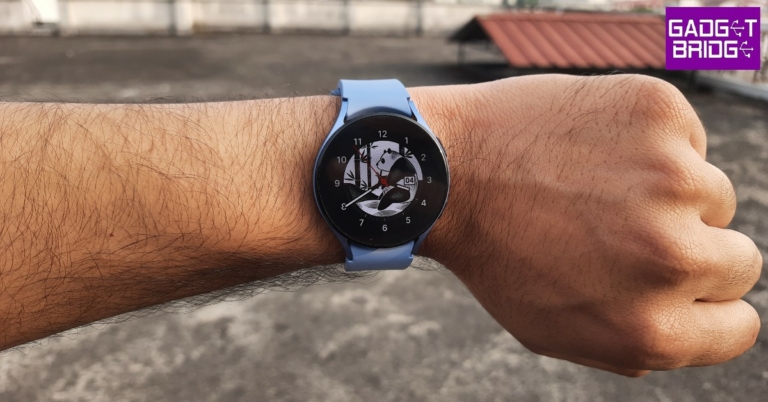
Recently Samsung Galaxy Watch 5 Series received menstrual cycle tracking based on the skin temperature sensor. Now the South Korean tech giant is planning to add more features to its smartwatch that is said to be based on the Skin temperature sensor. The company did not openly disclose what features are coming to the device but informed the users about the upcoming upgrade. The Samsung Health in-charge took to the Samsung Community to reply to the queries of users regarding the new Galaxy Watch 5 features. According to the in-charge similar to the menstrual cycle feature the upcoming features on the watch will be based on the temperature sensor. Also Read: Samsung Galaxy Watch 5 series can track menstrual cycles using skin temperature: Update The Samsung Health in-charge said, “In addition to the menstrual cycle function, new functions using the Galaxy Watch5 temperature sensor will be provided through future device SW updates. The updated schedule will be decided in consideration of service policies, etc., so we ask for your understanding that it is difficult to provide accurate information about the detailed schedule and timing.” The company recently rolled out menstrual cycle tracking based on skin temperature sensors for both Galaxy Watch 5 and Galaxy Watch 5 Pro. The devices can get even more detailed information to manage users’ menstrual cycles and overall health. This feature is currently accessible in 32 nations, including 30 different European regions, the US, and Korea. As per the company, basal body temperature (BBT) varies by menstrual phase. So one needs to measure BBT immediately after waking and prior to any physical activity or impact from surroundings. The new feature on the smartwatch will now automate this procedure for the user’s convenience so that the user doesn’t forget to measure the BBT first thing in the morning to get accurate BBT readings. Natural Cycle is integrated with Samsung’s sensor tech and will monitor variations in skin temperature during sleep right from the wrist. For the latest gadget and tech news, and gadget reviews, follow us on TwitterFacebook and Instagram. For newest tech & gadget videos subscribe to our YouTube Channel. You can also stay up to date using the Gadget Bridge Android App. You can find the latest car and bike news here.
Garena Free Fire Redeem Codes Today 1 May 2023: Here is how to claim them

Garena Free Fire is a battle royale game with regular awards and tournaments to keep players interested. If you play Garena Free Fire, you should be aware of the redeem codes that are released on a daily basis. However, because the battle royale game is banned in India, players from other countries can use the Free Fire Redeem codes daily. If you’re unfamiliar with the Garena Free Fire redeem codes or don’t know how to get them, we’ve put together a step-by-step guide to help you redeem them. Check out Garena Free Fire Redeem Codes for 1 May 2023. The Free Fire redeem codes are a great way to get free stuff. These are 12-digit codes that contain alphabets and numbers, as well as an expiration date and time. Because the Garena FF redeem codes cannot be used more than once, you should hurry to the redemption page to claim your free reward before someone else does. To get a free reward, all you have to do is go to reward.ff.garena.com/en, which is the official redemption page. Also, keep an eye on this space for daily updates on Garena Free Fire redemption codes and rewards.

Garena Free Fire Redeem Codes Today 1 May 2023

Updating Soon…

How to Get Free Fire Redeem Codes for Garena on 1 May 2023?

  • Visit the Garena Free Fire game’s official website at reward.ff.garena.com.
  • Use your Facebook, Google, VK, Apple ID, Huawei ID, or Twitter account to log in.
  • You’ll be taken to a valid redemption code (s)
  • Copy and paste the 12-digit redemption code into the text box.
  • On the screen, a dialogue box will appear.
  • ‘Ok’ should be selected.
For the latest gadget and tech news, and gadget reviews, follow us on TwitterFacebook and Instagram. For newest tech & gadget videos subscribe to our YouTube Channel. You can also stay up to date using the Gadget Bridge Android App. You can find the latest car and bike news here.

Amazon Quiz Answers Today 1 May 2023: Participate to win Rs 500

1 May 2023 Amazon Quiz has gone live on its platform. The quiz timings are 12 AM to 11:59 PM. The Amazon App users can participate in the quiz daily and all they have to do is submit correct answers to the questions asked on the e-commerce platform. Today’s participants can get a chance to win Rs 500 Amazon Pay Balance. Amazon brings a fresh questionnaire that contains 5 questions daily. These questions are based on current affairs and general knowledge. The quiz can be played from 8 AM to 11:59 PM and the contestants need to answer correctly to enter into a lucky draw. Only one person is declared as a winner and the results will be announced at the end of every month. And to make sure that you give correct answers to all the 5 questions Gadget Bridge everyday updates all the answers to the Amazon Quiz. Do check out 1 May 2023 Amazon Quiz Answers to win a Rs 500 Amazon pay Balance. Amazon Quiz Today Prize – Rs 500 Amazon Pay Balance Quiz Date – 1 May 2023 Daily Timing – 12 AM to 11:59 PM Winner Announcement – Today 12 PM

Amazon Quiz Answers Today 1 May 2023

Question 1: Star Sports Network roped in which Bollywood actor as its brand ambassador in 2023? Answer: Ranveer Singh Question 2: Which country has been elected a member of the Supreme Statistical Commission of the United Nations in 2023? Answer: India Question 3: K Chandrasekhar Rao inaugurated whose 125 feet tall statue in April 2023? Answer: BR Ambedkar Question 4: Which Yoga pose is named after this reptile? Answer: Kurmasana Question 5: When was the first Wimbledon match played? Answer: 19-Feb

How To Play Amazon Quiz

Only app users are eligible to play the Amazon quiz every morning from 12 AM to 11:59 PM. The quiz is not available on the desktop. For those who are unaware of how to play the Amazon quiz below are the steps, you can follow to take the quiz.
  • Firstly download the Amazon app from Google Play Store or App Store
  • Now fill in the required information through the Sign Up option.
  • You need to log in to the Amazon app and scroll down on the home screen to find the Amazon Quiz banner.
  • Tap on the Amazon Quiz banner and tap on the Start button to start the Quiz.
  • Now you will get 5 questions and you need to answer them correctly. One wrong answer will eliminate you from the Quiz.
  • After answering all the questions correctly you are now eligible for a Lucky Draw.
  • The winner’s name will be announced today at 12 PM.
For the latest gadget and tech news, and gadget reviews, follow us on Twitter, Facebook and Instagram. For newest tech & gadget videos subscribe to our YouTube Channel. You can also stay up to date using the Gadget Bridge Android App. You can find the latest car and bike news here.

My Dream11 Withdrawal Failed, What Should I Do Next?

1
In the last few years, Dream11 has taken the fantasy sports world in India by storm. The app offers cash prizes for fantasy cricket, football, basketball, kabaddi, and more. The app enjoys a lot of popularity in India due to its ease of usage and reliable payout system. However, sometimes users report certain snags while withdrawing their winnings from the app. In this article, we explain what you can do if your Dream11 winnings withdrawal fails to process. Read Also: What is Quiet Mode on Instagram? How to use it?

How to withdraw winnings from your Dream11 account

Step 1: Launch the Dream11 app and tap on your profile icon at the top right corner of the screen. Step 1: Launch the Dream11 app and tap on your profile icon at the top right corner of the screen. Step 2: Tap on ‘My Balance’. Step 2: Tap on ‘My Balance’. Step 3: In the ‘My Winnings’ section, tap on ‘Verify to withdraw’. Step 3: In the ‘My Winnings’ section, tap on ‘Verify to withdraw’. Step 4: Verify your email, PAN card, and bank account details to withdraw your winnings. Step 4: Verify your email, PAN card, and bank account details to withdraw your winnings. Step 5: Once all details have been verified, enter the amount you want to withdraw from your winnings. You must have a minimum of Rs 50 in winnings to withdraw an amount. For account verification, you need at least Rs 100 in winnings.

What should I do if the Dream11 withdrawal shows up as failed?

What should I do if the Dream11 withdrawal shows up as failed? If you’re unable to withdraw money from your Dream11 winnings, there may be several reasons behind it. As mentioned earlier, you need at least Rs 50 in winnings to withdraw an amount from Dream11. You are only allowed to make 3 withdrawals a day. The sum total of these withdrawals cannot exceed Rs 1 crore. If you try making more withdrawals, the transaction will keep on failing. Wait for the cooldown period to be over in order to proceed. You can only withdraw your winnings and not the cash bonus credited to your account. After you have made a withdrawal request, it can take up to 3 business days for the amount to get credited to your bank account. If you’ve met all the prerequisites and still aren’t able to withdraw your winnings, try these fixes.

Make sure you entered the correct bank account details

While you may have entered the correct bank account number, it is possible that the IFSC you have entered is incorrect. The IFSC code is a unique string that is used to identify your bank’s branch on the National Electronic Funds Transfer (NEFT) network. The last six digits of the IFSC code are unique to your bank’s branch. You can find the IFSC code of your bank’s branch on your passbook or the bank’s website.

Is your bank registered in Odisha, Telangana, or Assam?

Residents of Odisha, Telangana, and Assam are not permitted to win any rewards on Dream11 because the legislatures of those states do not recognise fantasy sports as a game of skill. If your bank account is registered in one of those, you will not be able to withdraw your winnings from Dream11.

Make sure you do not violate Dream11’s Fair Play policy

There is a certain code of conduct all users of Dream11 must follow in order to claim their winnings. If Dream11 finds you flouting their Fair Play policy or using unfair means to gain an advantage, your winnings will not be credited to your account.

Contact Dream11 support

If you are not in violation of any rules and there is no fault with your bank account, contact Dream11 regarding your payout. To register your complaint, tap on your profile icon and select ‘Help and Support’. Tap on ‘Chat with us’ for further assistance.

Frequently Asked Questions

Which states have banned Dream11?

If you are a resident of Odisha, Telangana, or Assam you cannot win money by playing fantasy sports on Dream11.

Why can’t I withdraw my winnings from Dream11?

Typically, it takes 3 days for your Dream11 winnings to get credited to your account. If your winnings have not been credited, check your bank account details or contact Dream11 for more information.

Can I withdraw all money from Dream11?

You cannot withdraw more than Rs 1 crore in a day and you cannot make more than 3 transactions per day on Dream11. Read Also: WhatsApp released Lock Chats feature to boost privacy: Details inside

Conclusion 

Being the biggest fantasy sports app in India, Dream11 sees a lot of traffic. The app reportedly sees up to 2,00,000 withdrawals a day. If your Dream11 withdrawal has failed it may also be because the servers are experiencing unusually high traffic. You can also try contacting Dream11 on Twitter regarding this issue. For the latest gadget and tech news, and gadget reviews, follow us on Twitter, Facebook and Instagram. For newest tech & gadget videos subscribe to our YouTube Channel. You can also stay up to date using the Gadget Bridge Android App. You can find the latest car and bike news here.

Garena Free Fire Redeem Codes Today 30 April 2023: Here is how to claim them

Garena Free Fire is a battle royale game with regular awards and tournaments to keep players interested. If you play Garena Free Fire, you should be aware of the redeem codes that are released on a daily basis. However, because the battle royale game is banned in India, players from other countries can use the Free Fire Redeem codes daily. If you’re unfamiliar with the Garena Free Fire redeem codes or don’t know how to get them, we’ve put together a step-by-step guide to help you redeem them. Check out Garena Free Fire Redeem Codes for 30 April 2023. The Free Fire redeem codes are a great way to get free stuff. These are 12-digit codes that contain alphabets and numbers, as well as an expiration date and time. Because the Garena FF redeem codes cannot be used more than once, you should hurry to the redemption page to claim your free reward before someone else does. To get a free reward, all you have to do is go to reward.ff.garena.com/en, which is the official redemption page. Also, keep an eye on this space for daily updates on Garena Free Fire redemption codes and rewards.

Garena Free Fire Redeem Codes Today 30 April 2023

6KWMFJVMQQYG FFCMCPSUYUY7E MCPW3D28VZD6 EYH2W3XK8UPG ZZZ76NT3PDSH FFCMCPSEN5MX FFCMCPSJ99S3 XZJZE25WEFJJ NPYFATT3HGSQ FFCMCPSGC9XZ MCPW2D2WKWF2 V427K98RUCHZ MCPW2D1U3XA3 HNC95435FAGJ FFAC2YXE6RF2 FFCMCPSBN9CU FFBBCVQZ4MWA BR43FMAPYEZZ

How to Get Free Fire Redeem Codes for Garena on 30 April 2023?

  • Visit the Garena Free Fire game’s official website at reward.ff.garena.com.
  • Use your Facebook, Google, VK, Apple ID, Huawei ID, or Twitter account to log in.
  • You’ll be taken to a valid redemption code (s)
  • Copy and paste the 12-digit redemption code into the text box.
  • On the screen, a dialogue box will appear.
  • ‘Ok’ should be selected.
For the latest gadget and tech news, and gadget reviews, follow us on TwitterFacebook and Instagram. For newest tech & gadget videos subscribe to our YouTube Channel. You can also stay up to date using the Gadget Bridge Android App. You can find the latest car and bike news here.

Amazon Quiz Answers Today 30 April 2023: Participate to win Rs 2,500

The popular Amazon Quiz is now live on the Amazon app. The 30 April 2023 Amazon Quiz gives a chance to win Rs 2,500 Amazon Pay Balance by answering all the questions correctly. The quiz can be played every day from 12 AM to 11:59. Only app users are eligible to participate in the Quiz as it is not accessible on the web platform. The Amazon Quiz brings a fresh set of questions for its customers that contains five easy questions. The questionnaire consists of five questions related to general knowledge and current affairs. The participants need to answer all the questions correctly and their names will be selected for a lucky draw. The daily quiz brings an opportunity for the customers to win exciting prizes. They can win Amazon Pay Balance ranging from Rs 1,000 to Rs 50,000. The participants need to answer all the questions correctly and their names will be selected for a lucky draw. The winner will be announced at the end of the month. Check Out 30 April 2023 Amazon Quiz Answers. Amazon Quiz Today Prize – Rs 2,500 Amazon Pay Balance Quiz Date – 30 April 2023 Daily Timing – 12 AM to 11:59 PM Winner Announcement – Today 12 PM

Amazon Quiz Answers Today 30 April 2023

Question 1: Which team won the Women’s Premier League 2023 title by defeating Delhi Capitals? Answer: Mumbai Indians Question 2: In 2023, which European country became the 31st member of the NATO? Answer: Finland Question 3: India’s first 3D-printed post office is being built in which city? Answer: Bengaluru Question 4: This deer is native to which region of the world? Answer: Indian Subcontinent Question 5: Baby squirrels are known as? Answer: Kitten

How To Play Amazon Quiz

Only app users are eligible to play the Amazon quiz every morning from 12 AM to 11:59 PM. The quiz is not available on the desktop. For those who are unaware of how to play the Amazon quiz below are the steps, you can follow to take the quiz.
  • Firstly download the Amazon app from Google Play Store or App Store
  • Now fill in the required information through the Sign Up option.
  • You need to log in to the Amazon app and scroll down on the home screen to find the Amazon Quiz banner.
  • Tap on the Amazon Quiz banner and tap on the Start button to start the Quiz.
  • Now you will get 5 questions and you need to answer them correctly. One wrong answer will eliminate you from the Quiz.
  • After answering all the questions correctly you are now eligible for a Lucky Draw.
  • The winner’s name will be announced today at 12 PM.
For the latest gadget and tech news, and gadget reviews, follow us on TwitterFacebook and Instagram. For newest tech & gadget videos subscribe to our YouTube Channel. You can also stay up to date using the Gadget Bridge Android App. You can find the latest car and bike news here.

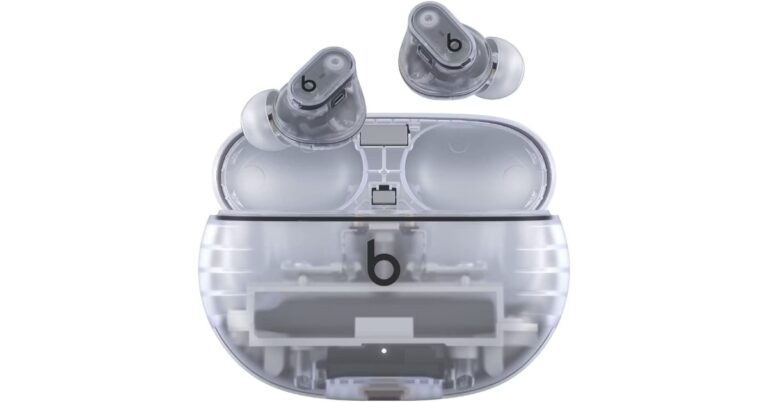
Apple’s Beat Studio Buds+ to copy Nothing Earbuds design, Amazon listing reveals

We have seen a lot of TWS earbuds with almost the same design. But premium audio devices from the companies like Apple, Sony and Samsung offer the best audio experience. Every year TWS devices like Apple Airpods and Galaxy Buds come with almost similar appearances bringing some incremental changes over multiple generations. But the recently released Nothing Ear 1 and Ear 2 TWS earbuds have drawn a lot of praise for their exceptional audio quality as well as their distinctive transparent design that sets them apart from the competition. Considering the competition seriously going forward, Apple will take the ‘Nothing’ route. You must now be wondering why the biggest tech company in the world would copy a company which is just two or three years old. But what we said earlier is unquestionably accurate. Apple is getting ready for its upcoming release. All thanks to a recently completely removed Amazon listing that announced the upcoming release of Beats Studio Buds+. Even before the product’s launch, a lot of information—including its cost, design, and specifications—had accidentally leaked. Nothing was attacked by many for copying Apple. But the tech giant’s upcoming Beats Studio Buds+ design will be inspired by Nothing’s Ear 1 and Ear 1 earbuds. Also Read: Nothing Ear (2) review As we said earlier Beats Studio Buds+ was spotted listed on Amazon. The listing confirms that the design of the Buds+ will be very much inspired by Nothing earphones. They will have a transparent design and will be a sportier variant of the original Studio Buds+ that debuted in 2021. For those who are unaware Beats is owned by Apple and was acquired in 2014. This means unlike the Apple AirPods, the Beats Studio Buds+ will feature a stemless design, a plastic body and a lot more like its original model but this time everything will be transparent. As per the Amazon listing the device will be offered in two colourways: Black and Ivory. In terms of specs and features, Beats Studio Buds+ are likely to offer up to 36 hours of battery life when charged completely. In addition to this, there will be an improved venting system and 3x bigger mics, therefore the ear pressure as well as calling experience will be better than the previous ones. The ANC will perform 1.6x better while the Transparent mode will be improved by 2x. They will also feature an IPX4 rating and are said to support Hey Siri support, Find My integration, automatic device switching, and one-touch pairing. Note that the audio device will not only be compatible with Apple devices but with Android too. In terms of pricing, the Beats Studio Buds+ will be available at $169.95. Moreover, the Amazon listing also revealed that shipping will begin on May 18.  For the latest gadget and tech news, and gadget reviews, follow us on TwitterFacebook and Instagram. For newest tech & gadget videos subscribe to our YouTube Channel. You can also stay up to date using the Gadget Bridge Android App. You can find the latest car and bike news here.