Garena Free Fire Redeem Codes Today 14 February 2023: Here is how to claim them

0
Garena Free Fire is a battle royale game with regular awards and tournaments to keep players interested. If you play Garena Free Fire, you should be aware of the redeem codes that are released on a daily basis. However, because the battle royale game is banned in India, players from other countries can use the Free Fire Redeem codes daily. If you’re unfamiliar with the Garena Free Fire redeem codes or don’t know how to get them, we’ve put together a step-by-step guide to help you redeem them. Check out Garena Free Fire Redeem Codes for 14 February 2023. The Free Fire redeem codes are a great way to get free stuff. These are 12-digit codes that contain alphabets and numbers, as well as an expiration date and time. Because the Garena FF redeem codes cannot be used more than once, you should hurry to the redemption page to claim your free reward before someone else does. To get a free reward, all you have to do is go to reward.ff.garena.com/en, which is the official redemption page. Also, keep an eye on this space for daily updates on Garena Free Fire redemption codes and rewards.

Garena Free Fire Redeem Codes Today 14 February 2023

  • X99TK56XDJ4X
  • FF7MUY4ME6SC
  • WEYVGQC3CT8Q
  • 3IBBMSL7AK8G
  • J3ZKQ57Z2P2P
  • FFDBGQWPNHJX
  • TDK4JWN6RD6
  • 4TPQRDQJHVP4
  • GCNVA2PDRGRZ
  • XFW4Z6Q882WY
  • HFNSJ6W74Z48
  • HHNAT6VKQ9R7
  • 2FG94YCW9VMV
  • 4ST1ZTBE2RP9
  • 8F3QZKNTLWBZ
  • V44ZZ5YY7CBS
  • WD2ATK3ZEA55
  • E2F86ZREMK49
  • B3G7A22TWDR7X
  • MCPW3D28VZD6
  • FFCMCPSGC9XZ
  • FFCMCPSEN5MX
  • ZZZ76NT3PDSH
  • EYH2W3XK8UPG
  • FFCMCPSUYUY7E
  • NPYFATT3HGSQ
  • MCPW2D2WKWF2
  • V427K98RUCHZ
  • MCPW2D1U3XA3
  • FFCMCPSJ99S3
  • 6KWMFJVMQQYG
  • BR43FMAPYEZZ
  • UVX9PYZV54AC
  • XZJZE25WEFJJ
  • HNC95435FAGJ

How to Get Free Fire Redeem Codes for Garena on 14 February 2023?

  • Visit the Garena Free Fire game’s official website at reward.ff.garena.com.
  • Use your Facebook, Google, VK, Apple ID, Huawei ID, or Twitter account to log in.
  • You’ll be taken to a valid redemption code (s)
  • Copy and paste the 12-digit redemption code into the text box.
  • On the screen, a dialogue box will appear.
  • ‘Ok’ should be selected.
For the latest gadget and tech news, and gadget reviews, follow us on TwitterFacebook and Instagram. For newest tech & gadget videos subscribe to our YouTube Channel. You can also stay up to date using the Gadget Bridge Android App. You can find the latest car and bike news here.

OnePlus 11 5G with Snapdragon 8 Gen 2 SoC first sale today

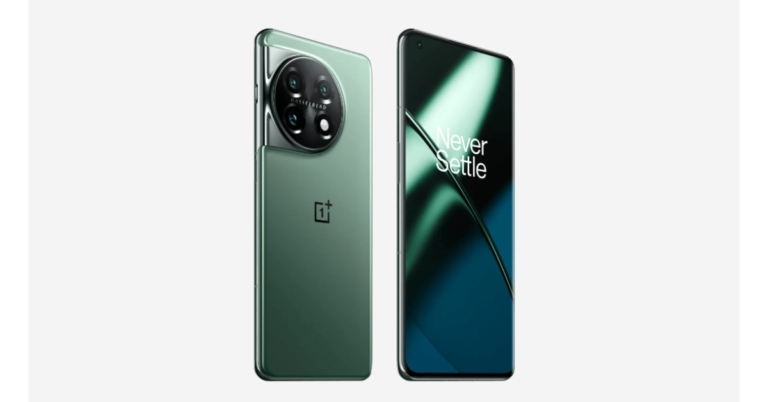
OnePlus 11 5G is all set to go on sale for the first time in India today. The device debuted in India last week alongside OnePlus 11R and other new products. It is equipped with a 100W SuperVOOC quick charging feature and is powered by the Qualcomm Snapdragon 8 Gen 2 SoC. OxygenOS 13 is pre-installed on top of Android 13 on the device.

OnePlus 11 5G sale offers

OnePlus 11 5G India sale is scheduled to begin today at 12 noon. The OnePlus 11 5G is currently offered in India for a price of Rs 56,999 for the 8GB model with 128GB storage and Rs 61,999 for the 12GB variant with 256GB storage. Eternal Green and Titan Black are the two colour options for the smartphone. Both online and offline retail partners as well as the OnePlus online shop offer the device for sale. Also Read: OnePlus 11 5G with Hasselblad branded cameras and Snapdragon 8 Gen 2 SoC launched in India Buyers can combine different bank and exchange incentives, like Rs 1,000 on an ICICI Bank credit card, EMIs, or netbanking, to purchase it at a discounted price. When purchasing the OnePlus 11 5G, consumers will also receive a 100GB Google One membership valid for six months. Along with a complimentary six-month trial of Spotify Premium, the smartphone maker also sells the OnePlus 11 5G.

OnePlus 11 5G specifications

The 6.7-inch Samsung LTPO 3.0 AMOLED display on the OnePlus 11 5G has a 1,440 x 3,216-pixel resolution. The aspect ratio of the panel is 20.1:9, and it has an adjustable refresh rate of up to 120Hz. The panel supports always-on displays with a maximum brightness of 1300 nits and a resolution of 525 ppi. A Corning Gorilla Glass 7 is used as protection. HDR and Dolby Vision codecs can be played on the monitor. In addition to ColorOS 13.0, the device runs Android 13.0. The new phone boasts an octa-core 4nm Snapdragon 8 Gen 2 SoC, up to 16GB of LPDDR5x RAM, and an Adreno 740 GPU. The OnePlus 11 5G supports UFS4.0 storage up to 256GB in capacity. The OnePlus 11 5G has a 5,000mAh dual-cell battery. There is support for 100W SuperVOOC charging. The display includes a fingerprint reader as well. It has two speakers and supports Dolby Atmos. Also Read: OnePlus 11R with 100W SUPERVOOC flash fast charging announced in India Sony’s optical image stabilisation (OIS) sensor with a 50-megapixel resolution (f/1.8 aperture) is one of the three rear cameras on the OnePlus 11 5G. In addition to a 32-megapixel portrait sensor, the camera unit has a 48-megapixel Sony IMX58 ultra wide-angle sensor (f/2.2 aperture and 115-degree field of view). The device’s front features a 16-megapixel sensor (f/2.4 aperture) for selfies and video calls. Additionally, there are options for 5G, 4G LTE, Wi-Fi 6, Bluetooth v5.3, Beidou, Glonass, Galileo, GPS, NFC, and other systems’ communication. There are numerous other sensors on board in addition to a proximity sensor, gyroscope, g-sensor, back colour temperature sensor, and Qualcomm sensor core. For the latest gadget and tech news, and gadget reviews, follow us on TwitterFacebook and Instagram. For newest tech & gadget videos subscribe to our YouTube Channel. You can also stay up to date using the Gadget Bridge Android App. You can find the latest car and bike news here.

Amazon Quiz Answers Today 14 February 2023: Participate to win Rs 500

The popular Amazon Quiz is now live on the Amazon app. The 14 February 2023 Amazon Quiz gives you a chance to win Rs 500 Amazon Pay Balance by answering all the questions correctly. The quiz can be played every day from 12 AM to 11:59. Only app users are eligible to participate in the Quiz as it is not accessible on the web platform. The Amazon Quiz brings a fresh set of questions for its customers that contains five easy questions. The questionnaire consists of five questions related to general knowledge and current affairs. The participants need to answer all the questions correctly and their names will be selected for a lucky draw. The daily quiz brings an opportunity for the customers to win exciting prizes. They can win Amazon Pay Balance ranging from Rs 1,000 to Rs 50,000. The participants need to answer all the questions correctly and their names will be selected for a lucky draw. The winner will be announced at the end of the month. Check Out 14 February 2023 Amazon Quiz Answers. Amazon Quiz Today Prize – Rs 500 Amazon Pay Balance Quiz Date – 14 February 2023 Daily Timing – 12 AM to 11:59 PM Winner Announcement – Today 12 PM

Amazon Quiz Answers Today 14 February 2023

Question 1: Whom did Novak Djokovic beat in the final to win his 10th Australian Open men’s singles title? Answer: Stefanos Tsitsipas Question 2: Austin Butler has got an Oscar nomination for Best Actor in a Leading Role for playing which real life character? Answer: Elvis Presley Question 3: How do we better know the Mughal emperor Abū al-Fatḥ Jalāl Al-Dīn Muḥammad? Answer: Akbar Question 4: Flag of which country, famous as a beach destination? Answer: Maldives Question 5: Name this fruit Answer: Kiwi

How To Play Amazon Quiz

Only app users are eligible to play the Amazon quiz every morning from 12 AM to 11:59 PM. The quiz is not available on the desktop. For those who are unaware of how to play the Amazon quiz below are the steps, you can follow to take the quiz.
  • Firstly download the Amazon app from Google Play Store or App Store
  • Now fill in the required information through the Sign Up option.
  • You need to log in to the Amazon app and scroll down on the home screen to find the Amazon Quiz banner.
  • Tap on the Amazon Quiz banner and tap on the Start button to start the Quiz.
  • Now you will get 5 questions and you need to answer them correctly. One wrong answer will eliminate you from the Quiz.
  • After answering all the questions correctly you are now eligible for a Lucky Draw.
  • The winner’s name will be announced today at 12 PM.
For the latest gadget and tech news, and gadget reviews, follow us on TwitterFacebook and Instagram. For newest tech & gadget videos subscribe to our YouTube Channel. You can also stay up to date using the Gadget Bridge Android App. You can find the latest car and bike news here.

How to use OTG on iPhone and iPad?

0
There are several ways to directly transfer files between your iPhone and a Mac or PC. You can either connect your iPhone to your Mac using a Lightning to USB cable or Airdrop the files wirelessly. However, if you want to transfer the files on an external storage device to your iPhone, you will need to use a Mac or PC as a buffer. This process can take some time since it requires plugging in two devices to your Mac. Luckily, with the help of a Lightning to USB adapter, you can access the contents of the external storage drive directly on your iPhone or iPad. In this article, we show you how to use an OTG (Lightning to USB adapter) on your iPhone and iPad. Read Also: Valentine’s Day Gifting Guide: Tech gifts for him and her

Access external storage drives on your iPhone and iPad using OTG

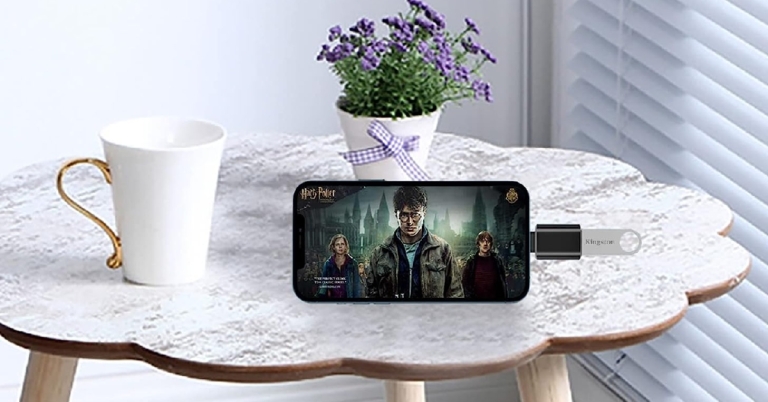
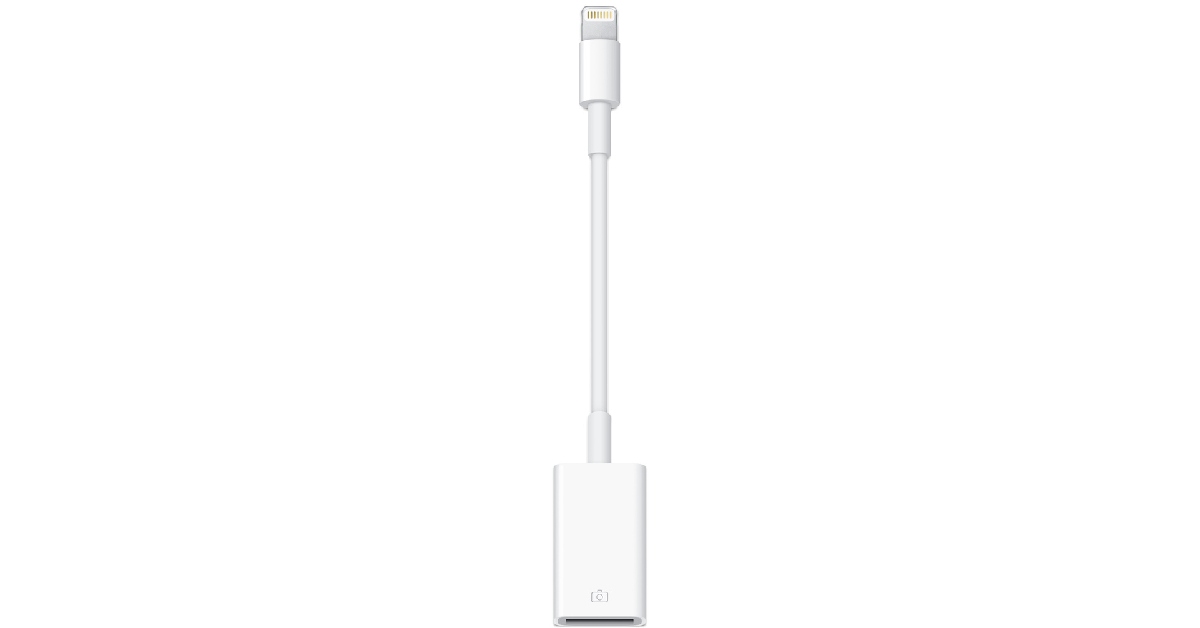
Access external storage drives on your iPhone and iPad using OTG In order to connect an external storage device to your iPhone or iPad you will need to purchase a Lightning to USB adapter. The official Apple adapter can be bought for Rs 2,900 from the Apple Store. As far as Lightning to USB adapters go, Rs 2,900 is quite overpriced. You can find decent OTG adapters on Amazon for as low as Rs 624. Once you attach the Lightning to USB adapter to your iPhone or iPad, you can plug in any external storage device to the USB port and access its contents directly on your Apple device. You can view the contents on any supported app on your phone, like Photos and Files. If the external hard drive requires a higher power to function, use a Lightning to USB 3 Camera adapter that can be powered with an external charger. This will make your task considerably easier. Typically, pen drives don’t require additional power and can easily work with a simple Lightning to USB adapter.

Other things you can do using an OTG

Other things you can do using an OTG A Lightning to USB adapter doesn’t just work for external storage devices, it can connect a whole bunch of different devices to your iPhone. Need to use an external keyboard or mouse with your iPad. Simply connect it to the USB port of the adapter and you’re good to go. If you like to game on your iPhone but can’t get a hang of the touch controls, simply plug in a console controller to the USB adapter and immerse yourself in the gaming experience. You can also connect a microphone if you want to record a podcast on the go. The possibilities are endless! Read Also: Oppo Find N2 Flip set to launch globally on February 15

Conclusion

This is how you can use OTG on an iPhone and iPad. Once you connect an external storage device to your iPhone, it may open the Photos app by default if there are any images or videos on the device. If you want to access other files on the drive, you will need to switch to a different app (like Files). Another thing to note is that your iPhone will only read the USB drive if it has a single partition and is formatted as FAT, FAT32, exFAT, or APFS.  For the latest gadget and tech news, and gadget reviews, follow us on Twitter, Facebook and Instagram. For newest tech & gadget videos subscribe to our YouTube Channel. You can also stay up to date using the Gadget Bridge Android App. You can find the latest car and bike news here.
A new tool for sending high-quality images is being developed by WhatsApp

The desktop version of WhatsApp will soon support sending photographs “in their original quality.” The company was reportedly developing the same functionality for its iOS and Android apps. In addition to this, WhatsApp has started giving certain beta testers the option to share up to 100 media in a chat at once. According to a report, WhatsApp is developing a new feature that will let users send pictures in their original resolution and quality. The ability to send photographs in their original quality will soon be available. The feature is still being worked on in the Android beta version of WhatsApp. Also read: Comparison: Moto E13 Vs Samsung Galaxy A04
whatsapp photo quality
Image courtesy: WaBetaInfo
As per the shared screenshot by WaBetaInfo, WhatsApp is also trying to add the same feature to the desktop version. Users will be able to send photos in their original quality, maintaining their resolution and clarity, thanks to this functionality. Compared to the existing picture compression that takes place while transferring images, this is a significant improvement. People won’t have to be concerned about their photographs losing resolution or quality when sending them. Also Read: Multi-search features to Google Lens added globally Despite the addition of this capability, keep in mind that you will still have control over sending photographs. The conventional compression approach, which is always the default choice and can be handy for people who desire to conserve storage space, will still be available to beta testers when this functionality is made available to them. A future version of the app will include the feature of sending photographs at their original resolution, which is currently under development. Additionally, WhatsApp is releasing WhatsApp beta version 23.3.0.75 for iOS, which enables some testers to instantly share up to 100 media files. In the past, the app allowed users to share about 30 media files at once.
share up to 100 media
Image courtesy: WaBetaInfo
As seen in the screenshot, in order to determine whether this function is available for your WhatsApp account, you must open the media picker and choose more than 30 media files. If you have the option to choose more than 30 media, it implies that your account has access to the function, which allows you to choose up to 100 photos and videos to better share your moments and memories. For the latest gadget and tech news, and gadget reviews, follow us on TwitterFacebook and Instagram. For newest tech & gadget videos subscribe to our YouTube Channel. You can also stay up to date using the Gadget Bridge Android App. You can find the latest car and bike news here.

Comparison: Moto E13 Vs Samsung Galaxy A04

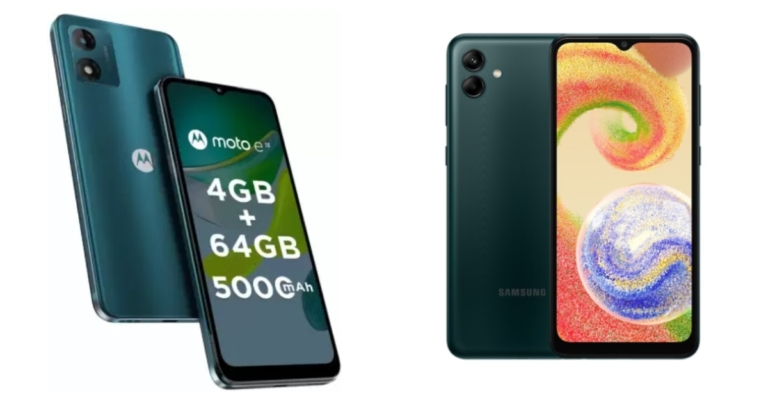
Motorola, a smartphone manufacturer owned by Lenovo, unveiled its newest E-Series model, the Moto E13, in India. The device faces off against the Samsung Galaxy A04. The Moto E13 and Samsung Galaxy A04 are both affordable smartphones, and which is better will depend on your needs. Here is a brief description of each device’s advantages and disadvantages.

Display

Moto E13: 6.5-inch HD+ IPS LCD screen Samsung Galaxy A04: 6.5-inch full-HD+ Infinity-V display

Processor

Moto E13: An octa-core Unisoc T606 SoC Samsung Galaxy A04: Octa Core MediaTek Helio P35 12nm processor

Rear camera(s)

Moto E13: A single 13-megapixel rear camera Samsung Galaxy A04: A dual rear camera arrangement with a 50-megapixel primary sensor Also Read: Multi-search features to Google Lens added globally

Selfie camera

Moto E13: 5-megapixel selfie camera Samsung Galaxy A04: 5-megapixel

RAM and storage

Moto E13: 2GB RAM with 64GB storage and 4GB RAM with a 64GB storage model Samsung Galaxy A04: 3GB of RAM and 32GB storage, 3GB of RAM and 64GB of storage and 4GB of RAM and 128GB of storage

Battery

Moto E13: 5,000mAh battery Samsung Galaxy A04: 5,000mAh battery

Operating system

Moto E13: Android 13 Go edition Samsung Galaxy A04: Android 12 with One UI 4.1

Starting Price

Moto E13: Rs 6,999 Samsung Galaxy A04: Rs 9,299

Our verdict

The plastic bodies of both phones house 6.5-inch HD+ display with waterdrop notch designs. An octa-core Unisoc T606 SoC powers the Moto E13, which also has up to 4GB of LPDDR4x RAM and 64GB of internal storage. The Samsung phone, on the other hand, has an octa-core MediaTek Helio P35 12nm chipset and supports up to 4GB RAM and 128GB of storage. Samsung outperforms Motorola with a dual camera configuration with a 50-megapixel primary camera, whereas Motorola offers a single 13-megapixel rear camera. Contrarily, the Moto E13 provides a stock Android experience without any bloatware or tweaks, which many people might prefer for a more streamlined and uncomplicated experience.  The batteries in both gadgets have a capacity of 5,000mAh, however, the Samsung device supports 15W charging whereas the Moto phone comes with 10W charging speed. In terms of performance, photography, and charging, the Samsung Galaxy A04 beats the Moto E13. The best phone for you will ultimately depend on your requirements when it comes to features like camera quality, battery backup, form factor and quality, and operating system. For the latest gadget and tech news, and gadget reviews, follow us on TwitterFacebook and Instagram. For newest tech & gadget videos subscribe to our YouTube Channel. You can also stay up to date using the Gadget Bridge Android App. You can find the latest car and bike news here.
8 Best LiDAR Apps for iPhone 14 Pro & 14 Pro Max

Apple first introduced the LiDAR scanner on the iPhone 12, and since then we’ve seen AR apps become more immersive and fun. LiDAR stands for ‘Light Detection And Ranging’ and is essentially used to map out the objects around you with the help of light signals. AR apps utilise the LiDAR scanner on your iPhone, using it in diverse and creative ways. In our previous article, we explained what a LiDAR scanner is and how you can use it on your iPhone. In this article, we bring you the 8 best LiDAR apps for your iPhone 14 Pro and 14 Pro Max. Read Also: The best gaming gadgets to use in 2023

Measure

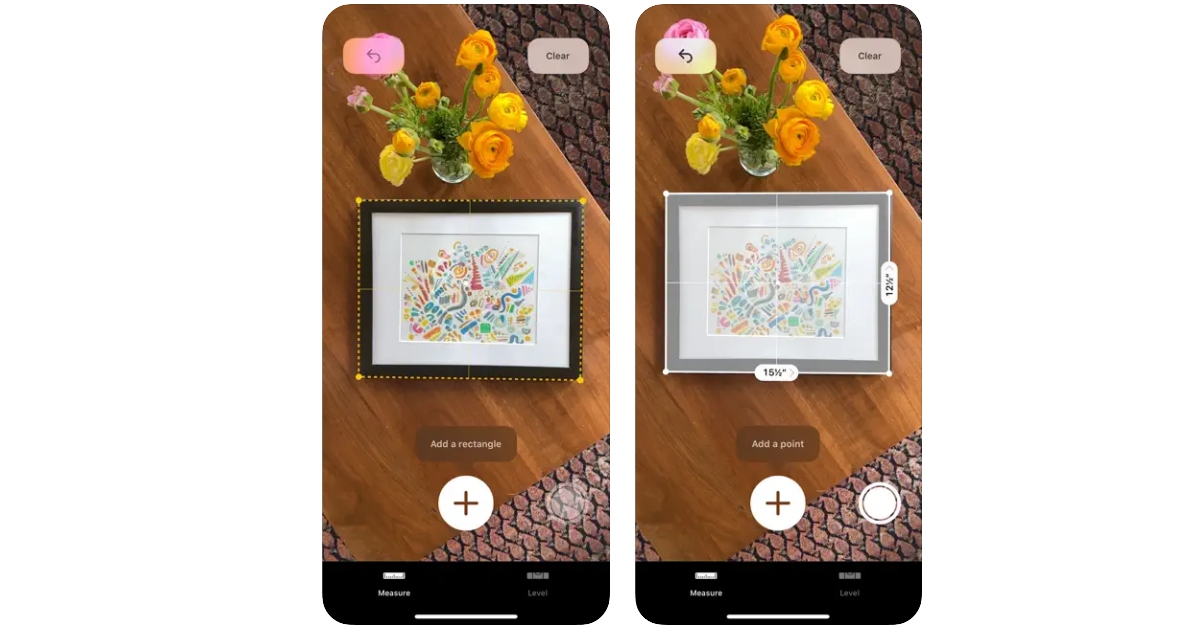
Measure The native ‘Measure’ app on your iPhone uses the LiDAR sensor to take accurate measurements of objects as well as gauge the distance between two arbitrary points. All you need to do is point your phone towards an object and the LiDAR scanner will map out its dimensions with remarkable accuracy. The app is equipped to automatically carry out certain tasks like measuring a rectangular object or recording a person’s height. You can save the measurements along with the pictures in the app itself or share them with your friends via email or IM apps.

Polycam

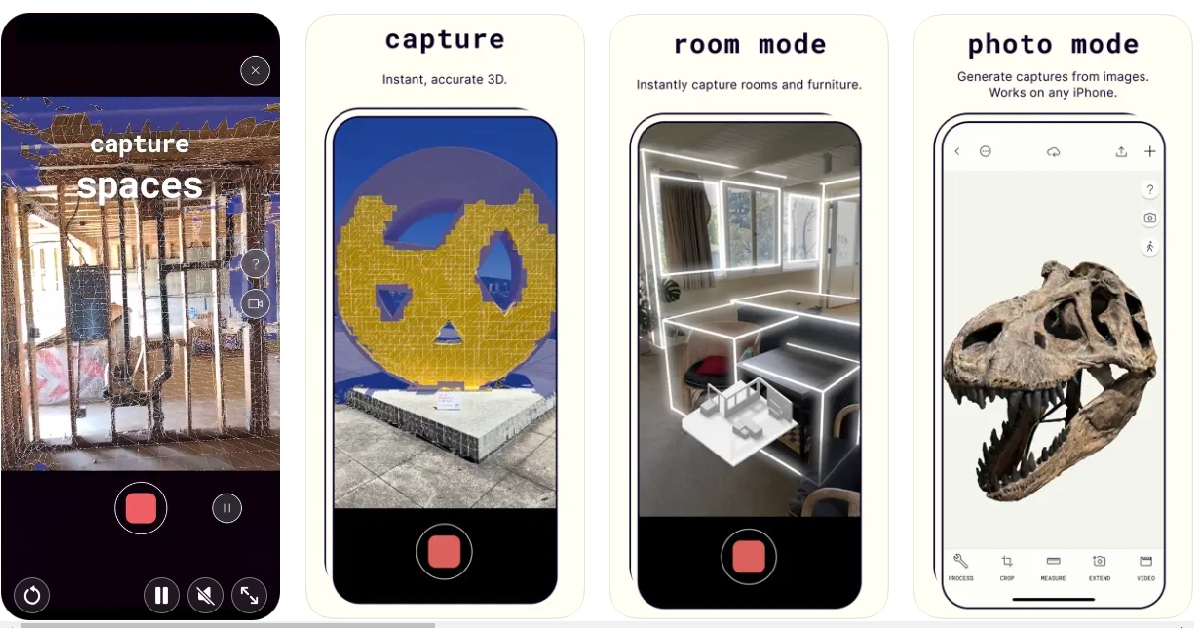
Polycam Considered by many to be the best LiDAR-based app for iPhones, Polycam creates 3D models of real-life objects around you. Simply open the app and use the camera to cover it from different angles. Once the 3D model has been rendered, you can use it in other design apps and software. You can edit the 3D model within the app with the help of a range of tools. The app’s ‘Room Mode’ helps you generate models of interior spaces in real-time.

RC Club

RC Club This AR racing simulator makes use of the LiDAR scanner in the most fun way possible. RC Club lets you race around different cars on real-life surfaces using its remarkable AR integration. The level of detail that has gone into this game is simply amazing. The app is able to judge the friction of the surface along with the weight and centre of gravity of the car you are racing to create a life-like simulation of what driving the car around would look like. You can spend hours on this app simply crashing your car into real-life objects and watching how it reacts in different situations.

Ikea Place

Ikea Place Thinking of giving your room a total makeover? Visualise the new look before buying any product using the Ikea Place app. Using AR tech, this app lets you virtually place Ikea products in your room to get an idea of how they would look in real. This app takes shopping for furnishing products to the next level. 

Canvas: LiDAR 3D Measurements

Canvas: LiDAR 3D Measurements This app is for design enthusiasts and professionals who are also familiar with CAD. Canvas takes detailed scans of indoor spaces which easily be exported to CAD for further editing. If you are a home improvement professional working remotely, this app will make it easier to work on a project with your team. The measurements taken by this app are extremely accurate and the rendered models are created in industry-standard formats.

Seeing AI

Seeing AI. best lidar apps for iphone 14 pro max The Seeing AI app from Microsoft helps visually impaired people interact better with their surroundings by generating descriptions of the objects around them. While the app has been around longer than LiDAR, it uses the scanner to recognise objects quicker and more accurately than before. Seeing AI can recognise anything from products, currency, documents, and people around you.

Snapchat

snapchat emojis. best lidar apps for iphone 14 pro max Snapchat was one of the first apps to incorporate LiDAR in its functioning when Apple first introduced the scanner on iPhone 12. The app has hundreds of lenses and filters that use LiDAR to scan your surroundings and overlay objects on them. You can even create your own lenses with Lens Studio. You may have already used the popular lenses on Snapchat, but the deeper you dig, the more interesting stuff you will find.

Playground AR

Playground AR. best lidar apps for iphone 14 pro max Much like RC Club, Playground AR lets you play around with different objects in AR. You can build different objects out of blocks and even have some fun by driving cars and helicopters around them. You can even lay out a sequence of dominoes in your room and watch them collapse in one satisfying motion. Once you get a hang of this app you can easily spend hours on it without getting bored. Read Also: 6 Easy Ways to Fix ‘Quick Look Not Working’ on Mac

Conclusion 

These are our picks for the 8 best LiDAR apps iPhone 14 and 14 Pro Max. As AR is still in its nascency, newer apps keep coming out with every passing month and the old ones keep getting better. What’s the best LiDAR-based app that you’ve used on your iPhone? Let us know in the comments! For the latest gadget and tech news, and gadget reviews, follow us on Twitter, Facebook and Instagram. For newest tech & gadget videos subscribe to our YouTube Channel. You can also stay up to date using the Gadget Bridge Android App. You can find the latest car and bike news here.
Multi-search features to Google Lens added globally

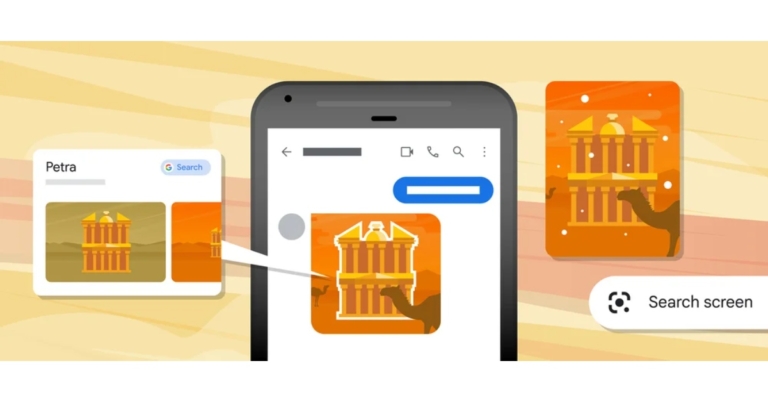
The ability to perform multiple searches with Google Lens has been made available worldwide. The company has officially announced the rollout of multi-search features to Google Lens. The function enables simultaneous text and image searches using Lens. The “Search Screen” is an additional feature that has been added to Lens. From the Search bar, you may already utilise Lens to search through your camera or your photos. Google has just released a significant update to let you search what is shown on your mobile display. In the months ahead, Android users worldwide will be able to “search your screen” using Lens. With the help of this technology, you won’t even need to leave the app or experience to search for what you see in images or videos on popular websites and applications like messaging and video apps. According to the company, if your friend messages you a video of them taking a tour of Paris. Simply long-press the power or home button on your Android phone to activate Google Assistant, then tap “search screen” to find out more about the landmark you can see in the backdrop. Lens recognises it as Luxembourg Palace, and clicks for additional information. With multi-search, you may simultaneously search using text and a picture, giving you a whole new range of creative options. Multisearch is currently accessible on mobile devices everywhere, in all languages and nations where Lens is offered. By enabling local searches, Google expanded the capabilities of multi-search. If you need to find something quickly or are trying to support local businesses, you can take a picture and add “near me” to get what you need. This is now offered in English in the United States, and we’ll be making it available in other languages soon. Additionally, there are situations when you may already be looking for something when you come across something that inspires you. You’ll soon be able to use multi-search worldwide on any image you see on the mobile search results page. For instance, while looking for “modern living room ideas,” you might come across a coffee table that you adore but would rather have in a different shape, like a rectangle rather than a circle. To find the style you’re looking for, utilise multi-search and add the word “rectangle.” For the latest gadget and tech news, and gadget reviews, follow us on TwitterFacebook and Instagram. For newest tech & gadget videos subscribe to our YouTube Channel. You can also stay up to date using the Gadget Bridge Android App. You can find the latest car and bike news here.

Valentine’s Day Gifting Guide: Tech gifts for him and her

Valentine’s Day is just around the corner, and if you haven’t picked a gift for your special one yet, you dont need to worry ‘cause we’ve got you covered. We’ve been taking a look at all the eye-catching tech releases over the last few months and curated this list to cover products across different categories and price points. So, without further ado, here is our Valentine’s Day gifting guide with tech gift ideas for him and her! Read Also: Top 6 Firestick Remote Apps for Android

iPhone 14 Pro

Price: Rs 1,29,990 iPhone-14-Pro-review. valentine's day gifting guide If you’re planning on gifting a smartphone to your loved one this Valentine’s why not go big? The new iPhone 14 Pro gets a new improved display (with the highly talked about ‘Dynamic Island’) and better cameras than its predecessor. The primary 48MP quad-pixel sensor takes stunning images, upholding the reputation of the iPhone being the best camera phone in the market. On top of that, the new iPhone comes with an upgraded A16 Bionic chip and safety features such as Car Crash Detection and Emergency SOS via Satellite. Our review here.

Samsung Galaxy S23 Ultra

Price: Rs 1,34,999 samsung galaxy s23 ultra. valentine's day gifting guide Talking about premium smartphones, we cannot leave Samsung’s flagship out of the list. Released earlier this month, the Samsung Galaxy S23 Ultra is the best that Android has to offer. The 6.8-inch QHD+ Dynamic AMOLED display sets the S23 Ultra apart from the rest and delivers a clarity that you haven’t seen before. The smartphone is powered by the new Snapdragon 8 Gen 2 SoC which has been specially tuned for Samsung. However, the star of the show is the 200MP primary camera that may even give certain DSLRs a run for their money. Need more? The new astrophotography mode on the S23 Ultra can even capture highly detailed images of the moon.

Redmi Note 12 Pro

Price: Rs 24,999 Redmi Note 12 Pro Review: Powerful performance at a reasonable price Don’t want to splurge on a flagship? There are a lot of amazing midrange smartphones you can gift your Valentine this year. Released in January this year, the Redmi Note 12 Pro has all the specs and features you want in a daily driver. The smartphone comes in three stunning colours – Stardust Purple, Glacier Blue, and Onyx Black. While the Pro+ variant comes with a 200MP primary camera, the Note 12 Pro’s 50MP main sensor takes pictures that are just as good (Read our review here to have a look). The MediaTek Dimensity 1080 SoC delivers a stellar performance on this smartphone as well.

Samsung Galaxy Watch 5 Pro

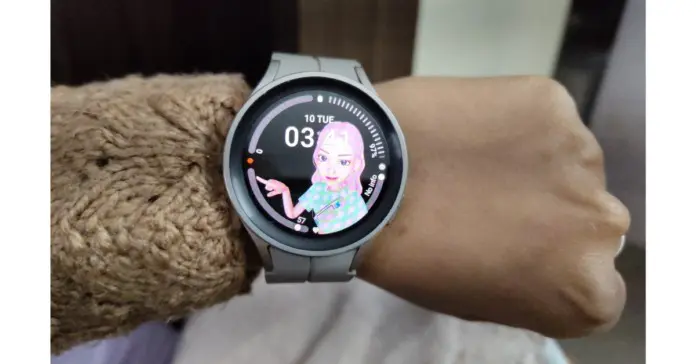
Price: Rs 44,999   Samsung Galaxy Watch 5 Pro review: Is it an ideal smartwatch? Watches have always made great gifts. Now that smart wearables are on the rise, smartwatches are carving out a niche for themselves. Not only are they excellent fitness trackers, but they also have aesthetics that match some of the finest accessories on the market. The Samsung Galaxy Watch 5 Pro is the perfect convergence of technology and fashion, and would definitely be the most sought-after gift this Valentine’s day. What makes the Watch 5 Pro best in its category is Samsung’s incredible Wear OS coupled with the highly efficient fitness and health tracking features. Read our in-depth review here to know more.

Spigen Essential PF2104 Wireless Charger

Price: Rs 999 Spigen Essential PF2104 Wireless Charger. valentine's day gift ideas Looking for an inexpensive tech gift that is also unique and fits into everyday use? This Spigen wireless charger should cover it. Priced at just Rs 999 on Amazon, the Spigen PF2104 provides 15W charging with Airboost technology. The charger is compatible with both Android and iOS devices and doesn’t occupy too much space on the desk, thanks to its sleek and compact design. 

Amazon Tile Mate

Price: Rs 3,174 Amazon Tile Mate. valentine's day gift ideas Speaking about unique and helpful daily accessories, the Amazon Tile Mate is a versatile tracker that helps you keep a track of your belongings. The Tile can easily be attached to your backpack, purse, luggage, keys and other items. Once fixed into place, you can use the free app to track your belongings in case they get lost. If they are in Bluetooth range, the Tile will give you step-by-step directions to the item’s location or even make a ringing sound for you to locate it. If you lost your belonging somewhere outside, you can easily look up their most recent location on the map.

Acer H Series Smart TV

Price: Rs 25,795 Acer H Series Smart TV valentine's day tech gifts The 43-inch Acer H Series Smart TV is one of the better deals you can find on the market right now. TVs aren’t usually the first thing that spring to mind while thinking about gift ideas, but this particular Smart TV is priced similar to an average midrange smartphone and would make all the difference if the person you’re gifting it to is still using a previous generation television. The 43-inch Acer H Series Smart TV comes with a brilliant 4K resolution display with a refresh rate of 60Hz and a 178-degree wide viewing angle. 3 HDMI and 2 USB ports offer connectivity to gaming consoles, set-top box, external hard drives and any other device you can think of. The TV comes pre-loaded with all the major OTT platforms, with the option to download more from Google Play Store.

Philips Sneaker Cleaner

Price: Rs 2,549 Philips Sneaker Cleaner valentine's day tech gifts Is your partner a sneakerhead? This may be the perfect gift for them. The Philips Sneaker Cleaner is an excellent shoe maintenance tool that is really easy to use. All you need to do is wet the brush with soapy water and let it take care of the rest. With three kinds of brushes on offer, the Philip Sneaker Cleaner can handle all kinds of dirt and grime and give your sneakers a fresh look. The product comes with a 3-year warranty if you purchase it from Philip’s website.

ASUS Vivobook 14

Price: Rs 57,990 ASUS Vivobook 14 The ever-so-stylish ASUS Vivobook 14 comes with the Intel Core i5 processor and flaunts a 14-inch Full HD IPS display. Weighing just 1.35 kg, the Vivobook 14 is not a hassle to carry around. The laptop comes with a 512GB SSD hard drive and 8GB LPDDR4X RAM. The pink metal casing is durable without compromising on the looks. There is also a fingerprint scanner on board for faster system access.

iRobot Roomba 698

Price: Rs 14,900 iRobot Roomba 698. valentine's day gifting guide If you’re looking for a home cleaning gadget, iRobot is offering a Valentine’s Day discount the Roomba 698. This nifty gadget cleans the floors and captures dirt, dust, hair, and all kinds of debris from the surface of your home. The Roomba is compatible with all kinds of flooring and carpets, so you don’t have to worry about what path it takes while cleaning. Its 3-stage cleaning system guarantees a clean environment in your house. The device can be controlled from its dedicated app or even through your preferred voice assistant (Google or Alexa).

Xiaomi Grooming Kit Pro

Price: Rs 2,299 Xiaomi Grooming Kit Pro valentine's day gifting guide One of the better trimmers on the market, the Xiaomi Grooming Kit Pro offers a range of customisations without being excessively bulky. It is easy to carry around while you travel and offers a 90-minute run time on a full charge. The device is also rated IPX7 for water resistance, so you don’t have to hesitate while using it in the bathroom. Want to try out a new style? The multiple heads on offer allow you to choose from 40 length options. Read Also: 6 Easy Ways to Fix ‘Quick Look Not Working’ on Mac

Conclusion 

These are our picks for the best Valentine’s Day tech gift ideas for him and her. These products span different categories and price points. Made a purchase already? Let us know what you got in the comments! For the latest gadget and tech news, and gadget reviews, follow us on Twitter, Facebook and Instagram. For newest tech & gadget videos subscribe to our YouTube Channel. You can also stay up to date using the Gadget Bridge Android App. You can find the latest car and bike news here.
Oppo Find N2 Flip set to launch globally on February 15

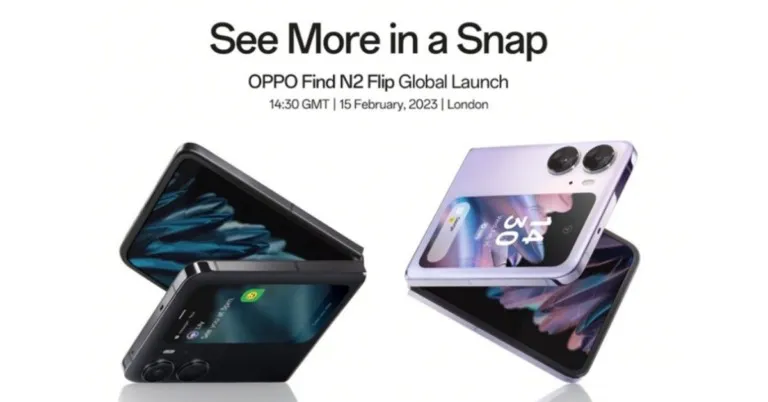
The Chinese smartphone brand Oppo has officially announced that it will be bringing its foldable smartphone to more markets very soon. The company has set the global launch of Oppo Find N2 Flip for February 15. The clamshell design phone was launched in China in December last year. The upcoming foldable device has a MediaTek Dimensity 9000+ SoC, 120Hz screen, and Hasselblad-branded cameras. The global debut of the Oppo Find N2 Flip is scheduled for February 15. According to the company the global launch event will take place in London and will begin at 14:30 GMT. The event will be live-streamed through its official YouTube channel. In terms of pricing, the company has not yet revealed the global launch price but as per leaks, the company will be releasing the foldable phone with a single 8GB RAM with a 256GB storage option. The variant is claimed to be priced at EUR 1,200 or approx Rs 1,07,000. There will be two colour options for the Oppo Find N2 Flip Astral Black and Moonlit Purple. Also Read: How to get the most out of Samsung Galaxy Z Flip 4’s cover screen

Oppo Find N2 Flip specifications

The 6.8-inch primary full-HD+ AMOLED screen on the Oppo Find N2 Flip has a resolution of 1,080×2,520 pixels. The screen boasts a 403ppi pixel density, a 120Hz adaptive refresh rate, a 240Hz touch sampling rate, and a maximum brightness of 1200 nits. The phone also features a 3.62-inch cover display with a 382 x 720 resolution, 250ppi pixel density, and a refresh rate of up to 60Hz. The system is based on ColorOS 13.0, which runs on Android 13. Oppo has included an Arm Mali-G710 MC10, up to 16GB of LPDDR5 RAM, and an octa-core MediaTek Dimensity 9000+ SoC in the foldable phone. Up to 512GB of UFS3.1 onboard storage is available. Also Read: Nokia 2660 Flip phone launched in India: Price and specification details inside Dual rear cameras on the Oppo Find N2 Flip include a 50-megapixel primary sensor with an f/1.8 aperture and an 8-megapixel ultra-wide shooter with an f/2.2 aperture. The phone also has a 32-megapixel selfie camera with an f/2.4 aperture and a 90-degree field of view on top of its folding display. On the Find N2 Flip, Oppo has included a 4,300mAh dual-cell battery that enables 44W SuperVOOC charging. The phone supports face unlock and has a side-mounted fingerprint sensor as well. For the latest gadget and tech news, and gadget reviews, follow us on TwitterFacebook and Instagram. For newest tech & gadget videos subscribe to our YouTube Channel. You can also stay up to date using the Gadget Bridge Android App. You can find the latest car and bike news here.