Garena Free Fire is a battle royale game with regular awards and tournaments to keep players interested. If you play Garena Free Fire, you should be aware of the redeem codes that are released on a daily basis. However, because the battle royale game is banned in India, players from other countries can use the Free Fire Redeem codes daily. If you’re unfamiliar with the Garena Free Fire redeem codes or don’t know how to get them, we’ve put together a step-by-step guide to help you redeem them. Check out Garena Free Fire Redeem Codes for 31 December 2023.The Free Fire redeem codes are a great way to get free stuff. These are 12-digit codes that contain alphabets and numbers, as well as an expiration date and time. Because the Garena FF redeem codes cannot be used more than once, you should hurry to the redemption page to claim your free reward before someone else does. To get a free reward, all you have to do is go to reward.ff.garena.com/en, which is the official redemption page. Also, keep an eye on this space for daily updates on Garena Free Fire redemption codes and rewards.
In This Article
Garena Free Fire Redeem Codes Today 31 December 2023
iPhones and iPads are very easy to work with. Their intuitive OS makes it easy for the user to find what they are looking for within seconds. If you need to update an app, you know exactly where to go. But, you’d be surprised at just how many options you have to go about this task. In case the regular process does not work, it is always nice to have other options. So, here are the top 5 ways to update an app on your iPhone or iPad. Read Also:Top 5 Ways to detect if someone has remote access to your iPhone
In This Article
Here’s why you should keep the apps on your iPhone updated
Keeping the apps on your phone updated is crucial to the device’s functioning. If an app starts malfunctioning out of the blue, it is likely because you’re using an older version that is riddled with bugs. Developers are quick to publish updates that resolve these bugs.Other than functional issues, app updates also take care of any security flaws. This is particularly true for web browsers and financial apps. If you’re running the latest version of the app, you can be assured that its security modules are up to date. This is also the reason why it is recommended that you keep your phone updated to its latest OS version. Older devices are more prone to malware attacks because there are gaping security loopholes in their OS.Developers also push updates to roll out new features for the app. If you can’t find a recently announced feature on an app, simply download its latest version and you will be able to use it right away. As an app gets new updates, it is also slowly phased out for older devices.
Update an app on your iPhone or iPad from the App Store
Step 1:Launch the App Store on your iPhone or iPad.Step 2: Tap the profile icon at the top right corner of the screen.Step 3: Scroll down to the Available Updates section. Step 4: Hit the Update button next to an app to update it.
Step 1:Launch the App Store on your iPhone or iPad.Step 2: Tap the Search tab at the bottom right corner of the screen.Step 3:Search for the app you want to update.Step 4: If there are any new updates available for the app, you will see ‘Update’ next to it instead of ‘Open’. Hit the Update button.
Ask Siri to check for updates
If you want to go hands-free, simply ask Siri to do it. While Siri can’t manually update the app, it can take you to the app’s page on the App Store. After that, all you need to do is hit the Update button. Simply say “Hey Siri, check the update for (app name)” or “Hey Siri, open the (app name) on App Store”.
Turn on automatic app updates on your iPhone or iPad
Step 1: Go to Settings.Step 2: Select App Store.Step 3: Turn on the toggle switch for App Updates under Automatic Downloads.
Bonus Tip: Update apps on your Mac
Step 1: Open the App Store.
Step 2: Click Updates in the sidebar.
Step 3: Click Update next to the app you want to update. If you want to update all apps, click on Update All.
Bonus Tip: Update apps on your Apple Watch
Step 1:Launch the App Store on your Apple Watch and scroll down to the bottom.
Step 2: Tap on Account.
Step 3: Hit Updates.
Step 4: Tap Update next to an app to update it manually or Update All to update all apps.
Frequently Asked Questions (FAQs)
Where can I find the pending updates for the apps on my iPhone?
Go to App Store>Profile and scroll down to ‘Available Updates’ to view the pending updates.
How do I get a refund for an app I purchased on the App Store?
Go to App Store>Profile>Purchased>App>Report a Problem and select ‘I would like to request a refund’ on the following page.
How long does it take for the App Store to issue a refund?
It takes around 48 hours for Apple to process your refund request. The time required to refund the amount back to your account varies depending on your location.
How do I automatically update apps on my iPhone?
Go to Settings>App Store and turn on the toggle switch next to App Updates under Automatic Downloads.
Why are apps not updating on my iPhone?
If you’re unable to update apps on your iPhone, it could be due to internet connection issues with the network or lack of storage on your device. Sometimes, background software issues can also keep the apps from updating on your iPhone.
Read Also:iPhone 15 Pro Max: A Revolution in Mobile Gaming
Conclusion
These are the top 5 ways to update an app on your iPhone or iPad. Once an app is updated, you cannot switch back to its older version. Make sure you are connected to a WiFi network while updating a bunch of apps at once. If you found this article helpful, let us know in the comments section!
Even though Apple did not release any iPads this year, the Android tablet market saw a lot of activity. As is tradition, Samsung’s Galaxy S series offerings were the most powerful tablets this year. OnePlus also stepped into the tablet market with its debut Pad along with the affordable alternative, Pad Go. Xiaomi’s Pad 6 continued to be a gritty device in the midrange category. So, let’s take a quick look at our favourite releases this year. Here are our top 5 picks for the best tablets of 2023.Read Also:Gadget Bridge Awards 2023 Winners: The Biggest, Best Consumer Technology and Gadget Awards
The Samsung Galaxy S9 Ultra is the most specced out tablet on the market right now. It features a massive 14.6-inch Dynamic AMOLED display with a refresh rate of 120Hz. Powering the tablet is this year’s flagship Snapdragon 8 Gen 2 SoC. With an aspect ratio of 16:10, the tablet is ideally meant to be used in landscape orientation. There are two selfie cameras on this powerful device, a 12MP wide sensor and another 12MP ultrawide lens. The rear camera module comprises a 13MP wide lens and an 8MP ultrawide lens. Easily one of the best tablets launched in 2023.
OnePlus’ debut pad created waves in the Android tablet sphere this year. In true OnePlus fashion, the tablet offers great specs for its price tag. We reviewed the OnePlus Pad when it came out and were pleased by its build quality and the large display. Its design closely mimics the OnePlus 11 and the unique 7:5 aspect ratio is suitable for both portrait and landscape use. The single 13MP wide camera at the rear takes good quality shots while the 8MP selfie camera up front is ideal for video calls. Another great thing about buying the OnePlus Pad is that you don’t have to break the bank for its accessories. If you’re looking for a more affordable alternative, check out the OnePlus Pad Go.Read Also:6 Easy Ways to Create a GIF From Any YouTube Video
The Xiaomi Pad 6 offers incredible value for its price. The new metal back panel on this tablet feels very premium and elevates its in-hand feel. The rear camera panel follows the design language of the one on the Xiaomi 13 Pro. The 11-inch IPS LCD display has a refresh rate of 144Hz and supports HDR10. The tablet’s accessories aren’t expensive either. The keyboard folio case costs Rs 5,000 and the smart pen fetches Rs 6,000. With an 8,840mAh battery pack on board, the Xiaomi Pad 6 can last for 2 days on normal use. Check out our Xiaomi Pad 6 review to know more.
Samsung’s affordable alternative to its flagship S9 range of tablets, the S9 FE packs some interesting specs. It gets a 10.9-inch IPS LCD display with a 90Hz refresh rate and 1440 x 2304p resolution. The tablet’s 16:10 aspect ratio mimics that of the S9 Ultra. Powering the S9 ‘Fan Edition’ is Samsung’s in-house Exynos 1380 SoC. This chipset is also found on Samsung’s 2023 midrange smartphone offering, Galaxy A54. In terms of camera specs, the Galaxy Tab S9 FE gets a 12MP ultrawide selfie camera and an 8MP wide sensor for the rear camera. Unlike its primary rivals, the Galaxy Tab S9 FE gets a side-mounted fingerprint scanner. Without a doubt, one of the best tablets of 2023.
The Lenovo Tab P12 has a 12.7-inch IPS LCD display with an 1840 x 2944p resolution and 16:10 aspect ratio. The octa-core MediaTek Dimensity 7050 is a decent chipset for a tablet in this price bracket. The 8MP main camera can record 4K videos at 30fps. The tablet also gets a 13MP ultrawide selfie camera up front. The quad speakers on the P12 tab have been tuned by JBL. It also gets a side-mounted fingerprint scanner, 10,200mAh battery, and 30W charging support.Read Also:FIU IND issued show cause notices to nine offshore Virtual Digital Assets Service Providers (VDA SPs)
Conclusion
These are our top 5 picks for the best tablets launched in 2023. Let us know what you think of our picks. If you think we missed out on a tablet, give it a shout-out in the comments! Make sure you check out the winners of Gadget Bridge Awards 2023 as well!
OnePlus Nord 3 is now getting a discount of Rs 4,000.
The discount is available on Flipkart and Amazon.
The smartphone was launched in India in July this year.
Soon new smartphones will arrive in India but before their launches, many smartphones are on sale in the country. The price of the OnePlus Nord 3 has dropped significantly on Flipkart and Amazon. The device has received a price reduction of Rs 4,000 on the e-commerce platforms. The Nord 3 comes with a 6.74-inch AMOLED display. The device also includes a 50-megapixel Sony IMX890 triple back camera and a 5,000mAh battery.The OnePlus Nord 3 was previously selling at an initial price of Rs 33,999. The device is currently listed at a starting price of Rs 29,999 on Amazon for 8GB RAM with 128GB of storage. Whereas the phone is available on Flipkart at a starting price of Rs 29,858 Note that this offer could be available for a limited duration so we suggest you grab the deal as soon as possible if you are planning to buy a new phone as it may expire soon.The smartphone comes in Misty Green and Tempest Grey colour options.Also Read:iPhone 15 price in India dropped massively: Here is how much it costs now
OnePlus Nord 3 specifications
OnePlus Nord 3 features a 6.74-inch AMOLED screen with a dynamic refresh rate that may vary between 40Hz and 120Hz and has a 450ppi pixel density. It runs on OxygenOS 13 with Android 13. Under its hood is an octa-core MediaTek Dimensity 9000 SoC with up to 16GB of LPDDR5X RAM and up to 256GB of internal UFS 3.1 storage.The device comes with a triple rear camera setup for photos and videos, including a 50-megapixel Sony IMX890 sensor with OIS support. Additionally, there is an 8-megapixel ultra-wide angle Sony IMX355 sensor with a 112-degree FoV and a 2-megapixel macro lens. The phone has a 16-megapixel front-facing camera for selfies and video chats. Also, there is a 5,000mAh battery that supports 80W SuperVOOC charging.
The iPhone was launched at a starting price of Rs 79,990 in India.
iPhone 15 was launched in India just some months ago. The device is getting a massive price drop after the September release. The iPhone was launched at a starting price of Rs 79,990. If you have been planning to buy the new iPhone this is the right time as it is being offered at a massive price of Rs 5,000 on Amazon.iPhone 15 was launched at the Wonderlust event on September 12. Previously it was available at a starting price of Rs 79,990 on Amazon. However, after a significant discount of Rs 5,000, the device is currently listed at Rs 74,990 on the e-commerce platform. Note that this is the effective price which the e-commerce store is offering. You can also apply for an available bank offer to further bring down its cost. Amazon Pay ICICI bank card holders are eligible to get a 5% cashback of Rs 3,745 on the device. This will bring the price down to Rs 71,155. So overall Amazon is offering you a net discount of Rs 8,745.
iPhone 15 specifications
The iPhone 15 comes with a 6.1-inch Super Retina XDR OLED display. The display is protected with a Ceramic Shield for protection. The handset features an IP68 classification for dust and water protection. The A16 Bionic chip which powered Apple’s iPhone 14 Pro models last year, is found in the new iPhone 15.Also Read:Google Pixel 8 Long-Term Review: A Mixed BagThe main camera of the iPhone 15 is a 48-megapixel wide-angle camera with a 2um quad-pixel sensor and an f/1.6 aperture. Additionally, the device has a 12-megapixel ultra-wide camera with sensor-shift stabilisation and an f/1.6 aperture.On the front, there is a 12-megapixel TrueDepth camera for selfies and video calls. The device features a USB Type-C port instead of the company’s exclusive Lightning connector.
Garena Free Fire is a battle royale game with regular awards and tournaments to keep players interested. If you play Garena Free Fire, you should be aware of the redeem codes that are released on a daily basis. However, because the battle royale game is banned in India, players from other countries can use the Free Fire Redeem codes daily. If you’re unfamiliar with the Garena Free Fire redeem codes or don’t know how to get them, we’ve put together a step-by-step guide to help you redeem them. Check out Garena Free Fire Redeem Codes for 30 December 2023.The Free Fire redeem codes are a great way to get free stuff. These are 12-digit codes that contain alphabets and numbers, as well as an expiration date and time. Because the Garena FF redeem codes cannot be used more than once, you should hurry to the redemption page to claim your free reward before someone else does. To get a free reward, all you have to do is go to reward.ff.garena.com/en, which is the official redemption page. Also, keep an eye on this space for daily updates on Garena Free Fire redemption codes and rewards.
In This Article
Garena Free Fire Redeem Codes Today 30 December 2023
Not only can Google Maos get you to a location with its unmatched navigation, but it can also tell you everything you need to know before getting there. From hotel rates to restaurant menus, Google Maps has it all. Google relies on its users to update a location with relevant data. You can review a place on Google Maps and even add a picture or a short video to go with it. Wondering how it’s done? Here are the top 4 ways to add videos or photos to any location on Google Maps.Read Also:Tecno Pop 8 confirmed to launch in India on this day: Tech specs revealed too
In This Article
Adding images and videos makes your review more thorough
If you’re a seasoned Google reviewer, you would know that adding pictures and videos along with your review will give it more views and also add much-needed information about the location. Google now allows users to add an image or video to a location on the map without needing to write a review. As a result, you can find more images for locations on the map.There are a few limitations, though. You can only add images to a publicly listed location on the map. This means private images like the inside of someone’s house are not permitted on the platform. You cannot assign images to random coordinates on the map either. Once you upload an image, it will take some time to be processed and deemed useful before being uploaded to the location’s page.It goes without saying, but the reviews and media you post for locations on Google Maps are visible to everyone. The submissions aren’t anonymous, your profile name will appear next to the post. Users can go to your profile and look at the other reviews and images you have posted. You can find your profile in the ‘Contributor’ section of the Google Maps app.
Add Videos or Photos to Any Location on Google Maps (Android)
Step 1:Launch the Google Maps app on your Android smartphone.Step 2:Search the location for which you want to add a photo/videoStep 3: Tap on the location and pull up the slider.Step 4: Tap on Post a photo update.Step 5: Select the pictures or videos you want to add to the location.Step 6: Hit the Post option at the top right corner of the screen.
Add Videos or Photos to Any Location on Google Maps (PC)
Step 1:Launch the web browser and go to https://www.google.com/maps.Step 2: Search the location for which you want to add a photo/video.Step 3: Scroll down and select Add a photo.Step 4: Select a picture from Google Photos or switch to the Upload tab to upload one from your PC’s storage.Step 5: Click on the picture you want to upload and hit Select.Read Also:Two new Alpha 7C Series cameras Alpha 7C II and Alpha 7CR launched in India
Add Videos or Photos to Any Location on Google Maps using the Google Photos app
Step 1:Launch the Photos app on your Android smartphone.Step 2: Open the picture that you want to add to a location.Step 3: Hit Share.Step 4: Select Add to Maps.Step 5: Tap on Select a place at the top of the screen.Step 6: Tap on ‘Somewhere else?’Step 7: Enter the name of the location.Step 8: Hit Post.
Add Videos or Photos to Any Location on Google Maps (iPhone)
Step 1: Launch the Google Maps app on your iPhone.Step 2: Search the location for which you want to add a photo/video.Step 3: Once you’ve selected the location, pull up its page.Step 4: Scroll down and select Add a photo update.Step 5: Select a picture from your iPhone’s gallery.Step 6: Hit the Post button at the top right corner of the screen.
Frequently Asked Questions (FAQs)
How do I post a picture to a Google Maps location?
Open the location’s page in Google Maps, select ‘Post a photo update’, and select an image from your device’s gallery. The image will be added to the location.
Can everyone see the photos I add to a Google Maps location?
Yes, the pictures you add to a Google Maps location are public and can be viewed by anyone who opens the location on the map.
How do I view all my reviews and location images on Google Maps?
These are the top 4 ways to add videos or photos to any location on Google Maps. Make sure your photos are less than 5MB in size. Videos get a larger size limit of 75MB. You can also upload HD videos in 720p resolution. If you know any other way to add a picture or video to a Google Maps location, let us know in the comments!
After thoroughly reviewing the Pixel 8 Pro, we wanted to test out the Google Pixel 8, its smaller sibling. Additionally, take notice that the update has already been carried out to our review model, therefore this is a review of the Google Pixel 8 following the OS update. We really want to suggest the Google Pixel 8 smartphone to everyone, but should we? That is exactly what you will learn in this review.
In This Article
Google Pixel 8 Review: Design and Display
The Google Pixel 8 Series has two variants: the Pixel 8 Pro and the Pixel 8, which is the one we will be discussing. Being the Pro variant, it has an additional telephoto lens, a larger screen, and a few more capabilities.Personally speaking, we are not a great fan of a device very big in size because, firstly, we have small hands, and the second reason is that such a big smartphone does not fit in our pockets; hence, it is obvious that our pockets are made smaller. We prefer the size of the Pixel 8. It features a gorgeous-looking 6.2-inch FHD+ Actua display with a resolution of 1,080 x 2,400 pixels. There is an adjustable refresh rate range of 60Hz to 120Hz supported by the OLED panel. With a maximum brightness of 2,000 nits, it is 42% brighter than its predecessor.We have been using this phone as our daily driver for the past month and we love its excellent display. After using the OnePlus Open (Review)for a while, we moved to the Pixel 8. The colour reproduction is more realistic and accurate. Furthermore, we played games like COD: Mobile on the device and we were very happy with the results. The sunlight legibility of the device is also good and one can easily read everything on the screen under direct sunlight.All things considered, it’s a stylish phone with rounded edges. Although the rear is made of a somewhat glossy material attracting fingerprints, which can be removed with ease. With two camera sensors, the visor-shaped camera module is more prominent than before, at the back.The front panel is protected with Corning Gorilla Glass Victus 2. As a result, the gadget is shielded against occasional damage and scuffs.Also Read:Google Pixel 8 Pro Review: AI Features, Hit or Miss?
Google Pixel 8 Review: Performance and Cameras
Coming to the performance, there is a Tensor G3 SoC with a Titan M2 security coprocessor engineered to bring Google’s AI advances. Tensor G3 is a 4-nanometer-based processor that is supposed to be significantly more power-efficient and cooler than its predecessor. It comes in two variants: 8GB of RAM with 128GB of storage and 12GB of RAM with 256GB of storage.We are happy to report that in the almost two months that we have used this phone as our main device, we have experienced no lags, stutters, or heating problems. The phone did not provide an overheating warning, in contrast to the Pixel 7 (Review). When gaming for extended periods, it does feel a little warm, but this is completely normal and doesn’t affect your experience in any way. You turn the game off and it cools down very quickly. Saying that one has to remember the Tensor G3 is not designed for gaming and is not as adept at multitasking as the Apple iPhone 15 Pro Max (Review) or the Samsung Galaxy S23 Ultra (Review). Thus, this is a machine learning-based AI-forward chipset that has distinct objectives. However, the performance is excellent when you multitask, watch a lot of videos, or are even great at gaming. The cost of this phone is what surprised us. There are several smartphones that are more capable of both gaming and performance. Therefore, we won’t advise you to play games at their top settings if you purchase this device.Other than that, the performance of this smartphone is extremely good when compared to its predecessor, and we had a great time using it. It performed well when it came to multitasking, camera shots, and watching a lot of OTT content (as said). Overall, the experience was quite smooth and without any noticeable lags.Also Read:Google Pixel 7 review: Is this an all-rounder phone?The most recent version of Android, Android 14, which comes pre-installed with Pixel-only features, also extends Pixel support to seven years of security and OS updates for the phone. This is the best in class and the first time we see 7 years of updates coming into play.Yes, the main USP of this phone is that the manufacturer is offering seven years of OS updates, so you won’t have to worry about anything until 2030. Note that Apple, Google’s main competition, only offers six years of software updates.Using Android 14 is easy, and the user interface is generally fluid. We had a great time using Always on Display and the customised Android lock screen animations. It has no bloatware and is 100% stock Android.But there is a software-related issue with the Pixel 8, and we want you to know if you intend to buy this device. The issue is that the device sometimes crashes and hangs. Occasionally the apps will just not open and the phone will start to hang at times, which is pretty strange. We are sure this will be taken care of after the next update.Our consideration of a Pixel is primarily based on its software experience and camera optimisation. The device features a primary 50MP Octa PD sensor with an f/1.68 aperture, an 82-degree field of view, a 1/1.31-inch image sensor size, and Super Res Zoom up to 8x. The secondary camera on the device is a 12 MP ultrawide camera with auto-focus, 1.25 μm pixel width, f/2.2 aperture, 125.8-degree field of view, as well as a lens correction feature.Daylight shot (primary)Pixel 8 captures accurate pictures, meaning that in the majority of the shots, the white balance is just what it was in that particular scenario. Additionally, colours are almost natural. Because the Pixel tends to apply the HDR effect to its images, the pictures may occasionally appear a little oversharpened. However, altogether, this phone takes incredibly sharp pictures.Wide- UltrawideAdditionally, be aware that the 50-megapixel snapshot you receive is always reduced in quality because Pro control is limited to the Pixel 8 Pro.Macro ShotPortraitsThe phone’s portrait mode is pretty great, and we adore the pictures it shoots.For videography, the Pixel 8 can do up to 4K at 60fps videos. It supports 10-bit HDR recording and includes Gyro EIS. Although they are not as nice as those on the iPhone, the videos are still decent.review of Google Pixel 8For selfies, it has a 10.5-megapixel dual PD sensor with a 1.22 μm pixel width, f/2.2 aperture, 95-degree field of view, and fixed focus. We got decent-looking selfies with it, though not as good as its elder sibling, but not bad at all.Normal Photo Vs Portrait (lowlight)Now let’s talk about the battery and charging. The Pixel 8 comes with a 4,485mAh battery with 24W wired, 12W wireless fast charging support and does reverse charging as well. The battery life is good; it delivers around 6 to 7 hours of continuous screen play time on average for normal usage, including using social media accounts, watching videos on YouTube, and some gaming. Note that this is an improved screen on time, which we received after an update; previously, it was able to deliver about 4 to 5 hours. Overall, you will receive an average battery life, but if you play a lot of games and watch a lot of movies, you can just end up draining the battery in a single day.The charging speed is about average, it is not particularly fast or slow. Also, there is no charger in the box.
Verdict
We examined this phone for several months before we gave our final verdict because of few concerns, including heating issues, delays, and soft locking. But after the update trust us, this Pixel Phone has lived up to our expectations in most departments eradicating any doubts we had. After updating. the phone does not tend to overheat, at least in our testing. We know you would be thinking, “How is the performance when you spend so much money on a smartphone?”Also Read:Pixel 7 Pro Review: Why you should get the phoneAfter using this phone for so long, we’ve concluded that if you are a hardcore gamer and play games at the highest settings and want a flawless gaming experience, then this phone isn’t designed to be a high-performance gaming device. Even though it’s quite fantastic for gaming, if you dial down to medium settings, you’ll undoubtedly obtain a smooth frame rate.Also, you do end up getting 7 years of updates when you buy the Pixel 8. The main question, though, is if the Tensor G3 can run the most recent version of Android for seven years. Time will tell if the company withdraws its claim, which is probably going to happen given that it isn’t as fast and capable as Qualcomm’s most recent flagship CPU or Apple’s in-house chipset.The Pixel series this year has gotten rather pricey, just like in previous years. Thus, the Pixel 8 price in India starts at Rs 76,000. It’s really a mixed bag.The Pixel 8 is an excellent choice for anyone looking to purchase a smartphone for photography purposes.
A total of nine offshore cryptocurrency platforms for non-compliance under the Prevention of Money Laundering Act have been served notice.
The government might block Block Binance, Kraken, and more.
Nine offshore Virtual Digital Assets Service Providers (VDA SPs) have been served show-cause notices by the Financial Intelligence Unit India (FIU IND). The compliance show-cause notices have been sent per Section 13 of the Prevention of Money Laundering Act (PMLA) as part of a compliance action against offshore firms.According to a press release, “Virtual Digital Assets Service Providers (VDA SPs) were brought into the ambit of Anti Money Laundering/Counter Financing of Terrorism (AML-CFT) framework under the provisions of the Prevention of Money Laundering Act (PML) Act, 2002 in March 2023.”Director FIU IND has requested from the Secretary of the Ministry of Electronics and Information Technology that the URLs of the mentioned entities that are operating illegally and in violation of the PML.As per the FIU IND, Virtual Digital Asset Service Providers (VDA SPs) operating in the country (both onshore and offshore) and are involved in activities such as the exchange between virtual digital assets and fiat currencies, transfer of virtual digital assets, safekeeping or administration of virtual digital assets or instruments enabling control over virtual digital assets etc. should register with FIU IND as Reporting Entity and comply with the set of obligations as mandated under Prevention of Money Laundering Act (PMLA) 2002.As per the PML Act, the regulation casts reporting, record keeping, and other obligations on the VDA SPs also includes registration with the FIU IND.
Back in August, Poco launched one of the cheapest 5G smartphones in India, disrupting the budget segment for good. We reviewed the Poco M6 Pro 5G soon after it launched and found it to be a gritty device that was well worth the money. Now, the Chinese manufacturer has launched a non-Pro model of the M6 5G, priced at Rs 10,499. The price point of this smartphone is quite interesting as the base model of the Pro variant costs just Rs 500 more. So, let’s take a deep dive into the specs, design, and performance of the device and see how it holds up. Here is our review of the Poco M6 5G.Read Also:Top 5 Easy Ways to Reset or Recover Your Apple ID Password (2024)
In This Article
Poco M6 5G: Design and Display
The unboxing experience of the Poco M6 5G is pretty standard. Inside the signature yellow Poco retail box, you get the smartphone, a 10W power adapter (even though the phone supports 18W charging), a USB Type-C charging cable, and a quick start guide. Surprisingly, the package doesn’t ship with a plastic cover or case for the device.In terms of design, the Poco M6 5G mimics its Pro variant. The back panel sports a dual-tone colour theme and gets glass protection which also elevates its in-hand feel. The smartphone is available in two colour variants – Orion Blue and Galactic Black. We used the latter for this review. Black seems to be the right choice here for those who don’t want a garish smartphone in their hands. The top section around the camera arrangement is covered in a deeper shade of black and flaunts the Poco branding.The two cameras get individual cutouts surrounded by plastic rings. A ring-less solitary LED flash is positioned next to the cameras. While the glass back contributes to the premium factor and distinguishes the smartphone from other budget offerings, it tends to accumulate fingerprints and smudges far too easily. A tradeoff we are willing to accept. We’d suggest keeping a microfibre cloth handy as some dust can settle between the two camera rings and can be tricky to clear using just your fingers.The left edge of the plastic frame houses the volume rocker keys and the power button. The primary microphone, USB Type-C slot, and speaker grille are positioned at the bottom. At the top edge of the frame lies the 3.5mm headphone jack (we don’t get to say that quite often). The hybrid SIM slot is present on the left edge, which is otherwise keyless. Poco claims the M6 5G is dust and splash resistant but it doesn’t have an IP rating like its Pro variant (IP53).The 6.74-inch IPS LCD display has a refresh rate of 90Hz and a 720 x 1600p resolution. 500 nits of peak brightness is optimum when you’re indoors, but falls short under direct sunlight. The slim bezels around the display get thicker around the chin. The phone’s wide form factor is ideal for watching content but can be a little challenging for one-handed use. We played content across several streaming apps and found the experience to be acceptable. The images produced on the display were bright, sharp, and detailed. With Widevine L1 certification, the smartphone can play HD videos effortlessly. In comparison, the display of the M6 Pro 5G is slightly larger (6.79 inches) and has a 1080 x 2460p resolution.The selfie camera on the display is housed in a waterdrop notch. While this is pretty much the norm for smartphones in this price bracket, the M6 Pro has a much better punch-hole cutout for the front-facing camera. Read Also:Dell UltraSharp and P-series Video Conferencing Monitors launched in India
Poco M6 5G review: Performance and Cameras
The Poco M6 5G is available in three storage and RAM variants – 128GB + 4GB, 128GB + 6GB, and 256GB + 8GB, we used the latter model for this review. This top-spec variant is priced at Rs 11,499. Powering the smartphone is a MediaTek Dimensity 6100+ SoC which is a respectable chipset for this segment.The Poco M6 5G handles everyday tasks quite well. Activities like browsing through social media feeds, uploading media content to apps like Instagram and Facebook, and video calling on WhatsApp present no complications whatsoever. Switching between the apps and navigating the interface is generally lag-free, but not at the level of smoothness that we like. Even though the display has a refresh rate of 90Hz, it defaults to 60Hz for most apps. On the bright side, the 5G speeds make the Internet surfing experience blazing fast.We even tried a bit of gaming on the Poco M6 5G. Basic games like Bubble Shooter and Candy Crush run smoothly on the device, but more demanding FPS games like Free Fire Max suffer from the odd hiccup and frame drop. The display refresh rate is capped at 60Hz for gaming apps as well, which is a big hindrance to its performance. On Geekbench 6, the M6 5G achieved a single-core score of 700 points and a multi-core score of 1,915 points. The Pro variant powered by the Snapdragon 4 Gen 2 SoC scored 863 and 1,893 points respectively.MIUI 14 is a decent OS, especially on budget smartphones, but it comes with truckloads of bloatware. We would highly suggest putting aside some time to uninstall all the unwanted apps on the device. The apps are divided into multiple categories within the app drawer. You can change these categories according to your liking. One of the features that we really like is the option to sort apps by their icon colour. Accessing hidden apps is also quite easy and is intelligently woven into the app drawer. The smartphone also gives you the option to password-protect your images, notes, messages, and files.The 5,000 mAh battery can easily power the device for an entire day, even if you’re a heavy user. Our daily usage during the review period consisted of using the Poco M6 5G as our primary content-viewing device (about 2 hours per day) along with general smartphone tasks like calling, messaging, social media browsing, and even a bit of gaming. We were left with a 10-15% charge at the end of each day. You can push the battery life to a day and a half with more conservative usage. The 10W power adapter provided inside the box can fully charge the phone in 2 hours. Although, you can get better results with a more powerful charger since the smartphone supports 18W charging.Let’s move on to the camera performance. The Poco M6 5G rocks the same 50MP primary camera as its ‘Pro’ counterpart. Instead of the 2MP depth sensor, it gets a 0.08MP auxiliary lens. Up front, there’s a 5MP camera to capture selfies, a step down from the 8MP sensor on the M6 Pro 5G.The 50MP primary shooter puts up a respectable performance on the Poco M6 5G. In outdoor daylight conditions, the smartphone took good, detailed shots. The images weren’t soft, unlike most budget offerings. We were happy with the details that it managed to capture. However, the colours seemed a bit washed and weren’t as punchy as we hoped. This isn’t down to the sensor, but rather an issue on the photoprocessing end.The indoor images taken during the day produced great results. We were pleased with the sharpness of the pictures and how the objects were exposed. No complaints here. In limited lighting, the quality of the images takes a noticeable hit, despite shooting in Night Mode. There is significant grain in the images and the softness is palpable.With Night Mode vs Without Night ModeSelfies taken with the 5MP front-facing camera are on the softer side as well. A more powerful sensor, like the one on the Pro variant, would have done a better job of capturing the skin texture. However, we were happy that it didn’t overcorrect the skin tones. The primary shooter and the selfie camera are capable of recording 1080p videos at 30fps.Read Also:Mastering Penalty-Taking in EA Sports FC 24: The 7 Best Precision Strikers
Verdict
While the Poco M6 5G is a great buy at Rs 10,499, is it worth spending an extra Rs 500 for the Pro variant? Absolutely. Not only do you get a higher resolution display on the Pro variant, but it also features a punch-hole cutout for the (more powerful) selfie camera. In terms of performance, both smartphones are pretty evenly matched and ahead of the competition. The primary camera on the Poco M6 5G produces good results in outdoor surroundings during the daytime. Users who are interested in a big-display smartphone that can take good pictures can’t go wrong with this one.
Xiaomi SU7 is the company’s first sedan-style electric vehicle (EV).
It is likely to debut next year.
The electric car will include a LIDAR scanner.
The Xiaomi SU7, the company’s first-ever passenger automobile was officially unveiled at a launch event in China which was specifically focused on EV technology. It is confirmed that Xiaomi’s HyperOS will be the operating system and the electric vehicle is shown in a grey Green and Blue, sedan-style appearance. It will come with five-spoke alloy wheels and Michelin tyres. The EV is said to include smartphone and smart home accessory integration as well. The acronym SU in the Xiaomi SU7 represents Speed Ultra.The Chinese tech giant Xiaomi has officially entered the auto industry by launching its first car. The company unveiled the Xiaomi SU7 at its Stride event held in China. It is a sedan-style electric vehicle (EV) that is said to debut in China next year.Xiaomi’s first-ever passenger automobile will be available in three colour options Agua Blue, Mineral Gray, or Verdant Green. The electric car has five-spoke alloy wheels with Michelin tyres and a Mi logo on the wheel caps. There will be two available wheel sizes: 19 and 20 inches. The dimensions of the tyres are 245/45 R19 and 245/40 R20, respectively. The Xiaomi car has a tapered hood and small LED headlamps up front. It will come with a slim light strip that connects to the LED tail lamps at the back.Three distinct Xiaomi SU7 variants have been unveiled by the company, each with a distinct set of features- SU7, SU7 Pro, and SU7 Max. It will come in RWD and AWD drive configurations. Moreover, some of its models will include a LIDAR scanner. The EV will come equipped with several safety and security functions that will make use of a LIDAR scanner. SU7 measurements are 1,963 x 1,440 x 4,997 mm. Its wheelbase measures 3,000 mm. It weighs between 1,980 and 2,205 kg, based on the model.The RWD variant has an electric motor positioned at the back with a maximum power output of 299 horsepower. It comes with a max. speed of 10 kmph. On the other hand, the AWD drive configuration includes a dual electric motor that produces 673 horsepower and a maximum speed of 265 horsepower.There will be two battery pack alternatives however, Xiaomi has not yet disclosed their specifications. Besides this Xiaomi SU7 will run the Xiaomi HyperOS.
Reaction GIFs are wildly popular on the internet, and for good reason. They are quirky, versatile, and get the sentiment across in an unambiguous manner. While there are thousands of GIFs you can conjure on your keyboard with just a simple search, sometimes you may not find what you’re looking for. Once you know how to create a GIF, you have an infinite stream of content to stitch together something you like. You can dive into YouTube and create a reaction GIF from one of your favourite movies or TV shows. So, without further ado, here are the top 6 ways to create a GIF from any YouTube Video.Read Also:Top 8 Ways to Update an App on Android
In This Article
Which method is best for me?
Your choice of method should depend on the device you’re using. If you’re on a PC, you can either use an online tool or a Chrome extension to create a GIF. The former is more suited for you if this is a one-off task. However, if you plan on making GIFs frequently, an extension would come in handy. The benefit of using an extension is that you don’t need to leave the YouTube page to create a GIF. With just a couple of clicks, you’ll have a GIF to use at your disposal.The task is a bit complicated for Android users as Google places strict restrictions on Play Store apps, disallowing them from downloading YouTube videos. To get around this issue you can either use a third-party tool or screen record the video before turning it into a GIF. iPhone users don’t have to face this problem, as they can paste a YouTube link directly into a GIF maker app to create a looping animation.
Use GIPHY to create a GIF from any YouTube Video (PC)
Step 1: Launch the web browser on your PC and go to https://giphy.com/. Log into your account. If you don’t have one, create an account.Step 2: Hit Create next to your username.Step 3: Copy the link of the YouTube video and paste it into the ‘Any URL’ box in GIPHY.Step 4: Adjust the length of the GIF. The maximum permitted duration for a GIF is 30 seconds. Use the slider to choose which part of the video you want to turn into a GIF.Step 5: Hit Continue to Create when you’re done.Step 6: Edit the GIF on the following page. You can choose to further shorten its length or add a caption, filter, or sticker to it.Step 7: When you’re done with editing, click on Download.Step 8: You can also choose to upload the GIF to GIPHY. You can set whether you want it to be public or private. Adding tags will help other people find it.
Use the GIFit! Chrome Extension to create a GIF from any YouTube Video (PC)
Step 1: Search for GIFit! on the Chrome Web Store and add it to your browser.Step 2: Now go to the YouTube video that you want to turn into a GIF.Step 3: Click on the GIFit! button in the YouTube video player.Step 4: Select the start and end time, width and height, frame rate, and quality of the GIF.Step 5: Click the red GIFit! button once you’re done.Step 6: A preview of the GIF will play in a small window. Click on Save GIF if you’re happy with the result.Read Also:How to use your iPhone as a magnifier?
Use the GIF Maker app to create a GIF from a YouTube Video (Android)
Step 1: Download and install the GIF Maker app from the Google Play Store.Step 2: Open the video on YouTube.Step 3: Launch the GIF Maker app and hit Screen Record.Step 4: Switch to the YouTube video and record the part that you want to turn into a GIF.Step 5: Swipe down from the status bar and tap on the stop icon to end the recording.Step 6: Hit Edit.Step 7: Edit the screen recording to trim the unnecessary bits and keep the part of the video that you want to turn into a GIF.Step 8: Hit the tick icon at the top right corner of the screen.Step 9: Edit the GIF on the following page. Hit the floppy icon at the top right corner of the screen to save the GIF.
Create a GIF directly from a YouTube video on Android
Since Play Store restrictions, do not allow apps to download videos from YouTube, the process to create a GIF becomes a little complicated. The method mentioned above uses the screen recording trick to get around the roadblock, but it may not suit everyone. Creating a GIF from a screen recording of a YouTube video may not replicate the quality you are looking for. Instead, what you can do is use a third-party online tool like SSYouTube to download a YouTube video directly to your phone’s internal storage. Once that’s done, you can use the GIF Maker app to turn it into a GIF.
Use the Video to GIF – GIF Maker app (iOS)
Step 1: Install the Video to GIF – GIF Maker app from the App Store.Step 2: Launch the app and select YouTube to GIF.Step 3: Paste the link of the YouTube video and select to GIF.Step 4: Use the slider at the bottom to select the time range for the GIF. You can also choose to add a text or sticker.Step 5: Hit Export at the top right corner of the screen.Step 6: Tap the blue icon at the bottom of the screen and select Save Image.
Use GIFs.com (All Devices)
Whether you’re on your PC or smartphone, gifs.com is a great place to create GIFs from YouTube videos. The advantage of using GIFs.com is that it does not require you to create an account to make a GIF. The process to create a GIF is simple. Paste the link to the YouTube video in the URL box and trim its length on the following page. Like GIPHY, GIFs.com allows you to further edit the GIF by adding stickers, filters, text, and other effects. Once you’re done, hit Create at the top right corner of the screen.
Frequently Asked Questions (FAQs)
How do I make a GIF using a YouTube video?
Websites like GIFs.com and GIPHY.com make it easy to turn a portion of a YouTube video into a GIF. They also offer editing options like captions, subtitles, stickers, and filters to spruce up a GIF. Android users can explore apps like GIF Maker, while iOS users can use the Video to GIF app to create a GIF.
Can I use the ‘Clip’ option on YouTube to make a GIF?
A YouTube ‘Clip’ is very different from a GIF. The former contains sound and can only be viewed on YouTue. Meanwhile, a GIF is a series of frames without any sound and relies on its versatility to be used anywhere.
These are the top 6 ways to create a GIF from any YouTube video. These methods cover different devices and platforms so you can choose the one that suits you best. Once you’ve created a GIF, you can use it across social media platforms and instant messaging apps. If you know any other way to create a fun GIF, let us know in the comments!
Welcome to the Gadget Bridge Awards 2023—the ultimate celebration of the hottest consumer tech and gadgets worldwide. It’s our fifth year hosting these annual awards, where we spotlight the absolute cream of the crop in the consumer tech and gadget universe. Check out the list of nominees for the Gadget Bridge Awards 2023 here. With a flood of new gadgets hitting the market throughout the year, we’ve witnessed an impressive array of devices in 2023. With over 35 categories, we proudly claim the title of the largest consumer tech and gadget awards of the year.
Dealing with an unexpected influx of gadgets in just a few months was a challenge, but we powered through. A big shoutout to you — our readers, viewers, listeners, and well-wishers—for sticking with us and supporting the entire industry (Thank You!). The new year kicked off with a bang, unveiling some thrilling cell phones in early 2023. Midway through the year, we welcomed fantastic products like televisions, earphones, smartwatches, laptops, and tablets. Business as usual, but with a tech twist.
Our audience played a crucial role in determining the People’s Choice for smartphone, gadget, and brand of 2023. Thousands voted on Twitter and in our forum to crown the winners. Two categories had clear champions, while a gadget claimed victory by a slim margin in the third.
Now, without further delay, let’s dive into the winners of all 36 categories. Presenting the Gadget Bridge Awards 2023—the most significant and outstanding consumer technology and gadget accolades of the year.
Gadget Bridge Awards 5 (2023) Winners:
In This Article
Best Smartphone Of The Year 2023
Samsung Galaxy S23 Ultra
Best Folding Smartphone Of The Year 2023
Samsung Galaxy Fold 5
Best Budget Smartphone Of The Year 2023
Redmi 12 5G
Best Mid-Range Smartphone Of The Year 2023
Oppo Reno 10
Best Value-For-Money Camera Phone Of The Year 2023
Redmi 12 5G
Best Mid-Range Camera Phone Of The Year 2023
Vivo V29 Pro
Best Camera Phone Of The Year 2023
OnePlus Open
Best Value-For-Money Gaming Smartphone Of The Year 2023
Poco M6 Pro
Best Mid-Range Gaming Smartphone Of The Year 2023
iQOO Neo 7 Pro
Best Gaming Smartphone Of The Year 2023
Apple iPhone 15 Pro Max
Best Selfie Smartphone Of Year 2023
Google Pixel 8 Pro
Best Vlogging Smartphone Of The Year 2023
Vivo X90 Pro
Best Mid-Range Smartphone Chipset Of The Year 2023
The entry-level phone will come with a Dynamic Port.
The Chinese tech firm Tecno is all set to launch a new smartphone in India. The company has announced that Tecno Pop 8 will launch in the country in the first week of January. The exact date of the launch has also been confirmed after the device was announced globally. Besides announcing the launch date the company has also teased the key details of the smartphone. The handset has also been listed on Amazon to tease its availability.Tecno Pop 8 is scheduled to launch in India on January 3. The smartphone was recently released globally. Ahead of the official launch, the company has also listed the phone on the e-commerce platform Amazon. The dedicated microsite teased the specs of the smartphone and can also press the Notify Me button to get notified about updates. Apart from disclosing the launch date, the company has also revealed the phone’s design and colour options. Tecno has also revealed more about the display specs, storage options and AnTuTu score.As per the listing the Tecno Pop 8 has received an AnTuTu score of 240K. The upcoming phone will also feature a lightning-fast 8GB (4GB+4GB) RAM that is claimed to be the fastest in its segment and 64GB storage. As per the firm the device can handle “multiple apps like a pro without a hint of lag.”In addition to this Tecno Pop 8 will come with a 90Hz Dot-In Display. It is said to offer a Dynamic Port that will display notifications and other information. The company has teased the phone in two colour options: Gravity Black and Mystery White.
Tecno Pop 8 Specifications
The global variant of Tecno Pop 8 features a 6.6-inch HD+ LCD screen with 720 x 1,612 pixels of resolution. It runs on Android T-Go and under its hood there is an octa-core Unisoc T606 SoC.The device comes with a dual rear camera setup that includes a 13-megapixel sensor. For selfies, it has an 8-megapixel front-facing camera. The phone is backed by a 5,000mAh battery.
It features a Magic Ring feature similar to Apple’s dynamic island.
The Chinese smartphone company Infinix has officially confirmed it is arriving with a new smartphone in India. The company has teased to launch of Infinix Smart 8 in India. The company has already released the smartphone in Nigeria. Before the official unveil the firm has revealed the colour options, design details and key specs of the smartphone. The Indian version of the smartphone is anticipated to have features similar to that of the global model.Although a precise launch date was not disclosed, the company stated that the Infinix Smart 8 will soon be available in India. Apart from this, the company has revealed the design and colour options. The device will be available with a timber textured back panel. It is said to come in three stunning colour variants black, gold, and white with a premium finish.Furthermore, Infinix has disclosed that the Infinix Smart 8 features an iconic camera module with a distinctive ring flash. The camera module will include a 50MP dual AI camera. In addition to this, it will feature an 8MP selfie cam with LED flash.Also Read:Garena Free Fire Redeem Codes Today 29 December 2023: Here is how to claim themThe Infinix Smart 8 will also have a Magic Ring feature akin to Apple’s dynamic island. The expandable notch feature enables functions such as face unlock, background call management, charging animations, and charge completion reminders, adding a layer of convenience and personalization for users.
Infinix Smart 8 specifications
As we said earlier Infinix Smart 8 has already made its global debut in Nigeria so the specs of the smartphone will be similar to that of the global model. It has a 6.6-inch HD+ display with 1,612 x 720 pixels of resolution. The screen supports a 90Hz refresh rate and 500 nits peak brightness. It is powered by an octa-core Unisoc T606 SoC and runs on XOS 13 skinned over Android 13. The smartphone also includes an expandable RAM feature. Additionally, the handset packs a 5,000mAh battery.
Garena Free Fire is a battle royale game with regular awards and tournaments to keep players interested. If you play Garena Free Fire, you should be aware of the redeem codes that are released on a daily basis. However, because the battle royale game is banned in India, players from other countries can use the Free Fire Redeem codes daily. If you’re unfamiliar with the Garena Free Fire redeem codes or don’t know how to get them, we’ve put together a step-by-step guide to help you redeem them. Check out Garena Free Fire Redeem Codes for 29 December 2023.The Free Fire redeem codes are a great way to get free stuff. These are 12-digit codes that contain alphabets and numbers, as well as an expiration date and time. Because the Garena FF redeem codes cannot be used more than once, you should hurry to the redemption page to claim your free reward before someone else does. To get a free reward, all you have to do is go to reward.ff.garena.com/en, which is the official redemption page. Also, keep an eye on this space for daily updates on Garena Free Fire redemption codes and rewards.Also Read:Infinix Smart 8 India launch teased, design, colour details and more
In This Article
Garena Free Fire Redeem Codes Today 29 December 2023
Poco X6 and Poco X6 Pro will succeed Poco X5 and Poco X5 Pro, respectively.
The smartphones will be powered by MediaTek Dimensity 8300 Ultra SoC.
The Poco X6 Pro is rumoured to be a rebranded variant of the Redmi K70E.
Xiaomi’s spin-off Poco is all set to launch a new smartphone in India. The company has officially confirmed that it will soon come up with the Poco X6 series in India. The upcoming gaming smartphone series is likely to include two devices Poco X6 and Poco X6 Pro that will succeed Poco X5 and Poco X5 Pro, respectively. The company has also created a dedicated microsite to tease the smartphone series’s availability and its key specs.According to Poco’s X post, the Poco X6 Series India launch will happen soon. The company is yet to announce the launch date but has listed the gaming series on Flipkart to tease its availability post-launch. The landing page and the official teasers tease the key highlights of the upcoming lineup. As per the teasers, the lineup will be the first to adopt MediaTek Dimensity 8300 Ultra SoC in India.Also Read:Here is when the Apple Vision Pro Mixed Reality Headset is expected to arrive in StoresAs of now, not much has been revealed by the company but the rumours suggest Poco X6 Pro will be a rebranded variant of the Redmi K70E which was launched in China last month.If we go by the speculation the Poco X6 Pro will come with a 6.67-inch OLED 1.5K display having 1,220×2,712 pixels of resolution. The OLED screen will support up to 120Hz refresh rate and 2160Hz touch sampling rate. The display may also offer 1,800 nits of peak brightness and 1920Hz PWM dimming. The phone is expected to include an under-display fingerprint sensor.Also Read:Vivo X100 Series confirmed to launch in India on January 4: Expected price and tech specsThe Poco X6 Pro will be the first handset to debut in India with a 4nm MediaTek Dimensity 8300 Ultra chipset. It is likely to include up to 16GB of LPDDR5x RAM, and up to 1TB of UFS4.0 storage.For photos and videos, the upcoming gaming phone may feature a triple rear camera setup consisting of a 64-megapixel primary camera with OIS, an 8-megapixel ultra-wide-angle sensor, and a 2-megapixel macro lens. The device could feature a 16-megapixel front-facing camera for taking selfies.It is expected to boast a 5,500mAh battery with support for 90W wired fast charging support.
The Vivo X100 and Vivo X100 Pro are powered by the same MediaTek Dimensity 9300 SoC.
They feature a triple rear camera setup with Zeiss optics.
The devices are said to come in steroid Black, Startrail Blue, and Sunset colour options.
Vivo X100 Series was globally launched a few days back. It is now all set to enter the Indian market. The Chinese tech company has officially confirmed that Vivo X100 and X100 Pro will debut in India in the first week of January. The company has revealed the exact launch date. The specifications and design of the upcoming smartphone series is being teased on the specially created microsite. The features teased are mostly similar to that of the global models. Both the devices will come equipped with MediaTek Dimensity 9300 SoC. They will operate on OriginOS 4 with Android 14. The phones will feature a triple rear camera setup with Zeiss optics. In addition to this, there will be an 8T LTPO display on the smartphones.Vivo has officially confirmed that Vivo X100 Series India launch will take place on January 4. The launch date has been confirmed through press invites, social media platforms and a dedicated microsite which was created recently. The company will be hosting a launch event that will kick start at noon. Note that another Chinese brand Xiaomi is also launching its Redmi Note 13 5G Series in India on the same day.According to the landing page, the upcoming series includes two smartphones: Vivo X100 and Vivo X100 Pro. In India, both smartphones will be available in three colour options Asteroid Black, Startrail Blue, and Sunset.
In This Article
Vivo X100 Series specifications
Both the Vivo X100 and the Vivo X100 Pro feature a 6.78-inch AMOLED 8T LTPO curved display with a 120Hz refresh rate and 3000 nits of peak brightness. The devices run on OriginOS 4 with Android 14 and are powered by a MediaTek Dimensity 9300 SoC with a Vivo V3 chip.Both come with a triple-camera setup powered by Zeiss optics.Also Read: Garena Free Fire Redeem Codes Today 28 December 2023: Here is how to claim themThe Vivo X100 Pro includes a 50-megapixel Sony IMX989 1-inch type sensor with OIS (100x digital zoom), a 50-megapixel ultra-wide-angle sensor, and a 50-megapixel Zeiss APO super-telephoto lens with OIS (4.3x optical zoom and 100x digital zoom).On the other hand, the vanilla model includes a Sony IMX920 VCS bionic 50-megapixel primary sensor with OIS, a 50-megapixel ultra-wide-angle lens, and a 64-megapixel Zeiss super-telephoto lens (100x clear zoom). Both smartphones come with a 32-megapixel selfie camera. The pro model comes with the latest V3 imaging chip while the vanilla model settles for the previous-gen V3 chip.
Vivo X100 and X100 Pro price in India (expected)
The Vivo X100 was launched globally at a starting price of HK$5,998, which converts to Rs 63,917 for the 12GB RAM with 256GB storage. On the other hand, the price of the X100 Pro with 16GB of RAM and 512GB of storage is set at HK$7,998, which is around Rs 85,224.
Updating an app on your smartphone is a pretty straightforward process, but there are multiple ways to go about it. Using the Google Play Store to download the latest version of your favourite apps is the most trusted of them all. But what if a particular update hasn’t been rolled out for your device yet? Or what if the Google Play Store unexpectedly stops working? Well, you can go the other route and not rely on Android’s native app marketplace for the job. Today, we bring you the top 8 ways to update an app on Android with or without the Google Play Store.Read Also:Best 5 Ways To Fix ‘No Device Drivers Were Found’ While Installing Windows 10 or 11
In This Article
Why you should keep the apps on your phone updated
The apps on your phone are not immune to bugs and unexpected crashes. The good news is that app developers are constantly rolling out updates to patch these issues on time. As soon as users report a particular bug, it sets the wheels rolling and developers turn their attention to the issue at hand. Within a few days, the bug-free update is published for users to download. This is why updating the app is one of the first steps you should take to fix its erratic behaviour.Routine updates also elevate the security of the apps. This is particularly true for web browsers, instant messengers, and financial apps. Malicious entities are always on the prowl, looking for security flaws to pounce upon your data. Keeping your apps updated is one way to keep these entities at bay.Finally, app updates are also used to roll out new features and functionalities. Can’t find a feature that everyone is using on Facebook or WhatsApp? You’re probably using an older version of the app. Install the updated version to stay on top of all the new features.
Manually update an Android app using Google Play Store
Step 1: Go to the Google Play Store on your Android device.Step 2: Hit the Search bar and enter the name of the app you want to update.Step 3: Go to the app’s page.Step 4: Hit Update.
Manually update all Android apps using Google Play Store
Step 1: Launch the Google Play Store on your Android phone.Step 2: Tap your profile picture at the top right corner of the screen.Step 3: Select Manage apps and device.Step 4: Tap on Updates available.Step 5: Hit Update all.
Automatically update all apps on your Android device
Step 1: Launch the Google Play Store on your Android phone.Step 2: Tap your profile picture at the top right corner of the screen.Step 3: Go to Settings.Step 4: Tap on Network preferences.Step 5: Select Auto-update apps.Step 6: Tap on Over Wi-Fi only. You can also choose to update apps over mobile internet, but this option isn’t recommended since it ends up using a lot of mobile data.
Turn on auto-updates for a particular app
Step 1: Launch the Google Play Store on your Android device.Step 2: Hit the Search bar and enter the name of the app for which you want to turn on auto-updates.Step 3: Open the app’s page and hit the ellipses at the top right corner of the screen.Step 4: Tap the checkbox for Enable auto-update.Read Also:How to view Dropbox File Activity and Event Logs
Update Android apps without using Google Play Store (Galaxy Store)
If you own a Samsung phone, here’s how you can update any app using the Galaxy Store.Step 1: Launch the Galaxy Store on your Samsung device.Step 2: Switch to the Menu tab.Step 3: Tap on Updates.Step 4: Tap the refresh icon next to an app to update it or select Update all at the top right corner of the screen.
Update Android apps without using Google Play Store (V-Appstore)
Vivo and iQOO users can update any app on their devices using the V-Appstore. Here’s how.Step 1: Launch the V-Appstore on your Vivo/iQOO phone.Step 2: Switch to the Manage tab.Step 3: Tap on Updates available.Step 4: Hit Update next to the app you want to update.
Update Android apps without using Google Play Store (Xiaomi Get Apps)
Here’s how Xiaomi, Redmi, and Poco users can update the apps on their phones using the Get Apps marketplace.Step 1: Go to the Get Apps marketplace on your Xiaomi/Redmi/Poco device.Step 2: Switch to the Me tab.Step 3: Tap on Updates.Step 4: Hit Update all.
Update Android apps without using Google Play Store (Third-party marketplace)
If you use a stock Android phone that doesn’t come with its app store, you can use a third-place marketplace as an alternative to the Google Play Store to update an app. Here’s how.Step 1: Open the web browser app on your Android smartphone.Step 2: Go to a trusted third-party app marketplace like APKMirror, Softonic, or F-Droid.Step 3: Search for the app you want to update.Step 4: Download the latest version of the app from the list.Step 5: Open the APK file and allow third-party downloads from unknown sources.Step 6: Install the updated app on your Android phone.
Frequently Asked Questions (FAQs)
How do I enable auto-updates for just one app on my phone?
To turn on automatic updates for a single app, open its page on the Google Play Store, tap the ellipses at the top right corner of the screen, and select the checkbox for ‘Enable auto-update’.
Is there a way to update the apps on my phone without using the Google Play Store?
You can update apps on your device using the smartphone manufacturer’s native app store. If you don’t have that option, use a third-party marketplace like APKMirror to download the latest update of the app.
How do I update the Google Play Store?
To update the Google Play Store, tap your profile picture at the top right corner of the screen, go to Settings, scroll down and select Update Play Store.Read Also:Top 6 places to find good and funny profile pictures
Conclusion
These are the top 8 ways to update an app on your Android smartphone. Updating a single app using mobile data should not be a problem, but if you plan on updating all the apps at once, it is recommended that you connect to a WiFi network. App updates can eat up a significant amount of data, carrying out this process on a mobile internet connection risks losing all your allotted data.
Garena Free Fire is a battle royale game with regular awards and tournaments to keep players interested. If you play Garena Free Fire, you should be aware of the redeem codes that are released on a daily basis. However, because the battle royale game is banned in India, players from other countries can use the Free Fire Redeem codes daily. If you’re unfamiliar with the Garena Free Fire redeem codes or don’t know how to get them, we’ve put together a step-by-step guide to help you redeem them. Check out Garena Free Fire Redeem Codes for 28 December 2023.The Free Fire redeem codes are a great way to get free stuff. These are 12-digit codes that contain alphabets and numbers, as well as an expiration date and time. Because the Garena FF redeem codes cannot be used more than once, you should hurry to the redemption page to claim your free reward before someone else does. To get a free reward, all you have to do is go to reward.ff.garena.com/en, which is the official redemption page. Also, keep an eye on this space for daily updates on Garena Free Fire redemption codes and rewards.
In This Article
Garena Free Fire Redeem Codes Today 28 December 2023
If you own a pair of AirPods, you don’t need a fancy microphone to attend online meetings or even record a podcast. The microphone on your AirPods is capable of recording high-quality audio, thereby saving you the cost of buying pricey gear. Things may come to a halt when the AirPods mic starts malfunctioning out of the blue. If you’re currently facing a similar issue, you’ve come to the right place for solutions. Here are the top 10 easy ways to fix the ‘AirPods Pro Microphone not working’ issue.Read Also:Best 5 games That You Can Enjoy with Friends On PC And Mobile
In This Article
What’s causing your AirPods Pro microphone to malfunction?
Before you get started on the repair process, it is a good idea to determine what’s causing the problem at hand. Typically, your AirPods’ microphone starts getting muffled when the earbuds are running out of charge. This is something that you should always check when your AirPods are giving you any trouble.If your AirPods have optimum charge, there could be other reasons causing the microphone to malfunction. The prime suspects are dust and grime. This would be more common for users who frequently use their AirPods outdoors. Other than that, it could be regular connection issues causing this problem. The fixes mentioned below cover all the bases.
Charge your AirPods
If your AirPods are low on charge, their performance might take a hit. This is usually when minor discrepancies start arising on the microphone. Place the AirPods in their case to charge them. If there’s no battery left in the case, connect it to a charger. Once the AirPods have been fully charged, their performance will be restored.
Clean the microphone on your AirPods Pro
If you don’t clean your AirPods Pro and their charging case often, it may lead to dust and grime settling on it. If enough dust settles around the microphone, the quality of the recorded audio can take a massive hit. Grab a microfibre cloth and gently wipe the area around the microphone to restore its functioning. The microphones on your AirPods Pro are located at the bottom of the stems. Once you’re done, clean the charging case as well.
Check for water damage
If your AirPods were recently exposed to water, it is possible that they may have suffered some damage. While AirPods are sweat-resistant, prolonged exposure to water has the potential to damage them. The wireless earbuds are not designed for showering or swimming. If you accidentally dipped the earbuds in water, use a clean cloth to dry them. Do not use a blow dryer to get rid of the water droplets. Let the earbuds air dry.
Turn on Automatic Ear Detection
Step 1: Go to Settings and select Bluetooth.Step 2: Hit the i symbol next to your AirPods Pro.Step 3: Turn on the toggle switch for Automatic Ear Detection.
Turn off Noise Cancellation
Step 1: Go to Settings and select Bluetooth.
Step 2: Hit the i icon next to your connected AirPods.
Step 3: If the Noise Cancellation setting is selected, tap the Off tile next to it.
Fix the Microphone Settings
Use this when the microphone on one of the earbuds is not working.Step 1: Go to Settings and tap on Bluetooth.Step 2: Hit the i symbol next to your AirPods Pro.Step 3: Scroll down and select Microphone.Step 4: Select Automatically Switch AirPods.Read Also:Top 4 Ways to Detect AI-Generated Fake Audio and Voice Recordings
Unpair your AirPods Pro and connect them again
Step 1: Place the AirPods Pro in their charging case.Step 2: Go to Settings and select Bluetooth.Step 3: Tap the i symbol next to your AirPods Pro.Step 4: Scroll down and select Forget This Device.Step 5: Confirm your selection in the popup box.Step 6: Open the lid of your AirPods Pro charging case.Step 7: Press and hold the connect button on the case.Step 8: Hit Connect on your iPhone.
Restart your iPhone
If the fixes mentioned so far don’t work out for you, the problem may lie with your iPhone. Sometimes a background glitch can cause weird malfunctions on your device. This can lead to the suspension of certain functions. To fix this issue, give your iPhone a quick restart. Press and hold the side button with a volume key to access the power menu. Swipe the power slider to the right to turn off your iPhone. Wait for a few seconds and use the side key to turn on your iPhone.
Check firmware version
If your AirPods’ firmware is outdated, it may start glitching unexpectedly. Apple routinely pushes out firmware updates for its TWS devices to get rid of any faults and bugs. These updates are installed automatically on the device. To check your AirPods’ firmware version, go to Settings>Bluetooth and tap the i icon next to the TWS. Tap on version to check the firmware details. Go to Apple’s official website to make sure that the firmware version of your AirPods matches the latest update pushed out by the company.
Update your iPhone
Software-related issues on your iPhone can keep it from using the AirPods correctly. Update your iPhone’s software to the latest version to resolve this problem. Here’s how.
Step 1: Connect your iPhone to a WiFi network and plug in its charger.
Step 2: Go to Settings and tap on General.
Step 3: Tap on Software Update.
Step 4: Hit Update Now.
Frequently Asked Questions (FAQs)
Where is the microphone on my AirPods Pro?
The microphones on your AirPods Pro are positioned at the bottom of either earbud.
How do I check the microphone of my AirPods Pro?
If you’re unsure whether the microphone of your AirPods Pro is working or not, simply open the voice memos app and record a sample audio. Play the recording to check if the microphone is working as intended.
How do I fix the microphone on my AirPods?
If the microphone on your AirPods isn’t working as intended, clean them to remove the settled dust and grime. Make sure they are adequately charged. If you’re unable to get them to work at all, unpair and re-pair them to your iPhone.
Why can’t callers hear me on my AirPods?
If callers are unable to hear your voice when your iPhone is connected to your AirPods, it is possible that one of the microphones on the earbuds may be at fault. Go to Settings>Bluetooth>AirPods>Microphone and select Automatically Switch AirPods.
These are the top 10 ways to fix the ‘AirPods Pro microphone not working’ issue. If these methods don’t work for you, try contacting Apple Support. If you still have Apple Care coverage for your AirPods, you will be able to get them fixed for free. The Apple Care+ package for AirPods costs an additional Rs 2,900.
Apple Vision Pro Mixed Reality Headset was launched at WWDC 2023.
It is the company’s first Mixed Reality Headset.
The device was introduced at $3,499 (approx. Rs 2,88,700).
Apple Vision Pro Mixed Reality Headset made its appearance at the Worldwide Developer Conference 2023 (WWDC 2023) event. At the time of introduction, the company promised to deliver its first mixed reality headset in the stores in early 2024. EyeSight is one feature that particularly grabbed the attention at the event using camera sensors around the headset to detect when someone is around. However the tech firm hasn’t given us a precise release date but reportedly, the Apple Vision Pro Mixed Reality Headset is rumoured to hit the shelves later in January or in early February 2024.Also Read:Poco X6 Series India launch confirmed, key specs teasedApple Vision Pro Mixed Reality Headset was launched at WWDC 2023 at $3,499 (approx. Rs 2,88,700). It is expected to go on sale in the US in early 2024. According to a report by Apple analyst Ming-Chi Kuo, Three key consumer electronics investment trends in 2024: Android replenishment, Vision Pro, and AI PC/smartphone. Apple’s first mixed-reality headset will be the company’s most important product of 2024.According to the researcher Apple Vision Pro is currently in mass production and is expected to begin mass shipments in the first week of January 2024. The AR headset is likely to be released at the end of January or early February 2024.Ming-Chi Kuo in its research notes said, “If users’ response to Vision Pro is better than expected, it will help strengthen the market consensus that “Vision Pro is the next consumer electronics star product” and related supply chain stock prices.”Also Read:Apple challenges International Trade Commission’s ruling to ban Watch Series 9 and Watch Ultra 2 Sales in the USRecently Bloomberg reported that Apple is increasing the production of its spatial computer at Chinese assembly plants. In addition to this, it has also started preparing its staff at retail locations in the US. It is also assisting developers in creating apps for VisionOS. For those who are unaware, VisionOS is the operating system on which the AR headset runs.
Apple Watch 9 and Ultra 2 were launched in September 2023.
It has been found that Apple stole the patents on blood oxygen saturation technology held by health tech company Masimo, leading to the ban of Apple Watch Series 9 and Watch Ultra 2 models.
After careful consideration, U.S. Trade Representative Katherine Tai came to a decision not to revoke the ban.
Apple has appealed the International Trade Commission’s ruling to prohibit the sale of Watch Series 9 and Watch Ultra 2 models in the United States after US President Biden’s administration failed to veto an agency’s order against banning the wearables.Apple Watch Series 9 and Watch Ultra 2 models have been officially banned in the US after which the company is challenging the federal ban. The company is also asking for an emergency stay on the ban for at least two weeks while it decides on revised versions of the prohibited models.The decision was made after the International Trade Commission (ITC) ruled in October that specific Apple Watch models violated a medical technology company named Masimo’s blood oxygen saturation technology patent.Masimo has charged Apple with copying its pulse oximetry technology, hiring away its staff, and then integrating it into the Apple Watch.The U.S. International Trade Commission (ITC) prohibits the company from importing and selling Apple Watches equipped with blood-oxygen level reading technology.In its filing, Apple claimed that it would cause irreparable harm if the devices were taken off the shelves while the case was pending.Also Read:Smart ways to earn from YouTube, a guide for creators and Artists: New Features unlockedThe document states that the Exclusion Order Enforcement Branch of the U.S. Customs and Border Protection will decide whether to approve updated Watch models.According to an Apple representative, the business vehemently disagrees with the ITC’s ruling. According to a statement given to Reuters the company said, “We strongly disagree with the USITC decision and resulting exclusion order, and are taking all measures to return Apple Watch Series 9 and Apple Watch Ultra 2 to customers in the U.S. as soon as possible.”
YouTube has launched BrandConnect and Podcasts for Indian creators.
It will help brands execute their branded content campaigns more seamlessly.
It will also simplify for creators, top brands, and leading agencies to partner, create, promote, and measure sponsored creator content.
Video Streaming App owned by Google has been stepping up its efforts to support the success of creators and artists in 2023. The platform is always adding new tools to make it simpler for anybody to participate and produce content. So, in order to open up more ways for content creators and artists to generate income on the platform, YouTube has launched BrandConnect and Podcasts for Indian creators.According to YouTube, “Estimates by Oxford Economics show that over 700,000 creators and partners in India have found their financial anchor in YouTube, receiving income linked to their YouTube presence.”Also Read:Apple challenges International Trade Commission’s ruling to ban Watch Series 9 and Watch Ultra 2 Sales in the USTo encourage more content creation on its platform YouTube has announced upcoming Gen AI features that will make it easier than ever for anyone to express any idea. YouTube is enabling creators and artists to showcase their podcasts on YouTube and YouTube Music and has started to roll out this feature to listeners in India gradually. This will make it easier to post podcasts thanks to new capabilities in YouTube Studio, and podcast shelves on the YouTube Music homepage will boost listeners’ discovery and increase engagement for creators. With podcasts accessible on YouTube Music in India for on-demand, offline, and background listening, the company is also opening up opportunities to generate revenue through advertising and subscription fees.Also Read:OnePlus 12R officially revealed design and colour options for OnePlus 12R, price in India tippedBy giving viewers who use Super Chat during their live streams a shoutout or channel membership, creators can reward their fans with exclusive content and perks.To simplify the process of collaborating, producing, promoting, and measuring sponsored creator content for creators, top brands, and leading agencies YouTube has also introduced YouTube BrandConnect. This feature is now being rolled out to eligible creators and select advertisers in India.As per the platform, “This will help brands execute their branded content campaigns more seamlessly by identifying the right mix and profile of creators to work with, while creators will have a new avenue to be discovered and earn more from their content.”
It is no news that flagship smartphones are getting more expensive with every passing year. As a result, more users are buying in the midrange segment, which has quite a few offerings that can be deemed ‘flagship killers’ in their own right. This is a diverse segment with something in it for gamers, camera enthusiasts, and even casual users who just want a premium-looking smartphone with decent specs. So, let’s take a look at our top 8 picks for the best midrange smartphones released in 2023.Read Also:How to Install and Play SNES Emulator on your iPhone: Complete Walkthrough
Nothing’s sophomore smartphone offering carries forward the design philosophy of its predecessor while making some interesting design tweaks to the iconic Glyph lighting pattern. It also features last year’s flagship chipset, the Snapdragon 8+ Gen 1 under its hood, making it a much more powerful phone than its previous version. These upgrades come at a cost, though. While the Nothing Phone (1) was launched at Rs 32,999 in India, the Phone (2) was priced at Rs 44,999 at launch. Currently, the phone retails at Rs 39,999, which is a pretty solid deal. Check out how the Phone (2) performed in our review.
Priced similarly to the Nothing Phone (2), the ‘flagship killer’ OnePlus 11R is one of the best midrange smartphones of 2023. This smartphone also features the powerful Snapdragon 8+ Gen 1 SoC, a 120Hz curved AMOLED display, and a glass back panel. What we like about the OnePlus 11R is that it has the exact same design as the flagship OnePlus 11. The round rear camera module of the smartphone sports a 50MP primary shooter, an 8MP ultrawide lens, and a 2MP macro sensor. With 100W fast charging onboard, the 11R can be fully charged in just 25 minutes. Read more about the device in our OnePlus 11R review.
Vivo’s camera-centric midrange offering always delivers a rock-solid performance. This year’s V29 Pro was no different. The beautiful rear camera panel of the smartphone features a 50MP primary shooter, an 8MP ultrawide lens, and a very useful 12MP telephoto lens instead of the dodgy macro sensors we’re used to seeing in this segment. Vivo has paid a lot of attention to the aesthetics of this smartphone. We enjoyed the ‘snowy mountain peaks’ effect on the glass back panel of the V29 Pro. More details on our Vivo V29 Pro review.
Samsung’s 2023 mid-ranger, the Galaxy A54, floored us with its camera performance back when we reviewed it. The 50MP primary camera produced brilliant, colour-rich images with a great level of detail. We were particularly impressed by the manner in which the smartphone exposed the sky in different lighting conditions. The photo-processing prowess of this smartphone is one of the best in its class. One UI delivers a solid performance on this smartphone, with Samsung DeX being the only feature that has been held back. Overall, a very solid 2023 midrange smartphone that you should definitely look into.Read Also:How to use your iPad as a second monitor or display? Top 3 Ways
Launched at Rs 34,000, the OnePlus Nord 3 is currently available for Rs 30,000 on the official OnePlus website. The smartphone features a 120Hz Fluid AMOLED display, MediaTek Dimensity 9000 SoC, a 50MP primary shooter, 80W fast wired charging support, a tri-state alert slider, and more. The glass back on the Nord 3 has a matte texture which feels very premium. This is a pretty solid mid-ranger for watching content and performing everyday tasks. The 50MP primary camera takes incredible shots which you can check out in our review of the device. The phone falls a little short on the gaming aspect, but if that isn’t one of your priorities, the Nord 3 is an easy suggestion from us.
The base variant in the Oppo Reno 10 series was one of the best midrange smartphones to be released in 2023. What sets it apart from its peers is the 32MP telephoto lens. Most smartphones in this price category stick to the nonsensical macro lens as the third shooter, so it is nice to see Oppo make the smart choice. Other than the telephoto lens, the Reno 10 also sports a 64MP primary wide sensor and an 8MP ultrawide lens. The glass back and curved AMOLED display elevate the in-hand feel of the device and bump its ‘premium’ factor. Check out our full review of the Oppo Reno 10 to know more about its camera and chipset performance.
The Realme 11 Pro+ is one of the few midrange smartphones that is available with 1TB internal storage. On top of that, it supports 100W wired charging, which is unheard of in this price bracket. The smartphone has a pseudo leather finish on the back panel and a unique dial arrangement for the rear cameras. Talking about the camera specs, the Realme 11 Pro+ features a 200MP primary shooter, an 8MP ultrawide lens, and a 2MP macro sensor. Powering the device is the MediaTek Dimensity 7050 SoC.
Lava Agni 2
Price: Rs 19,999 on AmazonKey Specs
Display
6.78-inch AMOLED
Chipset
MediaTek Dimensity 7050
RAM
8GB
Storage
256GB
Battery
4,700 mAh
The made-in-India Lava Agni 2 was one of our favourite midrange smartphones in 2023. Available for Rs 20,000 on Amazon, the Agni 2 is a solid deal. Powered by the MediaTek Dimensity 7050 SoC, the smartphone can expertly handle everyday tasks without breaking a sweat. The giant camera cutout on the back panel houses a 50MP primary shooter, an 8MP ultrawide lens, a 2MP macro lens, and another 2MP depth sensor. Up front, the smartphone gets a 16MP selfie camera housed in a punch-hole cutout on the display. The under-display finger scanner and 66W fast charging support are also nice additions to the smartphone.Read Also:iQOO 12 5G Review: Oozes personality and power
Conclusion
These are our top 8 picks for the best mid-range smartphones of 2023. Make sure you check out the review of each smartphone for a more detailed analysis. Think we missed a smartphone that deserves a spot on this list? Give it a shoutout in the comments! And while you’re here, check out the nominations for the Gadget Bridge Awards 2023.



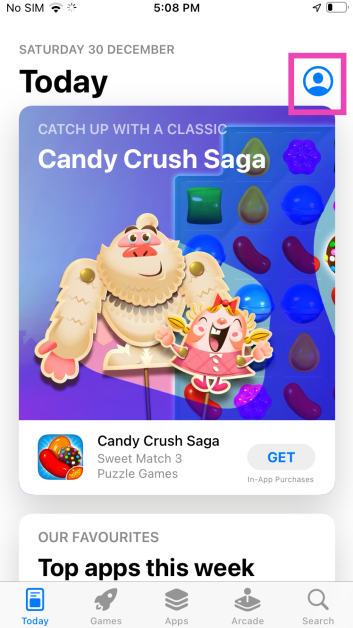 Step 3:
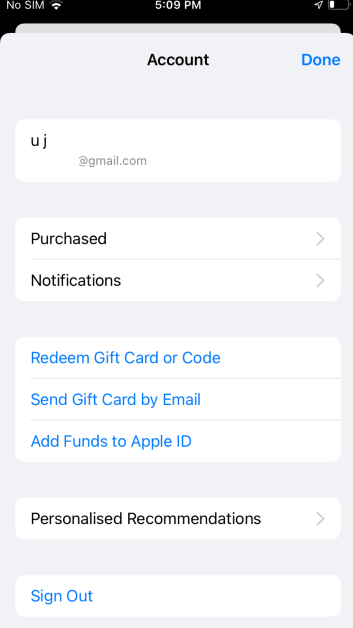 Step 4:
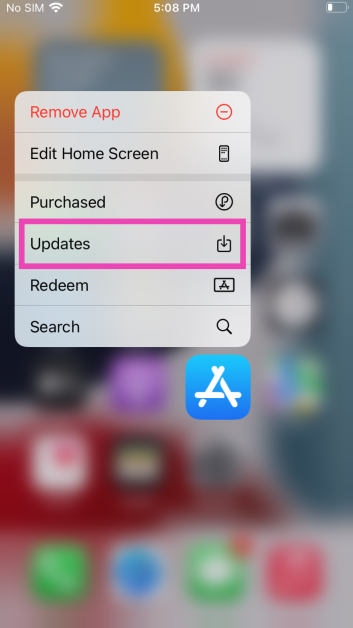 Step 3:
 Step 3: Search
 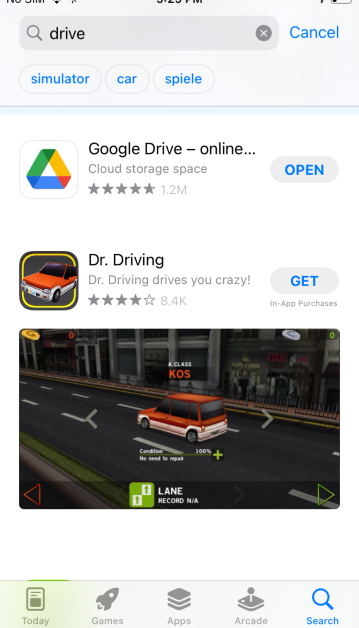 Step 4:
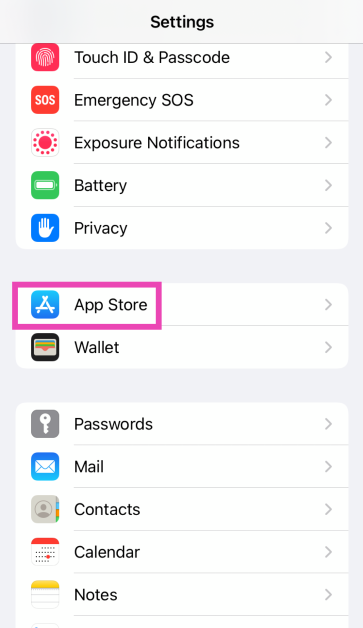 Step 3: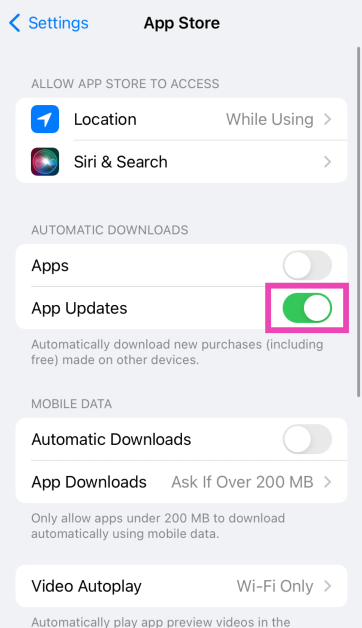
 Step 1: Open the App Store.
Step 2: Click Updates in the sidebar.
Step 3: Click Update next to the app you want to update. If you want to update all apps, click on Update All.
Step 1: Open the App Store.
Step 2: Click Updates in the sidebar.
Step 3: Click Update next to the app you want to update. If you want to update all apps, click on Update All.
 Step 1: Launch the App Store on your Apple Watch and scroll down to the bottom.
Step 2: Tap on Account.
Step 3: Hit Updates.
Step 4: Tap Update next to an app to update it manually or Update All to update all apps.
Step 1: Launch the App Store on your Apple Watch and scroll down to the bottom.
Step 2: Tap on Account.
Step 3: Hit Updates.
Step 4: Tap Update next to an app to update it manually or Update All to update all apps.
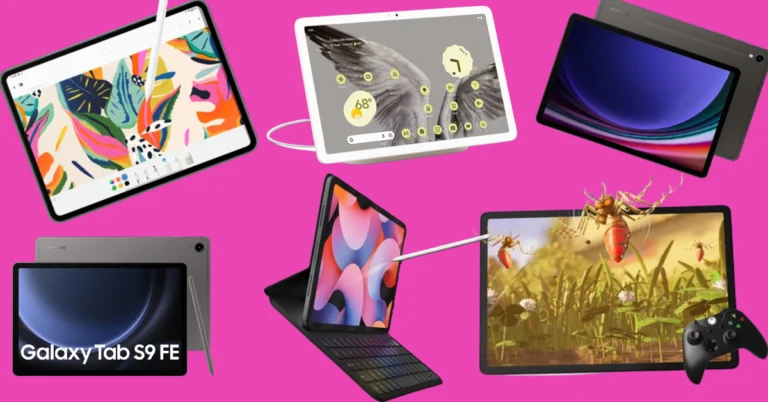
 Key Specs
 Key Specs
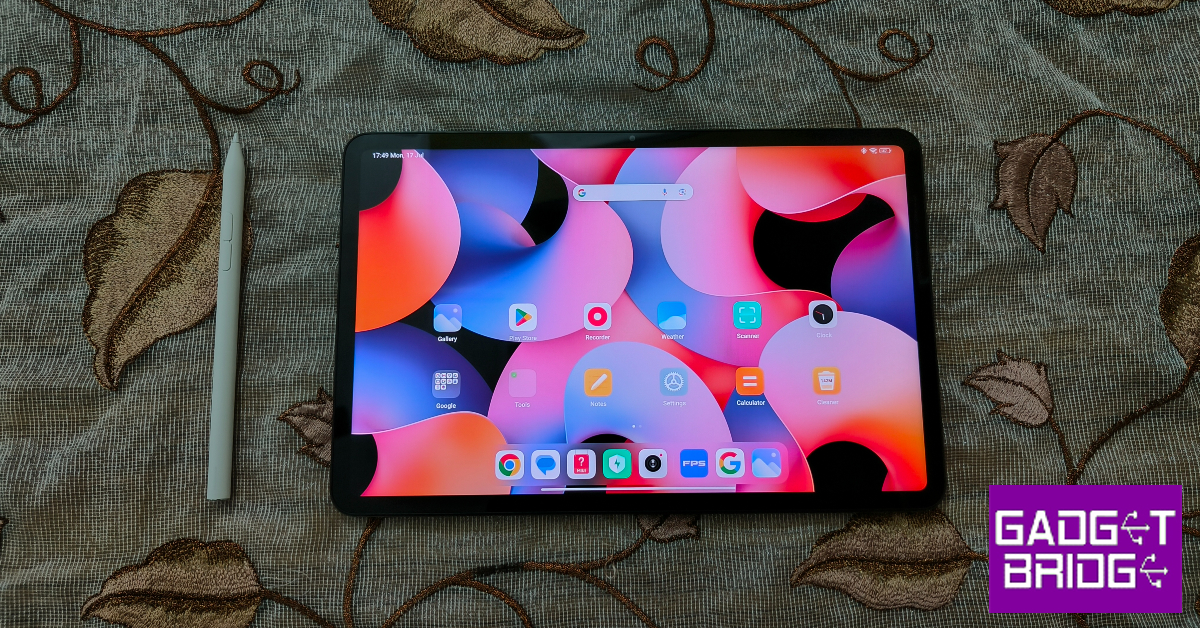 Key Specs
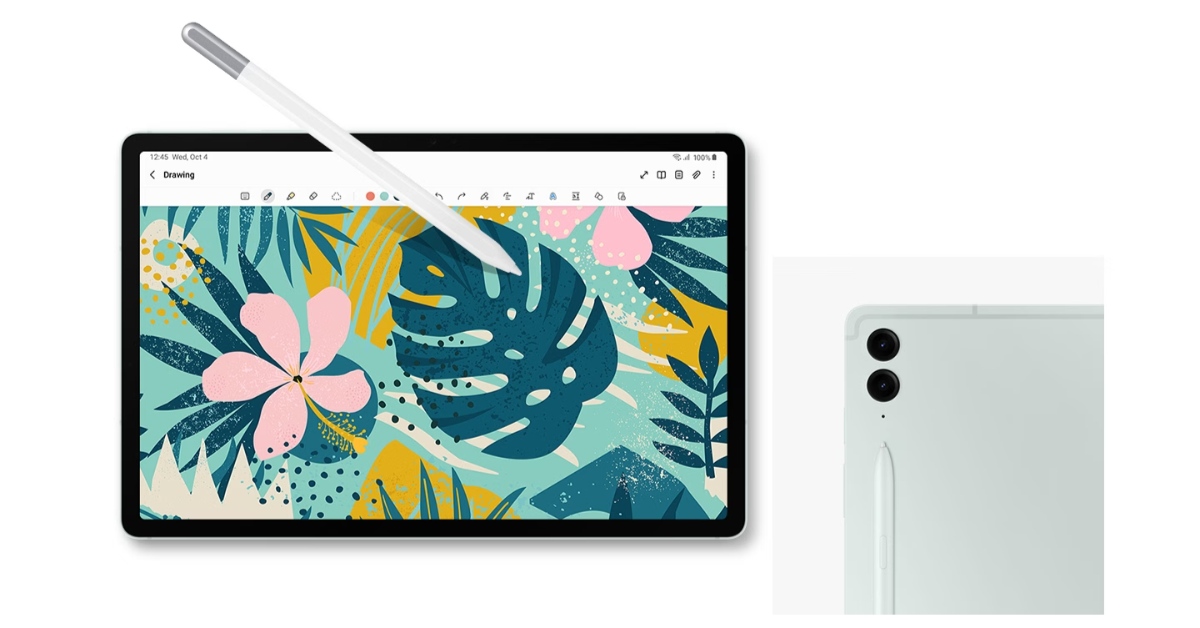 Key Specs
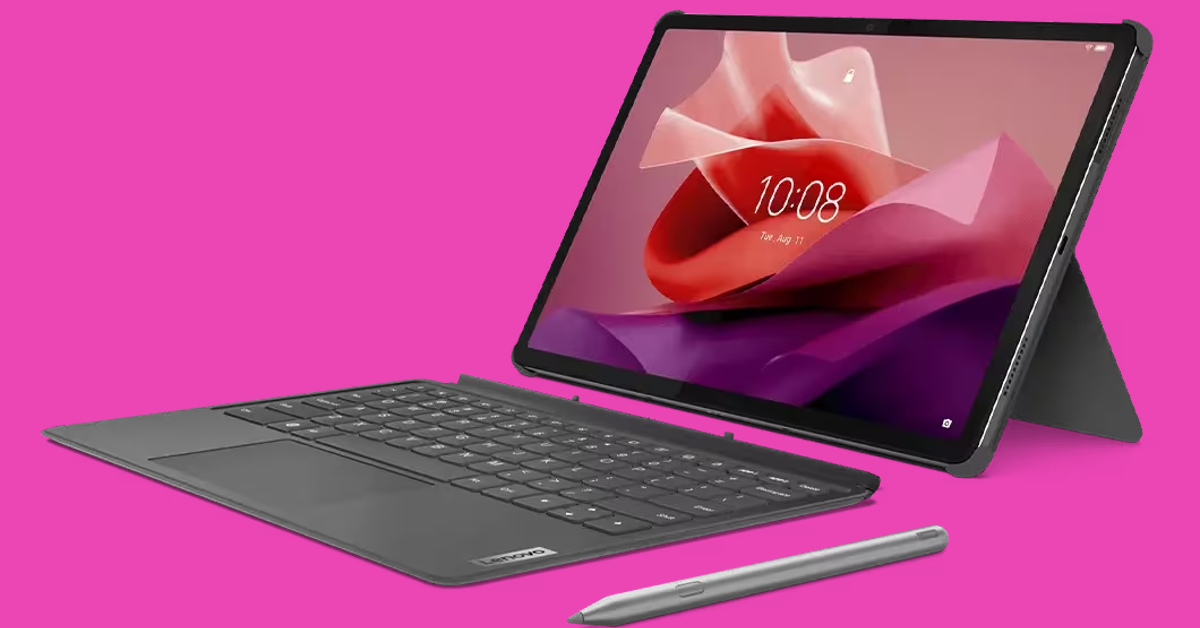 Key Specs
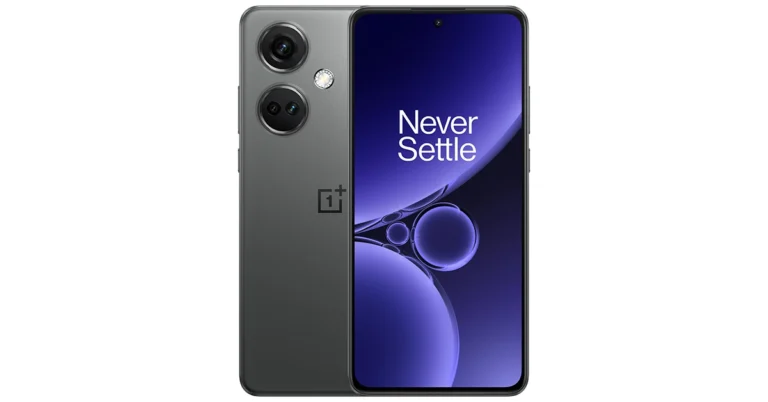


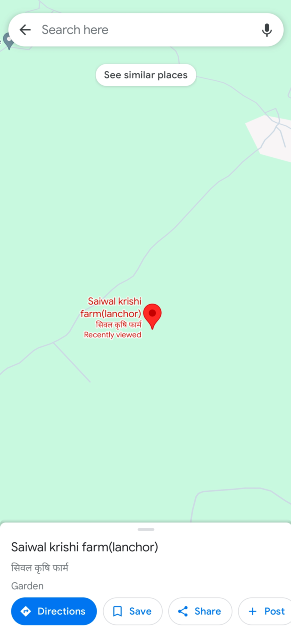 Step 4:
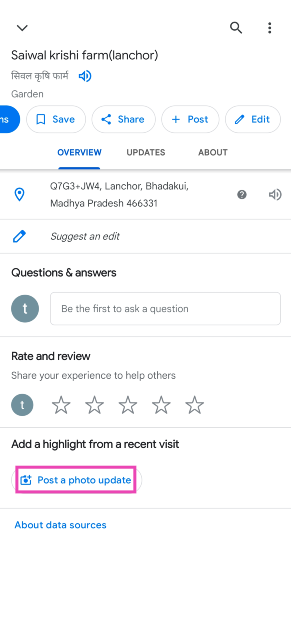 Step 5: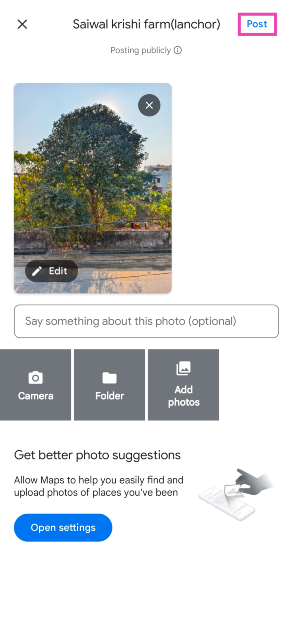
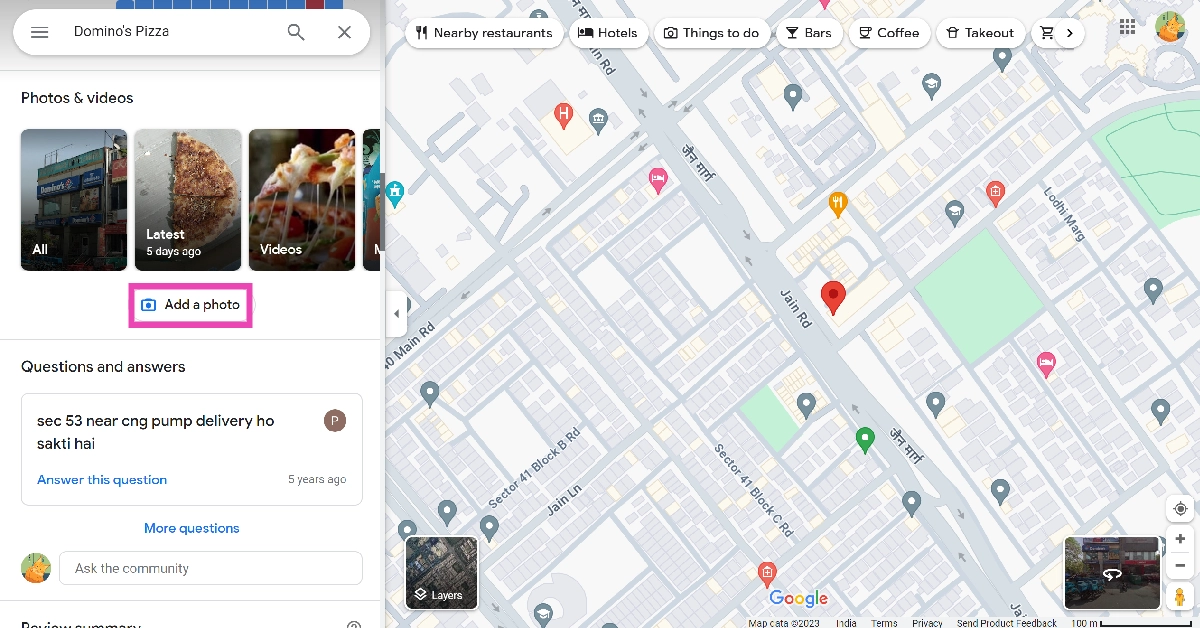 Step 4:
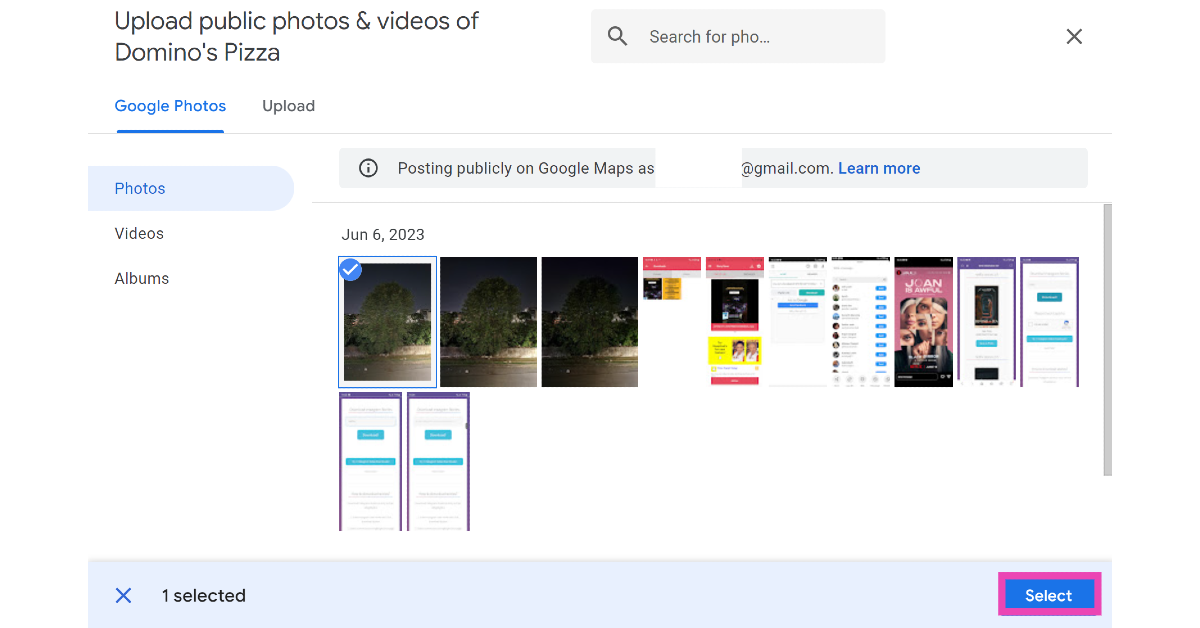 Step 5:
 Step 4:
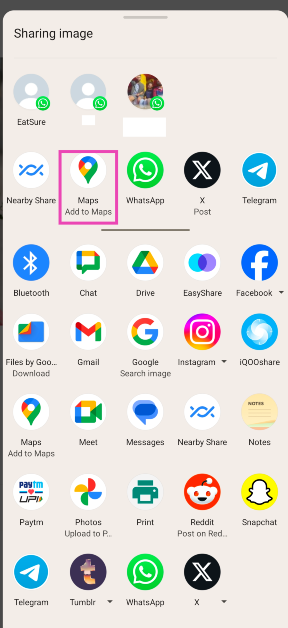 Step 5:
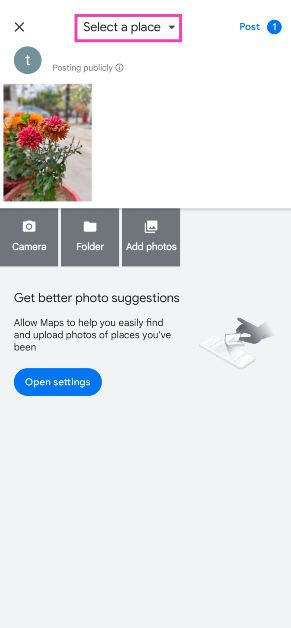 Step 6:
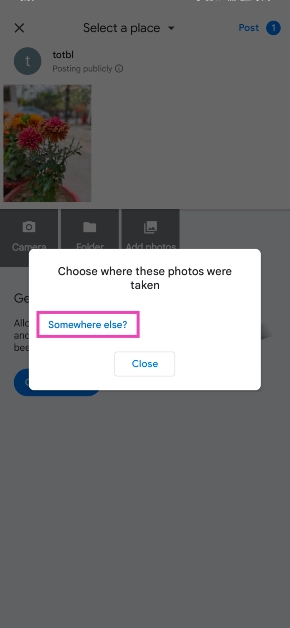 Step 7:
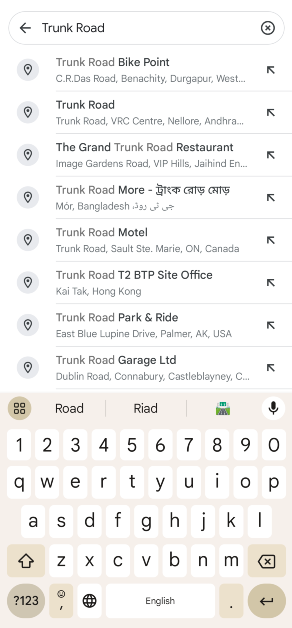 Step 8: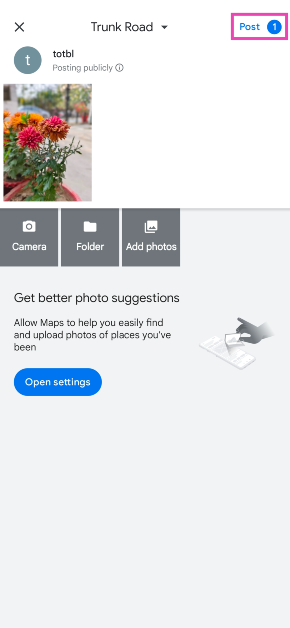
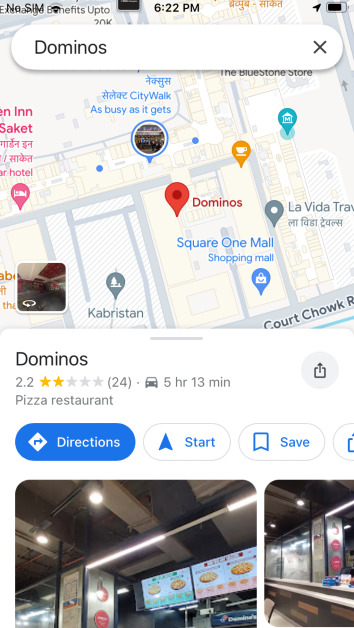 Step 4:
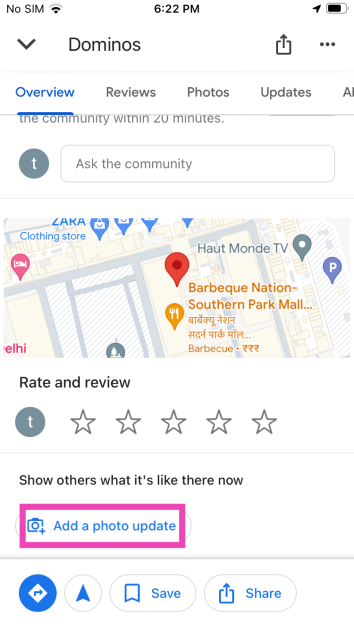 Step 5: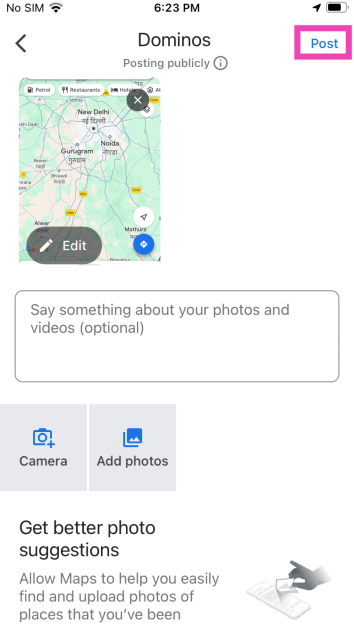
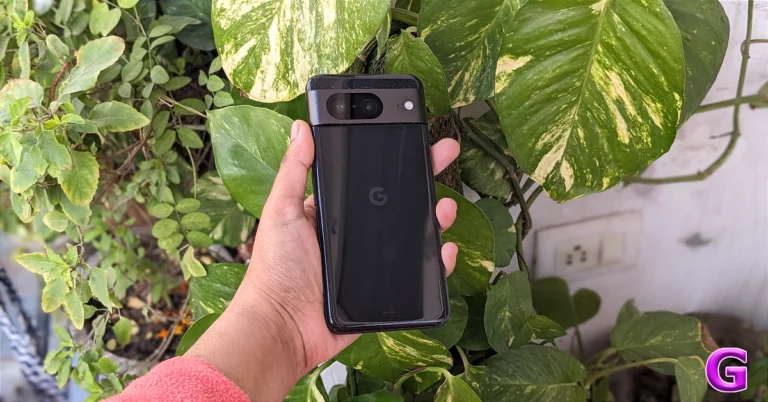
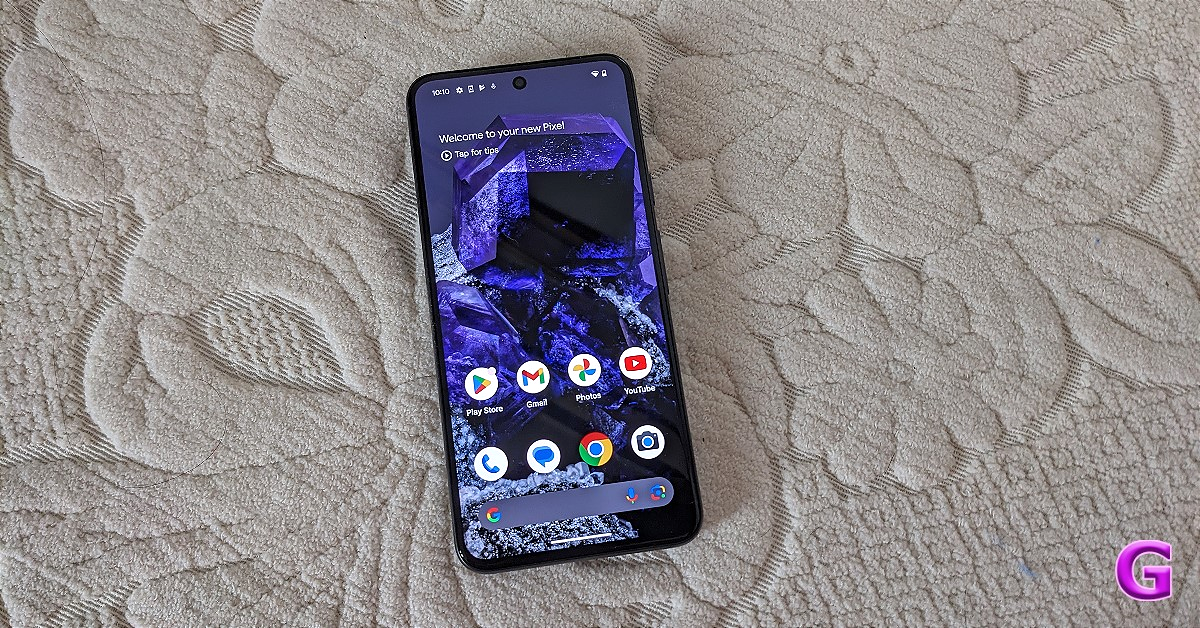
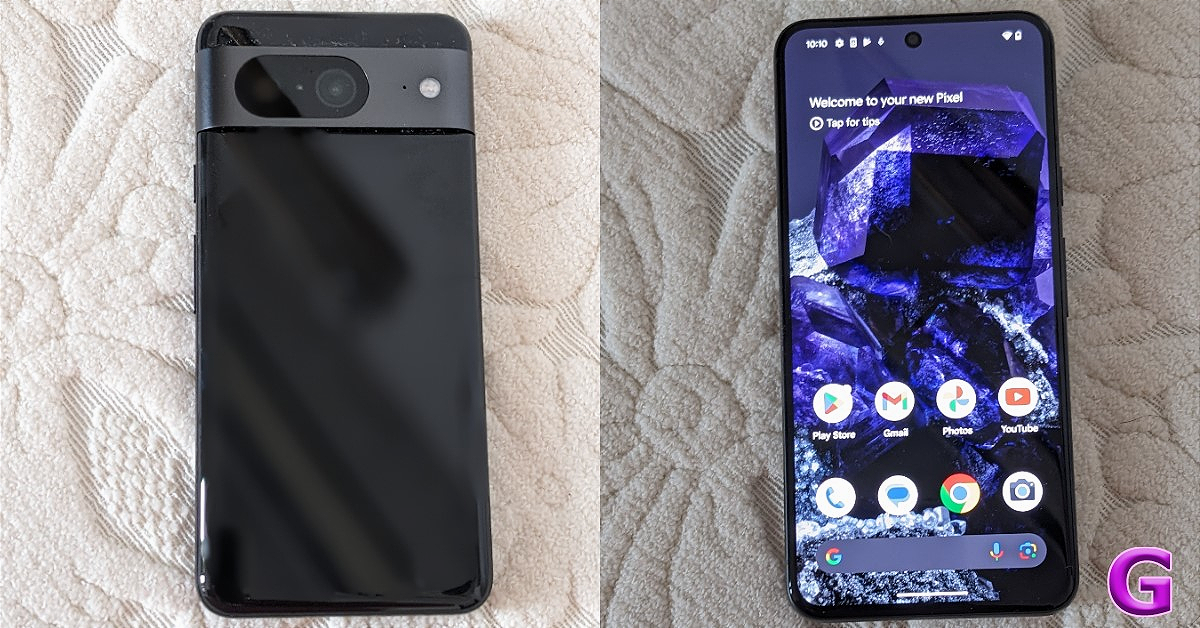
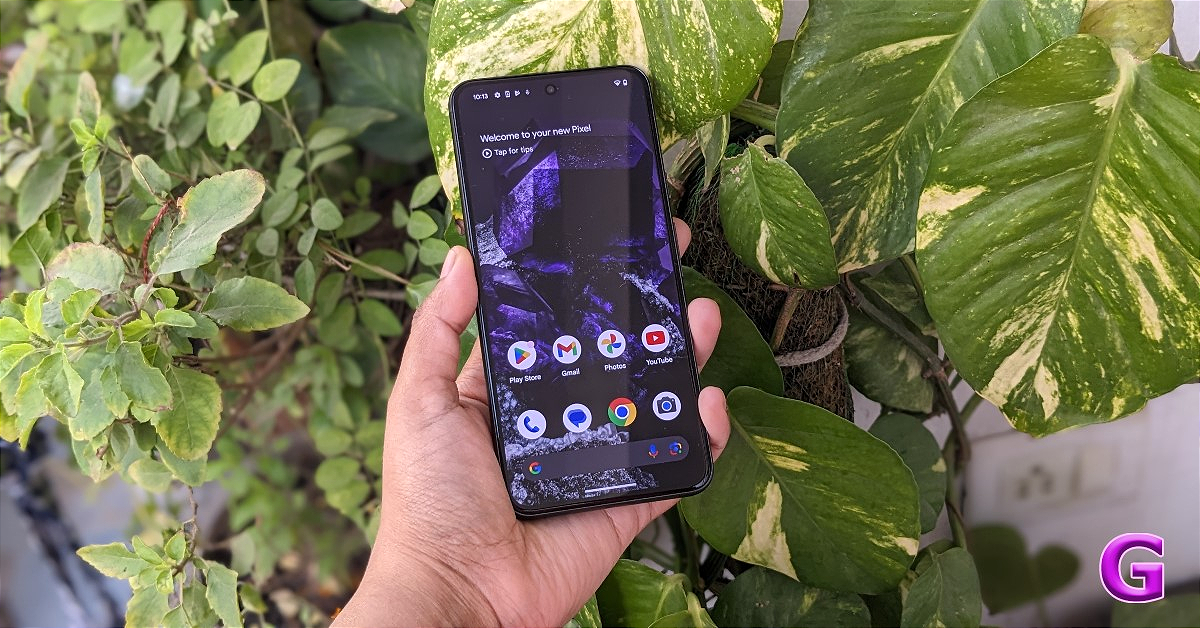
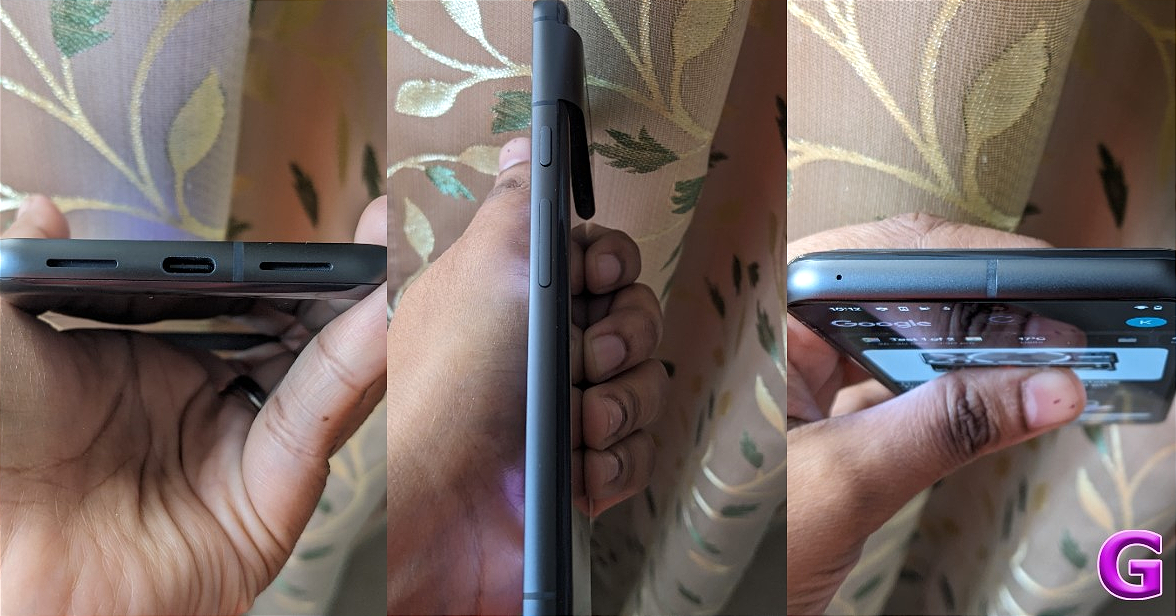
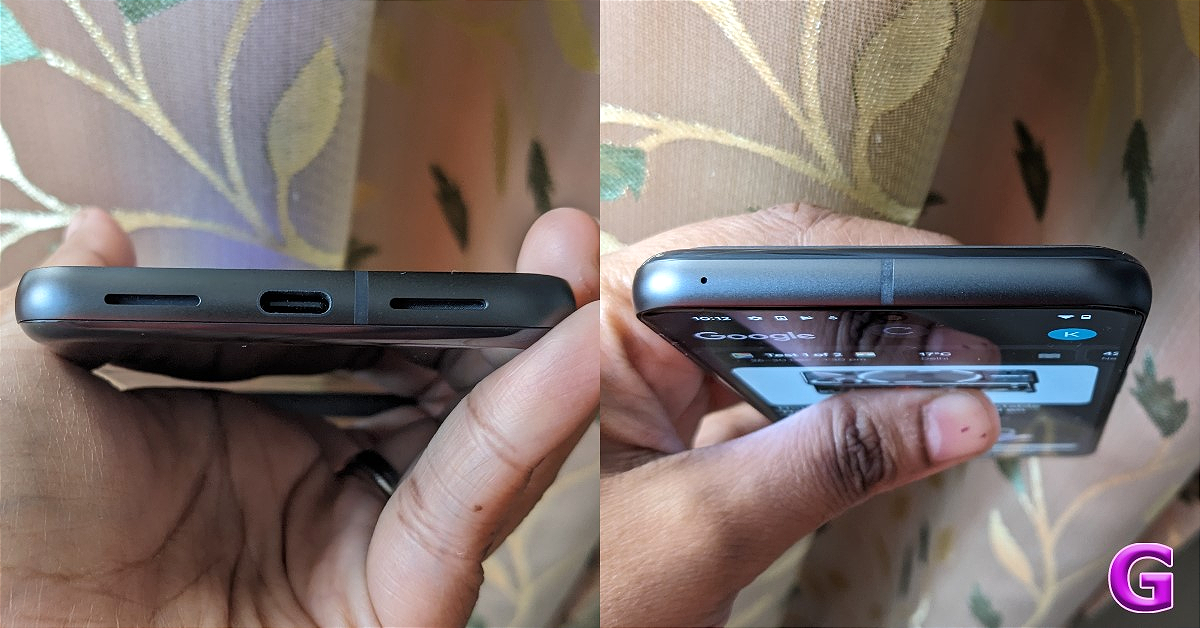
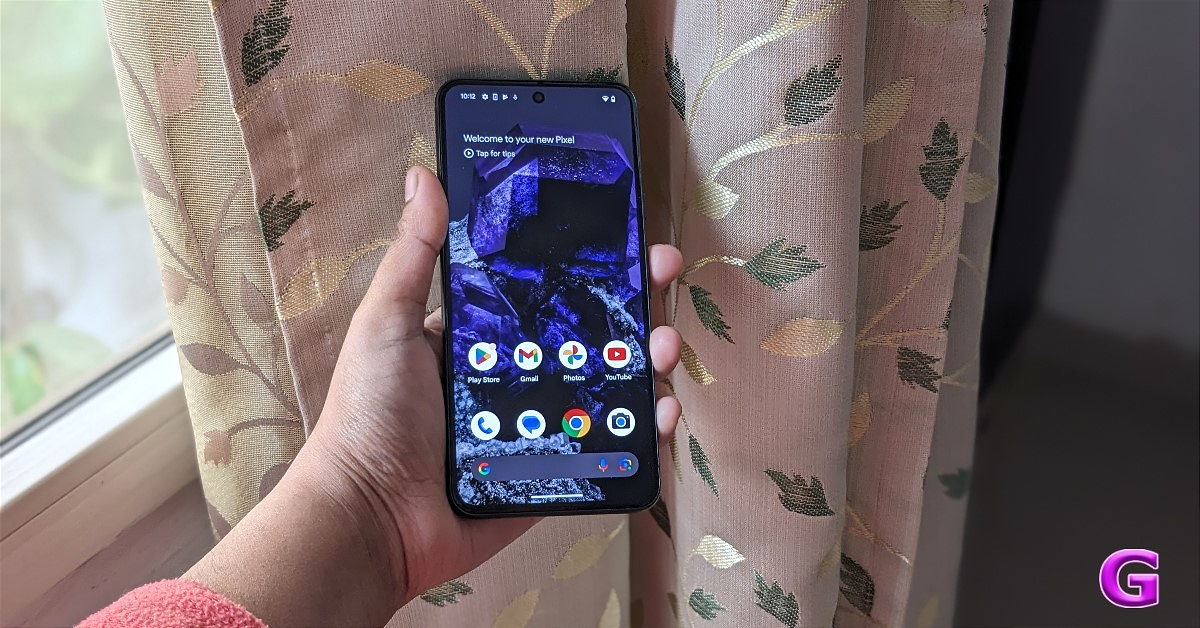







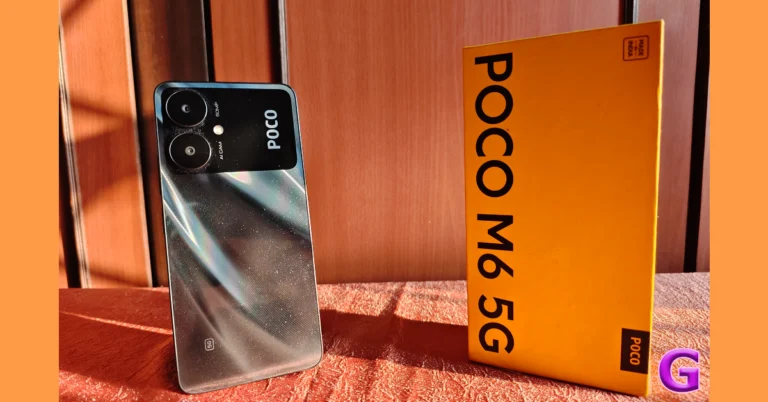
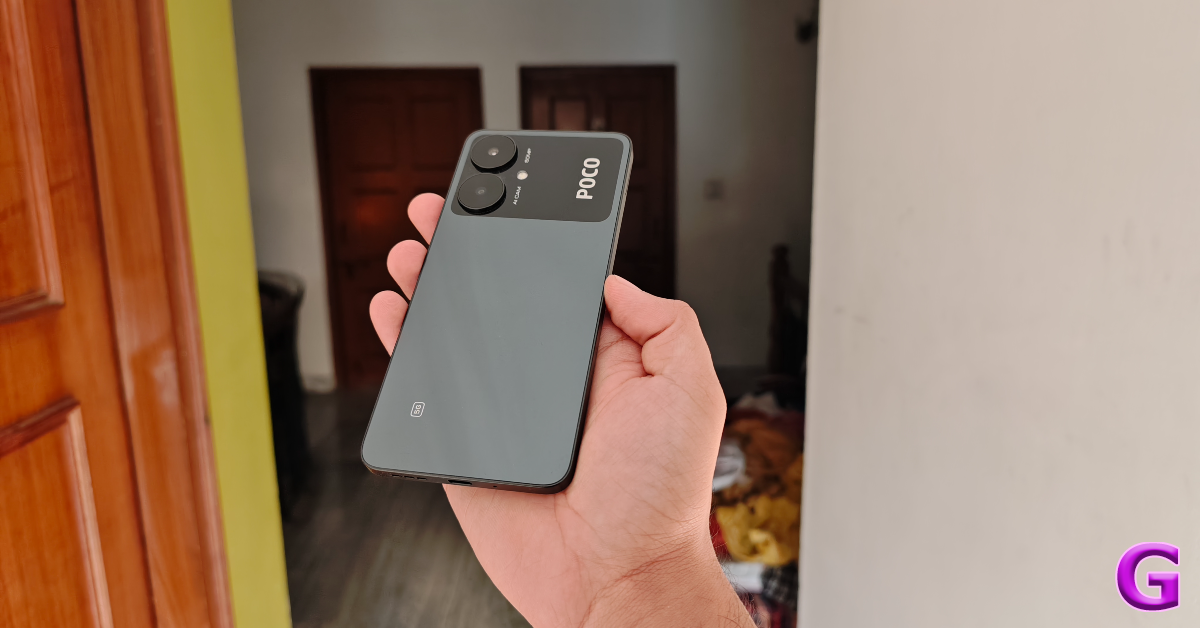
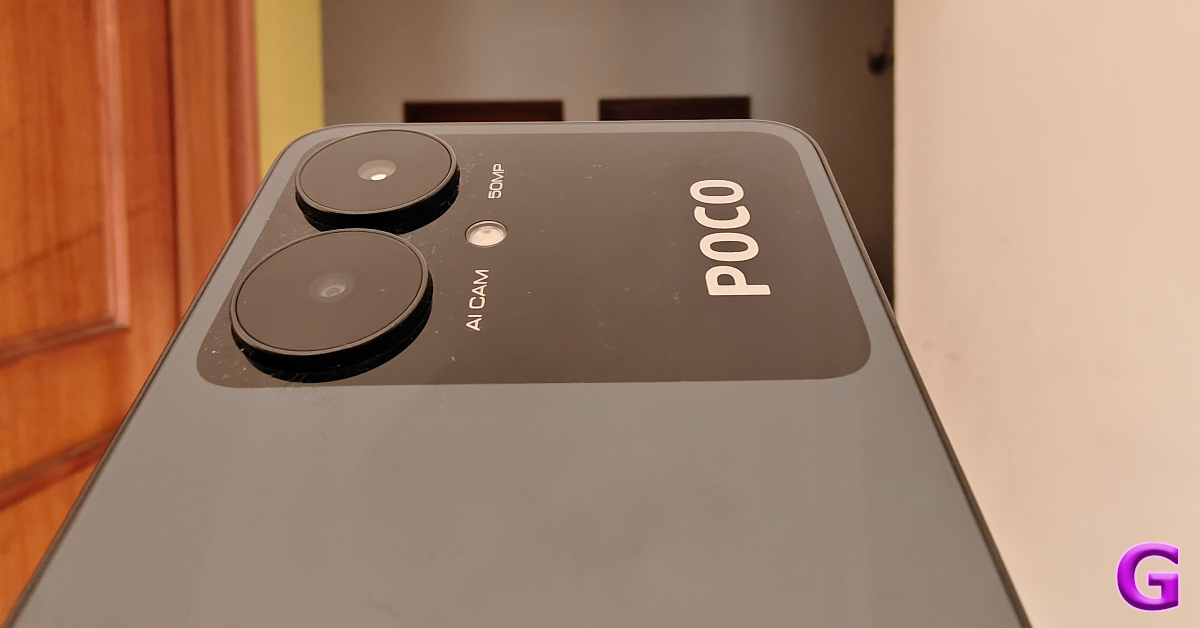
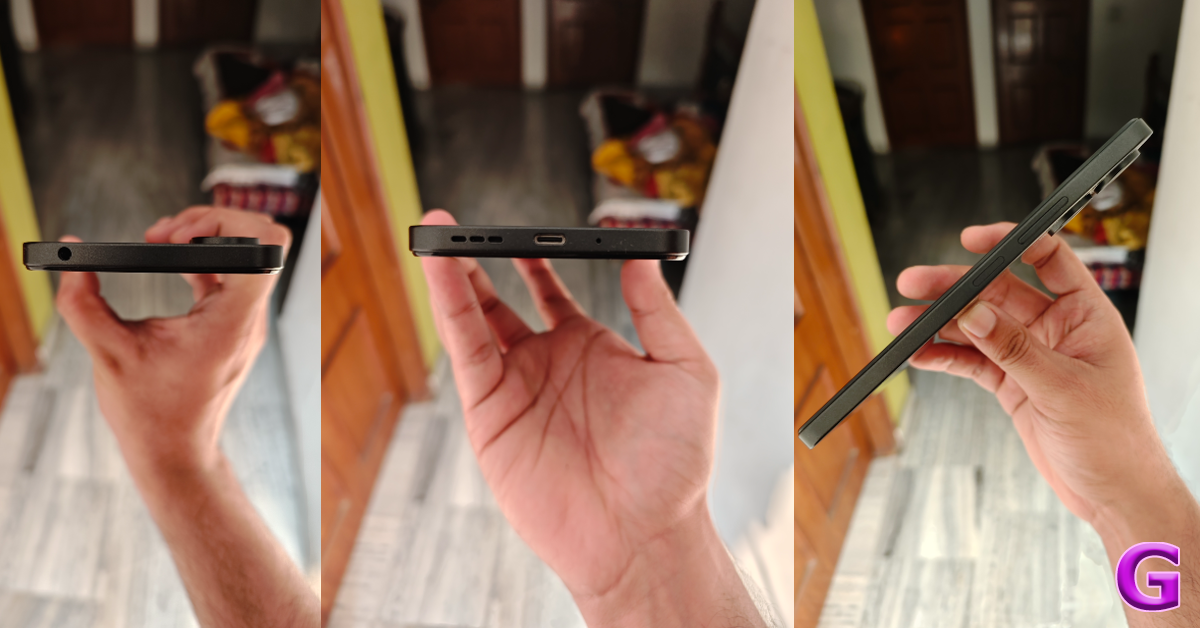
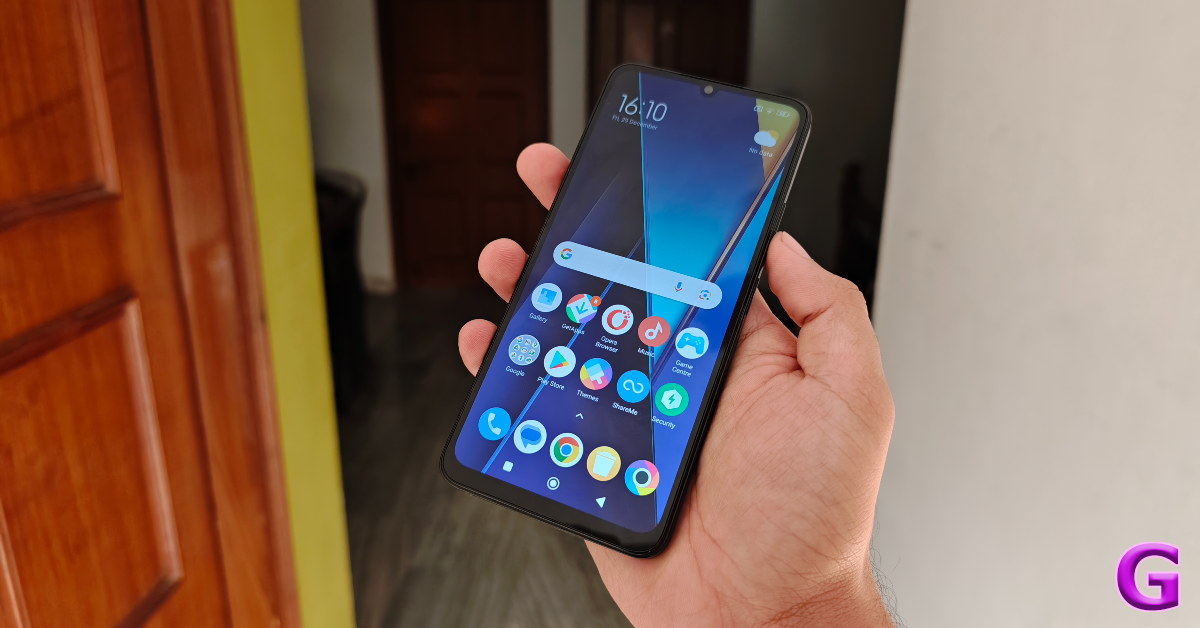
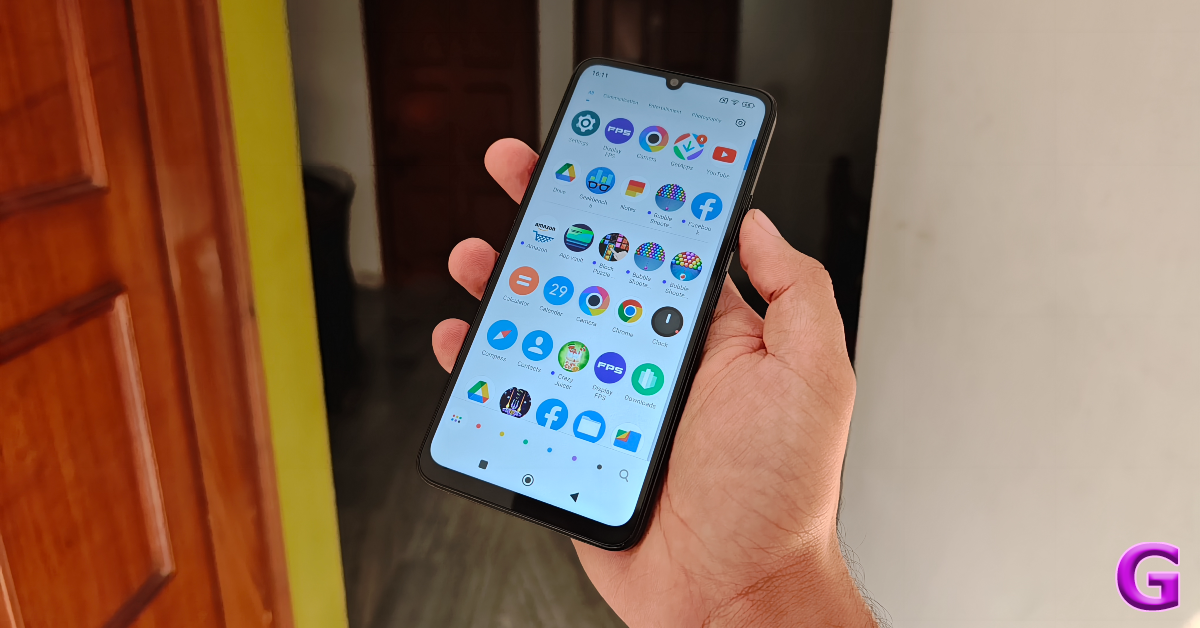
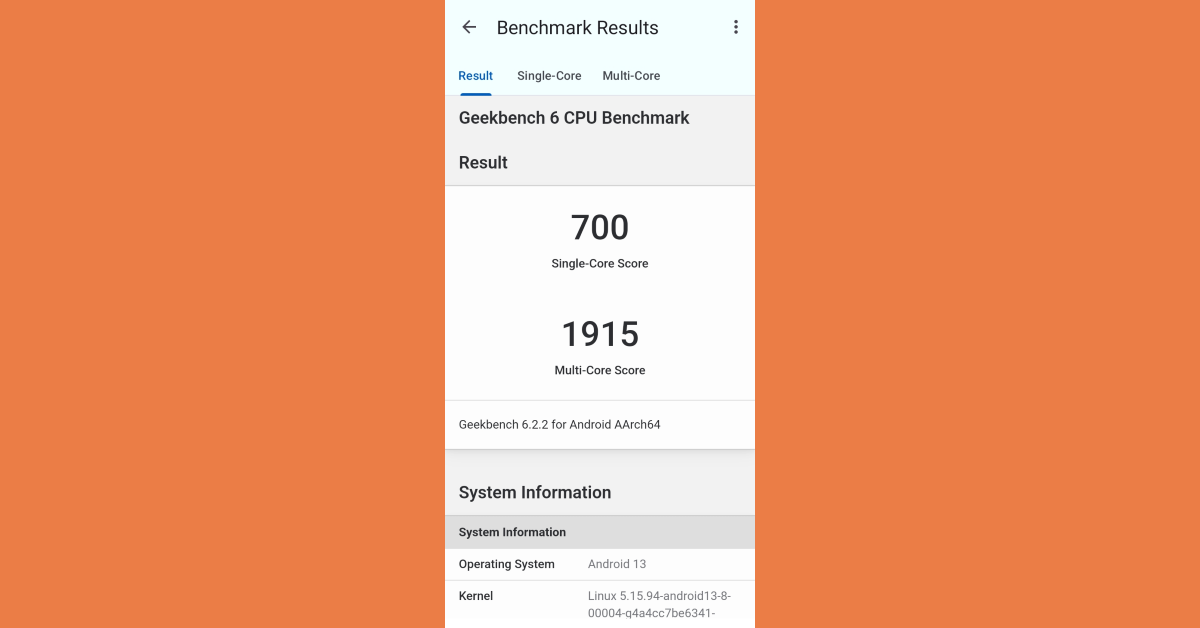










 Step 3:
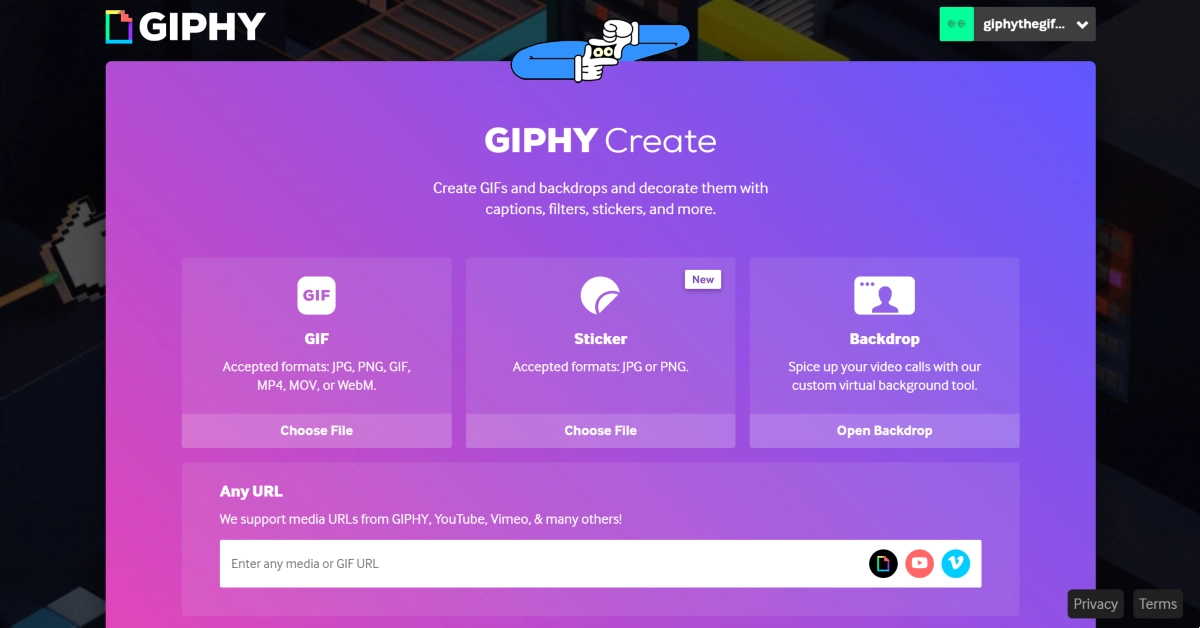 Step 4:
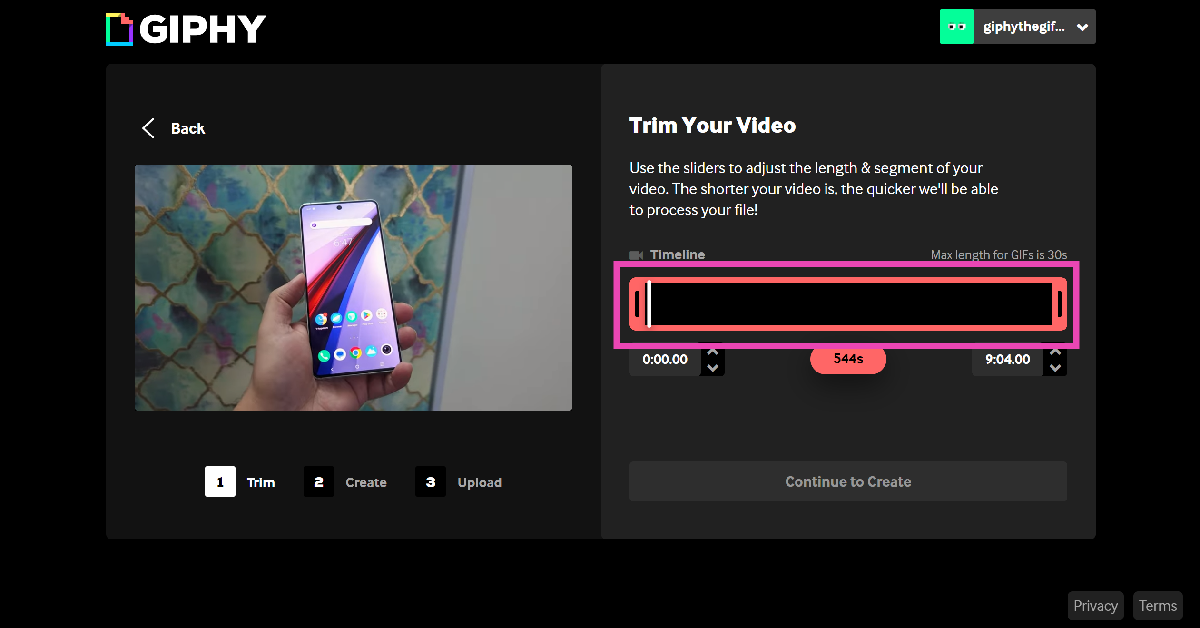 Step 5:
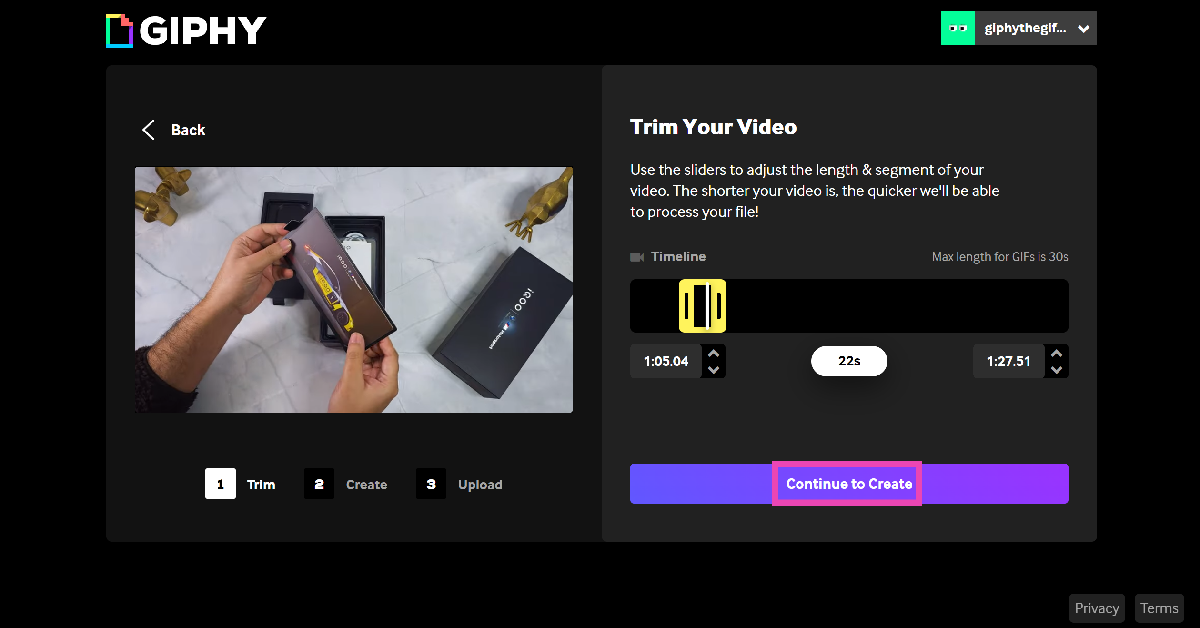 Step 6: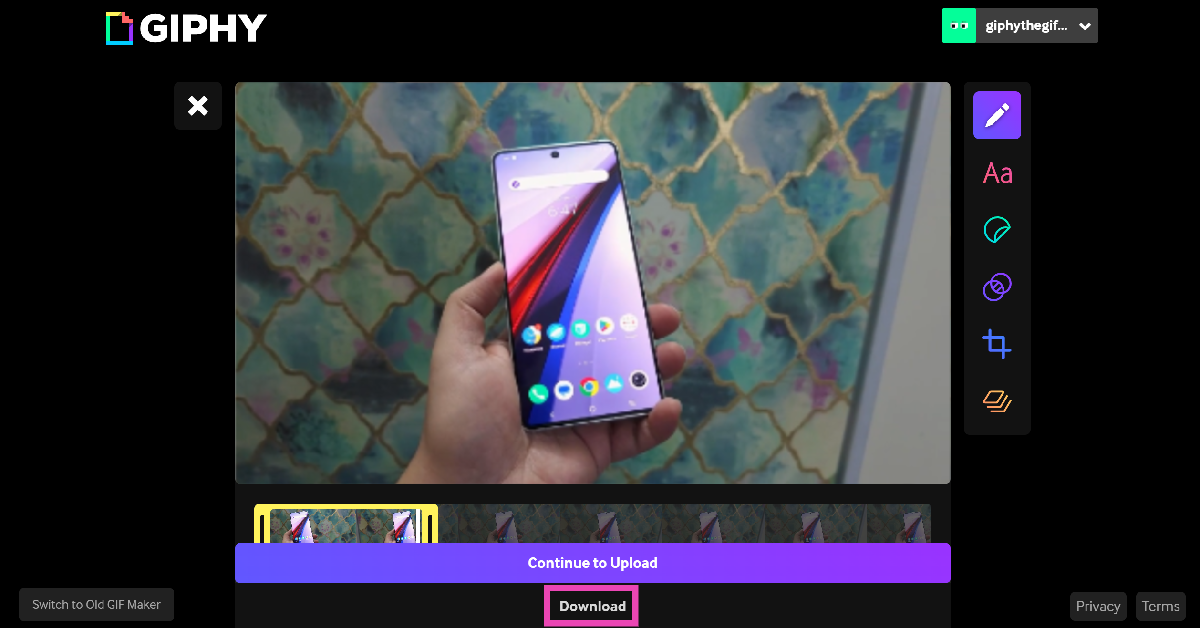
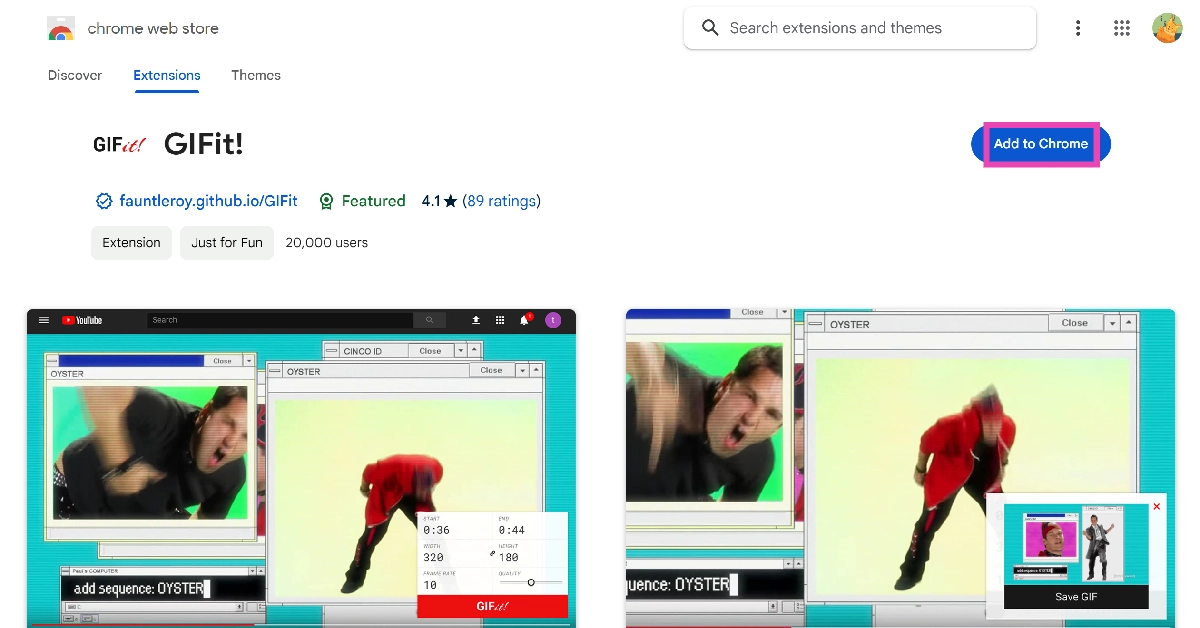 Step 2:
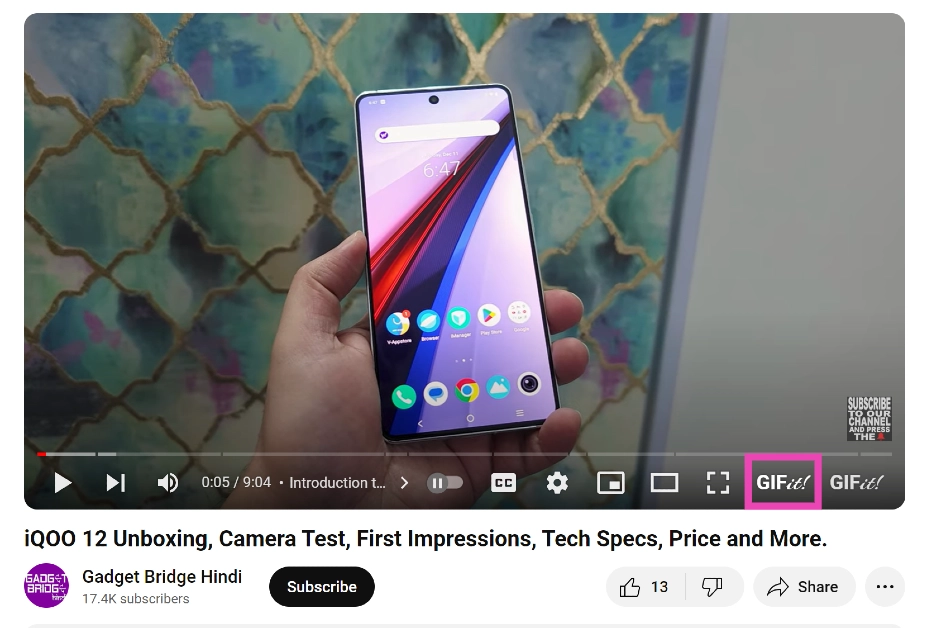 Step 4:
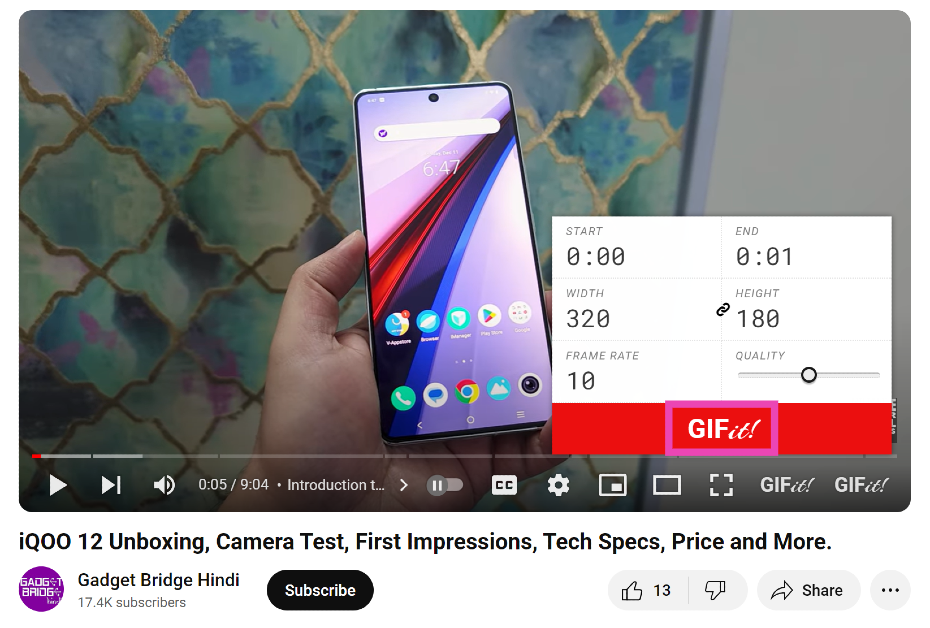 Step 6:
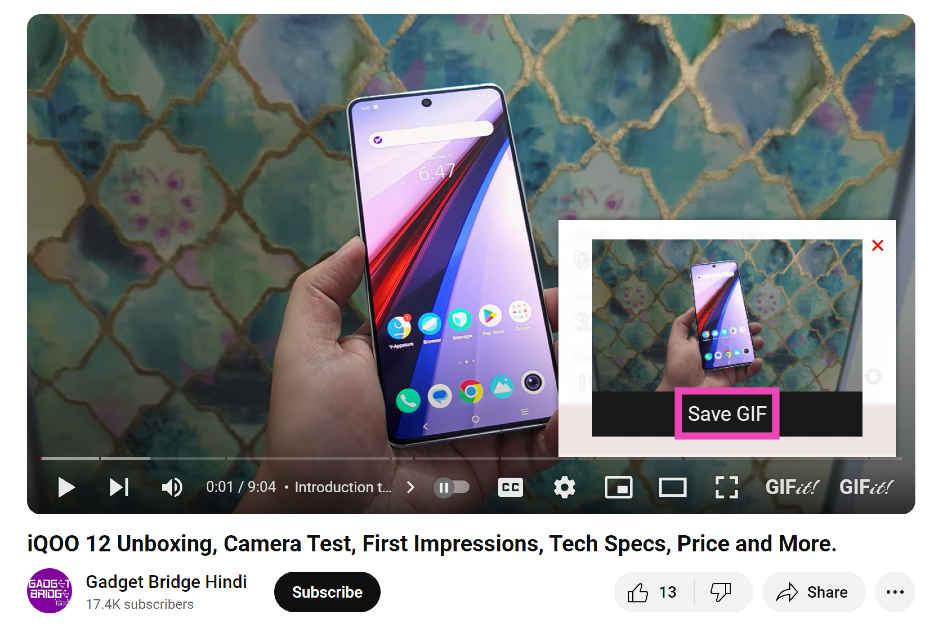 Read Also:
 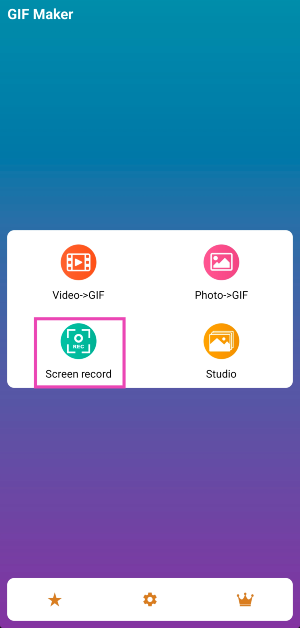 Step 4:
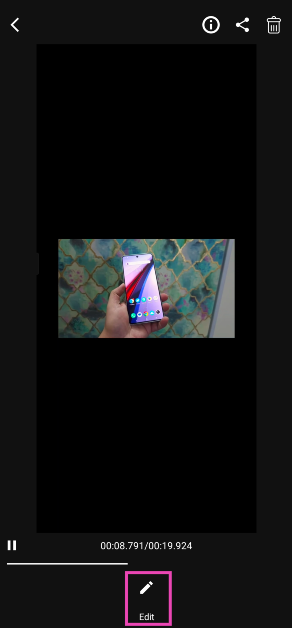 Step 7:
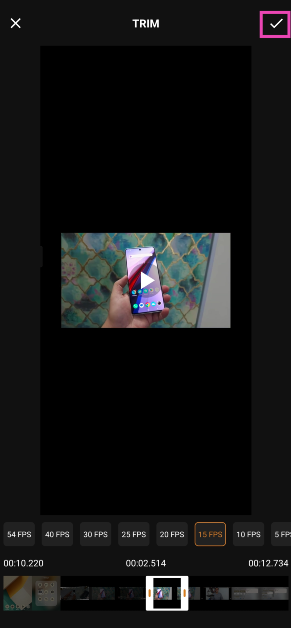 Step 8: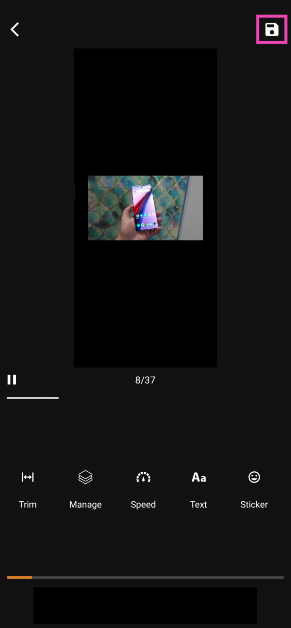
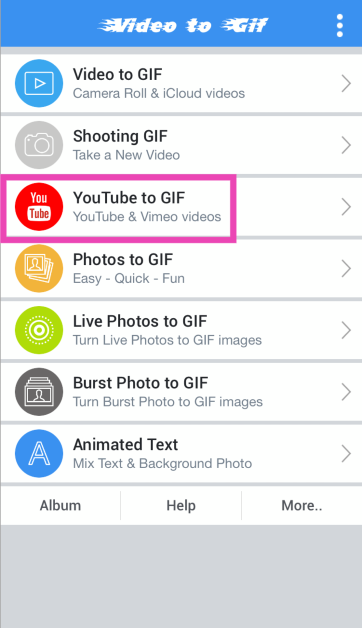 Step 3:
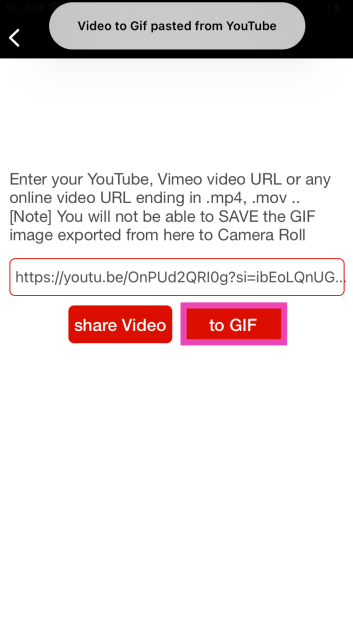 Step 4:
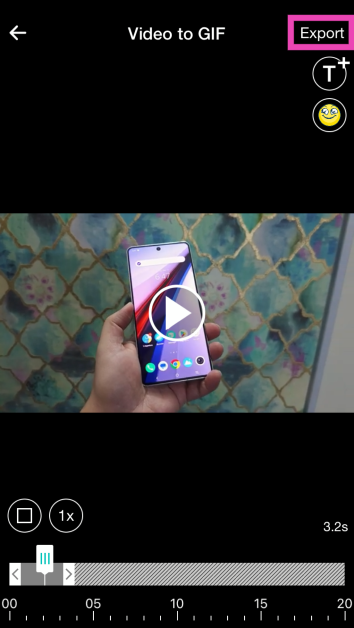 Step 5:
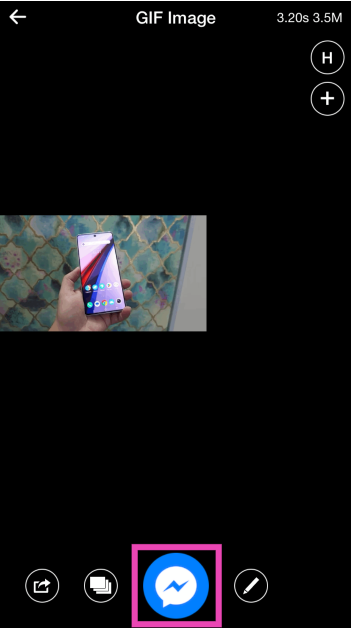 Step 6: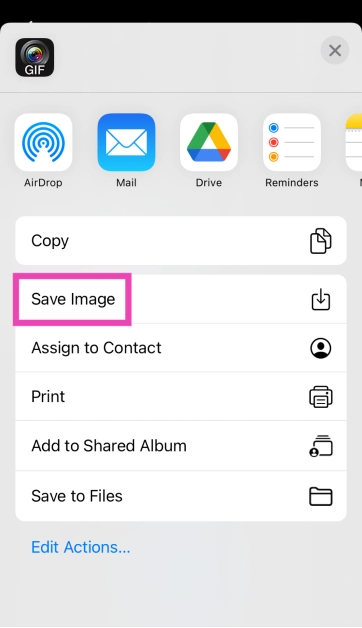
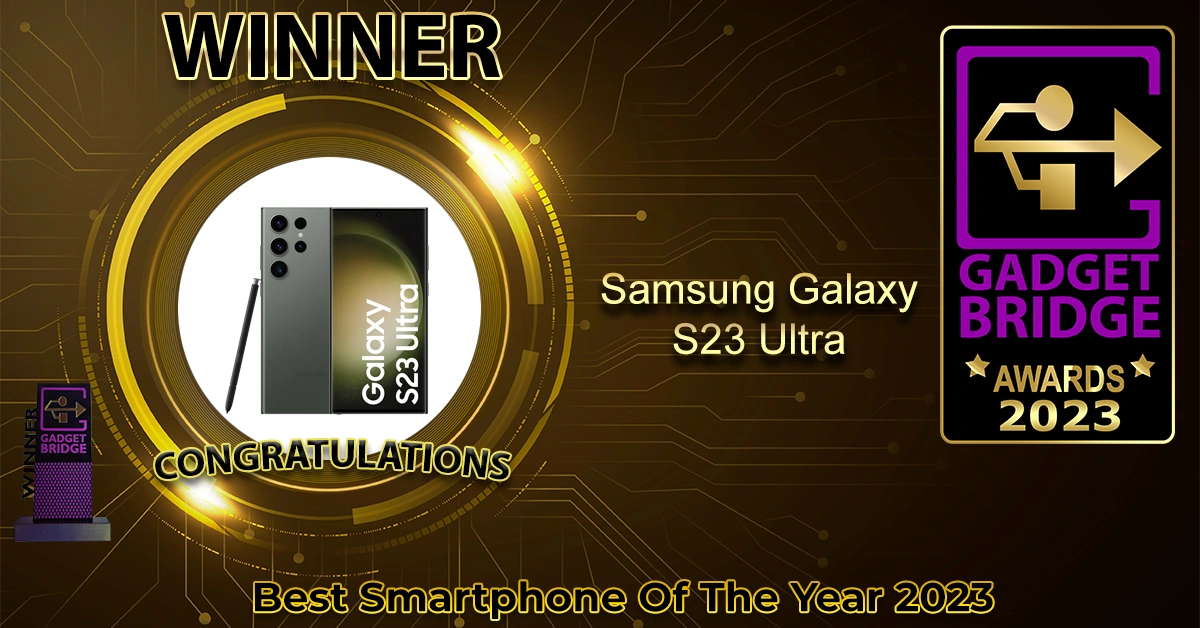 Samsung Galaxy S23 Ultra
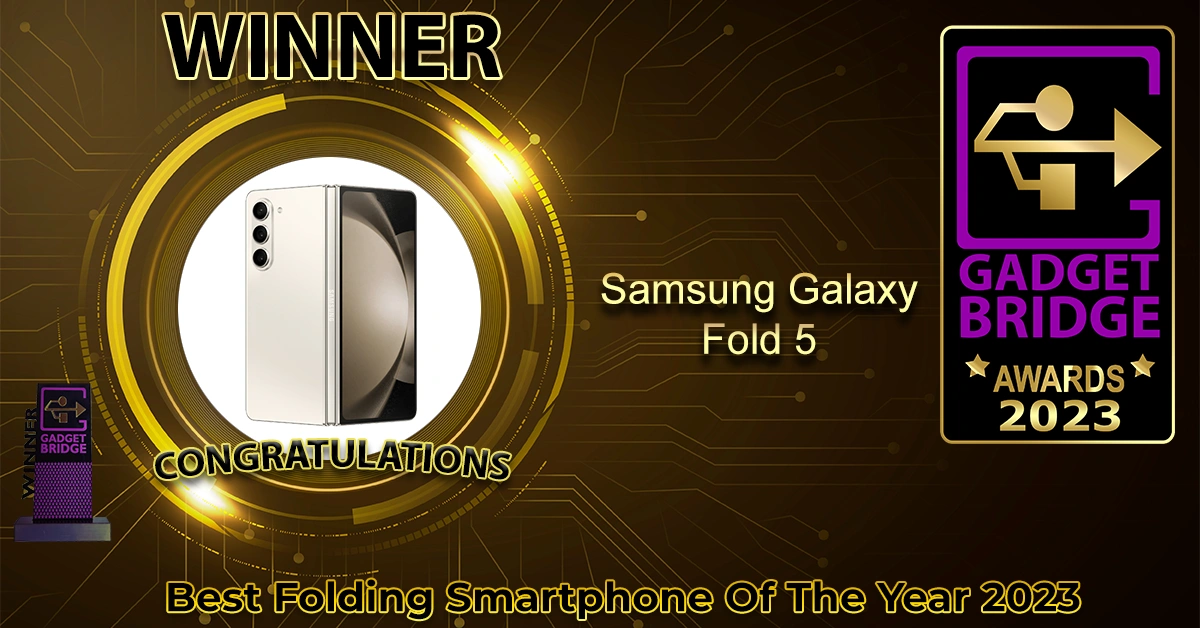 Samsung Galaxy Fold 5
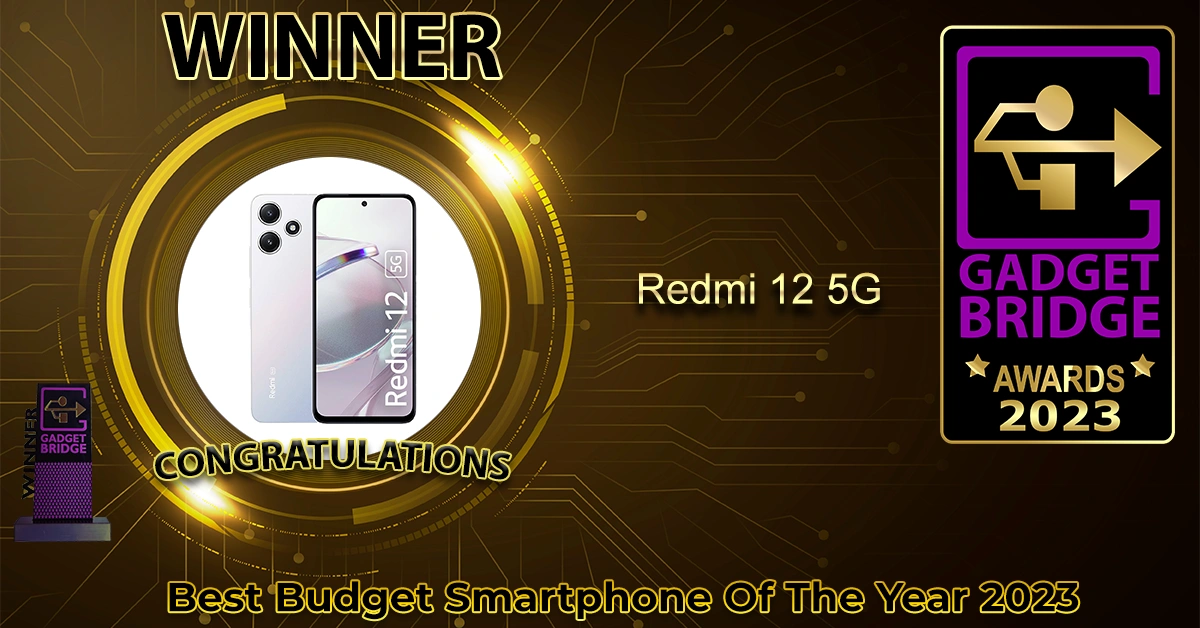 Redmi 12 5G
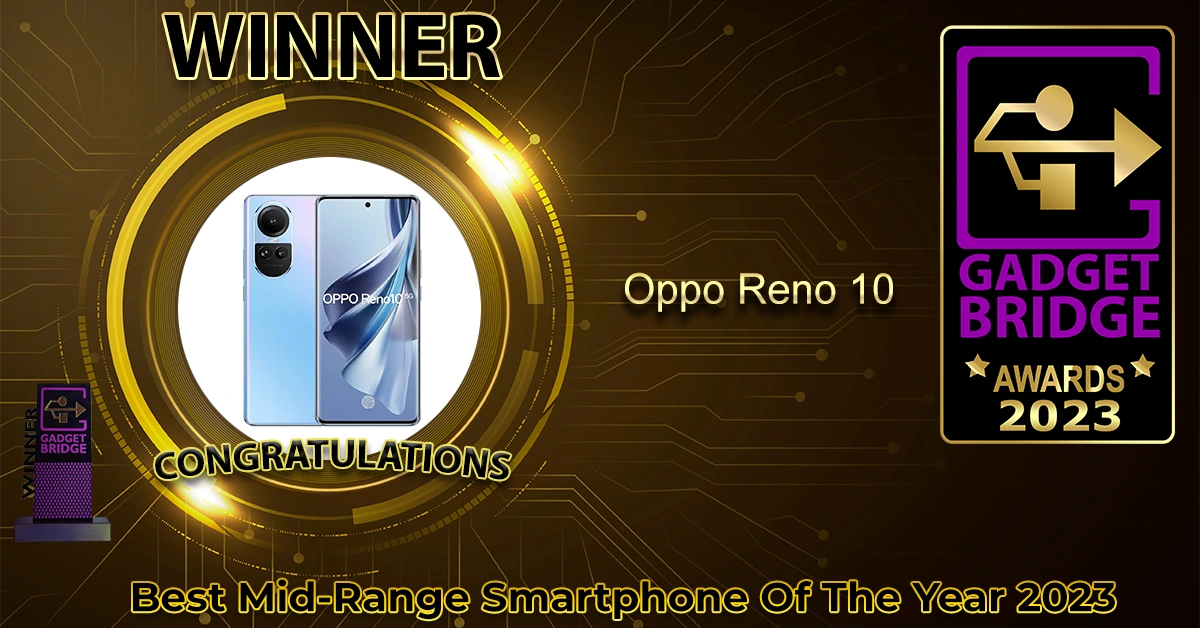 Oppo Reno 10
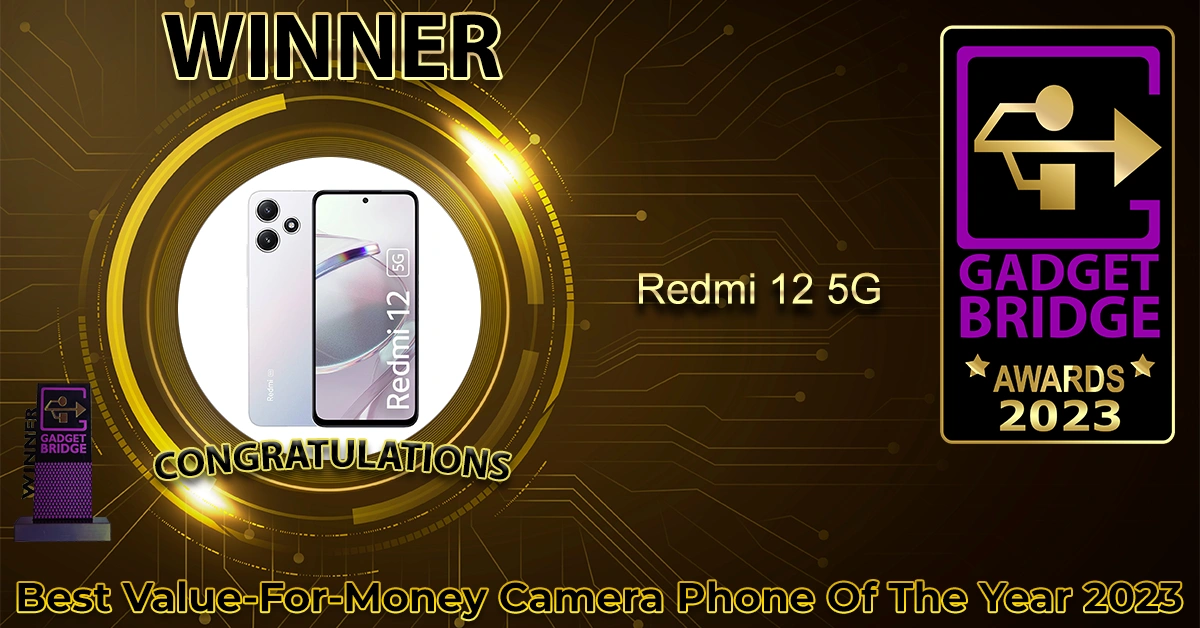 Redmi 12 5G
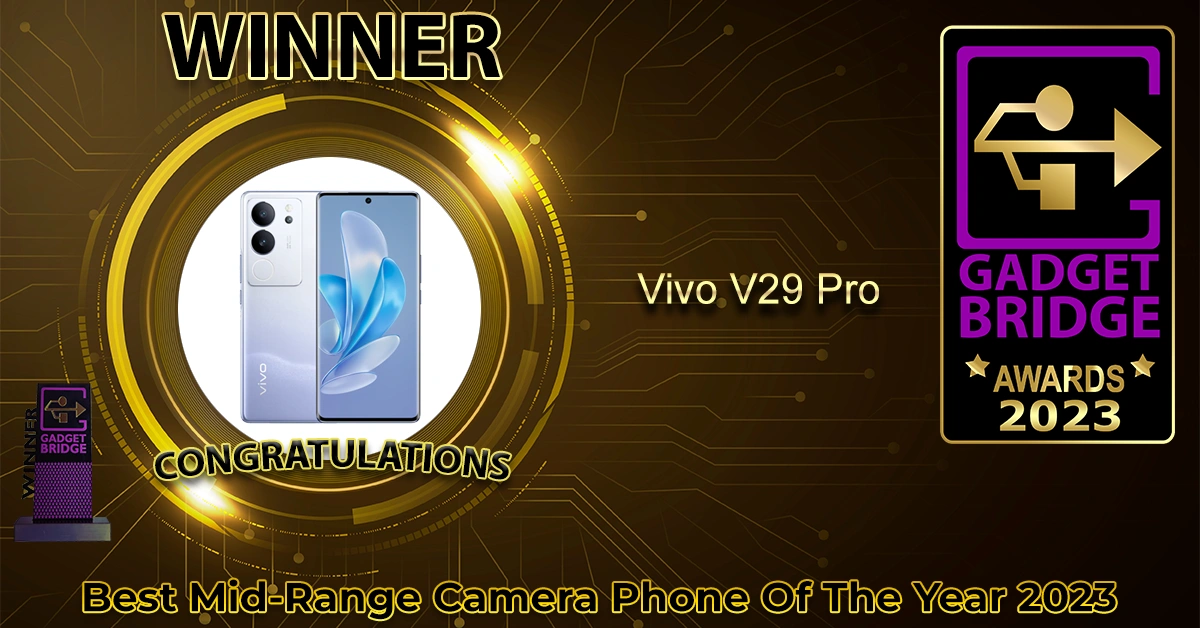 Vivo V29 Pro
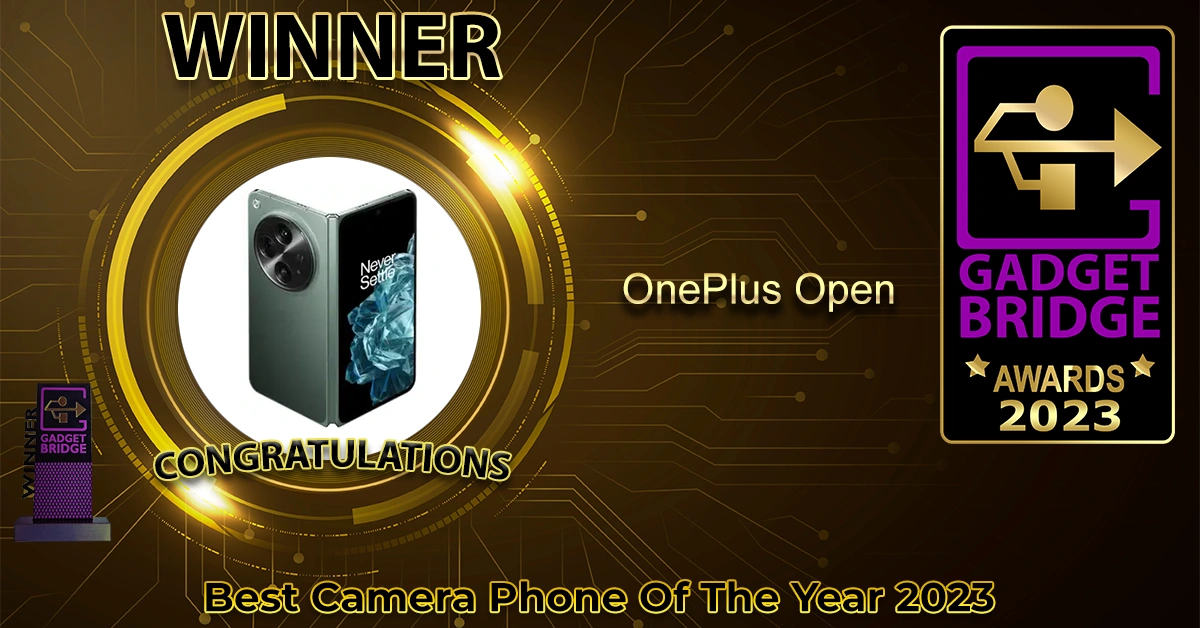 OnePlus Open
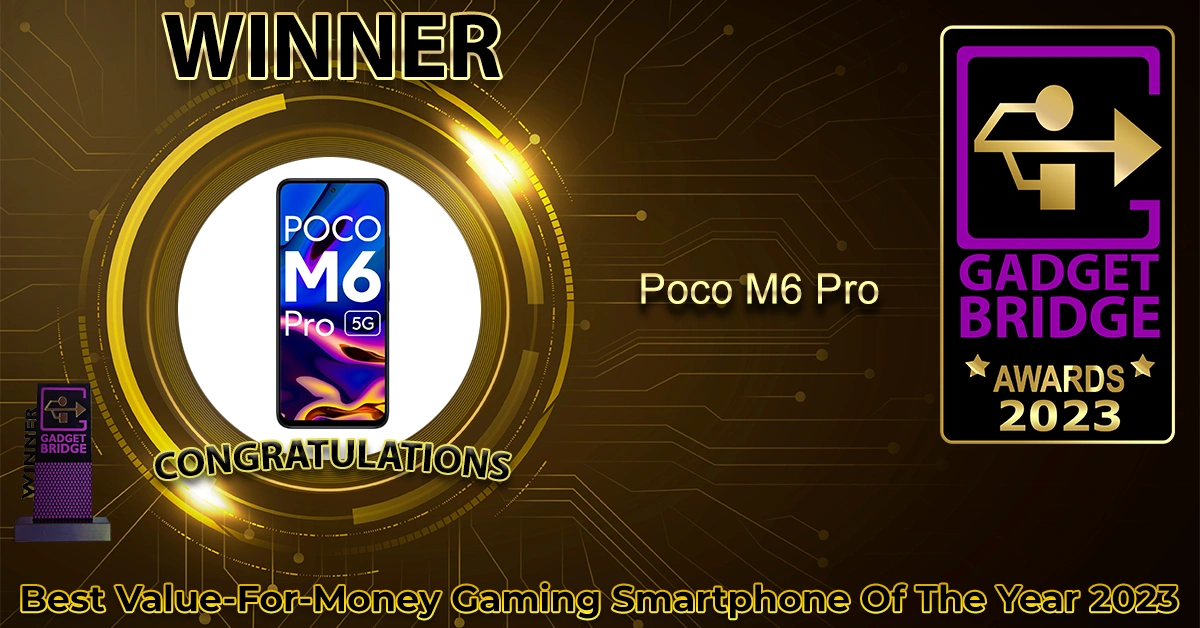 Poco M6 Pro
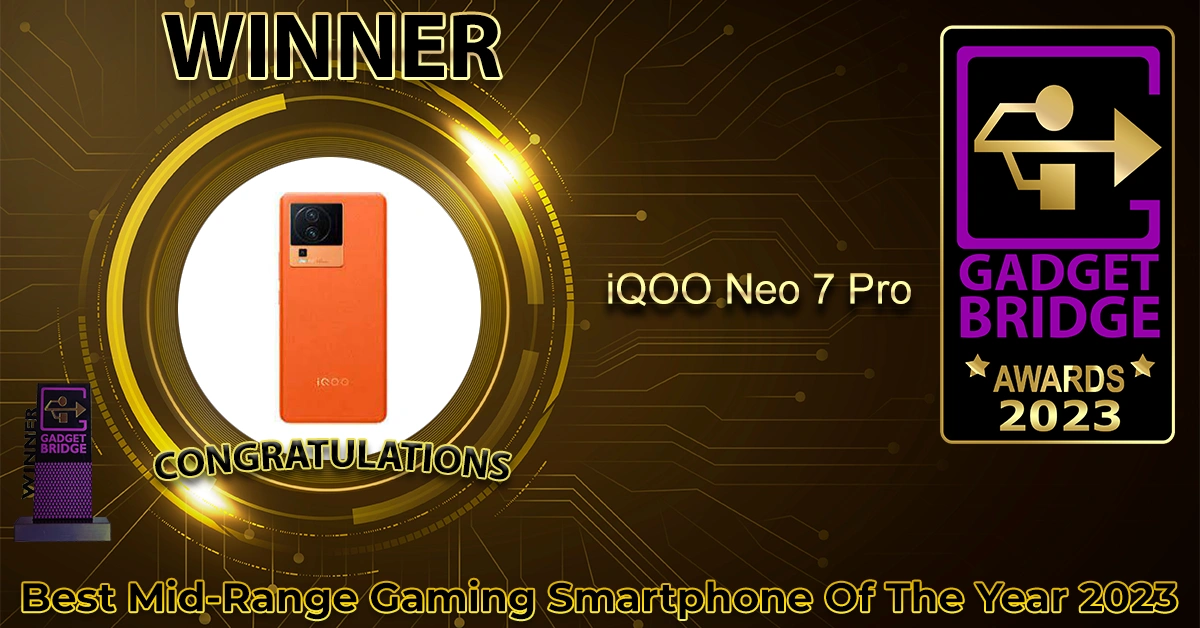 iQOO Neo 7 Pro
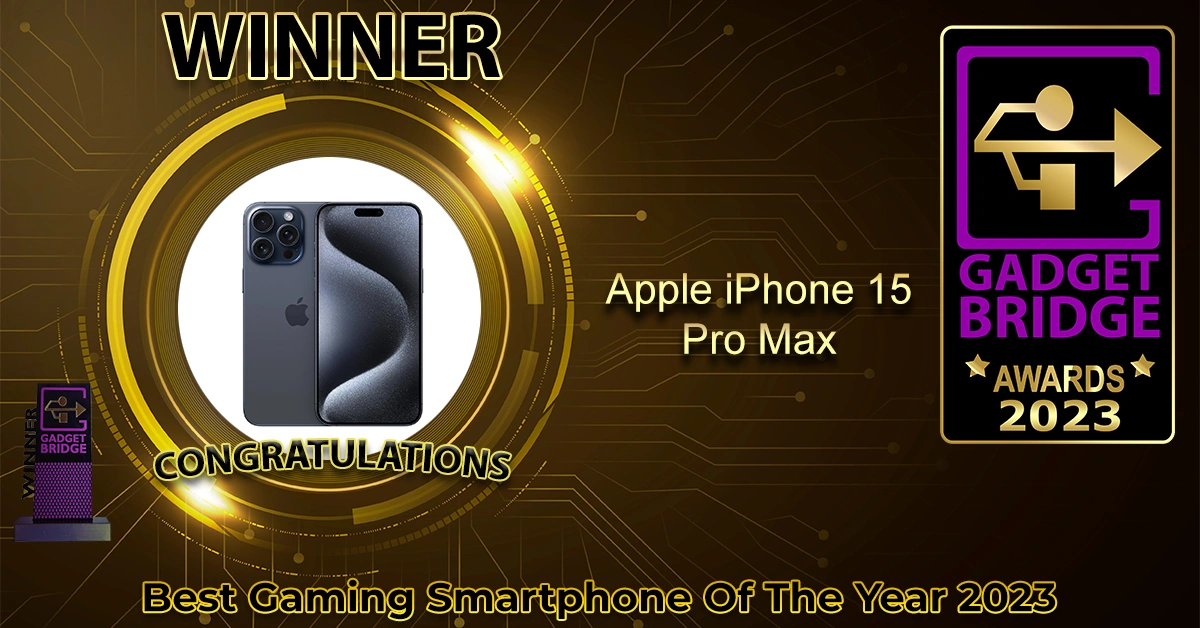 Apple iPhone 15 Pro Max
 Google Pixel 8 Pro
 Vivo X90 Pro
 MediaTek Dimensity 8050
 Qualcomm Snapdragon 8 Gen 2
 Samsung Galaxy S23 Ultra
 Apple MacBook Air 15
 Samsung
 OnePlus Open
 Nothing Phone 2
 Dyson Air Purifier Big + Quiet
 Acer Aspire Lite AMD
 HP Pavilion X360
 Apple MacBook Air 15
 Acer Nitro V
 Asus Strix Scar 17
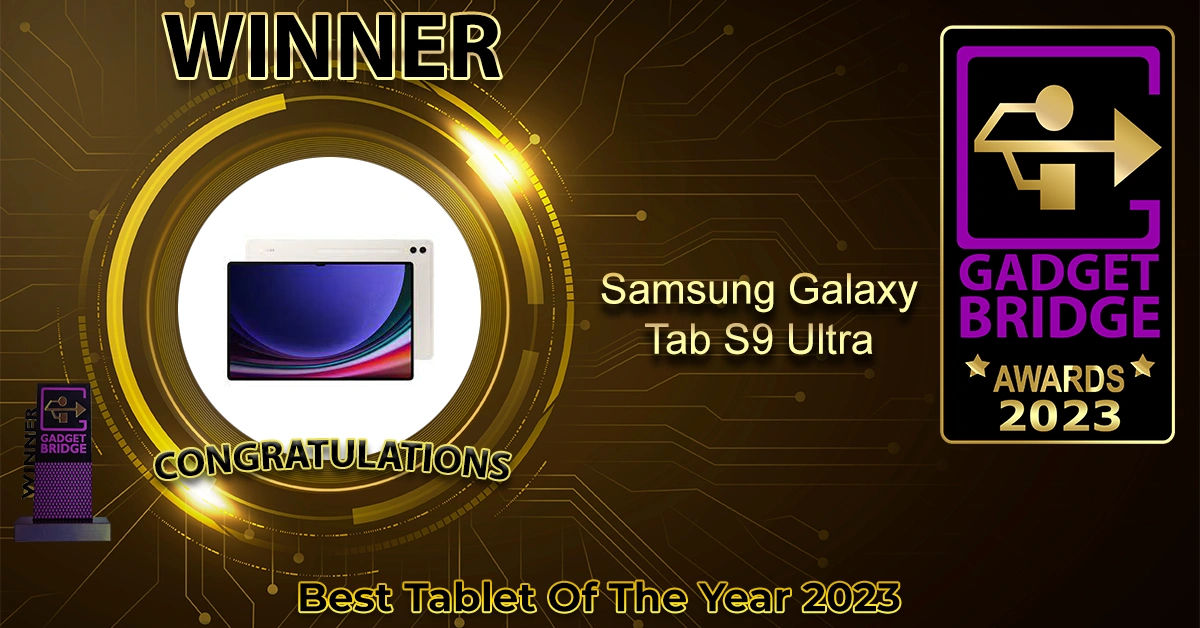 Samsung Galaxy Tab S9 Ultra
 Kodak CA Pro Series 55-inch
 Acer I Series Google TV
 Xiaomi X Series 65
 Optoma L1+
 Xiaomi Robot Vacuum Mop 2i
 Redmi Watch 3 Active
 Apple Watch Ultra 2
 Sennheiser HD 660S2
 Sony WF-1000XM5
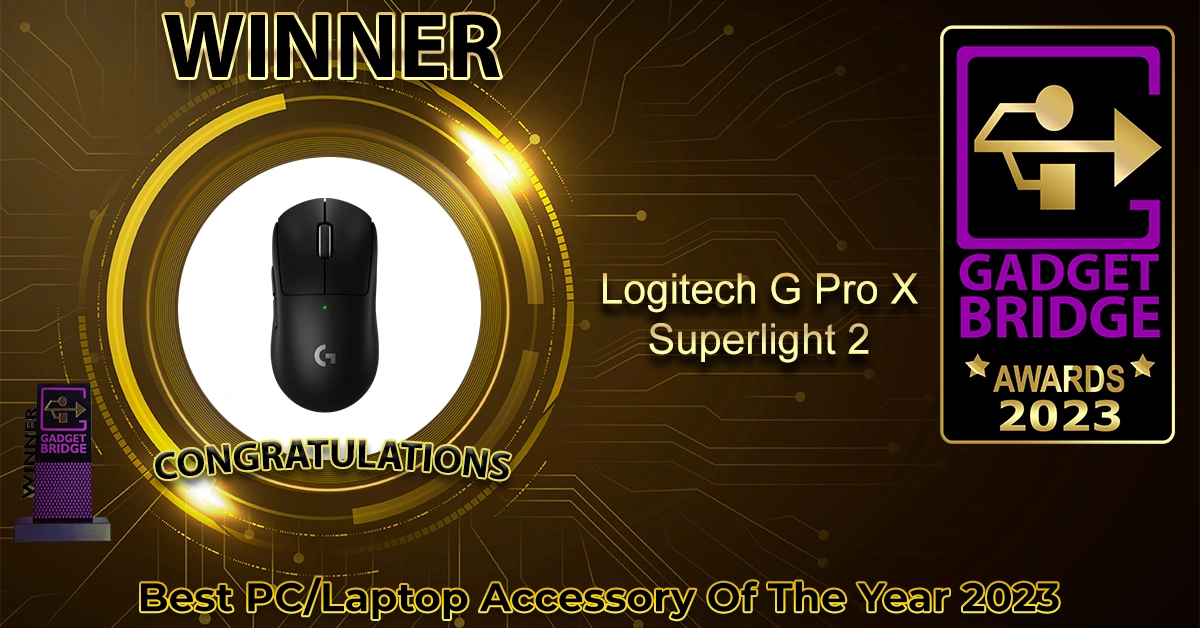 Logitech G Pro X Superlight 2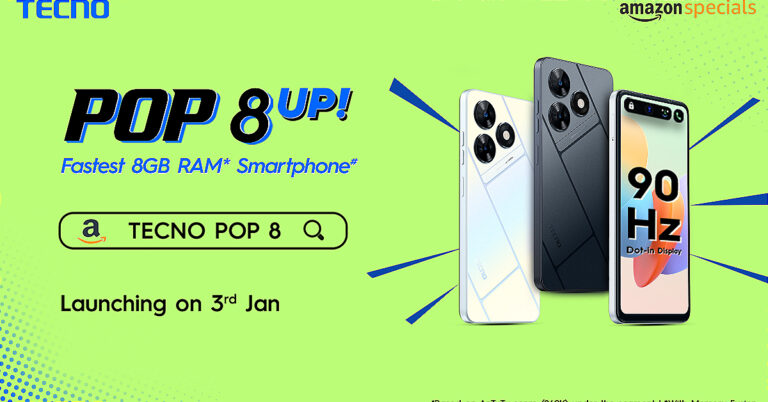
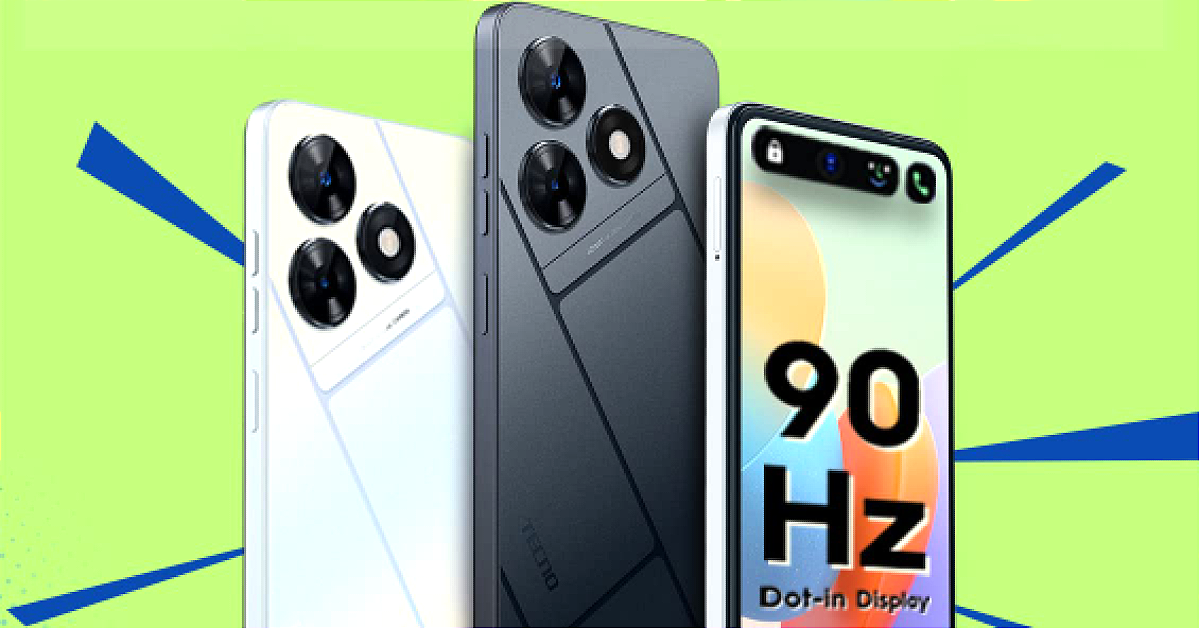
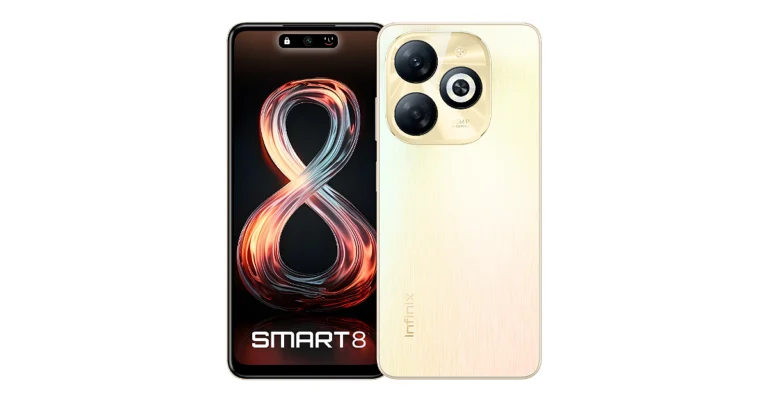
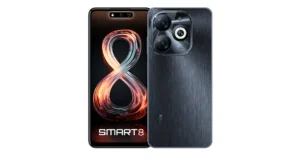


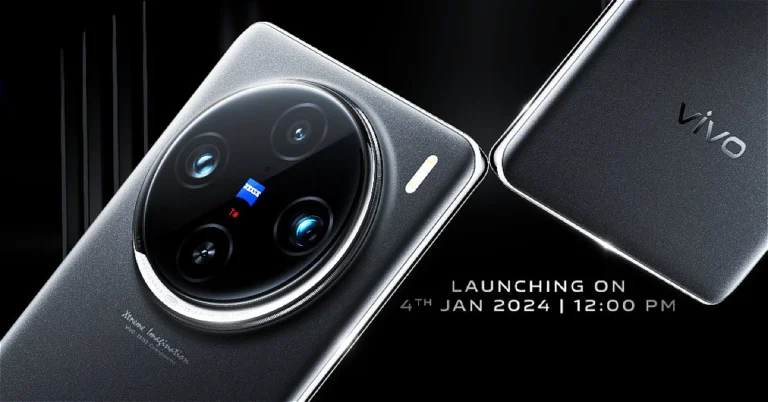
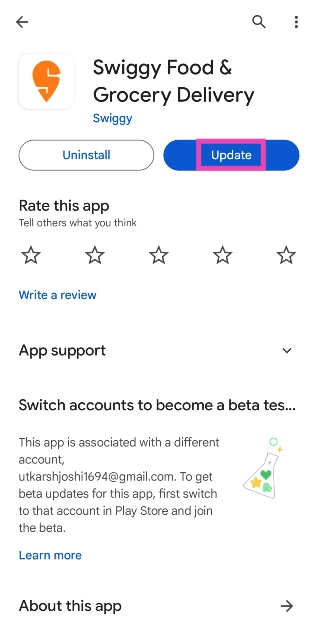
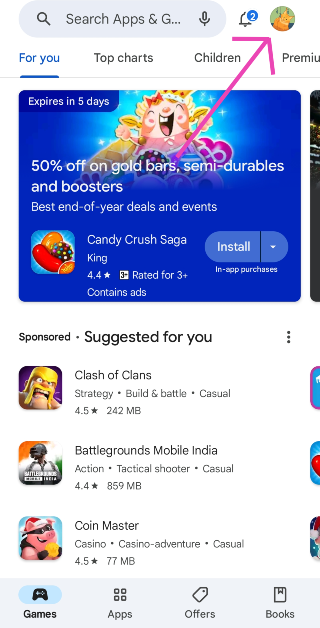 Step 3:
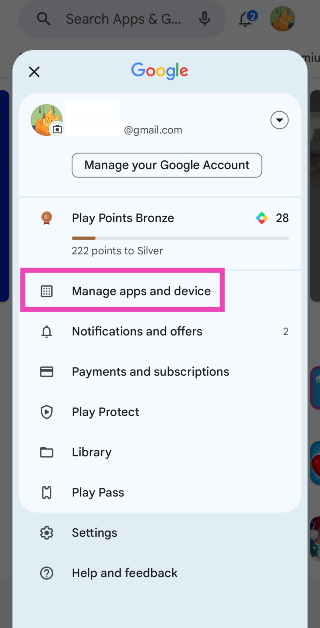 Step 4:
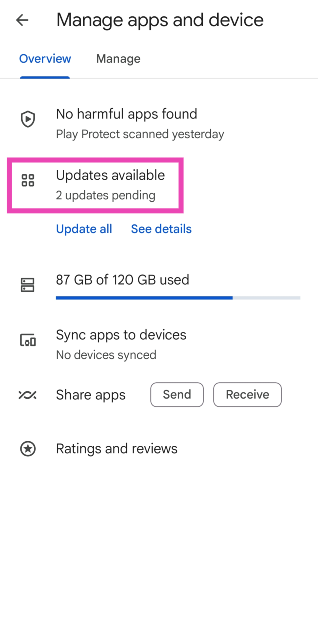 Step 5:
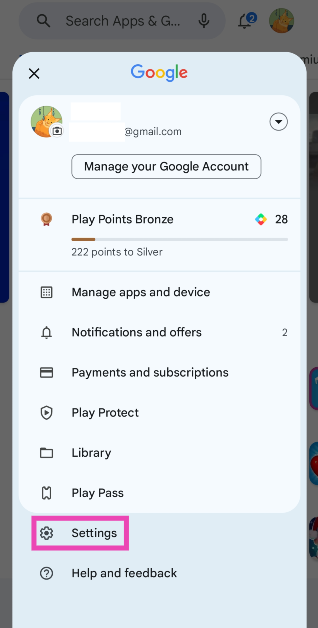 Step 4:
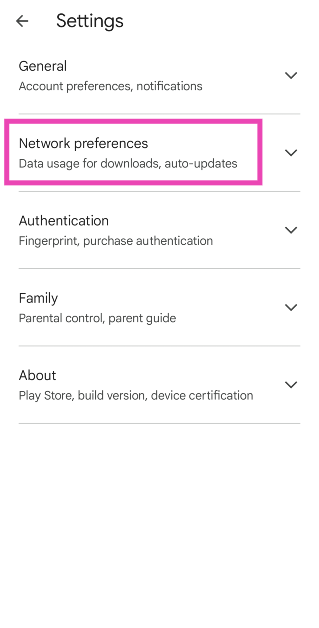 Step 5:
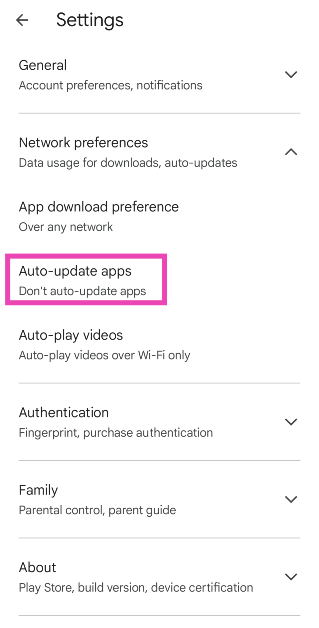 Step 6: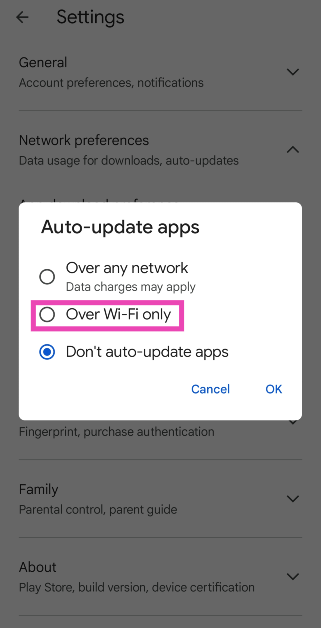
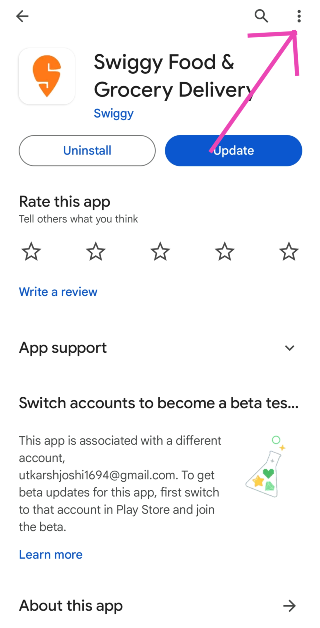 Step 4: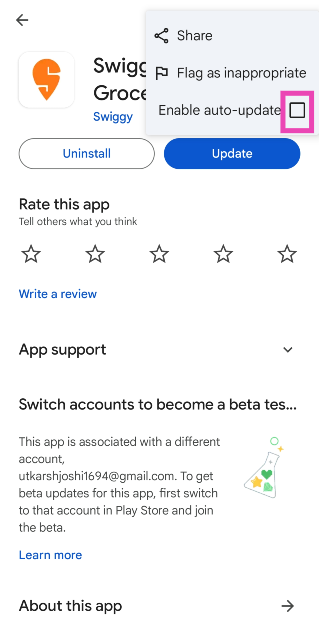
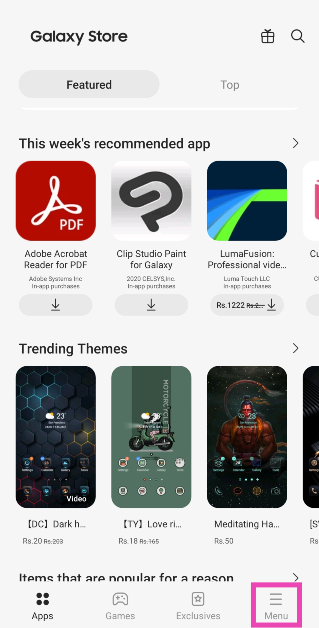 Step 3:
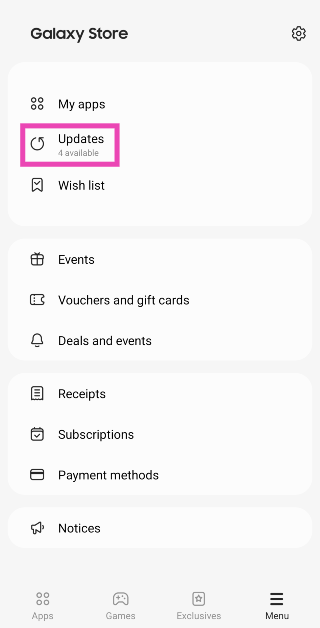 Step 4: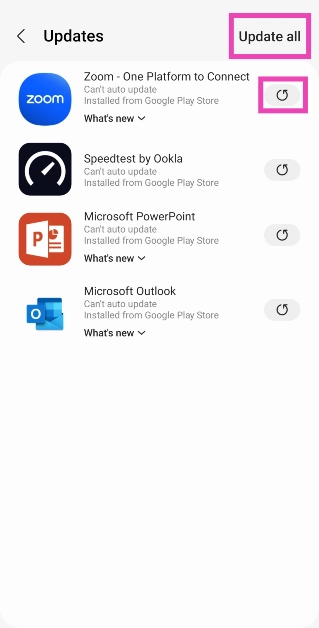
 Step 3:
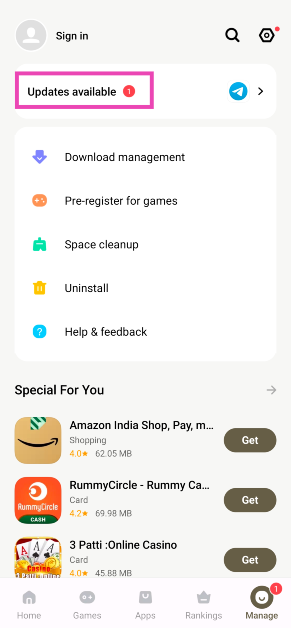 Step 4: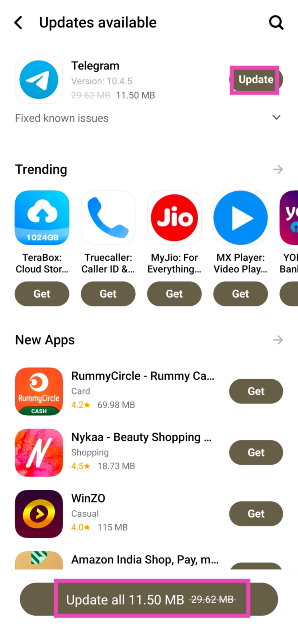
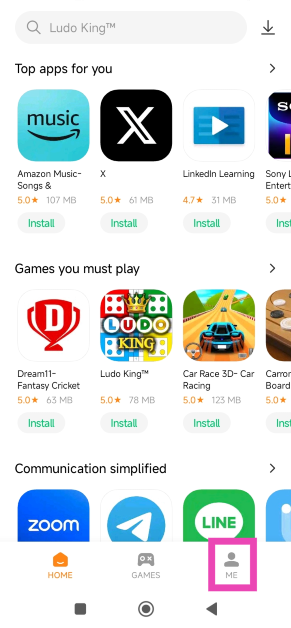 Step 3:
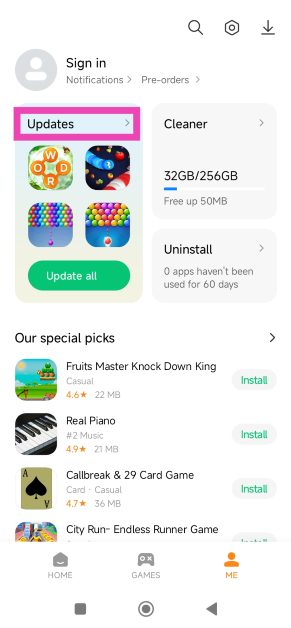 Step 4: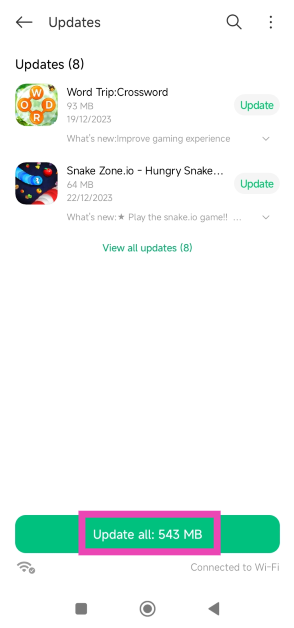
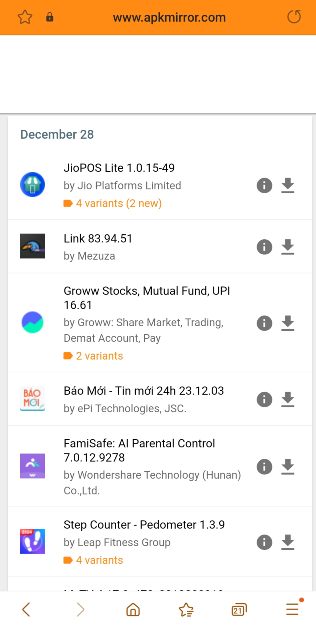 Step 3:
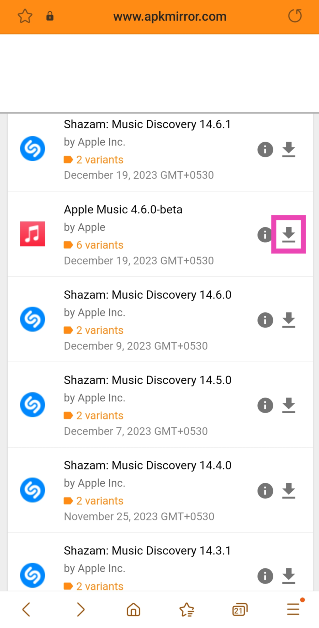 Step 4:
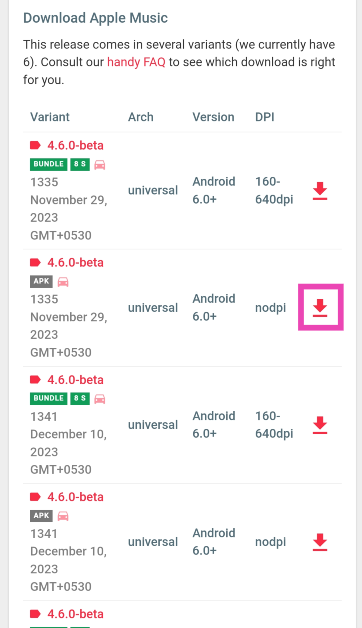 Step 5:
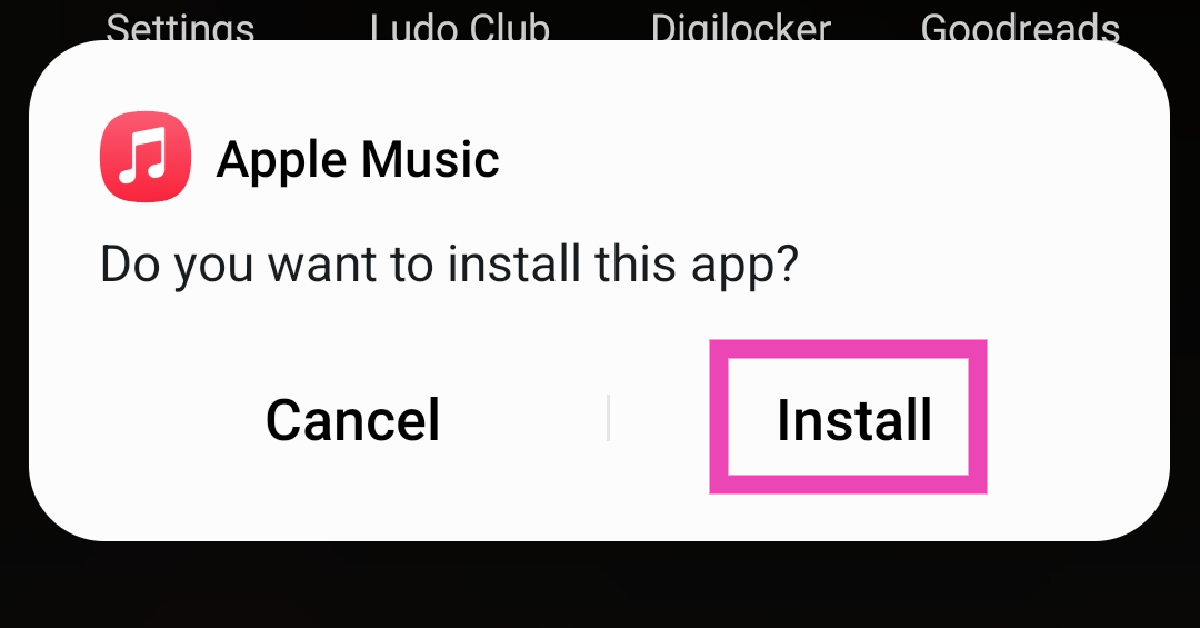 Step 6:
 If your AirPods are low on charge, their performance might take a hit. This is usually when minor discrepancies start arising on the microphone. Place the AirPods in their case to charge them. If there’s no battery left in the case, connect it to a charger. Once the AirPods have been fully charged, their performance will be restored.

 If your AirPods were recently exposed to water, it is possible that they may have suffered some damage. While AirPods are sweat-resistant, prolonged exposure to water has the potential to damage them. The wireless earbuds are not designed for showering or swimming. If you accidentally dipped the earbuds in water, use a clean cloth to dry them. Do not use a blow dryer to get rid of the water droplets. Let the earbuds air dry.
 Step 1:
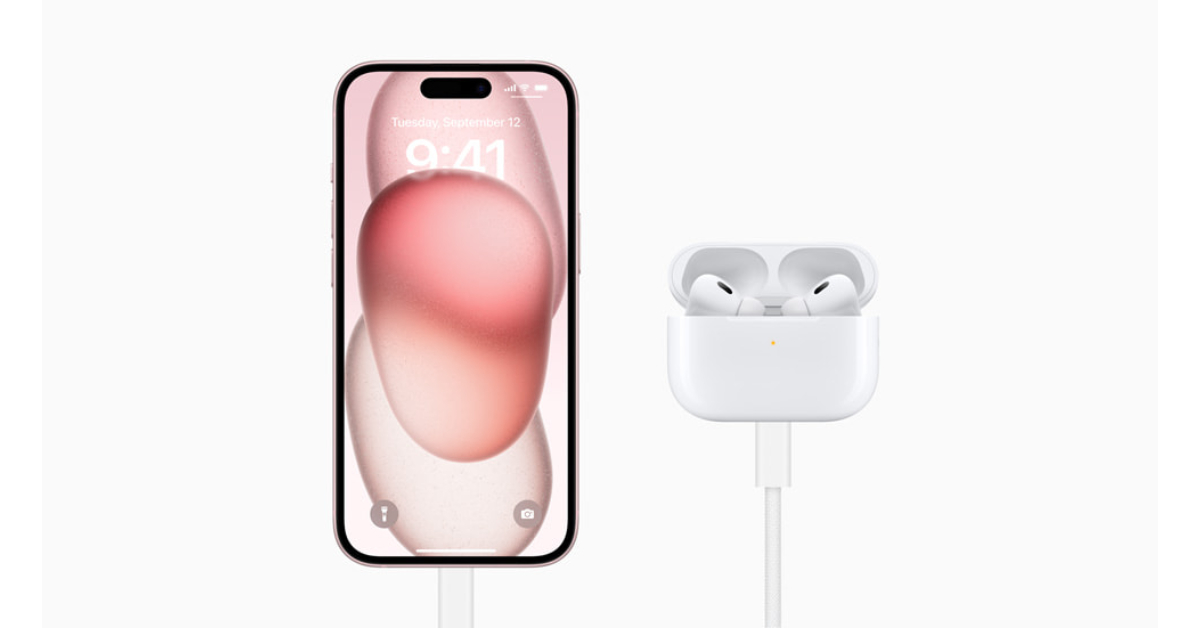 Step 1: Go to Settings and select Bluetooth.
Step 2: Hit the i icon next to your connected AirPods.
Step 3: If the Noise Cancellation setting is selected, tap the Off tile next to it.
Step 1: Go to Settings and select Bluetooth.
Step 2: Hit the i icon next to your connected AirPods.
Step 3: If the Noise Cancellation setting is selected, tap the Off tile next to it.
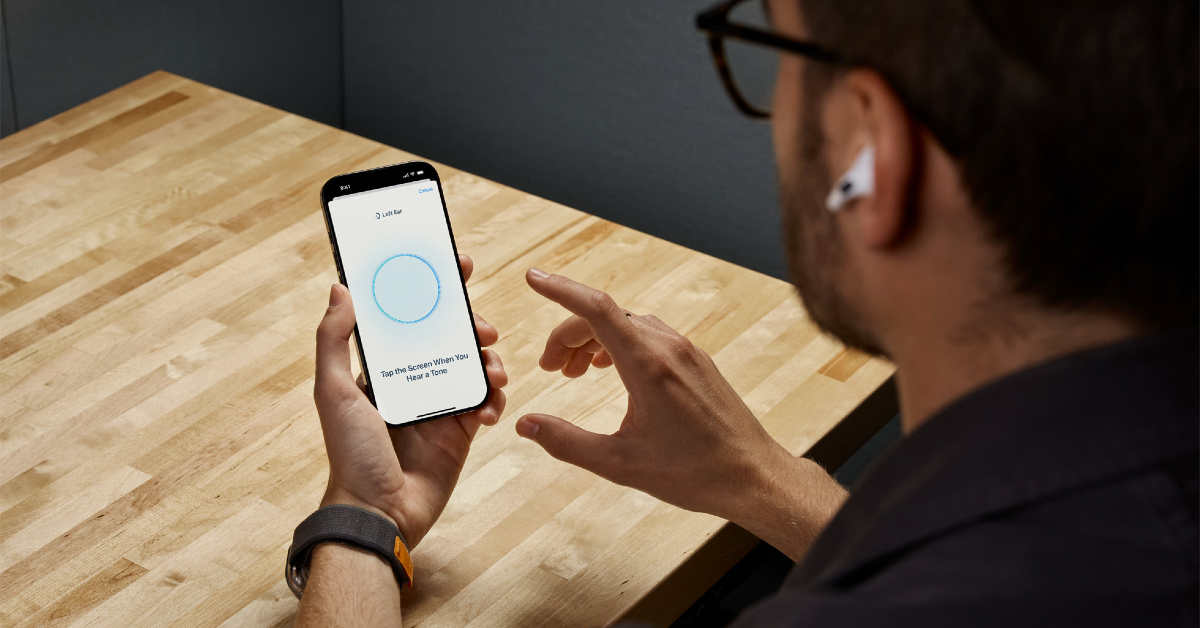
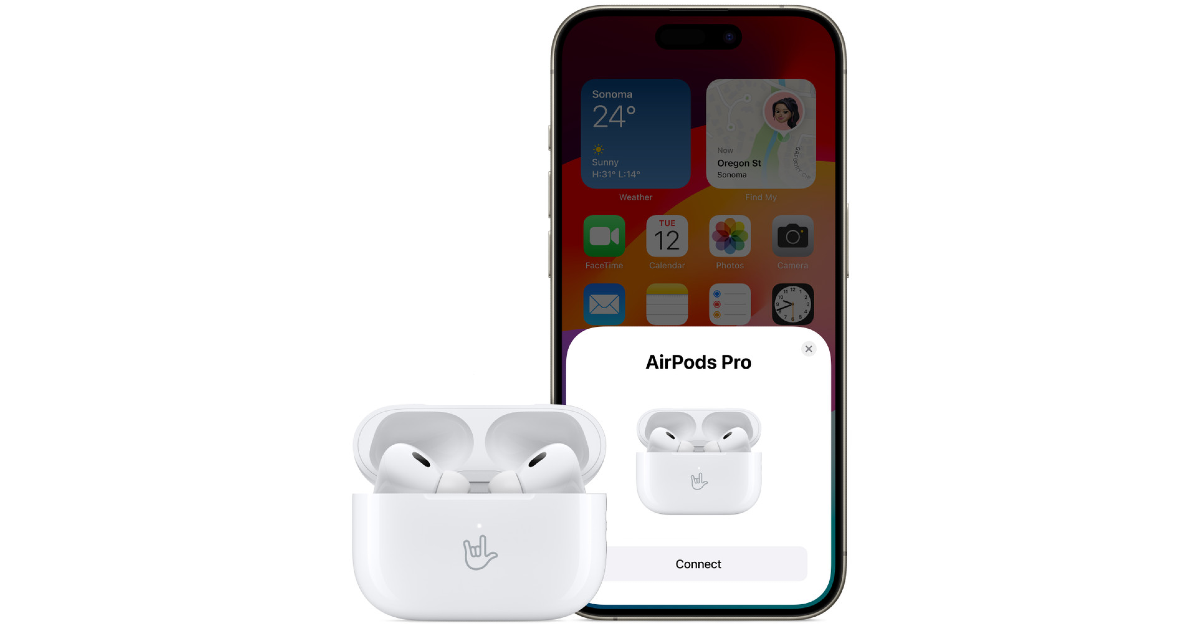 Step 1:
 If your AirPods’ firmware is outdated, it may start glitching unexpectedly. Apple routinely pushes out firmware updates for its TWS devices to get rid of any faults and bugs. These updates are installed automatically on the device. To check your AirPods’ firmware version, go to Settings>Bluetooth and tap the i icon next to the TWS. Tap on version to check the firmware details. Go to Apple’s official website to make sure that the firmware version of your AirPods matches the latest update pushed out by the company.
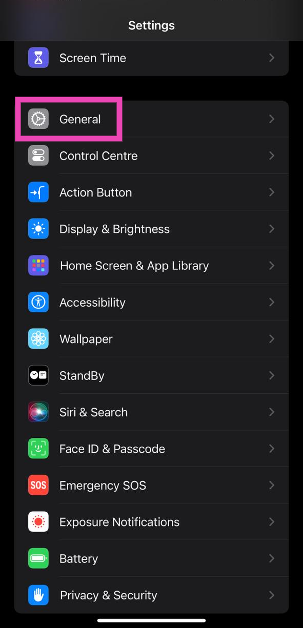 Step 3: Tap on Software Update.
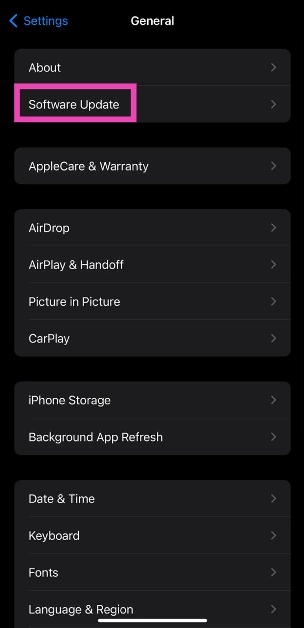 Step 4: Hit Update Now.
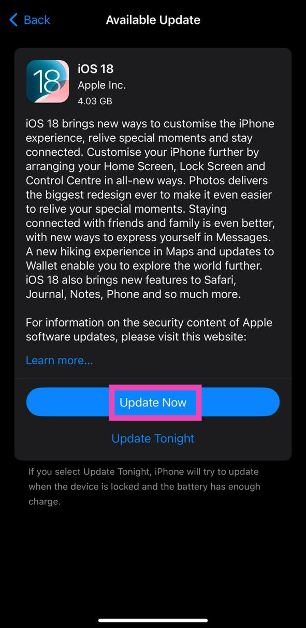
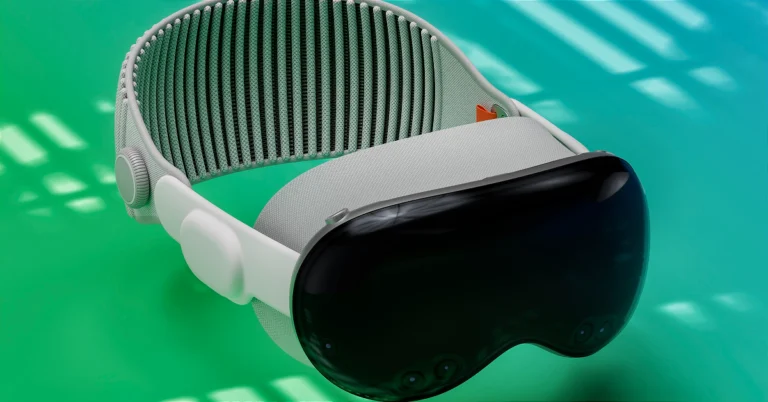



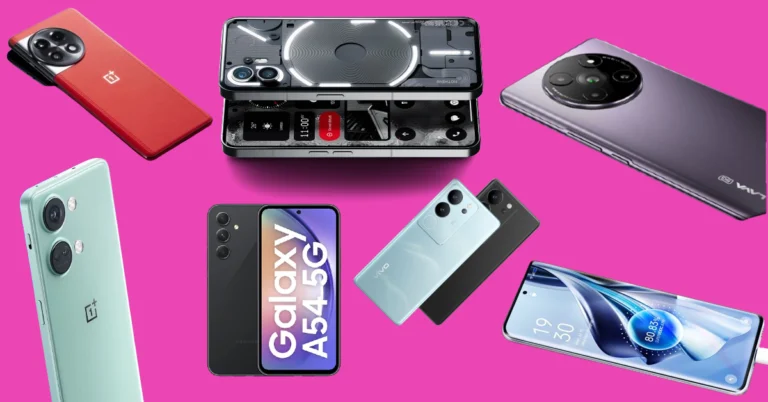
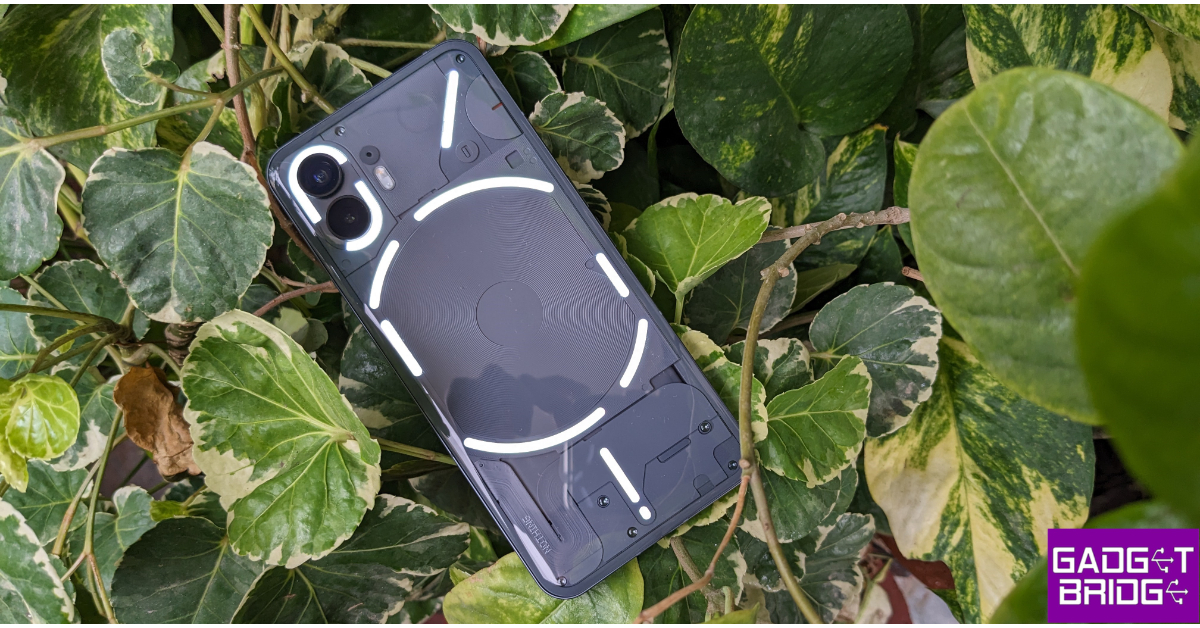 Key Specs
 Key Specs
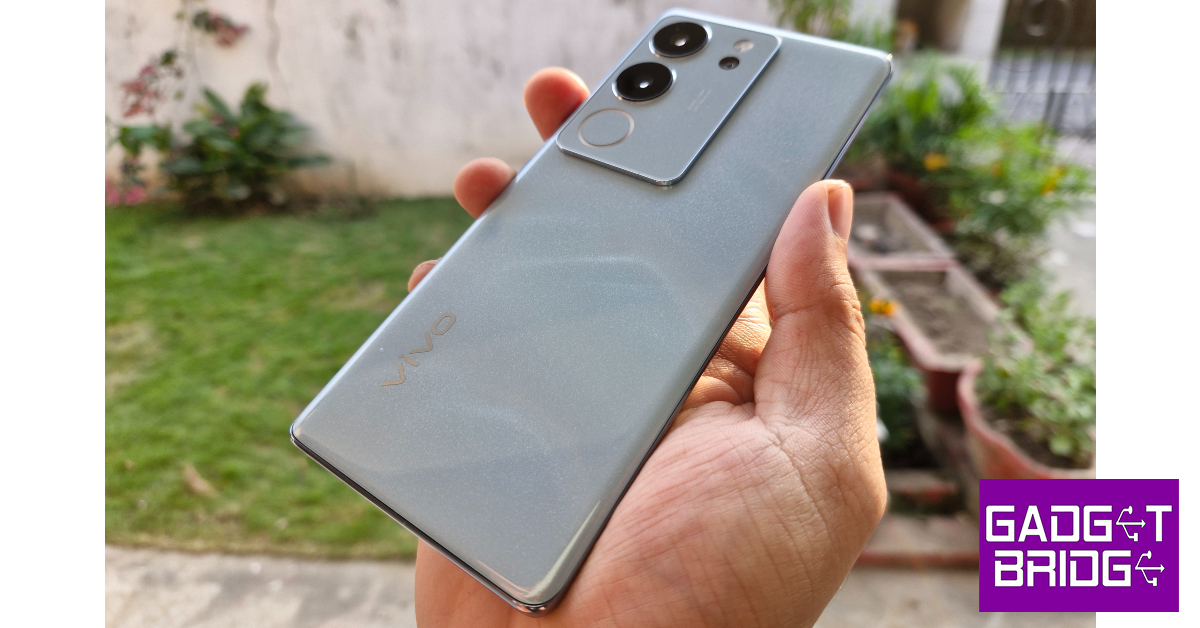 Key Specs
 Key Specs
 Key Specs
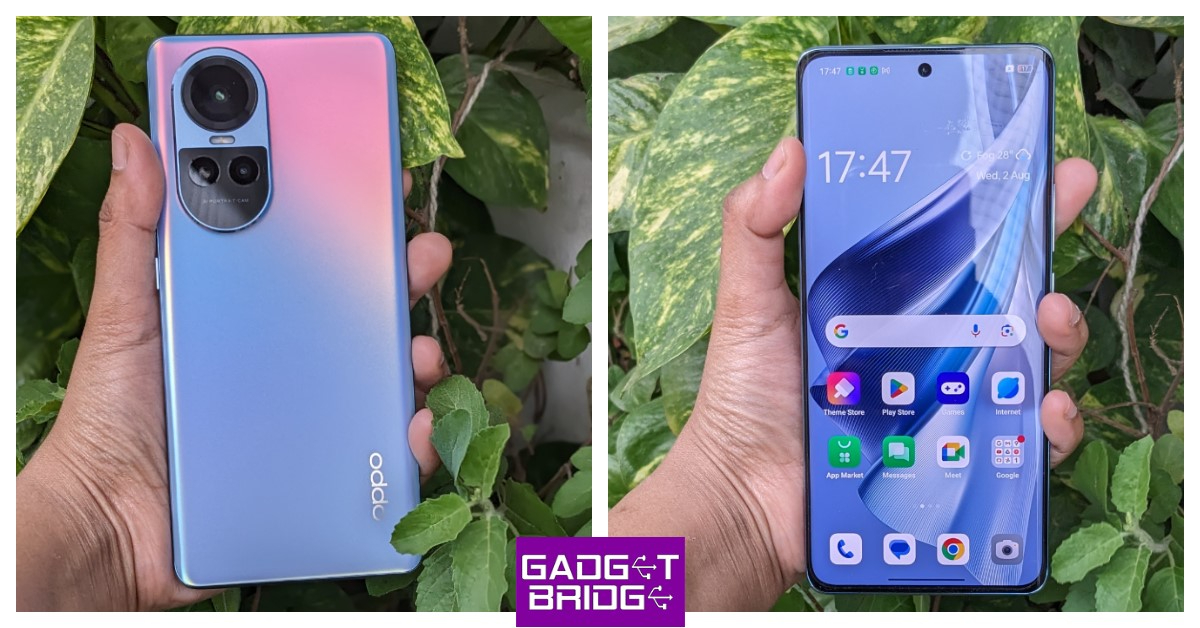 Key Specs
 Key Specs
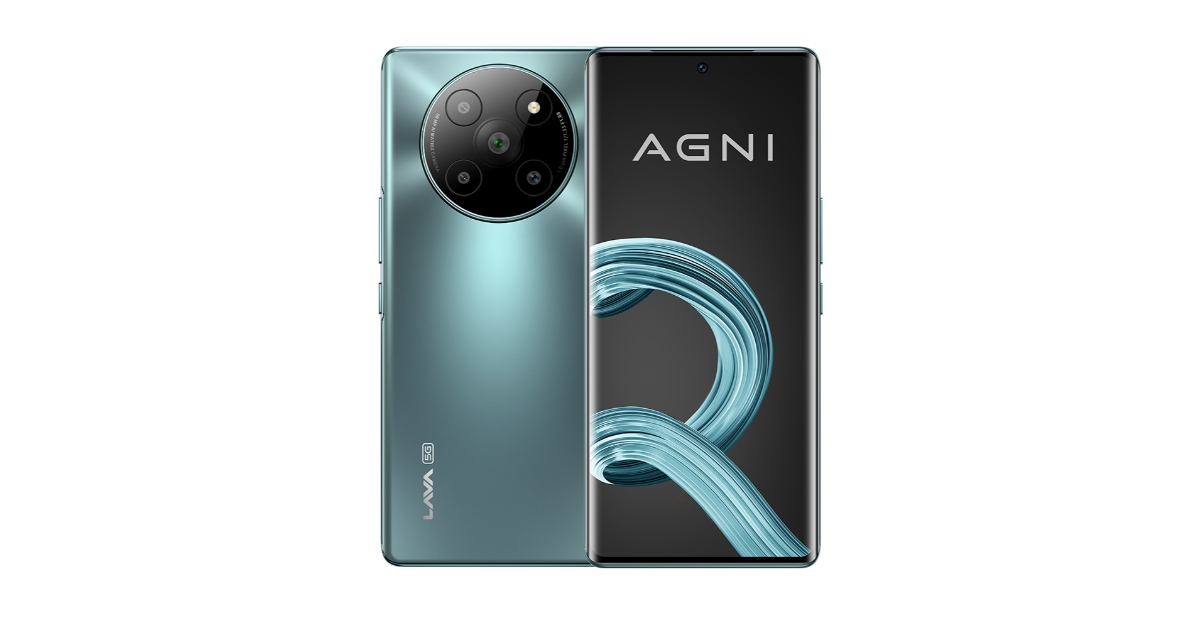 Key Specs