Garena Free Fire is a battle royale game with regular awards and tournaments to keep players interested. If you play Garena Free Fire, you should be aware of the redeem codes that are released on a daily basis. However, because the battle royale game is banned in India, players from other countries can use the Free Fire Redeem codes daily. If you’re unfamiliar with the Garena Free Fire redeem codes or don’t know how to get them, we’ve put together a step-by-step guide to help you redeem them. Check out Garena Free Fire Redeem Codes for 4 April 2024.
The Free Fire redeem codes are a great way to get free stuff. These are 12-digit codes that contain alphabets and numbers, as well as an expiration date and time. Because the Garena FF redeem codes cannot be used more than once, you should hurry to the redemption page to claim your free reward before someone else does. To get a free reward, all you have to do is go to reward.ff.garena.com/en, which is the official redemption page. Also, keep an eye on this space for daily updates on Garena Free Fire redemption codes and rewards.
Apple’s annual Worldwide Developers Conference will take place between June 1-14 this year. At WWDC, Apple unveils new software versions for its major devices. This year, iOS 18 is set to feature in the upcoming iPhone 16 Series. Touted by many as the most important iOS update in Apple’s history, iOS 18 will mark the debut of AI features on the iPhone. But that’s not all. Let’s take a look at the expected features and upgrades on iOS 18.
After Samsung debuted its Galaxy AI on the new Galaxy S24 Series (our review here) earlier this year, Apple will be looking to make Artificial Intelligence the next big thing in the next version of iOS. Murmurs of Apple collaborating with Google to introduce the Gemini chatbot in iOS 18 have been all over the Internet. If that is the case, it will be confirmed at WWDC 2024. An AI chatbot created entirely by Apple is out of the question for now.
Apple will look to upgrade its native iOS apps with new AI features. Expect Voice Memos to get smarter with AI transcriptions. The native Photos app could also rock new photo-editing features. Siri, Messages, Apple Music, Shortcuts, and other apps are also set to get smarter. More premium features will be held back for the iPhone 16 Series which is set to make its debut this fall. This is because these features will require a dedicated neural engine which is bound to be present in the upcoming Bionic chipset.
RCS Messaging
At last, RCS messaging is finally coming to the Messages app. This will greatly benefit cross-platform messaging, allowing smooth transfer of hi-res images, videos and audio messages between Android and iOS devices. It will also allow Android users to view read receipts and typing indicators of iPhone users. The two platforms will finally be able to communicate through WiFi messaging as well.
New home screen customisations
When it comes to customisation options, Android is comfortably ahead of iOS. Apple may finally be bridging that gap by allowing iOS 18 users to freely place icons on the home screen. Right now, iOS users have to follow the strict grid pattern for the home screen which does not allow any gaps between app icons. iOS 18 will give users more control over how their smartphone’s home screen looks.
Apple Maps gets two important updates
Apple’s native navigation app is getting two important updates on the new iOS 18 – custom routes and topographic maps. Using custom routes, users can now choose specific routes to reach their destinations instead of the standard route suggested by Apple Maps.
Topographic maps allow users to view the contours and terrain of a particular area. If you’re on a hike, you can use the topographic filter to gauge the elevation and contour of the hiking trail. This feature made its debut last year on watchOS 10. Apple will bring it to its Maps app for the iPhone this year.
These are the major upgrades and features that are expected on iOS 18. Some minor tweaks to the interface and design are also expected in the new iOS version, but they won’t radically change the way users interact with their iPhones. Which feature are you looking forward to the most? Let us know in the comments!
OnePlus has introduced its new AI feature called AI Eraser.
It is an image editing tool that will help users to remove unwanted objects from an image.
OnePlus is the latest tech brand to finally join the AI trend. The company has officially announced that its devices will soon have AI features like AI Eraser image editing similar to Google Pixel’s Magic Eraser and Object Eraser on the Samsung Galaxy S24 series. The new editing tool has the in-house huge language model support.
OnePlus today announced the rollout of a new AI Eraser image editing feature for OnePlus smartphones. As per the company the latest AI feature OnePlus’ AI Eraser, is powered by its unique large language model. By using a range of advanced algorithms and artificial intelligence, AI Eraser allows users to quickly identify and eliminate undesired elements from photos from the Photo Gallery. The feature will be released to select OnePlus devices.
“Empowering users with advanced, practical technology is what we live for at OnePlus,” said Kinder Liu, President and COO of OnePlus. “We believe that the potential for generative AI on mobile devices is enormous, with the power to completely transform productivity and creativity. As OnePlus’ first feature based on generative AI technology, AI Eraser represents the first step in our vision to liberate user creativity through AI and revolutionise the future of photo editing, empowering users to create remarkable photos with just a few touches. This year, we plan to introduce more AI features, and we look forward to their upcoming availability.”
Once the user highlights particular objects/elements in the image, such as trash, pedestrians, or imperfections, the underlying AI analyses the selected area and creates an automatically generated replacement background that matches the image’s overall style and blends seamlessly into the surrounding environment, generating flawless, picture-perfect images.
According to OnePlus, the AI Eraser is the result of an important R&D investment made by the company to guarantee the dependability and accuracy of content generated by AI. The new function is the result of OnePlus’s own LLM, which has been trained on a big dataset to understand complicated scenarios. AI Eraser’s sophisticated visual comprehension enables it to cleverly replace undesired objects with contextually relevant aspects that enhance the image’s appeal naturally. This gives users the freedom to alter high-quality photos anytime, anywhere.
The AI Eraser makes image editing simple and accessible to all users, regardless of prior photo editing skills, by doing away with the necessity for complex manual editing or the use of dedicated photo editing software.
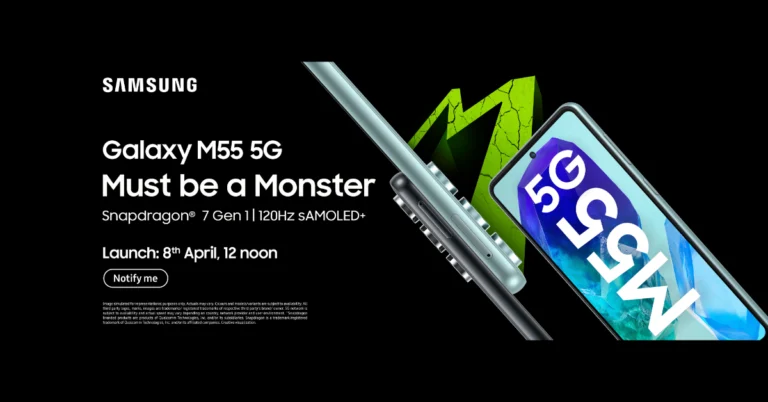
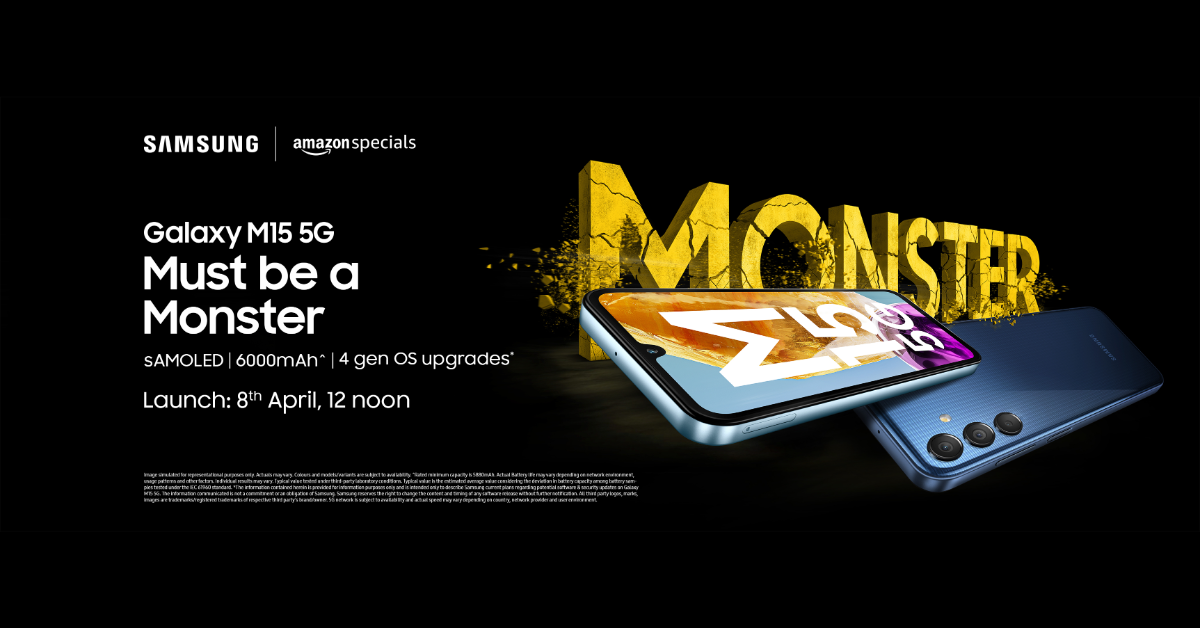
Both smartphones Galaxy M55 5G, Galaxy M15 5G will be available via Amazon in the country.
The key specs and colour options of the phones have already been revealed by the company.
Recently Samsung hinted at the Samsung Galaxy M55 5G and Galaxy M15 5G launch in India by teasing it on Amazon. However, it did not reveal the launch date of the upcoming phone at that time but now the time and date have been officially confirmed. The devices were launched in Brazil on March 28.
Alongside Samsung Galaxy M55 5G, Galaxy M15 5G is all set to launch in India soon. The smartphone’s debut date in India has now been revealed. The phone India launch is set for April 8 at 12 p.m. IST. Before their release, Amazon has confirmed that they will be available there for purchase.
Alongside disclosing the launch date Samsung has also disclosed the phone’s colour options and a few important specifications. While the Galaxy M15 5G is expected to be available in three colour options—Blue Topaz, Celestine Blue, and Stone Grey—the Galaxy M55 5G will only be available in Denim Black and Light Green in the nation.
Samsung Galaxy M55 5G, Galaxy M15 5G price in India expected
Details about their prices have been leaked ahead of the India launch. A tipster claims that the starting pricing in India for the Galaxy M55 5G variant with 8GB RAM and 128GB of storage would be Rs 26,999. On the other hand, the 8GB RAM and 256GB storage variants may cost Rs 29,999, while the 12GB RAM and 256GB storage option is expected to cost Rs 32,999.
The Galaxy M15 5G is rumoured to start selling at Rs 13,999 for the 4GB RAM with 128GB storage and Rs 14,999 for the 6GB RAM with 128GB storage option.
The Galaxy M55 5G in India is expected to have a 6.7-inch full-HD+ Super AMOLED Plus display. The screen is said to offer a refresh rate of 120Hz and a maximum brightness level of 1,000 nits. Moreover, It will have Vision Booster technology, which is meant to improve screen visibility even in direct sunlight.
It will be powered by Qualcomm Snapdragon 7 Gen 1 SoC. The Galaxy M55 5G will have three cameras on its back. The camera unit will include a 50-megapixel primary sensor with optical image stabilisation (OIS) that will support AI-powered tools like Image Clipper and Object Eraser, along with Nightography. It is confirmed that the phone will have a 50-megapixel selfie camera.
The phone will pack a 5,000mAh battery that supports 45W wired fast charging.
In contrast, the Galaxy M15 5G will have a 6.5-inch Super AMOLED display with a water drop notch. The device will be powered by a MediaTek Dimensity 6100+ processor.
The triple rear camera setup on the phone will feature a 50-megapixel primary sensor. The handset is said to be backed by a massive 6,000mAh battery.
Motorola Edge 50 Pro has been introduced in India.
The smartphone comes with up to 125W fast charging.
The device has an AI-backed 50-megapixel primary camera.
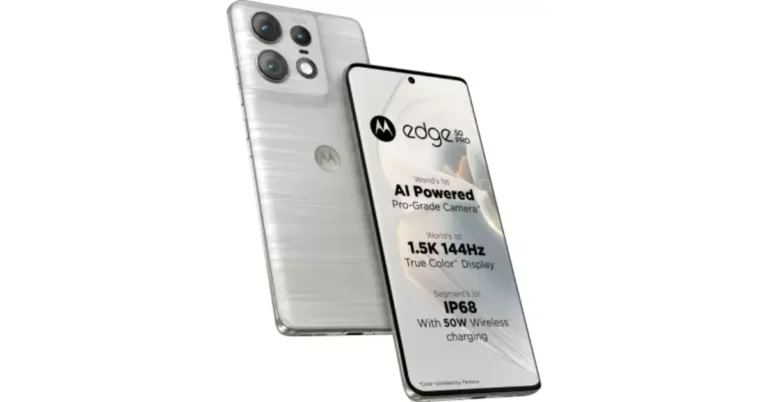
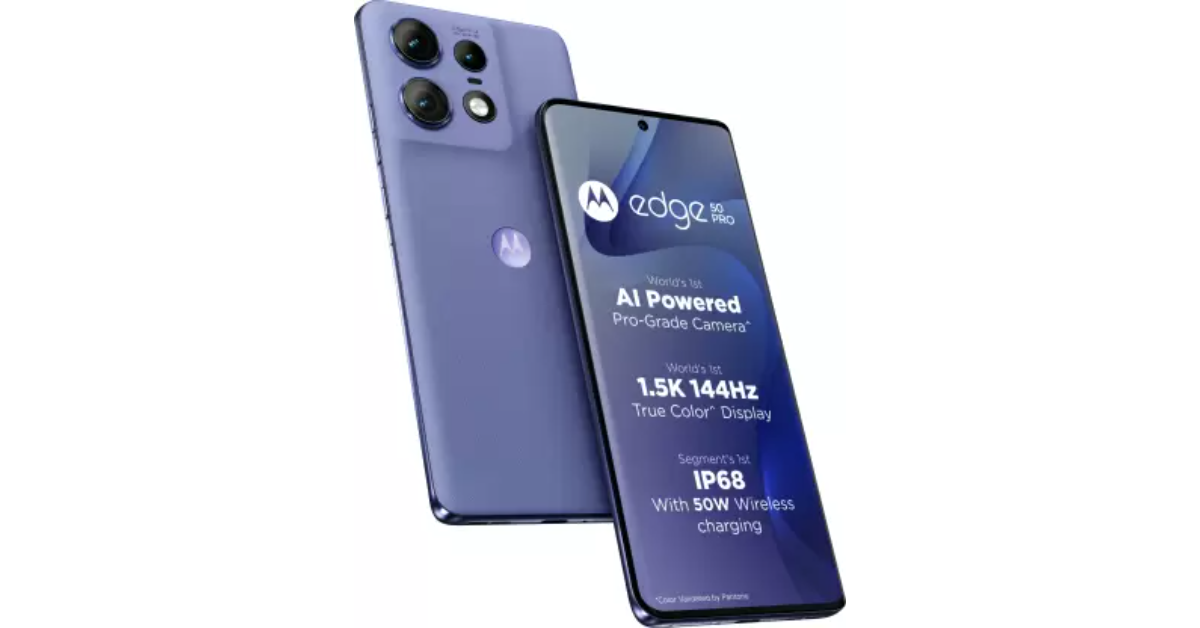
Motorola Edge 50 Pro today officially made its debut in India. This is the first AI phone by the company that packs a Snapdragon 7 Gen 3 SoC. In addition to this, there is an AI-backed 50-megapixel triple rear camera unit. The phone also includes a 50-megapixel selfie camera. It is backed by a 4,500mAh battery with 125W wired and 50W wireless Turbo charging support.
In This Article
Motorola Edge 50 Pro price in India, sale details
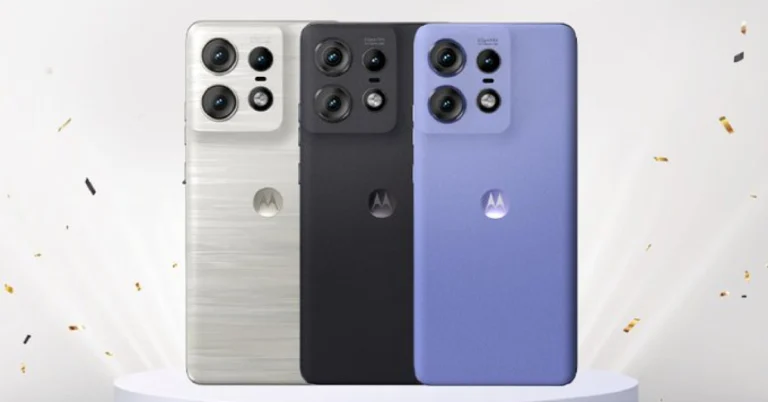
Motorola Edge 50 Pro price in India is set at Rs 31,999 for the base 8GB RAM with 256GB storage. There is another 12GB RAM with 256GB storage that will come with a price tag of Rs 35,999. Fortunately, the company is offering the 8GB RAM variant for Rs 27,999 and the 12GB RAM variant for Rs 31,999 as an introductory deal. Moonlight Pearl, Luxe Lavender, and Black Beauty are the available colour options.
The phone will go on sale in the nation on April 9 through Flipkart, the Motorola website, and physical stores. Whereas the Moonlight Pearl colour options will be available on April 8. In addition, Motorola is providing a Rs 2,000 exchange discount. An instant discount of Rs 2,250 on HDFC credit and debit card EMI will be available on the purchases.
Motorola Edge 50 Pro specifications
The 6.7-inch 1.5K pOLED curved display on the Motorola Edge 50 Pro has a refresh rate of 144 Hz. The screen comes with a peak local brightness level of 2,000 nits, and compatibility for HDR10+. In terms of dust and splash resistance, it receives an IP68 classification. The handset weighs 186g and has a thickness of 8.19mm. The phone is driven by a Snapdragon 7 Gen 3 SoC with up to 8GB of RAM and up to 256GB of internal storage. The phone will operate on Hello UI, which is based on Android 14. The company is promising that the device will receive three years of OS upgrades.
For the photos and videos Motorola Edge 50 Pro has three back cameras: a 50-megapixel primary sensor with OIS, a 13-megapixel ultra-wide-angle lens and a 10-megapixel telephoto lens with a 3x optical zoom and support for optical image stabilisation. The handset includes a 50-megapixel sensor with autofocus and quad-pixel technology on the front for taking selfies and video calling.
The Motorola Edge 50 Pro is stuffed with a 4,500mAh battery that allows for 50W wireless and up to 125W wired Turbo charging. While the 8GB RAM version comes with a 68W charger, the 12GB RAM variant is compatible with a 125W charger.
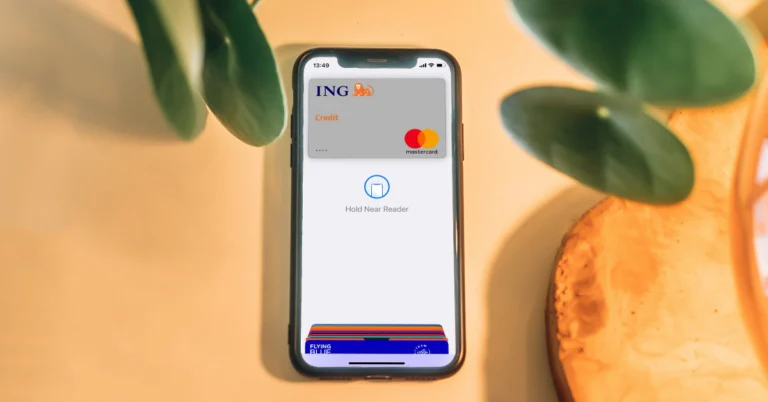
If you’re sceptical about using your credit card for online payments, you should hop on the Virtual Credit Card (VCC) bandwagon. The Internet is rife with scams and phishing schemes that specifically target your credit card info. To avoid falling prey to nefarious activities on the web, it is a good idea to add an extra layer of security, especially while using your credit card. So, let’s a look at what a Virtual Credit Card is, why it is useful, and how you can get one.
A Virtual Credit Card (VCC) acts as a buffer between the online payment gateway and your actual credit card. Think of it as a digital image of your credit card with a different card number, expiry date, and CVV. These credentials are generated randomly. Once a VCC is created, it can be used as a stand-in for your primary credit card while making payments online. In case of any fraudulent activity, your actual credit card details will remain safe.
Once created, a Virtual Credit Card is valid for 48 hours. It expires once a transaction is made using it. Any unutilised credit limit on your VCC gets transferred to your primary credit card after the former expires. As you can probably guess by now, VCCs can only be used for digital/online transactions. For physical transactions, you will have to rely on your actual credit card.
Benefits of using a Virtual Credit Card
Adds a layer of security while making online payments
Keeps your primary credit card info safe during transactions
Your real details are never disclosed to the vendor
Can be issued and blocked with ease
Can be generated with ease and used instantly
How to get a Virtual Credit Card?
There are two ways to get a Virtual Credit Card:
Issue a VCC from your bank
Linking your primary credit to a third-party VCC service
Here’s how you can issue a Virtual Credit Card from your bank.
Step 1: Visit your bank’s website.
Step 2: Choose your preferred virtual card.
Step 3: Provide your primary credit card details.
Step 4: Verify your KYC details.
Step 5: A temporary ID and password will be sent to your number. Use them to log into the Internet banking portal of your bank.
Step 6: Collect your Virtual Credit Card’s details.
Step 7: Use the details to make a transaction anywhere.
Use a third-party VCC service
If your bank does not offer VCCs, there are a bunch of third-party services that can create one for you. You will need to provide your primary credit card details to create a VCC. Volopay, EnKash, and Open Money are some of the best third-party services in India that offer VCCs against any credit card.
Frequently Asked Questions (FAQs)
What is a Virtual Credit Card?
A VCC is a temporary credit card that solely exists for online transactions. The card number and CVV of a VCC are randomly generated so as to preserve your actual card info. A VCC expires after being used once.
What is the expiration time of a Virtual Credit Card?
Since a VCC is temporary, it cannot be used more than once. If unused, it expires after 48 hours.
Where can I get a Virtual Credit Card?
You can contact your bank to issue you a VCC for your primary credit card. You can also use third-party services like Enkash and Volopay.
While Virtual Credit Cards are very beneficial when it comes to securing your card info, they do have one significant drawback. It is very hard to get a refund on a transaction made using a VCC. Since a VCC expires after one transaction, providing its card details won’t be of much use while applying for a refund. You’ll either need to settle for other forms of cashback or forego it entirely.
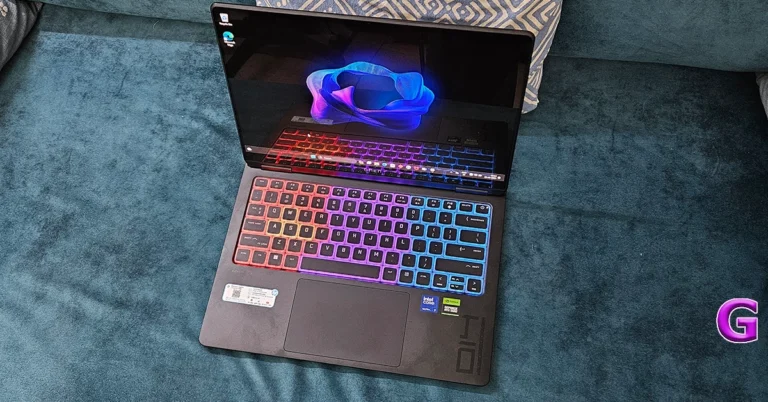
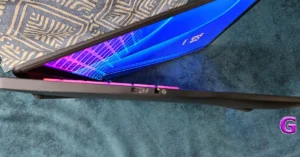
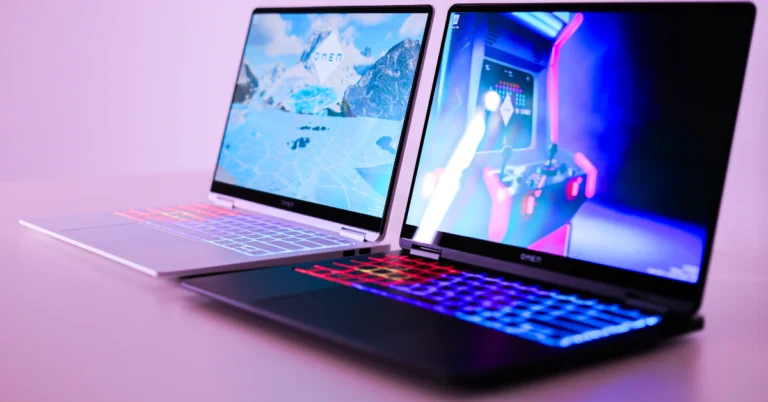
The HP Omen Transcend 14 effortlessly breaks the mold as one of the lightest 14-inch gaming laptops out there, weighing in at a mere 1.65Kg. It’s built to impress with its sleek, high-strength aluminum body and powerhouse RTX GPU under the hood, making it a dream for anyone into gaming, creating, or just crushing their daily tasks with style.
This laptop isn’t just smart; it’s future-ready, supporting a whole world of AI-accelerated apps and games. And let’s talk about that screen – an adaptive 2.8K OLED display that brings every detail to vivid life, whether you’re editing your latest masterpiece or diving into your favorite game world.
Plus, with top-notch mobility, quick-charging battery, and handy tools like Otter.AI, the OMEN Transcend 14 is the perfect sidekick for those who live life on the go and refuse to compromise on performance or style. We played around with the notebook for a while and this is our review of the HP Omen Transcend 14.
Out of the box, the device screams for attention. The HP Omen Transcend 14’s display and design are in a league of their own, marrying elegance with cutting-edge technology. Its 2.8K 14-inch OLED display dazzles with unmatched clarity, vibrant colors, and deep contrasts, adjusting its refresh rate for the perfect balance between performance and battery life.
This visual feast is encased in a sleek, high-strength aluminum body (dressed in black) that’s not just about looks but also about resilience and portability. The laptop’s design speaks volumes of HP’s attention to detail, with its ultra-light frame and strategic thermal vents that ensure both beauty and functionality. It’s a design that promises to turn heads, making the OMEN Transcend 14 a statement piece for those who value aesthetics just as much as performance.
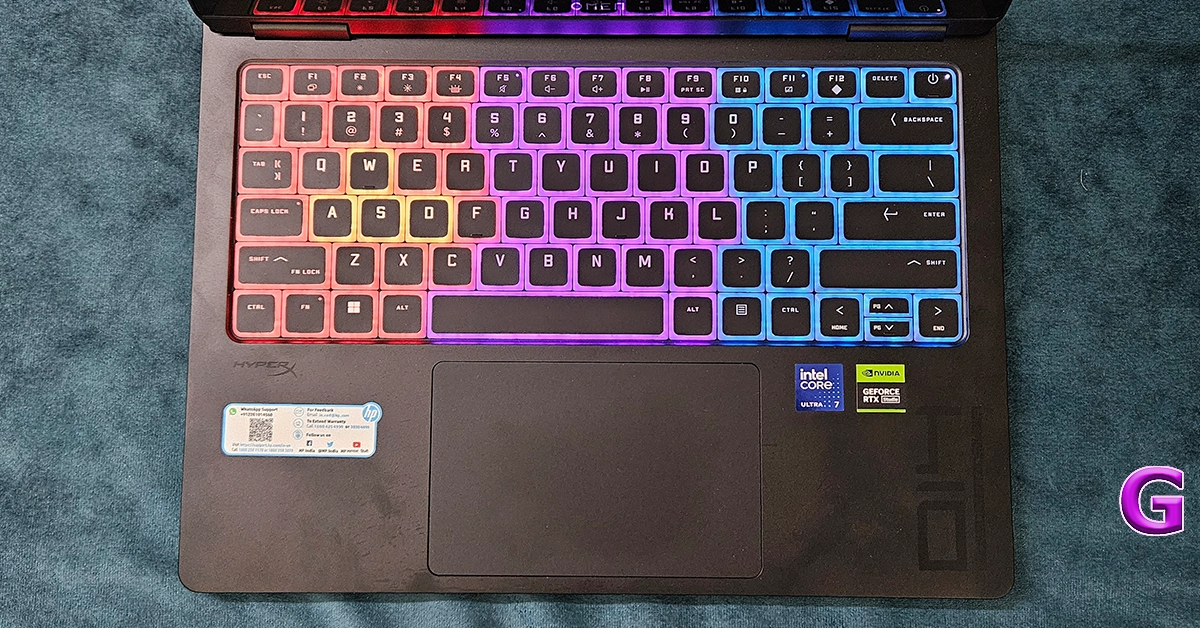
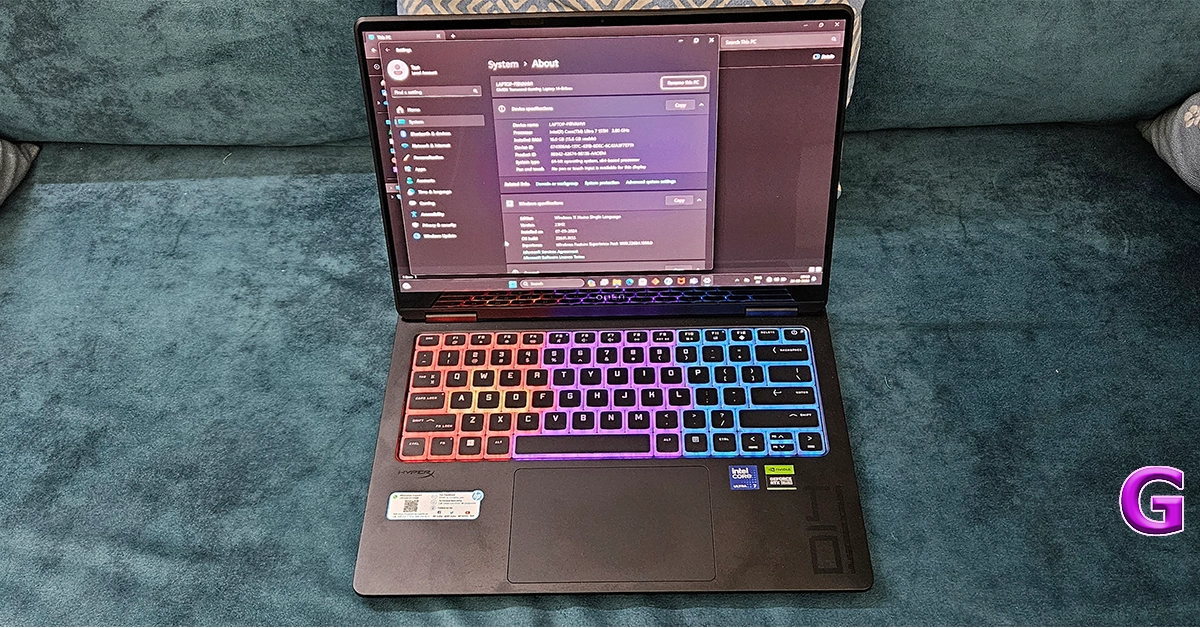
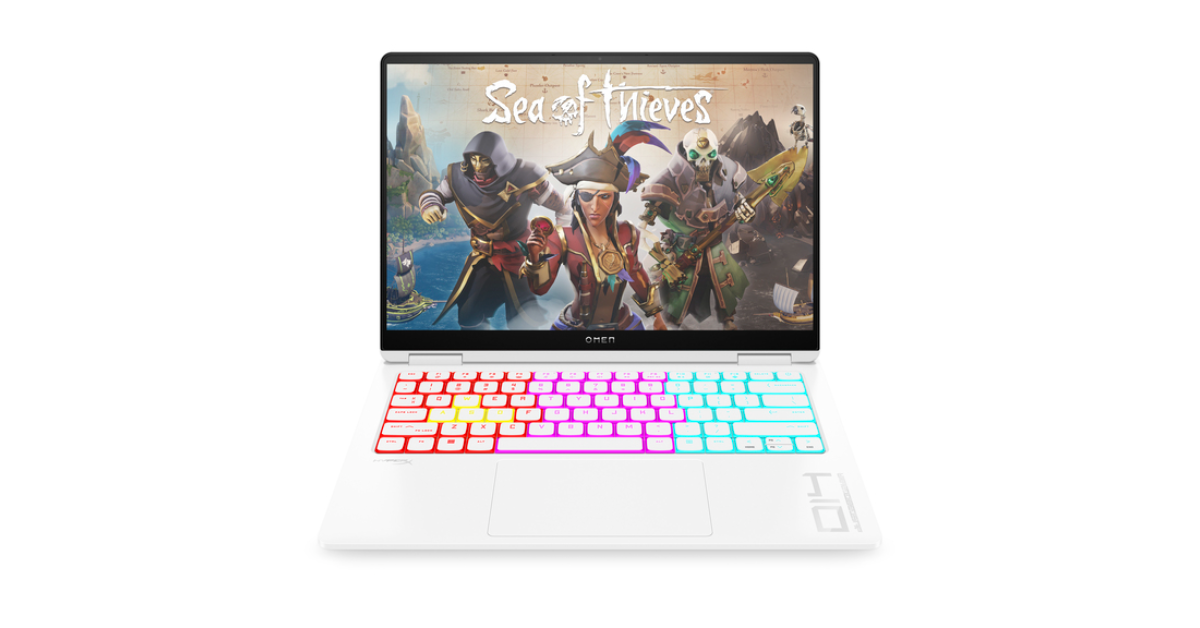
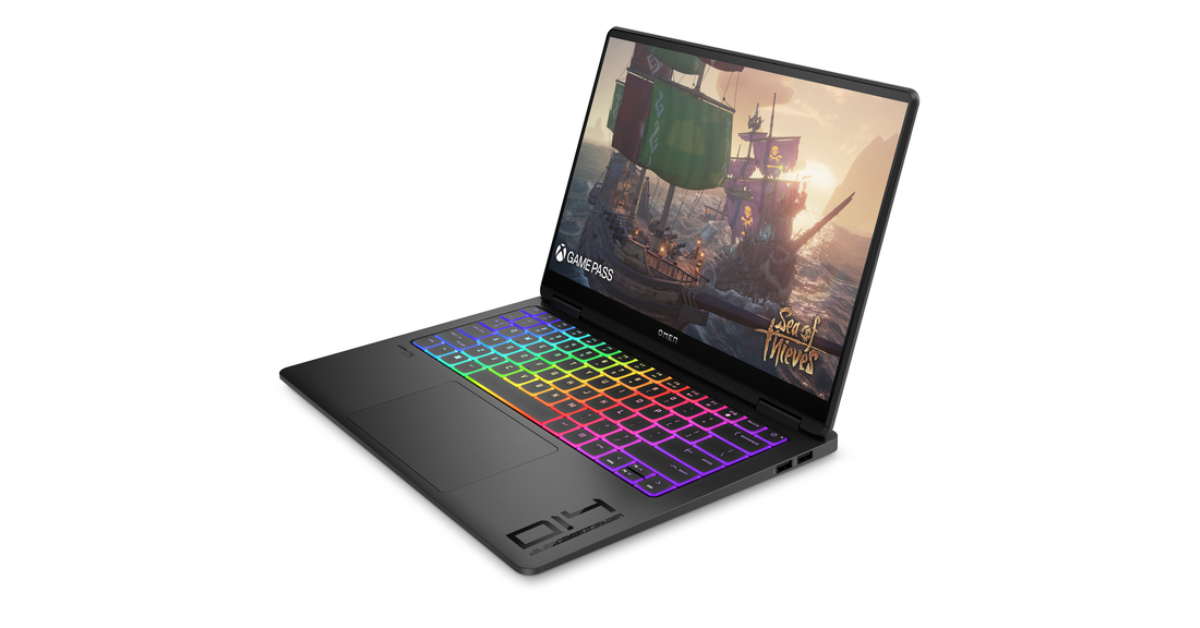
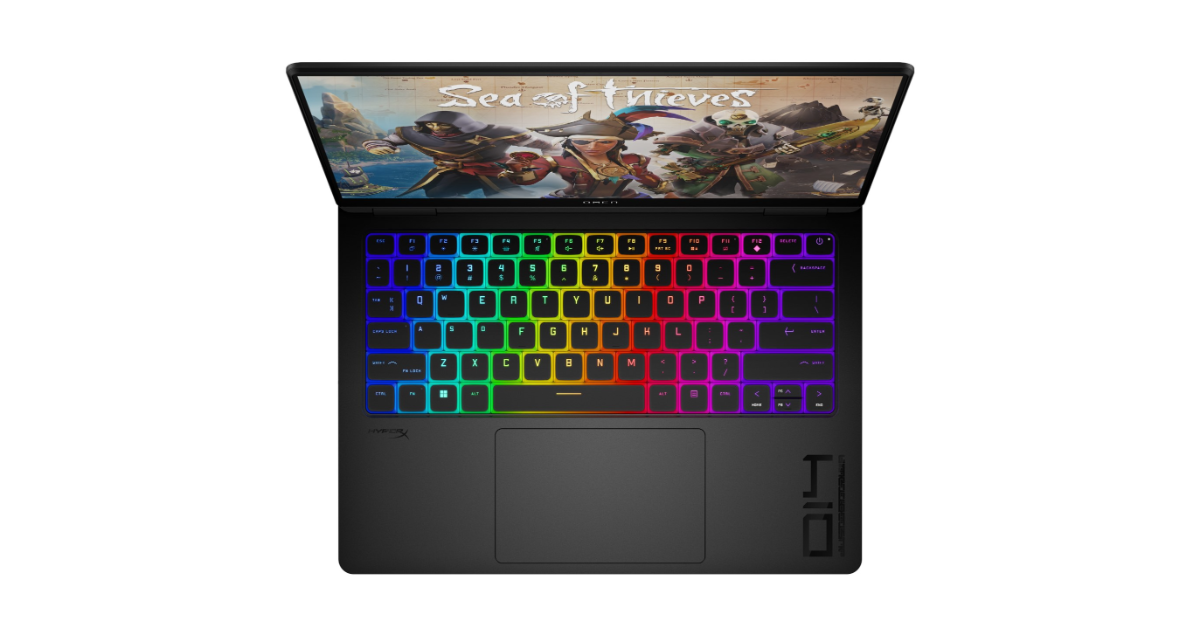
The keyboard is RGB backlit and users get a fairly large trackpad as well. But we are not a big fan of the modern laptop keyboard. The key travel, as much as the company wants to increase, is a bit less. You would want to connect an external mechanical keyboard with it to get the perfect shot and upper hand in gaming. Or if you love the Xbox Gamepad then that can be connected to this machine, too.
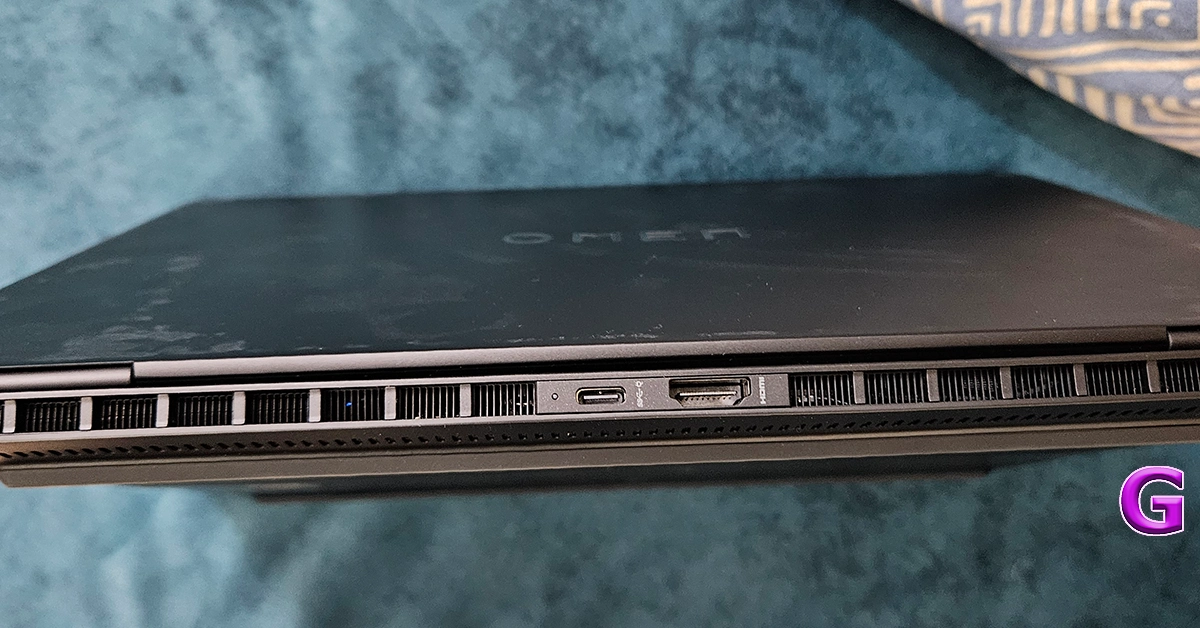
For port connectivity, users get one Thunderbolt 4 USB Type-C, two USB Type-A, and another USB Type-C port along with a single 3.5mm audio cum microphone jack on the sides of the machine. One HDMI 2.1 is also available to connect it to an external monitor.
HP Omen Transcend 14: Performance
Let’s get the tech specs of the device out of the way first. It comes with Intel Core Ultra 7 CPU that has a max clock speed of 4.8 GHz. 16GB of RAM along with 1 TB PCIe NVMe SSD are installed in it. The graphics are powered by NVIDIA GeForce RTX 4060 GPU. Wi-Fi 6e is also part of the package.
The performance of the HP Omen Transcend 14 is nothing short of breathtaking. It’s a powerhouse, driven by its advanced RTX GPU, ensuring that whether you’re battling through the latest games, stitching together complex video edits, or developing software, everything runs buttery smooth. With its dynamic blend of GPU for high-octane tasks and NPU for efficient, low-power AI operations, it stands at the forefront of technology, effortlessly handling even the most demanding applications.
The laptop’s thermal management is great, keeping it cool under pressure with an innovative design that enhances airflow and heat dissipation. This means longer playtimes, uninterrupted creativity, and productivity that doesn’t falter, making the OMEN Transcend 14 a true performance titan in the world of gaming laptops.
To stress test it, we played games like Counter-Strike and Call Of Duty: Modern Warfare 2 on it. While we got stable frame rates in CS at the highest settings we did see a slight lag in COD at top settings. But nothing that ruined the gameplay. It was still a treat.
The supporting HyperX dual sound drivers are also good for the segment. With it we just did not game, we also played a few Netflix shows and YT videos in 4K res. We were very happy with the graphics in all its glory. No matter what you are playing on it, the display combined with the graphics system will keep everything looking pleasant.
Coming to its battery life, the system comes with a 140W power adaptor capable of charging the notebook to 50% levels in under 30 minutes. We tried that and it does that fabulously. The company claims that the battery can last up to 10 hours. However, for us it lasted for 6.5 hours. This included working on Word docs, a little bit of gaming here and there, and of course watching a show on Netflix. All of it at 80% screen brightness.
Choosing the HP Omen Transcend 14 is opting for a device that refuses to compromise, embodying the pinnacle of performance, portability, and design. It’s for those who crave the power to tackle demanding gaming sessions, intricate creative work, and everything in between, without being tethered to a desk. This laptop not only stands out with its light design and robust build but also with its future-ready features, including a stunning OLED display and AI-enhanced capabilities. The price is set at Rs 1,74,999, which might seem a little steep to a few, however, everything in the machine is well worth it. If you can afford it, you have our blessings to buy it.
Modern smartphones aren’t as susceptible to water damage as their predecessors. Flagship smartphones are rated IP67 or IP68 for water and dust resistance, which means they can easily survive a dip in water or being subjected to rainfall. However, if your phone is routinely exposed to liquids or moisture, the IP protection can deteriorate over time. If you dropped your iPhone in the water, here are the 10 things you need to do to recover it.
Your iPhone’s IP rating conveys the level of dust and water exposure it can take without being damaged. Newer iPhones have an IP68 rating, which means they can survive temporary submersion in water up to 1.5-6 metres and 30 minutes. An IP67 rating also makes a smartphone ‘waterproof’, but it cannot withstand deeper depths or longer durations under water than an IP68 rated device.
iPhones with an IP68 rating under IEC standard 60529 (can be submerged in water up to 6 metres deep for up to 30 minutes)
iPhone 15
iPhone 15 Plus
iPhone 15 Pro
iPhone 15 Pro Max
iPhone 14
iPhone 14 Plus
iPhone 14 Pro
iPhone 14 Pro Max
iPhone 13
iPhone 13 mini
iPhone 13 Pro
iPhone 13 Pro Max
iPhone 12
iPhone 12 mini
iPhone 12 Pro
iPhone 12 Pro Max
iPhones with an IP68 rating under IEC standard 60529 (can be submerged in water up to 4 metres deep for up to 30 minutes)
iPhone 11 Pro
iPhone 11 Pro Max
iPhones with an IP68 rating under IEC standard 60529 (can be submerged in water up to 2 metres deep for up to 30 minutes)
iPhone 11
iPhone XS
iPhone XS Max
iPhone with an IP67 rating under IEC standard 60529 (can be submerged in water up to 1 metre deep for up to 30 minutes)
iPhone SE (2nd Gen)
iPhone XR
iPhone X
iPhone 8
iPhone 8 Plus
iPhone 7
iPhone 7 Plus
Turn off your iPhone
Turning off your iPhone is the first thing you should do after dropping it in water. Well, after picking it up. In case some water droplets have managed to find their way inside the phone, you don’t want them to damage active circuits. Do not turn on the device until you’re sure it is completely dry. Once the iPhone is turned off, move on to other fixes.
Remove the case
If you use a case for your iPhone, remove it as soon as you pull the device out of the water. When your iPhone takes a dip, the water droplets can get trapped between its back panel and the case. Over a period of time, these droplets can seep into the display or SIM card tray. Removing the case will prevent this from happening.
Give the iPhone a good wipe
After removing your iPhone’s case, use a clean, dry cloth to wipe its exterior. Ideally, you should use a microfibre cloth to wipe the chassis of your iPhone. However, if you don’t have one at hand, a clean cotton cloth will do the job too.
Take out the SIM card
Once you have thoroughly wiped the exterior and made sure the outer body is dry, use a SIM ejector tool to pull out the SIM tray. Remove your SIM card from the tray to prevent any damage to it. With the SIM slot facing down, gently tap your iPhone on the opposite side to get rid of the water droplets that may have seeped into the SIM cavity. Do not re-insert the tray just yet.
Dry the lightning connector or USB Type-C port
Your iPhone flashes a warning whenever it detects moisture or water in the charging port. Follow the process mentioned above to remove excess water from the charging port as well. Hold your iPhone upright with the lightning connector or USB Type-C port facing down. Tap the top of the phone to force out the water droplets from the port. This is a very necessary step because if the water droplets aren’t removed, they can corrode the charging port.
Do not put your iPhone in uncooked rice
In the latest guidelines published by Apple, the company strictly states not to put your iPhone in a bag of (uncooked) rice after dropping it in water. Small particles of rice can end up damaging your iPhone even further, claims Apple. An alternative to this is using silica gel packets to absorb all the moisture from your iPhone. Place the packets along with your iPhone in an air-sealed bag and leave them there for a day.
Let it air dry
If you don’t have silica gel packets on hand, air-drying your iPhone works fine too. Keep the phone in a warm, dry place until the moisture dries up. Do not keep the phone under direct sunlight as excessive heat over a prolonged period of time may end up damaging its internals. This is also why you shouldn’t use a blow dryer to remove moisture from your iPhone.
Remove water from the speaker grille
While removing the water droplets from the SIM slot and charging port is a pretty straightforward process, the same cannot be said about the speaker grille. However, there is one method that works in this situation. Playing specific sounds from the speaker at a certain frequency can unsettle the water droplets from its membrane and eject them with ease. Install the Sonic app from the App Store and use it to play high-frequency sounds. Since this requires turning on your iPhone, it should be done after air-drying the device.
Wait for 24 hours to use your iPhone
Once you’ve used the methods mentioned above to dry your phone, wait for at least 24 hours before you power it on again. This will ensure that the water droplets that may have percolated into the phone are no longer there. If your iPhone takes a long time to reboot, turn it off and wait for a few more hours.
Take your iPhone to an authorised repair centre
If you can’t get your iPhone to work even after following the methods mentioned above, it is very likely that its internals have been damaged. Take your iPhone to an Apple-authorised repair centre. Read this article to learn how you can book an appointment at the Genius Bar. Since water-related damage isn’t covered under the AppleCare warranty, you will have to pay for repairs.
Frequently Asked Questions (FAQs)
Is my iPhone water-resistant?
All iPhones from iPhone XS onwards are rated IP68 for dust and water resistance. The only exception is the iPhone SE (2nd Gen), which has an IP67 rating.
What should I do if I submerge my iPhone in water?
Turn off your iPhone, remove its cover and give it a thorough wipe, pull out the SIM tray and remove water from its cavities, and let it air dry for as long as you can.
Should I place my iPhone in a bag of rice after dropping it in water?
Apple does not recommend placing your iPhone in rice after dropping it in water. This is because small rice particles can push into the iPhone and cause it to malfunction.
Is it okay to blow-dry my iPhone after dropping it in water?
Blowing hot air into your wet iPhone can damage it even further. Placing it under direct sunlight is also not recommended. However, you can air dry it by blowing cold air into it.
Is water-related damage covered by AppleCare?
No, AppleCare does not cover water-related damage.
Using these 10 fixes, you will be able to recover your iPhone after dropping it in water. If you need a complete guide on ejecting water from your iPhone using Siri, check out this article. If you have any other tips that would help in minimising water-related damage, let us know in the comments!
HP OMEN Transcend 14 laptop with Neural Processing Unit (NPU) for AI-based video features launched in India.
The laptop comes with audio tuned by the gaming accessories brand HyperX.
The device has a 14-inch 2.8K OLED display.
HP has expanded its OMEN line of laptops with the addition of the AI-enhanced OMEN Transcend 14 laptop series in India. It is the first to come equipped with Intel Core Ultra processors and a Neural Processing Unit (NPU) for better AI-based video features. Additionally, NVIDIA GeForce RTX 4060 has been incorporated for graphics for AI-enhanced gameplay. The latest laptop features a 14-inch 2.8K OLED display with a 48-120 Hz variable refresh rate.
In This Article
HP OMEN Transcend 14 laptop series price in India, availability
The HP Omen Transcend 14 has been introduced in India at a starting price of Rs 1,74,999 inclusive of all-rounder HyperX premium bag worth Rs 7,787. The company will also provide a free HyperX mouse and headset on the purchase of the laptop. The machine can be purchased via HP World Stores and HP Online stores in the country.
HP OMEN Transcend 14 laptop series is AI-backed and designed for gaming and content creation. The device is stuffed with Intel Core Ultra processors with NVIDIA GeForce RTX 4060 graphics, that powers AI features for accelerated gameplay experience and enhanced graphics. According to the company the machine can handle the latest games or compute-intensive tasks.
The 14-inch 2.8K OLED display on the HP OMEN Transcend 14 laptop has a variable refresh rate of 48-120 Hz. Depending on the content and power mode, OMEN Gaming Hub’s Auto Dynamic Refresh Rate (DRR) dynamically switches between multiple refresh rates, which can extend battery life by up to 7%. In ECO mode, extend the battery life by up to 20%.
It has built-in artificial intelligence (AI) with Otter.ai for functions including real-time captioning and live transcripts during meetings or classes, an audio transcription option for recording, and notes created by AI.
The NPU can boost gameplay and streaming by up to 24.6% in frames per second (FPS) for gamers and streamers. The Omen Transcend 14 is also HP’s lightest gaming laptop weighing just 1.6 kg. It has multiple features such as Omen Tempest Cooling for better thermals and noise suppression, enabling seamless
Since this is the company’s first lattice-less keyboard, the keycaps are edge-to-edge. The keycaps are based on HyperX’s mechanical keyboard pudding caps, though, and each key has a bright, flashing border.
The laptop comes with up to 11.5 hours of battery life and a type-C PD 140W adapter for fast charging. A USB-C port is in the rear along with an HDMI 2.1 output. There is also a Thunderbolt 4 USB-C port and two USB-A ports.
Texting on your iPhone is a very smooth and seamless experience, but it can be very confusing when something goes wrong. Typically, text messages work in a very straightforward way. They rely on a healthy cellular connection and optimum balance on your device. If those things are taken care of, it can be hard to figure out what’s wrong with the messaging app on your device. So, let’s take a look at the top 12 ways to fix the ‘iPhone not receiving texts’ issue.
If you’re unable to receive text messages on your iPhone, it could be due to one of these reasons.
Your device is not in an optimal network coverage area.
MMS Messaging is disabled on your iPhone.
The sender has been blocked.
Your iPhone automatically blocks text messages from phone numbers that are not in your contacts.
Background glitches are keeping your iPhone from receiving texts.
Faulty network settings.
You are using an outdated version of iOS.
Turn on the cellular line
Step 1: Go to Settings and select Cellular.
Step 2: Select the SIM card associated with the number that’s not receiving text messages.
Step 3: Turn on the toggle switch next to Turn On This Line.
Turn on MMS Messaging
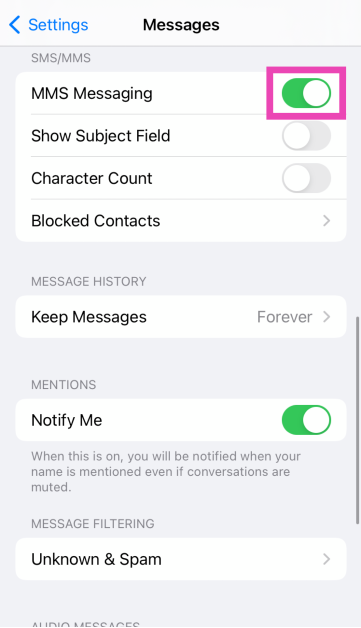
If you’re trying to send a picture or an emoji as a text, it will be sent as an MMS. The same is the case while receiving a message with a piece of media in it. Make sure MMS is enabled in settings.
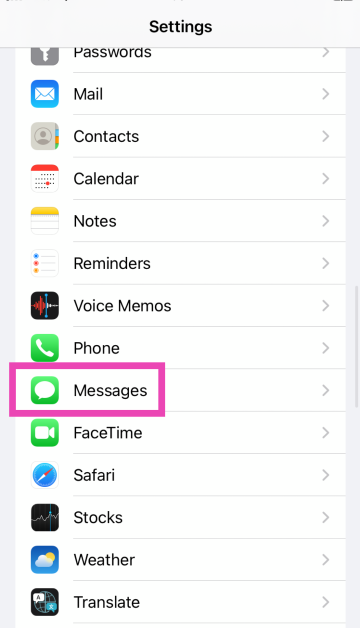
Step 1: Go to Settings and select Messages.
Step 2: Scroll down and turn on the toggle switch for MMS Messaging.
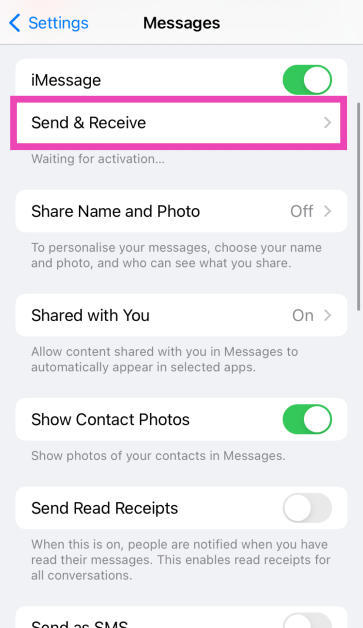
Check the Send & Receive settings
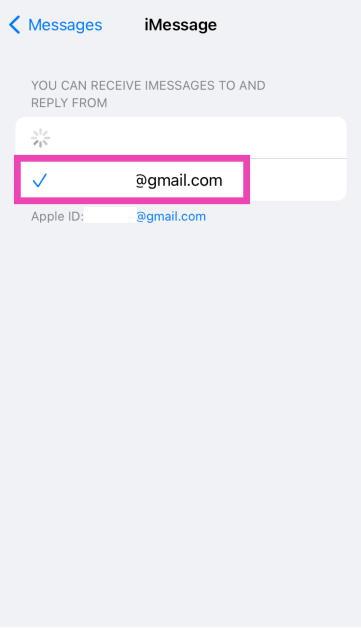
To make sure iMessage works seamlessly on your device, add your Apple ID email to the ‘Send & Receive’ section in message settings.
Step 1: Go to Settings and select Messages.
Step 2: Tap on Send & Receive.
Step 3: Add your Apple ID email and make sure it is selected.
Check your message filters
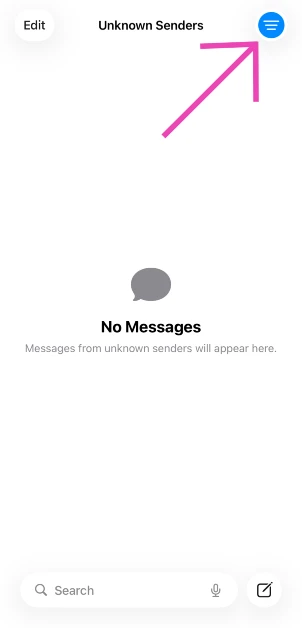
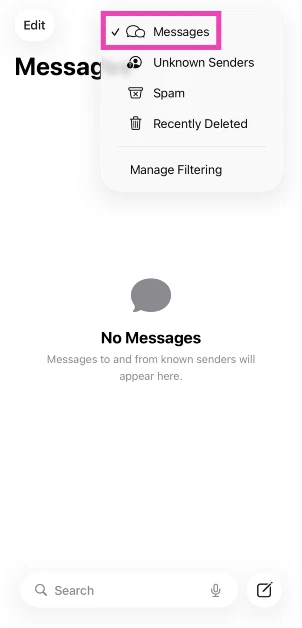
It is possible that the messages are delivered to your iPhone but aren’t visible to you because they’re getting stuck in a filter. Here’s how you can see all your messages.
Step 1:Launch the Messages app and hit the hamburger menu icon in the top left corner of the screen.
Step 2: Tap on Messages to view the messages that may have got stuck in a filter.
Check network coverage
If you’re in an area with low network coverage, the text messages will take time to reach your number. Move to an area with optimum network coverage to ensure the free flow of text messages. You can check the signal strength from the network icon in the status bar.
Toggle Airplane Mode
To refresh the cellular network, you can try toggling the Airplane Mode on your iPhone. Swipe down to reveal the Control Centre and hit the airplane tile. After a few seconds, tap the tile again to turn off the Airplane Mode. Wait for your iPhone to display the network bars. Once that’s done, you will likely start receiving text messages on your iPhone.
Restart your iPhone
If your iPhone is not receiving text messages due to a background glitch, a simple restart will take care of it. Press and hold either the volume button or the side button until the power off slider appears. Drag the slider to power off your phone. Press and hold the side key again to restart your device.
Unable to receive an iMessage? Check internet connectivity
Unlike traditional text messages, iMessages need internet connectivity to get through. If you are not connected to the internet, you will not receive iMessages on your iPhone. Either turn on the mobile data on your device to connect to a WiFi network.
Turn off ‘Filter Unknown Senders’
Your iPhone lets you block messages from people who are not in your contacts list. While this may be a handy iPhone feature to reduce spam, it could be the reason why you’re not able to receive texts from a friend who recently switched their phone number. Here’s how you can turn it off.
Step 1: Go to Settings and select Messages.
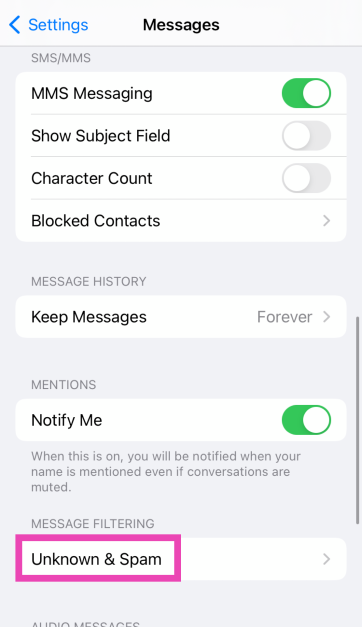
Step 2: Scroll down and tap on Unknown & Spam.
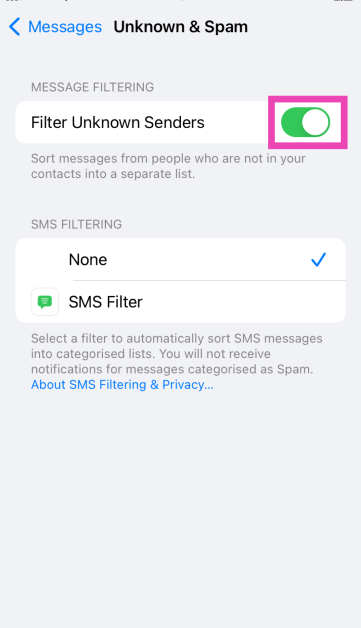
Step 3: Turn off the toggle switch for Filter Unknown Senders.
Reset Network Settings
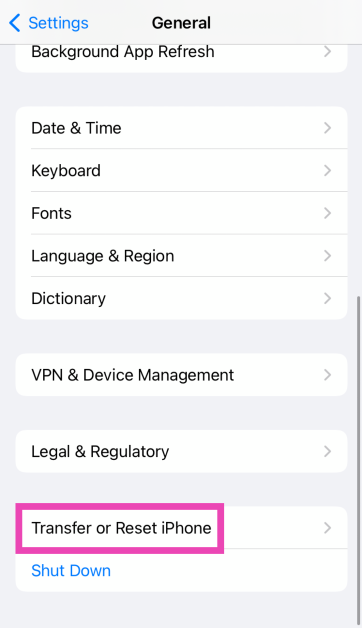
Step 1: Go to Settings and select General.
Step 2: Tap on Transfer or Reset Device.
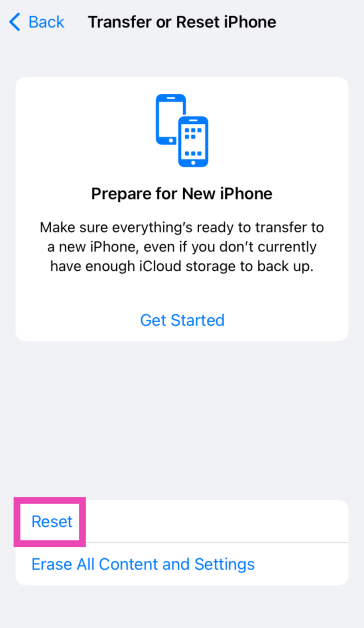
Step 3: Hit Reset.
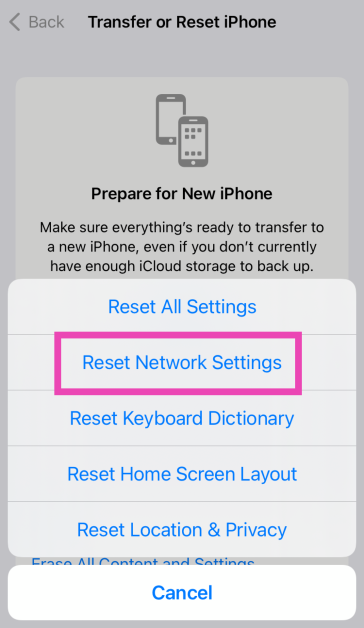
Step 4: Select Reset Network Settings.
Update iOS
Step 1: Make sure your iPhone is connected to a WiFi network and plug in its charger.
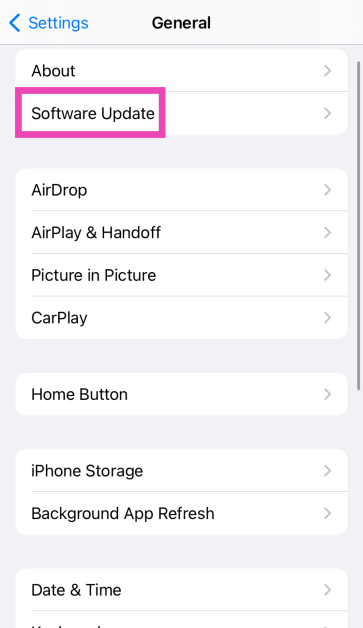
Step 2: Go to Settings and select General.
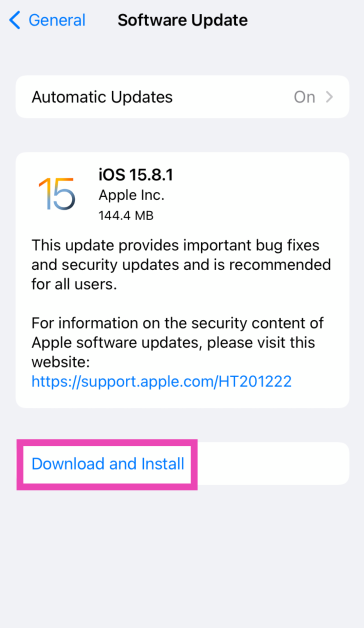
Step 3: Select Software Update.
Step 4: Tap on Download and Install.
Contact your network provider
If these fixes do not work for you, try contacting your network provider. Either dial the customer helpline number or visit the local customer relations office. You will gain more clarity about the issue. Before you contact the carrier, make sure your phone is recharged with the relevant talk time/texting package.
Frequently Asked Questions (FAQs)
Why am I not receiving text messages on my iPhone, and how do I fix it?
If you’re in an area with bad network coverage, text messages will take a lot of time to reach your iPhone. Move to an area with better coverage to fix this.
How do I turn off message filtering on my iPhone?
Go to Settings>Messages>Unknown & Spam and turn off the toggle switch for Filter Unknown Senders.
Do I need an Apple ID to use iMessage?
You need to be signed into your iPhone with an Apple ID to send and receive iMessages. Go to Settings>Messages>Send & Receive to make sure your Apple ID email is entered correctly.
How do I disable a SIM card on my iPhone?
Go to Settings>Cellular, select a SIM card, and turn off the toggle switch next to ‘Turn On This Line’.
How do I perform an internet speed test on my iPhone?
Use the Speedtest tool by Ookla to calculate the speed and strength of your internet connection. If you’re on mobile internet, this speed test may use up a lot of your mobile data.
These are the top 12 ways to fix ‘iPhone not receiving texts’. If you’re aware of any other ways or methods to fix this annoying problem, let us know in the comments! If you’re facing trouble with iMessage, check out this article for possible fixes.
Motorola Edge 50 Pro India launch is going to happen today.
The AI phone by Motorola will come with Android 14 with Hello UI out of the box.
It is said to be the world’s first 1.5K 144Hz true color display validated by Pantone with a peak brightness of 2000 nits and HDR10+.
Motorola Edge 50 Pro is all set to launch in India today. The smartphone is the company’s first AI Phone that will be powered by Qualcomm Snapdragon 7 Gen 3 processor. In addition to this, the device will include an AI-backed camera setup. The phone will come with IP68 water and dust resistance. It confirmed that as soon as the smartphone launches it will be made available for purchase via Flipkart.
Lenovo-owned smartphone brand Motorola is going to host a global launch event for its next smartphone Edge 50 Pro in India. The livestreaming will begin at noon via the company’s official YouTube channel and across all its social media channels. For your convenience, we have embedded the watch link below.
In This Article
Motorola Edge 50 Pro price in India, availability expected
Ahead of the official India launch the Edge 50 Pro was spotted listed on an Italian site by a tipster which suggested that that device will come with 12GB RAM and 512GB storage and will cost EUR 864, or around Rs 77,000. Earlier, the tipster stated that the identical RAM and storage model would cost Rs 44,999 for the Indian version.
The Moto phone has been teased for release on Flipkart, as we previously stated. Some of the features that the Edge 50 Pro would have been revealed via the Flipkart listing and the Motorola teases. The Edge 50 Pro will come in at least three colour options: black, purple, and a third with a cream and grey design.
Motorola Edge 50 Pro specifications expected
The Snapdragon 7 Gen 3 SoC has been confirmed to power the Edge 50 Pro. The device will include a 6.67-inch 1.5K curved pOLED display with a refresh rate of 144 Hz and a maximum brightness of 2,000. The panel has been certified by SGS to have blue light protection, 100% DCI-P3 colour gamut, and HDR10+. The phone will have an in-display fingerprint sensor for authentication.
It is claimed to include a 4,500mAh battery that enables speedy charging at 125W when wired and 50W when wireless.
Furthermore, according to Motorola, the Edge 50 Pro’s display and camera have been validated by Pantone. It is confirmed to have a 10-megapixel telephoto sensor with an LED flash unit, an ultra-wide camera with a 50x hybrid zoom, and a 50-megapixel 2μm primary sensor backed by AI.
Garena Free Fire is a battle royale game with regular awards and tournaments to keep players interested. If you play Garena Free Fire, you should be aware of the redeem codes that are released on a daily basis. However, because the battle royale game is banned in India, players from other countries can use the Free Fire Redeem codes daily. If you’re unfamiliar with the Garena Free Fire redeem codes or don’t know how to get them, we’ve put together a step-by-step guide to help you redeem them. Check out Garena Free Fire Redeem Codes for 3 April 2024.
The Free Fire redeem codes are a great way to get free stuff. These are 12-digit codes that contain alphabets and numbers, as well as an expiration date and time. Because the Garena FF redeem codes cannot be used more than once, you should hurry to the redemption page to claim your free reward before someone else does. To get a free reward, all you have to do is go to reward.ff.garena.com/en, which is the official redemption page. Also, keep an eye on this space for daily updates on Garena Free Fire redemption codes and rewards.
Deciding to make YouTube Music its comprehensive audio platform, Google is shutting down its Podcasts app in the US today. The tech giant introduced podcasts to YouTube Music last year and since then the termination of its Podcasts app has seemed inevitable. Now that the time is finally up for the app, Google is giving users a chance to transfer their subscription data to the YouTube Music app. So, let’s take a look at how you can transfer or export your Google Podcasts data to YouTube Music to any other podcast app.
Google discontinuing its apps and services that enjoy a good amount of popularity is not new. Apps like Allo, Hangouts, and Play Music can attest to that. As is the case with most Google products, a better and more expansive platform is again killing off a relatively niche app which has a dedicated user base that won’t settle for anything else. While on paper YouTube Music may be a better platform that can seamlessly switch between audio and video feeds of a podcast while offering rich suggestions, users preferred the Podcasts app for its simple interface and lightweight design.
If you’re not a YouTube Premium subscriber, chances are your liking of YouTube Music will fade rather quickly. In this case, it is a good idea to look for a third-party podcast aggregator app. Apart from migrating your subscription data to YouTube Music, the Google Podcasts app is also allowing users to download an OPML file for their subscriptions which can then be imported to another app.
Transfer Google Podcasts data to YouTube Music
Step 1: Launch the Google Podcasts app on your smartphone.
Step 2: Hit the Export subscriptions button in the banner at the top of the screen.
Step 3: On the following page, hit the Export option in the ‘Export to YouTube Music’ section.
Step 4: YouTube Music will open on your device. Tap on ‘Transfer as’ and confirm your Google account.
Step 5: Tap on Continue.
Your Google Podcasts data will be migrated to YouTube Music. Once the process is completed, YouTube Music’s podcast library will open up on your phone.
Transfer Google Podcasts data to another app
If you prefer using a third-party app to aggregate your podcasts, here’s how you can import your Google Podcasts data on it.
Step 1: Launch the Google Podcasts app on your smartphone.
Step 2: Hit the Export subscriptions button in the banner at the top of the screen.
Step 3: On the following page, hit the Download option in the ‘Export for another app’ section.
Step 4: Tap on Save to download your Google Podcasts file.
Step 5: Launch your preferred podcast app.
Step 6: Go to Settings and look for the option to import OPML files.
Step 7: Once you find the option, select the file you have just downloaded from Google Podcasts.
Frequently Asked Questions (FAQs)
When is the Google Podcasts app shutting down?
The Google Podcasts app is shutting down in the US on April 2, 2024. Google has not revealed the app’s termination date for the rest of the world.
How do I transfer my Google Podcasts data to YouTube?
Launch the Podcasts app by Google and hit the ‘Export subscriptions’ option in the banner. Select YouTube Music and confirm your Google Account. Your data will be safely transferred.
How do I export my Google Podcasts data to another app?
Go to Google Podcasts, hit the ‘Export subscriptions’ option in the banner and select the ‘Download’ option under ‘Export for another app’. Your subscription data will be downloaded in a file which you can later import into your preferred app.
This is how you can transfer or migrate your Google Podcasts data to YouTube Music or any other podcast app of your choice. Which is your preferred when it comes to listening to podcasts? Let us know in the comments!
The LG MyView Smart Monitor supports AirPlay 2 and ScreenShare, facilitating seamless mirroring for both iOS and Android devices.
MyView Smart Monitor acts as a webOS-based IoT hub.
The device comes with built-in Wi-Fi and Bluetooth speakers.
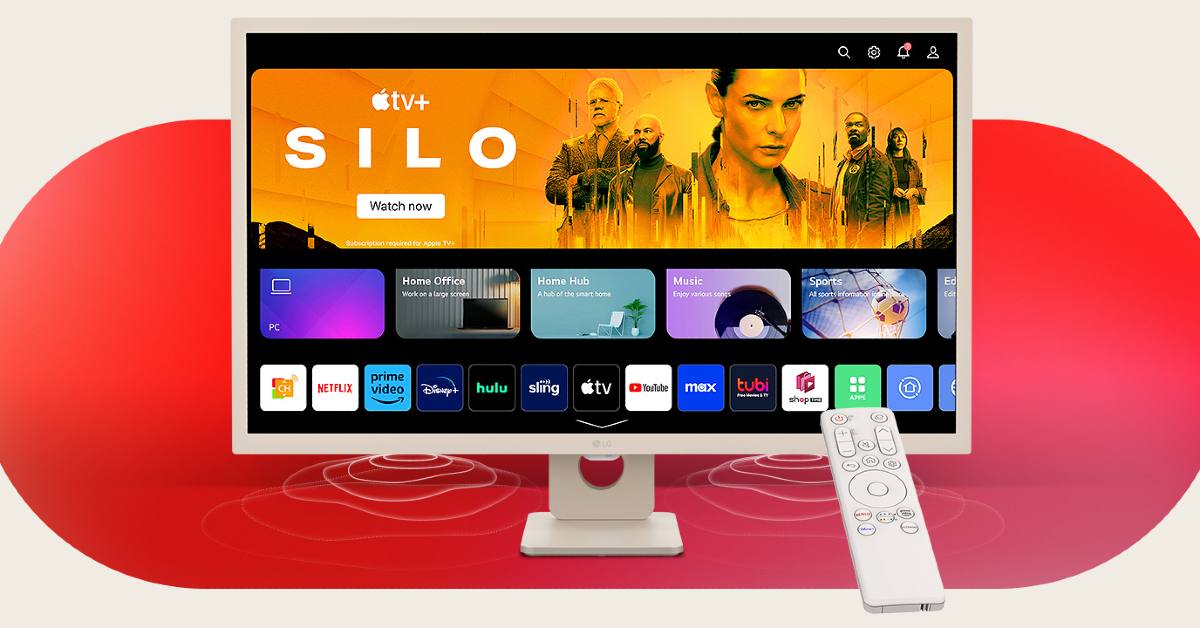
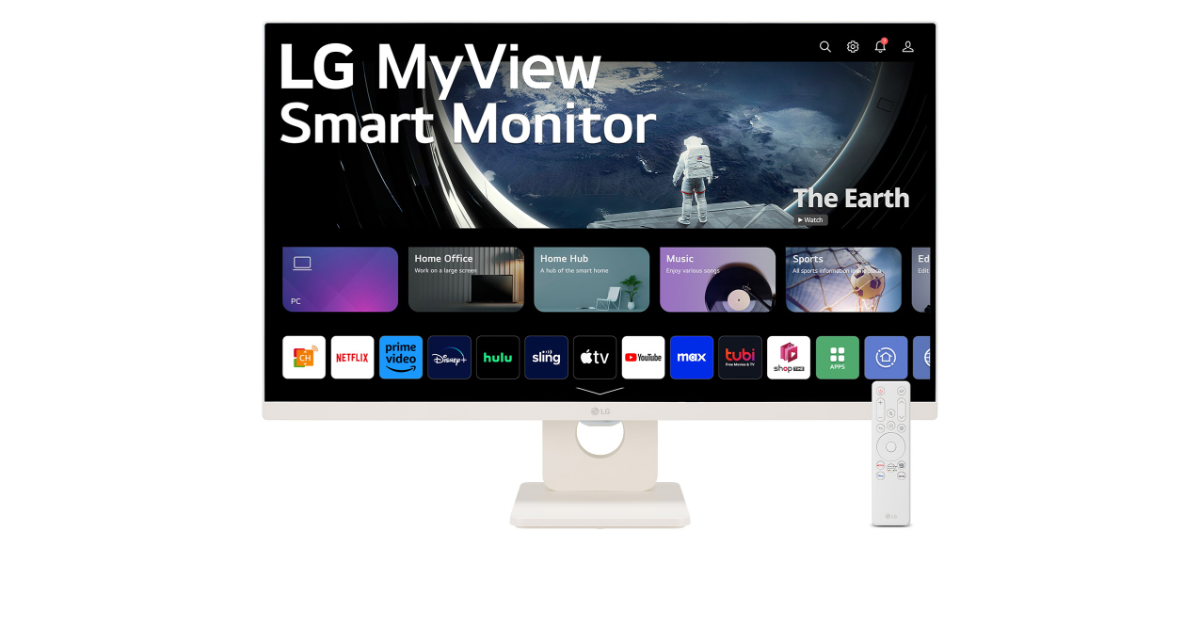
LG Electronics India has officially introduced the LG MyView Smart Monitor in India. The lineup includes two models- 32SR50F and 27SR50F. The latest series is claimed to be designed for home office and entertainment with various streaming apps, and set up a home office environment instantly, with a connected PC or PC-free.
LG MyView Smart Monitor features an FHD IPS display with 1920×1080 pixels of resolution measuring 32 inches and 27 inches in size. The 27SR50F model features a virtually borderless display on three sides with a wide 178/178 viewing angle. It runs on the webOS23 platform. For connectivity, there is WiFi, Bluetooth, screenshare, and AirPlay 2 support.
LG’s webOS 23 platform makes life easier without requiring extra device connections with personalised content recommendations and direct streaming access. With built-in streaming services like Netflix, Prime Video, Disney+, YouTube, and Apple TV, viewers can enjoy a lot of content. You may also take advantage of pre-installed apps like Sports and Music and receive recommendations for personalised content. The LG Mood Music offers personalised playlists and sports fans can customise their profiles for easy viewing. The monitor includes internal speakers delivering 5W x2 of audio output.
On the other hand, the 32SR50F has a sleek design that features a four-sided virtually borderless display with a wide 178/178 viewing angle. There are two HDMI ports and two USB 2.0 ports. Integrated WiFi, Bluetooth, ScreenShare, and AirPlay 2 are provided for connectivity. Similar to the 27SR50, the LG MyView Smart Monitor 32SR50F also runs on the webOS23 platform and includes internal speakers delivering 5W x2 of audio output. You can wirelessly stream content from your mobile devices to the monitor that supports Apple AirPlay2 and ScreenShare.
As per the company, MyView Smart Monitor notifies users of upcoming games. Both the monitors also provide Quick Card categorisation and AI Concierge recommendations. Users can access over 300 free programmes without the need for a set-top box. Furthermore, LG’s integrated Home Office software enables seamless performance of various work-related tasks without the need to connect to a PC. LG customers can connect a keyboard and mouse straight to the monitor.
MyView Smart Monitor connects to a range of smart home equipment by acting as an IoT hub powered by webOS. It can be controlled with voice commands or a mobile phone. With the help of the ThinQ App, users can effortlessly change settings and navigate for a more efficient user experience using their smartphones.
The LG MyView Smart Monitor 27SR50F comes with a price tag of Rs 24,500. Whereas the 32SR50F can be purchased for Rs 28,500. Both monitors will be available on Flipkart, Amazon and LG.com
Oppo F25 Pro 5G now comes in a new Coral Purple colour option.
The new colour variant will be available via Flipkart and the company’s official website in the country.
The device was initially introduced in two colourways- Lava Red and Ocean Blue.
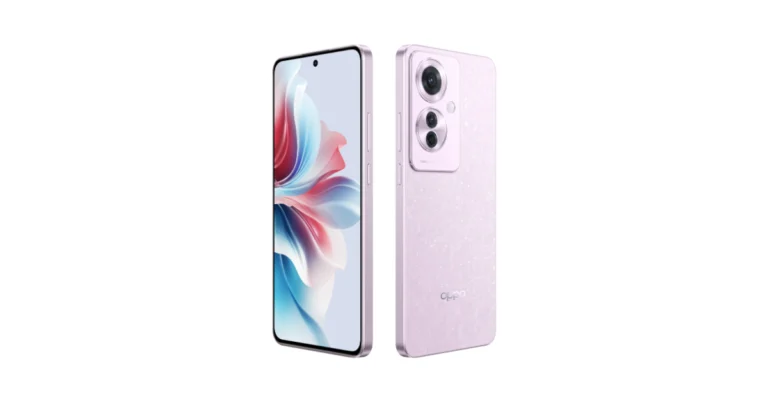
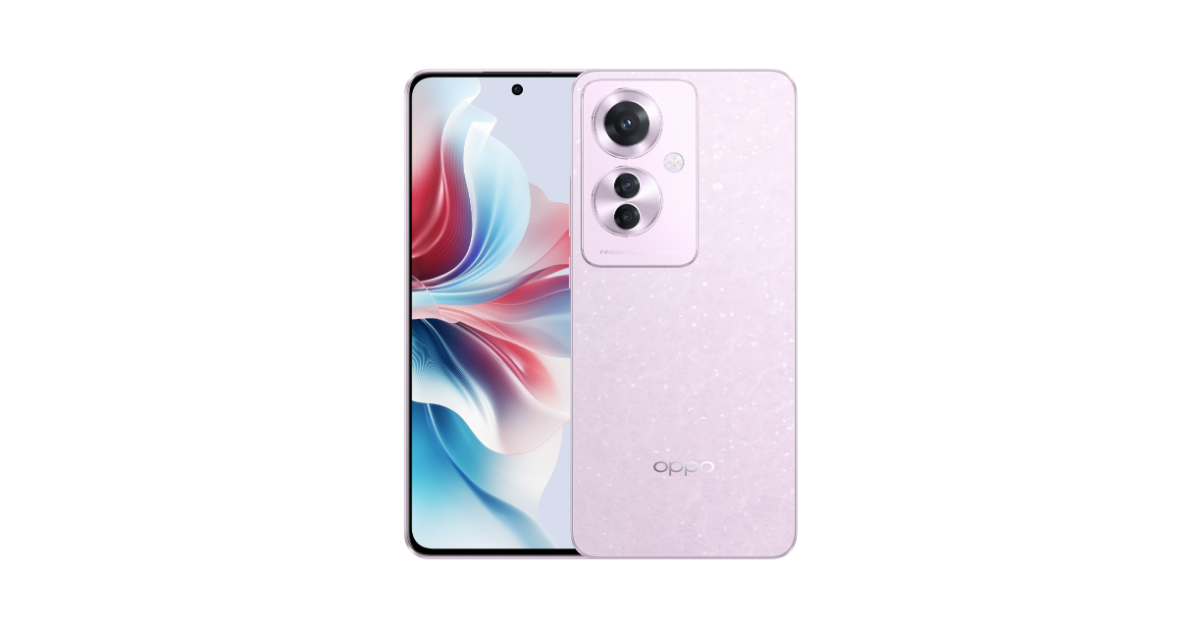
Oppo F25 Pro 5G launched in India earlier last month. The device was introduced in two colour options Lava Red and Ocean Blue. But now a company has revealed a new colour option of the Oppo F25 Pro 5G in India. The firm has launched the F25 Pro 5G in Coral Purple. Note that the configurations and the specs remain unchanged.
Oppo F25 Pro new colour variant price in India, sale details
Oppo F25 Pro will come in a new Coral Purple colour option. The new variant is now available for purchase via Flipkart and Oppo India Store in the country. The device comes with a price tag of Rs 23,999 for base 8GB RAM with 128GB storage variant. Whereas the price of the 8GB RAM with 256GB storage is set at Rs 25,999. Apart from the new Coral Purple colour variant the device is available in Lava Red and Ocean Blue.
Oppo F25 Pro 5G specifications
Oppo F25 Pro 5G features a 6.7-inch full-HD+ display with 1,080×2,412 pixels of resolution. The screen supports 10-bit colour technology and a peak brightness of 1100 nits. The display has a 93.4% screen-to-body ratio and supports a 120Hz refresh rate. The Panda Glass protects the screen. The device is IP65 certified which makes it dustproof and resistant to water jets coming from all directions. The phone is powered by an octa-core MediaTek Dimensity 7050 SoC paired with Mali-G68 MC4 GPU. It comes with 8GB of LPDDR4x RAM expandable up to 16GB through RAM Expansion. It runs on ColorOS 14.0 based on Android 14 which will get three years of OS updates with four years of security updates.
For the optics, there is a triple rear camera setup that includes a 64MP OV64B 1/2” sensor, an 8MP Sony IMX355 112° ultra-wide camera and a 2MP OV02B10 macro camera. For selfies, it includes a 32MP IMX615 camera sensor with a 21mm focal length. Poco F25 Pro is backed by a 5000mAh battery with 67W SUPERVOOC Flash Charge.
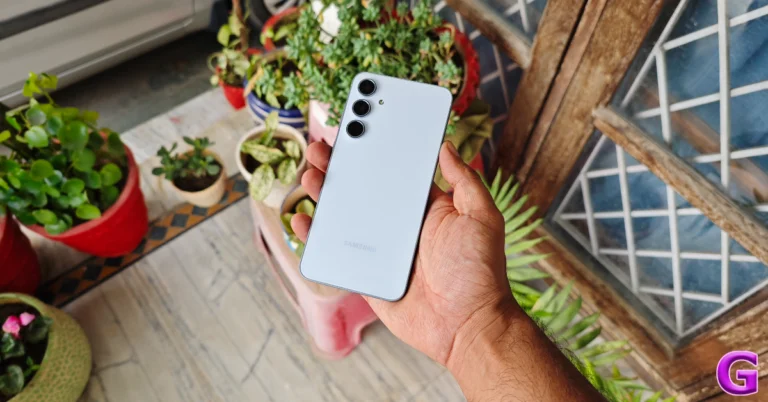
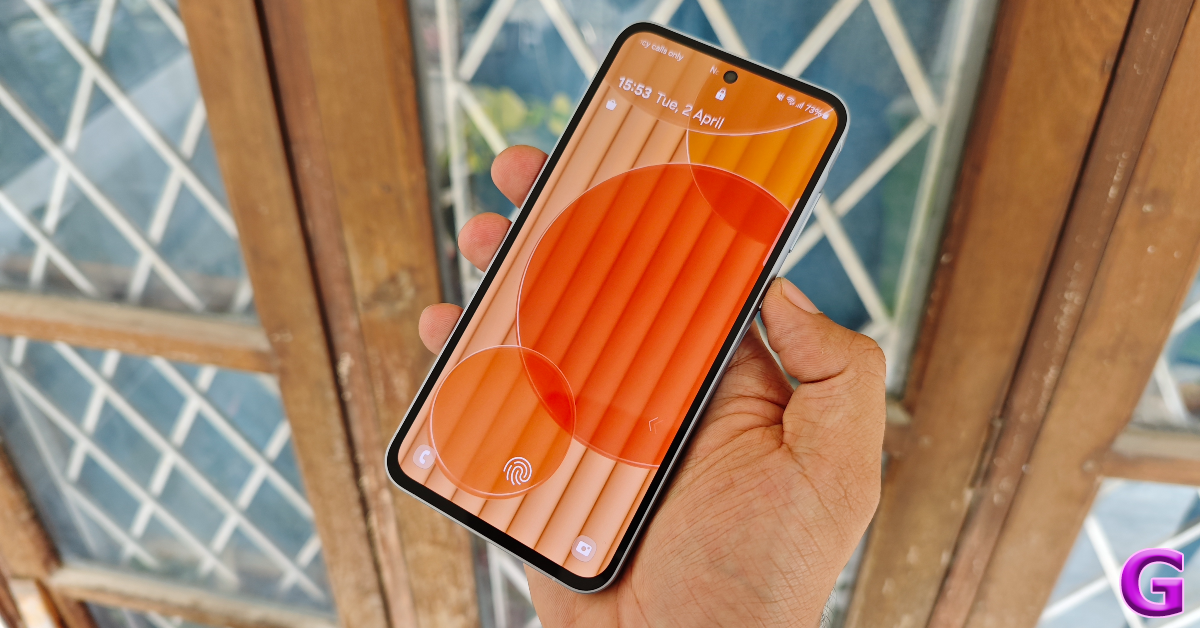
After launching its flagship Galaxy S24 Series (our review here) in January, Samsung rolled out its reliable mid-rangers in Galaxy A55 and A35 last month. The two smartphones crossed our desks soon after launch and we’ve been excited to see what Samsung has in store for the audience that wants the biggest bang for its buck. On paper, the Galaxy A55’s updates may seem minute in comparison to its predecessor, but for those upgrading from an older device, this smartphone deserves a lot of attention. We used the Samsung Galaxy A55 for a week, here is our in-depth review of the device.
Here’s what you get inside the Samsung Galaxy A55 retail box:
Smartphone
USB Type-C to Type-C cable
SIM ejector tool
Quick Start Guide
Samsung does not offer a power adapter or phone cover with its midrange offerings. This is particularly disappointing because the smartphone costs Rs 40,000 and the USB Type-C to Type-C cable provided inside the box may not be compatible with older power adapters that have a Type-A port.
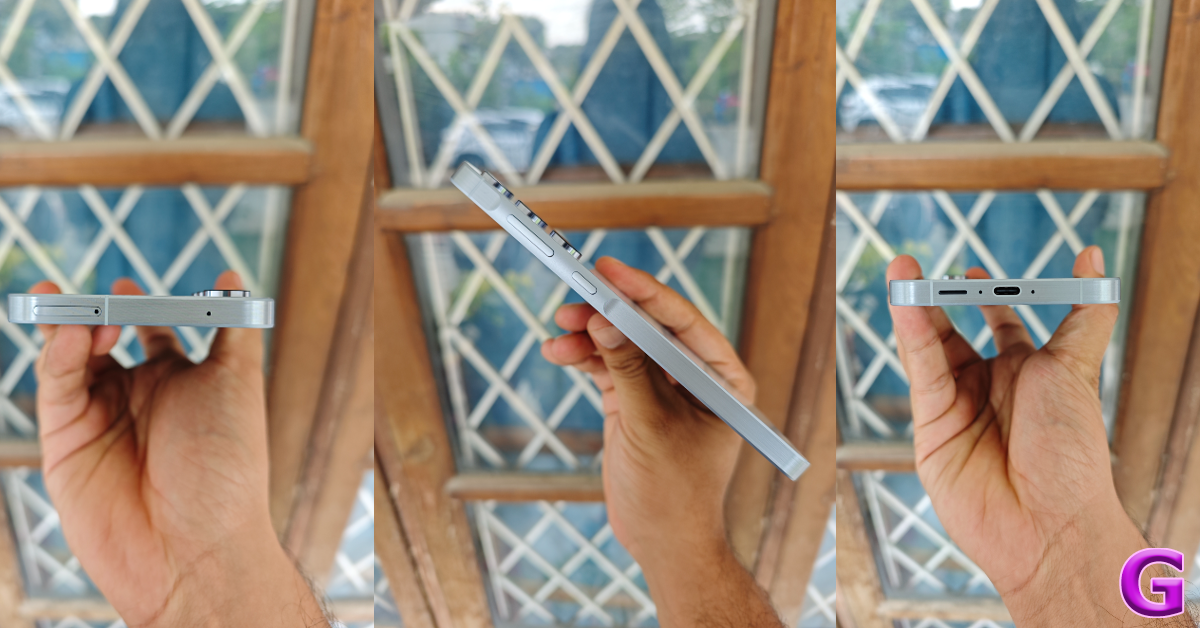
Moving on to the form factor of the device, there are some key changes on the Galaxy A55 that we appreciate a lot. Firstly, Samsung has gotten rid of the chunky frame on the Galaxy A54 (our review here) and replaced it with a flat aluminium frame. The brushed texture of this frame is a nice contrast to the glossy back panel. Its curved edges don’t dig into the palms.
The right edge of the frame houses the volume rocker and the side button. These keys are placed on a slightly raised surface, which makes it easier to locate them with your hand when you’re not looking at the phone. We prefer the uniform design language of completely flat sides, but this is a matter of personal opinion. On the bottom edge of the phone, you’ll find the USB Type-C port, primary microphone, and speaker grille. The secondary microphone and hybrid SIM slot are positioned on the top edge. That’s right, the Samsung Galaxy A55 has a hybrid SIM slot, which can be used to expand the device’s memory using a micro SD card. The earpiece at the top doubles up as the secondary speaker.
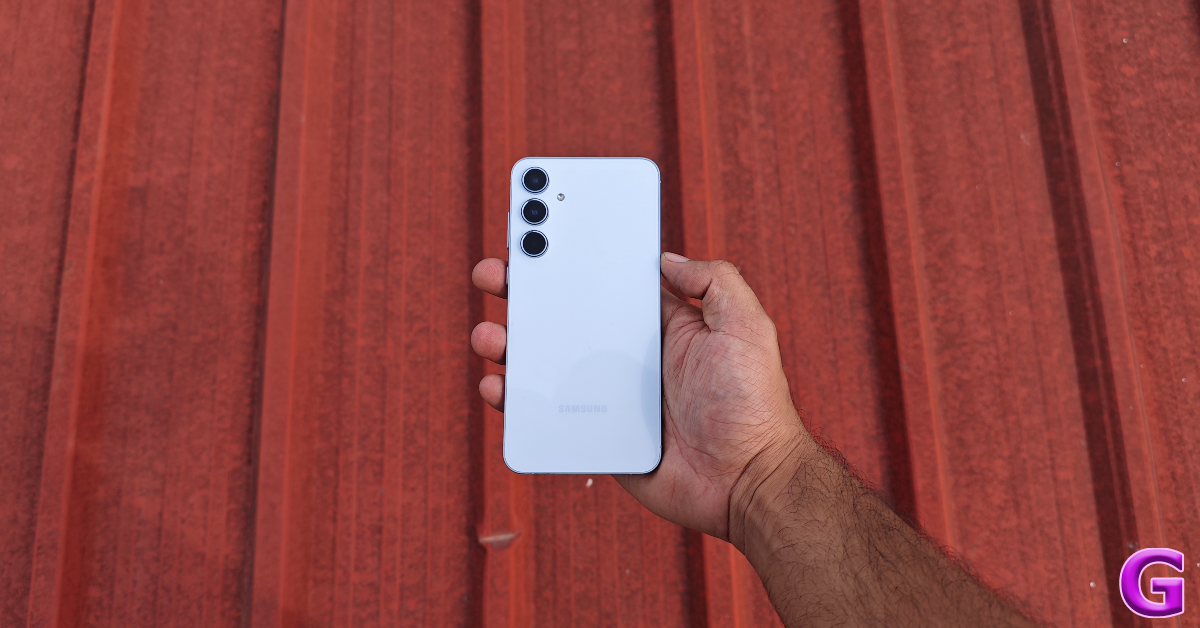
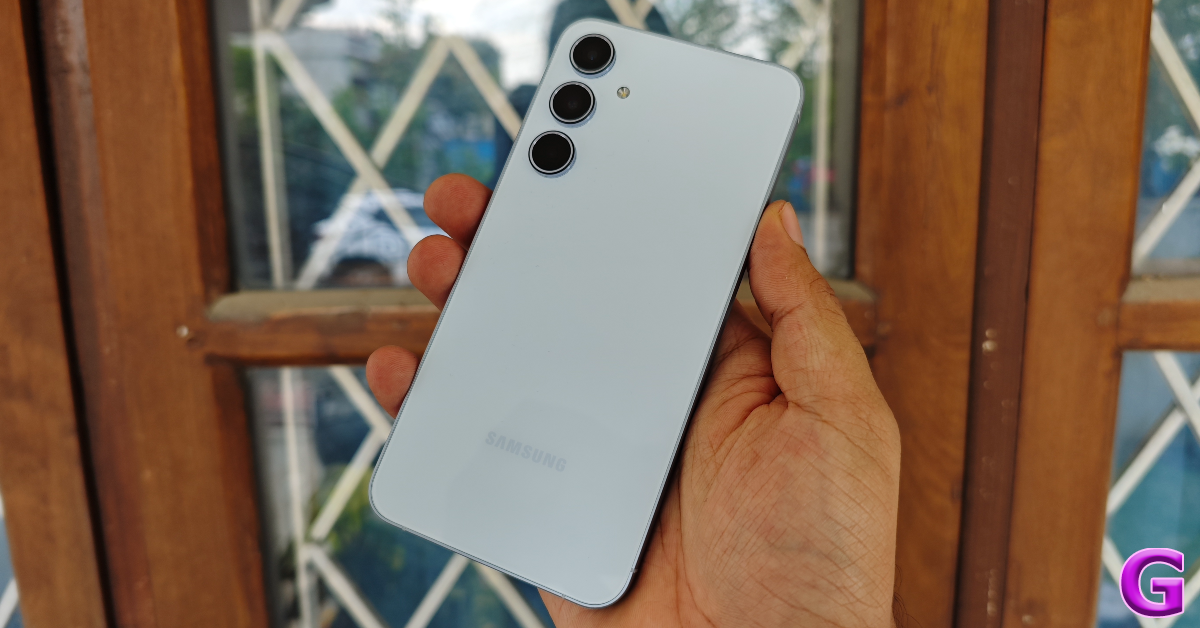
The back panel remains unchanged from its previous iteration. Samsung has stuck with the glass back and vertical camera layout on the A series. The three camera sensors are placed in individual cutouts which have a slightly larger bump than the A54. This layout lacks any kind of extravagance, which leads us to believe that Samsung prefers playing it safe with its design choices. It is inoffensive to the senses which is the perhaps best thing we can say about it.
Moving on to the display, it should surprise no one that Samsung has brought its A-game to the A series once again. The 6.6-inch Super AMOLED display offers a sublime touch response which is completely unmatched by its peers. This display is a smidge larger than the A54, but it doesn’t feel bulky in comparison. The 120Hz maximum refresh rate provides exemplary smoothness while browsing the phone. There is some bad with the good though, as the (relatively) thick bezels still stick out like a sore thumb on the A55.
Other than the size, the AMOLED display on the Galaxy A55 is identical to its predecessor. It can reach a maximum brightness of 1,000 which isn’t too high by 2024’s standards, but certainly not a dealbreaker. HDR10+ support and Widevine L1 certification make this display ideal for watching HD content across all OTT platforms. Samsung’s displays make the colours ‘pop’ like no one else and we were very pleased with the level of detail in the images. The stereo speaker is well-balanced and can reach an optimum level of loudness.
In terms of protection, the glass front gets the Gorilla Glass Victus+ treatment, which is a welcome upgrade from the Gorilla Glass 5 on last year’s A54. The smartphone is still rated IP67 for dust and water resistance. It can withstand being submerged up to 1m for 30 minutes.
Samsung Galaxy A55 review: Performance and Cameras
Let’s talk about the performance aspect of the Samsung Galaxy A55 and address the 4nm elephant in the room which is the Exynos 1480 chipset. Samsung’s commitment to its in-house Exynos chipsets only grows stronger every passing year, as evidenced by the newest Galaxy S24 (our review here) and the S24+ (our review here).
Before we dive into the benchmark numbers and gaming performance, it needs to be said that the Exynos 1480 chipset does not present any significant issues in everyday use. Browsing through apps is a breeze and the smartphone manages multiple background tasks with expertise. Our daily tasks on the Samsung Galaxy A55 during the review period consisted of emailing, video calling, web browsing, navigation, and media consumption. The smartphone crushed them without any hiccups.
In outdoor use, the smartphone warms up quickly while taking pictures. It didn’t reach a point where we had to shut down the camera app but the rise in internal temperature was rather abrupt. On the bright side, the phone’s excellent touch response and fine haptics played an important role in elevating the user experience.
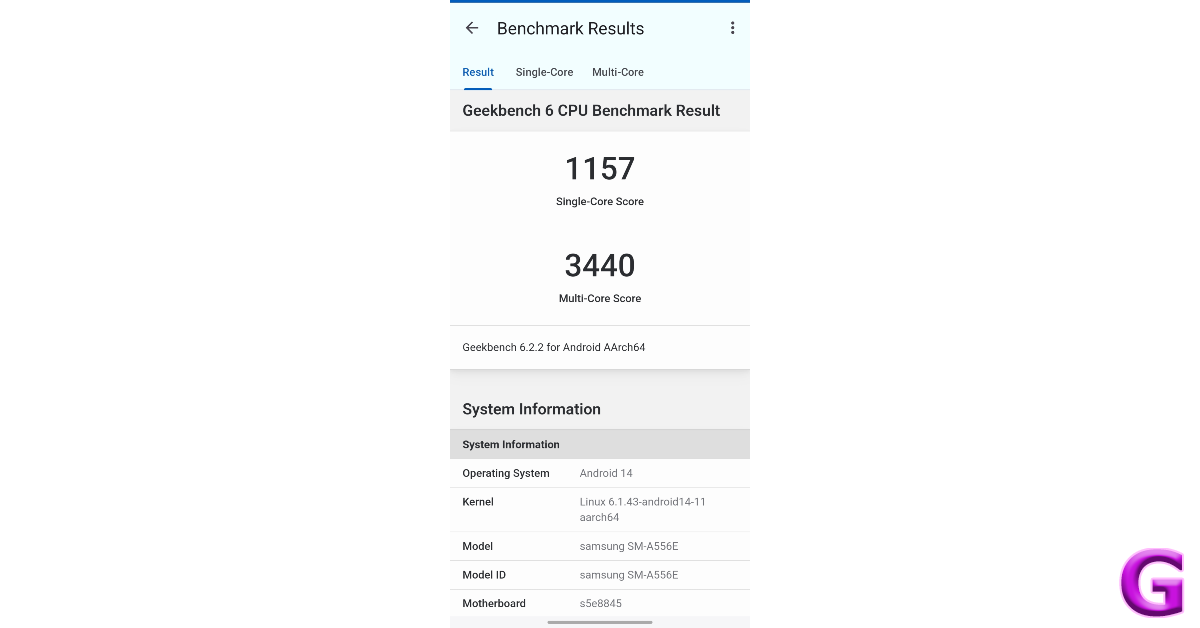
On the Geekbench 6 test, the Galaxy A55 scored a respectable 1,157 points in the single-core test and 3,440 points in the multi-core test. In comparison, the Snapdragon 8 Gen 2-powered OnePlus 12R (our review here) which is in the same price bracket as the A55 scored 1,560 and 4,522 points in the single-core and multi-core tests respectively.
The difference in benchmark numbers is palpable while playing demanding titles like COD Mobile and Asphalt 9. Call of Duty does not offer an option to set the graphics to any other setting other than low. The frame rate locks in at 60fps. While the touch response is good, lags and frame drops are quite frequent. After 15-20 minutes of gaming, the rise in temperature becomes noticeable. Once the smartphone warms up, throttling issues begin to arise. To cut the A55 some slack, it isn’t advertised as a gaming smartphone. For casual gamers, this smartphone will do the job.
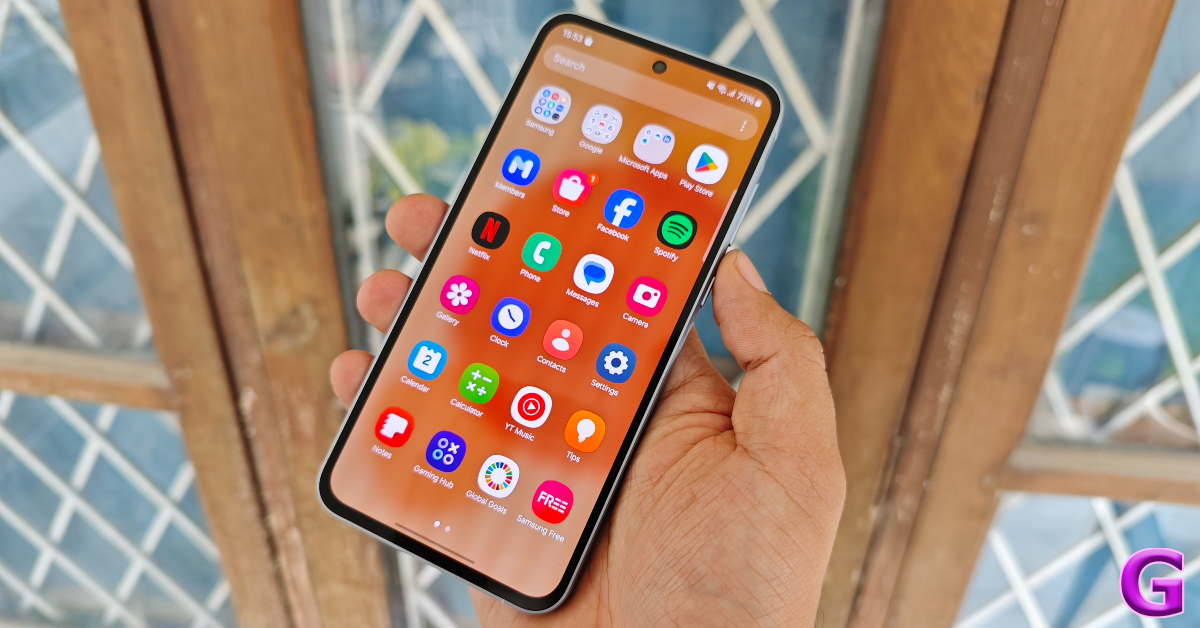
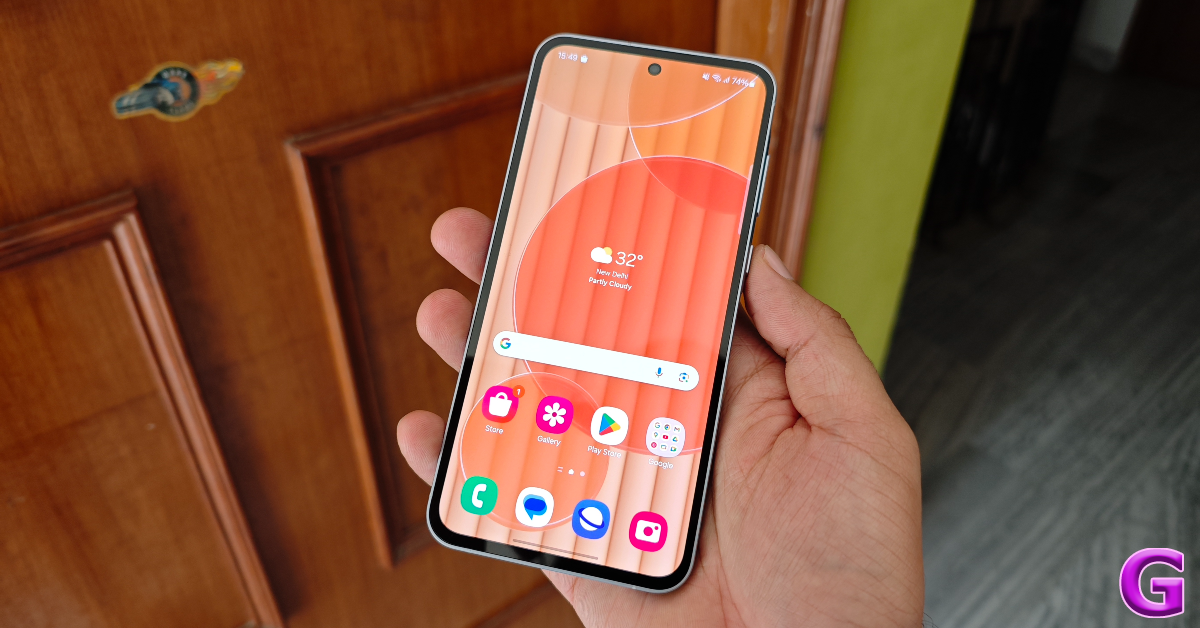
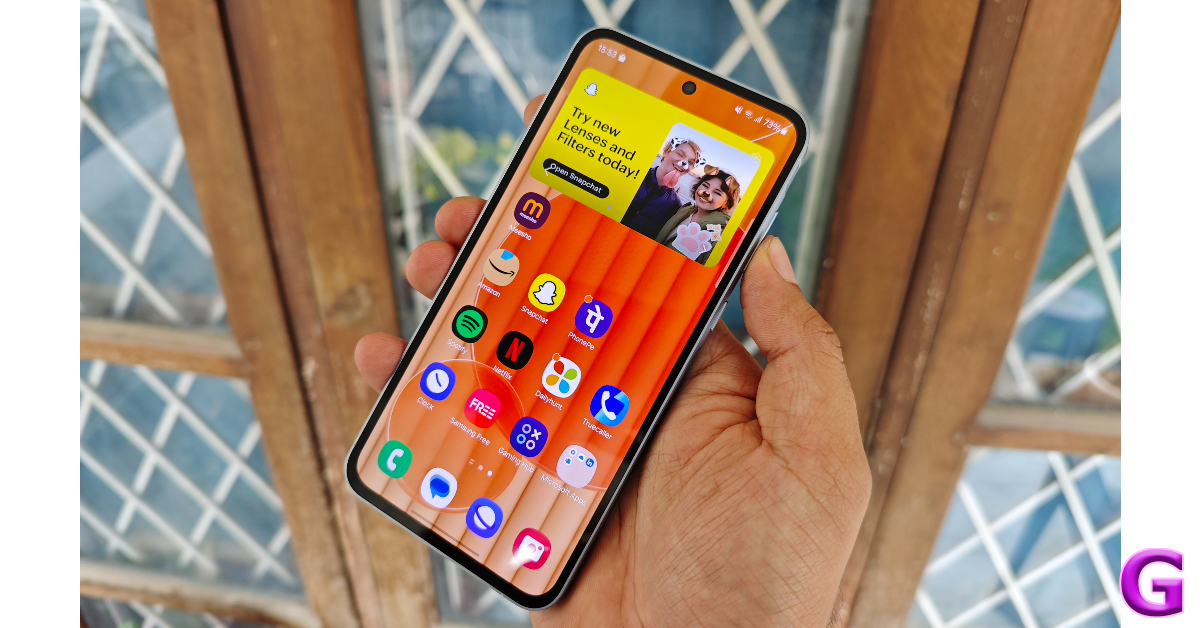
Samsung’s One UI 6.1 is one of our favourite Android 14-based skins around. However, the software experience on the Galaxy A55 is a little tainted by the ads and bloatware on the device. To get an idea of what we’re talking about, there’s a widget that only displays ads in one of the home screen panels. Luckily, this widget along with the bloatware apps can be removed from the device.
Samsung’s Galaxy AI, which made its debut on the S24 Series in January, has been withheld in the midrange A Series. However, you can still find its ‘Image Remaster’ function in the Gallery app. Samsung DeX is another premium feature which hasn’t made it to the A Series yet.
Other than the misses, you get the good stuff like ‘Video call effects’ in Advanced Settings, which lets you change your call background on apps that don’t natively allow it. Yes, this includes WhatsApp too. You also get a good range of customisation options for the lock screen and home screen.
Another significant change on the One UI 6 is the reworked Quick Settings Menu. While we like the new layout, there is one change that hampers the accessibility of the new panel. Earlier, tapping the title of the tile took you to the popup menu of the function while tapping the tile itself toggled it on and off. On One UI 6, tapping either item simply toggles the function. Hopefully, Samsung will rectify this in a future update.
The battery specs on the Galaxy A55 are identical to its predecessor. The Exynos 1480 chipset deserves praise when it comes to power management and getting the most out of this 5,000 mAh unit. We consistently got 6 hours of Screen On Time on the Samsung Galaxy A55 throughout the week-long review period. The overnight drain was minimal as well. What we don’t like is the 25W charging speed. It leaves a lot more to be desired as the smartphone takes an hour to fully charge.
The triple camera array on the back panel comprises a 50MP primary shooter, a 12MP ultrawide lens, and a 5MP macro sensor. This camera setup is identical to the one on the Galaxy A54. We were hoping for the addition of a telephoto lens to the A55’s camera arrangement this year, but that is not the case here.
The camera performance of the Galaxy A55 is indistinguishable from its predecessor. This isn’t a bad thing at all, as the latter impressed us with its camera versatility last year. Images taken with the 50MP in outdoor daylight conditions are sharp and detailed. Samsung’s photoprocessing deserves a lot of praise for its vibrant tuning of colours and displaying a healthy dynamic range in the images. The pictures pack a good amount of detail. We were happy with the way the main camera exposed the sky and captured its colour tone.
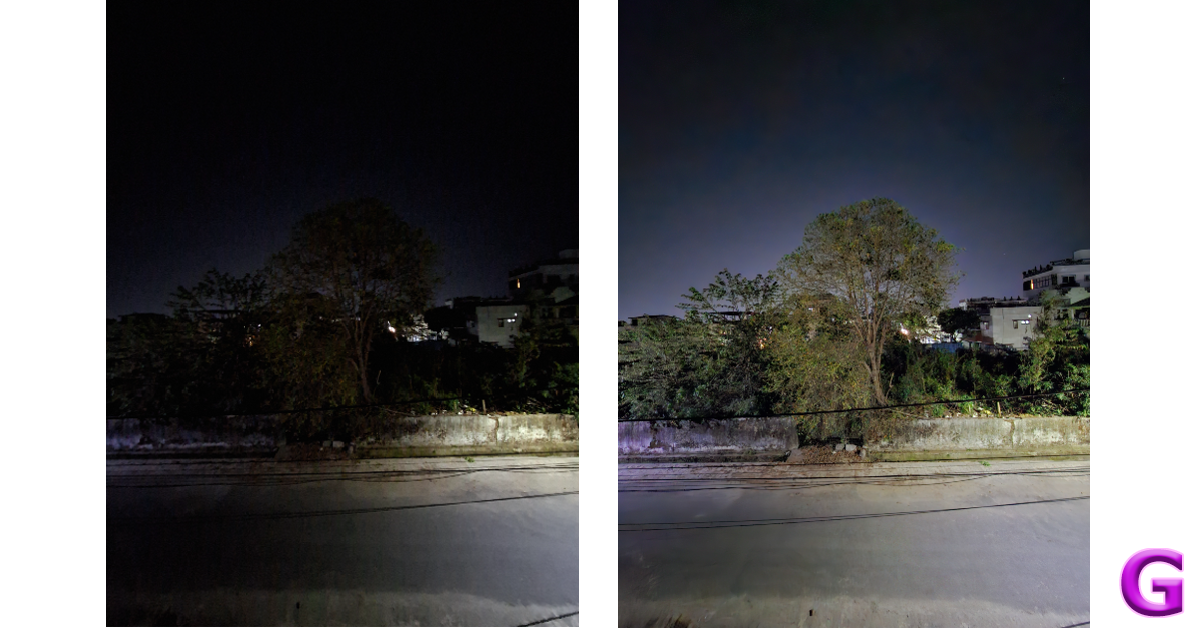
In limited lighting conditions, the main camera sensor lets in a lot of light and takes good pictures even without the Night Mode turned on. The colours are life-like, but the images are a little grainy. Turning on the Night Mode smoothens the grain from the images and brightens up the subject. The images seem a tad overprocessed, especially when capturing the foliage, but it isn’t a major issue for us.
Main Camera: Without Night Mode vs With Night ModeUltrawide Camera: Without Night Mode vs With Night Mode
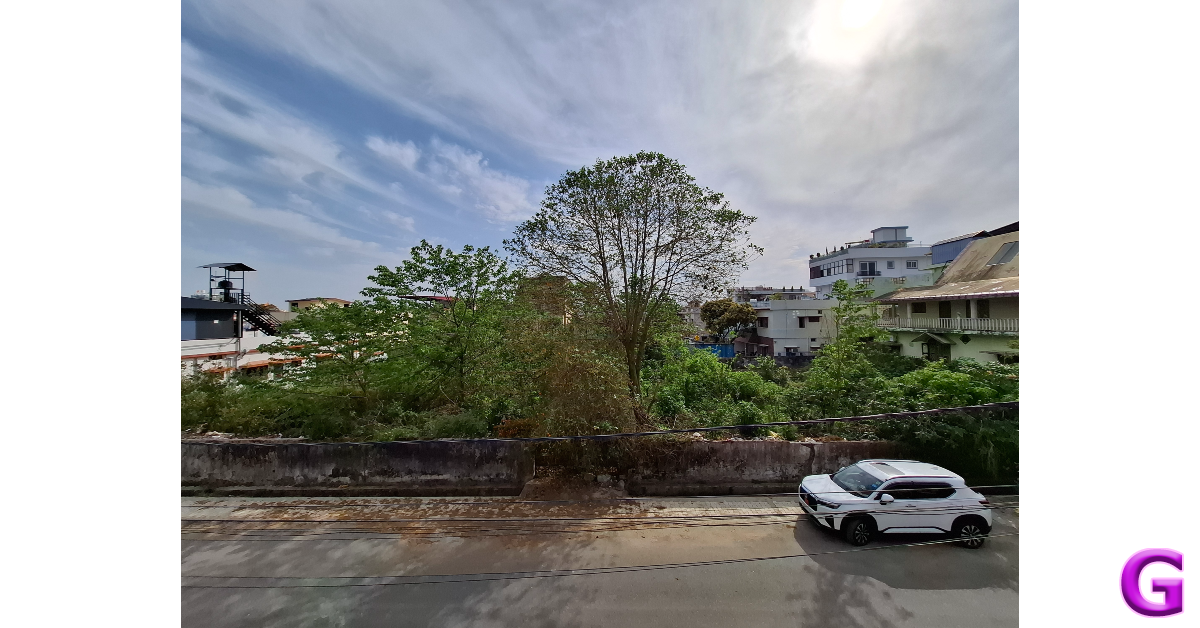
The drop-off in quality from the main sensor to the ultrawide lens is minimal. The images taken with the ultrawide camera are slightly on the softer side but they showcase excellent colours. Even in limited lighting, the ultrawide camera produces good results with the help of the Night Mode.
Ultrawide ShotUltrawide ShotUltrawide Shot
Portrait shots taken with the Samsung Galaxy A55 can be hit or miss. The smartphone struggles to recognise the edges of the object in the frame, which means you’ll have to take multiple shots to get the focus just right. The blur effect applied to the background is optimum. The 32MP front-facing camera takes good selfies with accurate skin tones. It can also record 4K at 30fps, which is a big plus point. The main camera at the back can also record 4K videos at 30fps.
The Samsung Galaxy A55 is essentially an updated A54 with a better-performing chipset and some tweaks to the form factor. The Exynos 1480 SoC falls short in gaming performance, but it carries out its power management duties very well. If you’re not interested in gaming, the A55 will serve as an excellent ‘everyday’ smartphone. The super smooth AMOLED display and versatile camera performance are the two big highlights of this smartphone. Samsung’s commitment towards providing 4 major OS upgrades and 5 years of security patches on the A55 is also one of the reasons that justify its Rs 40,000 price tag.
Poco has revealed its HyperOS rollout plan for Q2 2024 for its smartphones in India.
HyperOS is the company’s latest operating system with a human-centred design intended for linked personal devices like tablets and smartphones currently in use.
HyperOS, according to the business Xiaomi, was created for users who are increasingly requesting seamless connectivity and interoperability between their many personal devices.
In January, Xiaomi launched the HyperOS for the initial set of compatible devices. Now its spin-off Poco has released the schedule for the second quarter of this year for India. However, most of the Poco phones have already been upgraded with the latest software. Here is the list of Poco phones that will receive HyperOS.
Poco India has officially unveiled its HyperOS rollout plan for Q2 2024 for its smartphones in India. The company has confirmed that the HyperOS update has already been released in India for the Poco C55, Poco M5, Poco X5, Poco X5 Pro, Poco X6 Pro, and Poco F5. In March the software update was pushed for more devices including Poco X6, Poco M4 5G, and Poco M6 Pro in the nation.
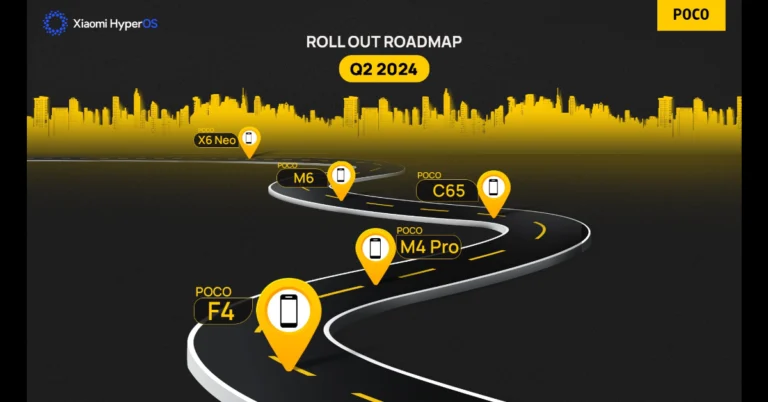
As per the company’s rollout roadmap for Q2 2024, the next batch including Poco F4, Poco M4 Pro, Poco C65, Poco M6, and Poco X6 Neo will be eligible to receive the new HyperOS update.
Besides this Redmi Note 11 series, Xiaomi Pad 5, Xiaomi 11 series, Redmi 13C series, and more are among the list of smartphones that can get the Xiaomi HyperOS upgrade.
Checkout the full list of Xiaomi devices that qualify for the Q2 system update:
It is confirmed that Redmi Note 12 Series, Redmi Note 13 Series, and Xiaomi 12 Pro have already received the HyperOS update in March. Checkout the list below:
The device settings on your iPhone typically take care of all the major functions like call forwarding and DND, while also containing all the regulatory information about the device. However, there is an easier way to access these settings. By using a secret code, you can enable these functions using the dial pad in the Phone app. Not only that, there are a bunch of tests you can carry out on your device using these codes. So, let’s take a look at the top 10 secret dial codes for iPhones.
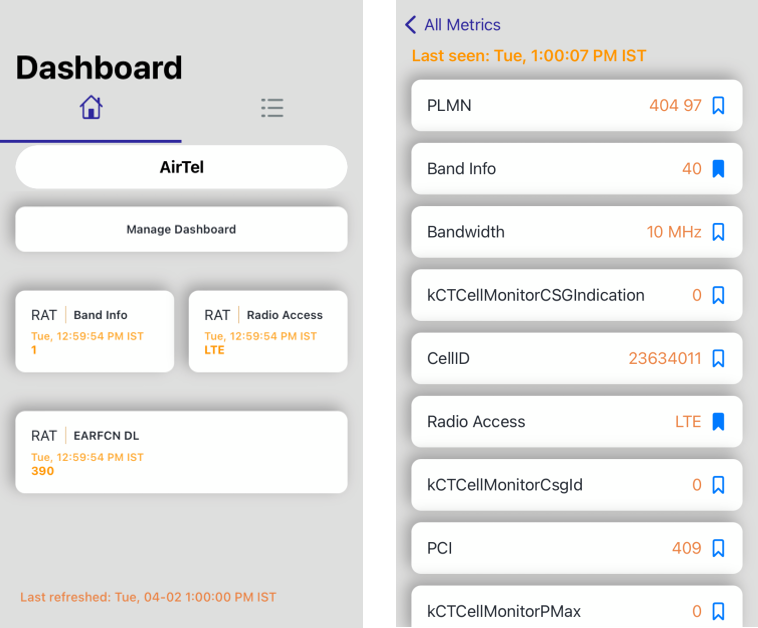
If you want to know detailed specifications about the network strength in your area, put your phone in ‘Field Mode’ by typing *3001#12345#* in the phone app and hitting the green call icon. Once you are in Field Mode you can conduct a ‘Field Test’ for things like Neighbour Measurements, Serving Cell Info, Serving Cell Measurements, and more.
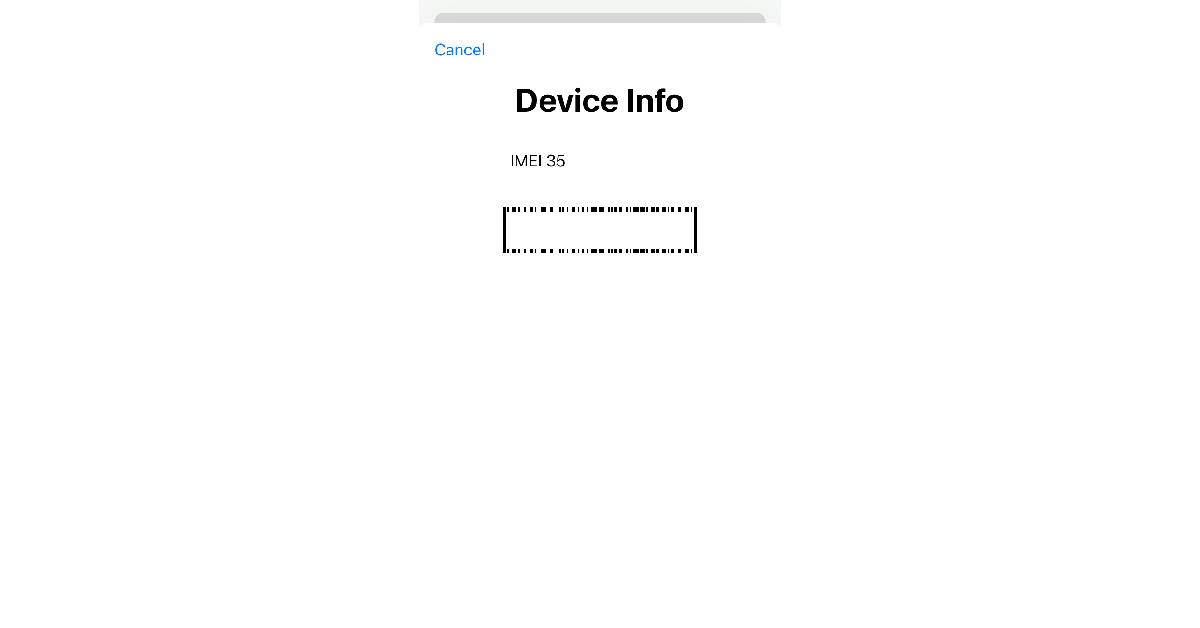
View the IMEI Number
USSD Code: *#06#
The IMEI Number is a unique 15-digit number that is assigned to your smartphone and helps it connect to the nearby cell tower. There are several ways to find your iPhone’s IMEI number, the easiest of them all being typing the *#06# code in the dialer app. If your iPhone ever gets lost or stolen you can get the police authorities to track it using its IMEI number.
Hide your Caller ID
USSD Code: #313#
Want to maintain your anonymity and don’t want to give away your name or phone number while calling someone? Your iPhone allows you to hide your Caller ID. Simply prefix the number you’re calling with #31# and hit the green call button. Even if the call recipient has your number saved in their contacts list, they will not be able to view it on their phone when you call them using this dial code. If you’re in the US, you can use the *67 dial code for this purpose as well.
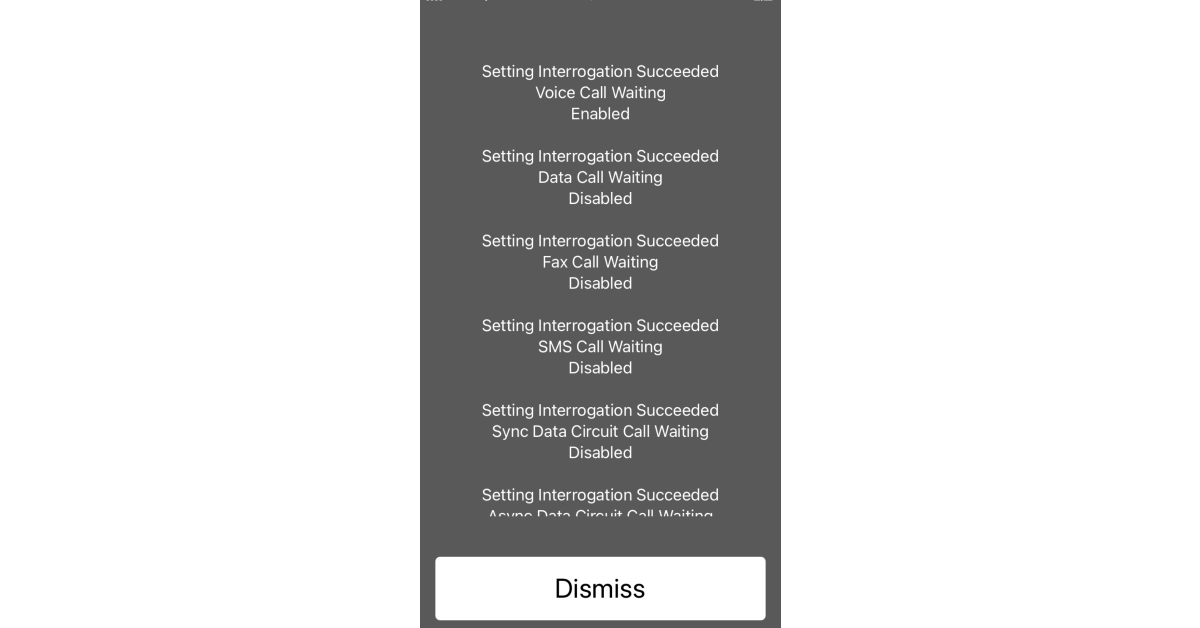
Call Waiting Status
USSD Code: *#43#
This is one of our favourite secret dialer codes for iPhone. If you’re on a call and don’t want any other incoming calls to immediately get cancelled, turn on this feature. Once call waiting is turned on, the caller will be notified that you’re on another call and they will be put on hold.
Check if Call Waiting Status is enabled: *#43#
Enable Call Waiting Status: *43#
Disable Call Waiting Status: #43#
Check Missed Calls
USSD Code: #61#
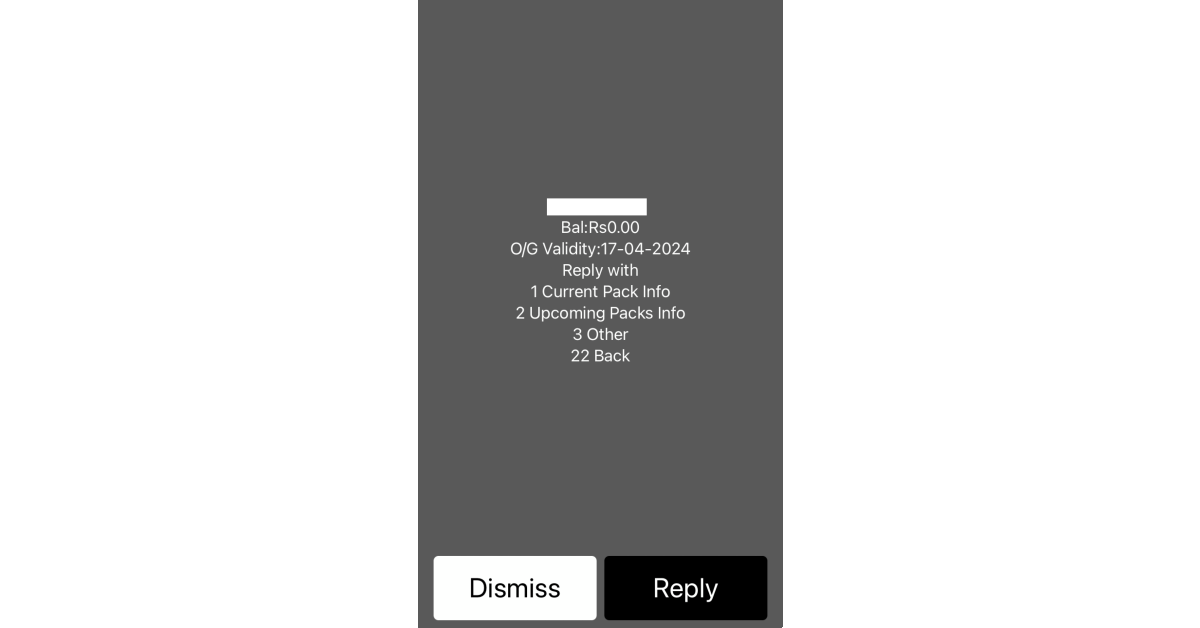
Ordinarily, your iPhone does a good job of reminding you of the calls you missed while you were away or occupied with other tasks. But what about the calls you missed while your iPhone was switched off? Dial #61# for the complete list.
Enhance Call Quality
USSD Code: *3370#
If the network coverage in your area is subpar, you can use this dialer code to give the call quality a little boost. Simply go to the Phone app and dial *3370#. When you’re in a low network area, even a slight improvement in call quality can make all the difference.
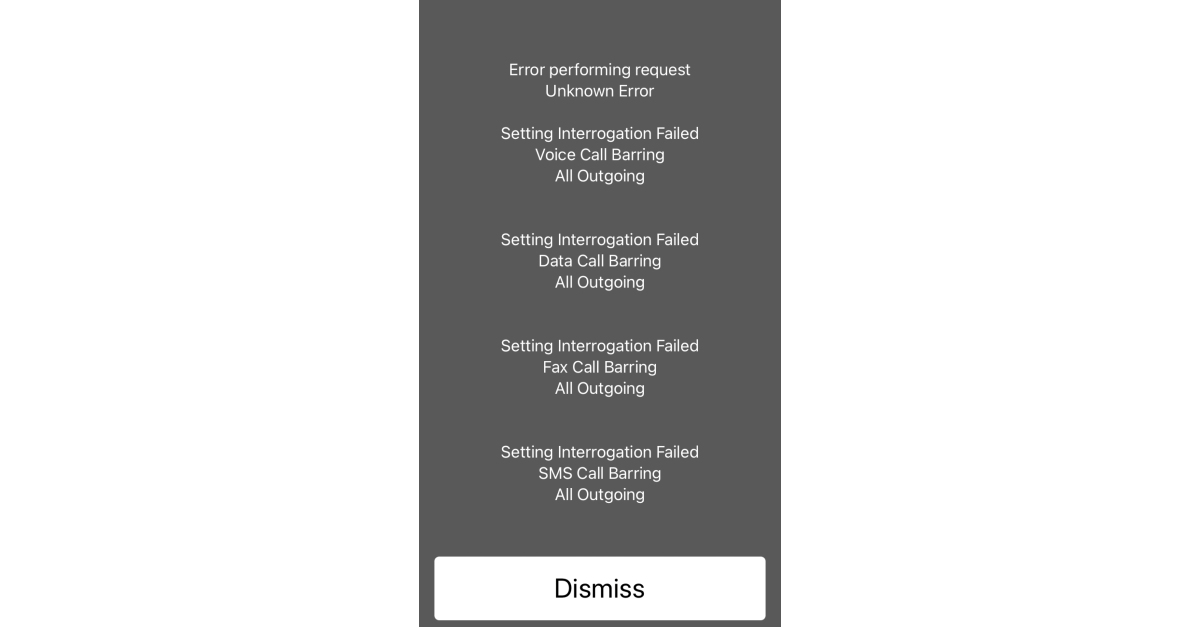
Turning on Call Barring on your iPhone disables all incoming and outgoing calls on your number. It can only be reversed when you enter the dial code to turn it off. To use this dial code, you will require your 4-digit SIM PIN. The default SIM PIN is 1111. Check your SIM documentation to know more.
Check Call Barring status: *#33#
Enable Call Barring: *33SIM PIN#
Disable Call Barring: #33SIM PIN#
Call Forwarding
USSD Code: *21(Phone number)#
Going somewhere you suspect you won’t get ideal network coverage? Just turn on call forwarding using this simple dial code. Once enabled, all your phone calls will be forwarded to your chosen phone number. You can forward your calls to your answering machine as well.
Check Radiation Level
USSD Code: *#07#
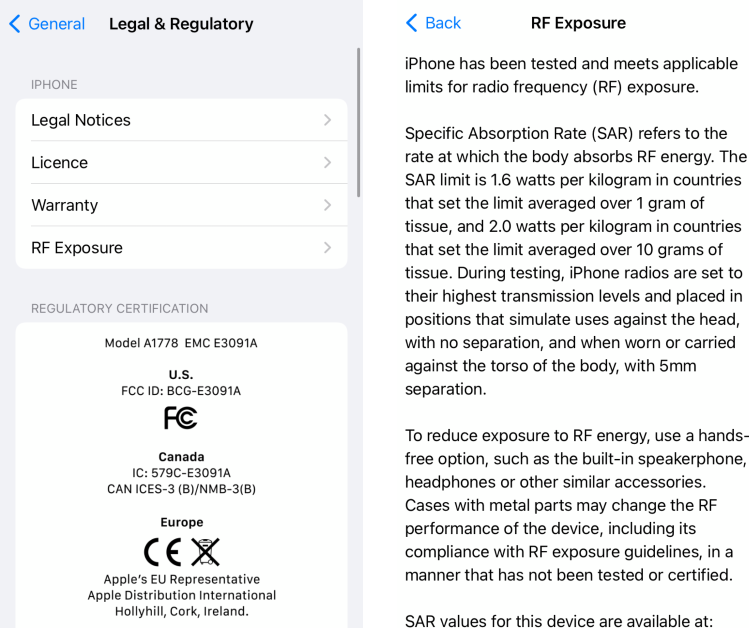
Before a new iPhone makes it to production, it is checked for radio frequency (RF) exposure. SAR (Specific Absorption Rate) is the rate at which the human body absorbs RF energy. In India, the SAR 1g limit is set at 1.6W/kg. To check your iPhone’s SAR value, simply dial the *#07# dial code.
These are the top 10 secret dial codes for your iPhone that you must take advantage of. If there’s a dial code that you use frequently and think deserves to be on this list, give it a shoutout in the comments! If you own a Samsung smartphone, check out this article for all the major secret codes you can use on your device.
Nothing Phone 3 India price range and chipset detail tipped ahead of the launch.
The device is expected to launch in July.
The company has also teased a leaping frog teaser to indicate an upcoming phone.
The debut of the Nothing Phone 3 could happen soon. The phone is expected to be released in July 2023 as a replacement for the Nothing Phone 2. Although the company has said nothing about its upcoming phone, details related to the Nothing Phone 3 price range in India and processor have surfaced on the web. Recently the company also shared a teaser which sparked discussions about Phone 3.
The Nothing Phone 3 features and design details are unknown to us, but a recent report has revealed some information regarding its CPU and price range in India. According to a report that cites industry sources Qualcomm’s latest Snapdragon 8s Gen 3 SoC is expected to power the Nothing Phone 3.
Apart from the details regarding CPU, the report further indicates that the Nothing Phone 3 will probably cost between Rs 40,000 and Rs 45,000 in India.
As per the report, the firm intends to build its user base within the price range of Rs 20,000 to Rs 40,000 and does not currently have any intentions to join the premium segment which is said to be one of the reasons behind Nothing’s decision to forego using a more advanced chipset.
Although the Nothing Phone 3 launch date has not yet been formally announced, it is most likely planned for July given the company’s launch schedule. Recently, Nothing shared a teaser on its social media account, X which triggered talks on the release of the upcoming phone. A leaping frog is seen in the short video which is believed to be the face of its mascot for Nothing Phone 3. Note that Nothing has used an octopus, a parrot and a bug as their mascots to tease their products like Nothing Phone 1, Nothing Phone 2 and audio devices.
Nothing Phone 2 features a 6.7-inch Full-HD+ resolution of 2412 x 1080 pixels, a 120Hz adaptive refresh rate, and a 240Hz touch sampling rate are all features of its LTPO OLED display. The screen comes with SGS Low Blue Light and HDR10+ certifications. The device runs on Nothing OS 2.0, based on Android 13. The company would offer 4 years of security upgrades in addition to 3 years of Android updates. It is powered by a Qualcomm Snapdragon 8+ Gen 1 SoC.
For taking photos and videos Phone 2 features a dual rear camera setup consisting of a 1/1.56-inch 50-megapixel primary Sony IMX890 sensor ( f/1.88 aperture) with optical image stabilisation (OIS) and EIS support and a 1/2.76-inch 50-megapixel Samsung ISOCELL JN1 sensor with an ultra-wide lens (114-degree FoV and f/2.2 aperture). Upfront there is a 1/2.74-inch Sony IMX615 32-megapixel sensor (f/2.45 aperture) for taking selfies and video calling.
The device boasts a 4,700mAh battery with support for both 15W Qi wireless charging and 45W PPS wired fast charging.
Garena Free Fire is a battle royale game with regular awards and tournaments to keep players interested. If you play Garena Free Fire, you should be aware of the redeem codes that are released on a daily basis. However, because the battle royale game is banned in India, players from other countries can use the Free Fire Redeem codes daily. If you’re unfamiliar with the Garena Free Fire redeem codes or don’t know how to get them, we’ve put together a step-by-step guide to help you redeem them. Check out Garena Free Fire Redeem Codes for 2 April 2024.
The Free Fire redeem codes are a great way to get free stuff. These are 12-digit codes that contain alphabets and numbers, as well as an expiration date and time. Because the Garena FF redeem codes cannot be used more than once, you should hurry to the redemption page to claim your free reward before someone else does. To get a free reward, all you have to do is go to reward.ff.garena.com/en, which is the official redemption page. Also, keep an eye on this space for daily updates on Garena Free Fire redemption codes and rewards.
Does the iPhone keyboard support all special characters?
To access the special character library on your iPhone and iPad, you need to hit the ‘123’ on the onscreen keyboard. This will display the numbers on the top row, followed by the most used characters like the question mark, period, forward slash, colon, and more. To access more signs, you need to hit the ‘#+=’ key on the left. This reveals symbols like the asterisk, dollar sign, exponential sign, and more.
If you want to type a particular symbol but don’t know its keyboard shortcut for Mac, follow these steps.
Step 1: On your Mac, go to System Preferences and select Keyboard.
Step 2: Hit Input Sources.
Step 3: Select the inputsource from the sidebar.
Step 4: Press the Option key. This will reveal the symbols mapped as shortcuts on the keyboard. Find the symbol you want to type and observe the key that it is mapped on. Pressing that key along with the Option button will produce that symbol on the screen.
Step 5: Similarly, press Option + Shift to view the keyboard shortcuts associated with them.
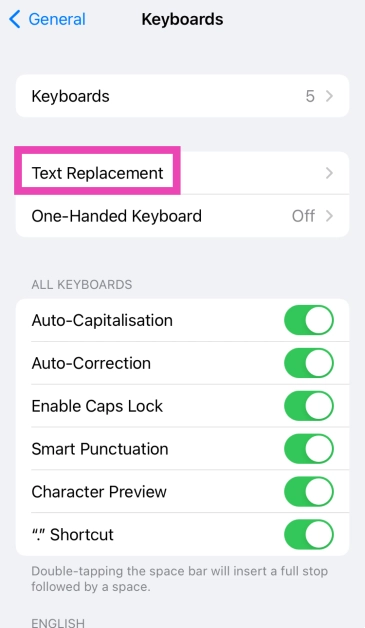
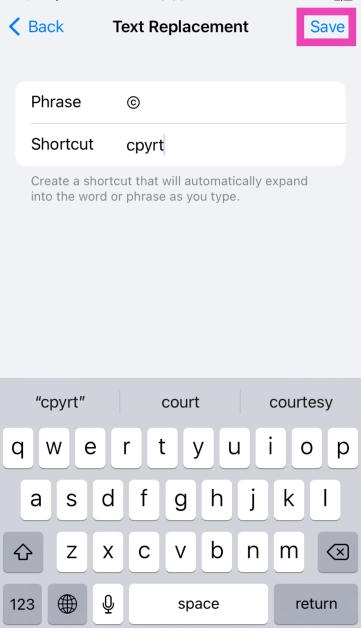
The copyright, trademark, and registered symbols are missing from the iPhone and iPad. However, you can use text replacement to use them on the onscreen keyboard.
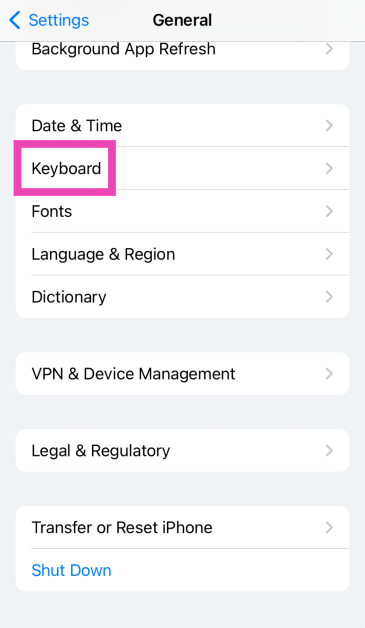
Step 1: Go to Settings and select General.
Step 2: Tap on Keyboard.
Step 3: Select Text Replacement.
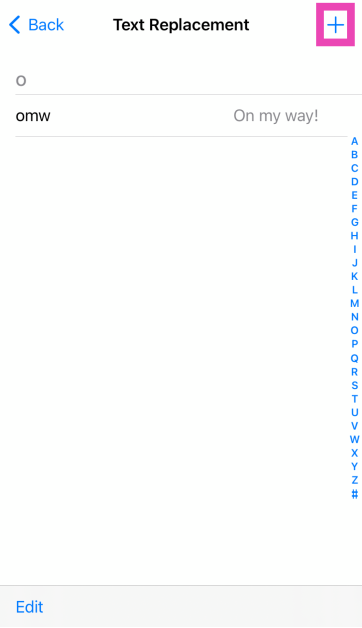
Step 4: Hit the plus sign at the top right corner of the screen.
Step 7: Repeat this process for trademark and registered symbols.
Frequently Asked Questions (FAQs)
How do I type the copyright symbol on an iPhone?
The native iPhone keyboard does not have the copyright symbol. You can use text replacement to insert that symbol upon typing a specific word of your choice. You can also use a third-party app like Gboard or Swiftkey.
What is the keyboard shortcut for the copyright symbol on Mac?
Press the Option key along with ‘G’ to type the copyright symbol on your Mac.
How do I find the list of keyboard shortcuts for special symbols on my Mac?
Go to System Preferences>Keyboard>Input Sources and hit the Option key to view the symbols you can trigger using it. Similarly, press Option + Shift for the relevant combinations.
The ‘homepage’ on your web browser is the page it loads whenever you launch it on your device. You can set your homepage to your favourite website or something more functional like a search engine or a news website. The possibilities are endless. If you want to save your internet data, you can choose not to have a homepage at all. Here’s how you can change your Safari homepage on Mac, iPhone, and iPad.
Like all web browsers, Safari also lets you set any website as your homepage. But there’s one catch. You can only do this on your Mac. Safari for iOS and iPadOS has no option to set a preferred homepage. However, to make your most visited websites more accessible, you can add them to your iPhone’s home screen. Once you do that, they will appear as app icons on the home screen. Tapping on them will redirect you to their respective web pages in Safari.
Mac users can not only set a homepage, but they can also choose whether the homepage loads by default every time they open a new tab or window. Like the iPhone, your Mac also allows you to make a desktop for any website. You can do this simply by dragging the URL and dropping it on the desktop. This is a great trick for creating app-like icons for apps that are not available on Mac (like Netflix and Google Calendar).
Change Safari homepage on Mac
Step 1: Open Safari on your Mac.
Step 2: On the top menu, click on Safari and select Preferences.
Step 3: Switch to the General tab.
Step 4: In the ‘Homepage’ field, enter the URL of the website you want to set as Safari’s homepage.
Step 5: You can also set the new tabs and windows to open with the homepage.
Step 6: Relaunch the browser to view the homepage.
Change the Safari homepage on an iPhone or iPad
Since Safari for iOS does not allow setting a default homepage, you can do the next best thing and add a web shortcut to your iPhone/iPad’s home screen. Here’s how.
Step 2: Open the website you want to set as the home page.
Step 3: Hit the Share icon at the bottom of the screen.
Step 4: Tap on Add to Home Screen.
Step 5: Give it a name and hit Add at the top right corner of the screen.
Whenever you wish to open Safari to that page, hit its icon on your iPhone home screen.
Frequently Asked Questions (FAQs)
Can the Safari browser on my iPhone have a home page?
No, you cannot set up a default homepage for Safari on your iPhone or iPad. Instead, you can add a web shortcut to your iPhone’s home screen.
How do I add a web shortcut to my iPhone’s home screen?
To add a web shortcut to your iPhone’s home screen, open the website in Safari, hit the share icon at the bottom, select ‘Add to Home Screen’, and hit ‘Add’.
How do I set up a Safari homepage on my Mac?
Open Safari, then go to Safari>Preferences and enter the URL of the website next to ‘Homepage’.
This is how you can change your Safari homepage on a Mac, iPhone, or iPad. If you know any other way to go about this task, let us know in the comments! While you’re here, check out these 4 ways to update Safari on your iPhone and Mac.
OnePlus Nord CE 4 today officially launched in India.
The smartphone is powered by Snapdragon 7 Gen 3 SOC.
It comes with a massive battery and fast charging.
Customers who pre-book will also receive a pair of OnePlus Nord Buds 2r at no additional cost.
OnePlus Nord CE 4 officially launched in India today as a successor to the Nord CE 3. The newly launched device has received some notable upgrades as it comes with Android 14 out of the box. It also promises faster charging as its huge 5,500mAh battery supports 100W fast charging. Under the hood, there is a Snapdragon 7 Gen 3 engine. Also, there is a dual camera setup that includes a 50-megapixel primary sensor.
In This Article
OnePlus Nord CE 4 price in India and sale details
OnePlus Nord CE 4 has launched in India in two variants:
8GB RAM with 128GB storage at Rs 24,999
8GB RAM with 256GB storage at Rs 26,999
The phone will be available in two colour options: Dark Chrome and Celadon Marble.
In terms of availability, the smartphone will go on sale on April 4 at noon via oneplus.in, OnePlus Store App, OnePlus offline stores, OnePlus Store App, Amazon.in, Reliance Digital, Croma & other offline partner brands.
Customers can pre-book the OnePlus Nord CE 4 at INR 999 from 1st April to 3rd April at the OnePlus Experience stores. Customers who pre-book will also receive a pair of OnePlus Nord Buds 2R at no additional cost.
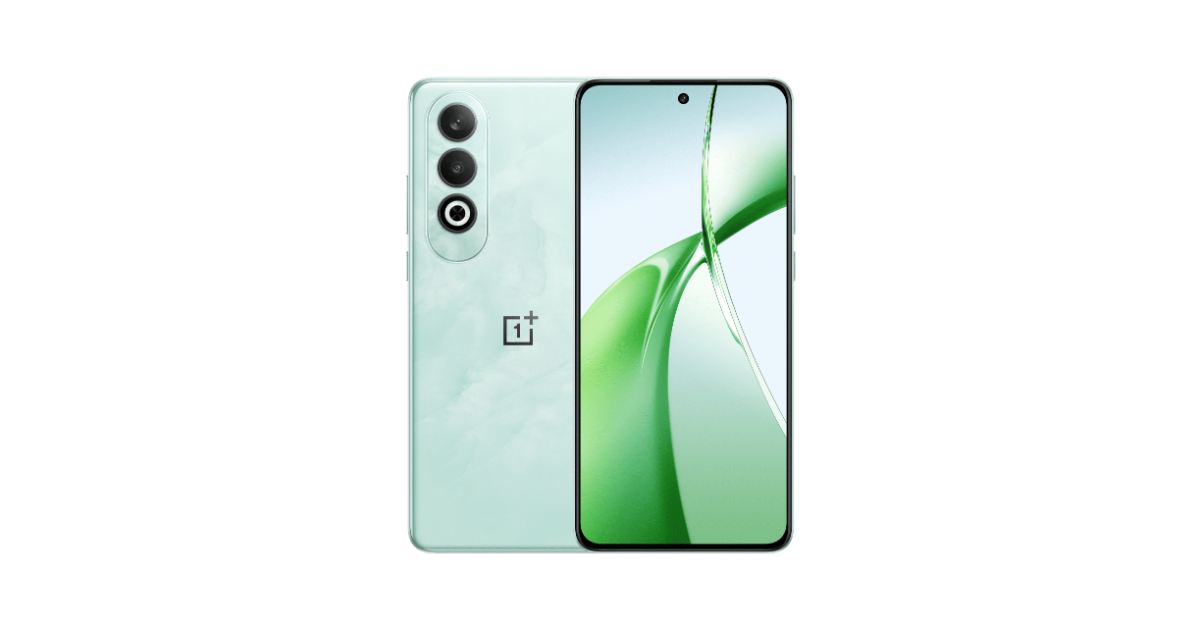
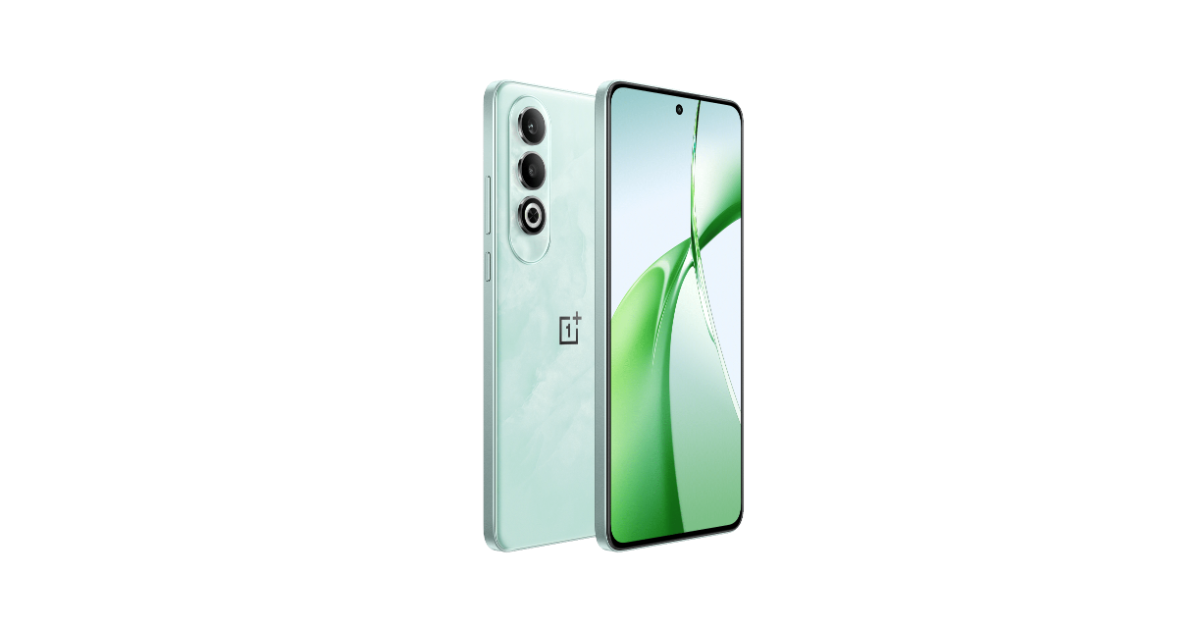
The OnePlus Nord CE 4 flaunts a marble-like finish making the Celadon Marble shade stand out. The Dark Chrome colour option has a glossy finish. It has a dual rear camera setup positioned vertically and an LED flash on the left side of the back panel. Upfront the display features a selfie camera cutout at the top centre. The display has smaller bezels. The device has flat edges and boasts a boxy design with rounded edges. The handset is IP54-rated. It comes with dual stereo speakers, and hi-res audio certification for both wired and wireless headphones.
Coming to the specifications, the OnePlus Nord CE 4 sports a 6.7-inch FHD+ AMOLED display with 2412 × 1080 pixels of resolution. The screen comes with 2160Hz PWM dimming technology that includes Aqua Touch technology that better detects touches in wet conditions just like the OnePlus 12, and ProXDR technology to make images pop. The panel supports a 120Hz refresh rate and a 240Hz touch sampling rate.
The handset is powered by the Qualcomm Snapdragon 7 Gen 3 chipset with 8GB of LPDDR4x RAM (supports 8GB of virtual RAM)and up to 256GB of UFS3.1 storage. There is a dedicated slot for a microSD card to expand the storage up to 1TB. The OnePlus phone operates on Android 14-based OxygenOS 14 out of the box.
For photography and videography, there is a dual rear camera setup on the OnePlus Nord CE 4 that contains a 50-megapixel Sony LYT600 primary sensor with Optical Image Stabilisation and an 8-megapixel Sony IMX355 ultra-wide camera. In addition to this, there is a 16-megapixel front-facing camera for taking selfies.
The 5,500mAh battery on the smartphone supports 100W SUPERVOOC charging and can go from 1-100% in 29 minutes. Plus, thanks to Battery Health Engine the battery stays strong after four years of battery charging cycles. It also keeps its battery healthy, including slowing down its charging speed overnight to ensure it’ll only hit 100% when you need it to.
The Motorola Edge 50 Pro European price has leaked on the web.
The device has been spotted on an Italian website.
Motorola Edge 50 Pro is all set to make its debut in the Indian market on April 3. Just ahead of the official launch, the European price of the upcoming phone has surfaced on the web. The company has been hinting at the key features of the next phone before the formal reveal. To provide clues to its availability, the device has also been posted on the domestic e-commerce platform Flipkart.
The Motorola Edge 50 Pro got noticed by tipster Paras Guglani on an Italian retail site. He took to Twitter now known as X to share some screenshots suggesting the price of Motorola Edge 50 Pro. As per the snapshots, the device with 12GB RAM and 512GB storage will cost EUR 864, or around Rs 77,000. Before this, the tipster stated that the identical RAM and storage model would cost Rs 44,999 for the Indian version.
Motorola Edge 50 Pro specification and availability details
It is known that the Edge 50 Pro is powered by the Snapdragon 7 Gen 3 SoC. The device will feature a 6.67-inch 1.5K curved pOLED display that can support a peak brightness of 2,000 and a refresh rate of 144 Hz. The panel has a 100% DCI-P3 colour gamut, HDR10+, and blue light protection verified by SGS. An in-display fingerprint sensor will be included on the phone for authentication.
There are rumours that the smartphone has 12GB of RAM. It is said to be powered by a 4,500mAh battery that allows for both 50W wireless and 125W wired quick charging. Additionally, Motorola says that the camera and display of the Edge 50 Pro have received Pantone validation. It is confirmed to contain an AI-supported 50-megapixel 2μm primary sensor, an ultra-wide camera with 50x hybrid zoom, and a 10-megapixel telephoto sensor with an LED flash unit.
As we mentioned earlier the Moto phone has been listed on Flipkart to tease the availability. The Flipkart listing and Motorola teasers have revealed some of the features that the Edge 50 Pro would offer. At least three colour options—black, purple, and a third with a cream and grey pattern—will be available for the Edge 50 Pro.
Samsung Galaxy S23 Ultra is now seeing a significant price drop thanks to Flipkart. The e-commerce is offering massive discounts and offers on the king of Android smartphones. Check out the best deals on the smartphone.
In This Article
Samsung Galaxy S23 Ultra price and bank offers on Flipkart
Samsung Galaxy S23 Ultra was launched in India at a price tag of Rs 1,24,999 for the 12GB RAM with 256GB model. After a major price reduction, the handset is now selling at Rs 89,999 on Flipkart. The platform is offering an amazing Rs 35,000 reduction.
Besides this, additional bank discounts are being offered that may further bring down the cost. There will be savings of between Rs 1,500 and Rs 5,000 by using specific credit cards from Axis Bank, HSBC, or ICICI.
Samsung Galaxy S23 Ultra price and bank offers on the Samsung India website
On the other hand, if you prefer to purchase the Samsung Galaxy S23 Ultra through the Samsung online store then the company is offering the device at an effective price of just Rs 99999, which includes a HDFC Bank cashback of Rs 5000 and an additional upgrade bonus of Rs 5000. Galaxy S23 is available at an effective price of Rs 55999 with Rs 5000 HDFC Bank cashback and an additional upgrade bonus of Rs 4000. In the same way, Galaxy S23 FE is now available at only Rs 44999 after an HDFC Bank cashback of Rs 5000 and an additional upgrade bonus of Rs 5000.
The Galaxy Z Fold5 is offered at an effective price of Rs 138999, which also includes an extra Rs 9000 in upgrade bonus and Rs 7000 in cashback from HDFC Bank. With an upgrade bonus of Rs 7000 and an HDFC bank cashback of Rs 7000, the Galaxy Flip5 can now be owned at an effective price of Rs 85999.
Whereas, the Galaxy Tab S9 series can be purchased at an effective starting price of Rs 60999, which includes an HDFC Bank Cashback of Rs 9000 and an additional upgrade bonus of Rs 3000.