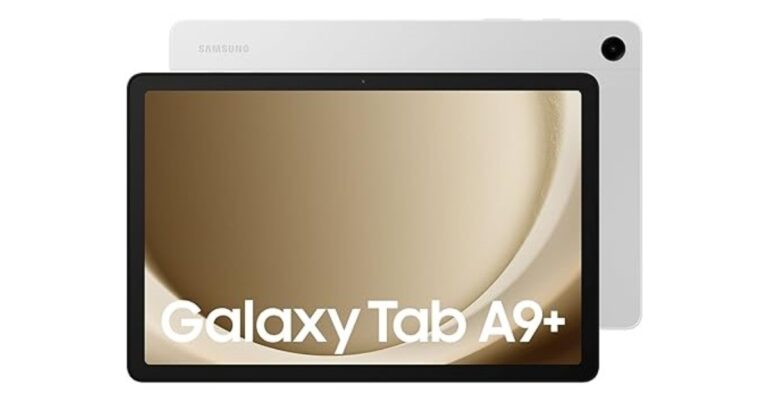
Samsung Galaxy Tab S9 FE and Galaxy Tab S9 FE+ were launched in India last week. Today the company introduced more affordable tablets namely Samsung Galaxy Tab A9 and Galaxy Tab A9+ in the country. The device is a successor to the Galaxy Tab A8 that was released in the country last month. The newly arrived tablets are powered by MediaTek and Snapdragon chipset respectively. However, they have the same battery capacity.
Samsung Galaxy Tab A9, Galaxy Tab A9+ price in India, sale details
The Samsung Galaxy Tab A9 has been introduced with a price tag of Rs 12,999 for the 4GB RAM with 64GB storage Wi-Fi only variant. Whereas the Wi-Fi + 5G variant with similar storage is priced at Rs 15,999. On the other hand, the Galaxy Tab A9+ 8GB RAM with 128GB storage Wifi only variant comes with a price tag of Rs 20,999. The price of Wi-Fi + 5G is yet to be announced. Both models are available in three colour options of Dark Blue, Grey, and Silver.
The Samsung Tablets can be purchased via Amazon in the country. SBI credit card holders are eligible to get an instant discount of up to Rs 5,000 on the purchase of the tablet.
Samsung Galaxy Tab A9 comes with an 8.7-inch LCD WQXGA display with 800×1,340 pixels of resolution. There is 60Hz refresh rate support. The device is powered by MediaTek Helio G99 SoC and runs on Android 13 with OneUI 5.1.1.
There is a single 8-megapixel rear camera with autofocus on the tablet for photos and videos. It includes a 2-megapixel front-facing camera for selfies and video calling. The dual speaker set up on the Tab is powered by AKG which comes with Dolby Atmos support.
On the other hand, the Samsung Galaxy Tab A9+ is highlighted with a bigger 11-inch WQXGA LCD display with 1,200 x 1,920 pixels of resolution. The screen has 90Hz refresh rate support. The Tab runs on OneUI 5.1.1 with Android 13. An octa-core Snapdragon 695 SoC by Qualcomm powers the tablet. The internal storage on the Samsung Tab can be expanded using a microSD card.
The rear camera on the Galaxy Tab A9+ is similar to its sibling. However, there is a 5-megapixel front camera for selfies on the device. This tab includes a total of four speaker set up by AKG that supports surround sound. Both the tablet boasts a 5,100mAh battery. Also, there is 5G, Wi-Fi, Bluetooth, and USB Typse-C port for connectivity.
Garena Free Fire is a battle royale game with regular awards and tournaments to keep players interested. If you play Garena Free Fire, you should be aware of the redeem codes that are released on a daily basis. However, because the battle royale game is banned in India, players from other countries can use the Free Fire Redeem codes daily. If you’re unfamiliar with the Garena Free Fire redeem codes or don’t know how to get them, we’ve put together a step-by-step guide to help you redeem them. Check out Garena Free Fire Redeem Codes for 10 October 2023.
The Free Fire redeem codes are a great way to get free stuff. These are 12-digit codes that contain alphabets and numbers, as well as an expiration date and time. Because the Garena FF redeem codes cannot be used more than once, you should hurry to the redemption page to claim your free reward before someone else does. To get a free reward, all you have to do is go to reward.ff.garena.com/en, which is the official redemption page. Also, keep an eye on this space for daily updates on Garena Free Fire redemption codes and rewards.
Garena Free Fire Redeem Codes Today 10 October2023
Updating soon…
How to Get Free Fire Redeem Codes for Garena on 10 October2023?
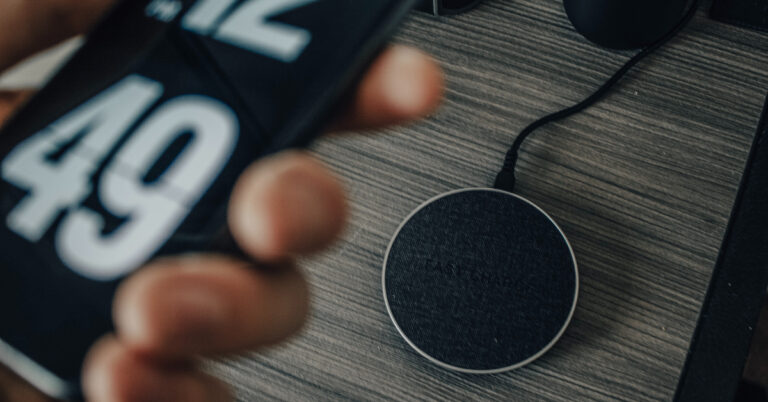
Wireless charging for smartphones has been around for a long time but it is mostly offered with flagship and upper midrange devices. If you didn’t look into your phone’s battery specifications at the time of buying it, you might be wondering if it can be charged wirelessly. While it may not deliver charging speeds as fast as wired charging, wireless charging has its own advantages. If you spend most of your time at your work desk, a wireless charger may be a good investment. You can say goodbye to wires and easily charge your phone while it rests on your desk. In this article, we bring you the top 8 methods to check if your phone supports wireless charging.
If you’re certain that your smartphone supports wireless charging, but you can’t get it to work, try these quick fixes.
Remove your phone’s case/cover: Some phone cases/covers are not compatible with wireless chargers. This is particularly true for metal and thick plastic covers. Either remove your phone’s cover or use a silicone/TPU case to charge the device wirelessly.
Place the phone correctly on the charging pad: Make sure your phone’s wireless charging coil aligns perfectly with the wireless charging pad. If the placement is off, your phone won’t charge.
Enable fast wireless charging: If your phone is trickle charging while it’s placed on a wireless charging pad, go to Settings>Battery and enable fast wireless charging.
Wait for phone to cool down: Overheating is quite common while charging your phone wirelessly. Once the internal temperature of your device rises above a certain point, it automatically shuts off the charging mechanism. Wait for your phone to cool down and try again.
Use a different charger: It is possible that the fault lies with your wireless charger. Only use authentic accessories that are compatible with your device.
Check your phone’s battery settings
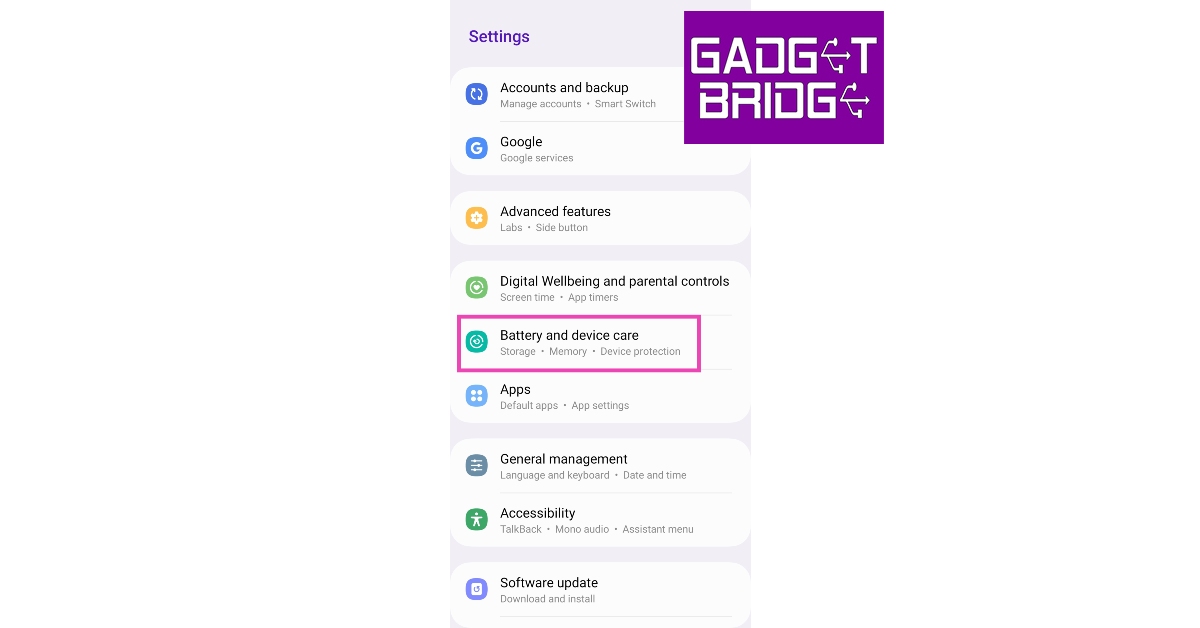
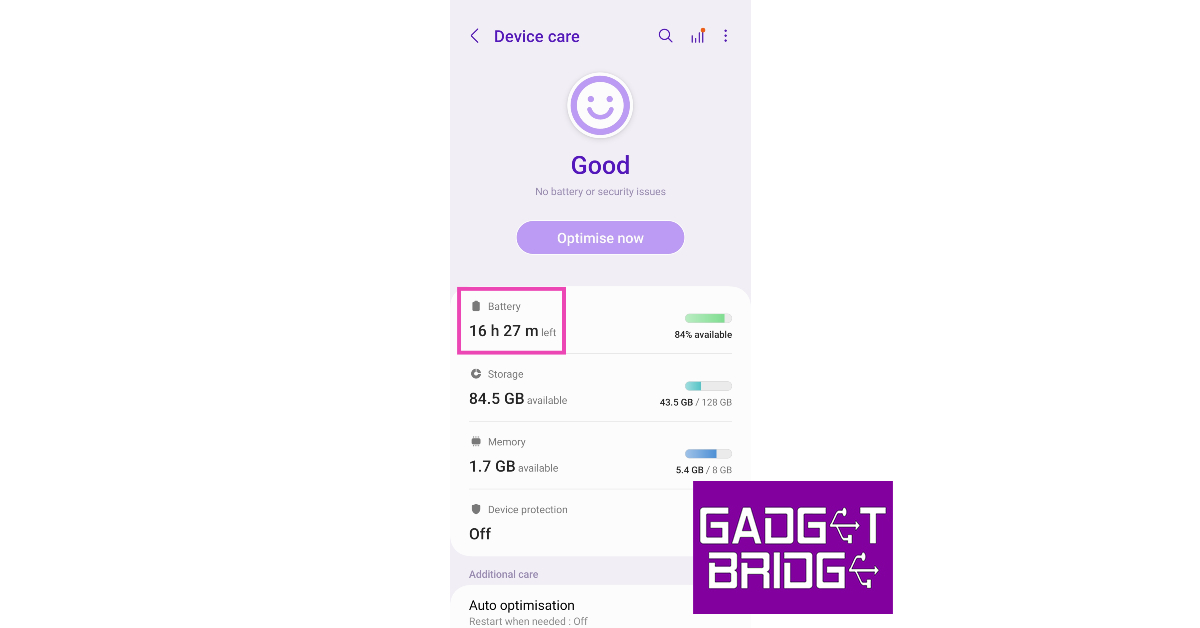
The simplest way of checking whether your phone supports wireless charging or not is by visiting its battery settings. Here’s how you can do it on a Samsung smartphone.
Step 1: Go to Settings and select Battery and device care.
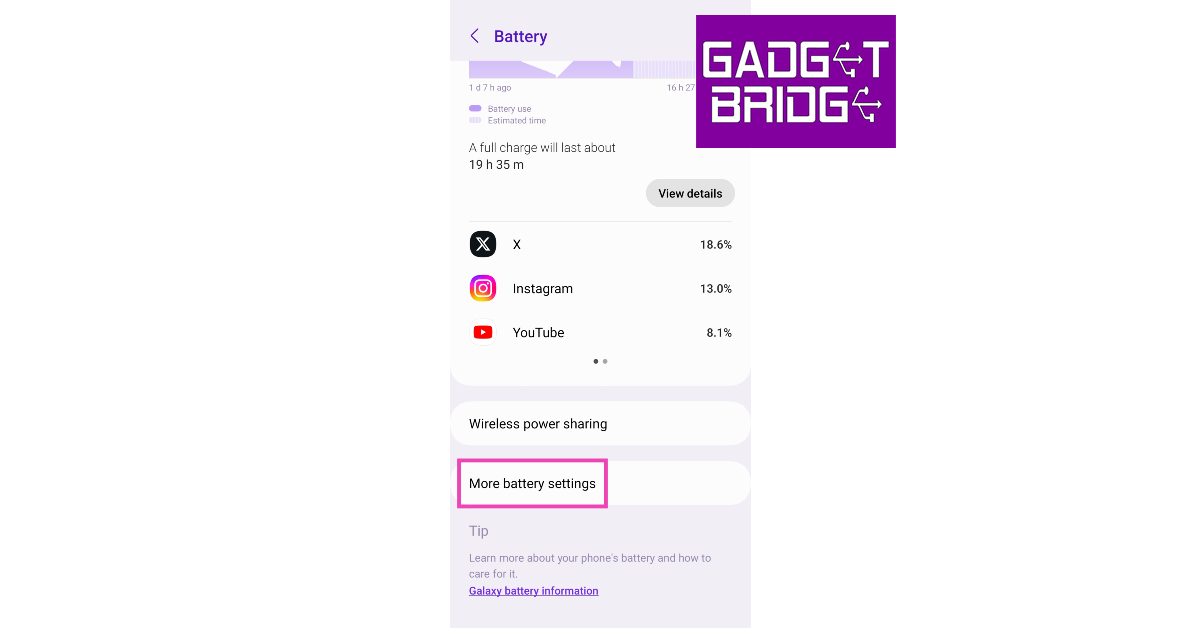
Step 2: Tap on Battery.
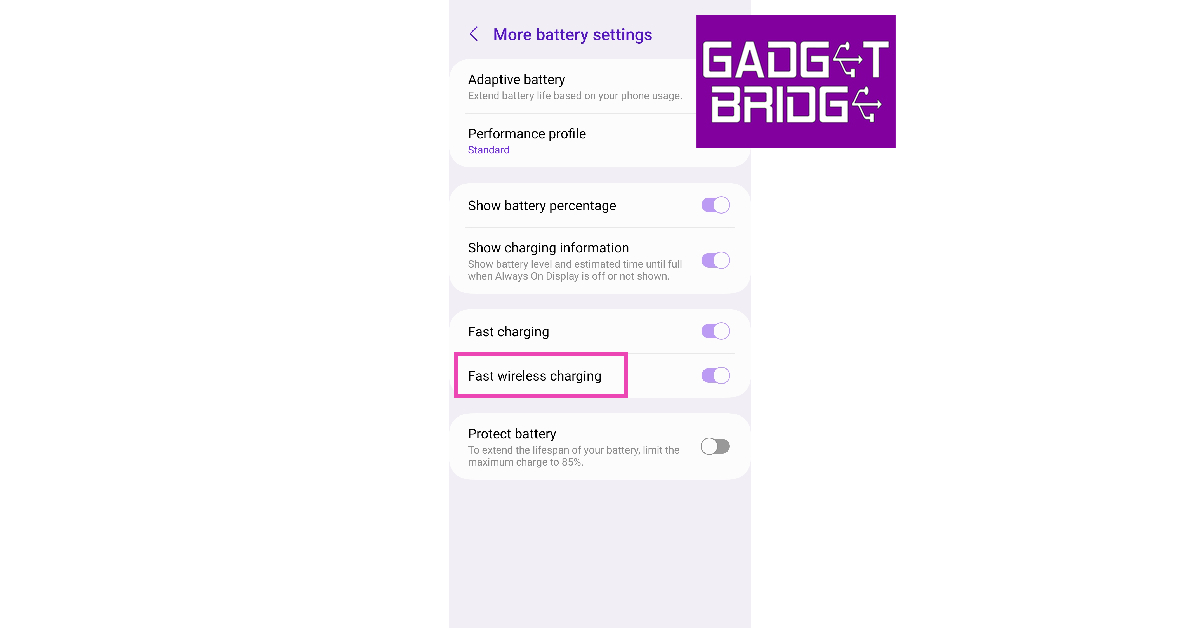
Step 3: Select More battery settings.
Step 4: If there is an option for Fast wireless charging, it means your smartphone supports wireless charging.
Check the phone’s user manual
If you still have your smartphone’s retail box, dig through it and find the device’s user manual. The user manual may contain instructions on how to use a wireless charger with your device, confirming that it supports the feature. You can try scanning the retail box for details related to wireless charging.
Check the manufacturer’s website
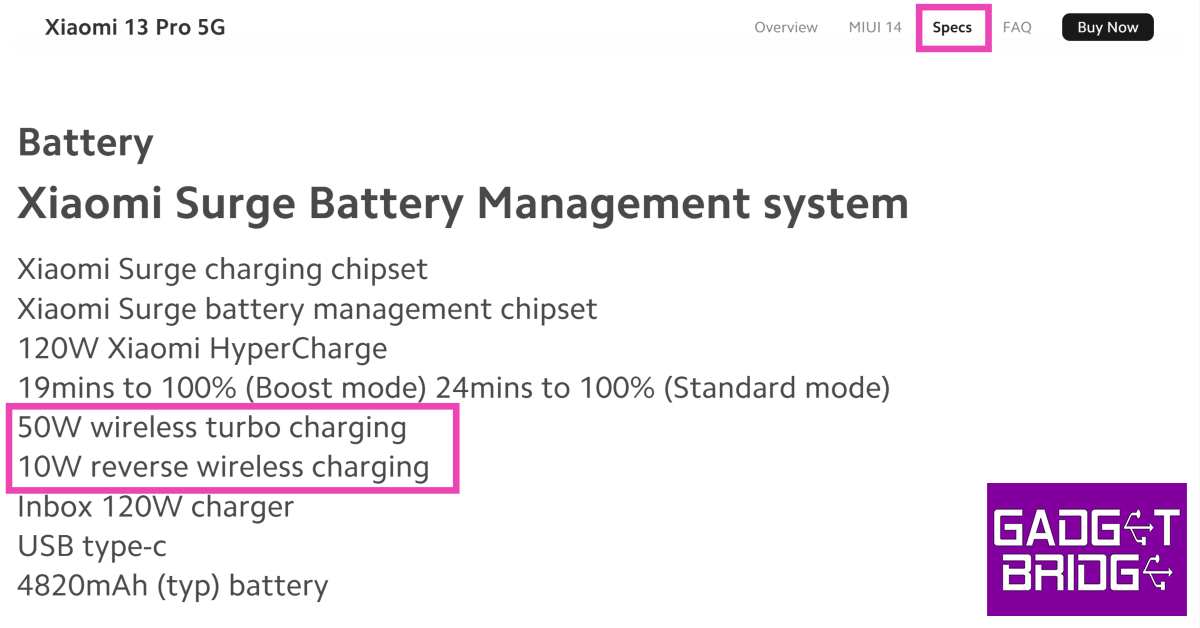
If you don’t have your smartphone’s retail box within reach, you can simply check the manufacturer’s website for the device’s spec sheet. Once you land on your smartphone’s product page, scan its specifications to check for wireless charging. If it isn’t mentioned in the battery or charging section, it is unlikely that your phone supports wireless charging.
Check the smartphone’s Amazon page
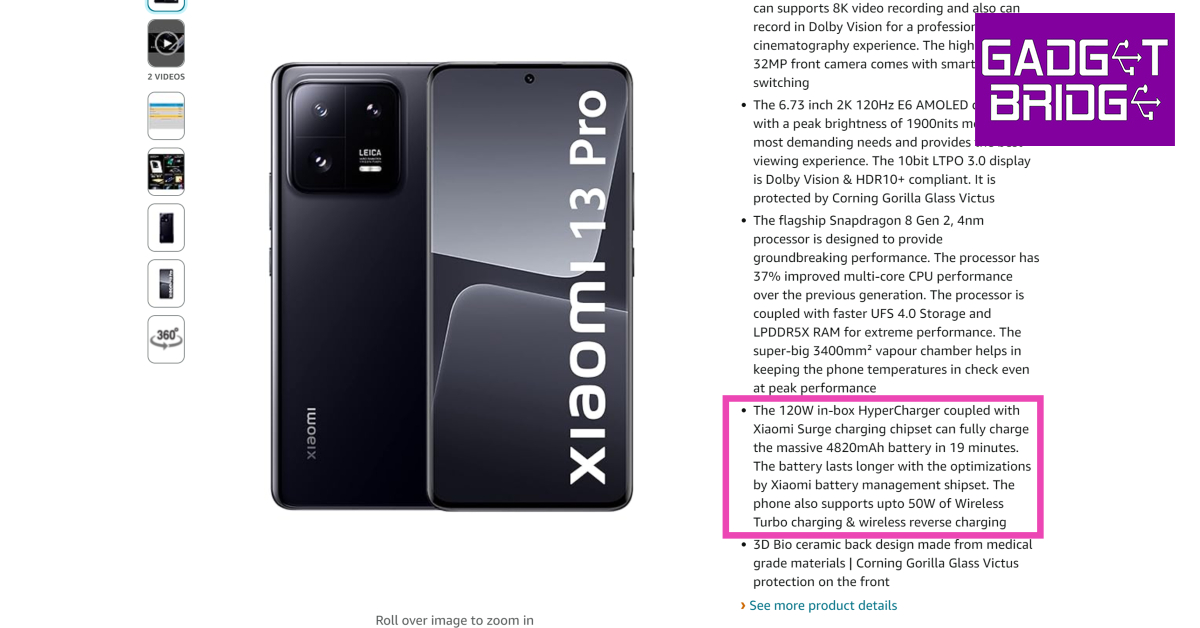
If the smartphone manufacturer’s website does not give you any clue about its wireless charging specs, check its Amazon page. If the smartphone supports wireless charging, it will be mentioned in the ‘About this item’ section or the extended spec sheet at the bottom of the page.
Use the Wireless Charging Checker app by Widget7
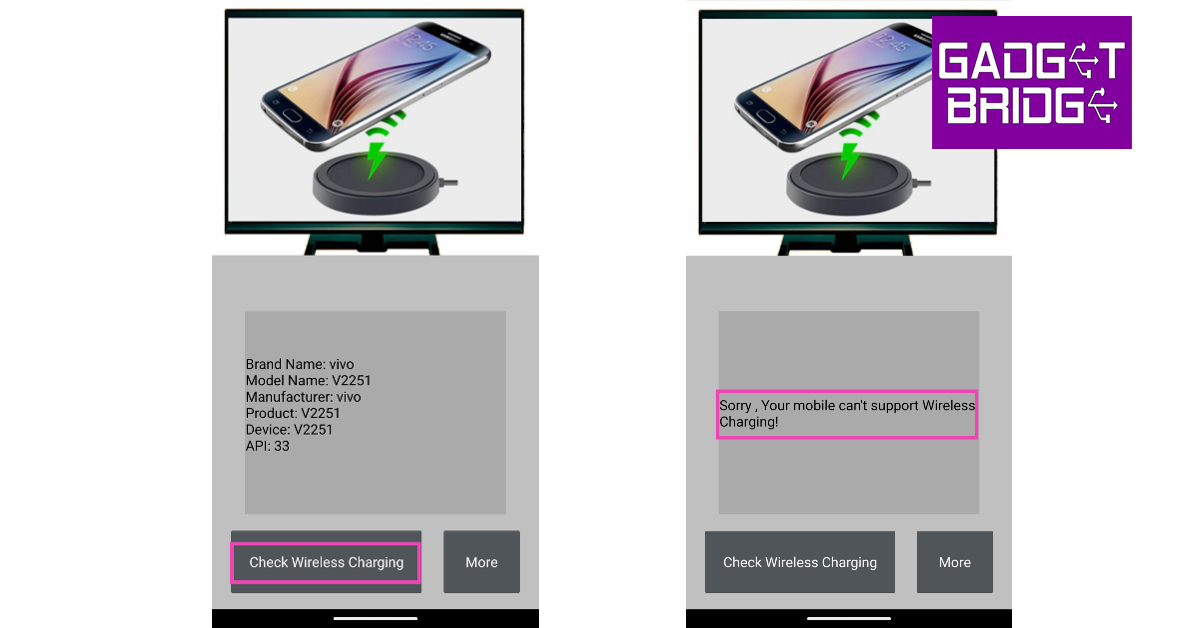
Another quick way to confirm whether your phone supports wireless charging or not is by using the Wireless Charging Checker app by Widget7. This no-nonsense app lists your device’s model name, product code, and other details on the home page. Tap on Check Wireless Charging to know the results.
Check the Wireless Power Consortium website
The Wireless Power Consortium (WPC) is a group of major tech conglomerates working towards the goal of global adoption of its wireless charging interfaces. Some of the members of WPC include Apple, Qualcomm, Samsung, MediaTek, and Google. You can check whether your smartphone utilises WPC’s wireless charging interface by searching for your device on their website. Go to https://www.wirelesspowerconsortium.com/ and click on the search bar to check whether your phone is in their database.
Check the Qi Inside website
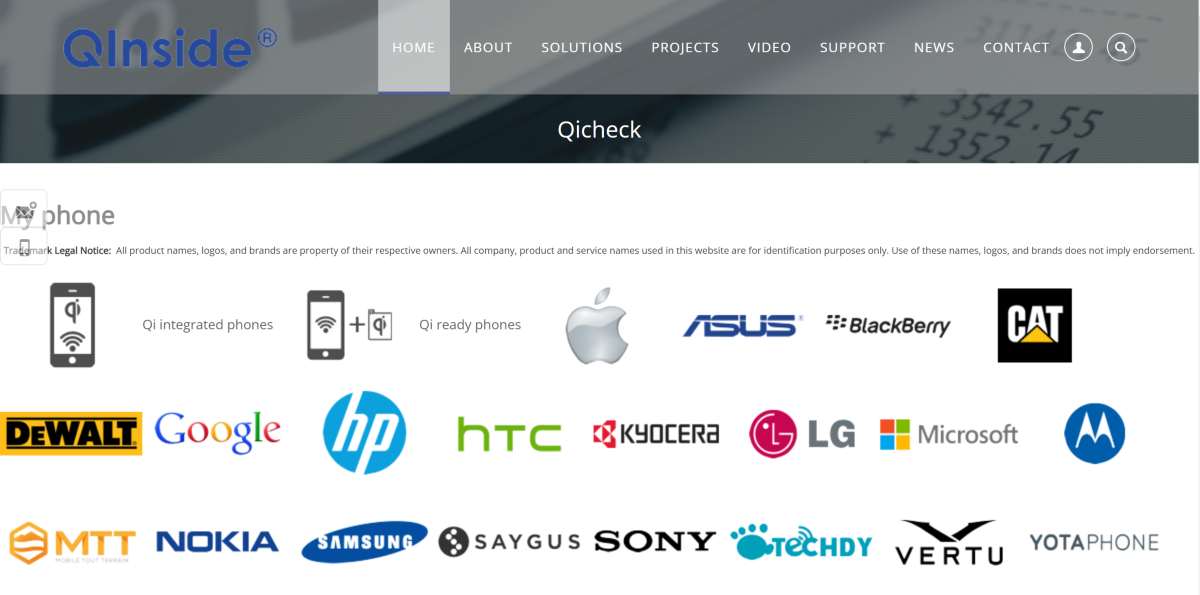
Qi is a wireless charging standard that is used on a lot of smartphones. Go to the Qi Inside website to check if your phone supports wireless charging. Click the name of your smartphone’s manufacturer and look for your model in the list. You can also scroll the page for the long list of all smartphone models that support Qi wireless charging.
Got a wireless charger nearby? Connect it to your smartphone
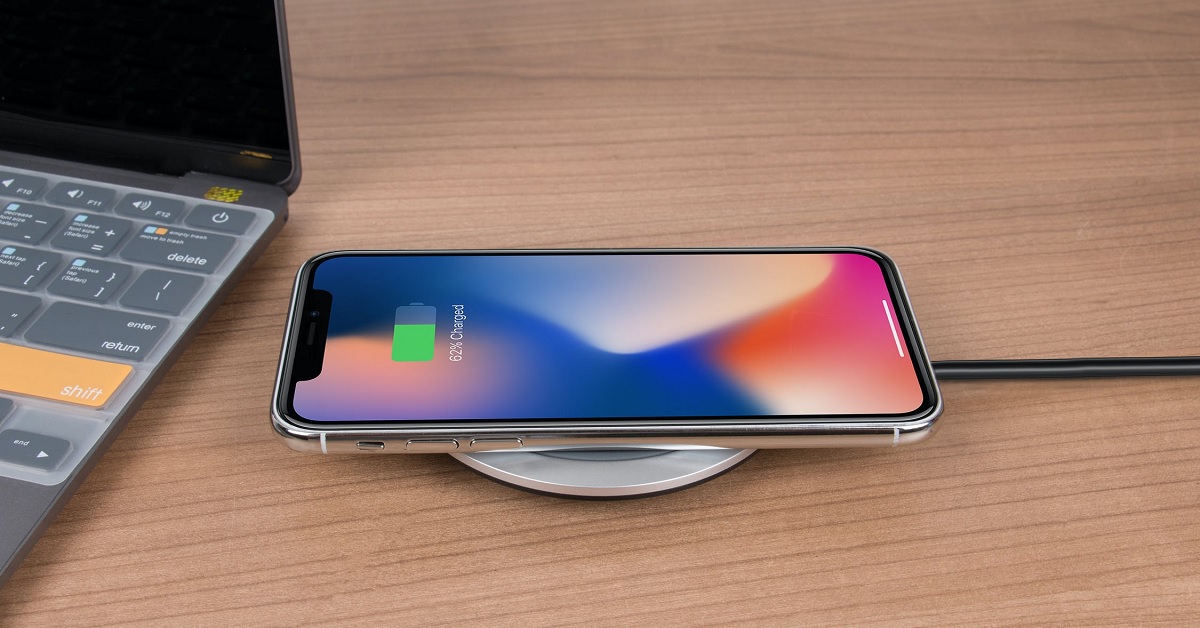
This seems like a no-brainer option but some users may be hesitant to try it since wireless chargers rely on magnetic induction for powering a device. If you have a wireless charger nearby, you can place your phone on it to check whether it supports wireless charging. Your smartphone will not be harmed if it doesn’t have wireless charging support.
Frequently Asked Questions (FAQs)
Does my phone support wireless charging?
Go to your phone’s settings and check the battery section for wireless charging support. You can also check the manufacturer’s website or the device’s Amazon page for all specs related to battery and charging. If it doesn’t mention wireless charging then it most likely doesn’t support it. To be absolutely sure, install the Wireless Charging Checker app by Widget7 on your device and run a quick check.
How long does it take to wirelessly charge a smartphone?
A 10-15W wireless charger takes up to 3 hours to charge a regular smartphone with a 5,000mAh battery.
Is wireless charging faster than wired charging?
No, wireless charging is not faster than wired charging. Every smartphone that supports wireless charging can be charged faster using a power adapter and a USB cable.
How do I turn on wireless charging?
Wireless charging is enabled on your smartphone by default. All you need to do is place the device on a wireless charging pad.
Does iPhone have wireless charging?
All iPhones from iPhone 8 support wireless charging.
These are the top 8 ways you can check if your phone supports wireless charging. If you own a budget Android smartphone, chances are it does not have wireless charging support since this feature is only found in midrange and flagship devices. If you found this article useful, let us know in the comments!
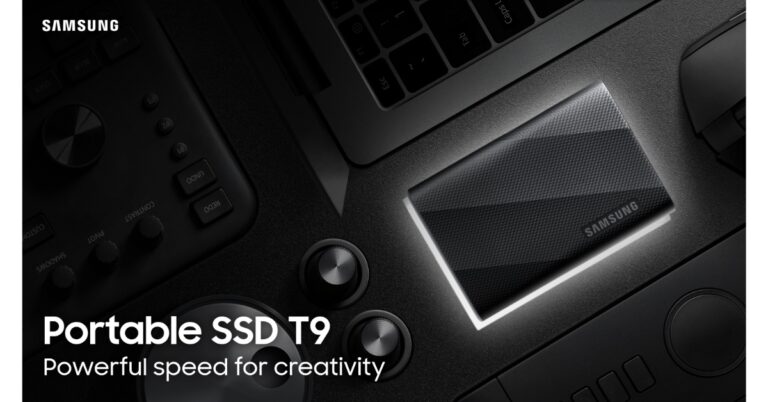
Samsung today announced the launch of a new solid-state drive (SSD) namely the Samsung SSD T9 in India. The device will be available in three storage variants with a price starting at Rs 12,799. The Samsung SSD offers a transfer speed of up to 2000MBps. In addition to this, it comes with Samsung Magician Software 8.0 and is compatible with Windows and macOS operating systems.
Puneet Sethi, Vice President, of Consumer Electronics Enterprise Business, Samsung India said, “In a high-resolution content landscape, the T9 is the answer for professionals seeking solutions for challenges such as data management, transferring large files, and durability and performance issues. Samsung’s Portable SSD T9 empowers modern content creators by addressing those data challenges and providing memory solutions that enhance their creative aspirations.”
The Samsung SSD T9 has a sleek and credit-card-sized design with a rugged build. The T9’s rubber exterior ensures a comfortable grip and guards against low-temperature burns. It comes with a five-year limited warranty and is resistant to drops from heights of up to three meters.
The portable solid-state drive (SSD) includes Samsung’s Dynamic Thermal Guard technology that efficiently mitigates performance dips caused by overheating, ensuring consistent and speedy transfer rates. In addition to this, it complies with the international safety standard IEC 62368-1.
The Samsung SSD T9 boasts a lightning-fast USB 3.2 Gen 2×2 interface. It is claimed to offer up to 2,000 MB/s read/write speeds. The SSD comes in three different capacities – 1TB, 2TB and 4TB. It also has Samsung Magician software offering features such as performance benchmarks, security functions, firmware updates and real-time health status checks. The software is capable of solving any field issues that might occur. As per the company with the latest 8.0 version released in September 2023, all Samsung software such as Data migration, PSSD software and Card authentication tool will be integrated to the Magician software and the OS support range will be expanded, for Windows, Mac and Android user convenience.
There is USB Type C-to-C and USB Type C-to-A cables provided with the device offering cross-platform compatibility that extends to Windows, macOS, smartphones, tablets, gaming consoles, and premium cameras. It can be directly connected to an 8K or 12K high-resolution camera for seamless use.
Samsung SSD T9 price in India, availability
Samsung SSD T9 has been launched in India with a starting price of Rs 12,799 for the 1TB storage variant going to Rs 33599 for the 4TB variant. The portable SSD will be available at all Samsung retail stores, leading consumer electronics stores and across online platforms.
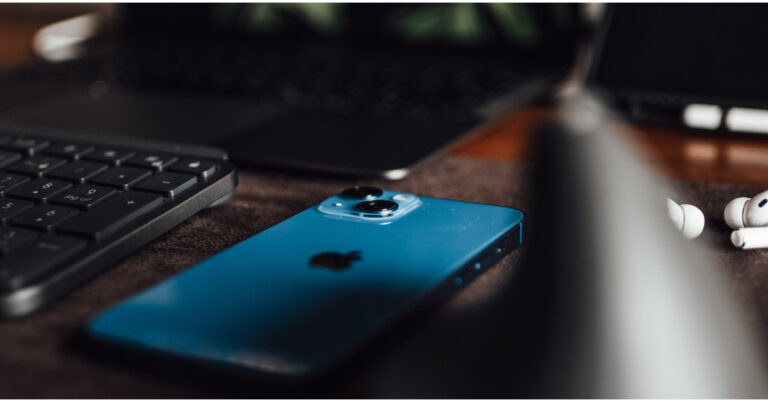
There is no denying that iPhones in India are significantly more expensive than those from other nations. As a result, Apple fans in India eagerly wait for the festive sale, when Amazon and Flipkart offer amazing discounts and deals on iPhones. You are aware that now is the ideal moment to purchase an iPhone from a previous generation. Deals are so good that choosing between the iPhone 14, iPhone 13, and iPhone 12 can be difficult. However, we have you covered. We have listed the best festive deals on iPhones for you in each price range.
iPhone 14
iPhone 14 is currently available at Rs 56,999 on Flipkart. iPhone 14 is not selling on Amazon. Before the festive sale began the phone was selling at Rs 69,990 but now there is a massive price reduction. After applying bank offers the price can further come down by Rs 5,000. The e-commerce platform is offering a great exchange discount which will reduce the price of the phone to Rs 41,150.
On the other hand, the iPhone 13 is discounted on Flipkart and Amazon. But Amazon has the best deal to offer. The iPhone 13 is available at Rs 48,999 which is comparatively much cheaper than what Flipkart is offering. On Flipkart, the device is available at Rs 51,999. Additional bank offers and exchange options will bring down the price significantly.
iPhone 12
on Flipkart iPhone 12 is currently selling at Rs 40,999 while Amazon has not listed the phone on its site. After applying bank offers and exchange discounts the price of this model can be brought to Rs 25,000.
Still confused about which iPhone to buy?
You already know which iPhone offers the best deal, but you’re not sure which to choose. However, you should also be aware of which iPhone offers the most software updates before making a purchase. In our opinion, the iPhone 13 is the greatest option, but the iPhone 14 is the more sensible choice. You will receive one more year of software updates. Additionally, the iPhone 14 has a higher resale value than the iPhone 13. There is therefore no doubt that the iPhone 14 is the best iPhone to purchase over the festive season. However, the iPhone 12 is a terrific alternative if you are a first-time iPhone user and on a tight budget.
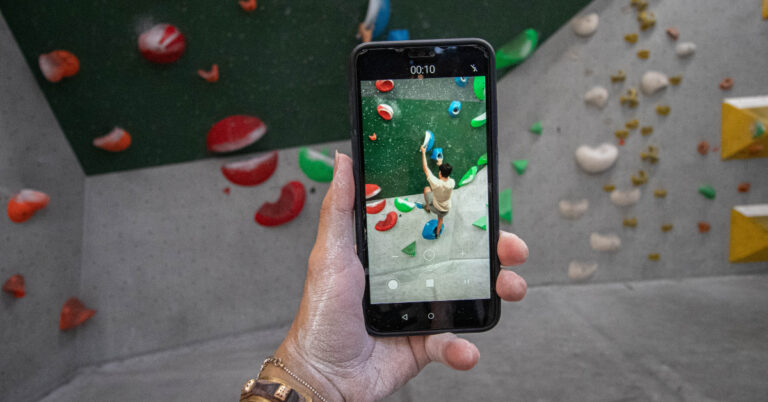
If you like recording 4K videos using your smartphone, you must be aware of the tremendous amount of space they occupy on your phone’s storage. For those who can’t expand their phone’s storage using a memory card, choosing which videos to keep on the device can be quite a conundrum. Luckily, there are tons of compression apps that resize the videos on your phone to an appropriate limit without compromising their quality. In this article, we bring you our picks for the top 7 free apps to compress videos on Android.
Follow these steps to compress videos using a third-party Android app
These are the basic steps that you will have to follow in order to compress videos using any of the Android mentioned in this list.
Step 1:Launch the video compression app of your choice.
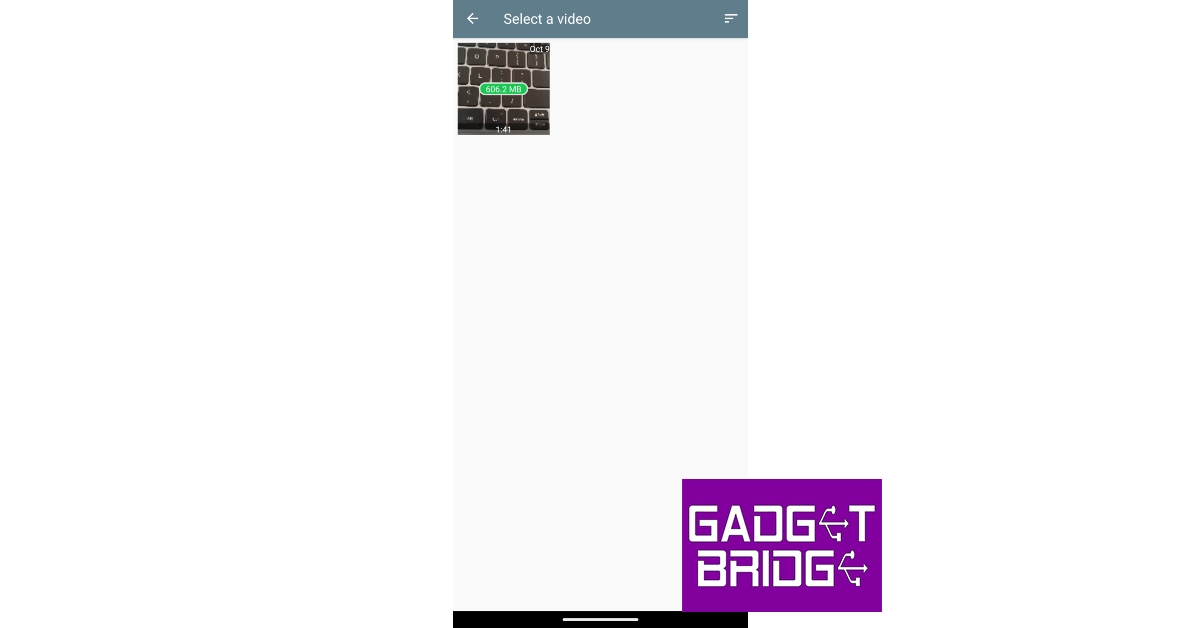
Step 2: Select a video from your device’s gallery.
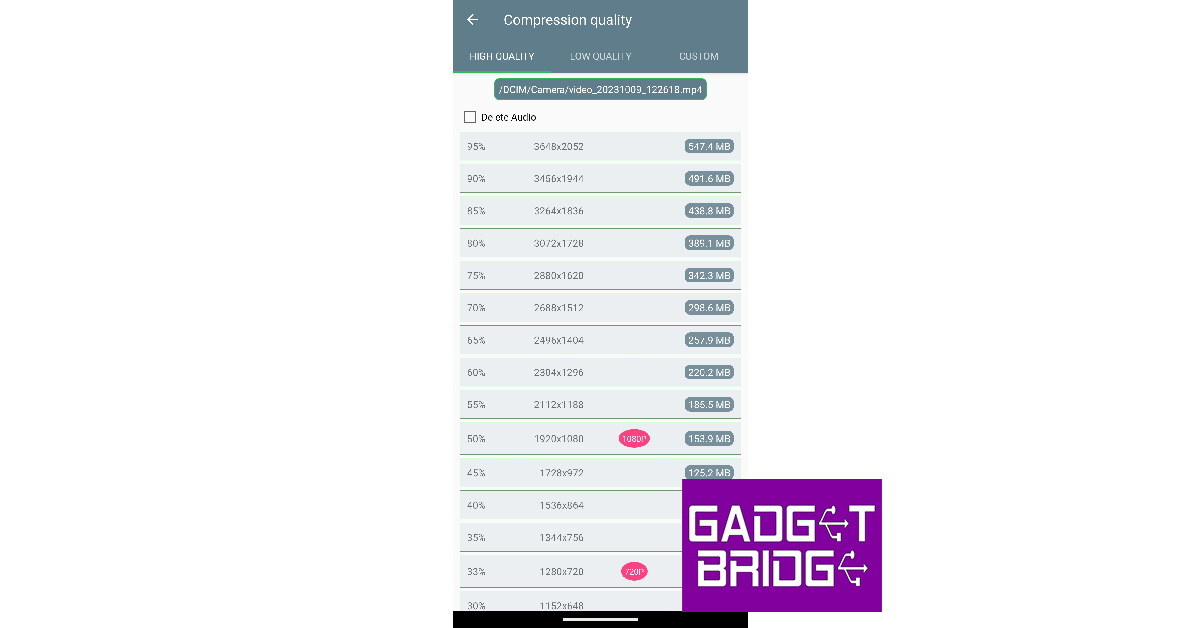
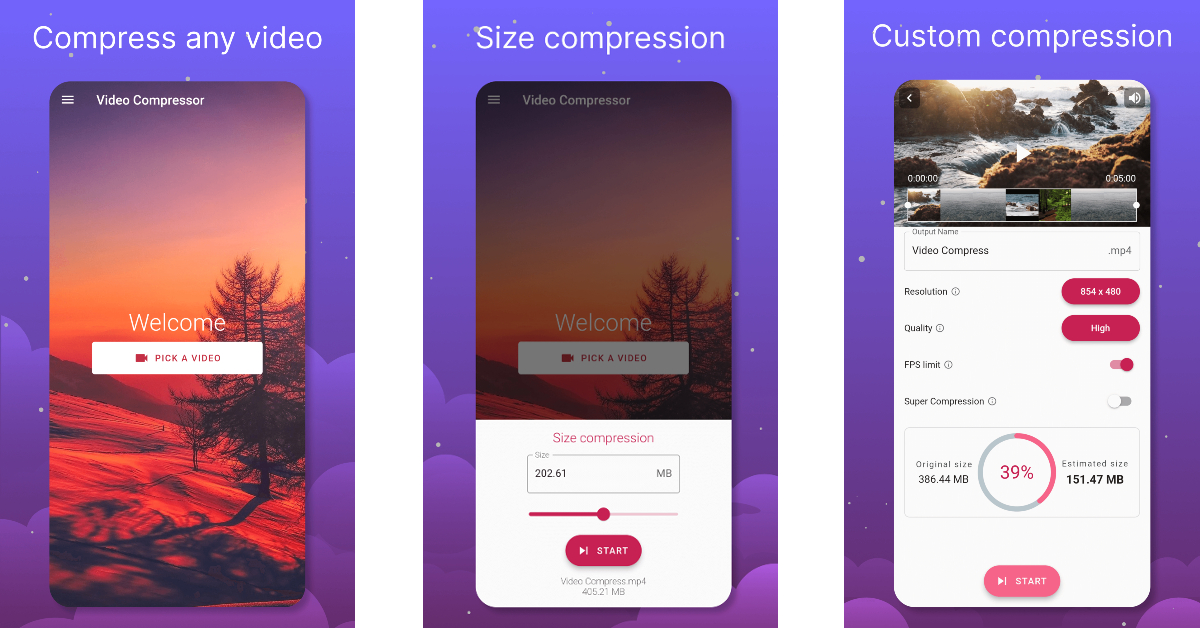
Step 3: Select the resolution for the final video.
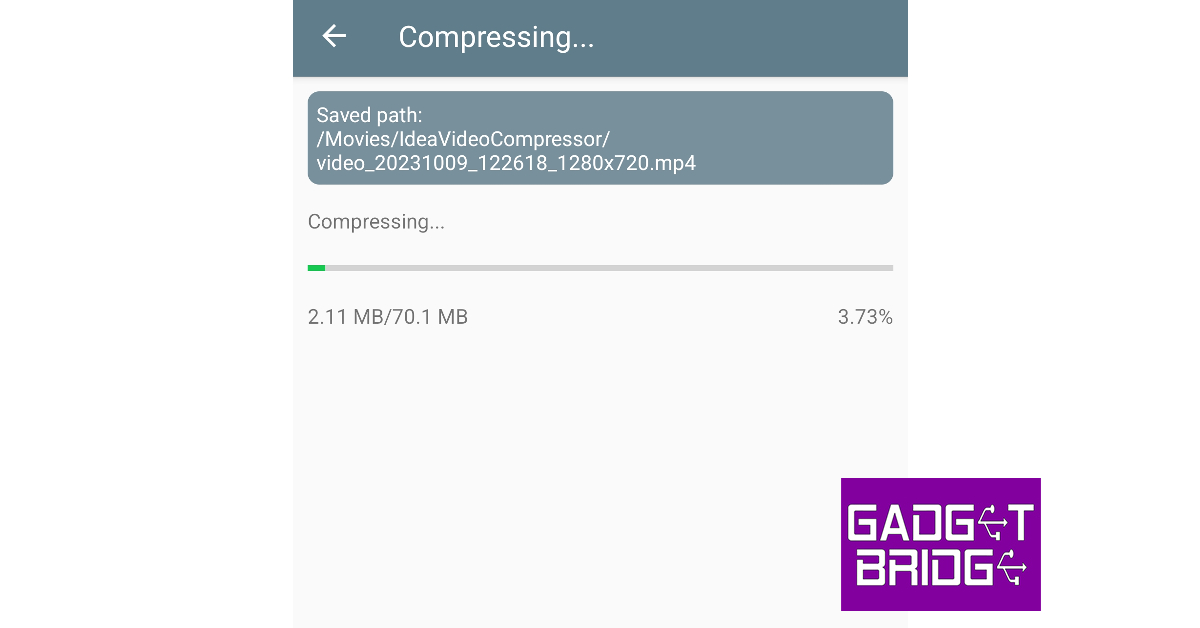
Step 4: The app will take a few minutes to compress and resize the video.
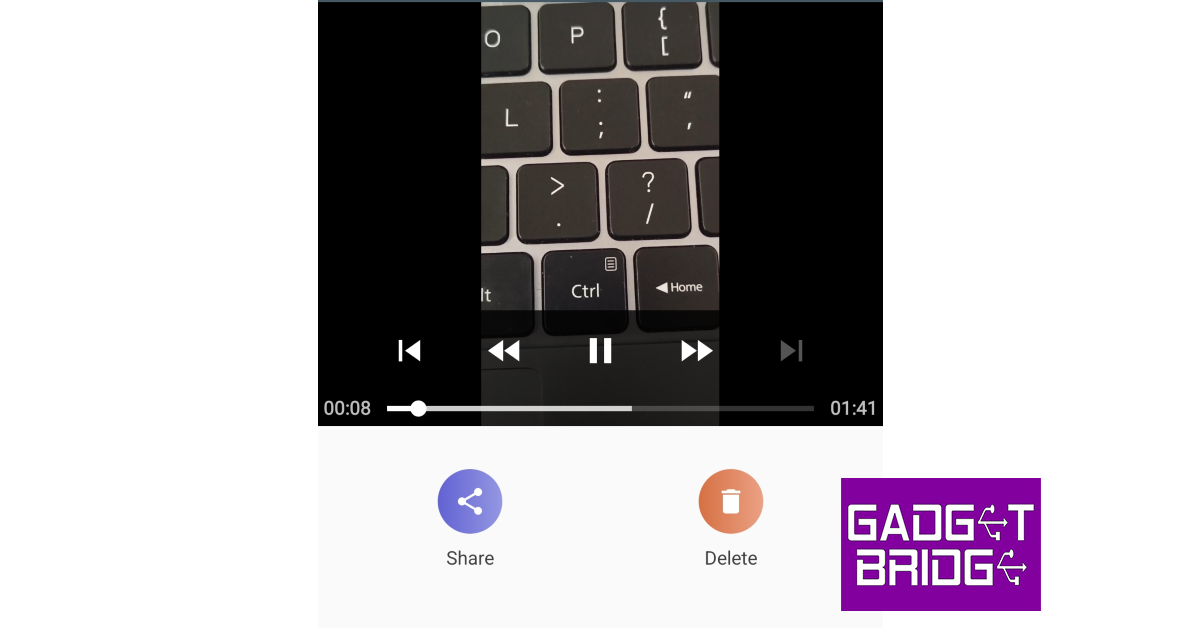
Step 5: The compressed video will be saved in your device’s gallery. You can preview the video within the app itself.
Step 6: Hit Share to send the video to your contacts directly from the app. You can also choose to delete the video if it doesn’t meet your quality requirements.
Now that you’ve learnt how to compress a video, let us take a look at the best Android apps for the task.
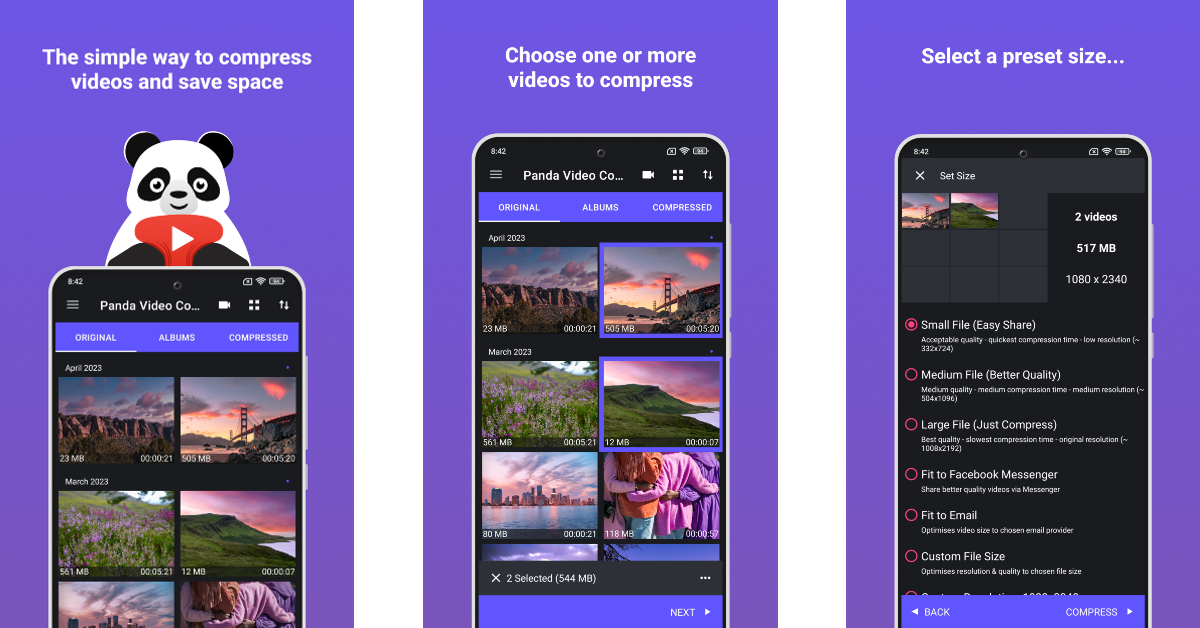
One of the reasons why Panda Resizer grabs the top spot in this list is because of its accessibility and ease of use. If you don’t want to select a custom resolution for the final video, Panda Resizer has multiple presets that will compress it to a size that suits apps like Facebook, Instagram, YouTube, WhatsApp, Telegram, WeChat, and more. Once a file has been compressed, you can play it alongside the original video to see if there are any changes to the final product. Subscribing to a premium membership gives you ad-free access to the app and lets you compress multiple videos at once.
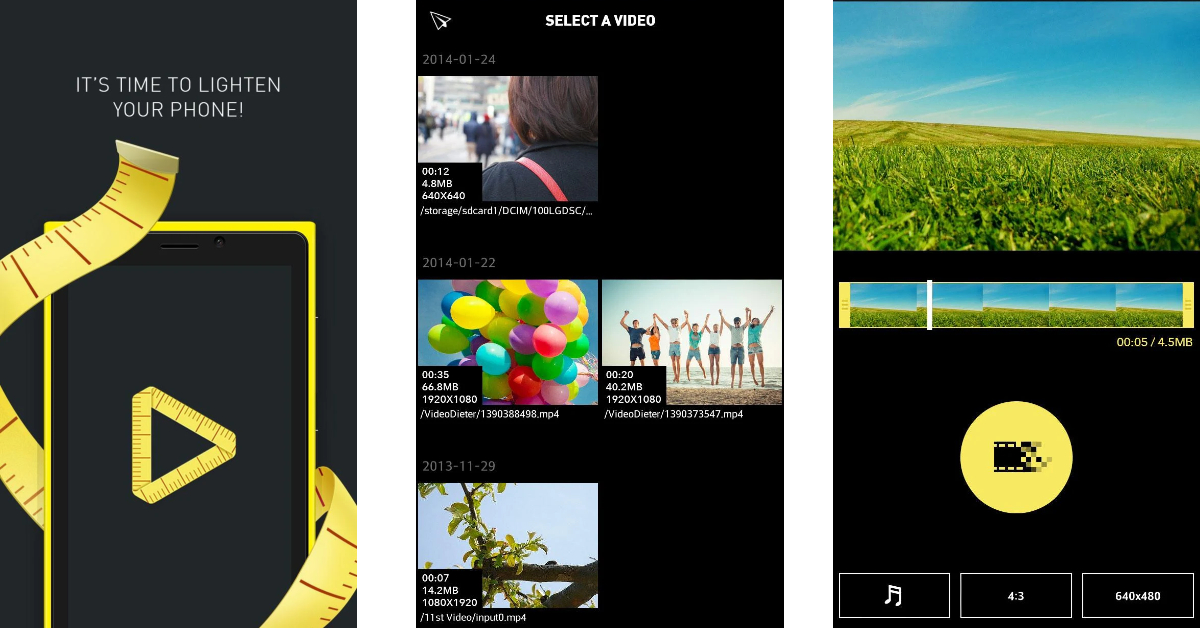
With over a million downloads and a rating of 4.2 stars on the Play Store, the Video Dieter 2 is one of the best video compressor apps for Android. Video Dieter 2 keeps things simple and gets rid of all the bells and whistles that may confuse the average user. You can set the resolution of the output video and easily view its file size and playtime. This app also allows you to resize a video by trimming it. You can also set background music to the video and convert it to a time-lapse or a slo-mo video.
ShrinkVid does a great job of compressing videos while maintaining their original quality. This app supports compression for all major video formats like MOV, MP4, FLV, MKV, AVI, 3GP, etc. Another good reason to use ShrinkVid is that it carries out the entire compression process on your device, without outsourcing the video to the cloud. You can choose a custom resolution for the output video or select a preset option that will resize the video according to the chosen platform’s size limit.
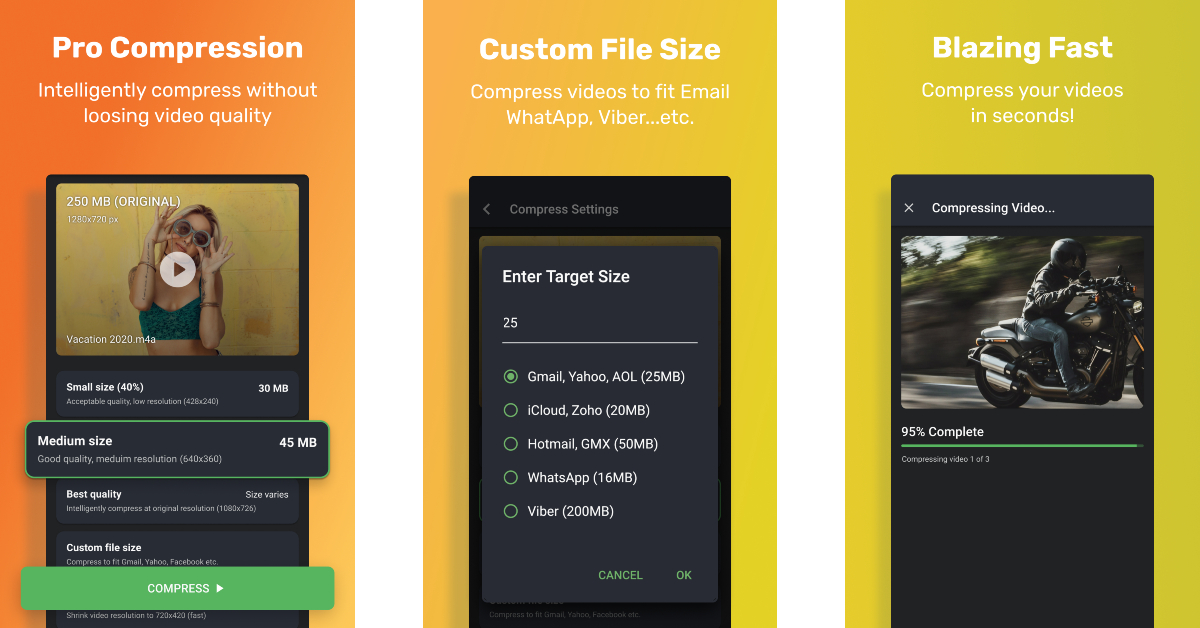
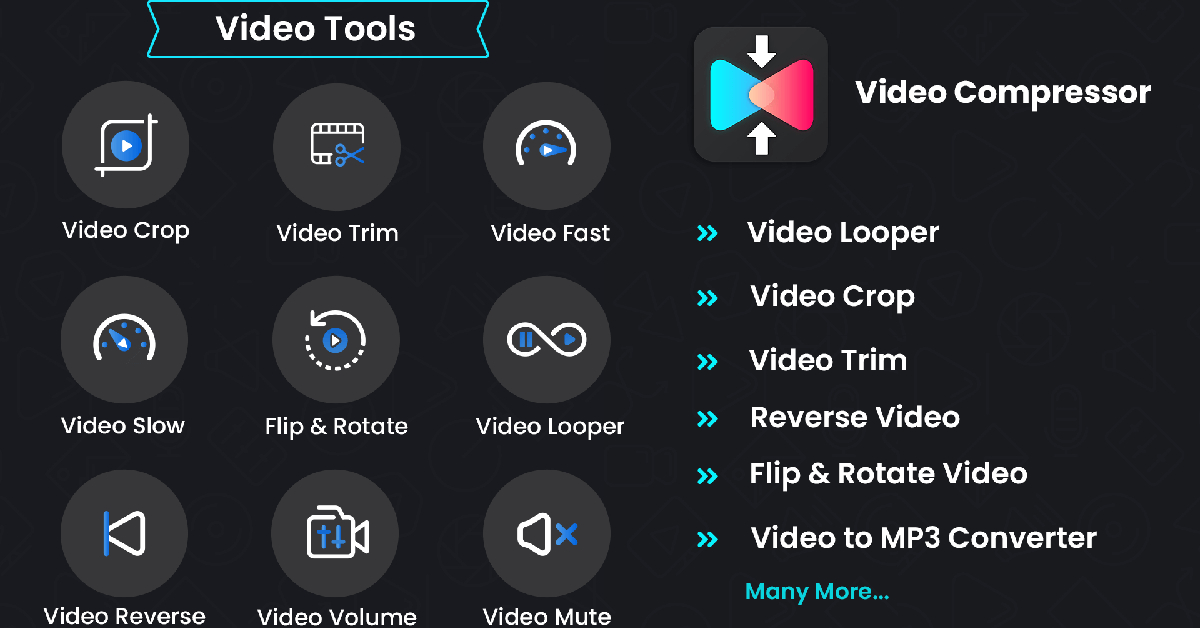
Apart from compressing and resizing your videos to a chosen resolution, the Compress Video app also lets you trim and crop unwanted parts of the video, convert it to an audio file, and apply time-lapse and slo-mo effects. The app is well-equipped to compress multiple videos at once. Once the video is compressed to a desirable file size, you can share it to any platform directly from the app. Compress Video also offers a very handy ‘Fit to Email’ preset that automatically adjusts the size of the video to that of an email attachment.
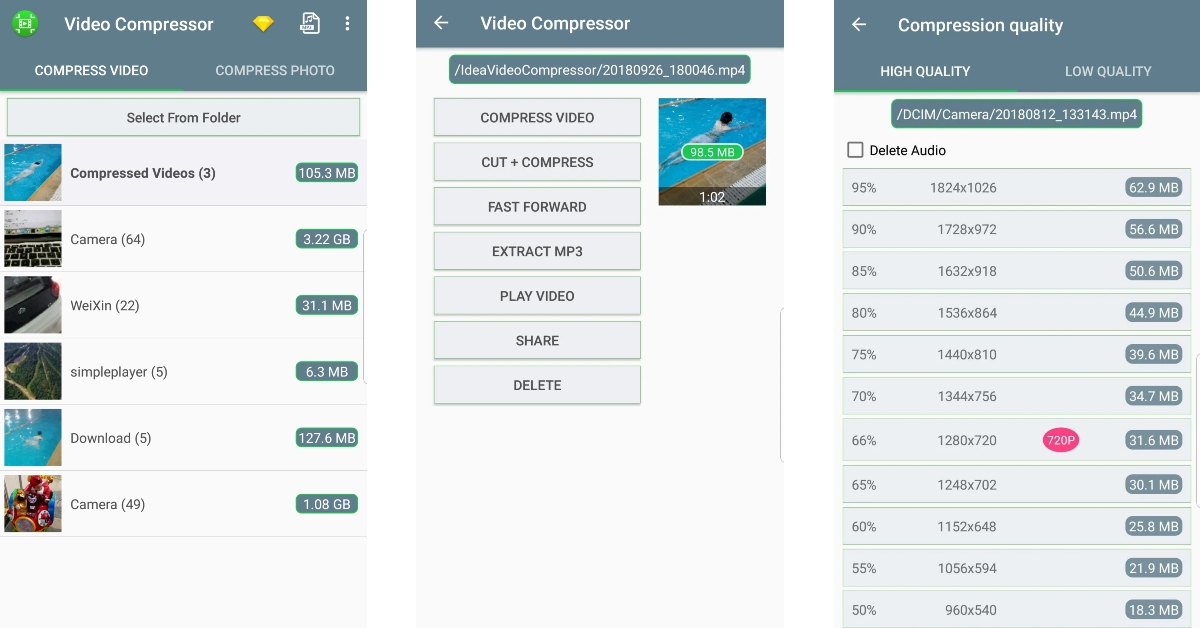
The Video Compressor & Video Cutter app has over 10 million downloads on the Google Play Store and a rating of 4.1 stars from over 100K reviews. Needless to say, this app is one of the best video compression tools around. While compressing a video, you can select a resolution for the output video. The corresponding file size is mentioned next to every resolution. Apart from basic compression tasks, you can convert the video to an MP3 audio file or cut the audio from the compressed video file altogether.
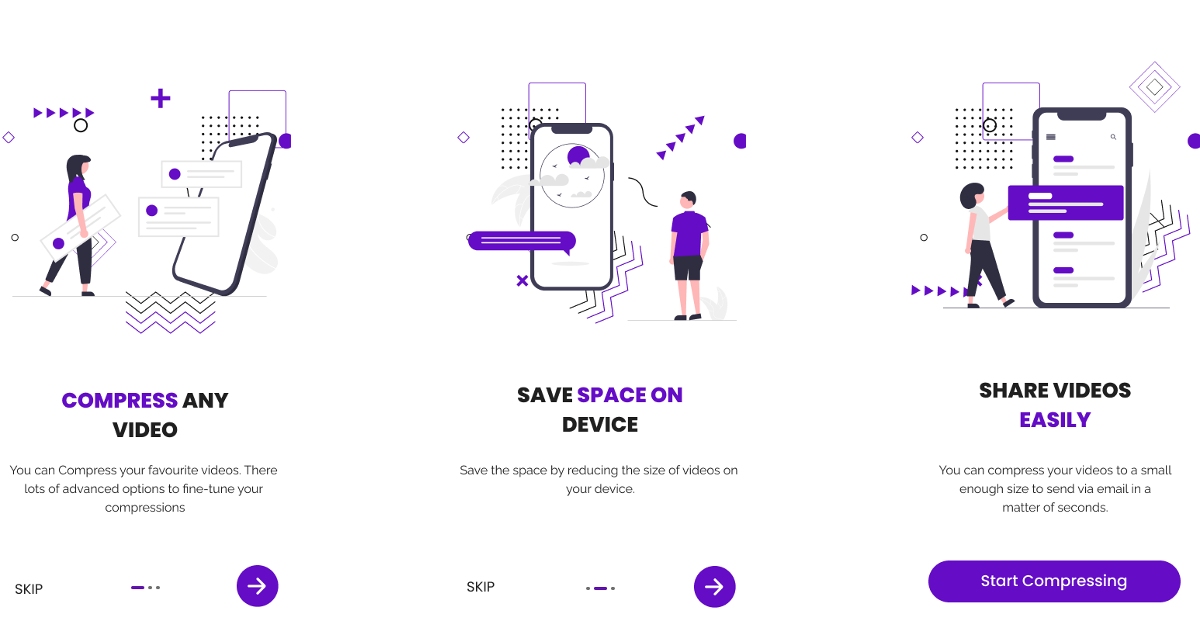
The Video Compressor – Reduce Size makes it to our list because of the exhaustive range of features that it offers. Apart from lossless compression, you can also convert the format of the video, convert it to a GIF or MP3 file, and carry out other basic editing tasks like cropping, looping, flipping, rotating, accelerating, and more. Once the video has been compressed to your desired size, it can be directly shared from the app itself.
The Videos & Movies Compressor app shrinks your selected videos to a more desirable size without losing the video quality. The process to compress the video is the same as the other apps on this list: select a video from your device’s gallery, set the resolution for the output video and hit the compress button. What we like about this app is that it can compress an entire movie or TV episode with ease. If you like to save movies offline on your device, this app will help you save a lot of storage space.
These are our picks for the top 7 free apps to compress videos on Android. Also, check out our list of the best video compression apps for iOS/iPhone. Some of the apps mentioned in this list come with a premium membership plan that unlocks a bunch of secondary features. Think there’s an app that deserves to be on this list? Let us know which one it is in the comments!
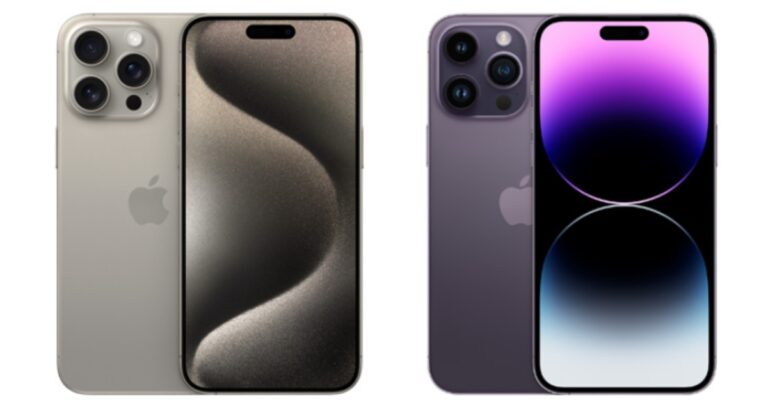
There is no denying that the iPhone 15 Pro Max is the smartphone to beat. iPhone 14 Pro Max, though, is still in charge. Apple’s A17 Bionic SoC, periscope camera, new customisable Action button and USB Type-C charging port are the major key differences between the Phone 15 Pro Max and iPhone 14 Pro Max. Let’s compare the iPhone 15 Pro Max to the iPhone 14 Pro Max to see which is the best buy.
Display
iPhone 15 Pro Max: 6.7-inch Super Retina XDR display with AOD and ProMotion technology
iPhone 14 Pro Max: 6.7-inch Super Retina XDR Always-On OLED display
Processor
iPhone 15 Pro Max: An octa-core A17 Pro chip
iPhone 14 Pro Max: Apple Bionic A16 SoC
Rear camera(s)
iPhone 15 Pro Max: The triple rear camera unit includes a 48-megapixel main camera (f/1.78 and OIS) and a 12-megapixel telephoto camera with periscope lens (f/2.8 aperture, 5x optical zoom and OIS) and 2-megapixel ultra-wide angle lens (f/2.2 aperture and 120-degree field-of-view)
iPhone 14 Pro Max: Triple rear camera setup includes a 48-megapixel main camera (f/1.78 and 2nd gen sensor-shift optical image stabilisation) and a 12-megapixel telephoto camera (f/2.8 aperture, 3x optical zoom and OIS) and 2-megapixel ultra-wide angle lens (f/2.2 aperture and 120-degree field-of-view)
Selfie camera
iPhone 15 Pro Max: 12-megapixel TrueDepth camera with an f/1.9 aperture
iPhone 14 Pro Max: 12-megapixel selfie camera (f/1.9 aperture and autofocus)
RAM and storage
iPhone 15 Pro Max: 256GB, 512GB, and 1TB storage
iPhone 14 Pro Max: 128GB, 256GB, 512GB and 1TB storage options
The transition from stainless steel, which is available on the iPhone 14 Pro Max, to titanium for the frames is the major design improvement for the iPhone 15 Pro Max. According to the company, Aerospace-grade 5 Titanium has been used on the latest model of iPhone. Moreover, the iPhone 15 Pro Max comes with a new Action button replacing the Mute switch allowing users to put the phone on silent launch the camera and more. The displays on both iPhones deliver up to 2,000 nits of peak brightness.
The latest chipset on the iPhone 15 Pro Max is an octa-core A17 Pro chip. On the other hand, the iPhone 14 Pro Max is powered by an octa-core A16 Bionic chip. The biggest camera upgrade the latest model of iPhone 15 Pro Max has received is the inclusion of a periscope lens in the 12-megapixel telephoto sensor while the other two sensors on the phone remain the same as the previous model. The new iPhone supports up to 5x optical zoom, whereas the previous model is limited to 3x. The selfie cameras are the same.
iPhone 15 Pro Max now has a longer running battery life. The inclusion of a USB Type-C port with USB 3.0 speed is another most important feature of the device whereas the 14 Pro Max still supports Lightning post-charging.
So if you are looking to upgrade from an order iPhone to the Pro Max Model then we would recommend you to go for the iPhone 14 Pro Max. And this is the best time to buy the phone as the festive sale is on and incredible deals and discounts are available on the device.
If the speedier A17 Bionic CPU, periscope camera, new customizable Action button, and USB Type-C charging port still appeal to you, we advise you to hold out for approximately a month. Numerous reports regarding serious problems with the phone, such as heating and breaking of the rear panel, have surfaced online.
After being banned for nearly ten months, Battleground Mobile India, aka BGMI, is officially available again in India. BGMI fans are looking for ways to improve their game experience and one such method is the usage of redemption codes, which offers a variety of rewards and advantages using BGMI redeem codes players can gain access to new skins, outfits, loot crates, weapons and free UC and diamonds.
As mentioned earlier, these codes give users the chance to earn unique rewards and gain extra benefits while playing the game. This includes GUN SKINS (M4, AKM, M416, AWM, M24, UZI, KAR98K), free character voucher, Andy, Carlo, Sara, Victor character for free, free Anna Character on completing the mission and UC or Royal Pass Discount. So here we have gathered a list of the most recent BGMI redeem codes as of 9 October 2023. Also, redeem these codes asap as these are only valid for a limited duration.
BGMI Redeem Codes for 9 October2023
UKUZBZGWF – Free Fireworks
TIFZBHZK4A – Free Outfit
RNUZBZ9QQ – AKM Glacier Skin
PGHZDBTFZ95U – M416 Skin
R89FPLM9S – Companion
BTOQZHZ8CQ – New!
TQIZBZ76F – Vehicle Skin
TQIZBz76F – 3 Free Motorcycle
BMTFZBZQNC – Free Drifter Set
SD14G84FCC – Free Skin for KAR98 Sniper Gun
RNUZBZ9QQ – AKM Glacier Skin
5FG10D33 – Falcon and Free Emotes
GPHZDBTFZM24U – UMP9 Skin
KARZBZYTR – Free Outfit
JJCZCDZJ9U – Golden Pan
BMTCZBZMFS – Pretty in Pink set and Pretty in Pink Headpiece
5FG10D33 – Outfit for Free
How to get free Redeem Codes for BGMI on 9 October2023?
Launch BGMI on your device.
Then select the Redeem Code option from the main menu.
Next, click on the Redeem code tab.
A new window will open, requesting the redemption code.
Now enter your BGMI code.
Confirm and click on the “Redeem” tab.
If your redeem code is valid then you will get a message confirming that your rewards were successfully redeemed.
(Note that these codes are case-sensitive, so be sure to type them correctly to prevent any errors.)
Garena Free Fire is a battle royale game with regular awards and tournaments to keep players interested. If you play Garena Free Fire, you should be aware of the redeem codes that are released on a daily basis. However, because the battle royale game is banned in India, players from other countries can use the Free Fire Redeem codes daily. If you’re unfamiliar with the Garena Free Fire redeem codes or don’t know how to get them, we’ve put together a step-by-step guide to help you redeem them. Check out Garena Free Fire Redeem Codes for 9 October 2023.
The Free Fire redeem codes are a great way to get free stuff. These are 12-digit codes that contain alphabets and numbers, as well as an expiration date and time. Because the Garena FF redeem codes cannot be used more than once, you should hurry to the redemption page to claim your free reward before someone else does. To get a free reward, all you have to do is go to reward.ff.garena.com/en, which is the official redemption page. Also, keep an eye on this space for daily updates on Garena Free Fire redemption codes and rewards.
Garena Free Fire Redeem Codes Today 9 October2023
HHNAT6VKQ9R7
2FG94YCW9VMV
FFDBGQWPNHJX
4TPQRDQJHVP4
HFNSJ6W74Z48
XFW4Z6Q882WY
E2F86ZREMK49
MHM5D8ZQZP22
WD2ATK3ZEA55
V44ZZ5YY7CBS
How to Get Free Fire Redeem Codes for Garena on 9 October2023?
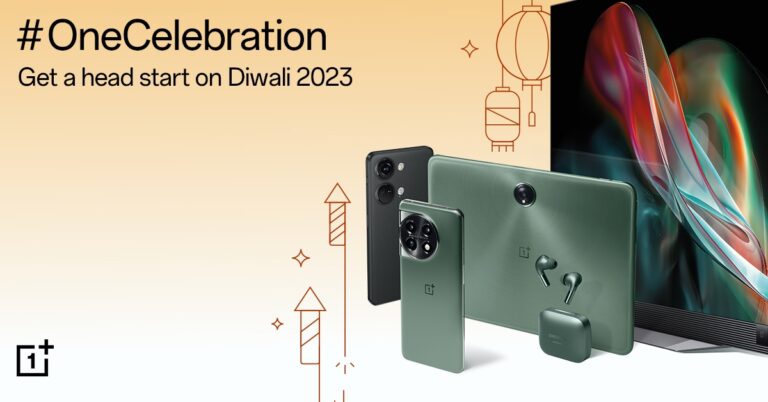
OnePlus’ festive campaign, titled #OneCelebration is now live in India. Today Prime and Plus members will be able to shop early for the Amazon Great Indian Festival sale and the Flipkart Big Billion Days 2023 event, respectively. The newly launched devices OnePlus 11, and OnePlus 11R, including the new OnePlus 11R Solar Red, as well as the OnePlus Nord 3, the new OnePlus Pad Go and many more, will be part of the sale.
During the OnePlus OneCelebration, customers will be able to purchase the newly launched OnePlus 11 5G series at a reduced price. From today OnePlus 11 5G and the OnePlus Marble Odyssey buyers can benefit from an instant bank discount of INR 3000 and a special price coupon of INR 4000. Customers are also eligible to get a free pair of the OnePlus Buds Z2 till stock lasts. However, consumers who purchase the OnePlus 11R 5G will be eligible for INR 3000 Special Price Coupon Discount for Prime Early access members and INR 2000 Instant Bank Discount during Amazon Great Indian Festival.
The newly launched OnePlus 11R Solar Red 5G will receive an INR 1000 instant bank discount and complementary Buds Z2 at no extra cost on October 7. Also, 11R Solar Red buyers can avail of INR 3000 worth of exchange bonus on select devices starting 8th October onwards.
On the other hand, OnePlus Nord 3 5G can avail of an INR 3000 Instant Bank Discount from October 7 for Prime Early Access, along with a special price coupon discount of INR 2,000. Early Access Members can also get their hands on a unit of free OnePlus Nord Buds 2r with the purchase of the Nord 3 5G until stock lasts. Those who purchase Nord 3 from October 8 are eligible to get OnePlus Nord Buds 2r for free.
Whereas OnePlus Nord CE 3 buyers can avail INR 2000 Instant Bank Discount and special price coupon discount of 2000 INR from October 7 onwards. OnePlus Nord CE 3 Lite can get you INR 1,500 Instant Bank Discount along with a special price coupon discount of INR 1,000 on October 7.
Those who have placed their pre-order OnePlus Pad Go can get an INR 2,000 Instant Bank Discount from 12th October. Additionally, customers will also get a OnePlus Pad Go Folio Cover worth INR 1,399 for free. Those purchasing the tablet today can avail of an INR 3,000 Instant Bank Discount.
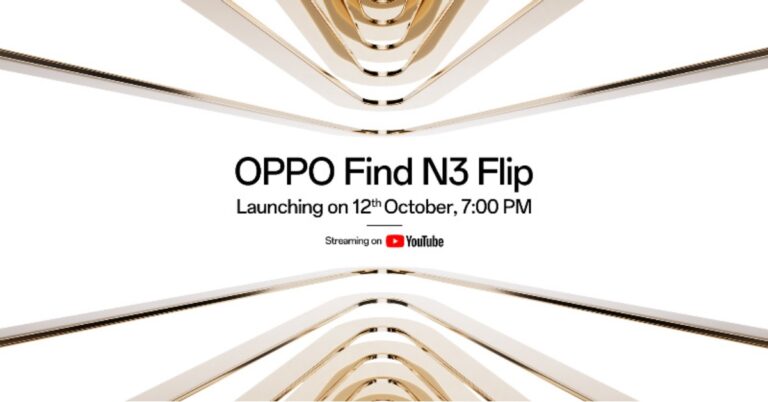
Oppo has officially announced that its next-generation flip smartphone Oppo Find N3 Flip will debut in India. The company has confirmed that the launch date for its clamshell design phone is set for October 12. Oppo’s new flip phone was launched in China in August this year. It has a 3.26-inch cover and a 6.80-inch primary AMOLED screen. The device is powered by MediaTek Dimensity 9200 SoC.
Oppo has confirmed that its flip phone Oppo Find N3 Flip is scheduled to launch in India on October 12. The company will be hosting a dedicated launch event that will be live-streamed at 7 PM in the evening. Interested ones can join the webcast on YouTube or via the company’s official social media channels in the country.
The phone’s key specs were made public before to its official release and are in line with the Chinese market model. Therefore, we may assume that the phone’s specifications will be comparable to those of the Chinese model when it arrives in India.
Oppo Find N3 Flip’s primary display is an AMOLED 6.80-inch screen with a 120Hz refresh rate. There is a 3.26-inch cover display, like its predecessor, is vertically positioned. Under the hood, there is an octa-core MediaTek Dimensity 9200 SoC that powers the clamshell-style foldable phone along with up to 512GB of internal storage and 12GB of RAM.
The Find N3 Flip’s outer cover has a circular camera set-up that includes a triple rear camera arrangement. The camera system consists of a 32-megapixel telephoto sensor, an 8-megapixel ultra-wide-angle sensor, and a 50-megapixel Sony IMX890 main lens with OIS capability. The phone includes a 32-megapixel front camera for taking selfies and making video calls.
The Find N3 Flip has a side-mounted fingerprint scanner. A gyroscope and an ambient light sensor are also present. The Oppo Find N3 Flip has 5G, Wi-Fi, Bluetooth, and NFC connectivity options.
Samsung has announced huge discounts and exciting cashback offers on its wide variety of smartphone series for customers shopping online from Samsung’s Online Store as the festive season is finally here in India. The special discount offers are available on Galaxy S, F and M Series Smartphones during the Samsung Fab Grab Fest.
Samsung’s Biggest Festive Sale ‘Fab Grab Fest’ is now live. Samsung has revealed special prices for the Galaxy S22 and Galaxy S21 FE. As per the company, the price of Galaxy S22 will start at Rs 39999 down from its original price of Rs 64,999. On the other hand, the Galaxy S21 FE which is presently selling for INR 45999, is now offered at a net effective price of Rs 29999.
Samsung has also announced more festive offers on smartphones from the Galaxy M and F series. Customers can get their hands on the Galaxy M and F series at the best prices. The Galaxy M34 5G, which was earlier available at a starting price of INR 17999, is now only selling for INR 14999, while Galaxy M14 5G, which had a starting price of INR 12990, is now being offered at a discounted price starting at INR 10490. Similarly, Galaxy F34 5G, which was formerly available for INR 17999 but is now priced starting at INR 14999 after a discount. The Galaxy F14 5G, which was priced at INR 12990 can now be purchased for INR 9990. Additionally, the Galaxy F54 5G is now available for INR 22,999.
During the sale period, the customers will be able to shop and select some select flagship models including foldable from Galaxy Z series, S series, A series, M series, and F series. There will be up to 45 percent off on Galaxy Z Flip5, Galaxy Z Fold5, Galaxy S23 Ultra, Galaxy S23, Galaxy S23 FE, and Galaxy Z Fold4.
During the Fab Grab Fest sale appliances such as premium Side-By-Side refrigerators will be available at up to 40% off. Buyers will be eligible to get a 10 kg top-loading washing machine worth INR 30000 on Select Side-By-Side refrigerators. Samsung’s French Door Refrigerators buyers will get a Galaxy S23 128GB smartphone on their purchase.
The company is offering 37 percent off on Samsung’s fully automatic washing machines and the Ecobubble range of washing machines. There will be 34% off on microwaves, and up to 40 percent off on Samsung’s Windfree air conditioners. Shoppers can also avail cashback of up to 27.5% with a maximum limit of INR 25000 on debit and credit cards of HDFC, ICICI and other leading banks.
The discounts go beyond smartphones and digital appliances which include up to 54% off of select flagship Neo-QLED, QLED, OLED, 4K UHD TVs, and The Freestyle projector models by the company during the sale period.
Get Free Galaxy S23 Ultra, 50” Serif TV, or Soundbar (Q900A/S800B) on 98-inch TVs and select models of QLED and Neo-QLED TVs
Neo-QLED, QLED, OLED, 4K UHD TVs, The Freestyle projector
Refrigerators
Up to 40% off
Get 10kg Top Loading Washing Machine worth INR 30000 for free on select models of Side-by-Side Refrigerators, and Galaxy S23 128GB version on purchasing French Door Refrigerator
301L Twin Cooling Plus Double Door Refrigerator
Washing Machines
Up to 37% off
Fully Automatic Washing Machines & Ecobubble Range of Washing Machines
After being banned for nearly ten months, Battleground Mobile India, aka BGMI, is officially available again in India. BGMI fans are looking for ways to improve their game experience and one such method is the usage of redemption codes, which offer a variety of rewards and advantages using BGMI redeem codes players can gain access to new skins, outfits, loot crates, weapons and free UC and diamonds.
As mentioned earlier, these codes give users the chance to earn unique rewards and gain extra benefits while playing the game. This includes GUN SKINS (M4, AKM, M416, AWM, M24, UZI, KAR98K), free character voucher, Andy, Carlo, Sara, Victor character for free, free Anna Character on completing the mission and UC or Royal Pass Discount. So here we have gathered a list of the most recent BGMI redeem codes as of 7 October 2023. Also, redeem these codes asap as these are only valid for a limited duration.
BGMI Redeem Codes for 7 October2023
JJCZCDZJ9U – Golden Pan
UKUZBZGWF – Free Fireworks
TIFZBHZK4A – Free Outfit
RNUZBZ9QQ – AKM Glacier Skin
PGHZDBTFZ95U – M416 Skin
BTOQZHZ8CQ – New!
TQIZBZ76F – Vehicle Skin
5FG10D33 – Falcon and Free Emotes
TQIZBz76F – 3 Free Motorcycle
BMTFZBZQNC – Free Drifter Set
SD14G84FCC – Free Skin for KAR98 Sniper Gun
RNUZBZ9QQ – AKM Glacier Skin
GPHZDBTFZM24U – UMP9 Skin
KARZBZYTR – Free Outfit
R89FPLM9S – Companion
BMTCZBZMFS – Pretty in Pink set and Pretty in Pink Headpiece
5FG10D33 – Outfit for Free
How to get free Redeem Codes for BGMI on 7 October2023?
Launch BGMI on your device.
Then select the Redeem Code option from the main menu.
Next, click on the Redeem code tab.
A new window will open, requesting the redemption code.
Now enter your BGMI code.
Confirm and click on the “Redeem” tab.
If your redeem code is valid then you will get a message confirming that your rewards were successfully redeemed.
(Note that these codes are case-sensitive, so be sure to type them correctly to prevent any errors.)
Garena Free Fire is a battle royale game with regular awards and tournaments to keep players interested. If you play Garena Free Fire, you should be aware of the redeem codes that are released on a daily basis. However, because the battle royale game is banned in India, players from other countries can use the Free Fire Redeem codes daily. If you’re unfamiliar with the Garena Free Fire redeem codes or don’t know how to get them, we’ve put together a step-by-step guide to help you redeem them. Check out Garena Free Fire Redeem Codes for 7 October 2023.
The Free Fire redeem codes are a great way to get free stuff. These are 12-digit codes that contain alphabets and numbers, as well as an expiration date and time. Because the Garena FF redeem codes cannot be used more than once, you should hurry to the redemption page to claim your free reward before someone else does. To get a free reward, all you have to do is go to reward.ff.garena.com/en, which is the official redemption page. Also, keep an eye on this space for daily updates on Garena Free Fire redemption codes and rewards.
Garena Free Fire Redeem Codes Today 7 October2023
FR5TLYOIUJMK876
FG7TY6H6YHR565H
FKLOIK8TGUU7UXY
F6T5AR4ED82FVG3
FY76TSGEFBR8N5T
FMYKHIBYHGF4BRH
FJM5KT6LYOUIKJM
FKLIUYTAQERDF3V
FBPGT0OIK7ULJO0
FN9BI8UCHGSKY6Q
F5TRE23C4FVRBJV
FBG4HN5TUGGYTGD
FBN4RMJ5KT6YIUM
FKT5LYHIOUBHVNF
FHN4T6TDHIGGBDM
FUKT78KITQRE4D3
FVRBTGHUB7YHUVT
FGBNHRJKTINYKHM
How to Get Free Fire Redeem Codes for Garena on 7 October2023?
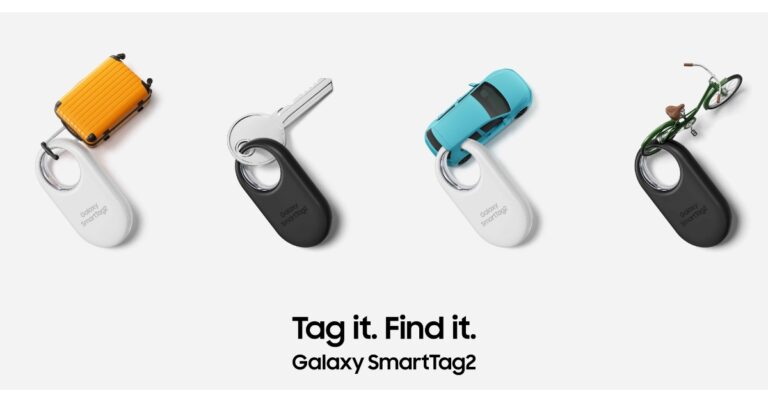
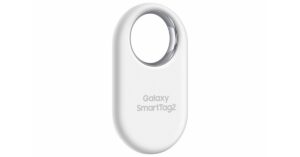
Samsung is expanding its smart tracker portfolio with the launch of the second-generation Samsung Galaxy SmartTag. The company has announced Samsung Galaxy SmartTag2 will be a great option to track your belongings like car keys, luggage, bags and pets. The device will be on shelves soon as it makes its global debut on October 11. Unlike Apple’s AirTag which is round in shape, Samsung’s smart tracker is oval in shape with a large loop to tag. Additionally, the device comes with an IP67 rating for water and sun resistance.
“We are constantly looking at ways to make people’s lives more convenient through Samsung Galaxy’s industry-leading innovations,” said Jaeyeon Jung, Executive Vice President and Head of SmartThings, Device Platform Center at Samsung Electronics. “With the Galaxy SmartTag2, we set out to make sure Samsung Galaxy users can find their belongings in an easy and intuitive way. With an enhanced finding experience and a longer battery life, Galaxy SmartTag2 will give users greater peace of mind for longer and more situations.”
The Galaxy SmartTag2 is more compact than the previous iteration and has a ring-shaped design. For better resistance, it has metal on the interior of the ring and the capacity to support accessories like clips and keychains, the wide metal loop increases the product’s durability. Its longevity has been improved with an IP675 rating for water and dust resistance. So it will stay protected from everyday wear and tear, pet’s water bowls or running around outside if you tag it to your pet’s collar. The device also has a maximum Bluetooth range of 120 metres.
Galaxy SmartTag2 comes with new tracking features to help you track your valuables. The new Lost Mode on the smart tracker lets you feed your contact information via a message. If someone finds your lost item with the attached SmartTag2, they can scan it to unlock your message and your contact information. So you can fasten it to your pet’s collar to locate their location. As per the company, any smartphone with an NFC reader and a web browser can use Lost Mode. Also, disabling Lost Mode immediately hides the owners’ contact information and wipes the message left by the owner from the device.
Additionally, the SmartTag2 has a better Compass View feature. It provides arrows to indicate the direction and distance of the Galaxy SmartTag2 from the user. Any Galaxy smartphone with UWB features, such as the Galaxy S23 Ultra, has access to this mode. Besides this, the SmartThings Find app has also been upgraded, with newly registered Galaxy SmartTags providing a seamless user experience thanks to the app’s full-screen map display and user-friendly UI. Also, SmartTag2 automatically re-syncs your current Galaxy smartphone with your Samsung account when you switch Galaxy smartphones.
There is a new Power Saving Mode and an enhanced Normal mode on the smart tracker so the device lasts longer. As per the company, the battery on the Galaxy SmartTag2 now lasts up to 700 days using Power Saving Mode.
Galaxy SmartTag2 retains many of the popular features from Galaxy SmartTag and Galaxy SmartTag+. It uses Bluetooth Low Energy (BLE) and UWB capabilities, leveraging Augmented Reality (AR) Find technology to visually guide users toward their item using their Samsung Galaxy smartphone camera.
The Samsung Galaxy users will be notified through the SmartThings Find “Unknown tag alerts” feature if they detect an unknown SmartTag following them, it will notify consumers to be aware of any unauthorised tracking and offer protection.
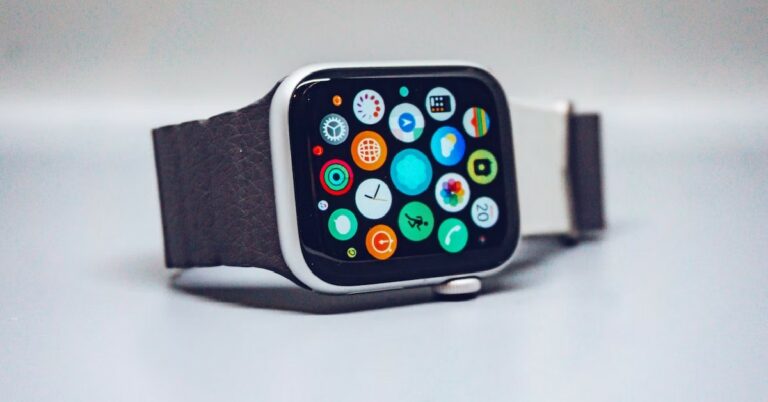
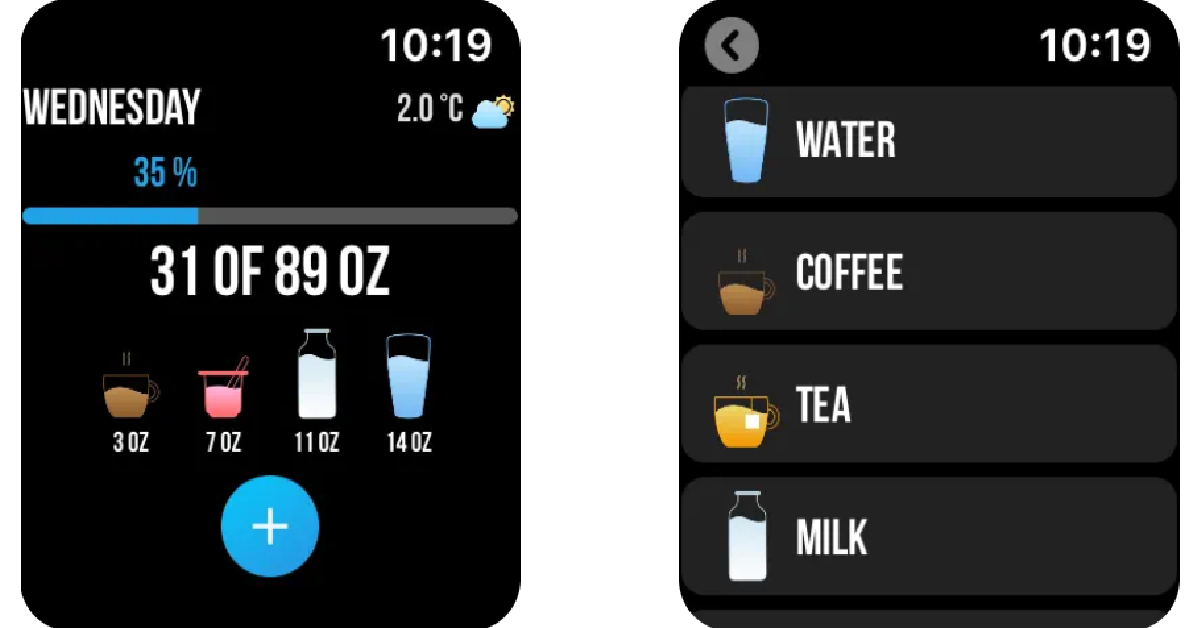
The Apple Watch and Watch Ultra are undoubtedly some of the best health trackers that you can buy right now. This is why it is very puzzling that it does not have a native ‘water reminder’ app or widget – a feature that is found on most entry-level smartwatches. If you rely on your smartwatch to replenish your hydration level, the lack of a water reminder may sound like a big miss. Luckily, there are a couple of ways you can overcome this issue. In this article, we bring you the three ways to set a water reminder on your Apple Watch.
Since the Apple Watch does not have a native water reminder or an app to log your water intake, you are pretty much reliant on the regular Reminder app for this task. Here’s how you can use it to set up a ‘Drink Water’ reminder.
Step 1: Launch the Reminder app on your Apple Watch.
Step 2: Use the Digital Crown to scroll down to the bottom of the page.
Step 3: Tap on Add Reminder.
Step 4: Enter ‘Drink Water’ as your reminder at the appropriate time.
Use Siri to set a ‘Drink Water’ reminder on your Apple Watch
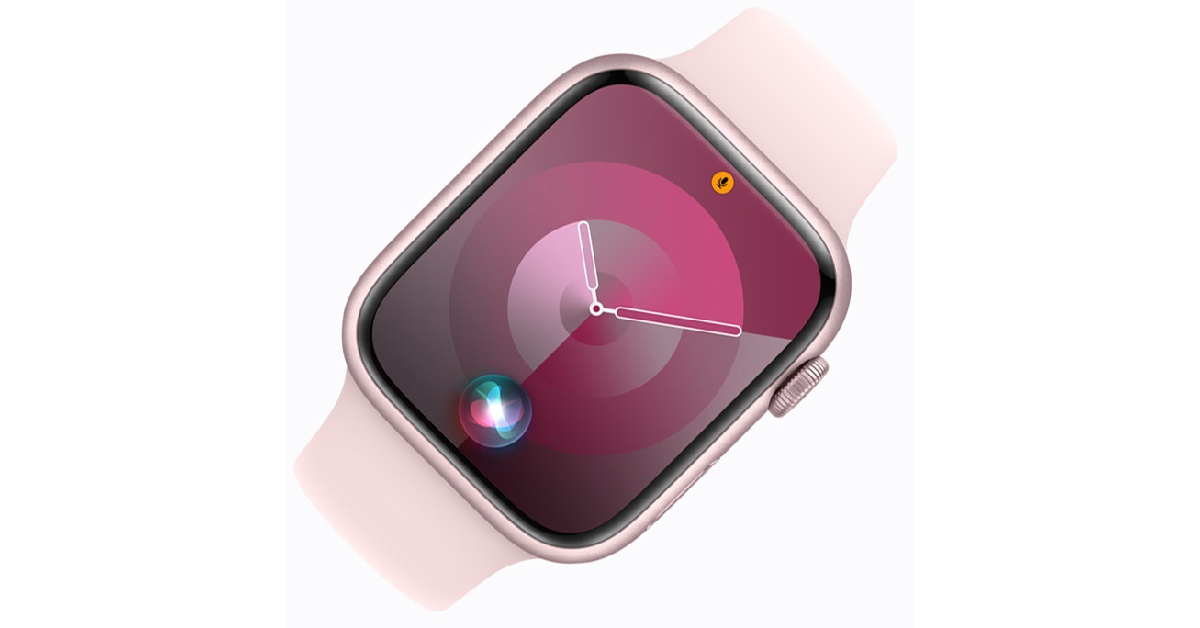
Instead of manually navigating to the Reminders app on your Apple Watch, you can simply ask Siri to set it up for you. You can trigger Apple’s voice assistant by pressing and holding the Digital Crown or by simply raising your Watch and saying ‘Hey Siri’. Once you see Siri on the watch’s screen, simply say ‘Set a reminder to drink water in 30 (or your preferred time) minutes’. Siri will remind you to drink water at the stipulated time.
Use a third-party app
As you may have realised by now, setting up regular reminders for drinking water can be a tedious process since it needs to be done multiple times a day. This is the reason why a water reminder app is so necessary. Luckily, there are several third-party water reminder apps that you can use on your Apple Watch.
Step 2: Launch the app on your iPhone to set up your profile.
Step 3: Once you’ve given the app the necessary permissions, go to Settings and select Remidner.
Step 4: Set the frequency for water reminders.
Apart from setting water reminders, you can also use this app to log your water consumption.
Frequently Asked Questions (FAQs)
Can I set a water reminder on my Apple Watch?
Unfortunately, there is no native way to log your water intake or set water reminders on your Apple Watch. You can use several third-party apps for this purpose.
How do I set a water reminder on my Apple Watch?
Install the Water Reminder app on your iPhone and Apple Watch. On your iPhone, launch the app and give it the necessary permissions. Go to Settings>Reminder to set the frequency of reminders.
What are some of the best third-party water reminder apps for my Apple Watch?
Thirstic, My Water, Pee and See, Water Minder, and Water Reminder are some of the best third-party water reminder apps for your Apple Watch.
These are the three best ways to set a water reminder on your Apple Watch. While choosing a third-party water reminder app, make sure that it is able to your Apple Health app. This way you won’t have to enter your personal data all over again and the app will be able to suggest you your daily intake based on your daily workouts.
OnePlus has officially announced the launch of another tablet in India. This time the firm has introduced the OnePlus Pad Go which is actually a toned-down affordable variant of the OnePlus Pad which was announced in February this year. The device is powered by MediaTek Helio SoC. It features quad stereo speakers and an 11.35-Inch 2.4K display.
OnePlus Pad Go price in India, sale details
The newly launched OnePlus Pad Go is an affordable version of OnePlus Pad which is priced at Rs 37,998. The new tablet by OnePlus has been introduced with a starting price of Rs 19,999 for the base 18GB RAM with 128GB storage Wifi model. The LTE model of the tablet is available in two configurations 18GB RAM with 128GB storage and 8GB RAM with 256GB storage priced at Rs 21,999 and Rs 23,999.
The pre-order window for Pad Go will open on October 12. Those making reservations are eligible to get Rs 2,000 discount. In addition to this, they can also get their hands on the OnePlus Pad Go Folio Cover worth Rs 1,399 for free.
The device can be purchased via Amazon, Flipkart, Oneplus.in, OnePlus Store App, OnePlus Experience Stores, Reliance, Croma and other key offline partner outlets
ICICI Bank and OneCard customers can avail of the bank offers on OnePlus Experience Stores, OnePlus.in & offline partner stores. SBI customers can avail of the bank offers on Amazon. ICICI Bank, Kotak Bank & Axis Bank customers can avail of the bank offers on Flipkart. RCC members can avail benefits up to Rs 2000 on the purchase of OnePlus Pad and OnePlus Pad Go on OnePlus.in.
OnePlus Pad Go features an 11.35-inch 2.4K LCD display with 2408 x 1720 pixels of resolution. The screen has a 90Hz refresh rate, a 7.5 aspect ratio and a touch sampling rate of 180Hz. In addition to this, the panel has a pixel density of 220ppi and a peak brightness of 400nits. The display comes with TuV Rheinland blue-light filter protection along with Dolby Vision and HDR10+ support.
OnePlus Pad Go operated on Android 13-based OxygenOS 13.1. Under the hood, there is MediaTek Helio G99 octa-core SoC with Mali-G57 MP2 GPU. It will be available in Wi-Fi and LTE variant with up to 8GB LPDDR4X RAM with 256GB UFS 2.2 storage options.
Coming to the cameras there is a single 13-megapixel shooter with electronic image stabilisation (EIS) support on the back of the tablet along with up to 4K30 fps video recording. For selfies, there is an 8-megapixel front-facing camera with up to 1080p 30fps video recording support.
The OnePlus Pad Go packs an 8,000mAh with 33W SuperVOOC charging support. As per the company it provides up to 514 hours of standby time and 40 hours of music playback. In terms of connectivity, there is Wi-Fi 5 (802.11ac), Bluetooth 5.2, a USB Type-C port and 802.11a/b/g/n/. Along with face unlock there is geomagnetic sensor, light sensor, acceleration sensor, gyroscope, and a hall sensor onboard. It comes with a quad stereo speakers powered by Omnibearing Sound Field and Dolby Atmos support.
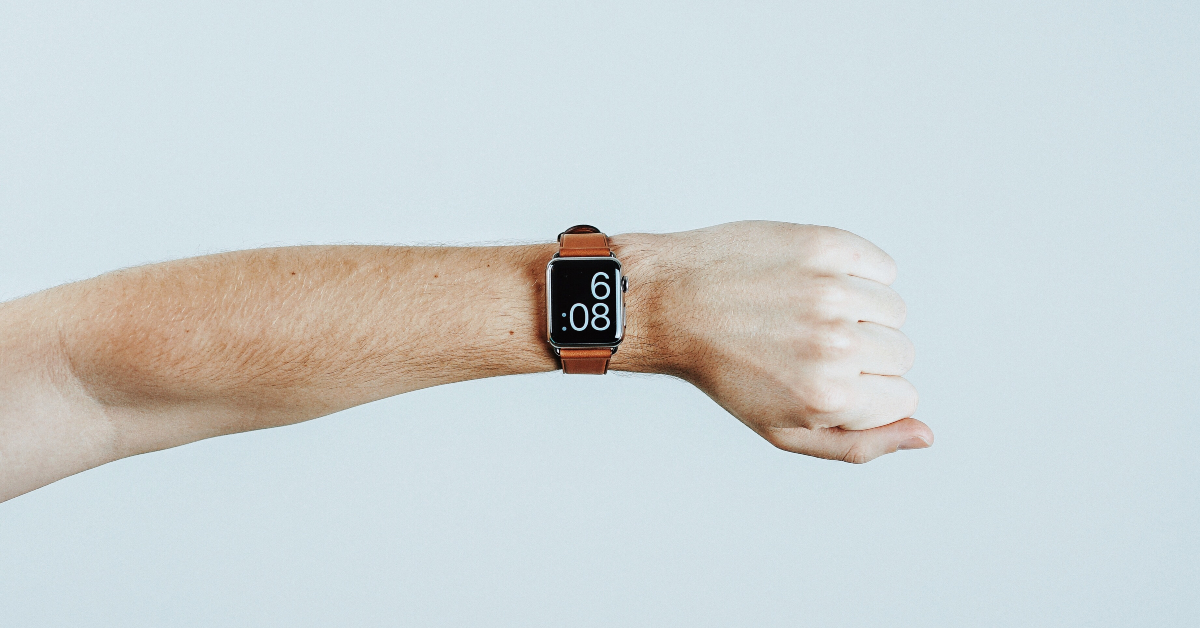
From fitness tracking to attending calls, your Apple Watch can do it all. With a tremendous touchscreen display that spans 1.9 inches some users rightfully enquire whether there is a way to watch videos on the smartwatch. There are a couple of reasons why this feature hasn’t made its way to the Apple Watch yet. Firstly, due to the limited form factor of the smartwatch, it is difficult to equip it with a battery that can provide hours of uninterrupted feedback. The other reason is that the limited real estate on the display is not ideal for media consumption. And as we all know, Apple incorporate new features unless they’re clean and accessible. However, there is still a way to watch videos on your smart wearable device. In this article, we bring you two quick ways to watch YouTube on Apple Watch or Watch Ultra.
Watch YouTube on Apple Watch or Watch Ultra web browser
Your Apple Watch has a hidden web browser that you can access through Siri or by clicking on a link in the Messages or Mail app. Here’s how you can use this browser to watch YouTube videos on your Apple Watch.
Step 1:Press and hold the Digital Crown to trigger Siri on your Apple Watch.
Step 2: Say ‘Hey Siri, Go to youtube.com’.
Step 3: Scroll down and select Open Page.
Step 4: Use the search button to find a video.
Step 5: Hit the video to play it on your Apple Watch.
Use the Watchtube app to play YouTube videos on your Apple Watch and Watch Ultra
Step 1: Download the Watchtube app on your Apple Watch from the App Store.
Step 2:Launch the app from the Watch’s app library.
Step 3: Use the search tab to look up a particular video.
Step 4: Tap the video to play it on your Apple Watch.
Frequently Asked Questions (FAQs)
Can I watch YouTube videos on my Apple Watch?
While there is no direct way to watch YouTube on your Apple Watch, there are a couple of workarounds that can help you accomplish this task. A third-party app called Watchtube allows you to watch YouTube videos on your smartwatch. You can even trigger the watch’s web browser using Siri and play your favourite YouTube videos.
Why does Apple Watch not have a YouTube app?
The reason why the Apple Watch does not have a YouTube app and most likely never will is because of the strain it applies to the battery. Smartwatches can’t accommodate big batteries due to their limited form factor, and video playback along with the bright display can drain out the battery in no time.
Can I watch Netflix on my Apple Watch?
There is no third-party app to watch Netflix on your Apple Watch yet. You can try using Netflix on your Apple Watch’s browser, but it may not work for everyone.
These are the two best ways to watch YouTube videos on your Apple Watch and Watch Ultra. While these methods can help you play YouTube videos on your smartwatch, the aspect ratio of the videos may be a bit off. Watching videos for an extended period of time can also drain your smartwatch’s battery pretty quickly.
Launched earlier this week, the new Google Pixel smartphones retain their signature design but come with significant improvements under the hood. In India, the Google Pixel 8 is priced at Rs 75,999 while the Pro variant fetches Rs 1,06,999. The Magic Audio Eraser may be the talk of the town, but with the right apps, there is a lot more you can do on Google’s flagship phone. So, without further ado, let’s take a look at the top 15 apps you should download first on your new Google Pixel 8 series smartphone.
Over the last few years, instant messengers like Telegram and Signal have added exciting new features to their platforms, but neither of them comes close to matching the popularity that WhatsApp enjoys. WhatsApp has the most essential thing that any successful IM should have – reach. Everyone you know is already on WhatsApp, making it the quintessential Android app for texting.
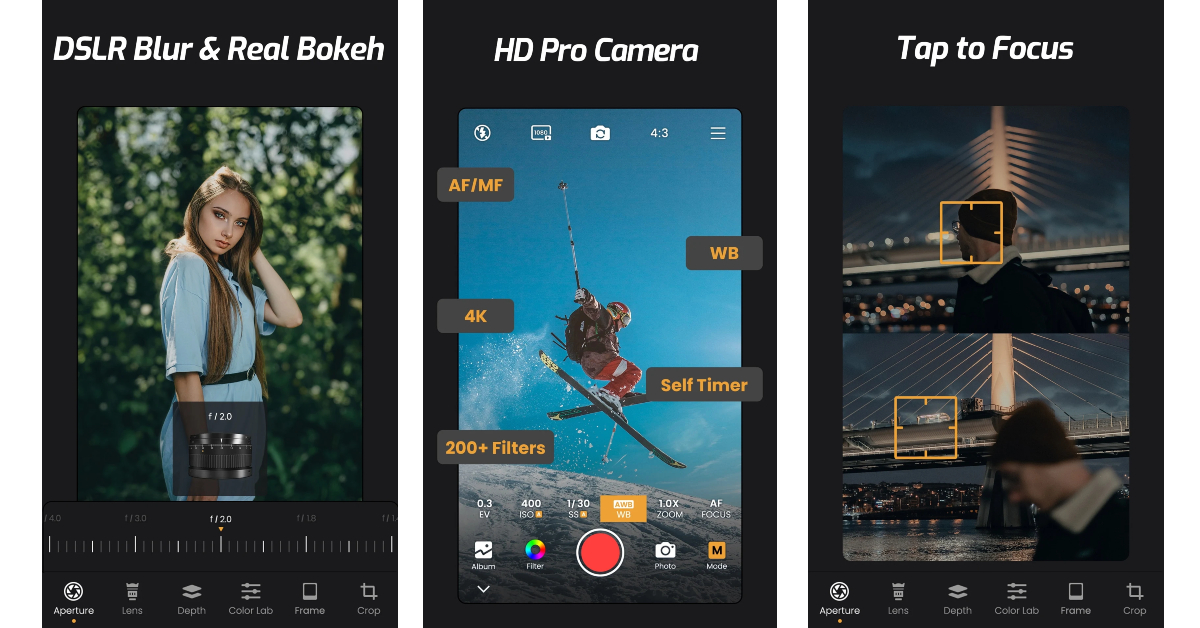
If you want to take DSLR-grade images from your Google Pixel 8’s camera, ReLens Camera is the app you’re looking for. This app makes use of AI computational photography and AI algorithms to turn your ordinary camera into a premium shooting machine. The blur/bokeh effect offered by ReLens breathes new life into your portrait shots. The app also lets you manually control aspects like White Balance, Exposure, Shutter Speed, ISO, and more. It is also equipped with tools like a level line, grid line, histogram and more.
One of the best parts of owning an Android phone is that you get to control how it looks. Niagara Launcher is the perfect app to personalise your phone’s home screen and set it apart from the rest. The app offers several minimal and aesthetically pleasing layout options for your phone’s home screen. These layouts completely change the feel of the home page and offer something new than the standard Android look. The best part about using Niagara Launcher is that you won’t encounter any pesky ads while using the app.
Feem is one of our favourite apps for transferring data among multiple devices. What makes Feem so versatile is its ability to transfer files across different ecosystems and platforms. If you own a Mac then you must be aware of the hassle of sending a file from your Pixel to your laptop. Feem seamlessly bridges this divide and transfers files over a WiFi connection.
Google Pixel 8 and 8 Pro are not compact phones by any means. The Pixel 8 measures 6.2 inches while the Pro variant has a 6.7-inch display. This means that reaching those upper corners of the smartphone can be a struggle when operating it with one hand. Quick Cursor makes it easy to reach those corners without extending your palm. All you need to do is swipe from the bottom edge of the screen and grab the cursor to navigate the display.
IFTTT is one of the best automation apps you can download on your Google Pixel 8 series smartphone. IFTTT works seamlessly with the smart devices in your home and other apps on your smartphone, letting you automate your daily tasks with ease. You can use the app to automatically turn off all the lights in your house as soon as you leave, play a particular Spotify playlist when you enter your car, and set your phone to DND when you reach work. IFTTT will carry out these tasks automatically without needing any supervision.
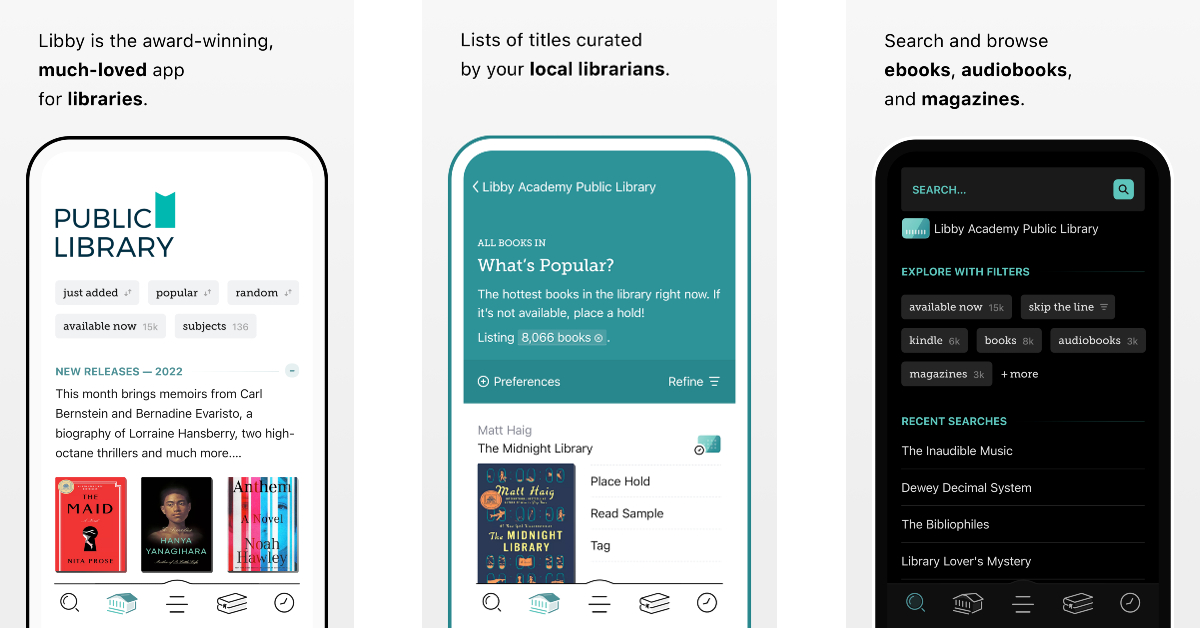
If you enjoy reading books, Libby is a must-have app on your phone. This app lets you access your local public library’s ebook catalogue and download your favourite titles for free using a library card. Libby’s native ebook reader is perfect for reading magazines, comics, and regular books. You can also export a title to your Kindle. You can also listen to audiobooks using Libby’s dedicated audio player.
Google’s very own photo-editing app is perfect for a Google phone. This app has 29 tools and filters to tune your image however you want. Snapseed gives you complete aesthetic control over your images and lets you change aspects like exposure, white balance, contrast, saturation, brightness, warmth, and more. Using the ‘Tonal Contrast’ tool, you can selectively boost certain details on a particular image.
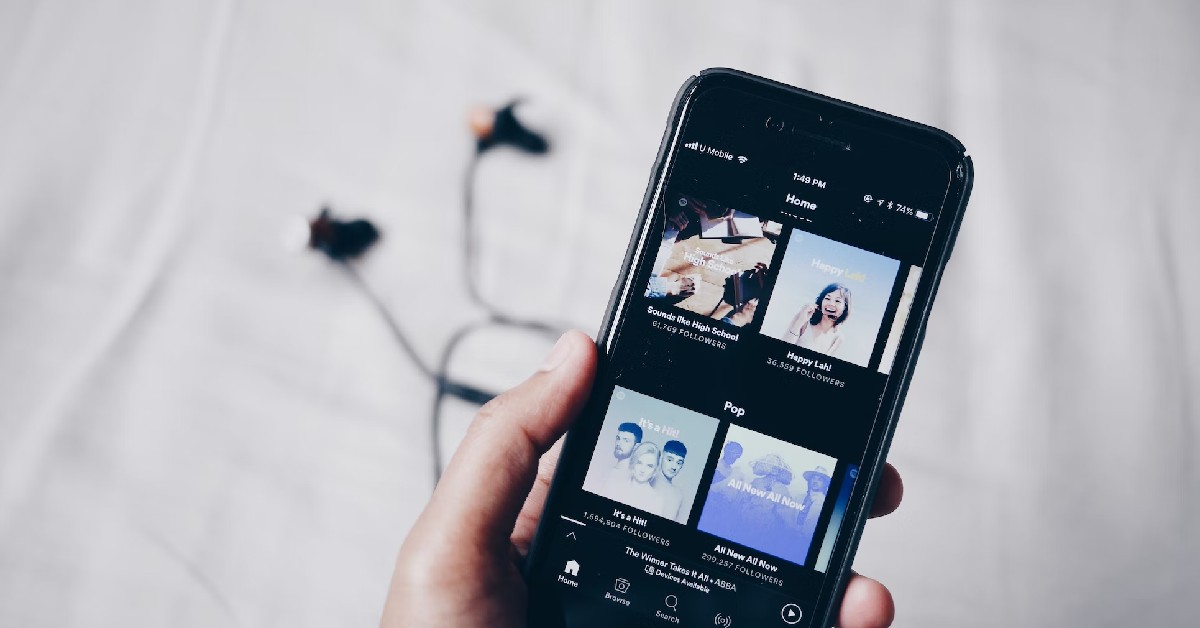
Spotify is the go-to music streaming app for most Android (and even iOS users) and for good reason. It is very rare to come across an artist that isn’t on Spotify. Apart from a comprehensive library that consists of over 80 million songs, Spotify also contains over 4 million podcasts. The audio-streaming giant also offers thousands of audiobook titles to its users
Kindle is one of the best e-reader apps for the Android platform. If you own a Kindle device, this app will help you continue reading right where you left off on the device. One of the best features of the app is its integrated dictionary which you can use to look up the meaning of any word just by tapping on it. With a Kindle Unlimited subscription, you can browse and read over 2 million ebooks and thousands of audiobooks.
Riptide GP: Renegade is one of the most enthralling games you can download on your Google Pixel 8 series smartphone. Riptide is essentially a racing game played over water. You play as a hydrojet driver racing illegally through the city’s waterways. With every stage, you unlock new vehicles, characters, and customisation features. You can race other players online and even challenge your friends.
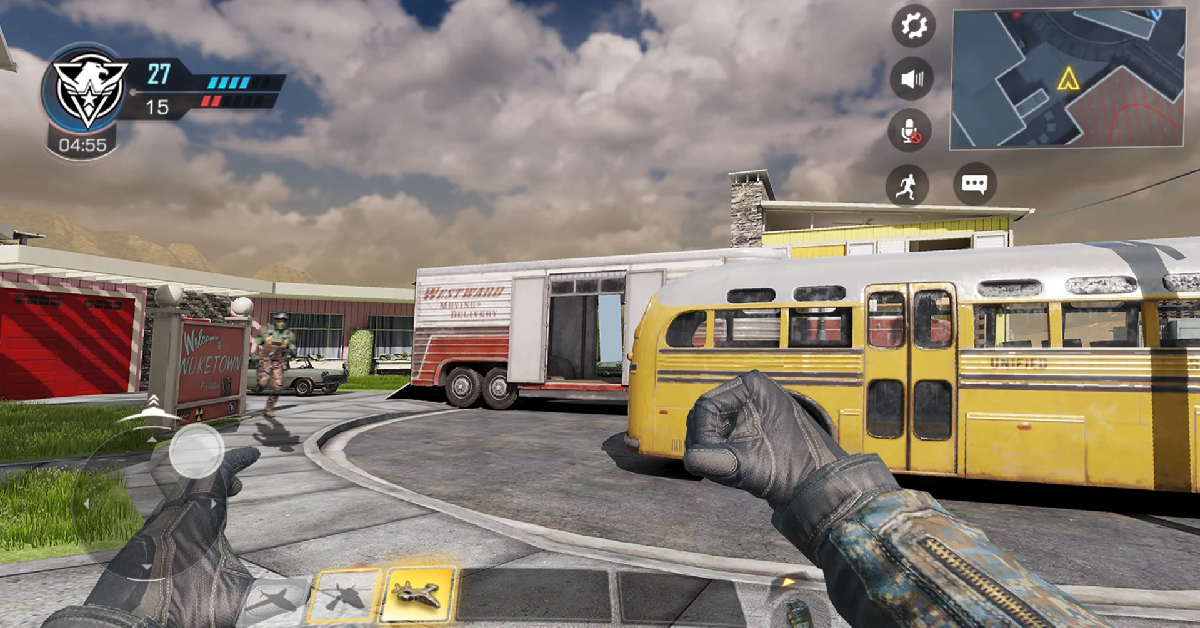
Call of Duty Mobile is one of the best first-person shooter games you can download on your Android smartphone. This mobile game will certainly test the limits of your smartphone’s processor with its cutting-edge graphics and intense gameplay. The different multiplayer modes on this game ensure that you don’t get bored of playing the same thing over and over again. Team Deathmatch, Domination, and Kill Confirmed are some of the different modes you can play on COD Mobile.
Disney+ Hotstar is the official streaming app for the 2023 Cricket World Cup. The good news is that mobile users can stream the World Cup on the Disney+ Hotstar for free. Apart from cricket, you can also watch footballing action from the English Premier League and the Indian Super League on the app. The Disney+ collaboration offers all the Marvel and Disney titles for instant streaming.
You don’t need a smartwatch to track your health and fitness metrics on your phone. The Google Fit app is well-equipped to count your steps, track your runs, and even check your respiratory rate using your smartphone. One of the best features of Google Fit is that it can seamlessly interact with other health and fitness apps on your phone. Entered your daily meal log on MyFitnessPal? You can easily import the data to Google Fit as well.
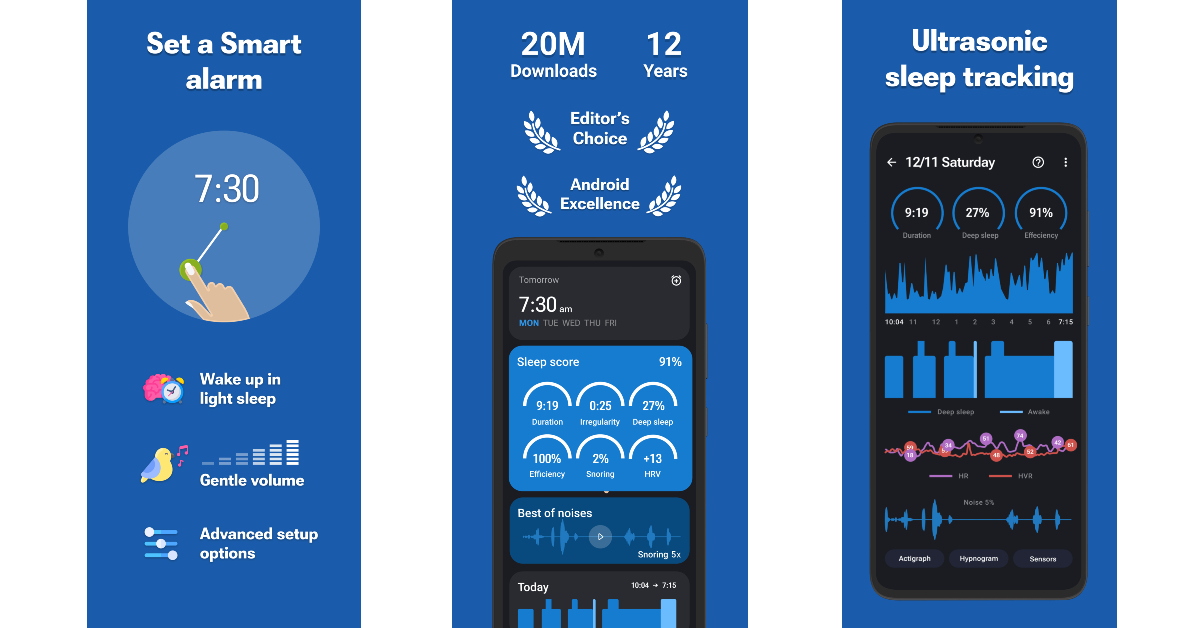
Sleep as Android is one of the most comprehensive alarm clock apps around. Apart from waking you up at a particular time, this app also tracks your sleep cycle and has an AI-powered sound recognition feature for snoring, sleep talking, and sickness. You can play white noise on the app to help you go to sleep. You can also set up different ways to disable the alarm, like scanning the barcode on your toothpaste, solving a math equation, and more.
These are the top 15 apps you should download first on your Google Pixel 8 series smartphone. We’ve covered all the major genres from IM & streaming to fitness & gaming. Think there’s an app that needs to be on this list? Let us know in the comments!
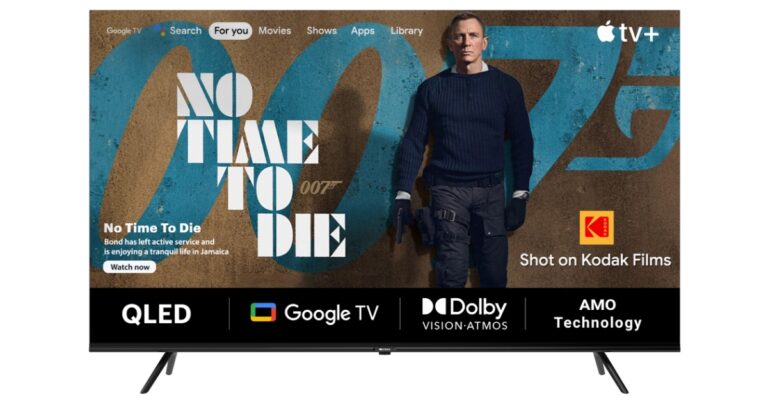
SPPL official brand licensee of Kodak has announced huge discounts and offers on the Kodak HD LED Television ahead of the festive sale on Amazon and Flipkart. The Amazon Great Indian Festival and Flipkart Big Billion Days Sale will kickstart on October 7. The company is said to provide exciting deals on Kodak CA PRO, 9XPRO and Matrix QLED series. Amazon will offer 10% instant discount with SBI Credit cards and EMI Transactions whereas Flipkart is offering 10% Instant discount with Kotak Mahindra and ICICI Credit cards and EMI transactions.
Sharing his excitement for the festive season this year, Mr. Avneet Singh Marwah, Director and CEO, Super Plastronics Pvt Ltd, a KODAK brand Licensee said, “With the festive season and the Cricket World Cup 2023 occurring at the same time, the excitement of everyone has doubled and therefore we are happy to announce our collaboration with Amazon and Flipkart for the biggest sales of the year to witness the power of entertainment. I am sure we are going to surprise the customers this time with our never-seen-before prices. SPPL is aiming to do an overall business worth 500cr this festive season.”
According to SPPL during the 9-day sale, Kodak 43-inch Matrix QLED TV is exclusively on Amazon at an exclusive price of Rs 22,999. The TV models will be available in three screen sizes 50 inches, 55 inches, and 65 inches.
On the other hand, the Kodak 75-inch 4K QLED TV (75MT5044) will be available at a starting price of Rs 89,999. The Kodak 43-inch Matrix QLED TV will be exclusively available on Amazon India for Rs 22,999. The Kodak CA PRO range will be available at a starting price of Rs 25,999. Lastly, the KODAK 9XPRO TV is a premium TV series that will come with a starting price of Rs 9,499.
The bank offer includes a 10 percent instant discount with SBI Credit card and EMI transactions on Amazon. Whereas Flipkart is said to give 10 percent instant discount to customers making transactions through Kotak Mahindra, Axis and ICICI Credit cards and EMI.
SPPL has also collaborated with Disney+ Hotstar for the Cricket World Cup 2023. Both parties have signed a long-term agreement for marketing collaborations where they will integrate to promote each other’s content on digital platforms.
After being banned for nearly ten months, Battleground Mobile India, aka BGMI, is officially available again in India. BGMI fans are looking for ways to improve their game experience and one such method is the usage of redemption codes, which offers a variety of rewards and advantages using BGMI redeem codes players can gain access to new skins, outfits, loot crates, weapons and free UC and diamonds.
As mentioned earlier, these codes give users the chance to earn unique rewards and gain extra benefits while playing the game. This includes GUN SKINS (M4, AKM, M416, AWM, M24, UZI, KAR98K), free character voucher, Andy, Carlo, Sara, Victor character for free, free Anna Character on completing the mission and UC or Royal Pass Discount. So here we have gathered a list of the most recent BGMI redeem codes as of 6 October 2023. Also, redeem these codes asap as these are only valid for a limited duration.
BGMI Redeem Codes for 6 October2023
JJCZCDZJ9U – Golden Pan
UKUZBZGWF – Free Fireworks
TIFZBHZK4A – Free Outfit
RNUZBZ9QQ – AKM Glacier Skin
PGHZDBTFZ95U – M416 Skin
BTOQZHZ8CQ – New!
TQIZBZ76F – Vehicle Skin
5FG10D33 – Falcon and Free Emotes
BMTFZBZQNC – Free Drifter Set
SD14G84FCC – Free Skin for KAR98 Sniper Gun
RNUZBZ9QQ – AKM Glacier Skin
GPHZDBTFZM24U – UMP9 Skin
KARZBZYTR – Free Outfit
R89FPLM9S – Companion
BMTCZBZMFS – Pretty in Pink set and Pretty in Pink Headpiece
5FG10D33 – Outfit for Free
TQIZBz76F – 3 Free Motorcycle
How to get free Redeem Codes for BGMI on 6 October2023?
Launch BGMI on your device.
Then select the Redeem Code option from the main menu.
Next, click on the Redeem code tab.
A new window will open, requesting the redemption code.
Now enter your BGMI code.
Confirm and click on the “Redeem” tab.
If your redeem code is valid then you will get a message confirming that your rewards were successfully redeemed.
(Note that these codes are case-sensitive, so be sure to type them correctly to prevent any errors.)
Garena Free Fire is a battle royale game with regular awards and tournaments to keep players interested. If you play Garena Free Fire, you should be aware of the redeem codes that are released on a daily basis. However, because the battle royale game is banned in India, players from other countries can use the Free Fire Redeem codes daily. If you’re unfamiliar with the Garena Free Fire redeem codes or don’t know how to get them, we’ve put together a step-by-step guide to help you redeem them. Check out Garena Free Fire Redeem Codes for 6 October 2023.
The Free Fire redeem codes are a great way to get free stuff. These are 12-digit codes that contain alphabets and numbers, as well as an expiration date and time. Because the Garena FF redeem codes cannot be used more than once, you should hurry to the redemption page to claim your free reward before someone else does. To get a free reward, all you have to do is go to reward.ff.garena.com/en, which is the official redemption page. Also, keep an eye on this space for daily updates on Garena Free Fire redemption codes and rewards.
Garena Free Fire Redeem Codes Today 6 October2023
FFAC2YXE6RF2
FF9MJ31CXKRG
HAYATOAVU76V
RNUVPEYJOXZX
FFICJGW9NKYT
TFF9VNU6UDNJ
FF11WFNPP956
FFPLUED93XRT
How to Get Free Fire Redeem Codes for Garena on 6 October2023?
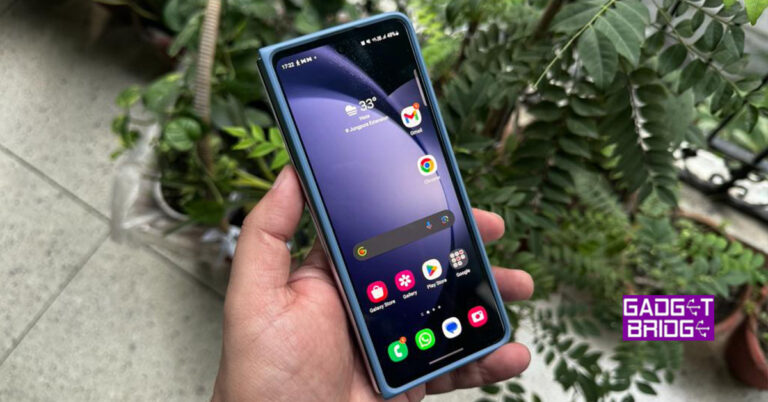
Samsung this year launched its flagship Fold and Flip series in South Korea and Gadget Bridge was a part of the Indian contingent to see what the new devices are all about. We have reviewed the Samsung Galaxy Z Flip 5 and now is the turn of the Fold. We have been playing around with the new Fold and this is our extensive long-term review of Samsung Galaxy Z Fold 5.
Samsung Galaxy Z Fold 5 review: Design and Display
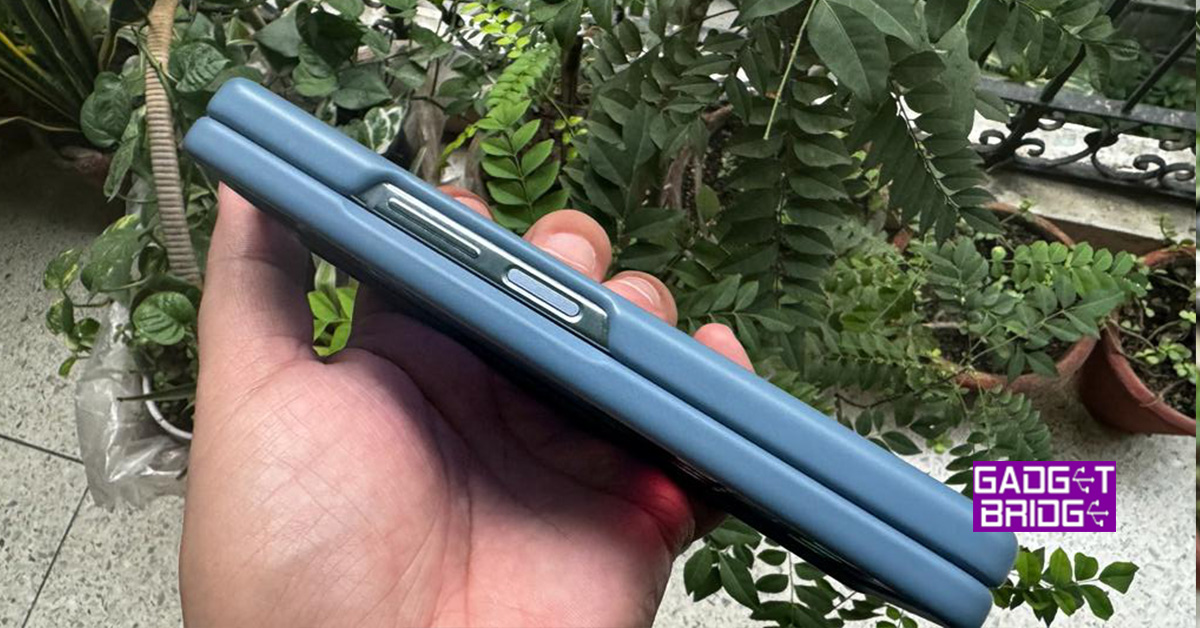
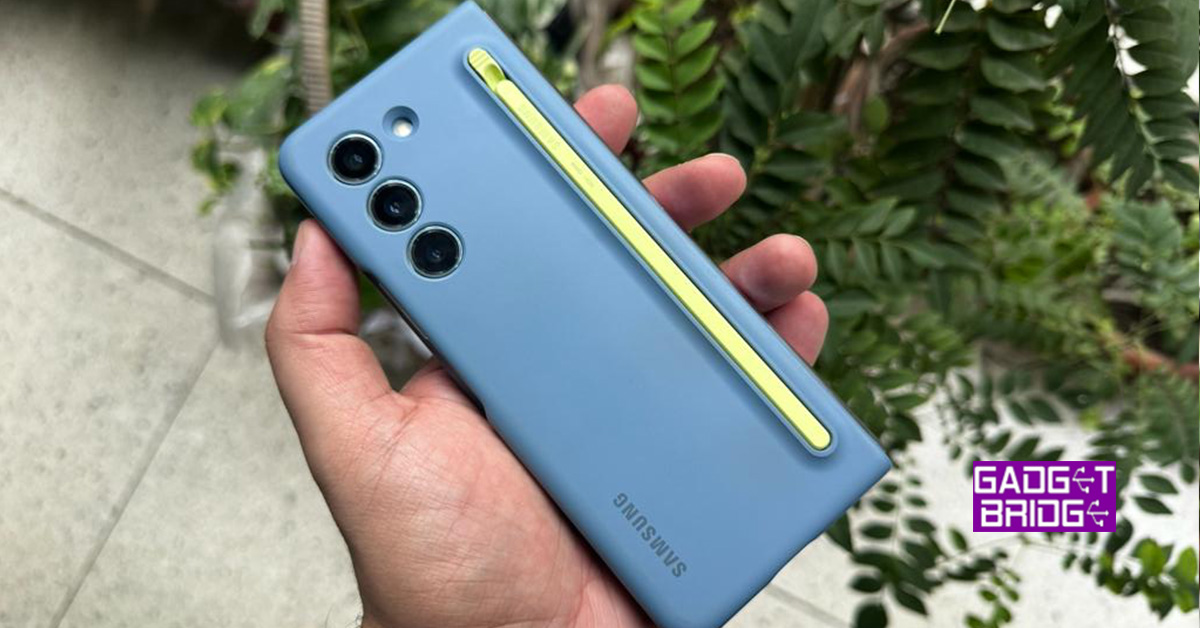
Right out of the box, the smartphone asks you to give it all your attention. First, let’s quickly go over the box contents. Excluding the charger, which the company stopped giving years ago, the box contains the smartphone and the USB Type-C charging cable. You do not get a case in the box, but you can buy one for a few extra thousand. For the purpose of this review, we have been given the Case with an S-pen attachment as the device is capable of using a stylus.
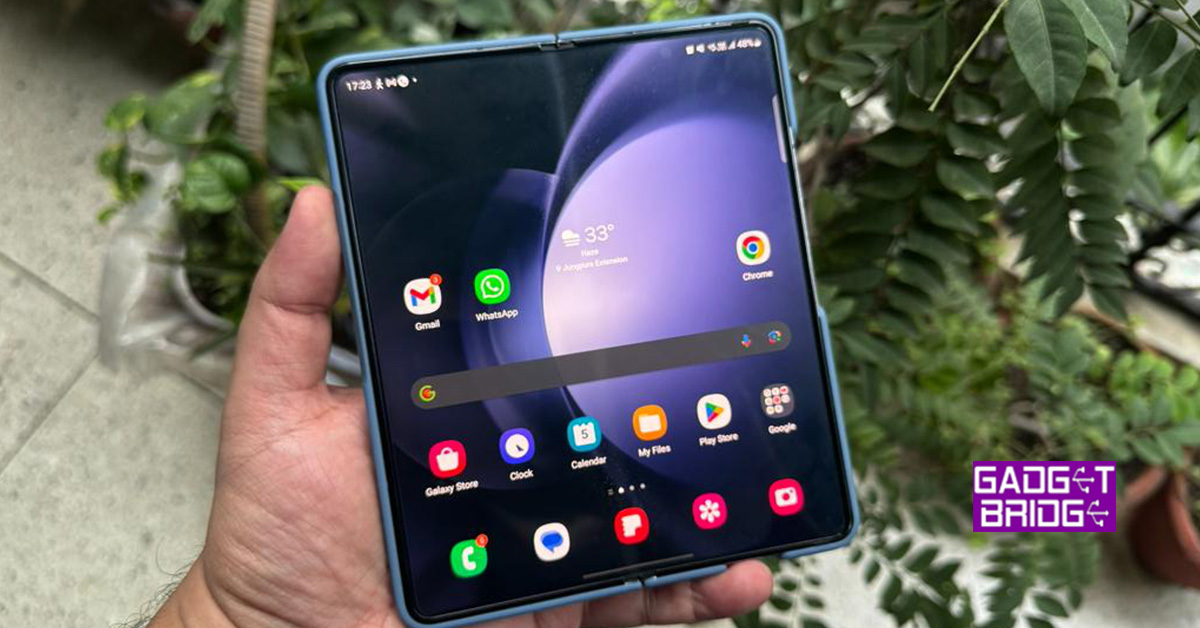
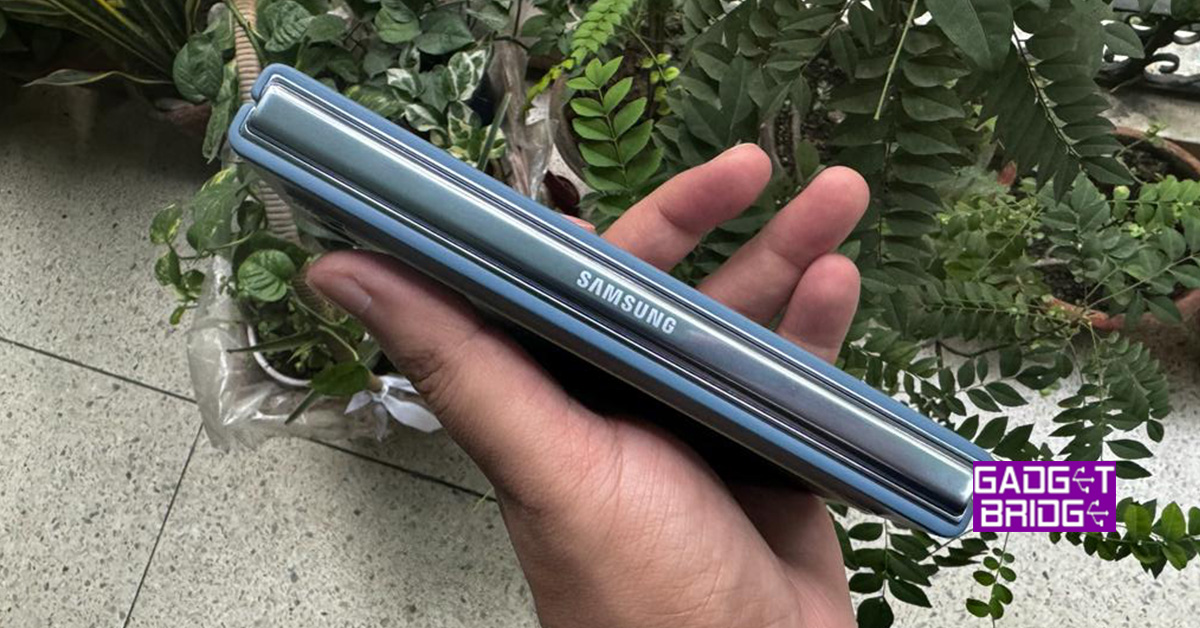
A new Icy Blue Colour has been introduced, which we are also playing around with for this review. At first glance, it does look a lot like the Samsung Galaxy Z Fold 4, which we reviewed last year. But Samsung has made some subtle and some good changes around and in the device. While the camera placements on the Samsung Galaxy Z Fold 5 remain the same, the folding mechanism has been upgraded and the two sides shut even closer than before leaving almost no gap for dust to seep in.
When folded the front has a large 6.2-inch display and on its right, you will get all the buttons including the power button that doubles up as a fingerprint sensor, and the volume rocker key. Both are nicely placed for one-handed operation. On the left side, you will find the robust chrome spine with Samsung Branding on it. Also, you get 4 mics located on the top and bottom with twin loudspeaker grilles for stereo sound.
Inside, you get a large 7.6-inch foldable display, which also has another selfie camera hidden behind the screen.
So, let’s go ahead and talk about the screens and their quality and whether are they the best bang for your buck?
Let’s start with the outer screen first. The outside display has Corning Gorilla Glass Victus 2 protection on it, but no screen protector has been placed here. You do get it (screen protector) on some of the mid-range smartphones by Samsung. This is a dynamic AMOLED screen with 904 x 2,316 pixel resolution. 16M colour depth and 120Hz refresh rate are also what you get here.
This screen is slimmer than the usual smartphones, however, it is far superior in terms of quality and colours. We loved every bit of it as 40% of the time we were on this screen and the rest 60% on the larger one. The colours here are vivid and you get deep blacks. Over that, the text is crisp and the brightness is very very good.
Moving to the inside screen, the continuity display comes to Samsung Galaxy Z Fold 5 too, which means if you are working on an app on the outside screen and then unfold the device, the same app will be open on the inside display too. The inner display is as good as the outside one, if not better. The screen’s pixel ratio is set at max 2,176 x 1,812 pixels. 120Hz refresh rate and HDR 10+ capabilities are part of this screen too. This one is an AMOLED screen too, so all the brilliant colours and deep blacks you see on the outside screen are available on the large one as well.
The text characters are crisp, and we did not face any sunlight legibility issues (on both screens). We played a lot of things on these displays and not once did they give us a chance to squabble. Everything from Netflix shows to YouTube films to video games were played on the AMOLED displays and Samsung Galaxy Z Fold 5 kept performing at its best.
Overall, it was a delight to work on the dual screens and both displays do perfect justice to the device and the name of Samsung with its superior performance.
Samsung Galaxy Z Fold 5 review: Performance and Cameras
Before we deep dive into the performance of the Samsung Galaxy Z Fold 5, let’s quickly talk about the tech specs of the folding smartphone. Inside this device sits the Snapdragon 8 Gen 2 Octa-Core CPU with 3.36GHz max clock speed. This is partnered with 12GB RAM and 256/512GB or 1TB storage. For the review, we are using the 256GB variant. Graphics are powered by an Adreno 740 chip and multi-band Wi-Fi including Wi-Fi 6e is supported.
We have to say, with the s-pen support the Samsung Galaxy Z Fold 5 becomes a great everyday workhorse, especially for people like us who edit a lot and do a lot of markings on a PDF or Word document. The S-pen is an excellent attachment for people who draw a lot or are constantly scribbling files for their peers.
However, the main fun lies in the dual-screen system. The continuation method of switching between screens is flawless and one can easily work on internal and external screens, as and when needed. The operating system on the device is Android 13 with Samsung UI 5.1 on top of it. There is hardly any bloatware on the system and the Samsung suite of apps is exceptional, mostly. Coming from Fold 4 to Fold 5, we felt at home and everything seems to be in order if not better. The operating system is fast, responds well on both displays and we faced no glitches. The OS will get at least the next 2-3 updates of Android, so this can be your long-term investment.
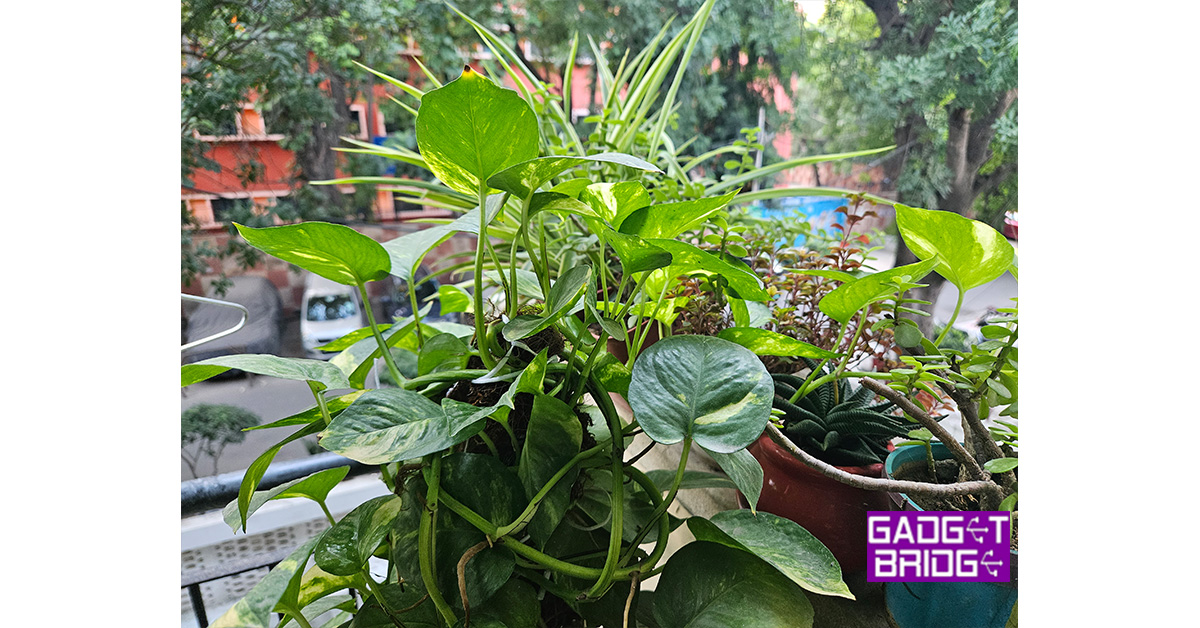
Moving on to its cameras. We had a mixed bag of emotions here. While the 50MP wide-angle lens on the rear camera system gave us brilliant, vivid, and crisp results during the day and low light, the 10MP telephoto gave us a bit of noise in the images clicked indoors. The 12MP ultrawide on the other hand gave us much better results, which were close to the 50MP main camera.
Night photography is another powerful mode in the system, which gets you very good results. We clicked quite a few images from the main camera and were quite happy with what the Samsung Galaxy Z Fold 5 had to spin out. If you are in extremely dark places like the nightclub, we recommend using the flash as that does a superb job at night.
We were happy with the front selfie camera as well. The 10MP wide-angle lens does a good job in both day and low-light shots. In extreme darkness, you will lose a lot of details and colours. The internal display has a 4MP camera hidden behind the screen, which we would say, use only if you are in good outdoor lighting, else (indoors) it fetches a lot of picture noise. Use the 10MP front one instead. So, that is a good thing, you have options.
Videos from the main rear camera system can be recorded at 8K at 30FPS. This got us superb results, however, if you turn on the steady mode, the resolution drops down to QHD. So, if you do not mind a slight jerk in your videos, we do recommend the 8K mode that fetches vivid lifelike moving imagery.
Coming to the battery life of Samsung Galaxy Z Fold 5, we managed to squeeze out 22 hours of battery life with its 4,400 mAh battery. If you keep the power saving mode on, you can get more than 30 hours. However, that will water down a lot of performance and display abilities. Nonetheless, 22 hours is not bad at all, as that includes our whole workday and this we have been extensively testing. One thing that irks still is that only 25W fast charging is supported, which does bring the phone to about 49% in under 30 minutes, but to get it to a full hundred it takes over an hour. So nighttime charging is recommended.
Another thing we loved about the Samsung Galaxy Z Fold 5 is its audio output. You get twin stereo speakers on the smartphone that deliver brilliant resonance. No matter what you are viewing on the device they deliver great lively sound.
Verdict
Multiple 5G bands are supported on the Samsung Galaxy Z Fold 5 and it does a wonderful job of being a superb working machine, which switches into a party monster when the need arrives. It has become thinner, has the latest firepower and does manage to get you good to great images in all types of settings. Available in multiple colours the new folding phone from Samsung does good for a shiny penny, but you can get a lot of discounts in the shop and with different bank cards. The base price starts at Rs 1,54,999 (256GB). If you can afford it, we see no reason not to buy it. Yes, the stylus that comes with the cover is additional and is highly recommended.
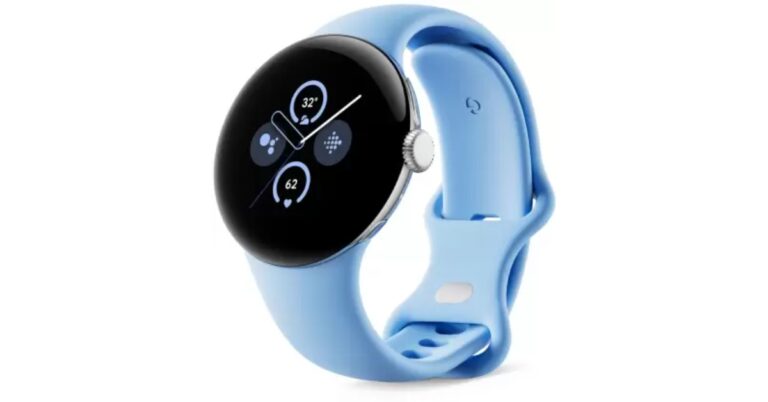
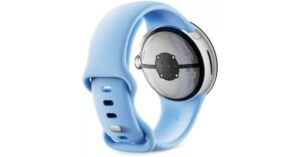
Alongside introducing the much-awaited Google Pixel 8 and Pixel 8 Pro in India the tech firm has also released Google Pixel Watch 2. The new smartwatch by Google is powered by a Snapdragon SoC. The watch operates on WearOS 4. The smart wearable includes Fitbit health features.
Google Pixel Watch 2 price in India, availability details
The price of Google Pixel Watch 2 in India has been set at Rs 39,990. The Google smartwatch is offered in Polished Silver/Bay, Matte Black/Obsidian, Champagne Gold/Hazel and Polished Silver/Porcelain colour options. The pre-order window for the smartwatch is now open on Flipkart. It will go on sale from October 12 in the country. Customers will be able to purchase the device for just Rs 19,999 with any Pixel 8 or Pixel 8 Pro.
Google Pixel Watch 2 specifications, features
In terms of specifications, the Google Pixel Watch 2 is made of 100% recycled aluminium whereas the active band is made up of Fluoroelastomer with soft-touch coating. The Pixel watch 2 features a 1.2-inch round AMOLED display and a 41mm dial size. The screen has Always-on display support. As per the company, the device offers 24 hours of battery life with AOD. It provides 320 ppi with DCI-P3 colour and is protected with custom 3D Corning Gorilla Glass 5.
The Google smartwatch comes equipped with Qualcomm Snapdragon W5 Plus Gen 1 chipset with Cortex M33 co-processor. It will operate on WearOS 4 and operate with most phones running on Android 9.0 or newer. Requires Google Account and Google Pixel Watch app. 2 GB SDRAM and 32 GB eMMC flash are available on the watch. It comes with a built-in microphone and speaker.
The sensors onboard include Compass, Altimeter, SpO2, Multipurpose electrical sensors compatible with the ECG app, optical heart rate sensor, 3-axis accelerometer, Ambient light sensor, Electrical sensor to measure skin conductance (cEDA) for body response tracking, Skin temperature sensor, Barometer and Magnetometer. In addition to this, there is a feature of fall detection and Emergency SOS.
As per the company using AI heart rate algorithm the new heart rate sensor with numerous LEDs produces a more accurate heart rate reading than ever before.
Additionally, there is Fitbit’s Body Response feature to Pixel Watch 2, powered by a new continuous electrodermal activity (cEDA) sensor. Over that, the new skin temperature sensor tracks at night to reveal insights into your sleep and monitor for changes in your overall wellness.
The smartwatch also includes all Fitbit features from the original Pixel Watch — like Daily Readiness Score, Sleep Profile, Sleep Score, Active Zone Minutes and 40 workout modes. The Pixel Watch 2 packs a 306 mAh battery that is claimed to charge up to 50 percent in 30 minutes, 80 percent in 43 minutes and 100 percent in 75 minutes.
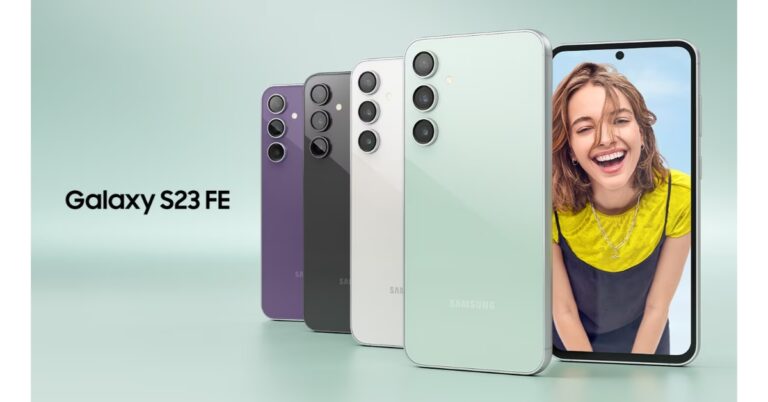
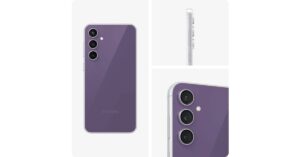
Samsung Galaxy S23 FE has officially launched in India. The smartphone is the successor to the Samsung Galaxy S21 FE that was launched last year. The device is available in two variants with Exynos or Snapdragon chipsets. In India, it comes with an octa-core Exynos 2200 chipset. The phone looks exactly similar to the Galaxy S23. In addition to the smartphone, the company has also introduced Samsung Galaxy Tab S9 FE and Galaxy Tab S9 FE+.
Samsung Galaxy S23 FE price in India and availability
The Samsung Galaxy S23 FE has been launched in India with a starting price of Rs 59,999 for the 8GB RAM with 128GB storage option. The 12GB RAM with 256GB storage option comes with a price tag of Rs 64,999. The phone is available in three colour options of Mint, Graphite, and Purple.
HDFC Bank customers are eligible to get a Rs 10,000 bank discount. Those purchasing the phone during the Samsung Live event today at noon will be eligible to get a Silicone case worth Rs 2,499. The device will be available for purchase via the company’s official website in the country and Amazon from October 7.
Samsung Galaxy S23 FE is highlighted with a 6.4-inch FHD+ Dynamic AMOLED display with 2340 x 1080 pixels resolution. The screen supports a variable refresh rate of 60 to 120Hz. The front panel is protected with Corning Gorilla Glass 5. Under the hood, there is a Qualcomm Snapdragon 8 Gen 1 4nm processor with Adreno 730 GPU or Samsung Exynos 2200 4nm processor with Samsung Xclipse 920 GPU in India. It will be available with up to 12GB RAM and 256GB storage. The phone will ship Android 13 with One UI 5 out of the box.
For photos and videos, the Samsung Galaxy S23 FE features a triple rear camera set-up that includes a 50-megapixel main camera with f/1.8 aperture and OIS, a 12-megapixel ultra-wide-angle sensor, and an 8-megapixel telephoto lens with OIS and 3X Optical Zoom. For selfies, there will be a 10-megapixel front-facing camera.
The smartphone comes with an IP68 rating for water resistance. The stereo speakers on the phone support Dolby Atmos. In terms of connectivity, there is 5G SA/NSA, 4G VoLTE, Wi-Fi 6E, Bluetooth 5.3, GPS + GLONASS, NFC, and a USB 3.1 port for charging. The S23 FE also includes an in-display fingerprint sensor for biometrics. The handset packs a 4500mAh battery with 25W wired fast charging and support for wireless charging, and wireless power share.