Garena Free Fire is a battle royale game with regular awards and tournaments to keep players interested. If you play Garena Free Fire, you should be aware of the redeem codes that are released on a daily basis. However, because the battle royale game is banned in India, players from other countries can use the Free Fire Redeem codes daily. If you’re unfamiliar with the Garena Free Fire redeem codes or don’t know how to get them, we’ve put together a step-by-step guide to help you redeem them. Check out Garena Free Fire Redeem Codes for 16 September 2023.
The Free Fire redeem codes are a great way to get free stuff. These are 12-digit codes that contain alphabets and numbers, as well as an expiration date and time. Because the Garena FF redeem codes cannot be used more than once, you should hurry to the redemption page to claim your free reward before someone else does. To get a free reward, all you have to do is go to reward.ff.garena.com/en, which is the official redemption page. Also, keep an eye on this space for daily updates on Garena Free Fire redemption codes and rewards.
Garena Free Fire Redeem Codes Today 16 September2023
updating soon…
How to Get Free Fire Redeem Codes for Garena on 16 September2023?
Redmi has officially announced the launch of a brand-new smart TV in India. The Chinese electronics company has introduced a new smart TV, known as Redmi Smart Fire TV 4K, which will run on Amazon Fire OS. It is said to provide a true-to-life viewing experience with 4K Ultra HD resolution along with HDR support. The device will be available in a single 43-inch screen size and supports Dolby Audio DTS: Virtual X and DTS-HD technology.
Redmi Smart Fire TV 4K 43-inch price in India and availability
On Mi.com and Amazon.in, the Redmi Smart Fire TV 4K 108cm will be offered at a special launch price of Rs 24,999. Additionally, customers can take advantage of a complimentary 1-year extended warranty launch offer.
Xiaomi India unveiled a 43-inch Redmi Smart Fire TV4K model. It will have a screen size of 43 inches. With HDR 10 and HLG compatibility, the Redmi Smart Fire TV 4K offers 4K Ultra-High Definition for the most accurate colour and contrast.
It has the in-house Reality Flow MEMC engine from Xiaomi India, which scans image frames and interpolates frames to produce smooth, blur-free visuals when consuming frantic material. The brand-new television has a potent 24-Watt speaker system that supports DTS: Virtual X, Dolby Audio, and DTS-HD technologies, allowing users to experience unprecedented levels of clarity, depth, and detail across a larger sound stage. A Quad Core A55 Processor powers the Redmi Smart Fire TV 4K 108cm, enabling jitter-free and seamless video watching.
By integrating live TV from customers’ DTH set-top boxes on the home screen, Redmi Smart Fire TV 4K enables users to instantly navigate between DTH TV channels and OTT apps by just asking Alexa. This eliminates the need to change TV inputs, use the set-top box remote control, or connect additional IR connections. The new TV also supports Miracast and Apple Airplay, enabling casting from Android and Apple iPhones, respectively. Customers may monitor feed from their Alexa-compatible security cameras on the TV in full screen or Picture-in-Picture on top of their video thanks to Picture-in-Picture technology found in the Redmi Smart Fire TV 4K 43-inch.
With Amazon’s Fire TV built-in, consumers of the recently released Redmi Smart Fire TV 4K 43-inch model may stream more than a million movies and TV episodes from 12,000+ applications, including Prime Video, Netflix, Disney+ Hotstar, Jio Cinema, Zee5, and others (subscriptions may be necessary). Customers may also view prominent live channels like Aaj Tak, Zed News, India Today, and more for free via Zee5, DD National via nexGTV, Kids First, Red Bull TV, and other platforms. Amazon miniTV is also available for streaming. Customers may simply view TV serials, live news, or browse the channel guide all in one spot with the help of the Live tab and On Now row.
Additionally, it has unrestricted connectivity choices such as Dual-Band Wi-Fi, Bluetooth 5.0 connectivity, an optical port, 3 HDMI ports, 2 USB ports, an AV port, and an earphone port. The television also comes with a brand-new remote control that makes it simple to use for a variety of controls and functionalities. TV Guide, Playback controls, Channel up/down, Mute, and shortcuts to well-known apps are among the buttons.
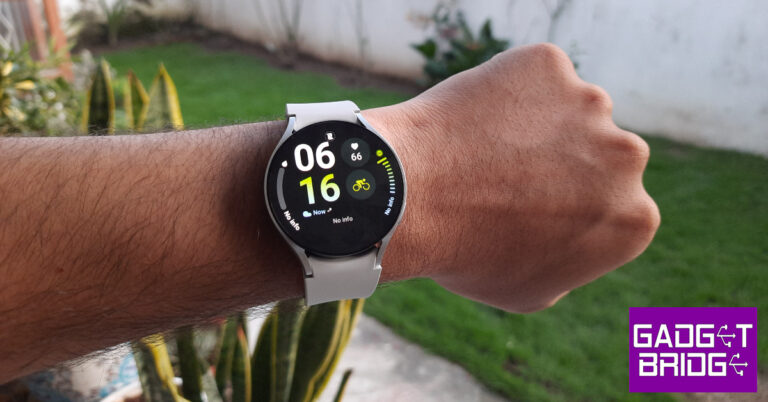
The second Galaxy Unpacked event of the year saw the release of Samsung’s new line of foldables along with the new Galaxy Watch series. The Samsung Galaxy Watch6 Classic (read our review here) brought back the crowd-favourite physical bezel and featured some minor upgrades under the hood. The base variant of the Galaxy Watch6 sticks with the digital bezel of the previous generation but gets the vital processor upgrade and a minor boost to the RAM. We’ve been using this smartwatch for the last week, here is our in-depth Samsung Galaxy Watch6 review.
The unboxing experience of the Watch6 is similar to the Classic variant. Inside the sleek rectangular box, you’ll find the smartwatch with the bands attached to it. You also get the wireless charger and some reading material along with the device. The Galaxy Watch6 is available in two size variants – 40mm and 47mm. You can also choose between LTE and Bluetooth connectivity options.
There are no major design changes on the Galaxy Watch6. The smartwatch carries forward the simple, minimalistic features of the previous generation. After having used the Watch6 Classic for a week, we really enjoyed how lightweight the regular variant is. The 44mm size variant weighs 33g. In comparison, the 47mm Watch6 Classic weighs 59g. We preferred the base variant for sleep tracking because it was very comfortable to wear to bed. While you eventually get used to the weight of the Watch6 Classic, wearing it to sleep can be challenging.
The silicone watch band of the Samsung Galaxy Watch6 uses the traditional pin and buckle design. Instead of resting in an adjustable loop, the watch band goes under the strap after being buckled. Unlike the Watch6 Classic, the watch band on the regular variant does not get a faux leather finish. This should not bother the users who plan on putting the watch through rugged use.
As always, the Super AMOLED display is the star of the show. The sapphire glass protection ensures that this display can absorb a few good knocks. The smartwatch did not register any scratches on the display during the time we used it. The 1.5-inch display is slightly larger than the 1.4-inch unit on the Watch5 (read our review here). Since there is no physical bezel around the display, the edge controls are much smoother. The touch-sensitive digital bezel on the Watch6 covers the same range of functionalities as the physical one on the Classic variant. While it can’t replicate the feel of a physical rotation, it is still a nice addition.
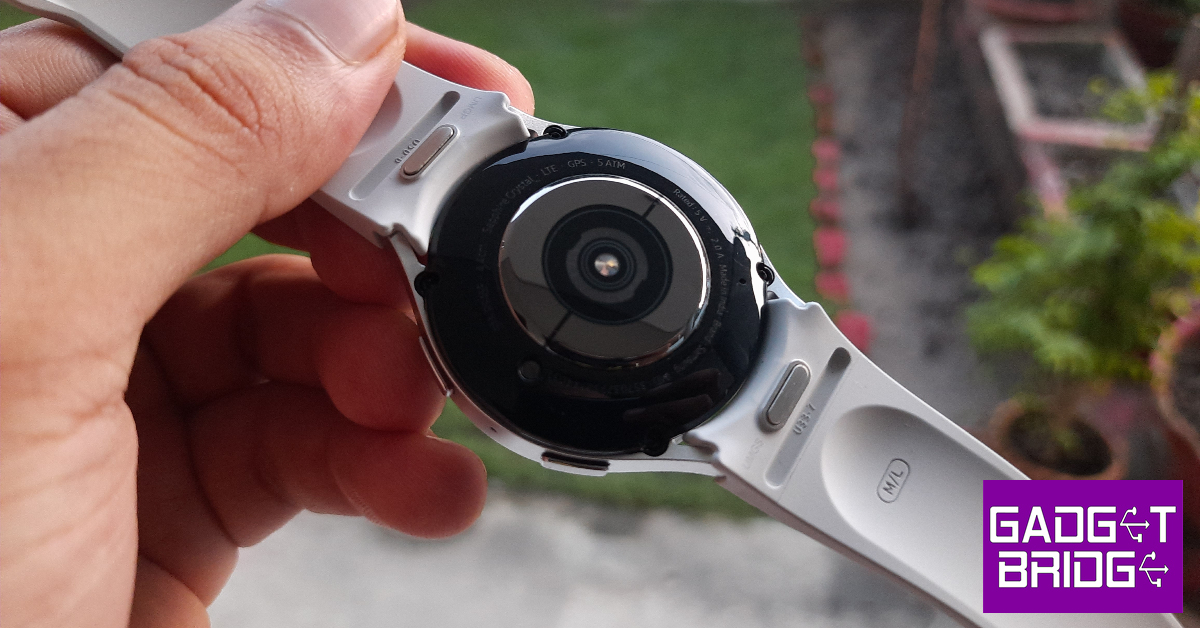
At the bottom panel of the dial lie the all-familiar heart rate, temperature, and SpO2 sensors. The microphone and the speaker grille flank the sides of this panel. There are two buttons on the right edge of the frame. The top button can be used to trigger Bixby or go to the home screen. The bottom button acts as a back shortcut key. These buttons also contain the BioActive sensors.
Samsung Galaxy Watch6 is rated IP68 for dust and water resistance. It can also withstand any water damage up to 50m. Swimming in deep waters should not present any problems to the smartwatch. We had it strapped while hiking, swimming, and working out. Not only was the Watch6 unfazed by any amount of water or sweat, but it also provided a very comfortable fit across the board.
Samsung Galaxy Watch6 review: Performance
The Samsung Galaxy Watch6 gets its biggest upgrade under the hood since the Watch4 series. The smartwatch is now powered by the Exynos W930 chipset. The RAM has been bumped up to 2GB as well. The internal storage of 16GB is optimum for running all the necessary apps on the watch. OS duties are handled by Android Wear OS 4 with One UI Watch 5. The updates to the OS are very minor.
The upgraded chipset is a welcome addition to the Watch6. The smartwatch is snappier than ever before and navigating through the widgets and health functions is a very seamless process. The flat display surface does not feel awkward to use or type on at all. Taking calls and responding to WhatsApp messages on the watch was a breeze. While the onscreen keyboard is still limited in its functionality due to the screen’s real estate, its voice typing feature is a lifesaver.
There are no major changes to the OS, which is a bit disappointing. Samsung is a victim of its own success here because at this point there is not a lot it can do to improve the UI of the smartwatch or add any out-of-the-world features to it. Instead, it has made the OS more refined and easier to use. You can now connect your Galaxy Watch to two smartphones, which is good news for people who use multiple mobile devices at once.
For those who are reading this review after watching the Apple Watch Series 9 presentation, you’d be pleased to know that the Galaxy Watch has features similar to the Double Tap gesture on the Apple Watch. After turning on the gesture controls, you can shake your arm twice to pick up a call and rotate your wrist to hang up. You can also nod your fist twice to open any health-tracking function or app of your choice.
The health and fitness tracking features of the Samsung Galaxy Watch6 remain ahead of the competition. The smartwatch is ultra-efficient at tracking your steps and distance covered while walking. You can track most gym workouts, dance routines, and sports using the Watch6. It even gives you the option to create your own workout routine.
The Samsung Galaxy Watch6 series also has the best set of sensors we’ve seen on any Android smartwatch. Readings from the heart rate monitor and SpO2 sensor were on par with medical-grade equipment. The blood pressure tracking feature is still not available in India, which is disappointing. The BioActive sensors on the two buttons on the dial can calculate your body fat percentage. While we can’t really speak to the accuracy of these figures, you can use them as a metric to track your progress rather than an actual representation of your body composition.
The app support for the Samsung Galaxy Watch6 is phenomenal as well. You will need the Samsung Wearable app to manage the smartwatch and customise its settings. The Samsung Health app is dedicated to diving deep into the health and fitness metrics that the watch tracks for you. We really liked the detailed sleep reports that the watch generated for us. You can even track your snoring activity (the watch uses your smartphone’s mic to record them) for a more comprehensive report. The sleep reports display your heart rate and blood SpO2 levels while sleeping and break down the cycle into deep sleep and REM sleep periods.
The new Samsung Galaxy Watch6 packs a 425mAh battery, which is slightly larger than the one on the Watch5. The smartwatch easily lasts an entire day, but there is still room for improvement. With Always On Display turned on, the battery life takes a hit. On days we used the watch to track workouts for a couple of hours, we had to charge it for a while just to ensure it didn’t die out while tracking the sleeping cycle.
The Samsung Galaxy Watch6 is the ideal Android smartwatch for people who place efficiency and performance above everything else. Sure, it misses out on the physical bezel and the flashy watch band of the Watch6 Classic, but we feel that it works in its favour. Being lighter than the Watch6 Classic, you wouldn’t mind wearing this watch to bed to track your sleep activity. Its minimal design and comfortable no-nonsense strap are perfect for rugged use. The price tag of Rs 29,999 is a bit steep, but you’re getting the best smartwatch that Android has to offer.
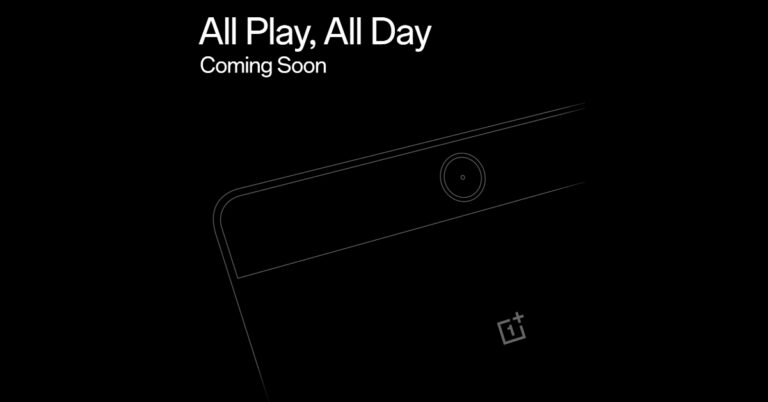
Soon, OnePlus plans to introduce its new Android tablet in India. The company hinted at the upcoming launch and also listed the device on the e-commerce platform Flipkart. According to rumours and leaks the company is likely to launch the OnePlus Pad Go which was previously speculated to arrive next year along with a new series of OnePlus devices specifically the OnePlus 12 Series. It is said to be an affordable option for the consumers.
OnePlus took to X, to announce the upcoming launch of its next product which is likely to be an Android tablet. The company has not yet provided any details on the device but it has been listed on Flipkart. Rumours suggest that the upcoming device could be the OnePlus Pad Go. The company and the online store have not yet disclosed any information about the putative OnePlus Pad Go’s features, characteristics, or cost.
The product was earlier predicted to go on sale in the first few months of 2024 along with new OnePlus earphones and the rumoured OnePlus 12 and OnePlus 12R smartphones. The tablet might, however, show out sooner than anticipated. The OnePlus Pad Go is anticipated to emerge as a less expensive substitute for the OnePlus Pad, which was introduced earlier this year however it went on sale in May.
The OnePlus Android Tablet was also listed on the BIS website bearing model numbers OPD2304 and OPD2305. There are rumours that it will be available in cellular and Wi-Fi versions.
OnePlus Pad price and specifications
The OnePlus Pad was launched in India at Rs 37,999 for the 8GB RAM with 128GB storage and Rs 39,999 for the 12GB RAM with 256GB storage option.
The device features an 11.61-inch display with a refresh rate of 144Hz. It is powered by MediaTek Dimensity 9000 chipset, which supports up to 12GB of LPDDR5 RAM. The tablet operates on Android 13 out of the box. OnePlus Pad includes a quad-speaker system with Dolby Atmos and Dolby Vision support. In addition to this, there is an 8-megapixel selfie camera and a single 13-megapixel back camera with an LED flash. Lastly, the tablet has a 9,510mAh battery with 67W SUPERVOOC capability.
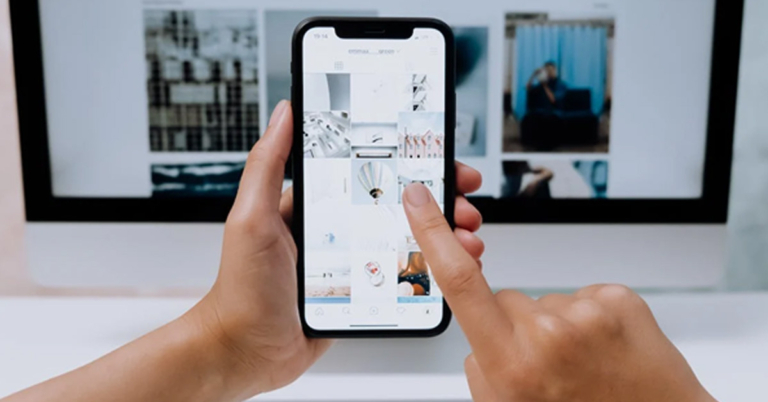
Instagram does not reveal the algorithm it uses to suggest content to users on its platform. But it is easy to guess certain things that influence the kind of content you see on the Explore page. Your Explore page is curated solely for you. The content you see on there is based on your interactions (likes and comments), the accounts you follow, your search history, and what your followers are interacting with, among other things. If you don’t wish to see certain kinds of posts on your Explore page, there are some steps you can take to tune the suggestions. In this article, we bring you the top 5 ways to reset and better curate your Instagram Explore page.
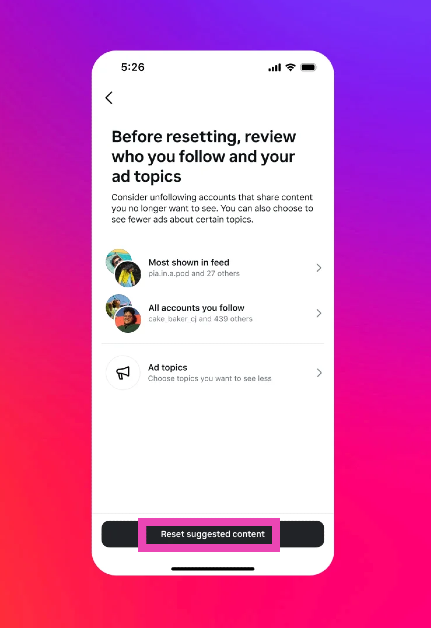
Recently, Instagram added a native option to set your Explore page to its default state by resetting the content suggestions provided by the platform. This option can be found in the ‘Content preferences’ section in your profile. However, Instagram is still rolling out this feature to users across the world. Since it is a phased rollout, this feature may take some time to become available to all users. Make sure the Instagram app on your phone is updated to its latest version so you don’t miss the drop.
If the feature hasn’t arrived on your device yet, there are a few things you can do to reset the Explore page. Since this page is a reflection of what you like to browse, view, like and interact with on the app, you can retrain the algorithm. This can be done by interacting with stuff you want to see on the Explore page. Similarly, flag stuff you don’t want to see by tagging ‘Not interested’. Unfollowing the creators who post content you don’t want to see helps the algorithm as well.
Reset your Instagram content suggestions
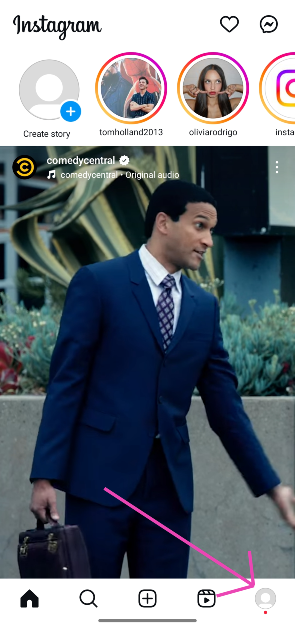
Step 1:Launch the Instagram app on your phone and tap your profile picture thumbnail in the bottom right corner of the screen.
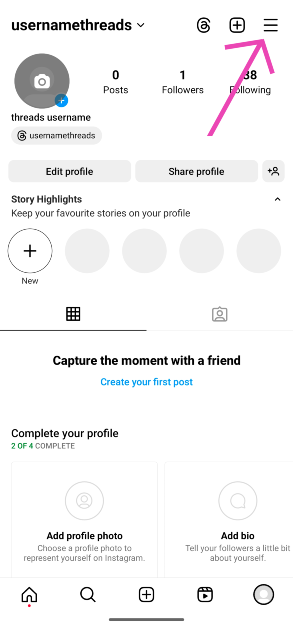
Step 2: Tap the hamburger menu icon in the top right corner of the screen.
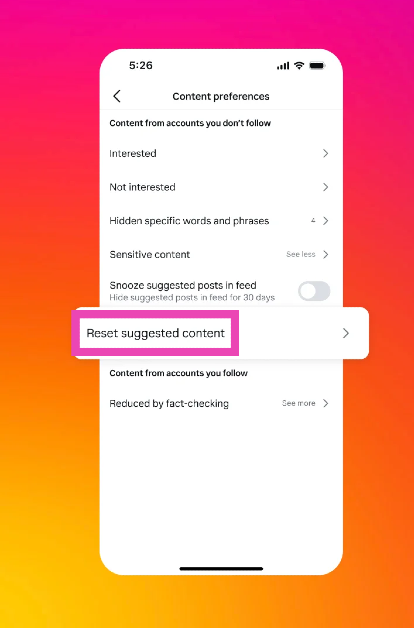
Step 3: Tap on Content preferences.
Step 4: Select Reset suggested content.
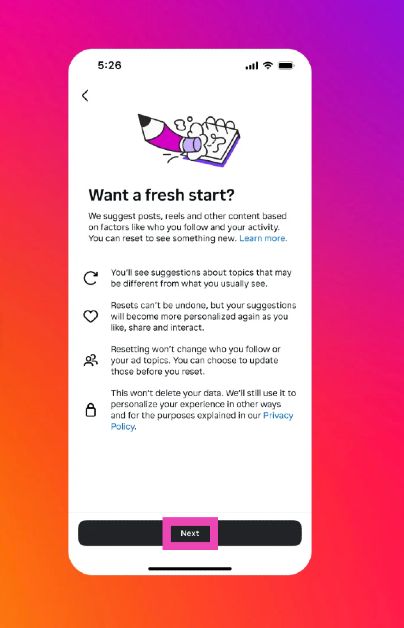
Step 5: Hit Next on the popup page.
Step 6: Hit Reset suggested content.
Reset your Instagram Page by filtering content you don’t like
While there is no direct way to reset your Instagram Explore page, you can curate it by filtering out the content you don’t like. For example, if you don’t like food-related content all over your Explore page, simply let Instagram know that you’re not interested in watching it. Here’s how you can go about it.
Step 1: Launch the Instagram app on your phone and tap the search icon to go to the Explore page.
Step 2: Open the post that you want to filter out from your Explore page.
Step 3: Tap the ellipses at the top right corner of the screen.
Step 4: Select Not Interested.
The post will be hidden from your Explore page. Instagram will also make note of the kind of content you don’t want to see on the Explore page and curate your suggested content accordingly. Go to Settings and privacy>Suggested content to know more.
Clear your search history
Another way of tuning your Instagram Explore page is by clearing your search history. Instagram’s algorithm uses the things you search to suggest new content along similar lines. Clearing your search history can prevent those suggestions from showing up on your feed. Here’s how you can do that.
Step 1: Launch the Instagram app on your device and go to your profile.
Step 2: Tap the hamburger menu at the top right corner of the screen.
Step 3: Select Your activity.
Step 4: Scroll down and select Recent Searches.
Step 5: Hit Clear All.
Unfollow the accounts responsible for the suggested content you don’t want to see
One of the big factors that influences the content you see on your Explore page is your following list. A lot of your content suggestions are directly based on the accounts you follow on Instagram. You can even find out why Instagram suggested you a particular post. If you don’t want to see that genre of posts again, simply unfollow the account responsible for that suggestion. Here’s how.
Step 1: Launch the Instagram app on your phone and tap the search icon to go to the Explore page.
Step 2: Open the post that you want to filter out from your Explore page.
Step 3: Tap the ellipses at the top right corner of the screen.
Step 4: Select ‘Why you’re seeing this post’.
Step 5: Instagram will reveal the account that the suggestion is based on. Go to the account page and unfollow it to reduce that particular genre of posts from your Explore page.
Clear the app data and cache for Instagram
Clearing Instagram’s cache and app data can refresh the Explore page with new content. Here’s how you can go about it.
Step 1: Go to Settings and select Apps.
Step 2: Scroll down and select Instagram.
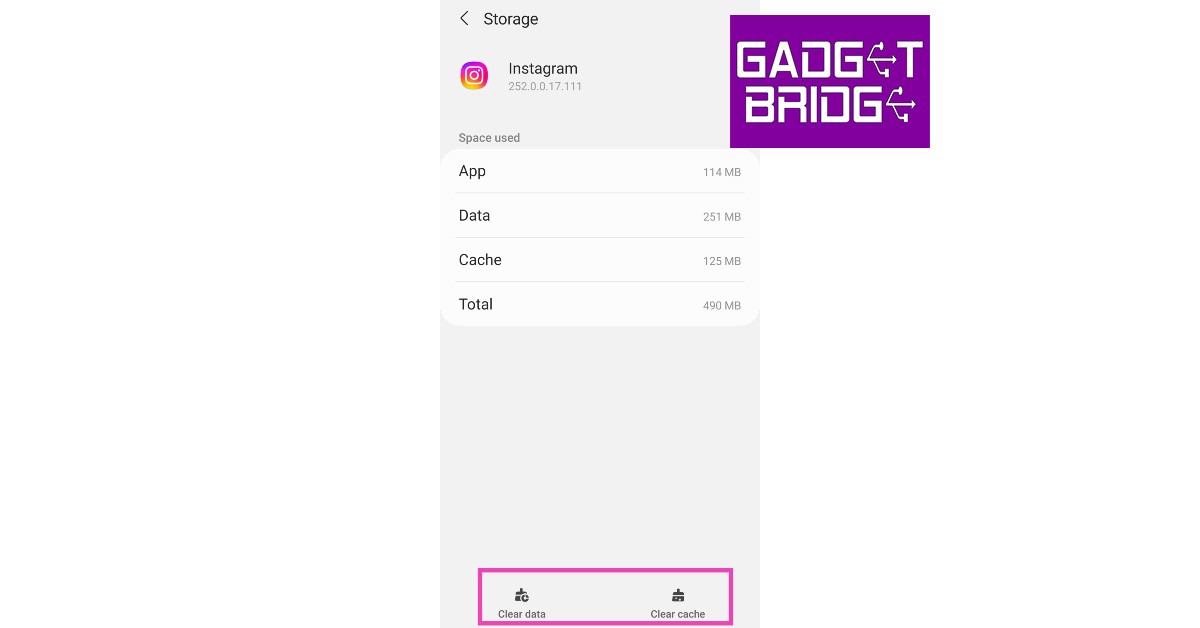
Step 3: Tap on Storage.
Step 4: Select Clear Data and Clear Cache from the menu at the bottom of the screen.
Frequently Asked Questions (FAQs)
Can you refresh your Instagram Explore page?
If you want new content to show up on your Instagram Explore page, simply pull the page down from the top and release it to refresh the feed.
How do I reset my Instagram Explore page?
Go to your profile, tap the hamburger menu, select ‘Content preferences’, and tap on ‘Reset suggested content’ to reset your Instagram Explore page.
How do I reset the algorithm on Instagram?
You can reset the algorithm by resetting suggested content in the ‘Content preferences’ section on your profile settings. Once the algorithm has reset, you can re-train it by interacting with the kind of content you want to see.
How do I restore my Explore page on Instagram?
Once reset, the Explore page cannot be restored.
How do I reset my Instagram search history?
To clear your Instagram search history, go to Profile>Menu>Your Activity>Recent Searches>Clear All.
How do I reset my Instagram cache?
Go to Settings>Apps>Instagram>Storage and tap on ‘Clear cache’.
This is how you can reset and curate your Instagram Explore page. Once you’ve applied these measures, it can take some time for Instagram to suggest new content. Keep interacting with the posts you like so Instagram can suggest similar content on the Explore page. If you found this article helpful, let us know in the comments!
In the Indian market, Logitech has announced the launch of its brand-new Pebble 2 Collection, which includes the company’s renowned keyboard and mouse. The Pebble Keys 2 K380s and Pebble Mouse 2 M350s are part of Logitech’s new Pebble 2 Combo. Both products are constructed of recyclable plastic and will be offered in a variety of colours. The Pebble Mouse 2 M350s boasts a long battery life and includes programmable buttons. The Pebble Keys 2 K380s, on the other hand, has circular keys and FN keys that can be customised.
In India, the Logitech Pebble 2 Collection has debuted. The package includes three different keyboard configurations the Pebble Keys 2 K380s, or the Pebble Mouse 2 M350s. Additionally, purchase the Pebble 2 Combo, which comes with both items, to save money. Priced separately at Rs 5,995, Rs 4,195, and Rs 2,295 are the Pebble 2 Combo, Pebble Keys 2 K380s, and Pebble Mouse 2 M350s from the collection. There is also a specific Pebble 2 Combo for Mac.
Pebble Keys 2 K380s
Tonal Graphite, Tonal White, and Tonal Rose are the three colours available for this collection, which is constructed from at least 49% recycled plastic. You can switch between devices at the push of a button, work, browse, and talk as you like with this ultra-portable pair.
Round keys, a laptop-like typing experience, and comfortable and joyful typing are all features of the Pebble Keys 2 K380s.To save time and accomplish more, use the Fn hotkeys to rapidly access the search, screenshot, emoji menu, and many other features. You can also personalise the 10 Fn keys with the Logi Options+ App, such as by having the most often used applications open instantly as per the company.
Pebble Mouse 2 M350s
On the other hand, Pebble Mouse 2 M350s is the most portable mouse available. It is round like a pebble and has a thin, light design that fits well in your hand. Thanks to Silent Touch technology, 90% of click noise is eliminated. With the Logi Options+ App, users may personalise the middle mouse button to perform common tasks like showing or hiding the desktop, taking screenshots, and more, or to create shortcuts to their favourite programmes like WhatsApp or Spotify.
WhatsApp has been on a feature rollout spree this year. After launching screen sharing and video messaging features on the platform, the messenger now allows users to join and create channels. Users can now create a channel to broadcast important updates to their audience. Once you join a channel, your contact information is kept hidden from other channel members. The communication in a WhatsApp Channel is strictly one-way, which means that the members cannot contribute to the discussion at all. However, they can react to the updates using emojis. In this article, we show you how to create a WhatsApp Channel and share it with other people.
Step 1:Launch the WhatsApp app on your phone and switch to the Updates tab.
Step 2: Tap the plus sign and select New Channel.
Step 3: Tap on Get Started.
Step 4:Name your channel. Make sure it is within the character limit. The Channel name can be changed later.
Step 5: Add a description and icon for the Channel. You can choose to do this later as well.
Step 6: Tap on Create Channel.
Your WhatsApp Channel will be created!
Share your WhatsApp Channel
If you want to share your WhatsApp Channel with your friends on other social media platforms, you can simply copy the link to the channel and post it in the appropriate place. Here’s how you can access and copy your WhatsApp Channel’s link.
Step 1: Tap the Channels icon.
Step 2: Tap your channel name.
Step 3: Tap on Copy Link.
Frequently Asked Questions (FAQs)
How do I get Channels on WhatsApp?
You can access your subscribed channels on WhatsApp by switching to the Updates tab in the app. If you don’t see the Updates tab on WhatsApp, update the app and try again. Since this feature is being rolled out in a phased manner, it may take some time for it to be made available on your device.
What are WhatsApp Channels?
Channels are a way for people to communicate with their audience. You can broadcast important updates using a channel. Communication on a channel is strictly one-way. People subscribed to the channel can react to the updates but not contribute to them.
How do I create a WhatsApp Channel of my own?
Launch WhatsApp on your device and go to Updates>Plus>New Channel. Add a name for the channel and hit Create Channel to get started.
This is how you can create your WhatsApp Channel. You can also join the channels of celebrities, brands, and organisations by simply searching for them. Celebrities like Akshay Kumar, Diljt Dosanjh, Katrina Kaif and more already have their dedicated channels on WhatsApp.
After being banned for nearly ten months, Battleground Mobile India, aka BGMI, is officially available again in India. BGMI fans are looking for ways to improve their game experience and one such method is the usage of redemption codes, which offers a variety of rewards and advantages using BGMI redeem codes players can gain access to new skins, outfits, loot crates, weapons and free UC and diamonds.
As mentioned earlier, these codes give users the chance to earn unique rewards and gain extra benefits while playing the game. This includes GUN SKINS (M4, AKM, M416, AWM, M24, UZI, KAR98K), free character voucher, Andy, Carlo, Sara, Victor character for free, free Anna Character on completing the mission and UC or Royal Pass Discount. So here we have gathered a list of the most recent BGMI redeem codes as of 15 September 2023. Also, redeem these codes asap as these are only valid for a limited duration.
Garena Free Fire is a battle royale game with regular awards and tournaments to keep players interested. If you play Garena Free Fire, you should be aware of the redeem codes that are released on a daily basis. However, because the battle royale game is banned in India, players from other countries can use the Free Fire Redeem codes daily. If you’re unfamiliar with the Garena Free Fire redeem codes or don’t know how to get them, we’ve put together a step-by-step guide to help you redeem them. Check out Garena Free Fire Redeem Codes for 15 September 2023.
The Free Fire redeem codes are a great way to get free stuff. These are 12-digit codes that contain alphabets and numbers, as well as an expiration date and time. Because the Garena FF redeem codes cannot be used more than once, you should hurry to the redemption page to claim your free reward before someone else does. To get a free reward, all you have to do is go to reward.ff.garena.com/en, which is the official redemption page. Also, keep an eye on this space for daily updates on Garena Free Fire redemption codes and rewards.
Garena Free Fire Redeem Codes Today 15 September2023
F767-T1BE-456Y
FFCM-CPSJ-99S3
BR43-FMAP-YEZZ
XZJZ-E25W-EFJJ
V427-K98R-UCHZ
MCPW-2D1U-3XA3
FF7M-J31C-XKRG
FFPO-8BS5-JW2D
PJNF-5CQB-AJLK
F7AC-2YXE-6RF2
FHLO-YFDH-E34G
FFCM-CPSE-N5MX
HNC9-5435-FAGJ
6KWM-FJVM-QQYG
MCPW-3D28-VZD6
EYH2-W3XK-8UPG
XGW4-FNK7-ATON
FEIC-JGW9-NKYT
KEYV-GQC3-CT8Q
FVRT-NJ45-IT8U
F4BH-K6LY-OU9I
FFAC-2YXE-6RF2
FFCM-CPSB-N9CU
NPYF-ATT3-HGSQ
FFCM-CPSG-C9XZ
MCPW-2D2W-KWF2
ZZZ7-6NT3-PDSH
How to Get Free Fire Redeem Codes for Garena on 1 September2023?
The world became digital many years ago and has continued to evolve and one of such digital innovations is crypto casinos. With crypto casinos, our means of getting entertained and engaging in gambling activities have grown and will still keep on growing. Here’s a guide to show you the important knowledge you ought to have about crypto casinos.
You can compare different crypto casinos thanks to cryptocasinofinder to navigate and get the best crypto casino bonuses when you decide to choose one. Nonetheless, how about a quick run through the basics of crypto casinos?
The Basics of Crypto Casinos
Crypto Casinos is all about infusing the thrill of entertainment and the best of digital development to give gamblers unforgettable gambling experiences. Crypto Casinos look pretty much like regular or traditional online casinos but what makes the difference is that payments are made with cryptocurrencies like bitcoin, litecoin, and ethereum just to mention a few.
There’s so much ease that comes with gambling with crypto casinos because the use of conventional money has been replaced with digital currency. Most gamblers have changed their perception of online gambling since the inception of crypto casinos.
When asked what the legality of crypto casinos and if they are safe to use? It simply refers to an online casino that accepts cryptocurrency as a means of payment and that means that all deposits and withdrawals are done using bitcoin and other digital currency.
What makes crypto casinos quite different from traditional online casinos is the no requirement for a Know Your Customer (KYC) which is what most traditional online casinos use to verify the identity of gamblers and it often requires them to request some information others may deem personal.
You should however know that many crypto casinos are not licensed by government gambling agencies and most often don’t have traditional banking accounts. This does not mean that they are not safe, or legit, or that your funds are a risk of getting lost. They make up for these in other high-ranking benefits.
How do they work? Well, all crypto casinos rely on the functionality of blockchain technology to successfully carry out their casino activities just like regular crypto tokens do. All privacy and transparency of transactions are recorded on the blockchain. Blockchain technology makes all transactions on crypto casinos to be immutable, decentralised and recorded sequentially. There is no possibility for fraudulent activities or cheating of gamblers on a decentralised platform like blockchain technology.
Just having a bank account doesn’t give you access to crypto casinos, a cryptocurrency wallet is required before a gambler can play on any crypto casino. This is because cryptocurrency can be stored only in crypto wallets. The wallets can be either online or offline, but both are safe and secured in their way with unique pros and cons.
The first step in playing in an online casino is to first open a wallet. This is necessary because that is where all your crypto coins will be stored and it works just as how an account works.
The very next thing is to identify the casino you would prefer to gamble on. You can check out reviews on the best crypto casinos available within your reach. Check out casinos with reputable licences and those with better security features. After selecting a casino, you would need to sign up and once that is done, deposits are the next thing in line. Depositing with crypto wallets is quite simple and is just a matter of transferring crypto coins from one wallet to another.
When this is done, all that’s left is for you to play any desired game and keep on winning in Bitcoin or any accepted cryptocurrency on the crypto casino. Your winnings can be withdrawn into the crypto wallets in record time speed.
Games on Crypto Casinos
The fact that a casino is more into using cryptocurrency for payments doesn’t mean that it would have fewer games to wow all interested gamblers. There are many game options available on a crypto casino and that would be considered shortly.
Video Poker
This is one popular casino game that is loved by many gamblers and is not common on many casino sites. Video poker works like slot machines but what makes for the difference between both games is that while the slot is played against an RNG (Random Number Generator), video poker is played against an AI dealer.
Sports Betting
It is also uncommon to find many top casinos that offer sports betting as part of their gambling services. However, many crypto casinos offer sports betting and this is not limited to only football.
Slots
Many online casinos boast of thousands of slot games as part of their game library and that shows how popular and accepted among most punters. Many bettors like slots because it is simple and offers many progressive jackpots and bonuses.
Table Games
Table games are like the king of gambling, most people feel that they haven’t had a gambling experience without playing a table game. This is because these table games provide more gambling experience than simple slot games and video poker. The most popular table games are craps, roulette, Baccarat, and Blackjack.
Lotteries
This is a simple form of gambling that offers players an opportunity to participate in a lottery draw. Many crypto casinos offer lottery opportunities as well.
How to Get The Best of Crypto Casinos
There are a few risks involved in crypto gambling and this makes it important to know the littlest things about avoiding making costly mistakes. There are a few ways to get the best out of crypto casinos and it includes:
The very first tip to getting the best out of crypto casinos is to set a gambling limit. This helps you to avoid overspending and losing assets.
Another way to get the best out of crypto casinos is to choose games that are right for you and bring you the greatest chance of winning. You should also pick games that are perfect for you and suit your gambling budget.
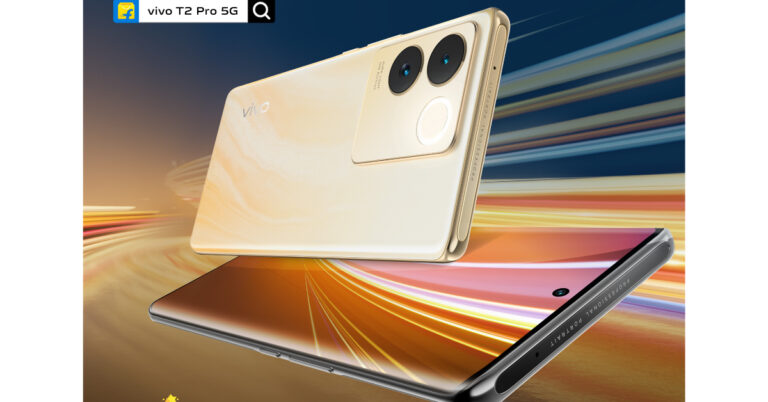
Earlier this week, Vivo started teasing its forthcoming smartphone, the Vivo T2 Pro 5G, in India. The forthcoming phone’s precise release date has been officially revealed by the Chinese tech company today. The Vivo T2 Pro 5G is scheduled to arrive in India on September 22 according to the firm. The design and colour options were also alluded at in the earlier teasers.
According to Vivo its new smartphone Vivo T2 Pro 5G is scheduled to launch in India next week on September 22. The upcoming phone is an upgrade over Vivo T2 5G and Vivo T2x 5G which have already arrived in India in April. The business also disclosed that Flipkart will be the country’s exclusive retailer of the smartphone. The smartphone is expected to arrive in at least one Golden colour option, according to a recent Vivo post.
A punch-hole is said to be present in the top middle of the display on the upcoming Vivo T2 Pro 5G. It is evident that the T2 Pro 5G has a curved screen.
The device is revealed to have two back cameras and optical image stabilisation (OIS) capability. Together with a ring-shaped LED flash, the sensors are arranged in circles. On the right edge of the smartphone are buttons for power and volume.
The phone’s thickness might be 7.4mm. A MediaTek Dimensity 7200 SoC with up to 8GB of RAM and up to 256GB of storage is believed to be the device’s power source. The Vivo T2 Pro 5G was previously expected to include a 3D curved display with a refresh rate of 120 Hz and a touch sampling rate of 1200 Hz. A 64-megapixel primary rear camera with optical image stabilisation (OIS) capability is anticipated to be included in the phone.
The Vivo T2 Pro 5G’s price in India has not yet been officially revealed, however, it is expected to cost roughly Rs 23,999.
Recently, Nothing made an announcement about the debut of CMF by Nothing, its subsidiary brand. The newly formed company aims to make more affordable devices available. India appears to be one of the first countries where CMF by Nothing would introduce its next products. Today the company has officially declared the exact date for the launch of its sub-brand.
The UK firm, run by OnePlus Co-Founder Carl Pei, wants to reach more people and will offer access to more reasonably priced gadgets, starting with a smartwatch and some earbuds. ‘CMF By Nothing‘ will now launch on September 26 at 2:30 PM IST, the company has said.
The company stated, “We mentioned during our Q2 2023 Community Update that we’re introducing ‘CMF by Nothing’, our new range of products that makes better design more accessible to a wider group of consumers. Nothing believes good design should be more democratic and impact more people. The initial product offerings will include a smartwatch, earbuds and accessories.”
According to Pei, the UK firm has decided to create a separate team to manage the CMF by Nothing sub-brand in order to avoid diverting attention from its main goods.
The first product offers will, as previously said, consist of a smartwatch, earbuds, and accessories. Products from CMF by Nothing will only be sold online at Flipkart and Myntra as well as in some physical stores and Vijay Sales, according to the firm.
Additionally, Nothing is also announcing the launch of the CMF Community Review Programme a platform designed to assist aspiring content producers and tech enthusiasts. Through this programme, chosen participants will be able to generate content, share reviews and feedback with the larger community, as well as get their hands on the products before the rest of the globe.
On successful completion of the programme, chosen creators will have access to CMF by Nothing products and have their work promoted on CMF’s official social media accounts. On cmf.tech, candidates can sign up and obtain further details.
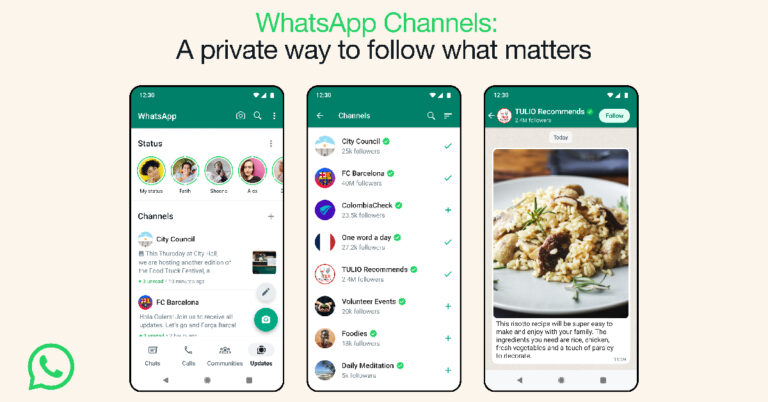
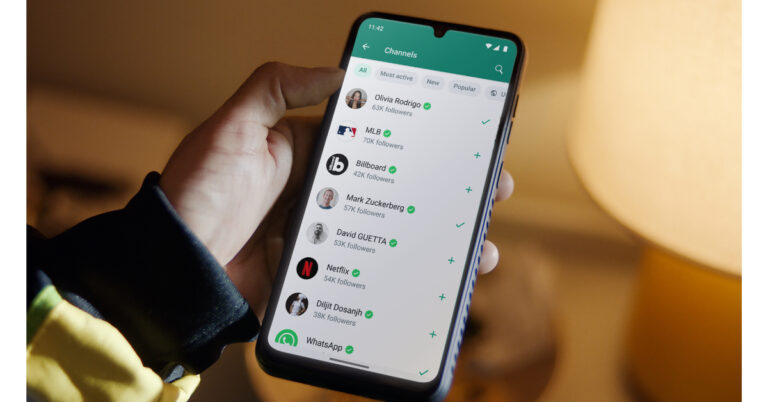
WhatsApp Channels, a feature that allows users to broadcast information to various users on the platform has been officially rolled out. Users in India and other nations are starting to receive the latest feature on their devices. The company was spotted testing the feature in April this year. Similar functionality is already supported by Instagram and Telegram
WhatsApp via its blog post said, “Today we’re excited to launch WhatsApp Channels to over 150 countries and deliver a private way to receive updates that matter to you. We’re welcoming thousands of organizations, sports teams, artists, and thought leaders that people can follow, right within WhatsApp.”
A WhatsApp Channel is a private tool where users’ phone numbers and other identifying information are never revealed after they join the channel. Users of Telegram, a competing network, can likewise join one-way broadcast channels. Instagram already supports a function like this.
Both WhatsApp Status updates and the brand-new WhatsApp Channels feature will be accessible from a dedicated new one that will allow Updates to appear, where WhatsApp Channels are shown.
Users will be able to choose channels to subscribe to that have their country automatically filtered out. Additionally, based on the total number of followers, you may browse the newest, most active, and most well-liked channels.
Emojis can be used to express thoughts and to track other people’s reactions. The followers won’t see how you respond. Also soon, admins will have access to their Updates to make changes until WhatsApp automatically erase them from its servers after 30 days. Additionally, if you forward an Update to chats or groups, a link back to the channel will be included so that people can learn more. According to WhatsApp, your chats and channels are distinct from one another, and other followers cannot see who you choose to follow. The online chatting platform owned by Meta also safeguards the private data of both administrators and followers.
Meta is currently rolling out WhatsApp Channels to users in 150 countries, including India. Users who are interested in receiving information about the platform can subscribe to the official WhatsApp Channel.
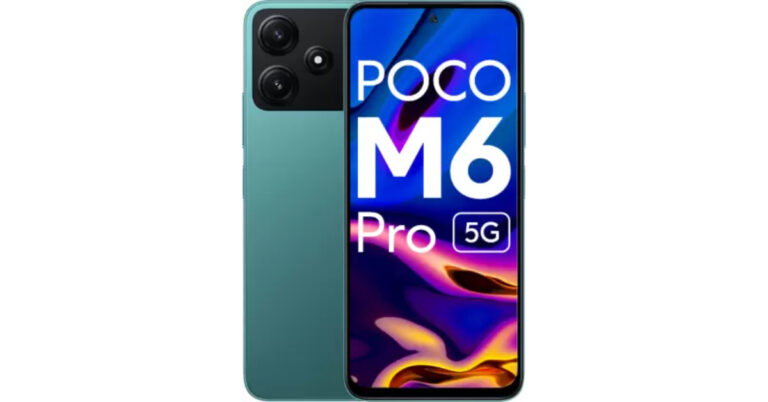
Poco has released a new RAM and storage version of the Poco M6 Pro 5G. The new variant comes after one month of its official release in India. Initially, it was made available in two different configurations but a third variant has been added to give buyers more options to choose from. The device’s screen has a 90Hz Adaptive Sync refresh rate with a 240Hz touch sampling rate. In addition to this, it is powered by a 4nm Snapdragon 4 Gen 2 5G Processor and packs a 5,000mAh battery.
Poco M6 Pro 5G 4GB RAM with 128GB storage price in India
Poco M6 Pro 5G new 4GB RAM with 128GB storage has been launched in India with a price tag of Rs 11,999. The device was launched in India in August last month in 4GB RAM with 64GB storage and 6GB RAM with 128GB storage configurations. The former one’s price is set at Rs 10,999 while the latter comes with a price tag of Rs 12,999. The device will be available in two colour options of Black and Green
The new variant will go on sale today via Flipkart in the country. While the other two variants are already up for sale in the country.
A 6.79-inch FHD+ display is available on the Poco M6 Pro 5G. The smartphone’s screen offers a 240Hz touch sampling rate, 90Hz adaptive sync refresh rate, and SGS-Low Blue Light certification, which guarantees reduced blue light emissions for better eye health and sleep quality. It also features a 10x Super Resolution Touch. Glass 3 Corning Gorilla protects the front panel. The back of the smartphone is designed. The phone also claims an IP53 grade for dust and water protection.
A MIUI 14 version of Android 13 will power the Poco M6 Pro 5G. In addition to two significant Android updates and three years of security patches, the Poco phone offers an MIUI dialer. The phone is powered by a Qualcomm Snapdragon 4 Gen 2 processor with a maximum 2.2GHz clock speed, along with up to 6GB of LPDDR4X RAM and 128GB of UFS 2.2 storage. The company has moreover offered a Turbo RAM technology that improves speed even more while essentially bridging the gap between various memory capacities.
The Poco M6 Pro 5G has a dual rear camera arrangement with a 50-megapixel AI sensor and a 2-megapixel depth sensor for pictures and movies. An 8-megapixel camera up front is available for selfies and video calls.
A 5,000mAh battery with 18W fast charging support powers the Poco M6 Pro 5G. However, a 22.5W inbox charger is included in the phone’s shipment.
After being banned for nearly ten months, Battleground Mobile India, aka BGMI, is officially available again in India. BGMI fans are looking for ways to improve their game experience and one such method is the usage of redemption codes, which offers a variety of rewards and advantages using BGMI redeem codes players can gain access to new skins, outfits, loot crates, weapons and free UC and diamonds.
As mentioned earlier, these codes give users the chance to earn unique rewards and gain extra benefits while playing the game. This includes GUN SKINS (M4, AKM, M416, AWM, M24, UZI, KAR98K), free character voucher, Andy, Carlo, Sara, Victor character for free, free Anna Character on completing the mission and UC or Royal Pass Discount. So here we have gathered a list of the most recent BGMI redeem codes as of 14 September 2023. Also, redeem these codes asap as these are only valid for a limited duration.
BGMI Redeem Codes for 14 September2023
updating soon…
How to get free Redeem Codes for BGMI on 14 September2023?
Launch BGMI on your device.
Then select the Redeem Code option from the main menu.
Next, click on the Redeem code tab.
A new window will open, requesting the redemption code.
Now enter your BGMI code.
Confirm and click on the “Redeem” tab.
If your redeem code is valid then you will get a message confirming that your rewards were successfully redeemed.
(Note that these codes are case-sensitive, so be sure to type them correctly to prevent any errors.)
Garena Free Fire is a battle royale game with regular awards and tournaments to keep players interested. If you play Garena Free Fire, you should be aware of the redeem codes that are released on a daily basis. However, because the battle royale game is banned in India, players from other countries can use the Free Fire Redeem codes daily. If you’re unfamiliar with the Garena Free Fire redeem codes or don’t know how to get them, we’ve put together a step-by-step guide to help you redeem them. Check out Garena Free Fire Redeem Codes for 14 September 2023.
The Free Fire redeem codes are a great way to get free stuff. These are 12-digit codes that contain alphabets and numbers, as well as an expiration date and time. Because the Garena FF redeem codes cannot be used more than once, you should hurry to the redemption page to claim your free reward before someone else does. To get a free reward, all you have to do is go to reward.ff.garena.com/en, which is the official redemption page. Also, keep an eye on this space for daily updates on Garena Free Fire redemption codes and rewards.
Garena Free Fire Redeem Codes Today 14 September2023
updating soon…
How to Get Free Fire Redeem Codes for Garena on 14 September2023?
The software features of online casinos have evolved since their inception and if you can get access to the old versions of online casinos, you would perfectly understand how vast a difference there is. This innovation when you compare some casinos’ interfaces thanks to onlinecasinofinder (New Zealand), you can tell it is largely due to the development of software developers.
What exactly makes online casino software different from regular software and if there are similarities, what would they be?
What is Casino Software?
The whole talk about casino software is not to create yet another mystery in the casino world. There are two main types of casino software and they are:
Online casino software Providers: These are independent companies that are responsible for developing online casino games and the necessary mechanics that make up for playing the games. Any games played by a bettor on any online casino are a product of these software providers or developers. An online casino can be considered as a vessel that houses multiple casino games and the software that is owned by the Casino is what is often referred to as casino software by default.
Casino Software where API integrates: This is a second type of online casino software and it is necessary if the casino operators are different from the game developers. This difference is what makes it necessary for the online casino website to need an Application Programming Interface (API) that is responsible for maintaining the games to work on the designed website. A simple website created when the actual game developer is different from the operator will not work and an integration is required.
Most times, the most popular online casinos have separate software developers and software providers. Many popular developers like NetEnt, Microgaming, etc., are both developers and game providers, unlike a company like SoftSwiss which specialises in creating casino software. Companies like NetEnt develop ready-made online casino software that can be launched by anyone with no need for a deep knowledge of software development. The maintenance of this software is also taken care of by the developers which in any case seems cost-effective than having a separate developer and software provider.
Choosing The Best Casino Software
There can’t be a successful online gambling industry without online casino software, it determines many things about the casino including the quality of games. Having a good gambling experience, and enjoyable and safe gambling is all tied to choosing the right online casino software.
Game Variety
The games on online casinos usually have similar concepts and the major difference has been through the basic themes and game mechanics. Games like pokies no matter which casino have the same game concept but what sets each one apart is the theme used by each casino software provider.
In looking for good online casino software, you should select a software provider that has a variety of games in its library. Having the same website provider and game developer is even better because it allows for a better game offering. And even much better is having a game developer who can develop table games, slots, and live dealer games.
Compatibility
When looking for game and website compatibility, there are 3 software types:
Download Software: This type of online casino software works with an API when it is downloaded into your device, and that’s typically on a desktop. This type of casino software takes up a lot of space on desktop devices and it must meet the requirements of the system in use.
Instant Play Software: This is generally a web-based online casino software which means you can access the games via a browser. These games are often compatible with many devices, from desktops to regular mobile phones.
Mobile Software: Most software developers who do mobile software focus on making the mobile adaptation of online casino games. The only limitation of this type of software is that you may be unable to play the casino games on a desktop.
License
This is the next criterion to consider before choosing an online casino software Provider. Obtaining a license from government gambling agencies is not just limited to the casino operators but also the software providers. Not obtaining an appropriate license from the required body makes an online casino provider just as illegal as an online casino with no license.
Reputation
There are some online casino software providers, but one thing to ensure before choosing one is to consider the reputation of the providers in the casino industry. Reading reviews is a very basic way to get an insight into how a certain software provider is perceived and received among many punters and online casino providers.
Top Online Casino Software Providers
The online casino software provider industry is increasing as much as the casino itself has been increasing and everyone is seeking to be regarded as the best in the industry.
Here are a few companies who have carved a reputation for themselves as the best in the industry:
NetEnt: This is one online casino software pioneer that is still giving its very best since its establishment in 1996. The company has successfully developed more than 200 outstanding casino games and has gotten the license from more than 20 countries. Their best games include Gonzo’s Quest and Starburst.
Playtech: Here is the largest online game software provider currently in the world and their dominance is unarguable. They are the best when it comes to providing a B2B casino business relationship. Their best casino games are slots.
Play’n GO: This is a casino software provider known for its ever-attractive slot games. They have one of the best slot themes that easily captivates punters, old and new alike. Their most popular and most sought-after casino game is Book of Dead.
Microgaming: This is a software provider that is credited with the tag of being the founding company of online gambling. Started way back in 1994 and has still set itself apart as an elite software provider. Mega Moolah which is known as the largest progressive jackpot was developed by Microgaming.
Choosing the right online casino software is important.
Most apps on Android allow you to copy text to your clipboard without presenting any problems. However, certain apps like Instagram and Netflix, do not allow this in any capacity. You may also have run into a similar situation while using some e-reader apps. Luckily, there are a couple of workarounds to this issue. In this article, we bring you the top 2 ways to copy unselectable texts from Android apps directly to the clipboard.
Step 2:Launch the Universal Copy app on your device.
Step 3: Turn on the toggle switch for Universal Copy.
Step 4: In the following pop-up box, tap on Open Settings.
Step 5: You will be redirected to Accessibility Settings where you will need to give Universal Copy permission to read the text on the screen. Go to Downloaded Apps and turn on the toggle switch for Universal Copy.
Step 6: Turn on the toggle switch for Notifications.
Step 7: Now, go to the app that contains the text you want to copy.
Step 8:Swipe down from the status bar and select Normal Mode from Universal Copy’s notification.
Step 9: Tap on the text you want to copy and select Copy from the list of options. You can also choose to edit the text before copying it to the clipboard.
Once the text has been copied to the clipboard, you can paste it anywhere you want.
Copy text from an app that doesn’t allow it using Google Photos
Step 2: Tap the Lens icon at the bottom of your screen.
Step 3: Tap on Text and select the text from the image you want to copy.
Step 4: Tap on Copy Text. The text will be copied to the clipboard.
Frequently Asked Questions (FAQs)
How do I copy unselectable text from any Android app?
Use apps like Universal Copy, Easy Copy, and Clip Layer to copy text unselectable text from apps.
How do I use Universal Copy?
Once you install Universal Copy on your device, go to Accessibility Settings and give Universal Copy permission to read the text on the screen. Then, allow it notification access as well. Once the app is up and running, simply select Normal Mode from the notification panel and select the text you want to copy.
How do I copy text from Instagram?
Since the Instagram app does not allow users to copy any text on it, you can either use the Universal Copy app or switch to the web version of Instagram.
This is how you can copy unselectable text on your Android phone from apps that don’t allow it. Apart from Universal Copy, you can also use apps like Clip Layer, Native Clipboard, and Easy Copy to accomplish the same task. If you found this article helpful, let us know in the comments!
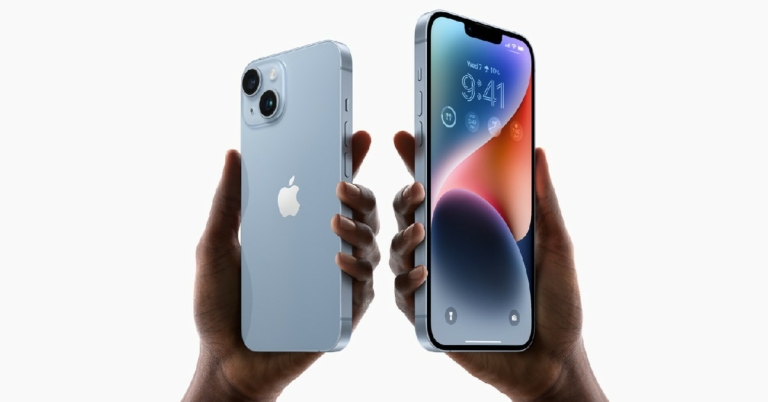
Apple, a company based in Cupertino, introduced the newest iPhone 15 series devices yesterday in India and across the globe. The Apple iPhone 15 series’ predecessor is currently being offered at a lower price in India following the debut. Devices like the iPhone 13 and iPhone 12 are also getting a price reduction in addition to the iPhone 14 and iPhone 14 Plus.
The iPhone 14 Plus, which cost Rs 89,900 when it was first introduced in India, is currently offered on Apple’s website for Rs 79,900. Additionally, Apple will give up to Rs 67,800 off when you trade in an outdated smartphone for an iPhone 14 series model.
The 6.1-inch Super Retina XDR OLED screen of the Apple iPhone 14 has a wide colour gamut, HDR, and 1200 nits of brightness. The display supports a 60Hz refresh rate and has a pixel density of 460 ppi. A durable Ceramic Shield front cover that is resistant to dust and water protects the front panel. The IP68-certified iPhone 14 is water- and dust-resistant and has Face ID. It has an internal storage capacity of up to 512GB and an Apple A15 Bionic SoC. The device is powered by iOS 16.
The dual rear camera configuration on the iPhone 14 has two 12MP cameras: a primary wide-angle sensor with a larger f/1.5 aperture and sensor-shift OIS, and a secondary ultra-wide-angle sensor with the same specifications. The Ultra Wide camera offers a unique perspective for bigger views and uses Photonic Engine to improve low-light photographs. The front camera is a 12MP sensor with autofocus for selfies and video calls. While all is going on, the price of the iPhone 13 in India has also dropped to Rs 59,900. This iPhone was initially selling for 79,900 but it was reduced to Rs 69,900 after iPhone 14 launch. In addition to this, the device is eligible to get the same exchange benefits as they can on its replacement. iPhone 13 was launched in India two years back. The iPhone 12 has already been discontinued and is currently selling at a huge discount. The 6.1-inch Super Retina XDR display is included with the iPhone 13. The A15 Bionic chipset is found within. The diagonal rear camera arrangement on the iPhone has two 12-megapixel cameras with support for 4K Dolby Vision HDR. A 12-megapixel TrueDepth selfie camera is also present on the front.
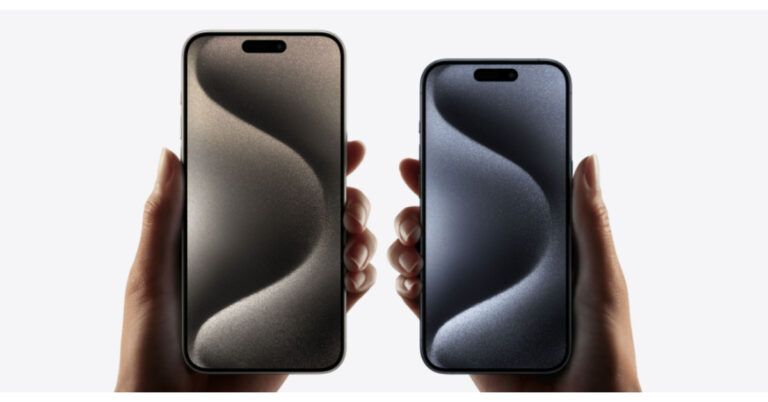
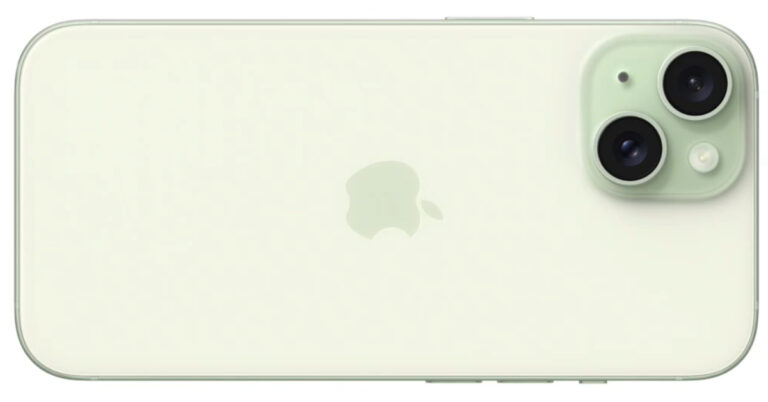
Apple unveiled the new iPhone 15 Series at its ‘Wonderlust’ event yesterday. The new iPhone 15 marks the debut of the USB Type-C port on the iPhone. It also gets a new customisable action button that can be used to trigger different apps and functions. To know more about the newest iPhone, check out this article. Apple will begin shipping the iPhone 15 from September 22. If you have preordered your model already, check out this list of the top 10 apps for the iPhone 15 Series.
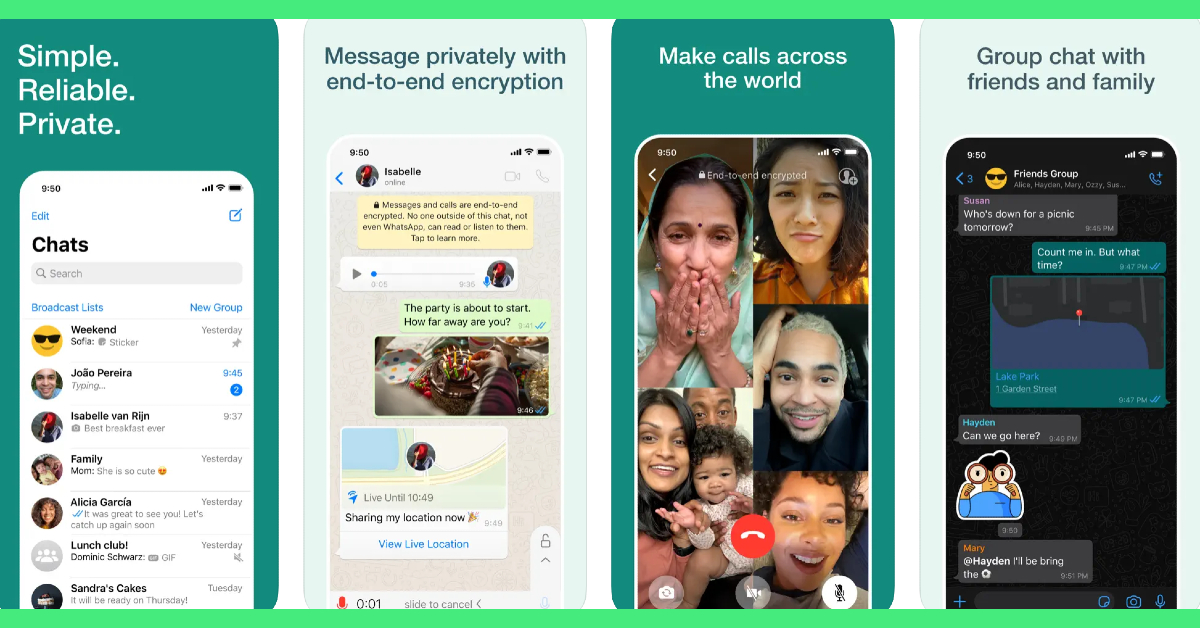
Being the most popular instant messaging app in the world, it is no surprise that WhatsApp grabs the top spot on this list. Its cross-platform compatibility bridges the Android-iOS divide and facilitates seamless conversations, audio and video calls, photo sharing, and more. With end-to-end encryption and a special ‘chat lock’ feature, your conversations are always secure on WhatsApp. The Meta-owned instant messenger recently added video messages and screen sharing to its list of features.
Cloze Relationship Manager
Cloze Relationship Manager curates a social media feed just for you, pulling posts from Twitter, Facebook, and your email accounts. Forgot to respond to an important email? Cloze will remind you just in time. If the important people in your network keep getting excluded from the algorithm-driven feed on Facebook, Twitter, or Instagram, you need to check out Cloze. With AI integration, Cloze learns which people in your network are close to you and presents a brief timeline of their social media posts and their interaction with you (including emails, calls, and messages). Using Cloze, you can also create a team project and track it all the way to completion.
Procreate Pocket
Procreate is one of the best graphic designing and sketching apps for iPad out there, and the go-to app for professional artists across the world. The ‘Pocket’ version of Procreate designed for iPhone is just as good. The list of features offered by Procreate Pocket is exhaustive. There are hundreds of brushes for users to choose from. These brushes are neatly organised into different sets for painting, sketching, and drawing, making it easier for the artist to go through them. The Ultra HD canvases ensure your art is packed with detail. If you want a well-rounded sketching and designing app for your new iPhone 15, look no further than Procreate Pocket.
Heads Up!
Heads Up puts a little twist on charades, making it more interactive and fun. Holding your iPhone above your forehead unveils a card on the screen that is visible to your friends. You then have to guess what’s on your card based on the clues that your friends give you. Heads Up has over 40 themed decks that are divided into categories like celebrities, movies, animals, superheroes, and more!
Canva
Canva is one of our favourite apps for iPhone and an essential one for you if you like to dabble in photo or video editing. Canva handles basic photo editing tasks like colour correction, brightness adjustment, background removal, collage creation, and more with absolute ease. With presets for all the major social media platforms, you can create amazing content for your Stories, Facebook cover, Twitter banner, YouTube thumbnail, and more.
Photomath
Photomath makes Mathematics more fun by offering step-wise solutions to your problems and using relevant visuals to explain the problem. Stuck on a complicated problem? Simply scan the text using the Photomath app. Photomath has a tremendous library that has been curated with the help of the world’s best math teachers. Not only does Photomath provide solutions to your problems, but it also explains the ‘hows’ and ‘whys’ throughout the problem-solving process.
Letterboxd
The only thing better than watching movies is talking about them. Letterboxd is a social media network for film enthusiasts to log their viewing activity, get suggestions, and connect with other like-minded people. Letterboxd allows you to log films with the date of viewing, review, and tags. You can go through different movie titles and view everything there is to know about them. Watched an intriguing movie recently? Go to its Letterboxd page to see what others are saying about it.
1Blocker
Everyone hates pesky advertisements and intrusive trackers. The solution is as simple as flicking a switch. The 1Blocker app works in conjunction with the Safari app on your iPhone to weed out all the ads and tracking cookies from your web browsing experience. 1Blocker provides the necessary filters to Safari to block unwanted content. For those who care about their online privacy, 1Blocker is an essential app.
Microsoft SwiftKey
You may be happy with the native Apple keyboard on your iPhone, but with AI integration, Microsoft SwiftKey has completely changed the game for good. Microsoft’s online keyboard learns your writing style and provides improved predictive text suggestions based on it. If you’re constantly bothered by autocorrect ruining a perfectly good word, you won’t have to deal with that issue anymore. You can also use the AI chops of this keyboard to change the conversational tone of your texts. Certainly one of the best apps you can download on your new iPhone 15.
Pocket
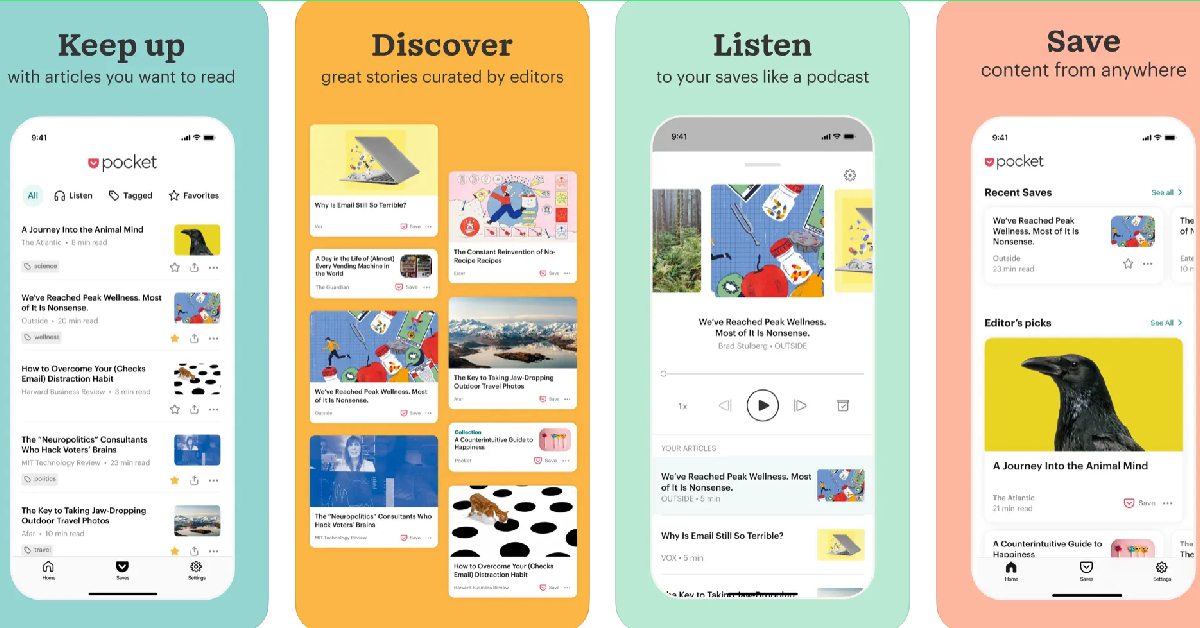
Ending this list is one of our favourite apps for iPhone – Pocket. With this app, you can quickly save any articles, videos, podcast episodes, and even social media posts to view later. Pocket comes in extremely handy when you don’t have the time to read an interesting article or watch a video that you just came across. Instead of scrolling past the content, you can quickly save it in the Pocket app and return to it later. Pocket also has a native article reader if you want to go hands-free.
These are the top 10 apps you should download first on your new Apple iPhone 15. In this list, we’ve covered a diverse range of categories and genres, from productivity and communication to gaming and editing! If you think we missed out on a favourite app of yours, let us know what it is in the comments!
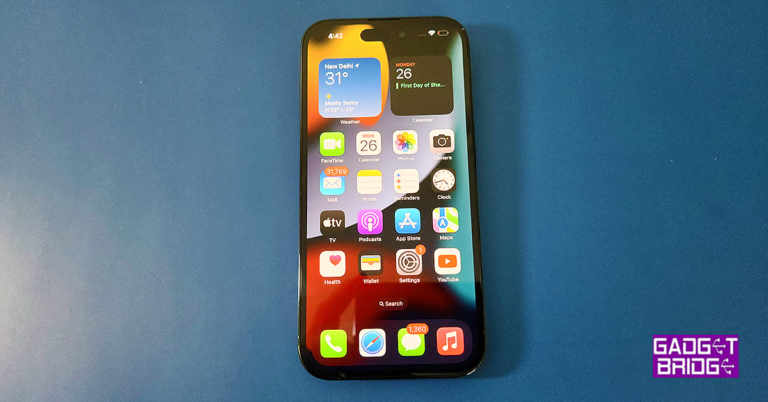
If you’re a typical iPhone user, there probably are some apps on your phone that you don’t use anymore. Every once in a while, it is suggested that you go through the apps on your iPhone and delete the ones you don’t use anymore. This helps in managing your device’s storage. Often times users report that they are unable to uninstall an app from their device. There are a few steps you can take to get out of this situation. Today, we bring you the top 8 fixes to the ‘Can’t delete apps’ issue on your iPhone.
Any third-party app that you download on your iPhone can be deleted either from the home page, app drawer, device settings, or the App Store. If you’re unable to delete an app, it could be due to Content & Privacy Restrictions imposed by your iPhone. We’ll get into how you can disable these restrictions later in the article.
You should also know that there are certain native apps on your iPhone that cannot be deleted. This doesn’t apply to all the native apps, but the ones who are essential to your iPhone’s functioning. Here is the list of ‘undeletable’ apps:
Phone
Messages
Photos
Camera
Settings
App Store
Health
Find My
Clock
Restart your iPhone
Restarting your iPhone will fix any background issues or software glitches that may be responsible for this problem. To restart your iPhone, simply press one of the volume buttons along with the side key until the power slider appears on the screen. Drag the power slider to the right to turn off your iPhone. Power the phone back on by pressing and holding the side key. Side key not working? Read this article to learn how to restart your iPhone without using physical buttons.
Make sure deleting apps on your iPhone is allowed
If you aren’t able to delete apps on your iPhone, check out the Content & Policy Restrictions to see if removing apps is allowed.
Step 1: Go to Settings and select Screen Time.
Step 2: Tap on Content & Privacy Restrictions.
Step 3: Select iTunes & App Store Purchases.
Step 4: Tap on Deleting Apps and select Allow.
Disable Content & Privacy Restrictions
Step 1: Go to Settings and select Screen Time.
Step 2: Tap on Content & Privacy Restrictions.
Step 3:Turn off the toggle switch for Content & Privacy Restrictions.
Re-login using your Apple ID
The apps you download on your iPhone are linked to your Apple account. Any issues with your account can lead to certain app malfunctions. One of the easiest ways to fix this issue is by logging out of your Apple ID and then logging back in. Here’s how you can go about it.
Step 1: Go to Settings and tap on your name.
Step 2: Scroll down and select Sign Out.
Step 3: Tap on the Sign Out option at the top right corner of the screen.
Step 4: Once you have been logged out, sign back in using your Apple ID.
Delete apps on your iPhone from the App Store
Step 1: Launch the App Store on your iPhone and tap the profile icon at the top right corner of the screen.
Step 2:Scroll down to the app you want to uninstall from your device.
Step 3:Swipe left on the app to reveal the Delete option.
Step 4: Tap on Delete and confirm your selection in the popup box.
Delete apps from iPhone Settings
Step 1: Go to Settings and select General.
Step 2: Tap on iPhoneStorage.
Step 3:Scroll down and select the app you want to uninstall.
Step 4: Hit Delete App.
Update the iOS version
If you’re facing any app-related issues on your iPhone, chances are they have already been weeded out with a software update. It is recommended that you keep your phone’s software updated to the latest version. Here’s how you can go about it.
Step 1: Make sure your iPhone is connected to a WiFi network and plug in its charger.
Step 2: Go to Settings and select General.
Step 3: Select Software Update.
Step 4: Tap on Download and Install.
Reset All Settings
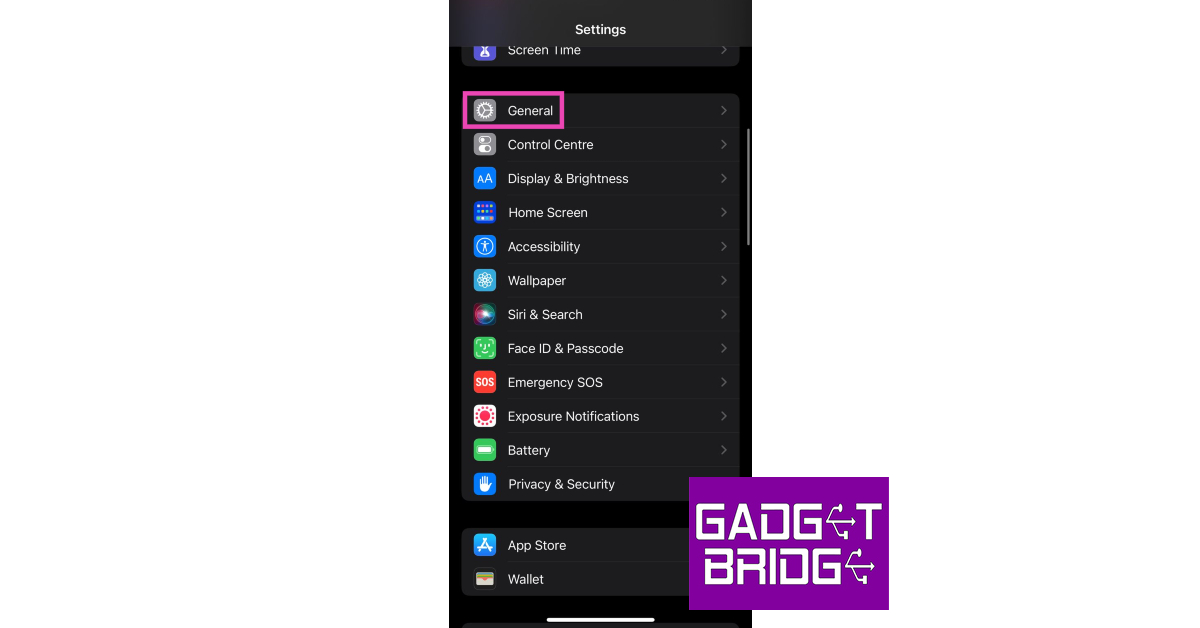
Step 1: Go to Settings and select General.
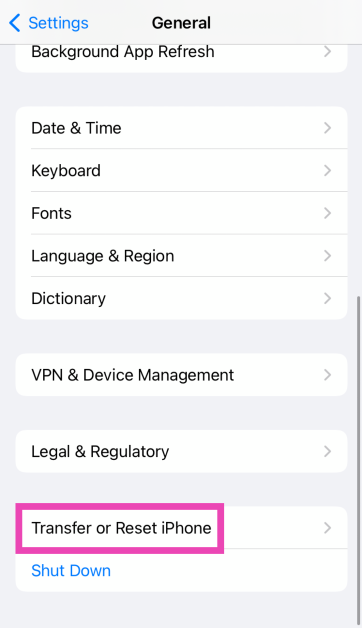
Step 2: Tap on Transfer or Reset Device.
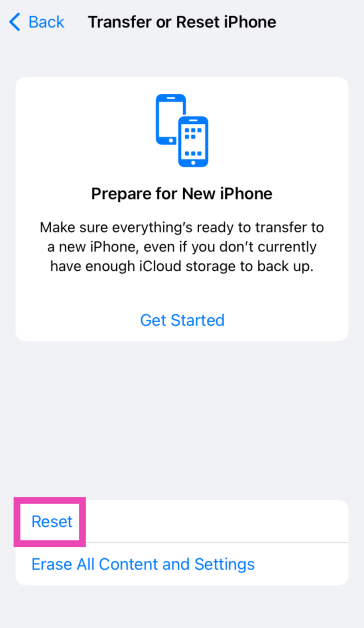
Step 3: Hit Reset.
Step 4: Select Reset All Settings.
Frequently Asked Questions (FAQs)
Why is my iPhone not letting me delete apps?
The native apps on your iPhone cannot be deleted. If you’re not able to delete the third-party apps on your iPhone, your Apple ID is likely to blame. Log out and log back in to fix this issue. Also make sure that you have disabled ‘Content and Privacy Restrictions’ on your iPhone.
Why can’t I delete apps from the Apple Library on my iPhone?
It is possible that your iPhone’s Content and Privacy Restrictions don’t allow you to delete any apps from your device. To fix this, go to Settings>Screen Time>Content and Privacy Restrictions>Deleting Apps>Allow.
How do I delete an app that won’t delete?
You cannot delete some of the native apps on your iPhone. This includes apps like Phone, Messages, Photos, etc. However, if you’re an Android user, you can delete the bloatware apps on your phone using ADB.
Does offloading an app free up space?
Yes, offloading an app frees up the space on your device while also preserving your data on the app. Go to Settings>General>iPhone Storage>App>Offload App to offload an app.
These are the top 8 ways you can fix the ‘can’t delete apps’ issue on your iPhone. If these fixes don’t work for you, try performing a factory reset on your iPhone. But before you do, make sure all your personal data is backed up. If you found this article helpful, let us know in the comments!
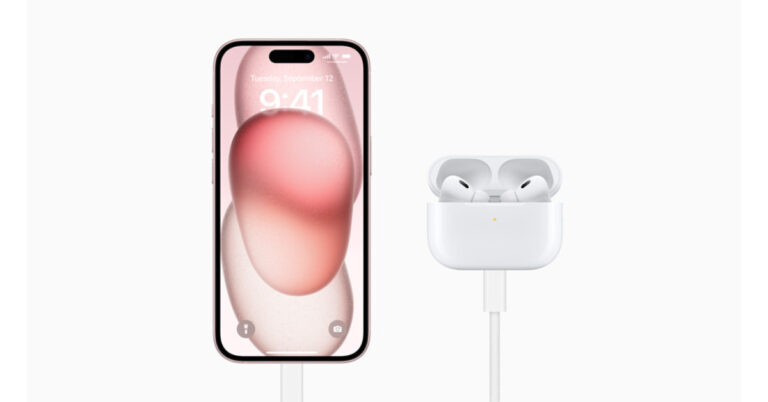
The AirPods Pro, which launched last year, will no longer have a wired charging connector. At Apple Wonderlust Event the company announced the new AirPods Pro (2nd generation) with MagSafe Charging (USB‑C). The latest TWS earphones from the company now offer better sound quality and up to twice as much active noise cancellation as their predecessor. All AirPods Pro (2nd generation) now support new audio features like Adaptive Audio and Conversation Awareness with iOS 17.1. In addition to this, the AirPods Pro case may be charged from an iPhone 15 using a USB-C connection as well.
AirPods Pro (2nd generation) Price in India and availability
AirPods Pro (2nd generation) with MagSafe Charging Case (USB‐C) has been launched in India with a price tag of Rs 24,900. Whereas the EarPods (USB‐C) will be available to order today for Rs 2000.
AirPods Pro (2nd generation) features, specifications
The AirPods Pro (2nd generation) now comes with a MagSafe Charging Case (USB‐C). The redesigned AirPods Pro feature a USB-C connector, making it simple to charge your Mac, iPad, AirPods, and iPhone 15 series with just one cable. As per the company, Users may even immediately charge AirPods with the USB-C-equipped iPhone 15, iPhone 15 Plus, iPhone 15 Pro, and iPhone 15 Pro Max.
In addition to replacing the charging port, the company has also upgraded the casing and earbuds with dust protection. Previously it was only IPX4 rated therefore protecting water and splashes but they are now both rated IP54 offering resistance against dust and water.
In terms of sound quality, the new headphone now comes with a lot of improvement over the prior iteration. The active noise cancellation (ANC) has been enhanced too. The noise control is adjusted in this new listening mode, which dynamically combines Transparency mode and Active Noise Cancellation, according to the noise environment of the user. Users may keep aware of their surroundings while distracting noises are decreased. Moreover, Conversation Awareness assists in lowering content volume, enhancing the voices in front of the user, and reducing background noise when a user starts speaking to someone nearby, whether they are buying lunch at a cafe or having a brief conversation with a coworker.
According to Apple when the brand new AirPods Pro (2nd generation) can also be used with the Vision Pro, the USB-C enclosure may be used for low-latency lossless music. “When Apple Vision Pro is available early next year in the U.S., customers will be able to enjoy the most advanced wireless audio experience in the industry with the new AirPods Pro for exceptional entertainment, gaming, FaceTime calls, and so much more,” the company noted. Additionally, useful conveniences include enhanced volume control, hands-free access to Siri, and easy switching between iCloud-connected devices.
Last night at the Apple Wonderlust Event the tech giant unveiled iPhone 15 series, Apple Watch Series 9, and Apple Watch Ultra 2. In addition to this, it also made official the release dates for iOS 17, watchOS 10, iPadOS 17 and macOS Sonoma. In this article, we have mentioned the release date and the compatible devices which are eligible to get the latest software update.
At the Apple Event company also revealed that iOS 17 and iPadOS 17 for the iPhone and iPad will be made available as a free software upgrade next week, on Monday, September 18.
Which devices are upgradeable and will be compatible?
According to the company, iOS17 will be made available for the following devices: iPhone 14, iPhone 14 Plus, iPhone 14 Pro, iPhone 14 Pro Max, iPhone 13, iPhone 13 mini, iPhone 13 Pro, iPhone 13 Pro Max, iPhone 12, iPhone 12 mini, iPhone 12 Pro, iPhone 12 Pro Max, iPhone 11, iPhone 11 Pro, iPhone 11 Pro Max, iPhone XS, iPhone XS Max, iPhone XR, iPhone SE (2nd gen or later).
While iPadOS 17 will work with iPad (6th generation and later), iPad mini (5th generation and later), iPad Air (3rd generation and later), 12.9-inch iPad Pro (2nd generation and later), 10.5-inch iPad Pro, and 11-inch iPad Pro (1st generation and after), it will not work with earlier models.
On September 18, watchOS 10 will be accessible for Apple Watch Series 4 and later when connected to an iPhone Xs or later running iOS 17.
macOS Sonoma on the other hand will be released to all compatible Mac computers starting September 26.
After being banned for nearly ten months, Battleground Mobile India, aka BGMI, is officially available again in India. BGMI fans are looking for ways to improve their game experience and one such method is the usage of redemption codes, which offers a variety of rewards and advantages using BGMI redeem codes players can gain access to new skins, outfits, loot crates, weapons and free UC and diamonds.
As mentioned earlier, these codes give users the chance to earn unique rewards and gain extra benefits while playing the game. This includes GUN SKINS (M4, AKM, M416, AWM, M24, UZI, KAR98K), free character voucher, Andy, Carlo, Sara, Victor character for free, free Anna Character on completing the mission and UC or Royal Pass Discount. So here we have gathered a list of the most recent BGMI redeem codes as of 13 September 2023. Also, redeem these codes asap as these are only valid for a limited duration.
BGMI Redeem Codes for 13 September2023
updating soon…
How to get free Redeem Codes for BGMI on 13 September2023?
Launch BGMI on your device.
Then select the Redeem Code option from the main menu.
Next, click on the Redeem code tab.
A new window will open, requesting the redemption code.
Now enter your BGMI code.
Confirm and click on the “Redeem” tab.
If your redeem code is valid then you will get a message confirming that your rewards were successfully redeemed.
(Note that these codes are case-sensitive, so be sure to type them correctly to prevent any errors.)
Garena Free Fire is a battle royale game with regular awards and tournaments to keep players interested. If you play Garena Free Fire, you should be aware of the redeem codes that are released on a daily basis. However, because the battle royale game is banned in India, players from other countries can use the Free Fire Redeem codes daily. If you’re unfamiliar with the Garena Free Fire redeem codes or don’t know how to get them, we’ve put together a step-by-step guide to help you redeem them. Check out Garena Free Fire Redeem Codes for 13 September 2023.
The Free Fire redeem codes are a great way to get free stuff. These are 12-digit codes that contain alphabets and numbers, as well as an expiration date and time. Because the Garena FF redeem codes cannot be used more than once, you should hurry to the redemption page to claim your free reward before someone else does. To get a free reward, all you have to do is go to reward.ff.garena.com/en, which is the official redemption page. Also, keep an eye on this space for daily updates on Garena Free Fire redemption codes and rewards.
Garena Free Fire Redeem Codes Today 13 September2023
FEICJGW9NKYT
KEYVGQC3CT8Q
FVRTNJ45IT8U
F4BHK6LYOU9I
F767T1BE456Y
FFCMCPSJ99S3
BR43FMAPYEZZ
FF7MJ31CXKRG
FFPO8BS5JW2D
PJNF5CQBAJLK
F7AC2YXE6RF2
FHLOYFDHE34G
FFCMCPSEN5MX
HNC95435FAGJ
6KWMFJVMQQYG
FFCMCPSUYUY7E
MCPW3D28VZD6
EYH2W3XK8UPG
XGW4FNK7ATON
67IBBMSL7AK8G
XZJZE25WEFJJ
V427K98RUCHZ
MCPW2D1U3XA3
FFAC2YXE6RF2
FAGTFQRDE1XCF
FFCMCPSBN9CU
NPYFATT3HGSQ
FFCMCPSGC9XZ
MCPW2D2WKWF2
ZZZ76NT3PDSH
How to Get Free Fire Redeem Codes for Garena on 13 September2023?