

In This Article
Micromax Infinity N12, Infinity N11 smartphones launched in India: Price, specifications and more
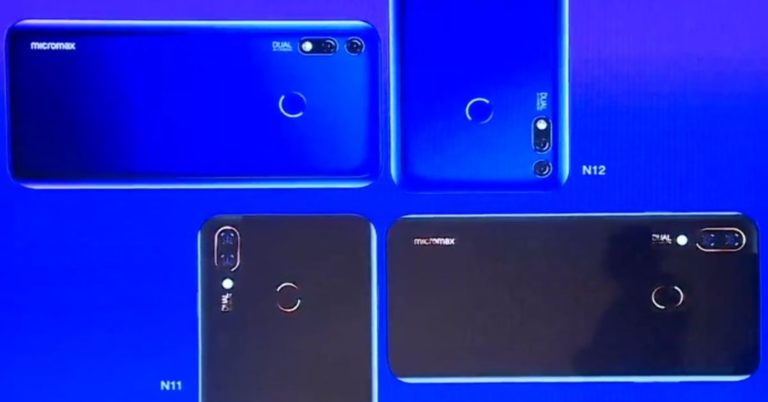
Homegrown smartphone maker Micromax has today launched its Infinity N12 and Infinity N11 smartphones in India. Both the handsets fall in the budget segment and are touted to come with AI photography, a massive 4,000mAh battery and feature notched displays. Here are the pricing details and the specifications of the newly launched Infinity N12 and Infinity N11 smartphones by Micromax:
The new Honor Band 4 will soon be available on Amazon India at Rs 2,599
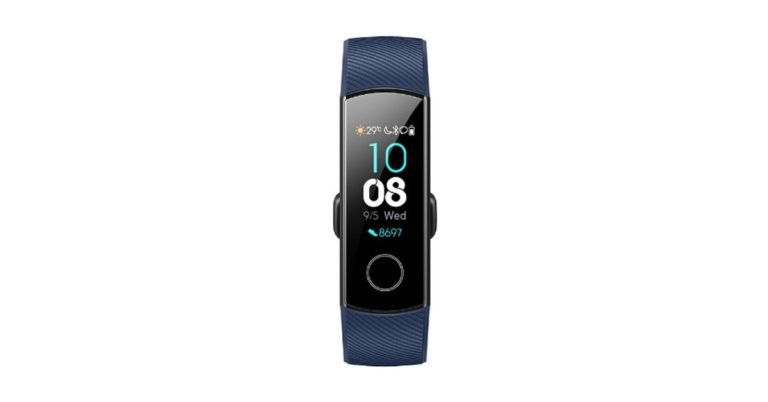
Recently Honor 8C smartphone has been made available in India and now is the turn of one more product from the Huawei owned company. The device called Honor Band 4 would be priced at Rs 2,599 and will start selling on December 18, 12PM onwards.
Apparently, Honor 3 which is the predecessor of this fitness band was available at a higher price at the time of its launch. It came at a price of Rs 2,799 that is Rs 200 more than the current version. Which is a good thing for customers as they will end up getting the latest Honor band at a cheaper price. Also, one of the reasons for Honor to keep the price low of its new band could be that they want it to compete with Xiaomi’s Mi Band 3, which is retailing for Rs 1,999 on e-commerce stores.
Speaking of the specs of Honor Band 4, it comes with a 0.95-inch AMOLED screen and a dual-colour strap. Colour variation of the strap is between yellow, pink, red and green. Many devices like the Honor Band 4 are now available with water resistance and this band is no different. It can be dunked in water up to 50 meters. With that the smartband can identify swim strokes, too. So, you can take it out for a swim next time you hit the pool.
Over that, it can track sleep patterns too. Honor Band 4 comes with an upgraded running posture algo that can enable runners to maintain their track records in an enhanced manner. Features such as step counter is also part of the package. Battery of this smartband has also been improved. Honor Band 4 can last up to 2 weeks on a single charge and has a standby time of 21 days. Last but not the least, the band has a unique Foot Mode that works once you attach it to a shoe. The foot mode gives the user a more accurate reading of the run considering that it tracks the foot like pattern, impact, swing angle, step length and more.
Once it is out it will be intriguing to see which product appeals to the customers more—the Honor Band 4 or the Mi Band 3. The Mi Band 3 is priced lower than the Honor Band 4, and that could be the reason it might have an upper hand over the latter. However, specs also matter. If we go by the specs, the Honor Band 4 is asking for a premium, but definitely justifies it on paper.
For the latest gadget and tech news, and gadget reviews, follow us on Twitter, Facebook and Instagram. For newest tech & gadget videos subscribe to our YouTube Channel.
Asus Zenfone Max Pro M2 goes on sale in India via Flipkart
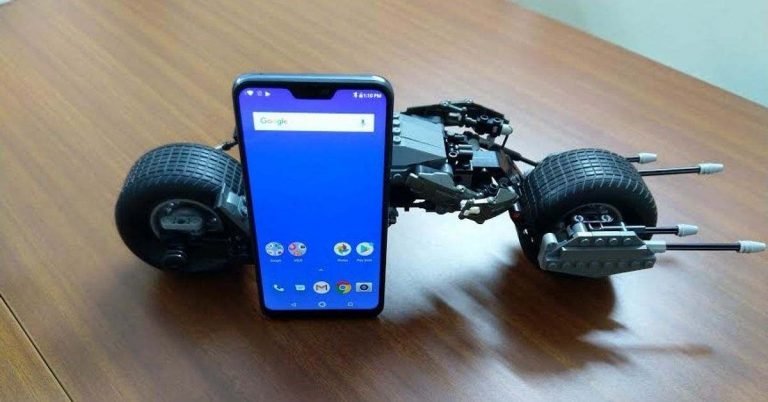
This month saw the launch of the Asus Zenfone Max Pro M2 smartphone which, as the name suggests, is the successor of Zenfone Max Pro M1. The newly launched smartphone has gone on sale for the first time in India today exclusively on Flipkart. The key highlights of Asus Zenfone Max Pro M2 are its massive 5,000mAh battery and its dual rear camera setup. Much like its predecessor, the smartphone is available in three storage options and the company has announced some launch offers for the device. Here are the details about the sale, offers, pricing and specifications of the smartphone:
In This Article
Asus Zenfone Max Pro M2 price and launch offers
Asus Zenfone Max Pro M2 smartphone comes in three storage options in India – 3GB RAM/32GB internal storage, 4GB RAM/64GB onboard storage, and 6GB RAM/64GB inbuilt storage. While the base model is priced at Rs 12,999, the 4GB RAM model costs Rs 14,999 and the 6GB RAM variant bears a price tag of Rs 16,9999. The smartphone is available in Blue and Titanium colour options. Launch offers available with the smartphone include a discount of Rs 1,000 with HDFC Bank credit and debit cards and a 5% discount on paying with Axis Bank Buzz credit card. Customers can also opt for a no-cost EMI option that starts at Rs 1,667. And last but not the least, customers will be able to get Flipkart’s Complete Mobile Protection programme for Rs 99.Asus Zenfone Max Pro M2 specifications
Speaking of the specifications of Asus Zenfone Max Pro M2, it comes with dual-SIM functionality and features a 6.26-inch full-HD+ display that has an aspect ratio of 19:9 and is protected with Corning Gorilla Glass 6. The smartphone runs Android 8.1 Oreo and is powered by Qualcomm Snapdragon 660 processor. It is mentioned in the above-mentioned RAM/Storage options and sports dual rear camera setup with a 12MP primary sensor and a 5MP secondary depth sensor. The device also has a 13MP selfie camera on its front panel. Asus Zenfone Max Pro M2 mobile houses a 5,000mAh battery and can hold a microSD card of up to 2TB. You’ll find standard connectivity options on the device including 4G VoLTE, Wi-Fi, Bluetooth 5, GPS, FM radio, a 3.5mm headphone jack, and a Micro-USB port. For the latest gadget and tech news, and gadget reviews, follow us on Twitter, Facebook and Instagram. For newest tech & gadget videos subscribe to our YouTube Channel.Micromax Infinity N-Series smartphone set to launch in India today: How to watch the live stream

Homegrown smartphone maker Micromax is all set to launch a smartphone in India today. This will be the company’s first handset to come with a notch on top of its display and will be a part of Micromax’s Infinity N series. The ‘N’ in Infinity N supposedly refers to the notch. In the teasers that have been shared by the company, besides the notched display, one can also see a dual rear camera setup on the back panel of the smartphone. However, apart from this, we don’t know too much about the Micromax Infinity N series smartphone. The company will be live-streaming the launch of its newest smartphone and here’s how you can watch it:
In This Article
How to watch the Micromax Infinity N series launch live stream
Micromax will be live streaming the launch of its Infinity N Series smartphone on its Twitter profile and Facebook page. Interested viewers can tune in at 12:00 pm to watch the new smartphone getting launched live.Watch the unveiling of Micromax #InfinityNSeries https://t.co/FalH8oA01r
— Micromax India (@Micromax__India) December 18, 2018
Micromax Infinity N Series smartphone expected specifications
As we mentioned earlier, not much is known about the Micromax smartphone that is set to launch in the country today. What we do know is the fact that the device will come with a notch on top of its display and will sport dual cameras along with an LED flash on its back panel. The company has also confirmed the presence of a selfie flash on the device. Although a teaser of the Android smartphone hints that the handset has a dual front camera setup, there is no official word on it. So, it may be another front-facing sensor. The company is also calling the Infinity N Series smartphone as ‘powerful’, and that might be a hint towards the processor used in the device. But then, there’s no word about that too and we will have to wait for a few more hours till we get to know about more. We should point out that the homegrown smartphone maker had previously announced that it will be launching thirteen smartphones in the country between September 2018 and March 2019. For the latest gadget and tech news, and gadget reviews, follow us on Twitter, Facebook and Instagram. For newest tech & gadget videos subscribe to our YouTube Channel.Fossil launches new smartwatches across six brands in India
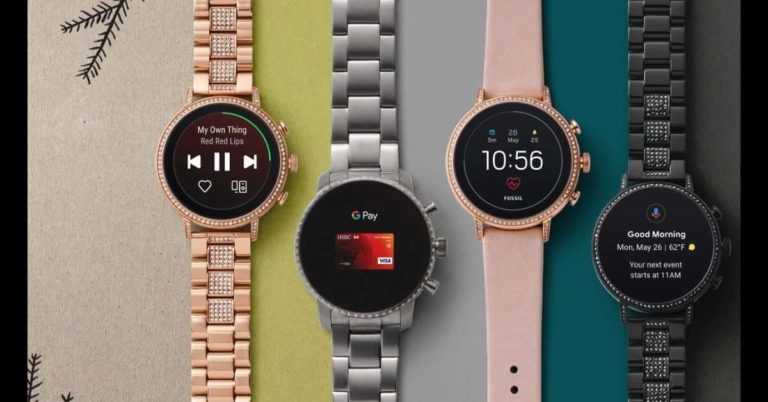
In what can be termed as Fossil’s biggest-ever launch in India, the global lifestyle accessories maker has unveiled seven Next-Gen touchscreen smartwatches. The smartwatches have been launched in collaboration with six luxury brands — Emporio Armani, Skagen, Michael Kors, Armani Exchange, and Diesel.
The seven smartwatches that have been launched are Fossil Gen 4 Smartwatch Venture HR and Explorist HR for Fossil, Emporio Armani Connected for Emporio Armani, Skagen Falster 2 for Skagen, Michael Kors Access Runway for Michael Kors, A|X Armani Exchange Connected for Armani Exchange and Diesel Full Guard for Diesel. The pricing of the newly launched smartwatches starts at Rs 19,995.
Powered by Wear OS by Google, the new smartwatches are powered by Qualcomm Snapdragon Wear 2100 Platform. The range comes with features like touchscreen digital display, wireless syncing, magnetic charging, Bluetooth technology and a long battery life. The series is compatible with iOS 9.3+ and Android 4.4+. Android Go edition is not supported. Other features of the smartwatches include a heart rate sensor, a GPS, an accelerometer, a gyroscope, an ambient light and a microphone.
So whether users are going for a run or working out in the gym, they will be able to track the heart rate during logged exercises with Google Fit.
Speaking about the launch, Johnson Verghese, Managing Director of Fossil said, “With the launch of next generation of smartwatches, we have amplified the technological features on the wrist while maintaining our aesthetically fashioned designs, creating an experience individual to each consumer.”
The smartwatch series come with heart rate functionality which, according to the company, was a much-demanded feature by customers. The integrated heart rate shows the beats per minute to the user on the watch face.
Gautam Sharma, Vice President Brand Strategy-APAC also spoke about the new products. He said, “Since our entry into the smartwatch market three years ago, it has been Fossil’s mission to meld technology and design.”
The watches are swim-proof and come with untethered GPS capabilities. The GPS will enable users to track their walks, runs, hikes, bike rides and more. The smartwatches come equipped with Google Fit and other third-party fitness apps to enable this functionality.
For the latest gadget and tech news, and gadget reviews, follow us on Twitter, Facebook and Instagram. For newest tech & gadget videos subscribe to our YouTube Channel.
HyperX launches Alloy Core RGB gaming keyboard and Pulsefire core gaming mouse in India
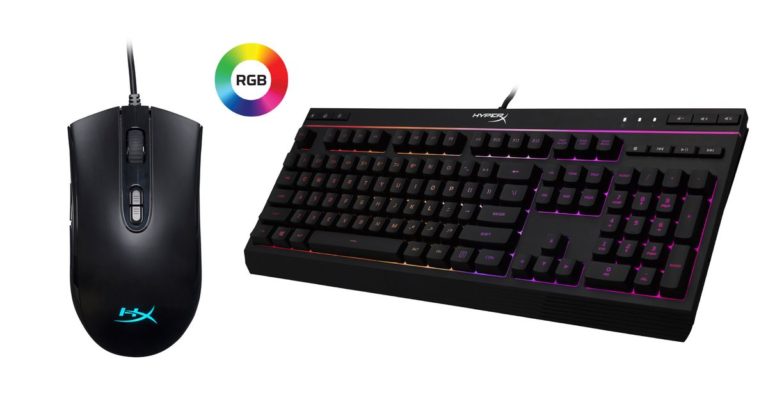
The gaming division of Kingston Technology company, HyperX, has launched two newproducts today. This includes an Alloy Core RGB gaming keyboard and Pulsefire Core Gaming Mouse. They are priced at Rs 6,290 and Rs 4,290 respectively and come with a warranty of 2 years each.
“We’re really excited to launch our first membrane keyboard along with our Pulsefire Core Mouse that offers a quality gaming experience with latest features for a great price.” said Mr. Vishal Parekh, Marketing Director, HyperX India. “With festive phase still around, both the products are perfect for gamers looking for reliability and premium quality” he further added.
The keyboard features HyperX’s signature radiant light bar and RGB lighting effects on it. This includes six different lighting styles and three brightness levels. The company has endeavored to make it reliable for gamers by giving it a durable plastic framework so that the keyboard is long lasting. The keys have a tactile feel, but at the same time would not make any sound at the touch of the fingers. The keyboard also features gaming-grade-anti-ghosting functionality and key rollover. It is water-resistant to withstand 120ml of liquid, which we are sure all gamers would love. There are dedicated media controls and quick access buttons for lighting and Game Mode place control right in front of the user.
As for the overall specifications of the keyboard. The keyboard type is Membrane, it has 6 LED modes and 3 brightness levels, USB 2.0 connection and its polling rate is 1000Hz that is compatible with Windows 7, 8, 8.1 and 10. Its dimensions are 443.2×175.31×35.68mm and weighs 1,121grams.
Let’s talk about the HyperX Pulsefire Core gaming mouse now. The company is confident that it would provide gamers with an authentic gaming experience. The mouse weighs 87grams, has a Pixart 3327 optical sensor with native DPI settings of up to 6,200 DPI. It is customizable with NGenuity software, which is HyperX’s own. This allows gamers to personalize the seven buttons and its macros and colour preference. To get into more details about its specs, the mouse has a 220 IPS speed and 30G acceleration. The durability of both the left and right mouse button is 20 million clicks.
To talk about its light effects, it has one lighting zone and four brightness levels. On-board memory includes one profile and connectivity options include USB 2.0. The mouse’s polling rating is 1,000Hz and its dimensions are 119.3×41.3×63.9mm with a cable length of 1.8 meters.
For the latest gadget and tech news, and gadget reviews, follow us on Twitter, Facebook and Instagram. For newest tech & gadget videos subscribe to our YouTube Channel.
Realme U1 3GB RAM variant is now available via open sale on Amazon India
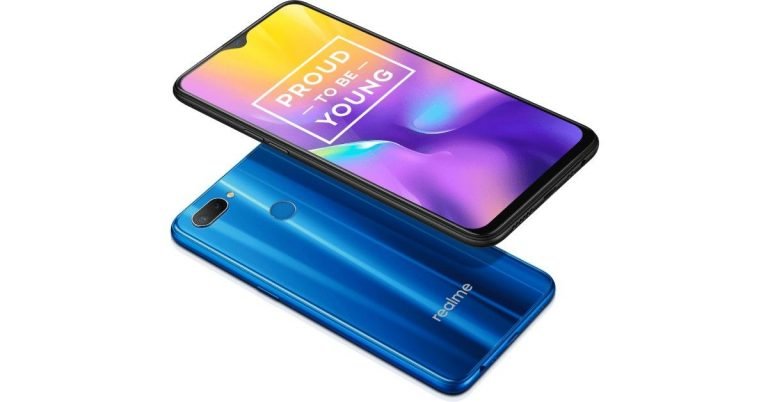
Oppo‘s sub-brand Realme launched its U1 smartphone in India last month. The selfie-centric Realme U1 is available in two variants in the country – one with 3GB RAM and 32GB internal storage and the other with 4GB RAM and 64GB onboard storage. While the former is priced at Rs 11,999, the latter bears a price tag of Rs 14,999. Realme smartphones have been accepted very well by the audience since the sub-brand was launched by Oppo earlier this year. And Realme U1 is no exception.
However, until now, the smartphone was only available for sale via flash sales. If you haven’t been able to buy the smartphone in the flash sales so far, then you can at least buy the base model of Realme U1 on Amazon India’s website as the 3GB RAM variant has now gone an open sale. The smartphone is available in two colour options – Ambitious Black and Brave Blue. There are several offers that can be availed by customers including a Reliance Jio cashback of Rs 2,500 that customers will get in the form of 5 coupons of Rs 50 each. There is a ‘No Cost EMI’ option available on all major debit and credit cards and customers would get an e-coupon from Cleartrip.
To recall the specifications, Realme U1 is the world’s first smartphone to be powered by MediaTek’s Helio P70 SoC and it comes with either 3GB or 4GB of RAM. The smartphone is available in 32GB and 64GB internal storage options and it can hold microSD cards of up to 256GB. Realme U1 smartphone runs Android 8.1 Oreo with a layer of Color OS 5.2 baked on top.
On the camera front, Realme U1 sports a dual rear camera setup comprised of a 13MP primary sensor and a 2MP secondary depth sensor. On the front panel, a 25MP front-facing snapper is also housed that can be used to click selfies and make video calls. The front-facing snapper has a number of modes that can be used and it also comes with beautification features. The smartphone packs 3,500mAh battery and includes all standard connectivity options.
For the latest gadget and tech news, and gadget reviews, follow us on Twitter, Facebook and Instagram. For newest tech & gadget videos subscribe to our YouTube Channel.
The Xiaomi Redmi 5A finally gets the new MIUI 10 update based on Android 8.1 Oreo
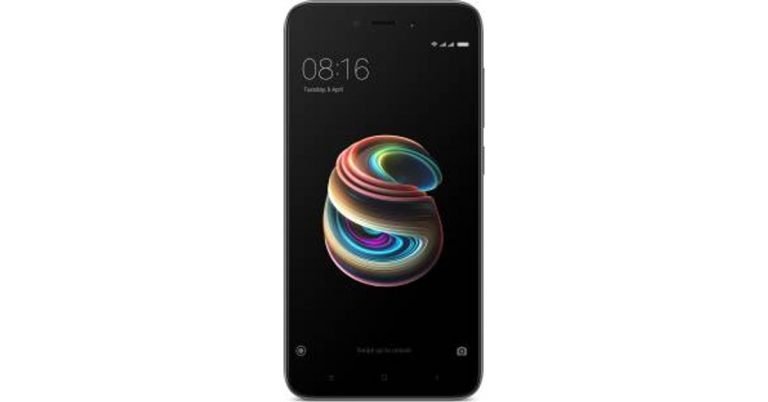
The Xiaomi Redmi 5A, which was launched a year back is finally being upgraded to the MIUI 10 user interface based on Android 8.1 Oreo. Until now the phone was running on MIUI 9 built on Android 7.1 Nougat. Now it can be ascertained that the phone would be upgraded to the Android Oreo version.
This is part of the global stable update, which means that every person possessing the Redmi 5A would be availing the update. In case you still haven’t received the update, it could be that the software rollout is happening in a phased manner. In that case, you might have to wait for sometime before you can receive the update. You can check the availability of the update by going to Settings then About phone, click on System update next and then press Check for updates.
To recall its features, the Redmi 5A comes with a 5-inch display with a HD screen resolution of 720x 1,280 pixels. It has a 1.4GHz quad-core processor that comes with a 2GB RAM and an internal storage of 16GB. A micro-SD card slot is available, which can store up to 256GB of files. The Redmi 5A has a single camera setup on both back and front. It sports a 13MP front camera with an aperture of f/2.2 on the back, and a 5MP front shooter for selfies. The phone is powered by a 3,000mAh non-removable battery.
The MIUI 10 update was announced back in January this year and was unveiled on May 31. The MIUI was earlier available in Redmi 5A but it was based on the Android 7.1 N. Now, in an effort to meet the customers’ expectations, Xiaomi has rolled out the phone on the Oreo OS, which might make some of them happy as the phone will last longer. Some of the other phones, which Xiaomi upgraded to MIUI 10 are Redmi 5, Redmi 4, Redmi 3S and Redmi 4A. The new MIUI also recently came out for the Xiaomi Redmi Note 4 and Poco F1. Other Xiaomi phones in which the MIUI 10 update became available before this were Mi Max 2, Mi 4s, Mi 4c, Mi Max, Mi 4, Mi 5s, Mi 5s Plus and Mi Max Prime.
For the latest gadget and tech news, and gadget reviews, follow us on Twitter, Facebook and Instagram. For newest tech & gadget videos subscribe to our YouTube Channel.
How to speed up your computer? Here are 5 ways

Slowing down of your computer can be a very nasty problem indeed. If a file doesn’t open which you require urgently, then it can lead to lot a lot of frustration. Hence, tackling this problem is of utmost importance for anyone whose daily activities are centred around the computer or PC.
Your computer might be running slow because of countless number of reasons. And it is difficult to find out unless you know the possible circumstances under which this problem has occurred. Once your computer slows down you might have to try various ways to speed it up since the problem is not known to you initially. It is highly recommended that you find the root cause and eliminate that in due course of time.
Here are some ways in which you can speed up your computer:
- Try troubleshooting your computer. The performance troubleshooter finds the reasons why your computer might be slowing down. It gives you details like how many users are logged in, whether multiple programs are running together. To do this, click on ‘Start’ and visit the ‘Control Panel’. In the search bar type troubleshooter, and then click on ‘Troubleshooting’. Then in ‘System and Security’ click on ‘Check for performance issues’. This will display all the issues and, in all likelihood, will come with a solution to the problem as well.
- Delete the programs you never use. The computer’s data often comprises of virus scanners, disk cleaners etc. These are manufacturer-installed software, which come into action without us being aware of them. So, if your computer already has a lot of data or programmes overload it, you might consider removing them. Freeing up disk space is bound to speed up things.
- A particular programme might be using a lot of your data. This happens in situations when your device has suddenly slowed down. You can find this out via Task Manager. Just check the performance tab in Windows 10 PC’s in the task manager and you will see which software is using how many resources. Just end that application and you will see a speed boost.
- Some applications running on system tray or notification area. They start functioning once after you turn on your computer. Click the up arrow icon near the system tray, right click on any application you don’t find useful/don’t need to run in the background and then close them. You can also stop them from starting at PC startup in Windows 10 task manager in the startup tab.
- Disk Defragmentation. Disk defragmenter rearranges fragmented data and helps your hard disk work more smoothly. Also, sometimes your hard disk contains too much data from old files which are no longer in use. Remember to clear them up. Storage of these files leads to excess data with the adding up of new data leading to overload of your computer and a consequent slowdown.
10 Truecaller features you didn’t know about

Truecaller has gained immense popularity because of its useful features that let us identify spam calls, block phone numbers and know who is calling us from unknown phone numbers. But there’s a lot more that you can do using the app besides its ‘signature’ features. Here, we are listing down ten features of Truecaller that you may find to be useful:
 People record calls for various reasons. And if you have a separate app installed to do this, it’s time to delete it and use that extra space on your device for something else. This is because Truecaller can record calls too. Just three on the three-lined icon (hamburger icon) on the top left of your app and select ‘Call Recordings’. Then press ‘Start’ and call recording will be enabled on your app.
 Yes, it’s possible to check who is calling you on Truecaller even without internet connection. However, there is only one requirement for this – the person should have called you at least once before while you had Truecaller installed on your device. Once the app identifies a particular number one time, it can recognise it the next time even if your mobile data is off.
 While video calling is hugely popular on apps like WhatsApp and Skype, you can also make video calls via Truecaller. However, it is worth noticing that while you press the video call button on the Truecaller app, the call will actually be made via Google Duo. So, you and the person you are calling should have Google Duo installed too. In order to make a video call on WhatsApp, press on your contact then select Video Call from the options that will appear.
 Some people may find it too intrusive, but you can check people’s last seen on Truecaller as well as see if they are online right now. Open your Truecaller app tap on the contact’s name to open the contact card. Below the name and the tag of your contact, you will be able to see if they are online, or when they were last online or whether they are currently on a call.
 Not everyone appreciates people checking their last seen or see if they are on a call via Truecaller. If you can relate to that, then you needn’t uninstall Truecaller to keep your privacy in check. This can be disabled by going to – Settings>Privacy>Availability. However, on disabling this, you would not be able to see other people’s ‘last seen’ or check whether they are on a call too.
 If you think Truecaller invades your privacy, then you can unlist your number from the app’s database. However, you will not be able to install the app using that particular number too. In order to unlist your number from Truecaller, https://www.truecaller.com/unlisting. Type in your number along with the country code and select ‘Unlist Phone Number’.
The app has tied up with over 80 banks like HDFC and ICICI for its feature Truecaller Pay. Using this feature, users can create their Virtual Payment Address and then send or receive money using UPI from their contacts on Truecaller.
If you think Truecaller invades your privacy, then you can unlist your number from the app’s database. However, you will not be able to install the app using that particular number too. In order to unlist your number from Truecaller, https://www.truecaller.com/unlisting. Type in your number along with the country code and select ‘Unlist Phone Number’.
The app has tied up with over 80 banks like HDFC and ICICI for its feature Truecaller Pay. Using this feature, users can create their Virtual Payment Address and then send or receive money using UPI from their contacts on Truecaller.
 If you add your bank account details on Truecaller, you will be able to check your account balance, do instant money transfers and make payments via the app itself. There are options for getting recharges done and making various payments through the app.
 If you often end your messages by signing off, you can create a message signature on Truecaller. Just type on the bottom left icon on your app, and then press on the three-dots icon on the top right. Select ‘Settings’ and then tap on Message signature. Type your message signature and then press ‘Save’.
You can save all your Truecaller data on Google Drive. For doing this, select the three-lined icon on the top right and then enable ‘Backup’. This way, you will be able to have the same data in case you uninstall and reinstall the app.
For the latest gadget and tech news, and gadget reviews, follow us on Twitter, Facebook and Instagram. For newest tech & gadget videos subscribe to our YouTube Channel.
[td_smart_list_end]
If you often end your messages by signing off, you can create a message signature on Truecaller. Just type on the bottom left icon on your app, and then press on the three-dots icon on the top right. Select ‘Settings’ and then tap on Message signature. Type your message signature and then press ‘Save’.
You can save all your Truecaller data on Google Drive. For doing this, select the three-lined icon on the top right and then enable ‘Backup’. This way, you will be able to have the same data in case you uninstall and reinstall the app.
For the latest gadget and tech news, and gadget reviews, follow us on Twitter, Facebook and Instagram. For newest tech & gadget videos subscribe to our YouTube Channel.
[td_smart_list_end]
In This Article
Record phone calls
 People record calls for various reasons. And if you have a separate app installed to do this, it’s time to delete it and use that extra space on your device for something else. This is because Truecaller can record calls too. Just three on the three-lined icon (hamburger icon) on the top left of your app and select ‘Call Recordings’. Then press ‘Start’ and call recording will be enabled on your app.
Check who is calling without using internet
 Yes, it’s possible to check who is calling you on Truecaller even without internet connection. However, there is only one requirement for this – the person should have called you at least once before while you had Truecaller installed on your device. Once the app identifies a particular number one time, it can recognise it the next time even if your mobile data is off.
Make video calls to your contacts
 While video calling is hugely popular on apps like WhatsApp and Skype, you can also make video calls via Truecaller. However, it is worth noticing that while you press the video call button on the Truecaller app, the call will actually be made via Google Duo. So, you and the person you are calling should have Google Duo installed too. In order to make a video call on WhatsApp, press on your contact then select Video Call from the options that will appear.
Checking when your contacts were ‘online’ last
 Some people may find it too intrusive, but you can check people’s last seen on Truecaller as well as see if they are online right now. Open your Truecaller app tap on the contact’s name to open the contact card. Below the name and the tag of your contact, you will be able to see if they are online, or when they were last online or whether they are currently on a call.
Stop anyone from checking if you are ‘online’
 Not everyone appreciates people checking their last seen or see if they are on a call via Truecaller. If you can relate to that, then you needn’t uninstall Truecaller to keep your privacy in check. This can be disabled by going to – Settings>Privacy>Availability. However, on disabling this, you would not be able to see other people’s ‘last seen’ or check whether they are on a call too.
Unlist your number from Truecaller
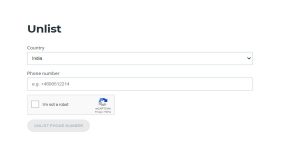 If you think Truecaller invades your privacy, then you can unlist your number from the app’s database. However, you will not be able to install the app using that particular number too. In order to unlist your number from Truecaller, https://www.truecaller.com/unlisting. Type in your number along with the country code and select ‘Unlist Phone Number’.
Send or receive money
 The app has tied up with over 80 banks like HDFC and ICICI for its feature Truecaller Pay. Using this feature, users can create their Virtual Payment Address and then send or receive money using UPI from their contacts on Truecaller.
Check your Bank balance and make payments
 If you add your bank account details on Truecaller, you will be able to check your account balance, do instant money transfers and make payments via the app itself. There are options for getting recharges done and making various payments through the app.
Create a message signature
 If you often end your messages by signing off, you can create a message signature on Truecaller. Just type on the bottom left icon on your app, and then press on the three-dots icon on the top right. Select ‘Settings’ and then tap on Message signature. Type your message signature and then press ‘Save’.
Back up data on Google Drive
 You can save all your Truecaller data on Google Drive. For doing this, select the three-lined icon on the top right and then enable ‘Backup’. This way, you will be able to have the same data in case you uninstall and reinstall the app.
For the latest gadget and tech news, and gadget reviews, follow us on Twitter, Facebook and Instagram. For newest tech & gadget videos subscribe to our YouTube Channel.
[td_smart_list_end]
You can save all your Truecaller data on Google Drive. For doing this, select the three-lined icon on the top right and then enable ‘Backup’. This way, you will be able to have the same data in case you uninstall and reinstall the app.
For the latest gadget and tech news, and gadget reviews, follow us on Twitter, Facebook and Instagram. For newest tech & gadget videos subscribe to our YouTube Channel.
[td_smart_list_end]