A factory reset is a quick way to clear all data on your PC or laptop in case you want to sell it. If you are experiencing issues with your PC, a factory reset may come in handy. There are a couple of ways you can reset your PC, even if you dont have access to the admin account password. While Windows gives you the option to retain your personal files, it is always a good idea to back up your data before a complete reset. In this article, we bring you two quick ways to perform a factory reset on your Windows 11 PC or laptop.Read Also: How to Create Your Own Telegram Stickers
How to Factory Reset your Windows 11 PC or laptop from Settings
Step 1: Go to Settings and select System from the menu on the left.Step 2: Scroll down and select Recovery.Step 3: In the following window, click on ‘Reset PC’.Step 4: You will be presented with two options. You can choose to keep your personal files and remove apps & settings or remove all of your personal files, apps, and settings. Choose the option you want.Step 5: Select how you would like to reinstall Windows. You can choose between ‘Cloud download’ or ‘Local download’.Step 6: After you’ve made your choice, click on next to confirm your selection and then click on reset to begin the factory reset process. It will take some time for your PC to reset and for Windows 11 to get reinstalled. After the process is complete, your PC will restart.
How to Factory Reset your Windows 11 PC or laptop from Recovery Mode
Step 1: Turn on your PC and click on the power icon on the login screen.Step 2: Long press the Shift key and click on Restart. Don’t release the Shift key until you see ‘please wait’ on the screen. This is how you can restart your PC in recovery mode.Step 3: Click on ‘Troubleshoot’ and select ‘Reset this PC’.Step 4: In the following screen, you can choose whether you want to keep your personal files or remove all data including your personal files.Step 5: Select how you would like to reinstall Windows. You can choose between ‘Cloud download’ or ‘Local download’.Step 6: Click on Reset to begin the Factory Reset process. Your PC will restart after it has been reset.Read Also: The global rollout of the Twitter View Count for Tweets has begun
Conclusion
These are the two quick ways to factory reset your Windows 11 PC or laptop. You can also reinstall Windows using a bootable USB drive. If you are experiencing certain issues with your laptop, performing a factory reset should be a last-ditch effort in fixing them. Try to diagnose the issue before completely wiping your laptop of all data. If you found this article helpful, let us know in the comments!For the latest gadget and tech news, and gadget reviews, follow us on Twitter, Facebook and Instagram. For newest tech & gadget videos subscribe to our YouTube Channel. You can also stay up to date using the Gadget Bridge Android App. You can find the latest car and bike news here.
As a group admin, you should know that the key to sustaining a group is healthy user engagement. Even if your group doesn’t have a lot of members, you can use effective strategies to drive up user engagement and create meaningful content. If the group is buzzing with activity, it makes it more appealing to the prospective members. In this article, we bring you 8 effective tips to engage your Facebook group members.Read Also: The global rollout of the Twitter View Count for Tweets has begun
Send a welcome message to new members
Take some time out to compose a thoughtful welcome message and send it to new members that join your Facebook group. New members are more likely to participate in the group when you acknowledge their presence and make them feel welcome. You can either send a message to every person that joins the group or do a weekly roundup by making a fresh post and tagging all the new members. A public post also helps break the ice between new members and group regulars.
Initiate discourse with text posts
Depending on what your group is about, you can create text posts that spark a discussion in the comments and bring everyone together. Your post needs to be well-researched and should cover multiple facets of the discussion so as to include everyone in the discourse. Make sure the comment section is well-moderated so as to make everyone feel welcome in voicing their opinion without having to worry about any hostility.
Set up novel themes for specific days
If you’re worried about the group hitting a stagnation point, you can stir things up a bit and generate more user activity by encouraging group members to post content around a certain theme on specific days. For example, if you manage a food-related group, every Sunday can be a ‘homemade recipe’ posting day where users share their own recipes with the group. This will keep the group members interested in engaging with the group and will drive up user activity.
Make sure the group is well moderated
Once you notice that your Facebook group is seeing a lot of activity and user-generated posts, you will need to make sure that it is well-moderated. No matter how good the quality of content is, no one wants their feed to be filled with spam. Appoint a group of moderators and assign them certain tasks. Make sure the group members engage in civil discourse so that everyone feels welcome and isn’t put off by any kind of hostility.
Create video posts
If you want your content posted on other platforms, make sure you create frequent video posts. Apps like TikTok and Instagram are integral in making your content ‘viral’, and once your post gains popularity, it can bring a lot more new users to your group. Video posts can also generate within the group as more people are likely to watch a video than read a text post.
Build your community by hosting online or offline meetups
A close-knit community is integral to the proper functioning of a group. Make sure the group members are familiar with each other and bring everyone together by hosting virtual meetings through Zoom. You can also host an in-person meetup at a park or cafe if you manage a local group. You can set up fun activities like board games and trivia to unite the group.
Use group metrics to gain insights about the group
As an admin, you have access to group metrics that give you a better idea of the engagement and activity rate. Use these metrics to figure out which kind of content users like to engage with. Weed out the unpopular content. Over a period of time, you will get a good idea of what kind of content should be encouraged within the group.
Run contests and giveaways
Contents and giveaways are a great way of driving up engagement and even recruiting new members to your Facebook group. While you don’t have to entirely rely on giveaways to amplify user activity, you can use them to spark up the group when things hit a slow patch. Make sure the contests are designed around the theme of the group in order to make them unique.Read Also: How to Create Your Own Telegram Stickers
Conclusion
These are the top 8 tips to engage your Facebook group members. While posting good quality content should always be your top priority, it is equally important to create a healthy community of group members. Facebook groups that are not well-moderated often fall apart pretty quickly. If you found these tips helpful, let us know in the comments!For the latest gadget and tech news, and gadget reviews, follow us on Twitter, Facebook and Instagram. For newest tech & gadget videos subscribe to our YouTube Channel. You can also stay up to date using the Gadget Bridge Android App. You can find the latest car and bike news here.
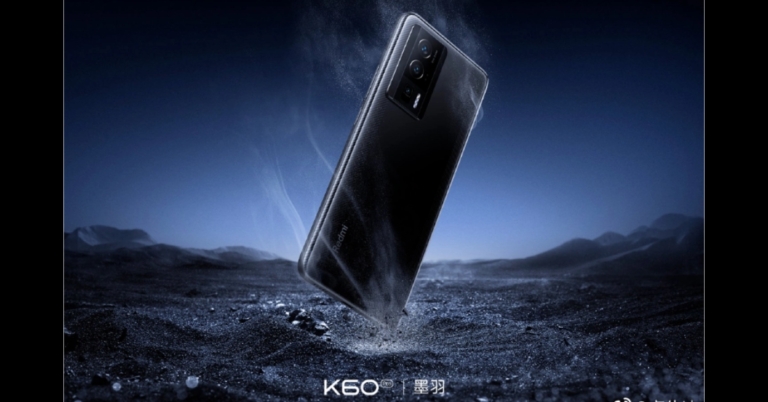
Today in China, Redmi is slated to introduce its Redmi K60 series. The Redmi K60 series will include three different smartphones: the Redmi K60, the Redmi K60E, and the Redmi K60 Pro. Other than the smartphones the company is also going to launch more products Redmi Note 12 Pro Speed Edition smartphone, Redmi Watch 3, Redmi Band 2, and Redmi Buds 4 Lite.Redmi will announce the launch of the Redmi Watch 3, Redmi Band 2, and Redmi Buds 4 Lite at the New Year conference in a post on the Chinese social networking site Weibo. Both the company’s official website and its official Weibo account allow viewers to watch the launch ceremony. It is important to let readers know that using a VPN is required in order to watch the launch event live stream. The conference is slated to start at 7 PM local time and at 4:40 PM IST on December 27. The Redmi K60 series’ launch date in India is currently unknown.In terms of operating systems, all three smartphones will come pre-installed with the most recent MIUI 14 skin built on top of Android 13.Both the Redmi K60 and Redmi K60 Pro will have a single punch-hole selfie camera that is positioned in the centre. The device is likely to feature a 2K display with a refresh rate of 120Hz. The Redmi K60 will have a Snapdragon 8+ Gen 1 processor, while the Redmi K60 Pro will be outfitted with the most recent Snapdragon 8 Gen 2 chip.The primary sensor on the Redmi K60 Pro will be a Sony IMX800. OIS support will be included on both devices.The 5,500mAh battery in both smartphones is touted to support 30W wireless charging. The Redmi K60 is anticipated to support 67W whereas the Redmi K60 Pro is anticipated to offer 120W fast charging. An under-display fingerprint scanner will probably be included with the Redmi K60 and Redmi K60 Pro.The Redmi K60E’s display is anticipated to have a 1.5K resolution and a refresh rate of 120Hz. The device probably has a triple-rear-camera configuration with OIS capabilities.The Dimensity 8200 chipset, which is rumoured to power the K60E, will reportedly be combined with 12GB LPDDR5 RAM and 256GB UFS3.1 storage. With regard to the device’s battery, the Redmi K60E is anticipated to have a 5,500mAh battery that supports 67W fast charging.The Redmi Watch 3 will, according to the manufacturer, have a 1.75-inch AMOLED display. The business further revealed that the watch’s display is up to 341 pixels per inch and 1.3 times crisper. It is also revealed that the Redmi Watch 3 has a maximum brightness of 600 nits. On the other hand, Redmi Band 2 will reportedly have a 1.47-inch display.The Redmi K60E is anticipated to cost about CNY 2,000, or roughly Rs 24,000. The Redmi K60 is rumoured to cost around CNY 2,499, or roughly Rs 30,000, and the Redmi K60 Pro, the most expensive model, may cost around CNY 3,299, or roughly Rs 40,000.
For the latest gadget and tech news, and gadget reviews, follow us on Twitter, Facebook and Instagram. For newest tech & gadget videos subscribe to our YouTube Channel. You can also stay up to date using the Gadget Bridge Android App. You can find the latest car and bike news here.
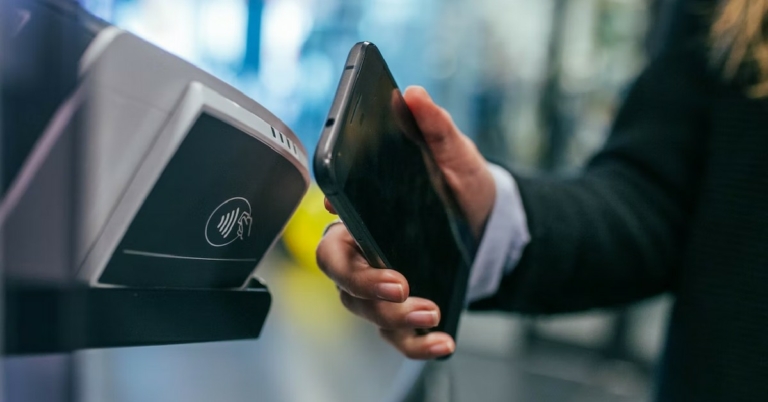
Let’s start by understanding what NFC is. NFC stands for Near Field Communication and allows two electronic devices to communicate with each other when they are held up close. NFC is quickly finding its place in modern smartphones but its usage is still limited to making contactless payments. Most smartphone users aren’t aware of the possibilities that lie ahead with NFC. How to make the most of NFC and use it in day-to-day life?To tap into the maximum potential of NFC, you will need to purchase ‘NFC tags’ which can be programmed to carry out certain tasks or share the data stored within them. In this article, we bring you the top 8 practical ways to use Android NFC in your day-to-day life.Read Also: How to Create Your Own Telegram Stickers
Automate your tasks at home
Placing an NFC tag alongside your entry doorway can help in automating several smartphone-related tasks. You can program the NFC tag to turn on your phone’s WiFi the moment your step in, turn off the mobile data, decrease brightness, launch a Spotify playlist, and complete other tasks you usually carry out upon arriving home. Conversely, you can program the tag to ‘switch’ the tasks and turn off WiFi and turn on the mobile data as you step out.
Unlock your door
If you have a smart lock installed in your house, you can operate it using an NFC tag. You don’t have to enter the code every time you want to enter your house. The only precondition is that the smart lock must have NFC support (common in most modern smart locks). Once you’ve programmed the lock, all you need to do is place your phone near it and the door will automatically unlock for you.
Automate your tasks as you enter your car
If you don’t have Apple CarPlay or Android Auto in your car, an NFC tag will be extremely helpful. You can place the tag at a convenient spot (like the dashboard or centre console) and program it to automate certain tasks like launching the navigation app, playing a certain playlist on Spotify, enabling Bluetooth to pair with your car’s speakers, and turning on Do Not Disturb mode.
Share your business card
You can save money on printing out business cards and make the process of sharing one look pretty cool with the help of NFC. You can program an NFC tag to share your contact information and business details whenever someone taps on it. If you’re setting up shop at an event, you don’t have to worry about printing the ideal number of business cards. Simply place the NFC tag at a convenient spot where people can easily scan it for its contents.
Force yourself out of bed with an NFC alarm
If you have a habit of hitting the snooze button in bed over and over again, you can use an NFC tag to force yourself out of bed. The NFC Alarm Clock app makes you scan an NFC tag to disable the ringing alarm. To best utilise this feature, place the NFC tag far away from your bed, so you are forced to get up in order to turn off the alarm.
Connect to Bluetooth devices
Bluetooth devices are more common than ever these days. You may have several Bluetooth speakers at home that are paired with your smartphone and other media-playing devices. Constantly switching between devices can be quite a hassle. You can easily bypass this minor issue by programming NFC tags for different Bluetooth devices in your house. Once that’s done, all you need to do is tap your phone on the tag and it will automatically connect to the device, whether the Bluetooth is turned on or not. This is one of the most practical ways to use Android NFC at home.
Share the WiFi password
Here’s a cool way to share your home WiFi password. Program an NFC tag to share your WiFi network details whenever a smartphone comes in contact with it. WiFi passwords are usually long and complex, so you won’t need to remember them if you use an NFC tag. Apps like InstaWiFi will help you program the NFC tag to give out your home WiFi password.
Share a website
If you have a personal blog or website with a complicated name, you don’t need to spell it out every time someone asks for it. Simply pull out the NFC card with the website URL programmed in it and let the person scan it on their phone. When someone scans the NFC tag, their phone will immediately open the website in a web browser. This trick can be particularly useful for small businesses and sellers to direct people to their online stores.
Read Also: Try these Easy Methods to Fix Touchscreen Issues On an Android smartphone
Conclusion
These are the 8 practical ways to use Android NFC in your day-to-day life. Since NFC payments are pretty commonplace these days, we’ve omitted it from our list in favour of other creative tasks. Once you get a hang of how to use an NFC tag, the possibilities of its use are endless. You can get creative with it and program it to carry out tasks that fit your quirks and needs. If you found this article helpful, let us know in the comments!For the latest gadget and tech news, and gadget reviews, follow us on Twitter, Facebook and Instagram. For newest tech & gadget videos subscribe to our YouTube Channel. You can also stay up to date using the Gadget Bridge Android App. You can find the latest car and bike news here.
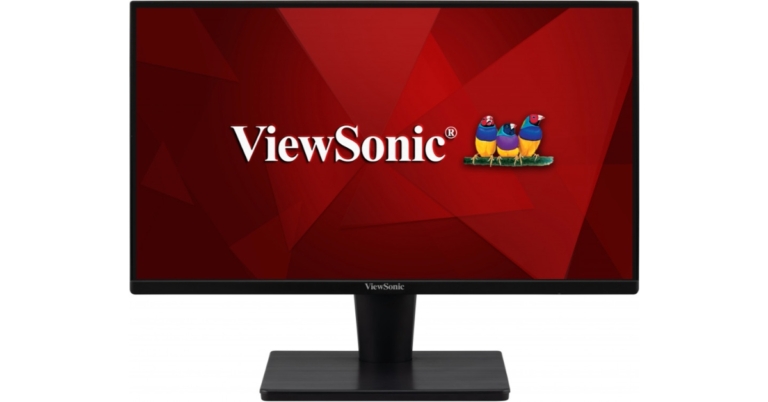
Viewsonic has announced the introduction of a limited edition monitor series in the Indian market. The new Viewsonic monitors series includes three models 19-inch VA1903H-2-IN1, 22-inch VA2215-H-IN1, 24-inch VA2432-MH-IN1, and 27-inch VA2732-MH-IN1. The monitor line offers eye-care technology to lessen eye strain while using a screen.The Viewsonic VA1903H-2-IN1 monitor offers performance and value for both home offices and small companies. The VA1903H-2 is excellent for a range of tasks, including viewing office documents and browsing the web. It has HDMI ports, a quick 5ms reaction time, and a 50M:1 Dynamic Contrast Ratio. This monitor, which has a hairline surface finish, looks amazing on any desktop. The proprietary ViewMode feature from ViewSonic offers user-friendly presets for optimal screen performance in various applications. Additionally, for increased productivity, flicker-free technology and a blue light filter assist prevent eye strain from prolonged viewing times. The VA1903H-2 is a fantastic option for both government and education because it has an energy-saving Eco-mode that lowers cost of ownership.Suitable for use in the office or at home, the ViewSonic VA2215-H is a 22-inch Full HD monitor with HDMI and VGA input. This monitor offers six ViewMode presets that deliver optimum screen performance according to your demands while still delivering superb visual quality with reduced battery consumption. Even while gaming, FreeSync eliminates tearing and stuttering. Eye strain from extended viewing times is reduced by the eye care technology that is a standard feature on all VA displays. This monitor’s easy installation on the wall or with a variety of industry-standard mounts is made possible by a VESA-compatible mount.The ViewSonic VA2432-MH is a 24-inch (23.8” viewable) Full HD Monitor. It has IPS technology and flexible connectivity for use at home or in the office. Images are crisp and detailed from a variety of viewing angles thanks to SuperClear IPS technology and Full HD resolution. While HDMI and VGA inputs enable greater setup freedom when connecting with other devices, integrated speakers guarantee a clear and sharp sound. The VA2432-MH’s three-sided frameless bezel offers a smooth viewing experience and includes Eye Care technology to lessen eye fatigue brought on by prolonged viewing. The ease of adapting to multi-monitor or wall-mount setups is ensured by VESA compatibility.For usage in the office or at home, the ViewSonic VA2732-MH is a 27″ (27″ viewable) Full HD Monitor with IPS technology and adaptable connectivity. Images are sharp and detailed from a variety of viewing angles thanks to SuperClear IPS technology and Full HD resolution. While HDMI and VGA ports enable greater setup options when connecting with other devices, integrated speakers guarantee a smooth and crisp audio experience. The VA2732-MH’s three-sided frameless bezel offers a smooth viewing experience and includes Eye Care technology to lessen eye strain brought on by prolonged viewing. Easy adaptation to multi-monitor or wall-mount setups is ensured by VESA compatibility.
For the latest gadget and tech news, and gadget reviews, follow us on Twitter, Facebook and Instagram. For newest tech & gadget videos subscribe to our YouTube Channel. You can also stay up to date using the Gadget Bridge Android App. You can find the latest car and bike news here.
Garena Free Fire is a battle royale game with regular awards and tournaments to keep players interested. If you play Garena Free Fire, you should be aware of the redeem codes that are released on a daily basis. However, because the battle royale game is banned in India, players from other countries can use the Free Fire Redeem codes daily. If you’re unfamiliar with the Garena Free Fire redeem codes or don’t know how to get them, we’ve put together a step-by-step guide to help you redeem them. Check out Garena Free Fire Redeem Codes for December 27.The Free Fire redeem codes are a great way to get free stuff. These are 12-digit codes that contain alphabets and numbers, as well as an expiration date and time. Because the Garena FF redeem codes cannot be used more than once, you should hurry to the redemption page to claim your free reward before someone else does. To get a free reward, all you have to do is go to reward.ff.garena.com/en, which is the official redemption page. Also, keep an eye on this space for daily updates on Garena Free Fire redemption codes and rewards.
Garena Free Fire Redeem Codes Today 27 December 2022
AD2Q-FG8I-H3EI
ET5W-G345-T6YH
RGY1-TG4F-VBE4
G5B6-NY3M-KU8H
DCV3-BH4E-JRFI
Y9H8-7GY6-FT8D
FQX1-FT2Q-S3WS
GEF8-B4N5-M6YK
OB98-7FD6-E5TR
JI56-Y9HI-8UBJ
FY87-HYBT-VGFC
VXSB-EN4K-56I9
Y8H7-B6V5-C4XS
3EAW-QSD2-CV3G
TER5-F43E-SWAS
WEYVGQC3CT8Q
GCNVA2PDRGRZ
JHGR-KIU7-HG45
UOJ8-7B6F-5DRE
J3ZKQ57Z2P2P
B3G7A22TWDR7X
3IBBMSL7AK8G
8F3QZKNTLWBZ
BG4N-EJ4K-5L6O
SARG886AV5GR
FF7MUY4ME6SC
FJK8-SL6W-Q203
9ER8-FG7H-BYU4
JVK9-DS2W-QJ2U
Y54E-RF3G-BE4E
JON9-8B7V-FY6D
F6C5-X4SA-3QWE
2DF3-GHRT-UG76
F4G5-TYH9-KJU7
4VRB-5TJK-GY6H
5FD4-SQED-2FV3
How to Get Free Fire Redeem Codes for Garena on December 27?
27 December 2022 Amazon Quiz has gone live on its mobile app platform. The quiz can be played from 12 AM to 11:59. All you need to do is just answer five easy questions that the e-commerce website puts before you. Today you can stand a chance to win Rs ___ Amazon Pay Balance.Every day Amazon posts a new questionnaire that consists of five simple questions about general knowledge and current events. To enter a lucky draw, participants must correctly answer the questions. One incorrect answer will result in your elimination from the quiz. Each month, only one person will be declared the winner and the results will be announced at the end of the month. Amazon customers who submit correct answers can win an Amazon Pay Balance worth up to Rs 50,000. To ensure that you answer all five questions correctly, Gadget Bridge updates all of the correct answers on a daily basis. Take a look at today’s answers:Amazon Quiz Today Prize – Rs ___ Amazon Pay BalanceQuiz Date – 27 December 2022Daily Timing – 12 AM to 11:59 PMWinner Announcement – Today 12 PM
Amazon Quiz Answers Today 27 December 2022
Question 1:
Answer:
Question 2:
Answer:
Question 3:
Answer:
Question 4:
Answer:
Question 5:
Answer:
How To Play Amazon Quiz
Only app users are eligible to play the Amazon quiz every morning from 12 AM to 11:59 PM. The quiz is not available on the desktop. For those who are unaware of how to play the Amazon quiz below are the steps, you can follow to take the quiz.
Firstly download the Amazon app from Google Play Store or App Store
Now fill in the required information through the Sign Up option.
You need to log in to the Amazon app and scroll down on the home screen to find the Amazon Quiz banner.
Tap on the Amazon Quiz banner and tap on the Start button to start the Quiz.
Now you will get 5 questions and you need to answer them correctly. One wrong answer will eliminate you from the Quiz.
After answering all the questions correctly you are now eligible for a Lucky Draw.
The winner’s name will be announced today at 12 PM.
Recently, Twitter introduced a new View Count feature for tweets that enables users to see a tweet’s precise view count in a way that is similar to how it appears on videos. This new function, which Musk had earlier this month promised to release, is now accessible to all users. Moreover, the ability to publish films up to 60 minutes long is currently being given out to Twitter Blue subscribers. The new capacity will also alter the video’s quality when it is released.Users will be able to view the actual view count for their tweets using the new feature. Elon Musk tweeted to confirm the feature’s release. Users will be able to find out how many times a tweet has been viewed by using the View Count function, as per Elon Musk’s tweet. The web, iOS, and Android apps can now be used to access the function. Everyone can see how many times a tweet has been viewed, not only the account owner. Apps for iOS and Android presently support the feature. The web version of it is also accessible. The view count will currently only be displayed on newly posted tweets and not on older ones.
Twitter is rolling out View Count, so you can see how many times a tweet has been seen! This is normal for video.
Shows how much more alive Twitter is than it may seem, as over 90% of Twitter users read, but don’t tweet, reply or like, as those are public actions.
According to Elon Musk’s tweet, this novel feature is typical for videos. Given that more than 90% of users see tweets but don’t re-tweet, comment, or like them, he added that it will also demonstrate how much more active Twitter is than it may appear.For Twitter Blue subscribers, a 60-minute video in 1080p resolution will be made accessible for sharing online. The microblogging service made the upgrade public via its Twitter Blue page. Up until now, Twitter Blue members could only submit movies that were up to 10 minutes long and no larger than 512MB in size. Customers can now submit videos that are 60 minutes long, claims the company. The video should not, however, be more than 2GB. This feature is not available in the Twitter mobile apps for iOS and Android.Keep in mind that the feature can currently only be used via web and not through iOS or Android apps.
For the latest gadget and tech news, and gadget reviews, follow us on Twitter, Facebook and Instagram. For newest tech & gadget videos subscribe to our YouTube Channel. You can also stay up to date using the Gadget Bridge Android App. You can find the latest car and bike news here.
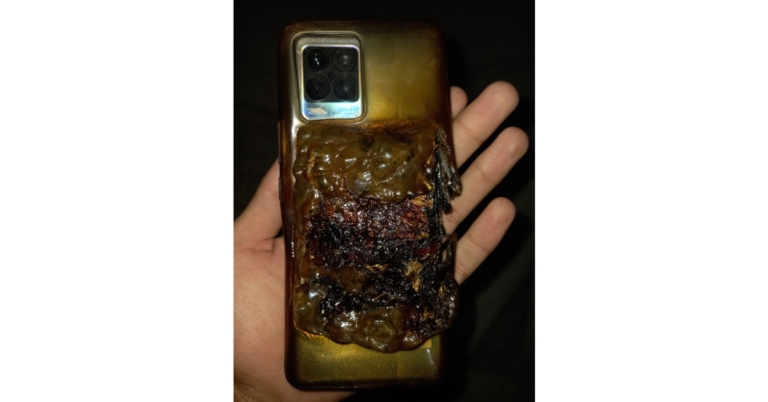
The Realme smartphone caught fire in a terrifying accident. On Sunday, the Realme 8 exploded when its owner was sitting, causing the disaster. Sadly, the gadget was in the pocket. Its leg was almost burned when it heard a sizzling sound. A man from India is the owner of the smartphone.The Redmi 8 users took to Twitter to report the scary accident when the phone caught fire randomly in the middle of the night on December 25. The user noticed a sizzling sound as he and his siblings were seated; when he checked his pocket, he saw that smoke was flowing from the user’s phone. According to him, it nearly burned his leg.“My Realme 8 EXPLODED ystrdy (25dec). I was sitting with my siblings when we heard a sizzling noise, I checked my pocket and there was smoke coming through my phone. It almost burnt my leg. Please🙏help me get a refund or replacement,” his tweet reads.This disaster has occurred before; a few months ago, an eight-month-old girl died in the Bareilly region of Uttar Pradesh when her mother’s cell phone exploded while charging. Next to the infant, the mom had left the keypad phone charging. The phone, which was purchased six months ago, had a bloated battery and was attached to a switch powered by a solar panel. According to the family, there was no adapter involved; it was simply being charged using a USB cable.Another instance apparently involved a Redmi 6A smartphone that detonated, killing a woman in the Delhi-NCR area. The smartphone exploded and apparently took the aunt of a person’s life, based on a tweet. The aunt used the smartphone and had put it close to her face on a pillow while sleeping. Xiaomi has replied to the tweet by stating that it is looking into the situation.The user was killed by the battery explosion, which also produced photographs of the smartphone’s damage. The back panel of the smartphone shows that the battery has exploded, in contrast to the front panel’s fully bent and wrecked appearance.
For the latest gadget and tech news, and gadget reviews, follow us on Twitter, Facebook and Instagram. For newest tech & gadget videos subscribe to our YouTube Channel. You can also stay up to date using the Gadget Bridge Android App. You can find the latest car and bike news here.
If you are thinking of using e-commerce platforms to send gifts to your loved ones this festive season, make it special by adding a personalised message along with the gift order. Adding a custom message does not take much time and makes the gift all the more special. In this article, we bring you 2 simple ways to send custom messages with Amazon or Flipkart orders.Read Also: 5 Easy Ways to Fix iPhone Volume goes down automatically
How to send custom messages with an Amazon order
Step 1: Go to the product page on Amazon.Step 2: Click on ‘Buy now’.Step 3: Enter the delivery address and select the payment option.Step 4: Before you place the order, click on ‘gifting options’.Step 5: Enter your personalised message. Enter your name in the following text field if you want it printed along with the message. You can also choose to add a gift bag/box for an additional fee.Step 6: Select ‘Save gift options and continue’.Step 7: Click on ‘Place your order’.Your Amazon gift order with the personalised message will be placed.
How to send custom messages with a Flipkart order
Flipkart does not allow customers to send personalised messages along with their orders. You can try contacting the seller directly and request them to send the order with a custom message. Simply click on the seller info on the product page and select ‘Contact seller’. While every seller may not comply with your request, it is worth giving a try. Flipkart allows you to send a personalised message along with a gift card, here’s how you can go about it.Step 1: Search for the Flipkart gift card with the desired amount and relevant template.Step 2: Click on ‘Buy now’.Step 3: Add the recipient’s name and email address. In the last text field, add your personalised message. Click on ‘Continue’.Step 4: Select your desired payment method and follow the onscreen instructions to send the gift card. Read Also: Gadget Bridge Awards 2022: The Biggest, Best Consumer Technology and Gadget Awards Winners


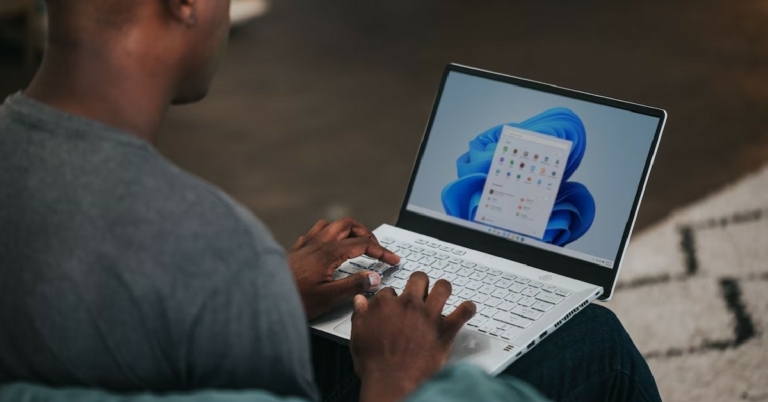
 Step 2: Scroll down and select Recovery.
 Step 3: In the following window, click on ‘Reset PC’.
 Step 4: You will be presented with two options. You can choose to keep your personal files and remove apps & settings or remove all of your personal files, apps, and settings. Choose the option you want.
 Step 5: Select how you would like to reinstall Windows. You can choose between ‘Cloud download’ or ‘Local download’.
Step 6: After you’ve made your choice, click on next to confirm your selection and then click on reset to begin the factory reset process.
It will take some time for your PC to reset and for Windows 11 to get reinstalled. After the process is complete, your PC will restart.
Step 5: Select how you would like to reinstall Windows. You can choose between ‘Cloud download’ or ‘Local download’.
Step 6: After you’ve made your choice, click on next to confirm your selection and then click on reset to begin the factory reset process.
It will take some time for your PC to reset and for Windows 11 to get reinstalled. After the process is complete, your PC will restart.




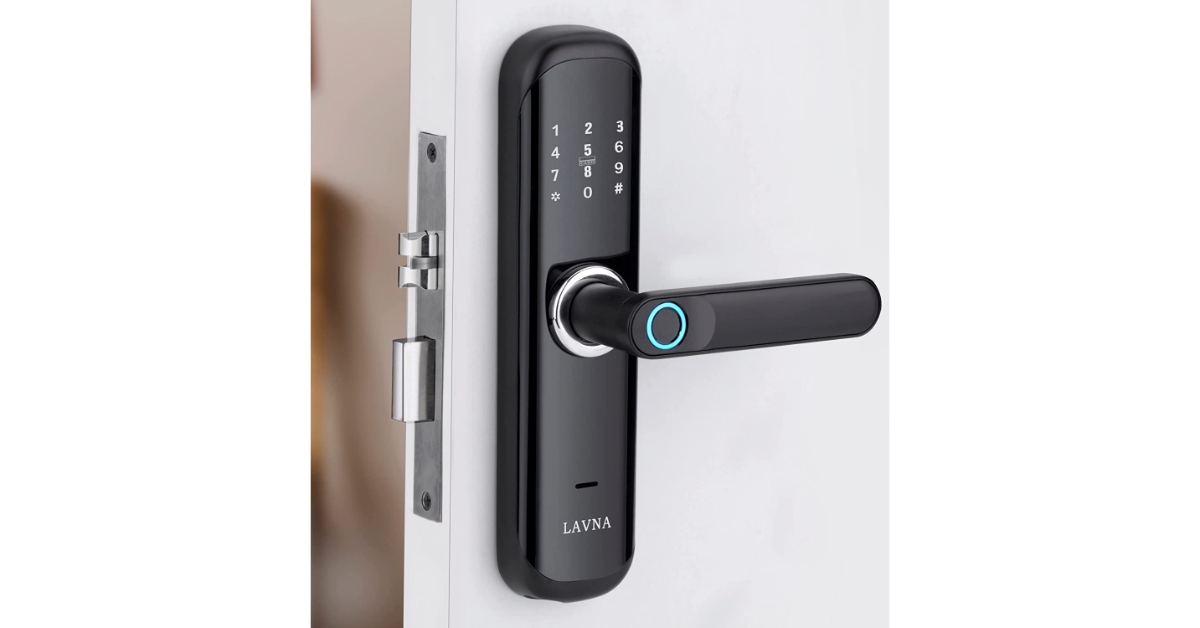 If you have a smart lock installed in your house, you can operate it using an NFC tag. You don’t have to enter the code every time you want to enter your house. The only precondition is that the smart lock must have NFC support (common in most modern smart locks). Once you’ve programmed the lock, all you need to do is place your phone near it and the door will automatically unlock for you.


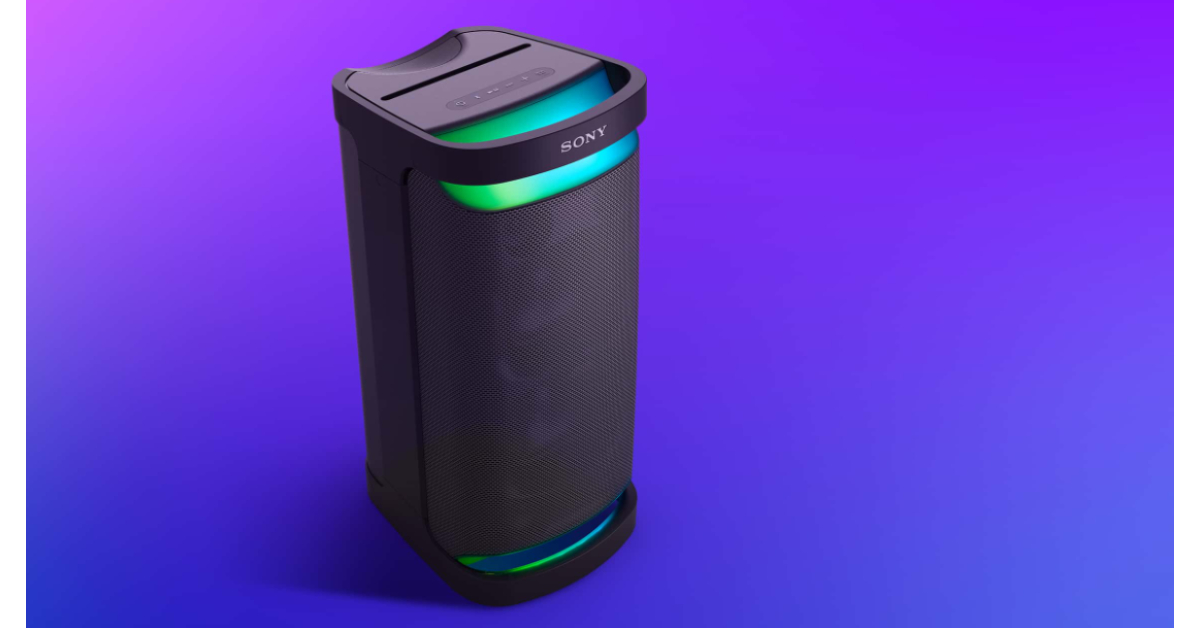 Bluetooth devices are more common than ever these days. You may have several Bluetooth speakers at home that are paired with your smartphone and other media-playing devices. Constantly switching between devices can be quite a hassle. You can easily bypass this minor issue by programming NFC tags for different Bluetooth devices in your house. Once that’s done, all you need to do is tap your phone on the tag and it will automatically connect to the device, whether the Bluetooth is turned on or not. This is one of the most practical ways to use Android NFC at home.



 Step 3:
 Step 5:
 Step 6:
 Step 3:
 Step 4: