Garena Free Fire is a battle royale game with regular awards and tournaments to keep players interested. If you play Garena Free Fire, you should be aware of the redeem codes that are released on a daily basis. However, because the battle royale game is banned in India, players from other countries can use the Free Fire Redeem codes daily. If you’re unfamiliar with the Garena Free Fire redeem codes or don’t know how to get them, we’ve put together a step-by-step guide to help you redeem them. Check out Garena Free Fire Redeem Codes for November 29.The Free Fire redeem codes are a great way to get free stuff. These are 12-digit codes that contain alphabets and numbers, as well as an expiration date and time. Because the Garena FF redeem codes cannot be used more than once, you should hurry to the redemption page to claim your free reward before someone else does. To get a free reward, all you have to do is go to reward.ff.garena.com/en, which is the official redemption page. Also, keep an eye on this space for daily updates on Garena Free Fire redemption codes and rewards.
Garena Free Fire Redeem Codes Today 29 November 2022
FF11NJN5YS3E
MSJX8VM25B95
SARG886AV5GR
J3ZKQ57Z2P2P
W4GPFVK2MR2C
MQJWNBVHYAQM
RRQ3SSJTN9UK
FF1164XNJZ2V
X99TK56XDJ4X
FF11WFNPP956
WCMERVCMUSZ9
8F3QZKNTLWBZ
FF7MUY4ME6S
How to Get Free Fire Redeem Codes for Garena on November 29?
29 November 2022 Amazon Quiz has gone live. Customers from different parts of the country are participating in the daily quiz. The quiz begins from 12 AM to 11:59 PM. Those participating in the quiz can win exciting prizes by answering all the questions correctly. Today participants have a chance to win a Rs 5,000 Amazon Pay Balance.Amazon quiz brings an opportunity for its customers to win Amazon Pay Balance ranging from Rs 1,000 to Rs 50,000. The Quiz can be played from 12 AM to 11:59 PM. The e-commerce platform brings a fresh quiz on a daily basis which consists of five questions related to general knowledge and current affairs. The participants need to answer all the questions correctly and their names will be selected for a lucky draw. The winner will be announced at the end of the month.One wrong answer could eliminate you from the quiz. If you manage to answer all the questions correctly you can stand a chance to win a Rs 5,000 Amazon Pay Balance today. Only app users are eligible to participate in the Quiz. Check Out 29 November 2022 Amazon Quiz Answers.Amazon Quiz Today Prize – Rs 5,000Amazon Pay BalanceQuiz Date – 29 November 2022Daily Timing – 12 AM to 11:59 PMWinner Announcement – Today 12 PM
Amazon Quiz Answers Today 29 November 2022
Question 1: Cochin International Airport halts flight operations twice every year to allow smooth passage for whom?Answer: God Padmanabhaswamy
Question 2: Which famous painting by Vermeer was recently attacked by climate activists at The Hague?
Answer: Girl With a Pearl Earring
Question 3: A Precision Air passenger plane crashed into Lake Victoria in which country?
Answer: TanzaniaQuestion 4: Where is this mosque located?Answer: IndonesiaQuestion 5: Which was the first mission to mercury?
Answer: Mariner 10
How To Play Amazon Quiz
Only app users are eligible to play the Amazon quiz every morning from 12 AM to 11:59 PM. The quiz is not available on the desktop. For those who are unaware of how to play the Amazon quiz below are the steps, you can follow to take the quiz.
Firstly download the Amazon app from Google Play Store or App Store
Now fill in the required information through the Sign Up option.
You need to log in to the Amazon app and scroll down on the home screen to find the Amazon Quiz banner.
Tap on the Amazon Quiz banner and tap on the Start button to start the Quiz.
Now you will get 5 questions and you need to answer them correctly. One wrong answer will eliminate you from the Quiz.
After answering all the questions correctly you are now eligible for a Lucky Draw.
The winner’s name will be announced today at 12 PM.
The chatting experience has improved significantly as a result of WhatsApp’s constant release of new features and updates. Contact cards sharing on Windows beta is now available for WhatsApp users a few days after releasing the ability to create polls from within the chat share sheet.According to a report by WABetaInfo WhatsApp is already rolling out a new update to some users on the Microsoft Store. These users can now share contact cards directly within the chat share sheet where you can already create polls and send files thanks to this upgrade.In this report, WABetaInfo also included a screenshot. The entry point “Contacts” will appear, as shown in the screenshot, if the feature is already turned on for your WhatsApp account. You can send a contact card using this feature, and the recipient can easily add it to their address book.Image Courtesy: WABetaInfoFollowing the installation of the WhatsApp beta for Windows 2.2247.2.0 update available on the Microsoft Store, the ability to share contact cards has been made accessible to certain beta users, and it will be made available to more beta testers over the next few days.Besides this WhatsApp has also released the ability to create polls to everyone on the latest WhatsApp Desktop update. Following a Facebook statement by Mark Zuckerberg, all users of WhatsApp for iOS and Android now have access to the ability to create polls. Within a few weeks following that official announcement, the functionality was gradually made available to all mobile users, but it still needed to be made available to all desktop users.Everyone using the most recent version of WhatsApp Desktop can now make polls, it appears that the feature has now been broadly rolled out after being made available on WhatsApp beta for Windows.
For the latest gadget and tech news, and gadget reviews, follow us on Twitter, Facebook and Instagram. For newest tech & gadget videos subscribe to our YouTube Channel. You can also stay up to date using the Gadget Bridge Android App. You can find the latest car and bike news here.
Sharing a location is a very easy task for Google Maps users. The app allows you to look up any location on the map and share it directly with your friends. But what if the location you want to share is an unnamed spot on a road? By ‘dropping a pin’ you can mark any spot on the mark and get to know its exact coordinates. You can even share the pin with your friends. In this article, we bring you the simplest way to drop a pin on Google Maps on mobile and desktop and share it with your friends.Read Also:Samsung Galaxy Buds2 Pro Review: Great fit, even better ANC!
Drop a pin on Google Maps for desktop
Step 1: Go to https://www.google.com/maps on your web browser.Step 2: Search for the location you want to pin on the map.Step 3: Click on the exact location that you want to mark on the map. You will see a small grey button show up on the location. This is the location ‘pin.’ Click on this pin to know the coordinates of the place. Step 4: Right-clicking on the pin will give you further options like finding the directions to and from the place. You can also drop a pin to add your business to the map. You can also save this location on a personal list.
Share a pinned location using Google Maps for desktop
Once you drop the pin, click on it and select the share option from the location card that comes up on the screen. In the following window, you will be able to copy the Google Maps link to the location or share it directly through Facebook, Twitter, and Gmail.
Drop a pin on the Google Maps app
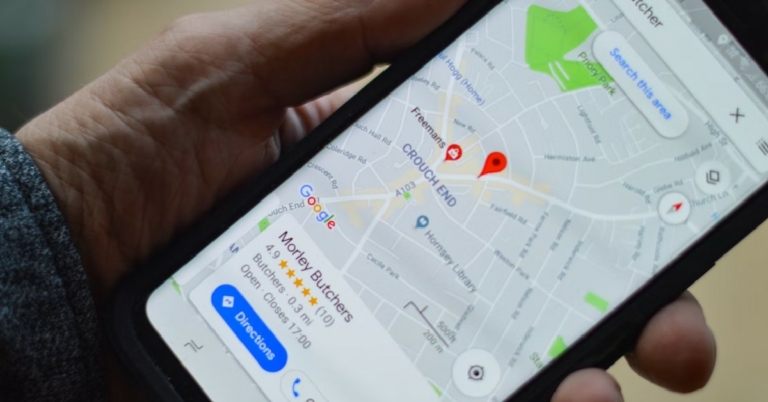
Step 1: Open the Google Maps app on your smartphone. Step 2: Search the location you want to pin on the map. Step 3: Long press on the location to drop a pin on it.Step 4: You will be able to see the coordinates of the location where you dropped the pin. You can also share the pinned location directly from the app by tapping the share option.Read Also: Which is the cheapest Tesla model you can buy in 2022?
Conclusion
This is how you can drop a pin on Google Maps for mobile and desktop and share it with others. If you’re using Google Maps on a desktop you can send a pinned location to your phone by selecting the ‘Send to phone’ option from the side menu. You will need to enter your phone number if you want to receive the pinned location via text. You can also mail yourself the pinned location.For the latest gadget and tech news, and gadget reviews, follow us on Twitter, Facebook and Instagram. For newest tech & gadget videos subscribe to our YouTube Channel. You can also stay up to date using the Gadget Bridge Android App. You can find the latest car and bike news here.
Zebronics introduced the ZEB- Sound Bomb X1 in India. It is a 3-in-1 device that combines wireless Bluetooth earbuds with a charging case, a wireless Bluetooth speaker, and an integrated torch. In addition to this, the device has 13mm drivers in the earbuds. While the wireless Bluetooth speaker is incorporated within the charging case.
Zebronics Zeb-Sound Bomb X1 price in India and availability
ZEB- Sound Bomb X1 price in India has been set at Rs 1,399. Both Amazon and the company’s website have the item for sale. The earphones come in three colours: white, blue, and black
Zebronics Zeb-Sound Bomb X1 features
The Sound Bomb X1 is a multipurpose, 3-in-1 device that can be used for a variety of purposes and is housed in water-resistant housing.The Zebronics Zeb-Sound Bomb X1 earbuds contain 13mm drivers that provide crystal-clear sound, and they have a playback time of up to 30 hours when they are charged. Up to 19 hours of listening are provided by the wireless Bluetooth speaker that is incorporated within the charging case. The earbuds are splash-proof, have touch controls, an integrated microphone, and have strong sound and bass.The Zebronics Zeb-Sound Bomb X1 charging case has extra functions and functionality integrated in it. The case comes with a 36mm dynamic driver, and is powered by the charging case’s internal battery. The case has a USB Type-C connector that may be used to charge it. Additionally, it has an LED torch and a built-in Bluetooth speaker.While commenting during the launch, Mr. Pradeep Doshi, Co-Founder and Director at Zebronics said, “Zebronics has always put its effort in understanding market needs for unique and quality products and thereby bringing in the best in class lifestyle accessories. Sound Bomb X1 is a multifunctional 3-in-1 gadget that caters to the audience having varying requirements all shelled in a splashproof case. Overall, the Zebronics’ Lifestyle Accessories product range will have more add-ons in the time to come and like our other product categories, we shall strive in this to be ‘Always Ahead’”.
For the latest gadget and tech news, and gadget reviews, follow us on Twitter, Facebook and Instagram. For newest tech & gadget videos subscribe to our YouTube Channel. You can also stay up to date using the Gadget Bridge Android App. You can find the latest car and bike news here.
Almost every Google user is familiar with the T-rex game that comes up on Chrome every time you get disconnected from the Internet. Not many people know that you can play several other free hidden games on Google. These games are scattered across Google Search, Google Earth, Google Maps, and other Google services. In this article, we bring you the top 12 free hidden games you can play on Google.Read Also:Samsung Galaxy Buds2 Pro Review: Great fit, even better ANC!
Tic-Tac-Toe
Tic-Tac-Toe needs to introduction. Also known as Noughts and Crosses, this game is played between two players. Each player needs to create three successive noughts or crosses on a 3×3 grid without letting their opponent do it first. You can play this game on Google by simply searching for ‘tic tac toe.’ Google will match you against an AI and give you the option to play in several difficulty levels. You can even play against a friend.
Cribbage Online
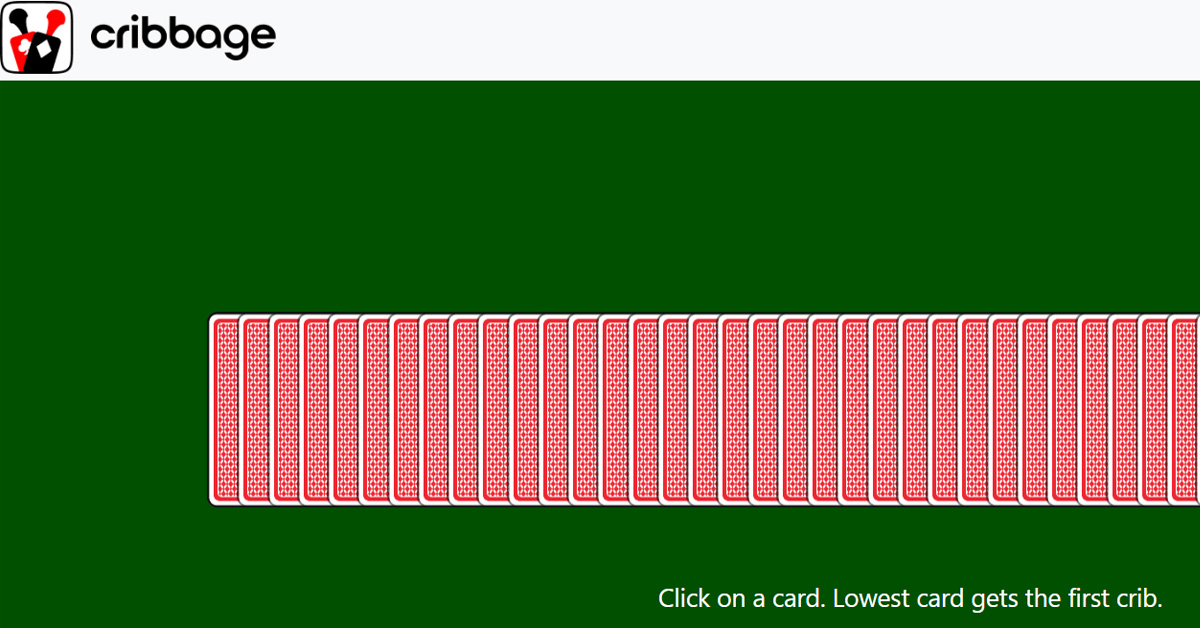
In Cribbage, the objective is to score points by forming specific card combinations in both the play and the “crib,” a separate hand for one player. Players strategically play cards to create runs, pairs, and other combinations, aiming to be the first to reach a designated point total, traditionally 121 points. The fast-paced game is available online where players can learn the history, rules, and play through a variety of difficulty settings. Start a game of Cribbage now.
Hearts.land
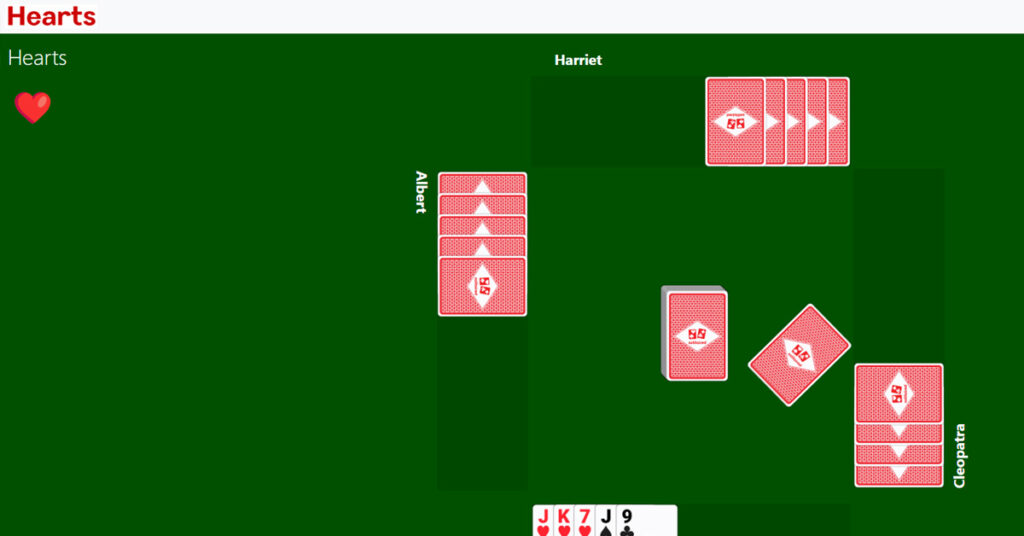
In Hearts, your goal is to avoid capturing certain cards, primarily Hearts and the Queen of Spades, as they carry penalty points. Players strive to end the game with the lowest score possible by skillfully passing cards, winning tricks, and strategically managing their hands to minimize the accumulation of penalty points. The strategic gameplay has made this game a classic, and in the online version, players can compete against computers or other Hearts players from around the world. Start a game of Hearts now.
Pac-Man
Pac-Man is one of the most popular arcade games of all time and is still immensely enjoyed by a lot of people. The purpose of the game is to go through the maze eating up all the dots while steering away from the ghosts. Once you’ve finished all the dots you advance to the next level. Simply Google search for ‘pac-man’ to play the game. You can play this classic game on your smartphone as well as the web browser on your PC.
Minesweeper
All Windows users will remember this classic game that used to come with the operating system. Now you can play it on Google. Simply search for ‘minesweeper’ and you will be presented with the all too familiar grid. Find the hidden mines to win the game!
Quick, Draw!
We are all aware of the big strides that Google is making in AI and machine learning. Now you can test it! By playing ‘Quick, Draw!’ you can make Google’s neural network guess what you’re drawing. At the start of every round, you will be given something to draw on the blank screen. While you’re doodling, Google will guess what you are drawing. It is astonishing to watch Google guess what you are drawing. You can easily kill a lot of time on this game.
Solitaire
Another one of Windows’ classic games, Solitaire is also free to play in Google’s search bar. Simply search for ‘Solitaire’ and Google will bring up the card game in the search window. You can play the game in easy or hard mode. Google has also made some changes to the interface and game design. The game now looks a lot cleaner and comes with new sound effects as well.
Cricket
Google published a unique doodle for the 2017 ICC Champions Trophy which also let users play a minimal cricket game. You can now play the game in doodle archives! All you need to do is hit the ball with a mouse click. If you time it right, the batsman will strike the ball and collect runs. Failure to hit the ball will lead to a dismissal. You can play the doodle cricket game here.
Soccer
Google also came out with a soccer doodle game during the 2012 Olympics. The soccer doodle is one of the most played doodle games worldwide. All you need to do is guard the goal and save the incoming penalty kicks using the arrow keys and space bar. You can play the soccer doodle game here.
Sherlock Mysteries
This is a fun game you can play using Google Assistant. To play this game you need to trigger the voice assistant by saying ‘OK Google’ or ‘Hey Google’ and ask the assistant to let you play the Sherlock Mysteries game. The voice assistant then narrates a story and leaves subtle cues for you to pick and solve the mystery.
Zerg Rush
This Google Easter Egg game is not available on Google anymore, but you can still play it on Google’s mirror, elgooG. Click here to play the game. Once you start the game, multiple balls will drop from all corners and make the search results on the page disappear. In order to nullify the balls, you need to click on them multiple times. This game is best enjoyed on a PC using a mouse.
Google Flight Simulator
This game is similar to the popular Microsoft Flight Simulator. You need to download Google Earth Pro to play this game. Once you’ve launched Google Earth Pro, simply press Ctrl+Alt+A to launch the flight simulator. You can simulate a flight ride from any location and control the airplane using your keyboard or even your joystick!Read Also: How to find new trending songs for TikTok videos?
Google would be releasing upgrades to its Workspace apps that will include new functionality. The company has updated Google Docs, Sheets, and Slides in addition to making some changes to Gmail.As part of a number of updates to its workspace applications for documents, spreadsheets, and presentations a few days ago, Google recently revealed that Google Docs, Google Sheets, and Google Slides have been enhanced for tablets and foldable devices. But now users should find Gmail’s search to be simpler. In addition to this, Google Meet’s file-sharing functionality in conversation and the Sheets app’s user-friendly data display should all be improved.The Blog Post said, “We’re excited to announce a requested feature that allows you to resize the pivot table editor side panel when creating or editing a pivot table. This functionality is especially useful when the names of columns or fields are too long and you want to see the text in its entirety.”Better search results based on your recent Gmail search activity are another benefit when using Gmail online. Results are now more contextually relevant thanks to this improvement to Gmail search.Google introduced the option to join or present during a Google Meet call using Google Docs, Sheets, or Slides earlier this year. You can now quickly share a file with meeting attendees using in-meeting chat if you are presenting or attending a meeting from a file. With this upgrade, everyone in the meeting can interact while chatting by allowing access to a document, spreadsheet, or presentation to all or a subset of the attendees.Google introduced drag and drop in Drive earlier this year, enabling you to easily upload files by dragging and dropping them into the application. By allowing users to move files and folders around in your Drive using drag-and-drop, Google has improved this capability. Either the two-window view or the single-app view can be used for this.
For the latest gadget and tech news, and gadget reviews, follow us on Twitter, Facebook and Instagram. For newest tech & gadget videos subscribe to our YouTube Channel. You can also stay up to date using the Gadget Bridge Android App. You can find the latest car and bike news here.
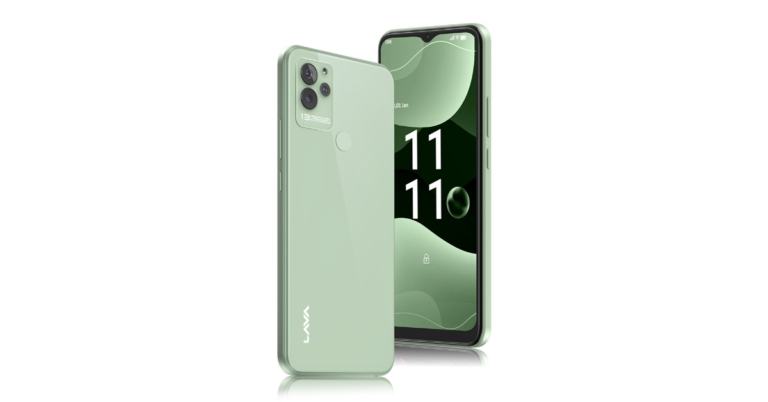
Lava Blaze NXT has made its debut in India. The device is an upgraded model of the smartphone which was released in July this year. The handset is powered by MediaTek Helio G37 SoC and features an HD+ camera having a waterdrop notch on the front panel.The Lava Blaze NXT has a 16.55cm (6.5 inch) HD+ IPS display. The device comes equipped with an octa-core MediaTek Helio G37 chipset with a maximum clock speed of 2.3 GHz, and 4GB of RAM that can be expanded by an extra 3GB, allowing users to multitask without any issues. The low-cost phone has 64GB of internal storage and 4GB of RAM that can be expanded by an extra 3GB.The 13MP AI triple rear camera on the Lava Blaze NXT is paired with an 8MP selfie front camera. The camera’s functions enable users to capture countless moments and discover the world in novel ways by producing time-lapse, slow-motion, GIFS, and even intelligent document scanning. Additionally, the smartphone contains beauty mode capabilities for smoothing, slimming, whitening, and enlarging the eyes.A 5000mAh battery is included with the smartphone. It also has a luxury appearance with a glass back and a rear fingerprint sensor. Additionally, the system allows for anonymous call recording.
Lava Blaze NXT price and availability details
Lava Blaze NXT has been launched in a single 4GB RAM with a 64GB storage option priced at Rs 9,299. Blaze NXT will be offered in all Lava retail locations. On December 2, 2022, the smartphone will be available for purchase on Amazon and Lava’s online store.Customers will also be offered “free servicing at home,” which they may take advantage of at their doorstep during the warranty period, for a better after-sales consumer experience. Glass Blue, Glass Red, and Glass Green are the three colour options that are offered.Speaking about the product, Tejinder Singh, Product Head, Lava International Limited, said, “The Blaze NXT has been launched keeping in mind consumer feedback and aligns with Lava’s vision of introducing hi-tech smartphones at an affordable price point. With the new smartphone, which is reasonably priced and has a great design, camera, and user experience, we hope to improve our customers’ overall experience. The Blaze NXT comes with Glass Back and is the classiest entry-level smartphone to meet the demands of next-gen consumers.”
For the latest gadget and tech news, and gadget reviews, follow us on Twitter, Facebook and Instagram. For newest tech & gadget videos subscribe to our YouTube Channel. You can also stay up to date using the Gadget Bridge Android App. You can find the latest car and bike news here.
While iPads and iPhones are engineered to last for several years, the battery is one thing that will certainly degrade over time, no matter what. You can try to extend its functional period with optimum usage, but after a few years, you will see a drop in performance. If your iPad works fine but cannot provide enough juice to last even for a few hours, it may be time to replace its battery. In this article, we show you how to repair or replace an iPad battery in India and USA.Read Also: Which is the cheapest Tesla model you can buy in 2022?
Get Apple to fix it
Using Apple’s authorised repair service is the most legitimate way you can go about repairing your iPad’s battery. Even though you may have to pay a bit more than usual, Apple’s repair service is the safest and most reliable option for repairing or replacing a battery. You don’t have to worry about any counterfeit parts being used when you go the Apple route. You can go to Apple’s support page on their website to set up an appointment at the nearest Apple Store. If you have an AppleCare+ subscription, Apple will replace your iPad’s battery for free. First, they will run a few tests to check whether the battery was harmed by some action that is not covered by the warranty. If your iPad is eligible for a warranty, you won’t have to pay any money for the battery replacement cost. However, if you do not have an AppleCare+ subscription, things can get a bit pricey. Replacing a dead iPad battery in the US can cost you a standard fee of $99. In India, Apple charges anywhere between Rs 4,000-5,000 for battery replacement. The cost of battery repair and replacement may also depend on the generation of your iPad.If there is no Apple Store in your location, you can also get your iPad’s battery replaced at an Apple-authorised repair centre. You can look up the locations of these repair centres on Apple’s website. In the US, Best Buy is now an Apple-authorised repair centre.
Do it Yourself!
You can replace your iPad’s battery by yourself, but it will require a lot of patience and attention to detail. There are plenty of YouTube videos that will teach you how to take apart your iPad and replace the battery. First, you’ll need to buy a repair kit from Amazon. Once you’ve got the necessary tools at hand, you will need to plan out every step of the process. Watch a few YouTube videos to make yourself aware of all the important steps. You should also know that once you replace your iPad’s battery, it will void your device’s warranty.
Get your iPad’s battery replaced by a third party
If you do not have an AppleCare+ subscription and do not want to splurge extra on replacing your iPad’s battery through Apple, you can always get it done from your local repair shop. This will void your device’s warranty but it will also cost significantly less. To minimise any risk of damage, make sure the repair shop is reputable and has experience in replacing batteries. If you’re in India, you can use services like RapidRepair and iTweak.Read Also: Redmi Note 11 Pro+ gets a price reduction of up to Rs 2,000
Garena Free Fire is a battle royale game with regular awards and tournaments to keep players interested. If you play Garena Free Fire, you should be aware of the redeem codes that are released on a daily basis. However, because the battle royale game is banned in India, players from other countries can use the Free Fire Redeem codes daily. If you’re unfamiliar with the Garena Free Fire redeem codes or don’t know how to get them, we’ve put together a step-by-step guide to help you redeem them. Check out Garena Free Fire Redeem Codes for November 28.The Free Fire redeem codes are a great way to get free stuff. These are 12-digit codes that contain alphabets and numbers, as well as an expiration date and time. Because the Garena FF redeem codes cannot be used more than once, you should hurry to the redemption page to claim your free reward before someone else does. To get a free reward, all you have to do is go to reward.ff.garena.com/en, which is the official redemption page. Also, keep an eye on this space for daily updates on Garena Free Fire redemption codes and rewards.
Garena Free Fire Redeem Codes Today 28 November 2022
HSUDJDYENVDIM
SHUSHDYWFFW7
2Y6E7265R7ND72
SHDBBDUUW685G
BDUDIK2JJ2682976
NEHDIJ2NDY62881
NSJWJDNH26E889
NSJJSH26286E627
BSHWH628R662BD
BSHSH25E8UE62H8
BZHSJDH628D628
How to Get Free Fire Redeem Codes for Garena on November 28?





 Step 4:


 Read Also:


 In Cribbage, the objective is to score points by forming specific card combinations in both the play and the “crib,” a separate hand for one player. Players strategically play cards to create runs, pairs, and other combinations, aiming to be the first to reach a designated point total, traditionally 121 points. The fast-paced game is available online where players can learn the history, rules, and play through a variety of difficulty settings.
  In Hearts, your goal is to avoid capturing certain cards, primarily Hearts and the Queen of Spades, as they carry penalty points. Players strive to end the game with the lowest score possible by skillfully passing cards, winning tricks, and strategically managing their hands to minimize the accumulation of penalty points. The strategic gameplay has made this game a classic, and in the online version, players can compete against computers or other Hearts players from around the world.