Samsung Galaxy Buds2 Pro Review: Great fit, even better ANC!

Back in August, Samsung came out with a line of flagship products which included the Samsung Galaxy Z Flip 4, Samsung Galaxy Z Fold 4, Samsung Galaxy Watch 5, and the Samsung Galaxy Buds2 Pro. Out of this lineup, the Galaxy Buds2 Pro was one product which we felt had the potential of making significant improvements over its predecessor, given how the audio performance of flagship wireless earbuds is still getting close to the ideal standard. After reviewing both the foldable smartphones and the Galaxy smartwatch, we turned our attention to the finest TWS that Samsung has to offer. Samsung has priced the Buds2 Pro at Rs 17,999, so if you’re looking to upgrade you probably want the best at that price. So how does this TWS hold up against the other premium earbuds on the market? We used the Samsung Galaxy Buds2 Pro for a week, here is our in-depth review. Read Also: Which is the cheapest Tesla model you can buy in 2022?

Samsung Galaxy Buds2 Pro review: Design

On unboxing the Samsung Galaxy Buds2 Pro you will the charging case with the earbuds inside, a USB-C charging cable, two pairs of extra ear tips, and a quick start guide. The box itself is pretty sleek and compact. Samsung Galaxy Buds2 Pro review: Design The square charging case has round edges and sides and sports a rubbery matte finish. A small notification light is housed at the bottom of the lid while the USB charging port finds its way at the back. The matte finish does feel quite premium, but the case has a tendency to attract dirt stains. Apart from that, the hinge and the lid are pretty strong, and the case can easily withstand rugged use. Flipping the lid open, you’ll notice a notification light between the two charging pods. The earbuds are smaller in size compared to the previous avatar, which increases the quality of the fit by a significant margin. The earbuds also get the matte treatment. The similarity in texture elevates the feel of the product in your hand. Each earbud also houses a microphone and a vent to relieve ANC pressure. Samsung Galaxy Buds2 Pro review: Design The Samsung Galaxy Buds2 Pro fit like a charm. Having reduced the size of the earbuds, Samsung has significantly improved the quality of the fit. The rubber texture coupled with the light weight of the buds provides a great level of comfort, and you can easily wear the earbuds for hours without even noticing they’re there. The fit was so snug and airtight that we didn’t even feel the need to adjust the buds that often. The Buds2 Pro is rated IPX7, which means they can endure light rainfall and sweaty workouts with ease. While working out, the Buds2 Pro proved to be one of the best TWS we’ve used. The rubber texture does not get slippery even when things get sweaty. The earbuds need minimal readjustments once you’ve put them on and you will barely feel them when they’re in.

Samsung Galaxy Buds2 Pro review: Performance

While the Buds2 Pro are excellent when it comes to the build quality and comfort, what truly matters for most users is the audio performance and the level of ANC that they deliver. First off, the Samsung Galaxy Buds2 Pro are incredibly easy to connect, more so for Samsung users. We used the Buds2 Pro with a Samsung Galaxy M31, and the ease of connectivity was unparalleled when we tried using the earbuds with other non-Samsung smartphones.  Samsung Galaxy Buds2 Pro review: Performance The ‘Samsung Seamless Codec’ is reserved for Samsung smartphone users while other Android users have to rely on the AAC or SBC codecs. The ‘auto-switch’ feature is also reserved for Samsung users exclusively. Samsung will also be rolling out LE audio support when it becomes available in the future. Android users will need to download the ‘Galaxy Wearable’ app to utilise all the functions of the earbuds. Since the app isn’t available on the App Store, iPhone users will have to settle for the most basic features. One of the better parts of using the Buds2 Pro with a Samsung smartphone is that it prompts you to connect the earbuds every time you open the lid of the charging case, even if the Bluetooth on your smartphone is turned off. Moving on to the audio performance, Samsung has definitely upped its game on the Buds2 Pro. The output features a good mix of frequencies. The sound isn’t explicitly bass-driven, the lower frequencies mix in a very subtle manner, providing a very balanced sound profile. However, if you want your music to have a strong bass-y element, you can use the ‘Bass boost’ function from the equaliser in the Galaxy Wearable app. Overall, the Buds2 Pro delivered a rock-solid audio output. When it comes to ANC, the Samsung Galaxy Buds2 Pro is arguably the best in the business right now. While wearing the Buds2 Pro indoors, we could easily tune out the general humdrum and the white noise looming in the house. The lower frequencies were totally nullified. Travelling with the Buds2 Pro in the ear proved to be a delightful experience as well. The noise of the engine and the traffic were muted to a great degree. The higher frequencies of the blaring horns still made through, but they didn’t prove to be an annoyance. The superior quality of ANC along with a comfortable fit means you can easily pop the earbuds in when on a long flight or a bus ride and experience the luxury of quietness while travelling.  During phone calls, the performance of the Buds2 Pro was satisfactory, but Samsung can definitely make improvements in its future iterations. The earbuds do a great job of isolating the voice from the surrounding noise, but the quality of audio relayed on call still remains a bit boxy and flat. There is certainly room for improvement here.  If you want to get the most out of your Samsung Galaxy Buds2 Pro, you will need to download the Samsung Wearable app. The Wearable app gives you access to a wide range of functions and unlocks the true potential of the Buds2 Pro. Firstly, you can choose to turn the ANC off or set it to the ‘Ambient Sound’ mode. Samsung’s ‘Voice Detect’ can also be turned on from the app. This feature cuts off the ANC and lowers the music volume every time it detects your voice. The volume and ANC are restored when the earbuds don’t detect your voice for 15 seconds. This feature comes in extremely handy when you’re around people, but you will certainly need to turn it off when you want to sing along to the music with your earbuds in. Samsung has also incorporated the ‘360 audio’ on the Buds2 Pro. 360 Audio hits you with sound from all directions, creating an immersive experience. The Head tracking function adjusts the sound direction when you turn your head so it always sounds like it’s coming from the video source. We found the 360 Audio feature to be quite enjoyable while watching videos, but in its current form, it does not hold any purpose while listening to music. Lastly, you can find 5 presets in the equaliser, but there is no option to manually control the output. You can also customise the touch controls using the Wearable app. If you’re actively using your smartphone while listening to music, you can also choose to turn the touch controls off. With ANC enabled, Samsung claims you get up to 5 hours of playtime on the earbuds with an additional 18 hours in the case. When the ANC is turned off, you can get up to 8 hours on the buds with an additional 21 hours in the case. We used the Buds2 Pro with the ANC enabled at all times and got a steady 4 hours 55 minutes out of the earbuds. Compared to the competition in this particular price segment, Samsung should be looking to increase these numbers. However, if you’re mostly going to use these earbuds at home, the battery life won’t be an issue. Read Also: Redmi Note 11 Pro+ gets a price reduction of up to Rs 2,000

Verdict

After a week of thorough use, we have nothing but good things to say about the Samsung Galaxy Buds2 Pro. The price tag of Rs 17,999 may be a little pricey but the audio output and state-of-the-art ANC more than makes up for it. If you’re looking to upgrade to a premium TWS with high-end ANC, you may want to consider splurging a little more for the Buds2 Pro. However, if you’re an iPhone user, we would suggest sticking with the AirPods as the range of features will be extremely limited on the Buds2 Pro. 

Pros

Superior level of Active Noise Cancellation Very comfortable fit Significant improvement in sound profile

Cons

Some features are reserved for Samsung smartphones Battery life could be a little better For the latest gadget and tech news, and gadget reviews, follow us on Twitter, Facebook and Instagram. For newest tech & gadget videos subscribe to our YouTube Channel. You can also stay up to date using the Gadget Bridge Android App. You can find the latest car and bike news here.

How to find new trending songs for TikTok videos?

0
With over a billion monthly active users, TikTok is one of the biggest platforms on the Internet. If you’re a new content creator, it can be pretty challenging to make your videos stand out in a sea of content. A lot of users find that using trending songs with your TikTok videos helps increase its reach within the app. TikTok pushes videos with trending content in them, so using a popular song can really give you the initial exposure you’re looking for. In this article, we show you how to find new trending songs for TikTok videos.  Read Also: Redmi Note 11 Pro+ gets a price reduction of up to Rs 2,000

Browse the For You page

The For You page contains some of the most popular and trending videos on TikTok. While it primarily shows you the content you like, TikTok also pushes the famous content creators and current trends on the FYP. If you notice a particular audio and song feature in multiple videos, it means that song is trending. Browsing the FYP is the simplest way to find trending songs and content as it requires no extra effort. Just be mindful of recurring songs and you will certainly find new trends on TikTok.

Use the search bar

Best gadgets to own for your TikTok or Instagram reels set up Using the search bar is another simple way of finding trending songs on TikTok. All you need to do is tap on the search icon and then search for ‘viral sounds’, ‘trending songs’ or ‘viral music.’ Go to the ‘sounds’ tab to find popular songs and sounds on TikTok. You will also find the play count next to every result. This makes it easier to judge the trendiness of every song. You can even look at the hashtag and videos section to see what popular songs creators are using on their TikTok videos

Use TikTok’s sound library

Use TikTok’s sound library. how to find trending songs on tiktok You can access TikTok’s sound library by tapping the plus sign at the bottom of the screen and then selecting ‘Add Sound.’ Scroll down to find music playlists curated by TikTok. Over here you will find playlists like ‘TikTok Viral’, ‘Featured’, ‘Meme’, and ‘Pop Hits’, which have a high trending potential. You can also find playlists sorted by genre.

Use TikTok’s Creative Center

Use TikTok’s Creative Center. how to find trending songs on tiktok You need to make a business account for TikTok to log in to the Creative Center. The Creative Center helps brands in marketing their products on TikTok by giving them data related to the trending songs, hashtags, creators, and videos in a particular location. You can use the Creative Center to find trending songs on TikTok at any given time.

Use third-party apps

Third-party apps like Tokmeter, RealTrends, and TrendTok collect data from TikTok to gauge the current trends. You can use these apps to find out which songs are popular in your location. You can find out the number of times the song has been played, the videos and hashtags featuring the song, and the regions where the song is most popular. 

Go through Spotify and Billboard charts

3 Simple Ways to Cancel Spotify Premium Subscription. how to find trending songs on tiktok It is not surprising that songs that are charting on Billboard and Spotify also trend on TikTok. You will find several new songs on Spotify and Billboard charts every week. Simply open your Spotify app and go to the ‘Made for you’ section. Open the ‘Top Charts – Global’ playlist to find the trending songs. Read Also: How to download WhatsApp stickers? Which are the best WhatsApp sticker apps?

Conclusion

This is how you can find new trending songs on TikTok. If you want to get ahead of the trends, follow the popular content creators on TikTok and monitor the content that they post. Popular content creators are usually on top of all the trends, and following them is a good starting point to figure out what the audience on TikTok likes to watch. If you found this article helpful, let us know in the comments! For the latest gadget and tech news, and gadget reviews, follow us on Twitter, Facebook and Instagram. For newest tech & gadget videos subscribe to our YouTube Channel. You can also stay up to date using the Gadget Bridge Android App. You can find the latest car and bike news here.

Amazon Quiz Answers Today 26 November 2022: Participate to win Rs 2,500

Amazon is back with another quiz on its mobile platform. The Amazon Quiz is conducted every day for its customers. Customers from different parts of the country are participating in the daily quiz. Today’s Amazon quiz is now live on the Amazon App. The customers who participate in the 26 November 2022 Amazon Quiz will get a chance to win Rs 2,500 Amazon pay Balance. The Amazon Quiz can be played from 12 AM to 11:59 PM. For those who are unaware of the quiz, the e-commerce platform brings a fresh quiz on a daily basis which consists of five questions related to general knowledge and current affairs. The participants need to answer all the questions correctly and their names will be selected for a lucky draw. The winner will be announced at the end of the month. One wrong answer could eliminate you from the quiz. Only app users are eligible to participate in the Quiz. Check Out 26 November 2022 Amazon Quiz Answers. Amazon Quiz Today Prize – Rs 2500 Amazon Pay Balance Quiz Date – 26 November 2022 Daily Timing – 12 AM to 11:59 PM Winner Announcement – Today 12 PM

Amazon Quiz Answers Today 26 November 2022

Question 1: Lula da Silva emerged as the which country’s new president after winning election in November 2022? Answer: Brazil Question 2: Sonakshi Sinha and Huma Qureshi appears together in which 2022 film? Answer: Double XL Question 3: Ela Bhatt founded which women’s association? Answer: SEWA Question 4: Where did this fruit first grow in? Answer: Egypt Question 5: What is the meat of deer known as? Answer: Venison

How To Play Amazon Quiz

Only app users are eligible to play the Amazon quiz every morning from 12 AM to 11:59 PM. The quiz is not available on the desktop. For those who are unaware of how to play the Amazon quiz below are the steps, you can follow to take the quiz.
  • Firstly download the Amazon app from Google Play Store or App Store
  • Now fill in the required information through the Sign Up option.
  • You need to log in to the Amazon app and scroll down on the home screen to find the Amazon Quiz banner.
  • Tap on the Amazon Quiz banner and tap on the Start button to start the Quiz.
  • Now you will get 5 questions and you need to answer them correctly. One wrong answer will eliminate you from the Quiz.
  • After answering all the questions correctly you are now eligible for a Lucky Draw.
  • The winner’s name will be announced today at 12 PM.
For the latest gadget and tech news, and gadget reviews, follow us on TwitterFacebook and Instagram. For newest tech & gadget videos subscribe to our YouTube Channel. You can also stay up to date using the Gadget Bridge Android App. You can find the latest car and bike news here.

Samsung Black Friday Sale kicks off in India, with amazing deals on foldable and wearables

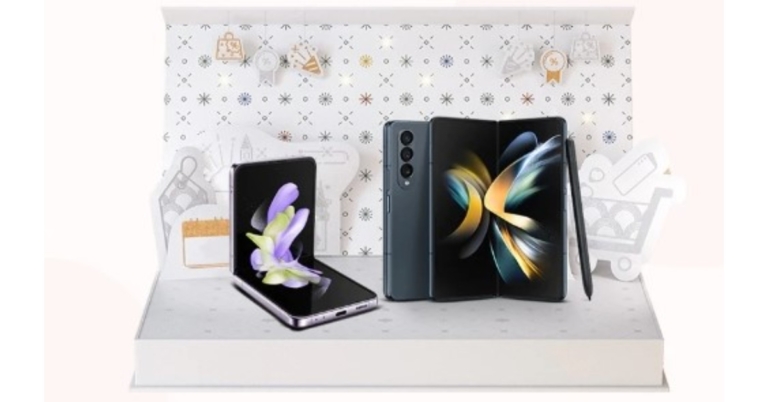
In India, the Samsung Black Friday Sale has already begun. Discounts on a variety of devices, including the most recent foldable, S series smartphones and wearables. For its first-ever Black Friday Sale, Samsung unveiled amazing deals on its top-tier smartphones, Buds, and wearables. Smartphones like Galaxy Z Fold 4, Galaxy Z Flip 4, and Galaxy S22, will be available during the sale period. Amazing deals on Galaxy Watch 5 series and Galaxy Buds 2 Pro have also been announced. Customers can receive discounts on a variety of Samsung products, including the Galaxy Z Fold4, Z Flip4, Galaxy S22 Ultra, Galaxy S22+, Galaxy S22, Galaxy S21 FE, Galaxy S20 FE, Galaxy Z Fold3, and Z Flip3. Both online and offline venues, such as Samsung.com, Amazon, Flipkart, and specific retail stores, are eligible for these promotions. Black Friday deals will be available till November 28. The Samsung Black Friday Sale’s top model, the Galaxy S22, is priced at Rs 52999. Amazing incentives for the Galaxy S22+ include a bank cashback of Rs 15000 or an upgrade bonus of Rs 13000 + Rs 10000 instant cashback when purchased from retail outlets. With an instant cashback of Rs 15000 + Rs 10000 upgrade incentive, customers can purchase the Galaxy Z Flip 3 for as little as Rs 59999. Customers may purchase the Galaxy Z Fold 4 for Rs 146999, with an additional Rs 8000 in bank cashback or Rs 8000 in an upgrade bonus. Customers of the Galaxy Z Fold 4 will also receive a Galaxy Watch 4 Classic BT 46 mm at Rs 2999. With a bank cashback of Rs 7000 or an upgrade incentive of Rs 7000, the Galaxy Z Flip 4 starts at an effective price of Rs 82999. Customers who purchase the Galaxy Z Flip 4 can add the 42 mm Galaxy Watch 4 Classic BT for only Rs 2999. Starting at Rs 22999, the Galaxy Watch5 is available with an Rs 5000 bank cashback or Rs 5000 upgrade incentive. Starting at Rs 37999, the Galaxy Watch5 Pro includes a 7000 Rs bank cashback or 7000 Rs upgrade bonus. Purchasers of the Galaxy Buds2 Pro can receive a bank cashback or an upgrade incentive of Rs 5000, lowering the final cost to Rs 12999. Customers who use the brand-new Samsung Axis Bank Credit Card can get an additional 10% cashback on all purchases in addition to the bonuses. For the latest gadget and tech news, and gadget reviews, follow us on TwitterFacebook and Instagram. For newest tech & gadget videos subscribe to our YouTube Channel. You can also stay up to date using the Gadget Bridge Android App. You can find the latest car and bike news here.

Gujarat becomes the first state in India to provide Jio True 5G in all 33 district headquarters

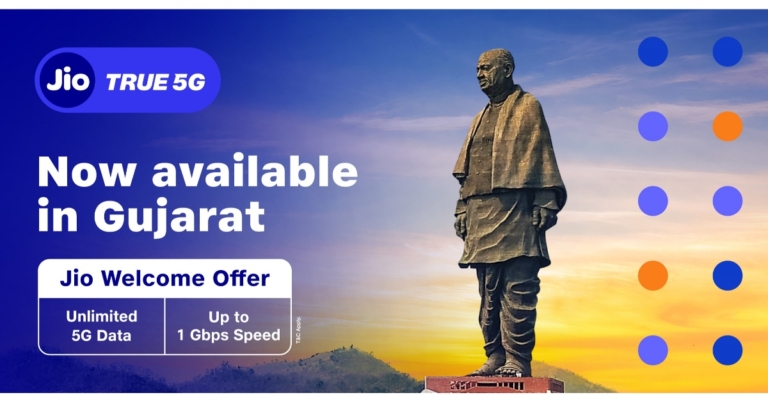
By expanding its True-5G coverage to each of Gujarat’s 33 district headquarters today, Jio has made significant progress toward making Gujarat the first state in India with Jio True 5G coverage in every district headquarters. The 33 district heads in Gujarat now have access to 5G service, according to telecom giant Jio. Gujarat is now the first state to offer 5G service to every district headquarters. The company stated, “Gujarat holds a special place, as it is Reliance’s Janmabhoomi. This strategic announcement is a dedication to Gujarat and its people. As a model state, Jio will launch a series of True 5G-powered initiatives across Education, Healthcare, Agriculture, Industry 4.0 and IOT sectors in Gujarat and then extend it across the country.” According to Reliance, each of the 33 district heads in Gujarat will have access to Jio True 5G, making it the first state in India to do so. Users of the “Jio Welcome Offer” will receive limitless 5G data at rates of up to 1 Gbps+ at no extra cost. Jio will also launch a number of True 5G-powered initiatives in the sectors of education, healthcare, agriculture, industry 4.0, and IOT. Together with Jio’s Connectivity and Education Platform, Reliance Foundation and Jio launch the inaugural programme, “Education-ForAll,” with the goal of digitising 100 schools in Gujarat. This shubh-aarambh in Gujarat will take place in conjunction with the significant “Education-For-All” True 5G initiative, in which Jio and Reliance Foundation are collaborating to first digitise 100 schools in Gujarat. JioTrue5G connectivity, an Advanced Content Platform, a Teacher & Student Collaboration Platform, and a School Management Platform will all be made available to schools under this project. According to the company, millions of students across will be enabled on a digital path of empowerment through high-quality education thanks to the power of this technology. Jio users in Gujarat will be able to take advantage of the Jio Welcome Offer beginning on November 25 and enjoy Unlimited Data at speeds of up to 1 Gbps+ at no extra cost. Mr. Akash M Ambani, Chairman, Reliance Jio Infocomm Limited, said, “We are proud to share that Gujarat is now the first state to have 100% district headquarters connected with our robust True 5G network. We want to showcase the real power of this technology and how it can impact a billion lives. Education is a focus-area for Our Hon’ble Prime Minister. Imagine the power of having 300-400 million skilled Indians joining the workforce in the next 10-15 years. It will not only give a better standard of living to each Indian but will also help in realising our Hon’ble Prime Minister’s vision of becoming a developed economy by 2047. Reliance Foundation already runs a program named Education & Sports for All (ESA), where it enables and empowers youth at the grass-root level with quality-education and opportunities in sports. Jio and Reliance Foundation will take the ‘Education for All’ initiative to a whole new level by using the powerful 5G-tech along with platforms that digitise the schools and bring them at par with the best in India and the world. 5G cannot remain an exclusive service available to the privileged few or those in our largest cities. It must be available to every citizen, every home, and every business across India. Only then can we dramatically increase productivity, earnings, and living standards across our entire economy, thereby creating a prosperous and inclusive society in our country. This is our constant belief, inspired by our We Care philosophy.” For the latest gadget and tech news, and gadget reviews, follow us on TwitterFacebook and Instagram. For newest tech & gadget videos subscribe to our YouTube Channel. You can also stay up to date using the Gadget Bridge Android App. You can find the latest car and bike news here.

Which is the cheapest Tesla model you can buy in 2022?

One of the biggest names in electric automation, Tesla, has been consistently putting out great electric vehicles for the last few years. Earlier this year, Tesla hiked prices for all of its models across the board. Model X received the biggest hike, with an increase of $6,000 pricing it at $120,990. Despite the hike in prices, if you’re looking to make the switch to clean energy, Tesla is a good place to start. With its range of EVs across different price segments, you will find something that fits your budget. So, which is the cheapest Tesla model you can buy in 2022? Read more to find out. Read Also: Android 13 beta release for Nothing Phone 1 may be imminent

Tesla Model 3: The cheapest Tesla you can buy in 2022

The Tesla Model 3 electric sedan is the most affordable EV you can buy from Tesla. Currently, the entry-level Model 3 RWD variant is available at $46,990. The AWD ‘Performance’ variant is priced at $62,990. Accessories like snow chains, roof racks, console trays, and all-weather interior liners cost extra. The ‘Long Range’ trim for Model 3 will be made available next year. Tesla Model 3: The cheapest Tesla you can buy in 2022 Tesla Model 3 offers a driving range of 358 mi (576 km) and can go from 0-60 mph in 6.1 seconds. The Performance variant of Model 3 comes with ‘All Wheel Drive’ and features a dual electric motor powering the sedan. The two independent motors, unlike traditional AWD setups, digitally control torque to the front and rear wheels for better handling and traction control. Inside, the Model 3 gets a giant 15-inch central touchscreen display that lets you access all the controls of the car. The glass roof covers the front and the back of the vehicle. With connected car tech, you can even use your smartphone to unlock the car.  model 3
Tesla offers a basic car warranty of 4 years or 50,000 miles (whichever comes first) on the Model 3. Additionally, you also get a battery and drive unit warranty of 8 years or 120,000 miles (whichever comes first). There’s an 11.5 kW (48A) charger on board, and you can also supercharge your Model 3 with a 250 kW supercharger. Read Also: pTron Bassbuds Nyx with a transparent charging case launched in India

Conclusion

While the Model 3 is the cheapest Tesla you can buy in 2022, the Model Y is similarly priced as well. The entry-level ‘Long Range’ variant of Model Y is priced at $65,990, which is only slightly more expensive than the Performance variant of Model 3. Being a seven-seater, you can also opt-in for a third seating row on the Model Y at an additional cost of $3,000. For the latest gadget and tech news, and gadget reviews, follow us on Twitter, Facebook and Instagram. For newest tech & gadget videos subscribe to our YouTube Channel. You can also stay up to date using the Gadget Bridge Android App. You can find the latest car and bike news here.

Redmi Note 11 Pro+ gets a price reduction of up to Rs 2,000
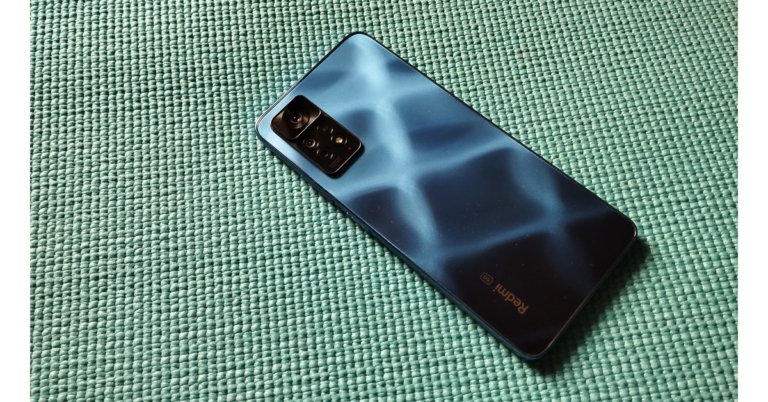
The price of Redmi Note 11 Pro+ in India has now been reduced by the Chinese business. There are three different versions of this Xiaomi phone, and each one has had its price reduced by up to Rs 2,000. The device arrived in India in March of this year and it features a 120Hz AMOLED display. Additionally, the smartphone houses a 5,000mAh battery with 67W fast charging. A price reduction of Rs 1,000 is applied to the Redmi Note 11 Pro+ 6GB RAM with 128GB storage version that will be sold at Rs 19,999. A price reduction of Rs 2,000 has been applied to the Redmi Note 11 Pro+ models with 8GB of RAM. So now both 8GB RAM with 128GB storage and 8GB RAM with 256GB storage options will be available at a reduced price of Rs 20,999 and Rs 22,999 respectively. Additionally, Xiaomi is providing an instant discount on the HDFC bank credit on this sale of up to Rs. 1,500. Other buyers can receive a cashback of Rs 3,000 and 0% interest on ZestMoney. On this Xiaomi phone, the business is also providing an exchange offer of up to Rs 16,500. The 6.67-inch full-HD+ AMOLED display on the Redmi Note 11 Pro+ features a refresh rate of 120 Hz and a maximum brightness of 1,200 nits. The MIUI 13 interface is overlaid on top of Android 11 on the phone. It contains an octa-core Qualcomm Snapdragon 695 SoC, up to 8GB of LPDDR4X RAM, up to 128GB of UFS 2.2 storage, and a microSD card slot for additional storage. A 108-megapixel Samsung HM2 primary sensor, an 8-megapixel ultra-wide camera, and a 2-megapixel macro camera are arranged in a triple rear camera setup on the Redmi Note 11 Pro+ 5G. The gadget has a 16-megapixel front-facing camera with an f/2.45 lens. A 5,000mAh battery with 67W fast charging capabilities is included with the Redmi Note 11 Pro+. For the latest gadget and tech news, and gadget reviews, follow us on TwitterFacebook and Instagram. For newest tech & gadget videos subscribe to our YouTube Channel. You can also stay up to date using the Gadget Bridge Android App. You can find the latest car and bike news here.

How to download WhatsApp stickers? Which are the best WhatsApp sticker apps?

0
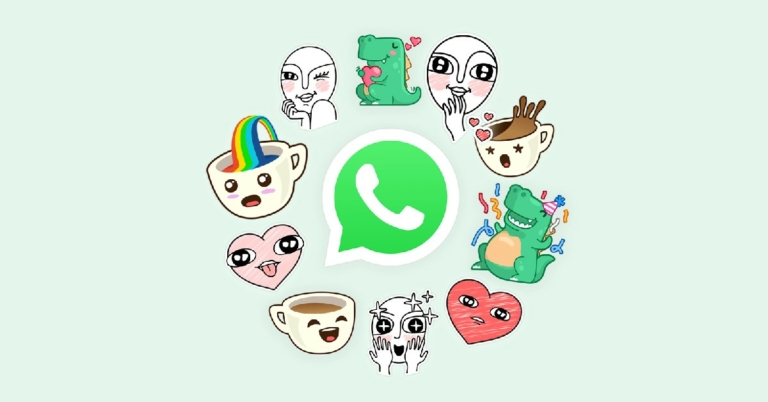
WhatsApp allows its users to send stickers in group and individual conversations. You can download stickers from WhatsApp’s library, or use third-party apps to access unique and fun stickers to send to your friends and family. You can even create custom-made stickers using the pictures in your phone’s gallery! In this article, we show you how to download WhatsApp stickers and the best apps you can download stickers from. Read Also: pTron Bassbuds Nyx with a transparent charging case launched in India

Here’s how you can download stickers on WhatsApp

Step 1: Open the WhatsApp app on your smartphone and select a group chat or an individual conversation. Step 2: Tap on the Emoji icon and select the sticker icon at the bottom. You will find it next to the GIF icon. Tap on the Emoji icon Step 3: You will be able to see your downloaded stickers. If you want to add more stickers to your collection, tap the plus icon at the top right corner of the section. tap the plus icon at the top right corner of the section. Step 4: In the following window, you will be able to see WhatsApp’s collection of stickers. To download a sticker pack, simply tap the download icon to the right of a particular pack.  Step 5: You can also download stickers from a third-party app. Simply tap on ‘Discover sticker apps’ and you will be directed to the Google Play Store. Pick any app you like to download its sticker collection. Simply tap on ‘Discover sticker apps’ Step 6: Using apps like Sticker.ly, you can browse millions of stickers and even create your own custom stickers!

Here are some apps with the best sticker collections

Stickify

Stickify. How to download WhatsApp stickers? Which are the best WhatsApp sticker apps? Stickify app boasts over a billion stickers in its collection. You can find stickers for every theme including festivals, games, TV series and more. After downloading a sticker pack, click on ‘Add to WhatsApp.’ You can access the stickers in the chat window on WhatsApp. You can also use Stickify to remove the background from images and convert them into stickers.

Emojidom

Emojidom. How to download WhatsApp stickers? Which are the best WhatsApp sticker apps? If you’re looking for stickers that look like emojis, Emojidom is the app for you! Emojidom has a collection of 7000+ stickers that spans different themes like celebrities, Christmas, birthdays, weather, money, communication, and more. Emojidom also lets you send a sticker directly on WhatsApp without needing to download the entire pack first. Emojidom regularly updates its sticker collection so you will always find something new!

Sticker.ly

Sticker.ly. How to download WhatsApp stickers? Which are the best WhatsApp sticker apps? Sticker.ly is one of the biggest sticker apps around, boasting a collection of over a billion stickers for WhatsApp and Telegram. One of the best things about Sticker.ly is that you can follow your favourite artists and keep up with new sticker packs that they publish. You can also look up trending stickers and see which stickers everyone is downloading! Sticker.ly also has a tool that lets you make your own custom stickers.

3D Funny Stickers

3D Funny Stickers. How to download WhatsApp stickers? Which are the best WhatsApp sticker apps? 3D Funny Stickers lets you download your favourite memes as stickers for WhatsApp. The app’s collection consists of all the famous memes through the years. Simply select your favourite stickers and add them to WhatsApp to make your conversations more fun. Read Also: Best easy ways to Change Touchscreen Sensitivity on Android and iPhone

Conclusion

This is how you can download your favourite stickers on WhatsApp. There are tons of sticker apps on Google Play Apps that let you browse and download fun stickers for WhatsApp. You can manage your downloaded stickers from WhatsApp itself. Let us know in the comments which stickers you love to use! For the latest gadget and tech news, and gadget reviews, follow us on Twitter, Facebook and Instagram. For newest tech & gadget videos subscribe to our YouTube Channel. You can also stay up to date using the Gadget Bridge Android App. You can find the latest car and bike news here.

Zebronics Zeb-Juke Bar 9750 soundbar launched in India

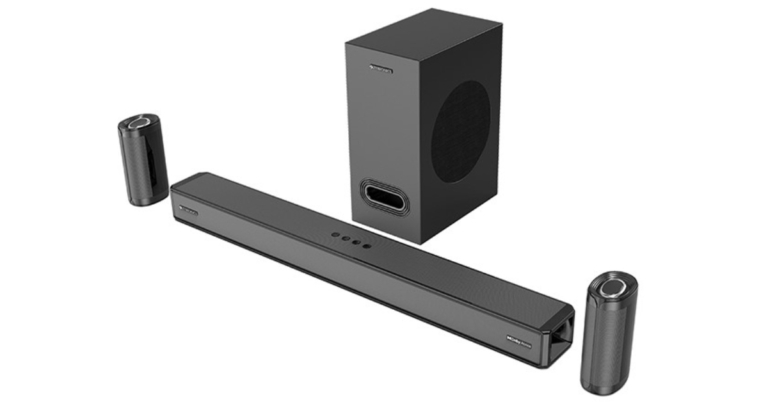
Zebronics has announced the launch of its first premium soundbar Zeb-Juke Bar 9750 in the country. The new audio device supports Dolby Atmos and is a wireless rear satellite speaker. The Zebronics Zeb-Juke Bar 9750 soundbar features a minimalist design. It comes with five audio drivers and offers a whopping 525 Watts output.

Zebronics Zeb-Juke Bar 9750 soundbar price in India, availability

The Zebronics Zeb-Juke Bar 9750 soundbar has been launched in India with a price tag of Rs 22,999. The audio device is now available for purchase via Amazon in the country. Zebronics Zeb-Juke Bar 9750 soundbar price in India, availability

Zebronics Zeb-Juke Bar 9750 soundbar features

The ZEB-Juke Bar 9750 soundbar has 5 drivers, 3 of them are front-firing and 2 are top-firing. To provide an immersive experience with Dolby Atmos and a massive 525Watts output, there is a potent 15.5cm sub-woofer and two wirelessly connected back satellite speakers. It provides captivating 5.1.2 Channel immersive sound that takes the experience of watching your preferred media or listening to music to a whole new level. The slim & minimalistic design of the ZEB-Juke bar 9750 increases the aesthetics of the place and is exquisitely crafted to fit any environment. Wall mounting the soundbar and the rear wireless satellites allows for a more immersive experience, and it is simple to put up right out of the box. You receive a range of connectivity options with Zeb Juke Bar 9750, including Bluetooth v5.0, HDMI (with e-ARC), Optical-In, USB, and AUX in a stunning chassis. Commenting on the launch of the product, Co-founder and Director, Mr. Pradeep Doshi, said – “The love of movies has been forever and with the advent of technology, the content for entertainment has diversified magnificently & now more than ever, Home Entertainment Systems have been increasingly popular. After the successful launches in this segment like Audio systems, Projectors, Smart TVs, We have launched the ZEB-Juke Bar 9750 with wireless satellites – being India’s first brand to have Dolby Atmos in this configuration. We believe in constant innovation & to provide our consumers with extraordinary Audio Products that deliver an immersive sound experience with cutting-edge technology, it’s been always our goal to make home entertainment products for everyone bringing “Premium to the masses”. For the latest gadget and tech news, and gadget reviews, follow us on TwitterFacebook and Instagram. For newest tech & gadget videos subscribe to our YouTube Channel. You can also stay up to date using the Gadget Bridge Android App. You can find the latest car and bike news here.

What happens when you unfollow someone on Facebook?

0
Facebook offers its users different ways to curate their feeds. If you have a lot of friends on Facebook, you probably don’t want your feed to be flooded with posts from everyone you know. Instead, you can choose to exclude the posts you are not interested in seeing by simply unfollowing the poster. But does unfollowing someone on Facebook mean you can’t communicate with them anymore? Will you still be able to send them messages? In this article, we explain what exactly happens when you unfollow someone on Facebook. Read Also: Best easy ways to Change Touchscreen Sensitivity on Android and iPhone

Here’s what happens when you unfollow someone on Facebook

Here’s what happens when you unfollow someone on Facebook Once you add someone to your friend list on Facebook, you automatically start following each other. Following someone lets you see their content on your feed. You can even choose to follow someone you are not friends with. This is helpful when you want to see updates from public figures like politicians, celebrities, or sports personalities.  Unfollowing someone on Facebook stops their posts from appearing on your newsfeed, even if you are still friends with them. Facebook doesn’t send a notification when you unfollow someone. You will continue being friends with them, you just won’t see their posts on your feed. This is an effective way of curating your feed to the content you want to see without taking anyone off your friend list.  You can still view the stories and posts of the person you’ve unfollowed by visiting their profile. You will also be able to send them messages and leave comments on their posts like before. If the person follows you, they will still be able to see your content on their newsfeed. Unfollowing someone on Facebook doesn’t make any mutual changes. If you want your posts to stop appearing on their feed, you can ‘restrict’ them. Read Also: Everything about the brand new Vivo X90, Vivo X90 Pro, and Vivo X90 Pro+

Frequently Asked Questions

Will Facebook notify someone if I unfollow them?

No, Facebook does not notify a person when someone unfollows them. Similarly, they won’t be notified when someone from their friend list follows them again. However, if you follow someone who is not on your friend list, the person will be notified.

Will I still be able to send someone a message once I unfollow them?

Yes, you will be able to send the person a message and interact with their posts once you unfollow them. You can visit the person’s profile and view their stories and posts, leave a like or comment, and even send them a message.

How do I unfollow someone on Facebook?

In order to unfollow someone on Facebook, simply visit their profile and click on the ‘Following’ icon next to the ‘Friends’ icon. Click on ‘Unfollow’ and you will no longer see their updates on your feed.

How do I stop someone on Facebook from seeing my posts?

If you don’t want your posts to appear on someone’s newsfeed, you can either unfriend them or restrict their profile from the settings. For the latest gadget and tech news, and gadget reviews, follow us on Twitter, Facebook and Instagram. For newest tech & gadget videos subscribe to our YouTube Channel. You can also stay up to date using the Gadget Bridge Android App. You can find the latest car and bike news here.