Nothing seems to have mastered the formula of creating a lot of hype behind its products, be it the flagship killer Phone (2) (our review here) or the Buds Pro (our review here) from its affordable CMF range. Even the new Phone (2a) steps into the cutthroat lower midrange segment with a lot of buzz around it. Priced at Rs 24,000, this smartphone has a bunch of exciting things going for it. Its back panel gets Nothing’s signature see-through treatment along with Glyph lighting, which is understandably dialled down on the affordable mid-ranger. There are some tradeoffs too, as the (2a) lacks a glass back panel and aluminium rails. However, the MediaTek Dimensity 7200 Pro under its hood is a smart choice for this price bracket. We’ve been using this smartphone for the last week, and like all Nothing products, it has left quite an impression on us. Here is our Nothing Phone (2a) review.Read Also:OnePlus Watch 2 Review: Rugged elegance
Nothing Phone (2a) review: Design and Display
One of the things we like about Nothing is the thought it puts into the unboxing experience across all its products. The cardboard box containing the Phone (2a) is packaged in an exciting cover. Flipping open the lid of the box, you’ll find the smartphone, a USB Type-C cable with transparent casings for the connectors, a SIM ejector tool with a transparent grip, and a safety & warranty information pamphlet. There are no plastic coverings to be found.As much as we like the well-thought-out unboxing experience of the Phone (2a), there is one gaping flaw we cannot overlook. There is no power adapter inside the box. In Nothing’s case, this is problematic for two reasons. Firstly, most of the buyers making a midrange smartphone purchase in 2024 most likely do not possess a power adapter that can support 45W charging. Secondly, the charging cable provided in the box is only compatible with adapters that have a Type-C port, a fairly new trend which isn’t the industry standard as of yet. For a lot of buyers, this means shelling out an extra Rs 2,500 for Nothing’s official 45W power adapter, taking the price of the entire package to Rs 26,500.While the unboxing experience may be a bit of a mixed bag, the design of the Phone (2a) is anything but. This is easily one of the better-looking smartphones out there across all categories. Its transparent back panel lends it a unique personality, which is an attribute we highly rate, especially at a time when smartphones are hitting a ceiling in design language. We used the black variant of the Nothing Phone (2a) for this review, but if you want to truly appreciate the see-through aesthetic, we suggest going for the white variant.The dual camera array of the Phone (2a) is placed horizontally at the centre of the panel, causing less wobble when the smartphone is placed on a flat surface. Surrounding this camera array is the NFC coil. The iconic Glyph lighting is fragmented into three LED strips and restricted to the top end of the back panel, bordering the giant coil. The bottom segment of the back panel showcases a maze-like pattern, which Nothing says is inspired by Massimo Vignelli’s New York subway map. To top it all off, in true Nothing fashion there is a visible splattering of tiny screws and a squarish red accent towards the side.The frame and back panel of the Phone (2a) are made out of plastic, but they are by no means cheap. Our only complaint is that the back is a bit of a fingerprint magnet. Its flat form factor along with the flat edges of the frame provides a nice in-hand feel. The rounded corners ensure that the smartphone does not dig into your palms while you’re holding it.Another unique but understated thing about the Nothing Phone (2a) is that the volume rocker and side button are housed on opposite sides of the frame instead of being bundled together on the right edge. While operating the phone with one hand we hit the screenshot trigger on multiple occasions, but it is something you learn to work your around very quickly. On the bottom edge of the frame, you will find the SIM tray, primary microphone, USB Type-C port, and speaker grille. Up top lies the secondary microphone. The smartphone’s earpiece doubles up as a secondary speaker outlet.Moving on, the 6.7-inch AMOLED display on the (2a) has a maximum refresh rate of 120Hz and supports HDR10+. This display is surrounded by symmetrical bezels which give it quite the premium look. The touch response is fluid, leading to a very smooth browsing experience. 1,100 nits of HBM brightness is sufficient to make the display legible in bright outdoor conditions while a peak brightness of 1,300 nits produces gleaming visuals while watching HDR content.We used the Nothing Phone (2a) as our primary media-watching device throughout the review period. The smartphone lacks HDR capabilities in the Netflix app even though it has Widevine L1 certification. Despite that, we were pleased with the viewing experience on the (2a). The images were rich in colour and contrast without looking too saturated. The audio output is well-rounded and does not distort considerably when pushed to its upper limit.Similar to the Phone (2), the (2a) carries an IP54 rating. On exposure to light water splashes the smartphone remains unaffected. The display is guarded by Corning Gorilla Glass 5 and can easily absorb moderate knocks.
Nothing Phone (2a) review: Performance and Cameras
It would be out of character for Nothing to solely bank upon the design factor of any product. The Phone (2a) is powered by the impressive MediaTek Dimensity 7200 Pro chipset. There are three RAM and storage variants on offer: 8GB + 128GB, 8GB + 256GB, and 12GB + 256GB. We used the 8GB RAM + 256GB storage variant for this review. This variant is currently priced at Rs 26,000. The top-spec model fetches Rs 28,000.The Dimensity 7200 SoC is pivotal in the phone’s performance and enables it to crush everyday tasks with ease. The smartphone does an impressive job of handling multiple tasks at once, even if that means watching live football in Hotstar’s floating window while answering texts in WhatsApp and going through the match thread on Reddit. During the week-long review period, we did not come across a single stutter or lag while using the Nothing Phone (2a).The general app-browsing experience is very smooth and jitter-free as well. Even with multiple apps running actively in the background, the phone’s performance remains unaffected. The linear haptic motor provides good feedback while typing on the device. It is very hard to find chinks in Phone (2a)’s armour when it comes to routine usage. On the Geekbench 6 app, the Nothing Phone (2a) attained 1,121 points in the single-core test and 2,589 points in the multicore test. The gaming performance of the device is passable and not something that leaves a lasting impact. Even though the AMOLED display supports a maximum refresh rate of 120Hz, games like Call of Duty Mobile hit their frame rate ceiling at 60fps. The phone does a decent job of dissipating the internal heat, but you can feel the back panel warm up after 20 minutes of gaming. The gameplay is smooth and jitter-free for the most part, but you are bound to drop a few frames once the device heats up.Nothing’s smartphones aren’t just eye-catching from the back. The flair that Nothing OS 2.5 brings to Android 14 is something we like a lot. For the most part, the interface follows the stock Android design language, but Nothing stamps its personality on the device with attractive widgets and the dot-matrix font. And no, you cannot opt out of the latter.Home screen widgetsNothing has a comprehensive collection of widgets for its stock apps. If you want to make the most out of the OS, we suggest spending some time customising the home screen. Even though you may not have a lot of use for some of the widgets, they bring a splash of personality to the device. The home screen folders can be arranged in different layouts and you can choose a dot matrix style cover for them. One thing we’d like Nothing to offer in a future update is the option to save home screen layouts in the customisation settings menu. Some stock templates for people who don’t want to spend time customising the home screen wouldn’t be too bad either.The software also taps into the functional aspect of the Glyph lights on the back of the smartphone. The ‘Flip to Glyph’ feature automatically triggers the silent mode when you put the phone face down on a flat surface. The Glyphs light up anytime you receive a phone call or other notifications. The Glyph Timer uses the curved LED strip at the top of the back panel as a progress bar to provide a visual of the time remaining on the clock. You can also use this strip as a progress bar to display the ETA of your cab booking or food delivery order. As of now, it only works for Uber and Zomato.There is a fun Composer tool that lets you design custom ringtones. If you don’t want to miss any updates from an app, you can customise the right Glyph to light up until you tend to the notification from that particular app. If you’re feeling whimsical, you can turn on music visualisation and make the Glyphs dance to the song you’re playing. But strangely enough, the Glyphs respond to all kinds of audio output when this feature is turned on. Lastly, there is no bloatware on the device, which earns it brownie points from us.Moving on, the battery life offered by the Phone (2a) is one of its strongest suits. On a full charge, the 5,000 mAh battery pack on this smartphone coasted through an entire day with ease, even after heavy usage. We were able to get more than 8 hours of screen time on a single charge. Our daily tasks on the Nothing Phone (2a) during the review period consisted of emailing, instant messaging, video calling, social media browsing, streaming OTT content, and even a bit of gaming. If you’re more conservative with your usage, this can be a 2-day smartphone. Even though the (2a) supports 45W charging, it took us 1 hour and 40 minutes to fully charge the smartphone using an 80W charger.The dual camera array at the back comprises two 50MP sensors for the wide and ultrawide lenses. The camera performance is good, but not segment-defining. In outdoor daylight, the main sensor captures detailed images with deep colours that truly ‘pop’. We were happy with the contrast and the dynamic range showcased in the images. While capturing plants and foliage we felt the picture could have been a little more sharpened.The ultrawide camera also puts up a good performance, but the colour tone of the images is quite different from the main sensor. This is all the more noticeable when you capture images of the sky. The way the two sensors expose the sky is very different. Overall, we enjoyed the colour palette of the ultrawide images as well.Wide vs UltrawideIn limited lighting, both cameras perform very well. In auto mode, the camera app recognises the lighting condition and delays the shutter speed, letting in more light. The images were well-lit but a little grainy. The Night Mode does not boost the brightness a lot but reduces the grain. The ultrawide camera relies a lot more on the Night Mode and produces good results.Night Mode: Wide vs UltrawidePortrait shots taken with the Nothing Phone (2a) are well focussed, detailed, and very vivid. The camera does a good job of separating the subject from the background. However, in the photo processing phase, the smartphone does not apply a lot of blur in the background. The front-facing 32MP camera takes decent selfies in outdoor daylight but tends to mess up the skin tone in indoor shots taken under artificial lighting.Portrait ShotsRead Also:How to use the AI Eraser on OnePlus smartphones?
Verdict
The Nothing Phone (2a) strikes the right balance between aesthetics and performance while managing to cost less than Rs 25,000. The software experience provided by Nothing on this smartphone is just as special as its signature see-through design philosophy and Glyph lighting. The MediaTek Dimensity 7200 Pro puts up a rock-solid performance on this device and its impressive benchmark numbers into use when it comes to handling demanding tasks. The camera performance is fine as well, leaving little room for complaints and making it one of the easiest devices to suggest in this price bracket.
Nothing Phone (2a): Pros
Splendid design
Great software experience
Consistent performer
Long battery life
Nothing Phone (2a): Cons
No power adapter inside the box
Portrait shots and night mode images take a while to process
In an attempt to compete with other well-known firms like Samsung in the wearable market, OnePlus released its first wristwatch in 2021, but it did not do that well. Everything that went wrong is now history, and the OnePlus Watch 2 has finally hit the market—possibly after three years. First presented at the Mobile World Congress (MWC) 2024, then it made its way to the Indian market. Will the OnePlus Watch 2 therefore be able to compete with its rivals following a not-so-great tryout in 2021? At first glance, the company has resolved the majority of the problems with the previous iteration, and this elegant-looking wearable is ready to take on the market with a storm. We have been using the smartwatch for over two weeks and this is our OnePlus Watch 2 review.
OnePlus Watch 2 Review: Design and Display
The circular form of the OnePlus Watch 2 has a sophisticated appearance. Take note, that this design element is similar to the back camera module of the OnePlus 12. In addition to having a stainless steel case, the watch is quite durable. On the left side of the frame, two buttons are spaced widely apart that let you navigate and enter the quick workout mode. As soon as you push the down button, details about the activities will appear. The activity can be performed right away.The company kept the design simple and avoided giving it a macho vibe so that women as well as men may wear it.The Watch 2 is certified IP68 for dust and water resistance, indicating its high level of durability. Furthermore, it has an underwater pressure tolerance of 5 ATM, or roughly 50 metres. Indeed, it meets MIL-STD-810H US military requirements, making it a dependable partner for monitoring, engaging in water sports, and surviving harsh climates like heat or cold.The smartwatch contains some charging connection points and sensors for tracking health on the back. The straps are likewise of good quality and can be replaced. The 22mm watch strap is made of fluoro rubber and fastened with a stainless steel buckle. Although the manufacturer advises you to keep it dry, it is very skin-friendly and won’t irritate your skin.There are two colour options for the OnePlus Watch 2: radiant steel and black steel. We have the latter one for the review.Also Read:Samsung Galaxy Watch6 Classic Review: A supreme health tracker that does not compromise on styleThe gadget sports a circular 1.43-inch AMOLED screen with a resolution of 466 x 466 pixels. Its High Brightness Mode (HBM) has a flash rate of 60 Hz and a peak brightness of 1,000 nits. The smart wearable’s 2.5D sapphire crystal screen and stainless steel casing give it exceptional durability. The display is of very good quality, with minimal yet visible bezels surrounding a flat screen.The screen is incredibly clear and vivid. There’s a smooth touch response on it. The brightness levels of the watch are also really amazing when used outside. Whether you’re reading a text message or looking at your home screen, the display provides an excellent amount of detail. The display colours were accurate and well-balanced, with excellent contrast levels. Because it’s an AMOLED display, it packs a vibrant punch. The viewing angles are nice as well. Over that, you also get support for Always on Display.
OnePlus Watch 2 Review: Performance
OnePlus Watch 2’s Dual-Engine Architecture makes it an extremely interesting wearable. The wearable comes equipped with a Snapdragon W5 SoC, as well as a BES2700 chipset. WearOS is used by the former, while OnePlus’s own UI RTOS is used by the latter and is in charge of background functions like fitness monitoring and routine tasks. Wear OS 4 saves power by only waking up when necessary to operate apps, according to the firm. Also Read:Samsung Galaxy Watch6 Review: Still ahead of the packAdditionally, users can seamlessly transition between Wear OS 4 and RTOS by choosing Smart Mode or Power Saver Mode, respectively. OnePlus claims that this change occurs automatically and has no impact on the user experience.32GB of internal storage and 2GB of RAM are included on the OnePlus Watch 2. For RTOS, there is a 4GB eMMC.The OnePlus smartwatch has WiFi and GPS built right in. Over that, the watch has a built-in speaker and microphone for making phone calls. During testing, we answered a few calls as well, and the performance was decent. However, the performance suffers when you’re in a crowded outdoor setting. Additionally, you have the option to pick a strong ringtone and adjust the loudness. It’s pretty good that you can use the phone app to call numbers on your watch.Not only that, you can connect your audio device to it to listen to music because it has built-in storage.Now let’s discuss the software experience. Initially, the watch must be connected to a smartphone via the OHealth companion app, which also syncs with Google’s Health Connect service. This way, your data can be shared or carried anywhere and not be restricted to the OnePlus system. The OHealth app provides access to phone notifications, SMS, calls, and much more, along with extensive data about the user’s physical activity.Furthermore, the app records and displays fitness and health data produced by the watch. Here, you may personalise the smartwatch’s workout and health settings and choose your favourite watch face from a selection.In addition, the app monitors SpO2 levels, sleep patterns, continuous heart rate monitoring, daily activities, and workout recommendations.You may access fast toggles here by swiping the screen down. Notifications can be viewed by swiping up from the bottom. You can see the present weather conditions as well as a plethora of other statistics by swiping right or left, including steps taken, active calories burned, stress level, workout, activity sessions, contacts, YouTube music, search, sleep, heart rate, stress, and much more.The workout and step count features of the OnePlus Watch 2 are incredibly precise and reliable. Nonetheless, the gadget has a 100 sports mode. It can also automatically detect and pause workouts.A full health suite package is also included on the smartwatch, along with 24×7 HR monitoring, SpO2, stress level monitoring, and sleep data analysis.Additionally useful is heart rate tracking, which will alert you if it rises above a particular level. It will also remind you to relax if you are too stressed out.In addition, the watch has standard features like BT calling, timers, alarms, notifications, and weather. For hands-free operation, Google Assistant is also supported.Its 500mAh battery is supposed to last for three days. We have actually been using this watch for more than two weeks, and we are really impressed with how long the battery lasts. This watch uses far less energy than most other smartwatches on the market since it enters sleep mode automatically when it is placed on a table. The battery life is not used while you are not wearing it. Its power-saving mode extends the battery life to up to 12 days.According to the manufacturer, the device has a battery life of 100 hours or nearly four full days.The WearOS operating system ensures that the device has an excellent battery life, with two days of use possible for heavy users. However, the battery will last at least three days if you use it in smart mode.It has a 7.5W VOOC charging feature that can fully charge the battery in an hour. If you have the time, a quick charge of 10 minutes can boost the battery’s life by one day.Also Read:Samsung Galaxy Watch 5 Pro review: Is it an ideal smartwatch?
Verdict
We’ve used the OnePlus Watch 2 to track our daily steps and usual workouts, and we’ve discovered that the accuracy is really good. Both battery performance and charging support are generally good and meet the company’s claims.The fact that it currently only supports Android phones is arguably a disappointing aspect. Therefore, since iOS is not supported, this smartwatch is definitely not for you if you own an iPhone. Additionally, the OHealth app is also not supported with iOS on this device; however, if you have an Android smartphone, it offers fantastic functionality for managing all the data, including watch faces and other stuff.Therefore, all things considered, we would conclude that this watch is fairly good for what it gives and does offer a very good experience, including good build quality, fit and finish, good display, and impressive battery efficiency.
Soon Samsung is going to unveil the Neo QLED 8K and more lineup of TVs in India.
All the upcoming TVs will be powered by artificial intelligence (AI).
Additionally, the company has started accepting preorders for the upcoming AI TVs.
Samsung is all set to introduce its 2024 lineup of Neo QLED 8K series in India. Alongside the new 8K series the company is going to launch more AI TV in the country. The upcoming television lineup is likely to be powered by AI this year.Samsung is getting ready to introduce a new line of televisions with artificial intelligence (AI) capabilities on April 17. The company is going to introduce the Samsung Neo QLED 8K, Neo QLED 4K series and the OLED series.Customers who are interested in purchasing Samsung’s new line of AI TVs in India can now place early orders with the company. Buyers will be able to pre-order Samsung’s new AI TVs by paying INR 5000 on Samsung.com and the Samsung Shop app.Customers can have early access to exclusive deals on their purchases when they pre-order Samsung’s new AI-powered TVs.Pre-orders for Neo QLED 8K Series (75 inches and above) will bring in benefits of INR 15000, while pre-orders for Neo QLED 4K & OLED Series will yield incentives worth INR 10000.Also Read:Sony ILX-LR1 E-mount interchangeable lens camera for drone photography launched in India
Samsung Neo QLED 8K 2023 series specifications
The 2023 range of Neo QLED TVs 8K TVs and Neo QLED 4K TVs are certified by Pantone which means it includes accurate expression of 2,030 Pantone colours and 110 skin tone shades. They come integrated with Q Symphony 3.0 which uniquely allows TV and soundbar speakers to operate simultaneously for an immersive surround effect. The speakers support Dolby Atmos, Object Tracking Sound Pro and Adaptive Sound Pro.The lineup is powered by Quantum Matrix Technology that powers up to 33 million pixels and delivers a billion colours. It is powered by a Neural Quantum Processor, which supports the Quantum Mini LED-lit TV with 14-bit processing and AI upscaling. The Neo QLED 8K TVs and Neo QLED 4K TVs also support virtual assistants- Bixby and Alexa.
In the latest Oxygen OS 14 update, OnePlus has introduced a new AI eraser tool, similar to the one found on Samsung and Google smartphones. This feature is free to use as of now, although some OnePlus Community members have reported hitting a daily limit for the edits. Like Google’s Magic Eraser, the AI Eraser can remove unwanted objects from your photographs with ease. So, let’s take a quick look at where you can find the AI Eraser on OnePlus smartphones and how to use it.
OnePlus’ AI Eraser is powered by Oppo’s AndesGPT
After Samsung launched its Galaxy AI suite of features earlier this year, it was only a matter of time before other Android OEMs upped their game as well. OnePlus’ AI Eraser is based on Oppo’s AndresGPT generative AI model. This AI tool gathers contextual information from the image that is fed to it and uses it to weave a background that matches the style of the image and seamlessly blends into its surroundings. Every time you select an object for removal, the AI eraser comes up with a matching background to take its place.The only downside is that the AI Eraser carries out the computation process on a cloud server. This is particularly disappointing because modern flagships like the OnePlus 12 are well-equipped to handle on-device AI processes. Outsourcing the computation to a cloud server means you will need an internet connection to use this tool.As of now, the AI Eraser is only available for the OnePlus 12, 12R, 11, Open, and Nord CE4. If you own either of those smartphones, make sure you are using the latest Oxygen 14 OS version. Read Also:Sony ILX-LR1 E-mount interchangeable lens camera for drone photography launched in India
Here’s how you can use the AI Eraser on OnePlus smartphones
Step 1: Launch the native Photos app on your OnePlus smartphone.Step 2: Select the image you want to edit.Step 3: Hit the Edit icon in the bottom toolbar.Step 4: Tap on the AI Editor.Step 5: Select AI Eraser.Step 6: Choose a tool to select unwanted objects in the picture. ‘Smart Lasso’ lets you select unwanted objects by circling them, while ‘Paint Over’ does the same by making you highlight them.Step 7: Once the object is selected, the photo editor will remove it from the picture. You can compare the result with the original image.Step 8: If you’re satisfied with the result, hit Done.Step 9: Hit Save.
Frequently Asked Questions (FAQs)
Which OnePlus phones are getting the AI eraser feature?
OnePlus 12, 12R, 11, Open, and the recently launched Nord CE4 will be the first devices to receive the AI Eraser feature.
Why can’t I find the AI Eraser on my OnePlus phone?
To make sure the native Photos app on your device has the AI Eraser feature, make sure the phone’s OS is updated to the latest version.
Is there a limit to how many pictures I can edit using the OnePlus AI Eraser?
While OnePlus has not mentioned any limit for the number of images that can be edited using the AI Eraser, some OnePlus Community members have mentioned hitting the daily limit while using the tool.
How do I erase an object from a picture on my OnePlus phone?
Open the photo in the native gallery and go to Edit>AI Editor>AI Eraser and select the object you wish to remove using the Smart Lasso or Paint Over tool. Once the object is selected, it will be removed.
How do I separate an object from its background on my OnePlus phone?
This is how you can use the AI Eraser on your OnePlus smartphone. While using this tool, you need to be very particular about drawing accurate boundaries around the object you want to remove. The accuracy of the tool depends upon the size of the object and the uniformity of the background.
Sony India today unveiled a new E-mount interchangeable lens camera- ILX-LR1. It comes with a 35mm full-frame image sensor and is compatible with the Sony Camera Remote Software Development Kit (SDK). The device can be remotely operated and has a compact form factor. It is ideal for inspection, investigation, surveying, and mapping by drone.
Sony ILX-LR1 specifications
Sony ILX-LR1 is a lightweight interchangeable lens camera with a 35mm full-frame image sensor. It is approximately 3.94 inches in width x 2.91 inches in height x 1.67 inches in depth, weighing approximately 0.53 lbs (243 g). The small, box-shaped camera features screw holes (M3) on each of its six sides for safe attachment in any appropriate spot, including a drone, industrial machines, robots and/or submersibles. Furthermore, the bottom surface of it features a mounting screw hole (1/4-20 UNC). For ease of installation, the USB Type-C and HDMI Micro (Type D) ports are located together on the back of the camera.The new Sony camera offers low-latency data transfer ILX-LR1 Power & Control Terminal for distant applications that need to respond instantly, such as taking a photograph at a particular moment. The ILX-LR1 supports a DC 10-18V power connection that provides support for an extended amount of battery life.The ILX-LR1 can be used for a variety of job sites and purposes such as utilities, green energy, telecommunications, transportation, construction, and land management projects.As per the company, Sony ILX-LR1 is capable of recording high resolution, low noise, and wide dynamic range images that reveal minute details like tiny scratches and cracks during inspection and investigation. Furthermore, it can shoot continuously at up to three frames per second, which is ideal for mapping shooting. Since the ILX-LR1 is compatible with a wide range of E-mount lenses, a single photo taken from a high altitude can replace multiple images from a lower-resolution camera therefore allowing the user to select the most suited lens dependent on the project.
Sony ILX-LR1 price in India
Sony ILX-LR1 has been introduced with a price tag of Rs 3,29,990. The camera is now up for sale.
The new series features three back cameras, the most prominent of which is a 108-megapixel primary sensor
They would include the company’s own Cheetah X1 power management processor.
Flipkart is the official retail partner for the upcoming phones.
Infinix has officially declared the launch date of its upcoming smartphone series Infinix Note 40 Pro Series. The lineup is confirmed to include two devices Infinix Note 40 Pro and Infinix Note 40 Pro+. Before arriving in the Indian market both the handsets were introduced in the select markets last month. The company revealed many important details about the new phones along with the launch date.Infinix Note 40 Pro+ 5G and Infinix Note 40 Pro 5G are set to launch in India next week. The mid-range smartphones will be available for purchase via Flipkart in the country.Also Read:Krafton launched a new battle royal style game- Bullet Echo IndiaAccording to the company, the upcoming smartphone series will feature the X1 Cheetah Charging Chip in India which is said to deliver fast charging speeds without impacting battery life. The series also features Muti-Mode FastCharge – Low-Temp, Hyper and Smart.Users of Note 40 Pro+ devices can achieve a 50% charge in under 8 minutes using Hyper Charge. A 5,000mAh battery with 45W charging capacity powers the Note 40 Pro, while a 4,600mAh battery with 100W charging powers the Note 40 Pro+. Additionally, the series supports 20W wireless MagCharges.The smartphone will come with a 3D 6.78-inch Curved AMOLED Display. It has a refresh rate of 120 Hz and an instant touch sampling rate of 1500 Hz. The screen is claimed to offer an immersive viewing experience with vivid colours, deep blacks, and bright whites.Also Read:EPOS IMPACT 800 with BrainAdapt tech launched in IndiaIn terms of design, the devices will flaunt a gleaming metal body with a high-end vegan leather and glass finish and a unique 55-degree golden curve. The series will be available in two colour variations: vintage green and titan gold. They are and it is made to be robust with Corning glass protection.As we mentioned before, the Infinix Note 40 Pro Series was released in a few international markets in March. There they were introduced with MediaTek Dimensity 7020 SoC.
Google’s Find My Device network is finally getting a highly anticipated update. Back in 2023, Google announced expansion plans for its Find My Device network at its annual I/O conference. This included revamping the interface and adding new features like unknown tracker alerts and offline tracking. While the former was rolled out in August last year, the release of offline tracking tech was pushed due to Apple’s pending iOS 17.5 update. Recent reports suggest that Google is finally ready to push this update on Android devices. So, let’s take a quick look at how you can enable Google’s Find My Device network to track missing offline devices.Read Also:EPOS IMPACT 800 with BrainAdapt tech launched in India
How does offline tracking work?
As of now, Google’s Find My Device relies on your smartphone being connected to the internet to effectively track its location. But once the device goes offline, the Find My Device app displays its last recorded location instead of the live location. This changes with the new Find My Device being pushed by Google. One of the benefits of this feature is that it will allow you to track devices that lack internet connectivity as well. This includes your wireless earbuds and headphones.So, how does offline tracking work? The answer is simple. Once your device goes offline, it emits Bluetooth signals to nearby Android devices, which report its location data to Google. Essentially, your lost device acts as a Bluetooth beacon and relies upon the smartphones near it to relay the information to Find My Device. When you enable offline tracking on Find My Device you are also opting to be a part of the network to find other lost devices.
Enable Google’s Find My Device for offline devices
Step 1: Go to Settings.Step 2: Tap on Security and privacy.Step 3: Select Device finders.Step 4: Tap on Find My Device.Step 5: Select Find your offline devices.Step 6: Select With network in all areas.
Frequently Asked Questions (FAQs)
How do I enable offline tracking in Find My Device?
On your Android smartphone, go to Settings>Security and privacy>Device finders>Find My Device>Find your offline devices and select ‘With network in all areas’.
How does Google’s Find My Device track offline devices?
Once a device goes offline, it emits Bluetooth signals which get picked up by nearby Android devices and relayed to Google’s Find My Device.
This is how you can enable Google’s Find My Device network to track missing offline devices. Using the new Find My Device network, you can track your lost or missing phone or any compatible Fast Pair accessories like headphones and wireless earbuds. If you want to enable unknown tracker alerts on your smartphone, this article shows you how to do it.
The headphone comes with a lightweight comfortable design.
There are three beamforming microphones for clear audio.
Audio brand EPOS has introduced IMPACT 800 series headphones in India. The headset comes with Advanced Noise Cancellation (ANC) and is backed by AI technology for clear audio in noisy or open workspaces.EPOS IMPACT 800 has been launched in India with a price tag of Rs 14,719. It is an ideal for modern, desk-working professionals. As per the company it serves all office settings which are intended to increase productivity and focus. The device has been created to complement the brain’s innate ability to process sound. Using a set of cutting-edge features called EPOS BrainAdapt, the IMPACT 800 tackles the difficulties associated with answering calls in a hectic setting.The headset is said to reduce brain fatigue by cutting down on distracting noises, which minimises the effort spent on listening and understanding. BrainAdapt enhances cognitive function in conjunction with hybrid adaptive Active Noise Cancellation (ANC) and industry-leading speech pickup enabled by EPOS AI.Noise-cancelling filters are updated every 4 milliseconds by advanced algorithms powered by 2nd Generation EPOS AI which is based on more than 8,000 factors in three beamforming microphones to ensure a clean and natural sound. Whereas the wearers’ voices are preserved thanks to voice pickup and super wideband audio and stereo. Additionally, ActiveGard technology in the headset supports compliance with noise-at-work regulations and prevents loud spikes.The ANC headphones come with a lightweight design, soft, breathable cushions and headband padding provided for comfortable wearing. Users only need to move the boom arm or turn the headset on or off to start, finish, and mute calls. Furthermore, everyone around you can tell when you’re on a call and should not be disturbed thanks to a 360-degree busy light.Furthermore, the headphones include smart features and USB-C cable-based plug-and-play connectivity.Also Read:Krafton launched a new battle royal style game- Bullet Echo IndiaJohnny Andersen, VP Product & Portfolio Management at EPOS said, “The office environment has evolved to the point that a silent workspace is no longer an option for the majority of employees. Whether based in the office or at home, we can expect distraction from background noise – from colleagues or children conversing to the sounds of printers, servers or even the dishwasher. This is why EPOS’ innovation is focused on supporting the way human processes sound, to make it easier for workers to concentrate even in busy environments. Plus, as a wired device, the IMPACT 800 series makes the perfect plug-in and go partner for those who don’t want to worry about battery life during call-intensive days.”
Garena Free Fire is a battle royale game with regular awards and tournaments to keep players interested. If you play Garena Free Fire, you should be aware of the redeem codes that are released on a daily basis. However, because the battle royale game is banned in India, players from other countries can use the Free Fire Redeem codes daily. If you’re unfamiliar with the Garena Free Fire redeem codes or don’t know how to get them, we’ve put together a step-by-step guide to help you redeem them. Check out Garena Free Fire Redeem Codes for 5 April 2024.The Free Fire redeem codes are a great way to get free stuff. These are 12-digit codes that contain alphabets and numbers, as well as an expiration date and time. Because the Garena FF redeem codes cannot be used more than once, you should hurry to the redemption page to claim your free reward before someone else does. To get a free reward, all you have to do is go to reward.ff.garena.com/en, which is the official redemption page. Also, keep an eye on this space for daily updates on Garena Free Fire redemption codes and rewards.Also Read: Sennheiser Accentum Plus wireless headphones with Hybrid Adaptive Noise Cancellation launched
Bullet Echo India features four localised Indian skins for heroes.
It is a multiplayer PvP tactical top-down shooter game.
Battlegrounds Mobile India developer Krafton has launched the Bullet Echo India mobile game. The new battle royal style game has been developed together with Spanish video game developer ZeptoLab. Bullet Echo India is a multiplayer PvP tactical top-down shooter mobile game. The game offers four localised skins for heroes including a BGMI skin. The game can now be downloaded and ready to be played in India.Krafton and the Spanish video game developer ZeptoLab released the smartphone game Bullet Echo India. Indian users can now download and play the game on Android and iOS devices. The new game is an exhilarating top-down shooter mobile game designed exclusively for Indian gamers.Anuj Sahani, India Publishing Advisor and Head of KRAFTON India Incubator Programme said, “Bullet Echo India marks a significant milestone in the Indian gaming landscape, bringing a unique blend of tactical gameplay and strategic team dynamics to audiences. The launch represents another step in our ongoing commitment to elevate gaming experiences for the Indian community with localised content. We are excited to unveil a groundbreaking collaboration with BGMI, introducing an exclusive in-game skin. With Bullet Echo India, we aim to create a unique and unforgettable experience for gamers in the country.”As previously stated, Bullet Echo India is a multiplayer PvP tactical top-down shooter game where players may form alliances, strategize and engage in fast-paced battles. It offers quick matches, auto-shooting mechanics for fun gameplay, multiple heroes and game modes for varied experiences, and special abilities that add depth and excitement to every match.
The new game features four localised Indian skins for heroes. As per the company, heroes Slayer, Sparkle, and Mirage’s skins enhance the gameplay by adding a bit of India’s rich cultural past, which makes the experience more engaging and pleasurable. As part of a first-of-its-kind partnership with BGMI, the hero Stalker will receive a BGMI skin, boosting the gameplay experience with aspects from India’s well-liked battle royale games.Also Read:Samsung rolls out ‘Galaxy Time’ new watch faces for its Galaxy WatchesSpeaking on the launch, Max Petrov, CEO, of ZeptoLab, said, ‘’We are thrilled to collaborate with KRAFTON India to tailor ‘Bullet Echo India’ for Indian audiences. The inclusion of localised Indian-themed skins has enabled us to deliver rich gameplay content that resonates with players. We believe that Bullet Echo India will set a new standard in tactical gaming, offering players an exciting and engaging journey filled with challenges and memorable moments.”
Samsung unveiled new watch faces for its Galaxy Watch devices. The company released watch faces for our solar system for the first time with Galaxy Time for smartwatches. The latest watch faces display the time on several solar system planets. The eight planets are represented by a total of eight watch faces.The European Space Agency (ESA) and the South Korean tech giant collaborated to produce these watch faces, which they named Galaxy Time. The new watch faces not only display the current time on the planets but also provide additional useful details about these astronomical bodies. Rethinking time and clocks was necessary to build the concept, which was created by the creative agency Leo Burnett Germany. A simple watch face design was created from the intricate data. The Galaxy Time smartwatch design was mostly developed by creative brand consultancy Metadesign in Berlin.The company in its announcement said, “Samsung is releasing watch faces for our solar system for the first time with Galaxy Time for smartwatches. In collaboration with the European Space Agency (ESA), Samsung has developed a watch face for the Samsung Galaxy smartwatches that allows real-time data from our solar system to be accessed directly on the wrist. Just in time for the daylight saving time change on March 31st, Galaxy Time for Galaxy Watches with Wear OS is available in the Google Play store.”Also Read:Philips TAB4228 Soundbar with 120W sound output launched in India The Samsung Galaxy Smartwatch’s Galaxy Time watch faces allow users to experience the rhythm of the neighbouring planets- Mercury, Venus, Mars, Jupiter, Saturn, Uranus and Neptune in our solar system every second. ESA scientist Dr. Melanie Heil said, “Planetary times make it possible to understand the relative nature of time and broaden horizons in everyday life.”According to the company Samsung developers rely on ESA measurements to produce great precision for the Galaxy Time watch faces. A simple design has been created from the data on the rotation speed and orbit of the eight planets around the sun. Moreover, a separate clock face was developed for each planet. Time moves like our 24-hour system, either quicker or slower. Galaxy Time also provides users with wide insights into our solar system, including the distance of neighbouring planets from the Sun and Earth, the number of their moons, their exact position every second and the planetary seasons.
TPV Technology has officially announced the launch of the Philips TAB4228 Soundbar in India in response to the growing demand for soundbars for an immersive theatre-like audio experience at home. The audio device has a maximum sound output of 160W. The Philips soundbar has a 2.1 channel configuration and subwoofer with 3 EQ Modes.
Philips TAB4228 Soundbar price in India and sale details
Philips TAB4228 Soundbar has launched in India at an introductory price of Rs 9,990. The device will be available for purchase via leading retail outlets and online platforms in the country.
Philips TAB4228 Soundbar specifications
The Philips TAB4228 Soundbar provides users with an immersive listening experience with a maximum sound output of 160W. This soundbar is good for gaming, watching movies and listening to music, thanks to its 2.1 channel setup and a powerful subwoofer with 3 EQ modes.The new soundbar provides connecting options including BT 5.0, USB, HDMI (ARC), optical, Aux in, and coaxial. The Philips TAB4228 Soundbar users the option to seamlessly integrate with their TV via HDMI ARC, enjoy the freedom of USB playback, or stream wirelessly over Bluetooth. The users can play music straight from a USB device or stream it from their tablet or smartphone, and switch to Bluetooth mode.It further supports optical, aux-in, and coaxial inputs that assure compatibility with a wide range of audio sources. The device weighs 6.2 kgs and measures 6.5 x 90 x 6.7 cm.Also Read:Telegram business introduced, to offer customer supportCommenting on the launch of the new Philips TAB4228 Soundbar, Mr. Atul Jasra, Country Head, TPV Technology India Pvt. Ltd. said, “As we unveil the latest Philips soundbar, we’re not just introducing innovation into customers’ living rooms; we’re crafting an immersive experience that transcends mere entertainment. With a clear vision to redefine audiovisual excellence, TPV seamlessly integrates state-of-the-art technology with the timeless pursuit of superior sound and visuals. With this new soundbar, we invite customers to embark on a journey where every moment resonates with clarity and every scene captivates with vividness. Furthermore, customers have the opportunity to choose from multiple finance options at all offline stores.”
Over the years, VR headsets have carved out a niche audience for themselves but haven’t quite broken the mainstream in the way that smartphones did. The introduction of the Apple Vision Pro has rekindled the interest of the global audience in VR, but it remains to be seen whether we’ll ever get to the stage where affordable, mass-produced VR headsets are a thing. As of now, your options are pretty limited. If you’re looking to buy a new VR headset, here are 5 essential things you must know before making the purchase.Read Also:WWDC 2024: What to expect from iOS 18?
Standalone or tethered?
Most VR headsets fall into two camps – standalone and tethered. A standalone headset is equipped with a powerful processor or chipset and doesn’t require a PC to carry out the bulk of computation. Meanwhile, a tethered VR headset needs to be connected to a PC or an external console to carry out power-intensive tasks like gaming. Some tethered headsets may require a PC connection at all times.Both genres of headsets have their advantages. A standalone VR headset gives you the freedom to move around and take your device wherever you go, without needing a PC to make it work. But your usage of the divide is limited by its battery life. On the other hand, a tethered headset is undeniably more powerful and can play demanding gaming titles while rendering supreme graphics. While using a PCVR, you don’t need to care about the battery as it constantly draws power from the PC it is connected to.
Wired or wireless?
If you’re swayed towards buying a tethered VR headset, there’s another choice you need to make. Since your headset will require a PC for major tasks, you need to decide whether you want a wired or wireless connection. Most headsets require either an HDMI or USB Type-C connection with the PC for efficient communication between the two devices. It goes without saying but in this case, your mobility while wearing the headset gets restricted.Tethered headsets with a wireless kit cost a premium over their wired counterparts. The quality of graphics rendered over a wireless connection may not be as good as a wired connection. The quality of the wireless kit supplied with the VR headset plays a big part in determining its performance. If it transmits a weak signal, the graphics quality will not be lossless.
Image resolution
Detailed and immersive visual experience is the cornerstone of a good VR headset. The image resolution supported by the headset matters a lot. Modern VR devices are still getting better with every iteration, bringing better visuals every passing year. The ceiling for improvement in this regard is very high. Image resolution is one aspect where you should not compromise. Since the headset is very close to your eyes, lower-resolution images will immediately seem shoddy and soft. Even if you have to splurge a little extra money, get a headset with a high resolution. At the moment, Apple Vision Pro offers the highest image resolution at 3,660 x 3,200p per eye.
Tracking system
Another vital aspect of VR headsets that you must take into consideration before making a purchase is the tracking technology. This is divided into two camps as well: outside-in and inside-out. The former uses external sensors or cameras to track your position and read your movement relative to your environment. Your body movements are then replicated in the virtual space. Using outside-in tracking technology has a lot of advantages. Since it relies on external sensors, it can very easily map the room and accurately triangulate your position. The precision offered by this tech is amazing. You don’t have to worry about occlusion issues with the sensors.Meanwhile, inside-out tech uses sensors built into the VR headset to track your position and movement relative to your surroundings. While it is incredibly easy to use and does not require setting up external sensors, it is not as accurate as outside-in tech. Occlusion issues may also arise if you’re using handheld controllers with the VR headset. However, if you’re more concerned with portability, this tech is vastly superior.
Price
VR headsets have still not broken the mainstream in a way that would pave the way for bang-for-the-buck affordable devices. If you’re on a budget, you will need to make certain trade-offs. High-resolution devices carry a higher price tag, but you can choose to go for a wired headset and not splurge on a wireless kit. If you’re not interested in gaming, you can even go for a cheaper standalone headset with minimal processing that’s just good enough for playing content. Of course, you need to ensure that the device can support higher-resolution images. Read Also:OnePlus new AI Eraser image editing feature announced
Conclusion
These are the 5 things you need to keep in mind while buying a VR headset. Since the Apple Vision Pro is not available in India yet, you can go for other reliable VR headsets like the Meta Quest 3 or the Pico 4 All-in-One. Got your eyes set on a particular VR device? Let us know what it is in the comments!
Telegram unveiled the Telegram business, its newest service that enables individuals to convert their accounts into business accounts. The feature will allow small businesses to use the platform to bring on new clients, take queries and support customers with their orders.While announcing Telegram Business the company said, “Starting today, anyone can turn their Telegram account into a business account – and get access to business features, such as opening hours, location, quick replies, automated messages, custom start page, chatbot support, and more.”As per the company, all Telegram users can use business features — without any coding skills. The platform will allow businesses to display their hours of operation and show their location on a map. Users will be able to locate them easily and check whether they are open right away.Also Read: OnePlus new AI Eraser image editing feature announcedAccording to Telegram, Businesses can customise the text and stickers that users view on their start page before they initiate a chat, based on what they want to say. This enables them to showcase info about products and services or welcome customers with branded artwork.Quick replies may be created with Telegram Business, according to the company. Quick replies are shortcuts for sending preset messages that may include several messages and support text formatting, links, stickers, media, and files. Therefore this enables them to quickly send information that customers often need – like a schedule of classes or a PDF with their menu.Typing a / in the message bar shows a panel with all of your quick replies – that you can send or edit in one tap. This only works in private chats, not groups.Telegram Business will allow users to set up a welcome message to be sent to users who get in touch with you for the first time if you want more automation. This will guarantee that they receive a prompt response with important information, or simply a kind greeting 👋Your greeting may also include answers to frequent questions or more details about your business. One can specify a period after which a new message will result in your greeting being sent again. This way people will always know when they can expect a response from a business.Also Read:Samsung Galaxy M55 5G, Galaxy M15 5G India launch date confirmedYou can restrict any automated messages to exclude specific chats or entire chat categories in order to avoid sending business messages to friends, family, or coworkers. Users can add coloured labels to chats with Telegram Business or Premium. This gives them unique tags based on the chat folders they are in and quickly differentiates between customers in your chat list based on their status, needs, or priority level. All Telegram users can create custom chat folders to organise their chats – adding separate tabs to the chat list for Work, School, News and more.Users may establish connections to interact with their business – like a button to reserve a table or track an order. These links, when tapped, immediately start a chat session with you and paste a suggested message for the user. Links can also be used both inside and outside of Telegram – from a link on your site to a QR code on a restaurant menu.Moreover, Each link shows how many times it was tapped so you can track its performance.Chatbots for Business allows Business users to connect to process and answer messages on their behalf. One can integrate any existing tools and workflows, or add AI assistants that manage their chats. You can choose which chats a chatbot can access when you add it.
Garena Free Fire is a battle royale game with regular awards and tournaments to keep players interested. If you play Garena Free Fire, you should be aware of the redeem codes that are released on a daily basis. However, because the battle royale game is banned in India, players from other countries can use the Free Fire Redeem codes daily. If you’re unfamiliar with the Garena Free Fire redeem codes or don’t know how to get them, we’ve put together a step-by-step guide to help you redeem them. Check out Garena Free Fire Redeem Codes for 4 April 2024.The Free Fire redeem codes are a great way to get free stuff. These are 12-digit codes that contain alphabets and numbers, as well as an expiration date and time. Because the Garena FF redeem codes cannot be used more than once, you should hurry to the redemption page to claim your free reward before someone else does. To get a free reward, all you have to do is go to reward.ff.garena.com/en, which is the official redemption page. Also, keep an eye on this space for daily updates on Garena Free Fire redemption codes and rewards.Also Read: Sennheiser Accentum Plus wireless headphones with Hybrid Adaptive Noise Cancellation launched
Apple’s annual Worldwide Developers Conference will take place between June 1-14 this year. At WWDC, Apple unveils new software versions for its major devices. This year, iOS 18 is set to feature in the upcoming iPhone 16 Series. Touted by many as the most important iOS update in Apple’s history, iOS 18 will mark the debut of AI features on the iPhone. But that’s not all. Let’s take a look at the expected features and upgrades on iOS 18.Read Also:OnePlus new AI Eraser image editing feature announced
AI features
After Samsung debuted its Galaxy AI on the new Galaxy S24 Series (our review here) earlier this year, Apple will be looking to make Artificial Intelligence the next big thing in the next version of iOS. Murmurs of Apple collaborating with Google to introduce the Gemini chatbot in iOS 18 have been all over the Internet. If that is the case, it will be confirmed at WWDC 2024. An AI chatbot created entirely by Apple is out of the question for now.Apple will look to upgrade its native iOS apps with new AI features. Expect Voice Memos to get smarter with AI transcriptions. The native Photos app could also rock new photo-editing features. Siri, Messages, Apple Music, Shortcuts, and other apps are also set to get smarter. More premium features will be held back for the iPhone 16 Series which is set to make its debut this fall. This is because these features will require a dedicated neural engine which is bound to be present in the upcoming Bionic chipset.
RCS Messaging
At last, RCS messaging is finally coming to the Messages app. This will greatly benefit cross-platform messaging, allowing smooth transfer of hi-res images, videos and audio messages between Android and iOS devices. It will also allow Android users to view read receipts and typing indicators of iPhone users. The two platforms will finally be able to communicate through WiFi messaging as well.
New home screen customisations
When it comes to customisation options, Android is comfortably ahead of iOS. Apple may finally be bridging that gap by allowing iOS 18 users to freely place icons on the home screen. Right now, iOS users have to follow the strict grid pattern for the home screen which does not allow any gaps between app icons. iOS 18 will give users more control over how their smartphone’s home screen looks.
Apple Maps gets two important updates
Apple’s native navigation app is getting two important updates on the new iOS 18 – custom routes and topographic maps. Using custom routes, users can now choose specific routes to reach their destinations instead of the standard route suggested by Apple Maps.Topographic maps allow users to view the contours and terrain of a particular area. If you’re on a hike, you can use the topographic filter to gauge the elevation and contour of the hiking trail. This feature made its debut last year on watchOS 10. Apple will bring it to its Maps app for the iPhone this year.Read Also:Samsung Galaxy M55 5G, Galaxy M15 5G India launch date confirmed
Conclusion
These are the major upgrades and features that are expected on iOS 18. Some minor tweaks to the interface and design are also expected in the new iOS version, but they won’t radically change the way users interact with their iPhones. Which feature are you looking forward to the most? Let us know in the comments!
OnePlus has introduced its new AI feature called AI Eraser.
It is an image editing tool that will help users to remove unwanted objects from an image.
OnePlus is the latest tech brand to finally join the AI trend. The company has officially announced that its devices will soon have AI features like AI Eraser image editing similar to Google Pixel’s Magic Eraser and Object Eraser on the Samsung Galaxy S24 series. The new editing tool has the in-house huge language model support. OnePlus today announced the rollout of a new AI Eraser image editing feature for OnePlus smartphones. As per the company the latest AI feature OnePlus’ AI Eraser, is powered by its unique large language model. By using a range of advanced algorithms and artificial intelligence, AI Eraser allows users to quickly identify and eliminate undesired elements from photos from the Photo Gallery. The feature will be released to select OnePlus devices.Also Read:HP unveiled the AI-enhanced OMEN Transcend 14 laptop series in India“Empowering users with advanced, practical technology is what we live for at OnePlus,” said Kinder Liu, President and COO of OnePlus. “We believe that the potential for generative AI on mobile devices is enormous, with the power to completely transform productivity and creativity. As OnePlus’ first feature based on generative AI technology, AI Eraser represents the first step in our vision to liberate user creativity through AI and revolutionise the future of photo editing, empowering users to create remarkable photos with just a few touches. This year, we plan to introduce more AI features, and we look forward to their upcoming availability.”Once the user highlights particular objects/elements in the image, such as trash, pedestrians, or imperfections, the underlying AI analyses the selected area and creates an automatically generated replacement background that matches the image’s overall style and blends seamlessly into the surrounding environment, generating flawless, picture-perfect images.According to OnePlus, the AI Eraser is the result of an important R&D investment made by the company to guarantee the dependability and accuracy of content generated by AI. The new function is the result of OnePlus’s own LLM, which has been trained on a big dataset to understand complicated scenarios. AI Eraser’s sophisticated visual comprehension enables it to cleverly replace undesired objects with contextually relevant aspects that enhance the image’s appeal naturally. This gives users the freedom to alter high-quality photos anytime, anywhere.Also Read:Motorola Edge 50 Pro with AI-backed 50-megapixel triple rear camera unit launched in IndiaThe AI Eraser makes image editing simple and accessible to all users, regardless of prior photo editing skills, by doing away with the necessity for complex manual editing or the use of dedicated photo editing software.
Both smartphones Galaxy M55 5G, Galaxy M15 5G will be available via Amazon in the country.
The key specs and colour options of the phones have already been revealed by the company.
Recently Samsung hinted at the Samsung Galaxy M55 5G and Galaxy M15 5G launch in India by teasing it on Amazon. However, it did not reveal the launch date of the upcoming phone at that time but now the time and date have been officially confirmed. The devices were launched in Brazil on March 28. Alongside Samsung Galaxy M55 5G, Galaxy M15 5G is all set to launch in India soon. The smartphone’s debut date in India has now been revealed. The phone India launch is set for April 8 at 12 p.m. IST. Before their release, Amazon has confirmed that they will be available there for purchase. Alongside disclosing the launch date Samsung has also disclosed the phone’s colour options and a few important specifications. While the Galaxy M15 5G is expected to be available in three colour options—Blue Topaz, Celestine Blue, and Stone Grey—the Galaxy M55 5G will only be available in Denim Black and Light Green in the nation.Also Read:HP unveiled the AI-enhanced OMEN Transcend 14 laptop series in India
Samsung Galaxy M55 5G, Galaxy M15 5G price in India expected
Details about their prices have been leaked ahead of the India launch. A tipster claims that the starting pricing in India for the Galaxy M55 5G variant with 8GB RAM and 128GB of storage would be Rs 26,999. On the other hand, the 8GB RAM and 256GB storage variants may cost Rs 29,999, while the 12GB RAM and 256GB storage option is expected to cost Rs 32,999.The Galaxy M15 5G is rumoured to start selling at Rs 13,999 for the 4GB RAM with 128GB storage and Rs 14,999 for the 6GB RAM with 128GB storage option.
The Galaxy M55 5G in India is expected to have a 6.7-inch full-HD+ Super AMOLED Plus display. The screen is said to offer a refresh rate of 120Hz and a maximum brightness level of 1,000 nits. Moreover, It will have Vision Booster technology, which is meant to improve screen visibility even in direct sunlight.It will be powered by Qualcomm Snapdragon 7 Gen 1 SoC. The Galaxy M55 5G will have three cameras on its back. The camera unit will include a 50-megapixel primary sensor with optical image stabilisation (OIS) that will support AI-powered tools like Image Clipper and Object Eraser, along with Nightography. It is confirmed that the phone will have a 50-megapixel selfie camera. Also Read:Motorola Edge 50 Pro with AI-backed 50-megapixel triple rear camera unit launched in IndiaThe phone will pack a 5,000mAh battery that supports 45W wired fast charging.In contrast, the Galaxy M15 5G will have a 6.5-inch Super AMOLED display with a water drop notch. The device will be powered by a MediaTek Dimensity 6100+ processor.The triple rear camera setup on the phone will feature a 50-megapixel primary sensor. The handset is said to be backed by a massive 6,000mAh battery.
Motorola Edge 50 Pro has been introduced in India.
The smartphone comes with up to 125W fast charging.
The device has an AI-backed 50-megapixel primary camera.
Motorola Edge 50 Pro today officially made its debut in India. This is the first AI phone by the company that packs a Snapdragon 7 Gen 3 SoC. In addition to this, there is an AI-backed 50-megapixel triple rear camera unit. The phone also includes a 50-megapixel selfie camera. It is backed by a 4,500mAh battery with 125W wired and 50W wireless Turbo charging support.
Motorola Edge 50 Pro price in India, sale details
Motorola Edge 50 Pro price in India is set at Rs 31,999 for the base 8GB RAM with 256GB storage. There is another 12GB RAM with 256GB storage that will come with a price tag of Rs 35,999. Fortunately, the company is offering the 8GB RAM variant for Rs 27,999 and the 12GB RAM variant for Rs 31,999 as an introductory deal. Moonlight Pearl, Luxe Lavender, and Black Beauty are the available colour options.The phone will go on sale in the nation on April 9 through Flipkart, the Motorola website, and physical stores. Whereas the Moonlight Pearl colour options will be available on April 8. In addition, Motorola is providing a Rs 2,000 exchange discount. An instant discount of Rs 2,250 on HDFC credit and debit card EMI will be available on the purchases.
Motorola Edge 50 Pro specifications
The 6.7-inch 1.5K pOLED curved display on the Motorola Edge 50 Pro has a refresh rate of 144 Hz. The screen comes with a peak local brightness level of 2,000 nits, and compatibility for HDR10+. In terms of dust and splash resistance, it receives an IP68 classification. The handset weighs 186g and has a thickness of 8.19mm. The phone is driven by a Snapdragon 7 Gen 3 SoC with up to 8GB of RAM and up to 256GB of internal storage. The phone will operate on Hello UI, which is based on Android 14. The company is promising that the device will receive three years of OS upgrades.Also Read:HP unveiled the AI-enhanced OMEN Transcend 14 laptop series in IndiaFor the photos and videos Motorola Edge 50 Pro has three back cameras: a 50-megapixel primary sensor with OIS, a 13-megapixel ultra-wide-angle lens and a 10-megapixel telephoto lens with a 3x optical zoom and support for optical image stabilisation. The handset includes a 50-megapixel sensor with autofocus and quad-pixel technology on the front for taking selfies and video calling.The Motorola Edge 50 Pro is stuffed with a 4,500mAh battery that allows for 50W wireless and up to 125W wired Turbo charging. While the 8GB RAM version comes with a 68W charger, the 12GB RAM variant is compatible with a 125W charger.
If you’re sceptical about using your credit card for online payments, you should hop on the Virtual Credit Card (VCC) bandwagon. The Internet is rife with scams and phishing schemes that specifically target your credit card info. To avoid falling prey to nefarious activities on the web, it is a good idea to add an extra layer of security, especially while using your credit card. So, let’s a look at what a Virtual Credit Card is, why it is useful, and how you can get one.Read Also:HP Omen Transcend 14 Review: Great Blend Of Gaming And Everyday Use
What is a Virtual Credit Card?
A Virtual Credit Card (VCC) acts as a buffer between the online payment gateway and your actual credit card. Think of it as a digital image of your credit card with a different card number, expiry date, and CVV. These credentials are generated randomly. Once a VCC is created, it can be used as a stand-in for your primary credit card while making payments online. In case of any fraudulent activity, your actual credit card details will remain safe.Once created, a Virtual Credit Card is valid for 48 hours. It expires once a transaction is made using it. Any unutilised credit limit on your VCC gets transferred to your primary credit card after the former expires. As you can probably guess by now, VCCs can only be used for digital/online transactions. For physical transactions, you will have to rely on your actual credit card.
Benefits of using a Virtual Credit Card
Adds a layer of security while making online payments
Keeps your primary credit card info safe during transactions
Your real details are never disclosed to the vendor
Can be issued and blocked with ease
Can be generated with ease and used instantly
How to get a Virtual Credit Card?
There are two ways to get a Virtual Credit Card:
Issue a VCC from your bank
Linking your primary credit to a third-party VCC service
Here’s how you can issue a Virtual Credit Card from your bank.
Step 1: Visit your bank’s website.Step 2: Choose your preferred virtual card.Step 3: Provide your primary credit card details.Step 4: Verify your KYC details.Step 5: A temporary ID and password will be sent to your number. Use them to log into the Internet banking portal of your bank.Step 6: Collect your Virtual Credit Card’s details.Step 7: Use the details to make a transaction anywhere.
Use a third-party VCC service
If your bank does not offer VCCs, there are a bunch of third-party services that can create one for you. You will need to provide your primary credit card details to create a VCC. Volopay, EnKash, and Open Money are some of the best third-party services in India that offer VCCs against any credit card.
Frequently Asked Questions (FAQs)
What is a Virtual Credit Card?
A VCC is a temporary credit card that solely exists for online transactions. The card number and CVV of a VCC are randomly generated so as to preserve your actual card info. A VCC expires after being used once.
What is the expiration time of a Virtual Credit Card?
Since a VCC is temporary, it cannot be used more than once. If unused, it expires after 48 hours.
While Virtual Credit Cards are very beneficial when it comes to securing your card info, they do have one significant drawback. It is very hard to get a refund on a transaction made using a VCC. Since a VCC expires after one transaction, providing its card details won’t be of much use while applying for a refund. You’ll either need to settle for other forms of cashback or forego it entirely.
The HP Omen Transcend 14 effortlessly breaks the mold as one of the lightest 14-inch gaming laptops out there, weighing in at a mere 1.65Kg. It’s built to impress with its sleek, high-strength aluminum body and powerhouse RTX GPU under the hood, making it a dream for anyone into gaming, creating, or just crushing their daily tasks with style.
This laptop isn’t just smart; it’s future-ready, supporting a whole world of AI-accelerated apps and games. And let’s talk about that screen – an adaptive 2.8K OLED display that brings every detail to vivid life, whether you’re editing your latest masterpiece or diving into your favorite game world.
Plus, with top-notch mobility, quick-charging battery, and handy tools like Otter.AI, the OMEN Transcend 14 is the perfect sidekick for those who live life on the go and refuse to compromise on performance or style. We played around with the notebook for a while and this is our review of the HP Omen Transcend 14.
Read Also:HP Omen 17 (2023) laptop with 13th Gen Intel i9 Core processor launched
HP Omen Transcend 14 Review: Design and Display
Out of the box, the device screams for attention. The HP Omen Transcend 14’s display and design are in a league of their own, marrying elegance with cutting-edge technology. Its 2.8K 14-inch OLED display dazzles with unmatched clarity, vibrant colors, and deep contrasts, adjusting its refresh rate for the perfect balance between performance and battery life.
This visual feast is encased in a sleek, high-strength aluminum body (dressed in black) that’s not just about looks but also about resilience and portability. The laptop’s design speaks volumes of HP’s attention to detail, with its ultra-light frame and strategic thermal vents that ensure both beauty and functionality. It’s a design that promises to turn heads, making the OMEN Transcend 14 a statement piece for those who value aesthetics just as much as performance.
The keyboard is RGB backlit and users get a fairly large trackpad as well. But we are not a big fan of the modern laptop keyboard. The key travel, as much as the company wants to increase, is a bit less. You would want to connect an external mechanical keyboard with it to get the perfect shot and upper hand in gaming. Or if you love the Xbox Gamepad then that can be connected to this machine, too.
For port connectivity, users get one Thunderbolt 4 USB Type-C, two USB Type-A, and another USB Type-C port along with a single 3.5mm audio cum microphone jack on the sides of the machine. One HDMI 2.1 is also available to connect it to an external monitor.
HP Omen Transcend 14: Performance
Let’s get the tech specs of the device out of the way first. It comes with Intel Core Ultra 7 CPU that has a max clock speed of 4.8 GHz. 16GB of RAM along with 1 TB PCIe NVMe SSD are installed in it. The graphics are powered by NVIDIA GeForce RTX 4060 GPU. Wi-Fi 6e is also part of the package.
The performance of the HP Omen Transcend 14 is nothing short of breathtaking. It’s a powerhouse, driven by its advanced RTX GPU, ensuring that whether you’re battling through the latest games, stitching together complex video edits, or developing software, everything runs buttery smooth. With its dynamic blend of GPU for high-octane tasks and NPU for efficient, low-power AI operations, it stands at the forefront of technology, effortlessly handling even the most demanding applications.
The laptop’s thermal management is great, keeping it cool under pressure with an innovative design that enhances airflow and heat dissipation. This means longer playtimes, uninterrupted creativity, and productivity that doesn’t falter, making the OMEN Transcend 14 a true performance titan in the world of gaming laptops.
To stress test it, we played games like Counter-Strike and Call Of Duty: Modern Warfare 2 on it. While we got stable frame rates in CS at the highest settings we did see a slight lag in COD at top settings. But nothing that ruined the gameplay. It was still a treat.
The supporting HyperX dual sound drivers are also good for the segment. With it we just did not game, we also played a few Netflix shows and YT videos in 4K res. We were very happy with the graphics in all its glory. No matter what you are playing on it, the display combined with the graphics system will keep everything looking pleasant.
Coming to its battery life, the system comes with a 140W power adaptor capable of charging the notebook to 50% levels in under 30 minutes. We tried that and it does that fabulously. The company claims that the battery can last up to 10 hours. However, for us it lasted for 6.5 hours. This included working on Word docs, a little bit of gaming here and there, and of course watching a show on Netflix. All of it at 80% screen brightness.
Read Also:10 Best gaming laptops to enhance experience of avid gamers
Verdict
Choosing the HP Omen Transcend 14 is opting for a device that refuses to compromise, embodying the pinnacle of performance, portability, and design. It’s for those who crave the power to tackle demanding gaming sessions, intricate creative work, and everything in between, without being tethered to a desk. This laptop not only stands out with its light design and robust build but also with its future-ready features, including a stunning OLED display and AI-enhanced capabilities. The price is set at Rs 1,74,999, which might seem a little steep to a few, however, everything in the machine is well worth it. If you can afford it, you have our blessings to buy it.
Modern smartphones aren’t as susceptible to water damage as their predecessors. Flagship smartphones are rated IP67 or IP68 for water and dust resistance, which means they can easily survive a dip in water or being subjected to rainfall. However, if your phone is routinely exposed to liquids or moisture, the IP protection can deteriorate over time. If you dropped your iPhone in the water, here are the 10 things you need to do to recover it.Read Also:HP unveils the AI-enhanced OMEN Transcend 14 laptop series in India
Before you begin, check your iPhone’s IP rating
Your iPhone’s IP rating conveys the level of dust and water exposure it can take without being damaged. Newer iPhones have an IP68 rating, which means they can survive temporary submersion in water up to 1.5-6 metres and 30 minutes. An IP67 rating also makes a smartphone ‘waterproof’, but it cannot withstand deeper depths or longer durations under water than an IP68 rated device.iPhones with an IP68 rating under IEC standard 60529 (can be submerged in water up to 6 metres deep for up to 30 minutes)
iPhone 15
iPhone 15 Plus
iPhone 15 Pro
iPhone 15 Pro Max
iPhone 14
iPhone 14 Plus
iPhone 14 Pro
iPhone 14 Pro Max
iPhone 13
iPhone 13 mini
iPhone 13 Pro
iPhone 13 Pro Max
iPhone 12
iPhone 12 mini
iPhone 12 Pro
iPhone 12 Pro Max
iPhones with an IP68 rating under IEC standard 60529 (can be submerged in water up to 4 metres deep for up to 30 minutes)
iPhone 11 Pro
iPhone 11 Pro Max
iPhones with an IP68 rating under IEC standard 60529 (can be submerged in water up to 2 metres deep for up to 30 minutes)
iPhone 11
iPhone XS
iPhone XS Max
iPhone with an IP67 rating under IEC standard 60529 (can be submerged in water up to 1 metre deep for up to 30 minutes)
iPhone SE (2nd Gen)
iPhone XR
iPhone X
iPhone 8
iPhone 8 Plus
iPhone 7
iPhone 7 Plus
Turn off your iPhone
Turning off your iPhone is the first thing you should do after dropping it in water. Well, after picking it up. In case some water droplets have managed to find their way inside the phone, you don’t want them to damage active circuits. Do not turn on the device until you’re sure it is completely dry. Once the iPhone is turned off, move on to other fixes.
Remove the case
If you use a case for your iPhone, remove it as soon as you pull the device out of the water. When your iPhone takes a dip, the water droplets can get trapped between its back panel and the case. Over a period of time, these droplets can seep into the display or SIM card tray. Removing the case will prevent this from happening.
Give the iPhone a good wipe
After removing your iPhone’s case, use a clean, dry cloth to wipe its exterior. Ideally, you should use a microfibre cloth to wipe the chassis of your iPhone. However, if you don’t have one at hand, a clean cotton cloth will do the job too.
Take out the SIM card
Once you have thoroughly wiped the exterior and made sure the outer body is dry, use a SIM ejector tool to pull out the SIM tray. Remove your SIM card from the tray to prevent any damage to it. With the SIM slot facing down, gently tap your iPhone on the opposite side to get rid of the water droplets that may have seeped into the SIM cavity. Do not re-insert the tray just yet.
Dry the lightning connector or USB Type-C port
Your iPhone flashes a warning whenever it detects moisture or water in the charging port. Follow the process mentioned above to remove excess water from the charging port as well. Hold your iPhone upright with the lightning connector or USB Type-C port facing down. Tap the top of the phone to force out the water droplets from the port. This is a very necessary step because if the water droplets aren’t removed, they can corrode the charging port.
Do not put your iPhone in uncooked rice
In the latest guidelines published by Apple, the company strictly states not to put your iPhone in a bag of (uncooked) rice after dropping it in water. Small particles of rice can end up damaging your iPhone even further, claims Apple. An alternative to this is using silica gel packets to absorb all the moisture from your iPhone. Place the packets along with your iPhone in an air-sealed bag and leave them there for a day.
Let it air dry
If you don’t have silica gel packets on hand, air-drying your iPhone works fine too. Keep the phone in a warm, dry place until the moisture dries up. Do not keep the phone under direct sunlight as excessive heat over a prolonged period of time may end up damaging its internals. This is also why you shouldn’t use a blow dryer to remove moisture from your iPhone.
Remove water from the speaker grille
While removing the water droplets from the SIM slot and charging port is a pretty straightforward process, the same cannot be said about the speaker grille. However, there is one method that works in this situation. Playing specific sounds from the speaker at a certain frequency can unsettle the water droplets from its membrane and eject them with ease. Install the Sonic app from the App Store and use it to play high-frequency sounds. Since this requires turning on your iPhone, it should be done after air-drying the device.
Wait for 24 hours to use your iPhone
Once you’ve used the methods mentioned above to dry your phone, wait for at least 24 hours before you power it on again. This will ensure that the water droplets that may have percolated into the phone are no longer there. If your iPhone takes a long time to reboot, turn it off and wait for a few more hours.
Take your iPhone to an authorised repair centre
If you can’t get your iPhone to work even after following the methods mentioned above, it is very likely that its internals have been damaged. Take your iPhone to an Apple-authorised repair centre. Read this article to learn how you can book an appointment at the Genius Bar. Since water-related damage isn’t covered under the AppleCare warranty, you will have to pay for repairs.
Frequently Asked Questions (FAQs)
Is my iPhone water-resistant?
All iPhones from iPhone XS onwards are rated IP68 for dust and water resistance. The only exception is the iPhone SE (2nd Gen), which has an IP67 rating.
What should I do if I submerge my iPhone in water?
Turn off your iPhone, remove its cover and give it a thorough wipe, pull out the SIM tray and remove water from its cavities, and let it air dry for as long as you can.
Should I place my iPhone in a bag of rice after dropping it in water?
Apple does not recommend placing your iPhone in rice after dropping it in water. This is because small rice particles can push into the iPhone and cause it to malfunction.
Is it okay to blow-dry my iPhone after dropping it in water?
Blowing hot air into your wet iPhone can damage it even further. Placing it under direct sunlight is also not recommended. However, you can air dry it by blowing cold air into it.
Using these 10 fixes, you will be able to recover your iPhone after dropping it in water. If you need a complete guide on ejecting water from your iPhone using Siri, check out this article. If you have any other tips that would help in minimising water-related damage, let us know in the comments!
HP OMEN Transcend 14 laptop with Neural Processing Unit (NPU) for AI-based video features launched in India.
The laptop comes with audio tuned by the gaming accessories brand HyperX.
The device has a 14-inch 2.8K OLED display.
HP has expanded its OMEN line of laptops with the addition of the AI-enhanced OMEN Transcend 14 laptop series in India. It is the first to come equipped with Intel Core Ultra processors and a Neural Processing Unit (NPU) for better AI-based video features. Additionally, NVIDIA GeForce RTX 4060 has been incorporated for graphics for AI-enhanced gameplay. The latest laptop features a 14-inch 2.8K OLED display with a 48-120 Hz variable refresh rate.
HP OMEN Transcend 14 laptop series price in India, availability
The HP Omen Transcend 14 has been introduced in India at a starting price of Rs 1,74,999 inclusive of all-rounder HyperX premium bag worth Rs 7,787. The company will also provide a free HyperX mouse and headset on the purchase of the laptop. The machine can be purchased via HP World Stores and HP Online stores in the country.Also Read:LG MyView Smart Monitors for home office and entertainment launched in India
HP OMEN Transcend 14 laptop specifications
HP OMEN Transcend 14 laptop series is AI-backed and designed for gaming and content creation. The device is stuffed with Intel Core Ultra processors with NVIDIA GeForce RTX 4060 graphics, that powers AI features for accelerated gameplay experience and enhanced graphics. According to the company the machine can handle the latest games or compute-intensive tasks.The 14-inch 2.8K OLED display on the HP OMEN Transcend 14 laptop has a variable refresh rate of 48-120 Hz. Depending on the content and power mode, OMEN Gaming Hub’s Auto Dynamic Refresh Rate (DRR) dynamically switches between multiple refresh rates, which can extend battery life by up to 7%. In ECO mode, extend the battery life by up to 20%.It has built-in artificial intelligence (AI) with Otter.ai for functions including real-time captioning and live transcripts during meetings or classes, an audio transcription option for recording, and notes created by AI.The NPU can boost gameplay and streaming by up to 24.6% in frames per second (FPS) for gamers and streamers. The Omen Transcend 14 is also HP’s lightest gaming laptop weighing just 1.6 kg. It has multiple features such as Omen Tempest Cooling for better thermals and noise suppression, enabling seamlessSince this is the company’s first lattice-less keyboard, the keycaps are edge-to-edge. The keycaps are based on HyperX’s mechanical keyboard pudding caps, though, and each key has a bright, flashing border.The laptop comes with up to 11.5 hours of battery life and a type-C PD 140W adapter for fast charging. A USB-C port is in the rear along with an HDMI 2.1 output. There is also a Thunderbolt 4 USB-C port and two USB-A ports.
Texting on your iPhone is a very smooth and seamless experience, but it can be very confusing when something goes wrong. Typically, text messages work in a very straightforward way. They rely on a healthy cellular connection and optimum balance on your device. If those things are taken care of, it can be hard to figure out what’s wrong with the messaging app on your device. So, let’s take a look at the top 12 ways to fix the ‘iPhone not receiving texts’ issue.Read Also:Motorola Edge 50 Pro India launch today: Here is how to watch the event live
Why is my iPhone not receiving texts?
If you’re unable to receive text messages on your iPhone, it could be due to one of these reasons.
Your device is not in an optimal network coverage area.
MMS Messaging is disabled on your iPhone.
The sender has been blocked.
Your iPhone automatically blocks text messages from phone numbers that are not in your contacts.
Background glitches are keeping your iPhone from receiving texts.
Faulty network settings.
You are using an outdated version of iOS.
Turn on the cellular line
Step 1: Go to Settings and select Cellular.
Step 2: Select the SIM card associated with the number that’s not receiving text messages.
Step 3: Turn on the toggle switch next to Turn On This Line.
Turn on MMS Messaging
If you’re trying to send a picture or an emoji as a text, it will be sent as an MMS. The same is the case while receiving a message with a piece of media in it. Make sure MMS is enabled in settings.Step 1: Go to Settings and select Messages.Step 2: Scroll down and turn on the toggle switch for MMS Messaging.
Check the Send & Receive settings
To make sure iMessage works seamlessly on your device, add your Apple ID email to the ‘Send & Receive’ section in message settings.Step 1: Go to Settings and select Messages.Step 2: Tap on Send & Receive.Step 3: Add your Apple ID email and make sure it is selected.
Check your message filters
It is possible that the messages are delivered to your iPhone but aren’t visible to you because they’re getting stuck in a filter. Here’s how you can see all your messages.
Step 1:Launch the Messages app and hit the hamburger menu icon in the top left corner of the screen.
Step 2: Tap on Messages to view the messages that may have got stuck in a filter.
Check network coverage
If you’re in an area with low network coverage, the text messages will take time to reach your number. Move to an area with optimum network coverage to ensure the free flow of text messages. You can check the signal strength from the network icon in the status bar.
Toggle Airplane Mode
To refresh the cellular network, you can try toggling the Airplane Mode on your iPhone. Swipe down to reveal the Control Centre and hit the airplane tile. After a few seconds, tap the tile again to turn off the Airplane Mode. Wait for your iPhone to display the network bars. Once that’s done, you will likely start receiving text messages on your iPhone.
Restart your iPhone
If your iPhone is not receiving text messages due to a background glitch, a simple restart will take care of it. Press and hold either the volume button or the side button until the power off slider appears. Drag the slider to power off your phone. Press and hold the side key again to restart your device.
Unable to receive an iMessage? Check internet connectivity
Unlike traditional text messages, iMessages need internet connectivity to get through. If you are not connected to the internet, you will not receive iMessages on your iPhone. Either turn on the mobile data on your device to connect to a WiFi network.
Turn off ‘Filter Unknown Senders’
Your iPhone lets you block messages from people who are not in your contacts list. While this may be a handy iPhone feature to reduce spam, it could be the reason why you’re not able to receive texts from a friend who recently switched their phone number. Here’s how you can turn it off.Step 1: Go to Settings and select Messages.Step 2: Scroll down and tap on Unknown & Spam.Step 3: Turn off the toggle switch for Filter Unknown Senders.
Reset Network Settings
Step 1: Go to Settings and select General.Step 2: Tap on Transfer or Reset Device.Step 3: Hit Reset.Step 4: Select Reset Network Settings.
Update iOS
Step 1: Make sure your iPhone is connected to a WiFi network and plug in its charger.Step 2: Go to Settings and select General.Step 3: Select Software Update.Step 4: Tap on Download and Install.
Contact your network provider
If these fixes do not work for you, try contacting your network provider. Either dial the customer helpline number or visit the local customer relations office. You will gain more clarity about the issue. Before you contact the carrier, make sure your phone is recharged with the relevant talk time/texting package.
Frequently Asked Questions (FAQs)
Why am I not receiving text messages on my iPhone, and how do I fix it?
If you’re in an area with bad network coverage, text messages will take a lot of time to reach your iPhone. Move to an area with better coverage to fix this.
How do I turn off message filtering on my iPhone?
Go to Settings>Messages>Unknown & Spam and turn off the toggle switch for Filter Unknown Senders.
Do I need an Apple ID to use iMessage?
You need to be signed into your iPhone with an Apple ID to send and receive iMessages. Go to Settings>Messages>Send & Receive to make sure your Apple ID email is entered correctly.
How do I disable a SIM card on my iPhone?
Go to Settings>Cellular, select a SIM card, and turn off the toggle switch next to ‘Turn On This Line’.
How do I perform an internet speed test on my iPhone?
These are the top 12 ways to fix ‘iPhone not receiving texts’. If you’re aware of any other ways or methods to fix this annoying problem, let us know in the comments! If you’re facing trouble with iMessage, check out this article for possible fixes.
Motorola Edge 50 Pro India launch is going to happen today.
The AI phone by Motorola will come with Android 14 with Hello UI out of the box.
It is said to be the world’s first 1.5K 144Hz true color display validated by Pantone with a peak brightness of 2000 nits and HDR10+.
Motorola Edge 50 Pro is all set to launch in India today. The smartphone is the company’s first AI Phone that will be powered by Qualcomm Snapdragon 7 Gen 3 processor. In addition to this, the device will include an AI-backed camera setup. The phone will come with IP68 water and dust resistance. It confirmed that as soon as the smartphone launches it will be made available for purchase via Flipkart.Lenovo-owned smartphone brand Motorola is going to host a global launch event for its next smartphone Edge 50 Pro in India. The livestreaming will begin at noon via the company’s official YouTube channel and across all its social media channels. For your convenience, we have embedded the watch link below.
Motorola Edge 50 Pro price in India, availability expected
Ahead of the official India launch the Edge 50 Pro was spotted listed on an Italian site by a tipster which suggested that that device will come with 12GB RAM and 512GB storage and will cost EUR 864, or around Rs 77,000. Earlier, the tipster stated that the identical RAM and storage model would cost Rs 44,999 for the Indian version.The Moto phone has been teased for release on Flipkart, as we previously stated. Some of the features that the Edge 50 Pro would have been revealed via the Flipkart listing and the Motorola teases. The Edge 50 Pro will come in at least three colour options: black, purple, and a third with a cream and grey design.
Motorola Edge 50 Pro specifications expected
The Snapdragon 7 Gen 3 SoC has been confirmed to power the Edge 50 Pro. The device will include a 6.67-inch 1.5K curved pOLED display with a refresh rate of 144 Hz and a maximum brightness of 2,000. The panel has been certified by SGS to have blue light protection, 100% DCI-P3 colour gamut, and HDR10+. The phone will have an in-display fingerprint sensor for authentication.Also Read:LG MyView Smart Monitors for home office and entertainment launched in IndiaIt is claimed to include a 4,500mAh battery that enables speedy charging at 125W when wired and 50W when wireless.Furthermore, according to Motorola, the Edge 50 Pro’s display and camera have been validated by Pantone. It is confirmed to have a 10-megapixel telephoto sensor with an LED flash unit, an ultra-wide camera with a 50x hybrid zoom, and a 50-megapixel 2μm primary sensor backed by AI.


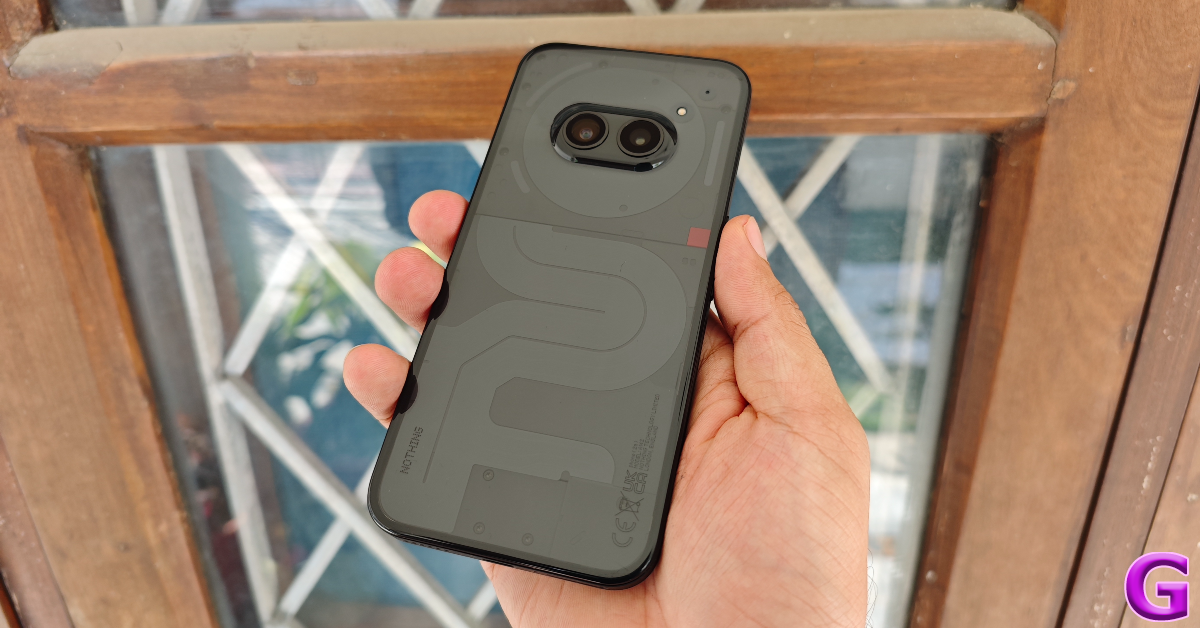 As much as we like the well-thought-out unboxing experience of the Phone (2a), there is one gaping flaw we cannot overlook. There is no power adapter inside the box. In Nothing’s case, this is problematic for two reasons. Firstly, most of the buyers making a midrange smartphone purchase in 2024 most likely do not possess a power adapter that can support 45W charging. Secondly, the charging cable provided in the box is only compatible with adapters that have a Type-C port, a fairly new trend which isn’t the industry standard as of yet. For a lot of buyers, this means shelling out an extra Rs 2,500 for Nothing’s official 45W power adapter, taking the price of the entire package to Rs 26,500.
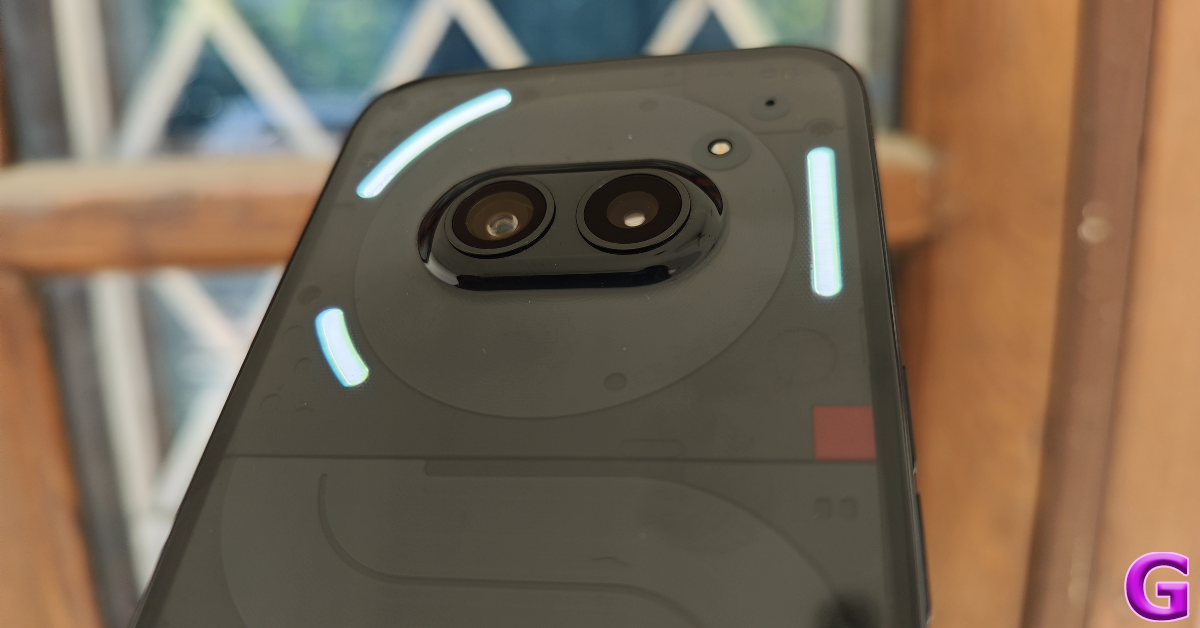 While the unboxing experience may be a bit of a mixed bag, the design of the Phone (2a) is anything but. This is easily one of the better-looking smartphones out there across all categories. Its transparent back panel lends it a unique personality, which is an attribute we highly rate, especially at a time when smartphones are hitting a ceiling in design language. We used the black variant of the Nothing Phone (2a) for this review, but if you want to truly appreciate the see-through aesthetic, we suggest going for the white variant.
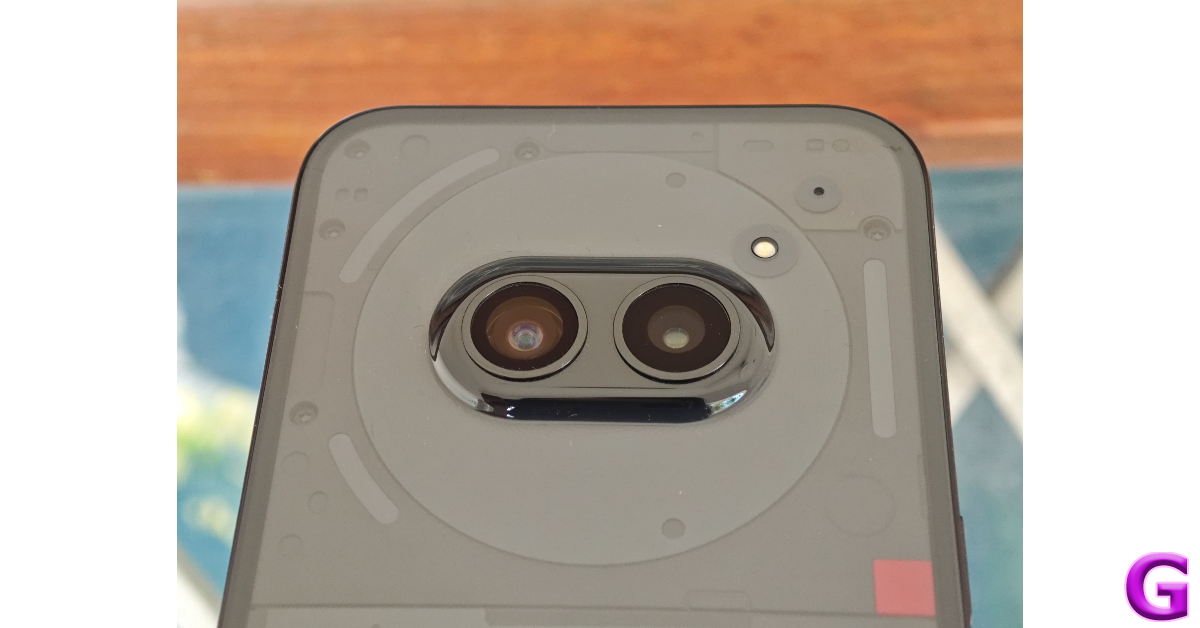 The dual camera array of the Phone (2a) is placed horizontally at the centre of the panel, causing less wobble when the smartphone is placed on a flat surface. Surrounding this camera array is the NFC coil. The iconic Glyph lighting is fragmented into three LED strips and restricted to the top end of the back panel, bordering the giant coil. The bottom segment of the back panel showcases a maze-like pattern, which Nothing says is inspired by Massimo Vignelli’s New York subway map. To top it all off, in true Nothing fashion there is a visible splattering of tiny screws and a squarish red accent towards the side.
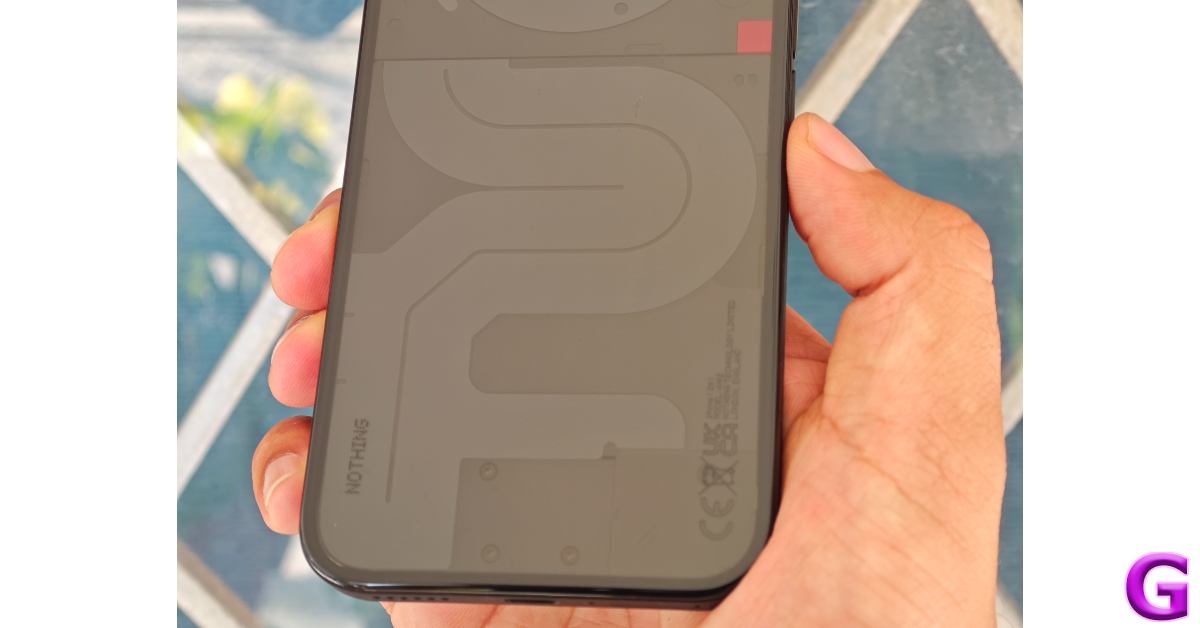 The frame and back panel of the Phone (2a) are made out of plastic, but they are by no means cheap. Our only complaint is that the back is a bit of a fingerprint magnet. Its flat form factor along with the flat edges of the frame provides a nice in-hand feel. The rounded corners ensure that the smartphone does not dig into your palms while you’re holding it.
Another unique but understated thing about the Nothing Phone (2a) is that the volume rocker and side button are housed on opposite sides of the frame instead of being bundled together on the right edge. While operating the phone with one hand we hit the screenshot trigger on multiple occasions, but it is something you learn to work your around very quickly. On the bottom edge of the frame, you will find the SIM tray, primary microphone, USB Type-C port, and speaker grille. Up top lies the secondary microphone. The smartphone’s earpiece doubles up as a secondary speaker outlet.
The frame and back panel of the Phone (2a) are made out of plastic, but they are by no means cheap. Our only complaint is that the back is a bit of a fingerprint magnet. Its flat form factor along with the flat edges of the frame provides a nice in-hand feel. The rounded corners ensure that the smartphone does not dig into your palms while you’re holding it.
Another unique but understated thing about the Nothing Phone (2a) is that the volume rocker and side button are housed on opposite sides of the frame instead of being bundled together on the right edge. While operating the phone with one hand we hit the screenshot trigger on multiple occasions, but it is something you learn to work your around very quickly. On the bottom edge of the frame, you will find the SIM tray, primary microphone, USB Type-C port, and speaker grille. Up top lies the secondary microphone. The smartphone’s earpiece doubles up as a secondary speaker outlet.
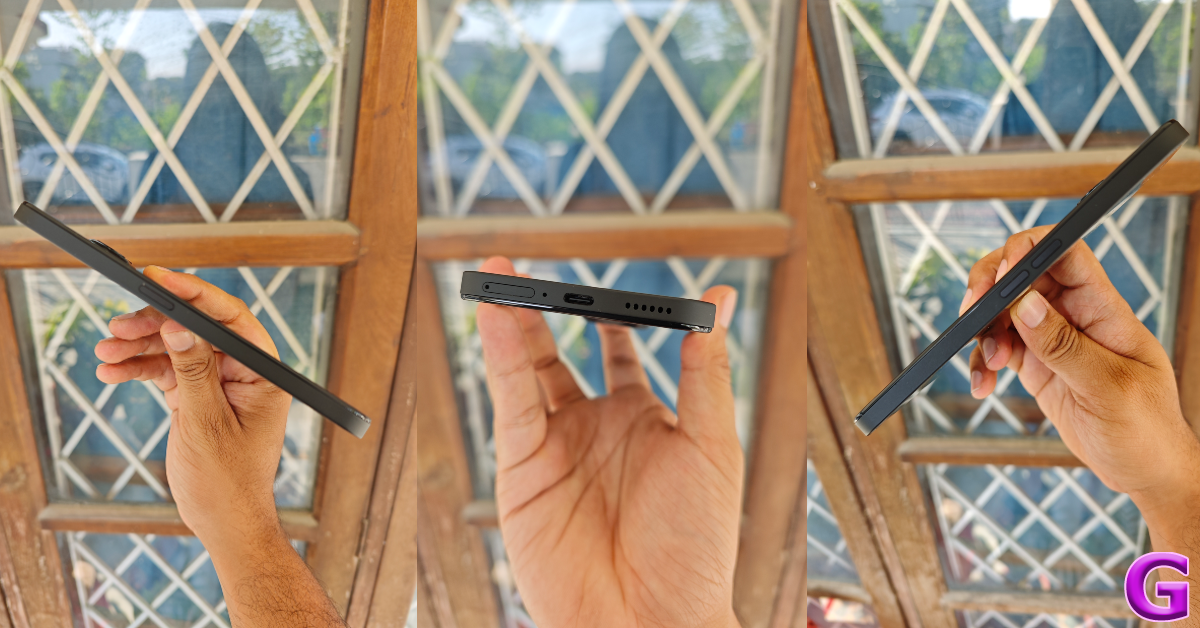 Moving on, the 6.7-inch AMOLED display on the (2a) has a maximum refresh rate of 120Hz and supports HDR10+. This display is surrounded by symmetrical bezels which give it quite the premium look. The touch response is fluid, leading to a very smooth browsing experience. 1,100 nits of HBM brightness is sufficient to make the display legible in bright outdoor conditions while a peak brightness of 1,300 nits produces gleaming visuals while watching HDR content.
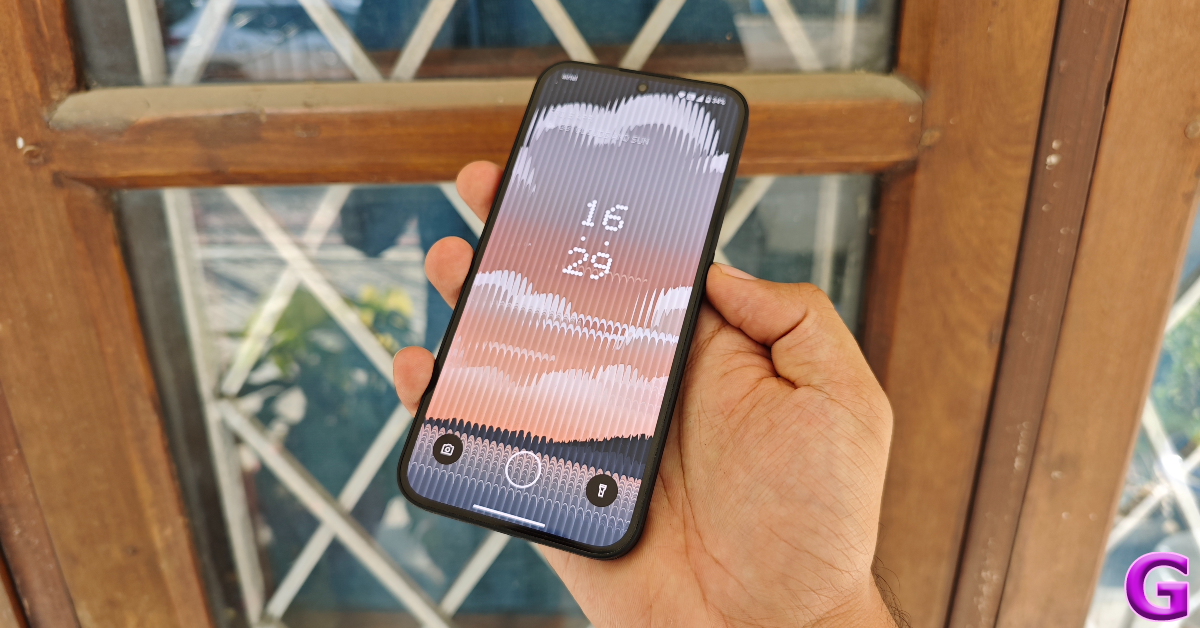 We used the Nothing Phone (2a) as our primary media-watching device throughout the review period. The smartphone lacks HDR capabilities in the Netflix app even though it has Widevine L1 certification. Despite that, we were pleased with the viewing experience on the (2a). The images were rich in colour and contrast without looking too saturated. The audio output is well-rounded and does not distort considerably when pushed to its upper limit.
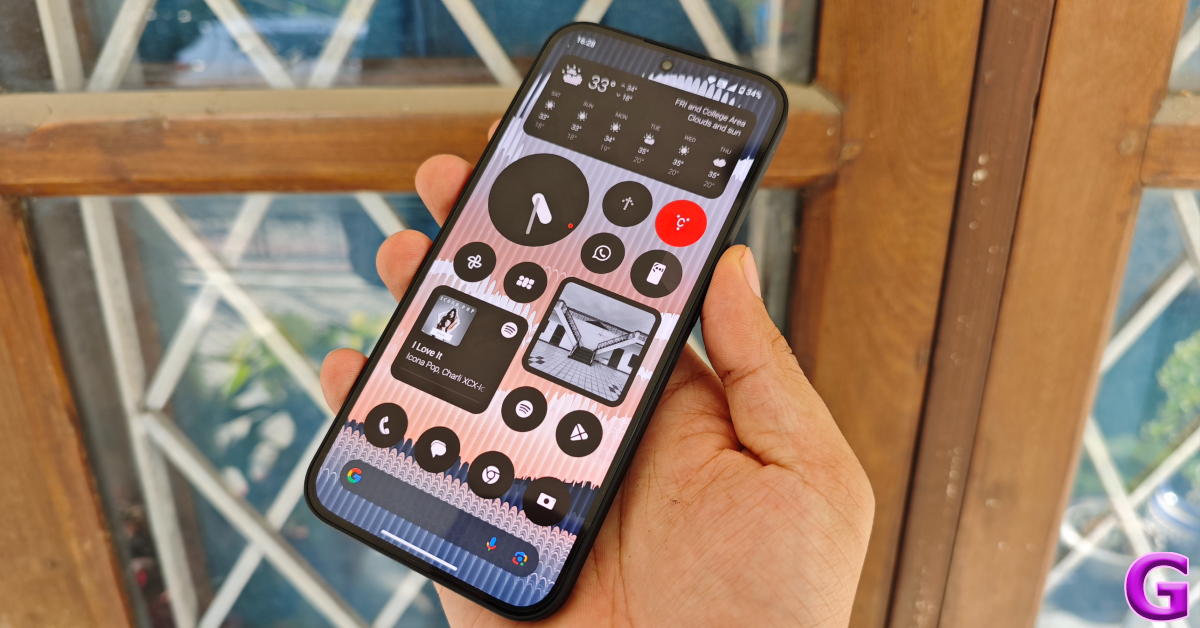 Similar to the Phone (2), the (2a) carries an IP54 rating. On exposure to light water splashes the smartphone remains unaffected. The display is guarded by Corning Gorilla Glass 5 and can easily absorb moderate knocks.
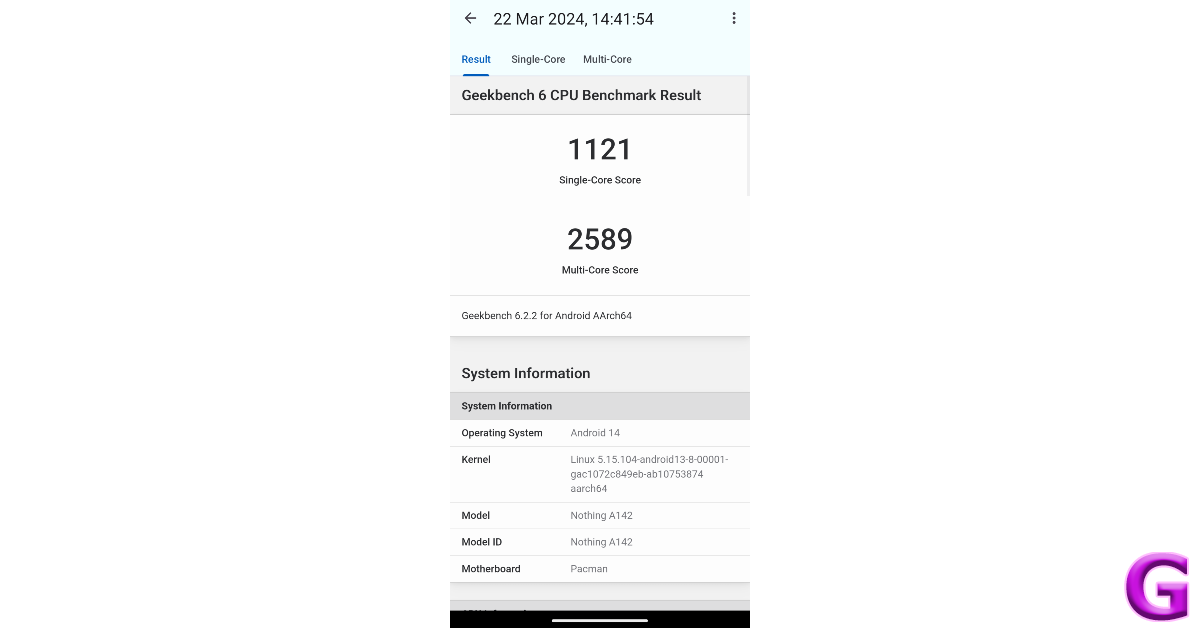 The gaming performance of the device is passable and not something that leaves a lasting impact. Even though the AMOLED display supports a maximum refresh rate of 120Hz, games like Call of Duty Mobile hit their frame rate ceiling at 60fps. The phone does a decent job of dissipating the internal heat, but you can feel the back panel warm up after 20 minutes of gaming. The gameplay is smooth and jitter-free for the most part, but you are bound to drop a few frames once the device heats up.
Nothing’s smartphones aren’t just eye-catching from the back. The flair that Nothing OS 2.5 brings to Android 14 is something we like a lot. For the most part, the interface follows the stock Android design language, but Nothing stamps its personality on the device with attractive widgets and the dot-matrix font. And no, you cannot opt out of the latter.
The gaming performance of the device is passable and not something that leaves a lasting impact. Even though the AMOLED display supports a maximum refresh rate of 120Hz, games like Call of Duty Mobile hit their frame rate ceiling at 60fps. The phone does a decent job of dissipating the internal heat, but you can feel the back panel warm up after 20 minutes of gaming. The gameplay is smooth and jitter-free for the most part, but you are bound to drop a few frames once the device heats up.
Nothing’s smartphones aren’t just eye-catching from the back. The flair that Nothing OS 2.5 brings to Android 14 is something we like a lot. For the most part, the interface follows the stock Android design language, but Nothing stamps its personality on the device with attractive widgets and the dot-matrix font. And no, you cannot opt out of the latter.
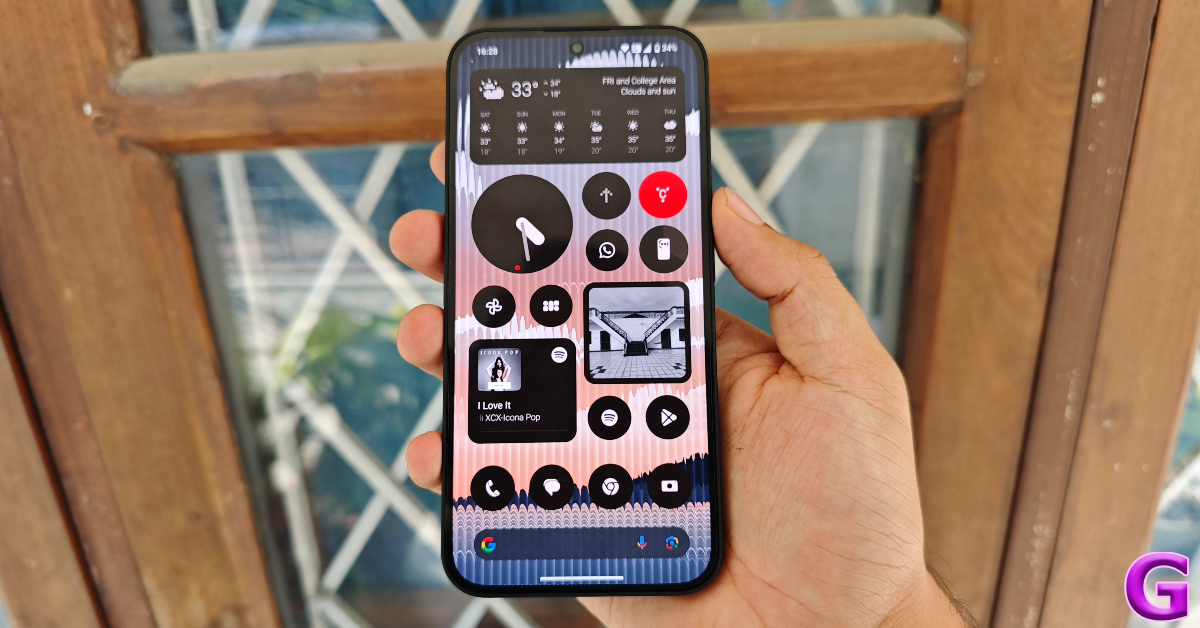
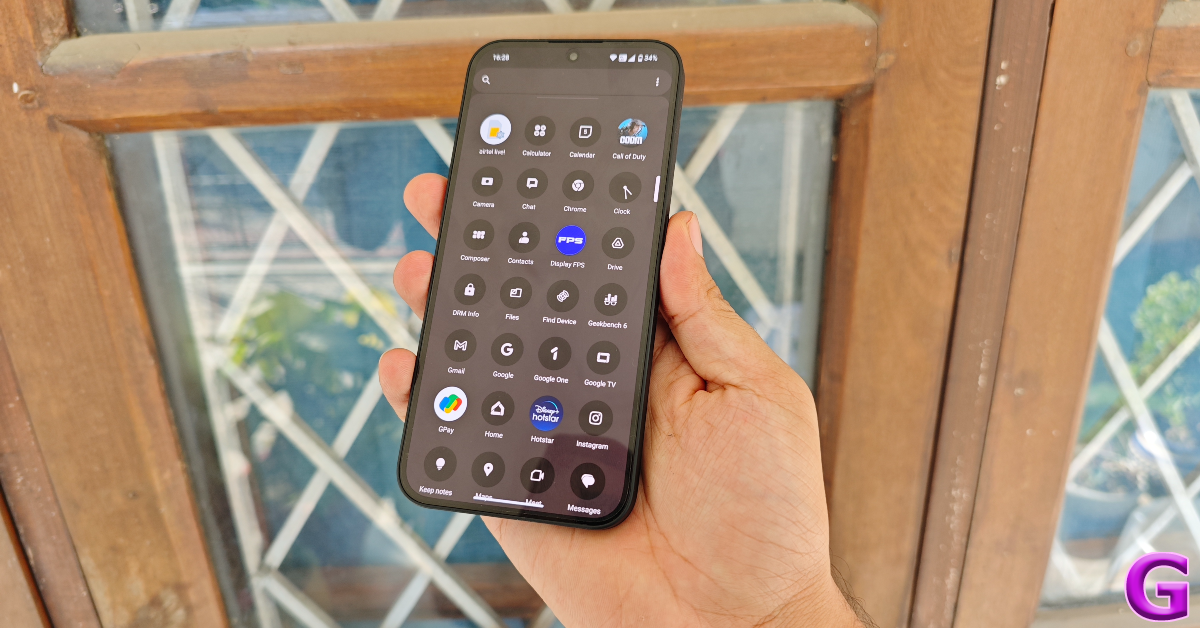 The software also taps into the functional aspect of the Glyph lights on the back of the smartphone. The ‘Flip to Glyph’ feature automatically triggers the silent mode when you put the phone face down on a flat surface. The Glyphs light up anytime you receive a phone call or other notifications. The Glyph Timer uses the curved LED strip at the top of the back panel as a progress bar to provide a visual of the time remaining on the clock. You can also use this strip as a progress bar to display the ETA of your cab booking or food delivery order. As of now, it only works for Uber and Zomato.
There is a fun Composer tool that lets you design custom ringtones. If you don’t want to miss any updates from an app, you can customise the right Glyph to light up until you tend to the notification from that particular app. If you’re feeling whimsical, you can turn on music visualisation and make the Glyphs dance to the song you’re playing. But strangely enough, the Glyphs respond to all kinds of audio output when this feature is turned on. Lastly, there is no bloatware on the device, which earns it brownie points from us.
The software also taps into the functional aspect of the Glyph lights on the back of the smartphone. The ‘Flip to Glyph’ feature automatically triggers the silent mode when you put the phone face down on a flat surface. The Glyphs light up anytime you receive a phone call or other notifications. The Glyph Timer uses the curved LED strip at the top of the back panel as a progress bar to provide a visual of the time remaining on the clock. You can also use this strip as a progress bar to display the ETA of your cab booking or food delivery order. As of now, it only works for Uber and Zomato.
There is a fun Composer tool that lets you design custom ringtones. If you don’t want to miss any updates from an app, you can customise the right Glyph to light up until you tend to the notification from that particular app. If you’re feeling whimsical, you can turn on music visualisation and make the Glyphs dance to the song you’re playing. But strangely enough, the Glyphs respond to all kinds of audio output when this feature is turned on. Lastly, there is no bloatware on the device, which earns it brownie points from us.
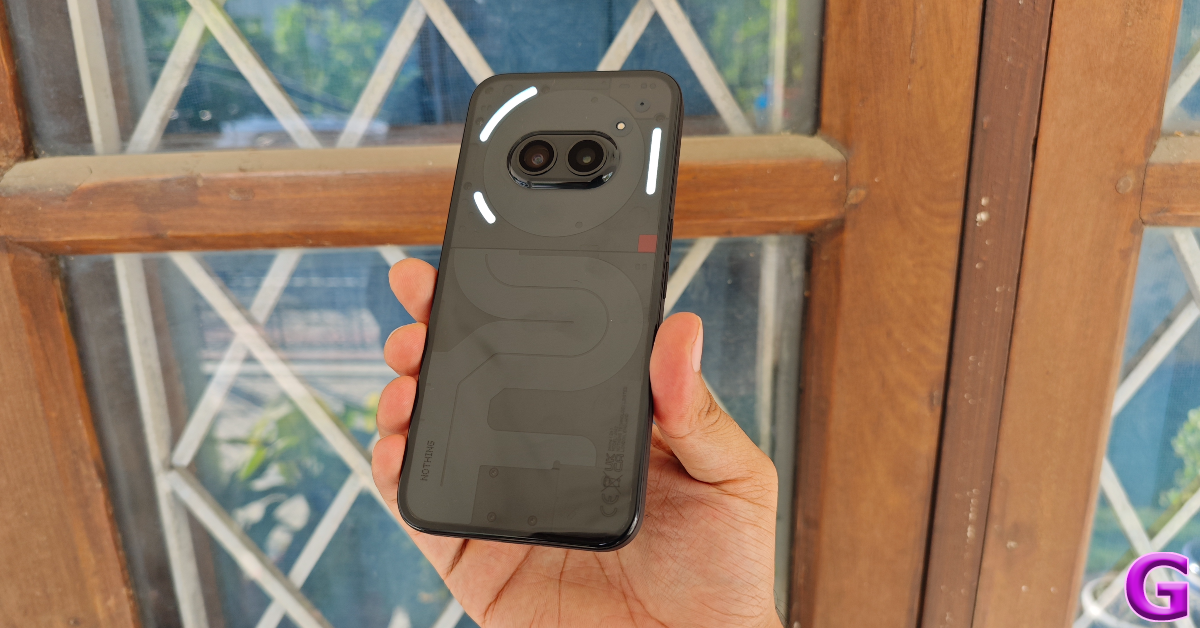 Moving on, the battery life offered by the Phone (2a) is one of its strongest suits. On a full charge, the 5,000 mAh battery pack on this smartphone coasted through an entire day with ease, even after heavy usage. We were able to get more than 8 hours of screen time on a single charge. Our daily tasks on the Nothing Phone (2a) during the review period consisted of emailing, instant messaging, video calling, social media browsing, streaming OTT content, and even a bit of gaming. If you’re more conservative with your usage, this can be a 2-day smartphone. Even though the (2a) supports 45W charging, it took us 1 hour and 40 minutes to fully charge the smartphone using an 80W charger.
The dual camera array at the back comprises two 50MP sensors for the wide and ultrawide lenses. The camera performance is good, but not segment-defining. In outdoor daylight, the main sensor captures detailed images with deep colours that truly ‘pop’. We were happy with the contrast and the dynamic range showcased in the images. While capturing plants and foliage we felt the picture could have been a little more sharpened.
Moving on, the battery life offered by the Phone (2a) is one of its strongest suits. On a full charge, the 5,000 mAh battery pack on this smartphone coasted through an entire day with ease, even after heavy usage. We were able to get more than 8 hours of screen time on a single charge. Our daily tasks on the Nothing Phone (2a) during the review period consisted of emailing, instant messaging, video calling, social media browsing, streaming OTT content, and even a bit of gaming. If you’re more conservative with your usage, this can be a 2-day smartphone. Even though the (2a) supports 45W charging, it took us 1 hour and 40 minutes to fully charge the smartphone using an 80W charger.
The dual camera array at the back comprises two 50MP sensors for the wide and ultrawide lenses. The camera performance is good, but not segment-defining. In outdoor daylight, the main sensor captures detailed images with deep colours that truly ‘pop’. We were happy with the contrast and the dynamic range showcased in the images. While capturing plants and foliage we felt the picture could have been a little more sharpened.

 The ultrawide camera also puts up a good performance, but the colour tone of the images is quite different from the main sensor. This is all the more noticeable when you capture images of the sky. The way the two sensors expose the sky is very different. Overall, we enjoyed the colour palette of the ultrawide images as well.


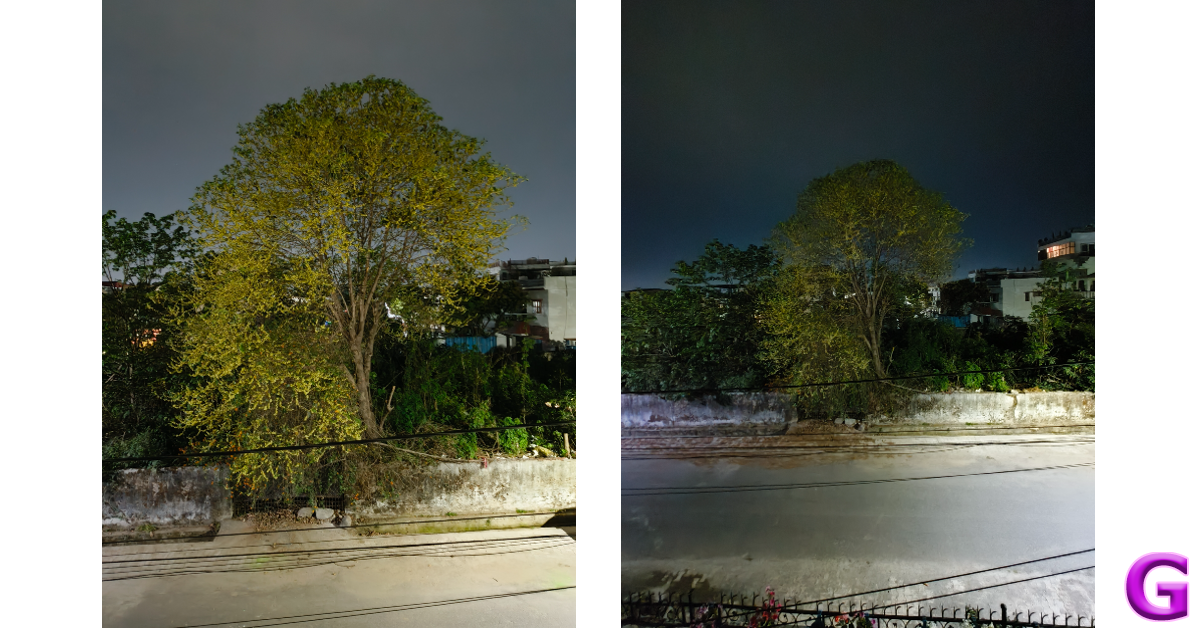

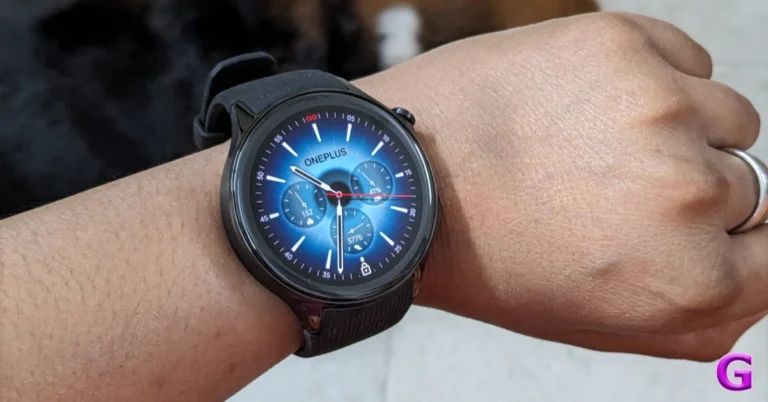
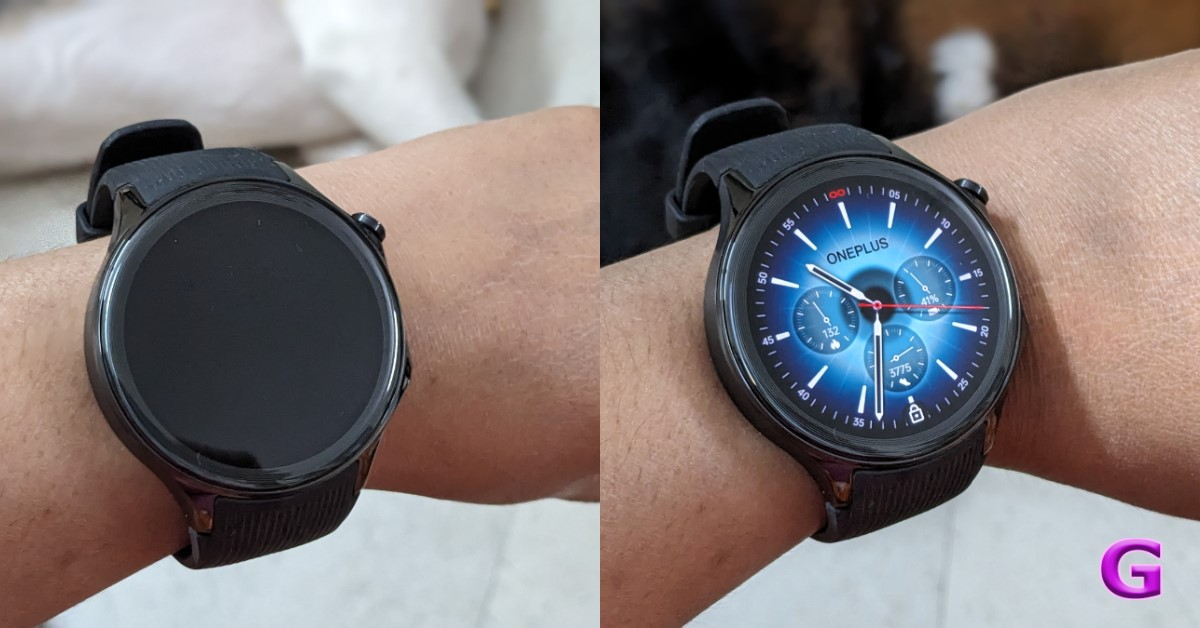
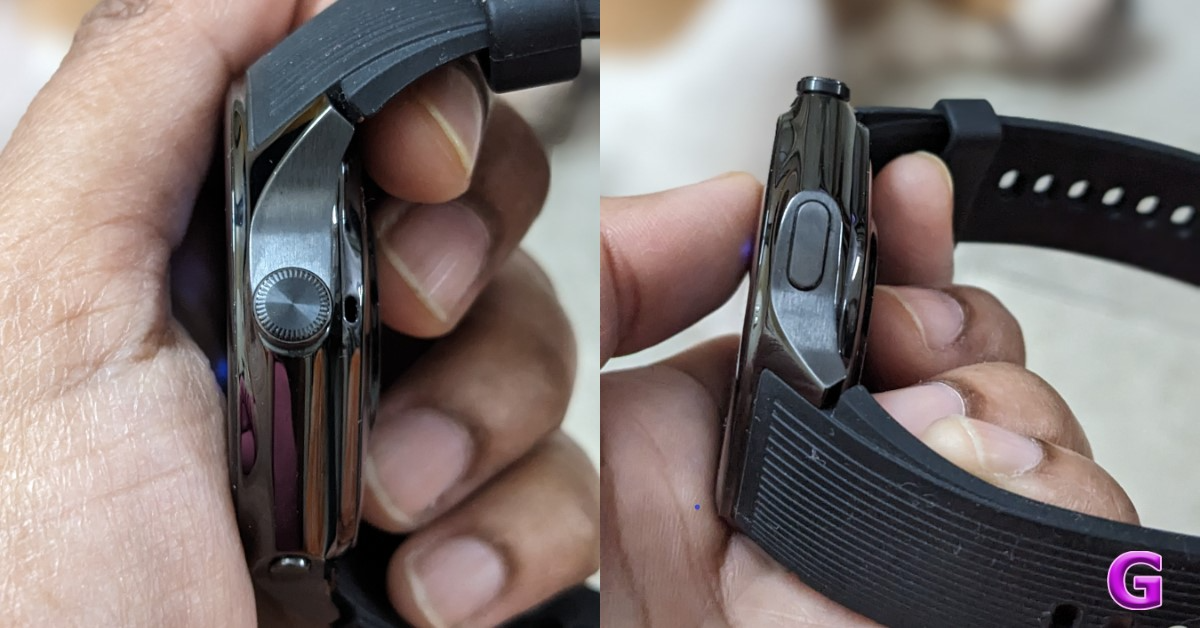
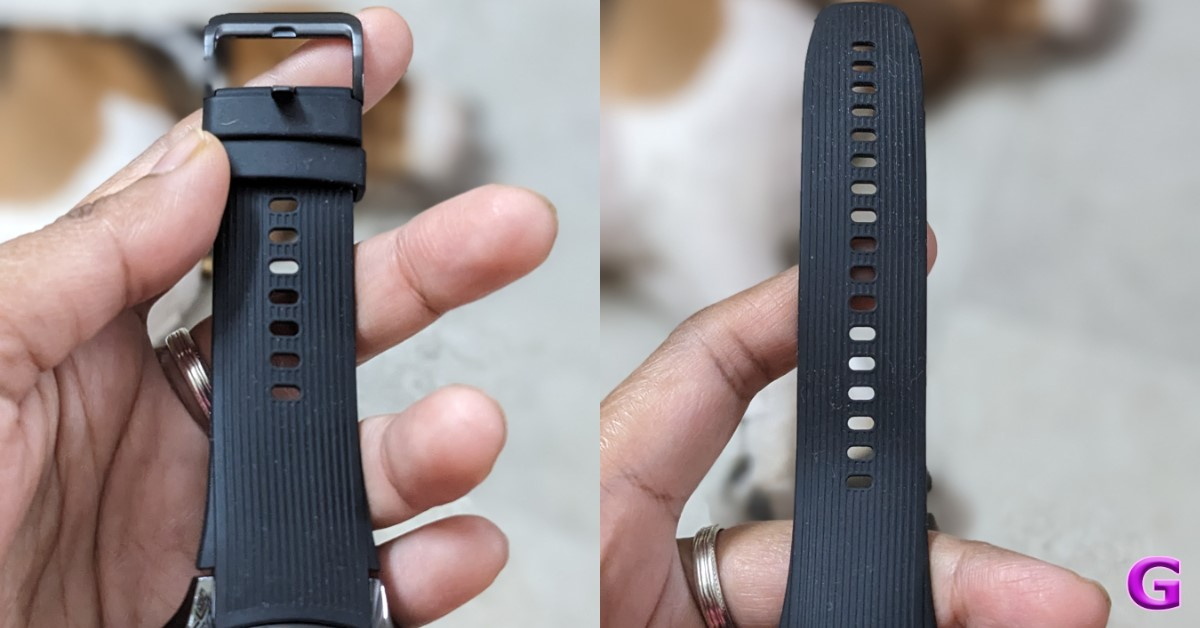
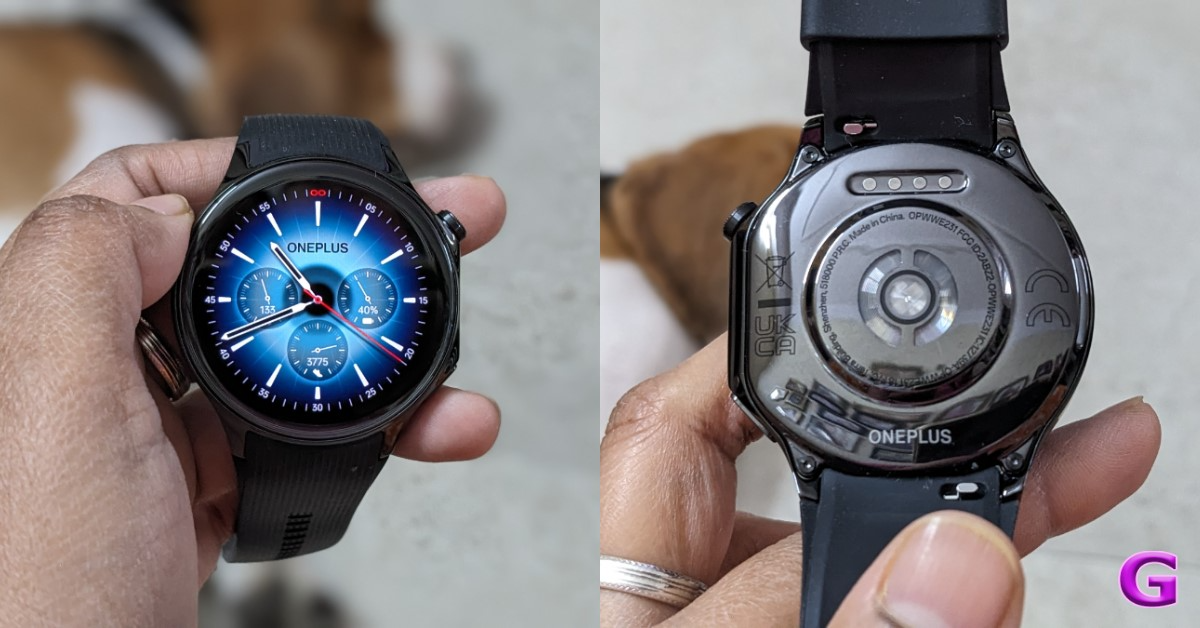
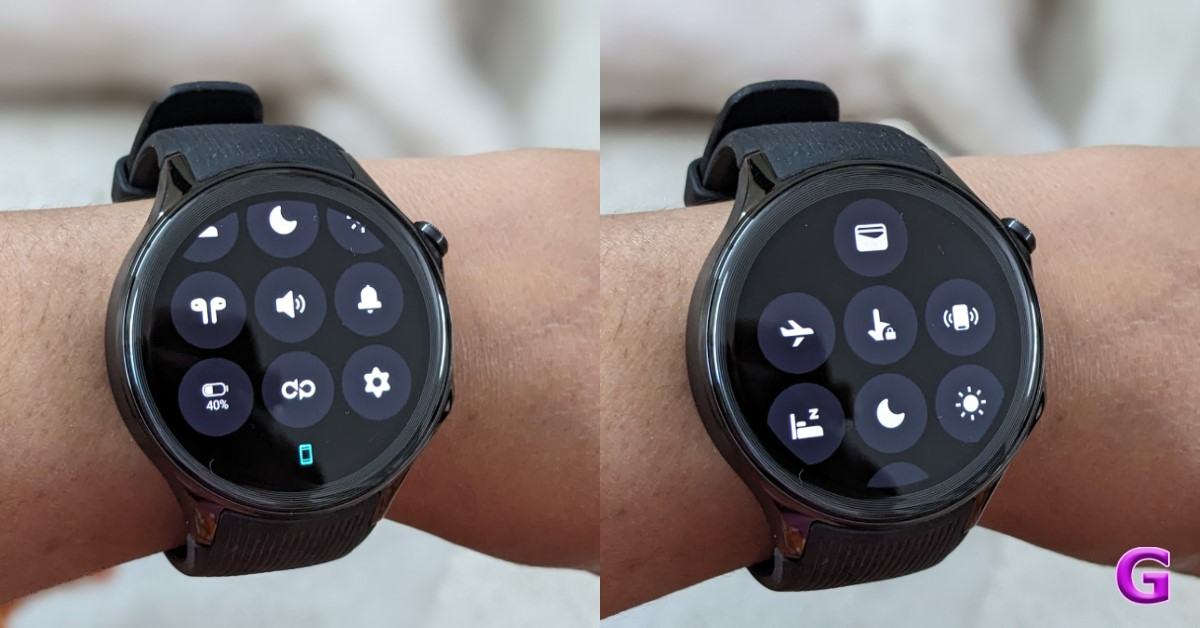
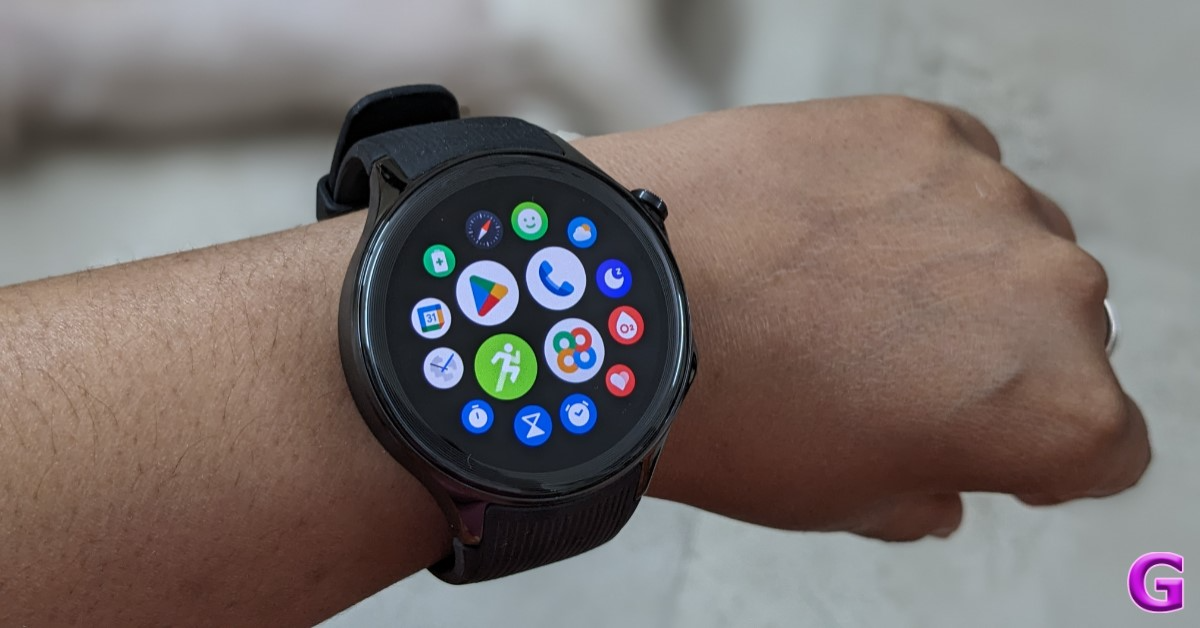
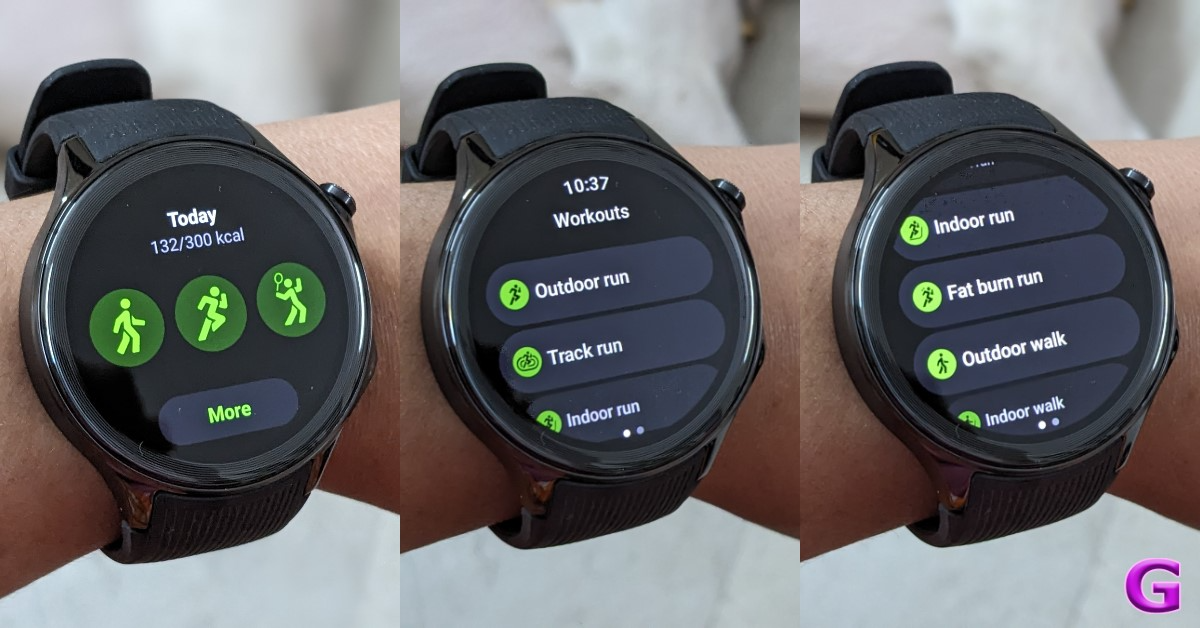
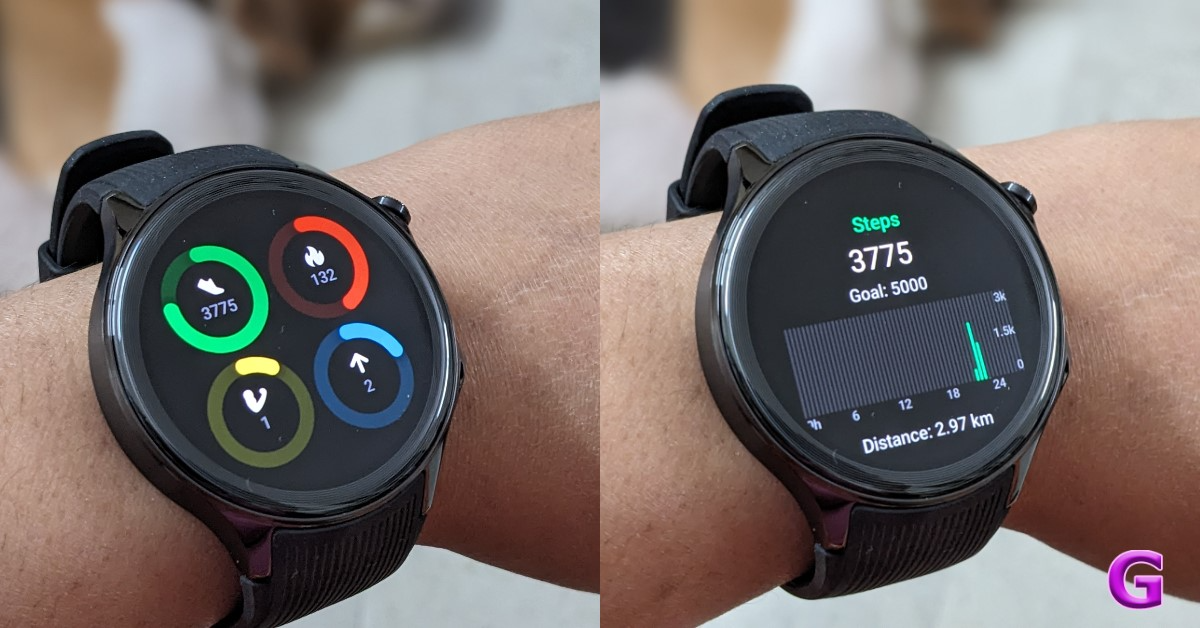
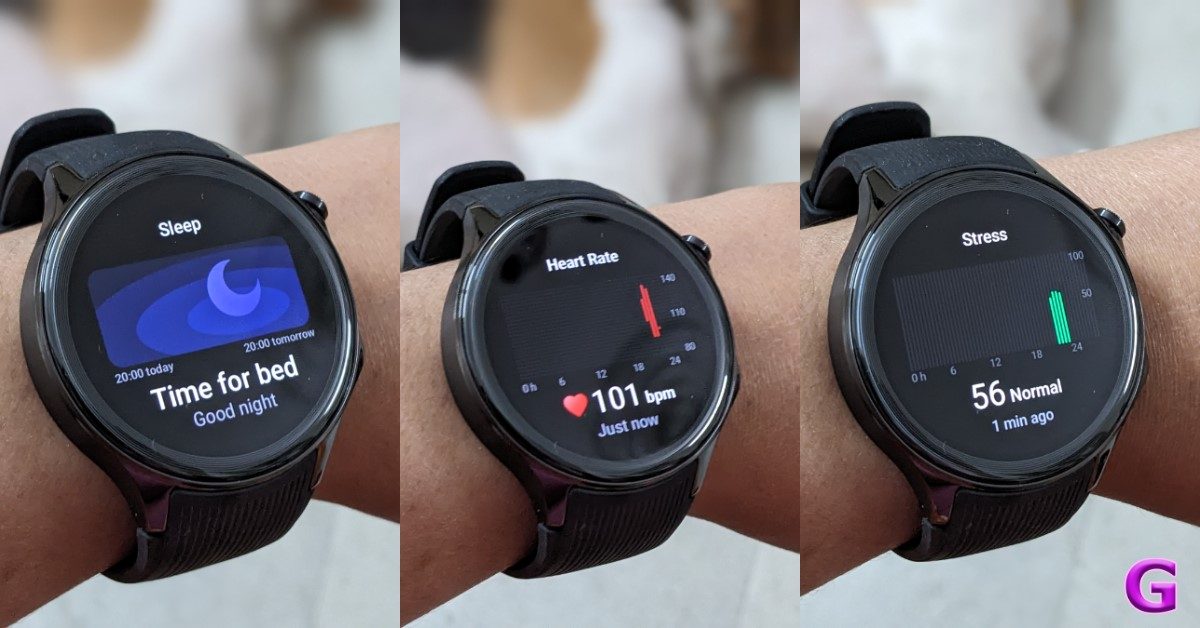
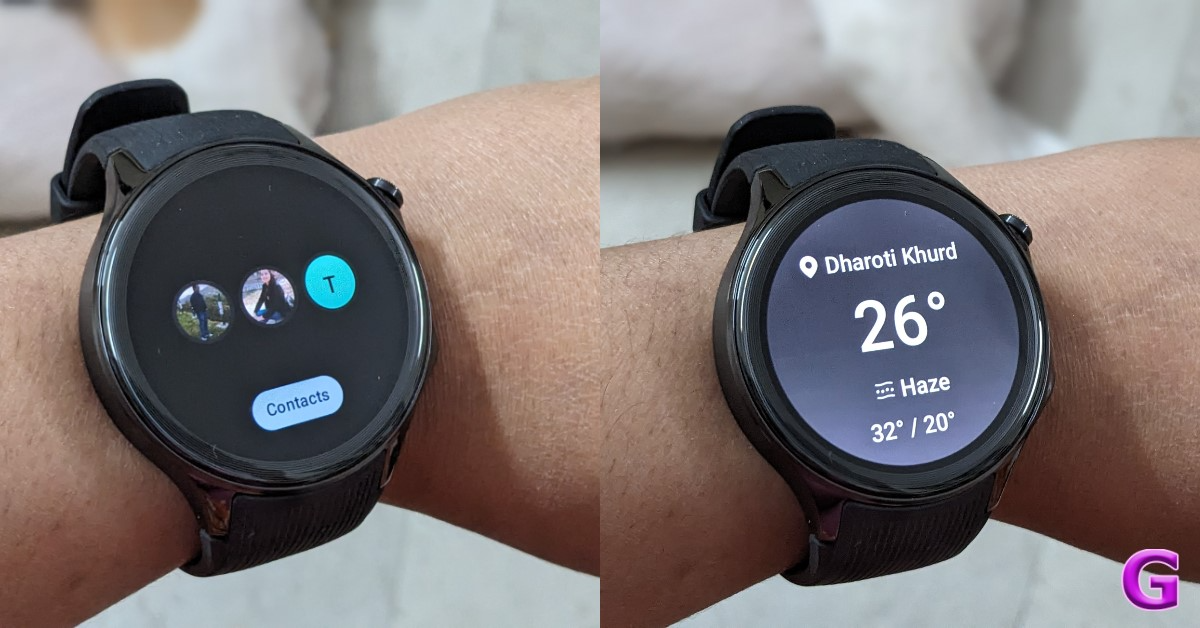
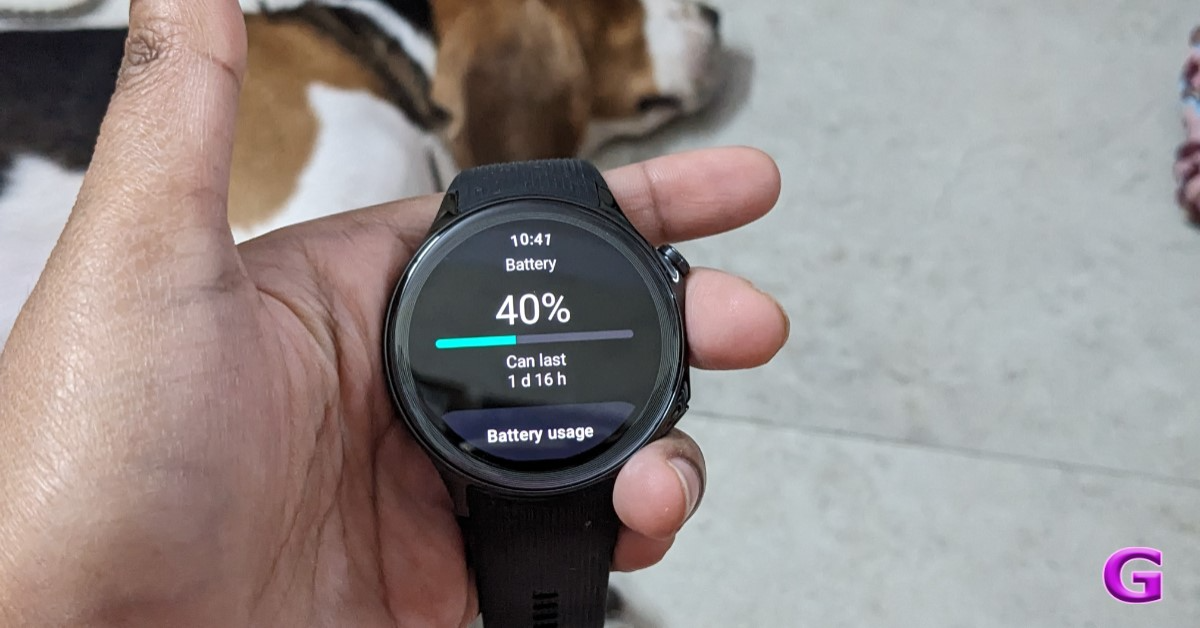
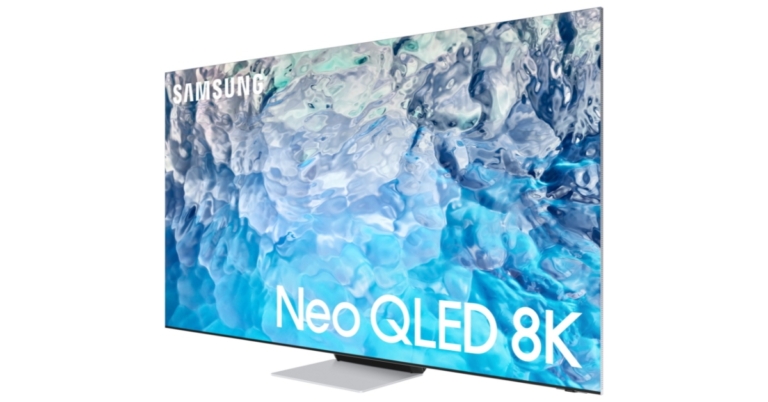
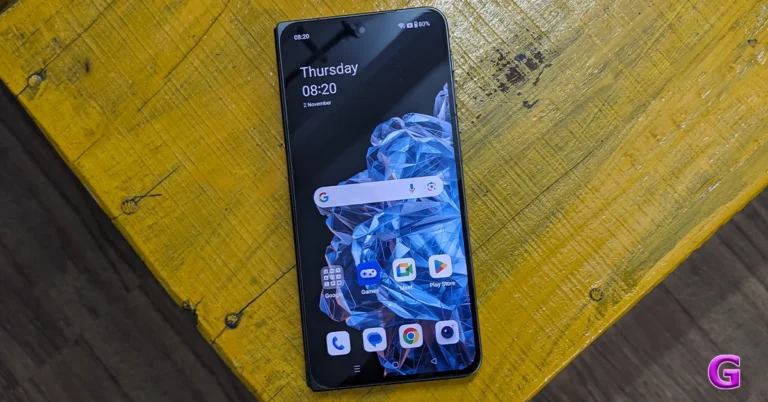
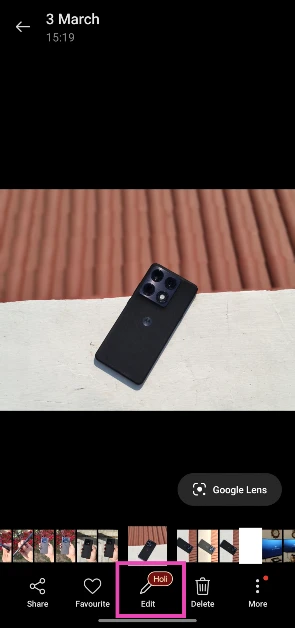 Step 4:
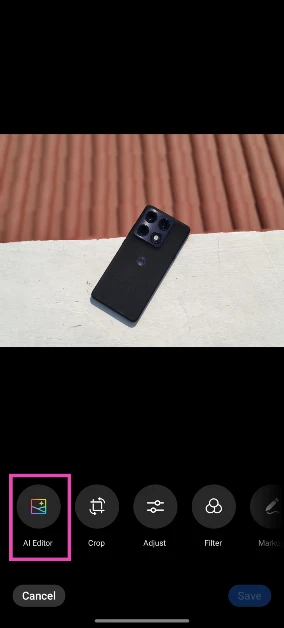 Step 5: Select AI Eraser
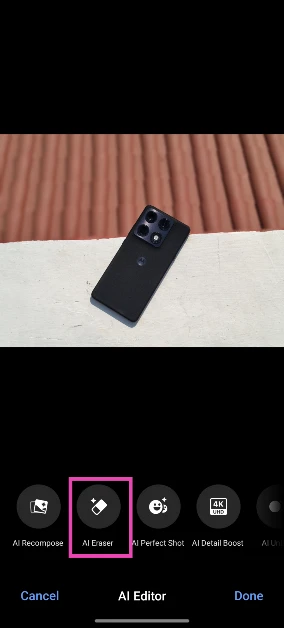 Step 6:
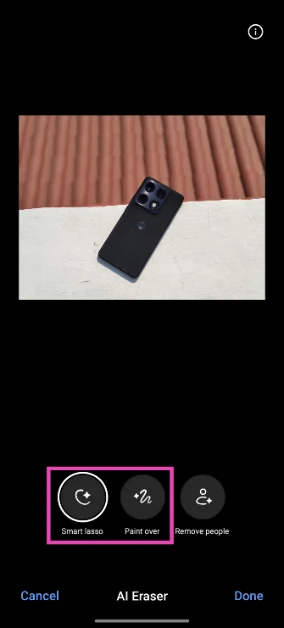 Step 7:
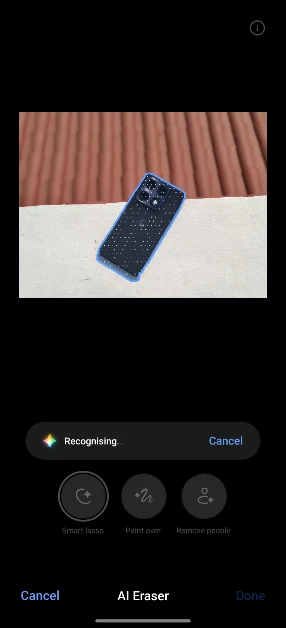 Step 8:
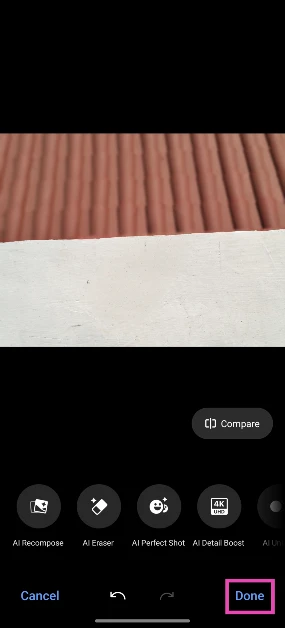 Step 9: Hit Save.
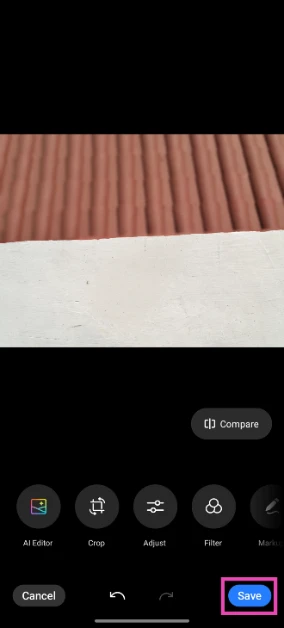
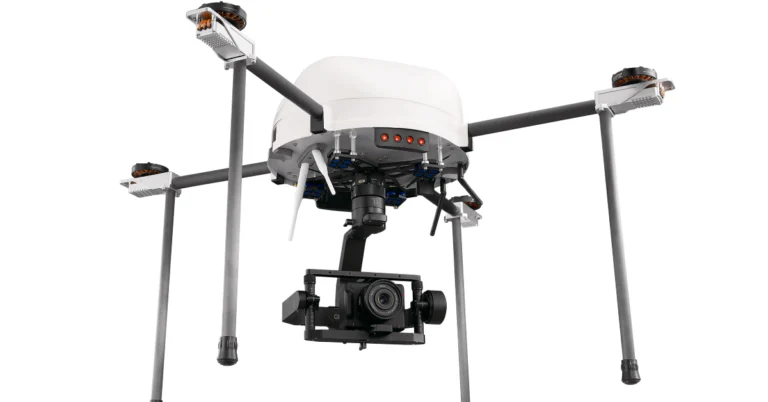
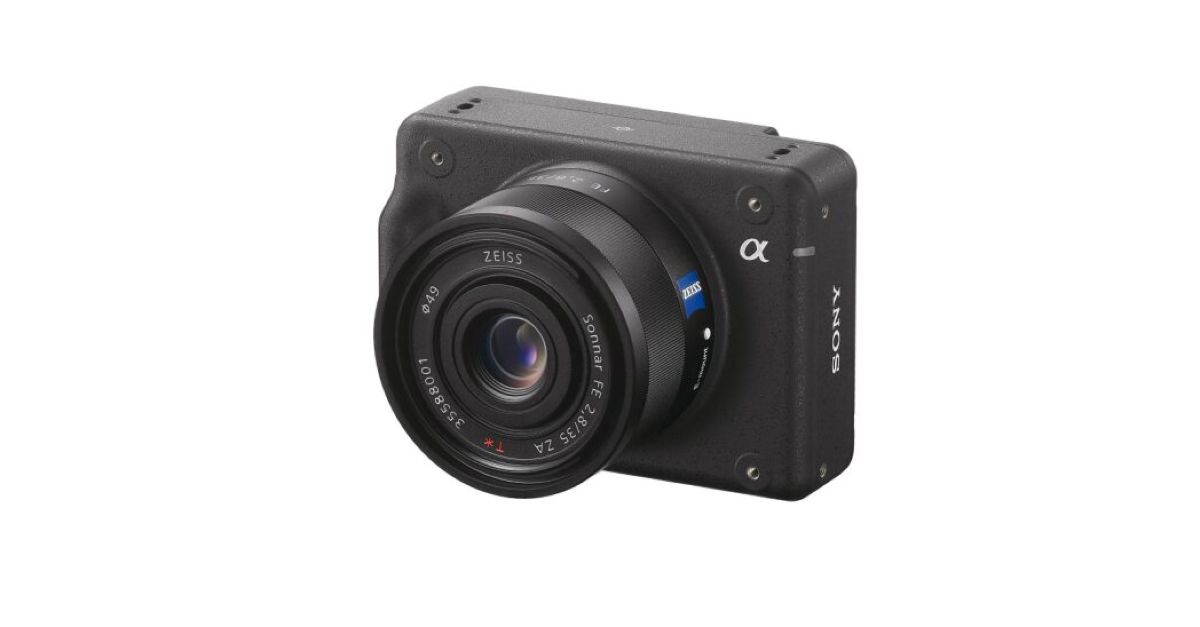
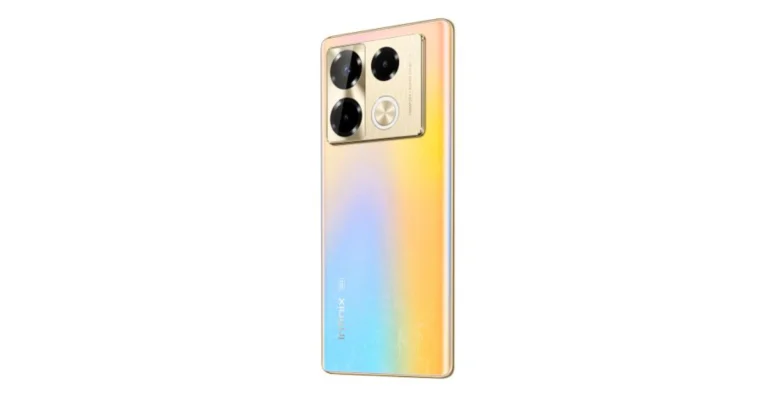
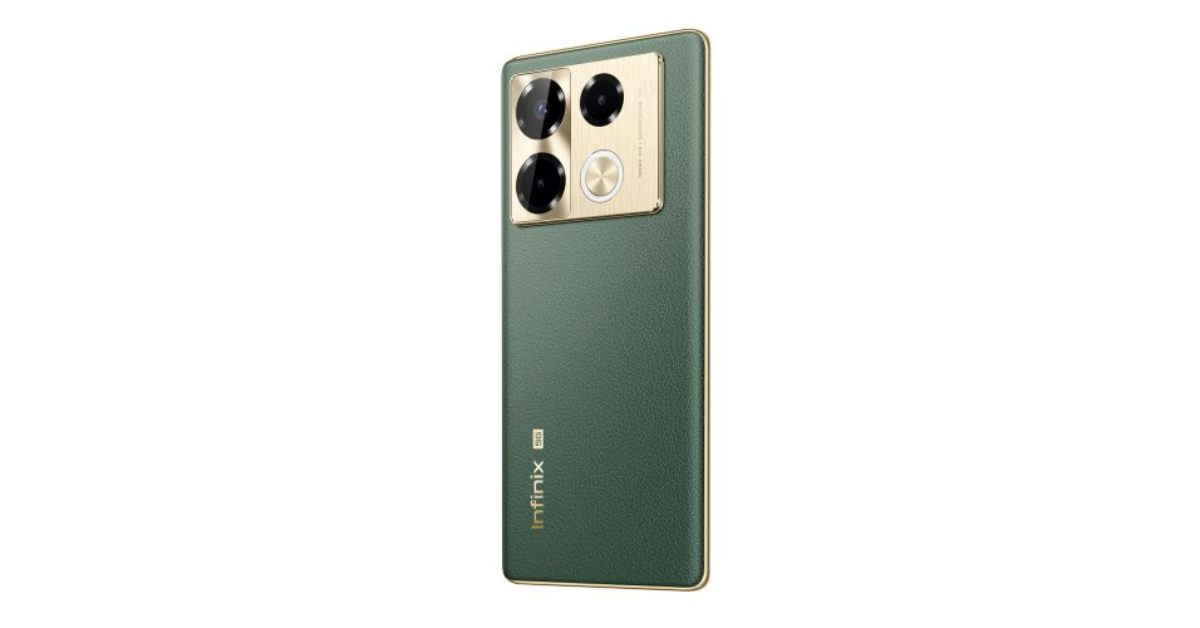
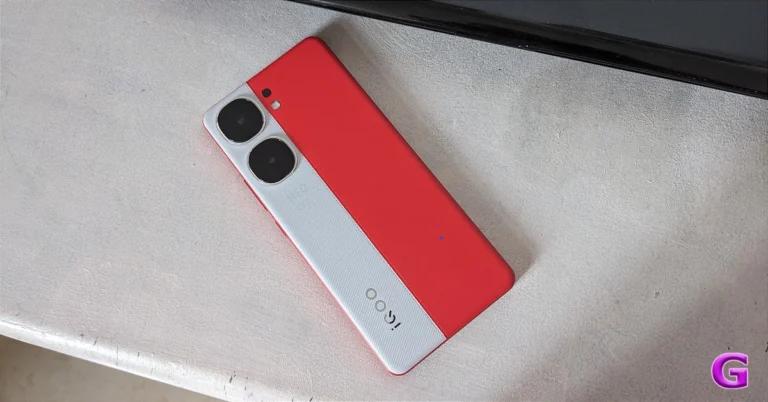
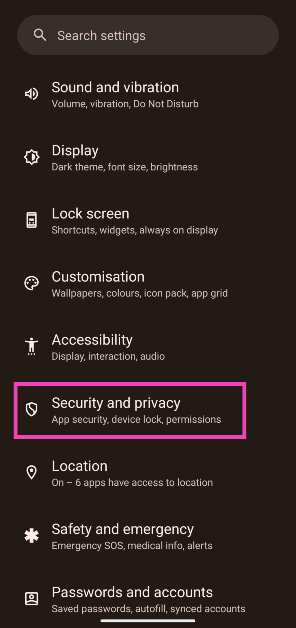 Step 3:
 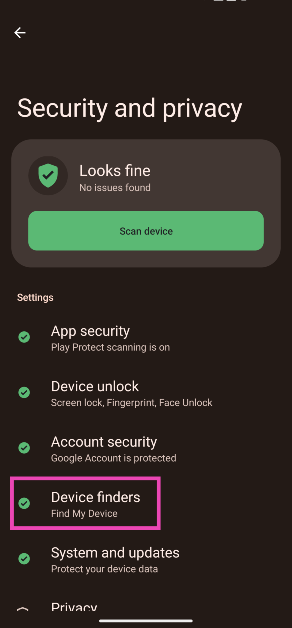 Step 4:
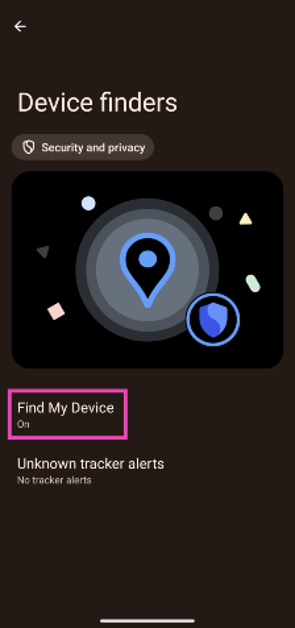 Step 5:
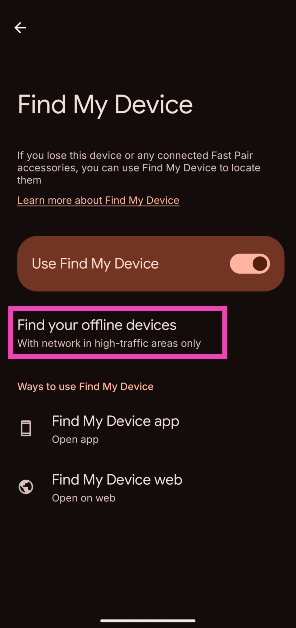 Step 6: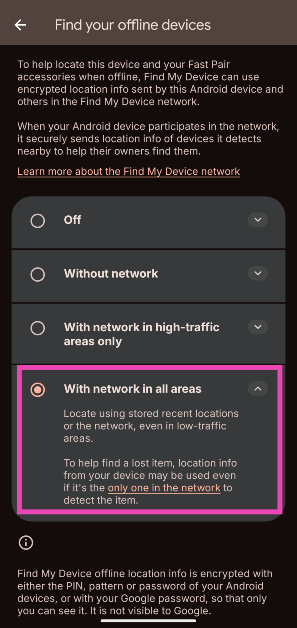

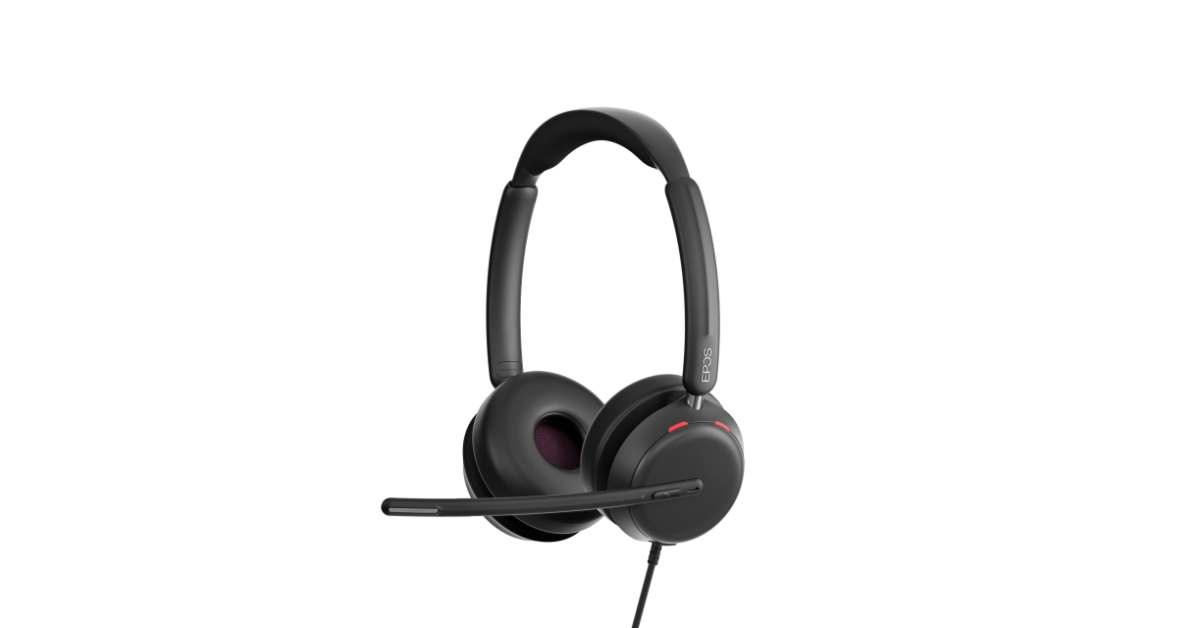


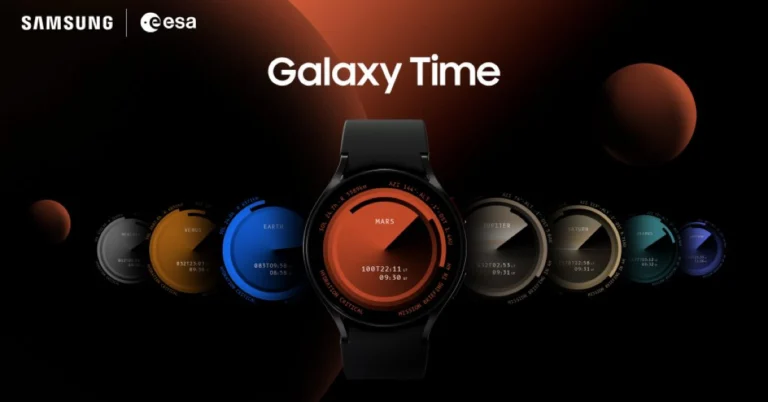
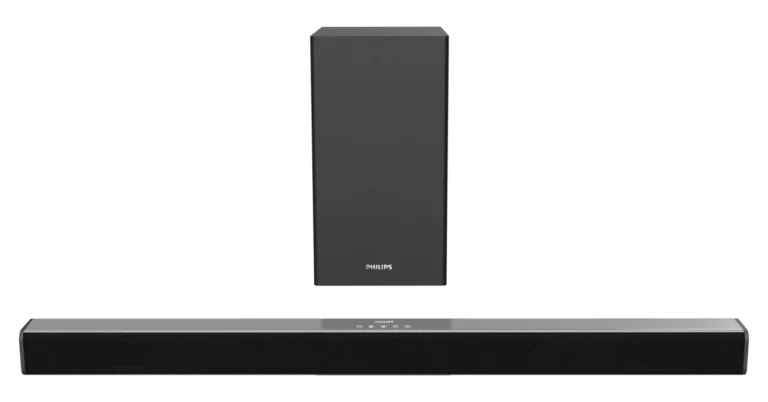
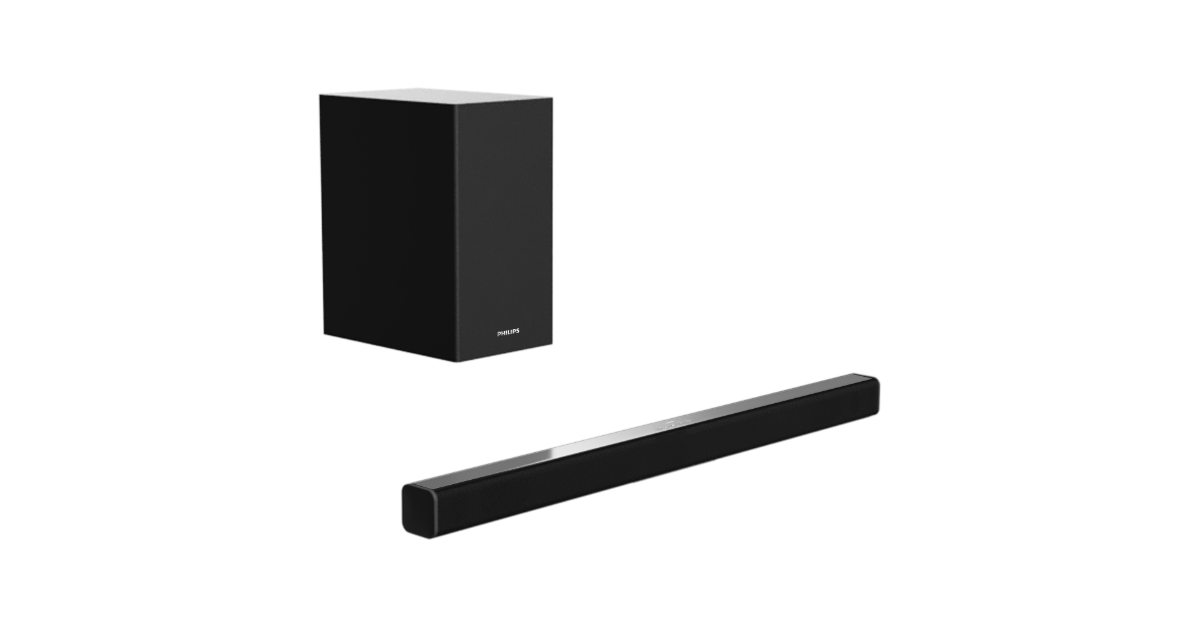


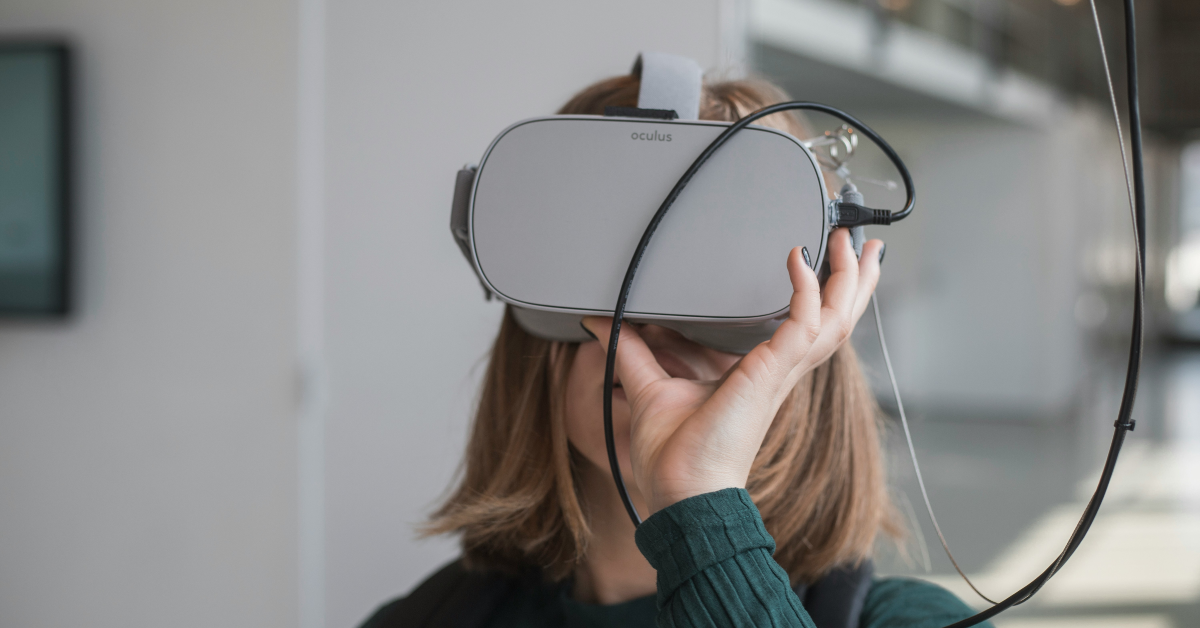


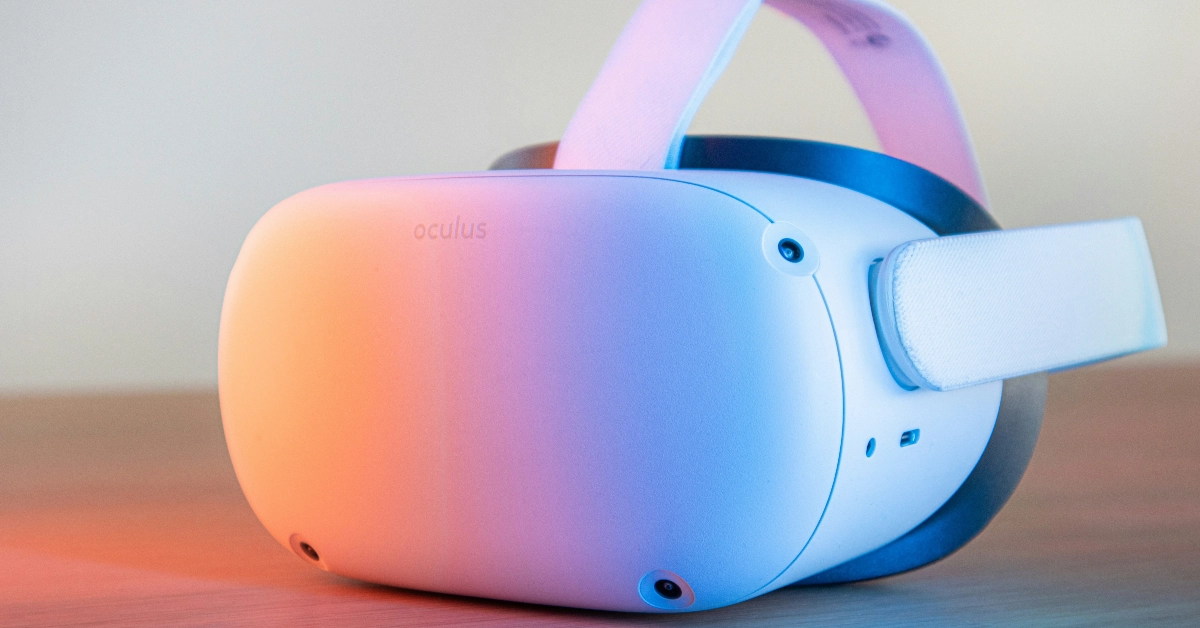


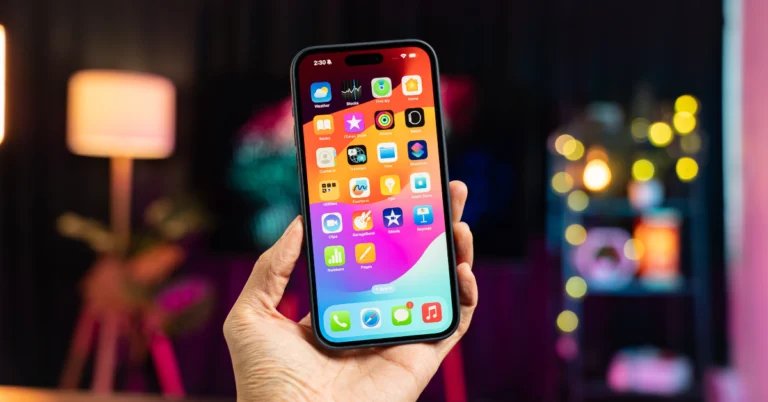


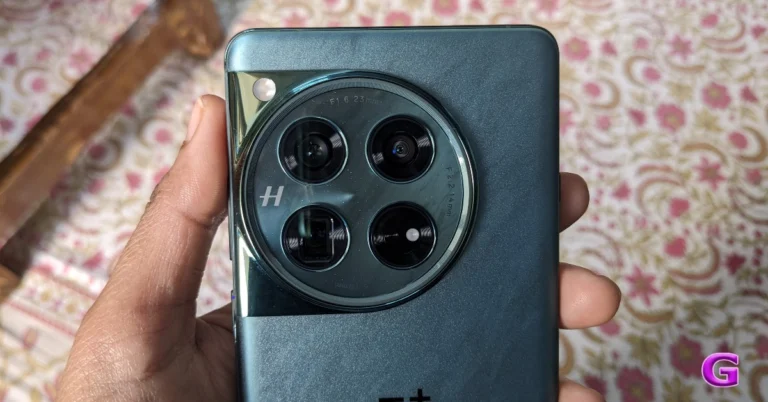

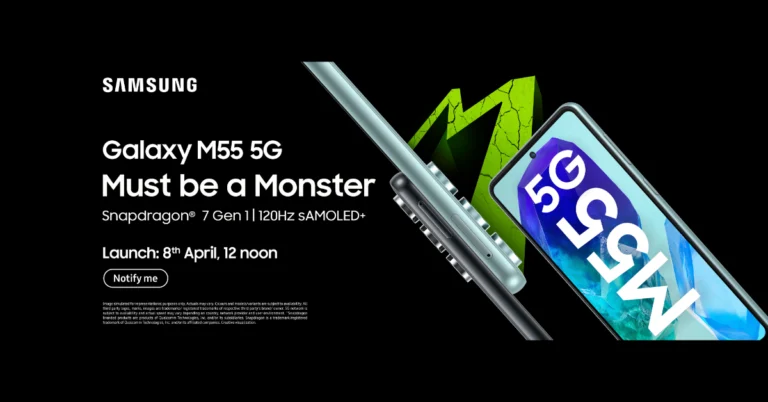
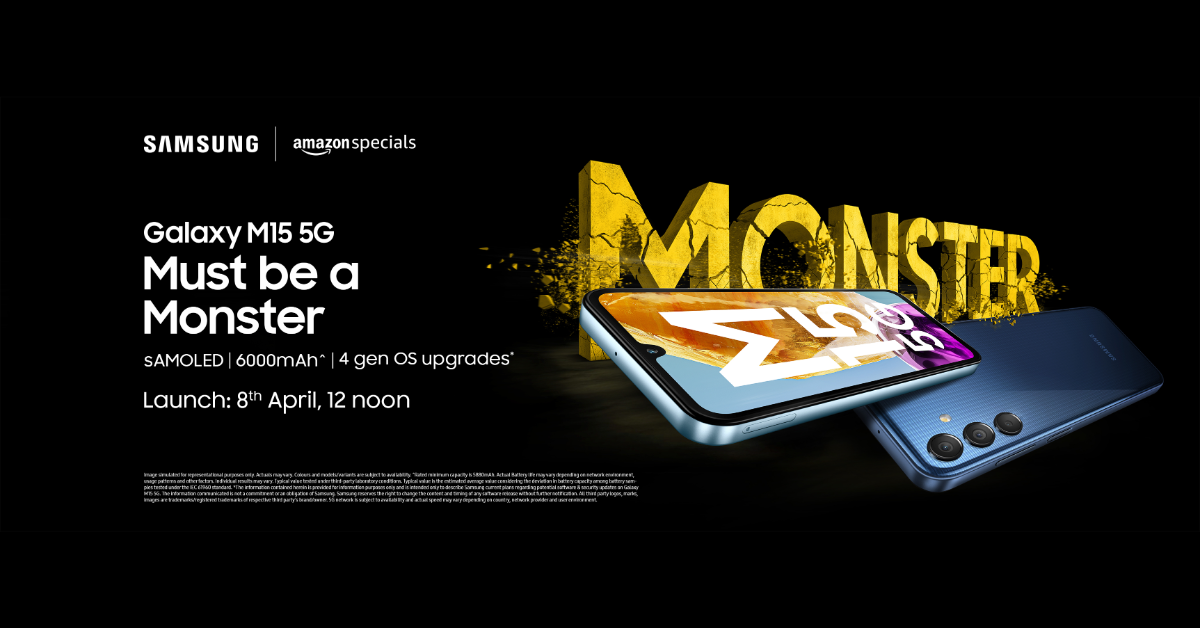
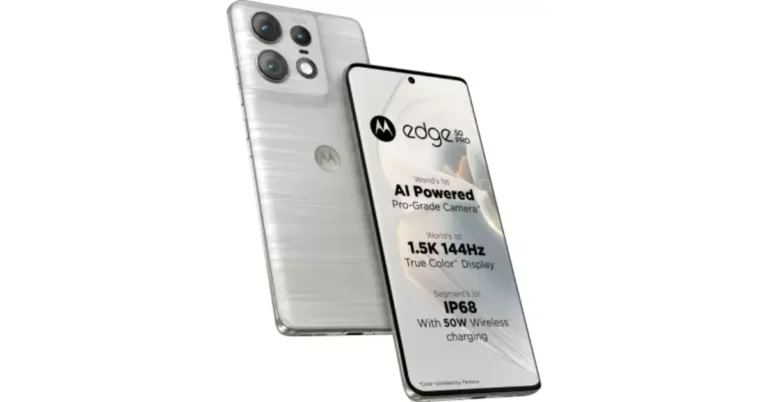
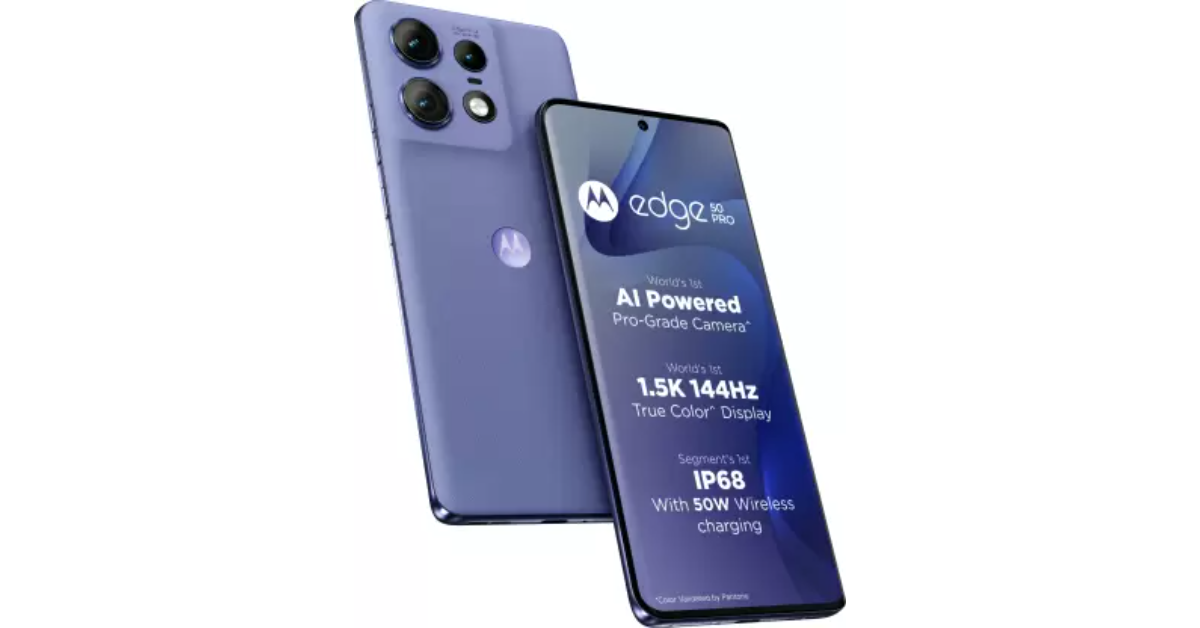
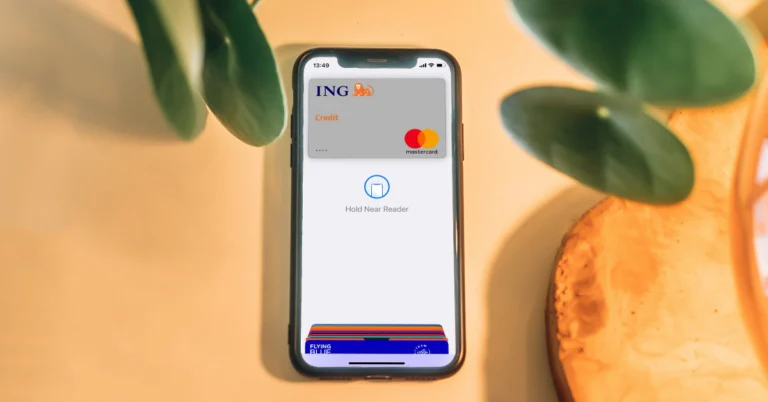

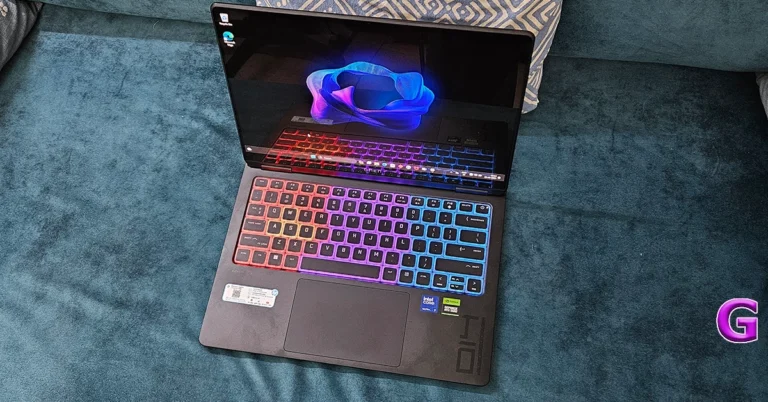
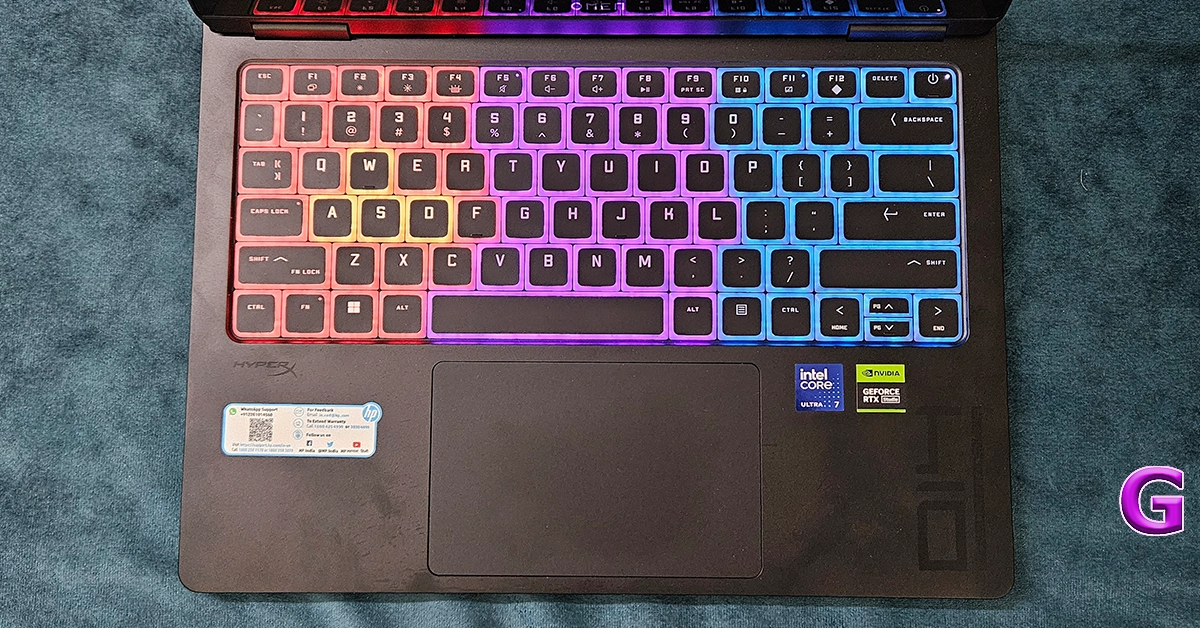 The keyboard is RGB backlit and users get a fairly large trackpad as well. But we are not a big fan of the modern laptop keyboard. The key travel, as much as the company wants to increase, is a bit less. You would want to connect an external mechanical keyboard with it to get the perfect shot and upper hand in gaming. Or if you love the Xbox Gamepad then that can be connected to this machine, too.
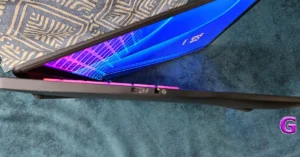
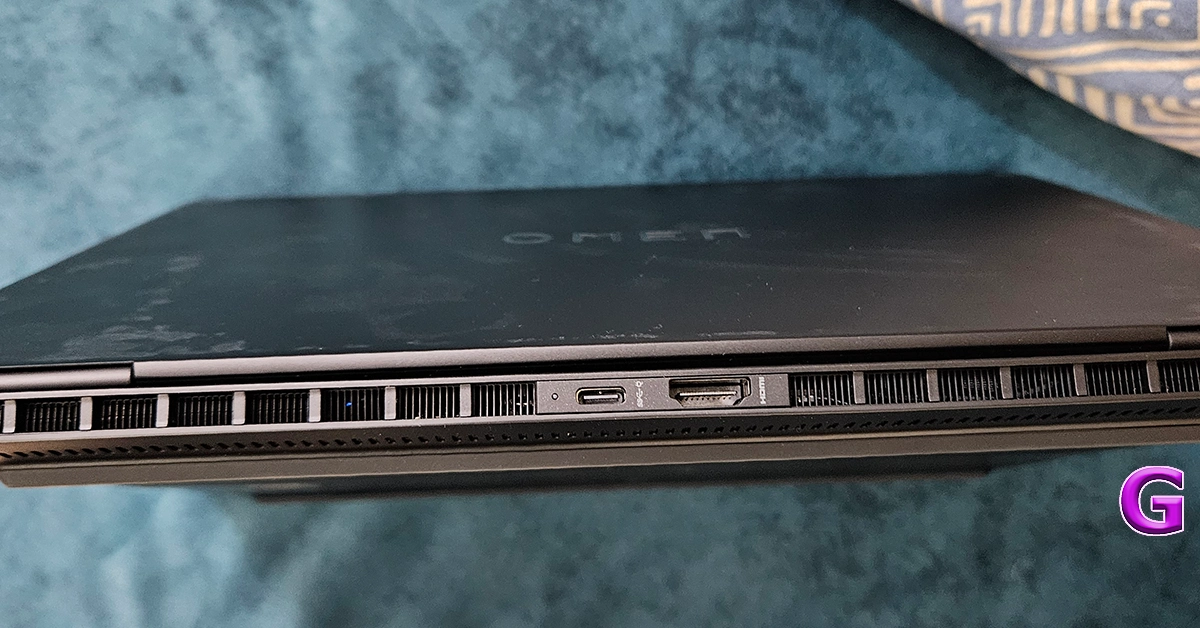 For port connectivity, users get one Thunderbolt 4 USB Type-C, two USB Type-A, and another USB Type-C port along with a single 3.5mm audio cum microphone jack on the sides of the machine. One HDMI 2.1 is also available to connect it to an external monitor.
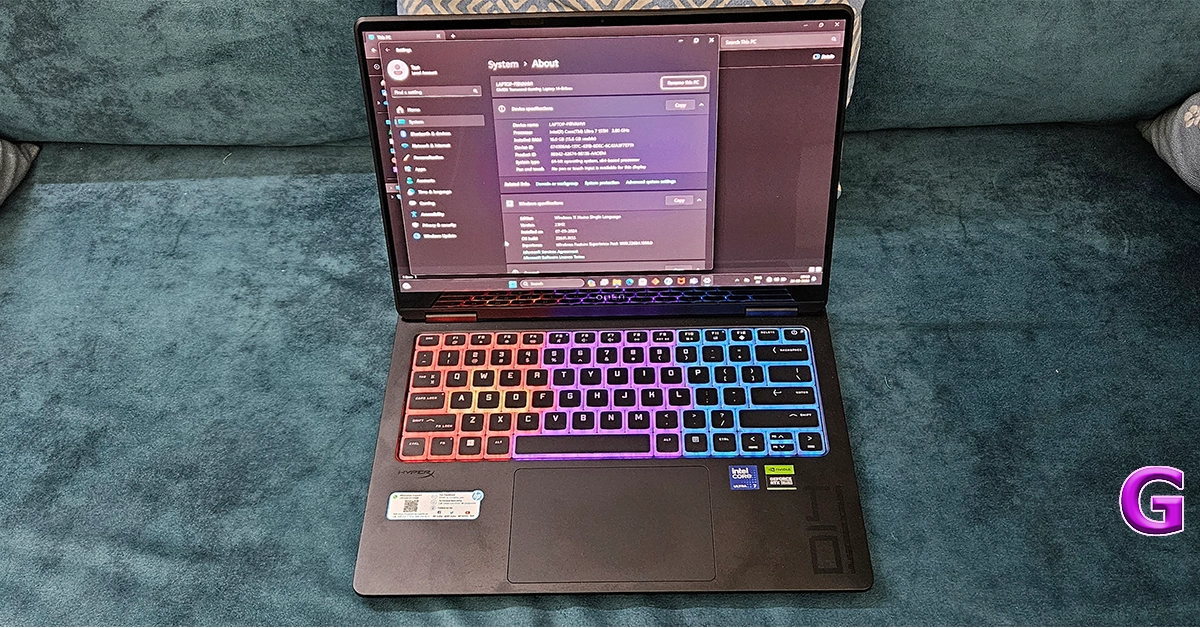 The performance of the HP Omen Transcend 14 is nothing short of breathtaking. It’s a powerhouse, driven by its advanced RTX GPU, ensuring that whether you’re battling through the latest games, stitching together complex video edits, or developing software, everything runs buttery smooth. With its dynamic blend of GPU for high-octane tasks and NPU for efficient, low-power AI operations, it stands at the forefront of technology, effortlessly handling even the most demanding applications.
The laptop’s thermal management is great, keeping it cool under pressure with an innovative design that enhances airflow and heat dissipation. This means longer playtimes, uninterrupted creativity, and productivity that doesn’t falter, making the OMEN Transcend 14 a true performance titan in the world of gaming laptops.
To stress test it, we played games like Counter-Strike and Call Of Duty: Modern Warfare 2 on it. While we got stable frame rates in CS at the highest settings we did see a slight lag in COD at top settings. But nothing that ruined the gameplay. It was still a treat.
The supporting HyperX dual sound drivers are also good for the segment. With it we just did not game, we also played a few Netflix shows and YT videos in 4K res. We were very happy with the graphics in all its glory. No matter what you are playing on it, the display combined with the graphics system will keep everything looking pleasant.
Coming to its battery life, the system comes with a 140W power adaptor capable of charging the notebook to 50% levels in under 30 minutes. We tried that and it does that fabulously. The company claims that the battery can last up to 10 hours. However, for us it lasted for 6.5 hours. This included working on Word docs, a little bit of gaming here and there, and of course watching a show on Netflix. All of it at 80% screen brightness.
Read Also:
The performance of the HP Omen Transcend 14 is nothing short of breathtaking. It’s a powerhouse, driven by its advanced RTX GPU, ensuring that whether you’re battling through the latest games, stitching together complex video edits, or developing software, everything runs buttery smooth. With its dynamic blend of GPU for high-octane tasks and NPU for efficient, low-power AI operations, it stands at the forefront of technology, effortlessly handling even the most demanding applications.
The laptop’s thermal management is great, keeping it cool under pressure with an innovative design that enhances airflow and heat dissipation. This means longer playtimes, uninterrupted creativity, and productivity that doesn’t falter, making the OMEN Transcend 14 a true performance titan in the world of gaming laptops.
To stress test it, we played games like Counter-Strike and Call Of Duty: Modern Warfare 2 on it. While we got stable frame rates in CS at the highest settings we did see a slight lag in COD at top settings. But nothing that ruined the gameplay. It was still a treat.
The supporting HyperX dual sound drivers are also good for the segment. With it we just did not game, we also played a few Netflix shows and YT videos in 4K res. We were very happy with the graphics in all its glory. No matter what you are playing on it, the display combined with the graphics system will keep everything looking pleasant.
Coming to its battery life, the system comes with a 140W power adaptor capable of charging the notebook to 50% levels in under 30 minutes. We tried that and it does that fabulously. The company claims that the battery can last up to 10 hours. However, for us it lasted for 6.5 hours. This included working on Word docs, a little bit of gaming here and there, and of course watching a show on Netflix. All of it at 80% screen brightness.
Read Also: 

 If you use a case for your iPhone, remove it as soon as you pull the device out of the water. When your iPhone takes a dip, the water droplets can get trapped between its back panel and the case. Over a period of time, these droplets can seep into the display or SIM card tray. Removing the case will prevent this from happening.

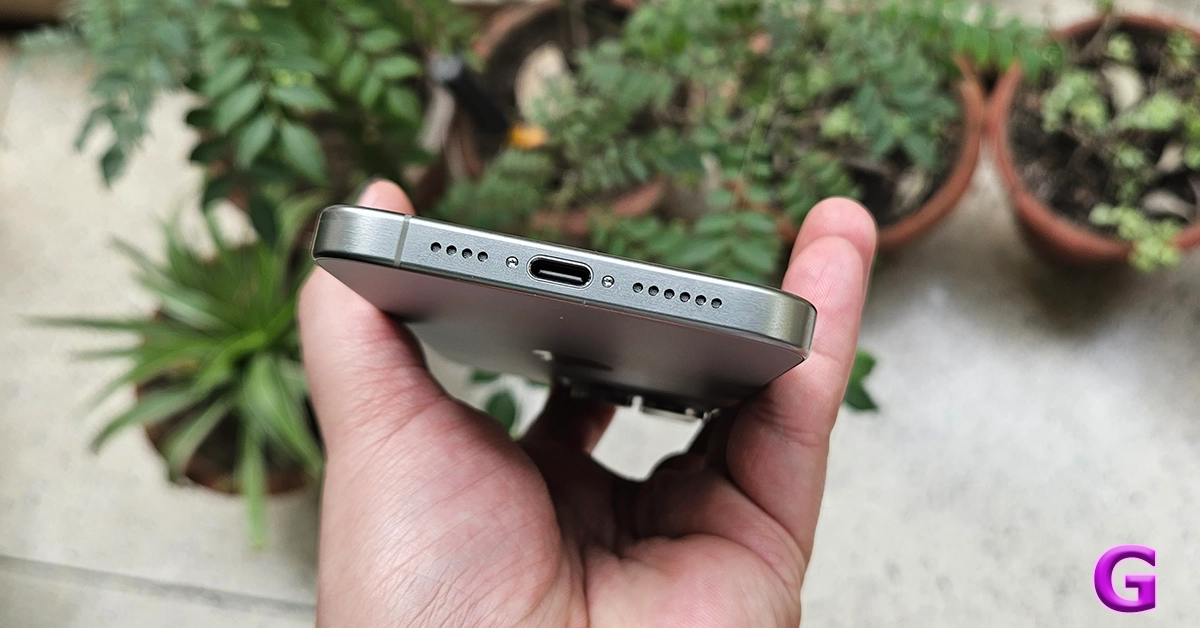
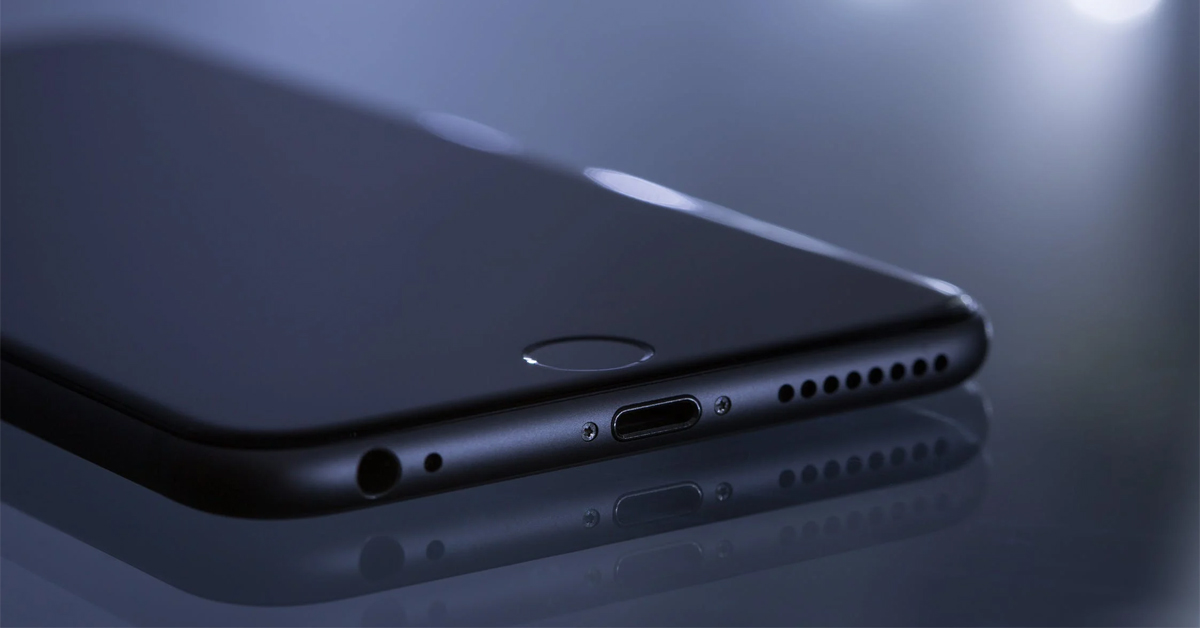

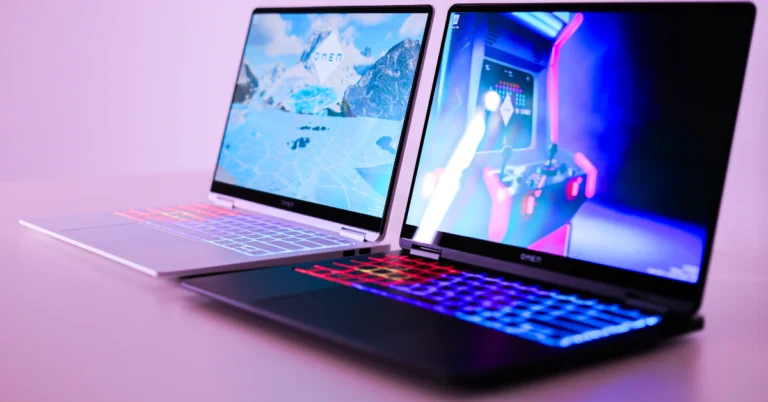
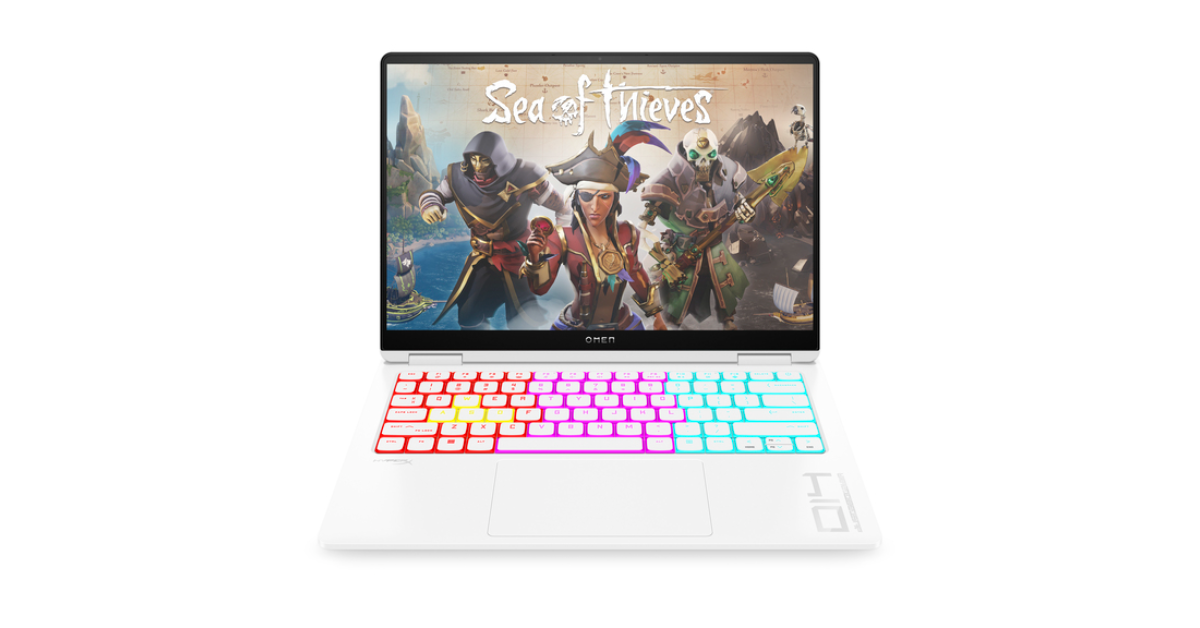
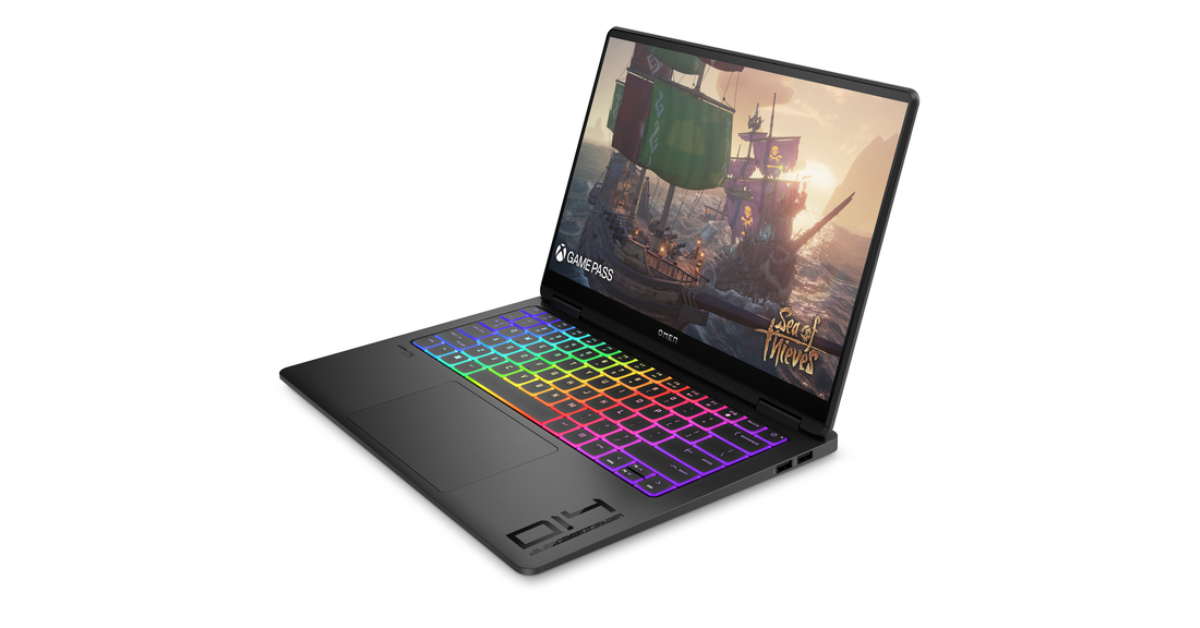
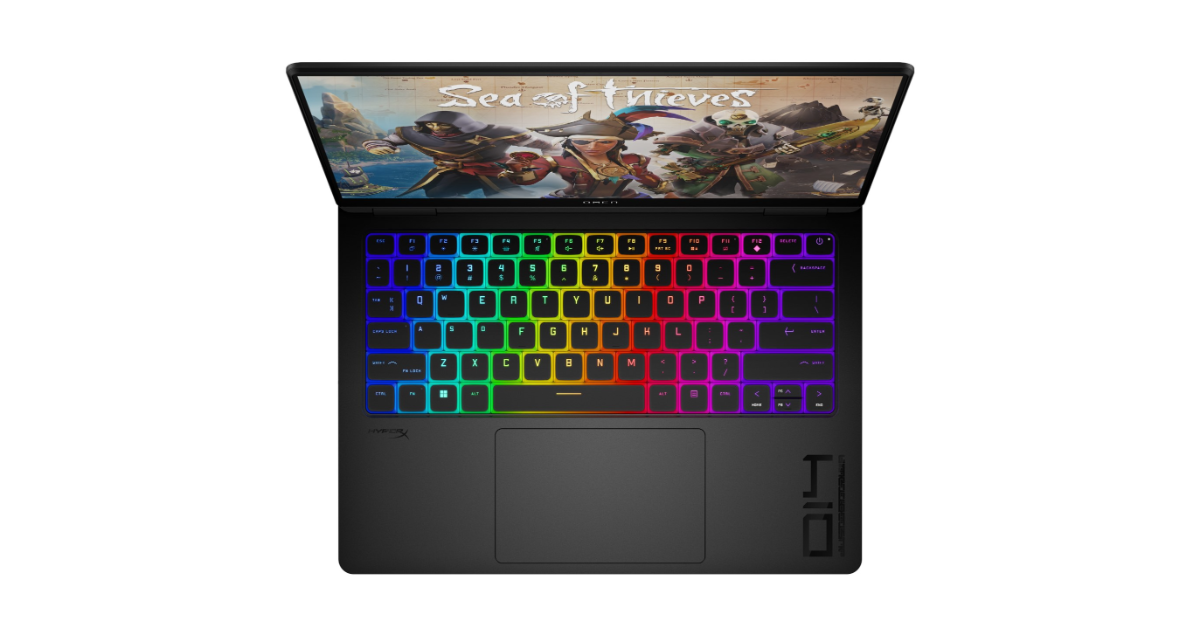
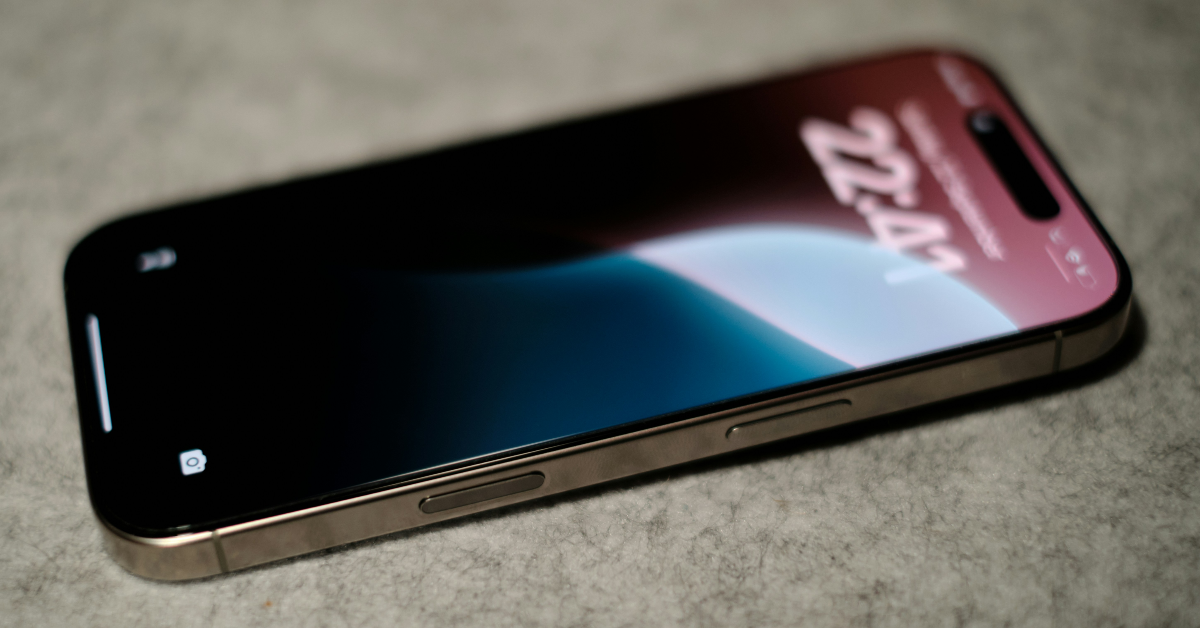 Step 1: Go to Settings and select Cellular.
Step 2: Select the SIM card associated with the number that’s not receiving text messages.
Step 3: Turn on the toggle switch next to Turn On This Line.
Step 1: Go to Settings and select Cellular.
Step 2: Select the SIM card associated with the number that’s not receiving text messages.
Step 3: Turn on the toggle switch next to Turn On This Line.
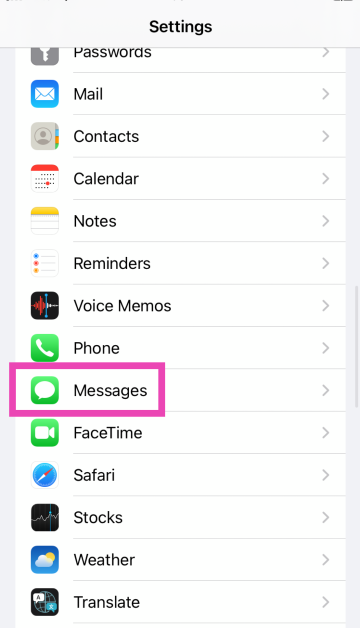 Step 2:
 Step 3:
 Step 2: Tap on Messages to view the messages that may have got stuck in a filter.

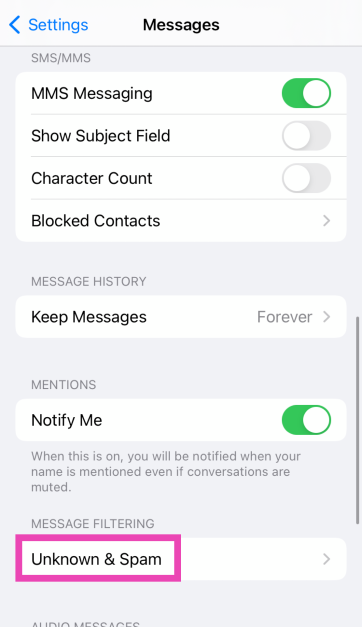 Step 3: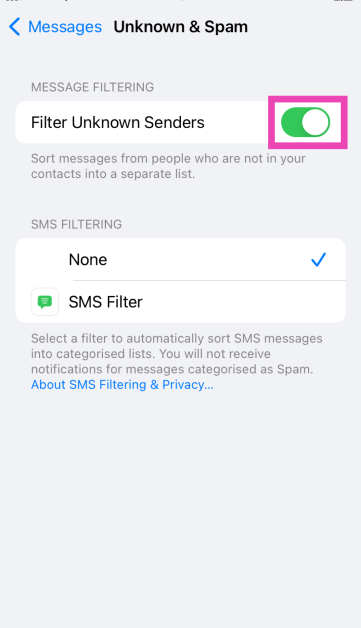
 Step 2:
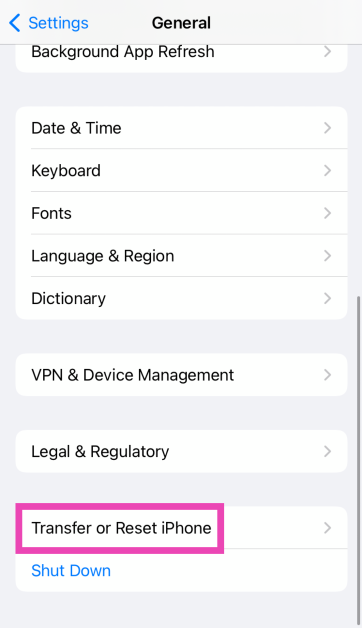 Step 3:
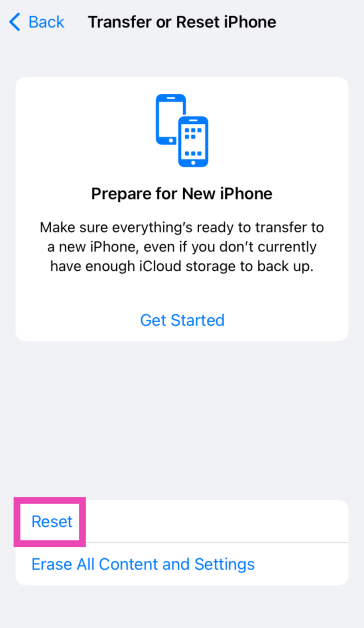 Step 4: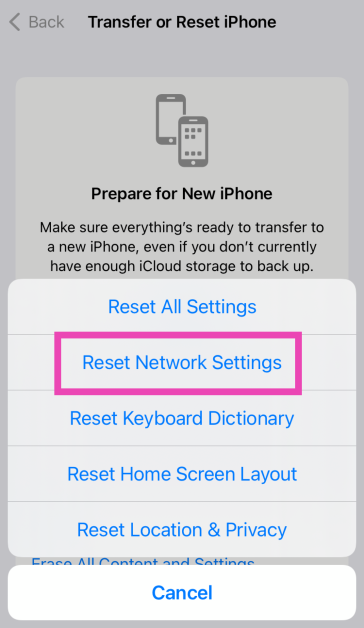
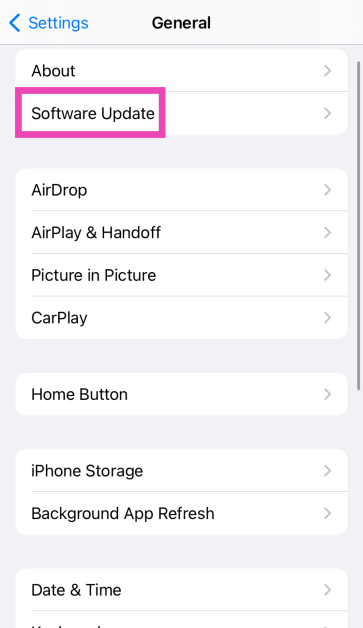 Step 4: