Today, OPPO released information about its holiday sale offerings. With the OPPO Festive Offer 2022, customers can expect fantastic savings on the Reno8 Pro, Enco X2, OPPO Pad Air, F21s Pro, A77, and A57 from the OPPOverse on Flipkart, Amazon, the OPPO Store, and traditional retail locations.During the Oppo Festive Sale 2022 offers on smartphones from the Reno, F, K, A, and IOT series across the OPPOverse are appealing. The company is also offering a chance to win free smartphones, tablets, and even wireless earphones in addition to Rs 10 million in cash. IoT products come with some of the best discounts, with some going as high as Rs 3500 from OPPO across all major retail locations. On OPPO items, customers can benefit from a 10% bank cashback. These deals will be available on both Flipkart and Amazon in the country.
In This Article
Offers Oppo smartphones on Flipkart
With the OPPO Festive Offer 2022 on Flipkart, both the OPPO K10 (6GB variant) and K10 5G (8GB variant) will be discounted by Rs 1500. There will be a Rs 2000 discount on the OPPO F19 Pro+. Customers buying an OPPO Reno or F series smartphone can enjoy a free EMI for up to three months, while those buying an OPPO A series smartphone will get a free EMI for three months. Customers who buy the Reno8 Pro or Reno8 on an exchange offer will receive benefits of Rs 4,000 and Rs 3,000, respectively, while customers who buy the F21 Pro on an exchange will receive benefits of Rs 2,000.Additionally, consumers who purchase over Rs 5000 worth of OPPO items using their ICICI or Axis Bank cards will receive a 10% cashback.
Offers Oppo smartphones on Amazon
Customers who buy the Oppo A54 will immediately receive a 10% discount.Customers can take advantage of free EMI terms for up to six months on F series smartphones and three months on any A series smartphone.Customers interested in exchange offers can additionally benefit from Rs 2000 on the Oppo F21 Pro series, Rs 1500 on the Oppo A77, and Rs 1000 on the Oppo A57.Customers who use SBI bank cards to make purchases of any OPPO product will receive a 10% rebate.Up until October 31, 2022, users can purchase smartphones from the Reno8 series, F21 series, A77, and A57 series in major retail locations and receive 10% cashback on top bank cards.For the Reno series and F series, buyers may also make use of a no-cost EMI offer that lasts up to six months, while those who buy A series smartphones can take advantage of a no-cost EMI offer that lasts for three months.Customers will be able to purchase an OPPO product through leading lenders’ $0 down payment plans thanks to the company’s innovative “Pay Nothing Offer.”Customers who acquire smartphones from the Reno8 series, F21 series, A77 series, and A57 series can also take advantage of an exchange deal of up to Rs 3000.Additionally, OPPO offers exclusive promotions to its community members, including “Double Points” and “Super OPPO Day.”Customers who purchase the Reno series, F series, K series, A series, and Pad Air through all channels as part of the Super OPPO Day are eligible to enter a lucky draw for the chance to win a grand prize of Rs 10 lakh in cash, followed by some more alluring prizes of the draw.Additionally, OPPO IoT gadgets are currently on sale at Flipkart till September 30, 2022.The prices of the OPPO Enco Buds and Enco Buds2 are Rs 1499 and Rs 1799, respectively. The prices of the OPPO Enco Air2 and the freshly released OPPO Enco X2 are Rs 1999 and Rs 9999, respectively.Customers wishing to acquire OPPO’s first tablet in the Indian market can do so by using ICICI and Axis bank cards, which come with a flat discount of Rs 2000 and Rs 1500 in cashback.For Rs 2999, OPPO Watch Free will be offered at a fixed discount of 50%.
For the latest gadget and tech news, and gadget reviews, follow us on Twitter, Facebook and Instagram. For newest tech & gadget videos subscribe to our YouTube Channel. You can also stay up to date using the Gadget Bridge Android App. You can find the latest car and bike news here.
While vacationing is a therapeutic experience, booking flight tickets and travel packages is anything but relaxing. Luckily, there are a few online travel services that not only offer great travel deals but also make the process very simple with their accessible UI and clean design. With September 27 celebrated as World Tourism Day, we bring you the top 7 apps and websites to find the best travel deals in India and abroad.Read Also: How to cool down your smartphone quickly? Top 7 easy ways
In This Article
MakeMyTrip
One of India’s most popular travel websites, Makemytrip.com offers holiday packages, flight bookings, hotel listings, and even services like Forex and charter flights. Users can always find exciting offers on the website and avail heavy discounts on flight fares and hotel bookings. MMT partners with leading hospitality services in India and internationally to bring you travel packages at the most attractive rates. The reliability offered by MakeMyTrip has earned them millions of users in their 20 years of doing business.
Cleartrip
Cleartrip offers its users a simple, hassle-free experience when it comes to looking for the most affordable flight tickets or the most comprehensive travel packages. Cleartrip is headquartered in Mumbai and has offices in UAE, Saudi Arabia, and Egypt. The website offers flight and train reservations, hotel bookings, and travel packages in India and the Middle East. On the Cleartrip website, you’ll find discount coupons for travel fares and other added-on services that most people don’t know they can easily avail.
IRCTC
IRCTC.co.in is the official online portal to book train tickets online. By booking directly from IRCTC, you can save agent fees and other additional costs. Booking on IRCTC.co.in is a simple process. All you need to do is enter your boarding station and destination along with the date of your journey. IRCTC will give you a list of all the trains running between those two junctions, along with the seat availability status. Apart from train reservations, IRCTC also offers flight bookings, holiday packages, and hotel reservations.
Goibibo
Goibibo is a relatively new player in the travel booking business, being launched in 2009. However, over the decades it has gained the reputation for being one of the most efficient travel websites, offering very attractive offers on flight bookings. Goibibo is also one of the more reliable travel partners around, with their simple and effective cancellation policy, and excellent customer service.
Booking.com
Booking.com is perhaps the most popular travel website across the world. Headquartered in Amsterdam, the service was founded in 1996. Booking.com has over 28 million listings and is available in 43 languages. Users can also make use of the Booking.com app on Google Play Store and the App Store. Navigating the website is a very easy process and you’ll always find a good travel deal on Booking.com no matter what your destination is. If you’re planning an international vacation, Booking.com has an exhaustive set of listings that aren’t matched by most travel services.
Oyo Rooms
The rise of Oyo Rooms in India in the last few years has been extraordinary. The app, used by a majority of travellers in India, simplifies the hotel booking process, cutting down on unnecessary additional costs and offering the best travel deals to its users. Oyo Rooms boasts over 157,000 hotel listings across 35 countries. With Oyo, you don’t just get a hotel booking, but also an incredible standard of service that is maintained by all the listings on the app.
Expedia
Known for its diverse range of services, you can find everything from flight bookings to cruise packages on Expedia. The travel service brings its users the best deals from the most exotic of locations. You can even sign up to become a member and exclusive Expedia Rewards with every booking. Booking in advance also unlocks additional benefits that will certainly enhance your experience.Read Also: How to Avoid Online Casino Scams?
Conclusion
These are the top 7 apps and websites to find the best travel deals in India and abroad. While looking for cheap flight tickets and affordable travel packages, it is advised to glance through multiple travelservices and look into their exclusive offers. If there is a travel service we missed that you think deserves to be on the list, let us know in the comments!
An exclusive co-branded credit card, powered by Visa, has been launched in collaboration between Samsung and Axis Bank. Customers who use the Samsung Axis Bank Credit Card will receive 10% cashback on all Samsung goods and services throughout the year. The 10% cashback offer through the Samsung Axis Bank Credit Card will be in addition to current Samsung discounts, on both EMI and non-EMI transactions, which will be a further source of delight for customers.Every time customers use their Samsung Credit Card to purchase Samsung goods and services, they are eligible for rewards, thanks to this market-leading programme from Samsung. Customers will receive 10% cash back on purchases of products like smartphones, tablets, laptops, televisions, refrigerators, air conditioners, washing machines, or Samsung services like Service Center payments, Samsung Care+ mobile protection plans, and extended warranties.The Samsung Credit Card’s 10% cashback will be in addition to any current promotions on both EMI and non-EMI purchases. The 10% cashback will be valid at authorised Samsung Service Centers as well as online on Samsung.com, Samsung Shop App, and Flipkart, as well as offline channels selling Samsung items through Pine Labs and Benow payment interfaces. The Samsung Axis Bank Credit Card’s 10% cashback benefit will be available all year long, which will heighten the anticipation.
In This Article
Samsung Axis Bank Credit Card Variants and Product Proposition
The two options available to customers are Visa Signature and Visa Infinite. With a monthly cashback cap of INR 2500 on the Signature variation, cardholders may receive up to INR 10,000 in cashback every year. With the Infinite version, cardholders are eligible for up to INR 20,000 in cashback each year, with a maximum of INR 5,000 per month. Due to the lack of a minimum transaction amount, users can receive 10% cashback on even the smallest Samsung purchases. Additionally, purchases made outside of the Samsung Ecosystem will earn cardholders Edge Reward Points.With customer trends and preferences in mind, Samsung India and Axis Bank have teamed up with the top companies in the sector to provide cardholders accelerated rewards on regular purchases made at important partner merchants including BigBasket, Myntra, Tata 1mg, Urban Company, and Zomato.The Samsung Credit Card also includes free access to airport lounges, a waiver of fuel surcharges, dining deals, and access to a wide range of promotions from Axis Bank and Visa.
Samsung Axis Bank Credit Card Fee, Welcome Benefits and Application Process
Both the Signature and Infinite variants have annual fees of INR 5000 + taxes and INR 500 + taxes, respectively. Using the first three purchases made with each variant’s card, cardholders will receive a welcome bonus of Edge Reward points. As a one-time welcome benefit, Signature variant cardholders will receive 2500 points worth INR 500 and Infinite variation cardholders would receive 30000 points worth INR 6000. Customers can apply for the card at www.samsung.com/in/samsung-card, the website for the Samsung Axis Bank Credit Card. The Axis Bank channels and the Samsung app ecosystem (Samsung Shop, Samsung Pay, and Samsung Members).On the specific microsite, located at samsung.com/in/samsung-card, customers can express interest in the Samsung Card. Applications will soon be available.
For the latest gadget and tech news, and gadget reviews, follow us on Twitter, Facebook and Instagram. For newest tech & gadget videos subscribe to our YouTube Channel. You can also stay up to date using the Gadget Bridge Android App. You can find the latest car and bike news here.
For the last several years, many users have preferred Telegram as an alternative to WhatsApp because of its larger file transfer size limit, bigger group capacity, and the ability to use one Telegram account across multiple devices. This is now set to change, as WhatsApp has finally introduced the option to use your account on other Android devices. Don’t know how to use this feature? In this article, we show you how to use the same WhatsApp account on multiple devices. (2023)Read Also: World Tourism Day: Best gadgets to carry on your next vacation
In This Article
Here’s how you can use your WhatsApp account on another Android device
Step 1: Launch WhatsApp on your secondary Android device.
Step 2: Select your preferred language and hit the arrow icon at the bottom right corner of the screen.
Step 3: Tap ‘Agree and Continue’ on the following screen.
Step 4: WhatsApp will now as you for your phone number. Instead, hit the ellipses at the top right corner of the screen and select ‘Link to existing account’.
Step 5: Launch WhatsApp on your primary smartphone and select ‘Linked Devices’ after hitting the ellipses at the top right corner of the screen.
Step 6: Select ‘Link a device’.
Step 7: Use the primary phone to scan the QR code on the secondary phone.
Step 8: You will be logged into your WhatsApp account on the secondary Android smartphone. It may take a few minutes to sync your entire chat history on the secondary device.
Use one WhatsApp account on multiple devices including Tablets via WhatsApp Web
While WhatsApp Web is designed to access your WhatsApp on a PC, you can use it on a secondary smartphone or an Android tablet as well. You can use this method when you have hit the device limit. Just follow these simple steps. Step 1: Open www.web.whatsapp.com on your phone or tablet’s web browser.Step 2: Tap on the ellipses at the top right corner of the screen and select ‘Desktop site’.You can now use the WhatsApp Web portal similar to how you use it on a PC. Use your primary phone with the WhatsApp account to link your secondary device.Step 3: Open WhatsApp on your primary smartphone and tap the ellipses at the top right corner of the screen. Select ‘Linked Devices’.Step 4: Tap on ‘Link a device’ and scan the QR code on your secondary smartphone or Android tablet. You will now be able to use your WhatsApp account on the secondary smartphone or Android tablet.
Frequently Asked Questions
Can I use one WhatsApp account on multiple devices?
Yes, you can link your WhatsApp account to multiple devices, be it your Windows laptop or another Android smartphone or tablet.
How do I enable WhatsApp on multiple devices?
To link your WhatsApp device to another Android smartphone, simply launch WhatsApp on the secondary phone and select ‘Link to existing account’ from the phone number registration screen. Once that is done, scan the QR code displayed on the screen using your primary Android smartphone.
How many devices can you link to your WhatsApp account?
This is how you can use the same WhatsApp account on multiple devices, including Android tablets (2023). WhatsApp allows you to link a maximum of four devices to your account at one time. If you want to use two WhatsApp accounts on one phone, go to your phone’s settings and check out dual messenger. You can also use certain third-party apps to use a WhatsApp account across multiple phones, but it comes at the risk of losing your encrypted messages and opening up to potential data breaches.
For the latest gadget and tech news, and gadget reviews, follow us on Twitter, Facebook and Instagram. For newest tech & gadget videos subscribe to our YouTube Channel. You can also stay up to date using the Gadget Bridge Android App. You can find the latest car and bike news here.
Sony India will offer considerable savings on a range of audio products, including headphones, the Truly Wireless Earbuds Series, portable Bluetooth Speakers, and soundbars during an exclusive Diwali sale. The Sale is presently underway and will continue until October 5. These amazing deals will entice individuals to purchase a Sony product together with alluring financing choices like instant cashback, easy EMIs and more. Therefore, now is the greatest moment to buy any Sony Audio devices you’ve been thinking about.Sony India released amazing promotional deals on a variety of personal audio products in honour of the Diwali holiday. Discounted prices will be applied to the audio products. During the Sony Diwali sale, headphones, the Truly Wireless Earbuds Series, portable Bluetooth Speakers, and Party Speakers will all be offered at reduced costs. These incredible offers, which come with wonderful financing options like instant cashback and 6 months of low-cost EMIs, are designed especially for music lovers, working professionals, and students who want to purchase high-end or new audio devices for their entertainment, work from home, and educational needs. The promotion is available through a variety of online and offline channels and is valid through October 5, 2022. It is available at numerous Sony retail outlets (Sony Center and Sony Exclusive), the www.ShopatSC.com portal, as well as major electronic retailers and other e-commerce platforms.During the Sony Diwali Sale, a wide range of Sony Soundbars will be discounted. Customers who purchase a BRAVIA 108 cm (43) and higher along with the HT-A7000+Subwoofer and Rear Speakers can save up to Rs 54,990.Below is a list of offers for Sony audio products, including speakers and BT earphones.Offers on Sony Audio Products: Headphones, Earphones and BT Speakers:
Type
Model Name
MRP
Offer Price
Cashback Details
(In Rs.)
(In Rs.)
Wireless Headphones
WH-1000XM5
34,990/-
26,990/-
[Pre-Order]
Wireless Headphones
WH-1000XM4
29,990/-
19,990/-
Inclusive of Rs. 2,000/- Cashback
Wireless Headphones
WH-XB910N
19,990/-
10,990/-
Inclusive of Rs. 2,000/- Cashback
Wireless Headphones
WH-CH710N
14,990/-
5,990/-
–
Wireless Earbuds
WF-1000XM4
19,990/-
16,990/-
Inclusive of Rs. 3,000/- Cashback
Wireless Earbuds
WF-1000XM3
19,990/-
7,990/-
–
Wireless Earbuds
WF-L900
19,990/-
12,990/-
–
Wireless Earbuds
WF-XB700
11,990/-
5,990/-
–
Wireless Earbuds
WF-C500
8,990/-
4,499/-
Inclusive of Rs. 1,500/- Cashback
Headphones
WH-CH510
4,990/-
2,299/-
–
Headphones
WI-XB400
4,990/-
2,499/-
–
Headphones
WI-C310
3,290/-
1,799/-
–
Headphones
WI-C200
2,990/-
1,699/-
–
Headphones
WI-C100
2,790/-
1,399/-
–
Gaming Headphones
Inzone H9
27,990/-
21,990/-
–
Gaming Headphones
Inzone H7
21,990/-
15,990/-
–
Gaming Headphones
Inzone H3
9,990/-
6,990/-
–
Bluetooth Speaker
SRS-XB13
4,990/-
3,299/-
–
Bluetooth Speaker
SRS-XE200
24,990/-
19,990/-
–
Bluetooth Speaker
SRS-XE300
15,990/-
12,990/-
–
Bluetooth Speaker
SRS-XG500
39,990/-
26,990/-
–
Bluetooth Speaker
SA-RA3000
29,990/-
14,990/-
–
Soundbar
HT-S40R
34,990/-
24,990/-
–
Soundbar
HT-S20R
23,990/-
15,990/-
–
Soundbar
HT-A7000
–
–
Up to Rs.54,990/- off on purchase of HT-A7000+Subwoffer and Rear Speakers with BRAVIA 108 cm (43) and above
If you find yourself transferring files from your Android phone to your PC frequently, then using a USB cable for a file transfer may not be the ideal way to go about it. A USB cable makes things cluttered on your work desk and even limits your smartphone usage quite a bit. Luckily, there are several different ways you can go about this task. In this article, we show you the best and easiest ways to transfer files from an Android phone to a PC wirelessly.Read Also: Vivo Y16 launched in India at Rs 9,999
In This Article
Use Nearby Share
Now that Nearby Share has expanded to Windows, it is the easiest and the most seamless way to share files from your Android phone to your PC and vice versa. Nearby Share is Android’s answer to Apple’s AirDrop. Here’s how you can use it.
Step 1: Download Nearby Share for PC using this link.
Step 2: Install the app on your PC following the on-screen instructions.
Step 3: Sign in with your Google Account. If you do not wish to use your Google Account, click on ‘Use without an account’.
Step 4: Set up a name for your PC and select ‘Done’. You will only be asked a name for your PC if you are using Nearby Share without an account.
Step 5: Tap on ‘Device is Hidden’ and select ‘Receive from everyone’.
Step 6: On your Android smartphone, select the file your want to transfer to your PC.
Step 7: Tap the Share icon and select ‘Nearby Share’ from the list of options.
Step 8: Your smartphone will search for your PC. Once it pops up on the radar, select the icon for your PC.
Step 9: Accept the transfer on your PC.
Step 10: Once the file is received on your PC, click on ‘Open’ to view it. You can also access the file from the Downloads folder on your PC.
Transfer files from Android phone to PC wirelessly using PushBullet
Step 1: Install the PushBullet app on your Android phone and PC. Make sure your phone and PC are connected to the same WiFi network. Sign in to both apps using one account.Step 2: Open the PushBullet app on your phone and select your laptop as the file destination.Step 3: Tap on the attachment icon and select the file your want to transfer.The file will be sent to your PC and can be accessed from the PushBullet app.
Transfer files using Google Drive
Step 1: Open Google Drive on your smartphone and tap the ‘+’ icon to upload the file you want to share.Step 2: Select ‘Upload’. You can also create a new folder to place all your uploaded files in one place.Step 3: Select the file you want to upload from your phone’s memory.Step 4: Open www.drive.google.com on your PC’s web browser. Make sure you are signed in with the same Google Account that you used to upload the file from your smartphone.Step 5: Locate the file and select ‘Download’ from the top right corner of the screen.The file will be downloaded to your PC.
Transfer files using Bluetooth
Step 1: Turn on Bluetooth on your smartphone and PC.Step 2: Go to Settings>Bluetooth and other devices on your PC and select ‘Add Bluetooth or other devices’.Step 3: Scan for devices and select your smartphone. Make sure you pair the two devices with the proper code.Step 4: Scroll down and select ‘Send and receive files via Bluetooth’ on your PC, then select ‘Receive Files’.Step 5: Open the file you want to transfer on your Android mobile and select ‘Share’. Go to more options and select Bluetooth.Step 6: Select your PC as the destination device.Step 7: Accept the incoming transfer on your PC. The file will be transferred.
Use your email to transfer files
If you want to share a file with multiple devices, you can use your email to do the job. This works for small files that fit the attachment size limit. Simply create a new email on your smartphone and upload the file as an attachment. Save the email as a draft and log into your email account using your PC to access the file.
Read Also: Apple iPhone 14 Pro review: The Game Changer
Frequently Asked Questions
What is the easiest way to transfer files between an Android phone and a PC?
The quickest and easiest way to transfer files from an Android phone to a PC (and vice versa) is by using Nearby Share. Download Nearby Share for PC and hit the share icon on the file on your Android device and select ‘Nearby Share’.
How to transfer pictures from an Android phone to a computer without USB?
You can either use Nearby Share to send pictures from an Android smartphone to a PC wirelessly or use a cloud backup service like Google Drive.
How do I transfer files from an Android phone to PC without an app?
If you do not wish to download any app on your Android phone or PC, you can easily transfer files between the two devices via Bluetooth. Go to Windows Settings>Bluetooth and select ‘Send or receive files via Bluetooth’.
Conclusion
These are the 5 best ways to transfer files from an Android phone to a PC wirelessly. If you’re looking for a quick way to transfer between a smartphone and a PC or even two Android devices, you can upload the file as an attachment on a draft mail and sign in to your email using the other device to access the file. While this may not be the ideal way to transfer files between devices, it gets the job done pretty quickly without having to install a third-party app.
For the latest gadget and tech news, and gadget reviews, follow us on Twitter, Facebook and Instagram. For newest tech & gadget videos subscribe to our YouTube Channel. You can also stay up to date using the Gadget Bridge Android App. You can find the latest car and bike news here.
Modern smartphones are built to handle heavy tasks. This includes photo and video editing, gaming, shooting a video for a long duration of time in high resolution, using navigation services, and a lot more. While smartphone processors can handle these tasks with ease, the performance may drop as the phone begins to overheat. In this article, we show the top 11 easy ways to cool down your smartphone quickly.Read Also: Apple iPhone 14 Pro review: The Game Changer
In This Article
Stop using for phone for a while
Your smartphone may have heated up due to carrying out heavy tasks like playing a graphically demanding game or video editing. Turn off whatever application you’re using and let your phone rest for a while. It is preferable to keep it on a cool surface. An overheated smartphone typically takes 5-7 minutes to cool down entirely. You can resume your activity after the smartphone has cooled down.
Turn off your smartphone
There’s overheating and then there’s overheating that makes your phone almost impossible to hold. If you’re dealing with the latter, simply putting down your phone won’t be enough. You will need to turn it off entirely and keep it on a cool surface and wait for the heat to dissipate. Extremely high temperatures can be dangerous for your smartphone and may lead to permanent damage.
Turn on Airplane Mode
If your smartphone is only slightly warmer than usual, you can put it on Airplane Mode instead of turning it off entirely. Turning on Airplane Mode suspends all connections and halts your phone from reading the surrounding network signal. This limits the background processes which would usually be active all the time. You will notice a change in temperature within minutes of enabling Airplane Mode.
Close background apps
Even when you’re not actively using any app that takes a lot out of your phone’s processor, it can still get heated up. This may be because there are multiple apps running in the background. Close all background apps and let your phone rest for a while. It is also a good idea to check which apps have the most battery usage. Apps with higher battery usage are more likely to overheat your phone.
Take your phone off charging
It is common for smartphones to heat up while charging. While this isn’t entirely problematic, it can become an issue if the phone starts overheating on a regular basis. When your phone overheats while charging, simply take it off the charger and let it cool down. Make sure you don’t keep your phone plugged in after it’s fully charged as that can damage the battery. It is also advised to keep your phone in a cool place with optimum ventilation while charging.
Turn off Gaming Mode
Some smartphones have a dedicated gaming mode that increases the performance of your phone while gaming by exerting the processor to its maximum capacity. While this is beneficial for a short period (like a gaming session), if you keep it turned on for a longer duration of time, your phone will start overheating. It is not advised to keep the high-performance mode turned on after you’ve stopped gaming. You can turn it off simply by sliding down the notification panel and de-selecting the gaming mode.
Keep your phone updated
Your phone generates heat by working on internal processes and background tasks. Older versions of apps can ask a lot from your device’s RAM and become a burden on it. Always ensure that you are using the latest versions of the apps on your phone. Newer versions are optimised to work more efficiently and aren’t a burden on the processor. It is also a good idea to keep the OS updated at all times.
Take off the phone case
Sometimes the phone cover can prevent it from dissipating heat effectively. This can cause overheating issues. Simply take off the phone’s case and let it rest until it cools down. Make sure that your phone cover is made with materials that do not impede your phone’s cooling capacity.
Use a phone cooling device
If you game on your phone quite regularly and want to manage its internal temperature better, a phone cooling device may help. There are plenty of mobile coolers you can find on Amazon. Using the cooling device while gaming can keep your phone’s temperature under control. Before buying, make sure that the device is compatible with your smartphone.
Keep your phone away from direct sunlight
Exposure to heat and direct sunlight can overheat your phone pretty quickly. Make sure that your phone isn’t exposed to direct sunlight for a long duration of time. Leaving it in your car on a hot sunny day can also overheat your phone, affecting its performance. Always make sure there’s ample shade in the place you keep your phone.
Know more about your phone’s processor
Flagship chipsets like Snapdragon 8 Gen 2, Snapdragon 8+ Gen 1, and MediaTek Dimensity 9000 are designed to cut down the excessive heating on your device. These chipsets make intelligent decisions in processing to make sure that your phone’s internal temperature does not go beyond a certain limit. The same cannot be said for entry-level and midrange processors. Look up the chipset inside your phone and see if other users are experiencing issues with it as well. If the SoC is known for overheating, you will have to change your pattern of usage accordingly or get a new phone.
Frequently Asked Questions
Why is my phone so hot?
Your smartphone can heat up quickly when it’s carrying out heavy tasks like video editing or playing graphic-intensive games. Its temperature can also rise drastically when its kept under direct sunlight.
Can overheating damage your phone?
Excessive heating for a prolonged period of time can cause permanent damage to the battery and other internal components. Your phone’s battery won’t be able to retain the charge once it is damaged.
Can I put my phone in the freezer?
Do not put your phone in the freezer under any circumstances. Sudden changes in temperature can cause further damage to your smartphone. Putting your phone in the freezer can also cause condensation on your phone, leading to further damage.
Read Also: Simple and easy ways to share any Google Maps location on WhatsApp (2022)
Conclusion
These are the top 11 easy ways to cool down your smartphone quickly. Constant overheating of your smartphone can lead to a drop in performance, slower speeds, longer charging time, and possibly permanent damage to internal components. If your phone issues an overheating warning, use the steps mentioned above to cool it down quickly. It is also a good idea to keep a tab on your phone’s battery performance from time to time and see which apps put the maximum load on the battery.
For the latest gadget and tech news, and gadget reviews, follow us on Twitter, Facebook and Instagram. For newest tech & gadget videos subscribe to our YouTube Channel. You can also stay up to date using the Gadget Bridge Android App. You can find the latest car and bike news here.
The Chinese smartphone brand OnePlus is getting ready to arrive with its first Nord smartwatch namely the OnePlus Nord Watch in India soon. The business provided a small glimpse of its upcoming product earlier this month. In a new development, the firm has disclosed some of the important details of the device. It has been revealed that the OnePlus Nord Watch will include more than 105 sports modes, including cycling, yoga, indoor and outdoor walking, jogging, and cricket.OnePlus Nord Watch will be the first watch the firm produces with the Nord logo. The 1.78-inch AMOLED screen on the Nord Watch will have a 500 Nit peak brightness and a 368×448 high resolution for clear and flawless images, according to information thus far released. The display has a 60Hz refresh rate, which ensures quick responses and the renowned Oneplus experience of speed and smoothness. Additionally, the Nord Watch will include more than 100 online customizable Watch Faces. This means watch faces that can be customised online to fit your particular taste and personality.The Nord Watch will have over 105 Sports Modes, according to OnePlus, which includes exciting modes like yoga, cricket, and many others in addition to the necessary ones like indoor and outdoor walking and running. This is to keep up with the active and dynamic lifestyle of the consumers while they are on the go.Renders and technical details of the upcoming smartwatch have already hit the web ahead of its release. It’s anticipated that the Nord Watch will be available in Blue and Black. Additionally, the renderings imply a rectangular dial with a side-mounted navigation button.The OnePlus Nord Watch is also speculated to have IP68 certification for increased water resistance. Most likely, both iOS and Android devices will work with the device. On a single charge, the gadget should provide up to 10 days of battery life and up to 30 days of standby time.the OnePlus Nord Watch is anticipated to include functions for female health monitoring, 24-hour heart rate monitoring, stress monitoring and SpO2 monitoring
For the latest gadget and tech news, and gadget reviews, follow us on Twitter, Facebook and Instagram. For newest tech & gadget videos subscribe to our YouTube Channel. You can also stay up to date using the Gadget Bridge Android App. You can find the latest car and bike news here.
Garena Free Fire is a battle royale game with regular awards and tournaments to keep players interested. If you play Garena Free Fire, you should be aware of the redeem codes that are released on a daily basis. However, because the battle royale game is banned in India, players from other countries can use the Free Fire Redeem codes daily. If you’re unfamiliar with the Garena Free Fire redeem codes or don’t know how to get them, we’ve put together a step-by-step guide to help you redeem them. Check out Garena Free Fire Redeem Codes for September 27.The Free Fire redeem codes are a great way to get free stuff. These are 12-digit codes that contain alphabets and numbers, as well as an expiration date and time. Because the Garena FF redeem codes cannot be used more than once, you should hurry to the redemption page to claim your free reward before someone else does. To get a free reward, all you have to do is go to reward.ff.garena.com/en, which is the official redemption page. Also, keep an eye on this space for daily updates on Garena Free Fire redemption codes and rewards.
In This Article
Garena Free Fire Redeem Codes Today 27 September 2022
27 September 2022 Amazon Quiz has gone live. Customers from different parts of the country are participating in the daily quiz. The quiz begins from 12 AM to 11:59 PM. Those participating in the quiz can win exciting prizes by answering all the questions correctly. Today participants have a chance to win a Rs 5,000 Amazon Pay Balance.Amazon quiz brings an opportunity for its customers to win Amazon Pay Balance ranging from Rs 1,000 to Rs 50,000. The Quiz can be played from 12 AM to 11:59 PM. The e-commerce platform brings a fresh quiz on a daily basis which consists of five questions related to general knowledge and current affairs. The participants need to answer all the questions correctly and their names will be selected for a lucky draw. The winner will be announced at the end of the month.One wrong answer could eliminate you from the quiz. If you manage to answer all the questions correctly you can stand a chance to win a Rs 5,000 Amazon Pay Balance today. Only app users are eligible to participate in the Quiz. Check Out 27 September 2022 Amazon Quiz Answers.Amazon Quiz Today Prize – Rs 5,000 Amazon Pay BalanceQuiz Date – 27 September 2022Daily Timing – 12 AM to 11:59 PMWinner Announcement – Today 12 PM
In This Article
Amazon Quiz Answers Today 27 September 2022
Question 1: Who recently became the first footballer to score in 18 consecutive UEFA Champions League seasons?Answer: Lionel MessiQuestion 2: Running with the Devil: The Wild World of ___ ______’ is a documentary about which tech pioneer?
Answer: John McafeeQuestion 3: Mukul Rohatgi is going to be the new holder of which important post?Answer: Attorney General of IndiaQuestion 4: This tower was built on the centennial of what event in French History?Answer: French RevolutionQuestion 5: Built by Edward the Confessor, this famous church is located in which city?
Answer: London
How To Play Amazon Quiz
Only app users are eligible to play the Amazon quiz every morning from 12 AM to 11:59 PM. The quiz is not available on the desktop. For those who are unaware of how to play the Amazon quiz below are the steps, you can follow to take the quiz.
Firstly download the Amazon app from Google Play Store or App Store
Now fill in the required information through the Sign Up option.
You need to log in to the Amazon app and scroll down on the home screen to find the Amazon Quiz banner.
Tap on the Amazon Quiz banner and tap on the Start button to start the Quiz.
Now you will get 5 questions and you need to answer them correctly. One wrong answer will eliminate you from the Quiz.
After answering all the questions correctly you are now eligible for a Lucky Draw.
The winner’s name will be announced today at 12 PM.
If you want to get started in non-GamStop gambling for the first time, it may seem quirky. The offshore gambling jungle could blow your mind. Nothing more normal! You just have to understand the concept well and you will find your way around easily. However, before playing at the online casino, caution is advised, as there are platforms with questionable reliability. Here are some tips that will help you recognize legal online casinos and avoid scams.
In This Article
How to Detect the Credibility of the Non-GamStop Casino?
The digital world can be a playground for scammers. It goes without saying that non-GamStop casino games attract a good number of players. Ghost casinos exist and it only takes a trifle to fall into the trap. However, it is possible to detect the false from the true by taking into account the following criteria:
The appearance and user-friendliness of the casino
Welcome offers
Promotions
Games selection
The reputation of online casino developers
Casino Security Systems & Encryption Protocols
Don’t hesitate to take a quick look at the security systems of non-GamStop casinos. Usually, a legal online casino protects the privacy of its customers. To do so, it uses a digital encryption system based on 128-bit SSL. If the virtual casino stores money there, it must have a reliable security system. The gambling site must ensure the confidentiality of the player’s personal data as well as that of the transactions. All this is for the protection of hacks, as well as the winnings of the player.
The Importance of Casino Customer Service
A playerless casino is a non-existent casino. As a result, the customer is therefore king on the gaming platform. Customer service can be reached on the support itself on which you can find the small “Chat” tab. By clicking on it, the player should engage in a direct chat with a support agent directly. There, he can see the quality of service if there is any, and the speed of the responses, which must be instantaneous on the platform. In addition, by examining the site, the player must be able to find the physical address of the casino or even phone numbers for quick contact. This information proves that there is follow-up and support for the customer.
Recognize an Underground Casino Site
An online casino site stands out against the competition in the offers and promotions it offers. However, this does not guarantee the reliability of the non-GamStop casino. The first criterion is the lack of response on the “chat” in 24 hours. The second is in the method of payment: the player must be able to choose between a multitude of payment methods such as Maestro, Skrill, Paypal, Neteller and other digital wallets. The third criterion is the set of games offered. Some non-GamStop casinos offer no-download games such as bonuses and wagering limits.
Bonuses & the Speed of Payouts
The bonuses make the difference between one site compared to another, namely the welcome bonus, the referral bonus, the loyalty bonus and the deposit bonus. These bonuses are promotional and each site has its own house policy. We can also mention the proposal of a live player: the player faces a physical dealer for more sensations. These are points that make the reputation of an online gaming platform. Players can also exchange information.
Besides, a reliable site should have a forum corner for its players. For payment, after a win, the player will have 24 hours to get paid. Beyond this time, we can begin to ask ourselves questions. By checking beforehand the house policy visible on the site, the player can know in advance the steps to follow to have his due. Reliable non-GamStop casinos ask the winner for a document proving their identity such as their RIB at the bank. It is therefore important to learn about the methods and conditions of payment and withdrawal for more security.
Mobile compatibility
A legal non-GamStop casino follows the trend to meet the expectations of players in order to retain customers. Many online gamers play on their smartphones or tablets. A reliable gambling site must therefore be able to meet this criterion.
Online Casino License
A license is a certificate that proves that the casino has the right to offer online casino games. It is granted by the authority of the country and ensures that the casino applies to respect the rules in force for the maximum protection of its players: the protection of personal data, among other things, but also the legality of all the activities which are carried out.
How to Check the Legality of a Casino?
All the player has to do is go to the websites of the authorities that grant licenses for online casino games. If the name of the casino does not appear there, it is that it has not obtained a license. And in the event of a dispute, the player will not be able to defend himself to obtain his winnings.
For the latest gadget and tech news, and gadget reviews, follow us on Twitter, Facebook and Instagram. For newest tech & gadget videos subscribe to our YouTube Channel. You can also stay up to date using the Gadget Bridge Android App. You can find the latest car and bike news here.
Vivo has expanded its budget portfolio with the launch of the new Y-Series smartphone in the Indian market today. The company has announced Vivo Y16 which is priced under Rs 10,000. The 4G handset features an IPS LCD screen and runs on Android 12. In addition to this, the phone is powered by MediaTek Helio P35 SoC.
In This Article
Vivo Y16 price in India and sale details
Vivo Y16 price in India has been set at Rs 9,999 for the base 3GB RAM with 32GB of storage. Whereas the 4GB RAM with 64GB storage option is priced at Rs 12,499. The device will be offered in two colour options of Drizzling Gold and Stellar The device will be available for purchase via the company e-store in the country.Customers may use cashback offers worth up to Rs 1,000 using Kotak, IDFC, OneCard, BOB, Federal, AU bank cards across all partner retail stores, while consumers purchasing the smartphone online can avail INR 750 cashback via HDFC Debit/Credit cards.
Vivo Y16 specifications
Vivo Y16 comes with a 6.51-inch HD+ IPS LCD screen with 720×1,600 pixels of resolution. Additionally, by successfully filtering blue light and changing the screen’s colours to warmer ones, the Eye Protection Mode helps to lessen eye strain. It also has a glass-like rear panel that is scratch- and fingerprint-resistant. The smartphone runs on Funtouch OS 12 on top of Android 12 out of the box. Under the hood, there is MediaTek Helio P35 SoC with up to 4GB RAM with 128GB storage option. It has triple card slots and Extended RAM 2.0 (4GB RAM + 1GB Extended RAM), which together support memory extension up to 1TB.A 13-megapixel primary sensor and a 2-megapixel secondary sensor make up the Vivo Y16’s dual rear camera arrangement. A 5-megapixel front-facing camera for selfies and video chats is also included. The device has capabilities including Time-Lapse, Live Photo, Face Beauty, and Panorama.It has a 5,000mAh battery that can reportedly last up to 18 hours when watching videos. Additionally, the battery supports 10W wired charging. The device has a side-mounted fingerprint sensor and 2.5D curved corners. Additionally, it adds Multi Turbo and Ultra Game Mode, which offer the smartphone’s gaming performance an additional boost.
For the latest gadget and tech news, and gadget reviews, follow us on Twitter, Facebook and Instagram. For newest tech & gadget videos subscribe to our YouTube Channel. You can also stay up to date using the Gadget Bridge Android App. You can find the latest car and bike news here.
If Aron Ralston (played by James Franco) in the movie 127 Hours had the new iPhone 14 Pro (with SOS features) with him, the movie would have had a very different ending. For one, he could have been saved without losing a limb. Apple has become synonymous with innovation and the iPhone 14 Pro—despite fuelling the debate that not much has changed—is a pioneer in more ways than one. Here’s why, read the rest of our Apple iPhone 14 Pro review to know more.
In This Article
Apple iPhone 14 Pro review: Design and Display
In terms of design, a lot has changed, yet not so much. Sounds confusing? Let us explain. The front of the device is where you get to see a lot of great changes. The notch is gone and now you get the face ID sensors and the front camera in a pill-shaped cut-out. There is a new shade available as well, called deep purple, it is stunning, to say the least.
Coming back to the pill-shaped cut-out of the iPhone 14 Pro. It is called the dynamic island, which Apple uses to showcase multiple things. So, if you are playing a song while browsing on your home screen, the pill becomes large in a squarish format and shows what is being played. Apple has innovated the iOS 16 around it, so you get a seamless experience around the pill. Making it so much more than being just a camera/sensor cut-out. Compared to its Android counterparts, not one of them has thought about innovating around the camera/sensor cut-outs in this manner.
Further, the bezels of the iPhone 14 Pro are slightly slimmer and in the US models there are no SIM card slots, and you must use an ESIM (which is an interesting concept in itself). However, for India and other countries, the 5G SIM tray is still available under the ringer on/off and volume keys.
So, what has not changed in the iPhone 14 Pro? The rear. If you look at the Apple iPhone 14 Pro from the back it looks almost like the Apple iPhone 13 Pro. The same camera placement and an identical positioning of the logo, set within what seems like a replica of the last edition’s frame. Yes, the rear camera sensor bump is slightly larger, but you will only notice that if you look very closely.Read Also:Apple Watch SE unveiled with fall detection, Emergency SOS
Apple iPhone 14 Pro review: Performance and Cameras
This is where the Apple iPhone 14 Pro truly excels, and a lot has been altered as well. For the first time, you are getting a 48MP quad-pixel sensor in the rear camera module. In our tests, it worked very well during the day and at night. The images came out crisp, with life-like colours and great details. There are two more cameras at the back, but those two still are 12MP. Fine detailing continues over from Apple iPhone 13 Pro on to the 14 Pro; 4K video can also be recorded at up to 60FPS and the colours here look stunning. The device also supports Dolby Vision HDR.
iPhone 14 Pro review: Cameras SampleiPhone 14 Pro review: Cameras Sample 2
Under the hood, the Apple iPhone 14 Pro is quite impressive. Now you get an Apple A16 Bionic chipset supporting 6-cores and a 5-core GPU. Together they power the 6.1-inch super retina HDR display in FHD+ resolution. The screen has become brighter than before and supports up to 2,000 nits of peak brightness. This is excellent as now you can read everything clearly even under the direct sun.
Apart from that, the iOS 16 comes straight out of the box in the iPhone 14 Pro. This is the latest and the best operating system for iPhones by Apple. One feature we loved was the Always On display mode, which brings down the brightness to about 500 nits when not in use and you see important notifications, time, date and the rest, on it. That said, it does, however, use an extra bit of battery. The good news is that you can turn this feature off in the settings, if you want to save battery life. During our initial tests, we got almost a day of battery life, without the Always On display feature switched on.
It Can Save Your Life
Two new features added to the iPhone 14 Pro series are Crash Detection and Emergency SOS. What this means is that if you are in a car crash, your iPhone 14 Pro will sense that and call emergency services to get help to you quickly. The Emergency SOS via satellite right now is available only in the US and Canada and will be launched in Australia soon. This feature is great in case you are stranded in a place where there is no cell phone signal. Just point the phone towards the satellite (it shows on the screen, where to point) and you will be able to send an SMS to emergency services. We hope this feature will soon be available in India and other parts of the world, as it could save many lives.
Read Also:How to use Emergency SOS via Satellite on iPhone 14?
The Verdict
The Apple iPhone 14 Pro is available in four memory configurations—128GB, 256GB, 512GB and 1TB. The price starts at Rs 1,29,900 for the base variant, and you can trade in your old iPhone or an Android to get between Rs 22,000 to Rs 59,000 off. But is it worth buying? The answer is a definite yes. There are significant changes in the iPhone 14 Pro series, which you would love. A wonderful, new camera system, great new OS, dynamic island and upgraded internals are some of the many things that will lure you in. How do you like them apples?
Apple iPhone 14 Pro pros
It saves lives
Excellent high-quality display
Brilliant camera system
iOS 16 with Dynamic Island
Apple will be offering exclusive festive deals on its iPhones in conjunction with the start of the Festive season in India. Apple Festive offers are now live for a limited period and will be accessible via the Apple India store. On orders over Rs 41,900 for all products, the US-based tech giant is offering a 7 percent instant discount of up to Rs 7,000. Only American and HDFC credit. Apart from this Amazon’s Great Indian Festival and Flipkart’s Big Billion Days are both selling a variety of Apple products at steep prices.The holiday season has arrived, and Apple India has kicked off a new Festive sale on its official website. The sale has begun and will be live until October 24 in the nation. Eligible purchases may be purchased during the Apple Festival deal.Apple Store Online has some fantastic deals this Diwali to brighten the holiday. According to the business, it is providing more flexible options to pay for a certain period of time only. You can instantly save 7% on all items when using approved HDFC Bank and American Express credit cards. The maximum savings is Rs 7000 for the iPhone 12, iPhone SE, iPhone 13, and iPhone 13 Mini. Single or multiple goods must meet the minimum order value of Rs 41900 in order to qualify for this promotion.Additionally, with No Cost EMI for 3 or 6 months, you can choose to pay in low monthly instalments with EMI. Customers can quickly trade any qualified smartphone through Apple Trade in for instant credit toward a new iPhone where people can exchange their devices for up to Rs 63,000. Remember that these discounts cannot be used in conjunction with Apple Store for Education or corporate employee purchase plan prices.Customers can customise their iPad, AirPods, AirTag, or Apple Pencil (2nd Gen) during the Apple Store Diwali promotion by engraving a distinctive combination of emoji, numbers, and text in Hindi, Bengali, Marathi, Tamil, Kannada, Gujarati, Telugu, and English. Only in the online Apple Store for free.Customers may customise any new Mac to meet their demands, whether they want more RAM, more storage, or a more potent graphics card.
For the latest gadget and tech news, and gadget reviews, follow us on Twitter, Facebook and Instagram. For newest tech & gadget videos subscribe to our YouTube Channel. You can also stay up to date using the Gadget Bridge Android App. You can find the latest car and bike news here.
Over the years, WhatsApp has incorporated a lot of handy features into its platform. This is one of the reasons why it is the most popular instant messaging platform in the world today. From photo editing to mobile payments, WhatsApp has got you covered. One of the most used features of WhatsApp is location sharing. If you ever need to give someone directions to a particular place, simply sharing the exact Google Maps location on WhatsApp saves up a lot of time and effort. Today, we show the simple and easy ways to share any Google Maps location on WhatsApp.Read Also: Vivo T1x Review: Should you buy it?
In This Article
Share any location on WhatsApp
Step 1: Open the WhatsApp conversation with the receiver.Step 2: Tap on the attachment icon right next to the message box and select ‘Location’.Step 3: Tap on the fullscreen option at the top left corner of the map. This will enlarge the map and let you select any location other than your current one.Step 4: Drag the pin on the map to the location your want to share. Use the pinch gesture to zoom in and out of the map. You can also search for a local location by tapping the search icon at the top right corner of the screen. If you want to share an outstation location, you will have to manually drop the pin on the map.Step 5: Select ‘Send this location’.Your selected location will be shared with the receiver.
Share a location on WhatsApp using Google Maps
Step 1: Open Google Maps and search for the location you want to share.Step 2: Select share and tap on the WhatsApp icon.Step 3: Select the contact you want to share the location with.Step 4: Hit enter.The Google Maps location will be shared with the WhatsApp contact as a link. Read Also: How to find out forgotten Wi-Fi password on an Android smartphone
Bonus Tip
Share your live location on WhatsApp
If you’re travelling somewhere and want someone to keep a track of your location, share your live location with them on WhatsApp. Sharing your live location will keep the receiver updated about your real-time movement. You can also share the duration for which you want to share your location with the receiver. Here’s how you can do it.Step 1: Open the WhatsApp conversation with the receiver. Step 2: Tap on the attachment icon right next to the message box and select ‘Location’.Step 3: Select ‘Share live location’.Step 4: Select the duration for which you want to share your real-time location. Step 5: Hit send.Your live location will be shared with the receiver on WhatsApp.
Garena Free Fire is a battle royale game with regular awards and tournaments to keep players interested. If you play Garena Free Fire, you should be aware of the redeem codes that are released on a daily basis. However, because the battle royale game is banned in India, players from other countries can use the Free Fire Redeem codes daily. If you’re unfamiliar with the Garena Free Fire redeem codes or don’t know how to get them, we’ve put together a step-by-step guide to help you redeem them. Check out Garena Free Fire Redeem Codes for September 26.The Free Fire redeem codes are a great way to get free stuff. These are 12-digit codes that contain alphabets and numbers, as well as an expiration date and time. Because the Garena FF redeem codes cannot be used more than once, you should hurry to the redemption page to claim your free reward before someone else does. To get a free reward, all you have to do is go to reward.ff.garena.com/en, which is the official redemption page. Also, keep an eye on this space for daily updates on Garena Free Fire redemption codes and rewards.
In This Article
Garena Free Fire Redeem Codes Today 26 September 2022
September 27 is internationally recognised as World Tourism Day. With tourist activity being restored to normalcy after intense worldwide lockdowns due to Covid, an increasing amount of travellers are looking to plan their next vacation. Planning a vacation also comes with its share of stress. Luckily, there are a large number of handy gadgets that will make your life simpler while travelling. In this article, we bring you the 10 best gadgets to carry along on your vacation.Read Also: What Is USB OTG? 5 great ways to use It on Android devices
In This Article
iPhone 14 Pro
Carrying a smartphone to your vacation is a no-brainer. A smartphone camera is a decent alternative to a DSLR, so you’re cutting down on one additional device. But what does the iPhone offer that other smartphones don’t? With the iPhone 14 Pro, you get satellite connectivity, which means you can send out SOS messages in an emergency even when you don’t have cellular reception. You can read about iPhone 14 Pro’s satellite connectivity feature in detail here. It’s one feature we hope you never have to use, but it doesn’t hurt to have it in your smartphone.
Styleys Gadget Organiser
One of our biggest pet peeves is charging cables and headphones getting tangled with the luggage while travelling. Most travel bags do not have specialised pockets for your electronic devices and accessories. Styleys Gadget Organiser solves this particular issue, offering an organised solution to keeping your electronic gadgets and cords in one place. This portable pouch will fit in comfortably with your luggage and you can pull it out easily without having to rummage through your luggage.
Kindle
Why carry a book while travelling when you can store an entire library on your Kindle? With Kindle Unlimited you get access to over 2 million titles. While having access to an endless number of books is a big plus, what makes the Kindle Paperwhite perfect for travelling is its thin, lightweight design. It barely occupies any space and its glare-free paperwhite display lets you read the text in any lighting condition. Certainly a must-have travel gadget for readers.
rts Dual USB Universal Travel Adapter
Nothing less than a necessity when travelling internationally, a universal travel adapter will make your life much easier while dealing with different power outlets. The rts Dual USB Universal Travel Adapter is compatible with 4 different international sockets (Australia, US, UK, Europe) and its compact design barely takes up any space in your luggage. The 4 power outlet plug-ins are enough to cover most places on the planet. You also get 2 USB ports with the rts travel adapter, that can be used to directly charge your smartphone, camera, mp3 player, or Kindle.
Mi Power Bank 3i
When travelling long distances, you won’t always get the chance to charge your electronic devices. Smartphones can run out of battery even when they’re on standby mode, as background activities like GPS, mobile data, and background apps can consume a fair amount of power. The Mi Power Bank 3i comes with an impressive 20000 mAh of battery backup, which is more than enough to fully charge multiple smartphones. You can plug in up to three devices at once, and enjoy the luxury of 18W fast charging while on the go.
Sony SRS-XB32 Portable Bluetooth Speaker
Take the party with you wherever you go. The Sony SRS-XB32 is one of the best portable speakers around. The XB32 offers a brilliant audio output which can further be taken to another level by turning on the live mode. Its portable design makes it convenient to carry around while travelling, and you can set it up wherever you like. With a battery that lasts up to 24 hours, you don’t have to worry about plugging it in to charge every few hours. The LED lights around the speaker can be controlled with the Sony app, bringing all the more fun to the party. Read our detailed review of the Sony SRS-XB32 here.
Ozomax Sleek Travel Iron
Travelling on a budget? Save up on unnecessary ironing costs by carrying your own portable travel iron. The Ozomax Sleek Travel Iron has dimensions of 15.8 x 11 x 4.8cm, and you’ll have no difficulty fitting it in with your luggage. The foldable handle adds to the portability and the temperature control knob will help you adjust the iron for different fabrics. This device becomes a lifesaver when you’re travelling to attend a function and need to iron your clothes at the last minute.
Oppo Enco Air2 Pro
Every traveller is aware of the tedium that comes with travelling long distances. With a pair of wireless headsets, you can combat boredom on the road by listening to music, podcasts, or audiobooks. But why go for wireless headsets when a pair of wired headphones will also do the job? Well, the Oppo Enco Air2 Pro offer Active Noise Cancellation, which will easily tune out the background noise of the road, train tracks, or airplane engine, helping you relax and get some quality rest. Constant exposure to noise is one of the major reasons behind travel fatigue. With a good noise cancelling headset you will be able to get quality sleep on the go. Read our review here.
Dyson Airwrap Multi-Styler
Grooming your hair becomes an easy task with the Dyson Airwrap Multi-Styler. The new Dyson Airwrap offers reengineered attachments that dry, smooth, and hide flyaways. The intelligent heat control ensures that your hair doesn’t get damaged due to excessive heat. The Dyson-designed storage case neatly packs all the accessories and makes it easier to travel around with.
GoPro Hero 11
Trying out adventure activities on your vacation? Don’t miss a single detail by recording it with the GoPro Hero 11. Specially designed for vloggers and adventure enthusiasts, the GoPro Hero 11 is a rugged little device that can withstand any challenging condition, be it shooting underwater or taking a fall with the camera mounted on your helmet. The GoPro Hero 11 can also record videos in 5.3k resolution and offers HyperSmooth Stabilization when you’re shooting while in motion.Read Also: Sony WH-1000XM5 review: The sound speaks for itself
Conclusion
These are our picks for the best gadgets to carry along while on vacation. These devices cover all your travel needs, be it safety, convenience, or entertainment. If you think we missed out on any essential travel gadget, let us know in the comments!
To celebrate Diwali and assist customers in making their celebrations even more joyful, OnePlus has revealed an exciting range of deals throughout its product portfolio. In light of the impending 5G deployment, OnePlus is urging customers to upgrade to the 5G experience with OnePlus smartphones at various attractive price points. To increase consumer access to the distinctive OnePlus experience, the brand has introduced generous deals and discounts across its 5G-ready smartphones and other items.
In This Article
Offers on OnePlus Smartphones
OnePlus is offering the 10 Pro at a special holiday pricing of Rs 61,999 and Rs 66,999 for the 8/128 GB variant and 12/256 GB variant, respectively. The OnePlus 10R 5G is also available for Rs 32,999 throughout the holiday season for the gaming community.Customers can also get an Instant Bank Discount of Rs 6000 on the OnePlus 10 Pro, Rs 5000 on the OnePlus 10T 5G, and Rs 3000 on the OnePlus 10R 5G, via Axis Bank Card and EMI transactions on OnePlus.in, OnePlus Store App, OnePlus Experience Stores, offline partner stores, and via SBI Credit Cards on Amazon.in.Users of OnePlus and iOS devices can trade in their older smartphones to receive an additional exchange incentive of Rs 10,000 on the OnePlus 10 Pro 5G, Rs 3000 on the OnePlus 10R 5G, and Rs 5000 on the OnePlus 10T 5G at partner stores, OnePlus.in, Amazon.in, and the OnePlus Experience Stores.On OnePlus.in, the OnePlus Store App, Amazon.in, OnePlus Experience Stores, and physical partner stores, customers may purchase the OnePlus 10 Series with up to 9 months of no-cost EMI using Axis Bank Cards.consumers can purchase a Screen Protection Plan on OnePlus.in and the OnePlus Store App until September 30 for Rs 99.The OnePlus Nord 2T 5G is available on OnePlus.in and in offline partner outlets for up to Rs 4,000 less for Axis Bank cardholders.On Amazon.in, SBI Credit cardholders can get a discount of up to 4,000 Rs on the OnePlus Nord 2T 5G.Additionally, OnePlus.in, OnePlus Store App, Amazon.in, and other offline partners are offering No Cost EMI for up to three months to Axis Bank cards.For the OnePlus Nord 2T 12GB edition, customers can get an immediate discount of Rs 1,000 on OnePlus.in, the OnePlus Store App, Amazon.in, and offline partner stores.Till September 30, users may purchase a 12-month extended warranty plan on OnePlus.in and the OnePlus Store app for Rs 99.
Offers on OnePlus TV
Customers can receive discounts of Rs 4,500 on the OnePlus TV 32Y1, Rs 3,000 on the OnePlus TV 40Y1, OnePlus TV 43Y1, OnePlus TV 32Y1S, OnePlus TV 43Y1S, OnePlus TV 43Y1S Pro, and OnePlus TV 50Y1S Pro, and Rs 3,000 on the OnePlus TV 43Y1.Customers may also take advantage of a further price reduction of Rs 3,000 on the OnePlus TV 50U1S, Rs 2,000 on the OnePlus TV 65U1S, and Rs 3,000 on the OnePlus TV 55U1S as part of a Diwali special offer, bringing the cost of these smart TVs down to competitive levels.Customers can receive discounts of Rs 5,000 and Rs 10,000 while purchasing the OnePlus TV 55Q1 and OnePlus TV 55Q1 Pro, respectively.Customers who purchase the OnePlus TV 32|40|43 Y1, OnePlus TV 32|43 Y1S, OnePlus TV 32|43 Y1S Edge (exclusively available at OnePlus Experience stores), OnePlus TV 43|50 Y1S Pro, and OnePlus TV 50|55|65 U1S can choose from a variety of no-cost EMI options, as well as Instant Bank Discounts on Axis Bank Cards and EMI transactions on the OnePlus.in, OnePlus Store app.The aforementioned discounts are available on OnePlus.in, the OnePlus Store mobile app, OnePlus Experience Stores, Amazon.in, Flipkart.in, and offline partner stores.On some TV models, users can get discounts up to Rs 2000 via the OnePlus Store App.
For the latest gadget and tech news, and gadget reviews, follow us on Twitter, Facebook and Instagram. For newest tech & gadget videos subscribe to our YouTube Channel. You can also stay up to date using the Gadget Bridge Android App. You can find the latest car and bike news here.
26 September 2022 Amazon Quiz has gone live on its mobile app platform. Customers from different parts of the country are participating in the daily quiz. The daily quiz is conducted by the company brings an opportunity for the customers to win exciting prizes. The quiz begins from 12 AM to 11:59 PM. In today’s quiz participants have a chance to win Rs 1,000 Amazon Pay Balance by answering all the questions correctly.Every day Amazon brings a fresh set of questions for its customers that contains five easy questions. Amazon quiz brings an opportunity for its customers to win Amazon Pay Balance ranging from Rs 1,000 to Rs 50,000. which consists of five questions related to general knowledge and current affairs.The participants need to answer all the questions correctly and their names will be selected for a lucky draw. The winner will be announced at the end of the month. One wrong answer could eliminate you from the quiz. If you manage to answer all the questions correctly you can stand a chance to win Rs 1,000 Amazon Pay Balance today. Only app users are eligible to participate in the Quiz. Check Out 26 September 2022 Amazon Quiz Answers.Amazon Quiz Today Prize – Rs 1,000 Amazon Pay BalanceQuiz Date – 26 September2022Daily Timing – 12 AM to 11:59 PMWinner Announcement – Today at 12 PM
In This Article
Amazon Quiz Answers Today 26 September 2022
Question 1: Manchester United has signed Brazilian defensive midfielder Casemiro from which club?Answer: Real MadridQuestion 2: Which former world heavyweight boxing champion is starring in the movie ‘Liger’?Answer: Mike TysonQuestion 3: India’s first 3D printed Cornea has been recently developed by a research team based in which city?
Answer: HyderabadQuestion 4: Name this type of pastaAnswer: TortelliniQuestion 5: Contrary to popular belief, Tom Hanks has not voiced this character throughout the Toy Story series. Who stepped in for him at times?Answer: Jim Hanks
How To Play Amazon Quiz
Only app users are eligible to play the Amazon quiz every morning from 12 AM to 11:59 PM. The quiz is not available on the desktop. For those who are unaware of how to play the Amazon quiz below are the steps, you can follow to take the quiz.
Firstly download the Amazon app from Google Play Store or App Store
Now fill in the required information through the Sign Up option.
You need to log in to the Amazon app and scroll down on the home screen to find the Amazon Quiz banner.
Tap on the Amazon Quiz banner and tap on the Start button to start the Quiz.
Now you will get 5 questions and you need to answer them correctly. One wrong answer will eliminate you from the Quiz.
After answering all the questions correctly you are now eligible for a Lucky Draw.
The winner’s name will be announced today at 12 PM.
The Vivo T1x is the newest addition to Vivo’s T-Series of smartphones, which have always offered excellent value for the money spent on them. The smartphone competes with the Redmi Note 11 series and has a design that is quite similar to the iQoo Z6. It is intended for online-only users and is priced somewhere in the inexpensive range, approximately Rs 12,000. We’ve been using this phone for a while, so trust us when we say that it feels as nice as it looks. Let’s find out what else the phone has to offer in this review. Just a glimpse, the smartphone is powered by a Qualcomm Snapdragon 680 SoC and boasts an FHD display with a 90Hz refresh rate, among other features. So let’s check it out.
In This Article
Vivo T1x Review: Design and display
The Vivo T1x is quite slim and svelte in appearance. The polycarbonate and glass used to form the back panel, which has a pretty excellent finish and is composed of plastic, seem quite nice. Furthermore, it hardly ever attracts fingerprints—aside from a few smudges—and generally remains spotless. Although the camera bump is definitely not subtle, we were able to rest our fingers on it with ease, and there is a Vivo logo at the bottom.The sides are quite thin, and it has a lovely flat shape that gives your hand a great grip. The volume rockers and power button, which also serves as fingerprint sensor, are located on the right. A single down-firing speaker, a USB Type C port, a microphone, and a 3.5mm headphone connector are all located at the bottom. Then a SIM tray with space for two dedicated micoSD cards and nano SIM cards is located on top. A selfie camera is housed in a teardrop notch on the display. The side bezels are thin with a noticeably thick chin. Overall, we would say that the build and design give you the impression of using a high-end smartphone.The Vivo T1x’s front features a 6.58-inch full-HD+ LCD screen with a resolution of 1,080 by 2,408 pixels. The display has a 90Hz refresh rate, a 90.6 percent screen-to-body ratio, and a 96 percent NTSC colour gamut coverage.The contrast and overall saturation levels are rather outstanding, and the screen looks lovely. Thanks to the full HD quality, the fonts and icons are also apparent. While the display is adequate for casual media viewing, it is not bright enough for use outside in the sun. However, you do have support for 90Hz refresh rates, which makes a significant impact, especially when you are browsing through social media. By offering a 90Hz refresh rate, which looks fluid but has little to no influence on your battery life, the whole display experience is improved. You can still use a smart switch, though, where the refresh rate adjusts based on the type of video being displayed. If you want to conserve battery life, maintain it at 60Hz.The T1x is a highly enjoyable, clear, crisp, and bright device for watching videos and movies on. It does have Widevine L1 certification, enabling full-resolution streaming from services like Netflix and Amazon Prime.The single speaker that fires downward is loud and clear enough. However, it would have been fantastic if it had twin speakers.On the other hand, despite being incredibly secure, the side-mounted fingerprint scanner is not the fastest. It takes a moment or two for it to recognise you before unlocking. Although it became quicker as I began to use it more frequently, you may also utilise face unlock. Although not the safest, it is really quick. Faceunlock can be challenging in dimly lit areas where it is less effective; thus, we advise using the fingerprint scanner instead, which is far more dependable.
Vivo T1X Review: Performance and camera
With FuntouchOS, the Vivo T1x runs the most recent version of Android 11, which has a few small tricks up its sleeve but still looks and feels quite similar to pure Android. We genuinely adore how responsive, slick, and simple to use it is. Even the basic gesture controls function well. The main drawback, though, is how bloatware-heavy it is; it feels like half of the Play Store is included. The good news is that you can remove any apps you no longer use.When it comes to performance, the Vivo T1x is driven by a Qualcomm Snapdragon 680 SoC, which has an octa-core 6nm architecture and is paired with an Adreno GPU 610. The phone can also support up to 6GB of LPDDR4x RAM. The Vivo T1x supports UFS 2.2 onboard storage up to 128GB, and a microSD card with a maximum capacity of 1TB may be loaded through a dedicated slot. As a result of the additional built-in storage, the RAM may be raised to 8GB, which was beneficial for multitasking and kept the most frequently used apps in memory, which is incredibly helpful.We were quite pleased with the overall user experience and found no speed slowdown. We played COD, and it was a fairly enjoyable experience overall. We played for more than 30 minutes without experiencing any lag. It’s also important to note that this phone has full-layer cooling technology, which keeps it from overheating and improves gaming performance.Regarding the battery, we have a 5,000mah battery that, depending on usage, can easily last you a day to a day and a half. There is now an 18W charger included, and a full charge takes roughly three hours. Additionally, there is no possibility of overcharging or overheating the phone because the device has a VEG (Vivo Energy Guardian) charging feature that automatically stops charging when the smartphone is fully charged.The Vivo T1x includes two rear cameras, one with a 2-megapixel secondary sensor and an f/2.4 aperture and the other with a 50-megapixel primary sensor. It features an f/1.8 aperture 8-megapixel front camera for selfies and video calls.Let’s start with the main camera, which is actually rather decent. In well-lit conditions, the 50-megapixel primary sensor produces clear, bright, and sharp photos. With true colours, you get a dynamic range that is astounding. We tried a few times, and it didn’t let us down. While we won’t say they are perfect, some of them were taken at night and are still rather good.MacroIf you utilise the 2-megapixel macro in well-lit environments, it should work fine. When there is good illumination, the front camera is very clear and performs admirably. Additionally, you can use bokeh blur to create portrait shots. Edge detection can be hit or miss, depending on the situation.PortraitAs for the videos, you may capture a full HD movie at 60 frames per second. If you don’t hold the camera steady, the footage can be a little shaky, but overall, the quality is excellent.
Verdict
Numerous features about the Vivo T1x are excellent. With a Snapdragon 680 SoC and effective cooling, it is a reliable performer. A full HD display with a refresh rate of 90Hz is included. Additionally, it incorporates VEG technology for secure charging. The phone’s cameras are also being used cautiously by the gadget. Although the images are fairly outstanding, the HDR performance is not exactly the best. With these features, the smartphone manages to stand out from the competition for a starting price of Rs. 11,999.
For the latest gadget and tech news, and gadget reviews, follow us on Twitter, Facebook and Instagram. For newest tech & gadget videos subscribe to our YouTube Channel. You can also stay up to date using the Gadget Bridge Android App. You can find the latest car and bike news here.
Mobile phone penetration has hit unprecedented levels during the last few years, with current figures in the United States indicating that 82.2% of the population uses a smartphone. This phenomenon has created an opportunity for businesses to reach a much larger audience. The gambling industry has moved aggressively to increase and dominate the growing market share.
With the increase in the number of online casinos came the need to differentiate themselves so as to appeal to a loyal clientele. Every credible casino offered a casino bonus of one form or another. However, as the industry becomes more and more mainstream, online casino operators are faced with playing in a safe online environment that will guarantee the security of their funds and data.
In This Article
Tips on Playing Safely on your Mobile Phone
Here are a few measures that a gambler can take to play safely on their mobile phones:
1. Ensure the online casino website is licensed
A licensed website will confirm that the online casino is carrying out legal activities. This information is found at the website’s footer, or in a section called ‘Licensing’. A licensed website has its numbers generator periodically audited to ensure RTP (return to player) percentages are fair, offering games that are not rigged.
When registering an account on a licensed casino website, the player should expect all payment information to be handled securely to avoid abuse. The player should also be assured that all complaints or queries will be quickly responded to with helpful feedback.
2. Look out for Two-Factor Authentication
Laws governing online gaming activities have made it mandatory for all iGaming websites to make use of two-factor authentication. This system requires the user to prove they are the authorised owners of the account by presenting two different authentication factors. The options could include a fingerprint or face ID, a password, or a one-time code from the OTP token.
Gamers are protected from identity and payment fraud, while the company avoids expensive lawsuits from people whose personal data was leaked. Logging in from a new mobile phone will also prompt for proof of identification.
3. Secure Payment Options
To keep clients’ data confidential and away from the reach of hackers, casino websites need to implement a few security protocols. SSL (Secure Socket Layer) is a data protection measure that keeps the gamer’s information safe. It is mandatory for all genuine sites as it prevents scammers from carrying out phishing attacks.
These protocols not only help the casino build trust with their customers and comply with regulations, it also helps gamers to identify genuine gambling sites. The HTTPS letters at the beginning of the URL will guide the gambler to access a connection that is secure.
4. Keep your Playing Device Secure
In the search for a legitimate gambling site, the mobile phone is prone to malware. The virus that has made its way into the phone application may obtain sensitive passwords or hack your bank account. Ensure that an antivirus is installed and continuously updated.
Many times, punters at online casinos get tired of the lengthy registration process while trying out a new gambling platform. Customers are in fact, a bit hesitant to share any personal information regarding their identity since most of them prefer to stay discreet while gambling online.
From a gambler’s point of view, this issue is quite understandable since financial details are also being shared. Over 45% of people gamble in the UK each month. In 2020, there were 24 million adult punters in the UK and almost half of them preferred online betting. Thus, customers wanting to evade the registration process are a majority since the documentation process can be extensive and bears a risk of revealing the punter.
Basically, if you want to play without registration, you can simply google a list of operators providing this service – like this list of no-verification betting sites on NonStopCasino.org. Or, you can simply read on to learn which options are available for you, and make a choice yourself.
In This Article
Ways to Gamble Online Without Verification
Among the most common ways to play without registration are:
Using no account casinos
Playing with no-deposit bonuses
Playing free demo games
Playing at the casinos supporting crypto
Let’s take a closer look at each of these methods.
No-Account Casinos
No account casinos basically do not require a verification process mandated for the punters. The Pay N Play variants are highly preferred when it comes to gambling platforms that allow withdrawals without a proper signup process.
A simple hassle-free money deposition process is enough for placing bets. It is definitely an easy and convenient method and is powered by Trustly, a payment gateway that enables secure and swift transactions without a security check on the identification details.
However, a major con of no-account casinos is that it has limited availability and is not offered to UK punters. Irrespective of the instant payout process, these platforms lack lucrative bonus deals for gamblers which is a drawback.
Playing With No-Deposit Bonuses
For luring new punters, online casinos often provide lucrative offers. Casinos now provide free spins to new customers without a depository requirement, unlike the traditional 1st deposit bonuses. No deposit bonuses do not require a mandatory sign-up process, including identity verification, which is usually mandated. These free spins help punters explore the casino a bit and understand the games before actually investing in one.
This method requires no credit card or financial details unless one feels the urge to feed in. Punters have access to all no deposit slot games which require no deposits or verification. Besides, no-deposit bonuses are often offered by providers that are not on GamStop, so even self-excluded gamblers can enjoy them.
On the other hand, the bonus spins offered are much lesser than those that are offered on making a deposit. Thus, punters lose out on the actual benefit in order to avoid the KYC process.
Playing Demo Games
The demo games offered at online casinos are usually free for new punters. These games help gamblers get familiar with the games and get a hang of them. Demo games require no verification or deposit. These games are available at offshore casino platforms in Curacao, Malta, Gibraltar, and Kahnawake since the UK-based casinos do not allow underage gambling and require a verification process.
Almost 16% of British gamblers are between 16-24 years of age followed by 29.8% between the 35-44 years of age group. Even during the Covid-19 crisis, the global market for casinos had an estimated value of $123.4 billion in 2020 which is projected to surpass $153.2 billion by 2026. The CAGR would stand at 3.7% over the entire analysis term. However, there are a very limited number of casinos offering demo games to their customers.
Playing at Crypto Casinos
Cryptocurrencies in online casinos have had rapid growth over the years. These casinos assure gamblers of not disclosing their identities and skipping the entire KYC procedure for gambling. This adds up to the privacy practices of casino operators.
Most crypto casinos are popular on Bitcoins that require no verification or registration, although it takes time to choose a proper crypto casino brand to play at. Mostly, due to the fact that it is extremely rare for a crypto casino to offer convenient payment methods like bank transfers, credit/debit cards, e-wallets, etc.
Cryptocurrency would undergo positive growth in the next few years with eSports viewership expected to reach $646 million by 2023. Another feature of these casinos that customers are inclined towards is the instant yet easy withdrawal process where one can cash out within seconds.
On the other hand, gamblers are often advised against playing at crypto casinos because of the limitations of payments are flexible in cryptocurrency casinos. Punters across the globe have access to such casinos without the imposition of restrictions. They mostly hold the status of international gambling platforms.
Conclusion
On average, UK punters spend $2.60 per week on gambling and the Gross Gambling Yield in 2020 stood at 5.89 pounds. Thus, punters look forward to trying out various types of casinos which offer minimum verification and KYC procedures. 29.3% of adult gamblers in the UK gamble every month and have seen the largest annual increase in the number of gamblers. It went up to 4.2% between 2019-2020.
However, a punter must always gamble on a licensed, secured platform with 128-bit SSL Encryption in order to be safe and free from fraudulence. All the above-mentioned ways will help a gambler choose the appropriate hassle-free gambling experience on no-account casinos across the globe.
For the latest gadget and tech news, and gadget reviews, follow us on Twitter, Facebook and Instagram. For newest tech & gadget videos subscribe to our YouTube Channel. You can also stay up to date using the Gadget Bridge Android App. You can find the latest car and bike news here.
WiFi passwords are hard to remember because you use them only once to connect to a network. Your smartphone remembers the WiFi network it is connected to, and pair with it automatically whenever it is in reach. While this works smoothly for the most part, you can easily forget your WiFi password if you don’t type it in regularly. This can be a problem when you need to share the password with someone else. In this article, we show you how to find out a forgotten WiFi password on an Android smartphone.Read Also: Sony WH-1000XM5 review: The sound speaks for itself
In This Article
Here’s how you can find out a forgotten WiFi password on any Android smartphone
Step 1: Go to Settings and select ‘Connections’.Step 2: Select WiFi and tap on the gear icon next to the WiFi network you’re connected to.Step 3: From the bottom menu select ‘QR Code’ and take a screenshot or select ‘Save as image’.Step 4: Download a QR code scanner app and load the screenshot to read it. Step 5: You will be able to see the WiFi password. Look for it right after the WiFi network name and WPA security tag.
How to find out a forgotten WiFi password on a Google Pixel smartphone
Finding out the WiFi network’s password is way easier on a Google Pixel smartphone. Just follow these simple steps. Step 1: Go to Settings and select ‘Network and Internet’.Step 2: Tap on Internet and select the WiFi network you’re connected to.Step 3: Select Share and type in the pin or scan your fingerprint for verification.Step 4: The WiFi password will be displayed just below the QR Code.Read Also: Nothing Ear (stick) teased: Here’s the first look
Conclusion
This is how you can find out a forgotten WiFi password on an Android smartphone. You can also share your WiFi network and password to any device using the QR code. Simply use the other device to scan the QR Code and it will automatically connect to the WiFi network. Read our detailed guide here.
Connected lifestyle tech brand Noise has announced fresh festive discounts across Flipkart, Amazon, and Myntra. These discounts will be a part of the Big Billion Days, Great Indian Festival, and Big Fashion Festival. Noise is offering discounts of up to 50-70% on its range of smartwatches, with prices dropping as low as Rs 699 for its range of audio products. Noise has also lined up new product releases for the festive season.Read Also: Nothing Ear (stick) teased: Here’s the first look
Noise lines up a new range of smartwatches and earbuds for release
Noise VS204Noise will be expanding its impressive audio portfolio with the launch of Noise Buds VS204 and Noise Buds VS304. These earbuds offer portability and a decent audio experience at an affordable price. The Noise Buds VS204 offer 50 hours of playtime and Environmental Sound Reduction (ESRTM) for a superior calling experience. Meanwhile, the Noise Earbuds VS305 come with 35 hours of playtime and sport a half-ear Bluetooth headset design. Both earbuds feature Noise’ Instacharge technology.Noise Evolve 3Noise will also be expanding its smartwatch portfolio with the launch of Noise Core 2 Buzz, Noise Evolve 3, and Noise Caliber 2. This new range of smartwatches comes equipped with Noise Health Suite, which helps you monitor your vitals accurately. The Noise Health Suite can track your SPO2 levels, heart rate, sleeping and breathing patterns, and activity levels. The watches offer greater customisation with over 150 watch faces being made available to users. On top of that, they also offer Bluetooth calling for a seamless experience.While the Noise Buds are available on all online platforms, the Noise smartwatches can only be bought from Flipkart.Apart from new product releases, Noise is also offering heavy festive discounts on its range of products. Here are some of the offers you can avail right now.
When talking about transferring data between your Android device and external storage, you may have heard the word OTG being thrown around. Data transfer on PCs is as easy as it gets, simply by using a USB drive. But can you plug and play a USB drive to your smartphone? Most people would say no. Well, not really. With USB On-To-Go (Go) you can directly plug in a USB drive to your smartphone without needing a PC as a buffer. In this article, we explain what USB OTG is and 5 of its best uses on Android devices. Read Also: Oppo Enco Buds 2 Review: Does not miss a beat!
In This Article
What is USB OTG?
USB On-The-Go allows you to directly plug in a USB drive to your smartphone and read the data on it. This is made possible by an OTG cable that plugs into the USB Type-C or Type-B port on your smartphone and has a USB Type-A port at the other end. In order to make use of this feature, your smartphone must come with USB OTG connectivity. Perform a simple Google search if your smartphone supports USB OTG or look for the specification on the box it came in.
How to use USB OTG on Android devices
You’re probably wondering how you can use an OTG on your Android device. Since the OTG cable offers to connect any USB device to your smartphone, the possibilities are endless. Here are the 5 best ways to use a USB OTG on your Android device.
Connect a Pendrive or an External hard drive
Perhaps the most common use of a USB OTG is directly transferring data between external storage and your smartphone without using a PC. Simply connect the USB drive or External drive to the USB end of the OTG cable to access the contents of the external storage on your smartphone.The external storage devices need to be in FAT32 or exFAT file format in order to be compatible with your smartphone. If you keep your movies and music stored in external storage, you can play them directly on your smartphone without needing to transfer them first.
Connect a keyboard to your Android device
Modern smartphones and tablets can do just about anything, but if you need to type a document, you’d still prefer a physical keyboard. This is because on-screen keyboards, while extremely useful, aren’t designed for typing a large volume of text. Using an OTG cable you can simply connect an external physical keyboard to your Android device and start typing away. The plug-n-play functionality makes it that easy.
Connect a video game controller
With Android games getting with every passing year, more people want to play them using their console controller. With an OTG cable, this becomes an easy enough task. Xbox controllers have native Android support, so connecting one to your smartphone and tablet is a matter of plug-n-play. For PlayStation controllers, you may have to root your Android devices for basic connectivity.
Connect a printer
Ever wanted to quickly print a document but did not have access to a PC or laptop? With USB OTG connectivity, you can directly plug your printer into your Android device and easily print out any document. To print out a document, you’ll need to switch the USB mode on your smartphone or tablet from mass storage to ‘PTP’ or ‘MTP’ mode. Some printers may not offer plug-n-play functionality, so you will have to download their necessary drivers before using them.
Connect a microphone to your Android device
Yes, most headphones come with an in-built microphone. But it is common knowledge that the quality of audio they record is barely passable for a phone call, let alone a professional recording. If you’re a podcaster or YouTuber and need to record audio on the go, you can easily carry out the task on your smartphone. Simply connect your microphone to the OTG cable and plug it into your Android device. The quality of audio recorded by microphones connected through a USB port compared to those connected through the 3.5mm jack is between night and day. Read Also: Here’s how you can get Dynamic Island on your Android smartphone
Conclusion
These are the 5 best ways you can use USB OTG on your Android device. Apart from these functionalities, there’s a lot more you can do with a USB OTG connection. Some people even use a USB OTG to reverse charge a smartphone or connect to the internet via an ethernet cable. If you’re a DSLR user, you can connect your camera directly to your Android device and transfer photos, much like any other mass storage device.


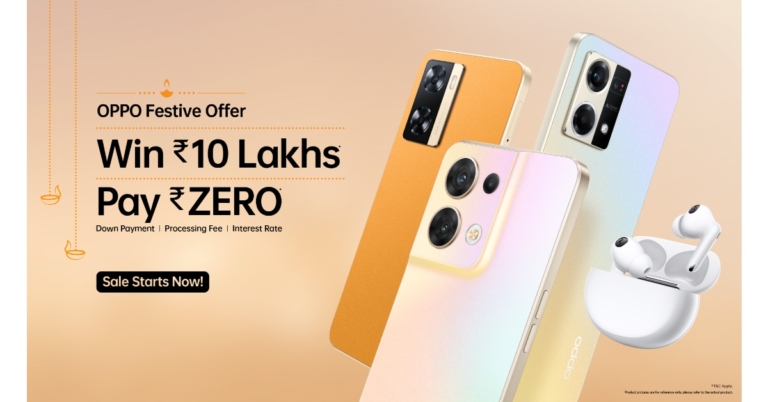
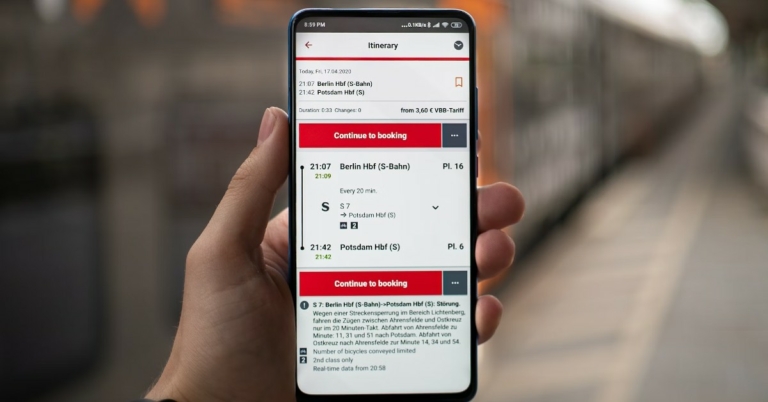
 One of India’s most popular travel websites, Makemytrip.com offers holiday packages, flight bookings, hotel listings, and even services like Forex and charter flights. Users can always find exciting offers on the website and avail heavy discounts on flight fares and hotel bookings. MMT partners with leading hospitality services in India and internationally to bring you travel packages at the most attractive rates. The reliability offered by MakeMyTrip has earned them millions of users in their 20 years of doing business.
 One of India’s most popular travel websites, Makemytrip.com offers holiday packages, flight bookings, hotel listings, and even services like Forex and charter flights. Users can always find exciting offers on the website and avail heavy discounts on flight fares and hotel bookings. MMT partners with leading hospitality services in India and internationally to bring you travel packages at the most attractive rates. The reliability offered by MakeMyTrip has earned them millions of users in their 20 years of doing business.
 Cleartrip offers its users a simple, hassle-free experience when it comes to looking for the most affordable flight tickets or the most comprehensive travel packages. Cleartrip is headquartered in Mumbai and has offices in UAE, Saudi Arabia, and Egypt. The website offers flight and train reservations, hotel bookings, and travel packages in India and the Middle East. On the Cleartrip website, you’ll find discount coupons for travel fares and other added-on services that most people don’t know they can easily avail.
 IRCTC.co.in is the official online portal to book train tickets online. By booking directly from IRCTC, you can save agent fees and other additional costs. Booking on IRCTC.co.in is a simple process. All you need to do is enter your boarding station and destination along with the date of your journey. IRCTC will give you a list of all the trains running between those two junctions, along with the seat availability status. Apart from train reservations, IRCTC also offers flight bookings, holiday packages, and hotel reservations.
 Goibibo is a relatively new player in the travel booking business, being launched in 2009. However, over the decades it has gained the reputation for being one of the most efficient travel websites, offering very attractive offers on flight bookings. Goibibo is also one of the more reliable travel partners around, with their simple and effective cancellation policy, and excellent customer service.
 Booking.com is perhaps the most popular travel website across the world. Headquartered in Amsterdam, the service was founded in 1996. Booking.com has over 28 million listings and is available in 43 languages. Users can also make use of the Booking.com app on Google Play Store and the App Store. Navigating the website is a very easy process and you’ll always find a good travel deal on Booking.com no matter what your destination is. If you’re planning an international vacation, Booking.com has an exhaustive set of listings that aren’t matched by most travel services.
 The rise of Oyo Rooms in India in the last few years has been extraordinary. The app, used by a majority of travellers in India, simplifies the hotel booking process, cutting down on unnecessary additional costs and offering the best travel deals to its users. Oyo Rooms boasts over 157,000 hotel listings across 35 countries. With Oyo, you don’t just get a hotel booking, but also an incredible standard of service that is maintained by all the listings on the app.
 Known for its diverse range of services, you can find everything from flight bookings to cruise packages on Expedia. The travel service brings its users the best deals from the most exotic of locations. You can even sign up to become a member and exclusive Expedia Rewards with every booking. Booking in advance also unlocks additional benefits that will certainly enhance your experience.
Read Also: How to Avoid Online Casino Scams?
Known for its diverse range of services, you can find everything from flight bookings to cruise packages on Expedia. The travel service brings its users the best deals from the most exotic of locations. You can even sign up to become a member and exclusive Expedia Rewards with every booking. Booking in advance also unlocks additional benefits that will certainly enhance your experience.
Read Also: How to Avoid Online Casino Scams?

 Step 3: Tap ‘Agree and Continue’ on the following screen.
Step 4: WhatsApp will now as you for your phone number. Instead, hit the ellipses at the top right corner of the screen and select ‘Link to existing account’.
Step 3: Tap ‘Agree and Continue’ on the following screen.
Step 4: WhatsApp will now as you for your phone number. Instead, hit the ellipses at the top right corner of the screen and select ‘Link to existing account’.
 Step 5: Launch WhatsApp on your primary smartphone and select ‘Linked Devices’ after hitting the ellipses at the top right corner of the screen.
 Step 6: Select ‘Link a device’.
 Step 7: Use the primary phone to scan the QR code on the secondary phone.
 Step 8: You will be logged into your WhatsApp account on the secondary Android smartphone. It may take a few minutes to sync your entire chat history on the secondary device.
 You can now use the WhatsApp Web portal similar to how you use it on a PC. Use your primary phone with the WhatsApp account to link your secondary device.
Step 3: Open WhatsApp on your primary smartphone and tap the ellipses at the top right corner of the screen. Select ‘Linked Devices’.
You can now use the WhatsApp Web portal similar to how you use it on a PC. Use your primary phone with the WhatsApp account to link your secondary device.
Step 3: Open WhatsApp on your primary smartphone and tap the ellipses at the top right corner of the screen. Select ‘Linked Devices’.
 Step 4: Tap on ‘Link a device’ and scan the QR code on your secondary smartphone or Android tablet.

 You will now be able to use your WhatsApp account on the secondary smartphone or Android tablet.

 Step 4: Set up a name for your PC and select ‘Done’. You will only be asked a name for your PC if you are using Nearby Share without an account.
 Step 5: Tap on ‘Device is Hidden’ and select ‘Receive from everyone’.
 Step 6: On your Android smartphone, select the file your want to transfer to your PC.
Step 7: Tap the Share icon and select ‘Nearby Share’ from the list of options.
Step 6: On your Android smartphone, select the file your want to transfer to your PC.
Step 7: Tap the Share icon and select ‘Nearby Share’ from the list of options.
 Step 8: Your smartphone will search for your PC. Once it pops up on the radar, select the icon for your PC.
 Step 9: Accept the transfer on your PC.
 Step 10: Once the file is received on your PC, click on ‘Open’ to view it. You can also access the file from the Downloads folder on your PC.
 Step 3: Tap on the attachment icon and select the file your want to transfer.
 The file will be sent to your PC and can be accessed from the PushBullet app.
 Step 2: Select ‘Upload’. You can also create a new folder to place all your uploaded files in one place.
 Step 3: Select the file you want to upload from your phone’s memory.
 Step 4: Open www.drive.google.com on your PC’s web browser. Make sure you are signed in with the same Google Account that you used to upload the file from your smartphone.
Step 5: Locate the file and select ‘Download’ from the top right corner of the screen.
Step 4: Open www.drive.google.com on your PC’s web browser. Make sure you are signed in with the same Google Account that you used to upload the file from your smartphone.
Step 5: Locate the file and select ‘Download’ from the top right corner of the screen.
 The file will be downloaded to your PC.
 Step 3: Scan for devices and select your smartphone. Make sure you pair the two devices with the proper code.
Step 4: Scroll down and select ‘Send and receive files via Bluetooth’ on your PC, then select ‘Receive Files’.
Step 3: Scan for devices and select your smartphone. Make sure you pair the two devices with the proper code.
Step 4: Scroll down and select ‘Send and receive files via Bluetooth’ on your PC, then select ‘Receive Files’.
 Step 5: Open the file you want to transfer on your Android mobile and select ‘Share’. Go to more options and select Bluetooth.
 Step 6: Select your PC as the destination device.
 Step 7: Accept the incoming transfer on your PC. The file will be transferred.

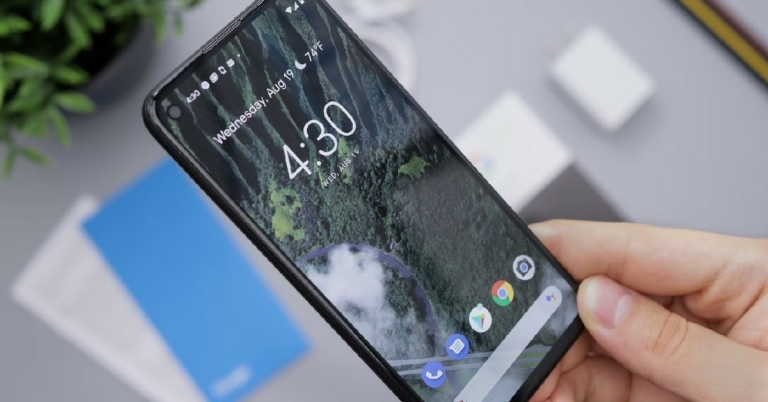
 Your smartphone may have heated up due to carrying out heavy tasks like playing a graphically demanding game or video editing. Turn off whatever application you’re using and let your phone rest for a while. It is preferable to keep it on a cool surface. An overheated smartphone typically takes 5-7 minutes to cool down entirely. You can resume your activity after the smartphone has cooled down.
 There’s overheating and then there’s overheating that makes your phone almost impossible to hold. If you’re dealing with the latter, simply putting down your phone won’t be enough. You will need to turn it off entirely and keep it on a cool surface and wait for the heat to dissipate. Extremely high temperatures can be dangerous for your smartphone and may lead to permanent damage.
 If your smartphone is only slightly warmer than usual, you can put it on Airplane Mode instead of turning it off entirely. Turning on Airplane Mode suspends all connections and halts your phone from reading the surrounding network signal. This limits the background processes which would usually be active all the time. You will notice a change in temperature within minutes of enabling Airplane Mode.
 Even when you’re not actively using any app that takes a lot out of your phone’s processor, it can still get heated up. This may be because there are multiple apps running in the background. Close all background apps and let your phone rest for a while. It is also a good idea to check which apps have the most battery usage. Apps with higher battery usage are more likely to overheat your phone.
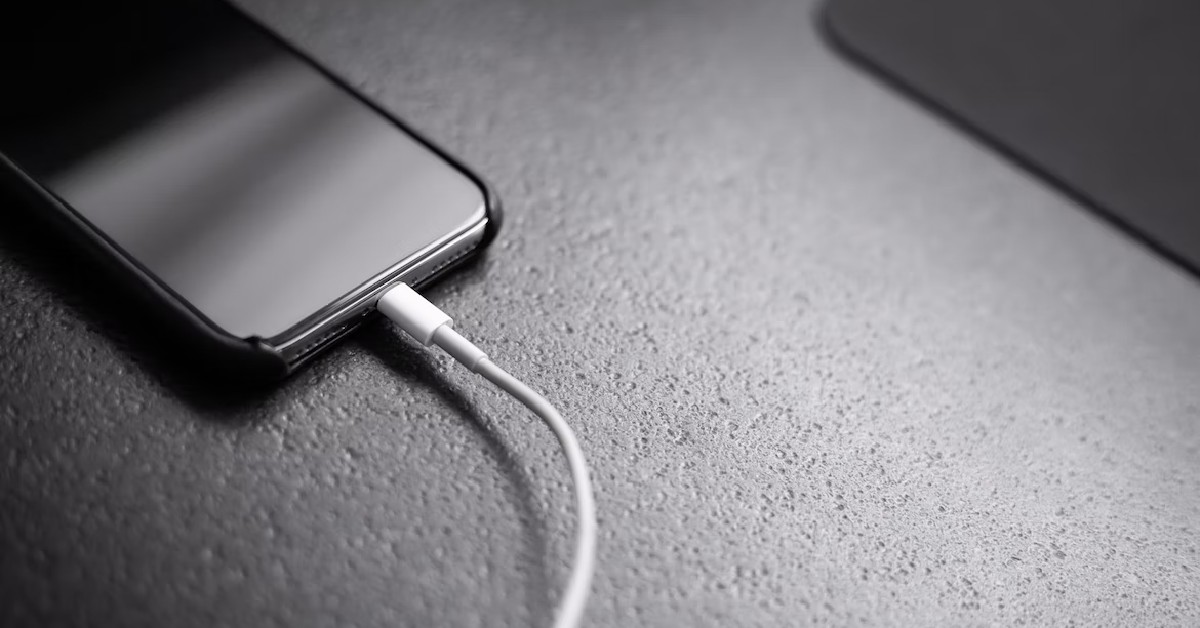 It is common for smartphones to heat up while charging. While this isn’t entirely problematic, it can become an issue if the phone starts overheating on a regular basis. When your phone overheats while charging, simply take it off the charger and let it cool down. Make sure you don’t keep your phone plugged in after it’s fully charged as that can damage the battery. It is also advised to keep your phone in a cool place with optimum ventilation while charging.
 Some smartphones have a dedicated gaming mode that increases the performance of your phone while gaming by exerting the processor to its maximum capacity. While this is beneficial for a short period (like a gaming session), if you keep it turned on for a longer duration of time, your phone will start overheating. It is not advised to keep the high-performance mode turned on after you’ve stopped gaming. You can turn it off simply by sliding down the notification panel and de-selecting the gaming mode.
 Sometimes the phone cover can prevent it from dissipating heat effectively. This can cause overheating issues. Simply take off the phone’s case and let it rest until it cools down. Make sure that your phone cover is made with materials that do not impede your phone’s cooling capacity.
 If you game on your phone quite regularly and want to manage its internal temperature better, a phone cooling device may help. There are plenty of mobile coolers you can find on Amazon. Using the cooling device while gaming can keep your phone’s temperature under control. Before buying, make sure that the device is compatible with your smartphone.
 Flagship chipsets like Snapdragon 8 Gen 2, Snapdragon 8+ Gen 1, and MediaTek Dimensity 9000 are designed to cut down the excessive heating on your device. These chipsets make intelligent decisions in processing to make sure that your phone’s internal temperature does not go beyond a certain limit. The same cannot be said for entry-level and midrange processors. Look up the chipset inside your phone and see if other users are experiencing issues with it as well. If the SoC is known for overheating, you will have to change your pattern of usage accordingly or get a new phone.
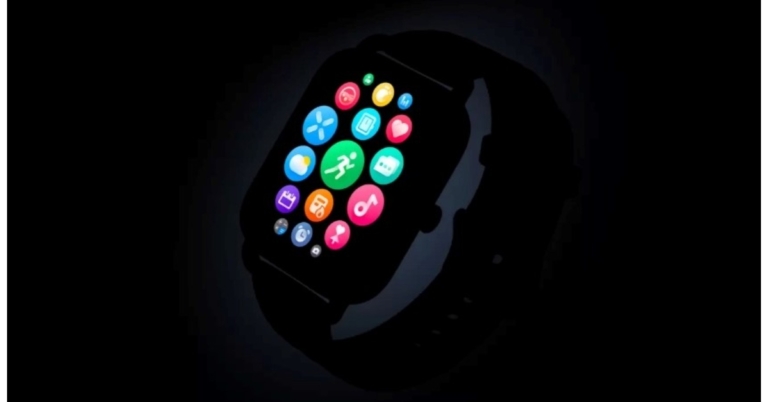
 OnePlus Nord Watch will be the first watch the firm produces with the Nord logo. The 1.78-inch AMOLED screen on the Nord Watch will have a 500 Nit peak brightness and a 368×448 high resolution for clear and flawless images, according to information thus far released. The display has a 60Hz refresh rate, which ensures quick responses and the renowned Oneplus experience of speed and smoothness. Additionally, the Nord Watch will include more than 100 online customizable Watch Faces. This means watch faces that can be customised online to fit your particular taste and personality.
The Nord Watch will have over 105 Sports Modes, according to OnePlus, which includes exciting modes like yoga, cricket, and many others in addition to the necessary ones like indoor and outdoor walking and running. This is to keep up with the active and dynamic lifestyle of the consumers while they are on the go.
OnePlus Nord Watch will be the first watch the firm produces with the Nord logo. The 1.78-inch AMOLED screen on the Nord Watch will have a 500 Nit peak brightness and a 368×448 high resolution for clear and flawless images, according to information thus far released. The display has a 60Hz refresh rate, which ensures quick responses and the renowned Oneplus experience of speed and smoothness. Additionally, the Nord Watch will include more than 100 online customizable Watch Faces. This means watch faces that can be customised online to fit your particular taste and personality.
The Nord Watch will have over 105 Sports Modes, according to OnePlus, which includes exciting modes like yoga, cricket, and many others in addition to the necessary ones like indoor and outdoor walking and running. This is to keep up with the active and dynamic lifestyle of the consumers while they are on the go.
 OnePlus Nord Watch will be the first watch the firm produces with the Nord logo. The 1.78-inch AMOLED screen on the Nord Watch will have a 500 Nit peak brightness and a 368×448 high resolution for clear and flawless images, according to information thus far released. The display has a 60Hz refresh rate, which ensures quick responses and the renowned Oneplus experience of speed and smoothness. Additionally, the Nord Watch will include more than 100 online customizable Watch Faces. This means watch faces that can be customised online to fit your particular taste and personality.
The Nord Watch will have over 105 Sports Modes, according to OnePlus, which includes exciting modes like yoga, cricket, and many others in addition to the necessary ones like indoor and outdoor walking and running. This is to keep up with the active and dynamic lifestyle of the consumers while they are on the go.
OnePlus Nord Watch will be the first watch the firm produces with the Nord logo. The 1.78-inch AMOLED screen on the Nord Watch will have a 500 Nit peak brightness and a 368×448 high resolution for clear and flawless images, according to information thus far released. The display has a 60Hz refresh rate, which ensures quick responses and the renowned Oneplus experience of speed and smoothness. Additionally, the Nord Watch will include more than 100 online customizable Watch Faces. This means watch faces that can be customised online to fit your particular taste and personality.
The Nord Watch will have over 105 Sports Modes, according to OnePlus, which includes exciting modes like yoga, cricket, and many others in addition to the necessary ones like indoor and outdoor walking and running. This is to keep up with the active and dynamic lifestyle of the consumers while they are on the go.
 Renders and technical details of the upcoming smartwatch have already hit the web ahead of its release. It’s anticipated that the Nord Watch will be available in Blue and Black. Additionally, the renderings imply a rectangular dial with a side-mounted navigation button.
The OnePlus Nord Watch is also speculated to have IP68 certification for increased water resistance. Most likely, both iOS and Android devices will work with the device. On a single charge, the gadget should provide up to 10 days of battery life and up to 30 days of standby time.
the OnePlus Nord Watch is anticipated to include functions for female health monitoring, 24-hour heart rate monitoring, stress monitoring and SpO2 monitoring
For the latest gadget and tech news, and gadget reviews, follow us on Twitter, Facebook and Instagram. For newest tech & gadget videos subscribe to our YouTube Channel. You can also stay up to date using the Gadget Bridge Android App. You can find the latest car and bike news here.
Renders and technical details of the upcoming smartwatch have already hit the web ahead of its release. It’s anticipated that the Nord Watch will be available in Blue and Black. Additionally, the renderings imply a rectangular dial with a side-mounted navigation button.
The OnePlus Nord Watch is also speculated to have IP68 certification for increased water resistance. Most likely, both iOS and Android devices will work with the device. On a single charge, the gadget should provide up to 10 days of battery life and up to 30 days of standby time.
the OnePlus Nord Watch is anticipated to include functions for female health monitoring, 24-hour heart rate monitoring, stress monitoring and SpO2 monitoring
For the latest gadget and tech news, and gadget reviews, follow us on Twitter, Facebook and Instagram. For newest tech & gadget videos subscribe to our YouTube Channel. You can also stay up to date using the Gadget Bridge Android App. You can find the latest car and bike news here. 


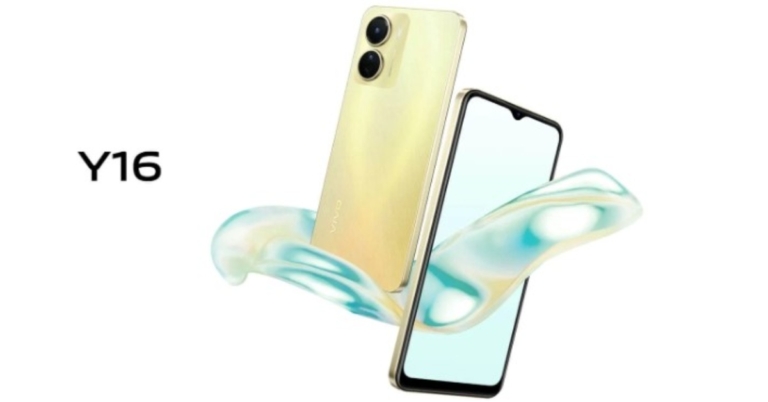
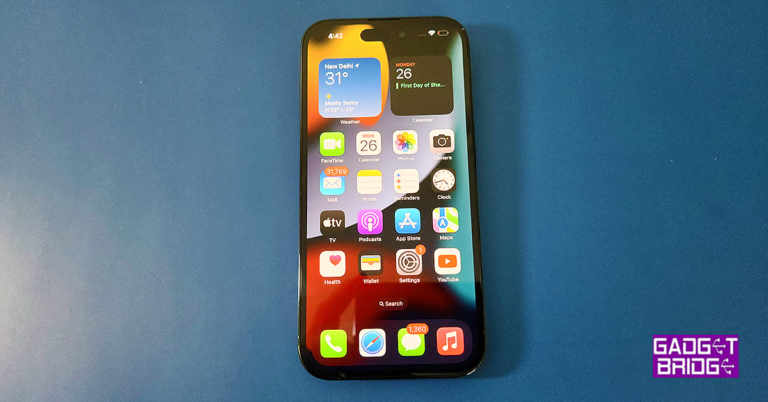
 Coming back to the pill-shaped cut-out of the iPhone 14 Pro. It is called the dynamic island, which Apple uses to showcase multiple things. So, if you are playing a song while browsing on your home screen, the pill becomes large in a squarish format and shows what is being played. Apple has innovated the iOS 16 around it, so you get a seamless experience around the pill. Making it so much more than being just a camera/sensor cut-out. Compared to its Android counterparts, not one of them has thought about innovating around the camera/sensor cut-outs in this manner.

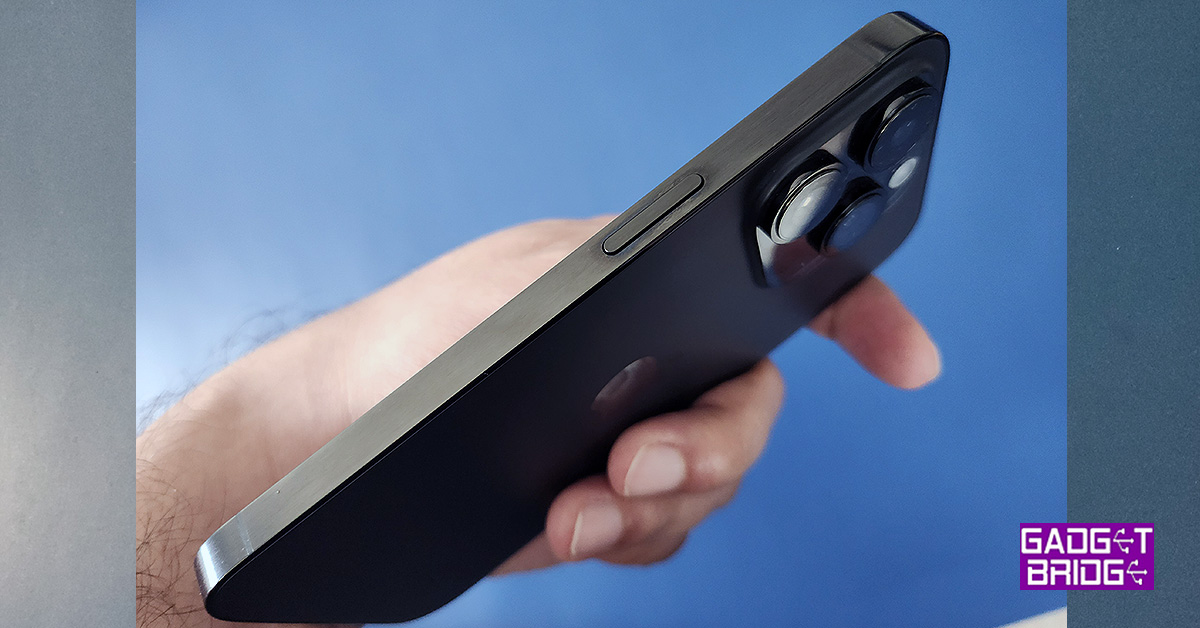 Further, the bezels of the iPhone 14 Pro are slightly slimmer and in the US models there are no SIM card slots, and you must use an ESIM (which is an interesting concept in itself). However, for India and other countries, the 5G SIM tray is still available under the ringer on/off and volume keys.
 So, what has not changed in the iPhone 14 Pro? The rear. If you look at the Apple iPhone 14 Pro from the back it looks almost like the Apple iPhone 13 Pro. The same camera placement and an identical positioning of the logo, set within what seems like a replica of the last edition’s frame. Yes, the rear camera sensor bump is slightly larger, but you will only notice that if you look very closely.
 Read Also: Apple Watch SE unveiled with fall detection, Emergency SOS



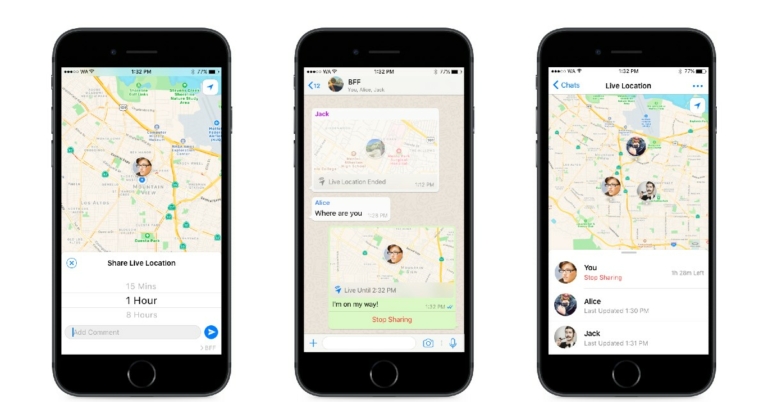
 Step 3: Tap on the fullscreen option at the top left corner of the map. This will enlarge the map and let you select any location other than your current one.
 Step 4: Drag the pin on the map to the location your want to share. Use the pinch gesture to zoom in and out of the map. You can also search for a local location by tapping the search icon at the top right corner of the screen. If you want to share an outstation location, you will have to manually drop the pin on the map.
Step 5: Select ‘Send this location’.
Step 4: Drag the pin on the map to the location your want to share. Use the pinch gesture to zoom in and out of the map. You can also search for a local location by tapping the search icon at the top right corner of the screen. If you want to share an outstation location, you will have to manually drop the pin on the map.
Step 5: Select ‘Send this location’.
 Your selected location will be shared with the receiver.
 Step 2: Select share and tap on the WhatsApp icon.
 Step 3: Select the contact you want to share the location with.
 Step 4: Hit enter.
 The Google Maps location will be shared with the WhatsApp contact as a link.
Read Also: How to find out forgotten Wi-Fi password on an Android smartphone
The Google Maps location will be shared with the WhatsApp contact as a link.
Read Also: How to find out forgotten Wi-Fi password on an Android smartphone
 Step 4: Select the duration for which you want to share your real-time location.
 Step 5: Hit send.
Your live location will be shared with the receiver on WhatsApp.
Step 5: Hit send.
Your live location will be shared with the receiver on WhatsApp.


 Why carry a book while travelling when you can store an entire library on your Kindle? With Kindle Unlimited you get access to over 2 million titles. While having access to an endless number of books is a big plus, what makes the Kindle Paperwhite perfect for travelling is its thin, lightweight design. It barely occupies any space and its glare-free paperwhite display lets you read the text in any lighting condition. Certainly a must-have travel gadget for readers.
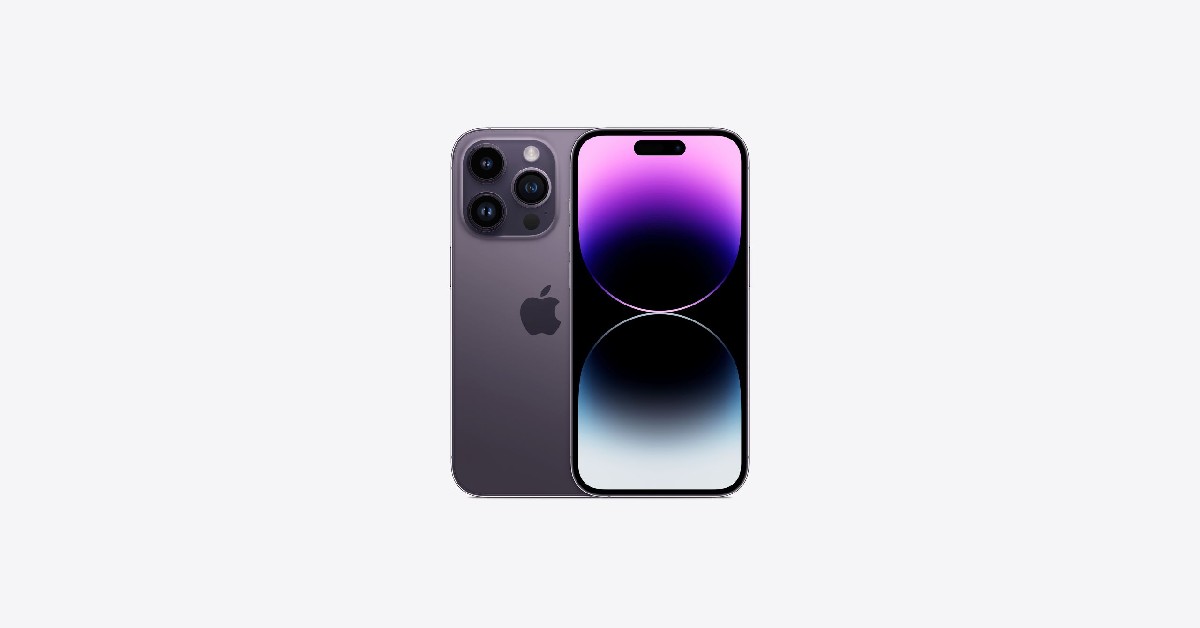 Carrying a smartphone to your vacation is a no-brainer. A smartphone camera is a decent alternative to a DSLR, so you’re cutting down on one additional device. But what does the iPhone offer that other smartphones don’t? With the iPhone 14 Pro, you get satellite connectivity, which means you can send out SOS messages in an emergency even when you don’t have cellular reception. You can read about iPhone 14 Pro’s satellite connectivity feature in detail here. It’s one feature we hope you never have to use, but it doesn’t hurt to have it in your smartphone.
 One of our biggest pet peeves is charging cables and headphones getting tangled with the luggage while travelling. Most travel bags do not have specialised pockets for your electronic devices and accessories. Styleys Gadget Organiser solves this particular issue, offering an organised solution to keeping your electronic gadgets and cords in one place. This portable pouch will fit in comfortably with your luggage and you can pull it out easily without having to rummage through your luggage.
 Why carry a book while travelling when you can store an entire library on your Kindle? With Kindle Unlimited you get access to over 2 million titles. While having access to an endless number of books is a big plus, what makes the Kindle Paperwhite perfect for travelling is its thin, lightweight design. It barely occupies any space and its glare-free paperwhite display lets you read the text in any lighting condition. Certainly a must-have travel gadget for readers.
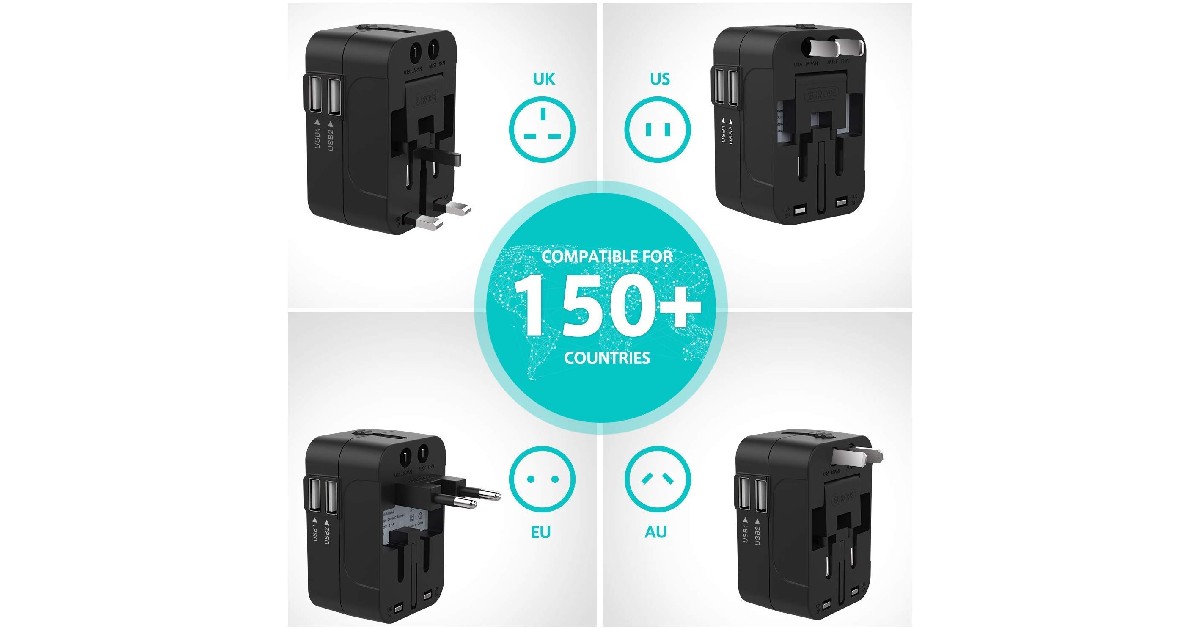 Nothing less than a necessity when travelling internationally, a universal travel adapter will make your life much easier while dealing with different power outlets. The rts Dual USB Universal Travel Adapter is compatible with 4 different international sockets (Australia, US, UK, Europe) and its compact design barely takes up any space in your luggage. The 4 power outlet plug-ins are enough to cover most places on the planet. You also get 2 USB ports with the rts travel adapter, that can be used to directly charge your smartphone, camera, mp3 player, or Kindle.
 When travelling long distances, you won’t always get the chance to charge your electronic devices. Smartphones can run out of battery even when they’re on standby mode, as background activities like GPS, mobile data, and background apps can consume a fair amount of power. The Mi Power Bank 3i comes with an impressive 20000 mAh of battery backup, which is more than enough to fully charge multiple smartphones. You can plug in up to three devices at once, and enjoy the luxury of 18W fast charging while on the go.
 Take the party with you wherever you go. The Sony SRS-XB32 is one of the best portable speakers around. The XB32 offers a brilliant audio output which can further be taken to another level by turning on the live mode. Its portable design makes it convenient to carry around while travelling, and you can set it up wherever you like. With a battery that lasts up to 24 hours, you don’t have to worry about plugging it in to charge every few hours. The LED lights around the speaker can be controlled with the Sony app, bringing all the more fun to the party. Read our detailed review of the Sony SRS-XB32 here.
 Travelling on a budget? Save up on unnecessary ironing costs by carrying your own portable travel iron. The Ozomax Sleek Travel Iron has dimensions of 15.8 x 11 x 4.8cm, and you’ll have no difficulty fitting it in with your luggage. The foldable handle adds to the portability and the temperature control knob will help you adjust the iron for different fabrics. This device becomes a lifesaver when you’re travelling to attend a function and need to iron your clothes at the last minute.
 Every traveller is aware of the tedium that comes with travelling long distances. With a pair of wireless headsets, you can combat boredom on the road by listening to music, podcasts, or audiobooks. But why go for wireless headsets when a pair of wired headphones will also do the job? Well, the Oppo Enco Air2 Pro offer Active Noise Cancellation, which will easily tune out the background noise of the road, train tracks, or airplane engine, helping you relax and get some quality rest. Constant exposure to noise is one of the major reasons behind travel fatigue. With a good noise cancelling headset you will be able to get quality sleep on the go. Read our review here.
 Grooming your hair becomes an easy task with the Dyson Airwrap Multi-Styler. The new Dyson Airwrap offers reengineered attachments that dry, smooth, and hide flyaways. The intelligent heat control ensures that your hair doesn’t get damaged due to excessive heat. The Dyson-designed storage case neatly packs all the accessories and makes it easier to travel around with.
 Trying out adventure activities on your vacation? Don’t miss a single detail by recording it with the GoPro Hero 11. Specially designed for vloggers and adventure enthusiasts, the GoPro Hero 11 is a rugged little device that can withstand any challenging condition, be it shooting underwater or taking a fall with the camera mounted on your helmet. The GoPro Hero 11 can also record videos in 5.3k resolution and offers HyperSmooth Stabilization when you’re shooting while in motion.
Read Also: Sony WH-1000XM5 review: The sound speaks for itself
Trying out adventure activities on your vacation? Don’t miss a single detail by recording it with the GoPro Hero 11. Specially designed for vloggers and adventure enthusiasts, the GoPro Hero 11 is a rugged little device that can withstand any challenging condition, be it shooting underwater or taking a fall with the camera mounted on your helmet. The GoPro Hero 11 can also record videos in 5.3k resolution and offers HyperSmooth Stabilization when you’re shooting while in motion.
Read Also: Sony WH-1000XM5 review: The sound speaks for itself


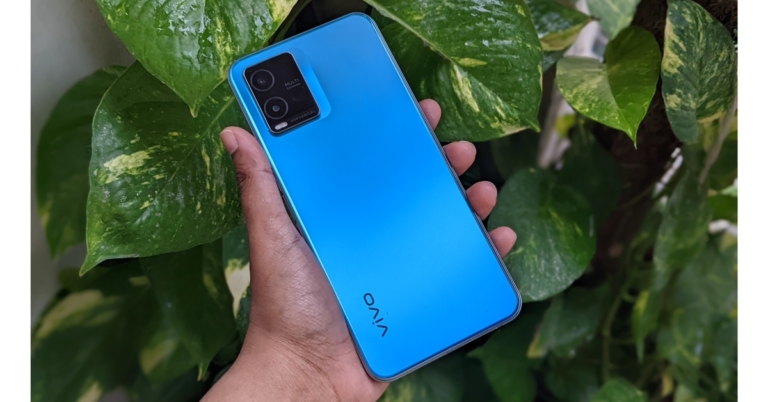
 The sides are quite thin, and it has a lovely flat shape that gives your hand a great grip. The volume rockers and power button, which also serves as fingerprint sensor, are located on the right. A single down-firing speaker, a USB Type C port, a microphone, and a 3.5mm headphone connector are all located at the bottom.
 Then a SIM tray with space for two dedicated micoSD cards and nano SIM cards is located on top. A selfie camera is housed in a teardrop notch on the display. The side bezels are thin with a noticeably thick chin. Overall, we would say that the build and design give you the impression of using a high-end smartphone.
 The Vivo T1x’s front features a 6.58-inch full-HD+ LCD screen with a resolution of 1,080 by 2,408 pixels. The display has a 90Hz refresh rate, a 90.6 percent screen-to-body ratio, and a 96 percent NTSC colour gamut coverage.
The contrast and overall saturation levels are rather outstanding, and the screen looks lovely. Thanks to the full HD quality, the fonts and icons are also apparent. While the display is adequate for casual media viewing, it is not bright enough for use outside in the sun. However, you do have support for 90Hz refresh rates, which makes a significant impact, especially when you are browsing through social media.
The Vivo T1x’s front features a 6.58-inch full-HD+ LCD screen with a resolution of 1,080 by 2,408 pixels. The display has a 90Hz refresh rate, a 90.6 percent screen-to-body ratio, and a 96 percent NTSC colour gamut coverage.
The contrast and overall saturation levels are rather outstanding, and the screen looks lovely. Thanks to the full HD quality, the fonts and icons are also apparent. While the display is adequate for casual media viewing, it is not bright enough for use outside in the sun. However, you do have support for 90Hz refresh rates, which makes a significant impact, especially when you are browsing through social media.
 By offering a 90Hz refresh rate, which looks fluid but has little to no influence on your battery life, the whole display experience is improved. You can still use a smart switch, though, where the refresh rate adjusts based on the type of video being displayed. If you want to conserve battery life, maintain it at 60Hz.
The T1x is a highly enjoyable, clear, crisp, and bright device for watching videos and movies on. It does have Widevine L1 certification, enabling full-resolution streaming from services like Netflix and Amazon Prime.
The single speaker that fires downward is loud and clear enough. However, it would have been fantastic if it had twin speakers.
On the other hand, despite being incredibly secure, the side-mounted fingerprint scanner is not the fastest. It takes a moment or two for it to recognise you before unlocking. Although it became quicker as I began to use it more frequently, you may also utilise face unlock.
Although not the safest, it is really quick. Faceunlock can be challenging in dimly lit areas where it is less effective; thus, we advise using the fingerprint scanner instead, which is far more dependable.
By offering a 90Hz refresh rate, which looks fluid but has little to no influence on your battery life, the whole display experience is improved. You can still use a smart switch, though, where the refresh rate adjusts based on the type of video being displayed. If you want to conserve battery life, maintain it at 60Hz.
The T1x is a highly enjoyable, clear, crisp, and bright device for watching videos and movies on. It does have Widevine L1 certification, enabling full-resolution streaming from services like Netflix and Amazon Prime.
The single speaker that fires downward is loud and clear enough. However, it would have been fantastic if it had twin speakers.
On the other hand, despite being incredibly secure, the side-mounted fingerprint scanner is not the fastest. It takes a moment or two for it to recognise you before unlocking. Although it became quicker as I began to use it more frequently, you may also utilise face unlock.
Although not the safest, it is really quick. Faceunlock can be challenging in dimly lit areas where it is less effective; thus, we advise using the fingerprint scanner instead, which is far more dependable.
 When it comes to performance, the Vivo T1x is driven by a Qualcomm Snapdragon 680 SoC, which has an octa-core 6nm architecture and is paired with an Adreno GPU 610. The phone can also support up to 6GB of LPDDR4x RAM. The Vivo T1x supports UFS 2.2 onboard storage up to 128GB, and a microSD card with a maximum capacity of 1TB may be loaded through a dedicated slot.
As a result of the additional built-in storage, the RAM may be raised to 8GB, which was beneficial for multitasking and kept the most frequently used apps in memory, which is incredibly helpful.
We were quite pleased with the overall user experience and found no speed slowdown. We played COD, and it was a fairly enjoyable experience overall. We played for more than 30 minutes without experiencing any lag. It’s also important to note that this phone has full-layer cooling technology, which keeps it from overheating and improves gaming performance.
Regarding the battery, we have a 5,000mah battery that, depending on usage, can easily last you a day to a day and a half. There is now an 18W charger included, and a full charge takes roughly three hours. Additionally, there is no possibility of overcharging or overheating the phone because the device has a VEG (Vivo Energy Guardian) charging feature that automatically stops charging when the smartphone is fully charged.
When it comes to performance, the Vivo T1x is driven by a Qualcomm Snapdragon 680 SoC, which has an octa-core 6nm architecture and is paired with an Adreno GPU 610. The phone can also support up to 6GB of LPDDR4x RAM. The Vivo T1x supports UFS 2.2 onboard storage up to 128GB, and a microSD card with a maximum capacity of 1TB may be loaded through a dedicated slot.
As a result of the additional built-in storage, the RAM may be raised to 8GB, which was beneficial for multitasking and kept the most frequently used apps in memory, which is incredibly helpful.
We were quite pleased with the overall user experience and found no speed slowdown. We played COD, and it was a fairly enjoyable experience overall. We played for more than 30 minutes without experiencing any lag. It’s also important to note that this phone has full-layer cooling technology, which keeps it from overheating and improves gaming performance.
Regarding the battery, we have a 5,000mah battery that, depending on usage, can easily last you a day to a day and a half. There is now an 18W charger included, and a full charge takes roughly three hours. Additionally, there is no possibility of overcharging or overheating the phone because the device has a VEG (Vivo Energy Guardian) charging feature that automatically stops charging when the smartphone is fully charged.
 The Vivo T1x includes two rear cameras, one with a 2-megapixel secondary sensor and an f/2.4 aperture and the other with a 50-megapixel primary sensor. It features an f/1.8 aperture 8-megapixel front camera for selfies and video calls.
Let’s start with the main camera, which is actually rather decent. In well-lit conditions, the 50-megapixel primary sensor produces clear, bright, and sharp photos. With true colours, you get a dynamic range that is astounding. We tried a few times, and it didn’t let us down. While we won’t say they are perfect, some of them were taken at night and are still rather good.
The Vivo T1x includes two rear cameras, one with a 2-megapixel secondary sensor and an f/2.4 aperture and the other with a 50-megapixel primary sensor. It features an f/1.8 aperture 8-megapixel front camera for selfies and video calls.
Let’s start with the main camera, which is actually rather decent. In well-lit conditions, the 50-megapixel primary sensor produces clear, bright, and sharp photos. With true colours, you get a dynamic range that is astounding. We tried a few times, and it didn’t let us down. While we won’t say they are perfect, some of them were taken at night and are still rather good.


 The sides are quite thin, and it has a lovely flat shape that gives your hand a great grip. The volume rockers and power button, which also serves as fingerprint sensor, are located on the right. A single down-firing speaker, a USB Type C port, a microphone, and a 3.5mm headphone connector are all located at the bottom.
 Then a SIM tray with space for two dedicated micoSD cards and nano SIM cards is located on top. A selfie camera is housed in a teardrop notch on the display. The side bezels are thin with a noticeably thick chin. Overall, we would say that the build and design give you the impression of using a high-end smartphone.
 The Vivo T1x’s front features a 6.58-inch full-HD+ LCD screen with a resolution of 1,080 by 2,408 pixels. The display has a 90Hz refresh rate, a 90.6 percent screen-to-body ratio, and a 96 percent NTSC colour gamut coverage.
The contrast and overall saturation levels are rather outstanding, and the screen looks lovely. Thanks to the full HD quality, the fonts and icons are also apparent. While the display is adequate for casual media viewing, it is not bright enough for use outside in the sun. However, you do have support for 90Hz refresh rates, which makes a significant impact, especially when you are browsing through social media.
The Vivo T1x’s front features a 6.58-inch full-HD+ LCD screen with a resolution of 1,080 by 2,408 pixels. The display has a 90Hz refresh rate, a 90.6 percent screen-to-body ratio, and a 96 percent NTSC colour gamut coverage.
The contrast and overall saturation levels are rather outstanding, and the screen looks lovely. Thanks to the full HD quality, the fonts and icons are also apparent. While the display is adequate for casual media viewing, it is not bright enough for use outside in the sun. However, you do have support for 90Hz refresh rates, which makes a significant impact, especially when you are browsing through social media.
 By offering a 90Hz refresh rate, which looks fluid but has little to no influence on your battery life, the whole display experience is improved. You can still use a smart switch, though, where the refresh rate adjusts based on the type of video being displayed. If you want to conserve battery life, maintain it at 60Hz.
The T1x is a highly enjoyable, clear, crisp, and bright device for watching videos and movies on. It does have Widevine L1 certification, enabling full-resolution streaming from services like Netflix and Amazon Prime.
The single speaker that fires downward is loud and clear enough. However, it would have been fantastic if it had twin speakers.
On the other hand, despite being incredibly secure, the side-mounted fingerprint scanner is not the fastest. It takes a moment or two for it to recognise you before unlocking. Although it became quicker as I began to use it more frequently, you may also utilise face unlock.
Although not the safest, it is really quick. Faceunlock can be challenging in dimly lit areas where it is less effective; thus, we advise using the fingerprint scanner instead, which is far more dependable.
By offering a 90Hz refresh rate, which looks fluid but has little to no influence on your battery life, the whole display experience is improved. You can still use a smart switch, though, where the refresh rate adjusts based on the type of video being displayed. If you want to conserve battery life, maintain it at 60Hz.
The T1x is a highly enjoyable, clear, crisp, and bright device for watching videos and movies on. It does have Widevine L1 certification, enabling full-resolution streaming from services like Netflix and Amazon Prime.
The single speaker that fires downward is loud and clear enough. However, it would have been fantastic if it had twin speakers.
On the other hand, despite being incredibly secure, the side-mounted fingerprint scanner is not the fastest. It takes a moment or two for it to recognise you before unlocking. Although it became quicker as I began to use it more frequently, you may also utilise face unlock.
Although not the safest, it is really quick. Faceunlock can be challenging in dimly lit areas where it is less effective; thus, we advise using the fingerprint scanner instead, which is far more dependable.
 When it comes to performance, the Vivo T1x is driven by a Qualcomm Snapdragon 680 SoC, which has an octa-core 6nm architecture and is paired with an Adreno GPU 610. The phone can also support up to 6GB of LPDDR4x RAM. The Vivo T1x supports UFS 2.2 onboard storage up to 128GB, and a microSD card with a maximum capacity of 1TB may be loaded through a dedicated slot.
As a result of the additional built-in storage, the RAM may be raised to 8GB, which was beneficial for multitasking and kept the most frequently used apps in memory, which is incredibly helpful.
We were quite pleased with the overall user experience and found no speed slowdown. We played COD, and it was a fairly enjoyable experience overall. We played for more than 30 minutes without experiencing any lag. It’s also important to note that this phone has full-layer cooling technology, which keeps it from overheating and improves gaming performance.
Regarding the battery, we have a 5,000mah battery that, depending on usage, can easily last you a day to a day and a half. There is now an 18W charger included, and a full charge takes roughly three hours. Additionally, there is no possibility of overcharging or overheating the phone because the device has a VEG (Vivo Energy Guardian) charging feature that automatically stops charging when the smartphone is fully charged.
When it comes to performance, the Vivo T1x is driven by a Qualcomm Snapdragon 680 SoC, which has an octa-core 6nm architecture and is paired with an Adreno GPU 610. The phone can also support up to 6GB of LPDDR4x RAM. The Vivo T1x supports UFS 2.2 onboard storage up to 128GB, and a microSD card with a maximum capacity of 1TB may be loaded through a dedicated slot.
As a result of the additional built-in storage, the RAM may be raised to 8GB, which was beneficial for multitasking and kept the most frequently used apps in memory, which is incredibly helpful.
We were quite pleased with the overall user experience and found no speed slowdown. We played COD, and it was a fairly enjoyable experience overall. We played for more than 30 minutes without experiencing any lag. It’s also important to note that this phone has full-layer cooling technology, which keeps it from overheating and improves gaming performance.
Regarding the battery, we have a 5,000mah battery that, depending on usage, can easily last you a day to a day and a half. There is now an 18W charger included, and a full charge takes roughly three hours. Additionally, there is no possibility of overcharging or overheating the phone because the device has a VEG (Vivo Energy Guardian) charging feature that automatically stops charging when the smartphone is fully charged.
 The Vivo T1x includes two rear cameras, one with a 2-megapixel secondary sensor and an f/2.4 aperture and the other with a 50-megapixel primary sensor. It features an f/1.8 aperture 8-megapixel front camera for selfies and video calls.
Let’s start with the main camera, which is actually rather decent. In well-lit conditions, the 50-megapixel primary sensor produces clear, bright, and sharp photos. With true colours, you get a dynamic range that is astounding. We tried a few times, and it didn’t let us down. While we won’t say they are perfect, some of them were taken at night and are still rather good.
The Vivo T1x includes two rear cameras, one with a 2-megapixel secondary sensor and an f/2.4 aperture and the other with a 50-megapixel primary sensor. It features an f/1.8 aperture 8-megapixel front camera for selfies and video calls.
Let’s start with the main camera, which is actually rather decent. In well-lit conditions, the 50-megapixel primary sensor produces clear, bright, and sharp photos. With true colours, you get a dynamic range that is astounding. We tried a few times, and it didn’t let us down. While we won’t say they are perfect, some of them were taken at night and are still rather good.





 Step 2: Select WiFi and tap on the gear icon next to the WiFi network you’re connected to.
 Step 3: From the bottom menu select ‘QR Code’ and take a screenshot or select ‘Save as image’.
 Step 4: Download a QR code scanner app and load the screenshot to read it.
 Step 5: You will be able to see the WiFi password. Look for it right after the WiFi network name and WPA security tag.

 Step 2: Tap on Internet and select the WiFi network you’re connected to.
 Step 3: Select Share and type in the pin or scan your fingerprint for verification.
 Step 4: The WiFi password will be displayed just below the QR Code.
 Read Also: Nothing Ear (stick) teased: Here’s the first look


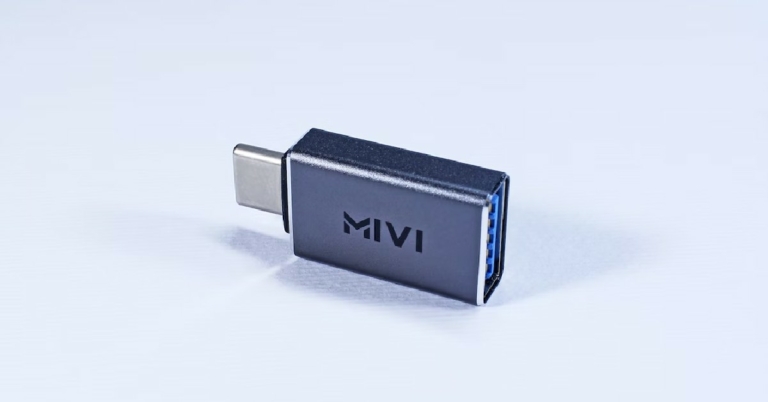
 You’re probably wondering how you can use an OTG on your Android device. Since the OTG cable offers to connect any USB device to your smartphone, the possibilities are endless. Here are the 5 best ways to use a USB OTG on your Android device.
 Perhaps the most common use of a USB OTG is directly transferring data between external storage and your smartphone without using a PC. Simply connect the USB drive or External drive to the USB end of the OTG cable to access the contents of the external storage on your smartphone.
The external storage devices need to be in FAT32 or exFAT file format in order to be compatible with your smartphone. If you keep your movies and music stored in external storage, you can play them directly on your smartphone without needing to transfer them first.
Perhaps the most common use of a USB OTG is directly transferring data between external storage and your smartphone without using a PC. Simply connect the USB drive or External drive to the USB end of the OTG cable to access the contents of the external storage on your smartphone.
The external storage devices need to be in FAT32 or exFAT file format in order to be compatible with your smartphone. If you keep your movies and music stored in external storage, you can play them directly on your smartphone without needing to transfer them first.
 Modern smartphones and tablets can do just about anything, but if you need to type a document, you’d still prefer a physical keyboard. This is because on-screen keyboards, while extremely useful, aren’t designed for typing a large volume of text. Using an OTG cable you can simply connect an external physical keyboard to your Android device and start typing away. The plug-n-play functionality makes it that easy.
 With Android games getting with every passing year, more people want to play them using their console controller. With an OTG cable, this becomes an easy enough task. Xbox controllers have native Android support, so connecting one to your smartphone and tablet is a matter of plug-n-play. For PlayStation controllers, you may have to root your Android devices for basic connectivity.
 Ever wanted to quickly print a document but did not have access to a PC or laptop? With USB OTG connectivity, you can directly plug your printer into your Android device and easily print out any document. To print out a document, you’ll need to switch the USB mode on your smartphone or tablet from mass storage to ‘PTP’ or ‘MTP’ mode. Some printers may not offer plug-n-play functionality, so you will have to download their necessary drivers before using them.
 Yes, most headphones come with an in-built microphone. But it is common knowledge that the quality of audio they record is barely passable for a phone call, let alone a professional recording. If you’re a podcaster or YouTuber and need to record audio on the go, you can easily carry out the task on your smartphone. Simply connect your microphone to the OTG cable and plug it into your Android device. The quality of audio recorded by microphones connected through a USB port compared to those connected through the 3.5mm jack is between night and day.
Read Also: Here’s how you can get Dynamic Island on your Android smartphone
Yes, most headphones come with an in-built microphone. But it is common knowledge that the quality of audio they record is barely passable for a phone call, let alone a professional recording. If you’re a podcaster or YouTuber and need to record audio on the go, you can easily carry out the task on your smartphone. Simply connect your microphone to the OTG cable and plug it into your Android device. The quality of audio recorded by microphones connected through a USB port compared to those connected through the 3.5mm jack is between night and day.
Read Also: Here’s how you can get Dynamic Island on your Android smartphone