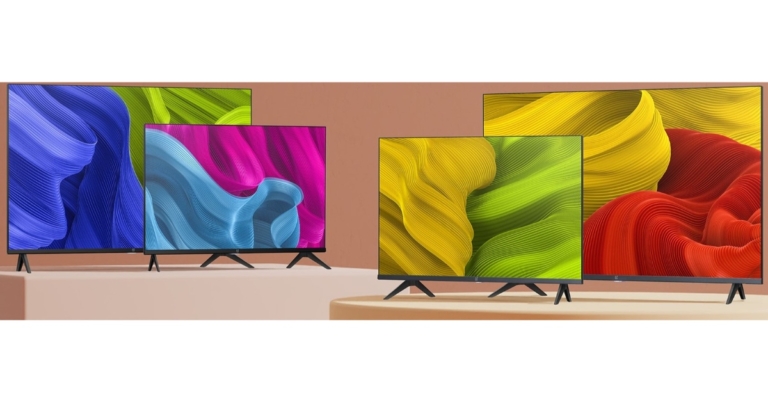
Today in India the Chinese smartphone company OnePlus arrived with a slew of new products OnePlus TV Y1S and OnePlus TV Y1S Edge alongside OnePlus Nord CE 2 5G. The devices are the latest addition to the company most economical Y-Series Smart TV range. Both the Television comes in two sizes of 32-inch and 43-inch displays.
In This Article
OnePlus TV Y1S, OnePlus TV Y1S Edge price and availability details
The 32-inch OnePlus TV Y1S costs Rs 16,499, on the other hand, the 43-inch model will be available at a price tag of Rs 26,999. The OnePlus TV Y1S Edge 32-inch model will be available at Rs 16,999, while the 43-inch model costs Rs 27,999.In terms of availability, the OnePlus TV Y1S will be available for purchase through the official website, Amazon, Flipkart, and major offline shops. The OnePlus TV Y1S Edge will only be available for purchase offline at official OnePlus shops and major merchants. Both the televisions are scheduled to go on sale from February 21 in the country.As a part of launch offers the Members of the OnePlus Red Cable Club will receive Rs 500 off the 32-inch models. Red Cable Club members may get a Rs 750 discount on the 43-inch edition.OnePlus TV Y1S
OnePlus TV Y1S, OnePlus TV Y1S Edge specifications
First, let’s go through the basics. Both OnePlus TV Y1S, OnePlus TV Y1S Edge Smart TVs will come in two different display sizes of 32-inch and 43-inch. Both the models will run Android TV 11 now have ALLM, which is said to improve the gaming experience for consumers. Google Assistant is now available on smart TVs. Users may utilise the Smart Manager to adjust several of the smart TV’s functionalities, such as system speed and storage capacity. In addition to this, the televisions will also allow connectivity to smartphones, wearable and other devices via OnePlus Connect 2.0. The OnePlus TV Y1S series has dual-band Wi-Fi with 5GHz band capability for connection.OnePlus TV Y1S EdgeAdditionally, both the OnePlus Y-Series smart TVs support HDR10, HDR10+, and HLG formats. TUV Rheinland additionally certifies the displays for reduced blue light emission as well as an Eye Comfort Mode that improves digital health.. Dolby audio is supported on smart TVs. OxygenPlay 2.0, which feeds over 230 live channels and operates as a content aggregation platform is also included.The OnePlus TV Y1S will offer a high-definition resolution, whilst the OnePlus TV Y1S Edge has a full-HD resolution. The former one has 20W full-range stereo speakers while latter equips 24W full-range stereo speakers. The Kids Mode has a watch time constraint that limits TV viewing hours
For the latest gadget and tech news, and gadget reviews, follow us on Twitter, Facebook and Instagram. For newest tech & gadget videos subscribe to our YouTube Channel. You can also stay up to date using the Gadget Bridge Android App. You can find the latest car and bike news here.
Sometimes you may have to work from a messy room at your home. On such days, you may feel like avoiding switching on your video during a Zoom meeting. But with the blur option available, you don’t have to worry about your background at all. With these simple steps mentioned below, you can easily blur your background while keeping your video on. Your work doesn’t have to get affected at all by your location, be it a messy room or crowded outdoors. Blurring Your Background During a Zoom MeetingStep 1: Launch the zoom application on your desktop and click on Join a Meeting. You can also join from mobile as well as your web browser.Read also: How to recover your Snapchat account securely and safely (2021)Step 2: Enter the meeting ID and your name in corresponding boxes and click on Join.Step 3: Enter the passcode and click on Join Meeting.Step 4: Click on Join with Computer Audio.Step 5: On the bottom left corner next to the Start Video icon, click on the up arrow to display the setting options.Read also: How can you bring back recently deleted images on Instagram?Step 6: Click on Choose Virtual BackgroundStep 7: In the Settings window, click on Background & Filters and select the Blur option.Blurring Your Background For All Your Zoom MeetingsStep 1: For this, you can instead click on Sign in as displayed in Step 1 before and sign in to your Zoom account. This will take you to the following window. Click on the Settings icon on the top right corner of the window. Step 2: The settings window appears again. Click on Background and Filters and then click on the Blur option as highlighted below.Thus, within a few clicks, you can blur your background in Zoom meetings. If you know of any other method to do the same, do let us know in the comments section below.For the latest gadget and tech news, and gadget reviews, follow us on Twitter, Facebook and Instagram. For newest tech & gadget videos subscribe to our YouTube Channel. You can also stay up to date using the Gadget Bridge Android App. You can find the latestcar and bike news here.
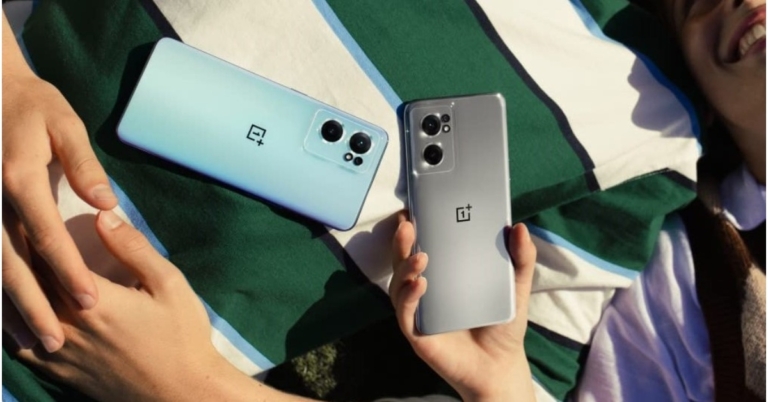
After much conjecture and tease, OnePlus has finally arrived in India with its latest 5G smartphone, the OnePlus Nord CE 2 5G. The device is the company’s most affordable offering, which is the successor to the OnePlus Nord CE 5G launched last year. The smartphone’s primary features include a 64-megapixel triple camera setup and 65W Super VOOC quick charging. The phone is powered by a MediaTek Dimensity 900 SoC and runs Android 11. Let’s look into how much it will cost in India and what its specs are.
In This Article
OnePlus Nord CE 2 5G price in India and availability
OnePlus Nord CE 2 5G has been introduced in India in two different configurations. The base 6GB RAM with 128GB storage model will cost Rs 23,999 whereas the 8GB RAM with 128GB storage option is priced at Rs 24,999. The device will be available in two colour options of Bahama Blue and Gray Mirror. The 5G smartphone will be available for purchase beginning February 22 on Amazon, through the company’s official website, and retail shops in the country.
OnePlus Nord CE 2 5G specifications
OnePlus Nord CE 2 5G is endowed with a 6.43-inch Full-HD+ Fluid AMOLED display with 1,080×2,400 pixels of resolution. The screen offers a refresh rate of 90Hz, HDR10+ certification and Gorilla Glass 5 protection. The OnePlus Nord smartphone is powered by Android 11, with OxygenOS 11 on top. Under the hood, there is an octa-core MediaTek Dimensity 900 SoC with an ARM Mali-G68 GPU and up to 8GB of LPDDR4X RAM and has 128GB of UFS 2.2 storage that can be upgraded through a dedicated MicroSD with up to 1TB card slot.The OnePlus Nord CE 2 5G is highlighted with a 64-megapixel main camera with 0.7-micrometre pixel size and an f/1.7 aperture lens as part of its triple rear camera configuration. Aside from that, the smartphone has an 8-megapixel ultra-wide-angle camera with a 119-degree field of view and an f/2.2 aperture lens. Both cameras have electronic image stabilisation (EIS) also there is a 2-megapixel macro camera with an f/2.4 aperture. Upfront there is a 16-megapixel Sony IMX471 selfie camera with an f/2.4 aperture and EIS capability.The OnePlus Nord CE 2 is powered by a 4,500mAh battery that enables 65W SuperVOOC rapid charging through USB Type-C. The device supports 5G, 4G LTE, Wi-Fi 6, Bluetooth 5.2, NFC, GPS, and A-GPS connectivity. The handset is equipped with an accelerometer, gyroscope, ambient light sensor, and proximity sensor. A 3.5mm headphone jack is also included with the smartphone.
For the latest gadget and tech news, and gadget reviews, follow us on Twitter, Facebook and Instagram. For newest tech & gadget videos subscribe to our YouTube Channel. You can also stay up to date using the Gadget Bridge Android App. You can find the latest car and bike news here.
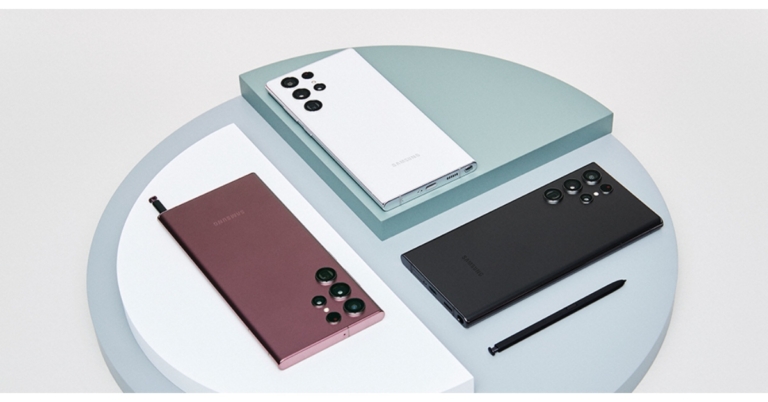
Samsung S22 Series officially got released in the Indian market today. The new flagship series includes three devices: Samsung Galaxy S22, Galaxy S22+, and Galaxy S22 Ultra. All three smartphones are powered by Snapdragon 8 Gen 1 SoC while the Ultra variant comes with S Pen compatibility to provide a Galaxy Note-like experience.
In This Article
Samsung Galaxy S22 series price in India and availability
The vanilla Galaxy S22 comes in two variants of 8GB RAM with 128GB/ 512GB storage option priced at Rs 72,999 and Rs 76,999 respectively. Similarly, the price of the Samsung Galaxy S22+ starts at Rs 84,999 for the 8GB RAM with 128GB storage option and Rs 88,999 for the 8GB RAM with 256GB option. Both the devices will be offered in Phantom Black and Phantom White colour options.The Samsung Galaxy S22 Ultra, on the other hand, starts at Rs 1,09,999 for the 12GB RAM with 256GB storage configuration while the 12GB RAM with 512GB storage model comes at Rs 1,18,999. S22 Ultra will be available in Burgundy, Phantom Black, and Phantom White for the 12GB RAM with 256GB model and Burgundy and Phantom Black for the 12GB RAM with 512GB variant.The Samsung Galaxy S22 series will not be available in India till further notice. However, the phones are presently available in the nation for pre-order.
Samsung Galaxy S22 specifications
The Samsung Galaxy S22 comes with a 6.1-inch full-HD+ Dynamic AMOLED 2X display with a refresh rate of 120Hz that can be reduced to 10Hz. The panel is protected by Gorilla Glass Victus+ and an Armor Aluminium chassis. The smartphone is pre-loaded with Android 12 and One UI 4.1, and it is powered by an octa-core Snapdragon 8 Gen 1 SoC and 8GB of RAM, with an internal storage capacity of up to 256GB.For optics, the vanilla S22 boasts a triple rear camera system. The camera module has a 50MP primary Dual Pixel wide-angle sensor with an f/1.8 aperture and autofocus. A 12MP ultra-wide-angle camera with an f/2.2 aperture and 120-degree field of view is also available, as is a 10MP telephoto lens with an f/2.4 aperture (3x optical zoom and OIS). A 10MP selfie camera with an f/2.2 aperture is also present (80 degrees of FoV).5G, 4G LTE, Wi-Fi 6, Bluetooth v5.2, GPS/ A-GPS, NFC, and a USB Type-C port are among the connectivity choices. Onboard sensors include an accelerometer, ambient light sensor, barometer, geomagnetic, gyroscope, hall, and proximity sensor, as well as an ultrasonic in-display fingerprint sensor.The Galaxy S22’s battery capacity is 3,700mAh, and it supports 25W fast charging, 15W wireless charging, and Wireless PowerShare for reverse wireless charging.
Samsung Galaxy S22+ specifications
The Samsung Galaxy S22+ has a 6.6-inch full-HD+ Dynamic AMOLED 2X display and Samsung’s Eye Comfort Shield for blue light management. There is also an adaptive refresh rate of 120Hz that may be reduced to 10Hz and a peak brightness of 1,750 nits. The device runs Android 12 with One UI 4.1 on top and is powered by an octa-core Snapdragon 8 Gen 1 SoC with up to 12GB of RAM and 256GB of internal storage.The S22+ has a triple rear camera arrangement on the back, with a 12MP ultra-wide-angle camera (f/2.2 aperture lens and a 120-degree FoV), a 50MP main Dual Pixel autofocus wide-angle sensor (f/1.8 aperture lens with autofocus), and a 10MP telephoto sensor (f/2.4 aperture, 3x optical zoom, and OIS). The 10MP selfie camera on the smartphone has an f/2.2 aperture and an 80-degree field of vision.For connectivity, it features 5G, 4G LTE, Wi-Fi 6E, Bluetooth v5.2, GPS/ A-GPS, NFC, and a USB Type-C connector. The Samsung Galaxy S22’s battery capacity is 4,500mAh, featuring 45W fast charging, 15W wireless charging, and Wireless PowerShare for reverse wireless charging.
Samsung Galaxy S22 Ultra specifications
Finally, the Samsung Galaxy S22 Ultra comes with a massive 6.8-inch Edge QHD+ Dynamic AMOLED 2X display with a 120Hz adaptive refresh rate that can be reduced to 1Hz and a peak brightness of 1,750 nits. The display screen has upgraded Wacom technology, which allows for S Pen enhancements such as decreased latency. Although an S Pen is incorporated into the phone, it is said to have 70% less latency than its predecessor. Under the hood is an octa-core Snapdragon 8 Gen 1 SoC with up to 12 GB of RAM and up to 1TB of internal storage.The Galaxy S22 Ultra includes four cameras, including a 108-megapixel wide-angle sensor with an f/1.8 aperture. A 12-megapixel ultra-wide-angle camera, a 10-megapixel telephoto camera (3x optical zoom), and a 10-megapixel telephoto camera round out the smartphone’s features (10x optical zoom). On the front of the Samsung Galaxy S22 Ultra is a 40-megapixel camera sensor with an f/2.2 aperture lens.The 5,000mAh battery of the Samsung Galaxy S22 Ultra supports 45W fast charging, 15W wireless charging, and Wireless PowerShare for reverse wireless charging. The connections and sensors on the phone are comparable to those on the previously stated smartphone.
For the latest gadget and tech news, and gadget reviews, follow us on Twitter, Facebook and Instagram. For newest tech & gadget videos subscribe to our YouTube Channel. You can also stay up to date using the Gadget Bridge Android App. You can find the latest car and bike news here.
Sometimes you may want to hide some apps on your smartphone device from your children, friends or family. Now, if you’re hiding some apps, there may as well arise a need to unhide those hidden apps at some point in time, right? But in case you do not know how to hide or unhide an app, and if you own a Samsung smartphone, you are well in luck. Hiding and unhiding apps is a very simple procedure and can be carried out in less than a few seconds. Below are mentioned the steps on how to hide and unhide apps in Samsung smartphones, with pictorial demonstrations:Step 1: From your home screen, swipe up to open the applications menu. Read also: How to recover your Snapchat account securely and safely (2021)Step 2: At the right end corner of the search box displayed on top of all the apps, click on the 3 dots.Step 3: Clicking on the 3 dots makes a small list appear on the right end corner of the screen. Click on Settings from the list.Step 4: The home screen settings window appears. Click on the Hide apps option in the settings. Step 5: Check the circular box on the top left corner of those apps which you want to hide.Read also: How can you bring back recently deleted images on Instagram?Step 6: By checking in the circular boxes, the apps automatically shift to the Hidden apps section on the screen. In case you want to unhide apps, you just have to click on the red coloured – sign on the top left corner of the corresponding apps within the Hidden apps section. This will transfer them back to the All apps category, and they will be unhidden.Therefore, within a few clicks, you can hide and unhide apps in your Samsung smartphone. If you know of any other method to do the same, do let us know in the comments section below.For the latest gadget and tech news, and gadget reviews, follow us on Twitter, Facebook and Instagram. For newest tech & gadget videos subscribe to our YouTube Channel. You can also stay up to date using the Gadget Bridge Android App. You can find the latestcar and bike news here.
Sony has just released the Sony WF-C500 wireless earphones in India. These are their less expensive audio earbuds option for people who are looking for something great under Rs 10,000. We spent some time with the resonance sensations to understand them in and out. This is the Sony WF-C500 wireless earphones review, which you should check out first before buying.
Sony WF-C500 wireless earphones review: Design
Sony is going green with all its equipment, at least 50 percent of it. The box and packaging are made from eco-friendly biodegradable materials such as paper and cardboard. Rip it open and you will find a pill-shaped charging case with a translucent lid. Under which you will see twin Sony WF-C500 wireless earphones. The box also has a short USB Type-C charging cable along with a few extra silicone ear tips for large and small ear cavities.
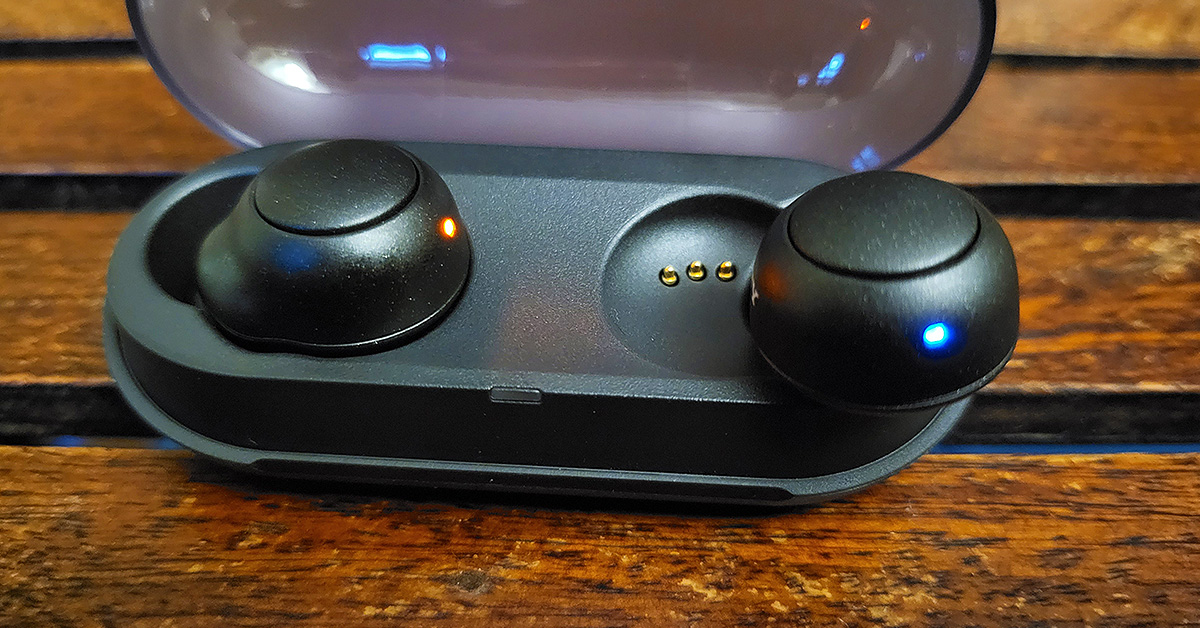
The Sony WF-C500 wireless earphones snap in the case magnetically. Both earplugs are light, weighing 5.4 grams each. They also have 1 LED light each that shows, BT connection, charging etc. They latch in the ear cavity quite nicely and you do not feel they will come out, even when you are running. We got the pair that is dressed in black. With it, there are three more colours available including white, pink and green.
Each earphone also has a circular button on them. With these users can control volume, take or reject calls and even access voice assistants like Google Assistant.
Also Read: Sony HT-A9 home theatre and HT-A7000 soundbar launched in IndiaSony WF-C500 wireless earphones review: Performance
Setting up the Sony WF-C500 wireless earphones is very easy using Bluetooth and in under 1 minute you are up and running. We ran it through our usual test bench, which includes a flurry of songs from thumpy to vocal genres. And each time it stood up tall to the task. We were impressed further by them with each passing song.
Users can control the EQ effect using the Sony Headphones Connect app and a few other features. The sound Sony WF-C500 wireless earphones provide is out of this world. The bass is great, high and lows are good, and voice clarity is exceptional. We watched a Netflix show with them and the experience here too was superb. Though they are not built for gaming, we played a game of PUBG: Mobile and the latency is quite low. The shot to sound lag is very low. If you are a casual gamer and are looking for a good pair, we will definitely recommend these.
The battery life of the Sony WF-C500 wireless earphones is good as well. The company claims after a full charge you can get up to 10 hours. During our test, we got over 9 hours. The charging case can give you another 10 hours. Also, after 10 minutes of charge, you can extract a full 1 hour of it. We got about 50 minutes after 10 minutes of charge. Overall, that is not bad.
A rating of IPX4 is also on the Sony WF-C500 wireless earphones. This means sweat, light water splashes will not ruin them. We took them out for a cycle run and they stayed glued to our ear cavities as a honeybee would to its honey. All in all, the C500 impressed us with exceptional sound as well as good ergonomics.
Also Read:Sony WF-1000XM4 review: Sony has produced another prodigyVerdict
Sony has got themselves a winner! At Rs 5,990 (as selling on Chroma and Amazon) these deserve a standing ovation. In some cases we found them to be better than its much more expensive sibling. The only thing missing here is active noise cancellation. But Sony WF-C500 wireless earphones do cancel noise passively and that is fine in our books. If you are looking for trendy earphones with extraordinary timbre, this is our choice of 2022.
Sony WF-C500 wireless earphones Pros
Good looks
Excellent sound
Good battery life
Sony WF-C500 wireless earphones cons
No ANC
For the latest gadget and tech news, and gadget reviews, follow us on Twitter, Facebook and Instagram. For newest tech & gadget videos subscribe to our YouTube Channel. You can also stay up to date using the Gadget Bridge Android App. You can find the latest car and bike news here.
Android 1.0 was released in 2008. Since its release, it has become the most used OS in the smartphone industry. Fast forward, it’s 2022 now and we are graced with the arrival of Android 12. Like many previous versions, it did not follow the tradition of being named after desserts. But secretly, Android 12 was been named Snow Cone within Google headquarters. According to Statista, Android OS has almost 70% share in the mobile operating system market. Since Android 12 is newly released, compatible devices with old Android OS are slowly getting updates while some of the newer smartphones will come with Android 12 out of the box. Let us take a look at the best smartphones with Android 12.
In This Article
Google Pixel 6
Google Pixel 6 is a very popular smartphone that comes out with Android 12 out of the box. It has a 6.4-inch AMOLED with a 90hz refresh rate. It has the new Google Tensor processor. It comes with 8GB RAM and 128GB of internal storage. It is the first device in the Google Pixel family to sport 2 primary cameras (50MP+12MP). It has a 4,614mAh battery and supports wireless charging. It also has corning gorilla glass protection and comes with a punch-hole display. The price starts from Rs 66,999.You can order it here
Google Pixel 6 pro
It is a bigger sibling of Google Pixel 6. It comes with Android 12 out of the box. It has a 6.7-inch AMOLED display with a 120hz refresh rate. It also has the Google Tensor processor. It comes with 12GB RAM and 128GB of internal storage. Further improvements in the camera setup can be seen as it sports a triple camera setup (50 MP + 12 MP + 48 MP). It has a 5,003 mAh battery and supports fast charging. Just like Google Pixel 6, it has corning gorilla glass protection on both sides as well as the punch-hole display. Both have an IP58 rating. Its price starts from a whopping Rs. 99,990You can order it hereRead also: Asus ROG Phone 5s and ROG Phone 5s Pro gaming smartphones launched in India
One Plus 10 pro
One Plus 10 pro is an upcoming phone, which will come with Android 12 out of the box. It is expected to be launched on 10th March 2022. It has a 6.7-inch AMOLED display with a 120hz refresh rate. The base variant has 8GB RAM and 128GB of internal storage. It sports a triple camera setup (48MP+50MP+8MP). It has a 5,000mAh battery. Not only this, it comes with the latest Qualcomm Snapdragon 8 Gen 1 processor. The mobile has corning gorilla glass protection on both sides and also supports OTG as well as wireless charging and the new Super Flash charge technology.
Samsung Galaxy S22 Ultra
Samsung Galaxy S22 ultra is the most hyped phone of Samsung this year. It has taken the ultra-premium segment to the next level. It boasts an impressive quad camera setup (108MP+12MP+10MP+10MP). The screen size is humongous 6.8 inches whose refresh rate is 120HZ. It weighs 229 grams. Samsung Galaxy S22 Ultra has an octa-core Qualcomm Snapdragon 8 Gen 1 processor. If we talk about the battery, the handset has 5,000mAh with support for wireless charging. S22 Ultra runs Android 12 out of the box, has 12GB RAM and an astonishing 1TB internal storage. To protect the mobile from water splashes and dust, it comes with an IP68 rating. The mobile is priced at Rs 1,0.You can order it here.Read more: Top 10 Apps To Download In Your New Samsung Galaxy S22 Ultra
Samsung Galaxy S22
The younger sibling of S22 Ultra has a 6.10-inch display and weighs 168 grams. It is powered by Qualcomm Snapdragon 8 gen 1 processor. The mobile sports a triple rear camera setup (50MP+12MP+10MP). The battery capacity is 3,700 mAh with support for wireless charging as well as proprietary fast charge. S22 comes with 8GB RAM and 256GB of internal storage. The operating system, in the device too, is Android 12 out of the box. It is priced at Rs 62,200.You can order it here.These are the devices that have Android 12 out of the box. There are a lot of other devices too which are getting Android 12 upgraded such as One Plus 9R Samsung Galaxy Z fold 3 Samsung S21 OnePlus 9 ProOnePlus 9Google Pixel 4aMore Android 12 driven devices will be added in the near future to the list. Android 12 brings a host of new features which will enhance the experience. Not only this, but it will also be more robust in terms of security and privacy than the previous versions. So, if your current device gets the update, do update it.
For the latest gadget and tech news, and gadget reviews, follow us on Twitter, Facebook and Instagram. For newest tech & gadget videos subscribe to our YouTube Channel. You can also stay up to date using the Gadget Bridge Android App. You can find the latest car and bike news here.
Excited to welcome your new Samsung Galaxy smartphone into your life? Well, doesn’t it happen sometimes that while setting up your new smartphone to prepare it for your use, you forget to download an app or two in the process? And in the time of need, when you reach out for that app on your phone, you get reminded of its absence. This leads to wasting at least a good 5-10 mins of your precious time in searching, downloading and setting up the app. In order to avoid this from happening, the following are the top 10 apps we recommend you to download on your brand new Samsung Galaxy S22 Ultra:
In This Article
Travel Booking Apps – Airbnb and Booking.com
Now, whether you are a backpacker or not, travel booking applications are still a must-have in your pocket. From booking a stay at a hotel for your off-site official travels to booking a cottage for a family vacation in the hills, these come in very handy. Being one of the most popular travel booking applications, Airbnb and Booking.com help you land on the perfect stay options at your favourite destinations within a couple of clicks, so you can shop for your family vacation tension free.Download from here.
Caller Identity App – Truecaller
Answering calls from an unknown number can be very risky. Sometimes, without being aware of it, you may have picked up a fraudulent call, putting your personal information at risk. Truecaller notifies you of whether the upcoming call is spam or a fraudulent call, hence ensuring your safety and security. Today, Truecaller provides you with the identity of the caller even before you receive the call. Download from here.
Photo Editing App – Picsart
For all those of you who love to stay connected on social media apps like Instagram or Facebook, Picsart is a brilliant photo editing app. It provides a range of photo editing services like masking, blurring, adjusting brightness, contrast, saturation, hue etc. for your images. Not only that, but it also provides image crop sizes customized for various kinds of Instagram, Facebook, Pinterest, Twitter and Youtube posts. With Picsart at hand, you are a pro!Download from here.
Video Editing App-Inshot
Inshot is one of the most recommended mobile video editing applications available for free. Whether you want to make a collage or a reel of photos, or be it videos, add some filters, colour grading or motion effects to the same, Inshot is your go-to app. It even allows you to download videos in 1080p & 4k up to 60fps, so you don’t have to compromise on the quality of the content you upload on your social page.Download from here. Read also: Comparison: Samsung Galaxy S22 Ultra Vs iPhone 13 Pro Max
Videochat App- GoogleDuo
Next in our list of top 10 apps for Samsung Galaxy S22 Utlra is GoogleDuo. It is known for providing a seamless face-time experience in terms of video and audio quality. Moreover, you can add up to 12 people in a GoogleDuo video chat, which are more than the number of people allowed for one group call on Whatsapp (8).Download from here.
Scanning Bar Codes on Menus-Google Lens
Those who go out for lunch or dining frequently would know this fact that even restaurant menus are becoming digital. You have to scan the bar code on a menu through your device in order to place your order these days. And with each passing day, more and more cafes & restaurants are switching to this norm. So why waste your time at the restaurant downloading the app first, when you can order right away with Google Lens in your pocket?Download from here.
Document Scanning App- Adobe Scan
Sometimes you may not be within a scanner’s reach when you want to scan your documents at hand immediately. Adobe Scan is the best app for scanning your documents through your smartphone on the go, anywhere and everywhere. It allows you to scan whiteboards, books, documents, ID cards and business cards, and turns them into a shareable pdf document, providing a swift, hassle-free and easy experience. Download from here.
UPI, Money Transfer Apps- Paytm/Phonepe
Since the dawn of the UPI payment system in India, applications like Paytm and Phonepe have become one of the most necessary necessities of life. Be it for paying your autorickshaw driver, your grocery store or the brand showrooms you shop your clothes from, payments everywhere are made digitally today. Hence, UPI payment apps like these should be the first ones that you download on your smartphone.Download from here.
Health and Fitness- Samsung Health
You need not be a fitness freak in order to download a health and fitness application on your smartphone. Now when you’re at it, the Samsung Health app can prove to be an amazing lifestyle companion of yours. To monitor your actual wealth, which is your health, it tracks your fitness, weight, diet, food and sleep. Download from here.
Application Locker- App Lock
Although it is said that privacy is a myth these days, you still would want to take steps from your own end to ensure the privacy of your data stored in different apps on your device. This is where the App Lock application by Inshot Inc. comes in, which provides you with password, pattern and fingerprint locking options that you can put on individual apps you want to secure with a lock. Now, don’t you want to avoid those nosy people peeking into your smartphone?Download from here. Read also: 10 Apps you need to install in your new iPhone 13 pro and iPhone 13 pro maxSo those were our picks for the top 10 apps to download in your new Samsung Galaxy S22 Ultra. Download these applications now to make full use of your smartphone. In case you want to tell us of your essential apps, do write to us in the comments section below. For the latest gadget and tech news, and gadget reviews, follow us on Twitter, Facebook and Instagram. For newest tech & gadget videos subscribe to our YouTube Channel. You can also stay up to date using the Gadget Bridge Android App. You can find the latestcar and bike news here.
Everybody loves to watch OTT platforms such as Netflix, Prime Video, Hotstar etc. Previously these apps were just used to run on smartphones or laptops. Nobody had a clue that someday we might be able to watch these on TV. With the introduction of smart TVs, this has already turned into reality. Now we can easily watch OTT platforms on smart TVs and that too in 4K. Let us take a look at the best 4K smart TVs under Rs 50,000 to watch Netflix, Prime Video and other OTT platforms:
In This Article
One Plus 50U1S (50-inches)
This TV has a 4K resolution and the refresh rate is 60 Hz. There are 2 USB ports in addition to 3 HDMI ports that offer seamless connectivity to the set-top box, blu-ray players and gaming console. The bezel-less design looks sleek and the 30W audio output is tuned by Dynaudio. It has Android 10 TV OS as it native operating system. For a fast hands-free experience, you can use voice now and Goggle Assistant. The support for Alexa is also there. This OnePlus telly is priced at Rs 40,999.You can buy it from here.Read also: Xiaomi launched Mi TV Stick in India powered by Android TV 9
LG 43UP7500PTZ ( 43-inches)
This TV offers 4K LED resolution, too. The refresh rate here is set at 60hz. There are 2 HDMI ports for connecting to a set-top box, blu-ray player and a gaming console. As for the sound the output from this flat tube is 20W. Talking about the operating system, it has Web Smart OS and has unlimited OTT support. You also get built-in Google voice and Alexa for a smooth hands-free experience. LG 43UP7500PTZ is priced at Rs 36,490.You can buy it here
Vu Premium 43PM (43-inches)
With 4K resolution, the refresh rate of this smart telly is 60hz. The presence of 30W speakers are coupled with Dolby Audio that provides immersive sound experience. The operating system is Android, which supports Google Assistant for hands-free connectivity. Built-in Chromecast is also a welcome addition. The presence of an anti-glare screen provides a good viewing experience even in glaring light. It is priced at Rs 28,999. If you want a good smart 4K LED TV at an affordable price to watch Netflix, Prime Video and other OTT platforms then go for it.You can buy it here
Motorola ZX3 43UHDADMRS3P (43-inches)
This TV also offers a 4K resolution with a 60hz refresh rate. It is thin, slim and supports all major OTT apps. The operating system is Android and this 4K LED smart TV comes with a built-in Google Voice assistant and Chromecast, too. In the sound department, Motorola has left its competitors behind. The speaker output is impressive 44W powered by Dolby Atoms. If you want to go with the best sound experience while watching Netflix, Hotstar etc. then Motorola ZX3 is the best pick for you. Its priced at Rs 32,999You can buy it here.Read also: Mi TV 5X with Patchwall 4 and adaptive brightness launched in
Toshiba U series 50U5050 (50-inches)
This tv also offers 4K resolution. The refresh rate is 60hz and the operating system provided is VIDAA. There are 3 HDMI ports as well as 2 USB ports. It has 30W watt speakers, which are powered by Dolby Atmos. Not only this, but you also get Dolby Vision for an improved viewing experience. This TV also has built-in Alexa for smooth hands-free usage. It is priced at Rs 31,999.You can buy it hereThese are the best smart TVs under Rs 50,000 to watch Netflix, Prime Video and other OTT platforms. Do you agree with our picks? Do let us know in the comments.
For the latest gadget and tech news, and gadget reviews, follow us on Twitter, Facebook and Instagram. For newest tech & gadget videos subscribe to our YouTube Channel. You can also stay up to date using the Gadget Bridge Android App. You can find the latest car and bike news here.
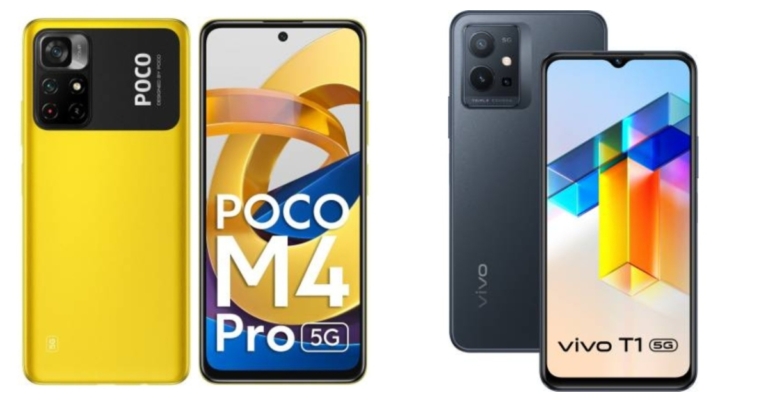
This week, Poco launched a new 5G smartphone in the Indian market. The MediaTek Dimensity 810 SoC powers the gadget. The phone sports a dual-camera configuration on the rear, as well as a 5,000mAh battery with 33W Pro fast charging capabilities. With these features, the device can effectively compete with the Vivo T1 5G. So here’s our take of the Poco M4 Pro 5G vs the Vivo T1 5G. This comparison will show you which smartphone is better and how the two phones stand against each other.
In This Article
Display
Poco M4 Pro 5G: 6.6-inch full-HD+ Dot DisplayVivo T1 5G: 6.58-inch full-HD+ IPS LCD display
Poco M4 Pro 5G: Dual rear camera setup consisting of a 50-megapixel primary sensor and a secondary 8-megapixel ultra-wide-angle lens offering 119 degrees of field of view.Vivo T1 5G: A triple rear camera configuration consisting of a 50-megapixel primary sensor with an aperture of f/1.8 and two 2-megapixel secondary sensors with an aperture of f/2.4.Also read:Comparison: Vivo T1 5G vs Moto G51 5G vs Redmi Note 11T
Selfie camera
Poco M4 Pro 5G: 16-megapixel selfie cameraVivo T1 5G: 16-megapixel
RAM and storage
Poco M4 Pro 5G: 4GB RAM with 64GB storage, 6GB RAM with 128GB variant and 8GB RAM with 128GB modelVivo T1 5G: 4GB RAM with 128GB storage, 6GB RAM with 128GB storage and 8GB RAM with 128GB storage
Battery
Poco M4 Pro 5G: 5,000mAh batteryVivo T1 5G: 5,000mAh battery
Operating system
Poco M4 Pro 5G: MIUI 12.5 for Poco skinned on top of Android 11Vivo T1 5G: FunTouch OS 12, which is based on Android 12
Both of the recently introduced models have nearly identical specifications. The camera specifications are nearly identical, but Vivo’s handset has an additional sensor inside. Vivo beats Poco in terms of display because of its display, which supports a refresh rate of 120Hz. Both devices include a 5,000mAh battery with 33W Pro fast charging. In terms of software, the Vivo T1 5G runs FunTouch 12, which is based on Android 12, whereas its competitors utilise an older version of Android (Android 11). Vivo is, in our opinion, a formidable rival in the sub-Rs 20,000 price band. Buyers may choose any of the smartphones based on their preferences and needs, but the Vivo T1 5G is our recommendation.
For the latest gadget and tech news, and gadget reviews, follow us on Twitter, Facebook and Instagram. For newest tech & gadget videos subscribe to our YouTube Channel. You can also stay up to date using the Gadget Bridge Android App. You can find the latest car and bike news here.





 Read also:
  Step 3:
 Step 4:
 Step 5:
 Read also:
  Step 7:
  Blurring Your Background For All Your Zoom Meetings
Step 1:
Blurring Your Background For All Your Zoom Meetings
Step 1:  Step 2:



 Read also:
  Step 3:
 Step 4:
 Step 5:
 Read also:
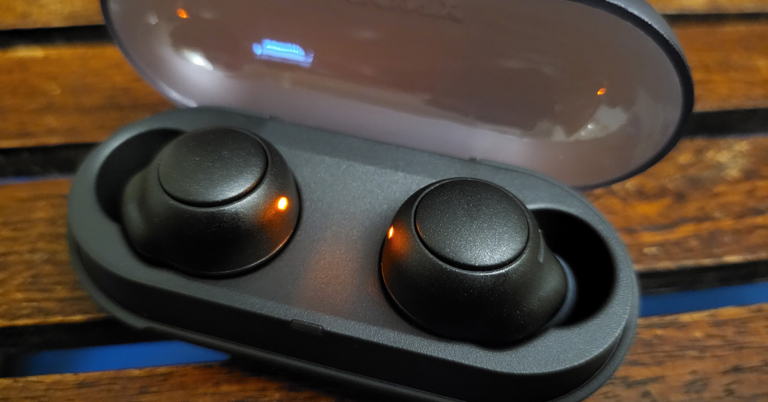
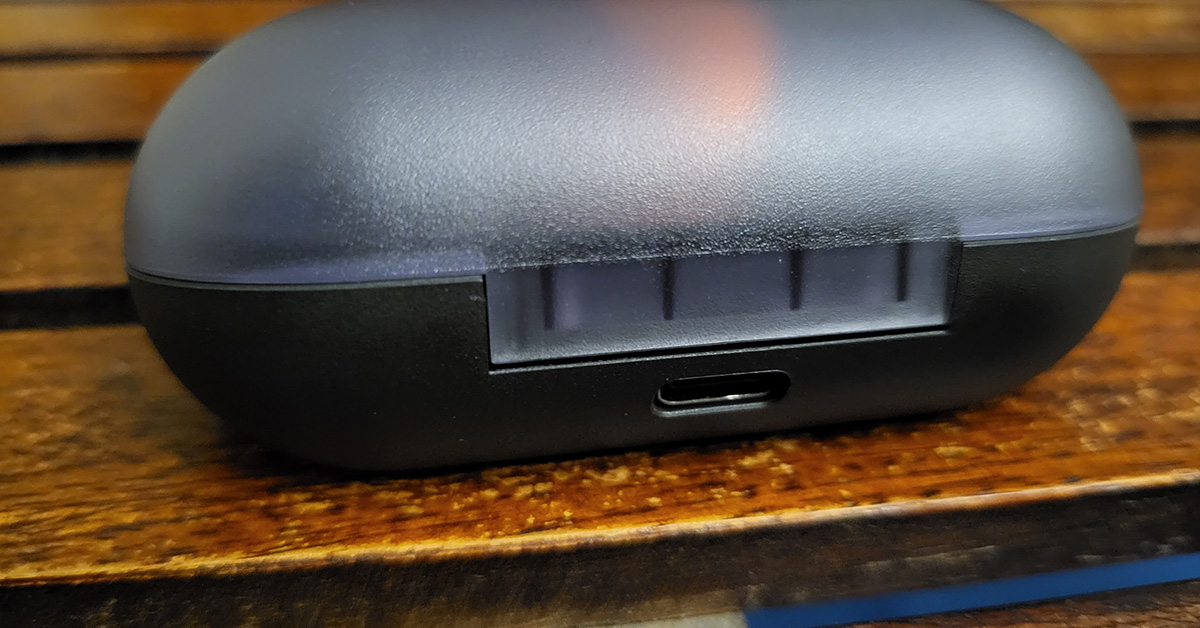 The Sony WF-C500 wireless earphones snap in the case magnetically. Both earplugs are light, weighing 5.4 grams each. They also have 1 LED light each that shows, BT connection, charging etc. They latch in the ear cavity quite nicely and you do not feel they will come out, even when you are running. We got the pair that is dressed in black. With it, there are three more colours available including white, pink and green.
 Each earphone also has a circular button on them. With these users can control volume, take or reject calls and even access voice assistants like Google Assistant.
Also Read:
Each earphone also has a circular button on them. With these users can control volume, take or reject calls and even access voice assistants like Google Assistant.
Also Read:  Users can control the EQ effect using the Sony Headphones Connect app and a few other features.
  A rating of IPX4 is also on the Sony WF-C500 wireless earphones. This means sweat, light water splashes will not ruin them. We took them out for a cycle run and they stayed glued to our ear cavities as a honeybee would to its honey. All in all, the C500 impressed us with exceptional sound as well as good ergonomics.
Also Read:
A rating of IPX4 is also on the Sony WF-C500 wireless earphones. This means sweat, light water splashes will not ruin them. We took them out for a cycle run and they stayed glued to our ear cavities as a honeybee would to its honey. All in all, the C500 impressed us with exceptional sound as well as good ergonomics.
Also Read: 


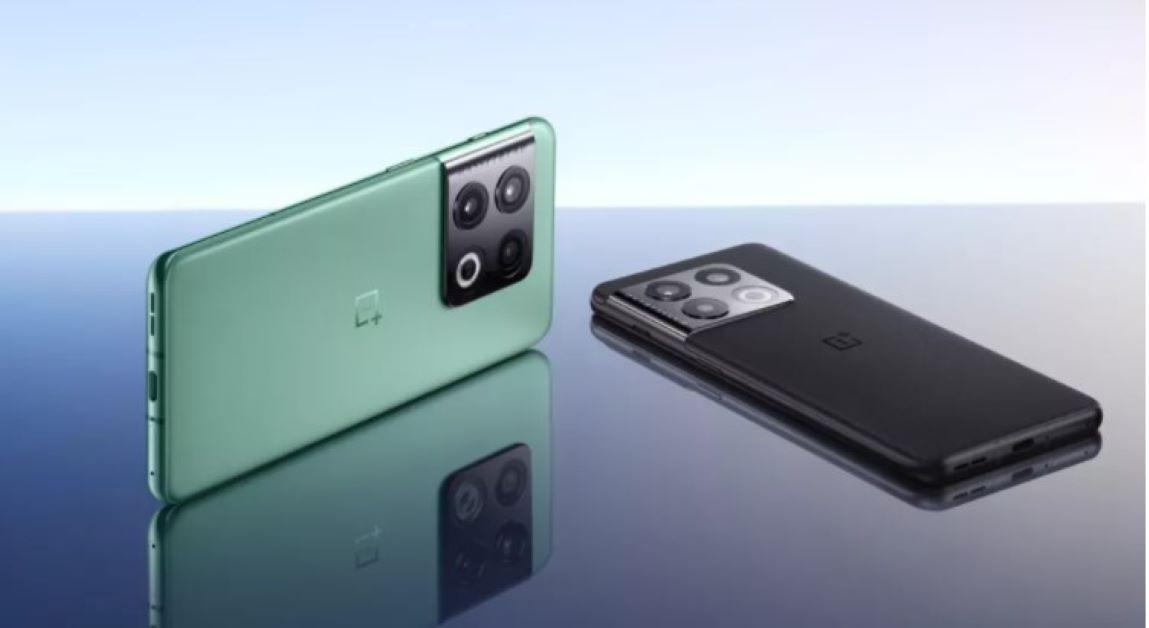



 Now, whether you are a backpacker or not, travel booking applications are still a must-have in your pocket. From booking a stay at a hotel for your off-site official travels to booking a cottage for a family vacation in the hills, these come in very handy. Being one of the most popular travel booking applications, Airbnb and Booking.com help you land on the perfect stay options at your favourite destinations within a couple of clicks, so you can shop for your family vacation tension free.
 Answering calls from an unknown number can be very risky. Sometimes, without being aware of it, you may have picked up a fraudulent call, putting your personal information at risk. Truecaller notifies you of whether the upcoming call is spam or a fraudulent call, hence ensuring your safety and security. Today, Truecaller provides you with the identity of the caller even before you receive the call.
 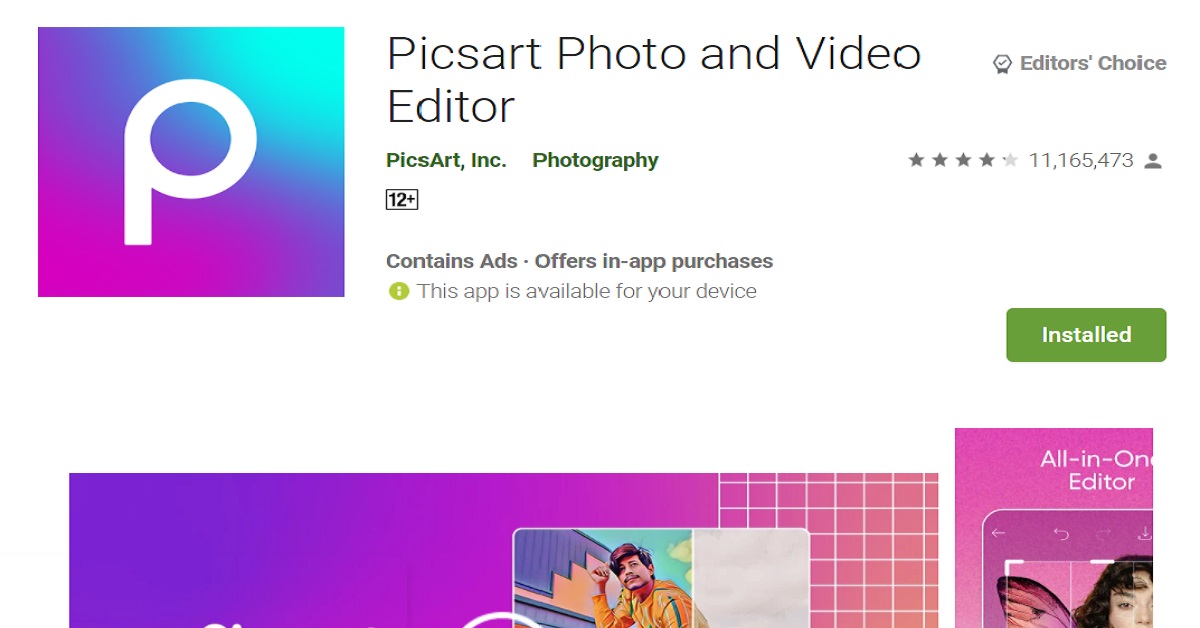 For all those of you who love to stay connected on social media apps like Instagram or Facebook, Picsart is a brilliant photo editing app. It provides a range of photo editing services like masking, blurring, adjusting brightness, contrast, saturation, hue etc. for your images. Not only that, but it also provides image crop sizes customized for various kinds of Instagram, Facebook, Pinterest, Twitter and Youtube posts. With Picsart at hand, you are a pro!
 Inshot is one of the most recommended mobile video editing applications available for free. Whether you want to make a collage or a reel of photos, or be it videos, add some filters, colour grading or motion effects to the same, Inshot is your go-to app. It even allows you to download videos in 1080p & 4k up to 60fps, so you don’t have to compromise on the quality of the content you upload on your social page.
 Next in our list of top 10 apps for Samsung Galaxy S22 Utlra is GoogleDuo. It is known for providing a seamless face-time experience in terms of video and audio quality. Moreover, you can add up to 12 people in a GoogleDuo video chat, which are more than the number of people allowed for one group call on Whatsapp (8).
 Those who go out for lunch or dining frequently would know this fact that even restaurant menus are becoming digital. You have to scan the bar code on a menu through your device in order to place your order these days. And with each passing day, more and more cafes & restaurants are switching to this norm. So why waste your time at the restaurant downloading the app first, when you can order right away with Google Lens in your pocket?
 Sometimes you may not be within a scanner’s reach when you want to scan your documents at hand immediately. Adobe Scan is the best app for scanning your documents through your smartphone on the go, anywhere and everywhere. It allows you to scan whiteboards, books, documents, ID cards and business cards, and turns them into a shareable pdf document, providing a swift, hassle-free and easy experience.
  Since the dawn of the UPI payment system in India, applications like Paytm and Phonepe have become one of the most necessary necessities of life. Be it for paying your autorickshaw driver, your grocery store or the brand showrooms you shop your clothes from, payments everywhere are made digitally today. Hence, UPI payment apps like these should be the first ones that you download on your smartphone.
 You need not be a fitness freak in order to download a health and fitness application on your smartphone. Now when you’re at it, the Samsung Health app can prove to be an amazing lifestyle companion of yours. To monitor your actual wealth, which is your health, it tracks your fitness, weight, diet, food and sleep.
  Although it is said that privacy is a myth these days, you still would want to take steps from your own end to ensure the privacy of your data stored in different apps on your device. This is where the App Lock application by Inshot Inc. comes in, which provides you with password, pattern and fingerprint locking options that you can put on individual apps you want to secure with a lock. Now, don’t you want to avoid those nosy people peeking into your smartphone?