Amazon Fire TV Stick 4K Max launched, now available for pre-orders

Amazon has announced the launch of its latest streaming device Fire TV Stick 4K Max in India. This is the follow up of the third-gen of Amazon Fire TV Stick that was announced months back in the country. The latest gen of the Amazon Streaming devices not only supports Dolby Vision and Dolby Atmos but is 40 percent more powerful than its predecessor. It is powered by a new quad-core 1.8GHz processor which makes apps load and navigation faster. Along with this device comes with Wi-Fi 6 support.

Amazon Fire TV Stick 4K Max Price and availability details

Amazon Fire TV Stick 4K Max has been launched in India with a price tag of Rs 6,499. The Streaming device is now up for pre-orders in the country and can be booked via  Amazon.in and Amazon kiosks in select malls. The company will begin shipping to its customers starting October 7. Amazon Fire TV Stick 4K Max launched, now available for pre-orders

Amazon Fire TV Stick 4K Max specs and features

Speaking of the design first, the Amazon Fire TV Stick 4K Max comes with a similar design as the previous generations of Fire TV Stick. The latest device supports 4K UHD, HDR, and HDR10+ streaming. In addition to this, it also has support for Dolby Vision and Dolby Atmos for a theatre-like experience at home. The device features a new quad-core 1.8GHz processor and 2GB of RAM which is 40 percent more powerful than the previous generation which makes apps load faster and navigation is more fluid.  In addition to this the Fire TV Stick 4K Max is said to be the first media player by Amazon to offer Wi-Fi 6 support and uses the latest Mediatek MT7921LS Wi-Fi 6 chipset that makes smoother streaming in 4K. It comes with the latest Alexa Voice Remote so you can easily search for the content you want to watch, control playback, manage your smart home, and more. There are four preset buttons that get you to your apps quickly. You can also control your compatible TV and soundbar without needing another remote.  Amazon Fire TV Stick allows access to more than a thousand apps, Alexa skills, and channels and the latest movies. All the movies can be accessed in 4k Ultra HD resolution across other OTT platforms like Netflix and more. Stream for free with YouTube, watch live TV, and more. Listen to songs, playlists through services like Amazon Music, Apple Music, and Spotify.   Commenting on the launch of the new Amazon Fire TV stick Parag Gupta, Head, Amazon Devices India, said, “There is a significant increase in video streaming with several direct to streaming releases and customers choosing at-home entertainment. Fire TV has millions of active users in India, who enjoy hours of content every day. With Fire TV Stick 4K Max, we have taken the best-selling streaming media player and made it even better with a faster experience and the latest connectivity that provides seamless streaming without slowing down your home Wi-Fi.” For the latest gadget and tech news, and gadget reviews, follow us on TwitterFacebook and Instagram. For newest tech & gadget videos subscribe to our YouTube Channel. You can also stay up to date using the Gadget Bridge Android App. You can find the latest car and bike news here.

10 September  2021 Flipkart Daily Trivia Quiz Answers: Answer to win exciting prizes

The e-commerce website Flipkart is hosting Daily Trivia Quiz. Every day it brings a bunch of new questions for its users. By answering them correctly you can win exciting prizes. The questionnaire is based on questions related to general knowledge. Also, the users can win free vouchers and super coins, among other offers via the daily quiz. 10 September 2021 Flipkart Daily Trivia Quiz Answers has already gone live on its platform. The participant should be at least 18 years old and should have a valid login ID. The Quiz is available on the mobile platform and not the web version. E-commerce conducts the quiz on daily basis and goes live at 12:00 AM IST and runs till 11:59 PM IST.  The winners are announced within 15 days from the date of participation that can be viewed under the Gems/Rewards section in the app.

How to participate in the Flipkart Daily Trivia Quiz

To participate download the Flipkart app on your phone. Then open the Flipkart app then head to Game Zone. Now click on the Daily Trivia Banner or search for Daily Trivia. Enter the game and answer all 5 questions with correct answers.

10 September 2021 Flipkart Daily Trivia Quiz Answers 

Question 1: Which former cricketer made a special appearance in the film ‘Kai Po Che? Answer: Ajay Jadeja Question 2: Based on a novel by RK Narayan, the 1965 film ‘Guide’ was directed by who among these? Answer: Vijay Anand Question 3: Which actress’ autobiography ‘The Hit Girl’ was launched by Salman Khan? Answer: Asha Parekh Question 4: Who directed the 2017  children’s film ‘Blue Mountains: A Modern-day  Classic’? Answer: Suman Ganguli Question 5: Who was the first woman to win multiple Grammy Awards? Answer: Ella Fitzgerald
For the latest gadget and tech news, and gadget reviews, follow us on TwitterFacebook and Instagram. For newest tech & gadget videos subscribe to our YouTube Channel. You can also stay up to date using the Gadget Bridge Android App. You can find the latest car and bike news here.

10 September 2021 Amazon Quiz: Participate to win Rs 50,000 Amazon Pay Balance

The e-commerce platform is back with another new quiz on its platform. The 10 September 2021 Amazon Quiz can be played daily on the mobile app that goes live via the mobile app. All you need to do is answer all the questions correctly and win free products and goodies such as gadgets and Amazon Pay Balance up to Rs 50,000, today you have a chance to win Rs 50,000 Amazon Pay Balance. 10 September 2021 Amazon Quiz has gone live and a new set of questions have also been updated. The daily quiz on the Amazon app has become the hottest topic as it gives a chance to win exciting free gifts. In today’s Amazon quiz you have a chance to win Rs 50,000 Amazon Pay Balance. The quiz contains only five questions that are based on current affairs and general knowledge. Answering all the questions correctly will get your name selected for a lucky draw. Only one person will be selected as the winner and the results are announced at the end of every month. The lucky ones might win something by answering all the questions correctly, and the wrong answers will get you eliminated from the quiz. To participate and win check out today’s answers of the Amazon Quiz.

10 September 2021 Amazon Quiz Answers

Question 1: Ramappa temple, which became the 39th site in India to earn the ‘World Heritage’ tag from UNESCO, is located in which state? The answer is- A) Telangana Question 2: Which country added a new module called ‘Nauka’ to the International Space Station in 2021? The answer is- B) Russia Question 3: 12-year-old Hend Zaza was the youngest Olympic athlete to compete in Tokyo, in which sport? The answer is- D) Table tennis Question 4: If you were on this planet, from which direction would you see the sun rising? The answer is- A) West Question 5: He was the last non-Indian to receive which prize? The answer is- D) Bharat Ratna
For the latest gadget and tech news, and gadget reviews, follow us on TwitterFacebook and Instagram. For newest tech & gadget videos subscribe to our YouTube Channel. You can also stay up to date using the Gadget Bridge Android App. You can find the latest car and bike news here.

Sony introduces 5.1 channel HT-S40R Soundbar with 600W output launched in India

0
The popular audio products manufacturer Sony has expanded its home theatre portfolio with the launch of a new entry-level Soundbar in India. The Sony 5.1 channel HT-S40R Soundbar has a sleek build and its audio is supported by Dolby Digital Technology. The whole system packs a sub and rear speakers along with a subwoofer that comes with wireless connectivity.  Sony 5.1 channel HT-S40R Soundbar price in India availability details Sony 5.1 channel HT-S40R Soundbar has been launched in India with a price tag of Rs 28,990. The soundbar is now available for purchase across all Sony Center, E-commerce portals, www.ShopatSC.com portal and major electronic stores in the country. Sony 5.1 channel HT-S40R Soundbar specs and features Sony 5.1 channel HT-S40R Soundbar offers 600W of total power output. The audio has been further enhanced with Dolby Audio technology that brings a cinematic experience at home. The Sony soundbar consists of a three-channel bar speaker, rear speakers and a subwoofer to provide a surround sound experience.  All the speakers and subwoofer come with wireless connectivity that doesn’t disturb the home decor and send audio to your home theatre system wirelessly with a Sony BRAVIA TV supporting TV wireless connection. For a wireless connection, the home theatre supports Bluetooth to wirelessly stream your favourite tracks from a smartphone. The compact soundbar and rear speakers can be wall-mounted to fit neatly in your room. The wireless amplifier can be placed flat on a table shelf or wall-mounted.   Though it can be connected to compatible Television through HDMI cable but can be connected with not compatible devices with HDMI via Optical Inputs. The HT-S40R comes with 4 sound modes; Cinema, Music, Standard and Auto Sound, so you choose the perfect setting that best suits the content being played. Additionally, there are Night and Voice modes as well. You can also use the subwoofer’s volume control to fine-tune your viewing and listening experience. The Sony Soundbar measures 900 x 52 x 74.5 mm and weighs a total of 2 Kg. Whereas the subwoofer measures 192 x 387 x 366 mm and weighs 7.8 Kg.  For the latest gadget and tech news, and gadget reviews, follow us on TwitterFacebook and Instagram. For newest tech & gadget videos subscribe to our YouTube Channel. You can also stay up to date using the Gadget Bridge Android App. You can find the latest car and bike news here.

MediaTek 900T SoC for premium range tablets and notebooks goes official

Taiwanese semiconductor manufacturer, MediaTek, today officially announced its Kompanio 900T SoC tailored for a premium range of tablets, portable notebooks and other devices. The chipset is based on a 6nm process and comes equipped with two Arm Cortex-A78 ultra-performance cores and six Arm Cortex-A55 power-efficient cores, an Arm Mali-G68 GPU and MediaTek APU (AI processor). In addition to this, the SoC supports LPDDR5 memory and UFS 3.1 storage with  2K resolution 120Hz refresh rate screens. MediaTek’s Kompanio 900T platform comes integrated with a 5G modem which provides ultra-high-speed data transmission, reliable connections worldwide. It also supports standalone (SA) and non-standalone (NSA) dual-mode networking with full coverage of 5G sub-6GHz. It not only supports 5G dual-carrier aggregation but Voice over New Radio (VoNR) services.  The Processor comes with MediaTek 5G UltraSave power-saving technology, for ultra-low power consumption with high-speed 5G networks. The MediaTek Kompanio 900T SoC supports 2×2 MIMO Wi-Fi 6 and Bluetooth 5.2 for faster and more reliable connectivity. Kompanio 900T also allows for multiple peripheral extensions.  Along with this, it comes equipped with the company’s proprietary  MiraVision image quality engine and AI-enhanced video display features that can enhance SDR video content to near HDR quality and upgrade HDR10 to nearly HDR10+, in addition to supporting HDR10+ video playback image quality enhancement features in real-time. The company says it has designed a series of chips for Chromebooks and tablets with innovative, ultra-modern, portable and stylish designs. The MediaTek APU (AI processor) supports advanced voice and vision applications, such as voice and image recognition, neural noise suppression, excellent audio and video resolution, and gesture control. Moreover, the 900T SoC also comes with the support for triple cameras with a maximum resolution of 108M and 3840×2160 pixels. The cameras will support features like Hardware video HDR, 3X HDR-ISP, MFNR, 3DNR, AINR, Hardware Depth Engine, Warping Engine. While the display will come with a max resolution of 2000 x 1200 pixels and a max refresh rate of 120Hz. According to the company, the devices powered by MediaTek Kompanio 900T processor will be available soon. Zeng Baoqing, general manager of MediaTek’s Intelligent Multimedia Division said, “With the MediaTek Kompanio platform, users can count on incredible mobile computing experiences. The Kompanio 900T delivers robust computing power, outstanding audio and video multimedia features, smooth gaming capabilities and support for the latest 5G and wireless features so users can get the most out of their devices.” For the latest gadget and tech news, and gadget reviews, follow us on TwitterFacebook and Instagram. For newest tech & gadget videos subscribe to our YouTube Channel. You can also stay up to date using the Gadget Bridge Android App. You can find the latest car and bike news here.

Windows 11 will launch soon, here is a list of software to install first on the new version of Microsoft OS

Windows 11 is an upcoming major version of the Windows operating system developed by Microsoft. With tons of new updates in design as well as usability. It is also rumoured that Windows 11 will natively support Android Applications. The exact apps supported by the new OS are currently unknown. But here are a few recommendations to install that will surely run in the new Microsoft ecosystem.
  • Google Chrome

Google Chrome Google Chrome is one of the best browsers in the market. It has cross-platform syncing that lets you open your desktop tabs on your phone and vice-versa. The performance is super-speedy, includes little conveniences like letting you instantly search Google for an image, and has a vast library of Chrome extensions that enhances the user experience on Windows 11. Download Here
  • Google Drive

Google Drive Google Drive is the application one should install for all cloud storage solutions. It offers 15GB of free storage, which is shared across your Google account with Google Photos and Gmail too. It is super easy to share files with others, plus the service works well across Google’s productivity suite. Drive offers an app for every major platform, making it really easy to take your files anywhere. One can also purchase extra cloud storage with a monthly subscription fee. Download here
  • Spotify

Spotify Earlier one used to organise and arrange their collection of MP3 files that also took a large chunk of space in the PC/Laptop. The times have changed now, due to online music streaming services. The free plan of Spotify is ad-supported. There are quite a few plans available in the premium subscription for each choice of the user. Consumers can pick the plan that best suits them.  Download Here
  • LibreOffice

LibreOffice Many machines come with a lifetime MS Office suite licence when you buy your computer or laptop. But there are many that don’t get it or are not satisfied with Microsoft’s service. LibreOffice is a completely free alternative to it. It is a powerful office suite that includes alternatives to Microsoft Word, Excel, PowerPoint, Access, and more. The developers churn out regular updates for users to have a smooth experience an will be suitable for your new Windows.  Download Here Read Also: How to find downloaded files on your Android device
  • Malwarebytes Anti-Malware

Malwarebytes Anti-Malware Malwarebytes is specially targeted towards malware removal from your system. Malwarebytes provides real-time protection from malware and also scans your system continuously for suspicious files. For sudden attacks on your system, this software can be your go-to as it provides 14 days free trial with limited functionalities. Although even with limited functionalities it can easily save your under attack system. One can always buy a subscription after the 14 days expiration and pay extra for supporting up to 5 devices. Download here
  • VLC

VLC Many users love to play their Videos or Movies locally. VLC is a strong media player providing a large variety of format support i.e. MPEG-2, MPEG-4, H.264, MKV, WebM, WMV, MP3 and more. For other specific formats, the company provides external codex that can be installed. The company provides regular updates and the player is absolutely free since its release in the market. Download Here
  • 7-Zip

7-Zip Windows includes native support for simple zipped files, but anything beyond the basics requires a more powerful tool. A file extractor and compressor is a must-have in your system for any archived file you encounter. The application is lightweight and installs in seconds. The only problem with 7-Zip is that its interface looks a bit old. The UI is very basic and very retro. But, being free software, looks hardly matter till the time your job is being done. Download Here
  • Rambox

Rambox Nowadays people use a lot of messaging services, which include mails as well as chatting services to get in touch with your work colleagues and friends. Sometimes it gets really difficult to manage all of them at once. That is the situation where Rambox shines. It lets you add accounts from dozens of popular messaging services, including WhatsApp, Facebook Messenger, Skype, Telegram, Hangout (Google Chats now), Discord, Gmail and many more. The app simply adds a new tab for every service you use, letting you keep up with every group in one window and one can close each window at a time according to their convenience. Rambox is free with limited features and can be unlocked with a monthly subscription. Download Here Read Also: Best Anti-Virus protection for your PC: Paid and free
  • Bitwarder

Bitwarder With the rise in Internet dependency, one needs to open multiple accounts online. It gets really difficult to set a strong password for each site and remember it as well. Bitware is a secure service that creates good passwords for you and locks them behind one master password, which is the only one you have to remember. Users can add extensions on the browser as well, to make the software remember passwords for you online.The basic options are free to use, while one can always buy a subscription to add more people to the plan and get advanced features. Download Here
  • ShareX

ShareX This application has the simple feature of capturing screenshots for you. The basic Snipping Tool and Snip & Sketch apps only provide a barebones feature, so if you need something better ShareX is the best alternative. It is one of the most powerful screenshot tools With tons of capture methods, a built-in editor, the ability to run automated steps after you take a screenshot, and extra tools like a colour grabber and ruler. The best part of this application is that it is absolutely free. Download Here These are the must-have applications in your PC or laptop with the new Microsoft Windows 11 install. These applications will save a lot of your time and increase one’s productivity. It will be exciting to see what other applications open up for Windows 11 when it is officially launched for all the consumers in the market on 5th of October, 2020. For the latest gadget and tech news, and gadget reviews, follow us on TwitterFacebook and Instagram. For newest tech & gadget videos subscribe to our YouTube Channel. You can also stay up to date using the Gadget Bridge Android App. You can find the latest car and bike news here.

15 advance keyboard shortcuts every Microsoft Excel user should know

MS Excel is a commonly used Microsoft Office application. It is a spreadsheet program that is used to save and analyse numerical data. In this spreadsheet, one can record data in the form of tables and easily analyse it. Here are a few of the shortcuts that will be very useful and make you a pro at MS Excel.
  • Extended selection

This is an essential shortcut when you’re working with a large set of data and want to extend your selection to the bottom, or any edge it can be activated by pressing Ctrl + Shift + Direction arrows.
  • Paste Special

It is a powerful shortcut. It works more than a typical paste option. One can paste values, formulas, formatting, and even column widths by pressing  Ctrl + Alt + V. Read Also: Amazon begins rolling out Live TV streaming feature for Fire TV
  • Formula references

Typing $ again and again for each formula seems like a ton of work. By using the F4 shortcut one can quickly rotate through all absolute and relative formula reference option.
  • Fill down

An excellent way to copy values from the cell above without the hassle of copy-paste. It can be toggled by pressing Ctrl + D also fill column by pressing Ctrl + R 
  • Auto sum

You can use this option to sum rows, columns, or even an entire table in one step. Pressing Alt+ = will automatically insert a sum function. Read Also: 15 Microsoft Excel keyboard shortcuts every beginner
  • Current Date and Time

Want to fill the current date and time but does typing it, again and again, seem like a hassle? Microsoft got you covered for this, users can press control + ; for the current date and Control + Shift + : for the current time.
  • Go to first cell / last cell 

It’s easy to traverse from one cell to another without hitting your keyboard multiple times. Ctrl + Home is used to go to the first cell whereas Ctrl + End is used to go to the last cell.
  • Repeat the last action

Many commands can be repeated in MS Excel like applying the same borders, format, or even inserting a worksheet again. It can be activated by either pressing F4 or Ctrl + Y. Read Also: Top 5 laptop stands to keep your laptop cool 
  • Data navigation 

This option lets you move to the edges of the data instantly, without tediously scrolling. It comes in handy when the data sets are large in number. Using Ctrl + Navigation keys will help in this case.
  • Insert/delete columns and rows

To insert an entire row or column selected, use Ctrl + Shift + + and if you wish to delete, select an entire row or column and use Ctrl + -.
  • Enter in multiple cells

Whenever you want to enter the same value or formula in more than one cell at a time press Ctrl + Enter and multiple cells selected will be auto-filled.
  • Format cells

This option is often used by many people but, the traditional way is quite a time taking process. It can be easily done by pressing  Ctrl + 1. It will open a Format Cell dialogue box. Though one can use it to format anything in MS Excel.
  • New Table

Ctrl + T can be used and is very handy when you want to convert a set of data to a proper Excel table with filters and formatting.
  • Reveal Formulas

 A very fast way to temporarily reveal all formulas in a worksheet. It can be achieved by pressing Ctrl + `. Use the shortcut again to turn formulas back to invisible.
  • Toggle Filters

This option is used to clear all the filters applied in a table. This option comes in handy when one user wants to reset a table with many filters. Users can press Ctrl + Shift + L to use this feature. These shortcuts are very easy to use, remember and will come in handy in making proper Excel sheets in no time. These will not only save a lot of time but will also increase your productivity. For the latest gadget and tech news, and gadget reviews, follow us on TwitterFacebook and Instagram. For newest tech & gadget videos subscribe to our YouTube Channel. You can also stay up to date using the Gadget Bridge Android App. You can find the latest car and bike news here.

Twitter is testing a new feature allowing users to tweet and connect with communities with similar interests

Twitter has announced that it has begun testing global communities features on its platform. The functionality will allow tweeting to groups or people with the same interests, reflecting more of the thriving and niche discussions on Twitter. At the moment this function is available on iOS and web browsers but will be extended to the Android platform as well. While announcing the feature, Twitter said, “There’s always been a broad, weird and wonderful range of conversations on Twitter, but we haven’t done enough to help connect people who are into the same things. And now, that’s changing. Starting today, we’re testing Communities, a way to easily find and connect with people who want to talk about the same things you do.” The users can join communities on Twitter where they can Tweet directly to that group instead of to all your followers. Only members in the same Community are able to reply and join the conversation so it stays intimate and relevant.  The communities feature on Twitter will allow the users to Tweet only to their Community for a focused conversation. Also, the Community pages and timelines are publicly available so anyone can read, Quote, Tweet, and report Community Tweets.  Twitter says that it will continue to support public conversation and help people find Communities that match their interests, while also creating a more intimate space for conversation. “With Communities, moderators pick the focus, create the Community rules, and invite the people who will make it a great place for conversation. Think of Communities as places created for conversation where the vibe and tone is set by people who share the same interests and want to have relevant conversations. Moderators set the Community rules and can also invite others to moderate their space to keep things on track and focused,” the social media platform via its blog post said. According to the microblogging platform, the Communities creation will be limited but in the coming months, Twitter will allow more people to create Communities. Some of the initial communities that are being tested surround popular conversations such as dogs, weather, sneakers, skincare, and astrology. Right now, you have to be invited to a Community by a moderator or another member. The interested ones can create a Community here For the latest gadget and tech news, and gadget reviews, follow us on TwitterFacebook and Instagram. For newest tech & gadget videos subscribe to our YouTube Channel. You can also stay up to date using the Gadget Bridge Android App. You can find the latest car and bike news here.

Microsoft acquires Clipchamp, to integrated its video editing tech with Microsoft 365

The American multinational technology company, Microsoft, has officially announced that it has acquired Clipchamp. It is a browser-based video editing application that the company has recently purchased. With the acquisition, the tech giant could use its video editing technology for its products such as Microsoft 365.  Chris Pratley, Corporate Vice President, Office Media Group while making the announcement said, “I am bubbling over with excitement that Clipchamp will be joining Microsoft. The Clipchamp team is a creative powerhouse dedicated to quality and great customer outcomes, and we welcome them wholeheartedly as kindred spirits. We will be doing incredible things together—more to come on that later!” According to Microsoft, this will provide benefits to creators and other professionals who don’t have much editing skills. Small business owners, marketers, influencers, students, educators, families, and information workers of all types need the capability to make great videos with minimal effort. Whether it’s a 10-second social media ad, a 2-minute pitch for a product, or a 20-minute instructional video, Clipchamp and Microsoft will provide the tools and experience they need. Clipchamp is an in-browser video creation and editing application that was founded in 2013. Its application is also available on the Microsoft Store. It comes with the ability to process video using the full computing power of a PC with graphics processing unit (GPU) acceleration.  According to Microsoft Clipchamp’s template-driven, the task-focused user experience will empower creators. It offers a wide variety of filters, styles, transitions, and stock media combined with the power of a multi-track audio and video compositing editor. Apart from creating videos the application also allows you to share your work on social media by offering output styles and aspect ratios for all the popular social networks. “As a web app that uses the full power of your PC, Clipchamp is a natural fit to extend the cloud-powered productivity experiences in Microsoft 365 for individuals, families, schools, and businesses,” the company stated. This means the pact will allow Microsoft to get the support of Clipchamp’s video editing technology with Windows and the cloud-powered productivity experiences in Microsoft 365. With the integration of this technology into Microsoft Windows, the users will be able to edit game clips, make school projects, create a memory video and more.  For the latest gadget and tech news, and gadget reviews, follow us on TwitterFacebook and Instagram. For newest tech & gadget videos subscribe to our YouTube Channel. You can also stay up to date using the Gadget Bridge Android App. You can find the latest car and bike news here.

15 Google Docs Shortcuts that everyone should know

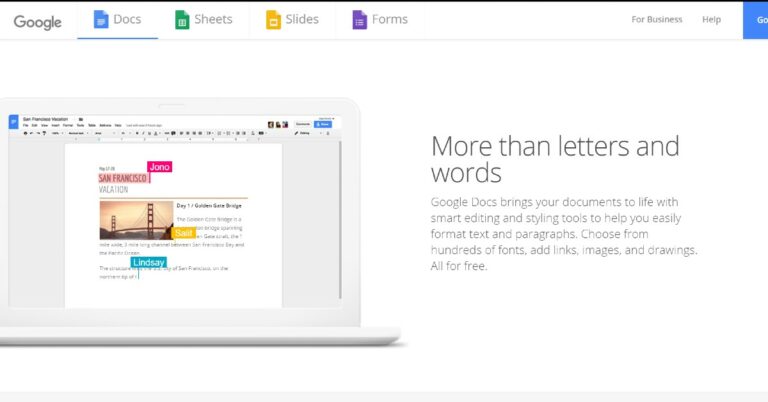
Google Docs is widely used for production or personal use. It is an easy way to share a document with colleagues and edit them together. With hundreds of fonts, adding links, images, and drawing features enhances one’s productivity. There are also templates available for its users for a head start. With these features and cross-platform capabilities Google offers this platform completely free to its users. Here are 15 shortcuts that will help you use Docs like a pro.
  • Cut, Copy and Paste

These shortcuts come in handy when you need to alter your document. For copying press Ctrl + C, for pasting from the clipboard press Ctrl + V and to cut anything in the document press Ctrl + X in Docs.
  • Paste without formatting

Often it has happened that you copy information from somewhere else and it copies the format of that page as well. To make the pasting process hassle-free one can press Ctrl + Shift + V. This will paste the copied information without following its formatting rules.
  • Undo or Redo

Making mistakes is common but reverting it is easy. By pressing Ctrl+Z one can undo the action. To do vice versa, the ‘Redo’ option is used and can be activated by pressing Ctrl+Y. There are few actions that cannot be undone or redone in such a case nothing will happen even if you press the shortcut. Read Also: 15 advance keyboard shortcuts every Microsoft Word user
  • Hyperlink

Want to add links in your document which can be redirected? It’s easy, the user can select the text they want to mark and press Ctrl + K. This shortcut is even used to edit the link as well. To open a link press Alt + Enter.
  • Print

Users can print a document directly from the Docs web page or application by connecting a printer to their system and pressing Ctrl + P.
  • Find and replace

This option can be useful if one wants to find a word and replace it with something else. It can be achieved by pressing Ctrl + H. After this a popup will appear on the screen asking from the word you want to search and what should be the replacement of it. Read Also: 15 Microsoft PowerPoint keyboard shortcuts for every beginner. 
  • Repeat Action

Performing the same task, again and again, can be very tiring. One can press Ctrl + Y to repeat the previous action performed for overcoming this issue.
  • Bold, Italic and Underline

Typographical emphasis can be used for many purposes in a document. For Bold, you need to press Ctrl + B, for Italic Ctrl + I and Ctrl + U for underlining.
  • Font Size

Font size can be easily altered by selecting the word, line or paragraph one needs to edit. Press Ctrl + Shift + > to increase font size and Ctrl + Shift + < to decrease the same. Read Also: How to add a watermark in your Google Documents.
  • Align text 

Text can be aligned either left, right or to the centre. It can be achieved by pressing Ctrl + Shift + L for left,  Ctrl + Shift + R for right and  Ctrl + Shift + E for centre respectively.
  • Insert list 

There are two types of list options available in Google Docs. One is a number list that can be applied by pressing Ctrl+ Shift + 7 and the other option by pressing Ctrl + Shift + 8, which will apply a bullet list.
  • View word count

Word count can help in counting pages, words and characters. To use this feature one can press  Ctrl+ Shift + C.
  • Go up or Down on Page

Need to go up or down on the page? There is no need to press direction keys multiple times. Press Fn + Up direction key to go up and  Fn + Down direction key to go down. This method is useful if one does not have the page up or page down key present on their system.
  • Insert Comment

This can be used if the user wants to remember something on the document or want to leave an explanation to other shared participants. It can be achieved by pressing  Ctrl+ Alt + M.
  • Justify Text

If the user feels that the text is going out of their page margin or is not aligned properly one can use Justify. Press Ctrl + Shift + J to justify the selected paragraph. This causes the text to auto-fit to the left and right margins of the slide. These shortcuts are very easy to use, remember and will come in handy in making a document. These shortcuts will not only save a ton of time but also increase your productivity. The best part about Google Docs is that the document gets saved automatically in your Drive without eating any amount of space.