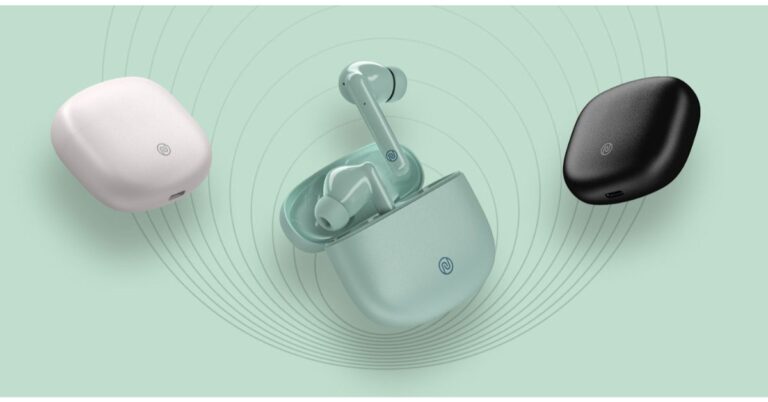
Indian lifestyle brand Noise has announced the launch of its new TWS earphones in India. The company has introduced Noise Buds Play specially designed for the music enthusiasts that feature noise-cancelling tech at a much affordable price tag. The TWS earphones are powered by Tru Bass technology that gives the best experience of bass sound. The device is claimed to offer up to 25 hours of playtime and also comes incorporated with an in-ear detection feature.Speaking on the launch, Gaurav Khatri, Co-Founder, Noise said, “Our motive is to offer a frictionless experience to the Noisemakers who are looking to revel into better things every day. The Tru Bass technology and Google Fast Pair make it smooth and uncomplicated for Noisemakers to connect with the world of sound and music because this is exactly how India likes to play. Buds Play not only promises the best bass-driven sound for an outstanding musical experience but a wide range of features for an uninterrupted experience in one device that they can use every day. With our wide range of playful devices, we are aiming to connect with the modern Noisemakers who are smart and quick, just the way they like their gadgets to be.”Noise Buds Play price and availabilityThe Noise Buds Play has been launched in India with a price tag of Rs 3,499. But the company is offering it at a special launch price of Rs 2,999. The device will be offered in three stylish colour options namely Pearl White, Onyx Black and Celeste Blue. These can be purchased via the company’s official website in the country.Noise Buds Play featuresNoise Buds Play features a 10mm speaker-driver paired with TruBassTM technology. While the quad microphone support enables clear and crisp audio. One can also switch to its integrated ENC mode that cancels external sound to keep your audio locked in and clear. It cancels all environmental noise up to -25 dB so that you can hear and be heard even in the busiest of areas.For instant connections the Noise Buds Play comes with Hyper Sync technology, simply open up your charging case and the earbuds intuitively connect to your smartphone even before you insert them in-ear. As per the company the same technology helps to conserve power by automatically turning off the earphones when placed back in their case.The earbuds offer a total of 25 hours of playback combined with the charging case. The earbuds themselves provide 5 hours of runtime backed by 4 additional 5-hour charges from the portable charging case. While the auto in-ear detection lets the device intuitively play and pause music when you put in and take off theBuds Play. Simply put on the TWS earbuds as they automatically play audio – picking up from where you last left off. The Noise Buds Play comes with full touch control and can be seamlessly operated without any physical buttons. Only a few light taps is all that is needed to control playback, regulate volume and trigger the voice assistant. It also includes the IPX4 rating With USB Type-C support, you can completely charge the earphones in a little over an hour. With Bluetooth 5.0 it stays connected up to a 10-metre range of coverage for Lag-free and consistent sound.
For the latest gadget and tech news, and gadget reviews, follow us on Twitter, Facebook and Instagram. For newest tech & gadget videos subscribe to our YouTube Channel. You can also stay up to date using the Gadget Bridge Android App.
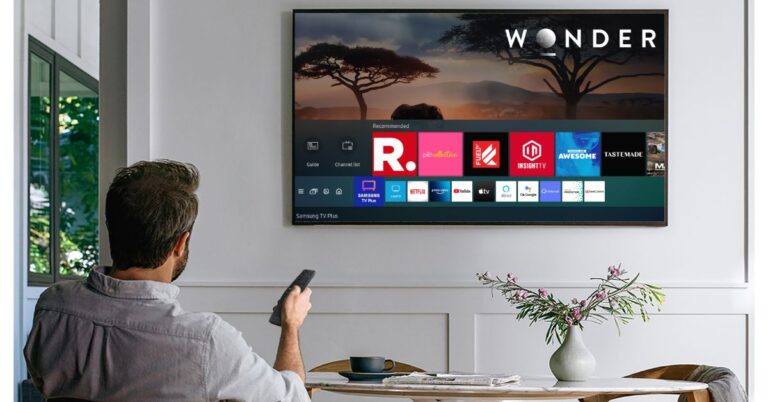
Samsung has launched its Samsung TV Plus app that allows free Live TV for its smart TV and smartphone users in India. This app allows the users of the Samsung products to watch select TV channels without having to pay anything. Including India, this free TV service was already available for other regions in the world. Besides allowing free live TV channels to its users the Samsung TV Plus app also covers on-demand content.Reshma Prasad Virmani, Director, Services, Samsung India, said, “Over the last one year, consumers have been spending more time at home. Their television sets and smartphones have become the centres of their lives, for both entertainments as well as information. We also noticed that consumers now immensely value great media content, reason why we chose to introduce Samsung TV Plus in India. Over the next few months, we expect to scale TV Plus to add more channels and content.”This service offers consumers Samsung Smart televisions free TV content with no additional device such as a set-top box. The service will also include ad-supported select live channels and on-demand videos. According to the company, the service is accessible to all the users having Samsung Smart TV (2017 model onwards) and an internet connection.Apart from Samsung Smart TVs, the Samsung TV Plus service will also be available on most Samsung Galaxy smartphones and tablet devices with O OS or higher software version. The services for Galaxy smartphones are slated to be accessible from this month only. To access one can download the Samsung TV Plus app either from Samsung Galaxy Store or Google Play Store. Samsung TV Plus lets you access top news, sports, entertainment, and more. It’s 100% free and doesn’t require any downloads, sign-ups, credit cards, subscriptions or additional devices. It has a Guide option which allows you to see what’s on now and what’s coming up next. You can access the Guide by pressing in on CH on a Samsung Smart Remote, or by pressing GUIDE on a standard remote.With the launch in India, Samsung TV Plus is now available in 14 countries including the US, Canada, Korea, Switzerland, Germany, Austria, UK, Italy, France, Spain, Australia, Brazil and Mexico. In India, Samsung TV Plus will immediately be live across all Smart TV models from 2017 to 2021 and users will be able to access 27 global and local channels. The company also confirms that more partners will be on-boarded soon to make the service more robust.
For the latest gadget and tech news, and gadget reviews, follow us on Twitter, Facebook and Instagram. For newest tech & gadget videos subscribe to our YouTube Channel. You can also stay up to date using the Gadget Bridge Android App.
The e-commerce website Flipkart is hosting Daily Trivia Quiz. Every day it brings a bunch of new questions for its users. By answering them correctly you can win exciting prizes. The questionnaire is based on questions related to general knowledge. Also, the users can win free vouchers and super coins, among other offers via the daily quiz. April 1 Flipkart Daily Trivia Quiz Answers has already gone live on its platform.
The participant should be at least 18 years old and should have a valid login ID. The Quiz is available on the mobile platform and not the web version. E-commerce conducts the quiz on daily basis and goes live at 12:00 AM IST and runs till 11:59 PM IST. The winners are announced within 15 days from the date of participation that can be viewed under the Gems/Rewards section in the app.
How to participate in the Flipkart Daily Trivia Quiz
To participate download the Flipkart app on your phone. Then open the Flipkart app then head to Game Zone. Now click on the Daily Trivia Banner or search for Daily Trivia. Enter the game and answer all 5 questions with correct answers.
April 1 Flipkart Daily Trivia Quiz Answers
Question 1: Since its second season, which of these crime shows is hosted by Anup Soni?
Answer: Crime Patrol
Question 2: Who played the role of Ustad Jameel Khan in the Ranbir Kapoor film ‘Rockstar’?
Answer: Shammi Kapoor
Question 3: The song ‘I Just Called to Say I Love You’ was performed by which singer in 1984?
Answer: Stevie Wonder
Question 4: Which singer won a Filmfare Award for the iconic title song of ‘Chaudhvin ka Chand’?
Answer: Mohammed Rafi
Question 5:Yellow’ and ‘Red’ are two characters in which popular TUBA Entertainment show?
Answer: Larva
The e-commerce website Amazon continues to keep its customers entertained and in high spirits through their daily quizzes. April 1 Amazon Quiz has gone live now in its mobile app platform. The daily quiz contest conducted by the company brings an opportunity for the consumers to win exciting prizes. In today’s quiz, you can win the Rs 15,000 Amazon Pay Balance by answering all the questions correctly.
Every day Amazon brings a fresh set of questions for its customers that contains five easy questions based on general knowledge and current affairs. The quiz can be played on the Amazon app from 12 AM to 11:59 PM. You have to answer all the questions correctly; one wrong answer can make you eliminate from the quiz. By answering all the questions correctly, you will be shortlisted for a lucky draw. The results for the lucky draw will be announced at the end of the month. By participating in the quiz, you can win free products ranging from smartphones, other gadgets and Amazon Pay balance. Check out today’s quiz questions and answers to win April 1 Amazon Quiz: Today you can win Rs 15,000 Amazon Pay Balance.
April 1 Amazon Quiz Answers
Question: Kalanamak rice, cultivated since the Buddhist period, comes from which Indian state?
Question 2: What rare mineral with links to Mars has recently been found in the deep ice core of the white continent Antarctica?
The answer is- Jarosite
Question 3: Which of these countries recently opened military recruitment to women?
The answer is- Saudi Arabia
Question 4: What is the white ball called in this sport?
The answer is- Cue ball
Question 5: The name of this, is also the name of an aircraft in which of these airlines?
The answer is- Spicejet
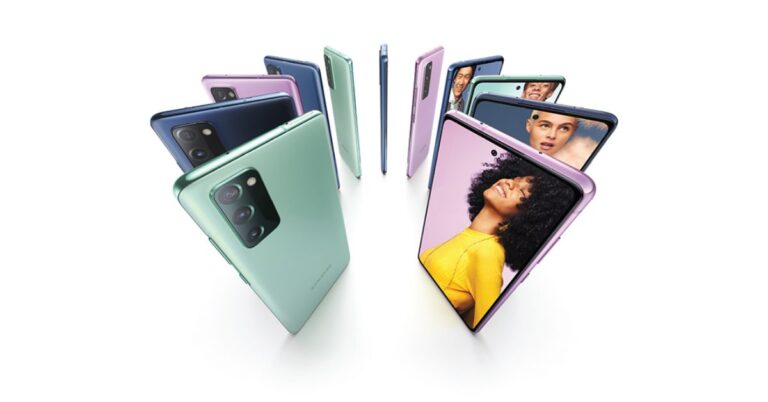
Samsung has today officially launch its 5G variant of the Samsung Galaxy S20 FE. To recall, the device was launched in the US last year in September, in both 4G and 5G variants but only the 4G variant of the phone could make it to the Indian market in the month of October 2020. Now that the Samsung Galaxy S20 FE 5G has been introduced in the country. Read on how the 5G variant is different from the 4G version in addition to its pricing and availability details.Samsung Galaxy S20 FE 5G price and availability detailsThe all-new Samsung Galaxy S20 FE can now be purchased in India in a single 8GB RAM with 128GB storage variant. The smartphone is retailed at Rs 55,999, which is a bit on the higher side as it the 5G variant and comes with a Qualcomm processor instead of the Exynos 990 SoC (that drives on 4G). However, Samsung (as an introductory offer) is now giving it at Rs 47,999 starting today via Samsung.com, Amazon.in, Samsung Exclusive Stores and leading retail outlets. This mobile phone will be offered in Cloud Lavender, Cloud Mint, and Cloud Navy colour options.Samsung Galaxy S20 FE 5G specificationsThe Samsung Galaxy S20 FE 5G comes with a 6.5-inch full-HD+ Super AMOLED Infinity-O Display offering 2,400×1,080 pixels of resolution with an aspect ratio of 84.8 percent and a pixel density of 407ppi. At its heart, there is an octa-core Snapdragon 865 SoCpaired with 8GB RAM with 128GB storage, which can be expanded up to 1TB using a microSD card. The software front of the device runs on Android 11 with Samsung’s One UI 3.0 on top. The Galaxy S20 FE 5G features a triple rear camera set up that includes a primary 12-megapixel wide-angle lens with f/1.8 aperture, a 12-megapixel ultra-wide-angle lens with 123-degree field of view (FoV) and f/2.2 aperture and lastly an 8-megapixel telephoto lens with f/2.0 aperture. The rear cameras support 3x Optical Zoom, up to 30x Super-Resolution Zoom, OIS (Optical Image Stabilization) and Tracking AF. While on the front, there will be a 32-megapixel selfie camera with f/2.0 aperture along with autofocus support.The device is backed by a 4,500mAh battery along with wireless fast charging 2.0 and supports 25W Super-Fast charging. The Galaxy S20 FE 5G ensures end-to-end hardware and software security with enhanced Knox Security. It is IP68 certified which makes it dust and water-resistant. In terms of connectivity there is Wi-Fi, Bluetooth v5.0, GPS/ A-GPS, NFC, and a USB Type-C port, but lacks a 3.5mm audio jack. The sensors onboard include an accelerometer, compass, fingerprint sensor, gyro sensor, hall sensor, light sensor, and a proximity sensor.
For the latest gadget and tech news, and gadget reviews, follow us on Twitter, Facebook and Instagram. For newest tech & gadget videos subscribe to our YouTube Channel. You can also stay up to date using the Gadget Bridge Android App.
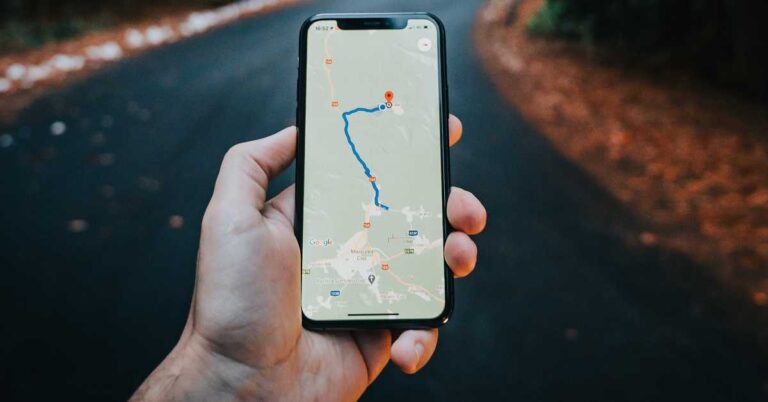
Google Maps is an online mapping service owned by Google. It is one of the most widely used mapping applications across different platforms. Google Maps presents features like satellite images, street maps, and interactive panoramic views. It is a handy app that tells you about traffic conditions and the estimated time of arrival (ETA) for various means of transport.
Why would you mark a location as ‘favourite’ on Google Maps?
Google Maps allows you to save the searched location into the following three categories.
Want to go: This is the list of the places in the world you wish to visit.
Favourites: The list keeps the location of your favourite restaurants, hotels, or parks.
Starred: This list saves the places that you can revisit inside the application.
When you label your places into one of the above categories, they will be saved in the respective lists maintained by the app. This will save the time and effort of searching the desired place every time you wish to explore it. You can save as many places as favourites as your want.
How to save your favourite places on Google Maps using an Android or an iOS device?
To save your favourite places on Google Maps using an Android or an iOS device, follow these steps.
Launch the Google Maps app on your Android or iOS device.
On the search bar, type the location you want to save as your favourite location.
Tap on the location to get a list of the following options.
Directions
Save
Label
Share
Download
Tap the Save option.
Now, you’ll get another list of the following categories.
Favourites
Want To Go
Starred Places
Select the Favourites option
Tap the ‘X’ located on the top right corner to get back to the start screen.
You may access that list of your favourite places on Google Maps just by launching the app and going to the Saved section.
How to save your favourite places on Google Maps using an Android or an iOS device?
How to save your favourite places on Google Maps website?
To save your favourite places on Google Maps website, follow these steps.
LinkedIn, an American business and employment-oriented online service, recently announced that it will feature an audio-only set up on its platform. This revelation has brought LinkedIn into the race among other social platforms for developing social audio media platforms.
Why social media companies competing against Clubhouse?
The ongoing COVID-19 pandemic has given rise to the trend of online meetings. Applications like Google Meet, Microsoft Teams, and Zoon Video Communications have kept people connected even during lockdowns when conventional meetings can’t be conducted.
Social interaction through online conversation was popularised by Clubhouse. The Clubhouse is an invitation-only OS application that promotes communication in a group of individuals via audio chats. Initially, the Clubhouse had a limited number of users as well as features. Earlier, people could join a group by either accepting an invitation or by getting endorsed by other users.
The COVID-19 pandemic led people to use Clubhouse as a means of social interaction. This prompted other social media platforms to produce their versions application featuring audio-chats.
Why social media companies competing against Clubhouse?
How does LinkedIn’s audio-only feature help professionals?
Linked is different from other social media platforms like Facebook and Twitter. It is dedicated to promoting connections among professionals. Owing to the increasing popularity of the Clubhouse application, LinkedIn wants to bring an audio-only set up on its platform soon.
The audio-only set up of LinkedIn would consolidate the communication among professionals by the use of social audio media elements. The company recently added new features to the platform for a better experience such as Stories and live broadcast feature. The new audio-only setup would further help people to interact with each other and probably in their preferred languages.
Which companies have started competing with Clubhouse?
The chain reaction of featuring an audio-only setup has already started. This is evident because major social media and streaming platforms like Facebook, Twitter, and Spotify are replicating the live-audio feature that was popularised by Clubhouse.
The Spaces from Twitter has gained much popularity since its release on the Android platform. But now, the iOS version enables the users to join, speak, and listen in an audio conversation. Twitter permits up to 11 people to speak in a Space at any given time. The host can decide who will speak from the following three categories:
Everyone
People you follow
Only people you invite to speak
Which companies have started competing with Clubhouse?
Spotify, a Swedish audio streaming and media services provider, is planning to release live audio recordings. The platform is already renowned as a music and podcast streaming service. Spotify recently revealed to acquire Betty Labs, the developer of the well-known sports audio application ‘Locker Room’.
Other major companies that have announced their audio conversations set up are Facebook, Telegram, Spotify, and Discord. Their versions of audio-only set up are in the development phase and may arrive in the coming months.
For the latest gadget and tech news, and gadget reviews, follow us on Twitter, Facebook and Instagram. For newest tech & gadget videos subscribe to our YouTube Channel. You can also stay up to date with the Gadget Bridge Android App.
Bluetooth technology has made a significant advancement in recent years. It has enabled users to get a high-quality listening experience via wireless sound systems.
What is a Bluetooth codec?
A Bluetooth audio codec plays a critical role in providing high-quality sound through your wireless earphones. Unlike wired earphones, the transmission of audio signals takes place through electromagnetic signals. For successful data transmission with a minimum loss, the codec compresses the audio signals produced by your Android device. The compressed data is transmitted wirelessly to an audio device such as an earphone. The codec again decompresses the data to render it as a natural sound.
Why do we use a Bluetooth codec?
A human ear can perceive sounds of frequencies ranging between 20HZ and 20KHz. Premium wireless audio devices like high-quality earphones and headphones are able to produce crystal-clear sound in the audible frequency range. However, a majority of less expensive earphones or headphones miss out on few frequencies.
A Bluetooth codec ensures that the hardware of the wireless earphones is utilised to an optimised level to offer an enhanced sound quality. When you enable a codec or switch to a better codec version, the sound quality is automatically improved. The support for Bluetooth codec was first introduced with the Android 8.0 Oreo operating system.
Why would you change the Bluetooth codec on your Android device?
There are several kinds of Bluetooth codec including LDAC, SBC, and aptX HD. The quality delivered may differ across codecs of different brands. To ensure best-quality audio, your Android device spontaneously gets paired with the best-quality codec supported by your earphone.
Sometimes, the audio quality rendered by the selected codec is not up to the mark. You may want to switch to another Bluetooth codec. The android operating system permits you to select a codec of your choice provided it is compatible with your earphones.
Why would you change the Bluetooth codec on your Android device?
How to enable or change the Bluetooth codec on your Android device?
To activate or modify the Bluetooth codec on your Android device, follow these steps.
Launch the Settings application on your device.
Click the About Phone option. This will display the details about the hardware and software like Phone Name, Network, and Battery.
Tap on the Build Number repeatedly seven times to activate the Developer Options.
Scroll down and select the desired Bluetooth audio codec.
PayPal, an American online payments firm, recently announced that it shall permit the use of cryptocurrency in the US for making payments at several online merchants worldwide.
What is the new feature of PayPal?
The new feature of PayPal is called ‘Checkout with Crypto’ that was rolled out today and is an extension to the current facility provided to US users. Till now, the platform enabled users to buy and sell cryptocurrency straightaway via their accounts. With the ‘Checkout with Crypto’, the users will not only be able to make transactions but also immediately change their Bitcoin, Bitcoin Cash, Ethereum, or Litecoin to US dollars.
According to Dan Schulman, President and CEO of PayPal, “This is the first time you can seamlessly use cryptocurrencies in the same way as a credit card or a debit card inside your PayPal wallet”.
PayPal wants to encourage people to use cryptocurrency as a significant mode of payment. As a result, the company will not charge any intermediate fee for making transactions in cryptocurrencies. Moreover, the fiat conversions will occur as per the standard PayPal conversion rates.
How to use the new ‘Checkout with Crypto’ feature?
The users in the US can find the new ‘Checkout with Crypto’ feature in their PayPal wallet. It must be noted that the feature will only appear if the user has a minimum cryptocurrency balance for making an eligible purchase.
The app will display the crypto balances for kinds of cryptocurrencies including Bitcoin, Bitcoin Cash, Ethereum, and Litecoin. According to PayPal, the user will be allowed to use only one type of cryptocurrency for making a purchase.
How to use the new ‘Checkout with Crypto’ feature?
What is the significance of the new ‘Checkout with Crypto’ feature for PayPal and Tesla?
PayPal is one of the most preferred digital platforms across the globe. The new ‘Checkout with Crypto’ feature is expected to make the company a reliable cryptocurrency exchange medium as well.
According to Dan Schulman, President and CEO of PayPal, “Enabling cryptocurrencies to make purchases at businesses around the world is the next chapter in driving the ubiquity and mass acceptance of digital currencies”.
PayPal’s new feature will also open new payment options for the associated brand Tesla. PayPal announced the new feature only a week after Elon Musk, Tesla’s CEO revealed that people can make payments in bitcoins for buying Tesla cars. The electric vehicle company even bought $1.5 billion worth of cryptocurrency to show that it is interested in offering flexibility and diversity in the investments and returns.
However, this will not be valid in many countries such as India. The Indian Government or banks do not recognise cryptocurrencies.
For the latest gadget and tech news, and gadget reviews, follow us on Twitter, Facebook and Instagram. For newest tech & gadget videos subscribe to our YouTube Channel. You can also stay up to date with the Gadget Bridge Android App.
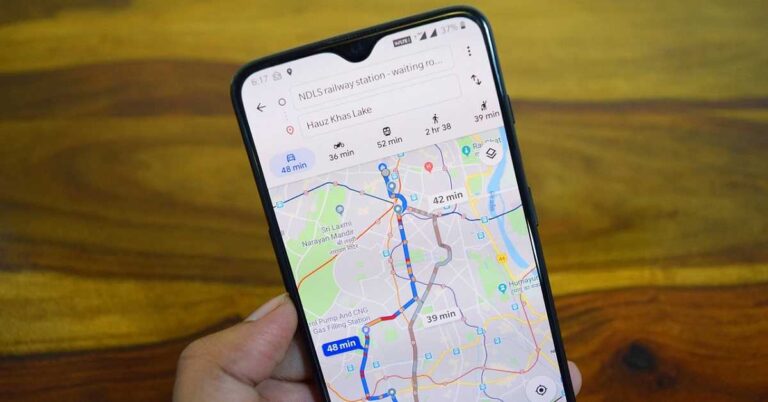
Google announced a set of new features for its web mapping service named Google Maps. The new features include indoor navigation and eco-friendly driving route suggestions. The company may release the features in batches rather than all in a single update. Also, not all features are expected to be available in all countries.
What are the new upcoming features of Google Maps?
The following are the new features of Google Maps that may be released in the upcoming application updates.
Live Augmented Reality
This feature is one of the major announcements regarding the Google Maps updates. Using Live Augmented Reality, the app will provide directions to various places including airports, shopping malls, and transit stations. In the Augmented Reality view, you will see icons indicating the directions. The feature earlier worked only in the outdoor environments. Now, it will show directions in an indoor location consisting of multiple floors.
New interface for Transport Options
Google Maps will get a new interface for route directions and modes of transportation. The company will turn its tabs view into a scroll view so that users can easily see the details about various transport options. Based on the traffic situations in different cities, Google Maps will prioritise the suitable modes of transportation for each city. The new interface will be available in the next few months.
Optimised Driving Route Suggestions
To make optimise transportation, the Google Map will prioritise different routes as per the fuel consumption. Currently, the application suggests the route with the minimum travelling time. The new update will, by default, recommend the most fuel-efficient route. This feature will be released globally on Android and iOS platforms.
What are the new upcoming features of Google Maps?
Low-emissions Zones Alert
Google is planning to initially release this feature in countries having regulations of emissions like the UK, France, Germany, and the Netherlands. As soon as you enter a low-emission zone, the app will automatically send you an alert to check your vehicle emissions. This feature conforms to the regulations that don’t permit vehicles beyond a certain level of emissions.
Weather and Air Quality information
Weather and air-quality information are searched quite frequently by people who are moving from one place to another. Google Maps will get new layers of air-quality indices in countries like the US, India, Australia, and Australia. These are countries usually have one of the highest values of air quality indices. The weather layer will be added in the Google maps globally on Android and iOS platforms.
Grocery Pickup Tool
This tool will ensure a fast and hassle-free grocery buying experience. This feature will initially be rolled out in selected grocery shops in selected parts of the world. Using the grocery pickup tool, the users will be able to share their location and the estimated time of arrival (ETA). As a result, the grocer will keep your order ready beforehand saving time and inconvenience.
Google Maps already provides dozens of features that make travel from place to place convenient and fast. The above features will expand the reach of the app to indoor levels and make your travel eco-friendly.
For the latest gadget and tech news, and gadget reviews, follow us on Twitter, Facebook and Instagram. For newest tech & gadget videos subscribe to our YouTube Channel. You can also stay up to date with the Gadget Bridge Android App.


 Noise Buds Play features
 a 10mm speaker-driver paired with TruBassTM technology. While the quad microphone support enables clear and crisp audio. One can also switch to its integrated ENC mode that cancels external sound to keep your audio locked in and clear. It cancels all environmental noise up to -25 dB so that you can hear and be heard even in the busiest of areas.
For instant connections the Noise Buds Play comes with Hyper Sync technology, simply open up your charging case and the earbuds intuitively connect to your smartphone even before you insert them in-ear. As per the company the same technology helps to conserve power by automatically turning off the earphones when placed back in their case.
Noise Buds Play features
Noise Buds Play features a 10mm speaker-driver paired with TruBassTM technology. While the quad microphone support enables clear and crisp audio. One can also switch to its integrated ENC mode that cancels external sound to keep your audio locked in and clear. It cancels all environmental noise up to -25 dB so that you can hear and be heard even in the busiest of areas.
For instant connections the Noise Buds Play comes with Hyper Sync technology, simply open up your charging case and the earbuds intuitively connect to your smartphone even before you insert them in-ear. As per the company the same technology helps to conserve power by automatically turning off the earphones when placed back in their case.
 The earbuds offer a total of 25 hours of playback combined with the charging case. The earbuds themselves provide 5 hours of runtime backed by 4 additional 5-hour charges from the portable charging case. While the auto in-ear detection lets the device intuitively play and pause music when you put in and take off the Buds Play. Simply put on the TWS earbuds as they automatically play audio – picking up from where you last left off.
The Noise Buds Play comes with full touch control and can be seamlessly operated without any physical buttons. Only a few light taps is all that is needed to control playback, regulate volume and trigger the voice assistant. It also includes the IPX4 rating With USB Type-C support, you can completely charge the earphones in a little over an hour. With Bluetooth 5.0 it stays connected up to a 10-metre range of coverage for Lag-free and consistent sound.
For the latest gadget and tech news, and gadget reviews, follow us on Twitter, Facebook and Instagram. For newest tech & gadget videos subscribe to our YouTube Channel. You can also stay up to date using the Gadget Bridge Android App.
The earbuds offer a total of 25 hours of playback combined with the charging case. The earbuds themselves provide 5 hours of runtime backed by 4 additional 5-hour charges from the portable charging case. While the auto in-ear detection lets the device intuitively play and pause music when you put in and take off the Buds Play. Simply put on the TWS earbuds as they automatically play audio – picking up from where you last left off.
The Noise Buds Play comes with full touch control and can be seamlessly operated without any physical buttons. Only a few light taps is all that is needed to control playback, regulate volume and trigger the voice assistant. It also includes the IPX4 rating With USB Type-C support, you can completely charge the earphones in a little over an hour. With Bluetooth 5.0 it stays connected up to a 10-metre range of coverage for Lag-free and consistent sound.
For the latest gadget and tech news, and gadget reviews, follow us on Twitter, Facebook and Instagram. For newest tech & gadget videos subscribe to our YouTube Channel. You can also stay up to date using the Gadget Bridge Android App.