Google Maps has made significant progress over the years changing the way we navigate the world. In our day-to-day life, it helps us reach our destination on time evading traffic delays and blockages. This has made Google Maps one of the most regarded apps in our Android smartphones. But you need to know some tricks to enhance the utlisation of Google Maps. Here are some lesser-known tricks of Google Maps that we love to use, almost regularly.
1) Save your parking location
Sometimes we tend to forget where we have parked our vehicle particularly in large parking areas like malls, and new places. Google Maps can obtain your parked vehicles. To save your vehicle parking location, just tap the blue dot followed by clicking ‘Save your parking’. This would generate a label on the map recognizing where the vehicle is parked. To activate the parking reminder, swipe on the label once you save your parking location to begin the parking card and attach the details regarding your parking. You can even share your parking location with your friends and family.
Save your parking location
2) Navigate for multiple destinations
Google Maps allows navigation to multiple destinations. This feature is useful when you have to visit places successively. For instance, you might first want to go back home and then visit a grocery store. You can add multiple stops in the Maps and drive efficiently. You just need to search for your final destination and select the three dots and then ‘Add stop’ to add the desired place as your destination. Google Maps allows you to add up to 9 stops and rearrange them according to the route.
3) Save Your Home and Work addresses
Traversing from your home to your workplace is a daily task. There are several advantages of setting up your home and work addresses on Google Maps. You don’t need to find and set the destination every time you begin your journey. You just have to say, “OK Google, navigate to home”. To set your home and workplace, follow these steps.
Open Google Maps
Select the hamburger icon located at the top left corner of the screen.
Select Your Places. You’ll see two entries, ‘Home and ‘Work’.
Fill in the respective addresses in two fields.
Save Your Home and Work addresses
4) Use voice commands while driving
Using your smartphone while driving is risky. It is way easier to speak than to type while traveling. Google Maps accepts voice commands via speech. Here are a few voice commands that you can try.
Mute: Mutes voice guide
Show traffic: Displays the traffic on the route
Navigate Home: Navigates to your Home address
Show my ETA – Displays the estimated time left to reach your destination.
Use voice commands while driving
5) Make Maps Available Offline
Google Maps allows you to download an area from Google maps for offline use. Once saved in your smartphone, you can use the map like using online, including seeking locations and navigation. This is exceptionally handy when you are going to the mountains or places where the mobile network connectivity is low or not there. Just see the route first in a good network zone and download the map for future use. You can follow these steps.
Open the Google Maps
Long press the region you want to download.
When a red pin appears with a pull-up menu below, Swipe up and select Download’.
You can resize and move the area to be downloaded. Once sure, press Download’.
Microsoft is intending to include the text prediction feature in Word starting March 2021. The new functionality, just like the existing predictions feature in Google Docs’ Smart Compose, will utilise Machine Learning to predict what the user can type as next words. This innovation will accelerate the document typing process for the user.
According to Microsoft, the new feature in Word will help “users write more efficiently by predicting text quickly, timely and accurately.”
How will Microsoft Word’s Predictive Text Feature work?
As in Google Docs, the predictions feature on Word will highlight the predicted text in grey so that the user can include it in his file by pressing the ‘Tab’ key. He can even reject the predictive text by pressing ‘Esc’. The company says that the predictions will gradually become better as the Machine Learning algorithms recognise the writing pattern of the user. You will be able to turn off the predictive text feature on the whole if you don’t want to take the predictive words. The company claims that the data collected to implement the Machine Learning algorithm will not “leave the tenant boundary” and no other users will be able to fetch it. However, Microsoft Word users are free to file any complaints or give suggestions to the company regarding the new and old features by navigating to Help > Feedback.How will Microsoft Word’s Predictive Text Feature work?
When will Microsoft roll out Word’s Predictive Text Feature?
The text-prediction feature is expected to arrive in Microsoft Word in March. In September 2020, Microsoft presented the details about the text prediction feature in Word and revealed that what you type doesn’t leave the “tenant boundary” of your system. In other words, Whatever you type, is not captured by the software. According to Neowin, the feature has been included in the Microsoft 365 public roadmap and is expected to arrive next month. Microsoft had already released the text predictions feature for Outlook for the web in November 2020. This new feature appears to be associated with Microsoft 365. However, it’s not clear if the feature will be a part of the new Microsoft Office 2021. According to an official blog post, this new feature is available only for 50 percent of users of Windows Beta Channel running Version 2010 Build 13301.20004 or succeeding and to all Microsoft 365 SKUs on Word online leaving out the Microsoft 365 Business Basic, Microsoft 365 F3, Microsoft 365 A1.
When will Microsoft roll out Word’s Predictive Text Feature?
What can be the implications ofMicrosoft Word’s Predictive Text Feature?
Predictive typing does not predict the entire sentence as it is trained to figure out only how you’re going to start or end a sentence though it’s not always accurate at the middle bits. The accuracy of the Machine Learning algorithm decreases as it’s required to make tougher guesses on fewer data. In 2020, OpenAI released a machine-learning-based text generator known as GPT-3 that is exceptionally accurate at producing texts that are tough to distinguish from human writing. But, it’s important to note that although algorithms like GPT-3 are excellent at constructing coherent sentences, they still falter at producing prose that’s logical. Thus the predictive typing feature in Word could be utilised to complete writing that obeys a template formula but can’t replace human effort in the real work of research and rhetoric.
What can be the implications of Microsoft Word’s Predictive Text Feature?
Google had released its text predictions feature for its suite of applications in 2019. This made Google Docs the first choice for many people as it enhanced their typing speed and standard. The new prediction functionality could help Microsoft Word regain the market as it used to before Google dominated. Microsoft expects to release the predictions feature in Windows Outlook for enabling users to write refined mails at a faster pace.
For the latest gadget and tech news, and gadget reviews, follow us on Twitter, Facebook and Instagram. For newest tech & gadget videos subscribe to our YouTube Channel. You can also stay up to date with the Gadget Bridge Android App.
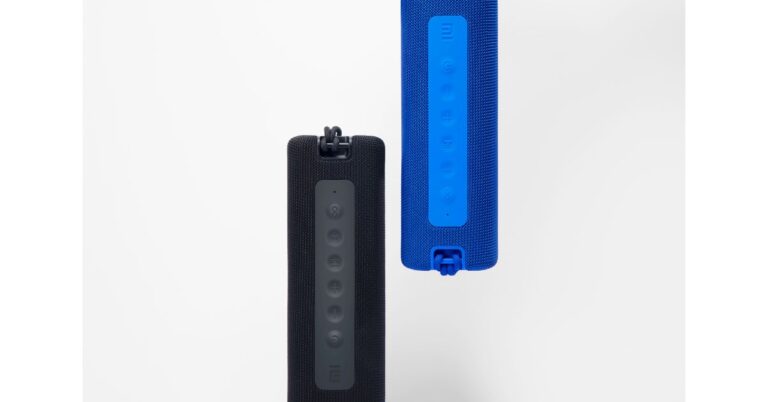
The Mi Portable Bluetooth Speaker (16W) and Neckband Bluetooth Earphones Pro have made their debut in the country. The wireless device comes with a compact design and is claimed to deliver high-quality sound, deeper bass, clear and rich vocals. The Mi neckband features active noise cancellation (ANC), while the Bluetooth Speaker comes with a two-driver setup and IPX7 rating for water resistance.Mi Portable Bluetooth Speaker (16W) and Neckband Bluetooth Earphones Pro: Price and AvailabilityMi Portable Bluetooth Speaker (16W) and Neckband Bluetooth Earphones Pro have been launched in India with a price tag of Rs 2,499 and Rs 1,799, respectively. Both the devices will be available via Mi.com and Mi Home starting February 22 and through Amazon starting March 1st in the country.Mi Portable Bluetooth Speaker (16W) will be available in Black and Blue colour variants. Similarly, Mi Neckband Bluetooth Earphones Pro will also be available in Black and Blue colour options.Mi Portable Bluetooth Speaker (16W): SpecificationsMi Portable Bluetooth Speaker (16W) features twin8W full-range drivers for a better sound experience. The device comes with a stylish vibrant mesh and trendy design in addition to anti-slip paddings that make the device handy and provides a strong grip that reduces the risk of any accidental slips. There are dual sound modes on the portable speaker and one can easily switch between normal and deep bass modes, as per mood and occasion. The Mi Bluetooth speaker can be paired with other speakers using TWS mode for enhanced sound quality. The device has an IPX7 waterproof rating and can be immersed underwater for 30 minutes, at a maximum depth of 1 meter. It is backed by a 2,600mAh battery. It is touted to last for up to 13 hours on a single charge. In addition to this, there is a built-in microphone for taking calls and voice assistants’ support.Mi Neckband Bluetooth Earphones Pro: SpecificationMi Neckband Bluetooth Earphones Pro is the latest addition to the company’s Bluetooth earphone range. The device features a 10 mm dynamic driver and comes with a new anti-cerumen design & anti-blockage speaker net. This design will help keep the buds clean and wax-free. Whereas the anti-blockage speaker net helps to block small particles that seep inside the device via the speaker net. The Mi earphones have a one-click Active Noise Cancellation (ANC), the earphone puts an end to various surrounding noises by counteracting the noise waves and bringing down the surrounding noise spectrum by 25dB. On the other hand, the Environmental noise cancellation cancels out the ambient noise during a call. The microphone on the audio device detects the direction of the speech and suppresses the environmental noise up to 90% to deliver a crystal clear voice call experience. It also features 125ms low Latency audio for a delay-free audio experience with better and faster gaming too. The Mi Neckband Bluetooth Earphones Pro is IPX5 rated as well for splash and sweat resistance. It can also provide up to 20 hours of battery life.
For the latest gadget and tech news, and gadget reviews, follow us on Twitter, Facebook and Instagram. For newest tech & gadget videos subscribe to our YouTube Channel. You can also stay up to date using the Gadget Bridge Android App.
When you are required to write a document in Microsoft Word, using a template can be useful. Not only does it save time, but also lets you know the right format for writing all kinds of documents like resume, report, or proposal. Templates give you a head start with built-in formatting features. Most of the business tools and software are quite expensive. Here are the top five free websites that offer the best selections of Microsoft Word templates.
1) Microsoft Office Online
To find free Microsoft Word templates, there can’t be a better place to start than with Microsoft Office Online. The benefit of using this website is that your templates come straightaway from Microsoft.
The resource manages its templates carefully so that you can scan by using keywords or category, event, and occasion. Here, you can find hundreds of free templates for MS-Word like resumes, cover letters, brochures, and cards. When you see the desired template, select it to see a short description of it. Click the ‘Download’ button to save it on your computer or click ‘Edit in Browser’ to open the template right in the Microsoft Word Online interface.
Microsoft Office Online
2) Template.net
This is another great resource for getting free Microsoft Word templates. The website is easy to navigate as you can simply use the ‘Templates’ button located at the top and then choose a category from the ‘Free Templates’. Template.net offers you free Word templates on a variety of subjects like agreements, invoices, planners, and vouchers. As soon as you select a category, you will view an organized array of results. Each template contains icons for purposes that are compatible. To download the templates, you will need to sign up for a free account. Once you are logged in, just click ‘Free Download’ and continue through the on-screen instructions to get the templates.
Template.net
3) Vertex42
Vertex42 is one of the most preferred websites for free Microsoft Office templates. At the top of the website view, you will find a navigation button named Word Templates that will take you to a gallery of hundreds of free Microsoft Word designs. Here you can find sample letters, checklists, logs, resumes, agendas, and flyers. As soon as you choose a template to view or download, you will find associated templates located at the super helpful bottom. When you see the template of your choice, just select it to get a description bout it like compatible applications and versions. Now, choose your version of Word followed by clicking the ‘Download’ button.
Vertex42
4) WordTemplates.org
WordTemplates.org is a website that offers hundreds of free Microsoft Word templates for your work, business, or home. As soon as you visit the website, you will find a simple way to explore common categories including certificate, contract, business, brochure, and flyer. You can even go through the ‘recent’ and ‘popular’ options apart from searching on specific subjects. Each template offers provides a relevant description and image. When you see the desired template, just select it and click the ‘Download Now’ button. The best thing is that you don’t need to sign up for an account to get free templates.
WordTemplates.org
5) Hloom
Hloom is a website that offers free templates for all Microsoft Office applications including Word. When you land on the website, you will find the ‘Free Templates’ option located at the top. Here you can find free templates on diverse subjects including invoices, flyers, certificates, and invitations. In the ‘Template Collections’ section, you can see the templates arranged into categories ranging from agreements to surveys. When you find the desired template, select it to get the description and samples. To save a template on your computer, just click the ‘Download’.
Hloom
For the latest gadget and tech news, and gadget reviews, follow us on Twitter, Facebook and Instagram. For newest tech & gadget videos subscribe to our YouTube Channel. You can also stay up to date with the Gadget Bridge Android App.
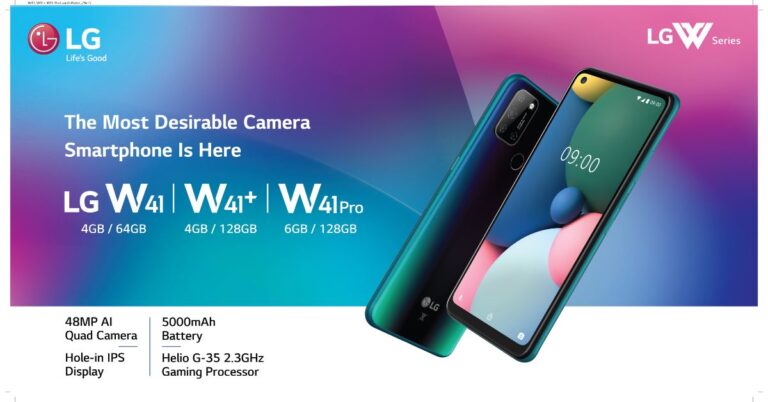
The South Korean Electronics brand LG has announced the launch of its new W smartphone series in India. The lineup includes LG W41, W41+ and W41 Pro. All three budget smartphones come with 48-megapixel quad rear cameras, a hole punch design display and are backed by a 5,000mAh battery. In addition to this LG W41 series also features a dedicated button for Google Assistant.LG W41, W41+ and W41 Pro smartphones: Price and availabilityW41, W41+ and W41 Pro will be available in a single configuration. The price of the regular variant is set at Rs 13,490 for the 4GB RAM with 64GB storage while the W41+ comes with a price tag of Rs 14,490 for the sole 4GB RAM with 128GB storage. The S41 Pro variant is priced at Rs 6GB RAM with 128GB storage. All the devices will be available in Laser Blue and Magic Blue colour options.LG W41, W41+ and W41 Pro: SpecificationsAll three smartphones come with similar specifications; the only difference is their RAM and storage options. The W41 smartphone series features a 6.5-inch HD+ HID Full Vision display offering 720×1,600 pixels of resolution with 20:9 aspect ratio and 400 brightness level. The devices are powered by an octa-core MediaTek Helio G35 SoC clocked at 2.3GHz paired with up to 6GB of RAM and 128GB of storage.LG W41+In terms of photography, there is a quad rear camera setup on the LG W41, W41+ and W41 Pro smartphones that includes a 48-megapixel primary sensor. Furthermore, there is an 8-megapixel ultra-wide-angle lens, a 2-megapixel depth sensor and a 5-megapixel macro lens. All the smartphones sport an 8-megapixel selfie camera.The LG W41 series smartphones are backed by a 5,000mAh battery and a rear-mounted fingerprint sensor. In terms of connectivity, there are 4G LTE, Wi-Fi, Bluetooth 5.0, GPS/ A-GPS, and a USB Type-C port for charging.LG W41 ProCommenting on the occasion, Mr. Advait Vaidya, Business Head- Mobiles, LG India, said, “As a consumer-centric brand, LG understands the needs of its consumers. Keeping up with the latest trends our W41 range of smartphones tick all the right boxes. The latest smartphone range is an embodiment of LG’s commitment towards meaningful innovation to provide consumers with a stylish and powerful smartphone that caters to today’s audience. Our Make in India efforts has resulted in producing innovative smartphones, compelling enough to be truly yours.”
For the latest gadget and tech news, and gadget reviews, follow us on Twitter, Facebook and Instagram. For newest tech & gadget videos subscribe to our YouTube Channel. You can also stay up to date using the Gadget Bridge Android App.
Making a PowerPoint presentation can be a time-consuming task. You not only have to manage the content, but also take care of the overall appearance. The beautifying task can take a lot of time and effort on your part. Nowadays, you can find several websites where you can give PowerPoint templates free download on a variety of subjects. So, you don’t create everything from scratch. Here are the top websites offering free templates to make your presentations stand out and text files.
1) Presentation Magazine
This website gives more than 67,000 productive, free PowerPoint templates. It has more than a dozen sections to skim from including medical, educational, wedding, business, and nature. You can explore for them by popularity or tag. The templates are both natural and animated that are updated regularly. They’re also straightforward to download as you get the file instantly on your computer. Moreover, you can also view a screenshot of how will look on your slide. Although the website has no rating system, you get a plethora of variety to pick from.
Presentation Magazine
2) Behance Slide Template Collection
Behance is a showcase website where you can find some professionally designed attractive slide templates. The best part is that you can download for free and use them in your PowerPoint presentations. You can even utilise the search filter to obtain some of the finest templates using variables like user ratings, most appreciated, infographic, or business presentation. To see what your deck will look like, you take a look at the preview of the slide design.
However, if you want to get templates from Behance, you will require access to Adobe Illustrator or Photoshop.
Behance Slide Template Collectio
3) PowerPoint Styles
PowerPoint Styles is a website where you can get free PowerPoint templates that fit your requirement by classifying the list according to the most viewed, recent, or top downloaded. You get categories and tags to assist you to find general templates including textures, abstract, cartoon, and social. Each template you get has a screenshot enabling you to envisage what the actual design will look like.
All the templates can be downloaded as PowerPoint files making them easy to include in your presentation. The website gives you the flexibility to choose any colour as the primary colour. However, the disadvantage of this website is the advertisements that make it tedious to seek the proper download button and other features for the desired template. There are a lot of PowerPoint templates free downloads here.
PowerPoint Styles
4) Showeet
Showeet presents its free PowerPoint templates with a lot of data about each one. Here you can scan the popular templates by tags including pattern, fun, and business. The download pages you open come with preview images, and instructions on how to use your template and make them look attractive. The template gallery is updated from time to time. To know about the latest designs, you can follow them on social media. Each template you download is stored in a ZIP file, so you need to extract the files before adopting them in your presentation.
Showeet
5) fppt.com
fppt.com is a popular website to get free PowerPoint templates. It has a huge collection of professional templates of different categories like business, wedding, nature, abstract. You can readily find a template that suits your needs by refining your searches by keyword, category, tags, or themes. The website offers user comments and the number of downloads to help you decide whether you want to keep a specific template.
Moreover, you don’t need to register or wait for an advertisement to download the desired template. However, the website does not provide enough screenshots while some templates are large in size and may take some time to download. There are a lot of PowerPoint templates free downloads here, too.
fppt.com
6) SlideUplift
Another great website from where you can download Microsoft PowerPoint templates is SlideUplift. They provide you with a huge library of PowerPoint templates designed on the principles of visual science and storytelling. No matter what your profession is, a project manager or marketing manager, you will find a PowerPoint template suited to every business need. There is a huge library of frequently used PowerPoint templates like Executive Summary, Project Management, Strategy, Timelines, and many more. Their PowerPoint templates are sure to lift your slide deck. Give them a try by subscribing to their free PowerPoint template library.
7) Template.net microsoft PowerPoint (PPT) templates
Employees and students can use presentations to demonstrate their abilities. There are a variety of ways to present a topic, but using Microsoft PowerPoint at Template.net is always the best choice. With Microsoft PowerPoint Templates, you can start making stunning presentations right away! You can customise the text, photographs, and graphics in each design to fit the type of content you’ll be presenting. Their templates are available in 4:3 or 16:9 HD sizes, making it easier to see each slide. Don’t get too worked up over it. Subscribing to their website now will give you access to even more incredible bargains!
8) Sketchbubble
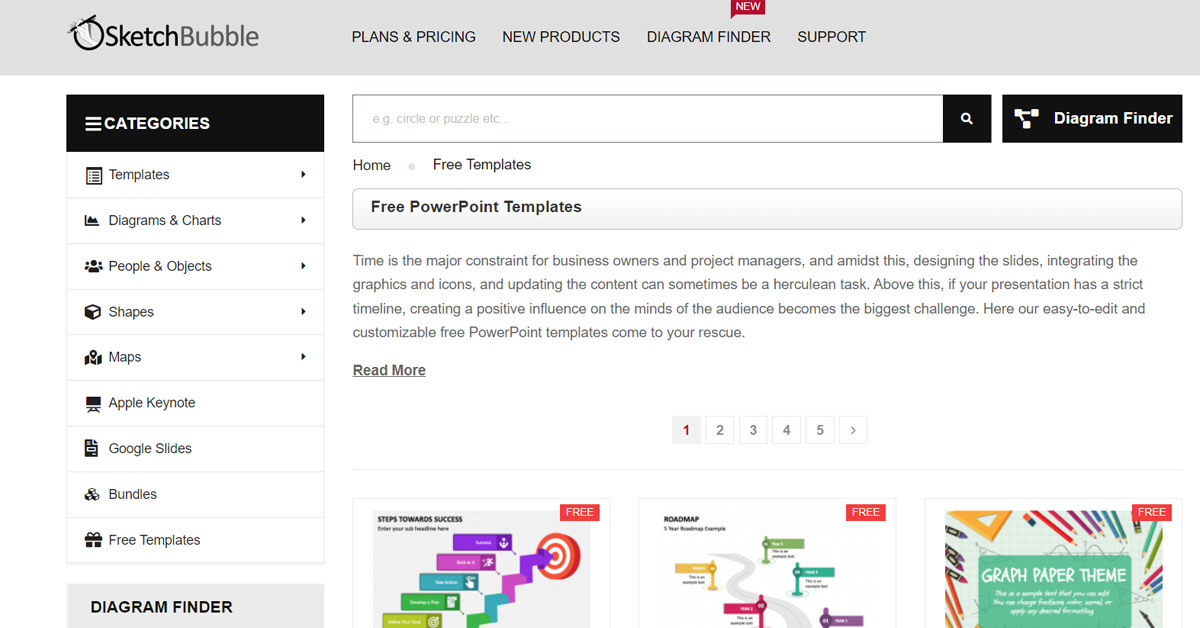
Another website where you can get good templates is Sketchbubble. There are hundreds of templates to choose from for professional as well as day-to-day use. No matter what type of presentation you are thinking of, you will definitely find a PPT template in the repository of this website.
For the latest gadget and tech news, and gadget reviews, follow us on Twitter, Facebook and Instagram. For newest tech & gadget videos subscribe to our YouTube Channel. You can also stay up to date with the Gadget Bridge Android App.
The Japanese laptops manufacturer VAIO Corporation has launched its latest flagship laptop in the market. The company has unveiled the VAIO Z (2021) laptop powered by an 11th-generation Intel Core i7 processor and Intel Iris Xe graphics. The device features a 14-inch display with a 4K resolution. The laptop comes with a contoured carbon fibre build for toughness.Kaoru Hayashi, Director, Vice President and Head of PC Business at VAIO Corporation proudly states, “It is with great pleasure that we introduce VAIO Z to the world. With over a decade of relentless carbon fiber research, VAIO has succeeded in creating and mass-producing the world’s first 3D molded full carbon chassis for laptop PCs. VAIO Z (2021) laptop: Price and AvailabilityThe price of the VAIO Z (2021) laptop in India has been set at $3,579 for the 16GB RAM and 512GB storage that translates to Rs 2,59,900. The 16GB RAM and 1TB storage variant will cost $3,779 that is roughly around Rs 2,74,400 while the price of the 16GB RAM and 2TB storage variant is $3,979 that comes around Rs 2,88,900. Lastly, the 32GB RAM and 2TB storage variant will be available with a price tag of $4,179 that translates to RS 3,03,400.At the moment the VAIO laptop is available in the US market and the details of the Indian availability and pricing is yet to be revealed by the company.Vaio Z (2021): Technical SpecificationsThe Vaio Z (2021) laptop comes with a 14-inch Ultra-HD 4K display having 3,840×2,160 pixels of resolution with HDR support and a lid that can open up to 180 degrees. The device comes integrated with Dolby Audio speakers for crystal clear sound. Under the chassis there is an 11th-generation Intel Core i7 processor and Intel Iris Xe graphics and is claimed to comes with the company’s proprietary Vaio TruePerformance technology to boost CPU power limits and to control heat emission.The Vaio Z (2021) laptop will be available with up to 32GB of LPDDR4 RAM and up to 2TB of PCIe SSD storage. The users can easily log into the laptop using the fingerprint sensor and with the Windows Hello facial recognition technology. The Vaio laptop runs on Windows 10 Pro and comes with an inclined backlit keyboard with a 1.5mm key pitch stroke including a multi-touch supporting touchpad. In addition to this there is a built-in webcam with a physical camera shutter on the device For connectivity there are two USB Type-C Thunderbolt 4 ports, an HDMI port, and a 3.5mm audio jack. In addition to this, there is Wi-Fi and Bluetooth as wireless connectivity options.According to the company, VAIO Z can last for 10 hours on a single charge with the support of 65W fast charging tech
For the latest gadget and tech news, and gadget reviews, follow us on Twitter, Facebook and Instagram. For newest tech & gadget videos subscribe to our YouTube Channel. You can also stay up to date using the Gadget Bridge Android App.
With the advancement of the gaming culture in India, gaming chairs have become quite popular. Unlike a standard chair, a gaming chair provides extensive comfort and comes with easy-to-use functions to adjust to the needs of a gamer. During long hours of online video game streaming, gaming chairs help avoid back pain due to their reclining and height-adjustment ability. The best part is they are available in many colors and styles. Here is the list of the best gaming chairs you can buy under Rs 10,000.
1) Bantia Quad Ergonomic Gaming Chair
This gaming chair comes with a bossy look, fiery design, and a perfect 5-star rating. You get the headrest with a lumbar pillow and the crimson red and black colours perfectly complement each other. complementing black color dominates the chair. The chair has an ergonomic design with a spine support system. Bantia Quad comes with spacious dimensions and adjustable heights. Bantia Quad offers a class 4 gas lift and hence it is safe to adjust the height at all levels. Since you get a full 360 degreeswivel, the chair is ideal for anyone who wishes best functionality at the lowest price. The newly engineered frog mechanism is the best one can get in this price range allowing you to adjust the mode of the chair in the way you want.
Bantia Quad Ergonomic Gaming ChairBuy Here
2) Ant E Sports Gaming Chair
The Ant E Sports is made with accuracy and has an all-metal design that gives extensive support and makes the chair strong. It comes with a Neck Rest Pillow that helps you to sustain your posture while gaming and decreases discomfort medical issues and the butterfly mechanism makes the feature smoother. The chair cover comes with a diamond-cut design in dual-tone colour and has windows on the backrest to maintain airflow. The soft padded armrests are also made up of a thick metal frame and adjust directions when you are leaning back. This gaming chair is available in two colours and is very easy to assemble. You get a silver-painted metal base that can withstand more weight than the standard plastic base.
Ant E Sports Gaming Chair
Price: ₹9,990
Buy Here
3) Circle Gaming Chair CH50 Black
This Circle gaming chair offers a breathtaking design and exceptional premium quality. The firm padding of the chair brings it durability. The chair has a decent combination of seamless stitches and fashionable prominent stitches. The circle gaming chair is motivated by the style that flawlessly complements your gaming setup. The chair ideally goes with the internal configuration of your studio. What is fascinating about this gaming chair is the molded foam that is particularly designed to resist pressure. The chair is preferred by many gamers due to its enchanting matt black color that renders a magnificent color to the chair. Circle CH50 can move to 15 degrees and is easy to assemble.
Circle Gaming Chair CH50 Black
Price: ₹ 9,990
Buy Here
4) Savya Home Apex Apollo Gaming Chair
With a standard Robotic design, Apollo Chrome by Savya comes in a powerfully engaging white and black robotic touch. The chair is the ideal fit for your gaming setup. Apollo is designed by keeping in mind the unique requirements of a gamer. As a result, the dimensions are accurate for an average height individual. The Apollo Gaming chair is lightweight and tough. It can comfortably withstand a weight of 120kgs and has a meshed back to improve the breathability of the chair while gaming. The spring-actuated backrest can move up and down making it ideally comfortable during gaming marathons. You get 50mm super smooth caster wheels made of premium nylon material. The pneumatic gas lift enables you to adjust the height of the chair to 5 inches. Furthermore, the chair has a rust-free smooth nylon base that is sturdy to provide extra strength.
Price: ₹ 6,490
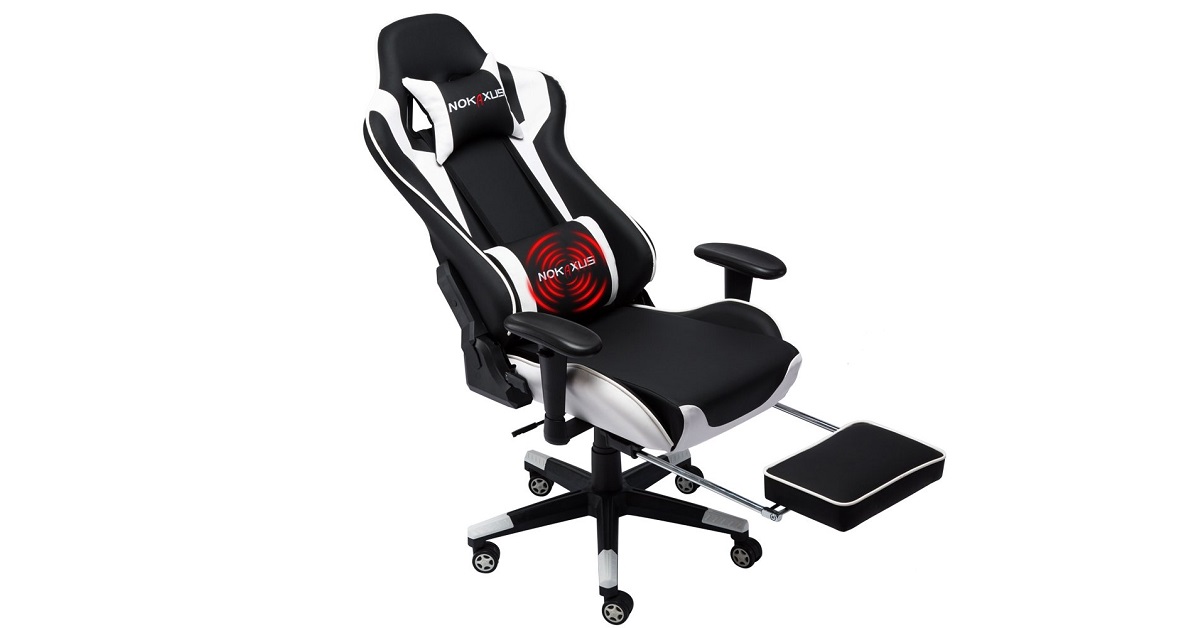
5) Nokaxus Gaming Chair
This gaming chair comes with an ergonomic design and is made of high-quality PU leather that is water-resistant. The high-density foam recovers its shapes quickly and maintains the style of the chair even during marathon gaming sessions. The backrest can recline from 90 to 180 degrees and has two pillows at the neck that are adjustable making it usable by all kinds of gamers. This gaming chair is available in 5 dual-tone colors and has a footrest that is very helpful while gaming. The backrest offers windows to keep airflow, which minimizes sweat problems and the wing design supplies a large space for resting. Moreover, the SGS Class 3 barometer presents safe and smooth seat lifting features. The thick steel frames guarantee sturdiness and dual caster wheels guard the floors against being scratched.
Nokaxus Gaming ChairBuy Here
For the latest gadget and tech news, and gadget reviews, follow us on Twitter, Facebook and Instagram. For newest tech & gadget videos subscribe to our YouTube Channel. You can also stay up to date with the Gadget Bridge Android App.
The e-commerce website Flipkart is hosting Daily Trivia Quiz. Every day it brings a bunch of new questions for its users. By answering them correctly you can win exciting prizes. The questionnaire is based on questions related to general knowledge. Also, the users can win free vouchers and super coins, among other offers via the daily quiz. February 23 Flipkart Daily Trivia Quiz Answers has already gone live on its platform.
The participant should be at least 18 years old and should have a valid login ID. The Quiz is available on the mobile platform and not the web version. E-commerce conducts the quiz on daily basis and goes live at 12:00 AM IST and runs till 11:59 PM IST. The winners are announced within 15 days from the date of participation that can be viewed under the Gems/Rewards section in the app.
How to participate in the Flipkart Daily Trivia Quiz
To participate download the Flipkart app on your phone. Then open the Flipkart app then head to Game Zone. Now click on the Daily Trivia Banner or search for Daily Trivia. Enter the game and answer all 5 questions with correct answers.
February 23 Flipkart Daily Trivia Quiz Answers
Question 1: In Which Language Did Tulsidas Write The Epic Poem Ramcharitmanas?
Answer: Awadhi
Question 2: The Death Of The Last Exponent Ishwari Prasad In 1950 Led To The Decline Of
Answer: Company Paintings
Question 3: Which Town Was Created By Sir Frederick Lawley, A Fictional British Officer?
Answer: Malgudi
Question 4: American Archaeologist Hiram Bingham Discovered Which Wonder Of The World?
Answer: Machu Picchu
Question 5: Which Country Abolished Jus Soli, Or Birthright Citizenship, In December 2004?
Answer: India
Amazon Quiz has gone live on its platform. The quiz timings are daily 12 AM to 11:59 PM. By submitting correct answers, millions of Amazon customers can win free gadgets as well as Amazon Pay Balance. By participating in the Amazon Quiz today you can stand a chance to win Echo Studio.
Daily the e-commerce platform brings a fresh questionnaire to which the contestants have to answer correctly to enter into a lucky draw. The quiz can be played daily from 8 AM to 12 noon. The Amazon Quiz contains five easy questions that are based on current affairs and general knowledge. Only one person is declared as a winner and the results are announced at the end of every month. Answering all the questions correctly might let you win something and a wrong answer will get you eliminated from the quiz. To make sure you answer all the questions correctly Gadget Bridge everyday updates all the correct answers to all 5 questions. check out today’s answers for the Quiz to win Echo Studio.
February 23 Amazon Quiz Answers
Question 1: Which country recently connected its Hualong One nuclear reactor to the power grid?
The answer is- China
Question 2: Amrut Mahotsav’ is the name given to what upcoming celebration?
The answer is- 75th Anniversary of Indian Independence
Question 3: Paul J. Crutzen, a Dutch atmospheric chemist who recently passed away, won the Nobel Prize in Chemistry for predicting what?
The answer is- Ozone Holes
Question 4: The original classic version of this world’s best-selling toy does not feature which of the following colours?
The answer is- Black
Question 5: Often made of plastic or metal, what is the tiny piece at the end of this cord called?
The answer is- An Aglet












 LG W41, W41+ and W41 Pro: Specifications





 For the latest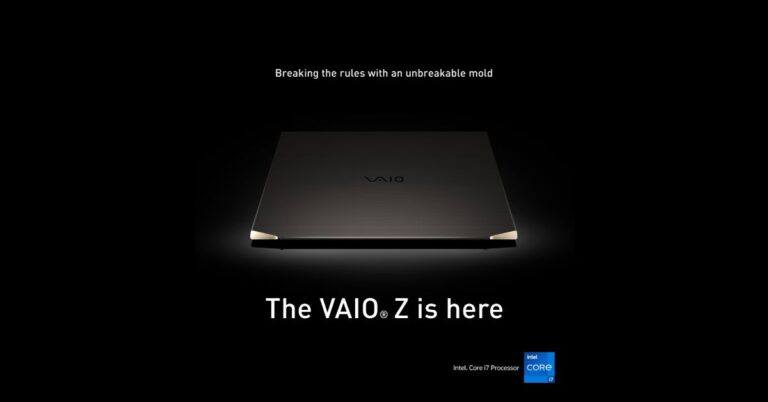
 VAIO Z (2021) laptop: Price and Availability
 Vaio Z (2021): Technical Specifications