Top 7 Ways To Find Out If Your Phone Has Been Hacked

0
With spy apps becoming more popular and accessible, more smartphone users are falling victim to illegal hacking operations. This is why installing the OTA updates and security patches is of great importance. Older devices are more vulnerable to getting hacked due to outdated security features. Once your device has been infiltrated, it can be hard to figure out that there’s something wrong with it. But, it is not impossible. In this article, we bring you the top 7 ways to find out if your phone has been hacked. Read Also: Sony WF-C700N truly wireless stereo (TWS) earphones with ANC launched in India

The battery drains faster

Spike in battery usage If you notice an immediate spike in battery usage on your phone, it is a tell-tale sign of an app using resources in the background. Your Android phone is pretty good at optimising the background usage of apps, it even lets you know when a particular app is consuming more battery than usual. When your phone is ‘hacked’ it needs constant access to your phone’s functions in order to keep tabs on your activity. This is why your phone’s battery drains faster when it has been hacked. If you’ve never had power issues with your phone before, this may warrant a thorough check-up.

Excessive data usage

Check the data usage Since batteries can deteriorate over time, you should also look for other suspicious signs in order to find out if your phone has been hacked. One of the biggest signs is excessive data usage. When a spy app gets access to your phone, it needs to report your activity to the entity that installed it. In order to do this, it uses your phone’s mobile data or the connected WiFi network. Go to Settings>Connections>Usage>Mobile data usage to check if there are any unaccounted data that has been used by your device.

The phone starts heating up without any reason

You may have noticed your phone heating up while carrying out power-intensive tasks like gaming, video editing, and navigation. However, if it heats up unprompted, it may be a cause for concern. As mentioned earlier, a hacked phone runs background processes almost all the time and reports it back to the source entity. This can cause your phone to heat up even when you’re not using it.

Check your phone for unwanted apps

4 Great Grocery Shopping Apps You Need To Try On AndroidThere are several ways to hack a smartphone. One of the most common ones is the installation of a spy app. Once the app is installed, it either stays hidden or takes the form of an inconspicuous app (like Calculator, Calendar, or Notes) in order to blend into the app drawer. Once you open this app, it will carry out all the basic functions of the app it is disguising itself to be. But you will notice something off with the design or the performance. If you suspect that someone has hacked into your phone, it is a good idea to go through every app and give it a close look. You should also check out the list of apps from your phone’s settings to look for any hidden apps on your device.

Performance issues

Even though modern are powerful devices, they cannot handle multiple power-intensive tasks at once without a few hiccups. If you notice frequent app malfunctions or a general lag in performance, it may be because of spyware running in the background. If your phone is somewhat new, this behaviour should raise an alarm.

Your phone produces a strange noise during voice calls

Once your phone is hacked, it collects and logs every minute user activity. This includes recording voice calls. Once a hacker has gained access to your phone, they can listen to a live voice call and even have your phone record it. If you notice a strange beep every time you connect to a voice call, it is a tell-tale sign that the call is being recorded. It is also possible that the other person on the call is recording it using a third-party app. If that isn’t the case, it is very likely that a malicious entity has access to your phone conversations.

Notice any unusual ads?

Most smartphone manufacturers offer a clean OS experience that is mostly ad-free. Some OS skins routinely push ads on your notification slider, but outside of that, the ad exposure is very limited. If you notice ads overlaid on your app drawer, native apps, or any system pages, it is a sign that your phone has been exposed to malware or hacked by a foreign entity. Spying apps find a way to nullify your phone’s security features, which leads to other malware or adware getting access to your device.

Frequently Asked Questions (FAQs)

How do I know if my phone has been hacked?

Excessive battery and data usage, unusual app activity, unprompted overheating, and unwanted ads are signs that your phone has been hacked.

How do I secure my phone against hackers?

To keep your phone from being hacked, do not download any apps from unverified sources and do not click on any suspicious links.

What do I do after my phone has been hacked?

If your phone has been hacked, you need to restore it to factory settings to get rid of the malicious apps. Read Also: Oppo Enco Air 3 Pro with ANC and 12.4mm dynamic drivers launched in India

Conclusion

These are the top 7 ways to find out if your phone has been hacked. It is better to be on the safer side and limit access to any malicious programs and apps by installing a high-end antivirus app on your phone. Routinely check your phone for any unusual behaviour to stay on top of things. For the latest gadget and tech news, and gadget reviews, follow us on Twitter, Facebook and Instagram. For newest tech & gadget videos subscribe to our YouTube Channel. You can also stay up to date using the Gadget Bridge Android App. You can find the latest car and bike news here.

Save big on smartphones, electronics during Amazon Prime Day buys: Here is a sneak peek

Amazon Prime Day Sale is set to start in India. The sale will start on July 15 and run through July 16 at 12 a.m. IST. The sale will only last two days. Only global Amazon Prime members are eligible for this discount, according to the announcement. The business will provide excellent discounts and offers across all categories. Members will be able to enjoy two full days of the best shopping, deals, and blockbuster entertainment from the convenience and security of their homes throughout the sale. 45,000+ new product launches from over 400+ top Indian and international brands, including OnePlus, iQOO, Realme Narzo, Samsung, Hopscotch, American Tourister, Maybelline, Tata, Nestle, Pintola, Slurrp Farm, and many more, as well as 2000+ new product launches from small and medium businesses, are expected as part of the Amazon Prime Day Sale. Also Read: Redmi 12 India launch to happen on August 1 Save Significantly with 10% Off Payments Made with ICICI Bank Credit/Debit Cards, SBI Credit Cards, and EMIs Made with ICICI Bank Credit/Debit Cards and SBI Credit Cards During Prime Day. On qualifying items, the e-commerce portal will also provide free one-day delivery and substantial discounts. Orders placed by Prime members in 25 Indian cities will be delivered the same day or the following day. These 25 cities are Mumbai, Nagpur, Noida, Patna, Pune, Thane, Thiruvananthapuram, Vijayawada, and Visakhapatnam. They are also Ahmedabad, Bangalore, Chandigarh, Chennai, Coimbatore, Delhi, Faridabad, Gandhi Nagar, Guntur, Gurgaon, Hyderabad, Indore, Jaipur, Kochi, Kolkata, Lucknow, and Mumbai.

Prime Day 2023 Deals on Smartphones:

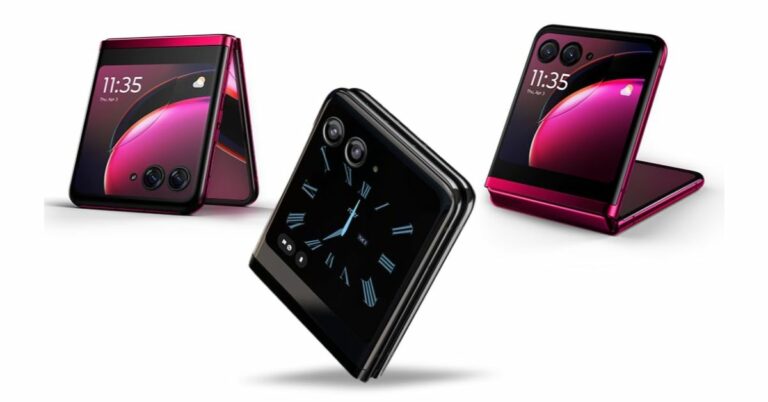
During Amazon Prime Day, prominent brands’ smartphones and accessories will be 40% off at Amazon. The starting price for the iPhone 14 during the sale period is Rs 66,499. Get instant bank discounts of up to Rs 5,000 on OnePlus smartphones on this Prime Day. Incredible discounts on the Nord series, beginning at just Rs 17,999. With further savings accessible through Amazon Coupons, the price of the OnePlus Nord CE 2 light will be reduced to an alluring level. Purchase the recently released OnePlus 11 5G with an instant bank discount of Rs 2000 and an extra exchange discount of up to Rs 6000. The recently introduced Samsung Galaxy M34 5G will be offered for Rs 16,999 on this Prime Day. Customers may take advantage of previously unheard-of discounts on the Galaxy M14 5G, which starts at Rs 12,490. While the Galaxy S23 and S23 Ultra from Samsung’s top S-Series will receive instant bank discounts of up to Rs 6,000 and Rs 9,500 with no cost EMI for up to 18 months. On this Prime Day, Samsung is offering an additional exchange incentive of up to Rs 8000 for the Galaxy S23 and Rs 10,000 for the Galaxy S23 Ultra. Also Read: Nothing Phone 2 launched in India, equipped with Snapdragon 8+ Gen 1 SoC and tweaked design  The recently released Motorola Razr 40 and Razr 40 Ultra will be available with bank discounts, free EMI for up to 12 months on each handset, and an additional exchange bonus of up to Rs 3,000 on the Razr 40. The recently released iQOO Z7s 5G will be available with Rs 2000 off the beginning price of Rs 16,999, and the iQOO Neo 7 pro 5G will be available starting at Rs 33,999. Starting at Rs 13,999, more enticing deals on the iQOO Z6 lite 5G (6GB) will be made accessible. You can upgrade to the Xiaomi 13 Pro 5G through Amazon and get an additional exchange incentive of up to Rs 10,000 off. However, the price of the Redmi K50i 5G will be drastically reduced by Rs 5,000, starting at Rs 20,999. The Redmi Note 12 5G is also eligible for up to 9 months of no-cost EMI with easy monthly payments starting at just Rs 1,888. More discounts on Tecno, Lava, Itel, and Nokia devices will be available.

Prime Day 2023 Deals on Electronics

Action cameras and accessories from GoPro, DJI, and Insta360 will see price reductions starting at Rs 15,000 on Amazon Prime Day 2023. On purchases of camera accessories over Rs 3,000, the e-commerce will provide 3 months of no-cost EMI. This Prime Day, security cameras and professional camera equipment will also be more reasonably priced. Headphones, Soundbars, and Speakers will be up to 75% off with Prime-only additional discounts of up to 20% and up to 12 months No Cost EMI. Prices for AMOLED Display Smartwatches from Noise, Fire-Boltt, and Beat-XP have dropped dramatically and now start at Rs 1,999.

Here are some more Deals on Amazon Devices

  • The lowest price of 2023: Save 68% on the Alexa Smart Home combo of the Wipro 9W smart bulb and the third-generation Echo Dot.
  • Wipro 9W smart bulb and 4th-generation Echo Dot with Alexa Smart Home combo for Rs 2,399 with a flat 63% discount.
  • Get an Echo Dot (4th Generation) with Clock + Wipro 12W Smart Bulb – Smart Home bundle for just Rs 4,649 with a flat 42% discount.
  • Get a 50% discount on the Alexa-enabled Echo Dot (4th Generation) for just Rs 2,249! Get an Echo Dot (3rd Generation) with Alexa for just Rs 1,949 with a flat 56% discount.
  • Get the Echo Show 5 (2nd Generation) for 38% less, just Rs 5,499!
  • There will be discounts of up to 55% on refrigerators, washing machines, air conditioners, chimneys, dishwashers, and microwaves.
For the latest gadget and tech news, and gadget reviews, follow us on TwitterFacebook and Instagram. For newest tech & gadget videos subscribe to our YouTube Channel. You can also stay up to date using the Gadget Bridge Android App. You can find the latest car and bike news here.

Top 4 Ways to Use Your WhatsApp Account on Multiple Devices

0
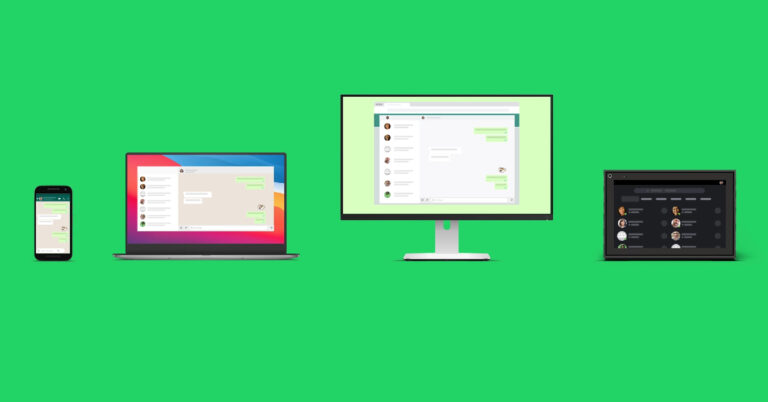
Unlike other popular Instant Messengers, WhatsApp has always struggled with multi-device connections. Until April 2023, you could only link your WhatsApp account to your desktop. WhatsApp did not introduce seamless messaging on linked PCs until last year. Now that muti-device capability has been brought to smartphones, the experience has gotten much better. In this article, we bring you the top 4 ways to use your WhatsApp account on multiple devices. Read Also: Oppo Enco Air 3 Pro with ANC and 12.4mm dynamic drivers launched in India

Use your WhatsApp account on another Android phone

Step 1: Install WhatsApp on the secondary phone. Step 2: Launch the app and select your preferred language. Tap the forward arrow icon at the bottom right corner of the screen. Step 2: Select your preferred language and hit the arrow icon at the bottom right corner of the screen. Step 3: Select ‘Agree and Continue’ on the following screen. Step 4: WhatsApp will ask you for your number. Instead of entering your number, tap the ellipses at the top right corner of the screen and select ‘Link to existing account’. This will generate a bar code that you need to scan using the WhatsApp app on your primary device. Step 4: WhatsApp will now as you for your phone number. Instead, hit the ellipses at the top right corner of the screen and select 'Link to existing account'. How to use the same WhatsApp account on multiple devices, including Android tablets? Step 5: Launch WhatsApp on your primary phone. Step 6: Tap the ellipses at the top right corner of the screen and select ‘Linked Devices’. Step 5: Launch WhatsApp on your primary smartphone and select 'Linked Devices' after hitting the ellipses at the top right corner of the screen. How to use the same WhatsApp account on multiple devices, including Android tablets? Step 7: Select ‘Link a device’. Step 6: Select 'Link a device'. Step 8: Scan the QR displayed on your secondary phone. Step 7: Use the primary phone to scan the QR code on the secondary phone. How to use the same WhatsApp account on multiple devices, including Android tablets?Your WhatsApp account will be mirrored on your secondary phone. It will take a few minutes to sync your chats.

Use WhatsApp Web

WhatsApp Web allows you to use your WhatsApp account on your PC without downloading the app’s desktop client. Here’s how you can use it. Step 1: Launch the web browser on your PC and go to web.whatsapp.com. Step 2: You will see a QR code displayed on the screen. To link your account, this code needs to be scanned using the WhatsApp app on your primary device. Step 2: You will see a QR code displayed on the screen. To link your account, this code needs to be scanned using the WhatsApp app on your primary device. Step 3: Launch WhatsApp on your primary phone. Step 4: Tap the ellipses at the top right corner of the screen and select ‘Linked Devices’. Step 5: Launch WhatsApp on your primary smartphone and select 'Linked Devices' after hitting the ellipses at the top right corner of the screen. Step 5: Select ‘Link a device’. Step 6: Select 'Link a device'. Step 6: Scan the QR displayed on the web portal. Your WhatsApp account will be mirrored on your PC. Step 7: Use the primary phone to scan the QR code on the secondary phone. How to use the same WhatsApp account on multiple devices, including Android tablets?

Use WhatsApp’s desktop client

Step 1: Download WhatsApp’s desktop client from its official website or Microsoft Store for Windows. Step 2: Launch the desktop app on your PC. Step 3: Click on ‘Get Started’. Step 3: Click on ‘Get Started’. Step 4: The QR code to link your WhatsApp account will be displayed on the screen. Step 4: The QR code to link your WhatsApp account will be displayed on the screen. Step 5: Launch WhatsApp on your primary phone. Step 6: Tap the ellipses at the top right corner of the screen and select ‘Linked Devices’. Step 5: Launch WhatsApp on your primary smartphone and select 'Linked Devices' after hitting the ellipses at the top right corner of the screen. Step 7: Select ‘Link a device’. Step 6: Select 'Link a device'. How to use the same WhatsApp account on multiple devices, including Android tablets? Step 8: Scan the QR displayed on the desktop client. Your WhatsApp account will be mirrored on your PC. Step 7: Use the primary phone to scan the QR code on the secondary phone.

Use WhatsApp Web on your Android phone

Apart from using the WhatsApp app on your Android phone, you can also use its Web portal on Chrome or your preferred mobile web browser. Typically, you wouldn’t need to use this option as WhatsApp now allows your account to be used on multiple Android devices. However, if you’ve got multiple WhatsApp accounts, you may need to use this method to accommodate one of them on your phone. Here’s how you can go about it. Step 1: Open web.whatsapp.com on your phone or tablet’s web browser. Step 2: Tap on the ellipses at the top right corner of the screen and select ‘Desktop site’. Step 2: Tap on the ellipses at the top right corner of the screen and select ‘Desktop site’. You can now use the WhatsApp Web portal similar to how you use it on a PC. Use your primary phone with the WhatsApp account to link your secondary device. Step 3: Open WhatsApp on your primary smartphone and tap the ellipses at the top right corner of the screen. Select ‘Linked Devices’. Select ‘Linked Devices’. Step 4: Tap on ‘Link a device’ and scan the QR code on your secondary smartphone or Android tablet. Tap on ‘Link a device’. You will now be able to use your WhatsApp account on your secondary smartphone or Android tablet.

Frequently Asked Questions (FAQs)

How do I use my WhatsApp account on multiple Android devices?

WhatsApp now allows you to link your account to multiple Android devices. Simply launch the app on your secondary device and select ‘Link to existing account’ upon startup.

Can I use my WhatsApp account on a PC?

You can use your WhatsApp account on your PC with the help of WhatsApp’s web portal and desktop client.

What is the device limit for linking a WhatsApp account?

You can link your WhatsApp to a maximum of four devices. Read Also: Asus TUF gaming F15 laptop review: 11 Gen Intel CPU with RTX 2050 under 60K, worth buying?

Conclusion

This is how you can use your WhatsApp account on multiple devices. Last year, WhatsApp introduced a true multi-device experience, allowing users to independently link their WhatsApp account to other devices without requiring a smartphone connection. This means you can use your WhatsApp account on your desktop or your phone even if your primary phone is not functional or doesn’t have a functional internet connection. For the latest gadget and tech news, and gadget reviews, follow us on Twitter, Facebook and Instagram. For newest tech & gadget videos subscribe to our YouTube Channel. You can also stay up to date using the Gadget Bridge Android App. You can find the latest car and bike news here.
Nothing Phone 2 launching today in India and globally: How to watch getting it unleased live

The launch of Nothing Phone 2 in India and the rest of the world is scheduled for today. Additionally, the company will offer its second device this time in the USA as Phone 1 wasn’t made available there last year. The Phone 2 was made available for pre-registrations in India as well. After being released, the device will be formally available throughout the nation through Flipkart. Additionally, you would be able to in person buy the phone this time. Below are further details on this.

Nothing Phone 2 livestream details

Today marks the global and Indian launch of the Nothing Phone 2. The launch event here in India will start around 8.30 IST. Both the company’s website and its official YouTube channel will broadcast the event. Additionally, you can view the live broadcast using the embedded link below.

Nothing Phone 2 price in India (expected) and other details

Pre-orders for Phone 2 are currently open on the company’s website. It has already been revealed that the smartphone would be sold in India through the e-commerce site Flipkart. According to the company, customers will also be able to buy the Nothing Phone 2 directly from Nothing Drops pop-up shops in Bengaluru, India. Before the Phone 2 debut, the company has also developed a special microsite on Flipkart. Pre-orders can be made by those with an interest by paying a refundable deposit of Rs 2,000. The customers will be able to choose the configuration or model of their choosing on the launch day, which is July 11, and pay the balance to secure the purchase between 9 PM IST on July 11 and 11:59 PM IST on July 20. The business has not yet disclosed the Nothing Phone 2’s official launch price in India. However, according to a previous source, the smartphone will make its debut in India with a starting price of Rs 42,000 or Rs 43,000. This speculated pricing is on the higher side compared to its previous generation. According to yet another source, the smartphone would be offered with 12GB RAM with 512GB storage model is rumoured to be priced at EUR 849, or approximately Rs 76,500, the 8GB RAM with 256GB storage model may be offered at EUR 729, or nearly about Rs 65,600.

Nothing Phone 2 specifications expected

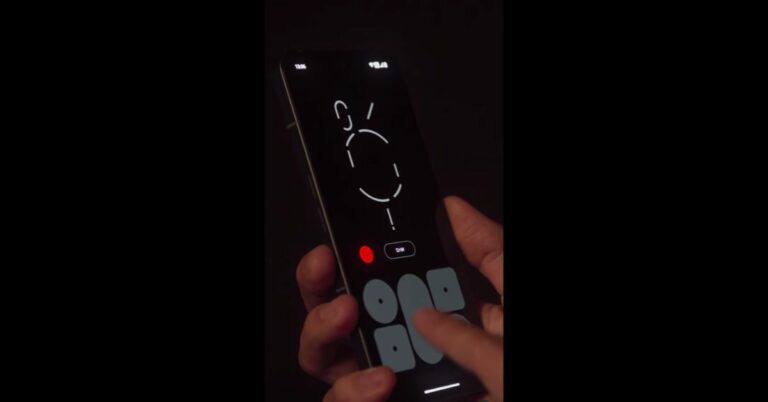
The Snapdragon 8+ Gen 1 SoC from Qualcomm will power the Nothing Phone 2. A 6.7-inch display will be available on the forthcoming phone. A 4,700mAh battery is also confirmed to be present. There will be a 50MP primary sensor with OIS in the triple camera module. A 16MP selfie camera will be on the front of the device. The Swedish house music DJ group and Nothing has teamed to create a Glyph Sound Pack that is only accessible on the Phone (2) and Phone (1). The “Glyph Composer,” a new feature, can be used to make personalised ringtones. For the latest gadget and tech news, and gadget reviews, follow us on TwitterFacebook and Instagram. For newest tech & gadget videos subscribe to our YouTube Channel. You can also stay up to date using the Gadget Bridge Android App. You can find the latest car and bike news here.

BGMI redeem codes for 11 July 2023, claim and receive rewards and benefits

After being banned for nearly ten months, Battleground Mobile India, aka BGMI, is officially available again in India. BGMI fans are looking for ways to improve their game experience and one such method is the usage of redemption codes, which offers a variety of rewards and advantages using BGMI redeem codes players can gain access to new skins, outfits, loot crates, weapons and free UC and diamonds. As mentioned earlier, these codes give users the chance to earn unique rewards and gain extra benefits while playing the game. This includes GUN SKINS (M4, AKM, M416, AWM, M24, UZI, KAR98K), free character voucher, Andy, Carlo, Sara, Victor character for free, free Anna Character on completing the mission and UC or Royal Pass Discount. So here we have gathered a list of the most recent BGMI redeem codes as of 11 July 2023. Also, redeem these codes asap as these are only valid for a limited duration.

BGMI Redeem Codes for 11 July 2023

  • Updating…

How to get free Redeem Codes for BGMI on 11 July 2023?

  • Launch BGMI on your device.
  • Then select the Redeem Code option from the main menu.
  • Next, click on the Redeem code tab.
  • A new window will open, requesting the redemption code.
  • Now enter your BGMI code.
  • Confirm and click on the “Redeem” tab.
  • If your redeem code is valid then you will get a message confirming that your rewards were successfully redeemed.
(Note that these codes are case-sensitive, so be sure to type them correctly to prevent any errors.) For the latest gadget and tech news, and gadget reviews, follow us on TwitterFacebook and Instagram. For newest tech & gadget videos subscribe to our YouTube Channel. You can also stay up to date using the Gadget Bridge Android App. You can find the latest car and bike news here.

Garena Free Fire Redeem Codes Today 11 July 2023: Here is how to claim them

Garena Free Fire is a battle royale game with regular awards and tournaments to keep players interested. If you play Garena Free Fire, you should be aware of the redeem codes that are released on a daily basis. However, because the battle royale game is banned in India, players from other countries can use the Free Fire Redeem codes daily. If you’re unfamiliar with the Garena Free Fire redeem codes or don’t know how to get them, we’ve put together a step-by-step guide to help you redeem them. Check out Garena Free Fire Redeem Codes for 11 July 2023. The Free Fire redeem codes are a great way to get free stuff. These are 12-digit codes that contain alphabets and numbers, as well as an expiration date and time. Because the Garena FF redeem codes cannot be used more than once, you should hurry to the redemption page to claim your free reward before someone else does. To get a free reward, all you have to do is go to reward.ff.garena.com/en, which is the official redemption page. Also, keep an eye on this space for daily updates on Garena Free Fire redemption codes and rewards.

Garena Free Fire Redeem Codes Today 11 July 2023

  • FFCMCPSJ99S3
  • MCPW2D1U3XA3
  • UVX9PYZV54AC
  • FFCMCPSGC9XZ
  • MCPW3D28GZD6
  • BR43FMAPYGZZ
  • ZZZ76NT3GDSH
  • HNC95435FAGJ
  • XZJZE25WEFJJ
  • FFCMCPSUYUY7E
  • 6KWMFJVMQQYG
  • FFCMCPSEN5MX
  • MCPW2D2WKWF2

How to Get Free Fire Redeem Codes for Garena on 11 July 2023?

  • Visit the Garena Free Fire game’s official website at reward.ff.garena.com.
  • Use your Facebook, Google, VK, Apple ID, Huawei ID, or Twitter account to log in.
  • You’ll be taken to a valid redemption code (s)
  • Copy and paste the 12-digit redemption code into the text box.
  • On the screen, a dialogue box will appear.
  • ‘Ok’ should be selected.
For the latest gadget and tech news, and gadget reviews, follow us on TwitterFacebook and Instagram. For newest tech & gadget videos subscribe to our YouTube Channel. You can also stay up to date using the Gadget Bridge Android App. You can find the latest car and bike news here.

Sony WF-C700N truly wireless stereo (TWS) earphones with ANC launched in India

Sony India today announced the launched Sony WF-C700N truly wireless stereo (TWS) earphones in India. The new TWS comes with Active noise cancellation (ANC) and easy button operation. It is claimed to provide up to 15 hours of battery life. You also get a hands-free calling experience on its multipoint connection too. The device is IPX4 rated for dust and water resistance.

Sony WF-C700N price in India and sale details

The Sony WF-C700N truly wireless stereo (TWS) earphones have been introduced with a price tag of Rs 8,990. They are made available in four colour options of Black, white, lavender and sage green. They are scheduled to go on sale from July 15 via Sony retail stores (Sony Center and Sony Exclusive), the www.ShopatSC.com portal, major electronic stores, and other e-commerce websites in India. Sony WF-C700N price in India and sale details

Sony WF-C700N specifications, features

The 5mm driver unit in the Sony WF-C700N TWS headset supports ANC and ambient noise modes. The WF-C700N’s DSEE (Digital Sound Enhancement Engine) produces high-quality audio. For playing back media, it supports the Bluetooth codecs SBC and AAC. The Sony Headphones Connect app’s EQ settings let you adjust the music to your tastes. It can employ noise cancellation to block out background noise or the Ambient Sound Mode to keep you in tune with your environment. Also Read: Samsung Galaxy Z Fold 5, Galaxy Z Flip 5 now up for pre-reservations in India: Details inside Within the Sony Headphones Connect app, you may customise the settings or use the Focus on Voice setting to chat without taking out your headphones. The Adaptive Sound Control modifies ambient sound settings according to your location and activity. The WF-C700N also offers dependable call quality because of its wind noise reduction design, which clearly delivers your voice even on windy days. The WF-C700N earbuds combine an ergonomic surface design for a more stable fit with a form that perfectly mimics the human ear, allowing you to listen for extended periods of time. You can take the earphones wherever you go because the cylindrical charging case is portable and simple to store in a pocket or backpack. WF-C700 are ideal for daily use because of their IPX4 splash- and sweat-proof construction. Voice commands utilising Google Assistant or Siri on an associated Android or iPhone are supported by the Sony WF-C700N TWS headset. The Sony WF-C700N headset supports Bluetooth 5.2 and provides a low-latency mode for watching videos. It also supports fast pairing for Android phones and Swift-Pair for Windows 11 and Windows 10 laptops. The WF-C700N has a Multipoint connection, allowing for simultaneous pairing with two Bluetooth devices. Your earbuds will immediately connect to the appropriate device when a call comes in since they are aware of which device is calling. The Sony WF-C700N TWS earphones have a battery life of up to 7.5 hours, with an additional 7.5 hours possible with the charging case and 10 hours when ANC is turned off. The business claims that a 10-minute charge will provide one hour of playing. For the latest gadget and tech news, and gadget reviews, follow us on TwitterFacebook and Instagram. For newest tech & gadget videos subscribe to our YouTube Channel. You can also stay up to date using the Gadget Bridge Android App. You can find the latest car and bike news here.

Oppo Enco Air 3 Pro with ANC and 12.4mm dynamic drivers launched in India

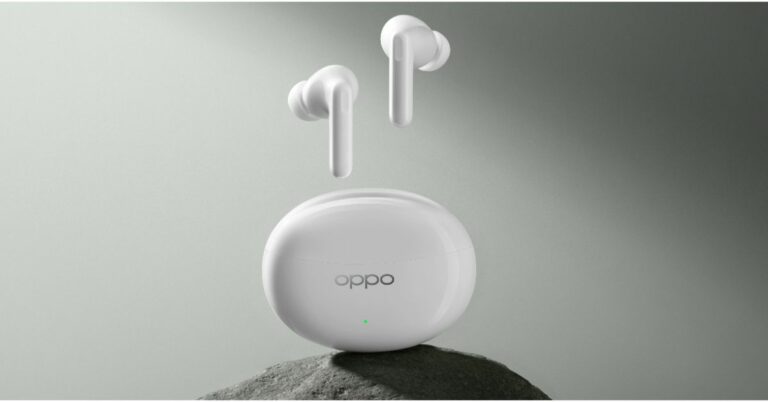
Alongside Oppo Reno 10, Reno 10 Pro, and Reno 10 Pro+ the company has also launched its new TWS in India. The Oppo Enco Air 3 Pro has been introduced and is a successor to last year’s Oppo Enco Air 2 Pro. The earphones come with a natural bamboo fibre diaphragm for clear and crisp audio. They also include an adaptive noise cancelling feature and offer IP55 dust and water resistance. In addition to this, the audio device is claimed to provide 30 hours of playback.

Oppo Enco Air 3 Pro price in India and sale details

The Oppo Enco Air 3 Pro has been launched in India with a price tag of Rs 4,999. These are scheduled to go on sale on July 11 via Flipkart, Amazon and the OPPO store at noon. The device comes in two colour options of green and white. Oppo Enco Air 3 Pro price in India and sale details

Oppo Enco Air 3 Pro specifications

The Oppo Enco Air 3 Pro are the first earbuds in the world to have a natural bamboo fibre diaphragm for crystal-clear sound. With an IP55 certification for water and dust resistance, they are ideal for outdoor activities. They have 12.4mm dynamic drivers that have a 20Hz to 40kHz frequency range. With LDAC, its high-definition audio reproduces reality, and its 49dB adaptive noise cancellation delivers an immersive listening environment. The Enco Air 3 Pro, is a Bluetooth-enabled device with Bluetooth version 5.3. and has a connection range of up to 10 metres. It supports LDAC, AAC, and SBC Bluetooth codecs. When watching movies on a smartphone, the OPPO Alive audio in the Enco Air 3 Pro provides spatial surround sound. Golden Sound 2.0, is another feature of the TWS, which creates a user-specific ear canal model after a short listening test to configure the buds specifically to the user’s hearing. There is a USB Type-C charging port on the casing. The charging case has a 440mAh battery, and each of the earbuds has a 43mAh battery. Thirty hours of listening fun are promised on a single charge. According to the manufacturer, it takes 120 minutes to fully charge both the charging case and the earphones. Charging just the earphones takes 90 minutes to complete. For the latest gadget and tech news, and gadget reviews, follow us on TwitterFacebook and Instagram. For newest tech & gadget videos subscribe to our YouTube Channel. You can also stay up to date using the Gadget Bridge Android App. You can find the latest car and bike news here.

Oppo Reno 10 5G, Oppo Reno 10 Pro 5G, Oppo Reno 10 Pro+ 5G debuts in India

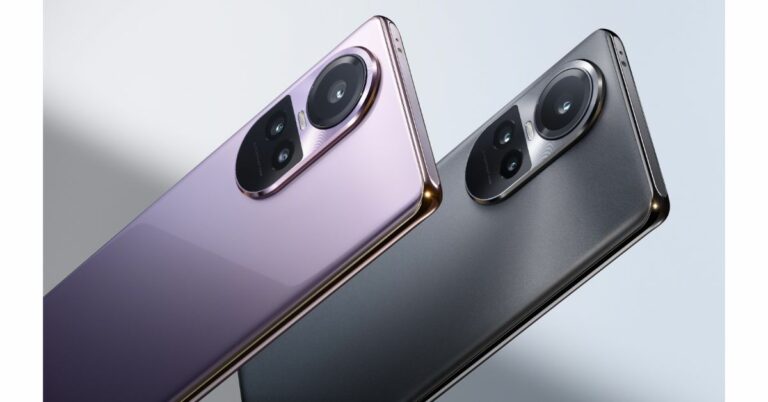
Today marked the official launch of the Oppo Reno 10 5G series in India, which includes the standard Oppo Reno 10, Reno 10 Pro, and Reno 10 Pro+. The new phones come pre-installed with Android 13. They have a triple back camera arrangement and a 120Hz display. Additionally, each device comes with a 32-megapixel selfie camera. While the regular model includes a MediaTek chipset, both pro versions use Qualcomm processors as their power source.

Oppo Reno 10 5G series price in India and sale details

The company is yet to decide on the price of the Oppo Reno 10 5G. According to the company, the price will be announced on July 20 at noon. The phone will come in two colour options of Ice Blue and Silvery Grey. On the other hand, Oppo Reno 10 Pro 5G will be priced at Rs 39,999. Lastly, the price of Oppo Reno 10 Pro+ 5G is set at Rs 54,999. Both the pro variants will be available in Glossy Purple and Silvery Grey and are scheduled to go on sale on July 13 via Flipkart, Oppo India online store, and leading retail stores in the country. Oppo Reno 10 5G series price in India and sale details Offers Customers can avail of the following offers on the first sale of the OPPO Reno10 Pro+ 5G and OPPO Reno10 Pro 5G…
  • Customers can enjoy discounts of up to INR4000 on Flipkart and OPPO Stores, and no-cost EMI for up to 9 months on HDFC, ICICI Bank and SBI Cards. 
  • Customers can avail cashback of up to INR4000 from mainline retail outlets and no-cost EMI for up to 9 months on leading banks cards like SBI Cards, Kotak Bank, Bank of Baroda, IDFC First Bank, One Card, AU Small Finance. 
  • Customer can also avail cash back up to INR4000 on consumer loan partners like TVS Credit, HDB Financial & IDFC First Bank. Additionally, customers can enjoy the benefit of Zero Down Payment schemes from leading financers.
  • Loyal OPPO customers can avail an Exchange + Loyalty Bonus of up to INR4000 online & offline.
  • Users can enjoy free trials of YouTube Premium and Google One for up to 6 months through MyOPPO.
  • Customers who buy a phone between 13th and 19th July can enter the MyOPPO raffle and win a trip to Dubai and other exciting prizes. Buy the Reno10Pro+ 5G and Reno10 Pro 5G between July 13 – July 31 and get OPPO Pad Air(4+128GB) at a discount of INR1500.
 Also Read: Asus TUF gaming F15 laptop review: 11 Gen Intel CPU with RTX 2050 under 60K, worth buying? OPPO Premium Service Offer
  • All the issues/queries will be resolved within 24 working hours by a team of dedicated experts (Exclusive hotline – 9958808080)
  • Free pick up and drop facility available across 13,000+ pin codes with resolution of issues within 72 hours of the complaint.
  • OPPO offers affordable EMI for the service/repairs of smartphones. The lowest EMI starts from INR3200 from all the leading financiers. Customers will have the option to decide on EMI instalment and tenure at their convenience.

Oppo Reno 10 Pro+ 5G specifications

The Oppo Reno 10 Pro+ 5G features a 6.74-inch AMOLED 3D curved display with 1,240x 2,722 pixels of resolution. The screen supports up to 120Hz LTPS dynamic refresh rate, and up to 240Hz touch sampling rate. It also comes with HDR 10+ support 450ppi pixel density, 100 percent coverage of the DCI-P3 colour gamut, 93.9 percent screen-to-body ratio, and is rated to offer 1400 nits of peak brightness. The glass panel has Corning Gorilla Glass 5 coating. The phone runs on Android 13-based ColorOS 13.1 and is powered by an octa-core Qualcomm Snapdragon 8+ Gen 1 SoC, along with 12GB of LPDDR5 RAM (RAM can be extended further to 8GB) and up to 256GB of UFS 3.1 storage. There is a 3,500mm square VC liquid cooling surface area and X-Axis linear motor. In terms of optics, there is a triple rear camera setup that consists of a 64-megapixel periscope sensor with OIS (f/2.5 aperture), a 50-megapixel Sony IMX890 sensor with OIS ( f/1.8 aperture) and an 8-megapixel wide-angle lens. For selfies, there is a 32-megapixel sensor on the front panel. Reno 10 Pro+ 5G boasts a 4,700mAh battery with 100W SuperVOOC fast charging technology. In terms of connectivity, there is 5G, Wi-Fi 6, Bluetooth, NFC, GPS, and a USB Type-C port for charging. It also includes an in-display fingerprint sensor and face unlock, an accelerometer, an ambient light sensor, an ambient colour temperature sensor, an e-compass, a gyroscope, and an IR sensor. Oppo Reno 10 5G series price in India and sale details

Oppo Reno 10 Pro 5G specifications

Oppo Reno 10 Pro 5G features a 6.7-inch full-HD+ OLED 3D curved display with 1,080X 2,412 pixels of resolution. The screen supports up to 120Hz refresh rate, and up to 240Hz touch sampling rate. There is 93 percent screen-to-body ratio, 950 nits of peak brightness and 100 percent coverage of the DCI-P3 colour gamut. The device is powered by Android 13-based ColorOS 13.1 and comes equipped with an octa-core Snapdragon 778G 5G SoC with up to 12GB of RAM (expandable) and up to 256GB of UFS 3.1 storage. For the photos and videos, there is a triple rear camera setup that includes a 50-megapixel primary Sony IMX890 sensor (f/1.8) with OIS, a 32-megapixel telephoto sensor and an 8-megapixel wide-angle lens. There is a 32-megapixel front-facing camera for taking selfies. The device has a 4,600mAh battery with 80W SuperVOOC flash charging support.

Oppo Reno 10 5G specifications

The Oppo Reno 10 5G’s display is similar to the Pro variant. Under the hood, there is an octa-core 6nm MediaTek Dimensity 7050 processor with 8GB of RAM and up to 256GB of UFS 3.1 storage. The Oppo Reno 10 5G features a triple rear camera unit with a 64-megapixel primary sensor with OIS and autofocus, a 32-megapixel telephoto sensor, and an 8-megapixel sensor. There is a 32-megapixel selfie camera as well. The handset also includes a 5,000mAh battery that offers 67W SuperVOOC flash charging support. For the latest gadget and tech news, and gadget reviews, follow us on TwitterFacebook and Instagram. For newest tech & gadget videos subscribe to our YouTube Channel. You can also stay up to date using the Gadget Bridge Android App. You can find the latest car and bike news here.

Here is how to transfer the WhatsApp Chat History via QR code (Android and iOS)

WhatsApp recently unveiled a new function for WhatsApp. Users will now be able to easily and securely move their chat history between devices. Currently, the transfer can only occur if both devices are running the same OS. The use of QR code authentication will now allow users to share their chat history. Larger attachments and messages can now be transferred from one device to another more quickly and easily thanks to the new capability. Users no longer need to exit their apps on one device in order to move data to the other phone thanks to the new procedure. At the moment, users have the option of updating the backup on cloud services or using a third-party app to transfer their chat history. With the new method, users do not have to close their apps on one device in order to transfer data to the other phone. The data is safe because it only travels between two devices, without the use of any third-party apps or cloud services. However, one must ensure that both of their phones have Android OS Lollipop 5.1, or Android 6 or higher installed in order to transfer the WhatsApp Chat History via QR code. Both the old and new iPhone models should have WhatsApp for iOS version 2.23.9.77 or higher installed in order to move chats over to iOS. Also Read: 6 Easy Ways to Fix WhatsApp Call Not Ringing When iPhone is locked Additionally, one needs to ensure the new phone isn’t registered on WhatsApp until the transfer process is complete. Additionally, WiFi must be turned on and connected to the same network on both devices.

How to transfer WhatsApp Chat History via QR code on Android Phone

  • On your old Android device launch WhatsApp. Start by selecting More Options > Settings > Chats > Transfer chats.
  • Install WhatsApp on the new device and sign up with the same number.
  • Next, click on Start to Transfer chat history from the old phone.
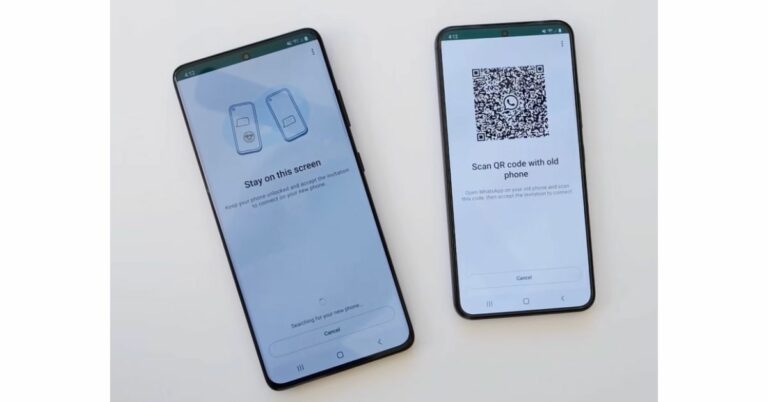
  • A QR code will show after the permissions are granted. You now need to scan the QR code on your old device.
  • The procedure will start as soon as the request to connect the phone is approved.
  • Tap Done when the import is complete.

How to transfer WhatsApp Chat History via QR code on iOS device

  • Go to Settings > Chats > Transfer Chats to iPhone > Start after opening WhatsApp on the old iPhone.
  • Install WhatsApp on the new iPhone and register.
  • Tap on the continue option to Transfer chat history to iPhone.
  • Scan the QR code displayed on your new device using the camera on your old phone.
  • Once the transfer is finished you can set up your profile on the new iPhone.
For the latest gadget and tech news, and gadget reviews, follow us on TwitterFacebook and Instagram. For newest tech & gadget videos subscribe to our YouTube Channel. You can also stay up to date using the Gadget Bridge Android App. You can find the latest car and bike news here.