Garena Free Fire Redeem Codes Today 23 January 2023: Here is how to claim them

Garena Free Fire is a battle royale game with regular awards and tournaments to keep players interested. If you play Garena Free Fire, you should be aware of the redeem codes that are released on a daily basis. However, because the battle royale game is banned in India, players from other countries can use the Free Fire Redeem codes daily. If you’re unfamiliar with the Garena Free Fire redeem codes or don’t know how to get them, we’ve put together a step-by-step guide to help you redeem them. Check out Garena Free Fire Redeem Codes for 23 January 2023. The Free Fire redeem codes are a great way to get free stuff. These are 12-digit codes that contain alphabets and numbers, as well as an expiration date and time. Because the Garena FF redeem codes cannot be used more than once, you should hurry to the redemption page to claim your free reward before someone else does. To get a free reward, all you have to do is go to reward.ff.garena.com/en, which is the official redemption page. Also, keep an eye on this space for daily updates on Garena Free Fire redemption codes and rewards.

Garena Free Fire Redeem Codes Today 23 January 2023

  • X99TK56XDJ4X
  • FF7MUY4ME6SC
  • WEYVGQC3CT8Q
  • 3IBBMSL7AK8G
  • J3ZKQ57Z2P2P
  • FFDBGQWPNHJX
  • TDK4JWN6RD6
  • 4TPQRDQJHVP4
  • GCNVA2PDRGRZ
  • XFW4Z6Q882WY
  • HFNSJ6W74Z48
  • HHNAT6VKQ9R7
  • 2FG94YCW9VMV
  • 4ST1ZTBE2RP9
  • 8F3QZKNTLWBZ
  • V44ZZ5YY7CBS
  • WD2ATK3ZEA55
  • E2F86ZREMK49
  • B3G7A22TWDR7X
  • MCPW3D28VZD6
  • FFCMCPSGC9XZ
  • FFCMCPSEN5MX
  • ZZZ76NT3PDSH
  • EYH2W3XK8UPG
  • FFCMCPSUYUY7E
  • NPYFATT3HGSQ
  • MCPW2D2WKWF2
  • V427K98RUCHZ
  • MCPW2D1U3XA3
  • FFCMCPSJ99S3
  • 6KWMFJVMQQYG
  • BR43FMAPYEZZ
  • UVX9PYZV54AC
  • XZJZE25WEFJJ
  • HNC95435FAGJ

How to Get Free Fire Redeem Codes for Garena on 23 January 2023?

  • Visit the Garena Free Fire game’s official website at reward.ff.garena.com.
  • Use your Facebook, Google, VK, Apple ID, Huawei ID, or Twitter account to log in.
  • You’ll be taken to a valid redemption code (s)
  • Copy and paste the 12-digit redemption code into the text box.
  • On the screen, a dialogue box will appear.
  • ‘Ok’ should be selected.
For the latest gadget and tech news, and gadget reviews, follow us on TwitterFacebook and Instagram. For newest tech & gadget videos subscribe to our YouTube Channel. You can also stay up to date using the Gadget Bridge Android App. You can find the latest car and bike news here.

Amazon Quiz Answers Today 23 January 2023: Participate to win Rs 5,000

Amazon Quiz for 23 January 2023 has gone live on the company’s mobile platform. The daily quiz contest brings an opportunity for Amazon users to win exciting prizes. In today’s Amazon Quiz the participants have the chance to win Rs 5,000 Amazon Pay Balance. All they have to do is answer all the questions correctly. A fresh question is posted on the Amazon app daily which consists of five simple questions based on general knowledge and current events. The quiz can be played on the Amazon App from 12 AM to 11:59 PM. You have to answer all the questions correctly. Then the participants will be shortlisted for a lucky draw. The result of the lucky draw will be announced at the end of the month. The participants can win Amazon Pay Balance to up to Rs 50,000. Check out the 12 September 2022 Amazon Quiz question and their answers to win Rs 5,000 Amazon Pay Balance. Amazon Quiz Today Prize – Rs 5,000 Amazon Pay Balance Quiz Date – 23 January 2023 Daily Timing – 12 AM to 11:59 PM Winner Announcement – Today 12 PM

Amazon Quiz Answers Today 23 January 2023

Question 1: In 2022, who became the first woman president of Indian Olympic Association? Answer- PT Usha Question 2: What is the plural of sheep? Answer- Sheep Question 3: How many grams is a kilogram? Answer- 1000 Question 4: Which is this wonder of the world located in Egypt? Answer- The pyramid of Giza Question 5: One of the seven wonders, Petra is located where? Answer- Jordan

How To Play Amazon Quiz

Only app users are eligible to play the Amazon quiz every morning from 12 AM to 11:59 PM. The quiz is not available on the desktop. For those who are unaware of how to play the Amazon quiz below are the steps, you can follow to take the quiz.
  • Firstly download the Amazon app from Google Play Store or App Store
  • Now fill in the required information through the Sign Up option.
  • You need to log in to the Amazon app and scroll down on the home screen to find the Amazon Quiz banner.
  • Tap on the Amazon Quiz banner and tap on the Start button to start the Quiz.
  • Now you will get 5 questions and you need to answer them correctly. One wrong answer will eliminate you from the Quiz.
  • After answering all the questions correctly you are now eligible for a Lucky Draw.
  • The winner’s name will be announced today at 12 PM.
For the latest gadget and tech news, and gadget reviews, follow us on TwitterFacebook and Instagram. For newest tech & gadget videos subscribe to our YouTube Channel. You can also stay up to date using the Gadget Bridge Android App. You can find the latest car and bike news here.

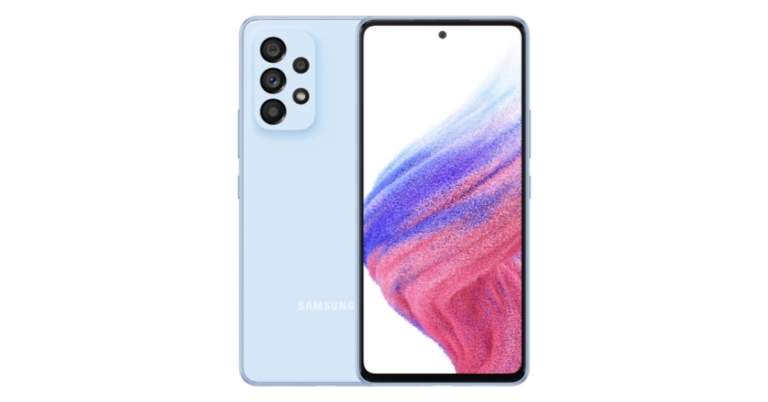
Samsung Galaxy A34 5G gets certified by BIS, also listed on FCC site

It appears that Samsung is getting ready to introduce the Samsung Galaxy A34 5G smartphone in India. The alleged smartphone has bagged BIS certification as it was spotted listed on the Indian regulatory site. The listing implies that the forthcoming handset will be released soon. The upcoming phone will replace the existing Galaxy A33. The anticipated Samsung Galaxy A34 5G has now been discovered on the FCC database under the model name SM-A346M. Although the Galaxy A34 5G characteristics and features haven’t been fully disclosed by the BIS listing except for the model number which is with the model number SM-A346E. The FCC’s listing reveals that the upcoming phone will feature 25W fast charging. The charger with the model number EP-TA800 was utilised during the testing. Samsung’s Type-C charging adapter with the aforementioned model number supports USB-PD and PPS standards. Also Read: iQoo Neo 7 is scheduled to launch in India on February 16 Indicating some of its main specifications, the phone has also been discovered on other testing websites including Geekbench and the Bluetooth SIG database. The phone was identified as having the model number SM-A346N in a recent Geekbench listing. A MediaTek Dimensity 1080 SoC and 6GB of RAM are included inside the smartphone. Furthermore, the Samsung Galaxy A34 5G’s processor has six efficiency cores clocked at 2.0GHz and two performance cores operating at 2.20GHz. It’s expected that Android 13 will power the phone, with Samsung’s One UI 5.0 user interface sitting on top. According to the listing, the phone received 2,322 points on the multi-core test and 778 points for the single-core test on Geekbench. The smartphone will also enable Bluetooth 5.3 wireless communication, according to the Bluetooth SIG database.Samsung Galaxy A33 5G Also Read: Samsung rolls out update for Galaxy A33 5G, A53 5G, A73 5G, bringing Voice Focus and One UI 5.0 The Samsung Galaxy A33 5G smartphone has a 6.4-inch Full HD+ Super AMOLED Infinity O display with a refresh rate of 90Hz and Corning Gorilla Glass 5 protection. OneUI 4.1 is installed on top of Android 12 on the phone. A 5nm Exynos 1280 SoC with 6GB or 8GB of RAM and 128GB or 256GB of internal storage powers the phone. The storage can be increased by up to 1TB using a microSD card. A 48MP primary sensor with OIS, an 8MP ultra-wide sensor, a 2MP depth sensor, and a 5MP macro lens are the four cameras that make up the quad-camera system on the rear of the A33. A 13MP front-facing camera on the phone is available for selfies and video calls. The device has an IP67 rating, making it resistant to water and dust. A 5,000mAh battery with 25W quick charging capacity is also included in the phone. For the latest gadget and tech news, and gadget reviews, follow us on TwitterFacebook and Instagram. For newest tech & gadget videos subscribe to our YouTube Channel. You can also stay up to date using the Gadget Bridge Android App. You can find the latest car and bike news here.

How Smartphones Are Changing the Gaming World

One thing that’s outstanding about the development of modern technology is just how far mobile phones have come. It wasn’t too long ago that phones were only capable of providing a 2D, low-resolution experience that wasn’t at all comparable to the video game consoles of the time. However, the quality of mobile games has increased dramatically, and heavy hitters such as Dead Trigger, Real Steel, and Shadowgun are taking over the industry.

The Changing Face of Mobile Gaming

One of the biggest developments we’ve seen in mobile gaming is the sheer diversity of its gaming titles. In the early days of mobile gaming, games were limited to simple titles that could fit on a smaller screen. Common examples of this are puzzle games and sports titles – players could see enough to work out what was going on, but that’s about it. However, fast forward to today, and mobile gaming has a diverse library of games, ranging from platformers to first-person shooters. The quality of these games has dramatically increased, with the graphics of many of these games rivalling that of console gaming. The best part is that many of the best titles are available on Android and iOS devices, meaning you’re not as limited by your phone choice as you are by your console choice.

Crowdfunding Smartphone Games

Mobile gaming used to be a monopoly, with only a handful of developers having the tools, skills, and reach to create popular games. Companies like Supercell and King had dedicated studios that professionally developed mobile games, which didn’t give anyone else a chance at getting their foot in the door. That’s all changed in the modern era, as the ability to crowdfund a game means that small-time developers can get help from fans to acquire the resources needed to create high-quality mobile games. As these games are created by auteurs with a vision, rather than soulless corporations looking to make a quick buck, they have a lot more creativity and are a better experience for the gamer.

Mobile Devices Make Gaming More Accessible

Arguably the biggest change that smartphones have made in the gaming world is to make them more accessible. Nowadays, almost everyone has a smartphone capable of playing games, whether it’s a fun, snacky game like Fruit Ninja, exciting casino games like online scratchcards, or big mobile titles like Real Steel. This means it’s much easier for everyone to enjoy the gaming experience. Most consoles cost upwards of £300-£400, and that’s without any games! You need to add another £30-£60 for each game you want to play, making gaming a very expensive hobby that not everyone can afford. However, you can buy a smartphone for as little as £100, with mobile games being a fraction of the cost of traditional games. The lower barrier to entry and the greater utility of a smartphone makes gaming much more accessible than it used to be.

Conclusion

It’s scary how far the mobile gaming industry has come in the past ten to twenty years. The rate of development has been exponential as mobile games have caught up with the console industry to be a bonafide alternative to traditional video game consoles. What’s more, there’s no sign that this growth is slowing down, and we can’t wait to see in what other ways the smartphone will change the gaming world. For the latest gadget and tech news, and gadget reviews, follow us on TwitterFacebook and Instagram. For newest tech & gadget videos subscribe to our YouTube Channel. You can also stay up to date using the Gadget Bridge Android App. You can find the latest car and bike news here.

Immerse Yourself in the Game by taking it up

In the current era, betting is everywhere in ads, billboards, cereal boxes, and social media feeds. It has even engrained itself into the broadcast now, with all the commentators and analysts making picks in real-time for the viewers as the competition gets going. If you’re going to watch hoops, you may as well make college basketball predictions. The games will always mean more if something is at stake. No true fan of any team or sport can have an allegiance to more than one team. So on those off-nights, give yourself something else to watch for, to cling to.

It Keeps Things Exciting

Unfortunately, but also accurately, teams in every sport are just not competitive. Whether they’re going through a rebuild, short-handed, or for a different reason, winning is not always in the cards. So, when that type of team plays a juggernaut, there is still a way to yell and scream during the contest. Let’s say the Pistons are +14.5 against the Celtics. Maybe you believe they’re going to cover. Perhaps you don’t. But you go for it, throwing some money on Detroit to lose by fewer points. Or maybe there is an extreme amount of confidence, and the money line pick comes into play. By doing this, you’re creating a buzz for yourself around the contest. To provide another incentive to watch. A financial incentive at that, because should that wind up (surprisingly) hitting, that’s free money right there. That’s dinner. That’s money to spend at the casino or you’re favourite restaurant. There won’t be a snoozefest if there is something at stake. Not every game can provide the joy or excitement of your favourite team playing. Or a playoff battle. And so, this adds another layer to the cake. Another one could be added when you make college basketball picks today for upcoming matches. It definitely makes it more intense.

Incentivizing Victory

When your team is about to play a big game, like the Ravens take on the Steelers, it’s always exciting if there is more on the line. Because this game might be in Week 2, the season is just fresh and getting going. So, why not make things a little juicier and throw money on your team to come out with the victory? By doing that, there is a chance to record one victory and two. The Steelers may win, and it’s great to knock off a rival and get into the win column. But how about making some profit from the game finishing a certain way? That’s always better. Sure, there’s risk involved in the case of a loss. But that’s where the thrill of it comes in. It’s all about the thrill of the game—the thrill of the wager. Maybe Lamar Jackson has a wild game. But then, on the last play, he throws an INT, and Pittsburgh holds on to get it done. If that should actually happen, it’s a victory for the team, the fan, and the wallet. Who doesn’t love padding their wallet after their team gets a win? Free drinks and food following the game and cash out. Nice. Maybe after the game, the craving is still there. Make some college basketball picks. The seasons overlap. It’s perfect.

Prove Your Knowledge

The old saying “put your money where your mouth is” has never faded from relevance and is still commonly thrown around. In today’s wagering age, it is literally perfect. That is what it stems from, but nonetheless. Doing it around a game proves you know what you say you do. For all the knowledge of the game somebody could have, they could be horrible at predicting outcomes. Suppose there is thought that the #8 LA Kings could win in a series against the #1 Red Wings. Especially after being down 0-3. And then they put money on them to win the series and the entire Stanley Cup Playoff. Imagine how crazy that is. That’s winning 101. Taking a wild underdog and actually backing it with money. All anyone wants in life is some credit for their work. It’s true in every area, and no different here. Stake a claim. Back it with some dough. Win. It’s the best way to show you know the ball. For the latest gadget and tech news, and gadget reviews, follow us on TwitterFacebook and Instagram. For newest tech & gadget videos subscribe to our YouTube Channel. You can also stay up to date using the Gadget Bridge Android App. You can find the latest car and bike news here.
WhatsApp plans to enable sending of photos in their original quality: Report

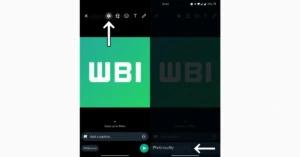
WhatsApp is constantly updating its features to provide the best possible user experience. A new upgrade to WhatsApp’s 2.23.2.11 version is being pushed via the Google Play Beta Program. For an upcoming app update, WhatsApp is planning on allowing users to share photos in their original quality. A WaBetaInfo report claims that WhatsApp is now developing a new feature that will enable users to share photos in their original quality. The latest WhatsApp beta for Android 2.23.2.11 update includes the new development. Also Read: iQoo Neo 7 is scheduled to launch in India on February 16 According to the screenshot that was provided, WhatsApp intends to add a new setting icon to the drawing tool header that would let users control the image quality of any photo. With the help of this function, it will eventually be possible to choose to send photos in their original quality. In circumstances where sending a photo in its original quality is required, we believe that this functionality will provide customers more control over the image quality they are sending.
WhatsApp plans to enable sending of photos in their original quality: Report
Image Courtesy: WaBetaInfo
Currently, under development, the ability to send photos in their original quality will be available in a future app update. Apart from this WhatsApp update 2.23.2.8 is now being distributed via the Google Play Beta Program. The function allows you to send voice status updates to a certain group of persons that you specify in your privacy settings, according to a report from WaBetaInfo. These voice status updates are restricted to the same 24-hour period as the video, photo, and text updates. The ability to send voice notes through status updates will soon be available to some lucky WhatsApp beta users. Also Read: Everything about the brand new Vivo X90, Vivo X90 Pro, and Vivo X90 Pro+ According to the shared screenshot, those who were lucky enough to have the feature turned on may now send voice notes as status updates by going to the text status section and selecting that option. WhatsApp gives users additional control over their voice recordings by enabling users to delete a recording before sharing it. Voice notes can only be recorded for a maximum of 30 seconds, and users must update their WhatsApp version in order to hear voice notes submitted as a status update. For the latest gadget and tech news, and gadget reviews, follow us on TwitterFacebook and Instagram. For newest tech & gadget videos subscribe to our YouTube Channel. You can also stay up to date using the Gadget Bridge Android App. You can find the latest car and bike news here.
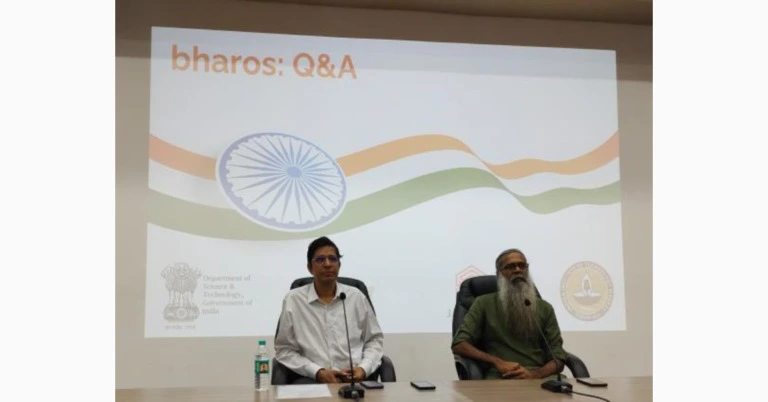
BharOS indigenous mobile operating system developed by IIT Madras announced

Indian Institute of Technology Madras (IIT Madras) has officially announced that it has developed a brand-new mobile operating system “BharOS”. The indigenous mobile operating system has been created for countrywide cell phone users that is claimed to prioritise privacy. The mobile OS comes with no default apps and automatic updates. An IIT Madras-incubated company JandK Operations (JandKops) has created an indigenous mobile operating system named “BharOS.” Commercially available handsets can have the system loaded on them. The newly developed Indian OS is said to benefit 100 crore mobile phone users in the country. Also Read: OnePlus 11R price in India tipped, could be available in two variants Indian Institute of Technology Madras (IIT Madras) in its announcement said, “Called ‘BharOS,’ this software can be installed on commercial off-the-shelf handsets. It provides a secure environment for users and is a significant contribution towards ‘Atmanirbhar Bharat.'” The institute claims that BharOS Services are now being offered to organisations with tight privacy and security standards whose users handle sensitive information and who need confidential interactions on limited mobile apps. Such consumers require private 5G networks with access to private cloud services. BharOS has no default apps (NDA). Accordingly, consumers are not compelled to utilise programmes that they may not be familiar with or trustworthy. Additionally, this system gives users more control over the permissions that apps have access to on their device because they can decide to only give trusted apps access to certain functions or data. Furthermore, it has come to light that BharOS was created by JandK Operations Private Limited (JandKops), a Section 8 (Not for Profit) Company founded by IIT Madras & fostered by IIT Madras Pravartak Technologies Foundation. The National Mission on Interdisciplinary Cyber-Physical Systems of the Government of India’s Department of Science and Technology (DST) provides funding for the Foundation (NMICPS). It aims to put India on par with the select few nations that already have these capabilities. Access to reliable apps from organisation-specific Private App Store Services is made possible by BharOS (PASS). Access to a carefully curated list of apps that have passed strict security and privacy standards set by organisations is made available through a PASS. Users can be certain that the apps they are installing are secure to use and have been reviewed for any potential privacy or security issues. Addressing a Press Conference to announce this Indian Mobile Operating System, Prof. V. Kamakoti, Director, IIT Madras, said, “BharOS Service is a Mobile Operating System built on a foundation of trust, with a focus on providing users more freedom, control, and flexibility to choose and use only the apps that fit their needs. This innovative system promises to revolutionise the way users think about security and privacy on their mobile devices.” Also Read: iQoo Neo 7 is scheduled to launch in India on February 16 Further, Prof. Kamakoti added, “IIT Madras looks forward to working closely with many more private industry, Government agencies, Strategic agencies and Telecom Service Providers to increase the usage and adoption of BharOS in our Country.” Elaborating further, Mr. Karthik Ayyar, Director, JandK Operations Pvt Ltd., the start-up that developed this Mobile Operating System, said, “In addition, BharOS offers ‘Native Over The Air’ (NOTA) updates that can help to keep the devices secure. NOTA updates are automatically downloaded and installed on the device, without the need for the user to manually initiate the process. This ensures that the device is always running the latest version of the operating system, which includes the latest security patches and bug fixes. With NDA, PASS, and NOTA, BharOS ensures that Indian mobile phones are trustworthy.” For the latest gadget and tech news, and gadget reviews, follow us on TwitterFacebook and Instagram. For newest tech & gadget videos subscribe to our YouTube Channel. You can also stay up to date using the Gadget Bridge Android App. You can find the latest car and bike news here.

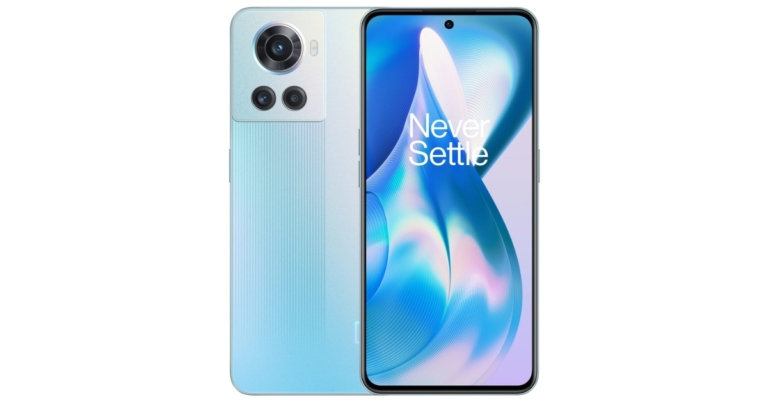
OnePlus 11R price in India tipped, could be available in two variants

The OnePlus 11 is scheduled to make its way into the Indian market next month however the device has already hit the Chinese market earlier this month. Before its India debut rumours related to the less potent OnePlus 11R have started doing the rounds on the web. The company has not yet confirmed the alleged smartphone but this week it has been spotted on certification platforms. The device has been listed on both Indian and Chinese regulatory sides namely BIS and CQC. In the latest development, the OnePlus 11R’s storage options and price in India have now been revealed by a tipster. The potential price and storage options for the OnePlus 11R in India have been revealed by @stufflistings’ Tipster Mukul Sharma. He estimates that the pricing of an 8GB RAM with a 128GB storage model in the nation might range between Rs 35,000 and Rs 40,000. Another 16GB RAM with 512GB storage option is also speculated to arrive which is likely to be priced at about Rs 45,000. Also Read: Smartphone comparison: Vivo V25 Pro Vs OnePlus 10R By April or May, it’s anticipated that the device will make its Indian debut. Previously, the OnePlus 11R was spotted on regulatory websites of the Bureau of Indian Standards (BIS) and China Quality Centre (CQC). Reportedly, the OnePlus Ace 2, was just discovered on the official OnePlus China website. This device is thought to be the OnePlus 11R’s Chinese variant. As per the tipster, the OnePlus 11R might make its Indian debut in April or May. Although OnePlus has not yet officially announced that a model to replace the OnePlus 10R is in the works, the OnePlus 11R’s full set of specifications have already appeared online. The smartphone would, according to the leak, have a 6.7-inch full-HD+ AMOLED screen with a resolution of 1,080 x 2,412 pixels and a refresh rate of 120Hz. The forthcoming device is said to run on a Qualcomm Snapdragon 8+ Gen 1 SoC and up to 16GB of RAM. Also Read: OnePlus 10R 5G Review: Sophisticated Design And Good Quality Cameras, worth buying? According to reports, there are two RAM (8GB and 16GB) and two storage (128GB and 256GB) options for the OnePlus 11R. OnePlus is rumoured to include a 5000mAh battery that supports 100W SuperVOOC charging. The phone is expected to have three cameras on the back, including a 50-megapixel primary sensor, an 8-megapixel super-wide-angle sensor, and a 2-megapixel macro lens. A 16-megapixel selfie camera might be located at the front for taking selfies. The OnePlus Ace 2 was recently discovered on the China Quality Centre (CQC) regulatory website with model number OnePlus PHK110, as we previously mentioned, while the speculated OnePlus 11R has appeared on BIS certification having model number CPH2487. For the latest gadget and tech news, and gadget reviews, follow us on TwitterFacebook and Instagram. For newest tech & gadget videos subscribe to our YouTube Channel. You can also stay up to date using the Gadget Bridge Android App. You can find the latest car and bike news here.
Garena Free Fire Redeem Codes Today 21 January 2023: Here is how to claim them

Garena Free Fire is a battle royale game with regular awards and tournaments to keep players interested. If you play Garena Free Fire, you should be aware of the redeem codes that are released on a daily basis. However, because the battle royale game is banned in India, players from other countries can use the Free Fire Redeem codes daily. If you’re unfamiliar with the Garena Free Fire redeem codes or don’t know how to get them, we’ve put together a step-by-step guide to help you redeem them. Check out Garena Free Fire Redeem Codes for 21 January 2023. The Free Fire redeem codes are a great way to get free stuff. These are 12-digit codes that contain alphabets and numbers, as well as an expiration date and time. Because the Garena FF redeem codes cannot be used more than once, you should hurry to the redemption page to claim your free reward before someone else does. To get a free reward, all you have to do is go to reward.ff.garena.com/en, which is the official redemption page. Also, keep an eye on this space for daily updates on Garena Free Fire redemption codes and rewards.

Garena Free Fire Redeem Codes Today 21 January 2023

  • FGDTFVXHJUUAH
  • F4JI5K6JMKOYKH
  • FKLFPOI876T5WR
  • FDVFAGTQ5RED1S
  • FC2VG3HERUFYVT
  • FCFXVSBJDEKROT
  • FIK7JMUKLOPH0O
  • FG8IU7FYTXGFVA
  • FGT2RED3C4VRB
  • FHNTJKGIH8U7YV
  • FCJDER5T6YUHT5

How to Get Free Fire Redeem Codes for Garena on 21 January 2023?

  • Visit the Garena Free Fire game’s official website at reward.ff.garena.com.
  • Use your Facebook, Google, VK, Apple ID, Huawei ID, or Twitter account to log in.
  • You’ll be taken to a valid redemption code (s)
  • Copy and paste the 12-digit redemption code into the text box.
  • On the screen, a dialogue box will appear.
  • ‘Ok’ should be selected.
For the latest gadget and tech news, and gadget reviews, follow us on TwitterFacebook and Instagram. For newest tech & gadget videos subscribe to our YouTube Channel. You can also stay up to date using the Gadget Bridge Android App. You can find the latest car and bike news here.
12 Simple Methods to Fix WhatsApp Not Sending Messages

0
There is nothing more annoying than your WhatsApp messages not sending when you are in the middle of a conversation. There may be multiple reasons why your messages stopped sending. You may have run out of mobile data, or maybe WhatsApp is experiencing a server outage. In this article, we bring you 12 simple methods to fix the ‘WhatsApp not sending messages’ issue on iOS and Android. Read Also: Apple releases new Black Unity collection and content to celebrate Black History Month

Why is WhatsApp not sending messages?

A wide range of underlying issues can cause WhatsApp to stop sending messages. Here are the most common culprits.
  • Poor network coverage
  • Choppy internet connection
  • Do Not Disturb is enabled on your phone
  • WhatsApp doesn’t have access to mobile data
  • Data saver is limiting WhatsApp to use mobile data
  • WhatsApp’s app cache is corrupted
  • WhatsApp is experiencing a server outage
  • Background software issues
  • Check if your Internet is working
What Happens When you Reset Network Settings on an Android smartphone? The most likely reason your messages aren’t sending on WhatsApp is a faulty internet connection. Make sure you are connected to the WiFi or have your mobile data turned on. Try opening a webpage on your web browser to check if the internet is functioning. If you are experiencing network issues, try resetting the network settings by going to Settings>System>Advanced>Reset Options>Reset Network Settings.

Make sure WhatsApp is using mobile data

You may have turned off WhatsApp’s access to background data and forgotten about it. Ensure that WhatsApp is allowed to use mobile data for background tasks. Here’s how you can do that.  Step 1: Go to Settings. Step 2: Select Apps. Step 2: Scroll down and select Apps. Step 3: Select WhatsApp. Step 3: Select WhatsApp. Step 4: Tap on Mobile Data under Usage. Step 4: Tap on ‘Mobile Data’ under ‘Usage’. Step 5: Turn the toggle bar on for Allow background data usage and Allow data usage while Data saver is on. ‘Allow background data usage’

Disable Data Saver on your device

Step 1: Go to Settings and select Connections. Step 1: Go to Settings and select ‘Connections’. Step 2: Tap on Data Usage and select Data saver. Step 2: Tap on ‘Data Usage’ and select ‘Data saver’. Step 3: Turn off the toggle switch for Turn on now. Step 3: Select ‘Turn on now’.

Turn off battery saver mode

Turn off battery saver mode how to fix whatsapp not sending messages When your smartphone’s battery goes below a certain level, it automatically restricts some background activities to conserve power. This can conflict with WhatsApp and may keep your messages from being sent. You can disable the battery saver mode by simply opening the drop-down menu and deselecting ‘Power Saver’. You can also disable it by going to Settings>Battery and device care>Battery>Power saver.

Update WhatsApp

Soon your WhatsApp chat history and media backup to occupy your Google Account storage You may be using an older version of WhatsApp that is now dysfunctional. Or your messages may not be sent because of a software bug that got patched in a later update. To fix this, you need to update the WhatsApp app. In order to update WhatsApp, go to the Google Play Store, search for WhatsApp, and select ‘Update’.

Clear app cache

Sometimes the temporary files in the app cache may get corrupted and keep it from functioning properly. This is why you should periodically clear the cache memory of your phone. Here’s how you can clear WhatsApp’s cache memory.  Step 1: Go to Settings. Step 2: Select Apps. Step 2: Scroll down and select Apps. how to fix whatsapp not sending messages Step 3: Select WhatsApp. Step 3: Select WhatsApp. how to fix whatsapp not sending messages Step 4: Tap on Storage. Step 4: Tap on Storage. how to fix whatsapp not sending messages Step 5: Select Clear Cache. Step 5: Select ‘Clear Cache’. how to fix whatsapp not sending messages

Restart your phone 

Restart Your Phone Sometimes, a temporary glitch in your phone can keep certain apps from functioning properly. There is nothing to be worried about, as a simple restart can fix this problem. Simply press the power key of your smartphone and tap ‘Restart’. Once your phone has rebooted, check if your messages are sending on WhatsApp.

Toggle Airplane Mode

Turon airplane mode on and off Turning Airplane Mode on and off performs a quick network refresh on your device. If you’re facing network-related issues, your phone will not be able to send messages over WhatsApp. To enable Airplane Mode, swipe down from the status bar and tap on the Airplane Mode tile in the Quick Settings Menu. Wait for a few seconds, then tap the tile again to turn off Airplane Mode.

Check if WhatsApp is down

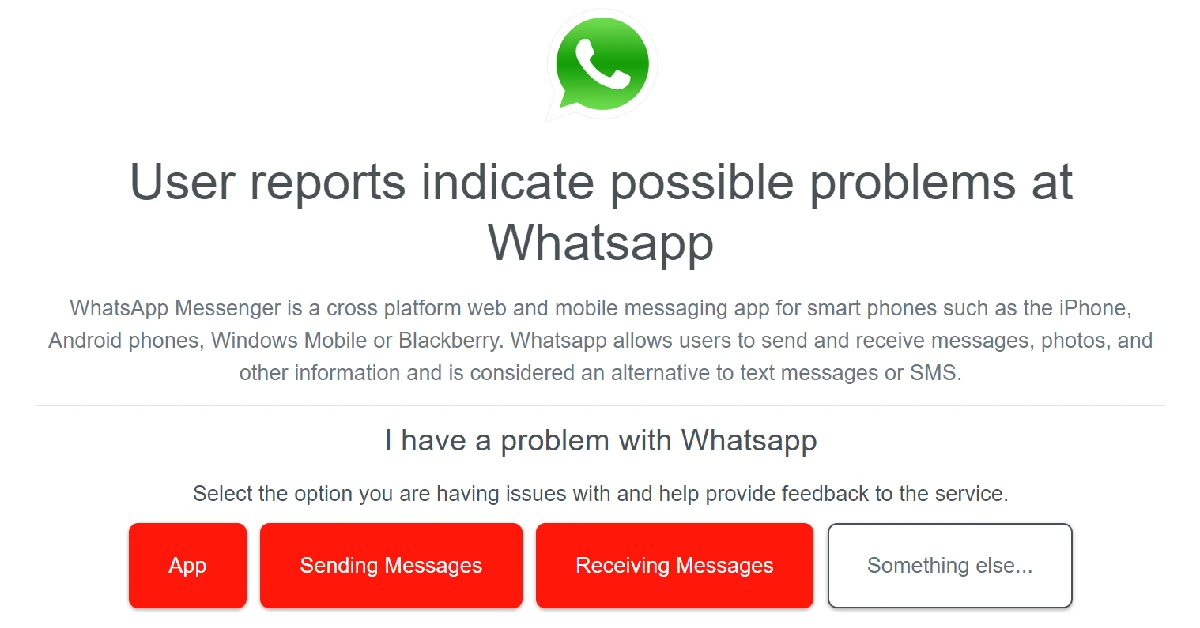
Check if WhatsApp is down It is not uncommon for WhatsApp’s servers to go down every now and then. Once the servers go down, all functionality on the app ceases. You won’t be able to send any texts or make any calls. Any texts you send will get stuck in pending. To check if others are experiencing this issue as well, go to DownDetector.in and search for WhatsApp. This is where you can see whether other users are reporting any active server outages as well.

Leave the WhatsApp Beta Program

WhatsApp’s Beta Program allows selected users to become beta testers and try out the new updates before they are rolled out for a larger audience. These updates can often be bug-ridden, which is why developers prefer beta testing them first. If you suspect you’re unable to send messages on WhatsApp due to the new update, you may want to leave the Beta Program and go back to using the regular app. Go to WhatsApp’s page on the Google Play Store, scroll down, and opt out of the Beta Program.

Uninstall and reinstall the app

How to restore a deleted message on WhatsApp? 12 Simple Methods to Fix WhatsApp Not Sending Messages (2024) As a last-ditch measure, you can uninstall and reinstall WhatsApp on your phone to fix the issue at hand. However, before you delete WhatsApp, make sure you back up all your chats and media, as you will lose them when the app is removed. Once the app has been uninstalled, go to the Google Play Store and reinstall it. Log in to your account using your phone number and check if you’re able to send messages again.

Update your phone’s OS

Step 1: Go to Settings and select Software update. 12 Simple Methods to Fix WhatsApp Not Sending Messages (2024) Step 2: Tap on Download and install. 12 Simple Methods to Fix WhatsApp Not Sending Messages (2024) Step 3: Select Install now. Select Install now. Top 8 ways to fix the ‘SIM not provisioned MM2’ error on Android 12 Simple Methods to Fix WhatsApp Not Sending Messages (2024) Read Also: Best entry-level wired earphones under Rs 1,000

Frequently Asked Questions (FAQs)

How do I confirm that my message has been delivered on WhatsApp?

The double tick symbol next to a WhatsApp message denotes that it has been delivered to the recipient’s device. When the double tick turns blue, it means the recipient has read the message.

Why are my messages not getting sent on WhatsApp?

Unstable connection, server outage, outdated app, and account suspension are some of the reasons why your messages may not be getting sent on WhatsApp.

What do I do to fix ‘WhatsApp not sending messages’ issue?

If you aren’t able to send messages on WhatsApp, switch to a stronger network connection, disable the data saver on your device, and clear WhatsApp’s cache to fix the issue.

Why is my WhatsApp status stuck on pending?

If your phone is not receiving proper internet coverage, the WhatsApp status will get stuck on pending. This may also be the case when the file you’re trying to upload as your status is too large for WhatsApp or not compatible with it.

Why is the WhatsApp app stuck on my phone?

Bugs and software issues can cause WhatsApp to freeze. Update the app and restart it to fix this issue.

Conclusion

These are 12 simple methods to fix the ‘WhatsApp not sending messages’ issue on iOS or Android. If the problem still persists after trying all these fixes, you can try performing a factory reset on your smartphone as a last-ditch effort. Make sure you’ve backed up all your data beforehand, as a factory reset will wipe your phone’s internal storage memory.