CES 2023 officially kicked off in Las Vegas yesterday and saw some major product announcements and product reveals on Day 1. These included products that will be launched in the coming months and fascinating prototypes and concepts that will be hitting production in the next few years. Here are the major highlights from Day 1 of CES 2023, featuring some of the highly anticipated products to be launched this year and trends that we will definitely be seeing in future.Read Also: What is NightCafe AI Image Generator? How to use it properly?
Samsung Odyssey Neo G9
With a massive 57-inch display that spans over four feet in width, the Samsung Odyssey Neo G9 is, without doubt, the final boss on curved gaming monitors. The 240Hz Ultra HD display has a ‘dual 4K’ resolution of 7,620 x 2,160. With VESA Display HDR 1000 specification and quantum micro LED technology, the Odyssey Neo G9 can achieve a peak brightness of up to 1,000 nits which is optimum to pull an outstanding performance in light and dark environments. The monitor is also equipped with Display Port 2.1 which transfers data twice as faster as the standard Display Port 1.4
Citizen CZ Smartwatch
The new Citizen CZ Smartwatch goes beyond just tracking your fitness activities and essential health functions. This smart wearable is able to determine patterns of fatigue and alertness, bringing a more personalised experience to the user. The YouQ app’s built-in self-care advisor recommends personalised strategies to the user to build better habits. The smartwatch also offers a custom-designed Alert Monitor test, which is the commercial version of NASA’s Psychomotor Vigilance Task Test (PVT+) that was designed to determine the mental acuity of astronauts.
Acer eKinekt Bike Desk
Need something more than a standing desk to keep you mobile at work? Acer’s eKinekt Bike Desk does exactly what the name implies. Now you can pedal while you work while using the kinetic energy generated by the bike to power the electronic devices on your desk. One hour of constant cycling at 60 rpm on the Bike Desk generates 75 watts of power. Riders can also track their progress on the LCD screen or on the companion smartphone app.
Aska A5 flying car
The world’s first flying car may finally be here. The fully functional Aska A5 prototype is scheduled to go into production by 2026. The fully electric A5 can travel by road as well as up to 250 miles by air on a single charge. The vehicle is compact enough to fit inside existing parking spaces and requires the space of a helipad or vertiport to perform a vertical takeoff. This would require minimal updates to the existing transportation infrastructure. Preorders for the Aska A5 are currently open and the company is planning to roll out deliveries in major cities by 2026.
Snapdragon Satellite
Qualcomm announced the Snapdragon Satellite at CES 2023, which will rival the satellite SOS services that debuted in the iPhone 14 last year. The two-way capable emergency messaging services will first be made available on premium Android smartphones running on the flagship Snapdragon 8 Gen 2 SoC. These services will later be opened to app developers and OEM manufacturers.
Samsung’s Sliding Display Prototype
While people are still getting used to foldable displays, Samsung is already setting sights for the future with its new sliding display prototype. This new display from Samsung looks like something straight out of a sci-fi book. Once you unfold the display you can further stretch it out and expand the display size. Samsung is on top of the foldable smartphone category right now, and this new hybrid flex design will surely elevate things to a new level.
BMW i Vision DEE
CES 2023 has been buzzing with EV announcements, first with Sony and Honda’s joint venture Afeela, and then later with BMW’s reveal of its ‘i Vision Dee’ prototype. The Dee takes customisation to a whole new level with its 240 e-Ink panels capable of changing the colour of the car within seconds. Not only that, you can program each e-Ink panel individually to display different patterns on the exterior body surface. Dee stands for ‘Digitial Emotional Experience’, which the car incorporates in several different aspects. Its facial recognition software is capable of recognising the driver as they approach the car. Once the car recognises the driver, it reacts accordingly, unlocking the door and displaying a welcome graphic on the closed-off grille. Read Also: 4 Great Grocery Shopping Apps You Need To Try On Android
Under the gaming-focused AORUS brand, GIGABYTE unveiled its newest laptops. The top-of-the-line AORUS 17X and AORUS 15X gaming laptops feature 13th Generation Intel Core processors and NVIDIA GeForce RTX 40 GPUs. Both gaming laptops are built for a maximum TGP of 175W, enabling gamers to play games at incredibly high frame rates. With 240Hz refresh rate at 1440p resolution for both 17-inch and 15-inch models, the new AORUS laptops have significantly improved display performance.A 15.6-inch display with quad-HD resolution and a refresh rate of 240Hz is available on the GIGABYTE AORUS 15X. On the other hand, the 17.3-inch quad-HD screen and 240Hz refresh rate of the AORUS 17X stand out. The TÜV Rheinland certification, which comprises a series of demanding tests confirming the product’s low blue light and free of flicker, has been obtained by all displays in the AORUS Series. The software team at GIGABYTE also introduces the AI Eyecare feature, which can timely alter screen brightness based on ambient illumination to provide players with the most eye-comforting pictures. Additionally, the displays have a wide colour range that can accurately represent all colours up to 100% of the DCI-P3 cinematic standard. They have an RGB lightbar and a customizable backlit keyboard.Also Read:ASUS introduced new lineup of ROG Flow and Zephyrus laptops at CES 2023Up to 13th generation Intel Core i9 HX CPUs are included in the GIGABYTE AORUS 15X and AORUS 17X. The 17x has a 16GB GDDR5 GeForce RTX 4090 GPU while 15x has up to 8GB GDDR6 NVIDIA GeForce RTX 4070 GPU.Up to 175W TGP enables users to play games at ultra-high frame rates. Both laptops include PCIe Gen4x4 SSD storage and up to 64GB DDR5 RAM. With the advent of Advanced Optimus: DDS, laptops may now switch output modes without the need for any further settings tweaks, significantly improving gaming performance. They have two fans, a vapour chamber, and WINDFORCE Infinity cooling technology for heat dissipation.The Windows 11 OS is preinstalled on the GIGABYTE AORUS 15X and AORUS 17X. All laptop models have a 99Wh large capacity battery, which increases mobility by enabling longer usage. The laptops support a maximum of three monitors and have comprehensive I/O ports. The laptops’ Thunderbolt 4 ports can deliver 100W of power.
For the latest gadget and tech news, and gadget reviews, follow us on Twitter, Facebook and Instagram. For newest tech & gadget videos subscribe to our YouTube Channel. You can also stay up to date using the Gadget Bridge Android App. You can find the latest car and bike news here.
Once you’ve been using a device for a while, it is not uncommon to forget all the product details and the finer specs. While all smartphones have an ‘About Page’ in the Settings allowing you to easily view all details related to the product, the same may not be the case for other devices. Your Chromebook’s model number is one detail that you should know since it is essential in finding out whether your device will receive any future security updates. It is also a unique product identifier, so you can use it while looking for more details about your Chromebook online. In this article, we bring you the 7 easy methods to find out your Chromebook model number and name.Read Also: Easy ways to Clear Cache and Cookies in Chrome for Android Mobiles
Why you should know which Chromebook model you own
Your Chromebook’s model name and number may seem like a trivial bit of information, but it is important to be aware of it. If you intend to sell your device in the future, you will need to know the model name/number to list it on a selling platform. This is because it is the most unique identifier for your device. Using the model info, the buyer can get to know other details like the year of production, pending updates and security patches, and more.
If you don’t intend to sell your Chromebook, you’ll still need its model name and number while buying essential components and accessories. For example, if you want to replace your device’s battery, you will need to specify its model info to get an authentic unit that will work on it. The model name and number also come in handy when you run into software-related issues and need to look up possible fixes online. The easiest way to find out if someone else has encountered the issue before is by adding the model name/number of your Chromebook at the end of your query.
Use Chrome’s About Page
Chrome’s About Page contains all the essential information about your device. You can use this page to find the OS version, Chrome version, firmware details, devices connected to your Chromebook, and more. Here’s how you can find your Chromebook’s model number from the About Page.Step 1: LaunchGoogle Chrome, type chrome://system and hit Enter.Step 2: Press Ctrl+F and search for ‘model_name’ to view your Chromebook’s model number.
Find the model name using its code name
Step 1: Press Ctrl + Search/Launcher key + Esc. If you’re using a Windows keyboard, press the Windows key instead of the Search/Launcher key.
Step 2: Note the code name mentioned at the top of the screen. You can find it next to the ChromeOS version number.
Step 3: Go to the Chromium Developer Library page and search for the code name. The name of the model will be listed next to the code name.
Use the Chromebook Recovery Utility extension
Step 1: Go to the Chrome Store and add the Chromebook Recovery Utility extension to Chrome.Step 2: Click on the extension once it’s installed and select Get Started.Step 3: In the following window, you will be asked to enter your Chromebook’s model number. Click on the number that follows “For this Chromebook, enter…”.Step 4: Your Chromebook’s model number will be displayed below the image of a laptop.
Use Cog – System Info Viewer
Step 1: Add the Cog – System Info Viewer extension to Chrome.Step 2: Launch the extension on your Chromebook.Step 3: Note down the CPU name displayed in the system viewer.Step 4: Search Google for the CPU name, RAM specs, and your Chromebook manufacturer’s name.In the results that pop up, find the Chromebook by the manufacturer that matches the specs of your Chromebook. You will be able to find the model number in the details.
Check the retail box
If you have preserved the retail box that your Chromebook came in, finding the model number won’t be so hard. Simply scan the box for product details, and you will be able to see the model number easily. You can also check the bill for the Chromebook’s model number. If you made an online purchase, look through your previous orders and go to your Chromebook’s product page. You will find the model number there.
Check the back of the Chromebook
Can’t find the retail box that your Chrome came in? You don’t need to worry. Some Chromebooks come with a product spec sticker at the bottom of the device. Check this sticker for the model number. You will find additional information about the product on this sticker as well. Since the serial number is also alphanumeric, do not confuse it with the model number of the device.
Perform a search on the Internet
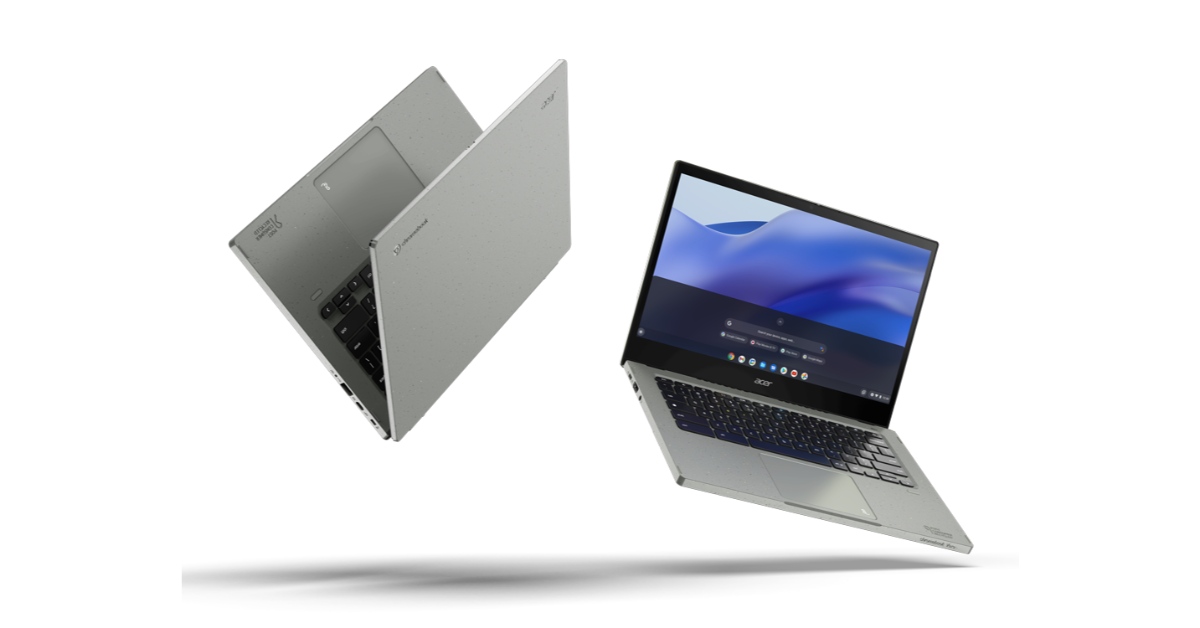
If you’ve tried all the methods mentioned above but still can’t figure out the name of your Chromebook model, you will have to resort to the old hit-and-trial method. Go to the manufacturer’s website and browse through their Chromebook section. Look for devices with similar specs to your Chromebook. If you suspect that the manufacturer has discontinued the Chromebook you own, perform a Google search with your device’s specs. You can also ask online tech communities to help you figure out which Chromebook model you own.
Frequently Asked Questions
How do I check my Chromebook’s model name?
To find out your Chromebook’s model name, simply launch Google Chrome and enter chrome://system. On the following page, search for model_name.
Which Chromebook model do I own?
Install the Cog – System Info Viewer extension and run it on Chrome to find out which Chromebook model you own.
I can’t find the retail box of my Chromebook. How do I check its model number?
If you can’t find the retail box of your Chromebook, look under the device for a product spec sticker to find its model number.
How do I find my Chromebook’s model number from its code name?
Press Ctrl + Search/Launcher key + Esc and check the code name next to the ChromeOS version number at the top of the screen. Go to the Chromium Developer Information page and search for the code name. The model number will be mentioned next to it.
How do I update my Chromebook?
Go to Settings>About Chrome OS and click on ‘Check for Updates’. The latest OS version will start downloading automatically. Once it has downloaded, restart your device.
Read Also: CES 2023: Media day roundup
Conclusion
These are the 7 easy methods to find out which Chromebook model you own. Your Chromebook’s model number will help you find all the important details related to your device, like the official product name, year of production, pending security updates, and more. If you found this article helpful, let us know in the comments!
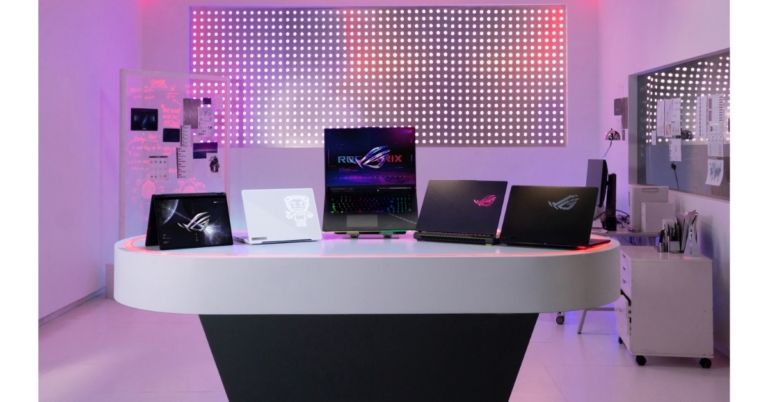
ASUS Republic of Gamers (ROG) introduced its new 2023 laptop lineup, which includes updated AMD, Intel, and NVIDIA CPUs and GPUs at CES 2023. The company announced ROG Flow X13, Flow X16, and Flow X13 gaming laptops. Asus ROG Zephyrus M16, Zephyrus G16, Zephyrus G14, and ROG Flow X13 gaming laptops were also introduced. In addition to this the company also launched a new array of gaming laptops and desktops from the ROG Strix SCAR and ROG Strix G series.
Asus ROG Strix SCAR, Strix G specifications and price
The Strix SCAR lineup supports the larger 16-inch and 18-inch 16:10 aspect-ratio screens, the Strix SCAR 16 and 18 have been rebranded. They have been fitted with ROG’s revolutionary QHD, 240Hz Nebula HDR display with Mini LED technology. The Asus ROG Strix SCAR 18 has an 18-inch display with 2,560×1,660 quad-HD+ resolution and a 240Hz refresh rate.Also Read:Acer announced Swift Go Series with the 13th Gen Intel Core CPUs at CES 2023The top-of-the-line 13th Gen Intel Core i9 13980HX processor is included in the Strix SCAR 16 and 18. Maximum performance is achieved by using A Nvidia GeForce RTX 4090 GPU, up to 64 GB of DDR5, and up to 2 TB of PCIe 4.0 SSD storage are also included, which has thermal headroom to enable silicon to boost higher and longer than ever. The 13th Gen Intel Core i9 13980HX processor included in the new Strix G16 and Strix G18 is configured with up to an NVIDIA GeForce RTX 4080 Laptop GPU to provide great esports performance.The Strix G17 and Strix SCAR 17 have both been updated with AMD’s Ryzen Zen 4 processor because it is an absolute beast for gaming and content creation alike with up to 16 full-performance cores.
ROG Zephyrus
The 2023 Zephyrus M16 to operate at 25 watts more than the model from the previous year, giving the Intel Core i9 13900H CPU and NVIDIA GeForce RTX 4090 Laptop GPU in this top gaming PC even more power through the use of a MUX Switch and NVIDIA Advanced Optimus. Additionally, the 2023 Zephyrus M16 is the first 16-inch device to have ROG’s renowned AniMe Matrix LED lighting array, enabling gamers to express their originality and creativity wherever they are.Also Read:CES 2023: Media day roundupThe M16’s display has also been improved to a 16-inch, QHD Nebula HDR Display with Mini-LED technology with 1100 nits of peak brightness for an HDR image, 1,024 dimming zones and a 240 Hz refresh rate and 100% DCI-P3 coverage.With an Intel Core i9 13900H CPU and up to an NVIDIA GeForce RTX 4070 Laptop GPU with a MUX Switch and NVIDIA Advanced Optimus, the brand-new Zephyrus G16 joins the portfolio. The G16 also has a 16-inch, QHD, 240 Hz panel with stunning colour and clarity, called the Nebula Display. A brand-new AMD Ryzen Zen 4 CPU and an NVIDIA GeForce RTX 4090 Laptop GPU with a MUX Switch and NVIDIA Advanced Optimus are among the internal components of the Zephyrus G14.While the G14 debuts ROG’s first 14-inch Nebula HDR display, including 100% coverage of the DCI-P3 colour space, 504 dimming zones, 600 nits of peak brightness, and 600 nits of peak brightness for rich and immersive video.The Zephyrus Duo 16 consists of a 16-inch Mini LED panel and a 4K touchscreen that glides to meet it automatically when the laptop is unlocked. The Duo 16 is equipped with an AMD Ryzen Zen 4 processor with 16 cores and an NVIDIA GeForce RTX 4090 Laptop GPU with a MUX Switch this year.
ROG FLOW
The 2023 Flow X13 now offers up to an AMD Ryzen 4 processor and up to an NVIDIA GeForce RTX 4070 Laptop GPU. The Flow X13 has up to 32 GB of extremely fast LPDDR5 RAM, which additionally boasts a 50% higher data rate than the model from the previous year. In addition to this, the battery capacity has been increased from 62 to 75 Wh. The machine is easy to unlock and navigate thanks to a bigger touchpad and an FHD IR camera with Windows Hello functionality. With the revolutionary touchscreen QHD, 165 Hz Nebula Display on a 360° hinge of the Flow X13, this amazing convertible tablet is prepared to game anywhere, at any time.This year, the Flow Z13’s GPU was upgraded to an NVIDIA GeForce RTX 4060 Laptop GPU, which has a TGP of up to 65 W and is a 62% improvement over the Z13’s predecessor. Additionally, the Z13 features a dedicated MUX Switch that supports NVIDIA Advanced Optimus. This is made possible by liquid metal and vapour chamber technology, and the amazing 13-inch QHD 165 Hz refresh rate Nebula Display will truly highlight gamers’ favourite content.A new Intel Core i9 13900H processor and an NVIDIA GeForce RTX 4070 Laptop GPU with a MUX Switch and NVIDIA Advanced Optimus are now available for the ROG Flow X16. With 1100 nits of peak brightness and a scorching 240 Hz refresh rate, the Nebula HDR Mini LED touchscreen display has been enhanced.The brand-new XG Mobile has been added to the 2023 Flow family with the NVIDIA GeForce RTX 4090 Laptop GPU and a maximum TGP of 150 W. The compact XG Mobile, in contrast to other external graphics solutions.
For the latest gadget and tech news, and gadget reviews, follow us on Twitter, Facebook and Instagram. For newest tech & gadget videos subscribe to our YouTube Channel. You can also stay up to date using the Gadget Bridge Android App. You can find the latest car and bike news here.
Garena Free Fire is a battle royale game with regular awards and tournaments to keep players interested. If you play Garena Free Fire, you should be aware of the redeem codes that are released on a daily basis. However, because the battle royale game is banned in India, players from other countries can use the Free Fire Redeem codes daily. If you’re unfamiliar with the Garena Free Fire redeem codes or don’t know how to get them, we’ve put together a step-by-step guide to help you redeem them. Check out Garena Free Fire Redeem Codes for 6 January 2023.The Free Fire redeem codes are a great way to get free stuff. These are 12-digit codes that contain alphabets and numbers, as well as an expiration date and time. Because the Garena FF redeem codes cannot be used more than once, you should hurry to the redemption page to claim your free reward before someone else does. To get a free reward, all you have to do is go to reward.ff.garena.com/en, which is the official redemption page. Also, keep an eye on this space for daily updates on Garena Free Fire redemption codes and rewards.
Garena Free Fire Redeem Codes Today 6 January 2023
FFCMCPSJ99S3
XZJZE25WEFJJ
V427K98RUCHZ
MCPW2D1U3XA3
BR43FMAPYEZZ
NPYFATT3HGSQ
FFCMCPSGC9XZ
MCPW2D2WKWF2
ZZZ76NT3PDSH
FFCMCPSEN5MX
HNC95435FAGJ
6KWMFJVMQQYG
FFCMCPSUYUY7E
MCPW3D28VZD6
EYH2W3XK8UPG
UVX9PYZV54AC
FFAC2YXE6RF2
FFCMCPSBN9CU
FFBBCVQZ4MWA
How to Get Free Fire Redeem Codes for Garena on 6 January 2023?
Amazon is back with another quiz on its mobile platform. The Amazon Quiz is conducted every day for its customers. Customers from different parts of the country are participating in the daily quiz. Today’s Amazon quiz is now live on the Amazon App. The customers who participate in the 6 January 2023 Amazon Quiz will get a chance to win Rs 1,250 Amazon pay Balance.The Amazon Quiz can be played from 12 AM to 11:59 PM. For those who are unaware of the quiz, the e-commerce platform brings a fresh quiz on a daily basis which consists of five questions related to general knowledge and current affairs. The participants need to answer all the questions correctly and their names will be selected for a lucky draw. The winner will be announced at the end of the month. One wrong answer could eliminate you from the quiz. Only app users are eligible to participate in the Quiz. Check Out 6 January 2023 Amazon Quiz Answers.Amazon Quiz Today Prize – Rs 1,250 Amazon Pay BalanceQuiz Date – 6 January 2023Daily Timing – 12 AM to 11:59 PMWinner Announcement – Today 12 PM
Amazon Quiz Answers Today 6 January 2023
Question 1: ____ helps pump blood through the entire body.
Answer: HeartQuestion 2: What part of the skeletal system protects the brain?
Answer: SkullQuestion 3: The Heathrow Airport is located in which city?Answer: LondonQuestion 4: This character is part of which fictional universe?Answer: Marvel Cinematic Universe
Question 5: This is the flag of which country??Answer: Nepal
How To Play Amazon Quiz
Only app users are eligible to play the Amazon quiz every morning from 12 AM to 11:59 PM. The quiz is not available on the desktop. For those who are unaware of how to play the Amazon quiz below are the steps, you can follow to take the quiz.
Firstly download the Amazon app from Google Play Store or App Store
Now fill in the required information through the Sign Up option.
You need to log in to the Amazon app and scroll down on the home screen to find the Amazon Quiz banner.
Tap on the Amazon Quiz banner and tap on the Start button to start the Quiz.
Now you will get 5 questions and you need to answer them correctly. One wrong answer will eliminate you from the Quiz.
After answering all the questions correctly you are now eligible for a Lucky Draw.
The winner’s name will be announced today at 12 PM.
Snapdragon Satellite will bring Emergency messaging to Android, rivalling iPhone’s Emergency SOS
Snapdragon Satellite is powered by Snapdragon 5G Modem-RF Systems and supported by the Iridium satellite constellation. It will offer global satellite coverage to several OEMs and other service providers. Iridium’s weather-resilient L-band spectrum will provide uplink and downlink for smartphones. The ‘Emergency messaging’ feature will make its appearance on premium Android smartphones released in the second half of 2023.“Robust and reliable connectivity is at the heart of premium experiences. Snapdragon Satellite showcases our history of leadership in enabling global satellite communications and our ability to bring superior innovations to mobile devices at scale,” said Durga Malladi, senior vice president and general manager, cellular modems and infrastructure, Qualcomm Technologies, Inc. “Kicking off in premium smartphones later this year, this new addition to our Snapdragon platform strongly positions us to enable satellite communication capabilities and service offerings across multiple device categories.”The emergency services aided by Snapdragon Satellite will also find their way into other devices other than Android smartphones. Laptops, tablets, vehicles, wearables, and IoTs are all expected to start incorporating emergency satellite services. As the ecosystem grows, app developers will be able to offer exclusive features with the help of satellite connectivity. Snapdragon Satellite is planned to support 5G Non-Terrestrial Networks (NTN), as NTN satellite infrastructure and constellations become available.“Iridium is proud to be the satellite network that supports Snapdragon Satellite for premium smartphones,” said Matt Desch, CEO, Iridium. “Our network is tailored for this service – our advanced, LEO satellites cover every part of the globe and support the lower-power, low-latency connections ideal for the satellite-powered services enabled by the industry-leading Snapdragon Satellite. Millions depend on our connections every day, and we look forward to the many millions more connecting through smartphones powered by Snapdragon Satellite.”For the latest gadget and tech news, and gadget reviews, follow us on Twitter, Facebook and Instagram. For newest tech & gadget videos subscribe to our YouTube Channel. You can also stay up to date using the Gadget Bridge Android App. You can find the latest car and bike news here.
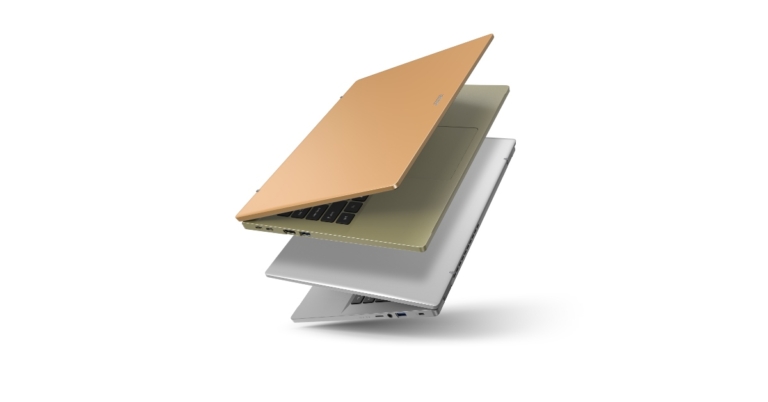
Acer has refreshed its Swift lineup with the launch of two new laptops. The company introduced Acer Swift Go 16, Swift Go 14, Swift X 14 and Swift 14 at CES 2023. All the machines feature an all-new design with 13th Gen Intel Core processors and Windows 11.
Acer Swift Go 16 and Swift Go 14
The OLED display in the new Swift Go 16 (SFG16-71) and Swift Go 14 (SFG14-71) has a quick refresh rate. The ultra-thin and light laptops have VESA DisplayHDR True Black 500 certification, a 500-nit maximum brightness, and a 100% DCI-P3 colour gamut. The Swift Go 14 offers a 14-inch 2.8K OLED display with a resolution of 2880×1800 and a refresh rate of 90 Hz, while the Swift Go 16 has a 16-inch 3.2K OLED display with a resolution of 3200×2000 and a refresh rate of 120Hz. The laptop displays’ TÜV Rheinland Eyesafe display certification, productivity-optimized 16:10 ratio, and touch-optional features make it easy to put in long hours of work, learning, and play. The laptops’ OceanGlass touchpads and backlit keyboards further guarantee a fluid and effective scrolling experience.Also Read:Redmi Note 12 5G, Redmi Note 12 Pro 5G, and Redmi Note 12 Pro+ 5G goes official in IndiaThe new Swift Go 16 and Swift Go 14 laptops, powered by 13th Gen Intel Core H-series CPUs and confirmed as Intel Evo platform computers, offer outstanding performance and more than 9.5 hours of battery life. A specialised AI engine is available in 13th Gen Intel Core processors with the Intel Movidius VPU, enabling quality video collaboration, uncompromised AI, and seamless integration. The laptops also include Intel Unison, which enables customers to quickly link their PCs with Android or iOS devices for a flexible, user-friendly experience. Acer Swift Go 16They each have a variety of connectors, including a MicroSD card reader, HDMI 2.1, and USB Type-C with Thunderbolt 4. The PurifiedView video conferencing capabilities, such as Background Blur, Automatic Framing, and Eye Contact, are also available on the Swift Go laptops. When combined with Acer PurifiedVoice technology with AI noise reduction, the 1440p webcam with Temporal Noise Reduction (TNR) offers high-quality video feedback even in low-light situations, producing sharp, clear images and audio for conferencing and classrooms.
Acer Swift X 14 and Swift 14
The Swift X 14 (SFX14-71) laptop is powered by 13th Gen Intel Core H-series processors and supports up to NVIDIA GeForce RTX 4050 Laptop GPUs. These robust laptops are NVIDIA Studio-validated and optimised with NVIDIA Studio Drivers pre-installed. The Swift 14 laptop is Intel Evo-verified, has up to 13th Gen Intel Core H-series CPUs, and has a battery life of more than 9.5 hours. The notebooks also use Intel Unison, enabling users to cooperate on the most crucial productivity tasks across various operating systems.Acer Swift X 14The stunning 14-inch 2.8K OLED display on the Acer Swift X 14 brightly showcases 100% of the DCI-P3 colour gamut and has VESA DisplayHDR TrueBlack 500 certification. It also boasts a 120 Hz frame refresh rate. Impressive colours and images come to life on the display thanks to its 500-nit peak brightness and high contrast ratio, while text remains clear and legible throughout the viewing experience. With the 1080p FHD webcam with Acer PurifiedView and PurifiedVoice with AI Noise Reduction, creators can interact easily while on the go. A MicroSD card reader, dual USB Type-C ports, HDMI 2.1, and other modern connectors also keep makers linked to screens, printers, and other devices.Also Read:CES 2023: Media day roundupThe WQXGA (2560×1600) or WUXGA (1920×1200) 14-inch touchscreen display options for the Acer Swift 14 are both protected by tough Antimicrobial Corning Gorilla Glass, which increases durability, provides scratch resistance and inhibits the growth of bacteria that cause stains and odours. With the Swift 14’s 1440p QHD camera with TNR technology, Acer PurifiedVoice, and twin speakers improved with DTS Audio, hybrid employees, remote workers, and students can participate in conferences, classes, and video calls on the go. Windows Hello and the built-in fingerprint reader simplify user logins without compromising security, while the two USB Type-C Thunderbolt 4 connectors, as well as the HDMI 2.1 port, offer convenient connections to peripherals.
Price and Availability
The price of the Acer Swift Go 16 (SFG16-71) will start at USD 799.99 in North America in June, EUR 1099 in EMEA in March, and RMB 6,599 in China in March.The price of the Acer Swift Go 14 (SFG14-71) will start at USD 849.99 in North America in May, EUR 999 in EMEA in February, and RMB 5,499 in China in February.The Acer Swift X 14 (SFX14-71G) will go on sale in April with prices starting at USD 1,099.99 in North America, EUR 1499 in EMEA, and RMB 7,099 in China.Beginning in March, the Acer Swift 14 (SF14-71T) will be offered in North America for USD 1,399.99; in EMEA, it will cost EUR 1,699; and in China, it will cost RMB 7,999.
For the latest gadget and tech news, and gadget reviews, follow us on Twitter, Facebook and Instagram. For newest tech & gadget videos subscribe to our YouTube Channel. You can also stay up to date using the Gadget Bridge Android App. You can find the latest car and bike news here.
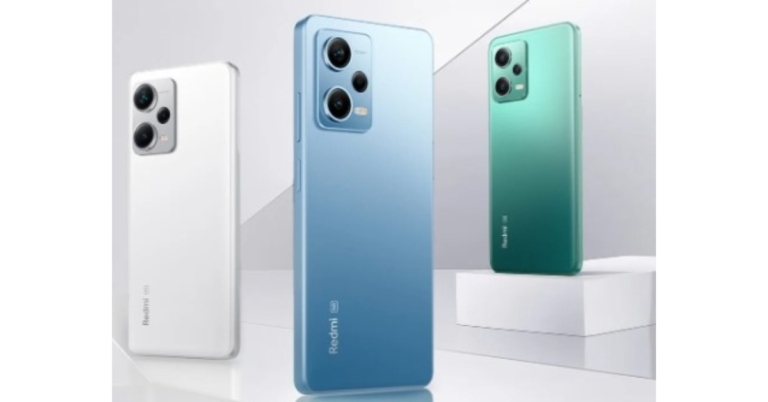
Redmi Note 12 5G, Redmi Note 12 Pro 5G, and Redmi Note 12 Pro+ 5G have officially debuted in India. The Redmi Note 12 Pro+ 5G’s triple back camera system, which is driven by a 200-megapixel Samsung HPX sensor. A MediaTek Dimensity 1080 SoC powers Redmi Note 12 Pro+ 5G and Redmi Note 12 Pro 5G models. While the Redmi Note 12 5G comes installed with Qualcomm Snapdragon 4 Gen 1 SoC.
Redmi Note 12 Series price and availability
In India Redmi Note 12 5G costs Rs 17,999 for the 4GB RAM model with 128GB storage and Rs 19,999 for the 6GB RAM model with the same amount of storage. It is available in the colours Mystique Blue, Matte Black, and Frosted Green.While the Redmi Note 12 Pro 5G is priced at Rs 24,999 for the 6GB RAM with 128GB storage model and Rs 26,999 for the 8GB RAM with 128GB storage model. Priced at Rs 27,999 is the model with 8GB RAM and 256GB. Onyx Black, Stardust Purple, and Frosted Blue are the colours that are available.The Redmi Note 12 Pro+ 5G is available for Rs 29,999 for the 8GB RAM model with 256GB storage, and Rs 32,999 for the 12GB RAM model with 256GB storage. It comes in Iceberg Blue, Obsidian Black, and Arctic White colorations.The Redmi Note 12 5G, Redmi Note 12 Pro 5G, and Redmi Note 12 Pro+ 5G will be available for purchase throughout the nation starting on January 11 at 12 PM IST. You can buy them from offline retail partners, such as Mi.com, Flipkart, Amazon, Mi Home shops, and Flipkart.
Redmi Note 12 5G specifications
Samsung’s full-HD display on the phone is 6.67 inches and boasts a 1,080 x 2,400-pixel resolution. While the touch sampling rate on the screen may reach 240 Hz, the refresh rate on it can reach 120 Hz. The panel can reach 1200 nits of peak brightness.The Redmi Note 12 5G is powered by MIUI 13, an Android 12 clone. A Qualcomm Snapdragon 4 Gen 1 octa-core SoC and up to 6GB of RAM are included in the smartphone. It includes an internal memory of 128GB UFS 2.2 and supports microSD cards that can be increased up to 512GB.The Redmi Note 12 5G has a 48-megapixel primary sensor and a 2-megapixel depth sensor as part of its dual rear camera system. For selfies, the phone boasts an 8-megapixel front camera.
Redmi Note 12 Pro specifications
The Redmi Note 12 Pro has a 6.67-inch full-HD+ OLED screen with a 1,080 x 2,400 pixel resolution. The display is capable of supporting touch sampling rates of 240Hz, HDR10+, and refresh rates of up to 120Hz. It is powered by an octa-core Mali-G68 GPU, up to 8GB LPDDR4x RAM, and a MediaTek Dimensity 1080 SoC. The smartphone has a storage capacity of 256GB using UFS 2.2.The Redmi Note 12 Pro’s triple rear cameras have a 50-megapixel Sony IMX766 sensor that features optical image stabilisation. The camera kit also includes an 8-megapixel ultra wide-angle sensor and a 2-megapixel macro sensor. The handset also includes a 16-megapixel selfie sensor on the front.A 5,000mAh battery and 67W rapid charging are features of the Redmi Note 12 Pro.
Redmi Note 12 Pro+ specifications
The Redmi Note 12 Pro+’s 6.67-inch full-HD OLED display has an up to 120Hz refresh rate. A maximum brightness of 900 nits and a touch sampling rate of 240Hz is supported by the display. The display is compatible with Dolby Vision and HDR10+. The Redmi Note 12 Pro+’s internal components include an octa-core 6nm MediaTek Dimensity 1080 SoC, up to 12GB of LPDDR4X RAM, and a Mali-G68 GPU.The triple rear cameras of the Redmi Note 12 Pro+ have a 200-megapixel primary sensor with OIS. A 2-megapixel macro lens and an 8-megapixel ultra wide-angle camera are also part of the arrangement. The phone’s 16-megapixel front camera sensor is used for taking selfies.The new Redmi Pro+ smartphone is powered by a 5,000mAh battery that enables 120W rapid charging.
For the latest gadget and tech news, and gadget reviews, follow us on Twitter, Facebook and Instagram. For newest tech & gadget videos subscribe to our YouTube Channel. You can also stay up to date using the Gadget Bridge Android App. You can find the latest car and bike news here.
Cache memory helps your web browser to load previously viewed webpages faster. It achieves this by storing some of the data in the temporary memory, avoiding the need to re-download it when you revisit the webpage. Cookies, on the other hand, store your personal information (like login details) when you visit a website. While some cookies may be necessary and help a great deal in getting rid of redundancies, there are a lot of additional cookies that a website may attach to your web browser. These cookies can track your online behaviour, anywhere from monitoring the products you view to tracking the time you spent on a particular webpage. Many regard this as a clear violation of privacy, and it is suggested you routinelyclear all cookies from your web browser. In this article, we bring you two easy methods to clear cache and cookies in Google Chrome for Android mobiles.Read Also: 4 Great Grocery Shopping Apps You Need To Try On Android
Clear Cache and Cookies from Google Chrome on Android
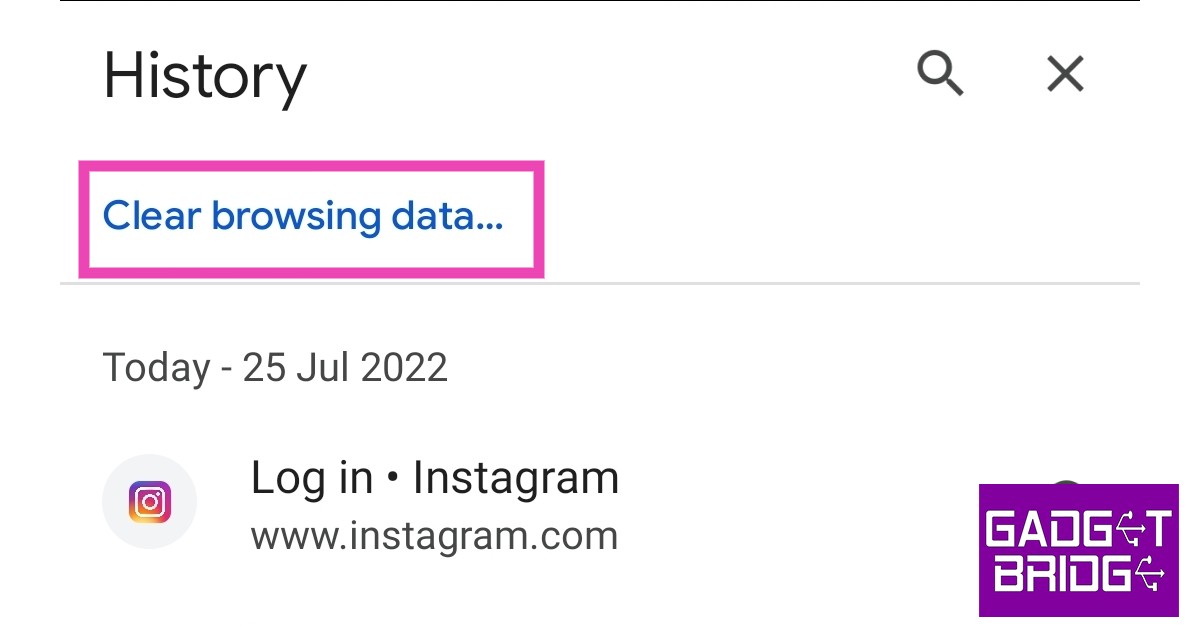
Step 1: Open the Google Chrome browser on your smartphone.Step 2: Tap the three dots at the top right corner of the screen and select ‘History’.Step 3: Select ‘Clear Browsing Data’.Step 4: Choose the time range for data deletion. If you want to delete everything, select ‘All Time’.Step 5: Check the boxes next to ‘Cookies and Site data’ and ‘Cached images and files’.Step 6: Tap ‘Clear data’.
Clear Cache and Cookies from Google Chrome on Android using Settings
Step 1: Go to Settings and select Apps.Step 2: Select Google Chrome and tap on Storage.Step 3: Select ‘Clear Cache’ at the bottom of the screen.Step 4: Select ‘Manage Data’.Step 5: Tap on ‘Manage’ under ‘Site storage’.Step 6: Select ‘Clear all data’.Read Also:Simple Ways to Get a Satellite View of Your House Using Google Earth?
Conclusion
These are the 2 easy ways to clear cache and cookies in Google Chrome for Android mobiles. If you feel like your smartphone has slowed down a bit, clearing the cache may help. It is suggested you clear the cache after every two weeks. If Chrome throws some unexpected issues, clearing the cache can help in getting rid of corrupted temporary files that may be causing the problem.For the latest gadget and tech news, and gadget reviews, follow us on Twitter, Facebook and Instagram. For newest tech & gadget videos subscribe to our YouTube Channel. You can also stay up to date using the Gadget Bridge Android App. You can find the latest car and bike news here.



 With a massive 57-inch display that spans over four feet in width, the Samsung Odyssey Neo G9 is, without doubt, the final boss on curved gaming monitors. The 240Hz Ultra HD display has a ‘dual 4K’ resolution of 7,620 x 2,160. With VESA Display HDR 1000 specification and quantum micro LED technology, the Odyssey Neo G9 can achieve a peak brightness of up to 1,000 nits which is optimum to pull an outstanding performance in light and dark environments. The monitor is also equipped with Display Port 2.1 which transfers data twice as faster as the standard Display Port 1.4
 The new Citizen CZ Smartwatch goes beyond just tracking your fitness activities and essential health functions. This smart wearable is able to determine patterns of fatigue and alertness, bringing a more personalised experience to the user. The YouQ app’s built-in self-care advisor recommends personalised strategies to the user to build better habits. The smartwatch also offers a custom-designed Alert Monitor test, which is the commercial version of NASA’s Psychomotor Vigilance Task Test (PVT+) that was designed to determine the mental acuity of astronauts.
 Need something more than a standing desk to keep you mobile at work? Acer’s eKinekt Bike Desk does exactly what the name implies. Now you can pedal while you work while using the kinetic energy generated by the bike to power the electronic devices on your desk. One hour of constant cycling at 60 rpm on the Bike Desk generates 75 watts of power. Riders can also track their progress on the LCD screen or on the companion smartphone app.
 The world’s first flying car may finally be here. The fully functional Aska A5 prototype is scheduled to go into production by 2026. The fully electric A5 can travel by road as well as up to 250 miles by air on a single charge. The vehicle is compact enough to fit inside existing parking spaces and requires the space of a helipad or vertiport to perform a vertical takeoff. This would require minimal updates to the existing transportation infrastructure. Preorders for the Aska A5 are currently open and the company is planning to roll out deliveries in major cities by 2026.
 Qualcomm announced the Snapdragon Satellite at CES 2023, which will rival the satellite SOS services that debuted in the iPhone 14 last year. The two-way capable emergency messaging services will first be made available on premium Android smartphones running on the flagship Snapdragon 8 Gen 2 SoC. These services will later be opened to app developers and OEM manufacturers.
 While people are still getting used to foldable displays, Samsung is already setting sights for the future with its new sliding display prototype. This new display from Samsung looks like something straight out of a sci-fi book. Once you unfold the display you can further stretch it out and expand the display size. Samsung is on top of the foldable smartphone category right now, and this new hybrid flex design will surely elevate things to a new level.
 CES 2023 has been buzzing with EV announcements, first with Sony and Honda’s joint venture Afeela, and then later with BMW’s reveal of its ‘i Vision Dee’ prototype. The Dee takes customisation to a whole new level with its 240 e-Ink panels capable of changing the colour of the car within seconds. Not only that, you can program each e-Ink panel individually to display different patterns on the exterior body surface. Dee stands for ‘Digitial Emotional Experience’, which the car incorporates in several different aspects. Its facial recognition software is capable of recognising the driver as they approach the car. Once the car recognises the driver, it reacts accordingly, unlocking the door and displaying a welcome graphic on the closed-off grille.
Read Also: 4 Great Grocery Shopping Apps You Need To Try On Android
CES 2023 has been buzzing with EV announcements, first with Sony and Honda’s joint venture Afeela, and then later with BMW’s reveal of its ‘i Vision Dee’ prototype. The Dee takes customisation to a whole new level with its 240 e-Ink panels capable of changing the colour of the car within seconds. Not only that, you can program each e-Ink panel individually to display different patterns on the exterior body surface. Dee stands for ‘Digitial Emotional Experience’, which the car incorporates in several different aspects. Its facial recognition software is capable of recognising the driver as they approach the car. Once the car recognises the driver, it reacts accordingly, unlocking the door and displaying a welcome graphic on the closed-off grille.
Read Also: 4 Great Grocery Shopping Apps You Need To Try On Android

 Also Read: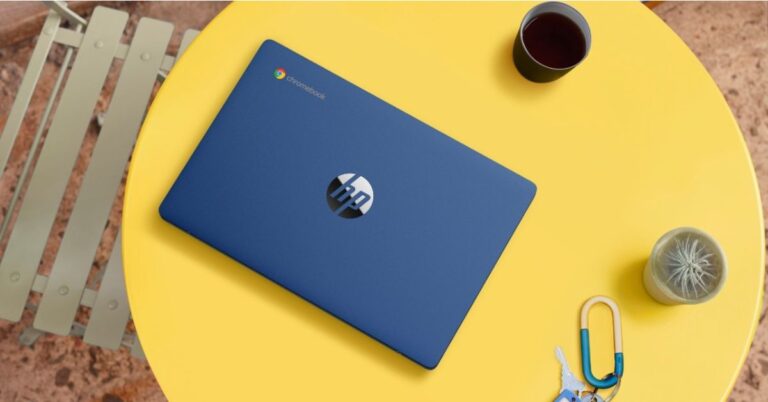
 Step 2:
 Step 1: Press Ctrl + Search/Launcher key + Esc. If you’re using a Windows keyboard, press the Windows key instead of the Search/Launcher key.
Step 2: Note the code name mentioned at the top of the screen. You can find it next to the ChromeOS version number.
Step 3: Go to the
Step 1: Press Ctrl + Search/Launcher key + Esc. If you’re using a Windows keyboard, press the Windows key instead of the Search/Launcher key.
Step 2: Note the code name mentioned at the top of the screen. You can find it next to the ChromeOS version number.
Step 3: Go to the 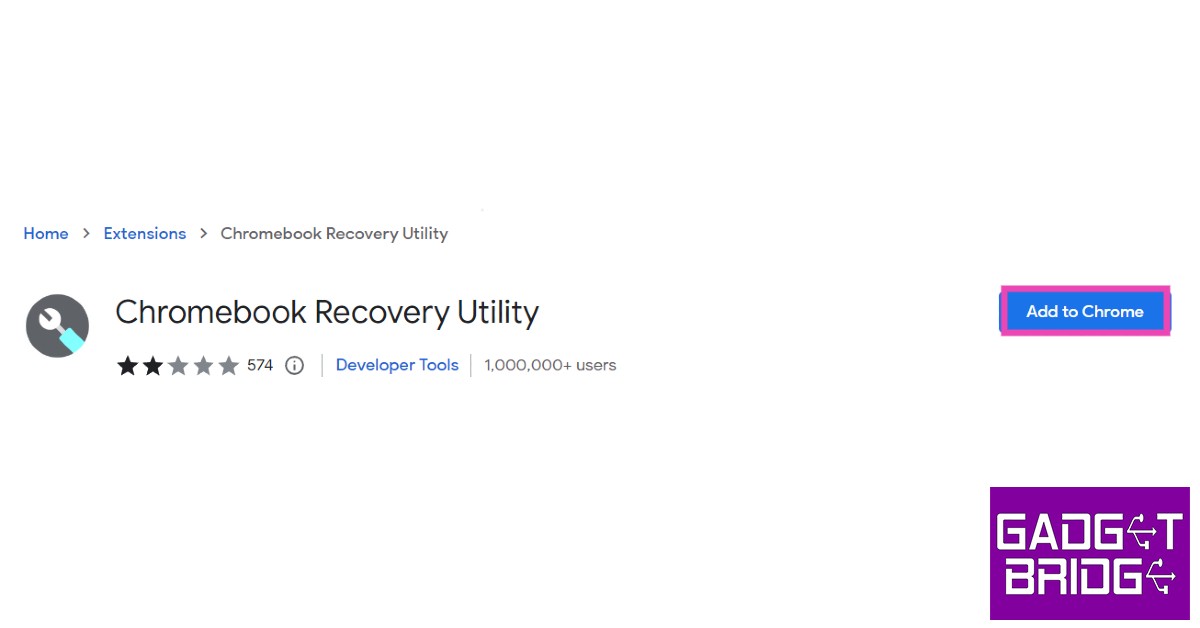 Step 2:
 Step 3:
 Step 2:
 Step 4: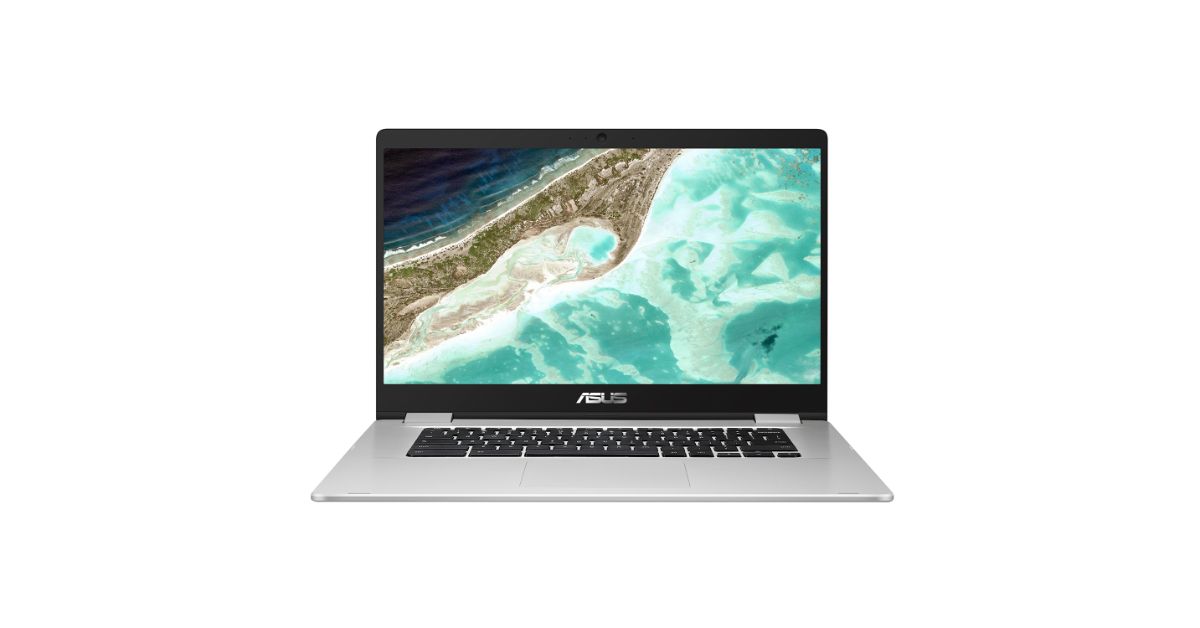
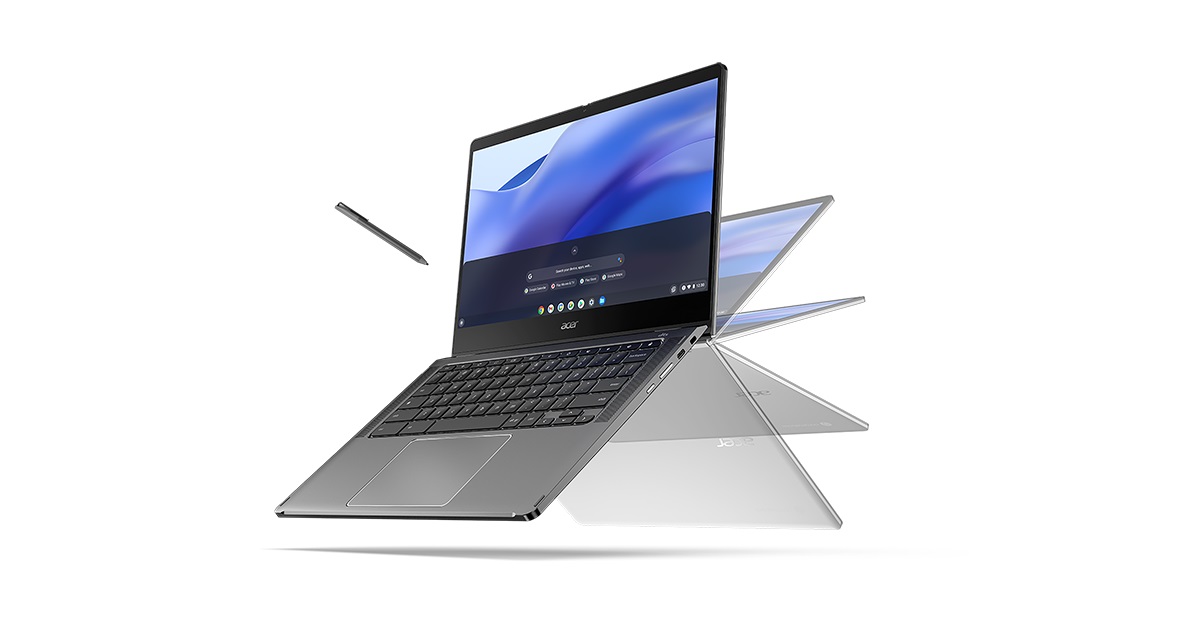 If you’ve tried all the methods mentioned above but still can’t figure out the name of your Chromebook model, you will have to resort to the old hit-and-trial method. Go to the manufacturer’s website and browse through their Chromebook section. Look for devices with similar specs to your Chromebook. If you suspect that the manufacturer has discontinued the Chromebook you own, perform a Google search with your device’s specs. You can also ask online tech communities to help you figure out which Chromebook model you own.








 Step 3:
 Step 4:
 Step 5:
 Step 3:
 Step 4:
 Step 6:
 Read Also: