After an online exhibit in 2023 and a controlled in-person event in 2022, CES was back to its previous glory this year. The tech exhibit saw everything from rolling foldable displays to flying cars. Now that the event has finally concluded, here are some of the interesting highlights from CES 2023.Read Also: OnePlus 11 5G and the OnePlus Buds Pro 2 launched: Pricing details
Konkoni Sota – World’s fastest 3D printer
Slow printing speed is one of the factors keeping 3D printers from becoming more commonplace. This may be for long though, as we saw a hyper-fast 3D printer make its debut at the CES 2023. With a maximum printing speed of 600mm/s and acceleration of 21,000mm/s2, the Konkani Sota is the world’s fastest 3D printer. The inverted design implemented on this printer brings exceptional stability with minimal vibration. This also makes the Sota one of the quietest 3D printers around, with less than 30 decibels of printing sound.
Earable Frenz Brainband
Deep tech company Eartech Neuroscience launched the Frenz Brainband at this year’s CES. The Frenz Brainband uses neurofeedback signals and stimulates your brain accordingly to enhance your sleep. Not only that, but it also helps with focus and relaxation using bone-conduction speakers. The Frenz Brainband can be reserved at the product website, and the company will be delivering orders starting February 2023.
Samsung’s The Premiere Projector
CES 2023 saw a range of TVs from the top brands across the spectrum. However, Samsung also brought something extra in the form of The Premiere, its updated 8K projector. While there’s no 8K content available right now, The Premiere is capable of upscaling 4K images to 8K. Unlike traditional projectors, you dont need to place The Premiere at a distance from the screen. Simply place the projector box a few inches from the screen at a suitable height, and it will project impeccable images with the help of its specially designed lenses.
JBL Tour Pro 2
Among all the TWS showcased at CES 2023, the JBL Tour Pro 2 stood out with its touchscreen ‘smart’ case. The 1.4-inch LED touchscreen display on the charging case lets you control essential functions like ANC modes, equaliser, and volume while also showing the battery level. You can also get certain notifications from your phone, although you won’t be able to expand the details.
Lenovo Yoga Book 9i
Lenovo’s new Yoga Book 9i runs on the Intel Evo platform and comes with a dual-screen display for greater productivity. The Yoga Book also offers multi-mode functionality and superior entertainment options, featuring innovative software designed in collaboration with Microsoft. The two 13.3-inch 2.8K OLED PureSight displays offer 100% DCI-P3 colour accuracy and Dolby Vision HDR.Read More: Qualcomm announces ‘Snapdragon Satellite’ at CES 2023, will offer Emergency messaging for Android
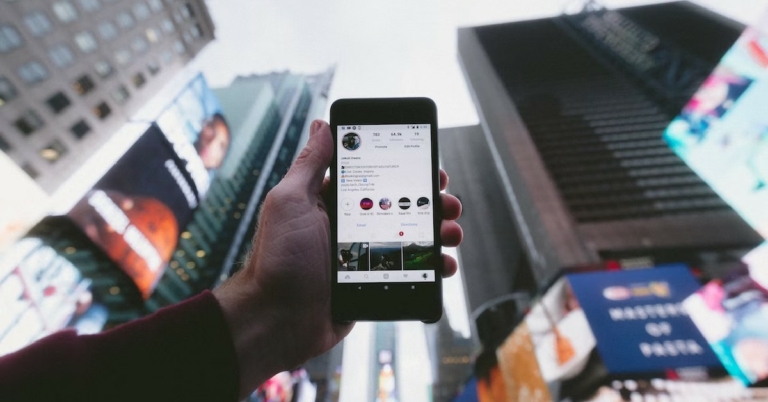
Instagram is notorious for frequently changing the icons and their layout on the app. You may remember the DM icon being changed to that of Facebook Messenger when the two platforms merged together. Recently, Instagram changed where you can access the sharing options from. In this article, we explain what each symbol and icon means on Instagram.Read Also: OnePlus 11 5G and the OnePlus Buds Pro 2 launched: Pricing details
Home Screen Icons
Profile, Plus, and Messenger icons
The icon with your profile picture and plus symbol at the top left part of the screen can be used to add an Instagram Story or view a previously uploaded story that hasn’t expired yet. Stories vanish 24 hours after you upload them. This icon is followed by the stories uploaded by the people you follow. Tapping on your followers’ profile icons will display the stories they have uploaded.The Plus icon at the top right corner of the screen can be used to create a new Instagram post, Story, Reel, or start a Livestream. The Messenger icon next to the plus icon lets you access your direct messages. You can also merge your Facebook Messenger with Instagram DMs. If the icon looks familiar it’s because it is the same one as Facebook Messenger.
Home, Magnifying Glass, Play, Heart, and Profile Picture icons
These icons can be found at the bottom of the home screen. Tapping the home icon takes you back to your home feed from any page on the app. The magnifying glass icon lets you search anything on the app, from other accounts to videos, hashtags, places, and more. This is where you will also find the ‘Explore’ feed where you can view the suggested content based on your likes. The play icon takes you to Instagram Reels. This is where you can view Reels posted by your followers and other creators on the platform. Following the Reels icon is the heart icon. Tapping the heart icon opens up the activity page where you can see all the latest notifications. The profile picture icon takes you to your Instagram profile. If there are multiple profiles linked to your account, double-tap this icon to switch between them.
Post Symbols and Icons
Heart, Chat Bubble, and Paper Plane icons
Tap the heart icon right below an Instagram post if you want to like it. Alternatively, you can also double-tap a post to like it. Pressing the chat bubble opens up the comments on the post. You post a new comment in the following window or like the previously posted comments by tapping the heart icon next to them. The paper plane icon can be used to share the post with your friends through DMs or your followers by adding it to your Story.
Ribbon, Ellipses, and Profile icons
The ribbon icon can be used to bookmark the post you’re viewing. You can access all the bookmarked posts from your profile. The little profile icon at the bottom left corner of the post shows all the people tagged in the post. The ellipses display further options like unfollowing, muting, or reporting the Original Poster.
Messaging Icons and Symbols
Arrow, Video Camera, and Plus icons
The arrow next to your Instagram username displays the other Instagram profiles linked to your account. You can easily switch between profiles by tapping on the arrow. The video camera icon can be used to start a video or audio with your Instagram contacts. Tap the plus icon to start a new end-to-end encrypted conversation with your Instagram followers.
Camera and Profile icon
The profile icon with the plus symbol can be used to leave a note attached to your Instagram profile. This note will show up in your friends’ DM window. The camera icon next to a DM thread can be used to send an image or video to the recipient(s) in that conversation.
Profile icons
Arrow, Plus, and Hamburger icons
As mentioned earlier, the arrow icon next to your Instagram username can be used to switch between multiple profiles. The Plus icon can be used to create a new Instagram Post, Reel, Story, Story Highlight, Live, or Guide. The Hamburger icon opens up the menu containing Archives, Bookmarks, Settings, Activity history, and more.
Suggested followers, Grid, Highlights, and Tagged Posts icons
Tapping the small profile icon next to the ‘Edit profile’ button reveals all the suggested profiles and accounts. The plus icon titled ‘New’ can be used to create a new Instagram Highlight. The grid icon gives you a look at your posts while the profile icon next to it displays all the posts you have been tagged in.Read Also: BMW unveils the i Vision Dee concept at CES 2023
Conclusion
These are all the symbols and icons you will find on Instagram. Sometimes, an icon may appear at different places, but it will carry out the same function. For example, the paper place icon appears below posts, stories, and Reels, but carries out the same function of sharing the content via DMs. If you found this article helpful, let us know in the comments!For the latest gadget and tech news, and gadget reviews, follow us on Twitter, Facebook and Instagram. For newest tech & gadget videos subscribe to our YouTube Channel. You can also stay up to date using the Gadget Bridge Android App. You can find the latest car and bike news here.
WhatsApp is currently working on a chat transfer feature, for a future update of the app. According to reports, WhatsApp is developing a new feature dubbed “Chat Transfer” that will let users transfer data from an Android device to another, therefore, making it simpler for users to swap devices without the need for updating the backup on the cloud.According to a report by WAbetaInfo, WhatsApp is working on the process to move the chat history to a new Android device, for a future update of the app! The new function will be added in a later update as the feature is still being developed.Image Courtesy: WABetaInfoThe option will make it simple to migrate their chat history from the phone to another Android device in the future and may eliminate the need for users to back up their chat history on Google Drive before switching to a new device, according to screenshots shared by WAbetaInfo. The option will be visible within WhatsApp Settings > Chats. In the future, they could just move all of their discussions to their new phone using the new chat transfer feature.Although you can easily move your conversation history to a new phone with the help of this function, it’s still advisable to routinely backup your talks to Google Drive so that you can still access them in case your phone is damaged. However, we believe that the conversation transfer option could be especially helpful for swiftly switching to a new Android phone without the need to update the cloud backup.The chat transfer feature for Android smartphones is still in development, but WABetaInfo freshly reported that WhatsApp is actively working to further expand and improve upon it as a result of learning more about its capabilities from the WhatsApp beta for Android 2.23.1.26 update.Image Courtesy: WaBetaInfoIn another screenshot shared in the report, the method is simple and starts with downloading WhatsApp on the new Android handset. In order to start the chat history migration to the new Android device, we should open WhatsApp on the new phone and scan the QR code that is provided. This feature, which streamlines the procedure and enables a quicker migration, will, in our opinion, offer a practical and effective alternative for anyone looking to transfer their chat history to a new Android phone without first backing up their chats and material on Google Drive.As you are aware a feature that allows users to finally transfer to a different phone without losing their chat history was made available by WhatsApp in July: the ability to convert talks from Android to iOS using the Move to iOS app.
For the latest gadget and tech news, and gadget reviews, follow us on Twitter, Facebook and Instagram. For newest tech & gadget videos subscribe to our YouTube Channel. You can also stay up to date using the Gadget Bridge Android App. You can find the latest car and bike news here.
Garena Free Fire is a battle royale game with regular awards and tournaments to keep players interested. If you play Garena Free Fire, you should be aware of the redeem codes that are released on a daily basis. However, because the battle royale game is banned in India, players from other countries can use the Free Fire Redeem codes daily. If you’re unfamiliar with the Garena Free Fire redeem codes or don’t know how to get them, we’ve put together a step-by-step guide to help you redeem them. Check out Garena Free Fire Redeem Codes for 9 January 2023.The Free Fire redeem codes are a great way to get free stuff. These are 12-digit codes that contain alphabets and numbers, as well as an expiration date and time. Because the Garena FF redeem codes cannot be used more than once, you should hurry to the redemption page to claim your free reward before someone else does. To get a free reward, all you have to do is go to reward.ff.garena.com/en, which is the official redemption page. Also, keep an eye on this space for daily updates on Garena Free Fire redemption codes and rewards.
Garena Free Fire Redeem Codes Today 9 January 2023
FFTC56S4DARTQX
F2DCF3V4BRTFO9
FI8HXUYGSE4RFI
FUYGB789BEHND
Q123RTGHNMUIY8
FKGMFCXSAQ34O
FP0FDETDRHTUIG
FDIS8U7YH4B3E4
FRATFCGQRTDRE
FIRWUF3NMHYTN
FSDQXFG2VGUU7
FHBESIHEJ6YHFT
FF2GVEFBIIJJAIQ
FF2ER3RFUHVTYH
How to Get Free Fire Redeem Codes for Garena on 9 January 2023?
A number of flagship devices were introduced by Google at its Made by Google event. We got to see a few brand-new Pixel gadgets as well as the Google Pixel Buds Pro wireless earbuds. We shall discuss this device in-depth in this comprehensive review. The overall listening experience is improved by the 11 mm speaker drivers and Volume EQ that are included. There is a transparency mode in addition to the noise cancellation functions. So read the entire Pixel Buds Pro review to learn about even more incredible and cutting-edge features that come with the flagship TWS.
Google Pixel Buds Pro Review: Design
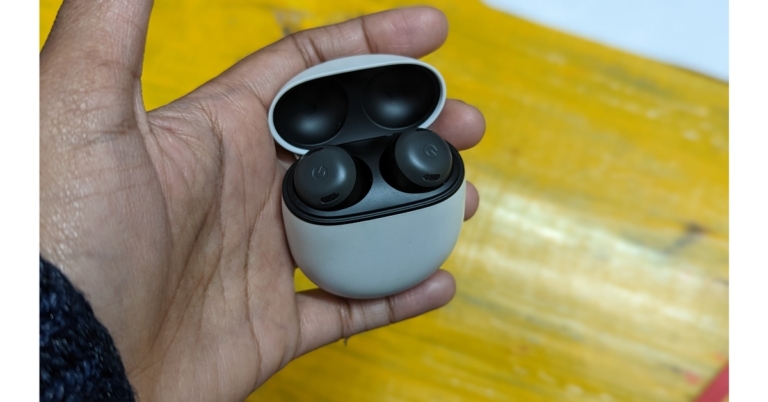
So let’s begin with the physical features, such as build quality and appearance. The buds and a few additional tips are included in the box. They arrive in a cute little case with two tips, one of which is already fitted. With the other tips, we didn’t actually need to use them because the default one was fine for us. The build quality is not an issue because the casing is fairly comparable to the ordinary Pixel Buds and is constructed of decent-grade plastic yet again. These are fairly small and will fit in your pocket with ease.We appreciated the fact that the case also has a physical pairing button and that, fortunately, can link with two devices at once. The fact that many higher-quality TWS don’t offer this feature, makes these an exception.Even though the case is attractive and has a design like a pebble, it locks in well. The Buds Pro form differs somewhat from that of conventional Pixel Buds. These are larger and have an in-ear detection sensor, so when you take them out, they automatically recognise you have removed them and the music pauses.Also Read:Pixel 7 Pro Review: Why you should get the phoneThe construction quality is also excellent. These are essentially touch-capacitive buttons; in fact, you can control a whole bunch of features with them, which we’ll be talking about later. The Buds Pro are a little bit bigger, which makes them less comfortable when worn for longer durations. These are comfortable to wear for 40 to 45 minutes, after which we had to adjust them because they continued to apply pressure on our ears.You may be aware that we always receive extra ear tips with our headphones, but Google has now developed a feature for the Pixel buds that allows you to determine which one suits you the best and offers the finest noise cancellation. Therefore, if you swipe down on the notification panel, click and hold on Bluetooth, and then see your Pixel Buds pro, you can verify the ear tip seal in the settings. Naturally, you will put in your earbuds, and when you tap Start, a test song will begin to play. After the test, it will inform you whether you need to change your ear tips, or whether the fit is perfect and your noise cancellation will work great. ANC can be activated on your phone or by tapping and holding your the Buds Pro. The Transparency mode uses the microphone in your earbuds to take up all the various sounds around you so you can still hear them while wearing your headphones. This mode can also be used to relieve any pressure that has built in your ears, which is pretty darn cool.
Google Pixel Buds Pro Review: Performance
In this case, while describing the Bluetooth range, we would say that it is respectable but not exceptional. When you are in a room, everything works perfectly. When we moved to another room, everything worked again. But when we got to the balcony (2 rooms away), which is almost outside the range of the buds, everything stopped working. The Bluetooth range is therefore adequate, albeit currently among the finest we have observed.We watched some Netflix shows, as well as Big Boss on Voot and YouTube videos, all without experiencing any lag. But there was a minor lag when it came to games.The Pixel Buds Pro was put to use with a variety of phones, including the Pixel 7 Pro. Any Android phone can download the Pixel Buds software from the Google Play Store, but the Pixel phone already has it pre-installed. The user interface is quite straightforward; all you have to do is open it to learn how long each earbuds and case’s battery will last.You also get some basic touch controls, which we really liked because they let you play, pause, and do other simple things. However, one feature we really liked on these earbuds—and many premium TWS have—is that you can also control the volume with them. Therefore, we rarely had to use our smartphone when wearing these earbuds because you can simply boost and reduce the volume with just a swipe, and it works incredibly well. Also Read: Google Pixel 7 review: Is this an all-rounder phone?Additionally, the left bud can be customised. For example, you can set active noise cancellation or switch to transparency mode. You can personalise it in the app to assist you with your needs. In terms of audio, basic features in the app. It does have a volume equaliser, which marginally improved the equalisation.The Pixel Buds Pro have active noise cancellation (ANC), which is a new and significant feature compared to the normal models. The ANC is good, and we tried it extensively; it provides rather effective noise cancellation so that music listening is more immersive, but it does not totally shut out outside traffic or other extreme external noises.For calls, the microphone quality is once more excellent. The opposite side made no claims about their inability to hear us or similar. In that regard, it is decent and it does help to reduce background noise a little bit.Okay, so connecting your Pixel Buds Pro to your phone, another phone, or even your laptop at the same time is surprisingly simple. You’ll get a pop-up message to pair them as soon as you open the lid, but the cool thing is that if you open the lid and turn them around, then click and hold on the back button for a few seconds until you see the front light flashing, you can actually connect them to another device. Simply ensure that multi-point is enabled in settings, and then you can connect your buds to several devices.What if you misplace one of your Pixel Buds Pro? So, if you ever lose your device, here are two ways to locate it. The first method is to go into app settings and look for the ‘Find Device’ option if you have lost them anywhere close and they are still connected to your phone. If you tap on that, you’ll be given the option of ringing the left, right, or both buds. As you search for them, the volume steadily increases.But what if they aren’t connected to your phone anymore? Then the second way is to open the Google Find My Device app, select your Buds, and then view the precise time and location of their most recent connection to your phone. So that’s how your phone locates your Pixel Buds Pro.Regarding the sound quality, we would describe it as wide and engulfing, which is excellent but could have been just a tiny bit better. These clearly increase the bass by default, even when the volume eq is turned off. And since the majority of you will undoubtedly enjoy that setting, we have to say the bass is excellent. Moving on to the vocals, these are also very well-produced and crystal-clear. Now coming to the treble tones, we thought that the default sound signature, given the price range, was a little underwhelming.Because of the EQ boosting, the higher tones now sound a little bit better and have the brilliance that was before lacking, but it also amplifies the bass, which is already on the high side. So, for some it maybe a catch-22 situation.We are quite happy with these in terms of battery life. The Google Pixel Buds Pro boasts a 7-hour battery life when using ANC, which is an improvement over the typical 5-hour lifespan of any premium TWS. It can continue for almost 11 hours if you disable ANC.
Verdict
As a result, for everyday use—including when watching movies on smartphones—we had no problems. The case contains a wireless charging connector in addition to two USB charging ports. Besides good sound, the finest feature of the TWS is that you can easily adjust the volume with a swipe. We believe that every premium TWS should have this feature because it genuinely performed so well. It is excellent in terms of customization as well. In our honest view, the ANC is good but not among the finest.While claiming that the battery life is undoubtedly among the greatest in its category. The majority of you will actually appreciate that good bass vibe while listening to music. Additionally, even at this price point, two devices being connected is uncommon.
9 January 2023 Amazon Quiz has gone live. Customers from different parts of the country are participating in the daily quiz. The quiz begins from 12 AM to 11:59 PM. Those participating in the quiz can win exciting prizes by answering all the questions correctly. Today participants have a chance to win a Rs 500 Amazon Pay Balance.Amazon quiz brings an opportunity for its customers to win Amazon Pay Balance ranging from Rs 1,000 to Rs 50,000. The Quiz can be played from 12 AM to 11:59 PM. The e-commerce platform brings a fresh quiz on a daily basis which consists of five questions related to general knowledge and current affairs. The participants need to answer all the questions correctly and their names will be selected for a lucky draw. The winner will be announced at the end of the month.One wrong answer could eliminate you from the quiz. If you manage to answer all the questions correctly you can stand a chance to win a Rs 500 Amazon Pay Balance today. Only app users are eligible to participate in the Quiz. Check Out 9 January 2023 Amazon Quiz Answers.Amazon Quiz Today Prize – Rs 500 Amazon Pay BalanceQuiz Date – 9 January 2023Daily Timing – 12 AM to 11:59 PMWinner Announcement – Today 12 PM
Amazon Quiz Answers Today 9 January 2023
Question 1: Basketball star Brittney Griner was freed in a prisoner exchange with Russia for which convicted arms dealer?Answer: Viktor BoutQuestion 2: The international airport serving Lucknow is named after which former Prime Minister?
Answer: Chaudhary Charan Singh
Question 3: In the movie ‘Ponniyin Selvan- 1’ what is the name of the character played by Aishwarya Rai?
Answer: NandiniQuestion 4: In the movie ‘Black Adam’ who makes a cameo, playing this character?Answer: Henry CavillQuestion 5: This breed of cat originated in which European country?
Answer: Great Britain
How To Play Amazon Quiz
Only app users are eligible to play the Amazon quiz every morning from 12 AM to 11:59 PM. The quiz is not available on the desktop. For those who are unaware of how to play the Amazon quiz below are the steps, you can follow to take the quiz.
Firstly download the Amazon app from Google Play Store or App Store
Now fill in the required information through the Sign Up option.
You need to log in to the Amazon app and scroll down on the home screen to find the Amazon Quiz banner.
Tap on the Amazon Quiz banner and tap on the Start button to start the Quiz.
Now you will get 5 questions and you need to answer them correctly. One wrong answer will eliminate you from the Quiz.
After answering all the questions correctly you are now eligible for a Lucky Draw.
The winner’s name will be announced today at 12 PM.
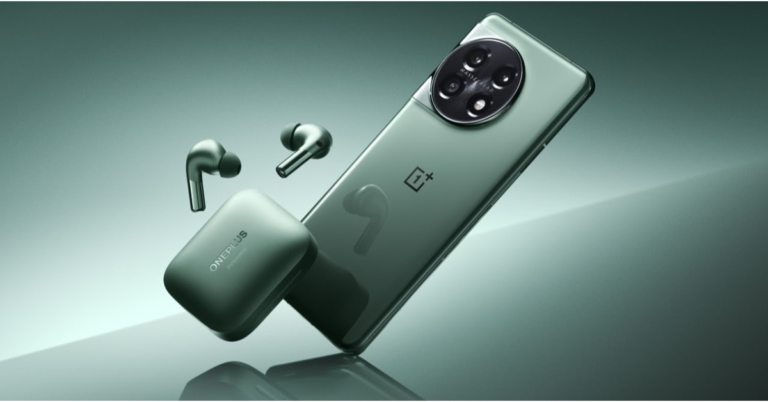
The OnePlus 11 5G and the OnePlus Buds Pro 2 were both released in China. The smartphone features a 2K resolution 120Hz LTPO 3.0 AMOLED screen. It also comes with a 100W SuperVOOC rapid charging and is powered by the Qualcomm Snapdragon 8 Gen 2 SoC. Whereas the TWS includes MelodyBoost Dual Drivers, which Dynaudio co-developed. An 11mm woofer and 6mm tweeter are included in each earphone.The starting pricing for the 12GB RAM with 256GB storage version of the OnePlus 11 5G is CNY 3,999, which is around Rs 48,000. The handset is also offered in a 16GB with 256GB option for CNY 4,399, which is equivalent to Rs 53,000. The cost of the 16GB with 512GB variant is CNY 4,899, or about Rs 59,000. It is presently available for pre-order and comes in the colours Endless Black and Instant Blue. In China, sales are expected to begin on January 9.OnePlus Buds Pro 2 are available for CNY 899, or approximately Rs 11,000. The OnePlus TWS earbuds are presently up for pre-order in China and will be made available for purchase starting on January 9 at 10 AM local time.Note that both of the devices will make their Indian premiere on February 7 at the OnePlus Cloud 11 Event.
OnePlus 11 5G specifications
The Samsung LTPO 3.0 AMOLED display on the OnePlus 11 5G is 6.7 inches and has a resolution of 1,440×3,216 pixels. With an adaptive refresh rate of up to 120Hz, the screen features a 20.1:9 aspect ratio. With 525 ppi and a maximum brightness of 1300 nits, the panel supports always-on displays. A Corning Gorilla Glass 7 is used as protection. Dolby Vision and HDR formats are supported by the display. In addition to ColorOS 13.0, the device runs Android 13. The new phone features the octa-core 4nm Snapdragon 8 Gen 2 SoC, 12GB and 16GB of LPDDR5x RAM, and an Adreno 740 GPU. The OnePlus 11 5G offers 512GB of UFS4.0 storage, at a maximum.Also Read:CES 2023: Samsung unveils new range of Neo QLED, MICRO LED, and Samsung OLEDThe OnePlus 11 5G comes with a 5,000mAh dual-cell battery. Fast 100W SuperVOOC charging is supported. There is also a fingerprint sensor built into the display. It has dual speakers and Dolby Atmos compatibility.A 50-megapixel Sony IMX890 main sensor with optical image stabilisation (OIS) is one of three rear cameras on the OnePlus 11 5G. A 32-megapixel portrait sensor and a 48-megapixel Sony IMX58 extreme wide-angle sensor are also included in the camera unit. The front of the device has a 16-megapixel sensor for selfies and video calls.5G, 4G LTE, Wi-Fi 6, Bluetooth v5.3, Beidou, Glonass, Galileo, GPS, NFC, and other connectivity options are also available. There are a number of sensors on board, including a proximity sensor, gyroscope, g-sensor, back colour temperature sensor, and Qualcomm sensor core.
OnePlus Buds Pro 2 specifications
The OnePlus Buds Pro 2 has an 11mm woofer and a 6mm tweeter. The Bluetooth v5.3 connectivity of the OnePlus Buds Pro 2 includes compatibility with the audio codecs LHDC, AAC, SBC, and LC3. Three microphones with AI noise-reduction technology are present on both earphones. Touch controls are also available on the OnePlus Buds Pro 2 for controlling music playback and taking calls. These earbuds have an IP55 rating for water and dust resistance.According to claims, the ANC feature can block up to 48dB of ambient noise. For a realistic virtual surround sound experience, they also support spatial audio.Their charging case has a 520mAh battery capacity, and it is said that it takes an hour to fully recharge. Additionally, they assist Qi wireless charging. The OnePlus Buds Pro 2 provides up to 39 hours of worry-free music playback with several additional charges in the case. The Buds Pro 2 series, on the other hand, guarantees that your Bluetooth streaming experience will be fast and smooth thanks to dual connection with Bluetooth 5.3 LE audio.
For the latest gadget and tech news, and gadget reviews, follow us on Twitter, Facebook and Instagram. For newest tech & gadget videos subscribe to our YouTube Channel. You can also stay up to date using the Gadget Bridge Android App. You can find the latest car and bike news here.
CES has been buzzing with EV announcements this year. While Sony and Honda announced their collaborative EV project ‘Afeela’, BMW unveiled its new concept EV ‘i Vision Dee’ which packs a lot of groundbreaking features. ‘Dee’ stands for ‘Digital emotional experience’, the digital companion within the EV that offers way more than other voice assistants.Read Also: ASUS introduced new lineup of ROG Flow and Zephyrus laptops at CES 2023
BMW i Vision Dee: Changing colours, hyper-real tech, and more
The BMW i Vision Dee takes customisation to a whole new level with its 240 e-Ink panels. These panels are capable of changing the colour of the body surface of the EV within seconds. Not only that, you can program each e-Ink panel individually to display different patterns on the exterior body surface. This tech was featured in the BMW iX Flow at CES 2022 but has been fully utilised in the i Vision Dee. The i Vision Dee features the classic BMW three-box sedan design. It also gets signature BMW elements like the kidney grille, twin circular headlights and the Hofmeister kink. These elements have been reimagined to fit a more futuristic vibe. The analogue parts have been replaced by phygital icons. Moving on, the most interesting feature of this concept EV is its digital personality, the Dee. This drive assistant can adapt to the driver’s habits, suggest destinations, and provides information, news, calendar entries and more. The BMW Mixed Reality Slider can be used to customise the Head-Up display and display content in five different levels – analogue, driving-related information, communication system content, augmented reality projection, and VR. This feature will be used in NEUE KLASSE models from 2025 onwards.As the name suggests, the Dee is also capable of displaying emotional intelligence, as it uses cameras and sensors to identify the rider as they approach the car. Once the identity of the rider is confirmed, Dee can automatically open up the doors and display a welcome graphic on the shut-off kidney grille at the front. The grille is also capable of displaying up to nine different facial expressions – from joy to approval to amazement. In his keynote address at CES 2023, Oliver Zipse, Chairman of the Board of Management of BMW AG, mentioned, “With the BMW i Vision Dee, we are showcasing what is possible when hardware and software merge. In this way, we are able to exploit the full potential of digitalisation to transform the car into an intelligent companion. That is the future for automotive manufacturers – and, also, for BMW: the fusion of the virtual experience with genuine driving pleasure.”This story was first published on MotorBridge.com.For the latest gadget and tech news, and gadget reviews, follow us on Twitter, Facebook and Instagram. For newest tech & gadget videos subscribe to our YouTube Channel. You can also stay up to date using the Gadget Bridge Android App. You can find the latest car and bike news here.
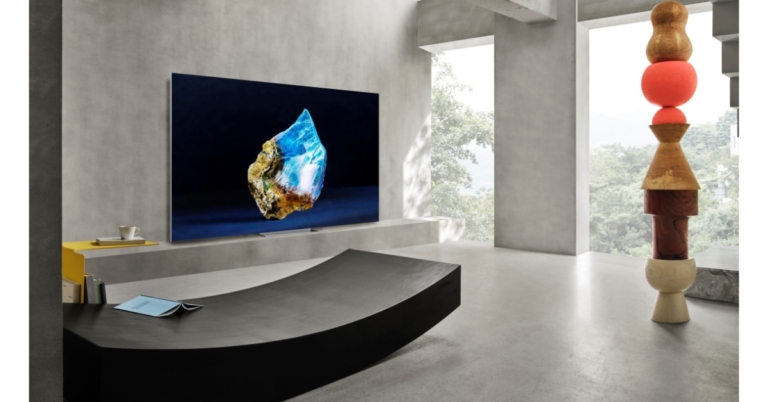
At CES 2023, Samsung Electronics presented its new Neo QLED, MICRO LED, and Samsung OLED lineups in addition to lifestyle goods and accessories. Customers now have more control over how and when they use devices thanks to new lifestyle goods and features like The Premiere 8K and Smart EDGE Blending on The Freestyle. The product range for this year emphasises better connectivity and customised consumer experiences with cutting-edge, creative technologies. Quantum MiniLED-lit panels are used in the new Neo QLED models, which are available in 4K and 8K resolutions.
Neo QLED
Customers can choose from a wide range of high-end Neo QLED 8K and 4K televisions from Samsung’s most recent collection. Samsung’s cutting-edge Neural Quantum Processor, which supports the Quantum Mini LED-lit TV with 14-bit processing and AI upscaling, powers Neo QLED picture quality. This processor also enables features like Shape Adaptive Light Control and Real Depth Enhancer Pro for a three-dimensional, lifelike image.The Samsung 2023 Neo QLEDs provide more than simply a clean image thanks to their high-resolution screen and unique technology, which fuel their new Auto HDR Remastering feature. It makes Standard Dynamic Range (SDR) content brighter and more vibrant for complete immersion by analysing and applying High Dynamic Range (HDR) effects in real-time on a scene-by-scene basis.Additionally, Zigbee and Thread devices can now be connected and controlled by SmartThings users without the need for a separate SmartThings dongle. The SmartThings Zigbee & Matter Thread One-Chip Module will be integrated directly into Samsung goods starting in 2023. Additionally, SmartThings automatically syncs devices for simpler control of not just Samsung devices but also third-party appliances and IoT device1 for seamless connectivity for the best-connected device experience.
MICRO LED and Samsung OLED
With new models in the 2023 MICRO LED lineup, users will have a wide range of options for unmatched picture quality and screen experience. These models range in size from 50 to 140 inches2. Due to its modular design, MICRO LED can be totally customised to meet a customer’s preferred setup because it is not constrained by shape, ratio, or size. Additionally, it comes without bezels, ensuring that no matter the configuration, there is no break between the screen and the outside world.Also Read:GIGABYTE announced AORUS 15X, AORUS 17X with 13th Gen Intel Core CPUs and RTX 40 series GPUs at CES 2023Additionally, Samsung’s 2023 OLED portfolio is now offered in 55, 65, and the brand-new ultra-large 77-inch versions, giving consumers even more viewing options. Quantum Dot technology and Neural Quantum Processors are included in Samsung’s most recent OLED lineup in order to maintain the core benefits of OLED technology while simultaneously addressing its current brightness and colour representation limitations. Quantum Dot technology was created for Samsung’s Neo QLEDs.A 144Hz refresh rate and all of Samsung’s smart features, including Samsung Gaming Hub, are included in the extended lineup. The best OLED gaming experience is provided by Samsung OLED TVs, which have AMD’s FreeSync Premium Pro certification for the first time on an OLED TV.Finally, Samsung offers Samsung TV Plus on all of its Smart TV models to increase viewing possibilities. The free ad-supported TV (FAST) and video-on-demand service reach 24 countries and 465 million devices globally across the company’s TV and mobile devices, providing over 1,800 channels worldwide, including over 50 owned & operated channels. There are no downloads, subscriptions, or other devices needed, and it is completely free.
Samsung Gaming Hub
Users can access thousands of their favourite games from partners including Xbox, NVIDIA GeForce NOW, Amazon Luna, and Utomik without downloads, storage restrictions, or consoles thanks to the Samsung Gaming Hub, the new home for gaming on Samsung Smart TVs. Furthermore, it offers the easiest gaming interface, allowing users to start playing as soon as their TVs are turned on.Upgrades to GameBar 3.0 in 2023 such as MiniMap Sharing and Virtual Aim Point will improve the gaming experience for all types of players. While Virtual Aim Point, created for first-person shooters (FPS), allows players to view more apparent crosshairs in any game so they can make the ideal shot, MiniMap Sharing enables players to see the minimap of their game at-a-glance on any device.The Odyssey range of Samsung smart monitors and gaming panels, among others, all have the Samsung Gaming Hub. In order to play immersive games with a 55-inch 1000R curved screen and great sound, gamers can tilt their screens vertically or horizontally using Odyssey Ark.
For the latest gadget and tech news, and gadget reviews, follow us on Twitter, Facebook and Instagram. For newest tech & gadget videos subscribe to our YouTube Channel. You can also stay up to date using the Gadget Bridge Android App. You can find the latest car and bike news here.
When you download an app from Google Play Store, it gets installed on your smartphone automatically. While this works fine for the most part, it may not be ideal if you want to access the APK file of the app. The APK file allows you to share the app across multiple devices without needing to download it from the Google Play Store. In this article, we bring you the easiest ways to extract the APK file of any app on your Android smartphone.Read Also: Qualcomm announces ‘Snapdragon Satellite’ at CES 2023, will offer Emergency messaging for Android
Extract the APK directly from Google Play Store
If you want the APK file of an app without installing it on your Android smartphone, simply follow these steps to extract it directly from Google Play Store.Step 1: Open Google Play Store on your smartphone.Step 2: Go to the page of the app you want to download.Step 3: Tap on the ellipses (three dots) at the top right corner of the screen.Step 4: Select ‘Share’.Step 5: Select ‘Copy URL’. This will copy the app’s Play Store URL to your phone’s clipboard.Step 6: Now, open the web browser and go to https://apps.evozi.com/apk-downloader. You can also use https://apkcombo.com/apk-downloader.Step 7: Paste the app URL you copied from the Play Store to the web tool’s download box.Step 8: Tap on ‘Generate Download Link’. Step 9: Tap on ‘Click here to download’. The APK will be saved to your phone’s internal storage.
Extract the APK file of an app installed on your smartphone
You can also use the APK Extractor app to extract the APK file of an app installed on your smartphone. This is the method you should use when you need to extract the APK file of a system app.Step 1: Install the APK Extractor app on your smartphone from the Google Play Store.Step 2: Launch the APK Extractor and select your desired app.Step 3: Tap ‘Save’.Step 4: Once the APK file is extracted you can share it directly from the app.
Use a third-party marketplace
Since Google Play Store directly installs the app on your smartphone, you can use other third-party marketplaces to download the APK file instead. Websites like APKPure, APKMirror, and F-droid have a vast collection of apps with the necessary security certificates. Here is our list of the 8 best sites for safe Android APK downloads.Read Also: CES 2023: Media day roundup
Conclusion
These are the easiest three ways to extract the APK file of any app on your Android smartphone. Each method listed in this article caters to a specific purpose. If you want the APK file of the app version installed on your smartphone, you can use the APK Extractor app. If you do not want to install the app on your smartphone, you can directly extract the APK file from Google Play Store using the web tool mentioned above. If you do not want to use a web tool, you can download the APK file directly from a third-party marketplace.For the latest gadget and tech news, and gadget reviews, follow us on Twitter, Facebook and Instagram. For newest tech & gadget videos subscribe to our YouTube Channel. You can also stay up to date using the Gadget Bridge Android App. You can find the latest car and bike news here.



 Slow printing speed is one of the factors keeping 3D printers from becoming more commonplace. This may be for long though, as we saw a hyper-fast 3D printer make its debut at the CES 2023. With a maximum printing speed of 600mm/s and acceleration of 21,000mm/s2, the Konkani Sota is the world’s fastest 3D printer. The inverted design implemented on this printer brings exceptional stability with minimal vibration. This also makes the Sota one of the quietest 3D printers around, with less than 30 decibels of printing sound.
 Deep tech company Eartech Neuroscience launched the Frenz Brainband at this year’s CES. The Frenz Brainband uses neurofeedback signals and stimulates your brain accordingly to enhance your sleep. Not only that, but it also helps with focus and relaxation using bone-conduction speakers. The Frenz Brainband can be reserved at the product website, and the company will be delivering orders starting February 2023.
 CES 2023 saw a range of TVs from the top brands across the spectrum. However, Samsung also brought something extra in the form of The Premiere, its updated 8K projector. While there’s no 8K content available right now, The Premiere is capable of upscaling 4K images to 8K. Unlike traditional projectors, you dont need to place The Premiere at a distance from the screen. Simply place the projector box a few inches from the screen at a suitable height, and it will project impeccable images with the help of its specially designed lenses.
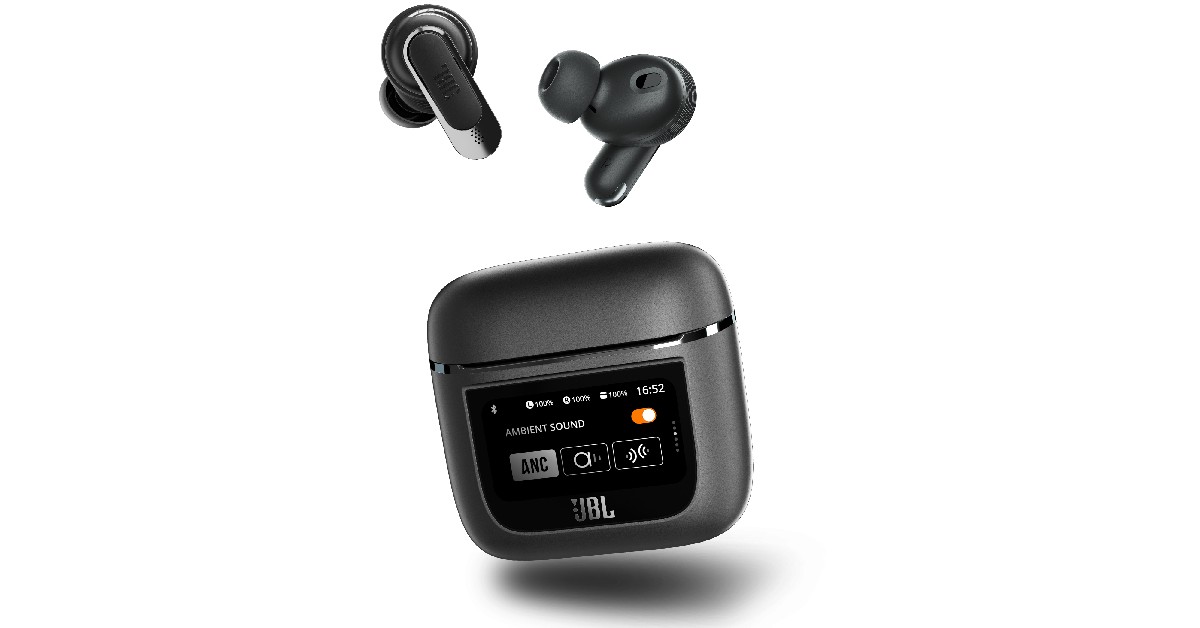 Among all the TWS showcased at CES 2023, the JBL Tour Pro 2 stood out with its touchscreen ‘smart’ case. The 1.4-inch LED touchscreen display on the charging case lets you control essential functions like ANC modes, equaliser, and volume while also showing the battery level. You can also get certain notifications from your phone, although you won’t be able to expand the details.
 Lenovo’s new Yoga Book 9i runs on the Intel Evo platform and comes with a dual-screen display for greater productivity. The Yoga Book also offers multi-mode functionality and superior entertainment options, featuring innovative software designed in collaboration with Microsoft. The two 13.3-inch 2.8K OLED PureSight displays offer 100% DCI-P3 colour accuracy and Dolby Vision HDR.
Read More: Qualcomm announces ‘Snapdragon Satellite’ at CES 2023, will offer Emergency messaging for Android
Lenovo’s new Yoga Book 9i runs on the Intel Evo platform and comes with a dual-screen display for greater productivity. The Yoga Book also offers multi-mode functionality and superior entertainment options, featuring innovative software designed in collaboration with Microsoft. The two 13.3-inch 2.8K OLED PureSight displays offer 100% DCI-P3 colour accuracy and Dolby Vision HDR.
Read More: Qualcomm announces ‘Snapdragon Satellite’ at CES 2023, will offer Emergency messaging for Android

















 Step 5:
 Step 6:
 Step 9:
  Step 3:
  Step 4: