In This Article
Kindle Scribe features
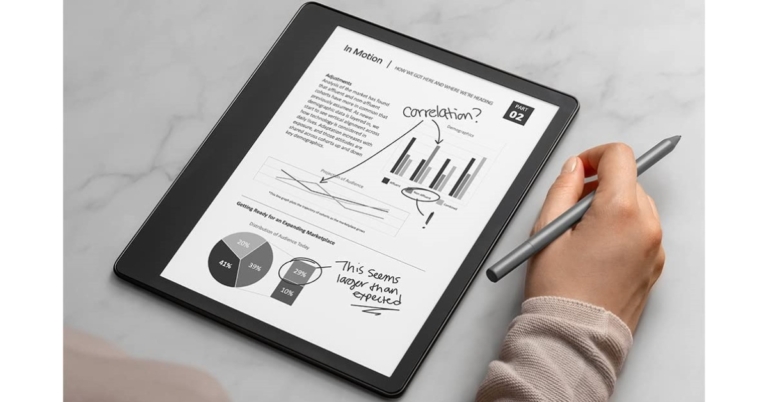
With a 10.2-inch, 300 ppi, glare-free display, an auto-adjusting front light, and a pen that never has to be charged, the 5.8 mm-thin Kindle Scribe is the perfect travel companion. A natural and comfortable experience is produced by the glare-free display’s engineering, which mimics the feel and flow of a pen on paper. In addition to offering plenty of space for reading and taking notes, the wide, high-resolution Paperwhite display also enhances the attractiveness of photographs, illustrations, and graphics and offers margins that are simple to modify. You can choose between the Basic or Premium pen with Kindle Scribe. Both pens have a natural feel in your hand, give astounding precision, and magnetically attach to the side of the device. They also support various line widths, a highlighter tool, an eraser tool, and an undo tool, all of which are conveniently located in the writing menu that appears on the screen. The Premium Pen also has a dedicated eraser on top and a programmable shortcut button that, when pressed, turns the pen into an eraser, highlighter, or opens a new sticky note.
Kindle’s new digital sticky notes With Scribe, you can add handwritten notes to millions of books with ease. Notes and highlights are automatically grouped together to keep the pages clear. Using a number of templates, such as to-do lists for keeping track of things and lined paper for taking meeting notes, you can also journal or take notes. Beginning in early 2023, all notebooks will also be available via the Kindle app in addition to being automatically stored and backed up to the cloud for free.
You can load private documents from your computer or phone into Kindle Scribe and annotate PDF files directly using the Send-to-Kindle tool. In Microsoft Word documents, online articles, and other document formats with customizable font sizes and layouts, you can import and generate handwritten sticky notes. Beginning in early 2023, you will be able to send files directly from Microsoft Word to Kindle Scribe.
Like every other Kindle currently on the market, the new Kindle Scribe enables you to customise your experience by changing the font size, widening the space between lines, or activating dark mode. Customers reading with larger font sizes will also see more text per page on the Kindle Scribe’s huge display, and they may enlarge objects like the text on the home screen and book icons by selecting the “large mode” preset.
On Kindle devices, including Kindle Scribe, customers who read with assistive technology can use the VoiceView screen reader from Amazon. Customers can also read using Kindle mobile apps using screen readers that operate at the operating system (OS) level, such as TalkBack on Android or VoiceOver on iOS. On Kindle devices and apps, Kindle offers more than 12 million books that are compatible with screen readers.
You can choose between the Basic or Premium pen with Kindle Scribe. Both pens have a natural feel in your hand, give astounding precision, and magnetically attach to the side of the device. They also support various line widths, a highlighter tool, an eraser tool, and an undo tool, all of which are conveniently located in the writing menu that appears on the screen. The Premium Pen also has a dedicated eraser on top and a programmable shortcut button that, when pressed, turns the pen into an eraser, highlighter, or opens a new sticky note.
Kindle’s new digital sticky notes With Scribe, you can add handwritten notes to millions of books with ease. Notes and highlights are automatically grouped together to keep the pages clear. Using a number of templates, such as to-do lists for keeping track of things and lined paper for taking meeting notes, you can also journal or take notes. Beginning in early 2023, all notebooks will also be available via the Kindle app in addition to being automatically stored and backed up to the cloud for free.
You can load private documents from your computer or phone into Kindle Scribe and annotate PDF files directly using the Send-to-Kindle tool. In Microsoft Word documents, online articles, and other document formats with customizable font sizes and layouts, you can import and generate handwritten sticky notes. Beginning in early 2023, you will be able to send files directly from Microsoft Word to Kindle Scribe.
Like every other Kindle currently on the market, the new Kindle Scribe enables you to customise your experience by changing the font size, widening the space between lines, or activating dark mode. Customers reading with larger font sizes will also see more text per page on the Kindle Scribe’s huge display, and they may enlarge objects like the text on the home screen and book icons by selecting the “large mode” preset.
On Kindle devices, including Kindle Scribe, customers who read with assistive technology can use the VoiceView screen reader from Amazon. Customers can also read using Kindle mobile apps using screen readers that operate at the operating system (OS) level, such as TalkBack on Android or VoiceOver on iOS. On Kindle devices and apps, Kindle offers more than 12 million books that are compatible with screen readers.
 Right under that are the IR input, power button and a MIC on/off slider key. Since the TV has far-field microphone tech, you can use that to control the TV with your voice. More about it in the next section.
 Spin it around and you will find within a depth of just 12.5 mm the company has put in three HDMI, two USB, Ethernet and RF ports, all side mounted. The remote has a lot of functionality as well and in no terms is it minimalistic. It has all the required buttons a TV should have including shortcuts for Netflix, Amazon Prime Video etc. A special function key is also there, which you can customize to an app of your choosing.
 Read Also:
  Talking about which, the settings menu is very elaborate and you can customise just about everything from picture colours to the sound of this smart TV. The sound is tuned by Dolby Atmos and you do get a sense of virtual surround sound thanks to the extreme audio output. This TV is great for medium to large rooms and the sound or the video will not disappoint.
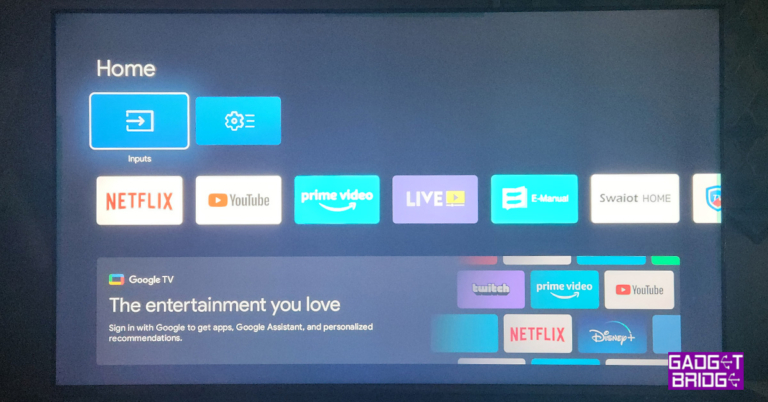
The TV can be accessed with voice commands, but on our test, those worked only 7 out of 10 times, making us go back to the full-function handy smart remote you get with the Blaupunkt 55-inch Smart Google TV. The OS does perfect justice to this TV. Android 11 with Blaupunkt’s own skin on top is a dynamite duo.
You get everything at your fingertips and browsing or opening multiple apps at once does not make it slow down too much. In case you find it slowing down, just reduce the number of opened apps or restart the TV, that will solve the problem (which is there with most Android TVs, these days with less than 2.5GB RAM) in a jiffy.
Read Also:
Talking about which, the settings menu is very elaborate and you can customise just about everything from picture colours to the sound of this smart TV. The sound is tuned by Dolby Atmos and you do get a sense of virtual surround sound thanks to the extreme audio output. This TV is great for medium to large rooms and the sound or the video will not disappoint.
The TV can be accessed with voice commands, but on our test, those worked only 7 out of 10 times, making us go back to the full-function handy smart remote you get with the Blaupunkt 55-inch Smart Google TV. The OS does perfect justice to this TV. Android 11 with Blaupunkt’s own skin on top is a dynamite duo.
You get everything at your fingertips and browsing or opening multiple apps at once does not make it slow down too much. In case you find it slowing down, just reduce the number of opened apps or restart the TV, that will solve the problem (which is there with most Android TVs, these days with less than 2.5GB RAM) in a jiffy.
Read Also: 






 Step 2:
 Step 3:

 Step 4:
 Step 3:
 Step 5:
 Step 2:
 Step 3:
 Read Also:

 Step 2:
 Step 5:
 Step 2:
 Step 5:
  Step 6:
 Step 2:
 Step 4:
  Step 7:
 Step 2:
  Step 3:
 Read Also:



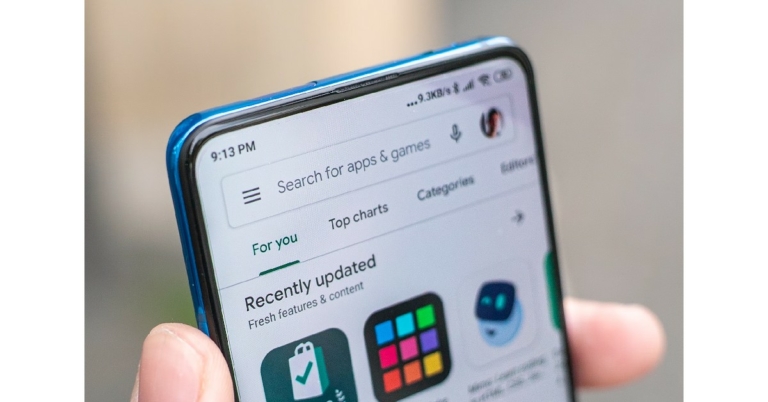
 For Google Play Store to work on your phone, the date and time need to be accurate. Usually, your phone auto-updates the time when it is connected to the internet. However, if your phone has been switched off for a long time, the date and time may be off once it is turned on again. To fix this, go to Settings>General Mangement>Date and Time and manually set the date and time. You can also turn on auto updates from this page.


 If you’re not connected to a WiFi network, Google Play Store may not download new apps in order to save mobile data. This option is not turned on by default, so you may have enabled it earlier and forgotten about it. If the data saver is turned on, your phone may not download new apps after hitting the stipulated data usage limit. To fix this, go to Settings>Apps>Google Play Store>Mobile Data and switch on the toggle bar for ‘Allow background data’ and ‘Allow data usage while Data saver is on’.


 Step 2:
 Step 3:
 Step 4:

 Step 2:
  Step 3:
 Read Also:
 Step 2:
 Step 3:


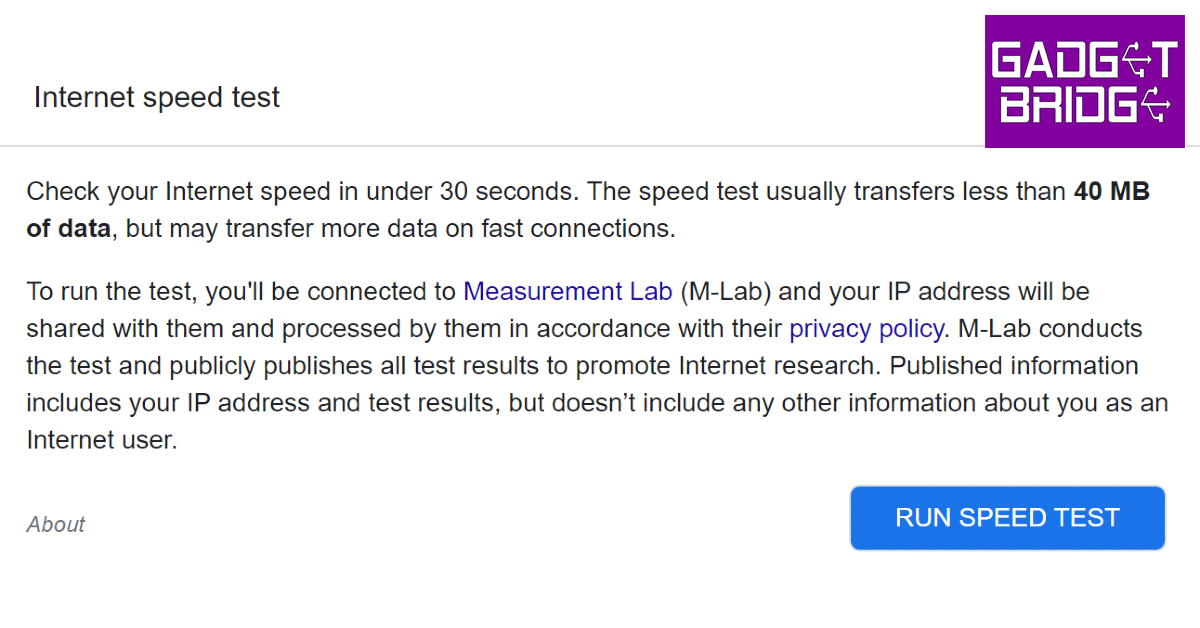 The internet speed test by Google can be accessed directly from the search engine. All you need to do is search for ‘internet speed test’ and hit ‘Run Speed Test’. Google partners with Measurement Lab (M-Lab) to perform the speed test. The advantage of using Google’s speed test is that it doesn’t use more than 40MB of your data and does not pester you with annoying ads. The interface is clean and easy to use.
 Powered by Netflix,
  Cloudflare offers a very comprehensive