16 March 2023 Amazon Quiz has gone live on its platform. The quiz timings are 12 AM to 11:59 PM. Interested users can participate in the Amazon daily quiz to win exciting prizes. The company puts up 5 questions based on general awareness. You can submit the correct answers from the four options. Today the participants have the chance to win a Rs 5,000 Amazon Pay Balance.Daily the e-commerce platform Amazon brings a new set of questionnaires that includes five easy questions. The Amazon Quiz can be played from 12 AM to 11:59. The users have to answer all the questions correctly to enter into a lucky draw. The result of today’s quiz will be announced at the end of the month and only one person is declared a winner. We at Gadget Bridge update all the answers to the Amazon Quiz on our website for the convenience of our readers. Here are the answers of the 16 March 2023 Amazon Quiz that will make you win Rs 5,000 Amazon Pay Balance.Amazon Quiz Today Prize – Rs 5,000 Amazon Pay BalanceQuiz Date – 16 March 2023Daily Timing – 12 AM to 11:59 PMWinner Announcement – Today 12 PM
Amazon Quiz Answers Today 16 March 2023
Question 1: Who was the player of the match in the very first game of the 2023 Women’s Premier League?Answer: Harmanpreet KaurQuestion 2: The Amazon Prime show ‘The Terminal List’ stars which of these actors in the lead role?Answer: Chris Pratt
Question 3: Mount Kilimanjaro is the highest peak in which continent?
Answer: AfricaQuestion 4: This famous structure is located in which city in the southern hemisphere?
Answer: SydneyQuestion 5: This photograph is taken in which of these places famous for a mangrove forest?Answer: Sundarbans
How To Play Amazon Quiz
Only app users are eligible to play the Amazon quiz every morning from 12 AM to 11:59 PM. The quiz is not available on the desktop. For those who are unaware of how to play the Amazon quiz below are the steps, you can follow to take the quiz.
Firstly download the Amazon app from Google Play Store or App Store
Now fill in the required information through the Sign Up option.
You need to log in to the Amazon app and scroll down on the home screen to find the Amazon Quiz banner.
Tap on the Amazon Quiz banner and tap on the Start button to start the Quiz.
Now you will get 5 questions and you need to answer them correctly. One wrong answer will eliminate you from the Quiz.
After answering all the questions correctly you are now eligible for a Lucky Draw.
The winner’s name will be announced today at 12 PM.
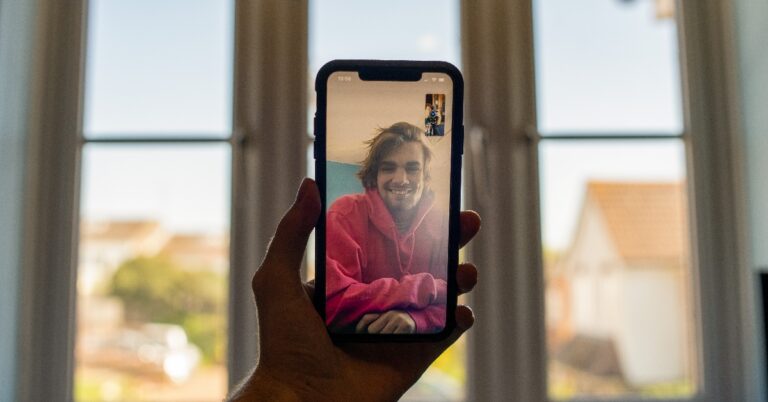
Apple’s ‘walled garden’ has prevented users from video calling their contacts on the Android platform. As you probably know, Facetime is exclusively available to Apple users only. However, the walled garden may finally be seeing some minor cracks. With iOS 15, Apple finally introduced a way to include Android and Windows users on Facetime calls. While it still takes an Apple device to create a call and there may not be a Facetime app for Android yet, the latter can still get on a Facetime video call. Here’s how you can carry out a video call between an iPhone and an Android smartphone using Facetime.Read Also:HP Chromebook 15.6 powered by Celeron N4500 CPU launched in India for students
How to Facetime from iPhone to Android
Step 1: Launch the Facetime app on your iPhone.Step 2: Select ‘Create Link’.Step 3: Tap on ‘Add name’ to create a name for the call.Step 4: Choose the medium through you which you want to share the call link with your Android contacts. You can share the link over the text or through messaging apps like WhatsApp, Telegram, Messenger, Instagram, and more. You can also simply copy the link and paste it wherever necessary.Step 5: Once the Android user receives the link, all they need to do is tap on it and they will be redirected to the Facetime waiting room on their web browser. Step 6: Let the user(s) join the call once they are in the waiting room.Once they are on a Facetime call, Android users can perform basic functions like mute/unmute, camera on/off, camera toggle, and fullscreen toggle. They can also view other participants in a grid layout. Android users can neither start a Facetime call nor can they add other users to an existing call.
Use a third-party app
Since the Facetime features for Android users are extremely limited, using a Facetime alternative is the better option. There are tons of options to choose from. WhatsApp is certainly the best option you can go for, given its popularity and excellent call quality. It is very likely that your Android contacts are already on WhatsApp. Once you’ve added them on WhatsApp, all you need to do is go to the conversation thread and tap the video camera icon at the top to start a video call.Read Also:Sony Alpha 7R V camera with AI-based autofocus launched in India
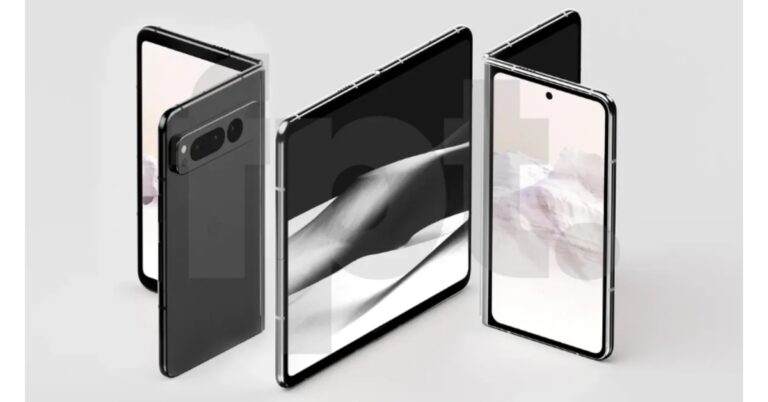
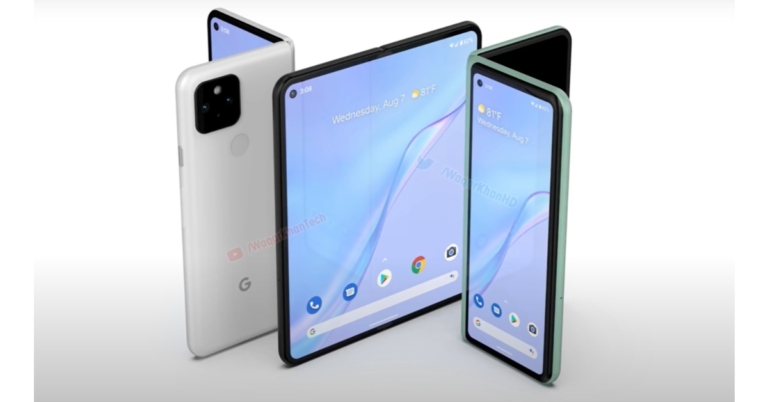
Google’s most anticipated foldable phone Google Pixel Fold is likely to arrive later this year. Already several leaks and reports are doing the rounds on the web but according to the latest speculation the device is anticipated to arrive alongside Google Pixel 7a at the upcoming Google’s I/O 2023 event.Google’s I/O 2023 event is scheduled to begin on May 13. A fresh report indicates when the Google Pixel Fold and Google Pixel 7a will launch, but also provides details about its storage and colour options. Both devices are claimed to be available for purchase at the beginning of June this year.The Google Pixel Fold is likely to be priced at 1,700 euros, or about 1,49,000 rupees. Whereas the Pixel 7a is likely to cost 500 euros which translates to Rs 44,000. The Google Pixel Fold is said to come in two colour options of carbon and porcelain. It may have 256GB of internal storage whereas the Pixel 7a is supposed to have 128GB of internal storage. The alleged smartphone may be offered in arctic blue, carbon, cotton, and Jade colour variants.
Also Read:Sony Alpha 7R V camera with AI-based autofocus launched in India Previously Google Pixel Fold was also spotted listed on several certification platforms. A Geekbench listing suggests the phone is codenamed Google Felix. It is said to be powered by a 2.85GHz octa-core chipset, paired with 12GB of RAM. It is also expected to run on Android 13 out of the box.It was earlier reported that the Google Pixel Fold could be bigger and heavier than its competitors Samsung and Oppo. Design-wise it may resemble Oppo Find N2.On the other hand, Pixel 7a is likely to boast a 6.1-inch full-HD+ OLED display. The screen is speculated to have support for a 90Hz refresh rate. It may also include a Tensor G2 chipset with LPDDR5 RAM and UFS 3.1 storage.Readers must note that there is no confirmation from the company. All the above information is based on the leaks and reports you can take with a pinch of salt.
For the latest gadget and tech news, and gadget reviews, follow us on Twitter, Facebook and Instagram. For newest tech & gadget videos subscribe to our YouTube Channel. You can also stay up to date using the Gadget Bridge Android App. You can find the latest car and bike news here.
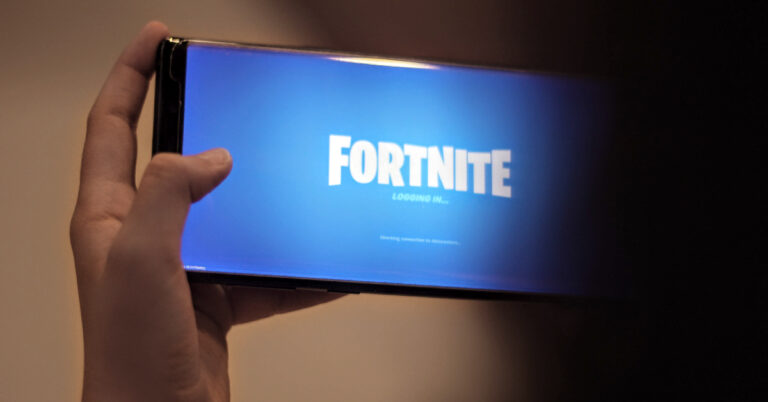
Fortnite is one of the biggest games out there, yet it is nowhere to be found on Google Play Store or Apple’s App Store. This is because Epic Games, Fortnite’s publisher, introduced an independent payment system within the game which bypasses Play Store’s and Apple Store’s payment gateway. Since the two platforms were no longer able to get a cut of the revenue, Fortnite was removed from both stores. This doesn’t mean you can no longer play Fortnite on your smartphone. In this article, we show you how to download and install Fortnite on your Android smartphone.Read Also:Does the Facebook mobile app have a working Dark Mode (Night Theme)?
How to download and install Fortnite on Android
Step 1: Visit the Fortnite website and select ‘Mobile’ from the top menu.Step 2: Click on ‘Android’.Step 3: Select ‘Download Now’.Step 4: Access the APK file on your smartphone and install it on your device. You will need to give the necessary permission to your smartphone browser.You can also play Fortnite using cloud gaming but it will require a high-speed internet connection. Samsung users can download Fortnite on their smartphones from the Galaxy Store. Simply search for Fortnite and download the Epic Games app. Once installed, launch the Epic Games app and select Fortnite.
Device requirements for running Fortnite
Your smartphone must meet the following requirements in order to run Fortnite.
Android 8 or higher.
Minimum 4GB of RAM.
GPU: Adreno 530 or higher, Mali-G71 MP20, Mali-G72 MP12 or higher.
How to play Fortnite on Android using a controller?
The Fortnite app on Android is compatible with several controllers. All you need to do is connect the controller to your smartphone using Bluetooth. You will be able to use the controller once you launch the game. Here is the list of controllers compatible with Fortnite on Android.
Gamevice
Steelseries Stratus XL
Sony Dualshock 4 Wireless Controller (requires Android 10 or higher)
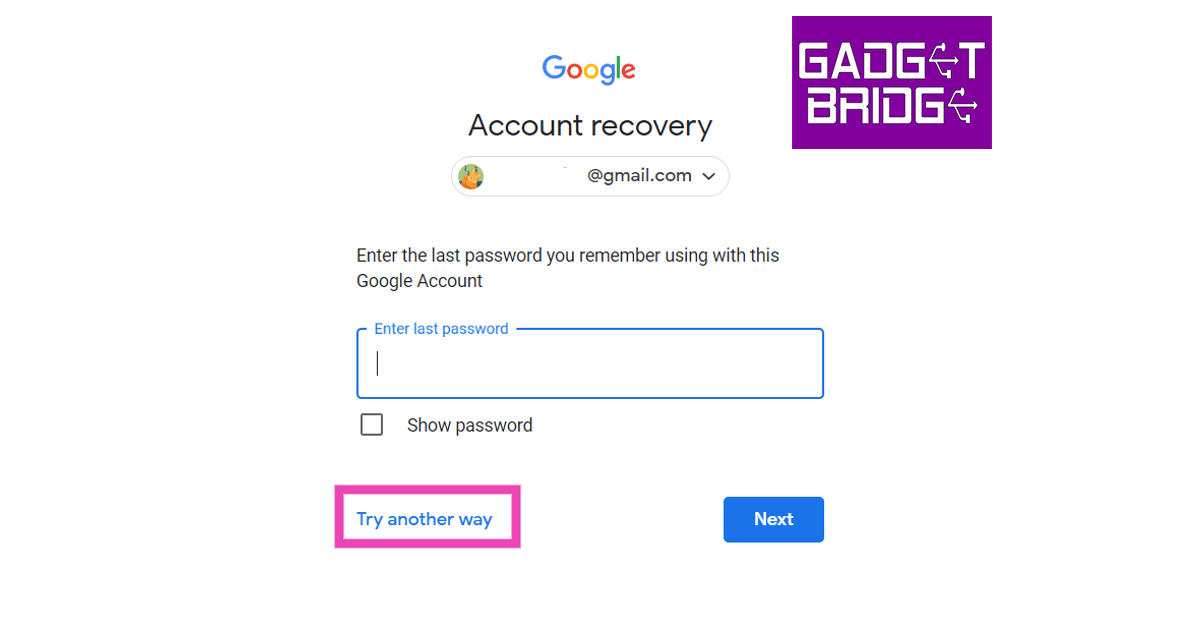
It may not happen that often, but it is easy to get locked out of your Google Account. Users often forget their recently changed password, which makes it hard to gain access to their accounts. If you’re always logged in to your primary device, then it is possible to forget your password. Which makes signing in from another device quite tricky. In this article, we show you how to recover your Google account without any access to it.Read Also:Sony Alpha 7R V camera with AI-based autofocus launched in India
How to recover your Google Account without a recovery email or phone number
Step 1: Go to the Google Account Recovery Page. Click this link to visit the page.Step 2: Enter your username and hit ‘Next’ to proceed.Step 3: Click on ‘Try another way’.Step 4: Google will confirm your identity by sending you a notification on your smartphone. If you are logged in to your smartphone using the same account, tap on ‘Yes it’s me’. You will be allowed to change your password and recover your account.Step 5: If you aren’t logged in to your phone with the same account, click on ‘Try another way’. A password reset link will be sent to your recovery email after you enter your last known password.Read Also:OnePlus Buds Pro 2R open sale goes live in India: Offer details inside
Redmi Smart Fire TV has officially debuted in India. The latest Smart TV comes in a single 32-inch size. The device has a metallic, bezel-free design and a hub for controlling smart homes. It will also function with Fire OS 7. It also features Vivid Picture Engine and Dolby Audio for the best entertainment experience.
Redmi Smart Fire TV price in India and availability
Redmi Smart Fire TV has been launched in India with a price tag of Rs 13,999. However, it is being made available at an introductory price of Rs 11,999 for a limited period. The company is also offering an additional offer of Rs 1,000. It can be purchased via Mi.com and Amazon in the country starting March 21.
Redmi Smart Fire TV specifications
Redmi Smart Fire TV has a 32-inch HD display offering a 1366×768-pixel resolution with a 95.72% screen-to-body ratio. The device comes with a bezel-less design with Vivid Picture Engine technology. The TV is powered by a 64-bit Quad Core Processor coupled with Mali G31 MP2 graphics.The TV runs on Fire OS 7 instead of Android TV which offers over 12,000 apps from the Fire TV app store including Prime Video, Netflix, Disney+ Hotstar, Zee5, SonyLiv, YouTube and more. Consumers can stream Amazon miniTV, and 70+ live channels such as Aaj Tak, Zee News, India Today, DD National and more for free with Zee5, nexGTV, Kids First and others. The Redmi smart tv is shipped with a Redmi Voice Remote with Amazon Alexa that allows consumers to easily switch channels, launch apps, search for titles, play music, and control smart home devices with their voice. The remote includes buttons like TV Guide, Play Back controls, Channel up/down, mute and shortcuts to popular apps.Also Read:HP Chromebook 15.6 powered by Celeron N4500 CPU launched in India for studentsThe Television comes integrated with live TV from customers’ DTH set-top-box on the home screen allowing them to switch between DTH TV channels and OTT apps seamlessly, eliminating the need to switch TV inputs, use set-top-box remote control, or connect additional IR cables. There is support for Apple Airplay and Miracast allowing direct mirroring from Apple and Android smartphones respectively. It further includes 20-Watt speakers with support for Dolby Audio, DTS-HD and DTS: Virtual X Technology. Dual-Band Wi-Fi, AirPlay, Miracast, and Bluetooth 5.0 connectivity are all supported by the Redmi Smart Fire TV. It includes 2 USB ports, an AV port, an earphone port, and 2 HDMI connectors (ARC x 1) for unrestricted connectivity.
For the latest gadget and tech news, and gadget reviews, follow us on Twitter, Facebook and Instagram. For newest tech & gadget videos subscribe to our YouTube Channel. You can also stay up to date using the Gadget Bridge Android App. You can find the latest car and bike news here.
The first quarter of 2023 has already seen a lot of smartphone releases across different segments and price points. From flagships like OnePlus 11 and Samsung Galaxy S23 Ultra to mid-rangers like Vivo V27 Pro and OnePlus 11R, consumers have been spoilt for choice this year. As we move into the next quarter, a new wave of smartphone releases is set to arrive soon. Here are all the upcoming smartphones that are expected to be released in the second quarter of 2023.Read Also:Oppo Find N2 Flip launched in India: Pricing and specs details inside
Google Pixel 7a
Pixel 6aGoogle’s low-cost flagship alternative is likely to be launched in the second quarter of 2023. Pixel 7a renders have been doing the rounds on the Internet for quite some time now, and it is believed that Google may announce the smartphone in its I/O conference which is set to be held in May. This will be followed by a June release. The Pixel 6a was also announced at the I/O conference last year. The Pixel 7a will retain most of the flagship features, including the Tensor chip.
Google Pixel Fold
Google’s first foldable has been in the works for a while. The first-generation Pixel Fold could see a summer launch alongside the Pixel 7a in June. The smartphone is rumoured to include two Samsung displays with a refresh rate of 120Hz and 1,200 nits of peak brightness. The rear camera unit will feature three Sony sensors for the wide, ultrawide, and telephoto lenses. Newer rumours suggest that the base variant of Pixel Fold will get 256GB of storage space. It is unclear whether there will be other storage options. Google will offer the smartphone in two colour options – Carbon and Porcelain.
Oppo Find X6
Oppo Find X5Oppo’s flagship Find X6 series will make its China debut this month, followed by a global release soon after. The smartphone recently appeared on the Geekbench platform recently with 16GB RAM, Android 13, and Snapdragon 8 Gen 2 SoC. Some leaks suggest that the Find X6 will get a grey and brown dual-tone back panel with a large circular camera unit. It will also feature a 6.8-inch E6 AMOLED display with a 120Hz refresh rate.
Nothing Phone (2)
Nothing Phone (1)Nothing Phone (1) generated a lot of hype last year, with its see-through back panel and Glyph interface. Its successor, Phone (2), is set to carry forward the signature design while adding a more powerful Snapdragon 8+ Gen 1 SoC. This is a flagship SoC from last year. Founder Carl Pei confirmed the plans for Phone (2) back in November last year. The smartphone was teased at BWC Barcelona earlier this month, but details about the processor were accidentally tweeted out by a Qualcomm executive. Nothing Phone (2) could also get an adaptive AMOLED display and 12GB of RAM. Prices will most likely be bumped as well.
OnePlus Fold
After the release of the OnePlus 11 series in February, the Chinese brand is looking to set foot in the foldable category with the OnePlus Fold. The smartphone was teased at MWC Barcelona earlier this month and is expected to launch in mid-2023. So far very little is known about the OnePlus Fold, including its name. We expect it to come with the flagship specs, including the Snapdragon 8 Gen 2 SoC, which will make it rival the foldable devices from Samsung, Xiaomi, and Oppo.
Asus ROG Phone 7
ROG Phone 6Asus’ gaming specialist ROG Phone 7 is expected to launch in the coming months. The smartphone was recently spotted on the Geekbench platform with specs like Snapdragon 8 Gen 2 SoC, 16GB RAM, and Android 13. The AMOLED display on the ROG Phone 7 will get a maximum refresh rate of 165Hz. The smartphone is also expected to come with 65W fast charging support.Read Also:Poco X5 5G with Snapdragon 695 SoC launched in India
Conclusion
These are the top upcoming smartphones that will likely be released in the second quarter of 2023. Other smartphones like Asus Zenfone 10, OnePlus 11T, iQOO 10T, and Samsung Galaxy Z Fold & Flip 5 are also in the works, but their release will be pushed to the later months. Which smartphone are you the most excited for? Let us know in the comments!For the latest gadget and tech news, and gadget reviews, follow us on Twitter, Facebook and Instagram. For newest tech & gadget videos subscribe to our YouTube Channel. You can also stay up to date using the Gadget Bridge Android App. You can find the latest car and bike news here.
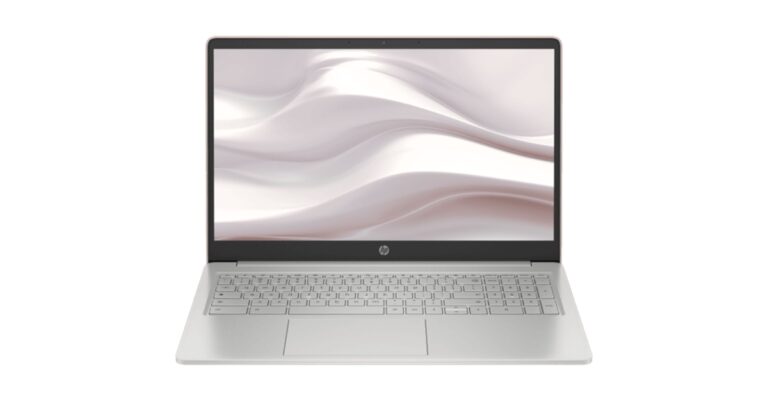
HP has expanded its Chromebook lineup in India with the addition of the most affordable HP Chromebook 15.6 laptop in India. The device is ideally designed for GenZs students with simplified features. The laptop is powered by Intel’s Celeron N4500 processor. In addition to this, it includes hands-free access to Google Assistant, Google Classroom, and more. It is claimed to provide a battery life of up to 11.5 hours. Because of its compact size and lightweight, the laptop is easy to carry even while studying on the go.
HP Chromebook 15.6 price in India and availability
To complement today’s generation lifestyle the HP Chromebook 15.6 comes in two unique colours- Forest Teal and Mineral Silver. It will be available for purchase with a starting price of Rs 28,999. One can easily buy it from the company’s official website in the country.
HP Chromebook 15.6 specifications
HP Chromebook 15.6 bears a 15.6-inch display with micro-edge bezels and 250 nits of brightness. The laptop is powered by an Intel Celeron N4500 processor running at 2.8GHz. It further includes Intel UHD graphics and has 128GB of eMMC storage and 4GB of LPDDR4x RAM. The machine runs on Chrome OS.Also Read: Sony Alpha 7R V camera with AI-based autofocus launched in IndiaThere is a dedicated numeric keypad too and a 27 percent large touchpad for better productivity in the hybrid learning environment. It comes with speech-to-text functionality, which facilitates multitasking. Work files and personal creations may be transferred quickly and easily between devices using HP QuickDrop.It comes equipped with dual speakers along with dual mics. Also, the HP Chromebook includes a Wide Vision HD camera with temporal noise reduction for video conferencing. Compatible with Office365, the laptop gives hands-free access to Google Assistant, Google Classroom and more to support faster and smarter learning. In addition to the existing storage in the device, users also have access to Google One with a 12-month membership, featuring 100GB of cloud storage across Google Apps and services. You may access all of your cloud-based stuff wherever you are working or playing.There is a 47WHr battery that comes with a 45W adaptor. The battery is claimed to last for 11.5 hours on a single charge. In terms of connectivity, there is a microSD card slot, a 3.5mm headphone jack, two USB-C ports, and a USB-A port. For wireless connectivity, there is WiFi-6 and Bluetooth 5.0. For the latest gadget and tech news, and gadget reviews, follow us on Twitter, Facebook and Instagram. For newest tech & gadget videos subscribe to our YouTube Channel. You can also stay up to date using the Gadget Bridge Android App. You can find the latest car and bike news here.
Dark Mode is a necessity for most users while using apps on their phones. Not only does dark mode consume less battery, but it is also very easy on the eyes and does not exert a lot of strain compared to light mode. Facebook introduced dark mode for Messenger back in 2019. It was rolled out for the entire app the following year. Here is how you can turn on Dark Mode (or Night Theme) for the Facebook mobile app on Android and iOS.Read Also:Best Ways To Install Fonts On an Android Smartphone
Turn on Dark Mode for the Facebook App on Android
Step 1: Tap the hamburger menu at the top right corner of the screen.Step 2: Tap on Settings and Privacy.Step 3: Tap on ‘Dark Mode’.Step 5: Select ‘On’.
Turn on Dark Mode for the Facebook App on iOS
Step 1: Tap the hamburger menu at the bottom right corner of the screen.Step 2: Tap on Settings and Privacy.Step 3: Select Settings.Step 4: Tap on Dark Mode under Preferences.Step 5: Select ‘On’.
Turn on Dark Mode for Facebook on your PC browser
Step 1: Click on your profile icon at the top right corner of the screen.Step 2: Select ‘Display & accessibility’ from the drop-down menu.Step 3: Select ‘On’ under Dark Mode to enable it.Read Also:Nokia C12 launched in India at Rs 5,999
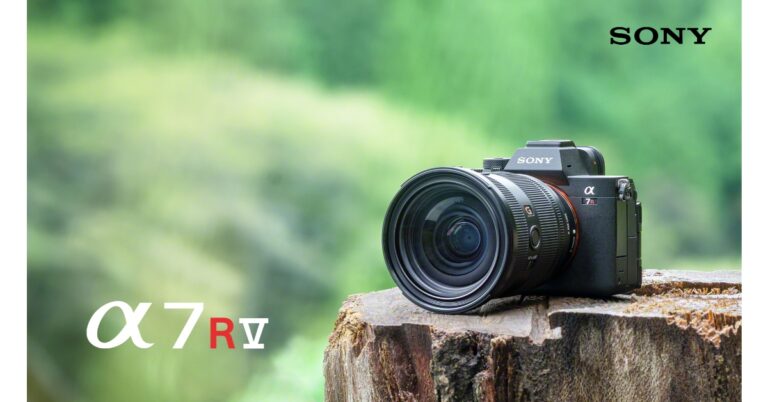
Sony has expanded the Alpha lineup with the addition of the newest R series camera in the Indian market. The company has introduced the Sony Alpha 7R V camera (model ILCE-7RM5) which is basically a mirrorless interchangeable lens camera that comes with the BIONZ XR image processing engine. It also includes a new AI (artificial intelligence) processing unit specialised in AI-based image identification – a first in any Alpha camera designed to support a variety of subject types, including animals, cars, and insects.
Sony Alpha 7R V specifications
The Alpha 7R V offers still photos with 61.0MP. In addition to this, it has the latest 8-step picture stabilisation technology ever included in a Sony Alpha camera. The camera delivers enhanced 8K movie output, a new 4-axis multi-angle monitor, high-speed communication functions, high-level operability, and smooth workflow integration.
The latest BIONZ XR image processing engine and a 35mm full-frame back-illuminated Exmor R CMOS image sensor with roughly 61.0 effective megapixels were used in the Alpha 7R V’s design to produce stunning detail. The BIONZ XR image processing engine makes sure that the resolution potential of the camera’s sensor is fully utilised. This enables a wide dynamic range with 15 stops for stills and sensitivity settings for stills and videos ranging from ISO 100 to ISO 32000.
Sony Alpha 7R V camera comes with the new AI (artificial intelligence) processing unit with deep learning which offers Real-time Recognition AF for improved accuracy and wider subject identification. Modern AI processing greatly improves recognition accuracy over systems that merely detect the face and eyes by making full use of precise knowledge about the human form and pose estimation. Moreover, the Alpha 7R V offers continuous shooting with AF/AE tracking at up to 10 frames per second.
Also Read: Oppo Find N2 Flip launched in India: Pricing and specs details inside
Alpha 7R V camera also features improved Pixel Shift Multi Shooting, which makes use of the precise in-body image stabilisation system control to capture several pixel-shifted images that are afterward composited on a computer to produce an image with astounding resolution. The lossless RAW format is now supported by the Alpha 7R V, which has three configurable pixel counts: L (60M), M (26M), and S. (15M). The camera also incorporates a revolutionary 4-axis multi-angle LCD monitor that combines the usability of a typical tilting panel with side-opening vari-angle flexibility and an electronic viewfinder with 9.44 million dots.



 Step 3:
 Step 4:
 Step 5:

 Step 2:
 Step 3:
 Step 4: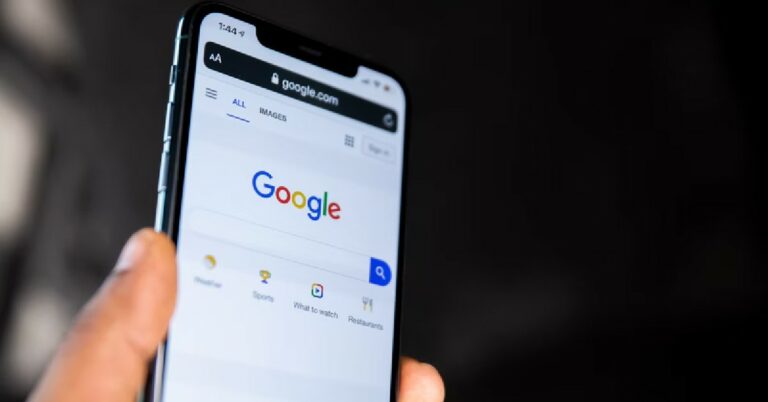
 Step 3:
 Step 4:
 Step 5: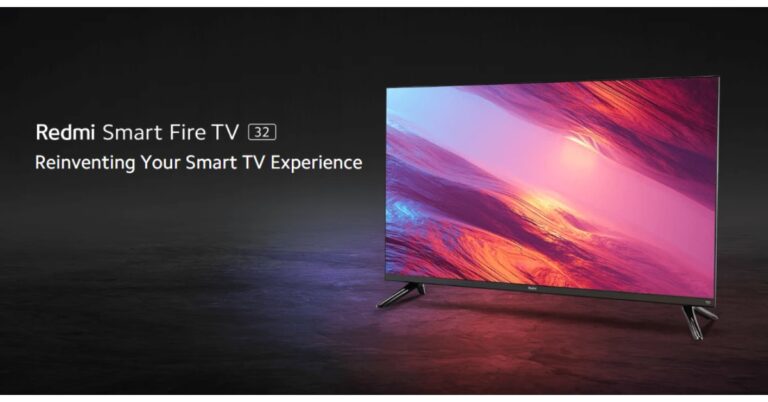





 Step 2:
 Step 3:
  Step 5:
 Step 4:
 Step 5:
 Step 2:
 Step 3:
 Sony Alpha 7R V specifications