

7 Ways on How To Choose the Best Online Gaming Parlour

Online casinos have made many gamblers play various games in their comfort. Choosing the best casino may be challenging because you must consider essential things and see if that particular casino has them.
With the rise of the best online casinos worldwide, most people choose a casino with many issues, such as fraud, which is frustrating and ruins the playing experience. This guide will teach you seven ways to choose the best online casino.
So, keep reading as we explore!
OnePlus Keyboard to debut alongside OnePlus 11 5G and Buds Pro 2, price in India also tipped
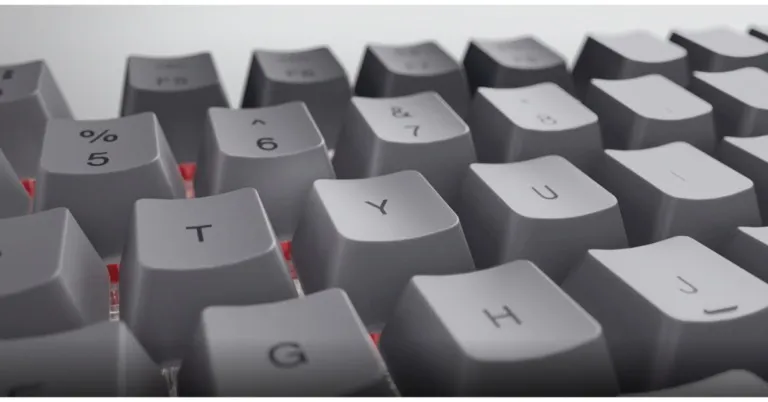
The OnePlus Cloud event is scheduled to take place in India next month where the company will release a couple of products. The firm has already confirmed that on Feb 7 it will be introducing the OnePlus 11 5G and OnePlus Buds Pro 2 alongside the company is also rumoured to launch its first OnePlus Keyboard. Besides this, leaks and reports have been doing the rounds about the upcoming phone, the TWS earphones keyboard. Lately, the price of all the upcoming devices have been tipped ahead of the upcoming event.
OnePlus 11 5G, OnePlus Buds Pro 2 and OnePlus Keyboard price in India expected
According to a report the OnePlus 11 5G is likely to be available in three different configurations of 12GB RAM with 256GB storage, 16GB RAM with 256GB storage, and 16GB RAM with 512GB storage. The device is expected to be priced at Rs 54,999, Rs 59,999 and Rs 66,999 respectively. Also Read: Meta brings end-to-end encryption to Facebook Messenger, more features also added Lately, it has been reported that OnePlus Buds Pro 2 and OnePlus Keyboard are anticipated to be priced at Rs 11,999 and Rs 9,999 respectively. The OnePlus Keyboard, is the brand’s first mechanical keyboard that can be customised. Reportedly the device will launch in India on Feb 7 alongside OnePlus 11 5G and OnePlus Buds Pro 2. Reportedly the Keyboard was spotted in a white colour option and has a gasket design that ensures a precisely timed but gentler motion with a pleasing sound. OnePlus has revealed that the keyboard works with Mac, Windows, and even Linux. Also Read: OnePlus 11 5G and the OnePlus Buds Pro 2 launched: Pricing details The keyboard will feature Keychron technology, which has a double gasket design and will prevent loud typing sounds, the business previously said. To make the keyboard portable and lightweight, it will be constructed of aluminium. The OnePlus Keyboard will offer customizable options, as was already revealed. One of them allows users to replace switches for distinctive personalization through hot-swappable functionality. The addition of open-source firmware from companies like QMK and VIA is another feature. Additionally, it will work with Mac, Windows, and Linux. Although it may also be used with Microsoft Windows, the layout will be identical to that of a MacBook. For the latest gadget and tech news, and gadget reviews, follow us on Twitter, Facebook and Instagram. For newest tech & gadget videos subscribe to our YouTube Channel. You can also stay up to date using the Gadget Bridge Android App. You can find the latest car and bike news here.Meta brings end-to-end encryption to Facebook Messenger, more features also added
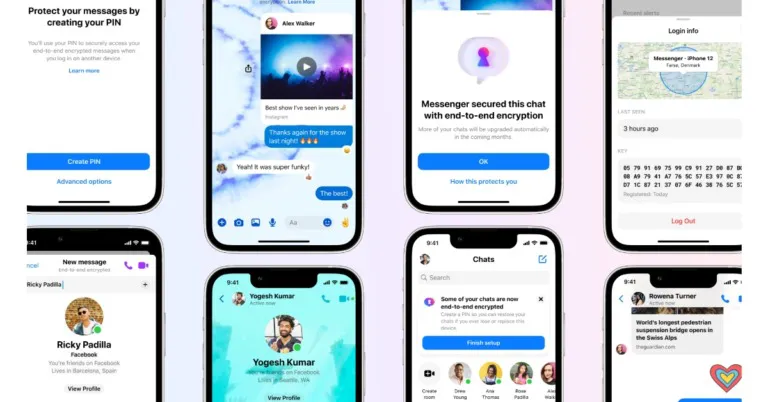
End-to-end encryption for Facebook Messenger has been announced by Meta, the parent company of Facebook, as a security and privacy improvement. Additionally, the firm has added a number of new features, including link previews, custom emoji, themes, and more.
The newest update was revealed by Mark Zuckerberg. He said, “Launching more features for end-to-end encrypted chats for Messenger today – link previews, custom emojis, themes, etc. We’re ramping up testing default end-to-end encryption for more people in Messenger too.”
Also Read: WhatsApp is working on the ability to block contacts from the chat list and notifications: Report
The testing of Facebook Messenger’s default end-to-end encryption has begun at Meta and is being gradually expanded. More users will gradually begin to notice over the coming months that some of their chats now offer an additional layer of security thanks to end-to-end encryption.
 “We will notify people in these individual chat threads as they are upgraded. We know people will have questions about how we select and upgrade individual threads, so we wanted to make clear that this is a random process. It’s designed to be random so that there isn’t a negative impact on our infrastructure and people’s chat experience. This also ensures our new end-to-end encrypted threads continue to give people the fast, reliable and rich experience on Messenger,” the company added.
Additionally, Meta has updated Facebook Messenger with a new set of features.
Group profile photos: When chatting with friends or coworkers, pick a group profile picture.
Chat themes: To help you personalise and improve your conversations in end-to-end encrypted chats, Messenger has included chat themes. For end-to-end encrypted chats, you may now specify themes, including static colour and gradient themes.
Custom chat emojis and reactions: To make your response more personalised In end-to-end encrypted chats, you can access the complete selection of emoji reactions and personalise the quick reaction tray.
Also Read: WhatsApp plans to enable sending of photos in their original quality: Report
Link previews: Links in end-to-end encrypted chats now contain link previews, allowing you to see where they will take you before clicking on them.
Active Status: Let people know when you’re online so they can decide when to call. If you wish to increase your privacy, you can also decide to disable this option.
Bubbles on Android: While using other apps, you can read and react to messages using bubbles (a circle with your friend’s photo in it). When activated, a bubble will show up whenever a new message arrives.
For the latest gadget and tech news, and gadget reviews, follow us on Twitter, Facebook and Instagram. For newest tech & gadget videos subscribe to our YouTube Channel. You can also stay up to date using the Gadget Bridge Android App. You can find the latest car and bike news here.
“We will notify people in these individual chat threads as they are upgraded. We know people will have questions about how we select and upgrade individual threads, so we wanted to make clear that this is a random process. It’s designed to be random so that there isn’t a negative impact on our infrastructure and people’s chat experience. This also ensures our new end-to-end encrypted threads continue to give people the fast, reliable and rich experience on Messenger,” the company added.
Additionally, Meta has updated Facebook Messenger with a new set of features.
Group profile photos: When chatting with friends or coworkers, pick a group profile picture.
Chat themes: To help you personalise and improve your conversations in end-to-end encrypted chats, Messenger has included chat themes. For end-to-end encrypted chats, you may now specify themes, including static colour and gradient themes.
Custom chat emojis and reactions: To make your response more personalised In end-to-end encrypted chats, you can access the complete selection of emoji reactions and personalise the quick reaction tray.
Also Read: WhatsApp plans to enable sending of photos in their original quality: Report
Link previews: Links in end-to-end encrypted chats now contain link previews, allowing you to see where they will take you before clicking on them.
Active Status: Let people know when you’re online so they can decide when to call. If you wish to increase your privacy, you can also decide to disable this option.
Bubbles on Android: While using other apps, you can read and react to messages using bubbles (a circle with your friend’s photo in it). When activated, a bubble will show up whenever a new message arrives.
For the latest gadget and tech news, and gadget reviews, follow us on Twitter, Facebook and Instagram. For newest tech & gadget videos subscribe to our YouTube Channel. You can also stay up to date using the Gadget Bridge Android App. You can find the latest car and bike news here.
 “We will notify people in these individual chat threads as they are upgraded. We know people will have questions about how we select and upgrade individual threads, so we wanted to make clear that this is a random process. It’s designed to be random so that there isn’t a negative impact on our infrastructure and people’s chat experience. This also ensures our new end-to-end encrypted threads continue to give people the fast, reliable and rich experience on Messenger,” the company added.
Additionally, Meta has updated Facebook Messenger with a new set of features.
Group profile photos: When chatting with friends or coworkers, pick a group profile picture.
Chat themes: To help you personalise and improve your conversations in end-to-end encrypted chats, Messenger has included chat themes. For end-to-end encrypted chats, you may now specify themes, including static colour and gradient themes.
Custom chat emojis and reactions: To make your response more personalised In end-to-end encrypted chats, you can access the complete selection of emoji reactions and personalise the quick reaction tray.
Also Read: WhatsApp plans to enable sending of photos in their original quality: Report
Link previews: Links in end-to-end encrypted chats now contain link previews, allowing you to see where they will take you before clicking on them.
Active Status: Let people know when you’re online so they can decide when to call. If you wish to increase your privacy, you can also decide to disable this option.
Bubbles on Android: While using other apps, you can read and react to messages using bubbles (a circle with your friend’s photo in it). When activated, a bubble will show up whenever a new message arrives.
For the latest gadget and tech news, and gadget reviews, follow us on Twitter, Facebook and Instagram. For newest tech & gadget videos subscribe to our YouTube Channel. You can also stay up to date using the Gadget Bridge Android App. You can find the latest car and bike news here.
“We will notify people in these individual chat threads as they are upgraded. We know people will have questions about how we select and upgrade individual threads, so we wanted to make clear that this is a random process. It’s designed to be random so that there isn’t a negative impact on our infrastructure and people’s chat experience. This also ensures our new end-to-end encrypted threads continue to give people the fast, reliable and rich experience on Messenger,” the company added.
Additionally, Meta has updated Facebook Messenger with a new set of features.
Group profile photos: When chatting with friends or coworkers, pick a group profile picture.
Chat themes: To help you personalise and improve your conversations in end-to-end encrypted chats, Messenger has included chat themes. For end-to-end encrypted chats, you may now specify themes, including static colour and gradient themes.
Custom chat emojis and reactions: To make your response more personalised In end-to-end encrypted chats, you can access the complete selection of emoji reactions and personalise the quick reaction tray.
Also Read: WhatsApp plans to enable sending of photos in their original quality: Report
Link previews: Links in end-to-end encrypted chats now contain link previews, allowing you to see where they will take you before clicking on them.
Active Status: Let people know when you’re online so they can decide when to call. If you wish to increase your privacy, you can also decide to disable this option.
Bubbles on Android: While using other apps, you can read and react to messages using bubbles (a circle with your friend’s photo in it). When activated, a bubble will show up whenever a new message arrives.
For the latest gadget and tech news, and gadget reviews, follow us on Twitter, Facebook and Instagram. For newest tech & gadget videos subscribe to our YouTube Channel. You can also stay up to date using the Gadget Bridge Android App. You can find the latest car and bike news here. 11 best methods to Fix ‘Instagram Direct Messages Not Working’ (2024)
The world’s biggest photo-sharing platform, Instagram, is also preferred by many as their primary Instant Messaging app. While it may not be as popular as IM heavyweights like WhatsApp and Facebook Messenger, Instagram still enjoys massive popularity among its audience. Instagram DMs are also routinely updated to add new features like ‘Vanish Mode’ and ‘Quiet Mode’, in order to offer something more than its peers. Even with all the cutting-edge features, it is not uncommon for the app to face certain issues from time to time. In this article, we bring you the 11 best working methods to fix the ‘Instagram direct messages not working’ issue on your smartphone.
Read Also: Sony ILME-FR7 cinema camera with E-mount launched
 The most likely reason your messages aren’t getting through on Instagram is a faulty connection. Make sure you are connected to an active Wi-Fi network. If not, turn on your mobile data to ensure internet connectivity. Open a web page on Chrome to ensure your internet is working. To further test the signal strength, run a speed test on your phone. If there are no connection issues on your end, the problem likely lies with the app or Instagram servers.
Step 2: Scroll down and select Instagram.
Step 3: Tap on Storage.
Step 4: Select ‘Clear Cache’ from the bottom of the screen.
Step 2: Scroll down and select Instagram.
Step 3: Select ‘Force Stop’ from the bottom of the screen and confirm your selection in the following popup box.
The most likely reason your messages aren’t getting through on Instagram is a faulty connection. Make sure you are connected to an active Wi-Fi network. If not, turn on your mobile data to ensure internet connectivity. Open a web page on Chrome to ensure your internet is working. To further test the signal strength, run a speed test on your phone. If there are no connection issues on your end, the problem likely lies with the app or Instagram servers.
Step 2: Scroll down and select Instagram.
Step 3: Tap on Storage.
Step 4: Select ‘Clear Cache’ from the bottom of the screen.
Step 2: Scroll down and select Instagram.
Step 3: Select ‘Force Stop’ from the bottom of the screen and confirm your selection in the following popup box.
 Instagram rolls out frequent updates to fix any recent bugs and glitches. If your DMs aren’t getting through because of a bug, you will need to update the app to fix it. If you are using a very old version of the Instagram app, chances are that it has been phased out. You will have to update the app in this case as well. In order to update the app, simply go to Google Play Store, search for Instagram, go to the app page and tap on ‘Update’.
Sometimes, installation issues can cause an app to malfunction on your phone. If you just installed the Instagram app and can’t get it to work, uninstall and reinstall it again on your device. You can use the Google Play Store or your OEM’s exclusive app marketplace for this task.
It is also possible that the problem may be specifically related to your account. To reset any account-related glitches, sign out of the Instagram app and sign back in. To sign out of Instagram, go to your profile, tap on the hamburger menu, select Settings, scroll down and select ‘log out’. Once you’re logged out, enter your login credentials (Instagram username and password) to sign back in.
It is possible that the problem may lie with Instagram’s mobile app and not the DM service itself. In this case, Instagram’s Web Interface should work just fine. Go to Instagram’s official website and log in using your username and password. Select ‘Messages’ from the side menu to access Instagram DMs.
If you’re not a fan of Instagram Web, use the Instagram Lite app instead. This lightweight app uses less data and loads faster than the regular Instagram app. The issues plaguing the regular app may not persist on the Lite version. If your Instagram DMs are not working, the Lite app is worth giving a shot.
Instagram rolls out frequent updates to fix any recent bugs and glitches. If your DMs aren’t getting through because of a bug, you will need to update the app to fix it. If you are using a very old version of the Instagram app, chances are that it has been phased out. You will have to update the app in this case as well. In order to update the app, simply go to Google Play Store, search for Instagram, go to the app page and tap on ‘Update’.
Sometimes, installation issues can cause an app to malfunction on your phone. If you just installed the Instagram app and can’t get it to work, uninstall and reinstall it again on your device. You can use the Google Play Store or your OEM’s exclusive app marketplace for this task.
It is also possible that the problem may be specifically related to your account. To reset any account-related glitches, sign out of the Instagram app and sign back in. To sign out of Instagram, go to your profile, tap on the hamburger menu, select Settings, scroll down and select ‘log out’. Once you’re logged out, enter your login credentials (Instagram username and password) to sign back in.
It is possible that the problem may lie with Instagram’s mobile app and not the DM service itself. In this case, Instagram’s Web Interface should work just fine. Go to Instagram’s official website and log in using your username and password. Select ‘Messages’ from the side menu to access Instagram DMs.
If you’re not a fan of Instagram Web, use the Instagram Lite app instead. This lightweight app uses less data and loads faster than the regular Instagram app. The issues plaguing the regular app may not persist on the Lite version. If your Instagram DMs are not working, the Lite app is worth giving a shot.
Check your Internet Connection
 The most likely reason your messages aren’t getting through on Instagram is a faulty connection. Make sure you are connected to an active Wi-Fi network. If not, turn on your mobile data to ensure internet connectivity. Open a web page on Chrome to ensure your internet is working. To further test the signal strength, run a speed test on your phone. If there are no connection issues on your end, the problem likely lies with the app or Instagram servers.
Clear the app cache
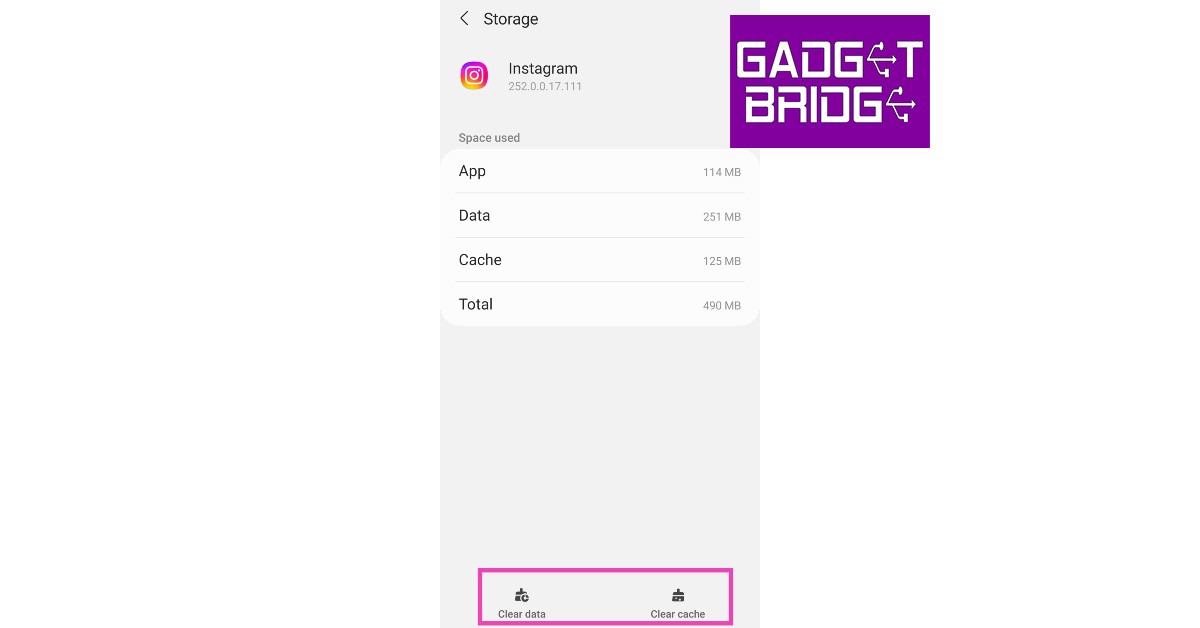
Once the cache memory builds up, the temporary files stored in it may get corrupted. This can lead to certain malfunctions within the app. In order to fix this issue, quickly clear the Instagram app cache from your phone’s settings. Here’s how. Step 1: Go to Settings and select Apps. Step 2: Scroll down and select Instagram.
 Step 3: Tap on Storage.
 Step 4: Select ‘Clear Cache’ from the bottom of the screen.
Force stop the app
If clearing the app cache doesn’t work, try forcefully stopping the app. This will suspend any background activity and shut down the app entirely. A forced stop helps in performing a complete reboot of the app. Once you’ve force stopped the Instagram app, tap on its icon in the app drawer to relaunch it. Here’s how you can force-stop Instagram on your smartphone. Step 1: Go to Settings and select Apps.
Step 2: Scroll down and select Instagram.
Step 3: Select ‘Force Stop’ from the bottom of the screen and confirm your selection in the following popup box.

Update the Instagram app
 Instagram rolls out frequent updates to fix any recent bugs and glitches. If your DMs aren’t getting through because of a bug, you will need to update the app to fix it. If you are using a very old version of the Instagram app, chances are that it has been phased out. You will have to update the app in this case as well. In order to update the app, simply go to Google Play Store, search for Instagram, go to the app page and tap on ‘Update’.
Uninstall and reinstall the app
 Sometimes, installation issues can cause an app to malfunction on your phone. If you just installed the Instagram app and can’t get it to work, uninstall and reinstall it again on your device. You can use the Google Play Store or your OEM’s exclusive app marketplace for this task.
Sign out and sign back in
 It is also possible that the problem may be specifically related to your account. To reset any account-related glitches, sign out of the Instagram app and sign back in. To sign out of Instagram, go to your profile, tap on the hamburger menu, select Settings, scroll down and select ‘log out’. Once you’re logged out, enter your login credentials (Instagram username and password) to sign back in.
Use Instagram Web
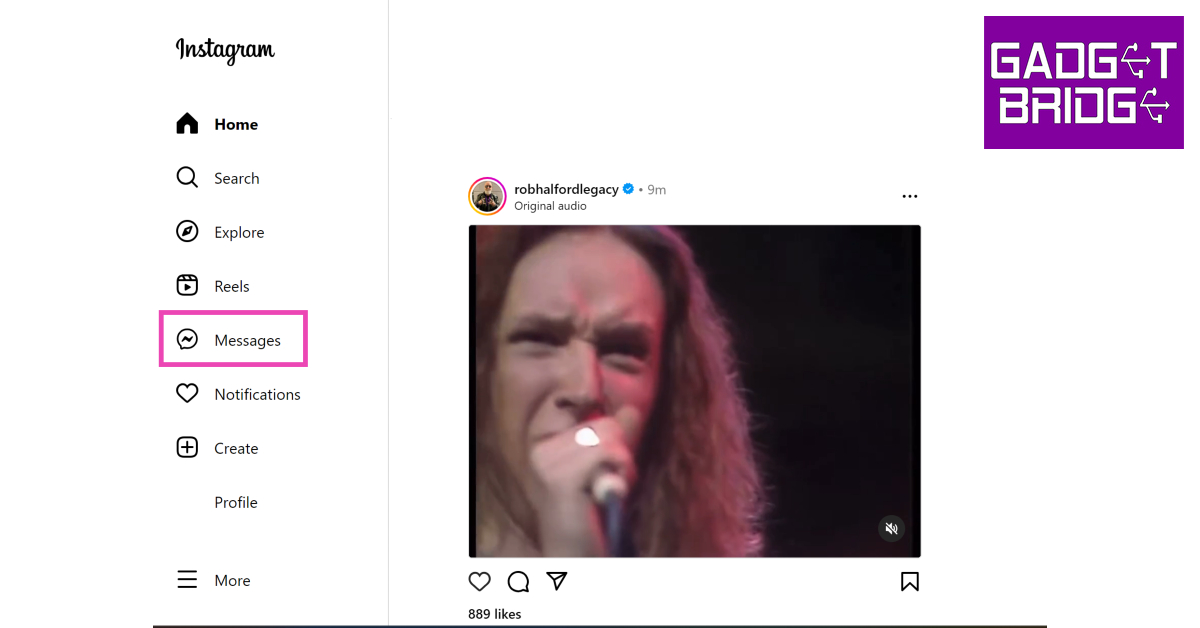 It is possible that the problem may lie with Instagram’s mobile app and not the DM service itself. In this case, Instagram’s Web Interface should work just fine. Go to Instagram’s official website and log in using your username and password. Select ‘Messages’ from the side menu to access Instagram DMs.
Use Instagram Lite
 If you’re not a fan of Instagram Web, use the Instagram Lite app instead. This lightweight app uses less data and loads faster than the regular Instagram app. The issues plaguing the regular app may not persist on the Lite version. If your Instagram DMs are not working, the Lite app is worth giving a shot.
Your Instagram account may be restricted
Instagram can impose restrictions on your account if you violate the Terms of Service. This includes posting objectionable content or spamming messages to different users. If you sent a huge volume of messages to multiple users in a short duration of time, Instagram may have flagged your account as a bot and restricted your ability to send DMs. You can report this issue to Instagram and wait until the ban is reverted.Check if the user has deactivated their account
If your Instagram direct messages aren’t working for one contact in particular, it is likely because they have deactivated their Instagram account. Your conversation with them still shows up in your DMs after they have deactivated their account. You may be able to view their profile for a while before Instagram finally takes it down. Once the profile has been deactivated, the username says ‘Instagram Account’. Instagram allows you to send DMs to a deactivated account, they just won’t go through.Check if Instagram’s servers are down
It is not uncommon for Instagram’s servers to experience an outage. When the servers are down, all app activity is ceased until the servers are back up and running. You have no other option than to wait it out. To check if Instagram’s servers are down, visit the DownDetector website and search for Instagram.Frequently Asked Questions (FAQs)
Why are my Instagram Direct Messages not working?
Your Instagram DMs may not be working due to a poor internet connection, an Instagram server outage, or because your account has been restricted.What is the fix for Instagram Direct Messages not working?
To fix your Instagram Direct Messages try updating the app and clearing its cache. If this doesn’t work, try using Instagram Web.Why does the Instagram profile in my DMs say ‘Instagram User’?
When someone deactivates their Instagram account, their profile name in your DMs is changed to ‘Instagram User’. Read Also: Quick fix: 6 Simple Ways to Fix YouTube Thumbnails Not ShowingConclusion
These are the 11 best working methods to fix the ‘Instagram direct messages not working issue’ on your smartphone. For further assistance, you can contact Instagram Help. If the issue is account-specific (like a temporary ban), only Instagram can take the appropriate measures to fix it. If you found this article helpful, let us know in the comments!How to Easily Find your Lost Samsung Galaxy Buds?
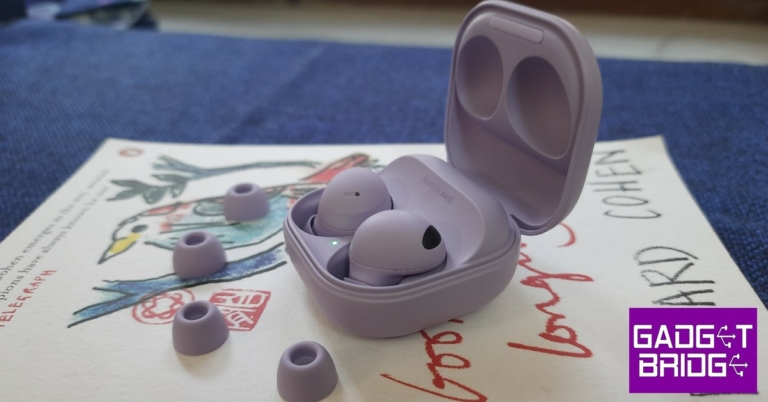
Every TWS user will tell you that their biggest pet peeve is how often their wireless headset gets misplaced. Since they are not attached to a wire, TWS earbuds have a tendency to slide under places where it can get pretty hard to replace them. When you’re outdoors, the earbuds can also slip out of your ear and fall down and you may not realise it right away. Luckily, most manufacturers are aware of this issue and equip their TWS products with the necessary tracking features. In this article, we show you how to easily find your lost Samsung Galaxy Buds.
Read Also: Sony ILME-FR7 cinema camera with E-mount launched
Step 2: Select ‘Find my Earbuds’.
Step 3: Tap on the search icon to locate your earbuds. Once your press this icon, your earbuds will start beeping.
Step 4: Locate the source of the beeps. Once you’ve found your earbuds, tap on the ‘Stop’ icon to halt the ringing.
You can also mute one of the earbuds once you find it and keep the other one ringing until you locate it.
Step 2: Select ‘Find my Earbuds’.
Step 3: Tap on ‘Navigate’. You will be guided to the last paired location using Google Maps.
Step 4: Once you reach the destination where your Galaxy Buds were last paired to your device, select ‘Search nearby’. The Galaxy Wearable app will scan for the Buds and notify you if it finds them.
Read Also: Quick fix: 6 Simple Ways to Fix YouTube Thumbnails Not Showing
Use the ‘Find my Earbuds’ feature from the Galaxy Wearable app
As we mentioned earlier, earbuds have a tendency to slip into places where you cannot see them. The ‘Find my Earbuds’ feature provided by Samsung rings the earbuds in order to help you locate them. This method can only be used when your Galaxy Buds are connected to your smartphone. Step 1: Open the Galaxy Wearable app on your smartphone. Step 2: Select ‘Find my Earbuds’.
 Step 3: Tap on the search icon to locate your earbuds. Once your press this icon, your earbuds will start beeping.
 Step 4: Locate the source of the beeps. Once you’ve found your earbuds, tap on the ‘Stop’ icon to halt the ringing.
 You can also mute one of the earbuds once you find it and keep the other one ringing until you locate it.
How to find the location of your Samsung Galaxy Buds
If your Galaxy Buds are out of Bluetooth pairing range, you can still trace their last paired location. Here’s how. Step 1: Open the Galaxy Wearable app on your smartphone.
Step 2: Select ‘Find my Earbuds’.
Step 3: Tap on ‘Navigate’. You will be guided to the last paired location using Google Maps.
 Step 4: Once you reach the destination where your Galaxy Buds were last paired to your device, select ‘Search nearby’. The Galaxy Wearable app will scan for the Buds and notify you if it finds them.
Read Also: Quick fix: 6 Simple Ways to Fix YouTube Thumbnails Not Showing
Step 4: Once you reach the destination where your Galaxy Buds were last paired to your device, select ‘Search nearby’. The Galaxy Wearable app will scan for the Buds and notify you if it finds them.
Read Also: Quick fix: 6 Simple Ways to Fix YouTube Thumbnails Not Showing
Conclusion
These are the 2 quick ways you can find your lost Samsung Galaxy Buds. To add an extra layer of security, you can use the Galaxy Wearable app to notify you every time you leave a location with your Galaxy Buds left behind. Certain locations where you commonly leave your earbuds behind, like your home or workplace, can be added to the ‘safe places’ list so as to not receive redundant notifications. For the latest gadget and tech news, and gadget reviews, follow us on Twitter, Facebook and Instagram. For newest tech & gadget videos subscribe to our YouTube Channel. You can also stay up to date using the Gadget Bridge Android App. You can find the latest car and bike news here.How to Create Custom Watch Face for Fitbit
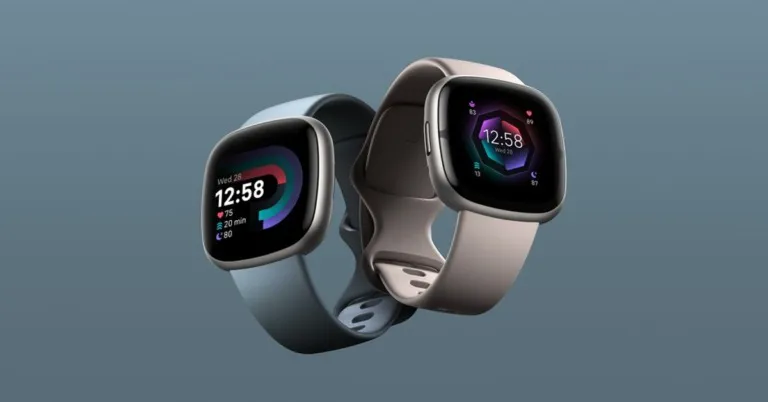
Fitbit was one of the first players to create a solid reputation in the ‘smart wearables’ category, which eventually lead to them being bought out by Google. Fitbit continues to put out excellent fitness-tracking wearables and smartwatches like the Luxe, Sense, Versa, and more. A lot of the appeal of a smartwatch lies in customising it according to your liking and using eye-catching watch faces for the dial. In this article, we show you how to create a custom watch face for Fitbit.
Read Also: Sony ILME-FR7 cinema camera with E-mount launched
Step 3: Select your Fitbit device from the menu.
Step 4: Tap on ‘Gallery’.
Step 5: Select a watch face from the ‘My Clocks’ section. In order to install a new watch face, tap the plus icon.
Step 6: You can choose from a range of paid and free watch faces across categories like ‘Digital’, ‘Stats Heavy’, ‘Analog’, and more.
Step 7: Choose a watch face you like and tap on ‘Install’.
The watch face will be installed and synced with your device.
Step 3: Select your Fitbit device from the menu.
Step 4: Tap on ‘Gallery’.
Step 5: Tap on the ‘Apps’ tab.
Step 6: Select the app you want on your Fitbit device and hit ‘Install’.
The app will be synced with your Fitbit device.
Step 3: Select your Fitbit device from the menu.
Step 4: Tap on ‘Gallery’.
Step 5: Tap on the ‘Tiles’ tab.
Step 6: Choose from a range of fitness and utility tiles like ‘Core Stats’, ‘Heart Rate’, ‘Timers’ and more.
Step 7: Select the Tile you want to see on your Fitbit device and hit ‘Install’.
Read Also: Quick fix: 6 Simple Ways to Fix YouTube Thumbnails Not Showing
Change your Fitbit Watch Face
There is a range of Fitbit Watch Faces that you can install on your Fitbit device and customise according to your liking. Here’s how you can choose a new watch face for your Fitbit. Step 1: Open the Fitbit app on your smartphone. Step 2: Tap the profile icon on the top right corner of the screen. Step 3: Select your Fitbit device from the menu.
 Step 4: Tap on ‘Gallery’.
 Step 5: Select a watch face from the ‘My Clocks’ section. In order to install a new watch face, tap the plus icon.
 Step 6: You can choose from a range of paid and free watch faces across categories like ‘Digital’, ‘Stats Heavy’, ‘Analog’, and more.
 Step 7: Choose a watch face you like and tap on ‘Install’.
 The watch face will be installed and synced with your device.
Add new apps
Your Fitbit device does more than just track your fitness activity. You can add several apps to access a range of functions. Here’s how. Step 1: Open the Fitbit app on your smartphone. Step 2: Tap the profile icon on the top right corner of the screen.
Step 3: Select your Fitbit device from the menu.
Step 4: Tap on ‘Gallery’.
Step 5: Tap on the ‘Apps’ tab.
 Step 6: Select the app you want on your Fitbit device and hit ‘Install’.
 The app will be synced with your Fitbit device.
Use tiles to keep up with fitness goals
Since Fitbit is primarily a fitness tracker, it offers a wide range of tiles to keep you updated about your essential health functions and fitness goals. There are other utility tiles like ‘Timer’ and ‘Weather’ that you can install from the Fitbit app as well. Here’s how. Step 1: Open the Fitbit app on your smartphone. Step 2: Tap the profile icon on the top right corner of the screen.
Step 3: Select your Fitbit device from the menu.
Step 4: Tap on ‘Gallery’.
Step 5: Tap on the ‘Tiles’ tab.
 Step 6: Choose from a range of fitness and utility tiles like ‘Core Stats’, ‘Heart Rate’, ‘Timers’ and more.
 Step 7: Select the Tile you want to see on your Fitbit device and hit ‘Install’.
Read Also: Quick fix: 6 Simple Ways to Fix YouTube Thumbnails Not Showing
Step 7: Select the Tile you want to see on your Fitbit device and hit ‘Install’.
Read Also: Quick fix: 6 Simple Ways to Fix YouTube Thumbnails Not Showing
Conclusion
This is how you can create a custom watch face on Fitbit and add tiles and apps to your device. Some watch faces require access to your health and fitness functions and tiles in order to display the essential info on the device’s home screen itself. If you found this article helpful, let us know in the comments! For the latest gadget and tech news, and gadget reviews, follow us on Twitter, Facebook and Instagram. For newest tech & gadget videos subscribe to our YouTube Channel. You can also stay up to date using the Gadget Bridge Android App. You can find the latest car and bike news here.Tecno Spark Go 2023 with 5,000mAh battery launched in India
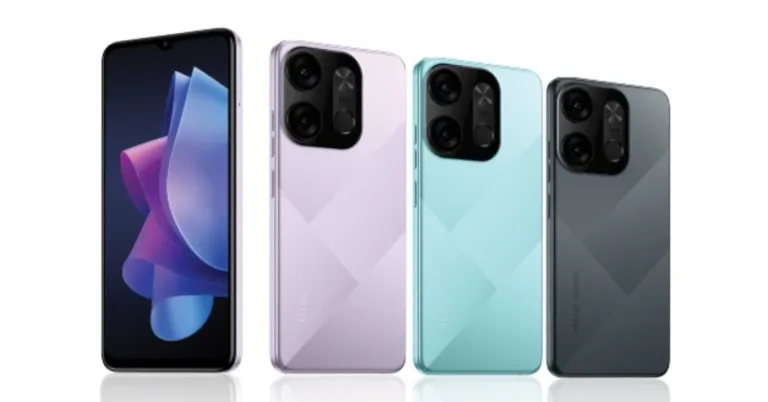
Tecno Spark Go 2023 has been launched in India. The entry-level smartphone offers the first Type-C charger and 5000 mAh battery in the sub-7K price range. The smartphone also has a 13MP primary camera and is powered by MediaTek Helio A22 SoC.

Tecno Spark Go 2023 price in India and availability details
The Tecno Spark Go 2023’s 3GB RAM with 32GB storage edition is priced at Rs 6,999 in India. The device is also available in 3GB RAM with 64GB storage and 4GB RAM with 64GB storage options. The price of these variants has not yet been disclosed. The budget smartphone is available at all retail touchpoints in three vibrant colours: Nebula Purple, Endless Black, and Uyuni Blue.
Tecno Spark Go 2023 specifications
Tecno Spark Go 2023 has a 6.56-inch HD+ IPS screen with a resolution of 720×1,612 pixels. It has a screen-to-body ratio of 90%, a 120Hz touch sampling rate, and a peak brightness of 480 nits. The aspect ratio of the screen is 20:9. The phone’s construction is splash-resistant to IPX2 standards. It has up to 4GB of RAM and is driven by a quad-core MediaTek Helio A22 SoC. Also Read: Sony India announced fantastic deals on their products for Republic Day Additionally, the phone has a Memory Fusion virtual RAM capability that boosts the RAM by 3GB, giving it a total of 7GB. Up to 64GB of onboard storage is available, and a separate microSD card slot allows for up to 256GB of additional storage. The entry-level phone has HiOS 12.0 on top of Android 12. The Spark Go 2023 from Tecno comes with a 10W charger and a 5,000mAh battery. According to the company, the users get 12 hours of gameplay, video playback 25 hours and up to 124 hours of music playback. The Tecno Spark Go 2023 sports two rear cameras, one with a 13-megapixel primary sensor and an f/1.85 lens, the other with an AI lens. A 5-megapixel selfie camera sensor and a front-facing LED flash are located at the front of the device for selfies and video chat. Multiple AI modes like Portrait, HDR, Time-lapse, and AI Scene Detection are also includedTecno Spark Go 2023 Connectivity
On the Tecno Spark Go 2023, connectivity choices include dual-SIM 4G VoLTE, Wi-Fi 2.4GHz, Bluetooth 5.0, OTG, and USB Type-C. A fingerprint sensor, proximity sensor, e-compass, ambient light sensor, and accelerometer are among the sensors on board. For the latest gadget and tech news, and gadget reviews, follow us on Twitter, Facebook and Instagram. For newest tech & gadget videos subscribe to our YouTube Channel. You can also stay up to date using the Gadget Bridge Android App. You can find the latest car and bike news here.Top colour-changing RGB Smart LED bulbs you can buy right now (2023)
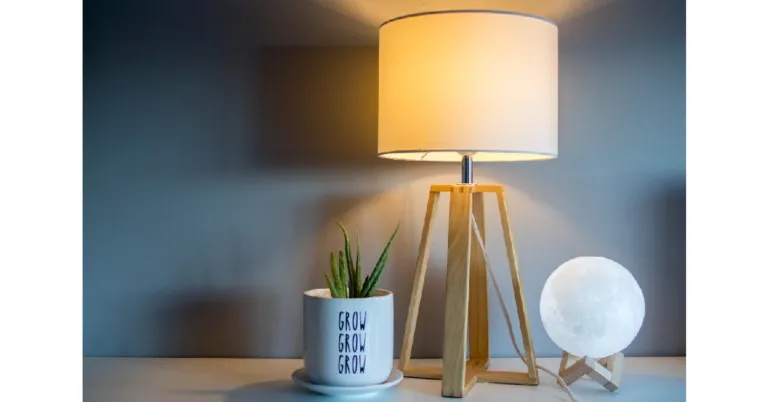
As home WiFi networks become more commonplace, Smart LED bulbs are also very quickly becoming the norm. A smart LED bulb offers a lot of convenience with its remote functionality, and the ability to set up wake-up and sleep schedules. To add to that, you can even choose from different colour shades. In this article, we bring you our picks for the best colour-changing Smart LED bulbs you can buy right now in 2023.
Read Also: Quick fix: 6 Simple Ways to Fix YouTube Thumbnails Not Showing
The Philips Wiz 9W Smart LED Bulb offers a range of 16 million colours with a lot of customisation options. You also get the preset ‘warm’ and ‘light’ colours that you can easily switch between using the WIz app. The Wiz app also allows you to operate the light bulb remotely when you are out. The Philips Wiz comes with Alexa support. You can easily pair the bulb with your Echo device and use voice controls to operate it. Google Assistant and IFTTT support has also been made available. The only requirement for the Philip Smart LED bulb to work is a secured 2.4 GHz WiFi network connection.
The Syska Smart LED is one of the more affordable colour-changing Smart LED bulbs out there, and also comes with a 2-year warranty. This LED bulb also has 16 million colour shades on offer. Users can easily connect the LED bulb to the Syska Smart Home app and use it to control the ambience, choose the colour warmth, and customise the colour shade. The Syska Smart LED also works with Alexa and Google Assistant. A 2.4 GHz WiFi connection is required to access the ‘smart’ functions of the LED bulb.
This 60W LED bulb by TP-Link comes with all the essential features of a smart bulb. The Tapo Smart Bulb is pretty easy to use with its plug n play functionality. All you need is a home WiFi connection. Once connected, the Tapo Smart Bulb lets you choose from over 16 million colour shades, letting you save your favourite. It produces up to 806 lumens of white brightness with dimming options from 1-100%. With smartphone connectivity, you can set schedules for auto on/off and even set the bulb to automatically switch to different colour shades at different times of the day. The Sunrise and Sunset modes automatically activate the light bulb according to your time zone. The TP-Link Tapo Smart Bulb also works with Alexa and Google Assistant.
The Bajaj LED Smart Bulb comes with 4 ‘Wellness Centric’ modes – wake up, energize, concentrate, and relax. On top of that, it also has 12 different ambient light presets. Users can also customise different shades with over 16 million colour options to choose from. The smart bulb comes with Alexa and Google Assistant support and has a claimed life of over 15,000 hours.
Apart from all the usual features like smartphone connectivity and 16 million colour shades, the Wipro E27 WiFi Smart LED bulb also has an exclusive music sync function to offer. Using Wipro’s Smart Home app, you can sync the bulb to the music playing on your phone. The colours recognise the rhythm of the music and change accordingly. The Wipro Smart LED bulb also allows you to tune the light to different shades of White from warm (2700K) to cool (6500K).
Read Also: HP Envy x360 15 gets refreshed with OLED touch display
Philips Wiz Wi-Fi enabled LED Bulb
Price: Rs 769 The Philips Wiz 9W Smart LED Bulb offers a range of 16 million colours with a lot of customisation options. You also get the preset ‘warm’ and ‘light’ colours that you can easily switch between using the WIz app. The Wiz app also allows you to operate the light bulb remotely when you are out. The Philips Wiz comes with Alexa support. You can easily pair the bulb with your Echo device and use voice controls to operate it. Google Assistant and IFTTT support has also been made available. The only requirement for the Philip Smart LED bulb to work is a secured 2.4 GHz WiFi network connection.
Syska SMW-9W-5C Smart LED
Price: Rs 549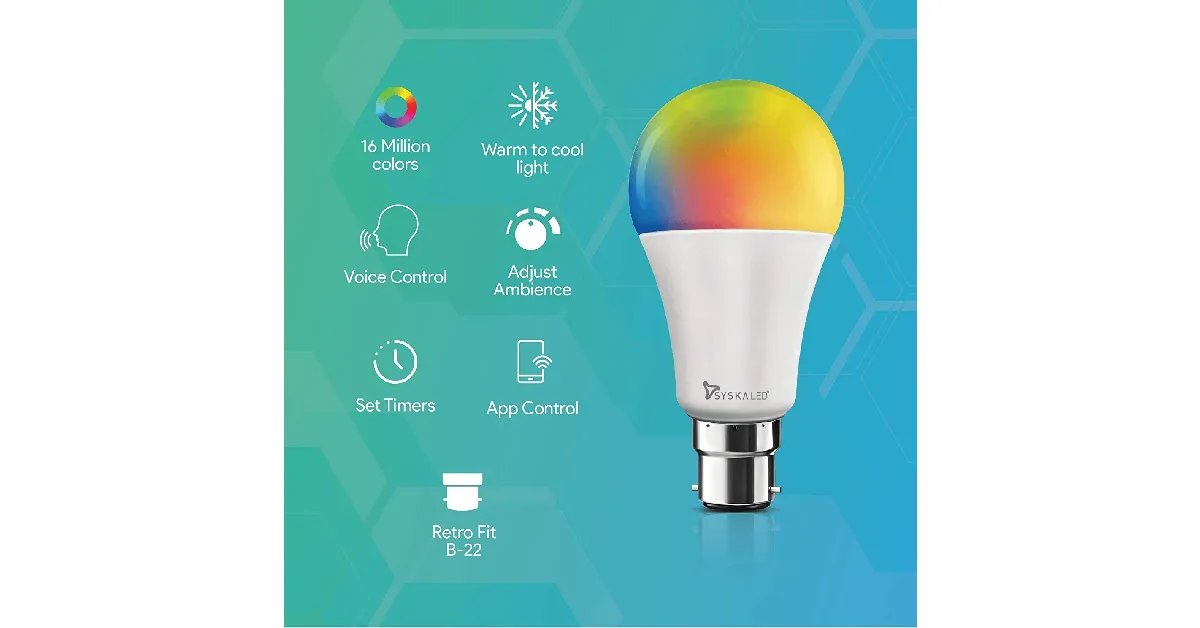 The Syska Smart LED is one of the more affordable colour-changing Smart LED bulbs out there, and also comes with a 2-year warranty. This LED bulb also has 16 million colour shades on offer. Users can easily connect the LED bulb to the Syska Smart Home app and use it to control the ambience, choose the colour warmth, and customise the colour shade. The Syska Smart LED also works with Alexa and Google Assistant. A 2.4 GHz WiFi connection is required to access the ‘smart’ functions of the LED bulb.
TP-Link Tapo Smart Bulb
Price: Rs 849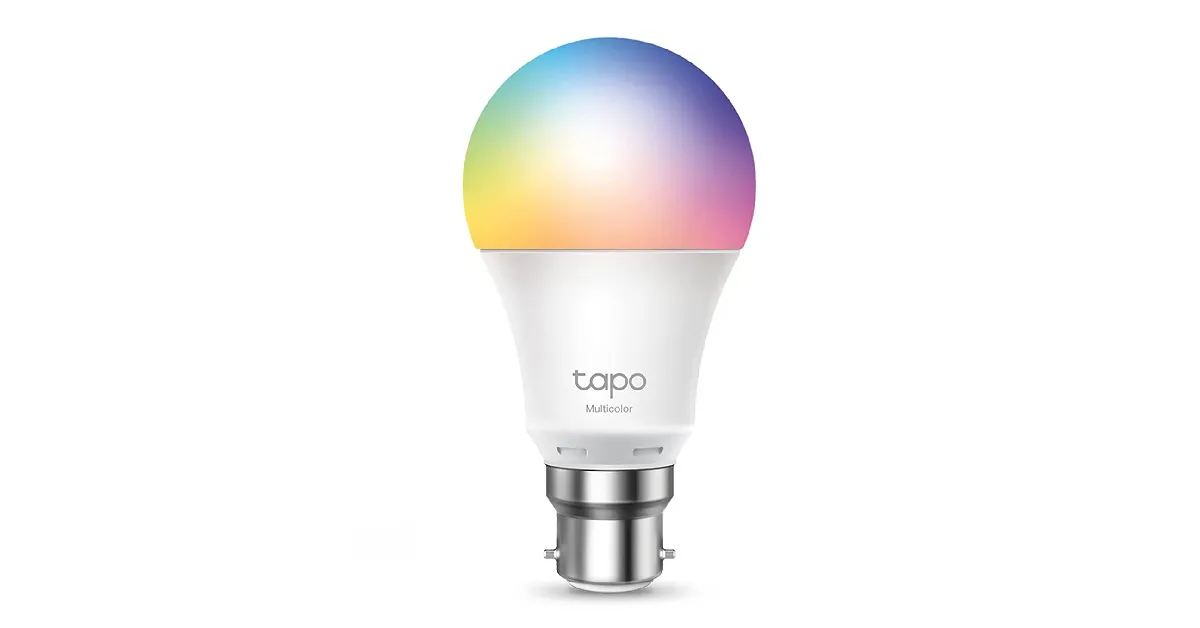 This 60W LED bulb by TP-Link comes with all the essential features of a smart bulb. The Tapo Smart Bulb is pretty easy to use with its plug n play functionality. All you need is a home WiFi connection. Once connected, the Tapo Smart Bulb lets you choose from over 16 million colour shades, letting you save your favourite. It produces up to 806 lumens of white brightness with dimming options from 1-100%. With smartphone connectivity, you can set schedules for auto on/off and even set the bulb to automatically switch to different colour shades at different times of the day. The Sunrise and Sunset modes automatically activate the light bulb according to your time zone. The TP-Link Tapo Smart Bulb also works with Alexa and Google Assistant.
Bajaj 9W WiFi Smart LED
Price: Rs 625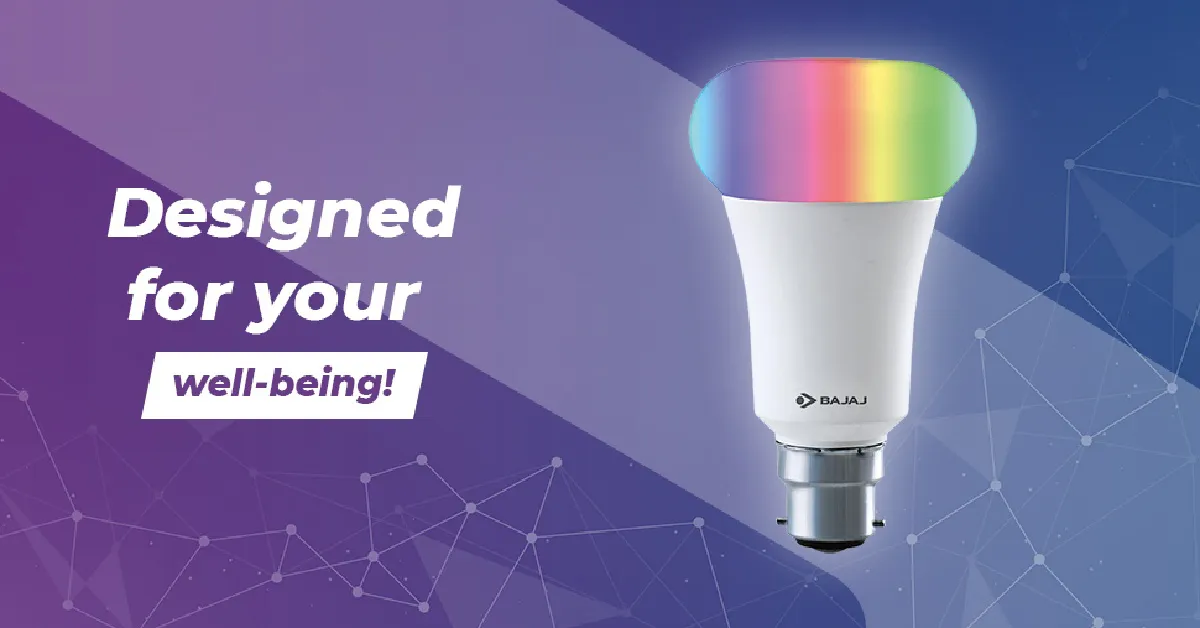 The Bajaj LED Smart Bulb comes with 4 ‘Wellness Centric’ modes – wake up, energize, concentrate, and relax. On top of that, it also has 12 different ambient light presets. Users can also customise different shades with over 16 million colour options to choose from. The smart bulb comes with Alexa and Google Assistant support and has a claimed life of over 15,000 hours.
Wipro 9W E27 WiFi Smart LED
Price: Rs 736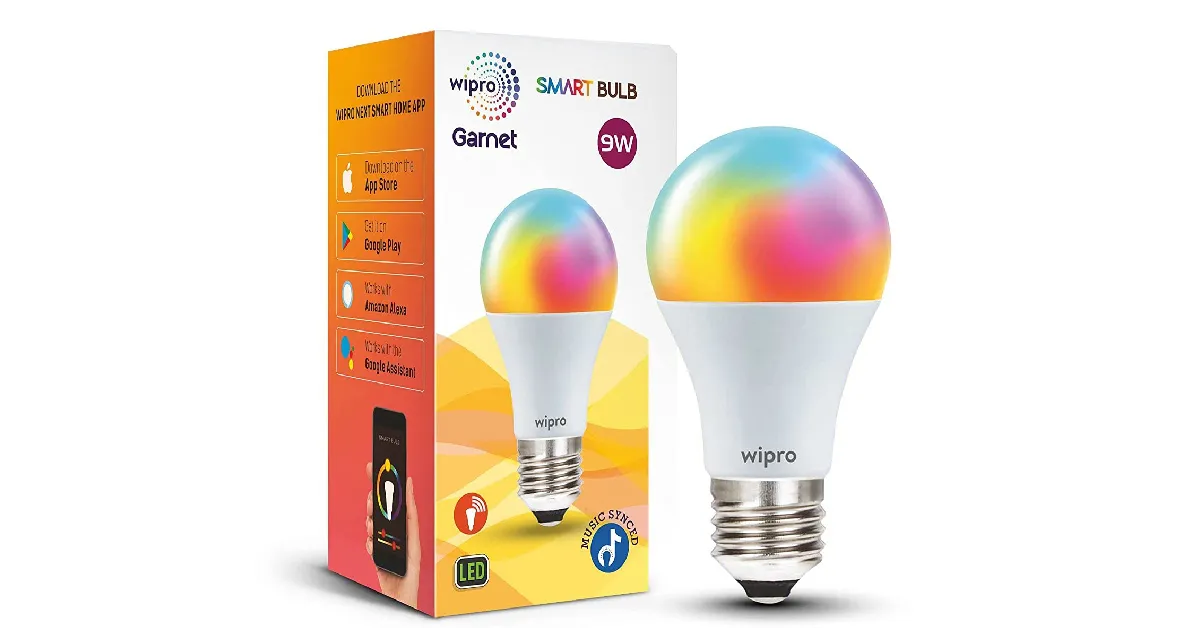 Apart from all the usual features like smartphone connectivity and 16 million colour shades, the Wipro E27 WiFi Smart LED bulb also has an exclusive music sync function to offer. Using Wipro’s Smart Home app, you can sync the bulb to the music playing on your phone. The colours recognise the rhythm of the music and change accordingly. The Wipro Smart LED bulb also allows you to tune the light to different shades of White from warm (2700K) to cool (6500K).
Read Also: HP Envy x360 15 gets refreshed with OLED touch display
Apart from all the usual features like smartphone connectivity and 16 million colour shades, the Wipro E27 WiFi Smart LED bulb also has an exclusive music sync function to offer. Using Wipro’s Smart Home app, you can sync the bulb to the music playing on your phone. The colours recognise the rhythm of the music and change accordingly. The Wipro Smart LED bulb also allows you to tune the light to different shades of White from warm (2700K) to cool (6500K).
Read Also: HP Envy x360 15 gets refreshed with OLED touch display
Conclusion
These are our picks for the best colour-changing Smart LED bulbs you can buy right now (2023). All of the LED bulbs mentioned above offer a wide range of at least 16 million colour shades that can be customised from their dedicated smart home apps. Think there’s a worthy entry that we missed out on? Let us know in the comments! For the latest gadget and tech news, and gadget reviews, follow us on Twitter, Facebook and Instagram. For newest tech & gadget videos subscribe to our YouTube Channel. You can also stay up to date using the Gadget Bridge Android App. You can find the latest car and bike news here.January Update for New State Mobile released: Brings Team Deathmatch Mode to the Arena map

The January Update for New State Mobile is now available on Android and iOS. Players can now get Survivor Pass, a new shooting gallery and siege patterns, and Team Deathmatch Mode on the Arena map. According to the developer the game’s meta is intended to be altered by this month’s update, which includes several balancing adjustments to a number of weapons, vehicles, and the Drone Store.
Also Read: Sony India announced fantastic deals on their products for Republic Day
The popular battle royale game on iOS and Android, New State Mobile, has received its January Update from Krafton. The January update also adds Team Deathmatch Mode (TDM) to the Arena map, new patterns for the Shooting Gallery and Siege Mode, a new Survivor Pass, and other things in addition to the balancing adjustments.
 Below is a list of every key feature that was included in the New State Mobile January Update.
To provide players with a more dynamic experience, balancing adjustments have been made to weapons and vehicles in response to player feedback. First, to make previously unpopular weapons more accessible, long-range damage for SMGs, ARs, and LMGs has been reduced. Second, modifications have been made to cars to better reflect their features. The durability of vehicles like the Vrion, Electron, and UAZ has improved, while the speed of cars has grown and the stability of motorcycles has improved for smoother handling. Finally, the cooldown of the Drone Store has been lowered, the delivery speed has risen, and the item prices have been drastically changed. According to Krafton with these efforts, players should be able to engage in a variety of situational confrontations with a greater arsenal and enjoy their matches more.
Also Read: WhatsApp is working on the ability to block contacts from the chat list and notifications: Report
Moreover, Arena, which previously only permitted Round Deathmatch Mode, now allows players to play TDM (RDM). In TDM, the match is won by the team that reaches 30 eliminations first. Players that are eliminated will respawn at a random spot near their base. However, keep in mind that in TDM, care package goods won’t show up in the map’s centre.
Below is a list of every key feature that was included in the New State Mobile January Update.
To provide players with a more dynamic experience, balancing adjustments have been made to weapons and vehicles in response to player feedback. First, to make previously unpopular weapons more accessible, long-range damage for SMGs, ARs, and LMGs has been reduced. Second, modifications have been made to cars to better reflect their features. The durability of vehicles like the Vrion, Electron, and UAZ has improved, while the speed of cars has grown and the stability of motorcycles has improved for smoother handling. Finally, the cooldown of the Drone Store has been lowered, the delivery speed has risen, and the item prices have been drastically changed. According to Krafton with these efforts, players should be able to engage in a variety of situational confrontations with a greater arsenal and enjoy their matches more.
Also Read: WhatsApp is working on the ability to block contacts from the chat list and notifications: Report
Moreover, Arena, which previously only permitted Round Deathmatch Mode, now allows players to play TDM (RDM). In TDM, the match is won by the team that reaches 30 eliminations first. Players that are eliminated will respawn at a random spot near their base. However, keep in mind that in TDM, care package goods won’t show up in the map’s centre.
 The Shooting Gallery has been changed, and the additional points for SR have been decreased from 800 to 500 in the January Update for New State Mobile. With the update from last month, NEW STATE Labs included a new mode called Siege, which has since undergone significant pattern and difficulty modifications as well as a ranking reset.
The keeper from the Dream Runner faction debuts in Survivor Pass Vol. 15! From the story quests in the Pass, players can learn about Keeper’s origin story. Players will get Keeper’s facial appearance after completing all missions.
For the latest gadget and tech news, and gadget reviews, follow us on Twitter, Facebook and Instagram. For newest tech & gadget videos subscribe to our YouTube Channel. You can also stay up to date using the Gadget Bridge Android App. You can find the latest car and bike news here.
The Shooting Gallery has been changed, and the additional points for SR have been decreased from 800 to 500 in the January Update for New State Mobile. With the update from last month, NEW STATE Labs included a new mode called Siege, which has since undergone significant pattern and difficulty modifications as well as a ranking reset.
The keeper from the Dream Runner faction debuts in Survivor Pass Vol. 15! From the story quests in the Pass, players can learn about Keeper’s origin story. Players will get Keeper’s facial appearance after completing all missions.
For the latest gadget and tech news, and gadget reviews, follow us on Twitter, Facebook and Instagram. For newest tech & gadget videos subscribe to our YouTube Channel. You can also stay up to date using the Gadget Bridge Android App. You can find the latest car and bike news here.
 Below is a list of every key feature that was included in the New State Mobile January Update.
To provide players with a more dynamic experience, balancing adjustments have been made to weapons and vehicles in response to player feedback. First, to make previously unpopular weapons more accessible, long-range damage for SMGs, ARs, and LMGs has been reduced. Second, modifications have been made to cars to better reflect their features. The durability of vehicles like the Vrion, Electron, and UAZ has improved, while the speed of cars has grown and the stability of motorcycles has improved for smoother handling. Finally, the cooldown of the Drone Store has been lowered, the delivery speed has risen, and the item prices have been drastically changed. According to Krafton with these efforts, players should be able to engage in a variety of situational confrontations with a greater arsenal and enjoy their matches more.
Also Read: WhatsApp is working on the ability to block contacts from the chat list and notifications: Report
Moreover, Arena, which previously only permitted Round Deathmatch Mode, now allows players to play TDM (RDM). In TDM, the match is won by the team that reaches 30 eliminations first. Players that are eliminated will respawn at a random spot near their base. However, keep in mind that in TDM, care package goods won’t show up in the map’s centre.
Below is a list of every key feature that was included in the New State Mobile January Update.
To provide players with a more dynamic experience, balancing adjustments have been made to weapons and vehicles in response to player feedback. First, to make previously unpopular weapons more accessible, long-range damage for SMGs, ARs, and LMGs has been reduced. Second, modifications have been made to cars to better reflect their features. The durability of vehicles like the Vrion, Electron, and UAZ has improved, while the speed of cars has grown and the stability of motorcycles has improved for smoother handling. Finally, the cooldown of the Drone Store has been lowered, the delivery speed has risen, and the item prices have been drastically changed. According to Krafton with these efforts, players should be able to engage in a variety of situational confrontations with a greater arsenal and enjoy their matches more.
Also Read: WhatsApp is working on the ability to block contacts from the chat list and notifications: Report
Moreover, Arena, which previously only permitted Round Deathmatch Mode, now allows players to play TDM (RDM). In TDM, the match is won by the team that reaches 30 eliminations first. Players that are eliminated will respawn at a random spot near their base. However, keep in mind that in TDM, care package goods won’t show up in the map’s centre.
 The Shooting Gallery has been changed, and the additional points for SR have been decreased from 800 to 500 in the January Update for New State Mobile. With the update from last month, NEW STATE Labs included a new mode called Siege, which has since undergone significant pattern and difficulty modifications as well as a ranking reset.
The keeper from the Dream Runner faction debuts in Survivor Pass Vol. 15! From the story quests in the Pass, players can learn about Keeper’s origin story. Players will get Keeper’s facial appearance after completing all missions.
For the latest gadget and tech news, and gadget reviews, follow us on Twitter, Facebook and Instagram. For newest tech & gadget videos subscribe to our YouTube Channel. You can also stay up to date using the Gadget Bridge Android App. You can find the latest car and bike news here.
The Shooting Gallery has been changed, and the additional points for SR have been decreased from 800 to 500 in the January Update for New State Mobile. With the update from last month, NEW STATE Labs included a new mode called Siege, which has since undergone significant pattern and difficulty modifications as well as a ranking reset.
The keeper from the Dream Runner faction debuts in Survivor Pass Vol. 15! From the story quests in the Pass, players can learn about Keeper’s origin story. Players will get Keeper’s facial appearance after completing all missions.
For the latest gadget and tech news, and gadget reviews, follow us on Twitter, Facebook and Instagram. For newest tech & gadget videos subscribe to our YouTube Channel. You can also stay up to date using the Gadget Bridge Android App. You can find the latest car and bike news here. Garena Free Fire Redeem Codes Today 24 January 2023: Here is how to claim them

Garena Free Fire is a battle royale game with regular awards and tournaments to keep players interested. If you play Garena Free Fire, you should be aware of the redeem codes that are released on a daily basis. However, because the battle royale game is banned in India, players from other countries can use the Free Fire Redeem codes daily. If you’re unfamiliar with the Garena Free Fire redeem codes or don’t know how to get them, we’ve put together a step-by-step guide to help you redeem them. Check out Garena Free Fire Redeem Codes for 24 January 2023.
The Free Fire redeem codes are a great way to get free stuff. These are 12-digit codes that contain alphabets and numbers, as well as an expiration date and time. Because the Garena FF redeem codes cannot be used more than once, you should hurry to the redemption page to claim your free reward before someone else does. To get a free reward, all you have to do is go to reward.ff.garena.com/en, which is the official redemption page. Also, keep an eye on this space for daily updates on Garena Free Fire redemption codes and rewards.
Garena Free Fire Redeem Codes Today 24 January 2023
- Updating soon
How to Get Free Fire Redeem Codes for Garena on 24 January 2023?
- Visit the Garena Free Fire game’s official website at reward.ff.garena.com.
- Use your Facebook, Google, VK, Apple ID, Huawei ID, or Twitter account to log in.
- You’ll be taken to a valid redemption code (s)
- Copy and paste the 12-digit redemption code into the text box.
- On the screen, a dialogue box will appear.
- ‘Ok’ should be selected.