Users now have the ability to add song lyrics of their choice to Reels.
There is no need to add lyrics to their selected songs manually.
Later in October Meta brought new creative tools like Birthday, Audio Notes, Selfies Video Notes and Multiple Lists for Stories. But the most liked feature for Stories is now being expanded to Instagram Reels. The social media platform has rolled out the capability to add song lyrics to Reels similar to how users do in Stories.Instagram song lyrics feature is now not limited to Stories anymore. Meta is now rolling out the feature to allow its users to add stories like song lyrics to their Reels. Instagram’s Song lyrics feature for Reels was announced by the social media platform’s head Adam Mosseri. He revealed that the company is currently rolling out this capability through his Broadcast Channel.Also Read:How to add your email to your Instagram account, bio, or story? Top 3 waysEarlier, Instagram users had no choice but to use other apps to add song lyrics to their reels. But that’s no longer the case because the latest song lyrics feature for Reels will take care of it for them automatically, therefore making a better user experience.
How to add Song Lyrics to Instagram Reels?
First things first, Select the Reel which you want to upload.
While editing Reel you must select the music icon.
Then select a song of your choice.
After you’ve chosen the music, swipe left to add the lyrics.
Note that the Instagram song lyrics feature for Reels works similarly to how you add song lyrics to your Stories.
A few weeks ago Instagram also rolled out a new update which brought new creative tools like Birthday, Audio Notes, Selfies Video Notes and Multiple Lists for Stories.Apart from this more features are expected to come to Instagram soon, revealed Mr Mosseri, as many new features are currently under work. The company is testing a functionality where users have the ability to ask their friends to add posts to their feeds to create collaborative carousel posts.Users will be able to send invites to their friends where they will see the option to “Add to post” to contribute.
Garena Free Fire is a battle royale game with regular awards and tournaments to keep players interested. If you play Garena Free Fire, you should be aware of the redeem codes that are released on a daily basis. However, because the battle royale game is banned in India, players from other countries can use the Free Fire Redeem codes daily. If you’re unfamiliar with the Garena Free Fire redeem codes or don’t know how to get them, we’ve put together a step-by-step guide to help you redeem them. Check out Garena Free Fire Redeem Codes for 4 November 2023.The Free Fire redeem codes are a great way to get free stuff. These are 12-digit codes that contain alphabets and numbers, as well as an expiration date and time. Because the Garena FF redeem codes cannot be used more than once, you should hurry to the redemption page to claim your free reward before someone else does. To get a free reward, all you have to do is go to reward.ff.garena.com/en, which is the official redemption page. Also, keep an eye on this space for daily updates on Garena Free Fire redemption codes and rewards.
In This Article
Garena Free Fire Redeem Codes Today 4 November2023
Exciting deals on all smartphones under the OnePlus 5G series.
OnePlus festive sale kicked off last month. If you haven’t taken advantage of the OnePlus OneCelebration Spirit sale yet, you should definitely do so. because the sale is still on. During the ongoing sale, customers can buy OnePlus’s flagship smartphones like OnePlus Open, OnePlus 11 5G and OnePlus 11R 5G at the best deals. OnePlus 11R 5G Solar Red special edition, OnePlus 11 5G Marble Odyssey, as well as OnePlus Nord 3 and Nord CE3, the new OnePlus Pad Go and many more smartphones are part of the sale. Check out OnePlus’s latest offers across product categories.
In This Article
Festive offers on OnePlus Open and OnePlus 11 5G Series
A few days ago OnePlus launched its new foldable phone named the OnePlus Open, on the purchase of which the company is giving a very interesting offer. Now customers can get an Instant Bank Discount of Rs 5,000 on the purchase of the phone. Besides this one can also avail of a no-cost EMI option of up to 12 months. Apart from this, you will also get an additional exchange discount of Rs 5,000. But this offer is applicable only to select devices.Whereas OnePlus 11 5G and the OnePlus Marble Odyssey buyers can receive a Rs 3000 Instant Bank Discount and a special price coupon of Rs 4000. Moreover, there will be no cost EMI option of up to 12 months and up to 18 months on both phones respectively. Shopped can avail Rs 2,000 Instant Bank Discount on the purchase of the OnePlus 11R 5G and the OnePlus 11R 5G Solar Red Special Edition. No-cost EMI up to 9 Months on the phones is also available.Also Read:OnePlus Open Review: It can really open up to youOnePlus 10 Pro 5G and OnePlus 10T 5G purchases can get you Rs 5000 Instant Bank Discounts and special price coupons of Rs 14,000 and Rs 10,000 respectively. Customers can avail no no-cost EMI for up to 12 Months. Also, there will be a Rs 3000 Instant Bank Discount and a special price coupon of Rs 7000 for OnePlus 10R 5G buyers. Customers can also take advantage of no-cost EMI up to 6 Months.Also Read:OnePlus 11 review: This is what a OnePlus flagship should look likeAs per the company ICICI Bank & OneCard, customers can avail of the mentioned bank offers on Amazon, OnePlus Experience Stores, and OnePlus.in & offline partner stores.
Festive offers on OnePlus Nord Smartphones
Those who purchase the OnePlus Nord 3 5G can get an Instant Bank Discount of Rs 3000, in addition to a special price coupon discount of Rs 3,000. Consumers have the option of going for no-cost EMI for up to 6 months.Whereas OnePlus Nord CE 3 buyers are offered an Instant Bank Discount of Rs 2000, along with a special price coupon discount of up to Rs 2,500. Also, those purchasing the OnePlus Nord CE 3 Lite and OnePlus Nord CE 2 Lite can avail of an Instant Bank Discount of Rs 1,500 with ICICI Bank on Amazon. Customers can also avail no no-cost EMI for the OnePlus Nord CE 2 Lite for up to 3 months.ICICI Bank & OneCard customers can avail of the bank offers on Amazon, OnePlus Experience Stores and OnePlus.in. Note that these offers on the Nord Series are only valid till November 10.
Festive offers on OnePlus Pad and OnePlus Pad Go
Buyers of the OnePlus Pad will get the advantage of receiving an Instant Bank Discount of Rs 3,000 plus a temporary price discount of Rs 2,500 on the 12 GB + 256 GB Variant and a temporary price discount of Rs 1,500 on the 8 GB + 126 GB variant.Also Read:OnePlus offering huge discount on OnePlus 11 5G Series during Amazon and Flipkart SaleOn the other hand, customers purchasing the OnePlus Pad Go can avail of an INR 2,000 Instant Bank Discount.The company has announced that ICICI Bank & OneCard customers can avail of the bank offers on OnePlus Experience Stores, OnePlus.in & offline partner stores. ICICI Bank customers can avail the bank offers on Amazon as part of the Amazon Great Indian Festival. ICICI Bank, Kotak Bank & Axis Bank customers can avail of the bank offers on Flipkart.RCC members gain benefits up to Rs 2000 on the purchase of the OnePlus Pad and OnePlus Pad Go on OnePlus.in.
The UltraSharp monitors come with the highest 5-star rating certification.
Dell today announced two new ranges of monitors in India- UltraSharp and P-series Video Conferencing Monitors. The new lineup comes with new eye comfort certification for TÜV Rheinland. These displays are specially made for professionals working from the office or home. They come in three display sizes 23.8-inch, 27-inch, and 34-inch. The new video conferencing monitors have support for Microsoft Teams and Zoom.
In This Article
Dell UltraSharp Monitors
There are a total of displays under the new series UltraSharp 27 Thunderbolt Hub Monitor (U2724DE), UltraSharp 27 Monitor (U2724D), UltraSharp 24 USB Hub (U2424HE) and the UltraSharp 24 (U2424H). The former two come with a 5-star classification system for eye comfort by TUV Rheinland. The Dell UltraSharp monitor comes with 120Hz refresh rate support. They have improved ComfortView Plus which brings a significant reduction in harmful blue light exposures, from the previous generation of up to 50 percent exposure to less than 35 percent exposure. The Monitors also includes an Ambient Light Sensor that adjusts screen brightness and colour tone setting according to ambient lighting condition. There is support for HDMI and DP 1.4 connectivity.Whereas UltraSharp 24 USB Hub (U2424HE) and the UltraSharp 24 (U2424H) monitors are EPEAT Gold, TCO Edge, ENERGYSTAR, FSC certified. These displays got the EPEAT Climate+ designation. In addition to this, they have a single cable Thunderbolt or USB-C that transmits up to 90W power delivery, data and video signals. They also include HDMI and DP 1.4 connectivity.
Dell P-series Video Conferencing Monitors
Dell 34 Curved Video Conferencing Monitor (P3424WEB), Dell 24 Video Conferencing Monitor (P2424HEB) and Dell 27 Video Conferencing Monitor (P2724DEB) are another two new displays by the company. The device comes integrated with a camera, speakers and microphones.The monitors are the world’s first 23.8-inch, 27-inch and 34-inch video conferencing monitors certified for both Microsoft Teams and Zoom. The displays have an inbuilt 4MP 2K QHD camera that offers better video quality even in low light conditions. The monitors have AI auto framing, digital overlap HDR, and video noise reduction support. While the Dell ExpressSign-in offers improved security and privacy. As per Dell the display can sense you are near or away and helps lock your device or sign you in via Windows Hello.Also, there is a built-in camera privacy shutter to allow you to manually block the webcam when not in use. Both the camera and the speakers are now placed prominently at the top.
Pricing and availability details
Dell UltraSharp 24 Monitor (U2424H), Dell UltraSharp 24 USB-C Hub Monitor (U2424HE), Dell UltraSharp 27 Monitor (U2724D), Dell UltraSharp 27 Thunderbolt Hub Monitor (U2724DE) and Dell 34 Curved Video Conferencing Monitor (P3424WEB) are available for purchase at Rs 19899, Rs 24099, Rs 35499, Rs 40299 and Rs 84999, respectively.The price of the Dell 24 Video Conferencing Monitor (P2424HEB) is set at Rs 41,499 and will go on sale from November 30. The Dell 27 Video Conferencing Monitor (P2724DEB) will go on sale on December 7. The price of this model will be announced later on.All the models of the new monitors can be purchased via Dell Exclusive Stores (DES), Dell.com, Amazon, large format retail, and multi-brand outlets.
Gadget Bridge has been testing Foldable phones since Samsung released its first folding phone five years ago. Samsung has great dominance in the market as it was the first to come up with a foldable device. Every other smartphone brand now offers foldable smartphones except for Apple. Recently we got our hands on the OnePlus’s first foldable smartphone — the OnePlus Open. It has been our daily driver for the past few weeks and we are surprisingly pleased with its performance. The device is also much cheaper than Samsung’s latest foldable Galaxy Z Fold 5 and is priced higher than Tecno’s Phantom V Fold. However, it definitely gives tough competition to Samsung’s fold. To know how let’s find this out in the OnePlus Open Review.
In This Article
OnePlus Open Review: Design and Display
If you are bored of using a regular smartphone then we would recommend you to give foldables a try. These are very different from a smartphone as they can be used as a normal phone and also transform to a bigger screen to be used as a mini tablet.As we mentioned earlier Gadget Bridge has used every foldable smartphone that has been released so far, including the most recent Samsung Galaxy Z Fold 5.We knew right away that the OnePlus Open was going to be a serious challenger we first held the phone in our hands and saw its design.OnePlus Open HingeAt only 245g, it is among the lightest folding phones available. We have the Voyager Black colour variant for the review. The back of the phone has a vegan leather finish, that gives it a more upscale appearance. Its design has been further enhanced by the thin, graphite-grey aluminium frame. The company has used a Flexion hinge for its foldable, which gives it a gapless design between the two portions of the display when closed. The device is 11.7mm thin when folded and 5.8mm slim when unfolded.Also Read:Apple iPhone 15 Pro Max Review: Max PerformanceYou can see that it looks quite classy with symmetrical finishing with no gap when it is closed. It feels really good in the hand as well.OnePlus Open has the largest external display looking similar to a normal standard smartphone, which features a 6.3-inch cover screen that is both wide and easy to use, so there’s no need to constantly unfold it. The bigger external display means the internal display is also bigger but the best part is that this one’s crease is nearly undetectable, making for a nearly smooth viewing experience. The primary screen is square and symmetrical.Also Read:Samsung Galaxy Z Fold 5 review (long term): A foldable delightNote that the Samsung Galaxy Z Fold 5 is taller and is less wide compared to the OnePlus Open. Believe us, when you use the outer screen of this phone you will not feel as if you are using a foldable phone. This is why the external screen of OnePlus’s foldable has been used by us most of the time during our review. The internal or the primary display was used when we had to do some productive work.Coming back to the rear of the phone you see a very big Hasselblad branded triple camera setup. The sensors are housed inside a spherical module. Therefore this sets the phone apart from other foldable phones, however, it may wobble because of the massive rear camera bump. We also really liked how the metal frame on the side and the back looked.The book-style foldable phone has a side-mounted fingerprint sensor, which doubles as a power button. There is no 3.5mm headphone jack. The phablet features OnePlus’s iconic Alert Slider, too. There are a total of four speakers on the device two each on either side. The company has provided reality speakers with noise-cancellation support and Dolby Atmos on the foldable.OnePlus Open portsLet’s now talk about the display specs in detail. OnePlus Open features a wide squarish 7.82-inch LTPO 3.0 Flexi-fluid AMOLED primary display with 2,440×2,268 pixels of resolution. The inside screen offers a 2K resolution with 426 ppi pixel density along with an aspect ratio of 1.0758: 1 and a screen-to-body ratio of 89.6%. The display has support for dynamic refresh rate ranging between 1-120Hz and a touch response rate of up to 240Hz. In addition to this, 1,400 nits is the typical screen brightness and 2,800 nits is the peak brightness. The display also supports sRGB, DCI-P3, 10-bit Color Depth and TÜV Rheinland Intelligent Eye Care protection.Whereas, the secondary display looks like a regular smartphone screen featuring 6.31-inch Super Fluid AMOLED with LTPO 3.0. The 2K display has 2,484×1,116 pixels of resolution. The remaining details of the outer display are the same as the inner display.During our usage, we never used a cover or a screen protector. The back of the phone is as good as new and is in fantastic shape, as is evident. Also, no scratches were noticeable on the displays.A screen guard that feels like tempered glass is pre-installed. For the primary display, the company has used Ultra Thin Glass and Ceramic Guard protection on the secondary display. The screen visibility on both the outer and the inner screen is excellent and is clearly visible under direct sunlight. OnePlus Open Display zoomIf you binge-watch content on YouTube, Netflix and Amazon Prime Video then this is a great option. So both the displays are stunning, bright and smooth. The colour, and contrast levels are superb while touch sensitivity and haptic feedback are excellent too and this is what we expect from a flagship device to look like and feel like. The fingerprint sensor on the side is also quick to unlock the phone and is reliable.This fantastic phone comes with an outstanding set of stereo speakers. We enjoyed watching videos and listening to music on this machine. The sound output is clear, balanced and loud. Just awesome.Also Read:Samsung Galaxy Z Flip 5 Review: Flip it good!
OnePlus Open Review: Performance and Cameras
Coming to the performance, OnePlus Open carries the Qualcomm Snapdragon 8 Gen 2 Mobile Platform with Adreno 740 GPU. The same processor has been used on the Galaxy Z Fold 5. It comes with 16GB LPDDR5X with RAM and 512GB UFS 4.0 storage. It also supports RAM VITA allowing you to expand RAM up to 12GB.You can play high-end games on this phone thanks to the most powerful chipset it comes with. It is really easy to multitask and play games on this gadget. The device does not overheat however gaming for a longer duration makes the phone warm, especially around the camera module. Games such as PUBG New State, BGMI, Call of Duty Mobile and Asphalt 9 ran smoothly without any hiccups, lags or frame drops.On the OnePlus Open, the UI experience on the screen is like a regular OnePlus phone. But it completely changes when it is unfolded. A lovely animation occurs when you shut and open the foldable screen. As said earlier the UI feels similar to that of a PC and includes a taskbar containing all of the apps and menu items. We enjoyed gaming on the big screen but the moment you switch to the smaller screen, the screen resolution takes a hit.On the software front, the book-style foldable phone comes with OxygenOS 13.2 based on Android 13. Dual splits and fast focus, Drag and drop sharing, and Triple splits are some of the features. The biggest advantage of the fold phones is that in a compact form factor, you get a PC-like experience. OnePlus Open split screenYou can use it as a normal phone for day-to-day usage and use the bigger screen for productive work. The dual split option allows you to run two apps simultaneously. You can also run a third application as well for easy multitasking.One can also switch from the primary display to the secondary screen or vice versa while gaming or watching videos. We ran almost all the apps on this foldable phone and as of now, we haven’t noticed any app compatibility issue. The haptic feedback is excellent thanks to the X-axis motor.In terms of photography, the foldable device has a triple rear camera setup tuned by Hasselblad. The camera unit includes a 1/1.43-inch 48MP Sony LYTIA-T808 “Pixel Stacked” CMOS primary sensor with Autofocus (1.12 μm, f/1.7 aperture, 85-degree FoV and OIS). There is a 1/2-inch 48MP Ultra-Wide lens (0.8 μm, 114-degree FoV, f/2.2 and EIS) and OmniVision OV64B 64MP Telephoto with OIS, 3X optical (0.7 μm, f/2.6, Up to 120X digital zoom). The camera features a Hasselblad Camera for Mobile, Nightscape, Dolby Vision, Smart Scene Recognition, Portrait Mode, Pro Mode, Panorama, Tilt-Shift mode, Long Exposure, Dual-View Video, Retouch, Movie Mode, XPan Mode, Focus Peaking etc. For videography, there is support for 4K video at 30/60 fps, 1080p video at 30/60 fps, 720p video at 30/60 fps, Dolby Vision HDR at 4K, 30 fps and more.The company has provided two cameras for selfies 20MP primary (inner) and 32MP secondary (outer).OnePlus has not only won praise for having a simple user interface, but it has also never let users down when it comes to camera performance. OnePlus gained a lot of popularity in its initial years for its pro-level cameras giving Apple tough competition at better pricing. This time again the company has worked hard on its optics.Normal Vs Portrait Outdoor shotsWe used the OnePlus camera to shoot images both indoors and outdoors. The daytime images appear beautiful with a good amount of dynamic range. The images are full of details and the output you get is amazing. It can easily differentiated between the object and the foreground. Normal Vs Portrait Indoor shotYou can also shoot images in Pro Mode if you would like to. You can also use the rear camera to shoot some incredible selfies in normal and portrait modes. The clarity is good and colour reproduction is also quite impressive. We also liked the edge detection in portraits and background blur.1x Vs 30x50x Vs 100x Vs 120xAs per the company, the telephoto lens on the OnePlus Open is comparable to that of Samsung Galaxy S23 Ultra which supports up to 100x digital zoom. The OnePlus foldable has an advantage in this department not even the Samsung Galaxy Z Fold 5 since none of them can zoom up to 120 times. Outstanding!100X Zoom OnePlus Vs SamsungHere are some telephoto shots. Do let us know in the comments which one’s 100x digital zoom is better OnePlus Open or Galaxy S23 Ultra’s (Review). You can zoom in to take images of a distant object, or signboard or even take a picture of the moon.Daytime Vs Night timeOnePlus Open camera also did a good job in low-light photography. Check out some image samples here.Portrait night (1x Vs 2x Vs 3x)The camera quality and stability are excellent when it comes to videography.Without Night Mode Vs With Night Mode onThe battery capacity is 4,805mAh and an 80W charger is given in the box however the phone supports 67W fast charging. During our testing, the battery life lasted for a day which included extensive gaming, binge-watching for camera testing and more. But it can be stretched to one and a half days on average usage. The good thing is that this foldable phone comes with fast charging support. There is a Type-C cable in the box. We always mention in our reviews that, unlike Samsung and Apple phones, the Chinese companies include a supported charging brick along with a cable.One thing that we do miss in this foldable phone is the stylus compatibility. How we wish a supported stylus came with the device just like Galaxy Z Fold 5. Although normally users don’t require a stylus it would have been great if the company had provided it at this pricing. Maybe this is why it is priced significantly less than Fold 5.
Verdict
Along with other aspects, we find the OnePlus Open’s form factor and display to be impressive. But the hardware performance is outstanding. The phone is well-optimised and there were no issues during multitasking, gaming and camera testing. The phone does heat up when playing games for long hours and when the camera app is being used for a longer duration. But cools down very quickly as soon as you shut these apps.For multitasking, you can run multiple applications together thanks to the dual split option. This experience you usually get on a desktop only. So this is the big reason why people are moving from regular smartphones to foldables. The battery life is also good. OnePlus has undoubtedly exceeded our expectations with this foldable, especially as it is the company’s first. OnePlus Open is priced at Rs 1,39,999 in India. Do tell us in the comments which foldable phone would you buy OnePlus Open or Samsung Galaxy Z Fold 5.
Garena Free Fire is a battle royale game with regular awards and tournaments to keep players interested. If you play Garena Free Fire, you should be aware of the redeem codes that are released on a daily basis. However, because the battle royale game is banned in India, players from other countries can use the Free Fire Redeem codes daily. If you’re unfamiliar with the Garena Free Fire redeem codes or don’t know how to get them, we’ve put together a step-by-step guide to help you redeem them. Check out Garena Free Fire Redeem Codes for 3 November 2023.The Free Fire redeem codes are a great way to get free stuff. These are 12-digit codes that contain alphabets and numbers, as well as an expiration date and time. Because the Garena FF redeem codes cannot be used more than once, you should hurry to the redemption page to claim your free reward before someone else does. To get a free reward, all you have to do is go to reward.ff.garena.com/en, which is the official redemption page. Also, keep an eye on this space for daily updates on Garena Free Fire redemption codes and rewards.
In This Article
Garena Free Fire Redeem Codes Today 3 November2023
Flipkart is offering attractive deals on the smartphone now.
The customers can save up to Rs 15,000 on the device.
Diwali is coming closer, the festive sales will soon come to an end. But before this Flipkart’s Festive sale ends the e-commerce platform is offering exciting deals on the Nothing Phone 2 that you might like. After applying the offers and great deals the smartphone customers can save big on the smartphone during Flipkart’s Big Diwali Sale.Nothing Phone 2 was priced high when it was launched in India a few months ago. If you had been waiting for the right time to buy the phone without breaking the bank, the opportunity has come. Flipkart has some great deals on the handset saving up to 15,000.During the Big Diwali Sale on Flipkart Nothing is offering attractive discounts on its latest smartphone Nothing Phone 2. There will be a discount of up to Rs 5,000 on all the variants of the device. In addition to this, there will be an additional up to 4,000 off on the 256GB storage and a Rs 7,000 discount on the 512GB model if purchased using select credit and debit cards.Also Read:Nothing Phone 2 Review: Flagship level performanceNothing is providing Rs 3,500 on Nothing Phone 2 if the transaction is made via SBI credit card. With these bundled offers customers can save up to Rs 15,500 on the top-notch model of the smartphone. The smartphone is also available for no-cost EMI with monthly payments as low as Rs 1,583.Besides this Flipkart will offer 15 percent off Nothing Ear Stick and 5 percent off on Nothing Charger. This offer is only applicable if either the charger or earphones are purchased together with the phone.
Nothing Phone 2 specifications
Nothing Phone 2 features a 6.7-inch Full-HD+ resolution of 2412 x 1080 pixels, a 120Hz adaptive refresh rate, and a 240Hz touch sampling rate are all features of its LTPO OLED display. The screen comes with SGS Low Blue Light and HDR10+ certifications. The device runs on Nothing OS 2.0, based on Android 13. The company would offer 4 years of security upgrades in addition to 3 years of Android updates. It is powered by a Qualcomm Snapdragon 8+ Gen 1 SoC.For taking photos and videos Phone 2 features a dual rear camera setup consisting of a 1/1.56-inch 50-megapixel primary Sony IMX890 sensor ( f/1.88 aperture) with optical image stabilisation (OIS) and EIS support and a 1/2.76-inch 50-megapixel Samsung ISOCELL JN1 sensor with an ultra-wide lens (114-degree FoV and f/2.2 aperture). Upfront there is a 1/2.74-inch Sony IMX615 32-megapixel sensor (f/2.45 aperture) for taking selfies and video calling.The device boasts a 4,700mAh battery with support for both 15W Qi wireless charging and 45W PPS wired fast charging.
Penalties in EA Sports FC 24 may look like a breeze, but taking that spot-kick and outsmarting the keeper is a whole different ball game. We’ve scoured the virtual pitch and discovered the seven penalty-taking maestros who’ll have you celebrating more than ever. So, kick back, relax, and meet these magnificent seven.
In This Article
1. Harry Kane – The Ultimate Penalty Specialist
Harry Kane tops our list with a 92 penalty rating, 92 shot power, and 93 composure. His 95 finishing is the cherry on top. Sure, he doesn’t have any fancy Play Styles, but Kane’s got precision and power. He’s the guy you want when the game is on the line, and the keeper doesn’t stand a chance. Kane’s combination of precision and power makes him the ultimate penalty specialist in EA Sports FC 24, capable of sealing the deal when it matters most.
2. Cristiano Ronaldo – The Living Legend
Cristiano Ronaldo, despite his age and a new home in Al-Nassr, remains a legend. His 90-penalty rating is nothing to scoff at, and his 92-shot power and composure make him a force to be reckoned with. His Power Shot+ Play Style ensures those penalty missiles are nearly impossible to save. Ronaldo’s got the experience and style that make him an all-time great. Ronaldo’s experience and mastery in penalty-taking make him a living legend in the virtual football world.
3. Alexia Putellas – The Complete Superstar
Alexia Putellas, the Ballon d’Or winner and World Cup champ, doesn’t mess around. Her 91 penalty rating is just the beginning. With a composure of 92, 89 curve, 86 shot power, and 91 finishing, she’s got the complete package. Toss in that finesse shot Play Style, and you’ve got an unbeatable penalty expert. Putellas’s all-around excellence makes her a penalty-taking marvel, capable of slotting the ball home in any situation.
4. Megan Rapinoe – The Elite Women’s Player
Megan Rapinoe is proof that women rule the pitch too. With a 91 penalty rating and a composure level as cool as a cucumber, she can place the ball almost anywhere with her impressive 90 curve. A shot power of 84 and the dead-ball Play Style make her a force to be reckoned with in the world of women’s football. Rapinoe’s precision and skill are what make her a standout performer, ensuring her penalties find the back of the net with style.
5. Neymar Jr. – The Keeper’s Nightmare
Neymar Jr., with a cool 91 penalty rating, isn’t easy to stop. He’s got a unique signature penalty style that messes with goalkeepers’ minds. His 93 composure and an 88 curve add finesse to his kicks. Neymar’s all about outsmarting the keeper, and he does it like a pro. When it comes to the mental game of penalties, Neymar excels, tricking keepers into diving the wrong way.
6. Raul Jimenez – The Mexican Marksman
Raul Jimenez shares a 92 penalty rating, and he’s not one to underestimate. True, his composure and shot power aren’t maxed out, but his curve gives him an edge. Raul is the kind of guy who relies on skill more than stats, and it works. His ability to curve the ball past the keeper sets him apart, making him a go-to choice when the pressure is on.
7. Borja Iglesias – The Underrated Ace
Borja Iglesias, a lesser-known name in the game, proves that you don’t need the spotlight to shine. With a solid 92 penalty rating, he’s got that 12-yard magic. While his composure and shot power may not be off the charts, that high penalty rating means he’s a reliable choice. He’s an unsung hero in the world of penalty-taking, quietly excelling when it matters most.
Discover EA Sports FC 24 on GAMIVO:
If you’re eager to play EA Sports FC 24, visit GAMIVO – the gamers’ digital hub. As a rapidly growing digital game marketplace, GAMIVO ensures secure transactions. Find games for PC and console, purchase worry-free, and dive into the excitement!”
Conclusion
So there you have it, the magnificent seven penalty-takers in EA Sports FC 24. Whether you’re bending it like Neymar, powering it like Kane, or using the signature style of Cristiano, these players know how to get the ball in the back of the net. Remember, the key to becoming a penalty maestro is practice, practice, and a little more practice. Happy gaming, and may your penalty kicks always find the mark!
WhatsApp alternative profile feature is currently under testing mode.
It will be rolled out with future update.
The WhatsApp privacy feature will let users mask their identity.
Meta recently released a multi-account feature for WhatsApp users. Now the company will soon bring another new functionality allowing users to set up an alternative profile on the platform. It will show your default profile to certain users and a different one to others. This feature is currently under the pipeline and is now being made available to Beta Testers. Users can keep their information private by setting up a different profile and selecting an alternative profile feature. According to a report by WABetaInfo WhatsApp’s Alternate Profile is under work. It will allow its users to hide their original profile by masking their identity using an alternative profile.The Alternative Profile feature on WhatsApp is now being rolled out to WhatsApp beta for Android 2.23.24.4 update. As said the tool will mask your information and is currently made available within the privacy screen regarding our profile photo. According to the report will let users configure a different photo and name that will be visible to those contacts who cannot see their primary profile information.Image Courtesy: WABetaInfoAs of now, you have the option to either show your WhatsApp profile information to all (those not in your contact list) which includes your profile photo and About You or keep it hidden from the unknown and only show it to your contacts. But when you create an alternative profile, people outside of your contacts cannot see your real profile picture but your alternate profile photo.Also Read:List of new smartphones launching this month, November 2023Reportedly those reaching out to you via a username will still be able to see your profile, but that can be set up to differ from your primary one. The WhatsApp alternative profile privacy feature is likely to be released to all the users in the future update but not now as it is under testing.This feature will give users more control over their personal information therefore an additional layer of protection and privacy added to their experience. Many users especially women are expected to find this WhatsApp privacy feature helpful, to those who want to restrict who can see their profile photo to only their contacts or outsiders.
A lot of premium smartphones are likely to debut in November with a Snapdragon 8 Gen 3 processor.
iQoo 12 is scheduled to launch in India next month.
Qualcomm last month announced its Snapdragon 8 Gen 3 processor for flagship phones. A lot of premium smartphones are likely to debut in November with the recently announced processor. Many of the smartphone brands have already announced their upcoming releases and some of them are planning but yet to reveal the exact launch date. In this article, we bring you the list of upcoming smartphones in November 2023.
In This Article
Here is a list of all the smartphones to be released in November 2023 this month.
iQoo 12 Series
Vivo’s sub-brand iQoo 12 Series is set to launch next week on November 7. The company has also announced iQoo 12 to debut in India on December 12. In China, the company will launch two models under the series, iQoo 12 and iQoo 12 Pro. Both the premium smartphones will use a Snapdragon 8 Gen 3 processor. They might operate on Android 14 out of the box. iQoo 12 Pro is tipped to feature a 6.78-inch Samsung E7 AMOLED screen with 2K resolution and 144Hz refresh rate support.Also Read:Apple to bring eight new games with updates to Arcade soonThe display is said to have support for 1,440Hz PWM dimming and a peak brightness of 2,700 nits. Whereas, iQoo 12 might have a 6.78-inch BOE OLED display with 1.5K resolution. The display on it may support a refresh rate of 144Hz and 2,160Hz PWM dimming. Additionally, the device is expected with 3,000 units of peak brightness. The devices are expected to come with a triple rear camera setup. They might sport a battery capacity of up to 5,100mAh along with support for 120W fast charging.
Vivo X100 Series
Vivo X100 Series is another premium smartphone range to launch this month. The company has confirmed that its flagship series will launch on November 13 in China. India launch is likely to take place next year. The lineup may include three devices X100 Pro+, X100 Pro and X100. The top-of-the-line smartphone in the range could be powered by Qualcomm’s latest Snapdragon 8 Gen 3 SoC. Whereas its base variant may include MediaTek Dimensity 9300 SoC. They are rumoured to include LPDDR5T RAM.
OnePlus 12 5G
The company has not made clear exactly when will OnePlus 12 5G will make its official debut however it has been teasing the phone’s features and its design on Weibo. But we expect the launch soon. The phone is confirmed to be powered by Snapdragon 8 Gen 3 SoC. Recently it was spotted listed on the AnTuTu benchmarking website with model number PJD110. The device is going to replace the predecessor-OnePlus 11 which debuted earlier this year.
Key HighlightsApple added 60 new games to its Arcade service this yearApple will also roll out new updates for popular arcade games.The company will be launching a new game every week in November.Apple has revealed that it will bring eight new exciting games to its gaming platform Arcade very soon. Disney Dreamlight Valley Arcade Edition, Football Manager 2024 Touch, Sonic Dream Team, and Puzzle & Dragons Story will be on the list of upcoming games. In addition to this Apple will also release 50 updates to existing titles on the service.This year Apple added 60 new games including Hello Kitty Island Adventure, NBA 2K24 Arcade Edition, TMNT Splintered Fate, Cypher 007, and many others were added to Apple Arcade. Now the firm has officially announced the launch of fresh games such as Football Manager 2024 Touch, Disney Dreamlight Valley Arcade Edition, Sonic Dream Team, and Puzzle & Dragons Story to its gaming serviceAlso Read:Google quietly launches car crash detection feature in India and others in Pixel phonesAccording to the company, it will be launching a new game every week in November, “subscribers can continue on their journey of creating a soccer club dynasty in Football Manager 2024 Touch; master Knotwords+, a unique brainteaser and logic puzzle game from celebrated indie developer Zach Gage; dive further into the mysterious depths of Downwell+; and experience a heartwarming culinary journey in Delicious Miracle of Life+.”
Apart from this Apple has also promised to release new updates for popular Arcade games.The Give & Gather Celebration with My Sweet Piano will be introduced to Hello Kitty Island Adventure. Apple will also bring the first update for NBA 2K24 Arcade Edition which will include City Edition uniforms and eight new players like Allen Iverson. Sneaky Sasquatch, Cut the Rope 3, Samba de Amigo: Party-To-Go, Japanese Rural Life Adventure, and The Oregon Trail are some more titles to receive updates in November and December.
Auto Blocker is an opt-in feature with additional security measures.
The feature is compatible with One UI 6.
Samsung has made its next security feature Auto Blocker public. It is currently being rolled out to Indian users offering more safety mechanisms. It will guard against sideloading therefore preventing apps from downloading from unapproved sources, stopping commands that may be risky and safeguarding against malicious USB installs. The company recently also released the One UI 6 software update, which brings many new features and improvements to devices in India and across the globe.The recently released Auto Blocker is a part of One UI 6. It is an opt-in package of additional security measures allowing more options to explore the customizations enabled by Samsung Galaxy’s open ecosystem.Dr. Seungwon Shin, EVP & Head of Security Team, Mobile eXperience Business at Samsung Electronics, At Samsung we constantly strive to keep our users safe from security attacks, and with the introduction of Auto Blocker users can continue to enjoy the benefits of our open ecosystem, knowing that their mobile experience is secured. We always seek to empower our users to choose for themselves what best suits their needs — rather than us deciding on their behalf, and Auto Blocker is no exception to that.”Auto Blocker blocks installations of apps from unauthorised sources, known as sideloading. Attempted sideloading includes increased customization and command over a device’s functions. According to the company those who enjoy safely sideloading won’t experience any changes because the feature is turned off by default.However, when Auto Blocker is enabled they will be prevented from sideloading or extensive customization by stalling the rise of social engineering attacks like voice phishing, where attackers could talk users into installing malicious software.Also Read:How to enable Samsung Auto Blocker on smartphones with One UI 6?In addition to this, there are more features that Auto Blocker brings to the Samsung smartphones. It will also enable the ability to activate app security checks. This will help in identifying possible malware and stop harmful commands and software installations via USB cables, for instance where someone has physical access to the device, like from public charging booths.Among the many other features of Auto Blocker is an update to Message Guard, which mitigates Zero Click attacks, or direct image messages hiding malicious code. It was initially released for messaging apps from Google and Samsung, but it can now help in safeguarding users of popular third-party apps.Auto Blocker is currently made available on Samsung Galaxy devices compatible with One UI 6.
Garena Free Fire is a battle royale game with regular awards and tournaments to keep players interested. If you play Garena Free Fire, you should be aware of the redeem codes that are released on a daily basis. However, because the battle royale game is banned in India, players from other countries can use the Free Fire Redeem codes daily. If you’re unfamiliar with the Garena Free Fire redeem codes or don’t know how to get them, we’ve put together a step-by-step guide to help you redeem them. Check out Garena Free Fire Redeem Codes for 2 November 2023.The Free Fire redeem codes are a great way to get free stuff. These are 12-digit codes that contain alphabets and numbers, as well as an expiration date and time. Because the Garena FF redeem codes cannot be used more than once, you should hurry to the redemption page to claim your free reward before someone else does. To get a free reward, all you have to do is go to reward.ff.garena.com/en, which is the official redemption page. Also, keep an eye on this space for daily updates on Garena Free Fire redemption codes and rewards.
In This Article
Garena Free Fire Redeem Codes Today 2 November2023
If you struggle with remembering passwords to different apps, accounts, and online services, it’s about time you switched to passkeys. Passkeys use on-device authentication like face unlock, fingerprint scan, and the device password to sign you into your desired account. Apple now offers passkey support across its services. This means you can sign into your Apple account on any device using a passkey. In this article, we bring you the top 2 ways to sign into your Apple account using Passkeys in iOS 17.Read Also:iQOO 12 5G India launch date announced, unveiling scheduled for next month
In This Article
Sign into a website, app, or Apple account using Passkeys on your iOS 17-supported device
Step 1: Go to the website or launch the app that supports passkeys. If you want to sign into your Apple account, go to any Apple service.Step 2: Enter your username or registered email.Step 3: Tap on Sign in with Passkey.Step 4: Use your Face ID or Touch ID credentials to log in. If you haven’t set up a Passkey yet, use your iPhone’s passcode to log in.
Sign into a website, app, or your Apple account on another device using Passkeys
Step 1: Open the website or launch the app you want to access on another device. If you want to sign into your Apple account, go to any Apple service.Step 2: Enter your username or registered email.Step 3: Select Other options or Passkey from nearby device.Step 4: Launch the camera app on your iPhone and scan the QR code displayed on the other device.You will be signed into your account.
Frequently Asked Questions (FAQs)
How do I create a passkey for my Apple Account on my iPhone?
Go to the app or service and access your account settings or management page. Select the option to save a passkey. You can choose your iPhone’s passcode, Face ID, or Touch ID as a passkey. Alternatively, go to Settings>Passwords>Password options, turn on the toggle switch for Autofill passwords, and select iCloud passwords and keychain.
How do I find my Passkey on iOS 17?
Go to Settings>Passwords and select a website or app to view your passkey.
These are the top 2 ways to sign into your Apple account using Passkeys in iOS 17. As of now, passkeys are only available on iOS 17. Check out this article to find out how you can create a passkey for WhatsApp. Got any other questions about passkeys? Let us know in the comments and we will get back to you!
Car Crash Detection is now available in India and other countries.
It calls emergency services when a crash is detected.
Car Crash Detection does not support the Hindi language.
Google has finally rolled out Car Crash Detection for India and other regions. The feature was limited to a few regions but is now being released to more countries including India. Note that the Car Detection feature still doesn’t support the Hindi language. Hindi might be supported in some months. Exactly is not known when.Previously, Car Crash Detection was available for users in the US. But now Google has expanded to 5 more regions. It is being rolled out to users in India, Austria, Belgium, Portugal, and Switzerland.As per the Google support page, the Car Crash Detection feature was available on Pixel 3 and later. But now the company is adding support for Pixel 4a and later including Google Pixel Fold.Pixel 4a and later phones, including Google Pixel Fold, detect a car accident by using the phone’s location, motion sensors, and nearby sounds. In order to make this feature work one must allow permission for location, physical activity, and microphone. When a Car crash is detected it calls emergency services immediately, automatically by using Android’s Emergency Location Service and may transmit info about where you are and what happened.
According to the company, it may not detect all car crashes. Also sometimes high-impact activities could also trigger Car crash detection.
Note that if your Pixel phones cannot call emergency services, it can be because of a weak mobile network or if you are in an ongoing call.
In This Article
Car crash detection is available in these countries:
AustraliaAustriaBelgiumCanadaDenmarkFranceIndiaIrelandItalyJapanNorwaythe NetherlandsPortugalSingaporeSpainSwedenSwitzerlandTaiwanthe UKUSHowever, the Car crash detection feature has come to India it is yet to have support for the Hindi language. Besides this, it supports the following languages:DanishDutchEnglishFrenchFrench (Canada)ItalianJapaneseMandarin ChineseNorwegianSpanishSwedish
How to turn on Car Crash Detection on Pixel phones
Open your phone’s Personal Safety app.
Tap Features.
Scroll to “Car crash detection.”
Tap Set up.
When asked to share your location, tapAllow while the app is in use.
When asked to share your microphone and physical activity, tapAllow.
The Sony Alpha 7C II and Alpha 7CR are equipped with a 7.0-step optical 5-axis in-body image stabilisation to support stability.
Both the Sony cameras come with a touch-operable vari-angle LCD monitor.
It also features Creative Look, which allows you to easily change the look and feel of video and still images.
Sony India has officially announced the launch of two new full-frame interchangeable lens cameras- the Alpha 7C II and Alpha 7CR. The latest additions are powered by BIONZ XR processors. Moreover, the devices have the same AI-processing unit as the Alpha 7R V and Alpha 6700. Both of them can record 4:2:2 10-bit video up to 4K60p. They also include Active Mode in-body image stabilisation, AI-based Auto Framing, digital-audio interface support, and more.
In This Article
Sony Alpha 7C II and Alpha 7CR price in India and sale details
Both models will go on sale from November 3 across all Sony Center, Alpha Flagship stores, Sony authorized dealers, e-commerce websites (Amazon and Flipkart) and major electronic stores across India. The former one will be offered in two colourways- black and silver while the latter one is Silver.The price and availability details of Alpha 7C II (ILCE-7CR) is yet to be announced.Also Read: iQOO 12 5G India launch date announced, unveiling scheduled for next month
Sony Alpha 7C II and Alpha 7CR specifications
The Alpha 7C II comes with a full-frame image sensor with approximately 33.0 effective megapixels. It is ideal for travel and street photography. On the other hand, the Alpha 7CR full-frame interchangeable lens camera has a full-size image sensor with approximately 61.0 effective megapixels. It can do portrait, wildlife, and landscape photography.Both Sony’s new full-frame interchangeable lens cameras have similar AI-processing unit and BIONZ XR processors found in Alpha 7R V and Alpha 6700. They have high accuracy, and 5-axis in-body image stabilisation and support high-quality 4:2:2 10-bit video recording up to 4K60p. The cameras support S-Cinetone colour science for rich cinematic video and have Active Mode in-body image stabilisation, AI-based Auto Framing, digital-audio interface support, and other features.The AI-processing unit is capable of identifying subjects with high accuracy with Real-time Recognition.Alpha 7C II offers standard ISO sensitivities ranging from 100 to 51200 for both still images and movies (expanded ISO 50 to 204800 for still images. Whereas Alpha 7CR standard ISO sensitivity ranges from 100 to 32000 for both still images and movies (expanded ISO 50 to 102400 for still images).The Alpha 7C II is approximately 124 mm wide x 71.1mm high x 63.4mm deep) and weigh approximately 514 g and approximately 515 g for the Alpha 7CR. They have a touch-operable vari-angle LCD monitor.
iPhones are considered to be the gold standard when it comes to online security and guarding data. However, this does not mean they are completely impervious to cyber attacks. If you take a look at the most famous spyware apps, all of them have iOS variants that can be easily planted on a target iPhone. In the past, some journalists, politicians, and activists have also been the target of state-sponsored spyware that somehow made its way to their iPhones. If you suspect your device has been compromised, here are the top 5 ways to detect if someone has remote access to your iPhone.Read Also:Apple 2023 model of MacBook Pro powered by M3 chipsets launched
In This Article
Your iPhone heats up frequently
Smartphones are known to heat up easily when they are old and beaten up. However, if you own a relatively newer iPhone, random surges in its internal temperature when you are not performing a power-intensive task is a sign that it may be allocating its resources to some other background tasks. Since spyware and stalkerware run discreetly in the background, they could be causing your device to heat up.
Battery drainage
If your iPhone witnesses a sudden drop in its battery backup, it could be because of stalkerware running in the background. Batteries are not built to last, but it typically takes them several years to degrade. If your iPhone’s battery health is close to 100% there is no reason why it shouldn’t provide a baseline power backup, especially if your screen time is low. The only rational reason is that it is catering to background spyware or stalkerware even when your phone is locked.
Excessive data usage
Since most pieces of spyware need to relay the data to the entity that installed them on your iPhone, they rely heavily on your phone’s mobile data or the connected WiFi network. Check your iPhone’s data usage and see if it corroborates with your usage pattern. If there’s any unaccounted data, it is likely being used by spyware to communicate with the entity that hacked into your phone.
Check Face ID
Your iPhone allows you to set up more than one appearance for Face ID. If someone gets physical access to your unlocked iPhone, they can easily set up an alternate Face ID using their appearance to gain authorised access to your device in future. Since most users do not check Face ID settings regularly, this is a very clever way of going under the radar while spying on an iPhone. If you suspect this is the case with your device as well, go to Settings>Face ID and passcode>Set up Face ID to check for any alternate appearances.
Run a spyware scan
Most anti-virus apps for iPhones also allow users to run a spyware scan. Oftentimes, this feature may only be available with a premium subscription to the app. A thorough spyware scan can also take up a fair amount of time. Apps like McAfee, Norton 360, and Avast can scan and remove spyware from your iPhone.
Frequently Asked Questions (FAQs)
How do I know if someone is remotely accessing my iPhone?
If you notice an unprecedented spike in internal temperature, excessive data usage, a drop in battery life, and a general lag in performance, it could mean that your iPhone is catering to spyware running in the background.
How do I remove spyware from my iPhone?
Most antivirus apps like McAfee, Norton 360, and Avast can scan and remove spyware from your iPhone. However, if you want to be thorough, you should perform a complete factory reset of your device.
These are the top 5 ways to detect if someone has remote access to your iPhone. It is always a good idea to track your iPhone’s key performance metrics and look out for any weird or unexplained drops. However, if you want to know for sure that your device has been compromised, you need to run a spyware scan on it.
One of the most absurd things you can experience on your phone is ghost touches. A ghost touch is when your phone’s touchscreen registers a touch gesture even when you aren’t directly touching it. This is more common on phones with broken or cracked screens but it can be particularly confusing to fix when there’s no damage to the device. In this article, we bring you the top 10 ways to fix your smartphone if it is clicking things on its own, causing ghost touches.Read Also:Apple iPhone 15 Pro Max Review: Max Performance
In This Article
What causes ghost touches to occur on Android?
Ghost touches on your smartphone can be confusing to fix. Before you embark on fixing the device, it is crucial you know what’s causing it to act this way. Here are some of the common reasons behind ghost touches.
Broken phone screen
Poorly applied screen protector
Dust and grime collection on the screen
Faulty charger
Rogue apps
Improper installation of software update
Give your phone’s touchscreen a thorough wipe
Nine times out of ten, the reason behind ghost touches is a dirty screen. Grime and dirt particles that collect on your phone can trigger the touch panel on your phone’s screen, leading to random clicks. Grab a microfibre cloth and give your phone a thorough wipe to fix this problem. You can also dampen the cloth a little to get rid of the grime that has collected on the screen over a period of time.
Remove the screen protector
A faulty screen protector can also trigger ghost touches on your smartphone. This can be due to the poor quality of the screen protector or shoddy installation. If it is the latter, dust and dirt particles can easily find their way between the screen and the protector. Peel off the screen protector and give your phone a thorough wipe before installing a new one. Make sure you follow all the instructions mentioned on the retail package correctly. You can even search YouTube for exhaustive guides on how to install a screen guard correctly.
Turn on Accidental Touch Protection
If your phone keeps randomly opening certain applications while it’s in your pocket, it is more likely due to accidental touches rather than ghost touches. Here’s how you can turn on Accidental Touch Protection on your device.Step 1: Go to Settings and select Display.Step 2: Turn on the toggle switch for Accidental Touch Protection.
Replace the faulty charger
If you notice ghost touches on your smartphone only while it’s being charged, it is because phone chargers can sometimes have an effect on the touch sensor. This is a more common issue on knock-off or cheap chargers. Make sure you are using the authentic power brick shipped by the smartphone manufacturer or a power adapter from a trusted brand.
Clear background apps
Moving on to software issues that may be causing this problem, the first catch-all fix that you should try is clearing all the background apps running on your device. You can do this by triggering the app switcher using its icon in the navigation bar or by swiping up from the bottom of the screen and holding the touch gesture for a moment. Once you are in the app switcher, tap on ‘Close all’ to terminate the background activity for all apps.
Restart your smartphone
A quick restart can fix the software glitches in the background that may be causing random clicks on your smartphone. Press and hold the side key and hit ‘Restart’ from the power menu. If the side key triggers the voice assistant on your device, press and hold it with the volume up or down key to access the power menu.
Update the touchscreen’s firmware (Samsung)
If you own a Samsung smartphone, you can easily update its touchscreen firmware to fix ghost touches. Here’s what you need to do.Step 1: Launch the Dialer app on your Samsung smartphone.Step 2: Dial *#2663#.Step 3: Tap on TSP FW Update (General).
Update your phone’s OS
Bug-related software issues are generally fixed by developers with a swift update. Here’s how you can update your phone’s OS.Step 1: Connect your phone to a WiFi network and plug in its charger.Step 2: Go to Settings and select Software update.Step 3: Tap on Download and Install. Your smartphone will check for any new updates.Step 4: If an update is available, tap on Install Now. You can also schedule the update for a later time.
Disable Hardware Overlays
Step 1: Enable Developer Mode on your smartphone. Check out this article if you don’t know how to go about it.
Step 2: Once the Developer Mode has been enabled, go to Settings and tap on Developer Options.
Step 3: Scroll down and turn on the toggle switch next to Disable HW Overlays.
Perform a Factory Reset
If everything else fails, restore your phone to its factory settings to fix the ghost touch issue. A factory reset wipes all your personal data from the device and restores its settings to factory defaults. Here’s how you can go about it.
Step 1: Go to Settings, scroll down and select General management.
Step 2: Tap on Reset.
Step 3: Select Factory data reset.
Step 4: Scroll down and tap on Reset.
Frequently Asked Questions (FAQs)
Why does my Android smartphone randomly keep clicking on things?
Random clicks or ghost touches can be caused by a faulty or broken touchscreen, shoddy installation of a screen protector, a malfunctioning charger, or other software-related issues.
How do I fix ghost touches on my Android smartphone?
If you’re certain that your phone’s hardware isn’t compromised, you can fix ghost touches by updating the screen’s firmware, enabling accidental touch prevention, clearing background apps, and giving your phone’s screen a thorough wipe.
Is ghost touch a virus on Android?
Ghost touches are commonly caused by broken screen, faulty chargers, and poorly applied screen protectors. They are not caused by a virus.
These are the top 10 ways to fix your smartphone if it keeps randomly clicking on things. To make sure the problem isn’t caused by the third-party apps on your phone, restart the device in safe mode. If you have any questions, let us know in the comments!
iQoo 12 series is set to launch in China on November 7.
The lineup may include two models.
The smartphone will be powered by Snapdragon 8 Gen 3 SoC.
iQOO 12 Series China launch is next week on November 7. But the India launch date is later. The company’s India head today officially revealed that iQoo 12 5G will launch here on December 12. The gaming phone will be powered by Qualcomm’s latest Snapdragon 8 Gen 3 SoC.iQoo India CEO Nipun Marya today officially announced that iQoo 12 5G will make its debut in India on December 12 after launching in China on November 7. He took to X to announce the upcoming launch. He said, “Ending 2023 with a BANG! #iQOO12 is coming on 12.12.23.”Also Read:Here is what to shop from ‘Dhanteras Store’ on AmazonThe company has not yet revealed any specs of the smartphone ahead of the launch. But before next week’s launch iQoo 12, iQoo 12 Pro design details and full specifications have appeared on the internet. According to a tipster, iQoo 12 Pro will be featuring a 6.78-inch Samsung E7 AMOLED screen with 2K resolution and 144Hz refresh rate support. The display will also have 1,440Hz PWM dimming and a peak brightness of 2,700 nits.On the contrary, iQoo 12 will come with a 6.78-inch BOE OLED display with 1.5K resolution. The screen will support a refresh rate of 144Hz and 2,160Hz PWM dimming. Additionally, the device will come with 3,000 units of peak brightness.Both smartphones will run on Android 14. We already know that the devices will be powered by Snapdragon 8 Gen 3 SoC. The camera set on the upcoming iQoo phones is tipped to be the same. According to the tipster, the mobile phones will include a triple rear camera set-up consisting of a primary 50-megapixel OmniVision OV50H sensor with OIS support. There will be a secondary 50-megapixel ultra-wide-angle sensor and a 64-megapixel OV64B telephoto lens with 3x optical zoom and 100x digital zoom support. A 16-megapixel front-facing camera is likely to come on both smartphones for selfies.The iQoo 12 Pro might have an IP68 rating while the vanilla model is speculated to include IP64 certification. In addition to this, the Pro variant is expected to sport a 5,100mAh battery whereas the regular one is tipped to boast a 5,000mAh battery. Both smartphones are said to come with 120W wired charging support. Wi-Fi 7, Bluetooth 5.4, NFC and IR Blaster are likely to come for connectivity. As these are gaming smartphones X-axis linear motor and 4D vibration might also be included. An in-display fingerprint scanner is also said to be integrated into the devices.
Shop from brands like Kent Health care Products, Jewellers by Malabar Gold and Diamonds, Giva, PC Chandra, WHP, MMTC, BRPL, Zeya by Kundan, PN Gadgil, Melorra, Sony TV and many more.
Shop for gold, silver coins & jewellery, pooja essentials, electronics, home décor, accessories, digital gold and much more
Diwali is just around the corner, if you haven’t finished your shopping for the upcoming festivities yet, Gadget Bridge has you covered. You can now shop from gold, silver coins & jewellery, pooja essentials, electronics, home décor, and accessories to digital gold and much more from the Dhanteras Store on Amazon.Amazon has a wide range of products including home essentials electronics, large appliances, smartphones, accessories, digital gold etc. Leading brands like Kent Health care Products, Jewellers by Malabar Gold and Diamonds, Giva, PC Chandra, WHP, MMTC, BRPL, Zeya by Kundan, PN Gadgil, Melorra, Sony TV and many more are selling authentic products on the e-commerce platform.If you shop from Amazon Dhanteras Store this Diwali the shoppers can avail up to 10% instant discount on SBI credit & debit Cards & EMI transactions, exciting offers from other leading Credit/Debit Cards, and much more.To entice more customers Amazon is also offering 10 per cent off on gift cards for customers using Amazon Pay. In addition to this Prime Members can also get 5% cashback, up to Rs 5,000 on the purchase of digital gold via UPI this Dhanteras. If you are not a prime member then there will be 3% cashback, up to INR 3,000.On the other hand, digital gold purchases made till November 9 can get Prime Members 3% cashback, up to INR 3,000 and Non-Prime members can earn 1% cashback, up to INR 1,000.
In This Article
Shop for Real Gold and Silver Coins and Jewellery from Amazon
WHP Jewellers 24kt (999) 2-gram Goddess Lakshmi Yellow Gold Lakshmi PendantThis 24k (999 purity) Goddess Lakshmi Pendant will be a perfect gift for your loved ones this Dhanteras. It can be bought from Amazon at Rs 13,200.GIVA 925 Sterling Silver 18k Gold Plated Anushka Sharma Star ConstellationIf your budget is tight and still want to make your wife, sister, daughter or your girlfriend feel special and loved this beautiful neckpiece is just the ideal choice. It is made of pure 925 sterling silver and plated with gold at Rs 1,478.Bangalore Refinery 24k (999.9) 10 gm Yellow Gold BarWant to buy something for investment purposes then a gold bar is the right option. Later on, you can sell it at better pricing or get a new jewel made out of it. Buy this Yellow Gold Bar from Amazon at Rs 65,422.Laxmi Ganesh Saraswati Coin 10 Gm Trimurti God For Puja BIS Hallmark 999 SilverOn Amazon, you can purchase this Silver Coin at Rs 521 to bring good luck, wealth, and prosperity this Dhanteras.
Shop for electronics, gadgets and smartphones from Amazon
Samsung’s One UI is considered by many to be the best Android skin out there – and for good reason. Apart from aesthetically pleasing design and layout, Samsung has always been on top of the security and privacy game with its state-of-the-art digital protection tools. On the latest Android 14-based One UI 6, Samsung has rolled out a new security tool called ‘Auto Blocker’. Let’s take a quick look at how Auto Blocker works on Samsung smartphones with One UI 6 and how you can enable it on your device.Read Also:Interviewed: Tete-e-tete with Sanjoy Bhattacharya from ViewSonic India
In This Article
What is Auto Blocker on Samsung’s One UI 6?
The newest Auto Blocker feature on One UI 6 bumps up the security on Samsung devices in a few key ways. Firstly, it blocks app downloads from third-party sources. This feature is turned off by default as sideloading is an essential feature of Android devices, but once turned on, it safeguards users against malware attacks and voice phishing.The installation of malicious malware on your device can be restricted further by turning on app security checks. This feature detects and blocks potential malware or harmful software being installed on your phone when it is connected to a USB cable. It can come in really handy to prevent ‘juice jacking’ while using public USB cables.Finally, Samsung has also updated the Message Guard feature to protect its devices against Zero Click attacks and direct image messages disguising malicious code. Message Guard was initially available for Google and Samsung’s messaging apps. Now this feature has been extended to third-party messaging apps like WhatsApp, Facebook Messenger, Telegram, and KakaoTalk.“At Samsung, we constantly strive to keep our users safe from security attacks, and with the introduction of Auto Blocker users can continue to enjoy the benefits of our open ecosystem, knowing that their mobile experience is secured,” said Dr Seungwon Shin, EVP & Head of Security Team, Mobile eXperience Business at Samsung Electronics.
Enable Auto Blocker on One UI 6
Step 1: Go to Settings>Software Update and install One UI 6 on your Samsung device.Step 2: Go back to Settings and search for Auto Blocker.Step 3: Hit the toggle switch next to ‘On’.Step 4: Scroll down and select the features of Auto Blocker that you want to turn on for your device.
Frequently Asked Questions (FAQs)
How do I turn on Auto Blocker on my Samsung device?
To use Auto Blocker on your Samsung device, you need to update it to One UI 6. Once updated, go to Settings and search for Auto Blocker. Hit the toggle switch next to ‘On’ to enable this feature.
What does Auto Blocker do on Samsung smartphones?
With Auto Blocker, you can choose to block all downloads from third-party sources, enable app security checks to prevent the installation of malware, and use Message Guard on popular instant messaging apps like WhatsApp and Telegram.
When will One UI 6 be released for Samsung smartphones?
This is how you can enable and use Auto Blocker on your Samsung smartphone and devices. The app security checks feature to detect malware pushed on your phone via USB cable is currently not available on US carrier models. Samsung users outside of the US can enable this feature from the Auto Blocker tool in the ‘Security and privacy’ settings.
Garena Free Fire is a battle royale game with regular awards and tournaments to keep players interested. If you play Garena Free Fire, you should be aware of the redeem codes that are released on a daily basis. However, because the battle royale game is banned in India, players from other countries can use the Free Fire Redeem codes daily. If you’re unfamiliar with the Garena Free Fire redeem codes or don’t know how to get them, we’ve put together a step-by-step guide to help you redeem them. Check out Garena Free Fire Redeem Codes for 1 November 2023.The Free Fire redeem codes are a great way to get free stuff. These are 12-digit codes that contain alphabets and numbers, as well as an expiration date and time. Because the Garena FF redeem codes cannot be used more than once, you should hurry to the redemption page to claim your free reward before someone else does. To get a free reward, all you have to do is go to reward.ff.garena.com/en, which is the official redemption page. Also, keep an eye on this space for daily updates on Garena Free Fire redemption codes and rewards.
In This Article
Garena Free Fire Redeem Codes Today 1 November2023
The new 2023 model of MacBook Pro features a Liquid Retina Display.
The displays support a 120Hz refresh rate.
The notebook is powered by M3, M3 Pro, and M3 Max chipsets.
Apple introduced the most anticipated MacBook Pro with the latest M3 chipsets. At today’s Apple event, the company presented its new range of M3, M3 Pro, and M3 Max CPUs for the latest MacBook Pro models and iMacs. The latest chipsets bring support for hardware-accelerated ray tracing and mesh shading. To know more about the latest chipsets click here. The price details and features of new MacBook Pro models are given below.
In This Article
New MacBook Pro price in India and sale details
Apple introduced three models for the new MacBook Pro. The price of a 14‑inch MacBook Pro with an M3 chip starts at Rs 1,69,900 and Rs 1,58,900 for education. The 14‑inch MacBook Pro with M3 Pro chip will be available with a starting price of Rs 1,99,900 and Rs 1,84,900 for education. Whereas, the 16‑inch MacBook Pro model comes with a starting price of Rs 2,49,900 and Rs 2,29,900.Customers can pre-book new laptops from today onwards via Apple online store and will sell through Apple Store locations and Apple Authorised Resellers from November 7.Also Read:Upgraded 24-inch iMac with latest M3 chip launched in India
New MacBook Pro specs and features
The all-new MacBook Pro has been upgraded with M3, M3 Pro, and M3 Max chipsets built on 3nm process technology. The GPU offers hardware-accelerated ray tracing. The 14-inch with M3 processor provides render performance in Final Cut Pro with up to 60 percent faster than the 13‑inch MacBook Pro with M1. The code compilation in Xcode is up to 3.7 times faster whereas Spreadsheet performance in Microsoft Excel is up to 40 percent faster than the 13‑inch MacBook Pro with M1.On the other hand, 14- and 16-inch MacBook Pro with M3 Pro filter and function performance in Adobe Photoshop is up to 40 percent faster than the 16‑inch MacBook Pro with M1 Pro. According to the company, the text-based editing in Adobe Premiere Pro is up to 30 percent faster than the 16‑inch MacBook Pro with M1 Pro. Lastly, 14-inch and 16-inch MacBook Pro with M3 Max supports up to 128GB of unified memory. Up to 1TB of SSD storage will be available on the MacBook Pro.
It has a 2x faster simulation of dynamical systems in MathWorks MATLAB than the 16‑inch MacBook Pro with M1 Max and a noise reduction in Blackmagic DaVinci Resolve Studio is up to 65 percent faster than before.
The laptop features Liquid Retina XDR display with 1000 nits sustained and 1600 nits of peak brightness for HDR content. It comes with a 120Hz refresh rate support as well. The macOS Sonoma on the new MacBook now allows users to position widgets right on the desktop. While Safari, Profiles keeps browsing separate between multiple topics or projects, and web apps provide faster access to favourite sites. Game Mode delivers high frame rates and drastically reduces latency with wireless accessories.
Each year in September Apple launches the new iPhone and this year too, the new models of the iPhone were launched. Last year we reviewed the Apple iPhone 14 Pro model and this year we are reviewing its bigger brother the iPhone 15 Pro Max (check out the unboxing of the iPhone 15 Pro Max here). We have been playing around with the iPhone 15 Pro Max for over 2 weeks and this is our comprehensive review, so let’s dive in.
In This Article
Apple iPhone 15 Pro Max Review: Design and Display
When it comes to the design of the new Apple iPhone 15 Pro Max, there are two big changes. The company has gone away with the lightning charging port and installed the USB-C port. The box now comes with the USB-C to USB-C cable (yes, no charger in the box). The other big change is the inclusion of an action button that replaces the ringer key. This is great and one can now customise this button to a task of your choosing. And it comes with a great user interface, will talk about that in just a moment.
The iPhone 15 Pro Max is built of more sustainable and recycled materials, which includes an internal aluminium structure that is 100% recycled. Over that, the frame of the Pro Max is built of titanium, which not only makes the smartphone lighter but also makes it look exceptionally good. The rear of the smartphone is made of textured matte glass, while the front sports the Ceramic shield glass.
Since it is the Pro version, the camera structure at the back sport three cameras instead of two placed on a beautiful camera bump. The Apple logo can also be found under it and the overall façade looks very modern. Apart from that, the usual suspects like the power button, volume keys and the speaker grille can also be found on the sides as well as the bottom (respectively).
Let’s move to the Display of the smartphone. The Apple iPhone 15 Pro Max strides in with a 6.7-inch Super Retina XDR (OLED) screen supporting 2,796 x 1,290 pixels resolution at 460ppi. The peak brightness of the display has been bumped to 2,000 nits, which makes everything legible even under direct sunlight. Adaptive refresh rate of 120Hz has also been included along with HDR capabilities.
We played a lot of videos and games on the smartphone and not once did it give us a chance to say, OH! That does not feel right. At every step, it impressed us and the peak brightness does make it very legible under direct sunlight. Ray Tracing is also supported, however since there are no games on the mobile platform that support it, we have to take Apple’s word for it so that in the future it will deliver the best in RT gaming.
Netflix and YT videos look good on the device and we loved that the sound compliments each type of movie or music genre. All in all, the large screen is still one of the best aspects. It is very-very impressive.
Read Also: iPhone 15 Pro Max Vs iPhone 14 Pro Max: Specs compared
Apple iPhone 15 Pro Max Review: Performance and Cameras
Inside, the Apple iPhone 15 Pro Max has been equipped with the latest A17 Pro chipset that not only boasts faster app opening but with its top-of-the-line GPU can also play the latest upcoming games using ray-tracing tech (as said). The battery has also been improved and now you will get a full-day battery life and, in some cases, even more than a day. However, if you are a power user like us, you might need to charge the phone after 20-21 hours, which is still great for a full day of office hours and more.
Cameras are one key area where the Apple iPhone 15 Pro Max outshines the rest. The addition of the 48MP primary sensor at the back makes it so much better than the last generation and this is something all us techies wanted. The images shot in daylight and good indoor lights come out vivid and very sharp. Low-light images are no different. We were able to squeeze some good shots from all three rear cameras at night. Also, now users can zoom up to 5X optically and capture great shots. This is still slightly behind the competition, nonetheless, the image-capturing capabilities here are much better at max zoom levels.
Videos can be shot in 4K resolution at 60FPS and come out very crisp too, even in low-lit areas. The selfie camera is still the 12MP camera from yesteryears but does seem a bit enhanced over the last counterpart. We got good to great images from the selfie camera in both well and dimly-lit areas. Something that we love about the iPhones is that the cameras do not disappoint.
iOS 17 comes out of the box in the Apple iPhone 15 Pro Max and it has a lot of improvements over the last iteration. The overall operating system seems to be smoother and the addition of features such as air-dropping your contact info by bringing two iPhones together is great. Over that, if someone misses your FaceTime call, you can record a short video or audio message and send it to them.
The ringer key has been replaced by the action button, which brings along a great interface. You can choose from pre-loaded actions or customise the shortcut key to a process of your liking. If you do not want to set it at anything you can just choose no action. The action key interface can be accessed via the settings menu.
We tested the phone out with the AnTuTu benchmark, and it scored a superb 15,27,414 points on it.
The storage is also great and is available up to 1 TB, you will not end up running out of it anytime soon. And the addition of USB Type-C (with the use of the right fast cable) will make sure you end up with faster transfers between devices.
Read Also: Apple begins taking pre-orders for iPhone 15, iPhone 15 Plus, iPhone 15 Pro, iPhone
Verdict
The price of the Apple iPhone 15 Pro Max starts at Rs 1,59,900 for the 256 GB version, which many are saying is much higher than outside. But hey how many of you are actually going to another country just to buy an iPhone? Irrespective, the iPhone 15 Pro Max is a brilliant buy that now has a lot of good things going for it. We loved the fast processing and the 48MP rear camera. Over that, the titanium frame just makes it look delicious.
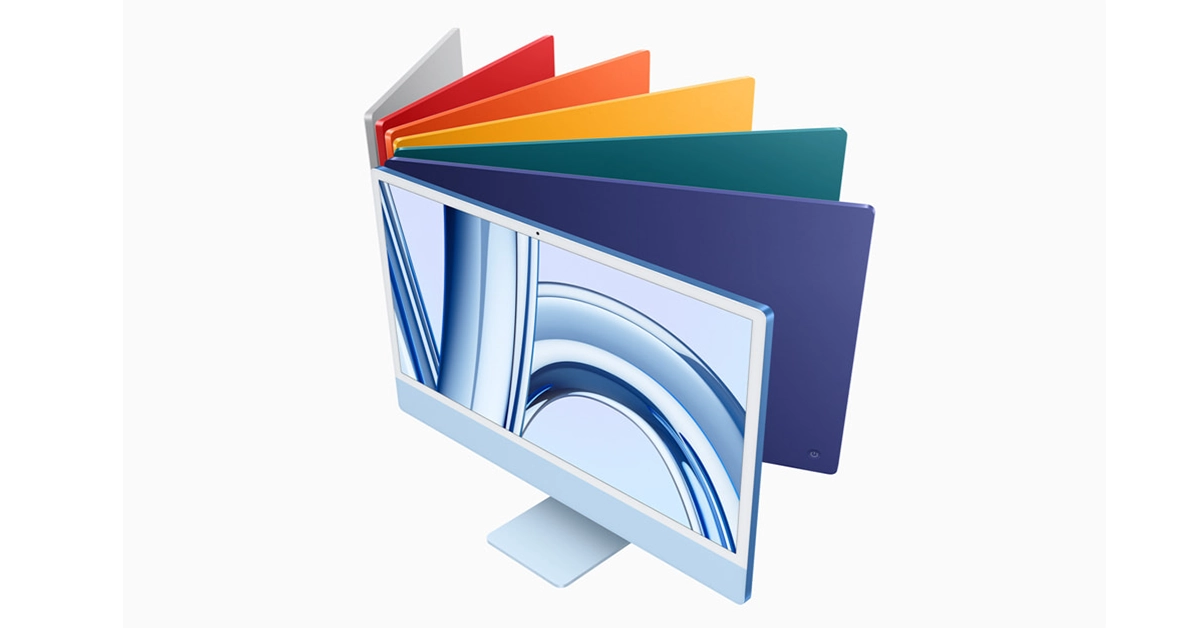
The latest desktop is powered by the newest Apple M3 chipset.
The iMac has been upgraded after 2021.
Apple usually refreshes its lineup of iMacs every two years and this time they are on point. Apple hosted its second fall event Scary Fast early morning where it announced the upgraded model of the 24-inch iMac in India. The latest desktop is powered by the latest M3 chipset with up to 8-core CPU. The machine comes integrated with up to 10-core GPU as well. The latest PC is said to perform 2 times faster than the previous generation. The desktop further features a thin 4.5K Retina display and is available in a spectrum of seven vibrant colours.
In This Article
New 24-inch iMac price in India and sale details
The price of the new 24-inch iMac M3 with an 8-core GPU starts at Rs 1,34,900. It will be offered at Rs 1,29,900 for education. This variant will be available in green, pink, blue, and silver.On the other hand, the iMac model with a 10-core GPU comes with a starting price of Rs 1,54,900 and Rs 1,44,900 for education. There are green, yellow, orange, pink, purple, blue, and silver colourways for the model.The latest model of the 24-inch iMac M3 can now be ordered via Apple online store and 27 countries and regions, including the U.S. It will begin selling at Apple Store locations and Apple Authorised Resellers starting November 7.Also Read:Apple introduced M3, M3 Pro, and M3 Max most powerful chipsets for the new MacBook Pro and iMac
New 24-inch iMac M3 specs and features
In terms of design, the new 24-inch iMac has no design changes hence it is similar to that of the model launched a few years ago. It has a 24-inch Retina Display with 4.5K resolution. The screen supports a peak brightness of 500 nits. In addition to this, the desktop is powered by the latest generation of Apple chipset M3 having an 8-core CPU, with four performance cores and four efficiency cores. This is up to 35 per cent faster than the previous chipset supporting up to 24GB of unified memory. In addition to this, there are 25 billion transistors and a 10-core GPU that is 65 per cent faster than the previous generation. The M3 CPU also brings improvements and new features like ray tracing and mesh shading to the new 24-inch iMac.There are two models — One with an 8-core CPU, 8GB of unified memory, 256GB SSD, two Thunderbolt ports, two additional USB 3 ports, Magic Keyboard with Touch ID, Magic Mouse, and Gigabit Ethernet. The second model comes with an 8-core CPU, 8GB of unified memory, 256GB SSD, two Thunderbolt ports, a Magic Keyboard, and a Magic Mouse. There is a FaceTime camera supporting 1080p resolution. The six-speaker setup on the desktop is powered by Spatial Audio and Dolby Atmos.In terms of connectivity, there is Wi-Fi 6E, Bluetooth 5.3, up to four USB Type-C ports, two Thunderbolt ports, and Gigabit Ethernet.


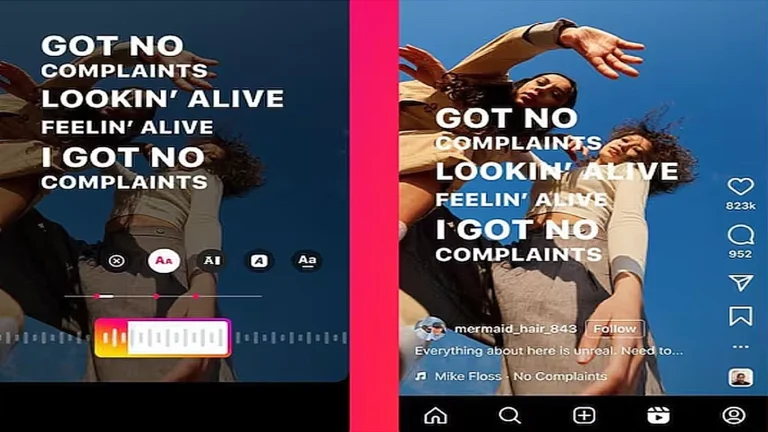

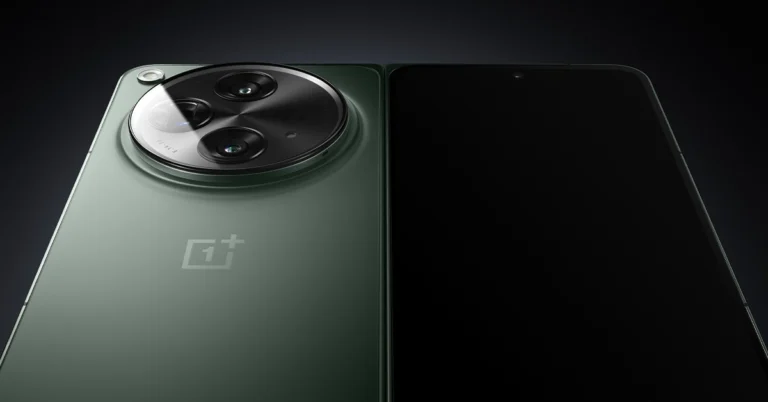
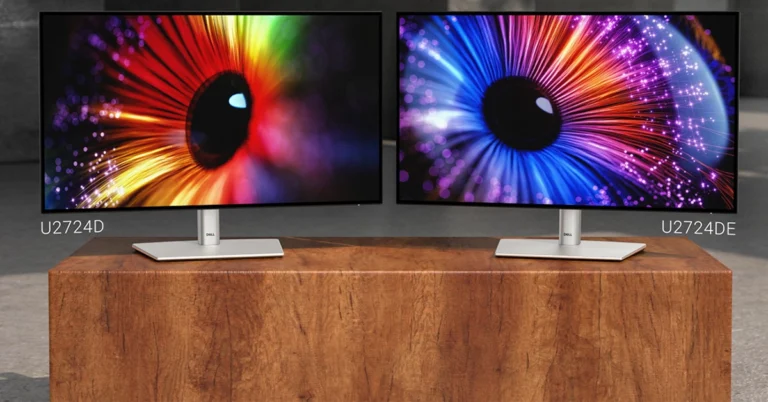
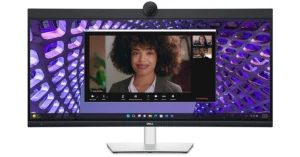
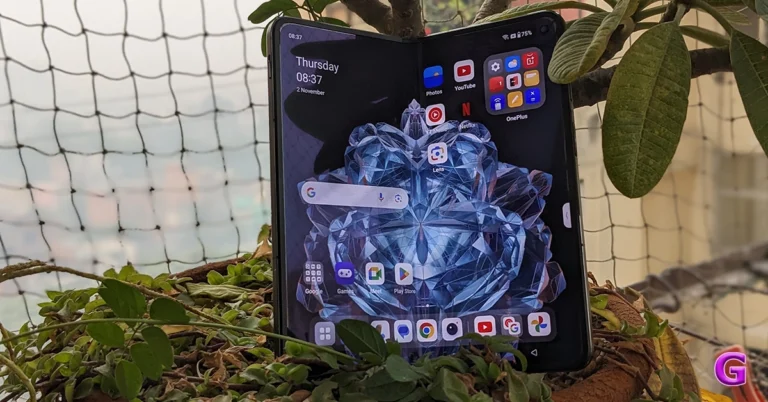
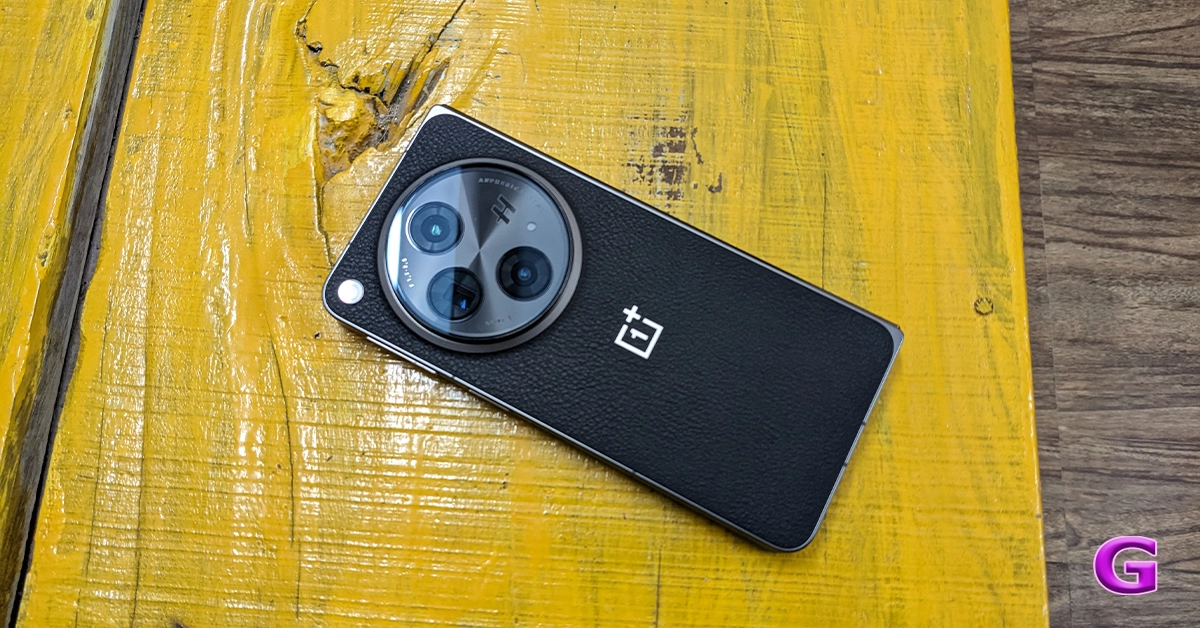
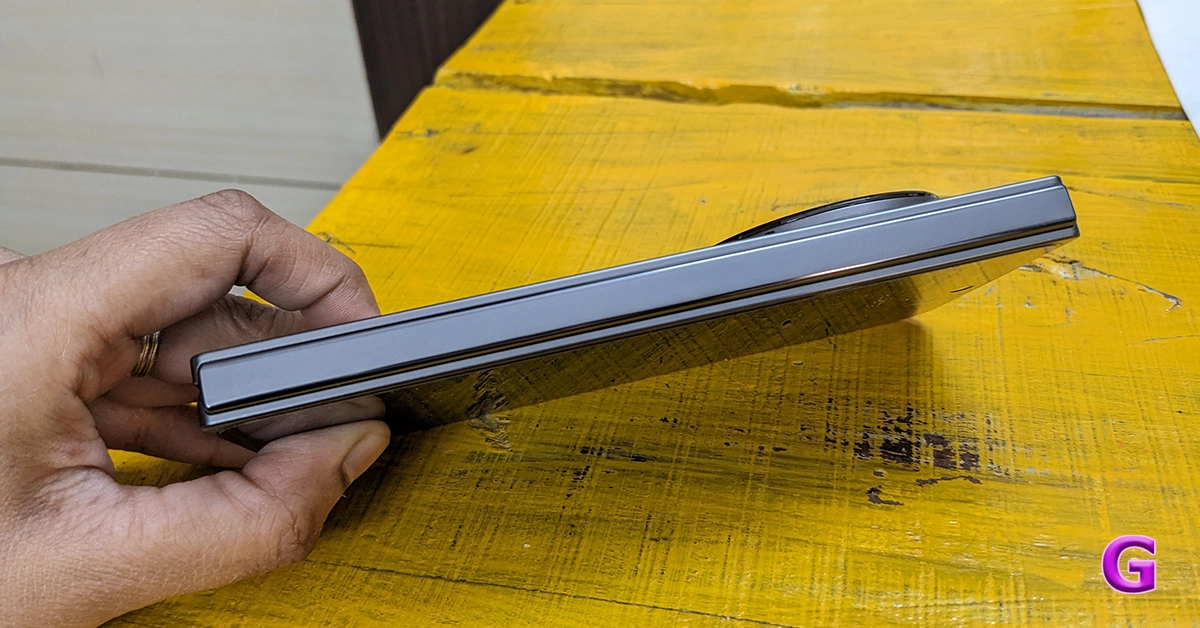
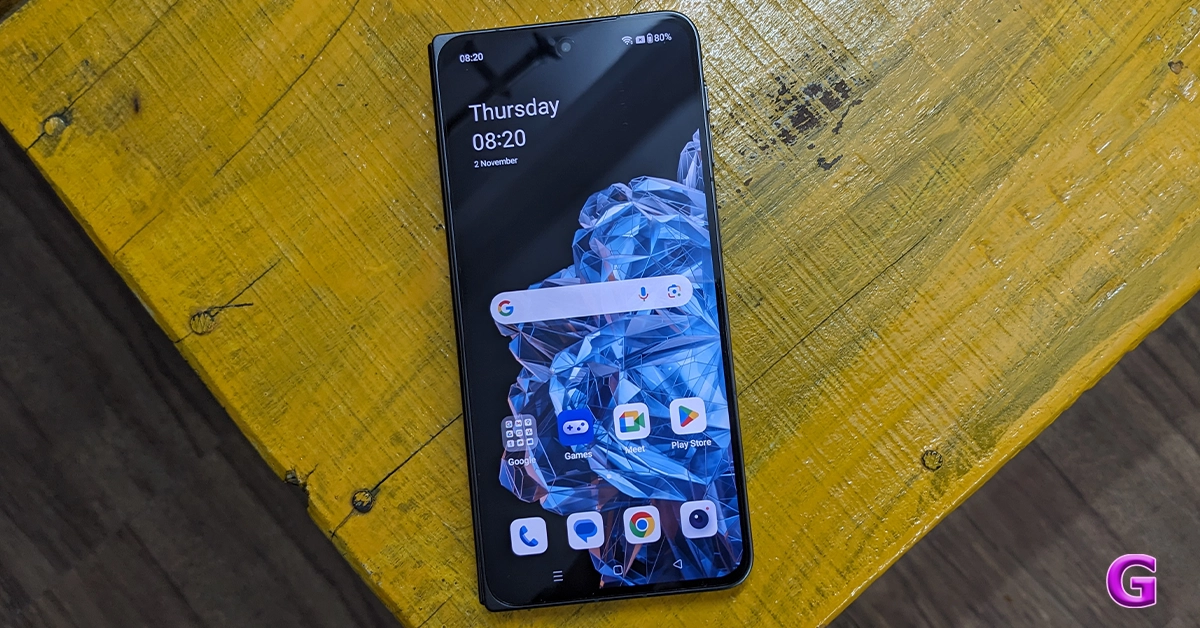
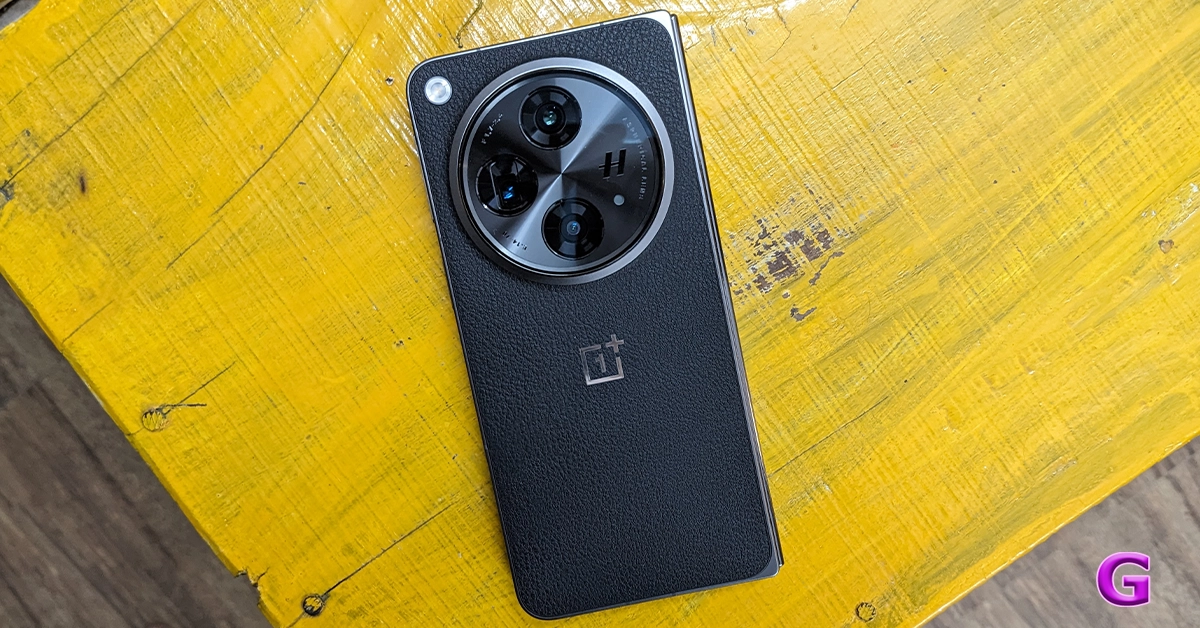
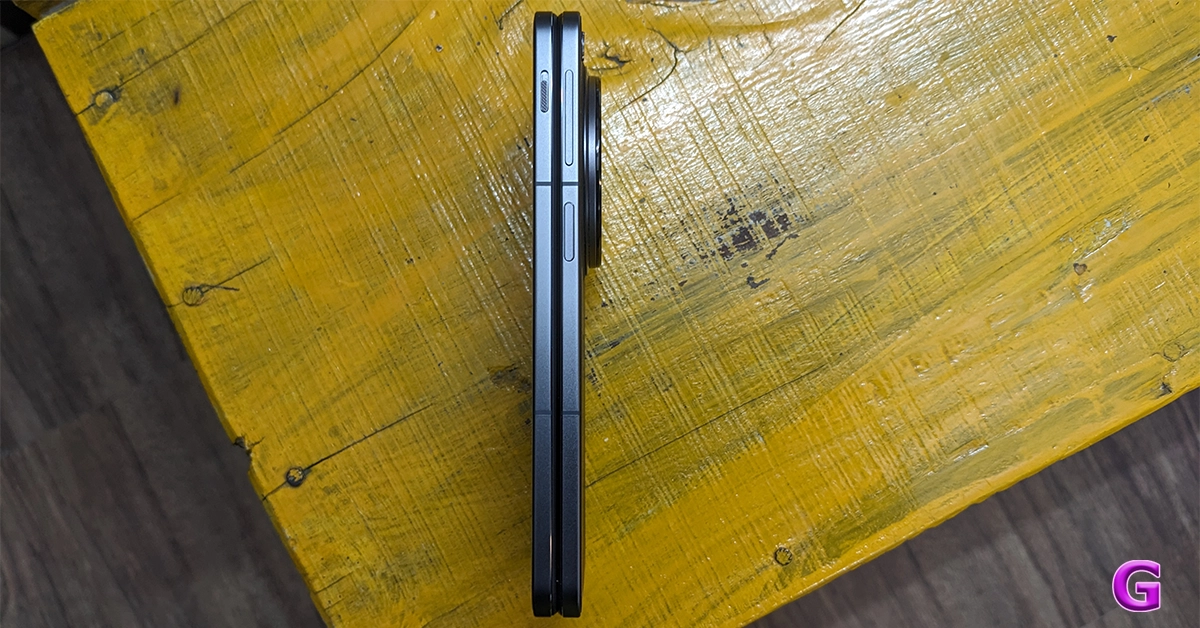
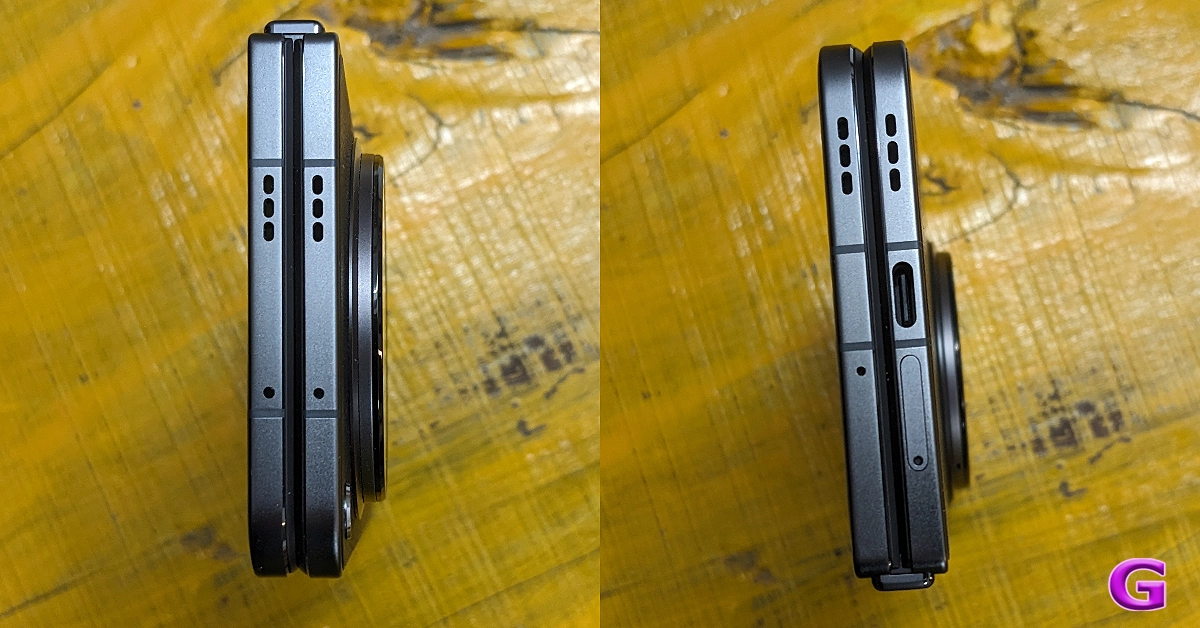
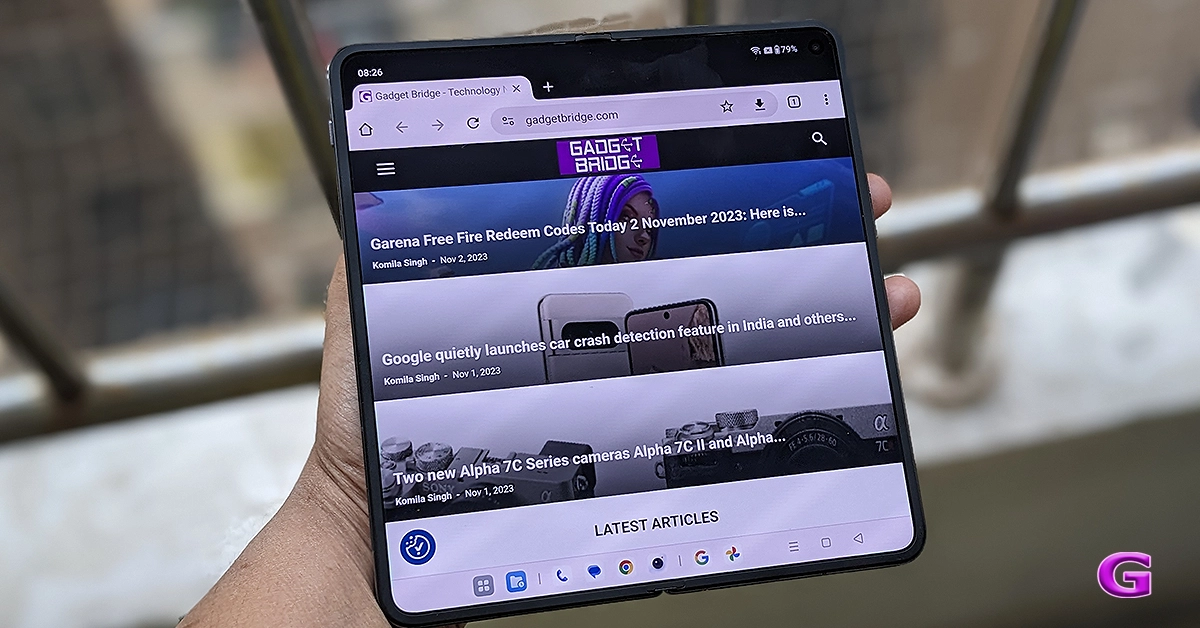
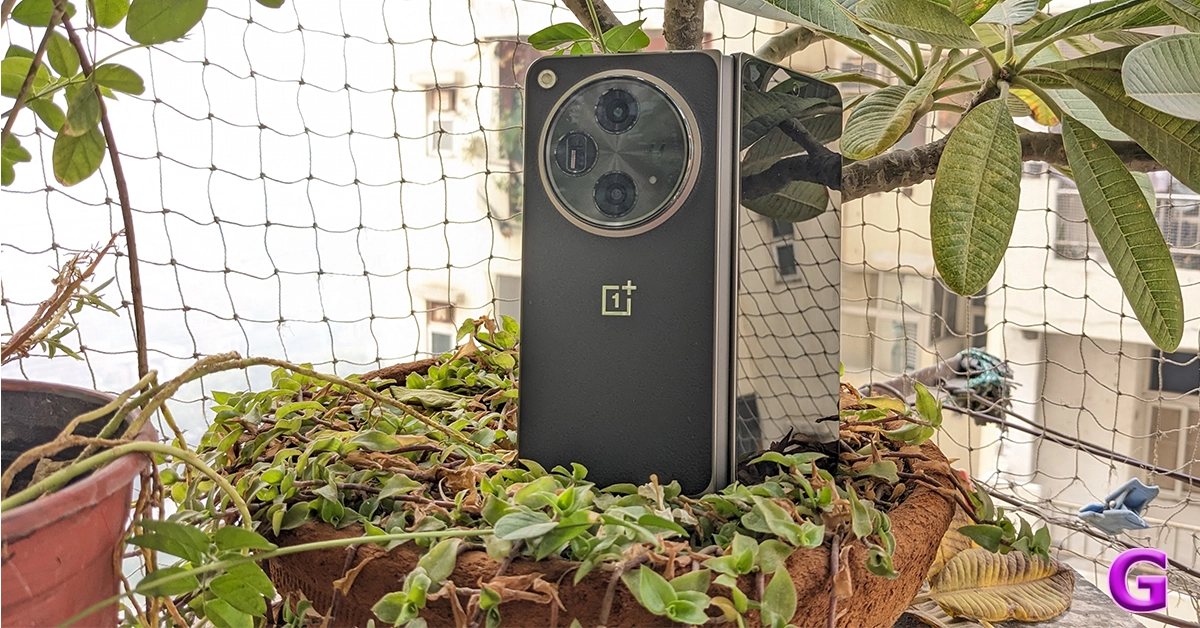
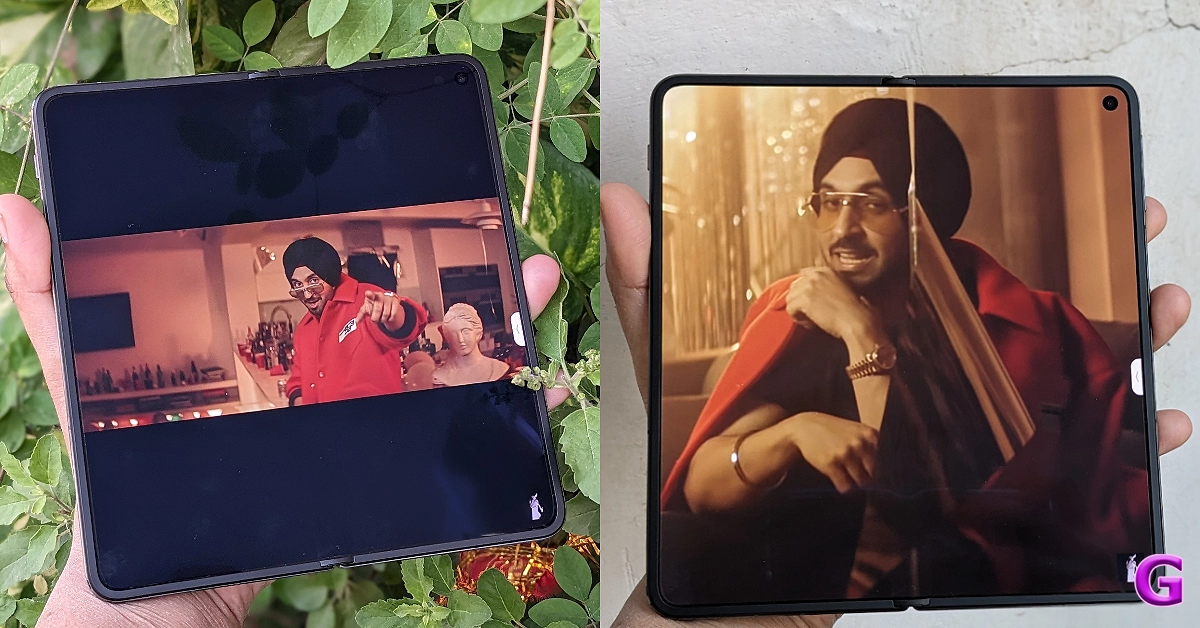
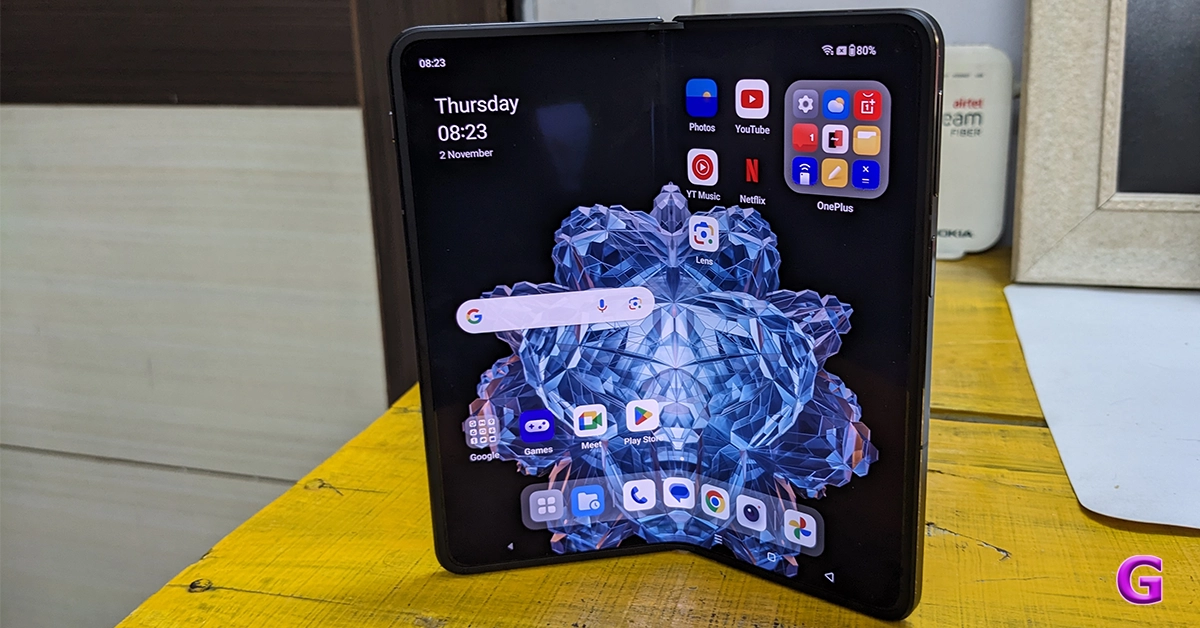
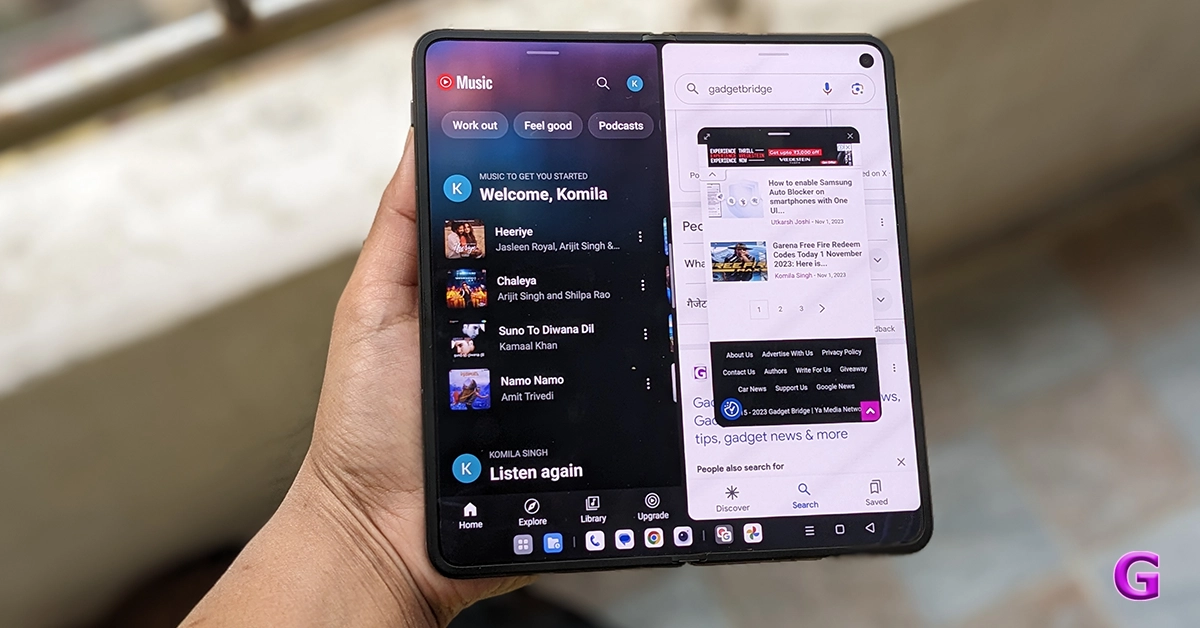
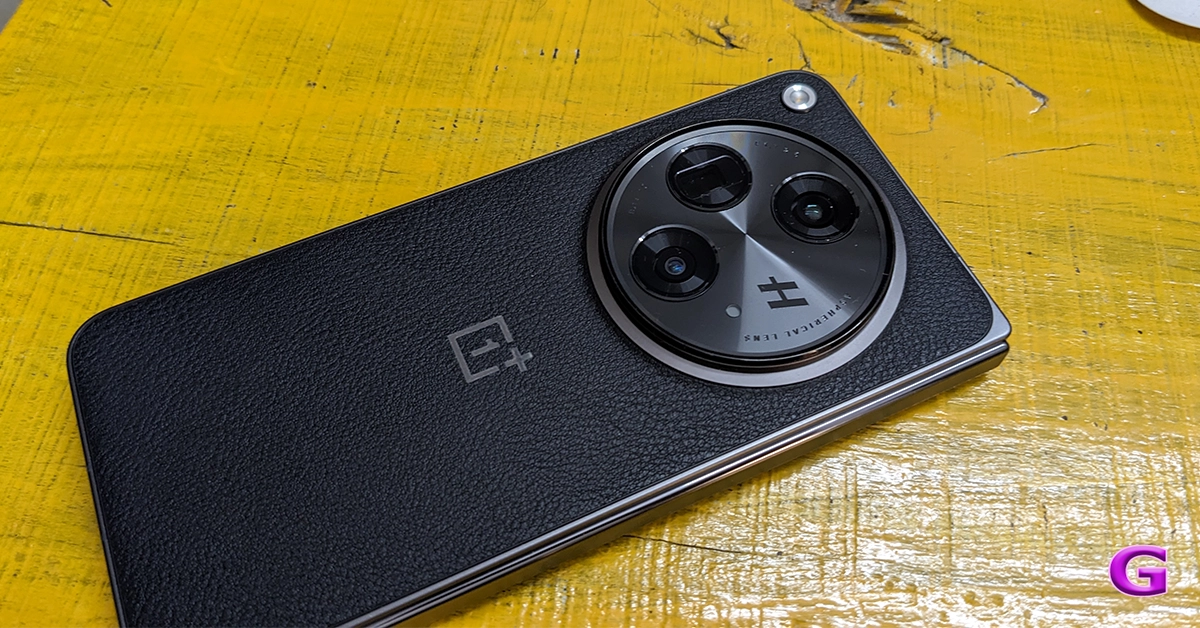


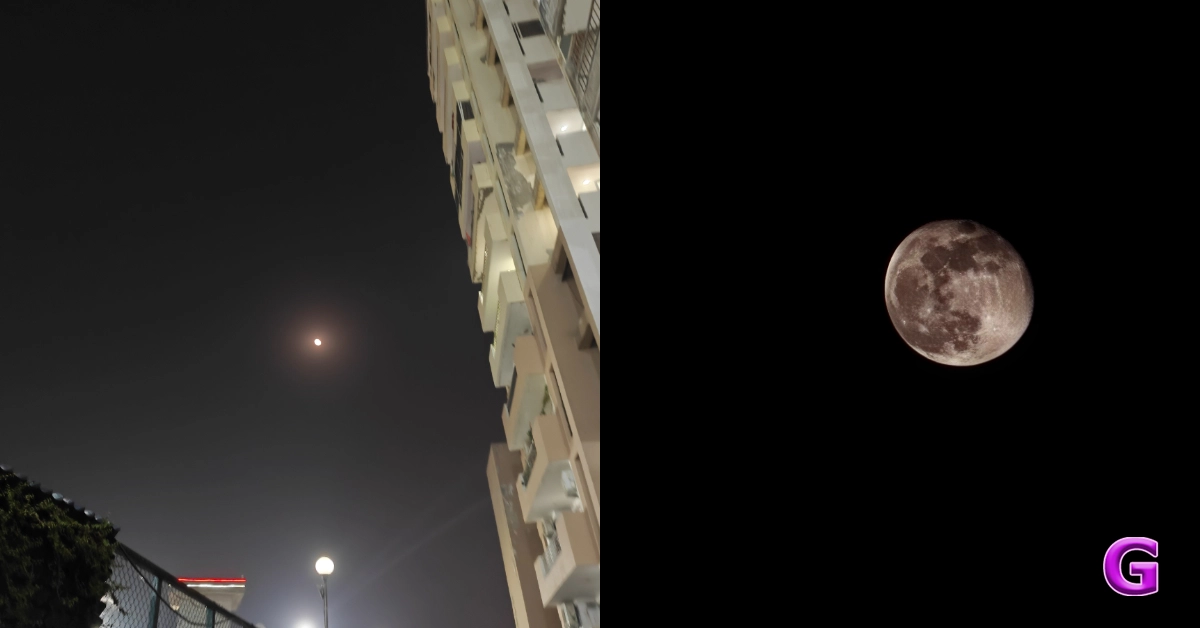


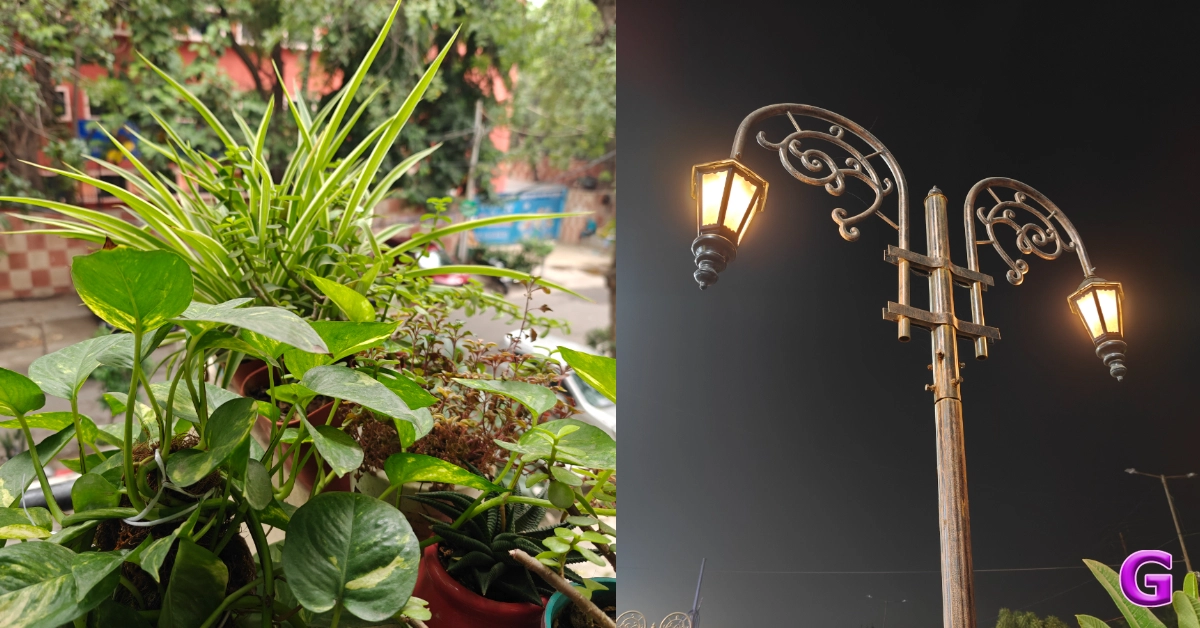



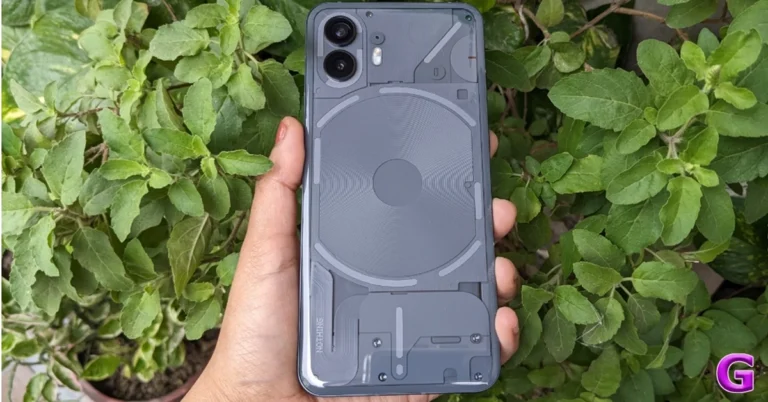
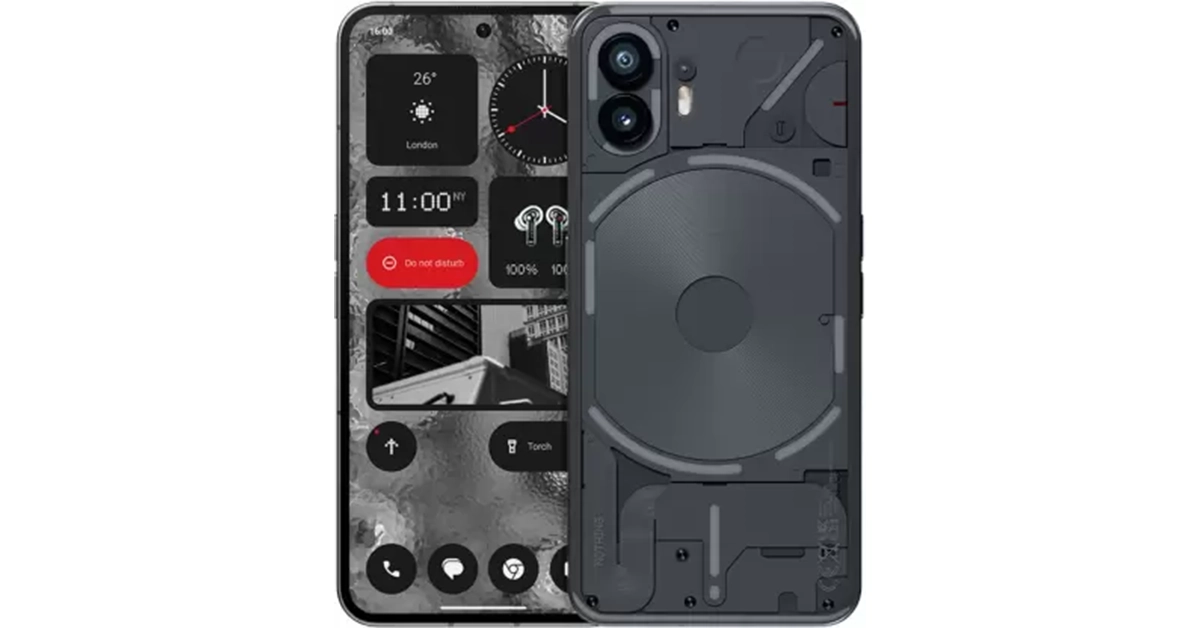 Also Read:
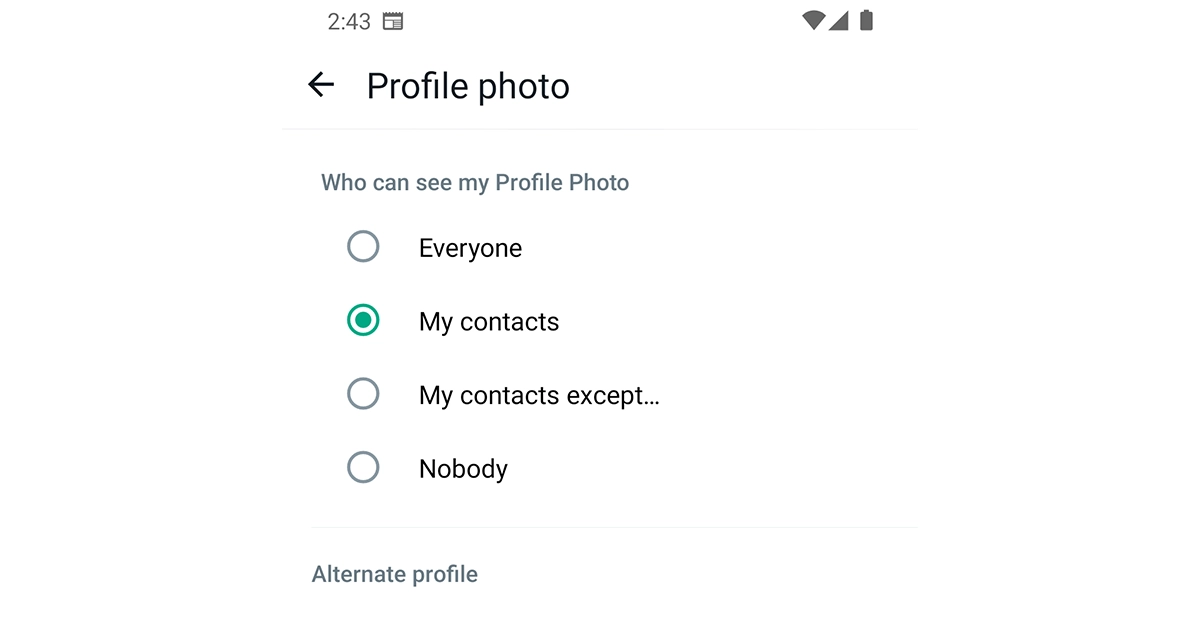
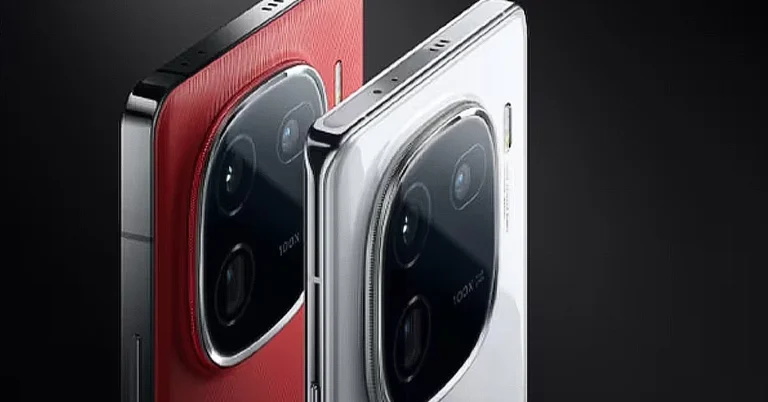
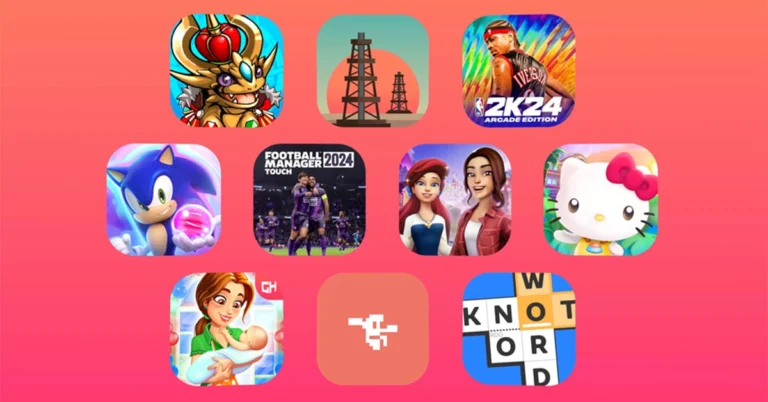
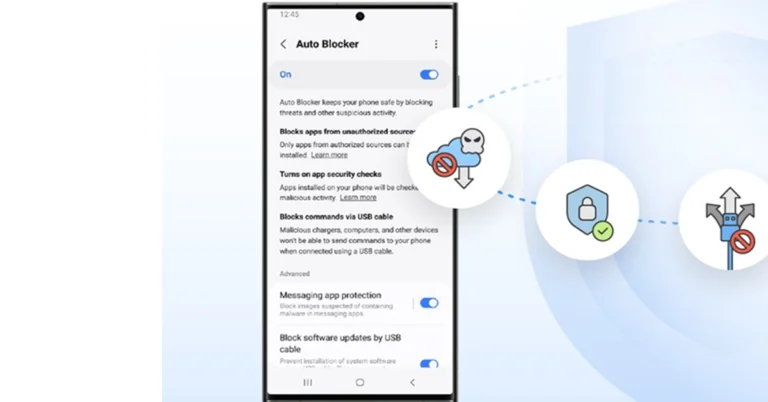

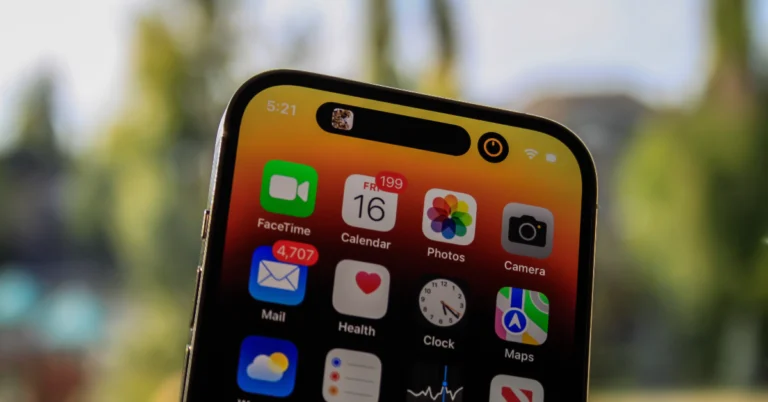
 Step 1:
 Step 1: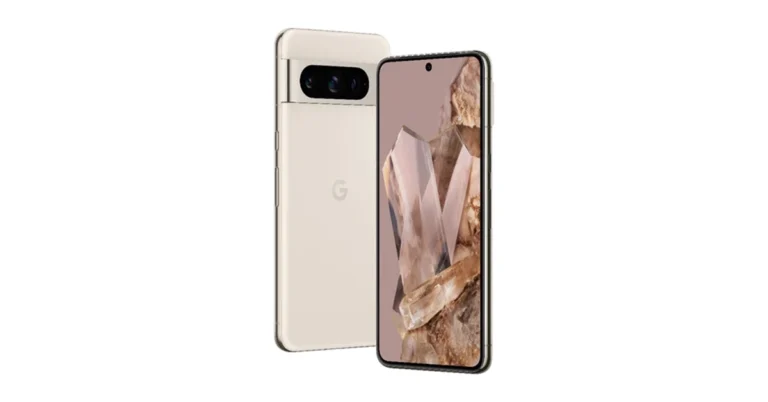
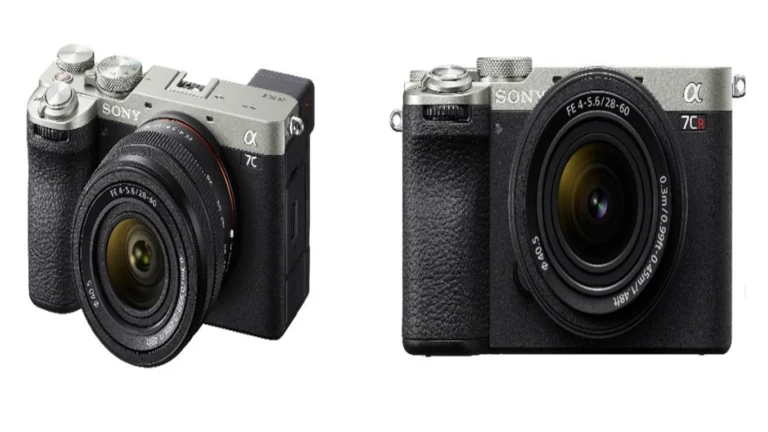

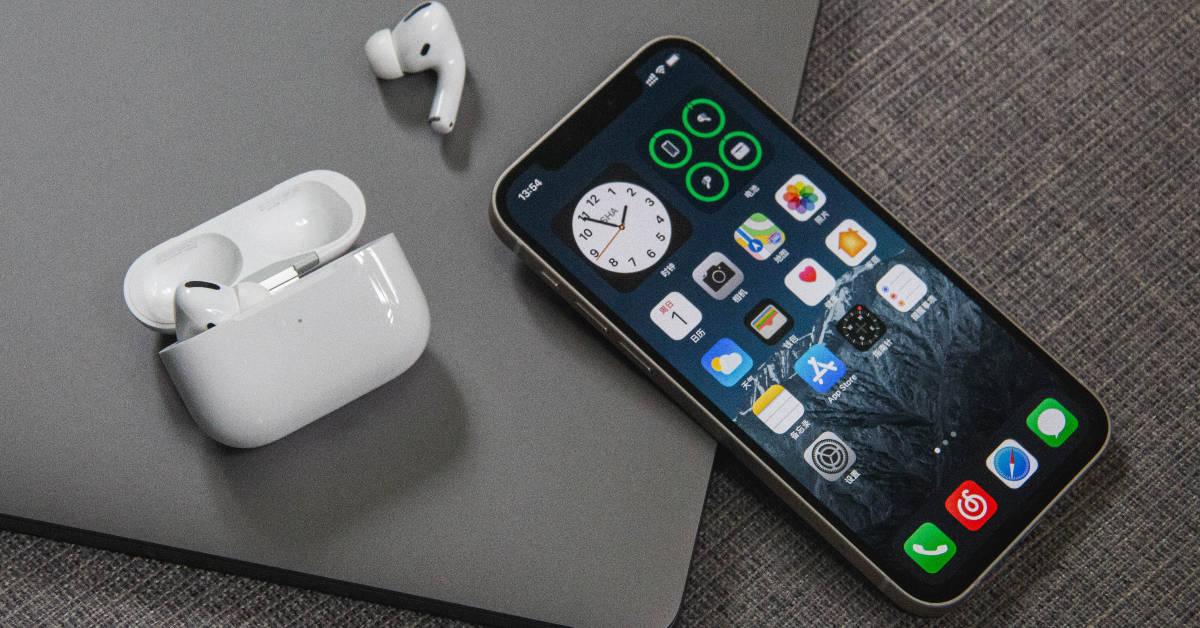


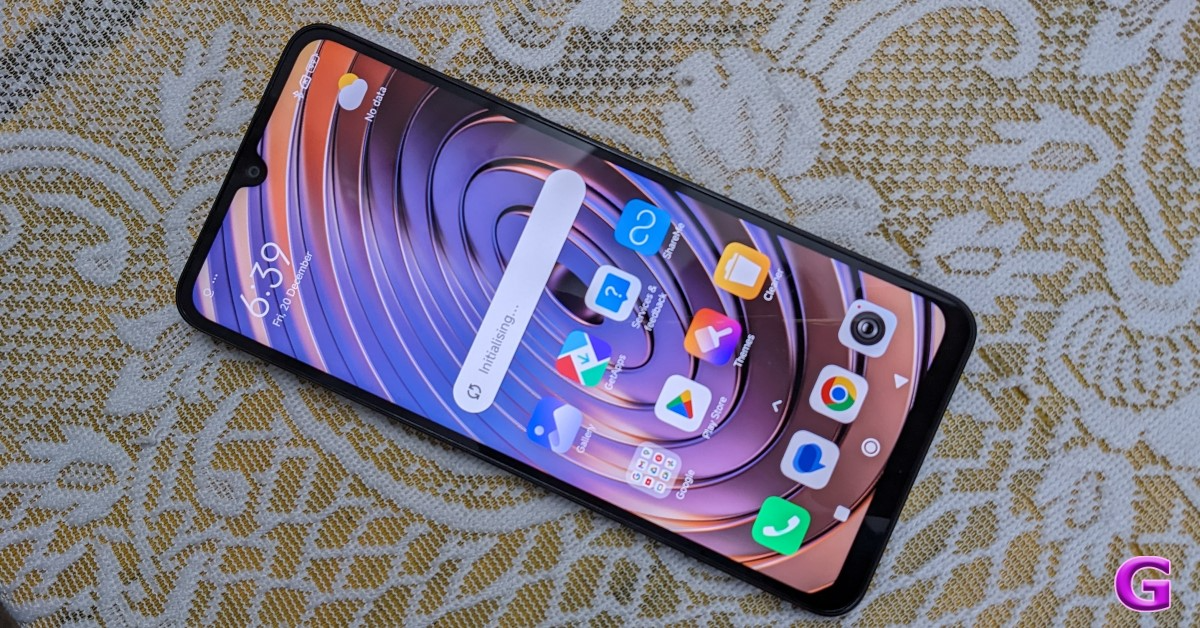
 Step 2:

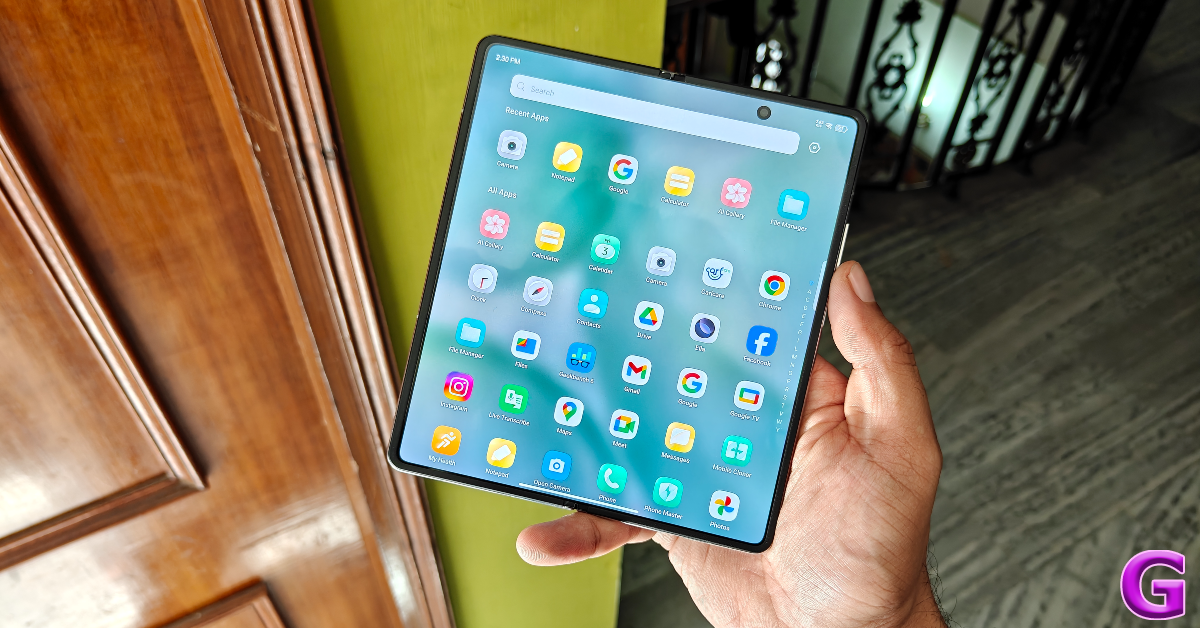

 Step 2:
 Step 3:
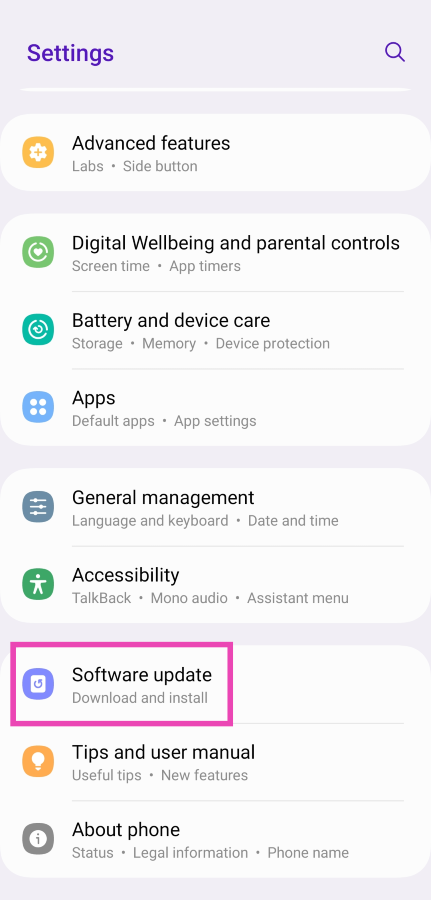 Step 3:
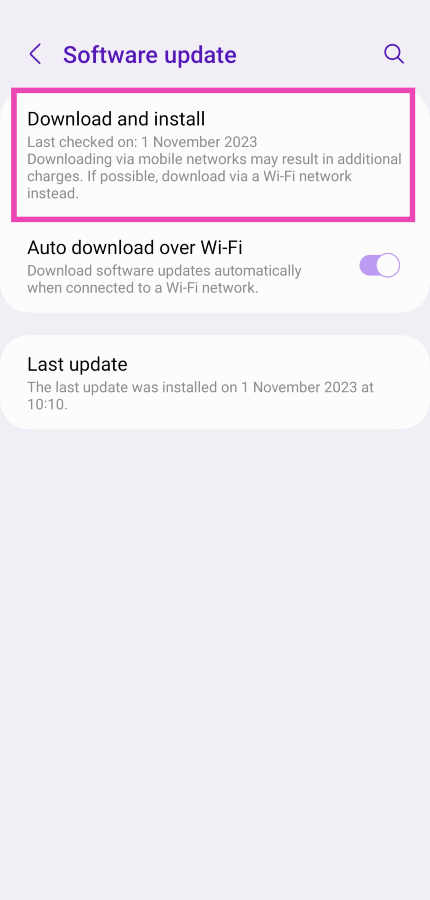 Step 4:
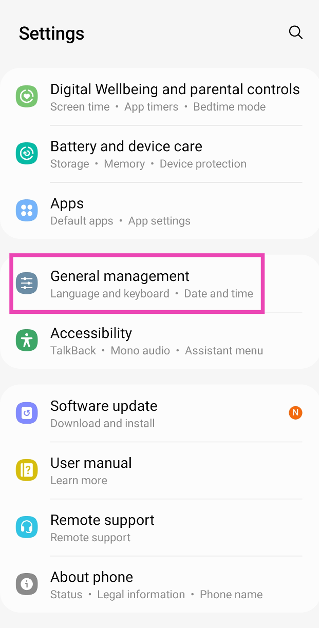 Step 2: Tap on Reset.
 Step 3: Select Factory data reset.
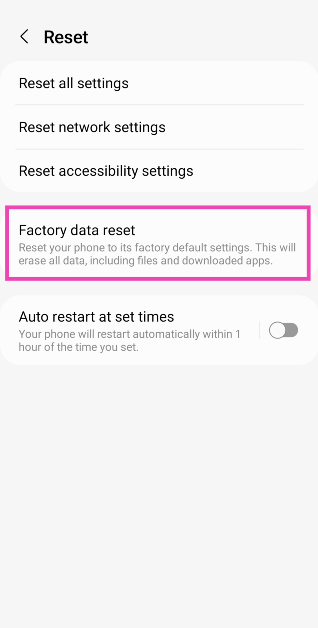 Step 4: Scroll down and tap on Reset.
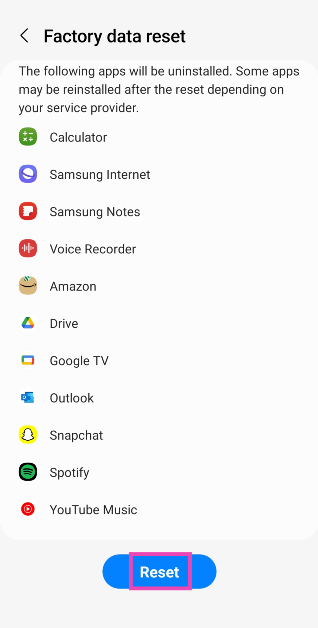
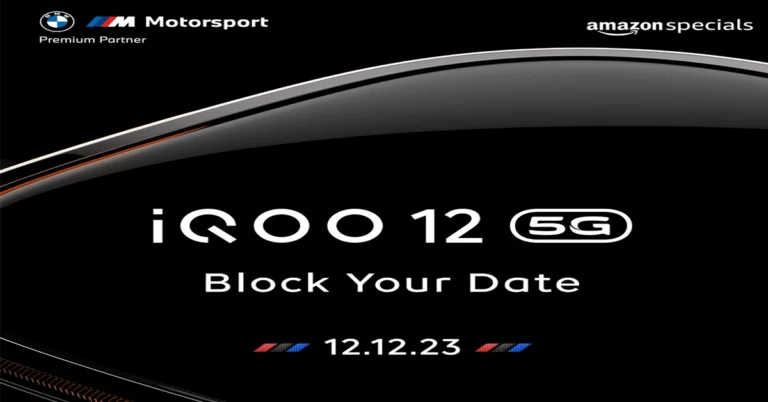

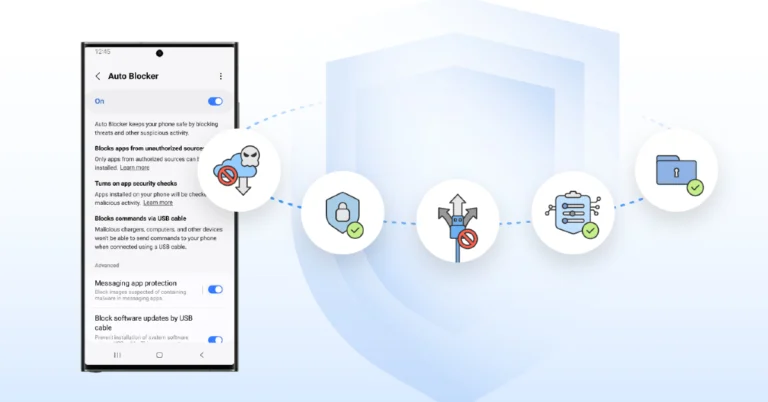
 Step 1:
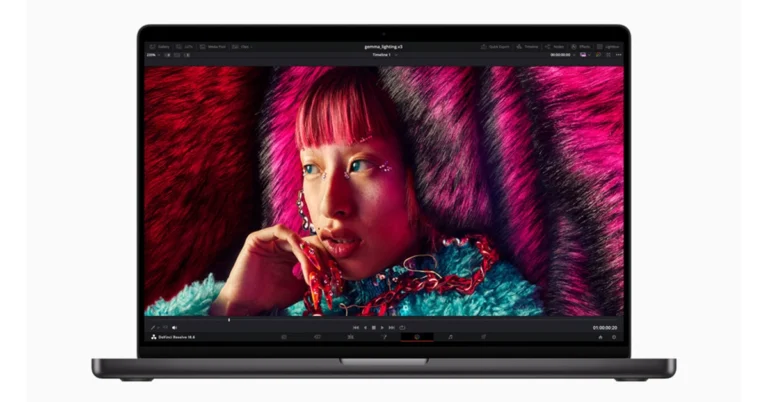
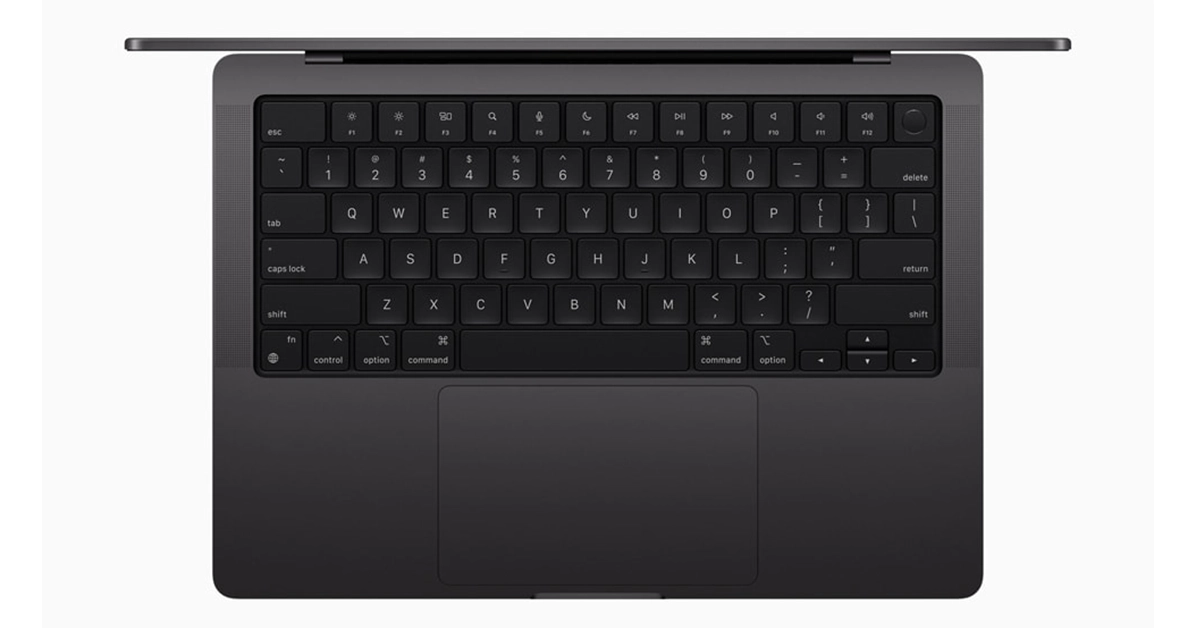
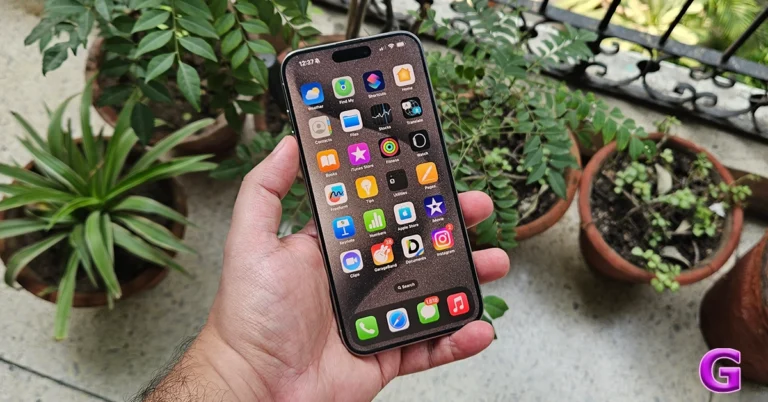
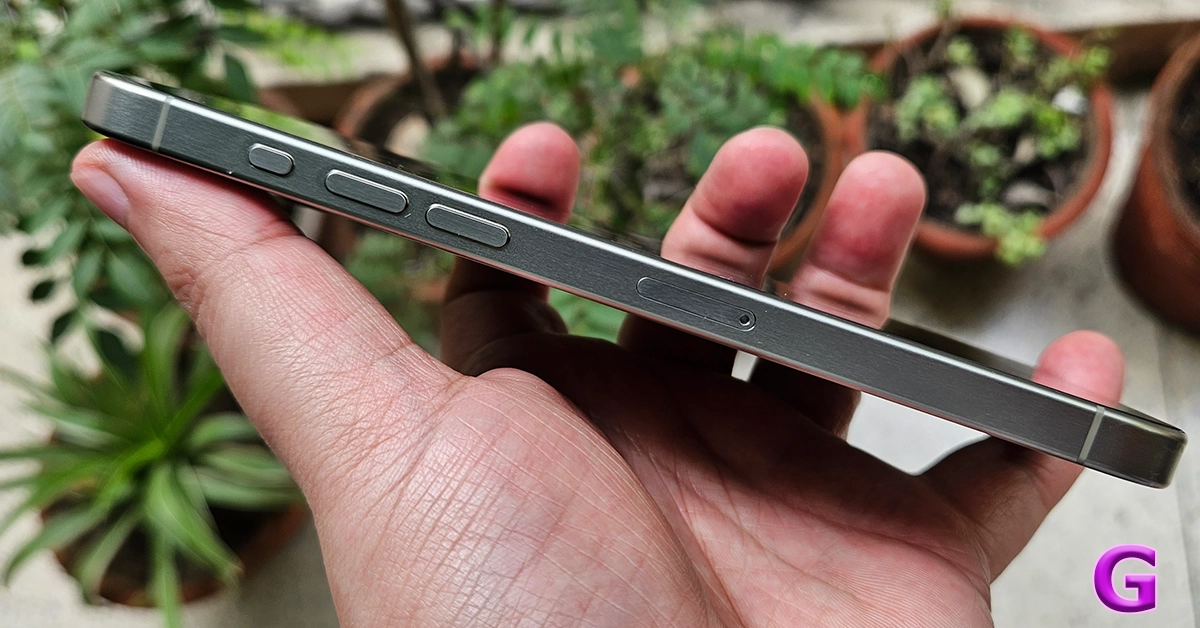 The iPhone 15 Pro Max is built of more sustainable and recycled materials, which includes an internal aluminium structure that is 100% recycled. Over that, the frame of the Pro Max is built of titanium, which not only makes the smartphone lighter but also makes it look exceptionally good. The rear of the smartphone is made of textured matte glass, while the front sports the Ceramic shield glass.
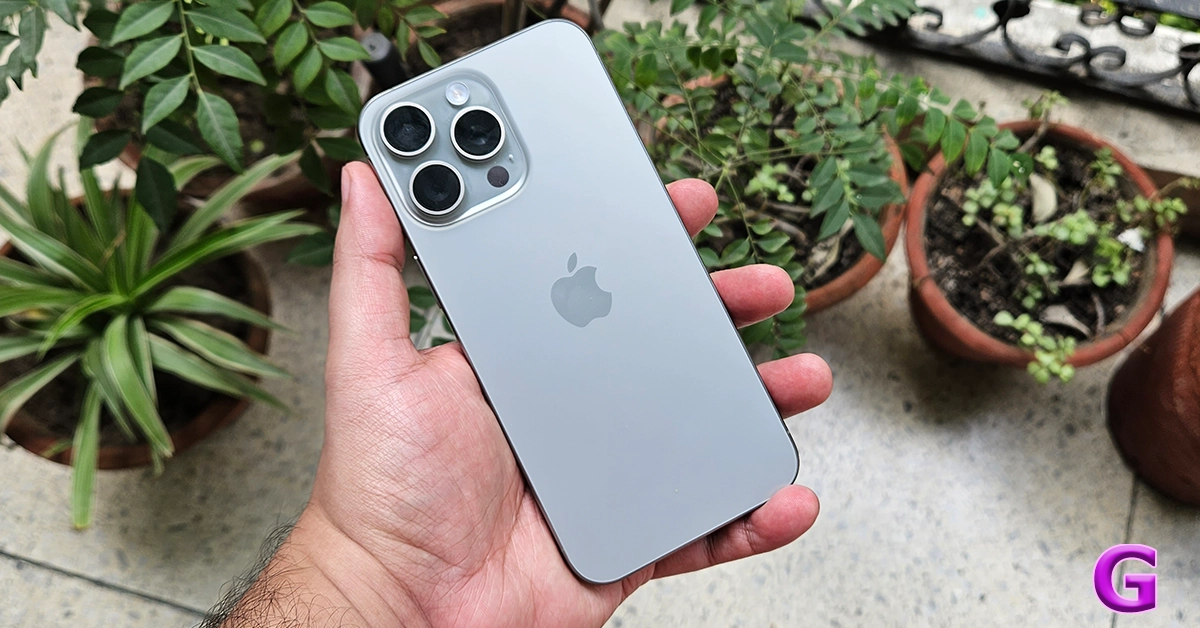 Since it is the Pro version, the camera structure at the back sport three cameras instead of two placed on a beautiful camera bump. The Apple logo can also be found under it and the overall façade looks very modern. Apart from that, the usual suspects like the power button, volume keys and the speaker grille can also be found on the sides as well as the bottom (respectively).
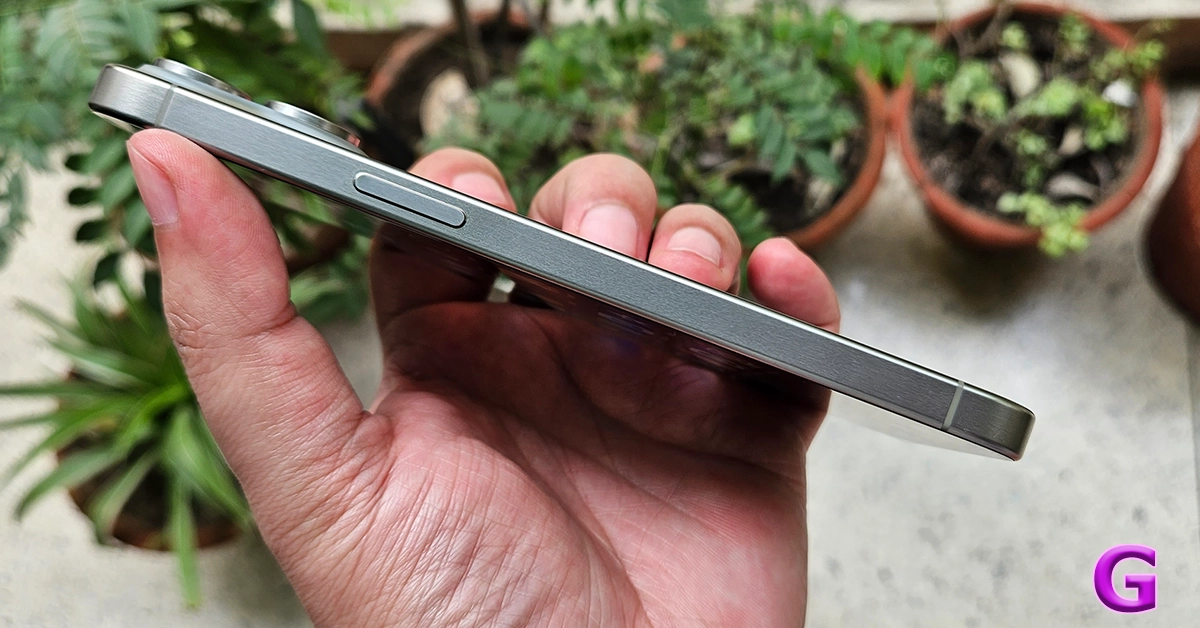 Let’s move to the Display of the smartphone. The Apple iPhone 15 Pro Max strides in with a 6.7-inch Super Retina XDR (OLED) screen supporting 2,796 x 1,290 pixels resolution at 460ppi. The peak brightness of the display has been bumped to 2,000 nits, which makes everything legible even under direct sunlight. Adaptive refresh rate of 120Hz has also been included along with HDR capabilities.
We played a lot of videos and games on the smartphone and not once did it give us a chance to say, OH! That does not feel right. At every step, it impressed us and the peak brightness does make it very legible under direct sunlight. Ray Tracing is also supported, however since there are no games on the mobile platform that support it, we have to take Apple’s word for it so that in the future it will deliver the best in RT gaming.
Netflix and YT videos look good on the device and we loved that the sound compliments each type of movie or music genre. All in all, the large screen is still one of the best aspects. It is very-very impressive.
Read Also:
Let’s move to the Display of the smartphone. The Apple iPhone 15 Pro Max strides in with a 6.7-inch Super Retina XDR (OLED) screen supporting 2,796 x 1,290 pixels resolution at 460ppi. The peak brightness of the display has been bumped to 2,000 nits, which makes everything legible even under direct sunlight. Adaptive refresh rate of 120Hz has also been included along with HDR capabilities.
We played a lot of videos and games on the smartphone and not once did it give us a chance to say, OH! That does not feel right. At every step, it impressed us and the peak brightness does make it very legible under direct sunlight. Ray Tracing is also supported, however since there are no games on the mobile platform that support it, we have to take Apple’s word for it so that in the future it will deliver the best in RT gaming.
Netflix and YT videos look good on the device and we loved that the sound compliments each type of movie or music genre. All in all, the large screen is still one of the best aspects. It is very-very impressive.
Read Also: 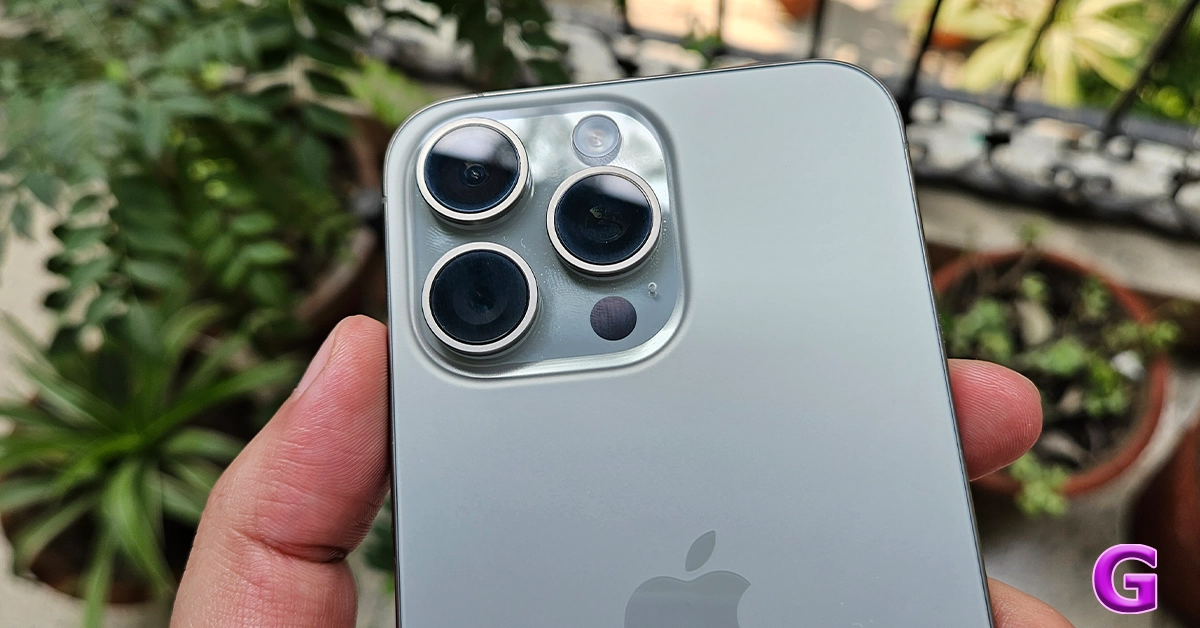 Videos can be shot in 4K resolution at 60FPS and come out very crisp too, even in low-lit areas. The selfie camera is still the 12MP camera from yesteryears but does seem a bit enhanced over the last counterpart. We got good to great images from the selfie camera in both well and dimly-lit areas. Something that we love about the iPhones is that the cameras do not disappoint.

 iOS 17 comes out of the box in the Apple iPhone 15 Pro Max and it has a lot of improvements over the last iteration. The overall operating system seems to be smoother and the addition of features such as air-dropping your contact info by bringing two iPhones together is great. Over that, if someone misses your FaceTime call, you can record a short video or audio message and send it to them.
The ringer key has been replaced by the action button, which brings along a great interface. You can choose from pre-loaded actions or customise the shortcut key to a process of your liking. If you do not want to set it at anything you can just choose no action. The action key interface can be accessed via the settings menu.
iOS 17 comes out of the box in the Apple iPhone 15 Pro Max and it has a lot of improvements over the last iteration. The overall operating system seems to be smoother and the addition of features such as air-dropping your contact info by bringing two iPhones together is great. Over that, if someone misses your FaceTime call, you can record a short video or audio message and send it to them.
The ringer key has been replaced by the action button, which brings along a great interface. You can choose from pre-loaded actions or customise the shortcut key to a process of your liking. If you do not want to set it at anything you can just choose no action. The action key interface can be accessed via the settings menu.
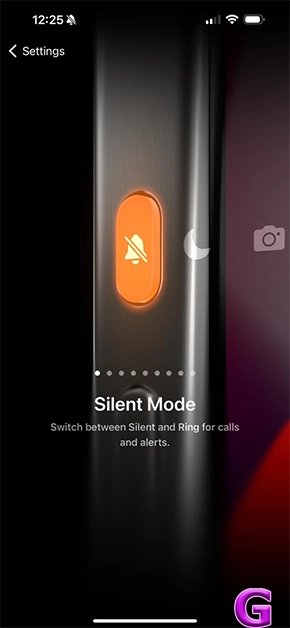 We tested the phone out with the AnTuTu benchmark, and it scored a superb 15,27,414 points on it.
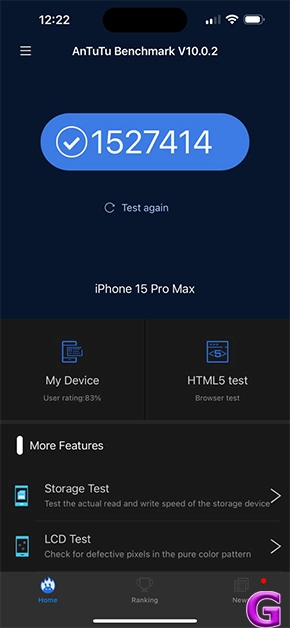 The storage is also great and is available up to 1 TB, you will not end up running out of it anytime soon. And the addition of USB Type-C (with the use of the right fast cable) will make sure you end up with faster transfers between devices.
Read Also:
The storage is also great and is available up to 1 TB, you will not end up running out of it anytime soon. And the addition of USB Type-C (with the use of the right fast cable) will make sure you end up with faster transfers between devices.
Read Also: