OnePlus Nord 2T review: A needed upgrade to plug the holes found in Nord 2

The original Nord smartphone from OnePlus was well-liked and commercially successful. Therefore, it is reasonable to anticipate that the following version will also meet the bar. The Nord 2 received harsh criticism for its problem with excessive heating, and many users experienced severe burns as a result of mishaps.  But aside from a few minor changes, the recently released OnePlus Nord 2T is essentially the same phone as the Nord 2. But at the same time takes care of the kinks found in Nord 2. So, despite the few improvements over its predecessor, is the Nord 2T a solid offering? Let’s talk about that in this review.

OnePlus Nord 2T review: Design and Display

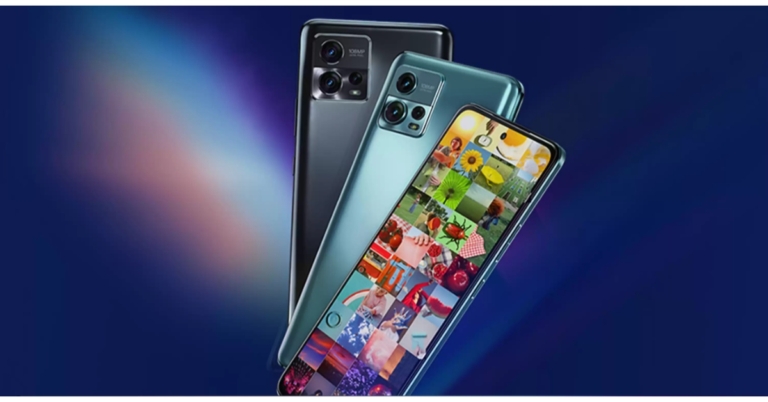
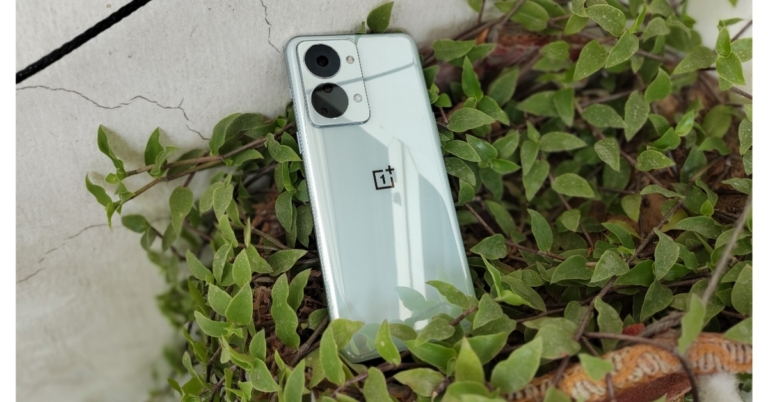
Since we have been using the phone as our primary phone for more than a week, there are a few features that we particularly like, such as its well-made design. We wouldn’t necessarily object if the form factor were extremely comparable to that of its predecessor, after all, it is an iteration of Nord 2. The glass coating and gently curved rear of this phone make it quite comfortable to hold in the hand. OnePlus Nord 2T review Additionally, we cannot express how much we adore this alert slider, which is particularly useful during meetings. One thing that we were not in particularly awe of is its camera module. When you look at them attentively, you will notice that they are not symmetrical since they are randomly arranged inside two large circles, which in our opinion is odd. Please share your opinion of the design in the comments area below since the form factor and design are subjective, did you like its rear? Remember that the OnePlus Nord 2 has a cleaner camera location and fewer ringlets than the 2T, which we found more attractive. Be aware that the Nord 2T’s glass panel attracts fingerprints. If you decide to use the phone without a cover, as we did, keep a microfibre towel at hand to wipe it down during the day because it picks up fingerprints very easily. We reviewed the phone in Jade Fog shade, a sort of mint green colour option that looks beautiful and expensive, but we would have preferred a matte finish over the shiny glass finish. Another version of this phone, the Gray Shadow, has a matte back and looks pretty beautiful if you enjoy matte finishes as we do. OnePlus Nord 2T review In order to increase durability, OnePlus has added Gorilla Glass 5 protection to both the front and back of the smartphone. However, the mid-frame, which has rounded corners, is built of polycarbonate, yet is very premium. review of OnePlus Nord 2T Additionally, the power and volume buttons provide really pleasant tactile feedback, which makes using this gadget pretty pleasant and easy to reach. Over that, the display contains an optical fingerprint reader that functions fairly well. Regarding the display, the OnePlus Nord 2T 5G features a 6.43-inch full-HD+ AMOLED display with a hole-punch design and a resolution of 1,080 x 2,400 pixels. It comes with a 20:9 aspect ratio, a 90Hz refresh rate, and HDR10+ certification. In addition to being well built and designed, this phone has the same display as the Nord 2 and we had no qualms here. The colours are pretty vibrant, the contrast is excellent, and the display quality is really amazing. The company has also done a good job of optimising the 90Hz refresh rate; we haven’t experienced any stutters, so that’s also nice.  Here, we’d like to point out that many smartphones in this price range feature a 120Hz refresh rate, thus given that this device is the successor to the OnePlus Nord 2, it would have been a boon if OnePlus had used 120Hz display instead of 90Hz.

OnePlus Nord 2T review: Performance and Camera

In terms of performance, the OnePlus Nord 2T 5G is powered by the MediaTek Dimensity 1300 SoC and up to 12GB of LPDDR4X RAM. Similar to the design and build quality, the phone’s performance is also largely acceptable. In normal use, we encountered no issues. We played Call of Duty at the highest settings possible without seeing any performance slowdown. High-end games like Genshin Impact can be played at extremely high settings, but at a frame rate of less than 60FPS. We occasionally had lag in this area, but we were able to get stable performance by setting the graphics to high and maintaining a frame rate of 60. review of OnePlus Nord 2TAnother issue we found, when we played Genshin Impact for long was that the OnePlus Nord 2 started to get hot. However, when we played other games this was not the case. Other typical functions, including multitasking and accessing apps, run smoothly on this device. Also, both the typing experience and the vibration feedback are also pretty pleasant. Because of the OS’s careful optimization, the OnePlus Nord 2T’s overall performance has been satisfactory. The software experience is still OnePlus’s biggest selling point. The UI of the OnePlus Nord 2T 5G, which runs OxygenOS 12.1, functioned without any glitches. Except for Netflix, there isn’t much-preinstalled bloatware. Additionally, according to OnePlus, 2 years of OS updates and 2 years of security fixes will be available. OnePlus Nord 2T review: A needed upgrade to plug the holes found in Nord 2 Let’s have a look at the camera tech specs of the OnePlus Nord 2T before comparing it to the OnePlus Nord 2, which was released last year and had fairly strong cameras. With a 50-megapixel Sony IMX766 primary sensor and an optical image stabilisation (OIS)-capable f/1.8 lens, the phone sports a triple back camera array. The camera setup also includes an 8-megapixel ultra-wide camera with a 120-degree field of view and a 2-megapixel monochrome sensor with an f/2.2 lens. A 32-megapixel Sony IMX615 camera with an f/2.4 lens is located on the front of the OnePlus Nord 2T 5G for taking selfies and making video calls. review of OnePlus Nord 2T As you can see, the daylight captures have decent detail and sharpness levels. Most of the time, the colours are realistic and don’t oversaturate the pictures. However, occasionally, the sharpness was less of a concern and could have been better. Overall, the dynamic range appears to be good; there is nothing to be concerned about. OnePlus Nord 2T camera review Since we were testing the cameras during monsoon and it was mostly cloudy where we were, we were unable to test the cameras in really intense sunlight. review of OnePlus Nord 2T Moving on to the ultra wide-angle camera, it should be noted that while the photographs contain respectable detail, the sharpness levels are plainly not as good as would be expected from an 8MP sensor. Comparatively speaking to the primary sensor, colour reproduction has been handled fairly well. The ultrawide sensor is therefore usable but not of the best quality seen from Oneplus. OnePlus Nord 2T camera review Moving on to the close-up photographs, you get good details and the pictures are sharp. The colours are generally executed properly and do not oversaturate pictures. This phone lacks the macro sensor that is present in many other phones in this price range.
OnePlus Nord 2T camera review
Portrait
You receive attractive portraits when shot, and these are of good quality when compared to the previous version. The sharpness and details, as well as the skin tones, are excellent. Overall, the portraits you obtain are excellent and reliable because of the clever edge detection. OnePlus Nord 2T camera review Low-light photographs taken indoors under artificial lighting also appear well-done where noise levels are kept to a minimum. A night mode is available for use in extremely dim lighting situations, providing well-lit, detailed photographs. Once more, the new AI engine helps to some extent manage the noise. The primary camera has OIS, which enhances the photos in low light. Moving on to selfies, the 32MP front sensor likewise produces good-quality images. There are plenty of details, and the sharpness levels are excellent. Also wonderfully done was the skin tone. There is a night mode for selfies, and the low-light selfies turned out to be good as well. In terms of edge detection, the portrait mode performs admirably overall, too. The video recording follows next; it can capture videos in 4K at 30fps with perhaps only OIS on the offer. Although the resolution is outstanding, the colours appear to be a little overexposed, which is typical of most 4K movie modes. Because there is no EIS present, it is not advised for moving footage. In terms of colour and motion accuracy, 1080p at 60 frames per second is better than 4K because it supports EIS and does a decent job with the hues. Additionally, 1080p at 30 frames per second supports EIS too and looks beautiful all around with accurate colour reproduction. The video also appears to be stabilised well and has acceptable crispness. The ultra wide-angle camera may also be used in 1080p mode, and it has decent visual quality, despite the fact that EIS was not operating in this mode. The phone can slow down video up to 72dB at 960 frames per second or 1080p resolution. The OnePlus Nord 2T’s front-facing camera sample can capture videos in 1080p HD. The camera on the OnePlus Nord 2T is the same as the one on the Nord 2, which was released last year, and the results are essentially the same. The primary camera produces good portraits, close-up photos when used in the daylight and good low-light photos. Also attractive are the selfies. Although users won’t be dissatisfied, the phone’s cameras aren’t going to really amaze you. They are sufficient for the majority of situations. The 4,500mAh dual-cell battery inside the OnePlus Nord 2T can be fast charged at 80W using the included charger. According to OnePlus, the battery can be charged from 1% to 60% in under 15 minutes, which is roughly accurate to the company’s promise. In our tests, the phone took 15 minutes to charge from 1% to 66%. So it finished charging in approximately 28 minutes. Therefore, it took the gadget 28 minutes to charge to 100%. With such good rapid charging, you can simply charge in a few minutes even if your battery dies. Last but not least, we’re not overly satisfied with Nord 2T’s speaker quality. The highs sound quite crisp and the audio is not balanced, but they are loud and there is no distortion at the loudest volumes either. They’re fine for occasionally watching movies and other things, but if you listen to a lot of music, you’ll find that their audio quality is only fair. Maybe the next iteration of the phone can have better loudspeakers.

Verdict

Okay, so based on what we’ve covered so far, you must be able to infer that the OnePlus Nord 2T is a good smartphone in its class and that purchasing it won’t be an unpleasant process. However, while using this phone, we couldn’t help but wonder if it was a pointless expansion of Nord’s product line. We mean that it is nearly identical to the OnePlus Nord 2 in every way. We believe it would have been preferable if the firm had instead released the OnePlus Nord 3 with better enhancements, skipping this phone entirely. But wait, when you compare it to the misses that happened with the Nord 2, the Nord 2T takes care of everything and plugs all holes. It is stable, looks nice, has great performance and will not burn a hole in your pocket, literally.  Pros
  • Well Built
  • No heating issue
  • Charges Rapidly
  • Nice cameras
Cons
  • Same cameras as of Nord 2
  • Could have given a 120Hz display instead of 90Hz
  • Average sound quality
For the latest gadget and tech news, and gadget reviews, follow us on TwitterFacebook and Instagram. For newest tech & gadget videos subscribe to our YouTube Channel. You can also stay up to date using the Gadget Bridge Android App. You can find the latest car and bike news here.

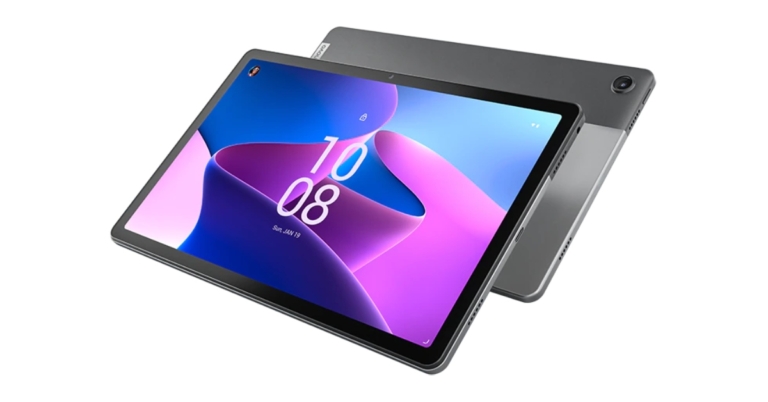
Lenovo Tab M10 Plus Gen 3 Tablet launched in India

The Android tablet Lenovo Tab M10 Plus Gen 3 was introduced in India recently. The device is powered by the Qualcomm Snapdragon 680 CPU and comes in two variants WiFi and LTE. Both models run Android 12. In addition to this, the tablet has a TÜV Rheinland Low Blue Light certified display and includes dedicated features for kids. The Lenovo Tab M10 Plus Gen 3 features a 10.61-inch 2K IPS LCD screen with 10-point multi-touch. The display is TÜV Rheinland Low Blue Light certified and comes with 15:9 aspect ratio as well as 400 nits of brightness. The Lenovo tab is driven by Qualcomm Snapdragon 680 CPU and is available in two variants WiFi and LTE. It also comes integrated with Qualcomm Adreno 610 GPU. Along with 6GB of RAM and 128GB of storage, the device offers a MicroSD Card slot that can accommodate up to 1TB of additional storage. Lenovo Tab M10 Plus Gen 3 Tablet launched in India The tablet has 8.0-megapixel (RGB) front and back cameras, a 7,700mAh battery, and comes pre-packaged with a 20W fast charger. Both models include four Dolby Atmos-capable speakers and a 3.5mm headphone jack. A pen stylus, however, is not included in the selling box. As we said earlier the Android Tablet comes with dedicated features for kids therefore there is Google Kids Space. It is a mode specifically created for kids that offers content filters, safety settings, and privacy protection for kids while they find and install programmes. Kids may explore and learn from the apps, books, and movies in the specialised mode. Lenovo Tab M10 Plus Gen 3 Tablet launched in India Lenovo Tab M10 Plus Gen 3 tablet comes with 6GB of RAM and 128GB of storage for the WiFi and LTE variant. The price of both the models is set at RS 19,999 and Rs 21,999 respectively. The Android tablet will be available in two colour options of Frost Blue and Strom Grey. According to the business, the Tab M10 Plus Gen 3 tablet is currently on sale through the company’s official website and Amazon.in and will soon be made available through more offline retail channel partners. For the latest gadget and tech news, and gadget reviews, follow us on TwitterFacebook and Instagram. For newest tech & gadget videos subscribe to our YouTube Channel. You can also stay up to date using the Gadget Bridge Android App. You can find the latest car and bike news here.

Garena Free Fire Redeem Codes Today 4 October 2022: Here is how to claim them

Garena Free Fire is a battle royale game with regular awards and tournaments to keep players interested. If you play Garena Free Fire, you should be aware of the redeem codes that are released on a daily basis. However, because the battle royale game is banned in India, players from other countries can use the Free Fire Redeem codes daily. If you’re unfamiliar with the Garena Free Fire redeem codes or don’t know how to get them, we’ve put together a step-by-step guide to help you redeem them. Check out Garena Free Fire Redeem Codes for October 4. The Free Fire redeem codes are a great way to get free stuff. These are 12-digit codes that contain alphabets and numbers, as well as an expiration date and time. Because the Garena FF redeem codes cannot be used more than once, you should hurry to the redemption page to claim your free reward before someone else does. To get a free reward, all you have to do is go to reward.ff.garena.com/en, which is the official redemption page. Also, keep an eye on this space for daily updates on Garena Free Fire redemption codes and rewards.

Garena Free Fire Redeem Codes Today 4 October 2022

Updating Soon…

How to Get Free Fire Redeem Codes for Garena on October 4?

  • Visit the Garena Free Fire game’s official website at reward.ff.garena.com.
  • Use your Facebook, Google, VK, Apple ID, Huawei ID, or Twitter account to log in.
  • You’ll be taken to a valid redemption code (s)
  • Copy and paste the 12-digit redemption code into the text box.
  • On the screen, a dialogue box will appear.
  • ‘Ok’ should be selected.
For the latest gadget and tech news, and gadget reviews, follow us on TwitterFacebook and Instagram. For newest tech & gadget videos subscribe to our YouTube Channel. You can also stay up to date using the Gadget Bridge Android App. You can find the latest car and bike news here.

Amazon Quiz Answers Today 4 October 2022: Participate to win Rs 1,000

Daily Amazon brings a fresh quiz for its customers with exciting rewards on its platform. The Amazon quiz can be played every day from 12 AM to 11:59. 4 October 2022 Amazon Quiz has gone live on its platform and the e-commerce platform Amazon is today giving you a chance to win Rs 1,000 Amazon Pay Balance. To participate all you need to do is log in to your Amazon app on your device and give answers. Daily a new set of questions are presented to the participants which gives them a chance to win exciting prizes. The questionnaire consists of five easy questions that are usually based on general knowledge and current affairs. You can submit the correct answers and can win an Amazon Pay Balance of up to Rs 50,000. It should be noted that the quiz is not accessible on the web platform instead you have to participate only through the dedicated app. Amazon Quiz Today Prize – Rs 1,000 Amazon Pay Balance Quiz Date – 4 October 2022 Daily Timing – 12 AM to 11:59 PM Winner Announcement – Today 12 PM

Amazon Quiz Answers Today 4 October 2022

Question 1: Germany has launched the world’s first fleet of passenger trains powered by what? Answer: Hydrogen Question 2: Which team claimed their first Durand Cup title in 2022? Answer: Bengaluru FC Question 3: In 2022, Indian scientist and industrialist Dr Swati Piramal has been conferred which country’s top civilian honour? Answer: France Question 4: This sport evolved from exercises used by which ancient culture? Answer: Greece Question 5: Who is known as the father of this sport? Answer: Walter Camp

How To Play Amazon Quiz

Only app users are eligible to play the  Amazon quiz every morning from 12 AM to 11:59 PM. The quiz is not available on the desktop. For those who are unaware of how to play the Amazon quiz below are the steps, you can follow to take the quiz.
  • Firstly download the Amazon app from Google Play Store or App Store
  • Now fill in the required information through the Sign Up option.
  • You need to log in to the Amazon app and scroll down on the home screen to find the Amazon Quiz banner.
  • Tap on the Amazon Quiz banner and tap on the Start button to start the Quiz.
  • Now you will get 5 questions and you need to answer them correctly. One wrong answer will eliminate you from the Quiz.
  • After answering all the questions correctly you are now eligible for a Lucky Draw.
  • The winner’s name will be announced today at 12 PM.
For the latest gadget and tech news, and gadget reviews, follow us on TwitterFacebook and Instagram. For newest tech & gadget videos subscribe to our YouTube Channel. You can also stay up to date using the Gadget Bridge Android App. You can find the latest car and bike news here.

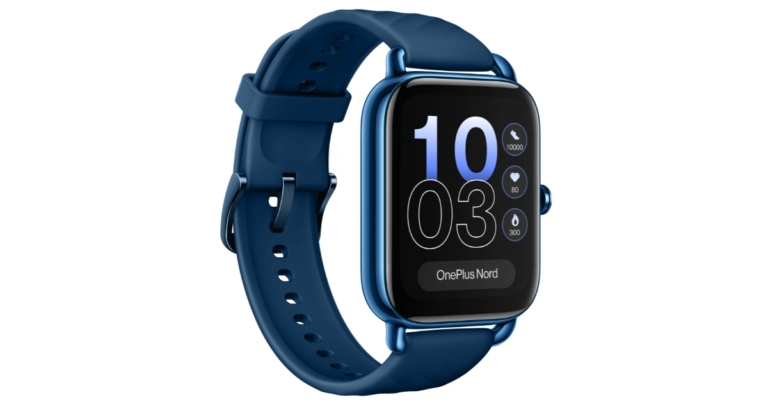
OnePlus Nord Watch debuts in India: Pricing and specs details

OnePlus has expanded its Nord’s wearable lineup with the launch of the OnePlus Nord Watch. After the first Watch from 2021, this is OnePlus’ second smartwatch and the first under its Nord lineup. Its AMOLED screen comes with a 60Hz refresh rate and a maximum brightness of 500 nits. The fitness tracker also comes with 105 different sports modes along with a menstrual cycle tracker. The company also claims that the smartwatch comes with 10 days of battery life.

OnePlus Nord Watch price in India, sale details

The cost of the OnePlus Nord Watch in India is set at Rs 4,999. It comes in Deep Blue and Midnight Black colour variants. The device will start selling on Amazon on October 4 at noon. Additionally, the smartwatch may be purchased from the OnePlus store, OnePlus Experience stores, and authorised OnePlus partner retailers. Additionally, the business has provided a Rs 500 discount on the OnePlus Nord Watch for Axis Bank debit and credit card purchases. Starting on October 4, holders of ICICI Bank credit cards can additionally benefit from a Rs 500 discount. OnePlus Nord Watch price in India, sale details

OnePlus Nord Watch specifications

The 1.78-inch HD AMOLED touchscreen display on the OnePlus Nord Watch has 368×448 pixels of resolution. It has a 60Hz refresh rate and a maximum brightness of 500 nits. The device runs on RTOS and is powered by an SF32LB555V4O6 chipset. The Nord Watch has 105 sports modes and can track walking and running automatically. It has a 3-axis accelerometer and supports heart rate and stress monitoring, as well as measuring SpO2 and sleep. The GPS functionality is embedded into the smartwatch. It has a nonlinear vibration motor installed. The smartwatch comes with a magnetic charging cord and a 230mAh battery. The device is said to provide a battery life of up to 10 days and a standby time of up to 30 days. With Bluetooth 5.2 connectivity, the OnePlus Nord Watch can be used with Android smartphones and iPhone models running iOS 11 and later, as well as Android 6 on Android devices. For the latest gadget and tech news, and gadget reviews, follow us on TwitterFacebook and Instagram. For newest tech & gadget videos subscribe to our YouTube Channel. You can also stay up to date using the Gadget Bridge Android App. You can find the latest car and bike news here.

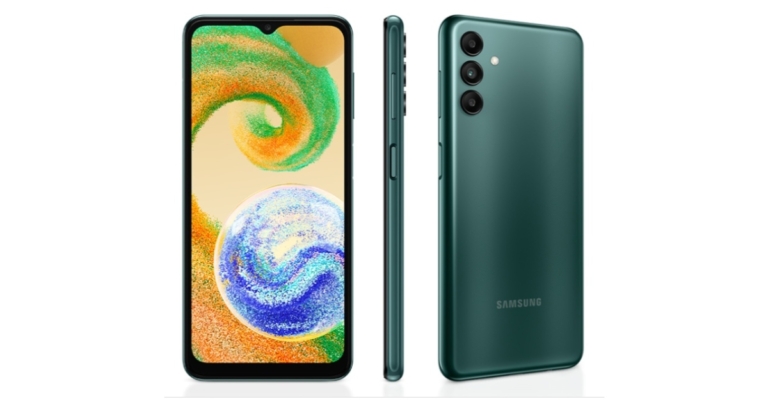
Samsung Galaxy A04s with 90Hz display and 5,000mAh battery launched in India

Samsung has expanded its budget smartphone range with the addition of a new smartphone in India. The company has introduced Samsung Galaxy A04s which is powered by Exynos 850 SoC. The device comes with a 90Hz display and RAM Plus function, which enables the utilisation of underutilised storage as memory. In addition to this, the phone is fueled by a 5,000mAh battery.

Samsung Galaxy A04s price in India, sale details

The single 4GB RAM with 64GB storage option of the Samsung Galaxy A04s is priced in India at Rs 13,499. It is offered for sale in the colours Black, Copper, and Green. The device can be purchased at a number of retail locations, on the Samsung website, and through reputable online retailers. Up to Rs 1,000 in cashback is available as part of the Samsung Galaxy A04s’ launch promotions when you use your SBI Bank credit card, One card, Slice card, or one of the main NBFC partners. Samsung Galaxy A04s price in India, sale details

Samsung Galaxy A04s specifications

Samsung Galaxy A04s has a 6.5-inch full-HD+ Infinity-V display. The screen supports a refresh rate of 90Hz and 20:9 aspect ratio. It runs Android 12 with One UI Core 4.1 on top. It has 4GB of RAM and an octa-core Exynos 850 SoC for power. With the Samsung RAM Plus function, which makes use of extra storage on the phone, the RAM may be increased to a maximum of 8GB. Standard internal storage for the Samsung Galaxy A04s is 64GB, and it can be expanded using a microSD card up to 1TB. A 50-megapixel primary sensor and an f/1.8 lens are housed in the triple rear camera arrangement of the Samsung Galaxy A04s, which also has two 2-megapixel depth and macro sensors and an f/2.4 lens. The smartphone sports a 5-megapixel selfie camera sensor with an f/2.2 lens up front for taking selfies and video calls. With a 5,000mAh battery that supports 15W fast charging. The Samsung A04s is said to offer up to two days of playback on a single charge. It works with both wired and wireless headphones to play Dolby Atmos audio. Four different types of connectivity are offered: 4G LTE, Wi-Fi 802.11ac, Bluetooth v5, and GPS/A-GPS. For validation, the phone also has a side-mounted fingerprint sensor. For the latest gadget and tech news, and gadget reviews, follow us on TwitterFacebook and Instagram. For newest tech & gadget videos subscribe to our YouTube Channel. You can also stay up to date using the Gadget Bridge Android App. You can find the latest car and bike news here.

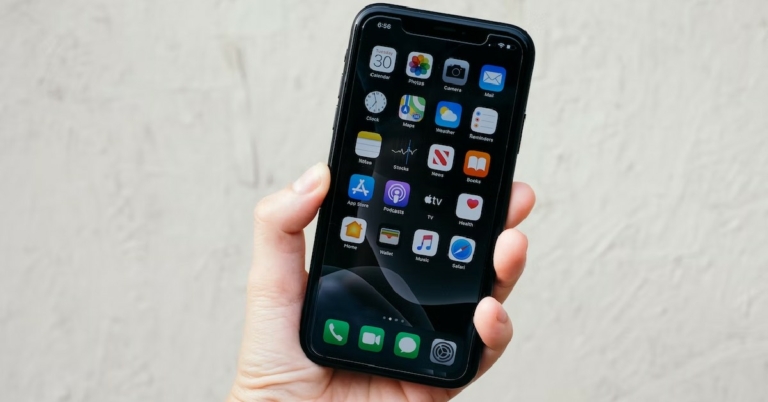
Best ways to close all the open apps on your iPhone at once?

0
Have you ever wondered why your iPhone does not have an option to close all background apps at once? Android users frequently use the ‘close all apps’ option from the App Manager window to free up some much-needed RAM. But there is no such option for Apple users. Is there a way you can close multiple or all background apps on an iPhone at once? Read along to find out. Read Also: How to Delete Contacts in Bulk From Android smartphone? (Full Guide 2022)

How to close all apps at once on iPhone 8 or below

How to close all apps at once on iPhone 8 or below iPhone 8 below have a dedicated home button that can be used to access the App Switcher. iPhone SE and SE 2 also come with a home button. Here’s how you can close all background apps on them. Step 1: Unlock your iPhone and double press the home button to access the App switcher. Step 2: Scroll through the app cards and swipe up on the one you want to close. Step 3: To close multiple apps at once, tap and swipe up using multiple fingers.  Since there is no option to clear all apps at once, this is the next best thing. If there are only a handful of apps running in the background, you can close them all at once using this technique. 

How to close all apps at once on iPhone X and above

How to close all apps at once on iPhone X and above Accessing the App Switcher on iPhones without a dedicated home button requires a different method. Here’s how you can go about it. Step 1: Unlock your iPhone and swipe up from the bottom of the screen to view the App Switcher. Step 2: Browse through the background and select the one your want to close. Simply swipe up on the app card in order to close it.  Step 3: If you want to close multiple apps at once, tap and swipe up using multiple fingers. You can close up to 5 background apps at once using this method.  If you only have a handful of apps running in the background, you can close them all at once using this technique. Your ability to close multiple apps also depends on the size of your iPhone’s display. Bigger phones like iPhone 14 Pro Max will allow you to access multiple apps in the App Switcher at once, compared to smaller phones like the iPhone mini and SE. Read Also: Logitech MX Master 3S Review: Delivers with every click!

Conclusion

This is how you can close all background apps at once on an iPhone. There is no option to close all apps at once. This is partially because Apple recommends you to not clear all the background apps at once. The background apps on your iPhone go dormant after a while and do not consume any additional power. But as soon as you reopen the app, they’re able to load quickly if they’re in the background. Contrary to the popular belief, multiple apps running in the background do not strain your iPhone’s battery.
For the latest gadget and tech news, and gadget reviews, follow us on TwitterFacebook and Instagram. For newest tech & gadget videos subscribe to our YouTube Channel. You can also stay up to date using the Gadget Bridge Android App. You can find the latest car and bike news here.

Moto G72 with 120Hz pOLED display and 576Hz touch sampling rate launched in India

Motorola today announced the brand-new Moto G72 in the Indian market. The smartphone comes with a 120Hz pOLED display and a 576Hz touch sampling rate. The device also features a triple 108-megapixel rear camera. In addition to this, the smartphone is powered by MediaTek G99 SoC and comes with a 5,000mAh battery.

Moto G72 price in India, sale details

The Moto G72 will be offered in Meteorite Grey and Polar Blue at an exclusive launch price of Rs 18,999, but with limited-time launch deals, it will actually cost just 14,999. The smartphone will be available for purchase on Flipkart starting at noon on October 12. Moto G72 price in India, sale details The company will also be offering Rs 3000 in additional exchange value and Rs 1000 in instant savings from selected banks Benefits totalling Rs 5,049 are included in the Reliance Jio offer, including Rs 4,000 in cashback on prepaid recharges, Rs 549 off an annual Zee5 membership, and Rs 500 in Myntra discount coupons.

Moto G72 specifications

The Moto G72 is highlighted with a 6.6-inch full-HD+ pOLED display with 1,080×2,400 pixels of resolution. A pOLED display comes with 10-bit technology for a billion colours and DCI-P3 colour gamut for a true-to-life, ultra-immersive experience. Additionally, the user experience is incredibly fluid because to the industry-leading 576Hz touch sampling rate and 120Hz refresh rate. The device operates on Android 12 with the My UX skinned on top. It has 6GB of RAM and a MediaTek Helio G99 SoC as its power source. The 128GB of built-in storage on the Moto G72 may be increased further using a hybrid microSD card slot. The Moto G72 has three back cameras including a 108-megapixel primary camera with an f/1.7 aperture lens. The smartphone also includes a 2-megapixel macro camera with an f/2.4 aperture lens and an 8-megapixel hybrid ultra-wide angle and depth camera with an f/2.2 aperture lens. For selfies and video calls, the Moto G72 has a 16-megapixel front-facing camera with an f/2.45 aperture lens. The device has 4G LTE, Wi-Fi, Bluetooth v5.1, GPS, and AGPS connectivity options. An accelerometer, proximity sensor, light sensor, compass, and an under-display fingerprint sensor for biometric authentication are among the sensors on board. The 5,000mAh battery in the Moto G72 supports 30W TurboPower quick charging. In addition to all of these capabilities, ThinkShieldTM for mobile offers business-grade protection. Along with 3 Carrier Aggregation, 2*2 MIMO, a customisable user interface (UI), user experience (UX), and trademark Moto motions, it also features an IP52 water-resistant build. For the latest gadget and tech news, and gadget reviews, follow us on TwitterFacebook and Instagram. For newest tech & gadget videos subscribe to our YouTube Channel. You can also stay up to date using the Gadget Bridge Android App. You can find the latest car and bike news here.

7 simple methods to find the IMEI number of your Android phone or tablet

An IMEI number is a 15-digit code that is unique to your device. IMEI stands for International Mobile Equipment Identity, and every smartphone has its own unique IMEI code. This number can be used to trace or block your smartphone in case it ever gets lost or stolen. This is why it is essential to know what the IMEI number of your mobile phone is. In this article, we show you 7 simple methods to find the IMEI number of your Android phone or tablet. Read Also: 7 Best solitaire apps for Android

Check your phone’s retail box or packaging

Check your smartphone’s retail box or packaging The easiest way to find out your Android phone’s IMEI number is by checking its retail box. Inspect the retail box and look for the sticker with the IMEI number printed on it. Usually, smartphone makers place the label inside the box, to ensure it is only visible to the buyer. The sticker may also be placed at the bottom of the box. It is advised to keep the retail box safe as long as you’re using the phone. In case you lose your phone you can always check the box for its IMEI code.

Check the bill

Check the bill The printed invoice or bill of your smartphone also contains its IMEI code. You will need to scan it closely as the invoice contains a lot of details regarding your phone. If you ordered your phone online, you can find the IMEI number at the bottom of the invoice, along with the phone details. 

Dial the USSD code on your Android phone to find its IMEI number

Dial the USSD code on your Android phone to find its IMEI number This is a universal way to find the IMEI number of any device. Lost your phone’s retail box and physical copy of the bill? Don’t worry, you can still find out its IMEI number. Simply go to your phone’s dialer and type *#06# on the keypad. A pop-up screen will appear, displaying both IMEI numbers (if your smartphone supports dual sim) and the serial number of your phone. This method works on every smartphone, no matter what the platform is. Once the pop-up window appears, take a screenshot of the information. Make sure you back up the screenshot to Google Drive or any other cloud service. Simply saving the screenshot on your phone will turn out to be futile in case your phone gets lost. You can even physically write down the IMEI number on a notepad and keep it someplace safe. 

Find out your Android phone or tablet’s IMEI number from Settings

Find out your Android phone or tablet’s IMEI number from Settings Another quick way of finding out your device’s IMEI number is by checking the phone details in the settings. Simply go to Settings and scroll down and select ‘About Phone’. This is where you will find the IMEI number of your smartphone along with other details like the Phone number, model name, model number, and serial number. If you explore further you can also find the IP address, MAC address, and other important information related to your device. 

Check the sticker on your phone’s back panel

A lot of smartphones come with a sticker fixed on their back panels. Most users generally peel off the sticker right away as it takes away from the look of the phone. However, it is advised to record the IMEI number on the sticker before you peel it off. You can also fix the sticker on the retail box after peeling it from your smartphone. Android phones with a removable battery have that sticker placed under the battery. This sticker also contains the Model number and the serial number of your device. 

Use Google’s Find my Device to check the IMEI number

Use Google’s Find my Device to check the IMEI number Lost your phone and can’t figure out how to find its IMEI code? This method will help. In order to use this method, you’ll need to make sure if Find my Device is enabled on your Android phone. In case you lose your phone, you simply need to log on to https://www.google.com/android/find and check the location of your device. Apart from finding out the location of your device, you can also see its IMEI number by clicking on the ‘i’ icon right next to the name of the device.

Check your phone’s SIM tray for the IMEI number

In a lot of smartphones, the IMEI number is printed on the SIM tray itself. Simply pull out the SIM tray using the SIM ejector pin and observe it closely for the IMEI number. Phones will dual sim feature will have two IMEI numbers printed on the SIM tray.   Read Also: Blaupunkt 55-inch Smart Google TV (55QD7020) Review: Super imagery with superb sound

Conclusion 

These are the simplest 7 methods to find out the IMEI number of your Android phone or tablet. Knowing your phone’s IMEI number is essential in tracking your phone or tablet in case it gets lost. You can check out our comprehensive guide on how to find your lost mobile using IMEI number here.
For the latest gadget and tech news, and gadget reviews, follow us on TwitterFacebook and Instagram. For newest tech & gadget videos subscribe to our YouTube Channel. You can also stay up to date using the Gadget Bridge Android App. You can find the latest car and bike news here.

Twitter users can now scroll vertically when in full-screen mode

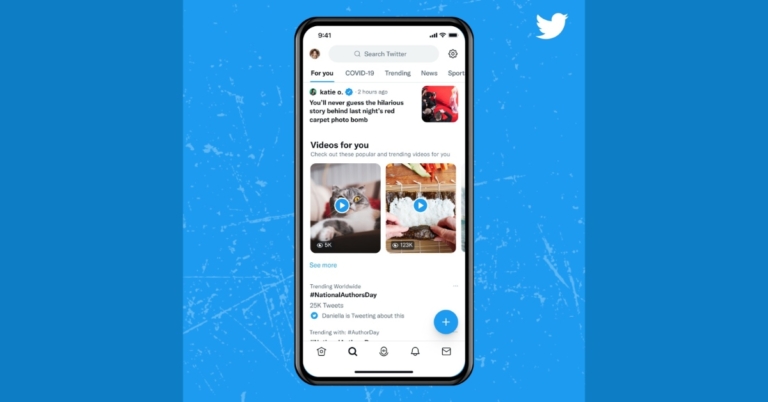
Twitter Users will be able to see videos that show in their feeds or tweets in full-screen mode thanks to a newly designed video viewing experience that the micro-blogging site has recently unveiled. This means users on Twitter can scroll vertically from the full-screen view. According to the company it has released the new feature for the users in order to access more video content. “To help make it easier to find and watch what’s happening, we’re rolling out two new updates to how you experience videos on Twitter starting today.” Twitter via blog post said. You can simply enjoy the complete, immersive viewing experience with Twitter’s redesigned immersive media viewer, which automatically expands videos to full screen with just one click. Simply tap or click on a video in the Twitter app to activate it.   Twitter users can now scroll vertically when in full-screen mode Twitter has also made it simpler to find videos once they’ve been launched in full-screen mode. To start seeing more interesting video material, simply scroll up. Click the back arrow in the top left corner to leave the viewer and return to the original Tweet. As per the company, its immersive media viewer will be available in the coming days to people using Twitter in English on iOS. Moreover, the firm has also changed the explore tab, adding a video carousel function and moving tweets of user interest under a “Videos for you” section. You may now quickly find additional videos you enjoy along with Tweets and Trends that could be of interest to you thanks to Twitter’s new video carousel. Simply click the Explore option to find some of the most widely shared videos on Twitter. People who use Twitter in English on iOS and Android in a few specific countries can currently see the video carousel. For the latest gadget and tech news, and gadget reviews, follow us on TwitterFacebook and Instagram. For newest tech & gadget videos subscribe to our YouTube Channel. You can also stay up to date using the Gadget Bridge Android App. You can find the latest car and bike news here.

How to get the most out of Samsung Galaxy Z Flip 4’s cover screen

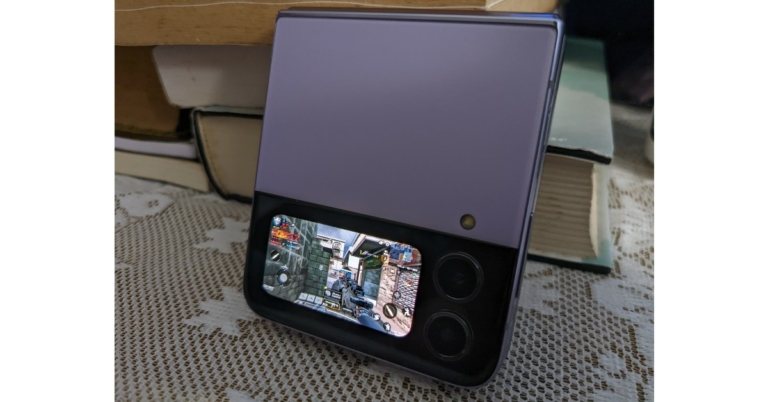
It’s been more than a month since the Samsung Galaxy Z Flip 4 launched in the market. We just played around with this smartphone recently. You can read our in-depth review of the foldable phone here. If you got your hands on the Samsung Galaxy Flip 4, you’re probably enthused about the 1.9-inch cover screen display. This compact display is a very convenient way to check your notifications, auto respond to messages, play songs, and do much more without opening up your phone. You can even take a picture from the rear cameras with the help of the cover screen display!  While the cover display is a handy little feature, it has its limitations. Unlike its peer Moto Razr, Galaxy Flip’s cover display doesn’t let you use apps or type out text messages. At best, you can pin some widgets like the alarm, weather, Spotify, and step count, but you can’t really access the app drawer. This may be a dealbreaker for some buyers. Luckily, with the CoverScreen OS app, you can unlock the full potential of your Samsung Galaxy Flip 4’s cover screen.  Read Also: Here’s how you can get Dynamic Island on your Android smartphone

Here’s how you can use the CoverScreen OS app to get the most out of your Samsung Galaxy Flip 4’s cover screen

Firstly, follow these steps to set up the CoverScreen OS app on your phone.  Step 1: Download and Install the CoverScreen OS app from Google Play Store. Step 2: Grant the required permissions (Appear on top, Accessibility Service, and Notification access). Grant the required permissions (Appear on top, Accessibility Service, and Notification access). coverscreen os Step 3: Go through what the basic swiping gestures can do. Now that you’ve set up the CoverScreen OS, fold your phone and double-tap the cover screen. When the display comes to life, a single tap on the stand-by screen will give you access to the app drawer. Now you can use any app on the cover screen display. You can even open WhatsApp and respond to messages.  Need to quickly watch a YouTube video? Now you can do it on the cover screen. Need to quickly watch a YouTube video? Now you can do it on the cover screen. But there’s more. You’re probably wondering how much you can push the boundaries of the cover display’s functionality. Well, with the CoverScreen OS app, you can even play games like Call of Duty, Asphalt, and Garena Free Fire Max on your Galaxy Flip’s cover display. Granted, the experience won’t be as enthralling, but it’s an amazing feat. While this is a great way to utilise your Flip’s cover screen, the app still has its limitations. Since the app is still in its beta phase, there are some minor hiccups in functionality. Most gestures register, and many apps are properly integrated with the display. One of the main reasons why some users like using the cover display is that it keeps them from using their phone all the time, but with the CoverScreen OS app, your cover display becomes the phone, which could easily bump up your screen time.  Read Also: Logitech MX Master 3S Review: Delivers with every click!

Conclusion

This is how you can get the most out of your Samsung Galaxy Flip 4’s cover screen. If you’ve ever wondered whether you can play games, watch videos, and send texts from your Galaxy Flip’s cover display, it is now possible with the CoverDisplay OS app.
For the latest gadget and tech news, and gadget reviews, follow us on TwitterFacebook and Instagram. For newest tech & gadget videos subscribe to our YouTube Channel. You can also stay up to date using the Gadget Bridge Android App. You can find the latest car and bike news here.

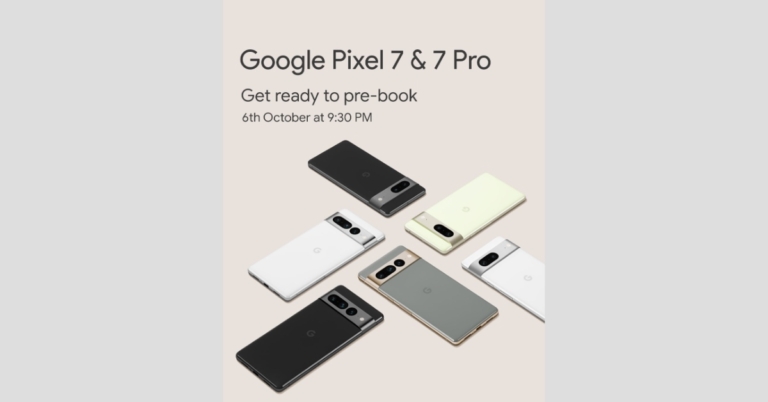
Google Pixel 7, Pixel 7 Pro pre-orders to open on October 6, available via Flipkart

Google has officially confirmed that pre-orders for its next flagship Pixel 7 series would open in India on October 6. It is the same day the firm would hold its “Made by Google” event to introduce the Pixel 7 and Pixel 7 Pro. The Pixel 7 series will arrive with the newest Google Tensor G2 SoC, which has already been verified. Google took to Twitter to announce that Flipkart will begin accepting pre-orders for the Pixel 7 and Pixel 7 Pro in India on October 6. The sale will begin at 9:30 PM on the same day the phone gets launched. The price and first selling date, however, are still unknown. To recall, Google Pixel 3 and Pixel 3XL were the last high-end smartphones to officially debut in India before these. Following the release of the Pixel 4a in the country a few years ago, the firm has since been introducing models in the A series. Most recently, the company unveiled the Pixel 6a. Google may price the Pixel 7 line of smartphones at roughly the same level as the Pixel 6 portfolio. These rumours have been confirmed by a stolen Amazon listing that showed a $599 basic Pixel 7 model that translates to Rs 50,000. If these rumours are accurate, the Pixel 7 Pro could cost as much as $899 which converts to Rs 75,000. Furthermore, the company has also teased that both its upcoming flagship phones will be available in Obsidian, Snow, and Hazel for the Pixel 7 Pro, and Lemongrass instead of Hazel for the Pixel 7. Along with the Nest range of smart home goods, the Pixel 7 and Pixel 7 Pro smartphones, the company will also debut the Google Pixel Watch. The Google Tensor G2 CPU will also be used to power the Pixel 7 series, which has already been confirmed. Additionally, these smartphones will come pre-installed with Android 13. According to the website, the new OS would give images, movies, security, and speech recognition personalised capabilities. Numerous publications have speculated that the base model Pixel 7 would have a 6.3-inch full-HD+ OLED screen with a refresh rate of 90Hz. The Pixel 7 Pro, however, is anticipated to include a 6.7-inch QHD+ OLED screen with a 120Hz refresh rate. Additionally, these devices might receive the Titan M security processor and up to 12GB of RAM. For the latest gadget and tech news, and gadget reviews, follow us on TwitterFacebook and Instagram. For newest tech & gadget videos subscribe to our YouTube Channel. You can also stay up to date using the Gadget Bridge Android App. You can find the latest car and bike news here.

Garena Free Fire Redeem Codes Today 3 October 2022: Here is how to claim them

Garena Free Fire is a battle royale game with regular awards and tournaments to keep players interested. If you play Garena Free Fire, you should be aware of the redeem codes that are released on a daily basis. However, because the battle royale game is banned in India, players from other countries can use the Free Fire Redeem codes daily. If you’re unfamiliar with the Garena Free Fire redeem codes or don’t know how to get them, we’ve put together a step-by-step guide to help you redeem them. Check out Garena Free Fire Redeem Codes for October 3. The Free Fire redeem codes are a great way to get free stuff. These are 12-digit codes that contain alphabets and numbers, as well as an expiration date and time. Because the Garena FF redeem codes cannot be used more than once, you should hurry to the redemption page to claim your free reward before someone else does. To get a free reward, all you have to do is go to reward.ff.garena.com/en, which is the official redemption page. Also, keep an eye on this space for daily updates on Garena Free Fire redemption codes and rewards.

Garena Free Fire Redeem Codes Today 3 October 2022

WHYGN3J29VZU ID9S3QJKAFHX JIMYLVT46V2Z ERTYHJNBVCDS F10IUJHGVCDSE F7UIJHBGFDFR FXCVBNMKDSXC FOKMJNBVCXSD EDXXDSZSSDFG HDFHDNBHNDJL VFGVJMCKDMHN NDJDFBGJFJFK FDRDSASERTYH FU816OUYTRDVB FHBVCDFQWERT FMKI88YTGFD8 KLLPDJHDDBJD FFTQT5IRMCNX FF7WSMOCN44Z FFA9UVHX4H7D FFAOES11YL2D FFX6OC2IIVYU

How to Get Free Fire Redeem Codes for Garena on October 3?

  • Visit the Garena Free Fire game’s official website at reward.ff.garena.com.
  • Use your Facebook, Google, VK, Apple ID, Huawei ID, or Twitter account to log in.
  • You’ll be taken to a valid redemption code (s)
  • Copy and paste the 12-digit redemption code into the text box.
  • On the screen, a dialogue box will appear.
  • ‘Ok’ should be selected.
For the latest gadget and tech news, and gadget reviews, follow us on TwitterFacebook and Instagram. For newest tech & gadget videos subscribe to our YouTube Channel. You can also stay up to date using the Gadget Bridge Android App. You can find the latest car and bike news here.

Amazon Quiz Answers Today 3 October 2022: Participate to win Rs 500

3 October 2022 Amazon Quiz has gone live on its platform. The quiz timings are 12 AM to 11:59 PM. The Amazon App users can participate in the quiz daily and all they have to do is submit correct answers to the questions asked on the e-commerce platform. Today’s participants can get a chance to win Rs 500 Amazon Pay Balance. Amazon brings a fresh questionnaire that contains 5 questions daily. These questions are based on current affairs and general knowledge. The quiz can be played from 8 AM to 11:59 PM and the contestants need to answer correctly to enter into a lucky draw. Only one person is declared as a winner and the results will be announced at the end of every month. And to make sure that you give correct answers to all the 5 questions Gadget Bridge everyday updates all the answers to the Amazon Quiz. Do check out 3 October 2022 Amazon Quiz Answers to win a Rs 500 Amazon pay Balance. Amazon Quiz Today Prize – Rs 500 Amazon Pay Balance Quiz Date – 3 October 2022 Daily Timing – 12 AM to 11:59 PM Winner Announcement – Today 12 PM

Amazon Quiz Answers Today 3 October 2022

Question 1: Which company launched the world’s first foldable PC – ThinkPad X1 Fold? Answer: Lenovo Question 2: Which state got its 2nd railway station after 100 years with the commissioning of a new facility at Shokhuvi? Answer: Nagaland Question 3: The 36th edition of the National Games of India took place in which state? Answer: Gujarat Question 4: Which early 18th century poet coined the name of this weight? Answer: Joseph Addison Question 5: What is the largest event for this sport in the world? Answer: Tour de France

How To Play Amazon Quiz

Only app users are eligible to play the Amazon quiz every morning from 12 AM to 11:59 PM. The quiz is not available on the desktop. For those who are unaware of how to play the Amazon quiz below are the steps, you can follow to take the quiz.
  • Firstly download the Amazon app from Google Play Store or App Store
  • Now fill in the required information through the Sign Up option.
  • You need to log in to the Amazon app and scroll down on the home screen to find the Amazon Quiz banner.
  • Tap on the Amazon Quiz banner and tap on the Start button to start the Quiz.
  • Now you will get 5 questions and you need to answer them correctly. One wrong answer will eliminate you from the Quiz.
  • After answering all the questions correctly you are now eligible for a Lucky Draw.
  • The winner’s name will be announced today at 12 PM.
For the latest gadget and tech news, and gadget reviews, follow us on TwitterFacebook and Instagram. For newest tech & gadget videos subscribe to our YouTube Channel. You can also stay up to date using the Gadget Bridge Android App. You can find the latest car and bike news here.

7 Best solitaire apps for Android

These days people get bored within a very short period. After doing work for the whole day or after studying for the whole day, people just want something to relax their minds. No doubt, games are the best solutions to relax someone’s mind. Card games are the best option in this regard. Everyone likes card games, no matter what their age is because these games are so interesting. If you guys are finding those apps where you can play card games or solitaire easily and amazingly, you are in the right place. Here are the best solitaire apps for your android.

Solitaire Bliss

2019 saw the release of Solitaire Bliss, which has since grown to rank among the top applications with a 4.7 rating from 26K users. With over 1 million downloads, it is clearly quite popular. What is ideal? Downloading it is cost-free. You did hear correctly. More than 28 different Solitaire variations are available to play for free. You have a wide range of alternatives when you dive into the realm of solitaire, including Klondike, Freecell, Pyramid, Tripeaks, Scorpion Solitaire, and many others. Solitaire bliss is one of those amazing apps where you can play card games on your android. If you have not downloaded this app yet, you should download it right now because of its multiple features. Some of its amazing features are here:
  • It provides a lot of hints and undo’s, which can help you while playing it.
  • Beautiful card designs and backgrounds are present in it which makes it more attractive.
  • It provides personal records and many languages.
  • Moreover, you can also play it without any internet connection.
You can also play this solitaire game on the browser, just by doing a login. Before playing, you have to look at the rules and instructions so you can play in a better way.

Triple Dot Solitaire:

The excellent brain training games that Triple dot studios are best known for making include a unique form of solitaire. You can download this app for free and play it easily. Triple dot Solitaire is a popular solitaire game, as seen by the app’s 4.8 /5 rating from 190K+ users and 10M+ downloads on Google Play. Its gorgeous graphics and incredible animations, which are a delight for the eyes and your aesthetics, are what make it so popular with people. Card and table customization, challenges on a daily basis to stay competitive, limitless undo and hint choices, classic and vegas scoring formats, and detailed player data are among its other unique features. With all of these options, you may play solitaire the way you want to and enjoy an interruption-free solitaire experience.

MobilityWare Solitaire:

MobilityWare Solitaire is one of the best apps to play solitaire card games. You should definitely download it to have a better experience of playing card games. Placing every card in the deck into the foundations in the right order and with the same suit is the main objective of the card game solitaire. Moving from ace to king, starting with the ace. This app has numerous features which make it the choice of so many people for playing solitaire. It has beautiful backgrounds and card styles. It gives you instructions while playing the game which is very helpful.

Flick Solitaire

Flick Solitaire is the ideal Solitaire app designed for fans like you if you enjoy art and the game of solitaire. The flick is distinct from other Solitaire apps, therefore you won’t find anything like it. Outstanding card and background designs in this game appeal to artists and art enthusiasts. The relaxing music effects enhance the utopia that the wonderful card designs create and offer an intuitive experience. By imagining the touch experience as if you were playing the game in the real world by flipping cards, the game has the ideal modern touch. It is available in a number of variations, including Pyramid, Spider, and Elevens Solitaire. It would be difficult to resist Flick Solitaire’s attraction once you started playing. So, try it at your own risk(wink!).

Microsoft solitaire collection

This app includes all Solitaire games from previous Windows versions. Microsoft has created the Microsoft Solitaire Collection software, which is a gold mine for fans of the card game. With more than 5 million downloads, this app’s straightforward gameplay and rules provide card players with the ideal dose of nostalgia. It transports you to the early days of Solitaire when everything was just begun. To compete with the new Solitaire apps created on contemporary lines, Microsoft has added new capabilities while maintaining the outdated look and feel. It offers five game types, daily challenges with prizes and badges, and several mood-appropriate themes. You can start the game from where you have left it. This is the best solitaire app for Android.

Green Felt

Green Felt,  which was created in 2005, has been entertaining lovers of Solitaire for almost 20 years, and it is still popular, with over 20,000 visitors every day. This is not surprising because this game includes many uncommon Solitaire variations that only a few other apps offer, such as Forty Thieves, Deal With It, Spider (Two Suit), Canfield, Maze, Flower Garden, and many more. In order to test your Solitaire skills, Green Felt has prepared everything for you. Its features are amazing. For example, you can pause the game and check high scores. If you don’t know how to play, don’t worry just read out the rules and you will be able to play it

Solitaired

With more than 500 variations, Solitaired is a treasure trove of the card game, including classic and challenging versions that dive deeply into the Solitaire universe. Solitaire is the version that loads the fastest and has a lot of features that make it popular. There is a lot in one app for you, including limitless undo choices, several difficulty settings, a save game option, and entertaining animations. You should definitely try this app to play solitaire.

Conclusion

If you were wondering, which solitaire app was best for Android? By reading this article, I hope you would have definitely found your answer. For the latest gadget and tech news, and gadget reviews, follow us on TwitterFacebook and Instagram. For newest tech & gadget videos subscribe to our YouTube Channel. You can also stay up to date using the Gadget Bridge Android App. You can find the latest car and bike news here.

5G services in India to release today: Everything you should know

Today on October 1, Prime Minister Narendra Modi is scheduled to introduce 5G telecom services in India. The release of the 5G services will take place today at the India Mobile Congress trade event. The three major Indian telecom companies, Reliance Jio, Vodafone Idea (Vi), and Airtel, will present their plans. Prime Minister Narendra Modi will introduce 5G telecom services in India today at the India Mobile Congress in New Delhi. It was revealed on Friday that Delhi’s Indira Gandhi International Airport has become the nation’s first airport to support 5G technology. Reliance Jio, Vodafone Idea (Vi), and Airtel, the three largest Indian telecom operators, will unveil their plans today; however, Vodafone Idea has not yet revealed its 5G plans. To recall, the four main bidders in the Indian 5G spectrum auction were Reliance Jio, Airtel, Vi, and Adani Group. During this auction, bids of Rs. 1.50 lakh crore were submitted to the Department of Telecom (DoT). Reliance Jio won the highest bid, bringing in almost Rs 1.5 lakh crore. Analysts believe Jio will have a major advantage over its rivals because it was the only applicant to obtain spectrum in the highly sought-after 700 Mhz bands. It will roll out Jio 5G in a number of key areas by Diwali in the approaching two months, including the megacities of Delhi, Mumbai, Kolkata, and Chennai. Then, each month, it plans to steadily increase the Jio 5G footprint. By December 2023, the business is anticipated to have a 5G network available over the entire country. Bharti Airtel and Nokia announced a collaboration to build a 5G radio access network (RAN). Bharti Airtel purchased spectrum valued at Rs. 43,084 crore in the recently concluded auction. In addition to Nokia, Bharti Airtel has contracts in place with Ericsson and Samsung for the rollout of its 5G network. The Sunil Mittal-led business has added 19,867.8 MHZ of spectrum in the 900 MHz, 1800 MHz, 2100 MHz, 3300 MHz, and 26 GHz bands to its spectrum holdings. The telecom company claims that if Airtel chooses multiple partners, it would be able to introduce 5G services with extremely high speeds, minimal latency, and significant data processing power. In India, 13 major cities: Delhi, Mumbai, Pune, Gurugram, Bengaluru, Ahmedabad, Chandigarh, Kolkata, Chennai, Lucknow and Gandhinagar and Jamnagar will be the main cities in India where the 5G rollout will first be implemented. The general consensus is that 5G will outperform 4G. To give you an idea of what to expect when 5G launches, if you currently receive 100Mbps on a 4G network, you will be able to access speeds of up to 1Gbps on a 5G network. You’ll be able to watch movies, music, and other content considerably more quickly and without any buffering. Additionally, there is the matter of cost. It’s possible that JIO and Airtel’s 5G plans may cost more than 4G ones. 5G will work well for you if you enjoy streaming music and watching a lot of video content on your devices. For the latest gadget and tech news, and gadget reviews, follow us on TwitterFacebook and Instagram. For newest tech & gadget videos subscribe to our YouTube Channel. You can also stay up to date using the Gadget Bridge Android App. You can find the latest car and bike news here.

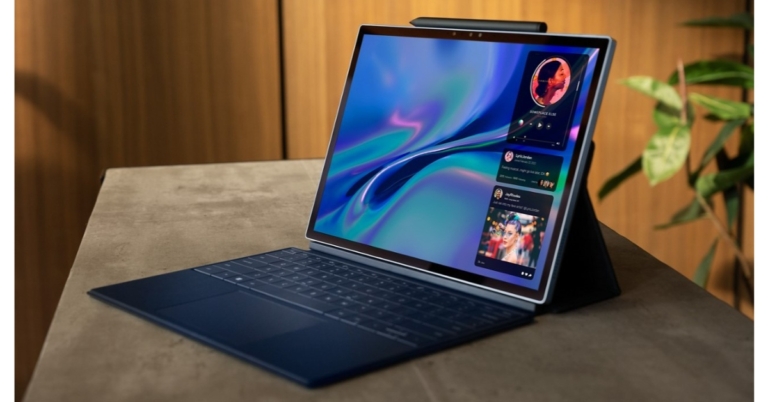
Dell XPS 13 2-in-1 laptop with magnetic XPS Folio case and a stylus launched in India

The new XPS 13 2-in-1 was announced by Dell Technologies. The device has a 13-inch ultra-thin detachable design with built-in WiFi and is powered by 12th Gen Intel Core Processors. Customers who purchase the new XPS 13 also get a keyboard case and a stylus. The Dell XPS 13 2-in-1 comes with a resolution 4K 11MP rear camera and a 1080p 5MP webcam.

Dell XPS 13 2-in-1 specifications

The new XPS 13 has been completely redesigned and comes with a magnetic XPS folio case, a pen, and a tablet form factor. It transforms the device into a full laptop with three angle adjustments (100°, 112.5°, and 125°) when it is attached. A huge keypad and a zero-lattice, edge-to-edge keyboard that is quick, effective, and smooth with each keystroke further improve the experience. The 13-inch IPS panel of the Dell XPS 13 2-in-1 has a 3K resolution and supports Eyesafe technology. A 4K 11 MP camera on the rear and a 1080p 5 MP camera on the front are both included in the XPS 13 2-in-1. You can choose between an Intel Core i5-1230U or a Core i7-1250U processor for the Dell XPS 13 2-in-1 notebook. 6GB of RAM and 1TB of PCIe NVMe SSD storage are combined with the CPUs. Also running on the 2-in-1 laptop is Windows 11. Dell XPS 13 2-in-1 specifications The new XPS 13 comes with a magnetic XPS Folio case, a stylus, and a tablet form factor. The folio for Dell’s new XPS tablet weighs only 560 grams, making it less than 3 pounds in weight. The XPS Stylus helps people express their creativity through a natural writing and inking experience thanks to its precise pressure sensitivity and tilt capability. A built-in Tile function on the XPS Stylus also helps ring, notify, and locate the pen on a map when misplaced, taking into account human tendencies. It also features a reversible pen, Bluetooth connectivity, two programmable buttons, and a versatile stylus that can be used by both right- and left-handed people. Dell XPS 13 2-in-1 price in India The XPS 13 2-in-1 is equipped with a 4K 11MP world-facing camera and a 1080p 5MP webcam to deliver the best possible visual experience. These cameras enable the user to do it all on a single multipurpose device, whether it’s a conference call, webchat with pals, content editing, or just documenting exceptional moments. The device is also covered by a Premium Support warranty that offers Accidental Damage Protection and Advanced Exchange.

Dell XPS 13 2-in-1 price in India

The starting price for the Dell XPS 13 2-in-1 laptop in India for the Intel Core i5 model is Rs 1,39,990. Whereas the price for the Core i7 model is Rs 1,64,990. Starting on September 29, 2022, customers can purchase the new XPS 13 2-in-1 on Dell.com and at a few DES (Dell Exclusive Stores). For the latest gadget and tech news, and gadget reviews, follow us on TwitterFacebook and Instagram. For newest tech & gadget videos subscribe to our YouTube Channel. You can also stay up to date using the Gadget Bridge Android App. You can find the latest car and bike news here.

How to Delete Contacts in Bulk From Android smartphone? (Full Guide 2022)

0
Even though adding and removing contacts on your smartphone is fairly easy, managing them can be quite a task. If you’ve been using your phone for a long time, it may have some contacts that are no longer available and some that you never even used once. Once you get down to managing your contact list, removing contacts manually can turn out to be a cumbersome task. In this article, we show you how to delete contacts in bulk from an Android smartphone.  Read Also: Fitbit Inspire 3, Versa 4, and Sense 2 now available in India

How to delete contacts one at a time on an Android smartphone

Step 1: Go to Contacts and select the contact you want to remove. On some smartphones, you will need to press the ‘i’ icon to access the full details of the contact. Step 1: Go to Contacts and select the contact you want to delete. On some smartphones, you will need to press the ‘i’ icon to access the full details of the contact. Step 2: Tap on ‘More’ and select ‘Delete’. Step 2: Tap on ‘More’ and select ‘Delete’. The contact will be deleted from your Android smartphone

Delete multiple contacts at once on an Android Smartphone

Step 1: Go to contacts and long press the contact you want to remove. A small tick will appear on the contact icon and you will be able to select multiple contacts. Step 1: Go to contacts and long press the contact you want to delete. A small tick will appear on the contact icon and you will be able to select multiple contacts. Step 2: Select the contacts you want to remove by pressing on them. Step 3: In order to select all contacts tap the ‘All’ option at the top right corner of the screen. Step 3: In order to select all contacts tap the ‘All’ option at the top right corner of the screen. Step 4: Select ‘Delete’ from the bottom menu. Step 4: Select ‘Delete’ from the bottom menu. The contacts you selected will be deleted from your Android smartphone. 

Bulk delete contacts from your Android smartphone

Most Android phones only allow you to remove singular or multiple contacts at once. While this is useful in most scenarios, it can turn into a long process when you’ve got hundreds of contacts to sort through. In order to bulk delete hundreds of contacts at once, you will need to use a third-party app like Easy Contacts Cleaner.  Step 1: Download and install the Easy Contacts Cleaner app from Google Play Store. Step 2: Give the app permission to access your contacts.  Step 3: Now you can sort through duplicate contacts, contacts with no name or phone, and unused contacts and easily delete them. Step 3: Now you can sort through duplicate contacts, contacts with no name or phone, and unused contacts and easily delete them. Step 4: To delete unused contacts simply click on the category and tap the ellipses to select all contacts. Then press delete. All your unused contacts will be deleted.  Step 4: To delete unused contacts simply click on the category and tap the ellipses to select all contacts. Then press delete. All your unused contacts will be deleted.  Step 5: You can also delete accounts based on the storage location and the apps they belong to. Simply click on ‘Accounts’ and delete the contacts you want. Step 5: You can also delete accounts based on the storage location and the apps they belong to. Simply click on ‘Accounts’ and delete the contacts you want. Read also: 4 Simple Methods To Remove or Replace any Image Background On Android

Conclusion and final words

This is how you can delete contacts in bulk on your Android smartphone. If you want to merge or remove duplicate contacts from your device, read our instructional guide here. Before removing contacts, it is a good idea to back them up to your Google Account. Deleted contacts can be easily restored once you’ve created a backup.
For the latest gadget and tech news, and gadget reviews, follow us on TwitterFacebook and Instagram. For newest tech & gadget videos subscribe to our YouTube Channel. You can also stay up to date using the Gadget Bridge Android App. You can find the latest car and bike news here.

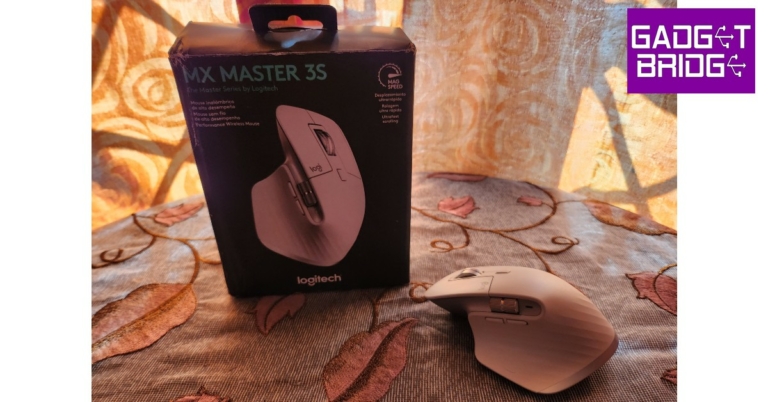
Logitech MX Master 3S Review: Delivers with every click!

Released in 2019, the Logitech MX Master 3 is regarded by many as the best productivity mouse on the market. When Logitech came out with the MX Master 3S we were left wondering how it could possibly improve on the already impeccable Master 3. Not to mention the hefty price tag that comes along with it. So, at Rs 10,995 is it worth a buy? Is it a big enough upgrade for MX Master 3 users to make the switch? When we got our hands on the Logitech MX Master 3S we were more than keen to find out. After using it for just over a week, we may have some answers for you. Read our Logitech MX Master 3S review to find out. Read Also: Blaupunkt 55-inch Smart Google TV (55QD7020) Review: Super imagery with superb sound Inside the box, the Logitech MX Master 3S comes with a mouse and a USB receiver. The packaging is minimal with no plastic covering inside the box, keeping things eco-friendly. Logitech claims it has a 25% reduction in packaging carbon footprint compared to the previous version and uses 100% FSC-certified paper in packaging. The mouse is made out of Post Consumer Recycled plastic, making it a more sustainable product than its predecessor. The design of the Logitech MX Master 3S remains unchanged from its previous avatar. It sports a clean, minimal look, and an ergonomic design that is carved out for maximum comfort. The bulky size of the mouse may make it challenging to use for people with smaller hands, but for people who often find regular mice too small to work with, this device will prove to be the perfect fit. Logitech MX Master 3S review: Design The ridge at the left side of the mouse acts as a cushion for the thumb and comes with a gesture control button. Along this side, you’ll also find the horizontal scroll wheel and back/forward buttons housed with an LED light. On top, you get your regular click buttons, the vertical scroll wheel, and a mode switch button. The power button, DPI sensor, and pairing/switch key are located at the bottom of the mouse. logitech All buttons are seamlessly integrated into the body of the mouse. There are no loose fittings on this mouse, which isn’t the case with other devices on the market. The rubber finish across the body provides a decent grip, and the curvy design allows for greater comfort and minimal weariness upon extended use.  A lot of attention has been paid to accessibility, with every button on the mouse easily reachable and serving a specified purpose. Our only minor issue is with the motion gesture button hidden under the thumb rest. While it comes in handy, we had to move our thumb in an unnatural position every time we wanted to use it.  Logitech MX Master 3S review: Design One of the more notable upgrades in the Logitech MX Master 3S is its ‘quiet click’ experience which may gather mixed responses from its users. The clicks on the MX Master 3S are 90% quieter than the previous version, making it more suitable for the workplace, but mechanical enthusiasts will certainly miss the satisfactory audible sound that came with every click. The tactile feedback on every button is still excellent. mouse There is, however, bad news for left-handed people. This device is in no way meant for ambidextrous use, and there are no left-handed options in the lineup. You will either have to switch to your right hand or look out for other left-handed products. Portability is also an issue, with the MX Master 3S, as the device weighs 141g and there is no section to store the USB receiver. If you often find yourself working on the go, you may want to consider some more portable options.

Logitech MX Master 3S review: Performance

When you’re following a device like MX Master 3, which is already regarded as the best in its class, you have your work cut out for you. We’re happy to report that the MX Master 3S puts up a performance that not only matches but exceeds its predecessor’s. A big chunk of credit for that goes to the updated 8,000 DPI sensor, which is double the one found on the previous version. Logitech MX Master 3S review: Performance You can adjust the DPI level from Logitech’s Options Plus software, as the mouse runs on 1000 DPI by default. A higher DPI setting comes in handy for multi-monitor setups and high-resolution displays. The idea is to cover the maximum area on the screen without moving the mouse too much.  One of the better parts about having a high DPI sensor is that the mouse can effectively track on any surface without a mousepad. We used it on wooden desks, glass table tops, plastic patio furniture, and even on beds. There was no drop in performance on any surface and the motions were smooth as silk. Connectivity was no issue for this device, as all you need to do is plug in the USB receiver to your PC, switch on the mouse and you’re good to go. With Bluetooth connectivity, you can use the Logitech MX Master 3S on 3 devices at once. Once you’ve connected to multiple devices, you can switch between them using the pairing key at the bottom or by enabling the Flow feature on the Logitech Options Plus software.  We preferred the latter option as it seamlessly switched the control from one device to another as soon as the pointer reached the edge of the display. Manually clicking the switch key at the bottom of the mouse can hinder the smooth experience. It would’ve been a lot better if the switch key was placed in a more accessible position.  Logitech MX Master 3S review: Performance Moving on, the scrolling experience on the Logitech MX Master 3S is an absolute delight. There are 2 scrolling modes that can be switched using the button on the top panel of the mouse. The standard Ratchet mode provides nice feedback with every line scroll. The Free Spin mode is something Excel users will use a lot. It can be activated using the switch button at the centre and turns the scroller into a frictionless wheel that you can flick effortlessly. Need to scroll down to the very bottom of your Spreadsheet? Now you can do it with just one flick of the scroll. It is that easy. Another helpful feature of the MX Master 3S is the side scroll wheel. It allows you to navigate sideways on your screen, something that Spreadsheet users will enjoy too. The two additional buttons on the left panel can switch back and forwards between windows and web pages.  The horizontal scroll and navigation buttons were particularly helpful while using the mouse on a tablet. Going through images and scrolling the app drawer became incredibly easy with the horizontal scroll, while the navigation buttons were helpful in going back and forward within an app without needing to use the pointer to hit the back button. The external buttons can also be customised to assign different functions for different apps using the Logitech Options Plus software. For instance, you can use the horizontal scroller to switch between tabs in a web browser and increase the brush size in Adobe Photoshop. The back/forward buttons can be used as undo/redo keys or customised to adjust the volume.  The Logitech MX Master 3S is designed while keeping your workstation in mind. Its functionality benefits people who need a device that can keep up with their creative needs, be it photo editing on PhotoShop or making a PowerPoint presentation. Even relatively boring tasks like managing a Spreadsheet become super easy and fun with the Master 3S. However, it is not a device you want to use during your gaming sessions. Its polling rate and click latency won’t cut it for serious gamers who are willing to spend on an expensive mouse. The Logitech MX Master 3S does not pretend to be a gaming mouse at all and caters to a different demographic altogether. Moving to the battery life, Logitech has equipped the MX Master 3S with a 500mAh battery that can last up to 70 days on a full charge. Since we only used it for just over a week, we can’t back up the claim, but the previous version comes with the same battery and lasts around that range under moderate use. Users can expect the MX Master 3S to achieve a similar result. Three minutes of charge powers the mouse for a full day of use, which is quite impressive. You can even use the mouse while charging. Read Also: Apple iPhone 14 Pro review: The Game Changer

Verdict

While we have only good things to say about the Logitech MX Master 3S, at Rs 10,995 is it a worthy buy? The answer is a resounding yes. The Master 3S will raise your benchmark for a typical mouse. The range of functionality offered by the Master 3S is unparalleled and it doesn’t come at the cost of practicality. However, if you are already using the Logitech MX Master 3, Rs 10,995 may be a bit steep for an upgrade. 

Pros

Can connect to three devices Superior scrolling experience Accessible buttons and enhanced functionality  Comfortable design that is easy on the palm

Cons

Not meant for left-handers Portability is an issue
For the latest gadget and tech news, and gadget reviews, follow us on TwitterFacebook and Instagram. For newest tech & gadget videos subscribe to our YouTube Channel. You can also stay up to date using the Gadget Bridge Android App. You can find the latest car and bike news here.

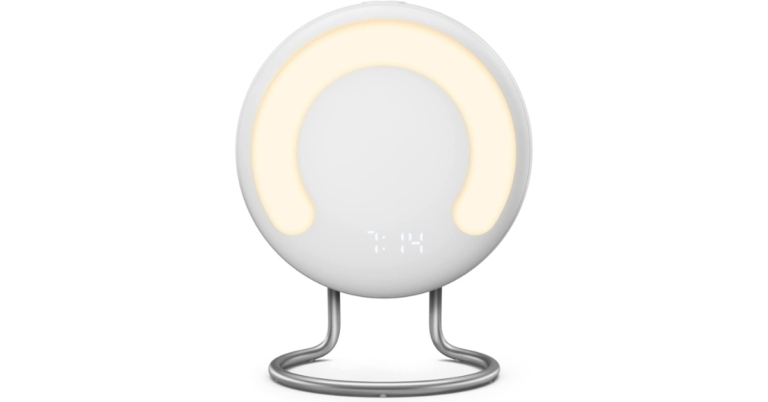
Amazon announced the launch of first-ever bedside sleep tracker Halo Rise

Halo Rise is a brand-new, multifunctional bedside tracker from Amazon designed to help you get better sleep. Utilising in-built sensor technology, Halo Rise quietly performs background processing to deliver extremely accurate insights and individualised sleep analysis. Halo Rise is a small, multipurpose design that fits on your nightstand. The gadget has a digital clock, a wake-up light made of a semicircle of strong 300 lux LEDs, a small alarm speaker, environmental sensors, and buttons to operate features. These options include dimming the light for reading, initiating a simulation of the sunset, and delaying your alarm. Halo Rise is also accredited as Climate Pledge Friendly since its packaging is 100% recyclable and its aluminium is 100% recycled. Halo Rise uses machine learning and contactless, low-energy sensor technology to precisely track your breathing and movement patterns throughout the night to track your various stages of sleep. The clinical gold standard for sleep analysis, overnight polysomnography, was used to develop and validate the sleep algorithm that is used. When you get into bed, Halo Rise uses potent ambient technology that is constantly on to begin your sleep session automatically without the need for buttons to be pressed or batteries to be charged. You’ll get a thorough sleep report when you wake up, which will include a graph indicating how much time you spent in each sleep phase (REM, light, and deep sleep), as well as a sleep score and details on your sleeping environment. Throughout the night, built-in environmental sensors monitor the temperature, humidity, and light levels in your room. It combines with the Amazon Halo app, which offers suggestions for improving the sleeping environment in the room based on scientific research. The smart alarm monitors your sleep cycles and wakes you at the perfect time for getting up, helping you to start the day feeling refreshed and alert. In the morning, a wake-up light simulates the colours and progressive brightening of sunrise to create a natural and peaceful wake experience. Halo Rise integrates with Alexa even better, making it simpler to review your sleep insights and customise your sleeping environment. Use a compatible Echo device to ask Alexa how you slept, connect Alexa to the Halo Rise smart alarm to wake up to your favourite music, or pair Halo Rise with another voice-activated smart lighting. Additionally, you may incorporate Halo Rise into a unique Alexa Routine. For instance, Alexa can start a calming meditation as soon as you walk into bed, dimmer the lights in the room, and turn off the TV. Additionally, you may ask Alexa to get your sleep data on the Echo Show, with the device’s display displaying the sleep report from the previous night. Customers in the United States will be able to purchase Halo Rise for $139.99. It includes a six-month membership to Halo, giving you access to even more features that promote your health and well-being. Later this year, Halo Rise will begin to be shipped. For the latest gadget and tech news, and gadget reviews, follow us on TwitterFacebook and Instagram. For newest tech & gadget videos subscribe to our YouTube Channel. You can also stay up to date using the Gadget Bridge Android App. You can find the latest car and bike news here.

Amazon introduces a new Kindle Scribe with a 10.2-inch display and pen

The new Kindle Scribe, which combines reading and writing, was unveiled by Amazon. The 10.2-inch, 300 pixels per inch (ppi), Paperwhite display on the Kindle Scribe is the first of its kind, and it also comes with a battery-free pen. The Kindle Scribe is designed for reading and taking notes in millions of books, annotating documents, journaling, and more. 

Kindle Scribe features

With a 10.2-inch, 300 ppi, glare-free display, an auto-adjusting front light, and a pen that never has to be charged, the 5.8 mm-thin Kindle Scribe is the perfect travel companion. A natural and comfortable experience is produced by the glare-free display’s engineering, which mimics the feel and flow of a pen on paper. In addition to offering plenty of space for reading and taking notes, the wide, high-resolution Paperwhite display also enhances the attractiveness of photographs, illustrations, and graphics and offers margins that are simple to modify. Kindle Scribe features You can choose between the Basic or Premium pen with Kindle Scribe. Both pens have a natural feel in your hand, give astounding precision, and magnetically attach to the side of the device. They also support various line widths, a highlighter tool, an eraser tool, and an undo tool, all of which are conveniently located in the writing menu that appears on the screen. The Premium Pen also has a dedicated eraser on top and a programmable shortcut button that, when pressed, turns the pen into an eraser, highlighter, or opens a new sticky note. Kindle’s new digital sticky notes With Scribe, you can add handwritten notes to millions of books with ease. Notes and highlights are automatically grouped together to keep the pages clear. Using a number of templates, such as to-do lists for keeping track of things and lined paper for taking meeting notes, you can also journal or take notes. Beginning in early 2023, all notebooks will also be available via the Kindle app in addition to being automatically stored and backed up to the cloud for free. You can load private documents from your computer or phone into Kindle Scribe and annotate PDF files directly using the Send-to-Kindle tool. In Microsoft Word documents, online articles, and other document formats with customizable font sizes and layouts, you can import and generate handwritten sticky notes. Beginning in early 2023, you will be able to send files directly from Microsoft Word to Kindle Scribe. Like every other Kindle currently on the market, the new Kindle Scribe enables you to customise your experience by changing the font size, widening the space between lines, or activating dark mode. Customers reading with larger font sizes will also see more text per page on the Kindle Scribe’s huge display, and they may enlarge objects like the text on the home screen and book icons by selecting the “large mode” preset. On Kindle devices, including Kindle Scribe, customers who read with assistive technology can use the VoiceView screen reader from Amazon. Customers can also read using Kindle mobile apps using screen readers that operate at the operating system (OS) level, such as TalkBack on Android or VoiceOver on iOS. On Kindle devices and apps, Kindle offers more than 12 million books that are compatible with screen readers.

Kindle Scribe Pricing and Availability

The price of Kindle Scribe will start at $339. The Kindle Scribe comes with a battery-free Basic Pen or Premium Pen, which has an eraser and a programmable shortcut button. It is available in Tungsten and has storage options of 16 GB, 32 GB, or 64 GB. There will be new leather, premium leather, and fabric coverings in a range of colours that can be folded to support the Kindle Scribe at various reading angles. For the latest gadget and tech news, and gadget reviews, follow us on TwitterFacebook and Instagram. For newest tech & gadget videos subscribe to our YouTube Channel. You can also stay up to date using the Gadget Bridge Android App. You can find the latest car and bike news here.

Blaupunkt 55-inch Smart Google TV (55QD7020) Review: Super imagery with superb sound

2
Blaupunkt has been making and producing TVs in India for half a decade now. The latest to enter the Indian market is Blaupunkt 55-inch Smart Google TV (55QD7020). We got our hands on this large screen thin tube to understand its ins and outs. This is the Blaupunkt 55-inch Smart Google TV Review, which you should read before making the buying decision.

Blaupunkt 55-inch Smart Google TV Review: Design

As always, let’s start with the design of the telly. Out of the box, you get a lot of things with the Blaupunkt 55-inch Smart Google TV. You get sturdy metal table feet, full-function IR remote control, batteries, a user guide, component ports adaptor and a wall mount as well. Setting it up is very easy and after screwing the table feet the TV is ready to play. With the supplied IR cum BT remote control, the Blaupunkt 55-inch Smart Google TV comes to life and you can easily connect it to Wi-Fi and enable it by connecting with a Google ID of yours. Up front you get a beautiful (almost) bezel-less 55-inch QLED 4K display. Why almost? Well, a thick silver border with Blaupunkt branding runs at the bottom. It is thick because it hides a 60W RMS speaker behind it. Smart-Google-TV-MUTE Right under that are the IR input, power button and a MIC on/off slider key. Since the TV has far-field microphone tech, you can use that to control the TV with your voice. More about it in the next section. Blaupunkt-55-inch-Smart-Google-TV-(55QD7020)-ports Spin it around and you will find within a depth of just 12.5 mm the company has put in three HDMI, two USB, Ethernet and RF ports, all side mounted. The remote has a lot of functionality as well and in no terms is it minimalistic. It has all the required buttons a TV should have including shortcuts for Netflix, Amazon Prime Video etc. A special function key is also there, which you can customize to an app of your choosing. remote Read Also: Apple iPhone 14 Pro review: The Game Changer

Blaupunkt 55-inch Smart TV Google Review: Performance

Now let’s talk about the performance of the Blaupunkt 55-inch Smart Google TV. But first, let’s quickly get some of the tech specs out of the way. The Blaupunkt 55-inch Smart Google TV has 16GB storage, 60W speakers, Android 11 for TVs, 16:9 aspect ratio and 60Hz refresh rate. The viewing angle of up to 178 degrees is supported. There are a lot of features to this smart TV, and we will try to cover as many as possible in this Blaupunkt 55-inch Smart Google TV review. Let’s start with the viewing experience. The large 55-inch 4K thin tube does justice to all genres of moving pictures. We played everything from cricket matches to YouTube Kids cartoons to Fast-paced action scenes from John Wick 3. All of them looked awesome on this television. The colours pop since the TV has Dolby Vision and users can easily switch profiles in the settings menu. Blaupunkt-settings Talking about which, the settings menu is very elaborate and you can customise just about everything from picture colours to the sound of this smart TV. The sound is tuned by Dolby Atmos and you do get a sense of virtual surround sound thanks to the extreme audio output. This TV is great for medium to large rooms and the sound or the video will not disappoint. The TV can be accessed with voice commands, but on our test, those worked only 7 out of 10 times, making us go back to the full-function handy smart remote you get with the Blaupunkt 55-inch Smart Google TV. The OS does perfect justice to this TV. Android 11 with Blaupunkt’s own skin on top is a dynamite duo. You get everything at your fingertips and browsing or opening multiple apps at once does not make it slow down too much. In case you find it slowing down, just reduce the number of opened apps or restart the TV, that will solve the problem (which is there with most Android TVs, these days with less than 2.5GB RAM) in a jiffy. Read Also: Blaupunkt 50-inch Smart LED TV with Soundbar Review To test it further we connected it with our PS5 and boy oh boy! this smart TV does justice to ultra-HD games. We loved every bit of it and the sound takes everything to the next level. Just remember to keep the Wi-Fi router within 30 meters of the TV for the best online experience, else connect it to an Ethernet internet cable. Blaupunkt-55-inch-Smart-Google-TV-(55QD7020)-1

Verdict

The price of the Blaupunkt 55-inch Smart Google TV is 41,999, but users can get an additional 10% off on select bank cards such as from ICICI bank. So is it worth buying? We do think so. At Under Rs 38,000, it is a very good deal for a 55-inch 4K TV that also enhances low frame rates using MEMC technology. The video colours are very nice, the sound is superb and you get a lot of functions you can customise. If you are in the market to buy a large screen smart telly, do look at Blaupunkt 55-inch Smart Google TV to buy. The same TV is also available in 50-inch (Rs 35,999) and 65-inch (Rs 60,999) variations too.

Blaupunkt 55-inch Smart Google TV Pros

QLED 4K Display Superb Sound Great features

Blaupunkt 55-inch Smart Google TV Cons

Voice commands access could have been better For the latest gadget and tech news, and gadget reviews, follow us on TwitterFacebook and Instagram. For newest tech & gadget videos subscribe to our YouTube Channel. You can also stay up to date using the Gadget Bridge Android App. You can find the latest car and bike news here.

Fitbit Inspire 3, Versa 4, and Sense 2 now available in India

Google-owned Fitness tracker maker Fitbit has announced the launch of new health and fitness tracking devices in India. The Inspire 3, Versa 4, and Sense 2 are the newest Fitbit wearables that integrate Fitbit’s health and wellness functions with the intelligence of Google. You don’t need to charge them every day; they can use it all day and night. It also comes with resting heart rate, oxygen saturation (SpO2), sleep patterns, and the body’s responses to stressors. Fitbit has announced the availability of Fitbit Inspire 3, Versa 4, and Sense 2 in India. These devices are accessible through a few partners (both offline and online) such as Amazon.

Fitbit Inspire 3

With a battery life of 10 days, the Inspire 3 tracker makes keeping track of your health enjoyable and simple. This activity tracker has an automatic workout detection feature and can save motion data for up to seven days. It’s a fantastic entry-level gadget with a vibrant colour display that can monitor crucial data at our most affordable pricing. For INR 8,999, which applies to both new and returning users, Inspire 3 is offered, it also comes with a six-month Premium subscription. Additionally, it is water-resistant for up to 50 metres, making it appropriate for swimming. The SpO2 blood oxygen sensor, ambient light sensor, and optical heart rate monitor are all included with the Inspire 3.

Fitbit Versa 4

Versa 4 is a fitness-focused smartwatch that includes over 40 exercise modes, real-time statistics, integrated GPS and Active Zone Minutes, plus Premium features like Daily Readiness Score to help you reach your activity goals. All of these features have 6-day battery life in a slimmer and lighter design. Versa 4 costs INR 20,499 and comes with a Premium membership good for six months for both new and returning users.

Fitbit Sense 2

With a battery life of more than six days and sensors that can detect symptoms of atrial fibrillation using our ECG app and PPG algorithm (both FDA cleared and CE registered), heart rate variability, skin temperature, and more, Sense 2 is the company’s most advanced health-focused wristwatch. Moreover, it contains a brand-new Body Response sensor, which uses cEDA to reduce stress throughout the day. The price of Sense 2 for new and returning users is INR 24,999, which also includes a six-month Premium subscription. For the latest gadget and tech news, and gadget reviews, follow us on TwitterFacebook and Instagram. For newest tech & gadget videos subscribe to our YouTube Channel. You can also stay up to date using the Gadget Bridge Android App. You can find the latest car and bike news here.

Garena Free Fire Redeem Codes Today 30 September 2022: Here is how to claim them

Garena Free Fire is a battle royale game with regular awards and tournaments to keep players interested. If you play Garena Free Fire, you should be aware of the redeem codes that are released on a daily basis. However, because the battle royale game is banned in India, players from other countries can use the Free Fire Redeem codes daily. If you’re unfamiliar with the Garena Free Fire redeem codes or don’t know how to get them, we’ve put together a step-by-step guide to help you redeem them. Check out Garena Free Fire Redeem Codes for September 30. The Free Fire redeem codes are a great way to get free stuff. These are 12-digit codes that contain alphabets and numbers, as well as an expiration date and time. Because the Garena FF redeem codes cannot be used more than once, you should hurry to the redemption page to claim your free reward before someone else does. To get a free reward, all you have to do is go to reward.ff.garena.com/en, which is the official redemption page. Also, keep an eye on this space for daily updates on Garena Free Fire redemption codes and rewards.

Garena Free Fire Redeem Codes Today 30 September 2022

Updating Soon….

How to Get Free Fire Redeem Codes for Garena on September 30?

  • Visit the Garena Free Fire game’s official website at reward.ff.garena.com.
  • Use your Facebook, Google, VK, Apple ID, Huawei ID, or Twitter account to log in.
  • You’ll be taken to a valid redemption code (s)
  • Copy and paste the 12-digit redemption code into the text box.
  • On the screen, a dialogue box will appear.
  • ‘Ok’ should be selected.
For the latest gadget and tech news, and gadget reviews, follow us on TwitterFacebook and Instagram. For newest tech & gadget videos subscribe to our YouTube Channel. You can also stay up to date using the Gadget Bridge Android App. You can find the latest car and bike news here.

Amazon Quiz Answers Today 30 September 2022: Participate to win Rs 1,250

The popular Amazon Quiz is now live on the Amazon app. The 30 September 2022 Amazon Quiz gives you a chance to win Rs 1,250 Amazon Pay Balance by answering all the questions correctly. The quiz can be played every day from 12 AM to 11:59. Only app users are eligible to participate in the Quiz as it is not accessible on the web platform. The Amazon Quiz brings a fresh set of questions for its customers that contains five easy questions. The questionnaire consists of five questions related to general knowledge and current affairs. The participants need to answer all the questions correctly and their names will be selected for a lucky draw. The daily quiz brings an opportunity for the customers to win exciting prizes. They can win Amazon Pay Balance ranging from Rs 1,000 to Rs 50,000. The participants need to answer all the questions correctly and their names will be selected for a lucky draw. The winner will be announced at the end of the month. Check Out 30 September 2022 Amazon Quiz Answers. Amazon Quiz Today Prize – Rs 1,250 Amazon Pay Balance Quiz Date – 30 September 2022 Daily Timing – 12 AM to 11:59 PM Winner Announcement – Today 12 PM

Amazon Quiz Answers Today 30 September 2022

Question 1: Which country plans to build NEOM – a futuristic, sustainable city with 170 km glass walls? Answer: Saudi Arabia Question 2: Virat Kohli became overall 2nd cricketer to play 100 matches in all 3 formats of the game. Who is the other person? Answer: Ross Taylor Question 3: What was built in India under Project-71 that started in 2005? Answer: IAC Vikrant Question 4: Which continent have these animals never been native to? Answer: Australia Question 5: Which squirrel breed is considered the main cause of the fall in the population of this breed? Answer: Eastern Grey Squirrel

How To Play Amazon Quiz

Only app users are eligible to play the Amazon quiz every morning from 12 AM to 11:59 PM. The quiz is not available on the desktop. For those who are unaware of how to play the Amazon quiz below are the steps, you can follow to take the quiz.
  • Firstly download the Amazon app from Google Play Store or App Store
  • Now fill in the required information through the Sign Up option.
  • You need to log in to the Amazon app and scroll down on the home screen to find the Amazon Quiz banner.
  • Tap on the Amazon Quiz banner and tap on the Start button to start the Quiz.
  • Now you will get 5 questions and you need to answer them correctly. One wrong answer will eliminate you from the Quiz.
  • After answering all the questions correctly you are now eligible for a Lucky Draw.
  • The winner’s name will be announced today at 12 PM.
For the latest gadget and tech news, and gadget reviews, follow us on TwitterFacebook and Instagram. For newest tech & gadget videos subscribe to our YouTube Channel. You can also stay up to date using the Gadget Bridge Android App. You can find the latest car and bike news here.