

Sony India announces exciting festive offers on new range of Bravia televisions

During an exclusive Diwali sale, Sony India will provide significant savings on a variety of products including Bravia televisions, home theatre systems, soundbars, cameras, lenses, and personal audio equipment, Sony India offers some of the greatest and most cutting-edge products. Sony has therefore introduced alluring holiday deals and convenient financing options to ensure that this Diwali is prosperous.
In addition to a rebate of up to Rs 25,000, Sony India has announced a discount of up to 30% off the MRP. Sony is allowing customers to upgrade their viewing experience to the new range of BRAVIA televisions with XR Cognitive Processor, Google TV, Dolby Vision, Dolby Atmos, and BRAVIA CORE by providing one free EMI and with EMI schemes starting from Rs 1,024/-. Sony is doing this with the intention of making purchasing products as simple as possible. Three years of comprehensive warranty are also offered as part of the holiday deal on a variety of BRAVIA televisions.
Customers can now create a theatre-like setup in the comfort of their homes by taking advantage of a massive discount of up to Rs 54,990/- off on the purchase of premium soundbars such as the HT-A7000 and HT-A9 with rear speakers and BRAVIA 108cm (43) and above televisions thanks to the festive offeRs Additionally, consumers who buy the HT-S40R and HT-S20R, respectively, can save up to Rs 10,000 and Rs 8,000.
When purchasing a few full frame cameras, you can get headphones worth Rs 14,990 and a Pro-Style camera backpack worth Rs On selected lenses, take advantage of a special discount of up to Rs 41,000. This offer is applicable when you buy Alpha7SIII and Alpha7C.
A variety of earbuds and headphones, including the WH-1000XM5, WF-L900, WF-C500, WF-XB700, and WH-XB910N may be purchased with simple EMI plans. Customers may pre-order recently released audio products like the WF-L900 at a special price of Rs 12,990 and the WF-C500 at Rs 3,499, as well as industry noise-cancelling headphones WH-1000XM5 at a best buy price of Rs 26,990. Other well-known headphone models, including the WF-XB700, WH-1000XM4, and WH-XB910N, are being offered at a reduced price of Rs 19,990, Rs 5,990, and Rs 12,990, respectively. Customers can now purchase a choice of reasonably priced wireless headphones beginning at Rs 1,399/-.
Select wireless Bluetooth speakers are now available to customers at a discounted price. The SRS-XG300 costs Rs 27,990/-, the SRS-XE300 Rs 17,990/-, the SRS-XE200 Rs 12,990/-, and the SRS-XB13 Rs 3,299/. Music fans who purchase the SRS-XG500 X-series speaker can receive a discount of up to Rs 13,000 on the MRP.
For the latest gadget and tech news, and gadget reviews, follow us on Twitter, Facebook and Instagram. For newest tech & gadget videos subscribe to our YouTube Channel. You can also stay up to date using the Gadget Bridge Android App. You can find the latest car and bike news here.
How to find the model number and name of your mobile phone? Android and iOS

While you must be aware of the smartphone model you are using, the model name and model number are two different things. The model name is the name with which the smartphone is marketed to the audience. The model number is a longer alphanumeric string which may contain the model name as well. Knowing the model number of your smartphone is important when you’re trying to buy spare parts or going to resell the phone to another buyer. In this article, we show you how to find the model number and name of your Android or iOS smartphone.
Read Also: Amazing technology that is changing entertainment
 Step 3: The model name, model number, and the serial number of your smartphone will be displayed.
Step 4: In some smartphones, you may have to open ‘Regulatory Information’ in the ‘About Phone’ section to view the model number.
Step 3: Select ‘About’. Your iPhone’s model name, model number, and serial number will be displayed.
Step 3: The model name, model number, and the serial number of your smartphone will be displayed.
Step 4: In some smartphones, you may have to open ‘Regulatory Information’ in the ‘About Phone’ section to view the model number.
Step 3: Select ‘About’. Your iPhone’s model name, model number, and serial number will be displayed.
In This Article
How to find the model number of your Android phone
Step 1: Go to Settings. Step 2: Select ‘About Phone’. Step 3: The model name, model number, and the serial number of your smartphone will be displayed.
 Step 4: In some smartphones, you may have to open ‘Regulatory Information’ in the ‘About Phone’ section to view the model number.
How to find the model number of your iPhone (iOS)
Step 1: Go to Settings. Step 2: Select ‘General’. Step 3: Select ‘About’. Your iPhone’s model name, model number, and serial number will be displayed.
Other ways to find out the model number
You can also find out the model number of your device, be it Android or iOS, simply by checking the retail box it came in. The information sticker on the retail box contains all details ranging from the IMEI number to the model number of the device. In smartphones with a removable battery, you can find the model number and IMEI number printed on the panel beneath the battery.Difference between a model number and a serial number
While looking for the model number of your device, you may have come across the ‘serial number’. The serial number is typically a more complicated alphanumeric string than the model number. While the model number is the same for every device of the particular model, a serial number is a unique code that is assigned to every unit. For example, all Samsung Galaxy M31s have the same model number (SM-M315F/DS) but every individual Samsung M31 unit will have a unique serial number. The IMEI number is also a unique code assigned to every individual phone, but it is used by telecommunication companies to identify the receiver phone. Read Also: 5 Best Tools To Download Videos From Any WebsiteConclusion
This is how you can find the model number and name of an Android or iOS smartphone. Knowing the model number of your smartphone can come in handy when you’re looking for components or firmware online. It is also generally a good idea to have a greater understanding of the phone you’re using.
For the latest gadget and tech news, and gadget reviews, follow us on Twitter, Facebook and Instagram. For newest tech & gadget videos subscribe to our YouTube Channel. You can also stay up to date using the Gadget Bridge Android App. You can find the latest car and bike news here.
Moto E32 with 90Hz IPS LCD display launched in India
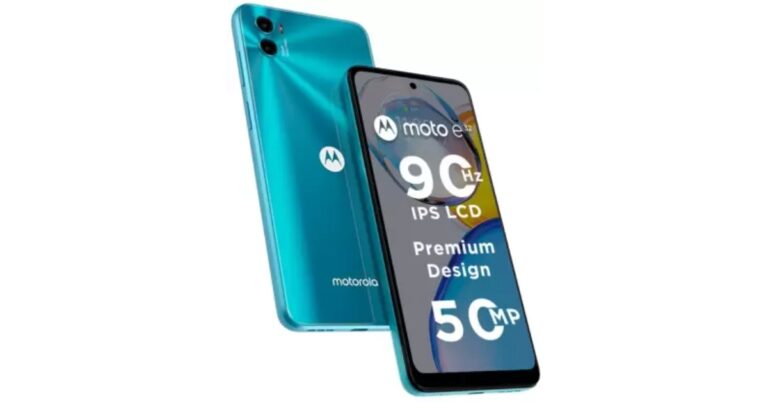
Motorola today announced the launch of a new budget smartphone Moto E32 in the Indian market. The device is powered by MediaTek Helio G37 SoC and packs a 5,000mAh battery. Moreover the phone features a dual rear camera and a 90Hz display.
In This Article
Moto E32 price in India, sale details
Moto E32 price in India has been set at Rs 10,499 for the 4GB RAM with 64GB of internal storage model. The device will be offered in Cosmic Black and Iceberg Blue colour options. The smartphone can be purchased via Flipkart and leading retail stores from today onwards. HDFC Bank users can receive a 10% discount on this purchase up to Rs. 1,000. Reliance Jio offers benefits totaling Rs. 2,549, which include Rs. 2000 in cashback on recharges and Rs. 549 off an annual Zee5 membership. Additionally, customers can benefit from various bank and no-cost EMI programmes.Moto E32 specifications
The 6.5-inch IPS LCD full-HD+ screen on the Moto E32 has a 720×1,600 pixels of resolution. Its display supports a refresh rate of 90Hz and a 20:9 aspect ratio. The 90Hz refresh rate can automatically adjust to 60Hz depending on the type of content you are watching. The budget smartphone operates on My UX skin and is displayed on top of Android 12. Additionally, Motorola has pledged two years’ worth of OS upgrades and monthly security updates. It is driven by a 64GB internal storage, 4GB RAM, and an octa-core MediaTek Helio G37 SoC with PowerVR GE8320 GPU. It has a dedicated microSD card slot and is a dual-SIM (Nano) 4G smartphone with up to 1TB. The Moto E32 includes a side-mounted fingerprint sensor and face unlock technology. A 50-megapixel primary camera with an f/1.8 aperture and a 2-megapixel depth sensor with an f/2.4 aperture are both included in the Moto E32’s dual rear camera. An 8-megapixel front-facing camera with an f/2.0 aperture is also included. Additional camera software features, such as Night Vision, Pro mode, and Dual Capture, are also available for you to capture images in your own unique way. Along with Bluetooth v5.0 wireless connectivity, the Moto E32 provides dual-band Wi-Fi support for 2.4GHz and 5GHz frequencies. A 3.5mm headphone connector and a USB Type-C port are also present. In addition to this the handset comes with IP52 water repellent design. For the latest gadget and tech news, and gadget reviews, follow us on Twitter, Facebook and Instagram. For newest tech & gadget videos subscribe to our YouTube Channel. You can also stay up to date using the Gadget Bridge Android App. You can find the latest car and bike news here.7 easy methods to find the IMEI number on your iPhone or iPad
Like every other mobile device, iPhone also comes with a unique IMEI number. IMEI stands for International Mobile Equipment Identity and comes in useful in a range of scenarios. If your mobile phone ever gets lost or stolen, you can track it using the IMEI number. You can read more about it in our guide here. iPhone users need to be aware of the IMEI number while switching between network carriers. In this article, we bring you 7 easy methods to find the IMEI number on your iPhone or iPad.
Read Also: Nothing Ear Stick True Wireless Earphones India launch and worldwide set for October 26
This is the universal method to find the IMEI code of any mobile phone, regardless of the platform. Simply dial *#06# on your iPhone’s dialer, and a pop-up window will appear displaying both the IMEI codes. Take a screenshot and back it up on iCloud in case you lose your phone and need the IMEI number to trace it.
Another quick way of finding out your iPhone’s IMEI number is by checking the device settings. Go to Settings and select General. Tap on ‘About’ and scroll down to find the IMEI number. You will be able to spot it under the ‘Primary’ section. You will also find Network details, Carrier details, and Certificate Trust Settings here.
In This Article
Dial the USSD code
 This is the universal method to find the IMEI code of any mobile phone, regardless of the platform. Simply dial *#06# on your iPhone’s dialer, and a pop-up window will appear displaying both the IMEI codes. Take a screenshot and back it up on iCloud in case you lose your phone and need the IMEI number to trace it.
Find the IMEI number using your iPhone’s settings
 Another quick way of finding out your iPhone’s IMEI number is by checking the device settings. Go to Settings and select General. Tap on ‘About’ and scroll down to find the IMEI number. You will be able to spot it under the ‘Primary’ section. You will also find Network details, Carrier details, and Certificate Trust Settings here.
Find the IMEI number on the SIM tray
If you haven’t made the switch to iPhone 14 yet, you can easily find the IMEI number of your device by popping out the SIM tray. All iPhones after the iPhone 6s have the IMEI number printed on the SIM tray. Apple recently made the switch to e-SIMs, so this method won’t apply to iPhone 14.Use the Finder app on Mac to view your iPhone’s IMEI number
Connect your iPhone to a Mac using a Lightning to USB cable. Open the Finder app and click on your iPhone on the left side menu. Go to the General tab and click under the device name several times to reveal the IMEI number. This method comes in handy if your iPhone is locked or if you use an e-SIM exclusively.Find your iPhone’s IMEI number using iTunes
While the Finder app is exclusive to Mac, iTunes runs on PC as well. This is the only way you can find your iPhone’s IMEI number using a PC. Connect your iPhone to the PC using the Lightning to USB cable and open iTunes. Click on the iPhone icon on the top left side and select ‘Summary’. Click on ‘Phone number’ on the right panel to view the IMEI number.Find the IMEI number on the phone’s packaging
If you still own your iPhone or iPad’s retail box, you can easily find the IMEI number there. Inspect the box for the sticker that contains the model number. You will find the IMEI code printed there. Sometimes the sticker is placed inside the box to ensure it is only visible to the buyer.Use the Apple ID website
This is the best way to find your iPhone’s IMEI number if you don’t have your device on you. Go to the Apple ID website and sign in using your Apple ID. If your device is still connected to your iCloud account, you will be able to view its IMEI number. Go to the devices page and select your iPhone. Scroll down and you will be able to view the IMEI number. Read Also: What Do the Android Status Bar Symbols Mean? A full guideConclusion
These are the best 7 ways to find the IMEI number of your iPhone or iPad. If you lost your device or if it doesn’t have a SIM tray, one of these methods will surely work for you. You can also try looking for the IMEI number on the bill or invoice. Some iPhones (iPhone 5, 5c, 5s, 6, 6 Plus) have the IMEI number printed on the back panel.
For the latest gadget and tech news, and gadget reviews, follow us on Twitter, Facebook and Instagram. For newest tech & gadget videos subscribe to our YouTube Channel. You can also stay up to date using the Gadget Bridge Android App. You can find the latest car and bike news here.
What Is a Water-Cooled Computer and Should You Buy or Build One?

Ensuring that your PC does not overheat is pivotal in maintaining its longevity and keeps the integral components free from the risk of permanent damage. Most computers come with multiple fans integrated within the cabinet and it is generally advised to place your PC in an area which is well-ventilated. Even though internal fans do a decent job of cooling down a PC, the processor still heats up while carrying out heavy tasks. A water-cooled PC is a great solution to this problem. Using water as a coolant, a water-cooled computer is able to dissipate a greater amount of heat fairly quickly and makes sure your PC can handle even the most rigorous tasks with relative ease. In this article, we explain what a water-cooled computer is, how it works, and whether you should build one.
Read Also: Amazing technology that is changing entertainment
A water-cooled computer or PC replaces the internal fans in a traditional PC with cooling pipes that use water to bring down the internal temperature of the computer. Water has a higher specific heat capacity than air, which means it is able to absorb a greater amount of heat.
A water-cooled computer works similar to the cooling system within a car. Water runs through the cooling pipes across the components, absorbing heat along the way. The conduction of heat in a water-cooled PC takes place through water blocks made out of aluminium or copper. Much like a car, a water-cooled PC requires a liquid cooling pump to move the water within the cooling tubes. After that, the heated-up water ends up in a radiator where it is allowed to cool off before being pumped back in, forming a loop.
While water-cooled computers are efficient in handling the high internal temperatures of a PC, they are also very appealing visually. The water blocks make a great sight, and the whole process looks amazing. Unsurprisingly, water-cooled computers take a lot of time, money, and effort to assemble. So, is it worth building?
If you’re a casual to moderate PC user and do not demand an exorbitant level of performance from your PC, a water-cooled computer is not for you. Most air-cooled PCs do a decent job of cooling down the core components. If your computer is placed in a well-ventilated area, then you’re probably not going to face any major issues with overheating.
However, if you’re someone that puts their PC to the task by pushing its boundaries and getting the most out of its performance, you may want to look into a water-cooling unit for your machine. Not only will you be able to reduce overheating by a major factor, but a water-cooling unit will also get rid of the annoying noise that the internal fans create. Putting together a water-cooled computer can be an intensive task, requiring you to be extra careful while installing the cooling tubes. Any leaks can prove to be detrimental, and you need to make sure that the water does not come in direct contact with any PC component.
Read Also: What Do the Android Status Bar Symbols Mean? A full guide
In This Article
What is a Water-Cooled computer and how does it work?
 A water-cooled computer or PC replaces the internal fans in a traditional PC with cooling pipes that use water to bring down the internal temperature of the computer. Water has a higher specific heat capacity than air, which means it is able to absorb a greater amount of heat.
A water-cooled computer works similar to the cooling system within a car. Water runs through the cooling pipes across the components, absorbing heat along the way. The conduction of heat in a water-cooled PC takes place through water blocks made out of aluminium or copper. Much like a car, a water-cooled PC requires a liquid cooling pump to move the water within the cooling tubes. After that, the heated-up water ends up in a radiator where it is allowed to cool off before being pumped back in, forming a loop.
A water-cooled computer or PC replaces the internal fans in a traditional PC with cooling pipes that use water to bring down the internal temperature of the computer. Water has a higher specific heat capacity than air, which means it is able to absorb a greater amount of heat.
A water-cooled computer works similar to the cooling system within a car. Water runs through the cooling pipes across the components, absorbing heat along the way. The conduction of heat in a water-cooled PC takes place through water blocks made out of aluminium or copper. Much like a car, a water-cooled PC requires a liquid cooling pump to move the water within the cooling tubes. After that, the heated-up water ends up in a radiator where it is allowed to cool off before being pumped back in, forming a loop.
Should you build a Water-Cooled PC?
 While water-cooled computers are efficient in handling the high internal temperatures of a PC, they are also very appealing visually. The water blocks make a great sight, and the whole process looks amazing. Unsurprisingly, water-cooled computers take a lot of time, money, and effort to assemble. So, is it worth building?
If you’re a casual to moderate PC user and do not demand an exorbitant level of performance from your PC, a water-cooled computer is not for you. Most air-cooled PCs do a decent job of cooling down the core components. If your computer is placed in a well-ventilated area, then you’re probably not going to face any major issues with overheating.
However, if you’re someone that puts their PC to the task by pushing its boundaries and getting the most out of its performance, you may want to look into a water-cooling unit for your machine. Not only will you be able to reduce overheating by a major factor, but a water-cooling unit will also get rid of the annoying noise that the internal fans create. Putting together a water-cooled computer can be an intensive task, requiring you to be extra careful while installing the cooling tubes. Any leaks can prove to be detrimental, and you need to make sure that the water does not come in direct contact with any PC component.
Read Also: What Do the Android Status Bar Symbols Mean? A full guide
While water-cooled computers are efficient in handling the high internal temperatures of a PC, they are also very appealing visually. The water blocks make a great sight, and the whole process looks amazing. Unsurprisingly, water-cooled computers take a lot of time, money, and effort to assemble. So, is it worth building?
If you’re a casual to moderate PC user and do not demand an exorbitant level of performance from your PC, a water-cooled computer is not for you. Most air-cooled PCs do a decent job of cooling down the core components. If your computer is placed in a well-ventilated area, then you’re probably not going to face any major issues with overheating.
However, if you’re someone that puts their PC to the task by pushing its boundaries and getting the most out of its performance, you may want to look into a water-cooling unit for your machine. Not only will you be able to reduce overheating by a major factor, but a water-cooling unit will also get rid of the annoying noise that the internal fans create. Putting together a water-cooled computer can be an intensive task, requiring you to be extra careful while installing the cooling tubes. Any leaks can prove to be detrimental, and you need to make sure that the water does not come in direct contact with any PC component.
Read Also: What Do the Android Status Bar Symbols Mean? A full guide
Conclusion
Even though a water-cooled PC is bound to provide more efficient cooling, it may not outweigh the effort of putting it all together. With every passing year, air cooling solutions are getting better, and you may want to look into what the latest internal fans have to offer. However, if you’re a PC enthusiast and want to try out something new that looks appealing as well, building a water-cooled PC should definitely be on your list.
For the latest gadget and tech news, and gadget reviews, follow us on Twitter, Facebook and Instagram. For newest tech & gadget videos subscribe to our YouTube Channel. You can also stay up to date using the Gadget Bridge Android App. You can find the latest car and bike news here.
JioBook budget laptop launched in India: Pricing and specification details
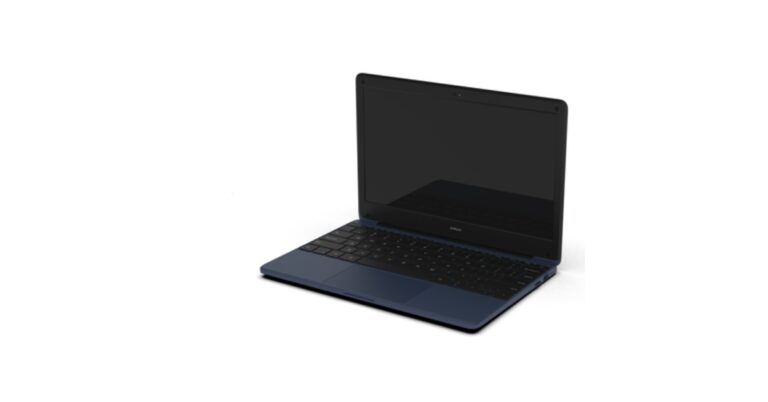
Reliance Jio’s JioBook low-cost laptop has been launched in India. The device is now available for purchase via an online government portal. The laptop is powered by the Snapdragon 665 Processor which is based on ARM technology. Moreover, the notebook comes with a built-in 4G SIM for simple networking.

In This Article
JioBook price in India, sale details
The JioBook is advertised on the government e-marketplace for Rs 19,500. End users can’t yet purchase the JioBook, though resellers can order one unit as the minimum consignment quantity. One blue colour option has been listed for the JioBook budget laptop.
JioBook specifications
The build of the JioBook is described as having a metallic hinge system and an ABS plastic chassis body in the government e-marketplace entry. An 11.6-inch HD display with 1366 x 768-pixel resolution will be featured on the JioBook. The refresh rate would be limited to the industry-standard 60Hz rate. A Qualcomm Snapdragon 665 SoC paired with Adreno 610 GPU will power the JioBook. It includes 32GB of expandable eMMC storage and 2GB of LPDDR4x RAM out of the box. customers have the option of using a microSD card slot to increase storage. Additionally, a 4G micro-SIM card slot will be provided for connectivity. The device runs on JioOS which is anticipated to be a cloned variant of Microsoft Windows made specifically for Jio laptops in India. It will have USB-A 3.0, HDMI, USB-A 2.0, Wi-Fiac, and Bluetooth 5.0 ports. It has a 55.1–60 AH battery that should provide up to eight hours of use on a single charge. In addition to this the device has a touchpad with multi-touch gestures and an HD webcam for video conferencing. Apart from this the company has also started Jio 5G beta trial services in four cities —Mumbai, Delhi, Kolkata, and Varanasi. As Jio’s True-5G network is being developed in a few metro regions, Jio’s Welcome Offer will allow its invited customers to test True-5G services and provide service and user-experience feedback. Jio takes pleasure in offering the best possible customer experience, which is supported by user feedback. Invited “Jio Welcome Offer” users will get an immediate upgrade to the Jio True 5G service without having to change their current Jio SIM or 5G device. For the latest gadget and tech news, and gadget reviews, follow us on Twitter, Facebook and Instagram. For newest tech & gadget videos subscribe to our YouTube Channel. You can also stay up to date using the Gadget Bridge Android App. You can find the latest car and bike news here.Google Pixel Watch with bezel-less circular dial launched: Availability details

Google formally debuted the Google Pixel Watch, the company’s first full-featured premium wristwatch, as part of its newest lineup of gadgets. The Google Pixel Watch comes with Fitbit’s health and fitness know-how with the intelligence and helpfulness. It has a circular dial without a bezel featuring an AMOLED display. The wearable is powered by Exynos 9110 SoC, along with a Cortex M33 coprocessor.
 Additionally, the extensive family of 19 custom watch faces offers thousands of customization possibilities for each watch face, including choices for colours, layout, and the information you want to see most. With Google Photos, you can even make your favourite images your watch face.
Its internal hardware consists of an Exynos 9110 SoC, a Cortex M33 coprocessor, and 2GB of RAM. It utilises Wear OS 3.5, with watch faces and tiles that you can easily personalise, you can decide whether to view a lot of information or not at a glance. Your hands-free, personalised assistance on the road is quick thanks to Google Assistant’s built-in features. The Google Home app makes it simple to operate your smart home appliances, or you can just say “Hey, Google” to your watch to change the thermostat, turn on or off the lights, and receive alerts from your Nest doorbell when someone or anything is at the door (with compatible smart devices).
The Pixel Watch, according to Google, has a battery life of up to 24 hours. Check your Gmail and Google Calendar notifications, use Google Wallet to make contactless purchases at merchant locations and on public transportation, and use Maps to obtain turn-by-turn instructions with an interactive view that makes it simple to see where you are and where you’re going. With YouTube Music Premium (which includes three months), you can browse over 100 million songs, cache your favourite playlists using the device’s generous 32GB of storage, and stream without a phone using built-in 4G LTE cellular. Additionally, you can access even more apps straight on your wrist through the Google Play Store, including Adidas Running, Calm, Spotify, MyFitnessPal, and Strava.
A function called Emergency SOS on the Google Pixel Watch lets you notify trusted contacts or emergency services when you’re in danger or experiencing an emergency. This option gives you additional peace of mind. Fall detection (due in 2023) can tell if you’ve fallen hard, calling emergency services for you and even phoning you on its own if you’re not responding.
You get a precise reading of your heart rate that is continually tracked at once per second thanks to on-device machine learning and deep optimization all the way down to the processor level. With 40 activity modes available to track your favourite workouts and all-day activities including steps, distance with built-in GPS, and Active Zone Minutes, to help you push through that additional rep during workouts, the Fitbit experience has been fully reimagined for the Google Pixel Watch.
Additionally, the extensive family of 19 custom watch faces offers thousands of customization possibilities for each watch face, including choices for colours, layout, and the information you want to see most. With Google Photos, you can even make your favourite images your watch face.
Its internal hardware consists of an Exynos 9110 SoC, a Cortex M33 coprocessor, and 2GB of RAM. It utilises Wear OS 3.5, with watch faces and tiles that you can easily personalise, you can decide whether to view a lot of information or not at a glance. Your hands-free, personalised assistance on the road is quick thanks to Google Assistant’s built-in features. The Google Home app makes it simple to operate your smart home appliances, or you can just say “Hey, Google” to your watch to change the thermostat, turn on or off the lights, and receive alerts from your Nest doorbell when someone or anything is at the door (with compatible smart devices).
The Pixel Watch, according to Google, has a battery life of up to 24 hours. Check your Gmail and Google Calendar notifications, use Google Wallet to make contactless purchases at merchant locations and on public transportation, and use Maps to obtain turn-by-turn instructions with an interactive view that makes it simple to see where you are and where you’re going. With YouTube Music Premium (which includes three months), you can browse over 100 million songs, cache your favourite playlists using the device’s generous 32GB of storage, and stream without a phone using built-in 4G LTE cellular. Additionally, you can access even more apps straight on your wrist through the Google Play Store, including Adidas Running, Calm, Spotify, MyFitnessPal, and Strava.
A function called Emergency SOS on the Google Pixel Watch lets you notify trusted contacts or emergency services when you’re in danger or experiencing an emergency. This option gives you additional peace of mind. Fall detection (due in 2023) can tell if you’ve fallen hard, calling emergency services for you and even phoning you on its own if you’re not responding.
You get a precise reading of your heart rate that is continually tracked at once per second thanks to on-device machine learning and deep optimization all the way down to the processor level. With 40 activity modes available to track your favourite workouts and all-day activities including steps, distance with built-in GPS, and Active Zone Minutes, to help you push through that additional rep during workouts, the Fitbit experience has been fully reimagined for the Google Pixel Watch.
In This Article
Google Pixel Watch Specifications
The Pixel Watch has a bezel, it sometimes seems to vanish. Black, silver, and gold are the available colours for the Pixel Watch. The bands are internally bonded; all you need to do is twist and click to secure the band. The 1.6-inch AMOLED touch display on the Google Pixel Watch smartwatch has a maximum brightness of 1,000 nits. The screen features an Always-on mode with a 320ppi pixel density and is shielded by 3D Corning Gorilla Glass 5. It has a thin appearance on the wrist thanks to the way the striking, round 3D domed glass melds into the stainless steel body. It is designed to be worn day and night and is both scratch- and water-resistant (up to 5 ATM/50 metres). Additionally, the extensive family of 19 custom watch faces offers thousands of customization possibilities for each watch face, including choices for colours, layout, and the information you want to see most. With Google Photos, you can even make your favourite images your watch face.
Its internal hardware consists of an Exynos 9110 SoC, a Cortex M33 coprocessor, and 2GB of RAM. It utilises Wear OS 3.5, with watch faces and tiles that you can easily personalise, you can decide whether to view a lot of information or not at a glance. Your hands-free, personalised assistance on the road is quick thanks to Google Assistant’s built-in features. The Google Home app makes it simple to operate your smart home appliances, or you can just say “Hey, Google” to your watch to change the thermostat, turn on or off the lights, and receive alerts from your Nest doorbell when someone or anything is at the door (with compatible smart devices).
The Pixel Watch, according to Google, has a battery life of up to 24 hours. Check your Gmail and Google Calendar notifications, use Google Wallet to make contactless purchases at merchant locations and on public transportation, and use Maps to obtain turn-by-turn instructions with an interactive view that makes it simple to see where you are and where you’re going. With YouTube Music Premium (which includes three months), you can browse over 100 million songs, cache your favourite playlists using the device’s generous 32GB of storage, and stream without a phone using built-in 4G LTE cellular. Additionally, you can access even more apps straight on your wrist through the Google Play Store, including Adidas Running, Calm, Spotify, MyFitnessPal, and Strava.
A function called Emergency SOS on the Google Pixel Watch lets you notify trusted contacts or emergency services when you’re in danger or experiencing an emergency. This option gives you additional peace of mind. Fall detection (due in 2023) can tell if you’ve fallen hard, calling emergency services for you and even phoning you on its own if you’re not responding.
You get a precise reading of your heart rate that is continually tracked at once per second thanks to on-device machine learning and deep optimization all the way down to the processor level. With 40 activity modes available to track your favourite workouts and all-day activities including steps, distance with built-in GPS, and Active Zone Minutes, to help you push through that additional rep during workouts, the Fitbit experience has been fully reimagined for the Google Pixel Watch.
Additionally, the extensive family of 19 custom watch faces offers thousands of customization possibilities for each watch face, including choices for colours, layout, and the information you want to see most. With Google Photos, you can even make your favourite images your watch face.
Its internal hardware consists of an Exynos 9110 SoC, a Cortex M33 coprocessor, and 2GB of RAM. It utilises Wear OS 3.5, with watch faces and tiles that you can easily personalise, you can decide whether to view a lot of information or not at a glance. Your hands-free, personalised assistance on the road is quick thanks to Google Assistant’s built-in features. The Google Home app makes it simple to operate your smart home appliances, or you can just say “Hey, Google” to your watch to change the thermostat, turn on or off the lights, and receive alerts from your Nest doorbell when someone or anything is at the door (with compatible smart devices).
The Pixel Watch, according to Google, has a battery life of up to 24 hours. Check your Gmail and Google Calendar notifications, use Google Wallet to make contactless purchases at merchant locations and on public transportation, and use Maps to obtain turn-by-turn instructions with an interactive view that makes it simple to see where you are and where you’re going. With YouTube Music Premium (which includes three months), you can browse over 100 million songs, cache your favourite playlists using the device’s generous 32GB of storage, and stream without a phone using built-in 4G LTE cellular. Additionally, you can access even more apps straight on your wrist through the Google Play Store, including Adidas Running, Calm, Spotify, MyFitnessPal, and Strava.
A function called Emergency SOS on the Google Pixel Watch lets you notify trusted contacts or emergency services when you’re in danger or experiencing an emergency. This option gives you additional peace of mind. Fall detection (due in 2023) can tell if you’ve fallen hard, calling emergency services for you and even phoning you on its own if you’re not responding.
You get a precise reading of your heart rate that is continually tracked at once per second thanks to on-device machine learning and deep optimization all the way down to the processor level. With 40 activity modes available to track your favourite workouts and all-day activities including steps, distance with built-in GPS, and Active Zone Minutes, to help you push through that additional rep during workouts, the Fitbit experience has been fully reimagined for the Google Pixel Watch.
Google Pixel Watch price and availability
Google Pixel Watch is now available for pre-order online at the Google Store, Fitbit.com, and a few other international retailers and carriers. It will be available starting on October 13 in nine countries, including the US, Canada, the UK, Ireland, Germany, France, Japan, Australia, and Taiwan. For $349 for Bluetooth/Wi-Fi and $399 for 4G LTE, the Google Pixel Watch includes six months of Fitbit Premium and three months of YouTube Music Premium (available in applicable markets). Bands for accessories cost between $49 and $199. Obsidian, Hazel, and Chalk colour options are available for the Wi-Fi-only model, while Obsidian, Hazel, and Charcoal colour options are available for the cellular model. For the latest gadget and tech news, and gadget reviews, follow us on Twitter, Facebook and Instagram. For newest tech & gadget videos subscribe to our YouTube Channel. You can also stay up to date using the Gadget Bridge Android App. You can find the latest car and bike news here.Garena Free Fire Redeem Codes Today 7 October 2022: Here is how to claim them

Garena Free Fire is a battle royale game with regular awards and tournaments to keep players interested. If you play Garena Free Fire, you should be aware of the redeem codes that are released on a daily basis. However, because the battle royale game is banned in India, players from other countries can use the Free Fire Redeem codes daily. If you’re unfamiliar with the Garena Free Fire redeem codes or don’t know how to get them, we’ve put together a step-by-step guide to help you redeem them. Check out Garena Free Fire Redeem Codes for October 7.
The Free Fire redeem codes are a great way to get free stuff. These are 12-digit codes that contain alphabets and numbers, as well as an expiration date and time. Because the Garena FF redeem codes cannot be used more than once, you should hurry to the redemption page to claim your free reward before someone else does. To get a free reward, all you have to do is go to reward.ff.garena.com/en, which is the official redemption page. Also, keep an eye on this space for daily updates on Garena Free Fire redemption codes and rewards.
In This Article
Garena Free Fire Redeem Codes Today 7 October 2022
Updating soon…How to Get Free Fire Redeem Codes for Garena on October 3?
- Visit the Garena Free Fire game’s official website at reward.ff.garena.com.
- Use your Facebook, Google, VK, Apple ID, Huawei ID, or Twitter account to log in.
- You’ll be taken to a valid redemption code (s)
- Copy and paste the 12-digit redemption code into the text box.
- On the screen, a dialogue box will appear.
- ‘Ok’ should be selected.
Amazon Quiz Answers Today 7 October 2022: Participate to win Rs 500

Have you participated in the Amazon Quiz today? If not then participate in the 7 October 2022 Amazon Quiz as it has already gone live on the app. The daily quiz can be played from 12 AM to 11:59 every day on the mobile app platform. Today e-commerce is giving the chance to win Rs 500 Amazon Pay Balance.
Every day Amazon brings a fresh quiz for its customers. By participating in the quiz the participants can win an Amazon Pay Balance of up to Rs 50,000. The quiz can only be played on the mobile app as it is not available for the desktop platform. The quiz contains five easy questions and you have to answer all the questions correctly. The participants will then be shortlisted for a lucky draw to select a winner. Whereas the results are declared at the end of the month. Check out today’s Amazon quiz answers to win Rs 500.
Amazon Quiz Today Prize – Rs 500 Amazon Pay Balance
Quiz Date – 7 October 2022
Daily Timing – 12 AM to 11:59 PM
Winner Announcement – Today 12 PM
In This Article
Amazon Quiz Answers Today 7 October 2022
Question 1: Who was the Man of the Series in the recently concluded T20I series between India and South Africa, won by India? Answer: Suryakumar Yadav Question 2: Hawkman, Atom Smasher and Cyclone would appear in which upcoming movie? Answer: Black Adam Question 3: Alain Aspect, John F. Clauser and Anton Zeilinger have been awarded the 2022 Nobel Prize in what field? Answer: Physics Question 4: Identify this breed of dog Answer: Doberman Question 5: This is a famous castle in which city? Answer: ViennaHow To Play Amazon Quiz
Only app users are eligible to play the Amazon quiz every morning from 12 AM to 11:59 PM. The quiz is not available on the desktop. For those who are unaware of how to play the Amazon quiz below are the steps, you can follow to take the quiz.- Firstly download the Amazon app from Google Play Store or App Store
- Now fill in the required information through the Sign Up option.
- You need to log in to the Amazon app and scroll down on the home screen to find the Amazon Quiz banner.
- Tap on the Amazon Quiz banner and tap on the Start button to start the Quiz.
- Now you will get 5 questions and you need to answer them correctly. One wrong answer will eliminate you from the Quiz.
- After answering all the questions correctly you are now eligible for a Lucky Draw.
- The winner’s name will be announced today at 12 PM.
Amazing technology that is changing entertainment

Are you looking for ways to keep yourself entertained? If so, look no further! This blog post is absolutely packed full of ideas that will help you occupy your time. There are loads of different ideas here that will give you loads of inspiration on how you can really utilize technology to get the most out of your entertainment time. So, make sure that you read on and get ready to have some fun!
In This Article
Virtual reality headsets
Virtual reality headsets are an unmissable way to get lost in another world. Whether you are looking at a movie or playing a fun new game, you will feel like you are right there in the action. And the very best part is that there are many different headsets to select from, so you can find one that fits your needs and budget. This is important as this sort of technology is still developing, and you will want to find a suitable option for you and your needs.Augmented reality
Augmented reality is another form of entertainment that is quickly gaining popularity. This technology allows you to overlay digital content in the real world. For example, you might use some augmented reality software to see how a new piece of furniture would look in your living room. Or you could use it to learn more about the history of a place you’re visiting. Augmented reality provides a whole new level of immersion and will entertain you for hours on end.4D cinemas
4D cinemas are another great way to experience movies. These theatres use special effects to create a 4D experience. This might include things like air blasts, water sprays, and vibrating seats. This is the perfect option if you want to feel right in the middle of the action! They can be hard to find, but it is totally worth it if you are interested in this sort of technology.Online casinos
If you’re looking for a little ounce of excitement, why not try online casinos? These websites allow you to play casino games from the comfort of your own home. And since there are many different casinos to choose from, you can find one that fits your needs. This popularity has created a huge surge in sites. You can find the best Australian mobile casinos in an instant and start playing almost immediately. How cool is that!?!Streaming services
Streaming services are another great way to entertain yourself. These services allow you to watch TV shows and movies online without having to wait for them to air. This is a great option if you’re looking for something new to watch. Plus, many streaming services offer exclusive content that you can’t find anywhere else. So if you’re looking for something to keep you busy, be sure to check out streaming services!Conclusion
As you can see, there are many different ways to entertain yourself. This technology comes in all shapes and sizes. What matters is that it is changing the way we spend our leisure time. No matter what your interests are, you are sure to find something that will keep you busy. So get out there and explore the world! You never know what you might find out there in the digital world of tech. For the latest gadget and tech news, and gadget reviews, follow us on Twitter, Facebook and Instagram. For newest tech & gadget videos subscribe to our YouTube Channel. You can also stay up to date using the Gadget Bridge Android App. You can find the latest car and bike news here.Google Pixel 7 and Pixel 7 Pro featuring a new ‘Cinematic Blur’ feature launched in India
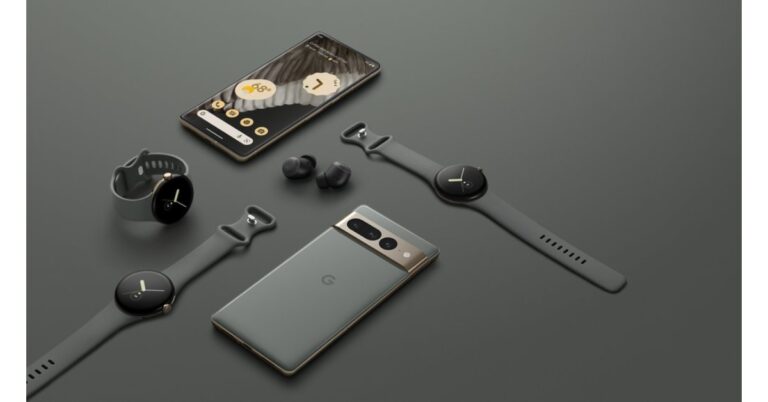
At today’s Made By Google event the California-based tech giant introduced its latest Google Pixel devices. The lineup will include the Pixel 7, Pixel 7 Pro, and the Google Pixel Watch. The firm has also announced the addition to Nest’s smart home portfolio. Additionally, the Pixel Tablet has also been introduced alongside. All of the devices will be available for preorders in India today whereas people in the US will be able to shop for the devices via the company’s official store.
 The Pixel 7 is said to anonymize data, limit data collecting, and limit access to data. Therefore, all processing for features like Live Translate and others is done locally on the device, not in the cloud. You can use the Pixel 7 to determine if you snore at night.
Later this year, Google One VPN will be available for the new Pixel series. It is unclear if users in India would also have access to these tools.
The Pixel 7 features a 6.3-inch OLED display with a 90Hz refresh rate. Whereas the Pixel Pro comes with a 6.7-inch Quad-HD LTPO OLED display with a variable refresh rate of 120Hz.
The Pixel 7’s voice assistant will now be more intelligent. When you are typing, emojis will automatically propose themselves. The Pixel 7’s most crucial feature will be its ability to instantly translate audio messages. Speaker labels will be added to the Pixel 7’s recorder app as well.
With the new Google Photos feature Photo Unblur, which is exclusively available on the Pixel 7 and Pixel 7 Pro, you can give your memories fresh life with a few simple taps. Therefore, you will be able to correct any fuzzy images that you may have taken with a different camera.
A 50-megapixel primary sensor and a 12-megapixel secondary sensor with an ultra-wide-angle lens are both featured in the Pixel 7 Pro. Additionally, Pro has a 48-megapixel telephoto lens that supports 5x optical and 30x Super Resolution Zoom. Both handsets have a selfie camera with a resolution of 10.8 megapixels. According to Google, the new “Macro Focus” function in the Pixel 7 Pro would enable users to take up-close pictures of items.
The Cinematic Blur video uses software to power this capability and will guarantee portrait-style video with a background that is blurred but a subject that is in perfect focus. Google appears to be enhancing the Zoom capabilities of the Pixel 7 series. For a 2X zoom, the Super Res Zoom delivers a 12.5-megapixel image on the 50-megapixel camera.
The Pixel 7 supports both wireless and rapid wired charging, and Google’s Extreme Battery Saver mode is said to extend battery life to up to 72 hours. The Pixel 7 Pro, on the other hand, supports both wireless charging and quick cable charging. According to the manufacturer, the smartphone can provide up to 72 hours of battery life when the Extreme Battery Saver mode is used.
The Pixel 7 is said to anonymize data, limit data collecting, and limit access to data. Therefore, all processing for features like Live Translate and others is done locally on the device, not in the cloud. You can use the Pixel 7 to determine if you snore at night.
Later this year, Google One VPN will be available for the new Pixel series. It is unclear if users in India would also have access to these tools.
The Pixel 7 features a 6.3-inch OLED display with a 90Hz refresh rate. Whereas the Pixel Pro comes with a 6.7-inch Quad-HD LTPO OLED display with a variable refresh rate of 120Hz.
The Pixel 7’s voice assistant will now be more intelligent. When you are typing, emojis will automatically propose themselves. The Pixel 7’s most crucial feature will be its ability to instantly translate audio messages. Speaker labels will be added to the Pixel 7’s recorder app as well.
With the new Google Photos feature Photo Unblur, which is exclusively available on the Pixel 7 and Pixel 7 Pro, you can give your memories fresh life with a few simple taps. Therefore, you will be able to correct any fuzzy images that you may have taken with a different camera.
A 50-megapixel primary sensor and a 12-megapixel secondary sensor with an ultra-wide-angle lens are both featured in the Pixel 7 Pro. Additionally, Pro has a 48-megapixel telephoto lens that supports 5x optical and 30x Super Resolution Zoom. Both handsets have a selfie camera with a resolution of 10.8 megapixels. According to Google, the new “Macro Focus” function in the Pixel 7 Pro would enable users to take up-close pictures of items.
The Cinematic Blur video uses software to power this capability and will guarantee portrait-style video with a background that is blurred but a subject that is in perfect focus. Google appears to be enhancing the Zoom capabilities of the Pixel 7 series. For a 2X zoom, the Super Res Zoom delivers a 12.5-megapixel image on the 50-megapixel camera.
The Pixel 7 supports both wireless and rapid wired charging, and Google’s Extreme Battery Saver mode is said to extend battery life to up to 72 hours. The Pixel 7 Pro, on the other hand, supports both wireless charging and quick cable charging. According to the manufacturer, the smartphone can provide up to 72 hours of battery life when the Extreme Battery Saver mode is used.
In This Article
Pixel 7 series specifications
The zirconia-blasted aluminium used in the Google Pixel 7 series gives the device a smoother texture. A 4nm G2 Tensor with 2 Cortex-X1 cores, two Cortex-A76 cores, and four Cortex-A55 cores will be the processor for the Pixel 7 series. Many software-related tasks may be completed in real-time on phones thanks to the Tensor chipset, which has a lot of machine-learning capabilities. A modern TPU for machine learning is included in Tensor G2. The Titan M2 chipset is also included with the Pixel 7 series for cybersecurity. Additionally, it receives security updates for five years, which is good. The Pixel 7 is said to anonymize data, limit data collecting, and limit access to data. Therefore, all processing for features like Live Translate and others is done locally on the device, not in the cloud. You can use the Pixel 7 to determine if you snore at night.
Later this year, Google One VPN will be available for the new Pixel series. It is unclear if users in India would also have access to these tools.
The Pixel 7 features a 6.3-inch OLED display with a 90Hz refresh rate. Whereas the Pixel Pro comes with a 6.7-inch Quad-HD LTPO OLED display with a variable refresh rate of 120Hz.
The Pixel 7’s voice assistant will now be more intelligent. When you are typing, emojis will automatically propose themselves. The Pixel 7’s most crucial feature will be its ability to instantly translate audio messages. Speaker labels will be added to the Pixel 7’s recorder app as well.
With the new Google Photos feature Photo Unblur, which is exclusively available on the Pixel 7 and Pixel 7 Pro, you can give your memories fresh life with a few simple taps. Therefore, you will be able to correct any fuzzy images that you may have taken with a different camera.
A 50-megapixel primary sensor and a 12-megapixel secondary sensor with an ultra-wide-angle lens are both featured in the Pixel 7 Pro. Additionally, Pro has a 48-megapixel telephoto lens that supports 5x optical and 30x Super Resolution Zoom. Both handsets have a selfie camera with a resolution of 10.8 megapixels. According to Google, the new “Macro Focus” function in the Pixel 7 Pro would enable users to take up-close pictures of items.
The Cinematic Blur video uses software to power this capability and will guarantee portrait-style video with a background that is blurred but a subject that is in perfect focus. Google appears to be enhancing the Zoom capabilities of the Pixel 7 series. For a 2X zoom, the Super Res Zoom delivers a 12.5-megapixel image on the 50-megapixel camera.
The Pixel 7 supports both wireless and rapid wired charging, and Google’s Extreme Battery Saver mode is said to extend battery life to up to 72 hours. The Pixel 7 Pro, on the other hand, supports both wireless charging and quick cable charging. According to the manufacturer, the smartphone can provide up to 72 hours of battery life when the Extreme Battery Saver mode is used.
The Pixel 7 is said to anonymize data, limit data collecting, and limit access to data. Therefore, all processing for features like Live Translate and others is done locally on the device, not in the cloud. You can use the Pixel 7 to determine if you snore at night.
Later this year, Google One VPN will be available for the new Pixel series. It is unclear if users in India would also have access to these tools.
The Pixel 7 features a 6.3-inch OLED display with a 90Hz refresh rate. Whereas the Pixel Pro comes with a 6.7-inch Quad-HD LTPO OLED display with a variable refresh rate of 120Hz.
The Pixel 7’s voice assistant will now be more intelligent. When you are typing, emojis will automatically propose themselves. The Pixel 7’s most crucial feature will be its ability to instantly translate audio messages. Speaker labels will be added to the Pixel 7’s recorder app as well.
With the new Google Photos feature Photo Unblur, which is exclusively available on the Pixel 7 and Pixel 7 Pro, you can give your memories fresh life with a few simple taps. Therefore, you will be able to correct any fuzzy images that you may have taken with a different camera.
A 50-megapixel primary sensor and a 12-megapixel secondary sensor with an ultra-wide-angle lens are both featured in the Pixel 7 Pro. Additionally, Pro has a 48-megapixel telephoto lens that supports 5x optical and 30x Super Resolution Zoom. Both handsets have a selfie camera with a resolution of 10.8 megapixels. According to Google, the new “Macro Focus” function in the Pixel 7 Pro would enable users to take up-close pictures of items.
The Cinematic Blur video uses software to power this capability and will guarantee portrait-style video with a background that is blurred but a subject that is in perfect focus. Google appears to be enhancing the Zoom capabilities of the Pixel 7 series. For a 2X zoom, the Super Res Zoom delivers a 12.5-megapixel image on the 50-megapixel camera.
The Pixel 7 supports both wireless and rapid wired charging, and Google’s Extreme Battery Saver mode is said to extend battery life to up to 72 hours. The Pixel 7 Pro, on the other hand, supports both wireless charging and quick cable charging. According to the manufacturer, the smartphone can provide up to 72 hours of battery life when the Extreme Battery Saver mode is used.
Pixel 7 series price in India and availability
The Pixel 7 costs $599, while the Pixel 7 Pro costs $899. Pre-orders for the phones are now being accepted in the US. The starting price for the Google Pixel 7 in India is Rs 59,999. The colours Snow, Obsidian, and Lemongrass will be available for purchase on the smartphone. The Google Pixel 7 Pro, on either side, is available in India for Rs 84,999. According to Google, it will come in the colours Hazel, Obsidian, and Snow. On October 13, both smartphones will be available for purchase in India on Flipkart. However, both phones are now available for pre-order starting today. For the latest gadget and tech news, and gadget reviews, follow us on Twitter, Facebook and Instagram. For newest tech & gadget videos subscribe to our YouTube Channel. You can also stay up to date using the Gadget Bridge Android App. You can find the latest car and bike news here.Oppo A17 budget smartphone with MediaTek Helio G35 SoC launched in India
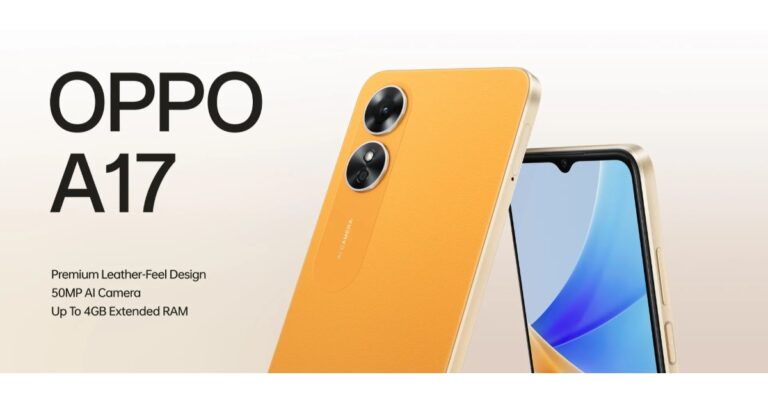
The Chinese smartphone company Oppo has announced the launch of Oppo A17 in the Indian market. The device is powered by MediaTek Helio G35 SoC. It has a 5,000mAh battery onboard and features a 50MP dual rear camera set-up. The handset comes in two colour variants with a leather appearance.

In This Article
Oppo A17 price in India, sale details
Oppo A17 has been launched in a single 4GB RAM with 64GB storage variant. The price of the entry-level phone is set at Rs 12,499 in India. The device will be available in two colour options of Midnight Black and Sunlight Orange with leather finishes. For purchases made using the Axis Bank, ICICI Bank, HDFC Bank, and Kotak Bank cards the buyers will be able to get an instant discount of up to Rs 1,500.
Oppo A17 specifications
Oppo A17 features a 6.56-inch HD+ LCD display with 720×1,612 pixels of resolution. It has an 89.8% body-to-screen ratio and up to 60Hz refresh rate as well as a pixel density of 269ppi. Additionally, the new smartphone features an IPX4 water resistance grade. The device is driven by MediaTek Helio G35 SoC along with 4GB of RAM with 64GB of internal storage and this storage can be expanded with a microSD card with up to 1TB. By making use of unused phone storage, the RAM can be increased to 8GB. A 50-megapixel main camera with an f/1.8 lens and a 2-megapixel depth sensor with an f/2.8 lens make up the Oppo A17’s dual rear cameras. A 5-megapixel sensor with an f/2.2 lens is located at the front of the device for selfies and video calls. Wi-Fi 5, Bluetooth v5.3, GPS/A-GPS, USB Type-C, and a 3.5mm headphone jack are among the available connectivity choices. An accelerometer, a light sensor, a geomagnetic sensor, a gravity sensor, and a proximity sensor are among the sensors on board. The Oppo A17 comes with a 5,000mAh battery. For the latest gadget and tech news, and gadget reviews, follow us on Twitter, Facebook and Instagram. For newest tech & gadget videos subscribe to our YouTube Channel. You can also stay up to date using the Gadget Bridge Android App. You can find the latest car and bike news here.5 Best Tools To Download Videos From Any Website

Downloading a video you saw online can save your mobile data if you intend to view it multiple times. Streaming videos online takes up a lot of browsing data, which may not be ideal if you’re not subscribed to an unlimited usage plan. Luckily, there are plenty of online tools you can use to download videos from any website. In this article, we bring you the 5 best tools to download videos from any website on the Internet.
Read Also: Redmi Pad with 8,000mAh battery launched in India
One of the most used online video downloaders, PasteDownload lets you download videos from over 500 websites including YouTube, Dailymotion, Instagram, Facebook, TikTok, Vimeo, and a lot more. All you need to do is paste the video link to PasteDownload’s download box and hit ‘Download’. The website will give you the option to download the video in several formats and resolutions. Simply right-click on the download button corresponding to your preferred resolution and save it on your device.
Free Video Downloader is one of the simplest and easy-to-use tools online. Launched by Tech Learn, FVD can download high-definition videos from almost any website on the internet. Need to download a video from Reddit? All you need to do is paste the link on FVD’s download box. If downloading videos isn’t enough, you can also use Free Video Downloader to save mp3 files from Soundcloud, TikTok and other audio hosts.
KeepVid allows users to download videos from over a thousand websites. These include YouTube, Facebook, Twitter, Instagram, Vimeo, Twitch, Dailymotion, ESPN, Imgur, and a lot more. You can also download the KeepVid app from the website if you find yourself downloading videos quite often. Apart from downloading videos, KeepVid can also convert them to mp3. This comes in handy when you need to download a song from YouTube but don’t want to see the video.
 If you do not feel like using an online downloader, you can always download the Snaptube app! One of the best features of Snaptube is that it lets you download the video in the resolution it was uploaded in. This means you can download videos all the way up to 4k resolution for free. Snaptube is available for Android, iOS, as well as Windows. Installing Snaptube on your smartphone will allow you to save YouTube videos directly from the YouTube app.
Video Grabber follows the same process as other tools mentioned on this list. All you need to do is paste the video in the download box and Video Grabber will let you save the video to your device in multiple resolutions. One unique feature that sets Video Grabber apart from the other tools on this list is the ability to browse trending videos across multiple platforms on the website and quickly download whichever video you like.
Read Also: Top ANC-driven headphones and earphones under Rs 25,000
If you do not feel like using an online downloader, you can always download the Snaptube app! One of the best features of Snaptube is that it lets you download the video in the resolution it was uploaded in. This means you can download videos all the way up to 4k resolution for free. Snaptube is available for Android, iOS, as well as Windows. Installing Snaptube on your smartphone will allow you to save YouTube videos directly from the YouTube app.
Video Grabber follows the same process as other tools mentioned on this list. All you need to do is paste the video in the download box and Video Grabber will let you save the video to your device in multiple resolutions. One unique feature that sets Video Grabber apart from the other tools on this list is the ability to browse trending videos across multiple platforms on the website and quickly download whichever video you like.
Read Also: Top ANC-driven headphones and earphones under Rs 25,000
In This Article
PasteDownload
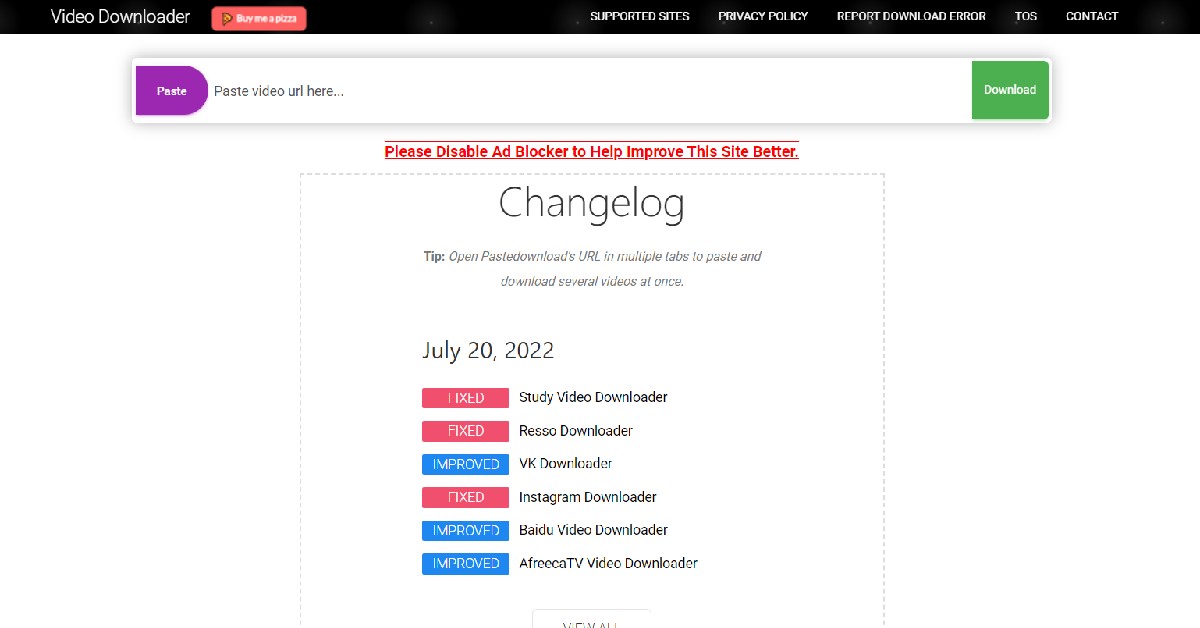 One of the most used online video downloaders, PasteDownload lets you download videos from over 500 websites including YouTube, Dailymotion, Instagram, Facebook, TikTok, Vimeo, and a lot more. All you need to do is paste the video link to PasteDownload’s download box and hit ‘Download’. The website will give you the option to download the video in several formats and resolutions. Simply right-click on the download button corresponding to your preferred resolution and save it on your device.
Free Video Downloader
 Free Video Downloader is one of the simplest and easy-to-use tools online. Launched by Tech Learn, FVD can download high-definition videos from almost any website on the internet. Need to download a video from Reddit? All you need to do is paste the link on FVD’s download box. If downloading videos isn’t enough, you can also use Free Video Downloader to save mp3 files from Soundcloud, TikTok and other audio hosts.
KeepVid
 KeepVid allows users to download videos from over a thousand websites. These include YouTube, Facebook, Twitter, Instagram, Vimeo, Twitch, Dailymotion, ESPN, Imgur, and a lot more. You can also download the KeepVid app from the website if you find yourself downloading videos quite often. Apart from downloading videos, KeepVid can also convert them to mp3. This comes in handy when you need to download a song from YouTube but don’t want to see the video.
Snaptube
 If you do not feel like using an online downloader, you can always download the Snaptube app! One of the best features of Snaptube is that it lets you download the video in the resolution it was uploaded in. This means you can download videos all the way up to 4k resolution for free. Snaptube is available for Android, iOS, as well as Windows. Installing Snaptube on your smartphone will allow you to save YouTube videos directly from the YouTube app.
Video Grabber
 Video Grabber follows the same process as other tools mentioned on this list. All you need to do is paste the video in the download box and Video Grabber will let you save the video to your device in multiple resolutions. One unique feature that sets Video Grabber apart from the other tools on this list is the ability to browse trending videos across multiple platforms on the website and quickly download whichever video you like.
Read Also: Top ANC-driven headphones and earphones under Rs 25,000
Video Grabber follows the same process as other tools mentioned on this list. All you need to do is paste the video in the download box and Video Grabber will let you save the video to your device in multiple resolutions. One unique feature that sets Video Grabber apart from the other tools on this list is the ability to browse trending videos across multiple platforms on the website and quickly download whichever video you like.
Read Also: Top ANC-driven headphones and earphones under Rs 25,000
Conclusion
These are the 5 best tools to download videos from any website. The tools mentioned on this list are free to use, but they may come at the cost of seeing pesky ads on the website. When downloading videos from online tools, make sure the website is safe as some tools notoriously push malware and unnecessary cookies.
For the latest gadget and tech news, and gadget reviews, follow us on Twitter, Facebook and Instagram. For newest tech & gadget videos subscribe to our YouTube Channel. You can also stay up to date using the Gadget Bridge Android App. You can find the latest car and bike news here.
Nothing Ear Stick True Wireless Earphones India launch and worldwide set for October 26

The upcoming true wireless stereo (TWS) earbuds from the UK-based startup, Nothing Ear Stick, were on display at the Spring Summer 2023 fashion show. The device has been designed by clothing designer Chet Lo. The launch of the new Nothing earbuds is scheduled to take place on October 26. The Nothing Ear Stick’s charging case, which has a unique cylindrical form, is the main subject of the newly released photographs. The exterior of the case appears to be transparent.
Nothing, a consumer technology company based in London, has now revealed the entire launch date for its future audio product, Ear (stick). On October 26 at 7:30 IST on nothing.tech, learn everything, including prices and product details, at the online Ear (stick) Reveal.
While announcing the launch date the company said, “To round off a landmark year for the Carl Pei-fronted company, Nothing has added a brand new addition to its ecosystem. The next generation of Nothing sound technology, and its most advanced audio product yet.”
Nothing Ear (stick), according to the company, are half-in-ear true wireless earbuds that blend excellent music quality with superlative comfort. They are designed to be imperceptible when used. They are extremely lightweight and have an ergonomic shape that fits your ears. delivered in a special charging case that was designed with inspiration from vintage cosmetic shapes and is svelte enough to fit easily into pockets.
Following the global introduction of the company’s debut product, the Ear 1 true wireless headset in 2021, this will be Nothing’s second audio offering. The product will be offered in India, the USA, Europe, and other countries.
At the Spring Summer 2023 fashion presentation, Nothing collaborated with Chet Lo, a fashion designer, to reveal the charging case’s design. The business claims that Nothing Ear Stick features an ergonomic design that is extremely light and comfortable. Additionally, it showcased specially crafted Nothing Phone 1 bags that are allegedly intended to honour the Glyph user experience.
For the latest gadget and tech news, and gadget reviews, follow us on Twitter, Facebook and Instagram. For newest tech & gadget videos subscribe to our YouTube Channel. You can also stay up to date using the Gadget Bridge Android App. You can find the latest car and bike news here.
How to Compress a PDF and Reduce Its File Size?
If you send PDFs via email quite often you may have run into the problem of the PDF file size being too big to be sent as an attachment. Other attachments like a picture can be easily split into multiple parts and sent separately, but with a PDF file, you don’t really have that option. One of the solutions to this problem is uploading the PDF to Google Drive and sharing it as a link in the email. But if you want to send the PDF itself in the mail, you will need to compress its size first. In this article, we show you how to compress a PDF and reduce its file size.
Read Also: Redmi Pad with 8,000mAh battery launched in India
Step 3: Select the location where you want to save the file and hit save.
Step 3: Scroll down and select ‘Compress PDF’.
Step 4: Click on ‘Select a file’ and upload the PDF file you want to compress.
Step 5: Once the file is uploaded, select the compression level. For the smallest file size, select ‘High compression’ and click on ‘Compress’.
Step 6: Your PDF will be compressed with its file size now reduced. Click on ‘Download’ to save the compressed PDF.
Step 3: Once the file is uploaded, select the compression level. For the smallest file size, select ‘Strong compression’ and click on ‘Compress’. This will require signing in from your Google Account. If you want to compress your PDF without signing up, select ‘Basic compression’.
Step 4: Your PDF will be compressed and its file size will be reduced. Click on ‘Download’ to save the compressed PDF on your device.
Read Also: Best flashlight apps for your phone
In This Article
Use Adobe Acrobat Pro
Step 1: Open the PDF in Adobe Acrobat Pro. Step 2: Click on ‘File’ and select Reduce File Size or Compress PDF. Step 3: Select the location where you want to save the file and hit save.
Use the Adobe Acrobat online compressor
Step 1: Go to the official Adobe website. Step 2: Click on ‘PDF & E-signatures’ and select ‘Online tools’. Step 3: Scroll down and select ‘Compress PDF’.
 Step 4: Click on ‘Select a file’ and upload the PDF file you want to compress.
 Step 5: Once the file is uploaded, select the compression level. For the smallest file size, select ‘High compression’ and click on ‘Compress’.
 Step 6: Your PDF will be compressed with its file size now reduced. Click on ‘Download’ to save the compressed PDF.

Use Small PDF to reduce PDF file size
Step 1: Go to www.smallpdf.com/compress-pdf. Step 2: Drop the PDF file in the red box or select a PDF from the file viewer. Step 3: Once the file is uploaded, select the compression level. For the smallest file size, select ‘Strong compression’ and click on ‘Compress’. This will require signing in from your Google Account. If you want to compress your PDF without signing up, select ‘Basic compression’.
 Step 4: Your PDF will be compressed and its file size will be reduced. Click on ‘Download’ to save the compressed PDF on your device.
 Read Also: Best flashlight apps for your phone
Conclusion
This is how you can compress a PDF and reduce its file size. The simplest way to compress the file is by using the native compress tool in Adobe Acrobat Pro. However, if you do not have access to Adobe Acrobat Pro, you can use the free online tools mentioned above. Adobe offers a free online compressor on its website. You can also use other PDF compressing tools like SodaPDF, Sejda, and pdf2go.
For the latest gadget and tech news, and gadget reviews, follow us on Twitter, Facebook and Instagram. For newest tech & gadget videos subscribe to our YouTube Channel. You can also stay up to date using the Gadget Bridge Android App. You can find the latest car and bike news here.
Jio 5G beta trial services rolled out in Delhi, Mumbai, Kolkata and Varanasi

After successfully showcasing its True-5G services at the India Mobile Congress 2022, Jio has announced a beta test of such services for Jio users in four cities—Mumbai, Delhi, Kolkata, and Varanasi.
Jio’s Welcome Offer will allow its invited customers to test True-5G services and submit service and user-experience feedback as Jio’s True-5G network is being prepared in selected metro areas. Jio prides itself on providing the greatest customer experience possible, which is bolstered by consumer feedback.
By invitation only, the Jio True 5G Welcome Offer is now available in Delhi, Mumbai, Kolkata, and Varanasi. These consumers will receive limitless 5G data at speeds of up to 1 Gbps or faster.
As cities continue to prepare, the Beta testing service for new cities will be gradually publicised.
In order to offer each client the best coverage and user experience, users will be able to take advantage of this Beta trial until the network coverage of a city is essentially complete.
Invited ‘Jio Welcome Offer’ subscribers won’t need to switch their current Jio SIM or 5G device to receive an instant upgrade to the Jio True 5G service.
Jio is also collaborating with all phone manufacturers to ensure that their 5G handsets are compatible with Jio True 5G services, giving customers the widest selection of 5G devices possible.
Jio’s goal with 5G is to accelerate India’s transition toward a Digital Society, which now has over 425 million consumers. Technology and connection will benefit humanity by improving the quality of life and enhancing opportunities for employment.
As per the company, it is the operator with the 700 MHz low-band spectrum to ensure deep indoor coverage. Moreover, it ensures an unparalleled combination of coverage, capacity, quality, and affordability.
Mr. Akash M Ambani, Chairman, Reliance Jio Infocomm Limited, said, “Our Prime Minister has given a clarion call for accelerated roll-out of 5G across India to realise the full potential of a Digital India. In response, Jio has prepared an ambitious and the fastest
ever 5G roll-out plan for a country of our size. India is leading the Digital revolution. Jio 5G will be True 5G, and we believe India
deserves nothing less than TRUE-5G. Jio 5G will be the world’s most advanced 5G network, built for every Indian, by Indians.
By embracing 5G, Jio will create nation-first platforms and solutions that will transform skill development, education, healthcare, agriculture, and many such sectors, with the promise of enabling a better life for every Indian.
5G cannot remain an exclusive service available to the privileged few or those in our largest cities. It must be available to every citizen, every home, and every business across India. Only then can we dramatically increase productivity, earnings, and living standards across our entire economy, thereby creating a prosperous and inclusive society in our country.”
For the latest gadget and tech news, and gadget reviews, follow us on Twitter, Facebook and Instagram. For newest tech & gadget videos subscribe to our YouTube Channel. You can also stay up to date using the Gadget Bridge Android App. You can find the latest car and bike news here.
What Do the Android Status Bar Symbols Mean? A full guide
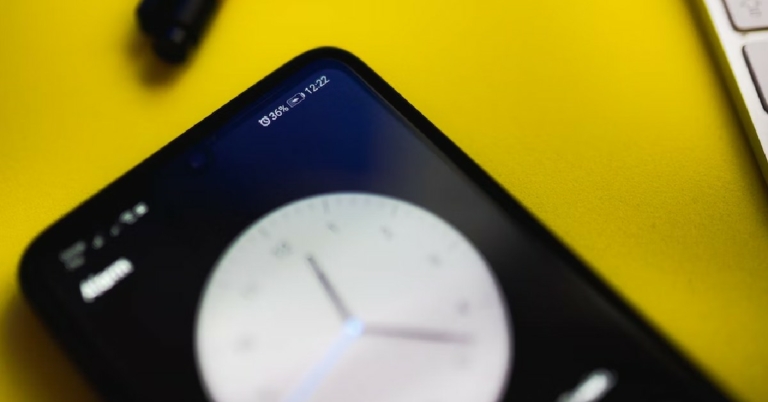
The topmost bar on your smartphone’s display is meant to give you a look at the running status of the important functions of your phone. Hence the term ‘status bar’. The right side of the status bar is assigned to permanent icons that display essential functions of the phone, while the left side is usually allotted to app notifications. In this article, we explain what the Android status bar symbols mean and where you can find them.
Read Also: Best flashlight apps for your phone
A permanent fixture at the right end of the status bar, the battery icon represents the charge you have left on your phone. The battery icon is full when your phone is at 100% charge. As the battery level drops down, it will be indicated in the battery icon as well. You can also choose to have the battery percentage displayed along with the icon.
When your phone is charging, the battery icon displays a charging sign within it. When the battery level drops below 15%, the icon turns red and shows the ‘Power Saving Mode’ sign.
To the left of the battery icon, you’ll find the signs for the cellular network, mobile data, and WiFi. Similar to the battery icon, the network icons reflect the strength of the network connection. The cellular network is typically represented by four vertical bars of increasing heights. The number of bars displayed in white represents the strength of the network connection.
Next to the network bars, you’ll notice a sign that says VoLTE. This means you can make voice calls over the LTE network. The vertical arrows in opposite directions represent the mobile data connection and are only displayed when you turn on the mobile data on your device. You can also choose to display the connection speed right next to this icon.
Other network icons you’ll find displayed on the status bar include WiFi, WiFi hotspot, and Bluetooth. These icons only appear when those functions are in use.
These alerts are easy to recognise. You may have noticed the phone icon that appears when you’re on call. There’s a similar phone icon with an arrow diverting from it, which signifies a missed call. If you ever try out WiFi calling you’ll see a WiFi sign with the phone icon integrated into it.
Besides call signs, the status bar also has unique symbols for the volume setting on your phone. If your phone is on silent the status bar will display a muted speaker. If it’s on vibrate, the speaker will be accompanied by the vibration waves icon. A clock icon means you have set up active alarm(s) on your phone.
Apart from all the major icons mentioned above, there is a range of other symbols that get displayed on the status bar from time to time. Certain icons appear only appear when your use the corresponding function on the phone. This includes a pin icon for location services, a plane icon for airplane mode, a key icon for VPN status, and a rectangular box for screen casting. On top of that, the status bar also displays icons for app notifications. You may have noticed the WhatsApp icon appear on the status bar whenever you receive a new message. Other apps are also allowed to use the status bar to display notifications. You can read the full notifications by swiping down from the status bar.
Read Also: Top ANC-driven headphones and earphones under Rs 25,000
In This Article
Battery icon
 A permanent fixture at the right end of the status bar, the battery icon represents the charge you have left on your phone. The battery icon is full when your phone is at 100% charge. As the battery level drops down, it will be indicated in the battery icon as well. You can also choose to have the battery percentage displayed along with the icon.
When your phone is charging, the battery icon displays a charging sign within it. When the battery level drops below 15%, the icon turns red and shows the ‘Power Saving Mode’ sign.
A permanent fixture at the right end of the status bar, the battery icon represents the charge you have left on your phone. The battery icon is full when your phone is at 100% charge. As the battery level drops down, it will be indicated in the battery icon as well. You can also choose to have the battery percentage displayed along with the icon.
When your phone is charging, the battery icon displays a charging sign within it. When the battery level drops below 15%, the icon turns red and shows the ‘Power Saving Mode’ sign.
Network, WiFi, and Data
 To the left of the battery icon, you’ll find the signs for the cellular network, mobile data, and WiFi. Similar to the battery icon, the network icons reflect the strength of the network connection. The cellular network is typically represented by four vertical bars of increasing heights. The number of bars displayed in white represents the strength of the network connection.
Next to the network bars, you’ll notice a sign that says VoLTE. This means you can make voice calls over the LTE network. The vertical arrows in opposite directions represent the mobile data connection and are only displayed when you turn on the mobile data on your device. You can also choose to display the connection speed right next to this icon.
Other network icons you’ll find displayed on the status bar include WiFi, WiFi hotspot, and Bluetooth. These icons only appear when those functions are in use.
To the left of the battery icon, you’ll find the signs for the cellular network, mobile data, and WiFi. Similar to the battery icon, the network icons reflect the strength of the network connection. The cellular network is typically represented by four vertical bars of increasing heights. The number of bars displayed in white represents the strength of the network connection.
Next to the network bars, you’ll notice a sign that says VoLTE. This means you can make voice calls over the LTE network. The vertical arrows in opposite directions represent the mobile data connection and are only displayed when you turn on the mobile data on your device. You can also choose to display the connection speed right next to this icon.
Other network icons you’ll find displayed on the status bar include WiFi, WiFi hotspot, and Bluetooth. These icons only appear when those functions are in use.
Call, Alarm, and Volume
 These alerts are easy to recognise. You may have noticed the phone icon that appears when you’re on call. There’s a similar phone icon with an arrow diverting from it, which signifies a missed call. If you ever try out WiFi calling you’ll see a WiFi sign with the phone icon integrated into it.
Besides call signs, the status bar also has unique symbols for the volume setting on your phone. If your phone is on silent the status bar will display a muted speaker. If it’s on vibrate, the speaker will be accompanied by the vibration waves icon. A clock icon means you have set up active alarm(s) on your phone.
These alerts are easy to recognise. You may have noticed the phone icon that appears when you’re on call. There’s a similar phone icon with an arrow diverting from it, which signifies a missed call. If you ever try out WiFi calling you’ll see a WiFi sign with the phone icon integrated into it.
Besides call signs, the status bar also has unique symbols for the volume setting on your phone. If your phone is on silent the status bar will display a muted speaker. If it’s on vibrate, the speaker will be accompanied by the vibration waves icon. A clock icon means you have set up active alarm(s) on your phone.
Other Icons
 Apart from all the major icons mentioned above, there is a range of other symbols that get displayed on the status bar from time to time. Certain icons appear only appear when your use the corresponding function on the phone. This includes a pin icon for location services, a plane icon for airplane mode, a key icon for VPN status, and a rectangular box for screen casting. On top of that, the status bar also displays icons for app notifications. You may have noticed the WhatsApp icon appear on the status bar whenever you receive a new message. Other apps are also allowed to use the status bar to display notifications. You can read the full notifications by swiping down from the status bar.
Read Also: Top ANC-driven headphones and earphones under Rs 25,000
Apart from all the major icons mentioned above, there is a range of other symbols that get displayed on the status bar from time to time. Certain icons appear only appear when your use the corresponding function on the phone. This includes a pin icon for location services, a plane icon for airplane mode, a key icon for VPN status, and a rectangular box for screen casting. On top of that, the status bar also displays icons for app notifications. You may have noticed the WhatsApp icon appear on the status bar whenever you receive a new message. Other apps are also allowed to use the status bar to display notifications. You can read the full notifications by swiping down from the status bar.
Read Also: Top ANC-driven headphones and earphones under Rs 25,000
Conclusion
These are the most common symbols displayed on the status bar and the meaning behind them. After going through this guide you will be able to spot these icons easily and understand what they signify. You can also hide unnecessary icons from appearing on the status bar by going to Settings>Notifications>Do Not Disturb>Hide Notifications>Hide status bar icons.
For the latest gadget and tech news, and gadget reviews, follow us on Twitter, Facebook and Instagram. For newest tech & gadget videos subscribe to our YouTube Channel. You can also stay up to date using the Gadget Bridge Android App. You can find the latest car and bike news here.
Google Pixel 7 and Pixel 7 Pro launching today: Here is how to watch the Made by Google event today

Google will unveil the Pixel 7 and Pixel 7 Pro at an event called “Made by Google” today. The Google Pixel Watch, which was first hinted at by the firm in May, will debut alongside the phones as well as Nest devices. The company has also confirmed the availability of smartphones in India and has announced the pre-order offers which will be available via Flipkart in the country. The pre-orders will open today evening.
Today, at the “Made by Google” event, which will start at 10 am ET and 7.30 pm IST in New York City, the Google Pixel 7 and Pixel 7 Pro will be introduced. The Made by Google launch event will take place in New York City’s Williamsburg neighbourhood. Even though it is exclusively open to the invited press, those who are interested can watch the live event online at GoogleStore.com/events, which is accessible to users in the United States, Great Britain, and Australia.
Along with the Nest range of smart home goods, the Google Pixel Watch, the Pixel 7 and Pixel 7 Pro smartphones, and more will all be unveiled by the company.
In This Article
Google Pixel 7 and Pixel 7 Pro price in India and availability expected
Not just that the tech giant has also listed both the phones on Flipkart. The devices will be available for purchase at GoogleStore.com shortly after the announcement. The business has already disclosed that pre-orders for the Google Pixel 7 and Pixel 7 Pro will be accepted in India beginning today at 8:15 PM. The price and first selling date, however, are still unknown. Google might set the cost of the Pixel 7 range of smartphones at a level similar to that of the Pixel 6 line. A stolen Amazon listing that revealed a $599 entry-level Pixel 7 device, which is equivalent to Rs 50,000, has validated these rumours. The Pixel 7 Pro could cost as much as $899, which translates to Rs 75,000 if these rumours are true. Additionally, the firm has hinted that both of its future flagship devices will be offered in Lemongrass rather than Hazel for the Pixel 7 and Obsidian, Snow, and Hazel for the Pixel 7 Pro.Google Pixel 7 and Pixel 7 Pro specifications expected
The base Pixel 7 model, according to numerous sources, is expected to include a 6.3-inch full-HD+ OLED screen with a refresh rate of 90Hz. However, a 6.7-inch QHD+ OLED screen with a 120Hz refresh rate is predicted for the Pixel 7 Pro. As well as the Titan M security processor and up to 12GB of RAM, these devices might get them. The Pixel 7 series will also be powered by the Google Tensor G2 CPU, which has already been revealed. Additionally, Android 13 will already be installed on these smartphones. The new OS would have individualised capabilities for photos, movies, security, and speech recognition, according to the website. For the latest gadget and tech news, and gadget reviews, follow us on Twitter, Facebook and Instagram. For newest tech & gadget videos subscribe to our YouTube Channel. You can also stay up to date using the Gadget Bridge Android App. You can find the latest car and bike news here.Garena Free Fire Redeem Codes Today 6 October 2022: Here is how to claim them

Garena Free Fire is a battle royale game with regular awards and tournaments to keep players interested. If you play Garena Free Fire, you should be aware of the redeem codes that are released on a daily basis. However, because the battle royale game is banned in India, players from other countries can use the Free Fire Redeem codes daily. If you’re unfamiliar with the Garena Free Fire redeem codes or don’t know how to get them, we’ve put together a step-by-step guide to help you redeem them. Check out Garena Free Fire Redeem Codes for October 6.
The Free Fire redeem codes are a great way to get free stuff. These are 12-digit codes that contain alphabets and numbers, as well as an expiration date and time. Because the Garena FF redeem codes cannot be used more than once, you should hurry to the redemption page to claim your free reward before someone else does. To get a free reward, all you have to do is go to reward.ff.garena.com/en, which is the official redemption page. Also, keep an eye on this space for daily updates on Garena Free Fire redemption codes and rewards.
In This Article
Garena Free Fire Redeem Codes Today 6 October 2022
- U8S47JGJH5MG
- ZZATXB24QES8
- FFIC33NTEUKA
- VNY3MQWNKEGU
- MCPW2D1U3XA3
- FFCMCPSJ99S3
- EYH2W3XK8UPG
- NPYFATT3HGSQ
- MCPW2D2WKWF2
- V427K98RUCHZ
- 6KWMFJVMQQYG
- MCPW3D28VZD6
- FFCMCPSUYUY7E
- BR43FMAPYEZZ
- FFCMCPSGC9XZ
- UVX9PYZV54AC
- XZJZE25WEFJJ
- HNC95435FAGJ
- FFCMCPSEN5MX
- ZZZ76NT3PDSH
How to Get Free Fire Redeem Codes for Garena on October 6?
- Visit the Garena Free Fire game’s official website at reward.ff.garena.com.
- Use your Facebook, Google, VK, Apple ID, Huawei ID, or Twitter account to log in.
- You’ll be taken to a valid redemption code (s)
- Copy and paste the 12-digit redemption code into the text box.
- On the screen, a dialogue box will appear.
- ‘Ok’ should be selected.
Amazon Quiz Answers Today 6 October 2022: Participate to win Rs 2,500

Have you participated in the Amazon Quiz today? If not then participate in the 6 October 2022 Amazon Quiz as it has already gone live on the app. The daily quiz can be played from 12 AM to 11:59 every day on the mobile app platform. Today e-commerce is giving the chance to win Rs 2,500 Amazon Pay Balance.
Every day Amazon brings a fresh quiz for its customers. By participating in the quiz the participants can win an Amazon Pay Balance of up to Rs 50,000. The quiz can only be played on the mobile app as it is not available for the desktop platform. The quiz contains five easy questions and you have to answer all the questions correctly. The participants will then be shortlisted for a lucky draw to select a winner. Whereas the results are declared at the end of the month. Check out today’s Amazon quiz answers to win Rs 2,500.
Amazon Quiz Today Prize – Rs 2,500 Amazon Pay Balance
Quiz Date – 6 October 2022
Daily Timing – 12 AM to 11:59 PM
Winner Announcement – Today 12 PM
In This Article
Amazon Quiz Answers Today 6 October 2022
Question 1: Ruth Ozeki won the 2022 Women’s Prize for Fiction for which novel? Answer: The Book of Form and Emptiness Question 2: Which airline unveiled a comprehensive 5-year transformation plan Vihaan.AI? Answer: Air India Question 3: Who became the first Asian to win Emmy for Outstanding Lead Actor in a Drama Series? Answer: Lee Jung-jae Question 4: This palace was built by which European dynasty? Answer: Hapsburg Question 5: In which city is this famous mosque situated? Answer: CairoHow To Play Amazon Quiz
Only app users are eligible to play the Amazon quiz every morning from 12 AM to 11:59 PM. The quiz is not available on the desktop. For those who are unaware of how to play the Amazon quiz below are the steps, you can follow to take the quiz.- Firstly download the Amazon app from Google Play Store or App Store
- Now fill in the required information through the Sign Up option.
- You need to log in to the Amazon app and scroll down on the home screen to find the Amazon Quiz banner.
- Tap on the Amazon Quiz banner and tap on the Start button to start the Quiz.
- Now you will get 5 questions and you need to answer them correctly. One wrong answer will eliminate you from the Quiz.
- After answering all the questions correctly you are now eligible for a Lucky Draw.
- The winner’s name will be announced today at 12 PM.
Redmi Pad with 8,000mAh battery launched in India

The Chinese smartphone company Xiaomi today announced the launch of a new Tablet under its sub-brand Redmi. The company has introduced the Redmi Pad which is powered by a MediaTek Helio G99 SoC. The device runs on Android 12 and it comes equipped with a 2k display having a 90Hz refresh rate. Moreover, the phone has an 8,000mAh battery onboard.
 Starting on October 5, 2022, at noon, it will be offered on Mi.com, Mi Homes, Flipkart, and all of our retail partners. Every customer will be able to purchase the 6GB + 128 GB (Mint Green) model on Mi.com starting at 10 am tomorrow, October 5, 2022. The device will be available in Graphite Gray, Moonlight Silver, and Mint Green.
Additionally, from October 5 through October 9, 2022, Bank of Baroda customers can take advantage of an additional bank discount of up to 10% just on mi.com.
Starting on October 5, 2022, at noon, it will be offered on Mi.com, Mi Homes, Flipkart, and all of our retail partners. Every customer will be able to purchase the 6GB + 128 GB (Mint Green) model on Mi.com starting at 10 am tomorrow, October 5, 2022. The device will be available in Graphite Gray, Moonlight Silver, and Mint Green.
Additionally, from October 5 through October 9, 2022, Bank of Baroda customers can take advantage of an additional bank discount of up to 10% just on mi.com.
In This Article
Redmi Pad price in India and sale details
Redmi Pad is going to be offered in three different configurations: 3GB+64GB, 4GB+128GB, and 6GB + 128GB, each of which will cost INR 12,499, INR 14,499, and INR 19,999 at launch. Starting on October 5, 2022, at noon, it will be offered on Mi.com, Mi Homes, Flipkart, and all of our retail partners. Every customer will be able to purchase the 6GB + 128 GB (Mint Green) model on Mi.com starting at 10 am tomorrow, October 5, 2022. The device will be available in Graphite Gray, Moonlight Silver, and Mint Green.
Additionally, from October 5 through October 9, 2022, Bank of Baroda customers can take advantage of an additional bank discount of up to 10% just on mi.com.
Starting on October 5, 2022, at noon, it will be offered on Mi.com, Mi Homes, Flipkart, and all of our retail partners. Every customer will be able to purchase the 6GB + 128 GB (Mint Green) model on Mi.com starting at 10 am tomorrow, October 5, 2022. The device will be available in Graphite Gray, Moonlight Silver, and Mint Green.
Additionally, from October 5 through October 9, 2022, Bank of Baroda customers can take advantage of an additional bank discount of up to 10% just on mi.com.
Redmi Pad specifications
The Redmi Pad features a 10.61-inch display with a resolution of 2,000×1,200 pixels. It boasts a peak brightness of 400 nits and a refresh rate of 90Hz. A MediaTek Helio G99 SoC with up to 6GB of RAM powers the tablet. Up to 128GB of UFS 2.2 storage is included with the new Redmi Pad, and it can be increased (up to 1TB) using a microSD card slot. It comes pre-installed with MIUI 13, which is based on Android 12. According to the business, it will get two updates for Android versions and three for security patches. With the help of the Split Screen, Floating Windows, and Multi-Window features, users can run up to three apps at once. The Reading Mode function for all readers and bookworms instantly modifies the colours and texture of the screen by reacting to the ambient light, thus decreasing eye fatigue. The Redmi Pad has an 8-megapixel camera that can record films and images at a resolution of 1080p. For selfies and video chats, it has an 8-megapixel front-facing camera with a 105-degree field of vision. The tablet comes with a 22.5W charger and has an 8,000mAh battery that supports 18W rapid charging. The device is claimed to provide more than 21 hours of video playback or over 12 hours of gaming and more than 8 hours of music playback. There is a USB Type-C port, Wi-Fi 5, Bluetooth v5.2, and other connectivity choices. It has four speakers with compatibility with Dolby Atmos. For the latest gadget and tech news, and gadget reviews, follow us on Twitter, Facebook and Instagram. For newest tech & gadget videos subscribe to our YouTube Channel. You can also stay up to date using the Gadget Bridge Android App. You can find the latest car and bike news here.Best flashlight apps for your phone

Turning on the flashlight on your phone is a pretty simple matter. But did you know that you can turn on the flashlight in a variety of different ways? The new Android 13 also allows you to turn on the flashlight by double tapping the back of your phone. In this article, we bring you three different ways to turn on the flashlight on your phone, along with the best flashlight apps for your smartphone.
Read Also: Lenovo Tab M10 Plus Gen 3 Tablet launched in India
Step 2: Select ‘Gestures’ and tap on ‘Quick Tap to start actions’.
Step 3: Select ‘Toggle flashlight’.
You will now be able to turn on the flashlight simply by tapping twice on the back of your smartphone.
Step 2: Select ‘Side key’ and turn the toggle bar on for ‘Double press’.
Step 3: Tap on ‘Open app’ and select ‘Torch’.
You will now be able to turn on the flashlight simply by double pressing the side/power key.
With over 50 million+ downloads, Color Flashlight is one of the most popular flashlight apps around. Using Color Flashlight you can turn your phone’s screen into a torchlight and even change the colour and effects to make it more fun. Some of the more popular effects include police siren, candlelight, disco ball, and rainbow. You can also control the LED flash on your smartphone using this app.
Tiny flashlight maximises your screen’s brightness to produce glaring illumination. On top of that, the app offers several effects like strobe, morse, and blinking lights. One of the best things about this app is that it does not ask for any unnecessary and invasive permissions from your phone. Only 7MB in size, Tiny flashlight keeps things simple and light.
The Icon Torch app is the simplest torchlight app you can use. All it does is create an icon for the torchlight on your phone using which you can turn on the flash. You can place this icon at a convenient place on your screen to turn on the flash. The Icon Torch does not even have an interface, nor does it come with any annoying ads.
Read Also: OnePlus Nord Watch debuts in India: Pricing and specs details
In This Article
Turn on the flashlight using the status bar.
Step 1: Swipe down from the status bar to reveal the quick settings menu. Step 2: Tap on ‘Flashlight’ to turn on the LED flashlight.
Quick tap to turn on the flashlight
Step 1: Go to Settings and select ‘System Settings’.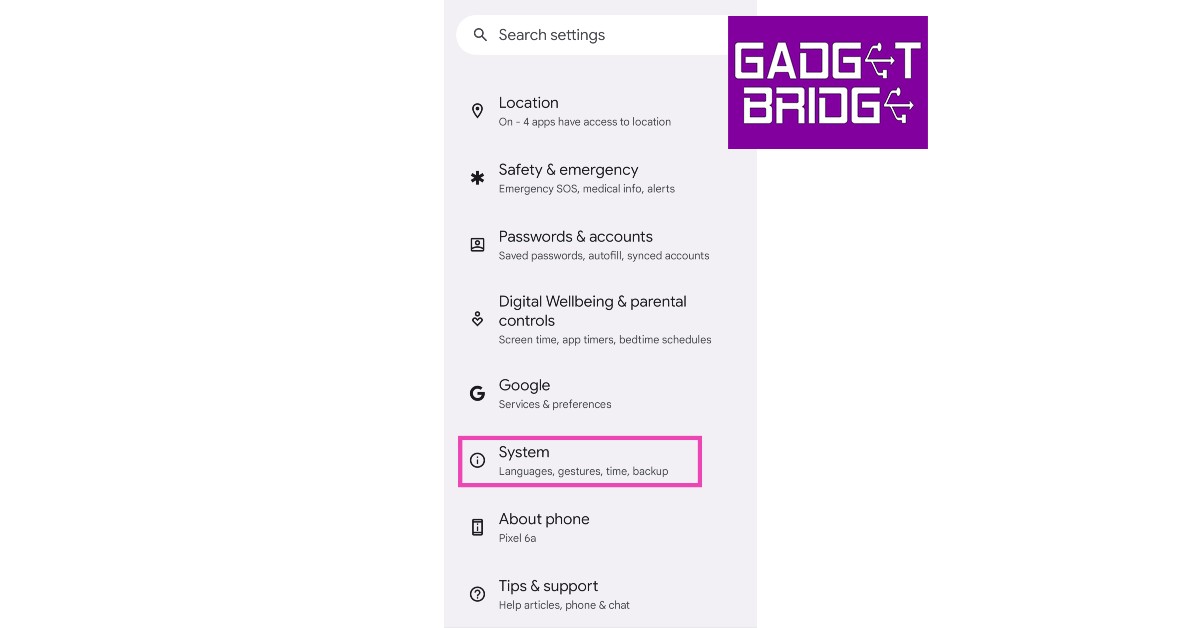 Step 2: Select ‘Gestures’ and tap on ‘Quick Tap to start actions’.
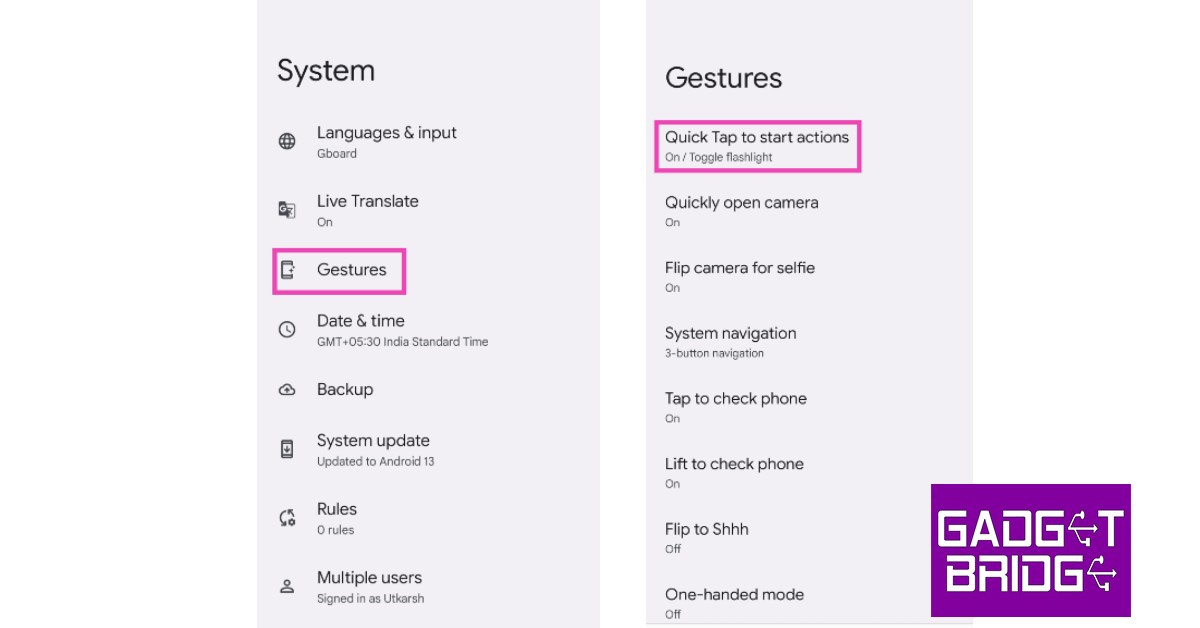 Step 3: Select ‘Toggle flashlight’.
 You will now be able to turn on the flashlight simply by tapping twice on the back of your smartphone.
Turn on the flashlight using the side key
Step 1: Go to Settings and select ‘Advanced features’. Step 2: Select ‘Side key’ and turn the toggle bar on for ‘Double press’.
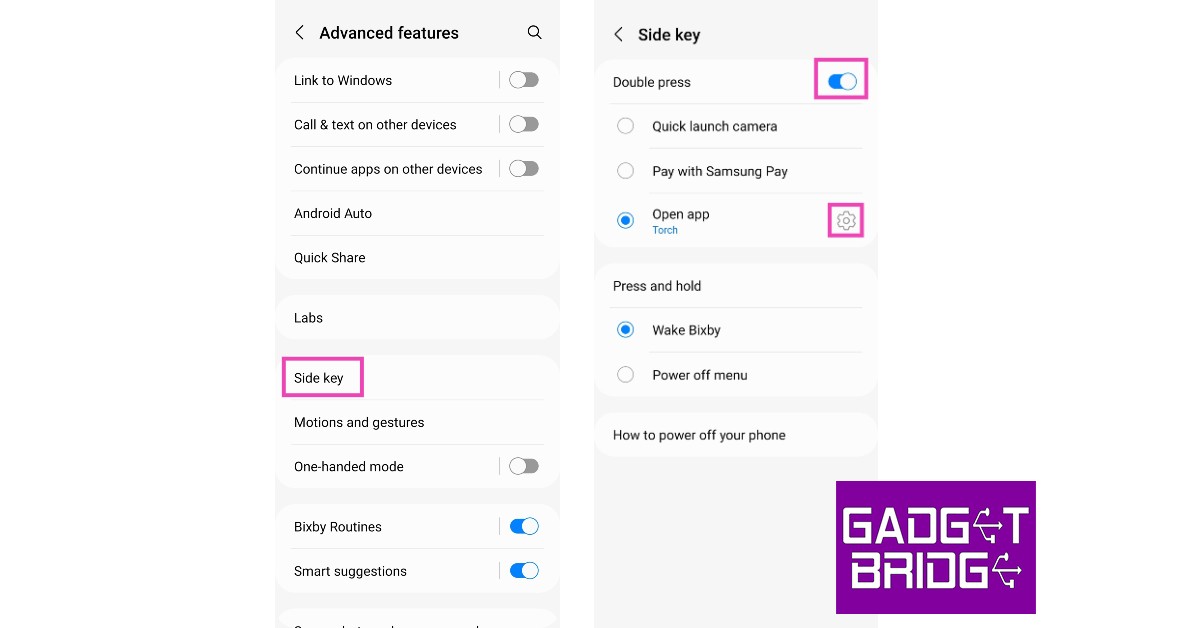 Step 3: Tap on ‘Open app’ and select ‘Torch’.
 You will now be able to turn on the flashlight simply by double pressing the side/power key.
Here are the three best flashlight apps for your phone
If you are looking for some decent flashlight apps that not only use your phone’s LED flash but also the screen to illuminate your surroundings, here are our top 3 picks for you.Color flashlight
 With over 50 million+ downloads, Color Flashlight is one of the most popular flashlight apps around. Using Color Flashlight you can turn your phone’s screen into a torchlight and even change the colour and effects to make it more fun. Some of the more popular effects include police siren, candlelight, disco ball, and rainbow. You can also control the LED flash on your smartphone using this app.
Tiny Flashlight
 Tiny flashlight maximises your screen’s brightness to produce glaring illumination. On top of that, the app offers several effects like strobe, morse, and blinking lights. One of the best things about this app is that it does not ask for any unnecessary and invasive permissions from your phone. Only 7MB in size, Tiny flashlight keeps things simple and light.
Icon Torch – Flashlight
 The Icon Torch app is the simplest torchlight app you can use. All it does is create an icon for the torchlight on your phone using which you can turn on the flash. You can place this icon at a convenient place on your screen to turn on the flash. The Icon Torch does not even have an interface, nor does it come with any annoying ads.
Read Also: OnePlus Nord Watch debuts in India: Pricing and specs details
The Icon Torch app is the simplest torchlight app you can use. All it does is create an icon for the torchlight on your phone using which you can turn on the flash. You can place this icon at a convenient place on your screen to turn on the flash. The Icon Torch does not even have an interface, nor does it come with any annoying ads.
Read Also: OnePlus Nord Watch debuts in India: Pricing and specs details
Conclusion
These are the three ways to turn on the flashlight on your phone. These methods will come in handy when you need to turn on the flashlight quickly and don’t have the time to unlock your phone first. If you’re interested in some more features like strobe lighting and fun effects for your torchlight, our picks for the 3 best flashlight apps will be helpful.
For the latest gadget and tech news, and gadget reviews, follow us on Twitter, Facebook and Instagram. For newest tech & gadget videos subscribe to our YouTube Channel. You can also stay up to date using the Gadget Bridge Android App. You can find the latest car and bike news here.
Acer H Series Smart TV review (50-inches): Great display at competitive pricing, a worthy buy?
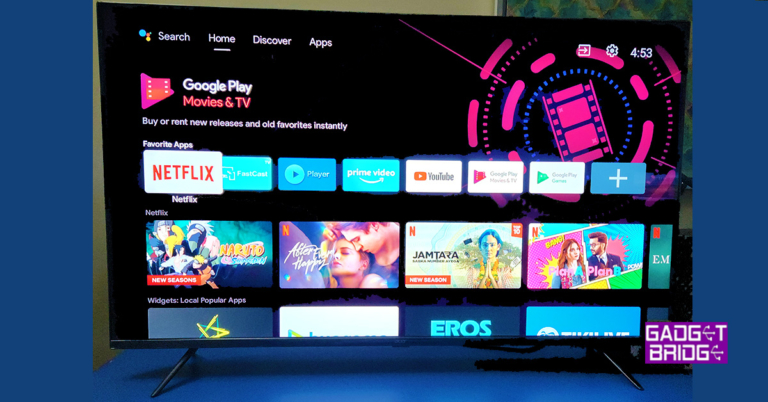
We just reviewed the Acer I series smart TV by the company and already the brand is out with a new set of TVs before the festive season. We played with the latest Acer H Series Smart TV for more than a week to understand what this TV is made of and if a price of Rs 34,999 is justified for this smart telly. Let’s find out in the Acer H Series Smart TV review below.
A similar remote to the Acer I series is found in the box of the Acer H Series Smart TVs box. You can pair the remote with the TV using Bluetooth and at first start, the TV will ask you to do so. Just keep the remote under 1 meter of the TV to connect it without any hassles. Then you can move it around up to 30 meters to access the TV. The remote is well designed and has all the essential keys, including shortcuts to Netflix, YouTube, Disney Plus and Amazon Prime Video.
The Acer H Series Smart TV we are reviewing is a 50-inch 4K display. There are two other models also available – 43-inch and 55-inch (these support 4K viewing too). The smart TV is almost frameless with virtually no borders at the top and sides. You get a thick silver border at the bottom, which adds to the show and also sports the Acer branding. This also hides the downward-firing 60W speakers behind it.
Spin the TV around and you will find a lot of connectivity options. These include two USB 2.0, one USB 3.0, AV, Ethernet, three HDMI and one 3.5mm aux port for headphones on the right side. The power port can be found on the left side of the back panel. The back is made up of plastic and seems sturdy to be mounted on the wall.
Read Also: HP introduces two new Pavilion laptops: Specs, Price, and more
The Android TV 11 OS supports all the OTT apps and the popular ones like Netflix, Prime Video etc are already present on the device. More can be downloaded from the Play Store. Thanks to the 2GB RAM in this smart TV the OS experience was lag free for us. Acer H Series Smart TV did not hang even when 3-4 OTT apps were open in the background.
The sound does perfect justice to the super bright LED screen. In the price bracket, users usually get 20-30W speakers, but with 60W, you will end up getting a lot of good audio vibes to you in a virtual surround sound setup. As we said, the audio is tuned by Dolby Atmos so that the virtual effect can be felt through the speakers. The settings menu is filled with good options for the users to customise the screen according to their viewing preferences, too.
In operation mode, the TV consumes 120W of power which is usual in this segment.
Read Also: Dell G15 AMD edition (5525) laptops with NVIDIA GeForce
In This Article
Acer H Series Smart TV review: Design
Setting the Acer H Series Smart TV is very easy and users do get a sturdy pair of metal feet in case they want to keep it on the table. However, this time there is no wall bracket available in the box, which was a little weird as all previous models of the Acer TVs we reviewed had them. Moving forward, setting it up is very easy and in under 15 minutes you can screw on the metal feet, battery up the remote and start the device. A similar remote to the Acer I series is found in the box of the Acer H Series Smart TVs box. You can pair the remote with the TV using Bluetooth and at first start, the TV will ask you to do so. Just keep the remote under 1 meter of the TV to connect it without any hassles. Then you can move it around up to 30 meters to access the TV. The remote is well designed and has all the essential keys, including shortcuts to Netflix, YouTube, Disney Plus and Amazon Prime Video.
The Acer H Series Smart TV we are reviewing is a 50-inch 4K display. There are two other models also available – 43-inch and 55-inch (these support 4K viewing too). The smart TV is almost frameless with virtually no borders at the top and sides. You get a thick silver border at the bottom, which adds to the show and also sports the Acer branding. This also hides the downward-firing 60W speakers behind it.
A similar remote to the Acer I series is found in the box of the Acer H Series Smart TVs box. You can pair the remote with the TV using Bluetooth and at first start, the TV will ask you to do so. Just keep the remote under 1 meter of the TV to connect it without any hassles. Then you can move it around up to 30 meters to access the TV. The remote is well designed and has all the essential keys, including shortcuts to Netflix, YouTube, Disney Plus and Amazon Prime Video.
The Acer H Series Smart TV we are reviewing is a 50-inch 4K display. There are two other models also available – 43-inch and 55-inch (these support 4K viewing too). The smart TV is almost frameless with virtually no borders at the top and sides. You get a thick silver border at the bottom, which adds to the show and also sports the Acer branding. This also hides the downward-firing 60W speakers behind it.
 Spin the TV around and you will find a lot of connectivity options. These include two USB 2.0, one USB 3.0, AV, Ethernet, three HDMI and one 3.5mm aux port for headphones on the right side. The power port can be found on the left side of the back panel. The back is made up of plastic and seems sturdy to be mounted on the wall.
Read Also: HP introduces two new Pavilion laptops: Specs, Price, and more
Spin the TV around and you will find a lot of connectivity options. These include two USB 2.0, one USB 3.0, AV, Ethernet, three HDMI and one 3.5mm aux port for headphones on the right side. The power port can be found on the left side of the back panel. The back is made up of plastic and seems sturdy to be mounted on the wall.
Read Also: HP introduces two new Pavilion laptops: Specs, Price, and more
Acer H Series Smart TV review: Performance
Let’s move to the more exciting part of the Acer H Series Smart TV review. But first, let’s quickly talk about some of the tech specs of this thin tube. The 4K smart TV has 64-but Cortex a 55 quad-core CPU with up to 1.3GHz clock speed. This is partnered with a Mali G31 GPU and 2GB of RAM along with 16GB of storage. The config is good enough for future upgrades. If maybe in the coming years Android 12 for TVs is announced then you would be able to upgrade with ease, not needing additional storage. For internet connectivity, there is the Ethernet port as well as dual-band Wi-Fi. Which is great for faster internet connectivity and buffer-free viewing. The 60W RMS sound is tuned by Dolby Atmos and Dolby vision is also present. Talking about which, the viewing experience on this smart TV is superb. We loved our time spent with it. The TV supports 178 degrees of viewing angle, making it perfect for large rooms and can be enjoyed with the family. The colours are vivid, and the picture is sharp. Thanks to the high contrast ratio, you get deeper blacks and much nicer hues on it. We did not find any ghosting on the screen, even in fast-paced sports events or action movie scenes. This is also helped by the MEMC engine this TV has, which adds frames for a much smoother viewing experience. The Android TV 11 OS supports all the OTT apps and the popular ones like Netflix, Prime Video etc are already present on the device. More can be downloaded from the Play Store. Thanks to the 2GB RAM in this smart TV the OS experience was lag free for us. Acer H Series Smart TV did not hang even when 3-4 OTT apps were open in the background.
The sound does perfect justice to the super bright LED screen. In the price bracket, users usually get 20-30W speakers, but with 60W, you will end up getting a lot of good audio vibes to you in a virtual surround sound setup. As we said, the audio is tuned by Dolby Atmos so that the virtual effect can be felt through the speakers. The settings menu is filled with good options for the users to customise the screen according to their viewing preferences, too.
In operation mode, the TV consumes 120W of power which is usual in this segment.
Read Also: Dell G15 AMD edition (5525) laptops with NVIDIA GeForce
The Android TV 11 OS supports all the OTT apps and the popular ones like Netflix, Prime Video etc are already present on the device. More can be downloaded from the Play Store. Thanks to the 2GB RAM in this smart TV the OS experience was lag free for us. Acer H Series Smart TV did not hang even when 3-4 OTT apps were open in the background.
The sound does perfect justice to the super bright LED screen. In the price bracket, users usually get 20-30W speakers, but with 60W, you will end up getting a lot of good audio vibes to you in a virtual surround sound setup. As we said, the audio is tuned by Dolby Atmos so that the virtual effect can be felt through the speakers. The settings menu is filled with good options for the users to customise the screen according to their viewing preferences, too.
In operation mode, the TV consumes 120W of power which is usual in this segment.
Read Also: Dell G15 AMD edition (5525) laptops with NVIDIA GeForce
Verdict
So, at a price of Rs 34,999 is this TV the right pick for you? We should start by saying that Acer India TVs have come a long way and from the first TV we reviewed last year to the Acer H Series Smart TV, there is a solid upward trajectory. There is so much improvement, not just only in the build quality but also in the picture and sound department. The great effort put in by Indkal team and its engineer’s shows. If you are looking for a large smart 4K TV, you can easily pick up this one by Acer India TV at an affordable price.Acer H Series Smart TV Pros
Good sound and picture Well built Dual Band Wi-Fi supportAcer H Series Smart TV Cons
Design is similar to some others For the latest gadget and tech news, and gadget reviews, follow us on Twitter, Facebook and Instagram. For newest tech & gadget videos subscribe to our YouTube Channel. You can also stay up to date using the Gadget Bridge Android App. You can find the latest car and bike news here.Top ANC-driven headphones and earphones under Rs 25,000

As TWS earbuds and headphones are slowly becoming the norm, Active Noise Cancellation (ANC) is something that is exclusively reserved for mid-range and premium headsets. While this may change in the future, audiophiles do not mind splurging more for a better listening experience. With an ever-increasing number of TWS products coming out with each passing year, we thought we’d make your job of sorting through the catalogues a bit easier by bringing you our picks for the top 10 ANC-driven headphones and earphones under Rs 25,000.
Read Also: How to get the most out of Samsung Galaxy Z Flip 4’s cover screen
 Price: Rs 19,900
Widely regarded by many as the best pair of wireless headphones on the market, Sony WH-1000XM4 also offers advanced active noise cancellation. These headphones employ dual noise sensor technology, with two microphones on each earcup passing the ambient background noise to the highly efficient HD Noise Cancelling Processor QN1. This processor is versatile enough to work in different environments, creating a perfect balance of ambient sound and the music being played.
Sony WH-1000XM4 brings together two technologies, Personal Noise Cancelling Optimiser and Atmospheric Pressure Optimising, to create an unparalleled ANC experience. The Atmospheric Pressure Optimising technology is more suited to air travel. You can also use Sony’s app to let in important sounds like transport announcements.
Price: Rs 16,990
Sony’s ANC brilliance is not just limited to their wireless headphones. Sony WF-1000XM4 brings cutting-edge noise cancellation to the TWS earbuds category. Featuring the Integrated V1 Processor, the WF-1000XM4 set the benchmark for noise cancellation with a range of modes that adapt seamlessly to your surroundings. The Automatic Wind Noise Reduction mode nullifies the sound of the wind and provides an immersive experience while you’re out for a run. In quieter surroundings, the Ambient Sound mode captures and mixes the sounds around you to produce an enjoyable listening experience.
Price: Rs 21,498
As the name suggests, Bose Quiet Comfort 35 II offers unmatched ANC tech that is designed for people on the go. If you’re looking for a pair of headphones that can easily tune out external noise distractions while creating an environment that lets you focus on music, you don’t need to look beyond the Bose Quiet Comfort II. Users can also adjust the noise cancellation between two levels, depending on the surrounding noise. Bose Quiet Comfort 35 II is definitely one of the best ANC-drives headphones around.
Price: Rs 19,900
Widely regarded by many as the best pair of wireless headphones on the market, Sony WH-1000XM4 also offers advanced active noise cancellation. These headphones employ dual noise sensor technology, with two microphones on each earcup passing the ambient background noise to the highly efficient HD Noise Cancelling Processor QN1. This processor is versatile enough to work in different environments, creating a perfect balance of ambient sound and the music being played.
Sony WH-1000XM4 brings together two technologies, Personal Noise Cancelling Optimiser and Atmospheric Pressure Optimising, to create an unparalleled ANC experience. The Atmospheric Pressure Optimising technology is more suited to air travel. You can also use Sony’s app to let in important sounds like transport announcements.
Price: Rs 16,990
Sony’s ANC brilliance is not just limited to their wireless headphones. Sony WF-1000XM4 brings cutting-edge noise cancellation to the TWS earbuds category. Featuring the Integrated V1 Processor, the WF-1000XM4 set the benchmark for noise cancellation with a range of modes that adapt seamlessly to your surroundings. The Automatic Wind Noise Reduction mode nullifies the sound of the wind and provides an immersive experience while you’re out for a run. In quieter surroundings, the Ambient Sound mode captures and mixes the sounds around you to produce an enjoyable listening experience.
Price: Rs 21,498
As the name suggests, Bose Quiet Comfort 35 II offers unmatched ANC tech that is designed for people on the go. If you’re looking for a pair of headphones that can easily tune out external noise distractions while creating an environment that lets you focus on music, you don’t need to look beyond the Bose Quiet Comfort II. Users can also adjust the noise cancellation between two levels, depending on the surrounding noise. Bose Quiet Comfort 35 II is definitely one of the best ANC-drives headphones around.
 Price: Rs 14,999
With active ANC and transparency mode working smoothly together, the Jabra Elite 85t does a great job of tuning out the noises you don’t want to hear while filtering in the essential sounds. The Jabra Elite 85t offers 11 levels of sounds that the user can adjust from full ANC (total noise cancellation) to full hear-through (total transparency). Each level is 3 decibels apart. Users can adjust the level according to their environment, with presets for commute, music, and focus.
Price: Rs 15,990
One of the most trusted names in the audio sphere, Sennheiser delivers the consistency you expect from it with the Momentum True Wireless 3. Designed for everyday use, the Adaptive Noise Cancellation on the Momentum True Wireless works like a charm. With automatic adjustment to surroundings and real-time ambient noise monitoring, these TWS can easily tune out the harsher noises while letting the important sounds filter in through the transparency mode. Certainly deserves a spot in the top 10 ANC-driven headphones list.
Price: Rs 23,990
Bose’s flagship NC 700 headphones are equipped with microphones both outside and inside the earcups to monitor any harsh noises and nullify them with an opposing signal. The next-gen ANC features allow users to control how much sound passes through the headphones, with the levels ranging from total noise cancellation to full sound transparency. The NC 700 truly stands out in actively cancelling noise during voice calls, producing a crystal clear output devoid of any background noise.
Price: Rs 21,499
Apple’s AirPods Pro bring state-of-the-art active noise cancellation to the TWS earbuds category. The H1-based system chip offers smarter noise cancellation, producing an excellent environment to play music, ebooks, or podcasts. The ‘Conversation Boost’ mode makes the video calls clearer with an elevated audio relay. On top of being one of the best ANC-driven headphones, the AirPods Pro also offer unique features like spatial audio and dynamic head tracking.
Price: Rs 7,900
Priced at Rs 7,900, the WH-CH710N are Sony’s most affordable wireless ANC headphones in the market right now. The defining feature of these headphones is the Dual Noise Sensor Technology that is found in Sony’s flagship products. With the Ambient Sound mode, users can control the transparency level and enjoy the powerful ANC features that usually come at a significantly higher price.
Price: Rs 9,999
The Skullcandy Hesh ANC is designed to provide the best quality ANC for those on a budget. The 4-mic digital active noise cancellation is turned on by default out of the box. You also get a dedicated button to toggle between the ANC mode and Ambient Mode. Apart from effective ANC, the Skullcandy Hesh also offers 22 hours of battery life with a rapid charging feature.
Price: Rs 9,990
Closing out the list is Sennheiser HD 4.50BTNC which offers Active Noise Cancellation at a very affordable price. The NoiseGuard ANC tech effectively nullifies any harsh noises in the background, helping towards producing an audio output that is highly detailed and well-rounded. The Sennheiser Smart Control app lets you switch between different modes suited to your surroundings.
Read Also: 7 Best solitaire apps for Android
Price: Rs 14,999
With active ANC and transparency mode working smoothly together, the Jabra Elite 85t does a great job of tuning out the noises you don’t want to hear while filtering in the essential sounds. The Jabra Elite 85t offers 11 levels of sounds that the user can adjust from full ANC (total noise cancellation) to full hear-through (total transparency). Each level is 3 decibels apart. Users can adjust the level according to their environment, with presets for commute, music, and focus.
Price: Rs 15,990
One of the most trusted names in the audio sphere, Sennheiser delivers the consistency you expect from it with the Momentum True Wireless 3. Designed for everyday use, the Adaptive Noise Cancellation on the Momentum True Wireless works like a charm. With automatic adjustment to surroundings and real-time ambient noise monitoring, these TWS can easily tune out the harsher noises while letting the important sounds filter in through the transparency mode. Certainly deserves a spot in the top 10 ANC-driven headphones list.
Price: Rs 23,990
Bose’s flagship NC 700 headphones are equipped with microphones both outside and inside the earcups to monitor any harsh noises and nullify them with an opposing signal. The next-gen ANC features allow users to control how much sound passes through the headphones, with the levels ranging from total noise cancellation to full sound transparency. The NC 700 truly stands out in actively cancelling noise during voice calls, producing a crystal clear output devoid of any background noise.
Price: Rs 21,499
Apple’s AirPods Pro bring state-of-the-art active noise cancellation to the TWS earbuds category. The H1-based system chip offers smarter noise cancellation, producing an excellent environment to play music, ebooks, or podcasts. The ‘Conversation Boost’ mode makes the video calls clearer with an elevated audio relay. On top of being one of the best ANC-driven headphones, the AirPods Pro also offer unique features like spatial audio and dynamic head tracking.
Price: Rs 7,900
Priced at Rs 7,900, the WH-CH710N are Sony’s most affordable wireless ANC headphones in the market right now. The defining feature of these headphones is the Dual Noise Sensor Technology that is found in Sony’s flagship products. With the Ambient Sound mode, users can control the transparency level and enjoy the powerful ANC features that usually come at a significantly higher price.
Price: Rs 9,999
The Skullcandy Hesh ANC is designed to provide the best quality ANC for those on a budget. The 4-mic digital active noise cancellation is turned on by default out of the box. You also get a dedicated button to toggle between the ANC mode and Ambient Mode. Apart from effective ANC, the Skullcandy Hesh also offers 22 hours of battery life with a rapid charging feature.
Price: Rs 9,990
Closing out the list is Sennheiser HD 4.50BTNC which offers Active Noise Cancellation at a very affordable price. The NoiseGuard ANC tech effectively nullifies any harsh noises in the background, helping towards producing an audio output that is highly detailed and well-rounded. The Sennheiser Smart Control app lets you switch between different modes suited to your surroundings.
Read Also: 7 Best solitaire apps for Android
In This Article
Sony WH-1000XM4
 Price: Rs 19,900
Widely regarded by many as the best pair of wireless headphones on the market, Sony WH-1000XM4 also offers advanced active noise cancellation. These headphones employ dual noise sensor technology, with two microphones on each earcup passing the ambient background noise to the highly efficient HD Noise Cancelling Processor QN1. This processor is versatile enough to work in different environments, creating a perfect balance of ambient sound and the music being played.
Sony WH-1000XM4 brings together two technologies, Personal Noise Cancelling Optimiser and Atmospheric Pressure Optimising, to create an unparalleled ANC experience. The Atmospheric Pressure Optimising technology is more suited to air travel. You can also use Sony’s app to let in important sounds like transport announcements.
Price: Rs 19,900
Widely regarded by many as the best pair of wireless headphones on the market, Sony WH-1000XM4 also offers advanced active noise cancellation. These headphones employ dual noise sensor technology, with two microphones on each earcup passing the ambient background noise to the highly efficient HD Noise Cancelling Processor QN1. This processor is versatile enough to work in different environments, creating a perfect balance of ambient sound and the music being played.
Sony WH-1000XM4 brings together two technologies, Personal Noise Cancelling Optimiser and Atmospheric Pressure Optimising, to create an unparalleled ANC experience. The Atmospheric Pressure Optimising technology is more suited to air travel. You can also use Sony’s app to let in important sounds like transport announcements.
Sony WF-1000XM4
 Price: Rs 16,990
Sony’s ANC brilliance is not just limited to their wireless headphones. Sony WF-1000XM4 brings cutting-edge noise cancellation to the TWS earbuds category. Featuring the Integrated V1 Processor, the WF-1000XM4 set the benchmark for noise cancellation with a range of modes that adapt seamlessly to your surroundings. The Automatic Wind Noise Reduction mode nullifies the sound of the wind and provides an immersive experience while you’re out for a run. In quieter surroundings, the Ambient Sound mode captures and mixes the sounds around you to produce an enjoyable listening experience.
Price: Rs 16,990
Sony’s ANC brilliance is not just limited to their wireless headphones. Sony WF-1000XM4 brings cutting-edge noise cancellation to the TWS earbuds category. Featuring the Integrated V1 Processor, the WF-1000XM4 set the benchmark for noise cancellation with a range of modes that adapt seamlessly to your surroundings. The Automatic Wind Noise Reduction mode nullifies the sound of the wind and provides an immersive experience while you’re out for a run. In quieter surroundings, the Ambient Sound mode captures and mixes the sounds around you to produce an enjoyable listening experience.
Bose Quiet Comfort 35 II
 Price: Rs 21,498
As the name suggests, Bose Quiet Comfort 35 II offers unmatched ANC tech that is designed for people on the go. If you’re looking for a pair of headphones that can easily tune out external noise distractions while creating an environment that lets you focus on music, you don’t need to look beyond the Bose Quiet Comfort II. Users can also adjust the noise cancellation between two levels, depending on the surrounding noise. Bose Quiet Comfort 35 II is definitely one of the best ANC-drives headphones around.
Price: Rs 21,498
As the name suggests, Bose Quiet Comfort 35 II offers unmatched ANC tech that is designed for people on the go. If you’re looking for a pair of headphones that can easily tune out external noise distractions while creating an environment that lets you focus on music, you don’t need to look beyond the Bose Quiet Comfort II. Users can also adjust the noise cancellation between two levels, depending on the surrounding noise. Bose Quiet Comfort 35 II is definitely one of the best ANC-drives headphones around.
Jabra Elite 85t
 Price: Rs 14,999
With active ANC and transparency mode working smoothly together, the Jabra Elite 85t does a great job of tuning out the noises you don’t want to hear while filtering in the essential sounds. The Jabra Elite 85t offers 11 levels of sounds that the user can adjust from full ANC (total noise cancellation) to full hear-through (total transparency). Each level is 3 decibels apart. Users can adjust the level according to their environment, with presets for commute, music, and focus.
Price: Rs 14,999
With active ANC and transparency mode working smoothly together, the Jabra Elite 85t does a great job of tuning out the noises you don’t want to hear while filtering in the essential sounds. The Jabra Elite 85t offers 11 levels of sounds that the user can adjust from full ANC (total noise cancellation) to full hear-through (total transparency). Each level is 3 decibels apart. Users can adjust the level according to their environment, with presets for commute, music, and focus.
Sennheiser Momentum True Wireless 3
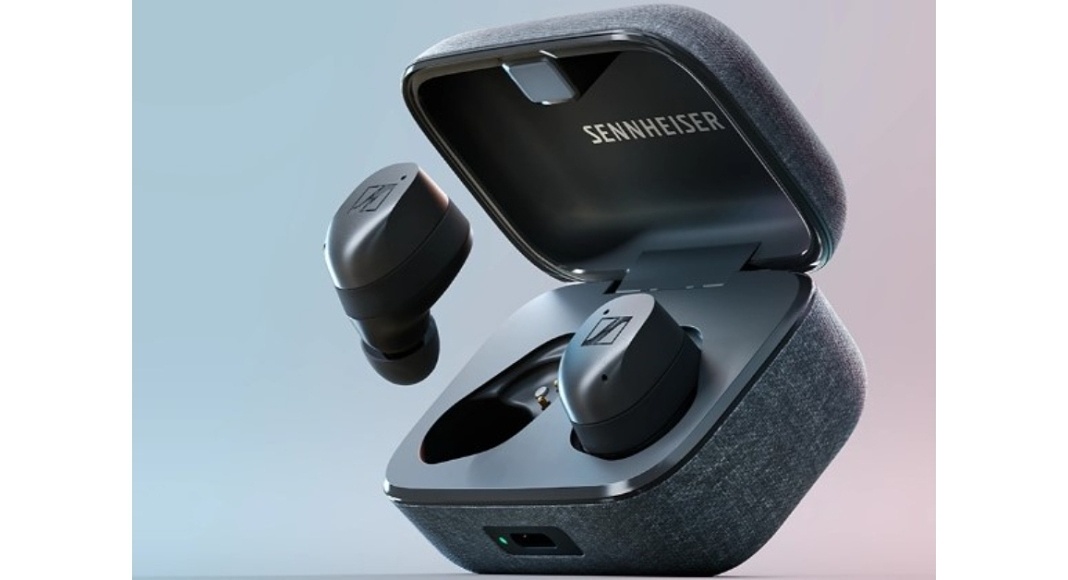 Price: Rs 15,990
One of the most trusted names in the audio sphere, Sennheiser delivers the consistency you expect from it with the Momentum True Wireless 3. Designed for everyday use, the Adaptive Noise Cancellation on the Momentum True Wireless works like a charm. With automatic adjustment to surroundings and real-time ambient noise monitoring, these TWS can easily tune out the harsher noises while letting the important sounds filter in through the transparency mode. Certainly deserves a spot in the top 10 ANC-driven headphones list.
Price: Rs 15,990
One of the most trusted names in the audio sphere, Sennheiser delivers the consistency you expect from it with the Momentum True Wireless 3. Designed for everyday use, the Adaptive Noise Cancellation on the Momentum True Wireless works like a charm. With automatic adjustment to surroundings and real-time ambient noise monitoring, these TWS can easily tune out the harsher noises while letting the important sounds filter in through the transparency mode. Certainly deserves a spot in the top 10 ANC-driven headphones list.
Bose Noise Cancelling 700
 Price: Rs 23,990
Bose’s flagship NC 700 headphones are equipped with microphones both outside and inside the earcups to monitor any harsh noises and nullify them with an opposing signal. The next-gen ANC features allow users to control how much sound passes through the headphones, with the levels ranging from total noise cancellation to full sound transparency. The NC 700 truly stands out in actively cancelling noise during voice calls, producing a crystal clear output devoid of any background noise.
Price: Rs 23,990
Bose’s flagship NC 700 headphones are equipped with microphones both outside and inside the earcups to monitor any harsh noises and nullify them with an opposing signal. The next-gen ANC features allow users to control how much sound passes through the headphones, with the levels ranging from total noise cancellation to full sound transparency. The NC 700 truly stands out in actively cancelling noise during voice calls, producing a crystal clear output devoid of any background noise.
Apple AirPods Pro
 Price: Rs 21,499
Apple’s AirPods Pro bring state-of-the-art active noise cancellation to the TWS earbuds category. The H1-based system chip offers smarter noise cancellation, producing an excellent environment to play music, ebooks, or podcasts. The ‘Conversation Boost’ mode makes the video calls clearer with an elevated audio relay. On top of being one of the best ANC-driven headphones, the AirPods Pro also offer unique features like spatial audio and dynamic head tracking.
Price: Rs 21,499
Apple’s AirPods Pro bring state-of-the-art active noise cancellation to the TWS earbuds category. The H1-based system chip offers smarter noise cancellation, producing an excellent environment to play music, ebooks, or podcasts. The ‘Conversation Boost’ mode makes the video calls clearer with an elevated audio relay. On top of being one of the best ANC-driven headphones, the AirPods Pro also offer unique features like spatial audio and dynamic head tracking.
Sony WH-CH710N
 Price: Rs 7,900
Priced at Rs 7,900, the WH-CH710N are Sony’s most affordable wireless ANC headphones in the market right now. The defining feature of these headphones is the Dual Noise Sensor Technology that is found in Sony’s flagship products. With the Ambient Sound mode, users can control the transparency level and enjoy the powerful ANC features that usually come at a significantly higher price.
Price: Rs 7,900
Priced at Rs 7,900, the WH-CH710N are Sony’s most affordable wireless ANC headphones in the market right now. The defining feature of these headphones is the Dual Noise Sensor Technology that is found in Sony’s flagship products. With the Ambient Sound mode, users can control the transparency level and enjoy the powerful ANC features that usually come at a significantly higher price.
Skullcandy Hesh ANC
 Price: Rs 9,999
The Skullcandy Hesh ANC is designed to provide the best quality ANC for those on a budget. The 4-mic digital active noise cancellation is turned on by default out of the box. You also get a dedicated button to toggle between the ANC mode and Ambient Mode. Apart from effective ANC, the Skullcandy Hesh also offers 22 hours of battery life with a rapid charging feature.
Price: Rs 9,999
The Skullcandy Hesh ANC is designed to provide the best quality ANC for those on a budget. The 4-mic digital active noise cancellation is turned on by default out of the box. You also get a dedicated button to toggle between the ANC mode and Ambient Mode. Apart from effective ANC, the Skullcandy Hesh also offers 22 hours of battery life with a rapid charging feature.
Sennheiser HD 4.50BTNC
 Price: Rs 9,990
Closing out the list is Sennheiser HD 4.50BTNC which offers Active Noise Cancellation at a very affordable price. The NoiseGuard ANC tech effectively nullifies any harsh noises in the background, helping towards producing an audio output that is highly detailed and well-rounded. The Sennheiser Smart Control app lets you switch between different modes suited to your surroundings.
Read Also: 7 Best solitaire apps for Android
Price: Rs 9,990
Closing out the list is Sennheiser HD 4.50BTNC which offers Active Noise Cancellation at a very affordable price. The NoiseGuard ANC tech effectively nullifies any harsh noises in the background, helping towards producing an audio output that is highly detailed and well-rounded. The Sennheiser Smart Control app lets you switch between different modes suited to your surroundings.
Read Also: 7 Best solitaire apps for Android
Conclusion
There are our picks for the top 10 ANC-driven headphones under Rs 25,000. If you think we missed out on any product worthy of being on the list, let us know in the comments!
For the latest gadget and tech news, and gadget reviews, follow us on Twitter, Facebook and Instagram. For newest tech & gadget videos subscribe to our YouTube Channel. You can also stay up to date using the Gadget Bridge Android App. You can find the latest car and bike news here.
Lava Blaze 5G powered by MediaTek Dimensity 700 SoC launched in India
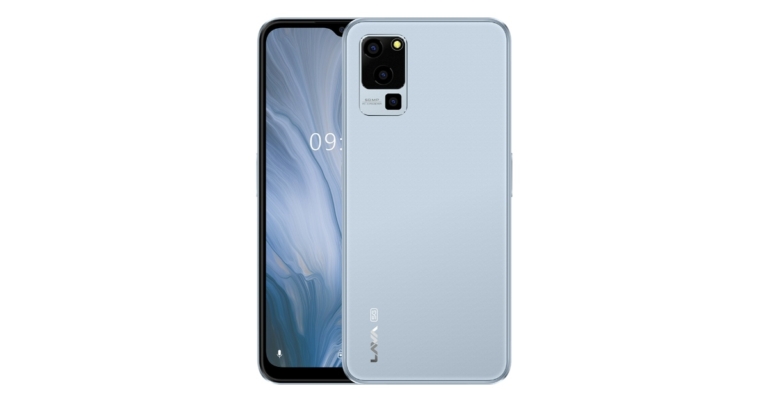
At the India Mobile Congress 2022 (IMC) the Lava Blaze 5G, a cost-effective 5G smartphone was introduced. The device is powered by MediaTek Dimensity 700 SoC and runs on Android 12 out of the box. The smartphone has a triple rear camera set up and also features a 5,000mAh battery. There is a RAM expansion feature on the phone that utilises unused storage and virtually increases the memory to 7GB.

In This Article
Lava Blaze 5G price in India, availability
The cost of the recently released Lava Blaze 5G in India has not yet been disclosed. However, according to the company, the device may cost around Rs 10,000 in the country. The pre-orders for the Lava Blaze 5G will begin around Diwali.