Snapchat not working? Fix Snapchat with these 10 simple hacks (2023)

Snapchat is one of the most popular instant messaging apps in the world, with over 300 million active monthly users. Its ‘ephemeral messaging’ and fun filters appeal to a younger audience and are a big reason for its popularity. But, like every other app, Snapchat also has the tendency to stop working from time to time. In this article, we bring you the 10 simplest ways to fix Snapchat if it isn’t working. Read Also: How to Change Facebook Password in 2022 from Mobile and Desktop

Check your internet connection

If you’re having trouble sending and receiving snaps from your contacts, you may have a network connection issue. Even when your connection is down the Snapchat app opens up and you can view some of the pre-loaded stories. But as soon as you send a message, it will get stuck on pending. In order to check your internet connection, use another app to see if you’re able to send messages, or open a webpage on your phone’s web browser to check if the internet is still working. 

Restart your smartphone

Restart your phone Restarting your phone can fix any temporary glitches or background issues that may be preventing Snapchat (or other apps) from working properly. This should be the first step you take towards fixing any issue with your phone. To restart your phone, long press the side key and select ‘Restart’ from the power options menu. If the side key triggers Google Assistant on your device, press and hold the side key and volume up button together to access the power options.

Check if Snapchat is down

Check if Snapchat is down If your internet connection is fine but Snapchat still isn’t working, the issue may lie on Snapchat’s end. It is not uncommon for Snapchat’s servers to go down, leading to an outage. To check Snapchat’s running status, log on to www.downdetector.in and search for Snapchat to see if any outages have been reported.

Log out of your Snapchat account and log in again

If there’s nothing wrong with your internet connection or Snapchat’s servers, you may want to try logging out and then logging back into Snapchat. Don’t worry, this won’t clear any of your saved messages. If there’s a glitch in your account, this method will fix it. To log out of Snapchat, tap on your Bitmoji at the top right corner of the screen. Then, tap on the gear icon to go to settings, scroll all the way down and select ‘Log Out’. You can log back in using your Snapchat username, phone number (if registered), or email address.

Update the Snapchat app if it isn’t working

If you haven’t updated Snapchat in a while, the current version may no longer be compatible with your smartphone. Snapchat rolls out new updates frequently and the older versions are slowly phased out. It is also possible that the current version of the app may have developed some bugs which would be erased in the updated version. It is a good idea to keep updating the app every once in a while. To update the Snapchat app, go to the Google Play Store, search for Snapchat and select ‘Update’.

Check the app permissions

Check the app permissions Snapchat needs certain permissions to work on your phone. You need to give the app access to your phone’s camera and microphone to use the basic functions. If you want to send an image from your gallery, Snapchat requires Files and Media access as well. If you’ve removed certain permissions for Snapchat, the app may not function as desired. Depending on what issue you’re facing, grant the necessary permission to Snapchat. For instance, if you’re not able to update your location on the app, you need to give it location access. In order to send a snap, you need to give the app the camera and microphone access. In order to check which permissions you’ve given to Snapchat, go to Settings>Apps>Snapchat>Permissions. You can select which permissions you want to give to Snapchat.

Clear app cache to fix Snapchat if it isn’t working

Clear app cache. fix snapchat isn't working The cache is temporary storage on your device where certain apps store files and data that are immediately needed upon opening the app. This reduces the load time and elevates the user experience. When certain files stay too long in the cache, they may get corrupted and affect the functioning of the app. It is always a good idea to clear the cache from time to time. In order to clear the cache open the Snapchat app and go to your Profile>Settings>Clear Cache.

Force Stop and Restart the app

Force Stop and Restart the app. fix snapchat isn't working You’d be surprised how often restarting the app can fix any minor issues that may be keeping it from working. Force-stopping the app shuts down any background activity as well, so you can perform a total reboot while restarting the app. In order to Force Stop Snapchat go to Settings>Apps>Snapchat and tap the ‘Force Stop’ option at the bottom part of your phone’s screen. In order to restart, simply open Snapchat from the app drawer again.

Disable VPN to fix Snapchat if it isn’t working

If you’re using a VPN to access Snapchat, try disabling it and trying again. The VPN may be connected to an IP address from a country where Snapchat is not available or outright banned. Connect to a different IP address and see if it works.

Clear Snapchat conversations

This method is only useful if you’re unable to send messages or snaps to a particular user. If the messages are stuck on ‘Pending’, it may mean that the user has blocked you. Check out this article to know more. However, if your messages are stuck in the process of being sent, clearing the conversation may help. To do so, tap on your Bitmoji at the top right corner of the screen and go to settings. Scroll down and select ‘Clear Conversations’, then tap the cross icon next to the conversation you want to clear. This won’t delete any saved messages, but unread and unsaved messages will be cleared.

Frequently Asked Questions

Why is my Snapchat not working?

If you’re unable to send messages on Snapchat, it may be because of a faulty internet connection or a server outage. Check your internet connection and restart your phone just to be sure that the issue does not lie on your end.

Why can’t I open Snapchat?

If the Snapchat app on your device isn’t launching properly, delete its cache by going to Settings>Apps>Snapchat>Storage>Clear Cache.

How can I restart Snapchat?

To restart Snapchat, you need to force-stop the app first. Go to Settings>Apps>Snapchat>Force Stop and then relaunch it from the app drawer. Read Also: How to block or unblock someone on Snapchat? (2022)

Conclusion

These are the 10 simple ways to fix Snapchat if it stops working. If you’ve tried all of the above-mentioned techniques and Snapchat is still down, the app may be corrupted. You can try deleting the app and reinstalling it again. Deleting the app will not clear your snap streak or saved messages and media.
For the latest gadget and tech news, and gadget reviews, follow us on TwitterFacebook and Instagram. For newest tech & gadget videos subscribe to our YouTube Channel. You can also stay up to date using the Gadget Bridge Android App. You can find the latest car and bike news here.
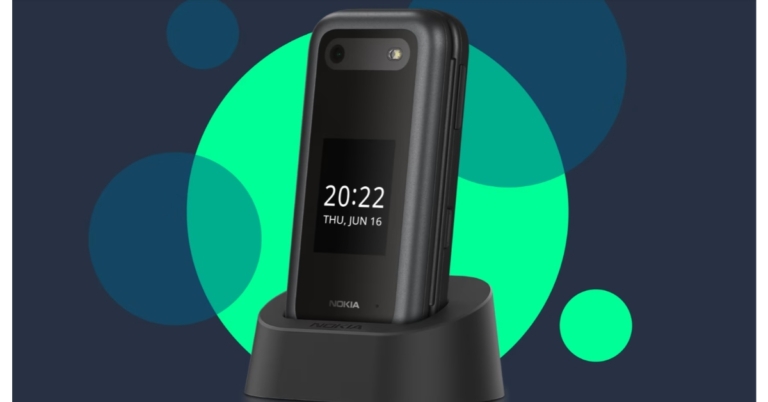
Nokia 2660 Flip phone launched in India: Price and specification details inside

HMD Global has announced the launch of a new Nokia smartphone in the Indian market. The company has introduced Nokia 2660 Flip which comes with two displays primary and outer. To recall Nokia first unveiled the flip phone in July of this year. The Nokia 2660 Flip was introduced earlier this month in a few markets, except India. A 1.77-inch display with QQVGA resolution is on the outside and a primary display is 2.8 inches in size. It is driven by a Unisoc T107 SoC. The device has a back camera with an LED flash that is 0.3 megapixels. In addition to this, the flip phone runs Nokia’s Series 30+ operating system.

Nokia 2660 Flip price in India, sale details

The cost of the one and only 48MB RAM with 128MB storage option of the Nokia 2660 Flip in India is Rs 4,699. The flip phone will be available in three colour options of Black, Blue, and Red. According to the website of the corporation, the device will be available for purchase via Nokia’s website in the country. The Nokia 2660 Flip is available in the UK for EUR 64.99. While the cost of the new Nokia flip phone is available at CNY 429 in China. The device is priced at EUR 79.99 in France. Nokia 2660 Flip price in India, sale details

Nokia 2660 Flip specifications

The Nokia 2660 Flip comes with a clamshell design. The 2660 Flip has 4G LTE connectivity and runs Nokia’s Series 30+ operating system. The flip phone has a 1.77-inch out display with QQVGA resolution and a primary display that is 2.8 inches in size with QVGA resolution. A Unisoc T107 SoC with 48MB of RAM and 128MB of internal storage powers it. Via a microSD card, the storage can be increased up to 32GB. It has a 0.3-megapixel back camera with an LED flash for optics. The Nokia 2660 Flip supports Bluetooth v4.2, has a Micro-USB 2.0 port, and a 3.5mm audio jack in terms of connectivity. With 2.75W charging capabilities, it has a 1,450mAh replaceable battery. According to the manufacturer, the phone has a maximum talk time of 6.5 hours with a single 4G SIM and a maximum standby period of 24.9 days. In addition to this, the device also includes an MP3 player and an FM radio with wireless capability. On the new feature phone, the business has included games like Snake, Crossy Road, Tetris, Arrow Master, and more. For the latest gadget and tech news, and gadget reviews, follow us on TwitterFacebook and Instagram. For newest tech & gadget videos subscribe to our YouTube Channel. You can also stay up to date using the Gadget Bridge Android App. You can find the latest car and bike news here.

Amazon Quiz Answers Today 1 September 2022: Participate to win Rs 500

1 September 2022 Amazon Quiz has gone live on its platform. The quiz timings are 12 AM to 11:59 PM. The Amazon App users can participate in the quiz daily and all they have to do is submit correct answers to the questions asked on the e-commerce platform. Today’s participants can get a chance to win Rs 500 Amazon Pay Balance. Amazon brings a fresh questionnaire that contains 5 questions daily. These questions are based on current affairs and general knowledge. The quiz can be played from 8 AM to 11:59 PM and the contestants need to answer correctly to enter into a lucky draw. Only one person is declared as a winner and the results will be announced at the end of every month. And to make sure that you give correct answers to all the 5 questions Gadget Bridge everyday updates all the answers to the Amazon Quiz. Do check out 1 September 2022 Amazon Quiz Answers to win Rs 500 Amazon pay Balance. Amazon Quiz Today Prize – Rs 500 Amazon Pay Balance Quiz Date – 1 September 2022 Daily Timing – 12 AM to 11:59 PM Winner Announcement – Today 12 PM

Amazon Quiz Answers Today 1 September 2022

Question 1: The 2022 Badminton World Championships are being held in which country? Answer: Japan Question 2: Which is the latest movie to be released in the famous Dragonball franchise? Answer: Dragon Ball Super: Super Hero Question 3: Which state government has entered into a partnership with ‘SettleMint’ to use Blockchain Technology to distribute seeds to farmers? Answer: Jharkhand Question 4: This is a picture taken at a mosque in which city? Answer: Ahmedabad Question 5:The construction of this famous monument began approximately in which year? Answer: 70 A.D.

How To Play Amazon Quiz

Only app users are eligible to play the Amazon quiz every morning from 12 AM to 11:59 PM. The quiz is not available on the desktop. For those who are unaware of how to play the Amazon quiz below are the steps, you can follow to take the quiz.
  • Firstly download the Amazon app from Google Play Store or App Store
  • Now fill in the required information through the Sign Up option.
  • You need to log in to the Amazon app and scroll down on the home screen to find the Amazon Quiz banner.
  • Tap on the Amazon Quiz banner and tap on the Start button to start the Quiz.
  • Now you will get 5 questions and you need to answer them correctly. One wrong answer will eliminate you from the Quiz.
  • After answering all the questions correctly you are now eligible for a Lucky Draw.
  • The winner’s name will be announced today at 12 PM.
For the latest gadget and tech news, and gadget reviews, follow us on TwitterFacebook and Instagram. For newest tech & gadget videos subscribe to our YouTube Channel. You can also stay up to date using the Gadget Bridge Android App. You can find the latest car and bike news here.

Garena Free Fire Redeem Codes Today 31 August 2022: Here is how to claim them

Garena Free Fire is a battle royale game with regular awards and tournaments to keep players interested. If you play Garena Free Fire, you should be aware of the redeem codes that are released on a daily basis. However, because the battle royale game is banned in India, players from other countries can use the Free Fire Redeem codes daily. If you’re unfamiliar with the Garena Free Fire redeem codes or don’t know how to get them, we’ve put together a step-by-step guide to help you redeem them. Check out Garena Free Fire Redeem Codes for August 31. The Free Fire redeem codes are a great way to get free stuff. These are 12-digit codes that contain alphabets and numbers, as well as an expiration date and time. Because the Garena FF redeem codes cannot be used more than once, you should hurry to the redemption page to claim your free reward before someone else does. To get a free reward, all you have to do is go to reward.ff.garena.com/en, which is the official redemption page. Also, keep an eye on this space for daily updates on Garena Free Fire redemption codes and rewards.

Garena Free Fire Redeem Codes Today 31 August 2022

  • B61YCTNH4PV3
  • FFBCAC836MAC
  • FFBCLY4LNC4B
  • WOJJAFV3TU5E
  • FFBCLLP5S98AW
  • 4ST1ZTBE2RP9
  • YXY3EGTLHGJX
  • FFPLUED93XRT
  • FFBCJVGJJ6VP
  • XUW3FNK7AV8N
  • WLSGJXS5KFYR
  • FFPLFMSJDKEL
  • FFTILM659NZB
  • ESX24ADSM4K
  • 3IBBMSL7AK8G
  • FFPLNZUWMALS
  • SARG886AV5GR
  • FFBCT7P7N2P2
  • FFPLPQXXENMS
  • FFPLOWHANSMA
  • FFBCLAK9KYGM
  • FFICDCTSL5FT
  • FFBCZD9RDP44
  • TJ57OSSDN5AP
  • R9UVPEYJOXZX
  • FFBCLQ6S7W25

How to Get Free Fire Redeem Codes for Garena on August 31?

  • Visit the Garena Free Fire game’s official website at reward.ff.garena.com.
  • Use your Facebook, Google, VK, Apple ID, Huawei ID, or Twitter account to log in.
  • You’ll be taken to a valid redemption code (s)
  • Copy and paste the 12-digit redemption code into the text box.
  • On the screen, a dialogue box will appear.
  • ‘Ok’ should be selected.
For the latest gadget and tech news, and gadget reviews, follow us on TwitterFacebook and Instagram. For newest tech & gadget videos subscribe to our YouTube Channel. You can also stay up to date using the Gadget Bridge Android App. You can find the latest car and bike news here.

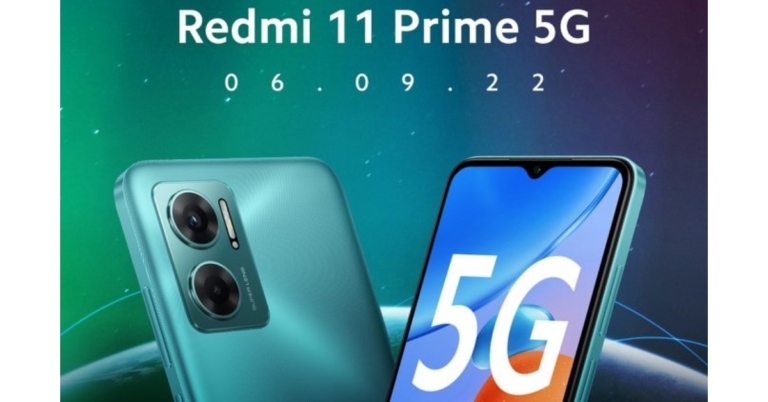
Redmi 11 Prime 5G India launch confirmed for September 6

Redmi is all set to introduce a new smartphone in the Indian market. Xiaomi’s sub-brand has revealed that it is arriving with the Redmi 11 Prime 5G in India on September 6. Ahead of the official announcement, the company has disclosed some of its most important features. It is said to be powered by MediaTek Dimensity 700 SoC. Additionally, the phone will also have a 50-megapixel primary camera and a 5,000mAh battery.

Redmi 11 Prime 5G India launch details and specifications

Xiaomi announced that the Redmi 11 Prime 5G India launch date has been planned for September 6. Prior to the device’s introduction in the nation, a microsite was established for it and disclosed some of its most important features. The Redmi 11 Prime 5G’s additional features and price have not yet been disclosed by the firm in India. The smartphone will be released in at least two colour variations, according to the photographs Redmi provided on the homepage. According to Redmi’s microsite, Redmi 11 Prime 5G’s display will include a teardrop-shaped notch to accommodate the selfie camera. A MediaTek Dimensity 700 SoC will power the upcoming phone. A 50-megapixel dual rear camera system with an LED flash will be featured on the smartphone. It will enable 5G connectivity with two SIM cards. The power button and volume rockers will be located on the right side of the frame. The Redmi 11 Prime 5G, codenamed Light, was reportedly discovered in the IMEI database with the model number 1219I. A rebranded Redmi Note 11E known as the Poco M4 5G is thought to be the source of the smartphone. The smartphone was just discovered on the list of scheduled Xiaomi Security Updates. Poco M5 on the other hand is also scheduled to launch in India a day before Redmi 11 Prime 5G launch which is September 5. The firm has not yet released information on the Poco M5’s specifications, features, or cost. According to a report, the Poco M5 may just cost Rs 15,000 in India. The entry-level model of the smartphone is said to be priced as above. According to rumours, Android 12 is pre-installed. The phone reportedly sports a 6.58-inch LCD screen with full-HD+ resolution. It might be powered by a MediaTek Helio G99 SoC, as was already mentioned. The smartphone is said to include a 5,000mAh battery with at least 33W rapid charging capability. A Poco M5 model that supports 5G wireless technology may be made available in the future, according to rumours. For the latest gadget and tech news, and gadget reviews, follow us on TwitterFacebook and Instagram. For newest tech & gadget videos subscribe to our YouTube Channel. You can also stay up to date using the Gadget Bridge Android App. You can find the latest car and bike news here.
Amazon Quiz Answers Today 31 August 2022: Participate to win Rs 2,500

31 August 2022 Amazon Quiz has gone live. Customers from different parts of the country are participating in the daily quiz. The quiz begins from 12 AM to 11:59 PM. Those participating in the quiz can win exciting prizes by answering all the questions correctly. Today participants have a chance to win a Rs 2,500 Amazon Pay Balance. Amazon quiz brings an opportunity for its customers to win Amazon Pay Balance ranging from Rs 1,000 to Rs 50,000. The Quiz can be played from 12 AM to 11:59 PM. The e-commerce platform brings a fresh quiz on a daily basis which consists of five questions related to general knowledge and current affairs. The participants need to answer all the questions correctly and their names will be selected for a lucky draw. The winner will be announced at the end of the month. One wrong answer could eliminate you from the quiz. If you manage to answer all the questions correctly you can stand a chance to win a Rs 2,500 Amazon Pay Balance today. Only app users are eligible to participate in the Quiz. Check Out 3 August 2022 Amazon Quiz Answers. Amazon Quiz Today Prize – Rs 2,500 Amazon Pay Balance Quiz Date – 31 August 2022 Daily Timing – 12 AM to 11:59 PM Winner Announcement – Today 12 PM

Amazon Quiz Answers Today 31 August 2022

Question 1: William Ruto has recently been elected as the President of which country? Answer: Kenya Question 2: Which of these bowlers has been ruled out from the upcoming Asia Cup due to injury? Answer: Shaheen Shah Afridi Question 3: Beast’ is a 2022 American survival thriller film starring which of these actors in the lead role? Answer: Idris Elba Question 4: How many natural satellites does this planet have? Answer: 2 Question 5: This is an up close view of which fruit? Answer: Dragon fruit

How To Play Amazon Quiz

Only app users are eligible to play the Amazon quiz every morning from 12 AM to 11:59 PM. The quiz is not available on the desktop. For those who are unaware of how to play the Amazon quiz below are the steps, you can follow to take the quiz.
  • Firstly download the Amazon app from Google Play Store or App Store
  • Now fill in the required information through the Sign Up option.
  • You need to log in to the Amazon app and scroll down on the home screen to find the Amazon Quiz banner.
  • Tap on the Amazon Quiz banner and tap on the Start button to start the Quiz.
  • Now you will get 5 questions and you need to answer them correctly. One wrong answer will eliminate you from the Quiz.
  • After answering all the questions correctly you are now eligible for a Lucky Draw.
  • The winner’s name will be announced today at 12 PM.
For the latest gadget and tech news, and gadget reviews, follow us on TwitterFacebook and Instagram. For newest tech & gadget videos subscribe to our YouTube Channel. You can also stay up to date using the Gadget Bridge Android App. You can find the latest car and bike news here.

How to Change Facebook Password in 2022 from Mobile and Desktop

0
Changing your Facebook password is a pretty straightforward process and can be carried out within a few minutes. Changing your password regularly increases the safety of your account and lowers the risk of any security breach or hacking risk. If you can’t figure out how to change your Facebook password, we’ve got you covered. In this article, we’ll show you how to change your Facebook password from your mobile and desktop. Read Also: What new features will be found in the iPhone 14?

How to change your Facebook password on a Desktop

Step 1: Open and log in to Facebook on your web browser. Step 1: Open and log in to Facebook on your web browser. Step 2: Click on your account thumbnail at the top right corner of the screen and select ‘Settings & Privacy’ and click on Settings. Step 2: Click on your account thumbnail at the top right corner of the screen and select ‘Settings & Privacy’ and click on Settings. Step 3: Select ‘Security and login’ from the side menu and click on the Edit button next to ‘Change Password’. Step 3: Select ‘Security and login’ from the side menu and click on the Edit button next to ‘Change Password’. Step 4: Type your current password and the new password, and then retype the new password in their respective fields.  Step 4: Type your current password and the new password, and then retype the new password in their respective fields.  Your password will be changed instantly.

How to change your Facebook password on a mobile

Step 1: Open the Facebook app and click on the hamburger menu at the top right corner of the screen. Step 2: Click on the gear icon at the top to open settings. Step 2: Click on the gear icon at the top to open settings. Step 3: Select ‘Password and security’. Step 3: Select ‘Password and security’. Step 4: Select ‘Change Password’. Step 4: Select ‘Change Password’. Step 5: In the following window, type in your current password and the new password, then retype the new password to confirm it. Tap ‘Update Password’. Step 5: In the following window, type in your current password and the new password, then retype the new password to confirm it. Tap ‘Update Password’. Your Facebook password will be changed instantly. Read Also: Top 10 gaming smartphones under Rs 50,000

Frequently Asked Questions

Will changing my Facebook password log me out of my Facebook account on all devices?

Yes. You will have to log in again using your new password on every device where you’re currently logged in. 

How do I set up a strong password? 

A strong password contains strings in lowercase and uppercase, digits, and some special characters.

How do I make sure no one logs into my Facebook account? 

If you’re not satisfied with setting up a new password, you can enable two-factor authorisation or generate a key from Google Authenticator every time you log in
For the latest gadget and tech news, and gadget reviews, follow us on TwitterFacebook and Instagram. For newest tech & gadget videos subscribe to our YouTube Channel. You can also stay up to date using the Gadget Bridge Android App. You can find the latest car and bike news here.
Fastrack Reflex Play+ smartwatch with Bluetooth Calling launched in India

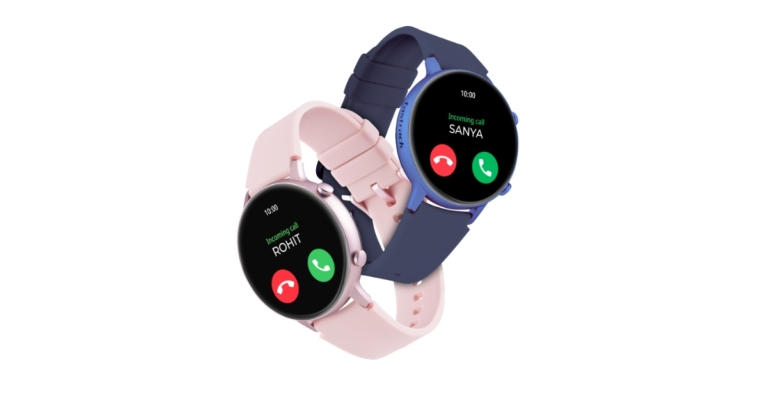
Last month Fastrack Reflex Play smartwatch was announced in India. Today the company has introduced another wearable namely Fastrack Reflex Play+. The device comes with a BT Calling feature offering a hands-free experience to the wearer. The device also comes with a 1.3-inch AMOLED Display and a 24×7 heart rate monitor. There is a SpO2 tracker with in-built games.

Fastrack Reflex Play+ price in India, sale details

Priced at Rs 6,995, the new Fastrack Reflex Play+ smartwatch is currently on sale in Fastrack stores and online. Whereas Fastrack Reflex Play which was launched in India last month comes with a price tag of Rs 7,995. Additionally, the smartwatch is available in four colour options of Black, Blue, Orange and Pink.

Fastrack Reflex Play+ features

Fastrack Reflex Play+ has BT calling capabilities and a built-in speaker and microphone, enabling users to take calls directly from the watch in addition to receiving call notifications. There will be no communication breakdown during a contact thanks to the flawless engineering of the design. The smartwatch has built-in gaming capabilities. The wearable has over 25 multi-sport modes, including cricket, football, basketball, yoga, and more. It is compatible with both iOS and Android devices. The Reflex Play+’s 1.3-inch AMOLED display provides better visibility all day long. Reflex Play+ comes with several animated watch faces and 4 colour options. Voice assistants like Google Assistant and Siri are supported with Reflex Play Plus. Additionally, it has lots of features that give customers a smooth functional experience, such as music control, camera control, an exceptional 7-day battery life, notifications alert, etc. Advanced health monitoring capabilities like the Heart Rate Monitor, SPO2 and BP monitor are available with Reflex Play+. Your route to health and wellness is covered by the sedentary reminder feature and several sports modes. Additionally, the watch comes with IP68 rating for dust and water resistance. As previously mentioned, the Fastrack Reflex Play smartwatch was unveiled in India last month. The inclusion of Bluetooth calling in Reflex Play+ is the only distinction. The Reflex Play features a 1.3-inch round AMOLED screen and includes built-in games. The device has over 25 multi-sport modes, including cricket, football, basketball, yoga, and so. It is compatible with both iOS and Android devices.  For the latest gadget and tech news, and gadget reviews, follow us on TwitterFacebook and Instagram. For newest tech & gadget videos subscribe to our YouTube Channel. You can also stay up to date using the Gadget Bridge Android App. You can find the latest car and bike news here.

How to block or unblock someone on Snapchat? (2022)

0
Blocking someone on Snapchat is a pretty straightforward process. However, with every update, there might be a few tweaks to the interface which can make the whole process a little confusing. In this article, we’ll show you how to block and unblock someone on Snapchat in 2022.  Read Also: What new features will be found in the iPhone 14?

How to block someone on Snapchat

Follow these steps to block someone on Snapchat. Step 1: Go to Snapchat and click on the profile of the person you want to block. Step 2: Click on the ellipses at the top-right corner of the profile.  Step 2: Click on the ellipses at the top-right corner of the profile.  How to block or unblock Someone on Snapchat Step 3: Tap on ‘Manage Friendship’. Step 3: Tap on ‘Manage Friendship’. How to block or unblock Someone on Snapchat Step 4: Select ‘Block’. How to block or unblock Someone on Snapchat Step 5: Tap on ‘Block’ once Snapchat prompts you to confirm your action. The user will be added to your block list.

How to unblock someone on Snapchat

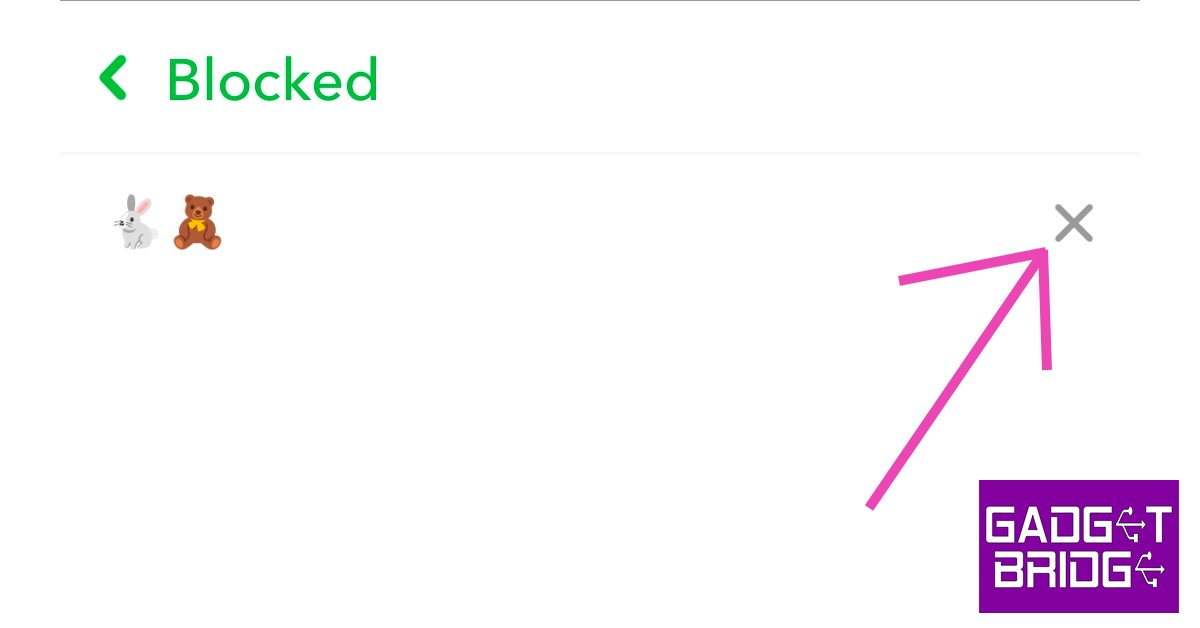
Follow these steps to unblock someone on Snapchat. Step 1: Open Snapchat and go to your profile.  Step 2: Tap the gear icon at the top-right corner of the screen to open Settings.  Step 2: Tap the gear icon at the top-right corner of the screen to open Settings.  Step 3: Scroll down and select ‘Blocked’ from the ‘Account Actions’ section. Step 3: Scroll down and select ‘Blocked’ from the ‘Account Actions’ section. Step 4: Click on the cross symbol next to the name of the user you want to unblock. Step 4: Click on the cross symbol next to the name of the user you want to unblock. Step 5: Tap on ‘Yes’ once Snapchat prompts you to confirm your action. Step 5: Tap on ‘Yes’ once Snapchat prompts you to confirm your action. The user will be removed from your block list. Once you unblock a user, you’ll have to add them again to send them messages and view their stories. Read Also: When will iPhone 13 get cheaper?

Frequently Asked Questions

Does Snapchat notify the user when I block them?

No, Snapchat does not notify anyone when they get blocked. The messages they send to you will get left on ‘pending’ once you block them.

How do I know someone has blocked me on Snapchat?

There is no sure way of knowing that someone has blocked you on Snapchat. Messages getting left on ‘pending’ is a sign that you’ve been blocked but it may also be because the user has unfriended you on Snapchat.

How do I hide my Snapchat story from someone on Snapchat?

To hide your Snapchat story from someone, all you need to do is go to Story Settings>Who can view my story>Custom and select the people you don’t want to see your story.
For the latest gadget and tech news, and gadget reviews, follow us on TwitterFacebook and Instagram. For newest tech & gadget videos subscribe to our YouTube Channel. You can also stay up to date using the Gadget Bridge Android App. You can find the latest car and bike news here.

Sony takes over Savage Game Studios, will be part of PlayStation Studios Mobile Division

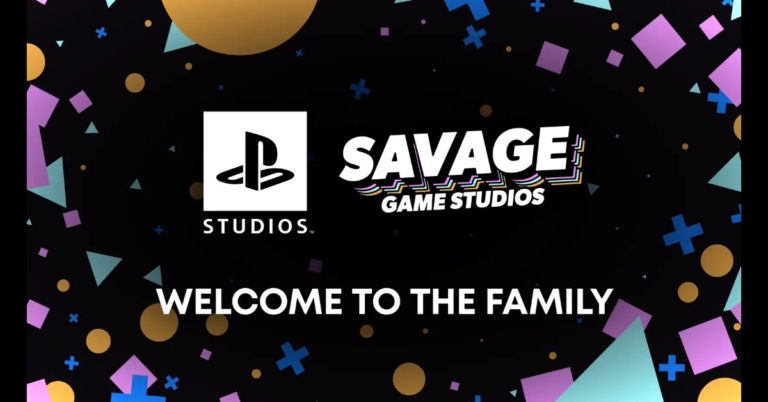
Sony has officially declared that it has acquired Savage Game Studios, a maker of mobile games. According to the company, it will be a part of the newly formed PlayStation Studios Mobile Division, which will function separately from the company’s console development. The company via its blog post said, “Today, we announced that we have entered into a definitive agreement to acquire Savage Game Studios, a hugely talented team of creatives with many years of experience making some of the most popular mobile games enjoyed by players around the world.” The newly established PlayStation Studios Mobile Division, which creates games for mobile devices and is separate from Sony’s console development team, has announced that it has acquired Savage Game Studios. “They were founded a few years ago with the goal of fearlessly exploring bold new ideas. We share their tireless ambition to innovate, along with a continued drive to expand our audience and bring PlayStation to more people than ever before, making them a perfect fit to join PlayStation Studios,” the company further added. According to Herman Hulst, the company entered into this agreement because they think PlayStation Studios’ leadership appreciates their idea of how they may work together and achieve while also being willing to take chances. All of that, as well as the opportunity to access PlayStation’s incredible library of original content, and the fact that they will have access to the kind of support that they alone can offer. According to the Japanese tech behemoth PlayStation VR2 will launch soon and claims to make significant advancements in presence and immersion, supported by top-tier applications like Horizon: Call of the Mountain. Additionally, the firm guarantees that its efforts in mobile gaming will be similarly additive, offering more opportunities for users to interact with their content and working to reach new audiences that aren’t familiar with PlayStation and its games. Savage Game Studios will work as part of the recently established PlayStation Studios Mobile Division, which will function separately from its console development and concentrate on cutting-edge, mobile experiences based on both new and current PlayStation IP. For the latest gadget and tech news, and gadget reviews, follow us on TwitterFacebook and Instagram. For newest tech & gadget videos subscribe to our YouTube Channel. You can also stay up to date using the Gadget Bridge Android App. You can find the latest car and bike news here.