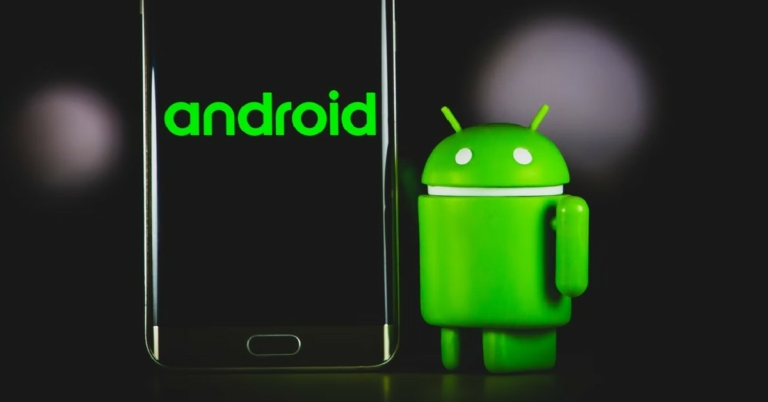
With Android 13 expected to release this month, we thought we’d take you through the history of the most popular smartphone OS in the world. Purchased by Google in 2005, the first Android OS was released in 2008, and it wasn’t until the third update that it was given a dessert codename. In this article, we list the Android versions over the years and explain what every iteration brought to the table.Read Also: Snapchat+ subscription service goes live in India, adds six premium features to the app
In This Article
Android Version 1.0 to 1.1
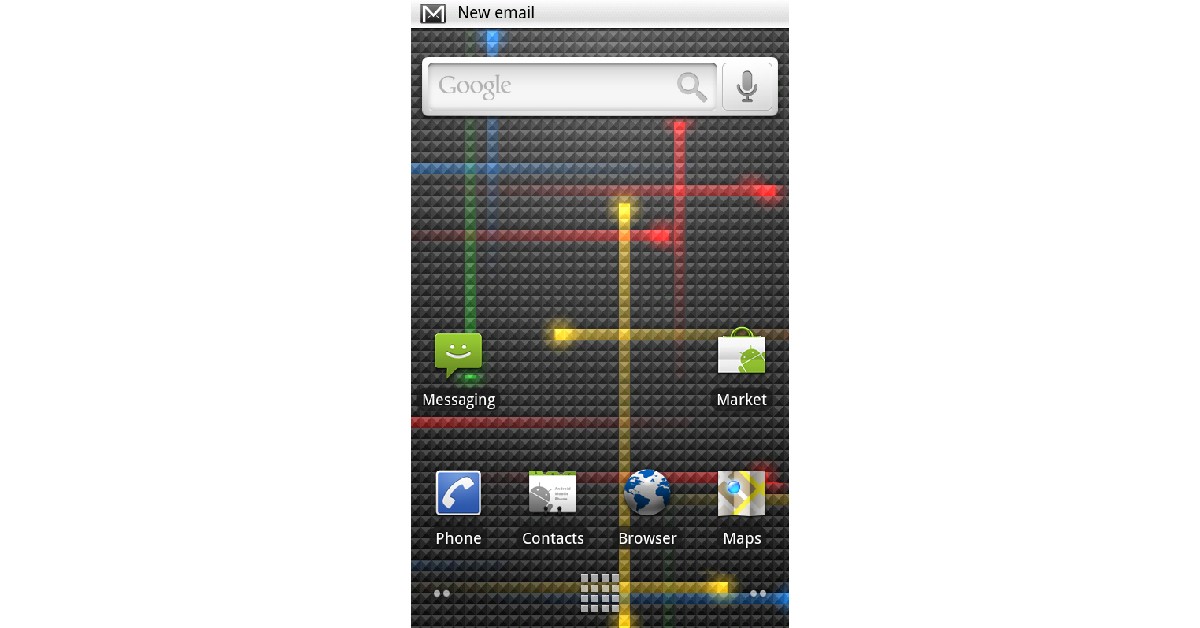
Release Date: September 23, 2008.The first two versions of Android did not have a codename. Android was just getting started as an OS, offering web browser and email support, with the ability to take pictures. It also came with the most basic Google apps like Google Maps, Google Search, Google Talk, and Google Calendar.
Android Version 1.5: Cupcake
Image Credit: WikipediaRelease Date: April 27, 2009.Android 1.5 started the trend of naming each successive version after a dessert item. Codenamed ‘Cupcake’, Android 1.5 supported a few third-party apps other than the ones published by Google and was the first Android OS to come with an on-screen virtual keyboard. It also had the copy-paste feature, and for the first time, users could upload videos to YouTube from their phones.
Android Version 1.6: Donut
Image Credit: WikipediaRelease Date: September 15, 2009.With the Donut update, Android added features like voice search, multiple select, text-to-speech engine, and WVGA screen resolutions.
Android Version 2.0 to 2.1: Eclair
Image Credit: WikipediaRelease Date: October 26, 2009Released just six weeks after Donut, Eclair broke Android into the mainstream, leading to more smartphone companies adopting the OS. Eclair came with Bluetooth 2.1, account sync, and Microsoft Exchange email support.
Android Version 2.2 to 2.2.3: Froyo
Image Credit: WikipediaRelease Date: May 20, 2010.With Froyo, Android became a faster and better-performing OS. Froyo came with Android Cloud and Adobe Flash support. The security updates also patched a few concerning issues with Eclair. The performance of the OS was lifted on all fronts.
Android Version 2.3 to 2.3.7: Gingerbread
Image Credit: WikipediaRelease Date: December 6, 2010.Android introduced Near Field Communication (NFC) for the first time with Gingerbread. It also came with a host of other updates like press-select, enhanced copy-paste, and download manager.
Android Version 3.0 to 3.2.6: Honeycomb
Image Credit: WikipediaRelease Date: February 22, 2011.Honeycomb was launched exclusively for tablets and saw Android switching from its green look to blue for the ‘holographic’ design. Honeycomb came with faster performance and features like WiFi lock, Google Books, and support for joysticks and gamepads.
Android Version 4.0 to 4.0.4: Ice Cream Sandwich
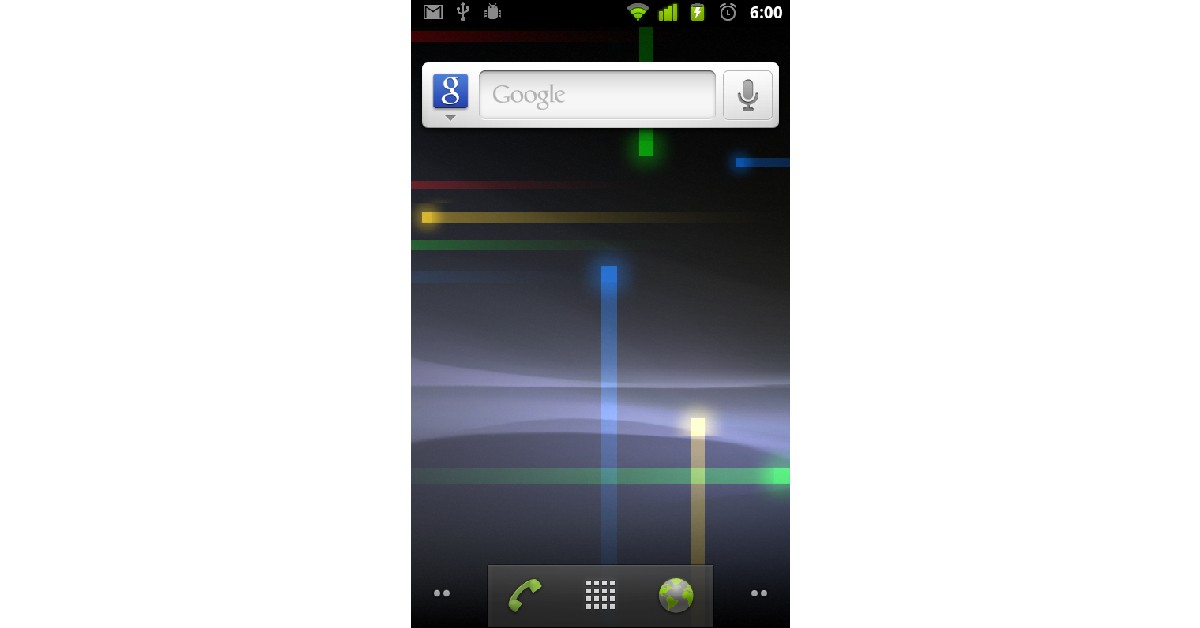
Image Credit: WikipediaRelease Date: October 19, 2011.Ice Cream Sandwich ditched the Adobe Flash Player support, but came with widgets, screenshot capture, photo editor, and spell check.
Android Version 4.1 to 4.3.1: Jelly Bean
Image Credit: WikipediaRelease Date: June 27, 2012.With Jelly Bean, Android offered one-finger gestures, multiple user accounts for tablets, 4k support, and native emoji support.
Android Version 4.4 to 4.4.4: KitKat
Image Credit: WikipediaRelease Date: September 3, 2013.Initially named Key Lime Pie, KitKat was the first Android with ‘OK Google’ voice assistant. It also introduced new features like wireless printing and screen recording. With KitKat, Android switched the darker theme for brighter colours.
Android Version 5.0 to 5.1.1: Lollipop
Image Credit: WikipediaRelease Date: November 12, 2014.With Lollipop, Android integrated card support into its UI. Cards showed up as app notifications on the lock screen and even on the Recent Apps screen.
Android Version 6.0 to 6.0.1: Marshmallow
Image Credit: WikipediaRelease Date: May 28, 2015.First launched for Nexus 5 and Nexus 6 phones, and Nexus 9 tablet, Marshmallow was later launched for all Android devices on October 5, 2015. Marshmallow came with fingerprint reader support and added an update to preserve battery life in standby mode.
Android Version 7.0 to 7.1.2: Nougat
Image Credit: WikipediaRelease Date: August 2022, 2016Nougat was the first Android OS with a split screen mode and data saver feature. It also offered picture-in-picture mode, battery usage alert, and allowed users to send gifs directly from the keyboard.
Android Version 8.0 to 8.1: Oreo
Image Credit: WikipediaRelease Date: July 24, 2017Oreo offered users more control over the notifications, native picture-in-picture mode, faster boot time, and Google Play Protect.
Android Version 9.0: Pie
Image Credit: WikipediaRelease Date: August 6, 2018.Pie featured an alternative hybrid gesture/navigation system, which allowed users to switch between apps with just one swipe. It also came with auto-suggested replies for messages, Digital Wellbeing mode, and privacy enhancements.
Android Version 10
Image Credit: WikipediaRelease Date: September 3, 2019.With its 10th version, Android stopped the trend of naming its OS after dessert items. Simply named Android 10, the OS offered improved touch gestures, a floating setting panel, and support for biometric authentication.
Android Version 11
Image Credit: WikipediaRelease Date: September 8, 2020.Android 11 came with big privacy updates, which allowed users to grant permissions related to camera, microphone, and location to apps. Users can choose to grant access to apps only while they are in use, only once, or outright deny it. Android 11 also made it hard for apps to request location data while working in the background. Permissions were automatically removed from dormant apps.
Android Version 12
Image Credit: WikipediaRelease Date: October 4, 2021.Android 12 is the latest Android iteration and will be replaced by Android 13 later this year. Integrating ‘Material You’ into its UI, the Android 12 reimagined how the OS looks on the surface. With Material You, users can set the colour theme for their phone and design it according to their taste.Read Also: How to Make Money Playing Video Games: Best 5 waysThese were the different Android versions through the years. Android 13 was previewed earlier this year and will be released in the coming months. Google has already published four beta versions of Android 13. It will likely expand on ‘Material You’ and give users more control over the theme of the OS.
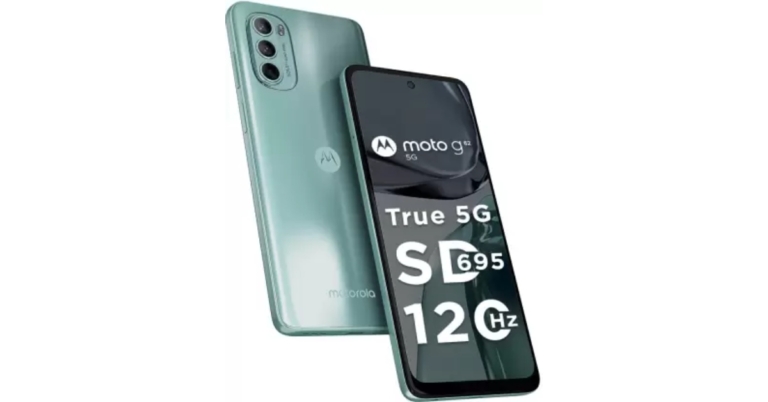
Motorola has introduced yet another smartphone in its G-Series following the release of the Moto G32. The company has announced the Moto G62 which features a 120Hz display. The handset is powered by a Snapdragon 695 SoC and comes with Android 12 OS out of the box. Moreover, the device is fuelled by a 5,000mAh battery.
In This Article
Moto G62 price in India, sale details
The Moto G62 will be available in India in two different configurations. The 6GB RAM with 128GB storage model will be available in the country at Rs 17,999. Whereas the price of the 8GB RAM with 128GB storage option is set at Rs 19,999. The phone will be offered in two colour options of Frosted Blue and Midnight Grey.On August 19, Flipkart and other top offline retailers in India will start selling the smartphone. Buyers may instantly save 10% by using their HDFC Bank card to purchase the Moto G62. Along with a Rs 500 Myntra gift card and a Rs 549 discount on a Rs 5,049 annual subscription to Zee5. Jio is also running a promotion where customers may receive up to Rs. 4,000 cashback on recharges.
Moto G62 specifications
Moto G62 features a 6.5-inch full-HD+ LCD screen with 1,080×2,400 pixels of resolution. The display has a 20:9 aspect ratio and supports a 120Hz refresh rate. The phone runs on Android 12 and is powered by Qualcomm Snapdragon 695 SoC. The device comes with up to 8GB of RAM with 128GB of internal storage which can be expanded up to 1TB via a microSD card. ThinkShield mobile security and an IP52 grade for water and dust protection are included.The Moto G62 boasts a triple-back camera configuration that includes a 50-megapixel main sensor and an f/1.8 aperture and Quad-pixel technology and PDAF are also added. There are two sensors: a 2-megapixel macro sensor with an f/2.4 aperture and an 8-megapixel ultra-wide sensor with an f/2.2 aperture. For selfies, the device has a 16-megapixel front-facing camera with an f/2.2 aperture.A 5,000mAh battery that supports 20W rapid charging is included in the device. The smartphone has dual-band Wi-Fi, 12 5G bands of 5G, 4G LTE, Bluetooth v5.1, a 3.5mm headphone jack, and USB Type-C as connectivity options. Onboard sensors include an e-compass, an accelerometer, a proximity sensor, a light sensor for ambient light, a fingerprint reader, and a proximity sensor. For biometric security, the phone incorporates a side-mounted fingerprint sensor. Dual stereo speakers and dual microphones are characteristics of the Moto G62.
For the latest gadget and tech news, and gadget reviews, follow us on Twitter, Facebook and Instagram. For newest tech & gadget videos subscribe to our YouTube Channel. You can also stay up to date using the Gadget Bridge Android App. You can find the latest car and bike news here.
Garena Free Fire is a battle royale game with regular awards and tournaments to keep players interested. If you play Garena Free Fire, you should be aware of the redeem codes that are released on a daily basis. However, because the battle royale game is banned in India, players from other countries can use the Free Fire Redeem codes daily. If you’re unfamiliar with the Garena Free Fire redeem codes or don’t know how to get them, we’ve put together a step-by-step guide to help you redeem them. Check out Garena Free Fire Redeem Codes for August 11.The Free Fire redeem codes are a great way to get free stuff. These are 12-digit codes that contain alphabets and numbers, as well as an expiration date and time. Because the Garena FF redeem codes cannot be used more than once, you should hurry to the redemption page to claim your free reward before someone else does. To get a free reward, all you have to do is go to reward.ff.garena.com/en, which is the official redemption page. Also, keep an eye on this space for daily updates on Garena Free Fire redemption codes and rewards.
In This Article
Garena Free Fire Redeem Codes Today 11 August 2022
HTY3-RIFG-OR3F
FBJY-RY56-MLOT
FJO9-4TAS-D3FT
YXY3-EGTL-HGJX
ST5K-JCRF-VBHT
S5JT-UGVJ-Y5Y4
X99T-K56X-DJ4X
FF11-NJN5-YS3E
FF9M-J31C-XKRG
FBJY-RY56-MLOT
FJO9-4TAS-D3FT
PQR3-BKUI-7LT7
FSDR-FKUI-YVGR
FBTU-6BFY-TBT7
FBJU-T6RF-T1RT
FBTU-6JKI-E8E7
FLU8-HG8R-BHT4
FIIF-GI8E-O49F
FV5B NJ45 IT8U
F4N5 K6LY OU9I
FH2G YFDH E34G
F7YG T1BE 456Y
FJBH VFS4 TY23
F87G YF3D GE6B
F5J6 YUH7 6GVT
How to Get Free Fire Redeem Codes for Garena on August 11?
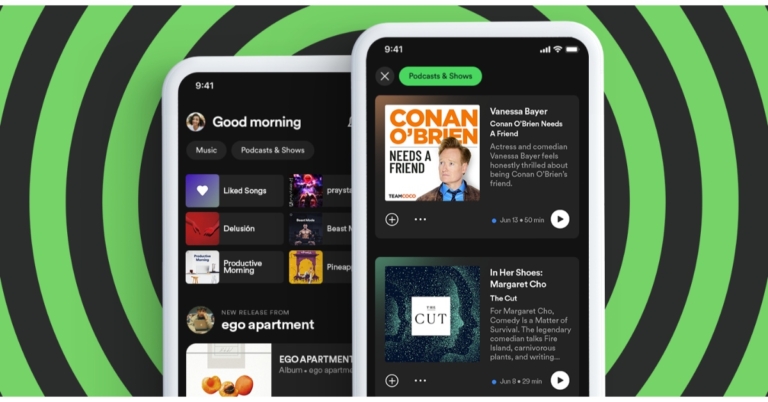
The Music streaming app Spotify has updated its home feed to provide individual streams for music and podcasts. The redesigned Spotify home page has been upgraded on the Android app at the moment and will be available on iOS devices however the exact rollout timeline is yet to be announced.Spotify is rolling out a new update with redesigned home feed that features feeds for both music and podcasts and shows. A new upgrade for the streaming service’s Android app is currently being sent out, and it includes an improved home layout. The company is introducing a new version that includes a home feed overhaul that divides the feeds for music and podcasts. Spotify asserts that the new home page would make content browsing simpler than the old one, which integrated podcasts and music.As we said earlier Android users are presently receiving the feature, and iOS users will soon have access to it as well. Spotify will make it easier for users to browse the stuff they’re looking for right now by generating these feeds. Users will be able to explore their recommendations, even more, thanks to the redesigned interface, which will also make the experience more personalised.As per Spotify listeners will have rapid access to recommendations tailored to their musical preferences in the Music feed, making it simpler than ever to find new favourites. There will also be buttons that make it simple to share, like, and play music right away, as well as album and playlist recommendations.In addition to this Spotify users will be able to get right to new episodes of their preferred shows via the Podcast & Shows feed. Additionally, they can get recommendations for specific podcasts. Additionally, without leaving the page, listeners will be able to read episode summaries, save to Your Episodes, or begin playing podcasts.
For the latest gadget and tech news, and gadget reviews, follow us on Twitter, Facebook and Instagram. For newest tech & gadget videos subscribe to our YouTube Channel. You can also stay up to date using the Gadget Bridge Android App. You can find the latest car and bike news here.
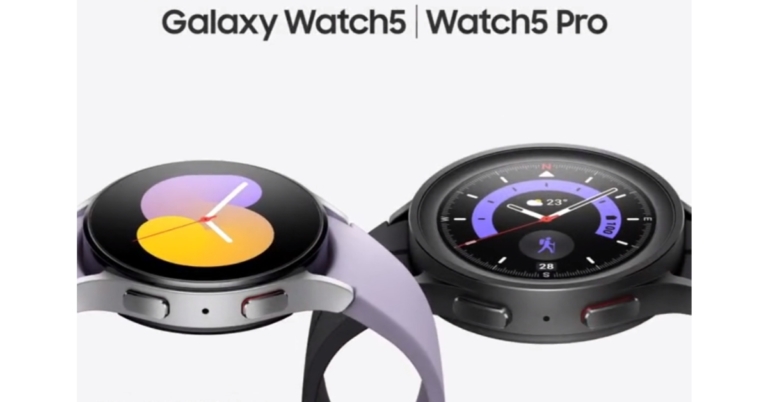
During the Galaxy Unpacked 2022 event Samsung announced the launch of four new products in India and globally. Alongside Samsung Galaxy Z Fold 4, Galaxy Z Flip 4 and Galaxy Buds 2 Pro TWS the firm also introduced Samsung Galaxy Watch 5 series. The new Samsung smartwatch series includes Galaxy Watch 5 in two sizes and the Galaxy Watch 5 Pro. The fitness tracker has a BioActive sensor similar to the previous generation watch. Additionally, the device can monitor your blood pressure and ECG as well.
In This Article
Samsung Galaxy Watch 5 Series price and sale details
The 40mm Bluetooth version of the Samsung Galaxy Watch 5 costs $279, which is equal to Rs 22,100, and the LTE version costs $329, which is equal to Rs 26,100. The cost of the bigger Galaxy Watch 5 (44mm) Bluetooth and LTE models have not yet been disclosed. On the other hand, the pricing of the Galaxy Watch 5 Pro is $449 for the Bluetooth version, which equals Rs. 35,600, and $499 for the LTE version, which equals Rs. 39,600.Colour possibilities for the 40mm version include Graphite, Pink Gold, and Silver. The strap on the latter is Bora Purple. Colour options for the Samsung Galaxy Watch 5 in 44mm include Graphite, Sapphire, and Silver. There are two colour options for the Pro model: Black Titanium and Gray Titanium.In a few markets, you can currently place pre-orders for the Samsung Galaxy Watch 5 and Galaxy Watch 5 Pro. Starting on August 26, the smartwatches will be for sale.
Samsung Galaxy Watch 5 Pro specifications
The Samsung Galaxy Watch 5 Pro has a 1.4-inch Super AMOLED always-on display with a resolution of 450×450 pixels.The Samsung smartwatch runs on One UI Watch 4.5, which is based on WearOS 3.5. It is powered by a dual-core Exynos W920 SoC, paired with 1.5GB of RAM and 16GB of internal storage.Samsung Galaxy Watch 5 ProThanks to its high-quality materials, Watch5 Pro is up for any adventure, from cycling to trekking. It has an improved Sapphire Crystal that is more resistant to damage, as well as a sturdy titanium case that guards the screen with a protruded bezel design. The brand-new D-Buckle Sport Band18 that is included with the Galaxy Watch5 Pro delivers a snug fit and tough durability.The Galaxy Watch5 Pro features the biggest battery of any Galaxy Watch and is made to last. It packs a 590mAh battery. Utilize GPX, which is now accessible for the first time on a Galaxy Watch. Take a hike, record it with Route Workout on the Samsung Health app, and share it with other trail enthusiasts.With intuitive Turn-by-Turn directions, you can hike or cycle while keeping your eyes off the map. When you’re ready to go home, the Trackback feature on the Galaxy Watch5 Pro will make it simple for you to do so by leading you in the other direction.
Samsung Galaxy Watch 5 specifications
Samsung Galaxy Watch 5 has a 1.4-inch Super AMOLED display with 450×450 pixels (44mm) and 1.2-inch Super AMOLED display with 396×396 pixels resolution (40mm). Both variations have an always-on display.It is powered by 1.5GB of RAM and a dual-core Exynos W920 SoC. 16GB of internal storage is also present in the Galaxy Watch 5. One UI Watch 4.5 is the operating system used by the smartwatch. The IP68 rating for the Galaxy Watch 5’s water and dust resistance is 5 ATM.Samsung Galaxy Watch 5The next generation of digital health monitoring is powered by Samsung’s own BioActive Sensor, which is a feature of the Galaxy Watch5. The BioActive Sensor, which was first featured on the Galaxy Watch4 series, combines three potent health sensors — optical heart rate, electrical heart signal, and bioelectrical impedance analysis — on a single, special chip to provide comprehensive readings that include heart rate, blood oxygen level, and even stress level. Additionally, users can monitor their blood pressure and ECG from their wrists to gain a better understanding of their heart health.The Body Composition measurement tool offers a comprehensive picture of the user’s overall health and enables them to set objectives, receive individualised workout advice, and monitor their progress. And when it’s time to unwind, the Galaxy Watch5 series equips users with recovery information, such as post-cardio heart rate following a strenuous workout and personalised water consumption recommendations based on sweat loss.Learn about sleep patterns by using Sleep Scores, which track various sleep stages, snoring detection, and blood oxygen levels. Improve your sleeping habits with advanced sleep coaching, which offers a customised programme for a full month. The Galaxy Watch5 automatically adjusts connected lights, AC units, and TVs to specified settings that promote restful sleep thanks to SmartThings connectivity. Users can rest easy knowing that improved fall detection will notify an emergency contact if they or a loved one trips home or tumbles out of bed.There is a 410mAh battery within the 44mm Galaxy Watch 5. The 284mAh battery in the 40mm Galaxy Watch 5 is smaller. Both variations are compatible with WPC-based wireless charging.
For the latest gadget and tech news, and gadget reviews, follow us on Twitter, Facebook and Instagram. For newest tech & gadget videos subscribe to our YouTube Channel. You can also stay up to date using the Gadget Bridge Android App. You can find the latest car and bike news here.
Prank calls have been around as long as phones have been around. But now that the receiver knows who’s calling them, prankcalling can be a bit tricky. Luckily, there are a few websites that let you prank call your friends from a different number. Not only that, but they also offer hundreds of pre-recorded scenes that you can play on the call. In this article, we bring you the top 6 super popular prank-call websites and show you how you can use them.Read Also: How to Play Pokémon Games on Your iPhone or iPad in 2022?
In This Article
Prank Dial
Prank Dial is one of the most popular prank-call websites on the Internet. It lets you choose from hundreds of pre-recorded prank call scenarios. You can even browse categories like ‘Scam’, ‘Money’, ‘Annoying’, ‘Celebs’, and ‘Angry’. Prank Dial lets you preview the prank call before sending it to your friends. Some of the most popular prank call scenarios found on Prank Dial are ‘You hit my car’, ‘Crazy ol’ lady’, and ‘Credit fraud’.Once you’ve selected a scenario, all you need to do is enter your friend’s phone number and Prank Dial will give them a call. You also have an option to add a message at the end of the call to let your friend know that it was a prank call.
Comedy Calls
Similar to Prank Dial, Comedy Calls has pre-recorded scenarios you can listen to and choose from. Comedy Calls also has a separate category for memes, which contains hilarious recordings like the ‘Rick Roll’, ‘Monster Mash’, and ‘Gangnam Style’. The first prank call is free, but you’ll have to buy credits for further calls.
Prank Hotline
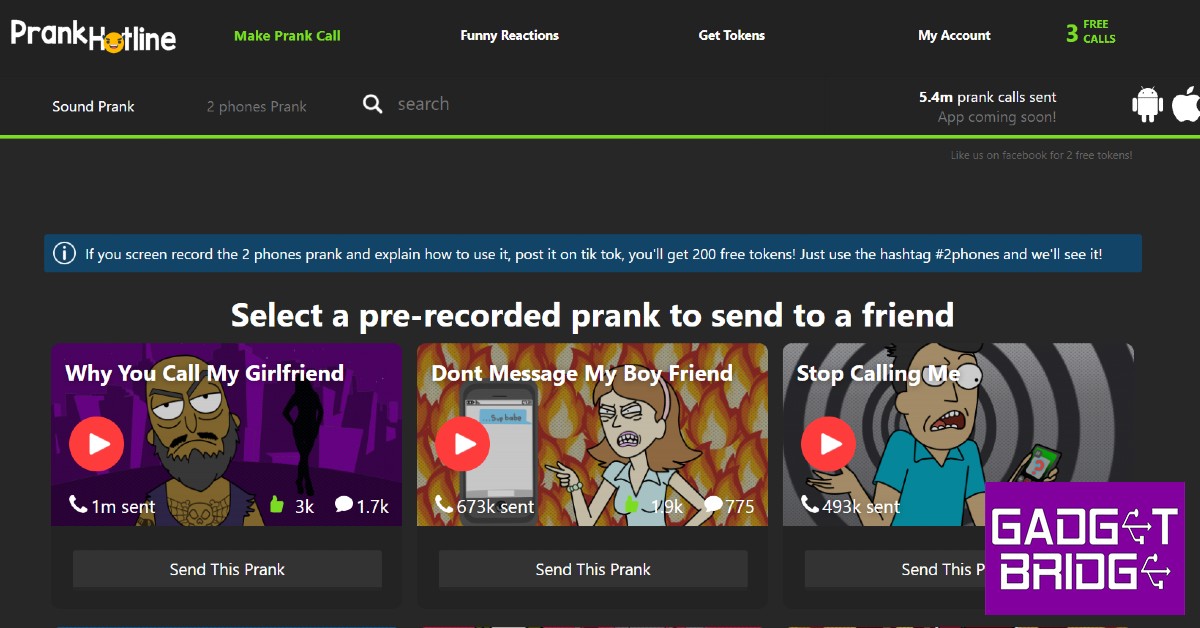
Apart from offering prank call scenarios, Prank Hotline also has an option to make 2 phones call each other. All you need to do is enter 2 phone numbers and Prank Hotline will make them call each other. You can even record the interaction and add a ‘you’ve been pranked’ soundbite at the end. Prank Hotline offers you 200 free tokens if you screen record the ‘2 phones’ prank and upload it on TikTok. The first three prank calls on Prank Hotline are free, after which you will have to pay with tokens.
Spoof Box
Spoof Box is more than just a prank-call website. It offers you a virtual number that you can use to prank call your friends and even register to messenger apps like WhatsApp, Telegram, and Line. You can even send pre-recorded prank calls to a group of people together. If you do not want to send a prank call, you can choose from hundreds of hilarious spoof texts.
Blow up the Phone
If annoying your friends is your kind of humour, then ‘Blow up the Phone’ is the perfect prank website for you. As the name implies, Blow up the Phone floods your friend’s phone with text messages. You can decide the volume and frequency of messages on the website. You can even enter their number and constantly send them random animal facts that they did not sign up for.
Prank Owl
Prank Owl combines the best features of all the websites listed above. You can make two friends call each, with both of them thinking that the other person called them. You can even record their interactions for up to a minute. You can even bombard a friend’s phone with prank calls that do nothing but blurt out random facts that your friend has no interest in listening to. Or you could just pick from one of the many pre-recorded scenarios on the website. You get 2 free tokens upon signing up, which gets you a minute of prank call time.Read Also: Top 6 Drawing Apps for Windows 10 or 11 you can get for freeThese were the top 6 super popular prank call websites. Most of these websites offer the first prank call for free, after which you will have to buy tokens to make calls. You can choose to include a soundbite at the end of the call that lets your friends know that it was a prank. You can even record the prank call for an added number of tokens.
In India, Snap launched the subscription-based Snapchat+ service. There are six unique features: Snapchat+ Badge, Custom App Icons, Rewatch Indicator, Best Friends Forever, Ghost Trails on Snap Map, and Solar System. Snap is not the only social media company that has lately introduced a premium layer; Discord has long made money via its optional Nitro subscription.The company while rolling out the Snapchat+ subscription service in India said, “Today we’re launching Snapchat+ for our 100M strong Indian Snapchatter community.”The paid subscription by the photo-sharing app is now live giving users early access to features and other capabilities that are disclosed on the app. Snapchat+, a collection of unique, unreleased, and experimental features, will be priced at 49 per month in India. With the help of this subscription, the app will be able to give some of the most ardent supporters of our community priority support along with new Snapchat features.In the beginning, Snapchat will offer six features: the Snapchat+ Badge, Custom App Icons, Rewatch Indicator, Best Friends Forever, Ghost Trails on Snap Map, and Solar System. With these capabilities, users can tailor their Snapchat experiences to improve the services they use the most.Here are some examples of Snapchat+-only features, along with descriptions of how they’re used:Snapchat+ BadgeSnapchat+ Badge: A unique Star identifier used to identify subscribers on Snapchat, the Snapchat+ Badge. This can be switched on and off, and is by default turned off.Custom App IconsCustom App Icons: The option to alter the Snapchat App’s home screen icon and customise its appearanceRewatch IndicatorRewatch Indicator: Rewatch Indicator, which can be viewed under My Story Management, provides a general idea of how many people are viewing your Stories again without revealing who is doing it.Best Friends ForeverBest Friends Forever: Best Friends Forever is a new Snapchat feature that allows you to choose one buddy as your absolute best friend.Ghost Trails on Snap MapGhost Trails on Snap Map: Indicates the general travel direction for recent moves made by pals (if they have explicitly agreed to share their location). This is comparable to our current “Map Moves” Snap Map feature, which shows after a friend returns from a trip and was created with safety and privacy in mind.Solar SystemSolar System: Your circle of friends is everything. This unique badge can be found on a friendship profile.Simply hit Snapchat+ on your Snapchat profile to start using these premium features.The features of Snapchat+ will change over time. We’ll be adding new features for subscribers and expanding others to our larger community.
For the latest gadget and tech news, and gadget reviews, follow us on Twitter, Facebook and Instagram. For newest tech & gadget videos subscribe to our YouTube Channel. You can also stay up to date using the Gadget Bridge Android App. You can find the latest car and bike news here.
Have you participated in the Amazon Quiz today? If not then participate in the 11 August 2022 Amazon Quiz as it has already gone live on the app. The daily quiz can be played from 12 AM to 11:59 every day on the mobile app platform. Today e-commerce is giving the chance to win Rs 2,000 Amazon Pay Balance.Every day Amazon brings a fresh quiz for its customers. By participating in the quiz the participants can win an Amazon Pay Balance of up to Rs 50,000. The quiz can only be played on the mobile app as it is not available for the desktop platform. The quiz contains five easy questions and you have to answer all the questions correctly. The participants will then be shortlisted for a lucky draw to select a winner. Whereas the results are declared at the end of the month. Check out today’s Amazon quiz answers to win Rs 2,000.Amazon Quiz Today Prize – Rs 2,000 Amazon Pay BalanceQuiz Date – 11 August 2022Daily Timing – 12 AM to 11:59 PMWinner Announcement – Today 12 PM
In This Article
Amazon Quiz Answers Today 11 August 2022
Question 1: Before joining Manchester United, Erik Ten Hag was the manager of which of these teams?Answer: AjaxQuestion 2: At the 68th National Film Awards, ‘Tanhaji’ won the award for ‘Best Popular Film providing ______ entertainment’ . Fill in the blanksAnswer: WholesomeQuestion 3: Netflix will launch a new ad supported streaming tier in 2023 in partnership with which technology giant?Answer: MicrosoftQuestion 4: Where did the first metro rail start in the world?Answer: LondonQuestion 5: This monument in Delhi is a tomb of an Emperor from which dynasty?Answer: Mughal
How To Play Amazon Quiz
Only app users are eligible to play the Amazon quiz every morning from 12 AM to 11:59 PM. The quiz is not available on the desktop. For those who are unaware of how to play the Amazon quiz below are the steps, you can follow to take the quiz.
Firstly download the Amazon app from Google Play Store or App Store
Now fill in the required information through the Sign Up option.
You need to log in to the Amazon app and scroll down on the home screen to find the Amazon Quiz banner.
Tap on the Amazon Quiz banner and tap on the Start button to start the Quiz.
Now you will get 5 questions and you need to answer them correctly. One wrong answer will eliminate you from the Quiz.
After answering all the questions correctly you are now eligible for a Lucky Draw.
The winner’s name will be announced today at 12 PM.
The video game industry isn’t what it used to be before the Internet. With live streaming platforms and e-sports becoming popular, video games aren’t just meant to be played at home by yourself. If you’re good at playing video games there may be a way for you to monetize your hobby. Success isn’t guaranteed and making revenue out of playing games requires a lot of hard work. But if you think you are up to the task, here are the 5 best ways to make money playing video games.Read Also: What is Monitor Refresh Rate and does it matter? Everything you must know before buying
In This Article
Stream your gameplay online
Over the years, live streaming platforms like Twitch have gotten mainstream and now attract millions of viewers who tune in to watch other people play video games. Twitch monetizes the live streams on its platform and shares part of the revenue with the people who stream. The more viewers you get on your stream, the greater revenue it will create. However, gaining a fair amount of viewers isn’t as easy as it seems. It is a gradual process and success isn’t always guaranteed. It is very common for live viewer count to get plateaued even after months of streaming.Being good at playing video games isn’t the only key to being successful on Twitch. Most viewers tune in to watch an entertaining stream. Even if you’re an average player you can make your streams more fun by offering entertaining commentary on the game. Another important aspect of live streaming is choosing which game to play. Most famous games are already being played by a ton of streamers, you can find success by picking games that have the potential of being entertaining but aren’t being played by a lot of streamers.
Make video game tutorials on YouTube
If you’re good at playing video games, you may want to consider making tutorial videos on YouTube. A lot of rookie gamers and newcomers flock to YouTube to figure out how to play a game. You can provide them with the desired content by making it easy to understand and navigate. The more views you get, the greater revenue it will create. You don’t even need a camera to make instructional videos, all you need is a decent quality microphone to record voiceovers.
Become a video game journalist
The video game industry is dynamic and fast-changing. You can cover game-related news and write feature articles as a freelancer, apply to be a video game journalist at tech websites, or even post your own content independently. You can start out by posting your articles on platforms like Medium where they are likely to gain traction. You can make your content more appealing by reviewing video games and offering input on the current trends in the gaming industry.
Take part in gaming tournaments
If you’re really good at playing video games you should consider enrolling in gaming tournaments. You can start out by taking part in local tournaments and figuring out how good you are compared to other gamers. The pot money for these tournaments depends on the popularity of the game and how many viewers they are able to attract. Even if you don’t win the competition, you have the opportunity to attract viewers the further you move into the competition. These viewers can help you build a community on Twitch or other live streaming platforms.
Become a video game tester
Before releasing a video game, developers are always looking for gamers to test their game for bugs and glitches. You will have to check different aspects of the game, usually instructed by the developer, and play out specific scenarios within the game to make sure they function smoothly. It’s not exactly playing for recreation, developers expect game testers to really test the limits of the game and report any bugs before the release.Read Also: Top 6 Drawing Apps for Windows 10 or 11 you can get for freeThese are the 5 best ways you can make money playing video games. While it may seem easy on paper, it requires a lot of hard work. Most successful streamers start out by streaming to no viewers and slowly build a community. If the viewers plateau after a while, changing out content or trying something new is a good idea. Investing in the right equipment can also help a fair bit.
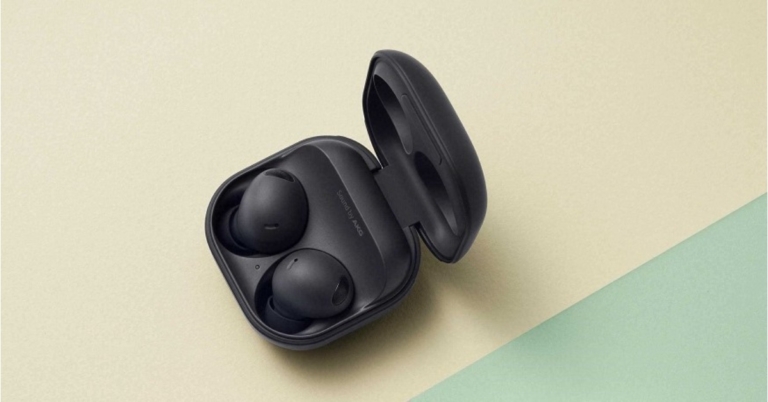
Today at Galaxy Unpacked Samsung announced its new product line which also included Galaxy Buds 2 Pro true wireless stereo (TWS) earbuds. They support 24-bit Hi-Fi audio and have coaxial two-way speakers. Buds 2 Pro’s enhanced ANC features, improved by 40% compared to the previous model. Moreover, the device comes with two-way coaxial speakers.
In This Article
Samsung Galaxy Buds 2 Pro earbuds specifications
With a secure fit that is built to prevent rotation and a new compact, ergonomic design that is 15% smaller than the original Galaxy Buds, the Samsung Galaxy Buds 2 Pro true wireless stereo (TWS) earbuds are the ideal fitness partner. Take calls while moving around with strong ANC to block out background noise.The Samsung Buds 2 Pro can automatically switch the audio connection to your phone when you have an urgent call while playing a game or watching a movie on your tablet. With the new Auto Switch feature in the Samsung Buds 2 Pro, you can take calls from loved ones while seamlessly switching from your favourite TV show. The charging case is not water resistant, but the earbuds have an IPX7 grade for water protection.And if you lose your Samsung Buds 2 Pro while commuting, SmartThings Find now makes it simple and quick to find them, whether or not they are in their cradle. Custom two-way coaxial speakers are included in the Samsung Galaxy Buds 2 Pro. The firm claims that these TWS earbuds also offer 360 Degree audio with Direct Multi-channel.With Samsung Galaxy devices running Android 12-based One UI 4.0 or higher, these earbuds support 24bit Hi-Fi audio.Both of the earbuds have 61mAh batteries while their charging case has a 515mAh battery. According to Samsung, the Buds 2 Pro can converse for up to 15 hours and listen for up to 29 hours combined when the ANC is turned off.