Amazon is back with another quiz on its mobile platform. The 1 February 2023 Amazon Quiz is now live on its platform and today’s Amazon Quiz will give you a chance to win Rs 2,500 Amazon pay Balance.Every day Amazon brings a fresh questionnaire that comprises 5 questions. These questions are based on current affairs and general knowledge. The quiz can be played from 8 AM to 11:59 PM and the contestants need to answer correctly to enter into a lucky draw. In today’s Amazon Quiz the participants will get a chance to win Rs 2,500 Amazon Pay Balance.Today’s Amazon Quiz Prize – Rs 2,500 Amazon Pay BalanceQuiz Date – 1 February 2023Daily Timing – 12 AM to 11:59 PMWinner Announcement – Today at 12 PM
Amazon Quiz Answers Today 1 February 2023
Question 1: Which school did Harry Potter attend?Answer: HogwartsQuestion 2: What kind of animal is Simba in a Disney movie?
Answer: LionQuestion 3: Which is the lightest element in the periodic table?
Answer: HydrogenQuestion 4: This famous monument is situated in which city?
Answer: MumbaiQuestion 5: Name this breed of dog
Answer: Bulldog
How To Play Amazon Quiz
Only app users are eligible to play the Amazon quiz every morning from 12 AM to 11:59 PM. The quiz is not available on the desktop. For those who are unaware of how to play the Amazon quiz below are the steps, you can follow to take the quiz.
Firstly download the Amazon app from Google Play Store or App Store
Now fill in the required information through the Sign Up option.
You need to log in to the Amazon app and scroll down on the home screen to find the Amazon Quiz banner.
Tap on the Amazon Quiz banner and tap on the Start button to start the Quiz.
Now you will get 5 questions and you need to answer them correctly. One wrong answer will eliminate you from the Quiz.
After answering all the questions correctly you are now eligible for a Lucky Draw.
The winner’s name will be announced today at 12 PM.
The rise in inflation and increasing cost of living prices have led many to tighten their budgets, prioritizing necessities over non-essential spending. Unfortunately, the mobile game industry has been a victim of this trend. Based on a Data.ai report, spending on mobile games fell by 5% in 2022, to $110 billion, due to inflation and increased competition.
This decline in spending is not unique to the mobile game industry. In fact, according to research from market data firm Ampere Analysis, sales of games and services across the globe were projected to decrease 1.2% annually to reach a total of $188 billion in 2022. However, it is important to note that this decline in spending does not necessarily mean that the gaming industry as a whole is struggling.
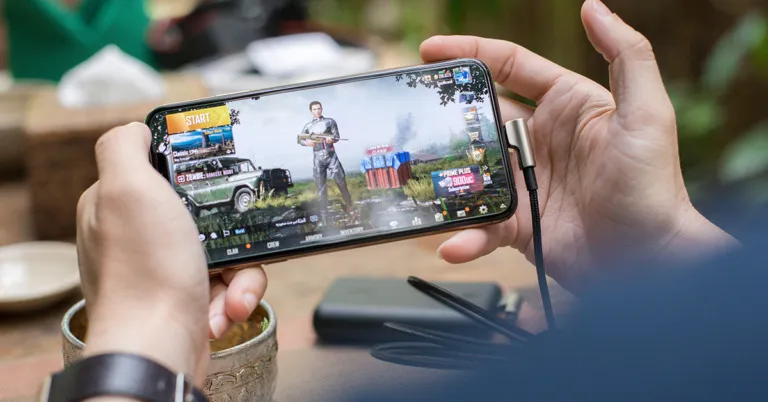
Despite the overall decline in spending, the gaming industry has noted significant growth in some aspects of mobile gaming in recent years. The report from Data.ai also highlighted that first-time installs of mobile titles rose 8% to a record 90 billion, with hypercasual titles leading the gains. Games such as Wooduko and Candy Crush are some of the most popular games because they are simple to play and only require movements such as tapping or swiping.
As such, they are the type of games you are likely to see fellow commuters playing on the way to work, as they are easy to learn and can be played with one hand. Hyper-casual games don’t require much time investment or strategy, making them a popular choice for those looking to engage in a simple game on a fairly ad-hoc basis.
Hypercasual games are also popular with advertisers, who can use playable ads to encourage more players to download their games. Playable ads give users the opportunity to sample an app before committing to a full installation by providing a simplified version of the app’s key features. This allows users to have a “test run” before deciding whether to fully access the app.
Source: Unsplash
The market is expected to face additional challenges in 2023 due to the privacy measures implemented by Apple, which are expected to put more pressure on app developers. In 2021, Apple introduced an App Tracking Transparency feature that prompts users to opt-in or opt out of targeted advertising. Google also plans to introduce similar measures. These changes will make it more difficult for advertisers to attract new players. As a result, Data.ai estimates that global spending on games will decrease by an additional 3% to reach $107 billion this year due to tighter budgets and changes in privacy regulations. However, mobile apps, in general, have faired well in recent years, with first-time app downloads growing 11% to 255 billion in 2022.
It’s clear from the data provided by Data.ai that the mobile game industry has been affected by rising inflation and increasing cost of living prices, leading to a decline in spending. However, it is important to note that this decline does not necessarily mean that the gaming industry as a whole is struggling. The industry has seen significant growth in mobile gaming in recent years, and despite the expected challenges in 2023 due to privacy measures, the popularity of simple and easy-to-play hypercasual titles will continue to drive the industry forward.
For the latest gadget and tech news, and gadget reviews, follow us on Twitter, Facebook and Instagram. For newest tech & gadget videos subscribe to our YouTube Channel. You can also stay up to date using the Gadget Bridge Android App. You can find the latest car and bike news here.
On February 1, the South Korean electronics giant Samsung will hold a live event in San Francisco. This will be the first Galaxy Unpacked event held in person since the COVID-19 pandemic. Although it is still unclear what else will be presented, the Samsung Galaxy S23 series, which will feature three new models, is likely to be announced during the Galaxy Unpacked Event. The Galaxy S23, Galaxy S23+, and Galaxy S23 Ultra are believed to be a part of the upcoming series.
How to watch the livestream of Galaxy Unpacked 2023
In a tweet, tipster Ishan Agarwal predicted the Galaxy S23 series’ US price. The source claims that the base Samsung Galaxy S23 model will cost $799 in US markets, which is equivalent to Rs 65,300. The vanilla variant is anticipated to cost Rs. 79,999 in India, according to earlier sources. According to an earlier tip, in several European areas, the same device’s 8GB RAM with 128GB model will cost EUR 959, or around Rs 85,000.The Samsung Galaxy S23+ is expected to cost $999, or about Rs 81,600, in the US, and Rs 89,999, or around Rs 81,600, in India. The 8GB RAM with 256GB Galaxy S23+ edition is anticipated to cost EUR 1,209, which is equivalent to Rs 1,07,200.Last but not least, the tipster claims that the Samsung Galaxy S23 Ultra would cost $1,199, or around Rs 98,000, in the US, but is anticipated to cost Rs 1,14,999 in India. It will reportedly be priced at EUR 1,409, or around Rs 1,25,000, in several European countries.Also Read:OnePlus 11R 5G design, colour and other details leaked ahead of the official launchAgarwal claims that the AT&T website contained a leak of the US prices for the Samsung Galaxy S23 series. Pre-orders for the forthcoming Samsung smartphones will open right after the Galaxy Unpacked event on February 1 and they will go on sale in the US on February 17.
Samsung Galaxy S23 Series specifications expected
The Galaxy S23 lineup is anticipated to have three different models: the base Galaxy S23, the Galaxy S23+, and the premium Galaxy S23 Ultra. According to a recent announcement from Corning, Samsung will incorporate the Gorilla Glass Victus 2 in its upcoming series. In November 2022, Gorilla Glass Victus 2 was announced, and the next Galaxy S23 will be the first device to include this technology. Additionally supported by this technology are immersive elements like augmented reality and 3D sensing. The FHD+ screen on the Galaxy S23 and S23+ will have a refresh rate of 120Hz. The Galaxy S23 Ultra will sport a display with a QHD+ resolution and the same 120Hz refresh rate.Latest rumors claim that a custom Qualcomm Snapdragon 8 Gen 2 SoC, rather than an Exynos chipset, will power the Galaxy S23 smartphones. The maximum clock speed of this overclocked chipset might be 3.36GHz.
For the latest gadget and tech news, and gadget reviews, follow us on Twitter, Facebook and Instagram. For newest tech & gadget videos subscribe to our YouTube Channel. You can also stay up to date using the Gadget Bridge Android App. You can find the latest car and bike news here.
When touchscreen smartphones and tablets first arrived on the scene, stylus pens used to be the norm. Over the years, as touch displays evolved in terms of sensitivity and touch recognition, stylus pens became obsolete. This didn’t mean that they died out. Brands like Samsung have been working on the stylus, perfecting it bit by bit. Now, styluses are making a big comeback in tablets, smartphones, and even laptops. You can even buy dedicated digital writing pads for the sole purpose of taking notes and making sketches. What’s better is that you don’t even have to shell out a lot of money for these devices. So, without further ado, here are the top 10 digital writing pads you can buy in 2024.Read Also: Sony Walkman NW-ZX707 with DSD Remastering Engine launched in India
Portronics Ruffpad 15
Price: Rs 1,099Portronics Ruffpad 15 has a 15-inch writing display which is glare-free and easy on the eyes. A pressure sensitivity of 4096 levels allows the Ruffpad to work smoothly with different kinds of strokes and writing styles. Doodling, sketching, and taking notes is a breeze with this writing pad. There’s also a convenient erase button on board, which clears the screen with just one press. If you dont want to accidentally delete what you doodled, there’s also a safety lock button. The only downside is that you can’t save the notes on the device. If that is a dealbreaker, there is a slightly expensive Ruffpad variant that offers app storage of your notes as well.
reMarkable 2
Price: Rs 44,000 on Amazon.inThe reMarkable 2 is more than just your ordinary writing pad. This device can perfectly integrate with Google Drive, Microsoft One, and other cloud storage services so you can access your important documents at any given time. This device comes with a 10.3-inch display, 512MB, and 8GB storage capacity. The reMarkable 2 also allows you to convert your handwritten notes to typed text. The claimed battery backup of 2 weeks is also pretty impressive. If you’re looking for a device that you can use to write notes as well as read books, the reMarkable 2 should be at the top of your list.
Redmi Writing Pad
Price: Rs 699Priced at just Rs 699, the Redmi Writing Pad is almost a no-brainer purchase. It offers an 8.5-inch writing surface and weighs just 90 grams. The screen emits no light and doesn’t strain the eyes even after hours of extended use. The stylus provides a comfortable grip and the screen effectively mimics a paper surface with its increased pressure sensitivity. The replaceable cell battery can write up to 20,000 pages. The device also features quick-erase and safety lock buttons. However, like every other affordable writing pad, the only downside here is that you cannot store your doodles on the device.
Boogie Board Jot 8.5
Price: Rs 5,590The Boogie Board Jot is one of the pricier writing pads around, but it comes with a bunch of exclusive features. Firstly, the LCD display is brighter than any of the other writing pads on the market. Secondly, the Boogie Board Jot comes with app support which allows you to store your notes and doodles before clearing them. You won’t find this feature in any of the budget writing pads. The Jot App automatically recognises the text on the screen and scans it on your smartphone. You can further edit the notes on the app itself. If automatic scanning does not work, you can also manually save all your notes.
Storio Kids LCD Writing Tablet
Price: Rs 237Closing out this list is the Storio writing tablet. At Rs 237, this is the perfect purchase to make writing and doodling fun for kids. It contains all the essential features of a good writing pad, like a pressure-sensitive screen, a one-touch erase button, and a big 8.5-inch writing surface. The coin battery on this device is easily replaceable and provides a battery backup that lasts multiple days or weeks depending on usage.
Amazon Basics Writing Tablet
Price: Rs 339 on Amazon
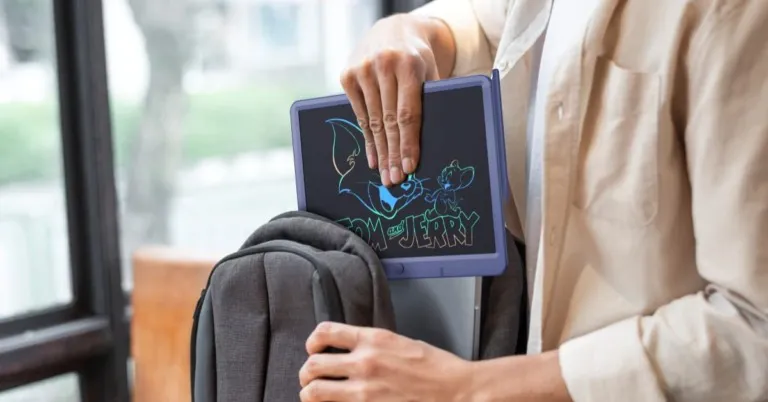
The 8.5-inch Amazon Basic writing tablet has a rainbow-coloured LCD screen which cuts out the glare, radiation, and blue light, thereby removing the stress exerted on the eyes by the display. It is one of the best digital writing pads around. Its slim form factor and lightweight design make it quite convenient to carry around while travelling. The pressure-sensitive screen replicates the writing experience of paper. The coin cell battery is built into the device and offers a long battery life. The writing tablet also comes with a stylus which can be placed in a special cutout when it is not in use.
Ionix Writing Tablet
Price: Rs 379 on Amazon
The Ionix writing tablet has a screen size of 12 inches and uses a button battery. It doesn’t need to be charged or powered on. It is accompanied by a stylus, which can be placed in a special cutout when not in use. The button battery inside the pad can last for months. Once drained, it can be easily replaced. The Ionix writing pad is easy on the eyes and has simple controls. You can choose to lock something on the screen or erase it with one tap of a button. Once erased, the drawing cannot be brought back.
Flinge LCD Writing Tablet
Price: Rs 299 on Amazon
The LCD writing pad from Flinge is a great tool that makes writing equal parts educational and fun for kids. Its 12-inch monochrome screen is ideal for doodling and writing alike. You can get your kid to practice their handwriting on this device. The screen can be erased with just one press of a button. The LCD panel is glare-free and does not exert any pressure on the eyes. Its versatile design allows the tablet to be used in vertical as well as horizontal orientation.
F Funx LCD Writing Tablet
Price: Rs 1,349 on Amazon
This writing tablet from F Funx has a refreshing design that looks on par with modern devices. The tablet has minimal bezels along the sides and its curved back gives it a nice grip. The LCD panel is pressure-sensitive to ensure that it allows for a natural and precise writing experience. The lines on the pad get thicker as you exert more pressure with the stylus. This tablet can be used in offices, homes, classrooms, and studios. There are 2 built-in magnets at the back of the pad which can be used to stick it against the fridge. This allows the pad to be used as a message board for the family or even as a budget or food planner.
XP-Pen StarG640
Price: Rs 2,699 on Amazon
The XP-Pen StarG640 is one of the better graphics drawing tablets around. This tablet is compatible with major software like Adobe Illustrator, Photoshop, Corel, Crita, Blender, ZBrush, OpenCanvas, and more. There are 8192 levels of pen pressure sensitivity on this device, which allows the user to choose the thickness of the lines they want to draw. The stylus that comes with this pad is battery-free and does not require any charging. It supports 60 degrees of tilt and is equipped with automatic line correction.
Read Also: OnePlus 11R 5G design, colour and other details leaked ahead of the official launch
Conclusion
These are our picks for the best digital writing pads you can buy in 2024. We’ve covered a range of price points to bring you the best from every category. Essentially, what you want from a writing pad is a pressure-sensitive screen and a comfortable stylus. However, if you want the pad to store your notes, you will have to splurge some extra money.
Samsung is set to launch its flagship smartphone, Galaxy S23 Ultra at its ‘Unpacked’ event tomorrow. Samsung’s S series is believed by many to be the best that Android has to offer, and if the rumours are anything to go by, the Samsung Galaxy S23 Ultra will easily fly past its competition. The smartphone is expected to come with a quad-camera setup with a 200-megapixel primary shooter. It will also be powered by the newest Snapdragon 8 Gen 2 processor. If you’re planning on buying it on launch, here are the top 12 apps you should download first on your new Samsung Galaxy S23 Ultra.Read Also: OnePlus 11R 5G design, colour and other details leaked ahead of the official launch
Quick Cursor
With a massive 6.8-inch display, the Samsung Galaxy S23 Ultra is one of the biggest phones around. While big phones are certainly the norm when it comes to flagship products, some users may find it hard to use them with one hand. Reaching the top edges of the phone with your thumb without registering an accidental touch can be a tough ask at times. Quick Cursor solves this problem by offering one-handed accessibility with the help of a computer-like cursor. All you need to do is swipe from one edge of the screen and use the tracker to access contents on the farther end of the screen.
Samsung Good Lock
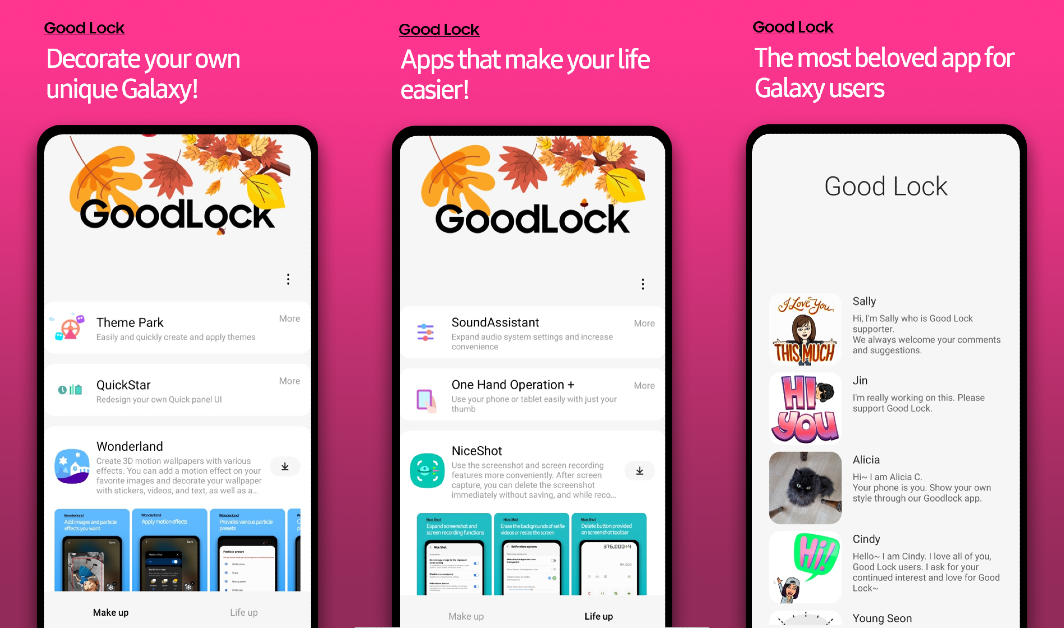
Samsung’s very own Good Lock is the one app you need to unlock the true potential of your Galaxy S23 Ultra. With Good Lock, you get tons of customisation options that significantly elevate the user experience. One of our favourite features of this app is ‘Edge Touch’. If your Samsung Galaxy S23 is too big for your hands and you accidentally keep hitting its curved edges, this feature lets you manually add ‘edge zones’ that are the most vulnerable to those touches.
Snapseed
You’ve probably already heard about the S23 Ultra’s impressive 200MP primary rear lens. Some users may be getting the smartphone for the cameras alone. While we’re still awaiting what the 200MP camera is capable of doing, we’re pretty certain you’d want a great photo editing app to along with it. Google’s Snapseed app offers a wide array of photo editing tools that give you greater control over the final product. The app’s interface makes it easy to navigate and the tools are very accessible to the average photography enthusiast.
Material Notes: Colourful Notes
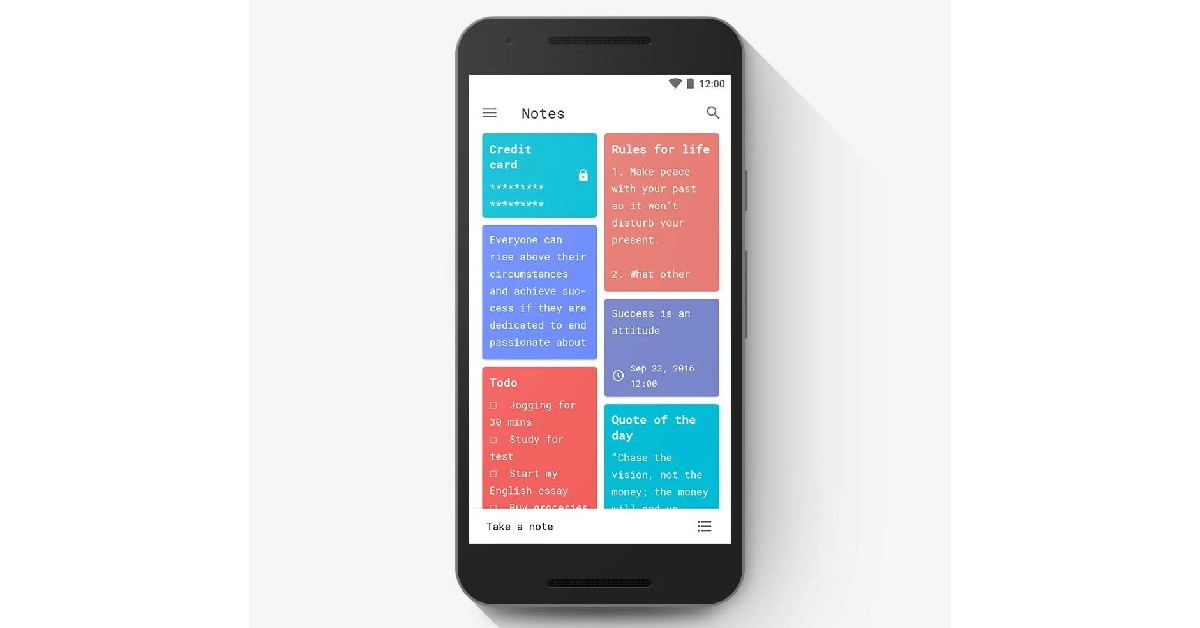
The Samsung Galaxy S23 Ultra comes with a stylus that works pretty well for taking notes, among other things. While the native Samsung Notes app works fine to jot down a quick note, Material Notes takes the entire experience one level higher. You can choose a colour theme for your note and even stick it to the home screen and protect it with a pin. Material Notes offers a very pleasant interface and extensive options to customise your notes. This includes multiple font options and different colour themes. Easily one of the top 12 apps for your Samsung Galaxy S23 Ultra.
Always On: Edge Music Lighting
This music companion app displays a stunning visualiser on your smartphone’s curved edges whenever you play music on the device. It also offers unique AOD screensavers that offer something more than the generic ones that come pre-installed on your phone. There are a bunch of customisation options on offer. You can use them to add a splash of personality to your device and make it stand apart from the rest.
Sketchbook
The stylus on your Samsung Galaxy S23 Ultra can be used for more than just taking notes. The pen offers a very low latency which makes it ideal for amateur and professional digital artists. If you dont want to carry your tablet around everywhere, you can always use your S23 Ultra to bring a sketch idea to life. The Sketchbook app is very popular among artists and offers a wide range of tools for you to play with. These include a wide range of highly customisable brushes, guides, rulers, and stroke tools.
Apex Legends
If you’re not using your Samsung Galaxy S23 Ultra to run some high-end games then you’re really letting its potential go to waste. The S23 Ultra is powered by the newest Snapdragon 8 Gen 2 SoC, and it has now been confirmed that the European version of the phone will be equipped with this processor as well. Previously, Samsung used its own Exynos process for the European variants of the S22 series. The S8G2 SoC has already been garnering high praise for its excellent performance and high benchmark scores. What better way to test its limits than playing the graphically demanding Apex Legends? This FPS game offers legendary character-based gameplay, best-in-class squad battles, and fast-paced combat.
Pocket: Read. Save. Grow.
If you like to read while on the go, there is no app we would suggest more than Pocket. Pocket makes it incredibly easy to save articles, blogs, news items, videos, and other web content so you can view them later. The app offers a very clean and clutter-free reading experience. Don’t have the time to read an engrossing article you came across online? Save it in Pocket and read it while you’re commuting to work. You’d be surprised at the versatility of this app and the different formats it can save. You can even save Twitter threads on Pocket and read them whenever you want.
Universal Copy
Universal Copy is another nifty app that is very easy to incorporate into your daily usage. Ever wanted to copy a caption on Instagram but couldn’t? That’s because certain apps don’t allow users to copy the text on their platform. You can easily bypass this problem by using the Universal Copy app. You don’t even need to launch this app every time you need to copy something. Just give it the necessary permissions and simply turn on the Universal Copy mode from your S23 Ultra’s notification bar.
Zedge
Zedge lets you download full HD and 4K wallpapers for your smartphone. The app contains a large library of eye-catching wallpapers and themes that bring the best out of your phone. This is a must-have app for people who love to customise their smartphones. On top of wallpapers, the Zedge app also offers free ringtones, alarm tones, and stickers.
Stellarium
If you’re interested in astronomy or just stargazing in general, Stellarium is one app you should have on your smartphone. If the name Stellarium sounds familiar, it’s because it is already a massively popular open-source astronomy software for desktops. The smartphone app is just as good. Stellarium uses GPS to map out the sky above your current location and gives you detailed information about all the celestial objects in the night sky. You can use the free version of the app to overlay information on the night sky using AR. The Stellarium Plus app is also capable of controlling the scope of a telescope.
Manual Camera: DSLR Camera Pro
If you want to unlock the true potential of the 200MP lens on your Samsung Galaxy S23 Ultra, we highly recommend the Manual Camera app. While the Pro version costs Rs 330, there is also a ‘Lite’ version you can download for free on the Google Play Store. Manual Camera gives you total control over the raw power of your phone’s camera. You can control the ISO, shutter speed, exposure, and manual focus of the camera, among other things. If you’re a professional photographer or even an enthusiast, we believe the features offered by this app justify its price tag.Read Also: Oppo Reno 8T 5G confirmed to launch in India on February 3
Conclusion
These are the top 12 apps you should download first on your Samsung Galaxy S23 Ultra. While Samsung has not revealed the pricing for this smartphone yet, it is already accepting pre-orders. Head over to Samsung’s website to learn more. What other devices are you expecting Samsung to release at their Galaxy Unpacked event? Let us know in the comments!
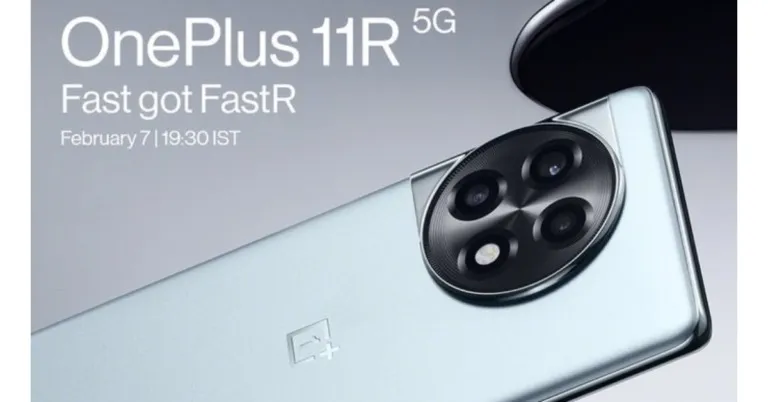
Prior to the official release, OnePlus confirmed the key specifications of the OnePlus 11R in India. According to the company’s announcement, the upcoming phone will be powered by Qualcomm Snapdragon 8 Plus Gen 1 processor. In addition to this, it will house a 5,000mAh battery that will have support for 100W fast charging.OnePlus 11 Series is scheduled to launch in India on February 7 at Cloud 11 event in New Delhi. The upcoming series includes two models OnePlus 11 and the OnePlus 11R out of which the OnePlus 11 has already debuted in China earlier this month. Ahead of the official announcement the company has confirmed the specifications of the OnePlus 11R. As per OnePlus “OnePlus R Series brings the perfect combination of top-of-the-line hardware and software at a more accessible price point for tech enthusiasts, and the OnePlus 11R 5G is the latest extension of that vision.”Also Read:OnePlus 11R 5G design, colour and other details leaked ahead of the official launchThe OnePlus 11R is confirmed to come equipped with Qualcomm Snapdragon 8 Plus Gen 1 processor and will include up to 16 GB RAM. Even the most memory-intensive games can be played with faster, more effective on-device cross-tasking. According to the firm, similar to the flagship OnePlus 11, the 11R also has RAM-Vita, a OnePlus machine-learning AI that speeds up RAM re-allocation between uses, enabling faster system response time and stability as well as more seamless operation and switching between many heavy-duty programmes.Additionally, the OnePlus 11R has a cutting-edge 3D cooling system that has a surface area 63.8% greater than the vapor chamber of the OnePlus 10 Pro. To prevent an instant temperature spike, the material inside the OnePlus 11R 5G can retain heat instantly and release it gradually.Also Read:Samsung Galaxy Unpacked 2023 confirmed to happen on February 1, might introduce its flagship Galaxy S23 SeriesThe General Performance Adapter (GPA) Frame Stabilizer 4.0 and other most recent additions to the HyperBoost Gaming Engine are also found on the OnePlus 11R. A machine learning frame stabilisation system called GPA 4.0 actively learns about and adjusts to the game being played. The system AI actively seeks the best performance-to-power ratio, enabling the OnePlus 11R 5G to maintain a consistently high frame rate in graphically demanding scenes or reduce battery consumption when it’s not necessary.The upcoming smartphone will feature a 20Hz Super Fluid LTPS Display with ADFR 2.0. Furthermore, it will pack a 5,000mAh battery with support for 100W SUPERVOOC fast charging which is claimed to charge the phone from 1-100% in 25 minutes. Depending on the usage, ADFR 2.0 enables the display’s frame rate to automatically change between 40Hz, 45Hz, 60Hz, 90Hz, and 120Hz.
For the latest gadget and tech news, and gadget reviews, follow us on Twitter, Facebook and Instagram. For newest tech & gadget videos subscribe to our YouTube Channel. You can also stay up to date using the Gadget Bridge Android App. You can find the latest car and bike news here.
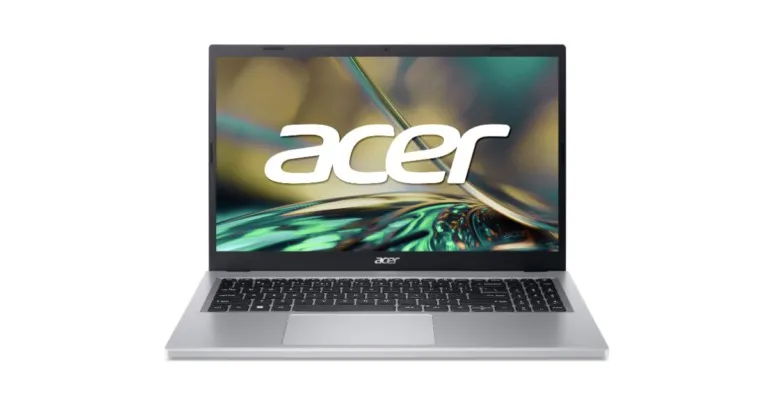
Acer has expanded its Aspire lineup in India with the launch of Aspire 3 laptop. It is the first laptop in India with the newest Ryzen 5 7000 series processor. It has a powerful 6nm Zen 2 architecture with up to 4 Cores and 8 threads. The device comes with an enhanced thermal system and an additional 17% thermal capacity thanks to a 78% increase in fan surface area.
Acer Aspire 3 price in India and availability details
The AMD-powered Acer Aspire 3 has been introduced in India with a price tag of Rs 47,990. The device will be available in a single Silver colour option. Acer Exclusive Outlets, Acer E-store, Vijay Sales, Amazon India, and Acer stores across India all sell AMD Ryzen 7000 laptops.Also Read:Sony Walkman NW-ZX707 with DSD Remastering Engine launched in India
Acer Aspire 3 specs and features
The all-new Acer Aspire 3 comes with a 15.6-inch 1080p FHD display with a 1920 x 1080 pixel resolution. The screen features Acer ComfyView technology and BlueLightShield technology, which reduces exposure to blue light. The Acer TNR solution improves image quality in low-light situations by identifying and treating noisy pixels that gradually blend into subsequent frames.AMD Ryzen 7000 series processors with Radeon graphics power the Acer Aspire 3. This laptop has an increased 78% increase in fan surface area, which results in an additional 17% thermal capacity and an improved thermal system.When it comes to conference calls with AI noise reduction, Acer’s latest version of PurifiedVoice can now actively block out background noise for both users and is adaptable to external headphones and mics.Also Read:OnePlus 11R 5G design, colour and other details leaked ahead of the official launchThe laptop has a USB-C port, Wi-Fi 6E, and an HDMI 2.1 port for connectivity. The device is claimed to offer longer battery life.Due to its combination of potent performance and affordable pricing, our Aspire series has consistently been a favourite among multitaskers looking for everyday performance. The Aspire 3 2023 edition has an attractive design with a stylish metal cover that keeps it sophisticated without sacrificing performance thanks to the latest AMD Ryzen 7000 series processor. Our deep partnership with AMD ensured we co-created one of the best everyday performance laptops in the market” said Sudhir Goel, Chief Business Officer, Acer IndiaCommenting on the launch, Vinay Sinha, Managing Director – Sales, AMD India said, “AMD and Acer have a long-standing partnership based on innovation. We are thrilled to partner with Acer once again, as they bring the new Acer Aspire 3 laptops to Indian consumers. These laptops powered by the AMD Ryzen 7020 series processors will deliver unparalleled performance, increased battery life and improved efficiency for work, play, and connectivity owing to the potent 6nm “Zen 2″ enhanced architecture. We are confident that the Acer Aspire 3 lineup will excite consumers with its performance and affordability, while offering superior display support and high-resolution streaming.”
For the latest gadget and tech news, and gadget reviews, follow us on Twitter, Facebook and Instagram. For newest tech & gadget videos subscribe to our YouTube Channel. You can also stay up to date using the Gadget Bridge Android App. You can find the latest car and bike news here.
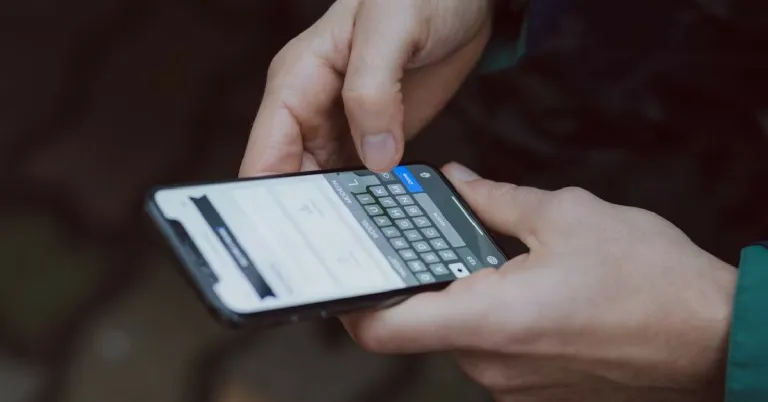
Sometimes what may look like a small problem with your phone can be the toughest to resolve. This is because it is difficult to figure out what may be causing that particular issue. Not receiving notifications or sounds for text messages on your iPhone is one of those scenarios. This may happen because of network-related issues or some accidental bug in your phone’s system software. Luckily, there are some quick measures you can take to fix this issue. In this article, we bring you 15 simple methods to fix the ‘text message notification sound not working’ issue on an iPhone.Read Also: Oppo Reno 8T 5G confirmed to launch in India on February 3
Why is my iPhone not ringing for text message notifications?
If the text message alerts aren’t audible on your iPhone, it could be due to one of the following reasons:
DND is enabled
Your iPhone is in silent mode
Text message notifications are turned off
Text alerts are muted for a particular contact or group
The Messages app is malfunctioning
Your iPhone is connected to a TWS
The notifications are getting delivered to your Apple Watch
Software issues
Turn off DND
Enabling ‘Do Not Disturb’ prevents any call and message alerts and notifications from delivering on your iPhone. If you turned on DND and forgot to turn it off, you may not be receiving sound alerts for incoming messages. Here’s how you can disable Do Not Disturb on your iPhone.Step 1: Scroll down the status bar to access the Control Centre.Step 2: Tap on Focus and disable DND.
Turn off Silent Mode
Make sure your phone is set to a loud profile by flicking the ringer switch on the top left side of your iPhone. If you can see an orange colour on the switch, it means your iPhone is in silent mode. Simply flick the ringer the other way to turn off silent mode on your iPhone. This will ensure you receive every sound alert.
Check if Message notifications are turned on
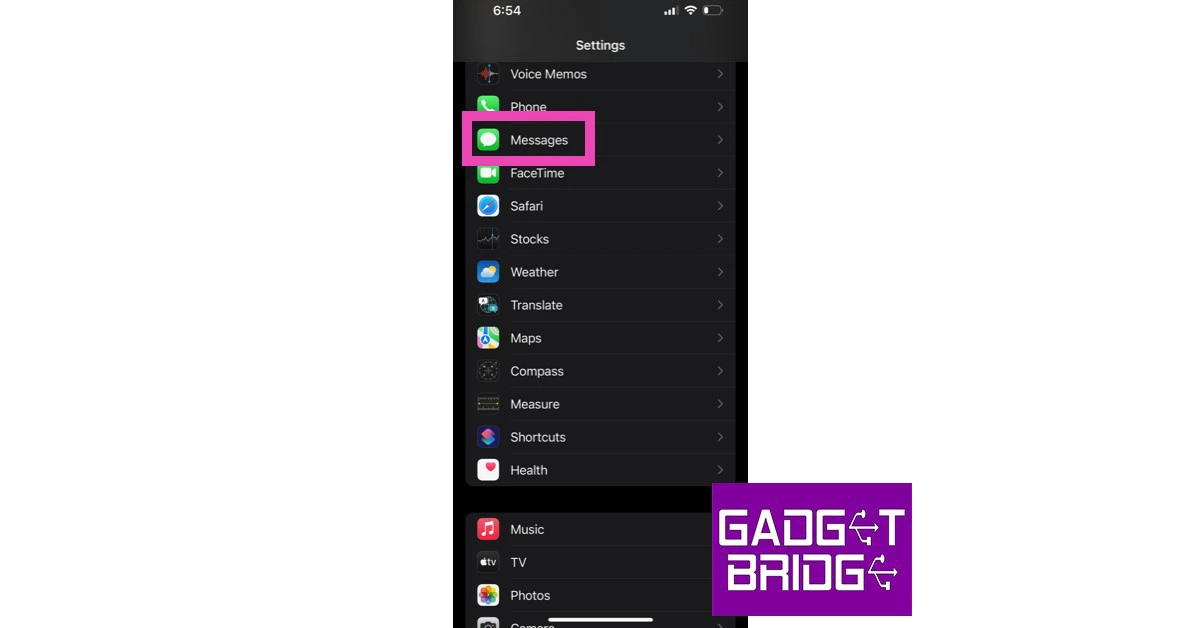
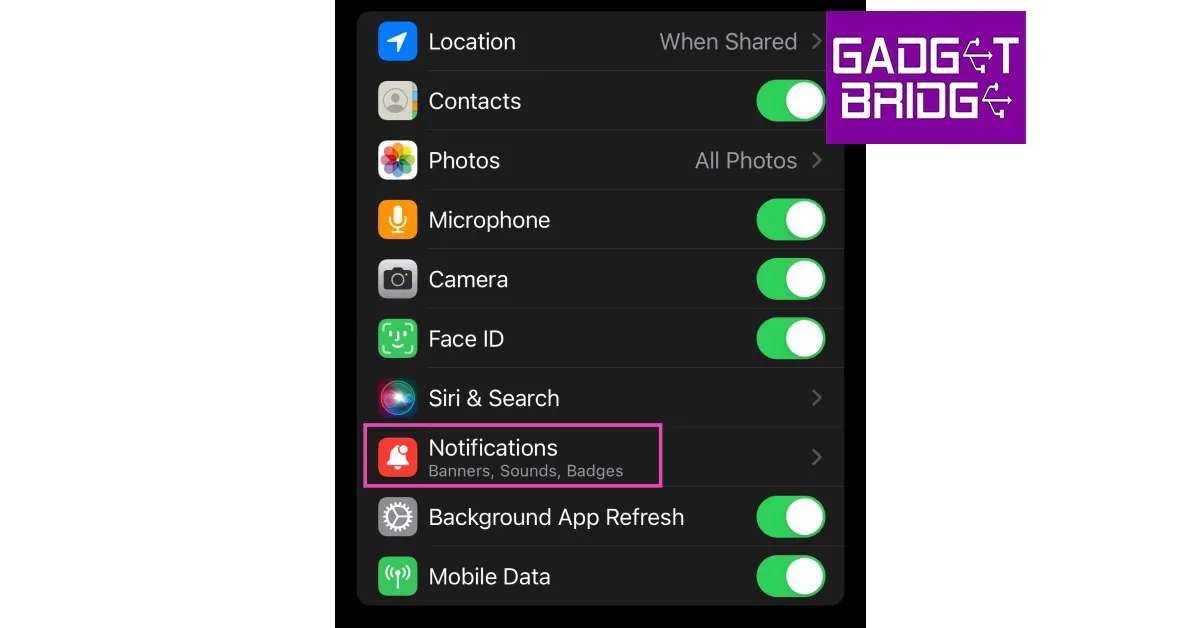
Step 1: Go to Settings, scroll down and select Messages.Step 2: Tap on Notifications.Step 3: Ensure the toggle bar for Allow Notifications is turned on.Step 4: Ensure that the lock screen, notification centre, and banner alerts are turned on. Additionally, make sure that the toggle bar for Sounds is turned on as well.
Reset Notification Settings for Messages
Step 1: Go to Settings, scroll down and select Messages.Step 2: Tap on Notifications.Step 3: Select Notification Settings.Step 4: Tap on Reset Notification Settings.Step 5: Confirm your selection in the popup box.
Check if the sender is muted
If you aren’t receiving text message notification sounds for just one sender, it is likely because you accidentally muted them. A muted conversation will have a grey bell icon with a line running through it. To unmute a conversation, simply swipe left on it and press the bell icon. Once unmuted, you will receive sound alerts and pop-up notifications for the sender’s messages.Read Also:Top 5 Ways to Reverse Image Search on Mobile (2024)
Check the custom tone for the contact
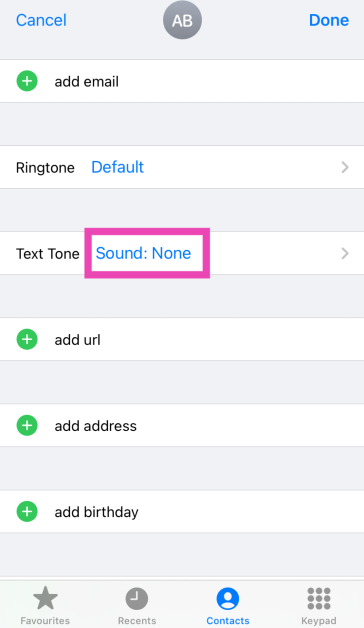
You can assign different alert tones to different contacts on your iPhone. If you’re not receiving sound alerts for a particular contact, make sure their custom tone isn’t set to ‘None’.
Step 1: Select the contact.
Step 2: Tap on Text Tone.
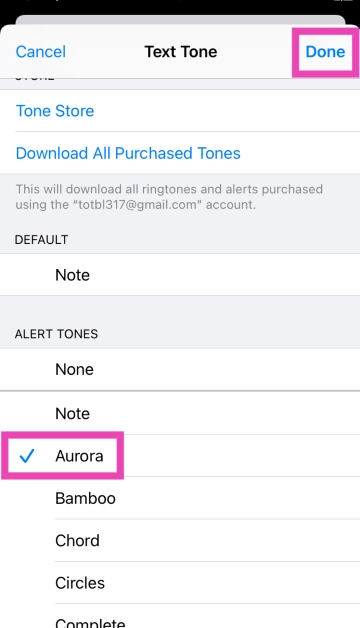
Step 3:Assign the contact a tone.
Step 4: Hit Done.
Turn off message filtering
If you aren’t receiving messages from unknown senders, it may be because their messages are getting filtered. Here’s how you can fix this.Step 1: Go to Settings and select Messages.Step 2: Tap on Unknown & Spam in the Message Filtering section.Step 3: Turn the toggle bar off for Filter Unknown Senders.
Disable text message forwarding
Step 1: Go to Settings and select Messages.
Step 2: Tap on Text Message Forwarding and turn off its toggle switch for all devices.
Disable and re-enable iMessage
Toggling iMessage on and off gives it a quick refresh. This can resolve the notification issue.
Step 1: Go to Settings and select Messages.
Step 2: Turn off the toggle switch next to iMessage.
Step 3: Turn the toggle switch back on.
Turn off Hide Alerts
If you hid the notification alerts for a particular conversation. Make sure to unhide them to receive the notification sound.
Step 1: Open the conversation in Messages.
Step 2: Tap on the sender’s name.
Step 3: Turn off the toggle switch for Hide Alerts.
Force-stop the Messages app and relaunch it
Sometimes, a minor background issue can cause a particular app to malfunction and prevent it from carrying out the most basic tasks. If the text message notification sound is not working on your iPhone, you should try force-stopping the Messages app and then launching it again. You can do this by swiping up and holding from the middle of the screen, and then swiping up on the Messages app in the App Switcher.
Restart your iPhone
A simple restart takes care of any temporary bugs and fixes any background glitches that your iPhone may be experiencing. To restart your iPhone, simply press and hold one of the volume buttons and the side button until the power-off slider appears on the screen. Drag the slider to turn off your phone. Then, press the side key to turn it back on.
Ensure your iPhone isn’t connected to a Bluetooth device
If you forgot to disconnect your iPhone from your AirPods or any other Bluetooth audio device, you will not be able to hear any notifications or alerts on your phone as long as it is connected to the device. Always make sure there are no active audio devices connected to your iPhone. To disconnect a device, use the Bluetooth tile from the Control Centre.
Turn off text notifications on Apple Watch
One of the best functions of the Apple Watch is that it notifies you of any incoming messages and lets you view them on your wrist. However, sometimes a software glitch can cause this function to mute the notifications on your iPhone. Until this glitch is fixed, it is a good idea to disable text notifications on your Apple Watch. Launch the Watch app on your iPhone, tap on Notifications in the My Watch tab and disable them for the Apple Watch.
Update iOS
If you’re using an older version of iOS, it is possible that the bug in the software that is causing this issue has now been resolved. Update your phone’s OS to the latest version in order to fix this issue. Go to Settings>General>Software Update to install the latest version of iOS.
Frequently Asked Questions (FAQs)
Why is the text message notification sound not working on my iPhone?
If you’re unable to hear text message notification alerts on your iPhone, it may be because the Silent Mode or DND is turned on in the background. Also, make sure that your iPhone is not connected to a Bluetooth audio device.
How do I get sound when I receive a text message?
Go to Settings>Notifications and switch on the toggle bars for Allow Notifications and Sounds.
How do I unmute a conversation on my iPhone?
Swipe left on a conversation in the Messages app and hit the bell icon to unmute it.
How do I disable Do Not Disturb on my iPhone?
Swipe down from the right side of the status bar to go to the Control Centre. Tap on ‘Focus’ and disable DND.
Why is my iPhone 14 not making a sound when I get a text?
If your iPhone is not in silent mode, then you may have muted a contact by accident if you are not receiving a sound alert whenever they text.
Read Also: Best Methods to Reduce Photo File Size on Mac
Conclusion
These are the best ways to fix the ‘text message notification sound not working’ on iPhone. If the problem still persists after trying all these fixes, it is possible that the issue may be related to your network carrier. Make sure you are currently subscribed to a talk time/data pack. Several network carriers do not allow incoming calls and messages once the subscription pack expires.
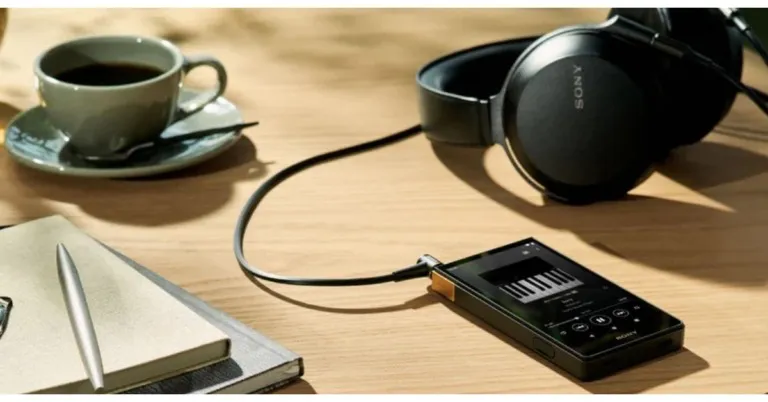
The Sony Walkman is something that every millennial has either tried or seen. Sony introduced the Sony NW-A105 Android Walkman, a fresh avatar of the Walkman, two years ago. Now the company has announced the launch of the new iteration model of Walkman- Sony NW-ZX707. The latest model of the Walkman comes with improved sound and longer battery life.
Sony Walkman NW-ZX707 features
The new Sony Walkman comes with a larger 5-inch display, and Wi-Fi capability for simple downloading and streaming activities.In order to provide even more ways to enjoy music, the new Sony Walkman NW-ZX707 incorporates a DSD Remastering Engine, which resamples PCM (Pulse Code Modulation) audio into an 11.2 MHz DSD (Direct Stream Digital).Also Read:OnePlus 11R 5G design, colour and other details leaked ahead of the official launchThe DSD native format is compatible with S-Master HX digital amp technology, which was independently designed for Walkman. Rich, full-bodied sound is produced with less distortion and noise across a wide frequency range, which is further enhanced by new, high-performance lead-free solder. The model uses reflow solder that contains gold, just like the most recent Signature Walkman model, which has a major impact on the overall better sound localization and larger sound space. A dual clock, film capacitor, and fine sound register have all been properly positioned inside each Walkman to realise the music players’ evolutionary sound.According to the company the NW-ZX707, which adheres to the same principles as the Signature Walkman, includes improved fine-tuned capacitors, an FTCAP3 (High Polymer Capacitor), and a sizable solid high polymer capacitor that gives a high capacitance and low resistance. While the digital block is covered by an OFC-milled block, the NW-ZX707 may deliver music that seems to emerge from silence. Additionally, a big 8mm coil for balanced output produces better sound resolution throughout the whole frequency range. The most recent Signature Walkman model uses all four of the types of components listed above.Also Read: Poco C50 Review: A good budget smartphone for basic useThe NW-ZX707 upscales compressed digital music files in real-time using Edge-AI (Artificial Intelligence) and DSEE Ultimate (Digital Sound Enhancement Engine). The benefits of the improving algorithm for CD-quality (16-bit 44.1/48kHz) lossless codec audio are now considerably larger. According to the company, a richer, more comprehensive listening experience is provided by restoring acoustic subtleties and dynamic range.Compared to earlier models, the NW-ZX707 has a longer battery life of up to 25 hours while playing back FLAC files at 44.1 kHz, up to 23 hours when playing FLAC files at 96 kHz, or up to 22 hours when streaming. Customers can use DSEE Ultimate to upscale their music in the NW-ZX707, whether it was downloaded or streamed via Wi-Fi. With wireless headphones, listeners can now enjoy DSEE Ultimate as well.
Sony Walkman NW-ZX707 price in India and availability
Garena Free Fire is a battle royale game with regular awards and tournaments to keep players interested. If you play Garena Free Fire, you should be aware of the redeem codes that are released on a daily basis. However, because the battle royale game is banned in India, players from other countries can use the Free Fire Redeem codes daily. If you’re unfamiliar with the Garena Free Fire redeem codes or don’t know how to get them, we’ve put together a step-by-step guide to help you redeem them. Check out Garena Free Fire Redeem Codes for 31 January 2023.The Free Fire redeem codes are a great way to get free stuff. These are 12-digit codes that contain alphabets and numbers, as well as an expiration date and time. Because the Garena FF redeem codes cannot be used more than once, you should hurry to the redemption page to claim your free reward before someone else does. To get a free reward, all you have to do is go to reward.ff.garena.com/en, which is the official redemption page. Also, keep an eye on this space for daily updates on Garena Free Fire redemption codes and rewards.
Garena Free Fire Redeem Codes Today 31 January 2023
Updating Soon
How to Get Free Fire Redeem Codes for Garena on 31 January 2023?



 Source: Unsplash
The market is expected to face additional challenges in 2023 due to the privacy measures implemented by Apple, which are expected to put more pressure on app developers. In 2021, Apple introduced an App Tracking Transparency feature that prompts users to opt-in or
Source: Unsplash
The market is expected to face additional challenges in 2023 due to the privacy measures implemented by Apple, which are expected to put more pressure on app developers. In 2021, Apple introduced an App Tracking Transparency feature that prompts users to opt-in or 


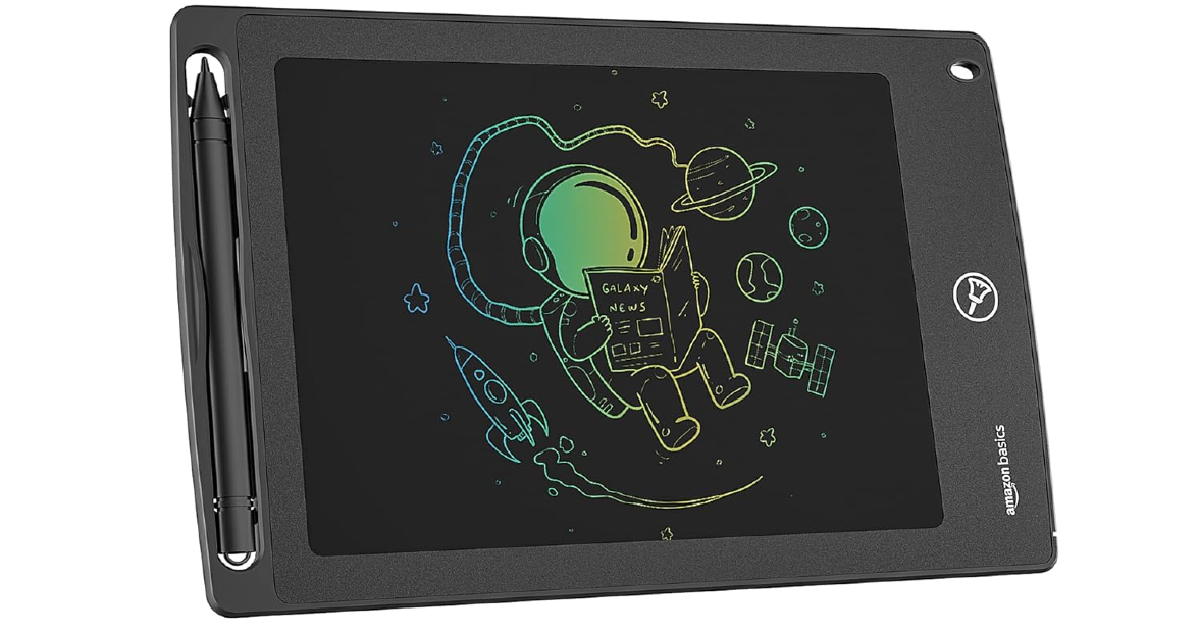 The 8.5-inch Amazon Basic writing tablet has a rainbow-coloured LCD screen which cuts out the glare, radiation, and blue light, thereby removing the stress exerted on the eyes by the display. It is one of the best digital writing pads around. Its slim form factor and lightweight design make it quite convenient to carry around while travelling. The pressure-sensitive screen replicates the writing experience of paper. The coin cell battery is built into the device and offers a long battery life. The writing tablet also comes with a stylus which can be placed in a special cutout when it is not in use.
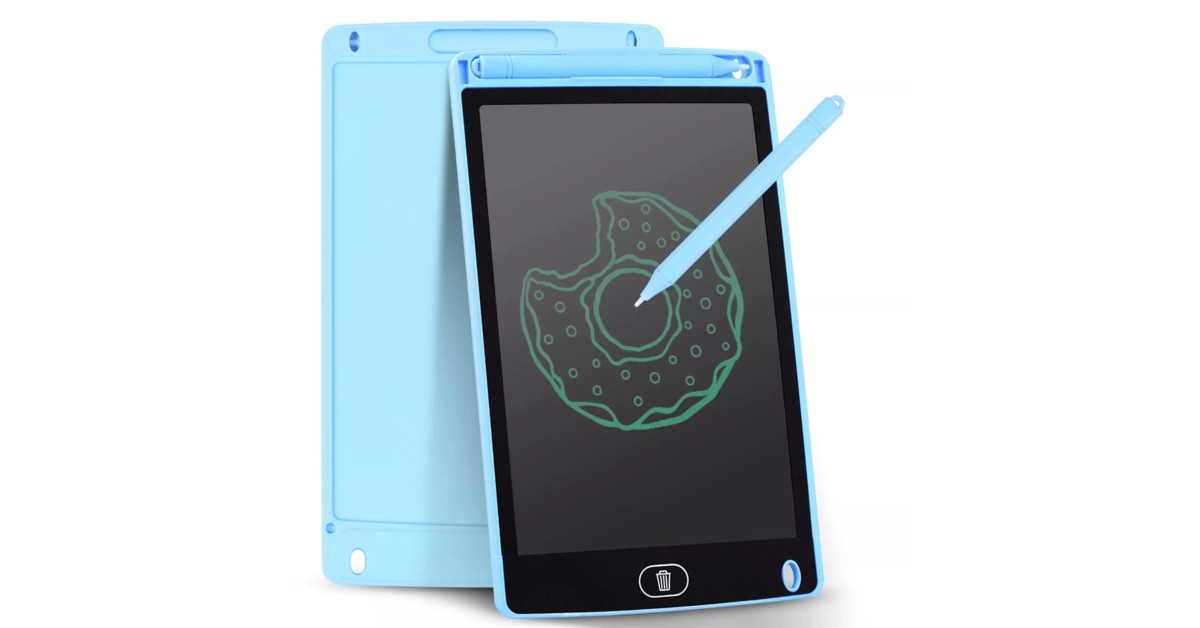 The Ionix writing tablet has a screen size of 12 inches and uses a button battery. It doesn’t need to be charged or powered on. It is accompanied by a stylus, which can be placed in a special cutout when not in use. The button battery inside the pad can last for months. Once drained, it can be easily replaced. The Ionix writing pad is easy on the eyes and has simple controls. You can choose to lock something on the screen or erase it with one tap of a button. Once erased, the drawing cannot be brought back.
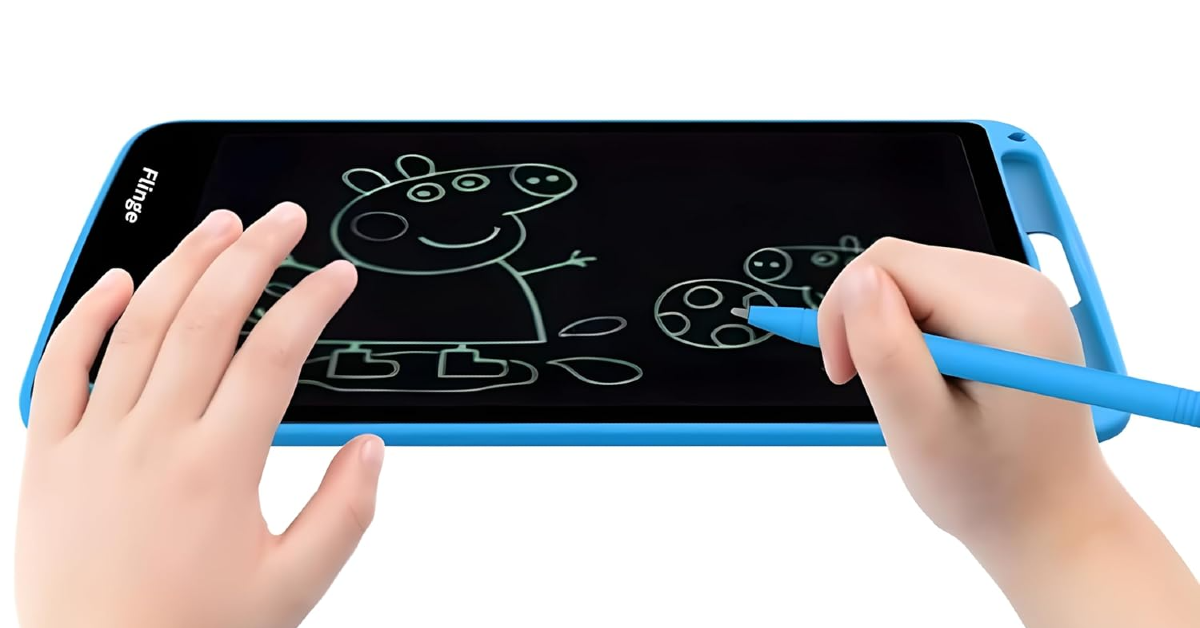 The LCD writing pad from Flinge is a great tool that makes writing equal parts educational and fun for kids. Its 12-inch monochrome screen is ideal for doodling and writing alike. You can get your kid to practice their handwriting on this device. The screen can be erased with just one press of a button. The LCD panel is glare-free and does not exert any pressure on the eyes. Its versatile design allows the tablet to be used in vertical as well as horizontal orientation.
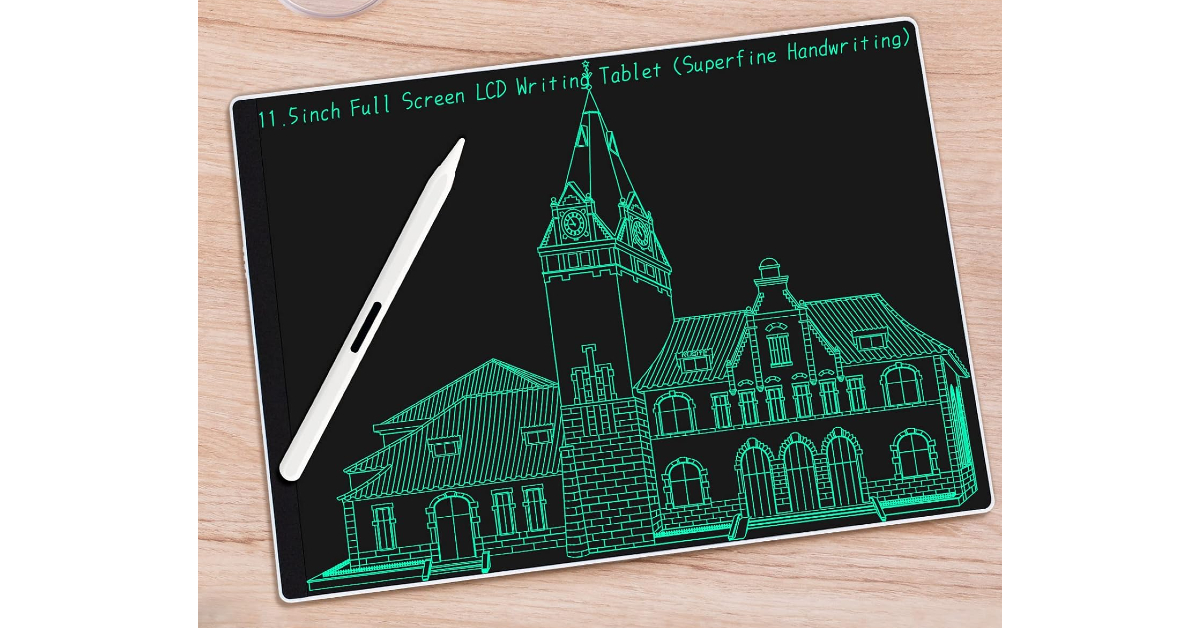 This writing tablet from F Funx has a refreshing design that looks on par with modern devices. The tablet has minimal bezels along the sides and its curved back gives it a nice grip. The LCD panel is pressure-sensitive to ensure that it allows for a natural and precise writing experience. The lines on the pad get thicker as you exert more pressure with the stylus. This tablet can be used in offices, homes, classrooms, and studios. There are 2 built-in magnets at the back of the pad which can be used to stick it against the fridge. This allows the pad to be used as a message board for the family or even as a budget or food planner.
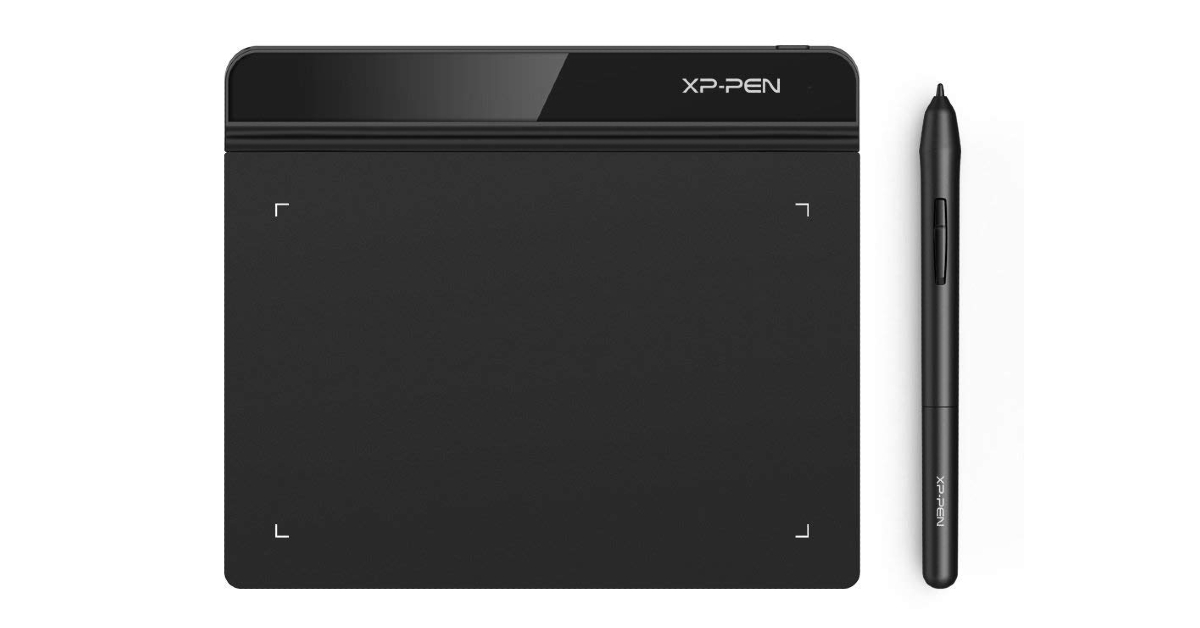 The XP-Pen StarG640 is one of the better graphics drawing tablets around. This tablet is compatible with major software like Adobe Illustrator, Photoshop, Corel, Crita, Blender, ZBrush, OpenCanvas, and more. There are 8192 levels of pen pressure sensitivity on this device, which allows the user to choose the thickness of the lines they want to draw. The stylus that comes with this pad is battery-free and does not require any charging. It supports 60 degrees of tilt and is equipped with automatic line correction.
Read Also:
The XP-Pen StarG640 is one of the better graphics drawing tablets around. This tablet is compatible with major software like Adobe Illustrator, Photoshop, Corel, Crita, Blender, ZBrush, OpenCanvas, and more. There are 8192 levels of pen pressure sensitivity on this device, which allows the user to choose the thickness of the lines they want to draw. The stylus that comes with this pad is battery-free and does not require any charging. It supports 60 degrees of tilt and is equipped with automatic line correction.
Read Also: 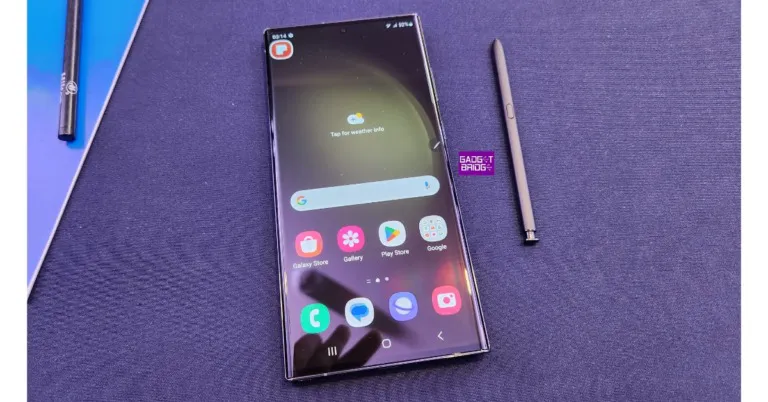

 Samsung’s very own
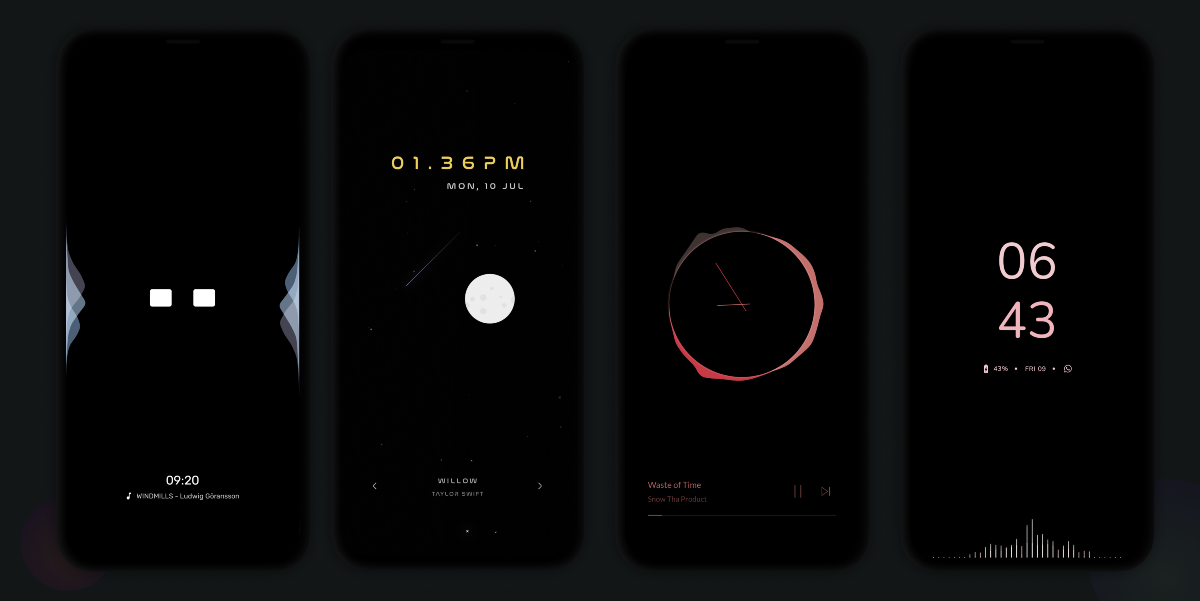 This music companion app displays a stunning visualiser on your smartphone’s curved edges whenever you play music on the device. It also offers unique AOD screensavers that offer something more than the generic ones that come pre-installed on your phone. There are a bunch of customisation options on offer. You can use them to add a splash of personality to your device and make it stand apart from the rest.



 Step 2:
 Step 3:
 Step 4:
 Step 5:
 Step 3: Assign the contact a tone.
 Step 4: Hit Done.
 Step 3:
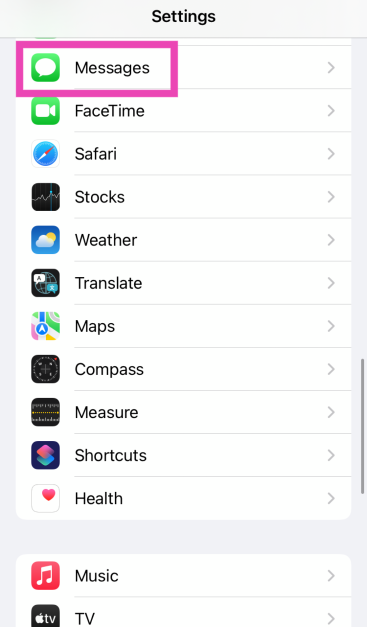 Step 2: Tap on Text Message Forwarding and turn off its toggle switch for all devices.
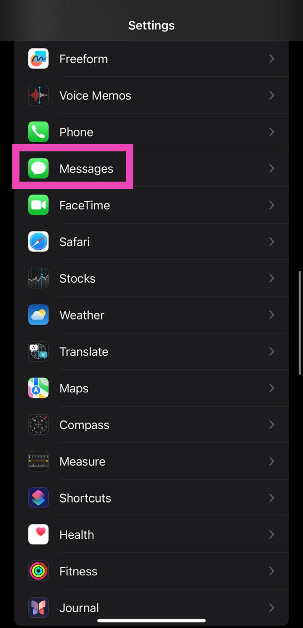 Step 2: Turn off the toggle switch next to iMessage.
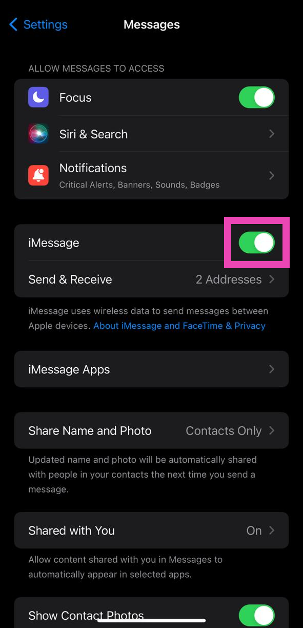 Step 3: Turn the toggle switch back on.

 If you forgot to disconnect your iPhone from your AirPods or any other Bluetooth audio device, you will not be able to hear any notifications or alerts on your phone as long as it is connected to the device. Always make sure there are no active audio devices connected to your iPhone. To disconnect a device, use the Bluetooth tile from the Control Centre.
 One of the best functions of the Apple Watch is that it notifies you of any incoming messages and lets you view them on your wrist. However, sometimes a software glitch can cause this function to mute the notifications on your iPhone. Until this glitch is fixed, it is a good idea to disable text notifications on your Apple Watch. Launch the Watch app on your iPhone, tap on Notifications in the My Watch tab and disable them for the Apple Watch.
 If you’re using an older version of iOS, it is possible that the bug in the software that is causing this issue has now been resolved. Update your phone’s OS to the latest version in order to fix this issue. Go to Settings>General>Software Update to install the latest version of iOS.