How much battery do the iPhone 14, iPhone 14 Plus, Pro and Pro Max have?

0
The new iPhone series is finally here, with the official unveiling taking place at Apple’s Far Out event on September 7. Over the years, the iPhone has gained a reputation for having an incredible battery life, which can easily last a day even when you carry out power-consuming tasks on it. Some users are even able to make the iPhone 14 Pro Max last for a couple of days, with very moderate use. So how does the battery capacity of the new iPhone 14 series measure up against its predecessors? In this article, we take a look at how much battery capacity the new iPhone 14, iPhone 14 Plus, Pro, and Pro Max have to offer. Read Also: One Plus launches 10,000 mAh power bank for Rs 1,399

iPhone 14

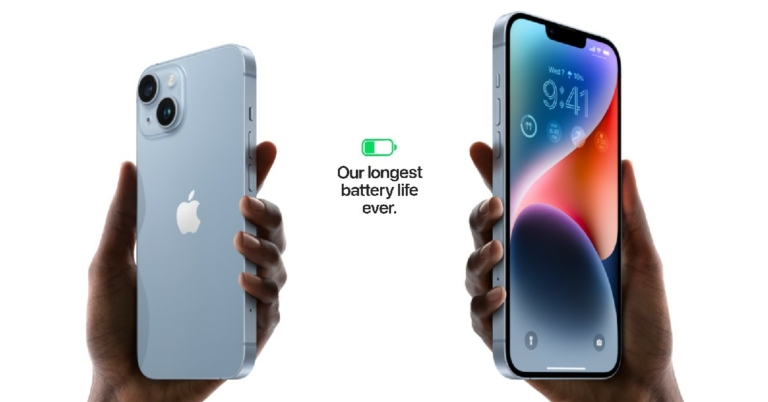
iPhone 14 Battery Capacity: 3,279 mAh (12.68 Wh) iPhone 13 battery capacity: 3,227 mAh (12.41 Wh) The 6.1-inch iPhone 14 houses a lithium-ion 3,279 mAh battery which is a slight improvement over the 3,227 mAh battery on the iPhone 13. It retains the A15 Bionic chipset, so the power efficiency of the processor will remain the same. But users can expect a slightly longer battery life with the new entry-level iPhone 14. With fast charging, 50% of the battery can be replenished in 30 minutes. 15W Magsafe wireless charging and 7.5W Qi magnetic fast wireless charging has also been made available. 

iPhone 14 Plus

iPhone 14 Plus Battery Capacity: 4,325 mAh (16.68 Wh) Apple claims the iPhone 14 Plus to have the largest battery capacity in the entire iPhone 14 lineup. The 14 Plus is able to accommodate a larger battery due to its larger size. However, it still comes with an A15 Bionic chipset, which is quite an efficient processor but its power handling will definitely be overshadowed by the A16 Bionic chip on the Pro models. So, on paper, the iPhone 14 Plus may have a bigger battery than the Pro Max, but the latter will certainly have better battery life and performance due to the latest chipset.

iPhone 14 Pro
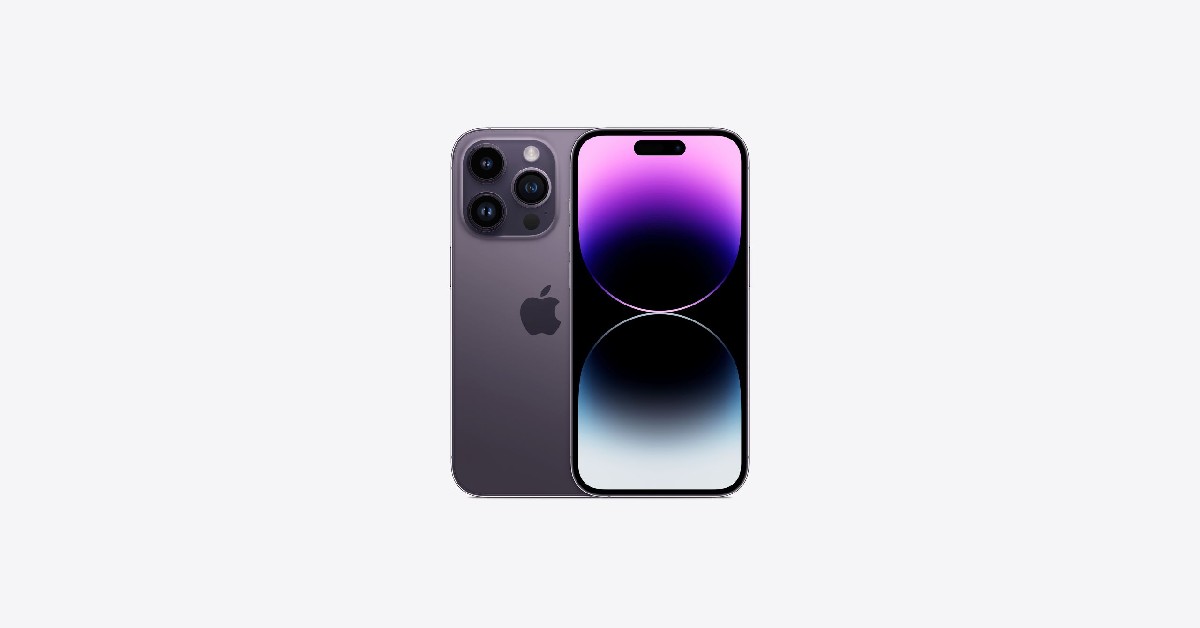
iPhone 14 Plus Battery Capacity: 3,200 mAh (12.38 Wh) iPhone 13 Pro battery capacity: 3,095 mAh (11.97Wh) The iPhone 14 Pro sees a big bump in battery capacity compared to its predecessor, but it is still smaller than the non-pro versions. It’ll be interesting to see how well the A16 Bionic processor manages the battery efficiency, and if it can make the smaller battery last longer than the non-pro versions (which run on the A15 Bionic chipset). No matter what the difference is, the iPhone 14 Pro will still easily last a day on a full charge. 

iPhone 14 Pro Max

iPhone 14 Pro Max Battery Capacity: 4,323 mAh (16.68 Wh) iPhone 13 Pro Max battery capacity: 4,352 mAh (16.75 Wh) Similar to the iPhone 14 Pro, the flagship Pro Max also comes with a smaller battery than its previous iteration. Out of the current lineup, Apple claims the iPhone 14 Plus to have the longest battery life, but experts claim the Pro Max will retain its title of being the battery king. This is largely due to the presence of the A16 Bionic chipset that will certainly do its part in effective handling and power efficiency. The ProMotion display is equipped to reduce the refresh rate for tasks that don’t require to use it at its full capacity. This will be a big factor in boosting the battery life.  Here is a detailed chart of the battery capacity on all the latest iPhone 14 models compared to their iPhone 13 siblings. 
iPhone 13 Battery Capacity (mAh) Battery Capacity (Wh) iPhone 14 Battery Capacity (mAh) Battery Capacity (Wh)
Base Model 3227 12.41 Base Model 3279 12.68
Plus 4325 16.68
Pro 3095 11.97 Pro 3200 12.38
Pro Max 4352 16.75 Pro Max 4323 16.68
Read Also: Top Gaming Smartphones in India The iPhone 14 lineup was unveiled on September 7 at Apple’s ‘Far Out’ event. Apple has been accepting pre-orders since September 9, and all phones except iPhone 14 Plus will be launched on September 16. The launch date for iPhone 14 Plus has been set for October 7. Which iPhone will you be buying this year? Let us know in the comments!
For the latest gadget and tech news, and gadget reviews, follow us on TwitterFacebook and Instagram. For newest tech & gadget videos subscribe to our YouTube Channel. You can also stay up to date using the Gadget Bridge Android App. You can find the latest car and bike news here.
Best Apps to download on your new iPhone 14 Pro and 14 Pro Max

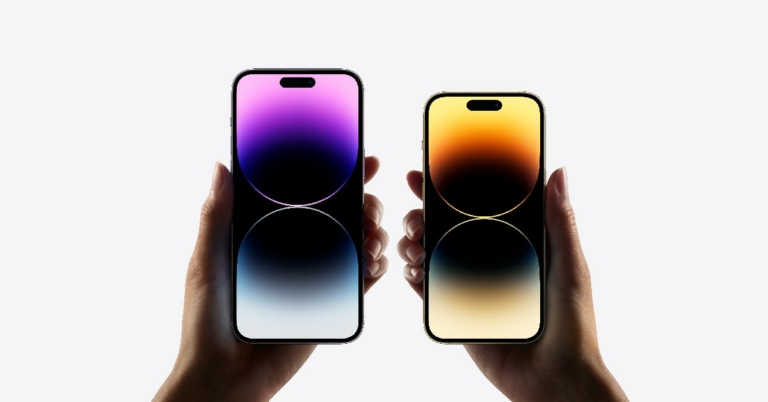
Apple finally unveiled its new line of iPhones on September 7, and consumers have been excited to get their hands on one ever since. While the iPhone 14 and 14 Plus carries forward much of the same design and features as the iPhone 13 series, the iPhone 14 Pro and Pro Max are where Apple is offering the major upgrades. With the iPhone 14 Pro and Pro Max, you get to tap into the power of the new A16 Bionic processor, as well as enjoy the new 48MP primary camera lens. So, without further ado, here are the best apps you can download on your new iPhone 14 Pro and Pro Max. Read Also: 10 best apps to download first in Samsung Galaxy Fold 4

Best Apps for iPhone 14 Pro and iPhone 14 Pro Max

Adobe Premiere Rush

Adobe Premiere Rush The large storage capacity of iPhone 14 Pro and Pro Max allows you to store a lot of 4k video footage in it. There is nothing better to be able to edit your videos while you’re on the go. Even if you do not have access to a PC, you can carry out advanced editing work on your iPhone 14 Pro and Pro Max. The Adobe Premiere Rush app allows you to get the most out of your iPhone. Known for creating the most cutting-edge tools for PCs, Adobe brings the same energy to its smartphone app.  The drag-and-drop feature for videos, audio, graphics, and photos makes it really easy to handle editing tasks on your smartphone. The Premiere Rush also comes with thousands of royalty-free soundtracks that you can use as background music for your videos. The A16 Bionic processor makes sure that even the heavy editing tasks are handled with ease.

Remote Mouse

Remote Mouse Remote Mouse is an app we recommend for any phone that has a large display. With this app, you can turn your iPhone Pro or Pro Max into a remote control for your PC that can carry out all the functions of a wireless mouse, keyboard, and touchpad. You can also use your phone as a media remote, application switcher, and web browsing remote. This app is a must-have for times when you have to give presentations using your PC and need a portable remote to control all the media and slides. 

Pocket: Save. Read. Grow.

Pocket: Save. Read. Grow. One of the better parts of buying an iPhone 14 Pro or Pro Max is that you do not have to solely rely on your laptop for browsing the Internet. Most people prefer reading news articles while they’re on the go, and your smartphone is the perfect device to consume such content on.  With Pocket, you can further enhance your reading experience, and make sure you don’t miss out on anything. Don’t have the time to read an article? Save it on Pocket for reading later. Pocket cuts all the clutter from the article and displays it on its in-built reader. Apart from articles, you can also save webpages, videos, and even Twitter threads.

Obscura 3

Obscura 3 With the iPhone Pro and Pro Max, you get a new 48MP primary lens, which many consider to be one of Apple’s biggest camera upgrades ever. You will want to make the most out of this camera unit, and Obscura 3 is the perfect app for that. While many stick to the default camera app on the iPhone, users that want to access the advanced features and generally have more control over the kind of pictures they take, go for the Obscura app.  Obscura’s fluid design and UI make all the camera controls accessible with just one finger or thumb. Instead of relying on external conditions for taking pictures, you can easily adjust ISO, White Balance, Shutter Speed, Exposure, and a lot more with just a few swipes and touches. 

Spotify 

Spotify  One of the biggest music platforms in the world, Spotify needs no introduction. Apart from boasting one of the biggest music libraries that features millions of artists, Spotify also lets you choose from thousands of podcasts. The iPhone 14 Pro and Pro Max have a pill-shaped cutout in the display that houses the camera sensor and notification lights.  It also lets you quickly access apps that are running in the background, with just one easy touch. Most popular apps will be rolling out optimised updates for this feature, and Spotify will definitely be one of them, given how quick access to a music player makes it much easier to use. 

NanoStudio 2

NanoStudio 2 One of the reasons behind the popularity of the iPhone is its versatility and the ability to be of use in different spheres of life. Whether you’re an accountant or a musician, there will always be something the iPhone can do to make your tasks easier. The NanoStudio 2 is a must-have app for musicians who need an app to write and arrange music whenever the inspiration strikes. NanoStudio 2 has two built-in instruments – the Obsidian synth, and the Slate drum pad.  It also hosts external Audio Unit instruments and audio/MIDI effects. Music production on the go becomes much easier with NanoStudio 2, and you can sample, arrange, mix, and edit music with relative ease. 

Apex Legends Mobile

Apex Legends Mobile If you’re not using the A16 Bionic chip on your iPhone 14 Pro and Pro Max, then you’re really missing out. And what better way to test its boundaries than by playing the graphically demanding Apex Legends Mobile? Where even most premium smartphones struggle with playing this game for an extended duration of time, your iPhone 14 Pro and Pro Max can make it seem like it’s nothing.  The game itself is one of the most intense and enjoyable battle royale shooters you can play right now and has garnered praise across the gaming community. The Apex Legend features legendary character-based gameplay, best-in-class squad battles, and fast-paced combat.

Kindle

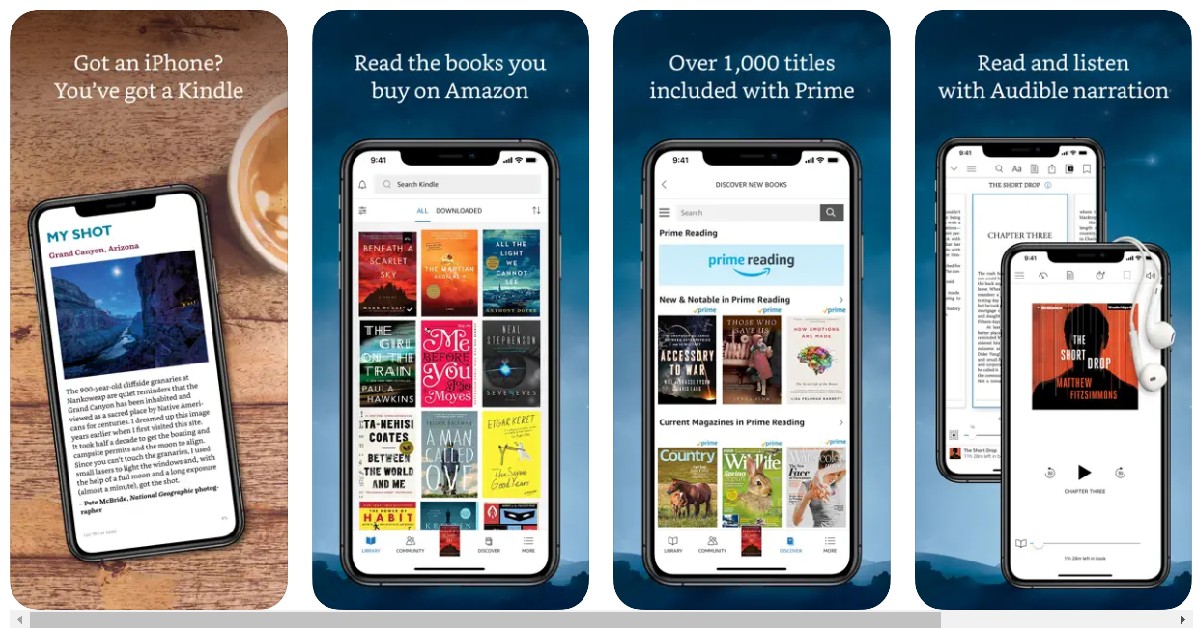
Kindle. best apps for iphone 14 pro and pro max You can say goodbye to your Kindle device and simply download the app on your iPhone 14 Pro Max, and make full use of the 6.7-inch LTPO Super Retina XDR OLED display. With a peak brightness of 2000 nits, you can even read your favourite titles while basking in the sun outdoors. Flipping the pages is easy with simple swipe gestures, and you can access the dictionary simply by losing pressing on a word.  You can also customise the text size, font, margins, and alignment according to your liking. The best part about using this app is that any progress you make on a book will also be recorded on your Kindle device.

Linea Sketch

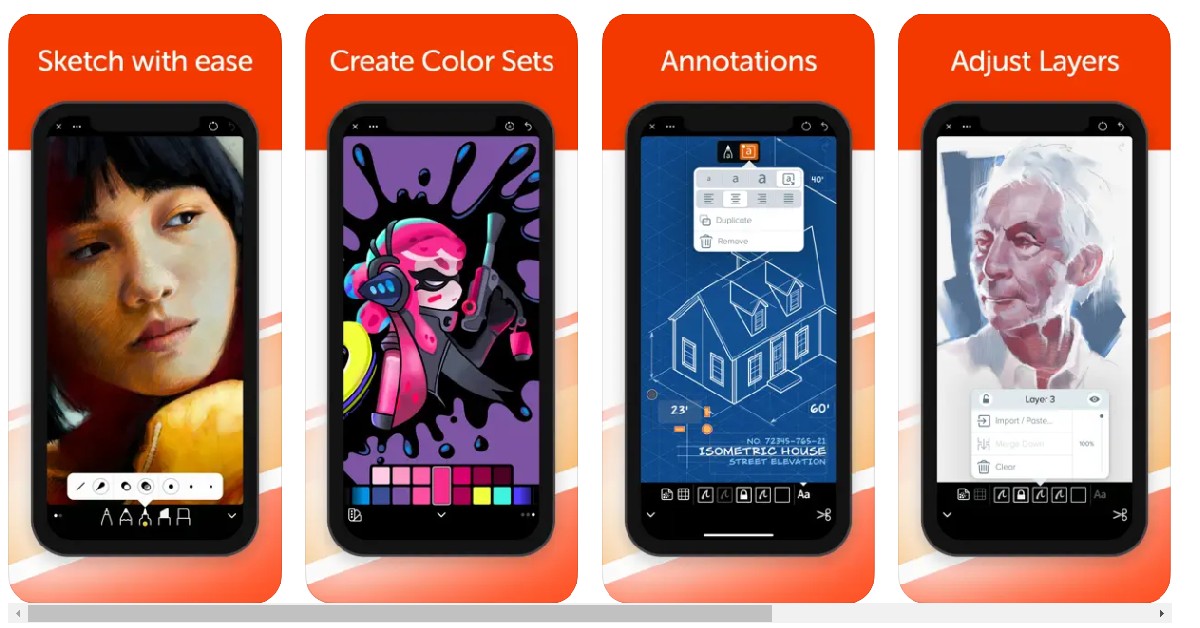
Linea Sketch. best apps for iphone 14 pro and pro max In the last few years, smartphones have started offering a lot of features and functionality for digital artists, with the iPhone leading the way. Linea Sketch is an easy-to-use app for amateurs and professional artists alike. This app is designed keeping the user’s creativity in mind and has a UI that doesn’t distract you with endless tools on your screen.  Instead, the design is minimal and clear. You can choose from a range of colours, brushes, and annotations to create sketches that are aligned with your creative vision. Linea is definitely one of the best apps for your iPhone 13 Pro and Pro Max.

Todoist

Todoist. best apps for iphone 14 pro and pro max Closing out this list is one of the most critically acclaimed task manager apps for iPhone. Used by over 30 million people, Todoist is the perfect app for streamlining your tasks and going about your day in a planned and effective manner. You can automate tasks like having your iPhone read your emails at a particular time every day, or having your car’s audio system play a particular playlist as soon as you enter it.  You can also work on projects with other users, and leave voice notes, attachments and notes wherever necessary. Set task priority levels for ease of management. Since you will be using your iPhone 14 Pro and Pro Max as the primary driver for both work and leisure, downloading Todoist will ensure a seamless convergence of both those aspects. Read Also: 5 simple ways to disable touch screen on Android and iPhone These are our picks for the best apps to download on your new iPhone 14 Pro and Pro Max. If you think we missed an app that deserves to be on this list, let us know in the comments!
For the latest gadget and tech news, and gadget reviews, follow us on TwitterFacebook and Instagram. For newest tech & gadget videos subscribe to our YouTube Channel. You can also stay up to date using the Gadget Bridge Android App. You can find the latest car and bike news here.

Motorola Edge Ultra 30 and Edge 30 Fusion India launch on September 13

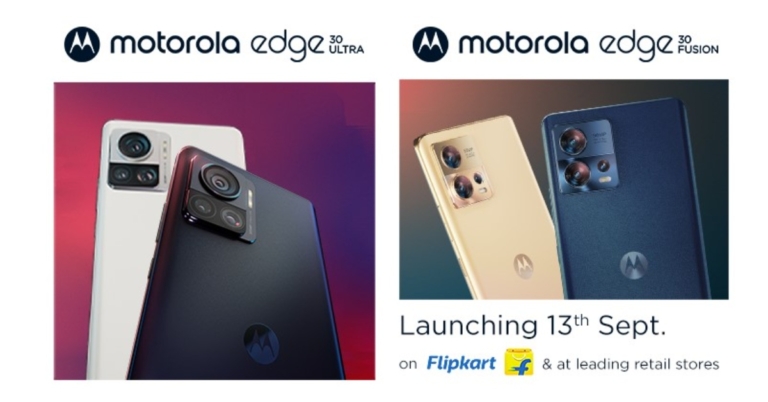
Motorola Edge Ultra 30 and Edge 30 Fusion are scheduled to launch in India on September 13. The company has revealed that both devices will be available for purchase via Flipkart. Prior to coming to India the smartphone was first introduced in a few markets so we are already aware of its specifications. The Ultra would feature a 200 MP triple back camera configuration. It will come equipped with a Qualcomm Snapdragon 8+ Gen 1 SoC with 12GB of LPDDR5 RAM. The Motorola Edge 30 Ultra and Edge 30 Fusion will debut in India on September 13 according to the smartphone company’s Twitter announcement. The company has also stated that both phones will be sold in retail establishments like Flipkart.

Motorola Edge 30 Ultra specification

Motorola Edge 30 Ultra features a full-HD+ 6.67-inch pOLED display with 1,080×2,400 pixels of resolution. The screen has a 144Hz refresh rate, HDR10+ compatibility, DCI-P3 colour gamut and a maximum brightness of 1,250 nits. . The device utilises the My UX user interface based on Android 12. A Qualcomm Snapdragon 8+ Gen 1 SoC, 8GB of LPDDR5 RAM, and 256GB of internal storage power the phone. The Motorola Edge 30 Ultra has three rear cameras: a 12-megapixel telephoto lens with an f/1.6 aperture (with OIS), a 50-megapixel ultra-wide angle lens, and a 200-megapixel main sensor with an f/1.9 aperture. A 60-megapixel front-facing selfie camera with an f/2.2 aperture and quad pixel technology is included on the phone. It has a 4,610mAh battery and supports cable charging at 125W TurboPower. The smartphone sports a USB Type-C port for charging and supports 5G, 4G LTE, Wi-Fi 6E, Bluetooth v5.2, GPS, and NFC for connectivity.

Motorola Edge 30 Fusion specifications

The 6.55-inch pOLED display on the Motorola Edge 30 Fusion has full-HD+ resolution. The screen has a 144Hz refresh rate, HDR10+ support and a 36-Hz touch sampling rate. Moreover, the display supports a maximum brightness of 1,100 nits, and a 20:9 aspect ratio. It is equipped with an 8GB LPDDR5 RAM module and up to 128GB of internal UFS 3.1 storage and is powered by a Qualcomm Snapdragon 888+ SoC. A 50-megapixel primary sensor and a 13-megapixel ultra-wide angle lens are included in the phone’s dual rear camera configuration. A 32-megapixel selfie camera is included on the front. It has connectivity options for Wi-Fi 6E, 5G, 4G LTE, NFC, and Bluetooth v5.2. A 4,400mAh battery and a USB Type-C connection are included in the Motorola Edge 30 Fusion. TurboPower rapid charging is also supported. For the latest gadget and tech news, and gadget reviews, follow us on TwitterFacebook and Instagram. For newest tech & gadget videos subscribe to our YouTube Channel. You can also stay up to date using the Gadget Bridge Android App. You can find the latest car and bike news here.

Garena Free Fire Redeem Codes Today 12 September 2022: Here is how to claim them

Garena Free Fire is a battle royale game with regular awards and tournaments to keep players interested. If you play Garena Free Fire, you should be aware of the redeem codes that are released on a daily basis. However, because the battle royale game is banned in India, players from other countries can use the Free Fire Redeem codes daily. If you’re unfamiliar with the Garena Free Fire redeem codes or don’t know how to get them, we’ve put together a step-by-step guide to help you redeem them. Check out Garena Free Fire Redeem Codes for September 12. The Free Fire redeem codes are a great way to get free stuff. These are 12-digit codes that contain alphabets and numbers, as well as an expiration date and time. Because the Garena FF redeem codes cannot be used more than once, you should hurry to the redemption page to claim your free reward before someone else does. To get a free reward, all you have to do is go to reward.ff.garena.com/en, which is the official redemption page. Also, keep an eye on this space for daily updates on Garena Free Fire redemption codes and rewards.

Garena Free Fire Redeem Codes Today 12 September 2022

L6FD2JS6WON2 EUUM7G33N2T8 HZFRYHCQVFR9 WXADBEOENR1W QZ29JLENDSAM V7FQAQFA1JTX 1UJD20PPN9RP FFX6OC21IVYU FFXVGG8NU4YB

How to Get Free Fire Redeem Codes for Garena on September 12?

  • Visit the Garena Free Fire game’s official website at reward.ff.garena.com.
  • Use your Facebook, Google, VK, Apple ID, Huawei ID, or Twitter account to log in.
  • You’ll be taken to a valid redemption code (s)
  • Copy and paste the 12-digit redemption code into the text box.
  • On the screen, a dialogue box will appear.
  • ‘Ok’ should be selected.
For the latest gadget and tech news, and gadget reviews, follow us on TwitterFacebook and Instagram. For newest tech & gadget videos subscribe to our YouTube Channel. You can also stay up to date using the Gadget Bridge Android App. You can find the latest car and bike news here.

Vivo V25 5G India launch set for September 15, expected pricing and features

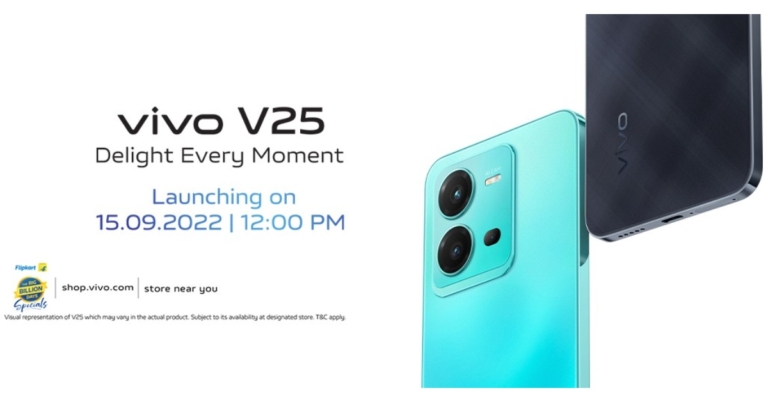
India will soon get the Vivo V25 5G, according to the Chinese manufacturer. The device’s India launch is set to take place on September 15. Ahead of the official release the company has also created a dedicated microsite on Flipkart. Vivo has hinted at a handful of the next smartphone’s features. As per the microsite, the phone will come with a 50-megapixel selfie camera and a back panel made of fluorite AG glass, which changes colour. Vivo took to Twitter to announce the launch date for Vivo V25 5G for India. The device is scheduled to launch in India on September 15 at 12 noon. The company in its announcement said, “Experience the magical world of Vivo V25. A phone that provides you with delightful experiences. Launching on 15th Sept at 12 PM. Block your date & get ready to #DelightEveryMoment.” The device is also confirmed to be available for purchase via Flipkart. A webpage on Flipkart states that the Vivo V25 5G smartphone would be available in Black and Blue and will have a fluorite AG glass back panel that changes colour. Moreover, the display will feature a waterdrop notch to house a 50-megapixel selfie camera with autofocus. The smartphone will have a 64-megapixel triple rear camera setup with Bokeh Flare Portrait and optical image stabilisation, according to the Vivo India website (OIS). Additionally, a MediaTek Dimensity 900 SoC is hinted at for the Vivo V25 5G. Moreover, the phone will include Extended RAM, which enables it to employ up to 8GB of available storage. The smartphone is likely to include a 64-megapixel primary sensor in addition to an 8-megapixel wide-angle and a 2-megapixel macro camera. Thailand already has the Vivo V25 5G. The MediaTek Dimensity 900 chipset powers the device. It will carry up to 12GB of RAM and up to 256 GB of storage. Other anticipated features of the Vivo V25 5G include a 4,500mAh battery with 44W charging support In addition to this the handset is likely to ship Android 12 with Funtouch OS out of the box.

Vivo V25 5G price in India expected

The cost of the Vivo V25 5G is speculated to be approximately 30,000 in India. Two models of the phone might be available. 8GB of RAM and 128GB of internal storage may be included in the base model. A different model might include 256GB of storage space and 12GB of RAM. For the latest gadget and tech news, and gadget reviews, follow us on TwitterFacebook and Instagram. For newest tech & gadget videos subscribe to our YouTube Channel. You can also stay up to date using the Gadget Bridge Android App. You can find the latest car and bike news here.

Amazon Quiz Answers Today 12 September 2022: Participate to win Rs 2,500

Amazon Quiz for 12 September 2022 has gone live on the company’s mobile platform. The daily quiz contest brings an opportunity for Amazon users to win exciting prizes. In today’s Amazon Quiz the participants have the chance to win Rs 2,500 Amazon Pay Balance. All they have to do is answer all the questions correctly. A fresh question is posted on the Amazon app daily which consists of five simple questions based on general knowledge and current events. The quiz can be played on the Amazon App from 12 AM to 11:59 PM. You have to answer all the questions correctly. Then the participants will be shortlisted for a lucky draw. The result of the lucky draw will be announced at the end of the month. The participants can win Amazon Pay Balance to up to Rs 50,000. Check out the 12 September 2022 Amazon Quiz question and their answers to win Rs 2,500 Amazon Pay Balance. Amazon Quiz Today Prize – Rs 2500 Amazon Pay Balance Quiz Date – 12 September 2022 Daily Timing – 12 AM to 11:59 PM Winner Announcement – Today 12 PM

Amazon Quiz Answers Today 12 September 2022

Question 1: Meta is partnering with which of these shopping platforms to offer grocery shopping on WhatsApp? Answer- Reliance Jiomart Question 2: Aaron Chia and Soh Wooi Yik recently won which country’s first ever Badminton world title? Answer- Malaysia Question 3: Ticket to Paradise’ is an upcoming movie that stars George Clooney and which famous actress in the lead roles? Answer- Julia Roberts Question 4: The flag of which country is shown on screen? Answer- Cambodia Question 5: Name this popular dessert item Answer- Creme brulee

How To Play Amazon Quiz

Only app users are eligible to play the Amazon quiz every morning from 12 AM to 11:59 PM. The quiz is not available on the desktop. For those who are unaware of how to play the Amazon quiz below are the steps, you can follow to take the quiz.
  • Firstly download the Amazon app from Google Play Store or App Store
  • Now fill in the required information through the Sign Up option.
  • You need to log in to the Amazon app and scroll down on the home screen to find the Amazon Quiz banner.
  • Tap on the Amazon Quiz banner and tap on the Start button to start the Quiz.
  • Now you will get 5 questions and you need to answer them correctly. One wrong answer will eliminate you from the Quiz.
  • After answering all the questions correctly you are now eligible for a Lucky Draw.
  • The winner’s name will be announced today at 12 PM.
For the latest gadget and tech news, and gadget reviews, follow us on TwitterFacebook and Instagram. For newest tech & gadget videos subscribe to our YouTube Channel. You can also stay up to date using the Gadget Bridge Android App. You can find the latest car and bike news here.

What is GB WhatsApp? Best way to use it on any Android phone?

8
WhatsApp provides a lot of handy and useful features that work together smoothly and bring out a seamless user experience. With every update, WhatsApp keeps adding to those features in a bid to retain its status as the most popular instant messenger in the world. Even though WhatsApp meets all the criteria to make it the ideal IM, there are some features that are constantly requested by users but we never get to see them incorporated into the app. For users that want those extra features, there is a modified (or modded) WhatsApp app called ‘GB WhatsApp’. In this article, we explain what GB WhatsApp is, how it can be used on any Android phone, and whether it is safe to use. Read Also: 5 best charging animations you should install on your Android smartphone

What is GB WhatsApp?

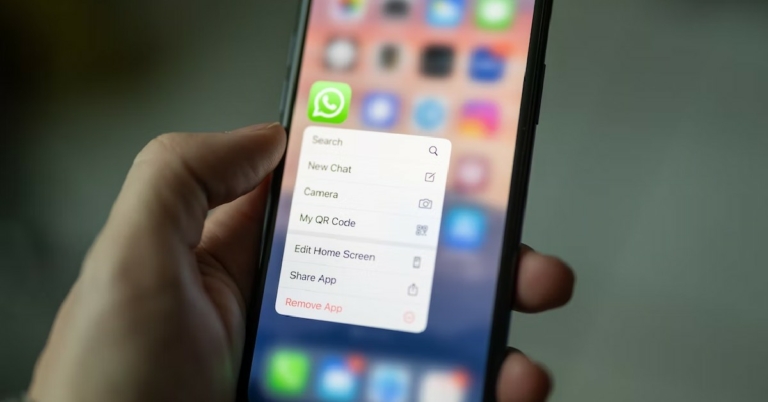
What is GB WhatsApp? GB WhatsApp is a cloned version of the WhatsApp messenger which builds upon the original app and adds interesting new features to it. Such cloned versions are also called ‘modded’ apps. Since it isn’t an official app, this app is not available on Google Play Store and can only be downloaded from third-party app stores. Here are some of the features offered by GB WhatsApp.
  • Increased file size limit: One of the major drawbacks of WhatsApp for most people is the inability to send files larger than 16MB in size. A lot of users prefer Telegram to share large files. With GB WhatsApp you can send files up to 100MB in size which is a decent improvement over WhatsApp’s 16MB limit.
  • Hide your online and typing status: GB WhatsApp gives you total control over your privacy by letting you hide your online status, typing status, and voice recording status. 
  • Message Scheduling: With GB WhatsApp you can schedule messages in advance and select a time for them to be sent.
  • DND: If you do not want to be bothered by text messages while browsing your phone, you can set it on DND and it will cut off internet access to the app.
  • Read deleted messages: Can’t read a message because it was deleted before you could see it? With the modded version you can read any message that gets deleted by the sender.
  • Increased character limit for status update: Put up any status you want, with an increased character limit. 
  • Status Download: Download the images and videos posted by others as their status with just one click. 
  • Send high-resolution images: The GB clone doesn’t scale down the images you send to your contacts. The original resolution will be restored while sending images over WhatsApp.
These are the main features you get with GB WhatsApp. You can also hide a certain contact’s media in your phone gallery, and get access to a large number of themes, emojis, and stickers.

Is GB WhatsApp safe to use?

Is GB WhatsApp safe to use? Modded apps aren’t generally considered safe to use, and GB WhatsApp is no exception. WhatsApp has a strict policy of banning users from their app if they are found using any modded clone. Your messages aren’t end-to-end encrypted on the modded app and your personal data is always at a risk of getting breached. On top of that, the app also pushed adware. As a general rule of thumb, if an app isn’t listed on Google Play Store, you shouldn’t download it. However, if you still want to use this app, you can do so by following the instructions listed below.

How to download GB WhatsApp

How to download GB WhatsApp Step 1: Go to Google and search for ‘GB WhatsApp apk’. Look for a file with good reviews and an updated version. Step 2: Download the apk on your device. Step 3: Your phone will warn you about an expired security certificate before you install the apk. Continue with the installation process. Step 4: Once installed, sign in to GB WhatsApp with your phone number. Read Also: Best 55-inch or higher LED TVs under Rs 50,000

Frequently Asked Questions

Is GB WhatsApp a different app than WhatsApp?

GB WhatsApp is a modded version of WhatsApp and builds upon the original app code. Once you install GB WhatsApp you will be able to access your contacts on it.

Is it safe to use GB WhatsApp?

No, it is not safe to use GB WhatsApp because it gets rid of end-to-end encryption and your personal data is always at risk of a security breach.

Will I be banned from WhatsApp for using GB WhatsApp?

WhatsApp has handed out temporary and permanent bans to users for using the modded app. While it is not a certain thing, you may get banned if WhatsApp finds out you are using the modded app.
For the latest gadget and tech news, and gadget reviews, follow us on TwitterFacebook and Instagram. For newest tech & gadget videos subscribe to our YouTube Channel. You can also stay up to date using the Gadget Bridge Android App. You can find the latest car and bike news here.

Xiaomi launches ‘Diwali with Mi’ with ‘Don’t Buy Tech Yet’ campaign

0
Xiaomi has kick-started its annual ‘Diwali with Mi’ festive season sale with the consumer-centric campaign ‘Don’t buy tech yet, and wait for Tech ka Shubh Muhurat’. Through a series of engaging videos, and ATL (Above The Line) and BTL (Below The Line) promotions, Xiaomi is advising consumers to hold off from buying tech products yet, and wait for the massive discounts and offers that will be made available during the festive season.
Read Also: Best 55-inch or higher LED TVs under Rs 50,000

Xiaomi will offer exclusive discounts and offers on the ‘Diwali With Mi’ festive sale

Xiaomi will offer exclusive discounts and offers on the ‘Diwali With Mi’ festive sale. don't buy tech yet The brand seeks to forge a strong relationship with its consumers with its friendly messaging and consumer-centric marketing approach. The ‘Don’t buy tech yet’ campaign will culminate in the seventh edition of ‘Diwali with Mi – Tech ka Shubh Muhurat’ festive season sale that has already established a reputation for bringing the best deals and offering amazing discounts across Xiaomi products. The sale will go live on September 20. These offers will be made available through online partners, Mi.com, and retail stores across the country.
Talking about the campaign, Mr Anuj Sharma, Chief Marketing Officer, Xiaomi India, said, “This Diwali season we want to help our consumers in making an informed decision about their tech purchases. It is the biggest shopping season for consumers, especially for the ones looking to purchase gifts for family, friends, or for their consumption. Therefore, with ‘Don’t buy tech yet!’ we want to be transparent and honest with our consumers. We want them to see the entire landscape and not rush into making the wrong decisions, even if it takes a bold move like advising them to not invest in tech just yet. Through the ‘Diwali with Mi – Tech Ka Shubh Muhurat’ campaign, we will be extending incredible offers to our fans and users to buy their favourite gadgets – smartphones, smart TVs, speakers, audio peripherals, tablets, or any other smart home products.” Read Also: Top Smartphones Under Rs 50,000 with a large battery and super-fast charging support Xiaomi will be engaging with users on all social media platforms with quirky short films featuring their employees. The campaign will also be publicised through print and digital platforms. As the festive season approaches, Xiaomi will start revealing its exclusive deals and offers on electronic products ranging from smartphones, TVs, and other consumer electronic goods
For the latest gadget and tech news, and gadget reviews, follow us on TwitterFacebook and Instagram. For newest tech & gadget videos subscribe to our YouTube Channel. You can also stay up to date using the Gadget Bridge Android App. You can find the latest car and bike news here.

Amazon launches kickstarter deals ahead of Great Indian Festival 2022

0
Amazon has launched kickstarter deals on its website ahead of the much-awaited Great Indian Festival 2022. Using these kickstarter deals, consumers can avail festive discounts on smartphones, consumer electronics, fashion & beauty, home & kitchen appliances, TVs, groceries, and more. On top of that, customers will also be able to avail an additional 10% discount on SBI Credit and Debit cards, and EMI transactions, along with no-cost EMI on Credit and Debit cards.  Read Also: Best 55-inch or higher LED TVs under Rs 50,000

More information on Kickstarter deals

The kickstarter deal went live yesterday, September 9, and will continue till September 25. Consumers can also make use of the ‘Advantage – Just for Prime’ program for smartphone purchases, which offers low interest-free instalments (minimum three months enhanced tenure) using HDFC bank and Bajaj Finserv Bank cards. You can also get a free six-month screen replacement warranty through Acko under this program, which saves up to Rs 20,000 in additional costs. Amazon has also launched a ‘Diamonds’ festive rewards program that will be a part of the kickstarter deals as well as the Great Indian Festival. You can earn ‘Diamonds’ (tokens) with every purchase or by watching videos on miniTV, playing games on FunZone, or making payments using Amazon Pay. On top of that, Amazon will reward users with ‘bonus diamonds’ based on their shopping history on the e-commerce website. Users can also earn as many as 500 diamonds on certain kickstarter deals. These diamonds can later be redeemed for cashbacks during the Amazon Great Indian Festival, or to participate in games to win sweepstakes.  Read Also: iPhones Compared: iPhone 14 Plus Vs iPhone 13

Here are some of the exciting deals you can avail during the kickstarter offers phase

Smartphones

Oppo A15

The Oppo A15 is powered by a 2.3GHz MediaTek Helio P35 octa processor and runs Android 10 skinned with Colour OS 7.2. It has an internal storage of 64GB with 4GB RAM. The 4230mAh battery provides a talk time of 29 hours. It can be bought for Rs 9,990.

Realme Narzo 50i

This smartphone has an impressive 5000mAh battery that can easily last for more than a day. The 88.7% screen ratio makes for an immersive viewing experience. Get it on Amazon for Rs 6,999.

Redmi 10 Prime 2022

The Redmi 10 Prime has an extraordinary camera unit with a 50MP primary lens, 8MP ultrawide lens, 2MP depth, and a 2MP macro lens. It is powered by a MediaTek Helio G88 octa-core processor. The Redmi 10 Prime can be bought on Amazon for Rs 10,499.

Tecno Spark 9

The Tecno Spark 9 has impressive specs of 11GB RAM and 128GB internal storage. OS duties are handled by Android 12, and the smartphone comes with a 12MP dual rear camera. Listed on Amazon at Rs 9,499.

Televisions

Hisense Bezelles Series A6H Smart LED Google TV

If you’re thinking of making the switch to a bezel-less 4k resolution Smart TV, now would be the ideal time. The Hisense A6H offers a 4k UHD display with a bezel-less design, Google Assistant and 3 HDMI ports to connect a set-top box and gaming consoles. A 2-year comprehensive warranty is also provided by Hisense. Available at Rs 29,999.

Mi Full HD Android LED TV 4C

This 41-inch FHD+ TV comes with a built-in Chromecast, 75+ free live channels, 3 HDMI ports, and a refresh rate of 60Hz. 1-year comprehensive product warranty and 1-year additional warranty on panel display are also provided by Xiaomi. Available at Rs 21,999

Toshiba 350LP Smart 4k TV

Features include 4k Ultra HD display, bezel-less design, 10-bit A+ Grade Panel, 3 HDMI ports, and Google TV with Watchlist. A 2-year comprehensive warranty is provided by Toshiba. This Smart TV can be bought on Amazon for Rs 29,999.

Smartwatches

Crossbeats Ignite Spectra Plus Premium Retina AMOLED Smart Watch

With 28 distinct sports modes, a magical viewing experience, 650 nits peak brightness, and built-in storage of 150+ songs, you can get the most out of this smartwatch. Health options include an intelligent health tracking sensor that measures your vitals, blood pressure monitor, and sleep monitor. Available on Amazon for Rs 5,499.

Crossbeats Ignite LYT Smart Watch

Contains 12 different modes to track your workout routines, and has a 1.69-inch IPS display that works exceptionally well outdoors. Available at Rs 1,899.

Headphones and Computer Accessories

RedGear Cosmo Nova Wired Over Ear Headphones

Designed for gamers, these headphones are equipped with 3 colour breathing Nova LEDs, an omnidirectional compact mic, and a 50mm driver for immersive audio. Priced at Rs 799 on Amazon.

Logitech K380 Multi-Device Bluetooth Wireless Keyboard

Light, compact, and portable, this wireless keyboard is easy to carry around and has a minimalistic design. It can be connected to 3 devices and has 2-year battery life. It is compatible with all major operating systems. Special price under Amazon kickstarter deal: Rs 2,994.
For the latest gadget and tech news, and gadget reviews, follow us on TwitterFacebook and Instagram. For newest tech & gadget videos subscribe to our YouTube Channel. You can also stay up to date using the Gadget Bridge Android App. You can find the latest car and bike news here.
How to create transition effects in your Instagram reels and videos? 

0
With the option to create and share ‘Reels’, Instagram has reinvented itself as one of the most popular social media platforms where people like to watch bite-sized content. If you’re just getting started with creating Reels, there are a lot of fun tools that will help you make your videos more fun. One of these tools is the ‘transition effect’. A transition effect is a bridge between two shots and is often a fun animation that keeps the viewer interested in your video. Instagram offers a bunch of different transition effects, and in this article, we will show you how to create and use them in your Reels and videos. Read Also: Top 10 free video editing software for Windows 10 PCs or laptops

Here’s how you can add a transition effect to your Instagram Reels and videos

Step 1: Go to the Instagram app and swipe right to access the camera panel. From the bottom menu select ‘Reel’. Step 1: Go to the Instagram app and swipe right to access the camera panel. From the bottom menu select ‘Reel’. Step 2: Tap the stopwatch icon at the bottom of the side menu. This is the timer option. Step 2: Tap the stopwatch icon at the bottom of the side menu. This is the timer option. Step 3: Select the desired duration by adjusting the timer bar. Once you’re done press ‘Set Timer’. Step 3: Select the desired duration by adjusting the timer bar. Once you’re done press ‘Set Timer’. Step 4: Hit record. The video will be recorded until the set duration after which you can change the background and start recording again. The juxtaposition of two different backgrounds in the video will add to the transition. Hit record. Step 5: Tap on ‘Next’ and then select ‘Edit Clips’. Step 5: Tap on ‘Next’ and then select ‘Edit Clips’. Step 6: Select ‘Transitions’ and click on the ‘+’ sign between the shots where you want the transition effect. Some of the more popular transition effects are Zoom, Wrap, Blur, Flare, and Glitch. You can also reorder the shots. Select ‘Transitions’ and click on the ‘+’ sign between the shots. How to create transition effects in Instagram reels Step 7: Tap on ‘Done’ at the top right corner of the screen to finalise your decision. How to create transition effects in Instagram reels The timer can be set multiple times while recording a video to create several transitions. You can also get creative with the background to make the transitions more effective. Instagram also allows you to pause the video recording with a single tap of the record icon, thereby letting you create a transition effect. But this method isn’t feasible when the subject is at a distance. Read Also: Best 55-inch or higher LED TVs under Rs 50,000 This is how you can create and add a transition effect to your Instagram Reels and videos. There are a lot of creative ways to use these transition effects. The more time you spend on it, the better you will get. There is a wide range of instructional videos on YouTube that show you how to best utilize these transition effects.
For the latest gadget and tech news, and gadget reviews, follow us on TwitterFacebook and Instagram. For newest tech & gadget videos subscribe to our YouTube Channel. You can also stay up to date using the Gadget Bridge Android App. You can find the latest car and bike news here.