A quick search on micro betting will return article upon article about why is a game changer for the betting industry. Terms like “increased engagement” and “revenue driving” are often included in these articles. Despite these terms being perilously close to buzzwords, those righting them are not wrong. In this article, we will see how technology is the vehicle that drives increased engagement and revenue.
In This Article
Quick Definitions
Essentially micro betting is a combination of live betting and prop betting. In a live betting scenario, a bet can be placed by the user while the game is still on. Prop betting allows the user to bet on a specific scenario occurring during the match. Prop bets need not relate to the final outcome, namely who won or lost, just that the specific event occurred.
Micro betting allows the user to place a live bet on a specific outcome to occur while the game is on and is a development of keen interest to onlinegamblers.com. They are smaller in the time frame and resolve far faster than bets dependent on a final outcome. For instance, a user could bet on the outcome of the next drive in an NFL game or who the next batter is in an MBA inning. It is this speed of the win-loss cycle that increases both engagement and revenue.
Smartphone Apps
While the theory behind micro-betting has been established it is enabled at a massive scale by technology. One of the most important technological advancements that enabled micro-betting to become a reality was the smartphone and apps. Betting could now be done in the comfort of one’s home with a few simple finger presses on a smartphone’s display. Along with improved payment processing, the app can allow for the speedy topping up of digital wallets and withdrawals of winnings.
Cryptocurrency and BlockChain Technology
Increasingly, sportsbooks are looking to adopt cryptocurrencies as both a payment and withdrawal option for users. This has been welcomed by users for the increased security, privacy, and anonymity that these currencies offer. The user can feel more confident that their wallet won’t be hacked due to increased security features like multi-factor authentication. Further, users can keep their betting private as crypto-wallets do not store personal information.
Related to cryptocurrency, in the sense that it provides the infrastructure on which the currency operates is the blockchain. Some sportsbooks have opted to create apps on these decentralized networks to cater to their more privacy focussed users. The Ethereum network if exploited correctly can open new target markets.
Conclusion
That is not the final word on technological developments for the micro-betting industry. Promising developments in virtual reality technology could be leveraged to increase the already high level of engagement micro betting enjoys. That being said, it is in smartphone apps and the blockchain technology that the most current and successful developments have occurred.
For the latest gadget and tech news, and gadget reviews, follow us on Twitter, Facebook and Instagram. For newest tech & gadget videos subscribe to our YouTube Channel. You can also stay up to date using the Gadget Bridge Android App. You can find the latest car and bike news here.
The dominance of other well-known brands like Apple, Samsung, Xiaomi, Oppo, OnePlus, etc is being challenged by Indian tech companies when it comes to wireless earbuds. The Indian ones have a beautiful appearance and are fairly well-priced. However, there are times when their audio quality and overall performance miss the mark when compared to the well-known of industry leaders. The brand-new Mivi Duopods F50 wireless earphones, which cost roughly Rs 1,000, recently went on sale. Let’s look at the Mivi Duopods F50 review, which we have been using for over 10 days.
In This Article
Mivi Duopods F50 Review: Design and Performance
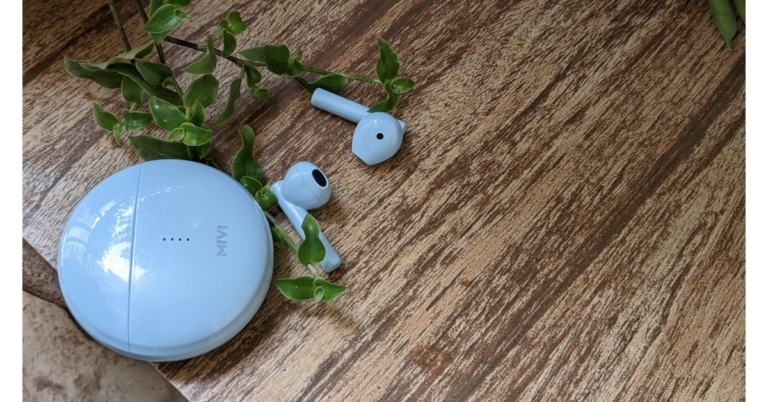
Let’s start by discussing the design. The casing of the Mivi Duopods F50 is fashioned like a pebble. They have four vertically positioned LEDs on the front that light and red and blue LEDs on the earbuds indicate pairing status and battery life, respectively. They are composed entirely of plastic. The housing of the earbuds is light yet strong enough to withstand accidental falls even though it is constructed of plastic.The affordable earbuds come in four different colours: white, black, blue, and coral. The option we have for testing is the colour blue.Both earbuds are open in shape and have a stem-like appearance. No matter how snugly they may fit, they don’t enter the ear canal. Since the earbuds lack rubber tips, we discovered that they never seem to comfortably fit into our ears and occasionally fell out. Background noise made it difficult to listen to music because the loose fit failed to successfully seal our ears. So, you have to keep the volume high to cut out the ambient noise.Due to the Mivi Duopods F50’s IPX4 rating, you may use them anywhere, including in the gym or while exercising in the rain. These earphones come with touch-sensitive controls that may be used for volume control and music switching. By double tapping the left earpiece, the voice assistant can be activated. To answer or end a call, you can also double-tap the right earpiece. The right earbud must be double-tapped to start or stop the music. Additionally, by pressing on the right bud, users can change the volume without constantly taking their phone out of their pocket.A USB-C port for charging can be found at the bottom of the case. After initial setup, simply take the earbuds out of the charging case and connect them to your device and it will automatically pair. The device features Bluetooth 5.1 capabilities with a 10-metre range.The duopods produce distortion-free music thanks to their 13mm dynamic drivers. The earphones are suitable for casual use but do not give professional-grade audio quality, therefore they do not sound amazing in terms of audio quality. Nice but not excessively deep bass response is received. However, there is no issue with this in relation to vocals. They were distinct and clear, making them a fantastic option if you enjoy singing. Additionally, compared to other devices we’ve lately tried, the sound was much louder, as we uncovered. When it comes to gaming, there is a lag.One more thing about the sound: it’s recommended to keep it at 80% or lower because the music sounds a bit distorted when the volume is turned up all the way.However, the battery life of the Duopods F50 is remarkable. The 500mAh battery in these Mivi earphones provides 50+ hours of continuous use. The case can recharge the earphones five times, and it offers about 9 hours of talk time. With a short 10-minute charge, the battery backup may last for about 10 hours.We have to mention, the call quality on the Duopods F50 is excellent and the other person can hear you perfectly. Although passive noise cancellation technology aids in reducing background noise, they are nonetheless susceptible to it when you are commuting.
Verdict
Given the price, we believe that the Mivi Duopods F50 TWS is far better than some of the earbuds we have used in the same price bracket. We state in every review that the fit and audio quality are purely subjective. They cannot be compared to high-end TWS earbuds like Apple Airpods or Samsung Galaxy Buds. We can draw the conclusion that the sound and quality are suitable for casual use, such as watching movies or listening to podcasts and are ideal for the majority of listeners.
For the latest gadget and tech news, and gadget reviews, follow us on Twitter, Facebook and Instagram. For newest tech & gadget videos subscribe to our YouTube Channel. You can also stay up to date using the Gadget Bridge Android App. You can find the latest car and bike news here.
For some beta testers on the WhatsApp beta for Android and iOS, WhatsApp is currently testing several changes for sending messages to oneself. In a future update, the “Message Yourself” feature is anticipated to arrive on WhatsApp. According to a report, Android users are probably getting to use it first with the version 2.22.24.2 upgrade.In the future, WhatsApp plans to include the ability for users to message themselves. According to a report from WABetaInfo, WhatsApp is now rolling out the “Message Yourself” feature to a small group of beta testers as part of a test. It is necessary to clarify in order to prevent misunderstandings that sending messages to your own phone number has always been an option, however, WhatsApp for Android requires a click to open the message.As per the report, some beta testers found that WhatsApp is now promoting that chat by adding “message yourself” as the chat caption after switching to the most recent version of the Android app.There are no changes when sending texts to your personal phone number following the update. WhatsApp is just utilising a separate caption to highlight the communication that contains your personal phone number. As per the report, some beta testers may have noticed improved message synchronisation in the chat when using their own phone number for a while now: if you send a message to the chat using your phone number, it will always be synced with your other linked devices because it is no longer an unsupported feature when using multi-device.It will also be simpler for users to access their own chat if they still don’t have one in the conversations list because a future version of the Android app will make the chat with your phone number accessible within your contacts list as well. Your phone number is currently hidden in your contacts list; thus, you must open WhatsApp in order to see it.The WhatsApp feature tracker also noted that, for some beta testers who have installed the WhatsApp beta for iOS 22.23.0.70 upgrade, WhatsApp is also displaying the chat with your phone number by utilising the “message yourself” caption.For select beta testers, the chat with oneself is now highlighted by using a different caption, and it will be rolled out to more users over the next few days. A later version of the software will include the option to access your phone number in the contacts list.
For the latest gadget and tech news, and gadget reviews, follow us on Twitter, Facebook and Instagram. For newest tech & gadget videos subscribe to our YouTube Channel. You can also stay up to date using the Gadget Bridge Android App. You can find the latest car and bike news here.
Instagram is one of the biggest social media platforms in the world, with an ever-increasing active user base. Initially launched as a photo-sharing platform, you can now upload and view videos and Reels on the app as well. Over the years, Instagram has added several interesting features to its platform that has helped grow tremendously. These include Stories, Explore, DMs, Reels, Avatars, and more. In this article, we show you how to create an Instagram account for yourself or others.Read Also: iQOO Z6 Lite 5G Review: A powerful contender in the budget smartphone category
In This Article
Create an Instagram account on desktop
Step 1: Go to www.instagram.com and click on ‘Sign up’.Step 2: Fill in the details in their respective fields. This includes your email or phone number, full name, username, and password.Step 3: Click on ‘Sign up’.
How to create an Instagram account on Android
Step 1: Download and install the Instagram app from Google Play Store.Step 2: Open the Instagram app and tap on ‘Sign up with Email address on phone number’.Step 3: You can choose to sign up with either your phone number or email address. Select the relevant tab and enter your email or phone number. Type in a username and password in the following windows to create your profile.After you enter your phone number or email, Instagram will send you a six-digit code to verify it’s you. Enter the code in the signup window to proceed further.You can also choose to sign up using your Facebook profile. Simply click on the Facebook icon and enter your Facebook username and password. If you’re already logged in to Facebook on your device, you wouldn’t need to enter the login credentials.
Frequently Asked Questions
How do I add another account to Instagram?
If you want to add another Instagram account to the app, simply go to your Instagram profile, tap on your username at the top and select ‘Add account’.
How do I find people I know on Instagram?
In order to find people you know, you will need to give Instagram access to your phone contacts. Simply go to ‘Discover people’, give Instagram the necessary permissions, and add people from your phone or Facebook contacts.
Can anyone see my Instagram profile?
Yes, anyone who looks up your profile can see what you post on Instagram. You can set your profile to private by going to Settings>Privacy and turning the toggle bar on for Private account. Once your account has been set to private, only your followers can see what you post on Instagram.Read Also: Samsung 5G vs OnePlus 5G – Which Is better?
Conclusion
This is how you can create an Instagram account for yourself or others. If you’re making an Instagram account for someone else, make sure you enter their phone number address or email address while signing up. By doing this, they can change their password later. If you want to know how to create a Gmail account for someone else, read our article here.
If you just made the switch from an Apple iPhone to an Android device, transferring your data can be a tedious task. There is no way to transfer all your data at once between the two platforms. Even WhatsApp rolled out its chat migration feature earlier this year, which you can read about here. You will need to manually look up if different apps offer data migration between the two platforms. However, there are certain iCloud features that you can use on your Android device. In this article, we show you how to access iCloud on your Android phone.Read Also:Samsung 5G vs OnePlus 5G – Which Is better?
In This Article
Access iCloud on your Android smartphone using the web browser
You can access your iCloud data on an Android device using the web browser. Simply go to www.icloud.com and log in using your Apple ID. Since there is very limited compatibility between Android and iOS platforms, you will not be able to use all the iCloud features on the Android device. iCloud’s functionality on an Android device is restricted to the very basics, and it offers only the essential features. Here’s how you can use iCloud on your Android device.Step 1: Go to www.icloud.com and sign in using your Apple ID.Step 2: Open your Apple device and confirm your login attempt. This will give the Android device access to your iCloud account.Step 3: Enter the six-digit code for two-factor verification.Step 4: Tap on the ‘Trust’ button if you intend on using the Android device to access your iCloud account again. Doing this will disable the two-factor verification process for future login attempts.As we mentioned earlier, you can only access a few iCloud services on an Android device. These include:
Photos
iCloud Drive
Notes
Mail
Reminders
Find my iPhone
Access iCloud Mail on your Android device
Step 1: Go to the Gmail app on your Android smartphone.Step 2: Tap on the menu at the top left corner of the screen and select Settings.Step 3: Tap on ‘Add account’ and select ‘Other’.Step 4: Type in your iCloud email address followed by the password.Your iCloud mail will be synced to the Gmail app on your Android device.
Sync iCloud contacts to your Android device
Step 1: Open and log in to the iCloud website on a PC. Step 2: Click on Contacts.Step 3: Select the contacts you want to sync to your Android device. You can select multiple contacts by pressing the Shift key and clicking on them.Step 4: Click on the Settings icon at the bottom left corner of the screen and select ‘Export vCard’. The contacts will be saved to your PC.You can download these contacts to your Android device by using a USB cable for a physical transfer or by uploading them to Google Contacts or Google Drive and using your smartphone to access them.
View iCloud Notes on your Android device
Make sure your Notes are synced to iCloud by going to Settings>iCloud and turning the toggle bar on for Notes. The notes in the ‘On my iPhone’ folder in your Notes app will not be accessible on an Android device. Make sure you move these notes to another folder to access them on your Android smartphone. Now, follow these steps.Step 1: Open the iCloud website on your Android phone’s web browser and log in using your Apple ID.Step 2: Tap on Notes. You will be able to access the saved drafts from your Notes app.
View and download iCloud photos on your Android device
This is how you can access iCloud on your Android phone. The compatibility between the two platforms may be limited but you can still transfer your essential data between them. Compatibility may also vary for different functions. For example, if you make the switch from Apple to Android, you can still have full access to your Apple Music library since it has an Android app of its own. All you need to do is log in from the relevant ID and you will be able to access your music library on your Android device.
Today, HMD Global announced the debut of the Nokia G60 5G in the Indian market. The smartphone is powered by Snapdragon 695 5G SoC and features a 6.58-inch FHD+ display with a 120Hz refresh rate. Moreover, the company promises three years of OS upgrades and monthly security updates, as well as a two-year warranty—which helps users keep their phone for longer.
In This Article
Nokia G60 5G specifications
The Nokia G60 5G is the most environmentally friendly member of the G-series to date thanks to its 60% recycled polycarbonate frame and 100% recycled polycarbonate back. Additionally, this Nokia smartphone features an IP52 grade for water and dust resistance. This smartphone features a 6.58-inch full-HD+ display with a resolution of 1,080×2,400 pixels. It boasts a 20:9 aspect ratio, a refresh rate of 120Hz and a maximum brightness of 500 nits. The screen is protected by Corning Gorilla Glass 5.A Snapdragon 695 5G SoC powers the G60 5G. The manufacturer has committed to up to three OS upgrades and up to three years of monthly Android security patches for the device, which runs on Android 12. The GoPro Quik App is also preinstalled on the Nokia G60 5G so you can capture, edit, and share your creativity from anywhere.The triple rear cameras on the G60 5G include a 50-megapixel primary sensor with an f/1.8 aperture. Additionally, there is a 2-megapixel depth sensor with an f/2.4 aperture and a 5-megapixel ultra-wide angle lens with an f/2.2 aperture. The device also has an 8-megapixel front camera with an f/2.0 aperture.A 4,500mAh battery with 20W fast charging capabilities is included in the Nokia G60 5G. A side-mounted fingerprint sensor is also included. In addition to supporting the 5G NSA architecture used by Indian telecoms, the G60 5G also supports the Jio True 5G SA network. Additionally, Jio True 5G’s largest and best spectrum mix at 700 MHz and 3500 MHz is supported by Nokia G60. Carrier Aggregation is also supported, allowing for the seamless fusion of various frequencies into a single robust “Data Highway” for unmatched speeds.
Nokia G60 5G price in India
The Nokia G60 5G will be available for pre-order on Nokia.com and at top retail locations from November 1 through November 7. Free Nokia Wired Buds worth INR 3599 are available for a short time. After that, on November 8, the product will be made available at a few chosen retail locations as well as online at Nokia.com. The price of the 6/128GB memory edition of the Nokia G60 5G is Rs 29999. It comes in Black and Ice colour options.
For the latest gadget and tech news, and gadget reviews, follow us on Twitter, Facebook and Instagram. For newest tech & gadget videos subscribe to our YouTube Channel. You can also stay up to date using the Gadget Bridge Android App. You can find the latest car and bike news here.
According to the latest speculation, the recently launched Redmi Note 12 Pro+ is expected to launch in India soon. Here the smartphone is likely to debut under a different name and with specifications that are also said to differ from the Chinese model. In the nation, the upcoming device is rumoured to be rebranded as Xiaomi 12i HyperCharge.It is anticipated that the Indian versions of the Redmi Note 12 series will have differing specifications from their Chinese equivalents. However, an MIUI tester asserted that the Xiaomi 12i HyperCharge will be sold in India instead of the Redmi Note 12 Pro+. Kacper Skrzypek (@kacskrz) said in a tweet that the company would introduce the Note 12 Pro+ as the Xiaomi 12i HyperCharge in India.
In This Article
Redmi Note 12 Pro+ specifications
Last week, the Redmi Note 12 series made its debut in China. This lineup includes the Redmi Note 12, Note 12 Pro, and Note 12 Pro+.The Redmi Note 12 Pro+’s 6.67-inch full-HD OLED display has a refresh rate of up to 120Hz. The display supports a maximum brightness of 900 nits and a touch sampling rate of 240Hz. The display is compatible with HDR10+ and Dolby Vision. An octa-core 6nm MediaTek Dimensity 1080 SoC, up to 12GB LPDDR4X RAM, and a Mali-G68 GPU are found within the Note 12 Pro+. It comes pre-installed with MIUI 13 running on Android 12.The triple rear cameras of the Note 12 Pro+ have a 200-megapixel primary sensor with OIS. A 2-megapixel macro lens and an 8-megapixel ultra wide-angle camera are also part of the arrangement. Upfront the phone has a 16-megapixel front camera sensor for selfies.The new Redmi Pro+ smartphone is powered by a 5,000mAh battery that enables 120W rapid charging.
When it comes to device security, Samsung phones have come a long way. Back when Samsung smartphones were in their initial avatars, it was quite easy to get around the lock screen. Users frequently sought the help of various third-party apps that expertly managed to nullify any sort of protection on the device. With Samsung’s state-of-the-art security, it is almost impossible to do that now. However, there are still some legitimate ways to unlock your phone without the registered password. These methods come in handy when you don’t remember the password to your phone. In this article, we show you how to unlock a Samsung phone without the password.Read Also: Google increases the size of Workspace Individual storage from 15GB to 1TB
In This Article
Use Samsung’s Find my Mobile
This method will only work if Remote Unlock is enabled on your device. Go to Settings>Samsung Account>Find My Mobile and turn the toggle bar on for Remote Unlock.Step 1: Go to https://findmymobile.samsung.com/ and sign in using your Samsung Account.Step 2: Select your Samsung smartphone from the left panel.Step 3: Click on the ‘Unlock’ icon on the right panel. You will be made to re-enter your Samsung password. After that, your smartphone’s screen will be unlocked. All the screen lock information including password, pin, and biometrics will be deleted from your phone after using this feature.
Use Google’s Find My Device
For this method to work, you need to ensure that Google’s Find My Device is activated on your phone. Go to Settings>Google and turn on Find My Device. Also, make sure that Find My Device is set as the ‘Device admin app’. In order to do this, simply go to Settings>Biometrics and Security>Other security settings>Device admin apps and turn the toggle bar on for Find My Device. Step 1: Go to https://www.google.com/android/find and select your Samsung smartphone from the left panel.Step 2: Select Secure Device from the left panel. You can also set up a recovery message if you want.Step 3: Find my device will lock your smartphone’s screen.Step 4: Follow the on-screen instructions to set up a new temporary password to unlock your device. Step 5: Once your phone is unlocked, disable the temporary password from Settings.
Perform a Factory Reset on your device
Performing a factory reset on your smartphone is easy when the device is unlocked. However, it can get a bit tricky if you do not remember your password. Once you have performed a factory reset, you will lose all your data in the device, but you won’t need a password to unlock it anymore. Follow these simple steps to reset your phone without unlocking it. Step 1: Turn off your smartphone by long pressing the power key and selecting ‘Power off’.Step 2: Turn your smartphone back on and press the power key until you see the Android logo on the screen.Step 3: The Android system recovery menu will appear on your screen. Since the touch controls don’t work in this mode, you will have to use the volume keys to scroll and the power key to confirm your selection. Step 4: Scroll down to Wipe Data/Factory Reset and confirm your selection. Step 5: Select Reboot System Now.Read Also: How to fix iOS 16.1 bug that randomly drops WiFi?
Conclusion
This is how you can unlock your Samsung phone without a password. There are a lot of third-party apps that claim they can get around the lock screen of any password-protected device, but given the kind of security smartphones are aided with these days, it is very unlikely that these apps will work. It is almost impossible to unlock a Samsung smartphone without a password unless the device has verified your identity.
Due to a global outage last week, the messaging app WhatsApp, owned by Meta, was unavailable to us. Thousands of Instagram users have their accounts suspended without warning. However, the issue that kept users from accessing Instagram for approximately eight hours has been resolved.Instagram users worldwide encountered a login issue as a number of them received a notification stating that their accounts had been suspended. Even after selecting the “Disagree with decision” option, affected customers were unable to recover their accounts. Instagram’s PR staff confirmed in a tweet, “We’re aware that some of you are having issues accessing your Instagram account. We’re looking into it and apologise for the inconvenience.” This occurs just days after a major outage on WhatsApp, another social media app owned by Meta. The mobile app and the web app were down due to the outage for about two hours. Later, the business explained that “configuration changes on the backbone routers” were the cause of WhatsApp’s outage.Many users claim that upon signing in, a notification indicating a suspended account appeared on their Instagram feed. The accounts were suspended for failing to follow community rules, according to the details. Additionally, customers have a 30-day window to reconsider the decision and submit a new review.According to the online outage tracker, DownDetector majority of users encounter issues logging into their accounts. Thousands of Instagram users in India and other nations are having trouble logging in, while others are having trouble with “server connections.” Downdetector also revealed that about 7,000 Instagram users were impacted.After their accounts were “suspended,” many users turned to the media site Twitter.Instagram in a tweet said, “We’ve resolved this bug now – it was causing people in different parts of the world to have issues accessing their accounts and caused a temporary change for some in number of followers.”
For the latest gadget and tech news, and gadget reviews, follow us on Twitter, Facebook and Instagram. For newest tech & gadget videos subscribe to our YouTube Channel. You can also stay up to date using the Gadget Bridge Android App. You can find the latest car and bike news here.
Garena Free Fire is a battle royale game with regular awards and tournaments to keep players interested. If you play Garena Free Fire, you should be aware of the redeem codes that are released on a daily basis. However, because the battle royale game is banned in India, players from other countries can use the Free Fire Redeem codes daily. If you’re unfamiliar with the Garena Free Fire redeem codes or don’t know how to get them, we’ve put together a step-by-step guide to help you redeem them. Check out Garena Free Fire Redeem Codes for November 1.The Free Fire redeem codes are a great way to get free stuff. These are 12-digit codes that contain alphabets and numbers, as well as an expiration date and time. Because the Garena FF redeem codes cannot be used more than once, you should hurry to the redemption page to claim your free reward before someone else does. To get a free reward, all you have to do is go to reward.ff.garena.com/en, which is the official redemption page. Also, keep an eye on this space for daily updates on Garena Free Fire redemption codes and rewards.
In This Article
Garena Free Fire Redeem Codes Today 1 November 2022
FFZFDRVBOFJNO
KIUYGFTGVB3NM
4LR5PTOYH0OBJV
DSQYT2FRD3UYG
DFLAMRWH38HYG
WFVBCNXJSHGFD
QED12CV3EBJUH
YTGUYD2HIKQUG
4BFHJN3O4IOWY
How to Get Free Fire Redeem Codes for Garena on November 1?
Daily Amazon brings a fresh quiz for its customers with exciting rewards on its platform. The Amazon quiz can be played every day from 12 AM to 11:59. 1 November 2022 Amazon Quiz has gone live on its platform and the e-commerce platform Amazon is today giving you a chance to win Rs 1,000 Amazon Pay Balance.To participate all you need to do is log in to your Amazon app on your device and give answers. Daily a new set of questions are presented to the participants which gives them a chance to win exciting prizes. The questionnaire consists of five easy questions that are usually based on general knowledge and current affairs. You can submit the correct answers and can win an Amazon Pay Balance of up to Rs 50,000. It should be noted that the quiz is not accessible on the web platform instead you have to participate only through the dedicated app.Amazon Quiz Today Prize – Rs 1,000 Amazon Pay BalanceQuiz Date – 1 November 2022Daily Timing – 12 AM to 11:59 PMWinner Announcement – Today 12 PM
In This Article
Amazon Quiz Answers Today 1 November 2022
Question 1: Nodirbek Abdusattorov, the youngest ever World Rapid Chess champion, is from which country?Answer: UzbekistanQuestion 2: Over 6 lakhs of which assault rifle will be manufactured by the joint venture, Indo-Russian Rifles Private Ltd?
Answer: AK-203
Question 3: Which state is the largest producer of Kiwi in India accounting for 56%?Answer: Arunachal PradeshQuestion 4: These are the astronauts who went aboard which famous mission?Answer: Apollo-11Question 5: Name this fish that is known to launch itself out of the water like a torpedo, and knock fishermen off their boats.
Answer: Arapaima
How To Play Amazon Quiz
Only app users are eligible to play the Amazon quiz every morning from 12 AM to 11:59 PM. The quiz is not available on the desktop. For those who are unaware of how to play the Amazon quiz below are the steps, you can follow to take the quiz.
Firstly download the Amazon app from Google Play Store or App Store
Now fill in the required information through the Sign Up option.
You need to log in to the Amazon app and scroll down on the home screen to find the Amazon Quiz banner.
Tap on the Amazon Quiz banner and tap on the Start button to start the Quiz.
Now you will get 5 questions and you need to answer them correctly. One wrong answer will eliminate you from the Quiz.
After answering all the questions correctly you are now eligible for a Lucky Draw.
The winner’s name will be announced today at 12 PM.
The era of 5G is upon us. Very soon, 5G networks will be available across several cities in the country and, thereafter, will be rolled out nationwide. With 5G connectivity, you can expect significantly faster mobile internet speeds with very low latency. In other words, you can stream HD videos without any buffering and make video calls or attend virtual conferences without any break in connection or quality. But to be able to avail of these and several other benefits, you need to own a 5G compatible smartphone.
Let us examine two of India’s most popular mobile phone brands – Samsung and OnePlus – and explore their merits.
In This Article
Samsung 5G Mobile Phones – An Overview
Samsung has been a household name in India for over two decades. While immensely popular for a range of home appliances, Samsung mobile phones are perennially popular due to their exceptional quality and innovative designs. The new Samsung 5G mobiles Galaxy Flip Z4 and Galaxy Fold3 are perfect examples of this, with their unique foldable glass screens.
As a company, Samsung has been at the core of 5G development, and it is no surprise that the brand offers various 5G phones across several price points. The Samsung Galaxy A series offers some of the most affordable 5G phones without compromising on quality or the nifty features Samsung users have become used to. Starting at just ₹ 11,999 onwards, these budget phones come with the latest Android OS, a 50 MP rear camera and a 5000 mAh battery. Thus, the brand offers handsets with features that are otherwise found in relatively more expensive phones.
On the other end of the spectrum lies the Samsung Galaxy S series. This is a premium range of phones with state-of-the-art technology, stunning designs and amazing features. The S-Pen, for example, is a proprietary Samsung device that is a stylus and lets you take notes, doodle on the screen and directly export it to digital format on the phone. With a hyper-fast chipset, special night-vision photography mode and a stunning display, Samsung 5G mobile phones are some of the best-selling models in their category.
OnePlus 5G Mobile Phones – An Overview
In less than a decade, OnePlus has emerged as a worthy challenger to Samsung in the smartphone market. OnePlus 5G mobile phones, in particular, are quite popular due to their sleek designs, terrific configuration and ultra-fast charging technology. The OnePlus Nord series is quite popular in the gaming community due to its dedicated Game Mode. Additionally, it comes with an HD graphics chip, excellent internal configuration and an additional cooling system that is ideally suited for long uninterrupted gaming sessions.
From the base model – OnePlus Nord CE 2 Lite 5G, to the premium OnePlus 10 Pro, you can find a OnePlus 5G mobile phone to perfectly meet your needs and suit your pocket. The price of these phones lies between ₹ 18,999 and ₹ 61,999, depending on the model you select.
Samsung 5G vs. OnePlus 5G – A Comparison
An apples-to-apples comparison may not be feasible with the vast range of models both brands offer. However, to help you gain more insights before making a buying decision, here is a quick comparison between the top 5G flagship models from both brands. Factors such as operating system (Android v12), chipset, RAM + ROM configuration (from 6GB/256GB to 12GB/512GB), and connectivity options are rather similar in both models. So, let us examine the other aspects worth comparing.
Samsung Galaxy S22 Plus
Form Factor: Armour aluminium frame with Corning Gorilla Glass Victus+ cover. IP68 dust and water resistance
Display: 6-inch Dynamic AMOLED display with a 1080 x 2340 pixel resolution
Battery: 4500 mAh with 45W wired and 15W wireless fast charging support
Camera: Primary rear camera of 50 MP, a secondary camera with an ultra-wide lens of 12 MP and a 10 MP telephoto camera with 3x optical zoom; 10 MP front camera
OnePlus 10T Pro
Form Factor: Aluminium frame with Gorilla Glass 5 display and back, and IP67 resistance rating
Display: 7-inch QHD+ Fluid AMOLED, HDR+ certified display with a 1440 x 3216 pixel resolution
Battery: 5000 mAh with 80W wired and 50W wireless fast charging support
Camera: A triple rear camera setup with 48 MP primary lens, 50 MP ultra-wide-angle lens, and 8 MP telephoto lens; 32 MP front camera
Buying a mobile phone is an inherently personal choice and entirely depends on your preferences. The Samsung 5G mobile phone model, Galaxy S22 Plus, is stronger and more resistant to dust and water. It has a sleeker design and is more feature-rich. The S-Pen that comes with the phone is renowned for its handiness in designing, photo editing, and other creative tasks. On the other hand, the OnePlus 5G mobile phone model, 10T Pro, is brighter with a more vivid and vibrant display. It has the best-in-class battery life and the fastest charging technology. It also has a better camera pixel size and a superior front camera, and is reputed to be a gamer’s delight.
iQOO may be a new player in the smartphone market, but with a series of impressive releases in a short span of time, the company has already gained a strong foothold in a competitive landscape. Offering spec-laden phones with unique features, iQOO has stuck to the path of standing out from its rivals, which includes its parent company Vivo. We got our hands on the recently released iQOO Z6 Lite 5G and used it as a primary driver for a week, here is our review.Read Also: How can you watch Bigg Boss online for free?
In This Article
iQOO Z6 Lite 5G review: Design and Display
iQOO Z6 Lite 5G comes in a signature diagonal slit-lid box with the handset, USB cable, SIM ejector tool, warranty card, quick start guide, and a silicone phone cover inside. There is no power adapter inside the box, even though there is a section assigned to it. The iQOO Z6 Lite 5G comes in Stellar Green and Mystic Night colour options. For this review, we used the latter variant. When it comes to the design, iQOO has kept things simple and clean on the Z6 Lite. The smartphone has a plastic frame and back which is the standard for budget phones under Rs 15,000. However, the matte-like texture of the plastic back and the clean design gives off a premium feel. The dual camera unit fits nicely at the top left corner of the back panel. Under direct sunlight, the back turns sparkly. iQOO hasn’t tried anything extravagant with the Z6 Lite, but at the same time, it doesn’t feel like they’ve kept the design choices overtly safe. At the bottom of the frame, you’ll find the headphone jack, USB Type-C port, and speaker grille. The SIM tray makes its way to the top of the phone, with the volume rocker key and the power button mounted on the right side. The power button also doubles as a fingerprint sensor. The left side of the smartphone has been kept buttonless. Moving on to the display, iQOO Z6 Lite sports a 6.58-inch 120Hz IPS LCD display. A waterdrop drop notch at the top houses the selfie camera. The bottom part of the screen also contains some thick bezels, which certainly makes the display look a bit dated. The 83.9% screen-to-body ratio can certainly be improved upon as well. The 1,080 x 2,408-pixel resolution display is adequate for watching HD content on media platforms like YouTube and Netflix.The display offers a smooth touch response while scrolling. Scrolling through different apps and browsing webpages is a seamless experience, and the display registers even the slightest of touches quite easily. This came in quite handy while gaming. We will go into further details about the gaming performance later in the review. The screen brightness is optimum for both outdoor and indoor conditions. Even in direct sunlight, we could make out what was on the screen quite clearly.
iQOO Z6 Lite 5G review: Performance and Cameras
iQOO Z6 Lite 5G is the first smartphone to feature the Snapdragon 4 Gen 1 processor. The S4 Gen 1 is dubbed the successor to the Snapdragon 480+ SoC. The Z6 Lite is available in two RAM and storage variants: 4GB + 64GB (Rs 13,999) and 6GB + 128GB (Rs 15,499). For our review, we used the 6GB + 128GB model. Apart from the 6GB dedicated RAM, the Z6 Lite also utilises an additional 2GB memory from the storage space when it is running heavy tasks.OS duties on the Z6 Lite are handled by Android 12 skinned with Vivo’s Funtouch 12. The Funtouch 12 gets its fair share of criticism from audiences and media alike, but when it comes to gaming, it offers some unique features that have not been replicated by other operating systems. However, there are a few aspects where the Funtouch OS needs to improve immediately. Firstly, the smartphone comes with a lot of bloatware. You can uninstall all the bloatware apps, but it is never a good look when the UI isn’t clean out of the box. The ‘Global search’ feature also proves to be an annoyance as it triggers every time you swipe down on the screen. Typically, you want to access the notification bar every time you swipe down from any part of the screen. But Funtouch only lets you view the notification tiles when you swipe down from the status bar.There’s also an issue of unnecessary ads disguised as notifications flooding the screen. The browser app is particularly notorious when it comes to this. In order to get around this issue, you will need to uninstall all the bloatware apps and restrict notifications for the default browser. There are some basic steps that you need to take before you can fully enjoy the smartphone. After you get around these issues, Funtouch is a decent operating system that can hang with its peers.Moving on, we were quite pleased with the performance of the phone. Apps took negligible time to load, and even with multiple apps running in the background, the smartphone did not slow down one bit. The lightning speed along with a smooth touch response took the overall browsing experience to the next level. On the Geekbench app, the iQOO Z6 Lite scored 627 points on the Single-Core test and 1860 points on the Multi-Core test. These tests place the Z6 Lite above Xiaomi Poco X3 NFC, Xiaomi Redmi Note 8 Pro, and Xiaomi Pocophone F1.We put the iQOO Z6 Lite through the gaming test as well. Usually, iQOO phones fare quite well when it comes to gaming, and the Z6 Lite upholds that reputation. We played Call of Duty Mobile on the Z6 Lite and the smartphone handled the higher-resolution graphics quite well. We did not come across any lags or frame drops in our extended gaming sessions. Overheating was not an issue for the first 30-40 minutes, after which the phone did get a little warm. After pausing the gameplay and letting the phone rest for a few minutes, the temperature quickly went down. Gamers will be pleased to know that the Z6 Lite is equipped with ‘Monster Mode’ and ‘Ultra Game Mode’. Turning on Monster Mode puts the smartphone in high-performance mode, which is ideal when playing graphically demanding games. The battery naturally drains faster in Monster Mode, which is why it isn’t advised to use it all the time. The Ultra Game Mode gives users access to a gaming sidebar that offers quick tools and shortcuts like voice changer, screen record, WhatsApp picture-in-picture mode and more. The processor and battery usage levels are also displayed on the sidebar.One of the better aspects of this smartphone is its giant 5000mAh battery. Even after above-average daily usage, the Z6 Lite lasts more than a day. We used the Z6 Lite as the primary driver and our daily usage consisted of an hour of gaming, 40-90 minutes of video playback, regular browsing which consisted of Twitter, Reddit, and Instagram, and regular WhatsApp use. The phone easily lasted an entire day with 20-30% battery left to spare. The smartphone does not ship with a power adapter, which is a disappointment, but it supports 18W charging. It took us under 2 hours to fully charge the phone.The iQOO Z6 Lite 5G comes with a dual rear camera unit comprising a 50MP primary shooter along with a 2MP macro lens. At the front, you get an 8MP selfie camera. We tested the cameras extensively and were quite satisfied with the results, although, we wish iQOO had ditched the macro lens for an ultrawide shooter.In daylight conditions, the Z6 Lite produced well-composed images with a decent amount of detail. We would suggest turning on the 50MP mode to fully unlock the camera’s potential. The photographs we took displayed a good colour composition without being overprocessed. The hues of the sky were captured quite well during the day, but while shooting against the sunlight, the background got regularly overexposed. The Portrait Mode works decently on the Z6 Lite, although we feel that the edge detection could have been much better. While the subject remains in focus, the edges can be really off in some scenarios. In limited lighting conditions, the Z6 Lite leaves a lot to be desired. Even with the Night Mode turned on, the images registered quite a bit of grain. The processor could have pitched in a bit more to produce clearer images. Portrait ModeThe selfie camera up front works well. It is ideal to take pictures in ample lighting but the image processor brightens the skin tone by a considerable factor, an issue that all budget smartphones suffer from. However, the front camera performs well on video calls across different platforms. Both front and rear cameras can record 1080p videos at 30 fps.Read Also:Nokia G60 5G is confirmed to launch in India soon, pre-orders to open soon
Verdict
Priced at Rs 13,999, the iQOO Z6 Lite 5G is a great budget phone that pulls in a good performance, thanks to the new Snapdragon 4 Gen 1 processor. If you’re interested in buying a gaming smartphone, the Z6 Lite is one of the better options at this price point. While the display may feel a bit dated, the smartphone more than makes up for it with its lightning-fast speeds and respectable performance.
Pros
Great gaming phone for the priceApps load quickly Great battery life
Cons
Significant amount of bloatwareCamera performance could have been better
In the near future, Google will roll out more capabilities for Workspace Individual, globally. Google has announced improvements to email customization and an increase in storage capacity for all users. In order to make Google Workspace Individual available to even more business owners worldwide, it is also expanding its regional availability.Google said in a blog post, “Since launching Google Workspace Individual last year, we’ve seen customers from around the world grow their businesses, connect with their customers in more meaningful ways, collaborate with partners, get organised and look more professional. Business owners have told us the familiarity of our tools helps them get more done. And today, we’re offering even more features for Workspace Individual users. We’re announcing an increase to storage capacity and advances in email personalization for all customers. We’re also expanding our regional availability to bring Google Workspace Individual to even more business owners around the world.”Each Google Workspace Individual account will soon have 1 TB of safe cloud storage, according to the firm. No effort is required on your part to obtain the upgraded storage: As Google rolls out this change, every account will automatically receive an increase from the 15 GB of storage it currently has to 1 TB.“As you grow your business, it’s only natural that you’ll have more docs, data and digital assets to manage and store, and Google Drive allows you to do so securely from any device,” the blog post said.Drive lets you save over 100 different file formats, including PDFs, CAD files, and photos. It also makes it simple to interact with others and edit Microsoft Office files without having to convert them. Additionally, Drive has built-in defences against malware, spam, and ransomware, so you don’t have to worry about unintentionally exposing yourself to malware by simply opening a document.Multi-send emails can now include mail merge tags like @firstname so that each recipient receives a special email that feels like it was made just for them. Multi-send emails automatically contain an unsubscribe link so that recipients can choose not to receive more messages. To improve audience engagement, try mail merge in online Gmail together with other premium Workspace features like customisable email templates.The Philippines, Vietnam, Indonesia, Malaysia, Taiwan, Thailand, the Netherlands, Portugal, Belgium, Finland, Greece, and Argentina are among the new nations and areas where Google Workspace Individual will be made available. These seven nations are now added to the list of places where entrepreneurs can sign up for Workspace Individual, which already includes the United States, Canada, Mexico, Brazil, Japan, Australia, and six nations in Europe.
For the latest gadget and tech news, and gadget reviews, follow us on Twitter, Facebook and Instagram. For newest tech & gadget videos subscribe to our YouTube Channel. You can also stay up to date using the Gadget Bridge Android App. You can find the latest car and bike news here.
It has been more than a month since Apple officially launched iOS 16, and many iPhone users are already reporting a minor issue with the operating system. Many users took to Reddit and Twitter to report the issue of the WiFi connection randomly disconnecting and then reconnecting a few seconds later. This seems to be a glitch that will certainly be ironed out in the coming update, but it has been a mild annoyance for users ever since iOS 16.1 came out. In this article, we show you how to fix the iOS 16.1 bug that randomly drops WiFi.Read Also: Should you invest in LinkedIn Premium? 5 things to consider before buying
In This Article
Here’s how you can fix the WiFi issue in iOS 16.1
Step 1: Go to Settings, scroll down and select ‘Privacy and Security’. Step 2: Select ‘Location Services’ and make sure they’re turned on.Step 3: Scroll down and select ‘System Services’.Step 4: Turn the toggle bar off for ‘Networking and Wireless’.This is a temporary workaround that will keep your iPhone from dropping the WiFi connection randomly. Read Also: Nokia G60 5G is confirmed to launch in India soon, pre-orders to open soon
Conclusion
This is how you can fix the iOS 16.1 bug that randomly drops WiFi. Let us know in the comments if this fix worked for you. You can also try forgetting your WiFi network and then adding it again. While these are temporary fixes, Apple will patch this issue in the next update of iOS 16. Some users report that this issue came up in the beta tests of iOS 16 as well, but it appears the issue wasn’t patched before Apple published the final software.
Now the festive sale has ended on Flipkart, still Nothing Phone 1 is getting great offers on the e-commerce platform which you might appreciate. After applying available deals and offers the smartphone can be purchased for Rs 26,999.The 8GB RAM with 128GB storage model of the Nothing Phone 1 is presently priced at Rs 29,999 on Flipkart. But Offers are being made on the smartphone which brings down the original cost of the device by Rs 3,000.A 10% instant discount on CitiBank credit and debit card purchases as well as EMI transactions has been announced by the online retail site. Citi Credit Cards customers are eligible to get an additional discount of Rs 500 and Rs 2,500 on the minimum purchase of Rs 24,999 and Rs 49,999 and more. The smartphone is also available for no-cost EMI with monthly payments as low as 5,500.The Nothing Phone 1‘s 6.55-inch, 10-bit OLED display features a 2400 x 1080 pixel resolution. 402PPI, HDR10+, and a maximum brightness of 1200 nits are all features of the display. The Nothing Phone comes preinstalled with Nothing OS, an Android 12-based operating system. Nothing guarantees to provide the Nothing Phone with four years of security updates in addition to three years of Android upgrades. The device’s Snapdragon 778G CPU has been modified by Qualcomm for it. The new chipset is compatible with 33W cable charging, 15W wireless charging, and 5W reverse wireless charging, in contrast to the old chipset’s lack of wireless charging compatibility. While an Adreno 642L GPU takes care of the graphics needs. It also has up to 12GB of LPDDR5 RAM and 256GB of UFS 3.1 storage.Two 50MP sensors are located on the phone’s back: a primary Sony IMX766 sensor with OIS and EIS and a secondary Samsung JN1 ultrawide sensor with a 140-degree field of view. When video recording is active, a red LED on the back of the phone will light up. Up to 4K resolution video can be captured using the gadget. The 16MP Sony IMX471 sensor and /2.45 aperture on the front camera are intended for selfies and video calls.
For the latest gadget and tech news, and gadget reviews, follow us on Twitter, Facebook and Instagram. For newest tech & gadget videos subscribe to our YouTube Channel. You can also stay up to date using the Gadget Bridge Android App. You can find the latest car and bike news here.
Garena Free Fire is a battle royale game with regular awards and tournaments to keep players interested. If you play Garena Free Fire, you should be aware of the redeem codes that are released on a daily basis. However, because the battle royale game is banned in India, players from other countries can use the Free Fire Redeem codes daily. If you’re unfamiliar with the Garena Free Fire redeem codes or don’t know how to get them, we’ve put together a step-by-step guide to help you redeem them. Check out Garena Free Fire Redeem Codes for October 31.The Free Fire redeem codes are a great way to get free stuff. These are 12-digit codes that contain alphabets and numbers, as well as an expiration date and time. Because the Garena FF redeem codes cannot be used more than once, you should hurry to the redemption page to claim your free reward before someone else does. To get a free reward, all you have to do is go to reward.ff.garena.com/en, which is the official redemption page. Also, keep an eye on this space for daily updates on Garena Free Fire redemption codes and rewards.
In This Article
Garena Free Fire Redeem Codes Today 31 October 2022
Updating soon…
How to Get Free Fire Redeem Codes for Garena on October 31?
31 October 2022 Amazon Quiz has gone live on its platform. The quiz timings are 12 AM to 11:59 PM. The Amazon App users can participate in the quiz daily and all they have to do is submit correct answers to the questions asked on the e-commerce platform. Today’s participants can get a chance to win Rs 500 Amazon Pay Balance.Amazon brings a fresh questionnaire that contains 5 questions daily. These questions are based on current affairs and general knowledge. The quiz can be played from 8 AM to 11:59 PM and the contestants need to answer correctly to enter into a lucky draw.Only one person is declared as a winner and the results will be announced at the end of every month. And to make sure that you give correct answers to all the 5 questions Gadget Bridge everyday updates all the answers to the Amazon Quiz. Do check out 31 October 2022 Amazon Quiz Answers to win a Rs 500 Amazon pay Balance.Amazon Quiz Today Prize – Rs 500 Amazon Pay BalanceQuiz Date – 31 October 2022Daily Timing – 12 AM to 11:59 PMWinner Announcement – Today 12 PM
In This Article
Amazon Quiz Answers Today 31 October 2022
Question 1: Which city will be home to India’s first-ever Water Metro project?
Answer: KochiQuestion 2: UNESCO recently added calligraphy in which language to the Intangible Cultural Heritage of Humanity list?Answer: Arabic
Question 3: Imaging X-ray Polarimetry Explorer is a joint effort between NASA and which country’s space agency?
Answer: ItalyQuestion 4: Ukpeagvik, which means a place to hunt this birds, is the Inupiat name of the nothernmost city of the US. Which Alaskan city is this?
Answer: BarrowQuestion 5: This is which country’s flag?
Answer: Nigeria
How To Play Amazon Quiz
Only app users are eligible to play the Amazon quiz every morning from 12 AM to 11:59 PM. The quiz is not available on the desktop. For those who are unaware of how to play the Amazon quiz below are the steps, you can follow to take the quiz.
Firstly download the Amazon app from Google Play Store or App Store
Now fill in the required information through the Sign Up option.
You need to log in to the Amazon app and scroll down on the home screen to find the Amazon Quiz banner.
Tap on the Amazon Quiz banner and tap on the Start button to start the Quiz.
Now you will get 5 questions and you need to answer them correctly. One wrong answer will eliminate you from the Quiz.
After answering all the questions correctly you are now eligible for a Lucky Draw.
The winner’s name will be announced today at 12 PM.
The new season of Bigg Boss kickstarted earlier this month and has already started gathering a lot of attention. You can watch the reality TV show at 10 pm on Colors TV on weekdays and at 9:30 pm on weekends. For those that have entirely made the switch to OTT services and don’t have a cable connection anymore, Bigg Boss can also be streamed online. In this article, we show you how to watch Bigg Boss online for free.Read Also: How to watch the ICC Men’s T20 Cricket World Cup online? Free and paid
In This Article
Watch Bigg Boss on the Voot app
Voot is the official streaming partner of Bigg Boss. You can watch the latest Bigg Boss episodes on Voot soon after they are aired on Colors TV. Voot also contains all the previously aired episodes along with special highlight snippets. On top of that, you can also watch all episodes from the preceding seasons. Voot is one of the most affordable OTT platforms in India, with the mobile plan priced at just Rs 299 for the entire year. The Gold Plan and Platinum Plan are priced at Rs 499 and Rs 599 respectively and come with exclusive features. Voot Select subscribers can also watch 24-hour live Bigg Boss broadcast on the Voot app. If you’re not looking to buy another OTT subscription, there are a few ways you can get Voot Select for free.If you have a PayTM First subscription, you are eligible for a free 6-month Voot Select subscription. Simply go to www.voot.com/promo and enter your login credentials. Once you’re logged in, enter the PayTM first promo code and you will be rewarded with a free 6-moth Voot Select Subscription.
Here’s how you can watch Bigg Boss online for free
There is one way to get around the Voot Select paywall and watch Bigg Boss online for free. If you’re a Jio user, you can watch Bigg Boss on your device for free using the Jio TV app. All you need to do is open the Jio TV app, log in with your number, and go to the Live channels section. You will find Bigg Boss in the Colors TV tab. Since Jio TV streams live TV channels, you will only be able to watch Bigg Boss when it airs on Colors TV. This means you will have to watch the ads as well. If you want access to the entire library of previous episodes and want an adless experience, you can watch Bigg Boss on the Jio Cinema app as well.Read Also: How to Recover Data on Android after Factory Reset
Conclusion
This is how you can watch Bigg Boss online for free. Several network providers like Airtel and Vodafone often come out with special data plans with complimentary OTT subscriptions. It is always a good idea to check for any special plans before you recharge your mobile.
LinkedIn is one of the biggest networking platforms on the Internet. Used primarily as a job search website, having a LinkedIn profile has its benefits even when you’re not actively looking for a job. Currently, LinkedIn offers four monthly premium subscriptions: Premium Career (Rs 1,560), Premium Business (Rs 2,200), Sales Navigator Professional (Rs 3,900), and Recruiter Lite (Rs 7,000). The Premium Career subscription is the most popular package among job seekers. Before you invest in LinkedIn Premium, you should have a look at the features it offers and consider whether they are worth it. In this article, we bring you a detailed breakdown of the benefits of LinkedIn Premium.Read Also: 5 Fixes: iPhone Stuck on Apple Logo for Storage Full/Update
In This Article
See who viewed your profile
One of the major benefits of getting LinkedIn Premium is getting to see every profile that visits your page. You can see whether any recruiter showed interest by checking if they viewed your profile. Sent a message to someone and haven’t heard back yet? Knowing whether they visited your page would give you some clarity. You can make better connections after learning who showed an interest in your profile.
InMail Messages
LinkedIn Premium’s InMail feature lets you message people outside of your network. With LinkedIn Premium you get five InMail messages per month. For a lot of people, this feature alone is worth getting the Premium subscription. Paired with the feature to see who viewed your profile, you can use InMail messages to follow up on recruiters who reached out to you or visited your profile. InMail messages are more effective because the recipient knows the message did not come from a bot. It validates your profile as being legitimate and you are more likely to get a response,
LinkedIn Learning
With LinkedIn Premium, you get access to over 13,000 courses designed by leading industry experts. In order to increase your chances of recruitment, you need to be on top of the current trends and skills in your field of work. These courses are specially designed to help you with that. LinkedIn Learning covers a vast array of courses, ranging from business to technology, and everything in between. New courses are added regularly. This is a cheap and effective resource to sharpen your leadership and communication skills.
Application Insight
When you’re applying for jobs, it is important to get ahead of the competition. Using the Application Insight feature offered by LinkedIn Premium, you can find out how many people applied for a job position. You can also view their qualifications and compare them with yours. Staking the competition is always a good way of calculating your chances of getting the job. Once you get a good idea of what kind of people are applying for a job, you can modify your profile accordingly, giving more attention to the attributes that the recruiter is looking for.
Open Profile
LinkedIn Premium makes your profile more accessible to other users on the platform. Other users can contact you without using InMail messages and see your entire profile without adding you first. This gives your profile a lot of exposure and increases your chances among recruiters. More profile hits are always an added benefit. Not everyone outside of your network has the option to send InMail messages, so having an open profile makes it easy for people to contact you.Read Also: So You’ve Installed The Rummy App From Play Store, Now What?
Conclusion
These are the 5 major advantages of getting LinkedIn Premium, and you should definitely consider them before you invest in the subscription. Once you buy a Premium subscription on LinkedIn, you will also get a small gold badge added next to your name in your profile. This simply signifies that you are a paid member, but doesn’t offer anything when it comes to actual benefits.
The upcoming launch of the Nokia G60 5G in India has been confirmed by the company. The phone is said to be available for pre-orders in the nation soon. The device has also been listed on the company’s website ahead of the upcoming launch. The 5G phone was first introduced in September at the IFA 2022 in Berlin. It comes with a 120Hz refresh rate display and a triple rear camera arrangement. The handset is powered by Snapdragon 695 5G SoC and packs a 4,500mAh battery.Nokia revealed via a tweet that it would shortly begin accepting pre-orders for the Nokia G60 5G. The pre-orders will also include exclusive deals for the buyers. Before the launch, the company has also revealed the specifications of the Nokia G60 5G on its India website. The Nokia G60 5G smartphone’s listing suggests the colour options in Black and Ice.However, the pricing and the actual launch date, and the timing have not been disclosed yet. It was previously released with a starting price of EUR 349, or about Rs. 28,000, in a few select countries.
Nokia G60 5G specifications
The 6.58-inch full-HD+ display of the Nokia G60 5G has a resolution of 1,080×2,400 pixels. A screen will support a refresh rate of 120Hz, a 20:9 aspect ratio, and a maximum brightness of 500 nits. Corning Gorilla Glass 5 will be used to shield the display from damage. It utilises Android 12. As previously reported, the Snapdragon 695 5G SoC, along with 6GB of RAM and 128GB of storage, powers the 5G smartphone.The triple rear camera system of the G60 5G consists of a 50-megapixel primary sensor, a 5-megapixel ultra-wide angle lens, and a 2-megapixel depth sensor. An 8-megapixel front camera is included for selfies.According to the specifications, it has a proximity sensor, e-Compass, gyroscope, accelerometer, and ambient light sensor. Additionally, the Nokia G60 5G has a fingerprint sensor located on the side and also enables Face Unlock for biometrics.
For the latest gadget and tech news, and gadget reviews, follow us on Twitter, Facebook and Instagram. For newest tech & gadget videos subscribe to our YouTube Channel. You can also stay up to date using the Gadget Bridge Android App. You can find the latest car and bike news here.
A number of Galaxy A-series and Galaxy M-series phones from Samsung will shortly be unveiled in the nation. The debut of the Samsung Galaxy M23 5G, Galaxy A04, and Galaxy A04e in India could be imminent as the devices have been discovered on the Samsung India website. All these phones are currently available in a few other regions except for India but now the company is getting ready to bring the smartphones to the Indian market as well.Tipster Sudhanshu Ambhore (@Sudhanshu1414) discovered the support page. On the company’s India website, the support page lists a Samsung device with the model number SM-M236B/DS that is thought to be the Galaxy M23 5G. Both Galaxy A04 and Galaxy A04e models with the model numbers SM-A045F/DS and SM-A042F/DS, respectively, are also available on the company’s support page. For each of the three smartphones, the model number denotes compatibility for dual SIM.The listing doesn’t provide much information other than the model numbers.Batteries of 5,000mAh power the Galaxy M23 5G, Galaxy A04, and Galaxy A04e. The Galaxy M23 5G has a triple rear camera configuration, including a 50-megapixel main sensor, as opposed to the two back cameras found on the Galaxy A-series phones.As we previously noted, Samsung released the Galaxy M23 5G earlier this year in various parts of Europe. Later, the company also released the Galaxy A04e in select regions of Europe.
In This Article
Samsung Galaxy M23 5G specifications
The Samsung Galaxy M23 boasts a 6.6-inch FHD+ display. The Snapdragon 750G SoC along with 4GB RAM powers the phone. The device has 128GB of internal storage that can be expanded by up to 1TB with a microSD card. OneUI 4.1, which is based on Android 12, comes preinstalled. The Samsung Galaxy M23 5G features a triple rear camera setup consisting of a 50MP primary sensor with OIS, an 8MP ultra-wide sensor and a 2MP depth sensor. For selfies, the device has an 8MP camera. The handset also comes with a 5,000mAh battery.
Samsung Galaxy A04e specifications
The 6.5-inch HD+ IPS LCD screen of the Samsung Galaxy A04e has a 60Hz refresh rate. The smartphone comes equipped with an unidentified octa-core CPU with 4GB of RAM. There is a 128GB internal storage space that can be expanded to 1TB using a microSD card. The phone uses One UI Core 4.1, which is based on Android 12. The Galaxy A04e sports two cameras on the back: a primary 13MP main camera and a depth camera with a 2MP resolution. A 5MP camera is available for selfies and video calls.
For the latest gadget and tech news, and gadget reviews, follow us on Twitter, Facebook and Instagram. For newest tech & gadget videos subscribe to our YouTube Channel. You can also stay up to date using the Gadget Bridge Android App. You can find the latest car and bike news here.
Garena Free Fire is a battle royale game with regular awards and tournaments to keep players interested. If you play Garena Free Fire, you should be aware of the redeem codes that are released on a daily basis. However, because the battle royale game is banned in India, players from other countries can use the Free Fire Redeem codes daily. If you’re unfamiliar with the Garena Free Fire redeem codes or don’t know how to get them, we’ve put together a step-by-step guide to help you redeem them. Check out Garena Free Fire Redeem Codes for October 29.The Free Fire redeem codes are a great way to get free stuff. These are 12-digit codes that contain alphabets and numbers, as well as an expiration date and time. Because the Garena FF redeem codes cannot be used more than once, you should hurry to the redemption page to claim your free reward before someone else does. To get a free reward, all you have to do is go to reward.ff.garena.com/en, which is the official redemption page. Also, keep an eye on this space for daily updates on Garena Free Fire redemption codes and rewards.
In This Article
Garena Free Fire Redeem Codes Today 29 October 2022
The popular Amazon Quiz is now live on the Amazon app. The 29 October 2022 Amazon Quiz gives you a chance to win Rs 5,000 Amazon Pay Balance by answering all the questions correctly. The quiz can be played every day from 12 AM to 11:59. Only app users are eligible to participate in the Quiz as it is not accessible on the web platform.The Amazon Quiz brings a fresh set of questions for its customers that contains five easy questions. The questionnaire consists of five questions related to general knowledge and current affairs. The participants need to answer all the questions correctly and their names will be selected for a lucky draw. The daily quiz brings an opportunity for the customers to win exciting prizes. They can win Amazon Pay Balance ranging from Rs 1,000 to Rs 50,000. The participants need to answer all the questions correctly and their names will be selected for a lucky draw. The winner will be announced at the end of the month. Check Out 29 October 2022 Amazon Quiz Answers.Amazon Quiz Today Prize – Rs 5,000 Amazon Pay BalanceQuiz Date – 29 October2022Daily Timing – 12 AM to 11:59 PMWinner Announcement – Today 12 PM
In This Article
Amazon Quiz Answers Today 29 October 2022
Question 1: Recently 21 Indian wrestlers were denied visas by which country ahead of the U23 World Championship?Answer: SpainQuestion 2: The upcoming movie ‘Bhediya’ stars which of these actors in the lead role?
Answer: Varun DhawanQuestion 3: The World Health Organization recently said that it will shift to a one dose strategy for which of these diseases, amid vaccine shortage?Answer: Cholera
Question 4: This is a statue of which famous political leader?
Answer: Winston Churchill
Question 5: This is the famous Trump international hotel in which city known as the ‘Sin City’?
Answer: Las Vegas
How To Play Amazon Quiz
Only app users are eligible to play the Amazon quiz every morning from 12 AM to 11:59 PM. The quiz is not available on the desktop. For those who are unaware of how to play the Amazon quiz below are the steps, you can follow to take the quiz.
Firstly download the Amazon app from Google Play Store or App Store
Now fill in the required information through the Sign Up option.
You need to log in to the Amazon app and scroll down on the home screen to find the Amazon Quiz banner.
Tap on the Amazon Quiz banner and tap on the Start button to start the Quiz.
Now you will get 5 questions and you need to answer them correctly. One wrong answer will eliminate you from the Quiz.
After answering all the questions correctly you are now eligible for a Lucky Draw.
The winner’s name will be announced today at 12 PM.
In some instances, it may be necessary to execute a factory reset of an Android device, even if this procedure may result in complete loss of personal data. The best solution to this issue is to back up all important files ahead of the reset so they are simple to restore, but if this wasn’t done on time it still may be possible to salvage the data if you use appropriate tools.
In This Article
When Is Factory Reset Necessary and What Happens to Data During This Procedure?
Every Android smartphone has the option for Factory Reset, which serves to immediately return the device to its default settings and remove any software that’s been added after the initial setup. This option can be executed directly from the phone or remotely with a cloud software tool, so it’s very easy to fall back on whenever all other options fail. The main downside of this procedure is that all data on the device is erased, so this feature should never be used without full awareness of the consequences.
A typical situation where users need to perform a hard reset on the device is when the phone is lost or stolen and erasing the data is necessary to protect privacy. Another possibility is that a phone is sold and new owner wants to start from a clean slate. A device that can’t be accessed due to a lock screen is also a prime candidate for a Factory reset. Some users use this option whenever their phone slows down because of too many installed apps and/or clogged memory, but this might be a bit extreme. Factory reset can also be an effective solution for eliminating malware from the device.
How to Recover Data After Factory Rest with Backup?
An Android device will be completely functional after a hard reset and any security locks that were preventing access to its content will be removed, albeit at a price. Any personal contacts, documents, notes, ringtones, images, videos, installed apps and other content will be entirely wiped from the device. That doesn’t mean the data is necessarily lost forever, especially if the device owner had the presence of mind to create backup before resetting. Depending on the location where the backup files are kept, there are two methods that users could rely on for data recovery.
Method #1 – Restore data from local backup
The most straightforward way to get your data back on the Android device is to load it from a local backup. Of course, this can only be done if the backup was made on a computer or another digital device that is physically in the possession of the owner. This method is very convenient for recovering documents, photos, and videos, but it doesn’t help you move personalized settings, ringtones, or installed apps back to the device.
Here is the procedure you need to follow to recover data from a local backup and return it to the Android device you are currently using:
Step 1 – Connect the Android phone to the PC where the backup files are saved via USB cable
Step 2 – Go to Settings menu on the Android, and select the Backup & Restore option
Step 3 – Find the latest backup file on the computer and click on Restore from backup
Method #2 – Restore from Google backup in the cloud
Another possibility for the retrieval of backed up data is to use personal cloud storage provided by Google. This method has the advantage of allowing remote access to the data, as well as increased security of the saved content. If data was regularly backed up on the Google account and the synchronization feature has been turned on, recovering everything to the device after a factory reset won’t be hard at all. Here is what you need to do to get the latest backup to the phone and easily access all of your files:
Step 1 – After you factory reset the device, start your Android phone
Step 2 – Set up the same Google account on the device that you previously used
Step 3 – During the setup process, you will be offered the possibility to restore backup files
Step 4 – Click on the Automatic restore option and finish the process
How to Recover Data without Backup?
Since factory reset option is sometimes invoked during an emergency, it’s not rare to perform it without a proper backup in place. Without a recent backup, none of the two default methods presented above can be used, and the data is seemingly lost forever. The only option left for the Android user is to download a specialized software solution that can return the lost data to the device. Fortunately, there is a very reliable app of this kind available on the web.
Using DroidKit to recover lost data
DroidKit by iMobie was designed specifically to support Android users in difficult situations and allow them to perform actions they otherwise wouldn’t be able to. One of the most valuable features of this software is its data recovery tool which can solve the problem of lost data after a factory reset. This tool is very user-friendly and doesn’t require expert knowledge of technology, so literally, anyone can use it to quickly recover personal data without the need for a backup.
Here is the sequence of steps you need to take in order to get all your files, apps, and preferences back to your phone where they belong:
Step 1 – Install DroidKit to your computer, run it, and select the Data Recovery tool from the main menu
Step 2 – Select the option Quick recovery from device, and specify which categories of data you would like to recover
Step 3 – Plug your Android phone into a USB slot on the computer, and scan the existing and deleted data on the device
Step 4 – Preview the scanned data and choose which documents you want to get back, then click on the Start button when you are ready
Step 5 – Choose whether to save the files to PC or to Device, and wait a little while for the recovery process to be completed without unplugging the phone.
Final Words
It goes without saying that backing up your personal data on a regular basis is a smart practice, regardless of whether you intend to factory reset your Android device. With a backup stored locally on in the cloud, restoring all data back to the phone is a routine task. Things are more complicated if you failed to create a backup, but even in this case, you could perform a successful recovery if you download DroidKit by iMobie. This software lets you preview and retrieve several categories of deleted content, so it represents a valuable resource that every Android owner should be aware of and prepared to use.
For the latest gadget and tech news, and gadget reviews, follow us on Twitter, Facebook and Instagram. For newest tech & gadget videos subscribe to our YouTube Channel. You can also stay up to date using the Gadget Bridge Android App. You can find the latest car and bike news here.



 The affordable earbuds come in four different colours: white, black, blue, and coral. The option we have for testing is the colour blue.
Both earbuds are open in shape and have a stem-like appearance. No matter how snugly they may fit, they don’t enter the ear canal. Since the earbuds lack rubber tips, we discovered that they never seem to comfortably fit into our ears and occasionally fell out. Background noise made it difficult to listen to music because the loose fit failed to successfully seal our ears. So, you have to keep the volume high to cut out the ambient noise.
The affordable earbuds come in four different colours: white, black, blue, and coral. The option we have for testing is the colour blue.
Both earbuds are open in shape and have a stem-like appearance. No matter how snugly they may fit, they don’t enter the ear canal. Since the earbuds lack rubber tips, we discovered that they never seem to comfortably fit into our ears and occasionally fell out. Background noise made it difficult to listen to music because the loose fit failed to successfully seal our ears. So, you have to keep the volume high to cut out the ambient noise.
 Due to the Mivi Duopods F50’s IPX4 rating, you may use them anywhere, including in the gym or while exercising in the rain. These earphones come with touch-sensitive controls that may be used for volume control and music switching. By double tapping the left earpiece, the voice assistant can be activated. To answer or end a call, you can also double-tap the right earpiece. The right earbud must be double-tapped to start or stop the music. Additionally, by pressing on the right bud, users can change the volume without constantly taking their phone out of their pocket.
 A USB-C port for charging can be found at the bottom of the case. After initial setup, simply take the earbuds out of the charging case and connect them to your device and it will automatically pair. The device features Bluetooth 5.1 capabilities with a 10-metre range.
The duopods produce distortion-free music thanks to their 13mm dynamic drivers. The earphones are suitable for casual use but do not give professional-grade audio quality, therefore they do not sound amazing in terms of audio quality. Nice but not excessively deep bass response is received.
However, there is no issue with this in relation to vocals. They were distinct and clear, making them a fantastic option if you enjoy singing. Additionally, compared to other devices we’ve lately tried, the sound was much louder, as we uncovered. When it comes to gaming, there is a lag.
A USB-C port for charging can be found at the bottom of the case. After initial setup, simply take the earbuds out of the charging case and connect them to your device and it will automatically pair. The device features Bluetooth 5.1 capabilities with a 10-metre range.
The duopods produce distortion-free music thanks to their 13mm dynamic drivers. The earphones are suitable for casual use but do not give professional-grade audio quality, therefore they do not sound amazing in terms of audio quality. Nice but not excessively deep bass response is received.
However, there is no issue with this in relation to vocals. They were distinct and clear, making them a fantastic option if you enjoy singing. Additionally, compared to other devices we’ve lately tried, the sound was much louder, as we uncovered. When it comes to gaming, there is a lag.
 One more thing about the sound: it’s recommended to keep it at 80% or lower because the music sounds a bit distorted when the volume is turned up all the way.
However, the battery life of the Duopods F50 is remarkable. The 500mAh battery in these Mivi earphones provides 50+ hours of continuous use. The case can recharge the earphones five times, and it offers about 9 hours of talk time. With a short 10-minute charge, the battery backup may last for about 10 hours.
We have to mention, the call quality on the Duopods F50 is excellent and the other person can hear you perfectly. Although passive noise cancellation technology aids in reducing background noise, they are nonetheless susceptible to it when you are commuting.
One more thing about the sound: it’s recommended to keep it at 80% or lower because the music sounds a bit distorted when the volume is turned up all the way.
However, the battery life of the Duopods F50 is remarkable. The 500mAh battery in these Mivi earphones provides 50+ hours of continuous use. The case can recharge the earphones five times, and it offers about 9 hours of talk time. With a short 10-minute charge, the battery backup may last for about 10 hours.
We have to mention, the call quality on the Duopods F50 is excellent and the other person can hear you perfectly. Although passive noise cancellation technology aids in reducing background noise, they are nonetheless susceptible to it when you are commuting.
 The affordable earbuds come in four different colours: white, black, blue, and coral. The option we have for testing is the colour blue.
Both earbuds are open in shape and have a stem-like appearance. No matter how snugly they may fit, they don’t enter the ear canal. Since the earbuds lack rubber tips, we discovered that they never seem to comfortably fit into our ears and occasionally fell out. Background noise made it difficult to listen to music because the loose fit failed to successfully seal our ears. So, you have to keep the volume high to cut out the ambient noise.
The affordable earbuds come in four different colours: white, black, blue, and coral. The option we have for testing is the colour blue.
Both earbuds are open in shape and have a stem-like appearance. No matter how snugly they may fit, they don’t enter the ear canal. Since the earbuds lack rubber tips, we discovered that they never seem to comfortably fit into our ears and occasionally fell out. Background noise made it difficult to listen to music because the loose fit failed to successfully seal our ears. So, you have to keep the volume high to cut out the ambient noise.
 Due to the Mivi Duopods F50’s IPX4 rating, you may use them anywhere, including in the gym or while exercising in the rain. These earphones come with touch-sensitive controls that may be used for volume control and music switching. By double tapping the left earpiece, the voice assistant can be activated. To answer or end a call, you can also double-tap the right earpiece. The right earbud must be double-tapped to start or stop the music. Additionally, by pressing on the right bud, users can change the volume without constantly taking their phone out of their pocket.
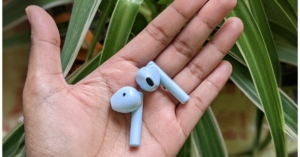 A USB-C port for charging can be found at the bottom of the case. After initial setup, simply take the earbuds out of the charging case and connect them to your device and it will automatically pair. The device features Bluetooth 5.1 capabilities with a 10-metre range.
The duopods produce distortion-free music thanks to their 13mm dynamic drivers. The earphones are suitable for casual use but do not give professional-grade audio quality, therefore they do not sound amazing in terms of audio quality. Nice but not excessively deep bass response is received.
However, there is no issue with this in relation to vocals. They were distinct and clear, making them a fantastic option if you enjoy singing. Additionally, compared to other devices we’ve lately tried, the sound was much louder, as we uncovered. When it comes to gaming, there is a lag.
A USB-C port for charging can be found at the bottom of the case. After initial setup, simply take the earbuds out of the charging case and connect them to your device and it will automatically pair. The device features Bluetooth 5.1 capabilities with a 10-metre range.
The duopods produce distortion-free music thanks to their 13mm dynamic drivers. The earphones are suitable for casual use but do not give professional-grade audio quality, therefore they do not sound amazing in terms of audio quality. Nice but not excessively deep bass response is received.
However, there is no issue with this in relation to vocals. They were distinct and clear, making them a fantastic option if you enjoy singing. Additionally, compared to other devices we’ve lately tried, the sound was much louder, as we uncovered. When it comes to gaming, there is a lag.
 One more thing about the sound: it’s recommended to keep it at 80% or lower because the music sounds a bit distorted when the volume is turned up all the way.
However, the battery life of the Duopods F50 is remarkable. The 500mAh battery in these Mivi earphones provides 50+ hours of continuous use. The case can recharge the earphones five times, and it offers about 9 hours of talk time. With a short 10-minute charge, the battery backup may last for about 10 hours.
We have to mention, the call quality on the Duopods F50 is excellent and the other person can hear you perfectly. Although passive noise cancellation technology aids in reducing background noise, they are nonetheless susceptible to it when you are commuting.
One more thing about the sound: it’s recommended to keep it at 80% or lower because the music sounds a bit distorted when the volume is turned up all the way.
However, the battery life of the Duopods F50 is remarkable. The 500mAh battery in these Mivi earphones provides 50+ hours of continuous use. The case can recharge the earphones five times, and it offers about 9 hours of talk time. With a short 10-minute charge, the battery backup may last for about 10 hours.
We have to mention, the call quality on the Duopods F50 is excellent and the other person can hear you perfectly. Although passive noise cancellation technology aids in reducing background noise, they are nonetheless susceptible to it when you are commuting.
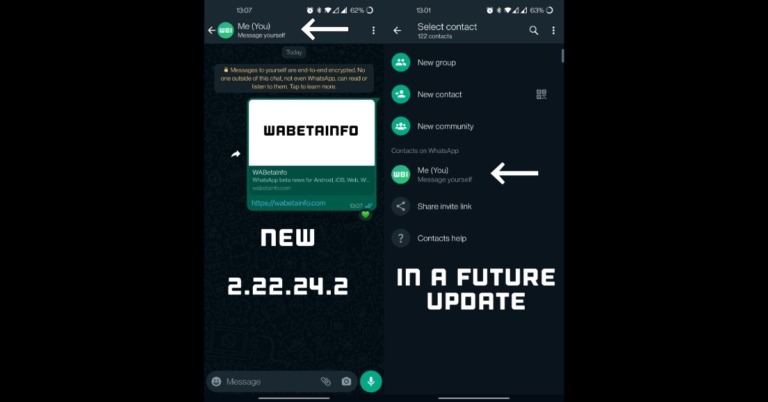
 Step 2: Fill in the details in their respective fields. This includes your email or phone number, full name, username, and password.
 Step 2: Fill in the details in their respective fields. This includes your email or phone number, full name, username, and password.
 Step 3: Click on ‘Sign up’.
 Step 3: You can choose to sign up with either your phone number or email address. Select the relevant tab and enter your email or phone number. Type in a username and password in the following windows to create your profile.
 After you enter your phone number or email, Instagram will send you a six-digit code to verify it’s you. Enter the code in the signup window to proceed further.
You can also choose to sign up using your Facebook profile. Simply click on the Facebook icon and enter your Facebook username and password. If you’re already logged in to Facebook on your device, you wouldn’t need to enter the login credentials.
After you enter your phone number or email, Instagram will send you a six-digit code to verify it’s you. Enter the code in the signup window to proceed further.
You can also choose to sign up using your Facebook profile. Simply click on the Facebook icon and enter your Facebook username and password. If you’re already logged in to Facebook on your device, you wouldn’t need to enter the login credentials.
 Step 2: Open your Apple device and confirm your login attempt. This will give the Android device access to your iCloud account.
Step 3: Enter the six-digit code for two-factor verification.
Step 4: Tap on the ‘Trust’ button if you intend on using the Android device to access your iCloud account again. Doing this will disable the two-factor verification process for future login attempts.
As we mentioned earlier, you can only access a few iCloud services on an Android device. These include:
Step 2: Open your Apple device and confirm your login attempt. This will give the Android device access to your iCloud account.
Step 3: Enter the six-digit code for two-factor verification.
Step 4: Tap on the ‘Trust’ button if you intend on using the Android device to access your iCloud account again. Doing this will disable the two-factor verification process for future login attempts.
As we mentioned earlier, you can only access a few iCloud services on an Android device. These include:
 Step 2: Tap on the menu at the top left corner of the screen and select Settings.
 Step 3: Tap on ‘Add account’ and select ‘Other’.
 Step 4: Type in your iCloud email address followed by the password.
 Your iCloud mail will be synced to the Gmail app on your Android device.
 Step 3: Select the contacts you want to sync to your Android device. You can select multiple contacts by pressing the Shift key and clicking on them.
Step 4: Click on the Settings icon at the bottom left corner of the screen and select ‘Export vCard’. The contacts will be saved to your PC.
Step 3: Select the contacts you want to sync to your Android device. You can select multiple contacts by pressing the Shift key and clicking on them.
Step 4: Click on the Settings icon at the bottom left corner of the screen and select ‘Export vCard’. The contacts will be saved to your PC.
 You can download these contacts to your Android device by using a USB cable for a physical transfer or by uploading them to Google Contacts or Google Drive and using your smartphone to access them.
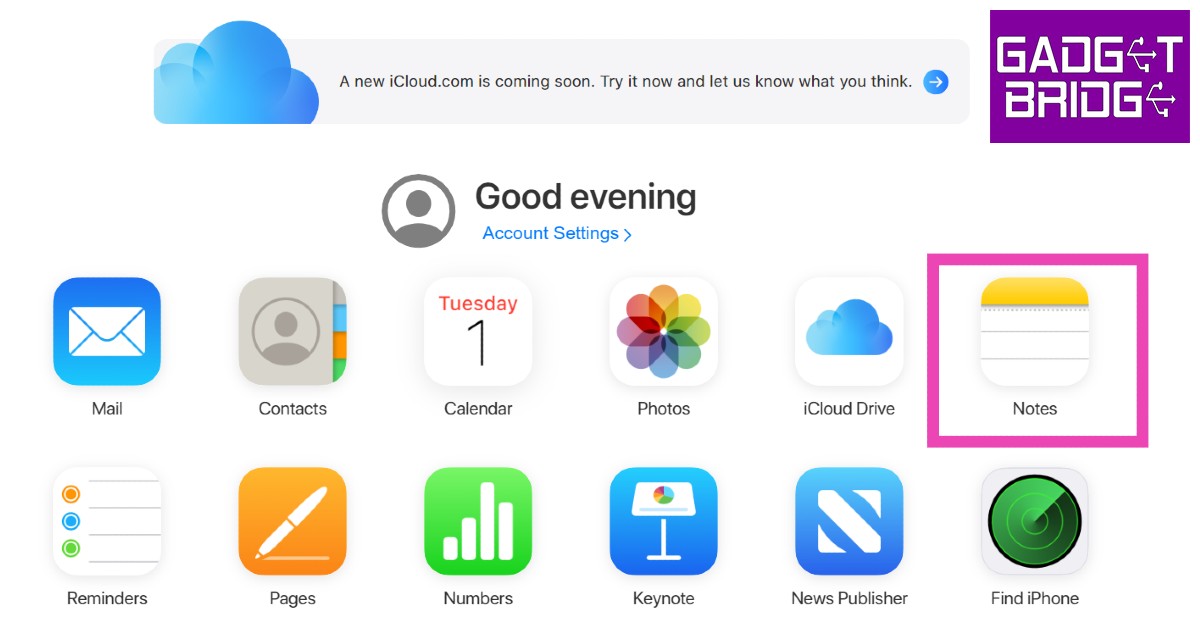
 You can either download the photos to your device one by one or select all and download them all at once.
Read Also: iQOO Z6 Lite 5G Review: A powerful contender in the budget smartphone category
You can either download the photos to your device one by one or select all and download them all at once.
Read Also: iQOO Z6 Lite 5G Review: A powerful contender in the budget smartphone category
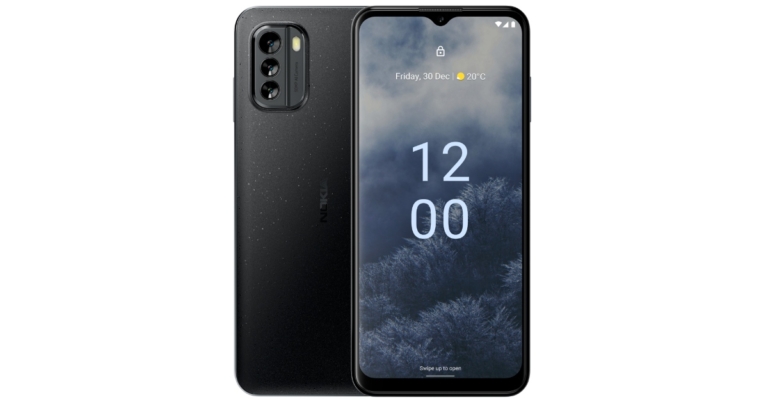
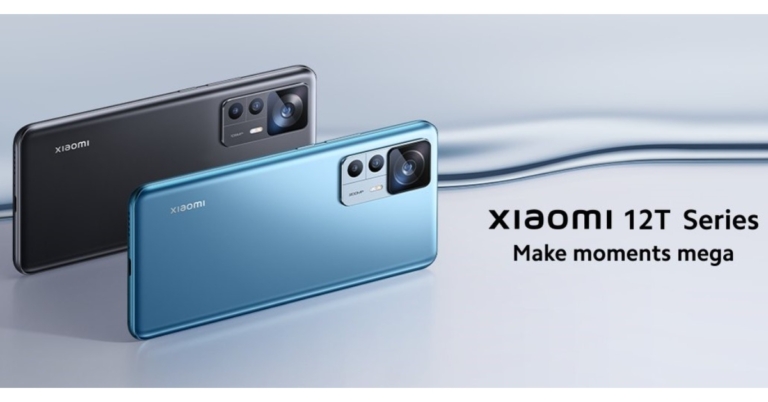
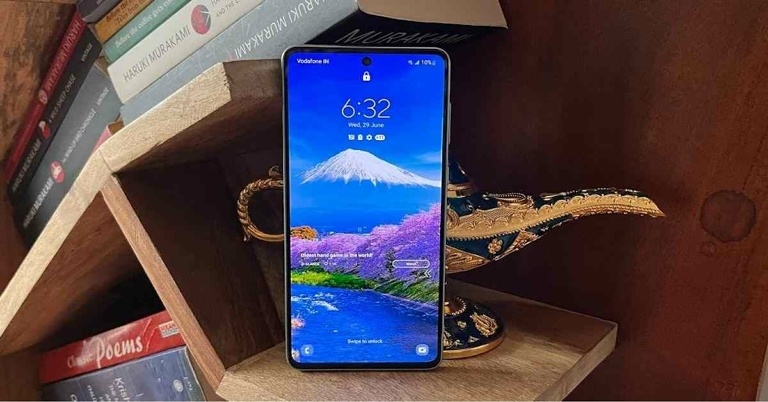
 Step 3: Click on the ‘Unlock’ icon on the right panel. You will be made to re-enter your Samsung password. After that, your smartphone’s screen will be unlocked. All the screen lock information including password, pin, and biometrics will be deleted from your phone after using this feature.
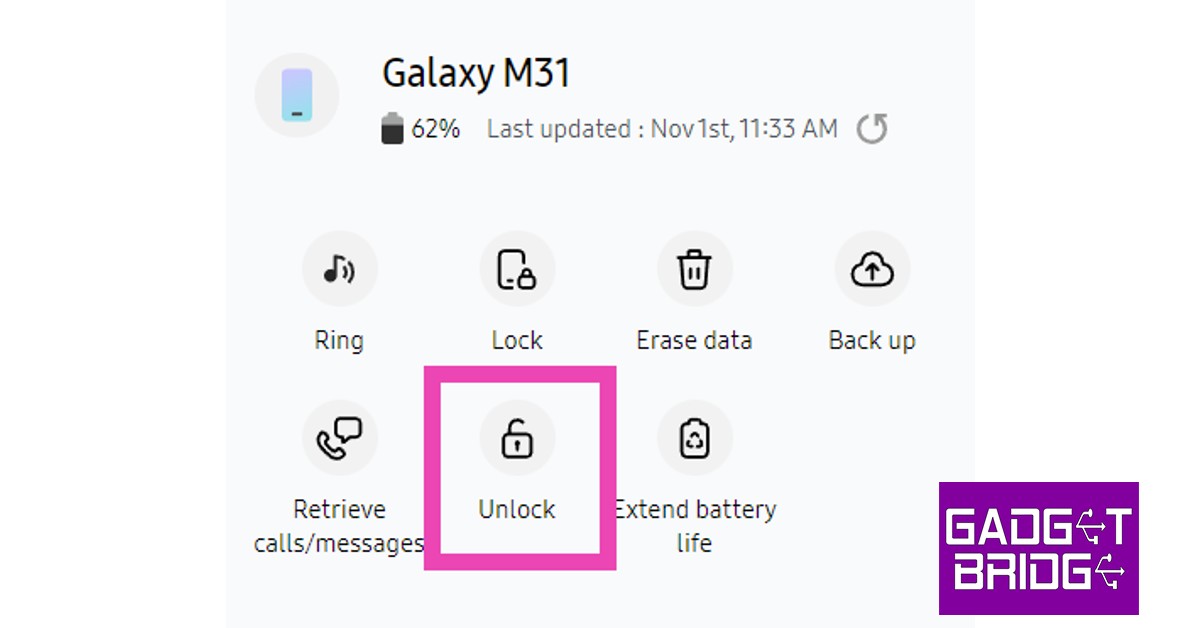
 Step 3: Find my device will lock your smartphone’s screen.
 Step 4: Follow the on-screen instructions to set up a new temporary password to unlock your device.
Step 5: Once your phone is unlocked, disable the temporary password from Settings.
Step 4: Follow the on-screen instructions to set up a new temporary password to unlock your device.
Step 5: Once your phone is unlocked, disable the temporary password from Settings.
 Step 2: Turn your smartphone back on and press the power key until you see the Android logo on the screen.
Step 3: The Android system recovery menu will appear on your screen. Since the touch controls don’t work in this mode, you will have to use the volume keys to scroll and the power key to confirm your selection.
Step 4: Scroll down to Wipe Data/Factory Reset and confirm your selection.
Step 5: Select Reboot System Now.
Read Also: How to fix iOS 16.1 bug that randomly drops WiFi?
Step 2: Turn your smartphone back on and press the power key until you see the Android logo on the screen.
Step 3: The Android system recovery menu will appear on your screen. Since the touch controls don’t work in this mode, you will have to use the volume keys to scroll and the power key to confirm your selection.
Step 4: Scroll down to Wipe Data/Factory Reset and confirm your selection.
Step 5: Select Reboot System Now.
Read Also: How to fix iOS 16.1 bug that randomly drops WiFi?


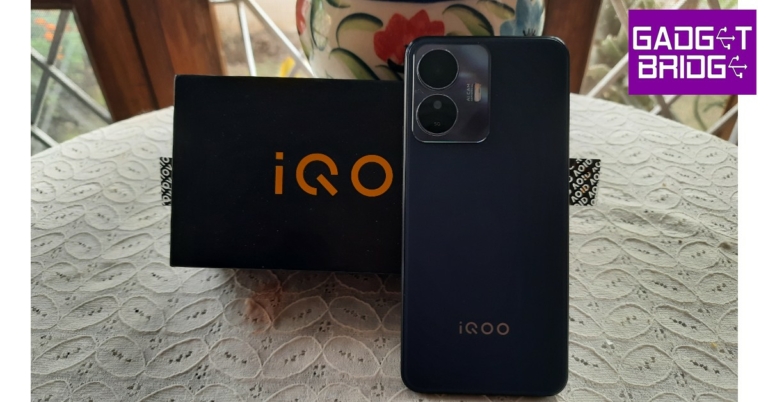
 When it comes to the design, iQOO has kept things simple and clean on the Z6 Lite. The smartphone has a plastic frame and back which is the standard for budget phones under Rs 15,000. However, the matte-like texture of the plastic back and the clean design gives off a premium feel. The dual camera unit fits nicely at the top left corner of the back panel. Under direct sunlight, the back turns sparkly. iQOO hasn’t tried anything extravagant with the Z6 Lite, but at the same time, it doesn’t feel like they’ve kept the design choices overtly safe.
 At the bottom of the frame, you’ll find the headphone jack, USB Type-C port, and speaker grille. The SIM tray makes its way to the top of the phone, with the volume rocker key and the power button mounted on the right side. The power button also doubles as a fingerprint sensor. The left side of the smartphone has been kept buttonless.
 Moving on to the display, iQOO Z6 Lite sports a 6.58-inch 120Hz IPS LCD display. A waterdrop drop notch at the top houses the selfie camera. The bottom part of the screen also contains some thick bezels, which certainly makes the display look a bit dated. The 83.9% screen-to-body ratio can certainly be improved upon as well. The 1,080 x 2,408-pixel resolution display is adequate for watching HD content on media platforms like YouTube and Netflix.
The display offers a smooth touch response while scrolling. Scrolling through different apps and browsing webpages is a seamless experience, and the display registers even the slightest of touches quite easily. This came in quite handy while gaming. We will go into further details about the gaming performance later in the review. The screen brightness is optimum for both outdoor and indoor conditions. Even in direct sunlight, we could make out what was on the screen quite clearly.
Moving on to the display, iQOO Z6 Lite sports a 6.58-inch 120Hz IPS LCD display. A waterdrop drop notch at the top houses the selfie camera. The bottom part of the screen also contains some thick bezels, which certainly makes the display look a bit dated. The 83.9% screen-to-body ratio can certainly be improved upon as well. The 1,080 x 2,408-pixel resolution display is adequate for watching HD content on media platforms like YouTube and Netflix.
The display offers a smooth touch response while scrolling. Scrolling through different apps and browsing webpages is a seamless experience, and the display registers even the slightest of touches quite easily. This came in quite handy while gaming. We will go into further details about the gaming performance later in the review. The screen brightness is optimum for both outdoor and indoor conditions. Even in direct sunlight, we could make out what was on the screen quite clearly.
 OS duties on the Z6 Lite are handled by Android 12 skinned with Vivo’s Funtouch 12. The Funtouch 12 gets its fair share of criticism from audiences and media alike, but when it comes to gaming, it offers some unique features that have not been replicated by other operating systems. However, there are a few aspects where the Funtouch OS needs to improve immediately. Firstly, the smartphone comes with a lot of bloatware.
You can uninstall all the bloatware apps, but it is never a good look when the UI isn’t clean out of the box. The ‘Global search’ feature also proves to be an annoyance as it triggers every time you swipe down on the screen. Typically, you want to access the notification bar every time you swipe down from any part of the screen. But Funtouch only lets you view the notification tiles when you swipe down from the status bar.
There’s also an issue of unnecessary ads disguised as notifications flooding the screen. The browser app is particularly notorious when it comes to this. In order to get around this issue, you will need to uninstall all the bloatware apps and restrict notifications for the default browser. There are some basic steps that you need to take before you can fully enjoy the smartphone. After you get around these issues, Funtouch is a decent operating system that can hang with its peers.
Moving on, we were quite pleased with the performance of the phone. Apps took negligible time to load, and even with multiple apps running in the background, the smartphone did not slow down one bit. The lightning speed along with a smooth touch response took the overall browsing experience to the next level. On the Geekbench app, the iQOO Z6 Lite scored 627 points on the Single-Core test and 1860 points on the Multi-Core test. These tests place the Z6 Lite above Xiaomi Poco X3 NFC, Xiaomi Redmi Note 8 Pro, and Xiaomi Pocophone F1.
OS duties on the Z6 Lite are handled by Android 12 skinned with Vivo’s Funtouch 12. The Funtouch 12 gets its fair share of criticism from audiences and media alike, but when it comes to gaming, it offers some unique features that have not been replicated by other operating systems. However, there are a few aspects where the Funtouch OS needs to improve immediately. Firstly, the smartphone comes with a lot of bloatware.
You can uninstall all the bloatware apps, but it is never a good look when the UI isn’t clean out of the box. The ‘Global search’ feature also proves to be an annoyance as it triggers every time you swipe down on the screen. Typically, you want to access the notification bar every time you swipe down from any part of the screen. But Funtouch only lets you view the notification tiles when you swipe down from the status bar.
There’s also an issue of unnecessary ads disguised as notifications flooding the screen. The browser app is particularly notorious when it comes to this. In order to get around this issue, you will need to uninstall all the bloatware apps and restrict notifications for the default browser. There are some basic steps that you need to take before you can fully enjoy the smartphone. After you get around these issues, Funtouch is a decent operating system that can hang with its peers.
Moving on, we were quite pleased with the performance of the phone. Apps took negligible time to load, and even with multiple apps running in the background, the smartphone did not slow down one bit. The lightning speed along with a smooth touch response took the overall browsing experience to the next level. On the Geekbench app, the iQOO Z6 Lite scored 627 points on the Single-Core test and 1860 points on the Multi-Core test. These tests place the Z6 Lite above Xiaomi Poco X3 NFC, Xiaomi Redmi Note 8 Pro, and Xiaomi Pocophone F1.
 We put the iQOO Z6 Lite through the gaming test as well. Usually, iQOO phones fare quite well when it comes to gaming, and the Z6 Lite upholds that reputation. We played Call of Duty Mobile on the Z6 Lite and the smartphone handled the higher-resolution graphics quite well. We did not come across any lags or frame drops in our extended gaming sessions. Overheating was not an issue for the first 30-40 minutes, after which the phone did get a little warm. After pausing the gameplay and letting the phone rest for a few minutes, the temperature quickly went down.
Gamers will be pleased to know that the Z6 Lite is equipped with ‘Monster Mode’ and ‘Ultra Game Mode’. Turning on Monster Mode puts the smartphone in high-performance mode, which is ideal when playing graphically demanding games. The battery naturally drains faster in Monster Mode, which is why it isn’t advised to use it all the time. The Ultra Game Mode gives users access to a gaming sidebar that offers quick tools and shortcuts like voice changer, screen record, WhatsApp picture-in-picture mode and more. The processor and battery usage levels are also displayed on the sidebar.
One of the better aspects of this smartphone is its giant 5000mAh battery. Even after above-average daily usage, the Z6 Lite lasts more than a day. We used the Z6 Lite as the primary driver and our daily usage consisted of an hour of gaming, 40-90 minutes of video playback, regular browsing which consisted of Twitter, Reddit, and Instagram, and regular WhatsApp use. The phone easily lasted an entire day with 20-30% battery left to spare. The smartphone does not ship with a power adapter, which is a disappointment, but it supports 18W charging. It took us under 2 hours to fully charge the phone.
The iQOO Z6 Lite 5G comes with a dual rear camera unit comprising a 50MP primary shooter along with a 2MP macro lens. At the front, you get an 8MP selfie camera. We tested the cameras extensively and were quite satisfied with the results, although, we wish iQOO had ditched the macro lens for an ultrawide shooter.
We put the iQOO Z6 Lite through the gaming test as well. Usually, iQOO phones fare quite well when it comes to gaming, and the Z6 Lite upholds that reputation. We played Call of Duty Mobile on the Z6 Lite and the smartphone handled the higher-resolution graphics quite well. We did not come across any lags or frame drops in our extended gaming sessions. Overheating was not an issue for the first 30-40 minutes, after which the phone did get a little warm. After pausing the gameplay and letting the phone rest for a few minutes, the temperature quickly went down.
Gamers will be pleased to know that the Z6 Lite is equipped with ‘Monster Mode’ and ‘Ultra Game Mode’. Turning on Monster Mode puts the smartphone in high-performance mode, which is ideal when playing graphically demanding games. The battery naturally drains faster in Monster Mode, which is why it isn’t advised to use it all the time. The Ultra Game Mode gives users access to a gaming sidebar that offers quick tools and shortcuts like voice changer, screen record, WhatsApp picture-in-picture mode and more. The processor and battery usage levels are also displayed on the sidebar.
One of the better aspects of this smartphone is its giant 5000mAh battery. Even after above-average daily usage, the Z6 Lite lasts more than a day. We used the Z6 Lite as the primary driver and our daily usage consisted of an hour of gaming, 40-90 minutes of video playback, regular browsing which consisted of Twitter, Reddit, and Instagram, and regular WhatsApp use. The phone easily lasted an entire day with 20-30% battery left to spare. The smartphone does not ship with a power adapter, which is a disappointment, but it supports 18W charging. It took us under 2 hours to fully charge the phone.
The iQOO Z6 Lite 5G comes with a dual rear camera unit comprising a 50MP primary shooter along with a 2MP macro lens. At the front, you get an 8MP selfie camera. We tested the cameras extensively and were quite satisfied with the results, although, we wish iQOO had ditched the macro lens for an ultrawide shooter.

 In daylight conditions, the Z6 Lite produced well-composed images with a decent amount of detail. We would suggest turning on the 50MP mode to fully unlock the camera’s potential. The photographs we took displayed a good colour composition without being overprocessed. The hues of the sky were captured quite well during the day, but while shooting against the sunlight, the background got regularly overexposed.

 The Portrait Mode works decently on the Z6 Lite, although we feel that the edge detection could have been much better. While the subject remains in focus, the edges can be really off in some scenarios. In limited lighting conditions, the Z6 Lite leaves a lot to be desired. Even with the Night Mode turned on, the images registered quite a bit of grain. The processor could have pitched in a bit more to produce clearer images.

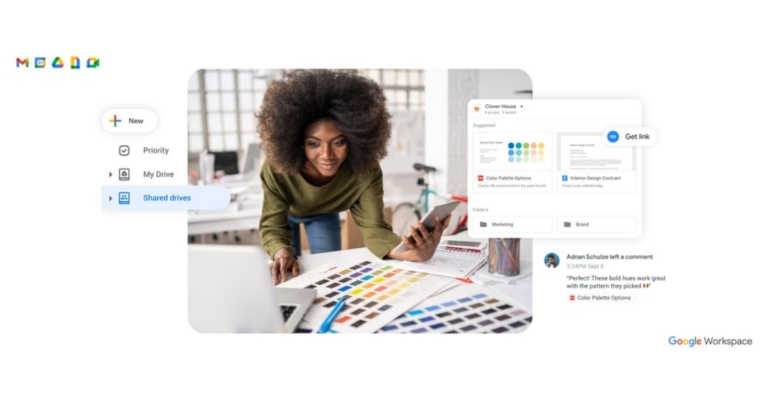
 Each Google Workspace Individual account will soon have 1 TB of safe cloud storage, according to the firm. No effort is required on your part to obtain the upgraded storage: As Google rolls out this change, every account will automatically receive an increase from the 15 GB of storage it currently has to 1 TB.
“As you grow your business, it’s only natural that you’ll have more docs, data and digital assets to manage and store, and Google Drive allows you to do so securely from any device,” the blog post said.
Drive lets you save over 100 different file formats, including PDFs, CAD files, and photos. It also makes it simple to interact with others and edit Microsoft Office files without having to convert them. Additionally, Drive has built-in defences against malware, spam, and ransomware, so you don’t have to worry about unintentionally exposing yourself to malware by simply opening a document.
Multi-send emails can now include mail merge tags like @firstname so that each recipient receives a special email that feels like it was made just for them. Multi-send emails automatically contain an unsubscribe link so that recipients can choose not to receive more messages. To improve audience engagement, try mail merge in online Gmail together with other premium Workspace features like customisable email templates.
The Philippines, Vietnam, Indonesia, Malaysia, Taiwan, Thailand, the Netherlands, Portugal, Belgium, Finland, Greece, and Argentina are among the new nations and areas where Google Workspace Individual will be made available. These seven nations are now added to the list of places where entrepreneurs can sign up for Workspace Individual, which already includes the United States, Canada, Mexico, Brazil, Japan, Australia, and six nations in Europe.
For the latest gadget and tech news, and gadget reviews, follow us on Twitter, Facebook and Instagram. For newest tech & gadget videos subscribe to our YouTube Channel. You can also stay up to date using the Gadget Bridge Android App. You can find the latest car and bike news here.
Each Google Workspace Individual account will soon have 1 TB of safe cloud storage, according to the firm. No effort is required on your part to obtain the upgraded storage: As Google rolls out this change, every account will automatically receive an increase from the 15 GB of storage it currently has to 1 TB.
“As you grow your business, it’s only natural that you’ll have more docs, data and digital assets to manage and store, and Google Drive allows you to do so securely from any device,” the blog post said.
Drive lets you save over 100 different file formats, including PDFs, CAD files, and photos. It also makes it simple to interact with others and edit Microsoft Office files without having to convert them. Additionally, Drive has built-in defences against malware, spam, and ransomware, so you don’t have to worry about unintentionally exposing yourself to malware by simply opening a document.
Multi-send emails can now include mail merge tags like @firstname so that each recipient receives a special email that feels like it was made just for them. Multi-send emails automatically contain an unsubscribe link so that recipients can choose not to receive more messages. To improve audience engagement, try mail merge in online Gmail together with other premium Workspace features like customisable email templates.
The Philippines, Vietnam, Indonesia, Malaysia, Taiwan, Thailand, the Netherlands, Portugal, Belgium, Finland, Greece, and Argentina are among the new nations and areas where Google Workspace Individual will be made available. These seven nations are now added to the list of places where entrepreneurs can sign up for Workspace Individual, which already includes the United States, Canada, Mexico, Brazil, Japan, Australia, and six nations in Europe.
For the latest gadget and tech news, and gadget reviews, follow us on Twitter, Facebook and Instagram. For newest tech & gadget videos subscribe to our YouTube Channel. You can also stay up to date using the Gadget Bridge Android App. You can find the latest car and bike news here.  Each Google Workspace Individual account will soon have 1 TB of safe cloud storage, according to the firm. No effort is required on your part to obtain the upgraded storage: As Google rolls out this change, every account will automatically receive an increase from the 15 GB of storage it currently has to 1 TB.
“As you grow your business, it’s only natural that you’ll have more docs, data and digital assets to manage and store, and Google Drive allows you to do so securely from any device,” the blog post said.
Drive lets you save over 100 different file formats, including PDFs, CAD files, and photos. It also makes it simple to interact with others and edit Microsoft Office files without having to convert them. Additionally, Drive has built-in defences against malware, spam, and ransomware, so you don’t have to worry about unintentionally exposing yourself to malware by simply opening a document.
Multi-send emails can now include mail merge tags like @firstname so that each recipient receives a special email that feels like it was made just for them. Multi-send emails automatically contain an unsubscribe link so that recipients can choose not to receive more messages. To improve audience engagement, try mail merge in online Gmail together with other premium Workspace features like customisable email templates.
The Philippines, Vietnam, Indonesia, Malaysia, Taiwan, Thailand, the Netherlands, Portugal, Belgium, Finland, Greece, and Argentina are among the new nations and areas where Google Workspace Individual will be made available. These seven nations are now added to the list of places where entrepreneurs can sign up for Workspace Individual, which already includes the United States, Canada, Mexico, Brazil, Japan, Australia, and six nations in Europe.
For the latest gadget and tech news, and gadget reviews, follow us on Twitter, Facebook and Instagram. For newest tech & gadget videos subscribe to our YouTube Channel. You can also stay up to date using the Gadget Bridge Android App. You can find the latest car and bike news here.
Each Google Workspace Individual account will soon have 1 TB of safe cloud storage, according to the firm. No effort is required on your part to obtain the upgraded storage: As Google rolls out this change, every account will automatically receive an increase from the 15 GB of storage it currently has to 1 TB.
“As you grow your business, it’s only natural that you’ll have more docs, data and digital assets to manage and store, and Google Drive allows you to do so securely from any device,” the blog post said.
Drive lets you save over 100 different file formats, including PDFs, CAD files, and photos. It also makes it simple to interact with others and edit Microsoft Office files without having to convert them. Additionally, Drive has built-in defences against malware, spam, and ransomware, so you don’t have to worry about unintentionally exposing yourself to malware by simply opening a document.
Multi-send emails can now include mail merge tags like @firstname so that each recipient receives a special email that feels like it was made just for them. Multi-send emails automatically contain an unsubscribe link so that recipients can choose not to receive more messages. To improve audience engagement, try mail merge in online Gmail together with other premium Workspace features like customisable email templates.
The Philippines, Vietnam, Indonesia, Malaysia, Taiwan, Thailand, the Netherlands, Portugal, Belgium, Finland, Greece, and Argentina are among the new nations and areas where Google Workspace Individual will be made available. These seven nations are now added to the list of places where entrepreneurs can sign up for Workspace Individual, which already includes the United States, Canada, Mexico, Brazil, Japan, Australia, and six nations in Europe.
For the latest gadget and tech news, and gadget reviews, follow us on Twitter, Facebook and Instagram. For newest tech & gadget videos subscribe to our YouTube Channel. You can also stay up to date using the Gadget Bridge Android App. You can find the latest car and bike news here. 
 Step 2: Select ‘Location Services’ and make sure they’re turned on.
 Step 3: Scroll down and select ‘System Services’.
 Step 4: Turn the toggle bar off for ‘Networking and Wireless’.
 This is a temporary workaround that will keep your iPhone from dropping the WiFi connection randomly.
Read Also: Nokia G60 5G is confirmed to launch in India soon, pre-orders to open soon
This is a temporary workaround that will keep your iPhone from dropping the WiFi connection randomly.
Read Also: Nokia G60 5G is confirmed to launch in India soon, pre-orders to open soon
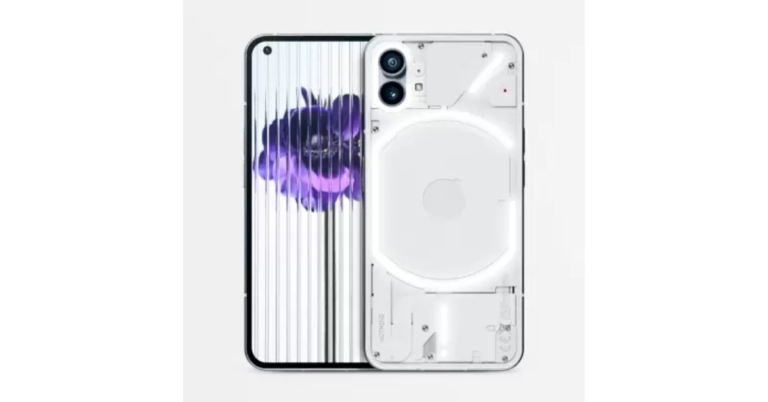


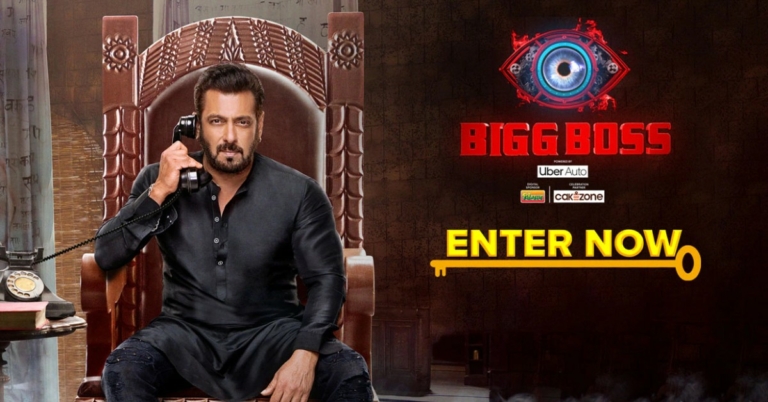
 Voot is the official streaming partner of Bigg Boss. You can watch the latest Bigg Boss episodes on Voot soon after they are aired on Colors TV. Voot also contains all the previously aired episodes along with special highlight snippets. On top of that, you can also watch all episodes from the preceding seasons. Voot is one of the most affordable OTT platforms in India, with the mobile plan priced at just Rs 299 for the entire year. The Gold Plan and Platinum Plan are priced at Rs 499 and Rs 599 respectively and come with exclusive features.
Voot Select subscribers can also watch 24-hour live Bigg Boss broadcast on the Voot app. If you’re not looking to buy another OTT subscription, there are a few ways you can get Voot Select for free.
If you have a PayTM First subscription, you are eligible for a free 6-month Voot Select subscription. Simply go to www.voot.com/promo and enter your login credentials. Once you’re logged in, enter the PayTM first promo code and you will be rewarded with a free 6-moth Voot Select Subscription.
Voot is the official streaming partner of Bigg Boss. You can watch the latest Bigg Boss episodes on Voot soon after they are aired on Colors TV. Voot also contains all the previously aired episodes along with special highlight snippets. On top of that, you can also watch all episodes from the preceding seasons. Voot is one of the most affordable OTT platforms in India, with the mobile plan priced at just Rs 299 for the entire year. The Gold Plan and Platinum Plan are priced at Rs 499 and Rs 599 respectively and come with exclusive features.
Voot Select subscribers can also watch 24-hour live Bigg Boss broadcast on the Voot app. If you’re not looking to buy another OTT subscription, there are a few ways you can get Voot Select for free.
If you have a PayTM First subscription, you are eligible for a free 6-month Voot Select subscription. Simply go to www.voot.com/promo and enter your login credentials. Once you’re logged in, enter the PayTM first promo code and you will be rewarded with a free 6-moth Voot Select Subscription.
 There is one way to get around the Voot Select paywall and watch Bigg Boss online for free. If you’re a Jio user, you can watch Bigg Boss on your device for free using the Jio TV app. All you need to do is open the Jio TV app, log in with your number, and go to the Live channels section. You will find Bigg Boss in the Colors TV tab. Since Jio TV streams live TV channels, you will only be able to watch Bigg Boss when it airs on Colors TV. This means you will have to watch the ads as well. If you want access to the entire library of previous episodes and want an adless experience, you can watch Bigg Boss on the Jio Cinema app as well.
Read Also: How to Recover Data on Android after Factory Reset
There is one way to get around the Voot Select paywall and watch Bigg Boss online for free. If you’re a Jio user, you can watch Bigg Boss on your device for free using the Jio TV app. All you need to do is open the Jio TV app, log in with your number, and go to the Live channels section. You will find Bigg Boss in the Colors TV tab. Since Jio TV streams live TV channels, you will only be able to watch Bigg Boss when it airs on Colors TV. This means you will have to watch the ads as well. If you want access to the entire library of previous episodes and want an adless experience, you can watch Bigg Boss on the Jio Cinema app as well.
Read Also: How to Recover Data on Android after Factory Reset

 One of the major benefits of getting LinkedIn Premium is getting to see every profile that visits your page. You can see whether any recruiter showed interest by checking if they viewed your profile. Sent a message to someone and haven’t heard back yet? Knowing whether they visited your page would give you some clarity. You can make better connections after learning who showed an interest in your profile.
 LinkedIn Premium’s InMail feature lets you message people outside of your network. With LinkedIn Premium you get five InMail messages per month. For a lot of people, this feature alone is worth getting the Premium subscription. Paired with the feature to see who viewed your profile, you can use InMail messages to follow up on recruiters who reached out to you or visited your profile. InMail messages are more effective because the recipient knows the message did not come from a bot. It validates your profile as being legitimate and you are more likely to get a response,
 With LinkedIn Premium, you get access to over 13,000 courses designed by leading industry experts. In order to increase your chances of recruitment, you need to be on top of the current trends and skills in your field of work. These courses are specially designed to help you with that. LinkedIn Learning covers a vast array of courses, ranging from business to technology, and everything in between. New courses are added regularly. This is a cheap and effective resource to sharpen your leadership and communication skills.
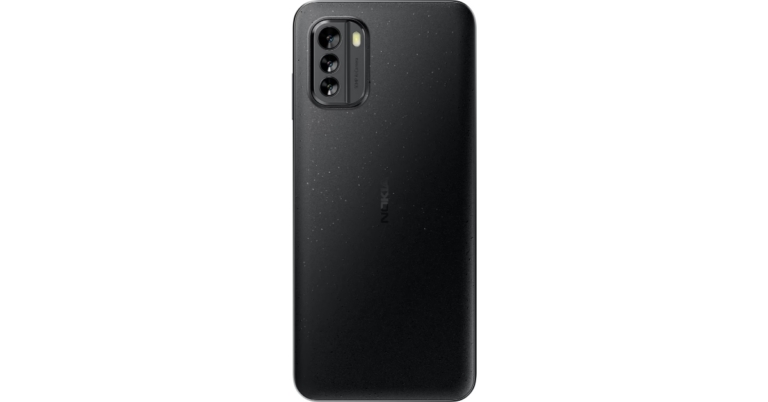
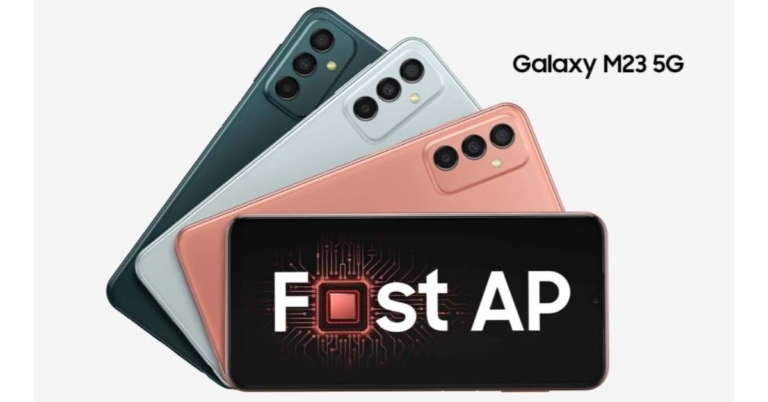


 Step 2 – Select the option Quick recovery from device, and specify which categories of data you would like to recover
 Step 3 – Plug your Android phone into a USB slot on the computer, and scan the existing and deleted data on the device
 Step 4 – Preview the scanned data and choose which documents you want to get back, then click on the Start button when you are ready
 Step 5 – Choose whether to save the files to PC or to Device, and wait a little while for the recovery process to be completed without unplugging the phone.