Xiaomi is all set to host a new launch event today in India to introduce two new products under its sub-brand Redmi. Today Xiaomi Pad 6 and Redmi Buds 4 Active will be officially announced. The new Tablet will be powered by a Snapdragon 870 SoC with support for Xiaomi Smart Pen second generation. In addition to this, the device will run Android 13 with MIUI 14 out of the box. On the other hand, Redmi Buds 4 Active will come with Google Fast Pair support and ENC.Xiaomi will be introducing its highly anticipated new products in India. Xiaomi Pad 6 and Redmi Buds 4 Active are set to launch today at 12 PM. You can catch the launch live from your home along with the rest of the country on Xiaomi India’s official YouTube channel, social media platforms, and Mi.com.
In This Article
Xiaomi Pad 6 specifications, price expected
Xiaomi Pad 6’s specifications are expected to be similar to that of the model launched in China in April this year. The device here is teased to come in two colour variants. The company has confirmed that the Tablet will be powered by a Snapdragon 870 SoC with support for Xiaomi Smart Pen second generation. In addition to this, it will also feature Dolby Vision-certified display. Moreover, the Xiaomi Tab 6 will come with Dolby Atmos-supported speakers. The gadget is said to be 6.55mm thin and weighs 490 grams.The pricing of the Xiaomi Tab 6 has not been revealed but it was introduced in China in April this year with a starting price of CNY which translates to Rs 22,000. There the tab is available in three colour options of Black, Gold, and Far Mountain Blue.
Redmi Buds 4 Active specifications, price expected
As per the listing, the Redmi Buds 4 Active will feature a stem design with a pebble-shaped charging case. It will come in a Black colour variant. The truly wireless stereo (TWS) earbud is said to include Google Fast Pair functionality. In addition to this, there will be Bass Pro drivers along with support for environmental noise cancellation.
For the latest gadget and tech news, and gadget reviews, follow us on Twitter, Facebook and Instagram. For newest tech & gadget videos subscribe to our YouTube Channel. You can also stay up to date using the Gadget Bridge Android App. You can find the latest car and bike news here.
After being banned for nearly ten months, Battleground Mobile India, aka BGMI, is officially available again in India. BGMI fans are looking for ways to improve their game experience and one such method is the usage of redemption codes, which offers a variety of rewards and advantages using BGMI redeem codes players can gain access to new skins, outfits, loot crates, weapons and free UC and diamonds.As mentioned earlier, these codes give users the chance to earn unique rewards and gain extra benefits while playing the game. This includes GUN SKINS (M4, AKM, M416, AWM, M24, UZI, KAR98K), free character voucher, Andy, Carlo, Sara, Victor character for free, free Anna Character on completing the mission and UC or Royal Pass Discount. So here we have gathered a list of the most recent BGMI redeem codes as of 13 June 2023. Also, redeem these codes asap as these are only valid for a limited duration.
In This Article
BGMI Redeem Codes for 13 June 2023
PGHZDBTFZ95U – M416 Skin
R89FPLM9S – Companion
BMTCZBZMFS – Pretty in Pink set and Pretty in Pink Headpiece
Garena Free Fire is a battle royale game with regular awards and tournaments to keep players interested. If you play Garena Free Fire, you should be aware of the redeem codes that are released on a daily basis. However, because the battle royale game is banned in India, players from other countries can use the Free Fire Redeem codes daily. If you’re unfamiliar with the Garena Free Fire redeem codes or don’t know how to get them, we’ve put together a step-by-step guide to help you redeem them. Check out Garena Free Fire Redeem Codes for 13 June 2023.The Free Fire redeem codes are a great way to get free stuff. These are 12-digit codes that contain alphabets and numbers, as well as an expiration date and time. Because the Garena FF redeem codes cannot be used more than once, you should hurry to the redemption page to claim your free reward before someone else does. To get a free reward, all you have to do is go to reward.ff.garena.com/en, which is the official redemption page. Also, keep an eye on this space for daily updates on Garena Free Fire redemption codes and rewards.
13 June 2023 Amazon Quiz has gone live on its mobile app platform. The quiz can be played from 12 AM to 11:59. All you need to do is just answer five easy questions that the e-commerce website puts before you. Today you can stand a chance to win Rs 2,500 Amazon Pay Balance.Every day Amazon posts a new questionnaire that consists of five simple questions about general knowledge and current events. To enter a lucky draw, participants must correctly answer the questions. One incorrect answer will result in your elimination from the quiz. Each month, only one person will be declared the winner and the results will be announced at the end of the month. Amazon customers who submit correct answers can win an Amazon Pay Balance worth up to Rs 50,000. To ensure that you answer all five questions correctly, Gadget Bridge updates all of the correct answers on a daily basis. Take a look at today’s answers:Amazon Quiz Today Prize – Rs 2,500 Amazon Pay BalanceQuiz Date – 13 June 2023Daily Timing – 12 AM to 11:59 PMWinner Announcement – Today 12 PM
In This Article
Amazon Quiz Answers Today 13 June 2023
Question 1: India provided a one billion dollar credit line to which of these countries for one year for essential imports?
Answer: Sri Lanka
Question 2: D’YAVOL X is clothing line launched by which celebrity child?
Answer: Aryan Khan
Question 3: Who represented India at the Coronation of King Charles and Queen Camilla at Westminster Abbey?
Answer: Jagdeep Dhankhar
Question 4: This clothing company is originally from which country?
Answer: Sweden
Question 5: From which ancient culture did this bird get the name ‘Halcyon’ from?
Answer: Greece
How To Play Amazon Quiz
Only app users are eligible to play the Amazon quiz every morning from 12 AM to 11:59 PM. The quiz is not available on the desktop. For those who are unaware of how to play the Amazon quiz below are the steps, you can follow to take the quiz.
Firstly download the Amazon app from Google Play Store or App Store
Now fill in the required information through the Sign Up option.
You need to log in to the Amazon app and scroll down on the home screen to find the Amazon Quiz banner.
Tap on the Amazon Quiz banner and tap on the Start button to start the Quiz.
Now you will get 5 questions and you need to answer them correctly. One wrong answer will eliminate you from the Quiz.
After answering all the questions correctly you are now eligible for a Lucky Draw.
The winner’s name will be announced today at 12 PM.
If you use the English keyboard on your smartphone, you don’t get access to a lot of foreign currency signs on your device. Generally, the default currency sign that appears on your keyboard is representative of the region you set on your device while setting it up for the first time. You can access other currency signs by changing the region on your smartphone, but it can be quite an arduous task for something that needs to be accessible within a couple of taps. Luckily, there are a couple of ways you can get around it. In this article, we show you how to type the Peso sign ₱ on iPhone, Android, and Microsoft Word.Read Also:3 Easy Ways To Upload Music On Audiomack
In This Article
How to type the Peso sign on Android
Step 1: Launch the default keyboard on your Android phone.Step 2: Tap the num key to access the number pad and symbol list.Step 3: Long press the Pound/Dollar key to reveal other currencies.Step 4: Glide your finger towards the Peso sign, then release it.Step 5: The Peso sign will appear on the text box.
How to type the Peso sign on iPhone
The Peso sign does not appear in the list of currencies when you long-press the Dollar sign on the iPhone keyboard. To fix this, you need to add Filipino as a language on your keyboard. Here’s how you can do that.Step 1: Go to Settings and select General.Step 2: Tap on Keyboard and select Keyboards.Step 3: Tap on ‘Add new keyboard’ and select ‘Filipino’.
How to type the Peso sign on Microsoft Word
Since the Peso sign is incorporated into Unicode, you can easily type it on Microsoft Word. All you need to do is type 20b1 and then press Alt + X. The Peso sign will appear on the screen. You can also press Alt + 8369 to type the Peso sign on Word.
Frequently Asked Questions
How do I get the Peso sign on my keyboard?
To type the Peso sign on Android, simply long-press the Dollar sign on the keyboard, glide your finger towards the Peso sign and then release it. The Peso sign will appear on the screen.
How do you type the Peso sign in Word?
To type the Peso sign in Word, simply type 20b1 and press Alt + X.
How do I type the Peso sign on an iPhone?
To type the Peso sign on an iPhone, you need to add Filipino to the list of languages on your keyboard from General Settings. Once that is done, the Peso sign will appear as soon as you long-press the dollar sign on your keyboard.Read Also:Top 7 ways to fix a corrupted Android SD card
Conclusion
These are the best ways to type the Peso sign ₱ on Android, iPhone, and Microsoft Word. If you want to add other currency signs to your keyboard, simply add the relevant languages spoken in those nations to the keyboard from your device’s settings. If you found this article helpful, let us know in the comments!For the latest gadget and tech news, and gadget reviews, follow us on Twitter, Facebook and Instagram. For newest tech & gadget videos subscribe to our YouTube Channel. You can also stay up to date using the Gadget Bridge Android App. You can find the latest car and bike news here.
Xiaomi Pad 6 is all set to launch in India tomorrow. Ahead of the official release, the company has reduced the price of the Xiaomi Pad 5 in the country. The company has dropped the price of the tablet by Rs 1,000. In addition to this Xiaomi is offering discounts on its online store in the country. The Xiaomi tablet comes with a 2.5K+ display. It has a screen size of 10.95 which also supports a refresh rate of 120Hz. In addition to this, the device is powered by an octa-core Qualcomm Snapdragon 860 SoC. To recall, the tablet was released in India in the month of April last year.
In This Article
Xiaomi Pad 5 new price and offer details
Prior to the June 13 launch of the Xiaomi Pad 6, the price of the Xiaomi Pad 5 in India has been reduced by Rs 1000. As per the listing, the 6Gb RAM with 128GB storage option is priced at Rs 25,999. Whereas the price of the 256 storage model is reduced to Rs 28,499.Additionally, Xiaomi is offering discounts on its online store. Buyers will be able to benefit from smartphone exchange discounts on certain models. The specific exchange discounts are only based on the phone’s model and functional state. Additionally, ICICI credit card transactions qualify for a Rs 2,000 instant bank discount.
Xiaomi Pad 5 specifications
The tablet is powered by MIUI 13 on top of Android 12. Featuring a 10.95-inch 2.5K+ display is the Xiaomi Pad 5. The screen offers a refresh rate of 120Hz and has a 16:10 aspect ratio. The display also supports Dolby Vision, the DCI-P3 colour gamut, and a maximum brightness of 650 nits. The Qualcomm Snapdragon 860 SoC, along with 6GB of LPDDR4X RAM and up to 256GB of UFS 3.1 storage, powers the Xiaomi tablet.The Xiaomi Pad 5 also features dual microphones and noise cancellation. It boasts quad speakers with Dolby Atmos and Hi-Res Audio support.The gadget has an 8-megapixel front camera and a 13-megapixel rear camera sensor. An 8,720mAh battery with 33W fast charging capabilities is included with the Xiaomi Pad 5.For the latest gadget and tech news, and gadget reviews, follow us on Twitter, Facebook and Instagram. For newest tech & gadget videos subscribe to our YouTube Channel. You can also stay up to date using the Gadget Bridge Android App. You can find the latest car and bike news here.
Vivo has slashed the price of Vivo Y35 in India by Rs 500. The smartphone was launched in India last year. The smartphone is powered by Snapdragon 680 processor along with an extended RAM feature. It includes a 5000mAh battery and 44W flash charge support. In addition to this, there is a 50MP primary camera with Electronic Image Stabilization (EIS).
In This Article
Vivo Y35 New price and offers
Vivo Y35 was launched in India last year with a price tag of Rs 18,499 for a single 8GB RAM with 128GB of internal storage. The smartphone comes in two colour options of Agate Black and Dawn Gold. The phone was earlier available at Rs 17,499 but now it is being made available at Rs 16,999. The phone is seeing a price drop of Rs 500. The new effective price will be applicable starting today on the vivo India e-store and across all partner retail stores.Consumers can also receive an additional cashback of up to Rs 1,000 using ICICI, SBI, Yes Bank, Federal Bank, AU Small Finance, and IDFC First Bank. Buyers are also eligible to receive other benefits such as V-Shield Protection Plans.
Vivo Y35 specifications
Vivo Y35 features a 6.58-inch full-HD+ LCD screen with 1,080×2,408 pixels of resolution. The screen has a 90Hz refresh rate. The phone operates on Funtouch OS 12-based Android 12. Under the hood, there is a Qualcomm Snapdragon 680 SoC with 8GB of RAM and 128GB of internal storage. The device also has an Extended RAM function that allows up to 8GB of RAM to be borrowed from storage for a total of 16GB of RAM. While the internal storage can be expanded up to 1TB using a microSD card.The Vivo Y35 comes with a triple-back camera configuration that includes a 50-megapixel primary sensor with f/1.8 aperture. Both the 2-megapixel macro and 2-megapixel bokeh sensors have f/2.4 aperture. The handset includes a 16-megapixel front-facing camera with an f/2.0 aperture for taking selfies and video calling. The smartphone also includes a variety of functions to improve the camera, including Super Night Camera mode, Multi Style Portrait mode, Rear Camera Bokeh Flare Portrait, and others for a smooth photographic experience.The Y35 has Wi-Fi, Bluetooth v5, GPS, Glonass, OTG, FM radio, and a USB Type-C connector as connectivity options. An accelerometer, ambient light sensor, e-compass, gyroscope, and proximity sensor are among the sensors on board. For phone unlock the device has a fingerprint sensor and Face Wake functionality. The device boasts a 5000mAh battery combined with 44W flash charging. Additionally, the Y35 includes Multi Turbo and Ultra Game Mode, which guarantee a luxurious sensory experience for immersive gaming.
For the latest gadget and tech news, and gadget reviews, follow us on Twitter, Facebook and Instagram. For newest tech & gadget videos subscribe to our YouTube Channel. You can also stay up to date using the Gadget Bridge Android App. You can find the latest car and bike news here.
Android and Apple ecosystems very rarely work together seamlessly. Even transferring WhatsApp messages between the two platforms used to be a chore until very recently. If you’re a long-time Android user that just made the switch to an iPhone, you’re probably looking for the best way to transfer your data to your new Apple device. Luckily, the native method using the Move to iOS app makes this process pretty easy. In this article, we show you how to transfer data from an Android phone to an iPhone using Apple Move.Read Also:High Tech Surveillance Gadgets That Protect the Gaming Operators
In This Article
Things to remember before you begin
Make sure the WiFi on both devices is turned on.
Both smartphones must be plugged into a charger.
Your iPhone must have enough storage to copy all the data.
To move your Chrome bookmarks, make sure you are using the latest version of the web browser on your Android device.
Here’s how you can transfer your data using Move to iOS
Step 1: Turn on your iPhone and go through the setup process until your reach the ‘Apps & Data’ page.Step 2: Select ‘Move Data from Android’.Step 3: Launch the ‘Move to iOS’ app on your Android smartphone.Step 4: Tap ‘Continue’ on your iPhone. After a few seconds, your iPhone will display a code.Step 5: Enter the code on your Android smartphone.Step 6: Your iPhone will now create a temporary WiFi network using its hotspot. Join this network on your Android device.Step 7: Choose the content you want to transfer. This includes your contacts, messages, photos and videos, files, settings, WhatsApp messages, calendar entries, bookmarks, and more. Do not disturb the transfer process until it finishes on your iPhone.Step 8: After the content has been transferred, tap ‘Finish’ on your Android smartphone and ‘Continue’ on your iPhone.Step 9: Follow the on-screen instructions to finish the process on your iPhone.
Frequently Asked Questions
Can I use the Move to iOS app after setup?
The Move to iOS app only works while you’re setting up your iPhone for the first time. If you skipped the process at the time of setting up your iPhone, you will have to transfer the content manually. You can also factory reset your phone to set it up again using Move to iOS, but that will erase all your existing data.
Does Move to iOS transfer all my apps?
Move to iOS transfers all the free apps from your Android phone that are also available for free on the App Store.
Does Move to iOS transfer all my data?
Move to iOS transfers the majority of your personal data from your Android phone to an iPhone. However, certain data like books, music, and PDF files will need to be transferred manually.Read Also:How to download and install Chrome OS Flex?
Jio has announced the launch of a new Bluetooth tracker in India. Similar to Apple’s Airtag the JioTag also lets you locate and find your lost items. However, the device is a lot cheaper than Apple’s Bluetooth tracker and offers similar features as that of Apple AirTag. In addition to this, it comes with a Community Find feature. It can be used to find a phone and locate lost items.
In This Article
JioTag price in India, sale details
JioTag costs Rs 2199, however, the current launch deal price is Rs 749. The device comes in a single white colour variant. As per the listing, the Bluetooth tracker by Jio will be available via the company’s official website in the country. It is available with both cash on delivery and prepaid payments. In addition to this, the company offers an additional battery and a lanyard cable with the JioTag which is sold separately with the Apple AirTag.
JioTag specifications
You can use JioTag to locate your smartphone. Double tapping your connected JioTag will ring your phone, even if it is on silent. In addition to your phone, it may be attached to your wallet, baggage, keys, and other items so that your phone will warn you when you leave something behind or are lost. The Bluetooth tracker also provides the precise position of your item’s most recent disconnect. Even at the site of the last disconnect, if you are still unable to locate your JioTagged possession the Jio Community locate network will hunt for and report back the location of your missing JioTagged item after users mark their JioTag as lost on the JioThings app.The device is powered by a replaceable CR2032 and features Bluetooth 5.1. The Jio tag measures 3.82×3.82×0.72 cm and weighs 9.5 grams. If offers up to 1 year of battery life and has a range of up to 20 meters indoors and up to 50 meters outdoors (Direct line of sight) For the latest gadget and tech news, and gadget reviews, follow us on Twitter, Facebook and Instagram. For newest tech & gadget videos subscribe to our YouTube Channel. You can also stay up to date using the Gadget Bridge Android App. You can find the latest car and bike news here.
Audiomack is one of the more popular music streaming platforms on the Internet. Its influence is comparable to Soundcloud, which makes it a very attractive platform for new and amateur musicians. Audiomack is one of the best platforms to attract more ears to your music and create a dedicated audience. Apart from music, creators use Audiomack to post their podcast episodes as well. If you’re new to the whole music streaming scene, figuring out how to upload your content can be a confusing task. Don’t worry because we’ve got you covered. In this article, we bring you the 3 easy ways to upload music on Audiomack.Read Also:Best Redmi 5G smartphones under Rs 25,000
In This Article
How to upload music on Audiomack using the Android Creator app
Step 1: Install the Audiomack Creator app on your smartphone.Step 2: Tap the upload icon at the bottom of the dashboard.Step 3: Select the upload type. If you want to upload a single track, tap on ‘Song’. If you want to upload songs, select ‘Album/EP’. If you want to upload a podcast, select ‘Non-Musical’.Step 4: Tap the plus icon to upload an audio file. Audiomack supports uploads in the following formats: MP3, WAV, AIFF, OGG, FLAC, and M4A. The size limit for one audio file is 250MB.Step 5: Fill out all the track details once the song is uploaded. You can also select an artwork for the song/album/EP.Step 6: You can choose to release the song immediately or schedule it for later. If you want to go for the latter option, select Schedule/Premiere Access and set the release date and time.Step 7: Hit ‘Finish’.
How to upload a song on Audiomack from your desktop
Step 1: Launch the official Audiomack website on your desktop’s web browser and click the upload icon at the top-right corner of the screen.Step 2: Select the upload type and hit ‘Next’.Step 3: Select the song file from your desktop. You can also drag and drop the file on the upload screen.Step 4: Enter the metadata for the song. This includes the song title, artist name, feature list, genre, producers, and more.Step 5: Choose the release date or publish the song immediately. Hit ‘Finish’ once you’re done.
How to upload a song on Audiomack using a mobile browser
Audiomack’s mobile website is well-optimised to carry out basic tasks. The process to upload a song on mobile is almost the same as the one on a desktop. Here’s how can go about it.Step 1: Launch the official Audiomack website on your smartphone’s web browser.Step 2: Tap on the ‘My Library’ icon at the bottom right corner of the screen.Step 3: Tap on the gear icon.Step 4: Select ‘Upload’.Step 5: Select an upload type and hit ‘Next’.Step 6: Select the song you want to upload from your device’s internal storage.Step 7: Enter the metadata for the song.Step 8: Set a release date or select ‘publish immediately’.Step 9: Hit ‘Finish’.
Frequently Asked Questions
How do I upload music on Audiomack?
To upload your music on Audiomack, launch the Audiomack creator app or website and select ‘Upload’. Choose the file you want to upload from your device’s storage, fill in the metadata, and publish the song.
These are the 3 easiest ways to upload music on Audiomack. Instead of uploading individual files, you can upload an entire album at once. Make sure that the individual file size does not exceed 250MB. To maximise your reach and increase the odds of the audience listening to your music, fill in all the track details and post artwork for the song/album.For the latest gadget and tech news, and gadget reviews, follow us on Twitter, Facebook and Instagram. For newest tech & gadget videos subscribe to our YouTube Channel. You can also stay up to date using the Gadget Bridge Android App. You can find the latest car and bike news here.
While expandable storage may be missing from some premium devices, most budget and midrange smartphones still come with a slot for an external micro SD card. If you don’t want to splurge extra cash for a higher storage variant, you can easily use a memory card with your device. However, memory cards are known to malfunction from time to time. Then what do you do? Fret not, we are here to help. Today, we bring you the top 8 ways to fix a corrupted Android SD card or memory card.Read Also:How to use a Passkey for your Google Account?
In This Article
Make sure the SD card is in the right slot
Earlier, smartphones used to have a dedicated slot for micro SD cards. Hybrid SIM card slots were introduced more recently, allowing users to place their SIM cards and micro SD card on a single tray. This may be a neat idea, but it may leave some people confused. If your Android smartphone cannot recognise the SD card, pull out the hybrid SIM tray and inspect the positioning of the SIM and SD card. Look for the appropriate sign on the tray before inserting the SD card.
Clean the micro SD card
If the memory card has been lying around on a shelf or in a drawer, make sure you give it a quick wipe before inserting it into your phone. Dust and dirt particles can keep the SD card from functioning properly. Your smartphone may not be able to detect the card. On the flip side, make sure the SD card tray is clean as well. Pull the tray out and blow some air on it to release the dust particles. Give it a quick wipe and you’re good to go.
Inspect the SD card for physical damage
SD cards are prone to wear out after prolonged usage. This issue is more common when you use the same card on multiple devices. If your SD card is damaged, your device will not be able to read or detect it. Pull out the card and closely inspect it for damage. Use it on another device to check if it works.
Use a card reader
Maybe the problem lies with your phone’s SD card slot and not the card itself. The only way of knowing for sure is by using an external card reader. Plug the card reader into the USB Type-C port of your device. Push the card into the external reader and see if you can access its contents on your phone. When you use the card reader, your micro SD card will show up as drive storage on your phone.
Unlock the card
Some SD cards come with a physical lock switch. Once a card is locked, you cannot write or delete any data from it. If you’re having an issue with copying or erasing files from your Android phone’s extended storage, pull out the card and unlock it using the physical switch located on the side of the SD card.
Format the memory card
The most common reason why memory cards stop functioning is data corruption. If your memory card is corrupted, you may experience several kinds of issues with it – ranging from detection issues to slow performance. Data corruption is caused when a file isn’t completely transferred to the card. This may happen because you pulled out the card before the transfer was completed. The only way to fix a corrupted memory card is by formatting it. To format the SD card go to Settings>Battery and device care>Storage and tap on the ellipses at the top right corner of the screen to access Advanced Settings. Tap on the SD card and select ‘Format’.
Use the chkdsk command
You will need to connect your SD card to your laptop or PC for this method. Pull out the card from your phone and use a card reader or your PC’s dedicated memory card slot to insert the SD card. Once that’s done, follow these steps.
Step 1: Right-click the Windows icon on the taskbar and select Terminal (Admin).
Step 2: Enter the following command:
chkdsk [disk name assigned to SD card]: /x /r
Step 3: Once the process has finished, safely remove the SD card from your PC and insert it into your phone.
Update your smartphone’s OS
If your phone’s OS cannot detect the micro SD due to some bug or other issue, it will be resolved with a quick update. Go to Settings>Software Update to look for pending updates. If there is an available update, download and install it on your device.
Frequently Asked Questions
How do I fix a corrupted SD card?
To fix a corrupted SD card, you need to format it. Go to Settings>Battery and device care>Storage>Advanced Settings and select Format.
Why is my SD card not working on my Android phone?
If your Android phone is not detecting the SD card, give the card and the hybrid slot a quick wipe and make sure there aren’t any dust particles on them. Inspect the SD card closely for any physical damage.
How do I fix an undetected SD card on Android?
If your Android phone cannot detect the SD card, use an external card reader. Plug the card reader into the USB Type-C port on your device. If your SD card works fine with the card reader, it means that your phone’s card slot is faulty.Read Also:5 Best Ways to Sign Out of Google Play Store on an Android Device
Conclusion
These are the top 8 ways to fix a corrupted Android SD card or memory card. If these fixes don’t work for you, you will need to figure out whether the fault lies with the SD card or its slot in your phone. If the phone’s slot is at fault, you will need to take it to the authorised service centre for repair. If you have any questions, let us know in the comments!
Samsung Galaxy S22 was launched in India last year. The price of the smartphone has now been lowered by up to Rs 8,000. The device was introduced in India at a starting price of Rs 72,999 which has now come down to Rs 64,999 for the base variant. The smartphone features a 120Hz Dynamic AMOLED 2X display. Under the hood, there is an octa-core Snapdragon 8 Gen 1 SoC that runs on Android 12 with One UI 4.1 on top out of the box.
In This Article
Samsung Galaxy S22 new price and details
The Samsung Galaxy S22 was made available in two configurations with 8GB RAM and 128GB/512GB storage for Rs 72,999 and Rs 76,999, respectively. But now the phone’s price has fallen by Rs 8,000 in India. The 128GB RAM variant will be accessible at Rs 64,999 whereas the 512GB option is now available at Rs 72,999.Samsung mobile users on their exchange can receive a bonus of Rs 7,000. As a result, the model now costs Rs 57,999. The company will also be offering a bank cashback offer of Rs 3,000 which brings the cost of the base variant down to Rs 54,999.
Samsung Galaxy S22 specifications
The Samsung Galaxy S22 (Review)comes with a 6.1-inch full-HD+ Dynamic AMOLED 2X display with a 120Hz refresh rate that can be lowered to 10Hz. The screen has been protected with Gorilla Glass Victus+ and an Armor Aluminium chassis. The smartphone comes pre-installed with Android 12 and One UI 4.1, and it’s powered by an octa-core Snapdragon 8 Gen 1 SoC and 8GB of RAM, with up to 256GB of internal storage.The Galaxy S22 features a triple rear camera system for optics. The camera module is equipped with a 50MP main Dual Pixel wide-angle sensor, an f/1.8 aperture, and autofocus. There is also a 12MP ultra-wide-angle camera with an f/2.2 aperture and a 120-degree field of view, as well as a 10MP telephoto lens with an f/2.4 aperture (3x optical zoom and OIS). There is also a 10MP selfie camera with an f/2.2 aperture (80 degrees of FoV).The battery capacity of the Galaxy S22 is 3,700mAh, and it supports 25W fast charging, 15W wireless charging, and Wireless PowerShare for reverse wireless charging. For the latest gadget and tech news, and gadget reviews, follow us on Twitter, Facebook and Instagram. For newest tech & gadget videos subscribe to our YouTube Channel. You can also stay up to date using the Gadget Bridge Android App. You can find the latest car and bike news here.
The nature of the casino environment, where countless people mingle and large sums of money change hands, demands the best quality security. Brick-and-mortar casinos are home to some of the world’s most advanced surveillance systems. Let’s take you behind the scenes to reveal the high-tech world of security that keeps these businesses and their patrons safe.
In This Article
Eye in the Sky
In extravagant establishments where fortunes are acquired and lost in the blink of an eye, it takes more than an army of highly trained personnel to secure a casino. This is where video surveillance tech – the Eye in the Sky – comes in handy, giving casinos a recap of events anywhere and anytime. Camera resolution improvement and hardware changes over the years make this tech a casino’s most crucial security tool.
The smoke-coloured orbs that make up the Eye in the Sky do more than keep a watchful eye on every inch of the casino floor. They support extensive functionalities like:
Automated video analytics: real-time tracking and automatic detection of events, behaviours, and objects provide valuable security insights.
Enhanced meta-tagging: improves structured references that sort and identify attributes of the collected information the metadata describes.
Predictive awareness methods: predictive models identify valuable data patterns to predict the outcome of events.
Data compression: collected data is encoded, restructured, and otherwise modified to reduce its size for better storage techniques.
RFID
Radio Frequency Identification is the most commonly used security measure against theft and fraud. This technology is embedded in cards and chips, allowing the casino to track them at all times. This ensures that no chips or cards leave the casino floor or are counterfeited without detection.
Angel Eyes
Angle Eyes is an extension of the RFID anti-fraud system that detects attempts to cheat or steal. Thanks to Angel Eyes, games that were previously easy to deceive are now cheat-proof. For instance, in blackjack, this technology allows the dealer to monitor a deck for cards that do not belong. It tracks RFID strips on the cards, and any added by a player is flagged and removed. Also, the tech identifies shaved chips in roulette and notifies the dealer.
Biometric Recognition Software
Casino video cameras have specialized integrated software for facial recognition, one of the most powerful tools in any establishment’s security arsenal. This surveillance tech scans the face of anyone that enters the casino and compares them to a database of criminals and potential threats. This allows security personnel to remove such troublemakers before they can cause any disturbances.
Fingerprint recognition also strengthens the effectiveness of casino biometric security measures. Many establishments use sophisticated vaults and safes to store mountains of cash on-site. They are equipped with biometric scanners that grant access to authorized parties only.
Keeping money safe is only half the battle. Casinos are also responsible for the security of patrons once they retire to their accommodations. For this reason, rooms are usually fitted with smart locks and access control systems that often use fingerprint, keycard, and player club card sensors to unlock.
NORA
Non-Obvious Relationship Awareness software is a valuable surveillance tool that identifies unusual cheating tactics where a game operator and player work together to defraud a casino. This advanced tech identifies any association between parties, such as a shared address, phone number, or employment. That way, personnel can keep a closer eye on them.
Encryption Protocols
Data encryption may seem like a security feature limited to online casinos. In most cases, state-of-the-art SSL and TCL encryption protocols are all it takes to keep an online casino safe. However, according to online-casinos-nj.com, online casinos in NJ use additional safety measures in the form of username/password combinations, account verification systems, and geolocation tracking technology
For land-based establishments, this is but one essential piece of a robust security ecosystem.
With any advanced virtual technology comes the potential for misuse or abuse. Land-based casinos ensure that the data collected isn’t used for nefarious purposes or open to vulnerable hacking attempts with encryption and firewalls to prevent cyber attacks.
AI
Casinos use advanced artificial intelligence algorithms that analyze video footage and other security data in real-time. AI effectively detects anomalies and potential threats that slip through security personnel’s cracks, alerting the casino to act immediately.
With the advancement of AI, some casinos have also adapted tech surveillance solutions to improve their business models. Brainchip – a California-based company – has successfully modelled Game Outcome Technology with spiking neuron adaptive processors that learn independently like a human brain. Using snap vision technology, Game Outcome automatically identifies dealer errors, game rules, played hands, winning hands, and payout amounts. This data is then used to help the casino with operational efficiency, labour costs, and targeted incentives to get patrons to play more.
In Brief
There is a limit to how much surveillance and security humans can provide in casinos because the traffic and activities are too much to handle. However, by harnessing the power of modern technology, from video surveillance to AI, the security of these establishments continues to improve dramatically. This allows casino operators to go beyond their core purpose of securing business operations and provide intriguing gambling experiences in a safe environment.
For the latest gadget and tech news, and gadget reviews, follow us on Twitter, Facebook and Instagram. For the newest tech & gadget videos subscribe to our YouTube Channel. You can also stay up to date using the Gadget Bridge Android App. You can find the latest car and bike news here.
Garena Free Fire is a battle royale game with regular awards and tournaments to keep players interested. If you play Garena Free Fire, you should be aware of the redeem codes that are released on a daily basis. However, because the battle royale game is banned in India, players from other countries can use the Free Fire Redeem codes daily. If you’re unfamiliar with the Garena Free Fire redeem codes or don’t know how to get them, we’ve put together a step-by-step guide to help you redeem them. Check out Garena Free Fire Redeem Codes for 12 June 2023.The Free Fire redeem codes are a great way to get free stuff. These are 12-digit codes that contain alphabets and numbers, as well as an expiration date and time. Because the Garena FF redeem codes cannot be used more than once, you should hurry to the redemption page to claim your free reward before someone else does. To get a free reward, all you have to do is go to reward.ff.garena.com/en, which is the official redemption page. Also, keep an eye on this space for daily updates on Garena Free Fire redemption codes and rewards.
Have you participated in the Amazon Quiz today? If not then participate in the 12 June 2023 Amazon Quiz as it has already gone live on the app. The daily quiz can be played from 12 AM to 11:59 every day on the mobile app platform. Today e-commerce is giving the chance to win Rs 5,000 Amazon Pay Balance.Every day Amazon brings a fresh quiz for its customers. By participating in the quiz the participants can win an Amazon Pay Balance of up to Rs 50,000. The quiz can only be played on the mobile app as it is not available for the desktop platform. The quiz contains five easy questions and you have to answer all the questions correctly. The participants will then be shortlisted for a lucky draw to select a winner. Whereas the results are declared at the end of the month. Check out today’s Amazon quiz answers to win Rs 5,000.Amazon Quiz Today Prize – Rs 5,000 Amazon Pay BalanceQuiz Date – 12 June 2023Daily Timing – 12 AM to 11:59 PMWinner Announcement – Today 12 PM
In This Article
Amazon Quiz Answers Today 12 June 2023
Question 1: Which Indian actor has been appointed as the global ambassador of luxury fashion brand Gucci?Answer: Alia BhattQuestion 2: Which country topped the 2023 World Press Freedom Index?Answer: NorwayQuestion 3: Inflection, a company co-founded by Reid Hoffman, just launched their “personal AI” chatbot named what?Answer: PiQuestion 4: These animals are mostly found in which country?Answer: PeruQuestion 5: Who is the artist of this exhibit?Answer: Jeff Koons
How To Play Amazon Quiz
Only app users are eligible to play the Amazon quiz every morning from 12 AM to 11:59 PM. The quiz is not available on the desktop. For those who are unaware of how to play the Amazon quiz below are the steps, you can follow to take the quiz.
Firstly download the Amazon app from Google Play Store or App Store
Now fill in the required information through the Sign Up option.
You need to log in to the Amazon app and scroll down on the home screen to find the Amazon Quiz banner.
Tap on the Amazon Quiz banner and tap on the Start button to start the Quiz.
Now you will get 5 questions and you need to answer them correctly. One wrong answer will eliminate you from the Quiz.
After answering all the questions correctly you are now eligible for a Lucky Draw.
The winner’s name will be announced today at 12 PM.
iQOO India CEO, Nipun Maurya has confirmed that iQOO Neo 7 Pro 5G will launch in India on July 4. iQOO India confirmed that the smartphone will be sold exclusively through Amazon. The ‘Pro’ variant will be a successor to iQOO Neo 7 5G (review), which launched in February at Rs 29,999. iQOO hasn’t revealed any specs of the upcoming smartphone. However, since the Neo 7 Pro is reported to be the rebadged version of the China-specific Neo 7 Racing, some specs are expected to make it on the global variant.Read Also:Samsung Galaxy F54 Review: A rock-solid smartphone with impressive cameras
iQOO Neo 7 Pro 5G: Expected specs, price, and more
The biggest upgrade on the Pro variant of iQOO Neo 7 will be the Snapdragon 8+ Gen 1 SoC. The current version employs MediaTek Dimensity 8200 SoC under the hood. Snapdragon 8+ Gen 1 came out towards the end of 2022 and put up impressive benchmark numbers along with improved thermal management.iQOO Neo 7 5GThe iQOO Neo 7 Pro 5G will get a 6.78-inch AMOLED display with a 120Hz refresh rate and 1500 nits of peak brightness. This display will support HDR10+ as well. The camera panel at the back gets an upgrade as well. The Pro variant will feature an 8MP ultrawide lens instead of the 2MP depth sensor on the regular variant. It will also get a 50MP primary camera with OIS. The 2MP macro lens will be retained from the regular version. Up front, the Neo 7 Pro will feature a 16MP selfie camera housed in a punch-hole cutout.As expected, the OS duties on iQOO Neo 7 Pro will be handled by Android 13 with Funtouch 13 skinned on top of it. The smartphone will get a 5,000mAh battery with 120W fast charging support. When powered by a fast charger, the smartphone can reach 50% charge in under 10 minutes and fully juice up within 25 minutes.iQOO Neo 7 5GThere won’t be any significant changes in terms of design. The smartphone will retain the signature Neo series look. The rear cameras will be housed in a square camera island and the shimmering back panel will change colours on exposure to sunlight. A glass back panel seems unlikely on iQOO Neo 7 Pro.Read Also:How to download and install Chrome OS Flex?More details are to be awaited as we get closer to the launch date. The smartphone is expected to cost around Rs 35,000 in India. iQOO may also offer some additional bank discounts to bring the introductory price down. In this price range, iQOO Neo 7 Pro will rival the likes of Samsung Galaxy A54, OnePlus 10R, Vivo V27, and more. The smartphone will be sold exclusively through Amazon.For the latest gadget and tech news, and gadget reviews, follow us on Twitter, Facebook and Instagram. For newest tech & gadget videos subscribe to our YouTube Channel. You can also stay up to date using the Gadget Bridge Android App. You can find the latest car and bike news here.
The thing about having a safe password is that it is often very complicated which makes it very hard to remember. Sure, you can use a password manager, but there’s always a looming fear of your passwords getting hacked from the app. Google has finally come up with a solution that no longer requires you to remember your password. You can easily log into your Google Account by using your phone’s lock screen password (or other biometric methods). In this article, we show you how to set up and use Passkey for your Google Account.Read Also:Samsung Galaxy F54 Review: A rock-solid smartphone with impressive cameras
In This Article
Set up Google Passkey on your Android smartphone
Step 1: Go to Settings and select Google.Step 2: Select ‘Manage your Google Account’.Step 3: Switch to the Security tab and select Passkeys.Step 4: Enter your password to confirm your identity.Step 5: Tap on ‘Use Passkeys’.Step 6: Select ‘Done’ in the following window.You will now be able to sign in to your Google Account by using the fingerprint scanner, face recognition, or screen lock pattern/PIN/password on your phone.
Sign into your Google Account using your Passkey
Step 1: Open the Google Account page on another device.Step 2: Type your username and proceed.Step 3: You will be prompted to use your passkey to confirm it’s you. Hit ‘Continue’.Step 4: Choose your smartphone from the list.Step 5: You will receive a notification on your smartphone. Make sure your smartphone is close to the device you are using to log into your Google Account.Step 6: Tap on the notification and use the fingerprint scanner, face recognition, screen lock/pattern/PIN/password to log in.
Frequently Asked Questions
How do I get a Google Passkey?
You can create a Google Passkey by accessing your Google Account on a desktop or your smartphone and tapping on ‘Passkeys’ in the Security tab.
How do I turn off Google Passkey?
To remove a specific passkey go to Google>Manage Account>Security>Passkey and hit the cross icon next to the Passkey you want to remove. To turn off Google Passkey altogether, scroll down further in the Security tab and turn the toggle bar off for ‘Skip password when possible’.
This is how you can set up a Passkey on your Android smartphone for your Google Account. A Passkey is more reliable and safer than a traditional password and much more convenient than two-factor authentication. Other than your Google Account, you can currently use passkeys for services like PayPal and Shopify. More services will soon roll out passkeys for their platforms as Google think they are ‘the beginning of the end of the password’.For the latest gadget and tech news, and gadget reviews, follow us on Twitter, Facebook and Instagram. For newest tech & gadget videos subscribe to our YouTube Channel. You can also stay up to date using the Gadget Bridge Android App. You can find the latest car and bike news here.
If you own an Android device, you will need to sign into Google Play Store using a Google account in order to use its services. Without singing in, your Android experience will be extremely limited. Google Play Store also lets you sign in using multiple accounts. You can easily switch between different accounts from the app itself. If you find yourself using a particular account less frequently, you can remove it from your device. In this article, we explore the different ways you can sign out of Google Play Store on an Android device.Read Also:Apple iOS 17: Here are the top new features you should be using first
In This Article
Sign out of Google Play Store using the app
The easiest way to sign out of the Google Play Store is through the app itself. You should know that once you sign out of Google Play Store you will also be signed out of all the Google services on your smartphone. Here’s how you can go about it.Step 1: Launch Google Play Store on your Android device.Step 2: Tap your profile icon at the top right corner of the screen.Step 3: Press the downward arrow key next to your name.Step 4: Select ‘Manage accounts on this device’.Step 5: Tap on the account you want to remove.Step 6: Select ‘Remove account’.Step 7: Confirm your selection in the popup box.You will be signed out of Google Play Store and your account will be removed from your Android device.
Sign out of Google Play Store by clearing its data
Step 1: Go to Settings and select Apps.Step 2: Tap on Google Play Store.Step 3: Select Storage.Step 4: Tap on ‘Clear Data’.Your account will be removed from Google Play Store.
Sign out of Google Play Store by removing your account from Settings
Step 1: Go to Settings and select ‘Accounts and Backup’.Step 2: Tap on ‘Manage Accounts’.Step 3: Select the account you want to remove.Step 4: Select ‘Remove account’.Step 5: Confirm your selection in the popup box.
Sign out of Google Play Store on your desktop
Step 1: Go to the Google Play Store website on your web browser.Step 2: Click on your profile icon at the top right corner of the screen.Step 3: Select ‘Sign Out’.
Remotely Sign out of Google Play Store using Find My Device
If you lost your phone and don’t want anyone to access your account data, Google’s Find My Device service gives you the option to lock your device and sign out of your Google Account. You can also choose to erase all personal data from your device. To simply log out of Google Play Store, click on ‘Secure Device’ on the left panel.
Frequently Asked Questions
How do I sign out of Play Store on Android?
To sign out of Google Play Store on your Android device, simply launch the app, tap on your profile and select ‘Manage accounts on this device’. Select the account you want to remove and confirm your selection in the following popup box.
How do I remove my account from Google Play Store?
To remove your account from Google Play Store, simply open ‘Accounts and backup’ from Settings and select the account you want to remove. Hit ‘Remove’ at the bottom of the screen and confirm your selection in the popup box.
The 5G rollout in India has reached every corner of the country, and if you’ve been on the fence about buying a 5G smartphone so far, now would be the perfect time to make the switch. If you don’t want to shell out a big amount, Redmi’s portfolio in India may have some interesting options for you. Be it the camera-centric Note 12 series or the affordable Redmi 11 Prime, Redmi caters to every kind of smartphone buyer. In this article, we bring you our picks for the best Redmi 5G smartphones under Rs 25,000.Read Also: Poco F5 Review: Almost flagship-level performance in a budget
In This Article
Redmi Note 12 Pro 5G
Price: Rs 24,449Key Specs
Display
6.67-inch OLED
Chipset
MediaTek Dimensity 1080 SoC
Storage
128GB, 256GB
RAM
6GB, 8GB, 12GB
Battery
5,000mAh
Redmi Note 12 Pro is one of the best Redmi smartphones you can buy under Rs 25,000. Launched earlier this year, the Pro variant is positioned in the middle of the Note lineup. The smartphone gets a 6.67-inch OLED display with 120Hz refresh rate and HDR10+ support. Powering the smartphone is the MediaTek Dimensity 1080 SoC. The Pro variant may not get the headline-grabbing 200MP primary camera of the Pro+ variant, but the 50MP sensor on this unit delivers a pretty good camera performance. To know more about the smartphone, read our full review here.
Redmi K50i 5G
Price: Rs 21,000Key Specs
Display
6.6-inch FFS LCD
Chipset
MediaTek Dimensity 8100 SoC
Storage
128GB, 256GB
RAM
6GB, 8GB
Battery
5,080mAh
Last year’s Redmi K50i is currently priced at Rs 21,000 and sports some solid specs. The smartphone gets a 6.6-inch FFS LCD display with a maximum refresh rate of 144Hz. It is powered by the MediaTek Dimensity 8100 SoC and comes with Android 12 out of the box. The triple camera setup at the back consists of a 64MP primary shooter, an 8MP ultrawide lens, and a 2MP macro sensor. Up front, a 16MP selfie camera is housed in a punch-hole cutout. Read our full review here.
Redmi Note 12 5G
Price: Rs 17,000Key Specs
Display
6.7-inch AMOLED
Chipset
Snapdragon 4 Gen 1
Storage
128GB, 256GB
RAM
4GB, 6GB, 8GB
Battery
5,000mAh
The base variant in this year’s Note series, Redmi Note 12 gets a 6.7-inch AMOLED display with a 120Hz refresh rate and 1200 nits of peak brightness. It is powered by the Snapdragon 4 Gen 1 SoC and comes with Android 12 skinned with MIUI 13 out of the box. The triple camera module at the back comprises a 48MP primary lens, an 8MP ultrawide lens, and a 2MP macro sensor. Read our review here.
Redmi Note 11 Pro+ 5G
Price: Rs 19,500Key Specs
Display
6.67-inch Super AMOLED
Chipset
Snapdragon 695 SoC
Storage
64GB, 128GB, 256GB
RAM
6GB, 8GB
Battery
5,000mAh
Last year’s Redmi Note Pro+ 5G is currently priced at Rs 19,500. The smartphone is powered by Snapdragon 695 SoC and is available in three storage variants – 64GB, 128GB, and 256GB. The 6.67-inch Super AMOLED display is surrounded by slim bezels on all sides and offers a screen-to-body ratio of 86%. The rear camera setup consists of a 108MP main camera, 8MP ultrawide lens, and a 2MP macro sensor. Read our full review here.
Redmi 11 Prime 5G
Price: Rs 13,000Key Specs
Display
6.58-inch IPS LCD
Chipset
MediaTek Dimensity 720 SoC
Storage
64GB, 128GB
RAM
4GB, 6GB
Battery
5,000 mAh
At Rs 13,000, Redmi 11 Prime is one of the most affordable 5G smartphones you can buy right now. We reviewed the smartphone when it came out last year and were impressed by its consistent performance across the board. Redmi 11 Prime 5G gets a 6.58-inch LPS LCD display with a 90Hz refresh rate. It is available in 2 RAM and storage variants – 4GB/6GB + 64GB/128GB. Powering the Redmi 11 Prime 5G is MediaTek Dimensity 720 SoC. At the back, the smartphone gets a 50MP primary camera and a 2MP depth sensor. Up front, the 5MP selfie camera is housed in a waterdrop notch on the display.
Redmi 12 5G
Price: Rs 10,999
Key Specs
Display
6.79-inch FHD+ Display
Chipset
Snapdragon 4 Gen 2
RAM
4GB, 6GB, 8GB
Storage
128GB, 256GB
Battery
5,000 mAh
The new Redmi 12 5G is the cheapest 5G phone available in India right now. Prices for Redmi 12 5G start at Rs 10,999 for the 4GB + 128GB variant and go up to Rs 14,999 for the 8GB + 256GB variant. The smartphone packs a Snapdragon 4 Gen 2 SoC and comes in three RAM options. It features a 6.79-inch full-HD+ display with 1,080 x 2,460 pixels of resolution and a 90Hz refresh rate. The dual rear camera setup sports a 50MP primary shooter and a 2MP macro lens.
Read Also:Apple iOS 17: Here are the top new features you should be using first
Xiaomi India has announced a two-year extended warranty for Redmi Note 10 Pro and Pro Max amid several user complaints about the malfunctioning System UI and front camera of the two devices. Mi 11 Ultra users facing a WiFi issue on their devices can either upgrade to Xiaomi 12 Pro for free or Xiaomi 13 Pro at an added cost of Rs 30,000. Xiaomi India President, Muralikrishnan B, made the video announcement on Twitter earlier today.Read Also:Poco F5 Review: Almost flagship-level performance in a budget
Xiaomi India commits to improving user experience with the announcement of extended warranty and free upgrades
In a post addressing Xiaomi users, the company stated, “For three years running, we have been India’s most trusted brand* as per TRA’s Brand Trust Report. We are not only devoted to providing advanced technology, which combines outstanding performance and efficiency, but also being customer oriented with delightful service experiences.We follow the best global quality practices across our entire portfolio. All our smartphones undergo various stringent quality tests under extreme situations to ensure that the quality is uncompromised at any level for users to enjoy a seamless experience.”The company also acknowledged the motherboard-related issues that some Xiaomi users were facing with their devices. In a bid to improve user experience, Xiaomi India announced an extended 2-year warranty for Redmi Note 10 Pro and Pro Max users from the date of purchase. This warranty extension covers any issues related to the motherboard of the two devices. Read Also:Samsung Bespoke Jet AI cordless stick vacuum launched in IndiaXiaomi India also announced a free upgrade to Xiaomi 12 Pro for Mi 11 Ultra users who are facing WiFi connectivity issues on their devices. The smartphone manufacturer is also offering an upgrade to the new flagship Xiaomi 13 Pro at the price of Rs 30,000. Previously, some users had upgraded to the Xiaomi 12 Pro after paying an incremental amount. Xiaomi will refund the amount back to these users. This move is the first of its kind by any major smartphone manufacturer in the country. Xiaomi seeks to maintain its trust among consumers and bring positivity to the users encountering issues with their devices.Xiaomi users can visit the company’s service stations across the country to gain assistance and support for any issue covered by the extended warranty. Users can also write an email to grievance.officer@xiaomi.com for further queries.For the latest gadget and tech news, and gadget reviews, follow us on Twitter, Facebook and Instagram. For newest tech & gadget videos subscribe to our YouTube Channel. You can also stay up to date using the Gadget Bridge Android App. You can find the latest car and bike news here.
If you have an old PC or Mac lying around that isn’t equipped to handle new operating systems, there is a way you can still revive them. Old devices that you thought were junk can get a second like with Google’s ChromeOS Flex. ChromeOS Flex is the successor to CloudReady. It came about after Google acquired CloudReady’s parent company Neverware back in 2020. In this article, we show you how to download and install ChromeOS Flex on your old Mac or PC.Read Also:Poco F5 Review: Almost flagship-level performance in a budget
Step 1: Launch the Chrome browser and go to the Chrome Web Store.Step 2: Search for Chromebook Recovery Utility and select ‘Add to Chrome’.Step 3: Once the extension has been added, click on it and turn on its toggle switch.Step 4: Launch the Chromebook Recovery Utility extension.Step 5: Click on Get Started and select your device’s model in the following window.Step 6: Click on ‘Select a manufacturer’ and select Google ChromeOS Flex.Step 7: Click on ‘Select a product’ and select ChromeOS Flex.Step 8: Hit ‘Continue’ and insert the USB drive.Step 9: Select the USB drive from the dropdown menu.Step 10: Click on ‘Continue’ and select ‘Create Now’.Once the image has been created, safely remove your USB drive.
Install ChromeOS on your device
Step 1: Turn off your device and insert the USB drive with ChromeOS Flex on it.Step 2: Launch your device and keep pressing the boot key repeatedly. Perform a quick Google search beforehand to find out the boot key of your device.Step 3: Select your USB as the boot device.Step 4: On the ‘Welcome to CloudReady 2.0’ screen, click on ‘Get Started’.Step 5: You can choose to try out ChromeOS Flex before installing it on your device. Click on ‘Try it first’ to see how the OS works on your device.Step 6: If you’re satisfied with the performance and want to install ChromOS Flex on your device, you will need to sign out first. You can do so from the Quick Settings Menu.Step 7: Now, click on ‘Install CloudReady’.Step 8: Installing CloudReady will wipe all your personal data from the device. Click on ‘Install CloudReady 2.0’ in the following screen to confirm your selection.Step 9: Wait for the installation to end. Once it is complete, your device will automatically turn off. Remove the USB device and press the power key to start your device.
Frequently Asked Questions
What is ChromeOS Flex for?
ChromeOS Flex is a Chromium-based operating system meant for old PCs and Macs that need a boost in performance.
Is ChromeOS Flex free or not?
ChromeOS Flex can be installed for free on your old PC or Mac.
After releasing the premium Galaxy S23 series in February, Samsung turned its attention to other price brackets. In the last few months, the company made new additions to the Galaxy A and M series. Next in line is the F series, which specialises in camera-centric smartphones with big batteries and affordable pricing. Samsung Galaxy F54 was launched this week at a price of Rs 27,999 and is available on Flipkart, Samsung.com, and select retail stores. We’ve been using the smartphone as our daily driver for the last week. We ran the device through a series of tests and extensively used the 108MP primary camera in different conditions. Here is our in-depth Samsung Galaxy F54 review.Read Also:Samsung Bespoke Jet AI cordless stick vacuum launched in India
In This Article
Samsung Galaxy F54 review: Design and Display
The Galaxy F54 ships in a standard rectangular box with the smartphone, USB Type-C cable, SIM ejector tool, and some reading material inside. There is no power adapter or clear plastic case inside either. The smartphone does not have any protective covering on the display. You get two colour options for the F54 – Meteor Blue and Stardust Silver.If you’ve been paying attention to Samsung releases this year, you’d have noticed a uniform design language across all of the products. Samsung Galaxy F54 is no different. The smartphone gets the all-too-familiar vertical array for the three cameras at the back. The Galaxy F54’s form factor makes the best use of this design. Sure, it is entirely made out of plastic, but the material used here feels a cut above the Galaxy A34 (which is priced similarly). The curved back along with the curved edges give the device a nice in-hand feel. Galaxy F54’s frame is sleeker than its A series counterparts. The plastic back panel is a bit of a fingerprint magnet but there’s nothing a quick wipe of a micro fibre cloth can’t fix.The right edge of the frame houses the volume rocker and the power key. This power key also doubles as a fingerprint scanner. On the bottom edge, you will find the microphone, a USB Type-C port, and the speaker grille. The hybrid SIM slot has been placed on the left edge of the smartphone and a secondary microphone has been mounted up top. Samsung Galaxy F54 does not have stereo speakers.The 6.7-inch Super AMOLED display is surrounded by slim bezels on all sides. The punch hole cutout for the selfie camera is slightly larger than what we are typically used to, but it is an improvement over the waterdrop notch any day. The Super AMOLED display has a refresh rate of 120Hz. It is extremely fluid to use and the touch response is absolutely stellar. Samsung rarely ever misses when it comes to displays.Watching content on the Samsung Galaxy F54 was an enjoyable experience. The 1080 x 2400p display provides HDR support for apps like Netflix and YouTube. The image quality is sharp and the punchy colours bring the videos to life. We were satisfied with the viewing angles on offer. The lack of a stereo speaker does hurt a bit, especially at this price point. The Galaxy F54 does not get an IP rating either.
Samsung Galaxy F54 review: Performance and Cameras
Powering the Galaxy F54 is Samsung’s in-house Exynos 1380 SoC. This is the same chip that powers the more expensive Galaxy A54 (review). The smartphone comes in a single 8GB RAM + 256GB storage variant. On the Geekbench test, it returned a single-core score of 991 and a multi-core score of 2,551. In comparison, the Galaxy A54 scored 1,010 and 2,761 points when we ran the Geekbench test on it. Samsung Galaxy A34 (review) which sports the Dimensity 1080 SoC and is currently priced in the same range as F54 scored 734 and 2472 points.Benchmarks don’t tell the full story. What really matters is how the smartphone handles routine tasks and how far you can push its performance. In our daily usage, the Galaxy F54 delivered a decent performance. Shooting the odd mail, browsing social media, streaming movies, and other ordinary tasks presented no issues. The smartphone tends to warm up a little when it’s used outdoors, but we didn’t face any extreme overheating.On the gaming front, the Samsung Galaxy F54 fails to leave a mark. We can cut it some slack since it is not a gaming phone nor marketed as such. While playing Call of Duty Mobile, we encountered frequent frame drops. Sometimes, the phone created a weird buzzing noise at the start of every round. We also faced some connection issues while gaming, although such instances were very rare. All these issues aside, the smartphone did not heat up a lot even during extended gaming sessions. If you’re only casually interested in gaming, the F54 is still a good choice.While our gaming experience may have been lukewarm, the Samsung Galaxy F54 thoroughly impresses with its OS. The smartphone runs on Android 13 skinned with One UI 5.1. You get the full One UI experience on the F54 and not the limited ‘Core’ version. You will find features like Private Share, Maintenance Mode, and Secure Folder here. Still no Samsung DeX, as it is reserved for the flagship S and Z series. There is very little bloatware on the device, and you can choose to not install most of the apps while setting up the device.The Samsung Galaxy F54 is equipped with a massive 6,000 mAh battery. While many are quick to brand this a 2-day phone, the Galaxy F54 still lasts a day for heavy users. With a Screen On Time of 5 hours, we were left with a 20% charge by the end of the day. Our daily tasks included an hour of gaming, two hours of social media usage, taking calls, and sending messages on WhatsApp. Upon more moderate usage (but similar Screen On Time), we went to bed with a 40% charge still left on the device. The Galaxy F54 supports 25W charging and takes almost two hours to fully charge.Samsung’s F series is all about impressive camera specs. The Samsung Galaxy F54 gets a 108MP primary shooter, an 8MP ultrawide lens, and a 2MP macro lens. Up front, you get a 32MP selfie camera. The 108MP can record 4K videos at 30fps but not at 60fps, due to the limitations posed by the Exynos 1380 SoC. The selfie camera can also shoot 4K videos at 30fps.The main 108MP camera on the Galaxy F54 produces stellar results in daylight conditions. We were very impressed by the richness of the colours and the level of detail captured by the main sensor. The camera bins down to 12MP by default, but you can manually set it to 108MP for more detailed pictures. However, even with pixel binning, the results are fantastic. The camera exposes the subject very well and the image processing brings the best out of the images.The 8MP ultrawide lens delivers a great performance as well. We were expecting softer images with this sensor, but it managed to surprise us. The images did not compromise the colour profile and retained a good amount of detail. We found ourselves using the ultrawide sensor a lot more than we do on other smartphones.In limited lighting, the Samsung Galaxy F54 powered through and put out good results. We were happy with the way that the smartphone lit up the subject and processed the important details. There was still a fair bit of grain to be found on the images, but we didn’t mind it too much. The camera app on the smartphone has a bunch of cool features to play around with. The ‘Fun Mode’ offers all the new Snapchat filters on the native camera app itself. Upon further exploration, you will find the Hyperlapse feature that lets you record the motion of the stars. Of course, it will require putting your phone on a tripod throughout the night. Night Mode vs Without Night ModeThe 8MP selfie camera performs pretty well. The camera does a good job of processing the natural skin tone and not messing with it too much. The smoothening effect on the skin has also been kept to a minimum, so the texture of the skin is appropriately reflected in the images. The Portrait Mode does a good job of separating the subject from its background.Read Also:Zebronics ZEB-PixaPlay 22 smart LED projector launched in India at Rs 12,999
Verdict
At Rs 27,999, the Samsung Galaxy F54 is a great deal. We really like the design, form factor, and in-hand feel of the smartphone. The display is fluid and bordered by very slim bezels. What it lacks in gaming, it more than makes up for in camera performance. Samsung Galaxy F54 will appeal to casual users that demand a good camera setup but aren’t necessarily gonna push the processor to its absolute limit.
Xiaomi, the leading smartphone and smart TV brand in India, has announced the highly anticipated “Xiaomi Super Saver” Sale. This six-day shopping extravaganza, starting from June 9th to June 14th, 2023, promises a range of attractive discounts, exchange and bank offers, and exceptional value for customers’ old devices. The sale encompasses Xiaomi and Redmi products across various categories, including smartphones, smart televisions, smart homes, and AIoT ecosystem, enabling consumers to experience cutting-edge technology at unprecedented prices.
In This Article
Discounts and Offers on Xiaomi and Redmi Products
As part of its commitment to “Innovation for Everyone,” Xiaomi aims to reward its loyal customers during this sale. The Xiaomi 12 Pro, a highly sought-after flagship smartphone, will be available at a discounted price of INR 42,999/-. Furthermore, the beloved Redmi K50i will be offered at its lowest price ever, an attractive INR 19,499. Customers can also look forward to discounted prices on Xiaomi and Redmi tablets, with the Xiaomi Pad 5 starting at INR 23,999 and the Redmi Pad at INR 13,749/- respectively. Smart televisions from Xiaomi and Redmi will see discounts of up to INR 27,000, and enticing prices will be offered on laptops and other AIoT products.
Engaging Activities on Mi.com
To enhance the shopping experience, Xiaomi India has planned various exclusive activities on Mi.com. The “Play & Win” game gives users the chance to win exciting products such as the Xiaomi Trimmer 2C, Redmi Watch 2 Lite, and Redmi Writing Pad, among others. Additionally, hourly “Lightning Deals” at 5 p.m. offer products at discounts of up to 80 percent, while “Monsoon Madness” deals at 12 p.m. and 6 p.m. present attractive hourly discounts of up to 75 percent.
Read Also:Samsung announces festive offers on Galaxy tablets for Indian consumers
Additional Offers and Discounts
Xiaomi India is providing a flat 25% discount on Device Care Plans, including Mi Extended Warranty, Mi Screen Protect, and Mi Complete Protect, by using a coupon during checkout. Students registered on UNiDAYS can benefit from the Student Plus Offers, which offer an extra INR 2000 off on Xiaomi and Redmi devices. Moreover, ICICI and HDFC card holders can avail themselves of instant discounts of up to INR 8,000 and INR 3,000 respectively.
Wide Availability
The Xiaomi Super Saver Sale extends beyond Mi.com, with discounts and offers available on other e-commerce platforms such as Mi Home, Flipkart, and Amazon. Customers can seize this opportunity to grab their favourite Xiaomi and Redmi products at irresistible prices.
With the launch of the Xiaomi Super Saver Sale, Xiaomi India reaffirms its commitment to providing innovative and accessible technology to all. This shopping festival offers consumers the chance to explore a wide range of discounted Xiaomi and Redmi products, along with engaging activities and attractive offers. Whether it’s a smartphone, smart TV, or other smart devices, customers can look forward to a rewarding shopping experience during the Xiaomi Super Saver Sale.
This year’s WWDC saw a bunch of interesting announcements from Apple. The highly anticipated Apple Vision Pro headset was finally unveiled to the public. Apple also announced the new iOS 17 for iPhone, which is set to launch this fall. Read this article to know how you can install and use the iOS 17 beta version on your iPhone. Not sure if you should install the beta or wait for the official launch? Take a look at the best new features of iOS 17 and decide for yourself.Read Also:Meta Verified Badge now available in India, previously verified accounts to retain their badge
In This Article
iOS 17: Our favourite new features
Contact Posters
One of the biggest updates on iOS 17, Contact Posters will pop up on your screen every time someone calls you. You can customise your own contact poster with a picture or memoji of yourself. You can even change the font and colour of the text as well as the background.
NameDrop
Want to share a contact with another iPhone user? Simply bring your phone closer to the receiver’s iPhone and quickly send the contact. This can also be used to trigger SharePlay activities. AirDrop gets a small upgrade as well. If you move your iPhone away while sharing a file through AirDrop, it will continue to send over the internet.
Journal
iOS 17 also brings a brand new app for iPhone users. The ‘Journal’ will allow you to document your day while presenting previous memories in the form of photos, text, and videos. Apple uses machine learning to come up with past memories. The app also prompts you to write text entries for the memories as well.
Stand By
Stand By will certainly be one of the most talked about features of the new iOS 17, mostly due to its charming aesthetic. Whenever you put your iPhone on a wireless charger in landscape mode, the Stand By mode kicks in. In this mode, your iPhone’s idle screen becomes a useful display that showcases the clock, weather, calendar, and other widgets. You can even customise the look of the onscreen widgets.
Communication upgrades
There are a bunch of helpful new upgrades on the communication front as well. iOS 17 finally brings transcripts for voice notes, letting users know the contents of a note if they’re not able to play it. You can also read live transcripts on an incoming voicemail.iMessage also gets a ‘Check In’ feature that lets you know when your friends have safely arrived at their destination. If the user doesn’t reach the destination on time, their iPhone will check in with them. Failure to respond to this check-in will relay the user’s location, battery, and cellular status to their selected friends.Facetime gets some interesting new features as well. Firstly, you can now send video voicemails to your contacts. Want to video call on a bigger screen? Apple TV now has FaceTime integration. You can use your iPhone as the camera and Apple TV as the larger display for your video calls. You can also use hand gestures to trigger certain animations on the screen during a call.
Other Miscellaneous Features
All the major eye-catching stuff aside, there are several small but important upgrades throughout iOS 17. Predictive text and autocorrect will get much better on the new iOS iteration. Pet owners will be pleased to know that their animal buddies will also get separate identity tags in the Photos app. The ‘People’ album will now be the ‘People and Pets’ album. You can now create different profiles in Safari to separate work stuff from personal content. Every profile will have its separate history, extensions, Tab Groups, cookies, and favourites.Apple Maps will now offer offline access by letting you download a route along with the directions. If you run out of internet, you can still comfortably get to your destination. Apple is also linking with major hotel chains to bring AirPlay support to hotel rooms. AirTags get a helpful upgrade too. One AirTag can now be shared by multiple people.Read Also:HP 45-inch curved display, vertical mouse and other accessories for professionals launched in India
Conclusion
These are all the major features of the new iOS 17. The OS will get an official launch this fall alongside the new iPhone 15 series. Beta users will be pleased to know that Apple no longer requires you to be a part of the Apple Developer Program to use the new iOS 17 Developer Beta. Which feature are you looking forward to using the most? Let us know in the comments!For the latest gadget and tech news, and gadget reviews, follow us on Twitter, Facebook and Instagram. For newest tech & gadget videos subscribe to our YouTube Channel. You can also stay up to date using the Gadget Bridge Android App. You can find the latest car and bike news here.
In an exciting announcement, Insomniac Games revealed that Marvel’s Spider-Man 2 will launch exclusively on the PlayStation 5 console on Friday, 20 October 2023. Following the immense success of its predecessors, Marvel’s Spider-Man in 2018 and Marvel’s Spider-Man: Miles Morales in 2020, the development team has dedicated years of hard work to deliver the highly anticipated third instalment in the franchise.
In This Article
Next-Level Gaming Experience
Marvel’s Spider-Man 2 has been meticulously crafted to leverage the full potential of the PlayStation 5, offering players enhanced visuals, faster web-swinging, 3D Audio, and near-instant character switching. Insomniac, in collaboration with PlayStation and Marvel Games, is eager for fans to immerse themselves in this extraordinary single-player open-world adventure.
Dual Protagonists
In Marvel’s Spider-Man 2, players will have the unique opportunity to embody both Peter Parker and Miles Morales, exploring the vast Marvel’s New York as both iconic characters. As showcased in the recent PlayStation Showcase, the game’s main storyline allows players to assume control of each Spider-Man at different points in the campaign. Furthermore, the seamless character-switching feature enables players to effortlessly transition between the two heroes as they traverse Manhattan, Queens, and Brooklyn, with each character having their own exclusive stories and missions.
Read Also:How Can You Play PS3 or PS4 Games on a PS5? Is it really possible?
New Threats and Abilities
The box art for Marvel’s Spider-Man 2 presents Peter Parker and Miles Morales as central protagonists, set against a striking red backdrop that hints at the looming darkness surrounding them. Fans can anticipate thrilling encounters with beloved villains like Venom, Lizard, and Kraven, who pose a significant threat to both the heroes and Marvel’s New York. Additionally, the cover art showcases the characters’ new abilities: Peter with the symbiote and Miles with his evolved bioelectric Venom powers, promising an exhilarating gameplay experience.
Editions and Pre-Orders
Alongside the release date announcement, Insomniac Games has unveiled several editions of Marvel’s Spider-Man 2. Pre-orders will be available on June 16th, 2023, across all participating retailers and the PlayStation Store. Fans can secure copies starting at 10:00 AM on June 16, 2023, and choose from various editions, including Collector’s and Digital Deluxe versions, to enhance their Spider-Man 2 experience.
Read Also:Asus launches Asus Zenfone 2 Deluxe in India for Rs 22,999
Conclusion
With the imminent arrival of Marvel’s Spider-Man 2 exclusively on the PlayStation 5, franchise fans can anticipate an exceptional gaming experience, harnessing the console’s capabilities to deliver stunning visuals, seamless gameplay mechanics, and a captivating narrative featuring both Peter Parker and Miles Morales. Stay tuned for further updates as the release date draws closer, and get ready to swing into action on October 20, 2023.
For the latest gadget and tech news, and gadget reviews, follow us on Twitter, Facebook and Instagram. For the newest tech & gadget videos subscribe to our YouTube Channel. You can also stay up to date using the Gadget Bridge Android App. You can find the latest car and bike news here.


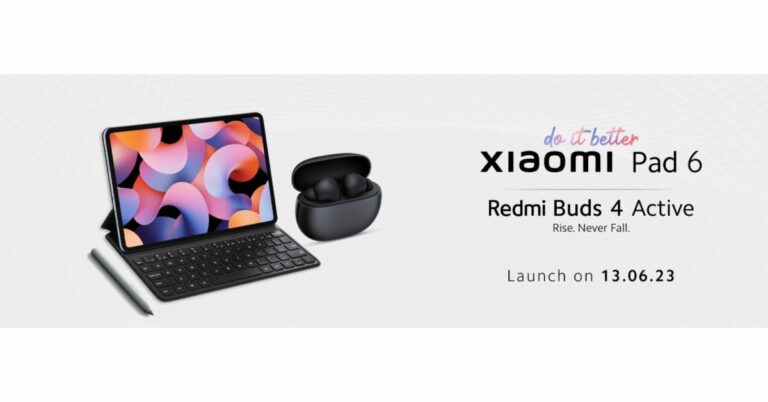




 Step 3: Long press the Pound/Dollar key to reveal other currencies.
 Step 3: Long press the Pound/Dollar key to reveal other currencies.
 Step 4: Glide your finger towards the Peso sign, then release it.
 Step 5: The Peso sign will appear on the text box.
 Step 2: Tap on Keyboard and select Keyboards.
 Step 3: Tap on ‘Add new keyboard’ and select ‘Filipino’.

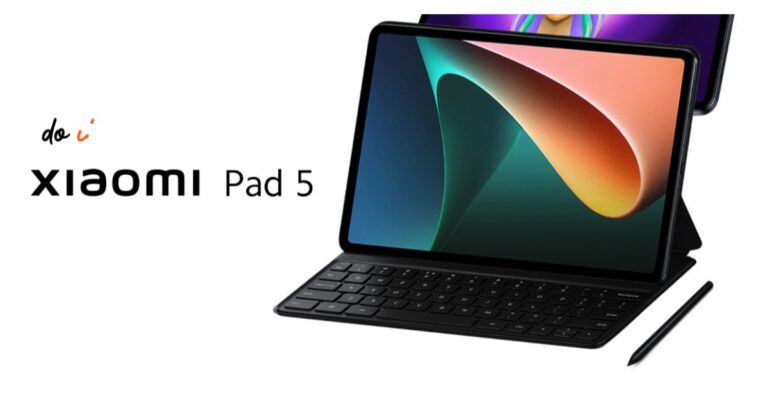

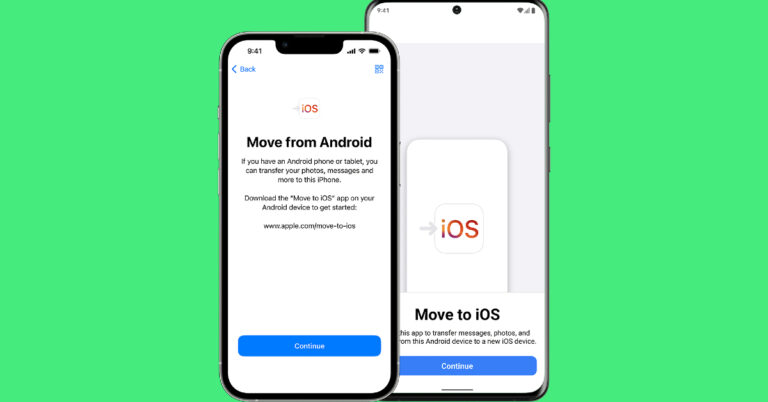
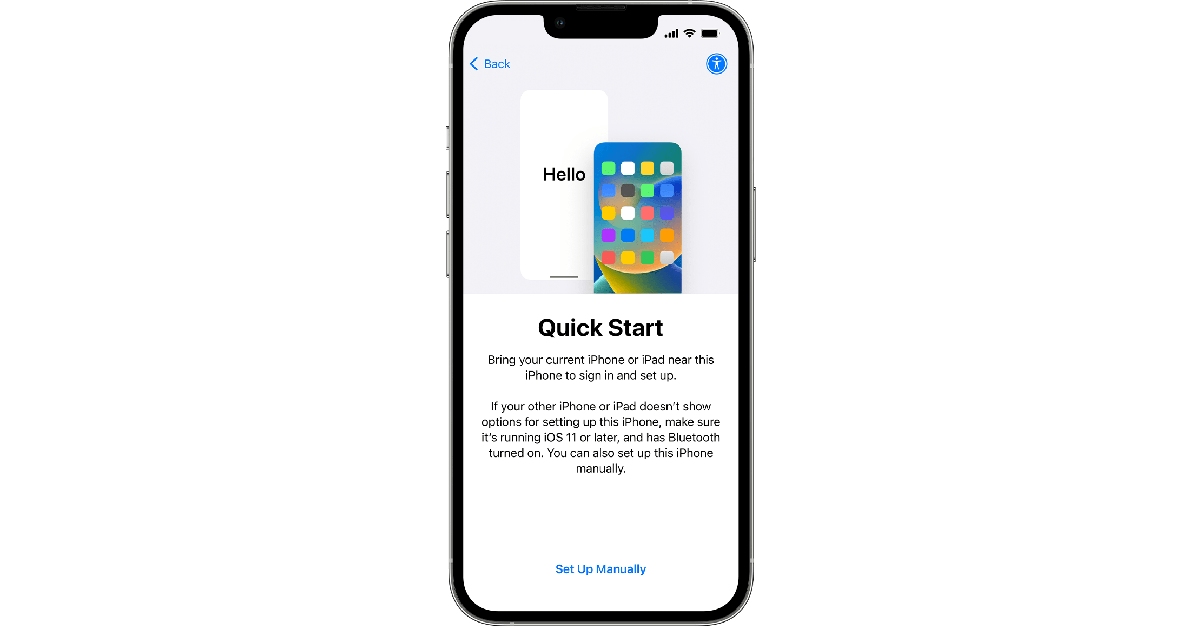 Step 2: Select ‘Move Data from Android’.
 Step 3: Launch the ‘Move to iOS’ app on your Android smartphone.
Step 4: Tap ‘Continue’ on your iPhone. After a few seconds, your iPhone will display a code.
Step 5: Enter the code on your Android smartphone.
Step 3: Launch the ‘Move to iOS’ app on your Android smartphone.
Step 4: Tap ‘Continue’ on your iPhone. After a few seconds, your iPhone will display a code.
Step 5: Enter the code on your Android smartphone.
 Step 6: Your iPhone will now create a temporary WiFi network using its hotspot. Join this network on your Android device.
Step 7: Choose the content you want to transfer. This includes your contacts, messages, photos and videos, files, settings, WhatsApp messages, calendar entries, bookmarks, and more. Do not disturb the transfer process until it finishes on your iPhone.
Step 8: After the content has been transferred, tap ‘Finish’ on your Android smartphone and ‘Continue’ on your iPhone.
Step 9: Follow the on-screen instructions to finish the process on your iPhone.
Step 6: Your iPhone will now create a temporary WiFi network using its hotspot. Join this network on your Android device.
Step 7: Choose the content you want to transfer. This includes your contacts, messages, photos and videos, files, settings, WhatsApp messages, calendar entries, bookmarks, and more. Do not disturb the transfer process until it finishes on your iPhone.
Step 8: After the content has been transferred, tap ‘Finish’ on your Android smartphone and ‘Continue’ on your iPhone.
Step 9: Follow the on-screen instructions to finish the process on your iPhone.
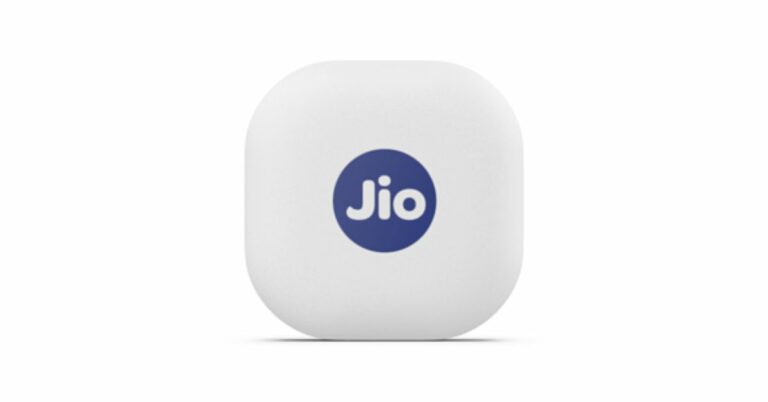


 The device is powered by a replaceable CR2032 and features Bluetooth 5.1. The Jio tag measures 3.82×3.82×0.72 cm and weighs 9.5 grams. If offers up to 1 year of battery life and has a range of up to 20 meters indoors and up to 50 meters outdoors (Direct line of sight)
For the latest gadget and tech news, and gadget reviews, follow us on Twitter, Facebook and Instagram. For newest tech & gadget videos subscribe to our YouTube Channel. You can also stay up to date using the Gadget Bridge Android App. You can find the latest car and bike news here.
The device is powered by a replaceable CR2032 and features Bluetooth 5.1. The Jio tag measures 3.82×3.82×0.72 cm and weighs 9.5 grams. If offers up to 1 year of battery life and has a range of up to 20 meters indoors and up to 50 meters outdoors (Direct line of sight)
For the latest gadget and tech news, and gadget reviews, follow us on Twitter, Facebook and Instagram. For newest tech & gadget videos subscribe to our YouTube Channel. You can also stay up to date using the Gadget Bridge Android App. You can find the latest car and bike news here. 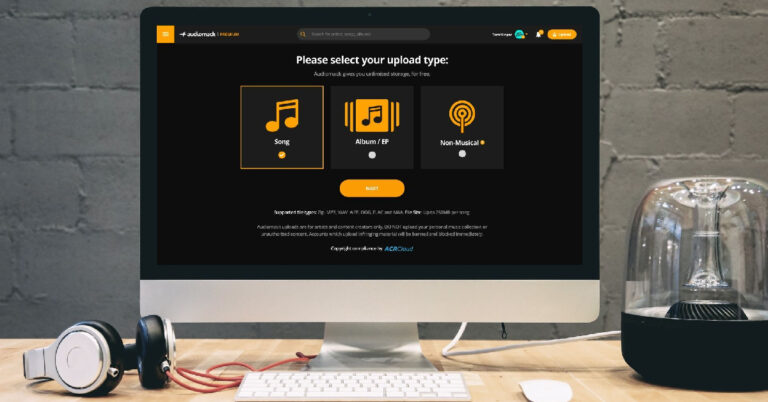
 Step 4: Tap the plus icon to upload an audio file. Audiomack supports uploads in the following formats: MP3, WAV, AIFF, OGG, FLAC, and M4A. The size limit for one audio file is 250MB.
 Step 5: Fill out all the track details once the song is uploaded. You can also select an artwork for the song/album/EP.
 Step 6: You can choose to release the song immediately or schedule it for later. If you want to go for the latter option, select Schedule/Premiere Access and set the release date and time.
 Step 7: Hit ‘Finish’.
 Step 2: Select the upload type and hit ‘Next’.
 Step 3: Select the song file from your desktop. You can also drag and drop the file on the upload screen.
 Step 4: Enter the metadata for the song. This includes the song title, artist name, feature list, genre, producers, and more.
 Step 5: Choose the release date or publish the song immediately. Hit ‘Finish’ once you’re done.

 Step 3: Tap on the gear icon.
 Step 4: Select ‘Upload’.
 Step 5: Select an upload type and hit ‘Next’.
 Step 6: Select the song you want to upload from your device’s internal storage.
 Step 7: Enter the metadata for the song.
 Step 8: Set a release date or select ‘publish immediately’.
Step 9: Hit ‘Finish’.
Step 8: Set a release date or select ‘publish immediately’.
Step 9: Hit ‘Finish’.
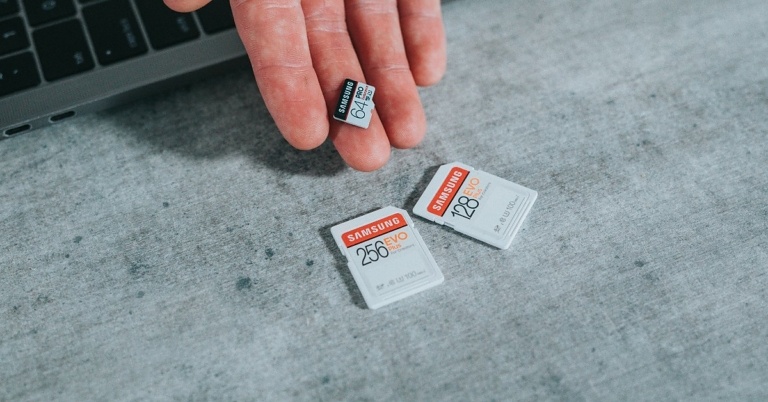
 Earlier, smartphones used to have a dedicated slot for micro SD cards. Hybrid SIM card slots were introduced more recently, allowing users to place their SIM cards and micro SD card on a single tray. This may be a neat idea, but it may leave some people confused. If your Android smartphone cannot recognise the SD card, pull out the hybrid SIM tray and inspect the positioning of the SIM and SD card. Look for the appropriate sign on the tray before inserting the SD card.
 If the memory card has been lying around on a shelf or in a drawer, make sure you give it a quick wipe before inserting it into your phone. Dust and dirt particles can keep the SD card from functioning properly. Your smartphone may not be able to detect the card. On the flip side, make sure the SD card tray is clean as well. Pull the tray out and blow some air on it to release the dust particles. Give it a quick wipe and you’re good to go.
 Maybe the problem lies with your phone’s SD card slot and not the card itself. The only way of knowing for sure is by using an external card reader. Plug the card reader into the USB Type-C port of your device. Push the card into the external reader and see if you can access its contents on your phone. When you use the card reader, your micro SD card will show up as drive storage on your phone.
 If your phone’s OS cannot detect the micro SD due to some bug or other issue, it will be resolved with a quick update. Go to Settings>Software Update to look for pending updates. If there is an available update, download and install it on your device.
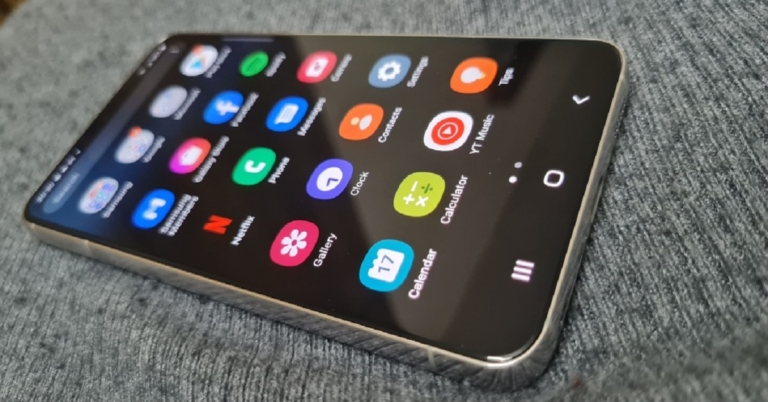


 Casino video cameras have specialized integrated software for facial recognition, one of the most powerful tools in any establishment’s security arsenal. This surveillance tech scans the face of anyone that enters the casino and compares them to a database of criminals and potential threats. This allows security personnel to remove such troublemakers before they can cause any disturbances.
Fingerprint recognition also strengthens the effectiveness of casino biometric security measures. Many establishments use sophisticated vaults and safes to store mountains of cash on-site. They are equipped with biometric scanners that grant access to authorized parties only.
Keeping money safe is only half the battle. Casinos are also responsible for the security of patrons once they retire to their accommodations. For this reason, rooms are usually fitted with smart locks and access control systems that often use fingerprint, keycard, and player club card sensors to unlock.
Casino video cameras have specialized integrated software for facial recognition, one of the most powerful tools in any establishment’s security arsenal. This surveillance tech scans the face of anyone that enters the casino and compares them to a database of criminals and potential threats. This allows security personnel to remove such troublemakers before they can cause any disturbances.
Fingerprint recognition also strengthens the effectiveness of casino biometric security measures. Many establishments use sophisticated vaults and safes to store mountains of cash on-site. They are equipped with biometric scanners that grant access to authorized parties only.
Keeping money safe is only half the battle. Casinos are also responsible for the security of patrons once they retire to their accommodations. For this reason, rooms are usually fitted with smart locks and access control systems that often use fingerprint, keycard, and player club card sensors to unlock.


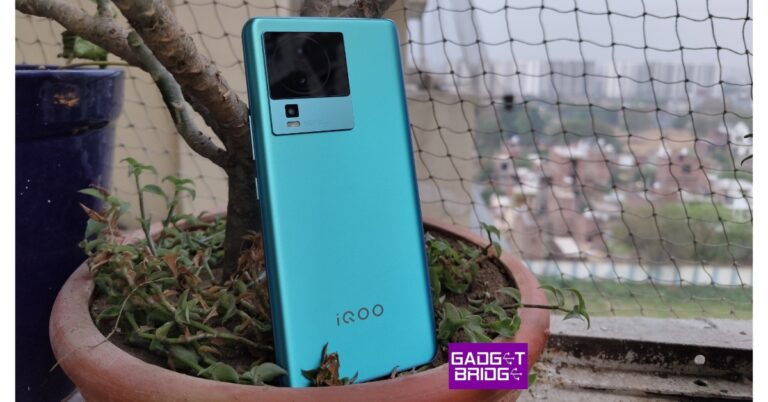



 Step 2: Select ‘Manage your Google Account’.
 Step 3: Switch to the Security tab and select Passkeys.
 Step 4: Enter your password to confirm your identity.
 Step 5: Tap on ‘Use Passkeys’.
 Step 6: Select ‘Done’ in the following window.
You will now be able to sign in to your Google Account by using the fingerprint scanner, face recognition, or screen lock pattern/PIN/password on your phone.
Step 6: Select ‘Done’ in the following window.
You will now be able to sign in to your Google Account by using the fingerprint scanner, face recognition, or screen lock pattern/PIN/password on your phone.
 Step 4: Choose your smartphone from the list.
 Step 5: You will receive a notification on your smartphone. Make sure your smartphone is close to the device you are using to log into your Google Account.
Step 6: Tap on the notification and use the fingerprint scanner, face recognition, screen lock/pattern/PIN/password to log in.
Step 5: You will receive a notification on your smartphone. Make sure your smartphone is close to the device you are using to log into your Google Account.
Step 6: Tap on the notification and use the fingerprint scanner, face recognition, screen lock/pattern/PIN/password to log in.
 Step 3: Press the downward arrow key next to your name.
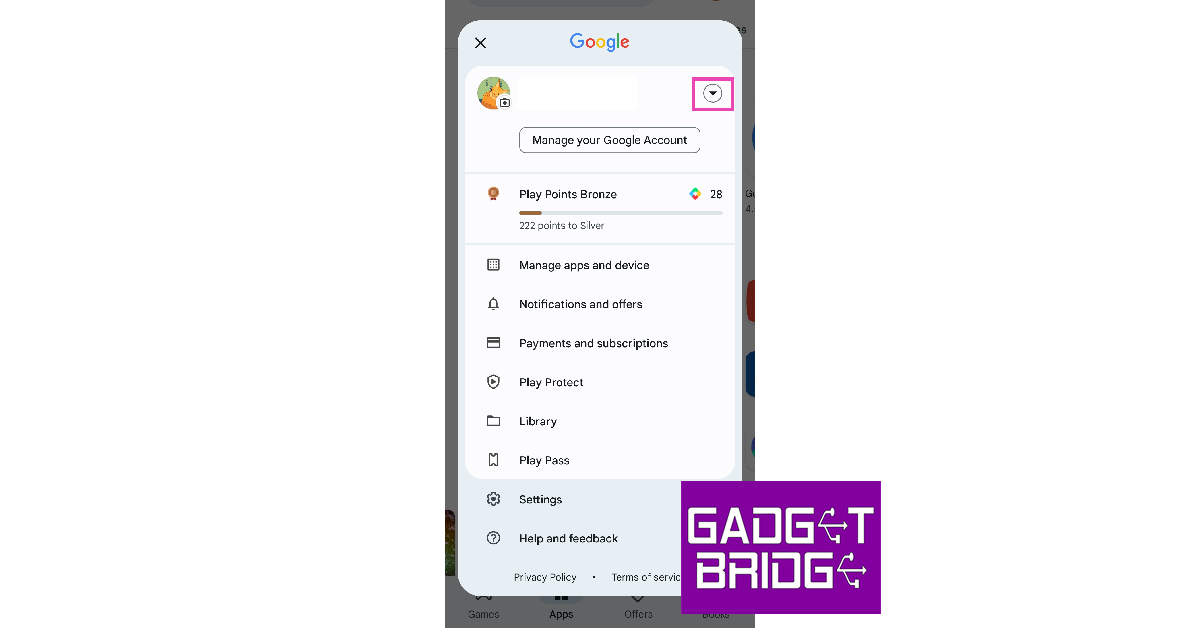 Step 4: Select ‘Manage accounts on this device’.
 Step 5: Tap on the account you want to remove.
 Step 6: Select ‘Remove account’.
 Step 7: Confirm your selection in the popup box.
You will be signed out of Google Play Store and your account will be removed from your Android device.
Step 7: Confirm your selection in the popup box.
You will be signed out of Google Play Store and your account will be removed from your Android device.
 Step 2: Tap on Google Play Store.
 Step 3: Select Storage.
 Step 4: Tap on ‘Clear Data’.
 Your account will be removed from Google Play Store.
 Step 2: Tap on ‘Manage Accounts’.
 Step 3: Select the account you want to remove.
 Step 3: Select ‘Sign Out’.

 If you lost your phone and don’t want anyone to access your account data, Google’s Find My Device service gives you the option to lock your device and sign out of your Google Account. You can also choose to erase all personal data from your device. To simply log out of Google Play Store, click on ‘Secure Device’ on the left panel.
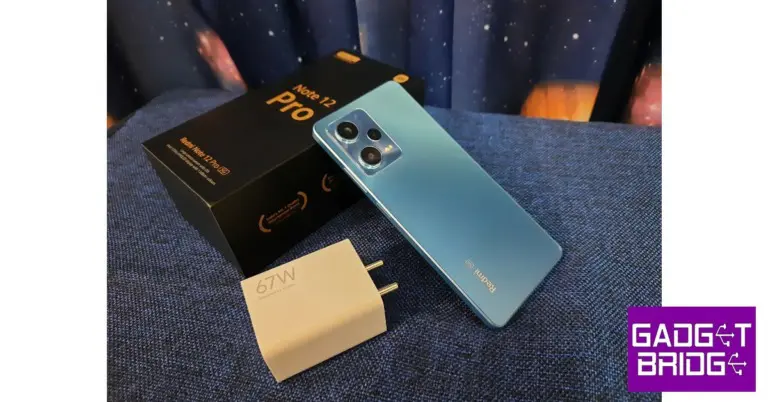
 Key Specs
 Key Specs
 Key Specs
 Key Specs
 Key Specs
 Key Specs
 Key Specs
 Key Specs
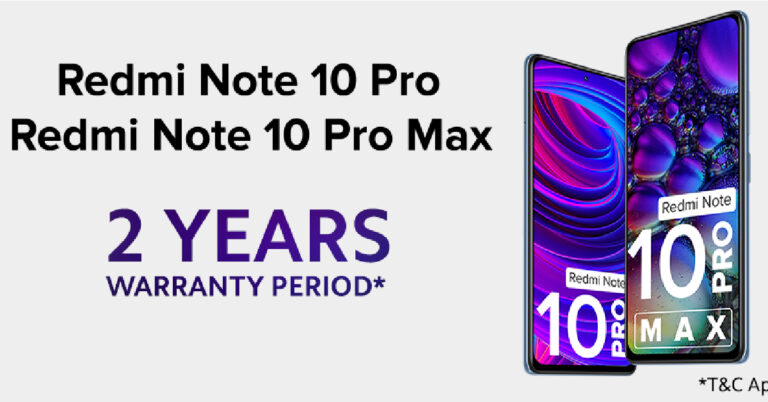
 The company also acknowledged the motherboard-related issues that some Xiaomi users were facing with their devices. In a bid to improve user experience, Xiaomi India announced an extended 2-year warranty for Redmi Note 10 Pro and Pro Max users from the date of purchase. This warranty extension covers any issues related to the motherboard of the two devices.
Read Also: Samsung Bespoke Jet AI cordless stick vacuum launched in India
Xiaomi India also announced a free upgrade to Xiaomi 12 Pro for Mi 11 Ultra users who are facing WiFi connectivity issues on their devices. The smartphone manufacturer is also offering an upgrade to the new flagship Xiaomi 13 Pro at the price of Rs 30,000. Previously, some users had upgraded to the Xiaomi 12 Pro after paying an incremental amount. Xiaomi will refund the amount back to these users. This move is the first of its kind by any major smartphone manufacturer in the country. Xiaomi seeks to maintain its trust among consumers and bring positivity to the users encountering issues with their devices.
Xiaomi users can visit the company’s service stations across the country to gain assistance and support for any issue covered by the extended warranty. Users can also write an email to grievance.officer@xiaomi.com for further queries.
For the latest gadget and tech news, and gadget reviews, follow us on Twitter, Facebook and Instagram. For newest tech & gadget videos subscribe to our YouTube Channel. You can also stay up to date using the Gadget Bridge Android App. You can find the latest car and bike news here.
The company also acknowledged the motherboard-related issues that some Xiaomi users were facing with their devices. In a bid to improve user experience, Xiaomi India announced an extended 2-year warranty for Redmi Note 10 Pro and Pro Max users from the date of purchase. This warranty extension covers any issues related to the motherboard of the two devices.
Read Also: Samsung Bespoke Jet AI cordless stick vacuum launched in India
Xiaomi India also announced a free upgrade to Xiaomi 12 Pro for Mi 11 Ultra users who are facing WiFi connectivity issues on their devices. The smartphone manufacturer is also offering an upgrade to the new flagship Xiaomi 13 Pro at the price of Rs 30,000. Previously, some users had upgraded to the Xiaomi 12 Pro after paying an incremental amount. Xiaomi will refund the amount back to these users. This move is the first of its kind by any major smartphone manufacturer in the country. Xiaomi seeks to maintain its trust among consumers and bring positivity to the users encountering issues with their devices.
Xiaomi users can visit the company’s service stations across the country to gain assistance and support for any issue covered by the extended warranty. Users can also write an email to grievance.officer@xiaomi.com for further queries.
For the latest gadget and tech news, and gadget reviews, follow us on Twitter, Facebook and Instagram. For newest tech & gadget videos subscribe to our YouTube Channel. You can also stay up to date using the Gadget Bridge Android App. You can find the latest car and bike news here. 
 Step 3: Once the extension has been added, click on it and turn on its toggle switch.
Step 4: Launch the Chromebook Recovery Utility extension.
Step 5: Click on Get Started and select your device’s model in the following window.
Step 3: Once the extension has been added, click on it and turn on its toggle switch.
Step 4: Launch the Chromebook Recovery Utility extension.
Step 5: Click on Get Started and select your device’s model in the following window.
 Step 6: Click on ‘Select a manufacturer’ and select Google ChromeOS Flex.
Step 7: Click on ‘Select a product’ and select ChromeOS Flex.
Step 6: Click on ‘Select a manufacturer’ and select Google ChromeOS Flex.
Step 7: Click on ‘Select a product’ and select ChromeOS Flex.
 Step 8: Hit ‘Continue’ and insert the USB drive.
Step 9: Select the USB drive from the dropdown menu.
Step 10: Click on ‘Continue’ and select ‘Create Now’.
Once the image has been created, safely remove your USB drive.
Step 8: Hit ‘Continue’ and insert the USB drive.
Step 9: Select the USB drive from the dropdown menu.
Step 10: Click on ‘Continue’ and select ‘Create Now’.
Once the image has been created, safely remove your USB drive.
 Step 1: Turn off your device and insert the USB drive with ChromeOS Flex on it.
Step 2: Launch your device and keep pressing the boot key repeatedly. Perform a quick Google search beforehand to find out the boot key of your device.
Step 3: Select your USB as the boot device.
Step 4: On the ‘Welcome to CloudReady 2.0’ screen, click on ‘Get Started’.
Step 5: You can choose to try out ChromeOS Flex before installing it on your device. Click on ‘Try it first’ to see how the OS works on your device.
Step 6: If you’re satisfied with the performance and want to install ChromOS Flex on your device, you will need to sign out first. You can do so from the Quick Settings Menu.
Step 7: Now, click on ‘Install CloudReady’.
Step 8: Installing CloudReady will wipe all your personal data from the device. Click on ‘Install CloudReady 2.0’ in the following screen to confirm your selection.
Step 9: Wait for the installation to end. Once it is complete, your device will automatically turn off. Remove the USB device and press the power key to start your device.
Step 1: Turn off your device and insert the USB drive with ChromeOS Flex on it.
Step 2: Launch your device and keep pressing the boot key repeatedly. Perform a quick Google search beforehand to find out the boot key of your device.
Step 3: Select your USB as the boot device.
Step 4: On the ‘Welcome to CloudReady 2.0’ screen, click on ‘Get Started’.
Step 5: You can choose to try out ChromeOS Flex before installing it on your device. Click on ‘Try it first’ to see how the OS works on your device.
Step 6: If you’re satisfied with the performance and want to install ChromOS Flex on your device, you will need to sign out first. You can do so from the Quick Settings Menu.
Step 7: Now, click on ‘Install CloudReady’.
Step 8: Installing CloudReady will wipe all your personal data from the device. Click on ‘Install CloudReady 2.0’ in the following screen to confirm your selection.
Step 9: Wait for the installation to end. Once it is complete, your device will automatically turn off. Remove the USB device and press the power key to start your device.
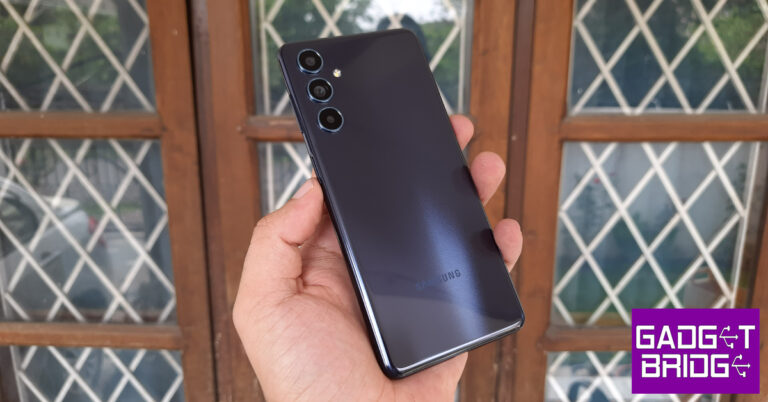
 The right edge of the frame houses the volume rocker and the power key. This power key also doubles as a fingerprint scanner. On the bottom edge, you will find the microphone, a USB Type-C port, and the speaker grille. The hybrid SIM slot has been placed on the left edge of the smartphone and a secondary microphone has been mounted up top. Samsung Galaxy F54 does not have stereo speakers.
 The 6.7-inch Super AMOLED display is surrounded by slim bezels on all sides. The punch hole cutout for the selfie camera is slightly larger than what we are typically used to, but it is an improvement over the waterdrop notch any day. The Super AMOLED display has a refresh rate of 120Hz. It is extremely fluid to use and the touch response is absolutely stellar. Samsung rarely ever misses when it comes to displays.
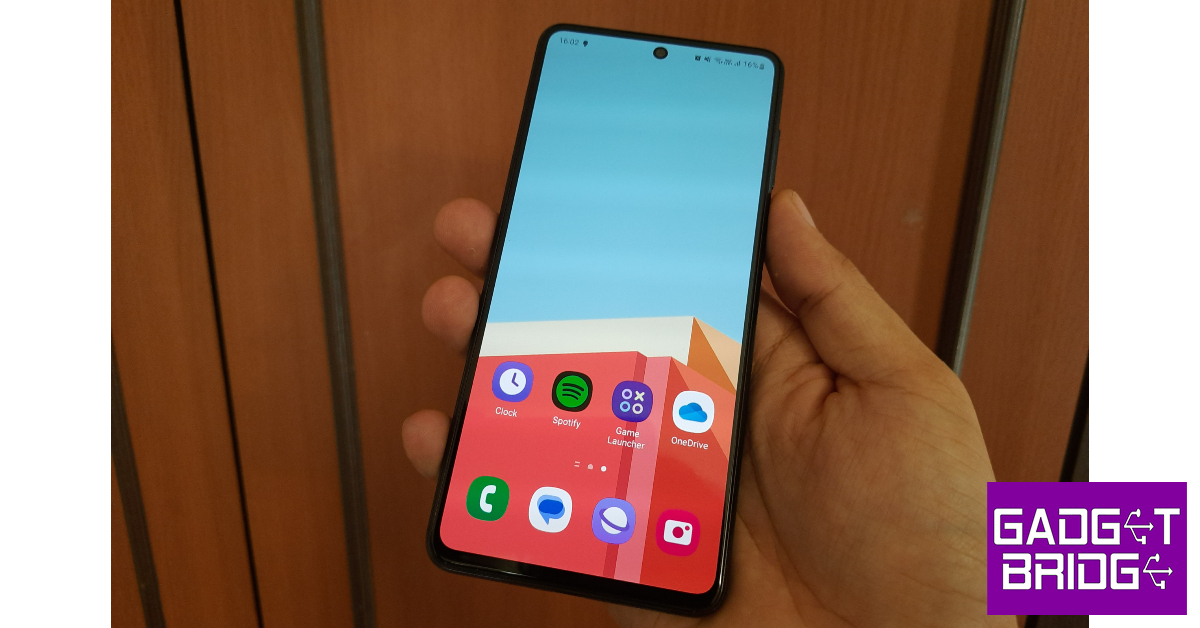 Watching content on the Samsung Galaxy F54 was an enjoyable experience. The 1080 x 2400p display provides HDR support for apps like Netflix and YouTube. The image quality is sharp and the punchy colours bring the videos to life. We were satisfied with the viewing angles on offer. The lack of a stereo speaker does hurt a bit, especially at this price point. The Galaxy F54 does not get an IP rating either.
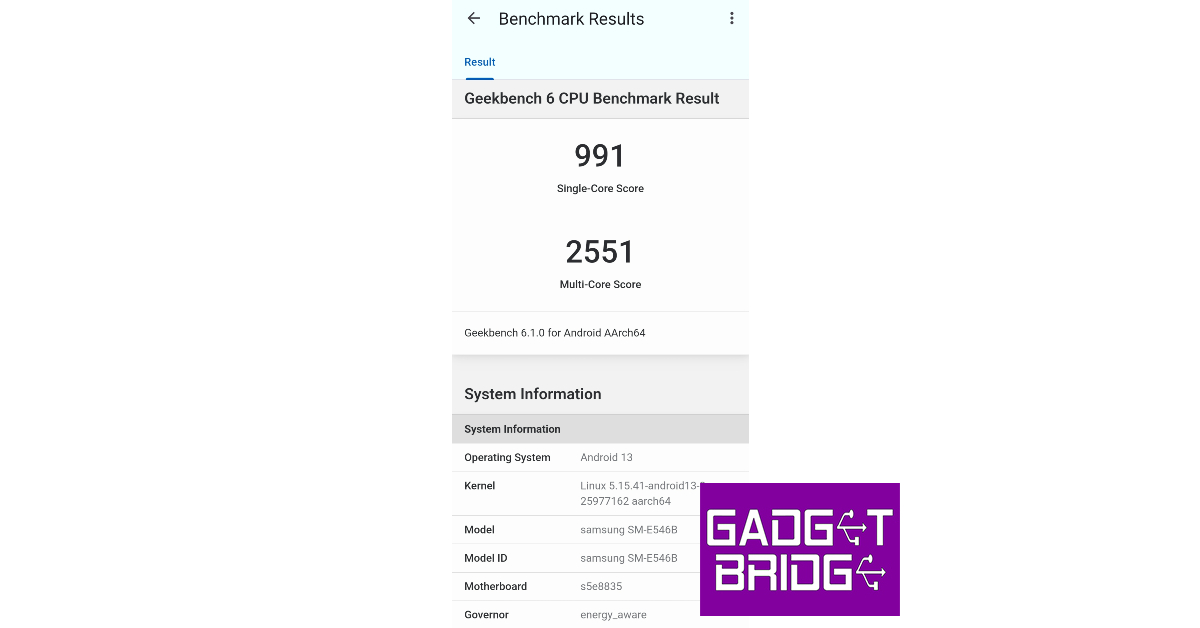 Benchmarks don’t tell the full story. What really matters is how the smartphone handles routine tasks and how far you can push its performance. In our daily usage, the Galaxy F54 delivered a decent performance. Shooting the odd mail, browsing social media, streaming movies, and other ordinary tasks presented no issues. The smartphone tends to warm up a little when it’s used outdoors, but we didn’t face any extreme overheating.
On the gaming front, the Samsung Galaxy F54 fails to leave a mark. We can cut it some slack since it is not a gaming phone nor marketed as such. While playing Call of Duty Mobile, we encountered frequent frame drops. Sometimes, the phone created a weird buzzing noise at the start of every round. We also faced some connection issues while gaming, although such instances were very rare. All these issues aside, the smartphone did not heat up a lot even during extended gaming sessions. If you’re only casually interested in gaming, the F54 is still a good choice.
Benchmarks don’t tell the full story. What really matters is how the smartphone handles routine tasks and how far you can push its performance. In our daily usage, the Galaxy F54 delivered a decent performance. Shooting the odd mail, browsing social media, streaming movies, and other ordinary tasks presented no issues. The smartphone tends to warm up a little when it’s used outdoors, but we didn’t face any extreme overheating.
On the gaming front, the Samsung Galaxy F54 fails to leave a mark. We can cut it some slack since it is not a gaming phone nor marketed as such. While playing Call of Duty Mobile, we encountered frequent frame drops. Sometimes, the phone created a weird buzzing noise at the start of every round. We also faced some connection issues while gaming, although such instances were very rare. All these issues aside, the smartphone did not heat up a lot even during extended gaming sessions. If you’re only casually interested in gaming, the F54 is still a good choice.
 While our gaming experience may have been lukewarm, the Samsung Galaxy F54 thoroughly impresses with its OS. The smartphone runs on Android 13 skinned with One UI 5.1. You get the full One UI experience on the F54 and not the limited ‘Core’ version. You will find features like Private Share, Maintenance Mode, and Secure Folder here. Still no Samsung DeX, as it is reserved for the flagship S and Z series. There is very little bloatware on the device, and you can choose to not install most of the apps while setting up the device.
 The Samsung Galaxy F54 is equipped with a massive 6,000 mAh battery. While many are quick to brand this a 2-day phone, the Galaxy F54 still lasts a day for heavy users. With a Screen On Time of 5 hours, we were left with a 20% charge by the end of the day. Our daily tasks included an hour of gaming, two hours of social media usage, taking calls, and sending messages on WhatsApp. Upon more moderate usage (but similar Screen On Time), we went to bed with a 40% charge still left on the device. The Galaxy F54 supports 25W charging and takes almost two hours to fully charge.
Samsung’s F series is all about impressive camera specs. The Samsung Galaxy F54 gets a 108MP primary shooter, an 8MP ultrawide lens, and a 2MP macro lens. Up front, you get a 32MP selfie camera. The 108MP can record 4K videos at 30fps but not at 60fps, due to the limitations posed by the Exynos 1380 SoC. The selfie camera can also shoot 4K videos at 30fps.
The Samsung Galaxy F54 is equipped with a massive 6,000 mAh battery. While many are quick to brand this a 2-day phone, the Galaxy F54 still lasts a day for heavy users. With a Screen On Time of 5 hours, we were left with a 20% charge by the end of the day. Our daily tasks included an hour of gaming, two hours of social media usage, taking calls, and sending messages on WhatsApp. Upon more moderate usage (but similar Screen On Time), we went to bed with a 40% charge still left on the device. The Galaxy F54 supports 25W charging and takes almost two hours to fully charge.
Samsung’s F series is all about impressive camera specs. The Samsung Galaxy F54 gets a 108MP primary shooter, an 8MP ultrawide lens, and a 2MP macro lens. Up front, you get a 32MP selfie camera. The 108MP can record 4K videos at 30fps but not at 60fps, due to the limitations posed by the Exynos 1380 SoC. The selfie camera can also shoot 4K videos at 30fps.

 The main 108MP camera on the Galaxy F54 produces stellar results in daylight conditions. We were very impressed by the richness of the colours and the level of detail captured by the main sensor. The camera bins down to 12MP by default, but you can manually set it to 108MP for more detailed pictures. However, even with pixel binning, the results are fantastic. The camera exposes the subject very well and the image processing brings the best out of the images.

 The 8MP ultrawide lens delivers a great performance as well. We were expecting softer images with this sensor, but it managed to surprise us. The images did not compromise the colour profile and retained a good amount of detail. We found ourselves using the ultrawide sensor a lot more than we do on other smartphones.

 In limited lighting, the Samsung Galaxy F54 powered through and put out good results. We were happy with the way that the smartphone lit up the subject and processed the important details. There was still a fair bit of grain to be found on the images, but we didn’t mind it too much. The camera app on the smartphone has a bunch of cool features to play around with. The ‘Fun Mode’ offers all the new Snapchat filters on the native camera app itself. Upon further exploration, you will find the Hyperlapse feature that lets you record the motion of the stars. Of course, it will require putting your phone on a tripod throughout the night.

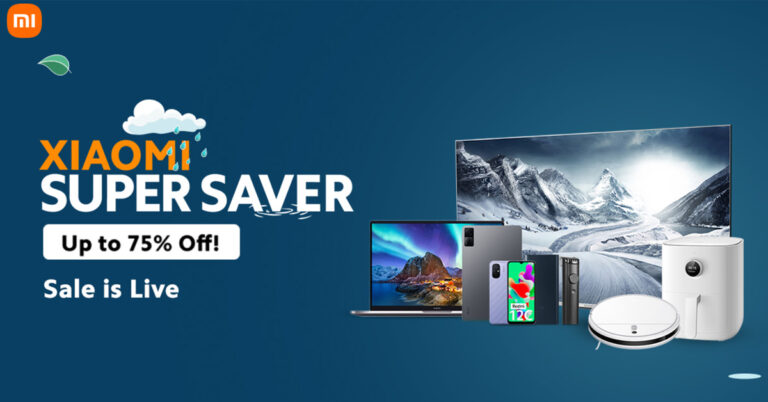
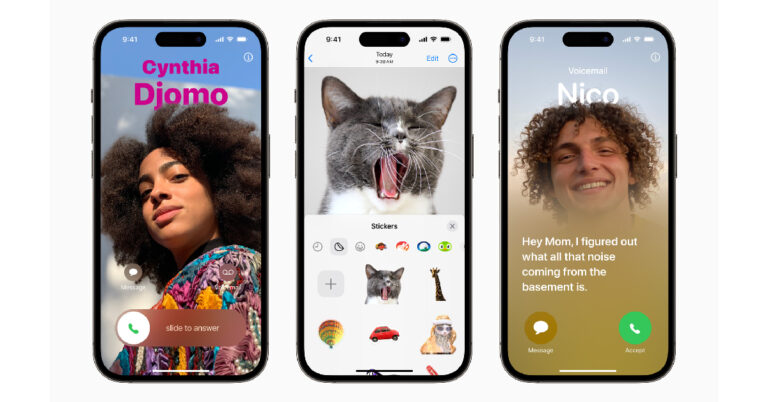
 One of the biggest updates on iOS 17, Contact Posters will pop up on your screen every time someone calls you. You can customise your own contact poster with a picture or memoji of yourself. You can even change the font and colour of the text as well as the background.
 Want to share a contact with another iPhone user? Simply bring your phone closer to the receiver’s iPhone and quickly send the contact. This can also be used to trigger SharePlay activities. AirDrop gets a small upgrade as well. If you move your iPhone away while sharing a file through AirDrop, it will continue to send over the internet.
 iOS 17 also brings a brand new app for iPhone users. The ‘Journal’ will allow you to document your day while presenting previous memories in the form of photos, text, and videos. Apple uses machine learning to come up with past memories. The app also prompts you to write text entries for the memories as well.
 Stand By will certainly be one of the most talked about features of the new iOS 17, mostly due to its charming aesthetic. Whenever you put your iPhone on a wireless charger in landscape mode, the Stand By mode kicks in. In this mode, your iPhone’s idle screen becomes a useful display that showcases the clock, weather, calendar, and other widgets. You can even customise the look of the onscreen widgets.
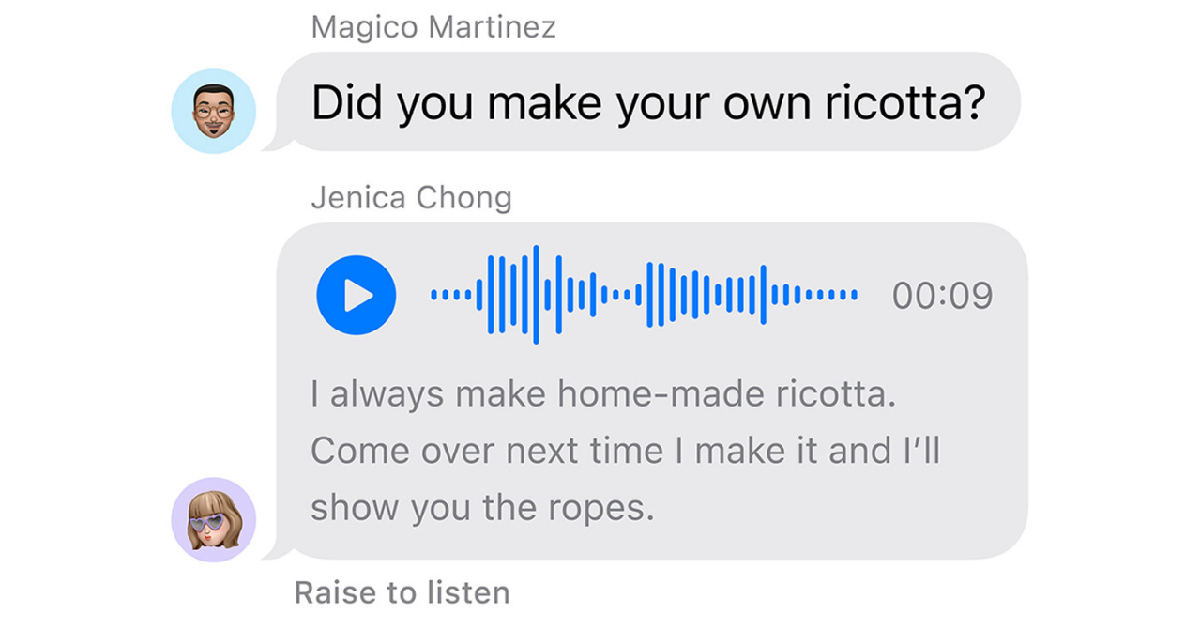 iMessage also gets a ‘Check In’ feature that lets you know when your friends have safely arrived at their destination. If the user doesn’t reach the destination on time, their iPhone will check in with them. Failure to respond to this check-in will relay the user’s location, battery, and cellular status to their selected friends.
 Facetime gets some interesting new features as well. Firstly, you can now send video voicemails to your contacts. Want to video call on a bigger screen? Apple TV now has FaceTime integration. You can use your iPhone as the camera and Apple TV as the larger display for your video calls. You can also use hand gestures to trigger certain animations on the screen during a call.
 Apple Maps will now offer offline access by letting you download a route along with the directions. If you run out of internet, you can still comfortably get to your destination. Apple is also linking with major hotel chains to bring AirPlay support to hotel rooms. AirTags get a helpful upgrade too. One AirTag can now be shared by multiple people.
Read Also: HP 45-inch curved display, vertical mouse and other accessories for professionals launched in India
Apple Maps will now offer offline access by letting you download a route along with the directions. If you run out of internet, you can still comfortably get to your destination. Apple is also linking with major hotel chains to bring AirPlay support to hotel rooms. AirTags get a helpful upgrade too. One AirTag can now be shared by multiple people.
Read Also: HP 45-inch curved display, vertical mouse and other accessories for professionals launched in India

 Marvel’s Spider-Man 2 has been meticulously crafted to leverage the full potential of the PlayStation 5, offering players enhanced visuals, faster web-swinging, 3D Audio, and near-instant character switching. Insomniac, in collaboration with PlayStation and Marvel Games, is eager for fans to immerse themselves in this extraordinary single-player open-world adventure.
 The box art for Marvel’s Spider-Man 2 presents Peter Parker and Miles Morales as central protagonists, set against a striking red backdrop that hints at the looming darkness surrounding them. Fans can anticipate thrilling encounters with beloved villains like Venom, Lizard, and Kraven, who pose a significant threat to both the heroes and Marvel’s New York. Additionally, the cover art showcases the characters’ new abilities: Peter with the symbiote and Miles with his evolved bioelectric Venom powers, promising an exhilarating gameplay experience.