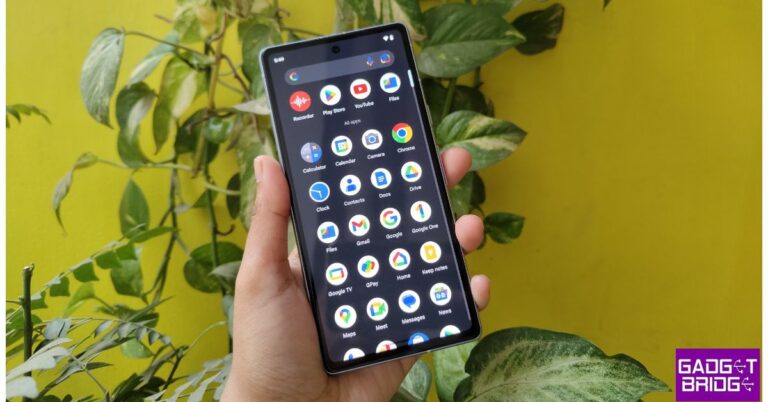
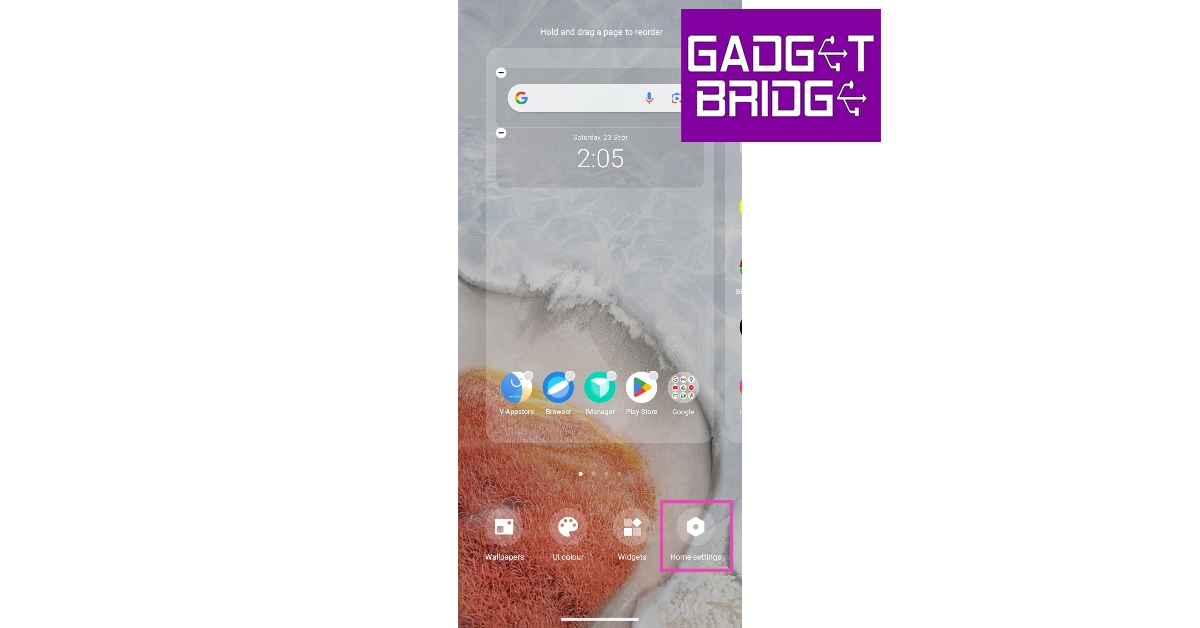
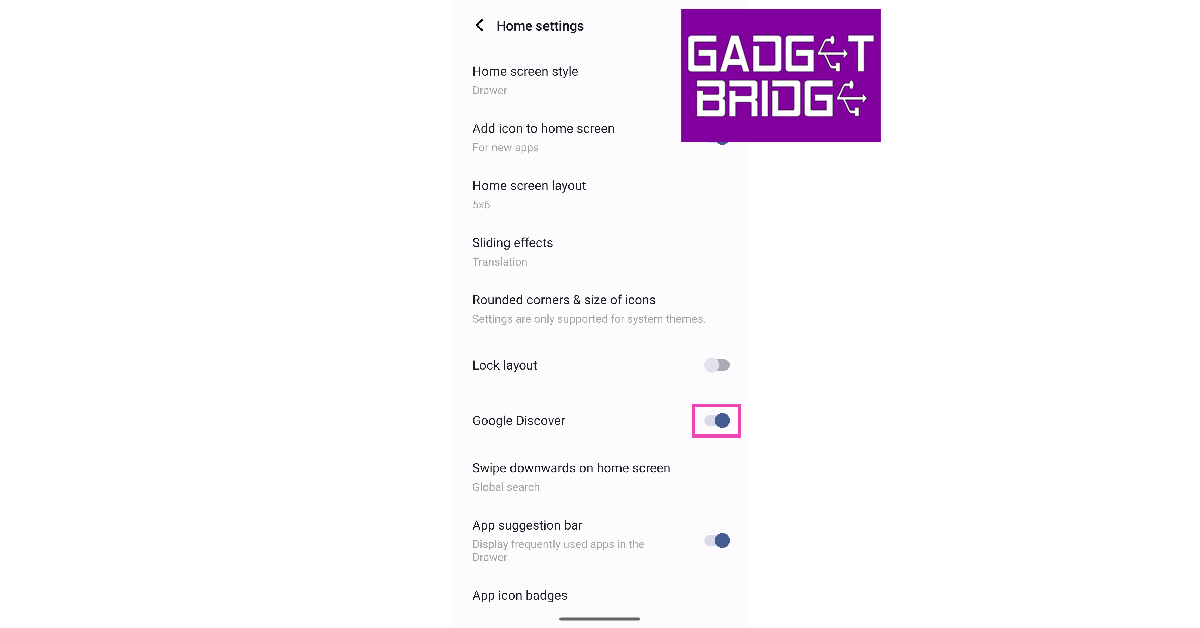
If you swipe to the leftmost panel of your Android phone’s home screen, you will see the Google Discover feed. This feed consists of articles, news, and videos, based solely on your likes and interests. However, some users prefer a clean home screen devoid of any ‘bloatware’ even if it is Google’s very own creation. In this article, we bring you the top 4 methods to turn off Google Discover on Android and iOS.
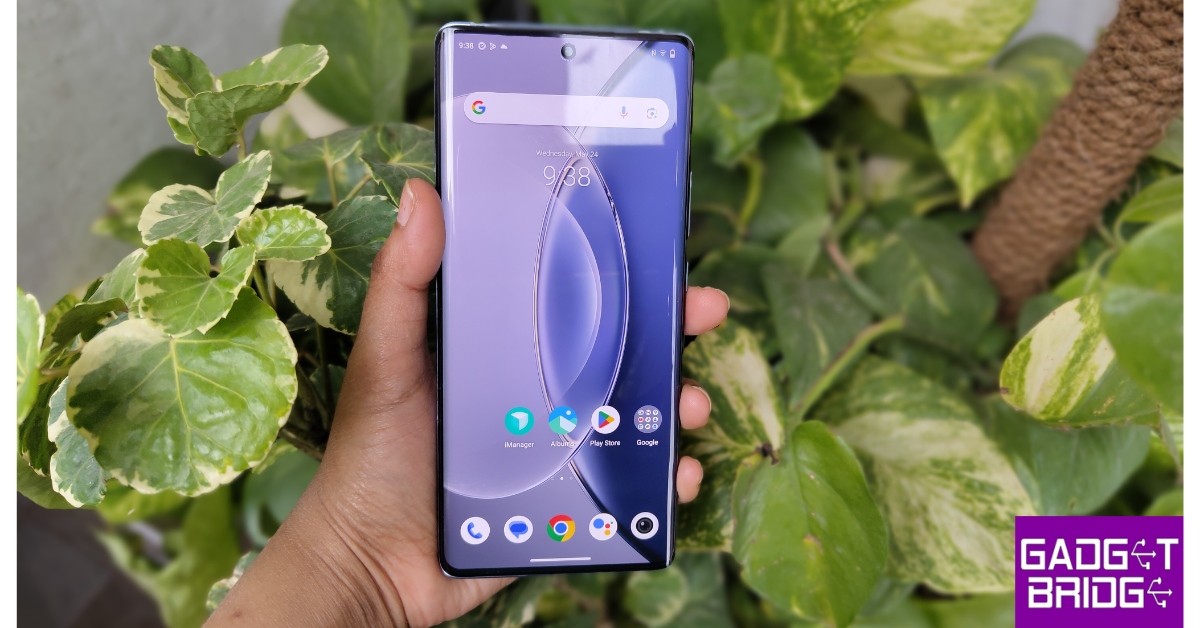
Google Discover is the leftmost page on your phone’s home screen. This page consists of news, articles, and videos that are specially curated for you by Google. You can also find the Discover feed on the Chrome app.
How do I disable the Discover page on my phone?
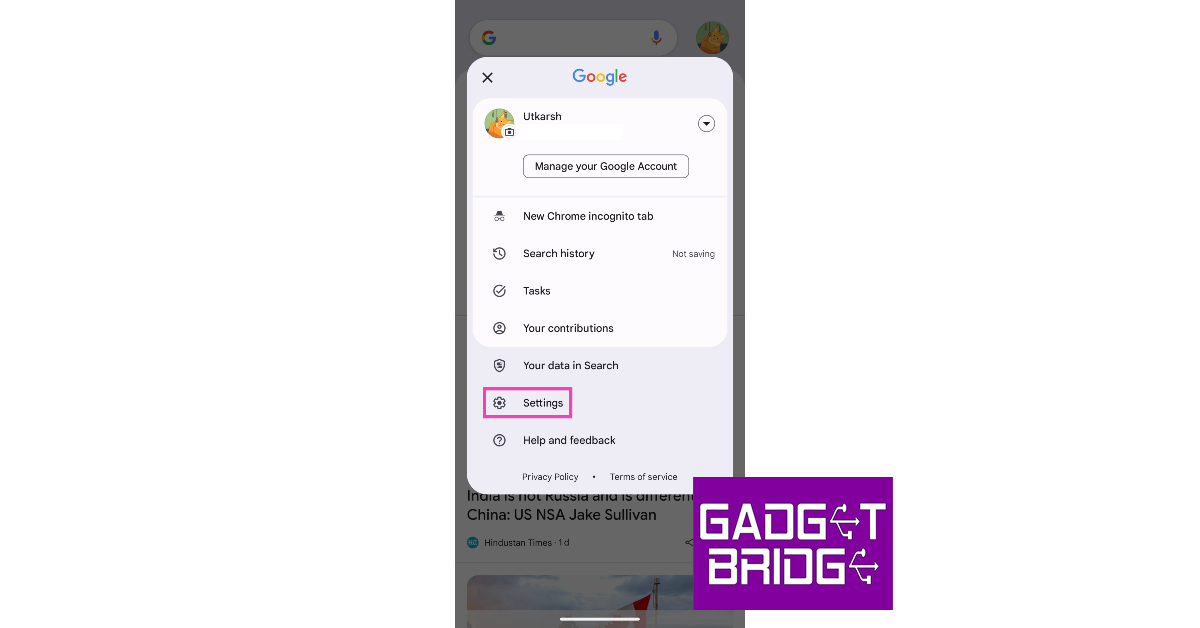
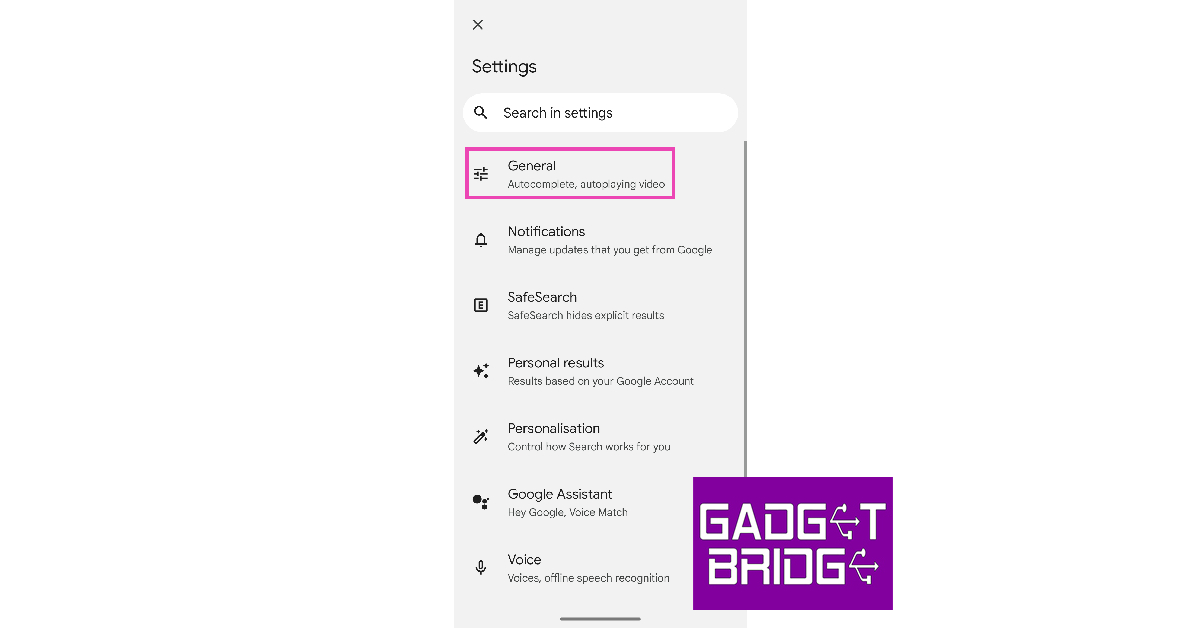
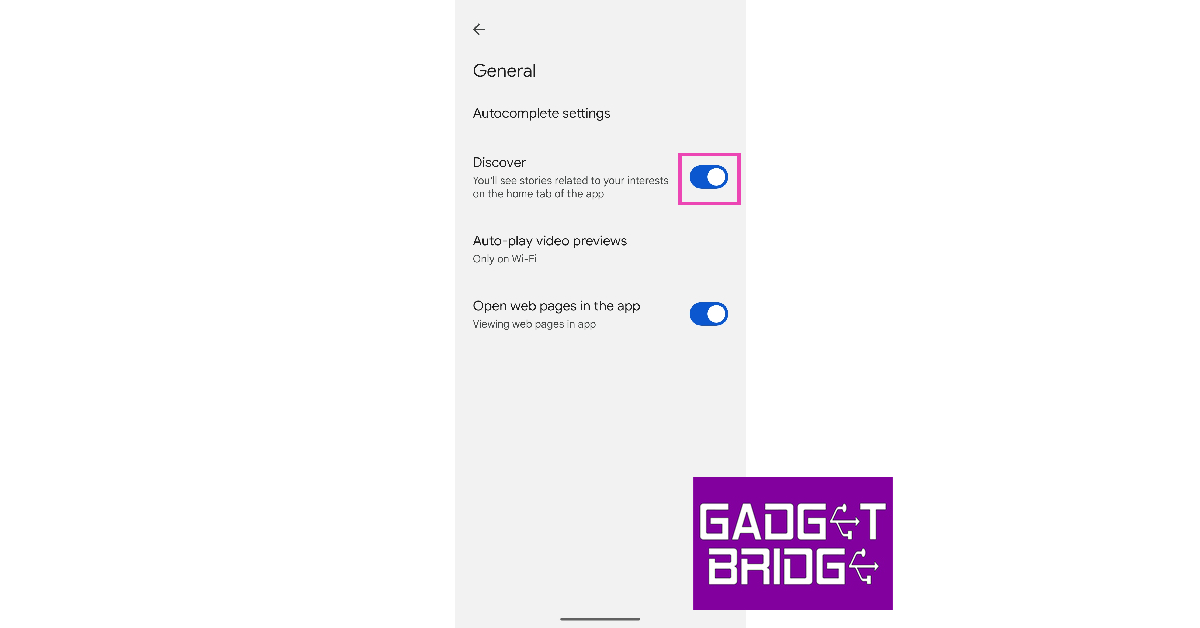
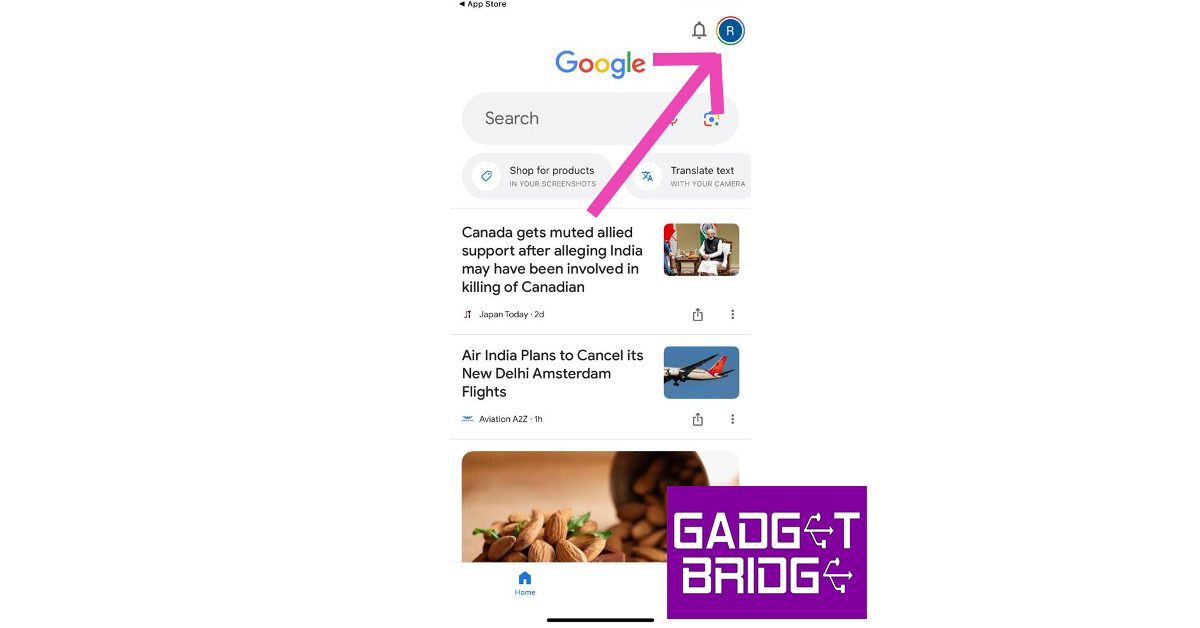
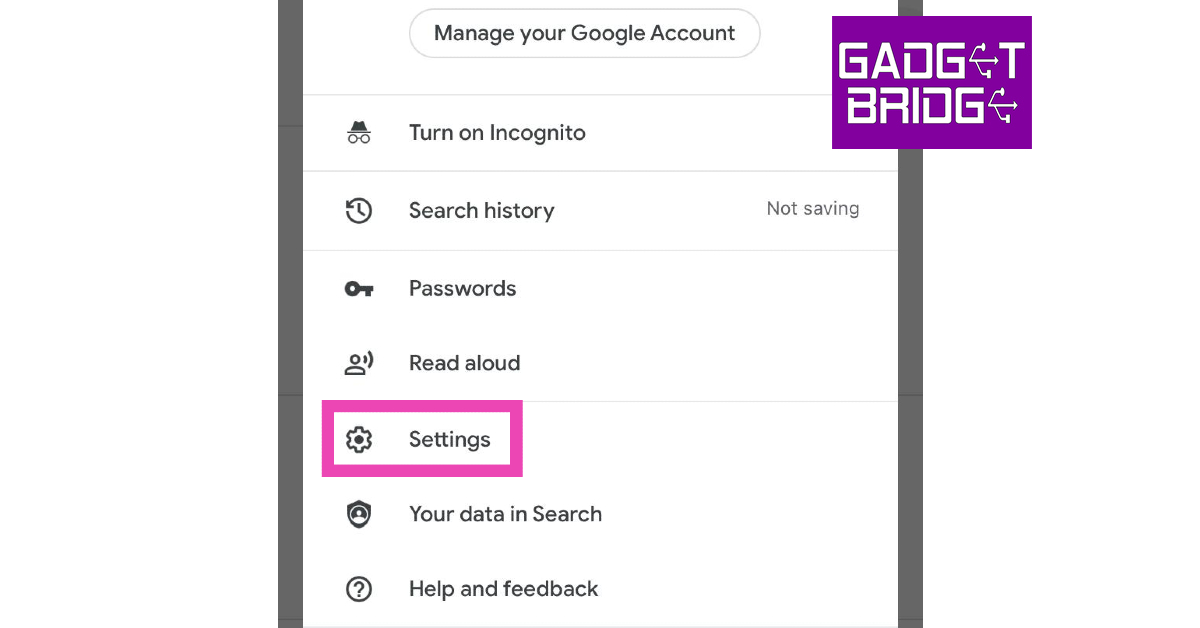
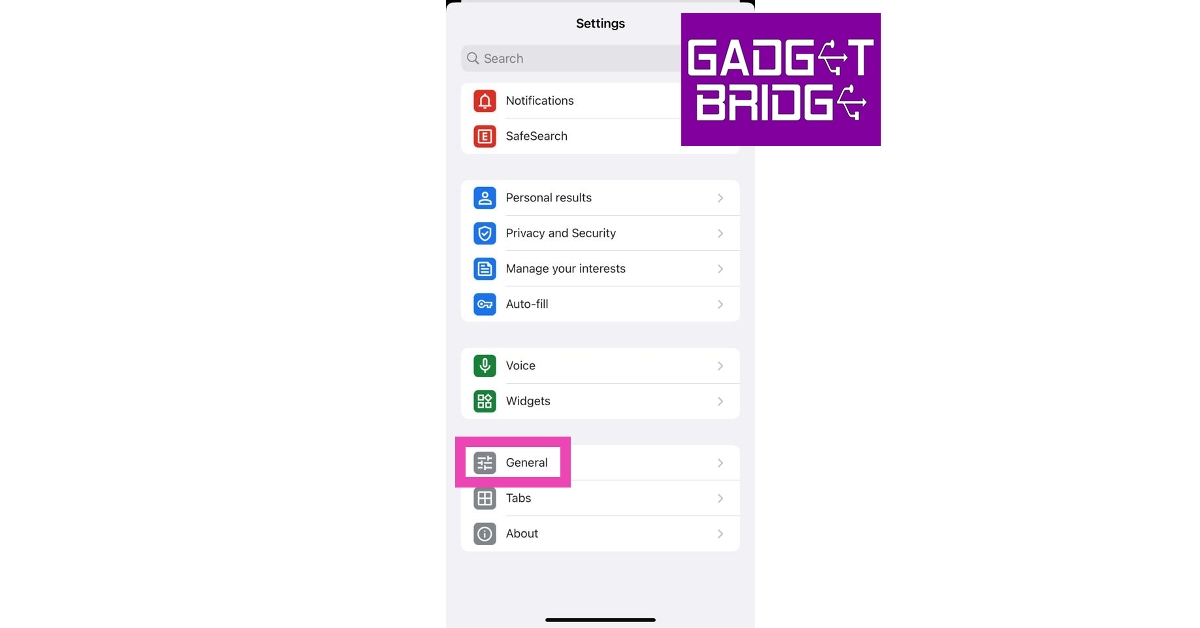
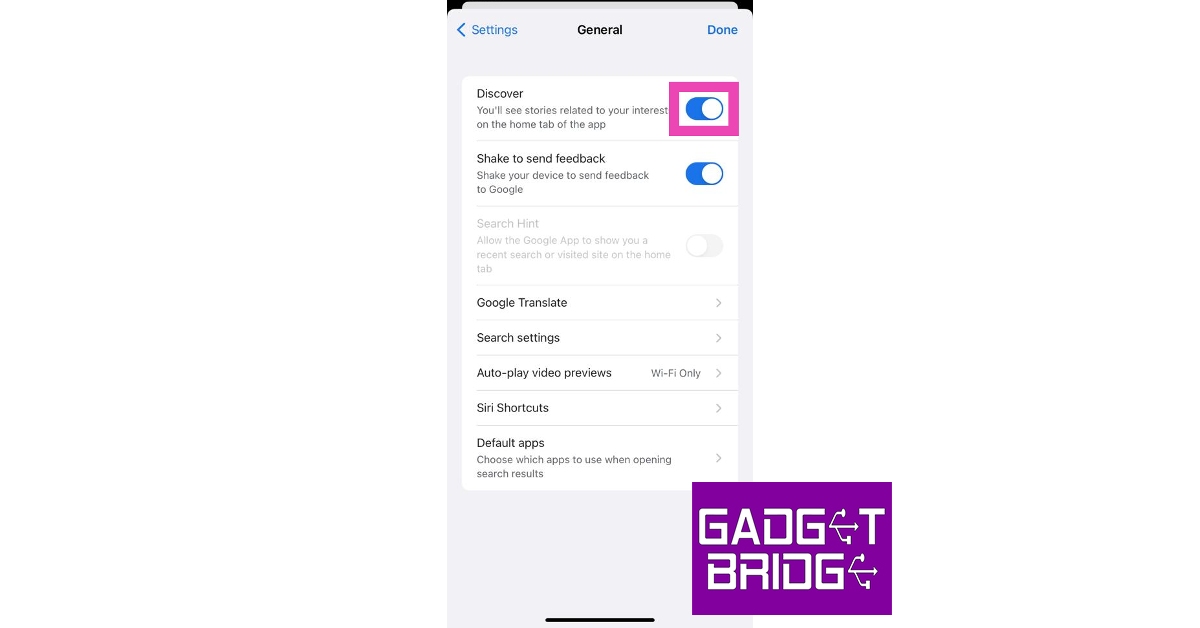
Go to the Google Discover page and tap on your profile picture at the top right corner of the screen. Hit Settings>General and turn off the toggle switch for Discover. iPhone users can carry out the same process on the Google app.
How do I disable Discover on Chrome?
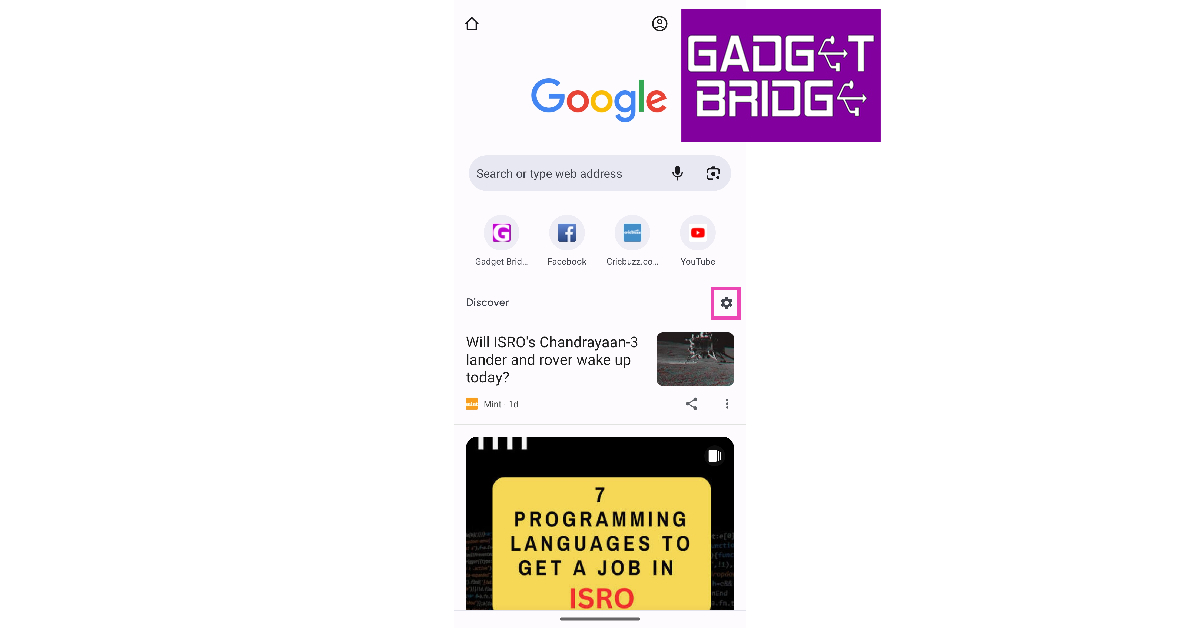
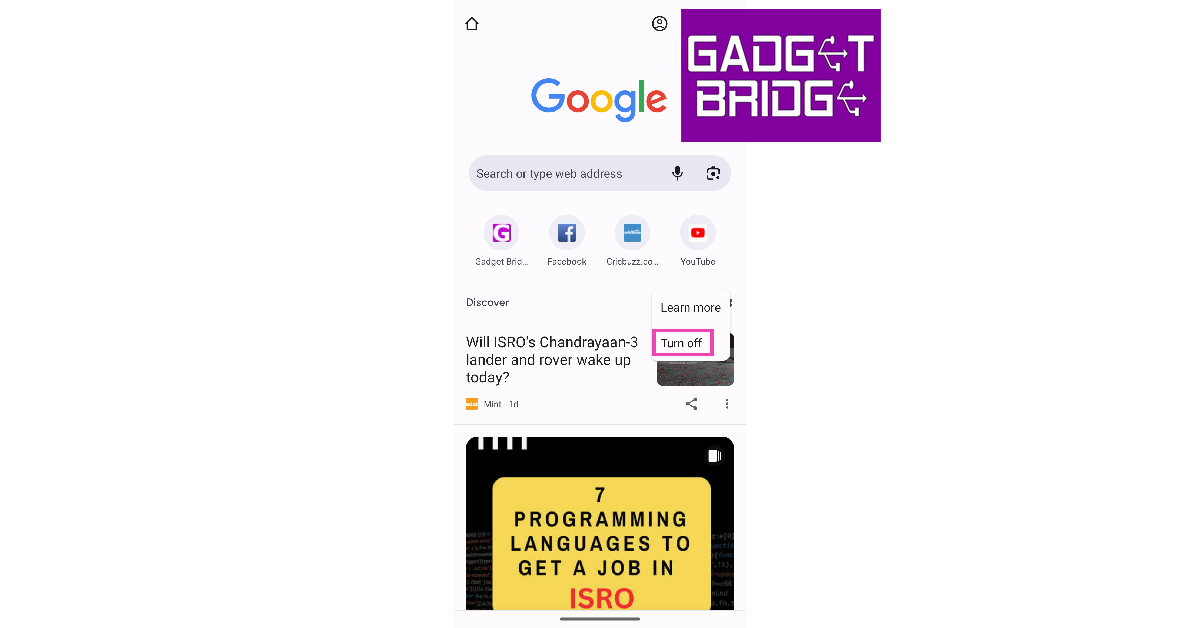
Launch the Google Chrome app on your phone, tap the gear icon next to Discover, and select Turn off.
These are the top 4 ways to turn off Google Discover on Android and iOS. Instead of disabling it for good, you can always help Google to recommend you better stuff. Every time you come across a Discover entry that you don’t like, simply tap the ellipses next to it and select Hide this. Google will use your feedback to curate a better feed.
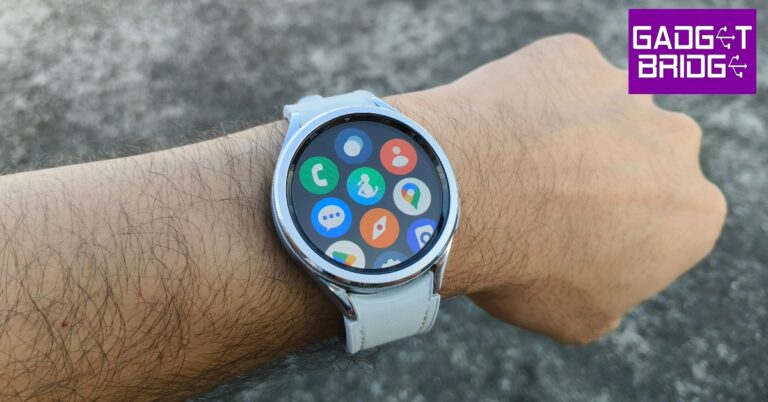
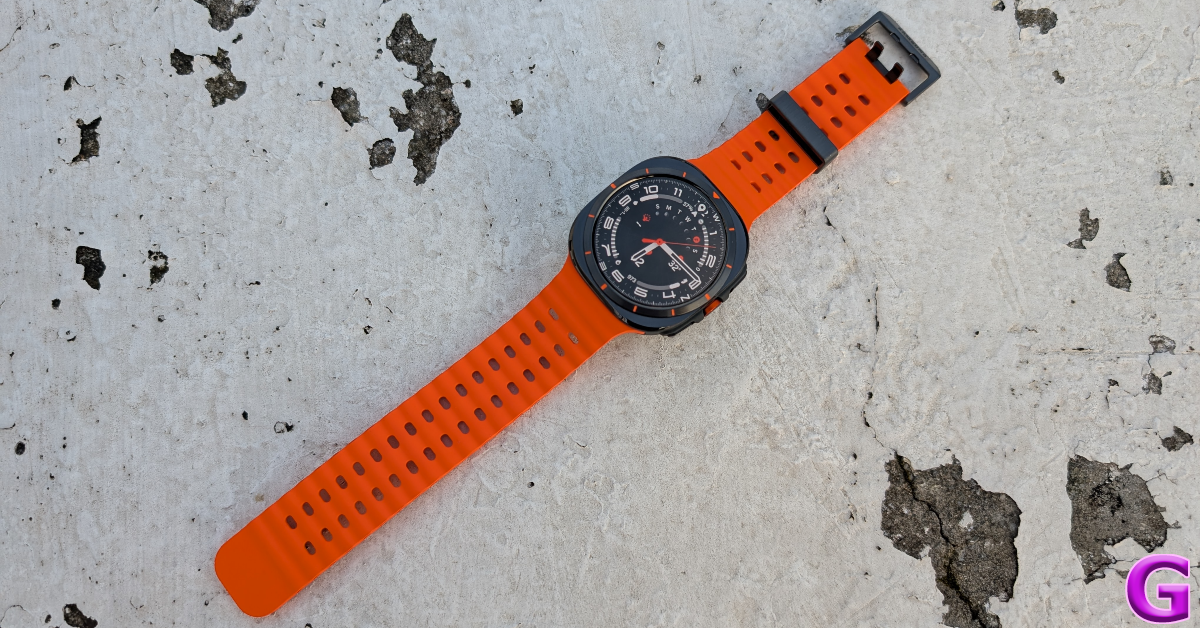
Samsung’s Galaxy smartwatch is one of the better Android health and fitness trackers around. LTE variants of the Galaxy Watch allow you to set up a mobile network plan for the device, you don’t want to rely on your smartphone all the time. Integrated GPS, Bluetooth calling, and incredible app support make the Galaxy Watch one of the most premium wearables you can get right now. The only downside to having such high-end features is a less-than-average battery life. For most users, their Galaxy Watch barely lasts a day. But there may be something you can do about it. In this article, we bring you the top 11 ways to extend the battery life of your Samsung Galaxy Watch.
Modern Android smartwatches are engineered to offer at least a day’s worth of battery life. Some smartwatches use dual processors to handle different kinds of tasks in order to conserve the battery. The new OnePlus Watch 2 is one good example. However, batteries don’t last forever. After years of use, they wear out and get worse at retaining charge. You can extend the battery life by cutting down on some functions and running the watch on its bare bones. But before you begin, you need to know which components of your watch consume the most battery.
The biggest culprit when it comes to battery drainage is your smartwatch’s display. AMOLED displays on the Galaxy Watches consume a lot of battery, especially when Always On Display is turned on. Turning off AOD can immediately create a difference. Reducing the intensity of brightness and disabling features like tilt-to-wake can also yield desirable results. Apart from the display, background apps and location services can also consume a huge chunk of the charge. Limiting the background tasks helps in extending your watch’s battery life.
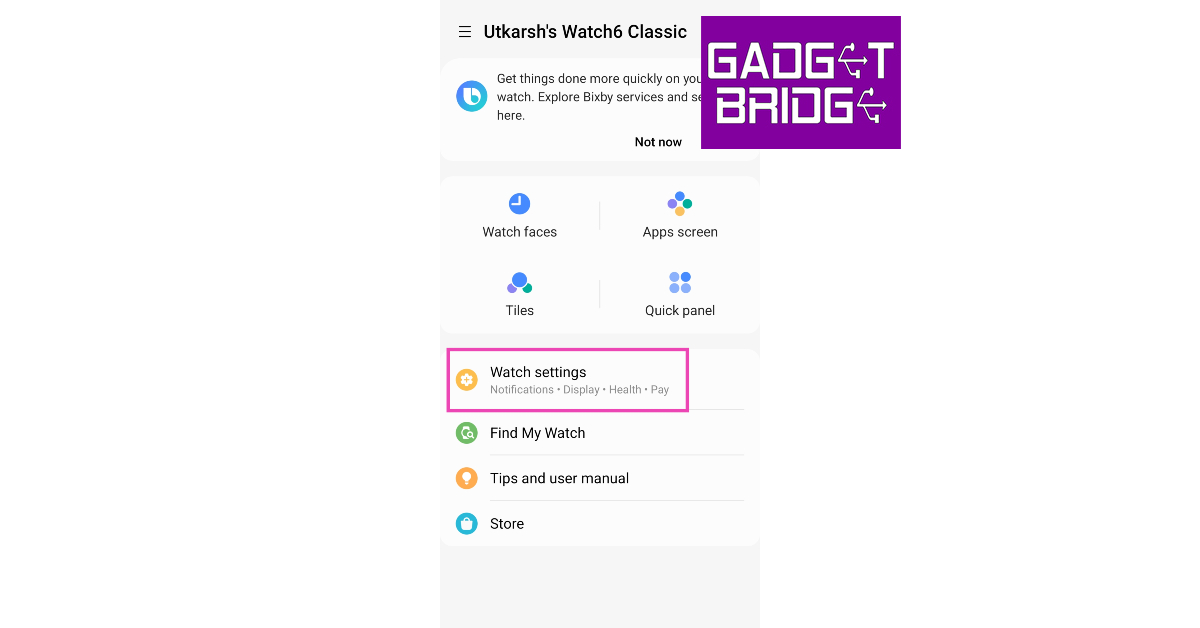
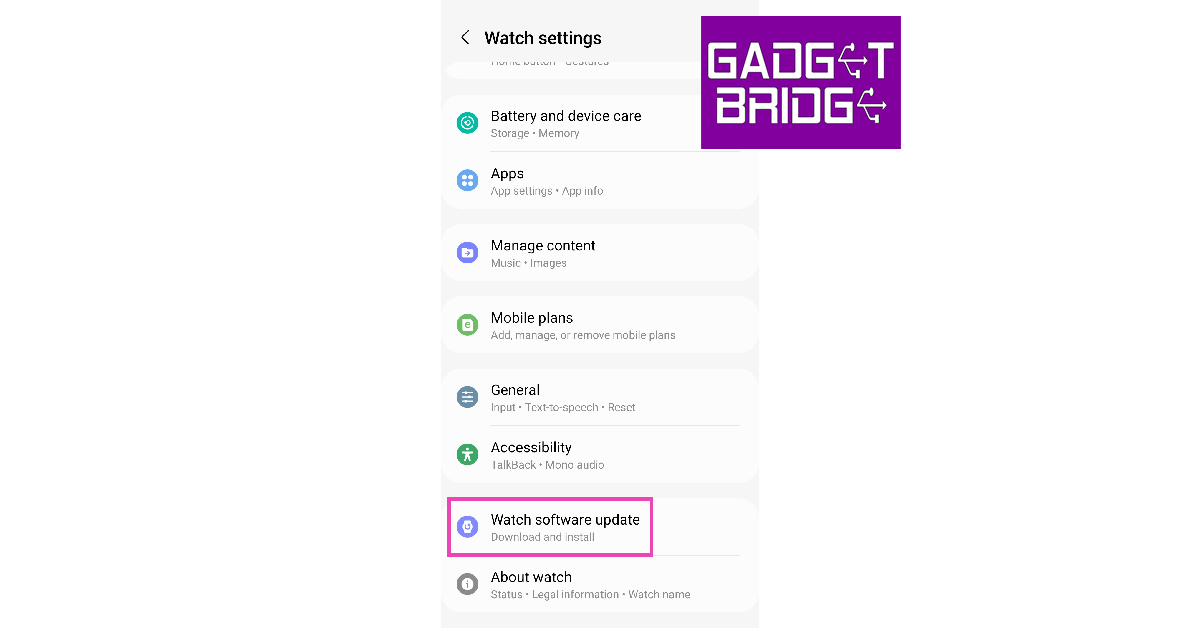
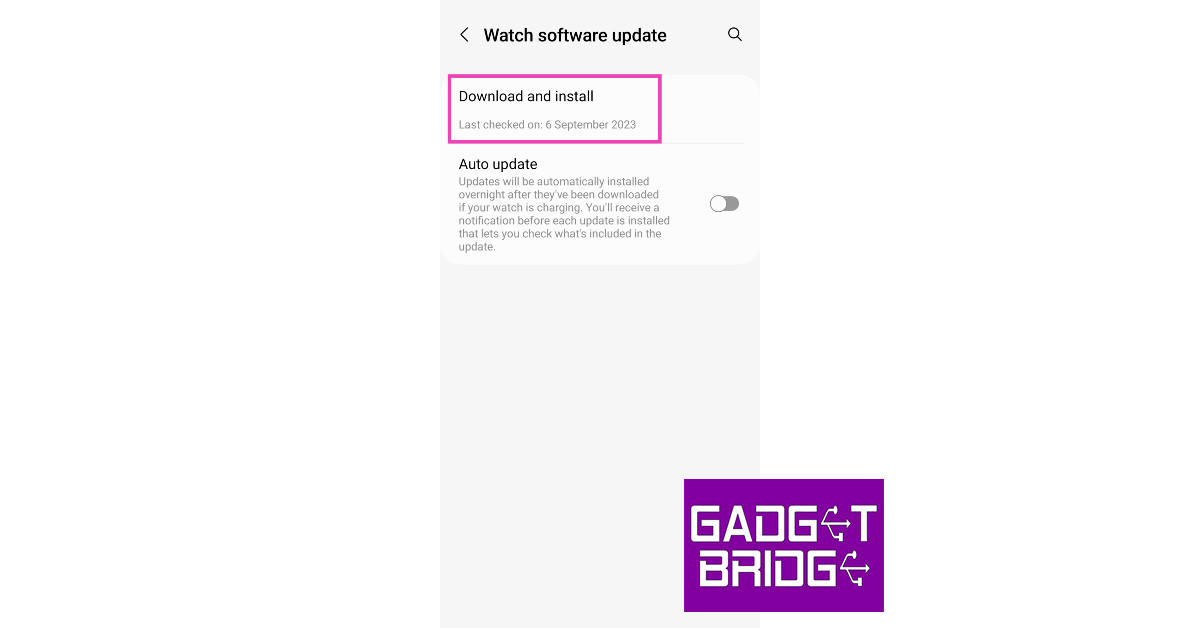
Update the Samsung Galaxy Watch OS to extend battery life
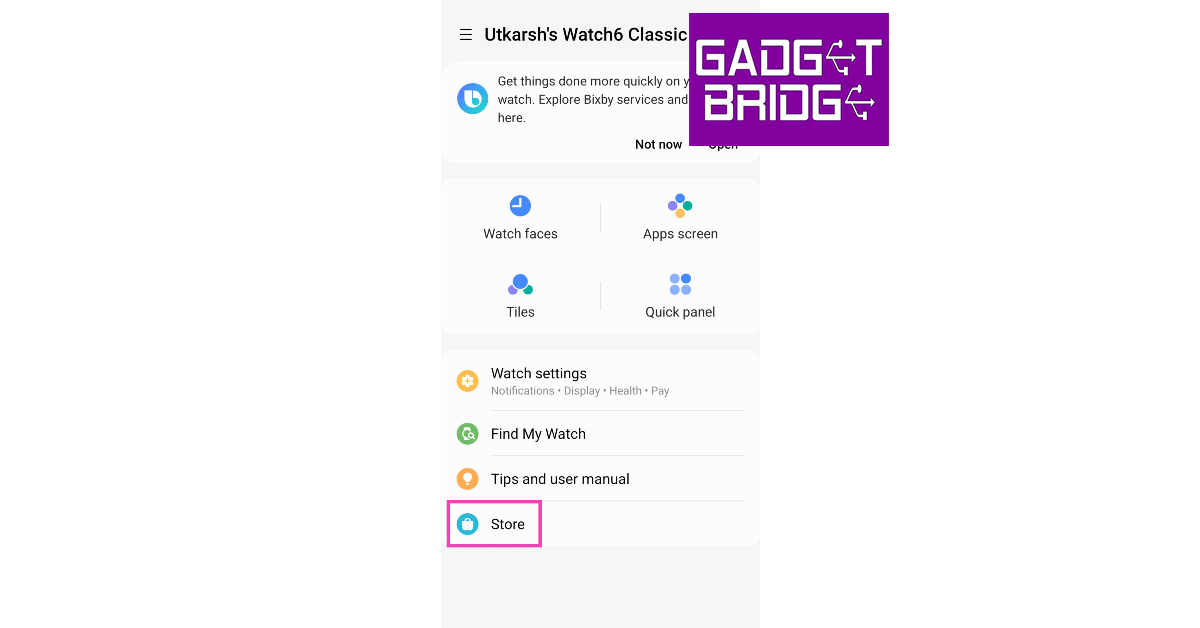
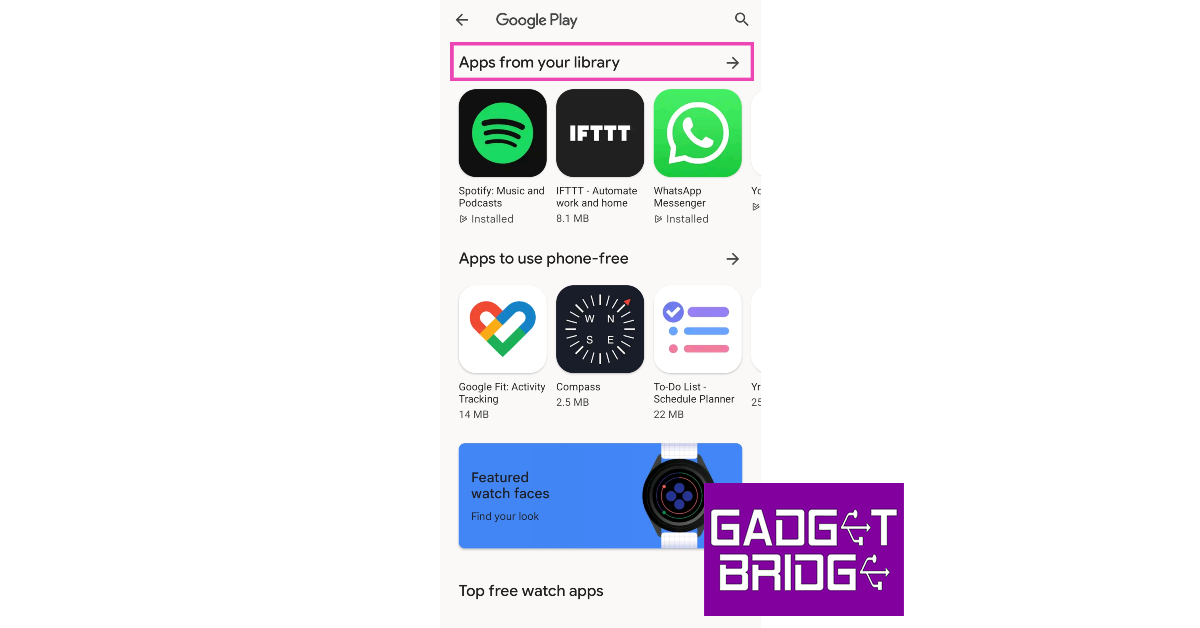
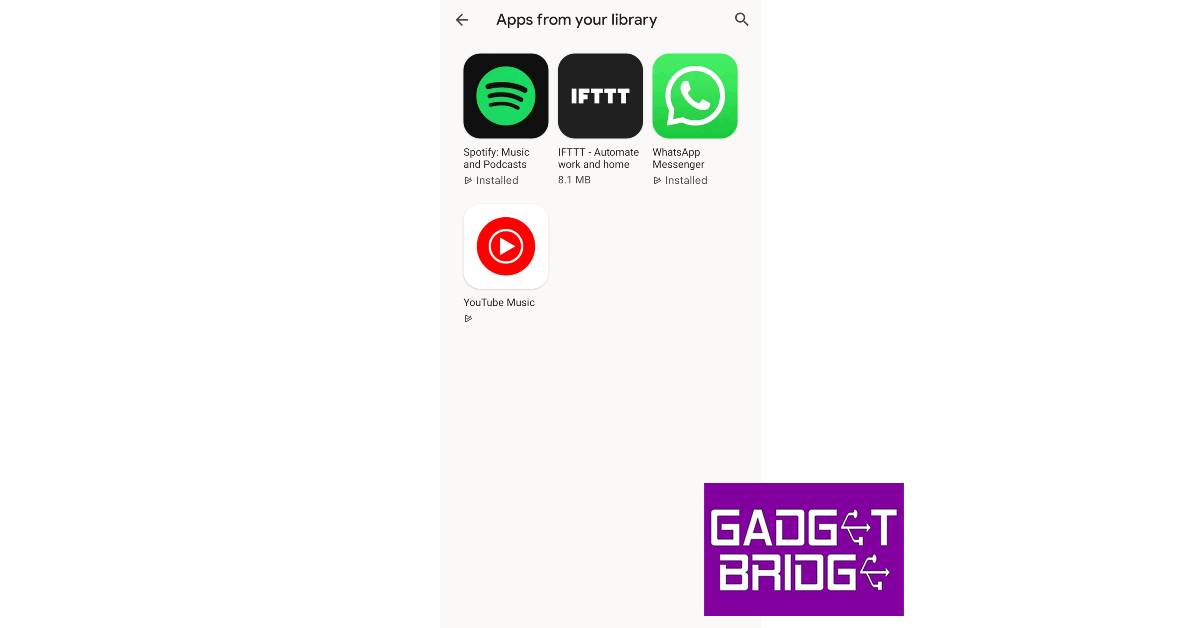
Step 4: Check if any of the apps have any pending updates.
Step 5:Update the apps.
Turn off unused trackers to extend Samsung Galaxy Watch’s battery life
If you aren’t using any of the health trackers to actively measure your blood SpO2 level, sleep, stress, and heart rate, it is a good idea to turn them off while they’re not in use. While background monitoring produces comprehensive data, it can severely reduce the battery life of your Samsung Galaxy Watch. Here’s how you can turn it off.
Step 1: Swipe up from your Samsung Galaxy Watch’s home page and select Settings.
Step 2: Scroll down and select Health.
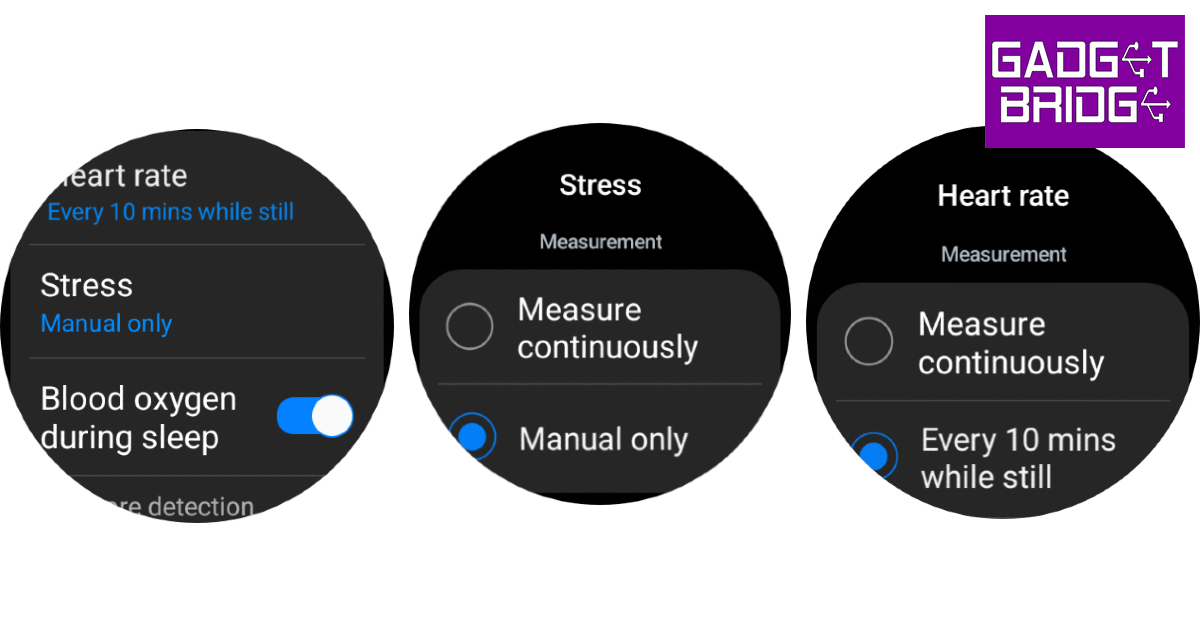
Step 3: Tap on Heart rate and set it to Every 10 minutes while still or Manual only.
Step 4: Go back and select Stress.
Step 5: Set it to Manual only.
Turn off Always On Display to improve Samsung Galaxy Watch’s battery life
One of the biggest battery drainers on your Galaxy Watch is its Super AMOLED display. With Always On Display in effect, the battery life of the watch takes a hit. If you want to make your Galaxy Watch last longer, turn off the Always On Display from the Quick Settings Menu.
Turn off network connections
Step 1: Swipe up from your Galaxy Watch’s home screen and select Settings.
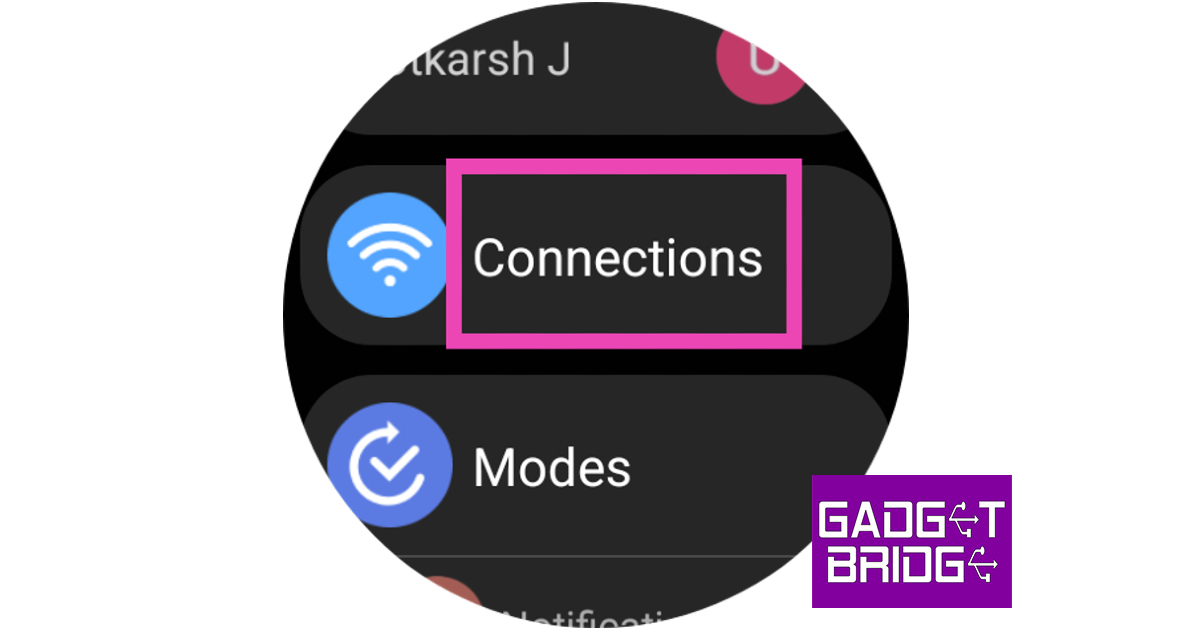
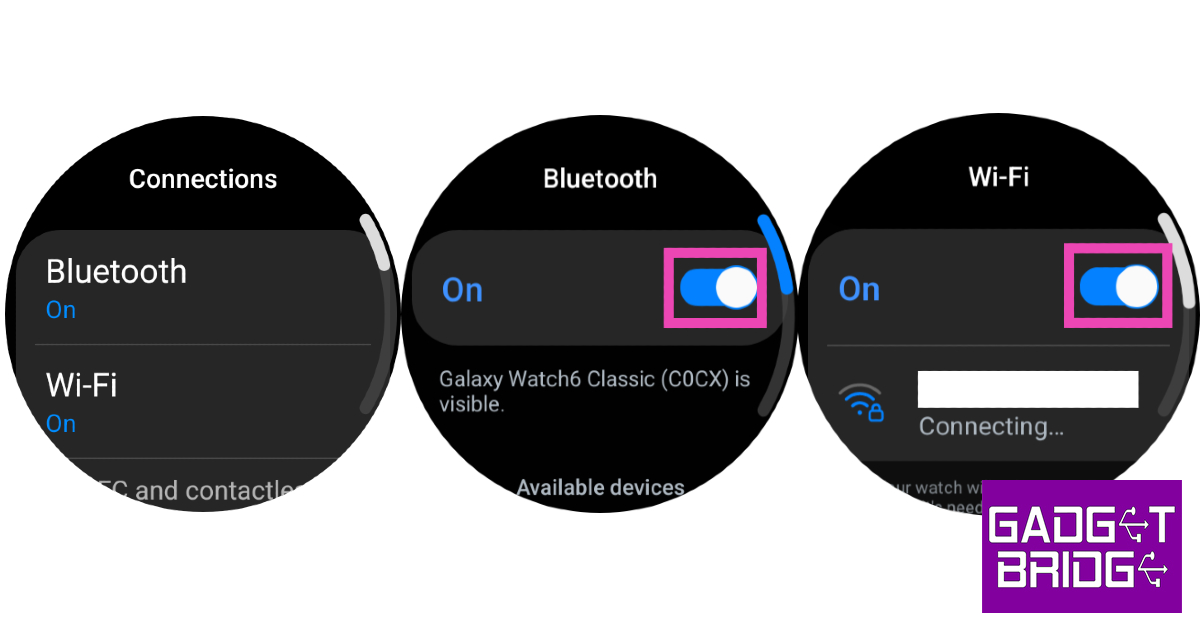
Step 2: Tap on Connections.
Step 3: Turn off Bluetooth, WiFi, mobile network, and LTE.
Turning off Bluetooth will disconnect your watch from your phone.
Turn off Tilt-to-Wake
Step 1:Unlock your Galaxy Watch and swipe down to access the Quick Settings Menu.
Step 2: Hit the Settingstile.
Step 3: Tap on Display.
Step 4: Turn off the toggle switch next to Raise wrist to wake.
Reduce the screen timeout duration
Step 1:Unlock your Galaxy Watch and swipe down to access the Quick Settings Menu.
Step 2: Hit the Settingstile.
Step 3: Tap on Display.
Step 4: Select Screen timeout.
Step 5: Set the duration to 15 seconds.
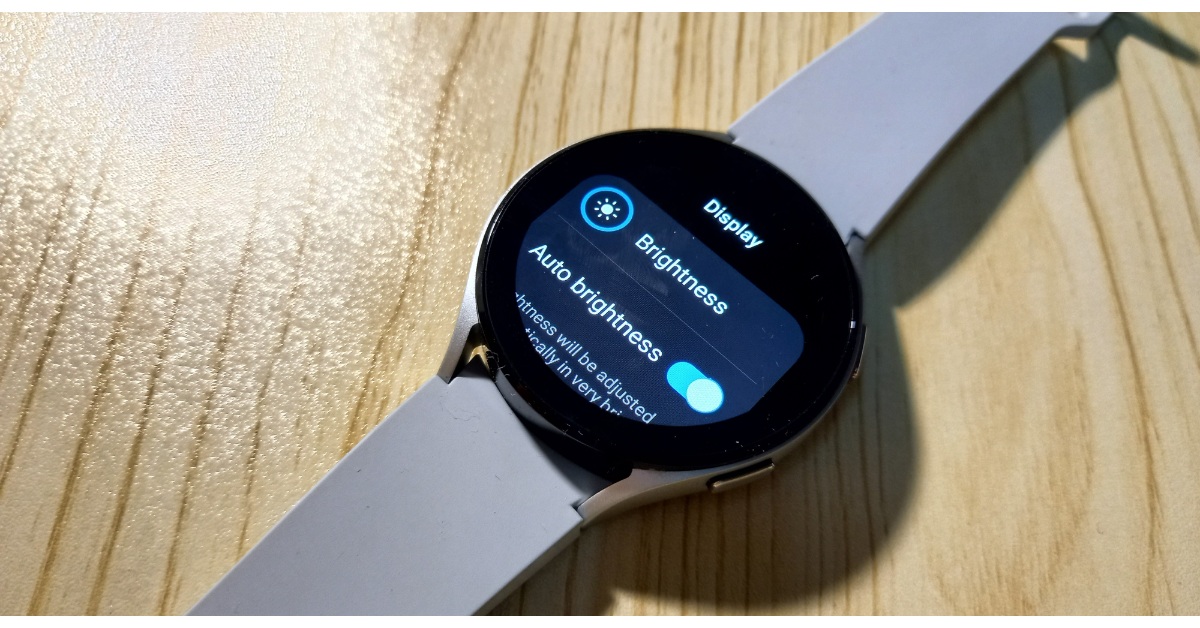
Decrease the brightness
Step 1:Unlock your Galaxy Watch and swipe down to access the Quick Settings Menu.
Step 2: Hit the Brightnesstile.
Step 3: Use the slider to reduce the brightness.
Lower the intensity of the haptic motor
Step 1:Unlock your Galaxy Watch and swipe down to access the Quick Settings Menu.
Step 2: Hit the Settingstile.
Step 3: Tap on Sounds and vibration.
Step 4: Tap on Vibration.
Step 5: Select Short under Vibration duration.
Step 6: Select Light under Vibration intensity.
Close background apps
Step 1:Launch the Galaxy Wearable app on your smartphone.
Step 2: Tap on Watch Settings.
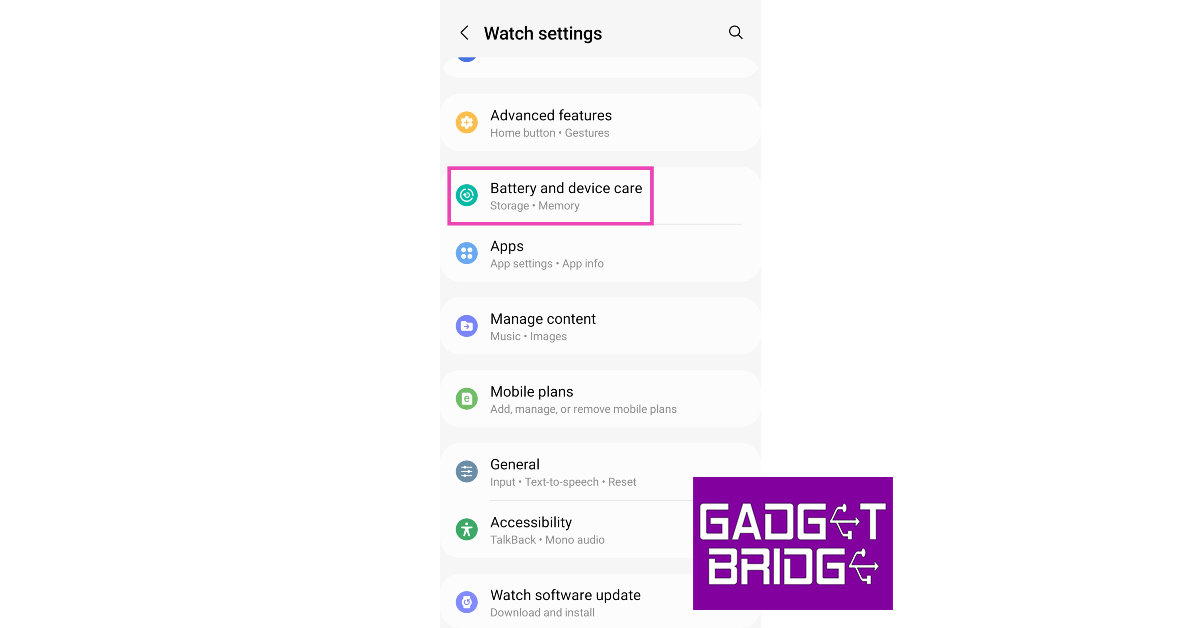
Step 3: Select Battery and device care.
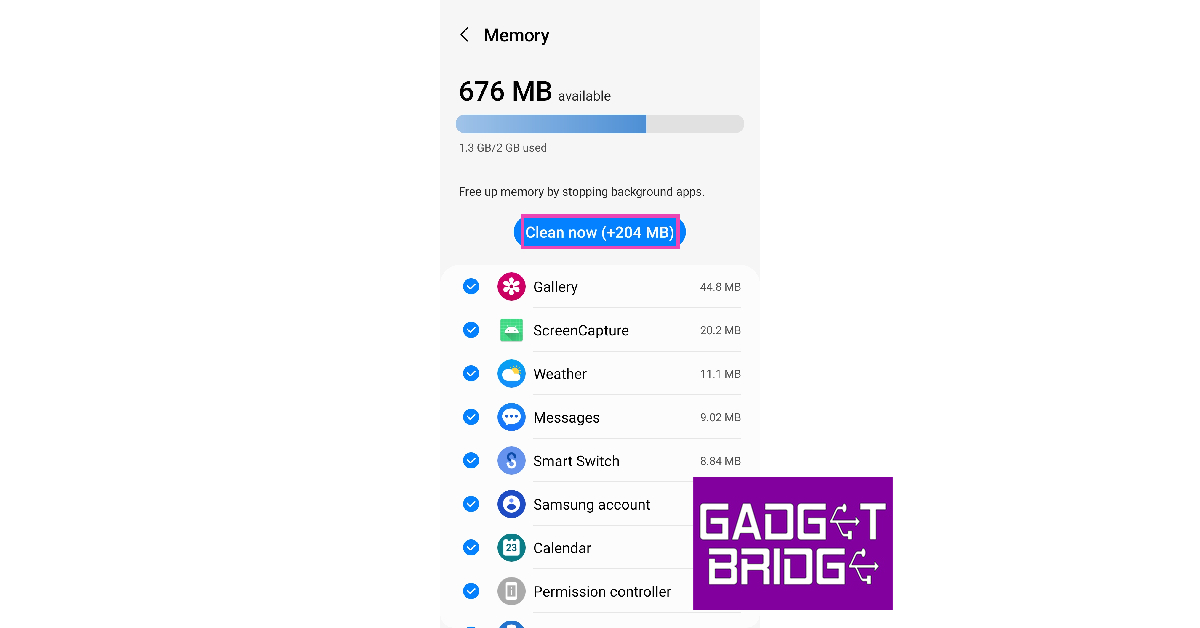
Step 4: Tap on Memory.
Step 5: Select Clean now.
Turn on Power Saving Mode
The Power Saving Mode on your Samsung Galaxy Watch is an excellent way to extend its battery life. This mode keeps the most essential functions on the device running while turning off the rest. To turn on Power Saving Mode tap the battery tile on the Quick Settings Menu.
Frequently Asked Questions (FAQs)
What is the average battery life of the Samsung Galaxy Watch 6?
Why is my Samsung Galaxy Watch draining so quickly?
If your Samsung Galaxy Watch’s battery is draining faster than usual, it can be because the background health functions are turned on to collect health metrics continuously.
How do I make my Samsung Galaxy Watch last longer?
To extend the battery life of your Galaxy smartwatch, turn off background health monitoring, update the OS and apps, and switch off the network connections and Always on Display.
These are the top 11 ways to extend the battery life of your Samsung Galaxy Watch. Apart from these general measures, the temperatures that you expose your watch to also play a part in determining its battery health. Extreme cold and hot conditions can also permanently damage your smartwatch.
After being banned for nearly ten months, Battleground Mobile India, aka BGMI, is officially available again in India. BGMI fans are looking for ways to improve their game experience and one such method is the usage of redemption codes, which offer a variety of rewards and advantages using BGMI redeem codes players can gain access to new skins, outfits, loot crates, weapons and free UC and diamonds.
As mentioned earlier, these codes give users the chance to earn unique rewards and gain extra benefits while playing the game. This includes GUN SKINS (M4, AKM, M416, AWM, M24, UZI, KAR98K), free character voucher, Andy, Carlo, Sara, Victor character for free, free Anna Character on completing the mission and UC or Royal Pass Discount. So here we have gathered a list of the most recent BGMI redeem codes as of 23 September 2023. Also, redeem these codes ASAP as these are only valid for a limited duration.
BGMI Redeem Codes for 23 September2023
JJCZCDZJ9U – Golden Pan
UKUZBZGWF – Free Fireworks
TIFZBHZK4A – Free Outfit
RNUZBZ9QQ – AKM Glacier Skin
BTOQZHZ8CQ – New!
TQIZBZ76F – Vehicle Skin
5FG10D33 – Outfit for Free
TQIZBz76F – 3 Free Motorcycle
BMTFZBZQNC – Free Drifter Set
SD14G84FCC – Free Skin for KAR98 Sniper Gun
RNUZBZ9QQ – AKM Glacier Skin
5FG10D33 – Falcon and Free Emotes
GPHZDBTFZM24U – UMP9 Skin
KARZBZYTR – Free Outfit
PGHZDBTFZ95U – M416 Skin
R89FPLM9S – Companion
BMTCZBZMFS – Pretty in Pink set and Pretty in Pink Headpiece
How to get free Redeem Codes for BGMI on 23 September2023?
Launch BGMI on your device.
Then select the Redeem Code option from the main menu.
Next, click on the Redeem code tab.
A new window will open, requesting the redemption code.
Now enter your BGMI code.
Confirm and click on the “Redeem” tab.
If your redeem code is valid then you will get a message confirming that your rewards were successfully redeemed.
(Note that these codes are case-sensitive, so be sure to type them correctly to prevent any errors.)
Garena Free Fire is a battle royale game with regular awards and tournaments to keep players interested. If you play Garena Free Fire, you should be aware of the redeem codes that are released on a daily basis. However, because the battle royale game is banned in India, players from other countries can use the Free Fire Redeem codes daily. If you’re unfamiliar with the Garena Free Fire redeem codes or don’t know how to get them, we’ve put together a step-by-step guide to help you redeem them. Check out Garena Free Fire Redeem Codes for 23 September 2023.
The Free Fire redeem codes are a great way to get free stuff. These are 12-digit codes that contain alphabets and numbers, as well as an expiration date and time. Because the Garena FF redeem codes cannot be used more than once, you should hurry to the redemption page to claim your free reward before someone else does. To get a free reward, all you have to do is go to reward.ff.garena.com/en, which is the official redemption page. Also, keep an eye on this space for daily updates on Garena Free Fire redemption codes and rewards.
Garena Free Fire Redeem Codes Today 23 September2023
Indian lifestyle brand Noise today announced the launch of a new smartwatch- NoiseFit Metallix in the Indian market. The latest wearable comes with a round dial with a metallic finish. It features a 1.4-inch HD screen alongside a metallic functional crown. Moreover, the device comes with a BT calling facility and IP68 water and dust resistance. There are over 100 sports and more than 150 watch faces on the watch.
NoiseFit Metallix price in India, sale details
NoiseFit Metallix has been launched in India with a price tag of Rs 2,499. The device is now available for purchase via Amazon and gonoise.com in the country. The smartwatch comes in three colour options of Elite Black, Elite Nickel, and Elite Silver.
NoiseFit Metallix specs, features
NoiseFit Metallix has a round dial and comes with a stainless steel finish with elegant metal straps as well as a metallic functional crown. There is a 1.4-inch HD screen on the watch offering 240×240 pixels of resolution and 550 nits of brightness ensuring excellent visibility whether indoor or outdoor. There are over 150 watch faces on the device and the IP68 water and dust resistance ensures durability in any environment.
The device can be paired easily with the NoiseFit App. In addition to this, there is TruSync-empowered calling and BT v5.3. NoiseFit Metallix includes a single-chip Bluetooth that helps in trouble-free device pairing. The Noise Buzz provides access to recent call logs and saves up to 10 contacts.
There are a number of health and fitness features on the smartwatch. It allows users to monitor health metrics such as heart rate, SpO2, sleep patterns, and stress levels, among others. On the other hand, there is over 100 sports mode in addition to daily reminders and weather forecasts which are easily accessible.
As per the company, NoiseFit Metallix offers a battery life of up to 7 days.
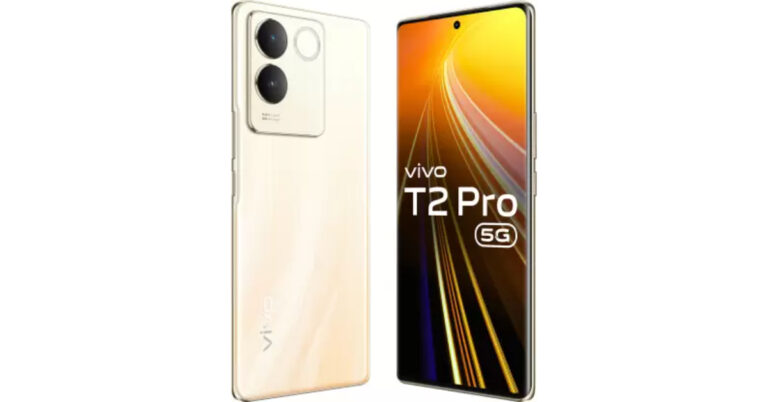
Vivo T2 Pro 5G has officially debuted in India today. The new 5G smartphone is powered by MediaTek Dimensity 7200 SoC. It packs a 4,600mAh battery with 66W fast charging support. The mobile phone comes with a curved AMOLED display. Also, there is a dual rear camera setup consisting of a 64-megapixel sensor.
Vivo T2 Pro 5G price in India, sale details
Vivo T2 Pro 5G price in India has been set at Rs 23,999 for the 8GB RAM with 128GB storage option. There is another 8GB RAM with 256GB storage model which comes with a price tag of Rs 24,999. The device is being offered in two colours Dune Gold and New Moon Black.
In terms of availability, the 5G smartphone will go on sale on September 29 via the company’s official website, Flipkart and select retail stores in the country. In addition to this, the company will offer an immediate discount of Rs 2,000 to buyers making transactions through ICICI and Axis Bank cards. There will be an additional exchange bonus of Rs 1,000 as well.
Vivo T2 Pro 5G specifications
Coming to the specifications, the Vivo T2 Pro 5G is powered by Funtouch OS 13 based on Android 13. It comes equipped with a 4nm MediaTek Dimensity 7200 SoC paired with 8GB of LPDDR4X RAM and up to 256GB of UFS2.2 storage. The device also has an 8GB of extended RAM feature.
Vivo T2 Pro 5G features a 6.78-inch full-HD+ AMOLED display with 2400 x 1080 pixels of resolution. The screen has a refresh rate of 120Hz. In addition to this, the panel is curved and offers 388 ppi of pixel density and a peak brightness level of 1300 nits.
For the optics, there is a dual rear camera setup with optical image stabilisation (OIS). The sensors are arranged in circles with a ring-shaped LED flash. It includes a 64-megapixel primary sensor with an f/1.79 aperture and a 2-megapixel bokeh camera. Upfront there is a 16-megapixel selfie camera with f/2.45 aperture.
The 5G phone has a 3000mm square vapour chamber liquid cooling system to keep thermals in check. For connectivity, there is 5G, Wi-Fi, Bluetooth 5.3, GPS, Beidou, Glonass, Galileo, QZSS, and USB 2.0. In addition to an in-display fingerprint scanner, there is an accelerometer, ambient light sensor, proximity sensor, e-compass, and gyroscope.
A 4,600mAh battery fuels the device which has 66W fast charging support.
Wireless neckbands ushered in the age of Bluetooth-powered headsets around the time the headphone jacks started disappearing from most flagship smartphones. Over the last couple of years, TWS headsets have enjoyed a good deal of popularity, largely due to the more affordable options getting a bump in audio quality. Wireless neckbands are a rare sight these days, so it is rather interesting to see OnePlus put out its latest ANC-driven Bullet Wireless Z2 headset at a price of Rs 2,299. If you don’t care much about noise cancellation, the regular version of this neckband costs Rs 1,999. After using it for a week, we can understand why OnePlus is still betting on its neckband series to do well. If you’re a neckband loyalist who is still not convinced with the soundstage presented by most entry-level TWS products, this may be the product for you. So, without further ado, here is our OnePlus Bullet Wireless Z2 ANC headset review.
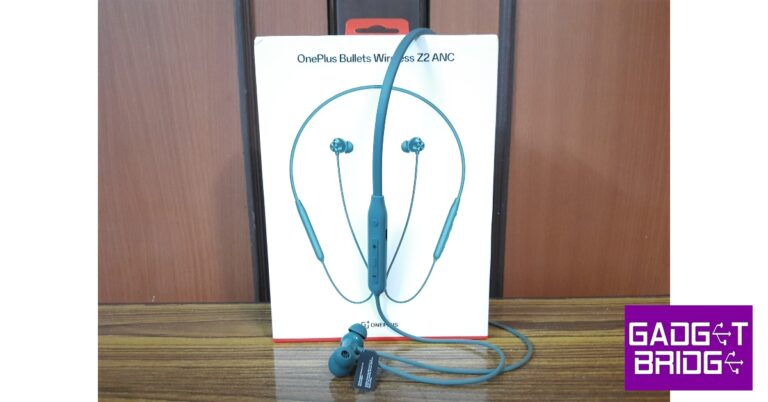
Inside the OnePlus Bullet Wireless Z2 ANC retail box you get the neckband, two extra pairs of ear tips, a mini USB Type-C charging cable, a Red Cable Club card, and a quick start guide. The neckband is nestled in an expansive cutout on the pullout plastic tray. Pulling the lid of this tray reveals the accessories. The headset is available in two colours – Boomin Black and Grand Green.
If you’re familiar with the average neckband design then you know what to expect on the Bullet Wireless Z2 ANC. There isn’t much room for experimentation on the standard neckband design to begin with, and OnePlus has stuck to getting the basics right. What the Bullet Wireless Z2 gets right is the flexibility and the rubberized finish. You can pretty much bend the neckband in any direction and it does not present any brittleness whatsoever. The headset is comfortable to wear and does not cause any irritation to the skin.
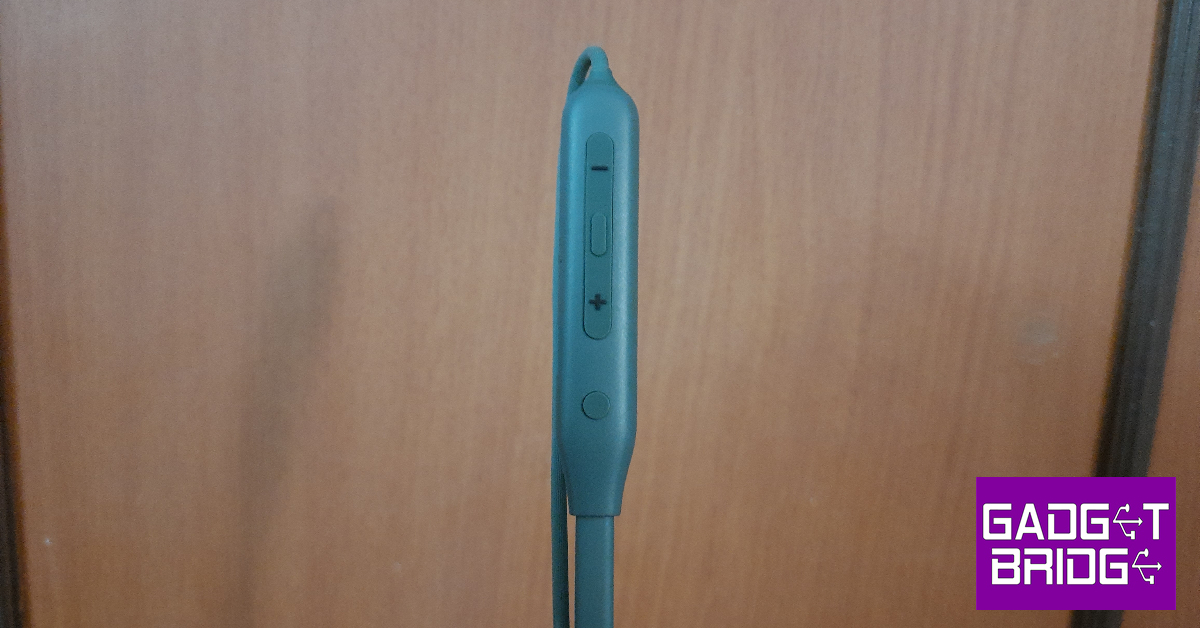
The left band gets all the control keys along with the charging port. There are four buttons on this panel – an action button to put the headphones in pairing mode and toggle between the connections, the volume up and volume down keys, and the playback and ANC toggle button situated between the volume rocker. The left panel is buttonless but gets the OnePlus branding.
The earbuds get the standard in-ear design and offer a snug fit. There a two extra pairs of ear tips inside the retail box in case the default size does not work for you. There are two microphones on either earbuds for ANC and ENC. These earbuds can magnetically lock together. Once the earbuds are locked, the headset automatically shuts down.
The OnePlus Bullet Wireless Z2 ANC headset is rated IP55 for dust and water resistance. We wore the neckband during intense workouts and long hikes, and it was completely unaffected by sweat.
The OnePlus Bullet Wireless Z2 ANC headset uses 12.4mm dynamic drivers to deliver the audio output. It gets Bluetooth 5.2 connectivity and supports SBC and AAC audio codecs. Once paired to a device, the headset offers a functional range of 10 metres which is pretty standard for Bluetooth-powered audio devices.
The audio output produced by the headset is certainly bass-heavy, but it doesn’t have a muddling effect on other frequencies. We found the vocals to be lucid as ever, even though the midrange frequencies could have ‘popped’ better. When it comes to audio clarity and the comprehensive nature of the soundstage, the OnePlus Bullet Wireless Z2 ANC headset blows most of the TWS products in this price range out of the water.
We were also very pleased with the minimal distortion to the output on higher volumes. You can crank this headset up to 100% and still have an enjoyable time listening to your favourite tunes. We would have preferred if the audio tuning was more favourable to the mid frequencies, but if you’re a serious bass head, you will like these headphones.
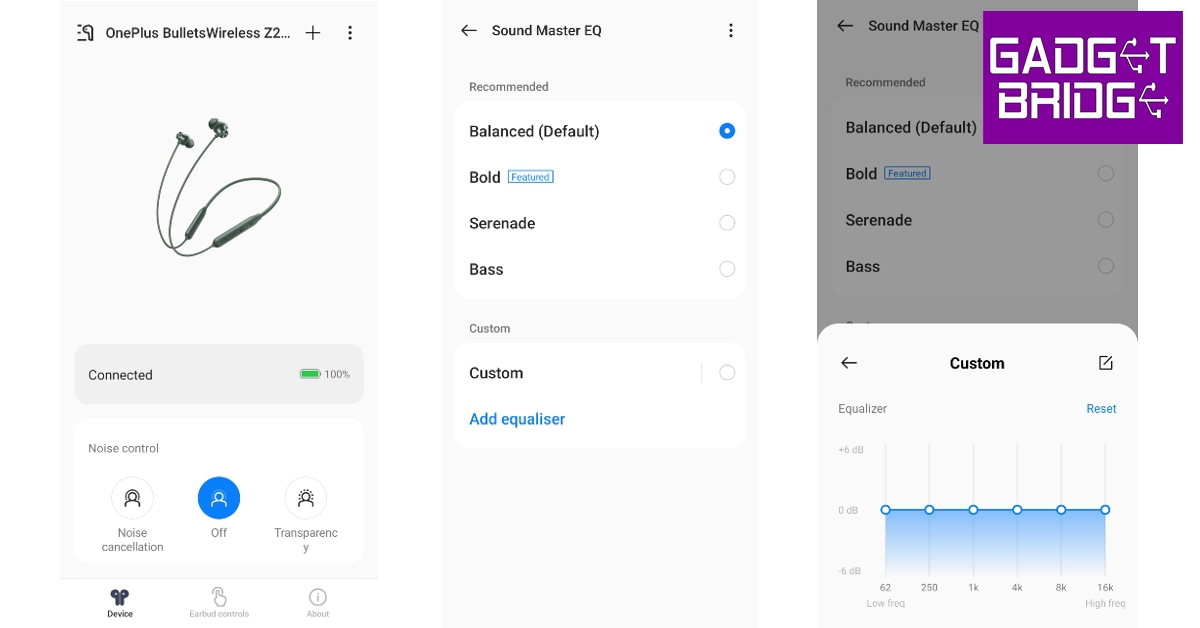
For those who like a more balanced sound, OnePlus’ HeyMelody app offers preset equalisers for the Bullet Wireless Z2 ANC headset. The ‘Balanced’ mode was still bass-heavy, but the Serenade mode was closer to the ideal tuning. If you’re an audiophile, you can set up your own custom equaliser from this app.
Apart from different sound profiles, the HeyMelody app also allows you to toggle between transparency and ANC modes. There’s also a handy Find My Earbuds option in the app that blasts ringing music through the headset for you to locate it. Other than that, the HeyMelody app also offers an Earbud fit test. Any firmware updates can be installed from this app as well.
Moving on, the ANC offered by this headset is pretty good and well worth the premium you pay over the regular variant. OnePlus claims that the Bullet Wireless Z2 ANC can nullify up to 45dB of surrounding noise. While we can’t confirm those numbers, the headset does a great job of cancelling the ambient noises in an indoor setting. The noise from the air conditioner, fan, and general humdrum were suppressed expertly, with only the higher frequencies seeping through. The playback control button between the volume can be long-pressed to toggle between the ANC and transparency modes. However, if you want to simply turn off the ANC mode without activating the transparency mode, you will need to use the HeyMelody app.
The calling experience provided by the OnePlus Bullet Wireless Z2 ANC headset was also a cut above every other TWS in this price bracket. Over cellular and VoIP calls, the headset does a tremendous job of relaying noise-free audio to the receiver. This is where the ENC kicks in and takes the duty of craftfully extracting the voice of the speaker from the background noise. Even in an outdoor environment, the calling experience was very pleasant, something we cannot say for most TWS products in this price range.
If you’re a seasoned TWS user, you will find a couple of features missing from this headset. Firstly, there is no low latency mode for gaming, and the headset unsurprisingly struggles to keep up with the pace of the gameplay on its default latency. Secondly, the neckband does not offer a multi-point connection feature, which means it cannot connect to multiple devices at once. However, you get the second best thing to a multi-point connection in the form of a dedicated action button that quickly connects the headset to the previously paired device.
Equipped with a 220mAh battery pack, the OnePlus Bullet Wireless Z2 ANC promises a playback of 28 hours with ANC turned off and 20 hours with noise cancellation in effect. After using the headset for a week, these were pretty much the numbers we got out of it. Our average day comprised of listening to music for a couple of hours and using ANC while travelling. We got almost 24 hours of playtime out of the headset. Quick charging the neckband for 10 minutes provides enough juice for it to last 20 hours (without ANC).
In our opinion, the OnePlus Bullet Wireless Z2 ANC headset is still a better product at Rs 2,299 than the entry-level TWS options available in this price range. The audio output, while bass-heavy, is very enjoyable to experience and does not distort upon cranking up the volume. The HeyMelody app offers all the essential features you expect from a headset companion app. We would have preferred a gaming mode and multi-point connection support on the headset, but their absence is not a dealbreaker at all.
Soon YouTube will integrate generative AI technology into its platform for creators. The video-sharing platform will bring some new AI-powered features like AI insights, dubbing, dream screen and more. According to the company, this technology will empower anyone to create on YouTube.
YouTube via Blog Post said, “We are constantly amazed by how they take every new feature, technology or trend and turn it into something we could never have imagined. And today at Made On YouTube, we’re unveiling a suite of products and features that will enable people to push the bounds of creative expression yet again — by making the difficult things simple, and the impossible dreams possible.”
YouTube has announced new tools on its platform making it simpler than ever for anyone to express any idea and bring it to life on Shorts. YouTube will begin to test a new experimental feature called Dream Screen. This tool will let users create AI-generated video or image backgrounds for their Shorts simply by typing an idea into a prompt. As per the company, the company Dream Screen will let creators make fresh fantastic settings for their Shorts that are only limited by what they can imagine. This tool will be accessible to select creators before it is released broadly next year.
The company says that these new features will enable anyone to quickly rethink their videos by simply entering in a suggestion for how to edit their content or remix existing YouTube videos and create them into something entirely new.
To streamline the process of editing YouTube is also launching a new mobile app called YouTube Create. This will allow anyone to create and share videos right on YouTube. However, this app is under beta on Android in select markets right now. Also, it will be free of charge and designed to make video production for Shorts or longer videos simpler and easier.
YouTube Create app will provide video editing tools including precision editing and trimming, automatic captioning, voiceover capabilities and access to a library of filters, effects and transitions. In addition to this royalty-free music with beat-matching technology will also be accessible.
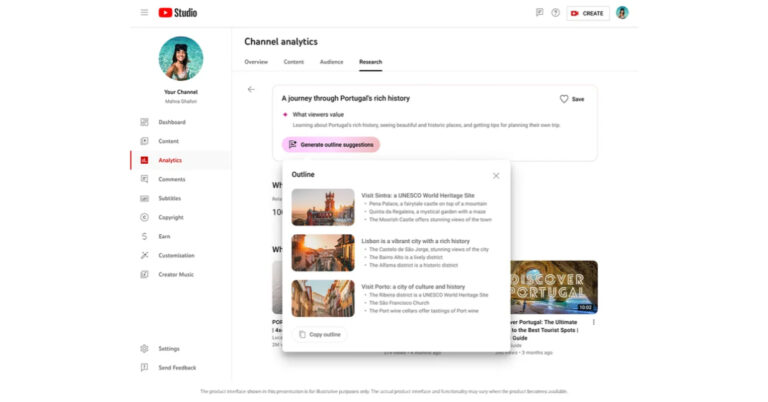
As we mentioned in the beginning YouTube is bringing AI technology to its platform providing more efficient tools to creators and helping them generate new ideas. YouTube will offer tools like AI-powered insights to users next year. The insights are said to be personalized for each channel and based on what audiences are already watching on YouTube.
With Assistive Search in Creator Music, users will be able to search for a soundtrack for their videos. Simply type in a description of your content and AI will suggest the right music at the right price. Whereas Automatic dubbing with Aloud will allow dubbing professionally as the name suggests.
The default iPhone keyboard on the iPhone has come a long way from the earlier iOS version and now accommodates almost all the major languages in the world. Apart from different languages, the iPhone keyboard also has an exhaustive set of scripts you can use to type the text you want. In this article, we show you how to use the Hindi keyboard on an iPhone.
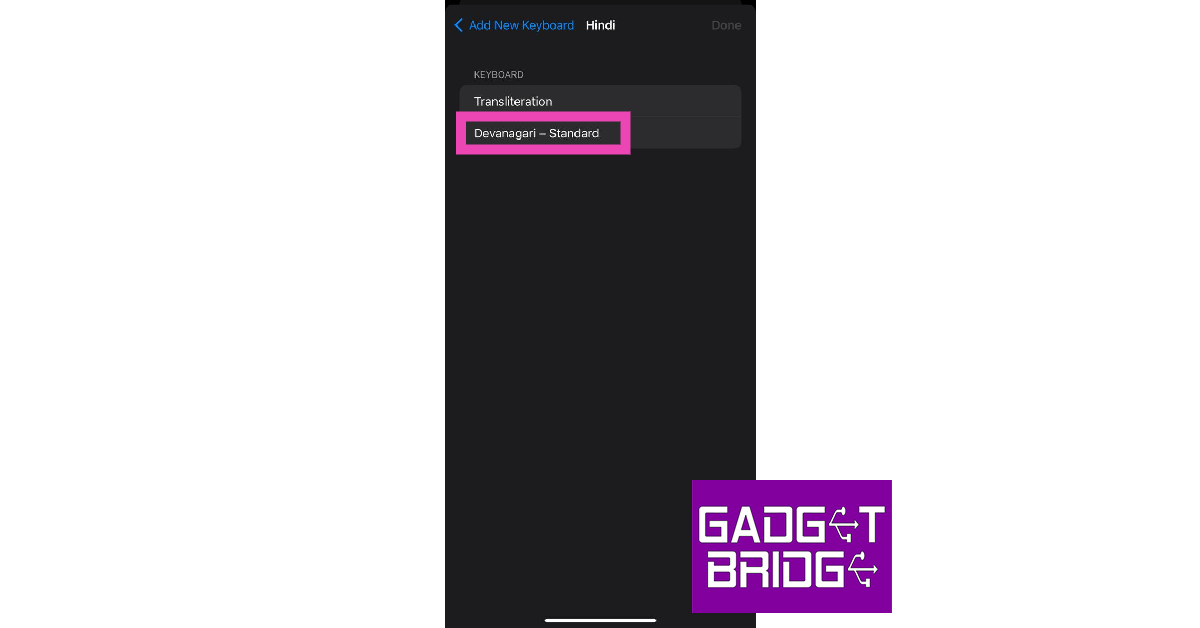
Step 5: Choose the Devanagari script if you want to type Hindi characters on your iPhone. If you want to transliterate your texts from English to the Devanagari script, hit Transliteration.
Step 6: Tap on a text box to trigger the keyboard.
Step 7: Press and hold the globe key on the keyboard.
Step 8: Select Hindi from the list.
You will now be able to type in Hindi on your iPhone.
Bonus Tip: How to type in Hindi on an Android phone?
Step 1: Go to Settings and select General Management.
Step 2: Tap on Keyboard list and default. Select Gboard as your default keyboard.
Step 3: Go back and tap on Gboard settings.
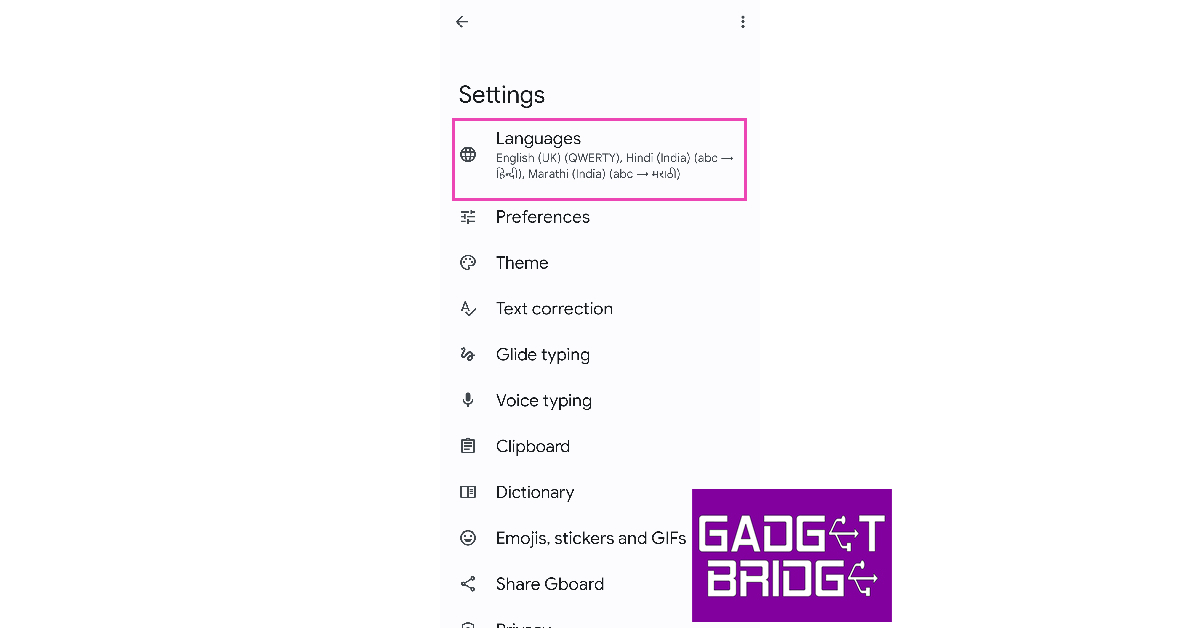
Step 4: Tap on Languages.
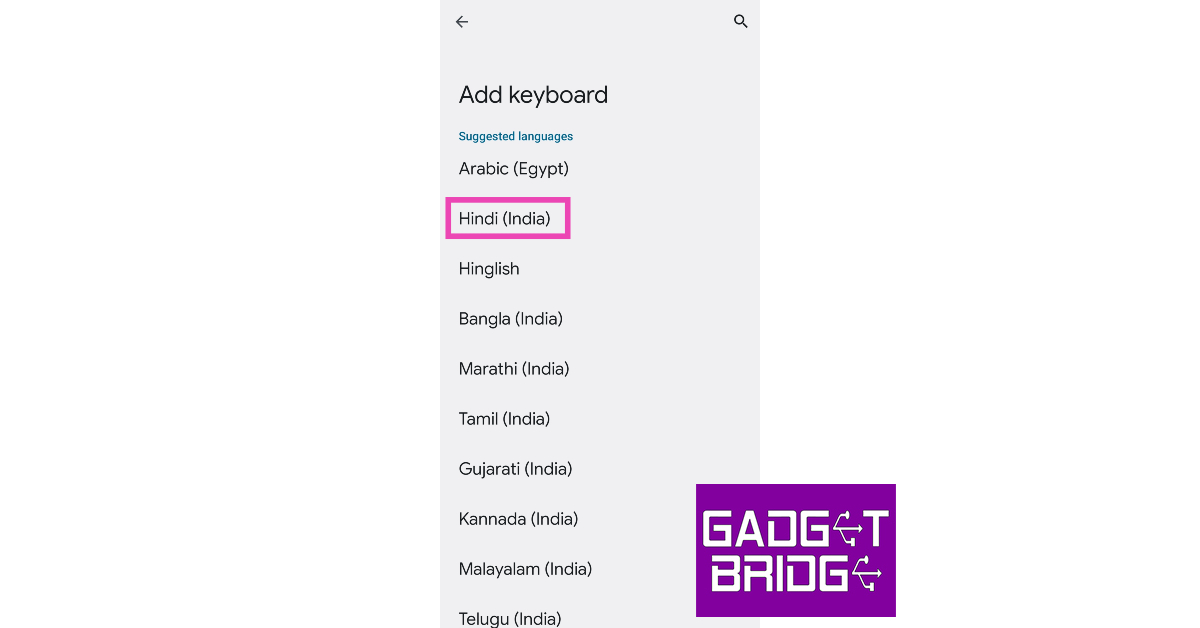
Step 5: Select Add Keyboard.
Step 6: Scroll down and tap on Hindi.
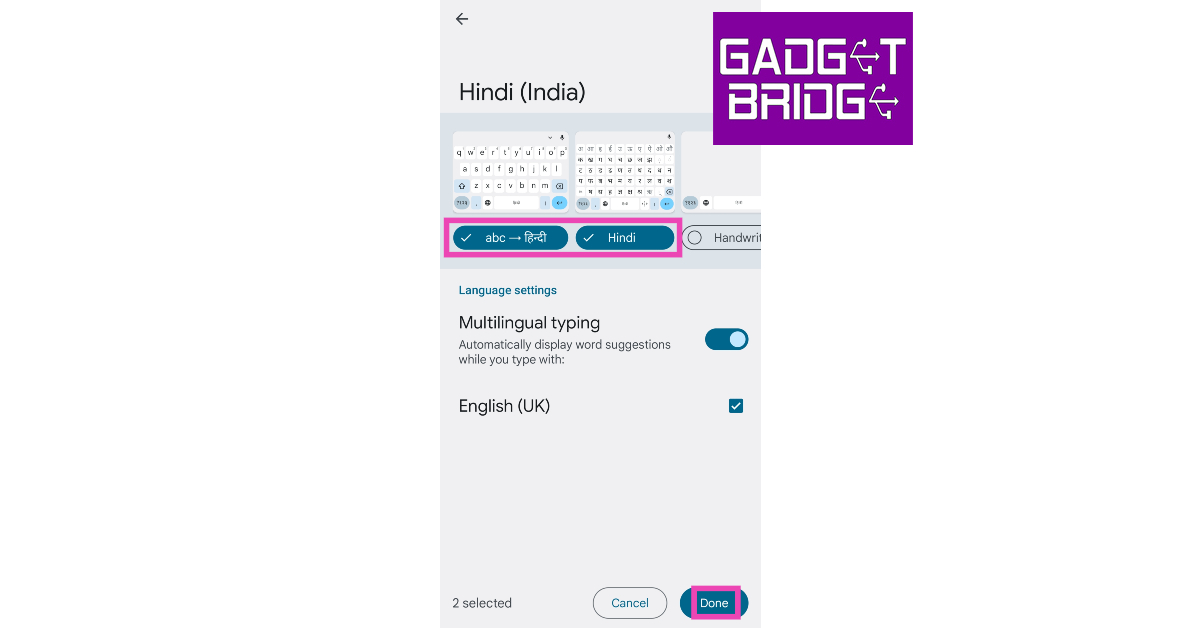
Step 7: Select whether you want to translate the text or type in the Devanagari script. You can also choose both.
Step 8: Hit Done at the bottom of the screen.
Step 9: Tap a text box to trigger the keyboard.
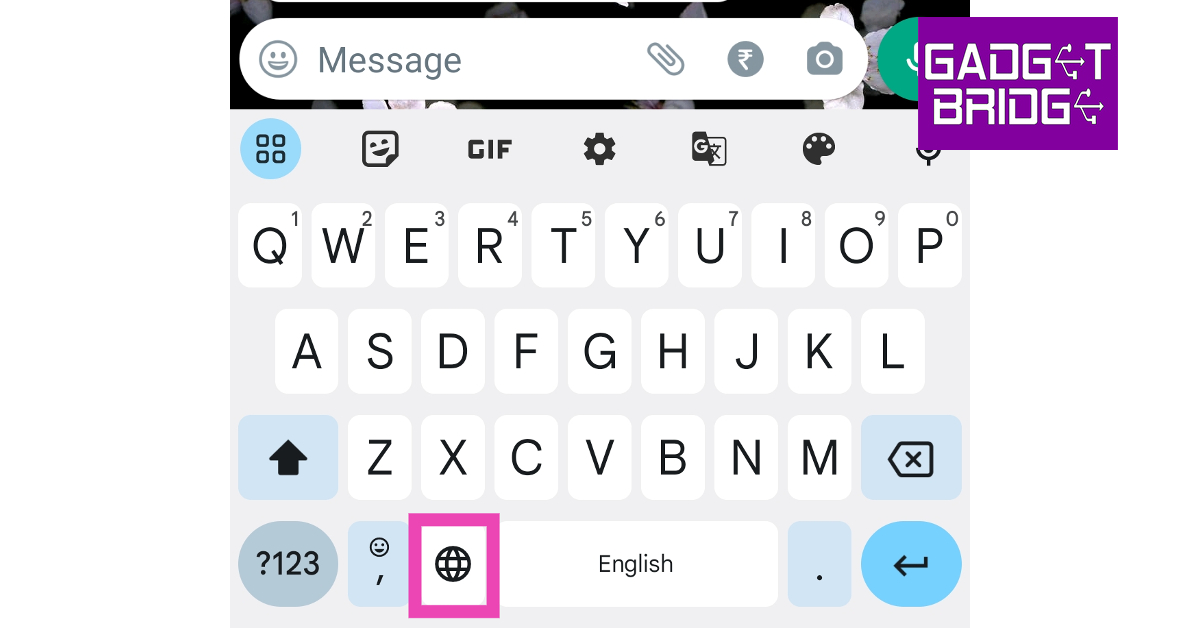
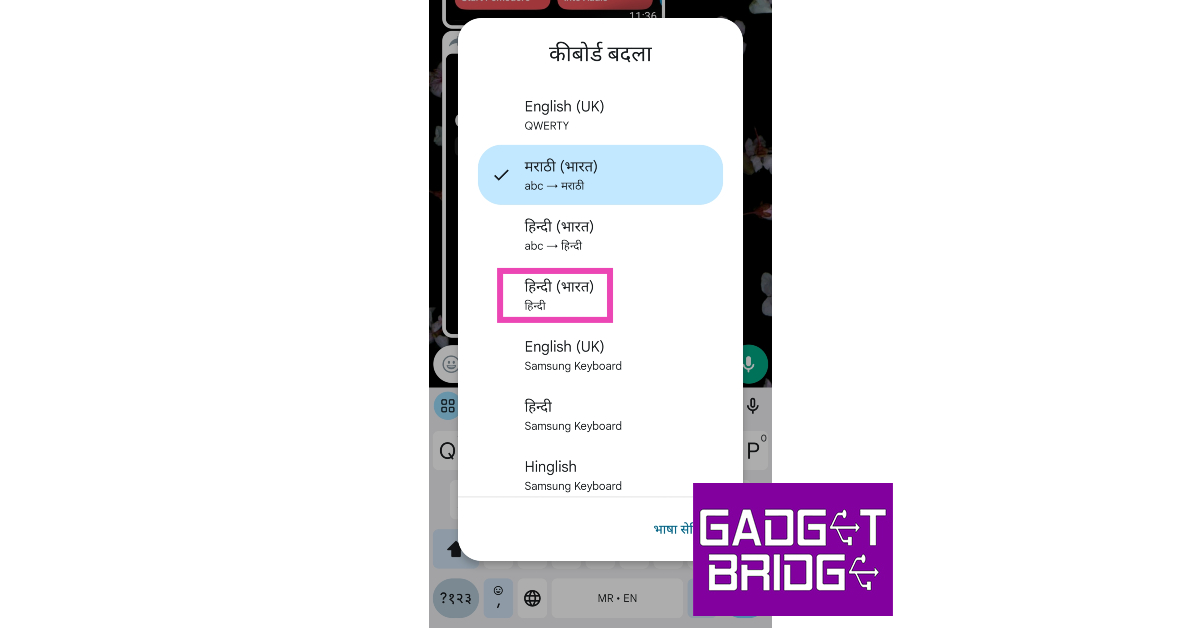
Step 10: Tap and hold the globe icon.
Step 11: Select Hindi from the list of languages.
You will now be able to type in Hindi on your Android smartphone.
Frequently Asked Questions (FAQs)
How do I use the Hindi keyboard on an iPhone?
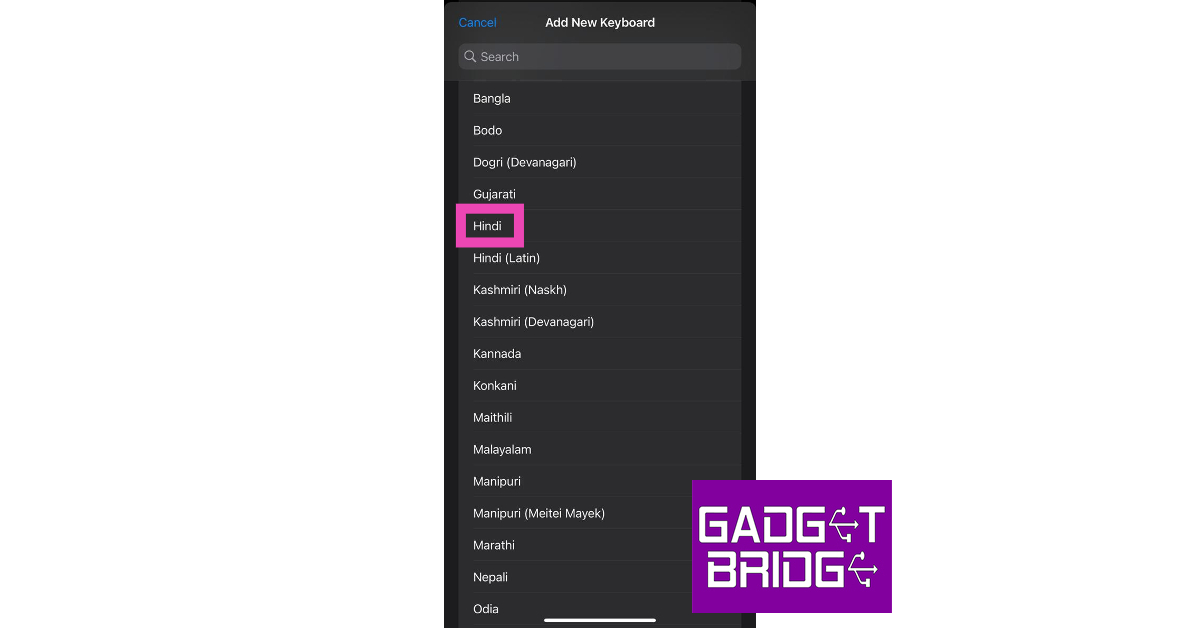
Go to Settings>General>Keyboard>Keyboards>Add New Keyboard and select Hindi. Now, press and hold the globe key on the keyboard and select Hindi from the list.
How do I type in Hindi on my Android phone?
Go to Settings>General Management>Gboard Settings>Languages>Add Keyboard and select Hindi. Tap and hold the globe key on the Gboard and select the Hindi keyboard from the list.
How do I transliterate text from English to Hindi on my phone?
If you want the Hindi text you type in English to be transliterated to the Devanagari script, simply select the transliteration option from Settings>General>Keyboard>Keyboards>Add New Keyboard.
This is how you can use the Hindi keyboard on an iPhone. Check out this article if you want to type in Japanese on your iPhone. Is there a particular dedicated keyboard for Hindi that you prefer using on your smartphone? Let us know in the comments!
If you’re always seeking the help of a Photoshop-savvy friend to carry out the basic editing tasks, you will be pleased to know that there are several apps and online tools that make the photo editing process more accessible to the average user. With just a few taps and clicks you can get the desired results. These apps are designed to be easy to use and they are able to replicate the performance of a fancy photo editing software. In this article, we show you how to quickly change the background of a picture on an image on your PC and smartphone.
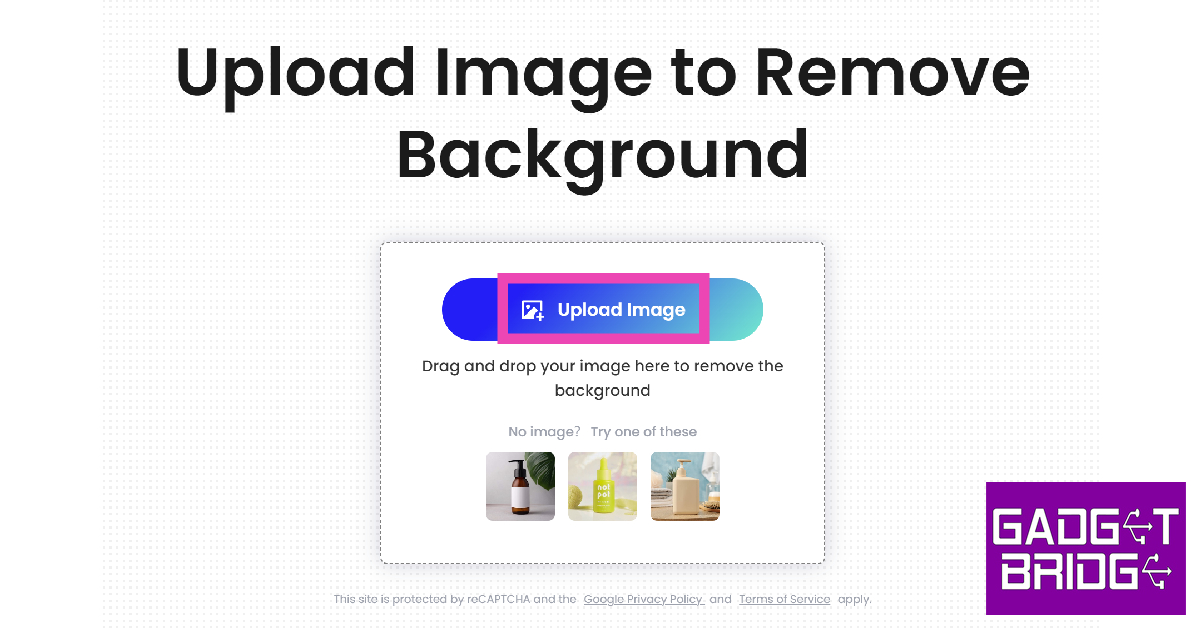
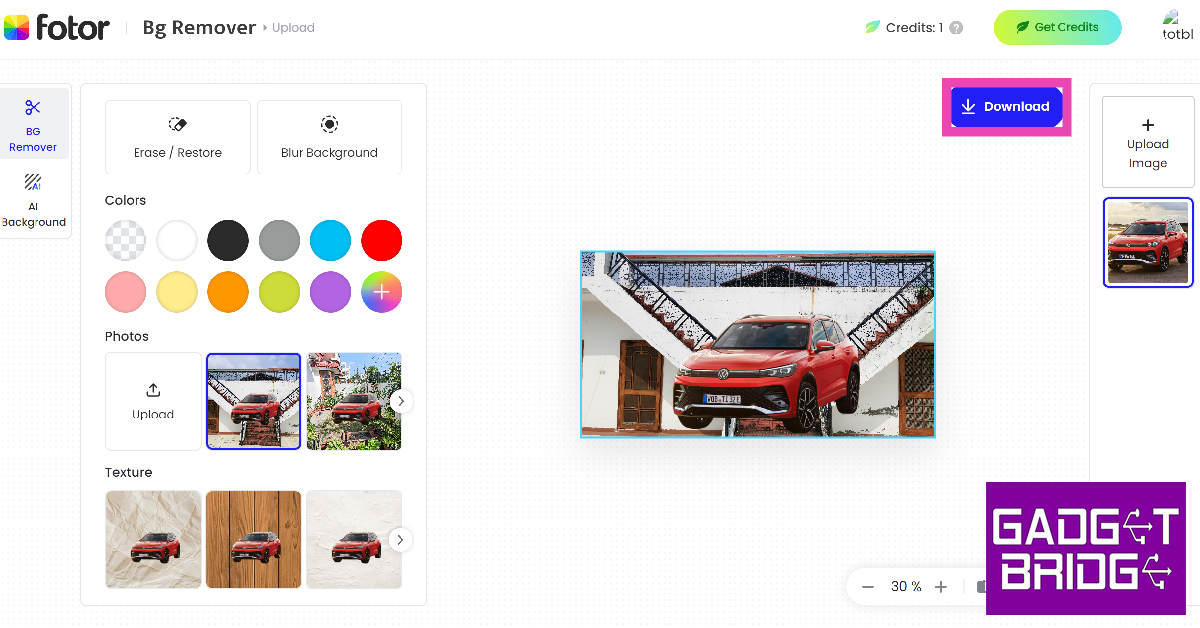
Step 1: Launch the web browser on your PC/smartphone and go to Fotor.com.
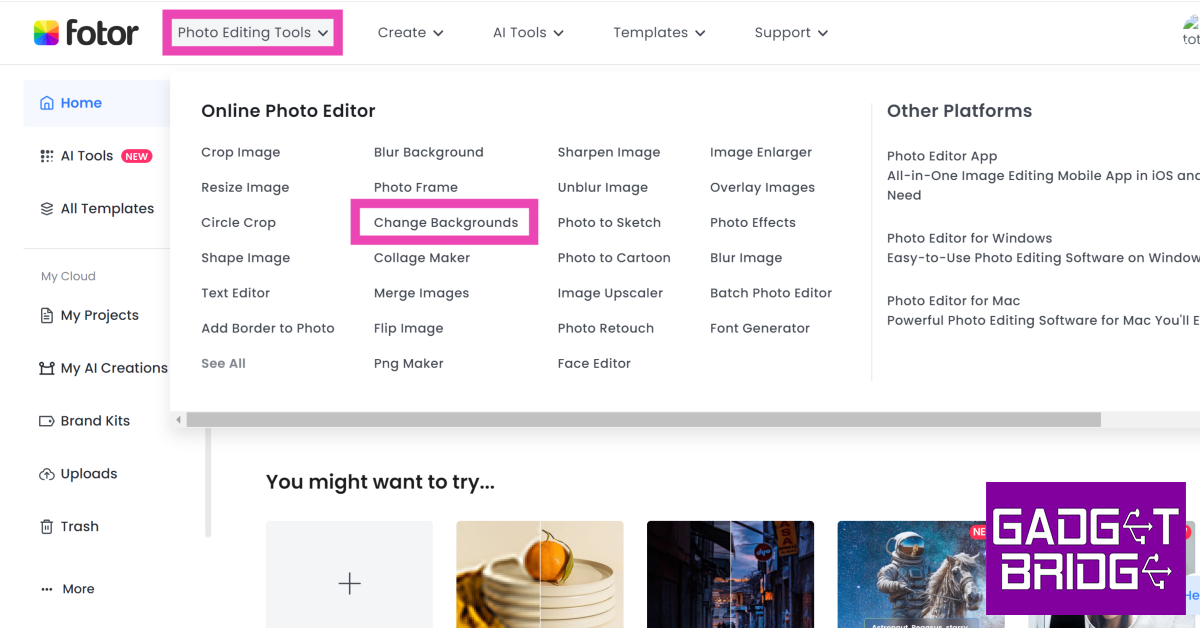
Step 2: Hover the cursor over Photo Editing Tools and select Change Background.
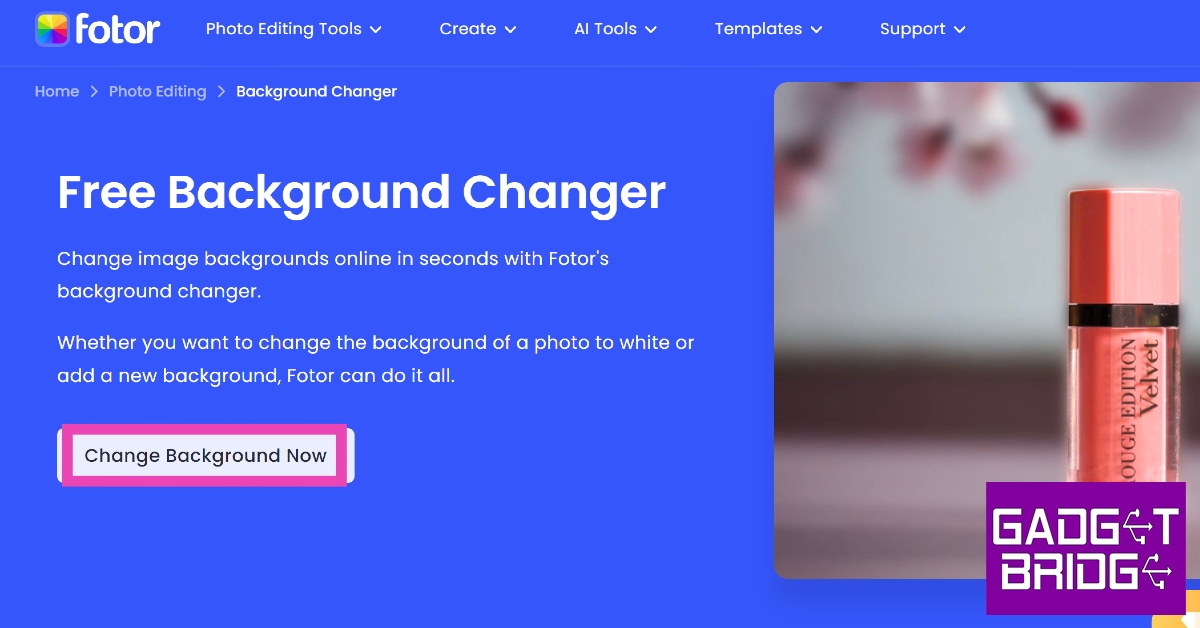
Step 3: Click on Change Background Now.
Step 4:Upload the image for which you want to change the background.
Step 5: Fotor will automatically remove the background of the image as soon as it is uploaded.
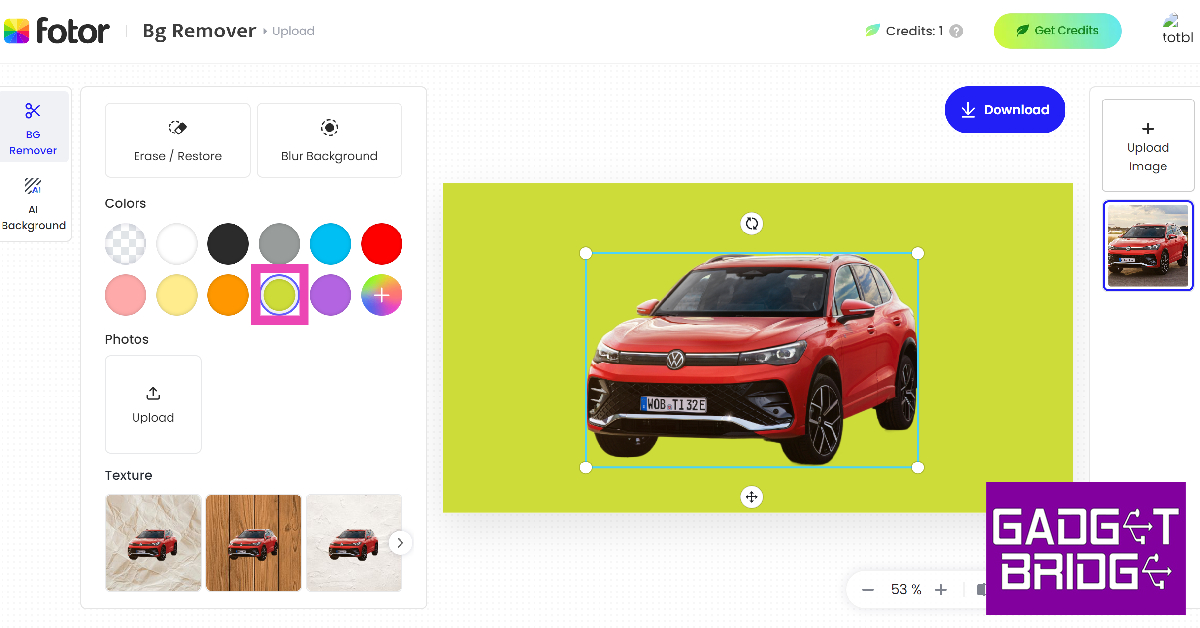
Step 6: If you want a monochromatic background, choose one of the colours from the toolbar on the left.
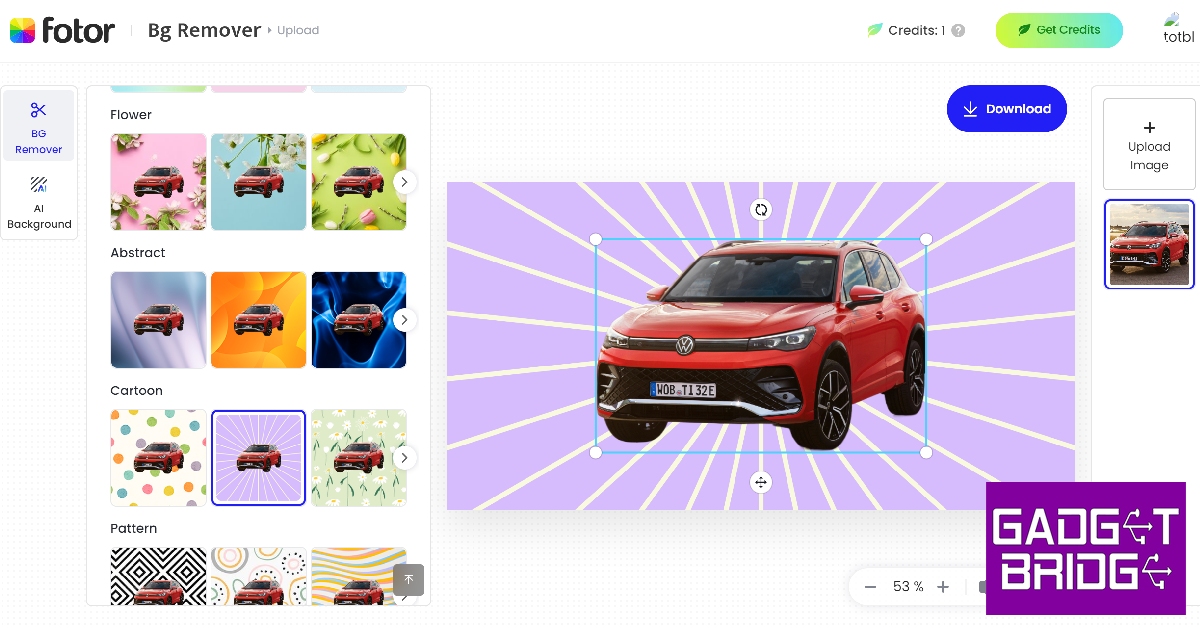
Step 7: Scroll through the toolbar for more background templates.
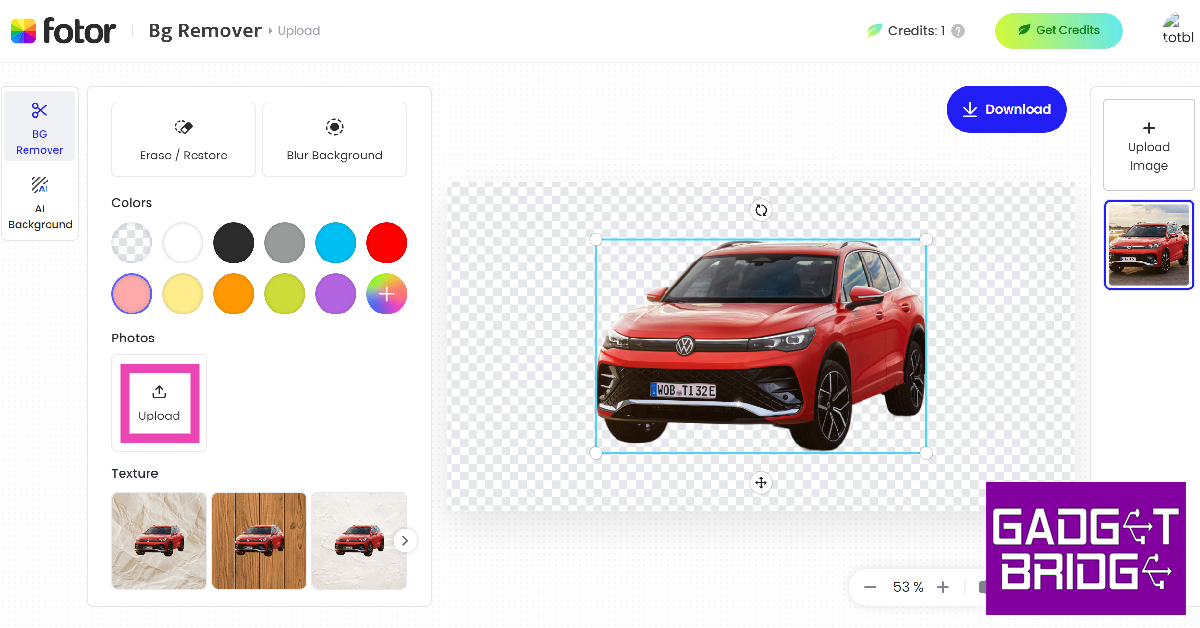
Step 8: If you want your own custom image as the background, hit Upload.
Step 9:Upload a picture from your device.
Step 10: The background will be changed to your image. Hit Download at the top right corner of the editing window to save the image to your device.
Change the image background using Remove.bg
Step 1: Launch your device’s web browser and go to remove.bg.
Step 2: Hit Upload image and select an image from your device.
Step 3: The tool will automatically remove the background of the image.
Step 4: Tap on Edit at the top right corner of the image.
Step 5: Choose a background from the list of templates. You can also upload an image from your device to set it as the background.
Step 6: Once you’re happy with the result, hit the Download icon at the top right corner of the screen and save it on your device. You can also directly share the image from this page.
Use the native photo editor on your Android smartphone
Step 1:Launch the native Photos app on your Android smartphone.
Step 2: Open the image you wish to edit.
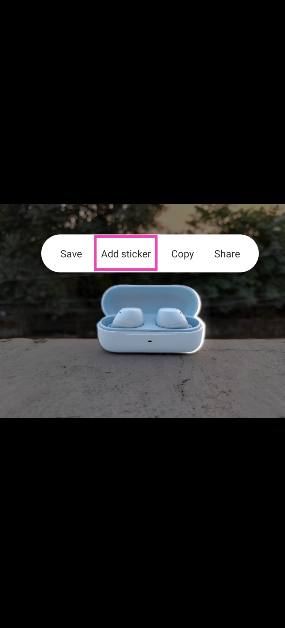
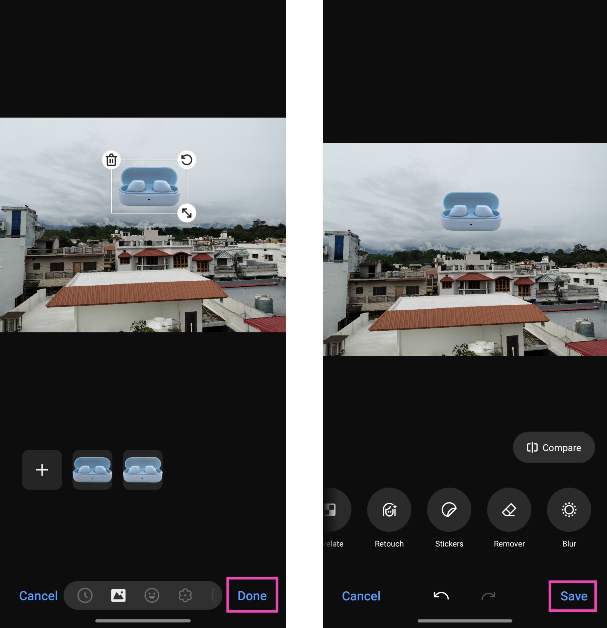
Step 3:Long press the subject until you see the splash effect.
Step 4: Tap Add Sticker in the pop-up menu.
Step 5: Open the image that you wish to set as the background.
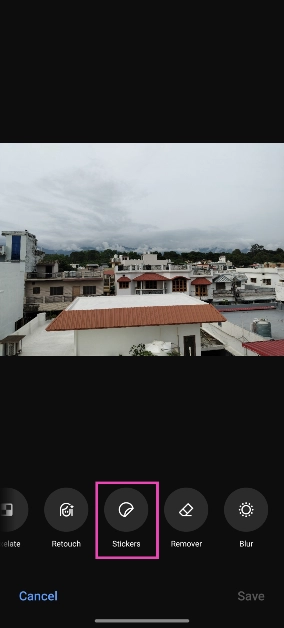
Step 6: Hit Edit at the bottom of the screen.
Step 7: Scroll through the tools and select Stickers.
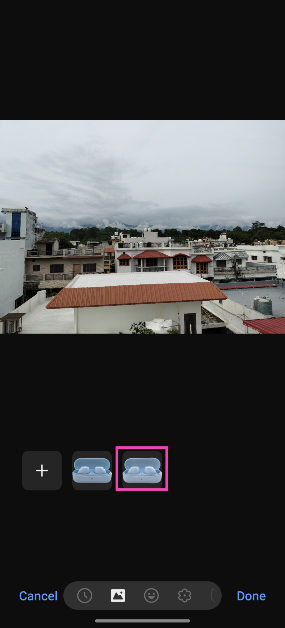
Step 8: Select the sticker you just created.
Step 9: Adjust its size and place it in the ideal spot.
Step 10: Hit Save.
Use AI to change the background of your Instagram Story
Step 1:Launch the Instagram app and tap on Create Story in the top left corner of the screen.
Step 2: Take a picture or upload an image from your phone’s gallery.
Step 3: Tap the Stickers icon and select Backdrop.
Step 4: Hit Next.
Step 5: Enter a prompt for the background.
Step 6: Instagram will generate a new background based on your prompt. If you like it, hit Next.
Step 7: Follow the remaining steps to upload the image as your story.
Frequently Asked Questions (FAQs)
How do I change the background of a picture?
You can easily change the background of a picture, but uploading it to Fotor’s background removal tool and then selecting a template background or uploading one from your device.
Which is the best app to change the background of an image?
Apps like Fotor, Canva, Remove.bg, and PhotoRoom are some of the best tools you can use to remove and change the background of an image.
How to change the background of a picture?
Once you remove the background of a picture using Fotor or Remove.bg, you will be presented with templates and colours to fill the background of the picture.
These are the 4 quick ways you can use to change the background of any picture or image on your smartphone or PC. Instead of using Fotor and Remove.bg’s online tools, you can also use their respective apps. Looking for a good photo editor for your phone? Here is our list of the top 5 photo editing apps for Android.
iPhone 15 Series was launched in India and across the globe last week. The company was open for iPhone 15 reservations till now in the country along with along with 40 other countries, but today the new iPhone lineup will go on sale in India for the first time. The devices will be up for grabs at the online and offline Apple stores.
iPhone 15, iPhone 15 Plus, iPhone 15 Pro and iPhone 15 Pro Max price in India and offer details
Today Apple will begin shipping iPhone 15 series preorders, also the phones will now be available for purchase via the Apple Store in India both offline and online. On September 15, the Apple iPhone 15 series became available for pre-order in more than 40 nations including India. However, it will be shipped in Macao, Malaysia, Turkey, Vietnam, and other nations beginning September 29.
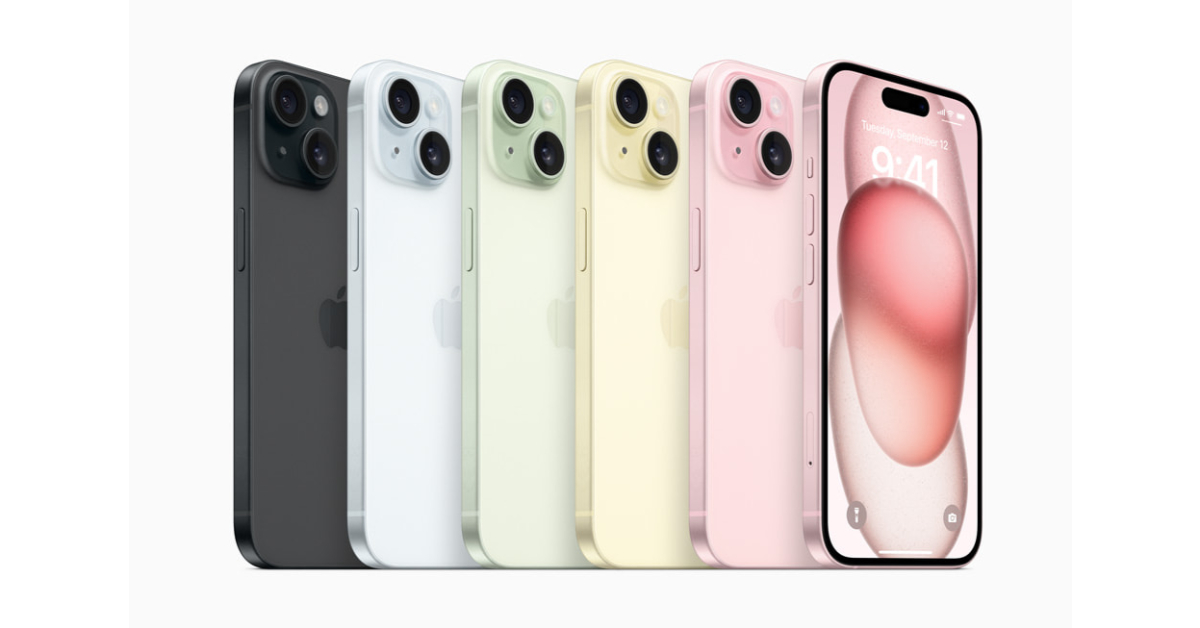
The devices will be made available in India at Apple’s official retail outlets in Mumbai (BKC) and Delhi (Saket), and also at its Online Store. The price of the iPhone 15 and iPhone 15 Plus starts at Rs 79,900 and Rs 89,000 respectively. These two models will come in 128GB, 256GB, and 512GB variants and will be offered in Black, Blue, Green, Pink, and Yellow colour options.
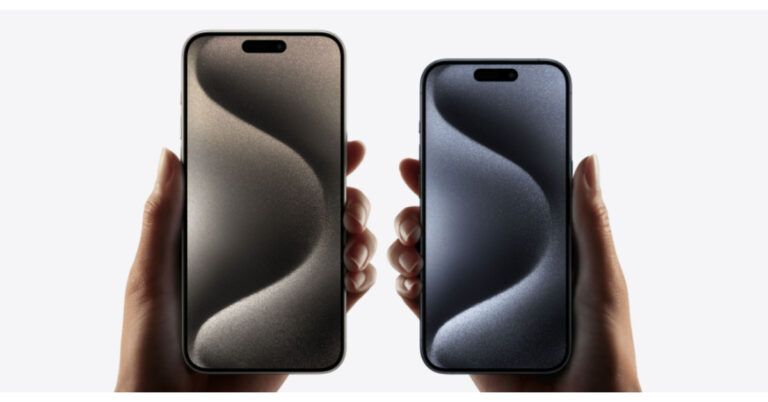
Whereas, the iPhone 15 Pro and iPhone 15 Pro Max will start selling at Rs 1,39,900 and Rs 1,59,000 respectively. 256GB, 512GB, and 1TB storage options will be there for both the Pro models and will be available in Blue Titanium, White Titanium, Natural Titanium, and Black Titanium.
The customers using HDFC credit cards and EMI transactions to purchase the new iPhones will be able to avail of an instant discount of up to Rs 6,000.
As per the company, HDFC card users can receive a Rs 5,000 discount if they buy the iPhone 15 and the Plus variant. After the instant discount the price of iPhone 15 and Plus will come down to Rs 74,900 for its initial price of Rs 79,900 and Rs 84,900 as opposed to the device’s actual price of Rs 89,900.
While the Pro model buyers will get an immediate discount of Rs 6,000. After this discount both iPhone 15 Pro and iPhone 15 Pro Max will be available at Rs 1,28,900 and Rs 1,53,900 down from their launch price of Rs 1,34,900 and Rs 1,59,900.
Notably this discount is only accessible to HDFC Bank card customers making their purchases through the Apple India website, Apple Saket in Delhi and Apple BKC in Mumbai.
After being banned for nearly ten months, Battleground Mobile India, aka BGMI, is officially available again in India. BGMI fans are looking for ways to improve their game experience and one such method is the usage of redemption codes, which offers a variety of rewards and advantages using BGMI redeem codes players can gain access to new skins, outfits, loot crates, weapons and free UC and diamonds.
As mentioned earlier, these codes give users the chance to earn unique rewards and gain extra benefits while playing the game. This includes GUN SKINS (M4, AKM, M416, AWM, M24, UZI, KAR98K), free character voucher, Andy, Carlo, Sara, Victor character for free, free Anna Character on completing the mission and UC or Royal Pass Discount. So here we have gathered a list of the most recent BGMI redeem codes as of 22 September 2023. Also, redeem these codes asap as these are only valid for a limited duration.
BGMI Redeem Codes for 22 September2023
UKUZBZGWF – Free Fireworks
TIFZBHZK4A – Free Outfit
RNUZBZ9QQ – AKM Glacier Skin
PGHZDBTFZ95U – M416 Skin
BTOQZHZ8CQ – New!
TQIZBZ76F – Vehicle Skin
TQIZBz76F – 3 Free Motorcycle
BMTFZBZQNC – Free Drifter Set
SD14G84FCC – Free Skin for KAR98 Sniper Gun
RNUZBZ9QQ – AKM Glacier Skin
5FG10D33 – Falcon and Free Emotes
GPHZDBTFZM24U – UMP9 Skin
KARZBZYTR – Free Outfit
JJCZCDZJ9U – Golden Pan
R89FPLM9S – Companion
BMTCZBZMFS – Pretty in Pink set and Pretty in Pink Headpiece
5FG10D33 – Outfit for Free
How to get free Redeem Codes for BGMI on 22 September2023?
Launch BGMI on your device.
Then select the Redeem Code option from the main menu.
Next, click on the Redeem code tab.
A new window will open, requesting the redemption code.
Now enter your BGMI code.
Confirm and click on the “Redeem” tab.
If your redeem code is valid then you will get a message confirming that your rewards were successfully redeemed.
(Note that these codes are case-sensitive, so be sure to type them correctly to prevent any errors.)
Garena Free Fire is a battle royale game with regular awards and tournaments to keep players interested. If you play Garena Free Fire, you should be aware of the redeem codes that are released on a daily basis. However, because the battle royale game is banned in India, players from other countries can use the Free Fire Redeem codes daily. If you’re unfamiliar with the Garena Free Fire redeem codes or don’t know how to get them, we’ve put together a step-by-step guide to help you redeem them. Check out Garena Free Fire Redeem Codes for 22 September 2023.
The Free Fire redeem codes are a great way to get free stuff. These are 12-digit codes that contain alphabets and numbers, as well as an expiration date and time. Because the Garena FF redeem codes cannot be used more than once, you should hurry to the redemption page to claim your free reward before someone else does. To get a free reward, all you have to do is go to reward.ff.garena.com/en, which is the official redemption page. Also, keep an eye on this space for daily updates on Garena Free Fire redemption codes and rewards.
Garena Free Fire Redeem Codes Today 22 September2023
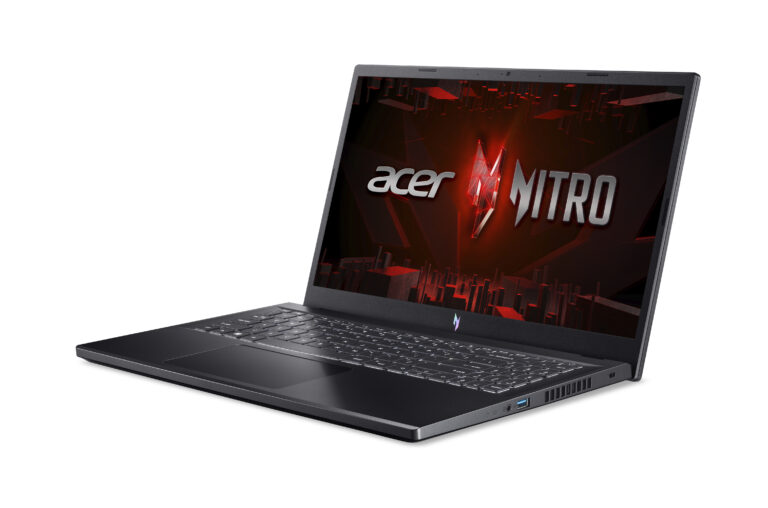
The Taiwanese computer manufacturing giant, Acer, expanded its gaming laptops line in India with the launch of a brand new model of Acer Nitro V. The gaming laptop is powered by the latest 13th Gen Intel Core i5 processor. The latest laptop comes with NVIDIA GeForce RTX 4050 graphics with a dedicated 6GB GDDR6 VRAM. The device features a 15-inch display with a refresh rate of 144Hz.
Acer Nitro V price in India and availability
The Acer Nitro V has been launched in India with a starting price of Rs 76,990 for the 8GB RAM with 512GB of storage. On the other hand, the price of the 16GB RAM with 512GB is set at Rs 79,990. The affordable gaming laptop will be available for purchase via Acer’s online and offline stores in the country. In addition to this, it will be available at Amazon, Flipkart and at Multi-brand outlets.
Acer Nitro V features a 15.6-inch Full HD+ IPS (In-Plane Switching) display. The screen of the gaming laptop supports a 144Hz refresh rate and has a quick response time of 3 milliseconds which increases the sense of immersion during gaming sessions. The V logo on the laptop glows.
The Nitro V is powered by the latest 13th Gen Intel Core i5 processor paired with an NVIDIA GeForce RTX4050 GPU with 6GB dedicated VRAM. The gaming laptop is offered with up to 16GB DDR5 RAM expandable up to 32GB and 512GB SSD storage.
Furthermore, it includes dual-fan, dual-intake cooling technology that maximises its cooling capacities to prevent throttling and ensure maximum CPU and GPU utilisation, ensuring top performance while gaming. There is Acer Purified View and Purified Voice noise reduction technology powered by AI. As per the company, this technology allows gamers to immerse themselves in the virtual world with exceptional sound precision, creating an experience akin to being at the helm of a spaceship command centre.
The Acer Nitro V also has support for Wi-Fi 6, HDMI 2.1, and Thunderbolt 4 for connectivity. Additionally, the laptop’s memory slots and DDR5 storage slots improve its speed by allowing for quicker data access and transfer rates.
Sudhir Goel, Chief Business Officer at Acer India, shared his excitement about the Nitro V Series: “The Nitro gaming series has garnered immense popularity within the gaming community, standing as a testament to its exceptional blend of power, performance, and aesthetic appeal. With the introduction of Nitro V, Acer continues to push the boundaries of what mainstream gamers can expect from their laptops. This latest addition is a perfect synergy of enhanced capabilities, additional features, and an unparalleled immersive experience, all bundled within an affordable price range. We are delighted to give gamers the resources they need to succeed by reimagining the potential of gaming laptops with the Nitro V Series.”
OnePlus has officially confirmed its first foldable phone OnePlus Open will be launching soon. According to leaks, the foldable device is likely to launch on October 19. The company has not officially confirmed however the rumour indicated the upcoming launch. Last month Pete Lau, the co-founder of OnePlus, provided an update on its next product. In addition, some tech specs of the upcoming device have also been leaked. Here is everything we know related to the OnePlus Open.
OnePlus at the TechCrunch Disrupt 2023 event in San Francisco revealed the impending release of its first-ever foldable smartphone. During the event, the company confirmed that its device will provide flagship-level experiences in a compact foldable form factor. In addition, the company didn’t provide an exact timeline instead it has revealed that it will be available soon on the company’s website and its social media platforms.
Previously the device was rumoured to launch in August but OnePlus Open is now tipped to launch on October 19. Last month Pete Lau posted a picture of the hinge for its folding screen on X. The OnePlus foldable is said to have some features of the Oppo Find N. The OnePlus Open is also likely to run on Android 13 out of the box.
Previous leaks suggested that the OnePlus Open will have an outward folding design and will be available in Black and Green colours. Reports suggest that the phone might have a 7.8-inch 2K AMOLED primary display and a 6.3-inch AMOLED cover screen with a 120Hz refresh rate. Both the display will probably support a 120Hz refresh rate.
The foldable smartphone is likely to come equipped with Qualcomm Snapdragon 8 Gen 2 SoC with 8GB RAM and 256GB of internal storage. The phone is also expected to have a 4800mAh battery.
For the photos, the OnePlus Open might feature a 50MP primary storage with Optical Image Stabilization (OIS), a 48MP secondary sensor having an ultra-wide lens, 32MP tertiary sensor equipped with a periscope lens at the rear. The front camera is expected to house two 32MP sensors.
OnePlus Open will launch in China at the end of September first. It will launch in the rest of the countries either at the end of the year or early next year.
Amazon at its Fall 2023 event announced the upgraded lineup of Echo devices. In addition to the new Echo Show 8, the company has introduced third-gen Echo Frames, home security cameras, Fire TV a lot more. All these devices will now use generative AI to boost the performance of Alexa.
Alexa gets generative AI features
First, Alexa is getting generative AI, and Amazon will now use the power of LLMMs to provide practical answers to its consumers. The new generative AI features will be compatible with all currently available Echo devices. At its Amazon Fall 2023 event, the e-commerce platform showcased the even smarter, and more conversational Alexa, powered by generative AI.
As per the company it is based on a new large language model that’s specially created and optimised for voice interactions, Today, we shared a preview of an even smarter, and more conversational Alexa, powered by generative AI. It’s based on a new large language model that’s been custom-built and specifically optimized for voice interactions, and the things we know our customers love—getting real-time information, efficient smart home control, and maximising their home entertainment.
Customers in the US will be the first to get a preview to test these new generative AI features by just saying, “Alexa, let’s chat” to their existing Echo devices. Using the voice command your echo device will turn on the chatbot mode which is created upon a large language model (LLM).
Amazon believes that with the power of new generative AI speaking to Alexa will feel more natural and conversational than ever before, and Alexa’s ability to reason, infer customer intent, and understand complex requests will remarkably improve.
In addition to this, Alexa is also getting 18 new features including Eye Gaze Mode, Call Translation, Alexa Emergency Assist, Game Start Routines, Email to Alexa, Top Connections, Profile-level Voice Customization, AI Art on Fire TV and a lot more.
3rd gen Echo Frames
The all-new smart glasses from Amazon have also been updated. The 3rd gen Echo Frames now have better battery life and have been redesigned. They now look more like regular spectacles thanks to the slimmer profile and have improved audio quality which is said to be less distorted now. Did you know the Echo Frames are been upgraded for the first time in two years? The Echo Frames and Carrera Smart Glasses now come in variants to match your style and they all come with multiple lens options, including sunglass lenses with UV400 protection, prescription-ready, or blue light lenses.
In addition to this Echo Frames are now IPX4 splash and scratch resistant. Talking about battery life, Amazon claims that its upgraded smart glasses will now last you for up to six hours of continuous media playback or talk time, or up to 14 hours of moderate usage on a full battery charge—up to 40% more audio playback and 80% more talk time than the previous generation. In addition to this, the new Echo Frames can be charged wirelessly with an all-new charging stand. Not to forget that also have hands-free access to Alexa. The price of the new Echo Frames begins at $269.99.
Echo Show 8
Echo Show 8 and New Echo Hub
Echo Show 8, Amazon’s new smart display has also been upgraded. With the improved processor, the display responses are quicker with audio with spatial audio, room acoustic sensing, and noise reduction technology. It features a new proximity sensor which is now able to adjust its UI. It identifies acoustics around it easily to adjust the sound output and the front-facing camera comes with a physical switch to turn off the mic. Not just that it has an in-built smart home hub for seamless compatibility. With an upgraded design it has edge-to-edge glass and a centered camera. Echo Show 8 price starts at $149.
New Echo Hub
On the other hand, the Echo Hub smart home control panel costs $179.99. It is Amazon’s first wall-mountable smart home control panel powered by Alexa. It features an 8-inch touchscreen and a customizable dashboard for all your smart home devices. Moreover, you can use it as your security system, start a Routine, turn on the fan, or change the volume on your Echo and view multiple live camera feeds at the same time. There is support for more than 140,000 smart devices and all major connectivity standards, including Matter and Thread on the Echo Hub.
New Fire TV devices
New Fire TV devices
Amazon has also announced new models of new Fire TV devices including new Fire TV Stick and Fire TV Soundbar. The new Fire TV Stick will be available in Fire TV Stick 4K and Fire TV Stick 4K Max models. The Stick 4K is claimed to be 30% more powerful than the previous generation and now includes support for Wi-Fi 6. Fire TV Stick 4K price starts at $49.99.
Fire TV Stick 4K Max (2nd Gen) on the other has Fire TV Ambient Experience which transforms the TV into a always-smart display by replacing blank screens with information like your family calendar, local weather forecast, and reminders on your screen when you’re not streaming.
It is also the first-ever streaming stick to support Wi-Fi 6E resulting in lower latency and faster speeds. The new 4K Max comes with support for Dolby Vision, HDR, and HDR10+, and immersive Dolby Atmos audio. The Fire TV Stick 4K Max (2nd Gen) is now available for pre-order for $59.99.
While the Fire TV Soundbar is 24-inch is size soundbar. It has support for DTS Virtual:X and Dolby Audio. It can be paired with all Fire TV streaming media players and TVs. The Fire TV Soundbar is available for $119.99.
Blink Outdoor 4 Floodlight Camera
Amazon Security cameras
Blink Outdoor 4 Floodlight Camera is the latest addition to the company’s home security portfolio. It is basically a wireless outdoor camera with motion-triggered LED lighting and up to two years of battery life, based on default settings. Its outdoor security camera has accurate motion alerts which use radar technology to track people. It comes with several accessories Sync Module Pro, wireless floodlight mount and a battery extender do those who already have Blink Outdoor 4.
Blink Outdoor 4 Floodlight Camera is available in the U.S. and Canada for $159.98. The Floodlight Mount accessory can be purchased for $39.99, the Blink Sync Module Pro for $49.99 and the Blink Outdoor 4 Battery Extension pack at $29.99.
Garena Free Fire is a battle royale game with regular awards and tournaments to keep players interested. If you play Garena Free Fire, you should be aware of the redeem codes that are released on a daily basis. However, because the battle royale game is banned in India, players from other countries can use the Free Fire Redeem codes daily. If you’re unfamiliar with the Garena Free Fire redeem codes or don’t know how to get them, we’ve put together a step-by-step guide to help you redeem them. Check out Garena Free Fire Redeem Codes for 21 September 2023.
The Free Fire redeem codes are a great way to get free stuff. These are 12-digit codes that contain alphabets and numbers, as well as an expiration date and time. Because the Garena FF redeem codes cannot be used more than once, you should hurry to the redemption page to claim your free reward before someone else does. To get a free reward, all you have to do is go to reward.ff.garena.com/en, which is the official redemption page. Also, keep an eye on this space for daily updates on Garena Free Fire redemption codes and rewards.
Garena Free Fire Redeem Codes Today 21 September2023
updating soon…
How to Get Free Fire Redeem Codes for Garena on 21 September2023?
It is dangerous to generalize in these perilous economic times, but market indicators across the Western world suggest that older generations are having a better time of things financially than anyone else. That’s certainly a trend in Australia right now, a nation that has recovered better and faster from the events of 2020.
As always, there are exceptions, but in the main, Australian seniors are retiring younger, living longer and spending more. So what are they spending their money on? Seniors in other parts of the world might spend it on travel to exotic locations like Australia. Yes, of course, Aussie seniors travel, but most commonly within Australia and New Zealand.
Australian seniors have money to spend on other leisure pursuits, and you might be surprised to hear that for almost half, that includes gaming.
A dramatic rise in silver gamers
Over the past four years, the number of over-65s in Australia who describe themselves as gamers have almost doubled to just over 40 percent. It is easy to place responsibility for the events of 2020 and 2021, but that would be an oversimplification.
For one thing, it is fair to assume that everyone over 61 who identified as a gamer four years earlier would now say they are a gamer aged 65 plus. Secondly, there will always be some newbie gamers in every age group who decide to give it a try. It is in this area that the mass closures in 2020 and 2021 had some influence, in two areas especially.
You can’t keep Australians from casino games
When calculating on the basis of money spent per capita, Australians are mathematically the biggest gamblers in the world. They wager as much per capita as the second and third-highest-spending nationalities put together. Around 50 percent of all betting is on pokies or slot machines.
Obviously, the closure of casinos, bars and so on had a significant impact, and in 2021, older Australians were poring over Australian online casino reviews in record numbers. Online platforms offer the same casino games with which customers are familiar, as well as a good range of classic table games like 3-card poker, blackjack and roulette.
Gaming is a way for families to bond
The other way in which those difficult months encouraged older generations to try gaming was as a way to feel a little closer to loved ones who were temporarily out of reach. We all saw the awesome phenomenon of over-65s taking to platforms like Zoom like ducks to water so they could chat with family and friends.
They soon found out that chatting was only the beginning. Traditional games like chess, Scrabble and even Monopoly were given new leases of life as they provided a way for families and generations to interact – and probably better than they had in years in a lot of cases!
Silver gaming is more popular than ever
From the above, it is easy to conclude that the primary driver for the rise in silver gamers happened in 2020 and 2021. However, if that was the case, you would expect the numbers to have tailed off over the past two years. But on the contrary, the number of over 65s playing casino games continues to rise. In subsequent surveys this year, games like Wordle have taken ascendency. Silver gaming is here to stay, and habits are changing with each passing year. The real question is when developers will catch on to this new, wealthy demographic.
Opportunities abound for game and gadget makers
It is plain to see that players of all ages can enjoy games from Wordle to Monopoly Live to Subway Surfers. The same goes for sports management games. But to look at the way they are marketed and packaged, you would find it hard to believe. There is an immense opportunity there for the taking in Australia, and if things go the way they tend to go, it is one that will soon be replicated in the rest of the western world.
Sports games are actually an excellent example – over 65s born in the 1950s would undoubtedly relish the chance to play and manage teams from the 1970s, but apart from a few “all-time” teams, it has never really been explored.
Similarly, gadget makers selling peripherals such as game controllers could do far more to pitch them at older players. Even at 30 or 40, touchscreen controls can be fiddly. These are the sorts of gadgets that are perfect gifts for older players.
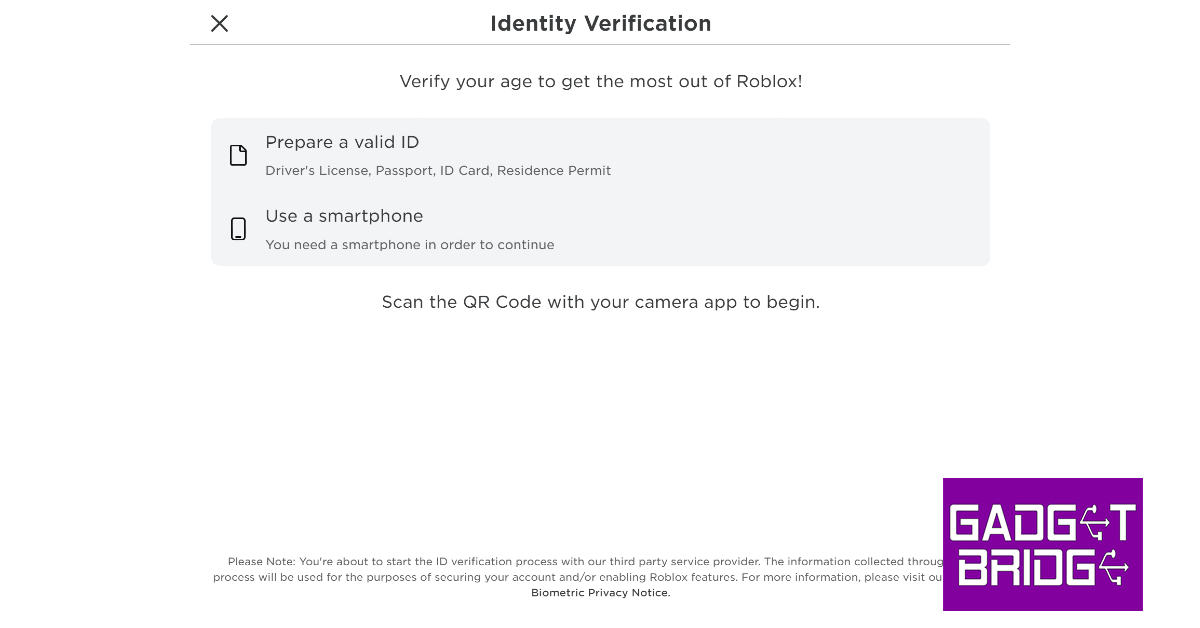
Voice chat functionality is an essential feature for every gaming platform. While it is not universally applied across Roblox, users can still use it for certain gaming titles. In order to communicate via voice chat on Roblox, you must verify your age with the platform. This can be done by using any valid government ID like a driver’s license or a passport. Once that’s taken care of, here is how you can enable voice chat on Roblox.
Step 1: Go to Account Settings and complete your age verification.
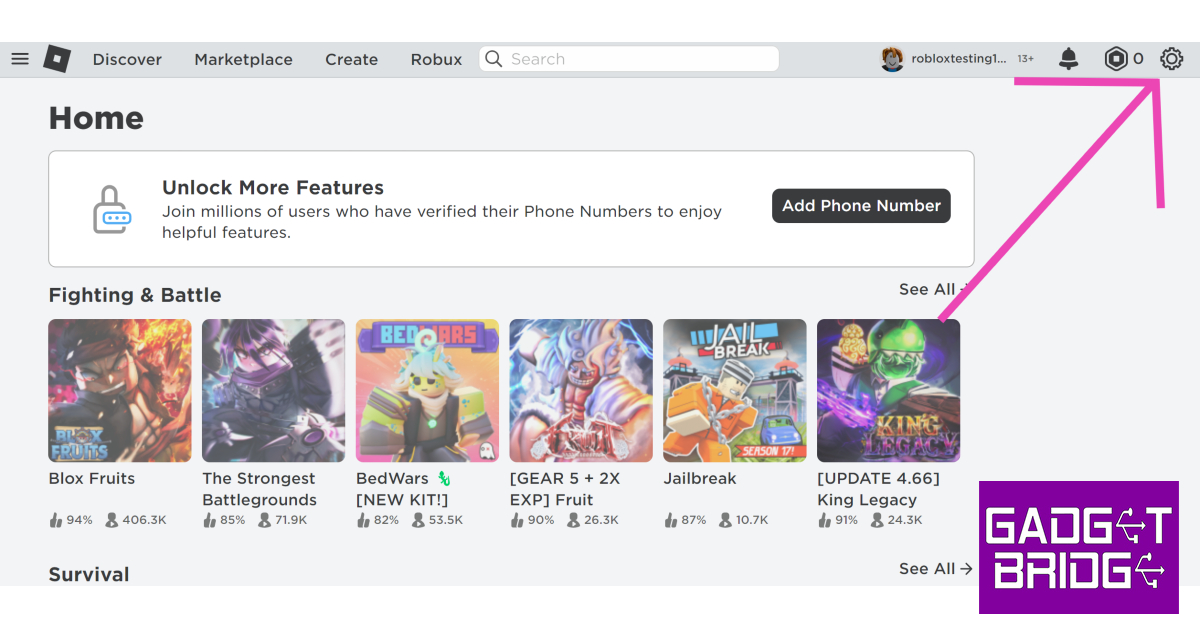
Step 2: Once you have verified that you are over 13 years of age, go to the Roblox home page and click on the gear icon at the top right corner of the screen.
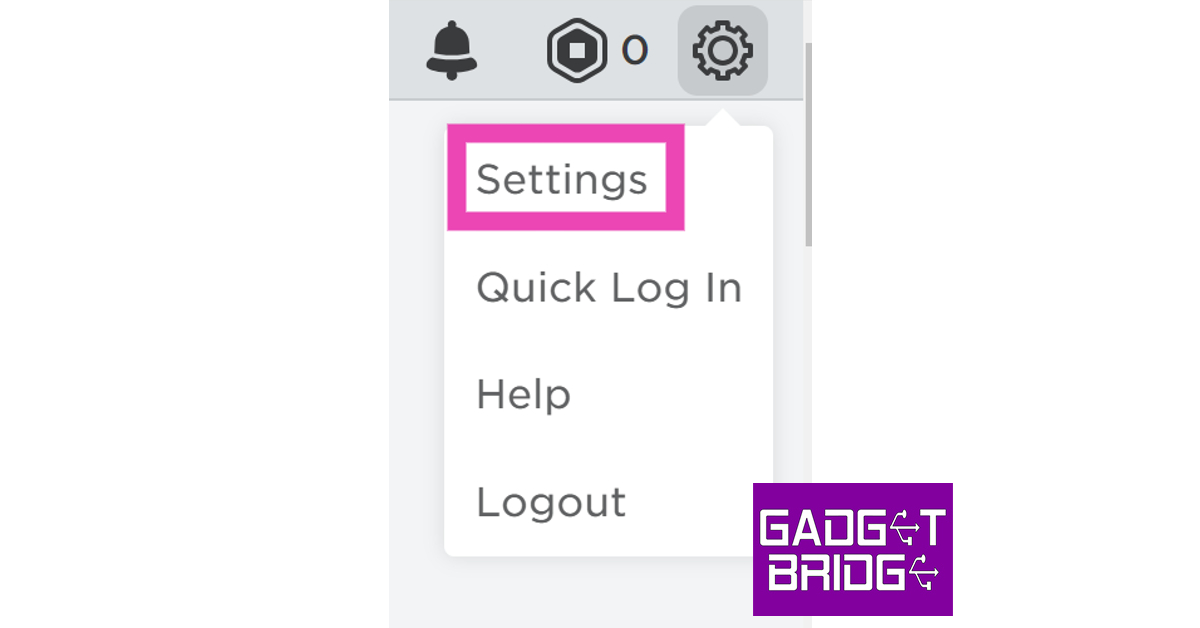
Step 3: Select Settings.
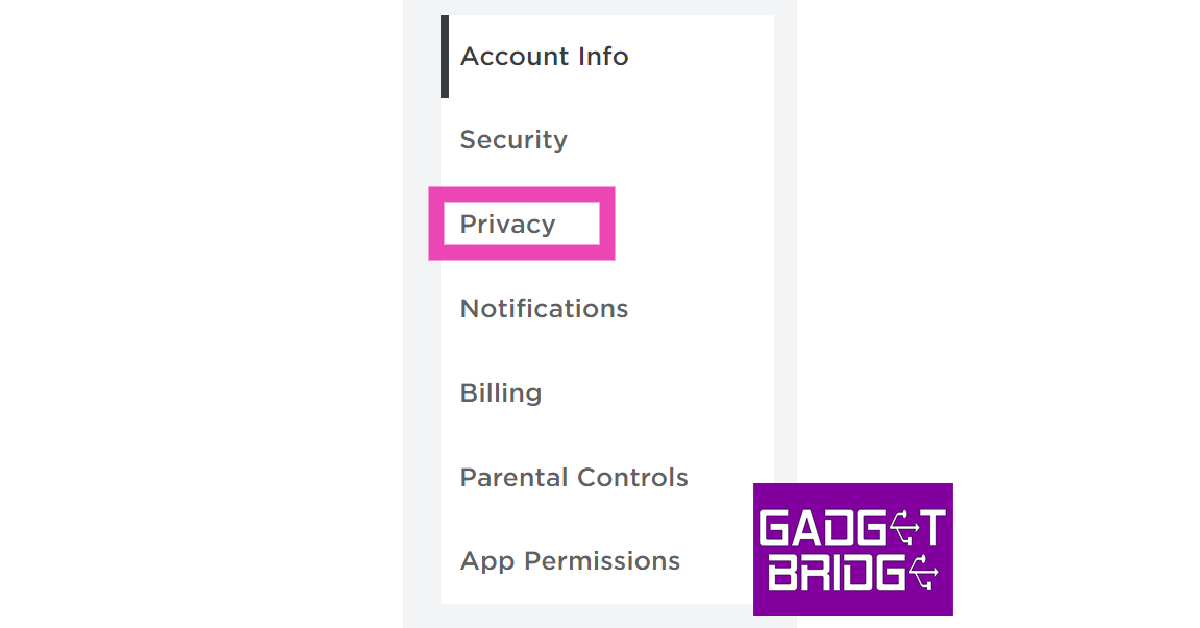
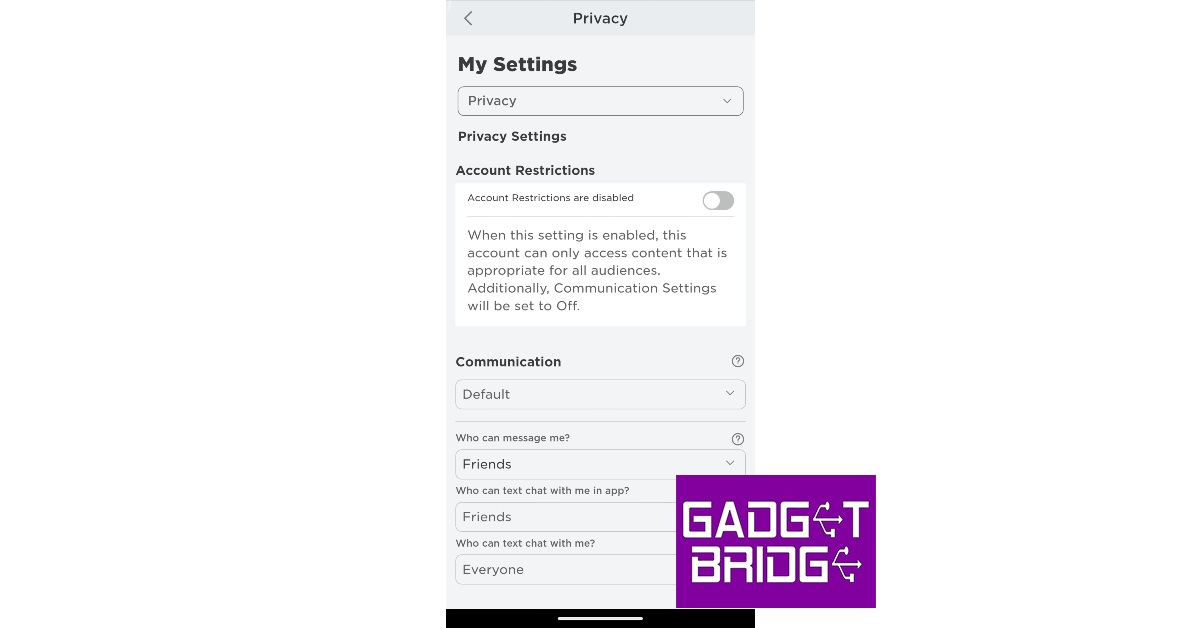
Step 4: Switch to the Privacy tab on the side menu.
Step 5:Turn on the toggle switch for voice chat.
Step 6: Hit Enable in the following popup box.
Step 7: To disable voice chat, turn off this toggle switch.
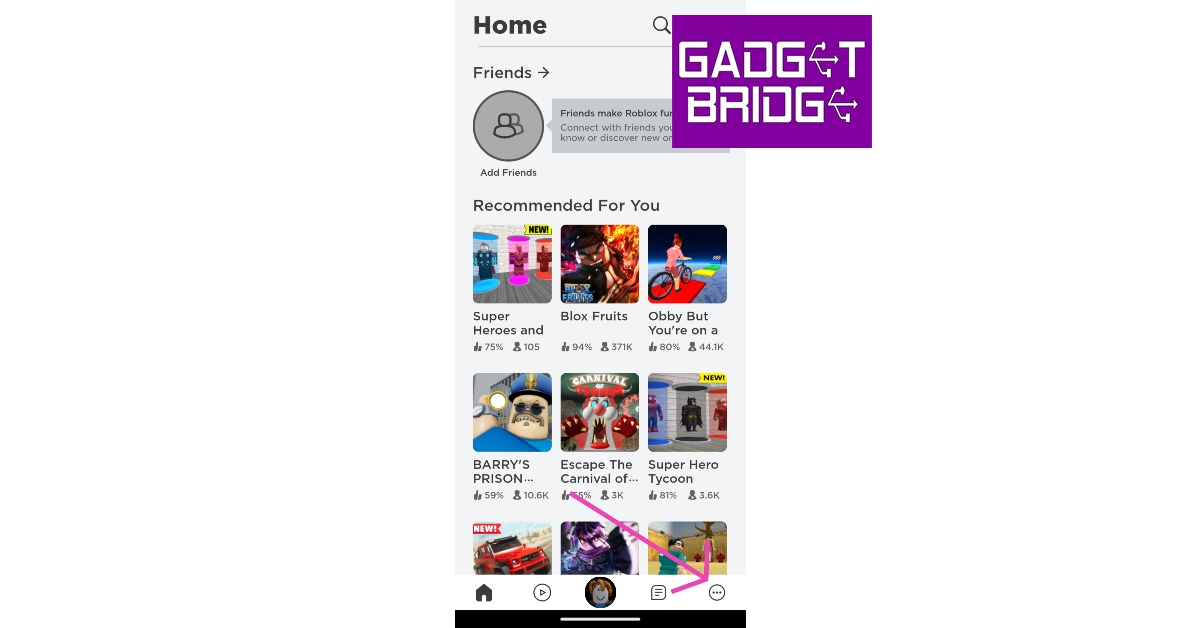
Step 3: Tap the ellipses at the bottom right corner of the screen.
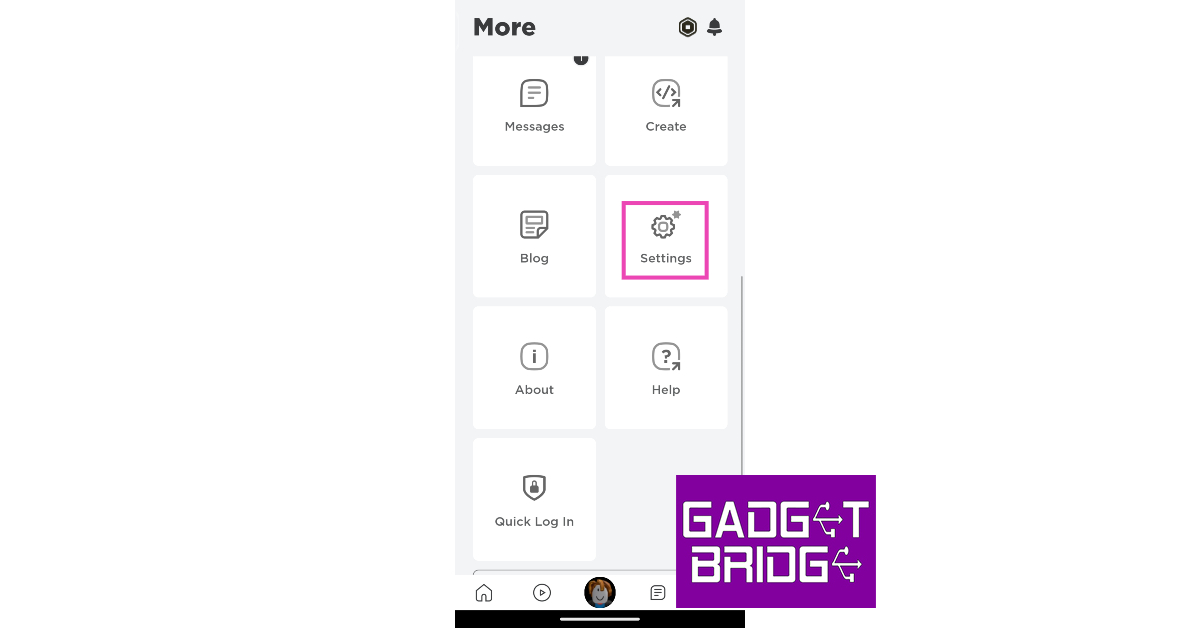
Step 4: Scroll down and select Settings.
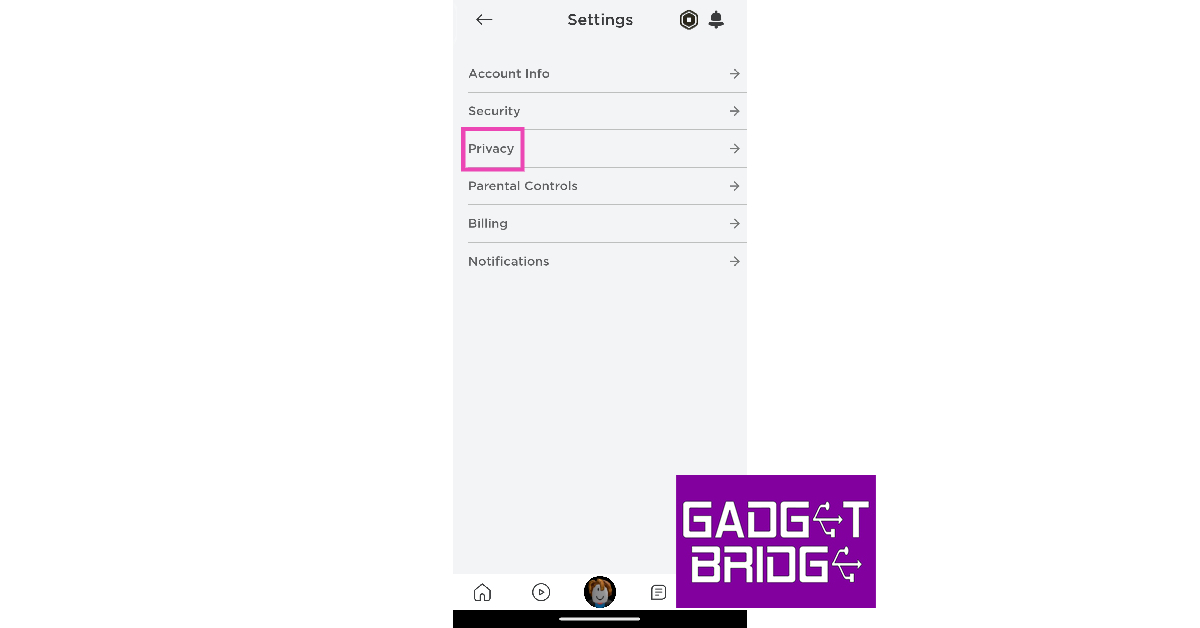
Step 5: Tap on Privacy.
Step 6:Turn on the toggle switch for voice chat.
Step 7:Turn off the toggle switch if you want to disable voice chat on Roblox.
Frequently Asked Questions (FAQs)
Why can’t I view the voice chat feature on my Roblux account?
Since voice chat is still a beta feature, you need to verify your age and email with Roblox in order to use it.
How do I enable voice chat on Roblox?
To enable voice chat on Roblox, go to Settings>Privacy and turn on the toggle switch for voice chat. Make sure your age is verified with Roblox before you initiate this process.
How do I mute someone on Roblox?
To mute another player on Roblox, simply click the microphone icon on top of their avatar.
This is how you can enable or disable voice chat on Roblox. You should know that not every game on Roblox incorporates the voice chat functionality. This is because it is not a core feature of the platform and it is up to the developers to decide whether they want to use it for their game. To check if a gaming title supports voice chat, check its download page.
Apple unveiled the new iPhone 15 Series at its fall event last week. The company is currently accepting pre-orders for iPhone 15, with deliveries set to begin on September 22. The Cupertino tech giant has now revealed that all the iPhone 15 and iPhone 15 Plus units sold in India will be manufactured locally.
‘Made in India’ iPhone 15 and 15 Plus to begin shipping from September 22
In a bid to develop India into a manufacturing hub in Asia, Apple has ramped up the production of iPhone 15 and 15 Plus in the country. Last year, the production of entry-level iPhone 14 models in India started three months after its launch. This year, all the iPhone 15 units sold in India will be manufactured and assembled locally. Apple will also export some units of the iPhone to the neighbouring Asian markets.
iPhone 15 is manufactured at Foxconn’s production facility in Sriperumbudur, Tamil Nadu. The iPhone 15 Plus will also be locally assembled at this plant. Despite being locally manufactured, the iPhone 15 is priced higher in India than in the rest of the world. Read this article to learn how much the iPhone 15 Series costs in other parts of the world.
The iPhone 15 Series will be made available to Indian buyers at Apple’s official retail outlets in Mumbai (BKC) & Delhi (Saket), and also at its Online Store. The entry-level iPhone 15 is priced at Rs 79,900 in India. The iPhone 15 Plus fetches Rs 89,900. Meanwhile, the Pro and Pro Max variants of the iPhone 15 cost Rs 1,34,900 and Rs 1,54,900 respectively.
The USB-C charging port makes its debut on the iPhone this year. All iPhones come with special braided USB Type-C cables inside the retail box. The Dynamic Island, which made its debut in the Pro models last year, has now been extended to the non-Pro variants as well. The new A17 Pro chipset has only been made available on the Pro variants this year. The entry-level iPhone 15 variants get the A16 Bionic chipset from last year.
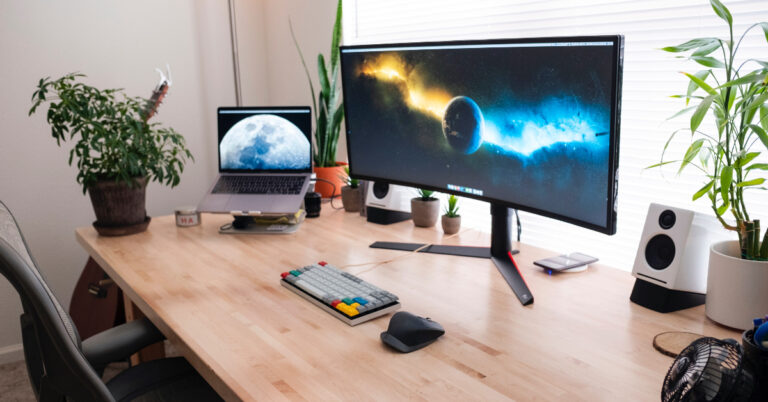
If you use a multi-monitor setup for your desk, it might be time to upgrade to a curved display unit. Curved monitor displays have a unique advantage over regular monitors. For gamers, the curvature of the display provides an immersive gameplay experience that covers your peripheral vision as well. For those looking to boost their productivity, a curved monitor allows you to work on several different tasks at once with absolute ease. In this article, we bring you our picks for the top 5 curved monitor displays for gaming and productivity that you can buy right now.
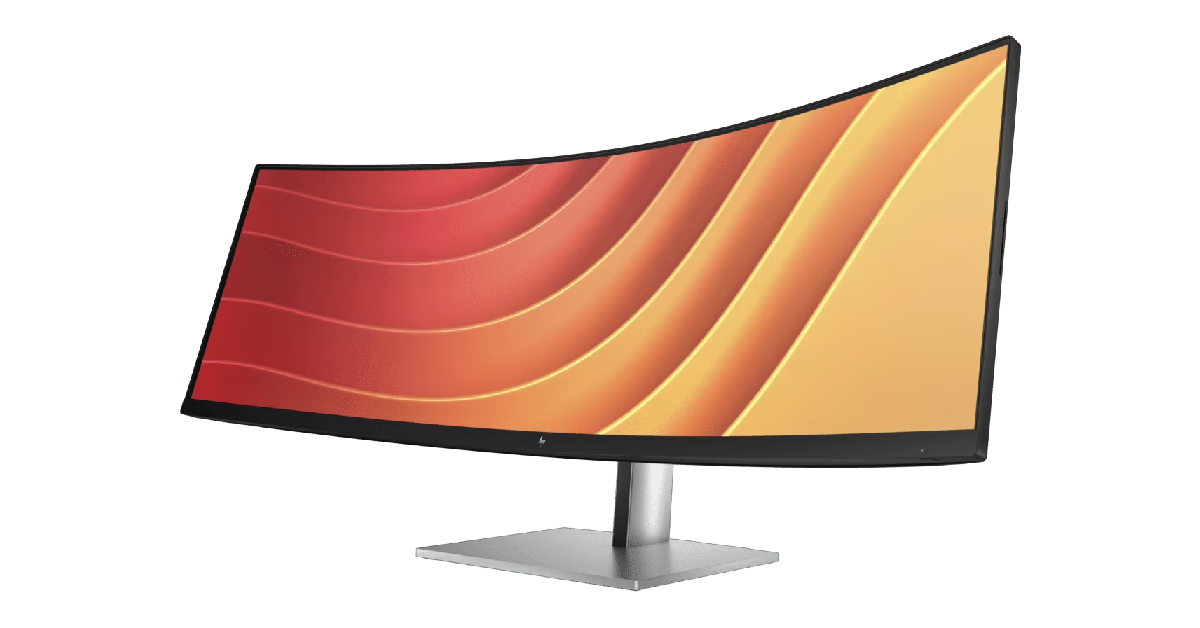
The 45-inch HP E45c G5 DQHD Curved Monitor is the perfect replacement for two individual monitors on your desk. HP’s Virtual Dual Display allows you to split the display in half so you can carry out different tasks on either portion. You can also connect two different computers to this monitor and simultaneously use them with HP Device Bridge 2.0. You get a 1500R curvature on this display unit.
This monitor has a refresh rate of 165Hz and adaptive brightness that can hit a peak of 400 nits. The ambient light sensor on the monitor automatically adjusts its brightness level in accordance with your surroundings. The E45c G5 DQHD supports resolutions up to 5120 x 1440p and has a 32:9 aspect ratio. There are two 3W speakers integrated into the monitor along with an HDMI port, two USB-C ports, and four USB-A ports.
This 49-inch curved gaming monitor from Samsung has a 32:9 aspect ratio and a 240Hz refresh rate. The 1000R curved display covers your peripheral vision to provide an immersive viewing experience. The 2ms low input lag is ideal for seamless, hiccup-free gaming. It also rocks AMD FreeSync Premium Pro and G Sync to minimise any stutters and frame tearing. With PIP (Picture-in-Picture) and PBP (Picture-by-Picture) onboard, you can make the most of the screen’s real estate.
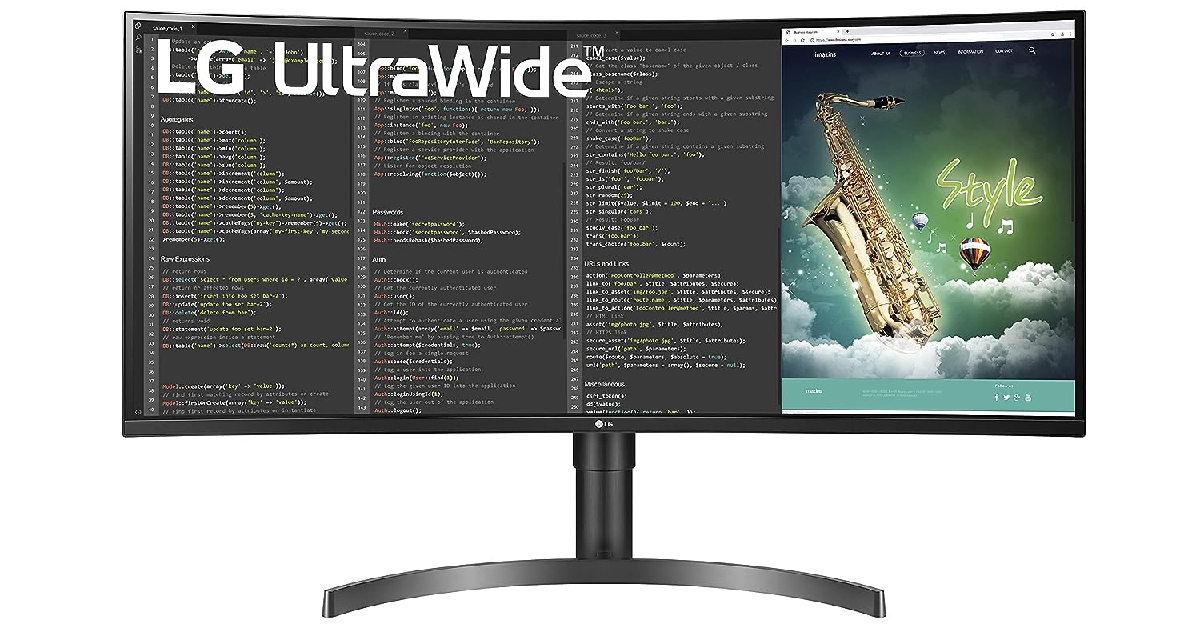
The 35-inch LG 35WN75C-B is one of the best midrange monitors you can buy right now. This curved display monitor has a resolution of 3440 x 1440p and a 100Hz refresh rate. With HDR10 support and sRGG 99% colour gamut, this monitor display produces detailed and contrasty images, enabling a better viewing experience. There are two 7W stereo speakers onboard along with a USB-C port, HDMI port, and two USB-A ports.
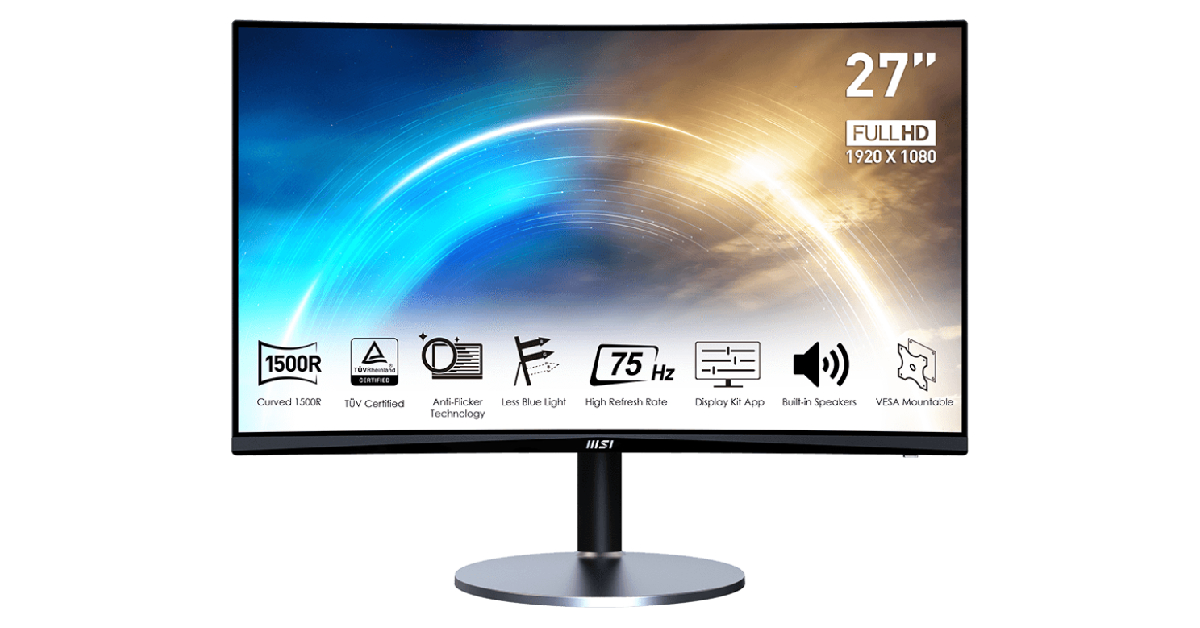
Looking to buy a curved monitor display on a strict budget? The 27-inch MSI PRO MP272C is a great choice. This monitor offers a 1920 x 1080p resolution and a 75Hz refresh rate. With a 1500R curvature, the MP272C offers optimum peripheral coverage. There are HDMI and VGA ports on the monitor to support input from multiple devices. The Blue Light filter and Anti Glare tech make sure that your eyes remain stress-free after prolonged use.
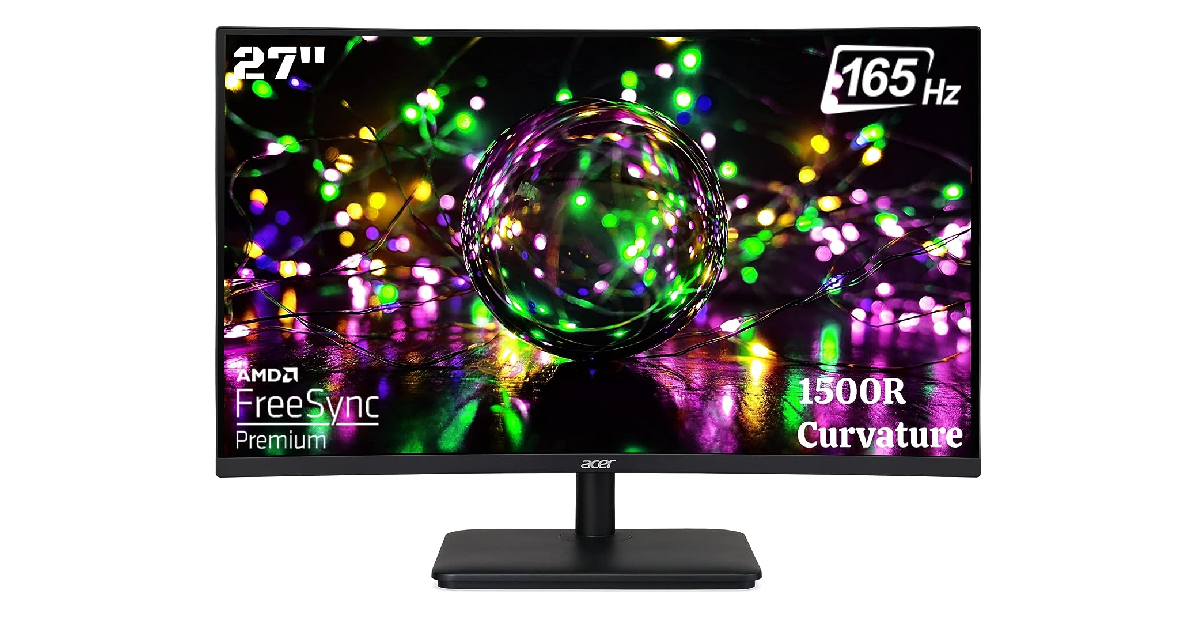
Ending this list is another affordable curved gaming monitor priced at just Rs 12,899. The 27-inch Acer ED270R LCD monitor has a 1500R curvature and a 1920 x 1080p resolution. The 165Hz refresh rate on this display is ideal for gaming. The AMD Free Sync Premium tech on this monitor reduces screen tearing and unwanted stutters during gameplay. The monitor is wall-mountable and can be tilt-adjusted on a stand. It has 2 HDMI ports and 1 DP port.
These are our picks for the top 5 curved monitor displays you can buy for productivity and gaming-related tasks. We’ve made sure to pick the best products across different categories and price points. Think we missed out on a monitor that deserves to be on this list? Let us know in the comments!
Curved and flat displays are a very divisive topic among smartphone enthusiasts. While many prefer the minimal bezels and more real estate offered by a curved panel, others find the resulting accidental touches to be a deal breaker. If you are a part of the former camp, you will be pleased to know there are numerous curved display smartphone options across different price points. In this article, we bring you our picks for the top 10 smartphones with a curved display panel.
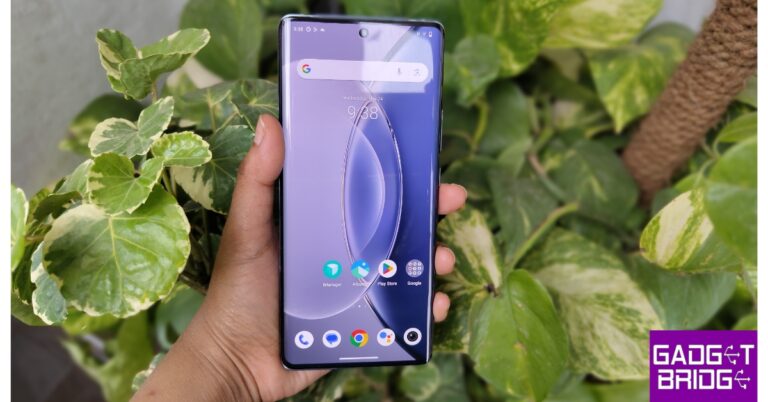
The newly launched iQOO Z7 Pro gets a 6.78-inch curved AMOLED panel with a maximum refresh rate of 120Hz. This display can reach a peak brightness of 1,300 nits. It also gets HDR10+ support for ideal content-watching experience. The screen-to-body ratio on this smartphone is 90.4% (approx.). Powering the Z7 Pro is the MediaTek Dimensity 7200 SoC. OS duties are handled by Android 13 with Vivo’s Funtouch 13 OS on top. Read our full review here.
Vivo V29e
Price: Rs 26,9999
Key Specs
Display
6.78-inch AMOLED
Chipset
Snapdragon 695 5G
RAM
8GB
Storage
128GB, 256GB
Battery
5,000 mAh
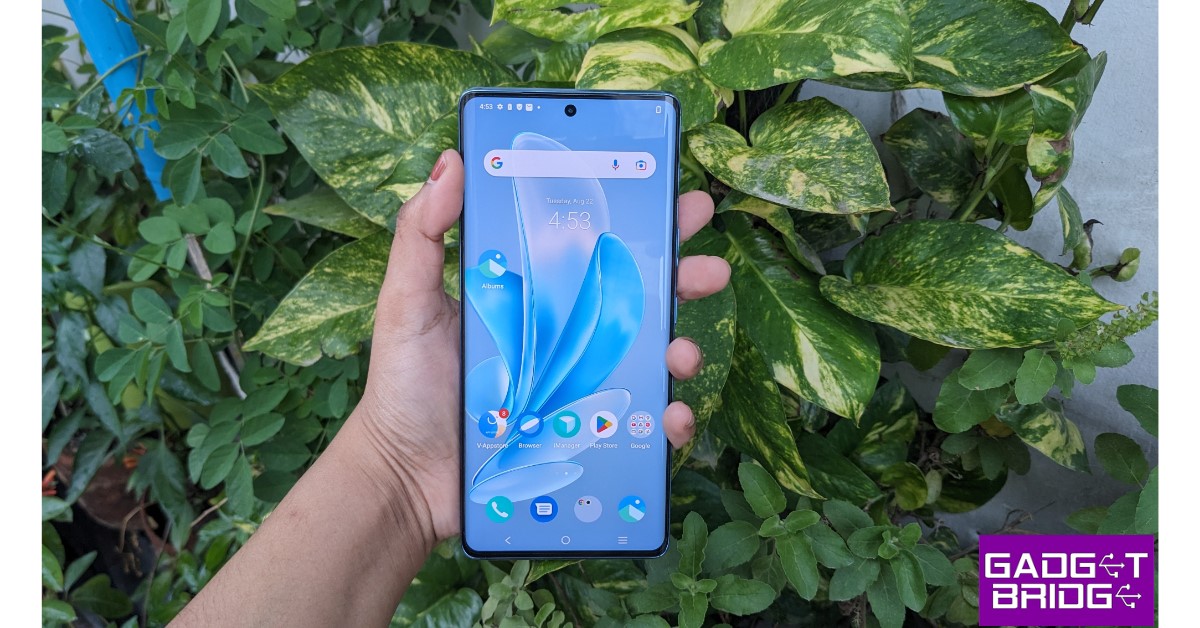
The new Vivo V29e is one of the best lower midrange smartphones with a curved display. The smartphone gets a 6.78-inch curved AMOLED panel that has a maximum refresh rate of 120Hz. This display panel supports 1B colours and HDR10+. Under direct sunlight, this display can hit a peak brightness of 1,300 nits to improve legibility. Talking about resolution, you get a 1080 x 2400p panel on the V29e with a pixel density of 388ppi. We reviewed the smartphone earlier this month, you can read it here.
Oppo Reno 10
Price: Rs 32,999
Key Specs
Display
6.7-inch AMOLED
Chipset
MediaTek Dimensity 7050
RAM
8GB
Storage
128GB, 256GB
Battery
5,000 mAh
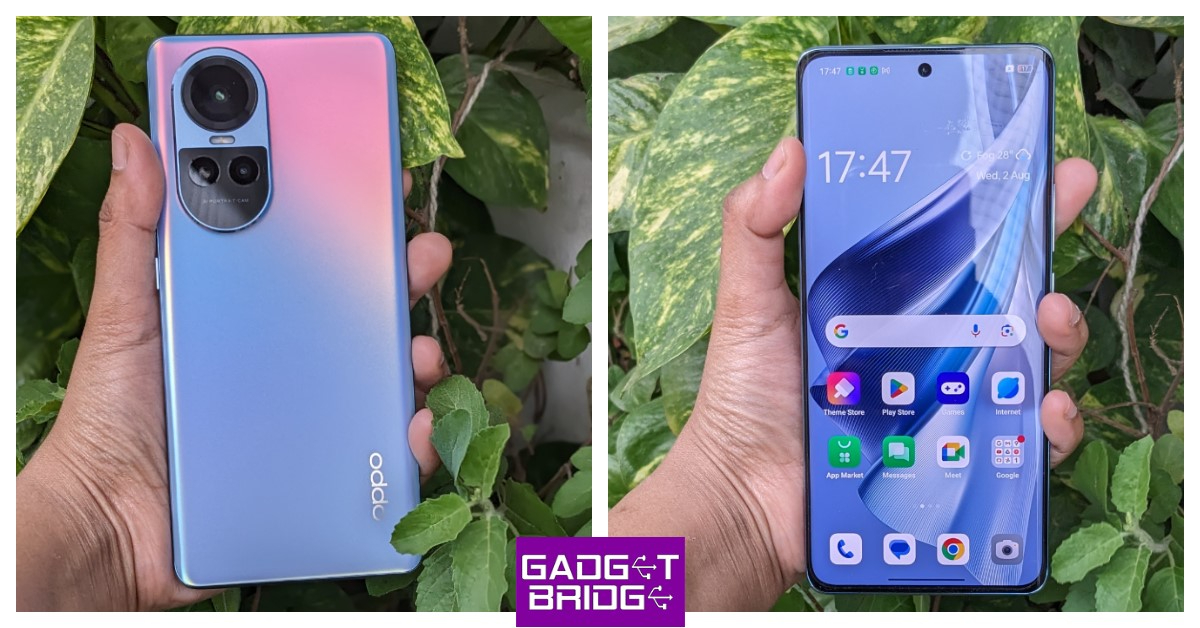
Oppo’s upper midrange offering comes with a 6.7-inch curved AMOLED panel with HDR10+ support and a resolution of 1080 x 2412p. This HD panel has a pixel density of 394ppi. It can hit a refresh rate of 120Hz and a peak brightness of 950 nits. The screen-to-body ratio of the Oppo Reno 10 is 89.6%. The display also gets Asahi Glass AGC DT-Star2 protection. Under the hood, the Reno 10 is powered by the MediaTek Dimensity 7050 SoC. Read our review of the smartphone here.
OnePlus 11R
Price: Rs 38,999
Key Specs
Display
6.74-inch Fluid AMOLED
Chipset
Snapdragon 8+ Gen 1
RAM
8GB, 16GB
Storage
128GB, 256GB
Battery
5,000 mAh
OnePlus 11R is this year’s real flagship killer, offering premium specs in a midrange price bracket. It gets a 6.74-inch Fluid AMOLED curved display that has a refresh rate of 120Hz and a peak brightness of 1,450 nits. The smartphone gets last year’s Snapdragon 8+ Gen 1 under the hood, which makes it a solid performer at this price range. The rear camera unit consists of a 50MP primary shooter, an 8MP ultrawide lens, and a 2MP macro sensor. Read our review of the smartphone here.
Vivo V27 Pro
Price: Rs 37,999
Key Specs
Display
6.78-inch AMOLED
Chipset
MediaTek Dimensity 8200
RAM
8GB, 12GB
Storage
128GB, 256GB
Battery
4,600 mAh
Launched earlier this year, Vivo V27 Pro is one of the best midrange smartphones you can buy right now. Known for its great set of cameras, the V27 Pro also features an incredible curved display. This 6.78-inch AMOLED panel has a maximum refresh of 120Hz and comes with HDR10+ support. The smartphone has a screen-to-body ratio of 90.4% and a pixel density of 388ppi. The rear camera panel on the V27 Pro consists of a 50MP primary shooter, an 8MP ultrawide lens, and a 2MP macro sensor. If you want to know more about the smartphone, here’s our in-depth review.
OnePlus 11
Price: Rs 56,999
Key Specs
Display
6.7-inch LTPO3 Fluid AMOLED
Chipset
Snapdragon 8 Gen 2
RAM
8GB, 12GB, 16GB
Storage
128GB, 256GB, 512GB
Battery
5,000 mAh
OnePlus 11 was launched in January and has since remained one of the best smartphones to come out this year. It gets a stunning 6.7-inch LTPO3 Fluid AMOLED display that is curved along the edges. This LTPO3 AMOLED panel can reach a maximum refresh rate of 120Hz. It also gets Dolby Vision and HDR10+ support. Under direct sunlight, this display is capable of hitting a peak brightness of 1,300 nits. The screen-to-body ratio of the OnePlus 11 is 89.7% and it has a pixel density of 525ppi. Read our review here.
Google Pixel 7 Pro
Price: Rs 84,999
Key Specs
Display
6.7-inch LTPO AMOLED
Chipset
Google Tensor G2
RAM
8GB, 12GB
Storage
128GB, 256GB, 512GB
Battery
5,000 mAh
Google’s flagship Pixel gets a 6.7-inch LTPO curved AMOLED display with 120Hz refresh rate. It can reach a peak brightness of 1,500 nits. It has an 88.7% screen-to-body ratio and a pixel density of 512ppi. Google Pixel 7 Pro is powered by the in-house Tensor G2 processor. Its rear camera panel consists of a 50MP primary shooter, a 48MP telephoto lens, and a 12MP ultrawide sensor. Read our review here.
Xiaomi 13 Pro
Price: Rs 79,999
Key Specs
Display
6.73-inch LTPO AMOLED
Chipset
Snapdragon 8 Gen 2
RAM
8GB, 12GB
Storage
128GB, 256GB, 512GB
Battery
4,820 mAh
Xiaomi’s 2023 flagship sports a 6.73-inch LTPO curved AMOLED display with Dolby Vision and HDR10+ support. This 1440 x 3200p panel has a maximum refresh rate of 120Hz and a peak brightness of 1,900 nits. The screen-to-body ratio on offer here is 89.6%. The Xiaomi 13 Pro is powered by the flagship Snapdragon 8 Gen 2 SoC. It gets triple 50MP sensors for the primary, ultrawide, and telephoto cameras. Read our Xiaomi 13 Pro review here.
Vivo X90 Pro
Price: Rs 84,999
Key Specs
Display
6.78-inch AMOLED
Chipset
MediaTek Dimensity 9200
RAM
8GB, 12GB
Storage
256GB, 512GB
Battery
4,870 mAh
Vivo’s flagship X90 Pro gets a 6.78-inch curved AMOLED display with a refresh rate of 120Hz and a peak brightness of 1,300 nits. It has a screen-to-body ratio of 90.8%. The X90 Pro is powered by the MediaTek Dimensity 9200 SoC. The rear camera panel on this smartphone consists of a 50.3MP primary shooter, another 50MP telephoto lens, and a 12MP ultrawide sensor. This camera unit also gets Zeiss Optics and Zeiss T* lens coating.
Samsung Galaxy S23 Ultra
Price: Rs 1,24,999
Key Specs
Display
6.8-inch Dynamic AMOLED
Chipset
Snapdragon 8 Gen 2
RAM
8GB, 12GB
Storage
256GB, 512GB, 1TB
Battery
5,000 mAh
Samsung Galaxy S23 Ultra is the only smartphone in this year’s Galaxy S Series lineup to get a curved display. The 6.8-inch Dynamic AMOLED panel on this smartphone has a 1440 x 3088p resolution and a screen-to-body ratio of 89.9%. The S23 Ultra is powered by the Snapdragon 8 Gen 2 SoC and runs Android 13 OS with Samsung’s One UI skin. It also gets a special 10MP periscope telephoto lens that offers up to 10x optical zoom.
These are our picks for the top 10 smartphones with a curved display panel. If you’re looking for a good gaming smartphone, you should pay special attention to the display’s refresh rate and touch sampling rate. Ideally, a gaming smartphone display should offer a refresh rate of 120Hz. If you’re more interested in consuming video content, check the display for HDR10+ and Dolby Vision support.
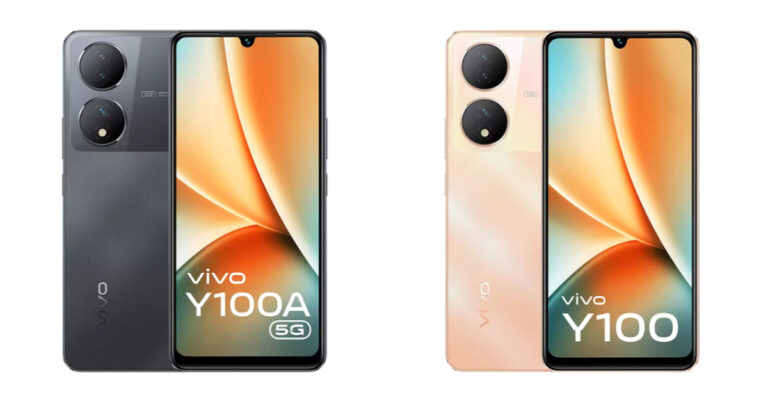
Vivo Y100 and Vivo Y100A were launched in India a few months back. Both the devices got a price cut of Rs 1,000 in May this year and again they both have received a price cut. Vivo Y100 and Vivo Y100A price has been dropped by Rs 2,000. The devices come with almost similar specs the only major difference is the chipset. Vivo Y100 is a 5G smartphone which equips a Snapdragon 695 SoC while the Y100 comes with a 4G chipset that is MediaTek Dimensity 900 SoC.
Vivo Y100A is not selling for Rs 21,999 for the 8GB RAM with 128GB storage. While the 8GB RAM with 256GB variant is currently available at Rs 23,000.
On the other hand Vivo Y100 can be bought for Rs 21,999 for 8GB RAM with 128GB storage. The handset comes in a single RAM and storage option.
Vivo Y100 and Vivo Y100A with the new effective price can be purchased at Flipkart, vivo India e-store and across all partner retail stores. The smartphone comes in Metal Black, Pacific Blue, and Twilight Gold colour finishes.
Vivo Y100A features a 6.38-inch full-HD+ AMOLED display with 2400 × 1080 resolution. The display offers 1300 nits of peak brightness. Additionally, the display comes with 90Hz refresh rate support. The phone operates on Android 13-based FunTouch OS 13 out of the box. There is an octa-core Qualcomm Snapdragon 695 SoC with an expandable RAM feature that powers the phone. The handset is available with 8GB RAM with up to 256GB storage option. The internal memory is expandable via a microSD card.
For photos and videos, the Vivo Y100A features a triple rear camera setup that includes a 64-megapixel primary sensor with OIS support. In addition to this, the camera setup also includes 2-megapixel sensors along with an LED flash. The device has a 16-megapixel front-facing camera for taking selfies and video calling.
The Y100A also houses a 4,500mAh battery with support for 44W flash charging.
Vivo Y100 specifications
Vivo Y100 is highlighted with a 6.38-inch AMOLED Display that supports a 90Hz refresh rate, 360Hz High touch sampling rate, supports peak brightness at 1300 nits and HDR10+ certification.
The 4G phone runs on FunTouch OS 13, which is based on Android 13. An octa-core MediaTek Dimensity 900 SoC powers the device. The Vivo Y100 also includes UFS 2.2 and 8GB of additional RAM with Extended RAM 3.0.
The 64-megapixel primary back camera on board the Vivo Y100 has optical image stabilisation. Dual 2-megapixel sensors are there in addition to this. A 16-megapixel front camera on the phone is used for selfies and video calls. It has a 4,500mAh battery inside that can be charged quickly at 44W.
Back in July, Philips launched its new range of home security cameras in India. This lineup consists of two indoor cameras – HSP1000 & HSP3500, and one outdoor security camera – HSP3800. The HSP3500 sports the highest video resolution (2304 x 1296p) out of all three products. It is currently priced at Rs 3,699 on Amazon and Philips’ official website. We got our hands on this security camera and have been using it for the last week. Here is our in-depth Philips HSP3500 indoor security camera review.
Philips HSP3500 Indoor Security Camera review: Design
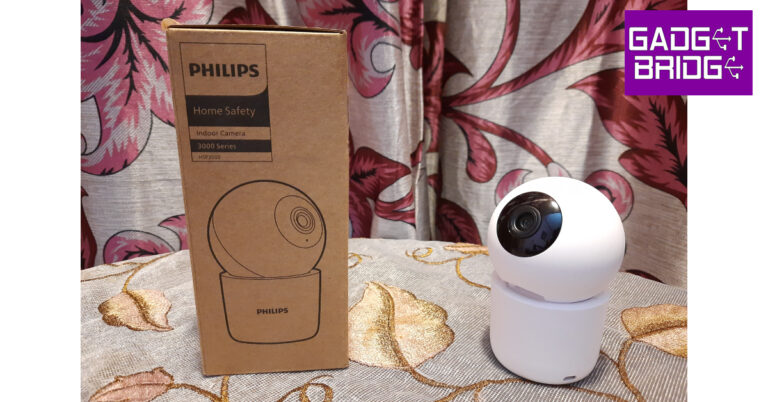
Inside the retail box, you get the HSP3500 security camera, a couple of screws, a cap attachment, a power adapter, a USB Type-B cable, and a quick start guide. The screws and cap attachment can be used to fix the unit upside down on the ceiling. The camera weighs 165 grams and has dimensions of 71mm x 71mm x 109.5mm.
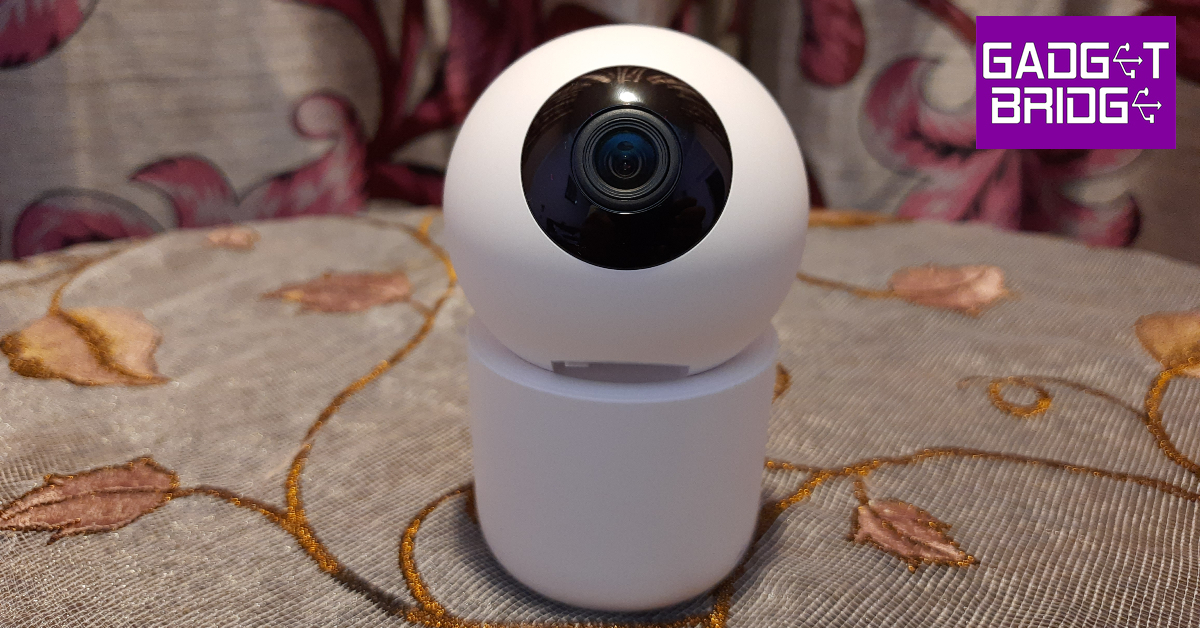
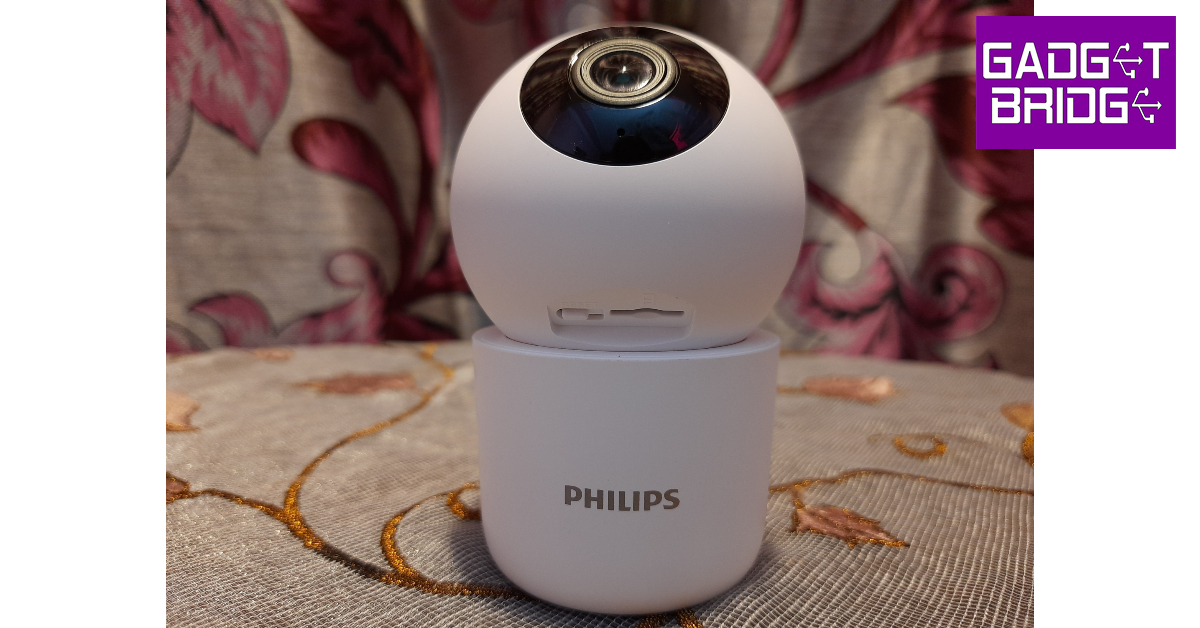
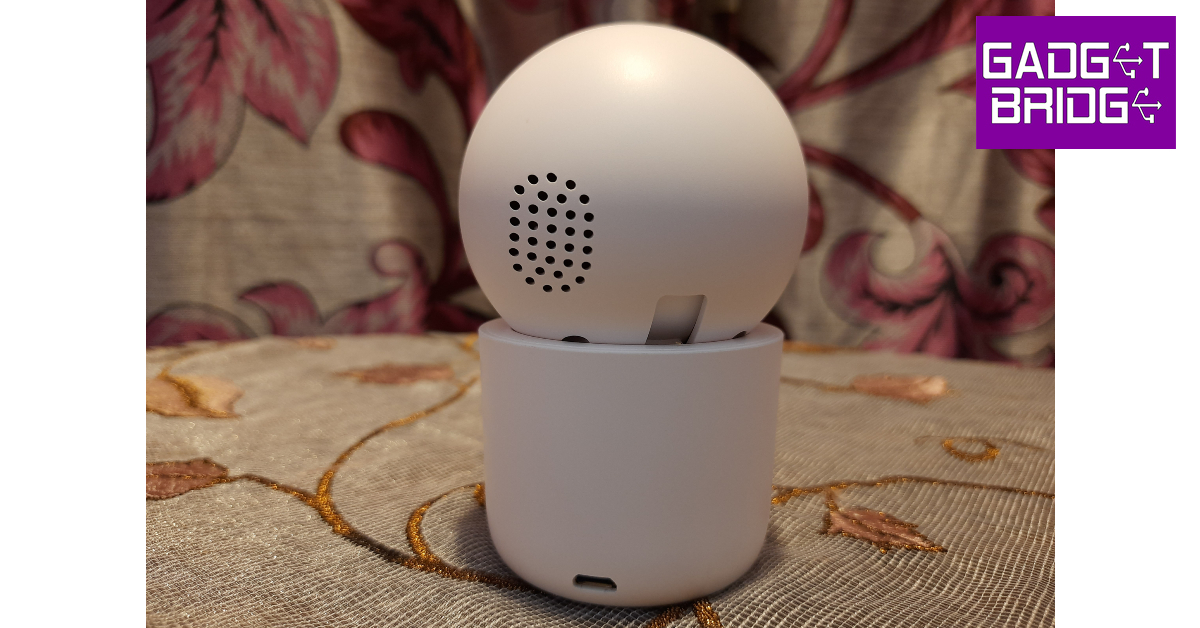
The Philips HSP3500 has a compact design that is ideal for placing it on shelves and table tops. The camera orb has a plastic casing and a blacked-out panel for the lens and LED lights, giving it the appearance of a human eyeball. This orb is attached to a platform that contains the USB Type-B slot. The cap attachment provided inside the box can be fixed to the bottom of this platform if you want to hang the camera on the ceiling. If you’re fine with resting it on a flat surface, the platform also sports four small rubber feet to keep the camera stable.
The camera orb has a small speaker at the back. This speaker comes in handy when you want to communicate with the people in front of the camera. Lifting up the orb reveals the reset button and the memory card slot. There are six infrared LED lights surrounding the camera panel that boost its night vision capabilities. Since the Philips HSP3500 is an indoor camera, it does not come with an IP rating.
Philips HSP3500 Indoor Security Camera review: Performance
The Philips HSP3500 indoor security camera has a 3MP image sensor that can record videos in 2304 x 1296p resolution, so we were pretty excited to put it to the test for this review. It also has a 360° horizontal and 96° vertical field of view. The sensor has a wide angle of view at 102° (D), 87°(H), and 46°(V). This camera can operate within a temperature range of -10°C to 45°C, which is ideal for India.
Setting up the Philips HSP3500 is as easy as it gets. Before you begin the process, you need to install the Philips Home Safety app on your smartphone. Connect the security camera to a power source using the adapter and the USB cable. Rotate the camera orb upwards to reveal the reset button. Press and hold the reset button for 5 seconds to turn on the device. Once the device is in pairing mode, launch the Philips Home Safety app and connect to your home WiFi network using the 2.4GHz frequency band. Once the app displays a QR code on the page, turn your phone’s display towards the camera and let it pair with the app.
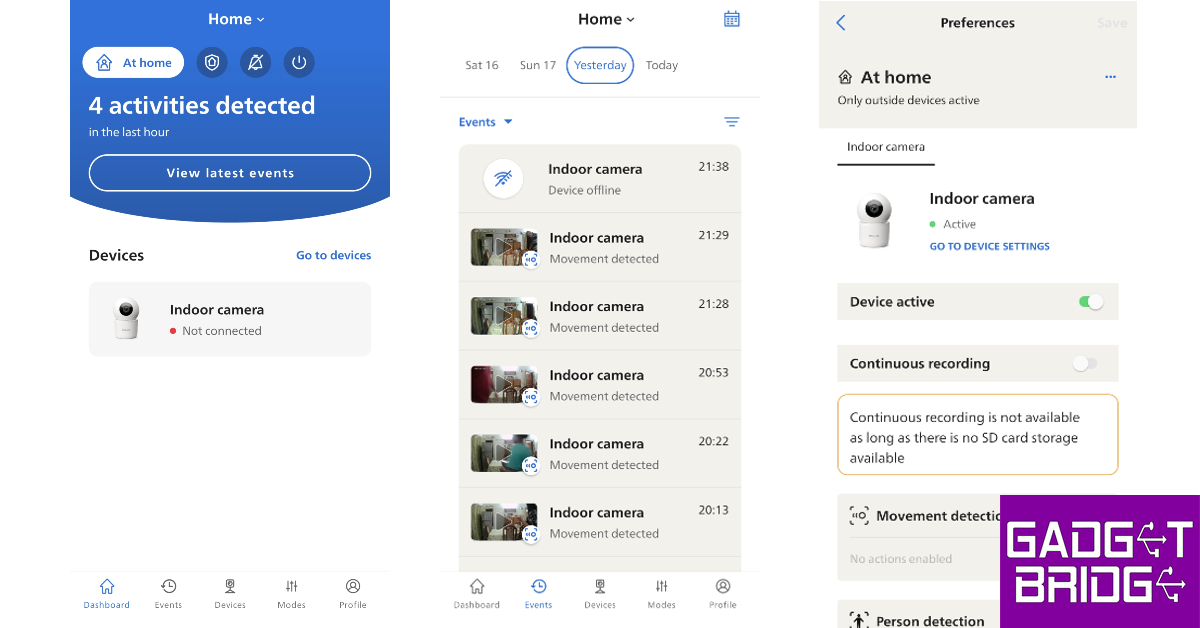
Once you have set up the indoor security camera and its profile on the Home Safety app, there are tons of options for you to explore. The app offers three customisable modes – Home, Away, and Silent. You can set up these modes to decide how the camera behaves in certain situations. We turned off the camera’s movement and person detection features in the Home mode since there’s no point in receiving movement notifications when you’re aware of the presence of people inside your house. However, you can turn on these features in the Away mode.
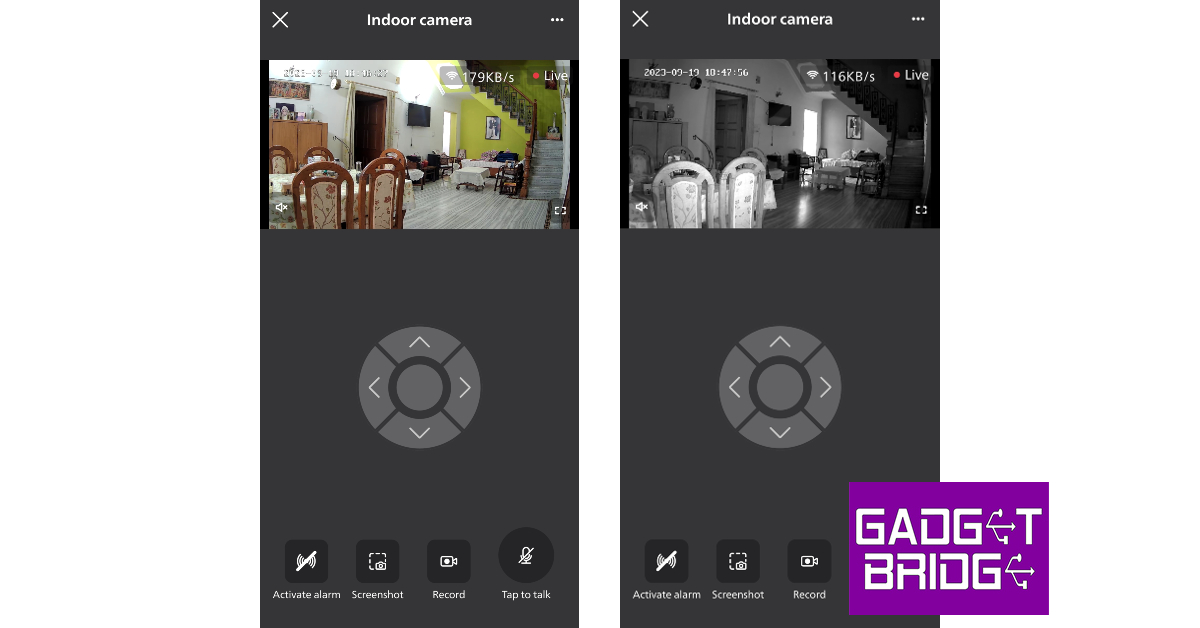
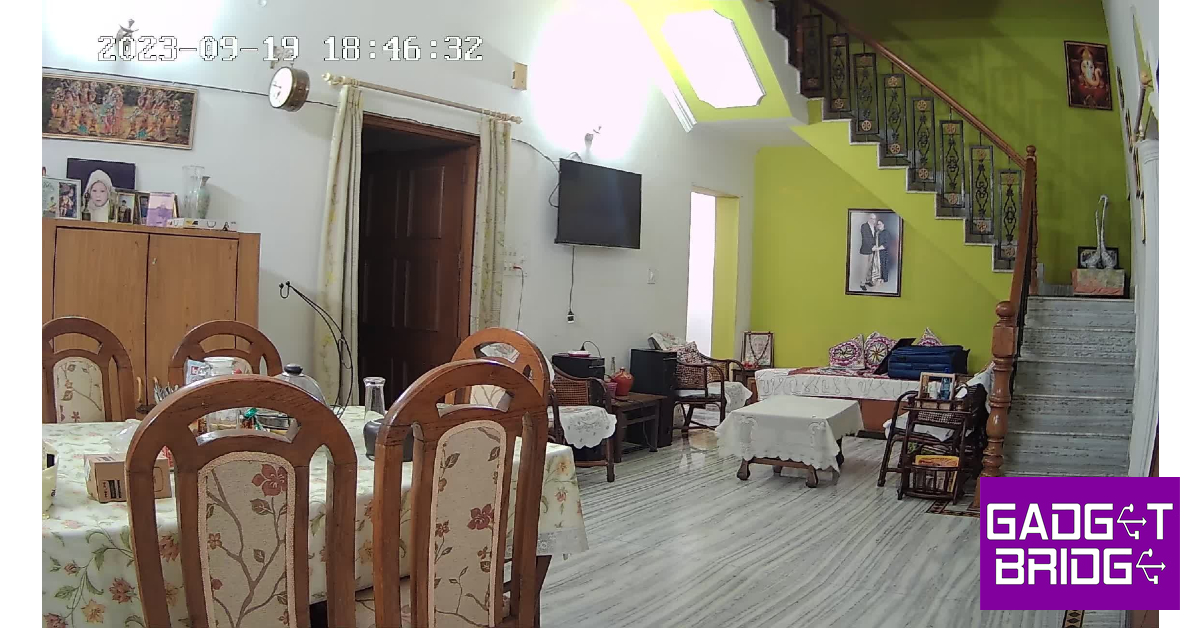
The video quality that the 3MP sensor is able to record and relay on the live stream is simply amazing. The images are packed with a lot of detail and you can easily make out the faces of people passing the camera’s field of vision. The video footage is sharp and very legible. Even the colour richness and contrast are on point. Under artificial lighting, the camera maintains its superior quality and does not compromise on any details. With the lights turned off, the visibility is reduced to 10 metres, but the camera does a good job of recording decent quality footage with the help of infrared LED lights.
You can use the Philips Home Safety app to view the live footage relayed by the security camera. The controls are very accessible to the average user. You can use the navigation control dial to pan and tilt the camera. With a 360° field of view, you can keep an eye on every corner of the room. One of our favourite features of the Philips HSP3500 is two-way communication. You can simply tap the microphone icon on the app to talk to the person in front of the camera. The live stream player also lets you create a recording and save it to your phone’s camera roll. However, if you want a continuous recording, you will need to insert a memory card into the camera.
Philips HSP3500 can automatically track movement and use its pan and tilt abilities to follow the subject around as long as they are in the camera’s field of view. These movement recordings are auto-saved to the memory card. You can view these recordings from the ‘Events’ tab in the Home Safety tab. You can also choose the ideal level of movement and sound sensitivity from the device settings.
Between its superior video resolution and incredible software support, there is very little to complain about the Philips HSP3500. However, we did experience some very minor inconveniences, which can be fixed with a quick update. In certain situations, the camera struggles to auto-switch between Night Mode and Regular Mode. We noticed this was more common in the morning. If you experience this issue, you can manually turn off the Night Mode from device settings.
We would also have liked this camera to be equipped with a small battery pack. Since it relies on an external power source, the camera totally shuts down when the power goes out. Ideally, in this situation, we’d want the security camera to turn to an internal battery pack for power and maybe switch to a less power-hungry mode to ride out the outage.
The Philips HSP3500 is easily our go-to suggestion for indoor security cameras under Rs 5,000. The 2K resolution videos recorded by this camera are super clear and perfectly colour-corrected. Its video recording chops are only overshadowed by its range of functionalities. The app support offered by Philips is tremendous. You can pan the camera a full 360° using your smartphone. Talking to the subject in front of the camera is also a very seamless process. The motion and person detection also work like a charm. We would have preferred the camera to come with a small battery pack to ensure seamless surveillance in the case of a small power outage, but it is not a dealbreaker by any means.
Garena Free Fire is a battle royale game with regular awards and tournaments to keep players interested. If you play Garena Free Fire, you should be aware of the redeem codes that are released on a daily basis. However, because the battle royale game is banned in India, players from other countries can use the Free Fire Redeem codes daily. If you’re unfamiliar with the Garena Free Fire redeem codes or don’t know how to get them, we’ve put together a step-by-step guide to help you redeem them. Check out Garena Free Fire Redeem Codes for 20 September 2023.
The Free Fire redeem codes are a great way to get free stuff. These are 12-digit codes that contain alphabets and numbers, as well as an expiration date and time. Because the Garena FF redeem codes cannot be used more than once, you should hurry to the redemption page to claim your free reward before someone else does. To get a free reward, all you have to do is go to reward.ff.garena.com/en, which is the official redemption page. Also, keep an eye on this space for daily updates on Garena Free Fire redemption codes and rewards.
Garena Free Fire Redeem Codes Today 20 September2023
F0OKJB2365R84J6
F18TK70Y8U2P568
FO84JU1HG02F365
F8G6R5H4T6J18UL
F03L6KJ5H8G1TEH
FKIUYHEGBT8NYMH
FKIB8UVYHDBENRM
FTYHTFY5TYHU758
FK2MHG5GS8H4JK1
F68TY477U1890O2
FL698M5N47H1Y2U
F8I98OKL741MN2G
F65R8T6Y7U4I1K2
FL019YO5KTIFDB4
F1VRG2HJYK5UI2L
FR2JT68K5Y92BFD
F58XSAQ2AQ23456
F8YUIOK4L1M2N5G
How to Get Free Fire Redeem Codes for Garena on 20 September2023?