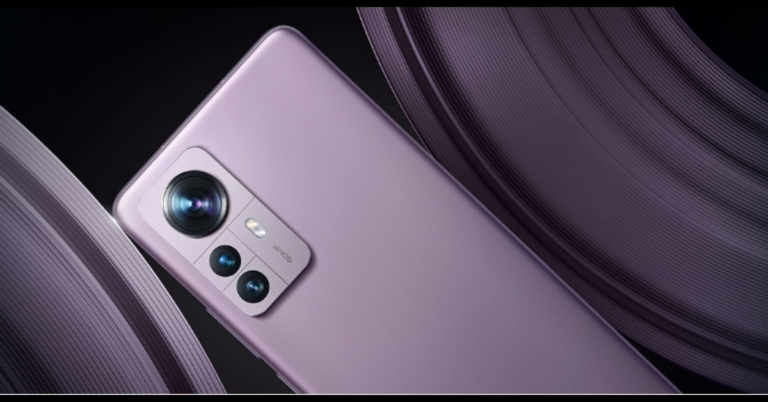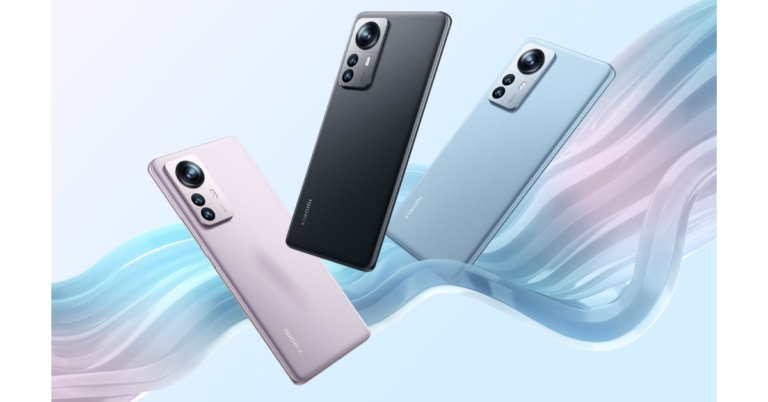
Xiaomi 12 Pro powered by Snapdragon 8 Gen 1 SoC announced, Xiaomi Pad 5 launched alongside

Finally, the Xiaomi 12 Pro has officially debuted in India today. The smartphone is powered by Snapdragon 8 Gen 1 SoC. In addition to this, there is a 120Hz E5 AMOLED display. Alongside, the company has also introduced its first-ever tablet, the Xiaomi Pad 5. The new tablet comes with a 2.5K+ display and is equipped with a Snapdragon 860 SoC.

Xiaomi 12 Pro price in India, specifications

Xiaomi 12 Pro has been launched in India in two variants 8GB RAM and 12GB RAM priced at Rs 62,999 and Rs 66,999 respectively. The flagship phone comes in Couture Blue, Noir Black, and Opera Mauve colour options. The device is scheduled to go on sale from May 2 in the country through Amazon, Mi.com, Mi Home stores. The Xiaomi 12 Pro is highlighted with a 6.72-inch LTPO WQHD+ E5 AMOLED display with 1,440×3,200 pixels of resolution. The screen comes with a dynamic refresh rate of 1Hz to 120Hz with a peak brightness of up to 1,500 nits. The display supports Dolby Vision and HDR10+ and Corning Gorilla Glass Victus protects it. The phone runs on Android 12 with MIUI 13 on top and is powered by an octa-core Snapdragon 8 Gen 1 SoC with an Adreno 730 GPU and up to 12GB of LPDDR5 RAM with 256GB of UFS 3.1 storage. Xiaomi 12 Pro price in India, specifications For the photos and videos, there is a triple rear camera system with a 50-megapixel Sony IMX707 primary sensor with an f/1.8 aperture and OIS. A 50-megapixel ultra-wide-angle lens and a 50-megapixel telephoto sensor are also included in the camera setup of the Xiaomi 12 Pro. The rear camera system can record up to 8K video at 24 frames per second. Moreover, the device has a 32-megapixel selfie camera sensor with an f/2.45 aperture on the front for selfies and video chats. A 4,600mAh Li-Polymer battery powers the Xiaomi 12 Pro, which supports 120W Xiaomi Hypercharge fast wired charging. Additionally, Quick Charge 4, Quick Charge 3+, and Power Delivery 3.0 charging standards are also supported by the phone. It also comes with 50W Wireless Turbo Charging. The phone also has a fingerprint sensor embedded in the display. The Xiaomi 12 Pro has 5G, 4G LTE, Wi-Fi 6E, Bluetooth v5.2, GPS/ A-GPS/ NavIC, Infrared (IR) blaster, NFC, and a USB Type-C port for connectivity. An accelerometer, ambient light, barometer, gyroscope, magnetometer, and proximity sensor are among the sensors onboard.

Xiaomi Pad 5 price in India, specifications

The Xiaomi Pad 5 also comes in two different configurations. The 128GB variant is priced at Rs 26,999 while the 256GB variant costs Rs 28,999. However, both the models are being offered at an introductory price of Rs 24,999 and Rs 26,999 respectively. The tablet will come in a single Cosmic Grey colour option. The sale will begin on May 3 via Amazon, Mi.com, Mi Home stores, and select offline retailers in the country. The Xiaomi Pad 5 has a 10.95-inch 2.5K+ display with 2,560×1,600 pixels of resolution. The screen comes with a 120Hz refresh rate and a 16:10 aspect ratio. It runs on Android 11 with MIUI 13 for Pad and is powered by an octa-core Qualcomm Snapdragon 860 SoC, as well as an Adreno 640 GPU. The tab will be available in 6GB of LPDDR4X RAM and supports UFS 3.1 storage up to 256GB. Xiaomi Pad 5 price in India, specifications The tablet has a 13-megapixel camera sensor on the back that can record 4K video at 30 frames per second. As per the company, document scanning is also possible with the rear camera in original, enhanced, and black-and-white modes. The Xiaomi Pad 5 has an 8-megapixel selfie camera sensor on the front for video calling. The Xiaomi Pad 5 has an 8,720mAh battery that supports 33W fast charging. The included charger, on the other hand, supports a 22.5W output. The Xiaomi tablet also comes with the Xiaomi Smart Pen. It supports magnetic wireless charging and has a pressure sensitivity of 4,096 levels. In addition, the stylus comes with a Xiaomi Pen Engine that provides low latency. For the latest gadget and tech news, and gadget reviews, follow us on TwitterFacebook and Instagram. For newest tech & gadget videos subscribe to our YouTube Channel. You can also stay up to date using the Gadget Bridge Android App. You can find the latest car and bike news here.
Redmi Smart Band Pro review: Budget buy for fitness freaks

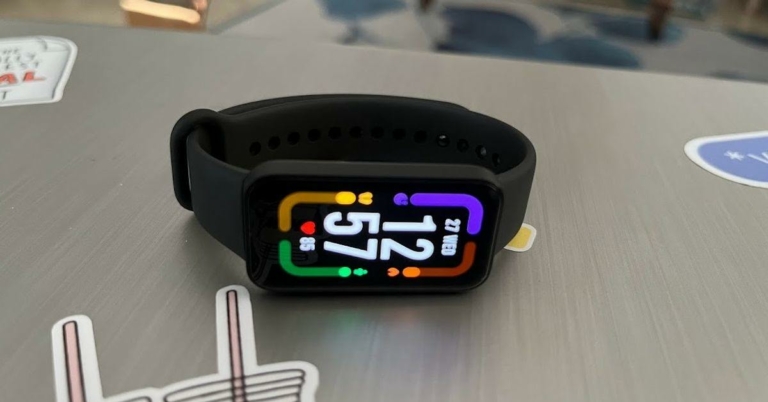
Xiaomi’s Redmi Smart Band Pro was launched in India a few weeks back at a price of Rs 3,999, and it comes with SpO2, heart rate and stress tracking, fitness features and a lot more. Should it be your next buy? Read the rest of our Redmi Smart Band Pro review to find out:

Redmi Smart Band Pro review: Design and Display

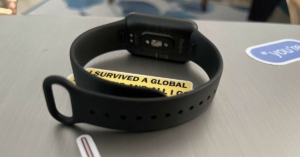
The design of Redmi Smart Band Pro is simple but elegant. The smart wearable has a rectangular body and houses a 1.47-inch AMOLED screen that was big enough for us to see the icons and read text easily. What’s interesting about the design of Redmi Smart Band Pro is that it comes without any buttons. So, all the functions that you may wish to perform on the smart band can be carried out with the touchscreen itself. While the rectangular dial of the smart band is made up of Polycarbonate, the straps are Thermoplastic Polyurethane. Even when we wore the device for long durations, the material of the bands did not irritate our skin and was comfortable at all times. Redmi Smart Band Pro 2 Flip over and you would see all the health sensors of the smart band placed on the underside of the dial, right below the charging pins. Redmi Smart Band Pro houses a 200mAh battery and weighs 25.5 grams, which felt very light when we wore it. It is also worth noticing that the smart band is 5ATM water-resistant, which makes it perfectly fine for you to take it for a swim.

Redmi Smart Band Pro review: Performance

Before we speak about the core performance of Redmi’s smart band, let’s take a minute to discuss its software and other special features. Redmi Smart Band Pro is compatible with both Android and iOS smartphones and the process of pairing the device (to our iPhone) was fairly simple. You can perform a number of functions via the app like changing the settings, watch faces, etc. The smart band is powered by the Ambiq Apollo 3.5 SoC and it supports Bluetooth 5 LE for connectivity. However, there is no GPS. The device has custom software and showed us all the notifications from our phone. It also notified us about incoming calls that we got. The UI of the device is very simple. Swipe right and you’ll see all the quick access buttons, and swipe right to access the widgets for SpO2, weather, fitness stats and more. Unread notifications can be found by swiping down from the top, and all the other functions can be seen by swiping up from the bottom. Redmi Smart Band Pro 4 But the main selling point of the device are its fitness-focused features. The smart band can record over 110 types of exercises and among these, 14 are water fitness workouts. While some of the basic ones can be found on the smart band easily, you can add the other specific ones too. Like most other fitness bands, Redmi Smart Band Pro could detect some activities just by our movement and immediately asked us to start tracking it with the exercise mode enabled. The wearable can also be used to track the wearer’s heart rate, sleep cycle, stress, SpO2 levels and menstrual cycles. Coming to the performance of Redmi Smart Band Pro, we were thoroughly impressed. We used the device for more than a week and there are plenty of things we love about it. We had to enable a few things on the app including automatic heart rate and SpO2 tracking, advanced sleep metrics, etc. The fitness tracking on the smart band is incredible. We compared our heart rate, SpO2levels and more with other devices and the results on Redmi Smart Band Pro either always matched or fell in the same range. Sleep tracking is another great feature and it gives an entire breakdown of the sleeping pattern of the wearer. Tracking exercises – whether running on the treadmill or just plain walking or yoga – doesn’t disappoint either. Sometimes, there was a difference between the steps we counted and the steps the smart band showed, but it was very negligible. The battery life of the smart band is also a plus. With no advanced features enabled, we still had 68% juice left in the smart band with a lot of days behind us. But with advanced features enabled, the battery lasted around 5 days. But on the upside, the smart band gets totally charged in an hour and a half.

Verdict

At a price of Rs 3,999, Redmi Smart Band Pro does offer a lot, especially if you are someone who likes to remain fit. The lack of GPS functionality may be a cause of concern for some, but if it’s not a deal-breaker for you, there’s a lot about the smart band that makes it a good buy. It has an elegant design and is slim and light to wear. Over that, it is water-resistant, has a lasting battery and did we mention the fitness-focussed features? Of course, we did! Redmi Smart Band Pro Pros
  • Comfortable to wear, even for a long duration
  • Water resistant
  • Supports over 110 fitness modes
Redmi Smart Band Pro Cons
  • No GPS
  • Battery drains quickly with advanced features enabled
For the latest gadget and tech news, and gadget reviews, follow us on TwitterFacebook and Instagram. For newest tech & gadget videos subscribe to our YouTube Channel. You can also stay up to date using the Gadget Bridge Android App.

iQoo Z6 Pro 5G and iQoo Z6 4G with AMOLED display launched in India

Vivo’s sub-brand today announced two new smartphones in the Indian market. The company has expanded its Z6 series with the announcement of iQoo Z6 Pro 5G and iQoo Z6 4G in the country. Read on to know their pricing and specifications

iQoo Z6 Pro 5G price in India and specifications

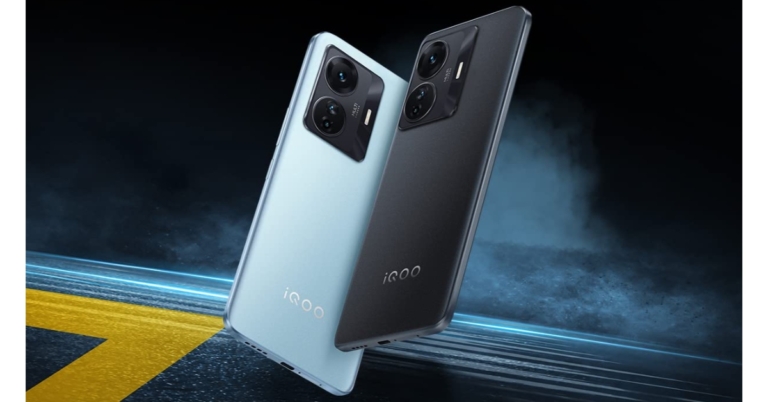
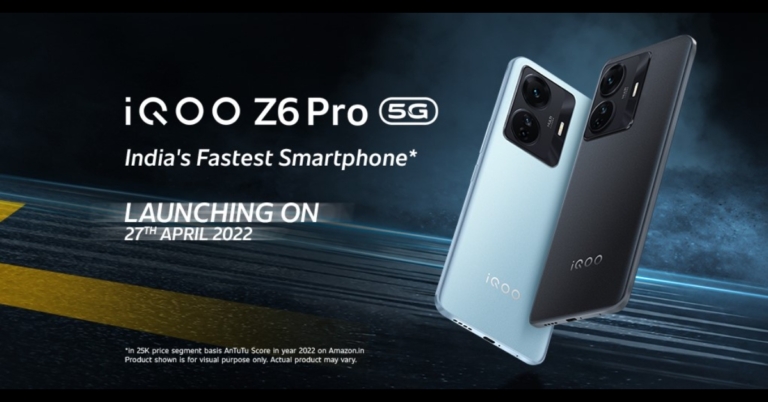
iQoo Z6 Pro 5G has been launched in India with a price tag of Rs 23,999 for the 6GB RAM with a 128GB storage variant. There is an 8GB RAM with 128GB storage and 12GB RAM with 256GB storage priced at Rs 24,999 and Rs 28,999 respectively. The phone will come in two colour options of Legion Sky and Phantom Dusk. It will be available for purchase through Amazon and the iQoo India eStore. In terms of specifications, the iQoo Z6 Pro 5G is endowed with a 6.44-inch full-HD+ display. The screen offers a refresh rate of 90Hz and a touch sampling rate of 180Hz. The device is shipped with Android 12 with Funtouch OS 12 on top. The phone is equipped with an octa-core Snapdragon 778G processor and up to 12GB of LPDDR4X RAM with up to 256GB of UFS 2.2 storage built-in. iQoo Z6 Pro 5G price in India and specifications The phone has a triple-camera setup on the back, including a 64-megapixel primary camera with an f/1.79 aperture. An 8-megapixel ultra-wide-angle camera with an f/2.2 aperture and a 2-megapixel macro camera with an f/2.4 aperture round out the camera setup. The iQoo Z6 Pro 5G has a 16-megapixel selfie camera with an f/2.0 aperture for selfies and video chats. The iQoo Z6 5G has 5G, 4G LTE, Wi-Fi 6, Bluetooth v5.2, GPS/ A-GPS, and a USB Type-C port for connectivity. An accelerometer, ambient light, magnetometer, and proximity sensor are among the sensors on board. It has a 4,700mAh battery that supports 66W FlashCharge.

iQoo Z6 4G price in India, specifications

iQoo Z6 4G price in India has been set at Rs 14,999 and Rs 15,999 for the 4GB RAM with 128GB storage and 6GB RAM with 128Gb storage options respectively. There is an 8GB RAM with a 128GB storage model priced at Rs 16,999. The device will come in Lumina Blue and Raven Black colour options. It will be available for purchase via Amazon and the iQoo India eStore during the Amazon Summer Sale. On the specs front, The iQoo Z6 4G has a 6.44-inch full-HD+ display with 1,080×2,400 pixels of resolution. The phone runs on Funtouch OS 12 on top of Android 12. Under the hood, there is an octa-core Snapdragon 680 processor and up to 8GB of LPDDR4X RAM with up to 128GB of internal UFS 2.2 storage, which can be expanded via a dedicated microSD card slot up to 1TB. iQoo Z6 4G price in India, specifications The iQoo Z6 4G has a 50-megapixel primary camera with an f/1.8 aperture for photos and videos. A 2-megapixel macro shooter with an f/2.4 aperture and a 2-megapixel bokeh camera with an F/2,4 aperture are also included in the camera setup. It also has a 16-megapixel front-facing camera with an f/2.0 aperture for selfies and video chats. The 5,000mAh battery on the iQoo Z6 4G supports 44W FlashCharge. 4G LTE, Wi-Fi, Bluetooth, GPS/ A-GPS, USB Type-C, and a 3.5mm headphone jack are all available connectivity options. An accelerometer, ambient light, magnetometer, and proximity sensor, as well as an in-display fingerprint sensor, are among the sensors onboard.  For the latest gadget and tech news, and gadget reviews, follow us on TwitterFacebook and Instagram. For newest tech & gadget videos subscribe to our YouTube Channel. You can also stay up to date using the Gadget Bridge Android App. You can find the latest car and bike news here.

Garena Free Fire Redeem Codes Today 27 April 2022: Here is how to claim them

Garena Free Fire is a battle royale game with regular awards and tournaments to keep players interested. If you play Garena Free Fire, you should be aware of the redeem codes that are released on a daily basis. However, because the battle royale game is banned in India, players from other countries can use the Free Fire Redeem codes daily. If you’re unfamiliar with the Garena Free Fire redeem codes or don’t know how to get them, we’ve put together a step-by-step guide to help you redeem them. Check out Garena Free Fire Redeem Codes for April 27. The Free Fire redeem codes are a great way to get free stuff. These are 12-digit codes that contain alphabets and numbers, as well as an expiration date and time. Because the Garena FF redeem codes cannot be used more than once, you should hurry to the redemption page to claim your free reward before someone else does. To get a free reward, all you have to do is go to reward.ff.garena.com/en, which is the official redemption page. Also, keep an eye on this space for daily updates on Garena Free Fire redemption codes and rewards.

Garena Free Fire Redeem Codes Today 27 April 2022

  • H28U ZG5A TK2R
  • U8S4 7JGJ H5MG
  • VNY3 MQWN KEGU
  • FV5B NJ45 IT8U
  • F7YG T1BE 456Y
  • FJBH VFS4 TY23
  • F87G YF3D GE6B
  • F5J6 YUH7 6GVT
  • F4N5 K6LY OU9I
  • FH2G YFDH E34G
  • EH4J I5T8 7G6Y
  • FDG3 H45R T8G7
  • FF5D SR4E QD1F
  • F3TE FCXR SFEG

How to Get Free Fire Redeem Codes for Garena on April 27?

  • Visit the Garena Free Fire game’s official website at reward.ff.garena.com.
  • Use your Facebook, Google, VK, Apple ID, Huawei ID, or Twitter account to log in.
  • You’ll be taken to a valid redemption code (s)
  • Copy and paste the 12-digit redemption code into the text box.
  • On the screen, a dialogue box will appear.
  • ‘Ok’ should be selected.
For the latest gadget and tech news, and gadget reviews, follow us on TwitterFacebook and Instagram. For newest tech & gadget videos subscribe to our YouTube Channel. You can also stay up to date using the Gadget Bridge Android App. You can find the latest car and bike news here.

How To Install And Play Minecraft On Chromebook?

The founder of all sandbox games on the Internet and of course, one of the most popular in the world, Minecraft is close to many hearts. In sandbox games like Minecraft, players are required to create, modify or destroy their environment. The objective is to collect resources and use them for constructing the surrounding area. There is also a survival mode in which one has the added objective to kill the Ender Dragon. Over time, the game went on to be compatible with a number of platforms like Windows, macOS, Linux, iOS and more. However, the game has still not been developed for the Chrome OS. But since it’s compatible with Linux, there is a workaround for the same. Hence we provide below a step-by-step guide on how to install and play Minecraft on Chromebook. 

Installing Minecraft Education Edition on Chromebook 

Minecraft offers an Education Edition which is available for download on Windows, Mac, iPad and Chromebook. It promotes game-based learning among students, offering features like collaboration on projects with classmates in the multiplayer mode, teaching tools to support educators, learning content and curriculum guides across subjects and much more. However, since the game is available on the Play Store as an Android app, you would have to contact your school administrator to enable Google Play from their side.   Minecraft Education Edition- How To Install And Play Minecraft On Chromebook? Step 1:  Open the Settings page and turn on Google Play Store. It will enable you to use the Play Store on your Chromebook to install Android apps. Step 2: Open the Play Store, search for Minecraft Education Edition and click on the install button. That’s it! A point to be noted here is that the students have only 10 free logins. After that, a subscription would have to be bought for the app. Also, students would have to use their school account credentials to log into the app.  Read also: Garena Free Fire Redeem Codes Today 26 April 2022: Here is how to claim them 

Installing Minecraft on Chromebook via Linux

Install Linux on Chromebook 

Step 1: Open Settings and click on Advanced in the left pane.  Step 2: Click on Developers. If you have a school-issued Chromebook and the Developers menu is not available, contact your school administrator.  Step 3: In the Developers menu, click on the ‘Turn on’ button corresponding to the Linux development environment (Beta) section.  Minecraft Linux- How To Install And Play Minecraft On Chromebook?

Install and Launch Minecraft 

Step 1: Once Linux is installed, open the Linux Terminal by pressing the search key on your keyboard and searching for the keyword ‘terminal’. Alternatively, you can locate the Terminal window by searching for “Linux apps” within the App drawer. Step 2: Run the following command to update your Linux to its latest build:  “sudo apt-get update && sudo apt-get upgrade -y” Step 3: Download the Debian/Ubuntu Minecraft.deb file from the official website of Minecraft and save it to the Linux files folder under the My files section in your Chromebook storage.  Step 4: Double-click the Minecraft.deb file and click on the install button. Step 5: Once Minecraft has been installed successfully on your system, go to the App Drawer, click on the Linux folder, and select the Minecraft Launcher. This will launch Minecraft for Chromebook.  Read also: Top 5 Gaming Monitors That Have 144Hz Or Higher Refresh Rate 2022

How To Play Minecraft 

How To Install And Play Minecraft On Chromebook? Once the Minecraft app launches, you have to log in with your Majong or Microsoft account. To move within the game, use the WASD keys and use your mouse to change the direction where you’re looking. Pressing E will open your inventory whereas the Esc (Escape) key opens up the Menu within the game where you can adjust various settings and controls to suit your requirements. Spacebar is for jumping while Shift helps you to crouch. A left-click is for attacking or destroying whereas right click helps you place a block or use an item.  The game runs fine with WASD key controls. However, if you find the game to be a bit laggy or the mouse not working right, you can adjust the sensitivity through Options > Mouse Settings > Sensitivity: Hyperspeed. To improve its performance further, you can modify your Chromebook settings to introduce efficiency and swiftness into your gameplay. You can ensure that all the Chrome flags have been enabled on your Chromebook. You can also optimise the in-game settings by adjusting the graphics, frame rate, smooth lighting, render distance and more accordingly.  So that is how you can install and play Minecraft on Chromebook. In case there is any other way to do the same, we would be delighted to hear about it. Also do share with us your Chromebook Minecraft gameplay experience.  For the latest gadget and tech news, and gadget reviews, follow us on Twitter, Facebook and Instagram. For newest tech & gadget videos subscribe to our YouTube Channel. You can also stay up to date using the Gadget Bridge Android App. You can find the latest car and bike news here.

Samsung Galaxy Tab A8 Review: The best in class tablet

At Gadget Bridge, we’ve been testing a lot of Android smartphones lately. But today we’ll take a look at Samsung’s newest mid-range tablet, the Galaxy Tab A8. It is the successor to the Tab A7, which was one of our favourite Android tablets from last year. Before we get into our review of this tablet, it’s worth noting that the current state of the tablet market has changed dramatically since the pandemic began. As educational institutions and offices were forced to go online, demand for tablets, particularly the more affordable ones, shot through the roof not only in India but around the world. Many players have stepped forward as a result of this situation.  However, this time around, a large number of low-cost and mid-range Tablets have arrived in India. Samsung and Apple dominated the tablet market, but there is now a lot more competition in the budget tablet market. Tablets from Motorola, Nokia, Xiaomi, and Realme are now available. Other companies, such as Oppo, Vivo, and OnePlus, will soon release their own products. So, let’s talk about the Galaxy Tab A8 today.

Samsung Galaxy Tab A8 Review: Design and display

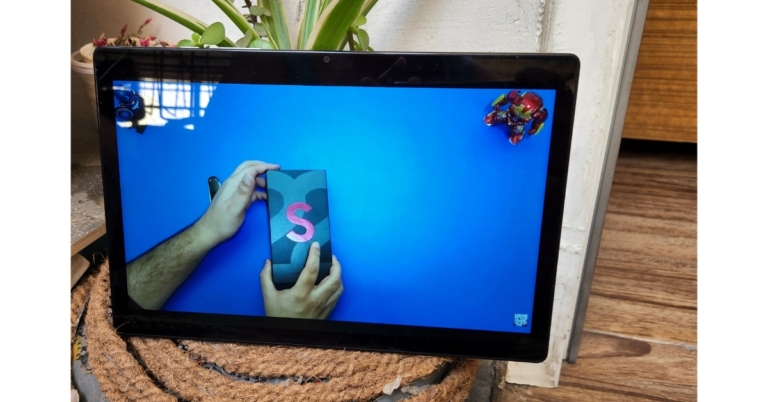
First and foremost, let’s discuss the Galaxy Tab A8’s design. As you can see, it has a standard design for this price range with no significant changes. Samsung Galaxy Tab A8 Review: Design and display The majority of its body is made of metal, with the exception of the left-hand portion, which is made of plastic. Overall, the Galaxy Tab A8 feels solid and durable, despite its weight of 508 grammes. This tablet comes in a matte silver colour, but Samsung also offers it in Grey and Pink Gold colours, too.  Samsung Galaxy Tab A8 Review: Design and display   On the right-hand side of the tablet, the power button is conveniently placed above the volume keys. In the tablet’s rounded corner, a headphone port is placed in an unusual location. A single USB-C charging and data port can be found at the tablet’s bottom. You can get a device that only has Wi-Fi or one that has both Wi-Fi and 4G LTE connectivity. Samsung Galaxy Tab A8 Review: Design and display review of Samsung Galaxy Tab A8 review of Samsung Galaxy Tab A8 On the front, there’s a large 10.4-inch WUXGA TFT display with a 1,920 by 1,200-pixel resolution. It has an 80 percent screen-to-body ratio and a typical aspect ratio of 16:10. This screen real estate is sufficient for viewing a variety of documents, including PDFs. To make things easier, Microsoft Office is pre-installed on the computer.  Another useful app in the device is Samsung Notes, which can be used to take notes, annotate, and so on. Still, we believe Samsung should have included a better IPS screen instead of this TFT panel. Expecting an OLED display at this price point is unrealistic, but a better LCD screen is expected. We say this because the colours are less vibrant and punchy, and the screen brightness is lower than expected. Samsung Galaxy Tab A8 review in India Consequently, watching YouTube videos on the Tab A8 will not be a problem. Thanks to Netflix’s Widevine L1 support, you can even watch HD content there. The quad stereo speaker system here, which supports Dolby Atmos, adds to the multimedia experience. To see how well it works, we’ll put it to the test. We watched a lot of movies and listened to music, but we felt the sound could have been a little louder.

Samsung Galaxy Tab A8 review: Performance

Moving on to performance, Samsung does not specify the chipset used in the Galaxy Tab A8, but it is said to be the Unisoc Tiger T618 chipset, which is based on a 12nm process. The Snapdragon 662 was used in the Tab A7 from the previous year. We didn’t just use this tablet to consume content by binge-watching a tonne of movies and videos; we also used it for quick gaming sessions now and then.  For the most part, the COD mobile gameplay was smooth. Other light games, such as Candy Crush and Subway Surfer, performed admirably. It does get warm, but that isn’t due to a heating issue and is to be expected from a mid-range tablet. Furthermore, prolonged gaming drains the battery rather quickly. In terms of day-to-day use, the base 3GB model we have feels a little sluggish. Apps take a long time to load, and multitasking is not ideal. We strongly advise you to spend a little more money and grab the higher-end variant. Moving forward, the software is one area where this tablet outperforms other Android tablets. Samsung’s expertise and superiority in tablet manufacturing are undeniable. While some of the other devices come with stock Android that can’t be customised. Samsung’s software includes Flow and kids mode but does not support DeX, so the company compensated by providing Samsung Flow as a replacement. This enables you to connect your tablet to your PC via both wireless and wired connections. Similarly, you can cast your tablet PC to a larger screen to enjoy Android apps. The Kids mode is essentially a programme geared toward children, where they can have a lot of fun with kid-friendly content. Furthermore, users can set parental controls to control what they do. Moving on, the Tab A8’s cameras are clearly not going to impress you. It has a back camera with 8 megapixels and a front camera with 5 megapixels for selfies. The rear camera does not produce high-quality images, but the front-facing camera is adequate for taking online classes and video calls. When it comes to the battery, it has a 7,040mAh capacity, and when fully charged, we were able to get up to 7 hours of screen time, which included tasks like attending online classes, streaming multimedia, and gaming. It would last you two days if you had a less demanding workload. However, charging takes a very long time. It takes over three hours to charge the battery from zero to 100 percent using a 15W power brick.

Verdict

In terms of software and global availability, the Samsung Galaxy Tab A8 is a good upgrade over its predecessor. Other Android tablet manufacturers, on the other hand, have begun to catch up. However, if you’re looking for a low-cost tablet for your children or to simply consume multimedia content or read e-books, the Tab A8 is a great option. Buy Here

Samsung Galaxy Tab A8 Pros

  • Robust design
  • Parental controls
  • Long battery life
  • Cameras good enough for video calling

Samsung Galaxy Tab A8 Cons

  • Not meant for heavy gaming
  • Slow charging
For the latest gadget and tech news, and gadget reviews, follow us on TwitterFacebook and Instagram. For newest tech & gadget videos subscribe to our YouTube Channel. You can also stay up to date using the Gadget Bridge Android App. You can find the latest car and bike news here.

iQoo Z6 Pro 5G India launch set for today: Here is what to expect

Vivo’s sub-brand iQoo is all set to launch a new smartphone in the Indian market today. The company will be announcing the iQoo Z6 Pro 5G which is going to be a sibling of the iQoo Z6 5G that was launched last month. The mid-range smartphone will be presented through Amazon and has been listed on the e-commerce platform ahead of the official announcement.

How to watch the Livestream of iQoo Z6 Pro 5G India launch

Today is the official launch of the iQoo Z6 Pro in India. It will be an online launch event that will start at 11:30 AM IST. The event will be broadcast live on iQoo India’s YouTube channel and social media accounts.

iQoo Z6 Pro 5G price in India expected

In addition, Amazon has confirmed that the Z6 Pro 5G will be available in the country. The company has also hinted at the price of the smartphone ahead of the official announcement. The price of the iQOO Z6 Pro 5G is expected to be under Rs 25,000. Last month, iQOO launched the iQOO Z6 5G in the country, which is a non-Pro model. It was released with a starting price of Rs 15,999 and a price range of Rs 17,999. Chromatic Blue and Dynamo Black are the two colour options for the phone.

iQoo Z6 Pro 5G specifications expected

The iQoo Z6 Pro 5G will be powered by Qualcomm’s Snapdragon 778G SOC and will feature a 67W FlashCharge. The handset will feature the company’s VC liquid cooling technology, according to the company. It also has the highest AnTuTu benchmark score of over 5,50,000, according to teasers. The Z6 Pro 5G was recently seen in a hands-on video. The upcoming smartphone appears to have an OLED display with a refresh rate of 90Hz and a peak brightness of 1,300 nits. The Snapdragon 778G SoC will be used, along with Qualcomm’s VC liquid cooling technology. A 64-megapixel primary camera, an 8-megapixel ultra-wide camera, and an unspecified macro camera are also expected to be included in the handset. The smartphone appears to have a USB Type-C port but no headphone jack, according to the hands-on video. Whereas the iQoo Z6 Pro 5G’s battery capacity has yet to be disclosed but it has been confirmed that the device will support 66W FlashCharge. In a recent hands-on video, the handset was shown. The upcoming smartphone appears to have a 90Hz OLED display with a peak brightness of 1,300 nits. Qualcomm’s VC liquid cooling technology, as well as the Snapdragon 778G SoC, will be used. The handset is also expected to come with a 64-megapixel primary camera, an 8-megapixel ultra-wide camera, and an unspecified macro camera. According to the hands-on video, the smartphone only has a USB Type-C port and no headphone jack. The battery capacity of the iQoo Z6 Pro 5G has yet to be revealed, but the device will support 66W FlashCharge. For the latest gadget and tech news, and gadget reviews, follow us on TwitterFacebook and Instagram. For newest tech & gadget videos subscribe to our YouTube Channel. You can also stay up to date using the Gadget Bridge Android App. You can find the latest car and bike news here.

Xiaomi 12 Pro alongside Pad 5 tablet launching today in India: Livestream details

Xiaomi 12 Pro is all set to launch in India today. The Xiaomi 12 Pro is powered by the Qualcomm Snapdragon 8 Gen 1 SoC and features a 120Hz dynamic refresh rate display. Moreover, the company is also going to introduce Xiaomi Pad 5 alongside the upcoming smartphone. To recall both the devices have already been launched globally as well as in China last year.

Livestream details of Xiaomi 12 Pro and Pad 5 tablet

Xiaomi is holding a launch event for Xiaomi 12 Pro flagship smartphone and the Xiaomi Pad 5 in India today. The launch event will begin at 12 p.m and while the Xiaomi 12 Pro and Xiaomi Pad 5 will be the main attractions, there will be other announcements as well. The event will be live-streamed across all company’s social media channels through YouTube. By clicking on the embedded link below, you can watch the launch live here on our website.

Xiaomi 12 Pro price in India, specifications expected

The Xiaomi 12 Pro price has yet to be announced, but it is expected to begin at Rs. 65,000 in India. The phone was, however, released in China for CNY 4,699 with 8GB of RAM and 128GB of storage (roughly Rs 55,100). The 8GB RAM with 256GB storage model costs CNY 4,999 (roughly Rs 58,600), while the 12GB RAM with 256GB storage model costs CNY 5,399 (approximately Rs 63,300). Blue, grey, and purple were the colours available for the device. The Xiaomi 12 Pro has a 6.73-inch WQHD+ E5 AMOLED display with a 1,4403,200-pixel resolution. The panel has a 120Hz dynamic refresh rate and 1,500 nits of peak brightness. Apple’s low-temperature polycrystalline oxide (LTPO) backplane technology, Corning Gorilla Glass Victus protection, and a 480Hz touch sampling rate are all included in the display. Under the hood, the Snapdragon 8 Gen 1 SoC has up to 12GB of LPDDR5 RAM and 256GB of UFS 3.1 storage. A 50-megapixel Sony IMX707 sensor with OIS and an f/1.9 aperture, a 50-megapixel portrait sensor, and a 50-megapixel ultra-wide-angle lens comprise the Xiaomi 12 Pro’s triple rear camera setup. A 32-megapixel selfie camera sensor is found on the front of the phone. A 4,600mAh battery and 120W rapid wired charging are also included. Wireless charging at a rate of 50 watts and reverse wireless charging at a rate of 10 watts are both supported. 5G, 4G LTE, Wi-Fi 6E, Bluetooth v5.2, GPS/ A-GPS, NFC, IR, and a USB Type-C connector are just a few of the connectivity options available.

Xiaomi Pad 5 price in India and specifications expected

The price of the Xiaomi Pad 5 in India is mysterious, but it was announced globally at EUR 349 for the 6GB RAM with 128GB storage model, which translates to Rs 30,000. The 6GB RAM with 256GB storage option costs EUR 399, or Rs 34,600 in Indian currency. Cosmic Gray and Pearl White are the two colours available for the global variant. In terms of specs, In India, the Xiaomi Pad 5 is expected to have the same features as the global version. The global Pad 5 has an 11-inch WQHD+ TrueTone display with a resolution of 1,6002,560 pixels. The display supports Dolby Vision and HDR10. It has a 120Hz refresh rate and a 16:10 aspect ratio. It is powered by Android 11 and MIUI 12.5 for the Pad. The phone has a Qualcomm Snapdragon 860 processor, 6GB of LPDDR4X RAM, and up to 256GB of UFS 3.1 storage onboard. For optics, the tablet has a single 13-megapixel camera sensor on the back, as well as an LED flash. A front-facing selfie camera with an aperture of 8 megapixels is also included. The tablet is powered by an 8,720mAh battery that can charge at 33W. It supports Dolby Atmos and has four speakers. Face Unlock and a split-screen mode for multitasking are also available on the tablet. For the latest gadget and tech news, and gadget reviews, follow us on TwitterFacebook and Instagram. For newest tech & gadget videos subscribe to our YouTube Channel. You can also stay up to date using the Gadget Bridge Android App. You can find the latest car and bike news here.

Amazon Quiz Answers Today 27 April 2022: Participate to win Rs 40,000

27 April 2022 Amazon Quiz has gone live on its platform. The quiz timings are 12 AM to 11:59 PM. The Amazon App users can participate in the quiz daily and all they have to do is submit correct answers to the questions asked on the e-commerce platform. Today’s participants can get a chance to win Rs 40,000 Amazon Pay Balance. Amazon brings a fresh questionnaire that contains 5 questions daily. These questions are based on current affairs and general knowledge. The quiz can be played from 8 AM to 11:59 PM and the contestants need to answer correctly to enter into a lucky draw. Only one person is declared as a winner and the results will be announced at the end of every month. And to make sure that you give correct answers to all the 5 questions Gadget Bridge everyday updates all the answers to the Amazon Quiz. Do check out 25 March 2022 Amazon Quiz Answers to win Rs 40,000 Amazon pay Balance. Amazon Quiz Today Prize – Rs 40,000 Amazon Pay Balance Quiz Date – 27 April 2022 Daily Timing – 12 AM to 11:59 PM Winner Announcement – Today 12 PM

Amazon Quiz Answers Today 27 April 2022

Question 1: Italy failed to qualify for the FIFA World Cup 2022 after suffering a shock defeat in a playoff encounter against which country?

Answer: North Macedonia

Question 2: The Marvel series ‘Moon Knight’ would feature which actor in the central role of Marc Spector?

Answer: Oscar Isaac

Question 3: The new Indian budget airline Akasa Air plans to launch its first commercial flight in which month?

Answer: June

Question 4: Name this animal, the national animal of a neighbouring country

Answer: Markhor

Question 5: Name this famous bridge

Answer: Howrah Bridge

How To Play Amazon Quiz

Only app users are eligible to play the Amazon quiz every morning from 12 AM to 11:59 PM. The quiz is not available on the desktop. For those who are unaware of how to play the Amazon quiz below are the steps, you can follow to take the quiz.
  • Firstly download the Amazon app from Google Play Store or App Store
  • Now fill in the required information through the Sign Up option.
  • You need to log in to the Amazon app and scroll down on the home screen to find the Amazon Quiz banner.
  • Tap on the Amazon Quiz banner and tap on the Start button to start the Quiz.
  • Now you will get 5 questions and you need to answer them correctly. One wrong answer will eliminate you from the Quiz.
  • After answering all the questions correctly you are now eligible for a Lucky Draw.
  • The winner’s name will be announced today at 12 PM.
For the latest gadget and tech news, and gadget reviews, follow us on TwitterFacebook and Instagram. For newest tech & gadget videos subscribe to our YouTube Channel. You can also stay up to date using the Gadget Bridge Android App. You can find the latest car and bike news here.

How To Find Out Who Has Viewed Your Instagram Profile (2023)?

As of now, Instagram doesn’t provide you with the information as to who has viewed your Instagram highlights or profile. Sure, you do get access to a list of the people who have viewed your stories and liked your posts or reels. But the people who may have visited your profile remain hidden from your sight. However, there are several third-party apps, available for download on both Android and iPhone, that may give access to that info. Here is a list of apps downloadable on your smartphone as of April 2022, that can help in your quest to find out who has viewed your Instagram profile.  The apparent reason behind the company’s disallowance of this feature is estimated to be user privacy. Since most users of Instagram spend their time visiting the profiles of other users, making their activity public might be considered a breach of user privacy, thus leading to a decreased footfall of users on the platform. Now, there is no guarantee on whether the apps mentioned below are successful in disclosing the identity (fully) of your Instagram profile viewers. However, since they are still available for download, you might as well give them a try. 

InMyStalker

InMyStalker- How To Find Out Who Has Viewed Your Instagram Profile (2022)? At the very first comes the InMyStalker app available for download on Android devices. It analyses your Instagram profile and notifies you of the people who stalked or viewed your profile. Not only that but it also claims to disclose the identity of the people who may have viewed your photos on your Instagram profile.  Download from here. Read also: Top 3 ways to find out if someone follows you on Instagram

Follower Analyzer for Instagram

Follower Analyzer- How To Find Out Who Has Viewed Your Instagram Profile (2022)? Next up comes the Follower Analyzer for Instagram for Android download. It allows you to keep a detailed track of your followers, like discovering your new followers, those who unfollowed you recently, your top likers and commenters, those who never like or comment on your posts and more. It also allows you to analyze other public accounts as well.  Download from here.

Analyzer Plus

Analyzer Plus Analyzer Plus is available for download on iOS devices like iPhones and iPads. It allows you to track those who unfollowed you, who like or comment on your posts the most or the least and much more. It also allows you to gain real-time statistical insights on the followers you gained or lost, the performance of your posts, the likes and comments they get and much more.  Download from here. 

Reports for Followers

Reports for Followers- How To Find Out Who Has Viewed Your Instagram Profile (2022)? Another app which is available for download on iPhone is this one. It provides you with detailed follower insights on Instagram and allows you to monitor who unfollowed you, track stories and viewer analytics as well as your account growth. It even helps users to know which of their posts are of more interest to their fans, based on their view times, likes and comments.  Download from here. Read also: 3 best ways to find out if someone has blocked you on Instagram

FollowMeter for Instagram

FollowMeter Finally comes the FollowMeter for the Instagram app, which is available for download on both the App Store and the Play Store for Android and iOS devices. It allows you to track who viewed your account stories but is not following you back, those who unfollowed you, people who view your stories the most, your top likers, your secret admirers, your ghost followers and much more.  Download from here. So those were our top picks for the third-party apps which you can use to find out who has viewed your Instagram profile. We would be delighted to hear if any of our above app suggestions worked out for you. Do write to us in the comments section below.  For the latest gadget and tech news, and gadget reviews, follow us on Twitter, Facebook and Instagram. For newest tech & gadget videos subscribe to our YouTube Channel. You can also stay up to date using the Gadget Bridge Android App. You can find the latest car and bike news here.