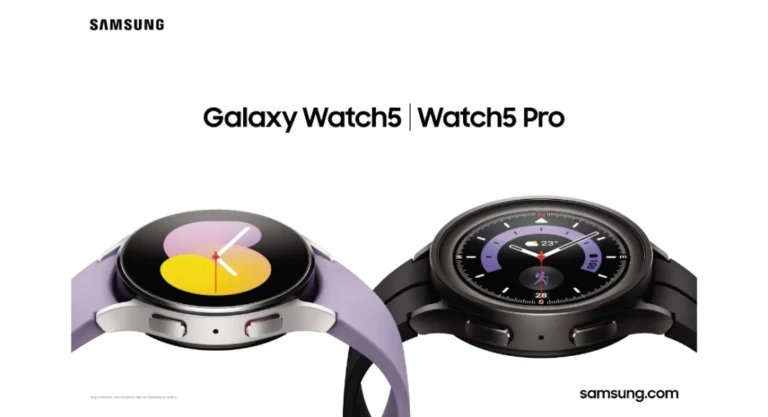
Following the global release, the Samsung Galaxy Watch 5 and Watch 5 Pro got launched in India last week. Pre-orders for the new smartwatches have started today, August 16. Galaxy Watch has been one of the most popular wearables for a while, and the BioActive sensor included with the Galaxy Watch 5 will offer more effective digital health tracking and sleep monitoring. Here are the 6 best apps to download first on Samsung Galaxy Watch 5.Read Also: How often should you upgrade your Android smartphone?
In This Article
AccuWeather
Not only does AccuWeather provide you with accurate weather forecasts, but its design and ease of access also make it the best weather app for Wearables. If you like to keep up with the weather, the AccuWeather app should be the first one you download on your Galaxy Watch 5. It is free to download but contains some in-app purchases.
Sleep as Android
Sleep as Android is extremely beneficial as a smartwatch app for tracking your sleeping pattern. It also wakes you up gently in the morning, without an abrupt alarm. Sleep as Android also tracks your SPO2 levels and Heart Rate Variability. It can also perfectly sync its data with Google Fit. You can also choose from a range of ambient noises to fall asleep to.
SmartThings
SmartThings is one of the most helpful apps for your Samsung Galaxy Watch 5. Using SmartThings you can control various devices like TV, air conditioner, smart light, and washing machines directly from your smartwatch. SmartThings is free to download from the Google Play Store.
Wear Camera
Wear Camera lets you see the feed from your smartphone on your wearable smartwatch. You can use this app to take pictures from a greater distance or use your phone’s camera to look at places that are hard to reach. You can even use this app for surveillance, if necessary.
Google Keep
Google Keep allows you to take quick notes on your smartwatch. You can even sync it to your smartphones and any changes made on either device will be reflected on both of them. While you can draw and scribble using Google Keep on a smartphone, you can only take text notes using it on a smartwatch.
Google Fit
Google Fit is the quintessential app to track your physical activity on your smartwatch. An essential download for Galaxy Watch 5, Google Fit monitors your heart activity, calories burnt, and other metrics related to your workouts. You can even manually enter data and chart your progress over time. Data can be synced to your smartphone where you can expand on the details and see what you need to cover in your workouts.Read Also: How to Bypass Samsung FRP Lock After Reset?These are the 6 best apps to download first on the Samsung Galaxy Watch 5. The price of the Galaxy Watch 5 in Bluetooth-only and LTE versions is Rs 27,999 and Rs 35,999 respectively. The 40mm version of the watch will be made available in Graphite, Pink Gold, and Silver. The 45mm version will be offered in Graphite, Sapphire, and Silver. The Galaxy Watch 5 Pro will be made available in additional colour options of Black Titanium and Grey Titanium.
Google has released the new Android OS today. Internally codenamed ‘Tiramisu’, Android 13 has been made available for Google Pixel first, with rollouts for other smartphones to follow soon. Android 13 builds on the foundation laid down by Android 12 and further finesses the aesthetics and interface of the operating system. In this article, we explain what new features Android 13 has to offer and give a detailed list of eligible phones that will receive the upgrade.Read Also: Pete Lau Makes a Hint to a Future OnePlus Foldable Phone
In This Article
Android 13: What’s new?
Android 13 comes with upgrades across all fronts, be it the System UI or Privacy Settings. Android is looking to build upon ‘Material You’ and give its users greater control over what their phones look like. You can expect this to be a running theme in later Android upgrades as well. Here are some of the major new features users will notice in Android 13.
When it comes to privacy, the latest Android update will not allow apps to access your entire internal storage if you want to share just one file. The clipboard will also get cleared periodically in order to secure any emails or passwords you’ve copied on there. Apps will now require permission before they can post a notification. Earlier this feature was opt-out, but now it has been made opt-in.
Android has also increased its colour palette for themes in Android 13. In the previous version, the OS generated 5 tonal palettes using the colours in your wallpapers. These palettes could be used to pick the colour theme for icons on your home screen. Now, you can apply these changes to apps as well. The new upgrade also generates a lot more colour palettes, giving you more control over the customisation. This feature was earlier only available on Google Pixel, but will now be rolled out for all Android devices.
The redesigned media player can change its appearance based on the music you’re listening to. A larger volume slider has also been provided in the new media player. You can also assign individual languages to different apps, instead of changing your System language altogether.
Android 13 comes with Bluetooth LE audio, the next-gen Bluetooth standard that offers higher quality audio and lower power consumption. With TWS becoming the standard, this new tech will be extremely useful in coming smartphones. Android 13 will also have spatial audio with head tracking support, which produces a more immersive sound that seems like it’s moving along with your head.
List of smartphones that will get Android 13
Android 13 has been rolled out for Google Pixel initially, with software updates for other smartphones expected in the coming months. These Google Pixel smartphones can update their system software and begin using Android 13 today:Pixel 4Pixel 4XLPixel 4aPixel 5Pixel 5aPixel 6Pixel 6 ProPixel 6aAccording to Google’s blog post, Android 13 will be made available for other smartphone manufacturers in the coming months. Here is the list of Android 13 eligible phone manufacturers.SamsungAsusNokiaiQOOMotorolaOnePlusOppoRealmeSharpSonyTecnoVivoXiaomiand more.
Online dating app Bumble has introduced a unique limited edition “Travel with me” badge that will make it easier for you to find other travellers on Bumble. This feature will be accessible in India from July 25 through August 31.Samarpita Samaddar, India Communications Director, Bumble, said, “As travel restrictions are eased in India, we know that people are excited to plan their vacations and travel to new and beloved destinations. Be it quick getaways, workations or dream destinations–if you’re passionate about travelling and looking for a plus one who shares your interest, Bumble’s new limited edition ‘Travel with me’ badge can help you find like-minded people more easily now!”The Bumble community may now add the new “Travel with me” badge to their profiles in order to find a companion to go on adventures and explore new places with. This limited edition Travel Badge will be accessible in India from July 25 through August 31, 2022.Bumble has offered dating advice when travelling in addition to announcing the “Travel with me” badge.Bumble advises giving your connection-specific information on your travel plans. You can update your profile to specify what you are searching for as you plan your trip in addition to adding the “Travel Badge.”Prioritise your safety. Before meeting up or finalising your plans, you can utilise Bumble’s video chat or voice call tools to get to know your connection better.Every time you visit a new city or nation, updating your bio can assist you to draw in the contacts and experiences you’re looking for. You can achieve this by adding your vacation itinerary or the languages you speak to your Bumble profile bio (📍✈️).You could typically have a mental checklist of the qualities you want in a potential date when you first meet them. Be flexible when you’re travelling. When you’re away from home, adopt the same mindset toward utilising Bumble as you do when you’re more open to trying new cuisines or activities. Make your date filters a little more lenient, such as your age range or the type of relationship you’re looking for.From the beginning, be upfront about your intentions. If you’re searching for something informal when travelling, be straightforward with your connections. Manage your own expectations when it comes to holiday romances.
For the latest gadget and tech news, and gadget reviews, follow us on Twitter, Facebook and Instagram. For newest tech & gadget videos subscribe to our YouTube Channel. You can also stay up to date using the Gadget Bridge Android App. You can find the latest car and bike news here.
Today, Xiaomi India announced the arrival of the 32-inch Xiaomi Smart TV 5A Pro in India. A more advanced version of the previously released Xiaomi Smart TV 5A, the new television combines the technological capabilities of Dolby Audio, DTS:X, and Vivid Picture Engine for the best entertainment experience.Speaking on the launch, Sudeep Sahu, Senior Product Manager, Xiaomi India said, “The Xiaomi Smart TV 5A received a great response earlier this year. To further enhance the complete entertainment experience for our consumers, we are proud to introduce Xiaomi Smart TV 5A Pro 32 in India. The television takes the consumer experience to the next level, with its amazing colours, smoother performance and crisper audio. With this addition to the 5A series, we hope to build the momentum of providing consumers with amazing products with honest prices and innovative technology.The Xiaomi Smart TV 5A Pro 32 has a bezel-less display and a premium metallic casing. Vivid Picture Engine technology powers the High Definition-Ready (HD-Ready) display on the gadget and precisely adjusts colour, contrast, and depth providing a realistic and immersive viewing experience. The television puts you in the centre of all the action with at-home surround sound thanks to its 24W speakers. For an immersive entertainment experience, the television also delivers DTS:X and DTS Virtual:X for powerful, room-filling surround sound.The television incorporates 50% more RAM than its sister for enhanced performance. Comparing it to its predecessor, which used a Quad Core Cortex A35 processor, the Xiaomi Smart TV 5A Pro 32 is built on a Quad Core Cortex A55 processor, taking things up a notch. In addition, the television has 8 GB of storage and 1.5 GB of extended RAM.The Smart TV 5A Pro 32 also includes the most recent Patchwall version. The PatchWall software enables comprehensive integration with more than 30 international and Indian content providers, as well as intelligent recommendations and content in more than 15 different languages. With Quick Mute, Quick Wake, and Quick Settings buttons, the smart television also comes with a sleek, minimalist remote that offers ease of use across a variety of tasks.In terms of pricing and availability, the Xiaomi Smart TV 5A Pro 32 is priced at Rs 16,999. The Smart TV will be available for purchase via Mi.com, Mi Homes, Amazon, Flipkart and retail stores soon.
For the latest gadget and tech news, and gadget reviews, follow us on Twitter, Facebook and Instagram. For newest tech & gadget videos subscribe to our YouTube Channel. You can also stay up to date using the Gadget Bridge Android App. You can find the latest car and bike news here.
Garena Free Fire is a battle royale game with regular awards and tournaments to keep players interested. If you play Garena Free Fire, you should be aware of the redeem codes that are released on a daily basis. However, because the battle royale game is banned in India, players from other countries can use the Free Fire Redeem codes daily. If you’re unfamiliar with the Garena Free Fire redeem codes or don’t know how to get them, we’ve put together a step-by-step guide to help you redeem them. Check out Garena Free Fire Redeem Codes for August 16.The Free Fire redeem codes are a great way to get free stuff. These are 12-digit codes that contain alphabets and numbers, as well as an expiration date and time. Because the Garena FF redeem codes cannot be used more than once, you should hurry to the redemption page to claim your free reward before someone else does. To get a free reward, all you have to do is go to reward.ff.garena.com/en, which is the official redemption page. Also, keep an eye on this space for daily updates on Garena Free Fire redemption codes and rewards.
In This Article
Garena Free Fire Redeem Codes Today 16 August 2022
FFICJGW9NKYT
YXY3EGTLHGJX
FFAC2YXE6RF2
FFBBCVQZ4MWA
W0JJAFV3TU5E
FU9CGS4Q9P4E
B6IYCTNH4PV3
X99TK56XDJ4X
FF10HXQBBH2J
WLSGJXS5KFYR
How to Get Free Fire Redeem Codes for Garena on August 16?
Samsung Galaxy Z Flip 4 and Galaxy Z Fold 4 pre-ordering has begun. In addition to this, the prices for both foldable phones in India have been made public. At the Galaxy Unpacked event earlier this month, the South Korean manufacturer unveiled the Galaxy Watch 5 series in addition to the Galaxy Z Fold 4, Galaxy Z Flip 4, and Galaxy Buds 2 Pro.
Galaxy Z Flip 4, Galaxy Z Fold 4 price in India and sale details
Pre-orders for the Galaxy Z Flip 4 and Galaxy Z Fold 4 have begun at the top online and offline retailers. At 12:00 today, customers can pre-book on Samsung Live as well.The Galaxy Z Flip 4 is priced at Rs 89999 for the 8GB RAM with 128GB storage variant and Rs 94999 for the 8GB RAM with 256GB storage variant. It is available in the colours Bora Purple, Graphite, and Pink Gold. For Rs 97999, the Bespoke Edition will be sold at Samsung Live and Samsung Exclusive Stores and will come in a variety of glass colours and frame options.Priced at Rs 154999 for a variant with 12GB RAM and 256GB storage and Rs 164999 for a variant with 12GB RAM and 512GB storage, the Galaxy Z Fold 4 is available in Graygreen, Beige, and Phantom Black colours. The 12GB+1TB model is only available at Samsung Live and Samsung Exclusive Stores and costs Rs 184999.Customers who reserve a Galaxy Z Fold 4 in advance will receive a Galaxy Watch4 Classic 46mm BT, valued at Rs 34999, for just Rs 299. Customers can also use their HDFC credit or debit cards to receive Rs 8000 cashback or to take advantage of an Upgrade Bonus.Pre-ordering customers will receive a Galaxy Watch4 Classic 42mm BT, valued at Rs 31999, for just Rs 299. Customers can also use their HDFC credit or debit cards to receive Rs 7000 cashback or Rs 7000 in upgrade bonuses.Buyers who pre-book will also receive a year of Samsung Care Plus, valued Rs 11999, for Rs 6000. They can choose the No Cost EMI deal for up to 24 months as well.Additionally, consumers will receive a Wireless Charger Duo worth Rs 5199 for free when they purchase a Galaxy Z Flip 4 or Galaxy Z Fold 4 at Samsung Live before August 17 at Midnight. Before August 17 at Midnight, customers who purchase the Galaxy Z Flip 4 Bespoke Edition during Samsung Live will also receive a Slim Clear Cover worth Rs 2000 and a Wireless Charger Duo for free. Pre-ordering at Samsung.com or Samsung Exclusive retail locations is required to take advantage of certain Samsung Live deals.
For the latest gadget and tech news, and gadget reviews, follow us on Twitter, Facebook and Instagram. For newest tech & gadget videos subscribe to our YouTube Channel. You can also stay up to date using the Gadget Bridge Android App. You can find the latest car and bike news here.
A question that pervades every smartphone owner’s mind is how often should they upgrade their Android smartphone. Smartphone companies and their marketing campaigns will have you believe that it is time to trade in your current smartphone for the new flagship that just rolled out, but is changing your device every year the right choice? On the other end of the spectrum, many users believe in getting the most miles out of their smartphones before discarding them. Is it a good idea to stick with a phone that has been sidelined by the manufacturer and does not receive any updates? In this article, we discuss how often should you upgrade your Android smartphone.Read Also:When is the right time to upgrade your PC?
In This Article
Security and Phone Updates
If the manufacturer has stopped providing updates for your Android smartphone, it may be time to move on to a new one. Most smartphones get software updates for about two to three years after their release. Not only do these updates offer new features, but also patch any prevailing security issues and ensure your data is safe from getting into the hands of third parties. Older phones with outdated software are more susceptible to malware attacks. If you own a budget phone, you may stop receiving updates even earlier than three years. Most manufacturers offer a three-year update guarantee only on their flagship products.Alternative: Use anti-malware apps like Malwarebytes and ad blockers like AdGuard to keep your phone safe from any malicious activity. While this is not a sure fix to all the protection issues, it still is better than using an old phone with security vulnerabilities.
Battery Life
It is no secret that the strength of your smartphone’s battery diminishes over time. When you first buy a phone, a full charge can easily get you through the day. But after years of rigorous use, you may find yourself plugging in the charger halfway through the day. A reduced battery backup can get pretty annoying and is one of the major reasons why users switch to a new phone. Even if the aspects of your smartphone work fine, it doesn’t really matter much if it gets drained every 6 hours.Alternative: Monitor your phone’s battery from the beginning. Notice which apps are draining the battery faster and put unused apps to sleep. Use the power-saving mode when you’re not actively using your device. If possible, get a battery upgrade.
Performance Decline and App Issues
Most modern devices aren’t built to last and your smartphone is no exception. A performance drop is bound to occur after years of use. Apps may take longer to load and you may experience delays in the most basic of tasks. As your phone gets older, apps are more prone to crashes. After a certain period of time, some apps may become incompatible with your phone. If you’re facing one of these issues, it may be time to get a new phone. You will notice what you’ve been missing out on right away. The touch receptivity will be quick and apps will take no time to load. Alternative: Keep your phone optimised and scan it regularly for viruses, background app activity, high battery usage, and unreported app crashes.
New Features
Even if you don’t care about the novelty of a device, the allure of new features is hard to ignore. Manufacturers are constantly bringing out new features on their flagships every year, be it powerful cameras or an enhanced interface. If you’re someone that likes to be on top of all the new tech, you’re bound to miss out on a lot if you don’t change your smartphone for a while. What you can do is trade in your device for a new one. If the smartphone you’re using is relatively new and in good shape, you can get a good price for it. Certain manufacturers also offer great buyback schemes.Read Also: Pete Lau Makes a Hint to a Future OnePlus Foldable Phone
If you experience some of the issues mentioned above, it may be time to upgrade your Android smartphone. At the end of the day, what matters is how happy you are with your device. Every smartphone is susceptible to wear and tear, and eventual breakdown. It is a good idea to notice the warning signs early and trade it in for a good price and move to a better device.
According to reports, OnePlus will introduce its first foldable smartphone soon. Also, Pete Lau, a co-founder of OnePlus, provided an update on its next product. The company’s head posted images of a hinge on Twitter however he did not confirm the name or other specifics of the OnePlus foldable phone.“What do you think this is?” was the caption on photos that Pete Lau posted on Twitter. The OnePlus foldable phone that will be released soon may use this as the hinge for its folding screen. The OnePlus Fold might soon come out, however, the company hasn’t officially confirmed anything.
OnePlus hasn’t yet provided any information but the OnePlus Fold is said to include Android 13 out of the box. Oppo’s Find N, which debuted in December 2021, may share some characteristics with it.In terms of foldable smartphones, Samsung is now in the lead. It recently unveiled its 4th gen of foldable phones Galaxy Z Fold 4 and Z Flip 4 in the market. At the same time, Xiaomi released the Xiaomi Mix Fold 2. Even Motorola also launched Moto Razr 2022 but in China. Even Oppo also established its position in the foldable smartphone market by introducing Oppo Find N.Earlier this year a report also surfaced on the web stating Google Pixel Foldable phone will also have Oppo Find N-like design.
Oppo Find N specifications
On the outside, the smartphone has a 5.49-inch OLED display with an aspect ratio of 18:9. When unfolded, the Oppo Serene Display, an inward folding display, measures 7.1 inches. It boasts LTPO technology, a 1,000 nit maximum brightness, a 120Hz refresh rate, and Corning Gorilla Glass Victus protection.It is driven by a Qualcomm Snapdragon 888 SoC and has up to 512GB of storage and 12GB of RAM available. Optically, the Oppo Find N includes three rear cameras: a 13-megapixel telephoto lens, a 16-megapixel ultra-wide angle lens, and a 50-megapixel Sony IMX766 main sensor. A 32-megapixel camera on both the inner and outer screens, and a 32-megapixel camera on the inner screen.Other notable features of the phone include a 4,500mAh battery with 33W SuperVOOC cable charging capability,
For the latest gadget and tech news, and gadget reviews, follow us on Twitter, Facebook and Instagram. For newest tech & gadget videos subscribe to our YouTube Channel. You can also stay up to date using the Gadget Bridge Android App. You can find the latest car and bike news here.
Amazon Quiz for 16 August 2022 has gone live on the company’s mobile platform. The daily quiz contest brings an opportunity for Amazon users to win exciting prizes. In today’s Amazon Quiz the participants have the chance to win Rs 20,000 Amazon Pay Balance. All they have to do is answer all the questions correctly.A fresh question is posted on the Amazon app daily which consists of five simple questions based on general knowledge and current events. The quiz can be played on the Amazon App from 12 AM to 11:59 PM. You have to answer all the questions correctly. Then the participants will be shortlisted for a lucky draw. The result of the lucky draw will be announced at the end of the month. The participants can win Amazon Pay Balance to up to Rs 50,000. Check out the 16 August 2022 Amazon Quiz question and their answers to win Rs 20,000 Amazon Pay Balance.Amazon Quiz Today Prize – Rs 20,000 Amazon Pay BalanceQuiz Date – 16 August 2022Daily Timing – 12 AM to 11:59 PMWinner Announcement – Today 12 PM
In This Article
Amazon Quiz Answers Today 16 August 2022
Question 1: During the India vs West Indies ODI series in July 2022, which of these cricketers made his ODI debut?
Answer- Avesh Khan
Question 2: In the Hindi adaptation of Forrest Gump, what is the name of the character being played by Aamir Khan?
Answer- Laal Singh Chaddha
Question 3: Which of these airlines cancelled over 1000 flights recently due to ground staff walkout?
Answer- Lufthansa
Question 4: What famous tourist location has been shown here?
Answer- Santorini
Question 5: The animal who inspires the name of this article of clothing is a/an ____. Fill in the blanks
Answer- Reptile
How To Play Amazon Quiz
Only app users are eligible to play the Amazon quiz every morning from 12 AM to 11:59 PM. The quiz is not available on the desktop. For those who are unaware of how to play the Amazon quiz below are the steps, you can follow to take the quiz.
Firstly download the Amazon app from Google Play Store or App Store
Now fill in the required information through the Sign Up option.
You need to log in to the Amazon app and scroll down on the home screen to find the Amazon Quiz banner.
Tap on the Amazon Quiz banner and tap on the Start button to start the Quiz.
Now you will get 5 questions and you need to answer them correctly. One wrong answer will eliminate you from the Quiz.
After answering all the questions correctly you are now eligible for a Lucky Draw.
The winner’s name will be announced today at 12 PM.
Our smartphones are one of the most personal devices in our lives. That is why built-in security is so important. However, sometimes, the built-in security features can be a small nuisance. Especially after a factory reset.
Google’s account verification system might ask you for a password after a reset. What if you forgot it? We have a complete step-by-step tutorial to help you bypass it. In this guide, we will talk about what is the verification code of a Google account and more.
In This Article
Learn About Factory Reset Protection
You might be wondering What is the Verification Code of a Google Account. It is a super helpful security feature to avoid any unauthorized access. After factory resetting a Samsung phone, you will be asked for your Google account password.
This FRP or Factory Reset Protection feature is automatically enabled on Samsung’s Android devices when you log in with your Google Account. It is enabled on Android 5.1 and later versions.
After knowing the means of Google Account Verification, you are also curious about can the FRP lock be removed? While the FRP system is great it might become a slight annoyance if you forget your Google Account password. You might be locked out of your phone after a factory reset. But there are three effective methods to bypass it.
How to Bypass Google’s FRP Verification After Reset on Samsung?
If you have been locked out of your Samsung phone after a factory reset, there are certain ways of bypassing the verification.
All these are pretty safe and easy to do as well. Just follow these methods to bypass Google Account Samsung.
Method 1: Bypass Google Verification on Samsung without Password
Using a reliable and easy bypass tool like Tenorshare 4uKey for Android is your best bet. It is super easy to use and will help you bypass within minutes the lock no matter the reason.
Step 1: Download Tenorshare 4uKey for Android
Firstly, download and install Tenorshare 4uKey for Android from the official website. Run the tool and select the ‘Remove Google Lock (FRP)’ option.
Step 2: Connect Your Samsung Phone and Select Android Version
Connect your Samsung phone to your PC with a USB cable. And select your Android version. Then just click on ‘Start’.
Step 3: Follow On-screen Instructions
The tool will conveniently show you the process on the screen. Tap “Emergency Call” from the welcome page. Dial *#0*# to bring up the diagnostic menu.
Step 4: Allow Access to Your PC
You will see a notification popup on your phone for USB debugging permission. Check the box for ‘Always allow from this computer and tap ‘Allow’.
Step 5: Let Tenorshare 4uKey for Android Do Its Magic
Click ‘Ok’ on your PC. Now just wait for the tool to finish its job. Unlocking the FRP will not take that long. And voila! This is how you bypass Google account lock after a factory reset.
Method 2: Unlock Samsung FRP Lock Using SIM Card
Another method for FRP Lock bypass is using your SIM card. It is a straightforward way to bypass the lock. Follow these steps to do it:
Step 1: Take your SIM card out of your phone.
Step 2: Now restart your phone. You can ignore the SIM alert notification.
Step 3: Select your preferred language from the welcome screen.
Step 4: When your phone asks for your email and password, just tap on hold the @ key for a couple of seconds.
Step 5: Select Google Keyword Settings.
Step 6: Then, press the Back and Home button to bring up Google search.
Step 7: Search for Settings on the search bar and tap on the Settings app.Step 8: From the Settings app, simply disable Auto Restore and Saving backups.
Step 9: Do a hard reset on your phone. After that, you will be able to access your Samsung phone.
Method 3: Bypass FRP Lock on Samsung Phones Without PC
Wondering about how to bypass google account verification after resetting Samsung? This section will be helpful for those who do not have access to a PC.
Step 1: Tap and hold the @ symbol on your keyboard.
Step 2: The Settings menu will pop up. Now, choose Google Keyboard Settings.
Step 3: On the upper right-hand corner, tap on the three dots.
Step 4: Select the ‘Help & Feedback’ option and the relevant item from the list.
Step 5: Then from the Help Page, tap on ‘Using Google Keyboard’
Step 6: Long press the texts to select it. And then tap the ‘Web Search’ option. Then search for ‘Settings’.
Step 7: From the Settings app, go to your phone’s About section.
Step 8: Tap on the Build Number seven times to unlock developer mode.
Step 9: Finally, from the Developer options, just turn on OEM unlocking and press the back button twice. Now, you can restart your phone and set it up as a new device.
Why Choose Tenorshare 4uKey for Android?
The best thing about our software Tenorshare 4uKey for Android is just how powerful it is. Here are the top 5 features you will love:
It works for Windows and Mac operating systems
It can remove any kind of lock screen issues with a few taps
It supports a lot of different Android versions
It would avoid bricking your phone thanks to the advanced auto system detection.
It is easy and simple to use
Related Questions About Bypassing Google Verification
Q1. Does 4uKey for Android support Android 12?
Ans. Yes, it does! It supports android versions 12/11/10/9/8/7/6. So, you are covered no matter which version you are on. And guess what? It even supports the latest Galaxy S22 series as well.
Q2: What would cause FRP Lock?
If you logged in using your Google account and then factory reset your Samsung phone, it will cause the FRP lock to activate.
Key Takeaway
If you forget your Google password, you will always need to bypass the FRP lock after a factory reset. Luckily, now you know the verification code of Google account and how to bypass FRP. And you can use Tenorshare 4uKey for Android to bypass the FRP lock easily in just minutes. The best part is it is completely safe, free and super easy to use.
For the latest gadget and tech news, and gadget reviews, follow us on Twitter, Facebook and Instagram. For newest tech & gadget videos subscribe to our YouTube Channel. You can also stay up to date using the Gadget Bridge Android App. You can find the latest car and bike news here.
First released in 2015, Android Auto is a native Android app developed by Google to provide greater accessibility while driving a car, by mirroring your smartphone to the car’s infotainment system. Ever since its launch, Android Auto has become an essential part of the driving experience as most modern cars come equipped with Android Auto connectivity. In this article, we explain how Android Auto works and what new features will you get in Android Auto 2022.Read Also: How to track steps on Android?
In This Article
How does Android Auto work?
Android Auto mirrors your smartphone display to your car’s infotainment unit and provides ease of accessibility while driving. Once connected, the display unit in your car will get the functionalities of your phone, like making or hanging up calls, GPS navigation, music player, and even apps like WhatsApp and Audible. Your phone’s display gets adjusted for the car’s infotainment unit, with large app icons that can be easily controlled using touch gestures.The handsfree mode can be selected by turning on Google’s Voice Assistant. This ensures greater safety by getting rid of any unwanted distractions. You can also decide which apps show up on your car’s display using Android Auto. If you do not want to pair your smartphone to your car’s infotainment unit, you can use Android Auto as a standalone app on your mobile. Simply open the app and mount it on your dashboard. The screen will display large icons that can easily be controlled with touch gestures. In order to use Android Auto, your smartphone must be running on Android 6 or above. You’ll also need a USB cable to connect your smartphone to your car, but if your car already comes with Android Auto connectivity, this step won’t be necessary. You’ll be asked to confirm pairing codes on your phone when you’re pairing it with your car for the first time. You will also be asked to grant access to certain apps. Once the initial setup is complete, your smartphone will automatically connect to your car the moment you step in.
What new features will you get in Android Auto 2022?
With Android Auto 2022 you will get the following new features.
New interface for Android Auto that will increase accessibility during navigation and media control.
Split screen mode that will enable users to control other apps along with navigation.
Suggested auto-replies and location sharing added to Google Voice Assistant.
Read Also: How to Recover Deleted Files from Android without RootAndroid Auto is hugely beneficial in providing a distraction-free driving experience. Using the hands-free mode, drivers do not need to look at their smartphones at all. Android Auto also gets the most out of your car’s infotainment system by allowing you to mirror your smartphone on it.
Unlike Android smartphones, iPhone has a native Health app that tracks your physical activity, including your step count. The Health app automatically counts your steps, walking, and running distances. You can even sync this data with your Apple Watch and Mac. The Health app can also be used to chart other physical activities like swimming, cycling, and climbing. In this article, we show you how to track steps on your iPhone.Read Also: How to track steps on Android?
In This Article
Here’s how you can track steps on your iPhone
Step 1: Go to the Health app on your iPhone.Step 2: Tap the Summary tab. You will be presented with the highlights of your physical activity including your step count.Step 3: In order to add Steps to your favourite categories, tap on edit and select the blue star next to ‘Steps’.Step 4: To get detailed info on your step count, tap browse on the bottom of the screen and go to Acitivity>Steps.iPhone automatically records all your physical activity, so you will get a detailed account of how many steps you’ve taken every day.Read Also: How to Recover Deleted Files from Android without Root
Frequently Asked Questions
Which apps share information with the Health app?
You can choose which apps share information with the Health app. Simple open your Health profile and select Privacy>Apps. You will see the list of apps that are compatible with the Health app. If you want an app to track certain health categories, select it from the list and turn on the tracking function.
Is my Health data secure?
Apple stores your Health data in iCloud, which is end-to-end encrypted. You can turn on the two-factor authorisation as well. If you do not want your Health data backed up on iCloud go to Settings>[Your Name]>iCloud and turn off Health.
How does the Health app handle data from different sources?
The Health app derives data from different sources like your iPhone, Apple Watch, any Bluetooth device, or the manual data that you enter into the app. The Health app prioritises data in this order:
If you want to prioritise a data source for a particular activity, select the category and then tap a subcategory. Scroll down and select Data Sources and Access. Tap edit and drag the data source accordingly on the list.
While most printers are pretty easy to connect, sometimes your computer may ask you for the printer’s IP address. An IP (Internet Protocol) address is a unique address assigned to a device which serves as its identifier when some other device or network wants to reach it. A unique IP address ensures that the communication reaches the desired device safely. In this article, we show you how to find the IP address of your printer.Read Also:How to find your local and external IP address?
In This Article
Use the Menu on the printer’s screen
If your printer comes with a display unit go to ‘Settings’ and select ‘Network Settings’. You will find the IP address of the printer there. This may vary for different printers. The IP address may be in the ‘Setup’ or ‘Network Setup’ option in some printers. Navigate your way through the menu and you will find the IP address. If your printer does not come with a display unit, follow the methods given below.
Find the IP Address of your printer using your computer
Step 1: Go to Settings>Devices.Step 2: Click on ‘Printers and Scanners’ and select the printer whose IP address you want to find.Step 3: Click on ‘Manage’ and select ‘Properties’.Step 4: Click on the general tab. You will find the IP address in the location section.
Use the router
If a printer is shared between a network of computers, you can find its IP address using the router it is connected to. The way to access the router menu varies among different routers. Most home routers allow you to access the menu using the web browser. Once you’ve opened the menu check for the device list to find the IP address of your printer.
Print a configuration sheet
Most printers have the option to print a test page which contains all the specs and configurations of the printer, including the IP address. You can print the configuration page using the on-screen menu on the printer. If your printer does not have an on-screen menu, press and hold the power button for 5-10 seconds and it will print the configuration page.
Use Command Prompt
You can find the IP address of your printer using the command prompt. Just follow these simple steps.Step 1: Press the Windows key and type ‘cmd’ on the search bar. Select Command Prompt.Step 2: On the cmd screen type ‘netstat -r’ and press enter.Step 3: You will be presented with a complete list of devices connected to your computer along with their IP address.Read Also:How to change the IP Address on a PC or a smartphone?These are the 5 simple ways to find the IP address of your printer. We’ve picked these 5 methods to cover the diverse range of printers on the market, no matter how different their setup might be. If you still can’t find it, let us know the model number in the comments and we’ll help you out.
When shooting outdoors, there are a lot of factors that influence the shots you take on your phone’s camera. The lighting is perhaps the most important one, and can radically affect how the pictures come out. In an outdoor environment, you have no control over the lighting. At best, you can try shooting at certain parts of the day, when the lighting is favourable, but even then things may go south. In order to give your pictures a more natural appearance, you will need to colour-correct them in the editing process. Colour correction balances the colours in a picture and can be used to bring them closer to the ‘real’ scene that you saw with your naked eye or convey a specific mood. Here is how you can colour-correct pictures on Android.Read Also:How to track steps on Android?
Colour Correct Pictures on Android using Adobe Lightroom App
Adobe Lightroom is one of the best photo editing apps you can use on Android. It is highly rated among critics and users alike and can be downloaded for free from the Google Play Store. Here is how you can colour correct your pictures using Adobe Lightroom.Step 1: Download and install Adobe Lightroom from Google Play Store.Step 2: Import the image you want to edit by clicking on the blue icon at the bottom right of your screen.Step 3: Select ‘All Photos’ and click on the image you imported.Step 4: Tap on ‘Colour’ from the bottom menu. Use the White Balance options to control the underlying tone of your image. For example, if you shot the image in the bright afternoon sunlight, you can decrease the temperature to simmer down the brightness and give it a different tone.Step 5: Tap on ‘Mix’ to further control how different colours appear on your image. You can individually select a colour and change its ‘Hue’, ‘Saturation’, and ‘Luminance’ on the image. Manually control the slider until you feel you’ve reached the result that matches the scene you saw with the naked eye.Step 6: Once you’re satisfied with the result, save the image.Read Also:How to Recover Deleted Files from Android without RootThis is how you can colour-correct pictures on Android. Colour correction also comes in handy while editing videos, since the lighting conditions are rarely uniform while shooting the footage. With colour correction, you can bring consistency to the video by balancing all the colours. You can even add a colour tone to the entire video, giving it a certain mood and making it more appealing.
After announcing them globally the prices for the Samsung Galaxy Watch 5 and Galaxy Watch 5 Pro in India have been made public. Additionally, Samsung revealed that pre-orders for the new smartwatches will open on August 16. The BioActive sensor included with the Galaxy Watch5 series allows for effective digital health tracking and sleep monitoring.
In This Article
Price, Offers and Availability
The cost of the Galaxy Watch 5 (40mm) in Bluetooth-only and LTE versions is respectively Rs 27,999 and Rs 32,999. The pricing of the 44mm Bluetooth-only version is Rs 30,999, and the price of the LTE variant is Rs 35,999. The 40mm version of the Watch will be sold in the colours Graphite, Pink Gold, and Silver. The wearable’s 44mm Watch 5 edition is available in the colours Graphite, Sapphire, and Silver at launch. All reputable banks are offering customers a reward of Rs 3,000 when they purchase a smartwatch.Priced at Rs 44,999 for the Bluetooth-only Galaxy Watch 5 Pro (45mm) and Rs 49,999 for the LTE model. The Watch 5 Pro will also be sold in the colours Black Titanium and Grey Titanium. Customers who are interested can receive a rebate of Rs 5,000 from all major banks.On the other hand, the Galaxy Buds 2 are available for Rs 2,999 to those who pre-book the Galaxy Watch 5 series. Customers can exchange their old equipment for up to Rs 5000 and would be eligible for simple financing options.Beginning August 16, customers can pre-order the recently released Galaxy Watch 5 and the Galaxy Watch 5 Pro, on Samsung.com and at a number of top online and physical retailers.
Samsung Galaxy Watch 5 Pro specifications
The 1.4-inch Super AMOLED always-on display on the Samsung Galaxy Watch 5 Pro features a 450 x 450 pixel resolution.One UI Watch 4.5, which is based on WearOS 3.5, powers the Samsung wristwatch. A dual-core Exynos W920 SoC, 1.5GB of RAM, and 16GB of internal storage power it.Watch5 Pro is built to withstand any adventure, from cycling to trekking, because of its premium materials. In addition to a strong titanium shell that protects the screen with a protruded bezel design, it boasts an upgraded Sapphire Crystal that is more resistant to harm. The Galaxy Watch5 Pro comes with the new D-Buckle Sport Band18, which offers a secure fit and long-lasting durability.With the largest battery of any Galaxy Watch, the Galaxy Watch5 Pro is built to last. The battery capacity is 590 mAh.
Samsung Galaxy Watch 5 specifications
A 1.4-inch Super AMOLED display with 450450 pixels (44mm) and a 1.2-inch Super AMOLED display with 396396 pixels resolution are both featured on the Samsung Galaxy Watch 5. (40mm). There is an always-on display in both versions.It is powered by a dual-core Exynos W920 SoC and 1.5GB of RAM. The Galaxy Watch 5 also has 16GB of internal storage. One UI Watch 4.5 serves as the smartwatch’s operating system. The Galaxy Watch 5 has a 5 ATM IP68 rating for water and dust resistance.The Galaxy Watch5’s BioActive Sensor, created by Samsung, is what powers the upcoming generation of digital health monitoring. The Galaxy Watch4 series introduced the BioActive Sensor, which combines three effective health sensors—optical heart rate, electrical heart signal, and bioelectrical impedance analysis—on a single, specialised chip to provide detailed readings that include heart rate, blood oxygen level, and even stress level. Users can also check their blood pressure and ECG from their wrists to get a better idea of how their hearts are doing.The 44mm Galaxy Watch 5 has a 410mAh battery within. The 40mm Galaxy Watch 5 has a smaller 284mAh battery. Both versions work with wireless charging that is based on the WPC standard.
For the latest gadget and tech news, and gadget reviews, follow us on Twitter, Facebook and Instagram. For newest tech & gadget videos subscribe to our YouTube Channel. You can also stay up to date using the Gadget Bridge Android App. You can find the latest car and bike news here.
If you’re trying to switch to a healthier lifestyle, keeping a track of your physical activity can be helpful in charting your progress. You can start by tracking your steps on your Android smartphone. Most Android smartphones do not have a native step counter, and you will need to download an app to track your steps. In this article, we show you how to track your steps on an Android smartphone using Google Fit.Read Also: How to Recover Deleted Files from Android without Root
In This Article
Here’s how you can track your steps on an Android smartphone
Step 1: Download and install the Google Fit app from the Google Play Store.Step 2: Sign in using your Google Account and set up your profile.Step 3: Set up a daily goal for step counter and heart activity points.Step 4: Start walking. As long you have your smartphone on you, Google Fit will track your step count.Step 5: Click on ‘Steps’ to see your step count. You can also select ‘Track Workout’ to see a live count of your steps.You can even add a Google Fit widget to your phone’s home screen so you don’t have to open the app every time you want to check your progress. Apart from tracking your steps, Google Fit also measures the calories burned, distance covered, and elevation gained. You can even manually enter your weight periodically and track your progress. You can even use Google Fit on your smartwatch, although it isn’t totally necessary if you’re tracking your steps. Wearing a smartwatch can be beneficial since you’re wearing it most of the time, which allows Google Fit to record every activity.Read Also: International left-handers day: Top Products specifically made for left-handers
Frequently Asked Questions
How does Google Fit measure calories burned?
Google Fit uses a combination of your activity, gender, height, and weight to estimate how many calories you burned in one session. The ‘calories burned’ counter includes the calories you burned during your workout as well as your Basal Metabolic Rate (BMR). While the results aren’t totally accurate, it still provides a good estimate.
Does Google Fit track steps if you’re travelling in a car?
No. Google detects when users are doing activities that shouldn’t contribute to their step count and removes these from the final step count.
Will Google Fit track additional steps if I’m using it on my smartphone and smartwatch simultaneously?
No, Google Fit will remove any duplicate data from the final metrics. You can wear your smartwatch and keep your smartphone in your pocket without worrying about any additional steps being added to the step count.This is how you can track your steps on an Android smartphone. If you do not want to use Google Fit, there are other step tracking apps you can use, like StepSetGo, Pedometer, and Step Counter.
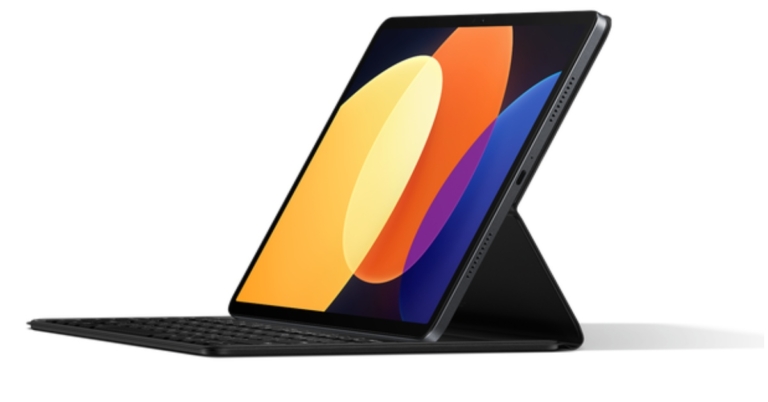
Xiaomi Pad 5 Pro 12.4 has been launched in China alongside the Mix Fold 2 foldable phone. Snapdragon 870 SoC powers the tablet and has a 120Hz refresh rate display. The device has a 50-megapixel rear camera and packs a 10,000mAh battery with 67W charging support.
In This Article
Xiaomi Pad 5 Pro 12.4 price and availability
Xiaomi Pad 5 Pro 12.4 has been launched with a starting price of CNY 2,999 which translates to Rs 35,400 for the base 6GB RAM with 128GB of storage. Whereas the 8GB RAM with 256GB storage model comes with a price tag of CNY 3,499 which converts to Rs 41,300 and the 12GB RAM with 512GB storage variant at CNY 4,199 that comes at around Rs 49,500.Black, Silver, and Forest Green are the available colour options for purchase. Pre-orders for the Pad 5 Pro 12.4 can be made through the company’s Chinese web shop.
Xiaomi Pad 5 Pro 12.4 specifications
The updated Xiaomi Pad 5 Pro features a 12.4-inch WQHD+ display with 2,560×1,600 pixels of resolution. The screen has a refresh rate of 120Hz and a 120Hz touch sampling rate with Dolby Vision. The display also supports the DCI-P3 colour gamut, emits 500 nits of brightness and has received blue light emission certification from TUV Rheinland.The Tab runs on MIUI 13 based on top of Android 12. A Qualcomm Snapdragon 870 SoC with an Adreno 650 GPU powers the tablet. It offers three UFS 3.1 storage options and three LPDDR5 RAM options.A 50-megapixel primary rear camera with an f/1.8 aperture lens is included in the optics. It has a 2-megapixel camera up front for selfies and video calls.Pad 5 Pro comes with a 10,000mAh battery that is supported by 67W charging. A USB Type-C port for charging is also included on the 12.4-inch Xiaomi Pad 5 Pro. Wi-Fi dual band and Bluetooth v5.2 connectivity are supported by the tablet.
For the latest gadget and tech news, and gadget reviews, follow us on Twitter, Facebook and Instagram. For newest tech & gadget videos subscribe to our YouTube Channel. You can also stay up to date using the Gadget Bridge Android App. You can find the latest car and bike news here.
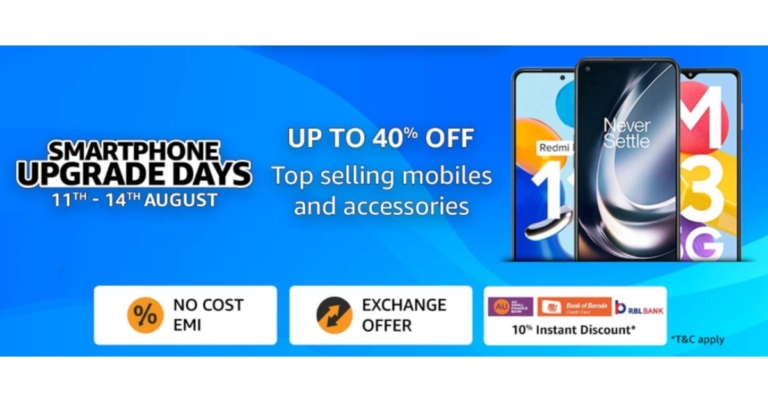
For those looking to get a new smartphone but were waiting for the appropriate time to do so, Amazon has announced Smartphone Upgrade Days. During the sale period, the e-commerce will be offering a variety of the newest smartphones and their accessories. Customers can receive discounts of up to 40% on their preferred smartphones from manufacturers such as OnePlus, Xiaomi, Samsung, iQOO, Tecno, realme, and Oppo, among others.Amazon Smartphone Upgrade Days is live now and will run through August 14th. There will be amazing bank and exchange offer for the most recent OnePlus 10T 5G, iQOO 9T 5G, Tecno Spark 9T, Redmi K50i 5G, and Samsung M13 series, among other devices.Customers who use their RBL, Bank of Baroda, or AU Bank credit or debit cards will immediately receive a 10% discount. Additionally, they can get their preferred smartphones through easy No-Cost EMI for up to 12 months and tempting exchange incentives.Amazon Smartphone Upgrade Days offers and discounts from retailers
In This Article
iQOO smartphones
Customers can receive discounts on iQOO smartphones of up to Rs 10,000. The most recent iQOO 9T will be available for Rs 49,999 with an extra Rs 4,000 in bank discounts, and the iQOO Neo 6 5G will be available for Rs 29,999 with an additional Rs 3,000 in bank discounts. With the extra benefits of coupons and instant bank discounts, the beginning prices for the iQOO Z6 Pro and Z6 5G, respectively, are Rs 23,999 and Rs 14,999. Get additional amazing discounts on the flagship models, such as the iQOO 9 SE, iQOO 9 5G, and iQOO 9 Pro 5G. Customers will be able to take advantage of further savings with bank offerings to lower the cost of buying a smartphone.
OnePlus smartphones
During the Amazon Smartphone Upgrade Days the price of the OnePlus 9 Series 5G will be Rs 37,999, plus bank rebates and additional exchange offers that can save you up to Rs 5,000 on specific models. The OnePlus 10R will be offered at a discount of Rs 4,000 with no interest for up to 6 months, with an additional Rs 3,000 reduction on exchange and bank offers. A flat Rs 5,000 discount will be offered on the OnePlus 10 Pro 5G. Get the OnePlus 10T, the newest model from OnePlus, with a fantastic bank offer of Rs 5,000 off and Rs 5,000 more on selected device exchanges.Take advantage of no-cost EMI on the OnePlus Nord line, which includes the Nord CE 2 Lite 5G for the lowest price ever of Rs 18,999 and the Nord CE 2 5G starting at Rs 23,999.
Samsung smartphones
Additionally, customers may take advantage of promotions on the whole Samsung M series line, including up to 30% off on the best-selling smartphones. Get the Samsung Galaxy M53 5G for up to 5,000 Rs less. 5,000 Rs off the Samsung Galaxy M52 in full. Customers will be able to take advantage of further savings through bank offers to make buying a smartphone this sale more affordable.
Vivo and OPPO smartphones
During the Smartphone Upgrade Days, customers may receive discounts of up to Rs 6,000 on Oppo A series phones and Rs 5000 on Oppo F series phones. During the Sale, customers may also get up to 5,000 Rs off Vivo devices. To make the offer even better, take advantage of additional Instant Bank Discounts.
Xiaomi smartphones
During these Smartphone Upgrade Days, Xiaomi devices will be discounted by up to 40%. The best-selling Redmi 9 Series will be offered at a starting price of Rs 6,999, while the Redmi Note 10 Series, which includes the Redmi Note 10T 5G, Redmi Note 10 Pro, Redmi Note 10 Pro Max, and Redmi Note 10S, will be offered at a starting price of Rs 10,999 with immediate additional bank discounts. With additional exchange, immediate bank savings, and no-cost EMI offers of Rs 5000, the most recent Redmi K50i 5G will be offered to start at Rs 25,999. With extra incentives worth Rs 6000, such as exchange offers and quick bank discounts, the Xiaomi 11 light and Xiaomi 11T Pro will be offered for Rs 24,999 and Rs 37,999, respectively.
Tecno smartphones
Get discounts on Tecno cellphones of up to 30%. Customers may purchase Tecno smartphones for as little as Rs 6,799 at this time. The most affordable dual-camera smartphone will be the Tecno Pop 5 LTE, which will start at Rs 6,799. Customers will be able to take advantage of further savings with bank offerings to lower the cost of buying a smartphone.
For the latest gadget and tech news, and gadget reviews, follow us on Twitter, Facebook and Instagram. For newest tech & gadget videos subscribe to our YouTube Channel. You can also stay up to date using the Gadget Bridge Android App. You can find the latest car and bike news here.
Over the years, the affordable TWS category has seen a range of offerings from boAt, Noise, Boult Audio, and even OnePlus. But surprisingly, Xiaomi has not been an active player. The affordable category is usually home territory for Xiaomi when it comes to smartphones, with Redmi smartphones being hugely popular in the Indian market. With the launch of Redmi Buds 3 Lite, Xiaomi seeks to carve out a space for itself in a category that is already seeing a lot of activity. At Rs 1,999, are Redmi Buds 3 Lite worth the buy? Here is our comprehensive Redmi Buds 3 Lite review. Read on to know more.Read Also: Samsung Galaxy Buds 2 Pro earbuds with ANC unveiled
In This Article
Redmi Buds 3 Lite: Design
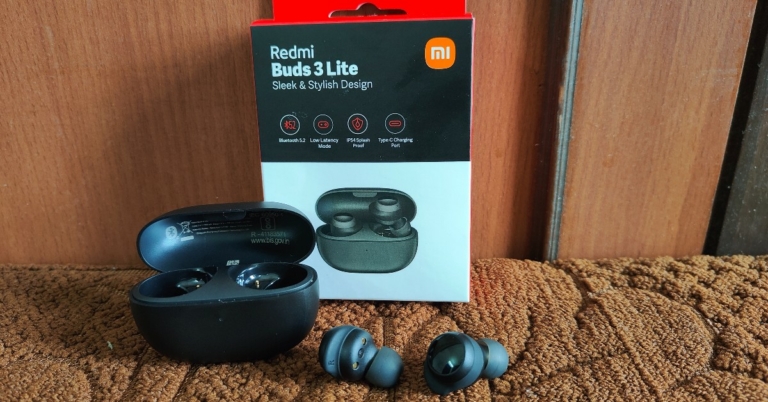
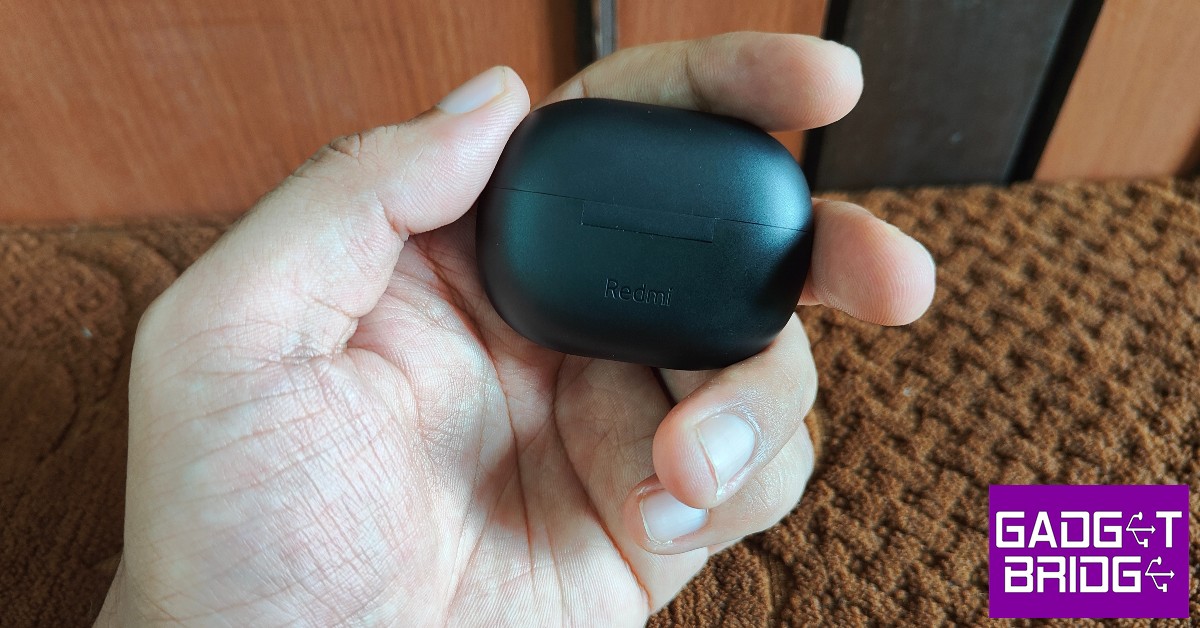
The Redmi Buds 3 Lite come packed in a compact rectangular box that includes the earbuds, a charging case with the earbuds inside, and extra ear tips and ear hook to suit your ear size. A user manual and info card can also be found inside the packaging. The pebble-shaped charging case is quite compact and fits perfectly within your palm.We had our concerns over the charging case being prone to scratches due to the matte finish but after a week of rigorous use and being inside pockets with keys, it came out unscratched and unharmed. The plastic material does not inspire a lot of confidence in its strength, but that comes along with buying an affordable pair of earbuds and is common.A small notification LED light can be found right below the lid of the case and the Redmi branding is marked at the back, right below the hinge. The Type-C USB port is housed at the bottom of the case. The lid can be easily opened with a thumb and makes a click sound when it’s pressed shut. You’ll find yourself fidgeting with the case a lot.The earbuds have a glossy plastic finish on the outside, that also serve as touch controls. The white notification lights on the earbuds turn on when they’re charging and blink when they’re ready to be paired. The rubber ear hooks grip nicely with the ear, providing a nice snug fit for the earbuds. Weighing only 4.04g each, you’ll barely feel them in your ear. We used them for hours on end and never once found them to be straining or uncomfortable. You can try using the extra ear tips and ear hooks provided with the package if the earbuds aren’t the perfect fit for you.The touch sensors are pretty straightforward. Double tapping on either earbud plays the next song and pressing and holding makes it pause. Three gentle taps activate the voice assistant. Pressing and holding both earbuds activates the low latency mode, which is ideal for gaming. While this may seem like a simple enough task, the earbud is sensitive to unintentional touches, and we experienced unwanted skips or voice assistant activation during our use. There is no control for playing the previous song and no option to customise the controls either.The Redmi Buds 3 Lite are rated IPX4, which means they are resistant to water splashes from any direction. You can wear them in light rainfall but definitely can’t put them on while swimming as they’re not entirely waterproof.
Redmi Buds 3 Lite: Performance
Getting down to the brass tacks, the Redmi Buds 3 Lite offer a decent performance for an affordable TWS. If you’re looking to make the switch from wired headphones to TWS, the Redmi Buds 3 Lite make a great entry-level product. At Rs 1,999, you get the most out of what you paid for.We put the Buds 3 Lite to test and they held up well under all conditions. The audio output was well-rounded across all genres of music. The nice warm bass envelops the sound quite well without being too overpowering. The mid-range frequencies were handled expertly, leading to a smooth and pleasant listening experience. Higher volumes of above 90% did reveal a slight distortion in audio output, but as long as you’re within the 40-70% volume range you’ll get the ideal performance out of the earbuds. We also tried the Buds 3 Lite with Netflix, and the mix came out pretty well, with no additional adjustments required.When it comes to calling, the noise reduction algorithm identifies human voices and curbs any background noise, leading to better call quality. The microphones do a great job of picking up the sound, even in an outdoor environment. The touch gestures make picking and hanging up calls really accessible and you won’t find yourself looking for your phone when the earbuds are connected.As said, the Redmi Buds 3 Lite also features a low latency mode that is ideal for gaming. Pressing and holding both touch sensors at once activates the gaming mode. We tested this mode by playing Apex Legends Mobile and it was a wonderful experience. The audio output synced perfectly to the gameplay and it made the gaming experience even more immersive. The sound held up well even with high volumes and we didn’t experience any screeches or distortions. If you’re looking to buy wireless earbuds exclusively for gaming, the Buds 3 Lite should definitely be on the top of your list in the affordable segment.On a full charge, the earbuds lasted for over 5 hours at a 60-80% volume level. The charging case has a battery backup of up to 18 hours, so you can fully charge the earbuds three times before needing to charge the case again. Connectivity was also not an issue, as the earbuds take no time to link with your smartphone after the initial pairing. You don’t need to download an app to pair the earbuds with your phone. Bluetooth 5.2 is optimum for stable connection and seamless audio transmission.Read Also:Moto G62 with 5,000mAh battery launched in India
Verdict
For the price of Rs 1,999, you won’t find many TWS that can match the performance of Redmi Buds 3 Lite. What it lacks in design and build, it more than makes up in audio performance. The Buds 3 Lite will also appeal to gamers, offering a unique low latency mode that integrates seamlessly with the gaming experience. The touch controls are easy and accessible but our complaint is that there is no way to customise them.
Garena Free Fire is a battle royale game with regular awards and tournaments to keep players interested. If you play Garena Free Fire, you should be aware of the redeem codes that are released on a daily basis. However, because the battle royale game is banned in India, players from other countries can use the Free Fire Redeem codes daily. If you’re unfamiliar with the Garena Free Fire redeem codes or don’t know how to get them, we’ve put together a step-by-step guide to help you redeem them. Check out Garena Free Fire Redeem Codes for August 12.The Free Fire redeem codes are a great way to get free stuff. These are 12-digit codes that contain alphabets and numbers, as well as an expiration date and time. Because the Garena FF redeem codes cannot be used more than once, you should hurry to the redemption page to claim your free reward before someone else does. To get a free reward, all you have to do is go to reward.ff.garena.com/en, which is the official redemption page. Also, keep an eye on this space for daily updates on Garena Free Fire redemption codes and rewards.
In This Article
Garena Free Fire Redeem Codes Today 12 August 2022
8F3QZKNTLWBZ
WLSGJXS5KFYR
FF11WFNPP956
YXY3EGTLHHJX
X99TK56XDJ4X
FF11HHGCGK3B
WOJJAFV3TU5E
B61YCTNH4PV3
U8S47JGJH5MG
VNY3MQWNKEGU
ZZATXB24QES8
MCPTFNXZF4TA
FF119MB3PFA5
FF10617KGUF9
ZRJAPH294KV5
Y6ACLK7KUD1N
FF10GCGXRNHY
FF11NJN5YS3E
SARG886AV5GR
FFCO8BS5JW2D
FFAC2YXE6RF2
FFICJGW9NKYT
FF11DAKX4WHV
FF9MJ31CXKRG
FFIC33NTEUKA
How to Get Free Fire Redeem Codes for Garena on August 12?
August 13th is internationally recognised as Left-handers Day. Almost 10% of the world’s population is left-handed, with 1% being ambidextrous. Since most people use their right hand for routine tasks, most tools and devices are designed for right-hand use. This can prove to be mildly annoying for left-handers, who have to devise their own ways of overcoming the design shortcomings. So, for International Left-Handers Day, we bring you the top products made specifically for left-handed use.Read Also: Here is the full Android Versions List and Names: Over the years
In This Article
Perixx Perimice-719L Left-Handed mouse
Working with a regular mouse can be quite tedious as a left-hander. While you eventually get used to it, it still doesn’t feel right to be controlling the cursor with your right hand. The Perixx Perimice is an ergonomic mouse designed for left-handers. This mouse encourages a “handshake” position for your hand and fits comfortably within your palm. You can place it on the left side of your keyboard and use it in a way that comes naturally to you. The ergonomic design also reduces muscle strain while working long hours.
Buy on Amazon.
Flo Digital Left-Handed Keyboard
If you’re left-handed and working a desk job that requires typing a lot of numbers, working with a regular keyboard can be quite tedious. Keyboards, like every other device, are designed for right-handed use and come with the number pad placed on the right side. If you’re a lefty, you must constantly find yourself reaching your hand in the opposite direction to type in numbers. The Flo Digital keyboard comes with the number pad on the left side of the keyboard, vastly simplifying the process of entering numbers with your left hand. On top of that, its alphabet keys have an ‘A’ slant which makes typing much easier too.
Buy on Amazon.
Maped Visio Left-Handed Ballpoint Pen
As a lefty, if you’ve written with a hooked arm your entire life, it’s time to make the switch to a Maped Visio ballpoint pen. The curved design fits perfectly with your writing posture and offers better visibility while writing.
Buy on Amazon.
Roaring Spring Left-Handed Notebook
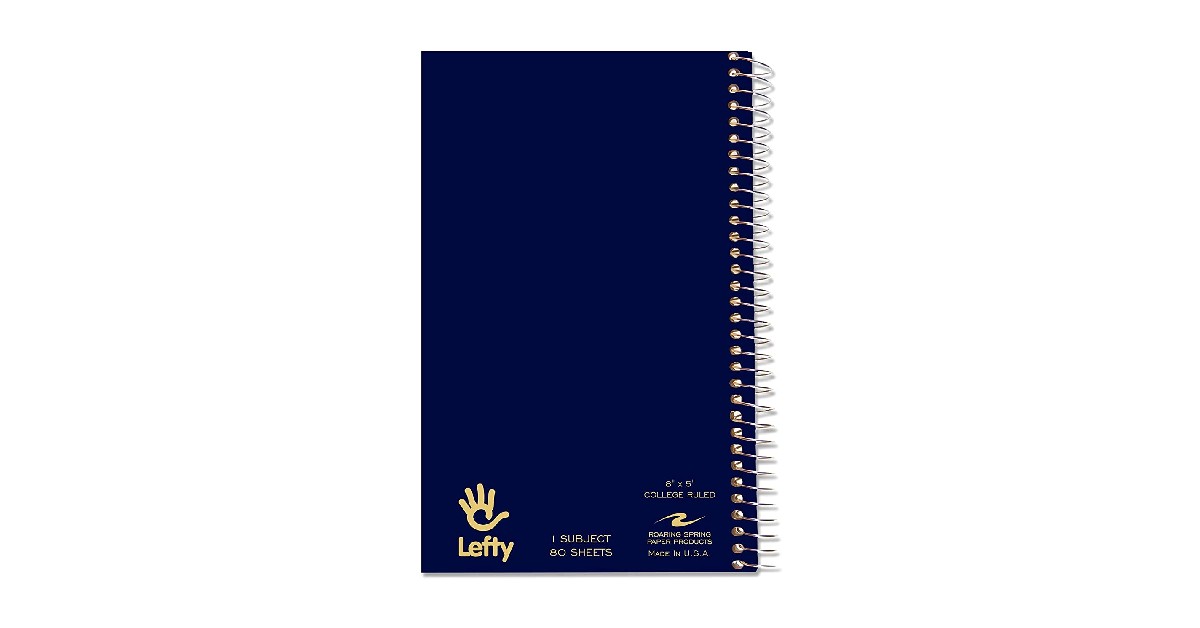
Only left-handed people would know the pain of smudging their palm on ink while writing in a notebook. Specially designed for left-handers, the Roaring Spring notebook has the binding spiral on the right side so you’ll never have to face that problem again. Your writing hand will also not rest upon the spiral like it does with regular notebooks.
Buy on Amazon.
Henrix Pro Left-Handed Guitar
Guitars are traditionally designed for right-handed use, meaning you pluck the strings with your right hand and press the chords on the fret with your left hand. This proves to be a barrier for left-handed people while learning the guitar. Luckily, there are guitars designed specially for left-handed people which allow them to pluck the strings with their left hand while using the fret with the right. The Henrix acoustic guitar is an excellent entry-level guitar for beginners designed for left-handers. Most famous left-hand guitarists through the decades like Jimi Hendrix, Albert King, Paul McCartney, and Kurt Cobain have used left-handed guitars.
Buy on Amazon.
Read Also: Top 6 Super Popular Prank Call Websites and How You Can Use ThemThese were our picks for the best products designed for left-handed people. If you’re a lefty let us know which products you use for ease of accessibility or which ones you wish were redesigned for left-handed use.
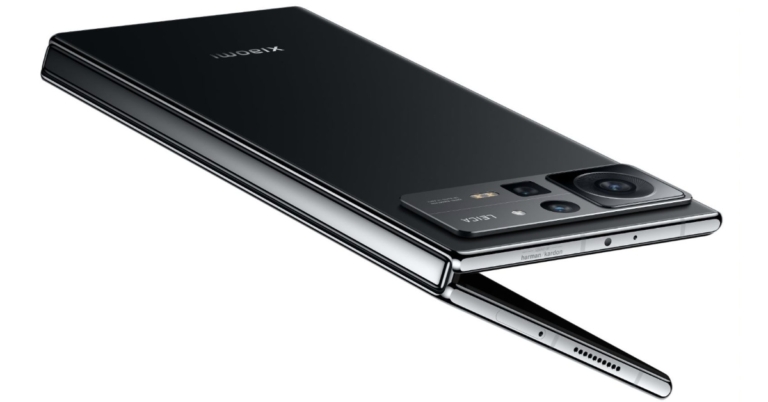
The Chinese smartphone brand Xiaomi has announced the launch of its new foldable phone Xiaomi Mix Fold 2. The new device will go against the likes of the newly launched Samsung Galaxy Z Fold 4. The phone is also powered by Snapdragon 8+ Gen 1 SoC. Both of its displays outer and inner support a 120Hz refresh rate.
In This Article
Xiaomi Mix Fold 2 price, sale details
The starting pricing for the 12GB RAM with 256GB storage version of the Xiaomi Mix Fold 2 is CNY 8,999, which is Rs 1,06,200. Priced at CNY 9,999, or around Rs 1,18,00, the mid-tier edition has 12GB RAM with 512GB of storage available. The premium model, which comes with 12GB of RAM with 1TB of storage, costs CNY 11,999, which equals Rs 1,41,600.In China, pre-orders for the brand-new foldable smartphone in the Moon Shadow Black and Star Gold colour variants are presently being accepted through Xiaomi’s online store.
Xiaomi Mix Fold 2 specifications
Xiaomi Mix Fold 2 comes with a 6.56-inch E5 AMOLED display on the outside. The outer screen has a 120Hz refresh rate and a 21:9 aspect ratio. The screen also supports Dolby vision. Whereas the device has an 8.02-inch LTPO 2.0 foldable display with a refresh rate of 120Hz. It has a colour gamut of DCI-P3 and a resolution of 2K+. The internal display is designed to have a maximum brightness of 1,300 nits. Additionally, the inside display is protected by Corning Gorilla Glass Victus. The “Micro Waterdrop Hinge” used by the Xiaomi Mix Fold 2 was created by Xiaomi.The octa-core Qualcomm Snapdragon 8+ Gen 1 SoC and 12GB of LPDDR5 RAM power the Mix Fold 2. Three UFS 3.1 storage options are available on the smartphone. Xiaomi MIX Fold 2 runs on the latest MIUI Fold 13 operating system.The new Xiaomi foldable phone’s triple rear cameras are Leica-branded. The camera system includes a 50-megapixel Sony IMX766 primary sensor with an f/1.8 aperture and OIS. Additionally, there is a 13-megapixel ultra-wide angle lens with an f/2.4 aperture and an 8-megapixel telephoto lens with an f/2.6 aperture. The device has a 20-megapixel selfie camera up front.It has a 4,500mAh battery and supports 67W charging. Moreover, it includes dual-band Wi-Fi, NFC, Bluetooth v5.2, and a USB Type-C port for connectivity. Updates to smart screen interaction are among the Xiaomi MIX Fold 2’s further improvements. Users can now split screens using a three-finger swipe. The sidebar, which is also used to leave split screen mode, makes it simple to access floating windows.
For the latest gadget and tech news, and gadget reviews, follow us on Twitter, Facebook and Instagram. For newest tech & gadget videos subscribe to our YouTube Channel. You can also stay up to date using the Gadget Bridge Android App. You can find the latest car and bike news here.
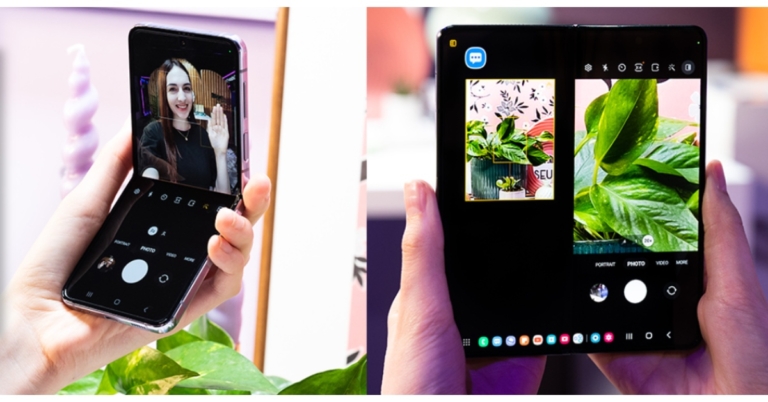
Samsung at its Galaxy Unpacked 2022 event announced the launch of the most anticipated foldable phones- Galaxy Z Fold 4 and Z Flip 4. On August 16, Samsung Live will begin taking pre-orders for both devices. Both the handsets are powered by Snapdragon 8+ Gen 1 SoC. In addition to this, they have FlexCam mode that automatically changes to fit the folded screen for taking hands-free photos and videos.The prebook for its recently released Galaxy foldable was announced by Samsung in India via Samsung Live. The Galaxy Z Fold 4 and Galaxy Z Flip 4 will be pre-bookable on Samsung.com beginning at noon on August 16, 2022, during its live commerce event. On Samsung.com, the event will be streamed live.Customers who pre-book Galaxy Z Fold4 and Galaxy Z Flip4 through a live commerce event, according to the business, can receive incentives greater than INR 40000. Additionally, those who pre-book will receive an exclusive gift worth INR 5,199. The unique Bespoke Edition for the Galaxy Z Flip4 and the Galaxy Z Fold4 with 1TB storage will also be made available only through Samsung Live as part of Live Commerce. Customers who pre-order the Galaxy Z Flip4 Bespoke Edition will also receive a thin transparent cover worth INR 2000 in addition to the previously announced discounts. The limited-time promotions on Live Commerce are valid from August 16 at noon till August 17 at midnight.
In This Article
Samsung Galaxy Z Flip 4 specifications
The primary 6.7-inch Full HD+ Dynamic AMOLED 2X Infinity Flex Display of the Samsung Galaxy Z Flip 4 has a resolution of 1,0802,640 pixels. The internal screen features a 22:9 aspect ratio and a refresh rate of 120Hz. There is a 1.9-inch Super AMOLED cover screen with a 260 x 512 pixel resolution. The Samsung Armor Aluminum used in the Galaxy Z Flip 4 gives it an IPX8 designation for water resistance.The device runs Android 12 on top of OneUI 4.1.1. The Galaxy Z Flip 4 is powered by an octa-core Qualcomm Snapdragon 8+ Gen 1 4nm SoC and 8GB of RAM. Each of the three internal storage options for the Z Flip 4 has a maximum capacity of 512GB. The storage capacity cannot be increased using MicroSD cards.With a 12-megapixel ultra-wide primary sensor, an f/2.2 aperture, and a 123-degree field of view, the new phone’s dual rear camera system is equipped. There is also a 12-megapixel wide-angle camera with an f/1.8 aperture, an angle of vision of 83 degrees, and support for optical image stabilisation (OIS). A 10-megapixel selfie camera with an f/2.4 aperture and an 80-degree field of view is mounted on top of the foldable display of the Galaxy Z Flip 4.Samsung’s 3,700mAh battery for the Z Flip 4 supports 25W quick charging. The phone also supports Wireless PowerShare and Fast Wireless Charging 2.0.
Samsung Galaxy Z Fold 4 specifications
The main screen of the Samsung Galaxy Z Fold 4 is a 7.6-inch QXGA+ Dynamic AMOLED 2X Infinity Flex Display with a resolution of 2,176 x 1,812 pixels. It has a 21.6:18 aspect ratio and a refresh rate that can range from 1Hz to 120Hz. The smartphone’s 6.2-inch HD+ Dynamic AMOLED 2X cover Display has a resolution of 9042,316 pixels. The screen has a 23.1:9 aspect ratio and a 120Hz adaptive refresh rate.The first smartphone to run One UI 4.1.1, which is based on Android 12L, a customised version of Android created by Google for large and foldable screens, is the Samsung Galaxy Z Fold 4. A Qualcomm Snapdragon 8+ Gen 1 SoC with 12GB of RAM as standard powers the gadget. Up to 1TB of internal storage is available.There are five cameras in total on the device; the triple rear camera’s strengths include a 50-megapixel primary sensor with an f/1.8 aperture, dual-pixel autofocus, optical image stabilisation (OIS), and an 85-degree field of view. The 12-megapixel ultra-wide lens sensor has a field of view of 123 degrees and an aperture of f/2.2. The third 10-megapixel sensor has an f/2.4-aperture telephoto lens mounted to it. Features like OIS, PDAF, and 30X space zoom are all available. The Samsung Galaxy Z Fold 4’s front camera has a 4-megapixel sensor with an f/1.8 aperture, and it is situated below the primary screen. The front camera on the cover display has a 10-megapixel sensor and an f/2.2 aperture.The smartphone has two 4,400mAh batteries. PowerShare wireless charging is additionally supported.
For the latest gadget and tech news, and gadget reviews, follow us on Twitter, Facebook and Instagram. For newest tech & gadget videos subscribe to our YouTube Channel. You can also stay up to date using the Gadget Bridge Android App. You can find the latest car and bike news here.
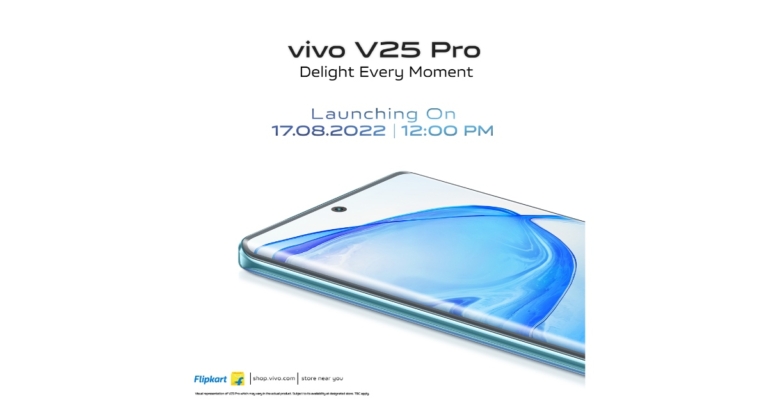
The Chinese smartphone company Vivo has announced that the Vivo V25 Pro would be released in India on August 17. The Vivo V25 series apparently includes the smartphones Vivo V25 and Vivo V25. Numerous of the Vivo V25 Pro key specifications and the launch of the line in India have been alluded to. It definitely comes with a rear panel that can change colour. A 3D curved screen with a 120Hz refresh rate will also be included in the device, which will also be powered by a MediaTek Dimensity 1300 SoC.According to a statement from Vivo, the Vivo V25 Pro will make its debut in India on August 12. The launch will take place at 12 noon; details on the launch event are yet to be disclosed. The smartphone will include a colour-changing back panel and is a member of the Vivo V25 series, which is rumoured to also contain the Vivo V25 and Vivo V25e models.Prior to the announcement, the business teased both the technical specifications of the Vivo V25 Pro. The business has already stated that the phone will include a 3D curved screen and a colour-changing back panel. Besides this, the upcoming handset will feature a full-HD+ display with a waterdrop notch with a 120Hz refresh rate display. It will be powered by a MediaTek Dimensity 1300 SoC. What’s more, it will pack a 4,830mAh battery and 66W Flash charge support.A special homepage on Flipkart has also gone live, saying that it would be available there when it releases in India. The Vivo V25 series is said to include the Vivo V25 and Vivo V25 Pro smartphones. The smartphone may also include Android 12 with the Funtouch OS 12.The Vivo V25 Pro will also have three back cameras, the primary one of which is a 64-megapixel sensor and optical image stabilisation. A hybrid image stabilisation technology will also be built into the camera setup for vlogging and nighttime photography.
For the latest gadget and tech news, and gadget reviews, follow us on Twitter, Facebook and Instagram. For newest tech & gadget videos subscribe to our YouTube Channel. You can also stay up to date using the Gadget Bridge Android App. You can find the latest car and bike news here.
12 August 2022 Amazon Quiz has gone live on its mobile app platform. The quiz can be played from 12 AM to 11:59. All you need to do is just answer five easy questions that the e-commerce website puts before you. Today you can stand a chance to win Rs 1,000 Amazon Pay Balance.Every day Amazon posts a new questionnaire that consists of five simple questions about general knowledge and current events. To enter a lucky draw, participants must correctly answer the questions. One incorrect answer will result in your elimination from the quiz. Each month, only one person will be declared the winner and the results will be announced at the end of the month. Amazon customers who submit correct answers can win an Amazon Pay Balance worth up to Rs 50,000. To ensure that you answer all five questions correctly, Gadget Bridge updates all of the correct answers on a daily basis. Take a look at today’s answers:Amazon Quiz Today Prize – Rs 1,000 Amazon Pay BalanceQuiz Date – 12 August 2022Daily Timing – 12 AM to 11:59 PMWinner Announcement – Today 12 PM
In This Article
Amazon Quiz Answers Today 19 July 2022
Question 1: Identified as Manvinder Singh, the man who sent death threats to which star couple has been put under police custody recently?
Answer: Vicky Kaushal- Katrina Kaif
Question 2: USA topped the medal tally at the recent World Athletics Championships. Which country was second?
Answer: Ethiopia
Question 3: In July 2022 India had its first ever ____ spectrum auction. Fill in the blanks
Answer: 5G
Question 4: Identify these birds
Answer: Budgerigars
Question 5: Which of these is a subsidary company of this corporation?
Answer: Swarm Industries
How To Play Amazon Quiz
Only app users are eligible to play the Amazon quiz every morning from 12 AM to 11:59 PM. The quiz is not available on the desktop. For those who are unaware of how to play the Amazon quiz below are the steps, you can follow to take the quiz.
Firstly download the Amazon app from Google Play Store or App Store
Now fill in the required information through the Sign Up option.
You need to log in to the Amazon app and scroll down on the home screen to find the Amazon Quiz banner.
Tap on the Amazon Quiz banner and tap on the Start button to start the Quiz.
Now you will get 5 questions and you need to answer them correctly. One wrong answer will eliminate you from the Quiz.
After answering all the questions correctly you are now eligible for a Lucky Draw.
The winner’s name will be announced today at 12 PM.


 Not only does AccuWeather provide you with accurate weather forecasts, but its design and ease of access also make it the best weather app for Wearables. If you like to keep up with the weather, the AccuWeather app should be the first one you download on your Galaxy Watch 5. It is free to download but contains some in-app purchases.
 Sleep as Android is extremely beneficial as a smartwatch app for tracking your sleeping pattern. It also wakes you up gently in the morning, without an abrupt alarm. Sleep as Android also tracks your SPO2 levels and Heart Rate Variability. It can also perfectly sync its data with Google Fit. You can also choose from a range of ambient noises to fall asleep to.
 SmartThings is one of the most helpful apps for your Samsung Galaxy Watch 5. Using SmartThings you can control various devices like TV, air conditioner, smart light, and washing machines directly from your smartwatch. SmartThings is free to download from the Google Play Store.
 Wear Camera lets you see the feed from your smartphone on your wearable smartwatch. You can use this app to take pictures from a greater distance or use your phone’s camera to look at places that are hard to reach. You can even use this app for surveillance, if necessary.
 Google Keep allows you to take quick notes on your smartwatch. You can even sync it to your smartphones and any changes made on either device will be reflected on both of them. While you can draw and scribble using Google Keep on a smartphone, you can only take text notes using it on a smartwatch.
 Google Fit is the quintessential app to track your physical activity on your smartwatch. An essential download for Galaxy Watch 5, Google Fit monitors your heart activity, calories burnt, and other metrics related to your workouts. You can even manually enter data and chart your progress over time. Data can be synced to your smartphone where you can expand on the details and see what you need to cover in your workouts.
Read Also: How to Bypass Samsung FRP Lock After Reset?
These are the 6 best apps to download first on the Samsung Galaxy Watch 5. The price of the Galaxy Watch 5 in Bluetooth-only and LTE versions is Rs 27,999 and Rs 35,999 respectively. The 40mm version of the watch will be made available in Graphite, Pink Gold, and Silver. The 45mm version will be offered in Graphite, Sapphire, and Silver. The Galaxy Watch 5 Pro will be made available in additional colour options of Black Titanium and Grey Titanium.
Google Fit is the quintessential app to track your physical activity on your smartwatch. An essential download for Galaxy Watch 5, Google Fit monitors your heart activity, calories burnt, and other metrics related to your workouts. You can even manually enter data and chart your progress over time. Data can be synced to your smartphone where you can expand on the details and see what you need to cover in your workouts.
Read Also: How to Bypass Samsung FRP Lock After Reset?
These are the 6 best apps to download first on the Samsung Galaxy Watch 5. The price of the Galaxy Watch 5 in Bluetooth-only and LTE versions is Rs 27,999 and Rs 35,999 respectively. The 40mm version of the watch will be made available in Graphite, Pink Gold, and Silver. The 45mm version will be offered in Graphite, Sapphire, and Silver. The Galaxy Watch 5 Pro will be made available in additional colour options of Black Titanium and Grey Titanium.
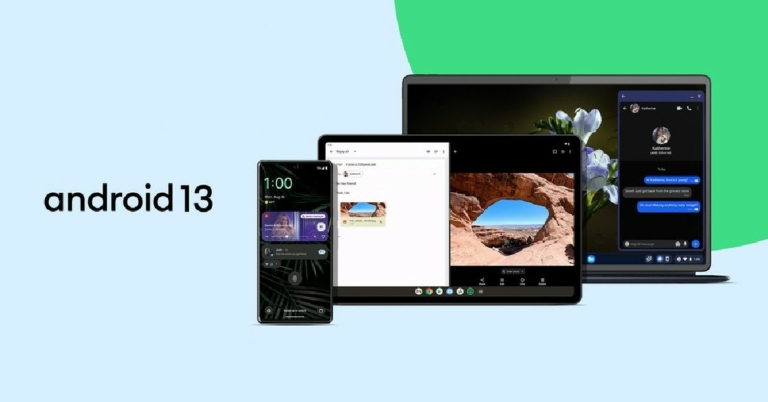


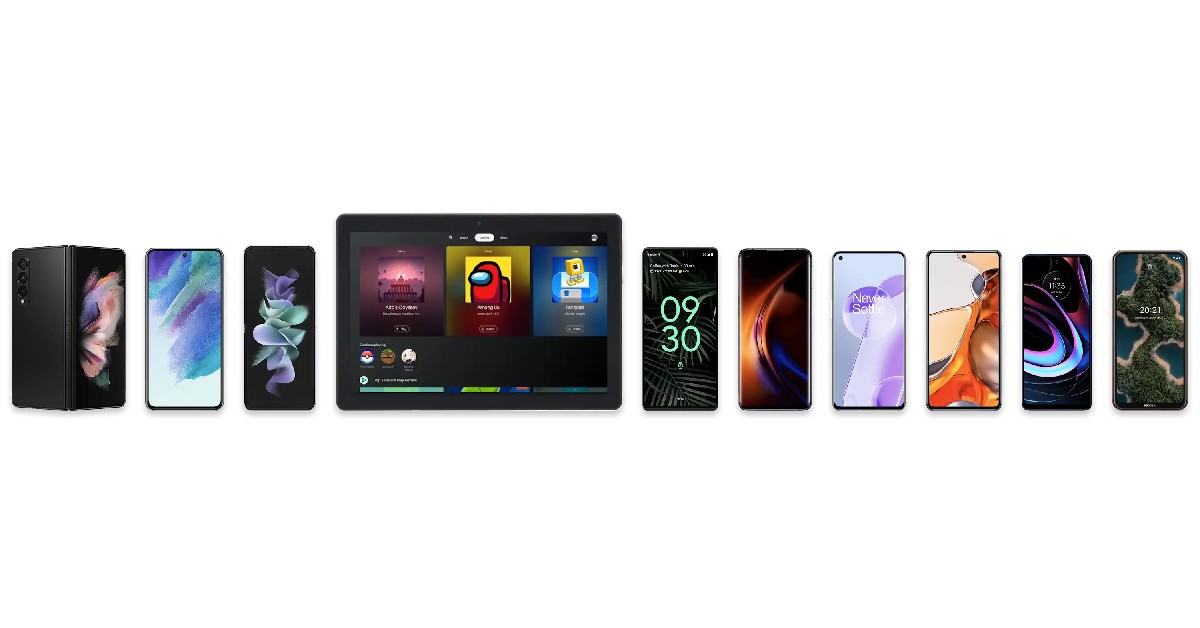

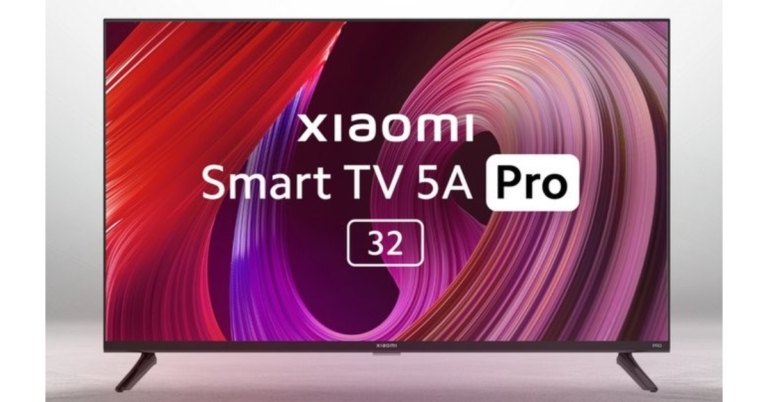


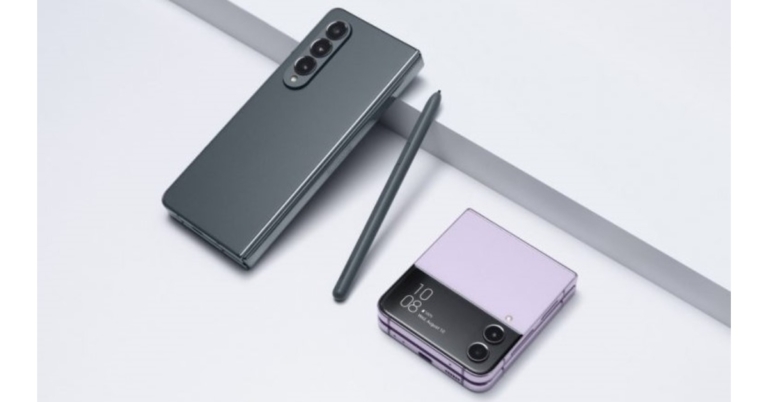


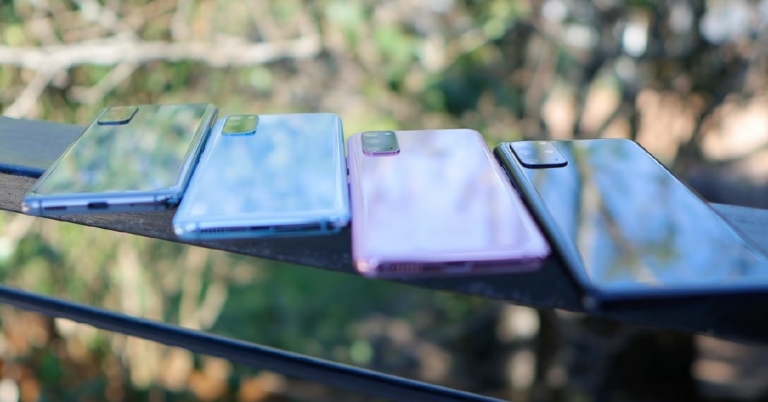


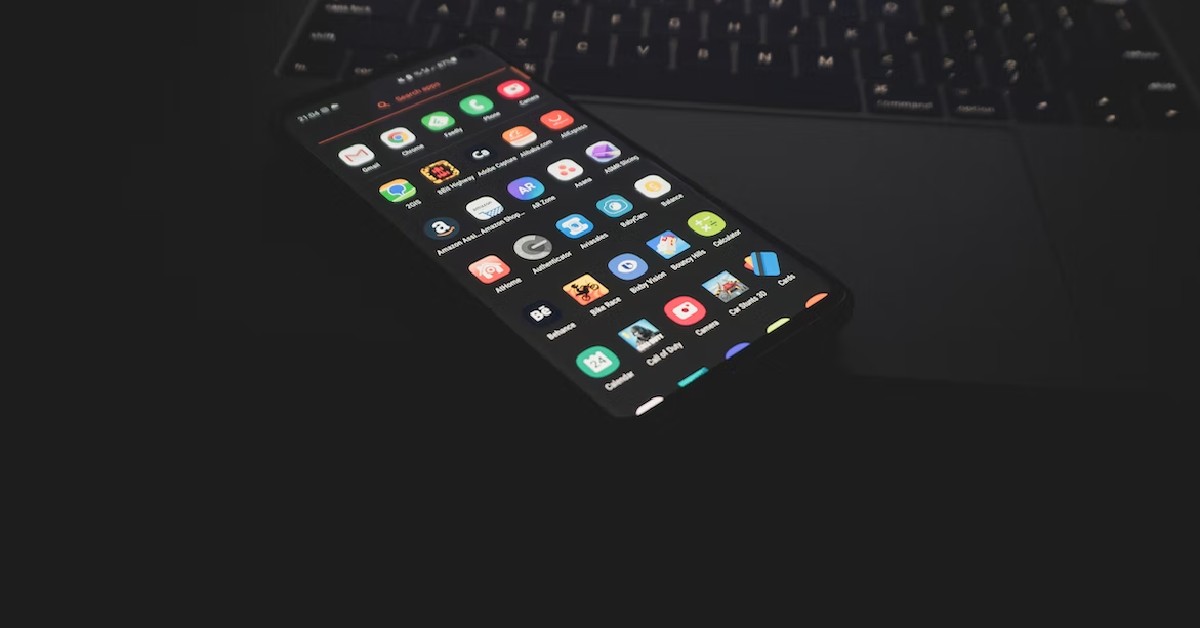

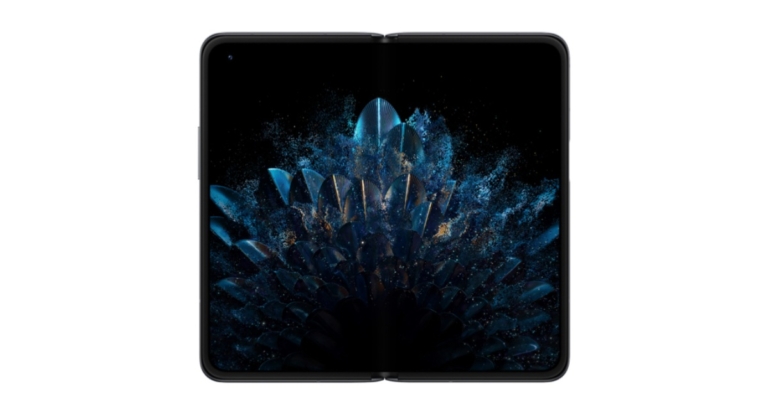

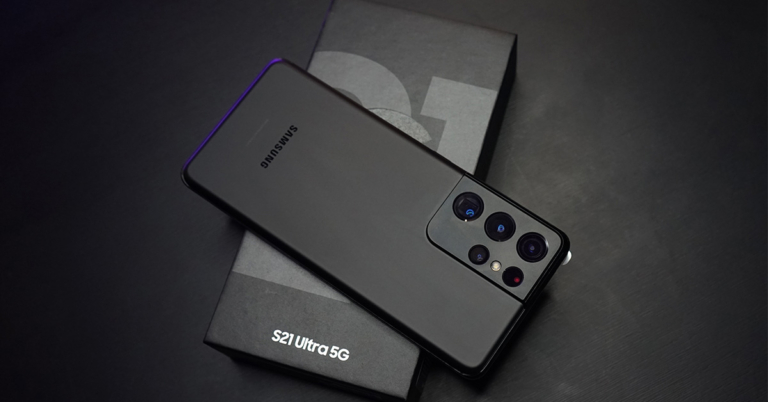


 Step 8: From the Settings app, simply disable Auto Restore and Saving backups.
Step 9: Do a hard reset on your phone. After that, you will be able to access your Samsung phone.
Step 8: From the Settings app, simply disable Auto Restore and Saving backups.
Step 9: Do a hard reset on your phone. After that, you will be able to access your Samsung phone.
 Step 5: Then from the Help Page, tap on ‘Using Google Keyboard’
Step 6: Long press the texts to select it. And then tap the ‘Web Search’ option. Then search for ‘Settings’.
Step 7: From the Settings app, go to your phone’s About section.
Step 8: Tap on the Build Number seven times to unlock developer mode.
Step 9: Finally, from the Developer options, just turn on OEM unlocking and press the back button twice. Now, you can restart your phone and set it up as a new device.
Step 5: Then from the Help Page, tap on ‘Using Google Keyboard’
Step 6: Long press the texts to select it. And then tap the ‘Web Search’ option. Then search for ‘Settings’.
Step 7: From the Settings app, go to your phone’s About section.
Step 8: Tap on the Build Number seven times to unlock developer mode.
Step 9: Finally, from the Developer options, just turn on OEM unlocking and press the back button twice. Now, you can restart your phone and set it up as a new device.
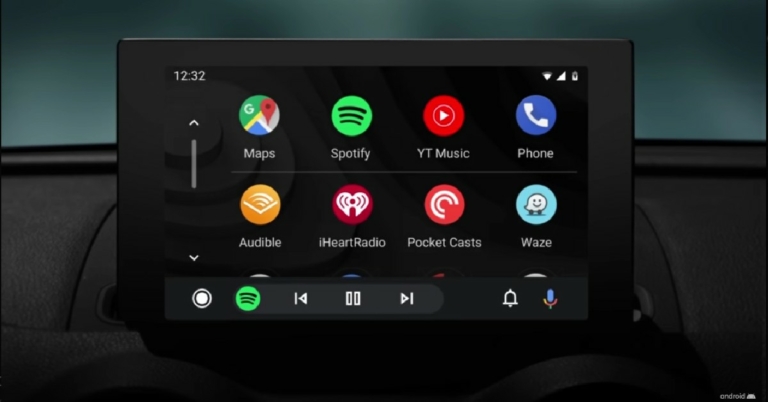


 Step 3:
 Step 4:


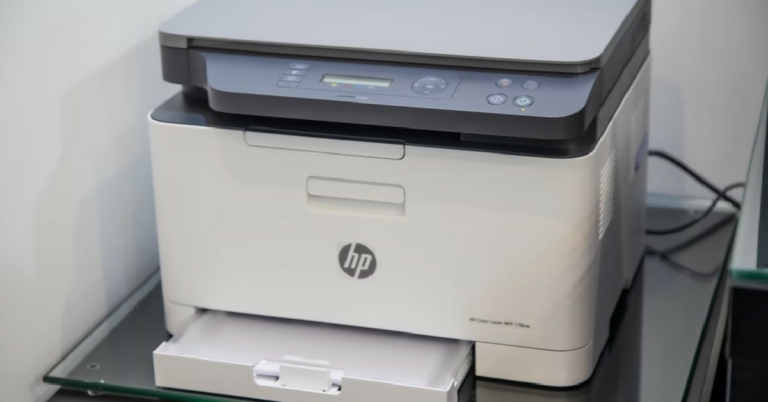
 Step 2:
  Step 3:
 Step 3: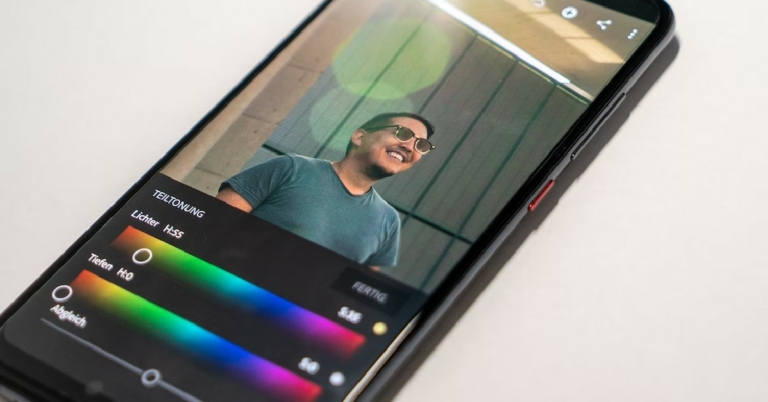

 Step 3:
 Step 4:
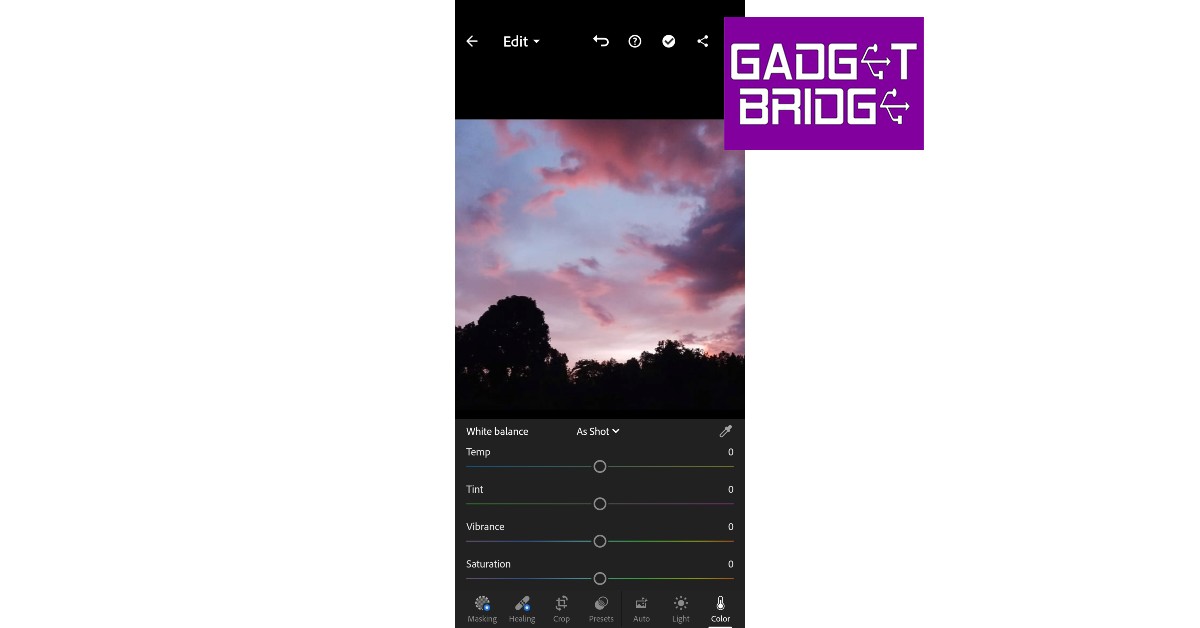 Step 5:
 Step 6: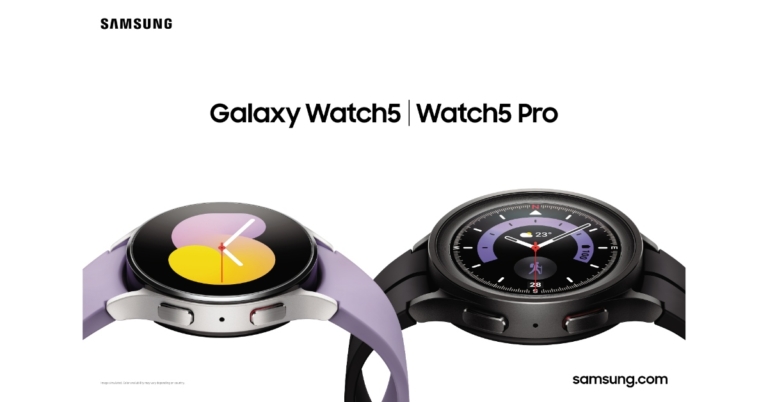

 Step 4:
 Step 5: