Garena Free Fire is a battle royale game with regular awards and tournaments to keep players interested. If you play Garena Free Fire, you should be aware of the redeem codes that are released on a daily basis. However, because the battle royale game is banned in India, players from other countries can use the Free Fire Redeem codes daily. If you’re unfamiliar with the Garena Free Fire redeem codes or don’t know how to get them, we’ve put together a step-by-step guide to help you redeem them. Check out Garena Free Fire Redeem Codes for 7 September 2023.The Free Fire redeem codes are a great way to get free stuff. These are 12-digit codes that contain alphabets and numbers, as well as an expiration date and time. Because the Garena FF redeem codes cannot be used more than once, you should hurry to the redemption page to claim your free reward before someone else does. To get a free reward, all you have to do is go to reward.ff.garena.com/en, which is the official redemption page. Also, keep an eye on this space for daily updates on Garena Free Fire redemption codes and rewards.
In This Article
Garena Free Fire Redeem Codes Today 7 September2023
Are gaming mobiles worth it? Are you getting a device that is worth your investment? It is so important to ask yourself questions like this when the time comes for you to choose a new device. If you don’t then you may find that you end up making a huge mistake with your choice. This is the last thing you need, but fortunately, there are things you can do to try and make it easier on yourself.
In This Article
Great Battery Life
One thing to know about gaming phones is that they come with a fantastic battery life. Gaming phones are almost universally big and beefy, but this means that they can accommodate a bigger battery. This is a welcome perk for a lot of gamers, as you will be able to take advantage of longer gaming sessions. Gaming smartphones, including the ASUS ROG Phone 5 have great batteries that do not end up draining as fast as the standard smartphones you may see on the market.
Performance
If you want to make the most out of your gaming phone then you need to give some thought to the performance. Running a game is intensive for a phone, so you have to make sure that your device can keep up. One of the biggest reasons why you should get a dedicated gaming phone is because it features top hardware. You can take advantage of things such as haptic triggers, as well as RAM and even CPU. You can also capitalize on GPU configurations and OLED displays. If you want to boost your experience even more than you can do this with ease. If you want to look at things from a technical perspective then you will soon see that a lot of gaming phones are capable of reaching peak performance with ease, so you will never miss out on anything when it comes to gaming. If you want to take advantage of the best and latest games, why not check out 32Red casino UK slots?
Refresh Rate
The refresh rate of your device simply refers to how many times it is capable of drawing a new image. This is usually measured per second. Refresh rate is measured in Hertz. If you want an example, then you should know that a display that has a refresh rate of 144Hz is able to refresh a page 144 times for every second. If you have a high refresh rate then this is great as your device will be able to function smoother in just about any task you can imagine. If you have a high refresh rate then this will reduce screen tearing overall.
This happens when you have sudden animations. The screen will have to load more frames so that it can sync with the image on the screen. At the end of the day, this will have a big impact on games because the visual latency is way lower.
If you have a higher refresh rate then your eyes will ultimately thank you. Typical phone screens tend to have quite a high refresh rate. A lot of gaming phones go up to 144Hz. This refresh rate isn’t always required, given how many games need it. That being said, it is always good to have because if your phone cannot handle this kind of game then you will always be limited as to what you can play. If you can keep things like this in mind when choosing your phone then you are bound to get a better result out of your gameplay.
So is a gaming phone required? Not always, but at the same time, it doesn’t hurt to choose a phone that can stand up to the latest title releases.
For the latest gadget and tech news, and gadget reviews, follow us on Twitter, Facebook and Instagram. For the newest tech & gadget videos subscribe to our YouTube Channel. You can also stay up to date using the Gadget Bridge Android App. You can find the latest car and bike news here.
One of the biggest difficulties that users often face with their smartphones is malfunctioning buttons. The physical buttons on your phone are prone to a lot of wear and tear. Over a period of time, these buttons can stop functioning entirely. This can prove to be a problem since you rely on those buttons to power off or restart your device. But, there are some alternatives to help you work around this issue. In this article, we show you how to turn off or restart an iPhone without using the physical buttons.Read Also:Fitbit Versa won’t turn on? Try these fixes!
In This Article
Turn off your iPhone from Settings
Step 1: Go to Settings and select General.Step 2: Scroll down to the bottom and select Turn off.Step 3:Drag the slider to the right to turn off your iPhone.
Restart your iPhone using Siri
Using Apple’s native voice assistant is a great way of getting things done without touching your iPhone. You can use Siri to restart your iPhone without pressing any of the physical buttons. Simply say ‘Hey Siri, restart my iPhone’ and confirm your selection in the popup box. Before you use Siri, make sure you’ve set it up for your device. Go to Settings>Siri & Search and turn on the toggle switch for Listen to “Hey Siri”.
Turn off your iPhone using Assistive Touch
Step 1: Go to Settings and select General.Step 2: Tap on Accessibility.Step 3: Select Assistive Touch and turn it on.Step 4: Go back to your iPhone’s home page.Step 5: Tap the Assistive Touch ball and select Device.Step 6: Tap and hold the lock screen option.Step 7:Drag the slider to the right to turn off your iPhone.
Frequently Asked Questions (FAQs)
How do I turn off my iPhone without using the physical buttons?
Go to Settings>General, scroll down and select Turn off. Drag the slider to the right to turn off your device.
How do I restart my iPhone without using the physical buttons?
Simply ask Siri to restart your iPhone if you don’t want to use any of the physical buttons.
How do I turn off my iPhone using Assistive Touch?
This is how you can turn off or restart an iPhone without using the physical buttons. Apart from these main methods, there are some other changes you can make to your iPhone that will demand a reboot in order to be implemented. For example, applying bold text across the UI or resetting the network settings will trigger a dialogue box asking you to restart your iPhone. You can restart your device without using a physical button by hitting the appropriate option on the dialogue box.For the latest gadget and tech news, and gadget reviews, follow us on Twitter, Facebook and Instagram. For newest tech & gadget videos subscribe to our YouTube Channel. You can also stay up to date using the Gadget Bridge Android App. You can find the latest car and bike news here.
Samsung today announced exciting offers on Galaxy A54 5G and Galaxy A34 5G smartphones in India. Both the devices debuted in the nation in March this year. They both have many features in common, such as an AMOLED screen that supports a 120Hz refresh rate, a 5,000mAh battery, and a triple rear camera configuration. The phones come pre-installed with Android 13 as well.Customers may now get the Galaxy A34 5G, which was originally priced at Rs 30,999, for a starting effective price of Rs 26,999. The updated pricing included a Rs 2,000 instant cashback as well as an additional Rs 2,000 bank payback for SBI and ICICI Bank credit card holders. The Galaxy A54 8GB RAM with 256 GB storage option, which was originally priced at Rs 40,999, is now available for purchase at just Rs 36,999. Customers looking for increased affordability can also benefit from the easy, no-cost, 12-month EMI with no down payment.Also Read:Samsung Galaxy A54 5G Review: A great mid-ranger for everyday use
Samsung Galaxy A54 5G and Galaxy A34 5G specs and features
The SAMOLED Full HD+ display on the Samsung Galaxy A54 5G and Galaxy A34 5G measures 6.4 inches and 6.6 inches, respectively. Both panels can display at a refresh rate of 120Hz. The devices come pre-installed with Android 13 and One UI 5.1. Software upgrades for four years and security updates for five years are promised by the company. An unknown octa-core processor with a 2.4GHz clock speed is being used, most likely EXYNOS 1380.The Samsung Galaxy A54 5G and Galaxy A34 5G both include a triple back camera configuration for photographs and videos. A 50MP primary sensor, a 12MP ultra-wide sensor, and a 5MP macro lens are all featured on the A54. A 32MP front-facing camera is available for taking selfies.Also Read:Samsung Galaxy A34 review: Does it justify its price tag?A34 has a 48MP primary lens, an 8MP ultra-wide lens, and a 5MP macro sensor, in contrast. A 13MP selfie camera is available on the gadget.The smartphones feature an IP67 certification for dust and water resistance and a 5,000mAh battery to power them.
For the latest gadget and tech news, and gadget reviews, follow us on Twitter, Facebook and Instagram. For newest tech & gadget videos subscribe to our YouTube Channel. You can also stay up to date using the Gadget Bridge Android App. You can find the latest car and bike news here.
An echo in a voice call can prove to be very grating and annoying. While shifting to a place with a better network reception is the most obvious solution to this issue, it doesn’t work all of the time. Sometimes the echo may originate from a software malfunction on your phone. In this article, we bring you the top 10 ways to fix a phone call echo on Android.Read Also:Top Gaming Monitors with 120Hz refresh rate under Rs 15,000
In This Article
Request the receiver to take the call off the speaker
The most likely reason behind an echo on a phone call is the speaker phone. When the receiver decides to go hands-free on a call, their phone’s microphone picks up the voice being emitted by the speaker, causing an echo. This situation is pretty common while driving. If the phone is connected to the car’s infotainment system, the microphone receives it as a part of the background noise. Request the other party to take the call off the speaker in order to fix the phone call echo.
Restart your phone
If the echo problem keeps persisting even after taking the call off speaker, try restarting your phone. If the issue is caused by a software glitch, restarting your phone will quickly resolve it. To restart your Android phone, simply press and hold the side key and select ‘Restart’ from the power menu. If pressing the side key triggers the voice assistant, press and hold the volume key along with it to access the power menu.
Disable WiFi Calling
Sometimes, WiFi Calling can interfere with a regular cellular call and cause a malfunction. It can even lead to an echo being generated on the call. Here’s how you can turn off WiFi calling on your Android phone.Step 1: Go to Settings and select Connections.Step 2: Turn off the toggle switch for WiFi Calling.Alternatively, you can also disable WiFi Calling from the Quick Settings Menu.
Turn off Call Recording
Sometimes, recording a phone call can lead to an unwanted echo developing in the line. You can stop recording a phone call by tapping the option to end the recording in the call menu. If you have turned on auto-recording for all your phone calls, here’s how you can turn it off.
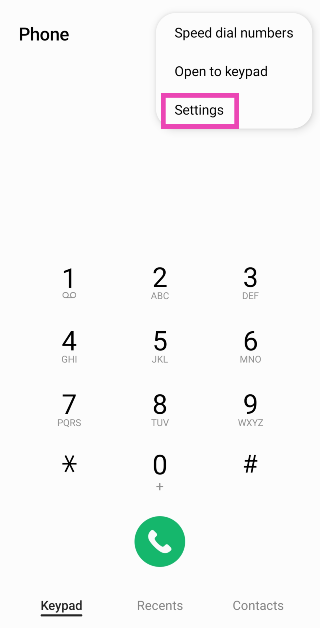
Step 1: Launch the dialer app and tap the ellipses at the top right corner of the screen.
Step 2: Tap on Settings.
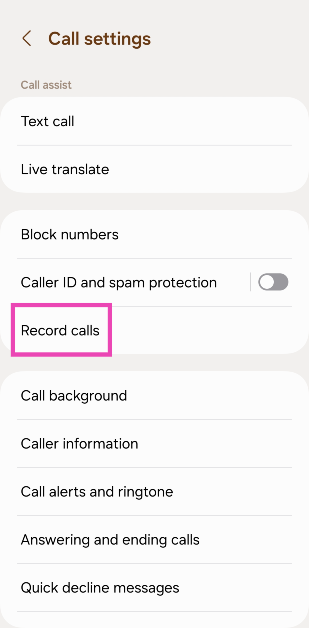
Step 3: Select Record calls.
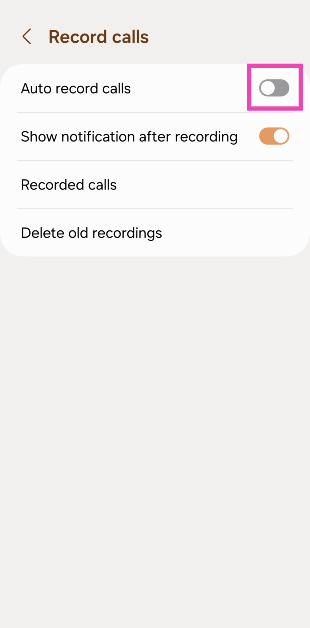
Step 4: Turn off the toggle switch for Auto record calls.
Clear dialer cache
If the echo is arising due to a corrupt file in the dialer’s cache, clearing it will fix the issue. Here’s how you can do it.
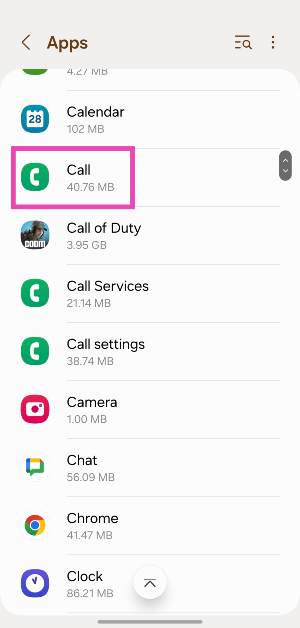
Step 1: Go to Settings and select Apps.
Step 2: Select the dialer app.
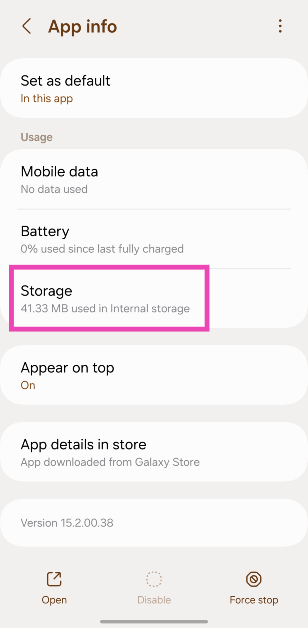
Step 3: Tap on Storage.
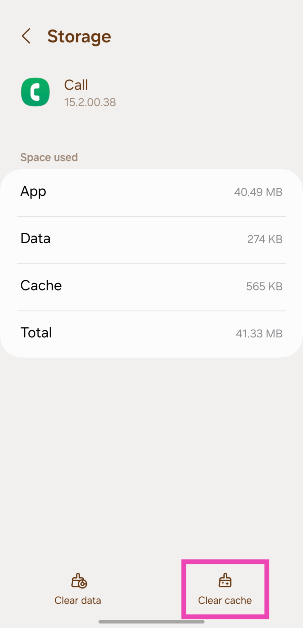
Step 4: Hit Clear Cache.
Reset Network Settings
If a weak network reception is the reason behind the echo you’re facing on voice phone calls, you can try performing a network settings reset on your Android device. Doing so will reset all your customised network settings and unpair all your Bluetooth devices. All the saved WiFi passwords will also be lost. A network settings reset ensures that any customised settings don’t get in the way of your device’s network reception. Here’s how you can go about it.Step 1: Go to Settings and select General Management.Step 2: Scroll down and select Reset.Step 3: Tap on Reset Network Settings.Step 4: Select Reset Settings.Step 5: Enter your PIN to confirm your selection.
Use VoIP calling
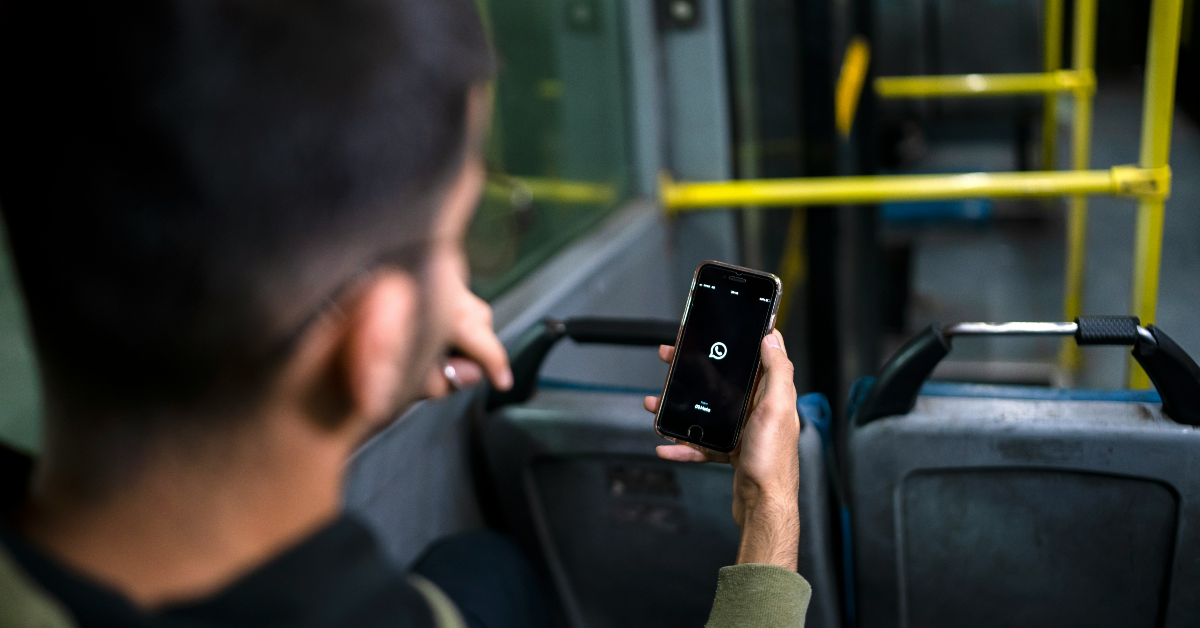
If a weak network reception is the reason behind the echo on a cellular call, switch to a WiFi connection and make a call over the internet. The easiest way to go about this is by calling the other person on WhatsApp. Since WhatsApp is very popular among Android users, chances are that the person you’re calling is already on it. Initiate a chat with them on WhatsApp and hit the call icon at the top of the screen to call them. You can also use other services like Telegram, Instagram, Facebook Messenger, Google Meet, Zoom, Skype, and more.
Move to another room
If you’re in a group call with some members sharing the same spot as you, it can create an unwanted echo. You can fix this by requesting other people to mute their microphones. This will prevent their phones from picking up the voice emanating from your device, thereby curbing the echo. If muting isn’t possible, ask the members to move to different places so their phones aren’t able to pick up the audio from other devices.
Set your phone to safe mode
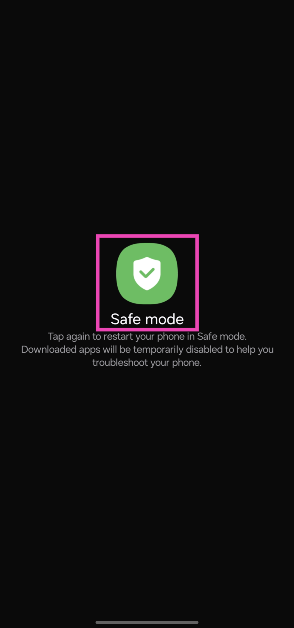
It is possible that a rogue third-party app may be causing the echo on your phone calls. To confirm this, restart your phone in safe mode and try calling someone. If you do not notice an echo, it means that a third-party app is to blame.
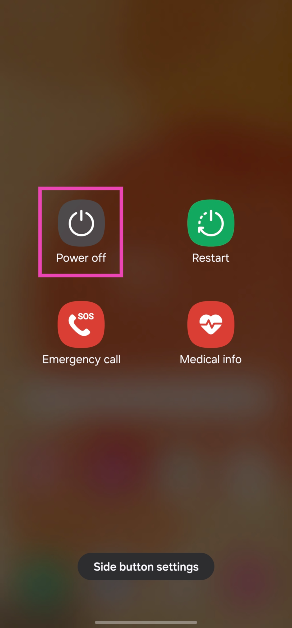
Step 1: Long press the side button. If the side button is programmed to trigger the voice assistant, press and hold it along with the volume-up key to trigger the power menu.
Step 2: Tap and hold the Power off icon.
Step 3: Tap on Safe Mode.
Update OS
Step 1: Go to Settings and select Software update.
Step 2: Tap on Download and install.
Step 3: Select Install now.
Frequently Asked Questions (FAQs)
How do I fix the phone call echo on Android?
Ask the person on the other end of the line to take the call off the speakerphone in order to fix the echo.
How do I get rid of echo on audio calls?
If you’re in a group call with some members present in your near vicinity, ask them to spread out so their phones don’t pick up the audio emanating from other devices.
Why do people hear an echo when they call me?
If you want to fix the issue on your end, stop picking up calls using the speaker phone and troubleshoot your microphone.
How do I turn off WiFi calling on Android?
You can turn off WiFi calling from the Quick Settings Menu or go to Settings>Connections and turn off its toggle switch.
How do I perform a network settings reset on Android?
This is how you can fix the phone call echo issue on Android. If you are facing a similar issue on WhatsApp calls, switch to a better WiFi network or turn on mobile data on your Android device. If you found this article helpful, let us know in the comments!
Gaming laptops can sometimes turn out to be way more expensive than gaming PCs. If you’re looking for state-of-the-art cooling on a laptop, you will need to splurge some extra cash. However, there are some really good gaming laptops on the market that offer incredible value for money. Today, we bring you our picks for the best midrange gaming laptops you can buy right now.Read Also:3 Methods to Download Multiple Photos or Videos from WhatsApp
In This Article
Acer Aspire 5 Gaming Laptop
Price: Rs 54,990 on AmazonAcer Aspire 5 is powered by the 12th Gen Intel Core i5 processor consisting of 12 cores. It also gets NVIDIA GeForce RTX 2050, which does a good job of handling the graphics. The dual fans and copper thermal pipes keep the laptop cool even when it’s functioning at its peak capacity. The 15.6-inch FHD IPS display has a screen-to-body ratio of 81.8% and gets features like Acer Color Intelligence and Acer BlueLightShield. The Aspire 5 is available in a 16GB RAM + 512GB storage variant.
MSI GF63 Thin
Price: Rs 58,990 on AmazonMSI is known for its high-end gaming laptops, but its midrange offerings are some of the best in the segment. The MSI GF63 Thin gets the 11th Gen Intel Core i7-11800H processor under the hood and the NVIDIA GeForce GTX1650 Max GPU for the graphics. The 15.6-inch FHD IPS display panel has a resolution of 1920 x 1080p and a refresh rate of 144Hz. On top of that, the MSI GF13 Thin rocks 8GB of DDR4 3200MHz RAM that is upgradeable up to 64GB. In terms of storage, this laptop gets 512GB of NVMe PCIe Gen3x4 SSD.
Acer Nitro 5 Gaming Laptop
Price: Rs 66,750 on AmazonAcer Nitro 5 is powered by the 11th Gen Intel Core i5-11400H along with an NVIDIA GeForce GTX 1650 GPU. It gets Acer CoolBoost technology that improves the overall cooling performance by 25%. The 15.6-inch LED IPS display has a resolution of 1920 x 1080p and a refresh rate of 144Hz. There is a dedicated button on the keyboard to trigger the NitroSense UI, allowing users to instantly view live metrics for fan speed, loading performance, power plan, and internal temperature. The Nitro 5 gets 16GB of RAM and 512GB of internal storage space.
MSI Modern 15
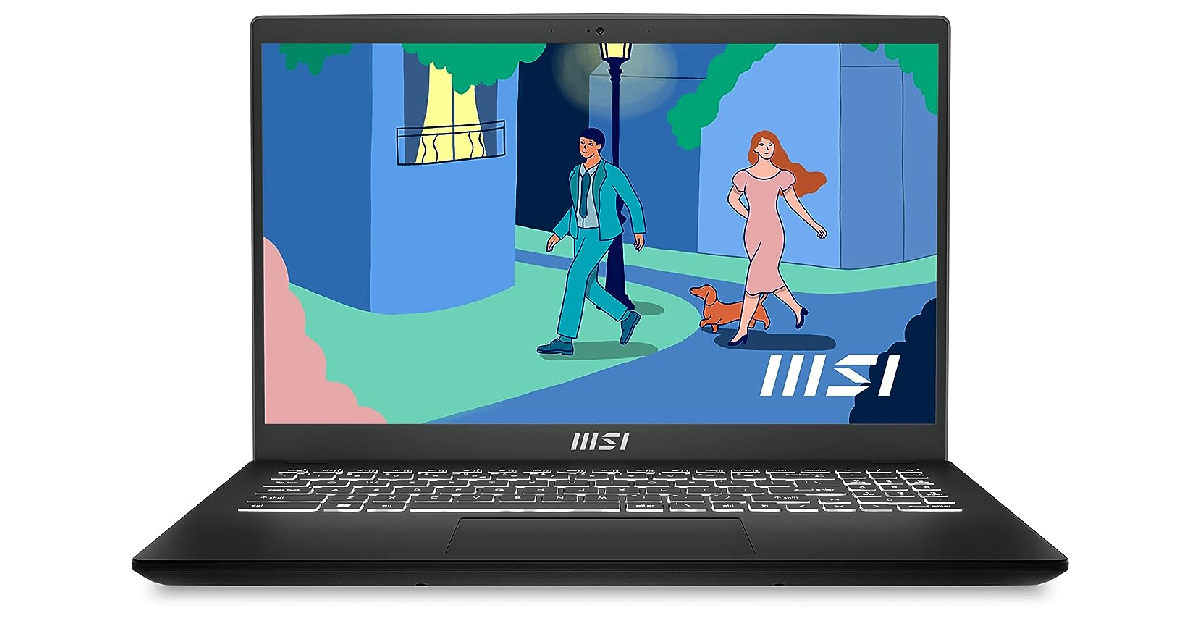
Price: Rs 57,990 on AmazonMSI Modern 15 gets the AMD Ryzen 7-7730U processor along with AMD Radeon Graphics. The 15.6-inch IPS display has a resolution of 1920 x 1080p and a refresh rate of 60Hz. This laptop comes with a massive 1TB NVMe PCIe Gen3x4 SSD storage and 16GB DDR4 Onboard Dual Channel RAM. It weighs just 1.7kg and has dimensions of 35.9 x 24.1 x 1.9 cm. OS duties are handled by Windows 11 Home.
Lenovo Ideapad Gaming 3
Price: Rs 55,499 on AmazonPriced just over Rs 55,000, the Lenovo Ideapad Gaming 3 is one of the best value-for-money laptops you can buy right now. It gets the 11th Gen Intel Core i5-11300H CPU and NVIDIA GeForce GTX 1650 4GB GDDR6 Dedicated Graphics. The 15.6-inch IPS LCD display has a 120Hz refresh rate and can reach up to 250 nits of peak brightness. The Ideapad Gaming 3 comes with 8GB of RAM (upgradeable to 16GB) and 512GB SSD storage.
Asus TUF Gaming F15
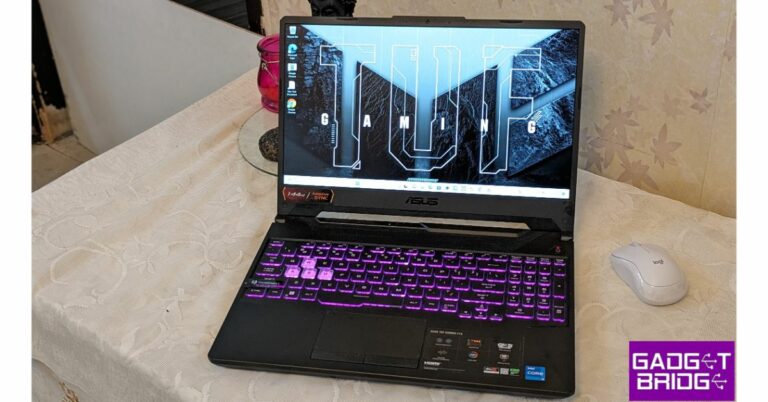
Price: Rs 50,990 on AmazonThis 2021 gaming laptop is still a solid device 2 years down the line. The Asus TUF Gaming F15 is powered by the 10th Gen Intel Core i5-10300H processor. It also gets a dedicated NVIDIA GeForce GTX 1650 GDDR6 4GB VRAM. The 15.6-inch IPS display panel has a refresh rate of 144Hz and a 1920 x 1080p resolution. The laptop comes preloaded with Windows 11 Home, but MS Office will cost you Rs 3,000 more. It has an internal storage of 512GB and 8GB of RAM.
HP Victus Gaming Laptop
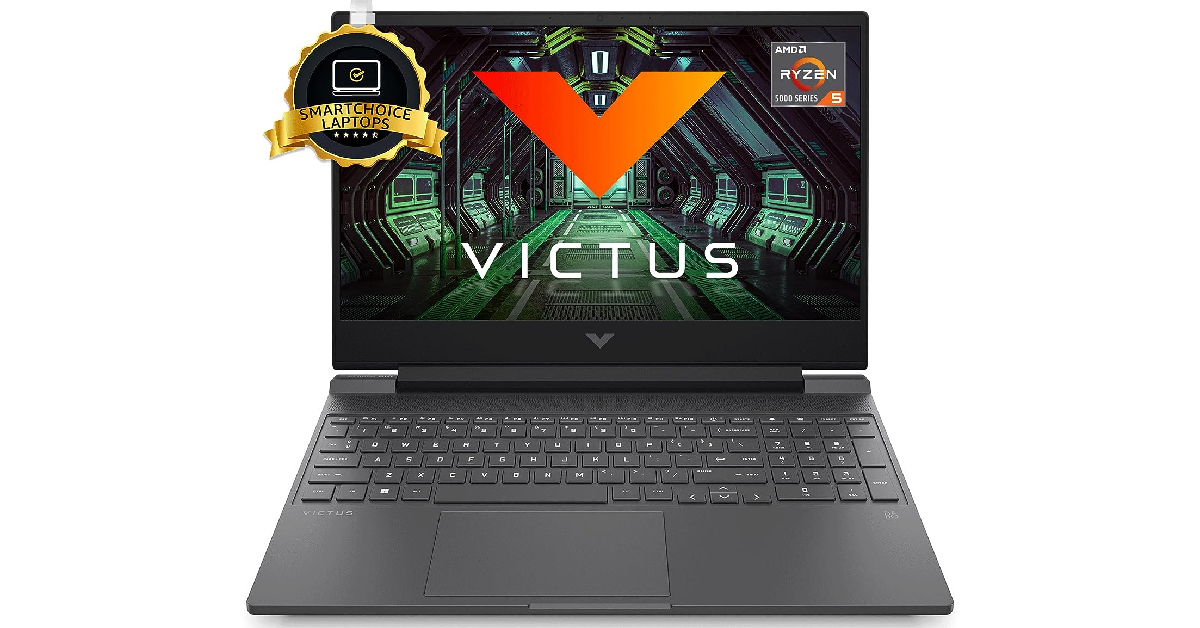
Price: Rs 56,990 on AmazonHP Victus Gaming Laptop gets the AMD Ryzen 5 5600H processor under the hood. GPU duties are handled by AMD Radeon RX 6500M Graphics (4 GB GDDR6). One of our favourite things about this laptop is the integrated speaker setup powered by B&O. The 15.6-inch IPS FHD display has a refresh rate of 144Hz for seamless gaming. It also gets anti-glare and 1080p resolution. The Victus Gaming Laptop from HP comes with 512GB of SSD storage and 8GB RAM. The 16GB RAM variant costs Rs 2,000 more.Read Also:Top Gaming Monitors with 120Hz refresh rate under Rs 15,000
Conclusion
These are our picks for the best midrange gaming laptops you can buy right now. Outside of the GPU and screen refresh rate, we would also suggest trying out the laptop keyboard before making a purchase. A good tactile, keyboard is what you should be looking for. While you can always connect a superior gaming keyboard of your choice to your laptop, a good laptop keyboard is pivotal for gaming when you’re on the go.For the latest gadget and tech news, and gadget reviews, follow us on Twitter, Facebook and Instagram. For newest tech & gadget videos subscribe to our YouTube Channel. You can also stay up to date using the Gadget Bridge Android App. You can find the latest car and bike news here.
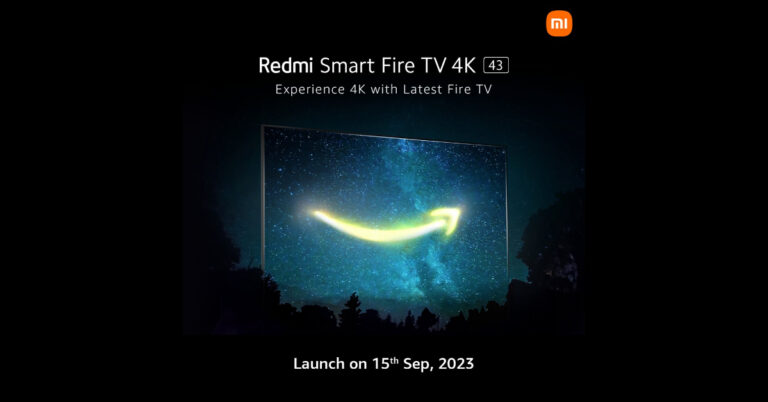
On September 15, Redmi will formally introduce a brand-new smart TV in India. Through a press release and an official tweet, the Chinese electronics company verified the upcoming product launch. The new smart TV, known as Redmi Smart Fire TV 4K, which will run on Amazon Fire OS and is anticipated to be on sale just through the online store. Some important details about the Redmi Fire TV’s projected specifications are also revealed on a dedicated microsite.Also Read:WhatsApp new toggle for instant video messages for Android and iOS rolling outXiaomi states that it is preparing to introduce the Redmi Smart Fire TV 4K on September 15 in India. The launch event will begin streaming at 12 PM IST. Following this, Xiaomi made an official announcement on X (Twitter).Even though it hasn’t been officially confirmed, we can anticipate that the 43-inch Redmi Smart Fire TV model sold in India will have many of the same capabilities as the model sold worldwide.The upcoming Redmi Fire TV will run on Amazon Fire OS. This will enable users to access streaming services like Netflix, Amazon Prime Video, Disney+ Hotstar, YouTube, and more similar to its sibling the 32-inch Redmi Smart Fire TV that was launched at the beginning of the year. Also Read:3 Methods to Download Multiple Photos or Videos from WhatsAppThe upcoming TV will probably run the most recent Fire TV software, according to the landing page. Additionally, it will have a slick appearance and minimal bezels. Furthermore, the TV will offer seamless connectivity and additional features. The TV will be powered by Amazon Fire OS and come with a voice-activated control that works with Alexa.According to sources, the device is likely to be sold in retail establishments, on Amazon, and on the company’s own website.
For the latest gadget and tech news, and gadget reviews, follow us on Twitter, Facebook and Instagram. For newest tech & gadget videos subscribe to our YouTube Channel. You can also stay up to date using the Gadget Bridge Android App. You can find the latest car and bike news here.
Fitbit’s influence on smart wearables cannot be overstated. Before the industry giants stepped into the smartwatch market, Fitbit’s name was already synonymous with fitness trackers. Since then, the company has been acquired by Google, but it still makes fitness wearables and smartwatches. Its flagship product, Fitbit Versa, is one of the most versatile smart wearables out there. In this article, we bring you 9 methods to fix your Fitbit Versa if it won’t turn on.Read Also:Top Gaming Monitors with 120Hz refresh rate under Rs 15,000
In This Article
Here’s why your Fitbit Versa won’t turn on
If your Fitbit Versa refuses to turn on, it could be due to one of these reasons.
The device’s battery is drained: If your Fitbit had been stashed away in a drawer somewhere for months, its battery probably drained out. Even if the device was at a 100% charge when you stashed it away, the battery can discharge in standby mode.
The battery has worn out: The battery pack of a device is susceptible to wear and tear over a period of time. Every battery pack has a fixed number of charge cycles that it is designed to go through. Once it passes that number, its performance starts depreciating. It is possible your Fitbit Versa’s battery has worn out.
Faulty charger: Maybe the problem does not lie with the battery but with the charger. If the charger isn’t able to deliver current to the device, it won’t charge at all. If you have another charger at hand, you use hit and trial to confirm if this is the case.
Software glitches: While software glitches are uncommon, they are not unheard of. If you manually flashed your wearable with a faulty OS, it could render the device unusable.
Charge your device
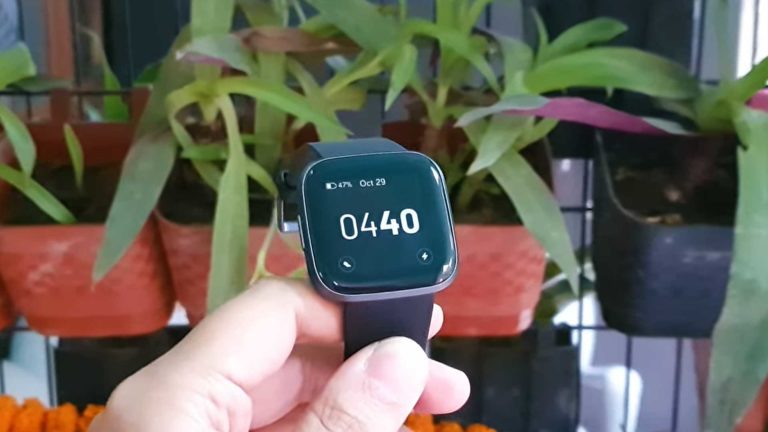
If your Fitbit Versa won’t turn on, it is likely because its battery has drained out. On a full charge, Versa’s battery lasts a little over 4 days. With the Always On Display turned on, the battery life gets cut down in half. Connect your Fitbit Versa to its charger. Make sure it has been plugged in for at least 20 minutes before turning it on.
Use a wall outlet to charge the Fitbit Versa
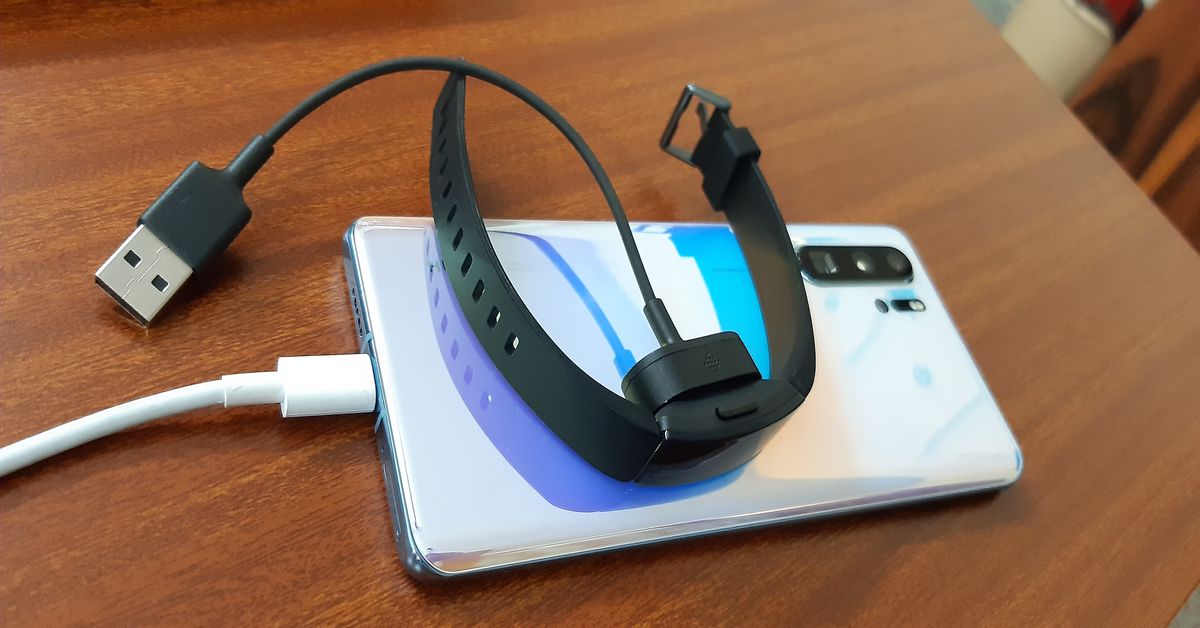
Make sure that you use a power adapter to charge your Fitbit device. An adapter drawing power from a wall outlet will charge your device faster than a cable connected to your PC or laptop. In the latter scenario, your Fitbit gets trickle-charged. If your device has been inactive for a long time, trickle charging it may not be enough.
Make sure the charger is working
If plugging in your Fitbit Versa to charge does not fix the issue, inspect the charger for any faults. If you don’t see the charging notification a few seconds after connecting the smartwatch to the charger, it means that the device is struggling to charge. The fault may lie with the charger or the smartwatch itself. Connect the Fitbit to a spare charger. If it starts charging, the problem lies with the primary charger.
Troubleshoot your Fitbit Versa
Step 1: Connect your Fitbit device to its charger. Make sure the charger is plugged into a wall outlet.
Step 2: Press the power button 3 times within 8 seconds. Hold each press for about 1 second.
Step 3: Wait for 10 seconds. The Fitbit logo will appear on the screen.
Clean the charging port
If your Fitbit Versa does not respond after being plugged into a charger, make sure its pin connectors are clean and dirt-free. Oftentimes, the charging port can accumulate dirt and grime, leading to a faulty connection with the charger. If you just got done with a workout, give the smartwatch a good wipe before charging it.
Restart your Fitbit Versa
Did you try restarting your Fitbit Versa after it shut down? To restart the Versa, press and hold the back button on your smartwatch until the Fitbit logo appears on the screen. Once the logo is displayed on the screen, release the button. Your smartwatch will take a few seconds to start up.
Inspect the power button
The physical buttons on smartphones and smart wearables are known to get stuck due to the collection of dirt and grime under them. If your Fitbit’s power button is jammed, it can cause the device to shut down and not turn on. Use isopropyl alcohol and a clean microfibre cloth to remove the debris under the power button.
Change the Watch Face
Sometimes a corrupt watch face can turn black, giving the impression that the watch has shut down. If you can still control your Fitbit Versa using the app on your phone, try changing its watch face to fix the issue. Here’s how.Step 1:Launch the Fitbit app on your smartphone.Step 2: Tap the profile icon at the top right corner of the screen.Step 3:Select your Fitbit device from the menu.Step 4: Tap on Gallery.Step 5: Select a watch face from the My Clocks section. In order to install a new watch face, tap the plus icon.Step 6: You can choose from a range of paid and free watch faces across categories like Digital, Stats Heavy, Analog, and more.Step 7: Choose a watch face you like and tap on Install.
Hard reset your Fitbit Versa
If you still can’t turn on your Fitbit Versa, performing a hard reset is your only option. This will clear your personal data from the device and log you out of all accounts.
Step 1:Press and hold all the buttons on the Fitbit for 10-15 seconds.
Step 2: When the Fitbit logo appears and disappears on the screen, release the bottom right button.
Step 3: When you feel a vibration, release the rest of the buttons.
Step 4: Your device will restart and you will land on the setup page.
Frequently Asked Questions (FAQs)
How do I restart my Fitbit Versa?
To restart your Fitbit Versa, press and hold the back button until the Fitbit logo appears on the screen. If your Fitbit watch has more than one button, press and hold all of them to restart it.
Why won’t my Fitbit Versa turn on?
If your Fitbit Versa doesn’t turn on, it is likely because it ran out of charge. Connect it to the charger to fix this issue.
How do I change my Fitbit Versa’s watch face?
Go to the Fitbit app on your phone, select Profile>Fitbit>Gallery>My Clocks, and tap the plus icon to add a new watch face.
Why has my Fitbit stopped working?
Your Fitbit may have stopped working due to insufficient charge, software-related bugs, physical damage, interference from other devices, or an incorrect software update.
These are the top 9 ways to fix your Fitbit Versa when it doesn’t turn on. If the issue is related to the device’s hardware, you need to take your smartwatch to a professional repair centre. Contact Fitbit support if your device is still under warranty.
With the most recent software updates, WhatsApp already made it possible for anybody to record and share video chats, but the company is still working on fresh improvements for this feature. The company is currently rolling out a new toggle for instant video messages. The new feature allows video messages to be recorded and sent in real-time. The most recent WhatsApp beta update for iOS and Android, however, is said to have incorporated the new feature in the settings. The function is turned on by default in the app’s settings and lets users share a quick video of up to 60 seconds.Following the launch of a feature that enables users to send instant video messages on WhatsApp for iOS and Android, WhatsApp has continued to enhance it by adding a toggle to control the capability directly from the app’s settings. According to a report by WABetaInfo, some beta testers who install the most recent versions of WhatsApp beta for Android and iOS can use the functionality.Specifically, certain beta testers may discover a new option directly within the app settings after installing the most recent WhatsApp beta updates for iOS 23.18.1.70 via the TestFlight app and WhatsApp beta updates for Android 2.23.18.21 from the Google Play Store.Image Courtesy: WABetaInfoWith the most recent updates to WhatsApp beta for Android and iOS, it is now able to control the feature to exchange instant video messages, as shown in the shared screenshot. This functionality was previously activated by default, therefore it could not be turned off. Users may now control this feature and, if they so choose, disable it thanks to the new toggle.As per the report, users of WhatsApp have the option to totally turn off this feature with this toggle, while still being able to send and receive video messages. It’s important to note that even if you don’t want to turn off video messaging, you should still check that option because some users have reported finding it switched off despite sending video messages in the past.Some beta testers who install the most recent updates of WhatsApp beta for Android from the Google Play Store and WhatsApp beta for iOS from the TestFlight app can access the toggle to control the instant video messages functionality, and it will be made available to more beta testers over the next few days.
For the latest gadget and tech news, and gadget reviews, follow us on Twitter, Facebook and Instagram. For newest tech & gadget videos subscribe to our YouTube Channel. You can also stay up to date using the Gadget Bridge Android App. You can find the latest car and bike news here.
After being banned for nearly ten months, Battleground Mobile India, aka BGMI, is officially available again in India. BGMI fans are looking for ways to improve their game experience and one such method is the usage of redemption codes, which offers a variety of rewards and advantages using BGMI redeem codes players can gain access to new skins, outfits, loot crates, weapons and free UC and diamonds.As mentioned earlier, these codes give users the chance to earn unique rewards and gain extra benefits while playing the game. This includes GUN SKINS (M4, AKM, M416, AWM, M24, UZI, KAR98K), free character voucher, Andy, Carlo, Sara, Victor character for free, free Anna Character on completing the mission and UC or Royal Pass Discount. So here we have gathered a list of the most recent BGMI redeem codes as of 6 September 2023. Also, redeem these codes asap as these are only valid for a limited duration.
In This Article
BGMI Redeem Codes for 6 September2023
updating soon…
How to get free Redeem Codes for BGMI on 6 September2023?
Launch BGMI on your device.
Then select the Redeem Code option from the main menu.
Next, click on the Redeem code tab.
A new window will open, requesting the redemption code.
Now enter your BGMI code.
Confirm and click on the “Redeem” tab.
If your redeem code is valid then you will get a message confirming that your rewards were successfully redeemed.
Garena Free Fire is a battle royale game with regular awards and tournaments to keep players interested. If you play Garena Free Fire, you should be aware of the redeem codes that are released on a daily basis. However, because the battle royale game is banned in India, players from other countries can use the Free Fire Redeem codes daily. If you’re unfamiliar with the Garena Free Fire redeem codes or don’t know how to get them, we’ve put together a step-by-step guide to help you redeem them. Check out Garena Free Fire Redeem Codes for 6 September 2023.The Free Fire redeem codes are a great way to get free stuff. These are 12-digit codes that contain alphabets and numbers, as well as an expiration date and time. Because the Garena FF redeem codes cannot be used more than once, you should hurry to the redemption page to claim your free reward before someone else does. To get a free reward, all you have to do is go to reward.ff.garena.com/en, which is the official redemption page. Also, keep an eye on this space for daily updates on Garena Free Fire redemption codes and rewards.
In This Article
Garena Free Fire Redeem Codes Today 6 September2023
updating soon…
How to Get Free Fire Redeem Codes for Garena on 6 September2023?
Obtaining permits for iGaming is an important step when starting an online casino or a sportsbook . “In order to apply for a license, it is necessary to prepare an application for a license, copies of the company’s statutory documents, an audit document on the size of the company’s authorized capital, and pay all relevant fees. This complex process may be intimidating for some entrepreneurs, but in the long run the investment of time and resources pays off. This approach will not only pay dividends in the future, but is also important in terms of legislation compliance,” BetB2B experts commented.
Gambling regulation rules vary from country to country, but the license is a paramount issue for operators wishing to open an online casino.
Application fees, license fees and taxes can be a significant burden on a casino’s budget and affect profits. Moreover, the process of obtaining a license in many jurisdictions is complex. Some try to avoid this process and the associated costs, but the benefits of licensing far outweigh the costs.
A representative of the world’s leading sports betting and online casino platform, BetB2B, emphasizes that it is important to think about the long term when obtaining a license: “iGaming opens up opportunities for cooperation with financial institutions and quality game developers. It is also a sign of a reliable reputation, which is very important for players.”
Licensing is one of the key indicators that determine the reliability of a casino. When choosing a site for registration, players are advised to pay attention only to legal operators who have the appropriate documents confirming their safety. The reliability of such information can be checked on the official website of the casino, where an active validator badge leading to the certificate is usually placed. When using licensed sites, users can be sure that they are playing on genuine slots created by trusted manufacturers and without the risk of scripted modifications.
In This Article
International Jurisdictions Granting Licenses for Online Casinos and Betting Sites – BetB2B
Many governments require licenses from local regulators to run an online casino or betting websites. BetB2B clarified that there are offshore jurisdictions that issue iGaming licenses that allow attracting an international audience.
Such licenses are granted by Malta, Curacao, Gibraltar, Isle of Man and Kahnawake. Among the most common foreign regulators are the following:
Curacao Gambling Commission.
The organization issues licenses through companies that have the authority to license other operators. There are four master license holders in Curacao: Cyberluck Curacao, Gaming Curacao (GC), Curacao Interactive Licensing (CIL) and Antillephone.
Malta Gaming Authority (MGA).
The commission issues two types of licenses: for developers of gambling software and owners of online casinos. Companies wishing to obtain a Maltese license must be audited by eCOGRA.
Isle of Man Gambling Supervision Commission (GSC).
The regulator issues several types of licenses, including gambling and betting. The license obtained in the Isle of Man has no regional restrictions and can be used in any place where gambling is legal.
Gibraltar Gaming Commission.
“The territory of Gibraltar is considered one of the most respected jurisdictions, therefore only the best casinos that have already established themselves in the market, have a clear development plan and have permissions from other regulators can obtain a license on this island,” commented BetB2B.
UK Gambling Commission.
This regulator is the most stringent and expensive on the list. They carefully monitor their reputation and the reliability of licensees. The Commission issues three types of licenses covering a wide range of iGaming services, including live casino games, lotteries, bookmakers, software development and others.
After the operator has decided on the jurisdiction and has gone through all the bureaucratic processes to obtain a license, it is necessary to build an efficient infrastructure for business. A company can try to build its own platform from scratch. This is an extremely costly and time-consuming process. In addition, you will have to face a lot of mistakes and high competition from more experienced market participants.
Turnkey solution BetB2B will help you quickly and efficiently start working in iGaming.
IT solutions for betting sites with a license – Bet b2b betting platform
Turnkey solution BetB2B is a comprehensive offer for betting and casino site operators, which includes software and the following products: Sportsbook with Virtual Sports, Toto, casino content: Live Casino, Slots, own games and others. Also includes tools as a back office system, content management (CMS), client relationship management (CRM) and 2-line support.
CRM BetB2B is a tool for analyzing player activity, saving their preferences, providing relevant bonuses within advertising campaigns, evaluating the effectiveness of promotions, as well as providing detailed statistics and reports on key metrics, information about players, their rates, popular games and other aspects, as well as player segmentation, communication and alert settings.
CMS BetB2B allows you to manage the content of the site, allows you to configure the location of its elements, create user profiles, manage access rights, and generate support tickets. The tool also provides the ability to manage banners, rules, promotional materials and create promotional landings.
Affiliate program is a complete tool for creating your own affiliate network, including network setup and management, reporting and statistics, and flexible commission settings.
Agent scheme is a multi-level agent program with flexible commission settings, available in several languages.
Back-office is a tool that allows you to track financial flows, create various employee profiles and manage their access rights.
“Our ready-made platform demonstrates the highest level of quality services in the gambling and betting market”, note in BetB2B, – Therefore, any team working with our platform makes a minimum of mistakes due to our professional experience. We continue to support the client’s business even after the company has been launched, helping to grow the business.”
For the latest gadget and tech news, and gadget reviews, follow us on Twitter, Facebook and Instagram. For newest tech & gadget videos subscribe to our YouTube Channel. You can also stay up to date using the Gadget Bridge Android App. You can find the latest car and bike news here.
One of the major reasons behind WhatsApp’s popularity is its seamless media-sharing capability. The platform now allows users to share HD images with each other. If you are a member of several WhatsApp groups, keeping the auto-downloads for media turned on can eat into a sizeable portion of the available mobile data. This is why it is suggested to manually download the media you want. In this article, we bring you the top 3 ways to download multiple photos and videos from WhatsApp using a PC, iPhone, and Android phone.Read Also: Top 8 ways to fix ‘WhatsApp images not showing in gallery’
In This Article
Download multiple photos or videos from WhatsApp Web Portal
Step 1: Go to web.whatsapp.com and scan the QR codeusing the WhatsApp app on your smartphone. You can also log in using your phone number.Step 2: Once you are logged in, open the chat from which you want to download the images and videos.Step 3: Hit the ellipses at the top right corner of the chat window and click on Select Messages.Step 4:Select the images and videos you want to download.Step 5: Hit the download icon at the bottom right corner of the screen.
Download multiple photos or videos on WhatsApp for iOS
Step 1:Launch WhatsApp on your iPhone.Step 2: Select the conversation from which you want to download the images and videos.Step 3: Tap on the name of the contact.Step 4: Select Media, Links, and Docs.Step 5: Tap on the Select option at the top right corner of the screen.Step 6: Select the images and videos that you want to download.Step 7: Tap the Share icon at the bottom right corner of the screen.Step 8: Select Save images.
Download multiple photos or videos on WhatsApp for Android
Step 1:Launch WhatsApp on your Android smartphone.Step 2: Hit the ellipses at the top right corner of the screen and tap on Settings.Step 3: Select Chats.Step 4: Turn on the toggle switch for Media visibility.Step 5: Go to the Gallery app on your device to find the images downloaded from WhatsApp.
Frequently Asked Questions (FAQs)
How do I download media from WhatsApp Web?
Open the conversation from which you want to download the images/videos, hit the ellipses, and click on ‘select messages’. Once you have selected the images and videos, click the download icon at the bottom right corner of the screen.
How do I download multiple WhatsApp images on an iPhone?
To download multiple WhatsApp images and videos on your iPhone, simply go to the media section of the chat, select the images, and hit the save option from the sharing menu.
How do I download WhatsApp images and videos on Android?
Amazon has announced the dates for the Smart Home Days Sale in India. The upcoming sale will kick off on September 7 and will go on till September 13 in the country. During the sale period, Amazon customers will be able to purchase Alexa-compatible products and smart home combos at amazing discounts.Amazon Smart Home Days Sale has been announced to begin on September 7 and will run through September 13. Customers may take advantage of exclusive discounts and offers on Alexa smart home combos with Echo smart speakers, smart lamps, smart plugs, smart cameras, and more during “Smart Home Days”! Customers can also choose from a selection of high-quality smart home gadgets from leading manufacturers including Wipro, Philips, Qubo, HomeMate, TP-link, Mi, RealMe, and Havells.Also Read:Amazon Echo Dot 5th Gen Review: Should you upgrade?As per Amazon, there will be a flat 60 percent off on the Alexa Smart Home combo that includes Echo Dot (3rd Gen) and Wipro smart bulb. You can buy it for just Rs 2,099. With 55 percent off you can get Alexa Smart Home combo – Echo Dot (4th Gen) + Wipro smart bulb for Rs 2,899. The Combo pack of Echo Dot with clock (4th Gen) and Wipro smart bulb can be purchased for Rs 2,899.Together Echo Dot (5th Gen) and Wipro smart bulb will be available at Rs 5,799 and Echo (4th Gen) with Wipro smart bulb will be up for sale at Rs 10,349.Also Read: Poco C51 new variant launched in India: Price and availabilityIn addition to this, there will be up to 60% off on top smart lighting brands such as Wipro, Philips, Qubo, Halonix, Havells and more during Amazon Smart Home Days. Also top smart camera brands such as Qubo, TP-Link, Philips, Xiaomi, Zebronics and more. Moreover, Amazon will provide up to 75% off on HomeMate’s selection of smart home products – get smart plugs, touch switches, and smart lighting at attractive prices. For the latest gadget and tech news, and gadget reviews, follow us on Twitter, Facebook and Instagram. For newest tech & gadget videos subscribe to our YouTube Channel. You can also stay up to date using the Gadget Bridge Android App. You can find the latest car and bike news here.
Price: Rs 14,890 on AmazonLG’s gaming-centric UltraGear 24GL600F monitor has a refresh rate of 144Hz and can reach a peak brightness of 300 nits. The 24-inch FHD display panel has a resolution of 1920 x 1080p and a 170/160-degree viewing angle. Equipped with a custom gaming mode, this monitor can quickly switch between FPS, RTS, & Custom Mode. Talking about the connectivity options, this UltraGear monitor has one display port, 2 HDMI ports, and a headphone jack. The wall mount and display port cable are provided in the box.
Samsung Odyssey G3
Price: Rs 12,399 on Samsung.comSamsung is ahead of the curve when it comes to its gaming displays. The 24-inch Odyssey G3 has a 144Hz refresh rate and 1 ms response time. It offers a resolution of 1920 x 1080p. With AMD FreeSync Premium in its arsenal, the Odyssey G3 minimises stutter, tears, and latency during gameplay. Our favourite feature of the Odyssey series is the swivelling and tilting motions that allow you to move the display and adjust its positioning.
Lenovo G24-20
Price: Rs 13,899 on AmazonBelonging to Lenovo’s Gaming G-Series, the G24-40 offers a refresh rate of 165Hz and a response time of 1 ms. The monitor is equipped with AMD FreeSync Premium. It also gets the Lenovo Smart Artery software that offers a bunch of features like crosshair for FPS games, display auto-adjustment, frame rate counter, timer, and more. It also allows users to create different gaming modes. Another feature that we really like on the G24-20 is its anti-glare capability.
Zebronics ZEB A24FHD
Price: Rs 11,155 on AmazonThe 27-inch Zebronics A24FHD has a 1920 x 1080p resolution and a refresh rate of 165Hz. The display panel is surrounded on all sides by very slim bezels. The ZEB A24FHD also gets built-in speakers, HDMI & display ports, a headphone jack, and wall mounting support. The metal table stand is provided in the box. The 24-inch variant of this model is priced at Rs 9,998.
AOC G2490Vx
Price: Rs 11,058 on AmazonKnown for its gaming products, AOC has a great lineup of gaming monitors. The moderately priced AOC G2490Vx has a 1920 x 1080p resolution, a refresh rate of 144Hz, and a 1 ms response time. The Adaptive Sync tech reduces screen tearing and unwanted stutters in gameplay. AOC’s DC backlight reduces screen flickers, making the visuals more comfortable to the eye. You can also set up your own customised gaming mode so you don’t have to change the settings every time you load a new game.
Acer Nitro VG240YS
Price: Rs 11,243 on AmazonThe 24-inch Acer Nitro VG240YS has a refresh rate of 165Hz and a resolution of 1920 x 1080p. It can reach a peak brightness of 250 nits and has a 178-degree viewing angle. Featuring Visual Response Boost and AMD FreeSync Premium technology, this gaming monitor from Acer reduces the stutters and visual tears to a minimum. It also has built-in speakers and a blue light shield. The monitor is wall mountable and supports swivel adjustment.Read Also:Vivo Y36 and Vivo Y02t prices dropped by up to Rs 1,000: Deets inside
Conclusion
These are our picks for the top gaming monitors with a refresh rate of 120Hz that you can buy under Rs 15,000. When choosing a monitor you should also consider its connectivity options as well as the mounting features on offer. While most of the monitors on this list are wall-mountable, not every product comes with the accessories necessary to mount it on a wall.For the latest gadget and tech news, and gadget reviews, follow us on Twitter, Facebook and Instagram. For newest tech & gadget videos subscribe to our YouTube Channel. You can also stay up to date using the Gadget Bridge Android App. You can find the latest car and bike news here.
Poco has just introduced the Poco C51 in the nation in a new variant with additional RAM and storage. The device was launched in few months back in India. The device was released in a single 4GB RAM with 64GB storage configuration. The phone is powered by an octa-core MediaTek Helio G36 SoC. It features a 6.52-inch HD+ display. The handset comes with a dual 8MP rear camera and a 5,000mAh battery.
In This Article
Poco C51 price in India and sale details
Poco C51 was launched in India at Rs 8,499 for a single 4GB RAM with 64GB storage options in April this year. Now the company has introduced the phone in a new 6GB RAM with 128GB storage option. The device comes in two colour options of Black and Blue. In terms of availability, the phone is now available for purchase via Flipkart in the country. The entry-level phone is available with bank offers of up to 10 percent on the e-commerce platform.Also Read:Poco C51 powered by a 5,000mAh battery launched in India
Poco C51 specifications
The Poco C51 has a 6.52-inch HD+ waterdrop-style notch display with a resolution of 720×1,600 pixels. The display’s 400 nits of brightness and 120Hz touch sampling rate are supported. The gadget also comes pre-installed with Android 13 Go Edition. An octa-core MediaTek Helio G36 SoC, up to 6GB of RAM, and 128GB of internal storage are found within the device. With the help of the 7GB Turbo RAM feature, you can run and move between different apps more quickly. While a microSD card allows the internal storage to be increased by up to 1TB.The Poco C51 has a dual rear camera arrangement with an 8-megapixel primary sensor and a secondary depth sensor for taking pictures and movies. Additionally, the gadget has a 5-megapixel front-facing camera for selfies. Additionally, the smartphone provides a 1080p at 30fps option for video recording.Also Read: Poco C51 Review: An excellent dealThe phone has a 5,000mAh battery in addition to this, and it supports 10W charging. The Poco C51 also has an accelerometer and a fingerprint sensor located on the back. It includes 4G LTE, Wi-Fi, Bluetooth, GPS, Glonass, Beidou, a micro-USB connector, and a headphone jack in terms of connectivity.
For the latest gadget and tech news, and gadget reviews, follow us on Twitter, Facebook and Instagram. For newest tech & gadget videos subscribe to our YouTube Channel. You can also stay up to date using the Gadget Bridge Android App. You can find the latest car and bike news here.
Ever since third-party Reddit apps shut down due to the platform’s API changes, users have been left with the official Reddit app. Navigating the official app can be tricky if you’re not used to it. Users often report not being able to hear the sound on videos on the official app. In this article, we bring you the top 3 easy methods to enable sound on Reddit videos on Android and iOS.Read Also:Vivo Y36 and Vivo Y02t prices dropped by up to Rs 1,000: Deets inside
In This Article
Unmute the videos
Videos on the official Reddit app are muted by default. Reddit started off as a text-based website, and videos are still new to the platform. One of the drawbacks of using the official Reddit app is that there is no way to read the comments without playing the video. If you’re browsing Reddit at work or in public, you probably don’t want to be blasted with sound upon opening a random post. This is why the videos on Reddit are muted by default. To unmute a video, simply tap the volume icon at the bottom right corner of the screen.
Check your device’s volume
Can’t hear the sound on a video even after unmuting it? Maybe your phone is in silent mode. Swipe down from the status bar and tap the sound icon to switch the sound profile to loud. You can also press the volume up key to exit the silent mode and increase the volume of your device. If your smartphone has an alert slider, use it to enable loud mode.
Enable sound on Reddit videos on iOS
iPhone users have the option to disable the default mute setting on the Reddit app. Here’s how.Step 1: Launch the Reddit app on your iPhone.Step 2: Tap the profile icon at the top right corner of the screen.Step 3: Scroll down and select Settings.Step 4: Switch off the toggle bar for Mute videos by default.
Bonus Tip: Enable Sound on Reddit Videos on PC
If you’re using Reddit on your PC, you can easily unmute a video by clicking on the sound icon at the bottom right corner of the video player. To further adjust the volume, simply hover the cursor over the sound icon and use the slider to increase or decrease the volume. There is no way to unmute all the videos on the platform by default.
Frequently Asked Questions (FAQs)
How do I enable sound on Reddit videos?
If you can’t hear the sound on a Reddit video, you will need to unmute it. Open the video and tap the sound icon at the bottom right corner of the screen to unmute it.
How do I turn off Quiet Mode on Reddit for iOS?
Tap the profile icon at the top right corner of the screen, go to Settings, and turn off the toggle bar for Mute Videos By Default.
Why does the Reddit video I’m watching not have an unmute icon?
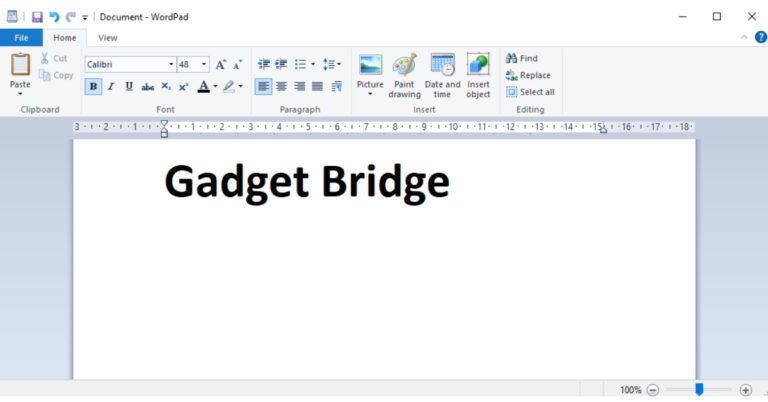
According to tech giant Microsoft, it will be WordPad will be removed from its upcoming Windows update. As the WordPad gets dropped from Windows, Microsoft is advising PC users to make use of Windows Notepad and Microsoft Word for editing text instead. For those who are unaware it first came out in 1995.In a later Windows version, namely Windows 12, Microsoft will remove WordPad. In its most recent list of deprecated features, the firm has indicated that it would remove the part. Notably, upgrades to the software will no longer be made.Also Read:Woman steals iPhone 14 from store cutting wire with her teeth, gets caughtThe company said, “WordPad is no longer being updated and will be removed in a future release of Windows. We recommend Microsoft Word for rich text documents like .doc and .rtf and Windows Notepad for plain text documents like .txt.”Documents are saved in the.rtf format by the application. Basically, it uses simple formatting for editing text. So now users are advised to edit content using Windows Notepad and Microsoft Word for documents in the.doc and .rtf formats, according to Microsoft. The app only allows basic editing and does not enable additional editing features like creating numbered lists, inserting tables, changing the colour of text or the background of text, or linking to URLs, among others. Also Read:Xiaomi Uniblade electric shaver launched in India at Rs 1,499While this is going on, Bing Chat and Bing Chat Enterprise support has now been made available to Google Chrome users. With this inclusion, Google Chrome users will be able to use Bing Chat on Windows, macOS, and Linux. The company has also added Bing Chat Enterprise support for Google Chrome for desktop and Edge for mobile devices. Bing Chat Enterprise users may now use the functionality by opening Microsoft Edge on their smartphones.
For the latest gadget and tech news, and gadget reviews, follow us on Twitter, Facebook and Instagram. For newest tech & gadget videos subscribe to our YouTube Channel. You can also stay up to date using the Gadget Bridge Android App. You can find the latest car and bike news here.
After being banned for nearly ten months, Battleground Mobile India, aka BGMI, is officially available again in India. BGMI fans are looking for ways to improve their game experience and one such method is the usage of redemption codes, which offers a variety of rewards and advantages using BGMI redeem codes players can gain access to new skins, outfits, loot crates, weapons and free UC and diamonds.As mentioned earlier, these codes give users the chance to earn unique rewards and gain extra benefits while playing the game. This includes GUN SKINS (M4, AKM, M416, AWM, M24, UZI, KAR98K), free character voucher, Andy, Carlo, Sara, Victor character for free, free Anna Character on completing the mission and UC or Royal Pass Discount. So here we have gathered a list of the most recent BGMI redeem codes as of 5 September 2023. Also, redeem these codes asap as these are only valid for a limited duration.
In This Article
BGMI Redeem Codes for 5 September2023
updating soon…
How to get free Redeem Codes for BGMI on 5 September2023?
Launch BGMI on your device.
Then select the Redeem Code option from the main menu.
Next, click on the Redeem code tab.
A new window will open, requesting the redemption code.
Now enter your BGMI code.
Confirm and click on the “Redeem” tab.
If your redeem code is valid then you will get a message confirming that your rewards were successfully redeemed.
Garena Free Fire is a battle royale game with regular awards and tournaments to keep players interested. If you play Garena Free Fire, you should be aware of the redeem codes that are released on a daily basis. However, because the battle royale game is banned in India, players from other countries can use the Free Fire Redeem codes daily. If you’re unfamiliar with the Garena Free Fire redeem codes or don’t know how to get them, we’ve put together a step-by-step guide to help you redeem them. Check out Garena Free Fire Redeem Codes for 5 September 2023.The Free Fire redeem codes are a great way to get free stuff. These are 12-digit codes that contain alphabets and numbers, as well as an expiration date and time. Because the Garena FF redeem codes cannot be used more than once, you should hurry to the redemption page to claim your free reward before someone else does. To get a free reward, all you have to do is go to reward.ff.garena.com/en, which is the official redemption page. Also, keep an eye on this space for daily updates on Garena Free Fire redemption codes and rewards.
In This Article
Garena Free Fire Redeem Codes Today 5 September2023
FUKIKJJHVVXAQR2
FEDC3VEZBRFHGUY
FTVCBDNJRKIT5O6
FYUJGMVKLOF9TI6
FJ7MU8KILJP0OHI
FGFJAKI5QUY62RE
FYHJY7U6KJI9LLI
FKJUEHYSEEEFGST
FBN4RM5TL26YP7U
FOJKH4FLOD9I8U7
FYGTSAWY6U25TRE
FD3FV4BGRC5HTJY
FDRHKYIKJ5SH3Q2
F45T4YJYFDHBVFG
FHJKMLOIUCHYGFD
FRTYUIJYRTESHYJ
FD3C45VRMRBTNJM
FGKHBIUY3YDTGSE
FIHUYBFJIJGYUJF
How to Get Free Fire Redeem Codes for Garena on 5 September2023?
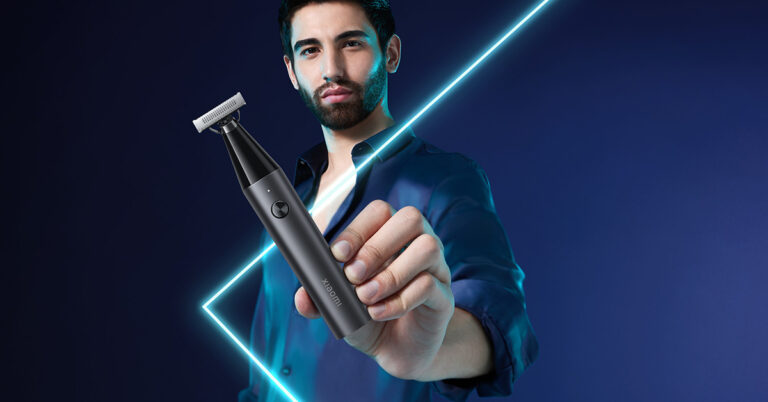
In the ever-evolving world of personal grooming, Xiaomi has once again stepped up to the plate with the launch of the new Xiaomi Uniblade, a grooming tool that promises to revolutionize the way men maintain their looks. Versatile, easy to use, and stylishly designed, the Uniblade is set to become every man’s go-to grooming accessory for both everyday routines and special occasions.
In This Article
A Grooming Tool for Every Occasion
The Xiaomi Uniblade is more than just a grooming tool; it’s a complete grooming solution. With its sleek and ergonomic design, it adds a touch of sophistication to your daily grooming routine. Whether you’re heading to the office or preparing for a special night out, the Uniblade has got you covered.
Versatility at Its Best
What sets the Xiaomi Uniblade apart from the competition is its incredible versatility. This innovative grooming tool is meticulously crafted to trim, edge, and shave hair of any length, catering to a wide range of grooming needs. Whether you prefer a clean shave, a well-groomed stubble, or a neatly trimmed beard, the Uniblade has you covered. Say goodbye to multiple grooming tools cluttering your bathroom cabinet – the Uniblade simplifies your grooming routine.
Precision and Efficiency
Designed for effortless manoeuvrability, the Xiaomi Uniblade can reach even the most challenging and hard-to-reach areas with ease. Its cutting-edge three-way blade system ensures an impeccably smooth shave. The dual-edge blade tackles longer hair, while the central foil eliminates any remaining stubble. This three-way blade effortlessly manages varying hair lengths and thickness, even handling bent or flat-lying hair, providing a seamless shaving experience and leaving your skin silky smooth. Crafted from high-carbon steel, the blade guarantees durability and sharpness, ensuring a consistently outstanding shaving experience.
Adapting to Your Needs
The Uniblade’s flexible trimmer head is designed to pivot at a 40° angle, effortlessly adapting to the contours of your face. This ensures a close shave without causing any irritation or discomfort, making it your ideal shower companion. With an IPX7 rating for both dry and wet use and compatibility with shaving cream, it eliminates the need for disposable blades, promoting sustainability and reducing waste.
Read Also: Philips OneBlade Pro QP6550 electric shaver review: All in one for men
Simplicity and Efficiency
The Xiaomi Uniblade simplifies your grooming arsenal with its rotary dial, offering 14 different length settings, allowing you to customize your look effortlessly. No need for multiple attachments or tools; the Uniblade does it all.
Long-Lasting Performance
A mere 90-minute charge via a Type C cable provides the Xiaomi Uniblade with a full hour of continuous use, ensuring that it meets all your grooming needs in one go. Whether you’re at home or on the go, you can rely on the Uniblade to keep you looking your best.
Affordable and Accessible
Xiaomi understands the importance of affordability and accessibility. The Xiaomi Uniblade comes with a one-year warranty and is available at an attractive price of Rs 1,499. It can be conveniently purchased on Mi.com, Amazon, Flipkart, and other leading retail stores.
Read Also:Xiaomi Grooming Kit Pro with full washable body and LED Screen
Conclusion
The Xiaomi Uniblade is a game-changer in the world of grooming. With its versatility, precision, and stylish design, it’s set to become every man’s best friend in their grooming routine. Say goodbye to cluttered bathroom cabinets and disposable blades – the Uniblade simplifies grooming, all while being eco-friendly. So, whether it’s a regular workday or a special occasion, trust the Xiaomi Uniblade to keep you looking sharp and sophisticated.
For the latest gadget and tech news, and gadget reviews, follow us on Twitter, Facebook and Instagram. For the newest tech & gadget videos subscribe to our YouTube Channel. You can also stay up to date using the Gadget Bridge Android App. You can find the latest car and bike news here.
In a rather unusual turn of events, a woman in China was recently apprehended by the authorities for her audacious attempt to pilfer an iPhone 14 Plus, valued at 7,000 yuan (around ₹80,000 roughly), from an Apple store. This daring caper involved her quite literally sinking her teeth into the store’s anti-theft measures.
The woman in question, identified as Ms Qiu from Fujian province in southeastern China, was captured on surveillance cameras as she leaned over the display counter, her fingers casually caressing the coveted device. What followed was a jaw-dropping act of thievery as she nonchalantly chewed through the security cable that anchored the phone in place. Once the cable was completely severed, she swiftly concealed the phone in her bag and exited the store.
Unbeknownst to her, store employees soon discovered the missing iPhone and the conspicuously bitten cable. This triggered an alarm that went unnoticed by the staff as they approached Ms Qiu, who maintained the façade of an ordinary customer engrossed in scrolling through the stolen phone.
It wasn’t until Ms. Qiu made her escape from the store that the true extent of her audacity became apparent. Store personnel reviewed the surveillance footage, prompting them to alert the authorities. Within a remarkably short span of 30 minutes after the theft, Ms. Qiu was apprehended outside her residence.
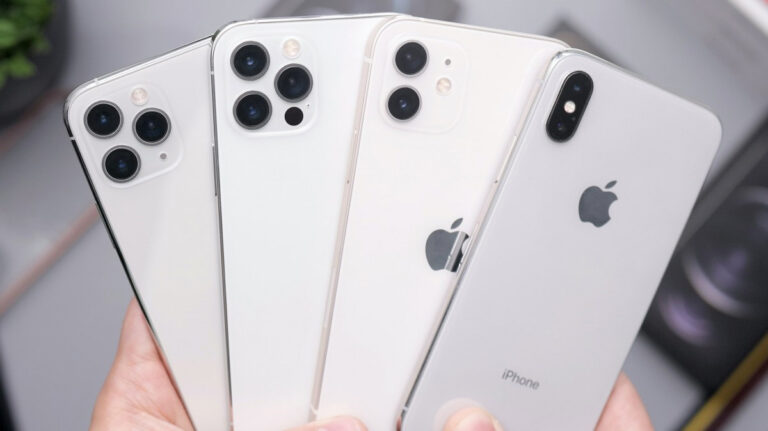
Notably, the iPhone 14 series had been launched in India the previous year, featuring models such as the iPhone 14, iPhone 14 Plus, iPhone 14 Pro, and iPhone 14 Pro Max. While the iPhone 14 shared some similarities with its predecessor, the 2021 iPhone 13, the Pro models of the iPhone 14 boasted significant enhancements, including a more powerful processor and the highly-discussed dynamic island notch design.
For the latest gadget and tech news, and gadget reviews, follow us on Twitter, Facebook and Instagram. For the newest tech & gadget videos subscribe to our YouTube Channel. You can also stay up to date using the Gadget Bridge Android App. You can find the latest car and bike news here.
Battlegrounds Mobile India (BGMI) appears to have secured official authorisation from the Indian government for Krafton to continue operating here, according to a report. After getting banned in India for 10 months, Battlegrounds Mobile India aka BGMI got clearance to restart operations in India in May this year. For those who are unaware, Free Fire, a competing battle royale game has also returned to the nation after being shut down for around 1.5 years.However New State Mobile, a different app that Krafton owns is still operating in the country.According to sources cited by Moneycontrol, the approval was given after the company successfully completed a three-month audit process. According to the report, the game will now need to pass quarterly evaluations in order to maintain its approval. These evaluations will concentrate on several facets of how the game functions.The government’s action comes before the three-month trial period—given to KRAFTON for the game’s exclusivity in India—that was granted by the Ministry of Electronics and Information Technology (MeitY) in May of this year—expires.In India, the mobile game held by Krafton was banned in July 2022 as a result of a government order. The Google Play Store and App Store soon removed it. It was outlawed, just like PUBG, and disappeared from India. If you didn’t know, PUBG was reintroduced in India under the moniker BGMI, which stands for Battlegrounds Mobile India. In addition to the new branding, the game was created especially for Indian players. For the latest gadget and tech news, and gadget reviews, follow us on Twitter, Facebook and Instagram. For newest tech & gadget videos subscribe to our YouTube Channel. You can also stay up to date using the Gadget Bridge Android App. You can find the latest car and bike news here.
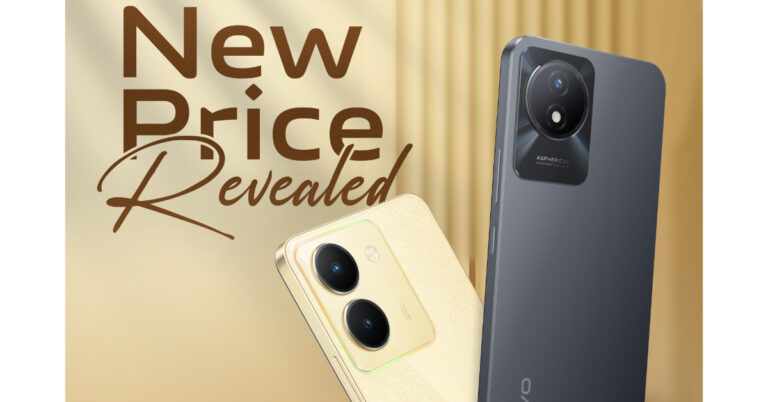
Vivo has announced a price reduction for the two of its smartphones. Vivo Y36 and Vivo Y02t are the latest to see the price cut months after their launch. The company announced a Rs 1,000 price cut on the Vivo Y36 whereas the Y02t is getting a price drop of Rs 500. Vivo Y36 made its debut in India two much back in June in a single variation. On the other hand Vivo Y02t debuted in May this year.The Vivo Y36 and Vivo Y02t are now offered at new, competitive prices of Rs 15,999 for the 8GB RAM model with 12GB storage and Rs 9,499 for the 4GB RAM model with 64GB storage, respectively. Vivo has announced a Rs. 1,000 price reduction for the Vivo Y36. The phone, which originally cost Rs 16,999. The Vivo Y02t, on the other hand, has seen a price reduction of Rs 500, dropping from Rs 9,999 at launch for the single 4GB RAM and 128GB storage option.Also Read:Google Pixel 8 and Pixel 8 Pro get listed on the FCC certification website, ahead of October 4 launchAlong with extra perks like vivo V-Shield Protection Plans, customers can receive a cashback of up to Rs 1000 when purchasing the vivo Y36 from specific financial partners like ICICI, SBI Card, IDFC First, Federal Bank, Yes Bank, Bank of Baroda, and IndusInd Bank. Note that the purchase of Vivo Y02t is not subject to any further bank offers.Customers can purchase the devices with the revised effective pricing on Flipkart, the vivo India e-store, and at all of Vivo’s partner retail locations.Vivo Y36 comes with a 6.64-inch full-HD+ LCD display that supports a 90Hz refresh rate and 240Hz touch sampling rate. Under the hood, there is an octa-core 6nm Snapdragon 680 SoC with 8GB of RAM and includes 128GB of storage that can be expanded up to 1TB using a microSD card. It runs on FunTouch OS 13 based on Android 13. The smartphone is highlighted with a dual rear camera setup that includes a 50-megapixel primary sensor with an f/1.8 aperture and a 2-megapixel bokeh lens. There is a 16-megapixel front-facing camera for taking selfies and video calling. In addition to this, the device packs a 5,000mAh battery that supports 44W fast charging.
For the latest gadget and tech news, and gadget reviews, follow us on Twitter, Facebook and Instagram. For newest tech & gadget videos subscribe to our YouTube Channel. You can also stay up to date using the Gadget Bridge Android App. You can find the latest car and bike news here.
LinkedIn is a social media platform that specialises in forming professional connections and finding new jobs. Your LinkedIn profile holds all the vital information – from your work history to your educational qualifications. Forwarding your LinkedIn profile to a contact makes it very accessible for them to go through your work and contact you for further dialogue. In this article, we bring you 2 easy ways to copy and share your LinkedIn profile link with other people.Read Also:Best 3 Ways to Change the Speed of Video on Android and iPhone
In This Article
Copy and Share your LinkedIn Profile Link
Step 1:Open LinkedIn on your device’s web browser.Step 2: Go to your LinkedIn profile.Step 3: Copy the URL under the Public Profile and URL section on the right.Step 4:Paste the URL from the clipboard to share it with someone.
Copy and Share your LinkedIn Profile Link from the web browser
Step 1:Open LinkedIn on your device’s web browser.Step 2: Go to your LinkedIn profile.Step 3: Click on the web browser’s address bar and press Ctrl + C. Your profile URL will be copied to the clipboard.Step 4:Paste the URL from the clipboard to share it with someone.
Frequently Asked Questions (FAQs)
How do I copy my LinkedIn profile URL?
Open your LinkedIn profile on a web browser and check out the Public Profile and URL section on the right. This is where you will find your profile URL. Copy this address to share it with others.
How do I change my LinkedIn profile URL?
To change your LinkedIn profile URL, click the pencil icon on the Public Profile and URL section. On the following page, hit the pencil icon in the Edit your custom URL section.



 Step 1:
 Step 3:
 Step 4: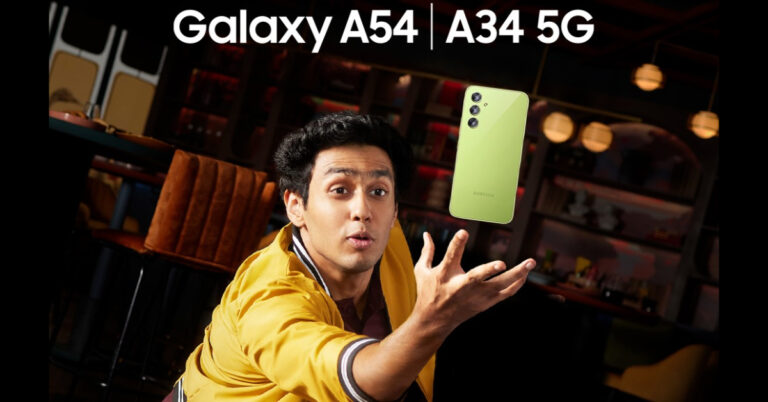


 Step 2:
 Step 3: Select Record calls.
 Step 4: Turn off the toggle switch for Auto record calls.
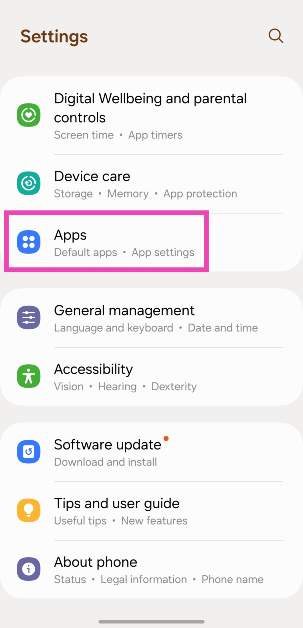 Step 2: Select the dialer app.
 Step 3: Tap on Storage.
 Step 4: Hit Clear Cache.
 Step 2:
 Step 3:
 Step 4:
 Step 5:
 If a weak network reception is the reason behind the echo on a cellular call, switch to a WiFi connection and make a call over the internet. The easiest way to go about this is by calling the other person on WhatsApp. Since WhatsApp is very popular among Android users, chances are that the person you’re calling is already on it. Initiate a chat with them on WhatsApp and hit the call icon at the top of the screen to call them. You can also use other services like Telegram, Instagram, Facebook Messenger, Google Meet, Zoom, Skype, and more.
 Step 3: Tap on Safe Mode.
 Step 2: Tap on Download and install.
 Step 3: Select Install now.






 Make sure that you use a power adapter to charge your Fitbit device. An adapter drawing power from a wall outlet will charge your device faster than a cable connected to your PC or laptop. In the latter scenario, your Fitbit gets trickle-charged. If your device has been inactive for a long time, trickle charging it may not be enough.
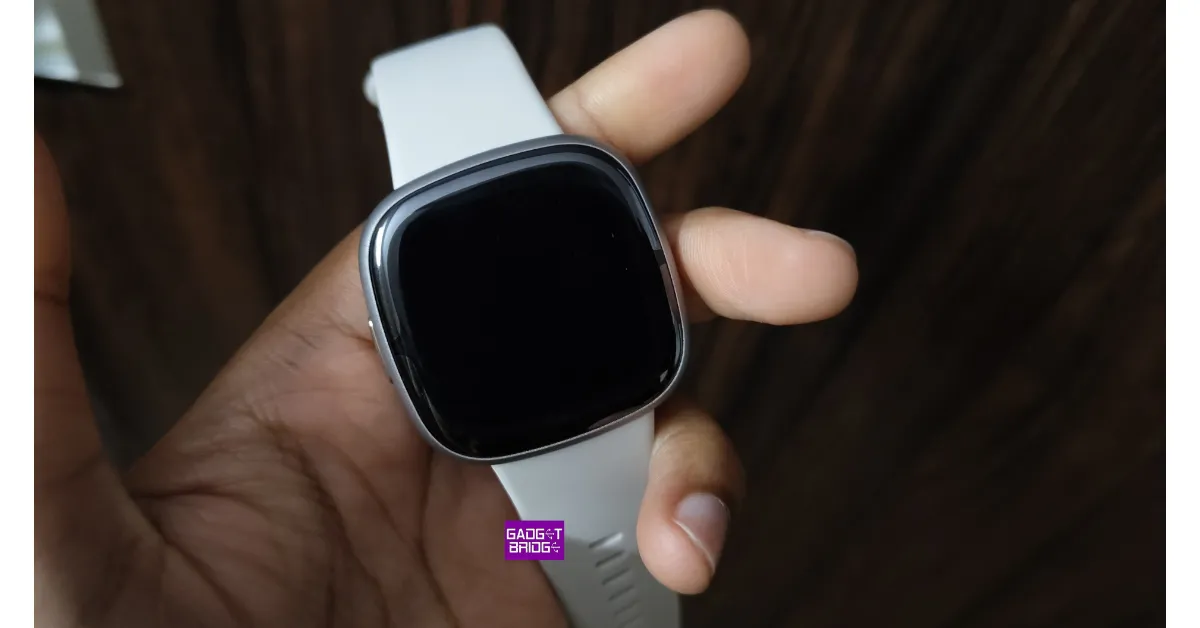 Step 1: Connect your Fitbit device to its charger. Make sure the charger is plugged into a wall outlet.
Step 2: Press the power button 3 times within 8 seconds. Hold each press for about 1 second.
Step 3: Wait for 10 seconds. The Fitbit logo will appear on the screen.
Step 1: Connect your Fitbit device to its charger. Make sure the charger is plugged into a wall outlet.
Step 2: Press the power button 3 times within 8 seconds. Hold each press for about 1 second.
Step 3: Wait for 10 seconds. The Fitbit logo will appear on the screen.


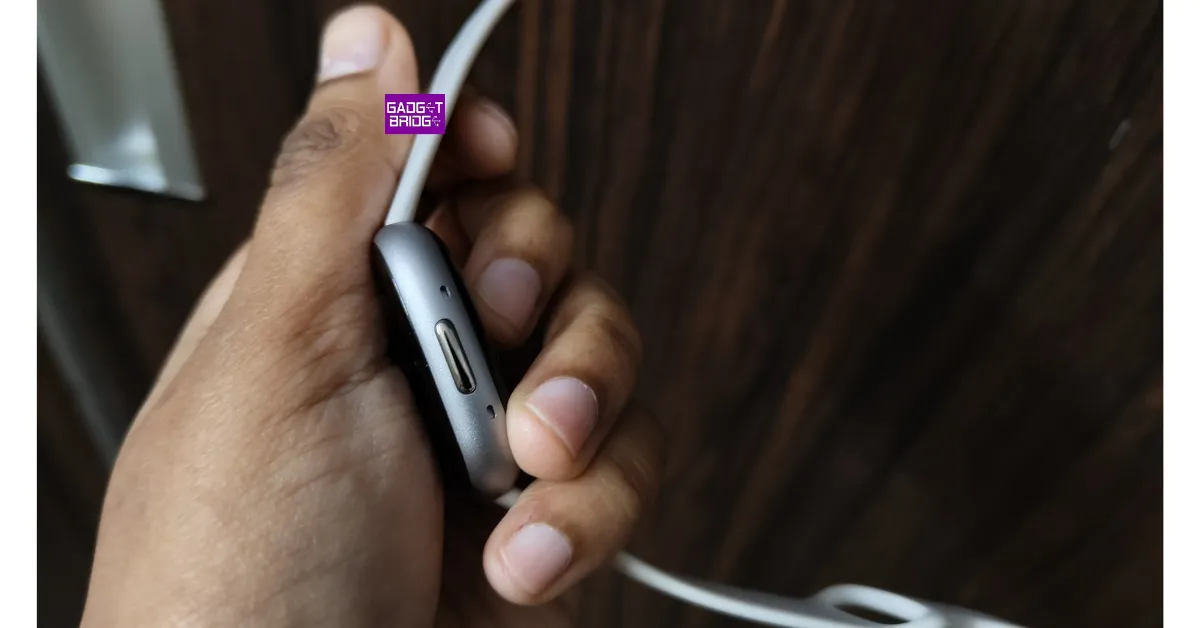 The physical buttons on smartphones and smart wearables are known to get stuck due to the collection of dirt and grime under them. If your Fitbit’s power button is jammed, it can cause the device to shut down and not turn on. Use isopropyl alcohol and a clean microfibre cloth to remove the debris under the power button.
 Step 3: Select
 Step 4:
 Step 5:
 Step 6:
 Step 7:
 If you still can’t turn on your Fitbit Versa, performing a hard reset is your only option. This will clear your personal data from the device and log you out of all accounts.
Step 1: Press and hold all the buttons on the Fitbit for 10-15 seconds.
Step 2: When the Fitbit logo appears and disappears on the screen, release the bottom right button.
Step 3: When you feel a vibration, release the rest of the buttons.
Step 4: Your device will restart and you will land on the setup page.
If you still can’t turn on your Fitbit Versa, performing a hard reset is your only option. This will clear your personal data from the device and log you out of all accounts.
Step 1: Press and hold all the buttons on the Fitbit for 10-15 seconds.
Step 2: When the Fitbit logo appears and disappears on the screen, release the bottom right button.
Step 3: When you feel a vibration, release the rest of the buttons.
Step 4: Your device will restart and you will land on the setup page.




 Turnkey solution BetB2B will help you quickly and efficiently start working in iGaming.
 Step 4: Select
 Step 5:
 Step 1: Launch
 Step 3:
 Step 4:
 Step 5: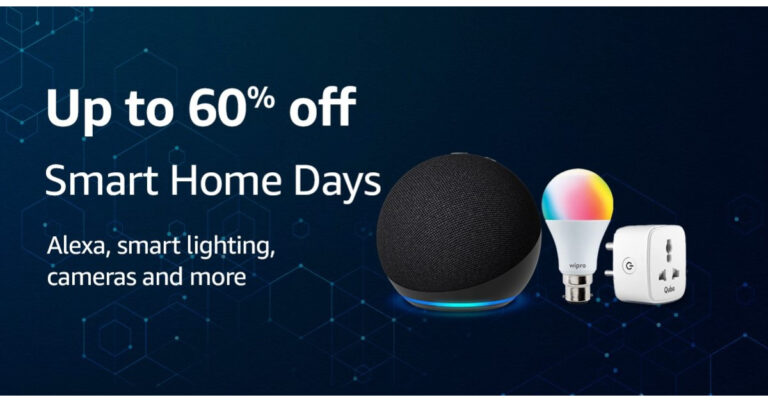






 Step 3:
 Step 4:






 Step 3:
 Step 4: Paste
 Step 4: Paste