Top 10 Smartphones with the Highest RAM and Storage

One of our least favourite trends in modern smartphones is the disappearing support for expandable memory. While the missing headphone jack is everyone’s biggest pet peeve, it can still be resolved with an OTG dongle. But there’s nothing you can do about the phone’s internal storage capacity once you’ve made the purchase. The smartphone’s RAM is another factor that contributes massively to its speed and functioning. In this article, we bring you the top 10 smartphones with the highest RAM and storage capacity that you can buy right now. Read Also: Top Smart TVs under Rs 45,000

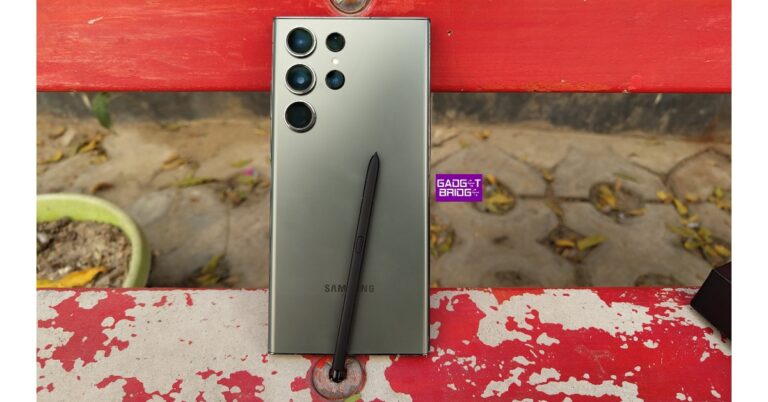
Samsung Galaxy S23 Ultra

Maximum RAM + Storage: 12GB + 1TB Price: Rs 1,54,999 on Samsung.com Samsung Galaxy S23 Ultra Review: A true flagship Samsung’s flagship smartphone offers a massive internal storage capacity of 1TB along with 12GB RAM. While the 256GB base variant of the S23 Ultra starts at Rs 1,24,999, the 1TB variant fetches Rs 1,54,999. It also gets a 6.8-inch Dynamic AMOLED 2X display with a 120Hz refresh rate, HDR10+ support, and a peak brightness of 1200 nits. Under the hood, the S23 Ultra gets the Snapdragon 8 Gen 2 SoC. OS duties are handled by Android 13. Sounds interesting? Read our review to know about the finer details of the device.

Samsung Galaxy Z Fold5

Maximum RAM + Storage: 12GB + 1TB Price: Rs 1,84,999 on Samsung.com   Samsung Galaxy Z Fold 5 price and availability Samsung’s newest foldable on the block is available in a 1TB internal storage variant as well. As far as folding phones go, the Samsung Galaxy Z Fold5 is easily ahead of the competition, with its incredible One UI OS that gets the most out of the massive screen real estate. The inner display of the Fold5 spans 7.6 inches while the cover display is a solid 6.2-inch Dynamic AMOLED unit. Powering the Fold5 is Snapdragon 8 Gen 2 SoC.

OnePlus 11

Maximum RAM + Storage: 16GB + 256GB Price: Rs 61,999 on OnePlus.in   review of OnePlus 11 OnePlus 11’s internal storage capacity may max out at 256GB but it is one of the few smartphones in India available with 16GB RAM. In some global markets, OnePlus’ 2023 flagship can be had with 512GB internal memory. While the base 8GB RAM variant is priced at Rs 56,999, the 16GB RAM version fetches Rs 61,999. The 16GB RAM variant also gets UFC 4.0 internal storage, which is an added advantage. To know more about the smartphone, read our review here.

iQOO 11

Maximum RAM + Storage: 16GB + 256GB Price: Rs 59,999 on iQOO India e-Store iQOO 11 performance OnePlus 11’s closes competitor, iQOO 11, also offers 16GB RAM along with a maximum internal storage capacity of 256GB. The 16GB RAM variant is currently available at Rs 59,999. The iQOO 11 gets a 6.78-inch LTPO4 AMOLED display with a 144Hz refresh rate, HDR10+ support, and 1800 nits of peak brightness. Powering the smartphone is the Snapdragon 8 Gen 2 SoC, while the OS duties are handled by Android 13 with Funtouch 13 OS on top. Read our review here.

iPhone 14 Pro

Maximum RAM + Storage: 6GB + 1TB Price: Rs 1,79,900 on Apple.in iPhone-14-Pro-review Both the Pro models in the iPhone 14 series offer a whooping internal storage capacity of 1TB. The 1TB variant of the iPhone 14 Pro Max fetches Rs 1,89,900. The iPhone 14 Pro gets a 6.1-inch LTPO Super Retina XDR OLED display with a 120Hz refresh rate, HDR10 support, and a peak brightness of 2000 nits. The notch on the display has now been replaced with a pill-shaped cutout called Dynamic Island. Powering the iPhone 14 Pro is the new A16 Bionic chipset. Read our review here.

Nothing Phone (2)

Maximum RAM + Storage: 12GB + 512GB Price: Rs 54,999 on Flipkart Nothing Phone 2 Price in India and availability details The recently launched Nothing Phone (2) offers some interesting upgrades over the brand’s debut smartphone that created a lot of hype last year. The biggest upgrade of them all comes under the hood, as the smartphone gets the Snapdragon 8+ Gen 1 SoC which was last year’s flagship chipset from Qualcomm. The Phone (2) is available in three storage variants – 128GB, 256GB, and 512GB. The top-spec 12GB + 512GB variant fetches Rs 54,999.

Xiaomi 13 Pro

Maximum RAM + Storage: 12GB + 256GB Price: Rs 79,999 Mi.com Top 10 Smartphones with the Highest RAM and Storage Xiaomi’s flagship smartphone in 2023 can easily go up against the ones from Samsung and Apple. The maximum RAM + storage configuration you can get on the Xiaomi 13 Pro is 12GB + 256GB. The smartphone is powered by the Snapdragon 8 Gen 2 SoC. It gets a 6.73-inch LTPO AMOLED display with a 120Hz refresh rate, HDR10+ support, and a peak brightness of 1900 nits. Talking about the cameras, the Xiaomi 13 Pro gets a 1-inch sensor for the 50MP primary shooter. It also gets a 50MP telephoto lens and another 50MP ultrawide sensor. Read our Xiaomi 13 Pro review here.

OnePlus 11R

Maximum RAM + Storage: 16GB + 256GB Price: Rs 44,999 on OnePlus.in Top 10 Smartphones with the Highest RAM and Storage OnePlus’ flagship alternative is available in a 16GB RAM variant in India. The OnePlus 11R is available at a price of Rs 44,999 and is one of the best mid-rangers around. It gets the Snapdragon 8+ Gen 1 SoC under the hood along with an Adreno 730 GPU. The rear camera array gets a 50MP primary shooter, an 8MP ultrawide lens, and a 2MP macro sensor. Read our review of the smartphone here.

Redmi Note 12 Pro

Maximum RAM + Storage: 12GB + 256GB Price: Rs 28,999 on Mi.com. Redmi Note 12 Pro Review: Powerful performance at a reasonable price. Top 10 Smartphones with the Highest RAM and Storage Talking about midrange options, Redmi Note 12 Pro offers massive 12GB RAM along with 256GB storage. The Note 12 Pro gets a 6.67-inch OLED display with a 120Hz refresh rate, HDR10+ support, and a peak brightness of 900 nits. The rear camera setup on this smartphone features a 50MP primary lens, an 8MP ultrawide lens, and a 2MP macro sensor. Up front, the 16MP selfie camera is housed in a punch-hole cutout. Powering the Note 12 Pro is the MediaTek Dimensity 1080 SoC. Read our full review of the smartphone here.

Vivo V27 Pro

Maximum RAM + Storage: 12GB + 256GB Price: Rs 42,999 on Vivo.com Vivo V27 Pro Review: More than just a camera focussed smartphone. Top 10 Smartphones with the Highest RAM and Storage Vivo V27 Pro is one of the better camera-focused smartphones around. V27 Pro’s image processing remains unmatched in its price segment. The smartphone gets a primary 50MP camera along with an 8MP ultrawide sensor and a 2MP macro lens. Up front, the 50MP selfie camera is housed inside a punch-hole cutout. The V27 Pro features a 6.78-inch AMOLED display with a 120Hz refresh rate and HDR10+ support. Read our review here. Read Also: Xiaomi Pad 6 Max is officially confirmed to debut on August 14

Conclusion 

These are the top 10 smartphones with the highest RAM and storage that you can buy right now. If a big internal storage capacity is your biggest priority, you will have to stick with the flagship devices from Samsung and Apple. We would also suggest looking into midrange smartphones that offer expandable storage. For the latest gadget and tech news, and gadget reviews, follow us on Twitter, Facebook and Instagram. For newest tech & gadget videos subscribe to our YouTube Channel. You can also stay up to date using the Gadget Bridge Android App. You can find the latest car and bike news here.

How to Quickly Fix a Hacked Android Phone? Top 5 Methods

0
If you suspect your Android phone has been hacked, you don’t need to ditch it entirely. There are several methods you can use to recover a compromised device. To begin with, there are certain signs you need to look for, in order to know for sure that your phone has been hacked. Read this article to know more. Once that’s done, use these 5 methods to quickly fix or recover your hacked Android phone. Read Also: Xiaomi Pad 6 Max is officially confirmed to debut on August 14

Delete any suspicious apps

How to Download Apps on Android Without Google Play Store? If you started noticing your phone’s absurd behaviour after installing an app, it is possible that the app is responsible for pushing malware on your device. Always look out for signs like invasive ads on your phone UI to direct malware. If you are using a modded app, it could be the culprit behind this issue. Go to Settings>Apps>App Name>Uninstall to remove any app from your device. If you suspect that a malicious entity installed a spy app on your device to gain illegitimate access to it, you need to perform a deep scan on your phone. Spy apps usually take the form of inconspicuous apps like Calendar or Calculator. If you notice something off with these apps, delete them from your phone immediately.

Clear your phone’s cache

If you notice a sudden drop in the performance of your smartphone, it may just be because of temporary files piling up in the system’s cache. These temporary files have the tendency to get corrupted and hamper the functioning of the device. Typically, the only way to clear your device’s cache is by going through every app individually and deleting its cached memory. However, you can clear your phone’s cache at once by rebooting it in Recovery Mode and selecting Wipe Cache Partition.

Perform an Anti-virus scan

Best proxy websites for safer anonymous browsing If deleting suspicious apps and clearing the device’s cache didn’t work, you should perform a thorough anti-virus scan on your phone. Major anti-virus apps like McAfee, AVG, and Avast, also check for any malicious apps or files that may be intercepting your phone’s data, resulting in a sluggish performance. For better results, use the premium versions of these apps. Performing an anti-virus scan may take some time but it will most likely find the cause of the issue you are facing.

Disable call forwarding

If someone is tapping into your phone, they are most likely listening to all your calls. The ‘call redirection’ feature can be exploited by malicious entities, in order to gain unauthorised access to your calls. Luckily, you can disable call forwarding and redirection on your device by dialling a simple code. Open the phone dialer on your device, and dial ##002#.

Perform a factory reset

If you wanna ensure that there are no malicious files or apps on your device, perform a factory reset. This will permanently delete all the data on your phone, but it will also get rid of any spyware, malware, and other viruses. Here’s how you can go about it. Step 1: Go to Settings, scroll down and select General Management. Step 1: Go to Settings, scroll down and select General management. Step 2: Tap on Reset. Step 2: Tap on ‘Reset.’ How to Quickly Fix a Hacked Android Phone? Top 5 Methods Step 3: Select Factory data reset. Step 3: Select ‘Factory data reset.’ How to Quickly Fix a Hacked Android Phone? Top 5 Methods Step 4: Scroll down and tap on Reset. Step 4: Scroll down and tap on ‘Reset.’ How to Quickly Fix a Hacked Android Phone? Top 5 Methods

Frequently Asked Questions (FAQs)

How do I find out if my phone is hacked?

If you notice a sudden drop in performance, random glitches, and invasive ads across the UI, it is possible that your phone may have been hacked.

What is the quickest way to fix a hacked phone?

The quickest way to fix a hacked phone is by performing a factory reset of the device. This may delete all your personal data but it will also delete the malicious files.

How do I disable call forwarding on my device?

Dial ##002# to disable call forwarding and redirection on your phone. Read Also: OnePlus offers lifetime screen warranty and upgrades to users facing the ‘green line’ issue

Conclusion

These are the 5 quick ways to fix a hacked Android phone. To prevent the installation of spyware or other malicious apps on your device, avoid downloading any apps or files from unknown sources. Sticking to Google Play Store and your smartphone manufacturer’s default app store greatly reduces the risk of a malware attack. For the latest gadget and tech news, and gadget reviews, follow us on Twitter, Facebook and Instagram. For newest tech & gadget videos subscribe to our YouTube Channel. You can also stay up to date using the Gadget Bridge Android App. You can find the latest car and bike news here.

Threads rolls out share a post to your Instagram DMs, and more features

0
A few weeks ago, Threads released its New Following Feed, which many users had requested. This week, Meta unveiled a number of new capabilities for Threads that will enable users to share posts straight on Instagram DMs. Additionally, Meta is developing an early desktop app within the organisation and will soon launch it worldwide. CEO of Meta Mark Zuckerberg highlighted three new capabilities for the app this week in a Threads post. Users will be able to directly share posts to your Instagram DMs in addition to the earlier option of sharing them as Instagram Stories. In addition to this users may now add alt text to photographs and videos thanks to a new function. Users can add their preferred captions and details to photographs and videos. The third feature, on the other hand, makes it simple for users to directly mention someone’s account in a Threads post. Along Along with the aforementioned changes, Threads will also enable users to organise the accounts they are following and keep track of the threads they have liked in their profile settings. Meta released a new app called Threads in July 2023. You can start conversations, respond to posts, and follow profiles here that interest you. Threads can contain short text passages, links, images, videos, or a combination of all of these. Users have been requesting the following feed functionality since Meta-owned Threads debuted. Instead of using the platform’s ‘For You’ function, users may now view the posts of the people they follow in chronological order using the New Following Feed feature. Even with the most recent version of Threads, not everyone has access to the new feature yet. The new function seems similar to the Twitter app. Users believe Threads is trying too hard to replicate Twitter and failing badly because, since the launch of the Threads app, its user base has decreased by 75%. The web version of the app will be released in the next few weeks, according to Zuckerberg’s announcement on Threads. The company has confirmed that an early version of Threads Web is being developed internally and will shortly be made available to users with certain improvements.  For the latest gadget and tech news, and gadget reviews, follow us on TwitterFacebook and Instagram. For newest tech & gadget videos subscribe to our YouTube Channel. You can also stay up to date using the Gadget Bridge Android App. You can find the latest car and bike news here.

Redmi 12 5G Review: Delivers on every front

Very few brands have a hold on the budget smartphone segment in India as Redmi does. Xiaomi’s subsidiary has been putting out affordable 5G smartphones for a while now. Last year, we reviewed Redmi 11 Prime 5G which was one of the cheapest 5G smartphones in the market at the time. This year, Redmi has set the bar higher (by pushing the cost lower), launching Redmi 12 5G at a starting price of Rs 11,999. Despite its cheap price tag, the smartphone promises some serious chops on paper, sporting the Snapdragon 4 Gen 2 processor. We got our hands on the smartphone last week and have been using it as our daily driver since then. Here is our in-depth Redmi 12 5G review. Read Also: OnePlus offers lifetime screen warranty and upgrades to users facing the ‘green line’ issue

Redmi 12 5G review: Design and Display

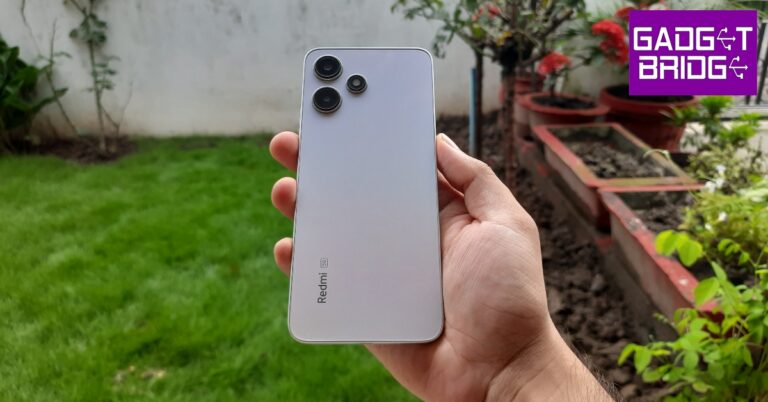
Inside the retail box, you’ll find the Redmi 12 5G smartphone, a frosted plastic cover (a nice change from the clear plastic covers that have become the norm), a SIM ejector tool, a 22.5W power adapter, a USB Type-A to Type-C charging cable, and some reading material. The unboxing experience is pretty standard, but Redmi gets extra points for including a charger in the box. Redmi 12 5G review: Design and Display The minimal back panel design is something we really like on the Redmi 12 5G. The two camera sensors are arranged vertically while the LED flash is positioned next to them, giving the entire array a triangular look. The glass panel lends a premium in-hand feel to the smartphone. The Redmi branding is embossed towards the bottom left side of this panel. All things considered, Redmi 12 5G easily clears other smartphones in this price range when it comes to the look and feel. Redmi 12 5G review: Design and Display The plastic frame houses the volume rocker keys and the lock button on the right edge and the hybrid SIM tray on the left. At the bottom you get the primary microphone, the USB Type-C port, and the speaker grille. The 3.5mm headphone jack and the IR blaster have been placed up top. A lot of budget smartphones seem to be ditching the IR blaster these days, so it is nice to see Redmi bring it back. Moving on, the Redmi 12 5G gets a solid 6.79-inch IPS LCD display with a refresh rate of 550Hz. This display can hit a peak brightness of 550 nits, which is great for indoor use but we struggled quite a bit while using the smartphone under direct sunlight. There are sizeable bezels around the display that get thicker around the chin. This is something that is expected of every budget smartphone. However, the punch hole cutout for the selfie camera scores several brownie points from us. The IPS LCD display has a 1080 x 2460p resolution. It’s not something that blows every other smartphone in this category out of the water but does a good job of producing good-quality images with optimum colour contrast and a decent amount of detail. We watched a lot of content across different OTT platforms and found the viewing experience to be quite enjoyable. The Redmi 12 5G has a single bottom-firing speaker but it can get loud enough to drown out the surrounding noise. The sound output is a little boxy with the low end needing a bit of a boost. Thankfully, there is a 3.5mm headphone jack on board. The power key on the side also doubles as a fingerprint scanner. It is fast and ultra-responsive, putting some under-display sensors to shame. The smartphone is IP53 rated for dust and splash resistance, which is incredible to see in this price range. Being in the thick of the monsoon season, we took the smartphone out with us, and it was unfazed by the odd splashes.

Redmi 12 5G review: Performance and Cameras

While the design may have won us over, budget smartphones are usually underwhelming when it comes to performance. Our expectations were tempered while using Redmi 12 5G, but it managed to surprise us. The smartphone packs the Snapdragon 4 Gen 2 SoC under its hood. It is available in the RAM + Storage variants: 4GB + 128GB, 6GB + 128GB, and 8GB + 128GB. We used the 8GB RAM variant for this review. Redmi 12 5G: Performance and Cameras The smartphone is snappy and incredibly receptive. Switching between different apps and multitasking is a very smooth process. Routine tasks like sending emails, playing content, and IMing are handled expertly. Other smartphones at this price point tend to be slugging and a step behind every touch, but Redmi 12 5G delivers a very pleasing experience. There are 7 5G bands on this device. We used Airtel 5G and found the experience on par with other 5G smartphones on the market. We tried a bit of gaming as well, playing Call of Duty Mobile on Redmi 12 5G. We did not experience any pesky lags or stuttering when playing the game on average graphic settings. However, switching to the highest possible graphics resulted in the odd frame drop during gameplay. Still a solid performance for this segment. On Geekbench 6, Redmi 12 5G achieved a single-core score of 791 points and a multi-core score of 1,803 points. You get the standard MIUI experience on Redmi 12 5G. There are a lot of customisation options on the device (courtesy of Android 13), but it runs a stripped-down version of MIUI 14. This means some of the advanced MIUI features are missing on this device. The native photo editor lacks the option of a magic eraser. The security and privacy options have some missing features too. Excessive bloatware still remains a major issue for MIUI. Removing all the unwanted apps from the device can take some time. On the bright side, Xiaomi has promised 2 major software upgrades on this smartphone. Redmi 12 5G packs a 5,000 mAh battery, which can easily last an entire day. Upon more conservative usage, this smartphone can be pushed to last for almost 2 days. With a screen on time between 5-6 hours and we were left with around 15% charge at the end of the day. The 22.5W charger that comes in the box can fully charge the battery in just under 2 hours. Redmi 12 5G: Performance and Cameras The rear camera array packs a 50MP primary shooter and a 2MP depth sensor. The 50MP camera takes decent shots in daylight conditions. The images are sharp and pack a lot of detail. We feel the colour richness could have been a bit better. The images lack the ‘pop’, and in some cases, the colours look a bit washed. In limited lighting, the main sensor produces decent results when the Night Mode is turned on. There is visible noise in the images, but that is to be expected from a smartphone at this price point. Redmi 12 5G: Performance and Cameras The 8MP selfie camera produces amazing results. Even in artificial lighting, the smartphone was able to capture vivid selfies that displayed good clarity. The process tends to smoothen out the skin texture a bit, but not to the extent that it is a deal breaker. The Portrait Mode works well for the front and rear cameras, doing a good job of subject separation and background blurring. Read Also: WhatsApp rolls out new ‘screen sharing’ feature for video calls

Verdict

With prices starting at Rs 11,999, Redmi 12 5G offers incredible value for money. If you’re looking for an affordable 5G smartphone, Redmi 12 should be a no-brainer purchase. The minimal design of the glass back panel elevates the premium factor of the device. If that isn’t enough, the Snapdragon 4 Gen 2 SoC delivers a rock-solid performance. While the camera performance may have some room for improvement, it still holds its own among the competition in this price segment.

Redmi 12 5G: Pros

  • Great design
  • Glass back panel elevates the in-hand feel
  • Good display
  • Great performance

Redmi 12 5G: Cons

  • Good amount of bloatware
For the latest gadget and tech news, and gadget reviews, follow us on Twitter, Facebook and Instagram. For newest tech & gadget videos subscribe to our YouTube Channel. You can also stay up to date using the Gadget Bridge Android App. You can find the latest car and bike news here.

Redmi Note 12 Pro 5G new variant arrives in India

The Redmi Note 12 Pro 5G will now have a new RAM option, Redmi has announced. According to the firm, a fourth RAM option will be available for the device. Earlier this year, the phone made its debut in India alongside the Note 12 5G and the Note 12 Pro+ 5G in three different variants. In this article, we’ll get to know the price of the new, more expensive model and when it will be sold in the nation.

Redmi Note 12 Pro 5G new RAM price in India and sale details

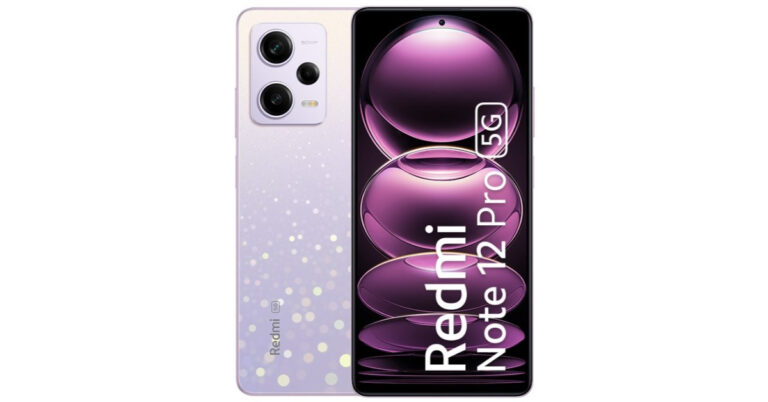
The Redmi Note 12 Pro 5G will now be sold for Rs 28,999 with a new 12GB RAM and 256GB storage configuration. Prior to this, the company only sold the Redmi Note 12 5G in three storage configurations: 6GB RAM and 128GB storage for Rs 24,999; 8GB RAM and 128GB storage for Rs 26,999; and 8GB RAM and 256GB for Rs 27,999. The phone is available in three colours: Frosted Blue, Stardust Purple, and Onyx Black. Redmi Note 12 Pro 5G new RAM price in India and sale details The new variant of Redmi Note 12 Pro 5G is currently up for sale via Flipkart and mi.com in the country. Also Read: Xiaomi Pad 6 Max is officially confirmed to debut on August 14

Redmi Note 12 Pro specifications

The Redmi Note 12 Pro comes with a 6.67-inch full-HD+ OLED display with a 1,080 x 2,400-pixel resolution. The screen enables touch sampling rates of 240Hz, HDR10+, and supports refresh rates of up to 120Hz. Under the hood, there is, an octa-core MediaTek Dimensity 1080 SoC paired with Mali-G68 GPU and up to 12GB LPDDR4x RAM. The smartphone has a storage capacity of 256GB using UFS 2.2. The Redmi Note 12 Pro features a triple rear camera setup for photos and videos. The camera unit has a 50-megapixel Sony IMX766 sensor that features optical image stabilisation. In addition to this, there is an 8-megapixel ultra wide-angle sensor and a 2-megapixel macro sensor. The phone further includes a 16-megapixel selfie sensor on the front. A 5,000mAh battery and 67W rapid charging are features of the Redmi Note 12 Pro. For the latest gadget and tech news, and gadget reviews, follow us on TwitterFacebook and Instagram. For newest tech & gadget videos subscribe to our YouTube Channel. You can also stay up to date using the Gadget Bridge Android App. You can find the latest car and bike news here.

Top Smart TVs under Rs 45,000

Modern televisions are not only getting smarter but also cheaper. Brands like Xiaomi and OnePlus expanding their presence in the Smart TV market has also fostered competition, resulting in a drop in prices. The midrange Smart TV segment is flooded with great products from every major player. In this article, we bring you our picks for the best Smart TVs under Rs 45,000. Read Also: WhatsApp rolls out new ‘screen sharing’ feature for video calls

LG 55UR7500PSC Smart LED TV (55-inch)

Price: Rs 44,990 on Amazon LG 55UR7500PSC Smart LED TV (55-inch) The 55-inch LG 55UR7500PSC Smart LED TV has a stunning 4K resolution display that is also capable of upscaling non-4K images. The refresh rate of 60Hz makes it a decent gaming monitor as well. Connectivity options include built-in WiFi, 3 HDMI ports, 2 USB ports, eARC, Bluetooth 5.0, an optical port, and an ethernet port. OS duties are handled by LG’s WebOS 23. It also comes with 8GB storage, unlimited OTT app support, user profiles, game optimiser, and filmmaker mode.

Sony Bravia KD-43X74K 4K Ultra HD Smart LED TV (43-inch)

Price: Rs 40,990 on Amazon Sony Bravia KD-43X74K 4K Ultra HD Smart LED TV (43-inch) This 4K Smart LED TV from Sony has a refresh rate of 60Hz and a 178-degree wide viewing angle. It has 3 HDMI ports to connect a set-top box, a Blu-Ray player, and a gaming console. On top of that, it gets 2 USB ports as well. Sony KD-43X74K gets the powerful X1 4K processor that produces immaculate images on the screen. With Google TV support, you can choose from a range of OTT apps and even cast your mobile device’s display using Chromecast. Got an iPhone? You don’t need to worry as the Sony Bravia KD-43X74K supports Apple AirPlay as well.

Samsung CUE70 Crystal 4K UHD Smart TV (43-inch)

Price: Rs 33,990 on Samsung.com Samsung CUE70 Crystal 4K UHD Smart TV (43-inch) Powered by the Crystal 4K Processor, Samsung CUE70 is one of the best Smart TVs you can grab for under Rs 45,000. Its competitive pricing works in its favour as well. The PurColor tech facilitates an impressive dynamic range, elevating the viewing experience. With Samsung SmartThing support, you can connect your TV to other Samsung smart devices in your house. Features like Motion Xcelerator and Auto Low Latency Mode make this TV optimum for gaming as well.

TCL 50T6G Smart QLED TV (50-inch)

Price: Rs 45,990 on Amazon TCL 50T6G Smart QLED TV (50-inch) TCL 50T6G Smart TV gets Google TV support, 16GB flash memory, 64-bit Quad-core Processor, Game Master tech, and several in-built OTT apps. Talking about the display, the TCL 50T6G offers a 178-degree viewing angle, HDR10+ support, and a peak brightness of 360 nits. You also get a 30W sound output with Dolby Atmos and DTS Virtual X. If you wish to go hands-free, this TV also supports Google Assistant and Amazon Alexa. A well-rounded product for just Rs 45,990.

Xiaomi MI 5X (55-inch)

Price: Rs 44,999 on Amazon Xiaomi MI 5X (55-inch) Xiaomi’s MI 5X Smart TV offers incredible value for money at Rs 45,000. It gets a stunning 4K display with a metal bezel-less design. There’s support for HDR10+ and Dolby Vision. It also gets some useful features like Reality Flow MEMC and Vivid Picture Engine 2. OS duties are handled by Android TV 10. MI 5X also gets Patchwall 4 with IMDB integration. Talking about the mirroring tech, MI 5X supports Chromecast and Miracast. It also gets Auto Low Latency Mode for gaming.

OnePlus 55U1S 4K LED Smart TV

Price: Rs 42,999 on Amazon OnePlus 55U1S 4K LED Smart TV OnePlus 55U1S gets a 4K Ultra HD display with a 178-degree viewing angle and a 60Hz refresh rate. The bezel-less display has a screen-to-body ratio of 95.3%. The 30W sound output is co-tuned with Dynaudio. The TV also gets Dolby Audio support. There are 3 HDMI ports and 2 USB ports on this device. Android TV 10 OS ensures that you can download your favourite apps on the TV from Google Play Store. If you have a OnePlus smartphone, you can also make use of OnePlus Connect 2.0.

Westinghouse WH55PU80 4K TV (55-inch)

Price: Rs 30,999 on Amazon Westinghouse 55-inch 4K TV (WH55PU80) review The new Westinghouse WH55PU80 gets a stunning 4K display panel with a 178-degree viewing angle and a refresh rate of 60Hz. The IPS panel packs 1 billion colours and has HDR10+ support. The 40W audio output has a phenomenal low end, producing an encompassing sound. Westinghouse WH55PU80 runs Android TV 10 OS, which means you can install any OTT apps from the Google Play Store. With Chromecast support, you can also mirror your Android smartphone’s display on the TV. Read our full review here. Read Also: How to Free Up System Storage on Your Mac

Conclusion

These are our picks for the best Smart TVs under Rs 45,000. If you’re looking to buy a TV anytime soon, we recommend waiting for a couple more months for festive offers. What do you think of our picks? Think we missed out on a great release? Let us know in the comments! For the latest gadget and tech news, and gadget reviews, follow us on Twitter, Facebook and Instagram. For newest tech & gadget videos subscribe to our YouTube Channel. You can also stay up to date using the Gadget Bridge Android App. You can find the latest car and bike news here.

Xiaomi Pad 6 Max is officially confirmed to debut on August 14

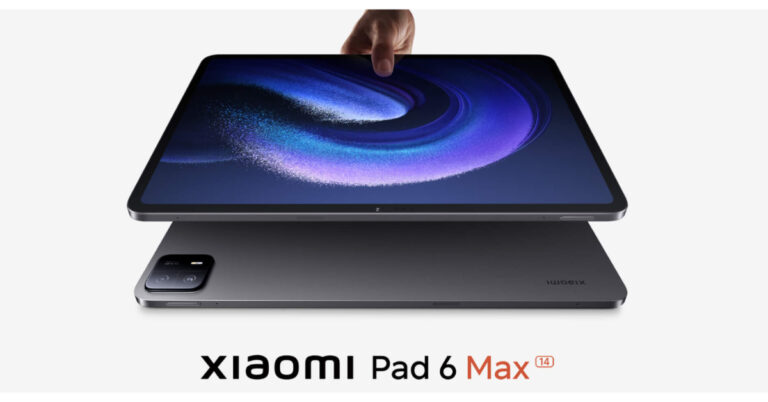
After launching Xiaomi Pad 6 in June this year, the Chinese tech firm is all set to launch another new tablet soon. This time it is going to introduce an upgraded variant of Pad 6. The company has officially announced that the Xiaomi Pad 6 Max will be introduced in China on August 14. It will feature a 14-inch display and a dual rear camera set-up. According to the official information the tablet will be offered in the colour Grey. The launch date of the Xiaomi Pad 6 Max was revealed on Weibo by the company’s president Lu Weibing. The Xiaomi China website has also previewed the device’s appearance and a handful of its main features. Note that the upcoming Tablet will debut alongside Xiaomi Mix Fold 3 and Xiaomi Band 8 Pro in China on August 14. Also Read: Poco M6 Pro 5G powered by 4nm Snapdragon 4 Gen SoC launched in India A dedicated event page has also been created that teases the key details and design of the tablet. As per the official website in China, Xiaomi Pad 6 Max will definitely have a 14-inch screen. Along with a dual-camera configuration on the back, it will also have an LED Flash. Xiaomi’s Logo can be seen on the back panel. The device is also confirmed to have 8 speakers. The official information is very scarce but the tablet was also discovered on the Geekbench website recently under the model number 2307BRPDCC. The upcoming Xiaomi tablet has been identified with a 3.19GHz octa-core processor with the codename Taro, which was disclosed in the listing to be a Snapdragon 8+ Gen 1 SoC. Also Read: OnePlus offers lifetime screen warranty and upgrades to users facing the ‘green line’ issue Xiaomi Pad 6 Max is said to have up to 12GB of RAM. In addition to this, it will be operated on MIUI 14 on top of Android 13. According to the Geekbench listing, the tab received 1752 points in the single-core test and 4618 points in the multi-core test. Xiaomi Pad 6 Max Tablet will debut alongside Xiaomi Mix Fold 3 and Xiaomi Band 8 Pro in China on August 14. On the other hand, Xiaomi Mix Fold 3 will also debut on August 14. It is going to be the company’s third foldable device and successor to Mix Fold 2. As per the teaser, the upcoming foldable phone will have a quad-camera system bearing the Leica branding. Additionally, it seems to have somewhat rounded corners. The Samsung Galaxy Z Fold 5, and Pixel Fold, among others, will be in direct competition with the Xiaomi Mix Fold 3. For the latest gadget and tech news, and gadget reviews, follow us on TwitterFacebook and Instagram. For newest tech & gadget videos subscribe to our YouTube Channel. You can also stay up to date using the Gadget Bridge Android App. You can find the latest car and bike news here.

BGMI redeem codes for 11 August 2023, claim and receive rewards and benefits

After being banned for nearly ten months, Battleground Mobile India, aka BGMI, is officially available again in India. BGMI fans are looking for ways to improve their game experience and one such method is the usage of redemption codes, which offers a variety of rewards and advantages using BGMI redeem codes players can gain access to new skins, outfits, loot crates, weapons and free UC and diamonds. As mentioned earlier, these codes give users the chance to earn unique rewards and gain extra benefits while playing the game. This includes GUN SKINS (M4, AKM, M416, AWM, M24, UZI, KAR98K), free character voucher, Andy, Carlo, Sara, Victor character for free, free Anna Character on completing the mission and UC or Royal Pass Discount. So here we have gathered a list of the most recent BGMI redeem codes as of 11 August 2023. Also, redeem these codes asap as these are only valid for a limited duration.

BGMI Redeem Codes for 11 August 2023

SD14G84FCC RNUZBZ9QQ TQIZBZ76F SD16Z66XHH ZADROT5QLHP TIFZBHZK4A DKJU9GTDSM GPHZDBTFZM24U KARZBZYTR S78FTU2XJ LEVKIN1QPCZ

How to get free Redeem Codes for BGMI on 11 August 2023?

  • Launch BGMI on your device.
  • Then select the Redeem Code option from the main menu.
  • Next, click on the Redeem code tab.
  • A new window will open, requesting the redemption code.
  • Now enter your BGMI code.
  • Confirm and click on the “Redeem” tab.
  • If your redeem code is valid then you will get a message confirming that your rewards were successfully redeemed.
(Note that these codes are case-sensitive, so be sure to type them correctly to prevent any errors.) For the latest gadget and tech news, and gadget reviews, follow us on TwitterFacebook and Instagram. For newest tech & gadget videos subscribe to our YouTube Channel. You can also stay up to date using the Gadget Bridge Android App. You can find the latest car and bike news here.

Garena Free Fire Redeem Codes Today 11 August 2023: Here is how to claim them

Garena Free Fire is a battle royale game with regular awards and tournaments to keep players interested. If you play Garena Free Fire, you should be aware of the redeem codes that are released on a daily basis. However, because the battle royale game is banned in India, players from other countries can use the Free Fire Redeem codes daily. If you’re unfamiliar with the Garena Free Fire redeem codes or don’t know how to get them, we’ve put together a step-by-step guide to help you redeem them. Check out Garena Free Fire Redeem Codes for 11 August 2023. The Free Fire redeem codes are a great way to get free stuff. These are 12-digit codes that contain alphabets and numbers, as well as an expiration date and time. Because the Garena FF redeem codes cannot be used more than once, you should hurry to the redemption page to claim your free reward before someone else does. To get a free reward, all you have to do is go to reward.ff.garena.com/en, which is the official redemption page. Also, keep an eye on this space for daily updates on Garena Free Fire redemption codes and rewards.

Garena Free Fire Redeem Codes Today 11 August 2023

FFCMCPSEN5MX XZJZE25WEFJJ MCPW2D2WKWF2 EYH2W3XK8UPG FFCMCPSGC9XZ UVX9PYZV54AC NPYFATT3HGSQ FFCMCPSUYUYS7E BR43FMAPYEZZ FFCMCPSJ99S3

How to Get Free Fire Redeem Codes for Garena on 11 August 2023?

  • Visit the Garena Free Fire game’s official website at reward.ff.garena.com.
  • Use your Facebook, Google, VK, Apple ID, Huawei ID, or Twitter account to log in.
  • You’ll be taken to a valid redemption code (s)
  • Copy and paste the 12-digit redemption code into the text box.
  • On the screen, a dialogue box will appear.
  • ‘Ok’ should be selected.
For the latest gadget and tech news, and gadget reviews, follow us on TwitterFacebook and Instagram. For newest tech & gadget videos subscribe to our YouTube Channel. You can also stay up to date using the Gadget Bridge Android App. You can find the latest car and bike news here.

OnePlus offers lifetime screen warranty and upgrades to users facing the ‘green line’ issue

0
OnePlus India has announced a free lifetime screen warranty for users facing the ‘green line’ issue on their devices. The reports of a mysterious green line surfacing on OnePlus smartphone displays have been floating around the Internet since last year. The cases became more frequent in the last few weeks, affecting newer OnePlus devices as well. Apart from a lifetime screen warranty, OnePlus is also offering special upgrade discounts to OnePlus 8 and 9 Series users affected by the green line issue. Read Also: Poco M6 Pro 5G first sale goes live in India: Pricing and availability details

OnePlus India: End of the (green) line?

As of now, the lifetime screen warranty and upgrade discounts are available to OnePlus users in India only. It remains to be seen whether the company will implement this policy in global markets as well. OnePlus has confirmed that the screen warranty applies to all affected devices and not just selected models. The upgrade discount, however, is only available for OnePlus 8 Pro, 8T, 9, and 9R. Screen replacements for smartphones nearing the end of their lifecycle may not be available at certain OnePlus service centres in India. In this scenario, affected users can upgrade their smartphone to a newer OnePlus model at a discounted price. The offer sheet, posted by user @docnok63 on Telegram, lists the discount value for selected OnePlus smartphones. The company is offering an additional Rs 4,500 voucher to users that choose to upgrade to the OnePlus 10R. The 10R is an India-exclusive smartphone that was launched in May 2022.
OnePlus India: End of the (green) line? oneplus green line screen replacement warranty
Image Credit: Android Authority / @docnok63
The image of the offer sheet posted on Telegram seems to be taken from a OnePlus service centre. OnePlus 8T, 9, 9R, and 8 Pro get upgrade discounts worth Rs 20,000, Rs 23,500, Rs 19,000, and Rs 25,500 respectively. All purchases must be made from the OnePlus website in order to avail the discount. Read Also: Top Headphones Over Rs 25,000 for Audiophiles OnePlus’ warranty announcement has been met with a warm reception from affected users in particular and tech enthusiasts in general. The ‘green line’ seems to be affecting smartphones from other major manufacturers as well, but OnePlus is the first to acknowledge the issue and provide a solution to its customers. For the latest gadget and tech news, and gadget reviews, follow us on Twitter, Facebook and Instagram. For newest tech & gadget videos subscribe to our YouTube Channel. You can also stay up to date using the Gadget Bridge Android App. You can find the latest car and bike news here.

WhatsApp rolls out new ‘screen sharing’ feature for video calls

0
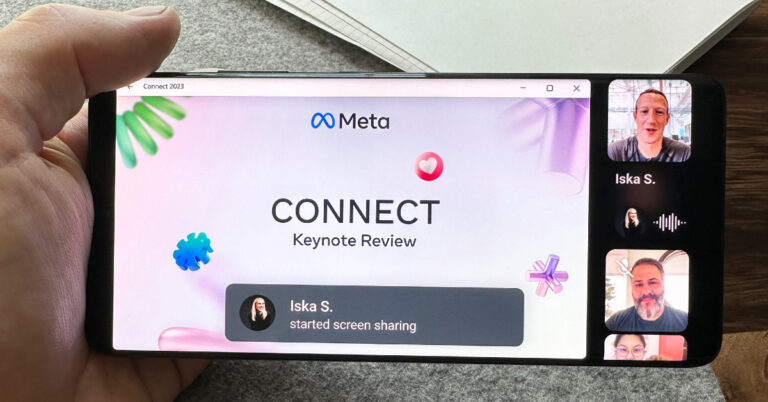
WhatsApp is bringing new changes to the video calling experience on its platform. After being in development since May, the ‘screen sharing’ feature is finally being rolled out for WhatsApp users across Android, iOS, and Windows platforms. The Meta-owned instant messenger has also introduced landscape mode for video calling, which allows participants to hold their phone horizontally while on video calls, bringing flexibility to the screen-sharing process. The announcement was made by Mark Zuckerberg in a Facebook post. Read Also: Top Headphones Over Rs 25,000 for Audiophiles

With the introduction of screen sharing, WhatsApp will rival the likes of Google Meet and Zoom

WhatsApp spotted testing screen sharing feature similar to Zoom and Google Meet for video calls The introduction of the screen sharing feature puts WhatsApp against the video communication heavyweights like Google Meet, Zoom, and Microsoft Teams. While WhatsApp has had video calling for six years, this feature will make it more conducive to hosting virtual meetings, online lectures, and group activities. To use this feature, users will need to update the app to its latest version. With the added ability to switch to landscape orientation on video calls, Windows users will find it easy to share their desktop screens. Other call participants will be able to view the feed by rotating their phone to landscape mode as well. The screen-sharing window will occupy the main panel while the video feed of the call participants will be arranged vertically on the right side of the call window. Read Also: Sony 4K HDR Professional Bravia Displays with Deep Black Non-Glare Coating launched in India Users can share their device’s screen by tapping the share icon on a video call. This icon is located in the bottom toolbar, next to the camera switch icon. Like regular video calls, your screen’s feed is end-to-end encrypted as well. WhatsApp has also introduced a ‘video message’ feature, which allows users to send short video messages within chats, like voice notes. To send a video message, simply tap the microphone icon for voice notes, then press and hold it to record a video message. For the latest gadget and tech news, and gadget reviews, follow us on Twitter, Facebook and Instagram. For newest tech & gadget videos subscribe to our YouTube Channel. You can also stay up to date using the Gadget Bridge Android App. You can find the latest car and bike news here.

How to Free Up System Storage on Your Mac

Running out of storage space on your Mac can be a bothersome issue, affecting its performance and usability. However, fret not! In this comprehensive guide, we will explore practical methods to effectively free up system storage on your Mac, ensuring optimal performance and a clutter-free experience.

Look into available storage space

The primary step is to check for available space and how much space has been used so far. To do this:
  1. Click on the Apple icon
  2. Then select About this Mac
3. Click the Storage tab and the system will automatically let you know how much space is in use and what it is being used for. For a Mac running macOS Ventura:
  1. Go to the System Settings
  2. Select the General tab. Then you can see how much space is available via the Storage section.

Clear cache and temporary files

After checking the available space, you can take the next step by clearing the cache and temporary files. These files accumulate over time, consuming valuable storage. To remove temporary files on Mac:
  1. Access Finder
  2. On the upper screen menu, press Go > Go to Folder

3. Then proceed to navigate to Caches and move unnecessary files and folders to Trash. 4. Empty Trash.

Uninstall unused applications

It is as simple as it sounds. Eliminate all applications you no longer use to create space and boost performance. Follow the steps below: 1. Сlick on Application in Finder
  1. Drag unwanted apps to the trash and empty the trash to increase available space.

Upload files to iCloud storage

Another safe option is to store more files in iCloud, regardless of your current OS. To synchronize your files with iCloud, follow these steps:
  1. Click Apple menu > System Settings. If your Mac is running on Monterey or earlier, choose Apple menu  > System Preferences.
  2. Click Apple ID, then click iCloud
  3. Turn on iCloud Drive
  4. Next to iCloud Drive, click Options
  5. Choose Desktop & Documents Folders
  6. Hit Done.

Delete large and old files

Identify and remove large files and folders that are rarely used.
  1. Use Finder’s search feature to locate files larger than a specific size
  2. Sort the results by size and review files you no longer need
  3. Transfer critical large files to an external drive.

Optimize storage

To optimize storage, follow the steps below:
  1. On the Apple menu, select About This Mac and then select Storage
  2. Finally, access the Manage option to enable Optimize Storage.

Cloud storage solutions

Utilize cloud storage services like iCloud, Dropbox, or Google Drive to store files offsite without losing accessibility. To do this, always save infrequently used files in the cloud and sync files on all other devices for easy access.

Empty trash regularly

Regularly empty your Trash to ensure files are permanently deleted.
  1. Click on Trash in the dock
  2. Select Empty Trash.

Remove language packs

Eliminate unnecessary language packs from applications to save space. By using a reliable cleaner program for Mac to manage language packs.

Conclusion

By following these efficient steps, you can effectively free up system storage on your Mac, optimizing its performance and providing a clutter-free computing experience. Implement regular maintenance and mindful file management to ensure your Mac remains responsive and efficient, allowing you to make the most of your beloved device! For the latest gadget and tech news, and gadget reviews, follow us on TwitterFacebook and Instagram. For the newest tech & gadget videos subscribe to our YouTube Channel. You can also stay up to date using the Gadget Bridge Android App. You can find the latest car and bike news here.

How to take long exposure shots on Android and iPhone?

0
Have ever seen pictures of moving car lights or words spelt out using a flashlight and wondered how the photographer managed to capture those images? The answer is the long exposure technique. The best part about this is that you don’t need a professional camera to take a long exposure shot. Your smartphone camera is well-equipped to produce such images. Want to know more? In this article, we show you how to take long exposure shots on an iPhone and Android smartphone. Read Also: How to View Blocked Accounts on Instagram?

Capture long exposure shots on your Android smartphone

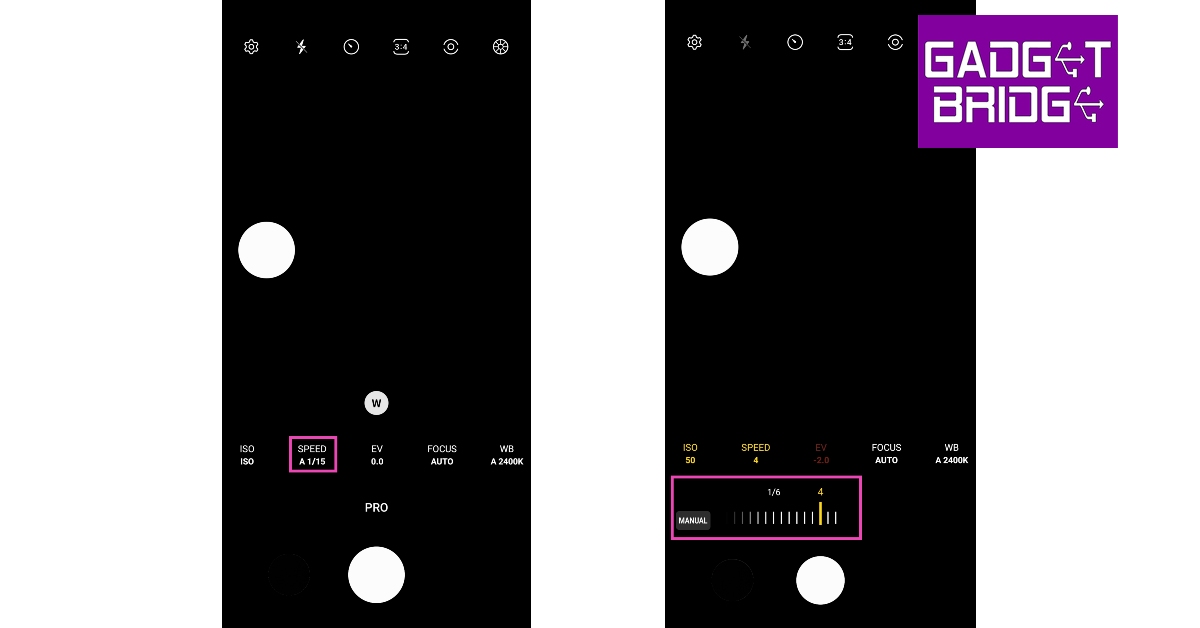
Step 1: Prop your smartphone up on a mount or a tripod stand. Step 2: Launch the Camera app and select More. Step 2: Launch the Camera app and select More. How to take long exposure shots on Android and iPhone? Step 3: Tap on Pro Mode. In some camera apps, this may be called Raw Mode. Step 3: Tap on Pro Mode. In some camera apps, this may be called Raw Mode. Step 4: Select the Shutter Speed option. The idea is to decrease the shutter speed so the sensor is exposed to light for a longer amount of time. Typically, the shutter speed varies between 1/15th to 1/30th of a second, depending upon the intensity of the surrounding light. To take a long exposure photograph, set the shutter speed between 4-10 seconds (or more if your camera app allows it). You may have to try out different shutter speeds before you settle on the one that suits the lighting conditions around you. How to take long exposure shots on Android and iPhone? Step 5: Next tap the ISO. Set it to a lower number. A high ISO setting runs the risk of overexposing your images. Select the Shutter Speed option. Step 6: Take the picture. It will take a few seconds to process. If you don’t like the result, change the shutter speed and ISO until you hit the right balance.

Capture long exposure shots on your iPhone

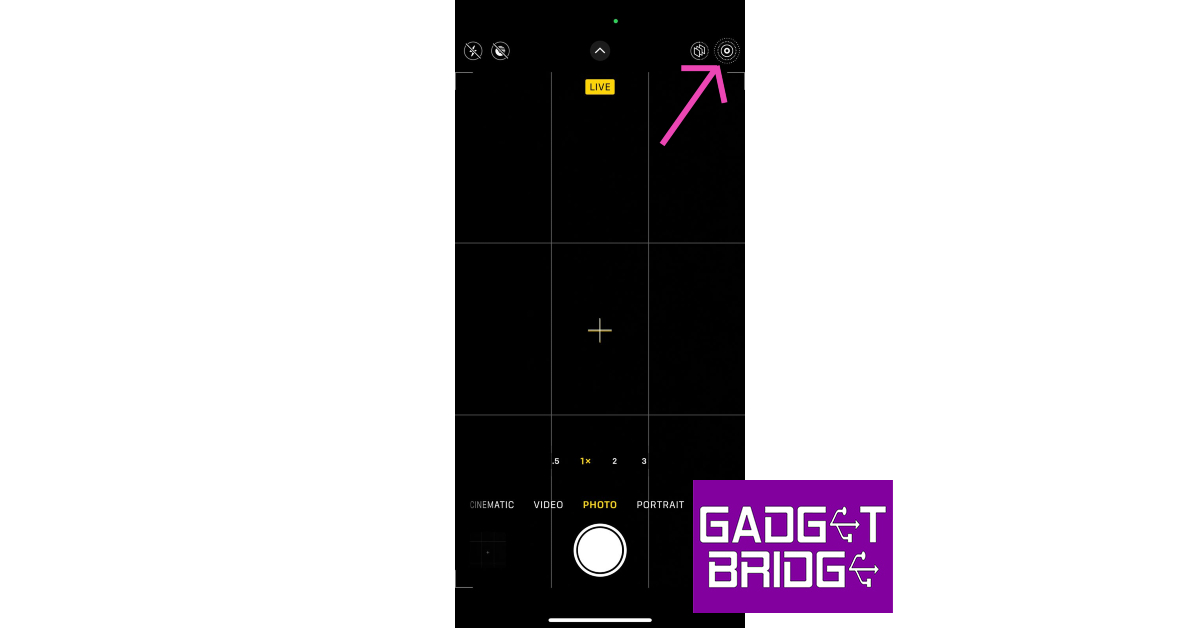
Step 1: Launch the Camera app on your iPhone. Step 2: Tap the Live Photo icon at the top right corner of the screen. Make sure it is enabled. Step 2: Tap the Live Photo icon at the top right corner of the screen. Make sure it is enabled. Step 3: Take a photo while keeping the camera steady. Step 4: Go to the Photos app on your iPhone. Step 5: Select the photo that you’ve just shot. Step 6: Tap the Live icon at the top left corner of the screen. Step 7: Select Long Exposure. Your iPhone will render a long-exposure version of the image you just took. Step 7: Select Long Exposure. Your iPhone will render a long-exposure version of the image you just took.

Frequently Asked Questions (FAQs)

How do I take a long exposure photo on my Android phone?

Launch the Camera app and go to Pro Mode. Set the Shutter Speed low (between 4-10) and lower the ISO as well. Mount your phone on a stand and click an image. Your phone will take a long exposure photo.

How do I take a long exposure photo on my iPhone?

To take a long exposure shot using your iPhone, enable the Live Photo mode on the Camera app and take a picture while holding the phone steady. Now, go to Photos, select the image, tap the Live icon, and select long exposure. Read Also: How to delete your Telegram account? 2 Quick Methods

Conclusion

This is how you can take long exposure shots from your iPhone and Android smartphone. You can use this technique to take a wide range of pictures. Be it images of smooth waterfalls or starry nights, the long exposure shot will always come in handy. At first, the process may seem a bit arduous but you are bound to improve by hit and trial. For the latest gadget and tech news, and gadget reviews, follow us on Twitter, Facebook and Instagram. For newest tech & gadget videos subscribe to our YouTube Channel. You can also stay up to date using the Gadget Bridge Android App. You can find the latest car and bike news here.

How to block YouTube Ads on Android TV forever?

There are fewer things more annoying than watching unskippable ads before playing a YouTube video. Over the years, Google has massively increased the volume of ads on YouTube. This has marred the viewing experience for a significant portion of users. Some users resort to using universal adblockers on their web browsers. However, these adblockers aren’t always available for other devices. In this article, we show you how to block YouTube Ads on your Android TV forever. Read Also: How to View Blocked Accounts on Instagram?

Use a third-party app (SmartTubeNext)

Use a third-party app (SmartTubeNext) Depending on your Smart TV’s platform (Fire TV, Xiaomi TV Stick, and other streaming boxes), it may have a certain specialised third-party app that gets rids of annoying ads from YouTube. SmartTubeNext is a universal Smart TV that works on most major platforms like Android TV/Google TV, NVIDIA Shield, Fire TV, Android-based TV boxes, and more. You can download this application from its GitHub page. Once downloaded, you will need to sideload this app on your TV. Read this article to find out how you can sideload an app on your Smart TV. Once the app has been installed on your TV, launch it and sign in using your Google Account. It has a slightly different interface than YouTube, but you will get a hang of it in no time. SmartTubeNext not only blocks the unskippable array of ads on YouTube videos but also skips past the ‘sponsored content’ section. To add to that, it can perform the same feat while watching videos in picture-in-picture mode.

Use YouTube Premium

YouTube Premium Subscription Plans in India 2022: Details, discounts and more block youtube ads android tv If you wanna go about blocking ads on YouTube in a legitimate manner, the only option you have is subscribing to YouTube Premium. At present, a monthly subscription to YouTube Premium costs Rs 129. If you are a new subscriber, you get a free trial period for the first six months. The added benefit of using YouTube Premium is that it blocks ads across all devices, be it your Android TV or Apple iPad. You can get the same adless experience on YouTube Music as well.

Frequently Asked Questions (FAQs)

How do I block YouTube Ads on my Smart TV for free?

Sideload the SmartTubeNext app on your Smart TV and sign in using your Google Account. The app will block ads on all YouTube videos as well as skip past the sponsored content section in videos.

How do I block YouTube Ads from my Smart TV without using third-party apps?

The most legitimate way of blocking ads from YouTube is by subscribing to YouTube Premium. Currently, a monthly subscription to YouTube Premium costs Rs 129.

How do I sideload an app to my TV?

To sideload an app to your TV, download its APK on your phone and send it to your TV using the Send Files to TV app. Read Also: Oppo A58 4G with 5,000mAh battery launched in India

Conclusion

This is how you can block YouTube Ads on your Android TV forever. Read this article to know more about the benefits that YouTube Premium has to offer. If you found this article helpful, let us know in the comments section! For the latest gadget and tech news, and gadget reviews, follow us on Twitter, Facebook and Instagram. For newest tech & gadget videos subscribe to our YouTube Channel. You can also stay up to date using the Gadget Bridge Android App. You can find the latest car and bike news here.

How To Change The Notification Sound in Gmail For Android?

If you have several instant messengers on your smartphone, they probably have the same alert sound for incoming messages. When multiple apps share the same notification tone, prioritising certain alerts becomes a challenging task. If you never want to miss an incoming email, it is recommended that you assign a special alert tone to all emails. In this article, we show you how to change the notification sound for the Gmail app on your Android smartphone. Read Also: How to View Blocked Accounts on Instagram?

Change the Gmail notification sound from the app

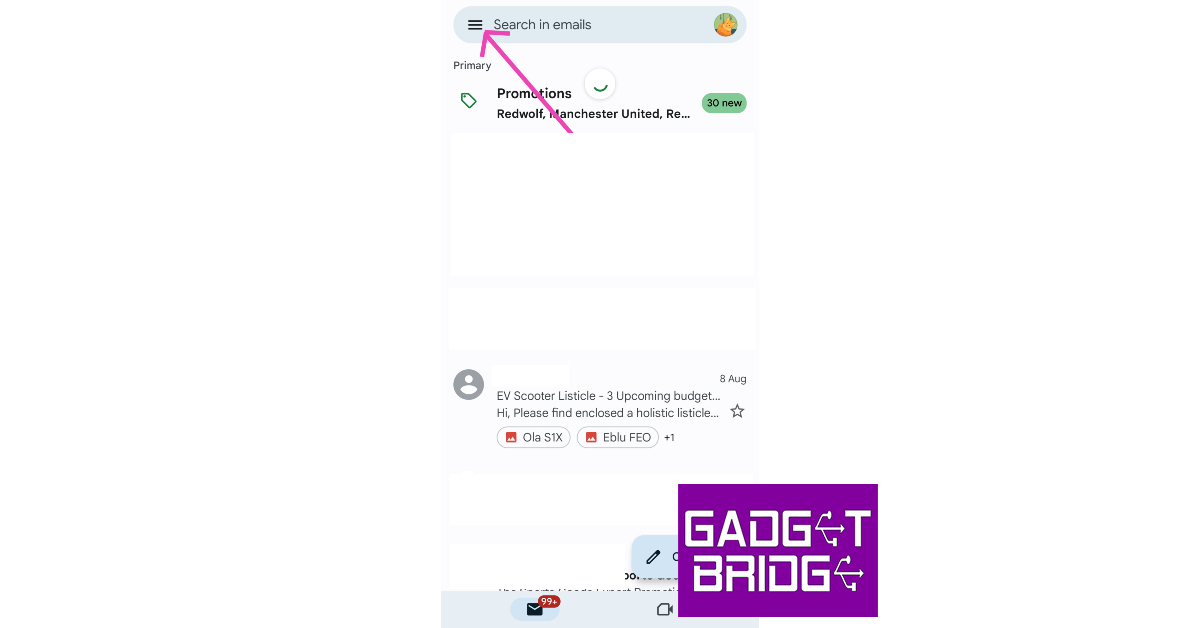
Step 1: Launch the Gmail app on your Android smartphone. Step 2: Tap the hamburger menu icon at the top right corner of the screen. Step 2: Tap the hamburger menu at the top right corner of the screen. Step 3: Scroll down and select Settings. Step 3: Scroll down and select Settings. Step 4: Select your Gmail account. Step 6: Select your Gmail account. Step 5: Under the Notifications category, tap on Manage Notifications. Step 7: Under the Notifications category, tap on Manage Notifications. Step 6: Tap on Sound. Step 8: Tap on Sound. Step 7: Select a Notification alert sound. Step 9: Select a Notification alert sound. Step 8: Hit Back. Step 9: Exit the app. The Gmail notification sound will be changed

Change the Gmail notification sound from the Android settings

Step 1: Unlock your Android smartphone and go to Settings. Step 2: Scroll down and select Apps. Step 2: Scroll down and select ‘Apps’. how to fix can't accept instagram collab invite. how to fix instagram direct messages not working Step 3: Select Gmail. Step 2: Select Gmail. change notification sound gmail android Step 4: Tap on Notifications. Step 4: Tap on Notifications. change notification sound gmail android Step 5: Select in-app notifications. Step 5: Select in-app notifications. change notification sound gmail android Step 6: Select your Gmail account. Step 6: Select your Gmail account. change notification sound gmail android Step 7: Under the Notifications category, tap on Manage Notifications. Step 7: Under the Notifications category, tap on Manage Notifications. change notification sound gmail android Step 8: Tap on Sound. Step 8: Tap on Sound. change notification sound gmail android Step 9: Select a Notification alert sound. Step 9: Select a Notification alert sound. change notification sound gmail android Step 10: Hit Back. Step 11: Exit the app.

Frequently Asked Questions (FAQs)

How do I change the notification sound for Gmail?

Launch the Gmail app and go to Menu>Settings>Gmail account>Manage Notifications>Sound and select an alert sound from the list.

How do I change the notification alert sound for Gmail from my phone’s settings?

Go to your phone’s settings and select Apps>Gmail>Notifications, this will redirect you to the Gmail app. Select your Gmail account, tap on Manage Notifications, and select Sound. You will be able to change the notification alert sound on the following page.

How do I mute Gmail notifications?

To mute Gmail notifications go to Settings>Apps>Gmail>Notifications and switch off the toggle bar. Read Also: How to delete your Telegram account? 2 Quick Methods

Conclusion

This is how you can change the Gmail notification sound on your Android smartphone. You can also mute all notifications for Gmail from the in-app and phone settings. Got a pesky Gmail notification that won’t go away? Read this article to find out how you can remove it from your phone. For the latest gadget and tech news, and gadget reviews, follow us on Twitter, Facebook and Instagram. For newest tech & gadget videos subscribe to our YouTube Channel. You can also stay up to date using the Gadget Bridge Android App. You can find the latest car and bike news here.

Poco M6 Pro 5G first sale goes live in India: Pricing and availability details

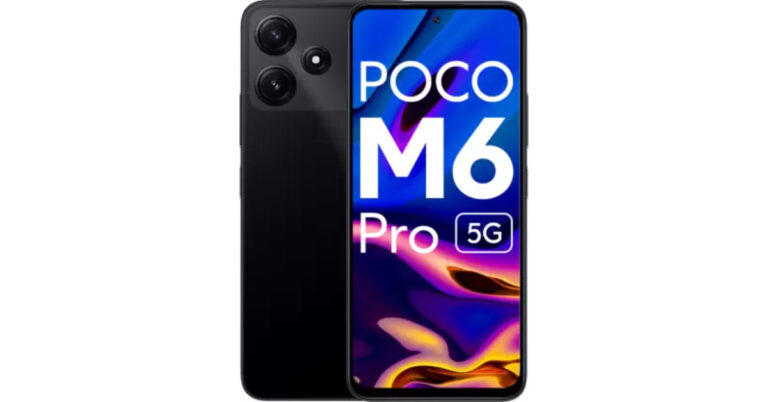
Poco M6 Pro 5G was launched in India last week. The device went on its first sale in India today. The smartphone is powered by a 4nm Snapdragon 4 Gen 2 5G Processor and features a 6.79-inch Dot Display with a 90Hz Adaptive Sync refresh rate. The 5G phone includes a dual rear camera unit and a 5,000mAh battery.

Poco M6 Pro 5G price in India and sale details

The Poco M6 Pro 5G’s first sale has gone live in India. The newly launched 5G smartphone comes in two different configurations of 4GB RAM with 64GB storage and 6GB RAM with 128GB internal storage options. The price of the 4GB RAM is set at Rs 10,999, while the 6GB RAM model is priced at Rs 12,999. The company is offering the phone in two colour options of Black and Green. The 5G Phone is currently selling on Flipkart in the country. There will be an ICICI bank discount of Rs 1,000 on the purchase of the device. Also Read: iPhone 13 now available for as low as Rs 21,499 on Flipkart: Details Inside

Poco M6 Pro 5G specifications, features

The Poco M6 Pro 5G features a 6.79-inch FHD+ display. The screen of the smartphone has a 90Hz Adaptive Sync refresh rate with 240Hz touch sampling rate and is SGS-Low Blue Light certified which ensures reduced blue light emissions for improved eye health and sleep quality and 10x Super Resolution Touch. The front panel is protected with Corning Gorilla Glass 3. The smartphone comes with a back design. In addition to this, the phone boasts an IP53 rating for splash and dust resistance. Also Read: Apple iPhone 12 now available for as low as Rs 12,700: Deets inside The Poco M6 Pro 5G will operate on MIUI 14 based on Android 13. The Poco phone has a MIUI Dialer and the company is promising 2 major Android updates and 3 years of security updates. The smartphone is powered by Qualcomm Snapdragon 4 Gen 2 processor clocked at up to 2.2GHz coupled up to 6GB LPDDR4X RAM and 128GB UFS 2.2 storage. The company has also provided a Turbo RAM feature that further enhances performance, effectively bridging the gap between different memory configurations. For photos and videos the Poco M6 Pro 5G sports a dual rear camera setup that includes a 50-megapixel AI sensor and a 2-megapixel depth sensor. Upfront there is an 8-megapixel camera for taking selfies and video calling. Poco M6 Pro 5G is fuelled by a 5,000mAh battery with 18W fast charging support. However, the phone comes with a 22.5W inbox charger in the package. For the latest gadget and tech news, and gadget reviews, follow us on TwitterFacebook and Instagram. For newest tech & gadget videos subscribe to our YouTube Channel. You can also stay up to date using the Gadget Bridge Android App. You can find the latest car and bike news here.

Top Headphones Over Rs 25,000 for Audiophiles

As TWS products have become the norm, the affordable headphone segment has grown by leaps and bounds. However, those drawn towards expansive soundstages may feel underwhelmed while using entry-level headphones. If your ears yearn for a high-end music listening experience, you may have to splurge a fair amount of money for the flagship products. In this article, we bring you our picks for the top headphones over Rs 25,000 for audiophiles.  Read Also: How to delete your Telegram account? 2 Quick Methods

Sony WH-1000XM5

Price: Rs 29,987 on Amazon Sony-WH-1000XM5-review Considered to be one of the best headphones on the market, Sony WH-1000XM5 delivers a thumping audio output with its 30mm driver unit in each earcup. We reviewed this pair of headphones earlier this year and really liked the audio tuning and mix of frequencies it had to offer. While certainly not a pair of neutral headphones, the WH-1000XM5 brings its own flair to the soundstage, accentuating the listening experience. Apart from a brilliant sound profile, the WH-1000XM5 also has some serious noise cancellation chops. It can provide 30 hours of continuous playback on a full battery, with 3 hours of playback readily available upon 3 minutes of charge. 

Apple AirPods Max

Price: Rs 59,900 on Apple.com Apple AirPods Max may be one of the pricier options out there, but if you don’t want to compromise on the audio performance, you should be all over this pair of headphones. With Apple’s H1 chip in each earcup, the AirPods Max is able to generate a supreme listening experience using computational audio. You also get to play with features like Spatial Audio, Always-on Siri, Announce Notifications, and On-Head Detection. The 20-hour battery life offered by the AirPods Max feels incredible when you experience the level of ANC these headphones are able to pull off.

Jabra Elite 85h

Price: Rs 89,680 on Amazon jabra headphones, Top Headphones Over Rs 25,000 for Audiophiles While talking about ultra-premium headphones, Jabra Elite 85h is one of the few names that spring to mind. These wireless pair of headphones offer a high-end sound profile that has been carefully designed for the comfort of the user. The highs, mids, and lows are all very well represented on the soundstage. The SmartSound Audio technology analyses your sound environment and creates personalised audio just for you. On a single charge, the Jabra Elite 85h can last up to 36 hours.

Sennheiser HD660S2

Price: Rs 34,990 on Sennheiser-hearing.com Sennheiser HD 660S2: Performance. Top Headphones Over Rs 25,000 for Audiophiles For those looking for a pair of neutral-sounding headphones, the Sennheiser HD660S2 would be a solid buy. Following the design language of its predecessor, HD660S, the HD660S2 flaunt an open back panel with a plastic mesh giving a peek inside the earcups. This design helps create a more open soundstage and maintains steady airflow. Audiophiles will enjoy the close-to-neutral soundstage that’s on offer here. While reviewing the HD660S2, we also enjoyed the slight Sennheiser signature added to the audio output. Initially launched at Rs 54,990, the HD660S2 are a steal at their current price of Rs 34,990.

Bose QuietComfort 35 II

Price: Rs 29,362 on Flipkart Bose QuietComfort 35 II. Top Headphones Over Rs 25,000 for Audiophiles Bose QuietComfort 35 II may just be the most well-rounded pair of headphones in its price segment. The dedicated control and buttons on the side of earcups are a great addition for those that do not like the pesky accidental touches on touch-sensitive outer panels. The dynamic driver is optimised to deliver a distortion-free sound at every volume level, no matter how high you go. The QuietComfort 35 II also has support for Amazon Alexa and Google Assistant. It offers up to 20 hours of battery life along with wired playback. A no-brainer pick for the top headphones over Rs 25,000 for audiophiles.

JBL Tour One

Price: Rs 25,000 on JBL.in   JBL Tour ONE M2 ANC headphones with 50 hours of playtime launched in India Top Headphones Over Rs 25,000 for Audiophiles Closing this list is one of the more premium products from the household brand, JBL. The Tour One headphones feature 40mm dynamic drivers and are hi-res certified, with up to 40KHz frequency support. They also feature ‘Adaptive’ Noise Cancellation, which allows you to have a conversation with people around you without switching off the ANC. JBL Tour One offers a battery life of 25 hours with ANC turned on. It can be extended to 50 hours when the headphones are used in Bluetooth mode only. Read Also: Oppo A58 4G with 5,000mAh battery launched in India

Conclusion

These are our picks for the best headphones over Rs 25,000 for audiophiles. If you’re not interested in Active Noise Cancellation, there are a plethora of wired headphones you can go for that do not cost an obnoxious amount of money. However, if you’re looking for a truly neutral soundstage, you will have to shell out some extra money. For the latest gadget and tech news, and gadget reviews, follow us on Twitter, Facebook and Instagram. For newest tech & gadget videos subscribe to our YouTube Channel. You can also stay up to date using the Gadget Bridge Android App. You can find the latest car and bike news here.

Sony 4K HDR Professional Bravia Displays with Deep Black Non-Glare Coating launched in India

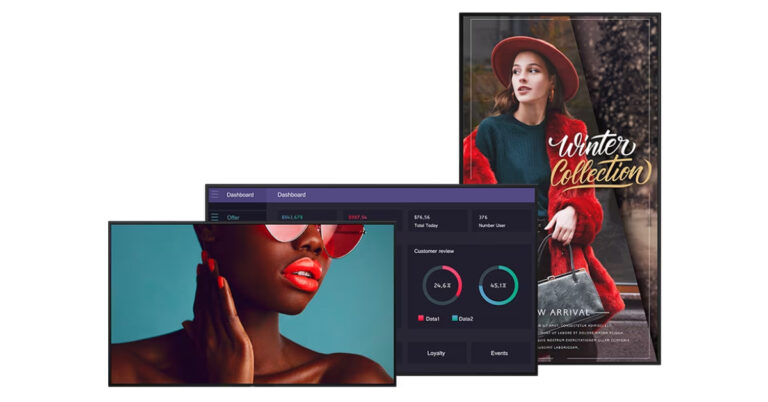
Sony has officially announced the launch of 4K HDR Professional Bravia Displays in India. The series includes a total of 13 new models in sizes from 43 inches to 85 inches. The display comes loaded with professional features and a deep black non-glare coating. The Sony displays are powered by a smart System on a Chip (SoC) platform. With the introduction of the BZ40L, BZ35L, and BZ30L series, Sony India is expanding its extensive offering with 13 professional BRAVIA 4K HDR displays in India. These displays are designed for business settings that are claimed to offer dependability, picture quality, and wide compatibility. Also Read: Apple iPhone 14 can now be purchased for just Rs 6,749: Find out how The display’s size ranges from 43 inches to 85 inches, and options cover high-end, mid-range, and standard needs. The BZ40L series, unlike competing displays on the market, has a cutting-edge panel treatment. The Deep Black Non-Glare Coating on the BZ40L maintains deep blacks and excellent contrast while providing high haze and low reflection. All 13 versions, according to the manufacturer, feature sustainability features, such as the use of SORPLAS recycled plastic, less printing on cartons to reduce waste, and an ECO Dashboard for better knowledge of power consumption based on setting configuration. One-step preset settings for simple configuration and customization, mirroring capabilities, Pro Mode technology for streamlining operations, a uniform bezel design, flexible installation for portrait and tilt mounting, support for multi-display installation to enable tiling, and a side logo for blend-in design purposes are additional features that are common. The new line-up of professional BRAVIA displays will also be compatible with Sony’s Alliance Partner Network, enabling even more integration and interoperability with recognised and up-and-coming solution providers for business, education, transportation, and retail applications. Also Read: iPhone 13 now available for as low as Rs 21,499 on Flipkart: Details Inside A high brightness, non-glare BZ40L series with X1 processing delivers 700 nits at a high 47% haze with anti-reflection, with the exception of the FW-85BZ40L, which achieves 650 nits at 58% haze without losing contrast. The lineup has a total of 5 models: FW-85BZ40L (85 inches), FW-75BZ40L (75 inches), FW-65BZ40L (65 inches) and FW-55BZ40L (55 inches). BZ35L series on the other hand has increased storage and 550 nits of robust brightness and an X1 Processor. It has three models: FW-75BZ35L (75 inches), FW-65BZ35L (65 inches) and FW-55BZ35L (55 inches). BZ30L series offers a full range of sizes, X1 processing and 440 nits of brightness. It has a total of six models: FW-85BZ30L (85 inches), FW-75BZ30L (75 inches), FW-65BZ30L (65 inches), FW-55BZ30L (55 inches), FW-50BZ30L (50 inches) and FW-43BZ30L (43 inches)

Sony 4K HDR Professional Bravia Displays price and availability

All 13 models under the BZ40L, BZ35L and BZ30L series of the Sony 4K HDR Professional Bravia Displays will be available for purchase starting August 25 in India via Sony authorized distributors. We have listed the pricing below:
Model Best Buy (in INR) Availability Date
FW-85BZ40L 700,000/- 25th August 2023 onwards
FW-75BZ40L  500,000/- 25th August 2023 onwards
FW-65BZ40L  300,000/- 25th August 2023 onwards
FW-55BZ40L  225,000/- 25th August 2023 onwards
FW-75BZ35L  450,000/- 25th August 2023 onwards
FW-65BZ35L  250,000/- 25th August 2023 onwards
FW-55BZ35L  200,000/- 25th August 2023 onwards
FW-85BZ30L  500,000/- 25th August 2023 onwards
FW-75BZ30L  350,000/- 25th August 2023 onwards
FW-65BZ30L  200,000/- 25th August 2023 onwards
FW-55BZ30L  150,000/- 25th August 2023 onwards
FW-50BZ30L  125,000/- 25th August 2023 onwards
FW-43BZ30L  100,000/- 25th August 2023 onwards

BGMI redeem codes for 9 August 2023, claim and receive rewards and benefits

After being banned for nearly ten months, Battleground Mobile India, aka BGMI, is officially available again in India. BGMI fans are looking for ways to improve their game experience and one such method is the usage of redemption codes, which offers a variety of rewards and advantages using BGMI redeem codes players can gain access to new skins, outfits, loot crates, weapons and free UC and diamonds. As mentioned earlier, these codes give users the chance to earn unique rewards and gain extra benefits while playing the game. This includes GUN SKINS (M4, AKM, M416, AWM, M24, UZI, KAR98K), free character voucher, Andy, Carlo, Sara, Victor character for free, free Anna Character on completing the mission and UC or Royal Pass Discount. So here we have gathered a list of the most recent BGMI redeem codes as of 9 August 2023. Also, redeem these codes asap as these are only valid for a limited duration.

BGMI Redeem Codes for 9 August 2023

RNUZBZ9QQ SD16Z66XHH R89FPLM9S GPHZDBTFZM24U KARZBZYTR SD14G84FCC UKUZBZGWF BMTCZBZMFS S78FTU2XJ PGHZDBTFZ95U

How to get free Redeem Codes for BGMI on 9 August 2023?

  • Launch BGMI on your device.
  • Then select the Redeem Code option from the main menu.
  • Next, click on the Redeem code tab.
  • A new window will open, requesting the redemption code.
  • Now enter your BGMI code.
  • Confirm and click on the “Redeem” tab.
  • If your redeem code is valid then you will get a message confirming that your rewards were successfully redeemed.
(Note that these codes are case-sensitive, so be sure to type them correctly to prevent any errors.) For the latest gadget and tech news, and gadget reviews, follow us on TwitterFacebook and Instagram. For newest tech & gadget videos subscribe to our YouTube Channel. You can also stay up to date using the Gadget Bridge Android App. You can find the latest car and bike news here.

Garena Free Fire Redeem Codes Today 9 August 2023: Here is how to claim them

Garena Free Fire is a battle royale game with regular awards and tournaments to keep players interested. If you play Garena Free Fire, you should be aware of the redeem codes that are released on a daily basis. However, because the battle royale game is banned in India, players from other countries can use the Free Fire Redeem codes daily. If you’re unfamiliar with the Garena Free Fire redeem codes or don’t know how to get them, we’ve put together a step-by-step guide to help you redeem them. Check out Garena Free Fire Redeem Codes for 9 August 2023. The Free Fire redeem codes are a great way to get free stuff. These are 12-digit codes that contain alphabets and numbers, as well as an expiration date and time. Because the Garena FF redeem codes cannot be used more than once, you should hurry to the redemption page to claim your free reward before someone else does. To get a free reward, all you have to do is go to reward.ff.garena.com/en, which is the official redemption page. Also, keep an eye on this space for daily updates on Garena Free Fire redemption codes and rewards.

Garena Free Fire Redeem Codes Today 9 August 2023

FFT6HYTF6YHNI8S FGNOQ5RDCV3B4N5 FMKHIBYGTBDNRT6 FY7UHLBUCYHDRMT FCFNHTYI8SYTEFB FTNJMGBIHFRTJNC FKIUYSDEGFTYFTY FFY65RDFGDRVGVB F6L7UIHUBJVXSER F3V4NRM5TLOIGUJ FMSE84RY5HUYUJY FFTYHJTG6YHH7JT F56YLBOI8YY5TE2 F34TLG9BIKRI7JH FN8UILJOBUYS5RF

How to Get Free Fire Redeem Codes for Garena on 9 August 2023?

  • Visit the Garena Free Fire game’s official website at reward.ff.garena.com.
  • Use your Facebook, Google, VK, Apple ID, Huawei ID, or Twitter account to log in.
  • You’ll be taken to a valid redemption code (s)
  • Copy and paste the 12-digit redemption code into the text box.
  • On the screen, a dialogue box will appear.
  • ‘Ok’ should be selected.
For the latest gadget and tech news, and gadget reviews, follow us on TwitterFacebook and Instagram. For newest tech & gadget videos subscribe to our YouTube Channel. You can also stay up to date using the Gadget Bridge Android App. You can find the latest car and bike news here.

How to View Blocked Accounts on Instagram?

If you have been on Instagram for years, you probably have a sizeable blocklist on the platform. As good as Instagram is, it is full of pesky bot accounts that make ‘Gramming less fun. Luckily, the block option is handy and very accessible. If you want to see the list of all the accounts you have blocked, you don’t need to stray too far. Here’s how you can quickly view all the accounts you have blocked on Instagram. Read Also: Apple iPhone 14 can now be purchased for just Rs 6,749: Find out how

View Blocked Accounts on Instagram

Step 1: Launch the Instagram app on your smartphone. Step 2: Tap the profile icon at the bottom right corner of the screen. Step 1: Launch the Instagram app and tap the profile icon at the bottom right corner of the screen. Step 3: Tap the hamburger menu at the top right corner of the screen. Step 2: Now, tap the hamburger menu at the top right corner of the screen. How to join Threads without linking your Instagram account? Step 4: Select Settings and Privacy. Step 4: Select Settings and Privacy. Step 5: Scroll down and select Blocked. Step 5: Scroll down and select Blocked. Step 6: This is where can view the accounts you have blocked on Instagram. To add an account to the blocklist, hit the plus icon at the top right corner of the screen. This is where can view the accounts you have blocked on Instagram.

Frequently Asked Questions (FAQs)

How do I view my block list on Instagram?

Go to Profile>Menu>Settings and Privacy>Blocked to view the accounts you have blocked on Instagram.

How do I know if someone blocked me on Instagram?

The only way to find out if someone blocked you on Instagram is by visiting their profile. If you can’t see their profile picture, follower and following count, bio, and any of their posts, it means they have blocked you.

How do I block someone on Instagram?

To block someone on Instagram, go to their profile, hit the ellipses and select Block. You can also visit your blocklist and directly add an account by tapping the plus icon. Read Also: Samsung Galaxy F34 5G with 6,000mAh battery launched in India

Conclusion

This is how you can view blocked accounts on Instagram. To unblock an account, simply hit the Unblock button next to it in the block list. You can also unblock someone by visiting their profile and tapping the Unblock option. Think blocking an account is a bit too extreme? You can always restrict their account instead. For the latest gadget and tech news, and gadget reviews, follow us on Twitter, Facebook and Instagram. For newest tech & gadget videos subscribe to our YouTube Channel. You can also stay up to date using the Gadget Bridge Android App. You can find the latest car and bike news here.

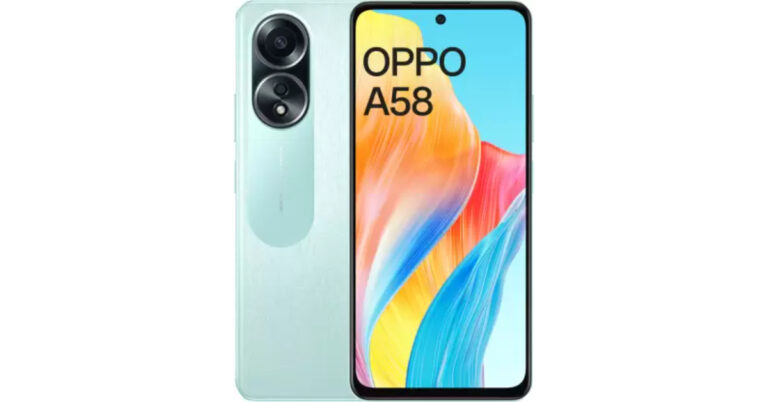
Oppo A58 4G with 5,000mAh battery launched in India

Oppo today officially announced the launch of a new smartphone in India. The company has introduced Oppo A58 which is a 4G model. The 5G model of the smartphone is already available. It comes with an FHD display with a refresh rate of 90Hz. In addition to this, the phone is powered by Mediatek G85 SoC. It runs on ColorOS 13.1 and features a dual rear camera setup. The newly launched phone also comes equipped with a 5,000mAh battery and supports 33W wired SuperVOOC fast charging.

Oppo A58 4G price in India and sale details

Oppo A58 4G price in India has been set at Rs 14,999 for the single 6GB RAM with 128GB storage option. The device will be available in two colour options of Green and Black. The phone is currently selling on Flipkart. Oppo A58 4G price in India and sale details On the purchase of the phone, the company is offering no-cost EMI options starting at Rs 5,000. There will be additional bank offers from ICICI, HDFC, and Kotak Bank.

Oppo A58 4G specifications

Oppo A58 4G comes with a 6.72-inch full-HD+ display having 2400 x 1080 pixels of resolution. The screen supports a refresh rate of 90Hz. The newly launched 4G smartphone runs on ColorOS 13.1 based on top of Android 13 out of the box. Under the hood, the device runs on MediaTek Helio G85 SoC coupled with Mali G52 MC2 GPU. It is available in a single 6GB RAM with 128Gb storage option. For taking photos and videos the Oppo A58 4G features a dual rear camera setup with an LED flash. The camera unit includes a 50-megapixel primary sensor and a 2-megapixel sensor. For selfies and video calling the smartphone has an 8-megapixel front camera sensor. Oppo A58 4G includes 4G, Bluetooth v5.3, GPS, NFC, a 3.5mm audio jack and a USB Type-C port for charging. The handset includes a 5,000mAh battery with 33W wired SuperVOOC fast charging support. In addition to this, there is a side-mounted fingerprint sensor for authentication. For the latest gadget and tech news, and gadget reviews, follow us on TwitterFacebook and Instagram. For newest tech & gadget videos subscribe to our YouTube Channel. You can also stay up to date using the Gadget Bridge Android App. You can find the latest car and bike news here.

How to connect two or more Amazon Echo speakers?

One of the cooler things you can do with multiple Amazon Echo speakers is link them together. Not only will this create a better audio output for music, but it will also allow you to set up different speakers in separate rooms and never miss a beat when you’re walking around in your house. In this article, we show you how to connect two or more Amazon Echo speakers. Read Also: iPhone 15 Standard models likely to get Stacked CIS camera upgrade

Connect two or more Amazon Echo speakers together

Step 1: Launch the Amazon Alexa app on your smartphone. Step 2: Switch to the Devices tab. Step 2: Switch to the Devices tab. Step 3: Tap the Plus icon at the top right corner of the screen. Step 3: Tap the Plus icon at the top right corner of the screen. Step 4: Select Combine Speakers. How to connect two or more Amazon Echo speakers? Step 5: Select Stereo Pair/Subwoofer. Step 4: Select Combine Speakers. How to connect two or more Amazon Echo speakers? Step 6: Select the speakers you want to link together. Tap Next. Step 5: Select Stereo Pair/Subwoofer. How to connect two or more Amazon Echo speakers? Step 7: Make sure that the speakers are set to the correct channels. Hit Next. Step 8: Name the pairing. Hit Done. The two Echo speakers will be paired together.

Frequently Asked Questions (FAQs)

How do I pair two Amazon Echo speakers together?

Go to the Amazon Alexa app and select Devices>Plus Sign>Combine Speakers>Stereo Pair/Subwoofer and follow the onscreen instructions.

Why can’t I pair my two Amazon Echo speakers together?

If you can’t pair your Amazon Echo speakers together, make sure they belong to the same generation of Echo products and are connected to the same WiFi network.

Can I pair two Echo devices in different rooms?

Yes, two Echo devices in different rooms can be paired together. This allows you to keep listening to music when you walk into a different room. Read Also: Poco M6 Pro 5G powered by 4nm Snapdragon 4 Gen SoC launched in India

Conclusion

This is how you can connect two Amazon Echo speakers. Apart from settings up a stereo pair, you can also choose to create a group of speakers for different areas in your house. If you want to play music in a certain room of your house, you can simply ask Alexa to play music from that particular group of speakers. For the latest gadget and tech news, and gadget reviews, follow us on Twitter, Facebook and Instagram. For newest tech & gadget videos subscribe to our YouTube Channel. You can also stay up to date using the Gadget Bridge Android App. You can find the latest car and bike news here.

Best Smartphones with Snapdragon 8 Gen 2 SoC

If we’re talking about the absolute best smartphones in terms of performance, there’s one thing they all share in common – Snapdragon’s flagship chipset. This year’s Snapdragon 8 Gen 2 SoC improves upon the highly impressive S8+ Gen 1 that was launched in the latter half of 2022. The processor is one of the key elements that separate a flagship device from the rest, and the Snapdragon 8 Gen 2 is unmatched when it comes to benchmark numbers as well as task management. Let’s take a look at the best smartphones you can buy right now that come with Snapdragon 8 Gen 2 SoC inside. Read Also: LG 27GR95QE and 45GR95QE UltraGear OLED gaming monitors launched in India

Samsung Galaxy S23 Ultra

Key Specs
Display 6.8-inch Dynamic AMOLED
Chipset Snapdragon 8 Gen 2
RAM 8GB, 12GB
Storage 256GB, 512GB, 1TB
Battery 5,000 mAh
Samsung Galaxy S23 Ultra Review: A true flagship Samsung Galaxy S23 Ultra (read our review here) is one of the best smartphones to come out this year. We reviewed this smartphone back in February and were thoroughly impressed by its performance across the board. The Snapdragon 8 Gen 2 SoC under the hood of the S23 Ultra is specially customised for the smartphone and registers a higher CPU clock speed than its regular avatar. The difference can be seen in gaming and camera performance. Samsung’s epic flagship is also better at handling CPU workloads and machine learning tasks compared to other smartphones powered by the same processor.

Samsung Galaxy Z Fold5

Key Specs
Display 7.6-inch Dynamic AMOLED, 6.2-inch Dynamic AMOLED
Chipset Snapdragon 8 Gen 2
RAM 12GB
Storage 256GB, 512GB, 1TB
Battery 4,400 mAh
Samsung Galaxy Z Fold 5 price in India and availability The recently launched Samsung Galaxy Z Fold5 carries the same customised Snapdragon 8 Gen 2 SoC that is found in the Galaxy S Series smartphones. Samsung’s range of foldable devices is ahead of the curve largely due to the tremendous processing powering them. While there are cheaper folding smartphones on the market, none of them match the numbers that the Fold5 produces. Despite its incredible performance, the star of the show is the One UI OS. Samsung’s clever software tricks get the most out of the screen real estate that is on offer. While it may cost a small fortune, the Fold5 retains its position as the leader of the (foldable) pack.

Xiaomi 13 Pro

Key Specs
Display 6.73-inch LTPO AMOLED
Chipset Snapdragon 8 Gen 2
RAM 8GB, 12GB
Storage 128GB, 256GB, 512GB
Battery 4,820 mAh
Best Smartphones with Snapdragon 8 Gen 2 SoC Xiaomi has been putting out some decent premium smartphones for the last couple of years, but its most recent flagship makes the statement that it is here to hang with the best of the best. Xiaomi 13 Pro packs the Snapdragon 8 Gen 2 SoC and features a stunning 6.73-inch LTPO AMOLED display. The camera array at the back is comprised of three 50MP wide, ultrawide, and telephoto sensors. The star of the show is the 1-inch primary sensor that produces immaculate results in every lighting condition. Read our full review here.

OnePlus 11

Key Specs
Display 6.7-inch LTPO3 Fluid AMOLED
Chipset Snapdragon 8 Gen 2
RAM 8GB, 12GB, 16GB
Storage 128GB, 256GB, 512GB
Battery 5,000 mAh
OnePlus 11 review: Design and Display. Best Smartphones with Snapdragon 8 Gen 2 SoC After releasing a series of mild smartphones last year, OnePlus came back strong in 2023 to reclaim its title of being the enthusiasts’ favourite brand. The flagship OnePlus 11 gets the Snapdragon 8 Gen 2 SoC and is one of the few smartphones available with a 16GB RAM variant. It also gets a 6.7-inch LTPO3 Fluid AMOLED display with 120Hz refresh rate and HDR10+ support. OnePlus 11 is also one of the fastest charging phones around, with support for 100W wired charging. Interestingly, it misses out on wireless charging. 

iQOO 11

Key Specs
Display 6.78-inch LTPO4 AMOLED
Chipset Snapdragon 8 Gen 2
RAM 8GB, 12GB, 16GB
Storage 128GB, 256GB, 512GB
Battery 5,000 mAh
iQOO 11 performance. Best Smartphones with Snapdragon 8 Gen 2 SoC Ending this list is the highly underrated iQOO 11. This flagship device from Vivo’s sister company offers incredible value for money. Equipped with the Snapdragon 8 Gen 2 SoC, it does not make any compromises when it comes to the processor. The 6.78-inch LTPO4 AMOLED display on the iQOO 11 has a refresh rate of 144Hz and offers HDR10+ support. The rear camera array on this device consists of a 50MP primary sensor, a 13MP telephoto lens, and an 8MP ultrawide camera. Up front, the camera gets a 16MP selfie camera housed in a punch-hole cutout. Read our review here. Read Also: iPhone 13 now available for as low as Rs 21,499 on Flipkart: Details Inside

Conclusion

These are the best smartphones powered by the Snapdragon 8 Gen 2 SoC. As the year progresses, we may see a few other smartphones carrying this processor. OnePlus is rumoured to announce its debut foldable soon. Dubbed OnePlus ‘Open’, the smartphone is expected to be powered by the Snapdragon 8 Gen 2 SoC. Which device do you fancy out of this list? Let us know in the comments! For the latest gadget and tech news, and gadget reviews, follow us on Twitter, Facebook and Instagram. For newest tech & gadget videos subscribe to our YouTube Channel. You can also stay up to date using the Gadget Bridge Android App. You can find the latest car and bike news here.