

In This Article
Poco F5 5G now available for purchase, goes on its first sale in India

Poco F5 5G was launched in India last week. The device went on its first sale in India today. The device is powered by Snapdragon 7+ Gen 2. The new 5G smartphone features an AMOLED display with a 120Hz refresh rate. Moreover, the device includes a 5,000mAh battery with 67W fast charging support.
How To Avoid Speed Cameras Traffic Challan in India? Best 4 ways

In order to increase road safety, the Govt. of India is ramping up the number of speed cameras on roads across the nation. While you should maintain the speed limit at all times, it is not uncommon to break the permissible speed limit without realising it, especially if you’re driving on a highway. Luckily, there are some things you can do to keep your vehicle’s speed in check. Today, we bring you the top 4 ways to avoid speed camera traffic challan in India.
Read Also: 5 Best premium smartphones to buy in India in 2023
 RadarBot is a very handy app, especially if you plan on driving on highways for an extended period of time. With speed cameras everywhere, you never know when your vehicle is being monitored. RadarBot notifies you every time there is a speed camera in your vicinity. While it is not faultless, the app works fine most of the time. It alerts you every time you break the permissible speed limit and produces a sound when there’s a camera nearby. For bike riders, the app offers vibrational alerts, which means you don’t have to pull your phone out of your pocket or mount it on your bike’s console.
Most cars come with a ‘cruise control’ mode which limits your speed to a certain number and does not go beyond that. Ideally meant for highway driving, cruise control lets you take your foot off the accelerator, which means you won’t accidentally over speed on extended empty patches of the highway. It doesn’t take a long time to familiarise yourself to cruise control, and it comes in very handy in the long run.
The speed limit depends on the kind of road and the region you are in. Luckily, every major road has a speed limit sign board that lets you know the permissible speed for driving. It is also a good idea to keep yourself updated about the different road signs and what they mean. The speed limit sign is something that every driver recognises. Some roads also have a digital sign board that scans your vehicle‘s speed and displays an estimated velocity. Keep an eye out for these signs and make sure you adjust the speed of your vehicle accordingly.
Like RadarBot, Speed Camera Radar is another great app to get notified about any speed cameras while you’re diving. Apart from alerting you of any static, ambush, or traffic light cameras in your vicinity, this app also notifies you about any road hazards. Once you install the app on your device, make sure you update the database routinely so you don’t miss out on any camera.
Read Also: 6 Easy Ways to Block YouTube Channel From Recommendations
RadarBot is a very handy app, especially if you plan on driving on highways for an extended period of time. With speed cameras everywhere, you never know when your vehicle is being monitored. RadarBot notifies you every time there is a speed camera in your vicinity. While it is not faultless, the app works fine most of the time. It alerts you every time you break the permissible speed limit and produces a sound when there’s a camera nearby. For bike riders, the app offers vibrational alerts, which means you don’t have to pull your phone out of your pocket or mount it on your bike’s console.
Most cars come with a ‘cruise control’ mode which limits your speed to a certain number and does not go beyond that. Ideally meant for highway driving, cruise control lets you take your foot off the accelerator, which means you won’t accidentally over speed on extended empty patches of the highway. It doesn’t take a long time to familiarise yourself to cruise control, and it comes in very handy in the long run.
The speed limit depends on the kind of road and the region you are in. Luckily, every major road has a speed limit sign board that lets you know the permissible speed for driving. It is also a good idea to keep yourself updated about the different road signs and what they mean. The speed limit sign is something that every driver recognises. Some roads also have a digital sign board that scans your vehicle‘s speed and displays an estimated velocity. Keep an eye out for these signs and make sure you adjust the speed of your vehicle accordingly.
Like RadarBot, Speed Camera Radar is another great app to get notified about any speed cameras while you’re diving. Apart from alerting you of any static, ambush, or traffic light cameras in your vicinity, this app also notifies you about any road hazards. Once you install the app on your device, make sure you update the database routinely so you don’t miss out on any camera.
Read Also: 6 Easy Ways to Block YouTube Channel From Recommendations
In This Article
Use RadarBot
 RadarBot is a very handy app, especially if you plan on driving on highways for an extended period of time. With speed cameras everywhere, you never know when your vehicle is being monitored. RadarBot notifies you every time there is a speed camera in your vicinity. While it is not faultless, the app works fine most of the time. It alerts you every time you break the permissible speed limit and produces a sound when there’s a camera nearby. For bike riders, the app offers vibrational alerts, which means you don’t have to pull your phone out of your pocket or mount it on your bike’s console.
Use Cruise Control
 Most cars come with a ‘cruise control’ mode which limits your speed to a certain number and does not go beyond that. Ideally meant for highway driving, cruise control lets you take your foot off the accelerator, which means you won’t accidentally over speed on extended empty patches of the highway. It doesn’t take a long time to familiarise yourself to cruise control, and it comes in very handy in the long run.
Watch out for signboards
 The speed limit depends on the kind of road and the region you are in. Luckily, every major road has a speed limit sign board that lets you know the permissible speed for driving. It is also a good idea to keep yourself updated about the different road signs and what they mean. The speed limit sign is something that every driver recognises. Some roads also have a digital sign board that scans your vehicle‘s speed and displays an estimated velocity. Keep an eye out for these signs and make sure you adjust the speed of your vehicle accordingly.
Use Speed Camera Radar
 Like RadarBot, Speed Camera Radar is another great app to get notified about any speed cameras while you’re diving. Apart from alerting you of any static, ambush, or traffic light cameras in your vicinity, this app also notifies you about any road hazards. Once you install the app on your device, make sure you update the database routinely so you don’t miss out on any camera.
Read Also: 6 Easy Ways to Block YouTube Channel From Recommendations
Like RadarBot, Speed Camera Radar is another great app to get notified about any speed cameras while you’re diving. Apart from alerting you of any static, ambush, or traffic light cameras in your vicinity, this app also notifies you about any road hazards. Once you install the app on your device, make sure you update the database routinely so you don’t miss out on any camera.
Read Also: 6 Easy Ways to Block YouTube Channel From Recommendations
Conclusion
These are the best ways to avoid a speed camera traffic challan in India. Always make sure that you have the appropriate documentation on you. This includes your driving license, vehicle registration, vehicle insurance, and the PUC. If you get pulled over for speeding or even a routine check, not having any one of the documents can lead to a more expensive challan. For the latest gadget and tech news, and gadget reviews, follow us on Twitter, Facebook and Instagram. For newest tech & gadget videos subscribe to our YouTube Channel. You can also stay up to date using the Gadget Bridge Android App. You can find the latest car and bike news here.Lava Agni 2 with 3D Dual Curved AMOLED display launched in India
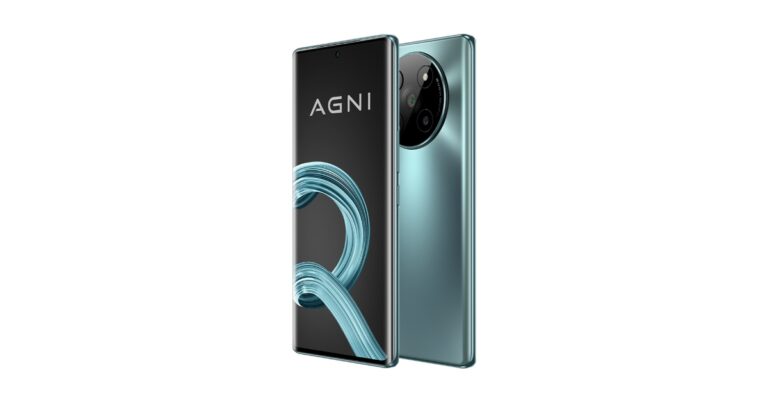
Lava Agni 2 has officially debuted in the Indian market today. The smartphone is the successor of Lava Agni 5G which was launched in November 2021. The device is powered by octa-core MediaTek Dimensity 7050 5G SoC. In addition to this, the device features a curved AMOLED display and a quad camera set-up.

In This Article
Lava Agni 2 price in India and sale details
Lava Agni 2 has been launched in India with a price tag of Rs 21,999. It comes with an eye-catching Viridian colour glass back. The company will be offering Rs 2000 on all major credit & debit cards making the effective starting price only Rs 19,999. The phone will be exclusively available via Amazon in the country from May 24 at 10 AM onwards.
Lava Agni 2 specifications
Lava Agni 2 features a 6.78-inch full-HD+ curved AMOLED display with 2220×1080 pixels of resolution. The 3D dual curved design display has support for a 120Hz refresh rate. The display comes with 1.07 billion colour depth, which is truly a segment differentiator and supports HDR, HDR 10 and HDR 10+ and Widevine L1. It brings a Premium 3D Glass Back Design with Matte Finish with double reinforced glass protection. It has a super thin (2.3mm) bottom bezel and a screen-to-body ratio of 93.65%. Under the hood, there is an octa-core MediaTek Dimensity 7050 SoC with 8GB RAM and 256GB storage, along with 8GB RAM, which is extendable up to 16GB RAM virtually. The device runs on Android 13 a no bloatware, no ads, and no unwanted notifications, along with a promised upgrade to Android 14 and 15 and assured quarterly security updates for 3 years. Also Read: Poco F5 5G powered by Snapdragon 7+ Gen 2 SoC launched in India Agni 2 also includes the latest 3rd Gen 2900mm Vapour Chamber cooling technology ensuring that intense gaming does not heat up the phone. In addition, X-Axis Linear Motor Haptics enhance the gaming and typing experience. Lava Agni 2 comes with a quad rear camera setup that includes a 50-megapixel 1.0-micron camera sensor. In addition to this Agni 2 packs a 4,700mAh battery with a 66W wired fast charging adapter. According to the company, it can charge 50 percent of the battery in less than 16 minutes. “Agni 2 5G, the Indian Fire Power represents the epitome of Indian engineering in the smartphone industry. It is developed keeping in mind all the aspirations of Indian customers in the Rs 20K price segment. Our aim is to make Agni a product that shows the technological prowess of India on the global stage. Its truly world-class attributes will change what you think about Indian smartphones,” said Sunil Raina, President & Business Head, Lava International. For the latest gadget and tech news, and gadget reviews, follow us on Twitter, Facebook and Instagram. For newest tech & gadget videos subscribe to our YouTube Channel. You can also stay up to date using the Gadget Bridge Android App. You can find the latest car and bike news here.Fire-Boltt Shark with 120+ sports modes and BT calling launched in India
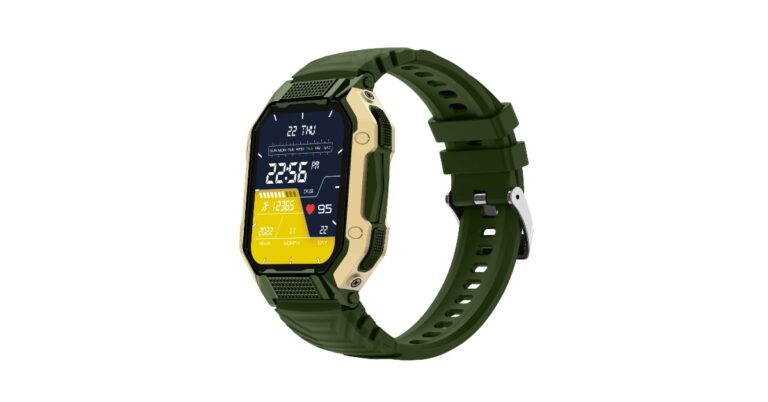
Indian smart wearable brand Fire-Boltt has officially announced the launch of its all-new Sporty and Rugged smartwatch – ‘Shark’. The wearable is part of the company’s outdoor series which is ideal for adventurers as it can bear the harshest environments because of its robustness. The device offers more than 120 sports modes and includes other health monitoring sensors like SpO2, sleep and heart rate.
 The device offers 120+ sports modes and includes continuous heart rate monitoring, female health care, sleep monitoring, and SpO2 monitoring. It has a variety of sensors, such as a blood oxygen level monitor, heart rate monitor, and pedometer, which enables users to properly track their fitness and health data. The smartwatch comes with voice assistance and built-in games and app support. The Fire-Boltt Shark is also capable to show periodic health reminders, sedentary reminders, remote camera control, weather forecast, alarm clock, timer, and stopwatch.
There is an in-built mic and speaker to support Bluetooth calling which comes with HIFI audio quality. With the availability of a quick dial pad on the watch, the users can make, reject or accept calls on the go.
As per the company, the watch can last up to 25 days in standby mode and 8 days in classic mode.
For the latest gadget and tech news, and gadget reviews, follow us on Twitter, Facebook and Instagram. For newest tech & gadget videos subscribe to our YouTube Channel. You can also stay up to date using the Gadget Bridge Android App. You can find the latest car and bike news here.
The device offers 120+ sports modes and includes continuous heart rate monitoring, female health care, sleep monitoring, and SpO2 monitoring. It has a variety of sensors, such as a blood oxygen level monitor, heart rate monitor, and pedometer, which enables users to properly track their fitness and health data. The smartwatch comes with voice assistance and built-in games and app support. The Fire-Boltt Shark is also capable to show periodic health reminders, sedentary reminders, remote camera control, weather forecast, alarm clock, timer, and stopwatch.
There is an in-built mic and speaker to support Bluetooth calling which comes with HIFI audio quality. With the availability of a quick dial pad on the watch, the users can make, reject or accept calls on the go.
As per the company, the watch can last up to 25 days in standby mode and 8 days in classic mode.
For the latest gadget and tech news, and gadget reviews, follow us on Twitter, Facebook and Instagram. For newest tech & gadget videos subscribe to our YouTube Channel. You can also stay up to date using the Gadget Bridge Android App. You can find the latest car and bike news here.
In This Article
Fire-Boltt Shark price in India and availability
The Fire-Boltt Shark has been launched in India at an introductory price of Rs 1799. The rugged smartwatch comes in 4 colour variants- Black, Black Gold, Gold Green, and Camo Black. The device is currently listed on Flipkart and the company’s website for purchase.Fire-Boltt Shark specifications
The Fire-Boltt Shark features a robust and rugged design which makes it ideal for outdoor activities such as hiking, running, and other sports. According to the company, it comes with a durable casing and a scratch-resistant display, ensuring it can withstand the rigours of adventurous endeavours. There is a twin chamfered crown, extremely tough glass and a skin-friendly silicon band with a sweat-wicking design that makes sure it stays dry. The smartwatch’s IP67 water resistance rating means it can withstand both accidental water splashes and demanding gym exercises. It has a 1.83-inch HD display and 240×284 pixels of resolution. The device offers 120+ sports modes and includes continuous heart rate monitoring, female health care, sleep monitoring, and SpO2 monitoring. It has a variety of sensors, such as a blood oxygen level monitor, heart rate monitor, and pedometer, which enables users to properly track their fitness and health data. The smartwatch comes with voice assistance and built-in games and app support. The Fire-Boltt Shark is also capable to show periodic health reminders, sedentary reminders, remote camera control, weather forecast, alarm clock, timer, and stopwatch.
There is an in-built mic and speaker to support Bluetooth calling which comes with HIFI audio quality. With the availability of a quick dial pad on the watch, the users can make, reject or accept calls on the go.
As per the company, the watch can last up to 25 days in standby mode and 8 days in classic mode.
For the latest gadget and tech news, and gadget reviews, follow us on Twitter, Facebook and Instagram. For newest tech & gadget videos subscribe to our YouTube Channel. You can also stay up to date using the Gadget Bridge Android App. You can find the latest car and bike news here.
The device offers 120+ sports modes and includes continuous heart rate monitoring, female health care, sleep monitoring, and SpO2 monitoring. It has a variety of sensors, such as a blood oxygen level monitor, heart rate monitor, and pedometer, which enables users to properly track their fitness and health data. The smartwatch comes with voice assistance and built-in games and app support. The Fire-Boltt Shark is also capable to show periodic health reminders, sedentary reminders, remote camera control, weather forecast, alarm clock, timer, and stopwatch.
There is an in-built mic and speaker to support Bluetooth calling which comes with HIFI audio quality. With the availability of a quick dial pad on the watch, the users can make, reject or accept calls on the go.
As per the company, the watch can last up to 25 days in standby mode and 8 days in classic mode.
For the latest gadget and tech news, and gadget reviews, follow us on Twitter, Facebook and Instagram. For newest tech & gadget videos subscribe to our YouTube Channel. You can also stay up to date using the Gadget Bridge Android App. You can find the latest car and bike news here. 4 Best Ways to Stop System Apps Update Notifications in MIUI
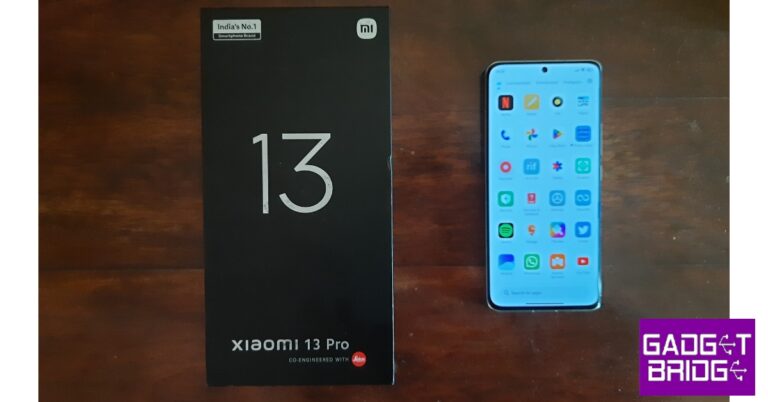
Xiaomi is known for making smartphones that offer incredible value for money. Be it the affordable Redmi line of phones or the flagship products with Leica collaborations, Xiaomi goes out of its way to offer something more than its competitors. While the phones may be affordable, the constant notifications and ads can get very annoying. In this article, we bring you the 4 best ways to stop system apps update notifications in MIUI.
Read Also: Oppo F23 5G with 67W SuperVOOC charging launched in India
Xiaomi’s native app updater is helpful in reminding you which apps you need to update, but its periodic notifications can get annoying. You can always check the list of apps with pending updates from Settings. Here’s how you can disable notifications for ‘System Apps Updater’.
Step 1: Go to Settings and select ‘System Apps Updater’.
Step 2: Tap on the ellipses at the top right corner of the screen.
Step 3: Select ‘Settings’.
Step 4: Disable the toggle switch for ‘Show update notifications’.
Step 5: Disable the toggle switch for ‘Show Notifications’.
Step 2: Scroll down and tap on ‘Authorisation & revocation’.
Step 3: Disable the toggle switch for ‘Updater’.
Step 2: Scroll down and tap on ‘Authorisation & revocation’.
Step 3: Disable the toggle switch for ‘Get Apps’. Scroll down and disable the toggle switch for ‘System Apps Updater’ as well.
In This Article
Block notifications for ‘System Apps Updater’
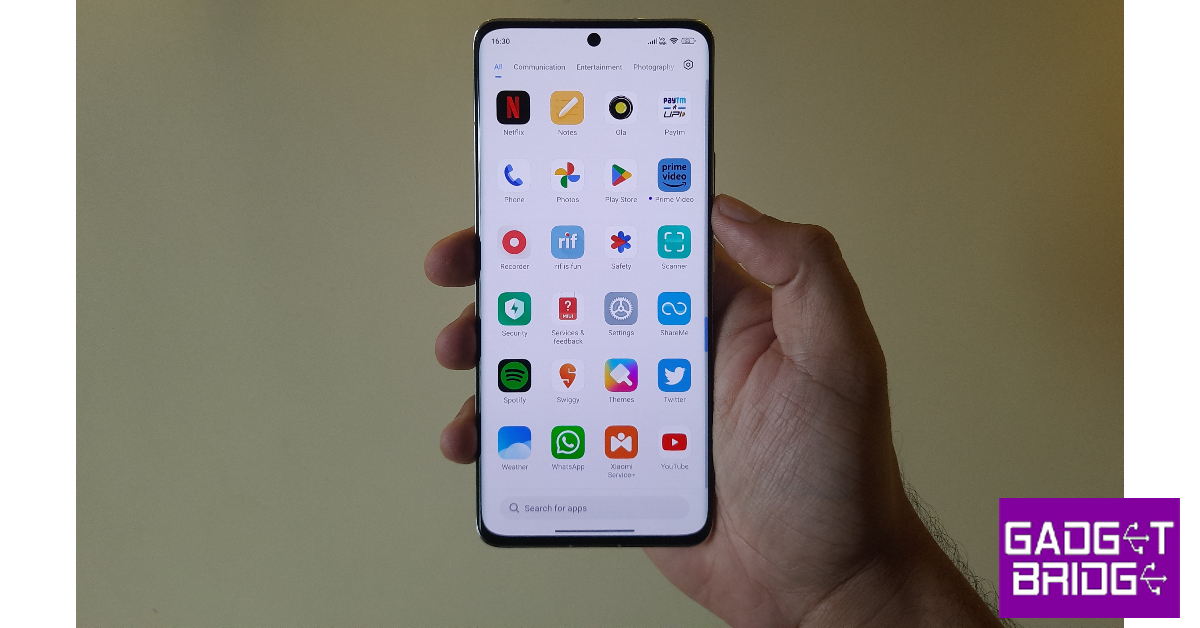 Xiaomi’s native app updater is helpful in reminding you which apps you need to update, but its periodic notifications can get annoying. You can always check the list of apps with pending updates from Settings. Here’s how you can disable notifications for ‘System Apps Updater’.
Step 1: Go to Settings and select ‘System Apps Updater’.
Step 2: Tap on the ellipses at the top right corner of the screen.
Step 3: Select ‘Settings’.
Step 4: Disable the toggle switch for ‘Show update notifications’.
Xiaomi’s native app updater is helpful in reminding you which apps you need to update, but its periodic notifications can get annoying. You can always check the list of apps with pending updates from Settings. Here’s how you can disable notifications for ‘System Apps Updater’.
Step 1: Go to Settings and select ‘System Apps Updater’.
Step 2: Tap on the ellipses at the top right corner of the screen.
Step 3: Select ‘Settings’.
Step 4: Disable the toggle switch for ‘Show update notifications’.
Block notifications for ‘Get Apps’
The ‘Get Apps’ marketplace on Xiaomi smartphones is notorious for flooding the notification bar with popups to update or install different apps. Here’s how you can disable its notifications. Step 1: Go to Settings and select Apps. Step 2: Tap on ‘Manage Apps’. Step 3: Select ‘Get Apps’. Step 4: Tap on ‘Notifications’. Step 5: Disable the toggle switch for ‘Show Notifications’.

Disable notifications for System Updates
System updates are very important. Not only is it more fun to use the latest OS on your device, but the updated software also upgrades the overall security of your device. However, if you are tired of seeing the notification as soon as you swipe down from the status bar, here’s how you can disable it. Step 1: Go to Settings and select ‘Passwords & Security’. Step 2: Scroll down and tap on ‘Authorisation & revocation’.
 Step 3: Disable the toggle switch for ‘Updater’.

Revoke access for ‘System Apps Updater’ and ‘Get Apps’
Similar to the OS updater, you can revoke access for System Apps Updater and Get Apps marketplace as well. Here’s how. Step 1: Go to Settings and select ‘Passwords & Security’.
Step 2: Scroll down and tap on ‘Authorisation & revocation’.
Step 3: Disable the toggle switch for ‘Get Apps’. Scroll down and disable the toggle switch for ‘System Apps Updater’ as well.
Frequently Asked Questions
How do I disable the system app updater?
On your Xiaomi smartphone go to Settings>System Apps Updater. Tap on the ellipses at the top right corner of the screen and select Settings. Turn off the notifications for the updater and disable auto updates.How do I remove the update notification in MIUI?
Go to Settings on your Xiaomi smartphone and select ‘Passwords & security’. Go to ‘Authorisation and revocation’ and disable the toggle switch for Updater.How do I turn off MI app notifications?
Go to Settings on your Xiaomi notifications and select Apps. Tap on ‘Manage Apps’ and select the App you want to mute. Tap on Notifications and disable the toggle switch for Show Notifications. Read Also: Epson launched Epson EpiqVision CO-FH02 with Android TV in IndiaConclusion
These are the 4 best ways to stop receiving system apps update notifications in MIUI. If you want to block all ads from your Xiaomi smartphone, read our article here. While you may not like the constant notifications on your device, it is advised that you keep your phone’s OS and apps updated at all times for smooth functioning. For the latest gadget and tech news, and gadget reviews, follow us on Twitter, Facebook and Instagram. For newest tech & gadget videos subscribe to our YouTube Channel. You can also stay up to date using the Gadget Bridge Android App. You can find the latest car and bike news here.Lava Agni 2 launching in India today: How to watch the live stream
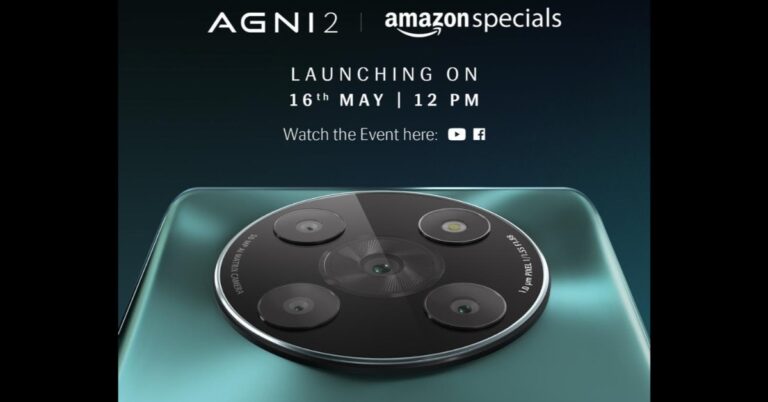
Lava Agni 5G which was launched two years ago will get its successor today. Indian smartphone brand is all set to launch Lava Agni 2 in India today. The upcoming smartphone will be powered by MediaTek Dimensity 7050 SoC. It is going to feature a curved display with a punch-hole cutout at the top for the selfie camera. In addition to this, the smartphone will also come with quad camera sensors placed inside a circular module.
In This Article
Lava Agni 2 launch details
Lava Agni 5G will be making its debut today in India. The company will be hosting a live event that will begin at 12 noon via YouTube Channel. The event will also be live-streamed across all its social media channels including Facebook. You can also watch it live here on our website, we have embedded a link below.Lava Agni 2 price in India expected
The upcoming smartphone is confirmed to be exclusively available via Amazon. However, the price details have not been disclosed. Reportedly the device is likely to be priced at around Rs 20,000. The phone will be available in a glossy blue-green colour option.Lava Agni 2 specifications expected
The company has officially the key features of Lava Agni 2. It is confirmed to feature a curved display and a large circular rear camera module consisting of a total of four camera sensors alongside an LED flash. There will be a company’s branding on the rear. The camera unit is likely to bear a 50-megapixel sensor while the front punch hole cutout may include a 16-megapixel sensor. The smartphone is confirmed to be powered by MediaTek Dimensity 7050 SoC paired with 8GB of RAM and 256GB of inbuilt storage. The device is expected to be shipped with Android 13 out of the box. Moreover, Lava Agni 2 could also feature a 6.5-inch HD+ curved AMOLED display with 1600 x 900 pixels resolution and a 120Hz refresh rate. The handset may boast a 5,000mAh battery with 44W fast charging support. There could be a side-mounted fingerprint sensor as well. For the latest gadget and tech news, and gadget reviews, follow us on Twitter, Facebook and Instagram. For newest tech & gadget videos subscribe to our YouTube Channel. You can also stay up to date using the Gadget Bridge Android App. You can find the latest car and bike news here.Garena Free Fire Redeem Codes Today 16 May 2023: Here is how to claim them

Garena Free Fire is a battle royale game with regular awards and tournaments to keep players interested. If you play Garena Free Fire, you should be aware of the redeem codes that are released on a daily basis. However, because the battle royale game is banned in India, players from other countries can use the Free Fire Redeem codes daily. If you’re unfamiliar with the Garena Free Fire redeem codes or don’t know how to get them, we’ve put together a step-by-step guide to help you redeem them. Check out Garena Free Fire Redeem Codes for 16 May 2023.
The Free Fire redeem codes are a great way to get free stuff. These are 12-digit codes that contain alphabets and numbers, as well as an expiration date and time. Because the Garena FF redeem codes cannot be used more than once, you should hurry to the redemption page to claim your free reward before someone else does. To get a free reward, all you have to do is go to reward.ff.garena.com/en, which is the official redemption page. Also, keep an eye on this space for daily updates on Garena Free Fire redemption codes and rewards.
In This Article
Garena Free Fire Redeem Codes Today 16 May 2023
- UVX9PYZV54AC
- BR43FMAPYEZZ
- MCPW2D1U3XA3
- FFCMCPSEN5MX
- GCNVA2PDRGRZ
- 4ST1ZTBE2RP9
- NPYFATT3HGSQ
- FFCMCPSGC9XZ
- MCPW2D2WKWF2
- FF7MUY4ME6SC
- B3G7A22TWDR7X
- 6KWMFJVMQQYG
- HNC95435FAGJ
How to Get Free Fire Redeem Codes for Garena on 16 May 2023?
- Visit the Garena Free Fire game’s official website at reward.ff.garena.com.
- Use your Facebook, Google, VK, Apple ID, Huawei ID, or Twitter account to log in.
- You’ll be taken to a valid redemption code (s)
- Copy and paste the 12-digit redemption code into the text box.
- On the screen, a dialogue box will appear.
- ‘Ok’ should be selected.
Amazon Quiz Answers Today 16 May 2023: Participate to win Rs 2,500

16 May 2023 Amazon Quiz has gone live on its platform. The quiz timings are 12 AM to 11:59 PM. The Amazon App users can participate in the quiz daily and all they have to do is submit correct answers to the questions asked on the e-commerce platform. Today’s participants can get a chance to win Rs 2,500 Amazon Pay Balance.
Amazon brings a fresh questionnaire that contains 5 questions daily. These questions are based on current affairs and general knowledge. The quiz can be played from 8 AM to 11:59 PM and the contestants need to answer correctly to enter into a lucky draw.
Only one person is declared as a winner and the results will be announced at the end of every month. And to make sure that you give correct answers to all the 5 questions Gadget Bridge everyday updates all the answers to the Amazon Quiz. Do check out 16 May 2023 Amazon Quiz Answers to win a Rs 2,500 Amazon pay Balance.
Amazon Quiz Today Prize – Rs 2,500 Amazon Pay Balance
Quiz Date – 16 May 2023
Daily Timing – 12 AM to 11:59 PM
Winner Announcement – Today 12 PM
In This Article
Amazon Quiz Answers Today 16 May 2023
Question 1: 82°E is a modern Indian self-care brand co-founded by which Bollywood actress? Answer: Deepika Padukone Question 2: For the first time in its history, the Oxford Word of the Year 2022 was chosen by which of the following? Answer: The public Question 3: Who among these scored his 30th Test century at the SCG in 2023? Answer: Steve Smith Question 4: This is a photograph taken at which of the ‘New Seven Wonders of the World’? Answer: Machu Picchu Question 5: This is a view of which famous mountain in Africa? Answer: Mount KilimanjaroHow To Play Amazon Quiz
Only app users are eligible to play the Amazon quiz every morning from 12 AM to 11:59 PM. The quiz is not available on the desktop. For those who are unaware of how to play the Amazon quiz below are the steps, you can follow to take the quiz.- Firstly download the Amazon app from Google Play Store or App Store
- Now fill in the required information through the Sign Up option.
- You need to log in to the Amazon app and scroll down on the home screen to find the Amazon Quiz banner.
- Tap on the Amazon Quiz banner and tap on the Start button to start the Quiz.
- Now you will get 5 questions and you need to answer them correctly. One wrong answer will eliminate you from the Quiz.
- After answering all the questions correctly you are now eligible for a Lucky Draw.
- The winner’s name will be announced today at 12 PM.
Samsung Galaxy S23 in Lime colour to go on sale tomorrow in India
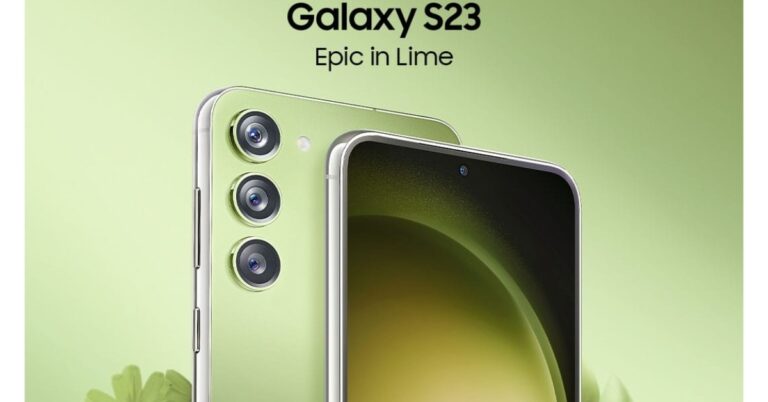
Samsung Galaxy S23 is getting a new colour variant in India. The premium smartphone is now available in a Lime colour variant. The Galaxy S23 is currently available in Phantom Black, Cream, Green, and Lavender colours. There is no change in the specification which includes a Snapdragon 8 Gen 2 Mobile Platform. The triple rear camera on the phone includes a 50MP primary camera, 12MP ultra-wide camera, and a 10MP telephoto camera with OIS & 3X optical zoom. Galaxy S23 features a 12MP front-facing camera with Super HDR technology.
In This Article
Samsung Galaxy S23 Lime price and availability
Samsung Galaxy S23 which was introduced earlier this year already available in different colour options. But the company has added the new lime colour to offer more colour choices to consumers looking to buy Samsung’s most premium smartphone. The smartphone is already available in four colourways Cream, Green, Lavender, and Phantom Black. As per the company the Samsung Galaxy S23 in lime colour will be available in two storage options – 8GB RAM with 128GB storage and 8GB RAM with 256GB storage– and will be priced at Rs 74999 and Rs 79999, respectively. The Galaxy S23 in Lime colour is scheduled to go on sale tomorrow via all leading online and offline retail stores in the country. That’s not all. Customers can also avail of affordability options & offers on the purchase of Galaxy S23’s new colour variant. the device can be owned at only Rs 3125 per month by availing 24 months of no-cost EMI via HDFC CD or Bajaj Finserv. Flagship owners can avail of affordability along with upgrade benefits. Consumers can club a Rs 8000 upgrade bonus with 24 months Bajaj Finserv EMI or HDFC CD paper finance. According to Samsung buyers also have the option to club Rs 8000 upgrade bonus with Rs 5000 bank cashback on their purchase, bringing the net effective price of Galaxy S23 8/128GB and 8/256GB to INR 61999 and INR 66999, respectively. Consumers can also opt for 9 months of no-cost EMI on HDFC can also be included with this offer.Samsung Galaxy S23 Lime specifications
The Samsung Galaxy S23 comes with a 6.1-inch full-HD+ Dynamic AMOLED 2X display with a 240Hz touch sampling rate and a refresh rate of up to 120Hz, which can drop to 48Hz. A Vision Booster function is also included for improved outside visibility. The device is protected by the Gorilla Glass Victus 2 and is IP68 rated for water and dust resistance. It operates on Android 13 with One UI 5.1 and is powered by a Qualcomm Snapdragon 8 Gen 2 SoC with 8GB RAM and up to 256GB storage The Galaxy S23 features a triple rear camera setup that includes a 50-megapixel primary wide-angle sensor with an 85-degree field of view and an f/1.8 aperture. A 12-megapixel ultra-wide angle camera with an f/2.2 aperture and a 120-degree field of view, as well as a 10-megapixel telephoto camera with an f/2.4 aperture and a 3x optical zoom, are also included in the system. It has a 12-megapixel selfie sensor with an f/2.2 aperture lens and an 80-degree field of view for selfies. In addition to this, the smartphone boasts a 3,900mAh battery that supports 25W wired and 15W wireless charging. It also comes with Wireless PowerShare so you can use it to charge other wirelessly charging devices. For the latest gadget and tech news, and gadget reviews, follow us on Twitter, Facebook and Instagram. For newest tech & gadget videos subscribe to our YouTube Channel. You can also stay up to date using the Gadget Bridge Android App. You can find the latest car and bike news here.Oppo F23 5G with 67W SuperVOOC charging launched in India

The Chinese smartphone company Oppo today launched a brand new smartphone under its F-Series. The company has introduced Oppo F23 5G in the Indian market. The device is powered by Qualcomm Snapdragon 695 5G SoC and features an FHD display. In addition to this, the screen supports a 120Hz refresh rate and comes with Android 13 out of the box. Moreover, the phone includes a triple rear camera setup featuring a 64-megapixel primary sensor.
 Buyers can get up to 10% Cash Back and No Cost EMI for up to 6 months from May 18 till May 31 on ICICI Bank, SBI Cards, Kotak Mahindra Bank, & other leading Banks and Financiers. The offer can also be availed from Bajaj Finance, TVS Credit, and HDB Financials on EMI Finance schemes. Oppo loyalists are eligible to get an Exchange + Loyalty Bonus of up to INR 2500. Customers owning smartphones other than OPPO can also avail of an exchange offer of up to Rs 1500. Attractive EMI Schemes, including Zero down payment, are available on Bajaj Finance, TVS credit, IDFC First Bank, HDB Financials, & other leading financiers.
Also Read: 5 Best premium smartphones to buy in India in 2023
Buyers can get up to 10% Cash Back and No Cost EMI for up to 6 months from May 18 till May 31 on ICICI Bank, SBI Cards, Kotak Mahindra Bank, & other leading Banks and Financiers. The offer can also be availed from Bajaj Finance, TVS Credit, and HDB Financials on EMI Finance schemes. Oppo loyalists are eligible to get an Exchange + Loyalty Bonus of up to INR 2500. Customers owning smartphones other than OPPO can also avail of an exchange offer of up to Rs 1500. Attractive EMI Schemes, including Zero down payment, are available on Bajaj Finance, TVS credit, IDFC First Bank, HDB Financials, & other leading financiers.
Also Read: 5 Best premium smartphones to buy in India in 2023
In This Article
Oppo F23 5G price in India and sale details
The Oppo F23 5G has been launched in India with a price tag of Rs 24,999 for the single 8GB RAM with 256GB storage option. The device will come in two colour options of Bold Gold and Cool Black. The new 5G smartphone is scheduled to go on sale from May 18 via OPPO stores, Amazon, and mainline retail outlets. Launch offers include: On the purchase of Oppo F23 and Enco Air2i between May 18 to May 23 and customers can get Enco Air2i at a discounted price of only Rs 1799. Buyers can get up to 10% Cash Back and No Cost EMI for up to 6 months from May 18 till May 31 on ICICI Bank, SBI Cards, Kotak Mahindra Bank, & other leading Banks and Financiers. The offer can also be availed from Bajaj Finance, TVS Credit, and HDB Financials on EMI Finance schemes. Oppo loyalists are eligible to get an Exchange + Loyalty Bonus of up to INR 2500. Customers owning smartphones other than OPPO can also avail of an exchange offer of up to Rs 1500. Attractive EMI Schemes, including Zero down payment, are available on Bajaj Finance, TVS credit, IDFC First Bank, HDB Financials, & other leading financiers.
Also Read: 5 Best premium smartphones to buy in India in 2023
Buyers can get up to 10% Cash Back and No Cost EMI for up to 6 months from May 18 till May 31 on ICICI Bank, SBI Cards, Kotak Mahindra Bank, & other leading Banks and Financiers. The offer can also be availed from Bajaj Finance, TVS Credit, and HDB Financials on EMI Finance schemes. Oppo loyalists are eligible to get an Exchange + Loyalty Bonus of up to INR 2500. Customers owning smartphones other than OPPO can also avail of an exchange offer of up to Rs 1500. Attractive EMI Schemes, including Zero down payment, are available on Bajaj Finance, TVS credit, IDFC First Bank, HDB Financials, & other leading financiers.
Also Read: 5 Best premium smartphones to buy in India in 2023
Oppo F23 5G specifications
The Oppo F23 5G features a 6.72-inch full-HD+ LTPS LCD display with 1,080×2,400 pixels of resolution. The display has a 20:9 aspect ratio, and a 91.4 percent screen-to-body ratio. The screen comes with 120Hz refresh rate support, 240Hz touch sampling rate and a pixel density of 391ppi. The 5G smartphone runs on ColorOS 13.1 on top of Android 13 out of the box. It is driven by an octa-core Qualcomm Snapdragon 695 5G SoC, paired with Adreno 619 GPU and 8GB of LPDDR4X RAM and packs 256GB of UFS3.1 storage. And its 8GB RAM can be extended by a further 8GB from storage via OPPO’s RAM expansion technology. For the photos and videos, there is a triple rear camera setup that includes a 64-megapixel primary sensor (autofocus and f/1.7 aperture), a 2-megapixel mono sensor (f/2.4 aperture), and a 2-megapixel micro sensor (f/3.3 aperture). Additionally, it includes a 32-megapixel front-facing camera for selfies and video calling. The Oppo F23 5G boasts a 5,000mAh battery with 67W SuperVOOC charging support. For connectivity, the 5G smartphone includes 5G, Wi-Fi, Bluetooth, GPS, and USB Type-C port. There is an in-display fingerprint sensor, face unlock feature with an accelerometer, ambient light sensor, e-compass, gyroscope, geomagnetic sensor, and proximity sensor. For the latest gadget and tech news, and gadget reviews, follow us on Twitter, Facebook and Instagram. For newest tech & gadget videos subscribe to our YouTube Channel. You can also stay up to date using the Gadget Bridge Android App. You can find the latest car and bike news here.Epson launched Epson EpiqVision CO-FH02 with Android TV in India
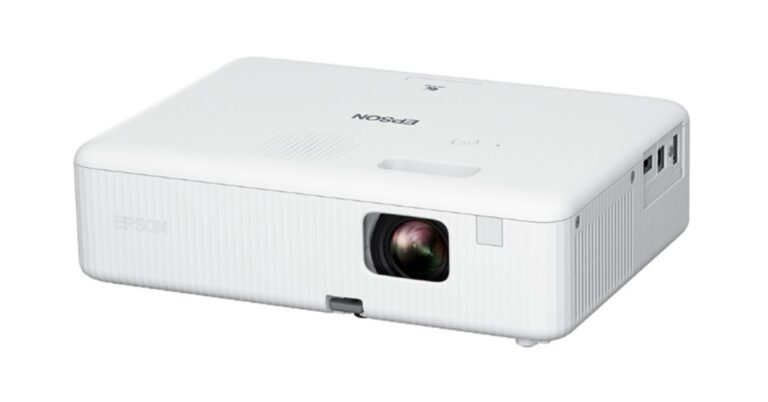
Bringing a projector home makes so much sense now that the IPL season is here. It will improve the watching experience. The Epson EpiqVision CO-FH02, Epson’s newest full HD home theatre projector, has gone on sale. The built-in Android TV and speaker come included with the Epson home theatre projector with Android TV.
Mr Satyanarayana, Director of LFP, Visual Products & Robots at Epson India said, “With the launch of the Epson EpiqVision CO-FH02 – our flagship entry-level home theatre projector, we aim to significantly expand the market and reach more homes looking for a big screen full-HD home entertainment experience at an affordable price. Equipped with built-in speakers and Android TV, the projector will deliver an epic entertainment experience for families and their friends. The limited period inaugural offer of a bundled 1-year subscription of 6 popular OTT platforms worth Rs 5,844 is an add-on benefit for those looking to enhance their entertainment experience at home.”
In This Article
Epson EpiqVision CO-FH02 price in India and availability
The Epson EpiqVision CO-FH02 projector has been launched in India with a price tag of Rs 86,999. A one-year membership or subscription to six well-known OTT platforms (Disney-Hotstar, Amazon Prime, Sony Liv, Zee5, Discovery+, and ShemarooMe) valued at Rs 5,844 is being offered as part of the projector’s inaugural bundle offer. You may buy it online and at Epson Pro Cinema Partners. Also Read: 5 Best premium smartphones to buy in India in 2023Epson EpiqVision CO-FH02 features
The Epson EpiqVision CO-FH02 – Full HD projector comes in a compact form factor. The users can stream their preferred sports or films on its as it runs on Android TV. It offers an image size of up to 762 cm (300 inches) and 3,000 lumens of brightness. A lamp in the projector can entertain users for up to 18 years. The Epson projector with Android TV includes 3LCD technology that ensures bright and clear images. This technology produces an equally high white and colour light output of 3,000 lumens.Epson EpiqVision CO-FH02 Specifications
- Full HD resolution
- Large Screen Projection up to 762cm (300inch)
- 3000 lumens of Colour and White brightness1
- Comes with Android TV 2 Dongle and Chromecast built-in
- 5W Speaker (with enclosure)
5 Best premium smartphones to buy in India in 2023

With each passing year, new smartphones with cutting-edge features continue to be released. Every year, the most expensive and high-end smartphones are replaced with new models; some may have a revamped design with minimal hardware modifications, while others may only see incremental changes. If you want to upgrade to a new, high-end smartphone that looks stylish and feature-packed but you’re not sure which one to get, we can help. We did some research and you can choose from our list of the 5 best premium smartphones without giving it a second thought.


Also Read: 5 best 5G smartphones to buy under Rs 20,000

In This Article
Apple iPhone 14 Pro
iPhone 14 Pro has an Always-On display 6.1-inch Super Retina XDR display with ProMotion. The display also offers the highest outdoor peak brightness in a smartphone, up to 2000 nits. The device runs on the latest A16 Bionic chip. It also includes a 48MP Main camera with a quad-pixel sensor. Price: Rs 1,19,999 Buy: Amazon Also Read: Apple iPhone 14 Pro review: The Game Changer
Samsung Galaxy S23 Ultra
The Samsung Galaxy S23 Ultra, on the other hand, features a 6.8-inch Edge QHD+ Dynamic AMOLED 2X Display. Its dynamic refresh rate ranges from 1 to 120 Hz, and its touch sampling rate is 240 Hz in game mode. The device is powered by Snapdragon 8 Gen 2 SoC. Samsung has also included the S Pen stylus with the phone. Also Read: 5 Best 5G smartphones under Rs 30,000 The Samsung Galaxy S23 Ultra has a quad rear camera setup, led by a 200-megapixel primary wide camera, a 12-megapixel ultra-wide camera, a 10-megapixel telephoto lens and another 10-megapixel telephoto sensor Upfront there is a 12-megapixel selfies camera. Price: Rs 1,24,999 Buy: Amazon Also Read: Samsung Galaxy S23 Ultra Review: A true flagship
Google Pixel 7 Pro
Google Pixel 7 Pro is powered by a 4nm G2 Tensor and comes with a 6.7-inch Quad-HD LTPO OLED display with a variable refresh rate of 120Hz. A 50-megapixel primary sensor and a 12-megapixel secondary sensor with an ultra-wide-angle lens are both featured in the Pixel 7 Pro. Additionally, Pro has a 48-megapixel telephoto lens that supports 5x optical and 30x Super Resolution Zoom. Both handsets have a selfie camera with a resolution of 10.8 megapixels. Price: Rs 80,999 Buy: Flipkart Also Read: Pixel 7 Pro Review: Why you should get the phone
OnePlus 11
The OnePlus 11 features a 6.7-inch Samsung LTPO 3.0 AMOLED display. The new phone boasts an octa-core 4nm Snapdragon 8 Gen 2 SoC, up to 16GB of LPDDR5x RAM, and an Adreno 740 GPU. The device has a 5,000mAh dual-cell battery. The triple rear camera setup on the phone includes a 50-megapixel primary, 32-megapixel portrait and a 48-megapixel Sony IMX58 ultra wide-angle sensor. For selfies, there is a 16-megapixel sensor (f/2.4 aperture) front-facing camera. Price: Rs 56,999 Buy: Amazon Also Read: OnePlus 11 review: This is what a OnePlus flagship should look like
Xiaomi 13 Pro
Lastly, Xiaomi 13 Pro comes with a 6.73-inch 2K E6 LTPO 3.0 OLED screen. It runs on MIUI 14, which is based on Android 13 and is driven by Qualcomm Snapdragon 8 Gen 2 SoC. The phone also includes a 4,820mAh battery which supports 50W wireless charging and 120W wired charging. The device features a triple rear camera setup that includes a 50-megapixel 1-inch Sony IMX989 primary sensor. Moreover, the system consists of a 50-megapixel Leica’s 75mm floating telephoto lens and a 50-megapixel wide-angle lens. There is a 32-megapixel front-facing camera for selfies and video calling. Price: Rs 74,990 Buy: Amazon Also Read: Xiaomi 13 Pro review: Performs Leica boss! For the latest gadget and tech news, and gadget reviews, follow us on Twitter, Facebook and Instagram. For newest tech & gadget videos subscribe to our YouTube Channel. You can also stay up to date using the Gadget Bridge Android App. You can find the latest car and bike news here.How to complete photo verification on Tinder and get a Blue checkmark
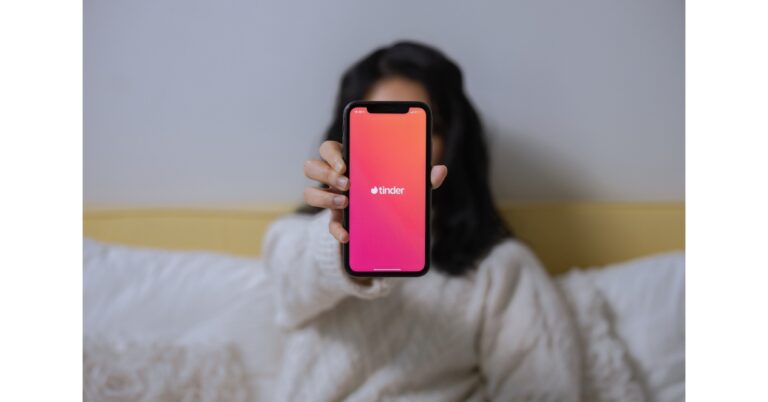
Online dating app, Tinder recently added a video selfie feature to its platform to boost the Photo Verification process on its platform. Enabling this feature will allow Photo Verified Members to choose to only chat with users who are Photo Verified. To help ensure that everyone has a safe and enjoyable experience you can complete your photo verification on Tinder by following the steps given below
Tinder users are required to record a selfie video to verify their identity. With the use of this AI-powered photo verification function, a member can request that other members confirm their identities prior to initiating a chat. Users will have more control over their interactions with others, claims Tinder. The feature will be accessible in the Message settings. In addition to this, Photo Verified members have the option to only receive messages from Photo Verified members.
The Photo Verification feature has been especially popular among 18-25-year-old members, with nearly 40%* of all Tinder members receiving their Photo Verified blue checkmark.
According to Tinder, being Photo Verified increases the chance to match by 10%* for members, with more men likely to complete Photo Verification through the introduction of video selfie in early tests.
Follow these steps below to complete your Photo Verification and stay a Photo Verified Cutie on Tinder:
- Open the Tinder app.
- Tap the Explore icon.
- Tap ‘Try now’ in the Photo Verified module.
- Acknowledge the Photo Verification prompts.
- Take a video selfie.
- Done! Your Photo Verification is under review.
- Open the Tinder app.
- Tap the profile icon and then tap the Message Settings icon.
- Scroll to “Control Who Messages You” and toggle on “Photo Verified Chat.”
- Done! Only Photo Verified Cuties can message you now.
Garena Free Fire Redeem Codes Today 15 May 2023: Here is how to claim them

Garena Free Fire is a battle royale game with regular awards and tournaments to keep players interested. If you play Garena Free Fire, you should be aware of the redeem codes that are released on a daily basis. However, because the battle royale game is banned in India, players from other countries can use the Free Fire Redeem codes daily. If you’re unfamiliar with the Garena Free Fire redeem codes or don’t know how to get them, we’ve put together a step-by-step guide to help you redeem them. Check out Garena Free Fire Redeem Codes for 15 May 2023.
The Free Fire redeem codes are a great way to get free stuff. These are 12-digit codes that contain alphabets and numbers, as well as an expiration date and time. Because the Garena FF redeem codes cannot be used more than once, you should hurry to the redemption page to claim your free reward before someone else does. To get a free reward, all you have to do is go to reward.ff.garena.com/en, which is the official redemption page. Also, keep an eye on this space for daily updates on Garena Free Fire redemption codes and rewards.
In This Article
Garena Free Fire Redeem Codes Today 15 May 2023
- 4ST1ZTBE2RP9
- B3G7A22TWDR7X
- 6KWMFJVMQQYG
- FF7MUY4ME6SC
- 8F3QZKNTLWBZ
- XZJZE25WEFJJ
- V427K98RUCHZ
- ZZZ76NT3PDSH
- WEYVGQC3CT8Q
- HNC95435FAGJ
- NPYFATT3HGSQ
- FFCMCPSGC9XZ
- MCPW2D1U3XA3
How to Get Free Fire Redeem Codes for Garena on 15 May 2023?
- Visit the Garena Free Fire game’s official website at reward.ff.garena.com.
- Use your Facebook, Google, VK, Apple ID, Huawei ID, or Twitter account to log in.
- You’ll be taken to a valid redemption code (s)
- Copy and paste the 12-digit redemption code into the text box.
- On the screen, a dialogue box will appear.
- ‘Ok’ should be selected.
Amazon Quiz Answers Today 15 May 2023: Participate to win Rs 5,000

The popular Amazon Quiz is now live on the Amazon app. The 15 May 2023 Amazon Quiz allows you to win Rs 5,000 Amazon Pay Balance by answering all the questions correctly. The quiz can be played every day from 12 AM to 11:59. Only app users are eligible to participate in the Quiz as it is not accessible on the web platform.
The Amazon Quiz brings a fresh set of questions for its customers that contains five easy questions. The questionnaire consists of five questions related to general knowledge and current affairs. The participants need to answer all the questions correctly and their names will be selected for a lucky draw. The daily quiz brings an opportunity for the customers to win exciting prizes. They can win Amazon Pay Balance ranging from Rs 1,000 to Rs 50,000. The participants need to answer all the questions correctly and their names will be selected for a lucky draw. The winner will be announced at the end of the month. Check Out 15 May 2023 Amazon Quiz Answers.
Amazon Quiz Today Prize – Rs 5,000 Amazon Pay Balance
Quiz Date – 15 May 2023
Daily Timing – 12 AM to 11:59 PM
Winner Announcement – Today 12 PM
In This Article
Amazon Quiz Answers Today 15 May 2023
Question 1: In December 2022, whose bust was added to the UN headquarters campus in New York city? Answer: Mahatma Gandhi Question 2: Claudine Gay became the first Black person and second woman to lead which prestigious academic institution? Answer: Harvard University Question 3: Who was the Player of the Match in the first T20I between India and Sri Lanka in 2023? Answer: Deepak Hooda Question 4: Name this bird, that shares its name with a sports goods manufacturer Answer: Kookaburra Question 5: Which of these is an A.I developed by this character? Answer: J.A.R.V.I.SHow To Play Amazon Quiz
Only app users are eligible to play the Amazon quiz every morning from 12 AM to 11:59 PM. The quiz is not available on the desktop. For those who are unaware of how to play the Amazon quiz below are the steps, you can follow to take the quiz.- Firstly download the Amazon app from Google Play Store or App Store
- Now fill in the required information through the Sign Up option.
- You need to log in to the Amazon app and scroll down on the home screen to find the Amazon Quiz banner.
- Tap on the Amazon Quiz banner and tap on the Start button to start the Quiz.
- Now you will get 5 questions and you need to answer them correctly. One wrong answer will eliminate you from the Quiz.
- After answering all the questions correctly you are now eligible for a Lucky Draw.
- The winner’s name will be announced today at 12 PM.
6 Easy Ways to Block YouTube Channel From Recommendations
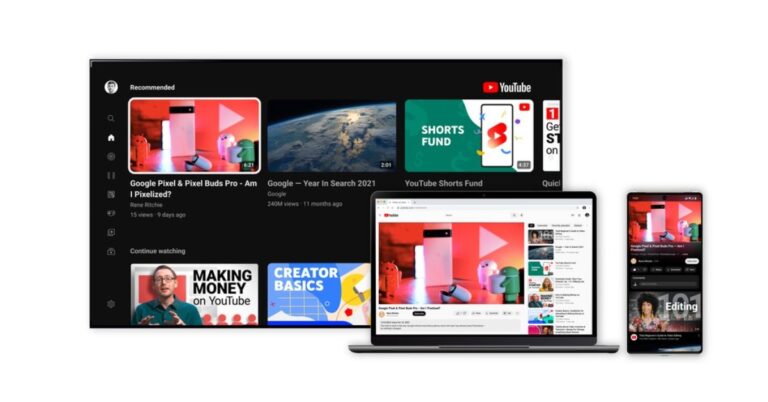
Your YouTube home page doesn’t just contain videos from the channels that you are subscribed to. YouTube curates your home feed with video recommendations from different creators on the platform. While these recommendations are based on your watching activity, sometimes they can be way off the mark. In this article, we bring you 6 easy ways to block a YouTube channel from your recommendations and suggested feed.
Read Also: Google Bard Vs Google AI Search: Everything you need to know
Step 3: Select ‘Don’t recommend channel’.
Videos from the selected Channel will stop showing up on your YouTube feed. If you want the Channel to stop showing up in search results as well, follow the methods below.
Step 4: Select ‘Block user’.
If you want to go one step further and stop a particular YouTube channel from appearing on Google Search results as well, the Filter Anything Everywhere extension will come in handy. This extension tool blocks certain content from appearing on Google searches. All you need to do is enter the name of the YouTube channel into the extension and it will filter it out of every search result.
In This Article
Stop the channel from appearing in your recommendations
Step 1: Launch the YouTube app on your smartphone. Step 2: Once you see a video from a Channel that you don’t want appearing in your feel again, tap on the ellipses (three dots) next to it. Step 3: Select ‘Don’t recommend channel’.
 Videos from the selected Channel will stop showing up on your YouTube feed. If you want the Channel to stop showing up in search results as well, follow the methods below.
Filter a channel from search results
If you keep seeing a YouTube Channel at the top of search results and don’t find their content useful, you can easily filter them out. Simply add the minus sign next to your search query and type in the name of the channel. For example: “best crafts to do at home -5 minute crafts”. This will ensure that videos from the channel ‘5 Minute Crafts’ do not show up in the search results.Block the YouTube channel on a PC
The easiest way to stop seeing video recommendations from a certain channel on your feed is by blocking it. This will ensure that the videos from that channel don’t appear in your search results or get suggested to you by the YouTube algorithm. However, you will still be able to see their YouTube videos on external sites. Here’s how you can block a YouTube channel on a PC. Step 1: Open YouTube on your PC’s web browser. Step 2: Go to the YouTube Channel’s page. Step 3: Switch to the ‘About’ tab and click on the small flag on the right side of the screen. Step 4: Select ‘Block user’.

Block the YouTube channel on the app
Step 1: Launch the Youtube app on your smartphone. Step 2: Go to the YouTube Channel you want to block. Step 3: Tap on the ellipses at the top right corner of the screen and tap on ‘Block user’.
Block a YouTube Channel from Google Search results
 If you want to go one step further and stop a particular YouTube channel from appearing on Google Search results as well, the Filter Anything Everywhere extension will come in handy. This extension tool blocks certain content from appearing on Google searches. All you need to do is enter the name of the YouTube channel into the extension and it will filter it out of every search result.
Block YouTube channels from appearing on your Smart TV feed
Blocking content on the YouTube app for your Smart TV can be a bit tricky. There is no direct way to block a YouTube channel on your TV. However, you can get around this issue by logging into the YouTube account (the one you use on your TV) on your phone or PC and blocking the YouTube channel by following the steps mentioned earlier in this article. The changes will apply to your Smart TV as well.Frequently Asked Questions
How do I control YouTube recommendations?
You can control the suggested content on your YouTube feed by tapping the ellipses next to the video and selecting ‘Not Interested’ or ‘Don’t recommend channel’. The former option takes your feedback and reduces the frequency of that particular channel appearing on your feed while the latter entirely blocks it.What are YouTube recommendations based on?
While YouTube doesn’t make its algorithm public, the videos that it suggests to you are based on the kind of content you watch regularly. YouTube also suggests videos that are popular across the world.Where do I find YouTube recommendations?
You can find suggested videos on your YouTube home page or in the ‘Up Next’ section while watching a video. Read Also: Vivo T2 5G Review: Does it offer the most bang for the buck?Conclusion
These are the top 6 ways to block YouTube channels from recommendations. If you find a channel posting inappropriate content that violates the ToS, report it to YouTube. You can do so by reporting a particular video by tapping the ellipses and selecting ‘Report’ or reporting the channel altogether. For the latest gadget and tech news, and gadget reviews, follow us on Twitter, Facebook and Instagram. For newest tech & gadget videos subscribe to our YouTube Channel. You can also stay up to date using the Gadget Bridge Android App. You can find the latest car and bike news here.Garena Free Fire Redeem Codes Today 14 May 2023: Here is how to claim them

Garena Free Fire is a battle royale game with regular awards and tournaments to keep players interested. If you play Garena Free Fire, you should be aware of the redeem codes that are released on a daily basis. However, because the battle royale game is banned in India, players from other countries can use the Free Fire Redeem codes daily. If you’re unfamiliar with the Garena Free Fire redeem codes or don’t know how to get them, we’ve put together a step-by-step guide to help you redeem them. Check out Garena Free Fire Redeem Codes for 14 May 2023.
The Free Fire redeem codes are a great way to get free stuff. These are 12-digit codes that contain alphabets and numbers, as well as an expiration date and time. Because the Garena FF redeem codes cannot be used more than once, you should hurry to the redemption page to claim your free reward before someone else does. To get a free reward, all you have to do is go to reward.ff.garena.com/en, which is the official redemption page. Also, keep an eye on this space for daily updates on Garena Free Fire redemption codes and rewards.
In This Article
Garena Free Fire Redeem Codes Today 14 May 2023
Updating Soon…How to Get Free Fire Redeem Codes for Garena on 14 May 2023?
- Visit the Garena Free Fire game’s official website at reward.ff.garena.com.
- Use your Facebook, Google, VK, Apple ID, Huawei ID, or Twitter account to log in.
- You’ll be taken to a valid redemption code (s)
- Copy and paste the 12-digit redemption code into the text box.
- On the screen, a dialogue box will appear.
- ‘Ok’ should be selected.
Amazon Quiz Answers Today 14 May 2023: Participate to win Rs 1250 Amazon Pay Balance

14 May 2023 Amazon Quiz has gone live on its mobile app platform. Customers from different parts of the country are participating in the daily quiz. The daily quiz is conducted by the company brings an opportunity for the customers to win exciting prizes. The quiz begins from 12 AM to 11:59 PM. In today’s quiz participants have a chance to win Rs 1250 Amazon Pay Balance by answering all the questions correctly.
Every day Amazon brings a fresh set of questions for its customers that contains five easy questions. Amazon quiz brings an opportunity for its customers to win Amazon Pay Balance ranging from Rs 1250 to Rs 50,000. which consists of five questions related to general knowledge and current affairs.
The participants need to answer all the questions correctly and their names will be selected for a lucky draw. The winner will be announced at the end of the month. One wrong answer could eliminate you from the quiz. If you manage to answer all the questions correctly you can stand a chance to win Rs 1250 Amazon Pay Balance today. Only app users are eligible to participate in the Quiz. Check Out 14 May 2023 Amazon Quiz Answers.
Amazon Quiz Today Prize – Rs 1250 Amazon Pay Balance
Quiz Date – 14 May 2023
Daily Timing – 12 AM to 11:59 PM
Winner Announcement – Today at 12 PM
In This Article
Amazon Quiz Answers Today 14 May 2023
Question 1: In 2022, who became Argentina’s all-time leading scorer in World Cups? Answer: Lionel Messi Question 2: Red Chillies Entertainment’ was established by which of these actors? Answer: Shahrukh Khan Question 3: The famous Matrimandir is located in which of these places known as the ‘City of Dawn’? Answer: Auroville Question 4: Which species of snake is shown in this photo? Answer: Python Question 5: This is a photomosaic of which famous royal? Answer: Queen Elizabeth IIHow To Play Amazon Quiz
Only app users are eligible to play the Amazon quiz every morning from 12 AM to 11:59 PM. The quiz is not available on the desktop. For those who are unaware of how to play the Amazon quiz below are the steps, you can follow to take the quiz.- Firstly download the Amazon app from Google Play Store or App Store
- Now fill in the required information through the Sign Up option.
- You need to log in to the Amazon app and scroll down on the home screen to find the Amazon Quiz banner.
- Tap on the Amazon Quiz banner and tap on the Start button to start the Quiz.
- Now you will get 5 questions and you need to answer them correctly. One wrong answer will eliminate you from the Quiz.
- After answering all the questions correctly you are now eligible for a Lucky Draw.
- The winner’s name will be announced today at 12 PM.
How to boost the memory and battery performance on Google Chrome?
A fast and seamless web browsing experience is a non-negotiable factor for every web browser. Google Chrome is one of the most popular browsers in the world not only because it is fast, but because it gives users a lot of options to increase the browsing speed on their devices. In this article, we show you how to boost the memory and battery performance on Google Chrome.
Read Also: Google Bard Vs Google AI Search: Everything you need to know
Step 3: Select ‘Performance’ from the side menu.
Step 4: Turn the toggle bar on for ‘Memory Saver’ and ‘Energy Saver’.
Step 5: To keep certain websites active at all times, click on ‘Add’ and enter the website address.
Step 6: To turn on the energy saver when your laptop or PC is not connected to an external power source, click on ‘Turn on when my computer is unplugged’.
Chrome has a super helpful ‘Reading List’ that allows you to save pages you want to read later. Once you add a webpage to the list, you can close its tab and free up some memory. To add a website to a reading list, click on the side panel icon next to your profile icon and click on ‘Add current tab’. The webpage will be saved to the list. You can access it anytime you want by clicking on the side panel icon.
In This Article
Use the Memory and Energy Saver
If you keep a lot of tabs open at the same time on Google Chrome, the performance takes a dip. To boost the performance, you can enable the memory saver on Chrome. Once the memory saver is turned on, Google Chrome frees up the memory from tabs that haven’t been used in a while. Once you click on these tabs, the web pages will reload again. While this works fine for the most part, it can cause trouble in certain scenarios. For example, if you were filling up a form on a webpage and forgot about it, you will lose the entries when Chrome frees up memory from the tab. To prevent this from happening, you can add certain websites to a whitelist. This ensures that the tabs running those websites are always active. Google Chrome also has an energy saver that conserves your PC or laptop’s battery when it is running on low. Your web browser will use less power from the device to make sure it lasts longer. Once it is enabled, the energy saver automatically turns on when your PC or laptop’s battery hits 20%. You can also choose to keep it turned on when the device is not connected to a power source, despite its battery level. Here’s how you can enable memory saver and energy saver on Google Chrome. Step 1: Launch Google Chrome on your laptop or PC. Step 2: Click on the ellipses (three dots) at the top right corner of the screen and select ‘Settings’. Step 3: Select ‘Performance’ from the side menu.
 Step 4: Turn the toggle bar on for ‘Memory Saver’ and ‘Energy Saver’.
 Step 5: To keep certain websites active at all times, click on ‘Add’ and enter the website address.
 Step 6: To turn on the energy saver when your laptop or PC is not connected to an external power source, click on ‘Turn on when my computer is unplugged’.
Bonus Tip: Add webpages to Reading List to save memory
 Chrome has a super helpful ‘Reading List’ that allows you to save pages you want to read later. Once you add a webpage to the list, you can close its tab and free up some memory. To add a website to a reading list, click on the side panel icon next to your profile icon and click on ‘Add current tab’. The webpage will be saved to the list. You can access it anytime you want by clicking on the side panel icon.
Frequently Asked Questions?
Why is Chrome using 50% of my memory?
If you have a lot of tabs open on Chrome, the browser can use a significant amount of RAM. To get around this issue, close some tabs or use Chrome’s memory saver.Can you reduce Chrome memory usage?
You manage the memory used by Chrome by closing inactive tabs or enabling the memory saver on the web browser. It is also advised to routinely clear the cache memory of Chrome and keep the browser updated at all times.How do I enable energy saver on Chrome?
To enable the energy saver on Chrome, go to Settings>Performance and switch on the toggle bar for Energy Saver. Read Also: Vivo T2 5G Review: Does it offer the most bang for the buck?Conclusion
This is how you can boost the memory and battery performance on Google Chrome. Google Chrome has been one of the best browsers for a long time, but it faces tough competition from Microsoft Edge. Read this article to find out why Microsoft Edge may be the better browser for you. For the latest gadget and tech news, and gadget reviews, follow us on Twitter, Facebook and Instagram. For newest tech & gadget videos subscribe to our YouTube Channel. You can also stay up to date using the Gadget Bridge Android App. You can find the latest car and bike news here.Simple 4 Ways to Download Private Videos from Facebook

Downloading public Facebook videos is not an excruciating task and takes very little time. All you need to do is paste the video link in an online tool and it will save the video on your device. Downloading a private video can get tricky. First off, it is not advised that you download a video someone posted only for their friends to watch. This is a serious breach of privacy. However, if the video is posted on a public page with lots of followers, then you can use these tricks to find out the contents of the video. So, without further ado, here are the top 4 ways to download private videos from Facebook.
Read Also: Google Bard Vs Google AI Search: Everything you need to know
Facebook Private Downloader is a simple and effective tool to download private videos from Facebook. The process is pretty straightforward. First, you need to paste the video URL in the appropriate box. Then, paste the video page source code into the box on the website and it will extract the video for you. To find the video page source code, simply press Ctrl + U on the page. Once you hit the Download button on the website, it will begin the extraction process. Right-click on the video thumbnail and select ‘Save As’ to download it on your PC.
Vidsaver is another free online tool to download private videos from Facebook. It follows the same process as Facebook Private Downloader. Copy the video URL and paste it into the first window. In the next window, paste the video page source code. You can access it by pressing Ctrl + U on the video page. Once that is done, click on ‘Fetch’ to download the video on your device.
Fdown.net follows the same three-part process as the two tools mentioned above. You will need the video link and video page source code to download it to your device. Enter the video link first and then paste the page source code in the following window. Once the video loads on the website, click on the ellipses and select ‘Save As’. Fdown.net can also be used to download public Facebook videos to your device.
PasteDownload is another free online tool to download private videos from Facebook. It follows the exact same formula as before. Paste the video link followed by the video page source code. You can find the video page source code by pressing Ctrl + U on the video page. Once the website loads the video, right-click on it and select ‘Save As’ to download it to your PC.
In This Article
Use Facebook Private Downloader
 Facebook Private Downloader is a simple and effective tool to download private videos from Facebook. The process is pretty straightforward. First, you need to paste the video URL in the appropriate box. Then, paste the video page source code into the box on the website and it will extract the video for you. To find the video page source code, simply press Ctrl + U on the page. Once you hit the Download button on the website, it will begin the extraction process. Right-click on the video thumbnail and select ‘Save As’ to download it on your PC.
Vidsaver
 Vidsaver is another free online tool to download private videos from Facebook. It follows the same process as Facebook Private Downloader. Copy the video URL and paste it into the first window. In the next window, paste the video page source code. You can access it by pressing Ctrl + U on the video page. Once that is done, click on ‘Fetch’ to download the video on your device.
Fdown.net
 Fdown.net follows the same three-part process as the two tools mentioned above. You will need the video link and video page source code to download it to your device. Enter the video link first and then paste the page source code in the following window. Once the video loads on the website, click on the ellipses and select ‘Save As’. Fdown.net can also be used to download public Facebook videos to your device.
PasteDownload
 PasteDownload is another free online tool to download private videos from Facebook. It follows the exact same formula as before. Paste the video link followed by the video page source code. You can find the video page source code by pressing Ctrl + U on the video page. Once the website loads the video, right-click on it and select ‘Save As’ to download it to your PC.
Frequently Asked Questions
How do I download private Facebook videos?
To download Facebook videos set to private, copy the video link and the video page source code and paste them on an online tool like Vidsaver or PasteDownload.Can you set videos to private on Facebook?
Yes, you can control who watches your videos on Facebook. To restrict access to only your friends, click on ‘Edit Privacy’ and set it to private.Where are my private videos on Facebook?
You can find your private videos in the Activity Log. Read Also: Vivo T2 5G Review: Does it offer the most bang for the buck?Conclusion
These are the 4 best ways to download private videos from Facebook. All the websites mentioned above will work perfectly fine on PC but may not be optimised for smartphones. If you aren’t able to load them on your phone, simply open them on Chrome and select ‘Desktop Site’ after tapping the ellipses on the top-right corner of the screen. For the latest gadget and tech news, and gadget reviews, follow us on Twitter, Facebook and Instagram. For newest tech & gadget videos subscribe to our YouTube Channel. You can also stay up to date using the Gadget Bridge Android App. You can find the latest car and bike news here.11 Methods to Fix Instagram DM Videos Not Working on Android (2024)
Instagram DMs may not be the biggest instant messaging platform out there, but they are ideal for sharing video content. Sharing Reels or videos on Instagram DMs is a seamless process. However, sometimes users report that they are unable to view the videos sent to them by their friends. In this article, we bring you the top 11 methods to fix Instagram DM videos not working on Android.
Read Also: Vivo T2 5G Review: Does it offer the most bang for the buck?
A poor network connection can prevent videos from playing on Instagram. Make sure your network connection (WiFi or data) is stable and fast. Check your internet speed to see if the fault really lies with your network. You can perform an Ookla speed test to carry out this task. To further confirm if a poor network connection is the reason behind this problem, try loading a video on another platform (like YouTube) and see if it plays smoothly.
Like YouTube, Instagram region-locks the videos on its platform as well. Typically, you don’t see these videos on your feed unless you follow the poster. But if a video that isn’t available in your region was sent to you through DMs, it won’t play on your device. The easiest way to fix this problem is by using a VPN. Here is our list of the top 10 VPN services for safe and anonymous browsing.
Step 2: Scroll down and select Instagram.
Step 3: Tap on Storage.
Step 4: Select Clear Cache from the bottom of the screen.
Step 3: Scroll down and select Instagram.
Step 4: Select Force Stop from the bottom menu.
As the name implies, Instagram Lite is a stripped-down version of the Instagram app. It retains all the essential features of Instagram while offering a faster browsing experience. If a bug is preventing you from loading a video on the main app, switching to Instagram Lite might help.
If you can’t get the two Instagram apps to work on your phone, you might want to try Instagram’s web portal. Once you’re logged in, click on ‘Messages’ in the left sidebar. This is where you’ll find all of your Instagram conversations. Pick a thread and scroll to the video to play it.
If you aren’t able to play a video sent via Instagram DMs, the problem may not lie on your end. It is not uncommon for Instagram’s servers to go down from time to time. To check if this is the case, go to DownDetector.in and search for Instagram. If other users are also reporting an outage, it is likely that Instagram’s servers are down. There is nothing much you can do in this scenario other than wait for the servers to gain functionality again.
In This Article
Follow the account
If the video or Reel sent to you via DM belongs to an account that is private, you will not be able to see it. Once a user makes their Instagram account private, only their followers are able to the content on their profile. If a video they posted was DM’d to you, it won’t play unless you follow them. If you do not want to follow the account, you can also ask the sender to download the video and send it to you as a file.The video has been deleted
If the video that was sent to you was deleted by the original poster, the DM will say ‘Message unavailable’. There is not much you can do in this scenario. If the video belonged to a public user, you can check their Facebook profile and see if the video is still posted there.Poor network connection
 A poor network connection can prevent videos from playing on Instagram. Make sure your network connection (WiFi or data) is stable and fast. Check your internet speed to see if the fault really lies with your network. You can perform an Ookla speed test to carry out this task. To further confirm if a poor network connection is the reason behind this problem, try loading a video on another platform (like YouTube) and see if it plays smoothly.
Is the video region locked?
 Like YouTube, Instagram region-locks the videos on its platform as well. Typically, you don’t see these videos on your feed unless you follow the poster. But if a video that isn’t available in your region was sent to you through DMs, it won’t play on your device. The easiest way to fix this problem is by using a VPN. Here is our list of the top 10 VPN services for safe and anonymous browsing.
Update the app
Older versions of apps are more prone to bugs. Instagram is no exception. These bugs are quickly weeded out by developers in the next update. Sometimes, older versions are slowly phased out by developers, leaving them unusable. If you’re unable to play an Instagram video sent to you via DMs, try updating the app. Go to Instagram’s page on Google Play Store and hit the Update button.Clear app cache
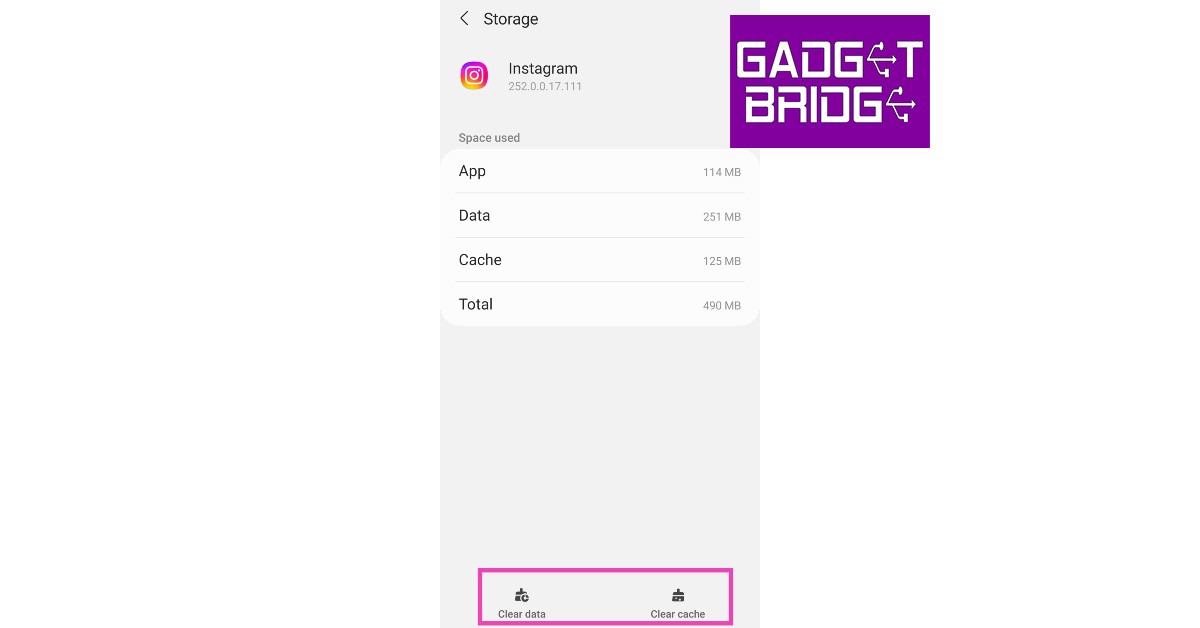
Clearing the cache gets rid of the corrupted temporary files that may be causing trouble. Here’s how you can clear the Instagram app’s cache. Step 1: Go to Settings and select Apps. Step 2: Scroll down and select Instagram.
 Step 3: Tap on Storage.
 Step 4: Select Clear Cache from the bottom of the screen.
Force Stop the Instagram app
Step 1: Go to Settings. Step 2: Scroll down and select Apps.
Step 3: Scroll down and select Instagram.
Step 4: Select Force Stop from the bottom menu.

Log out and log back in
If the issue is related to your account in particular, logging out and logging back in will fix it. To log out of Instagram, go to your profile and tap the hamburger menu at the top right corner of the screen. Go to the Settings & Privacy page, scroll down and select Log Out. Once you’re logged out, log back in using your Instagram handle or the registered email address. Once logged in, check if the video is working. If it isn’t, the issue does not lie with your Instagram account.Use Instagram Lite
 As the name implies, Instagram Lite is a stripped-down version of the Instagram app. It retains all the essential features of Instagram while offering a faster browsing experience. If a bug is preventing you from loading a video on the main app, switching to Instagram Lite might help.
Use Instagram Web
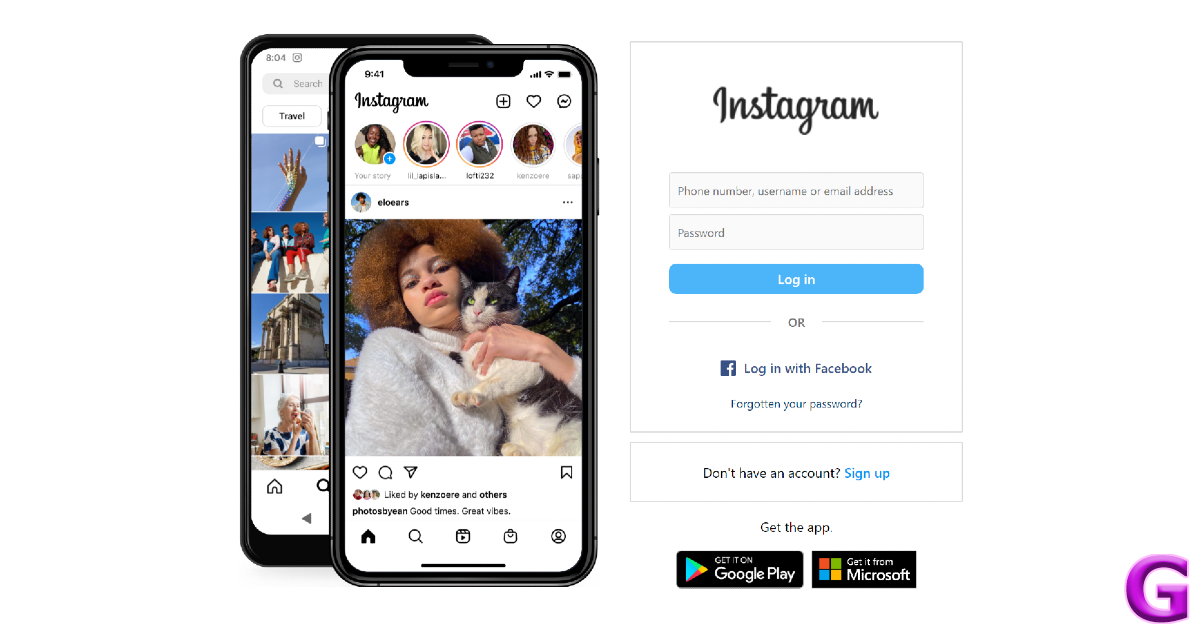 If you can’t get the two Instagram apps to work on your phone, you might want to try Instagram’s web portal. Once you’re logged in, click on ‘Messages’ in the left sidebar. This is where you’ll find all of your Instagram conversations. Pick a thread and scroll to the video to play it.
Check if Instagram’s servers are down
 If you aren’t able to play a video sent via Instagram DMs, the problem may not lie on your end. It is not uncommon for Instagram’s servers to go down from time to time. To check if this is the case, go to DownDetector.in and search for Instagram. If other users are also reporting an outage, it is likely that Instagram’s servers are down. There is nothing much you can do in this scenario other than wait for the servers to gain functionality again.
Frequently Asked Questions
Do DM videos disappear on Instagram?
Instagram offers ephemeral messaging. This means a user can choose for a message to disappear once it has been seen by you. If a video sent to you has a bomb icon next to it, it will disappear once you view it.Can I send videos on Instagram DM?
Yes, you can either send videos from your device to other users on Instagram DM or share videos posted by others on their profiles.What’s the longest video you can send on Instagram DM?
The time limit for videos sent on Instagram is 15 seconds. Read Also: Canon PowerShot V10, a 4K vlogging camera launched in IndiaConclusion
These are the top 11 methods to fix Instagram DM videos not working on Android. If the issue still persists after trying all these fixes, report the issue to Instagram. It is possible the anomaly may be exclusive to your device, and Instagram will take the appropriate action once they are made aware of the issue.Garena Free Fire Redeem Codes Today 13 May 2023: Here is how to claim them

Garena Free Fire is a battle royale game with regular awards and tournaments to keep players interested. If you play Garena Free Fire, you should be aware of the redeem codes that are released on a daily basis. However, because the battle royale game is banned in India, players from other countries can use the Free Fire Redeem codes daily. If you’re unfamiliar with the Garena Free Fire redeem codes or don’t know how to get them, we’ve put together a step-by-step guide to help you redeem them. Check out Garena Free Fire Redeem Codes for 13 May 2023.
The Free Fire redeem codes are a great way to get free stuff. These are 12-digit codes that contain alphabets and numbers, as well as an expiration date and time. Because the Garena FF redeem codes cannot be used more than once, you should hurry to the redemption page to claim your free reward before someone else does. To get a free reward, all you have to do is go to reward.ff.garena.com/en, which is the official redemption page. Also, keep an eye on this space for daily updates on Garena Free Fire redemption codes and rewards.
In This Article
Garena Free Fire Redeem Codes Today 13 May 2023
- FFCMCPSBN9CU
- FFBBCVQZ4MWA
- BR43FMAPYEZZ
- NPYFATT3HGSQ
- XZJZE25WEFJJ
- V427K98RUCHZ
- FFCMCPSEN5MX
- HNC95435FAGJ
- 6KWMFJVMQQYG
- FFCMCPSUYUY7E
- MCPW2D1U3XA3
- FFAC2YXE6RF2
- FFCMCPSGC9XZ
- MCPW2D2WKWF2
- ZZZ76NT3PDSH
How to Get Free Fire Redeem Codes for Garena on 13 May 2023?
- Visit the Garena Free Fire game’s official website at reward.ff.garena.com.
- Use your Facebook, Google, VK, Apple ID, Huawei ID, or Twitter account to log in.
- You’ll be taken to a valid redemption code (s)
- Copy and paste the 12-digit redemption code into the text box.
- On the screen, a dialogue box will appear.
- ‘Ok’ should be selected.
Amazon Quiz Answers Today 13 May 2023: Participate to win Rs 500

13 May 2023 Amazon Quiz has gone live. Customers from different parts of the country are participating in the daily quiz. The quiz begins from 12 AM to 11:59 PM. Those participating in the quiz can win exciting prizes by answering all the questions correctly. Today participants have a chance to win a Rs 500 Amazon Pay Balance.
Amazon quiz brings an opportunity for its customers to win Amazon Pay Balance ranging from Rs 1,000 to Rs 50,000. The Quiz can be played from 12 AM to 11:59 PM. The e-commerce platform brings a fresh quiz on a daily basis which consists of five questions related to general knowledge and current affairs. The participants need to answer all the questions correctly and their names will be selected for a lucky draw. The winner will be announced at the end of the month.
One wrong answer could eliminate you from the quiz. If you manage to answer all the questions correctly you can stand a chance to win a Rs 500 Amazon Pay Balance today. Only app users are eligible to participate in the Quiz. Check Out 13 May 2023 Amazon Quiz Answers.
Amazon Quiz Today Prize – Rs 500 Amazon Pay Balance
Quiz Date – 13 May 2023
Daily Timing – 12 AM to 11:59 PM
Winner Announcement – Today 12 PM
In This Article
Amazon Quiz Answers Today 13 May 2023
Question 1: Which web series topped the IMDb most popular web series 2022 list? Answer: Panchayat Question 2: Who recently became the second batter after Joe Root to score a double century in his 100th test? Answer: David Warner Question 3: Which of these was a nickname given to the famous mathematician Shakuntala Devi? Answer: Human-Computer Question 4: This animal is the state animal of which Indian state? Answer: Sikkim Question 5: This is the ‘Adalaj Ni Vav’ in which of these cities? Answer: AhmedabadHow To Play Amazon Quiz
Only app users are eligible to play the Amazon quiz every morning from 12 AM to 11:59 PM. The quiz is not available on the desktop. For those who are unaware of how to play the Amazon quiz below are the steps, you can follow to take the quiz.- Firstly download the Amazon app from Google Play Store or App Store
- Now fill in the required information through the Sign Up option.
- You need to log in to the Amazon app and scroll down on the home screen to find the Amazon Quiz banner.
- Tap on the Amazon Quiz banner and tap on the Start button to start the Quiz.
- Now you will get 5 questions and you need to answer them correctly. One wrong answer will eliminate you from the Quiz.
- After answering all the questions correctly you are now eligible for a Lucky Draw.
- The winner’s name will be announced today at 12 PM.
Dell Alienware m16 and Alienware x14 R2 with 13th Gen Intel Core CPUs launched in India
Dell today introduced two new gaming laptops Alienware m16 and Alienware x14 R2 in India. Both laptops were first launched at CES 2023. The new Alienware m16 and x14 R2 are powered by 13th Gen Intel Core CPUs and NVIDIA GeForce RTX 40-Series GPUs. The Alienware laptops come with advanced Alienware Cryo-tech thermal architecture, and the revamped Alienware Command Centre 6.0.
 In addition to this, the device features up to 64GB of DDR5 RAM and up to 9TB of onboard storage. The Alienware m16 houses an 86Wh battery with a 330W power adapter. The device also has a full-HD webcam with dual mics and AlienFX keyboard. It comes with Windows Hello IR support. In terms of connectivity, there are USB Type-A 3.2 Gen 1 ports, Thunderbolt 4 ports, an HDMI 2.1 output, a mini-Display port, an RJ45 ethernet port, an SD card slot and a headphone jack.

In This Article
Alienware m16 specifications
The Alienware m16 comes with a 16-inch QHD+ ComfortView Plus screen with a 165Hz refresh rate and a 3ms response time. It further supports Nvidia G-Sync and AMD FreeSync technologies. Powered by 13th Gen Intel Core processors. Alienware m16 also includes a dedicated Nvidia GeForce RTX 4000 series graphics card. In addition to this, the device features up to 64GB of DDR5 RAM and up to 9TB of onboard storage. The Alienware m16 houses an 86Wh battery with a 330W power adapter. The device also has a full-HD webcam with dual mics and AlienFX keyboard. It comes with Windows Hello IR support. In terms of connectivity, there are USB Type-A 3.2 Gen 1 ports, Thunderbolt 4 ports, an HDMI 2.1 output, a mini-Display port, an RJ45 ethernet port, an SD card slot and a headphone jack.

Alienware x14 R2 specifications
The Alienware x14 R2 features a 14-inch QHD+ ComfortView Plus display with a 165Hz refresh rate with a 3ms response time. The machine is powered by 13th Gen Intel Core processors with Nvidia GeForce RTX 4000 series dedicated graphics card. It will be available with 32GB of LPDDR5 RAM and up to 4TB of onboard M.2 SSD storage. The laptop houses an 80.5Wh battery and a 1-Zone AlienFX keyboard. It comes pre-installed with Windows 11 Home (64-bit). There is Alienware Cryo-Tech Cooling and vapour chamber cooling technologies. For connectivity, the Alienware x14 R2 includes Intel Killer Wi-Fi 6E and Bluetooth v5.3.Price and availability
The price of Alienware m16 starts at Rs 184990. Whereas Alienware x14 R2 will be available with a starting price of Rs 206990. Both laptops are currently available for purchase via Dell Exclusive Stores (DES), Dell.com, Amazon.com, large format retail, and multi-brand outlets. For the latest gadget and tech news, and gadget reviews, follow us on Twitter, Facebook and Instagram. For newest tech & gadget videos subscribe to our YouTube Channel. You can also stay up to date using the Gadget Bridge Android App. You can find the latest car and bike news here.Google Bard Vs Google AI Search: Everything you need to know

From the Pixel Fold to the Pixel Tablet, this year’s Google IO saw some interesting product releases. But the most interesting revelations were about Google’s AI advancements, which could radically change the way we interact with technology. Along with Open AI, Google is one of the front runners in the AI universe. You may already be familiar with Google Bard, the tech giant’s AI chatbot. At Google IO 2023, the company announced that it will be further enhancing its search results with the use of generative AI. Unlike Microsoft Bing, Google Search will not make use of a chatbot but a more refined AI tech called ‘Search Generative Experience’. Let’s take a look into what SGE is and how the Google Bard chatbot differs from Google AI Search.
Read Also: Nokia C22 launched in India, price starts at Rs 7,999
The popularity and mass appeal of AI chatbots often gloss over the fact that they aren’t always reliable. Open AI’s Chat GPT and Google Bard have been known to produce incorrect information that often teeters on being harmful. While the developers are still figuring out a way to properly regulate responses from chatbots, integrating them with internet searches may not be such a good idea.
Google has found a way around this issue with its ‘Search Generative Experience’. With the help of generative AI, the search engine is able to produce more accurate results for your queries. It will also change the way users enter their search queries. After performing a Google Search, you can ask the search engine follow-up questions and further refine the search results. You don’t need to strictly adhere to keywords in order to find what you are looking for.
For example, if you want to buy a smartphone right now under a specific budget, you probably would make a few Google searches and see your best options. Comparing those options would take some effort. With an AI-powered search engine, you can simply enter the specs you are looking for, and Google will produce the best results within your budget. You will also be able to converse with Google Search to some extent, although the purpose of that conversation would be to produce better results.
In contrast, with an AI chatbot like Google Bard, conversation and content generation is the primary purpose. You can use Bard to write a book report or a piece of code. You can further improve the results by giving the chatbot follow-up prompts. Conversations with Bard are much more personal than a regular AI search. If we’re strictly talking about getting access to information, AI-powered search results are more reliable than a chatbot.
Read Also: OnePlus releases Android 14 Beta 1 for OnePlus 11 5G
In This Article
Google Bard vs Google AI Search: What’s the difference?
 The popularity and mass appeal of AI chatbots often gloss over the fact that they aren’t always reliable. Open AI’s Chat GPT and Google Bard have been known to produce incorrect information that often teeters on being harmful. While the developers are still figuring out a way to properly regulate responses from chatbots, integrating them with internet searches may not be such a good idea.
Google has found a way around this issue with its ‘Search Generative Experience’. With the help of generative AI, the search engine is able to produce more accurate results for your queries. It will also change the way users enter their search queries. After performing a Google Search, you can ask the search engine follow-up questions and further refine the search results. You don’t need to strictly adhere to keywords in order to find what you are looking for.
For example, if you want to buy a smartphone right now under a specific budget, you probably would make a few Google searches and see your best options. Comparing those options would take some effort. With an AI-powered search engine, you can simply enter the specs you are looking for, and Google will produce the best results within your budget. You will also be able to converse with Google Search to some extent, although the purpose of that conversation would be to produce better results.
In contrast, with an AI chatbot like Google Bard, conversation and content generation is the primary purpose. You can use Bard to write a book report or a piece of code. You can further improve the results by giving the chatbot follow-up prompts. Conversations with Bard are much more personal than a regular AI search. If we’re strictly talking about getting access to information, AI-powered search results are more reliable than a chatbot.
Read Also: OnePlus releases Android 14 Beta 1 for OnePlus 11 5G
The popularity and mass appeal of AI chatbots often gloss over the fact that they aren’t always reliable. Open AI’s Chat GPT and Google Bard have been known to produce incorrect information that often teeters on being harmful. While the developers are still figuring out a way to properly regulate responses from chatbots, integrating them with internet searches may not be such a good idea.
Google has found a way around this issue with its ‘Search Generative Experience’. With the help of generative AI, the search engine is able to produce more accurate results for your queries. It will also change the way users enter their search queries. After performing a Google Search, you can ask the search engine follow-up questions and further refine the search results. You don’t need to strictly adhere to keywords in order to find what you are looking for.
For example, if you want to buy a smartphone right now under a specific budget, you probably would make a few Google searches and see your best options. Comparing those options would take some effort. With an AI-powered search engine, you can simply enter the specs you are looking for, and Google will produce the best results within your budget. You will also be able to converse with Google Search to some extent, although the purpose of that conversation would be to produce better results.
In contrast, with an AI chatbot like Google Bard, conversation and content generation is the primary purpose. You can use Bard to write a book report or a piece of code. You can further improve the results by giving the chatbot follow-up prompts. Conversations with Bard are much more personal than a regular AI search. If we’re strictly talking about getting access to information, AI-powered search results are more reliable than a chatbot.
Read Also: OnePlus releases Android 14 Beta 1 for OnePlus 11 5G